Executive Summary
- What it is AI image fusion reconstructs two or more source images into one coherent frame at the latent-feature level, harmonizing illumination, perspective, color space, and texture instead of stacking pixels along a boundary line.
- What it is not it is not a collage generator and not a side-by-side photo merger. Collages preserve frame borders; fusion dissolves them.
- Where it pays off commercially product staging without studio rental, campaign variant generation, brand-consistent social assets, executive and team portrait consolidation, and rapid concept art iteration.
- Where consumer demand concentrates "hug your younger self" era-merging, virtual try-on, double exposure, face morphing, and animal hybrids.
- What breaks anatomical distortion (hands, fingers, facial symmetry), corrupted text and logos, halo edges, missing contact shadows, and noise amplification from low-quality inputs.
- Governance essentials human-authorship documentation for copyright registration, vendor Terms of Service verification for commercial rights, data-retention and training opt-out controls, provenance watermarking, plus explicit Shadow AI containment so employees do not upload confidential assets to unvetted public utilities.
- Hard limitation for regulated sectors fused imagery must never be treated as evidentiary or biometric proof. Fusion pipelines can synthesize plausible documents, collateral photographs, and identity artifacts, which makes them a fraud-surface concern for KYC, insurance claims, and collateral verification workflows.
Scope, Audience, and Reading Order
The order below follows that logic. First the mechanism, so the control conversation rests on how the model actually behaves. Then the commercial use cases and the step-by-step workflow, including a reusable prompt formula. After that, quality engineering and a defect troubleshooting table, because artifact rates, not vendor marketing, decide whether a pipeline is production-ready. The selection criteria section covers licensing, watermarking, and data handling. The governance section closes with risk appetite thresholds, escalation routing, and a risk-adjusted return formula. A short FAQ answers the operational questions that come up during procurement.
One caveat before we start. Vendor capabilities in this category change quarterly, so treat every number as a checkpoint to re-verify, not a permanent fact.
What Is AI Image Fusion and How It Differs From Standard Image Merge
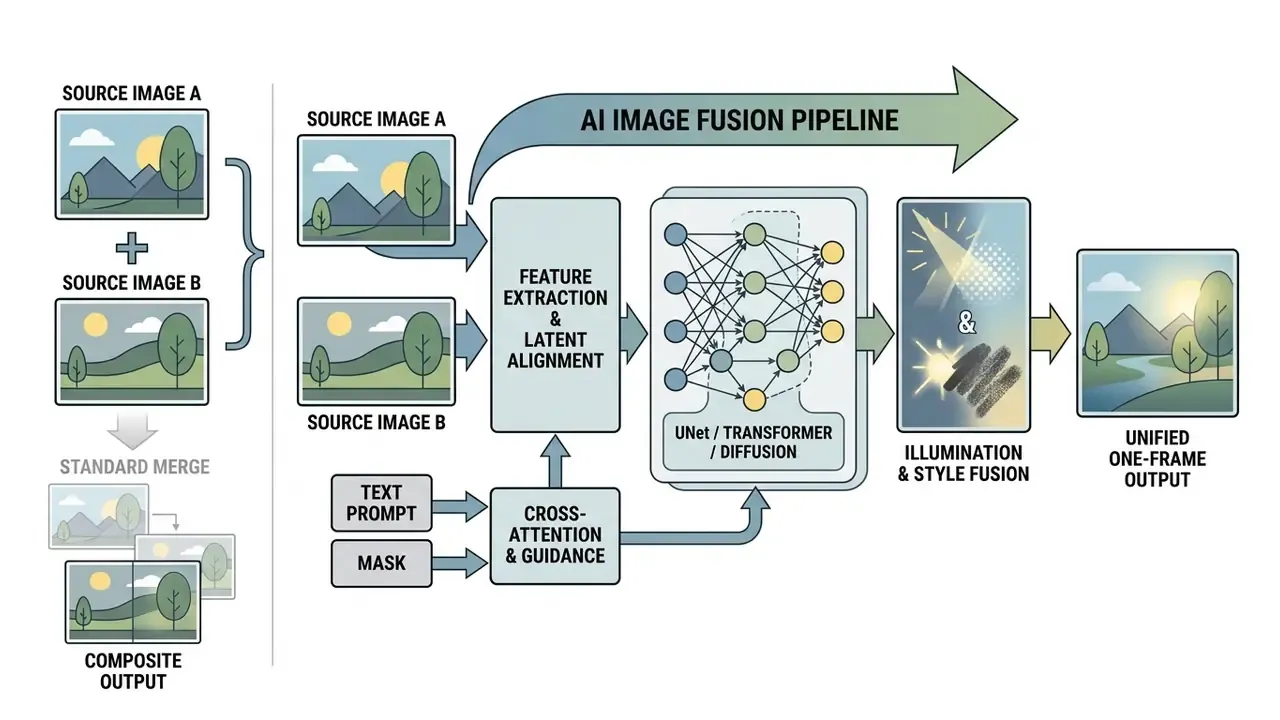
AI image fusion is the algorithmic integration of complementary visual data from two or more source images into a single, synthetically harmonized output. Unlike standard image merge tools that rely on geometric pixel placement, an ai image fusion pipeline uses deep neural networks to reconstruct lighting, depth, and object boundaries. The goal is a coherent merged image that preserves critical features while keeping visual realism across a seamless image framework inside one frame.
The same capability ships under many names. Search demand splits across ai image mixer, ai art merger, ai picture fusion, ai image fuser, ai mix photo generator, and plainly worded queries like "ai that can combine images" or "ai art generator combine two images." The label varies; the underlying operation does not. Some vendors nickname their fusion-capable model, and "nano banana" became the informal tag for Google's image editing model among practitioners in 2025. Names drift. Mechanisms persist.
AI Image Combiner, Photo Merger, and Collage: Three Different Outputs
An ai image combiner processes visual inputs at the latent feature level, whereas traditional software relies on surface-level spatial manipulation. A conventional photo merger joins two files horizontally or vertically along a strict boundary line, retaining raw pixel values.
Photo collages arrange distinct visual blocks across a fixed template grid and explicitly preserve frame borders. Generative image combiner merge mechanisms do the opposite: diffusion backbones or generative adversarial networks blend source elements until the seam disappears.
«Vision-language fusion systems extract textual descriptions from images and use cross-attention to guide visual blending, producing a unified scene rather than a composite.»
Research on unified image tokenizers presented at CVPR 2025 (TokenFlow, which reports GenEval 0.55 at 256×256 as a unified tokenizer for multimodal understanding and generation) shows that generative architectures align tokenized visual features to harmonize perspective and spatial geometry. The result is a single unified scene, not an arranged array. Readers benchmarking fusion tools against pure text-to-image systems can cross-reference capability tiers in our comparison of the best AI art generators.
| Output Class | Underlying Technology | Visual Signature | Typical Objective |
|---|---|---|---|
| AI combiner merge | Model-based, content-aware, prompt-driven generation | Looks like a single photograph; borders dissolved | Harmonized one-frame scene |
| Photo collage | Layout and template engine | Visible grids, borders, spacing | Arranged multi-image composition |
| Simple photo merger | Geometry-based concatenation | Hard seam between panels | Side-by-side or stacked file |
Why does the distinction matter for a control owner? Because a collage carries no synthesis risk worth documenting, while a fused portrait can misrepresent a real person. Same input files, very different risk tier.
How AI Blends Objects, Backgrounds, Colors, and Textures
Generative networks execute an ai blend by analyzing source radiance, spatial frequency, and edge gradients. During processing, the model automatically adjusts environmental lighting, color space variations, and surface colors textures to eliminate mismatched exposure.
Advanced harmonization models convert source images into linear color space to estimate scene radiance before re-rendering in sRGB with background-preserving guidance.
«Composite images are converted to linear color space, scene radiance is estimated, and harmonized colors are re-rendered in sRGB.»
«A self-supervised exposure-fusion model reached BRISQUE 21.214 and MANIQA 0.528, the best structural-quality scores among compared methods.» Source: Dynamic Exposure-Adaptive Learning for Multi-Exposure Image Fusion Using RAW-Derived Training Pairs, MDPI Sensors (2024). https://www.mdpi.com/1424-8220/24/1/1
Lighting-aware diffusion is now the dominant mechanism for background replacement. CVPR 2024 work on relightful harmonization transfers background illumination onto the inserted foreground portrait before compositing. Neural texture transfer layers then align high-frequency edge details along object boundaries, so foreground subjects match background radiance. Transformer-based harmonization models additionally capture long-range foreground-background relations for color and illumination alignment, while 2025 texture-based color-transfer work (TCDNet) reduces boundary color mismatch by aligning texture and color jointly. This is what prevents the classic compositing tells: artificial cutouts, boundary halos, mismatched shadow angles. Done properly, it delivers consistent quality visuals and repeatable high quality results.
A small observation from reviewing dozens of fused assets: the lighting almost always gives the fake away before the anatomy does. Shadows are unforgiving.
Which Images You Can Combine: Two Images or Merge Multiple
Modern generative fusion tools can combine two independent images or merge multiple heterogeneous inputs into one output stream. Standard input categories include individual portraits, architectural background references, product captures, and artistic style templates. Practitioners searching for an ai image generator from multiple photos are usually describing exactly this mode.
Multimodal research frameworks show that generative systems can process several distinct object inputs alongside positional coordinates and textual prompts. MultiGen (ECCV 2024) documents four operating modes: text only, text plus coordinates, text plus partial object images, and text plus coordinates plus images of all objects. It reports successful generation with four object images supplied simultaneously. UNIMO-G (2024) extends this to interleaved visual-textual prompts containing multiple image entities for zero-shot subject-driven synthesis.
«DeFusion++ trains self-supervised on heterogeneous inputs, including infrared, multi-exposure, and multi-focus, without labels, enabling universal fusion.»
Current enterprise models support complex combinations, including portrait generation, product contextualization, and multi-reference artistic style transfer. Frontier multimodal APIs accept many images per request; Gemini's multimodal prompting documentation states that up to 3,000 images can be included in a single request, and recommends enumerating images explicitly when more than one is used. Input quality still dictates model stability. Mismatched resolutions or noisy files reliably increase latent artifacts, whatever the theoretical input ceiling.
Use Cases for an AI Image Combination Generator
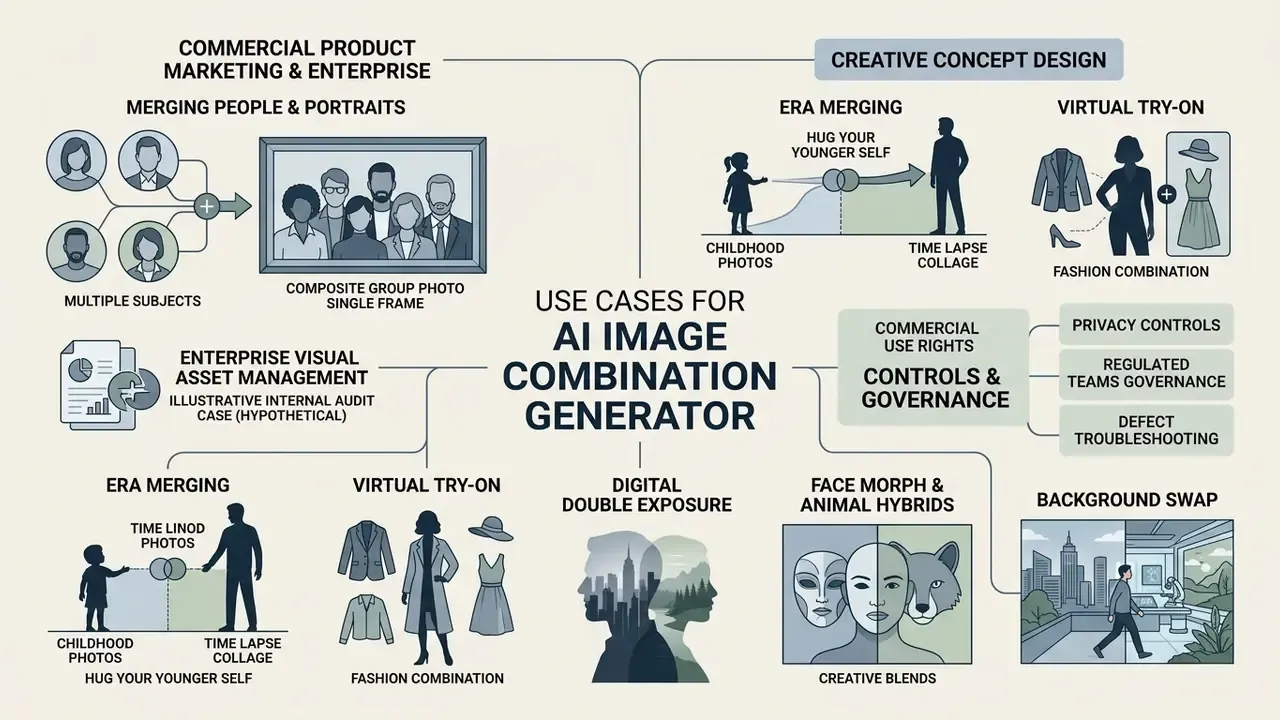
The primary use cases for an ai image combination generator span commercial product marketing, enterprise visual asset management, and creative concept design. Institutions use these systems to automate marketing asset creation, adjust product context, and generate stylized graphics without manual digital rendering. Teams evaluating adjacent transformation tooling can review capability boundaries in our overview of Google AI image generation terms.
| Use Case Category | Primary Input Files | Target Output | Operational Objective |
|---|---|---|---|
| Portrait Consolidation | 2 to 5 individual face captures | Single group photo | Harmonize individual lighting and facial scale into one frame |
| E-Commerce Staging | Isolated product photo plus background scene | Contextual product ad | Align background shadows, specular highlights, and perspective |
| Style Fusion | Content image plus style reference graphic | Concept art or illustration | Inject target artistic textures while preserving underlying geometry |
| Narrative / Annotation Fusion | 3 or more images of people, environments, symbolic objects | Story-driven single frame | Follow explicit annotations for placement and interaction |
| Brand Style Unification | Product shot plus brand color or pattern reference | Campaign-consistent visual | Enforce one visual identity across channels |
Merging People, Portraits, and Executive Group Photos in One Frame
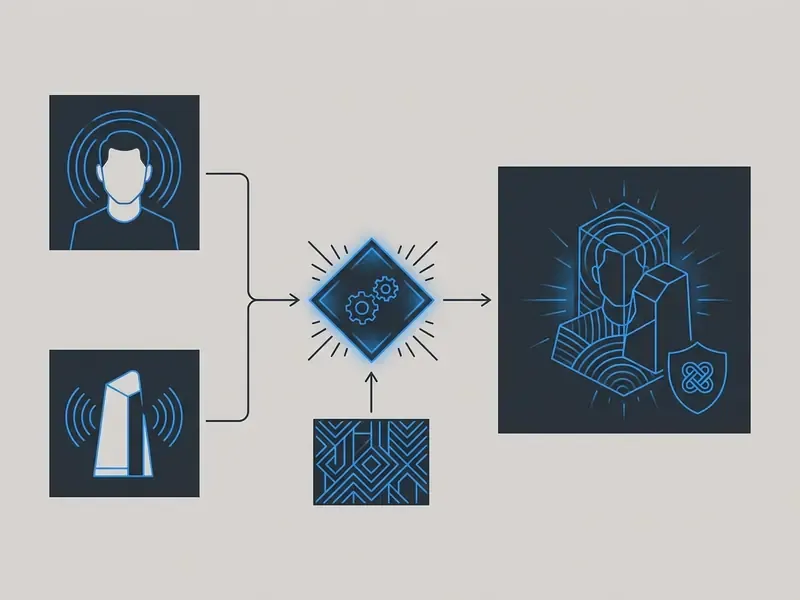
Merging individual portrait captures into a single group scene lets teams put two or more individuals into a shared virtual environment. The model detects facial landmarks, recalibrates head positioning, and applies an ai face alignment filter to keep proportions consistent.
In corporate asset management, combining separate portrait files into a unified executive or team photograph removes the need for concurrent physical staging across offices and time zones. That is a familiar blocker for distributed leadership teams, annual reports, and investor decks. The same mechanism serves personal use, where separately shot portraits become a single family photo without assembling everyone in one location. Commercial platforms use specialized portrait fusion modules to smooth edge cutouts and adjust skin-tone exposure under a unified lighting model. When you blend two faces of the same person shot years apart, the module also has to reconcile film grain against sensor noise.
«ControlCom unifies harmonization, view synthesis, and generative composition within one diffusion model, enabling controllable foreground identity preservation.»
Enterprise deployment still needs model risk validation, because neural feature synthesis can introduce subtle facial asymmetry or limb distortion. Research characterizing photorealism and artifacts in diffusion outputs (2025) catalogues anatomical implausibility and stylistic artifact classes. That literature explains why fused portraits fail perceptual review even when a marketing page promises artifact-free results. For teams standardizing portrait pipelines, our guide to AI headshot generators covers portrait-specific quality and privacy controls.
Illustrative internal audit case (hypothetical, composite): in a governance review of an automated digital marketing pipeline, risk teams evaluated an image combination workflow built to generate synthetic executive group portraits. Initial deployment produced visible background halos and mismatched shadow angles across 14% of outputs. After enforcing input resolution standards and adding lighting-aware diffusion loss, the team reduced the visual artifact rate below 0.5% and obtained compliance approval for production. Treat the numbers as a modelling example, not a published benchmark.
Popular Creative Scenarios: From Childhood Photos to Virtual Try-On
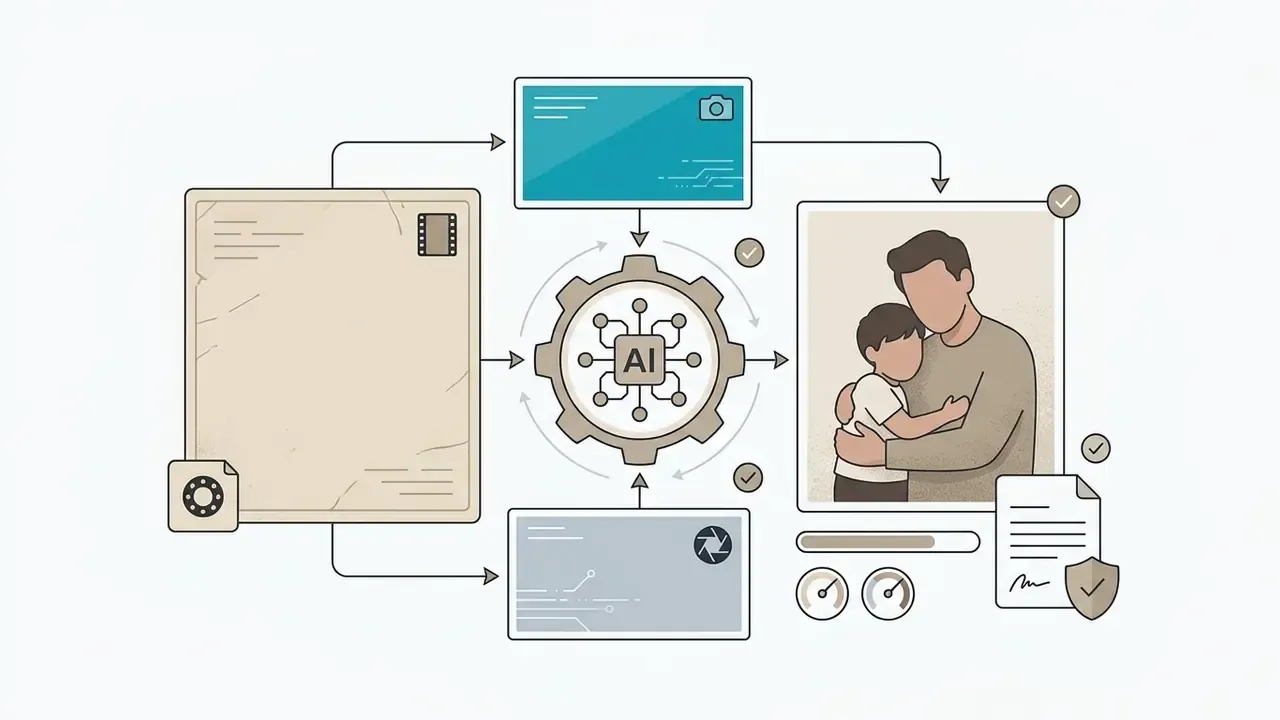
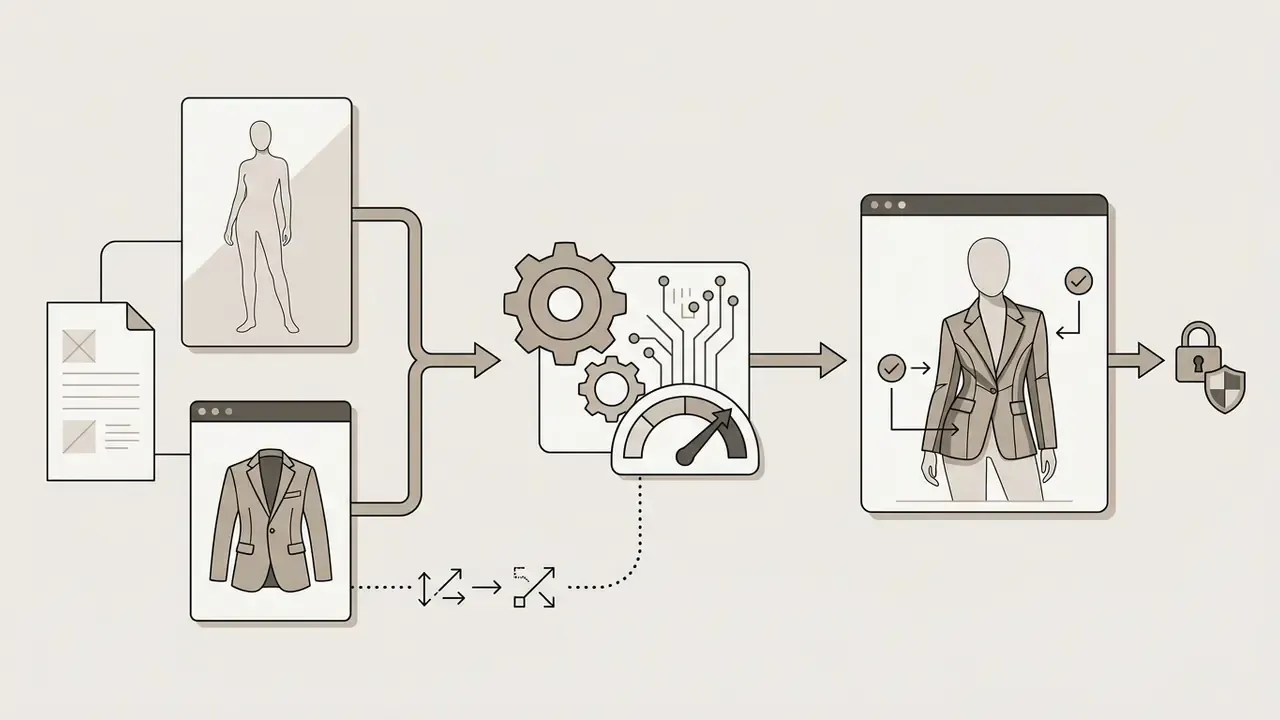
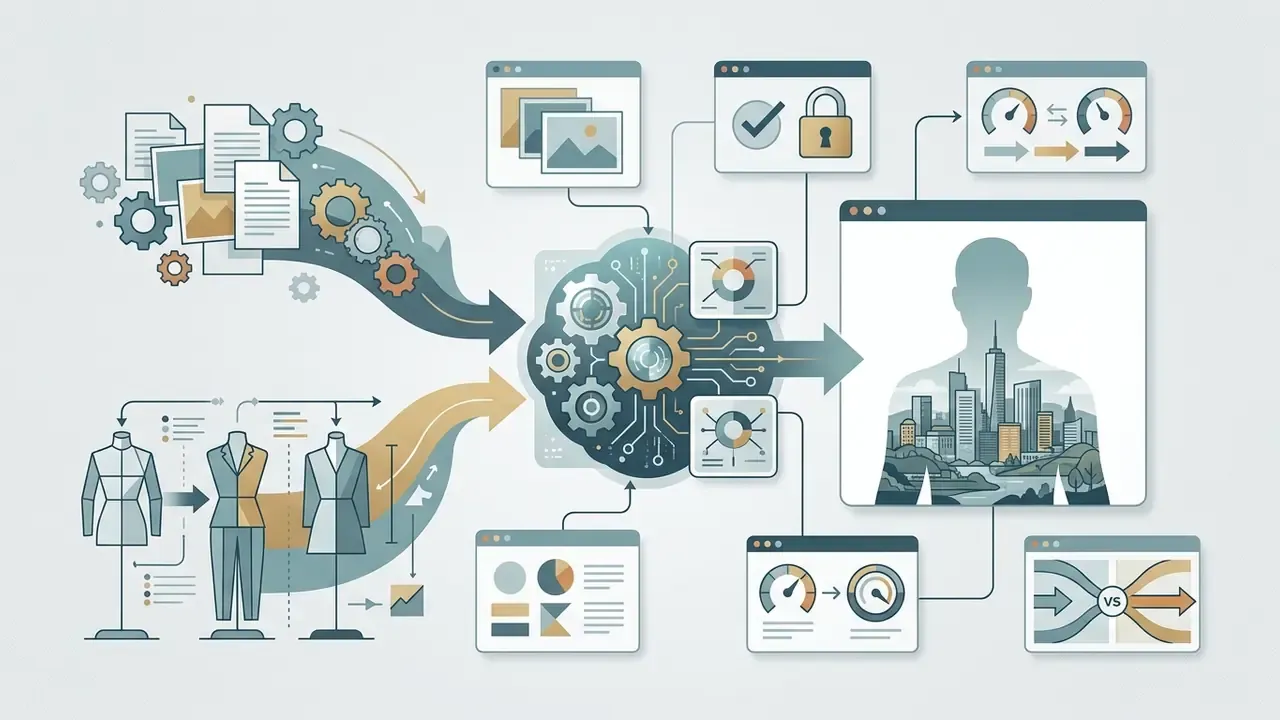
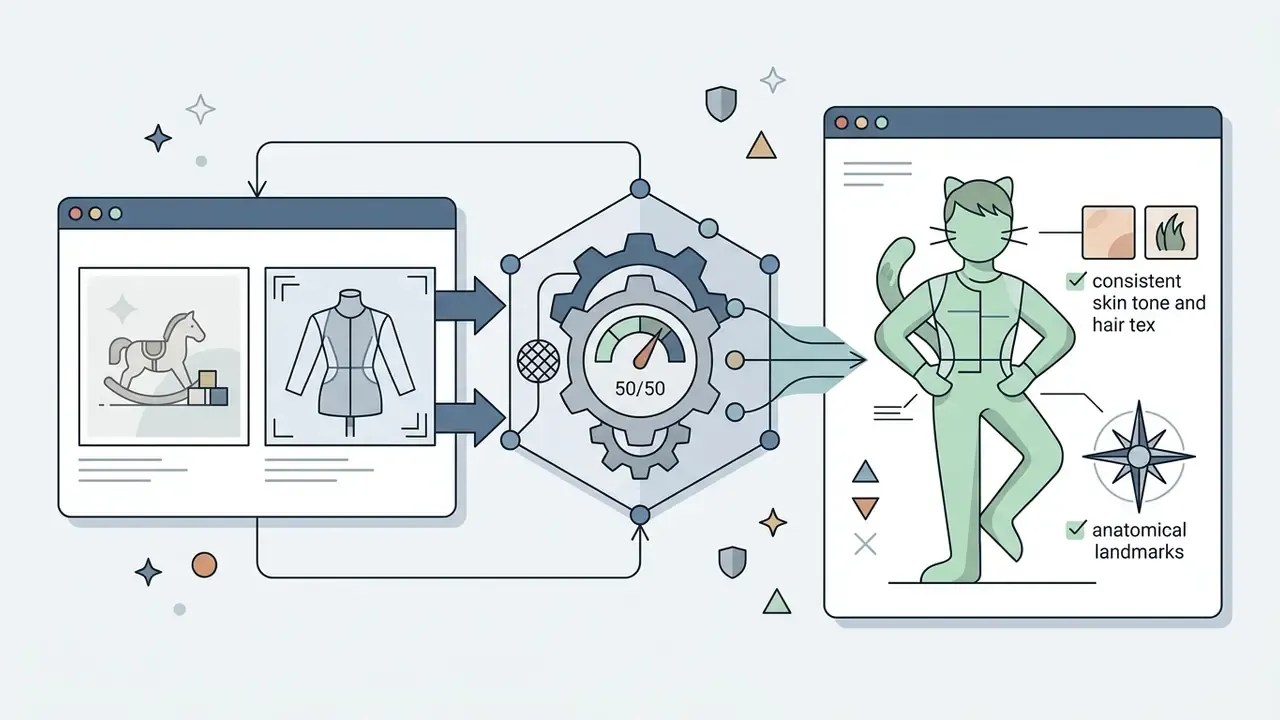
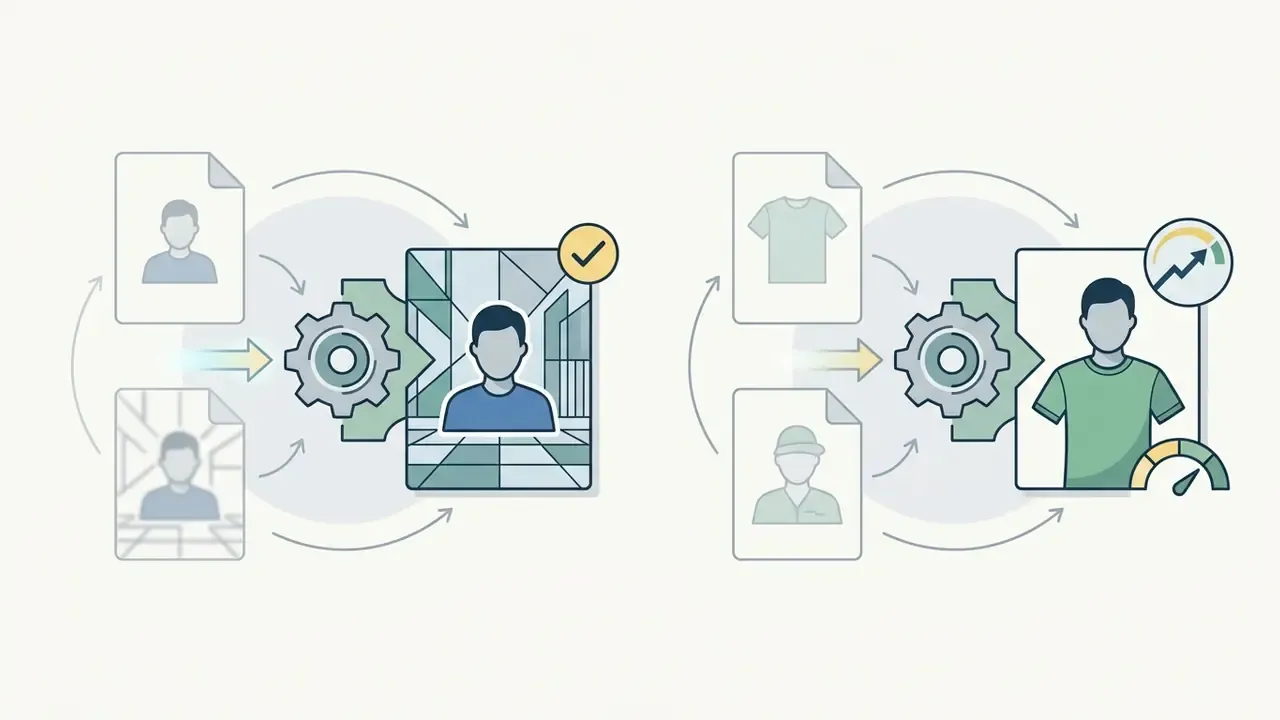
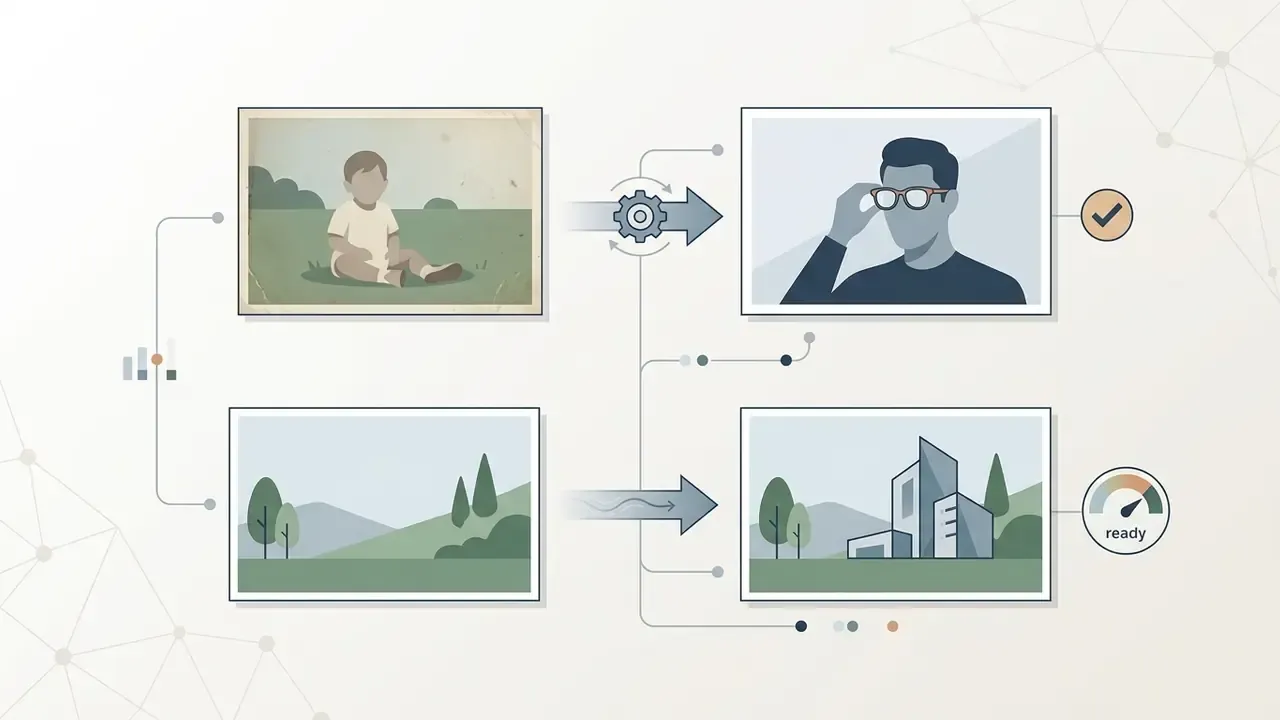
Beyond commercial workflows, generative fusion solves a distinct cluster of high-demand consumer scenarios. This is where users say the technology finally clicked for them:
Most fusion interfaces now bundle adjacent editing operations in the same canvas: remove object, remove text, upscaling through a photo enhancer, and in several suites an ai video generator that animates the fused still. Convenient, yes. It also widens the surface a governance team has to inventory, because one login may unlock five distinct model capabilities.
Style Fusion for Concept Art and Artistic Style
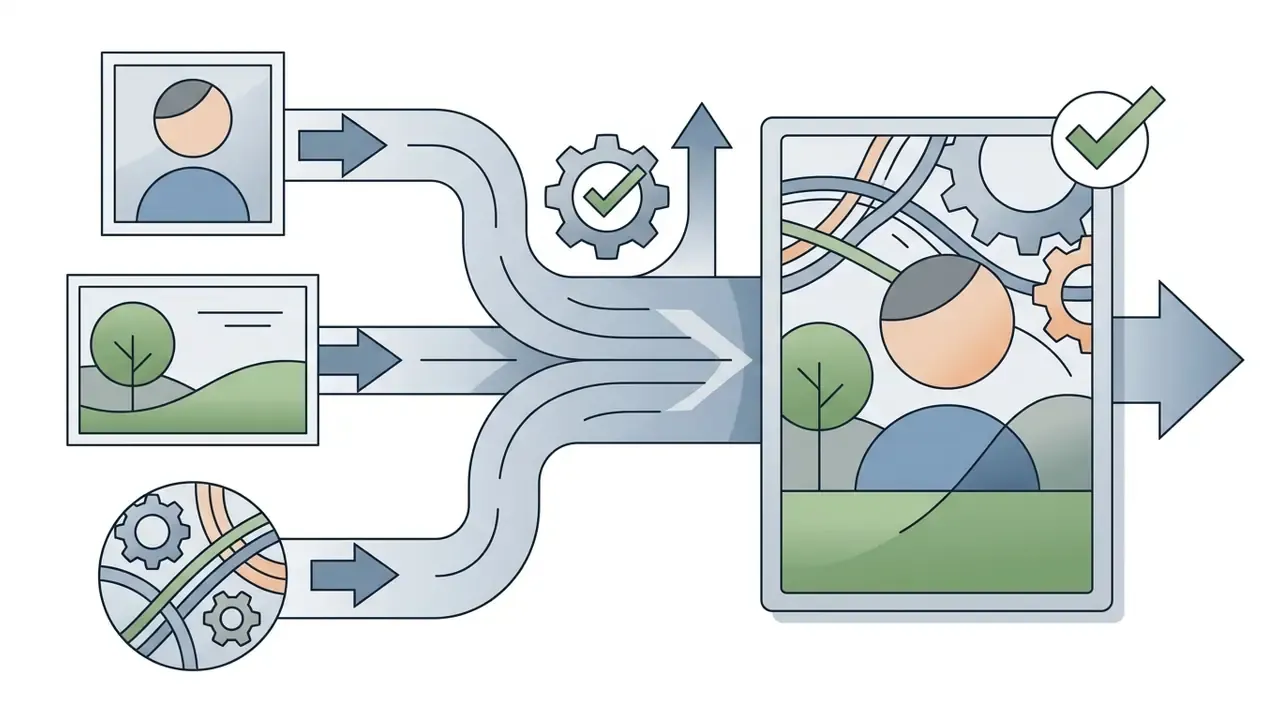
Creative directors use style fusion to merge structural content from one graphic with the artistic attributes of another. The method supports rapid prototyping for concept art, surreal visual development, and custom marketing illustrations, which is how small teams create stunning campaign variants without a full studio.
Techniques like ArtAdapter use multi-level style encoders to separate high-level semantic attributes from low-level color textures, applying different style components at different hierarchical levels of the network.
«ArtAdapter uses a multi-level style encoder with explicit adaptation, applying distinct styles across hierarchical feature levels during fusion.»
How to Combine Two Images With AI: Step-by-Step Workflow
Executing a generative image combination takes a structured workflow. Users prepare source files, define environmental parameters through prompt instructions, and run latent rendering to obtain a final file. Just upload, prompt, review, export. The discipline sits in the preparation, not the button.
Technical requirements for source files:
- Supported input formats: JPG/JPEG, PNG, WEBP, HEIC (PNG preferred for uncompressed edge detail); enterprise APIs additionally accept TIFF or RAW for high-dynamic-range processing.
- Maximum file size: commonly up to 25 MB per image on commercial web tiers; some inline API endpoints cap uploads at 7 MB, with 30 MB available via cloud storage references.
- Input count: typically 2 to 4 images per generation on consumer platforms; multimodal APIs accept far more per request.
- Export resolution: generation up to 2K (2048×2048 px) without loss of fine detail on leading platforms; free tiers frequently downscale to 1024×1024 or 1080p.
- Supported aspect ratios: 1:1 (square), 9:16 (Stories and Reels), 16:9 (YouTube or header), 4:5 (feed), 3:2 (print).
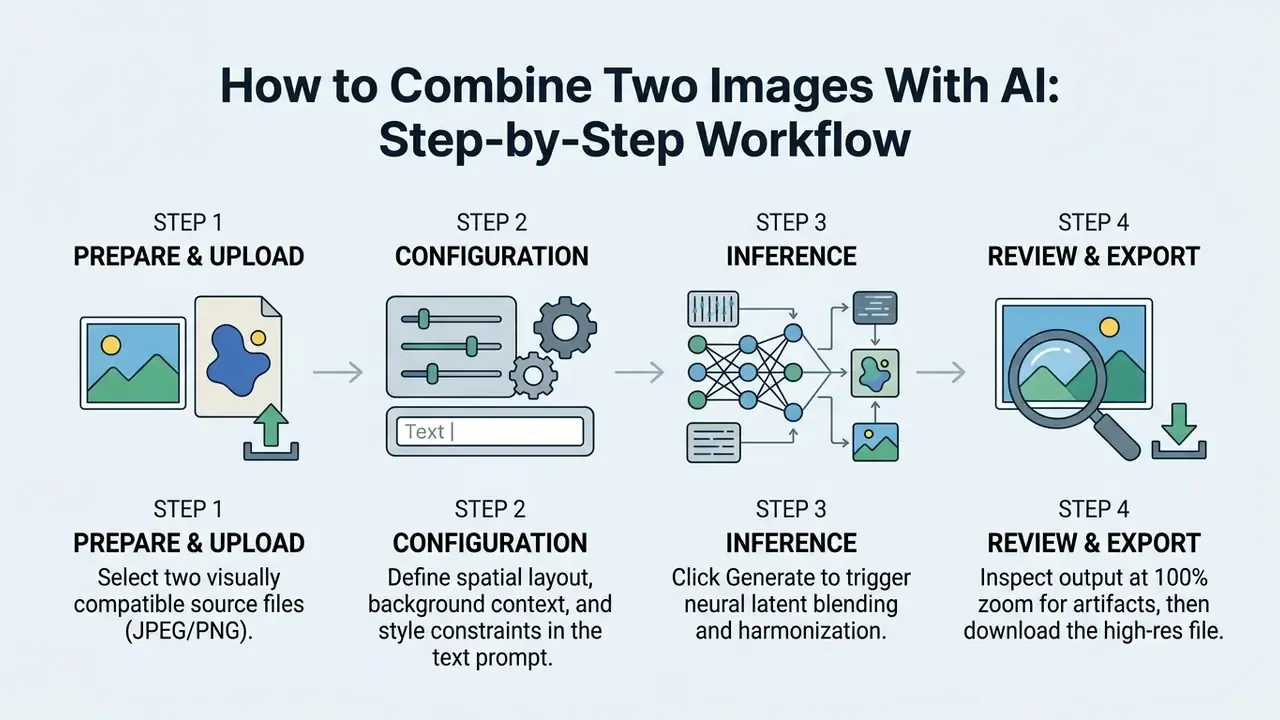
Workflow syntax differs by vendor but not conceptually. The OpenAI API accepts multiple images in a single request's content array and recommends prompt wording such as "edit the first image by adding this element from the second image." Midjourney's image-prompt documentation states that uploading two or more images without accompanying text blends them together directly.
Upload Two: Preparing Images for AI Merge
The first phase requires you to upload image sources with compatible scene geometry. To upload two files successfully, pick inputs with similar perspective angles, clear subject boundaries, and adequate resolution.
- Resolution alignmentkeep source files at comparable pixel dimensions. Pairing a 4K image with a low-resolution thumbnail causes latent blurring.
- Perspective consistencychoose subject photos shot from similar camera angles, for example eye-level or a slight three-quarter view. Front-facing or slightly turned portraits fuse most naturally.
- Lighting directionverify that primary light sources in both files do not contradict each other. A left-lit subject inserted into a right-lit scene needs far more correction.
- Subject visibilityavoid inputs where critical facial features or product edges sit under heavy shadow or compression noise.
- Background separabilityclean, contrasting backgrounds simplify segmentation and reduce color bleeding into the target scene.
- Scale and aspect ratiomatch object proportions between inputs, and choose a scene aspect ratio that does not crop critical background content.
Text Prompt for Scene, Style, and Background Control
A structured text prompt guides the cross-attention layers of the diffusion backbone. Phrasing should establish scene context, define subject placement, and declare explicit negative constraints.
Official prompting documentation from OpenAI's GPT image generation guide recommends ordering prompts as background and scene, then subject, then key details, then constraints. It advises setting composition explicitly with framing, viewpoint, perspective, lighting, and placement wording, and using "change only X, keep everything else the same" phrasing for edit and preservation control. Google's Vertex AI prompt and image attribute guide recommends the shorter subject, context and background, style template.
«LLM-generated textual descriptions of source images drive cross-attention and determine which objects and attributes survive in the fused result.»
For example: "A professional product portrait of [Subject A], positioned centered on [Background B], soft studio lighting from top-left, realistic shadows, keep subject geometry unchanged." Explicit preservation rules stop the model from redrawing core product features or brand logos.
The Six-Element Prompt Formula for Frame Fusion
For reproducible output when combining two images, build the prompt from six ordered components:
[Primary subject] + [Secondary object/background] + [Interaction type] + [Lighting and environment] + [Style weight control] + [Negative constraints]
| Element | Function | Example wording |
|---|---|---|
| 1. Primary subject | Names the anchor content from Image 1 | "the woman in the navy blazer from Image 1" |
| 2. Secondary object/background | Names the content pulled from Image 2 | "the coffee-shop interior from Image 2" |
| 3. Interaction type | Defines spatial and physical relationship | "seated at the wooden table, hands resting on the cup" |
| 4. Lighting and environment | Fixes radiance, time of day, shadow logic | "soft evening window light, natural contact shadows" |
| 5. Style weight control | Balances influence between inputs | "dominant Subject 1, blend evenly lighting" |
| 6. Negative constraints | Excludes known failure modes | "--no distortion, extra limbs, blurry edges" |
Weight-control operators:
dominant [Object A]makes the element from the first image compositionally decisive.subtle blend [Object B]introduces texture or style from the second frame gently.blend evenlyapplies parity 50/50 mixing of both sources.preserve [attribute]locks identity, geometry, typography, or logo placement.
Complete prompt example:
"Professional portrait photo of [Subject from Photo 1] seated at a wooden table in the coffee shop from [Photo 2], soft evening window light, natural contact shadows, keep facial geometry from Photo 1 unchanged, dominant Subject 1, blend evenly lighting --no distortion, extra limbs, blurry edges."
Keep prompts concise but complete. Vague instructions such as "make it cool" fail; subject plus style plus interaction plus environment, expressed in one or two sentences, produces consistent fusions.
Generate, Preview, and Download the Final Image
Once parameters are declared, you run the render by selecting click generate. The model processes input tensors and returns a synthesized image instantly, or within a few seconds, depending on server capacity.
Review the preview to verify edge harmonization, shadow accuracy, and object proportions. Preview deserves to be a distinct stage from export. Production documentation pipelines separate the two precisely because format choice governs quality: PNG balances quality and size, BMP maximizes fidelity, JPEG delivers smaller, faster, lower-quality files. If the output meets standards, select download to export the uncompressed file. To see how image combination interfaces compare with full design software, explore the overview in our Canva AI Generator guide.
How to Achieve High Quality Results in AI Image Blending
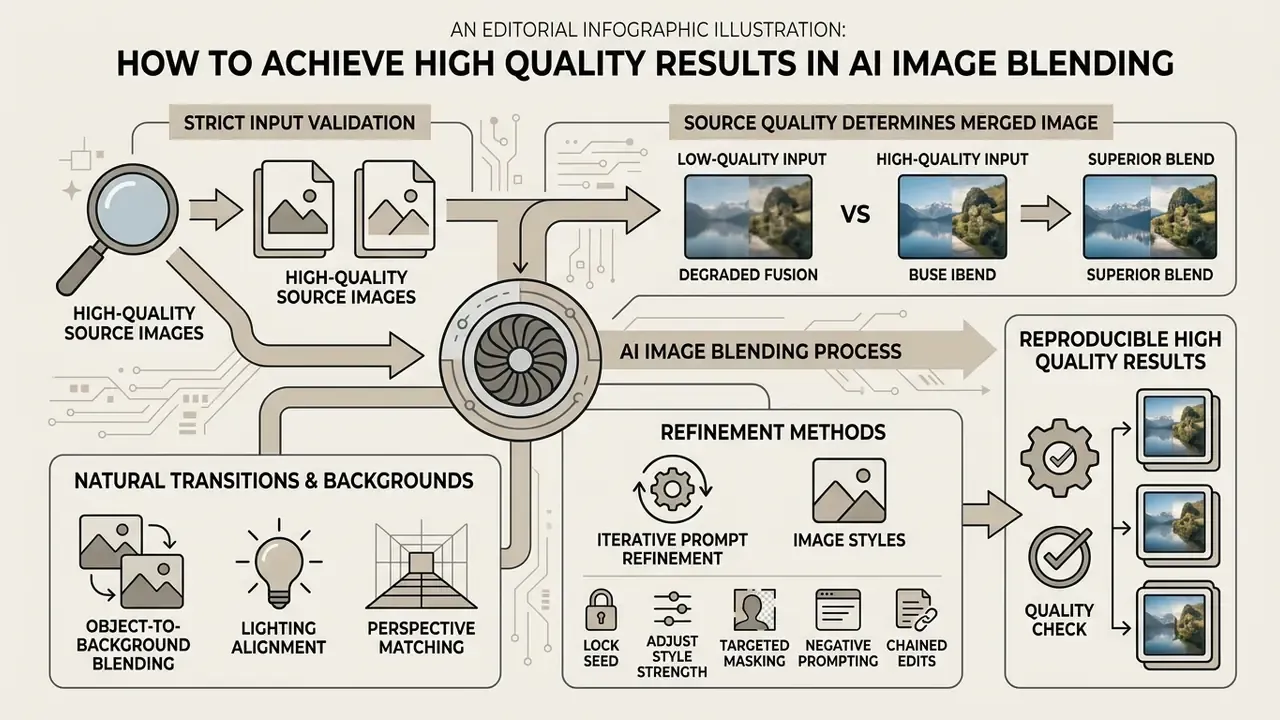
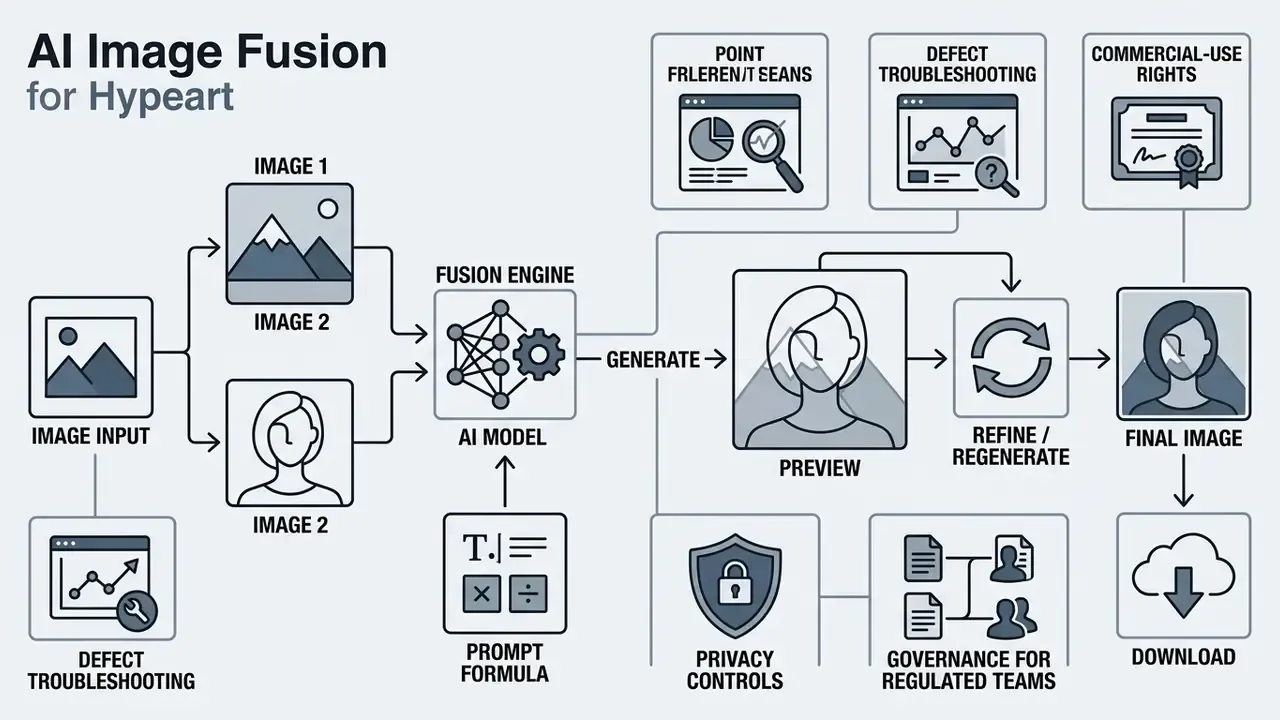
Reproducible high quality results require strict input validation and iterative prompt refinement. Generative models operate on input signal clarity; weak source files introduce latent artifacts, noise amplification, and geometric distortion.
Research consensus points to three reinforcing method families: multi-constraint losses, geometric, color and boundary consistency enforcement, and quality assessment with structural fidelity metrics. GP-GAN (ACM Multimedia) targets high-resolution blending through GAN-based synthesis. GCC-GAN (CVPR 2019) improves realism by enforcing geometric, color, and boundary consistency. Deep Image Blending (WACV 2020) reports superior user-study scores when inserting objects into paintings and real scenes. A 2025 infrared-visible fusion study combines pixel consistency, structural preservation, and sparsity regularization, then evaluates with EN, MS-SSIM, and VIF. A 2023 medical fusion review adds a strict correctness rule: the fused image should retain all relevant source information and introduce nothing absent from the inputs. That principle maps directly onto enterprise content-integrity requirements, and it is the cleanest test of whether a fused asset is honest.
Why Source Quality of the Two Images Determines the Merged Image
Resolution, signal-to-noise ratio, and focal depth of the input two images dictate the precision of the output. High-resolution inputs give the encoder clean feature maps, whether convolutional or transformer-based.
When you merge two files with disparate pixel densities, the network interpolates missing data in the weaker input. Expect localized blur, smudging, or texture inconsistency. Heavy JPEG compression artifacts also get amplified by diffusion models, producing unnatural grain patterns across subject boundaries. Small source images introduce visible noise that becomes more conspicuous as output dimensions grow.
«The MEFB benchmark across 100 image pairs and 21 algorithms shows deep-learning methods consistently outperform traditional ones perceptually, yet none is universally best.»
How to Make the Transition Between Objects and Background Look Natural
A seamless image requires harmonized edge gradients, ambient reflections, and contact shadows between subject and destination background. Standard pixel blending fails here, because it never adjusts background radiance to match subject opacity.
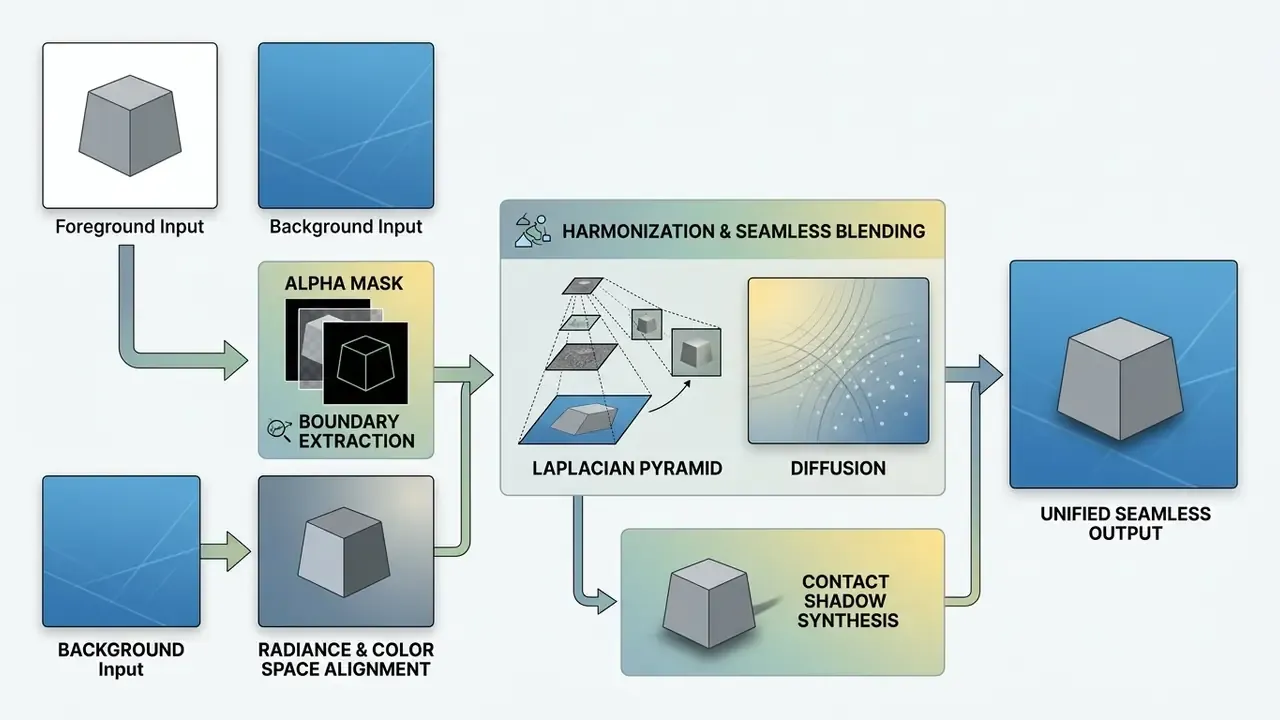
Advanced models apply Laplacian pyramid decomposition alongside shadow synthesis networks that project realistic contact shadows onto ground surfaces. Classical alpha composition, I_comp = α·I_fg + (1−α)·I_bg, handles pixel-level boundary transitions. Multi-resolution blending builds Laplacian pyramids for both images plus a Gaussian mask pyramid to hide seams across texture frequencies. Newer diffusion-based compositing adds an explicit shadow-synthesis stage aligned with scene illumination.
«A GAN with heterogeneous discriminators, one for infrared target intensity and one for visible-range gradients, preserves thermal objects and texture sharpness simultaneously.»
The practical payoff: inserted objects stop floating above the background plane. Automatic color temperature adjustment means cold studio lighting on a foreground subject warms naturally inside a golden-hour outdoor scene. When residual softness remains after fusion, post-processing through AI outpainting and image enhancement workflows can restore edge definition and extend the canvas without regenerating the composition.
How to Refine Results Through Prompt Iteration and Image Styles
Refining a generative composition is an iterative loop, not a single shot. Keep the random seed locked while modifying one prompt variable per run. Official ComfyUI documentation formalizes this as "prompt, evaluate, refine," with three discipline rules: lock the seed, change one variable per generation, and save prompt plus seed together for reproducibility.
- Lock seedfix the generation seed to isolate structural composition across iteration steps.
- Adjust style strengthraise or lower reference style weights to balance source preservation against artistic transformation.
- Targeted maskingapply local inpainting masks over artifact-prone areas such as hands or background text, rather than re-rendering the whole canvas.
- Negative promptingexplicitly exclude undesirable attributes like "blur, oversaturation, extra limbs, floating objects, mismatched shadows."
- Chained editsfeed each accepted output back into the next edit pass to add detail or correct localized defects, as described in current image-editing API documentation.
- Batch-and-selectgenerate a batch, mark the strongest and weakest outputs, then rewrite the prompt to reinforce desired features and suppress rejected ones. This is the refinement loop documented in the Promptify study (2025).
Save the prompt and seed pair in the asset record. Auditors will ask how a published image was produced, and "I remember roughly what I typed" is not evidence.
Troubleshooting Typical Defects in Neural Image Fusion
| Problem / Artifact | Probable Cause | How to Fix |
|---|---|---|
| Distorted fingers and faces | Divergent camera angles (perspective mismatch) or low-resolution sources | Upload front-facing or three-quarter portraits; apply targeted inpainting masks over affected regions |
| Subject appears to float | Light-source directions disagree or contact shadows are missing | Add explicit parameters: "...with realistic drop contact shadow on the floor, matched sunlight angle" |
| Edge blur or halo effect | High-contrast original background bleeding into the target scene | Remove the original background from the subject before uploading to the combiner |
| Garbled text and logos | Diffusion backbones reconstruct glyphs rather than copying them | Quote text literally in the prompt, add "preserve logo exactly, do not redraw text," or overlay typography after generation |
| Amplified grain and noise | Heavy JPEG compression or small source files | Re-export sources as PNG at higher resolution; avoid upscaled thumbnails |
| One image dominates unintentionally | No weighting operators declared | Use dominant, subtle blend, or blend evenly and reduce style strength |
| Missing body parts or merged limbs | Extreme poses, occlusions, or over-blended intensity | Choose clearer poses, lower blending intensity, regenerate with a fixed seed and a single-variable change |
Fact Check and Visual Quality Verification
Mandatory verification checklist:
How to Choose an AI Image Fusion Generator for Personal and Commercial Use
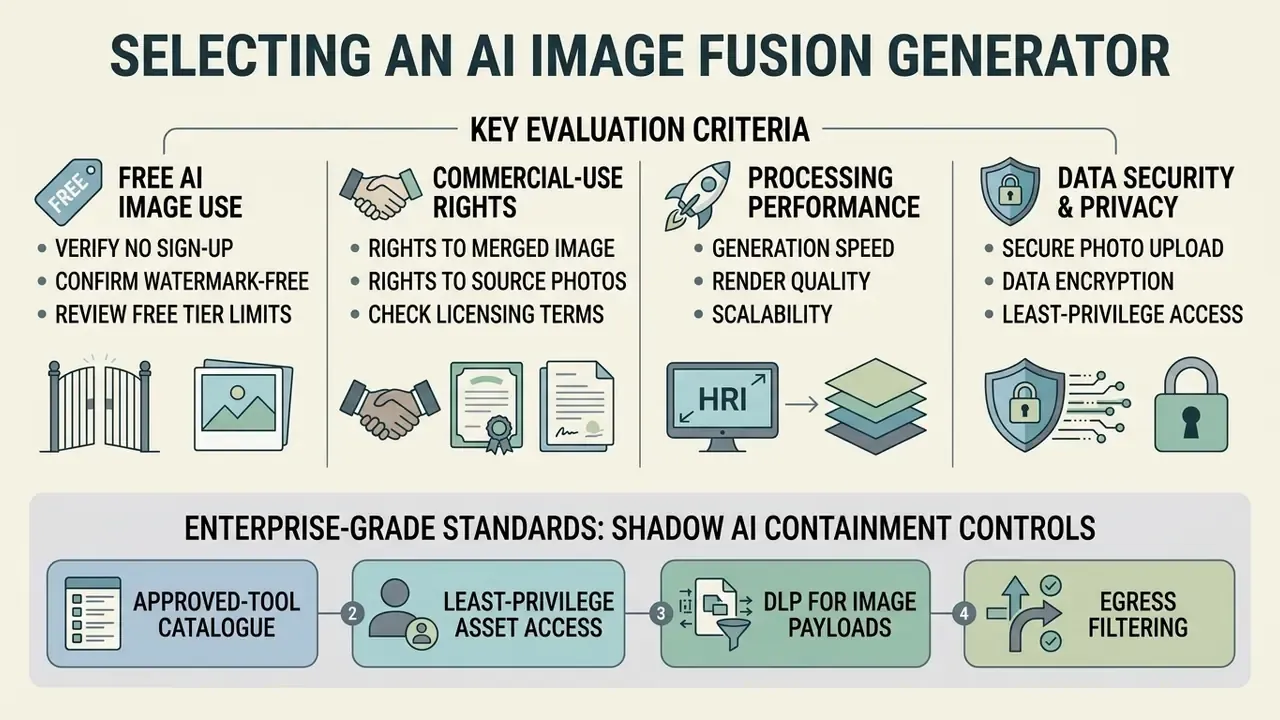
Selecting an enterprise-grade ai image fusion generator means evaluating licensing terms, processing performance, watermark policy, and data security standards. Organizations should separate basic consumer utilities from platforms designed for commercial compliance. Provenance capability is now a first-order selection criterion. NIST's 2024 draft on synthetic-content risks states that acceptable watermarking should record model name and version, developer or provider identity, and timestamp. State-level proposals such as California AB 3211 and federal bills such as S.2765 push imperceptible provenance marking toward mandatory status.
Free AI Image, No Sign Up, and Watermark Free: What to Verify Before Generating
Many web platforms market free ai image processing, ai photo mixer free access, or ai photo mixer online free generation without account creation. Public free online services, and searches for an ai image combiner free no sign up, usually land on strict operational constraints that limit commercial utility.
- Generation quotas: unregistered tiers typically cap output between 5 and 15 renders per day. Published 2026 comparisons report quotas ranging from 5 per day to 100 per day, 30 credits, or 40 starter tokens, depending on vendor and content type.
- Resolution caps: free generations are often downscaled to 720p or 1024×1024 pixels, which restricts large-format printing and professional distribution.
- Watermark enforcement: zero-cost tiers may embed visible logos or imperceptible tracking marks such as SynthID.
- Queue delays: public interfaces prioritize paid API traffic, so server waits stretch during peak load.
- Hidden account gates: "no sign up" frequently means no sign-up for a demo render only. Full-resolution export or watermark removal requires an email or a paid plan.
- Acceptable-use gaps: community-hosted utilities, including perchance ai image generators, often run permissive content policies and minimal logging, which makes them unsuitable for corporate assets.
Acceptable-use screening deserves its own line item. The backbone that merges two portraits can be repurposed for unauthorized intimate imagery, so check how a vendor handles nsfw ai images, whether the same interface doubles as an nsfw photo editor, and whether it bundles a nude ai generator mode behind the fusion feature. For a regulated employer, that is a conduct, harassment, and brand-safety exposure, not just a content-policy footnote.
For teams reviewing utility boundaries across entry-level creative tools, free generator limitations in our best free AI art generator comparison provide useful benchmarking context. Our guide to free photo editors maps equivalent export and licensing restrictions in adjacent tooling.
Commercial-Use Free: Rights to the Merged Image and the Source Photos
Using generated graphics in advertising, product packaging, or media distribution requires verifying commercial-use free rights under the relevant legal frameworks. Guidance from the U.S. Copyright Office (2025) holds that purely AI-generated outputs lacking sufficient human creative input cannot be registered. Part 2 of Copyright and Artificial Intelligence confirms that outputs are copyrightable only where human authors determine sufficient expressive elements, and that AI-generated material above a de minimis threshold must be disclosed and disclaimed during registration (https://www.copyright.gov/ai/).
«Most original and generated NFT images should be protected by copyright thanks to the creative contribution of the project creator and the AI.»
Commercial viability depends on vendor contract terms alongside copyright compliance. Vendor positions diverge materially. OpenAI's Terms of Use state that users own the output and may use it commercially (https://openai.com/policies/row-terms-of-use/). Photo AI's legal pages grant rights for personal or commercial use. Qwen Image permits commercial use subject to its terms. Some smaller services restrict use to personal, non-commercial purposes and forbid incorporation into any commercial service. Enterprise teams must also confirm that uploaded source images do not infringe third-party copyright, trademark, or publicity rights.
«Fair-use analysis for generative AI art identifies scenarios where outputs may reproduce protected styles or content drawn from training data.»
Congressional Research Service analysis (2026) notes that commercial purpose factors into fair-use assessment but does not by itself determine infringement. Courts still weigh purpose, amount used, and market effect. Before deploying fused assets publicly, provenance verification through AI reverse-image-search tooling helps confirm that source material is not an unlicensed third-party work. For ongoing case law and enforcement activity, explore the hub covering media policy disputes.
Disclaimer: this information is general in nature and does not replace consultation with an intellectual property specialist or qualified legal counsel.
Privacy, Security, and Shadow AI Containment When Uploading Personal and Product Photos
Uploading sensitive corporate assets, unreleased product designs, or private group photographs to public generators creates real data leakage risk. Security leaders should audit vendor privacy policies for file retention and model training practices before anyone clicks upload.
Standard enterprise baselines include ISO/IEC 27701 (privacy information management as an extension to ISO/IEC 27001 and 27002), the ISO/IEC 29100:2024 privacy framework and terminology, ISO/IEC 29184:2020 for online privacy notices and consent, and alignment with the NIST AI 600-1 Generative AI Profile (July 2024). NIST AI 600-1 calls for periodic monitoring of AI-generated content for privacy risks, including detection of PII or sensitive data in generated image outputs (https://nvlpubs.nist.gov/nistpubs/ai/NIST.AI.600-1.pdf).
«Processing biometric data, including facial images, requires an explicit legal basis and compliance with GDPR data-minimisation principles.»
| Platform Criterion | Free Public Generator | Enterprise API / Paid Platform | Compliance Impact |
|---|---|---|---|
| Account access | Often no sign up required | Verified SAML or SSO authentication | Essential for access auditing and SOC 2 alignment |
| Watermark terms | Often includes visible brand watermarks | Watermark free high-resolution export | Critical for professional marketing asset deployment |
| Commercial license | Personal use only in most cases | Full commercial output ownership | Required for advertising and product packaging |
| Data retention | Input images stored for model training | Immediate memory wipe after processing | Mandatory for confidential corporate asset security |
| Resolution limit | Standard web resolution (720p to 1080p) | Full uncompressed high-res output (up to 2K and above) | Necessary for print and high-density digital displays |
| Provenance metadata | Rarely exposed; invisible marks possible | Model and version, provider, timestamp recorded | Supports NIST-aligned synthetic-content disclosure |
| Input limits | 2 to 4 images, roughly 10 to 25 MB per file | Bulk multimodal requests, larger payloads via storage | Determines batch asset production capacity |
No matching rows Clear one or more filters to restore the matrix.
For scaled output beyond a single render, compare per-image economics against alternative pipelines in our review of Midjourney versus competing image generators, or browse the wider set of compare options across generation tooling.
Governance, Risk Appetite, and Risk-Adjusted ROI
Generative fusion sits inside the model inventory, not outside it. Three artefacts make a fusion pipeline auditable.
1. Quantified risk appetite. Define measurable tolerances before launch, not after the first incident. A workable baseline, derived from the illustrative audit described earlier:
| Control Metric | Target Threshold | Escalation Trigger |
|---|---|---|
| Visible artifact rate (100% zoom review) | Below 0.5% of published assets | 2% or more in any weekly batch |
| Identity-distortion incidents (portraits) | 0 published | Any single published instance |
| Text or logo corruption in brand assets | 0 published | Any single published instance |
| Prompt and seed reproducibility records | 100% of published assets | Any missing provenance record |
| Unapproved-tool usage (Shadow AI) | 0 detected events | Any confirmed upload of confidential imagery |
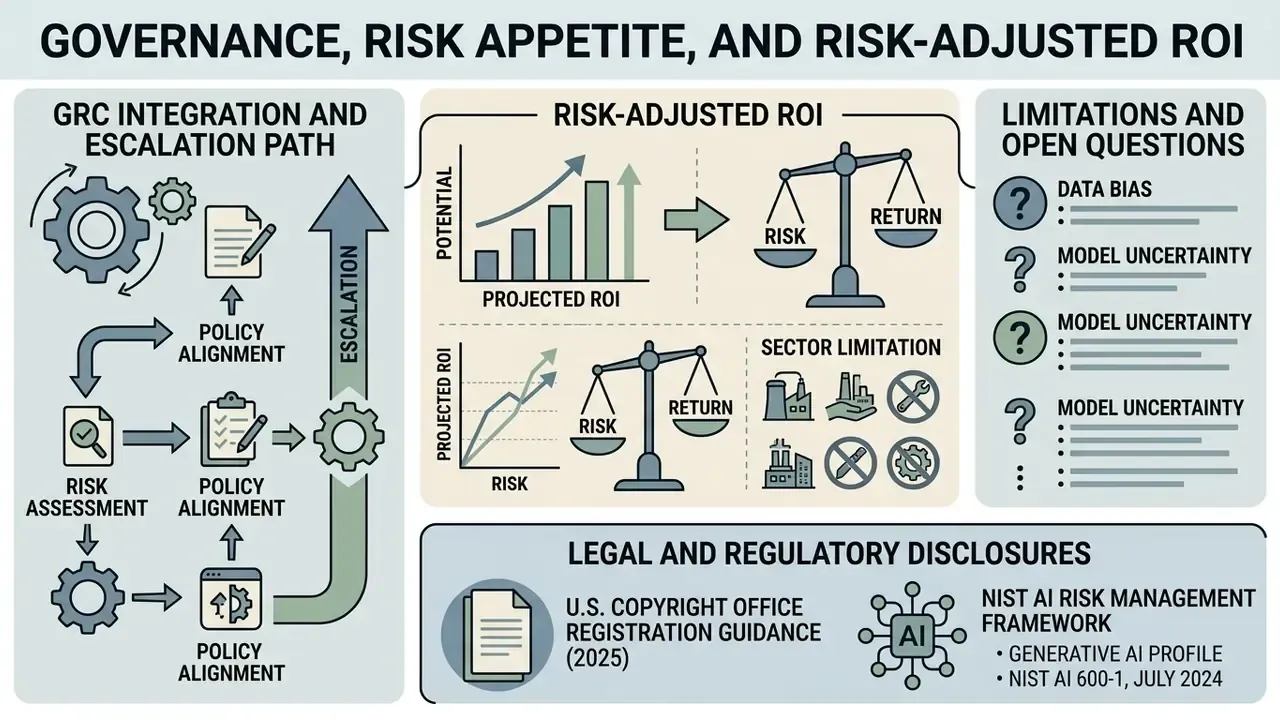
2. GRC integration and escalation path. Register the fusion model as a model-inventory entry with an owner, a validator, and a control-testing schedule. Route artifact-rate breaches through standard issue management: the first-line reviewer logs the defect, second-line model risk assesses materiality, and material breaches escalate to the AI governance committee with a publish-hold applied to affected campaigns. Retain prompt, seed, source-file hashes, and reviewer sign-off as evidence. No evidence, no autonomy.
3. Risk-adjusted ROI. Fusion economics are not only "studio cost avoided." Use a net formulation:
Risk-Adjusted ROI = (Manual production cost avoided − Tool cost − QC review labour − Validation and monitoring cost − Expected loss from defects and legal exposure) ÷ (Tool cost + QC + Validation)
Here expected loss equals the probability of a published defect multiplied by average remediation and reputational cost, plus the probability of a rights dispute multiplied by expected legal cost. A pipeline producing 400 assets monthly at a 0.5% defect rate, with documented licensing, usually stays strongly positive. The same pipeline with no QC gate and unvetted source imagery can destroy value despite a lower sticker price.
Sector limitation. Fused imagery must be excluded from biometric verification, identity proofing, collateral inspection, and claims evidence without independent corroboration. The capability that merges an executive team photograph can also fabricate a plausible asset photograph or identity document. Fraud teams should also watch the second-order effect: a fused document image passed through ocr image to text or pdf image to text extraction can inject fabricated fields straight into onboarding or claims records, where the text looks structured and therefore trustworthy. KYC, AML, and claims-integrity functions should treat consumer fusion tooling as an adversarial capability and monitor provenance signals accordingly.
Limitations and open questions. Three items remain genuinely unsettled, and honest reporting says so. First, no published benchmark reliably predicts artifact rates for a specific brand's asset mix, so internal sampling is still the only trustworthy measure. Second, provenance marking is not yet mandatory at federal level, so metadata coverage across vendors stays inconsistent. Third, courts have not resolved how much human prompting and retouching counts as sufficient authorship for registration. Plan for those gaps rather than around them.
Legal and Regulatory Disclosures
FAQ About AI Image Fusion
Which image formats does an AI image combiner online support?
An ai image combiner online typically supports standard web graphic formats for upload, including JPEG, PNG, WEBP, and HEIC. High-performance enterprise APIs also accept uncompressed RAW inputs or TIFF files for high-dynamic-range processing. Google's Gemini image-understanding documentation lists PNG, JPEG, WEBP, and HEIC as supported input MIME types. Output files usually arrive as PNG by default, which preserves uncompressed edge detail, or JPEG when smaller dimensions matter. OpenAI's image API returns PNG by default, with JPEG and WebP also available. When handling photos online, keep individual asset sizes below vendor limits, typically 7 MB to 30 MB per inline upload, with consumer platforms commonly allowing up to 25 MB per image.
Why do generated characters sometimes appear distorted or missing body parts?
Distortion usually starts in the source material, not the model: unclear subjects, extreme camera angles, occluded limbs, heavy compression, or contradictory lighting between the two inputs. Diffusion backbones reconstruct high-frequency regions such as fingers, ears, and eyewear probabilistically, so ambiguous inputs produce anatomically implausible results. Fix it in three steps. Replace inputs with clear, front-facing or three-quarter photographs where hands and faces are unobstructed. Then reduce blending intensity so one image stops overriding the other's anatomy, and add negative constraints such as "no extra limbs, no merged hands, no warped face." Finally, instead of re-rendering the whole canvas, apply a targeted inpainting mask over the damaged region with the seed locked. That preserves the accepted composition and repairs only the defect.
What maximum resolution and aspect ratios are available?
Leading commercial platforms generate up to 2K resolution, roughly 2048×2048 px, with detail suitable for social media, presentations, and most marketing materials. Free tiers frequently cap output at 1024×1024 or 1080p. Standard aspect-ratio presets include 1:1 for square feeds, 9:16 for Stories and Reels, 16:9 for video thumbnails and headers, 4:5 for portrait feed posts, and 3:2 for print layouts. For large-format print, verify exported pixel dimensions rather than trusting a marketing "HD" label.
Can I use AI image fusion on a phone?
Yes. Modern ai image merge tool online platforms are optimized for mobile web browsers on iOS and Android, and hardware acceleration handles latent generation efficiently on recent devices. On-device benchmarks confirm practical latency. MobileDiffusion reports 0.2 seconds for 512×512 generation on iPhone 15 Pro. SnapFusion reports 1.96 seconds on iPhone 14 Pro and 2.67 seconds on iPhone 13 Pro Max. Compressed large-scale diffusion models run in roughly 7 seconds on a Samsung Galaxy S23. Mobile interfaces provide touch-optimized upload, masking, and prompt configuration, so you can combine images straight from the native photo library.
How long does it take to create a merged image?
Speed depends on server architecture, requested resolution, prompt complexity, and live platform traffic. Standard cloud generation returns a completed image within 5 to 15 seconds for a 1024×1024 render. Independent benchmarking methodologies measure the median time a provider takes to generate a single 1024×1024 image over a rolling three-day window, which makes cross-provider comparison meaningful. Under peak concurrency, or when requesting multi-step high-resolution upscaling, rendering can stretch to 30 to 60 seconds. Lightweight network architectures or dedicated enterprise API endpoints deliver the fastest turnaround for time-sensitive commercial workflows.
Can I merge more than two photos at once?
Yes. Consumer platforms typically accept two to four images per generation, while multimodal APIs handle far larger batches in a single request. Practical guidance: enumerate images explicitly in the prompt ("the person from Image 1, the sofa from Image 2, the room from Image 3"), assign weighting operators so one source does not dominate, and add per-subject preservation instructions. Narrative or annotation-based fusions with three or more inputs benefit most from explicit placement wording, which is also how the best combiner handles crowded scenes.
Do I own the merged image, and can I sell it?
Ownership of the file and copyright in the file are separate questions. Most major vendors grant users the right to use outputs commercially under their Terms of Service, but U.S. copyright registration remains limited to human-authored contributions, and AI-generated material must be disclaimed. Practically: keep records of your creative input, meaning prompt iterations, masks, and manual retouching. Confirm your vendor's commercial clause in writing. Verify that every uploaded source image is owned by you, licensed for this use, or cleared for publicity rights.
How can teams verify that a fused image was AI-generated?
Check provenance metadata first. NIST-aligned watermarking should record model name and version, provider, and timestamp, and some platforms embed imperceptible marks such as SynthID. Where metadata has been stripped, manual review at 100% zoom against the verification checklist above remains the most reliable control, supported by reverse-image lookups on source material to detect unlicensed inputs. For terminology used in these controls, consult the AI Media Glossary.