Executive summary
- An art generator synthesizes new pixels from a text prompt using diffusion or transformer architectures. It does not retrieve stock photos, which is exactly why every seed yields a different asset.
- Output quality depends on prompt structure (subject → environment → light → style), model selection, aspect ratio, seed control, and post-generation editing such as inpainting, outpainting and upscaling. Generic words like "8K" or "hyperrealistic" do very little.
- Commercial use is contractual, not automatic. Enterprise tiers usually grant commercial exploitation rights, yet purely machine-generated images remain ineligible for U.S. copyright protection, and EU transparency duties under Article 50 of the AI Act apply from August 2026.
- For regulated organizations, tool selection must be scored on enterprise security (SOC 2 Type II, SSO/SAML, zero data retention), model-risk documentation aligned with SR 11-7 principles, and a Risk & Compliance approval gate before publication. That gate is the practical antidote to Shadow AI.
Who this guide is for, and what it answers
This guide is written for two readers who rarely sit in the same meeting. The first is a marketing or design lead who simply wants to create ai images quickly and legally. The second is a CRO, CCO or Head of Model Risk who has to sign off on the same pipeline without inheriting an unmanaged third-party dependency.
So the material moves in both directions. You get prompt recipes, seed mechanics and editing steps. You also get the vendor due-diligence list, the disclosure obligations, and the inventory fields an internal auditor will ask for six months later. Whether you're producing a single social post or 400 localized banners, the same five variables decide the outcome: prompt, model, seed, aspect ratio, and who approved publication.
Generative artificial intelligence has changed how visual media is created, evaluated and deployed across digital channels. Modern text-to-image systems let an operator synthesize complex digital art, technical concept drawings and procedural visual assets straight from natural language. Integrating those workflows into enterprise operations, though, means weighing model risk, copyright constraints and visual fidelity together. For broader context on synthetic media terminology, consult the AI Media Glossary. If you prefer to start from a task-based walkthrough instead of theory, view the guide hub first.
What an art generator is and what images it creates
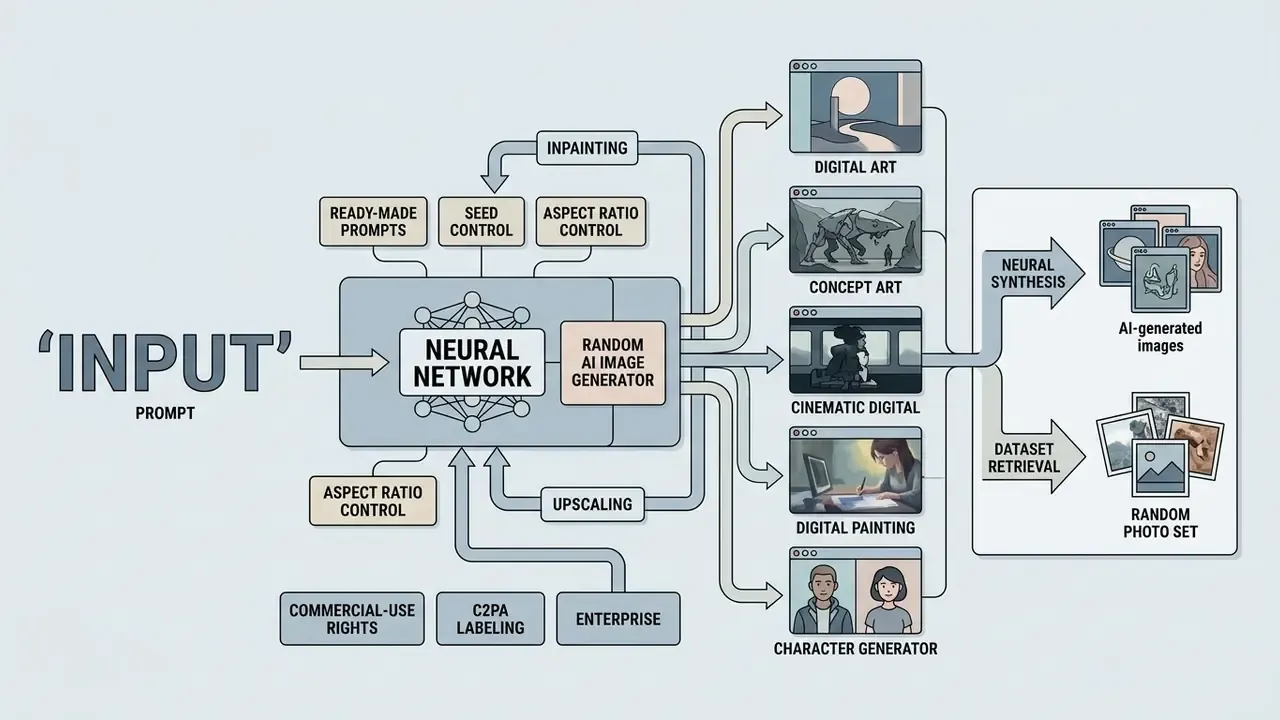
An art generator driven by artificial intelligence is a neural synthesis platform. It constructs new visual images from textual instructions rather than pulling existing photographs out of a pre-recorded database. These platforms use diffusion or transformer architectures to shape latent noise into high-resolution synthetic imagery conditioned on user prompts.
Unlike legacy graphic tools, a modern ai image generator builds custom compositions, lighting environments and artistic textures on demand. Why use one at all? Because the same image tool covers automated creative ideation and high-volume commercial asset production without a new photo shoot for every placement.
Text-to-image AI image generation
Text-to-image synthesis converts a structured text prompt or text description into pixels. A diffusion model denoises random Gaussian noise step by step until a coherent composition appears. When operators use text instructions to create ai images, the text encoder turns words into vector embeddings that steer every stage of image formation.
Diffusion models are strong on short, simple descriptions. They degrade on compositional prompts that combine several objects and spatial relations:
«Diffusion models handle simple texts well but can fail on complex descriptions containing multiple objects or spatial relationships.»
That limitation explains why prompt engineering favours high-signal keywords over conversational filler. Precise wording lets you control subject matter, environmental context, camera perspective and artistic style while keeping semantic alignment intact. Teams that need a shortlist of production-ready platforms can start with this overview of AI image generators for commercial workflows.
How a random AI image generator differs from a random photo set
An ai random image generator synthesizes entirely new assets at runtime using pseudo-random seeds and latent sampling. A stock photo rotator only picks a pre-existing file from a database. The difference is procedural: the generator produces fresh random ai generated images, random ai generated photos and random ai generated pictures on every execution, so a random ai pic you liked yesterday cannot be recovered unless you logged its seed.
Standards bodies do not describe image synthesis directly. They describe the randomness primitive underneath it. NIST Special Publication 800-90A Rev. 1 specifies deterministic pseudo-random bit generators that derive reproducible sequences from a seed value, the same class of generator that image pipelines use to initialize noise tensors. Identical prompts therefore yield distinct assets across different seeds (NIST SP 800-90A Rev. 1, 2026. https://nvlpubs.nist.gov/nistpubs/specialpublications/nist.sp.800-90ar1.pdf). NIST separately defines generative AI as models that emulate the structure of input data to produce derived synthetic content. That is the formal line between synthesis and asset reuse.
«Diffusion models generate new images from a learned distribution instead of retrieving existing photos; every run produces a unique result.»
Traditional rotators, by contrast, select fixed files through an API. Zero semantic customizability, zero procedural variation. Their "uniqueness" is nothing more than shuffled selection order across assets that already exist. An ai random photo generator or random ai picture generator built on diffusion does something categorically different: it can generate random images that have no source file at all.
What AI art formats you can create
https://arxiv.org/abs/2407.14985
Specialized generation scenarios
Table 1. Comparison of text-to-image generators, AI random image generators, and traditional random photo rotators
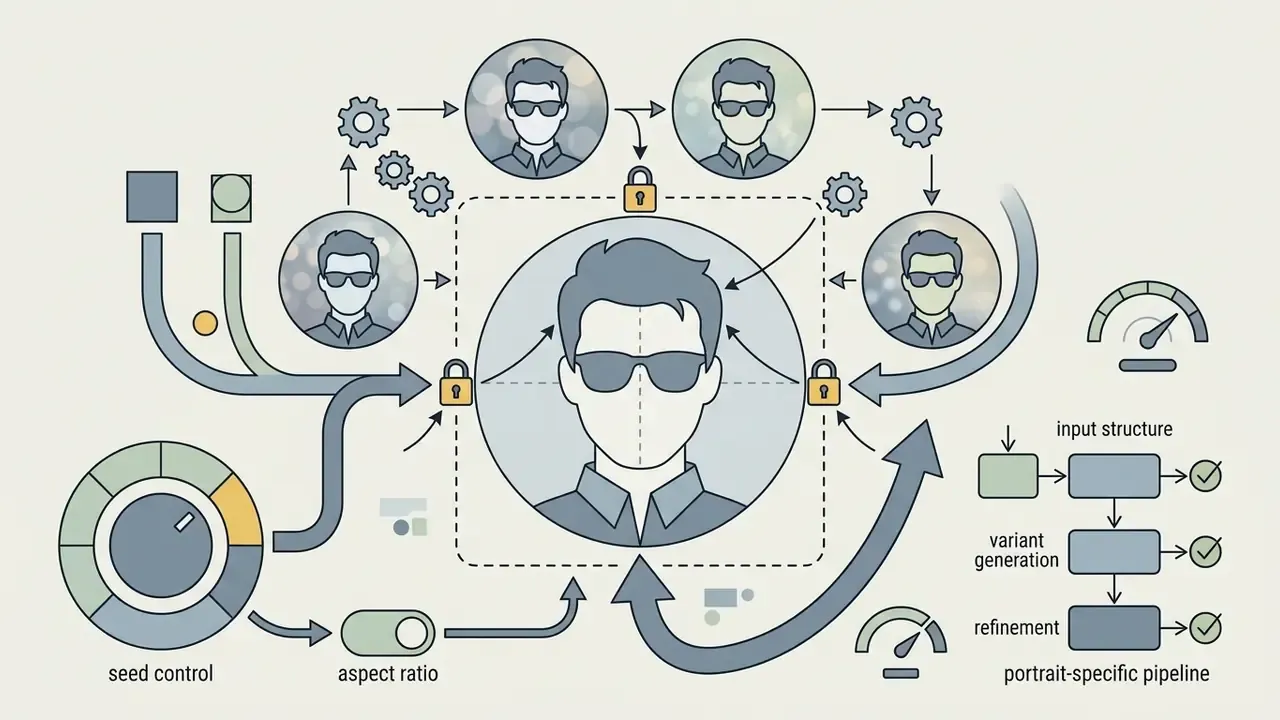
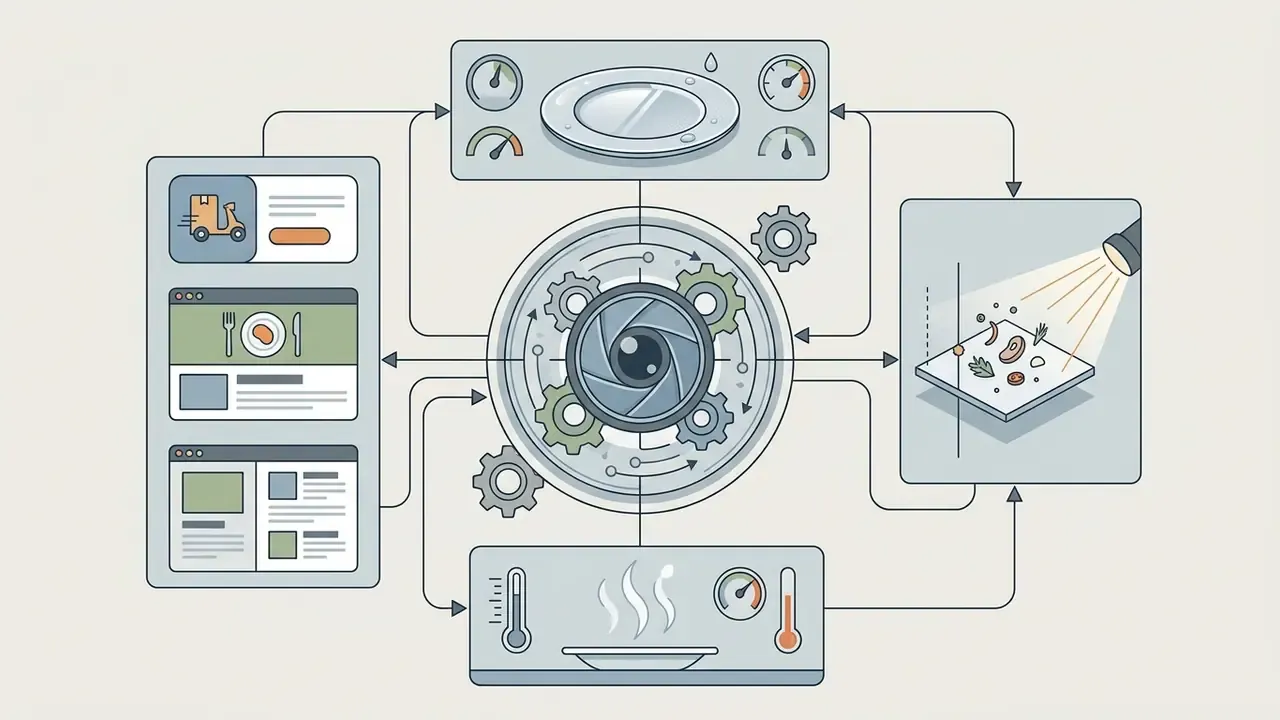
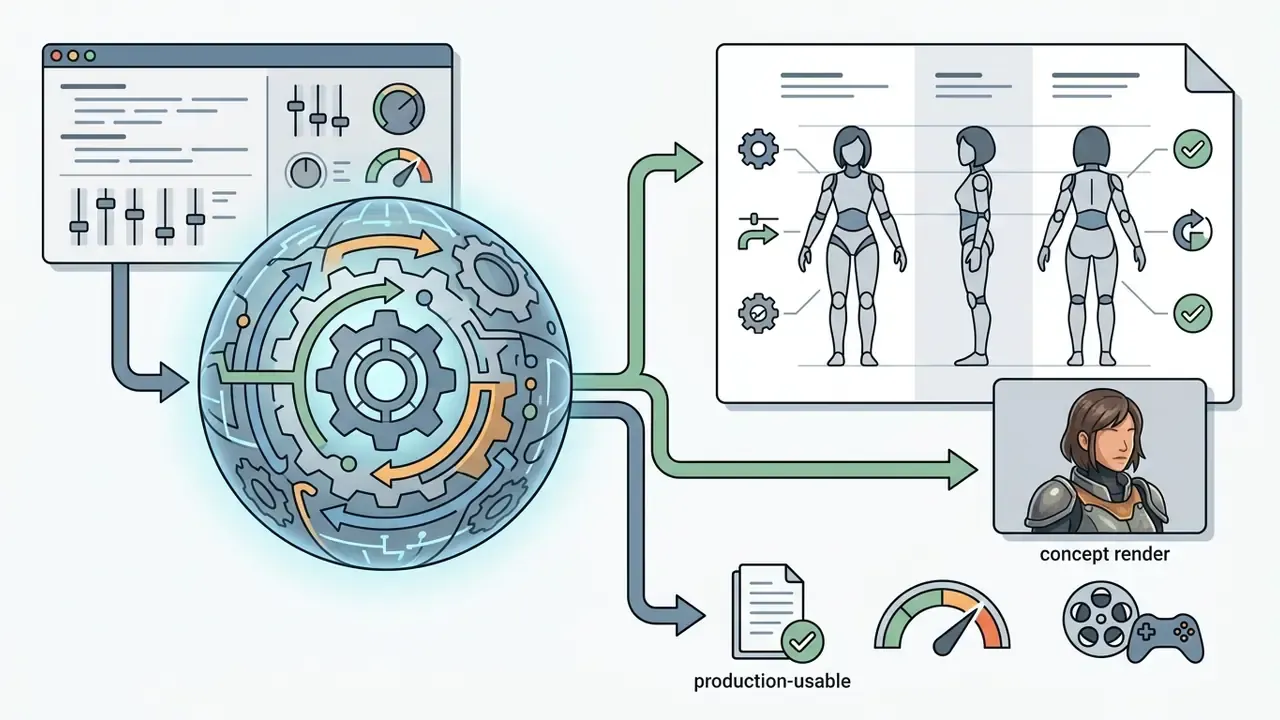
character sheet, front and side view, turnaround and concept render produce predictable, production-usable concepts for games and animation.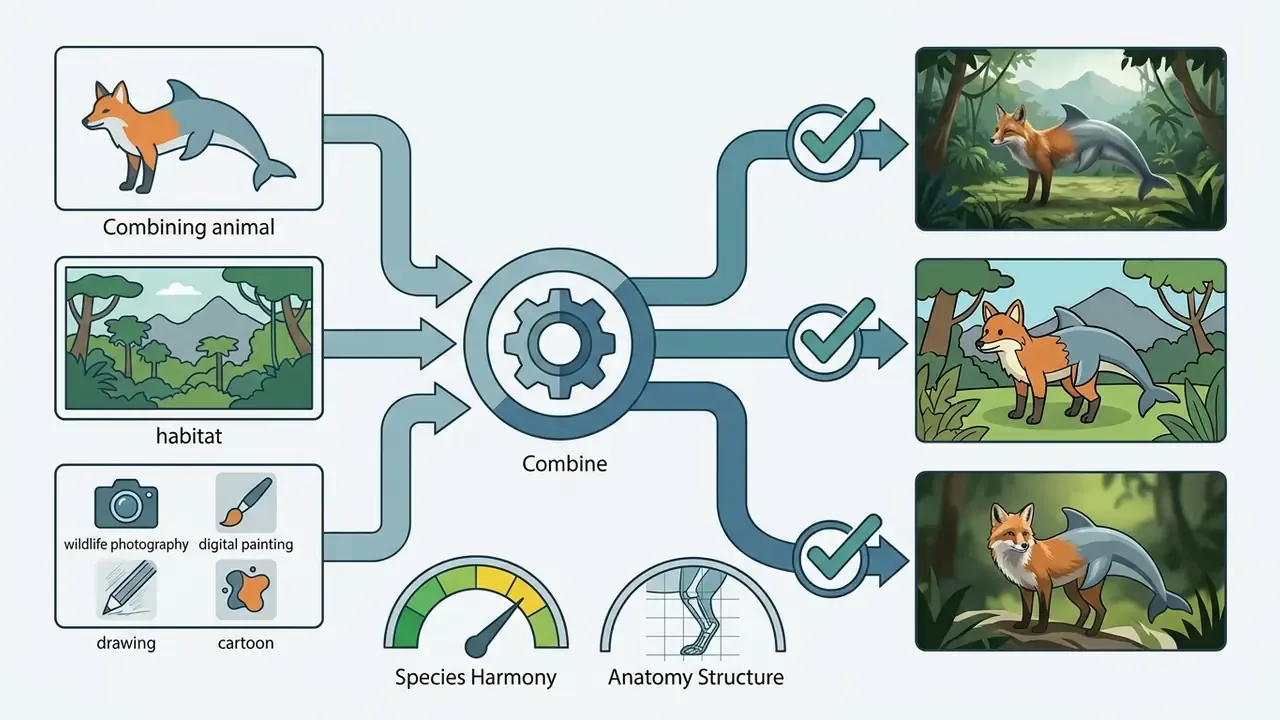
wildlife photography, digital painting, cartoon) for educational or social assets. Fantasy creatures respond well to explicit anatomy constraints.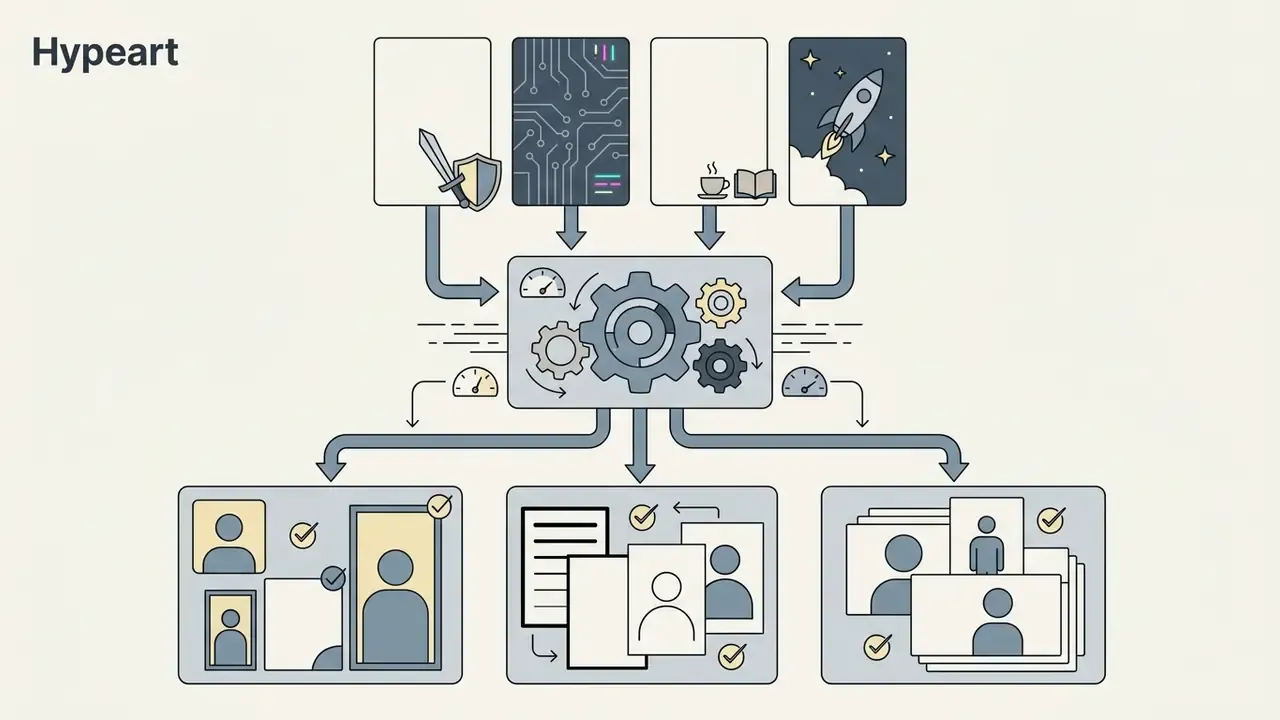

| Tool type | Source of result | Level of control | Uniqueness | Editability |
|---|---|---|---|---|
| Text-to-image generator | Synthesized from learned model weights conditioned on prompt | High: guided by detailed prompts, styles and parameters | High: unique pixel distribution for every seed | High: supports inpainting, masking and reference-based edits |
| AI random image generator | Synthesized from model weights using a random seed and minimal prompt | Medium: driven by seed values and simple style presets | High: procedural variation gives distinct outputs per run | Medium: supports seed tuning and global style re-generation |
| Traditional random image generator | Selected from a fixed database or API repository of static files | Low: restricted to fixed tags or category filters | Low: assets repeat once the static library is exhausted | Low: needs external editing software; source cannot be modified |
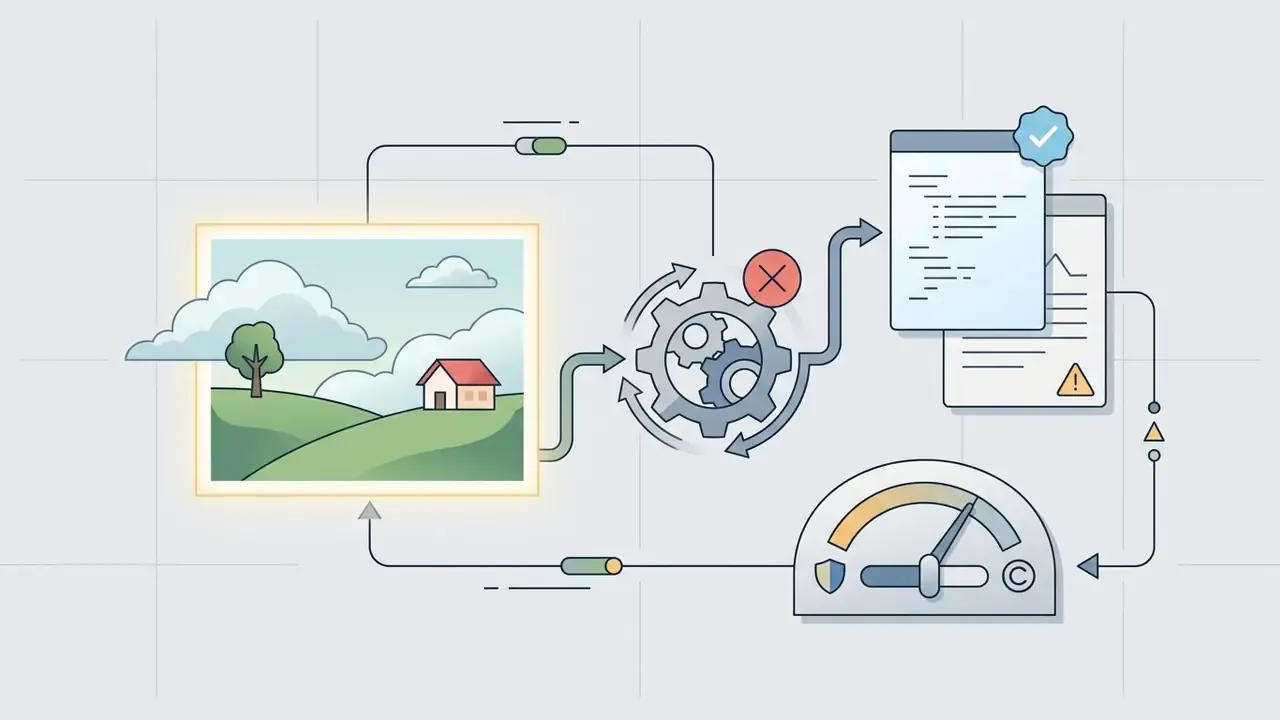
Read in plain text: a text-to-image engine gives the most control and the most editing surface, a seed-driven generator random mode trades control for speed and surprise, and a static rotator gives neither. If your requirement is auditability, only the first two can reproduce an asset from a logged seed.
How to use an AI image generator: from idea to finished image
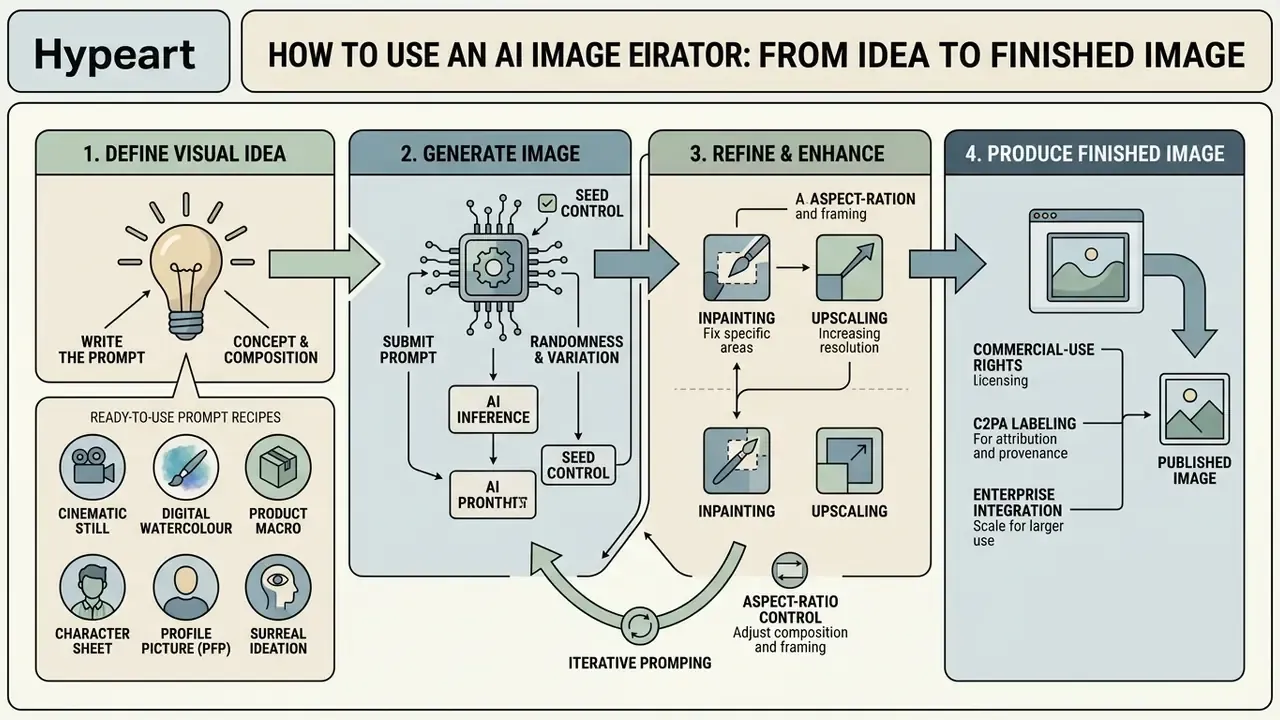
Running an ai image generator well comes down to a four-stage loop. Define the visual objective, compose a structured text prompt, configure model and aspect ratio parameters, then generate and refine. Follow it and you create images faster; skip it and you burn credits on near-misses.
To evaluate structured production pipelines across generative media platforms, creators can compare options tailored for enterprise workflows.
Write the prompt and define the visual idea
An effective prompt names the primary subject, the environmental context, the lighting and the visual medium, in that sequence, without drowning the model in redundant descriptors. High-signal keywords let the tool capture every detail that matters while holding semantic alignment.
Official prompting guidelines from Google Vertex AI (2026) and OpenAI Developers (2026) recommend a consistent order: subject → environmental context → lighting conditions → artistic style and framing. Concise prompts with direct visual attributes beat generic quality terms such as "ultra-detailed" or "8K resolution." Simple prompts first, then layers.
«Automatic prompt enhancement with NeuroPrompts improved image quality on objective metrics and human evaluations compared with users' original prompts.»
«Iterative prompt optimization with OPT2I raised the DSG semantic-consistency score by up to 24.9% without degrading image quality.» Source: Mañas et al., OPT2I: Optimizing Text-to-Image Generation, 2024. https://arxiv.org/abs/2307.04528
Ready-to-use prompt recipes (copy and paste)
Cinematic still
[Subject]: a cyberpunk detective in a translucent neon raincoat -> [Environment]: narrow rain-soaked Tokyo alley, steam vents -> [Light]: high-contrast blue and magenta neon, puddle reflections -> [Camera]: low-angle shot, 35 mm lens, f/1.8, shallow depth of fieldDigital watercolour illustration
[Subject]: a cosy bookshop with a cat asleep on the windowsill -> [Details]: dust motes floating in the air, soft pastel palette -> [Style]: wet-on-wet watercolour, detailed ink outlines, paper grainProduct / food macro
[Subject]: glazed matcha doughnut on slate -> [Light]: hard side studio light, crisp specular highlights -> [Camera]: macro 100 mm, top-down, 1:1 aspect ratio -> [Style]: commercial food photography, clean backgroundCharacter sheet for concept art
[Subject]: desert scavenger engineer, goggles and patched cloak -> [View]: character sheet, front and side view, neutral pose -> [Style]: concept render, muted earth palette, soft studio lighting -> [Output]: 16:9, high detail on gearProfile picture (PFP)
[Subject]: close-up stylised portrait, confident expression -> [Background]: blurred gradient bokeh, teal -> [Style]: semi-realistic illustration, rim light -> [Output]: 1:1 aspect ratio, centred compositionSurreal ideation prompt (fast randomness)
A crystal castle floating above a storm cloud, iridescent light refraction, wide-angle, painterly
Start from a five-word phrase and iterate word by word. That is the practice Adobe recommends for its own text-to-image workflow, and it transfers to any engine.
Choose model, style and generation parameters
Configuration means picking the underlying model, setting the output aspect ratio (1:1, 16:9, 9:16 and so on), choosing the target resolution, and tuning sampling parameters to balance predictability against creative variation. The same controls let you push toward a wilder ai random image or clamp the output tightly. Model choice is not cosmetic: teams often keep two or three ai models on the roster, for example a fast consumer engine informally nicknamed "nano banana" for quick ideation alongside a heavier model for final art. If you want to benchmark engines before committing budget, test them through free AI image generators with no sign-up.
OpenAI Image Generation documentation (2026) notes that model selection dictates spatial resolution limits and aspect-ratio boundaries, with custom dimensions supported across a documented range of 655,360 to 8,294,400 total pixels; outputs above 2560×1440 are marked experimental. Ideogram and Together AI parameter specifications show that fixing the aspect ratio before sampling prevents unwanted cropping in post-processing, and Together AI adds that width and height must be multiples of 8. Those are vendor sources, so independent research confirms the direction of the effect:
«Adding camera description to the prompt improved semantic consistency by 16% and increased safety scores by 48.9% compared with baseline prompts.»
Generate, edit, and save the result
After you click generate and the first batch lands, refine the candidates through inpainting, mask-based local adjustments or another prompt pass to refine results. Once acceptable quality images exist, export them as high-resolution PNG or WebP for production.
Research published at WACV (2026) on Everyday Image Editing Tasks reports that current AI editing frameworks handle roughly one-third of localized edit requests flawlessly on the first attempt (33.35% satisfactory completion). The dominant failure modes are unintended changes outside the target region and loss of identity details. Critique-and-refine loops are therefore not optional.
«Fine-grained feedback from a multimodal language model enables targeted correction of individual image regions without full re-generation.»
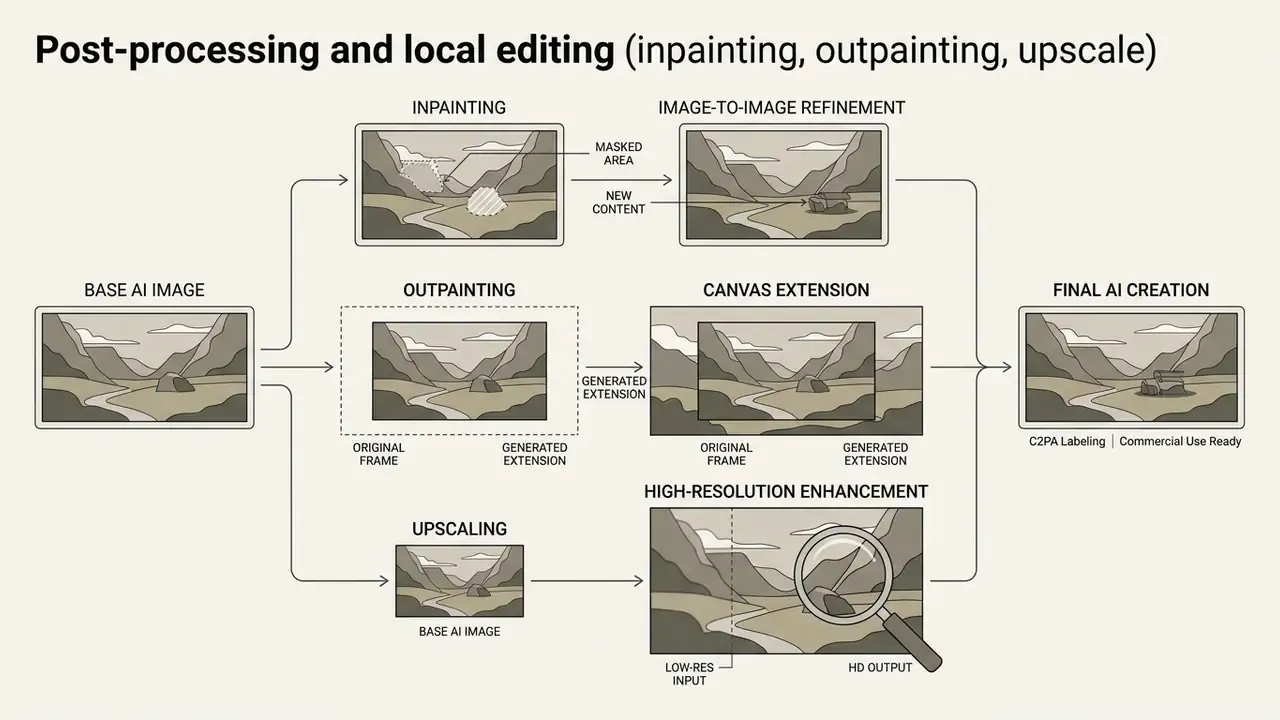
Post-processing and local editing (inpainting, outpainting, upscale)
AI image generator pipeline (text sequence):
- Element replacement (inpainting or generative fill).Mask the region, a facial expression, a product on a table, a logo placement, enter a local prompt, and preserve contextual lighting so the patch matches global illumination.
- Canvas extension (outpainting).Turn 1:1 into 16:9 or 9:16 by letting the model extend the environment while holding perspective and horizon lines. This is the standard route for multi-placement ad sets, explained in detail in this comparison of AI outpainting tools.
- Resolution increase (AI upscaling).Apply upscaling models such as SUPIR or Ultimate SD Upscale to reach 4K detail without softened edges. Upscale after masking, never before, or you amplify artifacts.
- Consistency locking.Keep seed, model version and style reference weight fixed while editing, so each iteration changes only the masked region.
- Export.Save PNG or WebP with provenance metadata attached. Some consumer platforms cap downloads at 2000×2000 px, which matters the moment print enters the brief.
- Define the ideasubject, style, lighting, camera angle.
- Assemble the prompt
[Subject] + [Environment] + [Light] + [Style]. - Configure parametersmodel, aspect ratio (16:9, 1:1, 9:16), seed value.
- Batch generation4 to 8 candidates per request.
- Local correctionmask-based inpainting for defective details.
- Risk & Compliance gatelicensing, likeness and brand-safety sign-off.
- Exportupscale to 4K, save PNG/WebP with C2PA metadata, archive prompt plus model version.
- Define goal: establish the visual concept, subject matter and target medium.
- Compose prompt: write a structured text prompt covering subject, context, light and style.
- Select parameters: choose the AI model, pick the artistic style, set the aspect ratio (for example 16:9).
- Execute generation: run model inference to synthesize candidate images.
- Evaluate and refine: review variants, apply localized mask edits or inpainting where needed.
- Approval gate: route the selected candidate to Legal or Compliance for licensing, likeness and disclosure review.
- Export and archive: download final high-resolution assets as PNG or WebP with metadata, and log prompt, seed, model version and human edits in the AI asset inventory.
Governance note: model risk and Shadow AI controls
Regulated organizations should treat generative image tooling as an inventoried, model-adjacent asset. Supervisory model-risk principles (SR 11-7 and related OCC guidance) require documented purpose, validation evidence and clear ownership. For image generation that means a registered entry per approved tool, a recorded seed and model version for every published asset, and a named accountable owner who can be reached during an audit.
One sanctioned pipeline behind SSO is the strongest control available. Unsanctioned consumer accounts bypass prompt logging and provenance marking at the same time, which is precisely how Shadow AI becomes an audit finding rather than a policy footnote.
How to get high-quality AI generated images
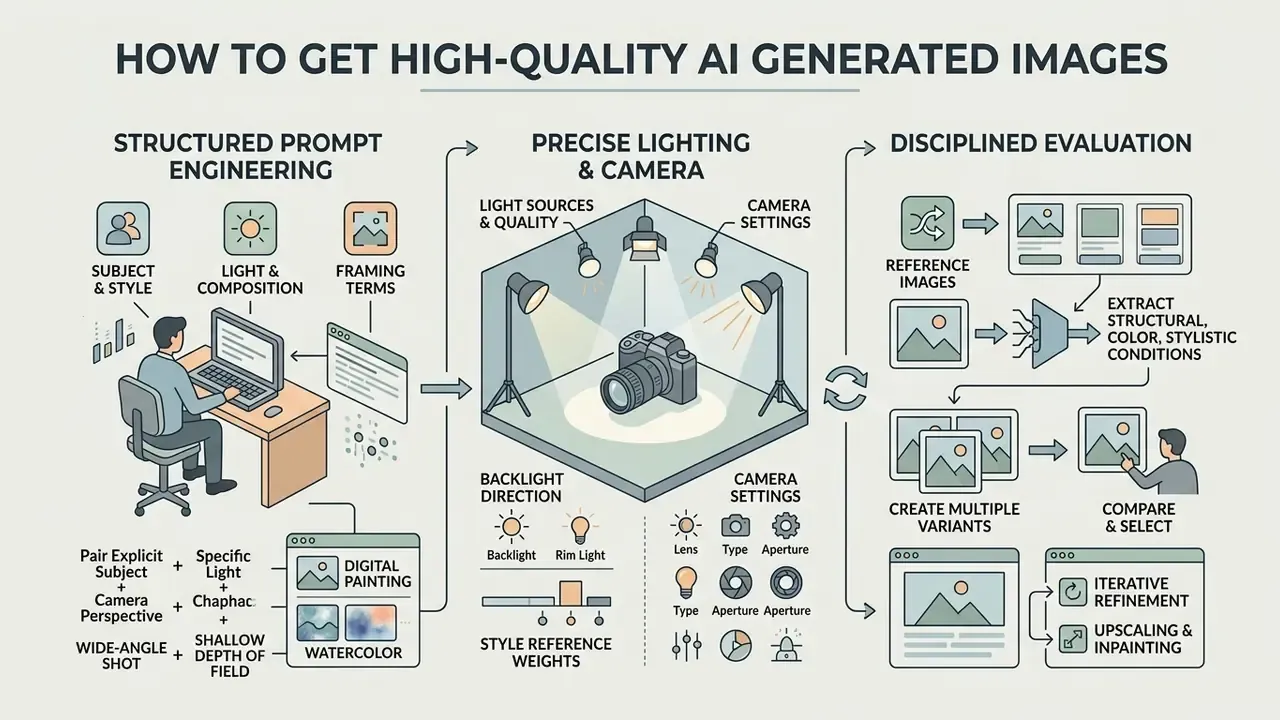
Producing high quality ai generated images rests on three things: structured prompt engineering, precise lighting and camera specifications, and disciplined evaluation across multiple seeds. Combine textual constraints with visual conditioning and you create unique images consistently rather than occasionally.
Add subject, style, light and composition to the prompt
Detailed prompts win when they pair an explicit subject with specific light sources, camera perspective and a medium such as cinematic digital or concept art. Swap "hyperrealistic" for a focal length and a directional lighting instruction; fidelity rises measurably.
OpenAI's 2026 prompting guide confirms that framing terms ("wide-angle shot", "shallow depth of field") and explicit lighting descriptors ("dramatic rim lighting", "soft golden hour glow") control photorealism far better than abstract adjectives.
«Participants working with DALL·E 3 wrote longer prompts with more descriptive words and achieved higher similarity to the target image.»
Naming the style, digital painting or watercolor for instance, anchors latent sampling inside relevant training clusters. There is a counterweight worth remembering from CHI-track research: rephrasing the same keywords does not reliably improve quality, while adding genuinely new visual information does. Different words, same content, same result.
Use reference images and create multiple variants
Feeding reference images into the model lets it extract structural, color or stylistic conditions, and generating several candidates (create multiple) lets you pick the best of the batch. Four to eight candidates per prompt materially raises the chance of accurate semantic alignment and reduces local defects. Batch testing is cheapest on free AI image generators with daily credit allowances.
«Midjourney users apply seven prompt-refinement strategies, from adding stylistic terms to restructuring the request, in repeated iterative cycles.»
Documentation from Adobe Firefly and Runway Gen-4 shows that style reference weights control how strongly an input guides output palette and composition. Firefly's numVariations: 4 parameter returns four comparable candidates, Runway Gen-4 accepts up to three active references per generation, and Google's ads image editor supports up to five references with Low, Medium and High weighting plus "generate more like this" batches of up to eight. OpenAI API parameters also allow multiple candidates in one call (n > 1), which keeps batch evaluation cheap in operator time.
Use cases for AI art and random AI images
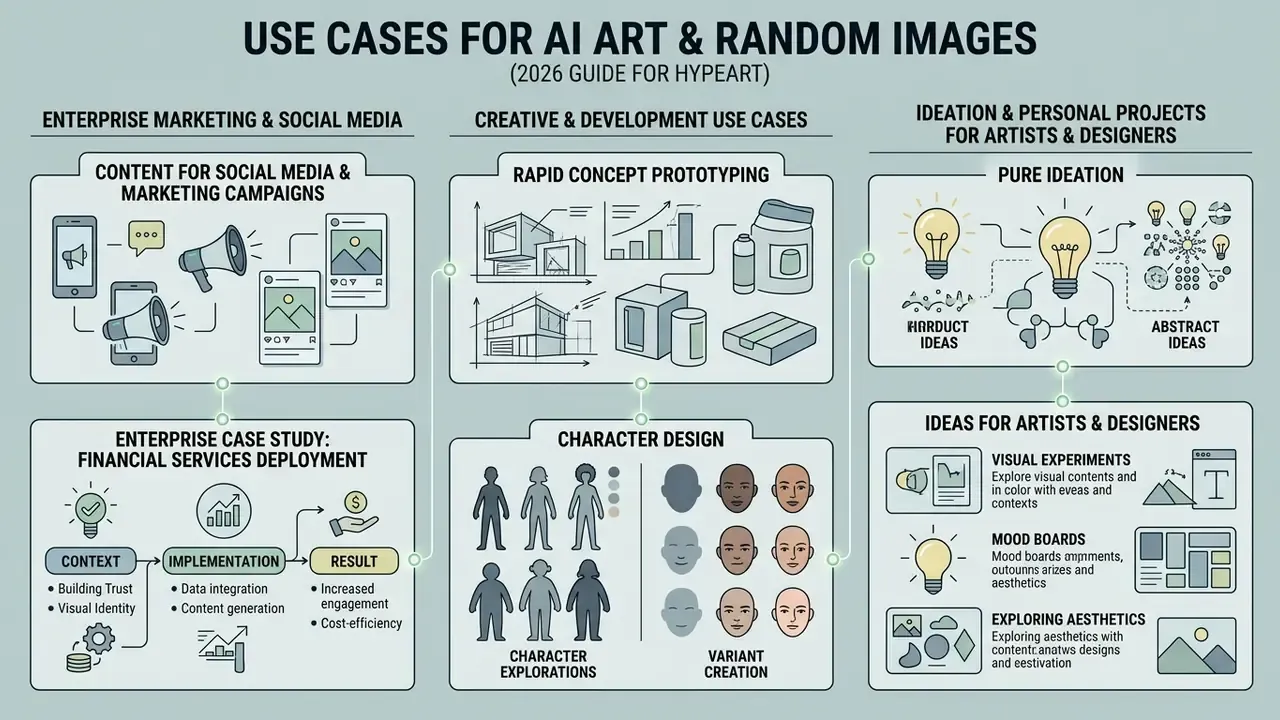
AI art and synthetic random images show up first in enterprise marketing, social media campaigns, rapid concept prototyping, character design and pure ideation. The appeal is blunt: teams save time while shipping eye catching visuals matched to a specific audience.
Enterprise case study: financial services deployment
Context. An illustrative financial services marketing group needed 40 localized ad variations for a digital banking campaign, across three social aspect ratios, inside strict brand guidelines.
Implementation. The team configured an automated text-to-image pipeline with predefined style reference weights and brand color constraints, pinned model versions per asset family, and routed every candidate through a compliance review queue before publication.
Result. Asset generation time dropped by 73% while output stayed high-resolution and within internal brand-safety standards. Prompts, seeds, model versions and human edits were archived per asset, giving audit and marketing risk functions a reconstructable trail for each published creative. Treat the figures as a hypothesis for your own environment until your pipeline produces comparable logs; control cost, not raw speed, is what usually reshapes the business case.
Ideas for artists, designers and personal projects
«Participants judge AI images by technical quality and subject accuracy, perceiving them as strange or prototypical and experiencing corresponding emotions.»
Platforms with advanced artistic rendering can be assessed alongside deep image ai and discord ai image generator interfaces to decide where access should live, then benchmarked against Midjourney for stylistic range and licensing terms.
Commercial use: can you use AI art in commercial projects
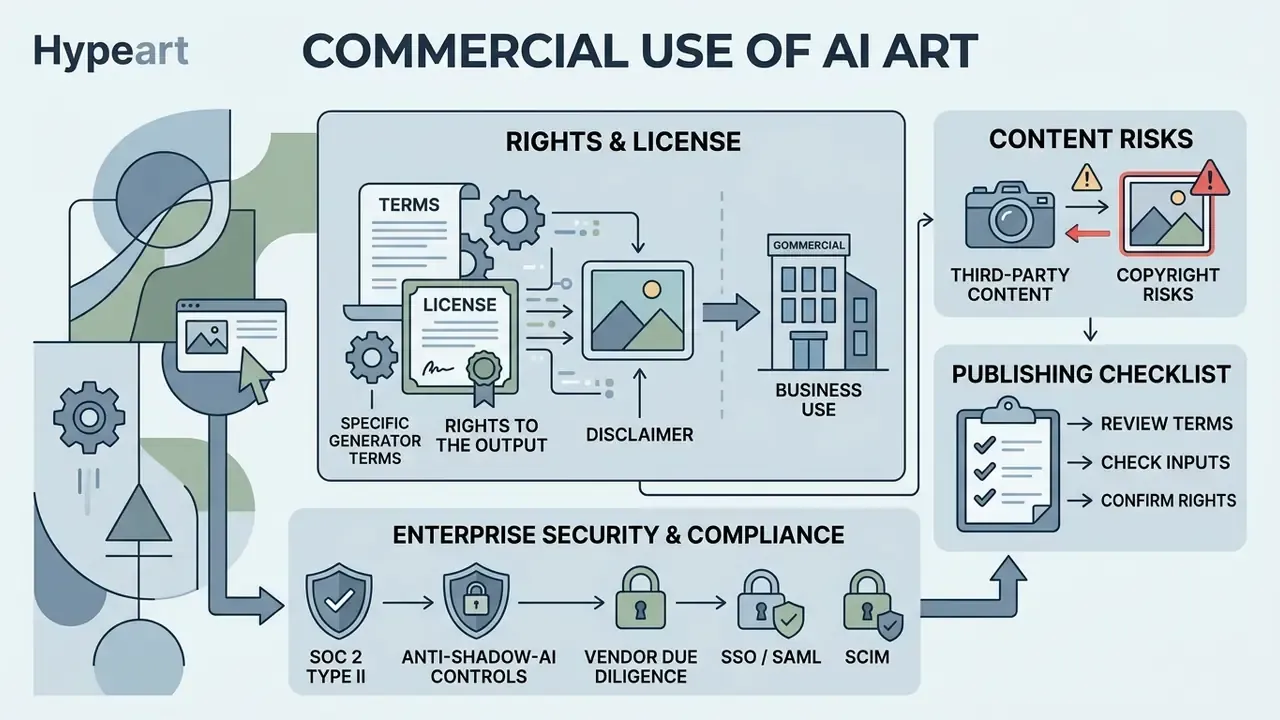
Commercial use of AI-generated images is permitted under enterprise platform licenses. Purely machine-generated output, however, lacks federal copyright protection in the United States and requires explicit disclosure of the human authorial contribution. Copyright, trademark and personal likeness risks all need managing before synthetic assets reach a paid channel.
License, rights to the output, and terms of the specific generator
Commercial rights come from the platform's terms of service and tier structure. Paid enterprise tiers typically grant commercial exploitation; free trial tiers often restrict use to non-commercial evaluation. OpenAI, for instance, allows commercial monetization on both free and paid credits, while Midjourney withholds commercial rights on non-paid tiers and attaches revenue-threshold conditions higher up.
The U.S. Copyright Office (2025) affirmed that protection reaches only the human-authored creative elements of a work.
«Fully autonomous machine outputs cannot be registered as copyright subject matter; protection extends only to a clearly identifiable and disclosed human contribution.»
Enterprise users must therefore document human selection, arrangement or post-generation editing to claim ownership of the final asset. Mind the jurisdictional divergence as well: UK law keeps a separate computer-generated-works category with a 50-year term, so a single global policy cannot be assumed. For analysis of disputes around synthetic media, review recent developments in litigation.
Risks when using reference images and third-party content
Third-party reference images and outputs that echo recognizable proprietary characters create real copyright and trademark exposure. Verify that every input reference is licensed, and check that outputs do not reproduce substantial protected expression absorbed from training data. Uploading customer photographs or employee likenesses as references also triggers data-protection duties under GDPR and CCPA, which is why reference libraries should hold only cleared, rights-documented assets.
NIST's AI Risk Management Framework (2025) lists memorization and output replication among the core intellectual property risks of generative systems.
«Training generative models likely falls under fair use, but this does not grant end users unlimited rights to generated outputs.»
Compliance controls also matter when staff experiment with tools such as a deepfake ai image generator. Corporate content policy should explicitly block restricted categories: a dirty ai image generator, an erotic ai generator, an explicit ai image generator and any non-compliant synthetic media platform. These categories create safety violations, regulatory exposure and brand damage even when accessed from a personal device that happens to be signed into a corporate account.
Checklist before publishing AI generated images in business
Before synthetic imagery goes live in a commercial campaign, governance teams verify licensing, confirm the human creative modifications, audit reference provenance, and attach both visible and machine-readable synthetic-content disclosures. An audit trail of prompts, model versions and human edits is what protects the institution under scrutiny. Pre-publication verification can be reinforced with AI image detectors when third-party or agency assets enter the pipeline.
Under Article 50 of the European Union AI Act (applicable from August 2026), commercial deployers of synthetic media must embed machine-readable metadata marking content as artificially generated or manipulated, especially when real people or events are depicted.
Checklist0 / 7
Enterprise security and vendor due diligence (anti-Shadow-AI controls)
FACT CHECK AND LEGAL DISCLAIMER: federal copyright eligibility
How to choose the best AI image generator for your tasks
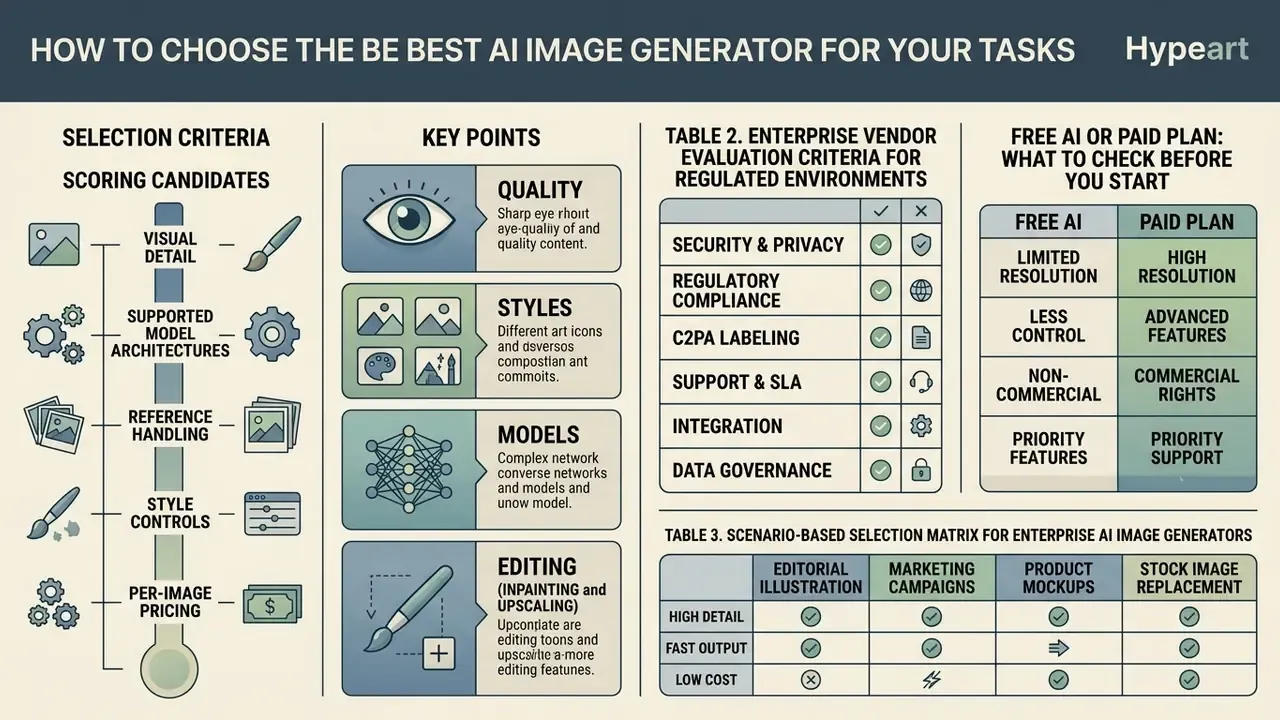
Choosing the best ai image generator means scoring candidates on visual detail, supported model architectures, reference handling, style controls, per-image pricing and commercial licensing. Match technical capability to your operational risk tolerance, not to the demo reel.
To compare specialized image and video generation tools across enterprise feature sets, operators can explore the hub for detailed benchmarks.
Selection criteria: quality, styles, models and editing
Technical evaluation centres on prompt adherence, visual fidelity, style reference weighting and editing flexibility such as localized inpainting and outpainting. Enterprise platforms should be judged on whether they preserve subject identity and structural detail at 4K, a criterion best validated through a structured comparison of AI image generators rather than vendor marketing.
Generic "benchmarks exist" claims will not survive procurement review. Name the benchmark and the models:
«VISTAR evaluates models, Imagen 3, Stable Diffusion 3.5, HiDream and FLUX.1-schnell, on quality, bias, alignment and efficiency across user roles.»
«LPG-Bench and TIT-Score measure long-prompt adherence for Stable Diffusion 3.5, FLUX.1 and gpt-image-1, providing a quantitative basis for model selection.» Source: LPG-Bench / TIT-Score, long-prompt adherence evaluation, 2025. https://arxiv.org/abs/2502.09144
Score editing quality separately on the three axes used in the 2026 survey of instruction-based image editing: instruction adherence, consistency preservation and image quality. Strong platforms offer robust reference conditioning, fine-grained seed control and flexible aspect-ratio selection. One more thing the demo never shows: whether the vendor can pin a model version long enough for your campaign to finish.
Table 2. Enterprise vendor evaluation criteria for regulated environments
| Criterion | What to verify | Evidence to request | Risk if absent |
|---|---|---|---|
| Security certification | SOC 2 Type II covering the generation service | Current audit report and bridge letter | Unassessed third-party processing risk |
| Identity and access | SSO/SAML, SCIM deprovisioning, role separation | Admin console documentation | Shadow AI accounts, orphaned access |
| Data handling | Zero data retention, no training on customer inputs | Contract clause, DPA, retention schedule | Leakage of confidential briefs and imagery |
| Provenance | C2PA metadata and watermarking via API | API reference, sample signed asset | EU AI Act Article 50 non-compliance |
| Licensing | Commercial rights by tier, indemnification scope | Terms of service, order form | Infringement exposure on published ads |
| Model governance | Version pinning, changelog, reproducible seeds | Model card, deprecation policy | Unreproducible outputs during audit |
Free AI or paid plan: what to check before you start
Free AI generator plans usually impose tight quotas, cap output at 1024×1024 pixels and enforce non-commercial terms. Paid plans add high-resolution 4K exports, priority processing and explicit commercial rights. Reviewed 2026 sources put typical free allowances at roughly 5 to 25 images per day, with paid tiers lifting the ceiling and adding HD upscaling, 2048×2048 or 4K export. Before adopting an image generator free plan for business work, check whether outputs carry a mandatory watermark or a ban on public distribution. Side-by-side limits are mapped in this comparison of free AI art generators.
«Works involving AI can receive copyright protection only to the extent that the human contribution is clearly identifiable and disclosed.»
That legal boundary is the strongest argument for paid, auditable workflows. Paid tiers usually supply the export resolution, version pinning and logging you need to evidence human authorship. Free tiers frequently supply neither commercial rights nor reproducible records, which leaves you with images without provenance and a registration claim you cannot support.
Table 3. Scenario-based selection matrix for enterprise AI image generators
| Use case scenario | Priority evaluation criteria | Key performance metric | Recommended tool capability |
|---|---|---|---|
| Random idea generation | Generation speed, prompt simplicity, visual diversity | Inference latency under 3 s, latent space entropy | Diffusion models with random seed sampling and lightweight text encoders |
| Social media marketing | Aspect ratio flexibility, aesthetic scoring, batch export | Text-image alignment score, safety filtering accuracy | Platforms with automated aspect-ratio resizing and brand color matching |
| Concept art and character design | Long-prompt adherence, style reference weighting, detail retention | TIT-Score for long-prompt adherence, structural fidelity at 4K | Multi-modal transformer models supporting image-to-image conditioning |
| Commercial advertising | Explicit commercial license, provenance metadata, indemnification | C2PA metadata compliance, absence of training-data infringement | Enterprise paid platforms with documented liability coverage |
| Regulated enterprise deployment | SOC 2, SSO, zero data retention, audit exports | Completed vendor due-diligence score, retention window | Isolated-tenant enterprise plans with contractual no-training guarantees |
Limitations and open questions
Three gaps deserve honesty rather than confidence. First, editing reliability is still mediocre: one-third first-pass success on localized edits means a human reviewer stays in the loop for the foreseeable future. Second, provenance is only as strong as the weakest handoff, since metadata can be stripped by a resize in an unmanaged tool. Third, the ROI numbers circulating in vendor decks almost never include control cost, review labour or residual legal risk, so treat them as marketing inputs, not budget inputs.
Unresolved questions worth tracking in 2026: how U.S. courts will treat partially human-edited synthetic assets, how examiners will interpret Article 50 labeling in cross-border campaigns, and whether independent benchmarks will keep pace with model release cycles. If your answer to any of these is "our vendor says it is fine", that is a finding waiting to happen.
A safe next step
Pick one low-risk use case, internal presentation imagery is a reasonable start, and run it through the full loop: sanctioned tool, SSO access, logged prompt and seed, compliance sign-off, C2PA export, inventory entry. Measure cycle time and control cost together. Then decide whether to widen the perimeter. Small scope, complete evidence. That sequence keeps speed and risk appetite aligned, which is the whole point of governance.
FAQ about AI random image generators and AI art
Can you control randomness in a random AI generator?
Yes, within limits. Operators steer an ai random generator by locking pseudo-random seeds, applying explicit prompt weights and declaring stylistic constraints. Fixed seeds produce deterministic results when every other setting stays unchanged, while prompt weighting shifts composition predictably.
Documentation from Stability AI (2026) confirms that a constant numerical seed with identical prompts and parameters returns identical output. Hugging Face Diffusers documentation shows that prompt weighting emphasizes or de-emphasizes tokens without breaking seed reproducibility.
«Changing the seed while keeping the prompt fixed samples different regions of the model's latent distribution, generating variations of the same subject.» Source: Zhou et al., FID evaluation of text-to-image models on COCO/Flickr30k, 2024. https://arxiv.org/abs/2401.06345
A practical rule drawn from CHI-track research: test 3 to 9 seeds per prompt before you rewrite the prompt itself. You may be editing words when you should be sampling.
Can you create multiple random AI images in one generation?
Yes. Modern APIs and web tools let you create multiple random ai images in a single request through batch parameters such as n. Typical interactive use sits between 2 and 8 parallel candidates per prompt, while asynchronous batch jobs can carry thousands of requests for large-scale production.
OpenAI Image Generation API documentation (2026) specifies that the n parameter returns multiple completed image objects from distinct pseudo-random seeds within one response cycle, so operators compare and pick immediately. For volume production, batch endpoints accept .jsonl files with one request per line and a unique custom_id. Streamed partial images (1 to 3) are a different mechanism and should not be mistaken for multiple final outputs.
How is an AI image generator different from a random photo placeholder?
A placeholder service serves pre-existing stock or sample files, so novelty stops at selection order. An AI generator creates derived synthetic content from a learned distribution: the asset did not exist before the request, and it can be conditioned on subject, style, light and aspect ratio.
What art styles can AI generators produce?
Commonly exposed style families include 3D scene, anime and manga, painterly and artistic, cinematic, digital art, educational and diagram, fantasy, prototyping and mockup, photorealistic, pixel art, low poly, cyberpunk and vaporwave. Style tags shift latent sampling, but no tag rescues a weak subject description.
What if the generated image is not sharp enough?
Run AI upscaling to lift resolution and micro-detail, then re-inspect edges and any text areas. Upscale only after masked corrections are final, otherwise you enlarge the artifacts along with the detail.
Can free-tier images be used commercially?
It depends on the vendor. Some providers grant output rights on both free and paid credits; others confine free and trial access to non-commercial use. Confirm the clause for your specific plan, and remember that permission to use an image is not the same as owning copyright in it.
How do you keep AI-generated images consistent across a campaign?
Fix the seed, model version and style reference weight, reuse approved outputs as new references, and constrain palette and lighting inside the prompt. Log each value per asset so a variant can be regenerated identically months later, which is also what an auditor will ask for.
Appendix A: superseded and archived fragments
Additional commercial use resources
To explore all enterprise licensing guides and commercial usage policies across generative media tools, browse the hub.