Executive summary
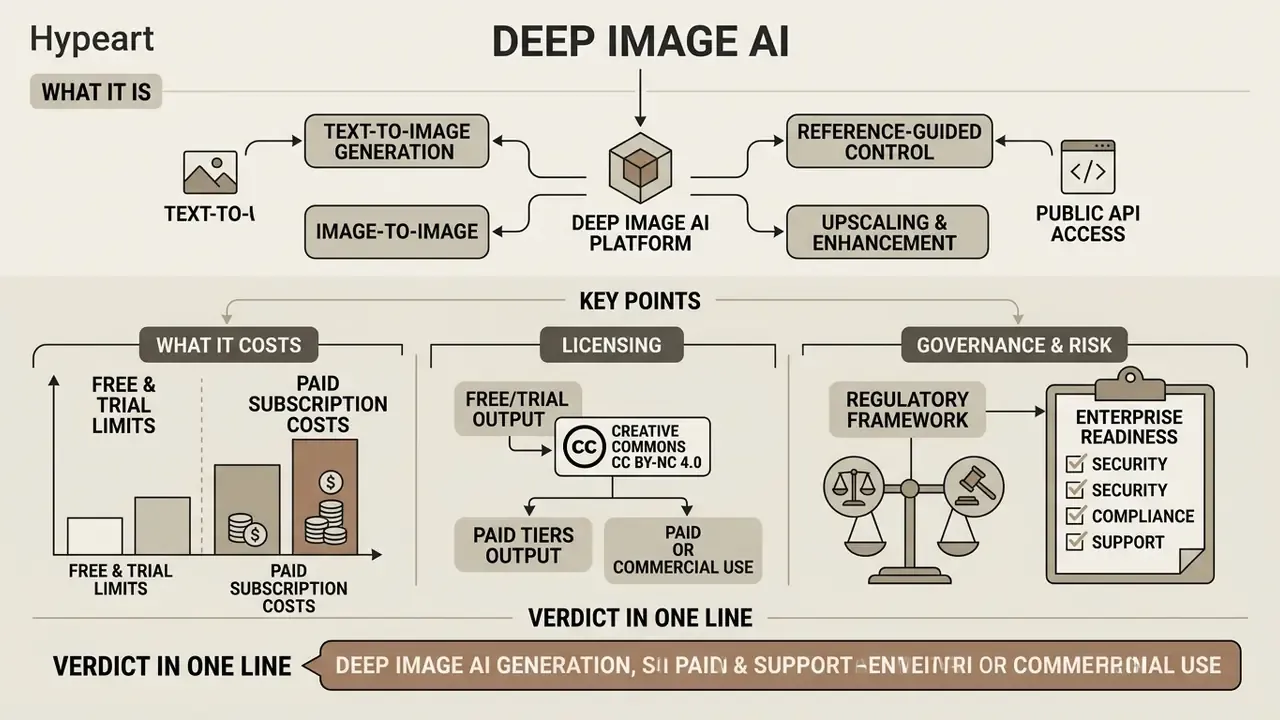
What it is. Deep Image AI (deep-image.ai) is an image generation and image-enhancement platform with a public API: text-to-image generation, image-to-image and reference-guided editing, inpainting (stable-diffusion based region reconstruction), background removal, replacement and generation, denoise and deblur (model versions v1 and v2), face enhancement, smart resize, and generative upscaling up to 17,408 × 17,408 px (roughly 303 MP).
What it costs. Free access is effectively a trial: 5 starter credits, watermarked output, export capped around 4,096 × 4,096 px (16 MP). Paid access starts from $0.04 per image on subscription and $0.09 per image pay-as-you-go. One standard transformation consumes 1 credit; heavier generation modes cost more (ChatGPT Image Medium about 2 credits, High about 5 credits). Unused subscription credits roll over for up to 3 months while the subscription stays active, and are lost on cancellation.
Licensing. Free and trial output is issued under a Creative Commons Noncommercial 4.0 Attribution International licence. You cannot sell it. Full commercial rights are tied to paid access. Verify the clause on your specific plan before any paid media launch.
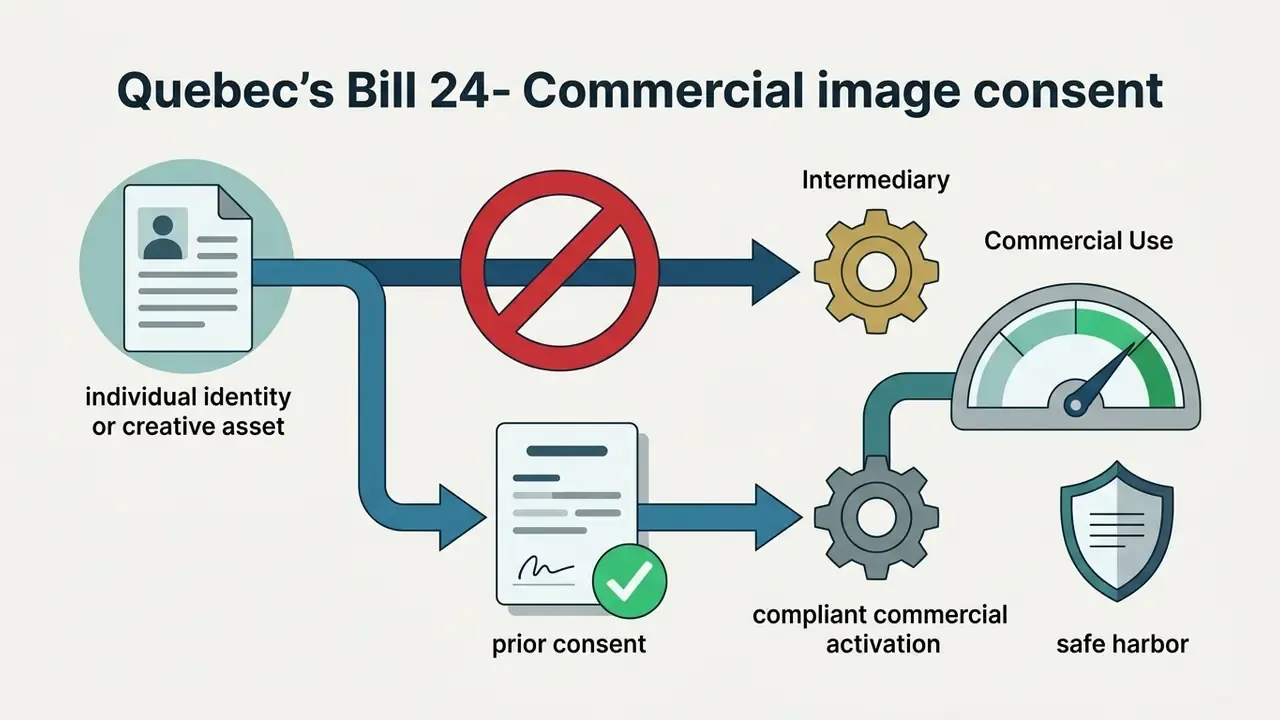
Regulatory frame (read this before the feature list). From 2 August 2026 the EU AI Act (Regulation (EU) 2024/1689, Art. 50) requires machine-readable marking of synthetic content and disclosure of deepfakes. New York's amended General Business Law (effective 9 June 2026) requires conspicuous disclosure of "synthetic performers" in advertising, with civil penalties of $1,000 for a first violation and $5,000 for subsequent violations. Quebec's Bill 24 (in force 12 June 2026) prohibits commercial use of a person's identity or image without consent, and liability can extend to intermediaries.
Enterprise readiness. Infrastructure is GPU-based in Europe and the United States. The controller is Deep-Image.AI Sp. z o.o. (Szczecin, Poland), and the privacy policy states data is not shared with third parties, "including AI Models." Public documentation does not currently evidence SOC 2 Type II, ISO/IEC 27001, SSO/SAML, VPC deployment or a contractual no-training commitment. Request all five in a vendor questionnaire before onboarding. Deleted data may be restorable from backups "with absolutely no obligation," so retention assumptions must be documented in your third-party risk file.
Verdict in one line. Strong price-per-image and a strong enhancement stack for content, SMM and catalogue work; in regulated industries it is usable only with compensating controls, namely prompt and seed logging, C2PA provenance, human review and a written licensing check.
Five questions to answer before you approve this tool
Skip the feature tour for a moment. Procurement decisions in banks and mature fintechs usually stall on five questions, and none of them is about image quality.
- Who owns the output?Which plan is in use, and does its licence permit paid media, print and resale?
- What leaves the perimeter?Which files can be uploaded, and which categories (customer photos, ID documents, claim files, KYC images) are prohibited outright?
- Can we reproduce it?If a regulator or an internal auditor asks how a published visual was produced, what record exists?
- Who reviews it?Which asset classes need one reviewer, two reviewers, or a hard block?
- What does control cost?Per-image price is trivial; review time, logging and legal sign-off are not.
Everything below maps to those five questions. The functional sections come first, the governance sections follow, and the appendices give you a checklist you can paste into a vendor file.
What Deep Image AI is and which tasks the generator fits
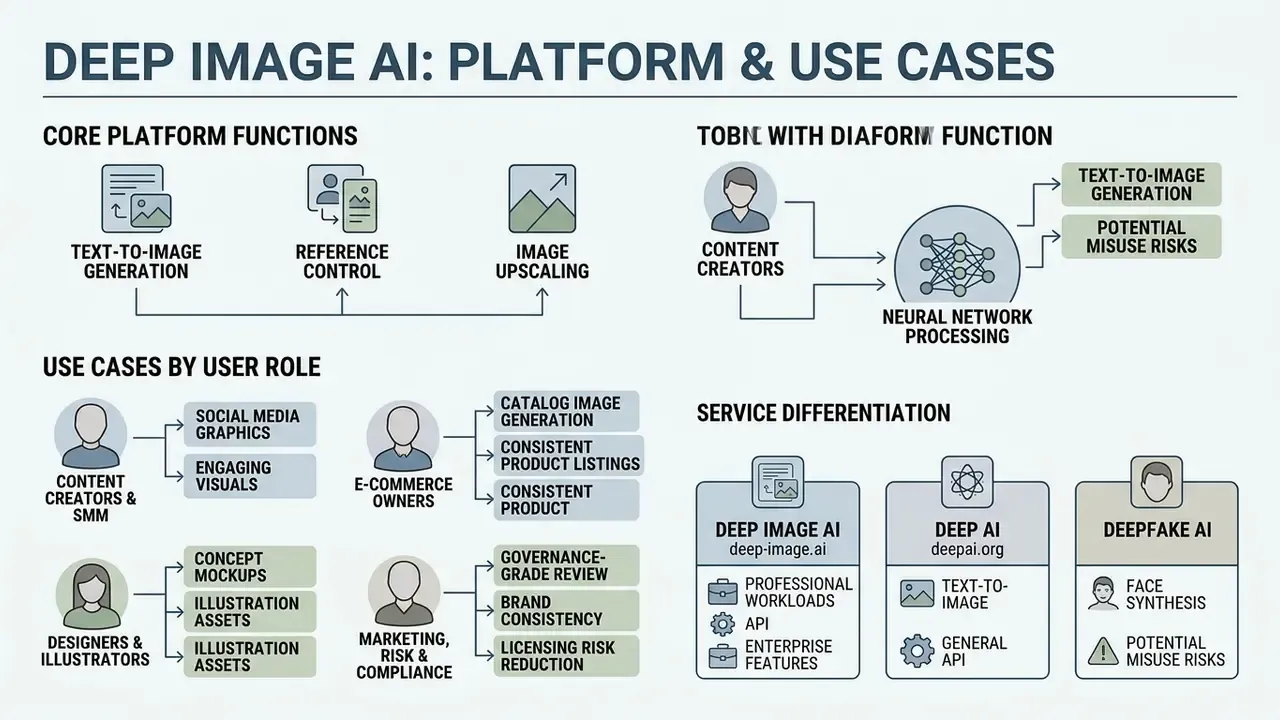
Deep Image AI is a specialised platform and programmatic interface (API) for processing, generating and upscaling images with neural networks, built for the workload of content creators, SMM specialists and marketers. The service combines text-to-image generation with a post-processing layer: background removal, noise reduction, automatic colour correction and upscaling. In short, it is both an ai deep image generator and a repair shop for images you already have.
«Diffusion models are trained to reverse the noising process, iteratively restoring structure from random noise. This is the foundation of modern text-to-image systems.»
The tool is used for marketing materials, e-commerce product card adaptation, social media visuals and AI-generated image art content. It automates routine graphic-design work when the creator's actual job is to obtain high quality generated images fast, within fixed parameters. The vendor's own use-case documentation adds digital marketing campaigns, social media assets, avatars, staged interiors and meme customisation as supported scenarios.
Use cases by user role (personas)
Generic feature lists rarely answer "is this for me". Below is the same functionality mapped to four concrete roles.
- Content creators and SMM specialists. Bulk generation of covers for Reels and Stories (9:16), plus one-pass resizing to feed formats (1:1, 4:5) without quality loss. Style presets keep a recognisable visual identity across a content plan.
- E-commerce owners and catalogue managers. Automatic replacement of faded, cluttered or incomplete backgrounds on product shots with clean white or studio backdrops through the image-to-image module. The documented e-commerce workflow standardises assets to a square 2048 × 2048 format with white background and automatic background removal.
- Designers and illustrators. Fast concept art, mood boards and high resolution textures (generative upscale to roughly 300 MP), prepared for further layer work in a desktop or web editor.
- Marketing, risk and compliance owners in regulated sectors. Controlled production of non-human, non-biometric visuals (objects, environments, abstract backgrounds) where disclosure duties and likeness rights are the binding constraint rather than raw image quality.
Deep Image AI, DeepAI and DeepFake AI: how not to confuse the services
The core difference is functional specialisation. Deep Image AI focuses on processing and improving visual content. DeepAI focuses on generating content "from scratch" by text. DeepFake AI and face-swap tools focus on identity replacement in photos and video.
- Deep Image AI (
deep-image.ai) runs on GPU infrastructure in Europe and America, with cloud deployment for larger volumes. Emphasis on the generator plus enhancement: upscaling up to about 300 megapixels, background editing, prompt-driven generation. For a standalone mobile route, review the ai image generator app options and their integration limits. - DeepAI (
deepai.org) is a general-purpose multimodal platform. Its documentation defines the image generator as text-to-image ("creates an image from scratch from a text description") and also exposes image-editor and image-replace endpoints, plus chat, short video, music and voice tools. Pricing is tiered by model quality: standard, Genius and Super Genius 2K images are billed at different per-image rates once monthly inclusions are used. - DeepFake AI and face swap are specialised algorithms (for example, ModelsLab's deepfake API with specific face swap, multiple face swap, and single or specific video swap) built for identity substitution. These are not part of the base functionality here, and they carry a separate legal risk profile.
Reference note on search variants. People also type deep sea ai image generator, deepsea ai image generator, deep web ai image generator, deeping ai image generator, deepimg ai image generator, ai deep generator, deep creation ai, ai image generator deep, deep ai images or pai picture generator. Different spellings, same three real categories: image enhancement, text-to-image generation, or identity substitution. Additional terminology is collected in the glossary of visual AI tools.
What kinds of images can be created with AI
Modern generative models produce social-ready assets across at least six stylistic families, from photorealistic portraits to abstract ai art and social graphics. Current style guidance groups prompts into the following directions:
- Photographic photorealistic objects, products and models with lighting control.
- Traditional Art oil, watercolour, pencil and sketch imitation.
- Digital and Modern 3D renders, vector graphics, flat design, cyberpunk.
- Illustration editorial and book illustration, comics, characters.
- Fantasy and Sci-Fi concept art for fictional worlds and futuristic exteriors.
- Fine Art classical painterly styles.
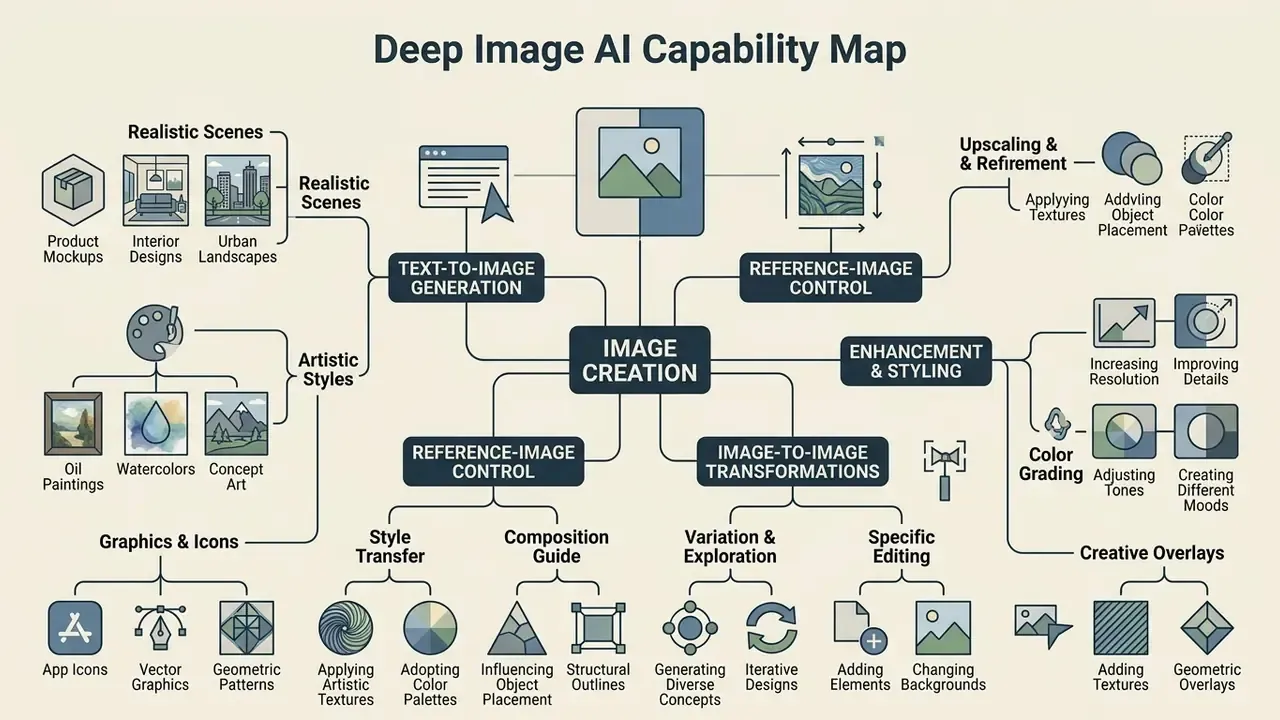
- Central node
- Deep Image AI.
- Branch 1, Text-to-Image
- prompt generation, style presets, aspect-ratio control.
- Branch 2, Reference Image
- style guidance from a photo, prompt strength and reference weight.
- Branch 3, Editing and Upscale
- background removal, inpainting, denoise and deblur, generative upscale.
- Branch 4, Social Media Formats
- export presets for 1:1, 4:5, 9:16 and 16:9.
- Accessibility note for production
- keep every branch label available as text next to the graphic; alt text should include the phrase "deep image ai capability map".
Commercial use, copyright and deepfake risk
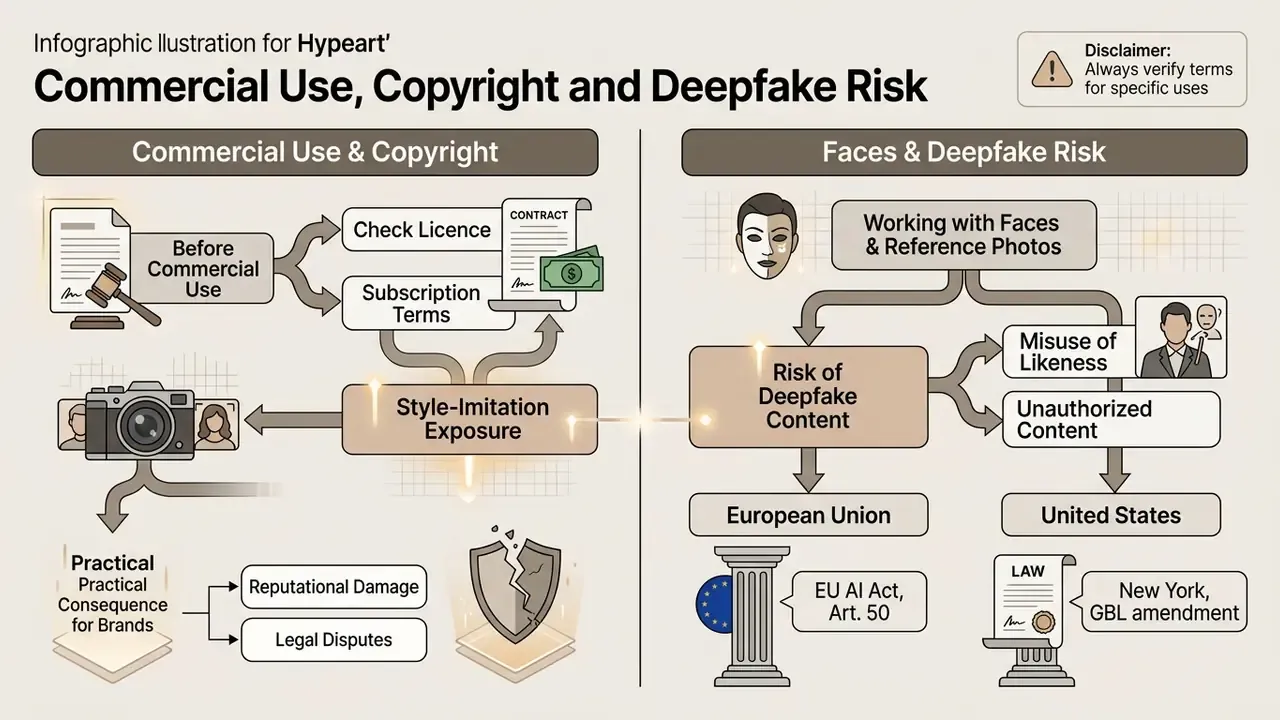
The lawfulness of commercial use is governed by three layers at once: the service licence on your specific plan, transparency duties (EU AI Act, Regulation (EU) 2024/1689), and strict respect for personality and likeness rights.
Using generated material in business requires provenance checks of the underlying data and of the output itself. See the detailed guide on AI Image Generator Commercial Use and the practical role of AI image detectors in verifying content origin. Generating deepfake ai images or deepfake ai pictures creates serious legal exposure whenever the content carries recognisable features of real people without their consent. The U.S. Copyright Office treats such likeness use as a digital-replica issue, where consent and licensing sit at the centre.
What to check in the licence before commercial use
Before publishing images in advertising, confirm that your plan actually grants commercial rights. Free and trial accounts are limited by a Creative Commons Noncommercial 4.0 licence, which excludes resale.
- Subscription terms check. Confirm rights for resale, marketing, print and paid media. Payments are documented as pre-paid and non-refundable, so budget accordingly.
- Style-imitation exposure. Direct imitation of an author's style that preserves key elements of the original expression can be treated as infringement.
«Style is a bundle of expressive choices that in combination may constitute protectable expression; courts assess infringement through the substantial-similarity doctrine.»
«The Guangzhou court held that an AI service generating images that retain the expression of original works infringes the right holder's reproduction and adaptation rights.» Guangzhou Internet Court ruling on generative AI copyright infringement (2024). https://papers.ssrn.com/sol3/papers.cfm?abstract_id=4733729
«International consensus: AI is not an author; copyright in an AI image arises only where there is meaningful human creative contribution.» Copyright Thickness, Thinness, and a Mannion Test for Images Produced by Generative AI (2024). https://papers.ssrn.com/sol3/papers.cfm?abstract_id=4751823
Practical consequence for brands. If your asset must be protectable (packaging, a logo lock-up, a campaign key visual), document the human contribution: briefs, prompt iterations, manual edits, layer files. If it does not need protection (a background, a texture, a filler visual), thin-copyright status is usually acceptable. Disclosure duties still apply either way.
Working with faces, reference photos and deepfake content
Using personal reference photos or generating deepfake images without explicit consent risks breaching data-protection, biometric and consumer-protection law. Legislative requirements in force or taking effect in 2026:
- European Union (EU AI Act, Art. 50). Mandatory machine-readable marking of AI-generated content and disclosure of deepfakes, applicable from 2 August 2026.
«The EU AI Act obliges providers of generative AI to use technical solutions to mark content in machine-readable format, through watermarks, metadata or cryptographic signals.»

deepimg ai portrait generator must be used strictly inside that legal perimeter. See also the review of AI headshot generators and their consent requirements.«Sensity AI research shows deepfake technology is used predominantly against women to create non-consensual sexual content, violating their sexual autonomy.»
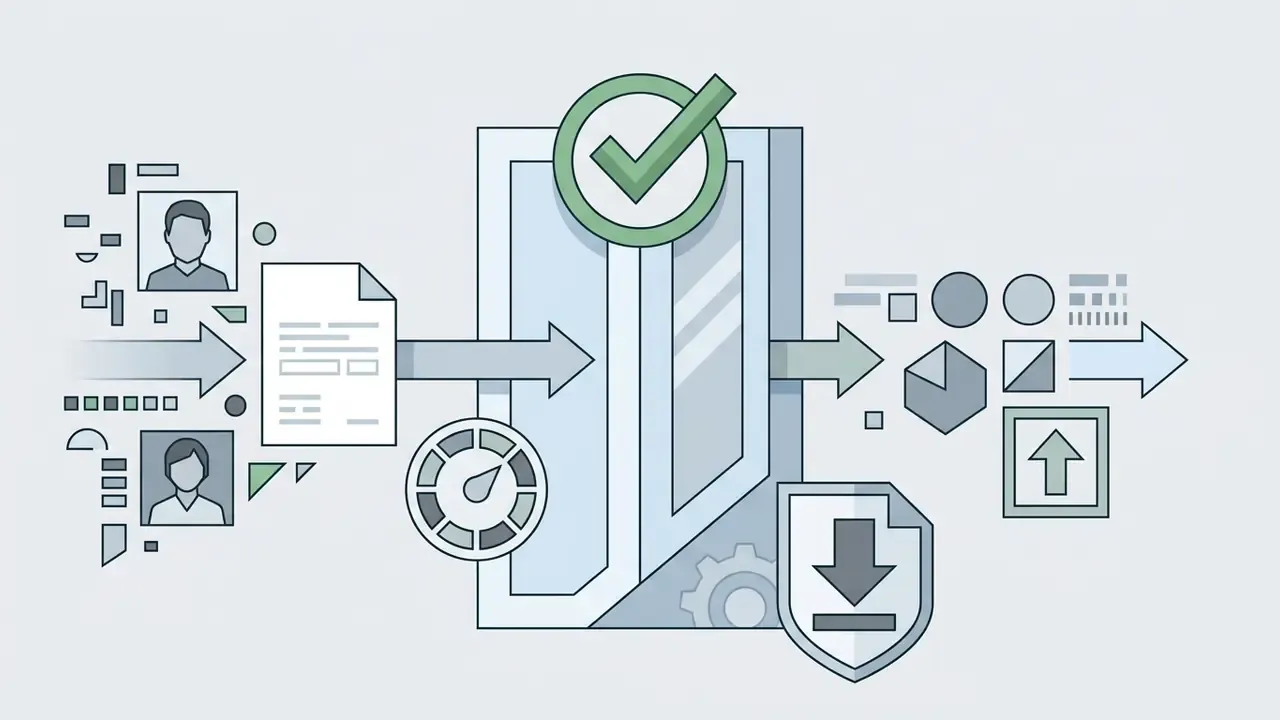
Regulatory scope differs by region. The EU and New York centre on disclosure; Quebec imposes a prohibition. A single global campaign therefore needs the strictest common denominator: consent on file, plus visible disclosure, plus machine-readable provenance.
ALERT: content rights and deepfake exposure
Before a commercial campaign launch, verify the licence attached to your exact plan. Never use photographs of real people as a reference photo without an explicit written release. Producing non-consensual deepfake content triggers administrative and, in several jurisdictions, criminal liability under the EU AI Act and U.S. state law. One unreviewed "harmless" face swap can cost more than a year of platform fees.
For case law and AI-related disputes, open the hub for litigation coverage.
Enterprise security, Shadow AI and data handling
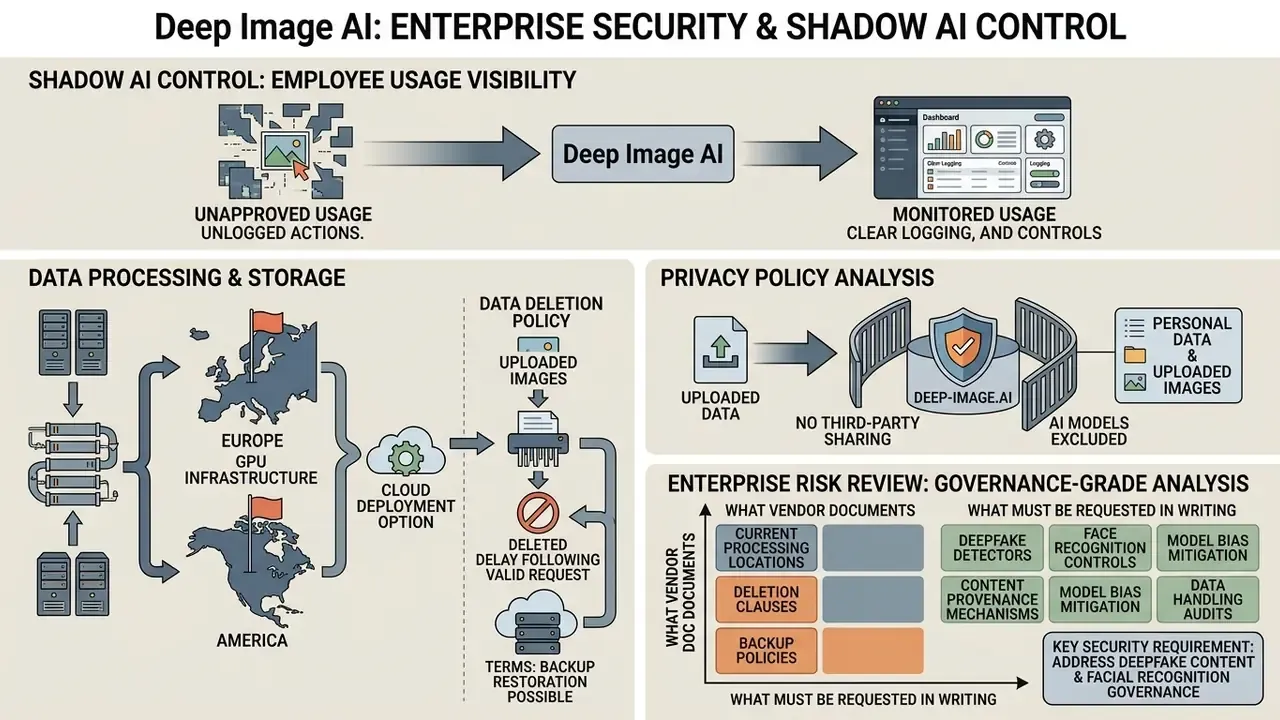
| Control | Status in public docs | What to request from the vendor |
|---|---|---|
| SOC 2 Type II / ISO/IEC 27001 | Not publicly evidenced | Current report or certificate, scope, audit period |
| Contractual no-training commitment | Privacy policy says no sharing with AI models; no explicit training clause | Written "customer content is not used for model training" clause in the DPA |
| Data residency choice (EU or US) | Regions mentioned; per-tenant pinning unclear | Region pinning option, sub-processor list, transfer mechanism |
| SSO / SAML / SCIM, RBAC | Not publicly evidenced | Roadmap and availability by plan |
| VPC or private deployment | "Cloud deployment for larger volumes" | Isolation model, key management, logging access |
| Retention and backup window | Backups may be restored "with no obligation" | Exact retention period, deletion SLA, backup expiry |
Shadow AI control. The main practical risk is not the vendor. It is unmanaged personal accounts. Three cheap mitigations: block the free web tier at the egress proxy while approving the API through a service account; route all generation through one billing entity so credit spend stays observable; publish an internal rule that no customer photograph, ID document, claim file or KYC image may be uploaded to any external image tool, with a named exception process.
One more thing worth saying plainly. If your only control is a policy PDF, you do not have a control. You have a hope.
Reproducibility, audit trail and model-risk controls
How to generate an image in Deep Image AI from a text prompt
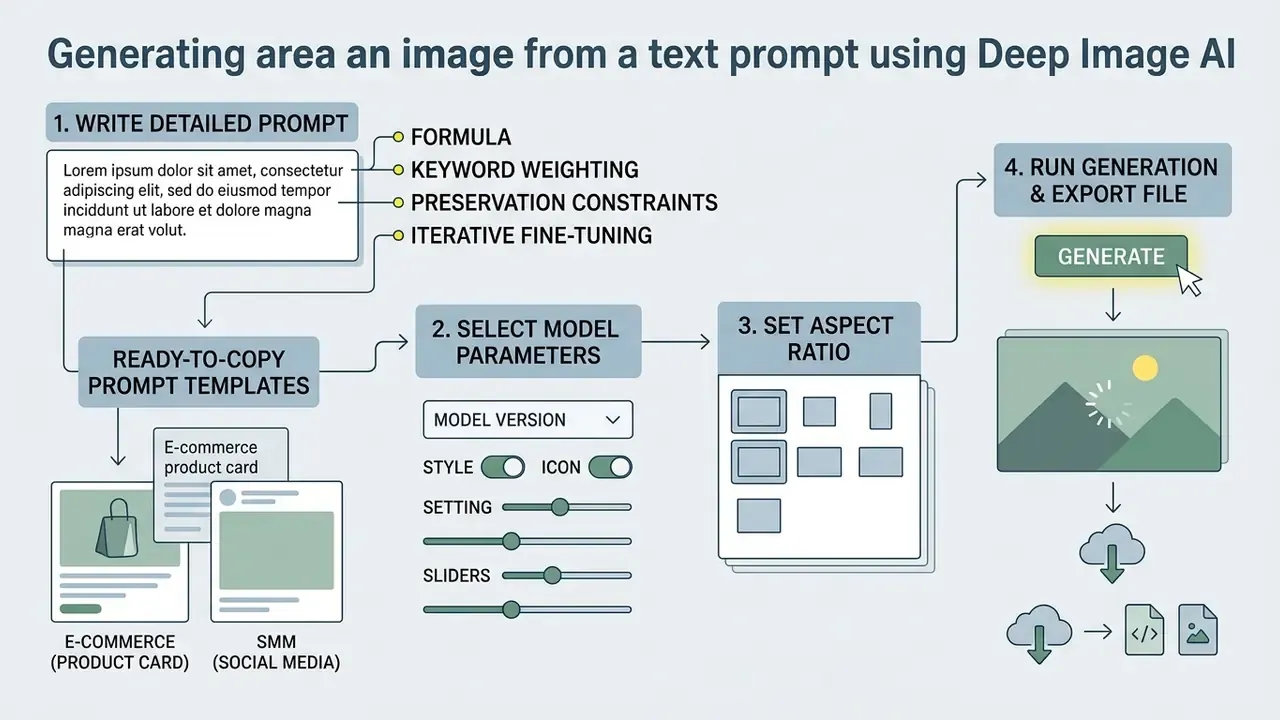
The process consists of writing a detailed prompt, selecting model parameters, setting the aspect ratio, then running generation and exporting the file. Nothing exotic. The discipline is in the logging.
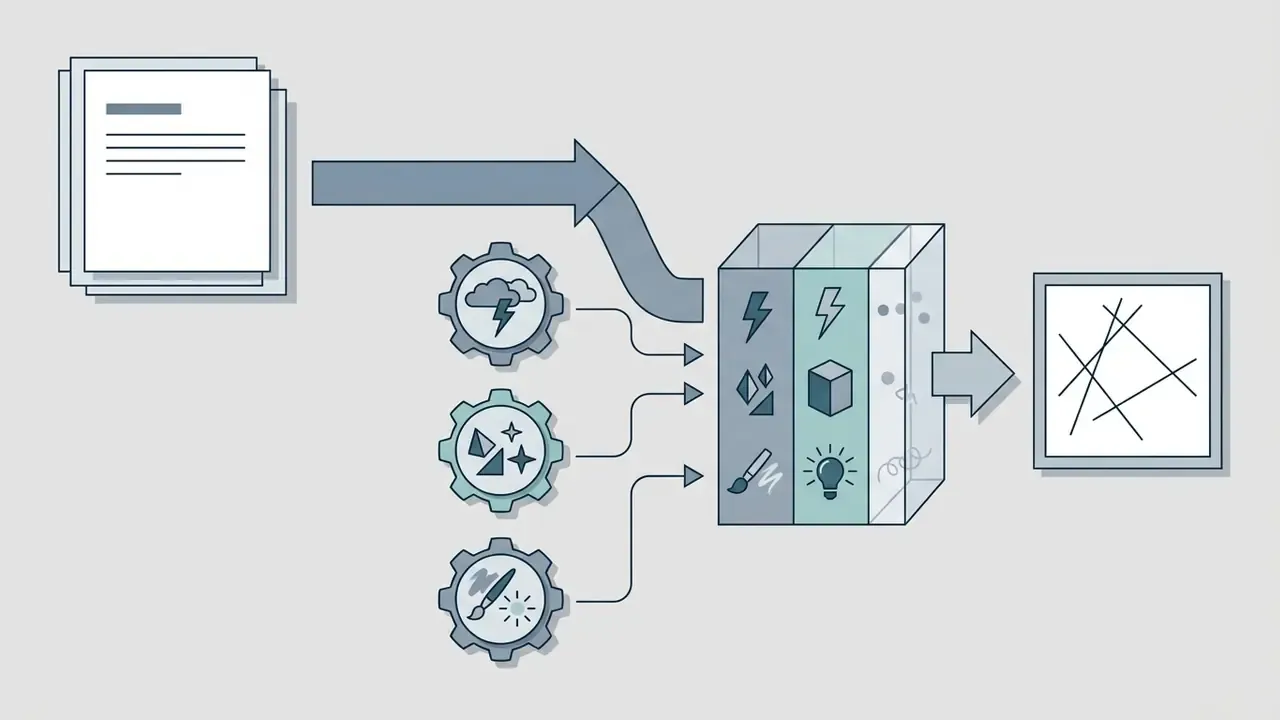
Working with a specialised generator requires understanding how context is transferred. In systems of this class, text is converted into vector representations that steer the diffusion denoising process through cross-attention conditioning. That is why word order, specificity and constraint phrasing change the output far more than prompt length does.
«Diffusion models are trained to reverse the noising process, iteratively restoring structure from random noise. This is the foundation of modern text-to-image systems.»
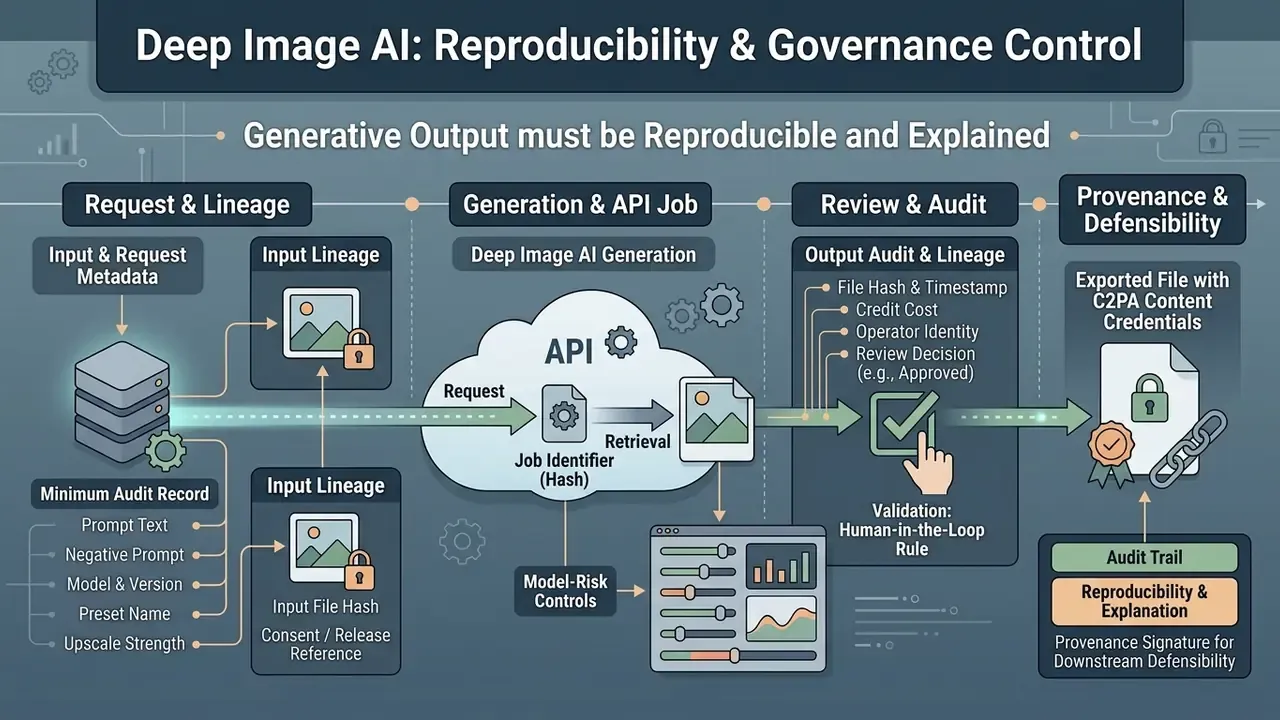
On the API side the flow is explicit: a generation request to the image-generation endpoint returns a job hash, and the finished output becomes available through the result method. That is exactly what makes request-level logging feasible without custom instrumentation.
How to write a text prompt for an accurate result
An accurate prompt follows a fixed order: subject or object, key details, environment and style, then lighting and colour parameters. Research on prompt optimisation shows that structured, staged refinement beats a single overloaded instruction.
«A two-stage prompt-learning framework improves text and image alignment: the first stage builds quality and semantic anchors, the second optimises prompt expansion.»
Practical structure and discipline:

[Subject: businesswoman at a laptop] + [Details: modern office, glass walls] + [Style: photorealistic, 35mm] + [Lighting: soft natural light].
Ready-to-copy prompt templates
- E-commerce (product card)
Commercial product photography of a luxury leather watch on dark basalt stone, dramatic studio side lighting, 8k resolution, photorealistic, --ar 1:1 - SMM (social media)
A modern woman entrepreneur working on a laptop in a sunlit glass office, natural soft lighting, cinematic style, 35mm lens, --ar 4:5 - AI art and fantasy
Cyberpunk street market at night, neon reflections in rain puddles, highly detailed volumetric smoke, digital painting, --ar 16:9 - Food and hospitality
A product shot of a sushi roll underwater, floating air bubbles, cold blue rim light, macro lens, ultra-sharp texture, --ar 1:1 - Concept or campaign hero
Raining football balls over a desert dune landscape, surreal advertising concept, golden hour backlight, wide-angle, --ar 16:9 - Interior and staging
Scandinavian living room with oak floor and linen sofa, morning light through sheer curtains, architectural photography, --ar 3:2 - Background plate (no people, low legal risk)
Abstract gradient background, soft bokeh spheres, corporate navy and silver palette, clean negative space on the left, --ar 16:9
To test generation without creating an account first, try an ai image generator free no sign up.
Choosing the model, style and aspect ratio
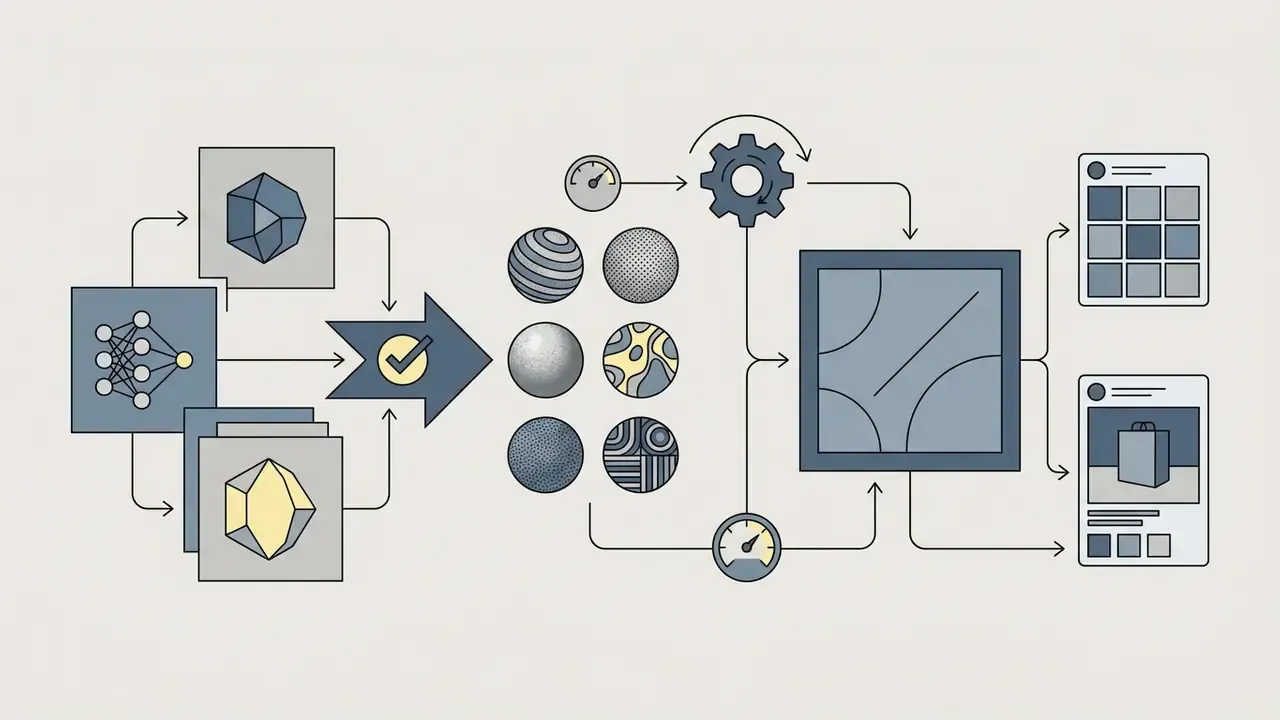
The model and style preset define the aesthetic direction. The aspect ratio prepares the file for its destination platform. Resize documentation notes that if only one dimension is set, the other is calculated automatically to preserve the original ratio.
Standard aspect-ratio targets:


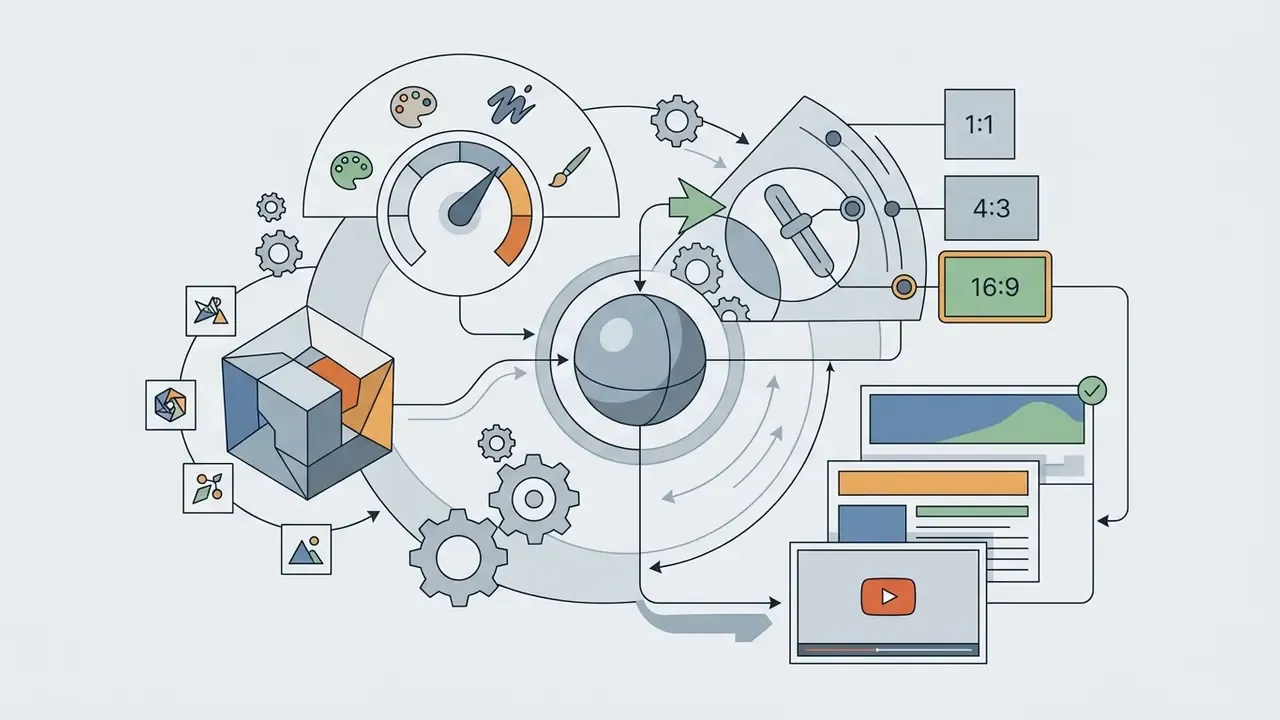

Model choice moves fast in this market. Teams now benchmark diffusion stacks against newer multimodal editors, including the model widely nicknamed "nano banana", and the sensible answer is to keep the pipeline model-agnostic. For side-by-side model and platform comparison, see the AI Media Comparison Matrices.
- Write the prompt.Formulate text prompts containing subject, style, details and lighting.
- Select parameters.Choose the AI model and stylistic preset in the interface.
- Set the aspect ratio.Pick 1:1, 4:5, 16:9 or 9:16 depending on the destination.
- Set reference weight.If a reference photo is used, set prompt strength before running.
- Run generation.Click generate and wait for the diffusion pass to finish.
- Review and iterate.Assess the result, change one variable, regenerate.
- Log the run.Record prompt, model version, seed and job hash for reproducibility.
- Download.Export the file at the required resolution, with C2PA credentials where required.
Deep Image AI capabilities: models, styles and image editing
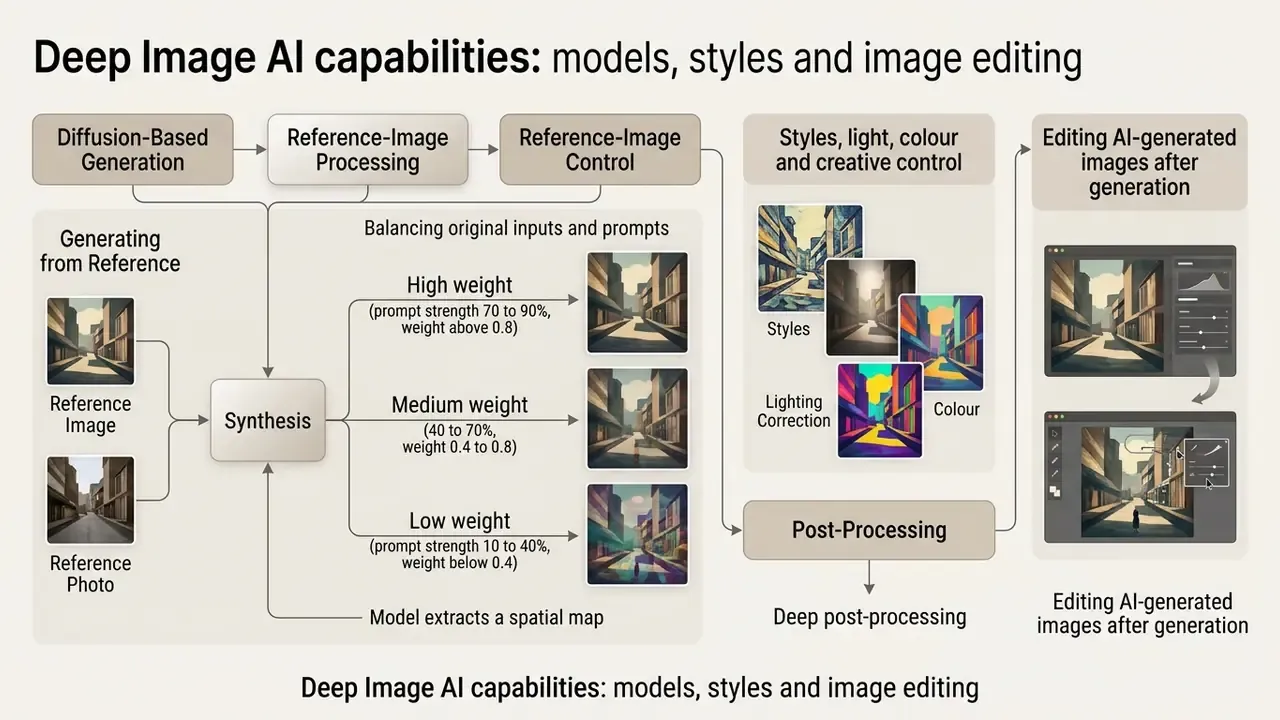
The functionality covers diffusion-based generation, reference-image processing, lighting correction and deep post-processing.
Unlike basic generators, this platform gives the user extended control over final edit quality by combining generative synthesis with classic digital processing. Generative upscaling uses diffusion models and is explicitly intended for ai generated images when more texture and detail are needed than a standard upscale can recover.
Generating from a reference image and reference photo
Reference-image mechanics rest on separating content and style parameters, which preserves the geometry and subject of the source while replacing its visual treatment. Classic style-transfer work (Gatys et al., CVPR 2016) synthesises an image matching the content of a photograph and the style of an artwork. Later diffusion methods separate image-content guidance from image-style guidance, and ArtAdapter (CVPR 2024) reports transfer that captures not only colour and brushstrokes but composition too.
How it runs in practice:
Balancing original and prompt (prompt strength and reference weight). When working with a reference photo, the outcome depends on the ratio between the weight of the source frame and the weight of the text request.
If a generated image looks unexpectedly different from the reference, the first parameter to check is prompt strength, not the prompt text. The generator is balancing two competing inputs: raising the weight enforces stricter adherence to the description, lowering it retains more original detail.
- The model extracts a spatial map of the source
- contours, layout, subject placement.
- High weight (prompt strength 70 to 90%, weight above 0.8)
- the algorithm follows the text description strictly, changing shapes, colours and geometry of the source. Use it for full restyling, concept exploration and "same idea, new world" variants.
- Medium weight (40 to 70%, weight 0.4 to 0.8)
- balanced mode. Composition survives, materials and lighting change. Best for product restaging.
- Low weight (prompt strength 10 to 40%, weight below 0.4)
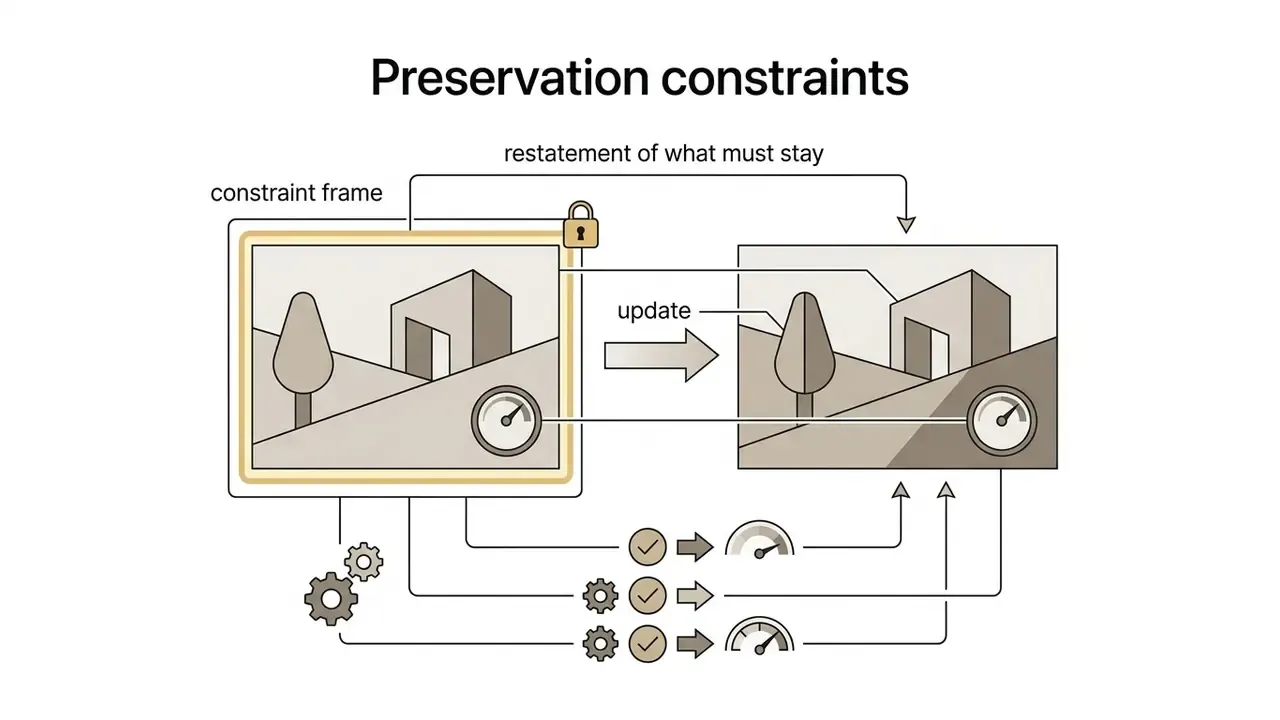
- the model preserves contours, faces and fine detail of the original, altering mainly background, environment or lighting. Use it for catalogue consistency and brand-safe edits.
- The chosen visual style or textual environment is applied on top.
- New artwork appears while the base subject stays recognisable.
Styles, light, colour and creative control
Creative control tools include flexible key and fill lighting balance, colour temperature and gradient toning.
The platform documents an upscale_strength parameter (scale 1 to 9) that regulates detail reconstruction and texture retention during upscaling. Post-processing further exposes denoise, deblur and sharpen, clean, face enhancement, lighting, colour and white balance, with v1 and v2 model versions for denoise and deblur. Version 2 is the stronger option for heavily blurred and noisy inputs. Together these let you set contrast, remove blown highlights and produce genuinely eye catching frames.
A grading order that mirrors professional workflow: fix technical balance first (exposure, white balance, contrast), then apply creative grading (LUTs, hue isolation, shadow and highlight colour pushes). Warm versus cool temperature shifts the emotional register; the key-to-fill ratio controls shadow density and perceived drama. Stunning visuals, in most cases, come from two or three deliberate adjustments rather than a preset avalanche.
Editing AI-generated images after generation
Post-generation editing includes background replacement, noise and blur removal (denoise and deblur, v1 and v2), facial detail restoration, inpainting and generative upscaling.
Sequence of post-processing:
Integration with graphic editors and post-processing. After generation and upscaling, export the file as PNG with alpha-channel support (transparent background). For further layer work, typography, vector overlays or retouching, move the asset into a free web editor such as Photopea, or into Adobe Photoshop, keeping the generated subject on its own layer. A practical layer stack for campaign assets: background plate (generated), subject (generated, alpha), colour-grade adjustment layer, typography, then the legal or disclosure line, including the synthetic-content disclosure where required.
For planning complex content pipelines, explore the hub and the applied guide to YouTube video editing workflows.
How to reach high image quality in an AI image generator
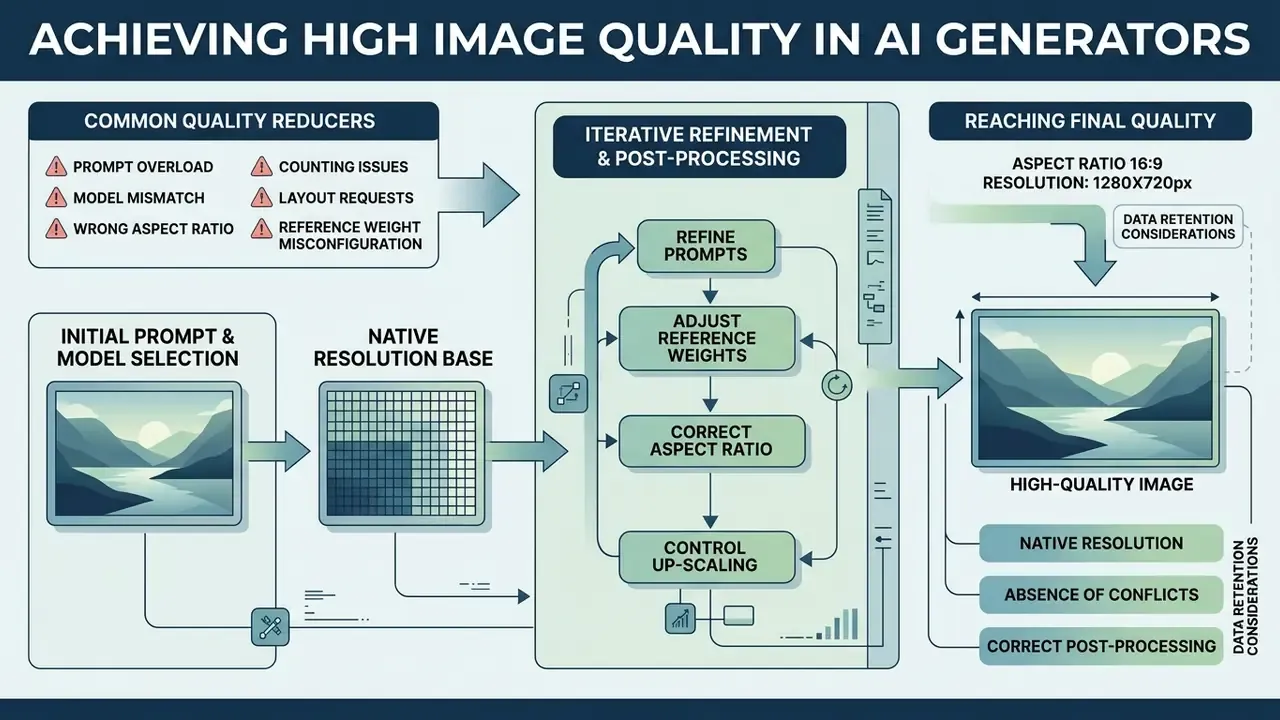
Final quality depends on the native resolution of the base model, the absence of prompt conflicts, and correct use of post-processing.
Most current generators output natively around 1024 × 1024 px, and quality degrades when output is resized far beyond the learned native scale. Attempting to instantly create ultra-high resolution in a single pass without an intermediate upscale frequently produces duplicated details and seam artefacts: patch-based denoising covers the latent space unevenly, and mitigations such as averaging overlapping patch edges exist precisely for that reason. Compression compounds the effect, since heavier JPEG quantisation measurably changes perceived quality and defect visibility. The practical fix is a staged pipeline. Generate at native resolution, clean artefacts, then use dedicated AI image upscalers to reach print or large-format targets.
Why the result differs from expectations
Deviation is usually caused by incomplete context in the prompt, or by a mismatch between the chosen model and the task.
«Diffusion models systematically fail on compositionality, exact object counting and fine-grained attribute control. These are the main reasons results diverge from expectations.»
Typical error sources:
- Prompt overload
- contradictory instructions, for example "minimalist style" together with "highly detailed velvet texture".
- Model mismatch
- using a narrowly specialised model for an off-profile task, or a general model where a task-specific one is required.
- Wrong aspect ratio
- requesting a panoramic landscape in a 1:1 frame without composition guidance.
- Counting and layout requests
- exact object counts, precise text placement and multi-subject spatial relations remain the weakest areas. Verify manually and never trust the first pass.
- Reference weight misconfiguration
- a high prompt strength on a low-variance edit destroys the very details you wanted to keep.
Techniques for improving the result over a few iterations
Additional levers worth systematising: keep a version-controlled prompt library with an ID per approved prompt; carry style references forward (generate once, reuse the output as a style anchor later); adjust style weight rather than rewriting the prompt when the aesthetic is almost right; and create assets in stages instead of demanding everything from one generation.
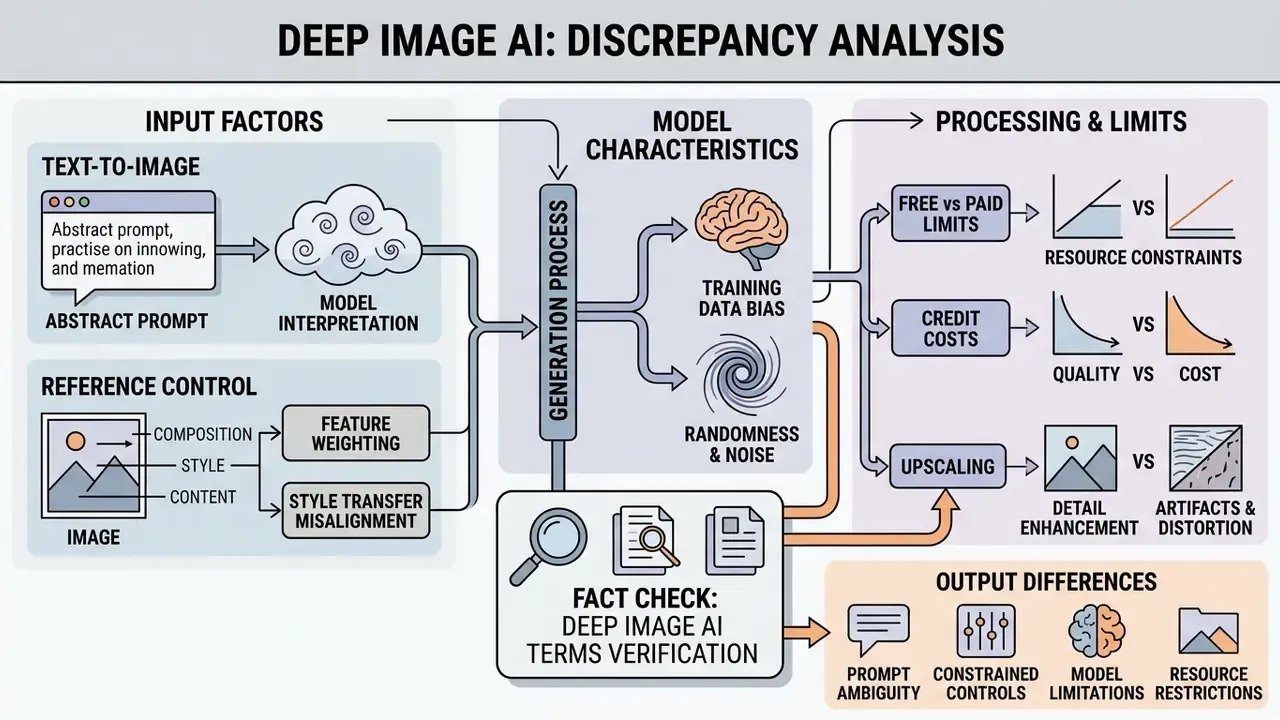
- Data retention
- per the Terms and Conditions, the platform may restore deleted data from backups with no obligation to the user. Responsibility for keeping copies rests with the client.
- Privacy policy
- personal data and uploaded images are deleted without undue delay following an official request or account closure. The controller is Deep-Image.AI Sp. z o.o., Szczecin, Poland, and the policy states data is not shared with third parties, including AI models.
- Free-tier limits
- official documents confirm starter credits on registration, but free-usage conditions may change, and commercial rights on the trial are restricted (Creative Commons Noncommercial 4.0).
- Credits
- one image transformation costs 1 credit; unused subscription credits roll over for up to 3 months while the subscription is active and are forfeited on cancellation; referrals grant 50% additional credits on a new purchase for both parties.
- Open item
- public documentation does not expose a security-certification matrix (SOC 2 or ISO 27001), nor an explicit no-training clause. Treat it as a vendor-questionnaire item, not a confirmed control.
Deep Image AI free: what you get at no cost and when paid access is needed
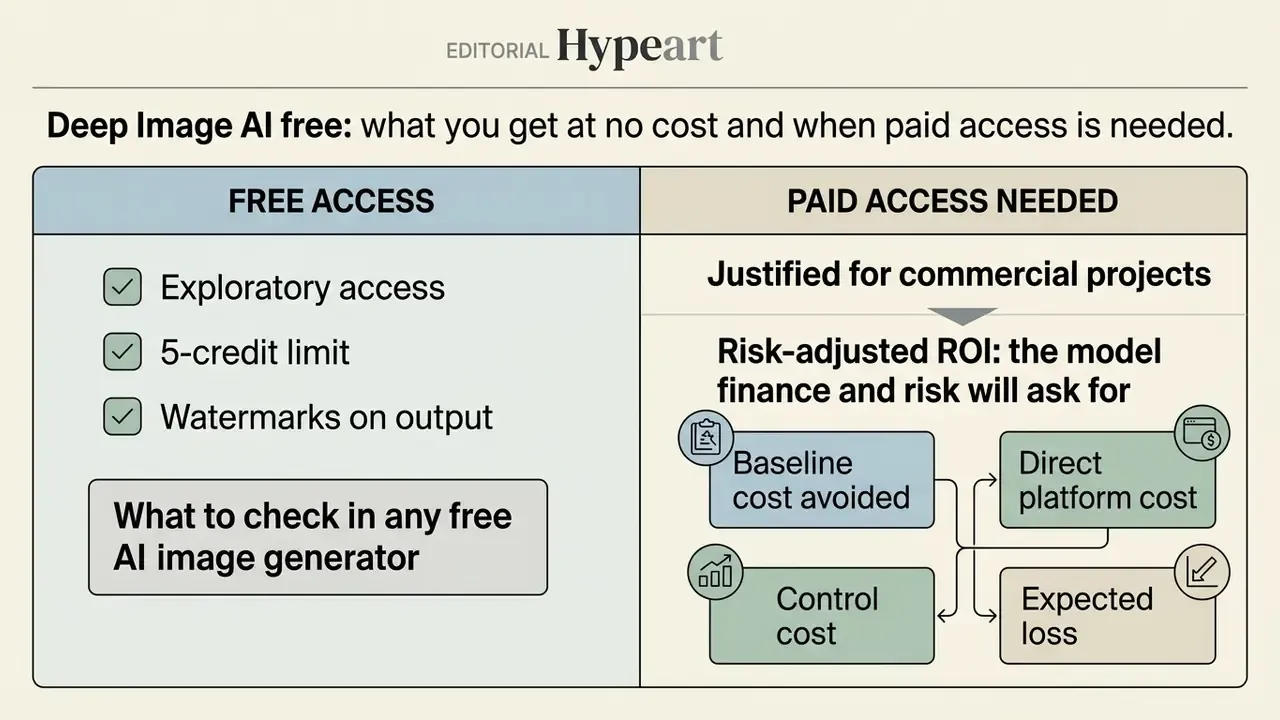
The free version gives exploratory access with a 5-credit limit and watermarks. Paid access removes resolution and commercial-use constraints.
Testing deep image ai free is enough to judge the interface and baseline speed. For production it is usually insufficient, because export limits cap resolution and watermarking blocks publication. Narrow-niche tools are searched under names such as pai picture generator, but their access model follows the same pattern. Benchmark them against our list of free AI image generators and the free AI art generator comparison.
What to check in any free AI image generator
Assess watermarking, credit limits, maximum export resolution and registration requirements.
Checklist:
- Presence of a watermark on output files.
- Maximum export resolution, for example up to 4,096 × 4,096 px on the trial.
- Availability of advanced algorithms (Denoise v2, AI Enhancer PRO, generative upscale).
- Validity period of starter credits, and whether credits expire on downgrade.
- Licence attached to free output. Noncommercial licences make the asset unusable in paid media.
- Whether uploads are used for model training, and whether outputs appear in a public community gallery.
For free images and tools without language barriers, see this ai image generator overview for Arabic prompts.
When paid access is justified for commercial projects
Moving to a paid plan ($0.04 per image on subscription, or $0.09 per image pay-as-you-go) is economically justified when you need regular batch processing and watermark-free assets.
An e-commerce team automated processing of roughly 1,200 product cards by moving from free testing to an API subscription, standardising visuals to 2048 × 2048 with a white background in a single pass. The team reported a substantial reduction in outsourced design spend. That percentage is an internal estimate from one project, was not audited externally, and should be validated against your own baseline cost per asset.
«Generative AI democratises content creation, making it accessible to marketing strategies of any scale, yet high-quality personalised materials require extended capabilities.»
Batch logic is the same reason professional pipelines rely on recorded actions and automated processors in desktop design tools. One operation applied consistently to many files removes the per-file manual cost, and that is exactly where paid tiers pay for themselves.
| Criterion | Free access (Free or Trial) | Paid access (Subscription or API) |
|---|---|---|
| Credit limit | 5 starter credits | From several hundred to tens of thousands per month |
| Watermark | Present | Absent |
| Maximum resolution | Up to 4,096 × 4,096 (16 MP) | Up to 17,408 × 17,408 (about 303 MP) |
| Commercial rights | Restricted (Creative Commons NC 4.0) | Full commercial rights to the visuals |
| Batch processing | Unavailable or limited | Available via API and web interface |
| Per-image price | Not applicable | From $0.04 (subscription) or $0.09 (pay-as-you-go) |
| Credit cost per operation | 1 generation = 1 credit | 1 standard transformation = 1 credit; ChatGPT Image Medium about 2 credits; ChatGPT Image High about 5 credits; generative upscale and Denoise v2 consume additional credits per pass |
| Credit rollover | Not applicable | Unused credits roll over up to 3 months while active; forfeited on cancellation |
| Private processing mode | Output may appear in a public gallery | Private processing on paid tiers |
| Concurrency | Single-file, sequential | Simultaneous processing capacity set by plan |
| Enterprise items to negotiate | Not applicable | SLA, region pinning, DPA with no-training clause, SSO, audit-log export, GRC evidence pack |
Risk-adjusted ROI: the model finance and risk will ask for
Per-image price is the smallest line in total cost of ownership. Use a simple, defensible model.
Risk-adjusted ROI = (Baseline cost avoided minus Direct platform cost minus Control cost minus Expected loss) divided by (Direct platform cost plus Control cost)
- Baseline cost avoided equals assets per month multiplied by the fully loaded cost per asset today (agency fee or designer hours, plus stock licences).
- Direct platform cost equals credits consumed multiplied by credit price, including upscale and denoise passes, plus API integration and maintenance.
- Control cost equals human review time per asset multiplied by the review rate, plus logging and provenance tooling, plus periodic validation sampling, plus legal review of new asset classes.
- Expected loss equals the probability of a licensing or disclosure breach multiplied by estimated penalty and remediation exposure. For New York advertising, statutory penalties of $1,000 and $5,000 per violation give a concrete anchor; Quebec-style prohibitions carry a different, higher exposure.
Two practical rules follow. First, control cost per asset is roughly constant, so ROI improves with volume, which means pilots almost always look worse than steady state. Second, restricting AI generation to non-human, non-claim visuals collapses the expected-loss term, and that is usually the fastest route to an approvable business case.
How to choose Deep Image AI or another AI image generator for your project
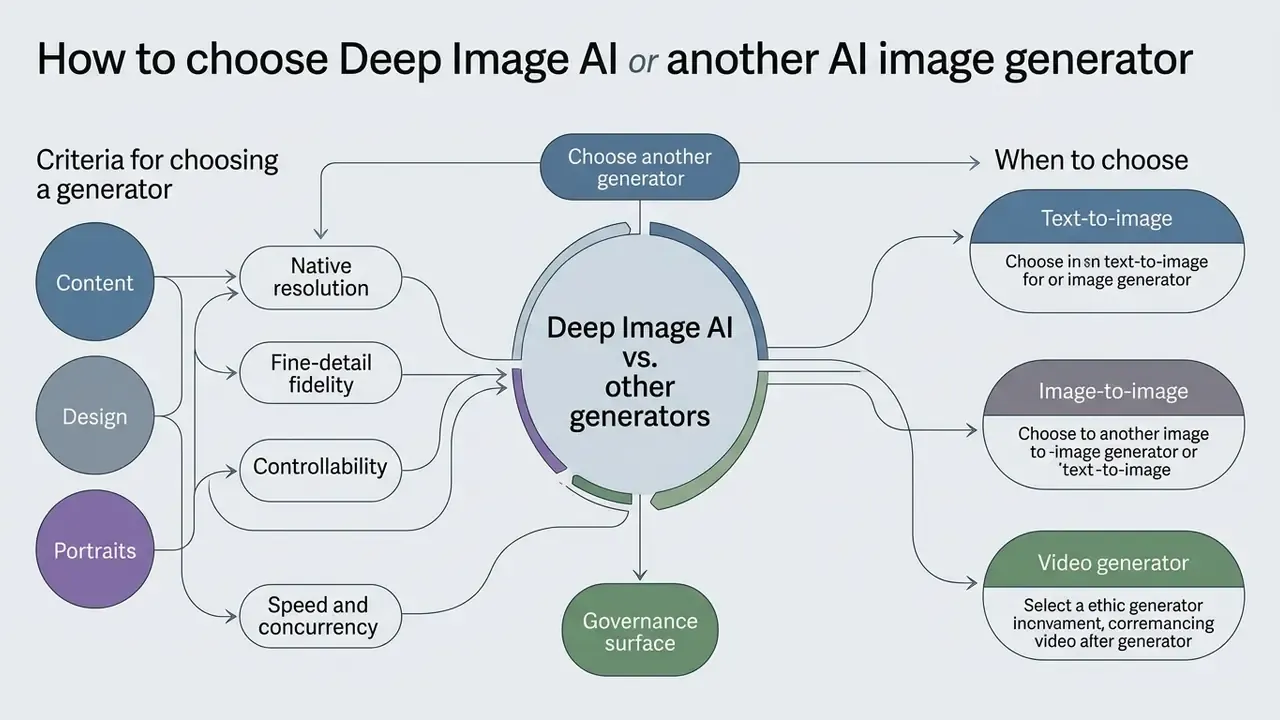
The choice depends on project tasks, detail requirements, speed, training transparency and the availability of provenance controls.
Comparing platforms in this category against other market solutions should rest on measurable production metrics, not marketing claims. Current guidance on synthetic content treats provenance tracking as the mechanism for authenticity: documenting training-data origin, recording metadata, watermarking or digital fingerprinting. It also expects organisations to prevent, flag or otherwise respond to outputs that reproduce copyrighted, trademarked or licensed material.
Consumer perception adds a second, often ignored, selection criterion.
In other words: generate the set, not the person. That single rule improves both legal posture and measured brand trust.
Criteria for choosing a generator for content, design and portraits
Evaluation runs on four base metrics: native resolution, fine-detail fidelity (TOPIQ and CLIP-IQA at target resolution), inference speed, and predictability of parameter control.
«RegionDrag performs region-based image editing of 512 × 512 images in under 2 seconds, more than 100 times faster than DragDiffusion, with better alignment to user intent.»
Key evaluation parameters:
- Native resolution: ability to produce usable frames before any upscaling pass.
- Fine-detail fidelity: correctness of textures, hands, small objects and product labels, measured at delivery resolution rather than on downscaled previews.
- Controllability: availability of precise editing (inpainting, masking, region drag, reference weighting), measured as consistency between the input condition and the condition recovered from the output.
- Speed and concurrency: inference latency plus parallel-job capacity, which determines whether batch work is realistic at all.
- Governance surface: provenance metadata, C2PA support, licence clarity, data-residency options, audit-log export.
Move from criteria to practice with our AI image generator comparison. For style-specific decisions, see the Ghibli-style generator comparison, and for platform-bound ecosystems, the overviews of Microsoft, Google and Canva generators.
When to choose text-to-image, image-to-image or a video generator
Text-to-image suits concepts built from a blank prompt. Image-to-image suits controlled modification of an existing visual. A dedicated video generator suits motion with temporal continuity.
- Text-to-image new illustrations, hero visuals and banners from a text description; the right choice for portrait generation when no source photo exists.
- Image-to-image background replacement on product shots, restyling of brand materials, text or object edits inside an existing frame. Explore dedicated image-to-image generators for this path.
- Video generator animation of static frames for Reels and promo clips, where prompts must describe motion, camera work and temporal progression rather than restate the image. See the guide to AI video generators and the implementation-level Google Veo API guide.
«AI automates creative management in advertising, enabling rapid production of many ad versions for specific consumer segments.»
For content-filtering categories and their legal status, see the separate analysis of restricted-content ai image generator policies.
| Scenario or task | Optimal AI tool type | Key requirements and features |
|---|---|---|
| Illustrations from a prompt | Text-to-image generator | Style presets, accurate prompt adherence, native resolution |
| Background swap and catalogue processing | Image-to-image or inpainting | Subject geometry preservation, background removal, upscaling, batch API |
| Adding or editing text inside a photo | Image edit or inpainting | Region masking, prompt-based local edit, artefact cleanup |
| Corporate portraits | Portrait generator, identity-preserving | Model consent and release, facial fidelity, natural lighting, disclosure |
| Animating ad creatives | Image-to-video generator | Camera-motion control, temporal coherence, duration and ratio settings |
| Regulated-sector marketing | Text-to-image limited to objects and environments | No customer data, C2PA provenance, dual human review, audit log |
FAQ: frequently asked questions about Deep Image AI
This section collects short answers to common practical questions on registration, prompt languages, credit behaviour, and the public status of generations.
Is registration required to create images online?
Exploratory tests are often possible without an account, but downloading watermark-free files, managing credits and preserving project history require registration. API access requires a key tied to an account. So for anything beyond a curiosity test, expect to sign up.
Which language should text prompts be written in?
English yields the most accurate results, because the largest training datasets are annotated in English. Several platforms advertise multilingual prompt support (15 languages or more), but quality is usually highest in English. Translate the prompt, not the intent.
What is the average generation speed?
Processing time depends on GPU load and target resolution, typically 2 to 10 seconds per image. Region-based local editing can complete in under 2 seconds, as reported for RegionDrag.
Are created projects public?
On free tiers, generations may appear in a shared community gallery. Paid plans provide private processing. For confidential or client-owned material, use the paid private mode, or do not upload it at all.
How many credits does one image consume?
One standard transformation costs 1 credit. Heavier generation modes cost more, with ChatGPT Image Medium documented at 2 credits and High at 5 credits, and additional passes such as generative upscale or Denoise v2 consume further credits. Unused subscription credits roll over up to 3 months while the subscription stays active, and are lost on cancellation.
Can I use free-tier images commercially?
No. Free and trial output is issued under a Creative Commons Noncommercial 4.0 Attribution International licence, which excludes resale and, in practice, paid advertising. Commercial rights are tied to paid access, so confirm the clause on your specific plan.
Which file formats are supported?
Common inputs include JPG, PNG and WEBP. Outputs are typically delivered as high resolution PNG, which preserves the alpha channel after background removal. The vendor maintains a separate supported-formats page; check it before building an automated pipeline.
What is the maximum output resolution?
Up to 4,096 × 4,096 px (16 MP) on free access, and up to 17,408 × 17,408 px (about 303 MP) on paid plans. Third-party reviews sometimes quote 15,000 × 15,000 px; the official FAQ figure of 17,408 × 17,408 takes precedence.
Is there an API, and how does the job flow work?
Yes. A generation or processing request returns a job hash, and the completed output is retrieved through the result method. Images are processed one by one, and simultaneous processing capacity depends on the account plan, which also makes per-request logging straightforward.
Can I use a photo of a real person as a reference?
Only with an explicit written release. Without consent you risk breaching likeness, biometric and consumer-protection rules, including the EU AI Act disclosure duty, New York's synthetic-performer disclosure requirement and Quebec's outright commercial-use prohibition.
Do I need to label AI-generated advertising?
In the EU, synthetic content must carry machine-readable marking, and deepfakes must be disclosed from 2 August 2026. New York requires conspicuous disclosure of synthetic performers in advertising. The practical answer: attach C2PA Content Credentials at export, and add a visible disclosure line wherever a synthetic human or voice appears.
Is my uploaded data used to train models?
The privacy policy states that data is not shared with third parties, "including AI Models", and that personal data is deleted without undue delay upon a valid request or account closure. An explicit contractual no-training clause is not publicly documented, so request it in the DPA before onboarding.
Does deleting a file remove it permanently?
Not necessarily. The Terms and Conditions state the service may restore some or all deleted data from backups with no obligation, and that the user is responsible for their own backups. Document the actual retention and backup-expiry window in your third-party risk assessment.
Are refunds available?
The terms describe payments as pre-paid and non-refundable. Plan credit purchases against forecast volume, and note that remaining credits are forfeited if the subscription is cancelled.
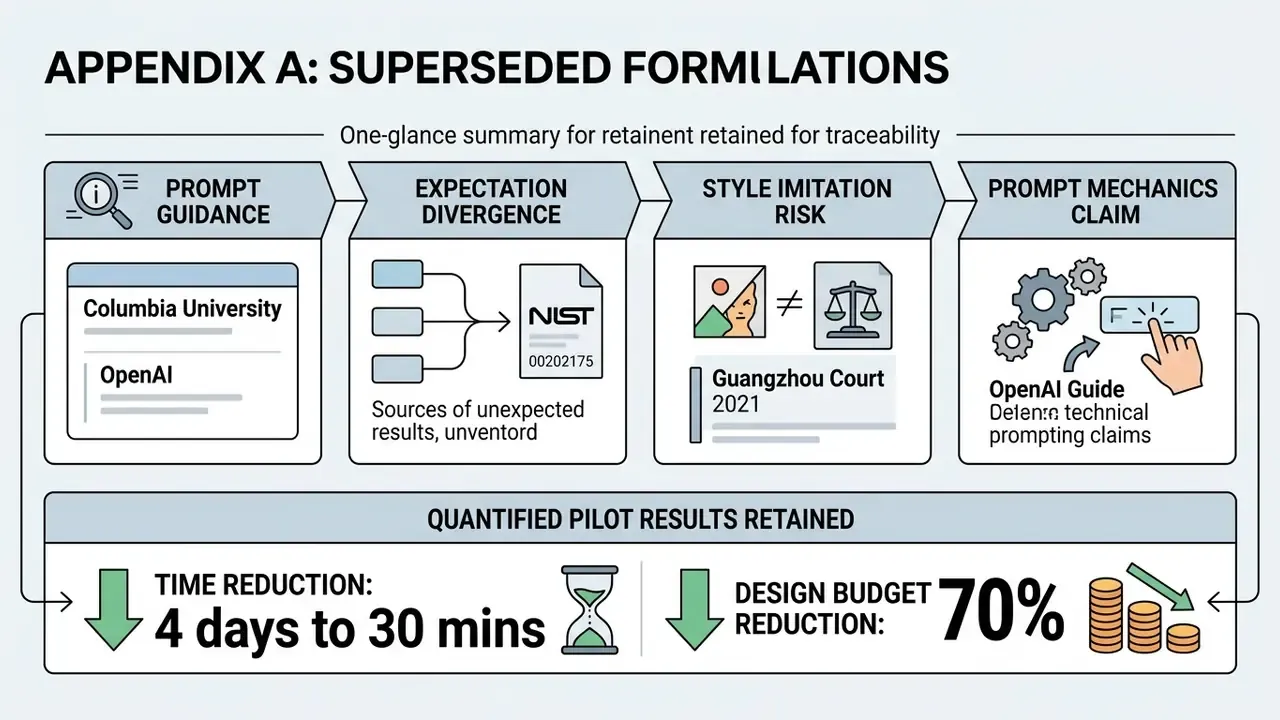
Appendix A: superseded formulations retained for transparency
https://arxiv.org/abs/2401.06345
Appendix B: pre-deployment checklist for B2B and regulated teams
Checklist0 / 15
For analytical reviews and legal guides, visit the AI Media Commercial-Use Hub.
Disclaimer: this article is informational and does not constitute legal, financial or compliance advice. Verify licensing terms, pricing and regulatory duties with the vendor and with qualified counsel in your jurisdiction before deployment.