AI image enhancement uses trained neural networks to automatically correct exposure, noise, blur, contrast, and resolution without requiring manual photo editing software. Modern browser-based tools let you process low quality photos in seconds, reconstructing lost details while preserving the original image structure. No install, no GPU, in many cases just one click.
Executive Summary for Fast Decisions
Quick navigation: definitions and algorithms → step-by-step workflow → batch processing → industry use cases (archives, e-commerce, real estate, anime and 3D) → feature comparison → quality evaluation and hallucination control → selection criteria, privacy and corporate governance → FAQ.
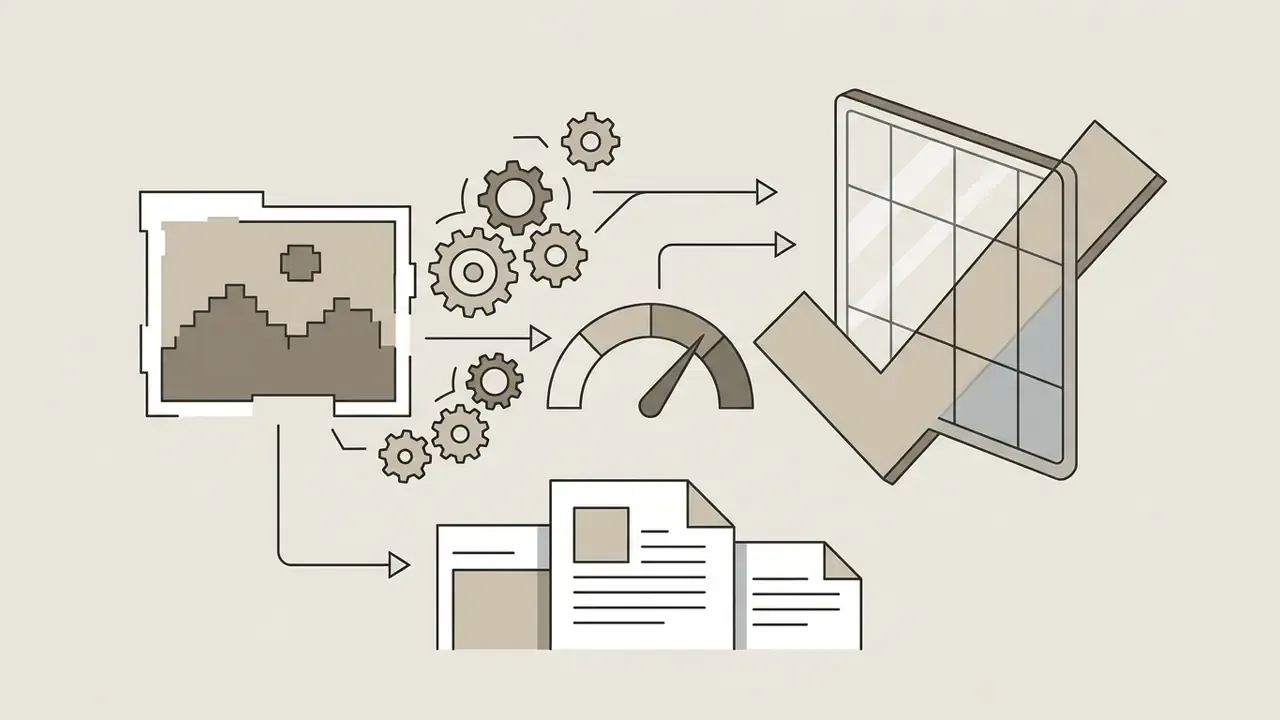
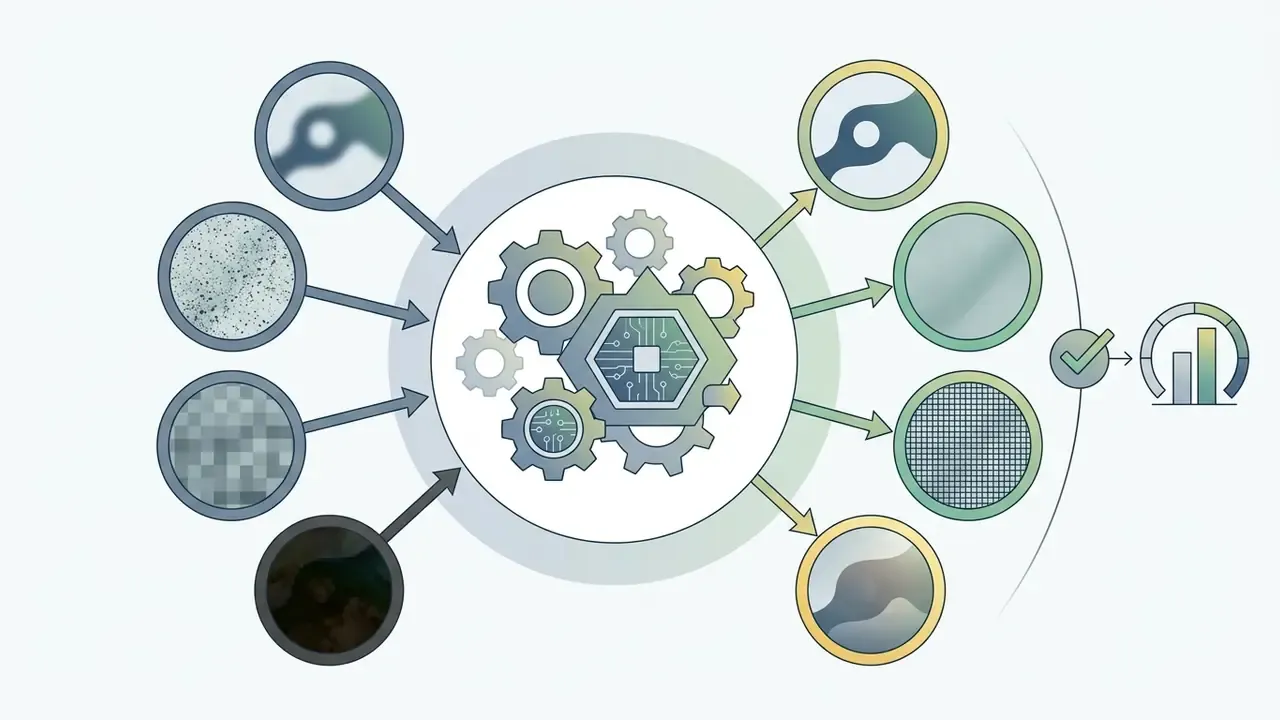
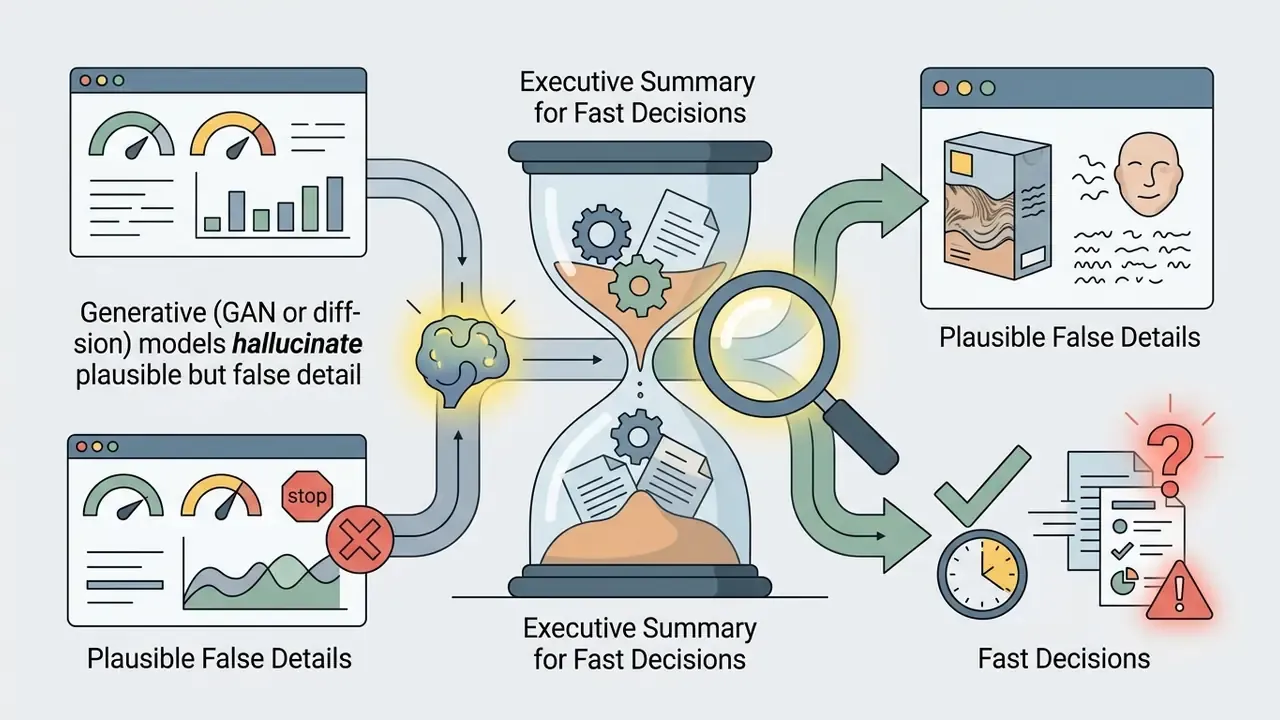

Ctrl + V or ⌘ + V), batch limits (typically 2 to 20 files), output ceilings (HD, then 4K, 8K, and 22K on premium tiers), watermark policy, and, critically for organizations, data retention and model-training clauses before uploading anything confidential.What Is Free AI Image Enhancement and What Can It Improve?
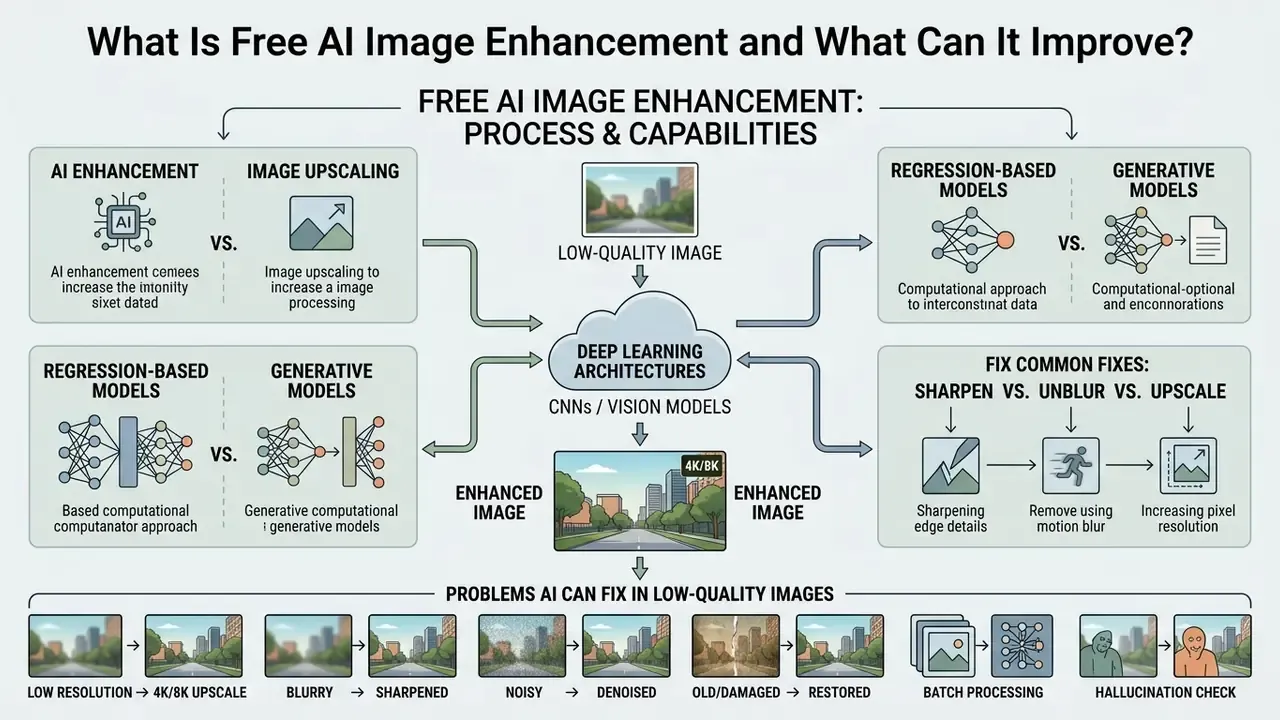
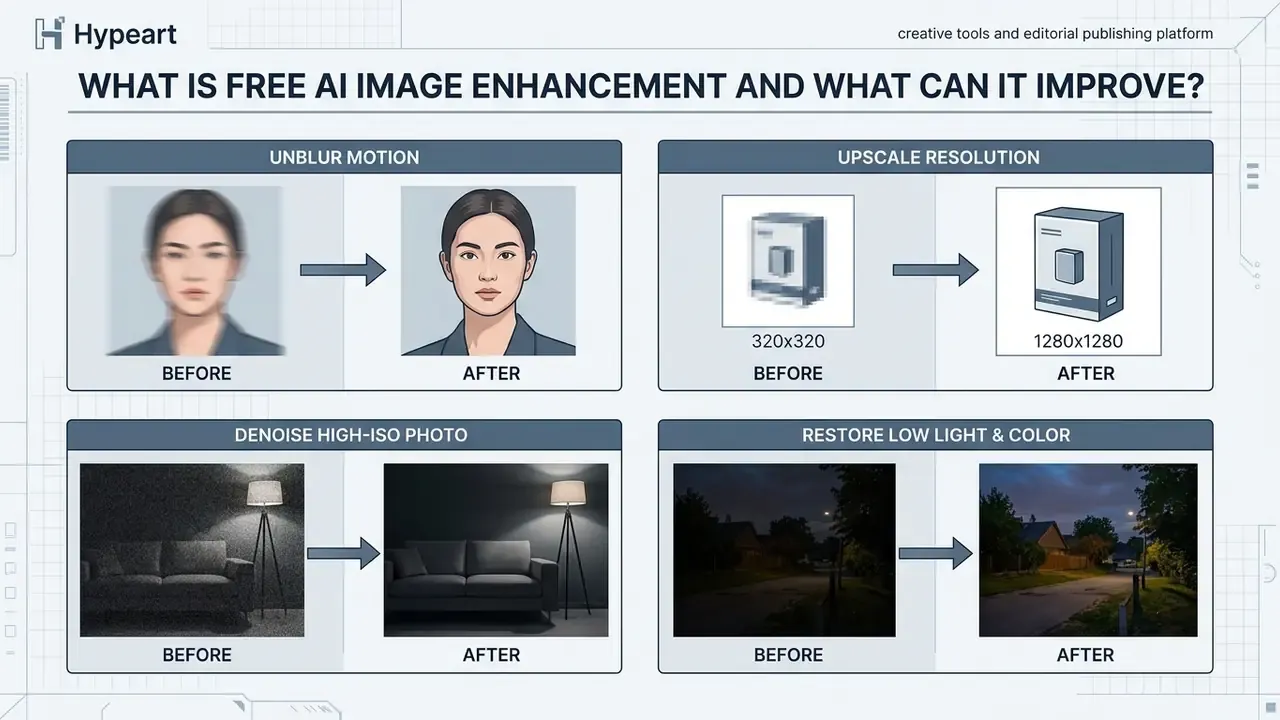
Free AI image enhancement is the automated process of improving digital image quality using deep learning architectures such as convolutional neural networks (CNNs), vision transformers, and diffusion models. Unlike classical photo editors that rely on global pixel adjustments, an AI free image enhancer analyzes structural context to resolve specific degradations: motion blur, sensor noise, underexposure, and low resolution.
Academic computer vision research frames AI image enhancement as a mathematical inverse problem within the general image restoration (GIR) framework (Jiang et al., 2024).
«GIR covers most restoration tasks, denoising, deblurring, deraining and super-resolution, including their combinations in real photographs.»
In real-world environments, an observed low-quality photo is modeled as a clean image that has passed through an unknown degradation function with added noise :
Data-driven AI enhancement models are trained on paired corpora of high resolution and degraded images. By minimizing pixel-wise, perceptual, and adversarial loss functions (Garber & Tirer, CVPR 2024), these networks infer plausible details to recover . Quantitative benchmarks confirm that deep learning pipelines consistently outperform classical filtering, improving Peak Signal-to-Noise Ratio (PSNR) by 2 to 3 dB and boosting Structural Similarity Index (SSIM) values across standard datasets (Zhang et al., 2025).
«Deep learning methods consistently exceed bicubic interpolation by at least 2 dB PSNR across standard datasets and multiple scaling factors.»
In practical terms, the same four quality axes recur in published evaluation work and in commercial tooling: resolution, brightness and exposure, noise, and geometric or textural distortion. Those four axes define both what an enhancer should improve and what a reviewer, or an auditor, should inspect afterwards. Worth remembering: a 2 dB gain on a benchmark says nothing about whether your specific invoice scan became more readable or merely prettier.
AI Enhancement vs. Image Upscaling
AI image upscaling increases the spatial dimensions of an image by adding new pixels, whereas AI image enhancement actively corrects structural defects, reduces noise, restores colors, and sharpens details. Upscaling focuses primarily on resolution conversion; enhancement transforms overall perceptual quality. Readers comparing dedicated resolution tools can review specialized AI image upscalers alongside general-purpose enhancers, or compare options in glossary form first.
Spatial resampling techniques, such as bicubic or bilinear interpolation, calculate new pixel values using weighted averages of surrounding pixels. According to National Institute of Standards and Technology (NIST) definitions, standard upsampling maintains the existing 2D representation without generating new structural information. In contrast, AI upscaling and enhancement utilize learned natural image priors to reconstruct high-frequency details.
As noted in deep learning super-resolution surveys (Zhang et al., 2025), models fall into two primary camps:
- Regression-based models Optimize pixel-level error (MSE) to maximize fidelity (PSNR). They ensure structural accuracy but can occasionally produce smooth, averaged textures.
- Generative models Utilize Generative Adversarial Networks (GANs) or diffusion algorithms to maximize visual realism. They synthesize fine surface textures, though they carry a real risk of inferring details not present in the source file.
«Generative super-resolution models show lower PSNR/SSIM but can deliver visually sharper output, sometimes at the cost of accuracy.»
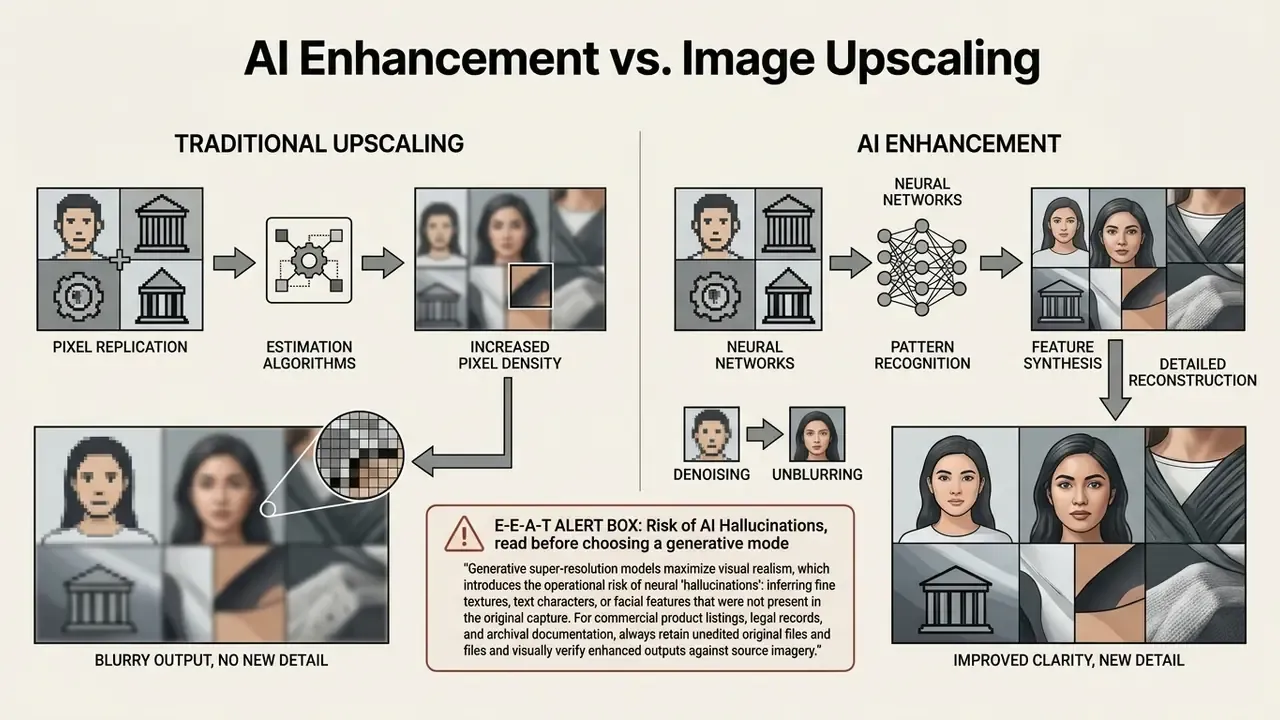
So the choice of algorithm is a risk decision, not only an aesthetic one. A regression model that leaves a texture slightly soft is safer for evidentiary or catalog imagery than a diffusion model that renders a crisp but invented pattern. Risk functions in banking will recognize the trade-off instantly: fidelity versus plausibility, with the evidence trail as the tiebreaker.
Problems AI Can Fix in Low-Quality Images
An AI photo enhancer addresses five primary categories of visual degradation: motion and defocus blur, digital sensor noise, low resolution, severe underexposure, and heavy JPEG compression artifacts.
- Motion and Defocus Blur: Inversion algorithms model blur as a convolution matrix. Deblurring transformers like Restorer (Restorer Study, 2024) invert this degradation to sharpen object contours and text edges without introducing ringing artifacts.
- Digital Noise and Grain: High-ISO captures produce random chromatic and luminance noise. Multi-scale networks employ low-frequency noise elimination modules (LNEM) to remove grain while preserving underlying surface textures.
«A network combining LNEM, CSFIM and SCM modules reaches 26.025 dB PSNR and 0.939 SSIM on LOL-V2-synthetic, beating the closest comparable method by 0.7 dB.» — Xu & Wang, Low-Light Image Enhancement via Multi-Scale Feature Interaction and Attention Fusion, Circuits, Systems & Signal Processing (2025). https://doi.org/10.1007/s00034-025-02998-3
- Low Resolution and Pixelation: Single-image super-resolution (SISR) networks fill missing pixel grids, recovering sharp edges on compressed web graphics. This is where an AI picture resolution enhancer earns its keep.
- Underexposure and Poor Contrast: Deep Retinex frameworks separate illumination from reflectance, raising shadow detail and balancing dynamic range.
«LIENet jointly corrects brightness, suppresses noise and raises resolution, reaching 22.46 dB PSNR and 0.84 SSIM on the LOL-v1 dataset.» — LIENet: Low-Light Image Enhancement Network for Extreme Conditions, Springer (2025). https://doi.org/10.1007/s11042-024-20366-4
- Compression Artifacts: JPEG compression creates blockiness and color banding. Deep learning tools isolate quantization errors to restore smooth gradients. Blind restoration remains hardest on doubly recompressed files where JPEG block grids are misaligned, a documented failure case rather than a tuning issue.
How to Enhance an Image with AI for Free Online
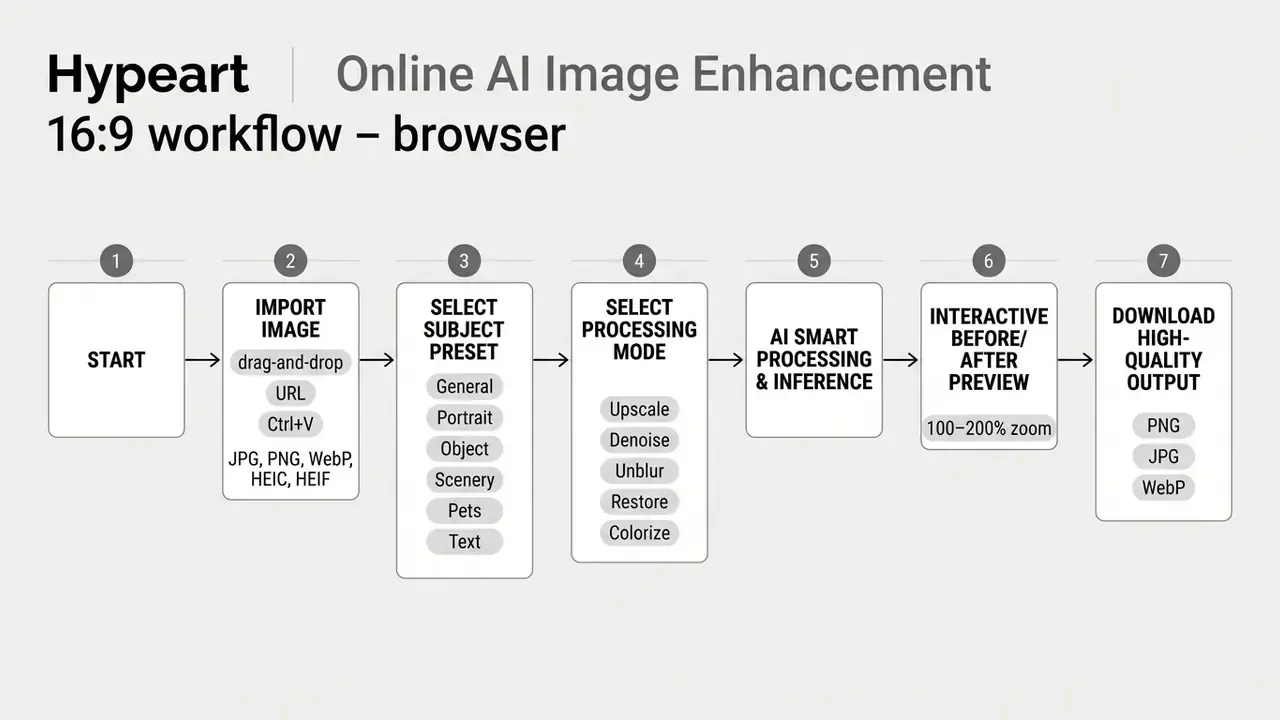
To enhance an image online for free: upload a digital photo to an AI image enhancement website, choose a targeted processing mode, let cloud or browser neural models process the file, then download the refined high resolution output. If your task is broader than quality repair, covering cropping, layers, text, or retouching, general-purpose AI photo editors and free photo editors handle those workflows in parallel.
Upload an Image and Choose an Enhancement Mode
Modern online AI photo tools start processing when a user imports a supported raster or mobile image file, including JPEG, PNG, WebP, HEIC, and HEIF, with TIFF and BMP accepted by many engines. To streamline high-volume workflows, advanced web platforms support three ingestion methods: direct drag-and-drop or file browsing, remote image URL fetching, and instant clipboard pasting via standard system shortcuts (Ctrl + V on Windows, ⌘ + V on macOS). HEIC and HEIF support matters specifically for iPhone and modern Android captures, which are stored in those containers by default and otherwise need a conversion step.
Once the file is in, you select a pipeline matched to the defect. Modern web tools split processing into focused tasks:

Subject-Specific Model Presets
To maximize reconstruction accuracy, modern platforms deploy task-specific neural checkpoints optimized for distinct subject matter. Selecting the correct preset usually produces a larger quality gain than increasing the scale factor:
- General Model Balanced pipeline for complex, multi-subject everyday snapshots.
- Portrait Mode Concentrates computational weight on facial landmark restoration, subsurface skin scattering, and iris sharpness.
- Text & Document Mode Applies aggressive edge-binarization filters to recover unreadable text on low-resolution scans, screenshots, and signage.
- Scenery & Landscape Boosts high-frequency foliage detail, cloud contrast, and distant horizon clarity.
- Pets & Animals Preserves ultra-fine fur and feather texture instead of grouping individual hairs into solid blocks.
- Commercial Object Sharpens product edges and isolates surface textures for Amazon, eBay, or Shopify catalog readiness.
Advanced instruction-guided models let users provide natural language prompts that parameterize the enhancement model automatically. Newer conversational editors, including the family of models marketed under nicknames such as Nano Banana, push the same idea further by accepting plain-language edit requests. Useful, though the plainer the instruction, the harder it becomes to reproduce the exact result twice.
«InstructIR improves PSNR by roughly 1 dB over previous all-in-one restoration methods, using text instructions such as "make the photo clearer, remove the rain".»
Preview and Download the Enhanced Result
Before exporting the final file, the platform generates a side-by-side or split-screen preview, so you can verify edge sharpness, texture integrity, and color balance at 100% zoom.
Reviewing the preview confirms that the neural network has not introduced unwanted digital artifacts or unnatural smoothing. A useful print-industry heuristic: inspect the result at 200% magnification. If grain, ringing, or mushy edges show up there, the file will reproduce at least that badly in print. Standard output formats for downloaded files include uncompressed PNG for maximum clarity, WebP for lightweight web delivery, or high-quality JPEG for general distribution. Updated: professional print workflows typically export high resolution PNG or TIFF masters and convert to a press-ready PDF/X profile inside a dedicated prepress application, where output preview and preflight checks can validate color and resolution before production.
One more habit worth building. Save the preview screenshot together with the exported asset when the image will be published commercially. It costs nothing and gives a reviewer the original visual reference without hunting through storage.
Batch AI Photo Enhancement for High-Volume Workflows
When processing image catalogs, e-commerce listings, or event photography sets, manual single-file processing creates operational bottlenecks. Modern AI enhancement engines feature batch processing pipelines, allowing users to upload between 2 and 20 images simultaneously on typical consumer tiers, with higher queue limits on paid plans.
During batch ingestion, the cloud framework applies unified processing parameters, for example global 4K upscaling plus noise suppression, across the entire queue. Parallel GPU inference executes the individual pipelines concurrently and returns a consolidated download package, usually a ZIP archive, containing every refined asset in the chosen output format.
Three practical cautions apply to batch work:
- Uniform parameters, non-uniform inputs.A single preset applied to a mixed set (portraits plus signage plus product cutouts) will underperform on at least one category. Group files by subject type before queueing.
- Quality control does not scale automatically.Spot-check a random sample of at least 10% to 20% of outputs at full zoom; hallucinated detail is easiest to miss in bulk.
- Naming and traceability.Keep the original filenames or append a suffix so each enhanced asset can be traced back to its unedited source file.
Teams running recurring batches also benefit from a written parameter sheet: preset, scale factor, denoise strength, export format. It turns an ad hoc habit into a repeatable process, and it answers the inevitable question of why two listing photos look different.
Which Images Benefit Most from an AI Photo Enhancer?
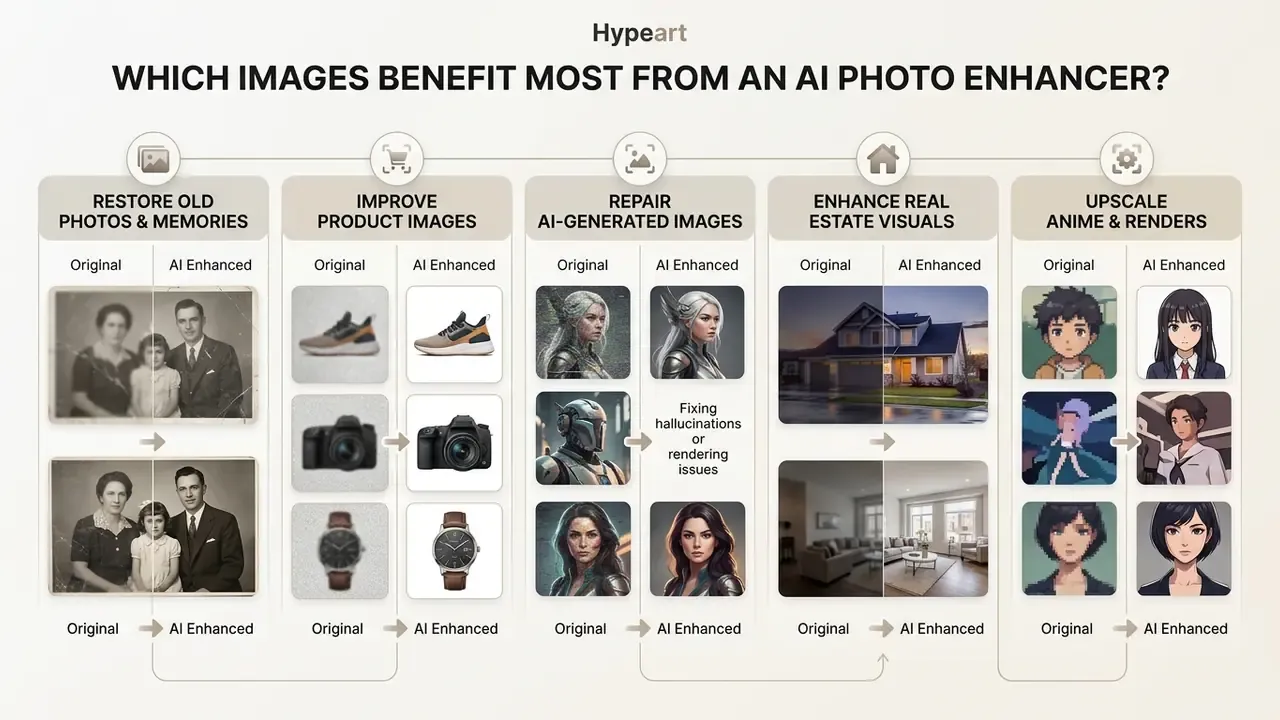
An AI photo enhancer delivers maximum utility on low resolution digital captures, degraded archival paper prints, e-commerce product catalogs, social media visual assets, real-estate interiors, synthetic illustrations, and distorted graphics generated by AI models. Buyers comparing platforms by feature depth and pricing can review dedicated AI image enhancers and adjacent generative tooling, or simply compare shortlists, before committing to a workflow.
Published vendor documentation and academic sources converge on the same best-fit profile: mild to moderate degradation with sufficient residual structure. Severely out-of-focus frames, heavily recompressed thumbnails, and images where the subject occupies only a handful of pixels remain the weakest candidates.
Restore Old Photos and Family Memories
Archival family photographs frequently show physical scratches, film grain, faded pigments, and loss of facial definition. Deep learning restoration pipelines use domain-translation networks and variational autoencoders (VAEs) to repair physical degradation and restore facial clarity. That is the approach popularized by the Bringing Old Photos Back to Life line of research, which maps old photos and clean photos into shared latent spaces through paired VAEs and triplet domain translation. Later work such as Pik-Fix combines multi-level residual dense restoration with learned colorization.
«Face restoration is formally defined as obtaining a high-quality face image from a low-quality input, removing blur, noise and compression artifacts.»
By mapping degraded scans into latent feature spaces, restoration models separate physical defects (dust, cracks, sepia fading) from core structural content. Facial refinement modules specifically target low resolution faces, reconstructing natural skin textures and sharp eye contours without altering the individual's underlying identity. Bringing old family photos and memories back is the emotional selling point; the technical caveat is identity drift, which is subtle and easy to miss.
For archival collections, best practice from digital-forensics and preservation bodies is unambiguous: preserve the original scan untouched, treat the enhanced version as a derivative, and document which tool and settings produced it. Portrait-specific pipelines, including AI headshot generators, use related facial priors, which is precisely why the resemblance must be checked visually against the source, not against memory.
Repair AI-Generated Images and AI Art
Synthetic art generated by text-to-image models can suffer from compression artifacts, blurred micro-details, pixel distortion, or low default output resolutions. Understanding these defects starts with understanding their origin, so it helps to see how modern AI image generators render and compress their outputs.
When working with art platforms such as the nightcafe ai image generator, story-driven tools in the novel ai image family, template-led suites like the microsoft designer ai image generator, Ghibli-style AI image generators, or diffusion suites like Midjourney, diffusion-based upscalers resolve output limitations. Applying a specialized AI picture pixel enhancer to synthetic media sharpens intricate linework, smooths color gradients, and expands 1024×1024 base outputs into print-ready 4K renders. Restricted-content platforms, including any naughty ai image generator or nsfw ai art gen service, add a separate layer of terms-of-service and publishing risk that enhancement does not remove; check the licence before the asset goes anywhere near a commercial channel.
Midjourney's own documentation distinguishes a "subtle" upscale that enlarges without materially altering the image from a "creative" upscale that introduces new detail. That distinction is worth respecting whenever the artwork must stay faithful to an approved concept, brand guideline, or signed-off storyboard.
Enhance Real Estate Visuals and Property Listings
Property listings lean heavily on pristine lighting, clear architectural detail, and natural sky contrast to convert browsers into viewings. AI real-estate enhancement pipelines go beyond basic sharpening: they apply localized Retinex-style exposure correction to dark interior shadows while preventing blowout in bright window views, the classic dynamic-range problem of interior photography shot against daylight.
Specialized structural models clean lens distortion from wide-angle interior shots, sharpen exterior cladding and brickwork textures, and rebalance sky saturation. Dedicated real-estate workflows extend this with sky replacement, clutter reduction, and lighting normalization across a whole listing set, so every room appears shot under consistent conditions.
One boundary must be enforced: enhancement may not alter real physical room dimensions, structural geometry, or material condition. Straightening perspective and lifting shadows is presentation. Widening a room, removing damp stains, or fabricating a view is misrepresentation. Keep the unedited originals for every listing as an audit trail, because that is the file a complaint will be judged against.
Upscale Anime, Cartoons, and 3D Renders
Synthetic 2D illustrations and 3D CGI renders behave nothing like photographs: clean vector-like line art, flat or banded color gradients, and no sensor noise at all. Applying standard photographic denoise filters to a render causes line blur, gradient smudging, and halo artifacts around outlines.
Dedicated anime and illustration upscalers use line-preservation neural architectures (Real-CUGAN and Real-CGAN-class models) that isolate linework from surface fill, expanding a render into crisp 4K posters and wallpapers without thickening or softening contours. The same pipelines upscale 3D-rendered frames for print, keyart, and large-format display, where the render was originally produced at a resolution too low for the final medium.
Practical settings for this category: choose the illustration or anime preset rather than "General", disable aggressive denoise, and inspect gradients for banding after export. If a frame belongs to an animation sequence, check two neighbouring frames as well; per-frame enhancement can flicker, which is why AI video pipelines and video generation tools handle temporal consistency separately from still-image enhancement.
Core AI Image Enhancement Features to Compare
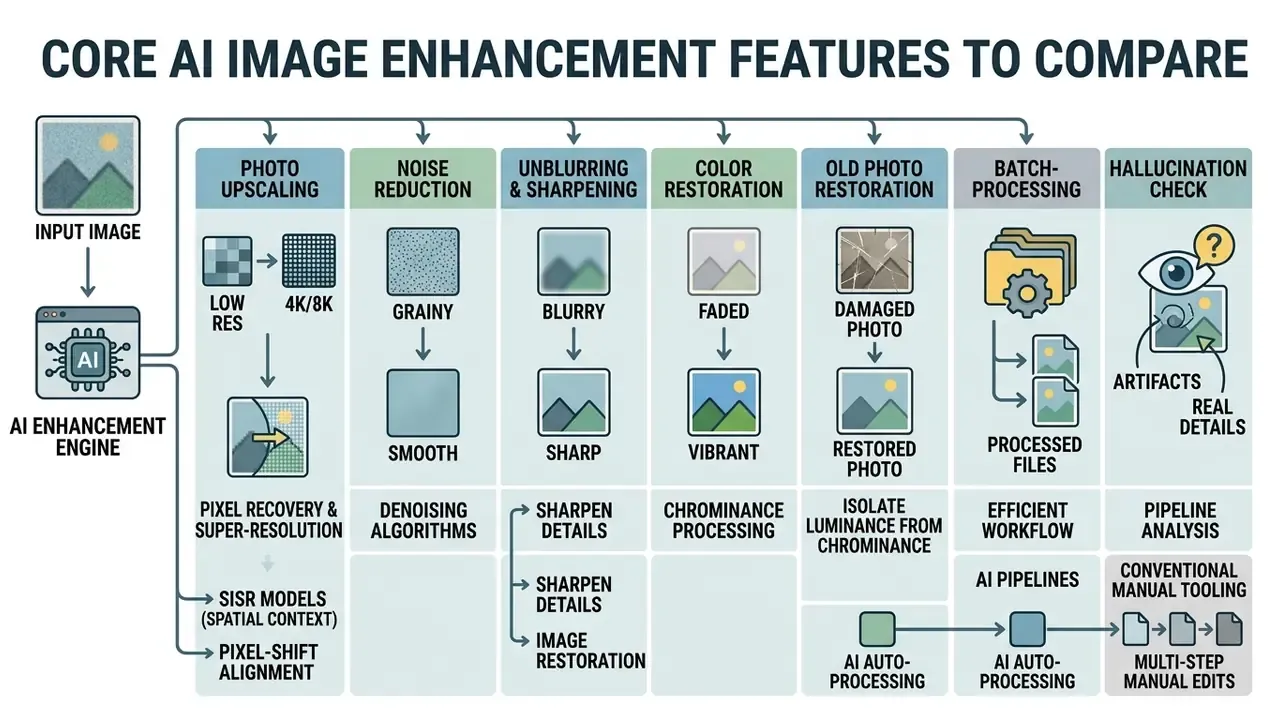
Selecting an AI image enhancer website means evaluating seven foundational processing functions: photo upscaling, noise reduction, unblurring, full photo restoration, colorization, scratch repair, and background isolation.
| Enhancement Feature | Primary Problem Solved | Target Input Types | Ideal Operational Use Case |
|---|---|---|---|
| Photo Upscaling (Super-Resolution) | Low spatial resolution, pixelation, loss of edge clarity | Small digital photos, web thumbnails, AI art renders | Preparing low-res graphics for print, large displays, or e-commerce |
| Noise Reduction (Denoising) | High-ISO sensor grain, low-light speckle, color noise | Underexposed indoor shots, night photography, scanned prints | Cleaning up grainy photographs captured in poor lighting conditions |
| Unblur & Sharpening | Lens defocus, camera shake, soft subject focus | Shaky smartphone shots, fast-moving action photos | Restoring edge crispness and fine text readability |
| Photo Restoration | Physical scratches, faded sepia tones, paper cracks | Old family prints, historical document scans | Preserving family archives and historical museum assets |
| AI Photo Colorization | Black-and-white tonal limits, absent chroma data | Archival monochrome prints, historical scans | Injecting realistic skin, fabric, and landscape color tones |
| Scratch & Blemish Removal | Physical paper cracks, dust spots, tear marks | Scanned physical photographs and negatives | Inpainting damaged pixels using surrounding structural context |
| Background Removal | Unwanted background clutter, poor subject isolation | Portrait shots, isolated product photography | Creating transparent PNGs for catalogs and marketing collateral |
Readers weighing AI pipelines against conventional manual tooling can compare these functions with the capabilities of traditional free photo editors, which offer deterministic, auditable adjustments at the cost of manual effort. For organizations, that auditability is not a minor footnote: a slider moved by a named operator is easier to defend than a model decision nobody logged.
Upscaling, Resolution Enhancement, and Pixel Recovery
Pixel recovery algorithms use sub-pixel shift alignment and deep feature extraction to convert low resolution inputs into high-definition visual assets, which is the mechanism behind every claim to "ai make picture hd". Classical multi-frame super-resolution pipelines run in three stages, registration, interpolation, and restoration, and depend heavily on alignment accuracy and the number of available frames.
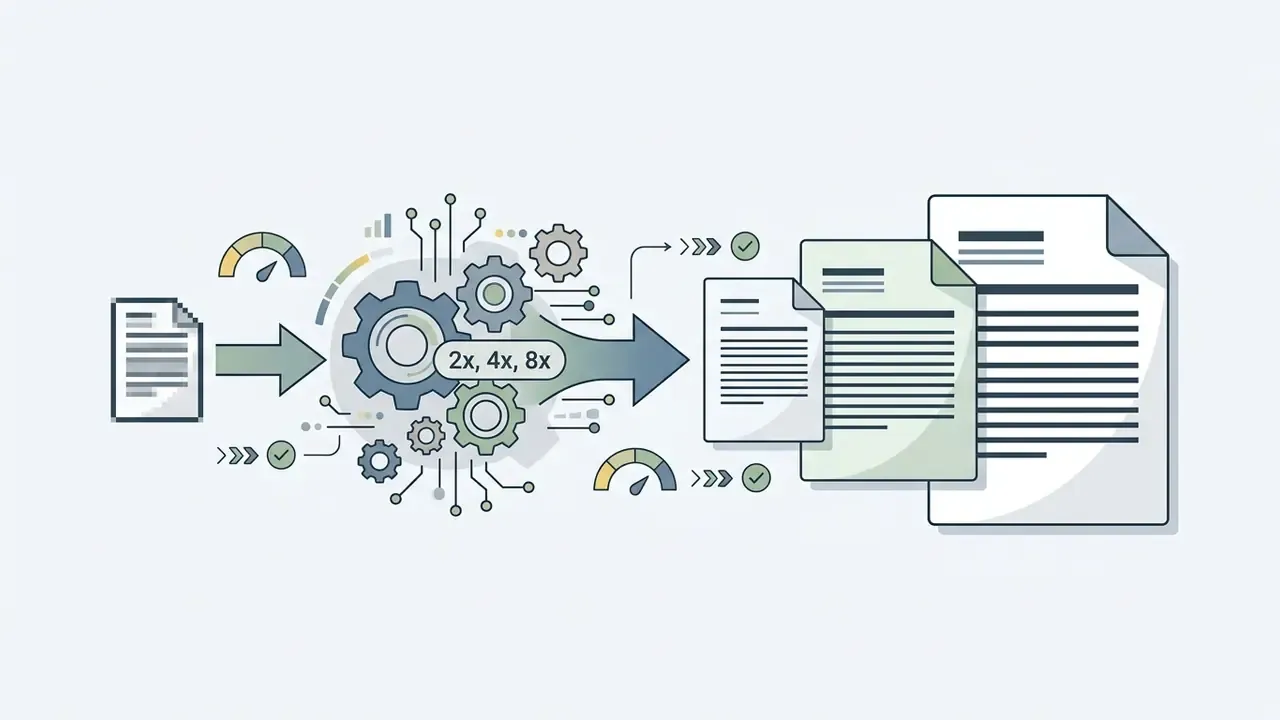
Single-image super-resolution (SISR) models instead analyze local spatial context to predict missing pixel values, which is exactly why they can invent detail that multi-frame methods would never produce. Lightweight CNN-transformer hybrid models such as MMSR capture multi-scale feature dependencies, enabling efficient scaling with minimal computational overhead and professional grade output without losing structural accuracy.
«Lightweight CNN-transformer hybrids such as MMSR demonstrate efficient 2×, 4× and 8× scaling with minimal computational cost.»
Because low resolution source material is frequently synthetic, it helps to know which pipelines produced it. Comparison overviews of the best AI image generators clarify default output sizes and compression behavior before upscaling, and our own Hypeart AI Media Decision Support desk tracks those defaults as vendors change them.
How to Evaluate Free AI Image Enhancer Results
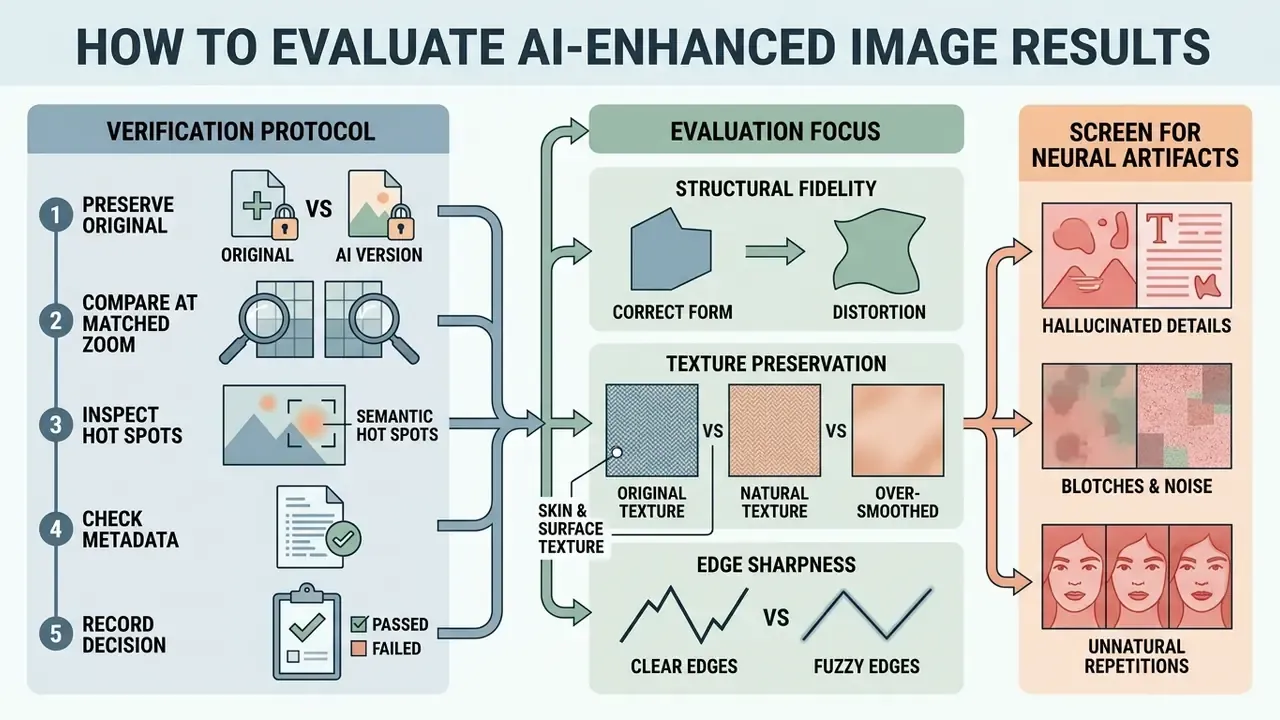
Evaluating an AI-enhanced photo means checking structural fidelity, natural texture preservation, edge sharpness, and screening for hallucinated neural artifacts. Contemporary evaluation practice combines subjective scoring (mean opinion score protocols derived from ITU-R BT.500) with objective metrics and explicit artifact inspection, because no single number captures all failure modes.
A Practical Verification Protocol for Commercial and Archival Files
Signs of Natural Enhancement Without Artifacts
A naturally enhanced photo shows clean structural edges, organic micro-textures, faithful skin tones, and balanced dynamic range without unnatural visual artifacts.
«In a user study with 30 participants, HGFormer received the highest ratings for naturalness and detail clarity, lowering LPIPS compared with Real-ESRGAN.»
- Skin and Surface Texture
- Natural pores, fabric weaves, and material grains remain visible rather than smoothed into a plastic appearance.
- Edge Definition
- High-contrast contours stay sharp without dark or light "ringing" halos.
- Color Fidelity
- Chromatic saturation matches true physical lighting without hyper-saturated color shifts.
- Noise Control
- High-frequency sensor grain is suppressed while real structural details survive.
- Geometric Integrity
- Straight lines stay straight, and no new objects, characters, or reflections appear that were absent from the source.
When AI Cannot Fully Restore Image Quality
Neural networks cannot authentically reconstruct image details when information loss is severe, as in heavily out-of-focus captures, extreme motion blur, or double-compressed JPEG files with block misalignments.
When degradation destroys underlying spatial data, generative models must rely entirely on statistical priors.
«GIR models struggle to generalize to complex, unknown real-world degradations, which leads to failures on mixed artifacts.»
Choosing a Free AI Image Enhancer for Product Images and Personal Photos
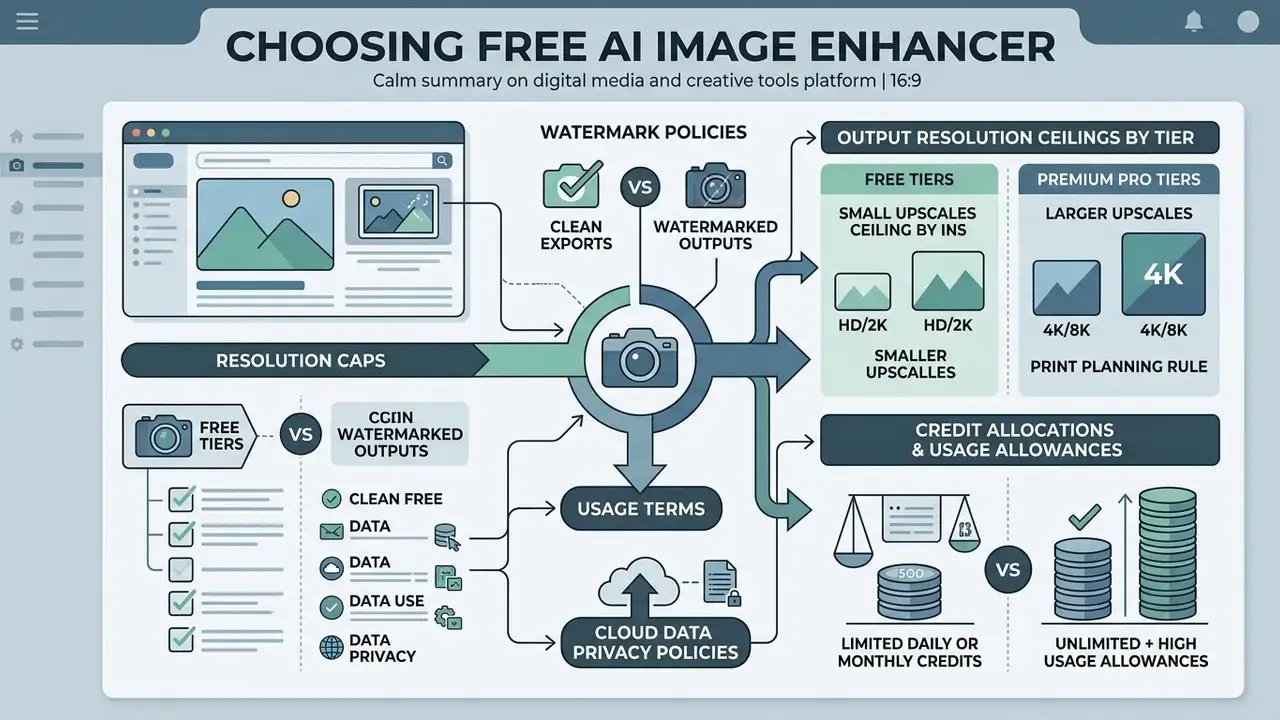
Selecting an online AI photo enhancer requires evaluating usage terms, watermark policies, credit allocations, export resolution caps, and cloud data privacy policies. Teams that want a side-by-side view of platforms for product photography can consult comparative reviews of AI image enhancers for product photos before standardizing on one vendor.
Free Access, Downloads, and Watermark Checks
Free AI photo tools operate under varying commercial models, including credit-based free tiers, ad-supported web apps, or resolution-capped trials.
- Watermark Policies Certain platforms stamp provider logos onto exported files on free tiers, requiring paid upgrades for clean downloads. Other tools offer watermark-free exports within daily usage limits. Vendor documentation genuinely differs here, so verify on the pricing page rather than assuming.
- Resolution Caps Free tiers may restrict output exports to standard HD resolutions (for example 2048×2048 pixels), reserving full 4K or 8K upscaling for premium tiers.
- Usage Allowances Daily free credit allocations typically range from 3 to 10 images per day, sometimes expressed as "up to 3 files at a time" in batch mode. Daily quotas usually do not roll over.
Output Resolution Ceilings by Tier
Output resolution limits vary significantly between service tiers, and this is often the real reason to upgrade:
- Free Tiers Typically cap maximum export dimensions at standard HD or 4K (for example or pixels), which is sufficient for digital displays, social publishing, and marketplace listings.
- Premium Pro Tiers Unlock print-density rendering pipelines, expanding graphics to 8K resolution ( px) and, on some cloud platforms, advertising ultra-large computational canvases up to a theoretical 22K ceiling. Treat headline figures such as 22K as a server-side maximum under ideal conditions rather than a guaranteed browser result; in-browser processing is constrained by WebGL and WebGPU memory limits.
- Print Planning Rule For physical output, work backwards from 300 DPI. A 4K master supports roughly a 13-inch print edge, while 8K extends that to about 25 inches before interpolation becomes visible.
Privacy Considerations Before You Upload an Image
Enterprise Governance: Shadow AI, PII, and Vendor Vetting
For regulated organizations, banks, insurers, healthcare providers, and law firms, the dominant risk is not output quality but Shadow AI: employees pasting confidential images into unvetted consumer web tools. A single upload of a scanned KYC document, an AML case attachment, a claims photo, or an internal schematic to a free enhancer can constitute an uncontrolled data transfer, and it will not appear in any model inventory.
Use this pre-upload checklist before any work-related file touches a free enhancer:
| Control | What to verify | Red flag |
|---|---|---|
| Training clause | Written statement that uploads are excluded from model training | Broad "Content" license with sublicensing rights |
| Retention window | Defined deletion timeline (in-memory, 1h, 24h) | No stated retention period |
| Data residency | Processing region and subprocessor list | Unspecified jurisdiction |
| Security posture | Independent attestation (SOC 2 Type II, ISO/IEC 27001) and, for health data, HIPAA posture | Self-declared "bank-grade security" with no audit |
| Contractual terms | Enterprise agreement, DPA availability, zero-retention option | Consumer ToS only, unilateral amendment rights |
| Output rights | Explicit commercial-use grant for enhanced outputs | Free tier limited to "personal, non-commercial use" |
| Access path | Approved tool list, DLP coverage for browser uploads, isolated or managed browser profile | Personal accounts on unmanaged devices |
| Local option | Client-side WebGPU processing or on-premises deployment for sensitive classes | Cloud-only with no offline mode |
Practical policy guidance used by risk functions: classify imagery before it is enhanced. Public marketing assets can use any approved free tool. Internal operational imagery requires a vetted vendor with a DPA. Personal data (PII), biometric imagery, and evidentiary material should be processed only in controlled environments with retention guarantees, or locally, never through a consumer free tier. Privacy regulators make the same point in plainer terms: check what the product collects, where it is stored, and whether it trains on your data before you upload.
Two additions worth putting in writing. First, name an owner for image enhancement tooling, the same way an owner is named for a credit model; an unowned tool is an unmanaged tool. Second, add enhanced-image approvals to the evidence pack your internal audit team already collects, so a reviewer can reconstruct who changed what, when, and why. Teams formalizing this can browse the hub for workflow templates.
For commercial licensing, verify that the terms grant rights to the output rather than merely permitting use of the service, and remember that a free tier's "personal use only" clause can silently invalidate a commercial campaign built on its exports.
Free AI Enhance Image FAQs
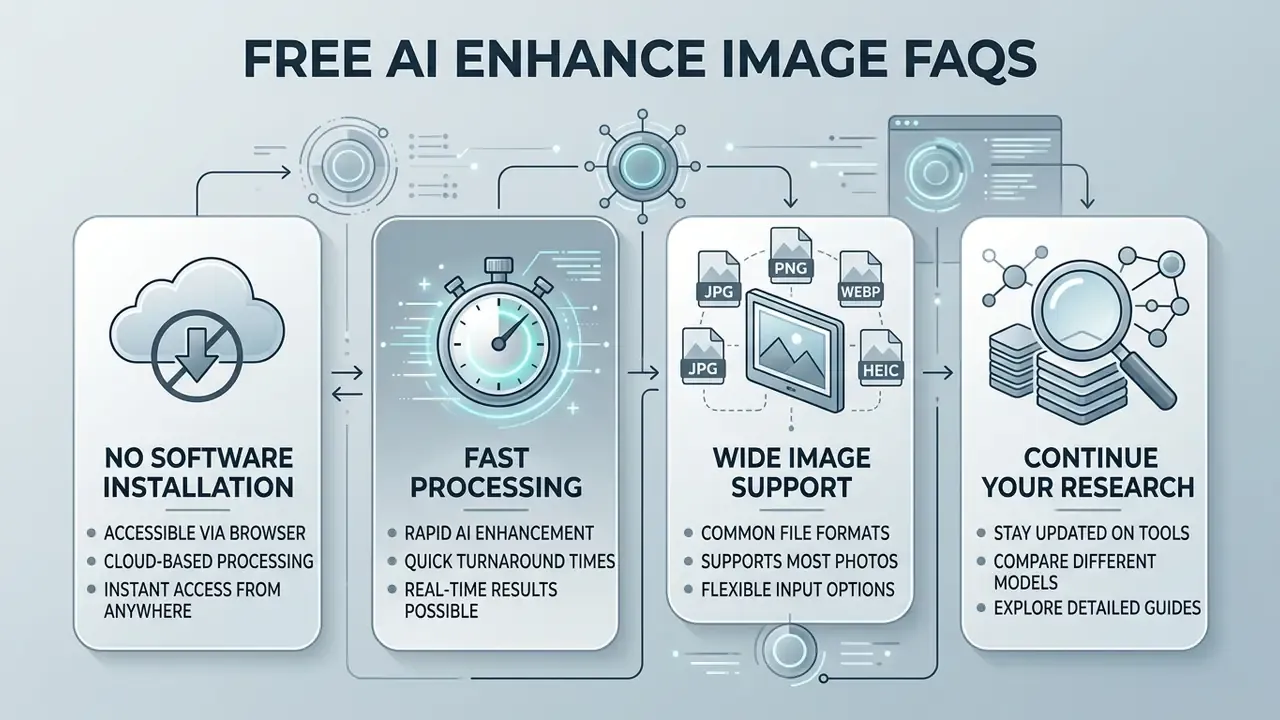
Do I Need to Install Software to Enhance Images with AI?
«Agentic image-restoration systems orchestrate specialized tools, super-resolution, denoising, deblurring, into a single automated pipeline.»
Those agentic pipelines are convenient and slightly uncomfortable at once: the more steps a system chains automatically, the fewer decisions a human actually reviewed.
Can AI Enhance Images Instantly?
AI photo tools can enhance standard digital photographs in 1 to 5 seconds, though processing times vary with input image resolution, model complexity, and server load.
Inference latency depends on neural architecture optimization. Models using quantization (INT8 or W8A8 precision) cut processing times by roughly 1.5× to 2.8× compared with unquantized FP32 networks, which enables near-real-time browser execution. Updated source: measured mobile studies report INT8 latency reductions of 1.7× to 2.8× and on-device frame processing at 43.7 ms versus 187.3 ms for cloud round-trips, while diffusion quantization (W8A8, W4A8) delivers 1.5× to 2× speedups. Warm-up runs are always slower than steady state because of interpreter initialization and shader compilation.
«Lightweight CNN-transformer hybrids such as MMSR demonstrate efficient 2×, 4× and 8× scaling with minimal computational cost.»
What Image Types Can I Enhance with a Free AI Tool?
Free AI tools process standard raster file formats, including JPEG, PNG, WebP, HEIC and HEIF, TIFF, and BMP, across a wide range of visual content; archival and document pipelines additionally accept JPEG 2000 and PDF page rasters.
Supported image categories include personal family portraits, e-commerce product shots, real-estate interiors and exteriors, scanned historical documents, digital AI artwork, anime illustrations and 3D renders, social media graphics, and compressed web thumbnails. Updated: these format lists match published enterprise document-processing documentation (PDF, GIF, TIFF, JPEG, PNG, BMP, WebP) and digital-preservation guidance (TIFF, JPEG, PNG, GIF, JPEG 2000, PDF) rather than vendor marketing copy.
Continue Your Research
Still mapping the tooling landscape? Three adjacent resources close the remaining gaps: a practical overview of online photo editors and their core features for manual, auditable edits; a breakdown of free photo editor limits, export restrictions and privacy trade-offs for teams standardizing on no-cost tooling; and comparative analysis of the best AI art generators for readers whose enhancement work begins with synthetic source material. Organizations building formal review processes for visual assets can extend the same verification logic across their wider AI workflow documentation, including video enhancements, and into commercial-use assessments.
A safe next step, if the material is sensitive: test two free enhancers on a non-confidential sample file, compare outputs at 200% zoom, then read both privacy policies before anything real is uploaded. Ready to shortlist vendors? Compare options across our commercial-use library.