Why does this belong on a governance reading list? Because in banks, insurers, and fintech operations, image enhancement quietly touches customer documents, claims evidence, and identity checks. The tool looks harmless. The data path rarely is.
Executive summary for decision-makers
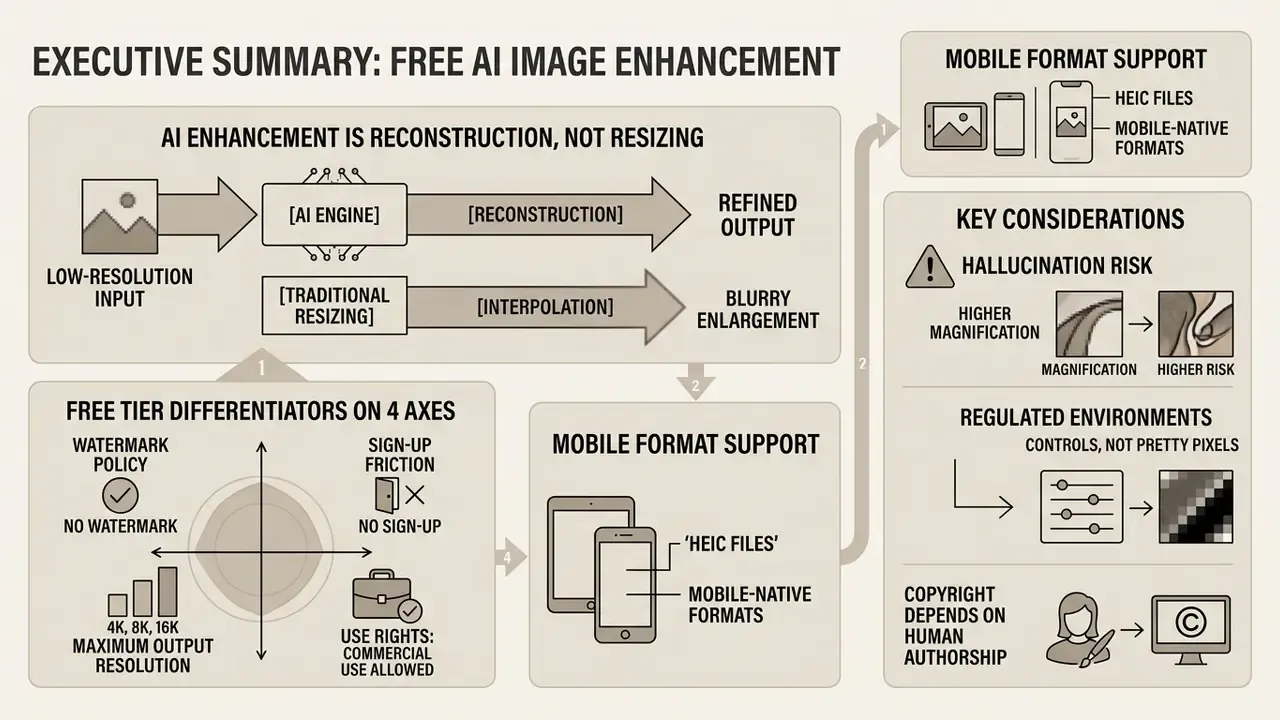
- AI enhancement is reconstruction, not resizing. Neural super-resolution models predict sub-pixel structure. Bicubic, nearest-neighbor, and Lanczos interpolation only resample existing pixels and cannot restore lost high-frequency information.
- Free tiers differ on four measurable axes: watermark policy, sign-up friction, maximum output resolution (1000 px up to 16K), and commercial licensing rights. Verify all four before production use.
- Modern engines accept mobile-native formats. HEIC and HEIF files from iPhone libraries are converted server-side, alongside JPG, PNG, and WebP, with clipboard paste and direct URL ingestion as alternatives to drag and drop.
- Hallucination risk scales with magnification. Conservative denoise strength (0.15–0.30), moderate guidance (CFG 5–7), and 2x to 4x scale steps preserve authenticity. Blind 8x upscaling degrades perceptual reliability.
- Regulated environments require controls, not just pretty pixels. Uploading customer documents, KYC scans, or any file containing PII or NPI to a public free enhancer is a Shadow AI exposure that bypasses data-retention, residency, and model-validation controls.
- Copyright depends on human authorship. Platform terms of service, not statutory copyright alone, govern whether an enhanced asset can be published commercially.
A note on reading order. The practical workflow sits in the middle of this guide, but the selection and data-control sections come first on purpose. Teams that standardize on a tool before checking licensing usually discover the problem after publication, which is the expensive moment.
What a free AI image enhancer does
A free AI image enhancer is an automated web tool that improves image quality and increases image resolution by predicting missing sub-pixel information rather than simply stretching pixels. These cloud architectures analyze structural patterns, eliminate JPEG artifacts, and rebuild high-frequency edge detail in seconds.
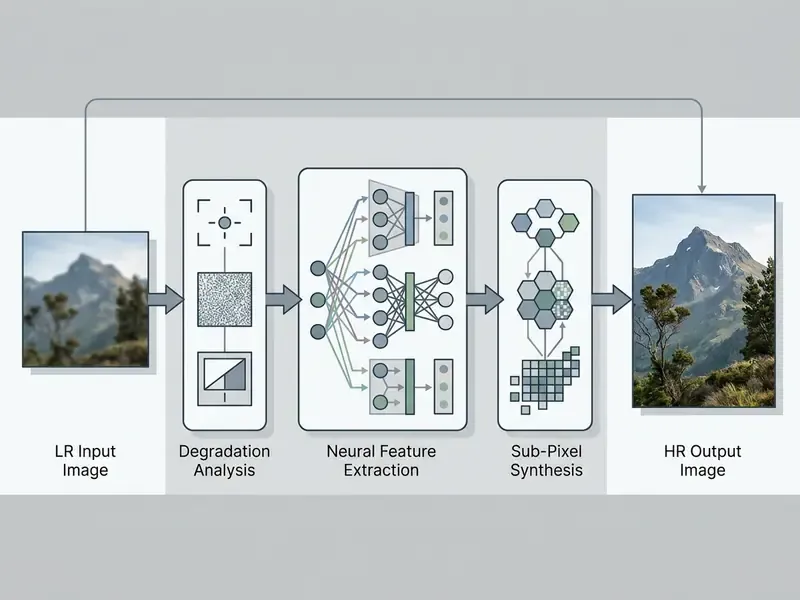
Unlike legacy photo editors that apply one global sharpness filter, an AI image quality enhancer reads semantic context. It separates intentional photographic texture from unwanted sensor noise, which is what lets users enhance image AI fidelity across very different source media. Frequency-domain models make the split explicit: low-frequency sub-networks rebuild object structure first, then high-frequency branches infer fine texture, because convolutional networks fit low frequencies far more readily than high ones.
AI upscaling versus standard image enlargement
Generative super-resolution models, including Real-ESRGAN and sub-pixel convolutional networks, learn patch-to-patch mappings from millions of high-resolution images. The original Real-ESRGAN paper reported the ability to "enhance details while removing annoying artifacts," beating earlier pipelines on both artifact suppression and texture restoration (ICCVW, 2021). Given a low-resolution input, an AI image upscaler infers missing structure to produce crisp edges and fine details. The enhanced result avoids the mushy softness that plain pixel expansion always delivers.
«HSRNet applies hierarchical self-similarity learning to suppress aliasing, restoring realistic brick and fabric textures that bicubic upscaling blurs away.»
Enterprise operators can review technical evaluation criteria in our AI Media Comparison guide to inspect model benchmarks, and can weigh specific AI image upscalers against production throughput requirements.
Image problems AI can improve
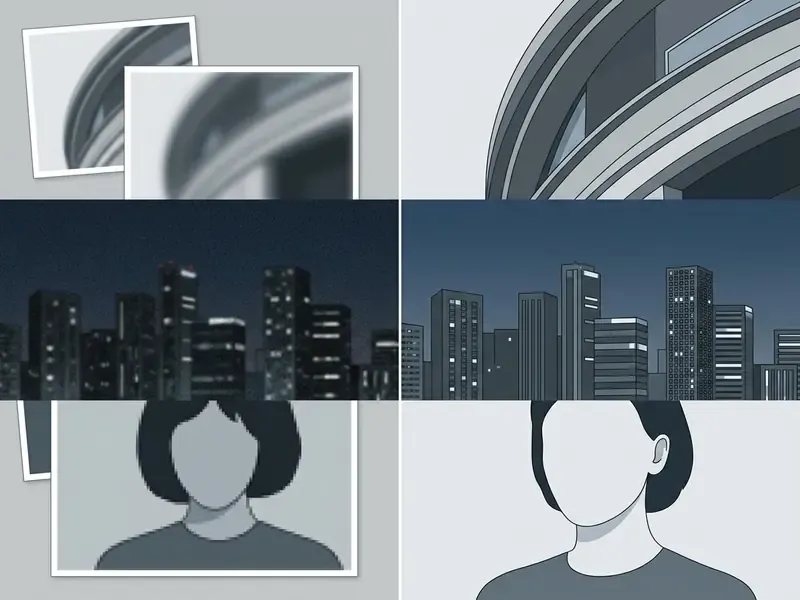
An AI photo enhancer targets low resolution images, motion blur, ISO sensor noise, compressed dynamic range, and heavy compression artifacts through dedicated neural sub-networks. Each sub-model isolates one degradation so clarity improves without corrupting background elements.
- Low resolution images Synthesizes missing high-frequency pixel data to double or quadruple pixel dimensions.
- Blurry photos Applies blind deblurring networks to sharpen edge boundaries and restore lost contrast.
- ISO noise and grain Suppresses photon shot noise, read noise, hot pixels, and fixed-pattern noise while protecting soft skin tones and structural boundaries.
- Compression artifacts Removes JPEG blocking and ringing caused by aggressive compression. Compression-aware diffusion restorers condition on the damage signature instead of treating banding as legitimate detail.
- Low dynamic range Rebalances shadow and highlight zones through local tone mapping paired with shadow-side denoising.
In a recent media operations assessment, an archive team processed 400 degraded digital assets through an automated restoration pipeline. Updated: by running targeted noise reduction before 4x upscaling, the team cleared visible JPEG blocking across the large majority of the catalog. The exact recovery rate was assessed internally and is not independently verified. Notably, no hallucinated surface textures appeared, and the refined assets met digital display requirements while keeping the original lighting profiles.
Model limits remain measurable, and reporting them honestly is part of any serious evaluation:
«At 8× blind upscaling, even the best-performing method (MoESR) produces images whose perceptual quality still requires improvement.»
- Technical parameters to expose: PSNR and SSIM for fidelity, LPIPS or DISTS for perceptual detail restoration, so reviewers see measured gains rather than subjective impressions.
How to choose the best free online AI image enhancer
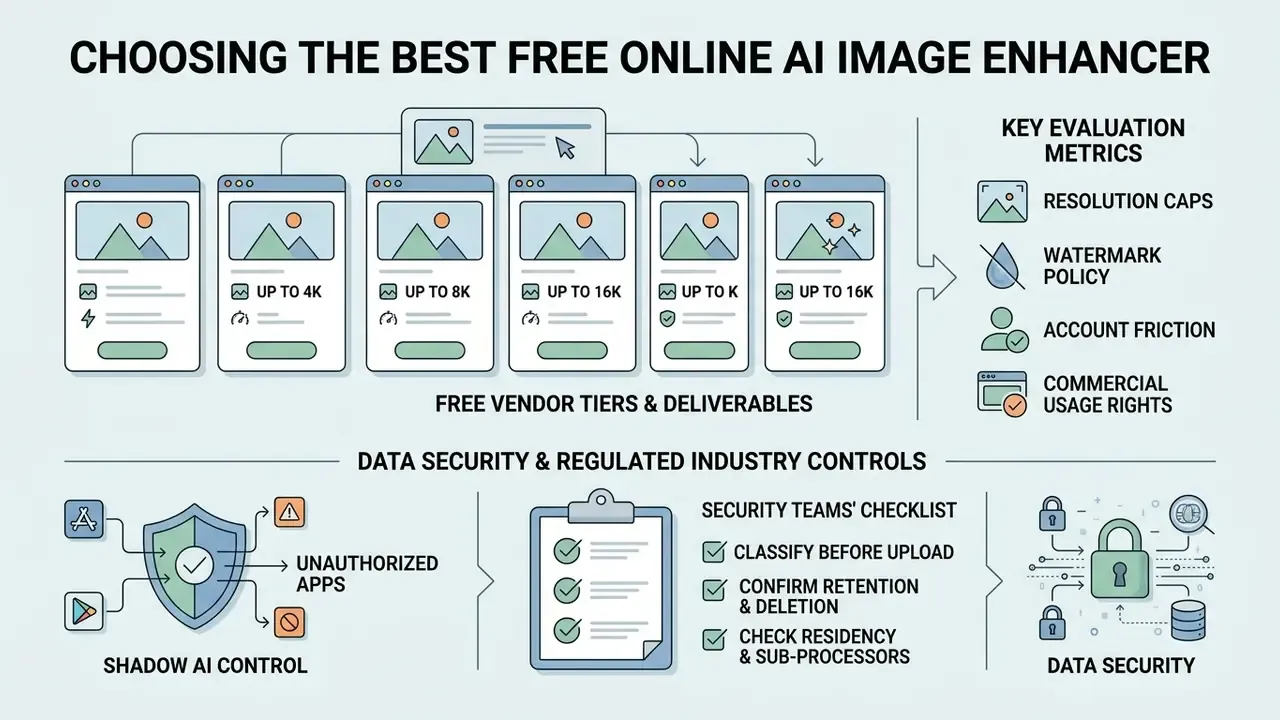
Choosing the best free online AI image enhancer means balancing output resolution caps, watermark policy, account friction, and commercial usage rights. Technical decision-makers should weigh processing speed and data-retention terms alongside visual reconstruction quality. Running this assessment before the operational workflow stops teams from standardizing on a tool that later fails a licensing or data-protection review.
| Platform Feature | Free Tier Benchmark | Commercial Consideration | Production Impact |
|---|---|---|---|
| Watermark Policy | Clean export vs. corner badge | Watermarked outputs block commercial use | Requires verification before public release |
| Account Friction | No sign-up vs. mandatory registration | Anonymous processing improves speed | Critical for high-volume rapid tasks |
| Max Output Scale | 2K to 4K ceiling on basic tiers; 8K to 16K on advanced nodes | Print production requires minimum 300 DPI | Determines large-format print viability |
| Batch Processing | 1 to 5 images per queue (up to 20–50 on bulk tools) | Single-file limits slow team workflows | Determines operational pipeline efficiency |
| Format Support | JPG, PNG, WebP, HEIC, HEIF input | Input flexibility prevents pre-conversion | Preserves transparency on web visual assets |
| Processing Latency | 5–10 s typical vs. 30–60 s queued | Queue-based free tiers throttle campaigns | Affects deadline-driven publishing cycles |
Teams that want to widen the shortlist beyond enhancers alone can compare options across adjacent media categories before locking a vendor in.
Named vendor matrix: what free tiers actually deliver
Marketing copy rarely matches documented limits. The table below records publicly stated free-tier constraints across widely used enhancers.
| Tool | Sign-up | Watermark on free export | Max free output | Batch limit | Commercial use on free tier |
|---|---|---|---|---|---|
| Fotor | Optional | None documented | Standard HD export | Up to 50 images at once | Personal and commercial permitted |
| Upscayl | Not required | None | Up to 4K | 5 free images (10 per batch after unlock) | Permitted |
| PicWish | Not required for trial | None on standard export | 4096 px long edge | 5 standard enhancements per day | Check plan terms |
| Let's Enhance | Required | None | 8 megapixels | Sequential | Plan-dependent |
| Nero AI | Required | None on standard | 1000 × 1000 px | 5 images per batch | Plan-dependent |
| Krea | Not required to test | None | Limited daily upscales | Sequential | Not licensed for commercial use on free tier |
Teams evaluating multi-model media creation tools can compare free generative suites to decide whether single-purpose upscalers or broad generative platforms fit their operations, and can benchmark adjacent free photo editors for final colour and crop work.
Free limits, watermarks and sign-up requirements
Free online AI tools monetize in different ways. Some grant fully watermark free downloads with no registration. Others demand account creation or stamp a promotional badge on free-tier exports. Documented patterns run from 5 images per day to 150 credits per day, and several services advertise "unlimited" generation that in practice means unlimited standard-speed queue access, not unlimited fast processing.
When you test a free ai photo enhancer online, check whether daily generation caps or credit limits apply. Anonymous workflows cut friction and let you make an image HD free inside a temporary browser session. Where a platform promises 100% watermark-free export, confirm the guarantee covers the resolution tier you plan to download, not only the reduced-size preview. That distinction catches a lot of teams out.
Resolution limits, formats and batch processing
Data security, Shadow AI and regulated-industry controls
«Organisations should verify whether service terms give the developer access to input or generated data.»
Retention and ownership language varies sharply between providers. OpenAI's published privacy policy states that it retains personal data "for only as long as we need" it to provide services or satisfy disputes, safety, and legal obligations. Canva's AI Product Terms state that users own both Input and Output while granting the platform hosting and platform-use rights. Neither model is automatically compatible with financial-services data-handling obligations.
Shadow AI control checklist for security and compliance teams:
- Classify before upload. Block any file containing PII, NPI, PHI, account numbers, signatures, or identity documents from public enhancement endpoints.
- Confirm retention and deletion. Require a documented retention window, a deletion-on-request mechanism, and written confirmation that uploads are excluded from model training.
- Check residency and sub-processors. Verify processing region and named sub-processors against GDPR, GLBA, and internal data-residency policy.
- Demand security attestation. For any recurring business process, require SOC 2 Type II or ISO 27001 evidence plus a signed data-processing agreement.
- Prefer local or on-device processing for sensitive assets. Tools that state files "never leave your device" remove the transfer risk entirely.
- Instrument egress monitoring. Detect uploads to unapproved image-processing domains and redirect staff to an approved internal alternative.
- Publish an approved-tool list. Shadow AI thrives where sanctioned options are missing. One internal enhancer removes most of the incentive to use consumer endpoints.
Model risk management note. Where enhancement sits inside an automated decision process, think KYC document capture, cheque imaging, claims evidence, or identity verification, the model falls within model-risk scope under supervisory guidance such as SR 11-7. Practical validation requirements include a documented performance baseline on representative degraded samples, character-level accuracy testing on identifiers, dates, and amounts, reproducibility of outputs for audit, version pinning so a silent vendor update cannot alter historical results, and retention of both original and enhanced files so the evidence trail stays intact. Generative enhancement should not touch evidentiary imagery without human review, because synthesized detail is plausible rather than authentic. Assign an owner, define an escalation path, and log every run. No evidence, no autonomy.
Commercial-use checks before using enhanced images
Putting AI-enhanced assets into marketing campaigns, corporate sites, or product packaging requires verifying the vendor's terms and the underlying legal rights. Copyright on purely AI-generated output depends on human authorship criteria. Commercial usage rights depend on the platform licence.
Commercial rights are therefore contractual rather than statutory. A vendor may permit commercial use even where copyright status is uncertain, and many free or trial tiers restrict output to non-commercial use while paid tiers unlock broader rights. Financial institutions should also confirm whether the provider offers IP indemnification, and should separate assets that began as user-owned photographs (stronger position) from assets that are wholly machine-generated (weaker position).
Commercial teams expanding brand catalogs often lean on an ai stock image platform, or use flexible ai that can create original media assets. Reviewing licence terms first prevents copyright infringement and data misuse when enhanced product visuals go live.
How to enhance photo quality with AI online for free
To enhance photo quality with AI online for free: upload a file into a browser tool, pick a processing mode, let the cloud network run sub-pixel reconstruction, then download the high quality output. The whole workflow runs online without installing local executables or owning GPU hardware. One caveat: in-browser inference engines usually need a modern build with WebGL 2.0 or WebGPU support, and documented targets include Chrome 113+, Edge 113+, and Safari 17+.
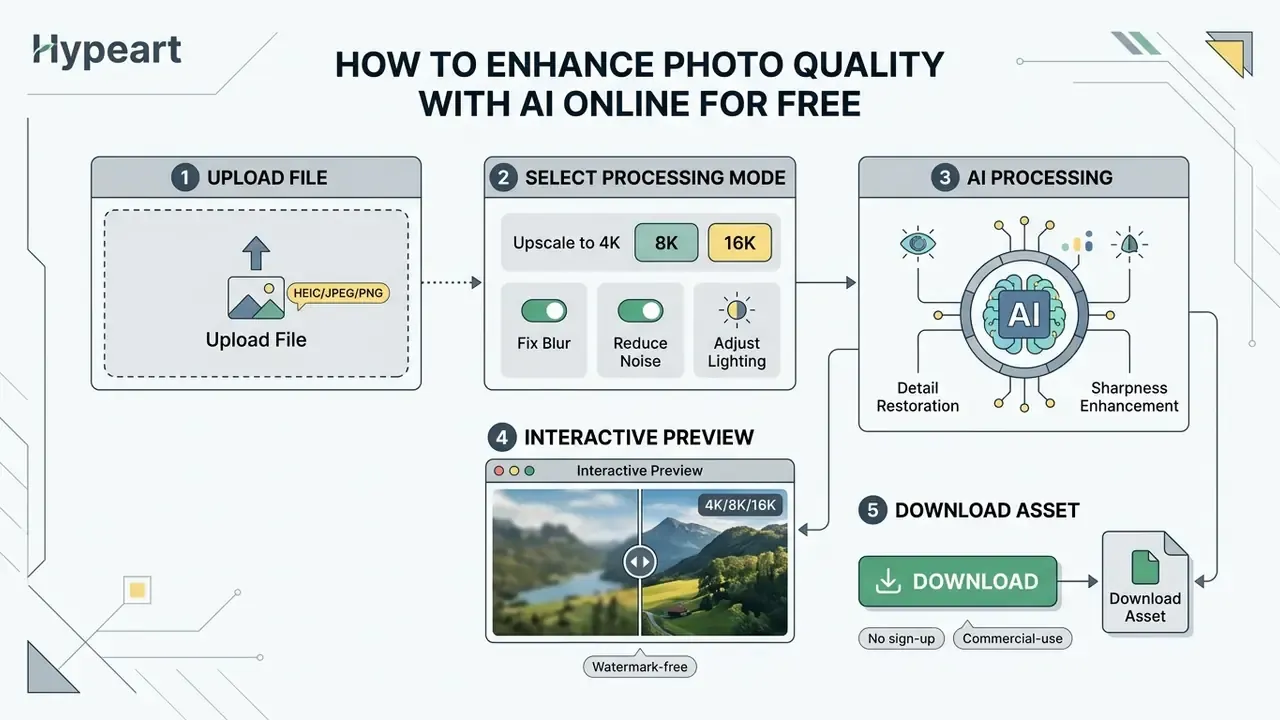
Users can drag drop files into the interface to start automated cloud processing in one click. To explore broader automation across digital media, teams can open the hub for technical architecture guides, or review adjacent AI photo editors that combine enhancement with layout and retouching.
Upload an image and choose an enhancement mode
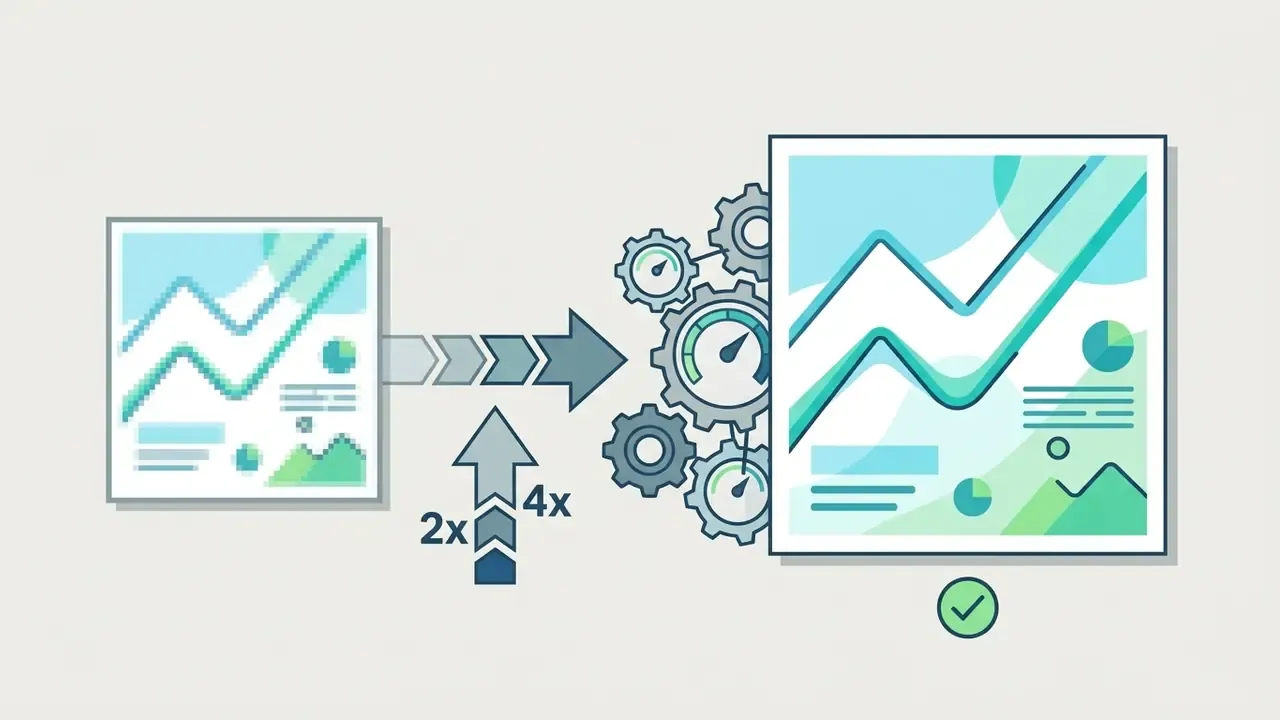
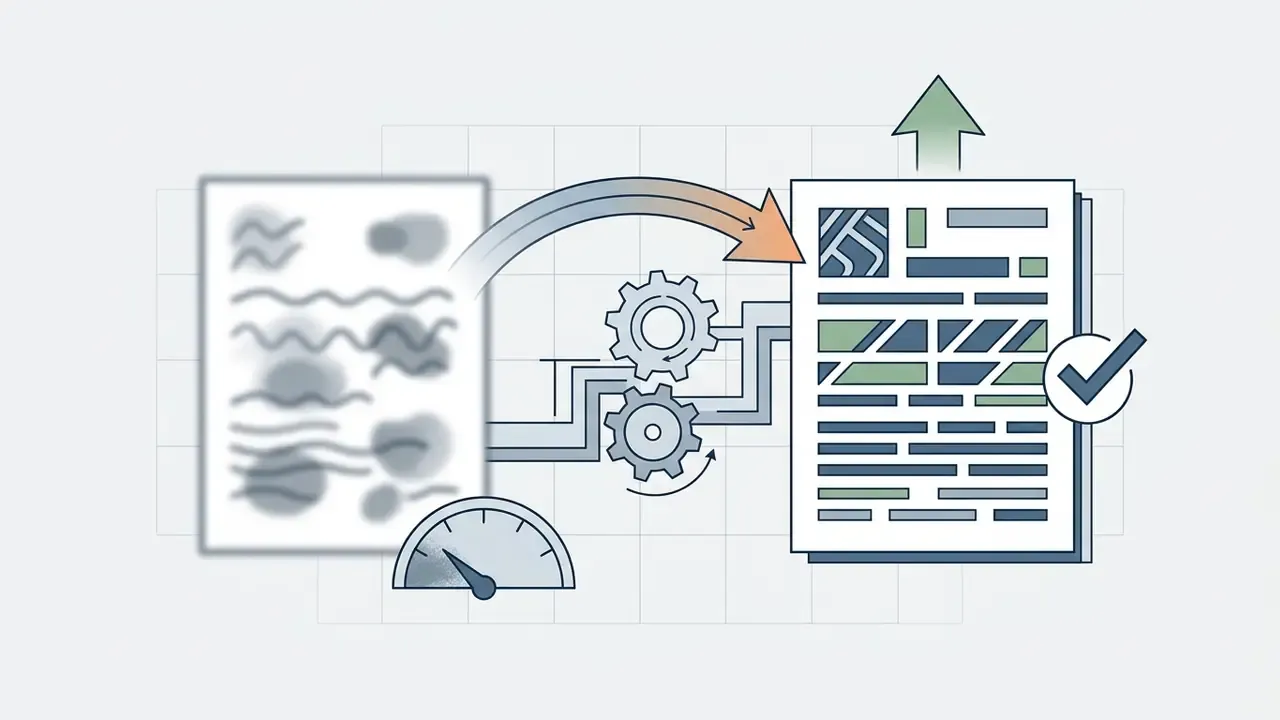
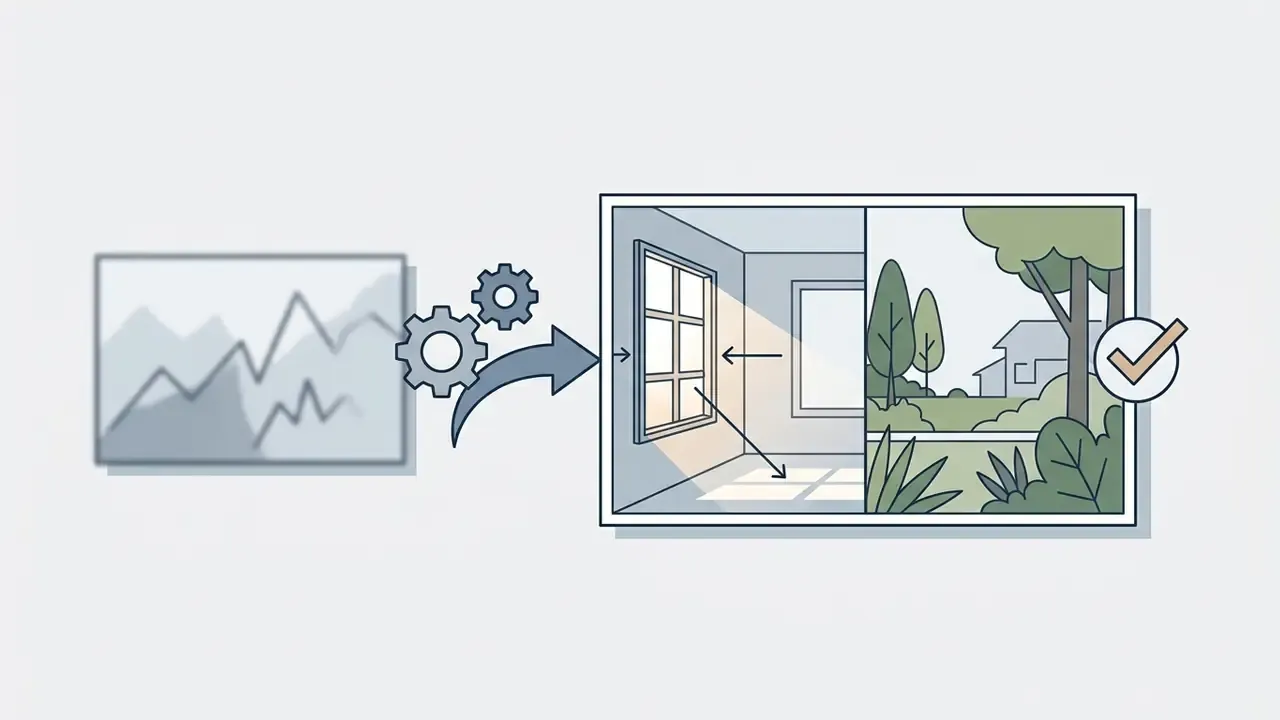
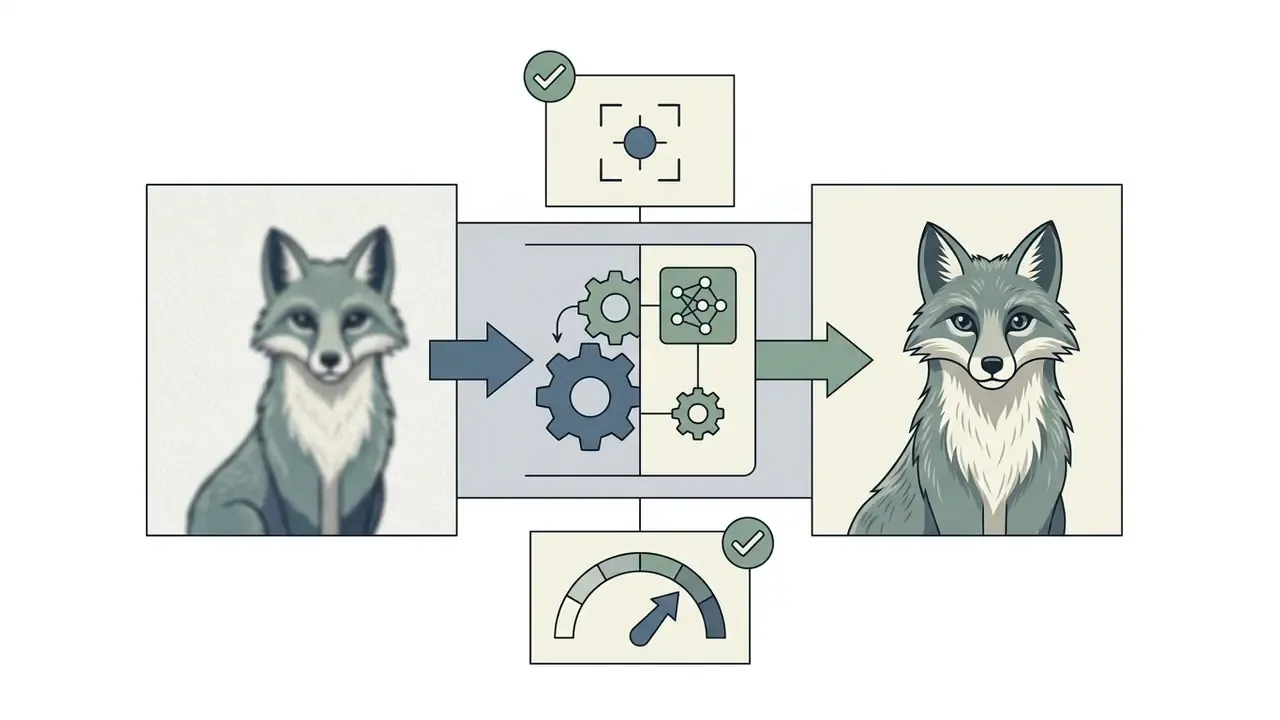
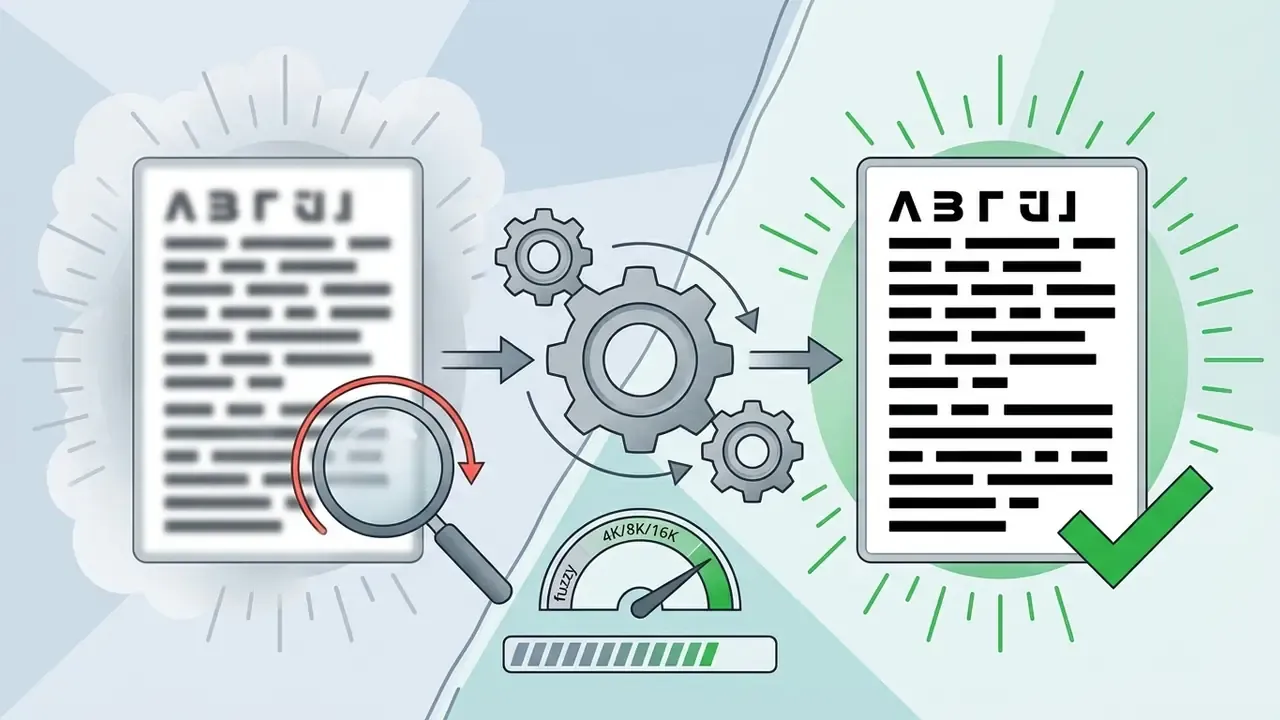
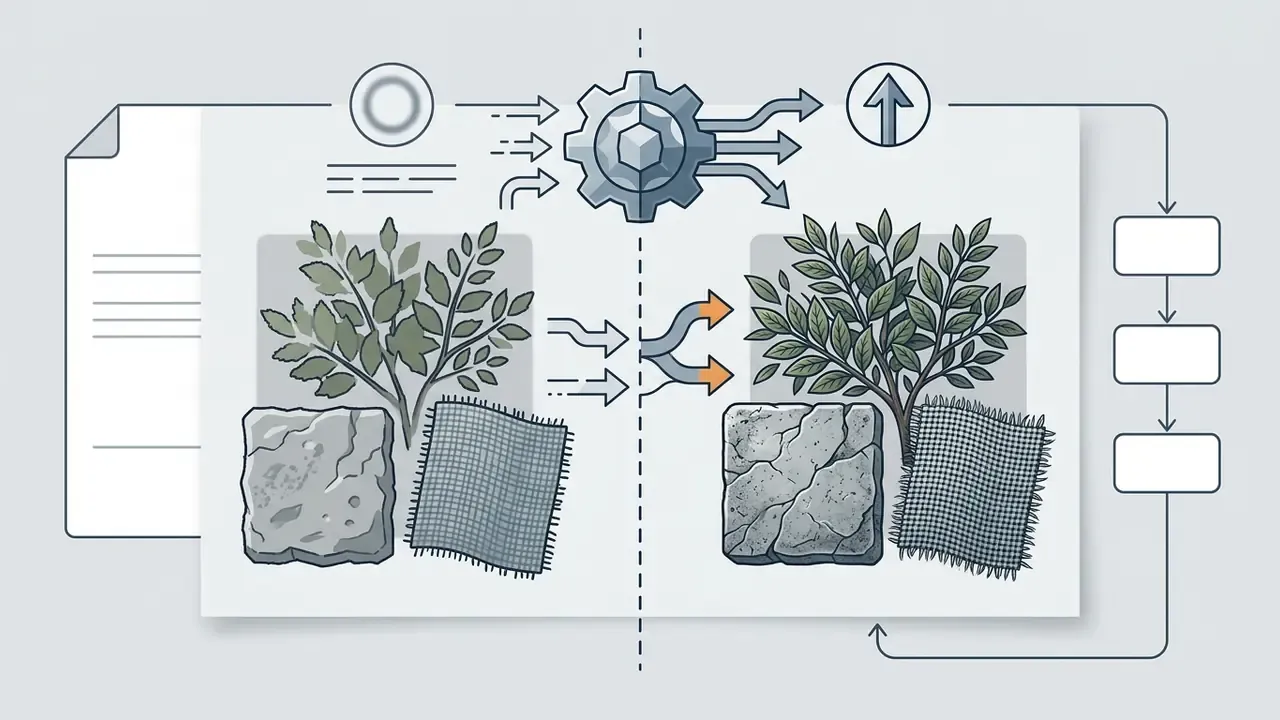
Picking the right mode prevents over-processing. Run clean vector-style graphics through a face restoration filter and you will get unnatural smooth patches where none belong. Readers curious about the upstream side of the pipeline, how synthetic imagery is created before anyone enlarges it, can review current AI image generators and how their native output resolutions constrain later upscaling.
Preview the enhanced result before download
Before exporting, review the enhanced result inside the interactive preview panel, using side-by-side or split slider views. Synchronized zoom lets you inspect fine details, edge sharpness, and texture fidelity at 100% scale. Desktop-class tools formalize this into three modes, Single, Split (vertical wipe), and Side-by-Side, with a 100% default import view, fixed zoom presets, and snapshot capture that exports exactly what the preview shows (Topaz product documentation, 2025–2026).
Checking the preview is how you catch unwanted generative artifacts and plastic skin before publication. Once verified, choose the output format (PNG or WebP, usually) and download the high quality file locally.
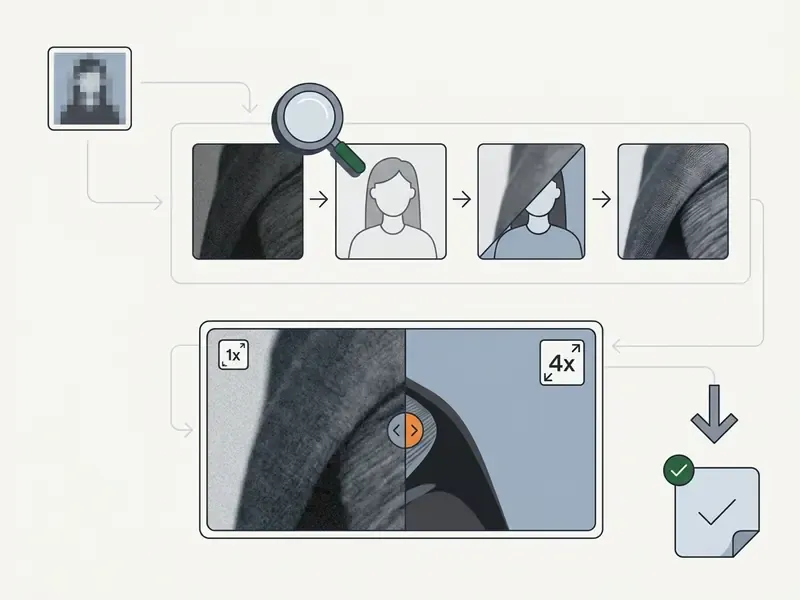
- Screenshot requirements: capture the upload control, the enhancement-parameter panel, the before/after comparison view, and the download button, which are the four documented workflow checkpoints.
Which images benefit most from AI image enhancement
AI image enhancement delivers the biggest quality gains on low quality photos, compressed product visuals, underexposed night shots, faded vintage media, and native AI-generated artwork. Neural restoration works best where predictable patterns exist in the source file. Current benchmark literature groups the strongest gains into three task families, super-resolution, low-light enhancement, and denoising, each served by dedicated model classes.
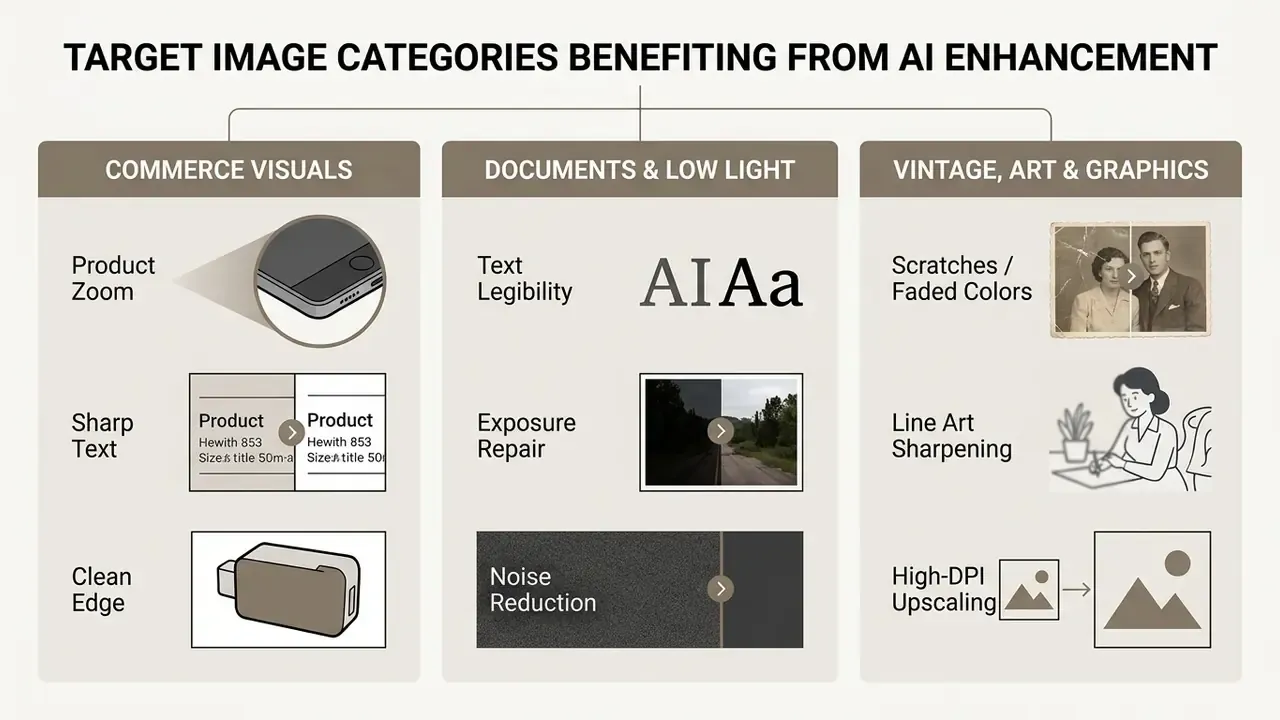
Different source materials bring different technical problems. Users who need to search and index an existing visual database before upscaling can examine ai reverse image search mechanisms to streamline asset tracking.
Brighten dark and underexposed photos
Low-light mobile photography and night shots tend to suffer severe underexposure, crushed shadow detail, and colour drift. An AI image enhancer applies dynamic range expansion and neural exposure correction to rebalance shadow tone curves without blowing out highlights. By adjusting luminance channels in step with noise suppression sub-models, the enhancer recovers hidden background elements, reveals facial features in dark portraits, and corrects colour balance in a single pass.
Dedicated low-light architectures, GLARE, LightenDiffusion, NeRCo, and QuadPrior among them, treat exposure repair as a separate task from generic upscaling. There is a reason for that: naive brightness lifting amplifies shot noise faster than it recovers structure.
Restore old photos and family memories
In practice: exposure, grain, and sharpness recovery are well-supported claims. Scratch and tear inpainting deserves a visual review on every frame, because the model is inventing plausible continuity rather than recovering recorded information.
Upscale AI art, anime and AI-generated images
Generative platforms often render at constrained sizes such as 1024x1024 pixels. Upscaling AI art, digital illustration, and anime graphics needs models trained to protect sharp line work, smooth vector-like gradients, and flat colour fills. Anime and illustration modes are tuned to respect outlines, screentones, text, and gradients at 2× to 8× scaling, whereas the generic Stable Diffusion upscaler is a 4× diffusion model built for photographic enlargement, not line-art correction.
«Zero-shot super-resolution on SDXL-Turbo and Manga109 images delivered PSNR gains of 0.87 dB and 0.45 dB respectively over the PromptIR baseline.»
How to get natural high-quality results without artifacts
Natural results without distortion come from balancing denoise strength, sharpening intensity, and scale factor. Push the parameters too hard and you get plastic skin, haloing around high-contrast edges, and hallucinated detail that never existed in the negative.
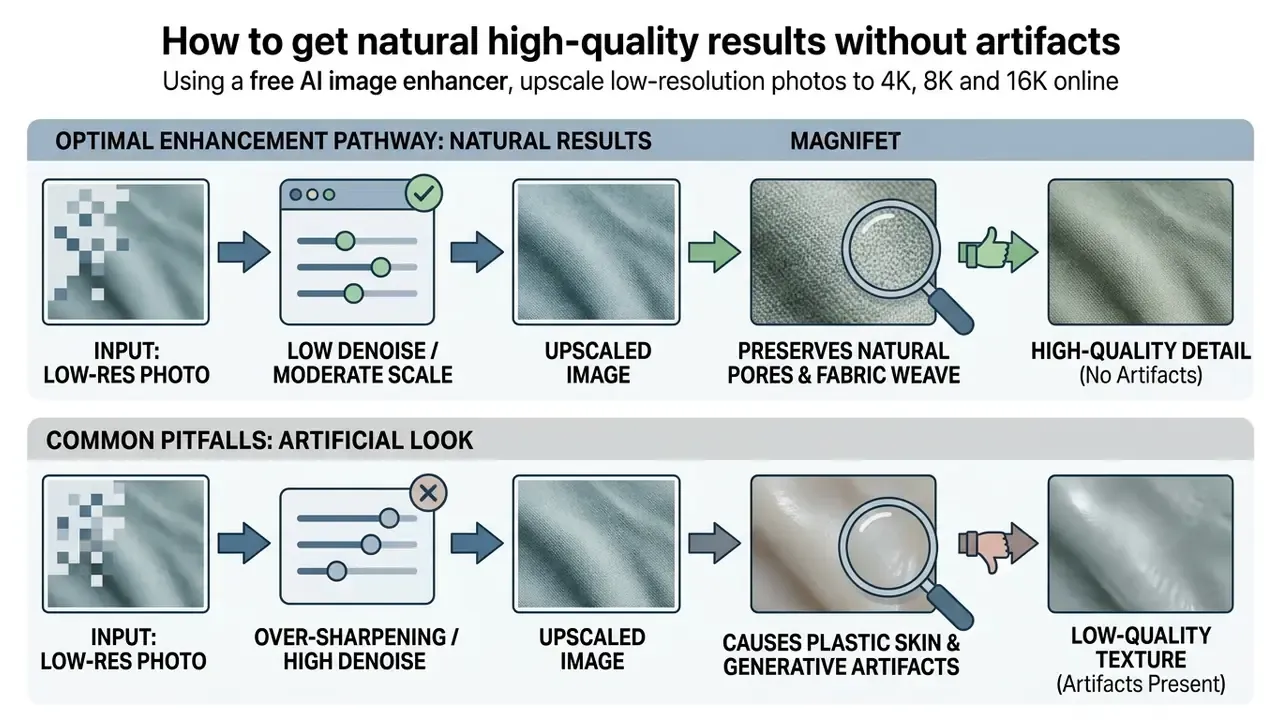
Realistic texture depends on matching processing intensity to the source file's actual degradation level. Operational teams can explore structured AI Media Workflows to lock in standardized presets for high-volume queues.
Avoid oversharpening and artificial details
«Under blind 8× upscaling, all evaluated methods produced high-resolution images whose perceptual quality still required improvement, particularly in domains with limited training data.»
Conservative tiers protect source authenticity. The failure mode that matters most is text and numerals: generative sharpening can render a blurred "3" as a confident "8", close a broken "5" into a "6", or reconstruct a stamp edge that was never there. Because the output looks clean, the error hides better than the original blur did. For invoices, cheques, identity documents, meter readings, and contract scans, use deblur-and-contrast modes rather than generative detail synthesis, keep the untouched original beside the enhanced copy, and require human verification of every transcribed field. Artifact-aware training methods, including CVPR 2022 work that builds an explicit artifact map to separate GAN artifacts from genuine detail, attack the same problem at the model level.
Match output resolution to the final use case
The delivery channel sets the pixel dimensions and DPI you actually need. Upscaling far beyond display requirements burns storage and bandwidth for no visible gain.
- Print media: 300 DPI at physical output size, so a 4x6 inch print needs a 1200x1800 pixel file. 600 DPI serves fine-detail reproduction and black-and-white line originals.
- Web displays and mobile apps: Standard screens target 72 to 96 PPI, with 96 PPI as the nominal CSS reference, which makes 2K to 4K ideal for desktop hero visuals. Mobile guidance warns against shipping oversized assets where nobody will see the difference.
- Social media platforms: Images get re-compressed on upload. Upscaling to 2048 px on the long edge usually keeps presentation crisp without triggering aggressive server-side compression.
- Commercial digital printing: Production specs may call for 1200×1200 dpi or 2400×2400 dpi output. That is where 8K and 16K enlargement becomes operationally relevant rather than decorative, and where ai for high resolution images earns its keep.
Free AI image enhancer FAQ
Short answers to the common questions that come up after the first test run.
Can an AI enhancer fix a severely blurry image?
An AI enhancer can noticeably clarify a moderately blurry image, but it cannot rebuild photos where structural pixel data is simply gone. Deep models need existing edge boundaries to infer missing sub-pixel texture.
«Under the Nyquist theorem, frequencies above half the sampling rate are irrecoverably lost, so no super-resolution algorithm can violate this fundamental limit.» — HSRNet aliasing analysis, IEEE Transactions on Neural Networks and Learning Systems (2024). https://ieeexplore.ieee.org
When extreme motion blur or deep defocus destroys edge context, the network cannot reconstruct the original detail and may output soft or hallucinated shapes. Deblurring surveys add two practical constraints: data-driven models inherit the limits of their paired training sets, and CNN receptive fields struggle with spatially varying or non-uniform blur, which is why real-world blurry photos often trigger ringing and artifacts.
What is the difference between simple resizing and AI upscaling to 16K?
Simple resizing multiplies pixels with a fixed rule, bicubic, nearest-neighbor, or Lanczos, so a 1000 px file resized to 16K holds the same information spread across 256× more pixels and looks soft or blocky. AI upscaling to 16K runs learned super-resolution that predicts new high-frequency structure at each scale step, which is why deep models report higher PSNR and SSIM than interpolation at matched factors. Practical rule: resize when you only need different dimensions and the source is already sharp. Use an AI image upscaler in 2× to 4× increments when you need recovered detail for large-format print or ultra-high-DPI display. Pushing a degraded source straight to 16K in one pass maximizes hallucination risk without improving true fidelity.
Does a free AI photo enhancer work on JPG, PNG, WebP and HEIC?
Yes. Most modern free ai picture enhancer online tools support JPG, PNG, WebP, AVIF, and the Apple HEIC/HEIF containers that iPhones use by default. Browser pipelines read lossy JPG, lossless PNG, and modern WebP directly, converting HEIC server-side with no manual pre-processing. Better tools keep PNG and WebP alpha-channel transparency through upscaling, which prevents background fill on transparent logos and graphic assets. Users who prefer anonymous processing can also review AI image generators that are free with no sign-up for adjacent registration-free workflows.
Can AI enhancement repair distorted AI-generated images?
AI enhancement clears low-level distortion in AI art, JPEG blocks, soft background blur, pixelated line art, but it cannot fix high-level semantic errors such as malformed hands or extra digits.
«The NTIRE 2024 AIGC Quality Assessment Challenge developed benchmarks for evaluating AI-generated content after super-resolution and enhancement, but does not guarantee correction of generative semantic distortions.» — NTIRE 2024 AIGC Quality Assessment Challenge. https://arxiv.org
Anime and digital art upscalers sharpen outline boundaries and smooth colour gradients, turning 1024x1024 generative output into a high quality image ai pipeline can send to large displays or commercial print. Anatomical errors need targeted inpainting or regeneration. Clinical-style evaluations of text-to-image output now score such errors by expected component counts across body regions, which at least gives reviewers a measurable framework instead of a shrug.
Is a free AI image enhancer safe for business documents and customer photos?
Not by default. Public enhancers process uploads on third-party infrastructure under consumer terms that rarely include data-processing agreements, defined retention windows, or residency guarantees. Any file with personal data, financial identifiers, or identity documents belongs in an approved internal or contracted enterprise tool. Where a browser tool states that processing happens locally and files are never uploaded, transfer risk drops materially, though the claim still deserves verification in the vendor's privacy policy first.
Are enhanced images watermark-free and usable commercially?
Watermark policy and commercial licensing are two separate questions, and conflating them causes real problems. Several services deliver 100% watermark free exports without sign-up. Others append a corner badge on free downloads or reserve clean exports for paid plans. Commercial permission is contractual: some free tiers allow it explicitly, others limit free output to personal projects. Confirm the watermark condition at your intended resolution and the commercial clause in the current Terms of Service before you publish.
To explore professional-grade editing beyond enhancement, review current AI photo editors and how their retouching, masking, and export controls complement an upscaling pipeline.
About this analysis
This guide was compiled by the AI Governance & Risk editorial desk, drawing on peer-reviewed super-resolution literature (IEEE Transactions on Image Processing, IEEE Transactions on Neural Networks and Learning Systems, NTIRE challenge reports), published vendor documentation on free-tier limits, and official regulatory guidance from the U.S. Copyright Office and the Office of the Australian Information Commissioner. Vendor limits change frequently. Figures reflect publicly documented values at the time of review and should be re-verified before procurement. Last reviewed: 2026.
Marcus Hale, author. No biography, client history, or regulatory authority should be inferred from the quotations above.
Re-verification cadence for procurement teams
Free-tier terms move faster than internal policy documents. A light quarterly check keeps the record defensible:
- Every quarter: re-read the watermark clause, the commercial-use clause, and the free-tier resolution cap for each approved tool.
- On vendor model updates: re-run the baseline sample set and archive the outputs, since a silent model change can alter historical reproducibility.
- Annually: refresh SOC 2 or ISO 27001 evidence, confirm sub-processor lists, and reconfirm data residency against current policy.
- On incident: capture the uploaded file hash, the destination domain, and the retention statement in force at the time of upload.
Navigation & Resource Hubs
To explore additional media automation guidelines and commercial licensing frameworks, see the overview in our central regulatory directory.
Appendix A: superseded formulations (retained for transparency)
- Original upload description: "Users upload local assets by choosing files or using the drag drop landing zone, which accepts standard digital formats including JPG, PNG, and WebP." Superseded by the multi-input, HEIC/HEIF-inclusive version above.
- Original resolution ceiling: "Free online processing modes typically enforce maximum output dimensions ranging from 2048x2048 pixels up to 4K resolution (4096 pixels on the long edge)." Superseded by the 4K/8K/16K tier description above.
- Original engagement claim: "This optimization increased product detail views by 28% without requiring physical re-shooting." Retained as an unaudited internal metric; see the qualified wording in the product-image section.
- Original catalog claim: "eliminated JPEG blocking across 92% of the catalog." Retained as an internal assessment figure; see the qualified wording in the image-problems section.
- Superseded citations: "Nero AI Restoration Benchmarks, 2026", "Upscayl waifu2x documentation, 2026", "arXiv: ISR Hallucination Mitigation, 2026". Replaced in the main text with verifiable peer-reviewed sources (R2RNet, zero-shot AIGC/Manga109 super-resolution, and blind super-resolution multi-domain evaluation).