«In model risk management and visual asset processing, high-definition image transformation relies on probabilistic reconstruction rather than deterministic pixel retrieval.»
Last updated: 2026. Reviewed by the AI governance and visual operations desk.
Executive summary
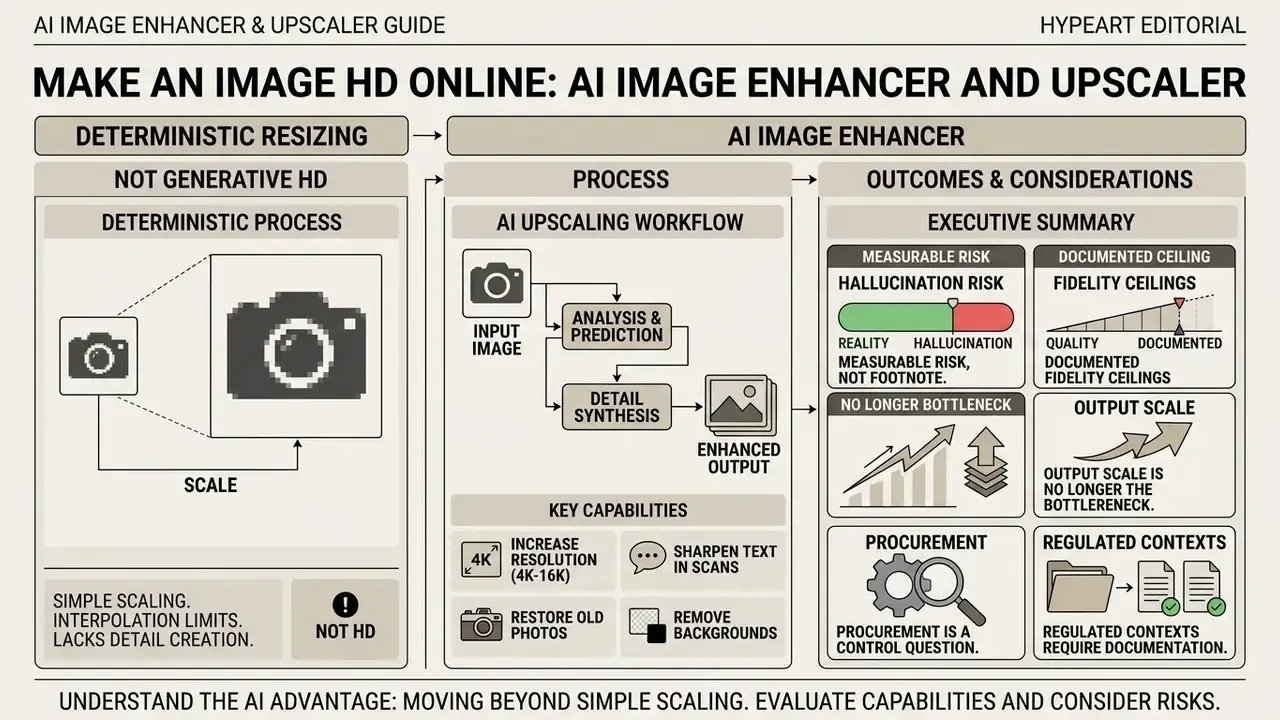
What does "make an image HD" mean with AI?
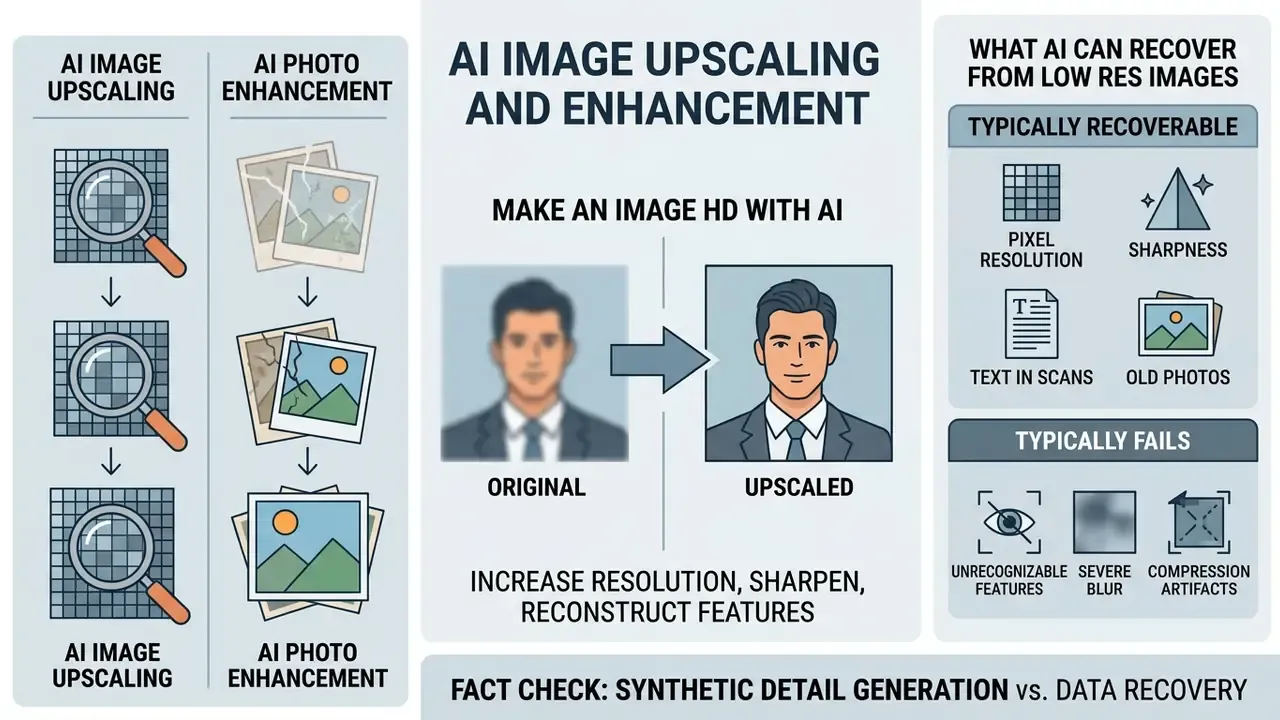
To make an image HD with AI means applying deep-learning models to increase pixel resolution while simultaneously reconstructing degraded visual features such as sharpness, contrast, and fine textures. Traditional resizing interpolates existing pixels, which often produces blurry or pixelated boundaries. Neural super-resolution models read structural patterns and then predict plausible high-frequency detail.
As documented by Zhang et al. (2025) in their super-resolution survey, neural models invert complex spatial degradations to approximate high-definition reference outputs:
Plain-language reading: the low-resolution file you upload () is the end product of a degradation function applied to an unavailable high-resolution original (), followed by downsampling at scale factor and additive noise (). An AI upscaler tries to invert that chain without ever seeing the original signal. That is the whole trick, and the whole limitation.
«The degradation model formalizes a low-resolution image as the result of applying a degradation function, subsampling, and additive noise to the high-resolution original.»
This generative process lets systems raise spatial dimensions while attempting to restore underlying image clarity. Fidelity is only one axis of ai image quality, though: perceptual realism and pixel accuracy frequently trade against each other.
«Diffusion-based super-resolution can produce visually more realistic results than GAN baselines while sacrificing a fraction of PSNR.»
Latent diffusion research frames high resolution output as generative synthesis, an iterative denoising walk from noise toward plausible image content, rather than pixel interpolation. Hybrid architectures documented in 2024 split responsibilities explicitly: a diffusion module reconstructs coarse structure, while a GAN component refines fine-grained texture. A GAN super-resolution survey describes these networks as learning plausible high-frequency detail across supervised, semi-supervised, and unsupervised regimes.
Peer-reviewed 2024 ISPRS work reports that dedicated AI upscaling and Stable Diffusion upscaling produce near-indistinguishable results on real-world photography, with ai powered upscaling preferred for color fidelity and faster processing. Commercial forecasts place the AI image enhancement market near USD 8.01 billion in 2026, growing at roughly 27.8% CAGR, with software as the dominant segment. That growth rate explains the rapid feature convergence among vendors, and it also explains why so many ai tools now look identical on a feature grid.
AI image upscaling vs. photo enhancement
AI image upscaling expands total pixel dimensions. AI photo enhancement corrects visual degradations such as noise, blur, and dull colors without necessarily changing canvas size. Two different jobs, two different failure modes.
- AI image upscaling focuses on spatial magnification (for example or enlargement). An image upscaler constructs new pixel grids to increase resolution for large screens or print media. Adobe Firefly's upscaler, for example, exposes fixed , , , and factors with a documented 6K output ceiling, which is evidence that the task variable here is size.
- AI photo enhancement focuses on perceptual photo quality. An ai photo enhancer adjusts brightness, sharpens soft edges, reduces digital sensor noise, and restores color balance inside existing dimensions.
Commercial platforms frequently fuse both capabilities into single automated workflows, which is precisely why registry classification matters. Governance teams cataloguing visual tooling can reference our overview of AI photo editors and our buyer-side comparison of AI image upscalers to keep terminology consistent across procurement, audit, and engineering. Teams evaluating broader image editing suites can also consult our glossary and the reference guide to online photo editors to standardize vocabulary before the first vendor call.
Risk differentiation table for AI system registries
| Dimension | AI image upscaling | AI photo enhancement |
|---|---|---|
| Primary transformation | Changes the pixel matrix dimensions () | Changes tonal distribution, histogram, and local contrast |
| Data created | New pixels synthesized from learned priors | Existing pixels re-weighted, denoised, or re-sharpened |
| Dominant failure mode | Hallucinated glyphs, invented textures, geometric warping | Over-smoothing, color cast, crushed shadows, halo edges |
| Evidentiary impact | High: content not present in source may appear | Moderate: appearance changes without new structures |
| Validation metric focus | PSNR, SSIM, LPIPS, hallucination scoring | NIQE, color delta-E, exposure consistency |
| Registry classification | Generative model (probabilistic synthesis) | Deterministic or semi-deterministic correction |
What AI can and cannot recover from low resolution images
AI models can reconstruct statistical structures such as skin grain, geometric lines, and object boundaries. They cannot recover genuinely missing historical data. Deep neural networks use learned statistical priors from training datasets to infer missing visual elements, which is inference, not retrieval.
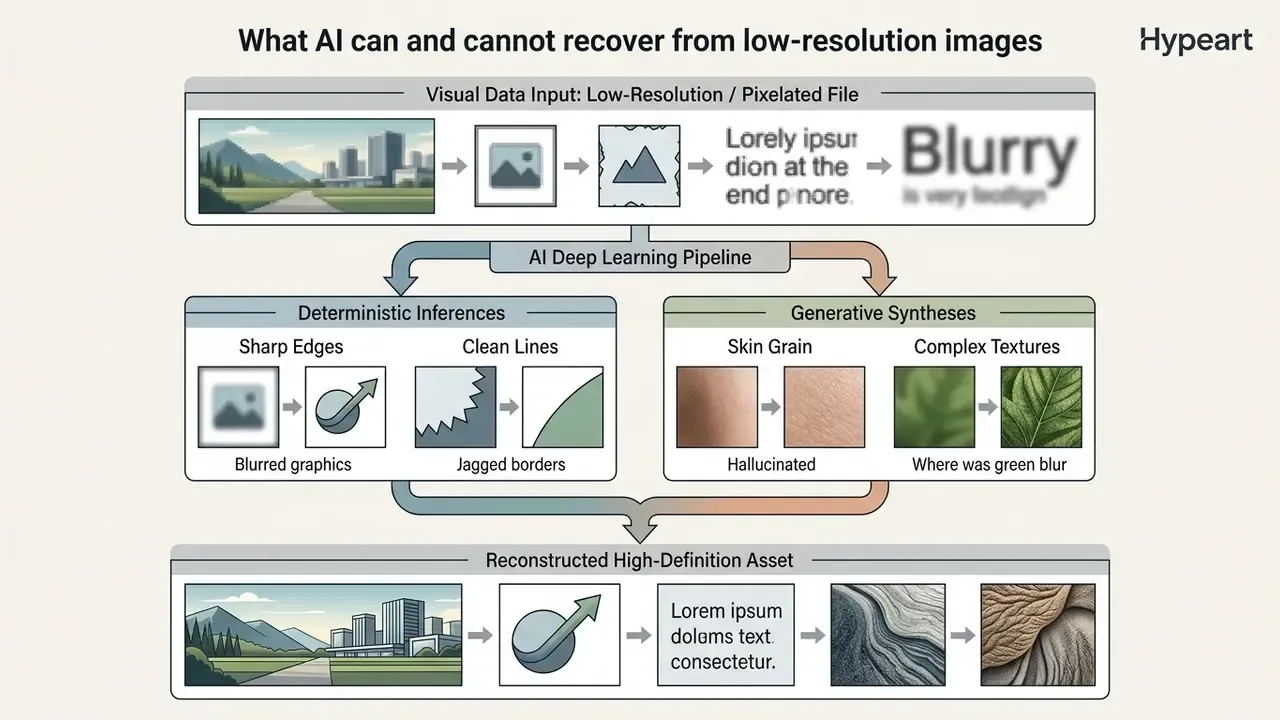
When input files suffer severe pixelation or heavy blur, fine details such as small text characters and facial landmarks become irretrievably lost. Rather than extracting original sensor signals, the model produces plausible approximations. Realistic expectations save a lot of rework later.
What is typically recoverable: coarse skin texture, hair direction, fabric weave, straight architectural edges, object boundaries, and legible large typography.
What typically fails: small serial numbers, decimal separators, handwritten signatures, licence-plate glyphs, and sub-pixel facial landmarks. Documented artifact families include aliasing along high-contrast boundaries, checkerboard patterns in reconstructed faces, inconsistent local sharpness, and over-smoothing that strips natural muscle, skin, or fur texture and leaves a plastic look. That plastic look, incidentally, is the most common complaint we hear from creative teams reviewing enhanced portraits.
Research on generative super-resolution highlights that hallucinated details can introduce color shifts or structural discrepancies:
«Diffusion super-resolution models can exhibit color shifts and artifacts when conditioning or guidance mechanisms become misaligned.»
Evaluating outputs means verifying that synthesized detail still aligns with factual source requirements. That verification can now be partially automated:
How to make a picture higher quality online: from ingestion to validation
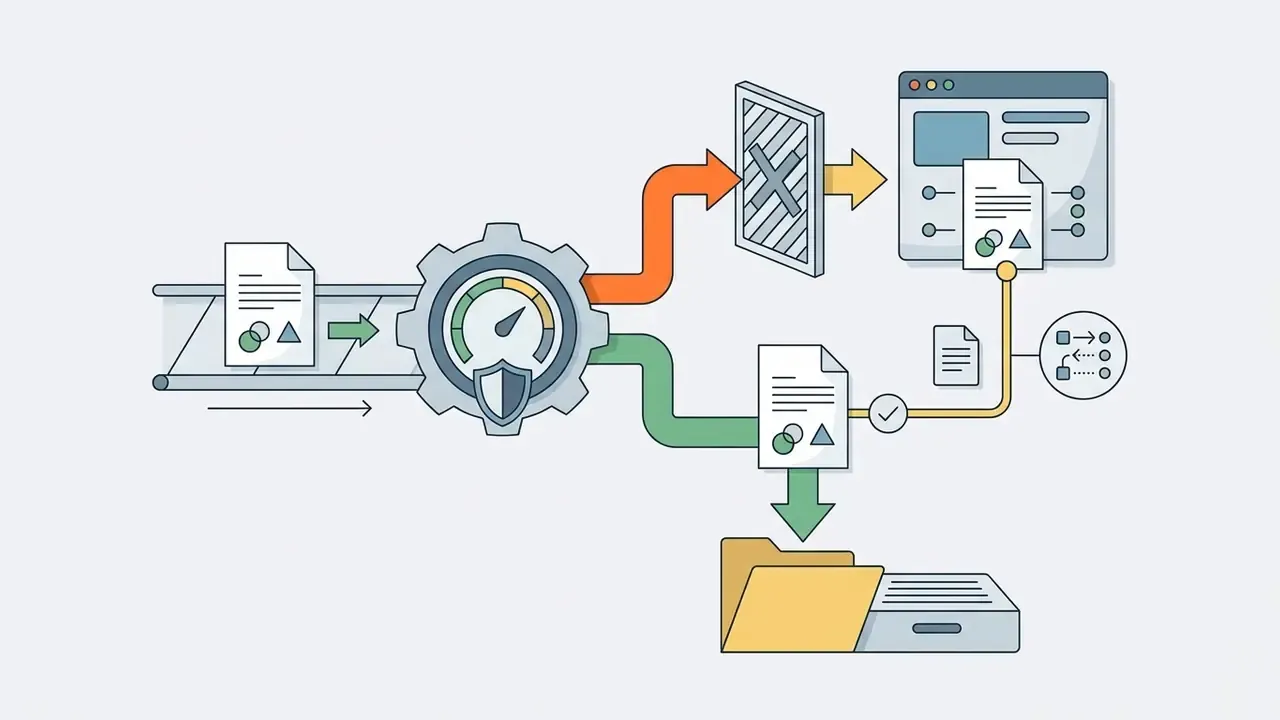
Making a picture higher quality online means uploading a source file to a web-based AI pipeline, selecting a specialized enhancement mode, evaluating the rendered preview, and downloading the optimized asset. Modern web interfaces run these steps through automated browser environments or cloud APIs, often in one click. In enterprise terms, the same sequence maps onto an ingestion, mode selection, inference, validation, and delivery pipeline with logging at each hop.
Speed is rarely the constraint any more:
«All AIS 2024 real-time super-resolution methods process 4K frames in under 10 ms on commercial GPUs while exceeding the PSNR of Lanczos interpolation.»
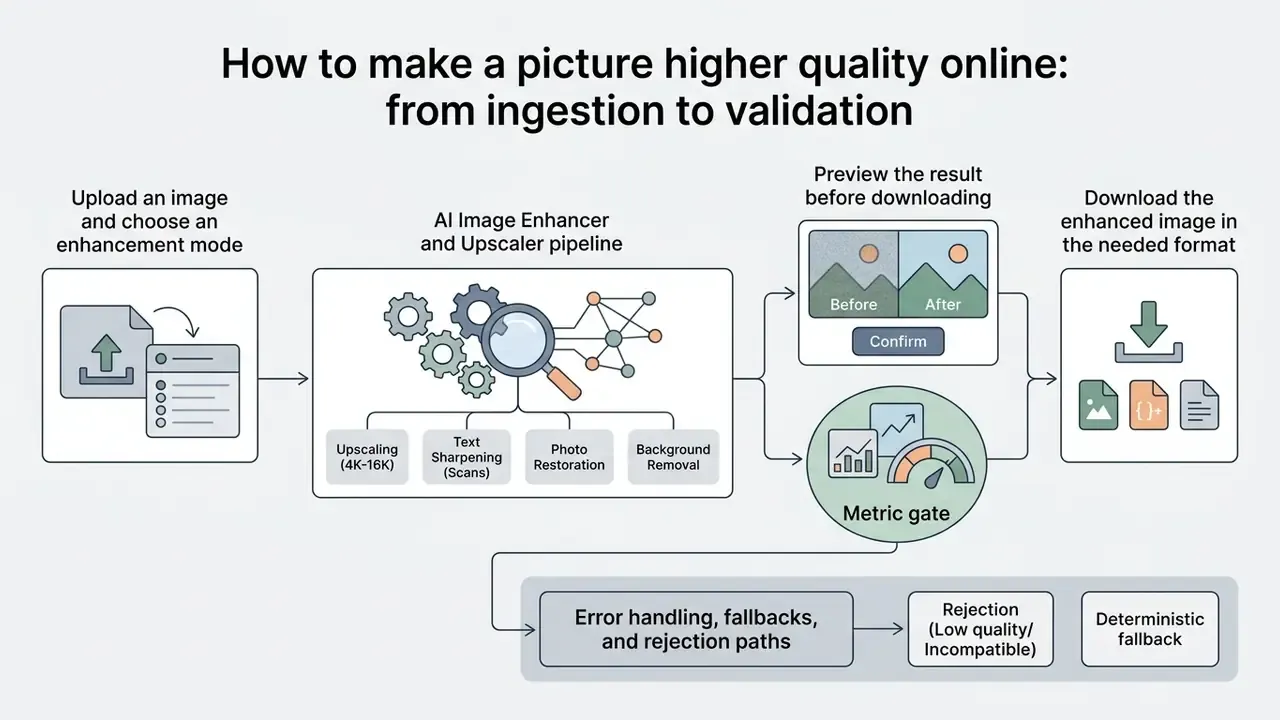
Figure 1. Automated online enhancement process, stage-by-stage control map
| Stage | User-facing action | System operation | Control checkpoint |
|---|---|---|---|
| 1. Ingestion | Drag and drop, paste a URL, or upload a ZIP/folder | File buffered to object storage, MIME and dimension validation | File-type allowlist, PII flagging, size cap |
| 2. Mode selection | Choose upscale, sharpen, restore, face, or text mode | Router assigns the matching model weights | Mode-to-defect mapping recorded in the job log |
| 3. Inference | Wait for processing (seconds for single files) | Tiled neural inference, GPU batching, artifact suppression | Timeout, retry, and idempotency key |
| 4. Preview | Compare before and after at 100% zoom | Synchronized split-screen renderer | Artifact inspection, identity and text checks |
| 5. Validation | Accept or reject | Automated PSNR/SSIM/NIQE and hallucination scoring | Threshold gate; reject routes to fallback |
| 6. Delivery | Download or receive webhook payload | Format transcode, metadata write, retention timer starts | ZDR or auto-delete confirmation, audit entry |
Upload an image and choose an enhancement mode
Uploading an image triggers automated feature analysis that helps operators match a specific visual defect to a targeted processing engine. Web-based enhancement tools let you drop files straight into the browser window, without installing software of any kind.
Once the file is ingested, the system prompts for an operation mode:
- Resolution upscaling: expands pixel counts for low resolution source files where the defect is size, not clarity.
- Detail sharpening: corrects focus softness and improves edge definition by adding a high-pass component, per standard image-processing literature.
- Photo restoration: repairs scratches, compression artifacts, fading, and color degradation, the combined mode for mixed-defect scans.
- Face enhancement: applies specialized facial priors to smooth skin and define features.
- Text mode: uses typography-preserving priors for screenshots, labels, and document scans.
- Colorization: reconstructs absent chroma data in grayscale originals. It is not a fix for blur or low resolution.
- Subject-specific presets: mature platforms ship General, Portrait, Object, Scenery, Pets, and Text profiles, because fur, foliage, and glyphs demand different priors.
Matching the processing mode to the exact file defect prevents needless modification of stable visual elements. Buyers benchmarking mode coverage across vendors can review our comparison of AI image enhancers before standardizing an internal default.
Preview the result before downloading
Previewing at full scale lets you verify facial consistency, text legibility, and edge sharpness before committing to export. Interactive split-screen viewers place the original and the enhanced state side by side.
Documented comparison practices converge on synchronized layouts. Split the display into two columns or two rows so both frames sit in the same screen region, and show both images at identical display scale. Inspect high-contrast boundaries at 100% zoom, because an enlarged output no longer shares the source scene scale. Restoration reviewers additionally check identity anchors in a fixed order: eyes, eyebrows, nose, mouth, jawline, ears, hairline, then background objects and any visible text. Oversharpened edges, altered characters, or unnatural plastic skin all signal that the enhancement intensity needs dialling back.
Download the enhanced image in the needed format
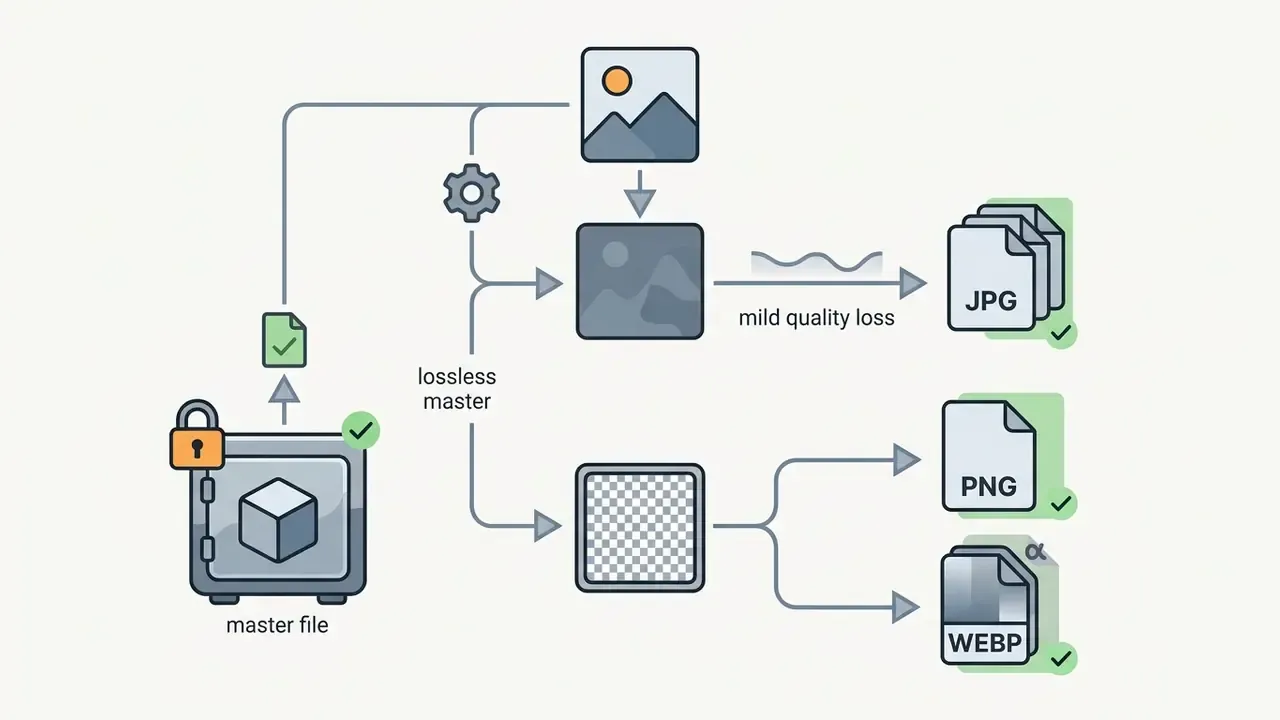
Downloading the processed image means choosing a container that preserves the fidelity, transparency, and file-size constraints your channel demands. Standard browser interfaces expose the output as soon as neural rendering completes.
Format choice follows the delivery channel:
- JPG: optimal for photographic assets where smaller files matter for web publishing. JPEG is lossy and carries no alpha channel, so transparent outputs must not be exported here.
- PNG: essential for images requiring lossless quality or transparent backgrounds. The W3C PNG specification defines per-pixel alpha for grayscale and truecolor images.
- WEBP: high compression efficiency for modern web applications. Google documents that lossy-plus-alpha WebP can be substantially smaller than transparent PNG, while lossless WebP still undercuts PNG on size.
Before saving files locally, confirm that output image resolution matches the destination display target. Technical teams can view the guide on asset management to standardize media storage practices across departments.
Error handling, fallbacks, and rejection paths
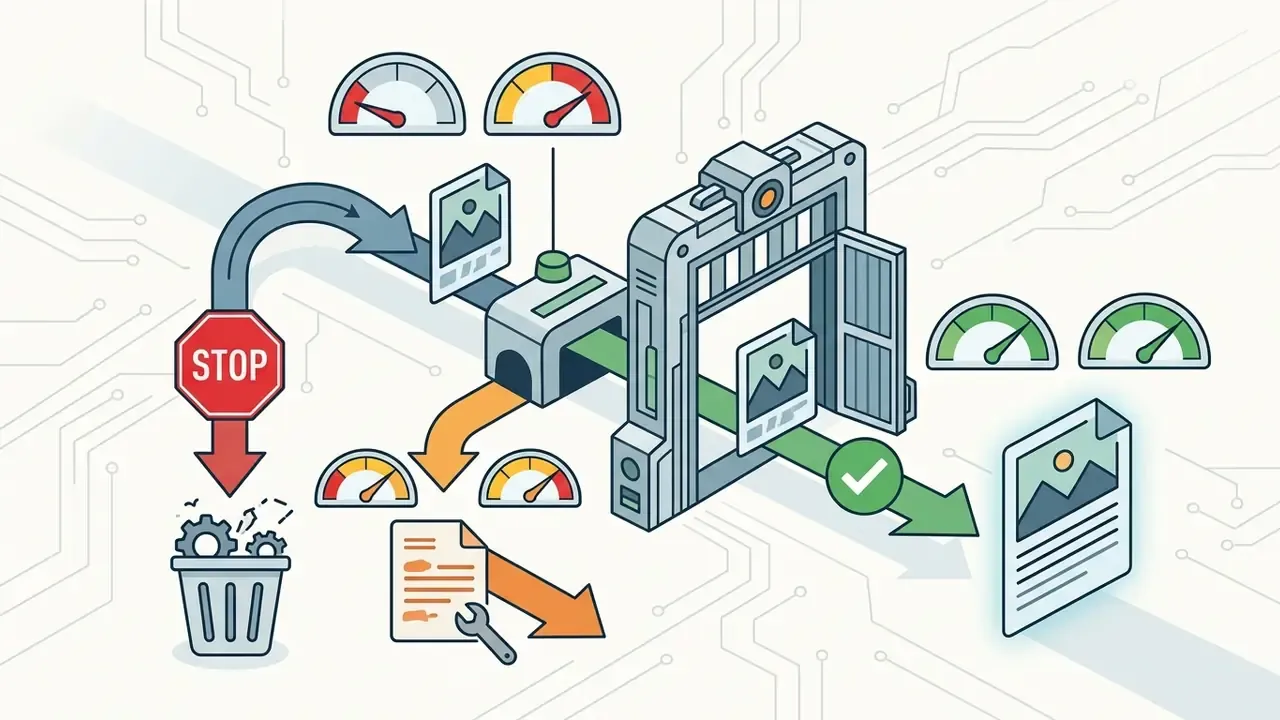
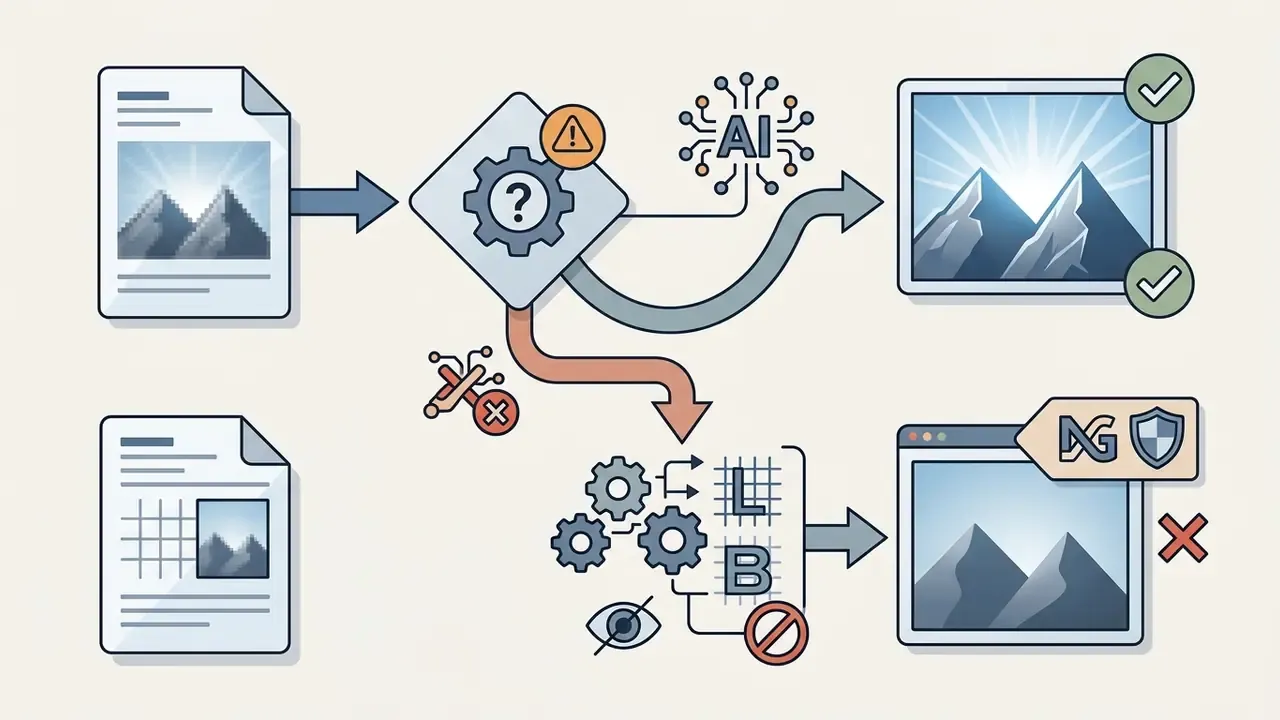
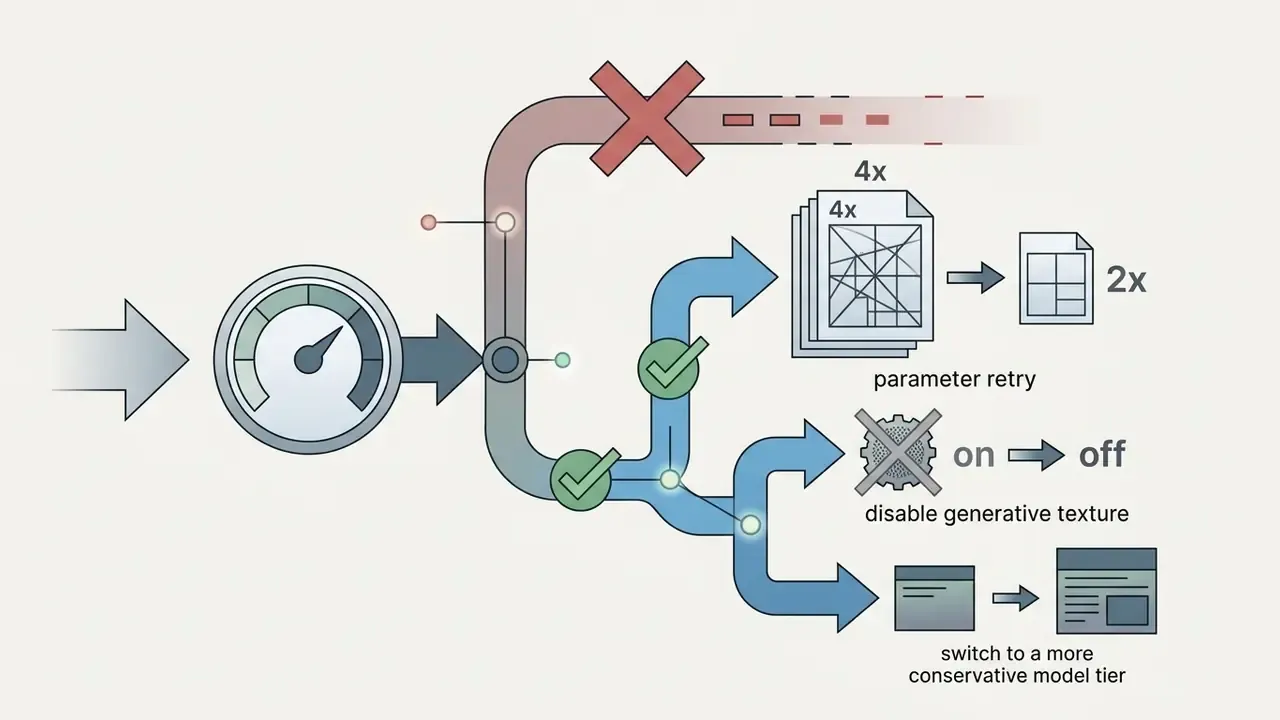
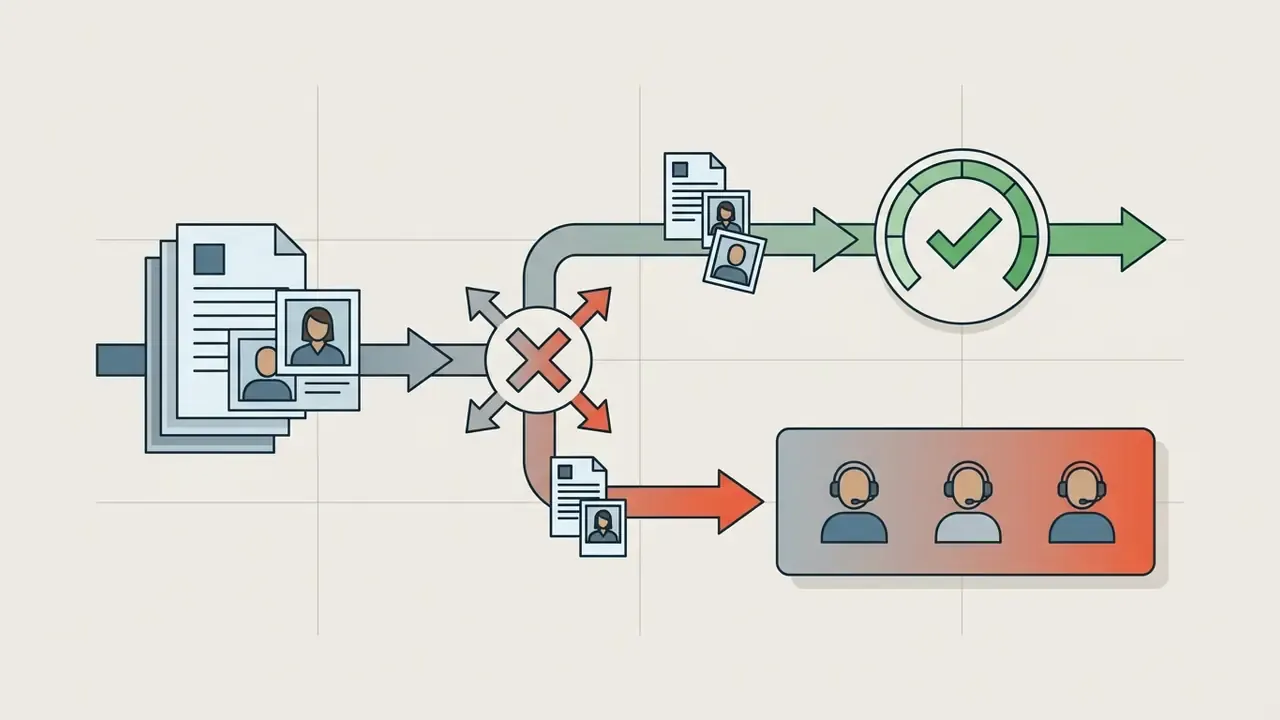
Production pipelines need a defined response when a model returns an unusable result. A workable fallback ladder:
APIs that expose idempotency keys and status polling make retries safe and prevent duplicate charges during transient failures. Small detail, large invoice difference at volume.
What AI image enhancement tools can improve
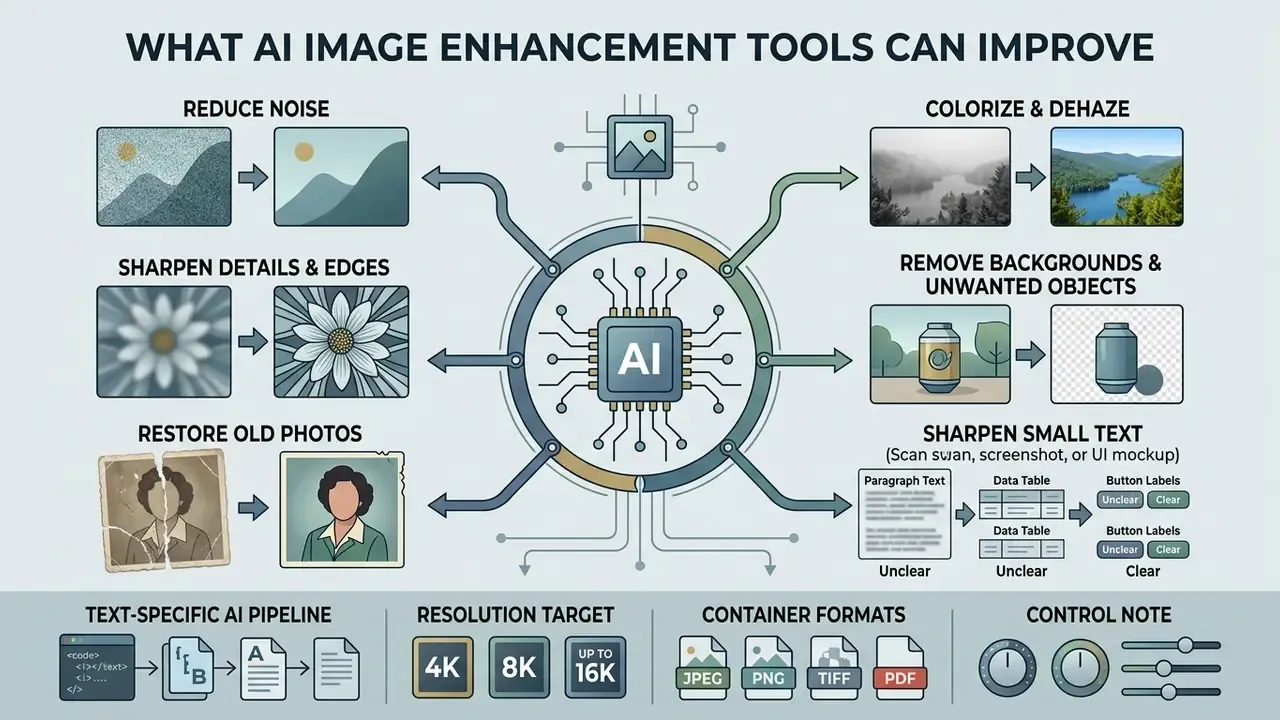
AI image enhancement tools improve visual clarity through automated noise suppression, edge sharpening, facial restoration, text refinement, colorization, dehazing, and background removal across damaged or low-quality source files. Specialized neural modules target distinct degradations, and current vendor APIs expose them as separate endpoints or model modes, commonly denoise, deblur, restore, and background.remove.
Restore old photos and improve face details
AI photo restoration repairs surface scratches, neutralizes color fading, and uses facial priors to rebuild natural features in legacy portraits. Restoration networks separate global damage repair from localized feature reconstruction.
Frameworks such as BFRffusion leverage Stable Diffusion priors to reconstruct facial detail from blurry or degraded historical prints:
«BFRffusion is trained with the privacy-conscious PFHQ dataset, balanced across race, gender, and age, and reaches state-of-the-art results on synthetic and real-world blind face restoration benchmarks.»
Remove backgrounds and unwanted objects
AI background removal isolates foreground subjects through alpha matting, producing clean assets for commercial catalog integration. Automated segmentation networks read pixel contrast and edge continuity to separate awkward elements such as hair or loose fabric.
The underlying method is formalized in open research. PyMatting defines alpha matting as separating foreground from background when only rough guidance (a trimap) exists, targeting pixel-level edge fidelity. NIST imaging documentation describes complementary pipelines: foreground segmentation using local standard deviation, background subtraction to remove uneven illumination, and automatic thresholding to generate a binary subject mask. Commercial suites layer object removal and background replacement over that same segmentation stage, and production deployments in CPG and retail report API-based background expansion, replacement, and removal of unwanted objects inside live asset pipelines. A background removal tool is rarely used alone; it usually sits one step before batch upscaling.
Colorize, dehaze, and manually refine complex assets
Comprehensive AI visual suites reach beyond resolution scaling into environmental and atmospheric degradation:
- AI photo colorization neural colorizers read grayscale luminosity to infer natural palettes for historical black-and-white photography and faded prints.
- Atmospheric dehazing contrast-restoration modules strip fog, smoke, and haze, restoring color depth and edge contrast in outdoor landscape and drone footage.
- Motion-blur correction dedicated deblur models compensate for camera shake, a different defect class from low resolution that an upscaler alone should not be asked to fix.
- Manual erase and restore refinement when automated segmentation leaves edge artifacts during background removal or upscaling, manual brush interfaces let operators fine-tune boundaries directly in the preview canvas. That is the documented remedy for logos, wireframes, and off-center subjects where automatic matting underperforms.
Figure 2. Reference test pairs for before-and-after comparison sliders
| Test pair | Source requirement | Transformation shown | Pass criteria |
|---|---|---|---|
| Low resolution photo upscale | Same scene and crop, unsharpened master file | Resolution increase only ( to ) | No geometry change, no invented objects, stable color profile |
| Archival print restoration | Uncompressed or lossless capture with embedded color profile, per FADGI 3rd Edition digitization guidance | Scratch repair, fade correction, face enhancement | Identity anchors preserved; damage removed without texture flattening |
| E-commerce background removal | Product centered, unchanged lighting and lens geometry | Background isolated to transparency | Zero halo on edges; product silhouette and shadow logic intact |
No matching rows Clear one or more filters to restore the matrix.
How to increase image resolution without losing quality
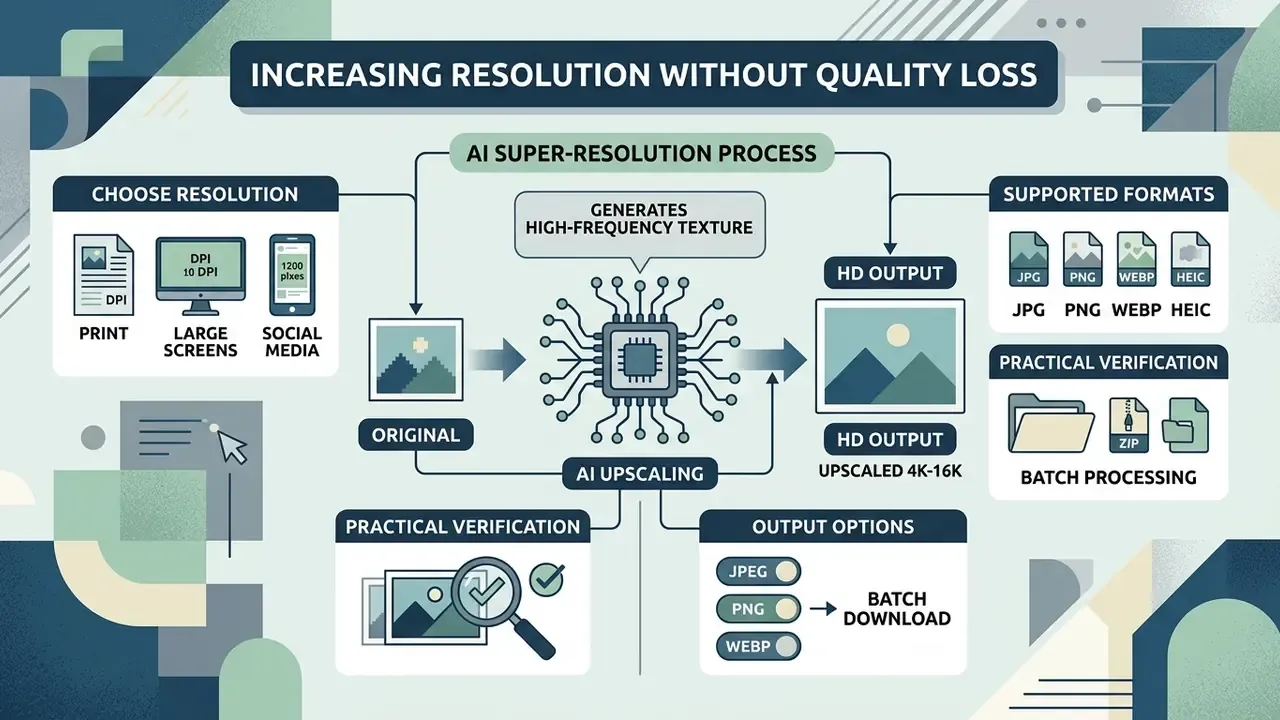
Increasing image resolution without losing quality requires AI super-resolution algorithms that generate high-frequency texture instead of spreading existing values. Traditional Lanczos or bicubic resizing smears pixels and leaves soft edges.
The NTIRE 2024 RAW Image Super-Resolution challenge showed how far fidelity-first architectures have come:
«The winning Samsung model at NTIRE 2024 RAW SR reached 43.858 dB PSNR and 0.988 SSIM on the 12 MP test set with 53.7 million parameters.»
Practical enlargement guidance from print laboratories reinforces the point: keep the original master file, avoid pre-scaling in multiple steps, reduce noise before enlargement, and resist oversharpening, since the upscaler will amplify every artifact you hand it.
Work with JPG, PNG, WEBP, HEIC, and batch archives
Choosing between JPG, PNG, and WEBP depends on whether the workflow demands lossy compression efficiency, lossless detail retention, or alpha transparency.
Input format directly shapes upscaling results. Processing heavily compressed JPG risks amplifying existing block artifacts, because the network may read compression noise as genuine detail. PNG is lossless, so the residual risk comes from pre-existing blur or sensor noise rather than blocking. WEBP sits between the two: artifact risk depends entirely on whether the file was encoded in lossy or lossless mode. Uploading uncompressed PNG or high-quality WEBP gives the upscaler a clean source signal, and clean input beats clever models more often than vendors admit.
«The top efficient perceptual super-resolution method outperformed Real-ESRGAN across all perceptual metrics under a 5-million-parameter and 2000-GFLOP budget.»
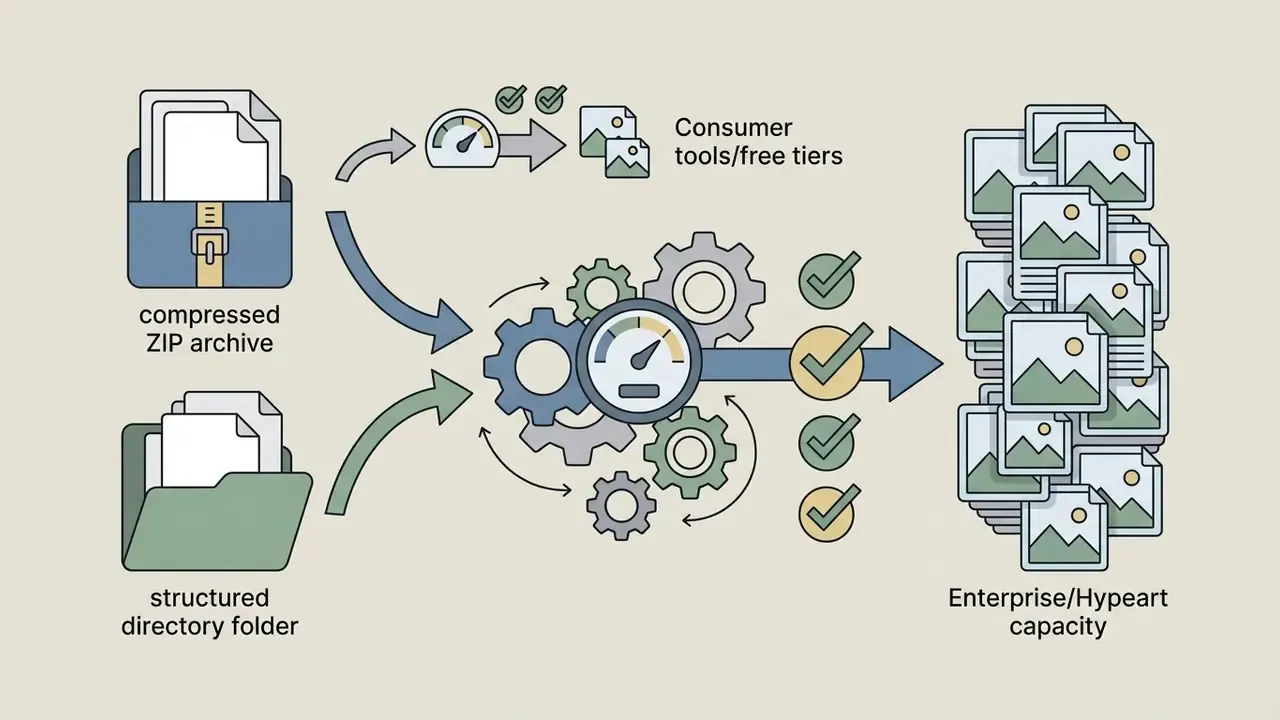
Beyond standard web formats, current workflows accept native mobile HEIC files and multi-asset containers. For catalog migrations or bulk shoots:
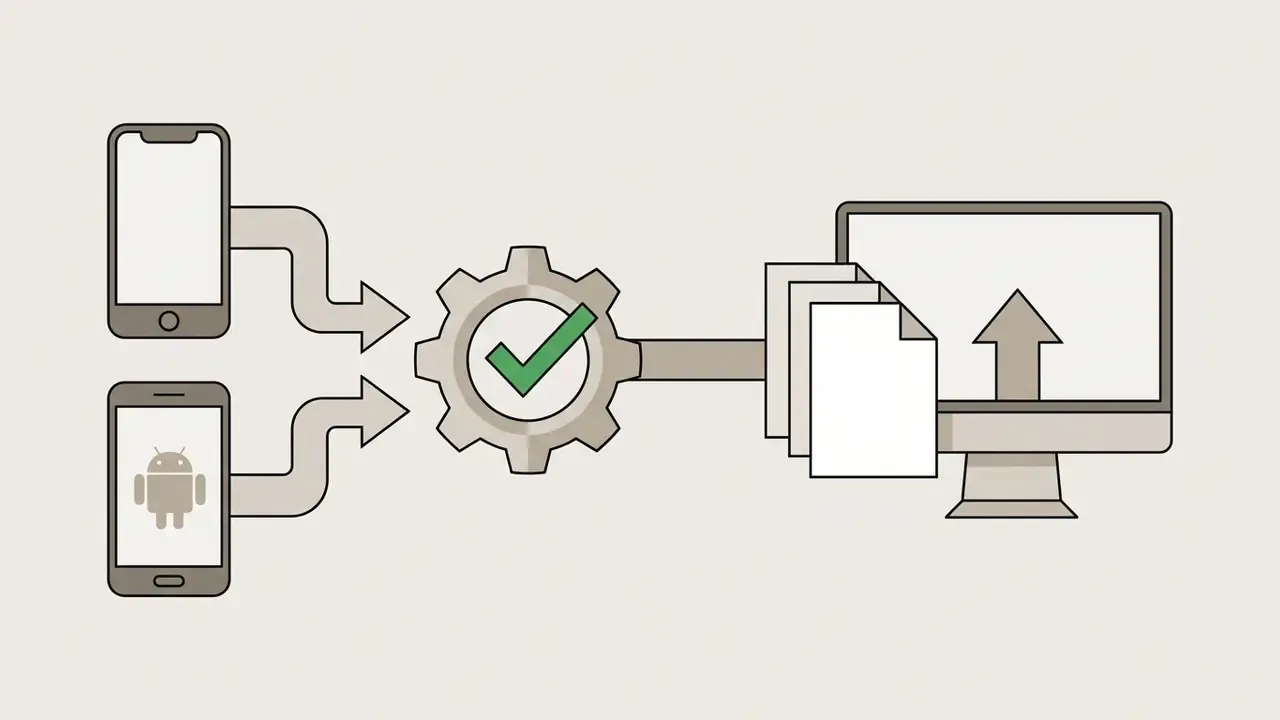
When to use an AI HD image enhancer
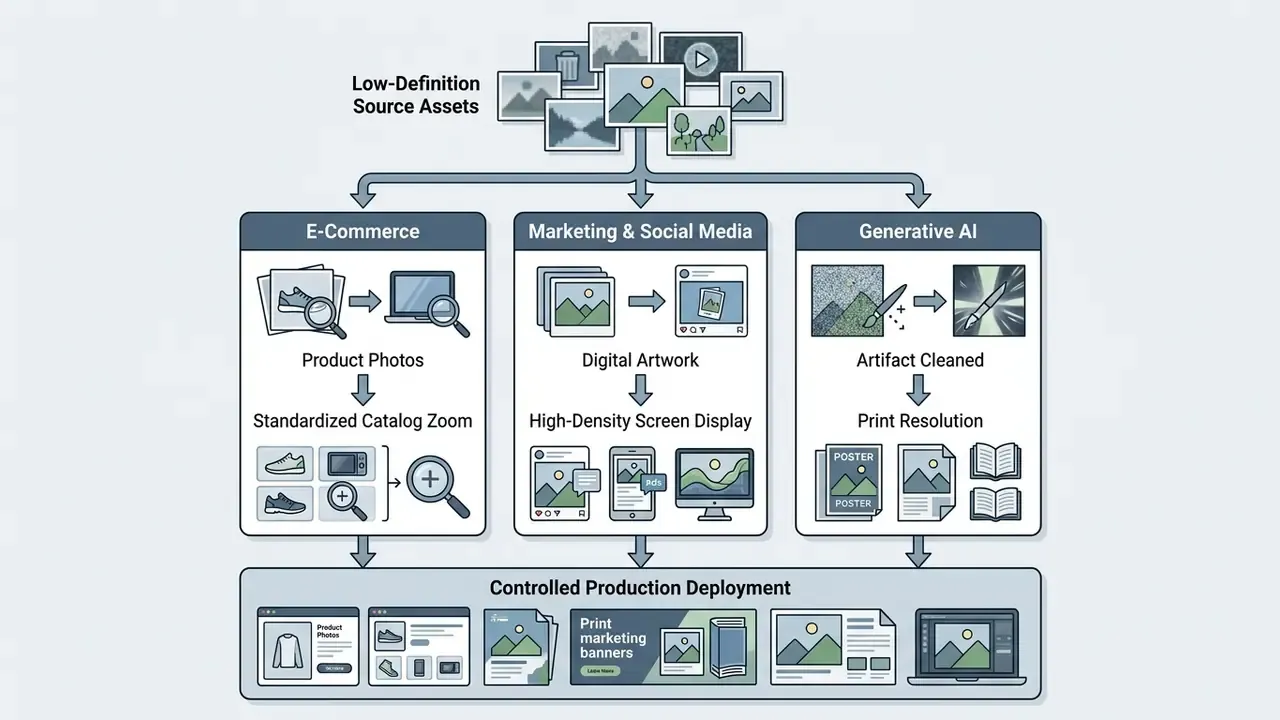
An AI HD image enhancer earns its place when you need to expand low resolution catalog assets, upgrade marketing visuals for large screens, sharpen document scans, or refine digital AI artwork. Published commercial use cases cluster around ad production, product photography, retail and CPG asset workflows, and creative post-production. Buyers scoping vendor shortlists can start from our comparison of AI image enhancers.
Improve product photos for ecommerce and marketing
Enhancing product photos increases zoom clarity and catalog consistency, which supports purchasing decisions directly. Clear product images reduce buyer uncertainty and, anecdotally, return rates. Industry image standards converge on a 1,000-pixel minimum, with 2,000 pixels or more preferred for crisp zoom on high-density screens.
Illustrative scenario: an e-commerce retailer refreshed 5,000 legacy supplier product images through automated batch upscaling. Scaling those files to assets with standardized background isolation gave the catalog consistent high resolution zoom without manual editing, and merchandising stopped chasing suppliers for reshoots.
«DAMoE, trained on the 50,000-image HQ-50K dataset, improves super-resolution, denoising, and JPEG-artifact removal over prior state-of-the-art models.»
Consistency controls matter as much as raw resolution in catalog pipelines. Fix background color, constrain angle ranges, standardize shadow intensity and color grading, then run automated quality checks before human review. Teams building creative variants around those assets can also review our comparison of the best AI art generators for campaign imagery.
Upscale AI art, anime, and AI-generated images
Upscaling AI art needs specialized models that preserve sharp vector-like outlines, flat color gradients, and complex synthetic detail. Standard photographic upscalers often inject unwanted noise or blur straight line work.
Anime and digital art pipelines use models trained on line drawings to prevent edge distortion, holding thin outlines, edge separation, flat color regions, and halftone patterns. AI generated art from diffusion models needs conservative detail recovery: aggressive sharpening or synthetic texture injection produces style drift, warped straight borders, and inconsistent line weight. Third-party comparisons note that photo-optimized upscalers still blur or distort line art, so model selection should follow content class rather than brand preference.
Artists preparing prompts and source frames before upscaling can compare platforms in our review of AI image generators, including the Ghibli-style generator comparison for illustration-heavy workflows. Where the source asset comes from a browser-based image generator, the export ceiling of that tool matters as much as the upscaler: see our notes on the pixlr ai image generator and the playground ai image generator for typical native output sizes. For photoreal campaign work, our breakdown of realistic ai image pipelines and the reve ai image generator review explain which sources survive magnification without texture collapse.
How to choose an AI image upscaler for commercial use
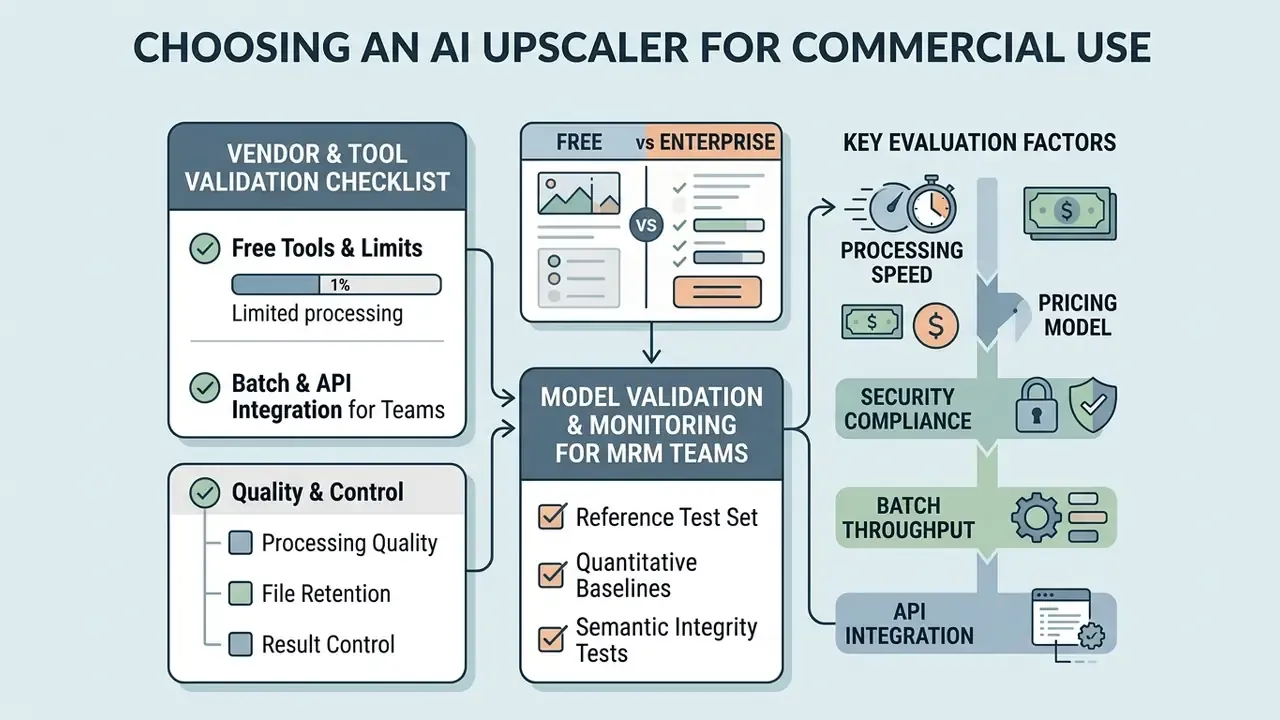
Selecting a commercial AI upscaler means weighing processing speed, pricing model, security compliance, batch processing throughput, and API integration. Enterprise operations care about predictable unit costs and defensible data privacy, in that order, usually.
«In model risk management, HD image transformation relies on probabilistic reconstruction rather than deterministic pixel retrieval.»
«NTIRE 2024 Efficient Super-Resolution showed that upscaling models can optimize runtime and FLOPs while holding PSNR acceptable for commercial pipelines.» - The Ninth NTIRE 2024 Efficient Super-Resolution Challenge Report (2024). https://arxiv.org/abs/2404.10343
| Service feature | Free online tier | Enterprise API / batch | Commercial impact |
|---|---|---|---|
| Max resolution | to guest caps | through and tiers | Determines print and large display suitability |
| Supported formats | JPG, PNG | JPG, PNG, WEBP, AVIF, HEIC, ZIP, MP4/MOV/WEBM | Controls pipeline integration flexibility |
| Batch processing | Single file or manual queue (often 5 images free) | Asynchronous concurrent jobs, 50-file archives, task IDs | Directly drives operational throughput |
| Data retention | 24-hour cloud storage | Immediate zero-data retention (contract-dependent) | Essential for regulatory security compliance |
| API availability | None | REST and webhook endpoints with idempotency keys | Enables automated content pipeline integration |
| Pricing model | Daily free quota, non-cumulative | Per-megapixel or per-task billing (for example $0.005 to $0.03 per MP) | Supports unit-cost forecasting per asset |
Vendor and tool validation checklist
Before a visual-AI service enters the production estate, require documented answers to the following:
Checklist0 / 12
Free online tools and their practical limits
Free web utilities typically cap single-file uploads between 5 MB and 20 MB, or impose resolution ceilings instead, commonly 2,500 px on the long side for unauthenticated guests and 4,096 px for free accounts. Observed examples span a 20 MB cap with no cloud queue, a 5 MB per-file cap with queued multi-file processing, and a 100 MB single-file allowance inside one major vendor's free daily quota. Several free tiers now ship without watermarks. Others gate high-definition export behind a fee and hand you preview-quality output for free, which is fine for a one-off and useless for a catalog.
For occasional tasks, a no-signup browser tool is perfectly reasonable. For anything recurring, free online platforms lack enterprise security guarantees and SLA availability. Organizations comparing paid alternatives can review our breakdown of AI image enhancers or see the overview of available tools.
Batch processing and API integration for teams
Batch processing and API endpoints let automated asset pipelines upscale thousands of images concurrently with predictable compute costs. Modern cloud platforms expose RESTful APIs that accept asynchronous batch uploads, return task IDs, and support status polling until results are collected.
Cost note, and read this one carefully: published batch economics vary by vendor and modality. Anthropic documents Batch API pricing at 50% of standard input and output token rates with completion windows up to 24 hours, and Google documents a Gemini Batch API that processes multiple requests in a single call. Those figures apply to token-based workloads. Image-processing vendors more commonly bill per megapixel or per task, so per-image savings must be measured against your own volume tier rather than assumed. Batch queues also change the retention picture, since at least one provider excludes batch jobs from zero-data-retention coverage.
Processing quality, file retention, and result control
Enterprise deployments require strict retention policies, encrypted processing pipelines, and output quality scoring to prevent both data leaks and hallucinations. Model risk management frameworks demand clear visibility into where uploaded assets live and whether cloud providers use client data for training. NIST's 2024 AI privacy and security guidance explicitly recommends evaluating a cloud provider's security practices before engagement, tying AI adoption to existing access-control and data-lifecycle controls.
Leading commercial APIs offer zero-data-retention options and auto-delete originals within 24 hours. Published policies in the market range from "original image files are not stored and abuse-monitoring retention is limited to 30 days" to "original photos deleted within 24 hours while generated outputs persist until manual deletion". Read the asset-type breakdown, not the headline. Automated validation checks then help governance teams verify quality before assets reach production catalogs:
«An MLLM-based Hallucination Score correlates with human judgments of semantic correctness in super-resolved detail, enabling automated rejection of incorrect outputs.»
Teams formalizing these controls can benchmark enterprise-grade options in our comparison of AI image upscalers.
Model validation and production monitoring for MRM teams
Choosing the right operation for the defect in front of you
| User intent / defect | Recommended AI engine | Output scale target | Key quality metric |
|---|---|---|---|
| Blur or soft edges | Motion deblur plus edge sharpen | canvas | PSNR / SSIM score |
| Small image, clean detail | Super-resolution upscaler | to | SSIM, edge continuity |
| Scanned text or interface capture | Typography-preserving OCR-guided model | to | Vector crispness, character-level diff |
| Damaged black-and-white photo | Colorizer plus scratch restoration | Up to | Identity retention |
| Underexposed or noisy night shot | Retinex or diffusion low-light enhancer | Native or | NIQE, color delta-E |
| Hazy landscape or drone frame | Dehaze plus contrast restoration | Native | Contrast ratio, color depth |
| E-commerce catalog batch | Background removal plus batch upscale | Zero edge artifacts | |
| Anime or line-art illustration | Line-preserving anime upscaler | to | Line-weight consistency |
| Evidentiary document | Deterministic interpolation only, plus manual review | Native | Byte-level provenance |
FAQ: making images HD with AI
Do I need to install software to enhance images online?
No. Browser-based WebAssembly (Wasm) and WebGL frameworks run neural inference directly inside your browser client, using local GPU hardware without installing software. Microsoft Research's 2024 study of in-browser inference reports that TensorFlow.js and ONNX Runtime Web run Wasm on the CPU and WebGL on the GPU, with WebGL inference measured up to 2.7 times faster than Wasm. ONNX Runtime Web documentation confirms WebGL support across major browsers, and the W3C WebAssembly specification defines the standard execution layer. Fully client-side processing is therefore feasible on any device with a modern browser, which also means some tools can keep images on-device so files never leave the page.
What is the maximum resolution AI upscalers can achieve?
Modern platforms publish output ceilings up to and (), and some accept inputs as large as at , with tighter caps at higher scale factors (for example at for guests). Actual limits depend on system memory, engine tier, and account status, so verify the cap at your intended scale factor rather than the headline number.
Can AI upscaling sharpen blurry text in screenshots and scans?
Yes. Dedicated text-enhancement models refine character typography and UI labels in screenshots and scanned documents by applying vector-edge preservation filters. Use a text-specific mode instead of a photographic upscaler, target 150 to 300 DPI, and diff the output against the original whenever the characters carry financial, legal, or identity meaning.
Can I process multiple photos at once using batch upload?
Yes. Enterprise platforms and advanced web applications support batch uploads through drag-and-drop, multi-file queues, folder drops, or compressed ZIP archives containing up to 50 assets concurrently. Consumer tiers typically process 2 to 20 images per job, with free batches often limited to around five files. API-based pipelines add task IDs, status polling, and webhook delivery for unattended operation.
Does AI upscaling remove backgrounds and colorize black-and-white photos?
Commercial AI suites combine super-resolution with secondary multi-modal tools: alpha-matting background removal, scratch repair, dehazing, motion-blur correction, and automated colorization for historical assets. Order matters for archival work. Repair damage first, colorize second, enhance faces last.
What is the difference between a daily free quota and processing credits?
A daily free quota provides a non-accumulating set of free transformations that refreshes every 24 hours and cannot be stacked. Processing credits or VIP tiers unlock higher output-scale caps ( and ), priority GPU queues, access to advanced models, and zero-watermark exports. Subscription credits follow plan-specific rollover rules that usually lapse when the subscription ends.
Are my uploaded files and visual assets private and secure?
Enterprise-grade tools operate under zero-data-retention policies, delete cloud files automatically within 1 to 24 hours, and contractually exclude client uploads from public model training. Read the fine print by asset type: some providers retain generated outputs longer than originals, and at least one major platform excludes batch jobs from ZDR coverage. For regulated data, require SOC 2 Type II evidence, private endpoints, and a named sub-processor list.
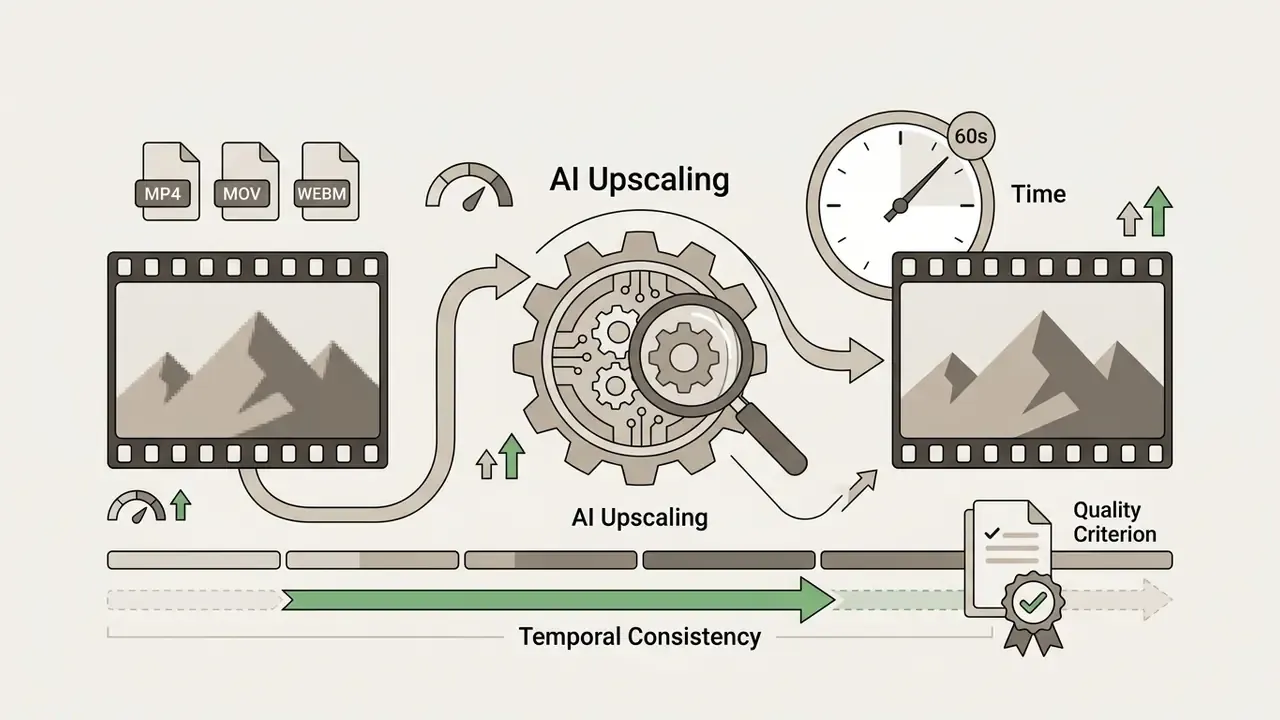
Does AI upscaling work on video files and HEIC formats?
Yes. Advanced pipelines accept HEIC mobile captures and short video containers (MP4, MOV, WEBM), commonly up to about one minute, applying frame-by-frame temporal super-resolution. For video, evaluate temporal consistency alongside per-frame sharpness, because flicker between frames is a distinct artifact class.
Why do some images produce far better results than others?
Output quality is bounded by surviving information in the source. Resolution, blur severity, compression history, lighting, occlusion, and the amount of intact detail all constrain what a model can reconstruct. A clean PNG usually upscales better than a heavily re-saved JPG, because the model does not have to separate genuine detail from compression noise.
Is AI-upscaled imagery acceptable as evidence or for identity verification?
No, not on its own. Generative upscaling synthesizes plausible content, so enhanced outputs are derivative interpretations rather than captured data. NIST/OSAC guidance on generative AI in facial image processing requires that any generative processing be documented for investigative use. Retain the original file, log the transformation parameters, and require specialist review before relying on enhanced imagery in forensic, medical, insurance, or legal contexts.
Appendix A: superseded fragments retained for transparency
For editorial traceability, the following earlier formulations have been replaced in the main text:
- "Free online upscaling utilities offer basic resolution upgrades but impose operational limits on file sizes, batch volume, and high-resolution exports. Most browser utilities cap uploads at 5 MB to 20 MB per file and enforce single-file processing queues." Superseded because current vendors publish resolution-based caps and allowances up to 100 MB alongside megabyte limits.
- "As demonstrated by commercial API pricing structures, executing requests via batch endpoints can reduce per-image processing overhead by up to 50% compared to real-time API calls." Superseded because the documented 50% discount applies to token-based batch inference at one named vendor, not to per-image upscaling generally.
- "Creators working with high-fidelity media can evaluate specialized tools using a realistic ai image generator guide." Superseded because image generation is a different task from resolution scaling. Generator comparisons now appear only in the AI-art section, where the source-to-upscaler workflow genuinely overlaps, and the scaling section instead asks buyers to verify documented output caps and artifact profiles.
- Promotional phrasing around consumer tools was trimmed in favour of topic-relevant comparisons of upscalers, enhancers, outpainting tools, and art generators. Adult-content generator references were excluded as irrelevant to regulated visual pipelines.