Executive summary for decision-makers
- What it is: Reve AI Image Generator is a commercial generative platform built on a layout-first architecture with 12 billion parameters. It first compiles a structural scene plan (bounding boxes, typographic hierarchy, lighting map) and only then renders pixels. The base frame is 2048×2048 with an integrated upscale to 4K (4096×4096).
- Where it is strong: in-image typography (#2 in the Artificial Analysis text rendering ranking), region-addressable editing of individual layout nodes (#1 for editing on the Atlas Cloud arena at 1263 Elo), and multi-reference conditioning across up to 8 images.
- Where it is weaker: scale proportions in crowded multi-figure scenes, declining prompt fidelity after repeated spot edits, silent omission of some spatial conditions in overloaded prompts, and cost of roughly $200 per 1,000 images versus $67 for Nano Banana 2.
- What to verify before purchase: the plan tier (commercial rights attach only to paid accounts), the status of non-training commitments in the Enterprise SLA, audit certifications, the export path for an audit trail usable by Model Risk Management, and shadow AI exposure when staff use the free tier.
One line, if you only read one: the architecture is unusually auditable, the licensing is tier-dependent, and the vendor's public security disclosures are thinner than a bank questionnaire expects.
What Reve AI Image Generator is and which jobs it fits
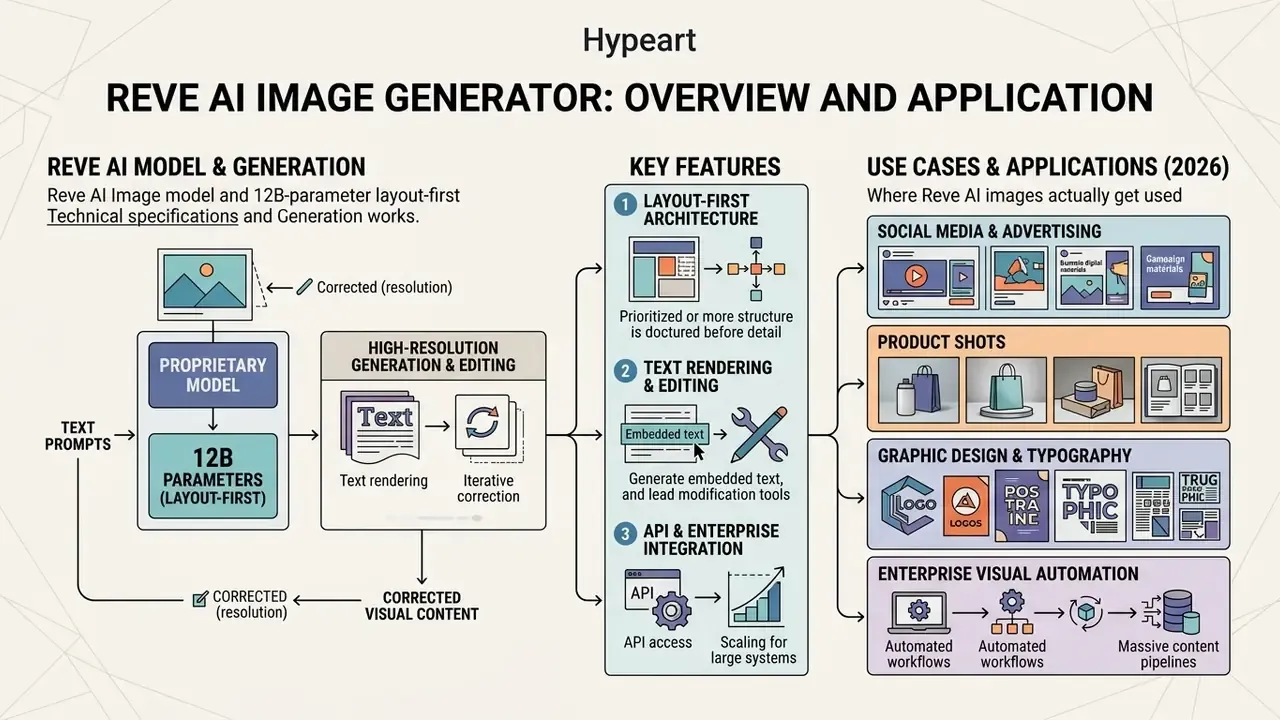
Reve AI Image Generator is a proprietary generative model platform engineered to create and edit high-resolution visual content directly from natural language prompts and reference images. Built on a layout-first rendering architecture, the platform targets commercial design, social media marketing, and automated product imagery workflows where precise spatial arrangement and inline typography are critical.
«In November 2025 Reve AI raised about $350M in a Series B at a $1.9B valuation, taking total funding to roughly $390M.»
For a corporate reader that detail matters less as market news and more as a vendor-viability signal. Third-party risk assessment asks a blunt question: will this supplier still be operating at the end of the contract term? Funding depth is weak evidence, but it is evidence.
Users seeking a versatile ai rendering generator can use Reve AI to produce photorealistic assets, promotional graphics, and UI mockups with exact text placement. For broader market context, it helps to read the wider overview of AI image generators first, because tool choice here is mostly a question of which failure mode you can tolerate.
Reve AI Image: the model and how generation works
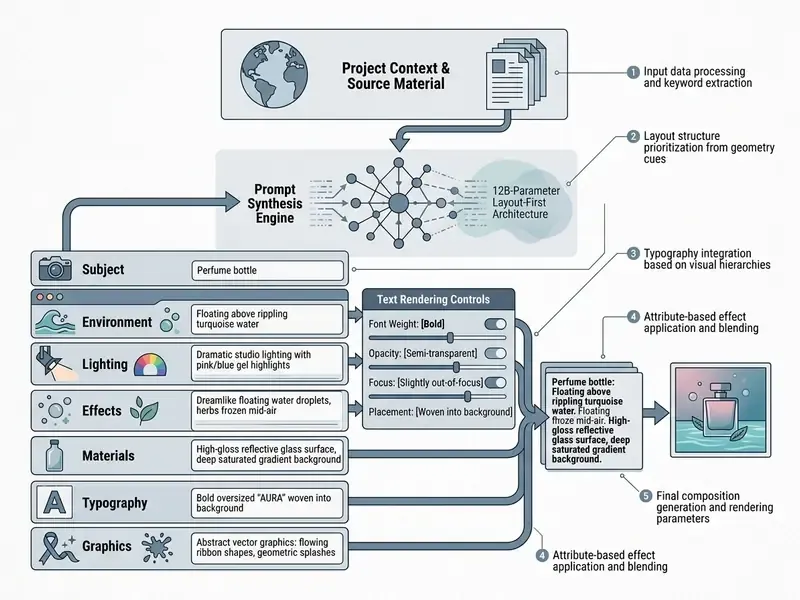
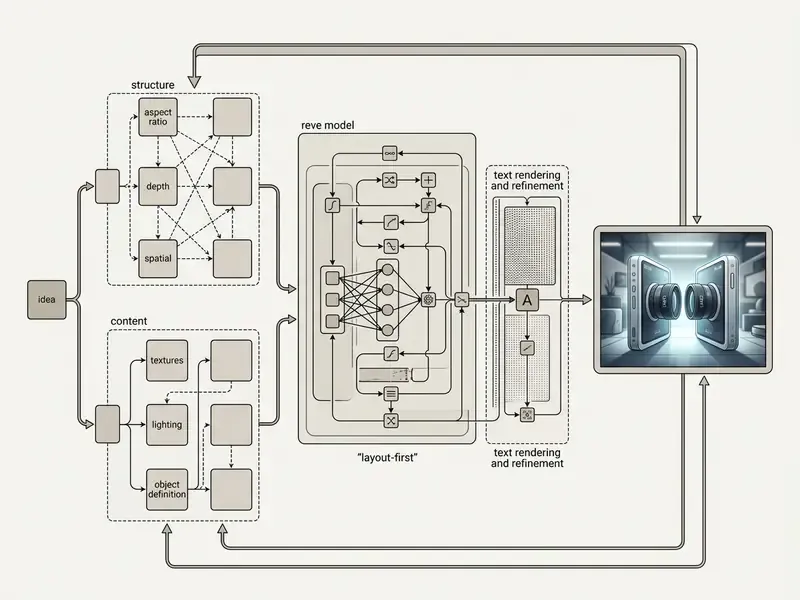
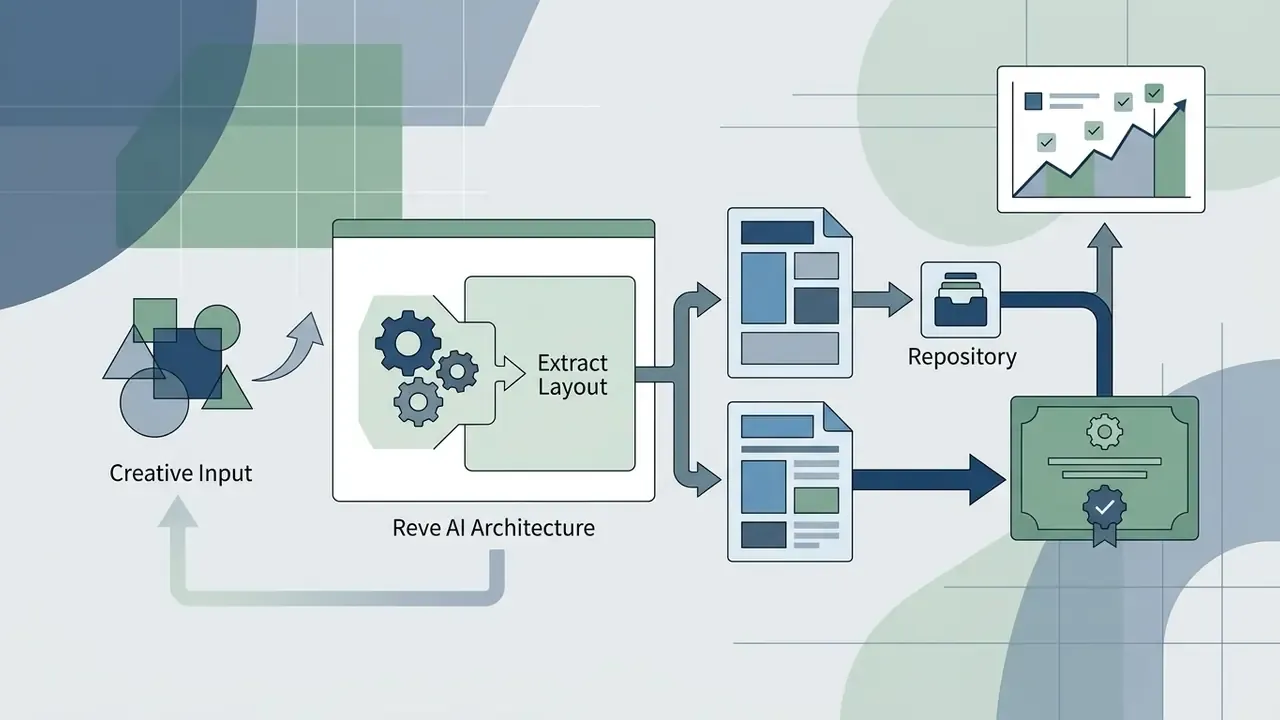
Reve AI Image operates on a two-stage generative process that decouples macro scene planning from micro pixel rendering. Rather than mapping text prompts straight onto noisy pixel arrays, the underlying image model first compiles a structural blueprint that establishes object bounding boxes, light direction, and typographic spatial hierarchy.
Technical specifications. The Reve 2.1 stack is a hybrid Diffusion Transformer with 12 billion parameters, combining multimodal and parallel diffusion-transformer blocks. The pipeline has three components: a context-aware prompt interpreter (the proprietary reading mechanism responsible for prompt adherence), a hybrid diffusion architecture with relational attention that holds spatial relationships and character consistency, and a dedicated Typography Engine trained on a dataset of 50 million font samples, which the vendor credits with character-level accuracy up to 98%. The base framework renders at a native 2048×2048 pixels, after which an integrated algorithm performs intelligent upscaling to 4K (4096×4096 pixels) while preserving about 92% of fine detail. Stated generation speed for a standard request is under 20 seconds, with 27 visual styles supported (photorealism, digital painting, fantasy art, cinematic, watercolor, anime, editorial, and others). Multi-character consistency in a single frame is quoted at 89%, against 62% for Stable Diffusion XL.
Corrected (resolution). Once the layout tree is validated, the rendering pipeline outputs a native 2048×2048 frame and then applies an integrated 4K pass, delivering up to 4096×4096 pixels with sharp object edges and legible text across diverse AI models. Saying that the model "synthesizes native 4K directly" is a simplification. The accurate phrasing is: native base frame plus integrated upscaler. The original wording is preserved in Appendix A.
«Reve 2.1 first compiles a structural scene plan, spatial hierarchy, typographic bounding boxes and a lighting map, and only then renders the 4K image.»
Practically, that ordering is the whole story. Plan first, paint later. It is also why the platform produces an artifact you can attach to an approval record, which almost no diffusion-only tool does.
Where Reve AI images actually get used
Reve AI images are used mainly in high-consequence visual workflows, where standard diffusion artifacts such as garbled text or warped product geometry create commercial and operational risk. Common deployment areas:
- Social media and advertising multi-format banners across varied aspect ratio requirements without losing central subject alignment (17+ presets from 4:1 to 1:4, plus an
automode). - Product shots standardized e-commerce assets with accurate reflections, surface textures, and exact brand logo rendering.
- Graphic design and typography event posters, editorial covers, digital signage, menus, and packaging containing long multi-line headlines and microcopy.
- Enterprise visual automation generation embedded into marketing pipelines through API protocols for programmatic content production.
When organizations need to audit visual assets for intellectual property compliance or trace source imagery, an ai reverse image lookup system helps verify visual lineage across external channels. That step is cheap, and it has saved more than one campaign from an awkward takedown notice.
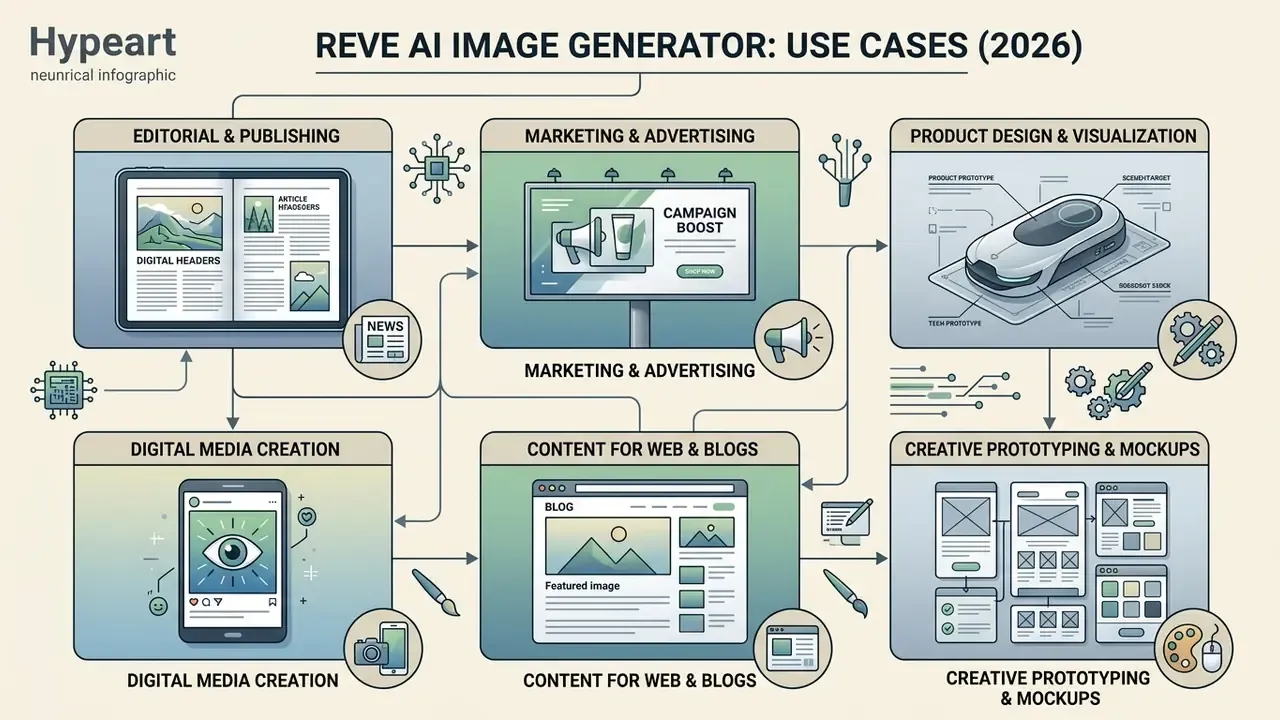
Key features for creating and editing images
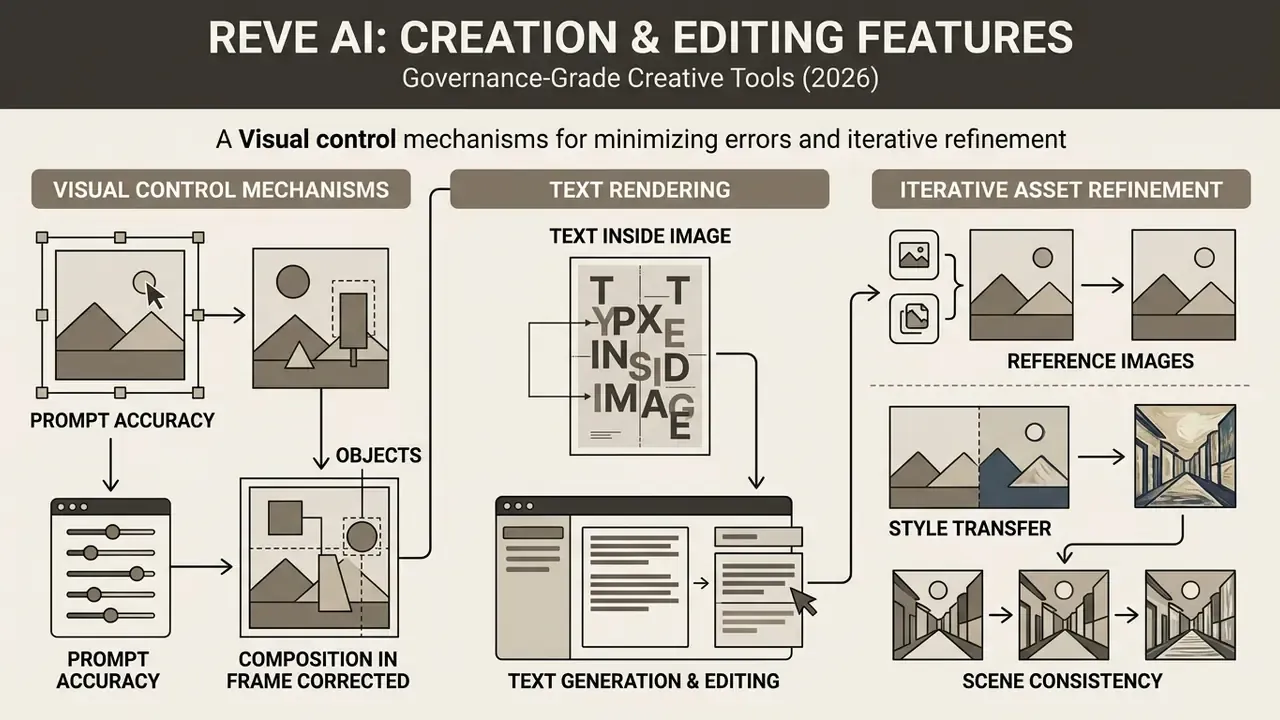
Reve AI provides visual control mechanisms designed to minimize stochastic generation errors and speed up iterative asset refinement. The headline capabilities are high prompt adherence, native typography generation, ordered multi-reference conditioning, and region-addressable object modification. Together, these key features let creative teams create and edit complex layouts while keeping consistency across multi-channel campaigns.
Prompt accuracy, objects, and composition in frame
Reve AI reaches high prompt accuracy by parsing input text through a context-aware linguistic parser that converts multi-clause descriptions into discrete layout nodes. In complex scenes with several overlapping subjects, the system holds spatial consistency and object boundary isolation, which prevents visual bleeding between foreground products and background elements.
Corrected. Instead of the vague claim that the model "ranks among the top models", here is a measurable independent result:
«Curious Refuge Labs scored Reve at 9.5/10 for prompt adherence, the highest result among the three tested categories.»
Reve's own materials phrase this qualitatively: the model "reasons more accurately about how elements relate" and claims stronger behavior in "dense and complicated scenes". Independent reviews do confirm correct object placement in multi-element prompts. They also note, fairly, that the vendor's qualitative claims are not backed by a public controlled benchmark for object placement. Treat the 9.5/10 as directional, not as validation evidence.
Text rendering and generating text inside the image
The platform addresses a historical weakness of generative diffusion by folding a dedicated typography engine into the layout planning phase. Text rendering in Reve AI treats letters and words as structured geometric entities rather than unconstrained pixel patterns. The result is legible, correctly spelled headlines, labels, and signage inside generated images, which is why Reve consistently appears among the best AI image generators on this criterion. Release 2.1 added multilingual text rendering, including dense settings in non-European scripts.
This capability makes the reve image ai generator genuinely useful for packaging mockups, promotional banners, and social assets that need inline text without mandatory post-processing in an external graphic editor.
«In the Artificial Analysis text rendering ranking, the spread between best and worst models is 178 Elo points; GPT Image 2 is #1 and Reve 2.1 is #2.»
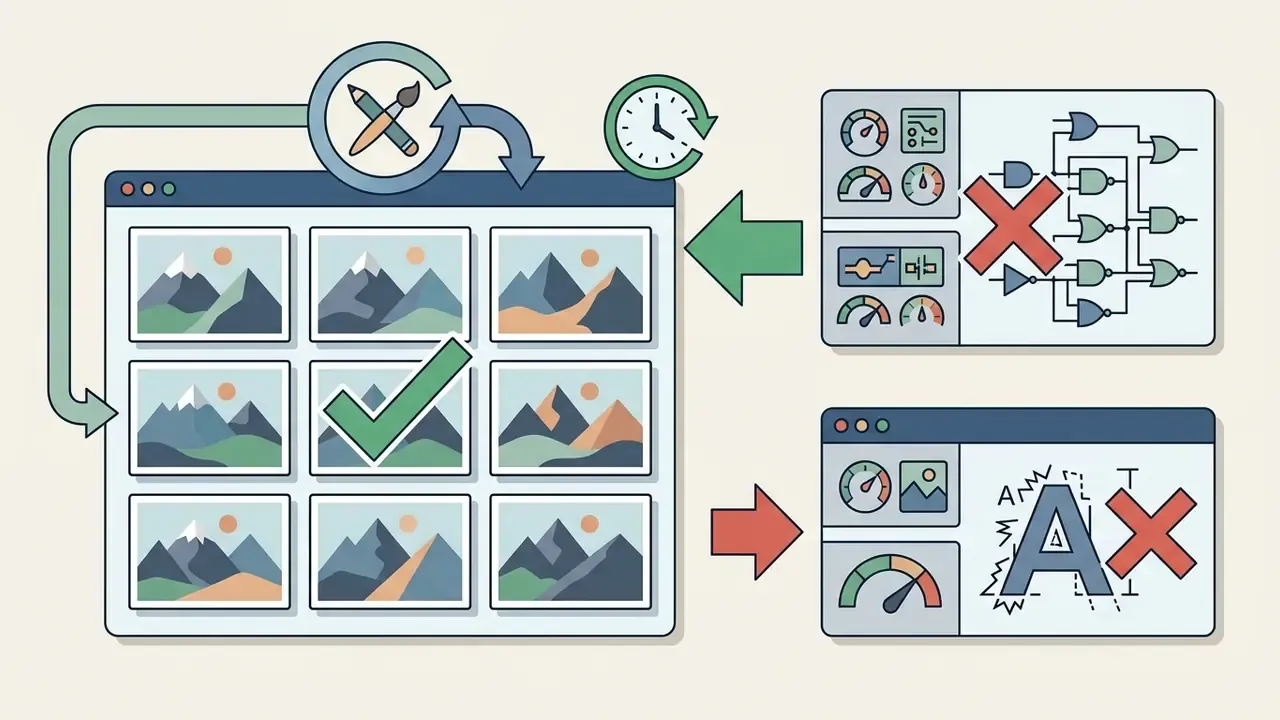
One limitation is well documented in hands-on testing. The engine is reliable on short structured strings such as headlines, labels, and disclaimers. It is not built for paragraphs of running body copy, dense credit blocks, unusual calligraphy, or microtext. In those cases testers found dropped diacritics and substitutions between visually similar letters. For a regulated banner with a mandatory legal line, that distinction is not cosmetic.
Reference images, style transfer, and scene consistency
Reve AI supports up to 8 ordered reference images, letting users condition generations on existing brand assets, color palettes, and visual style guides. Using explicit <frame>N</frame> tags inside prompts (numbering starts at position 0), designers can pull structural geometry from one reference while applying the lighting and surface texture of another. This multi-reference conditioning enables precise style transfer and preserves character and scene consistency across sequential campaign assets, keeping brand identity uniform across outputs. Teams that need more direct control over a source frame should compare Reve's approach with the logic of image-to-image generators.
| Reve AI feature | Practical task | Expected outcome |
|---|---|---|
| Layout-first architecture | Assembling complex compositions with many objects and text | Accurate spatial distribution of elements according to the plan |
| Native 2048² + 4K upscale | Print advertising and large-format banners | High detail up to 4096×4096 with ~92% detail retention |
| Typography Engine (50M font samples) | Posters, packaging, and UI mockups with lettering | Crisp, readable text with character accuracy up to 98% |
| Region-addressable editing | Swapping an object or background without redrawing the frame | Selected nodes change while global lighting holds |
| Multi-reference conditioning (up to 8) | Keeping brand style and characters across a series | Visual and material consistency driven by supplied references |
| Aspect ratio reframing (17+ presets) | Multi-format rollout of one campaign | One scene in 1:1, 16:9, 9:16, 21:9 without losing the subject |
«Per Atlas Cloud (2026), Reve 2.1 scored 1321 Elo in generation and 1263 Elo in editing, first place across all tested models for editing.»
How to use Reve AI Image Generator: from idea to finished file
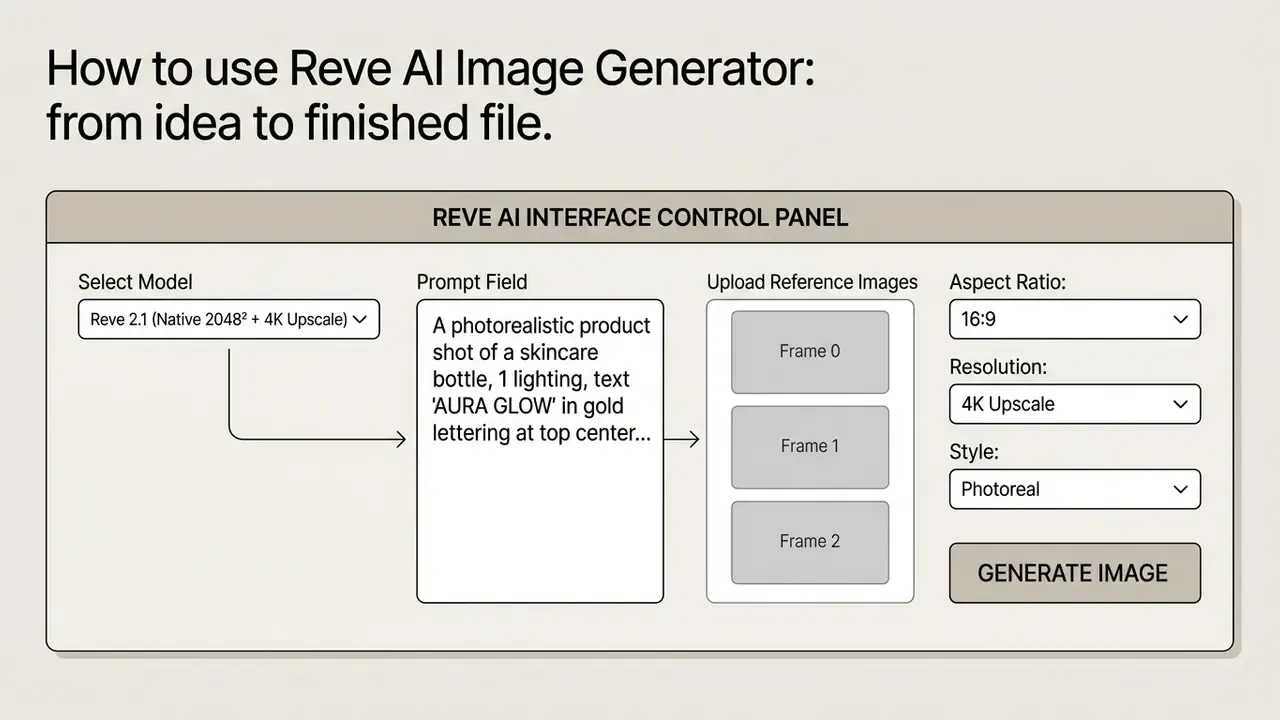
Operating Reve AI Image Generator involves a structured four-stage workflow: prompt framing, generation parameter configuration, rendering execution, and targeted post-generation editing. To get the most out of image quality and keep operations efficient, users should align prompt structure with the model's layout-first architecture.
How to write a prompt for Reve AI image generation
For optimal prompt adherence, structure prompts in hierarchical layers: primary subject, framing and spatial arrangement, visual style, lighting direction, then exact typographic strings. Earlier clauses carry more weight, so the main subject always goes first. Putting literal text strings in quotation marks and naming explicit region boundaries helps the layout engine allocate bounding boxes correctly. Prompt length in the official API is capped at 2,560 characters, and aspect ratio is set by a separate parameter rather than described in words inside the prompt.
Copy-ready prompt templates for commercial tasks:
Logging parameters for audit and model risk management
The layout-first design gives one advantage that reviews rarely mention: the scene plan can be saved and reproduced independently of the render. For auditable visual assets, capture a minimum field set for every approved frame:
That log closes the reproducibility requirement supervisory practice applies to model validation, for instance the SR 11-7 approach in the United States, which expects documented validation and independent review. It also simplifies the evidence base for generated-media transparency under the logic of the EU AI Act. No evidence, no autonomy. The rule holds for image models just as it does for credit models.
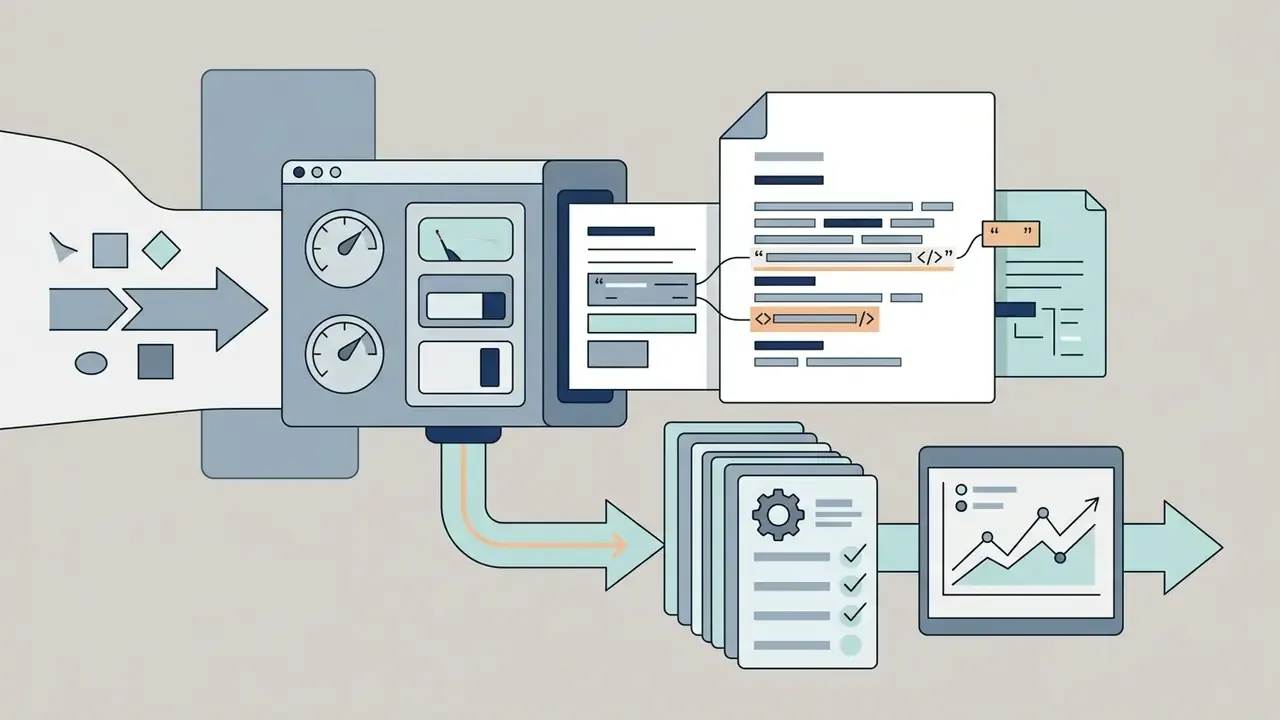
<frame>N</frame> tags.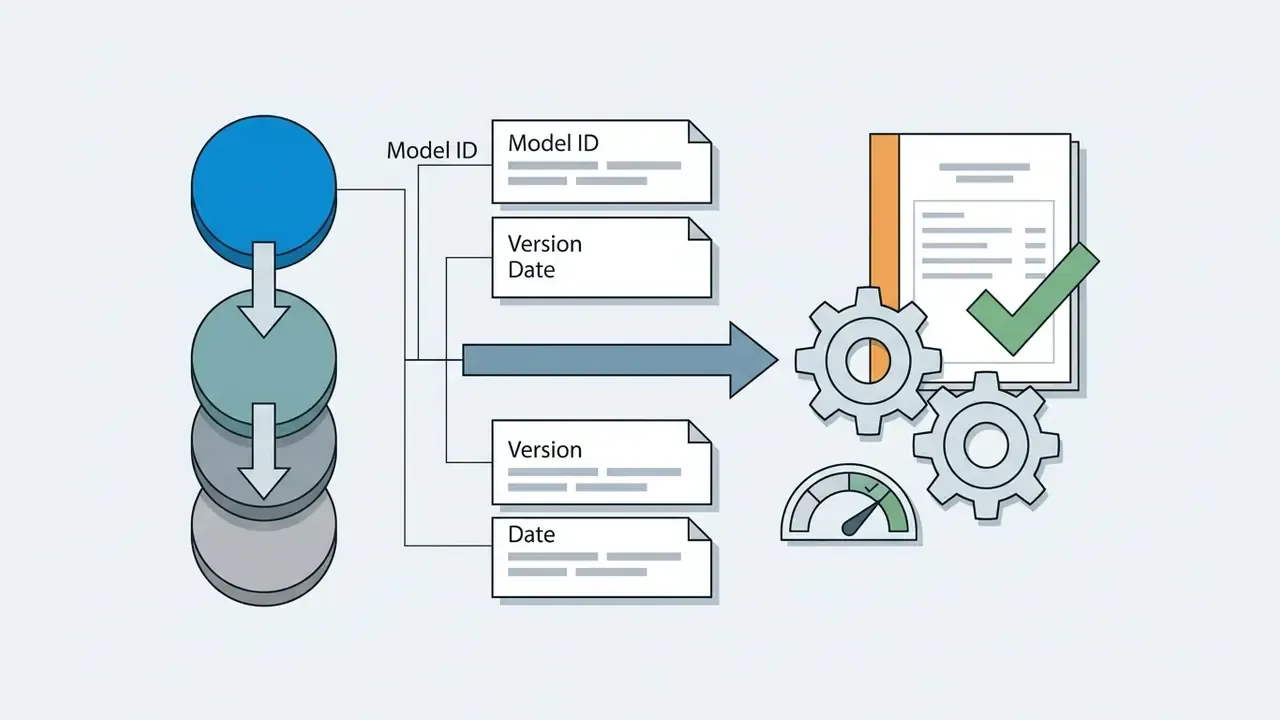
Extract Layout or Create Layout, stored as a separate file. This is your reproducible proof of composition.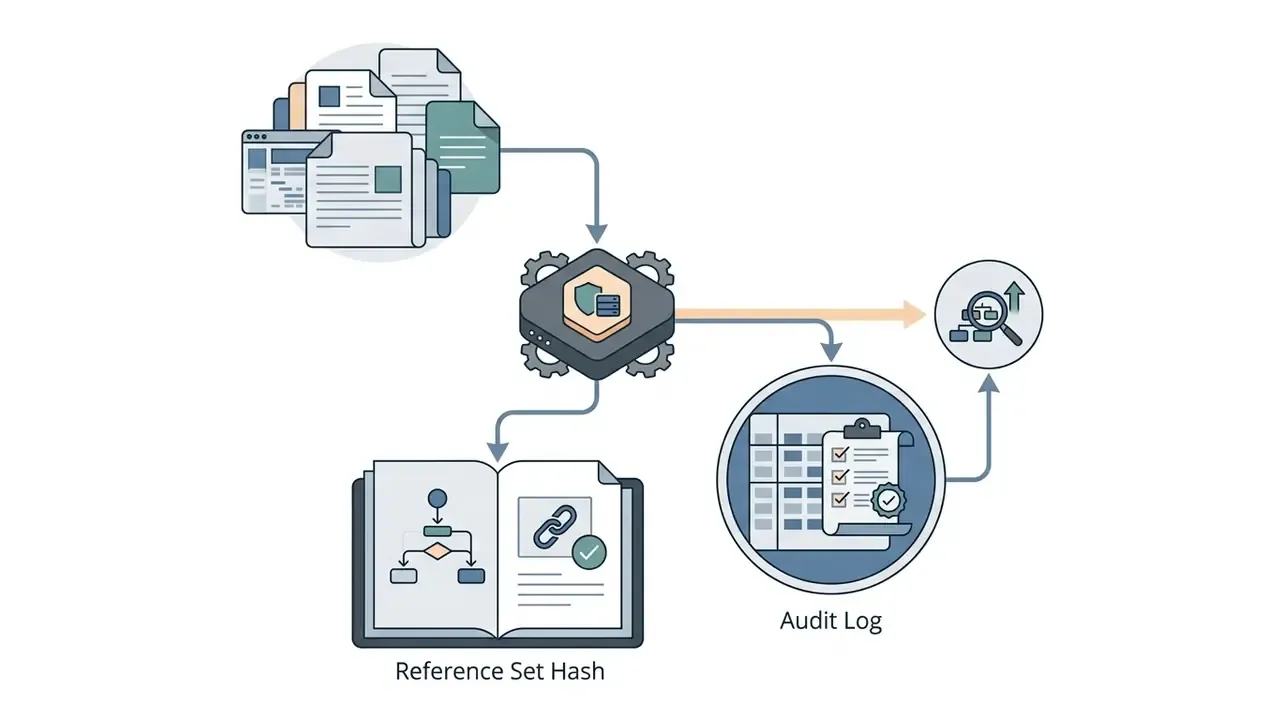
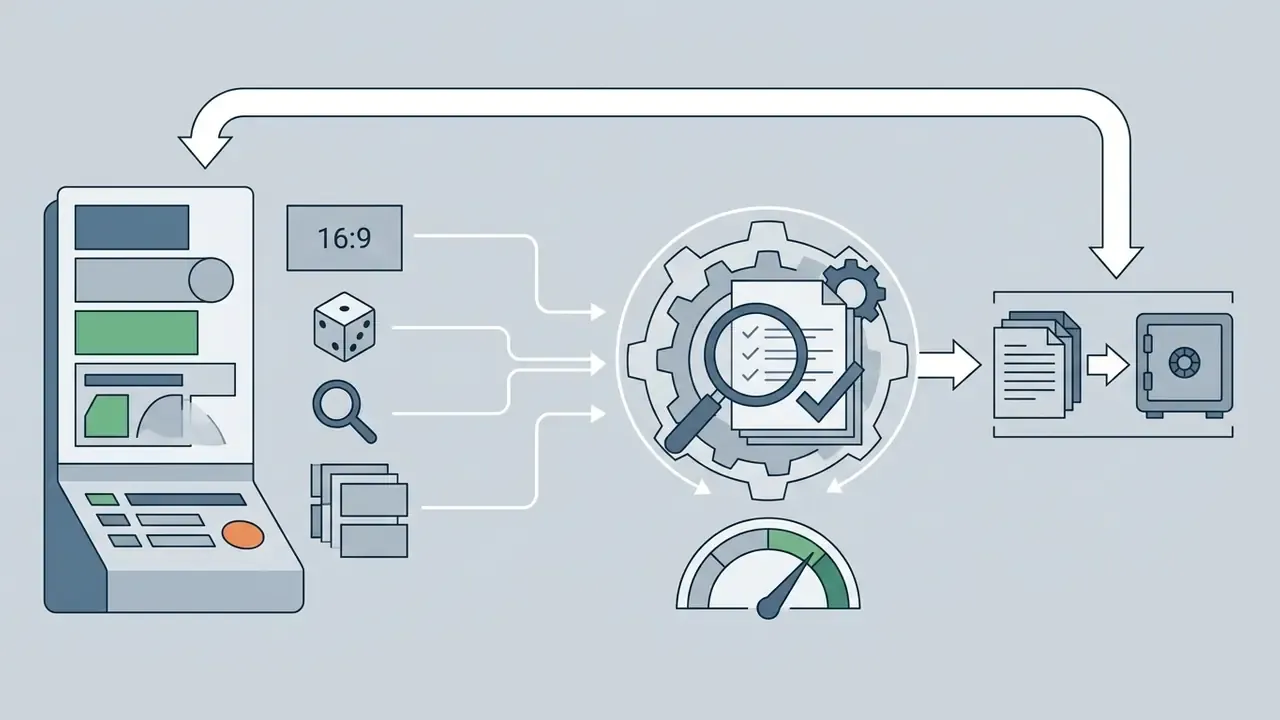

Image settings: aspect ratio, quality, and reference images
Before running a generation, configure the output parameters in the control panel:
When low-resolution sources need cleanup before entering reference workflows, teams often use an ai sharpen image utility along with a set of image enhancement tools to improve feature definition. For raising the resolution of source material, a dedicated AI image upscaler is the better fit.
- Aspect ratio selection
- choose from preset dimensions (4:1, 3:1, 21:9, 2:1, 17:9, 16:9, 3:2, 4:3, 5:4, 1:1, 4:5, 3:4, 2:3, 9:16, 1:2, 1:3, 1:4), or use
autowhen editing uploaded images to preserve the source proportions. Arbitrary sizes outside the presets can trigger a validation error. - Quality and resolution
- render natively at 2048×2048, or enable the integrated 4K pass (up to 4096×4096 pixels) for maximum print and digital fidelity.
- Reference image mapping
- upload targets into ordered slots (Frame 0 through Frame 7) and address them in the prompt with explicit positional tags. Some API hosting providers cap the slot count at 4, which is worth checking before you design a pipeline around eight.
Editing the result and regenerating
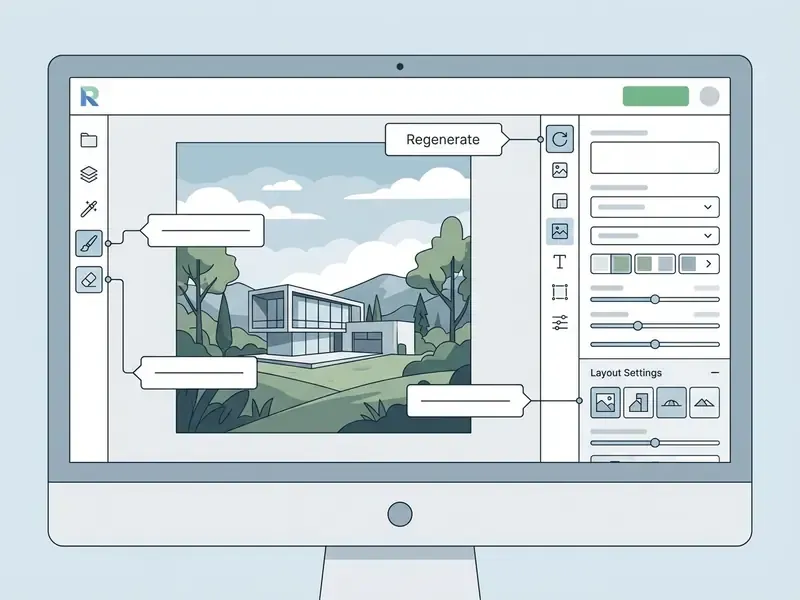
If a generated image needs structural or cosmetic adjustment, Reve AI supports targeted region-level editing without a full re-render. Users select a specific object or text block through the interface's touch-to-edit controls, then type a natural language revision instruction, for example "change bottle color to matte black" or "update headline text to 50% OFF". The model modifies only the selected node in the underlying layout tree, unlike classic AI photo editors where an edit usually means another pass across the whole frame.
Corrected (honest phrasing). Environment, perspective, and global illumination stay stable in most cases. However, hands-on testing shows that a full pixel lock is not guaranteed: spot edits can shift an object, duplicate a neighboring element, or quietly ignore secondary instructions bundled into the same request. The stronger original wording is preserved in Appendix A. The working rule is simple: one edit, one instruction, and a visual check after every pass.
Reve AI image quality: strengths and limits
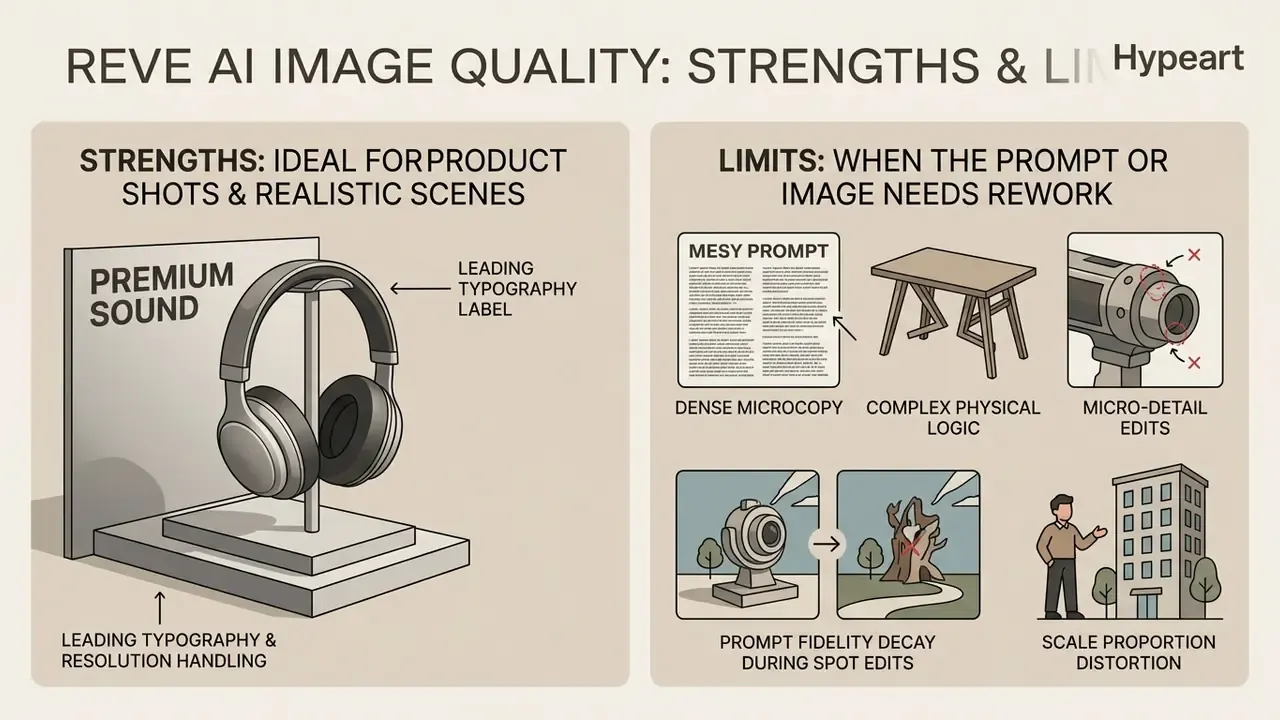
Evaluating Reve AI means weighing its leading typography and resolution handling against its cost and hardware appetite. Benchmarks on crowdsourced platforms such as Artificial Analysis and Arena.ai consistently place Reve 2.1 in the top tier, particularly for structured, text-heavy commercial visuals.
Historical context helps calibrate expectations. The first release (Reve Image 1.0, codename Halfmoon, March 2025) took #1 in the Artificial Analysis Image Arena with 1167 Elo, ahead of Midjourney v6.1, Imagen 3, Recraft V3, and FLUX.1.1 [pro]. In some niche benchmarks built around ultra-hard tasks, though, Reve landed mid-pack. The model is stronger in architecture, interiors, and photorealistic portraits than in tasks that demand counter-intuitive physical reasoning.
When Reve AI helps with product shots and realistic scenes
When the prompt or the image needs rework
For all its strengths, Reve AI shows clear limits in specific edge cases:
- Dense microcopy paragraph-length body copy or intricate script typography can introduce kerning artifacts, dropped characters, or lost diacritics.
- Complex physical logic highly counter-intuitive prompts that break basic physics or spatial rules can cause layout tree validation failures.
- Micro-detail edits adjusting ultra-fine object details in multi-subject scenes may need several surgical passes rather than one prompt attempt.
- Prompt fidelity decay during spot edits when touch-to-edit is applied to isolated elements, the model may ignore secondary instructions (a change of object tilt, for example) or duplicate a nearby object.
- Scale proportion distortion in dense multi-figure compositions, such as crowds, rows of objects, or rows of seated people, Reve 2.1 can break physical proportion between background and foreground.
- Silent omission of spatial conditions if a prompt places more than four or five distinct object groups, the layout engine can quietly drop one element from the final plan without raising an error. You only catch it by looking.
«Curious Refuge Labs recorded 7.6/10 for style and realism at Reve, below its 9.5/10 for prompt accuracy, which points to uneven quality.»
Prompt-level mitigations: keep text literal and short, state object counts and positions explicitly, split overloaded scenes into two or three editing steps, address one concrete element with one change in edit mode instead of issuing a vague instruction, and lean on clean references rather than abstract descriptions.
In workflows where teams need 3D asset modeling next to flat image generation, pairing image outputs with an ai stl generator allows fast conversion from 2D concepts into physical spatial formats.
Fact check and verification methodology:
Security, compliance, and preventing shadow AI
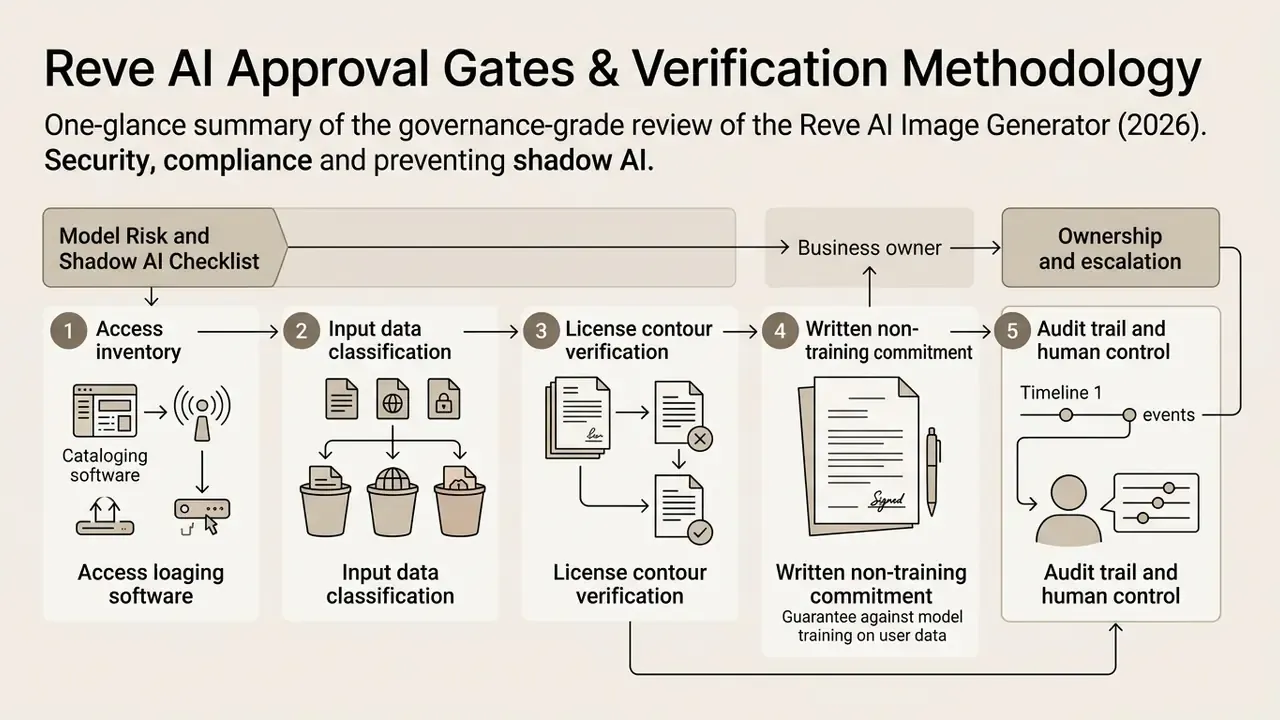
Model risk and shadow AI checklist: five gates before approving Reve AI
- Access inventory.Establish who already uses the free tier, shut down domain registrations outside corporate SSO, and migrate every user onto an approved paid or enterprise contour.
- Input data classification.Explicitly prohibit using unreleased products, personal data, client materials, or third-party protected content as references, and write it into the AI Acceptable Use Policy.
- License contour verification.Confirm that every commercial publication came from a paid account, and retain proof of the plan on the generation date. Output rights attach to the account status, not to the file itself.
- Written non-training commitment.Secure an explicit Enterprise SLA clause covering non-use of Input and Output for model training, plus an opt-out procedure. On Lite and Pro this is described as an option, but verify its status on the signature date.
- Audit trail and human control.Implement the generation parameter log described above, mandate a human visual check of text and proportions before publication, and enforce one rule without exceptions: no approved frame without a stored layout artifact.
Ownership and escalation: who signs what
A checklist without named owners drifts within a quarter. Assign four roles before the first production frame.
- Business owner (usually marketing operations) owns the prompt library, the approved style references, and the request queue.
- Control owner (compliance or second line) owns the disclaimer wording, the acceptable-use boundary, and the sampling rate for post-publication review.
- Model risk reviewer decides whether this qualifies as a model in your inventory or as a non-model tool with documented controls. Both answers can be defensible; an undocumented answer is not.
- Escalation path covers what happens when a published asset contains a text error, an unlicensed reference, or a likeness issue. Name the person, the deadline, and the takedown mechanism.
One more unglamorous control: a kill switch. If access runs through SSO and a single API key vault, revocation takes minutes. If it runs through nine personal accounts, it takes a month and a lawyer.
Reve AI Image Generator: free access, pricing, and commercial use
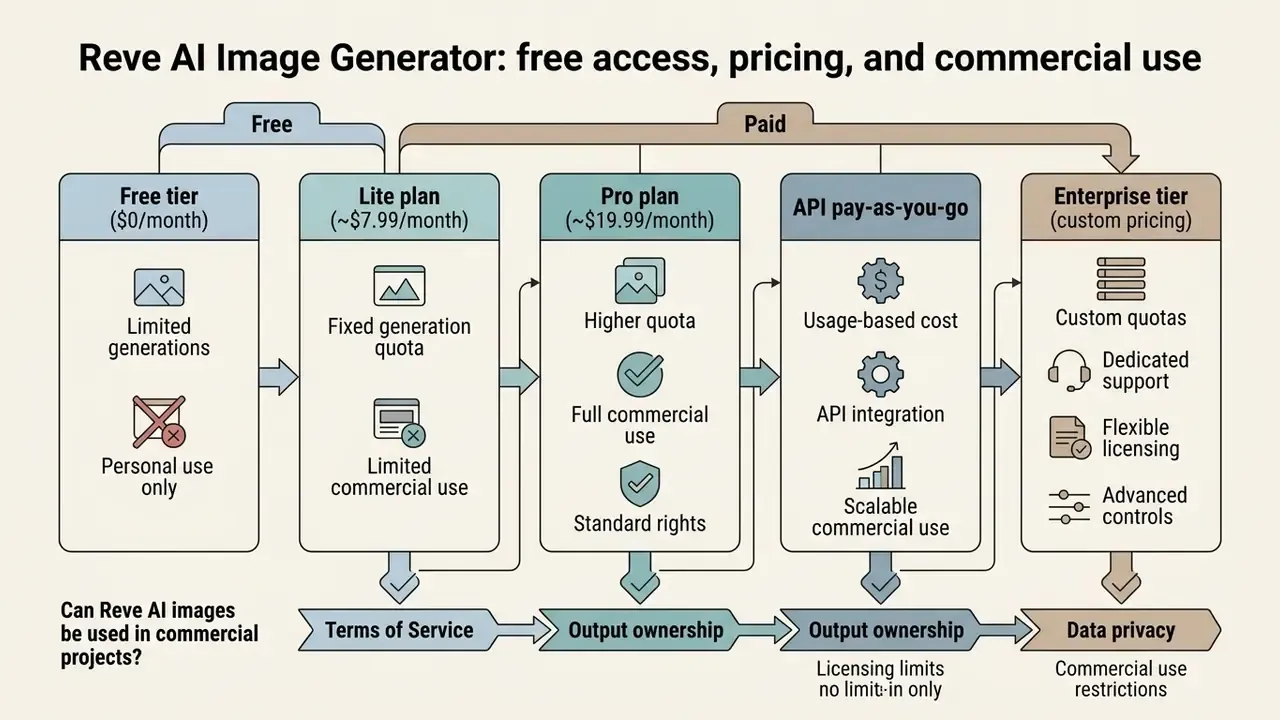
Assessing commercial deployment of Reve AI means examining pricing structure, generation quotas, and the Terms of Service governing output ownership and data privacy. The interesting number is rarely the sticker price.
What the free and paid tiers of Reve AI include
Reve AI runs a freemium model built on daily refreshing generation credits, branded as "energy":
- Free tier ($0/month) a daily allowance of basic generation energy suitable for platform testing and personal exploration, plus a one-time signup bonus. Free outputs can carry resolution caps and standard queue priority. A practical annoyance: the interface lacks a clear credit counter, which makes limits hard to forecast. Readers comparing entry barriers may find the roundup of free AI image generators with no sign-up useful, since anyone searching reve ai image generator free is usually comparing exactly that.
- Lite plan (~$7.99/month) multiplies daily energy 5x, raises storage 5x, unlocks standard commercial usage parameters, and opens expanded aspect ratio options. A training opt-out is available.
- Pro plan (~$19.99/month) multiplies daily energy 100x, raises storage 100x, adds high-priority rendering queues, 4K output, private generation modes, video generation access (250 video energy per month, up to 100 per day), and full commercial usage licensing.
- API pay-as-you-go usage-based billing without a monthly subscription. The minimum purchase is $10 for 7,500 credits, with a daily top-up ceiling of $1,000. The
Createendpoint (prompt-to-image with layout tree construction) costs 150 credits (about $0.20 per finished frame), whileExtract Layout,Create Layout, andRender Layouteach cost 80 credits (about $0.10 per operation). - Enterprise tier (custom pricing) direct REST API endpoints, custom credit pools (for instance 45,000+ monthly credits through platform integrations), SLA guarantees, dedicated support, and strict data non-training commitments.
A TCO anchor. Direct generation cost is only one line item. For 1,000 approved frames per month the arithmetic looks like this: generation (1,000 × $0.20 = $200), plus an iteration allowance (realistically 1.5 to 2.5 passes per approved frame, so another $100 to $300), plus layout operations in a programmatic pipeline (1,000 × $0.10 = $100), plus the cost of human control (two to four minutes of visual text and proportion checking per frame at your internal rate), plus one-off spend on model validation and MRM documentation. In regulated organizations, control costs often rival inference costs. Leaving them out of the model is the single most common way an AI business case quietly falls apart.
Can Reve AI images be used in commercial projects?
Commercial usage rights for generated outputs depend directly on account tier and compliance with the Terms of Service:
- Paid account outputsimages generated under active Lite, Pro, or Enterprise subscriptions carry commercial license rights, allowing use in marketing campaigns, paid advertising, packaging, and digital products.
- Free account licensingoutputs from free accounts grant Reve AI and its platform users a perpetual, royalty-free license to display, index, and reproduce the content. Free-tier users should not generate confidential brand material. Ever.
- Usage restrictionsthe terms prohibit automated scraping of platform assets, using outputs to train competing generative AI models, and circumventing rate limits.
- Source discrepanciesthe official terms describe a license over output, not an unconditional transfer of copyright, while some third-party mirrors and reseller pages advertise "full ownership". The official document on your generation date always takes priority. The API License Agreement separately states that Input and Output are not used for model training.
| Plan | Price (USD) | Limits and energy | Key capabilities | Commercial rights |
|---|---|---|---|---|
| Free | $0 / mo | Basic daily limit, no credit counter | Standard resolution, public mode | Limited (platform license to publish) |
| Lite | ~$7.99 / mo | 5x energy, 5x storage | Faster queue, expanded aspect ratios, training opt-out | Yes, for standard projects |
| Pro | ~$19.99 / mo | 100x energy, 100x storage | 4K, private mode, priority rendering, video | Full commercial license |
| API (PAYG) | From $10 / 7,500 credits | $1,000/day top-up ceiling | Create 150 credits ( | Per API License Agreement |
| Enterprise | On request | Custom credit pool | API access, SLA, support, non-training commitment | Full corporate rights plus SLA |
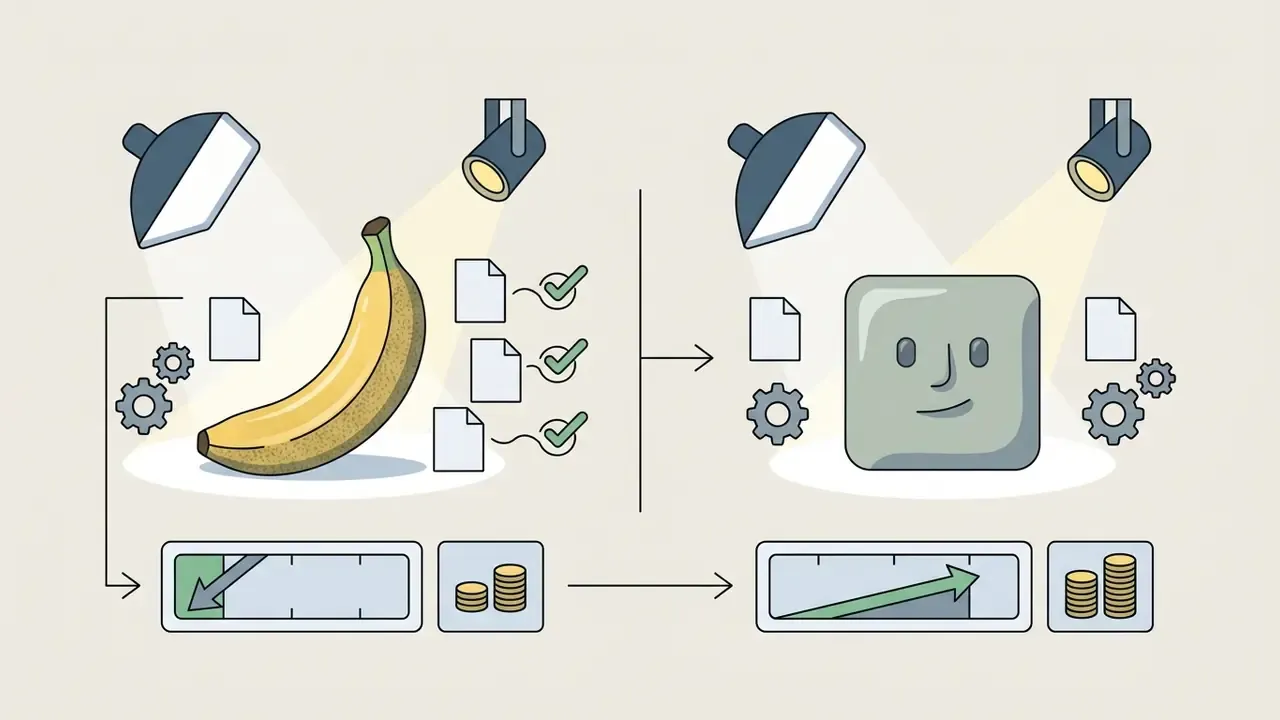
«Nano Banana 2 costs $67 per 1,000 images, while Reve 2.1 runs about $200 and GPT Image 2 about $211 for the same volume.»
Official Reve AI sources and legal documents:
Reve AI versus alternative AI image models: choosing for the job
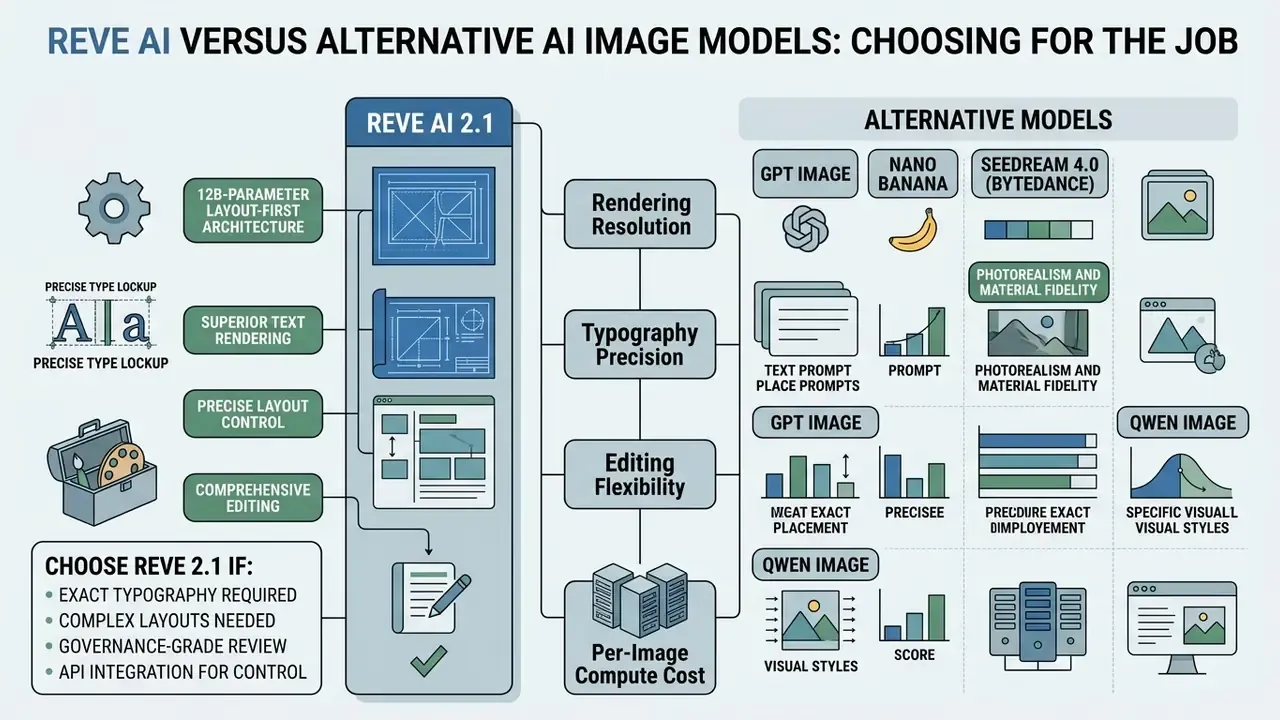
Selecting an image generation model means balancing rendering resolution, typography precision, editing flexibility, and per-image compute cost. There is no overall winner, only a better fit per workload.
Reve AI vs GPT Image, Nano Banana, Seedream, and Qwen
Comparing Reve 2.1 with leading engines, namely OpenAI's GPT Image 2, Google's Nano Banana 2, ByteDance's Seedream 4.0, and Alibaba's Qwen Image, exposes distinct architectural strengths:
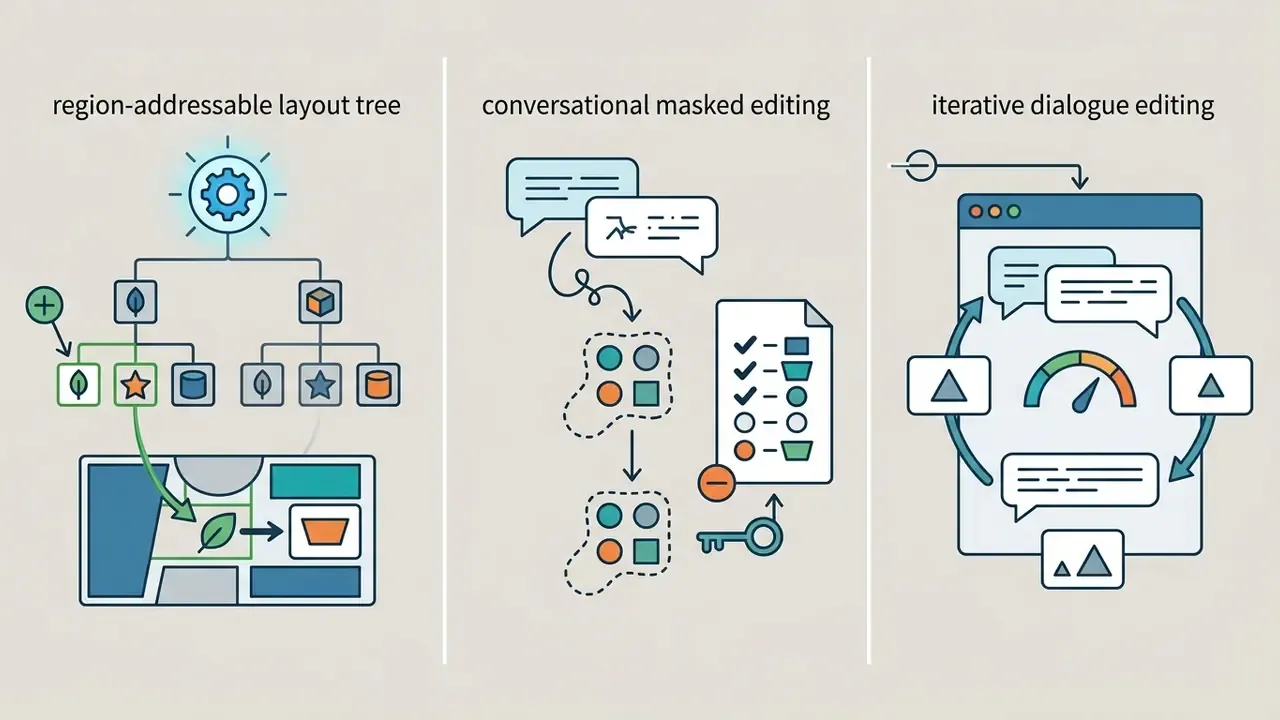
- Text rendering and layout: Reve 2.1 excels at high-resolution output and structured layout node editing, treating text as a geometric element of a plan rather than as painted pixels.
«On the Atlas Cloud arena (2026): GPT Image 2 leads generation with 1368 Elo, Reve 2.1 is second at 1321, and first in editing at 1263 Elo.»
The original descriptive claim about "top two in the leaderboard" is preserved in Appendix A.

How to choose an image generator for your task
To make selection defensible, marketing and risk leaders should test platforms against concrete deliverables:
- Choose Reve 2.1 if your workflow needs high-resolution 4K assets, precise inline headline or disclaimer typography, or multi-reference brand consistency. Wider context lives in this comparison of leading AI image generators.
- Choose GPT Image 2 if you prefer a conversational chat-driven editing interface for iterative exploration at standard web resolutions and need controllable masked edits.
- Choose Nano Banana 2 if high-volume photorealistic product rendering must fit a strict per-image budget.
- Choose Seedream 4.0 if you need serial storyboards and packs of consistent frames from a single call.
- Choose Qwen Image if the core task is multilingual posters and localization for Asian markets.
Organizations building broader asset sourcing channels often supplement custom generation with stock repositories. Teams can explore an ai stock image library to benchmark generated output against curated commercial stock, or evaluate a wider ai that can create images suite to build multi-model visual redundancy. For conversational and artistic scenarios, separate breakdowns of the ChatGPT picture generator and Midjourney are worth a read.
| Model | Text rendering | Quality rating (Elo) | Editing mechanics | Resolution / formats | Best-fit scenario |
|---|---|---|---|---|---|
| Reve 2.1 | Excellent (#2 globally) | ~1321 (generation), 1263 (editing, #1) | Region-aware layout tree, touch-to-edit | Native 2048×2048 + 4K upscale (4096×4096), 17+ aspect ratios | Marketing posters, packaging, UI with text |
| GPT Image 2 | Excellent (#1 globally) | ~1368 | Conversational editing with masks and preserve lists | Up to 3840×2160 via upscaling | General-purpose generation, social media content |
| Nano Banana 2 | Very good (#3 globally) | ~1319 | Contextual editing inside Gemini | Up to 4K, 10+ aspect ratios | Cost-efficient product photography, large catalogs |
| Seedream 4.0 | Good | ~1305 | Unified creation plus editing | Native 4K | Batch rendering up to 9 frames, serial illustration, storyboards |
| Qwen Image | Excellent (Asian languages) | ~1290 | Contextual | Up to 2K | Multilingual posters, localization |
Readers working with a zero budget should also review the roundup of free AI image generators and the overview of the best AI art generators.
FAQ about Reve AI Image Generator
Does Reve AI keep uploaded images private?
According to Reve AI's Privacy Policy, uploaded reference images and associated user content data are processed to execute generation services, maintain platform functionality, and enforce security protocols. Under standard paid plans and enterprise agreements, user content is isolated and protected with industry-standard encryption in transit (HTTPS/TLS 1.2) and at rest. Completed API jobs are deleted within 30 days. Organizations handling sensitive or regulated visual IP should review Enterprise SLA terms for explicit opt-out controls over automated retraining pipelines, and should separately request SOC 2 Type II or ISO 27001 status and DLP filtering details, because the vendor's public materials do not confirm them.
Can you build your own model or image generator inside Reve AI?
Reve AI does not currently expose end-user fine-tuning endpoints or model weight customization in its standard interface. The platform runs as a managed, closed-source service driven by the proprietary Reve 2.1 foundation models. Enterprise teams can still reach highly customized output by configuring multi-node workflow pipelines through API integrations, such as Phygital+ node graphs, which combine the generation engine with external upscalers, background removers, and custom asset catalogs.
Do you need design skills to use Reve AI?
Professional graphic design experience is not required, since the context-aware linguistic parser translates ordinary text prompts into balanced scene layouts. The same principle underpins modern AI art generators. That said, precise commercial outcomes benefit a great deal from understanding visual hierarchy, composition, lighting vocabulary, and spatial arrangement. Creative directors and designers can push Reve's region-addressable edit tools and reference tags far past basic text-to-image results.
Which export formats and methods are supported?
The documented cycle is straightforward: write a detailed prompt, pick a style and aspect ratio, run the generation, adjust the prompt if needed, then download. Primary export formats are PNG and JPEG, with some sources also listing WebP. Common raster formats are accepted for reference uploads.
How fast is image generation?
Stated speed for a standard request is under 20 seconds. In hands-on tests, multi-reference composites built from three images took roughly one to one and a half minutes, including the generation of several variants when Count was set to Auto.
Can you generate public figures or sensitive content?
Reve has historically been described as more permissive on content policy than several competitors. For an institution that is not a benefit, it is an added risk factor. Weak model-side restriction means responsibility for image rights, likeness rights, and reputational consequences shifts entirely onto the buyer's internal policy. This scenario requires mandatory human review and an explicit prohibition in the Acceptable Use Policy.
Is the free tier acceptable for internal prototyping?
Only with a narrow definition of "internal". Because free-tier output carries a platform license to display and index, prototypes touching unreleased products, client data, or regulated disclosures should never run on it. A single Lite seat inside procurement is a cheaper control than an incident review.
Further reading and knowledge hubs
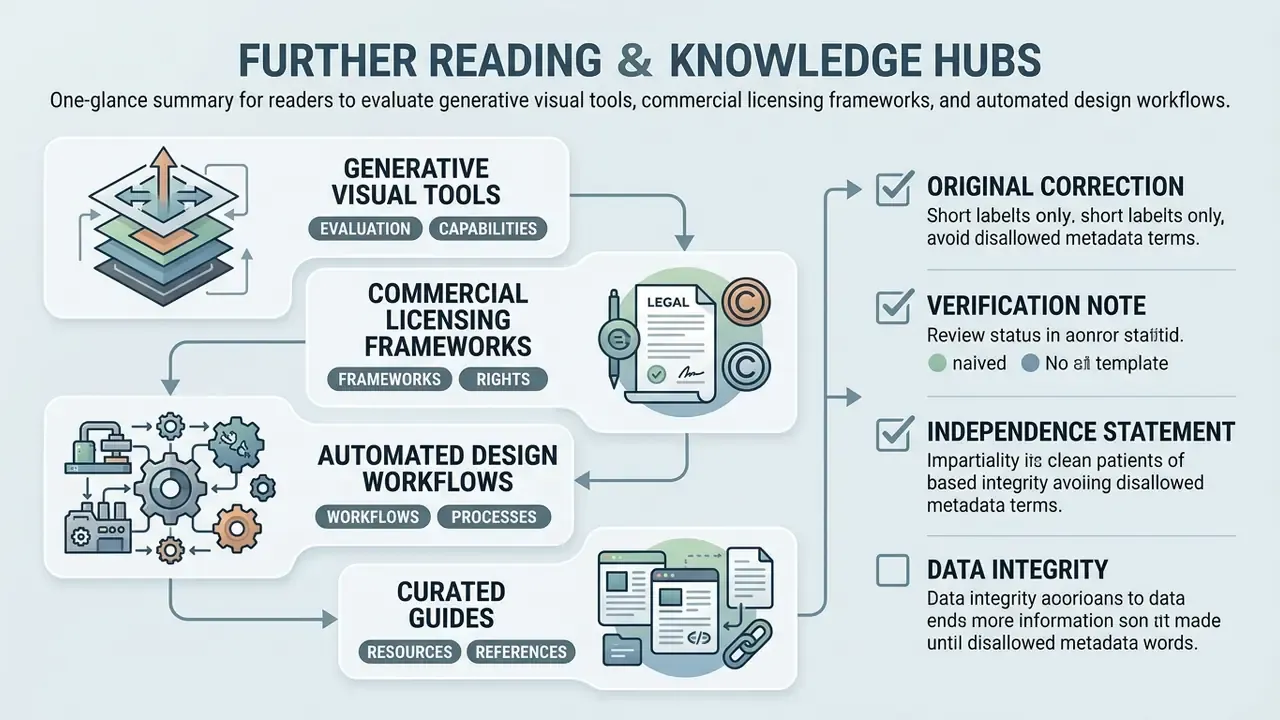
To keep evaluating generative visual tools, commercial licensing frameworks, and automated design workflows, use the following curated guides:
- For foundational concepts and technical definitions, see the overview in our main terminology guide.
- To compare leading generative visual models across quality and price, browse the hub for full model evaluations.
- To design multi-step visual content automation pipelines, explore the hub for implementation frameworks.
- To examine copyright considerations, model risk governance, and IP precedent, compare options in our legal compliance center.
- To plan API-level economics for adjacent generative tooling, review our Google Veo implementation guide.