Modern generative media platforms let commercial teams turn text prompts into high-resolution visual assets. Achieving a realistic ai image requires understanding camera optics, physical light transport, and model risk parameters. This guide evaluates how to ai create realistic images for enterprise workflows while keeping audit compliance, brand alignment, and technical control intact.
One framing note before the detail. Photorealism is not an aesthetic goal here. It is a control problem: the closer output comes to a captured photograph, the more the disclosure, provenance, and sign-off layers matter.
Key Takeaways
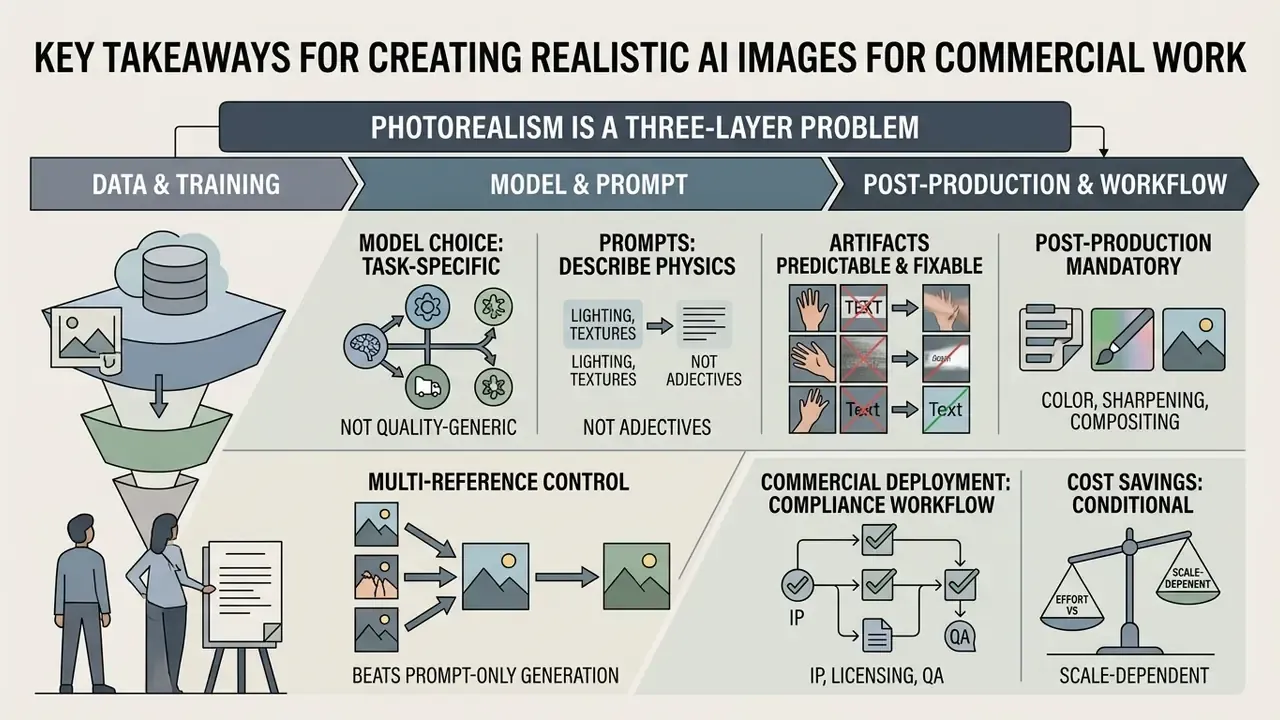
- Photorealism is a three-layer problem. Physically consistent illumination, believable material properties, and camera sensor artifacts must agree with each other. If any layer contradicts the others, viewers read the frame as synthetic.
- Artifacts are predictable and fixable. Peer-reviewed taxonomies group failures into anatomical implausibilities, stylistic defects (waxy skin, glossy surfaces), functional errors, physics violations, and sociocultural inconsistencies.
- Model choice is task-specific, not quality-generic. Portraits, product shots, and architectural interiors each require different control mechanisms: facial-geometry fine-tuning, dimensional preservation, or structural control networks.
- Prompts must describe physics, not adjectives. Focal length, aperture, light source, material texture, and sensor grain outperform words like "photorealistic" or "hyperdetailed."
- Multi-reference control beats prompt-only generation. Combining structure, style, character, and material references delivers repeatable brand output instead of lucky seeds.
- Post-production is mandatory, not optional. Inpainting, frequency separation, tonal recalibration, and texture-preserving upscaling convert raw generations into publishable assets.
- Commercial deployment is a compliance workflow. License tiers, revenue thresholds, right-of-publicity exposure, EU AI Act Article 50 disclosure duties, and provenance metadata all need clearance before publication.
- Cost savings are real but conditional. Published case studies report 80-90% lower catalog imagery spend, while enterprise-level profit impact remains uneven across organizations.
Who This Guide Is For and How to Use It
This material is written for three overlapping roles, and each one reads it differently.
Creative operations leads use the workflow and prompting sections as a production standard: prompt structure, reference roles, seed policy, export artifacts. Marketing and e-commerce owners use the business and decision-matrix sections to decide where AI generation replaces a shoot and where it clearly should not. Risk, compliance, and legal reviewers use the QA checklist plus the licensing and disclosure sections as the pre-publication gate.
A practical reading order: skim the takeaways, then jump to the workflow, then treat the checklist as the terminal control. If you own governance rather than pixels, the sections on provenance metadata, Shadow AI exposure, and licensing thresholds carry most of the decision weight. Everything else is craft detail that feeds those controls.
One caveat that applies throughout. Vendor capabilities, attestation scope, and regulatory timelines move quickly in this category, so re-verify anything that looks like a fixed number before you build policy on it.
What Is a Realistic AI Image and Why It Looks Like a Real Photo
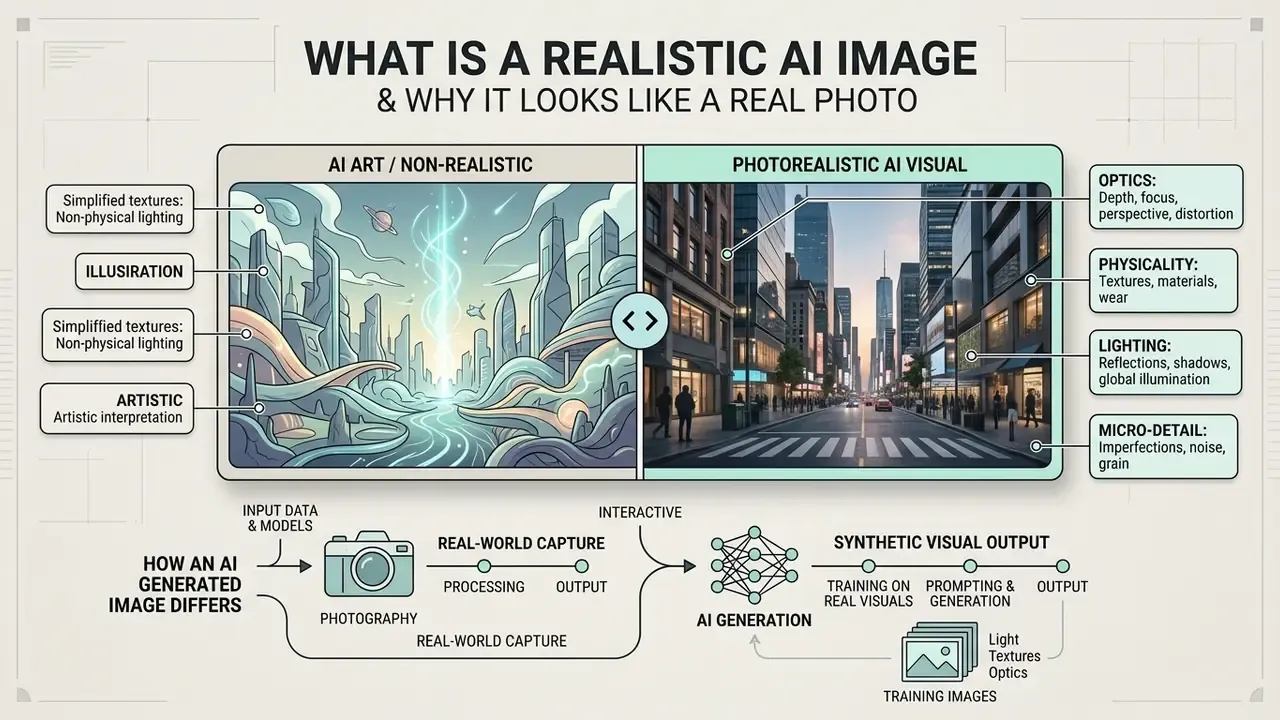
A realistic ai image is a synthetic visual output that replicates the physical, optical, and textural properties of camera photography. Unlike stylized digital renderings, photorealistic images simulate real-world light behavior, subsurface scattering, sensor noise, and lens dynamics.
Academic work frames the category explicitly as an emulation problem rather than an artistic one.
That distinction matters commercially. The goal is not "beautiful" output. It is output whose physical signature survives close inspection, and whose origin stays documented for audit purposes.
Markers of a Photorealistic AI Photo: Light, Textures, Optics, and Micro-Detail
Failure modes are equally measurable. Large-scale perception studies show that specific visual categories betray synthetic origin with high reliability:
Replicating lens characteristics matters just as much: shallow depth of field, natural vignetting, optical chromatic aberration, and natural color science prevent the artificial "plastic glow" common in uncalibrated diffusion outputs. Contemporary camera-simulation research treats realism as the reproduction of lens distortion, vignetting, exposure variation, noise pattern, and defocus blur through one coherent optical model, not as a decorative filter applied afterwards.
Evaluating image quality alongside spatial coherence keeps the final ai photo realistic output plausible under magnification. Quality assurance teams can additionally route candidate frames through AI image detectors as a secondary signal, while remembering that detection tools are probabilistic, never definitive.
Practitioner observation (reformulated from an unattributed internal case; figures are illustrative of workflow structure, not audited benchmarks): risk-review teams at regulated financial institutions that evaluate automated marketing visual pipelines commonly reject early generations, because plastic skin rendering and inconsistent specular behavior fail internal audit criteria for customer-facing materials. The intervention that usually converts rejected batches into approved assets is unglamorous: mandatory prompt constraints for focal length, light diffusion, and subsurface scattering, plus a documented two-stage human review. Organizations reporting such gains should publish methodology and sample sizes before anyone treats those numbers as industry benchmarks.
How an AI-Generated Image Differs from Photography and AI Art
Authentic photography captures real-world photons on a physical sensor, creating a verifiable record of a specific place and time.
Stylized ai realistic art does the opposite. It prioritizes artistic expression, dramatic color saturation, and exaggerated geometry over physical accuracy. An ai generated realistic photo occupies the middle ground, synthesizing latent diffusion patterns to emulate photographic mechanics without capturing a physical scene.
Professional bodies formalize that middle ground through disclosure rather than denial. ASMP's 2025 field guide for photographers recommends client disclosure when generative processing is used, plus C2PA Content Credentials and retained edit logs, with behind-the-scenes capture proofs for sensitive use cases. University communications guidance goes further and restricts wholly synthetic imagery to conceptual or illustrative roles, because it cannot accurately represent real people or places (University of Nebraska-Lincoln, 2026). Harvard's engineering-school marketing guidelines permit AI only for limited modifications that preserve the substance and intent of an original photograph.
When replacing standard ai stock image assets with generative outputs, institutions must establish clear provenance records to separate synthetic media from authentic photojournalism. Teams still mapping the vendor landscape can start from a structured comparison of AI image generators before locking a pipeline.
How to Choose an AI Image Generator for Realistic Images
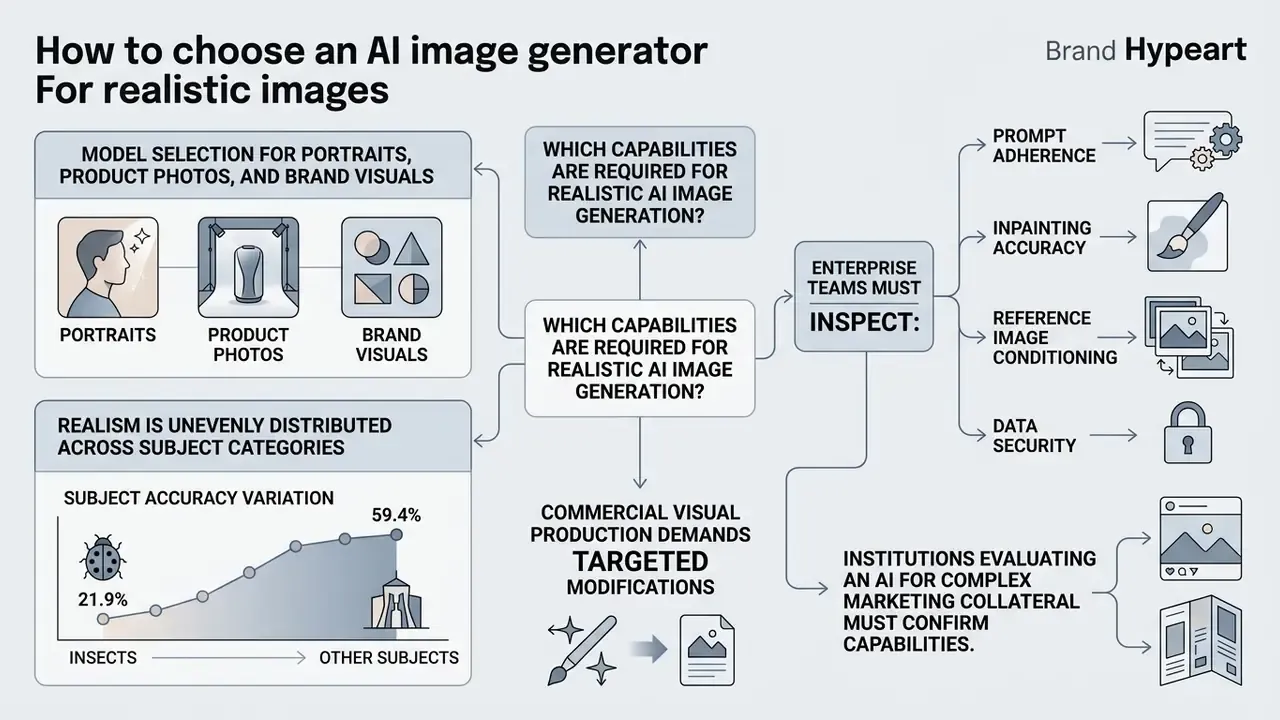
Selecting an enterprise ai realistic art generator means evaluating functional controls, not subjective quality scores.
Realism is also unevenly distributed across subject categories, which makes single-model standardization risky:
Enterprise teams must inspect prompt adherence, inpainting accuracy, reference image conditioning, and data privacy policies. Decision-makers should review our overview of AI image generators for commercial tasks and model architecture parameters before pushing generative pipelines into production. For pipeline-level patterns rather than tool comparisons, see the overview in our workflows hub.
Which Capabilities Are Required for Realistic AI Image Generation
Commercial visual production demands an ai image creator realistic toolset capable of targeted modifications. Modern enterprise workflows require text-to-image synthesis, masked inpainting for localized corrections, and reference image conditioning to preserve brand style. Teams working from existing assets should evaluate dedicated image-to-image generators alongside pure text-to-image engines.
Institutions evaluating an ai that can generate complex marketing collateral must confirm that the underlying ai models support high-resolution generation, flexible aspect ratios, and deterministic seed control. Without precise editability, creative teams burn hours generating random variations instead of refining one scene element.
Evaluation tooling matters as much as generation tooling. NIST's 2025 image-generator evaluation plan structures assessment around prompt adherence and image quality as separate measurable dimensions, and independent perceptual work identifies which automated metric to trust for alignment checks:
Model Selection for Portraits, Product Photos, and Brand Visuals
Model selection must match the visual domain and the operational risk profile of the business task. Generating an ai portrait requires models fine-tuned on human facial geometry and sub-surface light transmission.
E-commerce product shots need something different: controllable diffusion architectures that preserve exact object dimensions, logo typography, and material reflection. Architectural and interior visuals depend on spatial control networks that hold indoor structural geometry. Specialized interior diffusion systems and improved control-network variants documented in 2025 architectural research exist precisely because general-purpose models drift on room structure. Running two or three leading models tailored to specific image categories yields higher overall consistency than forcing everything through one general-purpose generator.
| Evaluation criterion | Text-to-image | Image-to-image | Reference images | Upscale and refine | Character consistency | Deployment model | Data privacy / no-train option | Enterprise attestations | Best commercial scenario |
|---|---|---|---|---|---|---|---|---|---|
| GPT-4o / GPT-Image-2.5 | High prompt adherence | Supported | Basic integration | Native up to 2K/4K | Medium | Cloud API only | Enterprise/API tiers offer no-training commitments | Vendor-published security program; verify current scope | Marketing concepts, rapid creative iteration |
| FLUX.2 / SD 3.5 | High photorealism | High precision | Advanced conditioning | External tool required | High via LoRA | Cloud API or self-hosted weights | Full control when self-hosted on-prem or in VPC | Depends on hosting party; self-host inherits your controls | Product photography, e-commerce catalogs |
| Midjourney v7 | Superior aesthetics | Supported | Style references | Built-in upscaler | High (Character Reference) | Cloud service | Public gallery defaults; private modes on higher tiers | Limited public enterprise attestation | Brand visuals, advertising banners |
| Specialized pipelines (e.g., ComfyUI) | Full control | Full control | Multi-node ControlNet | Integrated SRGAN / Real-ESRGAN | Maximum | On-premises or private cloud | Data never leaves your perimeter | Inherits your own SOC 2 / ISO scope | Industrial design, strict brand governance |
No matching rows Clear one or more filters to restore the matrix.
Because attestation scope, retention windows, and revenue thresholds change often, treat this matrix as a decision framework and re-verify each vendor's current documentation during procurement. For a broader shortlist, see our comparison of leading AI image generators and the parallel review of best AI art generators.
How to Create a Realistic AI Image: Workflow from Prompt to Export
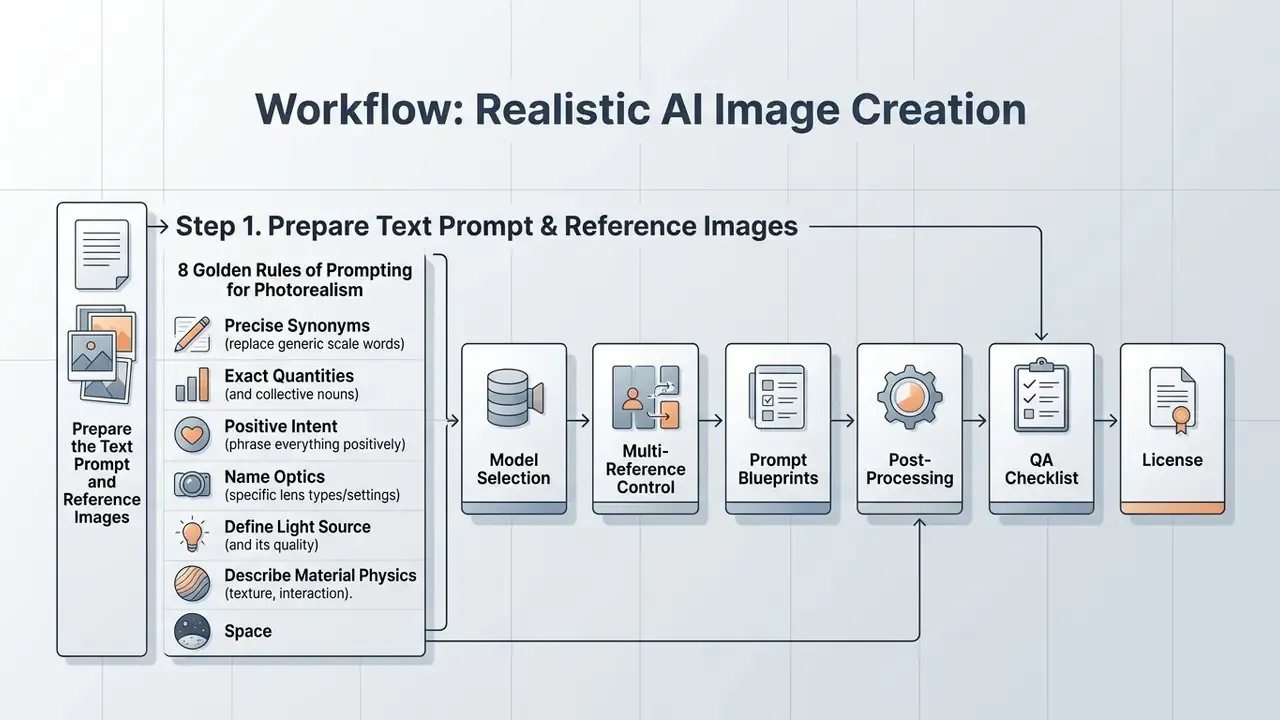
Consistent photorealism comes from a structured production method, not from random prompt testing. Enterprise operators should review our guidance on standardized image-generation pipelines before scaling content production.
Step 1. Prepare the Text Prompt and Reference Images
A high-performing detailed prompt follows a strict hierarchy: scene environment, primary subject, optical parameters, lighting conditions. Instead of vague buzzwords like "photorealistic" or "hyperdetailed," describe physical camera mechanics. Prompt phrasing should specify focal length, lens aperture, camera angle, light diffusion, and surface detail such as skin pores or fabric weave.
Adding visual reference images anchors the generation further, guiding the model toward exact color schemes and spatial compositions.
The 8 Golden Rules of Prompting for Photorealism
- Use precise synonyms instead of generic scale words. Replace "small detail" with "microscopic, subtle, minute texture" so the model resolves the intended magnitude.
- Specify exact quantities and collective nouns. Instead of "people in background," write "a crowd of three blurred pedestrians." Collective forms such as "a herd of zebras" outperform bare plurals.
- Phrase everything as positive intent. Diffusion models handle negations poorly. Instead of "no synthetic smoothness," write "rough skin with natural pores and tiny imperfections."
- Name the optics. Declare focal length and aperture: "85mm lens for portrait," "24mm wide-angle for architecture," "f/1.8 aperture." That controls perspective compression and background separation.
- Define the light source and its quality. Avoid default flat lighting: "golden hour side-lighting," "volumetric neon rim light," "soft diffused softbox studio light."
- Describe material physics. Write surfaces, not just objects: "distressed leather," "brushed aluminum," "translucent silk," "woven linen with visible fiber variation."
- Wrap in-image text in double quotes. For typography-capable models, specify
"Brand Name" in bold serif typographyand name the font class (serif, bold, condensed). - Set sensor grain explicitly. Add an ISO cue to break synthetic smoothness: "subtle ISO 400 film grain texture."
Two operational habits multiply the value of those rules. Save a baseline generation before iterating. Change one variable per iteration rather than rewriting the whole prompt. Prompt-engineering research presented at CHI recommends sampling several seeds per prompt, roughly three to nine, to distinguish prompt weakness from seed variance.
Using Multi-Reference Fusion for Full Frame Control
Prompt text alone rarely delivers brand-level repeatability. For close to complete control of the final frame, combine three or four reference types at once. Leading consumer platforms now allow fusing up to eight reference images into a single output, mixing composition, style, and subject:
- Structure reference (ControlNet Canny / Depth) locks scene geometry, perspective lines, and 3D spatial arrangement.
- Style reference (IP-Adapter) transfers color grading, tonality, and lighting character from an approved brand frame.
- Character reference (PuLID / InstantID) preserves facial features and proportions of a specific, cleared individual.
- Material reference fixes the fabric weave, metal finish, or plastic sheen of the product itself.
Every uploaded file should have an explicit declared role in the prompt. Unlabeled reference stacks produce blended, unpredictable conditioning. When referencing people, verify consent and usage rights before uploading, because reference conditioning does not create licensing rights. That point gets missed surprisingly often.
Step 2. Configure Format, Composition, and Generation Quality
Choosing the correct aspect ratio and native resolution before generation prevents spatial distortion and subject crowding. Standard photographic aspect ratios align output dimensions with target media channels: 3:2 for landscape, 4:5 for vertical portraits, 16:9 for cinematic banners. Generating near the model's native resolution baseline (around 1,048,576 pixels: 1024x1024, 1216x832, or 832x1216) minimizes structural hallucinations and duplicate limbs before final upscaling.
Practical rule: iterate at 2K for speed, render finals at 4K, and keep vertical formats deliberately uncrowded, since tall frames concentrate attention on anatomy and edges where artifacts cluster.
Step 3. Generate Variations, Select the Result, and Export the Image
Generating multiple image variations lets operators evaluate alternative seed distributions against project specifications.
Selection criteria should use verifier-guided review, prioritizing candidates with consistent physics, correct anatomical structure, and accurate text rendering. One disciplined acceptance rule prevents drift across long iteration sessions: keep a new candidate only when it measurably improves on the current best against the brief.
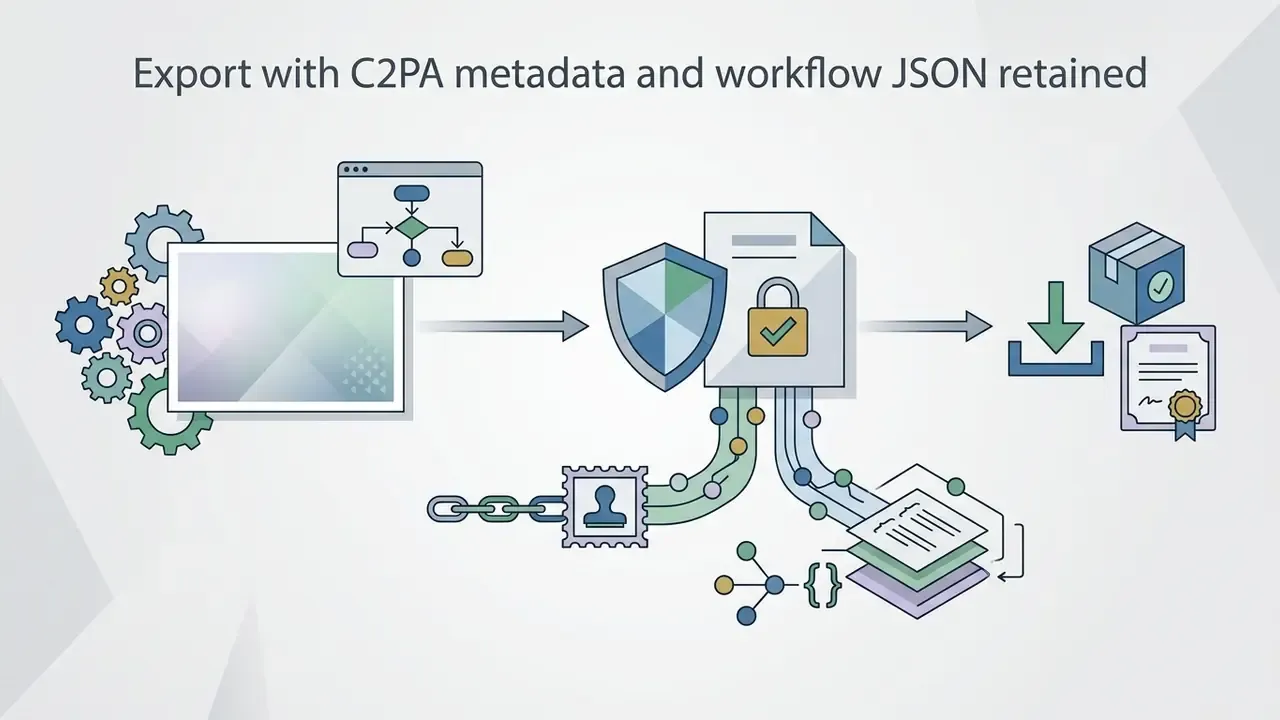
Once selected, export the final asset together with generation metadata and workflow JSON to preserve an immutable audit trail. In practice that means three artifacts per published asset. First, the lossless master file, avoiding repeated lossy re-encoding between edits. Second, embedded C2PA Content Credentials recording generator, model version, and edit history. Third, the node-graph or API payload exported as JSON so the frame can be regenerated or defended later. NIST AI 100-4 frames exactly this combination, watermarking plus metadata recording, as the baseline mechanism for authenticating synthetic content. Registering the model name, version, and prompt template in the corporate model inventory closes the governance loop and reduces Shadow AI exposure.
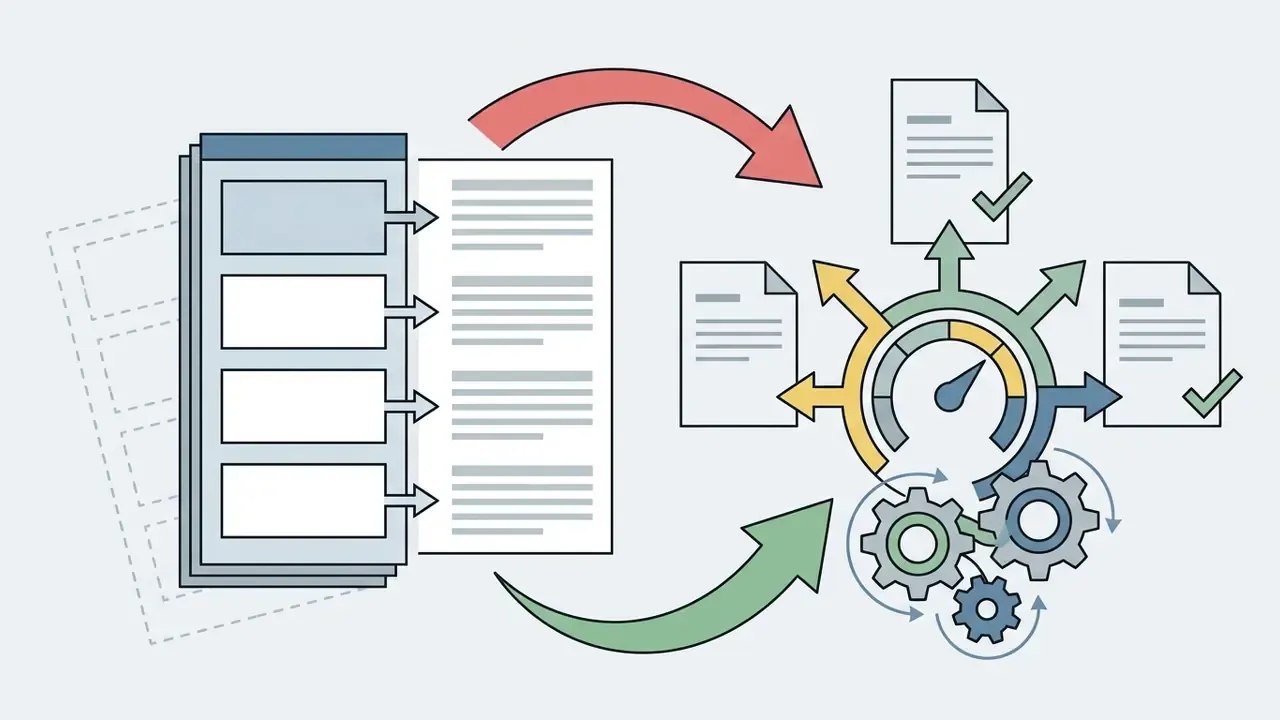
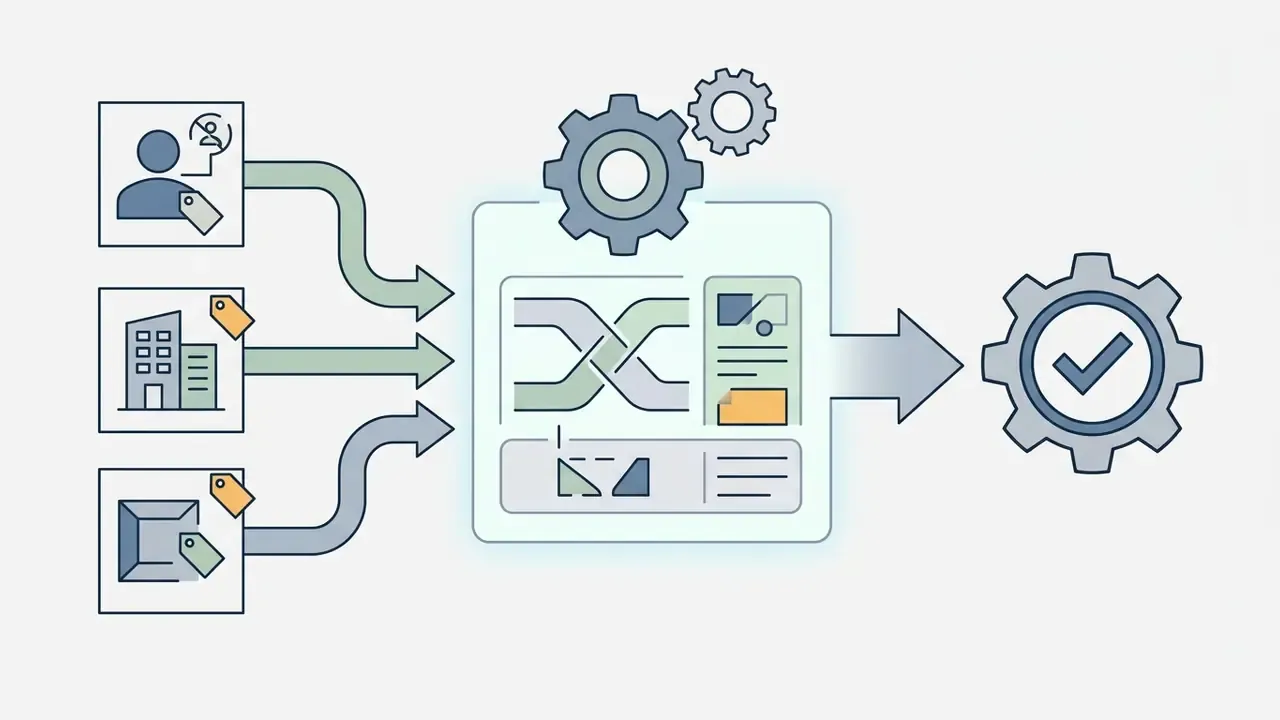
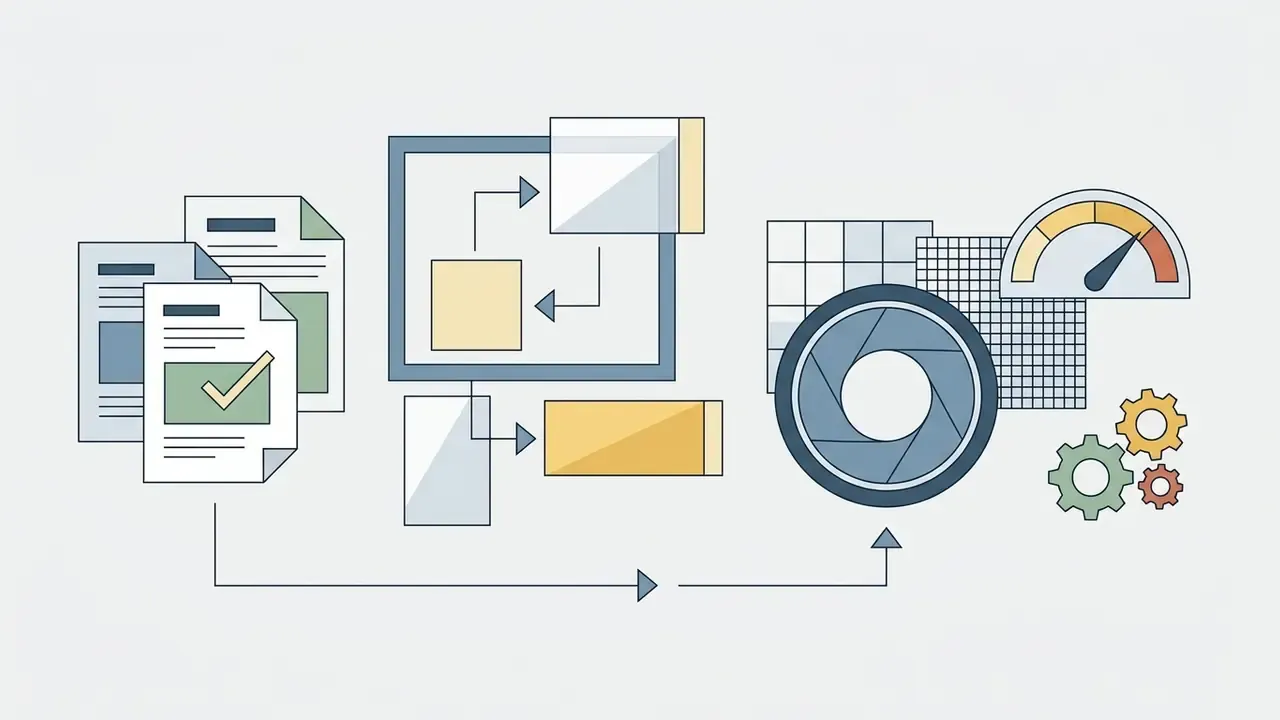
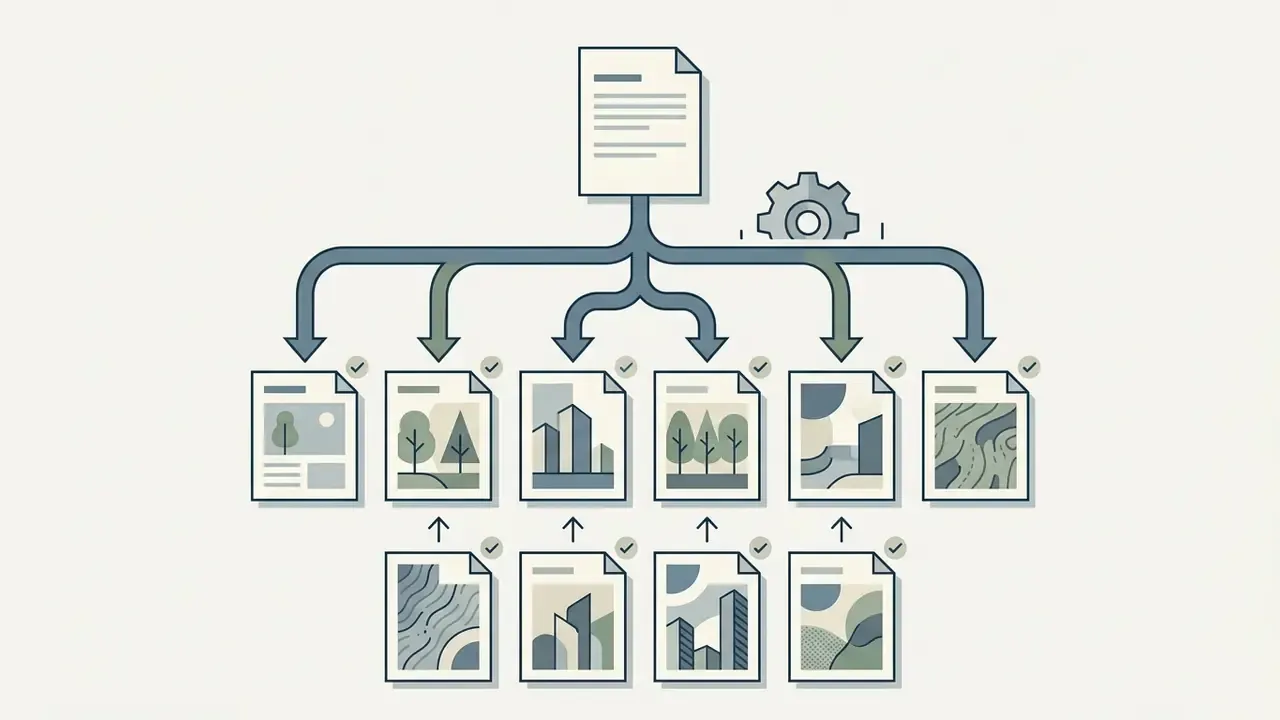
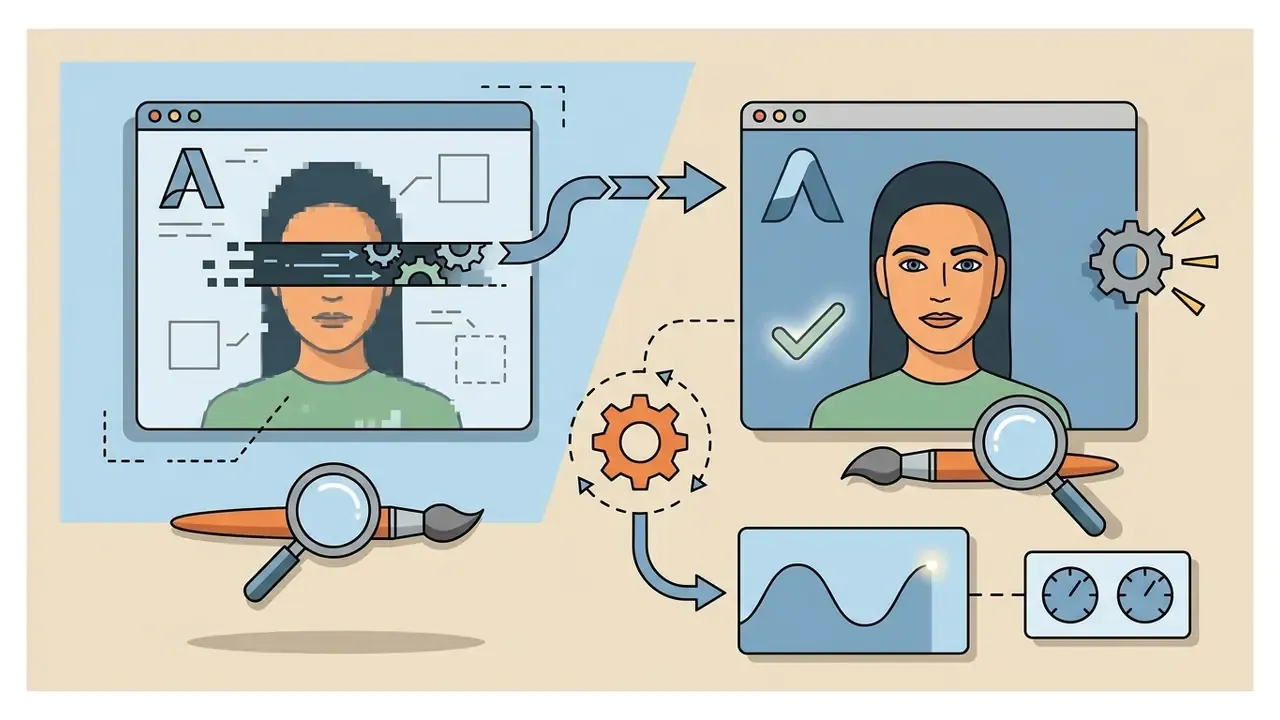
Visual placeholder, production flowchart. Alt text to use: "Flowchart of the realistic ai image production workflow from structured prompt to C2PA metadata export." Steps to render inside the diagram: structured prompt and role-tagged references, format and resolution settings, seed variations, candidate selection against the QA checklist, local inpainting and post-processing, texture-preserving upscale to 4K, export with C2PA metadata and workflow JSON.

How to Make an AI Image More Realistic After Generation
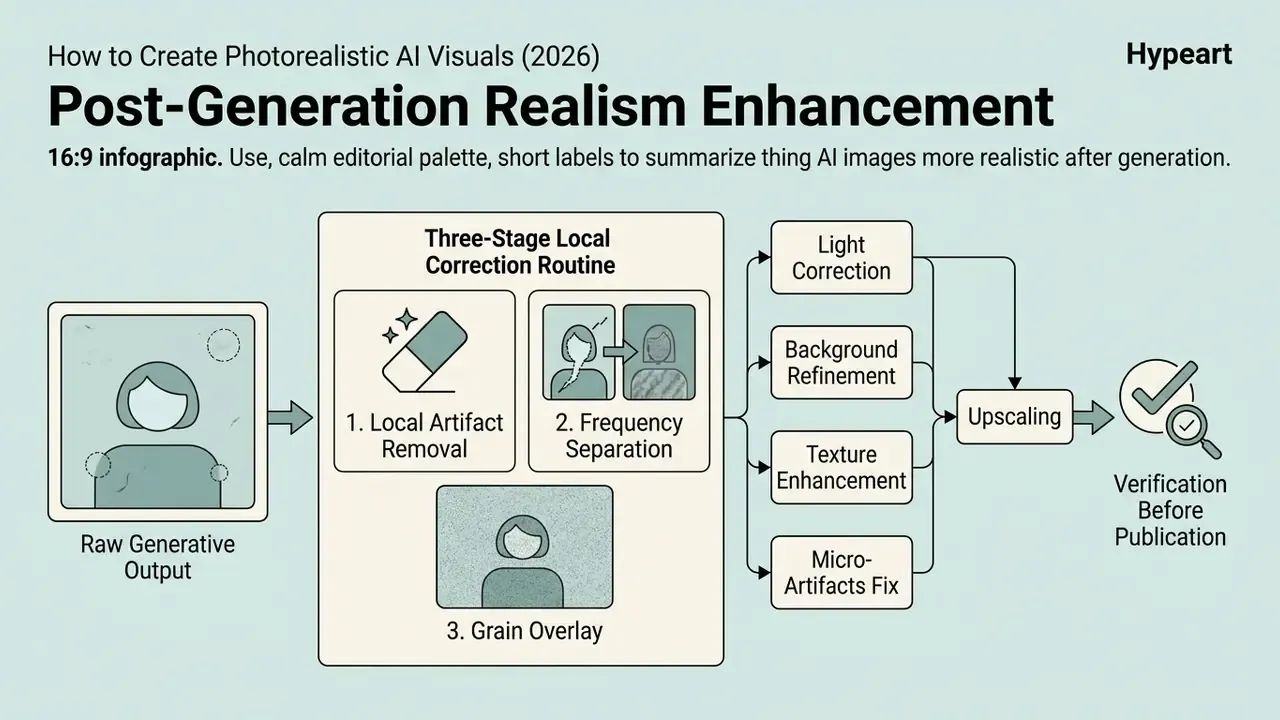
Raw generative outputs frequently carry subtle defects that betray synthetic origin. Creative teams can ai transform image assets through targeted post-processing to align visual distribution with real-world photography, and general-purpose AI photo editors cover most corrective operations without leaving the design environment. Operators can also apply an ai unblur image workflow to restore high-frequency detail across out-of-focus areas.
Correcting Light, Background, Textures, and Micro-Artifacts
Targeted post-processing starts with localized masking and inpainting to correct anatomical implausibilities, distorted eyes, or stray fingers.
Next, apply color grading and histogram adjustments to pull back unnaturally high saturation and brightness. A background remover or outpainting tool lets creative teams replace synthetic backdrops with physically accurate environments. Adding subtle sensor grain overlays neutralizes smooth gradients, which is usually what it takes to ai make photo realistic across commercial touchpoints.
The three-stage local correction routine
- Local artifact removal (magic eraser or masked inpainting).Eliminate sixth fingers, duplicated earrings, garbled signage, and phantom limbs by regenerating only the masked region so the rest of the frame stays untouched.
- Frequency separation.Split tone from texture on separate layers, smooth the low-frequency channel for lighting consistency, and leave the high-frequency channel intact so pores, fabric weave, and fine grain survive retouching.
- Grain overlay.Add 2-3% monochromatic Gaussian noise across the composite so generated elements, replaced backgrounds, and any real photographic components share a single sensor signature.
One governance nuance deserves attention here. CHI 2025 research found that random cropping, resizing, and compression lowered AI-image detection accuracy from 90% to 85%. Post-processing therefore improves realism and weakens automated detection. That is exactly why voluntary provenance metadata and disclosure must survive the retouching stage rather than being stripped by it.
Practitioner observation (reformulated from an unattributed internal case): digital marketing teams preparing national campaign launches routinely find that first-pass generations fail brand guidelines because of unnatural specular highlights and plastic skin surfaces. Teams that standardize frequency-domain grain overlays plus masked shadow correction across every candidate render report materially shorter approval cycles compared with regenerating from scratch. These are internal workflow observations rather than audited public benchmarks, so treat the magnitude of any schedule gain as organization-specific.
Upscaling and Verification Before Publication
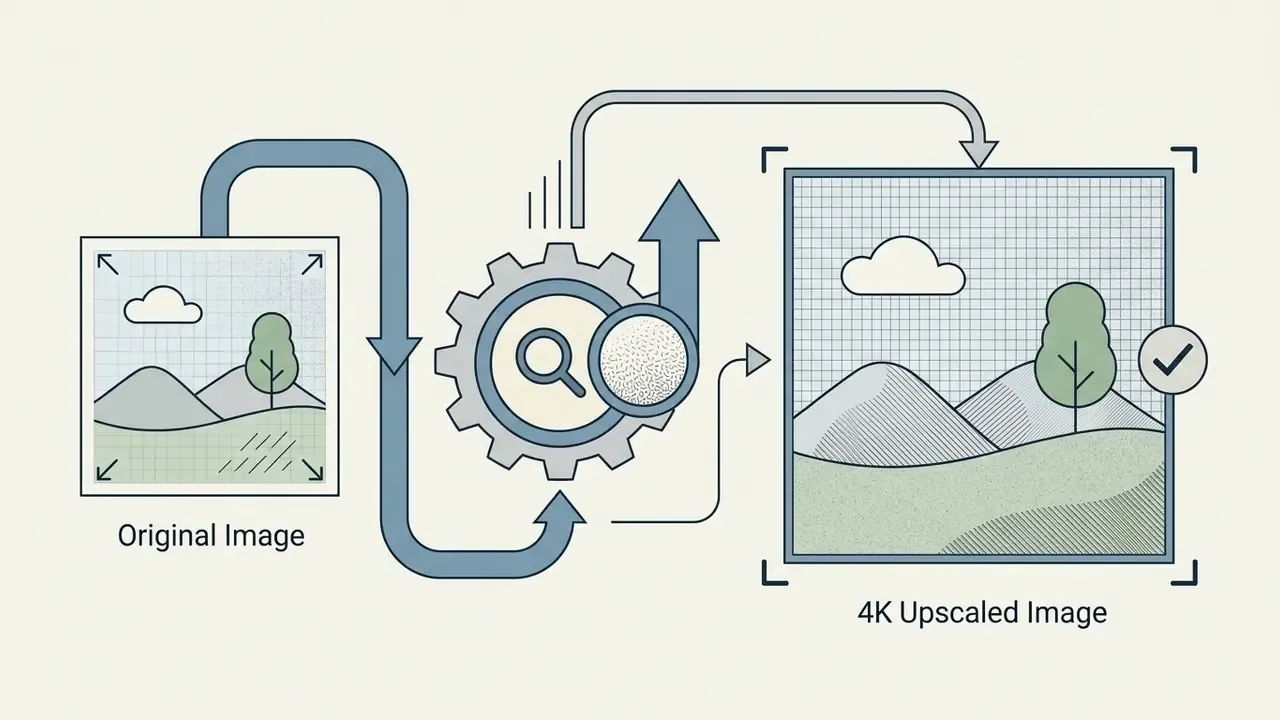
Final asset preparation requires passing candidate images through a texture-preserving image upscaler algorithm. Standard interpolation introduces blurry edges, whereas dedicated AI super-resolution networks recover high-frequency micro-textures without distorting subject details. The algorithm families most often compared for texture preservation are BSRGAN, Real-ESRGAN, and SwinIR, with the NTIRE 2023 challenge providing the clearest runtime benchmark for real-time 720p or 1080p to 4K workflows. Commercial services typically expose 2x, 4x, and up to 8x enlargement paths. Our review of AI image upscalers maps these options against commercial licensing terms.
Tonal calibration belongs to upscaling, not to a separate cosmetic step:
Before publishing, quality assurance teams must verify output resolution and inspect the asset for spatial anomalies. Complementary AI image enhancers can recover local contrast without re-introducing synthetic smoothing. A reverse-lookup pass using AI reverse image search is a useful final check against unintentional near-duplication of existing published imagery.
Pre-Publication Quality Control Checklist for Realistic AI Images
This checklist is the terminal filter for the entire workflow. Run it after post-processing and upscaling, immediately before legal sign-off and publication.
### Realistic AI image QA checklist
- [ ] 1. Anatomy and skin: no extra fingers, correct ear structure, visible skin pores,
        no "plastic gloss" effect, natural asymmetry preserved.
- [ ] 2. Light and shadow physics: single consistent light source, correct shadow
        direction and softness, plausible specular highlights on every surface.
- [ ] 3. Optics and perspective: natural depth of field and bokeh falloff, no
        conflicting vanishing points, no impossible lens behaviour.
- [ ] 4. Background and environment: no hallucinated blurred objects, no repeating
        patterns, no architectural or logical impossibilities.
- [ ] 5. Material textures: discernible fabric weave, wood grain, metal finish, or
        glass refraction without anomalous smoothing.
- [ ] 6. Resolution and upscaling: sharp at 100% zoom, no pixelation, no compression
        or super-resolution halo artifacts.
- [ ] 7. Text rendering: all in-image typography legible, correctly spelled, and
        brand-compliant.
- [ ] 8. Product truthfulness (e-commerce): shape, colour, texture, accessories, and
        packaging match the physical item exactly.
- [ ] 9. Legal and brand hygiene: no unauthorized logos, watermarks, proprietary
        design elements, or recognizable third-party likenesses.
- [ ] 10. Disclosure and provenance: AI-generation label applied where required,
        C2PA Content Credentials intact, workflow JSON and seed archived.
- [ ] 11. Governance record: model name and version, prompt template, and reviewer
        sign-off logged in the model inventory.
EU transparency guidance under the AI Act treats AI-generated product images in advertising or packaging as potentially misleading when they make a product look different from, or better than, the real item. That is why items 8 and 10 are compliance controls rather than stylistic preferences. NIST AI 100-4 supplies the complementary technical layer: authenticate and label synthetic content through watermarking and metadata recording. U.S. GSA guidance additionally requires clear labeling of AI-generated imagery, prohibits its use as official event or news documentation, and mandates review before publication in official visual materials.
Where Realistic AI Images Help Business and Content Teams
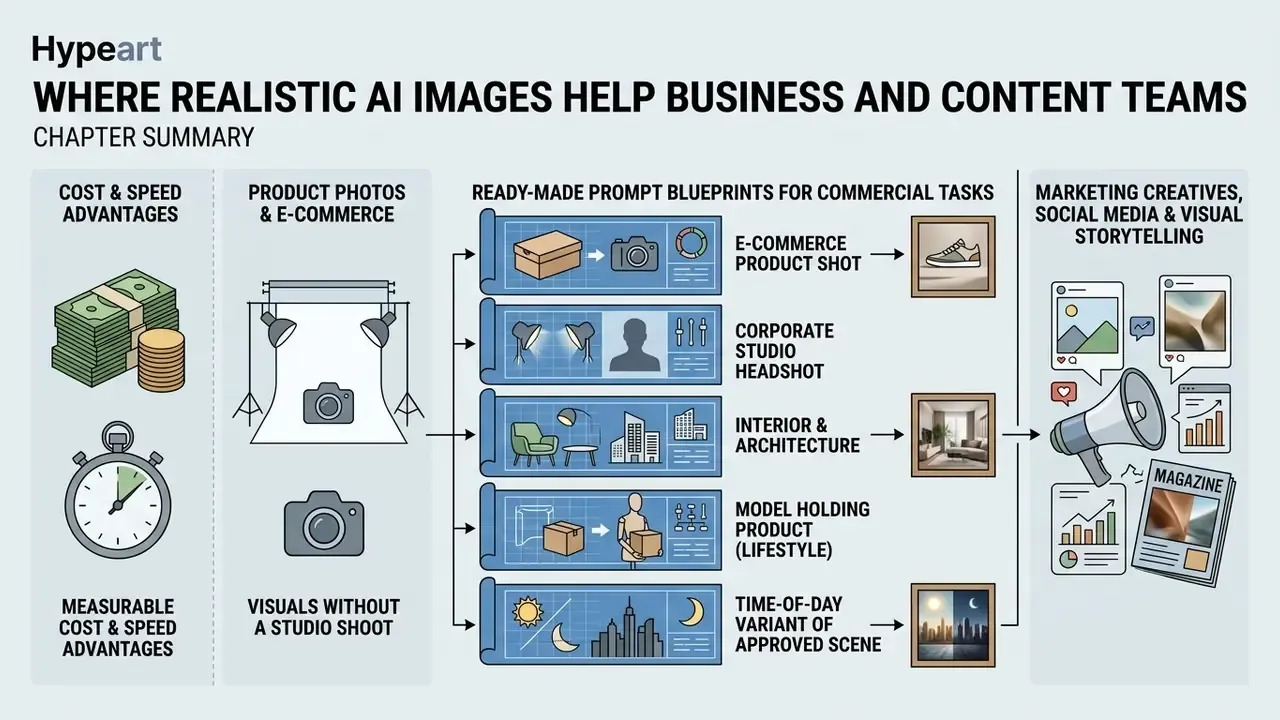
Integrating ai generated realistic images into commercial workflows offers measurable cost and speed advantages. Enterprise leaders evaluating platform capabilities can review our framework for AI image generators in business and risk-adjusted operational models.
Product Photos and E-Commerce Visuals Without a Studio Shoot
E-commerce operators use generative media pipelines to turn raw product shots into studio-grade catalog assets. Instead of booking expensive physical shoots, brands generate contextual background environments around isolated product cut-outs.
Published case material quantifies the shift. One documented direct-to-consumer case reports annual product-photography spend falling from $42,000 to $8,400, roughly an 80% reduction, after routine catalog imagery moved to AI generation, with per-image cost dropping from about $175 for traditional shooting to $0.50-$2.00 per generated frame (MindStudio case study, 2025). A second published e-commerce case reports $35,000-$50,000 in annual studio cost for 1,000 SKUs versus $3,000-$5,000 with AI. Savings figures diverge across sources because some measure per-image unit cost while others measure total annual brand spend, and because the cheapest scenarios cover routine catalog frames rather than full campaign production.
The counterweight is evidential quality:
Practical division of labor: generate lifestyle context, seasonal variants, and secondary angles with AI, then capture the hero frame that a customer actually uses to judge the physical item. Adobe Stock's submission rules for generative content (no anatomical errors, no inconsistent lighting, no unrealistic proportions, no embedded text) are a useful external quality bar for catalog assets even when you never submit to a marketplace.
Ready-Made Prompt Blueprints for Commercial Tasks
Blueprint 1, e-commerce product shot
[Object, e.g. matte black ceramic coffee mug] placed on a rough walnut wooden table, morning soft sunlight through window, subtle dust motes in air, shot on Hasselblad X2D, 90mm lens, f/4, micro-texture on ceramic surface visible, cinematic depth of field --ar 4:3Blueprint 2, corporate studio headshot
A 35-year-old female executive smiling, natural skin texture with visible pores and fine facial lines, wearing a dark navy wool blazer, Rembrandt lighting setup, softbox light reflection in eyes, neutral dark gray background, shot on 85mm f/1.4 lens, realistic catchlights --ar 4:5Blueprint 3, interior and architecture
Modern minimalist living room, concrete walls with natural imperfections, warm 3000K recessed ceiling lights, Scandinavian oak furniture with natural grain, spatial symmetry, shot on 16mm wide-angle lens, realistic light bounced from floor --ar 16:9Blueprint 4, model holding product (lifestyle)
Hands of a 30-year-old barista holding [product], shallow focus on the label, "Brand Name" in bold serif typography clearly legible, warm indoor cafe ambience, 50mm lens f/2.0, natural window side-light, subtle ISO 400 grain --ar 3:2Blueprint 5, time-of-day variant of an approved scene
Same scene and subject as reference, relit for blue hour: cool 5600K ambient sky light, warm 2700K interior practical lights, longer soft shadows, unchanged composition and product geometry --ar 16:9
Blueprints exist to strip setup cost out of repeat work: the structure stays fixed, only the bracketed variables change. Teams building consistent people-imagery libraries can extend this pattern with dedicated AI headshot generators.
When an AI Image Beats Stock Photography and When You Need a Real Shoot
Generative AI outperforms traditional stock photography when campaigns need highly customized, conceptual, or hard-to-source visual scenarios. Physical camera photography stays indispensable when absolute factual representation is required.
Institutional communications guidance draws the same line from the policy side. The University of Nebraska-Lincoln's 2026 image guidance states that AI-generated and third-party stock imagery should not represent real people, places, or experiences, and restricts synthetic media to conceptual or illustrative roles. Regulated advertising adds another constraint: U.S. TTB guidance for alcohol advertising holds that AI imagery must not misrepresent product appearance or breach labeling and ad-content rules. Nielsen Norman Group's usability perspective supplies the practical test: check purpose, believability, and context before publishing a synthetic image. Where disputes are already shaping practice, view the guide in our litigation tracker.
| Parameter | AI generation | Stock photography | Real photo shoot |
|---|---|---|---|
| Budget | Minimal ($0.50-$5.00 per frame) | Moderate (per-image license) | High ($5,000-$50,000+ per set) |
| Production speed | Minutes or hours | Instant (existing catalog) | Days or weeks |
| Uniqueness and exclusivity | High (unique generation seed) | Low (available to other buyers) | Maximum (full ownership) |
| Control over detail | High via prompts and ControlNet | Limited to the existing frame | Absolute (direction on set) |
| Authenticity / evidential value | Illustrative or conceptual | Captured reality (of another place) | Physical fact (100% authentic) |
| Rights and clearance load | License terms, disclosure, provenance | License terms, model releases included | Contracts, releases, permits, insurance |
| Best-fit scenario | Creative campaigns, e-commerce backgrounds, variant testing | Fast illustrations, blog posts | Documentary, real staff and executives, hero product frames |
Can You Use AI-Generated Realistic Images in Commercial Projects?
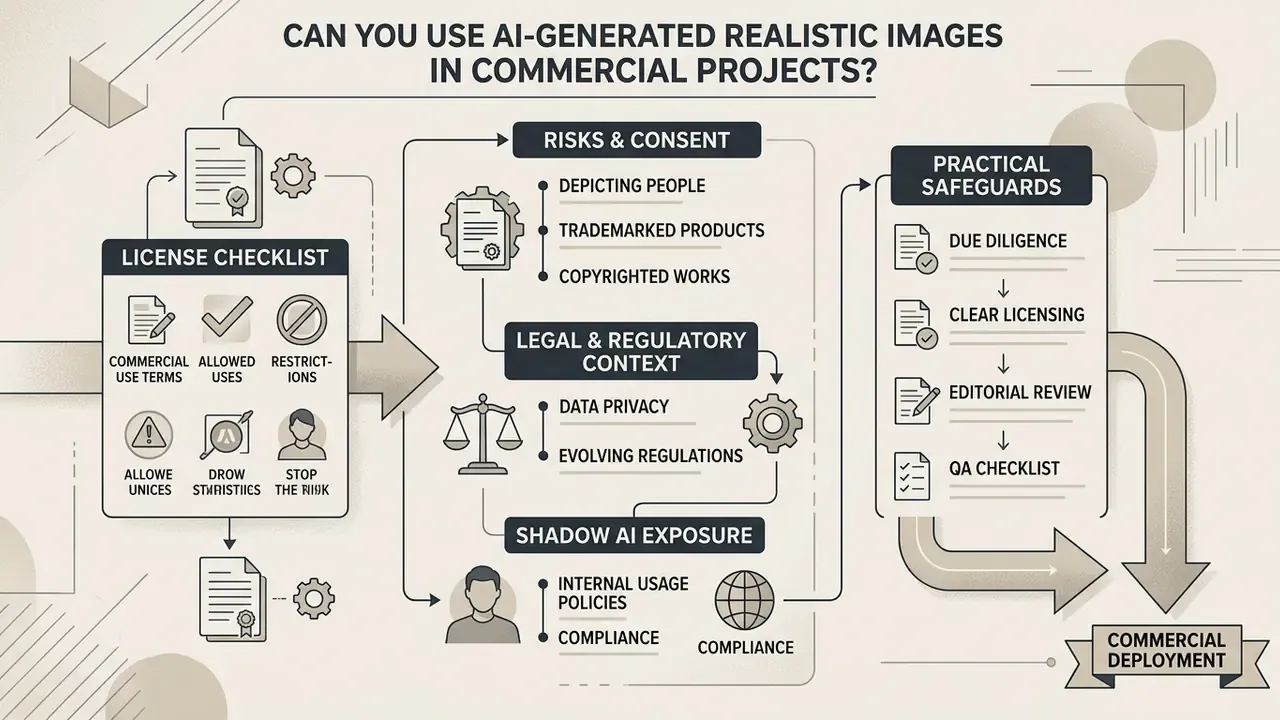
Deploying AI-generated visual media in commercial campaigns requires careful compliance review. Legal officers should examine intellectual property and regulatory disclosure standards, plus the operational role of AI image detectors in pre-publication verification, before public deployment.
What to Check in an AI Image Generator License Before Publishing
Commercial usage rights depend heavily on the terms of service and subscription tier of the chosen AI generator. Most commercial providers grant usage rights to paying subscribers, but many impose annual gross revenue thresholds that trigger enterprise licensing. Midjourney's official documentation allows commercial use for paid accounts while requiring Pro or Mega plans for businesses above $1,000,000 in annual gross revenue, and Stability AI's community license follows a comparable revenue-threshold structure above which an enterprise arrangement becomes necessary.
Organizations must also verify whether generated outputs carry commercial exclusivity, whether user inputs are protected from public model training datasets, and which rights the platform itself retains over inputs and outputs. Design-suite generators carry their own restrictions. Our review of the Canva AI generator, for example, covers export and licensing limits that differ from API-first vendors. Procurement checklist essentials: revenue threshold, output exclusivity, no-train commitment, indemnification scope, prohibited subjects (public figures, trademarked characters), and retention period for prompts and generated assets.
Risks When Using AI People, Product Images, and References
Commercial deployment introduces legal exposure around right-of-publicity claims, trademark infringement, and non-consensual likeness generation.
Using uploaded reference images that contain trademarked logos or proprietary product features can trigger consumer confusion and infringement liability. Patent exposure arises separately, when a generated design reproduces protected technical features rather than a general style.
That demographic asymmetry is a marketing risk as much as a perception finding. Audiences least able to identify synthetic portraits are the audiences most exposed to unlabeled synthetic advertising, which raises reputational and regulatory stakes for mobile-first placements.
State and federal statutes add sharper teeth. The U.S. TAKE IT DOWN Act (2025), whose platform notice-and-removal process takes effect by 19 May 2026, establishes strict penalties for non-consensual digital forgeries and unauthorized likeness exploitation.
Shadow AI exposure. A separate organizational risk appears when employees generate brand visuals through personal accounts on consumer tiers. Those accounts typically lack no-train commitments, retain prompts and uploaded references on public terms, may publish outputs to community galleries, and leave no provenance record in the corporate model inventory. Mitigations are straightforward, if anyone owns them: an approved-tool allowlist, SSO-gated enterprise workspaces, a ban on uploading unreleased product imagery or customer photographs to consumer tiers, and mandatory registration of every published synthetic asset with its model version, prompt, and reviewer.
Legal and regulatory context:
FAQ About Realistic AI Image Generation
Enterprise teams raise the same technical and operational questions when they evaluate generative image platforms. Decision-makers can also review our terminology hub on AI art generators for definitions and implementation guides, or open the hub for the full glossary.
Does an AI generator create unique images?
Mostly yes, but uniqueness is not guaranteed. Generative diffusion models synthesize outputs by sampling high-dimensional latent space, producing probabilistically unique image variations for each seed and prompt combination.
"Diffusion models approximate the training data distribution and produce diverse samples. Each sample is statistically unique apart from rare collisions."
Source: Survey of diffusion models in computer vision (2024-2025).
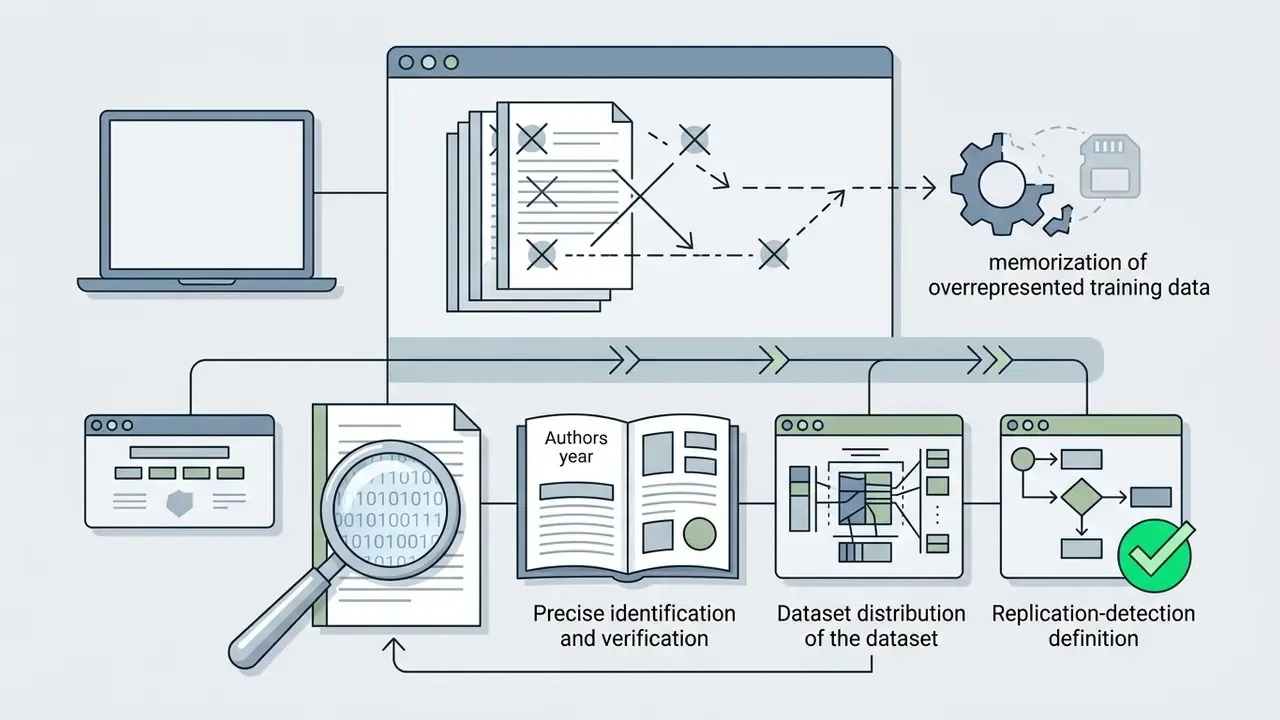
Updated (replaces the earlier unattributed "research from CVPR" reference): CVPR 2023 replication research defines an output as replicated when it contains an object appearing identically in a training image, and detects such cases through feature-similarity search across the training set. Practically, memorization risk rises when prompts target overrepresented or highly specific training content, so high-value assets deserve a reverse-image check. Operators designing specialized physical assets can explore an ai stl generator for 3D spatial modelling workflows.
Can realistic AI images be created free and from a mobile device?
Yes for casual use, no for production governance. Consumer mobile applications and web tools offer free tier generation, and app-store listings in 2026 advertise photorealistic generation at no cost. See our comparison of free AI image generators and options for AI image generators without sign-up. Enterprise workflows, however, need desktop controls, batch API integrations, and lossless export capabilities that are generally restricted to paid commercial plans.
Mobile screens also hide subtle pixel defects, which makes calibrated desktop displays necessary for quality control.
"PC users identify AI portraits 3.65 percentage points more accurately than mobile users. The mobile screen hides artifacts."
Source: Human Factors in Detecting AI-Generated Portraits, arXiv (2026).
Does AI image generation support batch creation?
Yes. Enterprise generative pipelines support catalog-scale batch processing through structured API integrations. Production platforms process parallel JSON or CSV payloads containing individual product metadata, rendering hundreds of unique image variations at once. Documented batch systems queue one JSON object per item, render in parallel, and return completed high-resolution assets via webhooks or secure CDN endpoints for automated e-commerce publishing, with PNG, JPEG, WebP, and multi-page PDF outputs from a single template.
Why do some AI images still look fake, and how do I fix it?
Usually the prompt, not the model. Vague requests leave lighting, optics, and material behavior undefined, and that is exactly where waxy skin, malformed hands, and unreadable text appear. Add concrete optics and light-source language, name the materials, then regenerate with one variable changed. If only one region fails, inpaint that region instead of regenerating the whole frame.
Do I have to label AI-generated images in advertising?
Often yes. Under EU AI Act Article 50 transparency duties, realistic AI-generated or manipulated content must be clearly disclosed, and EU guidance treats AI product imagery that flatters or alters the real item as potentially misleading. U.S. federal agency guidance similarly requires labeling and prohibits synthetic imagery as official documentation. Apply provenance metadata and a visible label wherever your audience could reasonably assume the image is a captured photograph.
Which model is best for photorealism in 2026?
There is no single winner. Vendor documentation positions FLUX.2 explicitly around photorealism with precise control over color, pose, and composition. Midjourney v7 has been the platform default since mid-2025 and leads on aesthetic cohesion. GPT-Image-class models lead on prompt adherence and legible in-image text. Match the model to the control you need, whether dimensional fidelity, facial realism, or structural accuracy, and validate with your own bracketed test set. For a side-by-side shortlist, view the guide.
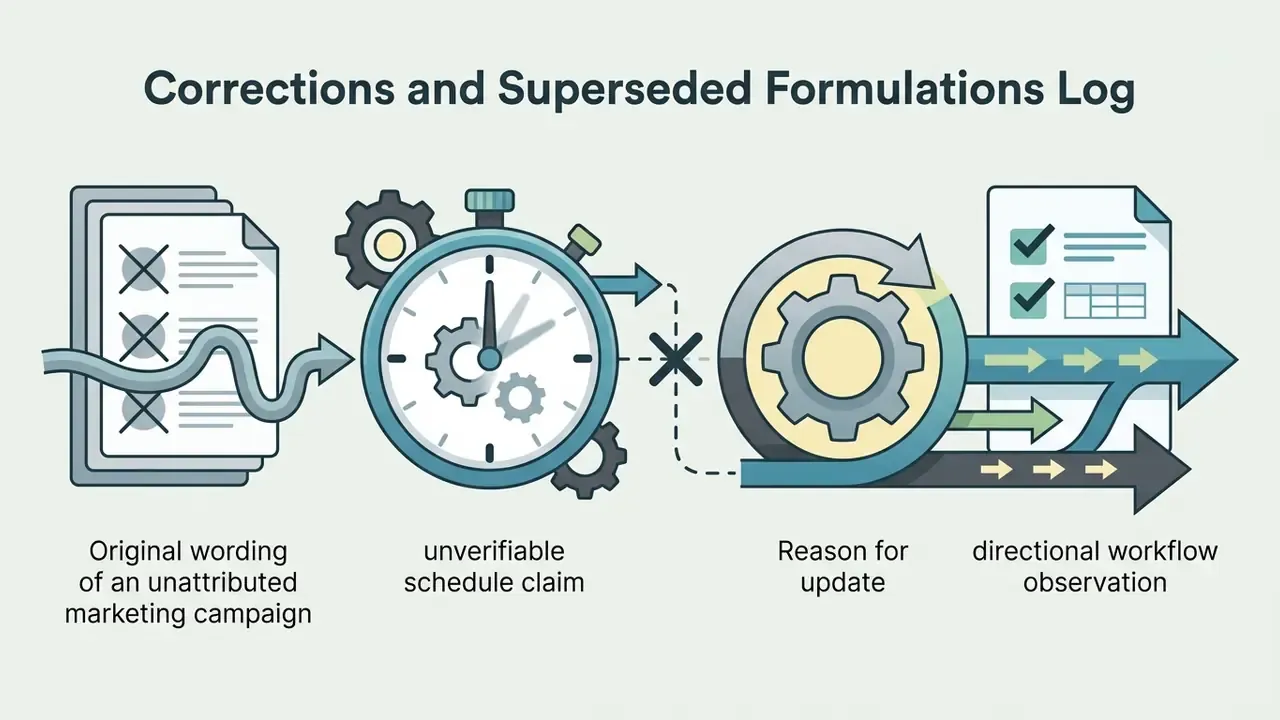
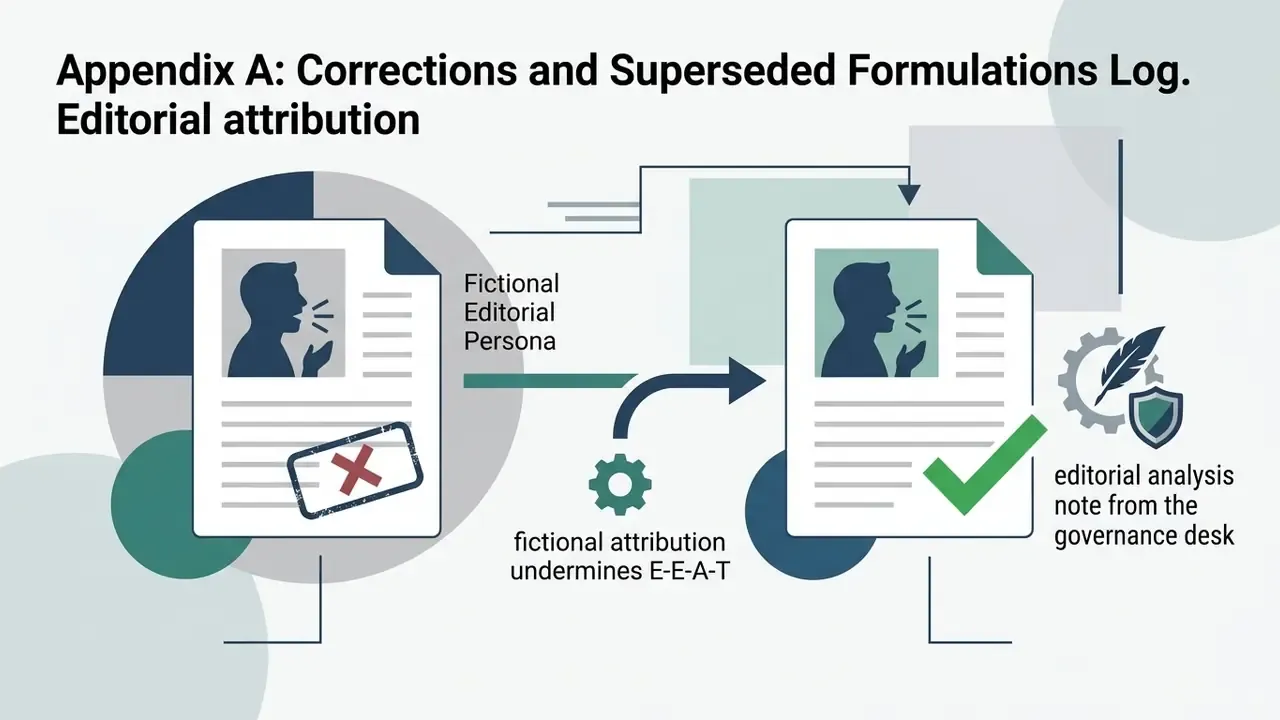
Appendix A: Corrections and Superseded Formulations Log
Retained for transparency and version traceability. Each entry records the original formulation and the reason for the updated version in the main text.
A safe next step: pick one recurring image category, run it through the workflow and the QA checklist once, and record what the review actually caught. Enterprise operators can then compare options across our structured commercial-use decision hub.