«When evaluating digital creation tools for modern media, video teams must audit three non-negotiable operational standards: strict asset licensing clearance, frame-accurate audio beat-syncing, and cross-platform export fidelity at high bitrates.»
Key takeaways (60-second summary)
What Is a Video Collage App and What Can You Create?
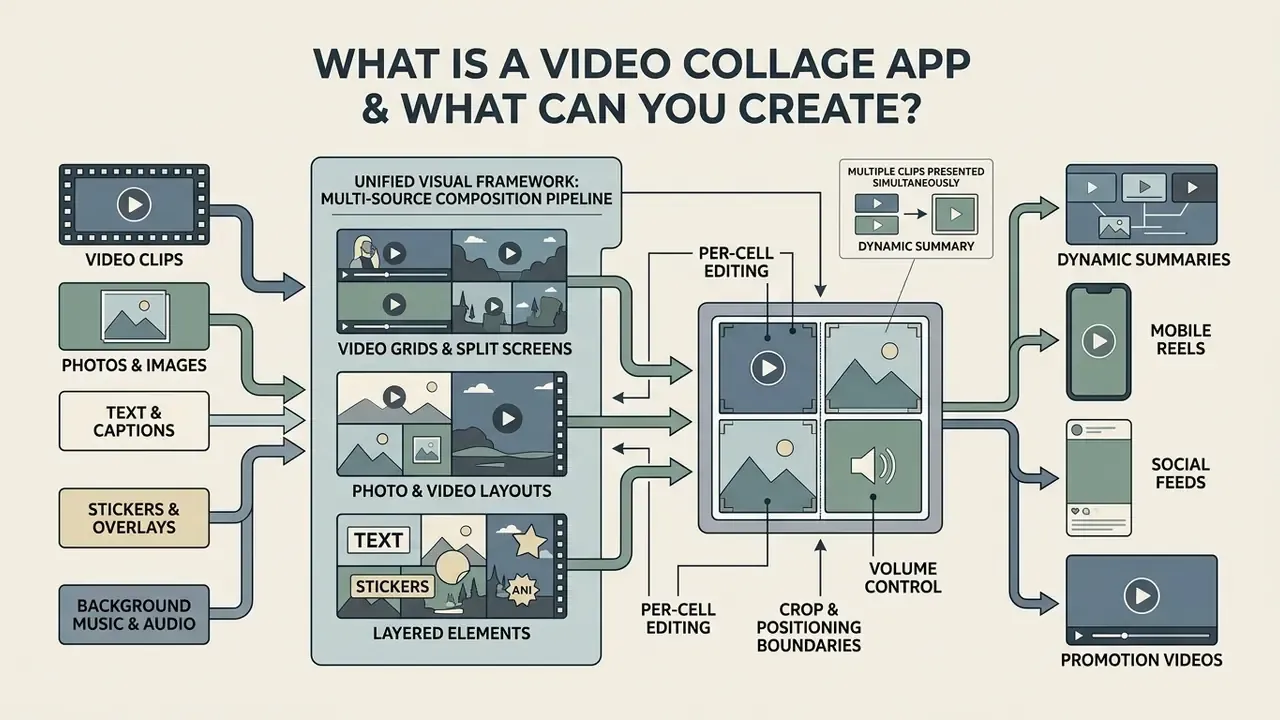
A video collage app lets users arrange multiple media types, including video clips, photos videos, text, stickers and background music, inside one unified visual framework. By synthesizing distinct assets into a single grid or split-screen output, a video collage maker streamlines video content production for personal memories, brand promotions and short-form social video platforms.
In academic terms, a video collage is a dynamic summary: several selected clips or frames presented simultaneously, so a viewer absorbs a collection of moments at a glance instead of watching a linear sequence. Vendor documentation frames the same idea commercially. It is a story format that unites photos, video, animation, graphics and music inside one frame for social sharing, ads and product portfolios.
«Perceived novelty (β = 0.41) and entertainment value significantly strengthen immersion, which in turn raises reuse intention (β = 0.32) and positive word-of-mouth (β = 0.45).»
Video collages lean directly on that principle. Parallel visual streams, animated transitions and synced audio in one screen make dense information easier to digest. The measurable takeaway for creators: layout novelty is not decoration, it is the input variable that drives immersion, and immersion is what turns a scroll into a replay or a share.
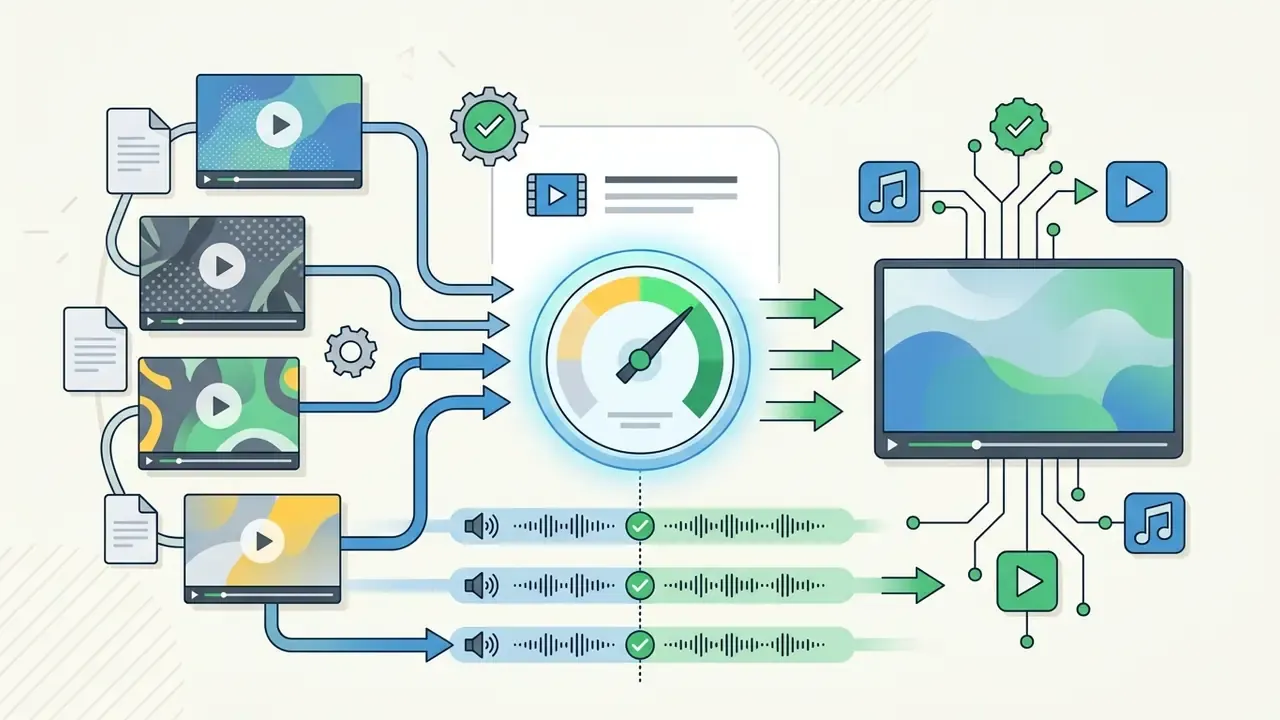
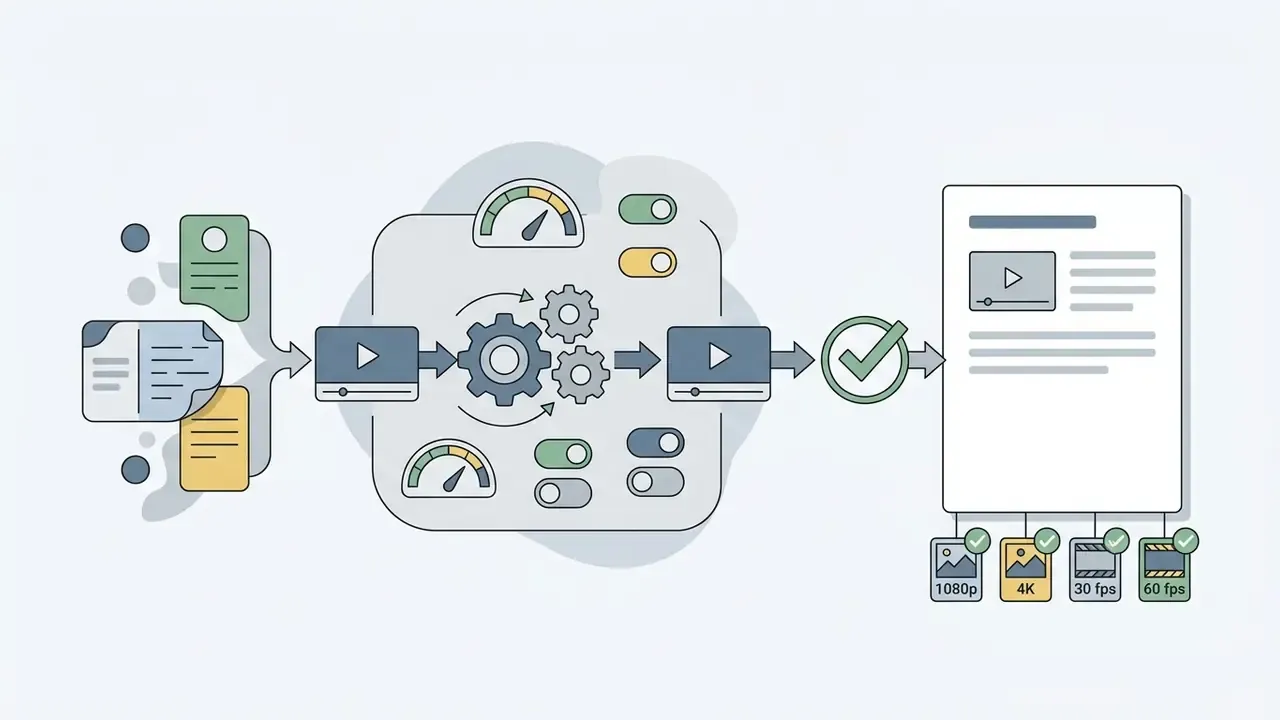
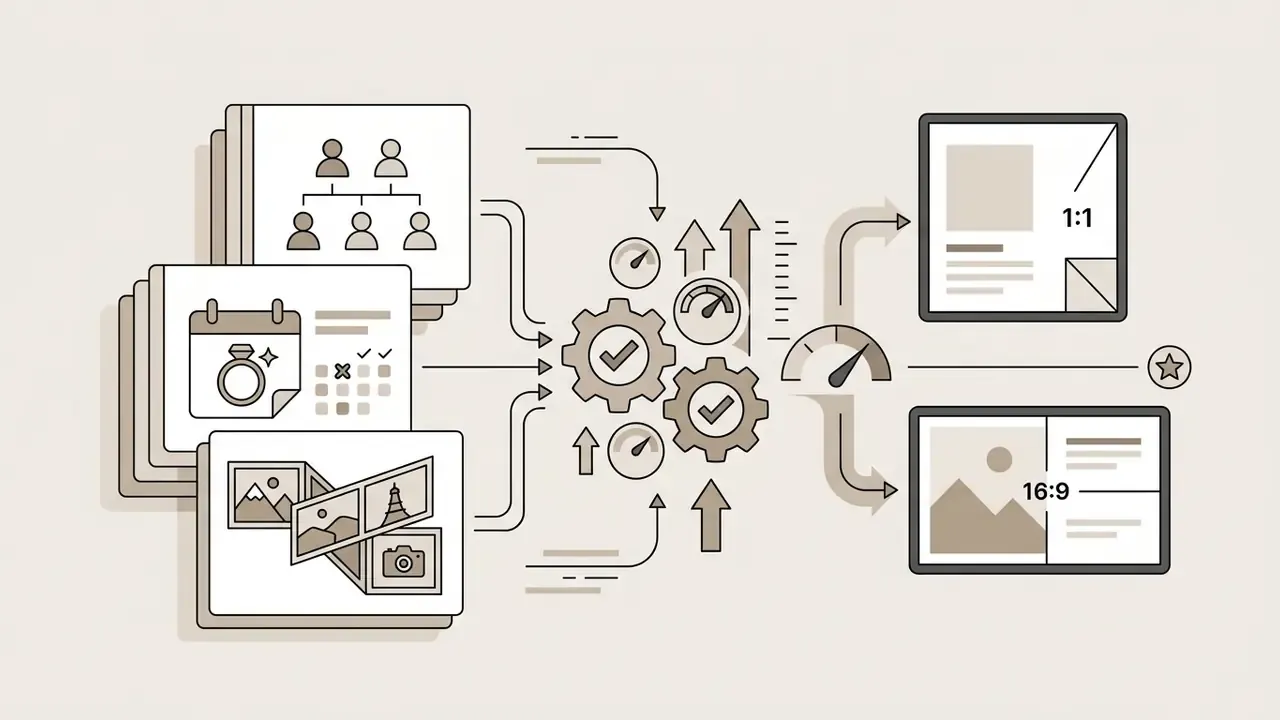
(Figure 1): architectural layering of a multi-source video collage pipeline. Video clips (MP4/MOV) plus photos (JPG/PNG) plus beat-synced audio, combined into a unified multi-frame video layout exported at 1080p or 4K MP4. All stages described in text above and below for accessibility.
Video Grids, Split Screens and Photo-and-Video Layouts
A split-screen or video grid layout places multiple video clips and photos side by side, or stacked into defined frame zones. Users either pick pre-built video collage templates or set custom frame proportions, assigning specific media files to each placeholder track. Before importing footage, many editors normalise colour and dimensions first, often in a dedicated android photo editor, so adjacent cells do not clash in white balance or exposure. One warm indoor clip beside one cold daylight clip will sabotage an otherwise clean 2×2 grid.
In practice, desktop and mobile utilities handle these arrangements by building distinct multi-track containers. Official technical documentation confirms the pattern across vendors. The Corel VideoStudio 2023 User Guide describes split-screen templates built from placeholders, into which each video or photo is dragged, then resized, cropped and repositioned in the preview window. Apple iMovie Help (2026) states that a connected clip can play simultaneously with another clip and sit left, right, top or bottom. The mimoLive User Manual documents preset grid structures: 2×1, 3×1, 2×2, 3×2, host-plus layouts and a fully custom mode.
That architecture is exactly why editors can apply separate crop, positioning and volume boundaries per cell. A photo collage element can stay static while adjacent video clips play simultaneously or sequentially inside the same frame grid, each with its own trim points and audio level.
Music, Text, Stickers and Animated Elements
Beyond static grids, video collage tools add secondary audio and visual layers: background music, animated video text, sound effects, text stickers. Custom typography and a little sound design turn a flat composition into an eye catching visual narrative.
Mixing audio layers, though, demands restraint. Editorial video production standards recommend keeping background music balanced against primary dialogue or voiceover so speech stays intelligible, using a single standard, proofread font family for on-screen text, and limiting graphics or animation that distract from the message rather than support it (Introduction to Video Editing, Sporting Heritage, 2025). Practically: put voiceover and music on separate audio tracks, duck the music several decibels beneath narration, and reserve animated stickers for empty negative space instead of layering them over faces or product detail.
Animated elements should complement the subject, not compete with it. If a grid already holds four moving cells, one animated caption is usually the ceiling of what a viewer can process. Push past that and the collage reads as noise.
How to Choose the Best Video Collage App
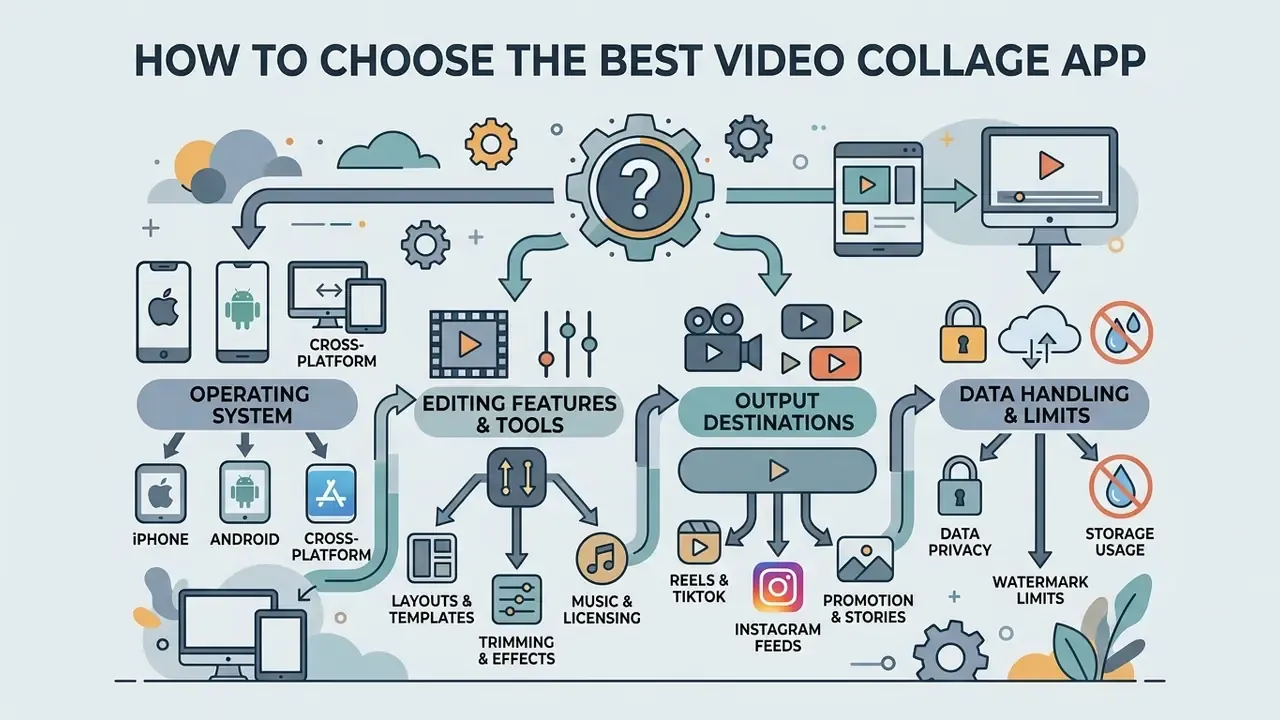
Choosing the best video collage app comes down to operating system compatibility, editing features, template variety and your intended output destinations. The right app matches the creator's technical skill level and publishing requirements, nothing more exotic than that. Three filters decide almost every case: device OS and minimum version support, skill-level fit, and task depth (simple template fill versus a layered, effect-heavy montage).
When you are picking creative software for a broader mobile workflow, adjacent tools matter too. Creators who clean up stills before assembling video grids typically run them through a photo editing pass first to normalise colour balance and dimensions across source files. Checking how smoothly a candidate editor slots into your existing workflow prevents processing bottlenecks later, and it pays to benchmark contenders against a wider free video editing software comparison before you standardise a whole team on one tool.
iPhone, Android and Cross-Platform Availability
Platform availability decides whether an app runs natively on an ios device, an android device, or across web browsers. App Store listings specify exact minimum OS versions. One widely used Video Collage app supports iPhone from iOS 12.0, Perfect Video Editor requires iOS 13.0 or later, and PhotoGrid requires iOS 14.1 or later. iOS builds often highlight smooth frame-based rendering and hardware acceleration, while Android applications on the Google Play store frequently push AI powered layout selection (one Play-listed tool assembles a collage automatically from 2 to 15 clips or photos) and direct social sharing workflows.
«Entertainment showed the highest coefficient (0.316) among platform characteristics predicting continued use; sociality also had a significant positive effect.»
Cross-platform tools offer synchronized cloud storage, so you can start a project on a phone and finish editing in a desktop browser. KineMaster, for instance, spans Android, iOS, iPadOS and Chromebooks, which matters for teams that hand projects between devices mid-edit. Before you commit, read the platform requirements in the app store listing to confirm system compatibility, export resolution caps and background rendering capabilities.
Templates, Layouts and Editing Tools That Matter
A capable video editing app needs flexible video grid layouts, granular trim tools, transitions effects and creative filters. Broad template catalogs cut setup time by handing you pre-calculated aspect ratios and styled cell arrangements.
Professional workflows live or die on timeline precision. The Adobe Help Center (2026) shows that transitions in professional editors are organised into named categories for scene changes, motion and animated reveals (Dissolve, Roll, Stretch, Block Motion), while the Corel VideoStudio 2023 User Guide spells out the structural rules templates must obey: placeholders, single-track titles and audio, and transitions only at internal segment boundaries. Apple's Final Cut Pro and Motion template documentation similarly covers browsing, previewing and applying filters and transition templates. Together these editing tools give you real control over how individual video clips interact inside the frame. For a deeper breakdown of video editing tools and workflows, including publishing presets, see our workflow guide.
«Perceived usefulness positively affects satisfaction and continuance intention (coefficient 0.235, p = 0.009); entertainment is the strongest single driver of satisfaction.»
Put plainly: a template library only helps if the collage maker also feels fast and rewarding to use. Utility alone does not keep editors coming back.
Formats for Social Media and Content Creation
Short-form platforms demand specific video aspect ratios: 9:16 vertical for Instagram Reels, TikTok and YouTube Shorts, or 1:1 for feed posts. A versatile app to make video collage projects has to offer automated canvas resizing and safe-zone guides, so visual content is never swallowed by platform interface elements.
Export targets are fairly consistent across social media platforms. Use 9:16 at 1080×1920 for Reels, TikTok and Shorts, 1:1 at 1080×1080 for square feed posts, 16:9 at 1920×1080 for landscape, and 2.35:1 when a cinematic matte is the creative goal. Public-sector and university style guides converge on the same framing advice: keep the subject from mid-chest up and inside a central safe area, so captions and platform UI never crop the focal cell.
Interactive checklist placeholder: "Selecting your video collage maker". Full criteria duplicated in text below for indexing.
Quick decision checklist:
- Native OS support (iOS hardware acceleration or Android Play Store deployment).
- Zero forced watermark on free exports, or at least an ad-watch removal option.
- Pre-set safe-zone guides for 9:16 vertical reels and 1:1 square feeds.
- Commercially cleared, royalty free audio library with EULA documentation.
- Direct export options for 1080p or 4K at 30/60 fps without bitrate throttling.
Best Video Collage Apps Compared
Comparing the best video collage apps means weighing free version limitations, template library depth, audio synchronization, store-verified user sentiment and cross-platform flexibility. The table below maps key features across ten widely used applications, with ratings recorded from the Apple App Store and Google Play in early 2026.
| App Name | OS Support | Store Ratings (iOS / Android) | Free Tier Limitations | Key Features and Layouts | Paid / Team Notes | Commercial License Terms |
|---|---|---|---|---|---|---|
| Canva | iOS, Android, Web | 3.5 / 4.8 | Pro assets locked; basic export | Drag-and-drop grid layouts, Beat Sync, stock media, timed animations | Brand Kit and Canva for Teams on paid plans; auto beat-sync is Pro | Free content cleared for wide personal and commercial use; "Popular Music" excluded from advertising |
| CapCut | iOS, Android, Desktop | 4.6 / 3.9 | Watermarks on select Pro templates; ads | Collage Grid, aesthetic video grid, per-cell timing, auto captions, Overlay layering | Pro subscription unlocks templates and effects | Only assets labelled "Commercial Use" are cleared; rights vary by template |
| PhotoGrid | iOS (14.1+), Android | 4.9 / 4.5 | Ads present; resolution caps on export | Multi-cell photo and video grids, thousands of backgrounds, clip sync | Premium removes ads and unlocks assets | Personal use default; separate licensing needed for ads |
| Mojo | iOS, Android | 4.9 / 4.5 | Limited template access | 400+ animated templates, grid maker, trending sounds, stock music, audio extraction | Subscription unlocks commercial brand kit tools | Subscription required for branded commercial output |
| PicPlayPost | iOS, Android | 4.8 / 3.9 | Watermark on free exports | Side-by-side split screen, sequential multi-frame playback, GIF support | Free with in-app purchases | In-app purchases required to clear watermarks for business |
| YouCam Video | iOS, Android | 4.8 / 4.2 | Watermark; paid AI tools | Up to 40 layout styles, AI face retouch, mirror effects, Geometry Grid | Premium unlocks AI effects and asset packs | Personal use only on free tier |
| InShot | iOS, Android | 4.9 / 4.8 | Ads; watermark (clearable via ad) | PIP multi-layering, blank-canvas custom grids, filters, FX | Pro removes ads and watermark | Track-specific audio licensing required |
| KineMaster | iOS, Android, iPadOS, Chromebook | 4.7 / 4.1 | Watermark; limited asset store | Multi-layer timeline, chroma key, 2,500+ transitions and assets, 4K/60fps export | Subscription required for business use; asset store 75,000+ items | Subscription required for commercial output |
| Filmora | iOS, Android, Desktop | 4.7 / 4.5 | Watermark on export | Cinematic 2.35:1 mattes, auto-captions, custom collage layouts, keyframing | Commercial licence sold separately from consumer plan | Commercial licence sold separately |
| PicCollage | iOS, Android | 4.8 / 4.6 | Watermark; limited grid slots | Fast 5-minute photo and video scrapbooking, mood-sorted music library, stickers | VIP: ad-free, watermark-free, premium content | Personal use; premium sub for assets |
Pricing varies by region and renews automatically. Entry-level premium tiers in this category commonly sit somewhere around $5.99 per year to $10 per month, and a few apps (standalone Video Collage on iOS, for example) still offer a lifetime unlock. Always confirm the live price and renewal terms in the store listing, then model total cost against usage volume with our AI Media Pricing Guides.
If you are weighing generative tooling alongside template editors, our AI video generator comparison covers duration limits, credits and watermark policies for automated production.
Testing methodology and feature verification. Every featured app was checked directly against current documentation from the Apple App Store, Google Play and vendor product pages. Verification criteria:
How to read these results. Apps that scored highest on multi-clip playback stability (CapCut, KineMaster, InShot) are the safest starting points for grids with four or more moving cells. Template-first tools (PicCollage, Mojo, Canva) win on time-to-publish for a single-occasion project. The recommendations below map those findings onto three common jobs: everyday editing, music-led edits, and effect-heavy creative work.



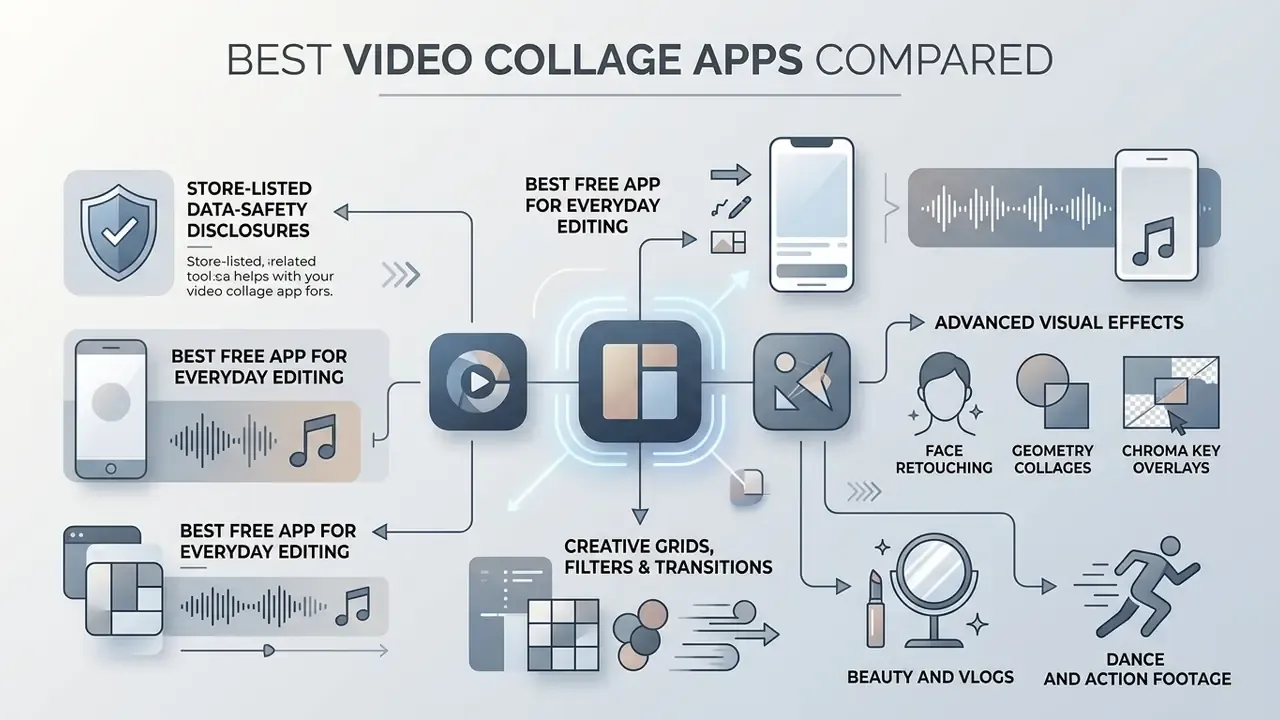
Best Free Video Collage App for Everyday Editing
For daily content creation, free tools with a user friendly interface deliver the fastest editing experience. Apps like CapCut hand you expansive template collections, basic photo editing options and automated multi-clip arrangement with no prior editing experience needed. Vendors say so outright: Adobe Express advertises "No experience required", PicCollage answers the experience question with "Not at all", and Animoto promises "no training or experience necessary". Creators exploring adjacent automation can also compare free AI video generators that assemble multi-clip sequences straight from prompts.
«Perceived playfulness directly raises continuance intention, while information and communication overload increase emotional fatigue and reduce it.»
That finding carries a blunt workflow implication. An app stuffed with notifications, upsell prompts and forced ad breaks measurably erodes the willingness to keep editing, which is why watermark-and-ad policy belongs in your functional evaluation, not only the budget line.
Teams building complete video marketing kits usually need branded assets on top of the layout. Many pair collage frameworks with an animation maker for intro sequences, and with an animated logo maker so the brand mark animates into a corner cell instead of sitting there as a flat PNG.
Best Apps to Make a Video Collage With Music
When audio pacing is the whole point, apps like Mojo and Canva offer dedicated beat-sync tools. Mojo's own help documentation confirms four audio sources: trending sounds pulled from Instagram and TikTok, stock music, your own uploads, and audio extracted from a video file, with music length presets of 15, 30 and 60 seconds. Canva's Beat Sync aligns clips, footage and elements to the rhythm of a track, though automatic syncing is reserved for Pro accounts. Both align visual cuts and clip transitions to the beat of the selected background music or sound effects.
«User-generated video content on YouTube raises premium streaming (δ = 0.057) and ad-funded streaming (δ = 0.057) on average, though recent hits show a cannibalisation effect.»
The engagement upside is real. The same literature shows it is not uniform: newly released chart tracks can cannibalise paid streams, which is precisely why rights holders police unlicensed commercial sync so aggressively. More on that in the licensing section. Apps with a built-in free music or stock music library make timing far simpler, since you can trim video clips to fit a known song length instead of fighting an arbitrary cut.
Best Apps for Creative Grids, Filters and Transitions
Advanced creative work needs specialised editing features. Filmora provides cinematic aspect ratios such as the 2.35:1 widescreen matte, plus object tracking, keyframing and AI-assisted extension tools. KineMaster leans into multi-layer timeline controls, chroma key overlays, auto captions in dozens of languages and 4K export up to 60 fps.
Picsart, meanwhile, positions itself as an AI creative platform with photo filters, realistic motion and physically accurate lighting for hybrid photo-video compositions. When comparing these tools, review our AI Media Comparison Matrices to evaluate processing speed, export formats and feature trade-offs across professional editors. For animated overlay elements inside collage cells, our guide to animation maker tools and templates covers the practical options.
Face Retouching, Geometry Collages and Advanced Visual Effects
For niche creators, plain rectangular grids run out of road quickly:
- Beauty and vlogs apps like YouCam Video integrate real-time AI face retouching, so blemish removal and skin smoothing run across active multi-frame cells and a selfie cell stays visually consistent with a product cell.
- Dance and action footage geometry video collage templates slice high-motion footage into synchronized parallel shapes (triangles, diagonal split-screens, mirrored panels), amplifying dynamics without breaking beat alignment.
- Chroma key overlays editors like KineMaster strip background colours inside individual cells, enabling transparent video layers over static graphics or brand colour fields.
- Mirror and panoramic formats mirror-effect collages and ultra-wide panoramic strips, the filmstrip look used for cinematic Reels, stretch the grid concept well past a standard 2×2.
One caution drawn straight from store reviews: heavy real-time AI effects can push mobile hardware past its limit. An App Store reviewer of an AI-effect-driven editor reported that "ALL the AI effects make the video lag so far behind the sound that they are unusable", while a five-star Google Play reviewer of a similar tool asked for better handling when "there are more than one person in the video". Test effect stacks on your own device and your own footage before you commit a campaign to them. Actually, test twice, once on a fresh export.
How to Make a Video Collage With Music on Your Phone
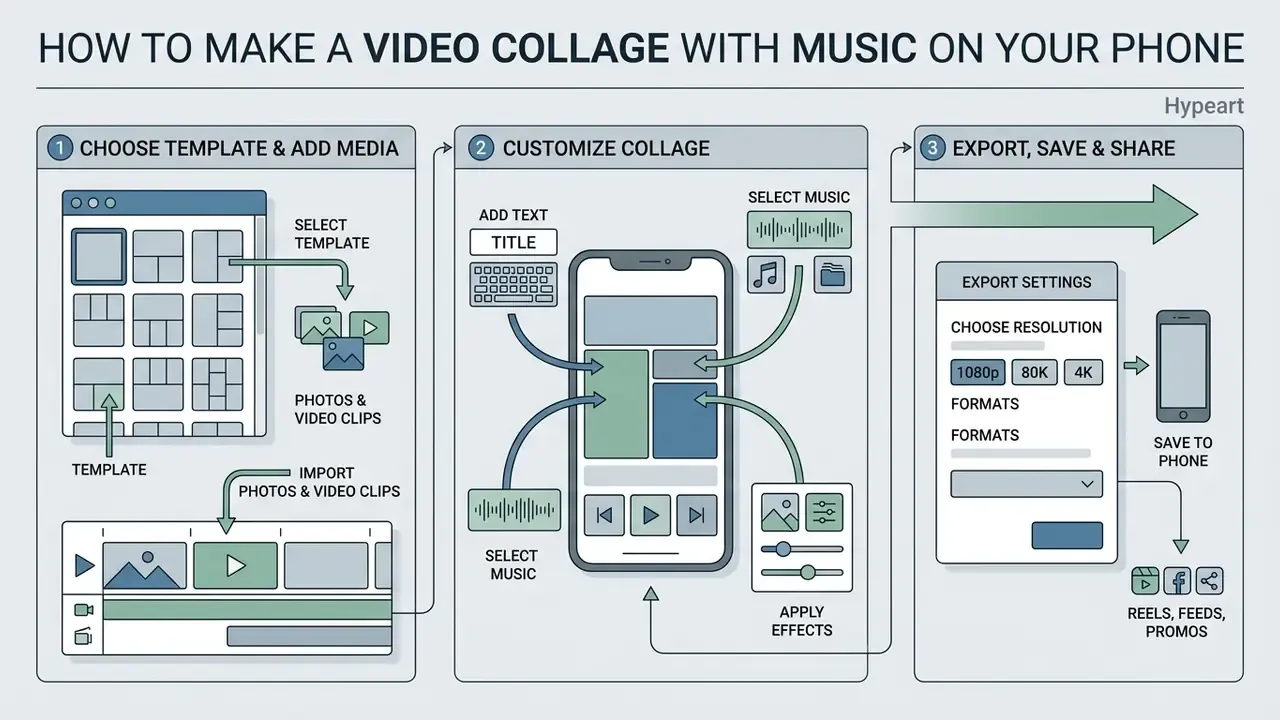
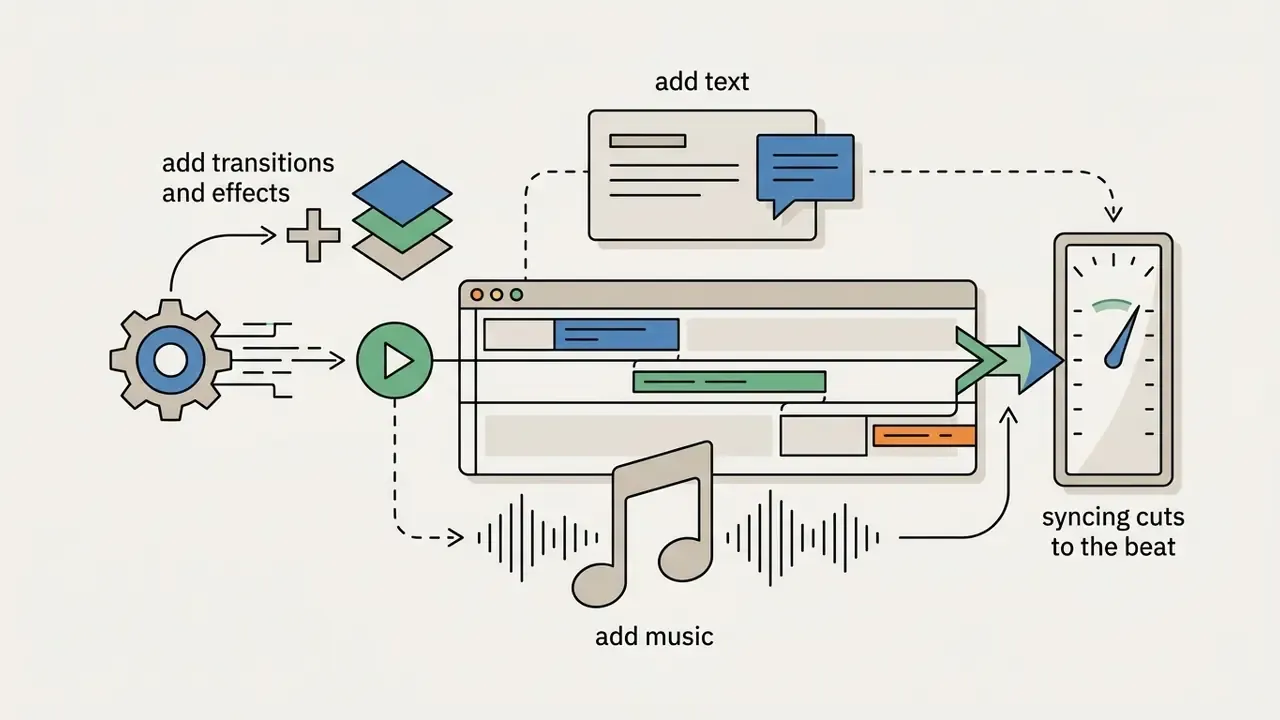
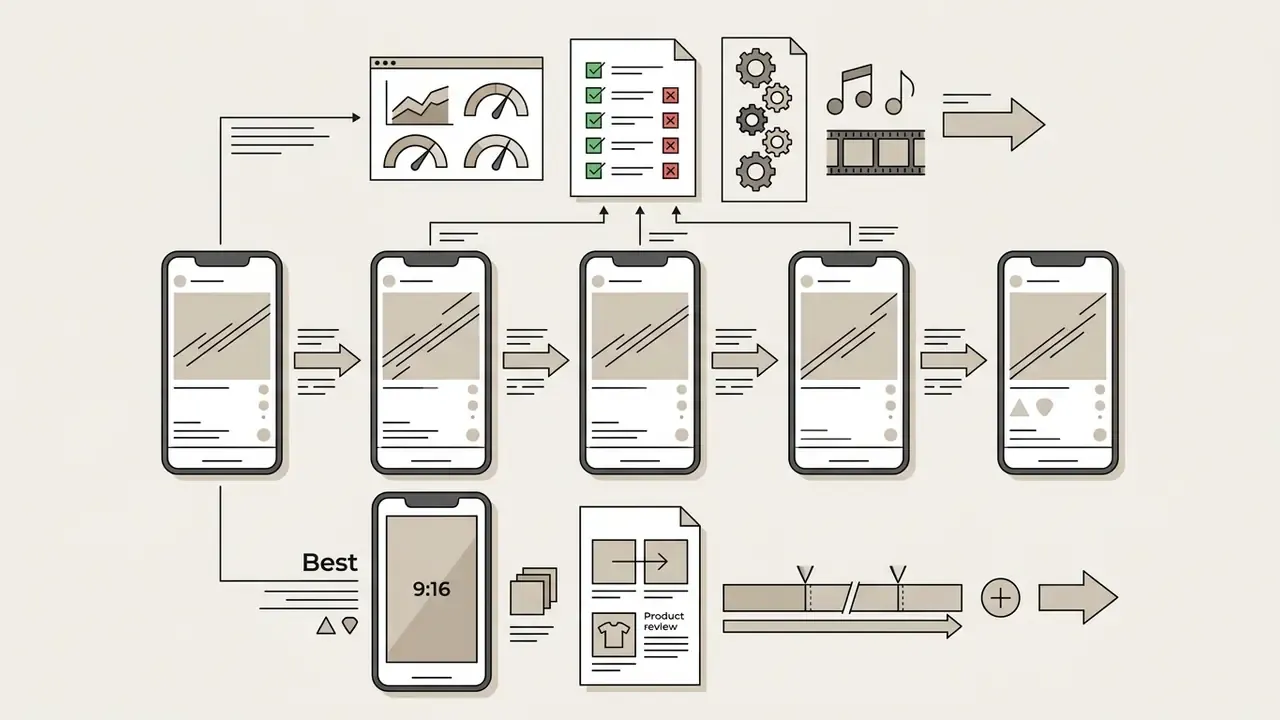
Building a decent video collage on a phone follows a structured sequence: pick a layout template, import media, customise audio and text overlays, export for social sharing. Adobe documents the same three-stage pipeline for its own collage tooling: add media and select a template, customise, then save, export and share. Creators automating parts of that chain can also review AI video generation tools that produce source clips programmatically.


Choose a Template and Add Photos and Video Clips
- Launch your chosen app to make video collage projects and create a new document.
- Select an aspect ratio that matches the target platform (9:16 for vertical reels, 1:1 for square feeds).
- Choose a grid or split-screen template matching the number of media files you plan to combine.
- Upload your pictures and videos from the phone's camera roll into the placeholder frames.
- Adjust clip timing and zoom so the key subject sits correctly inside each placeholder.
Pro tip on multi-frame pacing. Keep individual video clips between 2 and 5 seconds. Longer clips in a split-screen layout overload viewer attention, because several things are moving on screen at once. Before importing footage into InShot or CapCut, pre-trim in your phone's native gallery (the Photos app on iPhone). For custom layouts without presets, tap the PIP (picture-in-picture) or Overlay button, drop each clip onto its own layer, then use two-finger pinch and drag to align focal points inside the cell borders. In InShot specifically, start from a blank background, drag it to your target duration, then add each source file through PIP before styling the layers. Mixing two or three still photos among the moving cells also reads as more dynamic than an all-video grid, which sounds counterintuitive until you try it.
Customize the Collage With Text, Music and Effects
- Tap the audio tab and select a track from the app's stock music library, or import your own licensed audio file.
- Use timeline trimming tools to sync audio beats with visual clip cuts and scene changes.
- Insert text overlays and text stickers for context, titles or captions, keeping one standard, proofread font family per project.
- Apply creative filters or transitions effects between frames so visual continuity holds across all active cells.
«Perceived personalisation narrows the information stream, lowers psychological resistance and increases the intention to accept new information.»
For creators that maps onto captioning and framing. A collage that names the moment, the date or the audience segment reads as personalised, and it meets less resistance than a generic montage with a stock title card.
Video Collage Ideas for Social Media, Memories and Business
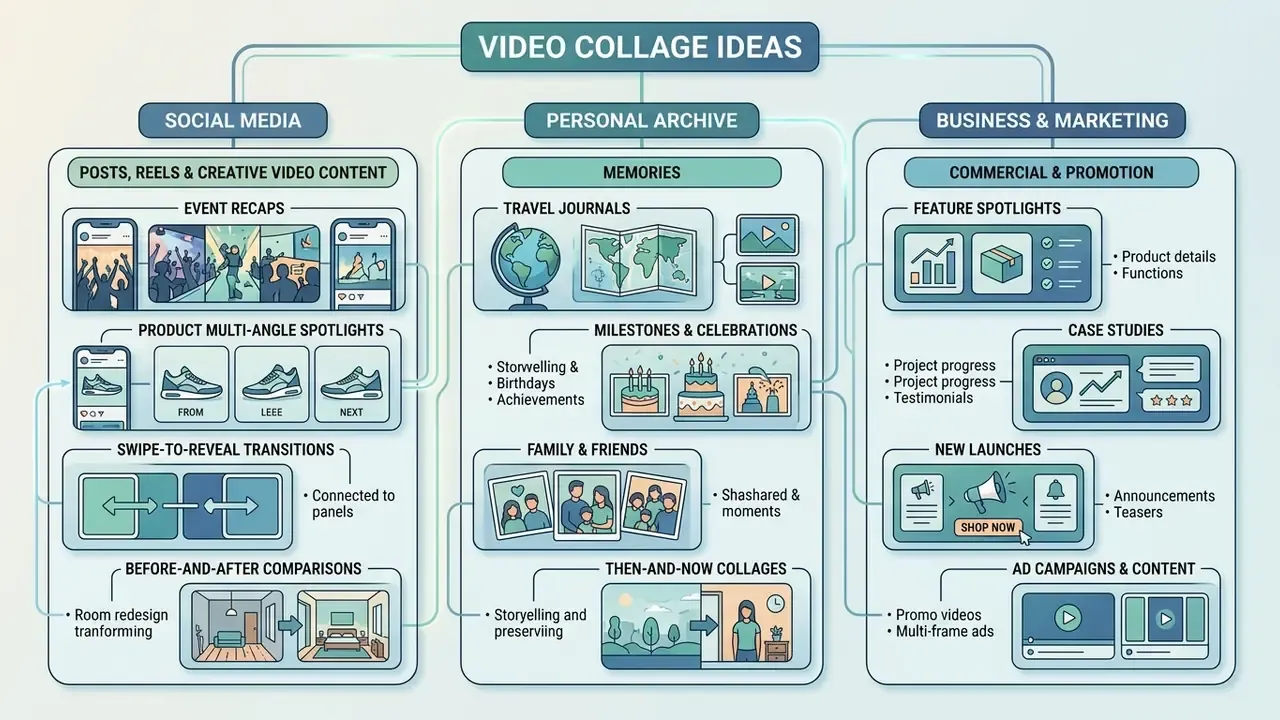
Video collages serve creative, personal and commercial jobs at once. Showing multiple visual elements simultaneously is simply a more efficient use of a small screen, and that efficiency is what lifts engagement across digital platforms.
The commercial case in one line: the same layout novelty that raises immersion also feeds the flow state associated with faster purchase decisions.
Creators frequently fold animated elements into specialised productions. Businesses building marketing campaigns often brief an animated explainer video studio, or use automated software to produce an animated explainer video that can then be split across grid layouts scene by scene.
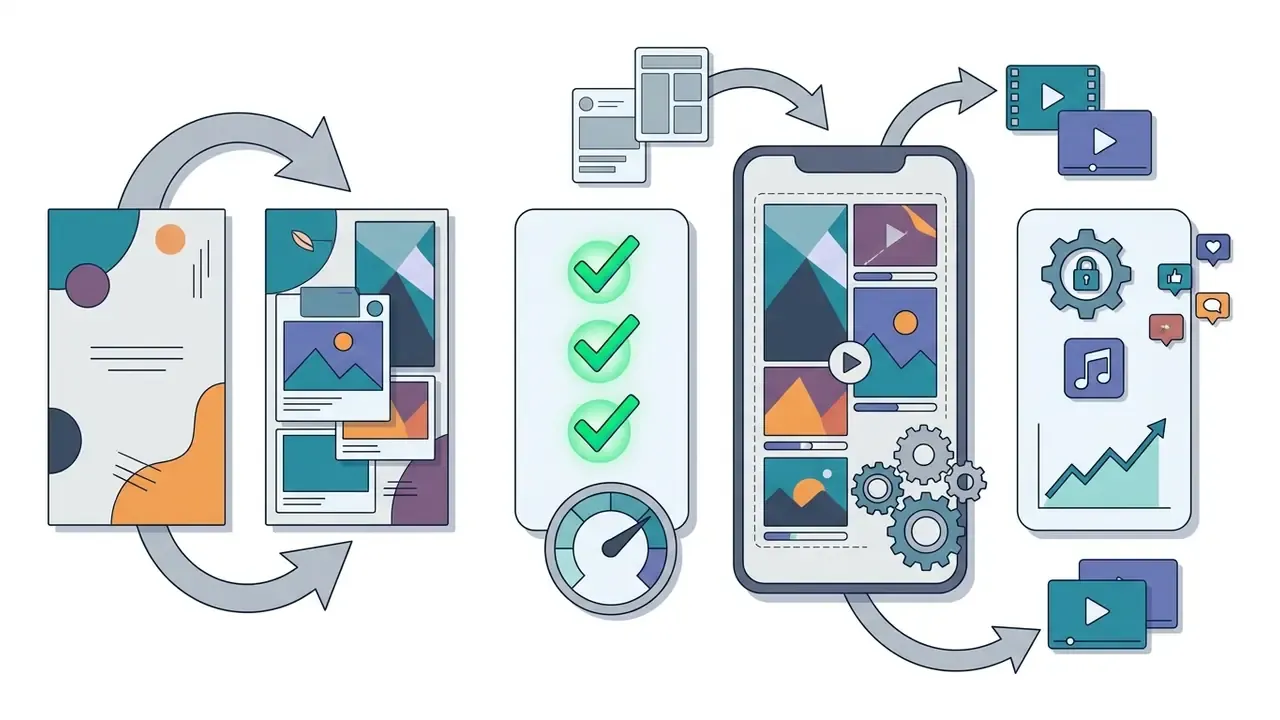
(Figure 3): where video collages are used, by scenario. Text version below.


Memories, Celebrations and Mini Home Movies
For personal archives, photo and video collage making turns scattered photo collections and stray clips into a keepsake you will actually rewatch. Family mini home movies, wedding highlights and birthday recaps all benefit from multi-frame layouts that show complementary perspectives side by side. Where only stills survive from an older event, image-to-video AI tools can add subtle motion to fill a cell.
The Library of Congress personal video archiving recommendations advise saving the final edited version alongside the original unedited source footage, and tagging files with the names of the people shown plus descriptive subject terms. The National Archives defines video as a moving-image recording with synchronised audio, which is why a collage assembled from several clips still counts as one preserved personal record. Text overlays carrying dates, location tags and names preserve historical context for digital family archives, and ordering clips chronologically before building the grid makes memorial and anniversary films far easier to follow.
Birthday recaps remain the highest-volume personal use case. Pull the party clips and photos, add a mood-matched track, and send the result by message rather than posting publicly. Holiday recaps, Sunday-evening weekly summaries and school-year montages follow the same template-first pattern, and in an app like PicCollage they genuinely take under five minutes to celebrate everyday moments.
Free vs Paid Video Collage Makers for Commercial Use
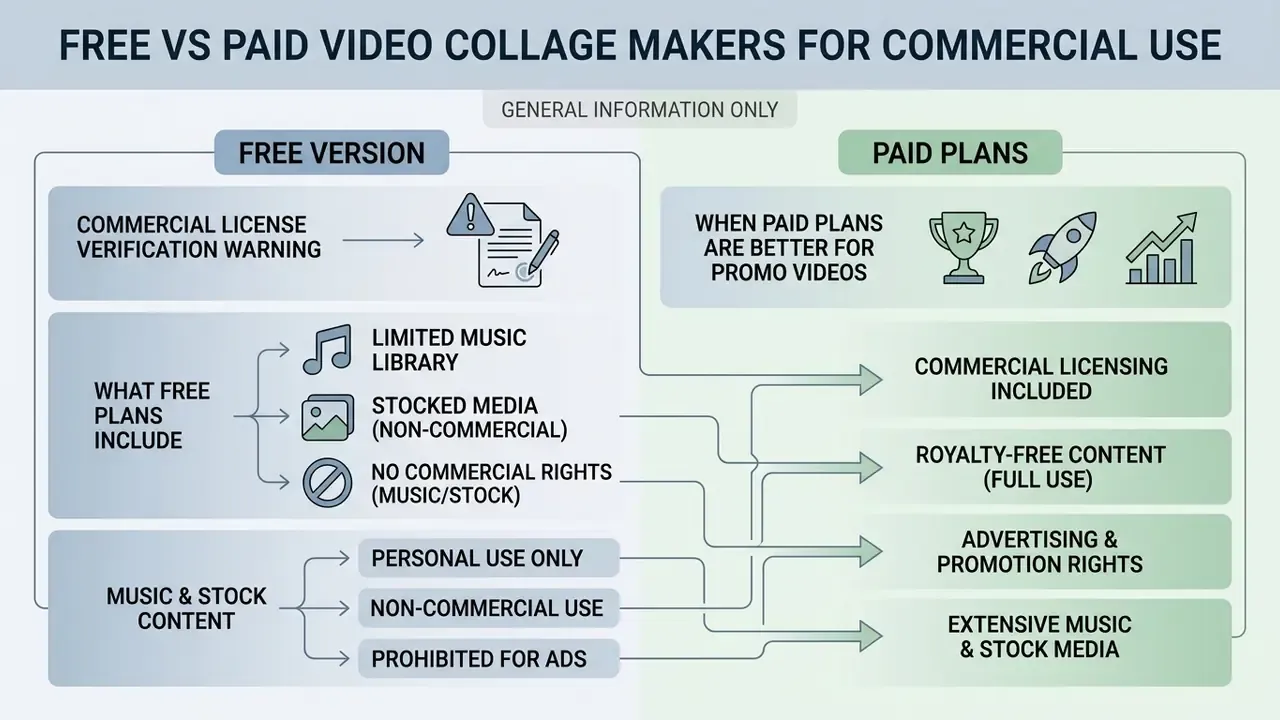
Legal disclaimer: this section is general information only. It does not replace advice from a licensed attorney on copyright, synchronisation licensing or the commercial use of media content. Verify terms with the rights holder and your own counsel before publishing.
Whether a free video collage app is enough, or you need a paid tier, depends on watermark policy, export quality and commercial usage rights. Free versions handle personal social posts fine. Business campaigns need fully licensed assets, or they invite copyright liability.
«Synchronisation licences are required whenever music is used in timed relation to moving images; statutory damages for infringement run from $750 to $150,000 per work.»
What a Free Version Usually Includes
Free video collage makers typically include core layout grids, basic text tools, standard transition effects and a slice of the background music catalogue. That combination is enough to combine photos and videos into an attractive layout for personal sharing.
Free tiers do impose operational constraints, though. Standard limits include embedded brand watermarks, restricted export resolutions (often capped at 720p), a thin template selection, page or record caps on batch output, and mandatory in-app advertisements during rendering. Vendor documentation across adjacent creative tools shows the same commercial shape: full feature access, with the vendor's mark stamped on every export until a licence is bought.
Critically, "free to use" and "free to use commercially" are two different questions. Some apps permit commercial output on free tiers as long as you own rights to every source asset. Others restrict specific packs. Lightricks' Motionleap, for example, allows commercial use only where the user holds permission for the source images, and excludes projects built with certain asset packs on Android entirely.
Music, Stock Media and Royalty-Free Content
Royalty free media is not free from copyright protection. A royalty free license lets you use an asset after a single licence purchase without paying ongoing usage royalties, provided the content stays synchronized inside a broader video project. Adobe Stock's audio terms draw the boundaries precisely: licensed audio may be used worldwide for the licence term, but it must be synchronised with picture or narration, cannot be distributed as stand-alone audio, and cannot be remixed into a new track. Sheridan College's film copyright guidance states the principle plainly, that royalty-free material remains copyright-protected.
Legal analysis in the NYU Law Review (2024) highlights that platform-wide audio licences rarely extend to commercial or branded promotions. TikTok's own guidance separates personal use from business and promotional use, designating the Commercial Music Library as the in-app source cleared for branded content. Meta's music guidance similarly prohibits music for commercial or non-personal purposes unless the publisher has obtained the appropriate licences. Off-platform publication, say a Reel re-cut for a landing page or a paid ad, almost always falls outside the in-app licence.
Major actions such as Sony Music Entertainment v. Marriott International (2024) show that publishing commercial promo video content with unlicensed music creates real financial exposure under copyright law. Reuters' 2024 analysis of social-media music infringement notes that in the action against Bang Energy, the court affirmed direct infringement: TikTok's standard licences did not extend to the brand's commercial use, and separate synchronisation licences were required. Teams tracking how these disputes evolve can follow active cases through our litigation coverage.
EULA verification checklist before a paid campaign goes live:
- Does the app's terms page state that commercial use is permitted, or only that assets labelled "Commercial Use" are cleared?
- Is every music track sourced from a commercially cleared library, such as a platform's commercial catalogue or a subscription library with a global commercial licence?
- Does the licence cover the intended territory, term, media and edit rights, including paid advertising placement?
- Do you hold releases for identifiable people, logos and third-party footage inside each cell?
- Is the export watermark-free under a licence covering business output, rather than a trial?
- Is the licence documentation archived with the campaign asset, so clearance can be proven a year later?
When Paid Plans Are Better for Promo Video Creation
Paid subscriptions give commercial production teams watermark-free exports, higher rendering resolutions (1080p and 4K), a wider stock content library and cleared commercial licences. They also unlock team collaboration, custom font uploads and brand kit integration. Soundstripe's Business tier, for instance, adds up to three role-based team seats, Canva's Popular Music licence is tied to an active subscription including Canva for Teams, and Artlist restricts watermark-free downloads and commercial use to paid subscribers.
For organisations running complex promotional campaigns, review our guidance in the AI Media Commercial-Use Hub and use the AI Media Pricing Guides to weigh licensing cost against compliance risk. Teams facing the same questions for generated visuals can also review commercial-use rights for AI-generated media alongside audio clearance.
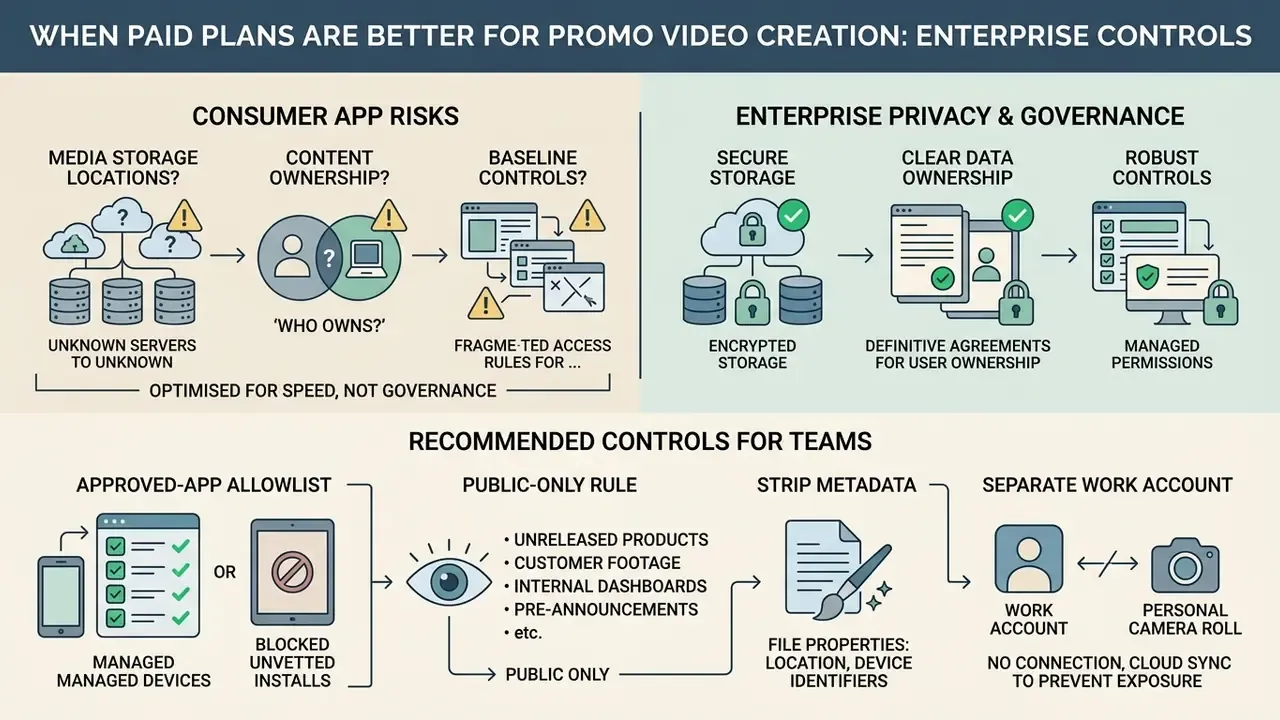
Enterprise Privacy, Data Ownership and Shadow IT Risks
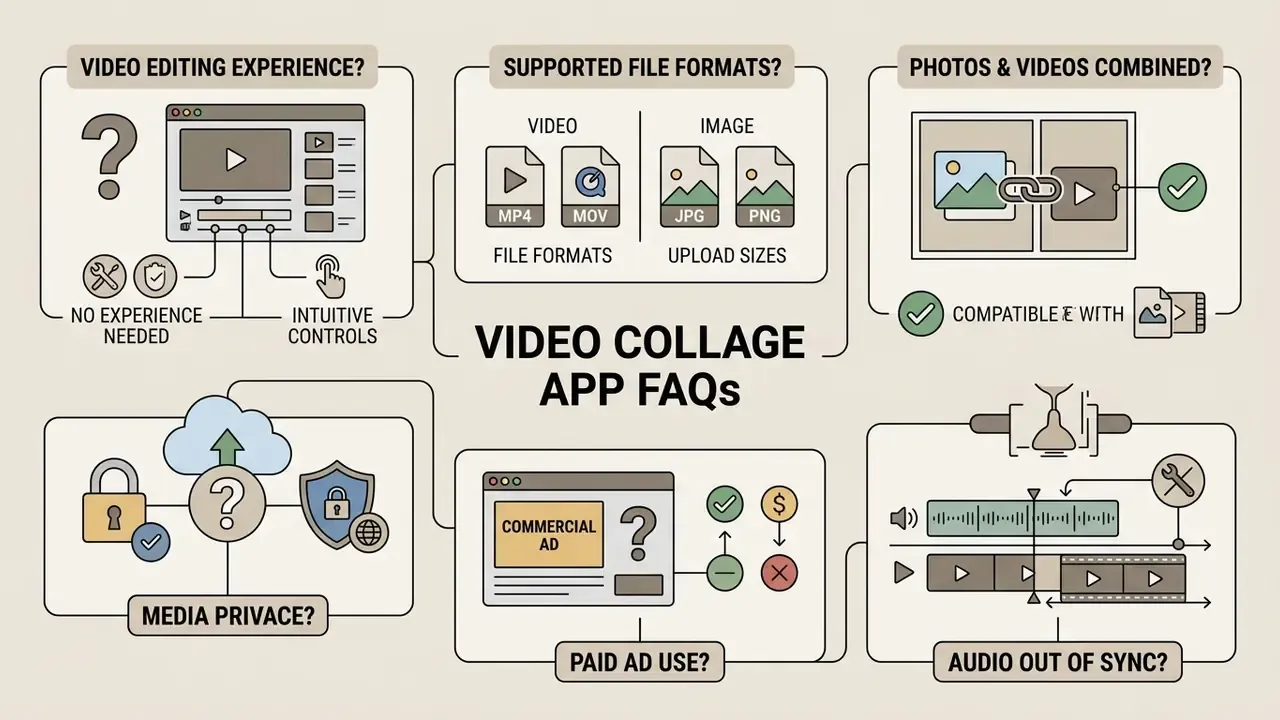
Video Collage App FAQs
Do I Need Video Editing Experience to Make a Video Collage?
No. Modern collage maker apps assume no prior editing experience. Drag-and-drop templates, automated AI layout tools and simple touch controls let beginners start creating a polished video collage within minutes. Adobe Express states "No experience required", PicCollage answers the same question with "Not at all", and Animoto advertises that "no training or experience necessary" applies to its drag-and-drop collage maker.
Most apps automate frame positioning, canvas scaling and timing synchronization. You select a template, import photos and video clips, customise text or music, then export the rendered file. A helpful user forum or in-app tutorial usually covers the rest.
Which File Formats and Upload Sizes Are Supported?
Support varies, but the mainstream set is MP4, MOV, MPEG, MKV, WEBM and GIF for video, plus JPG and PNG for stills. Canva's video collage tool accepts MOV, GIF, MP4, MPEG, MKV and WEBM with a 1 GB maximum upload size. Slot limits differ too: Google Photos collage creation caps at six photos, while dedicated editors such as KineMaster and InShot allow many more layers through PIP. For export, H.264 MP4 at 1080p remains the safest universal choice.
Can I Combine Photos and Videos in the Same Collage?
Yes. Every app in the comparison table supports mixed photo-and-video grids, and mixing formats usually looks better than an all-video grid. Anchor the layout with two or three stills, then let the moving cells supply the energy.
Is My Media Private When I Use a Free Collage App?
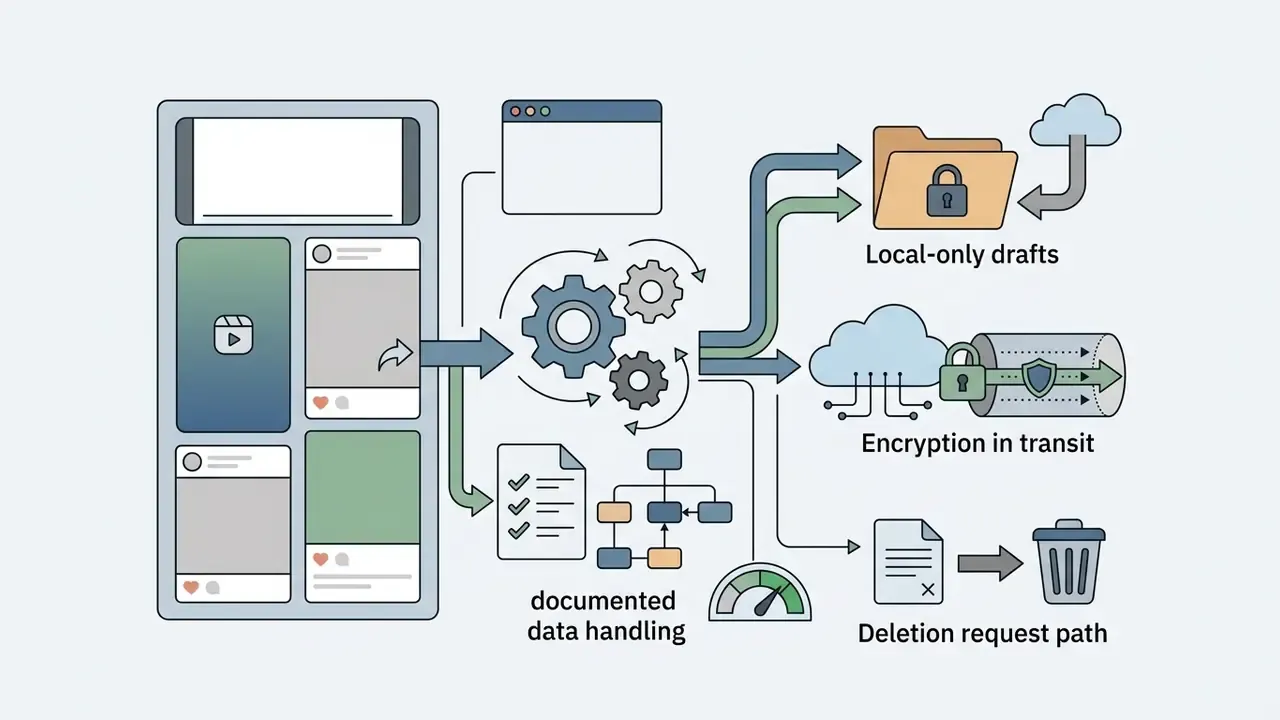
It depends entirely on the app. Check the store data-safety disclosure before uploading anything sensitive. Some tools keep drafts local to the device and delete them on uninstall, while others disclose third-party data sharing and no deletion path at all. The Enterprise Privacy, Data Ownership and Shadow IT Risks section above sets out a full control checklist.
Can I Use a Free Video Collage for a Paid Ad?
Usually not without changes. Free tiers commonly stamp a watermark, and in-app "trending" audio is rarely cleared for advertising. Switch to a platform-designated commercial music library, or a subscription library with a documented global commercial licence, and confirm the app's EULA permits business output. Statutory damages for unlicensed sync run from $750 to $150,000 per work.
Why Does My Collage Audio Drift Out of Sync?
Variable frame-rate capture and stacked real-time effects are the usual culprits. Export at a fixed 30 fps, cut the number of simultaneous AI effects on beat-carrying cells, and re-align the audio track at the first visible cut if drift survives the re-export.
For teams managing complex digital assets, or estimating production costs across media workflows, our interactive AI Media Calculators help with project planning. Developers integrating automated video collage creation into custom software can start with our AI Media API Guides.
Explore technical definitions and legal standards in our AI Media Glossary.
Social Media Posts, Reels and Creative Video Content
Dynamic video grid layouts pull their weight in social media content creation. Creators automating captions and voiceover for these formats often pair collage editors with text-to-video AI tools for social content. Common short-form patterns:
Musicians pair collages with audio to build animated music videos that show performance footage beside graphic animation. The usual structure is a wide performance cell anchored top-of-frame, with synchronized detail shots or lyric typography below. Corporate equivalents copy that skeleton exactly: a spokesperson cell paired with product close-ups and animated data callouts, so one grid carries both the message and the proof. Worth noting that adult-oriented categories such as animated porn videos sit outside most consumer app terms of service, so brand and creator accounts should check content policies before publishing anything in that space.