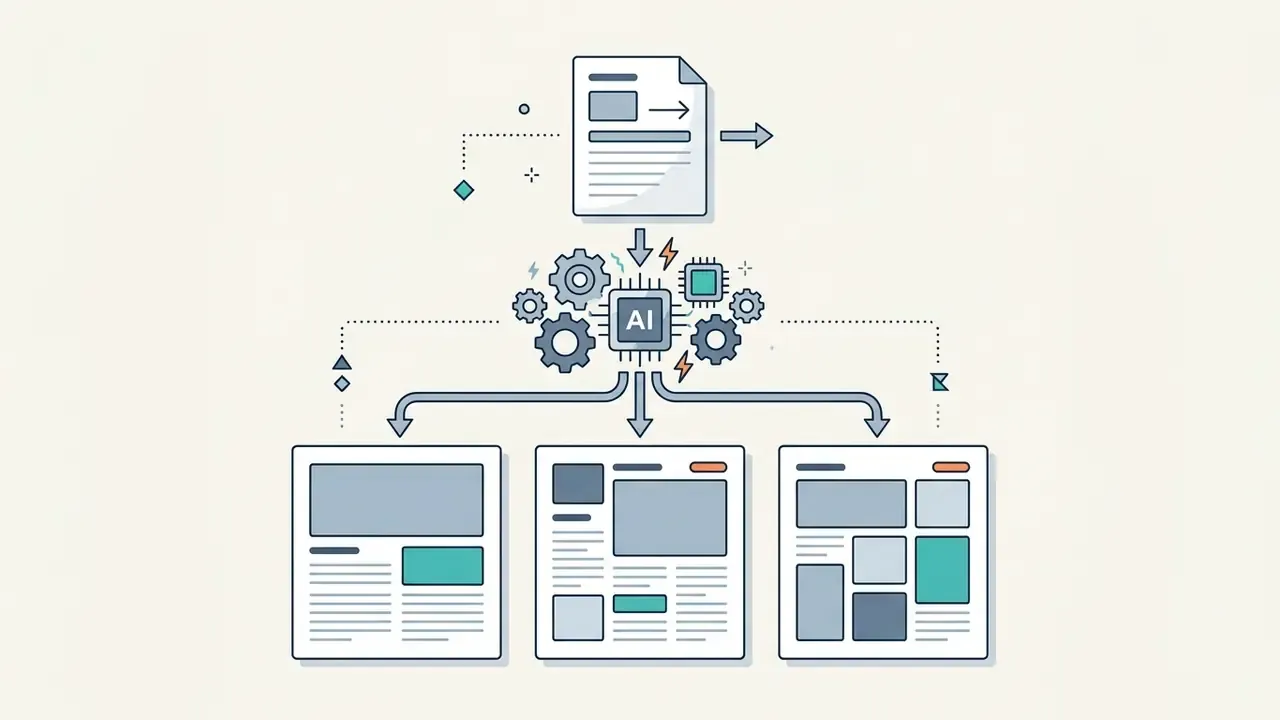
An AI template generator is an automated software system that converts text prompts or visual inputs into structured, fully editable design frameworks. These tools synthesize layout rules, visual hierarchy and placeholder elements into reusable formats for documents, presentations, marketing assets and user interfaces.
Why should a risk or finance leader care about a design tool? Because a template engine touches regulated content, client data and brand claims. That makes it a control question, not a creative one.
Executive Summary
- What it is.An AI template generator produces editable layout frameworks, not flat images, from prompts, reference images, uploaded documents (DOCX/PDF/TXT) or URLs.
- Five output classes.Business documents, multi-slide presentations, social graphics, UI and web layouts, print collateral.
- Static vs. generated.Static templates hold fixed slots. Generated layouts re-fit containers to actual content length and data density at runtime.
- Inputs matter.Text-first workflows maximize structural freedom. Image-first workflows preserve legacy brand geometry. Document and URL import preserves existing content and hierarchy.
- Automation is the real ROI.Smart templates with
{{tag}}placeholders connect to Airtable, Notion, HubSpot or internal APIs, generating hundreds of personalized PDF and DOCX files without manual design work. - Hard limits exist.No verbatim text reproduction, page-count ceilings (typically 10 to 15 pages), no complex custom infographics, no crawling of authenticated pages.
- Security first.Public SaaS generators are a Shadow AI vector. Never paste PII or NPI into consumer tiers. Require Zero Data Retention, SOC 2 Type II, SSO/SAML and encryption in transit and at rest.
- Legal reality.Platform terms may grant commercial rights, but purely machine-generated output without human authorship is not registrable for copyright in the U.S. and is treated as public-domain-like in the EU.
Who this guide is written for. Model risk, compliance and finance-operations owners who already run document factories: audit summaries, client disclosures, credit memos, KYC review packs, quarterly board reporting. The commercial angle matters too, since procurement usually asks two questions before design quality ever comes up. Can this tool touch regulated data? And can we reproduce any document it produced eighteen months later?
Everything below is organized around those two questions.
What an AI Template Generator Is and What It Produces
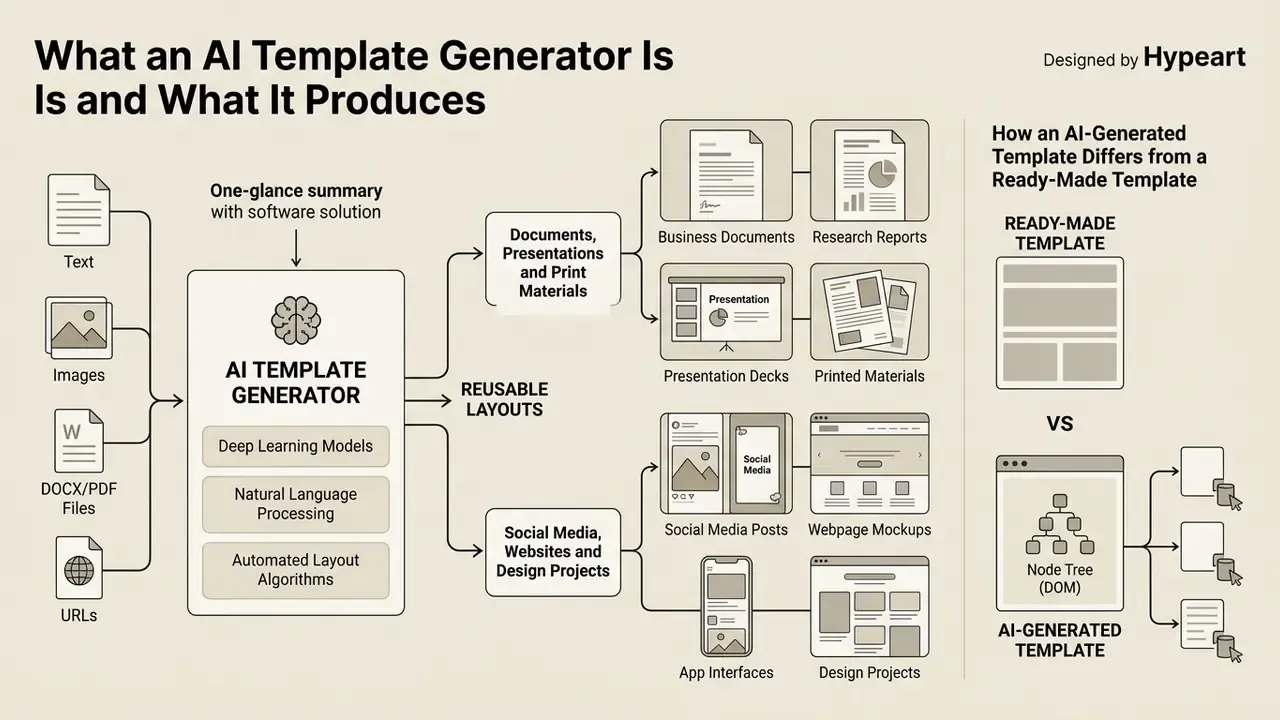
An ai template generator is a software solution that leverages deep learning models, natural language processing and automated layout algorithms to produce reusable layout frameworks from user prompts. Instead of shipping static files, a template generator ai dynamically builds an ai-generated design containing editable text regions, modular graphic components and consistent visual styling.
Academic reviews on graphic design automation establish that integrated layout systems organize visual assets by processing non-text objects, typography and visual hierarchy simultaneously.
«A review of about 500 works shows that comprehensive studies treating graphic design as a single holistic task appeared only from 2023 onward.»
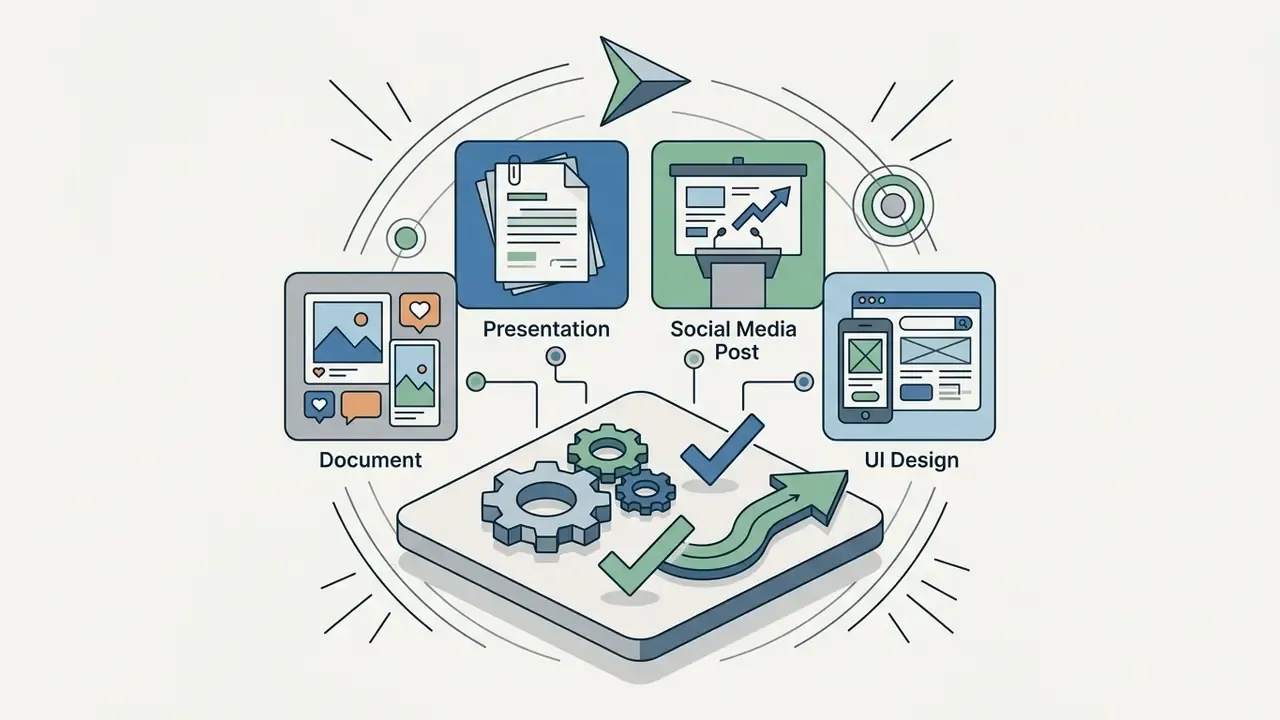
Modern ai template creation tools support diverse output formats: business documentation, slide decks, social media assets, wireframes and printable collateral.
«The pipeline covers three stages: user-intent definition, AI-driven component optimization, and final assembly into a single unified design.»
Organizations use an ai template creator to streamline document assembly while keeping governance over layout structures and corporate styling. Teams that also produce standalone visuals frequently pair template engines with dedicated AI art and image generators to source the graphics that fill those layouts.
Templates for Documents, Presentations and Print Materials
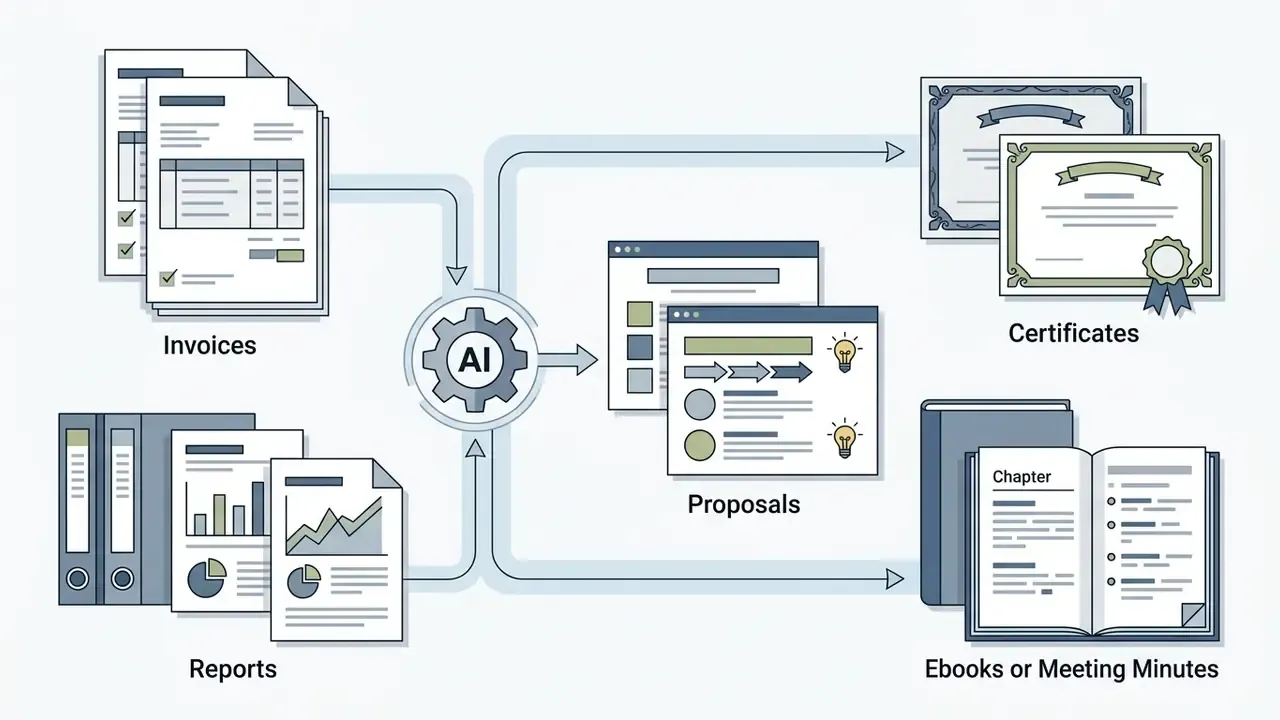
An ai template generator creates editable document templates, structured slide decks and print layouts directly from text outlines or source files. These systems cover standard business deliverables: a professional invoice, a consulting proposal, a compliance report, an executive certificate, a corporate ebook.
In technical environments, platforms parse unstructured text files to produce multi-page document templates with pre-aligned headers, sidebars, tables and signature blocks. Automated slide systems split dense research or technical papers into logically grouped sections, applying consistent slide layouts and image placeholders across the entire deck.
«Presentify uses a fine-tuned T5 model to convert sections of academic papers into structured slides with uniform layouts.»
For print materials, layout algorithms enforce print-safe margins and bleed areas for brochures, flyers and corporate stationery. Document-first platforms such as Template.net and DocsAutomator additionally emit native DOCX files with cover pages, line-item tables, totals and placeholder fields, which keeps the artifact editable in Microsoft Word rather than locked inside a proprietary canvas. For a bank that already routes documents through Word-based review, that single detail often decides the shortlist.
How an AI-Generated Template Differs from a Ready-Made Template
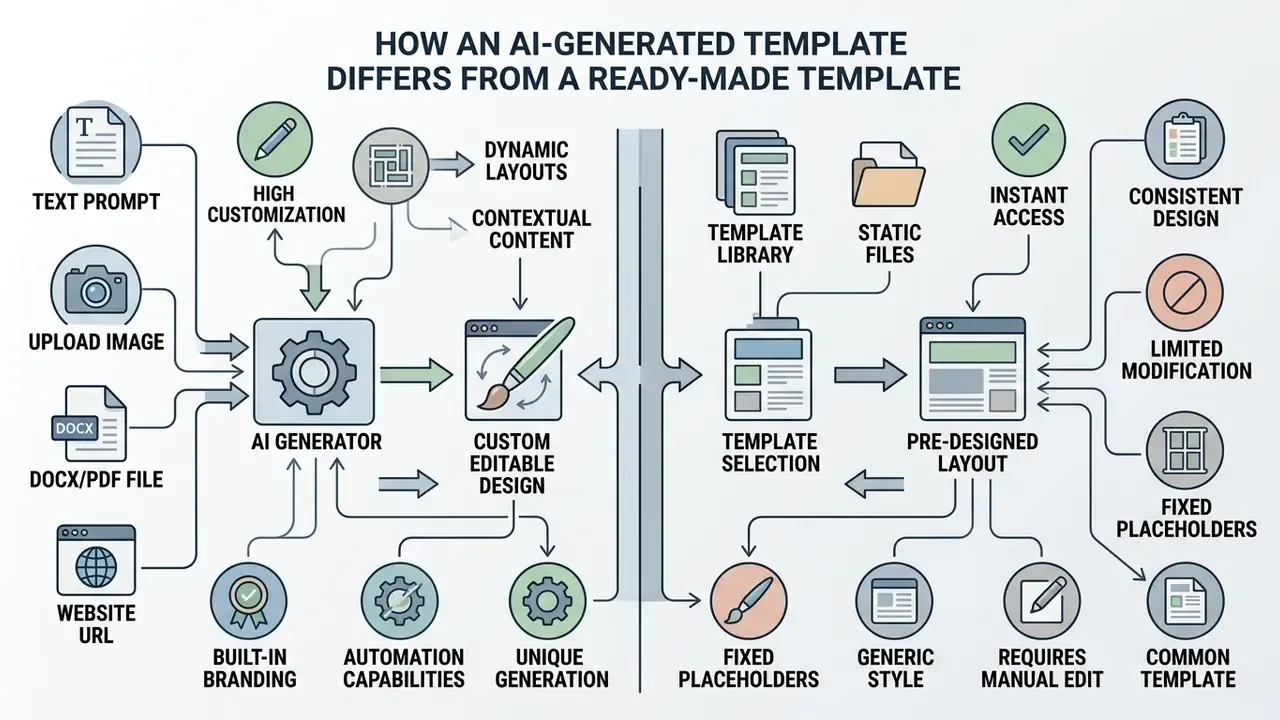
An ai generated template differs from a traditional static template by building structure from prompt variables rather than fixed, pre-designed slots. Static templates need manual adjustment whenever content exceeds baseline parameters, whereas an ai generated layout adapts its spatial composition to the provided text length and data density.
«A VQGAN+CLIP system generates one poster layout variation frame in 10.108 ± 0.226 seconds, allowing dozens of compositions to be explored in minutes.»
Comparison: static vs. AI-generated templates
| Feature | Traditional static template | AI-generated template |
|---|---|---|
| Creation mechanism | Manual human pre-design | Dynamic prompt generation |
| Structural flexibility | Fixed slot layout | Adaptive element spacing |
| Personalization speed | Manual replacement per field | Contextual batch generation |
| Layout variability | Single static option | Multiple instant variants |
| Content adaptation | Text truncation required | Auto-refitting containers |
| Reuse logic | Same shell, repeated manual filling | Same prompt logic across many cases |
| Auditability | High, file is frozen | Depends on version pinning |
Generative models evaluate structural requirements at runtime, conditioning spatial arrangements on user rules.
«PLay introduces guidelines as a formal representation of designer intent, conditioning a latent diffusion model to generate layouts in vector space.»
When teams work through an AI Media Comparison Matrices exercise, prompt-driven generation usually shows higher variance and faster iteration. That is exactly what you want for drafts, and exactly what you must constrain for filings. Same tool, two very different risk profiles.


Technical Limits: What AI Template Generators Still Cannot Do
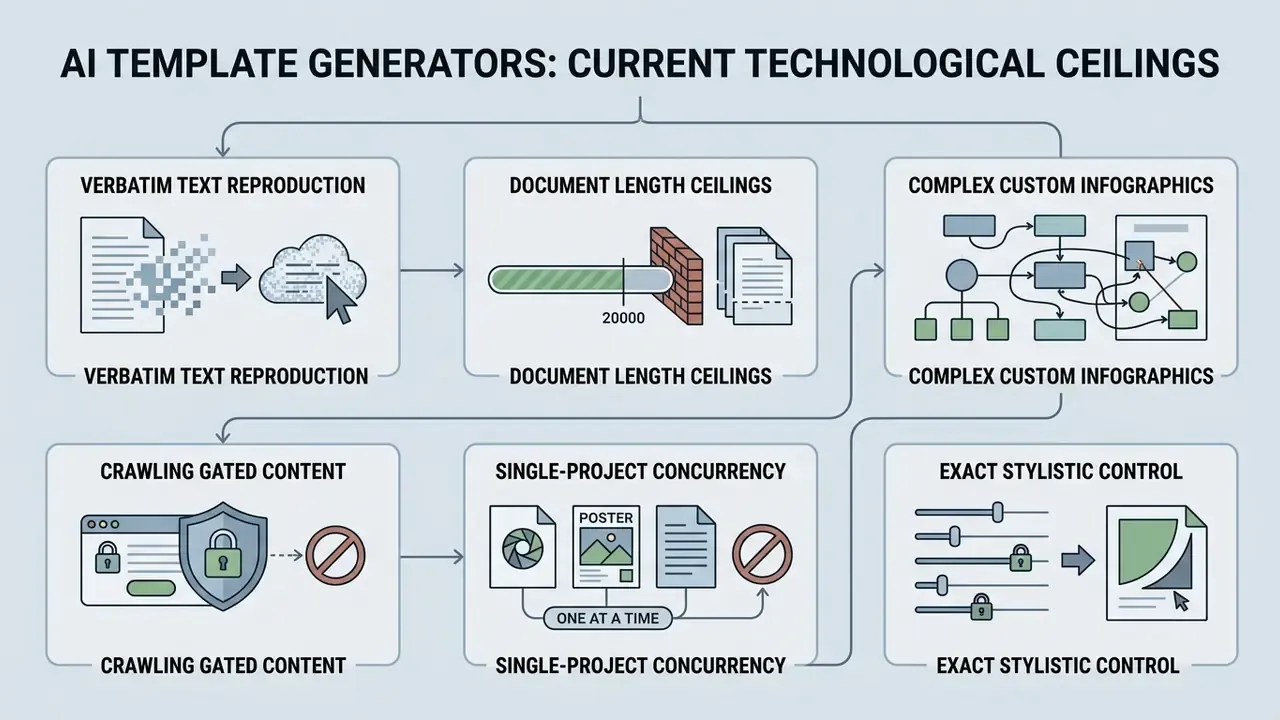
Before embedding generative AI into production workflows, account for the current technological ceilings of these models as of 2026:
- Verbatim text reproduction. Models tend to compress or paraphrase long text blocks to preserve visual balance inside containers. Vendor documentation states plainly that the generator will follow instructions for the text you want, "although not word for word." For legal disclaimers, that is disqualifying.
- Document length ceilings. Most generators cap a single session at roughly 10 to 15 pages because of context-window and graphic-memory constraints. Visme, for example, documents a hard 10-page maximum per generated design.
- Complex custom infographics. Engines reliably lay out basic bar, line and pie charts plus tables. They cannot autonomously construct non-standard visualizations (Mekko, radar, interactive 3D maps) or edit existing data visualizations without manual configuration.
- Crawling gated content. AI cannot extract content from pages behind authentication, paywalls or CAPTCHA. Several platforms explicitly exclude external website crawling from their feature set.
- Single-project concurrency. Many consumer-grade generators process one project per session and cannot batch multiple decks or documents in parallel without an API tier.
- Exact stylistic control. Free-form requests for a precise color, shape or graphic system are frequently ignored at generation time. The reliable path is to pick the closest style preset, then override manually in the editor.
Stating these boundaries early prevents expectation mismatch, reduces abandoned generations, and honestly, saves the enablement team a week of support tickets.
How to Create a Template with AI: From Prompt to Finished Design
To create a template with ai, define the core layout requirements in a text prompt, generate candidates, then refine the visual layers in an editor. A systematic flow reduces hallucinated structure and keeps the output inside functional requirements.
AI template creation process flow
| Stage | Action | Output |
|---|---|---|
| 1 | Define goal and format | Target artifact type and dimensions |
| 2 | Write a structured prompt | Role, layout, fields, style constraints |
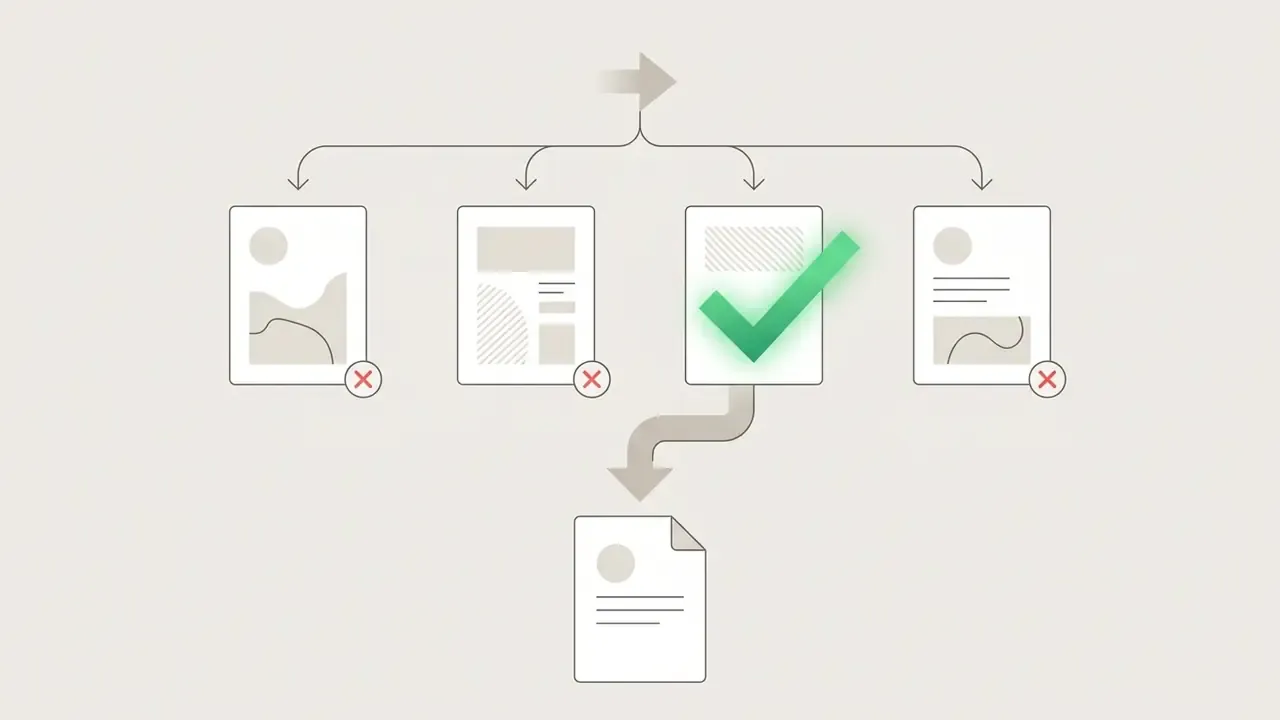
| 3 | Generate candidates | Three or four structural variants |
| 4 | Select the best variant | Single working master |
| 5 | Refine layout and styles | Production-ready design |
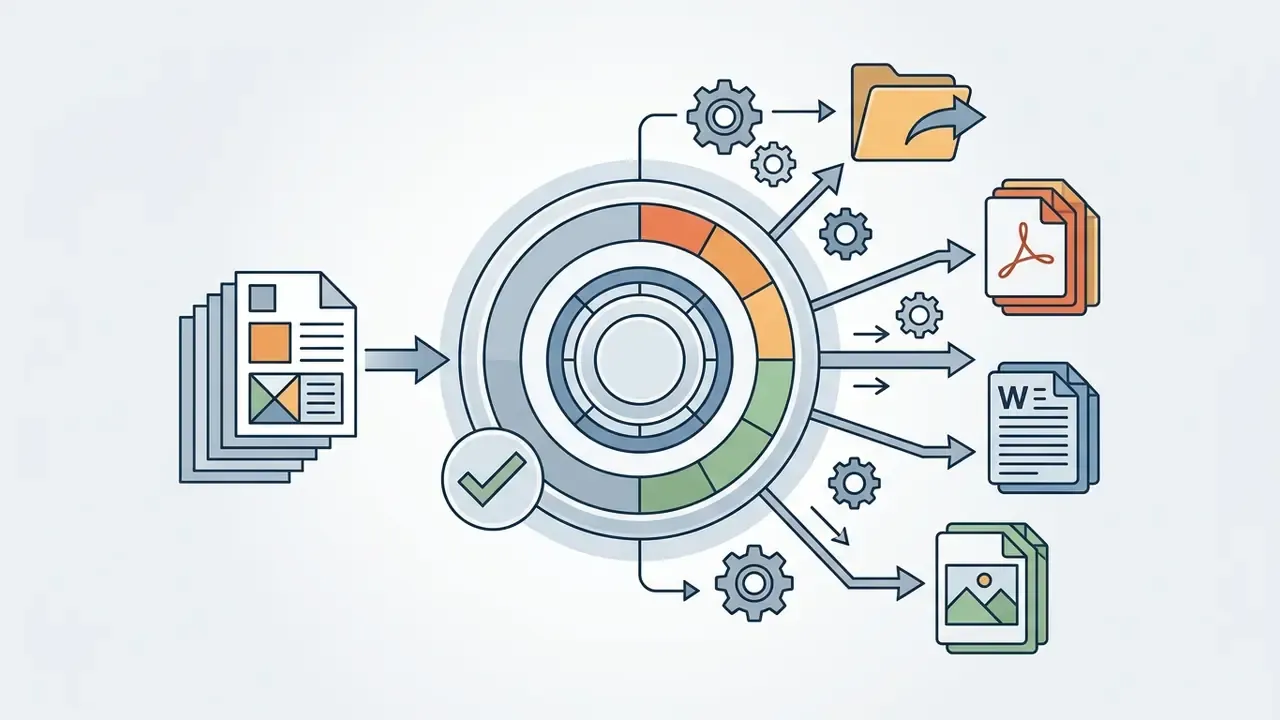
| 6 | Export or deploy | PDF, DOCX, PPTX, PNG, SVG, HTML |
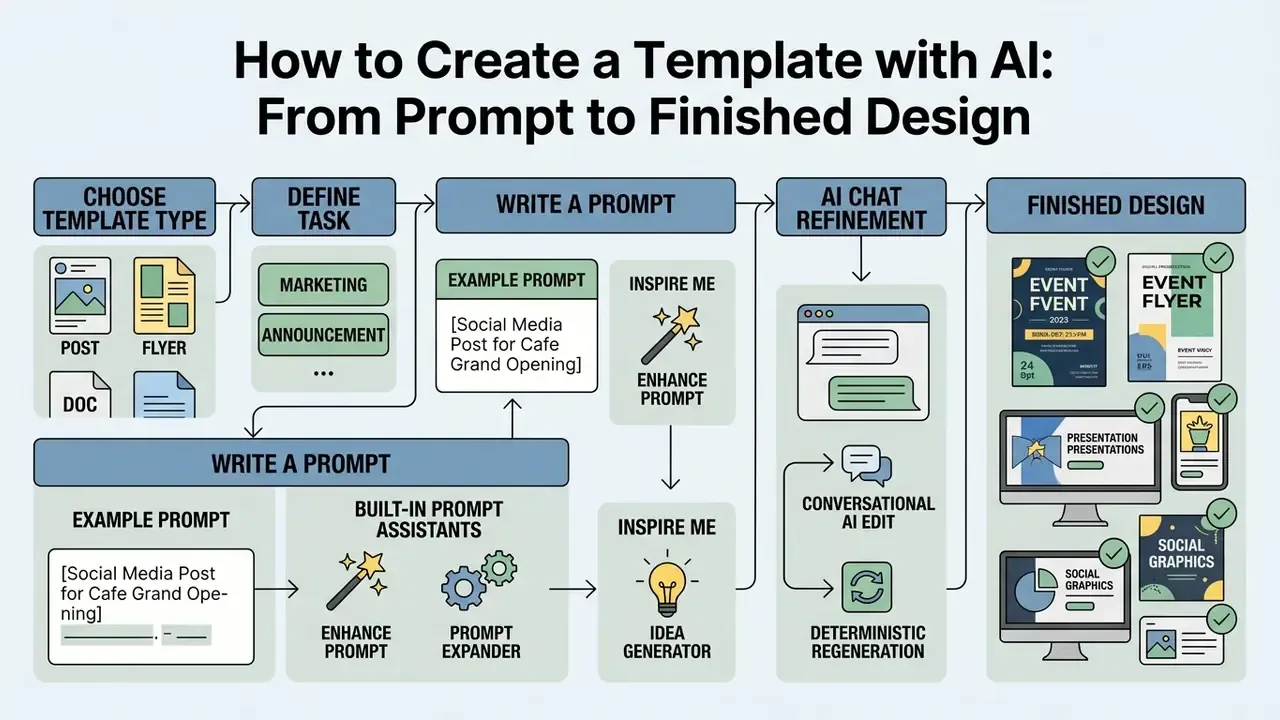
An illustrative example: a financial risk management team needed standardized executive summary templates for regulatory audit filings. By deploying structured prompt templates with fixed variable tags, the team reported roughly a 65% reduction in initial drafting time. (Caveat: this figure is an internal, self-reported operational metric from a single deployment, not independently audited. Treat it as directional.) The finalized templates met internal governance controls and held layout compliance across 40 quarterly disclosures.
Choose the Template Type and Define the Task
The first stage requires defining the target format, structural constraints and distribution channel. Choosing a specific template type narrows the operating parameters for the generator model. Teams planning external publication should confirm commercial-use rights for AI-generated visual assets before investing in a full template system.
Specify the exact target output, such as a PDF document, slide presentation or web banner, before initializing the prompt. Lock three fields first: document type, content purpose, and only the context the model actually needs. Not more.
«Early specification of audience and format constraints prevents layout drift and reduces unnecessary refinement iterations.»
Write a Prompt for Precise Output
An effective prompt structures instructions around role, layout context, content fields and visual style constraints. Clear specifications prevent overlapping blocks and preserve a readable information hierarchy.
An optimal prompt includes explicit parameters for visual aesthetics, color direction and content positioning:
For brand-system prompts, request explicit deliverables: logo lockup, primary and secondary palette with hex values and usage notes, a full type scale, an imagery mood strip, layout rules, and a voice-and-tone line. Asking for three to five variants in a single prompt materially increases the odds of one usable direction.
Built-in Prompt Assistants and AI Chat Refinement
To lower the prompt-engineering barrier, modern platforms ship dedicated assistance tools:
- Enhance prompt, or prompt expander. Enriches a short request (say, "concert poster") with technical parameters for visual style, palette and grid.
- Inspire me, an idea generator. Proposes randomized stylistic directions and structures when the user has no fixed design intent.
- Conversational AI edit. Applies changes to an already generated template through chat, for example "replace the blue background with dark grey and enlarge the headline", with live preview and multi-level undo.
- Deterministic regeneration. Lowering generation temperature makes variants more repeatable. Opening the underlying prompt in edit mode lets reviewers verify requirements before regenerating, which is the difference between a demo and a controlled process.
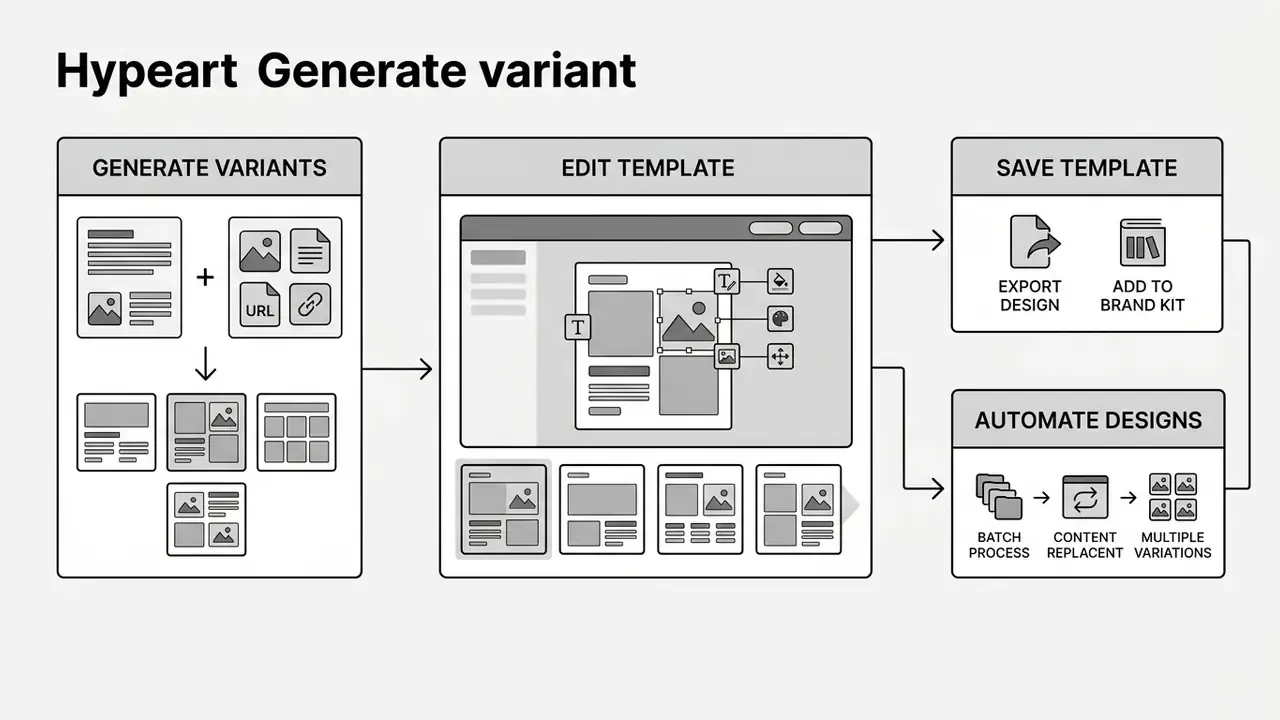
Generate Variants, Edit and Save the Template
After the prompt runs, the ai template generator produces several structural candidates for review. Compare layout variations side by side, select the strongest design, then open it in an editor for final adjustment. Documented workflows generate up to four variants per prompt, differing in structure, style and layout.
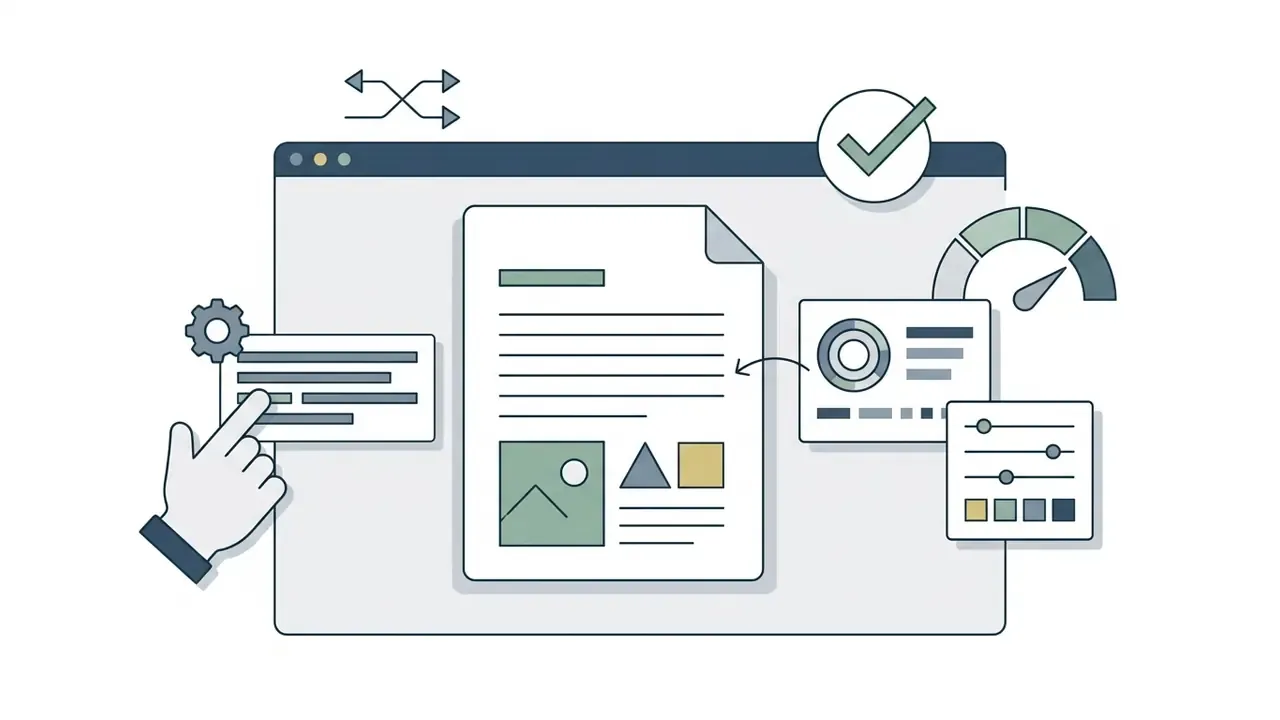
Modern editing environments allow granular manipulation of individual text layers, geometric shapes and image placeholders. Refinement works at three scopes: the whole document, a single page restyle, or a single sentence tweak. Once refined, save the design as a reusable master file, or use smart export to download PDF, DOCX, PPTX, Google Slides or PNG. For automation workflows, developers query custom endpoints documented in our api reference.
- Text duplication (DOM):
AI Template Generator from Text, Image, Documents and URLs: Which Inputs to Use
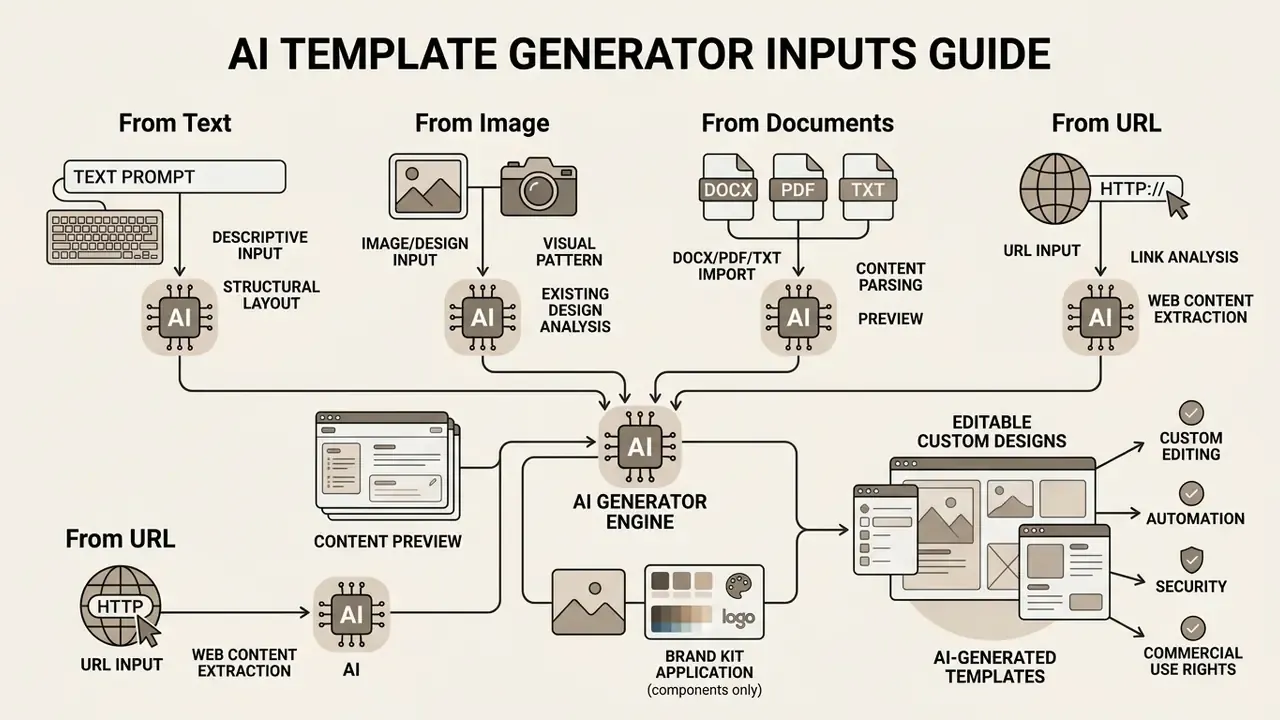
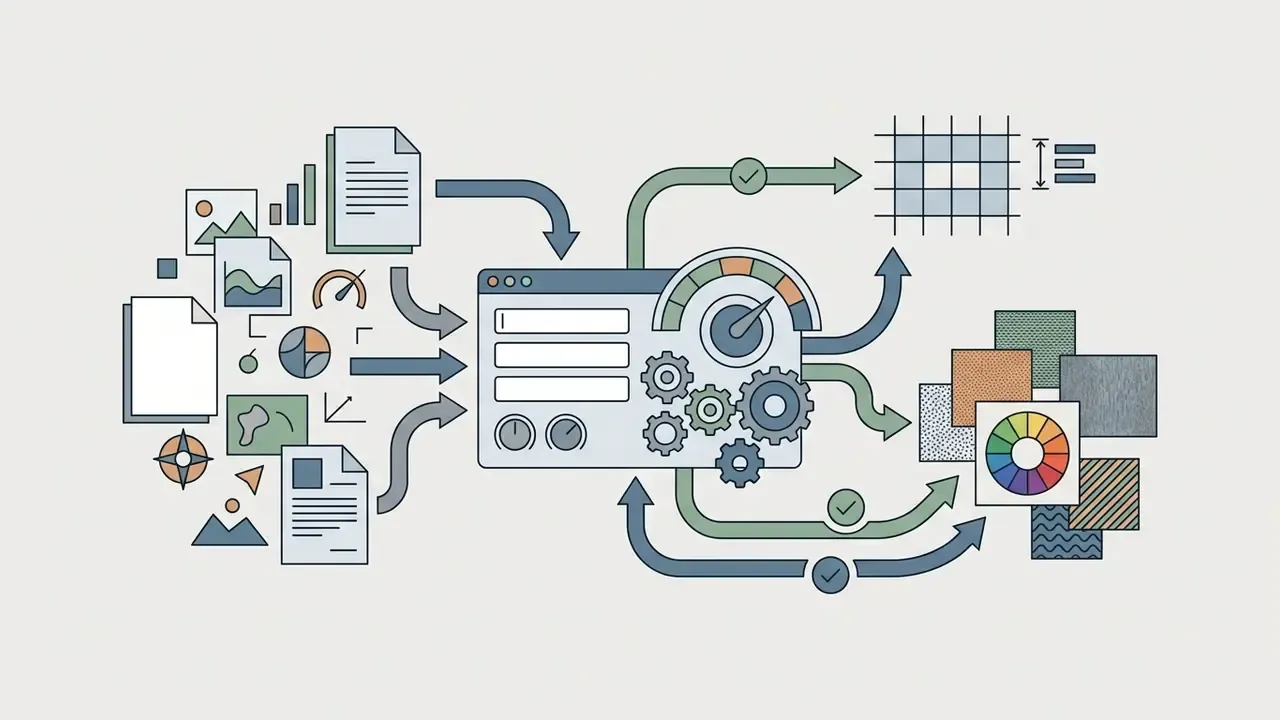
An ai template generator from text builds structural layouts purely from descriptive prompts. An ai template generator from image extracts grid structures, color palettes and visual hierarchy from uploaded references. The choice between text-first and image-first depends on one question: do you need a new layout, or a faithful rebuild of an existing brand asset?
Input modality capabilities matrix
| Input modality | Primary extraction scope | Ideal enterprise use case |
|---|---|---|
| Text-only prompt | Semantic structure, layout intent | Drafting new layouts from a brief |
| Image reference | Color palette, spatial balance, style | Recreating legacy design assets |
| Document upload (DOCX/PDF/TXT) | Headings, hierarchy, body content | Converting existing reports into decks |
| URL or web page | Text content, metadata, brand cues | Repurposing published material |
| Hybrid (text + image + brand kit) | Brand constraints, exact typography | Standardized corporate collateral |
Creating a Template from a Text Description
Text-driven generation converts linguistic instructions into geometric element coordinates and typographic hierarchy. This approach gives maximum flexibility when you build layouts from scratch.
A comprehensive prompt tells the model how to assign spatial weight to headers, body copy and graphical regions. Research shows that multi-stage LLM and VLM pipelines extract semantic key points from briefs and map them directly to visual containers.
«A multi-stage LLM and VLM pipeline outperforms direct prompting on both automatic metrics and human evaluation when generating slides from long documents.»
Generating a Template from an Image or Existing Design
Image-conditioned generation analyzes uploaded references to extract dominant color schemes, grid configurations and element arrangements. This lets organizations rebuild existing physical documents or digital designs as editable digital templates. Several document platforms accept a photo or PDF of a form already in use and reconstruct it as an automatable template, layout and colors included.
Deep learning vision pipelines segment uploaded images into functional layers, isolating background areas from foreground typography and focal points.
«Desigen's diffusion models control background saliency distribution, preserving low-attention regions for text and graphic overlays.»
The system converts static pixels into editable vector regions while preserving original spatial proportions. Palette extraction relies on clustering, saliency and histogram-based selection, which is why uploading one brand photograph is often enough to seed a coherent template palette. When reference images need cleanup before use as generation inputs, creators rely on the retouching workflows covered in our online photo editor guide.
Generating a Template from External Documents (DOCX/PDF) and URLs
Modern template ai generator systems support direct context import instead of forcing the user to retype a brief:
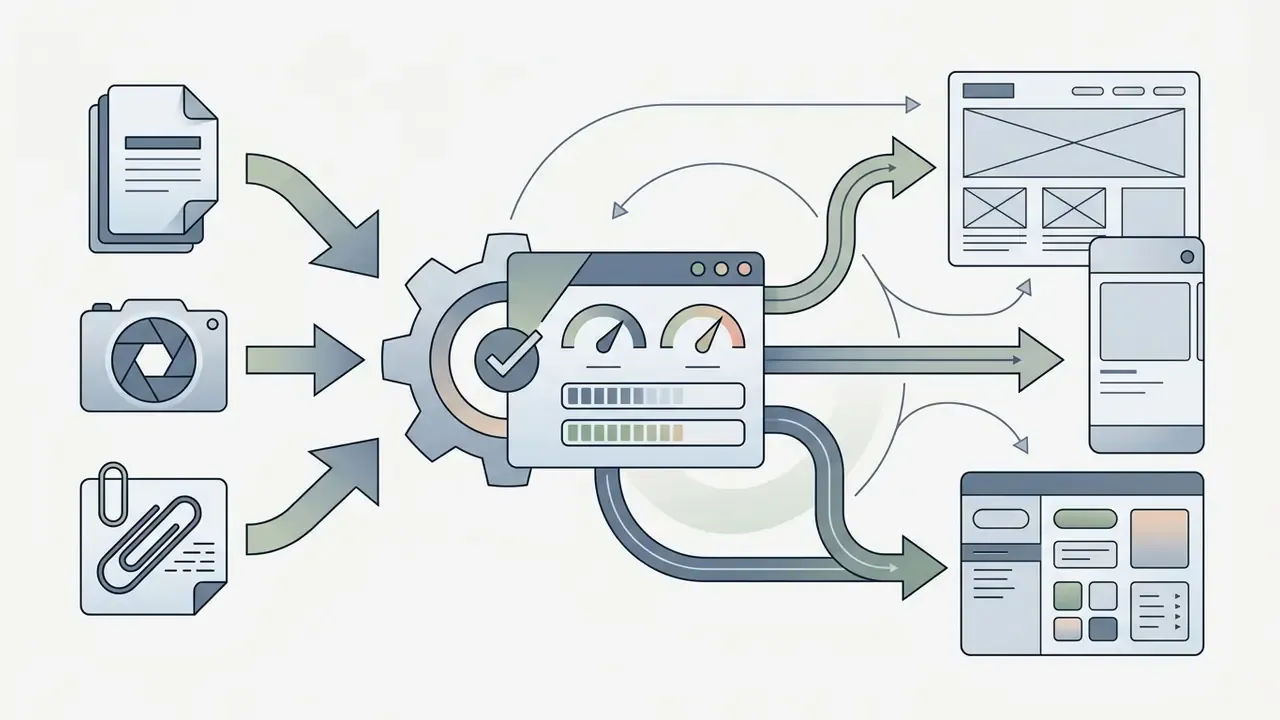
- Document import (DOCX/PDF/TXT).The AI parses file structure, isolates headings, lists and key statements, and builds a multi-page layout from them: a report, proposal or handbook.
- URL parsing.Given a link, the system reads textual content and metadata, then selects a relevant grid and graphic accents automatically.
- Content preview.Before rendering, the user sees the extracted text and can strip irrelevant blocks. That prevents layout pollution with navigation text, cookie banners or boilerplate.
- Stated limitations first.Well-designed implementations disclose parsing limits (file size, page count, supported encodings) before the upload is accepted, so users can judge whether the attachment will work at all.
This sourced-content path is the fastest route from an approved internal document to a formatted deliverable, because factual content is preserved and only the visual system is generated. It is also the path with the largest data-exposure footprint, which the security section addresses.
Combining Text, Image and Brand Materials
Hybrid generation combines descriptive prompts with uploaded brand assets, logo files and strict color guides. The technique enforces brand compliance while letting the model vary composition.
To run hybrid generation, assign clear indexing roles to uploaded files inside the prompt interface:
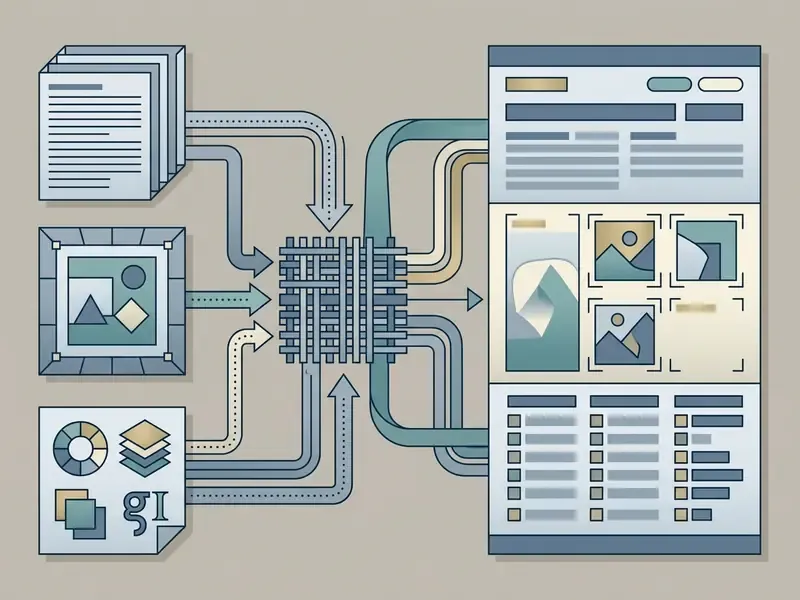
Pairing text instructions with fixed image reference tokens prevents stylistic drift across variations. Vendor prompting guidance recommends labeling each reference by index and role, describing how references interact, and stating invariants explicitly, for instance "preserve identity, geometry, layout and brand elements". That maps almost one to one onto brand-book enforcement.
How to Improve an AI-Generated Template After Generation
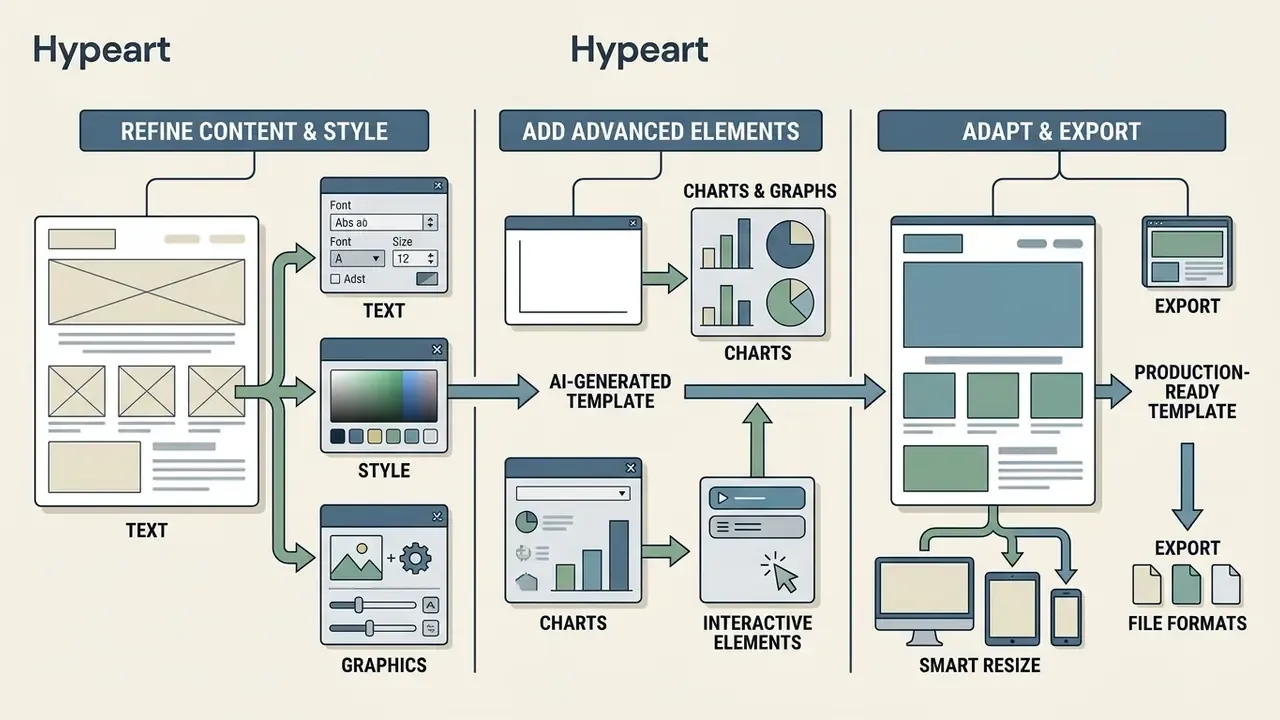
Post-generation refinement turns raw layout output into a production-ready design template. Built-in editor controls, manual style overrides and automated formatting tools let teams adjust components without breaking grid alignment. When the layout needs stronger imagery, teams source assets through the tools compared in our review of the best AI art generators.
Post-generation refinement steps
| Step | Focus | Typical tooling |
|---|---|---|
| 1 | Text and style tuning | AI writer, font system, image generation |
| 2 | Data visualization | Charts, tables, embeds |
| 3 | Smart resize and export | Multi-format, multi-channel output |
Editing Text, Styles and Graphic Elements
Integrated template editors ship writing assistants and image modification tools to adjust generated copy and visuals. Rewrite headlines for tone, adjust line spacing, or swap background graphics directly on the canvas. Embedded AI writers typically expose length and tone controls, while in-canvas image generators drop new assets straight onto the layer stack.
Text modules allow real-time length adjustments, keeping copy inside designated bounding boxes without disturbing surrounding structure. When templates extend into motion or video deliverables, teams reference the production options in our animation maker guide, the implementation notes in our Google Veo API guide, and the avatar-based workflows described in our synthesia ai video overview, with the feature-level breakdown in our synthesia ai video comparison. If visual assets need specialized retouching before embedding, creators use the platforms compared in our free photo editor overview.
Adding Charts, Graphs and Interactive Elements
Business report templates and executive decks usually need dynamic data visualization. Modern design platforms support editable charts, data tables and clickable media embeds that update from underlying data inputs.
Data visualization element controls
| Element type | Data source binding | Interactive capability |
|---|---|---|
| Bar and line charts | Dynamic CSV or sheet import | Hover tooltips, filtering |
| Financial tables | Direct JSON or database sync | Column sorting, pagination |
| Interactive decks | Embedded hyperlinks and media | Slide branching, trigger animations |
| Report embeds | Live dashboards, iframes | Rich-media exploration in place |
Automated slide engines include layout modules that balance chart density against textual readability.
«SlideGen introduces a Geometric Aesthetic Density metric that rewards layouts that are neither overcrowded nor too sparse, correlating strongly with human preference.»
That structural balance holds up in executive review, where a crowded slide costs credibility. Remember the earlier limitation, though: most generators place and populate standard chart types, but non-standard visualizations still require manual construction.
Resize, Repurpose and Export the Template
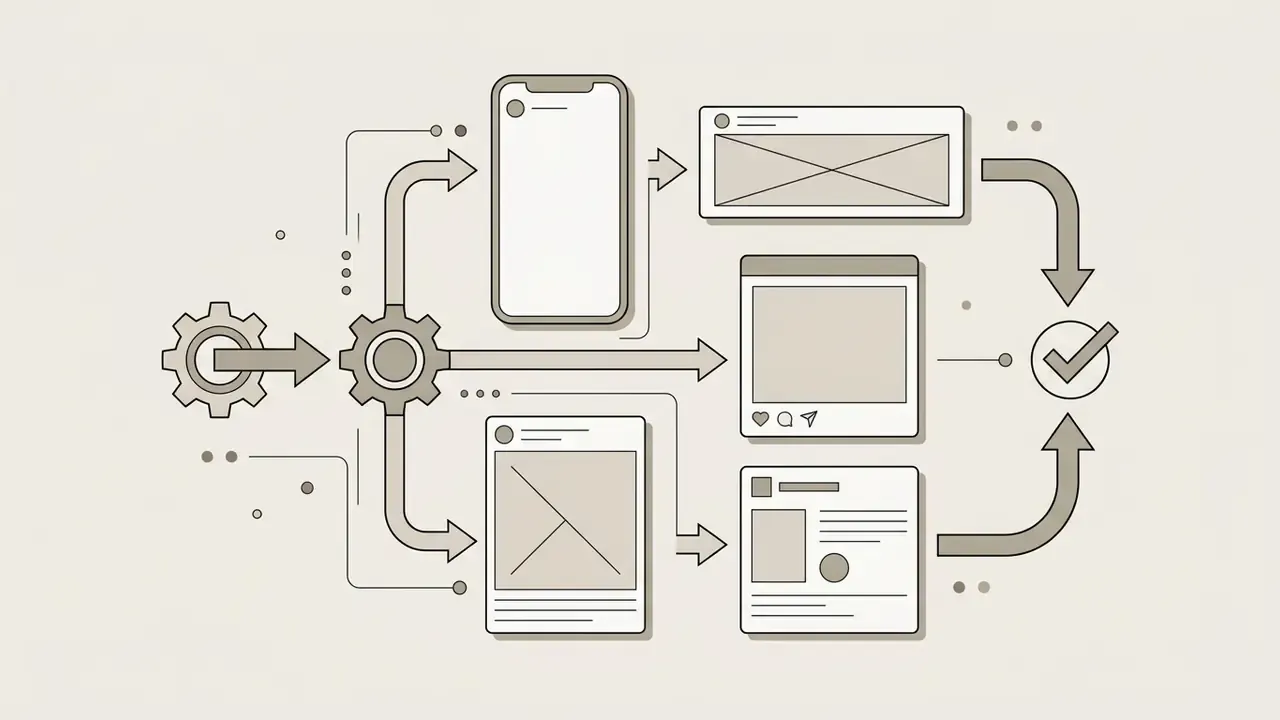
Smart resize adjusts one master layout across multiple aspect ratios and platform dimensions. Rather than cropping background graphics, adaptive layout engines reposition individual elements natively per target resolution. Some engines support up to 50 target sizes per export request.
Smart resize layout adaptation
| Target platform | Aspect ratio or size | Element repositioning rule |
|---|---|---|
| LinkedIn article header | 4:1 (1200 × 300 px) | Horizontal spread, inline text |
| Instagram story | 9:16 (1080 × 1920 px) | Vertical stack, centered focus |
| Corporate PDF report | 8.5 × 11 in (print) | Two-column grid, print margins |
| Display advertising set | Multiple IAB sizes | Native re-layout per placement |
Export tools preserve vector integrity across PDF, DOCX, PPTX, PNG, SVG, HTML and Google Slides. Teams modeling software infrastructure costs build deployment budgets with our AI Media Calculators.
Brand and Smart Templates: Maintaining a Single Design System
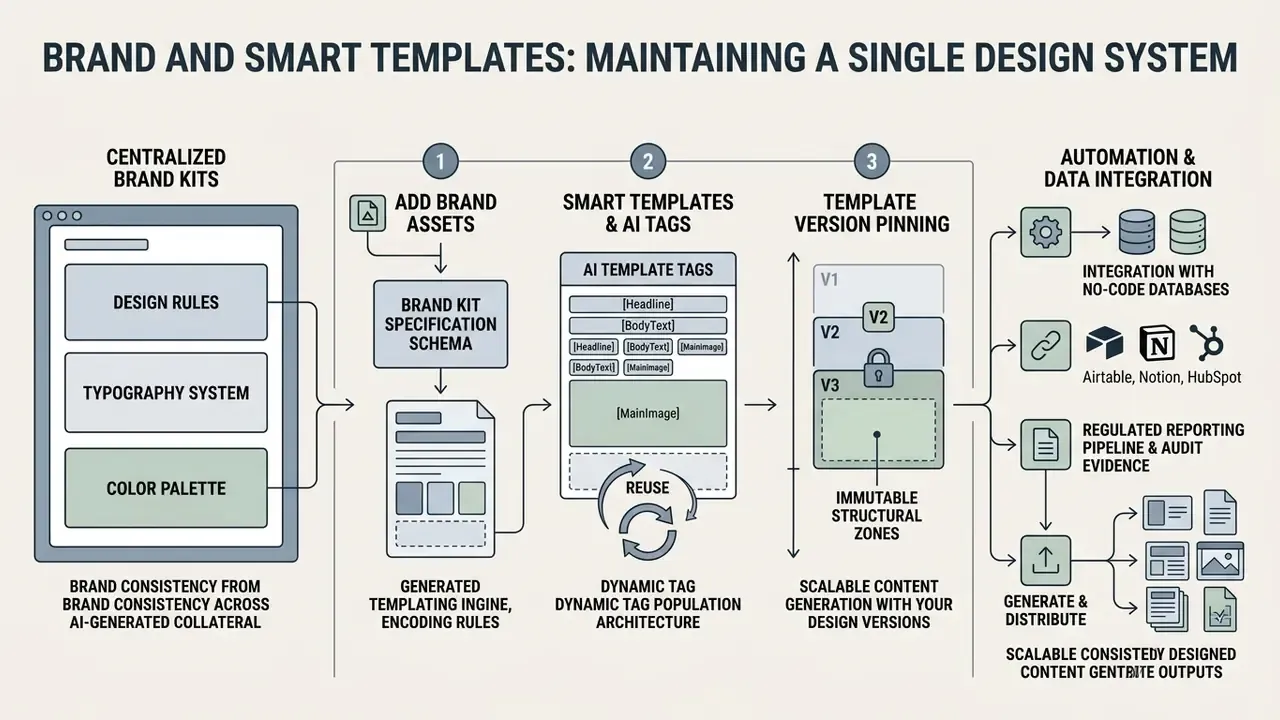
Brand consistency across AI-generated collateral requires encoding design rules, typography systems and color palettes into centralized brand kits. Implementing smart templates with embedded AI tags lets organizations automate document population while blocking unauthorized changes to core identity rules.
An illustrative case: an enterprise communications unit wanted aligned pitch decks across four business divisions without manual design overhead. The team loaded a centralized brand kit with exact hex values and typography rules into an automated generator workflow. The program removed design inconsistencies across 120 client presentations and cut review cycles by two business days. (Caveat: these numbers come from a single internal program review and are not externally verified. Comparable outcomes depend on brand-kit completeness and reviewer capacity.)
How to Add Brand Assets to a Generated Template
A brand kit acts as a machine-readable design system inside the template editor. Importing custom fonts, exact hex and RGB palettes, and vector logo files keeps every generated layout aligned with official guidelines. Teams still building an identity system often start with the mark itself, using the approaches compared in our Canva AI generator licensing overview.
Brand kit specification schema
| Asset category | Configuration standard |
|---|---|
| Primary colors | Exact HEX (#0A192F, #64FFDA), RGB, CMYK print definitions |
| Typography | Primary header font, secondary body font, fallback system |
| Logo assets | High-resolution PNG, SVG vectors (light and dark background variants) |
| Layout rules | Minimum padding margins, rigid logo clearance boundaries |
| Voice and tone | Three to five voice principles, banned vocabulary, formatting rules |
Import paths differ by vendor: manual asset upload, URL-based extraction that analyzes an existing website's fonts, colors and imagery, or an AI brand wizard that assembles the kit and applies it to every generated template automatically. Add a verification step. Reviewing the detected brand context before generation stops a mis-detected palette from propagating into 200 documents.
Industry commentary argues that brand management is shifting from static PDF guideline decks toward structured, machine-readable rule sets and constraint profiles that AI agents can enforce directly.
«Modern brand management systems store identity standards as structured prompts and constraint profiles rather than static PDF documents.»
(Caveat: Sostav is trade media, not a peer-reviewed source, so the underlying claim is directional. It is consistent with vendor documentation describing AI brand-guideline generators that output typography, color, component and usage rules as a structured system.)
Smart Templates, AI Template Tags and Reuse
Smart templates use dynamic field tags, such as {{company_name}} or {{quarterly_revenue}}, as placeholders for automated data insertion. Pipelines map external database records to those tags and populate hundreds of standardized documents in one run.
Dynamic tag population architecture
| Template tag marker | Associated data field | Output rendering behavior |
|---|---|---|
{{client_name}} | CRM account name | Auto-fit text string in header |
{{contract_val}} | ERP deal size (USD) | Formatted currency value |
{{brand_logo}} | DAM storage URL | Dynamic vector image replacement |
{{line_items}} | Order table rows | Repeating table block with totals |
Updating a core layout container in a master smart template propagates structural changes across all linked sub-templates, which is what keeps long-term maintenance affordable.
«A hybrid VAE-GAN architecture reached 0.89 ± 0.03 personalization accuracy on a dataset of 500,000 UI layouts, validated with 200 study participants.»
Integration with No-Code Databases (Airtable, Notion, HubSpot)
For end-to-end automation, smart templates connect to external data sources through APIs or no-code connectors such as Make and Zapier:
| Data source | Integration protocol | Target template output |
|---|---|---|
| Airtable base | Webhook or native sync | Automated PDF invoices and certificates |
| Notion database | API endpoint | Standardized weekly status reports |
| HubSpot CRM | Event trigger | Personalized client pitch decks |
| Google Sheets | Scheduled sync | Batch statements and price lists |
| Internal REST API | JSON payload | Regulatory filings, audit packets |
Build the tagged master layout once. After that, the system generates hundreds of personalized PDF or DOCX files whenever a record status changes in the CRM. Deterministic template engines are preferable here, because identical input data must always yield byte-comparable output for reconciliation.
Regulated Reporting Pipeline and Audit Evidence
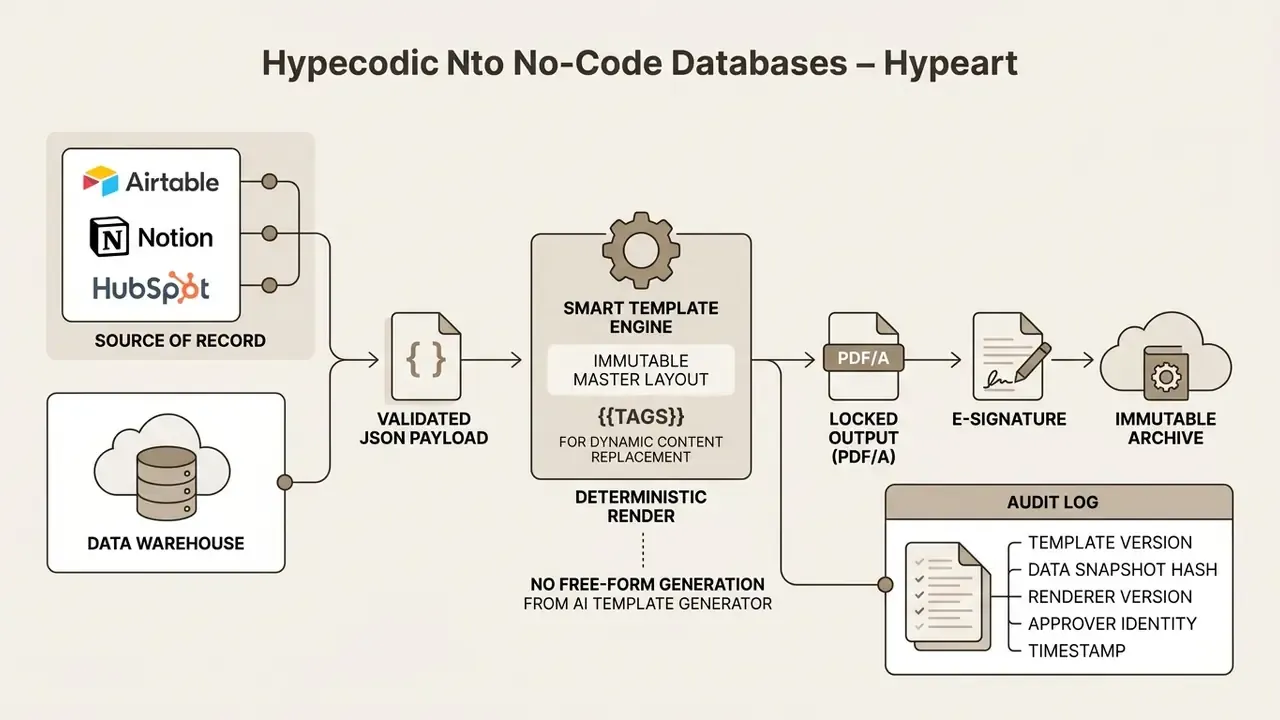
Controls to implement:
- Template version pinning. Every rendered document records the exact template version used, so a filing can be reproduced years later.
- Immutable structural zones. Regulatory headers, legal disclaimers and signature blocks are locked against AI modification. Only tagged fields accept data.
- Reproducible audit evidence. Store the input data snapshot, template hash and renderer version together, enabling bit-level reproduction for internal audit and external examiners.
- Human approval gate. No AI-generated regulated document is released without a named reviewer sign-off recorded in the log.
- Named ownership. Each master template has an accountable owner, a review cadence and a documented escalation path when rendering fails or data does not reconcile.
No evidence, no autonomy. That principle applies to a document renderer just as it applies to a credit model.
When to Build a Template Manually and When to Use AI
Whether to build manually or deploy an ai generator template workflow depends on governance requirements, volume and customization speed.
Decision matrix: manual vs. AI template creation
| Evaluation criterion | Manual template creation | AI template generation |
|---|---|---|
| Master governance files | Recommended (strict control) | Not recommended |
| High-volume variant generation | Inefficient (high labor) | Recommended (automated) |
| Complex layout constraints | Essential for exact pixel fit | Secondary (prompt-guided) |
| Rapid concept prototyping | Slow iteration cycles | Optimal (instant options) |
| Regulated filings | Required baseline | Only as a drafting aid |
Strict governance blueprints and regulatory filing forms need precise manual setup to hold absolute visual control. Rapid marketing variations and preliminary document outlines are the opposite case, and that is where using ai to create templates pays off fastest.
«Strict regulatory forms require precise manual setup for absolute visual control; marketing variations benefit from automation.»
Standards work also formalizes a middle path: profiles that adapt a public-facing AI documentation template to a specific domain, model, risk level or geography without altering the base template. Applied to design systems, the same construct lets one governed master template serve multiple business units through parameterized profiles.
Data Security, PII and Shadow AI Risk
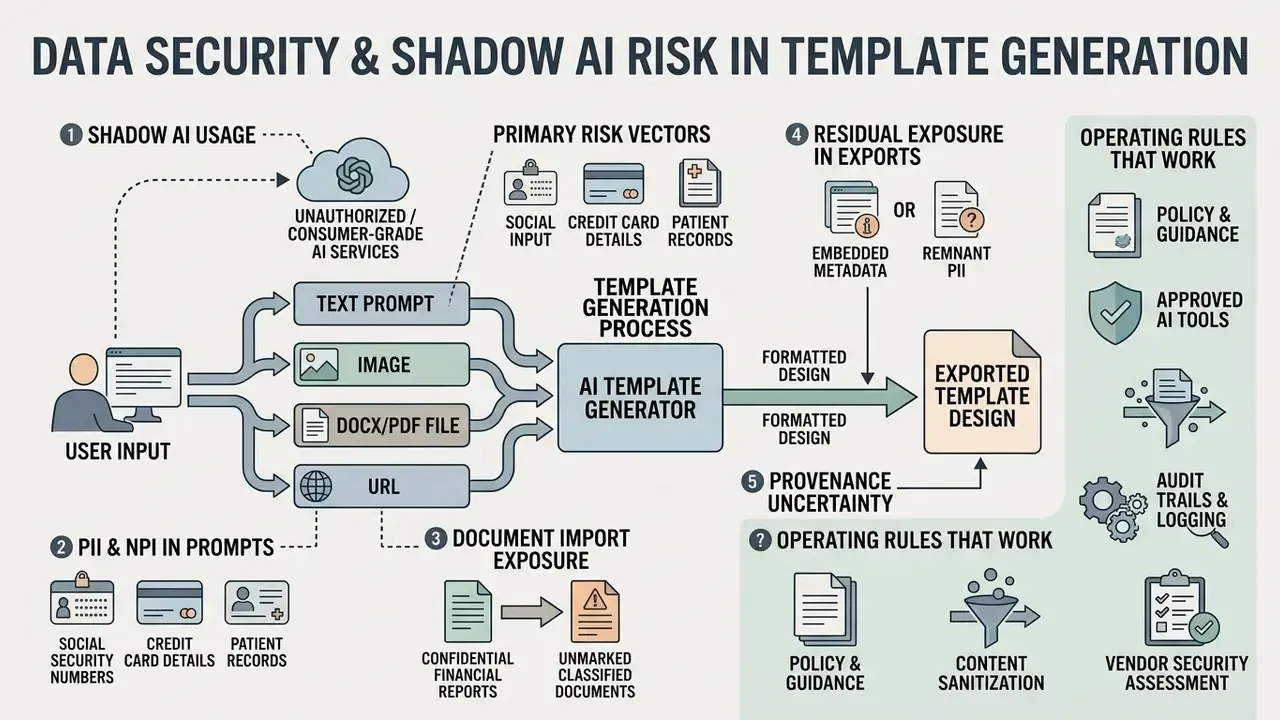
Template generation is deceptively risky from an information-security standpoint, because the fastest path to a formatted document is pasting real content into a consumer-grade cloud tool. In a regulated environment, that single action can constitute an unapproved data transfer.
Primary risk vectors
- Shadow AI usage. Employees adopt free-tier generators outside procurement and security review, creating unlogged data flows to third-party processors and their downstream API providers. Many platforms explicitly disclose reliance on third-party model and stock-image APIs.
- PII and NPI in prompts. Client names, account numbers, salary data or health information embedded in an uploaded DOCX or a prompt may be retained, logged or used for model improvement, depending on tier.
- Document import exposure. Sourced-content features that accept DOCX and PDF uploads transmit the entire file, not just the visible excerpt shown in the preview. Users rarely realize this.
- Residual exposure in exports. Placeholder text, comments and metadata from source files can survive into exported templates and leak internal context externally.
- Provenance uncertainty. Generated imagery may resemble third-party assets. Publishing without verification creates IP exposure. Provenance checks using the methods in our AI reverse image search comparison reduce that risk before distribution.
Vendor security checklist before whitelisting a generator
| Control | Requirement | Why it matters |
|---|---|---|
| Zero Data Retention | Contractual, tenant-level, documented | Prevents prompt and file retention or training reuse |
| SOC 2 Type II / ISO 27001 | Current report, scoped to the product | Independent assurance of operating controls |
| Encryption | TLS in transit, AES-256 at rest | Baseline confidentiality |
| SSO / SAML plus SCIM | Enterprise tier | Centralized identity, fast deprovisioning |
| Role-based access | Workspace, folder and template level | Limits blast radius of misuse |
| Data residency | Region pinning where required | Cross-border transfer compliance |
| Audit logging and export | Admin API or SIEM feed | Detection, investigation, examiner evidence |
| Sub-processor disclosure | Full list, change notifications | Third-party model API transparency |
Operating rules that work in practice: publish an approved-tool whitelist; block consumer tiers at the network layer for teams handling regulated data; require synthetic or masked data for any template prototyping; and route high-sensitivity document assembly through an internally hosted or VPC-deployed engine rather than a public canvas. One more, easy to forget: review the sub-processor list at renewal, not just at signature.
Fact Check and Commercial Verification: Licensing and Enterprise Terms
- Canva Commercial Terms (2026) permits commercial use of AI-generated layouts. Standalone resale of unmodified stock templates or Pro assets remains prohibited; templates containing Pro content must be shared as Canva template links.
- Visme Enterprise Terms (2026) commercial licensing is not included in Basic or Starter tiers, but is granted under Pro and Enterprise subscriptions.
- Microsoft Designer Terms (2026) wording splits across product documentation. Certain sections limit outputs to personal, non-commercial use, while global terms permit lawful commercial use. Independent legal review is required before deployment. See our Microsoft AI image generator terms overview.
- Kittl (2026) free-tier outputs are limited to personal, non-commercial use; commercial use under the free version is prohibited.
- U.S. Copyright Office Guidance (2025 to 2026) purely machine-generated outputs lacking human authorship cannot be registered. Human creative intervention and editorial control are needed to establish ownership; prompting alone is insufficient.
- Marketing claims caveat some vendors advertise generated templates as "copyright and royalty-free" for personal and commercial use. The precise reading is narrower. The platform grants a contractual license to use the output under its Terms of Service, while pure AI-generated elements attract no copyright of their own and may be treated as public-domain-like. Contract rights and copyright ownership are separate questions, and conflating them is the most common procurement error we see in this category.
Free AI Template Generator: Cost, Limits and Commercial Use
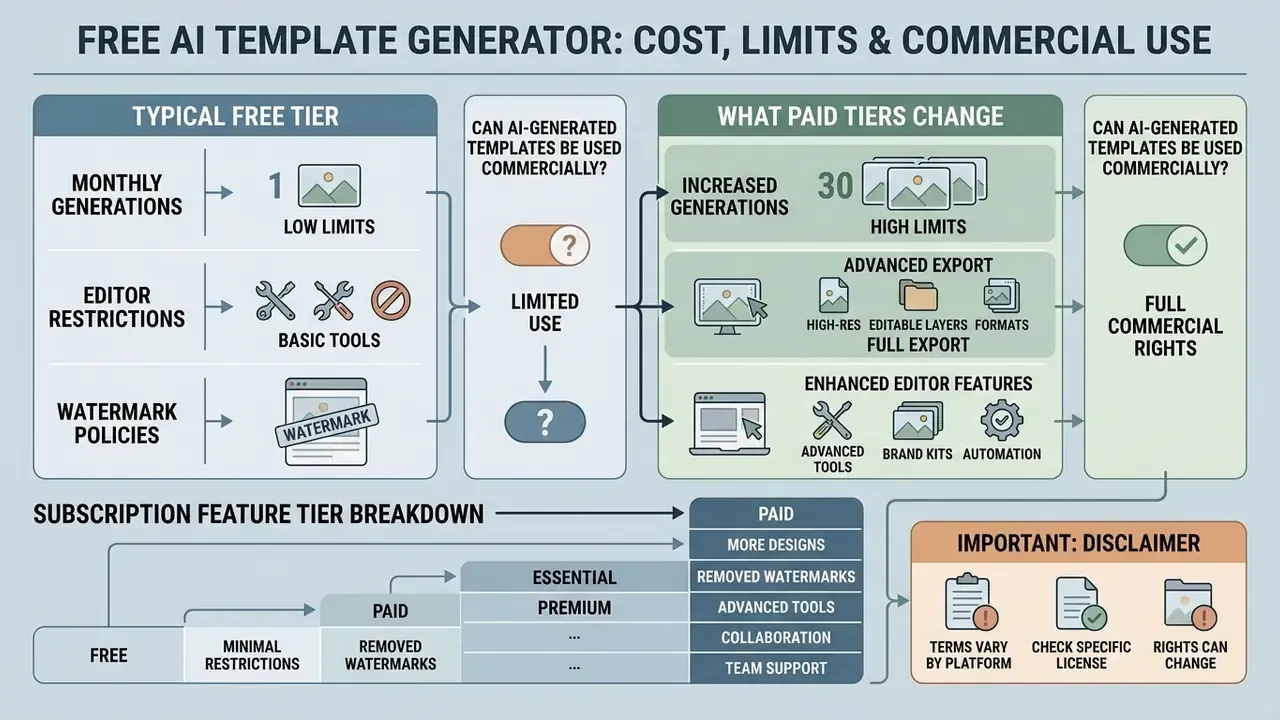
Evaluating a free ai template generator means analyzing monthly generation limits, editor restrictions, watermark policies and commercial usage terms. Free tiers give access to basic layout tools, but enterprise scaling generally requires a paid plan. Readers weighing zero-cost options can also review our comparison of free AI art generators for adjacent asset-creation limits.
Free vs. paid AI template generator capabilities
| Parameter | Free tier plan | Paid enterprise tier |
|---|---|---|
| Generation quota | 10 to 50 credits per month, or a one-time allotment | Unlimited or high volume |
| Watermark enforcement | Applied on premium exports | No watermarks applied |
| Brand kit storage | Limited or unavailable | Full multi-brand storage |
| Supported export formats | Basic PDF, JPG, PNG | Vector SVG, PPTX, DOCX, HTML |
| Commercial use rights | Restricted or non-commercial | Fully licensed for trade |
| Team collaboration | Single user access | Multi-seat workspaces |
| SSO / SAML | Not available | Available |
| Data retention controls | Vendor default | Configurable, Zero Data Retention |
| API access | None or trial | Enterprise API with rate limits |
Read the table as a decision aid: the free tier answers "can this tool draft a layout?", the paid tier answers "can this tool sit inside a controlled workflow?". Only the second question matters for regulated output.
What a Free AI Template Maker Typically Includes
A free template maker ai typically includes starter generation tokens, basic online editor access and standard visual design elements. You can test prompts and core features without financial commitment, which is exactly how a pilot should begin. Observed examples include a one-time allotment of roughly 400 AI credits with PDF-only export on one presentation platform, and 30 starter tokens with DOCX and PDF export on a document generator. That PDF-only pattern is common enough that a free ai template generator pdf workflow is often the only export path on a zero-cost plan.
Free plans often restrict high-resolution exports or attach watermarks when premium assets are used. Watermarks commonly appear only when premium stock elements are present, not on designs built entirely from free elements. For extended feature breakdowns, consult our guide on free photo editor platforms.
What Paid Tiers Change: Generations, Export and Editor Features
Paid tiers remove monthly credit caps, unlock advanced vector exports and enable team collaboration controls. They also grant access to specialized layout engines, automated brand kit integration and broader export targets such as PPTX, PNG and Google Slides. If you are shortlisting the best ai template generator for a regulated team, the deciding features usually sit in the enterprise column, not the creative one.
Subscription feature tier breakdown
| Plan level | Core operational capabilities enabled |
|---|---|
| Free access | Basic layout rendering, web-only editor, PDF export limits |
| Professional tier | High-res vector exports (SVG, PPTX), brand kit, zero watermarks |
| Enterprise tier | Custom API endpoints, SSO, legal indemnity, admin audit logs, data residency |
Organizations planning software expenditure compare cost structures using our AI Media Pricing Guides.
Can AI-Generated Templates Be Used in Commercial Projects?
Using AI-generated templates commercially is permissible only when platform terms explicitly grant commercial distribution rights. Distinguish platform contract rights from copyright protection. They are not the same thing.
Contractually, platforms like Canva allow commercial use on paid plans, while tools like Kittl restrict free-tier outputs to personal use. Details for one major platform are broken down in our Canva AI generator licensing guide. Legally, U.S. and EU frameworks specify that purely machine-generated outputs without creative human modification fall outside copyright protection.
«According to the U.S. Copyright Office report, purely machine-generated results lacking human authorship cannot be registered as copyrightable works.»
Checklist0 / 6
When deploying AI-generated visual media across commercial campaigns, compliance managers review guidelines in our AI Media Commercial-Use Hub. For regulatory disclosure standards on generated media, teams reference our Synthetic Media Disclosure resource, while technical watermarking requirements are detailed in our synthid analysis. Organizations managing IP exposure also monitor precedents cataloged in our AI Litigation and Case Timelines database.
Comparative Analysis of AI Template Generator Platforms
| Platform or model | Template categories | Free access | Watermark on free | Commercial use | Primary export formats |
|---|---|---|---|---|---|
| Canva AI Design | Social, slide, print, docs | Yes (basic tokens) | Only on Pro elements | Yes (per Terms of Use) | PNG, JPG, PDF, PPTX, MP4 |
| Adobe Express AI | Social, poster, card, presentation | Yes (monthly tokens) | No (on free assets) | Yes (designed to be commercially safe) | PDF, PNG, JPG |
| Gamma App | Presentation, document | Yes (400 one-time credits) | Gamma branding present | Yes (on paid tiers) | PDF, PPTX, PNG, Google Slides |
| Template.net AI | Legal, business, UI, wireframes | Yes (limited) | Depends on asset type | Yes (base license) | DOCX, PDF, PNG, SVG, HTML |
| Visme AI Designer | Docs, decks, print, social (100+ types) | Yes (limited) | Plan-dependent | Pro and Enterprise only | PDF, PNG, JPG, PPTX, HTML5 |
| DocsAutomator AI | Word documents, invoices, contracts | Yes (free to try) | No | Yes | DOCX, PDF |
Enterprise evaluation criteria (procurement view)
| Platform | SSO / SAML | Data retention controls | Enterprise API | Native Office output | Data-source automation |
|---|---|---|---|---|---|
| Canva AI Design | Enterprise tier | Admin-tier controls | Yes (Connect, Apps SDK) | PPTX, DOCX | Partial (apps, integrations) |
| Adobe Express AI | Enterprise tier | Enterprise agreements | Yes (Firefly, Express APIs) | PDF-centric | Limited |
| Gamma App | Paid and business tiers | Vendor default | Limited | PPTX export | Limited |
| Template.net AI | Not documented | Vendor default | Limited | DOCX, HTML | Limited |
| Visme AI Designer | Enterprise tier | Enterprise agreements | Limited | PPTX, PDF | Limited (upload and URL sourcing) |
| DocsAutomator AI | Plan-dependent | Vendor default | Yes | Native DOCX | Strong (Airtable, Notion, 10+ integrations) |
Verify each control directly with the vendor's current security documentation and DPA before whitelisting. Capability matrices change between release cycles, sometimes quietly.
FAQ: Frequently Asked Questions About AI Template Generators
How do I create a template with AI for free?
Choose a service with a free starter tier (Canva, Adobe Express, Gamma or Template.net, for example), create an account, enter a detailed prompt specifying document type, structure and style, generate variants, then export as PDF or PNG. Expect credit caps and possible watermarks when premium assets are used.
What is the main difference between an AI template generator and a conventional template library?
Conventional libraries provide static files with fixed blocks that need manual editing whenever content length changes. An ai templates generator constructs the layout for your specific input, adapting container sizes, grid and hierarchy in real time, and can emit several distinct variants from one prompt.
What is the difference between an AI Template Generator and an AI Presentation Generator?
An AI Template Generator produces a single flexible layout of a given form: a social post, banner, flyer, one-page document or master slide. An AI Presentation Generator builds a complete multi-page deck, typically 10 to 20 slides, with a unified logical structure, generating an outline, section breakdown and per-slide content. The two are complementary. Generate a template to define the visual system, then use the presentation engine to populate the deck.
Can a template be generated from an existing document or a web page?
Yes. Sourced-content generation accepts DOCX, PDF or TXT uploads, or a URL, extracts headings and body text, shows a preview of what was captured, then builds the layout around that content. Authenticated, paywalled or CAPTCHA-protected pages generally cannot be parsed.
Can I sell templates created in an AI template maker?
Resale depends on the platform's Terms of Service. Most services prohibit selling raw AI-generated templates without substantial human modification, and standalone resale of unmodified platform assets is typically forbidden. Per U.S. Copyright Office guidance, purely AI-generated elements are not protected by copyright, so exclusivity cannot be assumed.
Which file formats do modern template generators support?
Current generators export vector and raster formats including PDF, PNG, JPG and SVG, editable Office documents (DOCX, PPTX), HTML and CSS for web templates, Google Slides, and interactive presentation links.
How do I connect a smart template to my data?
Add {{tag}} placeholders to the master layout, then bind them to fields in Airtable, Notion, HubSpot, Google Sheets or an internal API through native integrations or no-code connectors such as Make and Zapier. Documents render automatically on record creation or status change.
Is it safe to upload confidential documents to an AI template generator?
Not on consumer tiers. Require documented Zero Data Retention, a current SOC 2 Type II or ISO 27001 report, encryption in transit and at rest, SSO/SAML, audit-log export and sub-processor disclosure before any file containing PII, NPI or material non-public information is uploaded. Use masked or synthetic data for prototyping.
What are the hard limits of these tools?
No verbatim text reproduction, a typical 10 to 15 page ceiling per generation, no complex custom infographics or data-visualization editing, no crawling of gated sites, one project at a time on most consumer tiers, and limited obedience to precise color or shape instructions.
Who should own an AI template generator inside a bank?
In practice, ownership splits: brand and marketing own the visual system, while model risk or operational risk owns the control layer for regulated output. Someone must be named. An unowned template engine drifts into shadow usage within a quarter, and that is a hypothesis worth testing against your own access logs.
Conclusion: Deploying an AI Template Generator Safely in Production Workflows
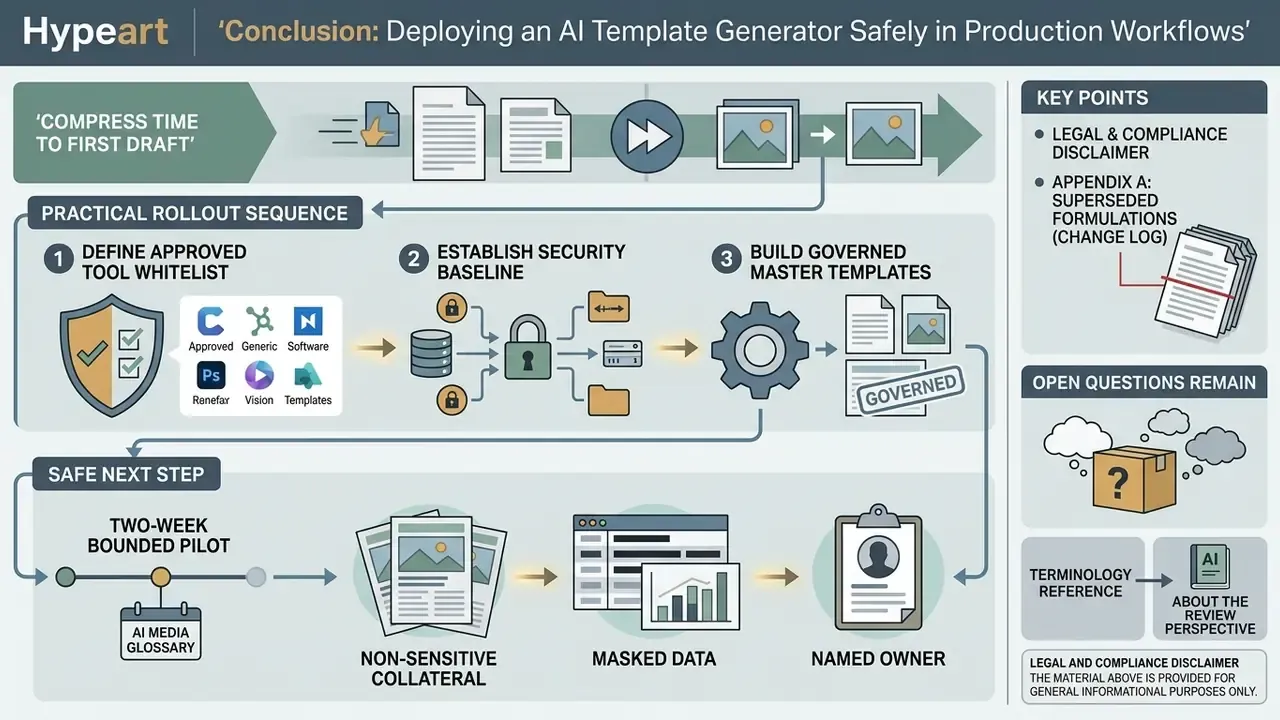
An AI template generator compresses the time needed for the first draft of documents and visual assets. With smart templates bound to live data sources, it removes repetitive assembly work almost entirely. Commercial deployment still requires brand-rule enforcement, verified licensing terms, disciplined data-security controls, and human review at every release gate. Before publishing generated media externally, verify asset provenance using the techniques in our AI reverse image search comparison.
Practical rollout sequence: define the approved tool whitelist and security baseline; build governed master templates manually; layer AI generation on top for variants and drafts; wire tagged smart templates to systems of record for high-volume output; keep an auditable log of template versions, data snapshots and human approvals.
Open questions remain. Vendor retention practices are unevenly documented, deterministic rendering guarantees are rarely contractual, and copyright treatment of hybrid human-AI layouts is still moving. Treat this space as controllable, not settled.
A safe next step: run a two-week bounded pilot on non-sensitive collateral, with masked data, a named owner and a written exit condition. Then decide.
For terminology reference, visit our AI Media Glossary. For platform questions, see support.
About the review perspective. This analysis is written from an operational-risk and AI-governance standpoint, the same lens used for model risk management, third-party risk and GRC tooling reviews, and it cites primary vendor terms, government guidance and peer-reviewed layout-generation research rather than marketing claims.