Why governance comes before speed. For regulated buyers, meaning banks, insurers, healthcare groups, and public institutions, the decisive question is not "how fast can we render?" It is narrower and less glamorous: who approves the script, where is the data processed, whose likeness appears on screen, and can we prove all of it six months later? Synthesia's institutional relevance therefore rests on four control layers: centralized workspaces with role-based permissions and SSO, documented avatar consent procedures, certified security and AI-management standards, and exportable, versioned assets that survive an audit. This guide treats each layer explicitly, alongside the practical creation workflow, current pricing, and commercial-use boundaries.
«In controlled enterprise deployments, production speed matters far less than auditability, data residency, and residual model risk. A scalable AI video workflow needs explicit decision ownership, strict avatar consent, and structured oversight from day one.» - Marcus Hale, author and AI Governance Strategy Specialist
Key takeaways for enterprise buyers
- A free tier exists, but treat it as a sandbox 10 video minutes per month, 9 stock avatars, watermarked output, no clean MP4 export, no credit card required (Synthesia Pricing, 2026. https://www.synthesia.io/pricing).
- Paid entry points Starter at $29/month billed monthly (annual billing lowers the effective rate), Creator at $89/month billed monthly (about $67/month on annual billing), Enterprise on custom quotation.
- Compliance posture SOC 2 Type II, ISO 27001, ISO 27701, ISO 42001 (AI management system), GDPR alignment, SSO/SAML, and EU data residency options on enterprise plans.
- Commercial-use boundary stock avatars are allowed in organic and internal commercial media, and prohibited in paid broadcast TV ads and boosted or paid social campaigns.
- Disclosure obligation EU AI Act Article 50 and US FTC guidance require clear labelling of synthetic presenters in commercial deployments.
- Documented ROI signal one global technology company cut annual video spend from $450,000 to $26,000, a 94% reduction, while output rose from 45 to 280 videos per year (Swfte ROI Case Study, 2024-2025).
How to read this guide: three decisions it supports
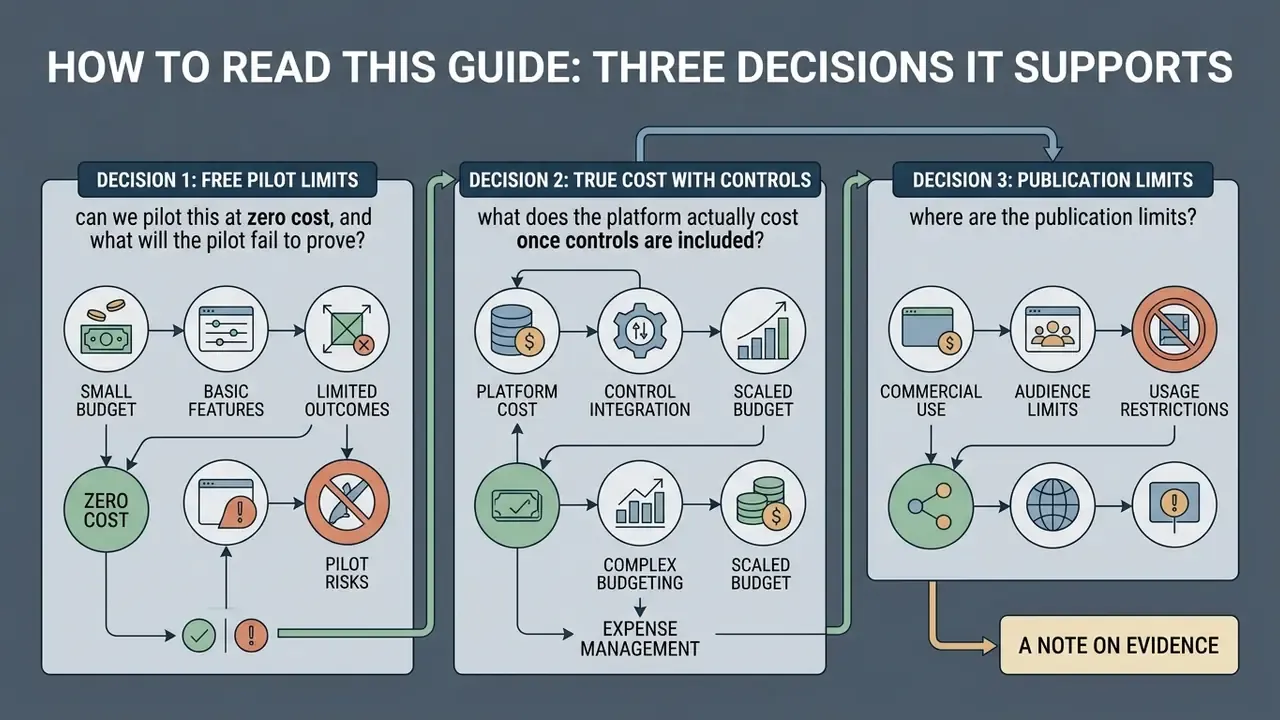
Most readers arrive with one of three open questions, so the article is sequenced to answer them in order.
Decision 1: can we pilot this at zero cost, and what will the pilot fail to prove? The free plan answers feasibility, not readiness. Watermarks and link-only sharing mean you can validate script quality and avatar realism, but you cannot test LMS distribution, SCORM packaging, or approval workflows.
Decision 2: what does the platform actually cost once controls are included? Sticker price covers minutes and seats. It does not cover studio avatar production, localization volume, overage minutes, API throughput, or the human review labour that a regulated environment demands.
Decision 3: where are the publication limits? Stock avatars, custom avatars, paid channels, and regulated product categories follow different rules. Getting that mapping wrong is the cheapest mistake to avoid and the most expensive one to discover after launch.
A short note on evidence. Vendor case studies and customer-reported metrics appear throughout this article because they are the only data available at this scale. They are labelled as such. Treat them as directional, not as benchmarks for your own business case.
What Synthesia AI Video Generator Is and Which Jobs It Fits
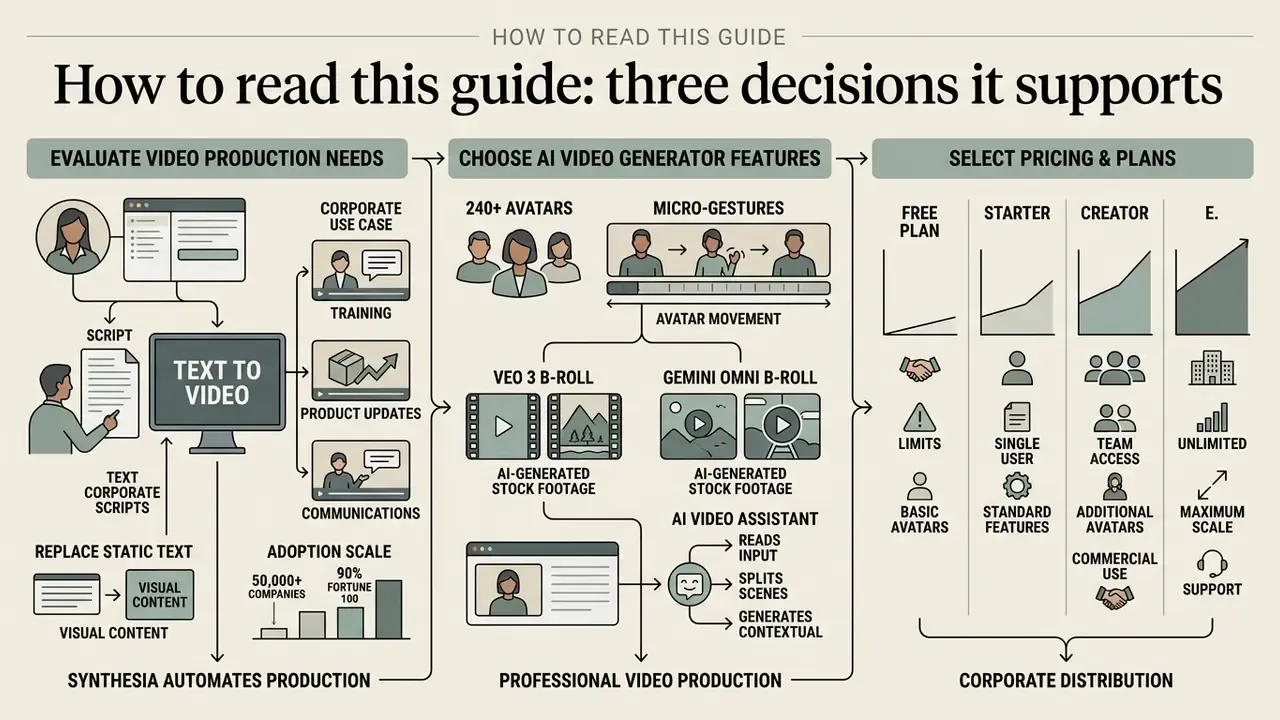
These adoption figures come from a vendor narrative inside a certification document, not from an independently sampled audit. Read them as directional market evidence rather than verified market share. What is verifiable is the mechanism: by abstracting camera setups and recording logistics, institutions compress content development timelines from weeks to hours while keeping brand governance centralized in one platform.
How Script and Text Become Video
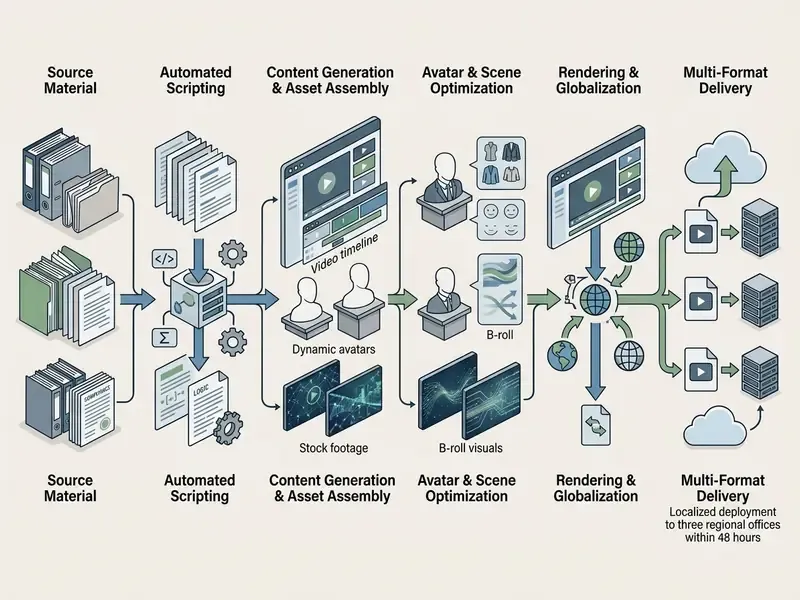
Synthesia runs a browser-based text-to-video engine that converts structured inputs into synchronized video assets. Users can type raw text, paste a pre-written script, upload source documents such as PDF, DOCX, and PowerPoint decks, or simply paste a public URL.
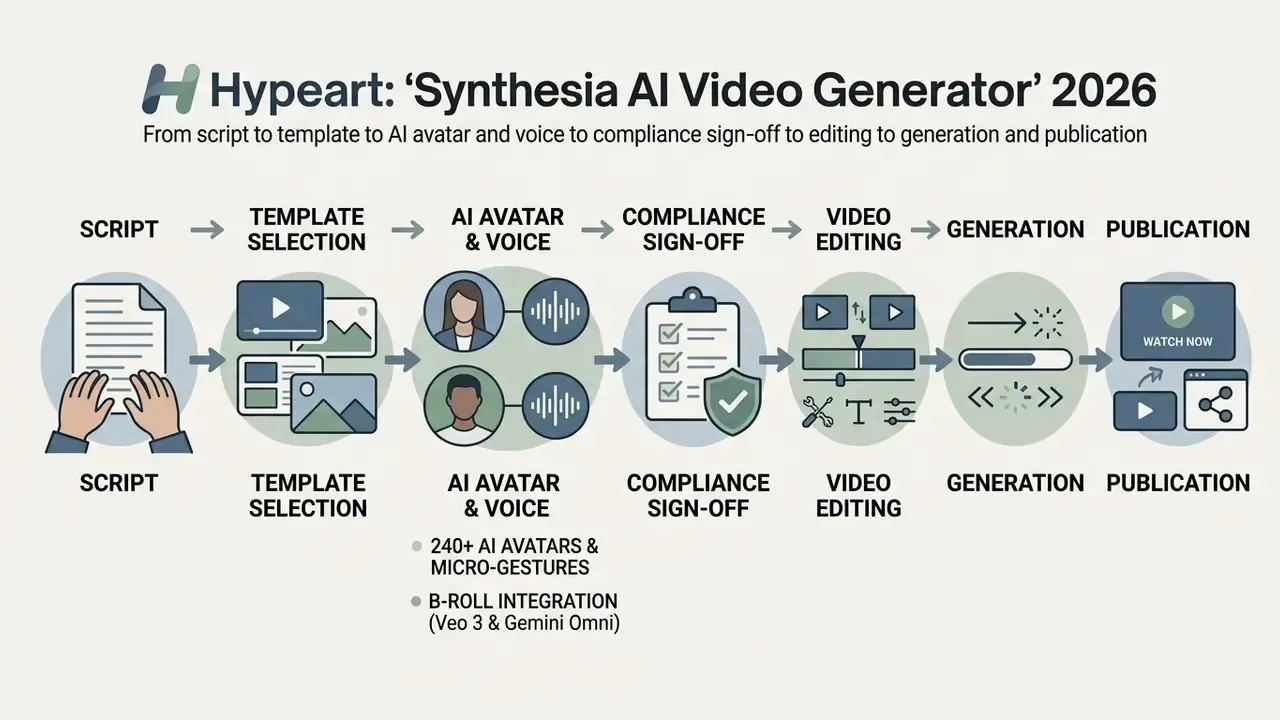
The integrated AI video assistant reads the input, splits it into individual scenes, generates contextual voiceovers, and assigns natural facial movement to the chosen AI avatars. Authors then refine auto generated scripts, adjust scene layouts, and change pacing inside a visual editor before final rendering. Internally the pipeline exposes discrete generation stages: Moderating, Queued, Preparing, Rendering, Assembling, Finalizing. That sequence is more useful than it looks, because teams that must log render provenance for audit trails can capture timestamps per stage.
Two input paths matter for governance. In prompt mode, the assistant drafts the script itself, which introduces factual drift and therefore requires human verification. In verbatim import mode, an approved script is reproduced word for word. For compliance, legal, and regulatory content, verbatim is the safer route. Not marginally safer, either: it removes an entire class of review findings.
Key Synthesia Capabilities for AI Video Creation
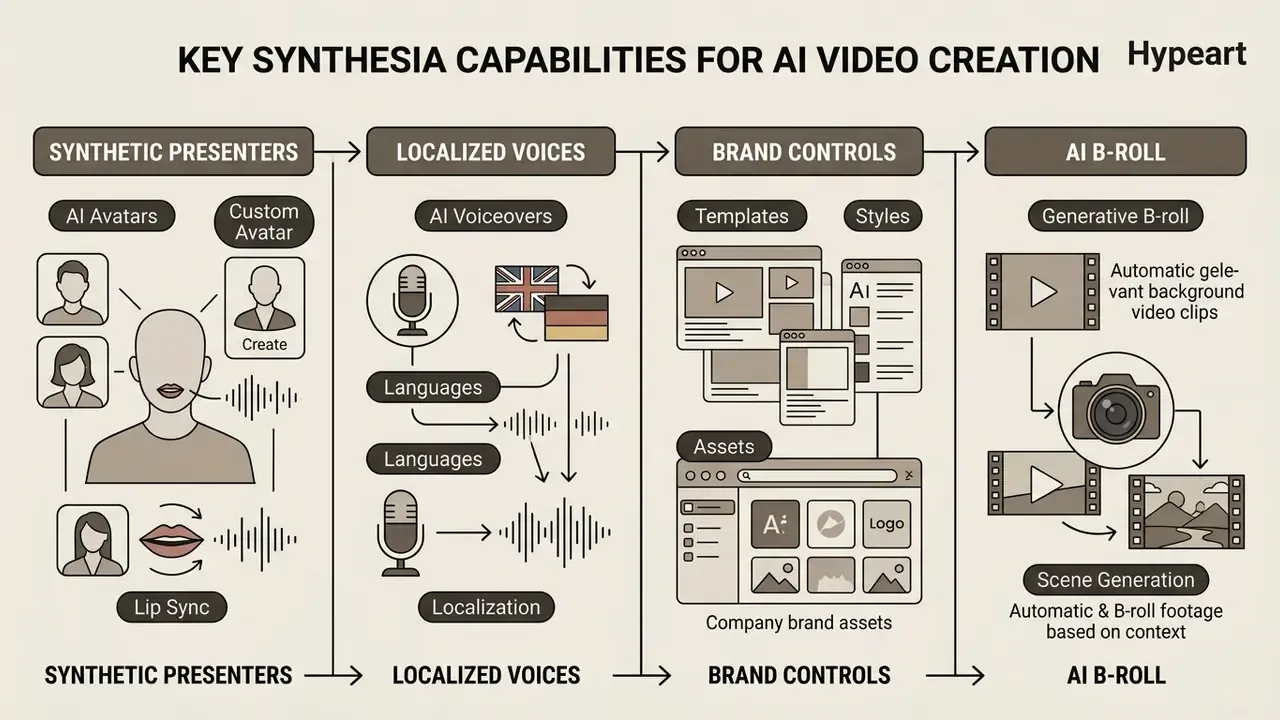
Synthesia bundles video editing tools, synthetic presenters, localized voice generation, and brand control into one platform. Enterprise teams execute high quality video generation directly in a web browser, with no local render farm and no installed software.
AI Avatars, Custom Avatar, and Lip Sync
Synthesia provides a stock library of more than 240 photo-realistic ai avatars spanning diverse demographics, ages, and professional styles. The system applies frame-accurate lip sync algorithms that match facial expression to synthetic speech.
Beyond lip-sync, authors can direct micro-gestures: programmable head nods, eyebrow raises, posture shifts, and speech pauses that make a presenter read as deliberate rather than mechanical. Studio avatars add fuller body motion and wider gesture ranges. One practical detail that teams discover late: punctuation and sentence length in the script directly affect lip-sync accuracy, and long unbroken sentences remain the most common cause of visible desynchronization.
Organizations can also create a custom ai avatar that mirrors a specific executive or trainer. Building a custom avatar requires verified identity consent, video recording submissions, and administrative validation before any ethical media deployment. Current avatar classes include personal avatars from a single photo, personal avatars from a short video, and hyper-realistic studio avatars captured in a recording session. Consent is recorded on video, and generation typically completes within 24 hours.
Evidence base. A 2024 experimental study on synthetic media efficacy compared hyper-realistic avatars with live human presenters:
«With n=290 participants, the p-value was 0.941: no statistically significant difference in information recall between a real presenter and a hyper-realistic avatar.»
«A scalable AI video workflow requires clear ownership of decisions, strict avatar consent, and structured oversight from day one.» - Marcus Hale, author and AI Governance Strategy Specialist (illustrative)
The literature is not unanimous, and it would be careless to pretend otherwise. Other 2026 experiments report that AI presenters support knowledge acquisition but score lower than human presenters on perceived quality and viewer satisfaction. Retention parity is better supported than perception parity. For mandatory compliance training, that distinction is tolerable. For a CEO's annual message, it may not be.
AI Voiceovers, Languages, and Localization
Synthesia supports studio-quality ai voiceovers across more than 160 multiple languages and regional accents, drawing on a library of 1,000+ synthetic ai voices plus voice cloning. The platform offers 1-click translation that converts spoken scripts and on-screen text overlays at the same time, and AI dubbing that preserves the speaker's timbre and lip movement.
For localized content deployment, teams review the technical specifications in our guide to AI voice generators. A correction on the usual marketing claim: rather than promising a guaranteed "vocal identity" across jurisdictions, the accurate formulation is narrower. Voice cloning and locale-specific accent selection let global firms keep a recognizably consistent narration style across markets, subject to per-language accent coverage, which varies by dialect in the official documentation.
«AI avatars and synthesized narrators deliver learning outcomes comparable to human-filmed video, while strengthening emotional engagement and recall.»
A separate 2025 experiment adds nuance worth knowing before you mix formats. Engagement gains and reductions in extraneous cognitive load were strongest when both the voice and the avatar were AI-generated and stylistically matched. Pairing a human recording with a synthetic face performed worse than either consistent configuration. Consistency beats realism.
Templates, AI B-roll, and Video Editing
The platform includes more than 60 pre-designed video templates that govern layout, typography, and transitions. Users add auto generated AI B-roll footage, screen recordings, and custom brand assets without specialized editing skills. The built-in AI Screen Recorder transcribes captures, removes dead pauses, and applies automatic zoom emphasis, which makes it the fastest route for product demos and SOP walkthroughs.
Generative B-roll. Synthesia ships an AI Playground that generates cinematic background footage from text prompts inside the editor, removing the dependency on external stock libraries. The engine routes prompts to leading third-party video models, including Google Veo 3 and Gemini Omni, so teams can produce bespoke establishing shots, abstract transitions, or product-adjacent scenes that match brand art direction. Ready-made B-roll presets, such as avatar walking, working, or presenting, cover routine corporate needs. Brand Kits then apply colors, fonts, and logos automatically across generated assets, templates, and motion graphics.
Teams animating static brand photography or product renders into motion sequences should also review the adjacent workflow in our image-to-video AI reference. One model-risk caveat deserves its own line: generative B-roll can hallucinate implausible physics, distorted on-screen text, or off-brand imagery, so every generated clip must pass visual review before it is attached to a compliance or customer-facing asset. Programmatic B-roll and video generation at scale is compared in the Google Veo API integration guide.
How to Create a Video in Synthesia: Step by Step
Creating an AI video in Synthesia means drafting a scene-based script, configuring visual elements, passing internal review, and rendering the final file. The platform reduces video creation to a structured browser-based workflow that a non-specialist can run.
Prepare the Script and Choose a Video Template
Effective synthetic video starts with a clear, scene-segmented ai script. In Synthesia a script is the spoken text of a single scene, not the whole video, and the platform caps individual scene scripts at 5 minutes to maintain viewer engagement and optimize rendering.
For instructional content, the vendor's own framework is Hook, Outcome, Steps, Pitfalls, Next action, drafted in a two-column layout (visuals on the left, audio on the right) after a short beat sheet. Users then select a video template that matches the primary objective, whether that is a technical training video, an internal communications briefing, or a client-facing product demonstration. The template fixes scene layout, and an Enterprise Brand Kit can be previewed against it before generation.
Ready-made prompts for the AI Video Assistant. If the draft is generated rather than imported, prompt specificity determines how much rewriting follows:
"Create a 60-second information security training clip.
Topic: creating and storing strong passwords.
Tone: professional, friendly.
Audience: new employees.
Structure: hook, learning outcome, 3 steps, common mistakes, next action."
"Create a 90-second onboarding welcome video for a new team member joining
a distributed engineering org. Tone: warm, concise. Include: first-week
checklist, who to contact, where documentation lives. End with a single CTA."
"Create a 45-second product explainer for a fictional productivity tool
called Synergy Flow. Audience: operations managers. Emphasise one problem,
one mechanism, one measurable outcome."
Configure Avatar, Voice, and Brand Style
After selecting a template, creators assign specific ai avatars and ai voices to each scene. Enterprise users apply centralized Brand Kits with corporate color palettes, custom fonts, and official logo assets, imported directly from a website or a branded PowerPoint master.
To hold visual identity standards in multi-user environments, design teams set avatar usage rules and approve digital asset libraries in advance. A repeatable method works well here. Define three to five brand voice attributes. Translate each into visual parameters (expression, wardrobe, lighting, background, framing) and vocal parameters (pace, pitch, warmth). Then stress-test candidate voices on brand names, acronyms, numerals, dates, URLs, and multilingual phrases, because that is where synthetic narration breaks first. Lock the approved combination into a one-page "avatar passport" so regional teams cannot quietly drift from the approved presenter identity.
Edit, Approve, Generate, and Publish
Creators review visual timing, adjust layout elements, and inspect speech synthesis inside the editor playback window, using the full-video preview control in the upper-right corner.
The mandatory control step: human in the loop. In banks, insurers, and other regulated environments, rendering must not be the first moment a script leaves the author's hands. Insert a formal review gate before credits are consumed:
- Factual review: a subject-matter expert confirms every claim, figure, and procedure.
- Compliance and legal sign-off: the approver confirms disclosures, product claims, and jurisdictional wording; approval is logged with name, date, and script version.
- Likeness and licensing check: confirm avatar class (stock or custom), an active consent record, and the permitted distribution channel.
- Accessibility preflight: set content language programmatically, specify ambiguous pronunciations, enable captions, keep avatar placement clear of on-screen information, and check clothing and background contrast for clear subject visibility, per W3C WAI media guidance.
- Generate: only now click the Generate button to start server-side rendering.
After processing completes, the platform offers direct MP4 file downloads at Full HD 1920x1080, public share links with optional password protection, embed codes for internal portals, and exportable SCORM packages (SCORM 1.2 and SCORM 2004) for direct upload to a Learning Management System. Interactive videos are the exception: they cannot be exported as flat MP4 and must be distributed by link or embed. For downstream distribution and file-weight management, teams often pair exports with a video compressor workflow before LMS upload.
Synthesia Free: Free Plan Access and Limits
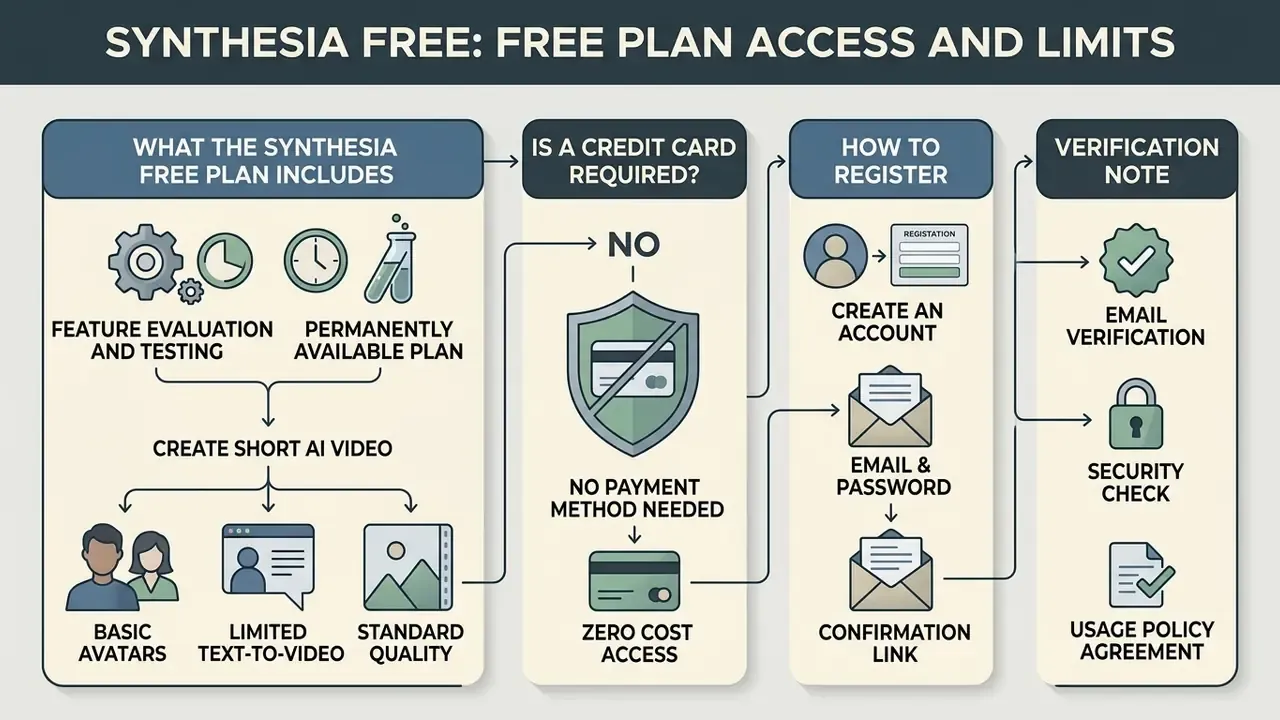
Synthesia provides a permanently available free plan built for feature evaluation and testing. The Basic free plan lets users explore browser editing without entering payment information, which is why it dominates first-touch evaluation in most teams.
What the Synthesia Free Plan Includes
The free plan grants 1,200 monthly credits, roughly 10 minutes of video generation per month. Free account holders get 9 stock AI avatars and the full library of 160+ AI voices and languages.
Every video generated on the free plan carries a visible Synthesia watermark and cannot be downloaded as a raw MP4. Free plan output is shared strictly through web-hosted preview links.
Unused credits do not roll over into the next month, and the AI Playground is available in limited form on the free tier, including access to current generative models. Teams evaluating zero-cost media creation can compare these parameters with benchmarks in our best free AI video generator evaluation and in the category reference on free AI video generators.
One practical warning. A free-tier test tells you whether the avatars and narration clear your quality bar. It tells you nothing about approval workflows, SCORM delivery, or seat governance, which is where enterprise pilots usually stall.
Is a Credit Card Required, and How to Register
Registration for the free version requires a valid email address or social sign-in credentials. There is no credit card required to open a Basic account or test the core editor. Separately, a promotional "instant demo" flow lets a visitor pick a template, paste a script, and receive one generated video by email without creating an account at all.
Users who need watermark removal, MP4 downloads, or higher monthly output must upgrade to paid plans. Account settings are updated directly from the workspace dashboard. Where a time-limited free trial of a paid tier is offered at the vendor's discretion, billing information may be required, and charging starts automatically at trial expiry unless the subscription is cancelled first. Worth a calendar reminder.
Synthesia Pricing Plans and Choosing a Tier for Your Team
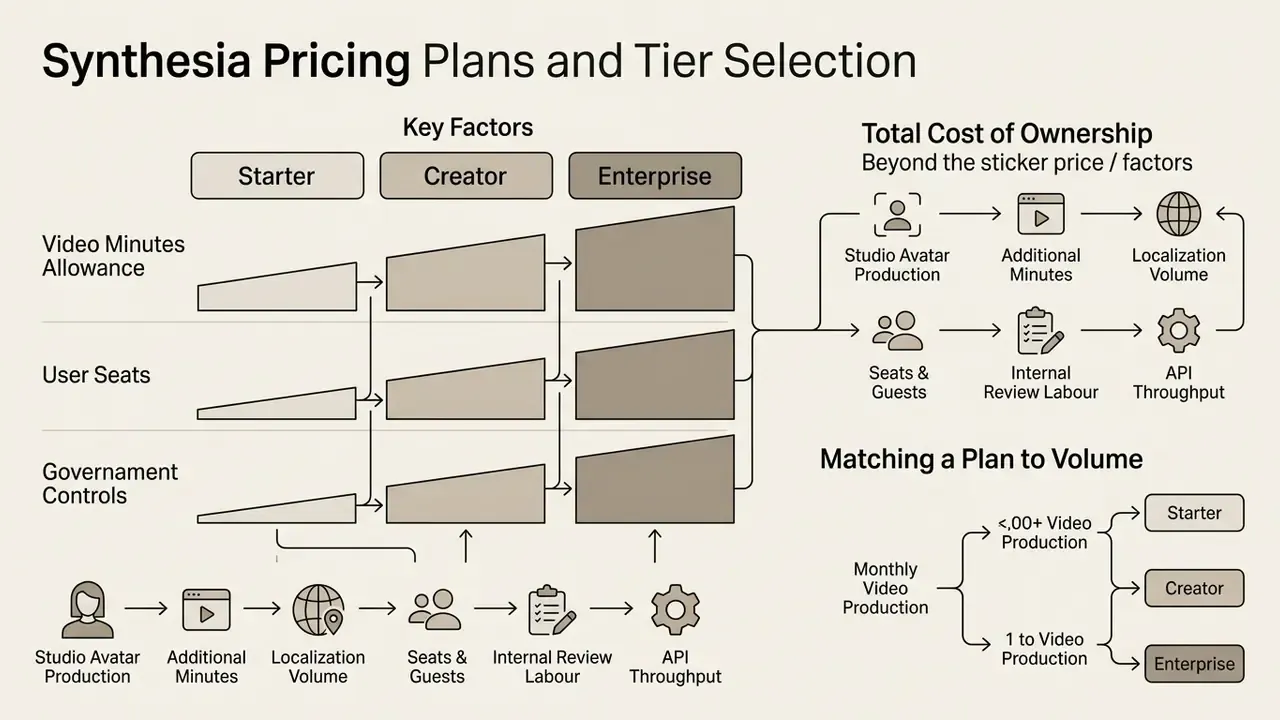
Synthesia structures its commercial offering into subscription tiers based on monthly video minute allowances, user seats, governance controls, and custom avatar rights.
Matching a Plan to Video Production Volume
Organizations pick a plan by estimating monthly video minute volume and seat requirements. The Starter Plan ($29/month billed monthly, with the effective rate falling to roughly $18 to $22 per month on annual billing, published at $264 per year) provides 10 video minutes, clean MP4 downloads, and 125+ avatars for individual creators.
The Creator Plan ($89/month billed monthly, or about $67/month equivalent on annual billing, published at $804 per year) raises output to 30 video minutes per month, 180+ avatars, voice cloning, avatar builder access, and 5 guest seats for collaborative teams. For financial estimation across video software, managers use our AI Media Calculators framework, and cross-tool benchmarking sits in our comparison of AI video generators.
Total cost of ownership: what the sticker price omits. Procurement models should budget beyond the subscription line:
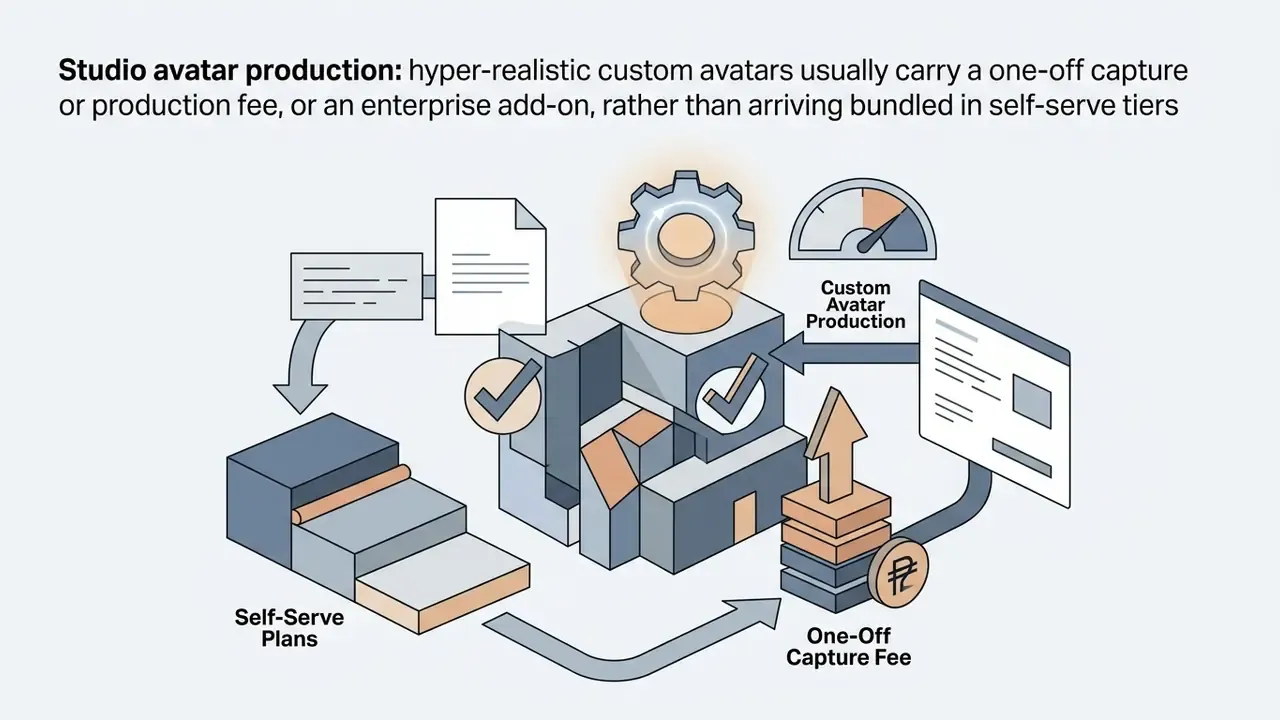
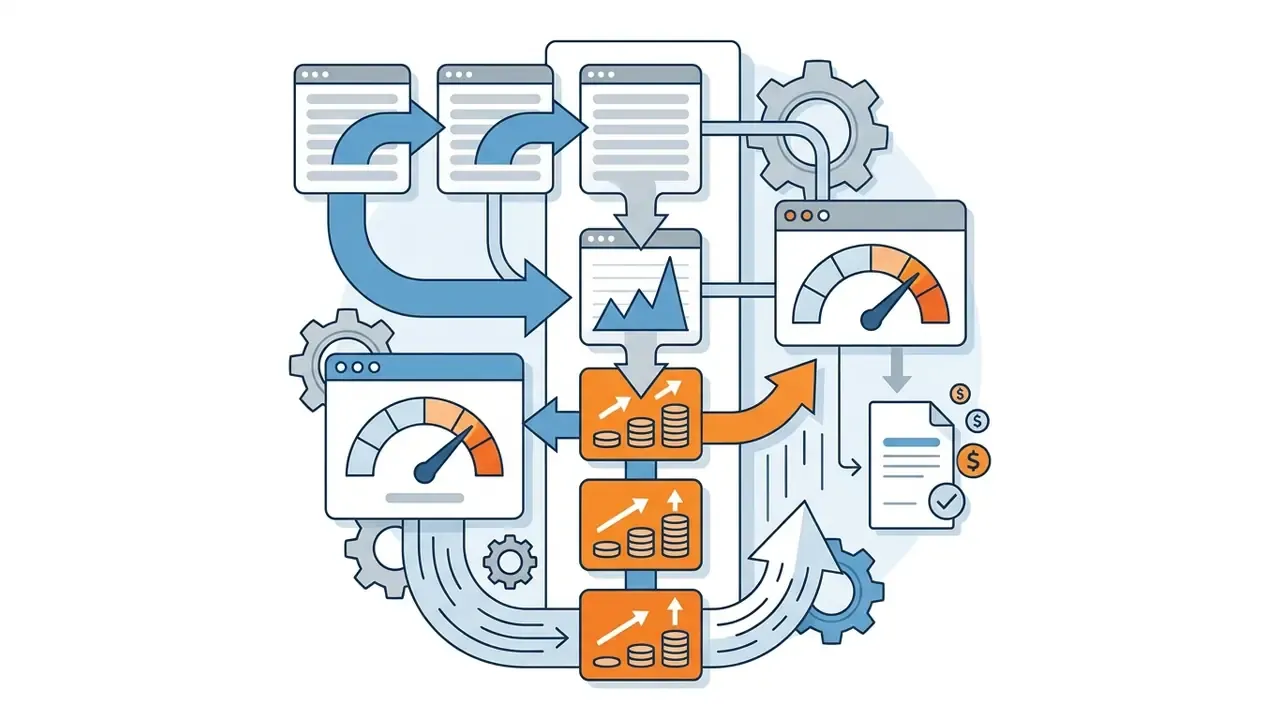
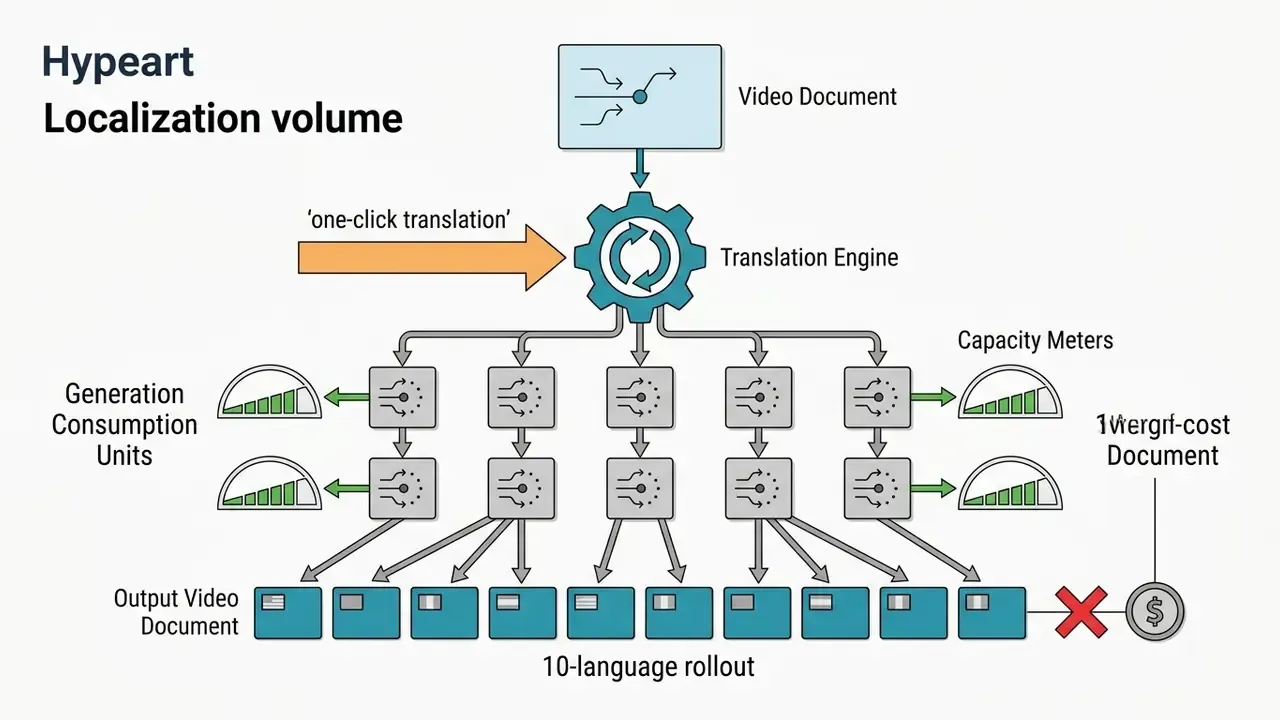
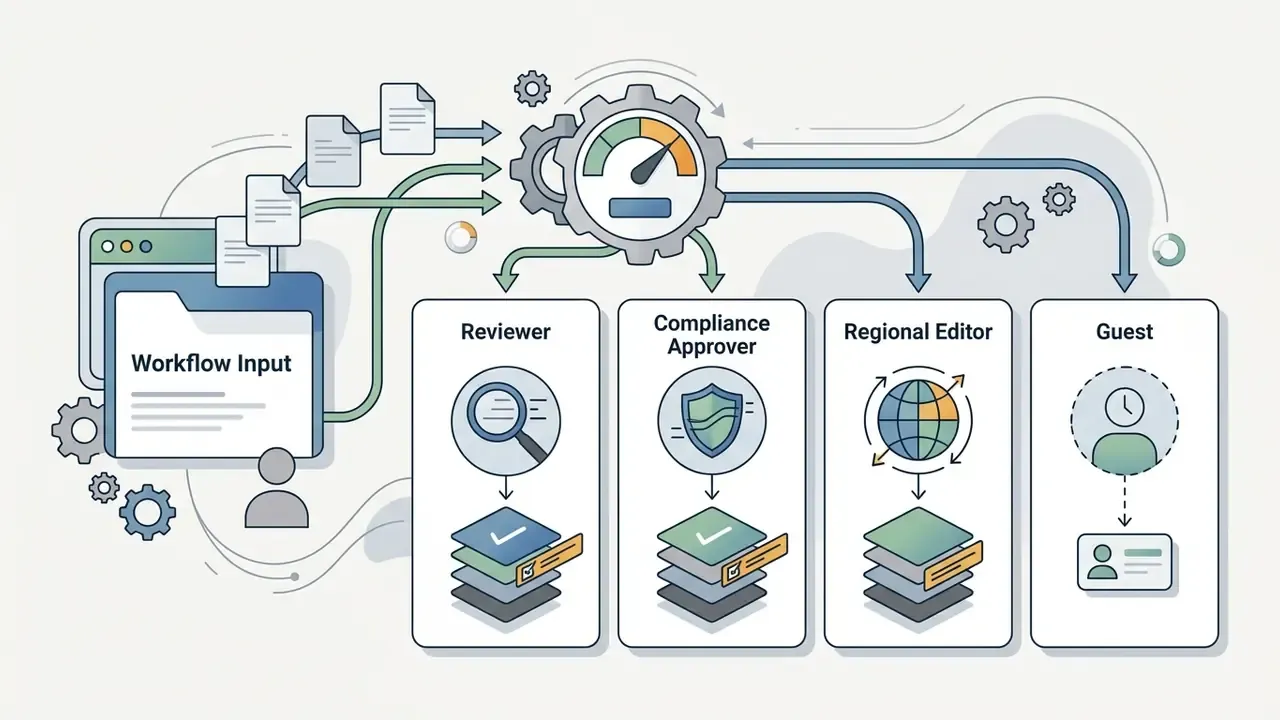
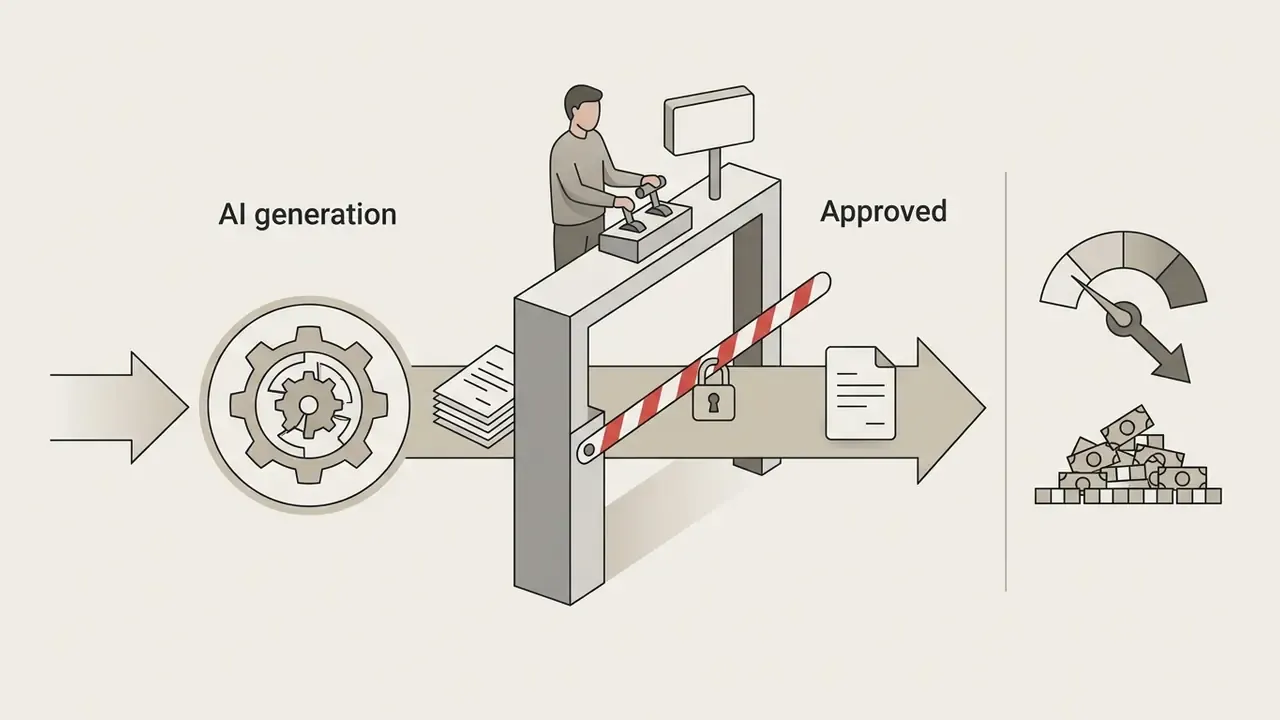
A practical formula: (planned finished minutes per month x cost per finished minute) + seat costs + localization multiplier + amortised one-off avatar production. Traditional production benchmarks run roughly $50 to $200 per finished minute for dedicated teams. That is the baseline against which AI video savings should be measured, and it is the number most business cases quietly omit.
A detailed breakdown of current tier structures is published in our AI Media Pricing directory, so procurement teams can evaluate software costs accurately.
When Enterprise Teams Need a Custom Agreement
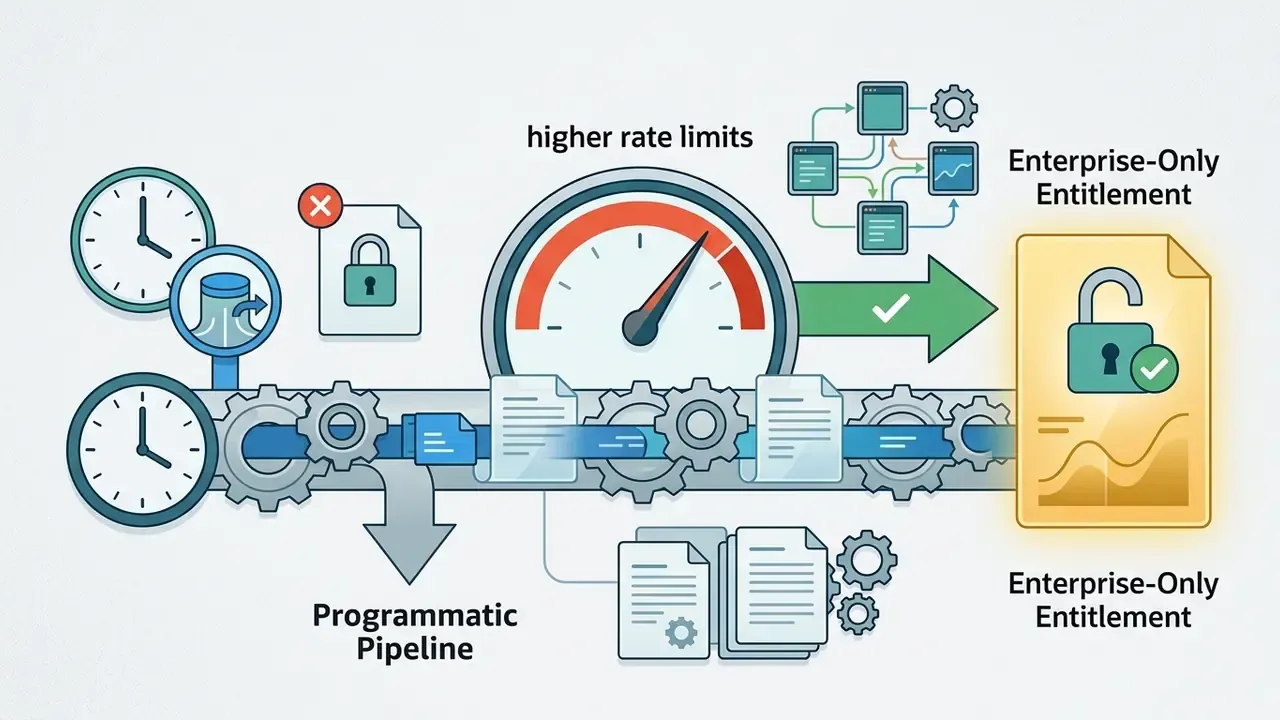
Large organizations move to the Enterprise Plan when video production exceeds standard monthly limits or when advanced security compliance becomes a gating requirement. Enterprise tiers provide unlimited video minutes, single sign-on (SSO/SAML), shared workspaces and Organizations, brand kits, higher API rate limits, dedicated customer success management, and custom workspace security.
Compliance standards. Enterprise-grade assurance is evidenced by SOC 2 Type II, ISO 27001 for information security, ISO 27701 for privacy information management, and ISO 42001, the AI management system standard that specifically governs responsible AI governance and lifecycle controls, together with GDPR compliance and EU data residency options on enterprise agreements.
To compare advanced programmatic integrations, technical teams reference our AI Media API Guides or examine model specifications in the Google Veo API integration guide.
| Feature / Parameter | Basic (Free Plan) | Starter Plan | Creator Plan | Enterprise Teams |
|---|---|---|---|---|
| Price / Month | $0 / month | $29 / mo monthly (~$18-22 / mo annual; $264/yr) | $89 / mo monthly ($67 / mo annual; $804/yr) | Custom Enterprise Pricing |
| Monthly Video Minutes | ~10 mins (1,200 credits) | 10 mins / month | 30 mins / month | Unlimited Video Minutes |
| Stock AI Avatars | 9 Selected Avatars | 125+ Stock Avatars | 180+ Stock Avatars | Full Avatar Library (240+) |
| Custom / Personal Avatars | Not available | Limited personal avatars | Personal avatars + avatar builder | Studio avatars + managed onboarding |
| Watermark & Export | Watermarked (link only) | Clean MP4 Download | Clean MP4 Download | Clean MP4, SCORM 1.2 / 2004 & API |
| Team Collaboration | 1 Editor + 3 Guests | 1 Editor + 3 Guests | 1 Editor + 5 Guests | Shared Workspaces, SSO/SAML, RBAC |
| Compliance & Security | Standard platform terms | Standard platform terms | Standard platform terms | SOC 2 Type II, ISO 27001 / 27701 / 42001, GDPR, EU residency |
| Target Audience | Testing & Sandbox | Individual Creators | Small Marketing Teams | Global Enterprise Deployment |
Data Security, SSO, and the No-Training Policy
Institutional buyers evaluate synthetic media platforms as data processors first and creative tools second. Four questions decide approval in most model-risk committees.
1. Are our scripts and uploaded documents used to train foundation models? The enterprise agreement is the right instrument here. Procurement should require an explicit contractual statement that customer content, meaning scripts, uploaded PDFs and PPTX decks, recorded avatar footage, and voice samples, is processed only to deliver the service and is not used to train the vendor's or any third party's generative models. Synthesia's Customer Terms assign ownership of Customer Data, including generated videos, to the customer, while platform assets such as stock avatars remain licensed by the vendor. Because the technical stack routes some generative B-roll requests to third-party models, the data-flow map for those sub-processors must be documented in the DPA before deployment. Not after the first campaign.
2. Where is data processed and stored? Enterprise plans reference EU data residency options alongside ISO 27001 and ISO 27701 certification. Firms with localization obligations should confirm residency in writing per workspace, not per account.
3. Who can do what? Enterprise controls include SAML/SSO, admin consoles, organization-level workspaces, and permission tiers that separate editors, reviewers, and administrators. Practical governance looks like this: publishing rights restricted to a small approver group, brand kits locked at organization level, and custom avatars assignable only to authorised users.
4. How is biometric data handled for custom avatars? A custom avatar is built from facial and vocal biometrics, which in many jurisdictions counts as special-category data. Required controls: written, scope-specific consent from the performer or employee, a recorded on-camera consent statement, documented permitted uses and channels, a defined retention period, and a revocation procedure that deletes or disables the avatar when an employee leaves or withdraws consent. Consent should never be treated as perpetual by default. That single assumption causes most avoidable disputes.
Can You Use Synthesia for Commercial Videos
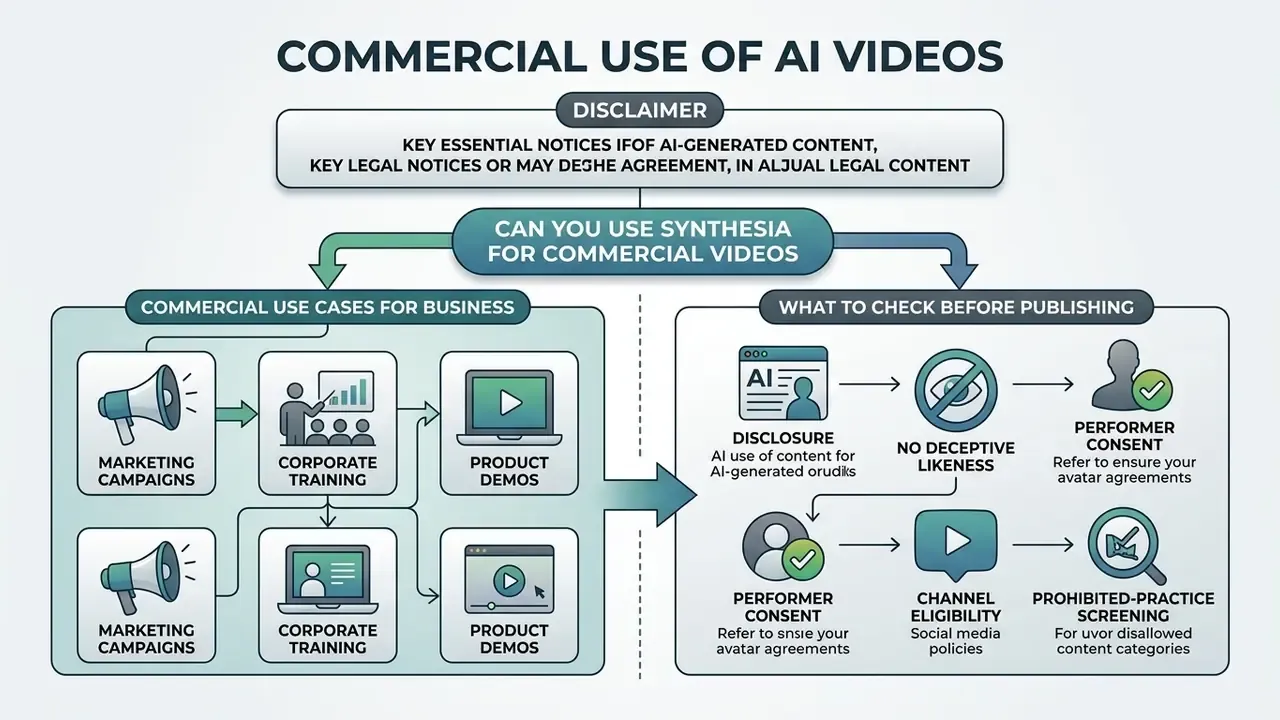
Synthesia permits commercial use of generated video content across business communications, marketing channels, and customer education. Corporate users must still follow specific licensing terms on stock avatar usage and paid advertising restrictions.
Commercial Use Cases for Business
Commercial applications include customer onboarding series, internal compliance training, product sales enablement clips, organic social media publishing, product and explainer videos, and partner education programmes. Video licensing terms explicitly cover training videos, product videos, and organic publishing to YouTube, Facebook, Instagram, and TikTok.
Companies deploying AI content across public channels consult the AI Media Commercial-Use Hub for licensing standards. For specialized image creation rules, teams also reference the Canva AI commercial licensing review, and publishing teams building distribution pipelines can review the YouTube video editor workflow.
What to Check Before Publishing AI-Generated Videos
Before publishing synthetic media, compliance teams must verify avatar licensing rights, clear script accuracy, and inspect output for deceptive visual representation.
Synthesia's User Terms permit stock avatar usage in non-paid commercial media, but explicitly prohibit stock avatars in paid broadcast television ads, boosted or paid social media campaigns across Facebook, Instagram, YouTube, TikTok and Snapchat, and paid programmatic advertising (Synthesia Customer Terms, 2026). Authorized branded promotion is generally permitted with custom or webcam avatars, subject to the platform integrity policy and category restrictions on regulated sectors.
«In a randomized pilot (n=38), the AI-video group showed significantly longer engagement time (15.11 vs 8.84 minutes; p=0.004) and higher perceived clarity (p=0.007; d=0.93) than text materials.»
The same licensing logic applies across adjacent asset classes, which is why teams reviewing synthetic imagery consult our guidance on commercial use of AI image generators. For corporate web design and landing page integration, teams evaluate the design rules outlined in the ai landing page guide.
A minimal pre-publication legal checklist:
Advantages, Limitations, and Synthesia Alternatives
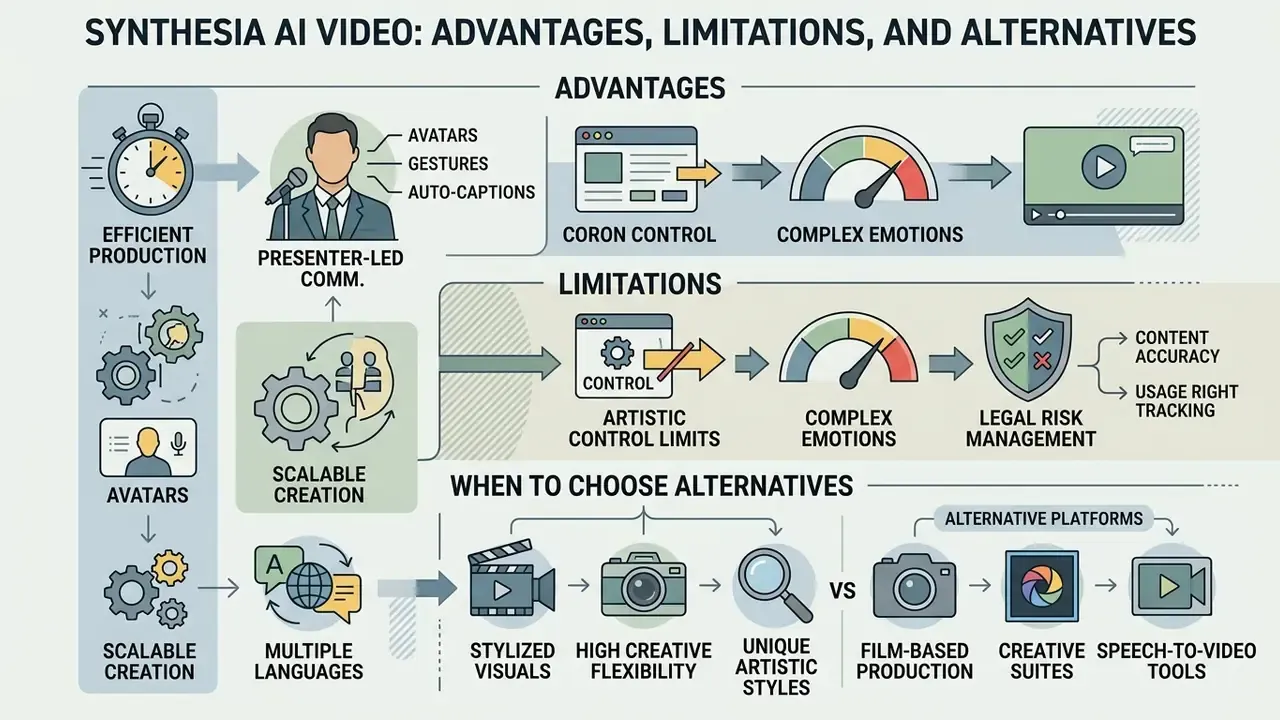
Synthesia delivers real production efficiency for presenter-led corporate communications. Alternative platforms may serve cinematic or non-avatar video requirements better, and pretending otherwise leads to bad tool selection.
Advantages and Limits of Avatar-Led AI Video
The main advantage of synthetic presenter technology is production velocity plus simplified multilingual localization. Organizations drop filming schedules, camera hardware costs, and studio rental overhead, and that comparison becomes concrete when the AI workflow is benchmarked against conventional post-production in traditional video editing tools. Updating an outdated module means editing one script line and regenerating, not rebooking a studio and a presenter.
The primary technical limitation is scope. AI avatars excel at structured presenter-style delivery, and they cannot replicate complex physical action, fluid hand gestures, or highly emotional dramatic acting. Reported limits in the 2025 to 2026 literature also include imperfect lip synchronization on long unpunctuated sentences, narrow emotional range, dependence on pre-written scripts, compute-intensive rendering, and weak real-time interactivity.
«A rapid review of the research records ethical concerns, technical limitations, and the risk of unreliable content when scripts are insufficiently verified.»
Managing legal risk without an external tracker. Rather than relying on a third-party litigation feed, risk managers should keep an internal register of synthetic-media incidents and precedents relevant to their jurisdiction, mapped to the disclosure, consent, and channel rules listed above, and reviewed on the same cadence as other model-risk documentation. Tool-level risk comparison across vendors is documented in our comparison of leading AI video generators.
When to Choose Synthesia Alternatives
Organizations choose alternatives based on specific creative demands. HeyGen competes directly on avatar realism, translation, and voice cloning automation. Colossyan specializes in workplace training with interactive quizzes, slide-based editing, and SCORM and LMS export. D-ID is photo-to-avatar and API-first, which suits embedded agents or single-image avatar generation at low unit cost.
For prompt-driven cinematic video generation without presenter avatars, teams deploy tools such as Runway, Pika, or Sora. These are the correct choice when the deliverable is an effects-driven sequence rather than a talking presenter. Readers evaluating that category should review our reference on text-to-video AI, and teams producing motion graphics instead of presenter footage can consult the animation maker guide.
For a side-by-side evaluation of Synthesia against these platforms across output quality, licensing, and pricing snapshots, see our comparison of leading AI video generators, or contact platform technical teams through official support channels. One caution: third-party comparison pages frequently disagree on pricing and feature depth, because they capture different plan snapshots and billing terms.
FAQ: Synthesia AI Video Generator
Is there a Synthesia AI video generator app available for download?
Synthesia runs primarily as a cloud-based web platform accessed through a desktop browser. There is no standalone desktop executable, and no synthesia ai video creation download is required. All rendering and project storage happen on cloud servers, which is also why the security questions in this guide matter more than local hardware specs.
How long does it take to generate an AI video in Synthesia?
Script processing and scene editing take a few minutes. Final server-side rendering usually completes within 5 to 15 minutes, depending on video length, resolution, and scene complexity. The queue exposes discrete stages, Moderating, Queued, Preparing, Rendering, Assembling, Finalizing, so teams can monitor progress and log timestamps.
Do I need prior video editing skills to use Synthesia?
No prior video editing experience is required. The platform uses slide-based templates, drag-and-drop elements, and automated text-to-speech tools designed for non-technical business users. Scriptwriting skill matters far more than editing skill.
Can I export videos as MP4 files on the free plan?
No. Free Basic accounts can only share videos through hosted web preview links. Clean MP4 downloads and watermark removal require an upgrade to Starter or higher. Interactive videos cannot be exported as MP4 on any plan and must be shared by link or embed.
Does Synthesia train its models on our confidential scripts and uploaded documents?
The Customer Terms assign ownership of Customer Data, including generated videos, to the customer, while stock avatars and platform assets stay vendor-licensed. Because generative B-roll may route through third-party video models, enterprise buyers should require an explicit written no-training commitment and a documented sub-processor list in the DPA before deployment. Treat any verbal assurance as insufficient for audit purposes.
How is consent revoked for an employee's custom avatar when they leave?
Consent for a custom avatar should be granted in writing for a defined scope, channel set, and duration, with an on-camera consent recording retained as evidence. Offboarding should then include a revocation step: disable the avatar in the workspace, request deletion of the underlying likeness and voice assets, and audit published videos featuring the avatar for replacement or retirement. Put this in the HR offboarding checklist rather than leaving it to the video team.
Which security certifications does Synthesia hold for enterprise deployments?
Enterprise assurance is evidenced by SOC 2 Type II, ISO 27001, ISO 27701, and ISO 42001 for AI management, together with GDPR compliance, SAML/SSO, admin permission controls, and EU data residency options on enterprise agreements.
Can Synthesia videos be used in paid advertising?
Not with stock avatars. Licensing terms permit organic and internal commercial use but prohibit stock avatars in paid TV, paid social, and programmatic advertising. Authorized branded promotion is generally permitted with custom or webcam avatars, subject to platform integrity rules and restrictions on regulated categories, and always with AI disclosure where required.
What file formats can we export for our LMS?
MP4 download, public share link, embed code, and, on Enterprise plans, SCORM packages in versions 1.2 and 2004 for direct upload to a Learning Management System.
Is there a free version of the Synthesia AI generator we can use for a team pilot?
Yes, with caveats. The free plan gives one editor and three guests roughly 10 video minutes per month, 9 stock avatars, and watermarked, link-only output. It is enough to validate quality and workflow fit. It is not enough to test SCORM delivery, SSO, or approval logging, so plan a short paid pilot before any governance sign-off.
Appendix A: Editorial Corrections and Source Notes
For transparency, the following statements were revised during editorial review. Earlier phrasing is retained so readers can trace each correction.
General disclaimer: this material is informational and analytical. It is not legal, financial, or compliance advice. Pricing, limits, certifications, and licensing terms change, so verify against the official Synthesia documentation and involve your own counsel before publishing commercial AI video.
- Adoption figures.
- Previously published as: "According to a compliance report by audit firm A-LIGN, over 65,000 businesses, including 70% of the Fortune 100, utilize Synthesia to distribute institutional knowledge at scale (A-LIGN Audit Report, 2025)." Corrected to match the vendor's current official statements (50,000+ companies, 90% of the Fortune 100) and attributed accurately as an ISO 42001 certification case study rather than an independent sampled audit.
- Study attribution.
- Previously published as: "A 2024 experimental study on synthetic media efficacy demonstrated that hyper-realistic avatars achieve statistically equivalent information retention scores compared to real human presenters (Journal of Media Research, 2024, n=290, p=0.941)." The full study title has been added, "Human vs Machine: Hyper-Realistic Avatars and Their Efficacy as a Communication Channel", along with a counterbalancing note on perceived-quality findings.
- Vocal identity claim.
- Previously published as: "These tools allow global firms to maintain consistent vocal identity across international jurisdictions." Narrowed to a supportable formulation about consistent narration style, with accent coverage varying by dialect.
- Legal liability reference.
- Previously published as: "When reviewing legal liability risks associated with synthetic media deployment, risk managers analyze the AI Litigation and Case Timelines repository." Replaced with guidance to maintain an internal precedent register, because the referenced repository URL could not be verified.
- Off-topic tool references removed.
- Earlier drafts linked to novelty generators (joke, letter, label, and "kissing" generators) with no relevance to enterprise video production. These were removed and replaced with topically relevant references: text-to-video AI, image-to-video AI, and the comparison of leading AI video generators.
- Free-plan minute cap.
- Third-party sources reporting 3 minutes per month describe an earlier plan generation; the current official figure is 10 minutes per month, equal to 1,200 credits.
- Starter annual price.
- Sources differ ($18/month versus $22/month versus $264/year). All variants are disclosed in the pricing table, because promotional annual cycles change the effective rate.