An ai voice generator free no sign up turns written text into natural-sounding spoken audio inside a web browser, with no account, no login and no personal data submitted. These browser-native and cloud-based tools use neural text-to-speech (TTS) architectures to parse scripts, render synthetic voices across many languages, and output downloadable MP3, WAV or Ogg Opus files in seconds.
Why should a bank care about a consumer-grade audio toy? Because someone in your organisation is already pasting text into one.
Executive Summary for Decision-Makers
- What it is: A guest-access text-to-speech interface that renders neural speech from typed text, pasted scripts, uploaded documents (PDF, DOCX, PPT, TXT) or subtitle files (SRT, VTT) without registration.
- What you get instantly: Voice and language selection, pitch, speed and pause tuning, inline browser preview, plus a direct MP3, WAV or Ogg Opus download.
- Two architectures: Native browser synthesis through the WebSpeech API (works offline with locally installed system voices) versus cloud neural TTS (higher fidelity, needs connectivity).
- Advanced features: Multi-voice scripting for dialogue and audiobooks, zero-shot voice cloning from a 10 to 30 second reference sample, semitone-level pitch modulation (±20 st), and browser-side DSP effects.
- Where the risk sits: Guest tiers rarely include commercial rights, a signed Data Processing Agreement, or zero-retention guarantees. Never paste customer data, banking records, non-public financial information or trade secrets into an unauthenticated public form.
- Compliance anchor: From 2 August 2026, Article 50 of the EU AI Act requires synthetic audio to be machine-readable and detectable as artificially generated. US measures such as the NO FAKES Act and California AB 1836 create civil liability for unauthorized digital voice replicas.
What Is an AI Voice Generator Free No Sign Up?
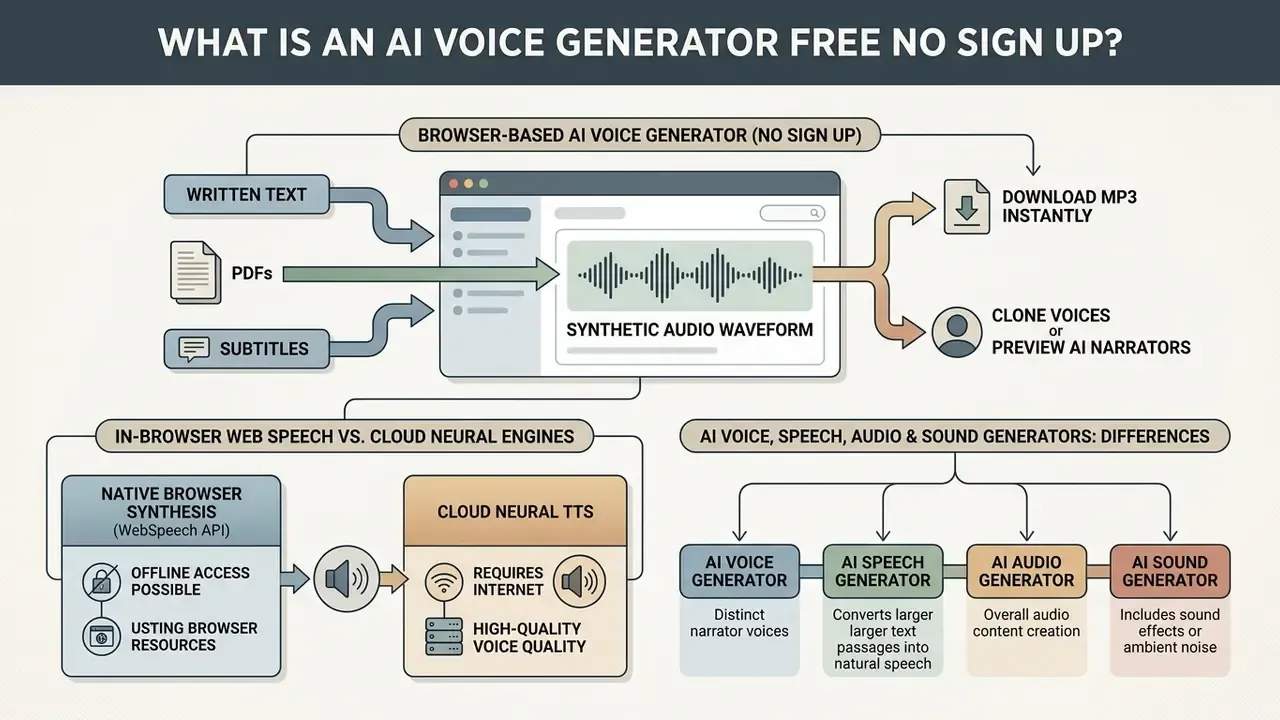
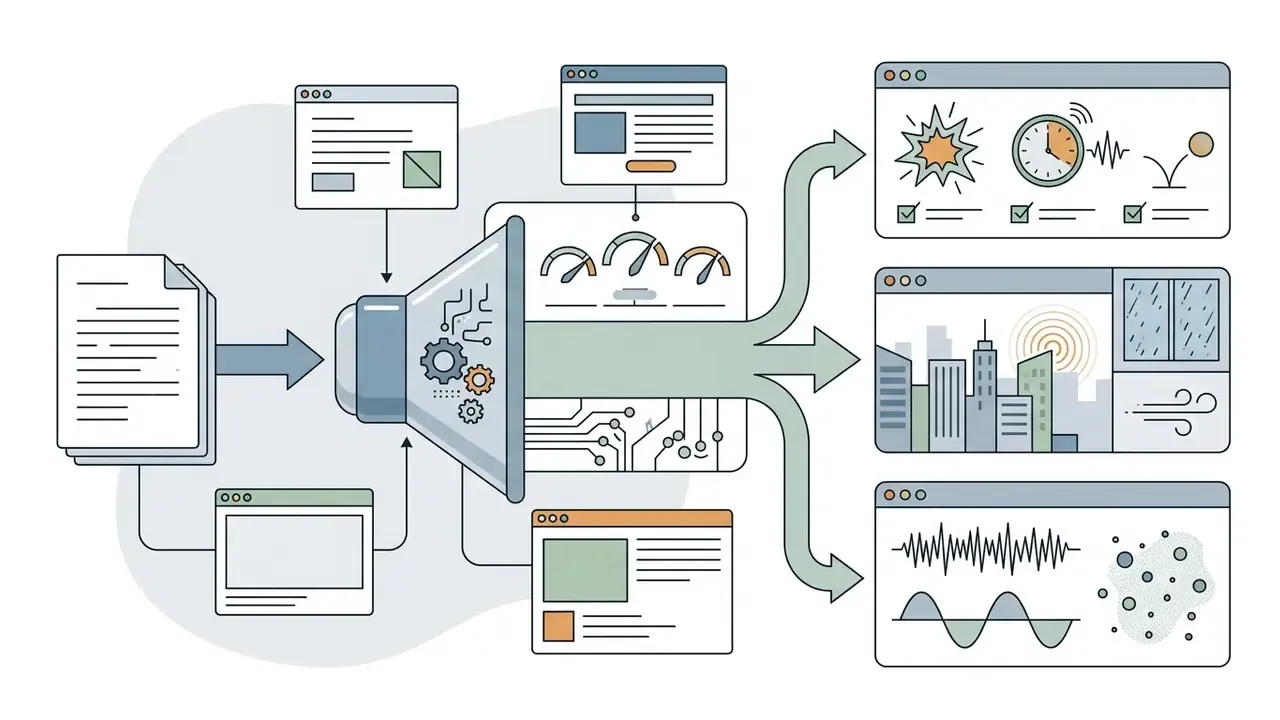
An ai voice generator free no sign up is a browser-accessible interface that converts written text into synthetic audio waveforms without authentication, email registration or subscription setup. By removing the login layer, an ai voice generator no account system gives immediate access to basic text-to-speech synthesis, so creators, developers and researchers can voice generate short narrations and stress-test speech models with almost zero friction.
Under the hood, these systems push text through deep neural models: an acoustic model converts text tokens into intermediate spectrograms, and a neural vocoder synthesizes the time-domain audio. Modern multilingual neural TTS can produce highly intelligible speech across thousands of languages at low word error rates (WER), which is what makes instant, guest-access synthesis technically viable on the open web.
«A system trained on 18,000 hours of speech in 462 languages reaches roughly 0.1 WER and a MOS of about 4 for high-resource languages, approaching vocoded natural speech.»
An ai speech generator free no sign up is genuinely useful for testing scripts and checking phonetic accuracy. That said, unauthenticated access usually runs inside explicit technical boundaries: temporary session storage, lower character limits per conversion (commonly 500 to 5,000 characters for guests versus 10,000 to 15,000 for registered users), and no access to advanced cloning. For broader media workflows, the AI Media Glossary and the reference page on AI voice generators clarify how synthetic audio fits into content architectures, quality tiers and commercial licensing models.
In-browser WebSpeech synthesis vs. cloud neural engines (offline access)
Free voice generation tools that skip login rely on two very different architectures. The difference decides quality, privacy exposure and offline capability.
- Native browser synthesis (WebSpeech API)The tool calls the operating system's built-in speech engine (Windows SAPI, macOS/iOS Speech Synthesis, Android Speech Services) through the browser's
SpeechSynthesisinterface. No text leaves the device, so the tool can run fully offline as an installable Progressive Web App (PWA), with zero outbound data transfer. The trade-off is acoustic quality: output depends on which system voices are installed locally, and many mobile devices ship with one default voice until extra language packs are downloaded in settings. - Cloud neural TTSText travels to remote high-fidelity models (WaveNet-class vocoders or transformer-based acoustic models). You get ultra-realistic prosody, emotional styles and wide multilingual coverage, at the cost of an active connection and an outbound data transfer that your DLP team may care about.
«The SpeechSynthesis interface is well established and works across many devices and browser versions.»
Technical workaround: if downloads are throttled in guest mode, or if the externally rendered download voice differs from the browser voice you previewed, capture the local playback by routing device output through internal system audio recording (WASAPI loopback on Windows, a virtual audio cable driver, or an "internal sound" recorder app on mobile). That preserves the locally synthesized timbre without creating an account.
AI voice, speech, audio and sound generators: what is the difference?
Marketing pages use these labels interchangeably. Technically, an ai voice generator, ai speech generator, ai audio generator and ai sound generator describe distinct output categories and model targets.
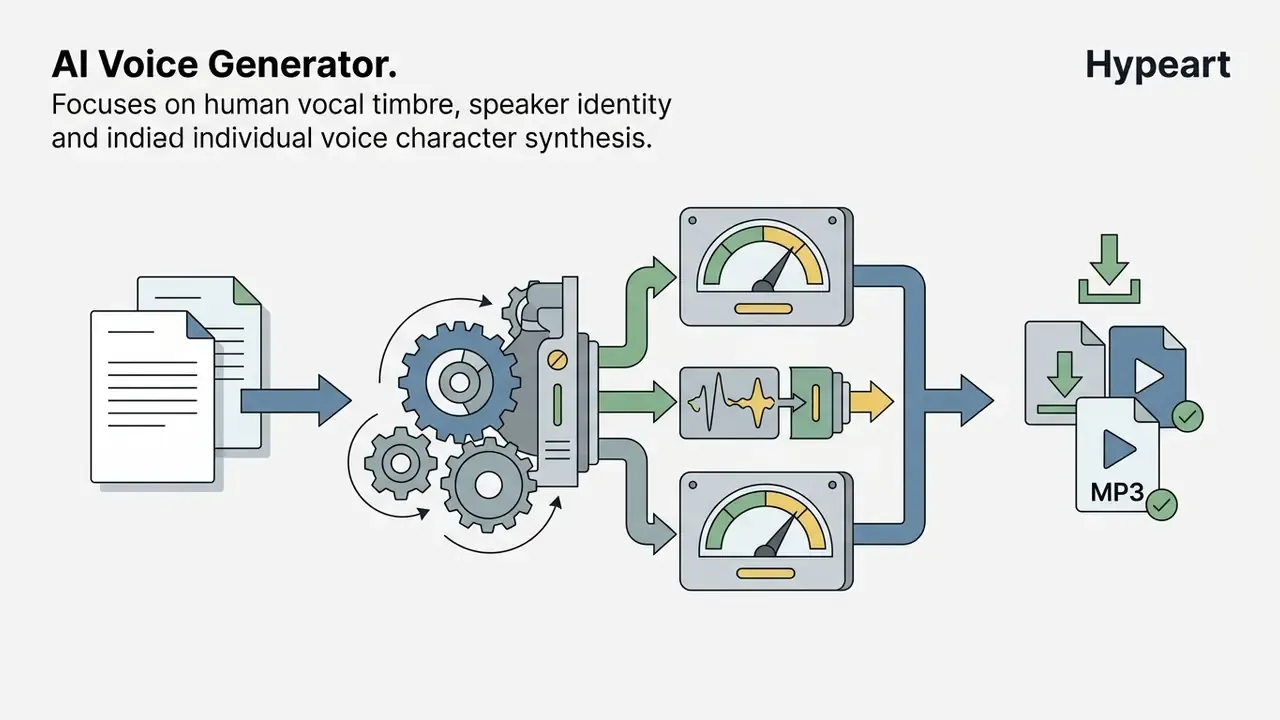
- AI Voice GeneratorSynthesizes human vocal identity, timbre and speaker characteristics. Emphasis on cloning, character profiles and recognisable personal tone.
- AI Speech GeneratorConverts text into spoken language, prioritising linguistic accuracy, pronunciation, grammar-driven prosody and phonetic clarity using standards such as W3C SSML 1.1.
- AI Audio GeneratorA broader class covering any audible signal: spoken voice, background music, ambient beds and environmental layers.
- AI Sound GeneratorThe widest category, aimed at non-verbal effects, mechanical noise, physical acoustic modelling and synthetic noise, with no linguistic structure or vocal identity required.
So choosing an ai sound generator free no sign up or an ai sound generator no sign up tool comes down to one question: does your project need structured human language, or generic acoustic texture? For the visual side of the same problem, our explainer on whether can ai draw me a picture covers the equivalent trade-offs in image generation.
What "no sign up" and "no login" mean before generation
Labels such as ai voice generator no login, ai voice generator free no login and ai voice generator no sign in mean the core TTS pipeline runs without a persistent user profile or submitted credentials. Before registering, you can paste scripts, choose baseline neural voices, adjust playback speed, preview generated audio inline, and trigger a standard MP3 export.
Architecturally, an ai voice generator free no sign in either processes requests client-side via in-browser models (WebGPU with a WebAssembly fallback) or through ephemeral server calls that flush the submitted text right after generation.
There is a cost to that convenience. Guest sessions keep no project history, no custom voice presets, no multi-track timeline. Close the tab and the state is gone.
Shadow AI risks and data-leakage exposure in guest mode
Frictionless access is precisely what makes no-login TTS attractive to employees, and precisely what makes it a Shadow AI vector in a regulated institution. Guest usage bypasses procurement, so none of the standard controls exist:
- No Data Processing Agreement (DPA) Without a signed DPA, moving personal data into a third-party processor undermines GDPR Article 28 obligations and comparable CCPA/CPRA service-provider terms.
- No contractual zero-retention guarantee Ephemeral processing may be described in vendor documentation, but a guest user holds no enforceable commitment, no audit rights and no breach-notification SLA.
- No provenance or watermark control Outputs may lack machine-readable synthetic-audio marking, which sits badly against EU AI Act Article 50 transparency duties for public-facing assets.
- Prohibited input categories Customer records and PII, material non-public financial information (MNPI), internal policy text, source code, unreleased pricing, medical or biometric data, and any script containing an identifiable third party's voice characteristics.
Practical rule for teams: treat guest-tier TTS as a sandbox for synthetic or already-public text. If a paragraph would fail a DLP scan as an email attachment, it does not belong in a public generation form either.
Free guest access vs. enterprise-managed TTS: decision matrix
| Governance criterion | Free / no-sign-up guest tier | Enterprise-managed TTS |
|---|---|---|
| Signed DPA / sub-processor list | Typically absent | Contractual, with documented sub-processors |
| Zero-data-retention guarantee | Documentation only, not contractual | Configurable, contractually enforceable |
| Security attestations (SOC 2 Type II, ISO 27001) | Rarely published for guest endpoints | Standard part of vendor due diligence |
| Commercial-use license | Usually personal / evaluation only | Explicit commercial rights per contract |
| Synthetic-audio watermarking and provenance logs | Inconsistent or unavailable | Available for AI Act Article 50 compliance |
| Access control, SSO, audit trail | None (anonymous session) | SSO/SCIM, role-based access, full logging |
| Integration with internal MRM / GRC registry | Not possible (untracked Shadow AI) | Catalogued in AI inventory with risk rating |
| Recommended use | Prototyping with public or synthetic text | Production, customer-facing and monetized assets |
How to Generate an AI Voice Online Without Signing Up
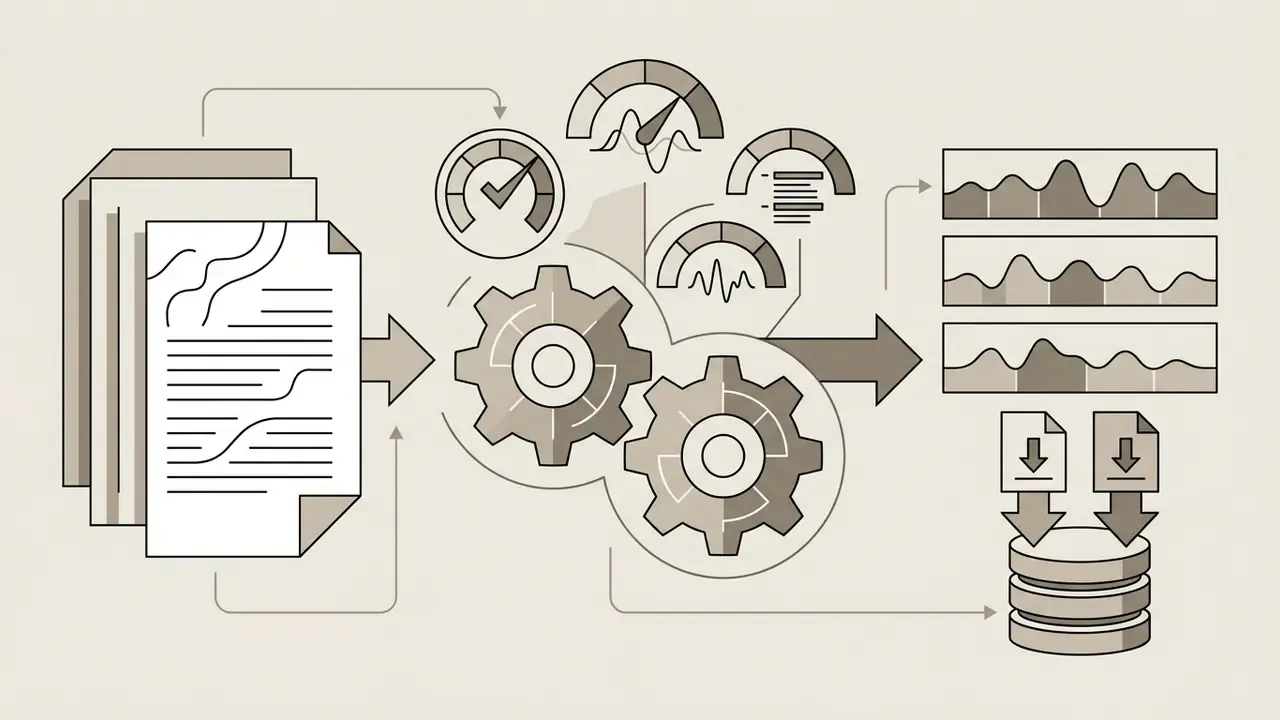
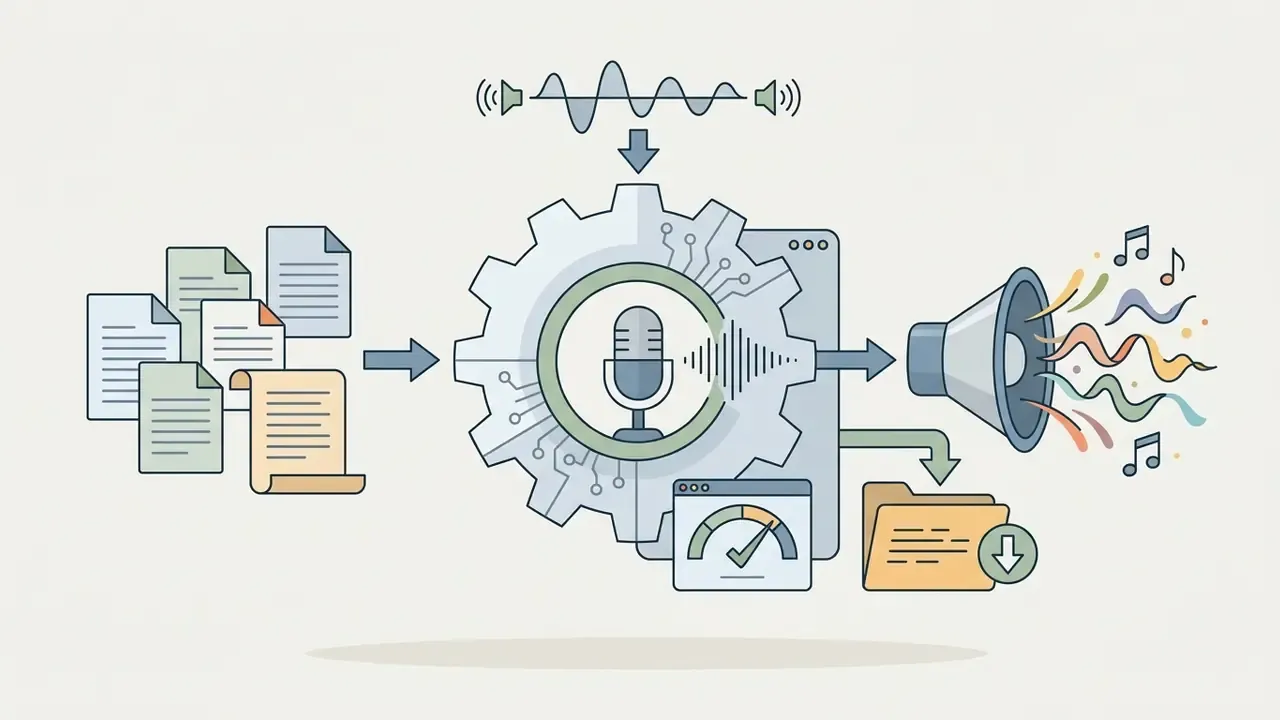
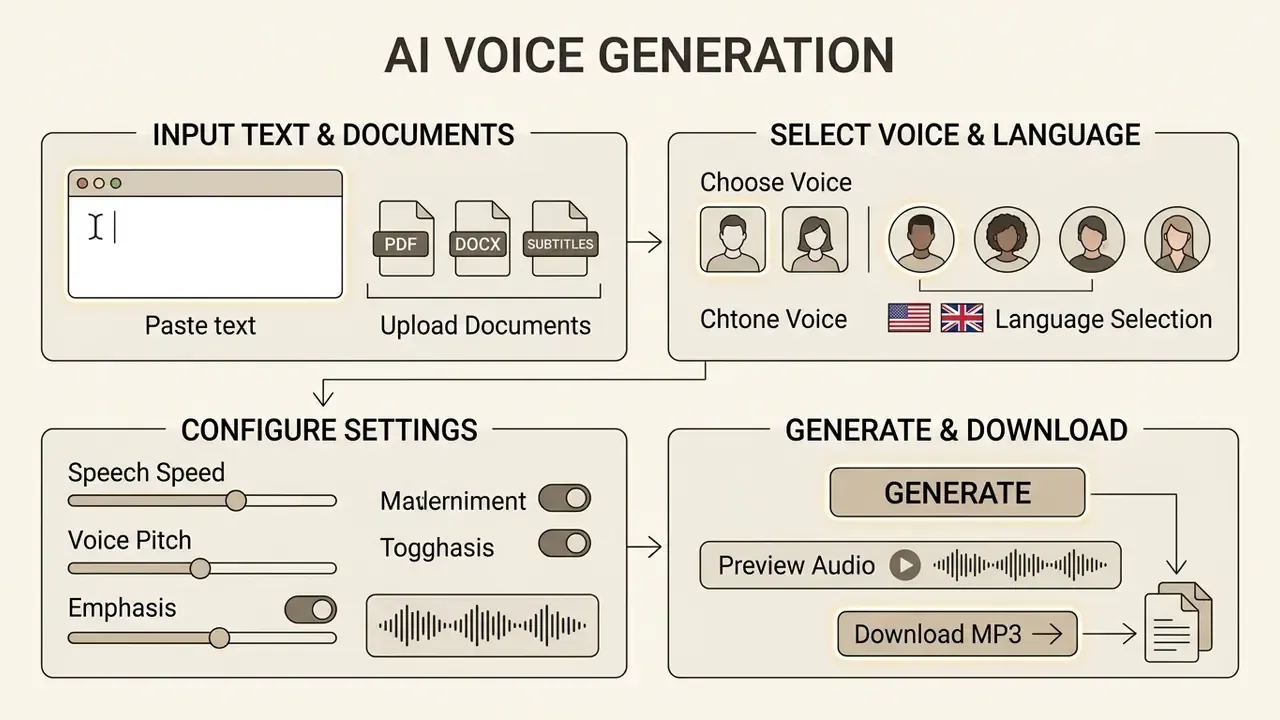
Working with an ai voice generator online free no sign up or an ai voice generator free online no sign up takes three execution steps: enter the text, configure voice and language, then render and download the audio file.
- Input Script
- Step 2: Select Voice/Language
- Step 3: Render and Download MP3. Simple monochrome layout
Enter or paste text for speech generation
Paste or type your raw script into the interface text field. Clean formatting improves naturalness: stripping stray characters, broken line breaks and non-standard symbols prevents robotic pauses and mispronunciations. Small detail, big audible difference.
To fine-tune cadence, advanced tools accept standard punctuation or W3C SSML 1.1 markup.
Explicit markup overrides auto-detected structural boundaries when a complex script becomes a voiceover. For pronunciation edge cases such as brand names, tickers, abbreviations, medical or financial terminology, the <phoneme> and <sub> elements let you specify phonetic transcription or a spoken substitute, while <say-as> controls how dates, currencies and alphanumeric strings are verbalized. Anyone voicing an interest-rate disclosure will meet this problem on line one.
Batch and document upload: converting PDF, DOCX and subtitles
Manual typing is not the only route. Advanced online generators parse documents directly. Drag and drop structured files, including PDF, Microsoft Word (.docx), PowerPoint (.pptx), EPUB books, scanned images with OCR, and plain text (.txt), typically up to 50 MB, and the tool extracts text for rendering. No copy-paste marathon for a 90-page manuscript or a 40-slide deck.
For video editors and localizers, uploading subtitle formats such as SRT or VTT lets the AI speech generator read timing markers and build a synchronized dubbing track in another language without opening a timeline editor. A translated subtitle file becomes a finished alternate-language audio track in one render pass, which is why localization teams lean on subtitle-driven dubbing for instructional video libraries.
Practical upload checklist:
- Strip headers, footers, page numbers and reference lists from PDFs first, or the narrator will read them aloud. Yes, all of them.
- Confirm the parser preserved paragraph breaks; collapsed line breaks cause run-on prosody.
- For scanned documents, verify OCR accuracy on numerals and proper nouns before generating long audio.
- For SRT/VTT dubbing, check that each cue's character count fits its time window, otherwise the engine compresses speaking rate unnaturally.
- Never upload documents containing PII, client data or confidential internal material to an unauthenticated endpoint.
Choose a voice and language
Once the text is in, choose a voice: select the target language, regional accent and speaker model from the dropdown menus. Platform libraries usually sort neural voices by gender, age group, emotional style and use case, such as news narration, conversational storytelling or commercial broadcast. Vendor documentation commonly exposes gendered defaults plus a small set of emotion labels, for example angry, calm, happy, neutral and sad, with multilingual emotional styles limited to specific speaker and locale combinations.
For global audiences, the locale variant matters. US English versus UK English, Castilian Spanish versus Mexican Spanish: pick wrong and the dialectal inflection gives you away.
«Models trained on 18,000 hours of speech across 462 languages preserve voice identity in zero-shot synthesis for thousands of language varieties.»
In practice, one speaker profile can deliver a script in another language while adopting local accent phonetics. That mechanism is what powers cross-language voice transfer in modern localization pipelines.
Generate, preview and download the result
Click convert to trigger synthesis. Within seconds the tool loads an inline HTML5 audio player, so you can preview the narration, check pacing and verify pronunciation before exporting anything.
Happy with the preview? Trigger the direct download and save the audio file locally. Most no-registration platforms deliver compressed MP3s, Ogg Opus streams or uncompressed WAVs through an audio/mpeg or audio/ogg response exposed by an anchor element carrying the download attribute. For multi-modal projects, our guide on whether can chatgpt edit videos and our breakdown of YouTube video editing workflows show how audio tracks slot into post-production.
- Enter text Type, paste or upload your script (TXT, DOCX, PDF, PPTX, SRT, VTT), keeping punctuation and formatting clean for better prosody.
- Configure voice Select language, regional accent and voice profile (male, female, neutral or character) from the selection menu.
- Generate and download Click convert, preview playback in the browser, then download the finished MP3, WAV or Ogg Opus file.
AI Voices, Character Voices and Languages Available
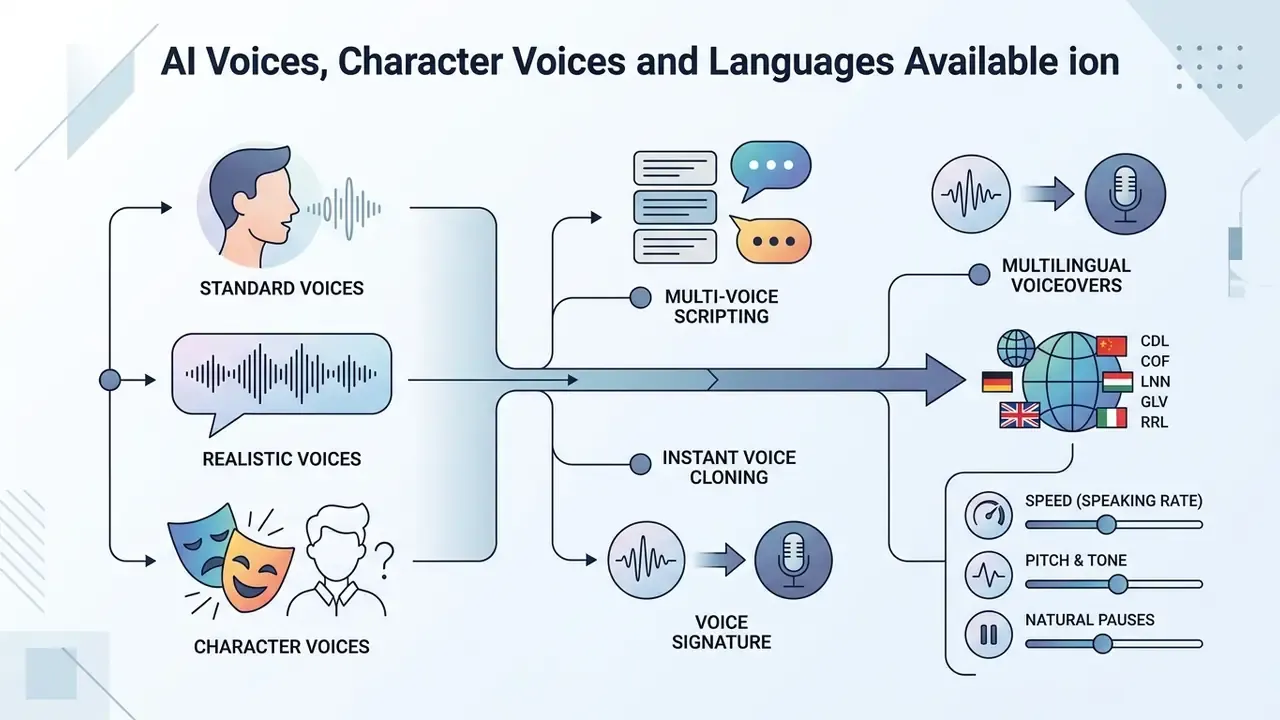
Modern neural synthesis offers wide acoustic variety, from flat informational narrators to stylized expressive profiles and regional accents. Public catalogues currently run from roughly 31 languages on smaller tools to 190+ languages and 3,200+ voices on large aggregators. A caveat: vendors count "voices," "languages" and "regional accents" differently, so headline numbers are not directly comparable.
| Voice Category | Primary Architectural Target | Typical Application Scenarios | Expressive Nuance Level |
|---|---|---|---|
| Standard Neural | High intelligibility, neutral tone | E-learning, documentation, IVR systems | Moderate, consistent |
| Realistic / Expressive | Dynamic prosody, contextual emotion | Storytelling, audiobooks, podcasts | High, context-aware |
| Character AI Voices | Stylized timbre, exaggerated pitch and tone | Animation, gaming, fiction narration | Highly variable, non-standard |
| Cloned / Custom Voices | Speaker-identity transfer from a reference sample | Personal branding, consistent series narration | Matches source speaker |
Standard, realistic and character AI voices
Standard neural voices are tuned for clear, neutral information delivery, which suits training modules, product documentation and screen readers. Realistic expressive voices go further: context-aware transformers shift pitch, stress and energy according to sentence semantics, moving output closer to human naturalness.
For creative projects, an ai character voice generator free no sign up or an ai voice generator characters free no sign up supplies stylized profiles such as animated character voices, cinematic narrators, or fantasy voices.
«Stylized character voices are perceived as less "naturally human" because of intentional acoustic deviations from standard human vocal mechanics.»
Put plainly: cartoonish or monster-like profiles trade measured naturalness for personality. For games, animation and fiction, that is the correct trade, not a defect. Content-policy limits differ across engines, though, as our note on whether can grok generate nsfw images illustrates for the adjacent visual category.
Multi-voice scripting and instant voice cloning
Single-voice synthesis runs out of road with audiobooks, conversational podcasts and drama scripts. Two features close that gap.
- Multi-Voice Mode Assign different voice profiles to specific paragraphs or speaker tags inside one script file and generate multi-character dialogue in a single pass. It also enables fast A/B previewing: render the same long script in several styles, accents or languages before committing to a full production run.
- Instant Voice Cloning Upload a clean 10 to 30 second reference sample and zero-shot cloning architectures map the target voice's timbre, accent and pitch baseline. Result: a consistent custom narrator for personal branding, course series and product tutorials, with no studio session.
Consent guardrail: clone only your own voice, or a voice for which you hold documented, purpose-specific permission. Guest tiers almost never provide the consent capture, provenance logging or watermarking needed to defend a cloned-voice deployment, and unauthorized replicas carry direct publicity-rights exposure. More on that in the legal section below.
Languages, dialects and multilingual voiceovers
Leading engines support dozens of languages plus regional dialect variants. Broad multilingual pretraining lets one backend handle mixed-language scripts without separate models per locale.
«A model trained on 462 languages delivers stable zero-shot synthesis for 7,212 language varieties, including languages with no training data.»
So creators can localize voiceovers into Spanish, French, German, Mandarin, Arabic, Hindi, Portuguese, Vietnamese, Korean and Russian while keeping clean phonetic articulation. Research on multi-accent modelling adds explicit control over accent, language, speaker identity, F0 and energy, meaning one speaker can be rendered with a native accent in each supported language. How well that holds for low-resource languages remains an open question; published evidence is thinner there.
Speed, pitch, tone and pauses for natural speech
Natural narration needs deliberate work on cadence, pitch and pause placement. Raw unadjusted text can sound rushed, or worse, flat, when structural boundaries are ambiguous.
To see how character design and visual generation complement synthetic voices in multi-platform media, review our technical overview of the canva ai headshot generator and the broader AI headshot generator guide.
Download AI Voice Generator Results as MP3
Exporting synthetic speech as an ai voice generator download mp3 or an ai voice generator free download mp3 file balances acoustic fidelity against manageable file weight for web distribution.
Free MP3 download without login or sign in
Getting an ai voice generator free mp3 or completing an ai voice generator free mp3 download without registration relies on browser-level file streaming. After rendering, the server returns an audio/mpeg stream that the browser exposes through the HTML5 download attribute, so the file lands in local storage immediately.
In an internal, non-randomized editorial trial (five technical scripts, one operator, a single browser session; methodology not peer-reviewed, results indicative only) our team used guest-access text-to-speech for 60-second explainer voiceovers. With browser-side MP3 encoding at 192 kbps and no login step, all five scripts rendered and downloaded in under four minutes, hitting a same-day publishing deadline with zero registration overhead. Independent replication would need a controlled sample and standardized network conditions, so treat the number as a signal rather than a benchmark.
Typical guest-tier download conditions observed across public tools: bitrates of 128 to 320 kbps, per-file ceilings from 30 MB to 200 MB, and daily caps of three to five downloads. Many browser-side converters impose no quota at all, because the encoding happens on your machine.
MP3, WAV, Ogg Opus and other audio file formats
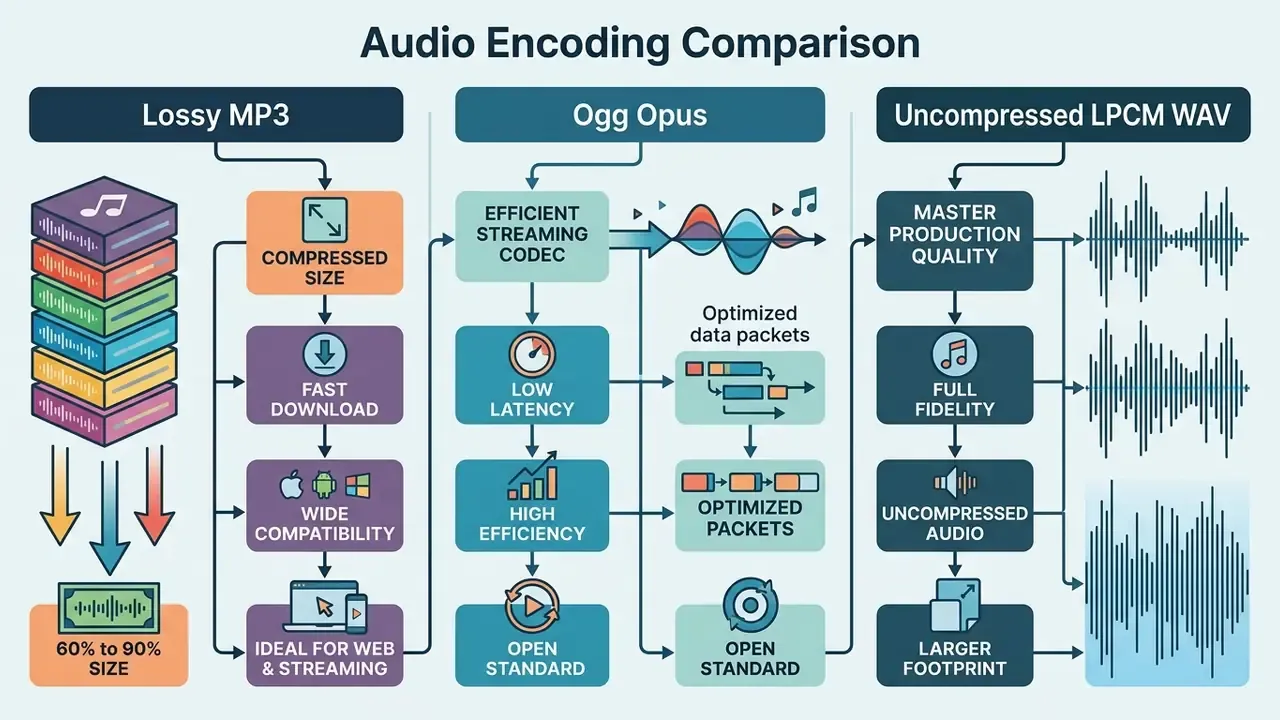
Choosing between ai voice generator mp3 download, ai voice generator free download no sign up and uncompressed WAV export depends on project requirements. MP3 uses perceptual lossy compression to cut file size by 60 to 90 percent, WAV preserves uncompressed LPCM for professional post-production, and Ogg Opus is the most efficient codec for low-latency web streaming and voice payloads.
| Feature / Metric | MP3 (MPEG-1 Audio Layer III) | WAV (Waveform Audio File Format) | Ogg Opus |
|---|---|---|---|
| Compression type | Lossy perceptual coding (ISO/IEC 11172-3) | Uncompressed LPCM (RIFF container) | Lossy, low-latency speech and music codec |
| Bitrate range | 128 kbps to 320 kbps | ~1,411 kbps (16-bit / 44.1 kHz) | 24 kbps to 128 kbps (speech-efficient) |
| Typical file size | ~1 MB per minute (128 kbps); ~2.4 MB (320 kbps) | ~10 MB per minute | ~0.3 to 0.9 MB per minute |
| Acoustic impact | Prosodic parameter deviation up to 20% vs. WAV reference at strong compression | Full acoustic preservation | High intelligibility at very low bitrates |
| Primary use cases | Web streaming, podcasts, YouTube, draft previews, IVR prompts | Master mixing, broadcast, archival, video editing | Web apps, real-time voice, bandwidth-limited delivery |
«MP3 compression produces prosodic parameter deviations of up to 20% from the WAV reference and flattens distinctions between high- and low-arousal emotions under strong compression.»
«MP3 compression reduces automatic recognition accuracy and shifts acoustic indices; WAV or FLAC is recommended for analytical work.» MacPhail et al., Bioacoustics (2023). https://www.tandfonline.com/journals/tbio20
Practical implication: keep a WAV or FLAC master for archival, machine analysis and re-editing, then export MP3 or Ogg Opus purely as delivery formats. Preservation guidance consistently recommends 192 kbps as a minimum practical MP3 bitrate and 320 kbps for high-fidelity distribution. For managing large media assets and delivery weight, see our guide on video compression tools and workflows.
Is a Free AI Voice Generator Really Free for Commercial Use?
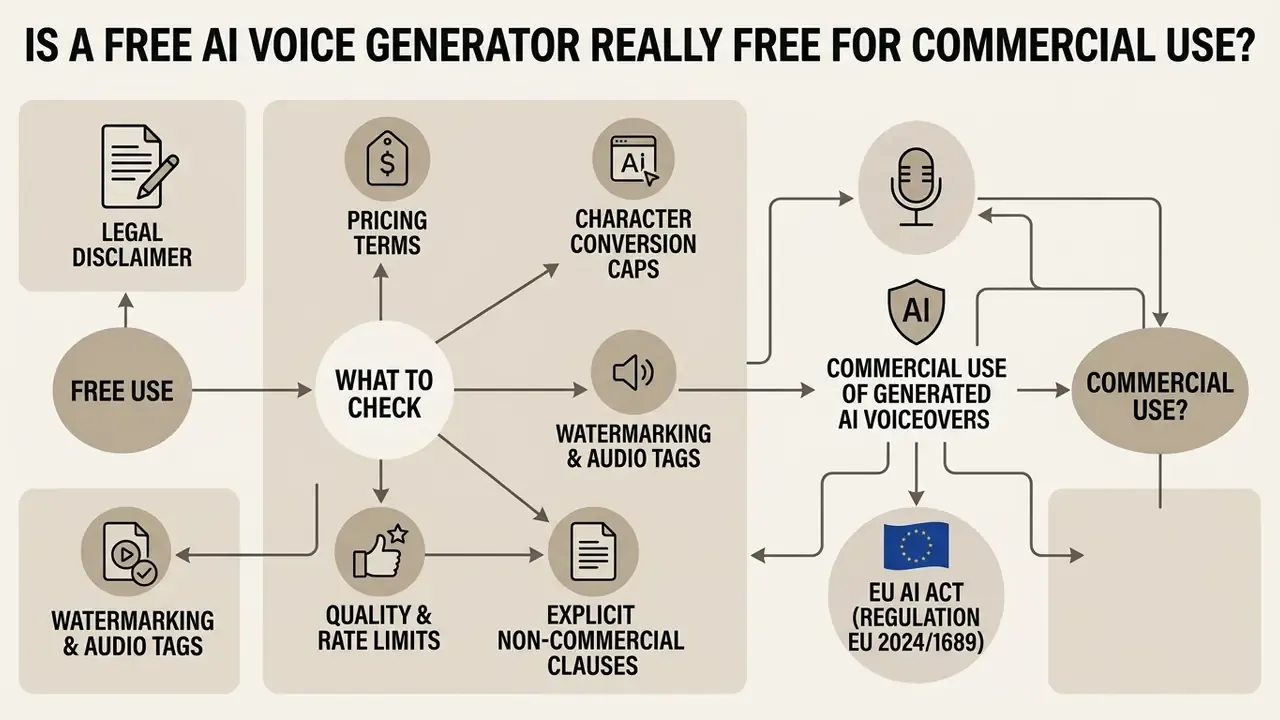
Using an ai voice generator no sign up free or an ai voice generator free no signup tool does not hand you unrestricted commercial rights. Licensing terms, attribution duties and monetization permissions vary sharply between tiers, and the free tier is usually the most restrictive.
"Free-tier unauthenticated access provides immediate utility for testing and evaluation, but commercial deployment requires explicit contractual licensing and compliance verification." Marcus Hale, author
What to check in free access and pricing terms
Unauthenticated free tiers enforce guardrails to manage server load and nudge upgrades:
- Character conversion caps Guest tiers usually limit inputs to 500 to 5,000 characters per session, with some services capping monthly totals near 15,000 characters.
- Watermarking and audio tags Some services insert a subtle background watermark or audio logo into free exports.
- Quality and rate limits Bitrates may be capped at 128 kbps, with daily export limits enforced by IP rate limiting.
- Explicit non-commercial clauses Several major vendors state that free-plan output is for personal, educational or evaluation purposes only, and that publishing or selling free-tier audio is prohibited until you upgrade.
Platform-specific AI Media Pricing Guides show how free feature limits transition into enterprise licensing, and our analysis of Canva AI Generator licensing shows how comparable no-friction creative tools structure commercial rights across tiers. To model total spend before committing, the AI Media Calculators help estimate per-minute production cost at scale.
Commercial use of generated AI voiceovers
«The complaint against LOVO Inc. alleges that voice actors' recordings were used to train TTS models without disclosure of purpose or consent, implicating right-of-publicity law and the Lanham Act.»
That case matters for buyers, not only vendors. If a voice library was assembled without documented consent, downstream commercial users inherit reputational and contractual exposure even when they paid for access.
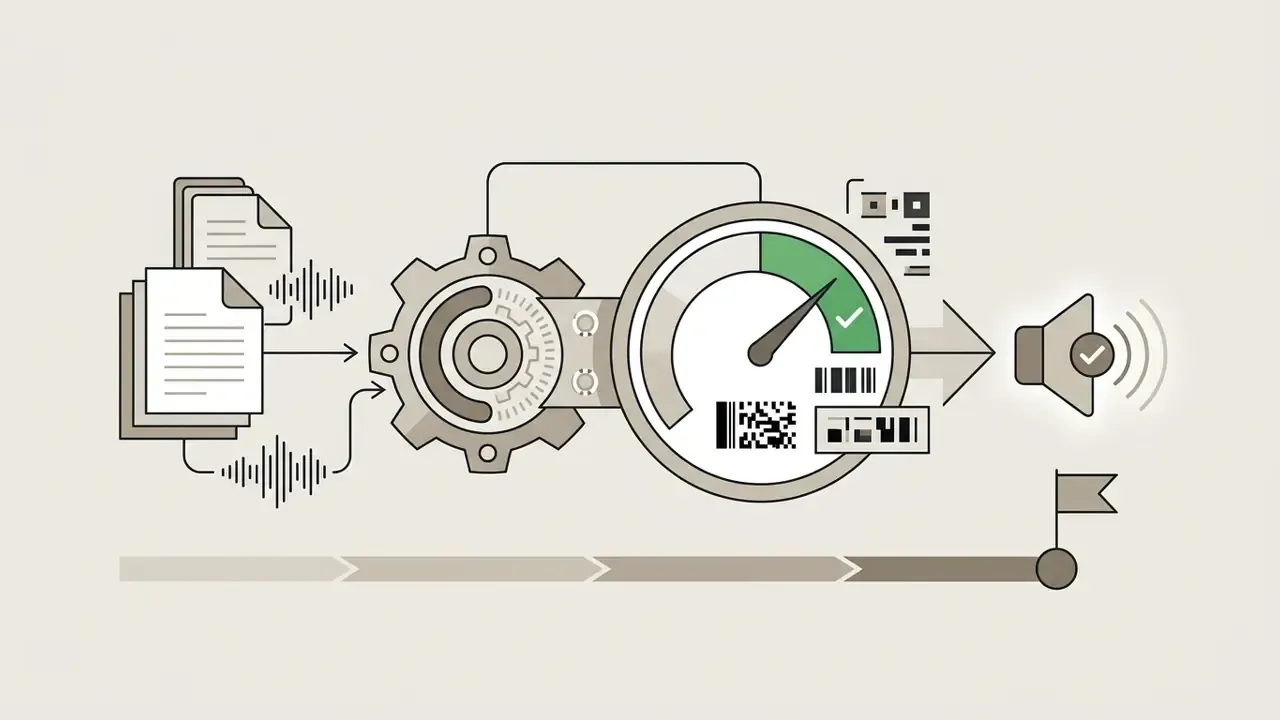
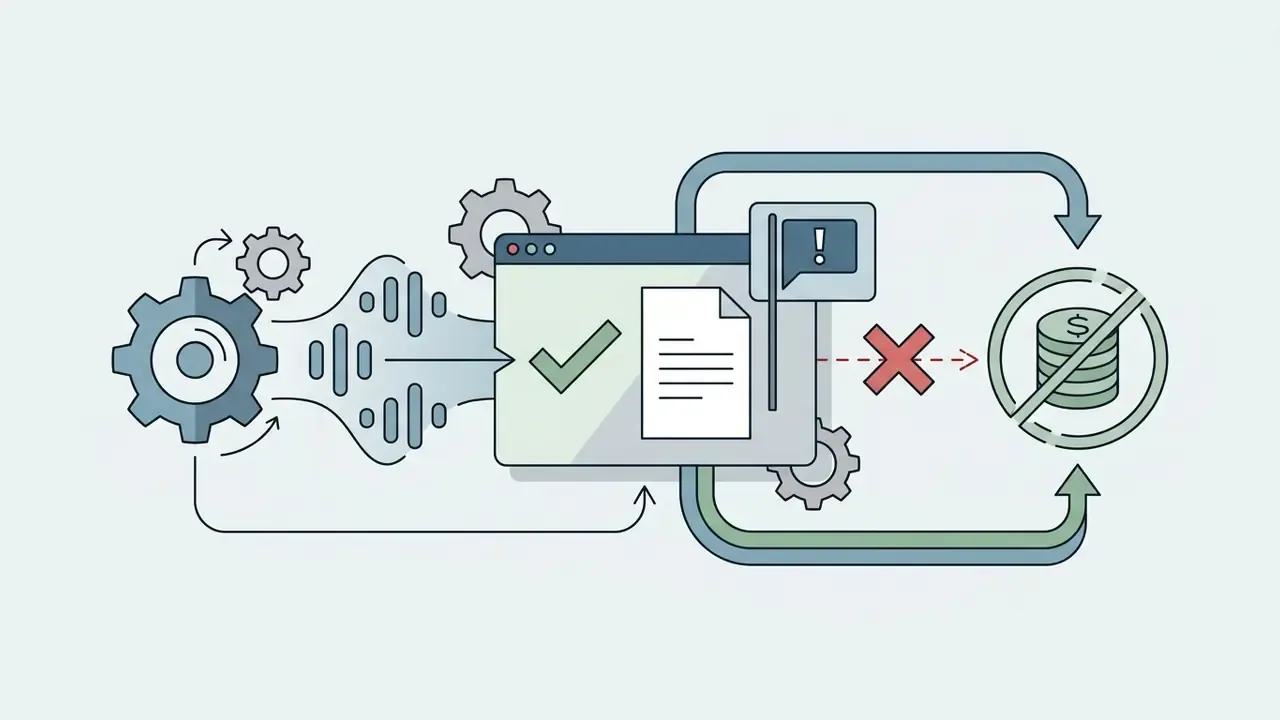
Commercial deployment of AI-generated voices must comply with evolving state and federal disclosure law:
Always check the specific Terms of Service of the TTS provider before using generated audio in revenue-generating assets.
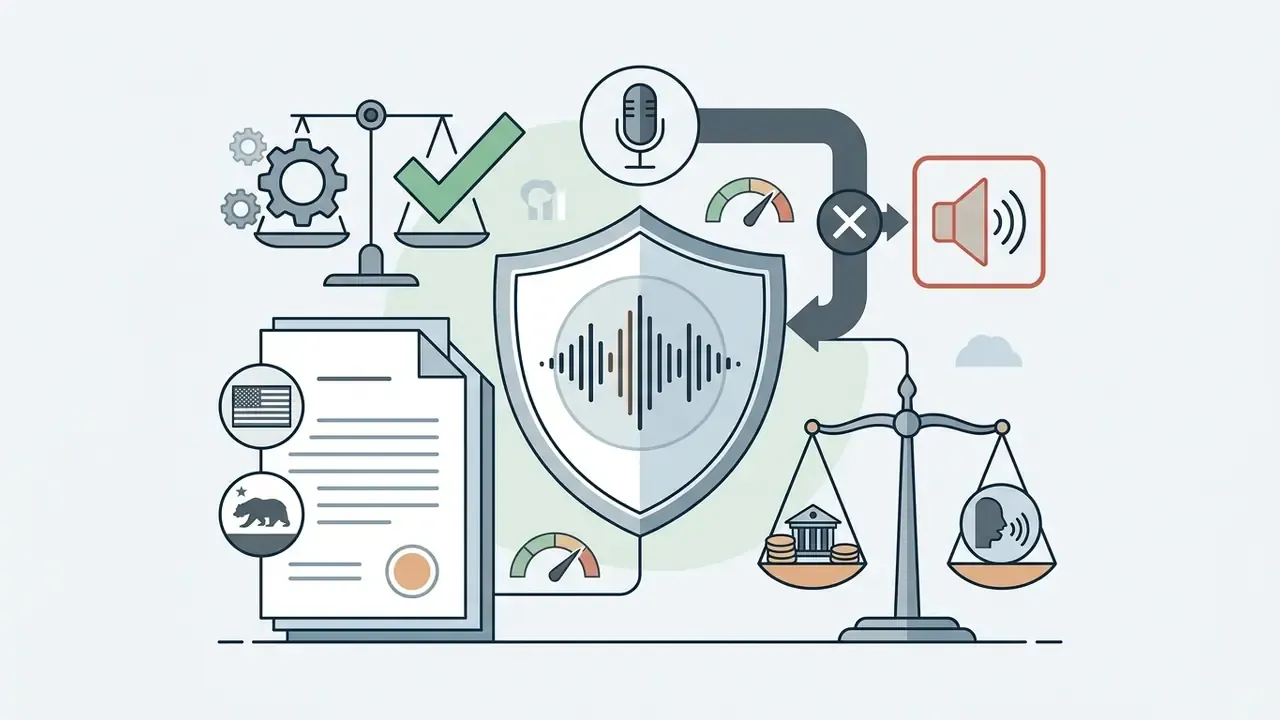
«The NO FAKES Act defines a "digital replica" as a representation indistinguishable from an actual voice, with civil liability of up to $5,000 per work.»
Other jurisdictional signals worth tracking. New York's 2026 advertising rules require disclosure of AI-generated "synthetic performers" in commercial ads, plus prior consent for commercial use of a deceased person's voice or likeness. Japanese ministry guidance issued in 2026 treats unauthorized cloning of a recognizable voice as a publicity-rights violation, with civil exposure for monetized uploads. One more point that surprises marketing teams: under current US Copyright Office guidance, purely AI-generated audio with no human authorship is not itself copyrightable. Protection attaches to human selection, arrangement and editing, not to the raw synthetic output.
For commercial rights and licensing structures across media generation tools, see the AI Media Commercial-Use Hub and the Microsoft AI generator commercial-use breakdown. Tracking active disputes through our section on synthetic media litigation also helps you stay ahead of emerging publicity-rights precedent.
Where to Use Free AI Voices and Voiceovers
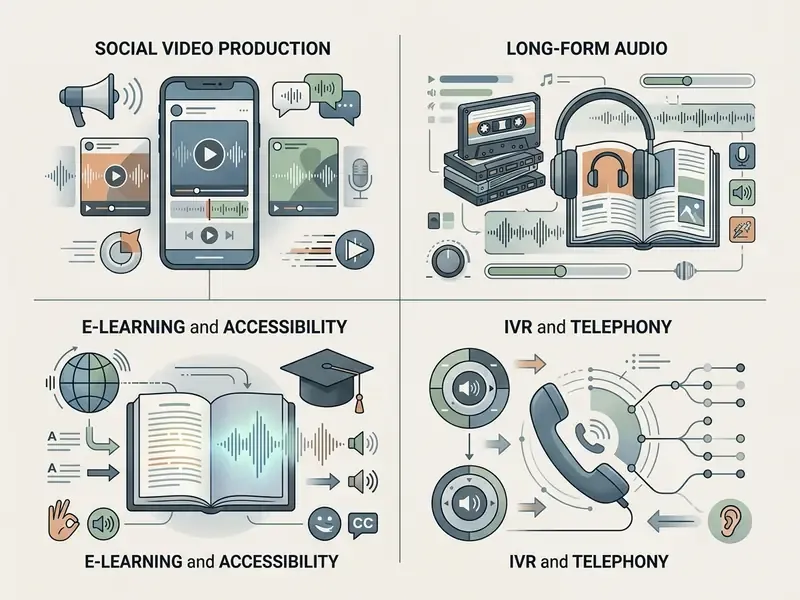
Synthetic speech scales across digital publishing, corporate training, telephony and accessible web design. Four domains dominate real usage.
Podcasts, audiobooks and storytelling projects
For long-form audio, narrative podcasts, digital audiobooks and audio drama, AI voices convert long text into multi-character tracks efficiently.
«Long scripts are split into chapters, each assigned a character voice profile, followed by post-editing of emotional prosody.»
«Acceptance of AI narration is high among frequent audiobook listeners, particularly among technologically experienced male users.» AI-Narration Acceptance Among Frequent Audiobook Users, dissertation (2024 to 2025).
Human narrators still hold the advantage in deep dramatic nuance. But listener-acceptance research suggests audiences increasingly tolerate, and sometimes prefer, high-quality neural narration for informational, non-fiction and backlist titles.
Direct podcast RSS feed export: modern TTS platforms can convert generated tracks into a formatted RSS feed, letting creators publish synthetic podcasts straight to Apple Podcasts, Spotify, SoundCloud and other directories without hosting files themselves. That is a practical route for turning a blog archive or newsletter back-catalogue into a serialized audio channel. Ship delivery files as MP3 at 192 to 320 kbps for player compatibility, and keep WAV masters for future re-edits.
E-learning, accessibility and multilingual content
Universities and corporate training teams convert manuals, policy guides and course slides into accessible audio modules.
- Inclusive screen readingNeural TTS provides clear read-aloud output for visually impaired students and screen-reader users, including OCR-based PDF pipelines documented in education accessibility guidance.
- Modular course updatesWhen training text changes, re-synthesize the affected segment instantly. No voice actor re-booking for a single amended sentence.
- Global localizationMultilingual synthesis localizes course material across a distributed workforce, with ISO/IEC 30122-3 defining linguistic requirements for translating and localizing spoken commands.
Interactive Voice Response (IVR) and call centres
Enterprise telephony is still one of the highest-volume use cases for synthetic speech. Teams batch-convert spreadsheets holding hundreds of dynamic notification strings, including queue messages, opening hours, outage notices and multilingual prompt trees, into indexed MP3 files ready for upload to IVR and contact-centre platforms. The same batch approach produces translated snippets for international radio campaigns and in-app notification banks, where consistency across thousands of short clips beats dramatic expressiveness. Standard neural voices at 128 to 192 kbps mono usually suffice for telephony bandwidth.
One governance note for regulated call centres: prompts that quote rates, fees or disclosures should follow the same review path as written disclosures. Same content, different channel.
For structured tool evaluation, the AI Media Comparison Matrices simplify software selection. Developers wanting programmatic integration can consult the AI Media API documentation and the Google Veo implementation guide for cost and rate-limit modelling patterns.
FAQ About AI Voice Generator No Sign Up
Do I need special software or hardware to generate AI voices?
No. A web-based ai voice generator mp3 free or an ai voice generator free online no sign up tool needs only a modern browser (Chrome, Edge, Safari or Firefox) and an internet connection, because cloud TTS runs synthesis on remote server clusters. Local in-browser models may use WebGPU for acceleration and fall back automatically to WebAssembly when WebGPU is unavailable, which slows synthesis but keeps it working on integrated graphics.
Can I use an AI voice generator on different devices?
Yes. Web-based generators run cross-platform on Windows, macOS, Linux, iOS and Android. Because synthesis happens inside standard browser engines using the Web Speech and HTML5 Audio APIs (MDN Web Docs), users can enter text, preview audio and download MP3 files on phones, tablets or desktops with no app install. Voice availability differs by operating system, since browser synthesis draws on locally installed system voices.
Can a free no-sign-up voice generator work offline?
Yes, if it uses native WebSpeech synthesis and your device already has offline-compatible voices installed in its text-to-speech settings. Installing the web app to the home screen as a PWA lets it launch and synthesize without connectivity. Cloud neural engines cannot: the text has to reach a remote model.
Can I upload a PDF, Word file or subtitle file instead of typing?
Many advanced generators accept drag-and-drop uploads of PDF, DOCX, PPTX, TXT, EPUB and image files with OCR, commonly up to 50 MB, plus SRT and VTT subtitles for timed dubbing. Guest tiers may reduce the size limit or disable uploads entirely, and confidential documents should never go to an unauthenticated endpoint.
Is voice cloning available without an account?
Rarely, and with caveats. Zero-shot cloning from a 10 to 30 second sample usually sits behind login or a paid plan, because it requires consent capture, abuse controls and watermarking. Even where it is open, cloning a voice you do not own or lack permission to use creates direct publicity-rights and Lanham Act exposure.
Why does the downloaded file sound different from the browser preview?
Some tools preview with local system voices via the WebSpeech API but render downloads from an external TTS server, so the exported timbre differs. If you prefer the previewed voice, record local playback through internal or system audio capture (WASAPI loopback or a virtual audio cable) instead of using the download button.
Is free-tier output safe to use in a monetized video or paid ad?
Not by default. Free and guest tiers often restrict output to personal, educational or evaluation use, may embed audio watermarks, and rarely include the machine-readable synthetic-media marking expected under EU AI Act Article 50. Check the specific provider's terms and move to a plan with explicit commercial rights before monetizing.
What should never be pasted into a no-login voice generator?
Personal data (PII), customer records, material non-public financial information, health or biometric data, credentials, source code, unreleased pricing and internal policy documents. Without a Data Processing Agreement and a contractual retention guarantee, such inputs create Shadow AI and regulatory exposure regardless of what the vendor's public documentation claims.
Appendix: Shadow AI Mitigation Checklist for Guest-Access TTS
- Classify the input first.Public or synthetic text only; anything confidential routes to an approved enterprise endpoint.
- Register the tool.Add any repeatedly used no-login service to the AI inventory with an owner, purpose and risk rating.
- Set a network position.Decide explicitly whether the domain is allowed, monitored or blocked at the proxy and DLP layer.
- Demand contractual controls before production use.DPA, sub-processor list, retention configuration, SOC 2 Type II or ISO 27001 evidence.
- Verify output provenance.Confirm machine-readable synthetic-audio marking and retain generation logs for disclosure obligations.
- Confirm licence scope.Match the intended distribution channel (internal, public, monetized, advertising) to the tier's written commercial rights.
- Capture consent for any cloned voice.Written, purpose-specific, revocable, with the consent record retained.
- Keep masters, ship compressed.Archive WAV or FLAC; distribute MP3 or Ogg Opus.
- Re-review on regulatory milestones.Re-check obligations around EU AI Act Article 50 applicability and platform disclosure policy updates.