Building a brand's visual identity now demands two things at once: speed and control. The canva ai logo generator wires generative artificial intelligence into a familiar graphic editor, so founders, marketers, and in-house brand teams can turn a text description into a finished concept. Before you commit a new product name to it, three questions matter more than aesthetics: how ai logo generator canva actually works, which limits apply to the free plan, and how commercial rights are secured.
That last one trips up more teams than you would expect.
Executive Summary: The Short Version
- Engine.Canva AI Logo Generator is a generative module built on Dream Lab (running on the Leonardo.AI Phoenix architecture) and embedded directly into the Canva editor. You move from prompt to layout without exporting anything.
- Limits (2026).Canva Free allows up to 20 Dream Lab prompts per month; paid tiers (Pro, Teams, Enterprise, Edu) receive up to 500 credits per month. Transparent PNG and SVG export stay behind the paywall.
- Quality.Raw AI output is aesthetically strong but structurally unstable. Text inside the mark almost always needs manual replacement with real vector fonts, and heavily illustrated output tends to break scalability.
- Legal reality.AI output from Dream Lab may be used commercially under the Canva AI Product Terms, yet a logo containing standard Canva stock icons, illustrations, or photos cannot be registered as a trademark.
- Technical caveat.Canva works in RGB by default. Send a file to print without CMYK conversion and your navy turns muddy.
How to Read This Guide
This is not a feature tour. It is ordered as a decision path: what the tool is, how to prompt it, what you can customize, how output holds up under scrutiny, what the plans cost, what happens to your prompt data, and when a dedicated logo engine or a human designer beats both. If you only have five minutes, read the pricing table and the compliance checklist. Those two sections carry the money and the risk.
What Is Canva AI Logo Generator and How It Creates Logos
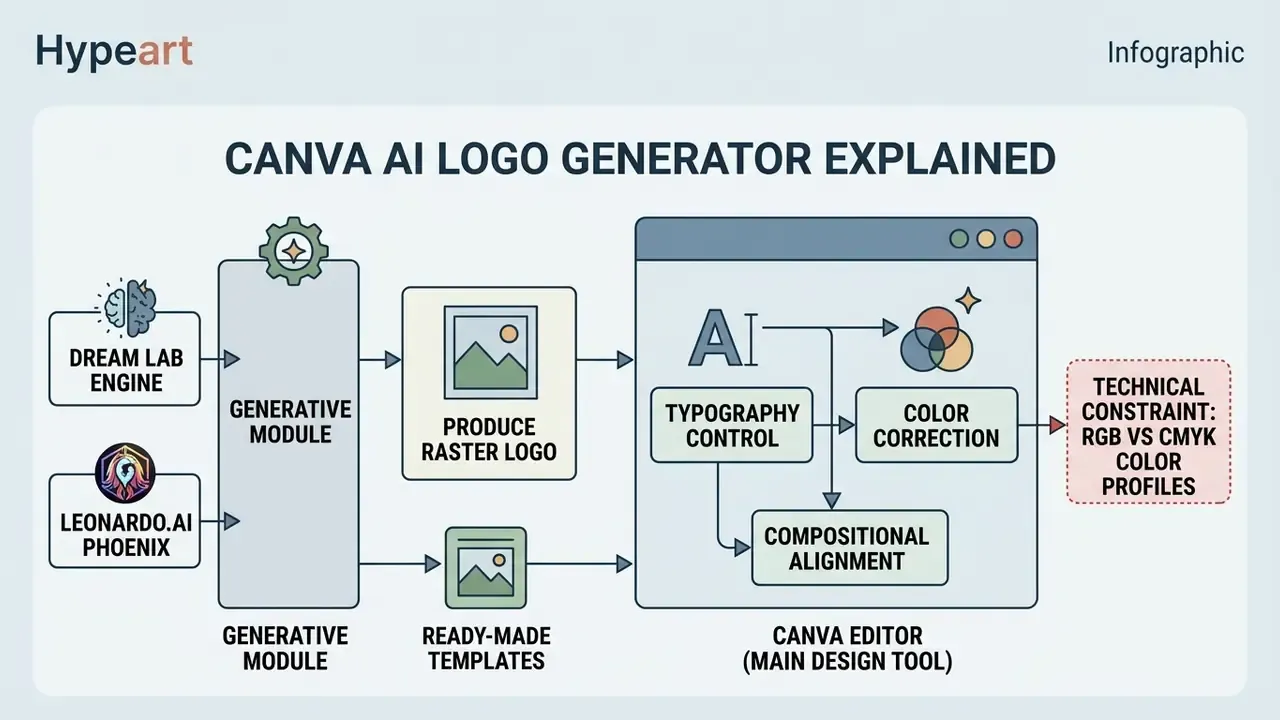
Canva AI Logo Generator is a specialized generative module built on the Dream Lab engine (Leonardo.AI Phoenix architecture), embedded into the Canva ecosystem to produce raster and vector logo concepts from a text prompt. The tool parses the stated industry, company name, and stylistic preferences, then returns variant concepts in seconds. Unlike narrow auto-generators, canva's ai logo generator runs inside a full graphic editor, which removes the handoff step between hypothesis and layout.
AI Idea Generation and Ready-Made Canva Templates
Automatic ideation through ai logo generator canva changes the first brainstorming stage more than the final one. Research on generative AI adoption in logo design confirms that concept discovery, not production, is the dominant use case:
«The primary use case for DALL·E 3 is idea generation and concept development, reported by 63% of respondents; the leading concern is data confidentiality (49%).»
Why the Canva Editor Remains the Main Logo Design Tool
Generative algorithms produce expressive visuals. Professional logo design, though, needs precise geometry, typographic control, and grid compliance. Image models optimize for creative variety, so they drift in form and render letterforms inaccurately. The editor acts as a compensating layer:
- Typography controlreplacing generated pseudo-text with exact vector fonts from the built-in library.
- Color correctionmanually binding elements to precise HEX or CMYK values.
- Compositional alignmentaligning icons and text blocks to each other and to the grid.
A worked example. In one fintech rebranding project, the team used canva logo ai generator to produce 40 initial mark concepts. After picking the three strongest, designers moved them into the editor, swapped the generated text for vector fonts, and rebuilt proportions. Internal time tracking showed roughly a 65% reduction in the time needed to assemble the first brand package. That is an in-house measurement from a single engagement, so treat it as directional rather than benchmark-grade. Independent usability research points the same way:
«Average brand-task completion time on the AI-integrated Branderia platform was 23.86 minutes; designers worked 33.2% faster than non-designers.»
Technical Constraint: RGB vs CMYK Color Profiles in Print
The biggest technical pitfall of the ai logo maker canva workflow is quiet and expensive: the browser editor works by default in RGB, a screen color space. Send a generated logo straight to a print shop for business cards or merch and saturation drops, hues shift, and the brand navy arrives looking like a different color. Template-based Canva logos share the same weakness, not just AI output.
Fix: export as PDF Print or SVG, then run color separation and convert to a CMYK profile in a dedicated vectorizer, or hand the printer exact PANTONE codes. Note that CMYK-capable "PDF Print" export requires Canva Pro, and manual correction is still usually needed.
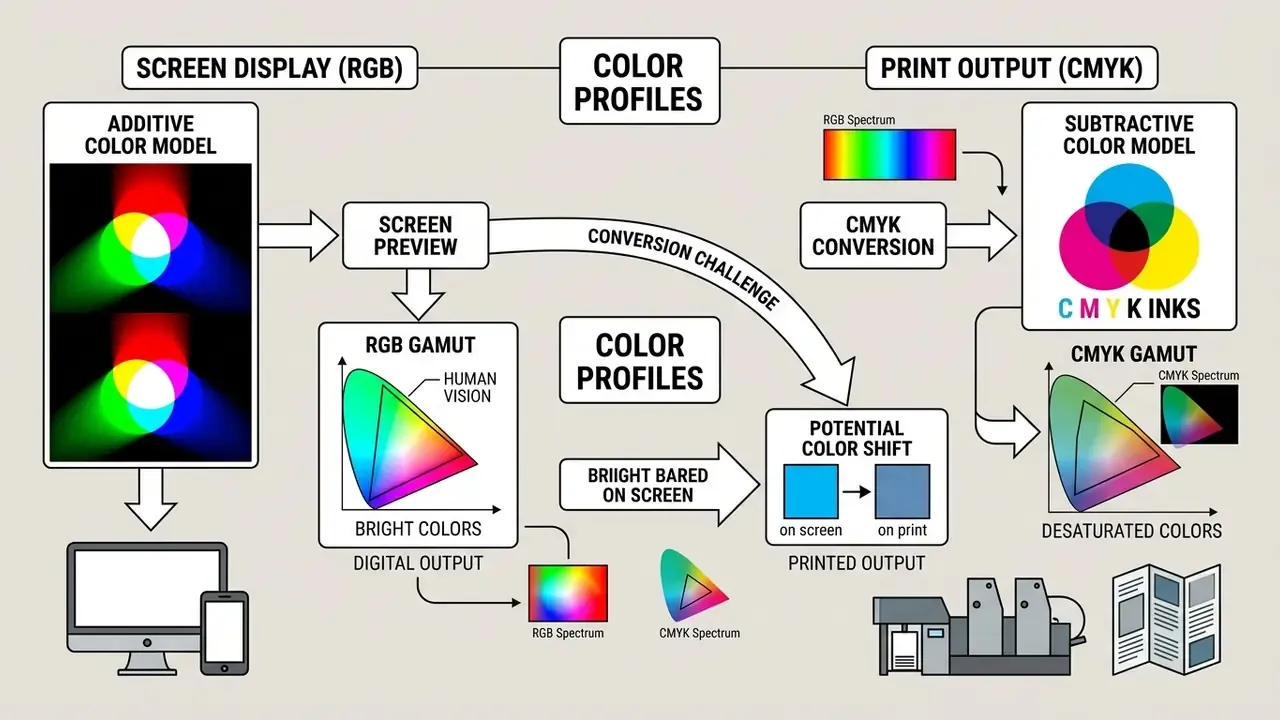
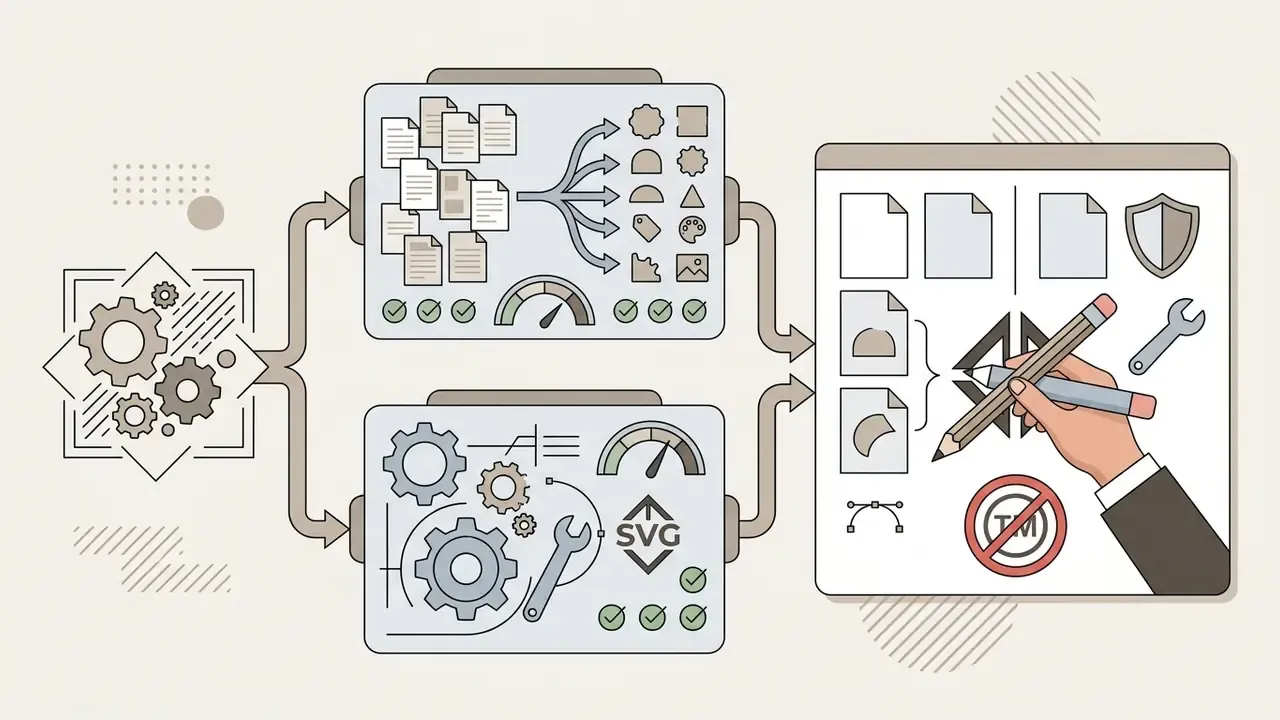
Content, in DOM text: Step 1, brand idea (name, niche, color) splits into Step 2A, AI generation (Dream Lab prompt) and Step 2B, templates (Canva catalog). Both converge into Step 3, editing (fonts, grid, palette), then Step 4, export (PNG, SVG, PDF).
How to Use Canva AI to Create a Logo
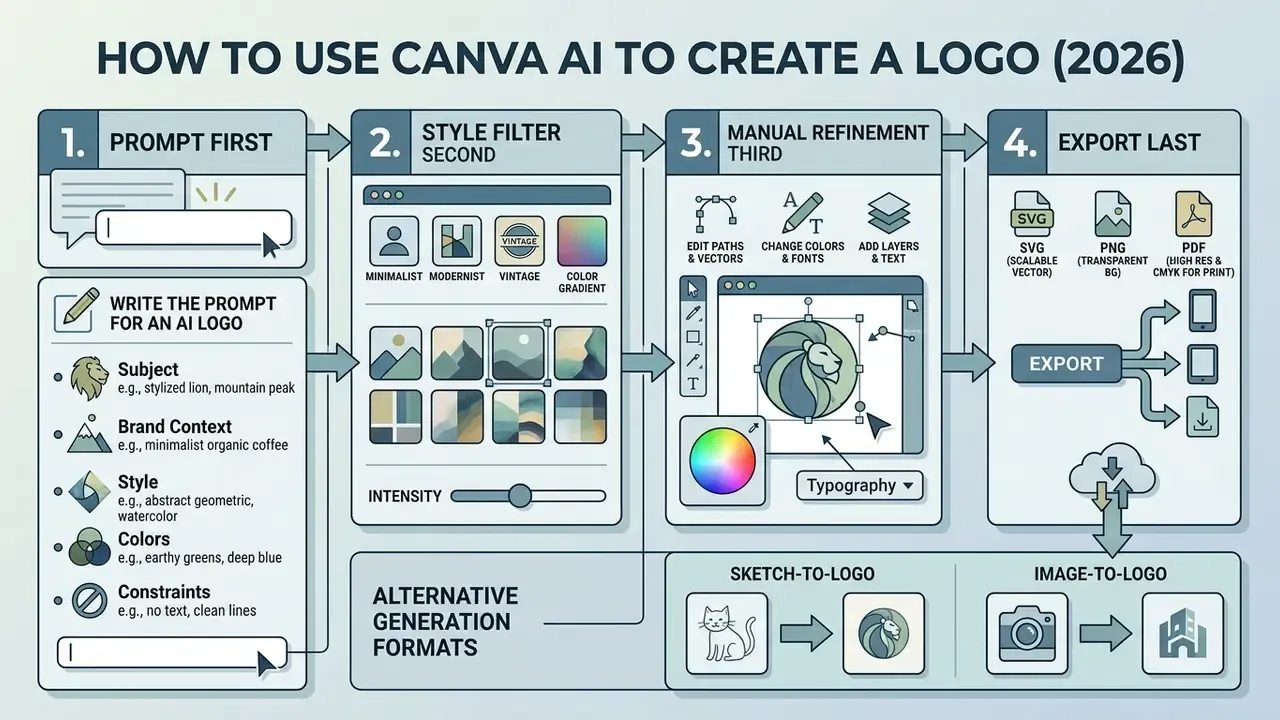
If you want to know how to use ai in canva to create a logo, follow a fixed order: prompt first, style filter second, manual refinement third, export last. Skipping the third step is where most disappointing results come from.
How to Write the Prompt for an AI Logo
Output quality tracks prompt structure almost linearly. Drawing on Canva's own AI logo guidance (include business name, business field, brand colors) and the five-part framework in the Open Canva image-generation documentation (Subject, Style, Composition, Details, Quality modifiers), an effective prompt for the canva ai logo creator carries five components:
- Subjectthe central symbol or graphic metaphor ("geometric falcon").
- Brand contextcompany name and industry ("fintech platform for micro-investing").
- Styleminimalism, emblem, flat vector, 3D isometry ("flat minimalist vector, Swiss design style").
- Colorsexact tonal instructions ("deep navy blue and golden yellow").
- Constraintsexcluded details ("white background, no text noise, clean lines").
Detail pays off, and it is measurable:
«Moving from a simple thematic prompt to a detailed style description with reference images raised the average design rating from 3.3–3.5 to 4.5 out of 5.»
A separate 2025 prompt-engineering study of AI logo generation reported structured prompts improving visual consistency from 65% to 87%. Caveat worth keeping: post-processing in that experiment stopped at PNG download, so manual editing was never tested as a quality lever.
A balanced example:
Style filters (Vector, Illustration, Photo) narrow the model's search space. Before you standardize on one workflow, it helps to see how the wider class of AI logo generators handles the same brief.
Alternative Generation Formats: Sketch-to-Logo and Image-to-Logo
Most Canva reviews stop at text prompts. The tool supports visual references too:
- Sketch-to-Logoupload a hand-drawn draft from paper or Canva Whiteboard, then prompt: «Transform this sketch into a clean vector logo, minimalist style». Your compositional intent survives instead of being invented by the model.
- Image-to-Logowith "Upload Reference" in Dream Lab you set the Image Weight, controlling how closely generation matches an existing graphic object. Useful for stylizing a product shot or an old mark into logo form.
- Text-to-Imagethe default prompt-only path described above.
Dedicated engines such as Logo Diffusion market image-to-logo and vectorizer modules as headline features. Canva covers the same three entry points but leaves final vector cleanup to you.
How to Generate, Edit, and Save the Design
The canvas ai logo generator flow splits into four stages. Format specifics and image-processing details sit in our reference article, Guide to online photo editors.
- Launch the toolopen Canva on desktop, mobile, or browser, then choose "Dream Lab" in the side navigation, or open the "Canva AI" panel.
- Enter the prompt and pick a stylepaste your prepared text, select the "Style" dropdown ("Vector" or "Illustration", typically), press "Create".
- Refine in the editormove the preferred variant onto the canvas. Use Background Remover, add text layers with the brand name, snap elements to the guides.
- Export"Share" then "Download". PNG with transparency for web, PDF Print for high-quality printing, SVG for vector scalability (paid plans only).
If exports fail or fonts substitute unexpectedly, start with AI Media Support and Troubleshooting.
Numbered Checklist: Creating a Logo in Canva AI
- Sign in and open the Dream Lab tool.
- Enter a prompt specifying brand name, business field, and colors.
- Set the stylistic filter in the Style dropdown.
- Generate a grid of four variants and move the best one to the working canvas.
- Replace AI raster text with clean fonts from the Canva library.
- Bind colors to Brand Kit elements.
- Check legibility at small scale (the 16×16 px favicon test).
- Download final files as PNG (transparent) and SVG.
- Convert to CMYK, or attach PANTONE codes, before any print run.
Canva AI Logo Maker Features for Deep Customization
The canva ai logo generator features set pairs neural generation with fine manual parameters, which is what turns a sketch into a working identification system rather than a nice picture.
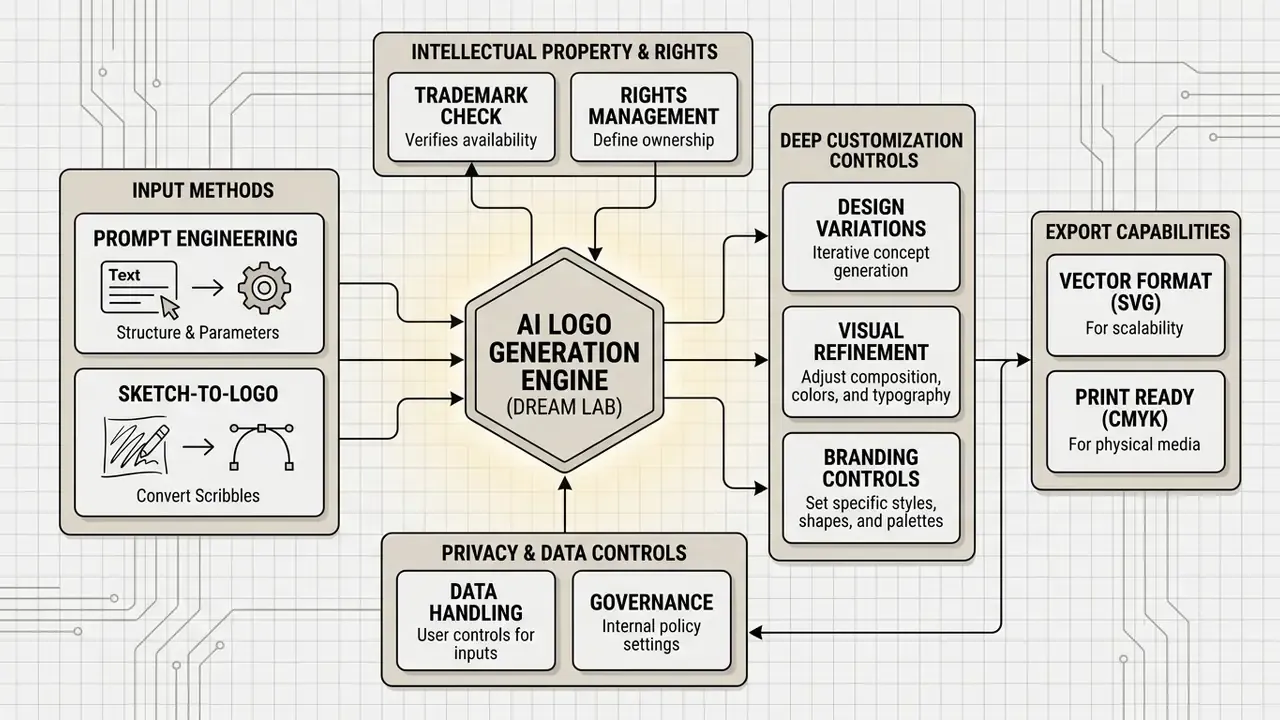
Content, in DOM text: Generation layer (Dream Lab, Magic Media) feeds the editing layer (layers, fonts, grid), which feeds the brand system (Brand Kit, Styles, templates).
Styles, Colors, and Fonts for Logo Design
Good logo design ai output lives or dies on color harmony and typographic hierarchy. Canva's branding guidance recommends analogous or complementary palettes, split into primary, secondary, and accent groups, with brand colors pinned to HEX or CMYK values.
In the editor, the "Styles" tab applies ready-made palettes to a generated logo in one click, or reshuffles color assignments until the result reads cleanly. Need animated promo graphics off the same identity? Our material on whiteboard animation services covers that adjacent workflow.
AI Image Generator and Graphic Elements for the Logo
The canva ai image generator logo module (Magic Media) generates individual icons, illustrated marks, and stickers without producing a whole logo. That matters when you want a unique graphic symbol to combine manually with a wordmark. Canva's official AI image page states the tool can create "unique graphics, icons, stickers, and illustrations" matched to a style or brand.
One constraint decides the legal outcome, though: elements from Canva's standard stock library (Free or Pro) cannot be protected as an exclusive trademark, while unique AI generation through Dream Lab falls under the commercial-use rules of the AI Product Terms.
Brand Kit and Materials for Complete Branding
Brand Kit consolidates logo files, color ranges, and font pairs into one hub, so brand assets are one click away when you build anything else.
| Brand Kit component | Free plan | Paid plan (Pro / Teams) |
|---|---|---|
| Logo storage | 1 palette / basic set | Up to 2,000 logos per Brand Kit (JPG, PNG, SVG) |
| Color palettes | Limited to 3 colors | Unlimited HEX/CMYK palettes |
| Custom font upload | Not available | Full support (OTF, TTF, WOFF) |
| Auto-apply to templates | Manual | One click via the Styles tab |
| Multiple brand kits | Not available | Pro, Teams, Education |
Economic effect: a full set of Brand Guidelines from a specialized agency typically runs $500 to $2,000. The Canva Pro Brand Kit module lets you assemble a baseline rule system for color and typography inside the standard subscription ($120/year). That is precisely where the perceived value gap between Canva and "complete branding package" AI services narrows.
Brand Kit also supports complete brand identity work in practice, automatically adapting the logo to social formats, presentations, and ad banners. For cost modeling on media tooling, see the AI Media Pricing Guides.
Practical Test: One Prompt, Two Engines (Royal Irons Case Study)
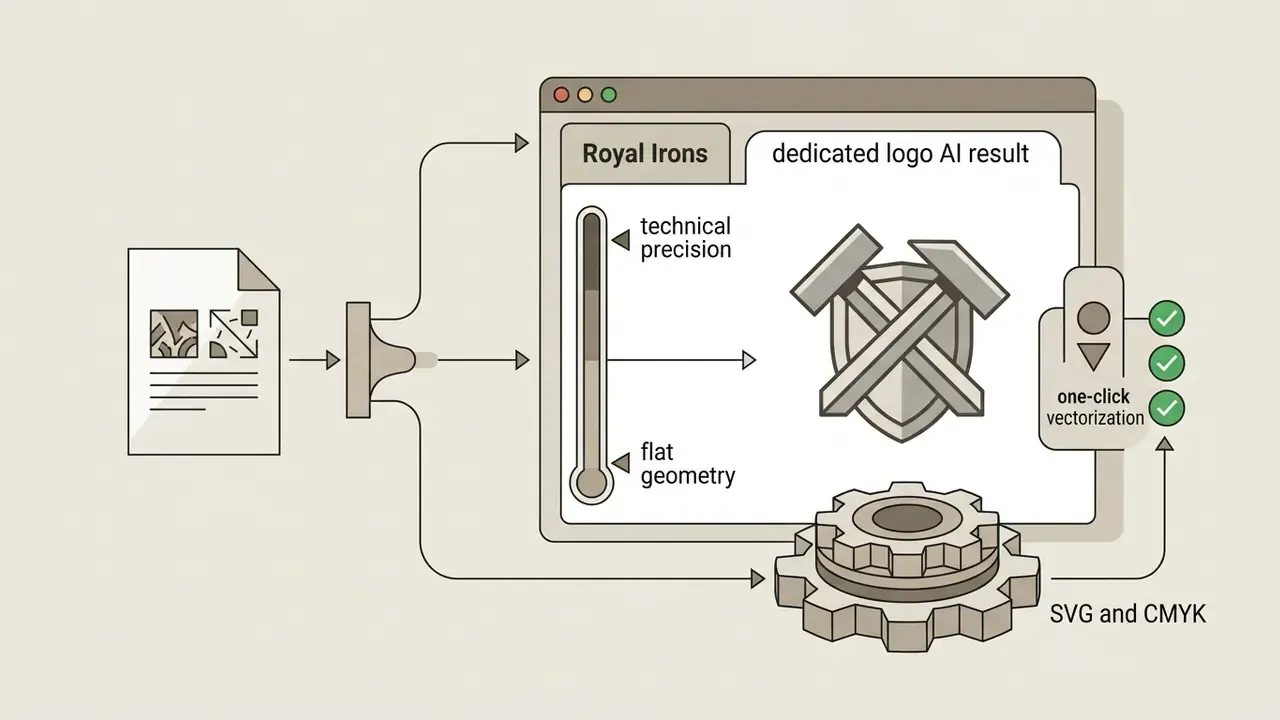
To see how Dream Lab behaves without help, we ran a single-prompt test with zero post-processing, the same fairness method dedicated logo-AI vendors use when they benchmark Canva.
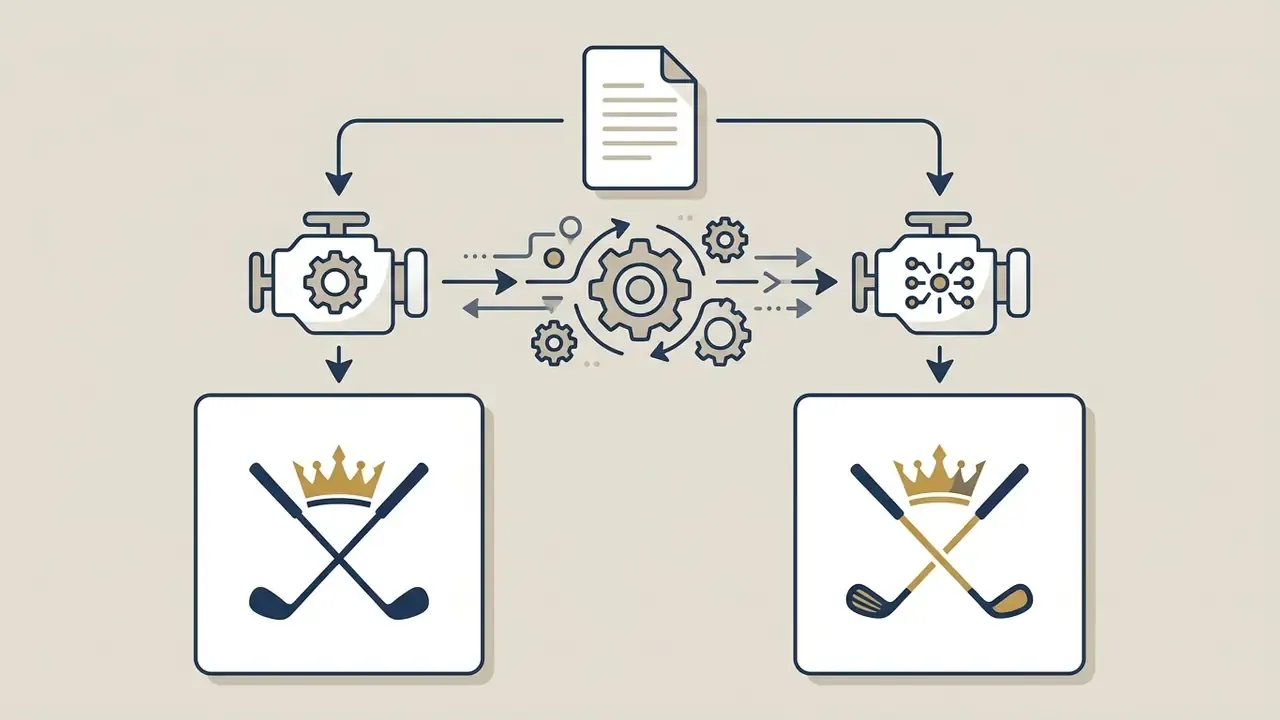
Minimalist logo for a golf team named "Royal Irons", crossed golf clubs with a crown, vector style, navy blue and gold, white background.
Quality and Uniqueness of AI-Generated Logos in Canva
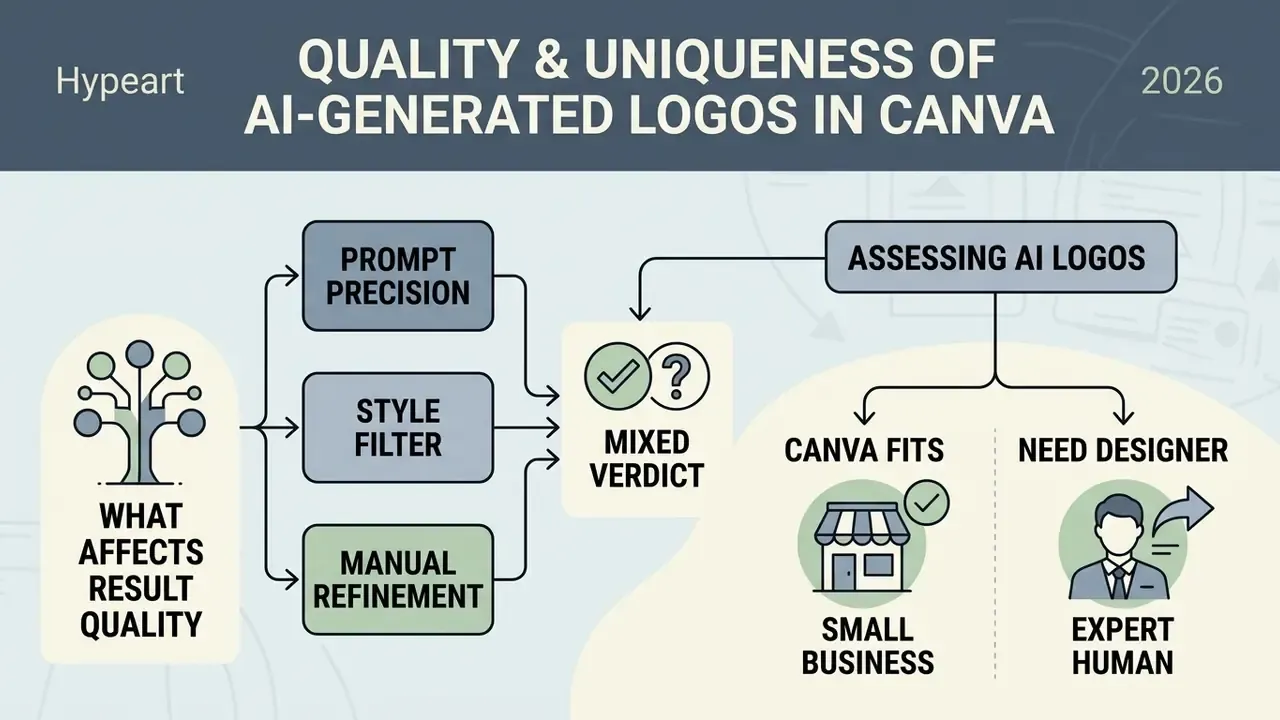
Assessing the originality and technical fitness of ai generated logos leads to a mixed verdict. Generative systems reliably produce aesthetically valid solutions; every output still needs uniqueness and clearance review before it carries a brand.
«Text-to-image generative models emphasize creative diversity, whereas logo-specific AI systems prioritize structural stability.»
In that experiment, Firefly scored the highest visual consistency index at 0.83, while Looka led on structural reproducibility of form. A useful reminder that "best AI logo tool" depends entirely on which axis you optimize.
What Affects Result Quality: Prompt, Style, and Refinement
Three factors dominate:
- Prompt precision. The Visual Consistency Index methodology combines color, form, and composition to score stability across tools (Comparative Study on Visual Consistency of AI Logo Generators, 2024). Structured prompts lifted measured consistency from 65% to 87% in the 2025 prompt-engineering study cited earlier.
- Chosen style filter. Lowering the artistic level or creative-variance setting keeps geometry tighter and reduces decorative drift. Our review of the best AI image generators shows how differently engines respond to that single control.
- Volume of manual refinement. AI variants routinely carry small defects. If the same brand push needs portrait retouching for an "About us" block, the guide on whiten teeth in photo covers it.
When Canva Fits a Small Business, and When You Need a Designer
«Among respondents with formal design training, 59% use AI tools to generate static images; among non-professionals the figure is 28%, and both segments apply them primarily at the ideation stage (65%).»
However, if the company must register a trademark with a patent office such as the USPTO and needs assured exclusivity, a neural network alone will not carry the filing. In that scenario Canva validates hypotheses, then the project moves to a professional graphic designer for original vector work, or to specialized AI image generators with vector-first pipelines. For contested legal questions about generated content, the litigation section tracks the active disputes.
Plans, Limits, and Commercial Terms
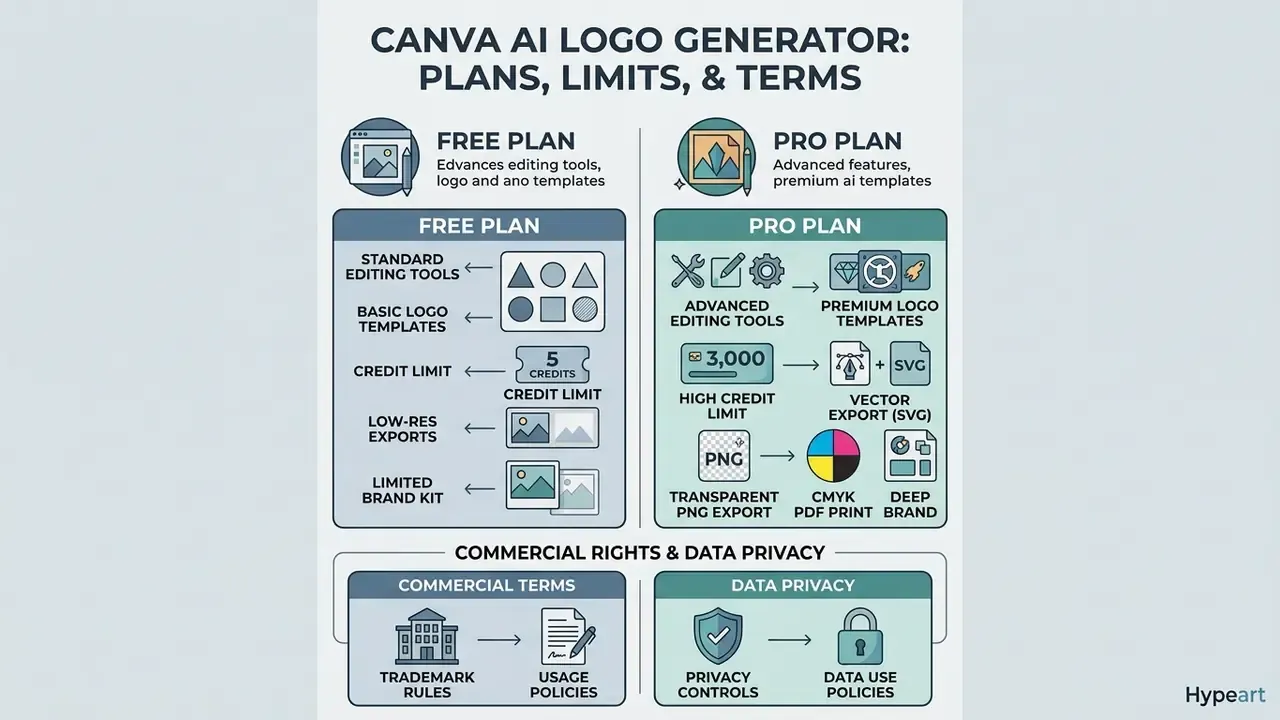
People searching canva ai logo generator free almost always have a second question queued: what does paying actually unlock? Both belong in one place, so this section handles the full commercial picture.
Free Tools and Templates for Logo Creation
On Canva Free you get:
- Up to 20 prompts per month in Dream Lab for images and logos;
- Access to a limited library of free logo templates;
- Export in JPG, PNG (with white background), and PDF.
For projects that also need simple graphic animation, review the options in whiteboard animation free.
One documented divergence deserves a check before you plan a workflow. Canva's AI logo page states 20 free Dream Lab prompts per month and 500 credits per month on paid plans, while the general pricing page describes Canva AI generation as 50 total credits on Free and 150 credits per month on Pro/Teams. The pages describe different credit models for different features, so verify limits against the exact tool you intend to use (Canva, 2026, https://www.canva.com/ai-logo-generator/ and https://www.canva.com/pricing/).
Which Features Depend on the Canva Plan
- Credit limit20 Dream Lab prompts monthly on Free; up to 500 credits monthly on paid tiers.
- Transparent PNGunavailable on Free, which makes overlaying the mark on sites and photos awkward.
- Vector export (SVG)unavailable on Free.
- CMYK-capable PDF Printpaid plans only.
- Brand Kit depthmultiple kits, custom font upload, and one-click brand application are paid features.
More on selecting generative graphics engines sits in the comparison of the best AI art generators.
Canva AI Logo Generator Pricing
Canva ships its AI tooling as part of one platform subscription, not as a standalone logo product. Regional billing differences apply.
Comparison of Canva plans for logo creation
| Parameter / feature | Canva Free | Canva Pro (1 user) | Canva Teams (from 3 users) |
|---|---|---|---|
| Price (US, 2026) | $0 / year | ~$120 / year ($15/mo) | ~$100 / person / year |
| Dream Lab AI credits | 20 prompts / mo | 500 credits / mo | 500 credits / person / mo |
| PNG export with transparency | No | Yes | Yes |
| Vector export (SVG) | No | Yes | Yes |
| PDF Print (CMYK-capable) | No | Yes | Yes |
| Brand Kit module | Basic | Full (up to 100 kits) | Full plus admin controls |
| Background removal (Magic Eraser) | No | Yes | Yes |
| Commercial rights to AI output | Yes (per AI Terms) | Yes (per AI Terms) | Yes (per AI Terms) |
Risk-adjusted ROI note. Subscription price is not total cost of ownership. Model three hidden line items: (1) in-house designer hours for vector cleanup and typography replacement after generation; (2) CMYK and PANTONE preparation for print; (3) trademark clearance search plus legal review before the mark goes into production. A $120/year subscription can still drag several hundred dollars of internal cost per brand launch. That arithmetic is exactly what makes the hybrid approach below financially rational.
How to Verify Usage Rights for Business
When you use ai generated logos from Canva commercially, work in this order:
- Separate AI output from stock graphic elements.Images generated entirely by AI in Dream Lab may be used commercially (sales, advertising, merch) under the Canva AI Product Terms, which also state that Canva makes no copyright ownership claim over your input or output (Canva, 2026, https://www.canva.com/policies/ai-product-terms/).
- Audit library elements.If ready-made icons or illustrations from the Canva library were used in assembling the logo, exclusivity and trademark registration are off the table (Canva Help Centre, 2026, https://www.canva.com/help/trademarks-logo/).
- Use basic forms.For a legally clean mark, rely only on your own uploaded files, standard Canva fonts, and simple geometric lines and shapes.
- Document human authorship.Copyright protection for an AI logo depends on sufficient human creative contribution:
«Copyright protection of an AI logo depends on sufficient human creative contribution: development, selection, modification and finalization; AI itself is not recognized as an author due to the absence of legal personality.»
Keep a dated record of prompts, chosen variants, and the manual edits you applied. That trail is what supports an authorship claim later, and it costs almost nothing to maintain while the work is fresh.
This information is general and does not replace consultation with a qualified attorney on copyright and trademark registration.
For deeper study of usage rights, see commercial use of AI image generators; for side-by-side platform terms, the AI Media Comparison hub tracks them.
Data Privacy and Shadow AI Controls
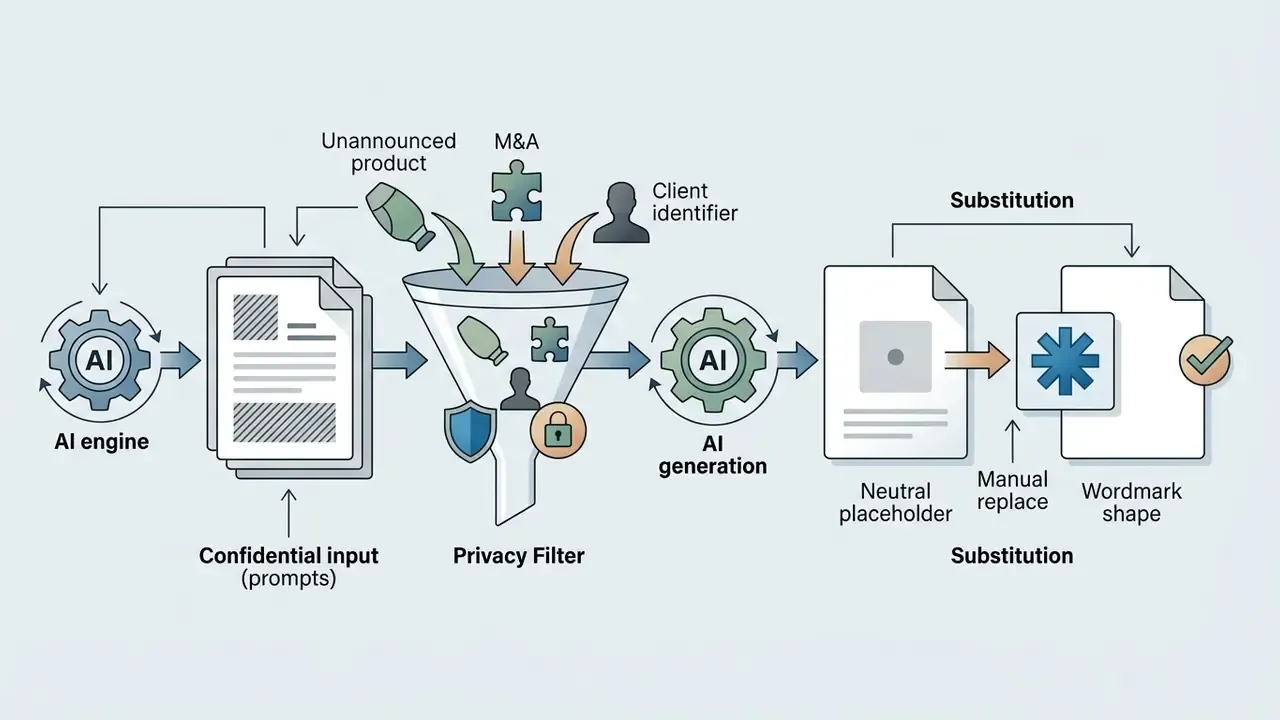
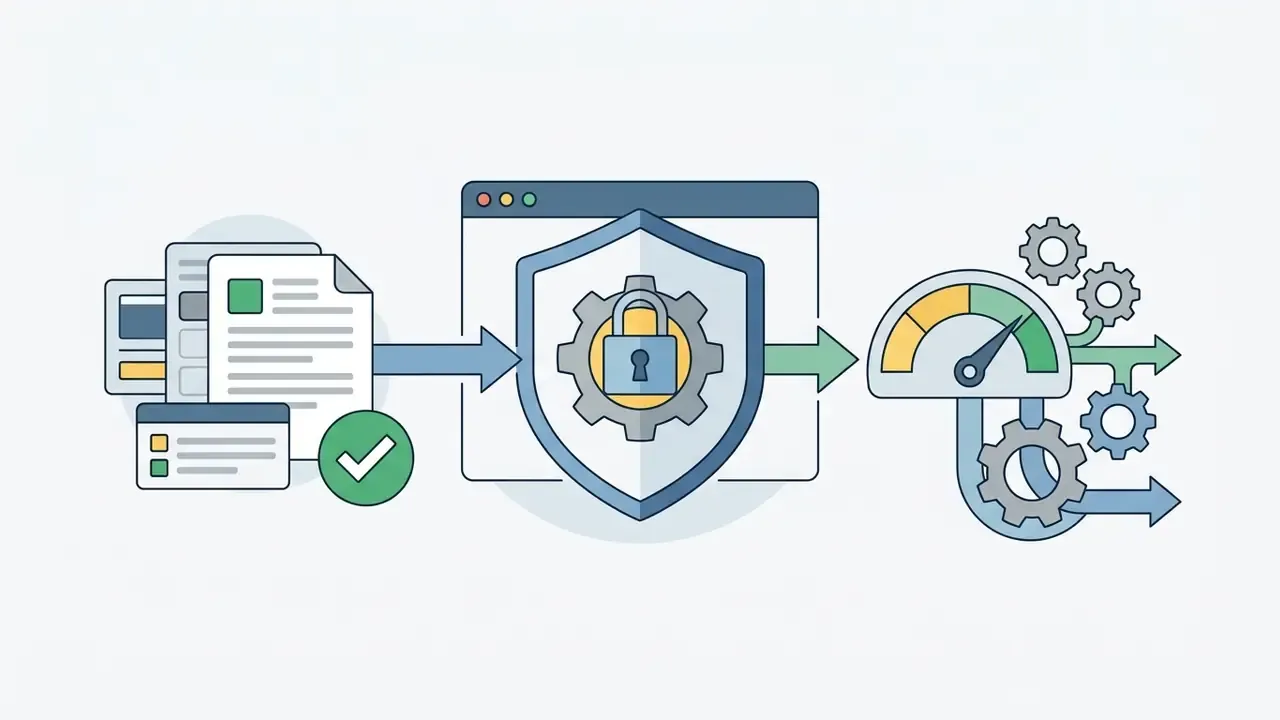
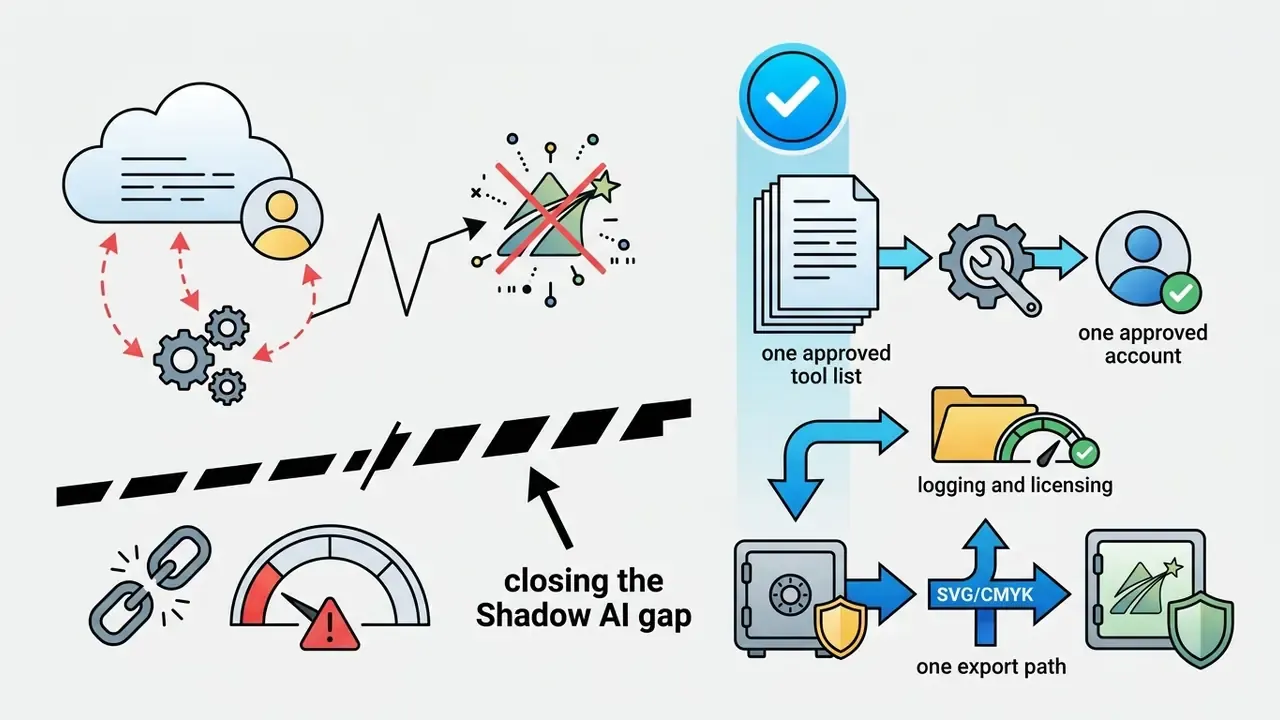
For enterprise teams, the unresolved question is rarely "does it look good". It is "what happens to the prompt". A logo prompt often contains unreleased brand names, product codenames, positioning statements, or campaign timing. Treat that text as regulated input, not as a search query.
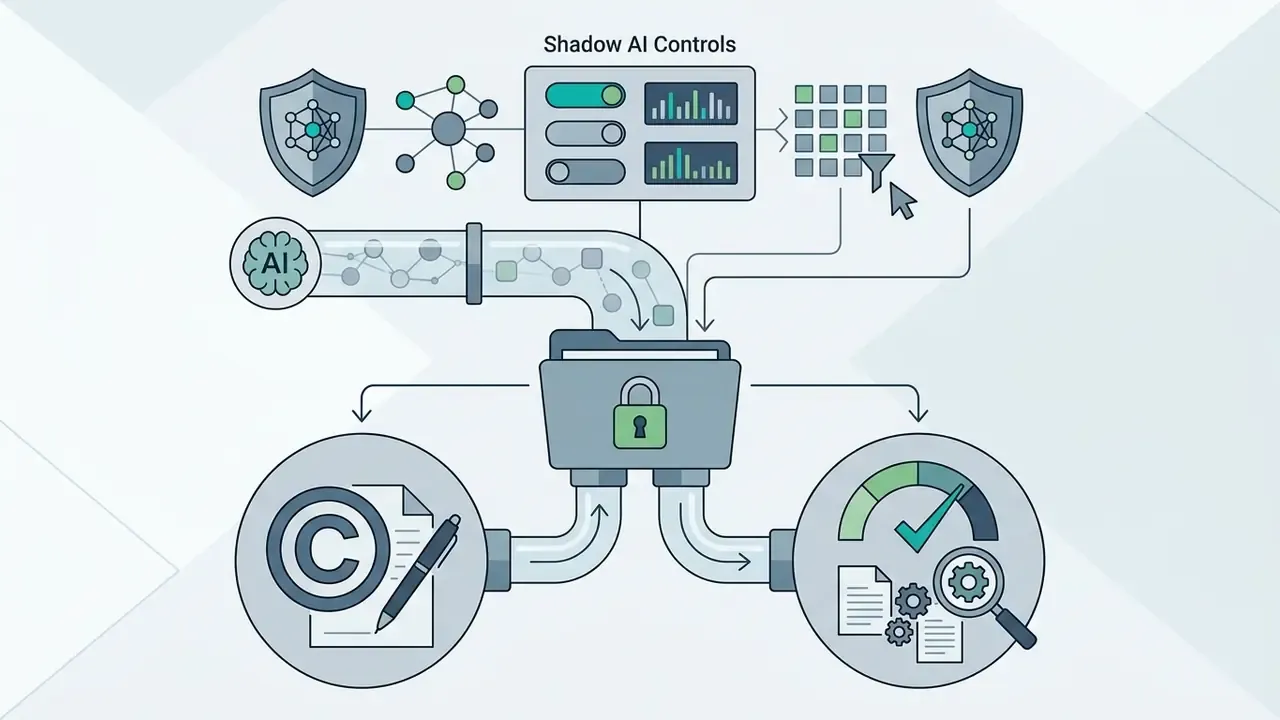
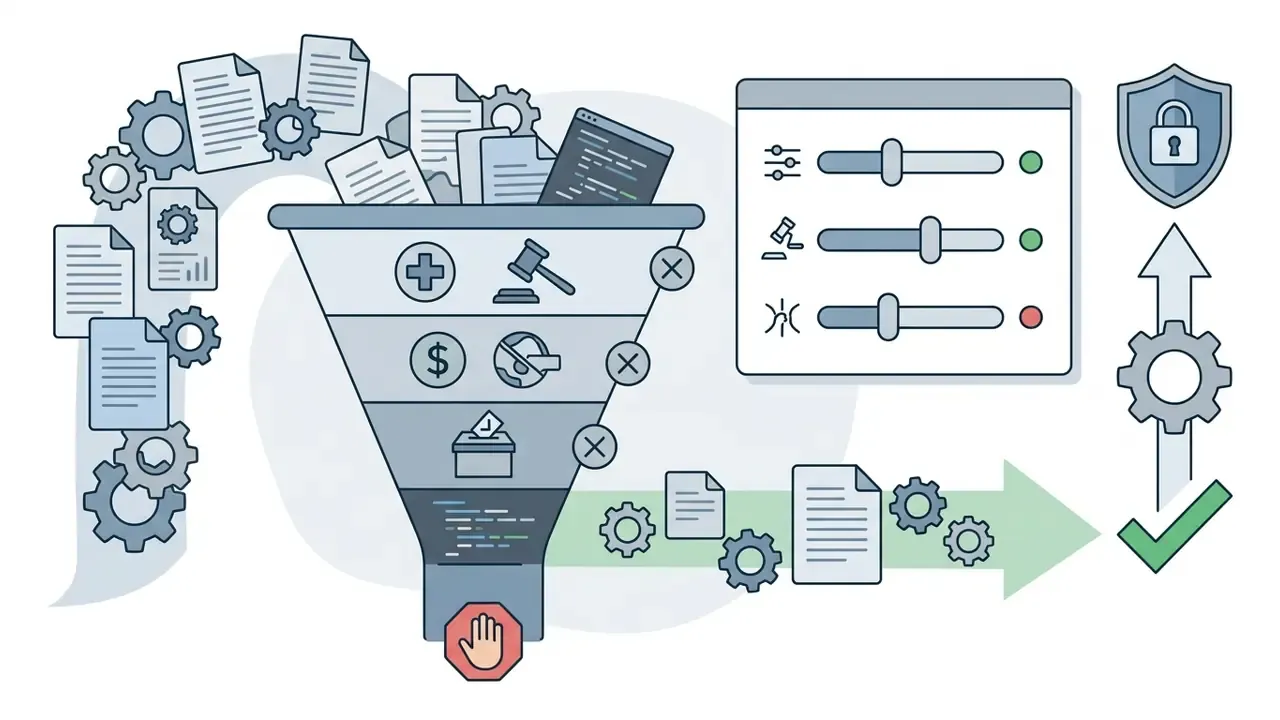
Controls worth applying before Canva AI reaches a marketing team:
Compliance note: the list above is an operational checklist, not a legal opinion. Confirm current data-retention and model-training language in Canva's live policy pages before signing an enterprise agreement.
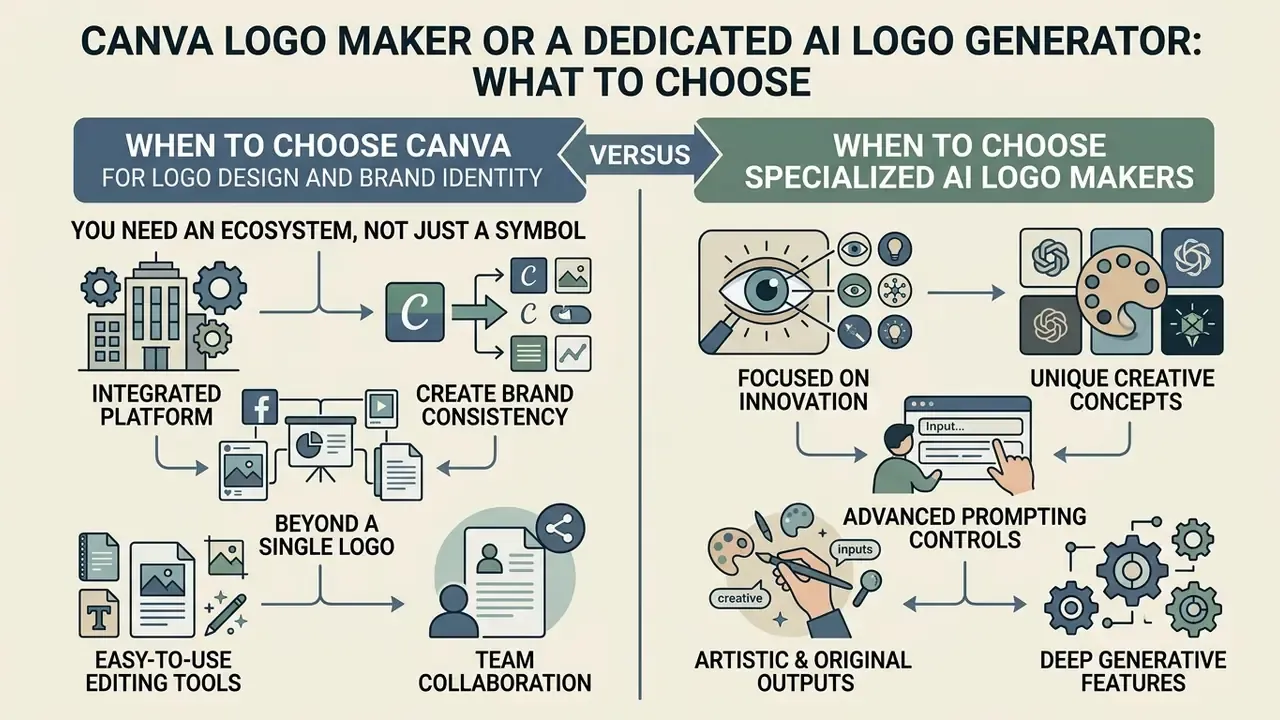
Canva Logo Maker or a Dedicated AI Logo Generator: What to Choose
Choosing between Canva and specialized logo generators (Looka, Brandmark, Logo Diffusion, Sologo AI, Hatchful) should start from the business task, not from output aesthetics.
Comparative analysis of Canva and narrow-focus AI logo generators
| Comparison criterion | Canva AI Logo Maker | Dedicated AI generators (Looka / Brandmark / Logo Diffusion) |
|---|---|---|
| Primary focus | Universal editor plus AI | Automated logo and brand-book generation |
| Customization depth | High (full freedom on canvas) | Medium (bounded by algorithmic templates) |
| Vector SVG format | Available on Pro | Included in commercial export packages |
| Built-in vectorizer / upscaler | Limited | Common (vectorizer, 4K upscale) |
| Sketch-to-logo / image-to-logo | Yes (Dream Lab reference upload) | Yes (core feature) |
| Marketing kit creation | Yes (social, banners, video) | Limited (basic cards, mockups) |
| Fixed price | Subscription ($120/year) | One-time pack ($20–$65) or plan ($24–$99/mo) |
| Idea variety | High (prompt-driven model) | Medium (icon-combination algorithms) |
| Structural logo stability | Medium | High (logo-specific training data) |
Benchmarking supports that pattern:
«In a comparative experiment across 7 platforms, Firefly scored VCI 0.83 (leader in color consistency) and Looka led on structural stability, while DALL·E 3 and Kittl showed greater creative variability.»
Read together, the table and the study say something simple. Canva gives you flexibility to build one unified visual style across every channel; dedicated tools give you cleaner marks faster. For a platform-by-platform breakdown, see our comparison of AI image generators. If asset production needs to run through pipelines rather than a browser tab, the AI Media API Guides cover integration.
When to Choose Canva for Logo Design and Brand Identity
Pick canva logo maker if:
- You want pixel-level control over layers, fonts, and effects;
- You need real-time collaboration with brand controls for a team;
- You already produce ongoing marketing collateral and want the logo to live where those assets are made.
Commercial-use conditions across media platforms are systematized in the AI Media Commercial-Use Hub. A deeper feature breakdown sits in the article on the capabilities of Canva AI Generator.
When to Choose Specialized AI Logo Makers
Dedicated services win if:
- You want a one-off purchase without an annual subscription;
- You need an instant archive with every technical logo layout for print (EPS, SVG, PDF) in a single click;
- You have no time for manual layout and alignment;
- You need logo-specific editing, meaning structural edits that preserve the rest of the mark, rather than full regeneration.
Be realistic about what no generator solves:
«AI generates visual alternatives effectively, but faces serious limitations in conceptual depth, interpretation of cultural references, and conveying meaning through typograms and ideograms.»
Critique of generative graphics in commercial and copyright contexts is collected in why ai art fails in commercial settings and in why is ai art bad.
Step-by-Step Hybrid Brand Strategy
You do not have to pick one tool. The highest-yield workflow combines a specialized generator with Canva's distribution power:
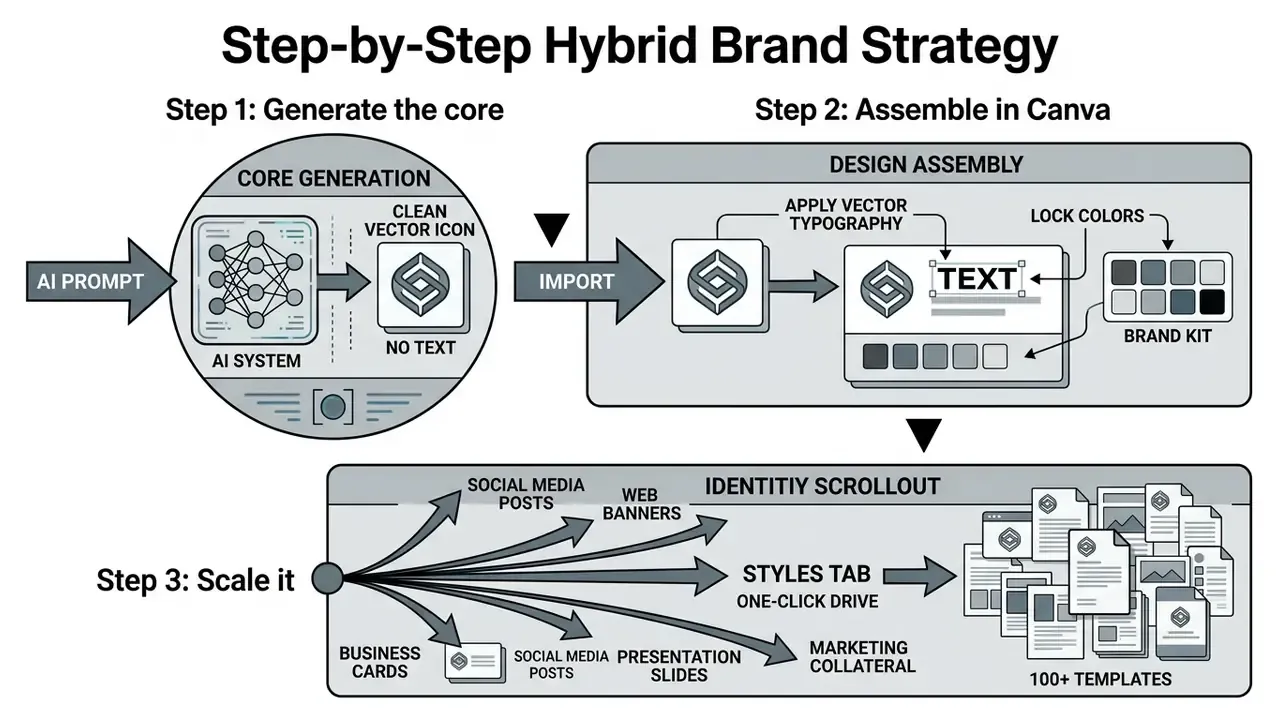
Two additions make the framework audit-proof. Run the 16×16 px legibility check at the end of Step 2. Then complete CMYK conversion and trademark clearance before Step 3 touches paid media or physical production. Skip either and the cost of rework lands after the launch date, which is the worst possible timing.
Compliance and Legal Cleanliness
Fact check, verification of Canva rules current as of 2026:
- Commercial use.The Canva AI Product Terms permit commercial use of AI-generated images created in Dream Lab and Magic Media, provided the AI Product Terms and Acceptable Use Policy are followed.
- Trademark restriction.Per the Canva Help Centre (Trademarking logos created on Canva), you cannot register a trademark on a logo containing standard stock elements, photos, or illustrations from the Canva library, Free or Pro. Stock content is licensed non-exclusively, so other businesses may legitimately use the same assets.
- Path to a registrable mark.Registration is available only when the logo is built from scratch using basic geometric shapes, lines, standard Canva fonts, or entirely self-uploaded vector elements, including artwork commissioned from a designer.
- Copyright ownership.Canva states it makes no copyright ownership claim over your input or output. Separately, Canva notes AI-created content may not receive copyright protection in many jurisdictions, including the US, absent sufficient human authorship.
- Ownership of the platform.All intellectual property rights in the service and licensed content remain with Canva and its licensors.
Legal disclaimer: this review of platform rules is informational. It does not constitute legal advice and does not replace an intellectual-property audit. Verify current terms on Canva's official policy pages and consult counsel before filing a trademark application.
FAQ: Canva AI Logo Generator, Answered
Can I create a logo in Canva without design experience?
Yes. Canva was built for users without formal training, and its logo maker is explicitly positioned for non-designers. Usability research quantifies the gap:
«Using an integrated AI platform, non-designers reached an output-quality score of M=5.68 out of 7, comparable to professionals, although they worked more slowly (26.5 vs 19.9 minutes).» Source: Hwang et al., Branderia platform study (2024), N=50, ISO 9241-11 with SUS evaluation.
Drag-and-drop, automatic snapping guides, and balanced font pairs cut the risk of gross compositional errors. Canva's own beginner workflow is equally plain: pick one idea, set colors, define the background, add fonts, add graphics. For dynamic visual explainers built on the same identity, see the material on whiteboard animation.
Can an AI logo serve as the basis of a complete brand identity?
Yes. Save the primary logo's key colors and graphic motifs into Brand Kit, which supports up to 2,000 logo files per kit (JPG, PNG, SVG). That is room for a full variant set, not just one master mark. On that base Canva can generate automatically:
- Social post and story templates;
- Corporate letterheads, business cards, and presentations;
- Ad banners and promotional materials.
To estimate campaign spend around those assets, use the AI Media Calculators.
Does Canva use my company name and prompts to train AI models?
This is the question enterprise reviewers should ask first, not last. Canva's AI usage is governed by the AI Product Terms, and organization-level administrators on Teams or Enterprise should verify current data-retention and content-improvement settings in the live policy and the admin console, then document the configuration in internal AI governance records. Until that verification is complete, apply the practical rule from the privacy section: never enter unreleased brand names or client identifiers into a prompt. Generate the graphic mark first, add the real wordmark manually.
Can I use a Canva AI logo for professional printing?
Only after color-space preparation. The browser editor works in RGB; CMYK-capable "PDF Print" export is a Pro feature, and manual correction is still typically required. Export as PDF Print or SVG, convert and proof in CMYK, or supply exact PANTONE codes to your printer.
Can I trademark a logo made with Canva AI?
Only if every element is exclusive to you: your own uploaded artwork, standard Canva fonts, and basic shapes or lines. Any stock icon, illustration, or photo from the library disqualifies the mark from exclusivity claims. Confirm with an IP attorney before filing.
How many logos can I generate for free?
Canva Free allows up to 20 Dream Lab prompts per month, with the credit-model divergence noted in the pricing section. Each prompt usually returns a grid of variants, so the practical exploration budget exceeds 20 images. Export rights, transparency, and SVG stay gated regardless.
Conclusion
The canva ai logo generator blends the flexibility of neural search with the precision of a classical graphics editor. It covers the core needs of small businesses and marketing teams, moving you from a text idea to a finished set of brand materials in minutes. The free tier is enough to test the technology; Pro unlocks vector export, transparent backgrounds, CMYK-capable print files, and brand-style management.
Two disciplines separate a nice image from a usable brand asset. First, keep AI graphics strictly apart from Canva stock elements so the mark stays legally clean. Second, finish the file properly: vector typography, the 16×16 px legibility check, CMYK preparation. Do that before anything reaches a printer or a trademark filing, and the tool earns its place in the stack.
Appendix A: Adjusted Statements and Clarifications
For transparency, the statements below were revised during the 2026 update. Both versions are shown.
| Original statement | Updated version and reason |
|---|---|
| «This reduced overall first brand-package development time by 65% without quality loss.» | Retained as an in-house, single-project measurement and paired with independent usability data (Hwang et al., 2024: 23.86 min average brand-task completion; designers 33.2% faster than non-designers). Reason: single-project figures are directional, not benchmark-grade. |
| «Structured prompts raise style reproducibility from 65% to 87% (Visual Consistency Index, 2024).» | Attributed correctly to a 2025 prompt-engineering study of AI logo generation, with the caveat that post-processing was limited to PNG download. VCI (2024) is cited separately for its color, form, and composition methodology across 7 platforms. |
| «Per official developer guidelines and prompt-engineering materials (OpenAI, 2026; Canva Docs, 2026).» | Replaced with verifiable sources: Canva's AI logo generator guidance (business name, field, brand colors) and the Open Canva image-generation documentation five-part prompt structure. |
| «A library of more than 8,426 customizable templates.» | Retained with attribution to Canva's official logo templates page (2026), listing 8,426+ royalty-free customizable logo templates. |
| Placeholder quote block on text-to-image vs logo-specific systems. | Replaced with the sourced VCI (2024) finding, including Firefly's 0.83 index and Looka's lead on structural reproducibility. |
| Duplicate trademark warnings in the Brand Kit and E-E-A-T blocks. | Consolidated into "Compliance and Legal Cleanliness"; the freed space now covers data privacy and Shadow AI controls. |
| Anchor-based table of contents. | Replaced with a short reading guide, since anchor navigation added no informational value for the decision path. |
Useful Sections and References
- Central catalog of AI-media terms and technical guides
- AI Media Glossary
- Full database of commercial licensing conditions
- AI Media Commercial-Use Hub
- Comparative reviews of the strongest graphics generators
- AI Media Comparison
- Cost modeling for media tooling
- AI Media Pricing Guides
- Export errors and technical questions
- AI Media Support