Why should anyone in a regulated environment care about a character-art tool? Because it is dependency-free. A banner made of printable characters needs no image pipeline, no external asset host, and no binary blob inside a build artifact. For teams that document internal tooling under change-control review, that matters more than aesthetics.
Type a word to get a FIGlet-style banner, or drop in an image to get a grayscale character rendering. Paste the result into a README, a CLI splash screen, or a code comment, always inside a monospaced context (<pre>, a Markdown code fence, or a terminal) so the column alignment survives.
On this page: What an ASCII art generator creates · How to create ASCII text art from text · FIGlet font reference table · How to turn an image into ASCII art online · Dithering and edge detection · Settings that affect style and readability · Copy, download and commercial use · Choosing a free online tool · Client-side privacy verification · Ready-to-use ASCII templates and emoticons · Dynamic and animated ASCII art · FAQ
What is an ASCII art generator and what can it create?
An ASCII art generator is a specialized conversion tool that translates text strings or pixel grids into structured two-dimensional character graphics. It operates in two primary functional modes: rendering typed words as multi-line FIGlet-style banners, or mapping image luminance values to character density ramps. Empirical work on symbolic visual expression describes ASCII art as a hybrid medium in which printable characters act as visual primitives rather than purely semantic tokens.
«ASCII art sits at the intersection of text and vision: characters serve as visual primitives rather than semantic tokens, and strict structural regularity is required for interpretation.»
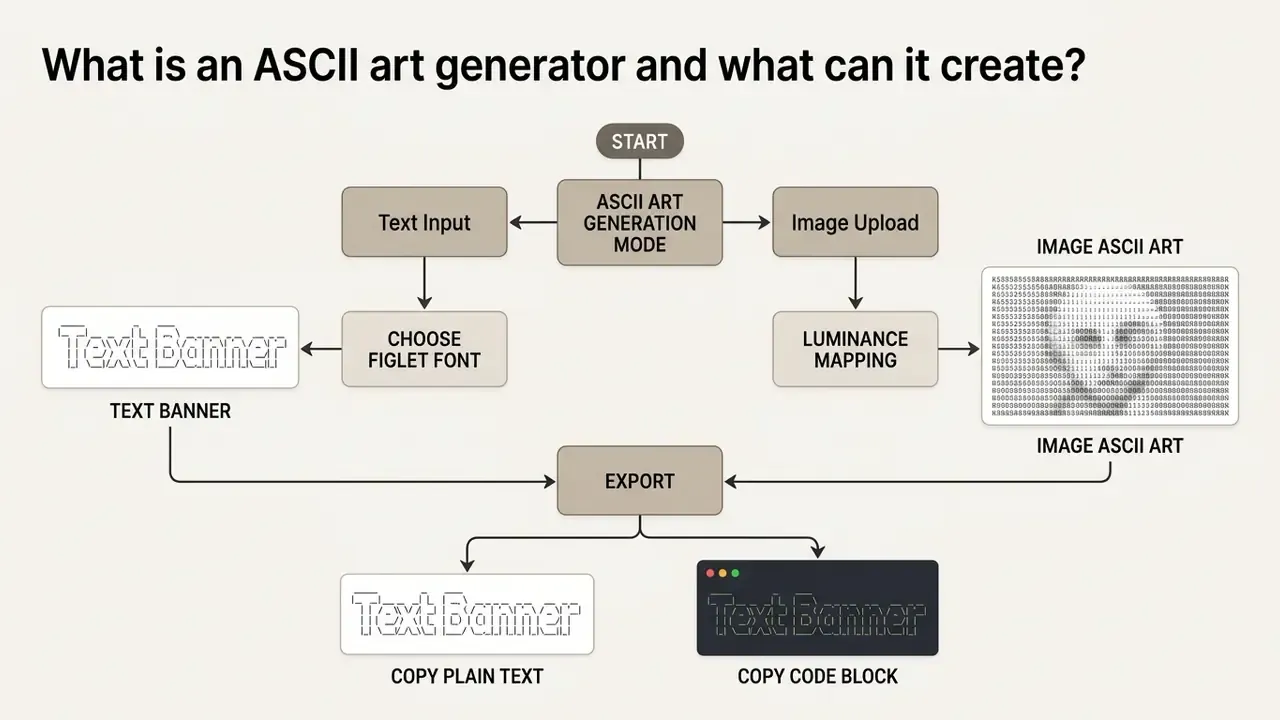
Image-to-ASCII conversion
Image-to-ASCII mode converts raster or vector images into character-based visual approximations using grid sampling and luminance mapping algorithms. The converter divides the input image into discrete pixel tiles, calculates the average brightness of each tile using standard luma formulas (such as , the ITU-R BT.709 weighting), and assigns a corresponding character from a density ramp.
«Image-to-ASCII conversion involves two steps: extracting line structures from the photograph, and replacing those structures with characters selected from n×n tile brightness.»
Darker image regions map to dense characters like @ or #, while lighter regions correspond to sparse symbols like . or whitespace. Readers who need to extract written content from a picture rather than stylize it should look at dedicated image-to-text conversion tools instead of a density-ramp converter.
A ten-step density ramp makes the mapping visible as a simple gradient strip:
Dark -> @@@@ %%%% #### **** ++++ ==== ---- :::: .... (space) <- Light
The same principle applied to a small high-contrast icon (a filled circle) produces:
    .:-=+**+=-:.
  .-+*########*+-.
 .=*############*=.
 :*##############*:
 .=*############*=.
  .-+*########*+-.
    .:-=+**+=-:.
Notice how little source information is needed. A silhouette survives conversion; a busy photograph rarely does.
How to create ASCII text art from text
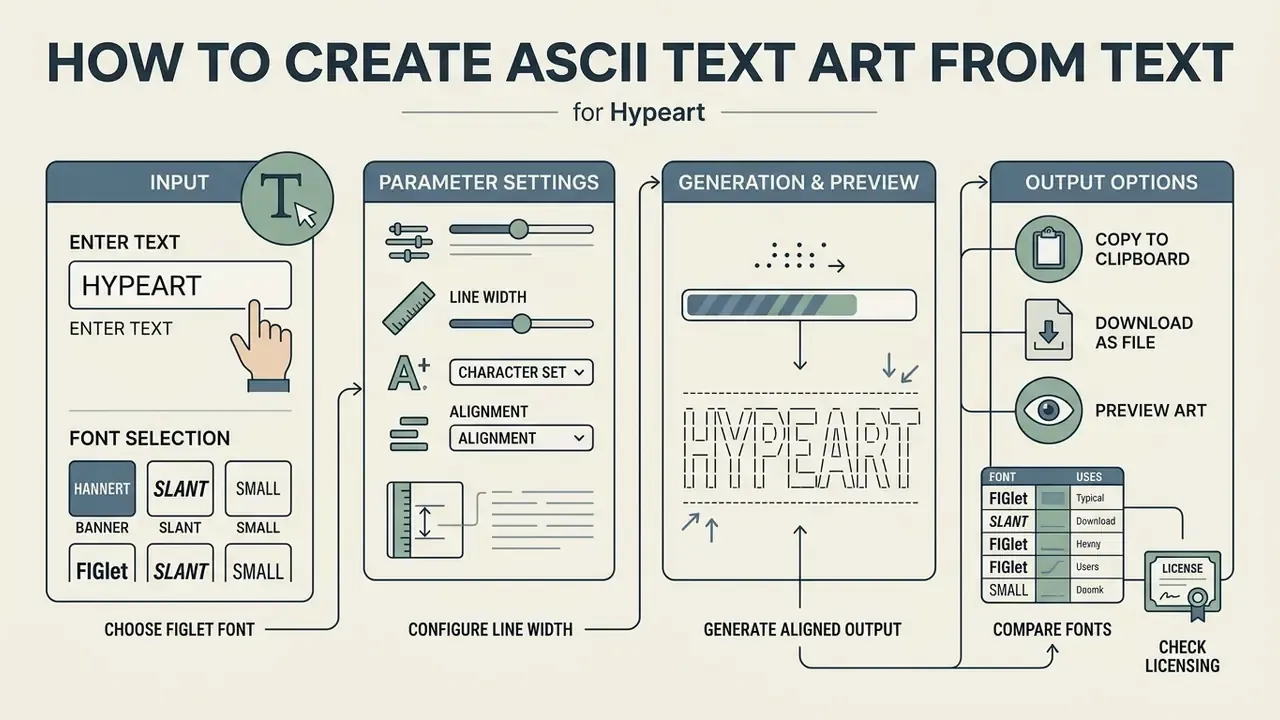
Creating ASCII text art from plain text requires selecting a compatible FIGlet font, configuring line width parameters, and generating an aligned multi-line output block.
«A 2024 study extracted 2,156 ASCII drawings from four major open-source projects (Chromium, Linux, LLVM, TensorFlow), confirming their active use in modern software development.»
An ascii art generator from text processes typed input deterministically by retrieving glyph templates from a font library and placing them on a shared monospaced canvas. Same input, same font, same width: same output. That reproducibility is the reason banners are easy to keep under version control.
Enter text and choose an ASCII font
To generate an ASCII banner, enter a short phrase into the input field of an ascii art generator for text and select a font style such as Standard, Slant, Block, or Doom. Short phrases produce cleaner structural alignment, as wide letterforms can exceed terminal column limits.
Typical deployment pattern (illustrative, not a client case): in enterprise CLI tooling, the recurring requirement is a standardized startup banner across internal Linux hosts. The reproducible recipe is to pin one font (usually Standard) and one explicit column limit (figlet -w 80), commit the rendered banner as a static text asset, and print it from the launcher script. Pinning both parameters is what prevents banner wrapping on narrow SSH sessions and removes any graphics-rendering dependency from the deployment image. Because FIGlet output does not reflow, the width decision must be made at generation time, not at render time.
The same word rendered in three different fonts shows how much the silhouette and footprint change:
Slant:
    ___   _____ ______ __________
   /   | / ___// ____//  _/  _/ /
  / /| | \__ \/ /     / / / // /
 / ___ |___/ / /___ _/ /_/ // /
/_/  |_/____/\____//___/___/_/
Banner3 (hash fill):
   #    #####   ####  ### ###
  # #  #     # #       #   #
 #   # #       #       #   #
 ##### #####   #       #   #
 #   #       # #       #   #
 #   # #     # #    #  #   #
 #   #  #####   ####  ### ###
Mini (2 rows):
 _  _ __ _ _ _
(_|_)(_ (_ | |
FIGlet font reference and technical specifications
When selecting a FIGlet font for text banners, row height and column footprint dictate structural integrity across viewports. The following matrix details parameters for the most effective standard fonts:
| Font Name | Vertical Height | Character Fill Type | Maximum Rec. Input | Primary Use Case & Terminal Compatibility |
|---|---|---|---|---|
| Standard | 5 rows | Slashes & pipes (/, |) | 20–25 chars | GitHub README headers, default CLI welcome screens (80-col safe). |
| Slant | 5 rows | Right-leaning slashes | 18–22 chars | Dynamic project titles, CLI action prompts requiring visual momentum. |
| Big | 8 rows | Multi-character outline | 10–12 chars | High-impact section titles, presentation splash screens (120-col required). |
| Small | 3 rows | Compact ASCII | 35–40 chars | Embedded code comments, tight terminal prompts, inline git signatures. |
| Banner3 | 7 rows | Heavy hash (#) fill | 8–10 chars | High-contrast section dividers in long Markdown documentation. |
| Block | 7 rows | Solid Unicode (█) | 10–12 chars | Status dashboards, system splash screens requiring solid visual blocks. |
| Shadow | 5 rows | Hollow outline + drop shadow | 15–18 chars | Decorative subtitles, retro flyers, ASCII poster art. |
| ANSI Shadow | 6 rows | Half-block 3D shading | 12–15 chars | Modern CLI tools, terminal dashboards supporting UTF-8/ANSI palettes. |
| Doom | 8 rows | Heavy diagonal shading | 8–10 chars | Gaming interfaces, dark-mode terminal banners, retro application headers. |
| Star Wars | 8 rows | Cinematic pseudo-3D type | 8–10 chars | Intro sequences, playful project banners, fan-page titles. |
| Isometric1 | 9 rows | Stacked isometric blocks | 6–8 chars | Portfolio banners, art pieces, presentation title cards. |
| Mini | 2 rows | Ultra-compact single-line | 45–50 chars | Inline documentation badges, terminal status bars, compact log headers. |
Practical selection rule: Standard is the safest default for GitHub because it survives GitHub's monospaced stack and mobile viewports; ANSI Shadow looks the most modern in UTF-8 terminals; Banner3 works best as a divider inside long documentation; Mini and Small are the only safe choices for a single-line log header. If you are comparing several ascii art generator tools against these parameters, the same side-by-side logic used in our AI Media Comparison Matrices applies here: fix the criteria first, then test.
How to turn an image into ASCII art online
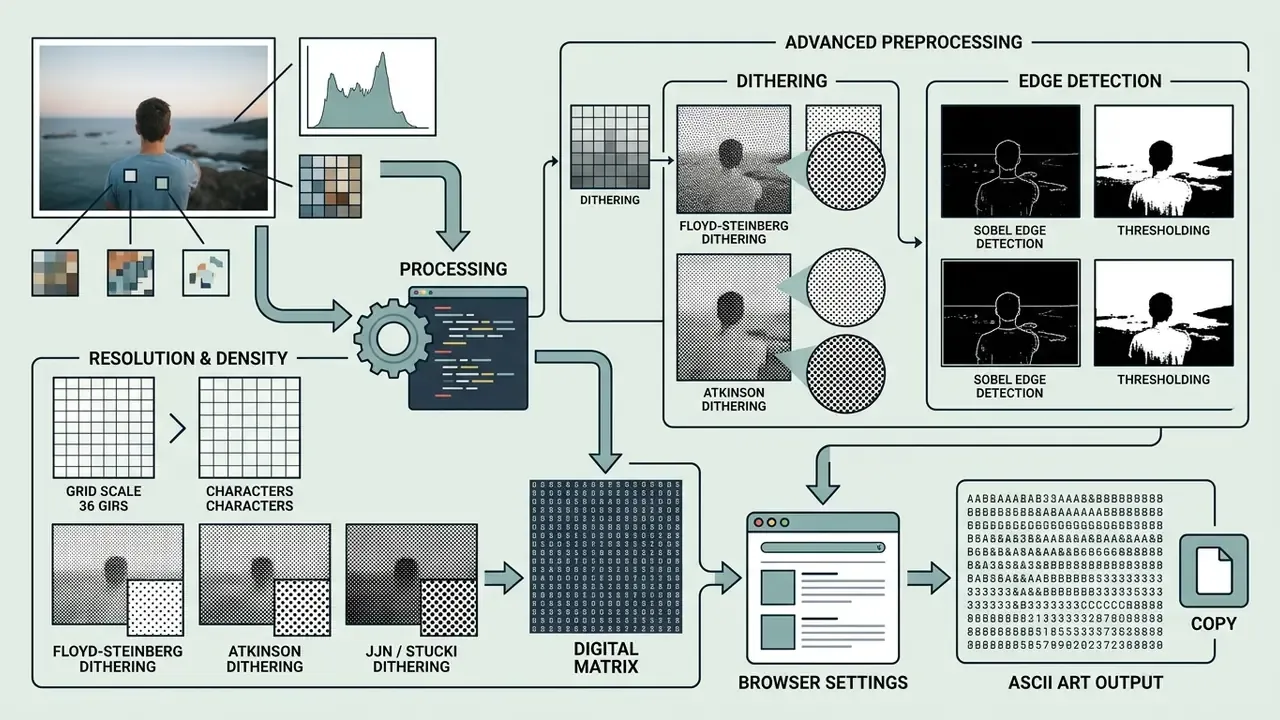
Online image-to-ASCII conversion turns digital photographs into character matrices through browser-based canvas processing. An ascii art generator from image online processes uploaded graphics locally using JavaScript HTML5 canvas APIs, ensuring source files remain client-side.
Image resolution and character density
Output detail in an ascii art image generator depends directly on character grid resolution and density ramp settings.
«The n×n tile size determines how many characters are produced per dimension: a smaller tile yields more characters and higher resolution, but reduces legibility on narrow screens.»
Decreasing the tile sampling size increases the total column count, allowing the converter to capture finer visual edges and mid-tone transitions. However, high-resolution ASCII images require larger viewing viewports; if the character count exceeds the container width, lines wrap automatically and destroy the spatial layout. Where the source file is too small to sample meaningfully, resampling it first with AI image upscalers gives the converter more usable tonal information per tile.
Advanced image preprocessing: dithering and edge detection
When converting low-contrast images to ASCII, straight luminance mapping loses detail in mid-tone areas. Advanced image-to-ASCII engines therefore apply error-diffusion dithering and edge detection before symbol allocation:
- Floyd–Steinberg ditheringdistributes quantization error to neighbouring pixels (right: 7/16, down-left: 3/16, down: 5/16, down-right: 1/16). This creates smooth tonal transitions without structural banding.
- Atkinson ditheringspreads only 3/4 of the quantization error across adjacent pixels, preserving higher contrast and producing cleaner visual edges on low-resolution ASCII grids.
- Jarvis, Judice & Ninke (JJN) / Stuckiuse a wider three-row diffusion matrix. Best suited to high-density ASCII grids (over 120 columns) where fine photographic detail must be preserved.
- Sobel edge detectioncalculates the gradient magnitude of image intensity at each pixel. Combined with an ASCII density ramp, it highlights geometric outlines, which is ideal for line art and logo conversion.
- Thresholdingcollapses the tonal range into a binary light/dark decision at a chosen cut-off (commonly 128 on an 8-bit scale), which sharpens silhouettes at the cost of mid-tone information.
Browser settings for image conversion
Client-side image converters expose controls for contrast, brightness, gamma correction, saturation, sharpness, space density, and character inversion. Contrast adjustments separate the foreground subject from background noise, while brightness inversion swaps light and dark mappings to accommodate dark-mode or light-mode display surfaces. Gamma correction is the control that restores mid-tone detail lost during quantization. An ascii art generator online allows real-time tuning of these parameters, enabling users to optimize edge clarity before exporting the final character grid as .txt, .png, or .svg.
Practical guidance: high-contrast, simple sources (logos, silhouettes, product cut-outs) convert best. Busy colour photographs lose information, so pre-convert them to grayscale and raise contrast before sampling. If a conversion stubbornly refuses to look right, the fault is usually the source file, not the settings panel. Our AI Media Support and Troubleshooting notes cover the same diagnostic order for other browser-based converters.
Settings that affect the style and readability of ASCII art
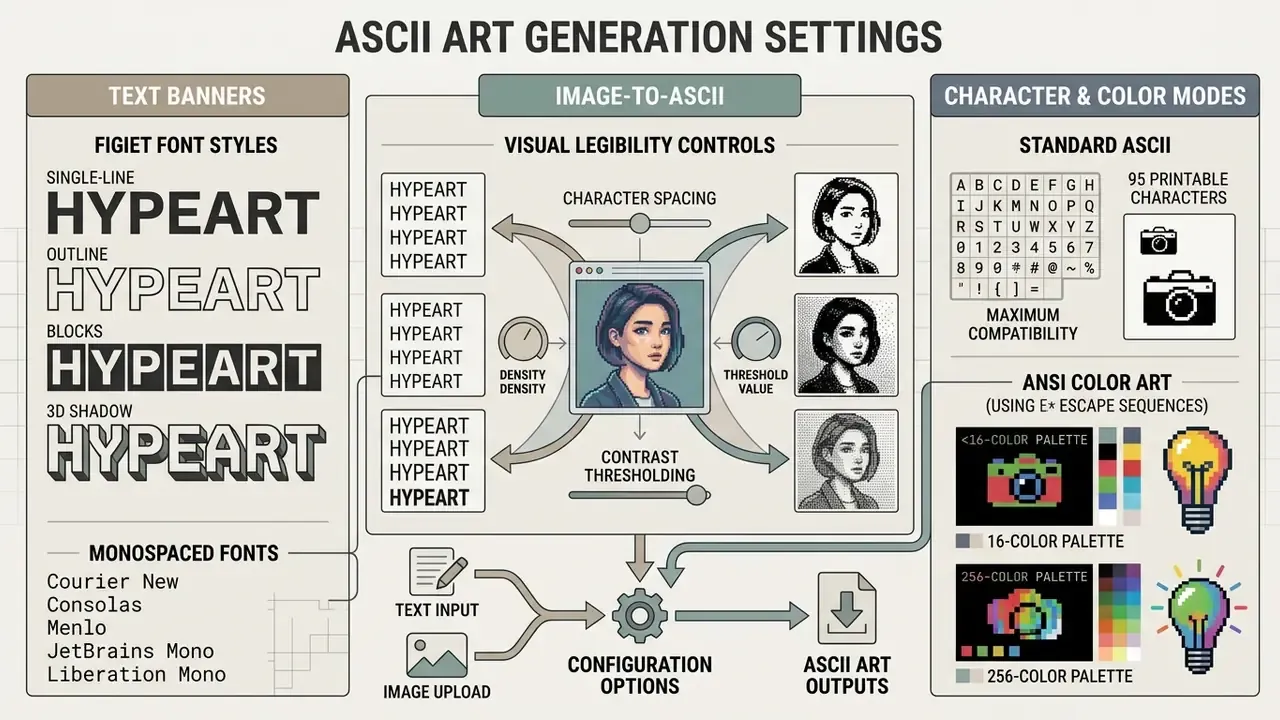
Visual legibility in character graphics depends on character spacing, contrast thresholding, and character set selection. Balancing these settings ensures that banners and image conversions remain clear across different rendering surfaces.
Characters, contrast and ANSI output
Standard ASCII mode uses the 95 printable 7-bit characters, offering maximum cross-platform compatibility (RFC 5198, which reaffirms ANSI X3.4-1968 as definitive for Internet text).
«The 95 fixed-width printable ASCII characters "are easily copied between files and display uniformly across different computers", which is what makes them the baseline for cross-platform compatibility.»
In contrast, ANSI art adds terminal escape sequences that introduce 16-colour or 256-colour palette formatting and extended character sets (such as Code Page 437 box-drawing symbols), in line with ECMA-48 / ANSI X3.64. While ANSI graphics provide richer visual detail, they require colour-compatible terminal environments and will display raw escape-code artifacts if opened in plain-text editors lacking ANSI support.
| Parameter | Setting Choice | Effect on Text Banners | Effect on Image ASCII Art |
|---|---|---|---|
| Font Style | Standard / Slant / Block | Controls letter silhouette and line height | Minimal impact (applies to text overlays) |
| Character Density | Low / Medium / High | Changes horizontal span and banner width | Controls tonal detail and shading density |
| Image Resolution | 40 to 160 columns | Determines overall column footprint | Higher resolution increases visual detail |
| Output Encoding | Standard ASCII vs ANSI | Standard ensures universal terminal display | ANSI adds colour escape sequences and shading |
| Dithering Mode | None / Floyd–Steinberg / Atkinson / JJN / Stucki | Not applicable | Controls smoothness of tonal gradients and banding |
| Invert / Threshold | On / Off, 0–255 cut-off | Rarely used | Adapts output to light or dark backgrounds; sharpens silhouettes |
One habit worth adopting: record the exact settings alongside the exported file. Six months later, nobody remembers whether the divider was Banner3 at 72 columns or Block at 80.
Copy, download and use ASCII art in code or online projects
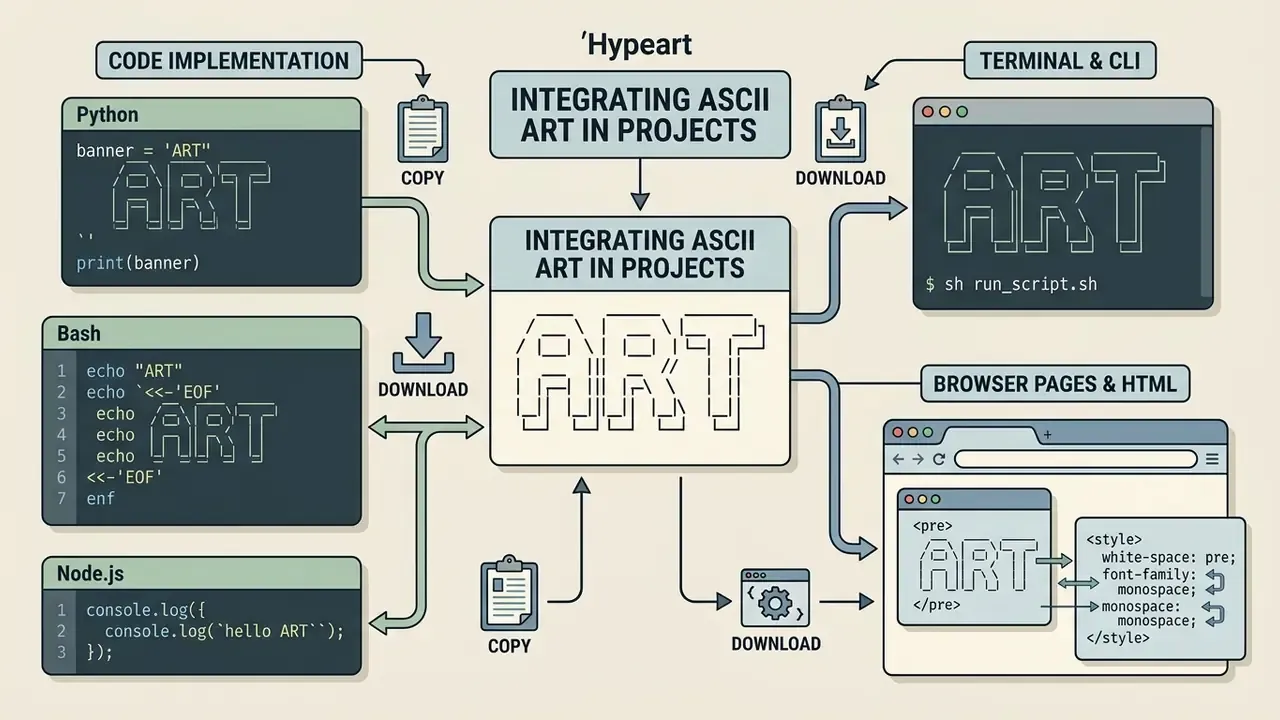
Integrating ASCII graphics into technical environments requires preserving whitespace and preventing automatic text wrapping. Using an ascii art generator code output ensures that multi-line structures retain their geometric alignment inside source files and web documents.
Using ASCII art in code, terminals and browser pages
In HTML documents, place ASCII art inside <pre> tags styled with font-family: monospace; white-space: pre;. The <pre> element is a preformatted-text container that browsers render in a non-proportional font by default, and white-space: pre preserves runs of spaces and breaks lines only at explicit newline characters. Together, the two properties enforce fixed character widths and keep leading spaces. Escape &, <, and > before embedding art in HTML, and add a short text alternative immediately before or after the block, as WCAG technique H86 requires for non-textual character graphics.
For source code comments, prefix each row with language-specific comment characters (//, #, or /*), keeping the prefix width identical on every line. In terminal applications, set explicit character-width bounds (such as 80 or 120 columns) to prevent output reflow when terminal windows are resized. In Markdown, always wrap the art in a fenced code block: outside a fence, CommonMark collapses runs of whitespace and strips leading spaces, which destroys the layout.
What to check before commercial use
«The ASCIIBench dataset was assembled with copyright compliance: every artwork is attributed to its creator, confirming that ASCII art, despite its textual form, is treated as a protectable creative work.»
Practical rule of thumb: if the ASCII artwork carries an artist's name or initials, keep them. Removing an attribution line from community ASCII art is both a licensing risk and a norm violation in the ASCII-art community. Where the deliverable is part of a paid product, the cost side of that decision belongs in the same review as AI Media Pricing and budget sign-off, and disputes over generated-asset ownership are tracked in our AI Litigation and Case Timelines.
Free online ASCII art generator tools: how to choose
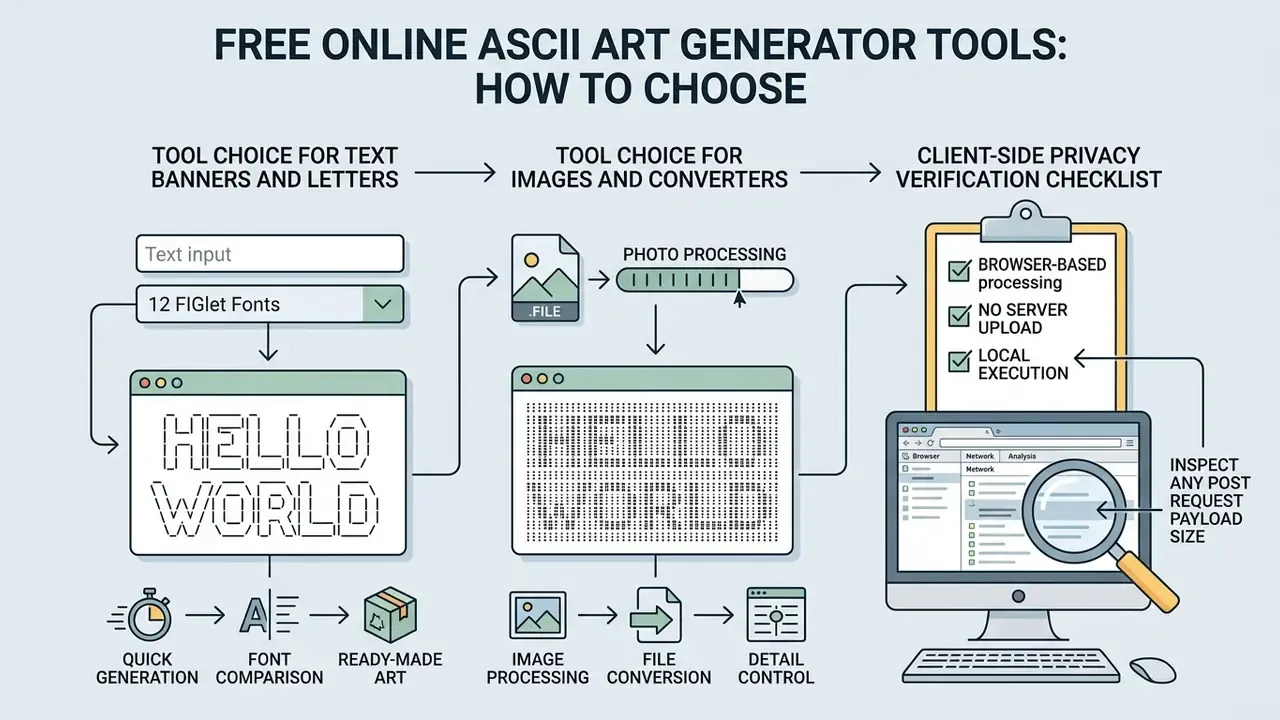
Selecting an ascii art generator free tool depends on whether the primary requirement is generating quick text banners or processing complex image files in the browser. An ascii art generator online free offering with no width control is usually the wrong pick for documentation work, however pretty the demo looks.
Tool choice for images and converters
When selecting an ascii art generator site for image conversion, prioritize tools that execute processing entirely in the browser via JavaScript canvas.
«ASCII art attacks achieve success rates approaching 100% against most tested toxicity models, exposing critical vulnerabilities in both LLMs and dedicated moderation systems.»
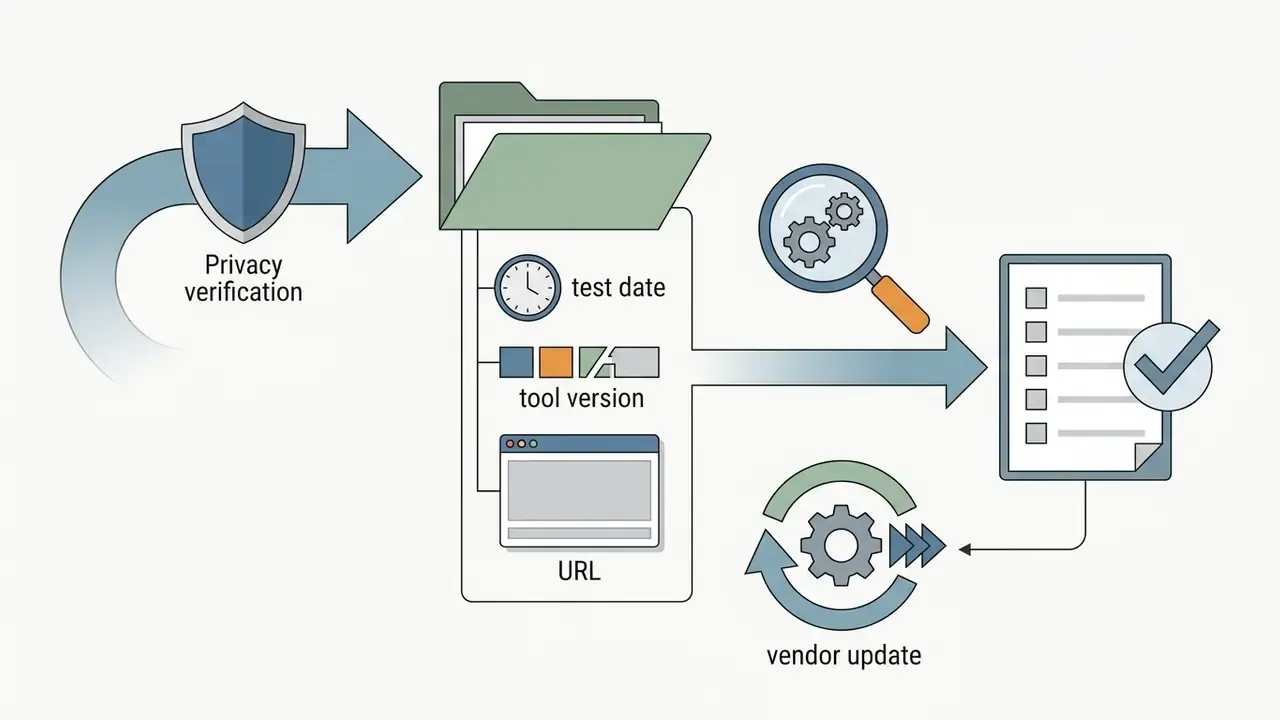
Client-side privacy verification checklist
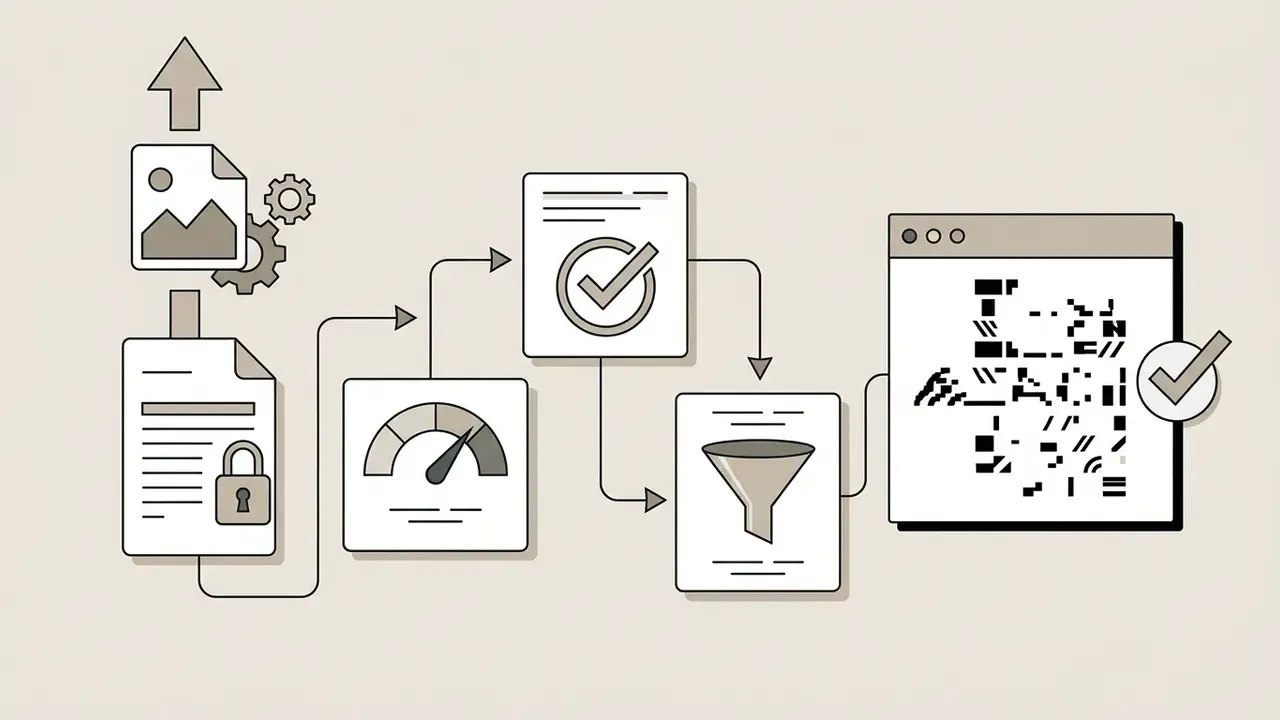
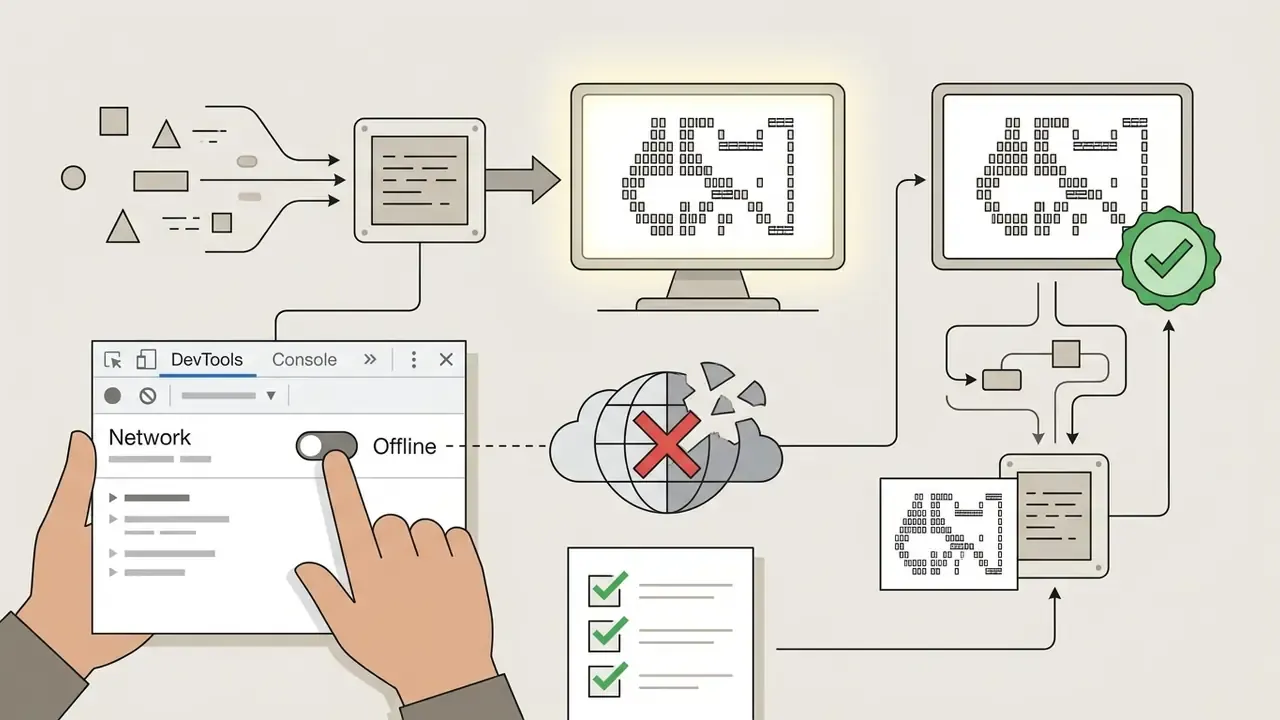
For regulated environments, "runs in your browser" is a claim that should be verified rather than trusted:
Seven steps, maybe ten minutes. Cheap evidence.
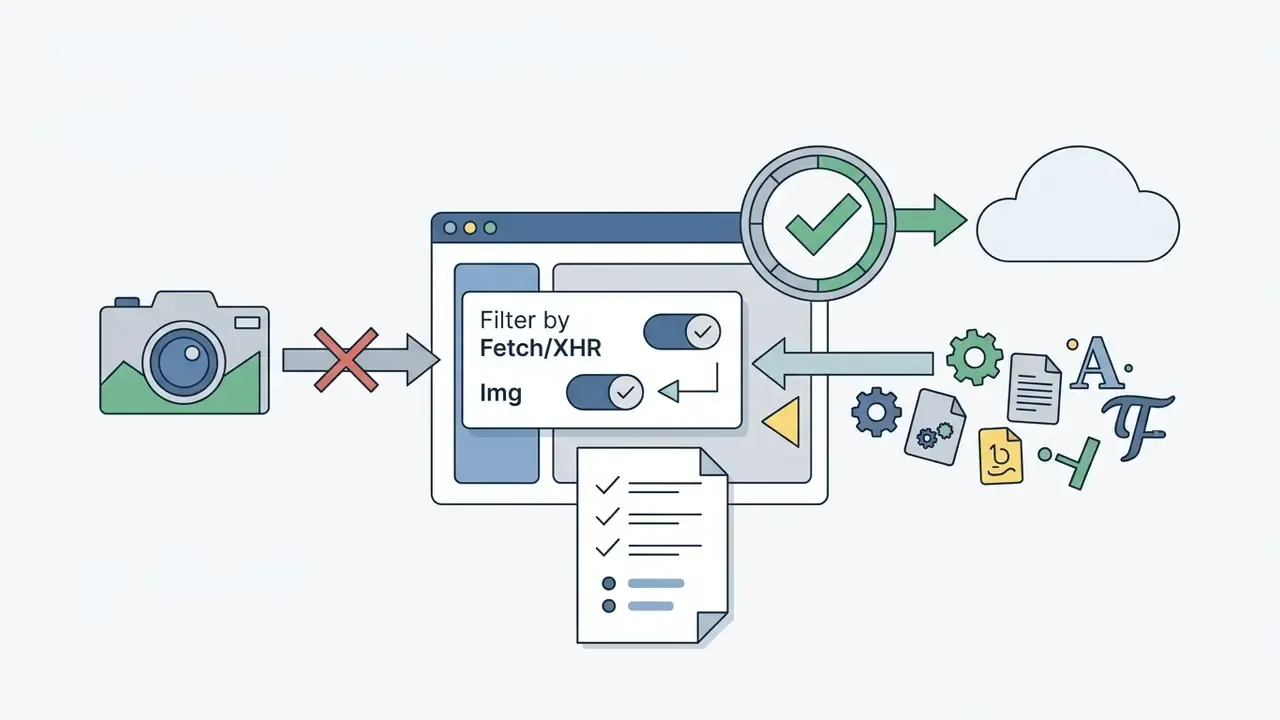
Fetch/XHR and Img. A genuinely client-side converter issues no outbound request carrying the image payload, only static asset loads (JS, fonts, CSS).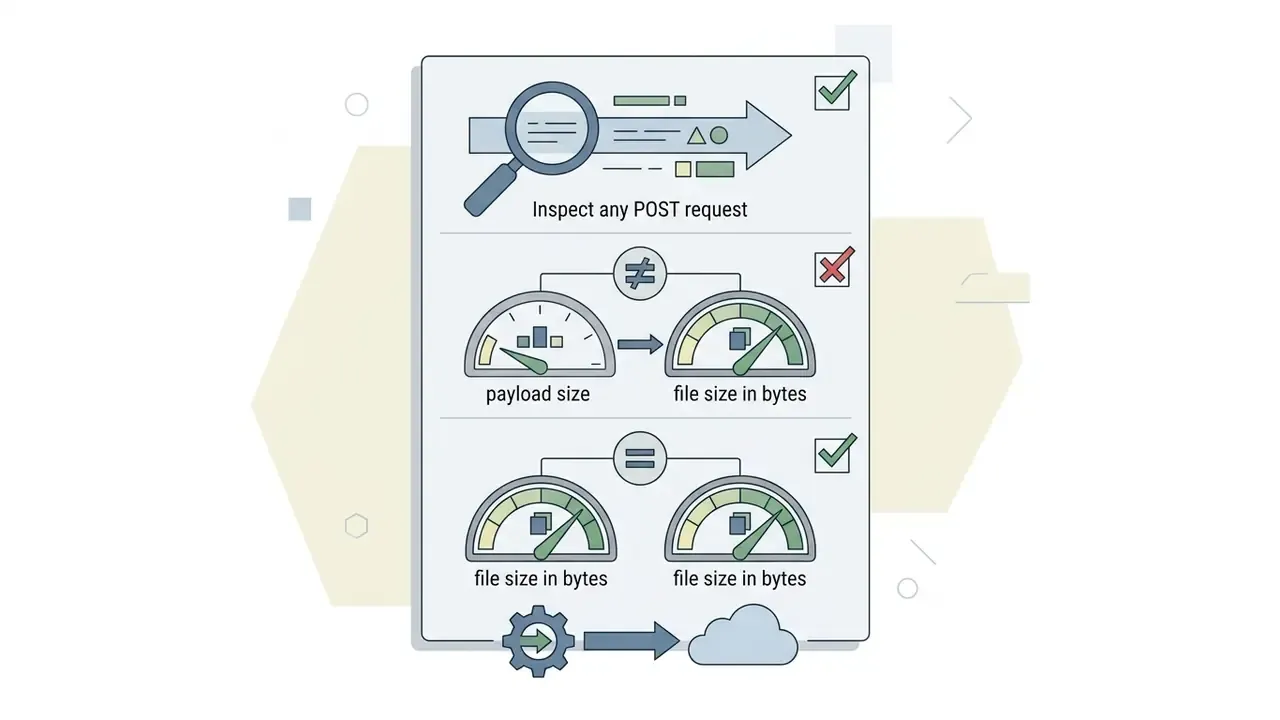

Ready-to-use ASCII art templates and text emoticons
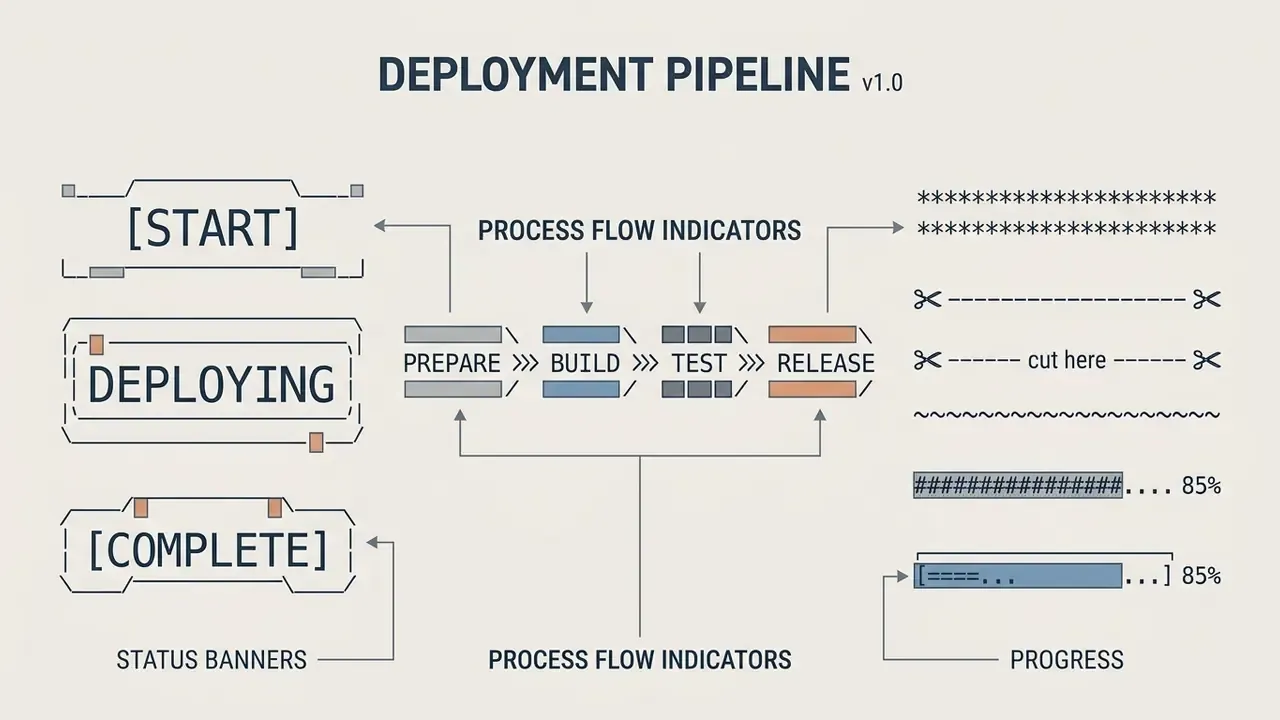
Below is a curated collection of lightweight ASCII art components and single-line emoticons designed for monospaced documentation, CLI logs, and Markdown files. Copy them into a code fence, a terminal, or a code comment.
Classic multi-line ASCII art snippets
Status banners and dividers
Single-line Kaomoji and system symbols
| Category | Output Snippet | Encoding Type | Recommended Context |
|---|---|---|---|
| Emoticons | ¯_(ツ)_/¯ | Unicode / UTF-8 | Git commit notes, chat status updates |
| Action | (╯°□°)╯︵ ┻━┻ | Unicode / UTF-8 | Exception alerts, error documentation |
| Reset | ┬─┬ ノ( ゜-゜ノ) | Unicode / UTF-8 | Recovery logs, rollback state indicators |
| Status | <3 ♥ ★ ☆ → ⇒ | Mixed ASCII / UTF-8 | README badges, changelog bullet points |
| Pure ASCII fallback | <3 * -> => » | 7-bit ASCII | Legacy terminals, plain log files, email |
Compatibility note: true ASCII art uses only the 128 ASCII code points and renders identically on systems going back decades. Kaomoji, box-drawing characters, and symbols such as ♥ require UTF-8 support. For maximum portability across old terminals and raw log files, stay inside pure ASCII.
Dynamic and animated ASCII art: WebGL and ANSI terminal sequences
Modern web-based generators extend static character grids by applying real-time WebGL shaders or terminal frame loops.
- WebGL canvas effects. Tools push raw text meshes through fragment shaders, applying effects such as liquid fire, Matrix digital rain, hologram scans, chrome, ripple, and CRT scanlines. These streams are rendered client-side and can be exported as MP4 video or animated GIF, typically with frame presets (5 s / 10 s) and aspect-ratio presets (16:9, 9:16, 1:1, 4:5) for social and documentation use.
- ANSI terminal animations. Command-line tools animate banners by sending a screen-clear command (
\033[2J) followed by frame updates that reposition the cursor with ANSI escape codes (\033[H). This drives animated loading indicators, marquee banners, and splash screens directly inside a software terminal. - Export trade-off. Animated exports are raster files (MP4/GIF) and therefore lose the copy-paste, diffable, grep-able properties that make static ASCII useful in code. Use animation for marketing surfaces and static text for repositories and CLIs.
ASCII Art Generator FAQ
Is standard ASCII different from ANSI art?
Yes. Standard ASCII art uses only the 95 printable 7-bit ASCII characters (values 32 to 126) and relies entirely on character density for visual structure.
«The 95 fixed-width printable ASCII characters display uniformly across different computers; extended encodings improve visual results but reduce universal compatibility.» Visual Perception in Text Strings (2024). https://arxiv.org/abs/2406.01953
ANSI art incorporates escape sequences that control foreground and background colours plus cursor positioning, often using extended 8-bit character sets (such as Code Page 437) to render coloured graphics in supported terminal environments.
Will ASCII banners display correctly in every browser?
ASCII banners display correctly in any browser provided they are contained within elements that enforce monospaced font rendering and whitespace preservation (such as tags or CSS white-space: pre;). If rendered within standard paragraph tags, browsers collapse multiple spaces into a single space and apply proportional font widths, destroying the banner's visual alignment. On mobile, narrow viewports add a second failure mode: text wrapping splits lines inside the banner, so cap generated width at 40–60 columns for content that must survive a phone screen.
Why does copied ASCII art lose its formatting?
ASCII art loses formatting when pasted into text fields or document editors that use proportional fonts or automatic whitespace collapse.
«Even a minor character offset makes an ASCII image unrecognisable to both humans and models: structural regularity is the defining property of ASCII art.» ASCIIBench (2025). https://arxiv.org/abs/2504.07905
Because non-monospaced characters have variable horizontal widths (for example, w is wider than i), column boundaries misalign. To restore alignment, select the pasted text and change its font style to a monospaced family such as Courier New or Consolas. In Discord or Slack, wrap the art in triple backticks; in Markdown, use a fenced code block. For post-processing exported PNG versions of character art, general-purpose AI photo editors can handle cropping, padding, and background removal.
Can I export animated ASCII art, and in which formats?
Yes. Browser generators that layer WebGL effects over a FIGlet banner render the animation live in the preview and export it as MP4 or animated GIF, usually with fixed-duration presets and selectable aspect ratios. For terminal use, animation is produced instead by ANSI escape sequences inside the script itself (clear screen, redraw frame), which keeps the output as pure text rather than a video file. Static text output remains the only format that stays diffable in version control.
What is FIGlet, and are the fonts free to use?
FIGlet is the original Unix program for rendering typed text as large banner letters from font description files, and it defined most of the classic styles (Standard, Slant, Big, Shadow, 3-D). The program and its bundled fonts ship under the New BSD (3-Clause) License, so commercial use is permitted when copyright notices are retained and contributor names are not used to imply endorsement.
How do I make ASCII art from an image?
Switch the generator to image mode and upload a picture. Each small tile is sampled for brightness and mapped to a character of matching density, producing a grayscale rendering in text. High-contrast, simple images (logos, silhouettes) convert best; busy colour photographs lose detail. Increase output width for more detail, enable a dithering mode to smooth mid-tones, and use edge detection for line art.
Which FIGlet font is best for a GitHub README?
Standard is the safest default: five rows, an 80-column footprint, and clean rendering in GitHub's monospaced stack, including on mobile. ANSI Shadow looks the most modern where UTF-8 half-blocks are supported, and Banner3 works well as a high-contrast divider inside long documentation files. Avoid nine-row fonts such as Isometric1 for repository headers, since they wrap on narrow screens.
Appendix A: editorial corrections and superseded attributions