

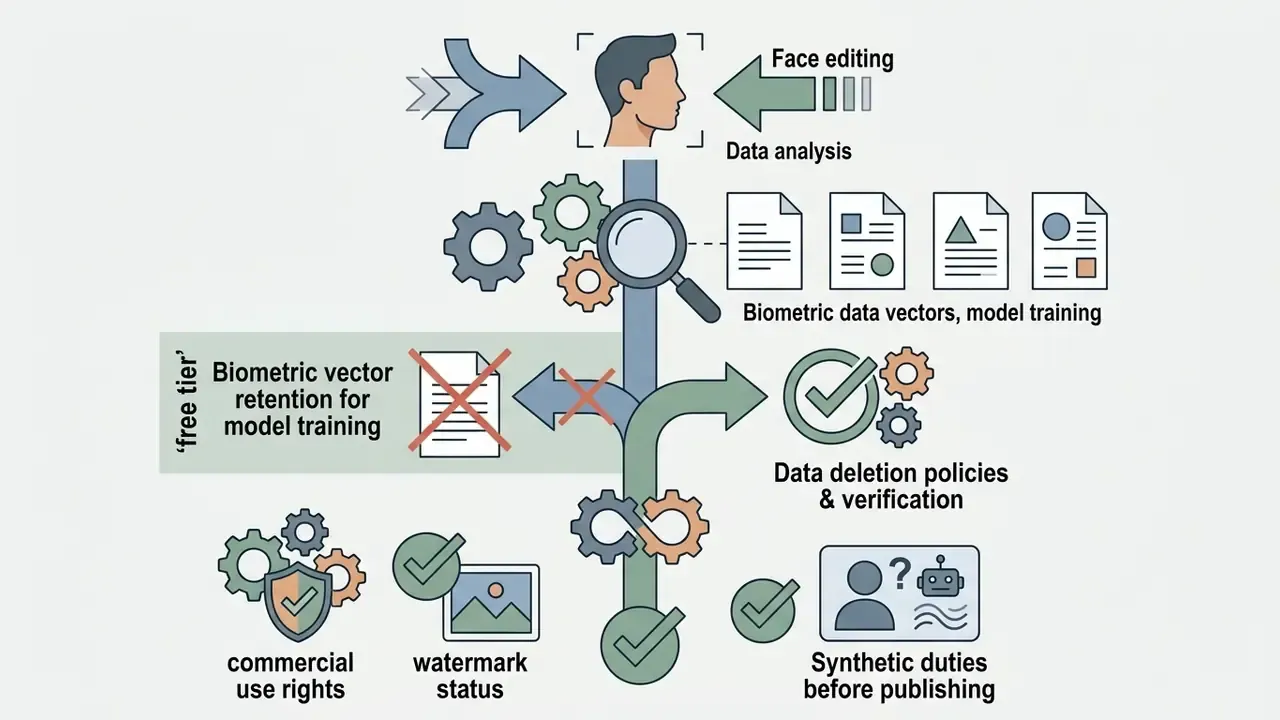
Why does that distinction matter to a decision-maker, and not only to a retoucher? Because a portrait is identity data. The moment you upload a face, you are handling something that several privacy frameworks treat as biometric material.
Executive Summary
Quick Orientation: Key Terms and the Decisions This Guide Supports
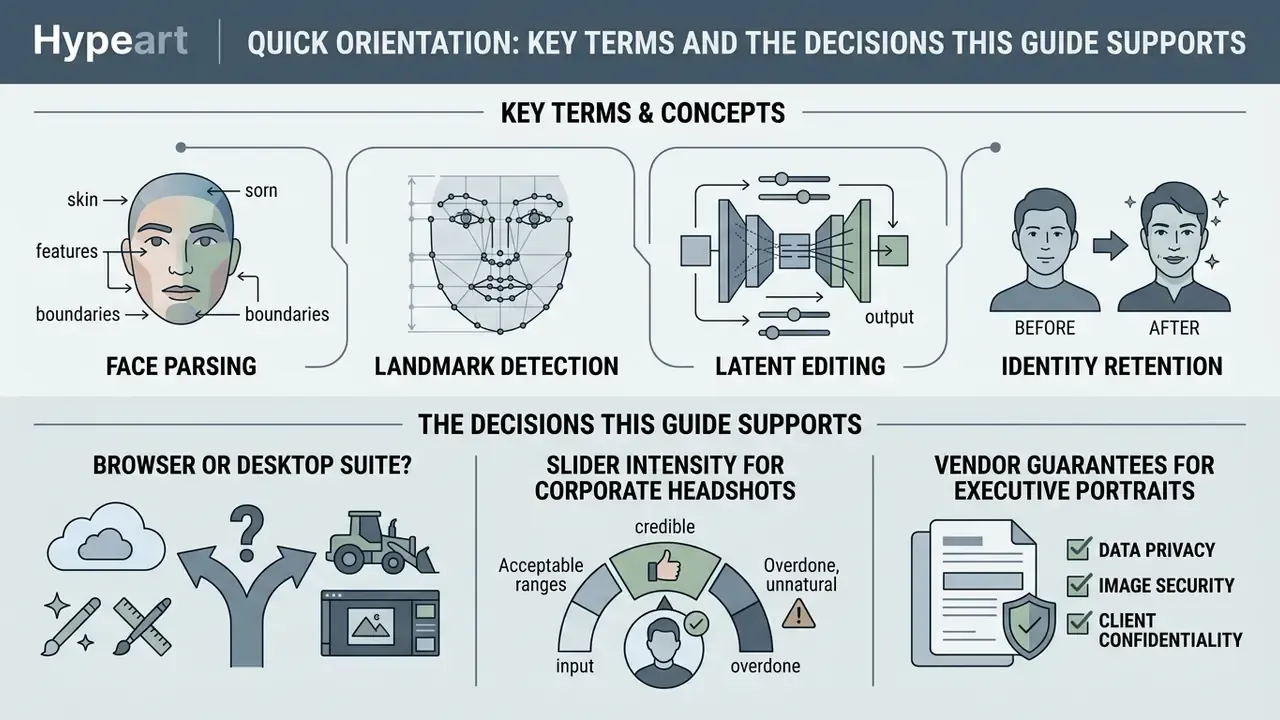
Before the tools, a short vocabulary check. Most confusion about AI portrait work comes from four words used loosely.
- Face parsing. Automatic segmentation of a portrait into labelled regions: skin, eyes, brows, lips, teeth, hair, background. Everything local depends on it.
- Landmark detection. Location of keypoints (eye corners, nose tip, jaw contour). These anchor any face reshaping operation.
- Latent editing. Moving a face inside the internal representation of a generative model to change an attribute, rather than pushing pixels around.
- Identity retention. A measurable question: does an automated face recognition system still match the edited portrait to the original person?
What can you actually decide after reading this page?
- Whether a browser-based photo face editor is enough for your use case, or you need a desktop suite.
- Which slider intensities keep a corporate headshot credible.
- What to demand from a vendor in writing before uploading executive or client portraits.
- When a disclosure label is the safer choice, even if nobody asked for one.
Simple enough. The details are where the risk lives.
What a Face Photo Editor Is and What It Solves
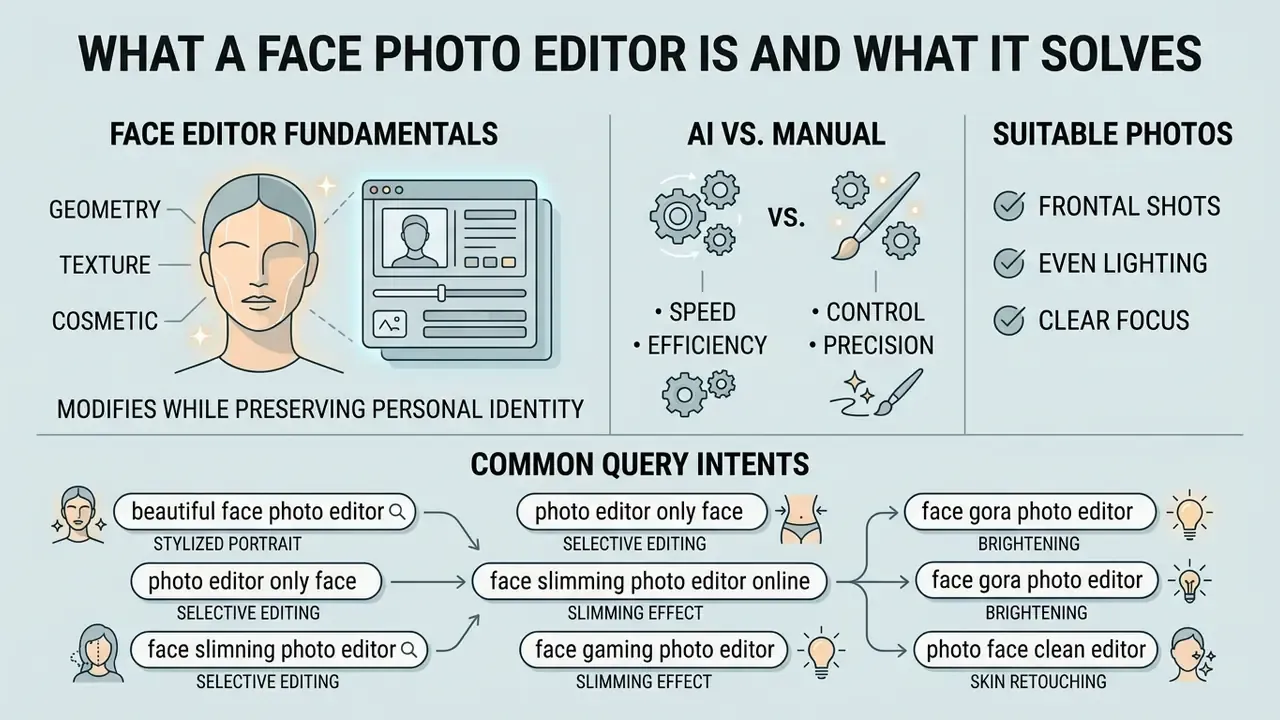
A specialized photo editor for face work modifies geometry, texture, and cosmetic appearance while trying to preserve personal identity. General photo editing software concentrates on global exposure, colour balance, and cropping. A face photo editor goes further: it performs semantic parsing and turns skin, eyes, lips, hair, and background into separate operational layers.
«Most modern beautification systems rely on deep convolutional networks trained on datasets such as SCUT-FBP5500 with five-point attractiveness ratings.»
Local facial feature editing handles targeted adjustments: refining skin texture, removing transient blemishes, balancing jawline symmetry, applying virtual makeup. Global colour correction shifts the tonal palette across the whole canvas. Cropping only re-frames the composition and leaves facial structure untouched. With an online face photo editor you can edit faces quickly without manual layer masking or a desktop install, a workflow shift that runs across the wider family of AI photo editors.
One more framing point. A face editor is a model, not a filter. Models drift, models fail on out-of-distribution inputs, models need documented limits. That is exactly how a bank would treat any scoring model, and portraits deserve a little of the same discipline.
AI Face Editor vs. Manual Editing Tools
An editor ai face system uses automated face detection and landmark localization to build semantic masks with no human intervention. Face parsing models detect the facial bounding box, then locate keypoints across the eyes, nose, mouth, and jaw contours.
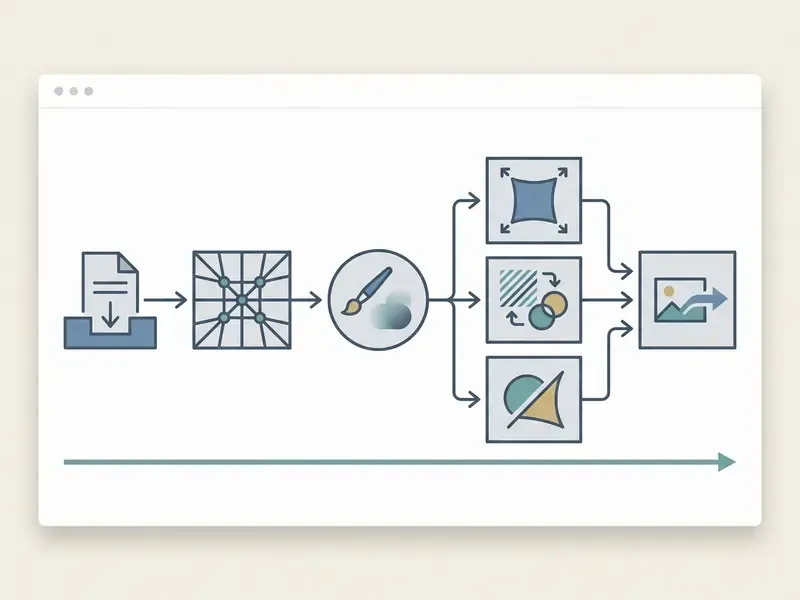
Traditional manual photo editing tools depend on hand-drawn selections, lasso work, or rule-based brushes. They demand time and a trained eye. Modern generative AI combines deep learning face parsing with inpainting and latent space manipulation to produce realistic results. Automated systems process adjustments in seconds, while hybrid editors still let you move parametric sliders by hand and correct whatever the algorithm misread.
Automation is not judgement. The slider position is still yours.
Which Photos Are Suitable for Face Editing
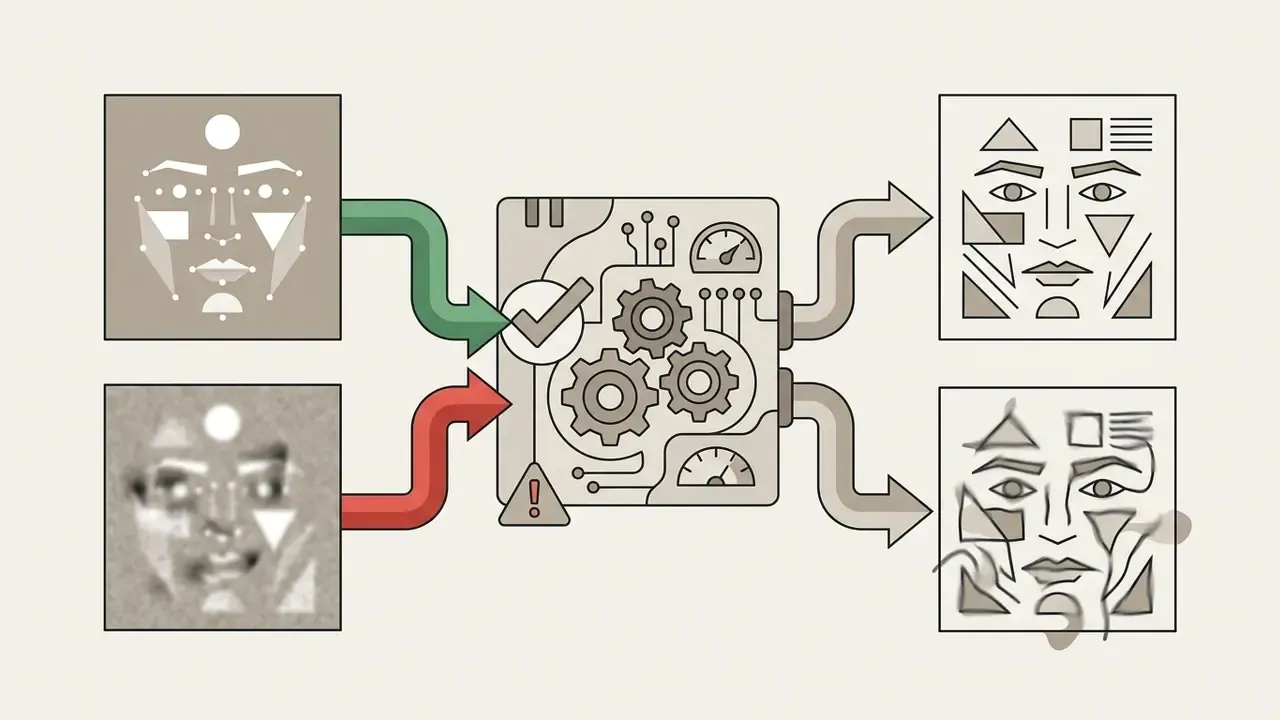
«Most beautification models are trained on well-lit frontal portraits; under extreme viewing angles or occlusions, segmentation quality degrades substantially.»
Severe motion blur, extreme side profiles, heavy occlusions such as oversized sunglasses or a face mask, and hard low-light noise all break keypoint detection. The visible symptoms are boundary bleeding along the hairline and invented texture where the model had no data.
Query Variants and What They Usually Mean
Search behaviour around this topic is unusually literal, and the phrasing tells you the job to be done.
- "beautiful face photo editor" and "hd face photo editor" usually signal a quality concern: the user wants an ai image result that survives full-screen viewing, not a soft mobile filter.
- "photo editor only face" signals fear of collateral damage to the background. That is the anti-warping question in plain language.
- "face slimming photo editor online" and "free online face slimming photo editor" point at contour work, jaw and cheek width above all.
- "face gora photo editor" comes from Hindi and Urdu usage, where gora means fair-skinned. In practice it maps to skin-tone brightening presets. Worth flagging honestly: tone-lightening presets carry cultural and ethical baggage, and for professional headshots an even exposure is a better goal than a lighter complexion.
- "photo face clean editor" is about blemish clean-up rather than reshaping.
Knowing which variant a user typed changes which slider you should show them first.
Face Editor Tools for Retouching and Portrait Enhancement
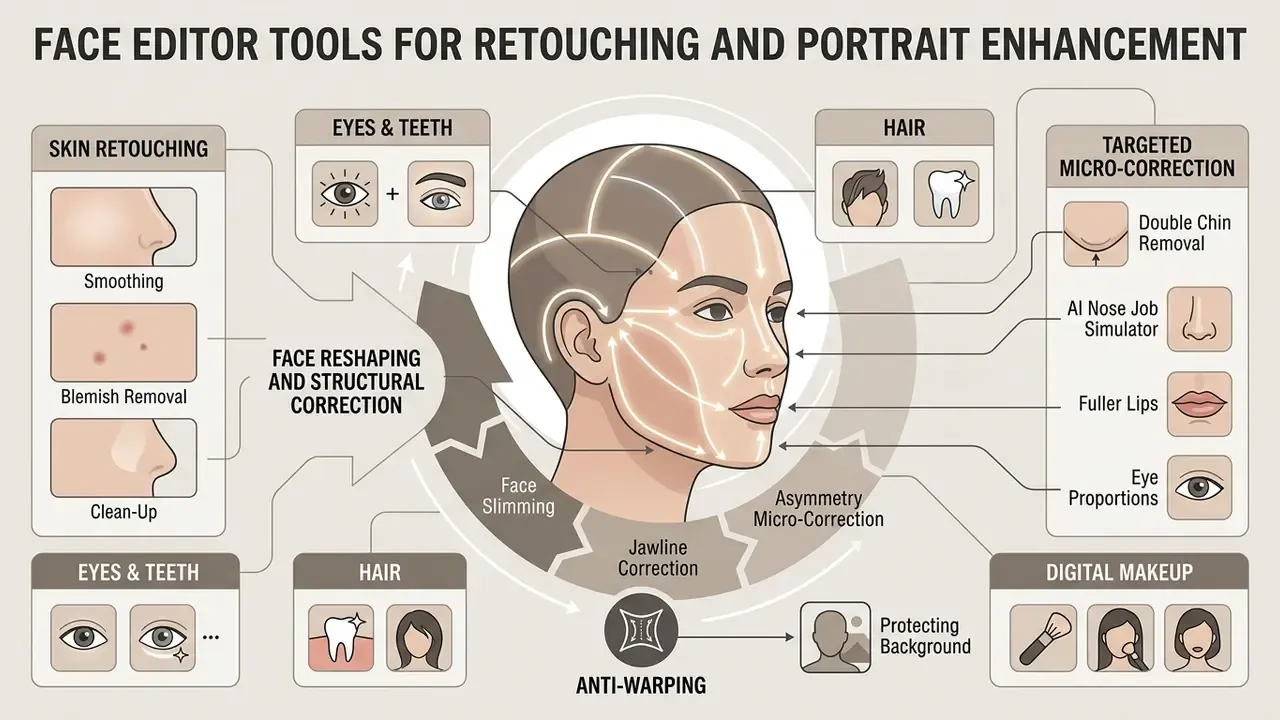
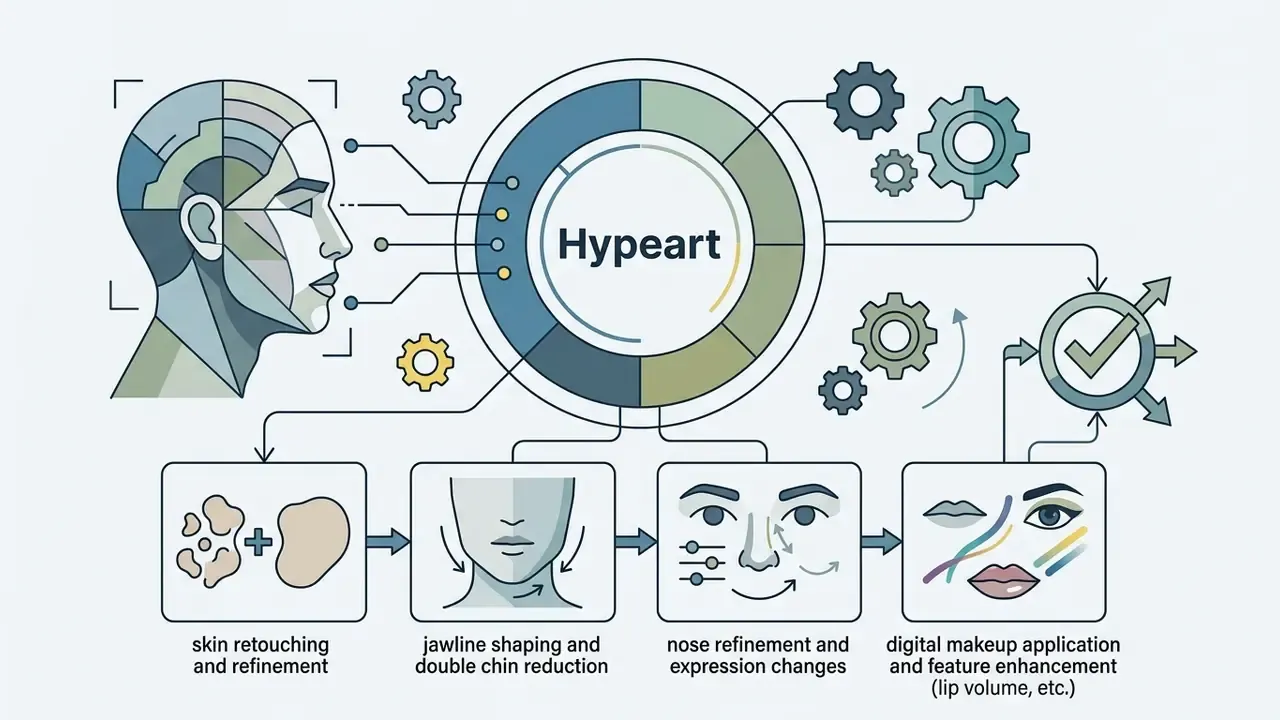
Modern face editor platforms ship a suite of targeted modules that refine aesthetics, correct structural asymmetry, and simulate cosmetics. Together they let you retouch photos at the level of a photo skin editor while keeping the subject recognisable.
Skin Retouching: Smoothing, Clean-Up, and Blemish Removal
A dedicated skin photo editor applies region-aware smoothing to soften wrinkles, cover temporary blemishes, and calm harsh texture without erasing high-frequency pore detail. Edge-preserving decomposition splits the image into lighting, colour, and fine detail layers, so tone can be evened while texture loss stays bounded (WACV, 2021, "AutoRetouch: Automatic Professional Face Retouching", see Appendix A). Updated evidence:
«Region-aware retouching trained on PPR10K (~10,000 portraits) outperforms global filters in user quality ratings and texture preservation.»
A specialized photo face clean editor removes acne, scars, and under-eye discolouration through localized patch synthesis. The algorithm reads surrounding clean skin pixels and infills the target area while keeping natural grain. That targeted approach avoids the flat, plasticky look that uniform blur filters produce almost immediately.
Practical retouching guidance converges on one rule. Erase temporary distractions (redness, acne, stray hairs, under-eye shadow) and keep pore structure, skin grain, freckles, and beauty marks. A portrait without pores is not flattering. It is uncanny.
Face Reshaping, Jawline Correction, and Asymmetry
Digital face reshaping adjusts contours, refines the jawline, tunes chin height, and balances asymmetry through geometric landmark warping. Neural networks map 2D landmarks or 3D parametric face models to detect lateral and vertical deviation across the facial plane (European Journal of Orthodontics, 2026, "Automated assessment of 3D facial asymmetry", see Appendix A). Updated evidence:
«ISFB-GAN applies geometric beauty priors for controllable face-shape correction while preserving subject identity under face-recognition metrics.»
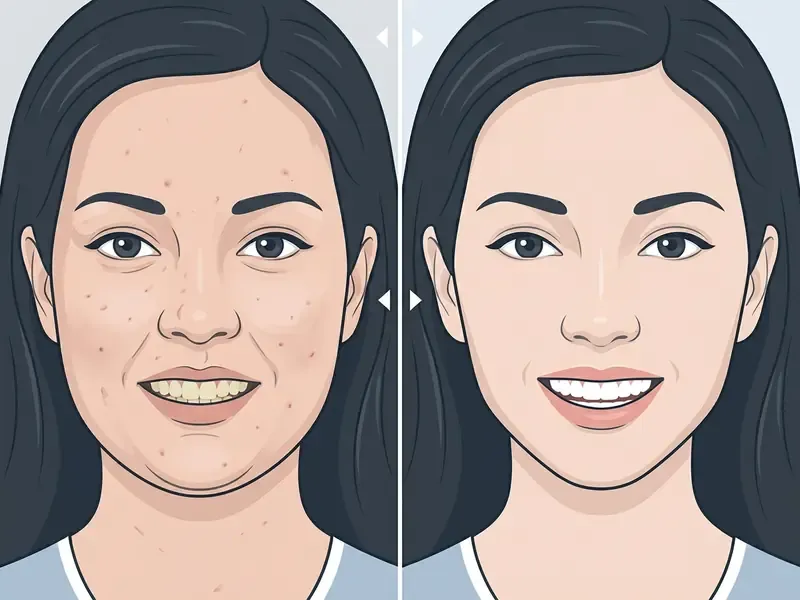
Through controlled latent adjustments, face slimming algorithms narrow the lower jaw or soften cheekbone prominence while constraining the edit to protect identity:
«InstaFace (2025) demonstrates identity-preserving editing from a single input image, outperforming baseline models on identity-retention metrics.»
Applied carefully, geometric warps correct natural muscular or skeletal asymmetry without distorting the background or leaving visible spatial artifacts. Keep those corrections small and roughly symmetric, so the result reads as a better camera angle rather than an edited face. Perfect symmetry, by the way, looks wrong to human viewers. Faces are supposed to be a little uneven.
Micro-Correction Tools: Double Chin Removal, AI Nose Job, Fuller Lips
Specialized modules solve narrow problems without a full-frame transformation. Call it the "camera adds ten pounds" class of complaint, the kind a general filter cannot fix.
- Double chin reduction The model locates the chin boundary and the cervico-mental angle, tightens the lower contour locally, and suppresses shadow spill under the jaw. In most interfaces this maps to a "Chin Shape" or "Face Width" control nudged toward the tucked position, which produces a defined V-shaped jawline.
- AI nose job simulator Bridge width, tip shape, and dorsal hump are handled through 3D-aware modeling, so nasolabial folds and nostril shadows stay crisp instead of smearing. It is the low-commitment way to visualize a change before anyone books a clinical consultation.
- Fuller lips and eye proportions Lip height, width, and Cupid's bow are modeled while skin and vermilion texture survive, which is what prevents the "duck face" artifact. Eye modules brighten the sclera, correct sleepy or half-closed lids, increase eye size slightly, and adjust inter-ocular distance to reduce asymmetry.
Work one feature at a time and preview before stacking. That way every visible change traces back to a specific slider, which is also the only way to explain the edit later.
Anti-Warping: Protecting the Background During Face Slimming
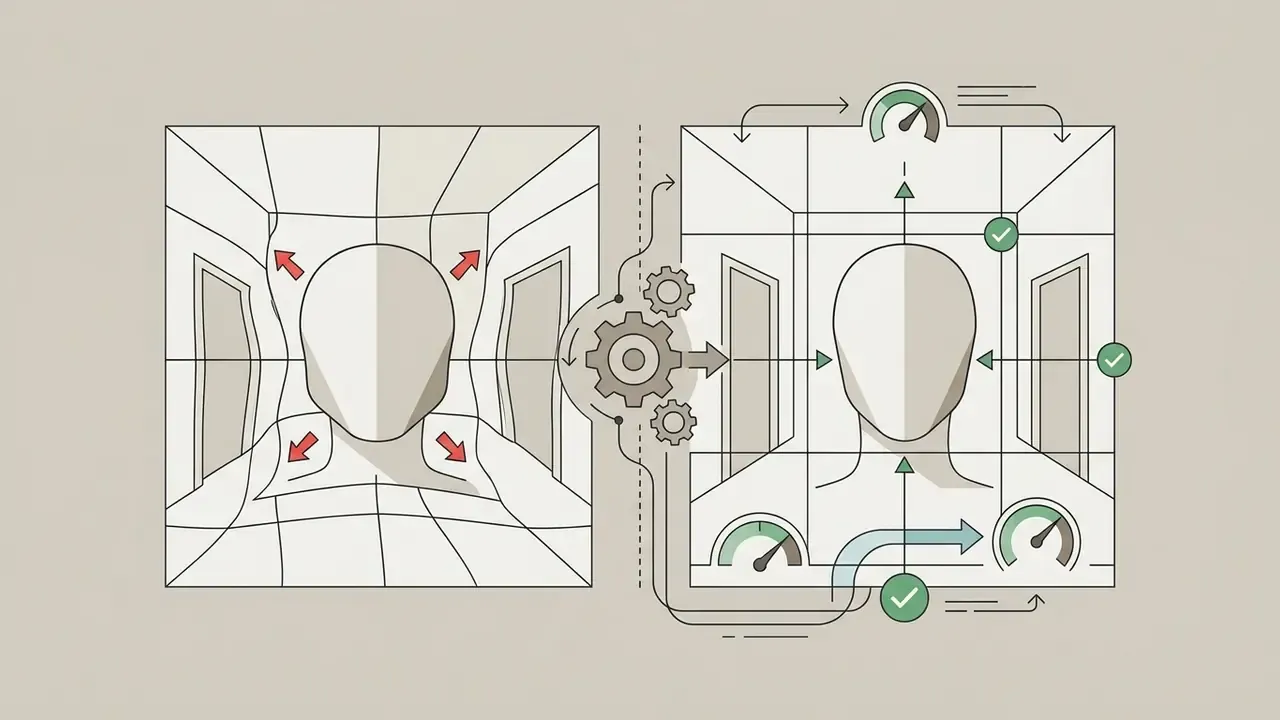
The classic failure of legacy "liquify" filters is collateral damage to the scene. Bent doorframes, curved window edges, wavy tiles, warped brick lines: all of it appears the moment the face narrows. A modern AI editor solves this with portrait isolation. Semantic segmentation runs before any geometry change, the background layer is frozen, and the warp executes strictly inside the facial mask.
«Region-aware models explicitly segment skin, hair, eyes, and lips, constraining edits to the facial region without background artifacts.»
The practical outcome: straight lines stay straight, the environment stays authentic, and the edit reads as a flattering angle instead of a distortion. For architectural interiors, event venues, and office backdrops, that single behaviour separates a usable asset from an obviously manipulated one. A background remover is a different tool, worth remembering, since removing a background and protecting one are opposite operations.
Eyes, Teeth, Hair, and Digital Makeup
Localized cosmetic tools work feature by feature to enhance contrast, adjust pigmentation, and simulate professional styling. Eye controls brighten the sclera, tune iris saturation, fix red-eye, and sharpen lash definition.
Teeth whitening removes yellow cast by selectively reducing saturation in the target region while lifting brightness. Virtual makeup modules apply digital lipstick, blush, mascara, eyeliner, and brow fill using 3D-aware style transfer that adapts to contours and existing shadow:
«SOGAN accounts for shadows and occlusions during makeup transfer, producing realistic lipstick and eyeshadow application even under complex lighting.»
Hair functions fill sparse roots, tame flyaway strands, correct root colour, and shift overall tone. Small edits, large perceived difference, which is precisely why restraint pays.
Generative Expression, Style, and Prompt-Based Editing
Beyond retouching, neural models can transform portrait attributes rather than polish them.
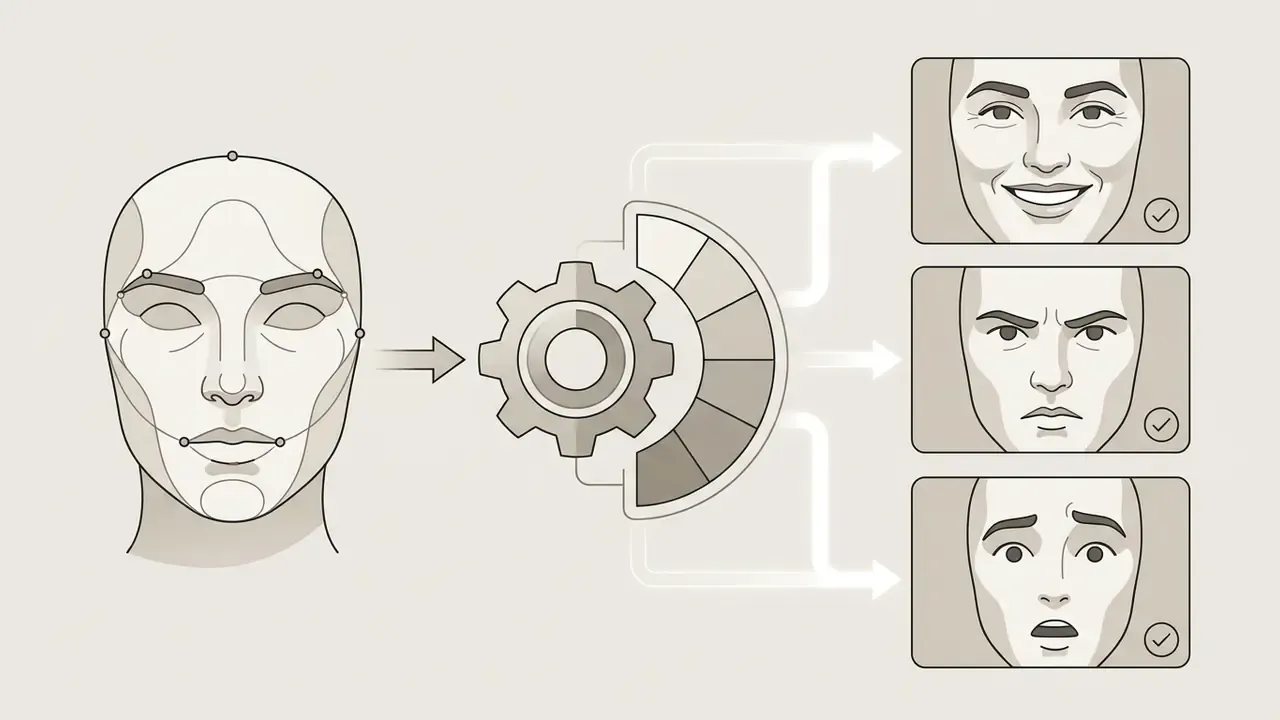
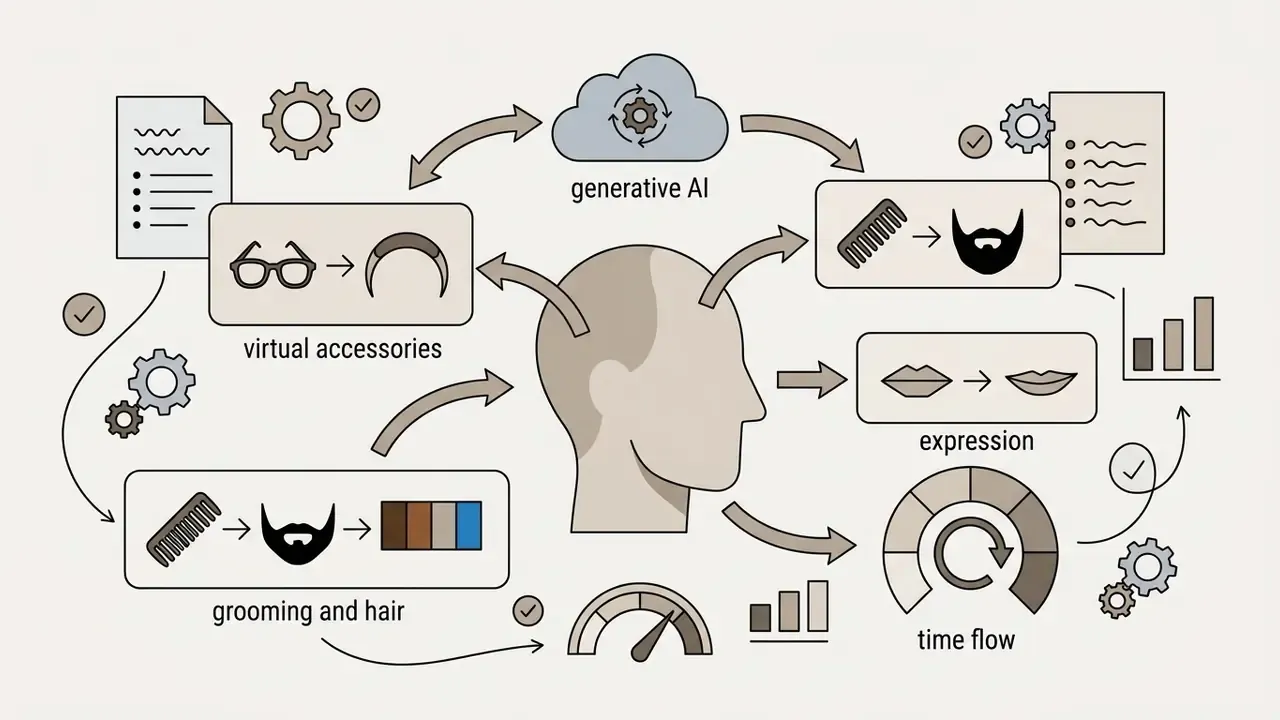
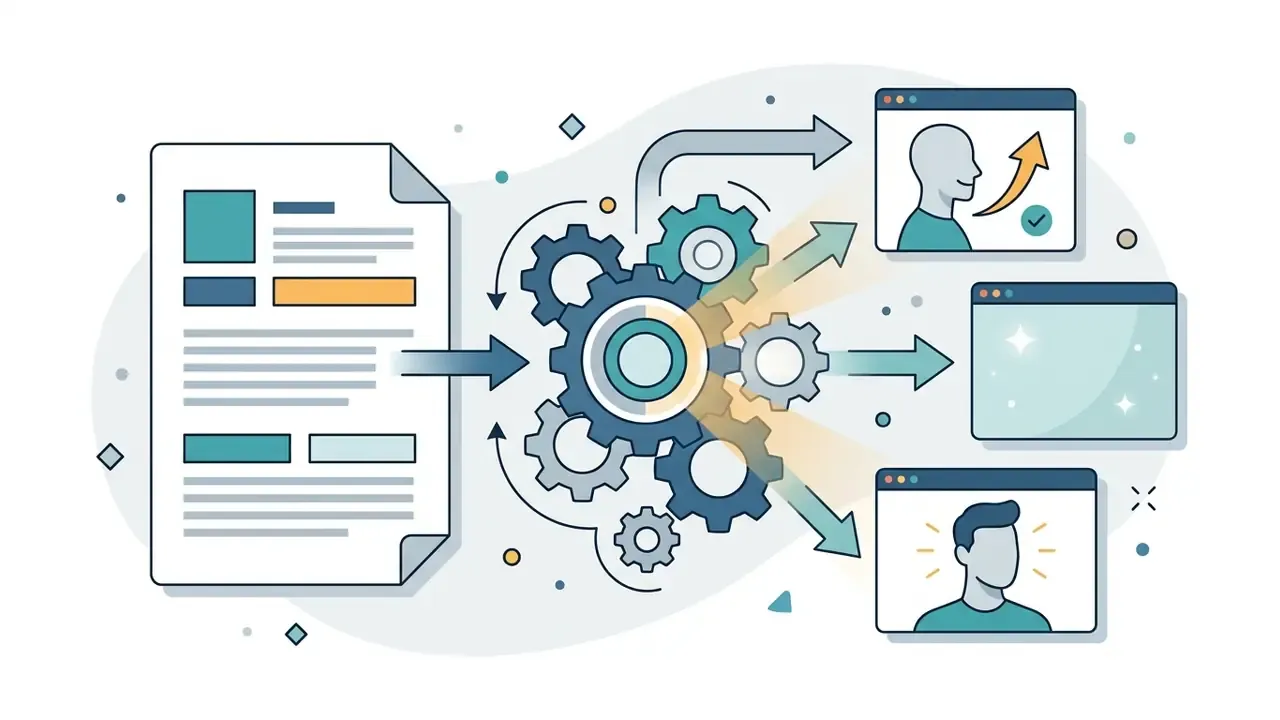
«Functionality, realism, and ease of use are the core drivers of user satisfaction in AR try-on, directly influencing purchase intention.»
Apply generative attribute edits more conservatively than cosmetic retouching. Expression and identity are perceptually linked, and heavy attribute manipulation is the fastest route to a face that no longer matches the person in the room. If the same portrait later anchors a talking-head clip, keep the still and the moving asset consistent; a mismatch between a headshot and a frame from your veed video editor timeline is noticed immediately.
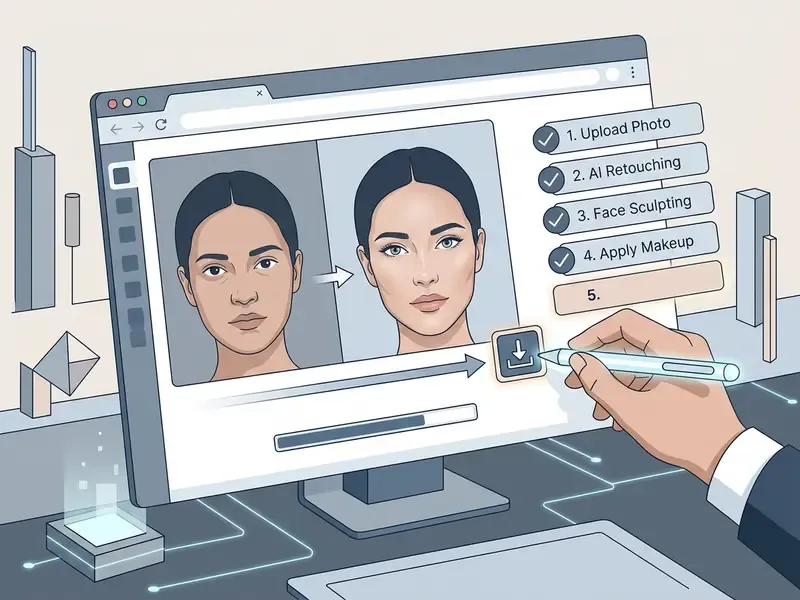
How to Edit a Face in a Photo Online
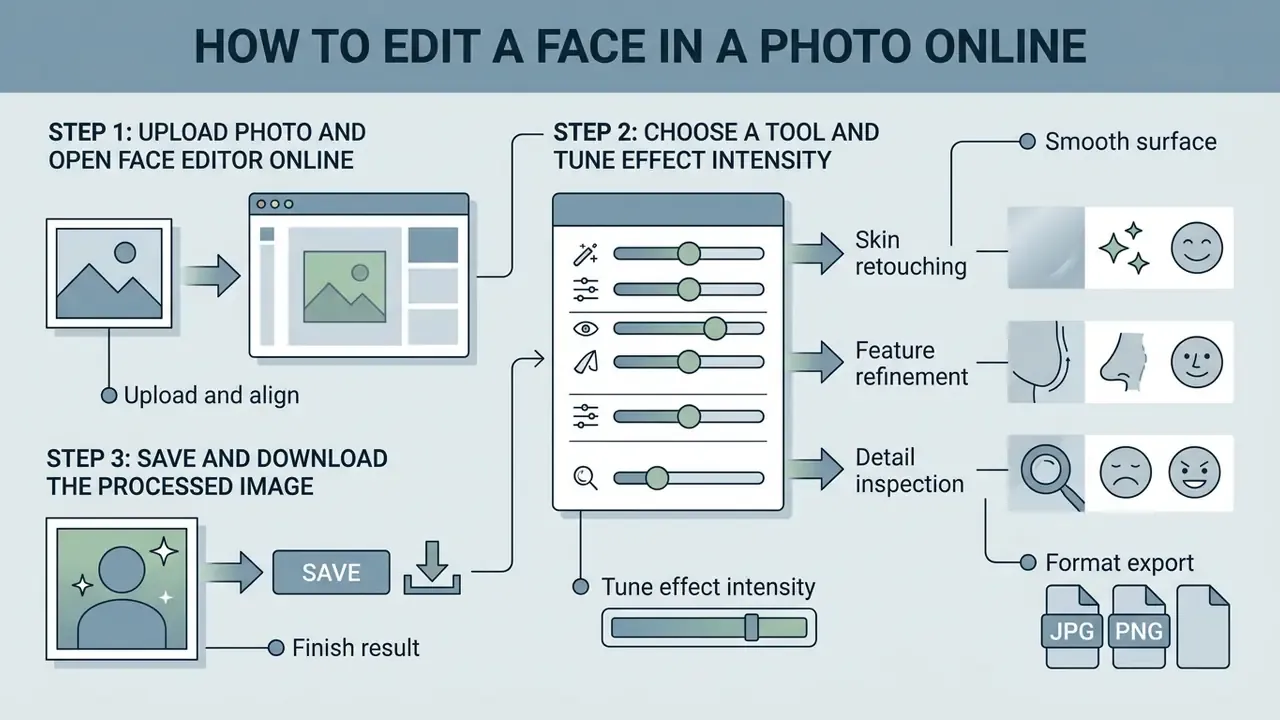
A successful edit in a face photo editor online environment needs a structured workflow, otherwise fidelity slips away one slider at a time.
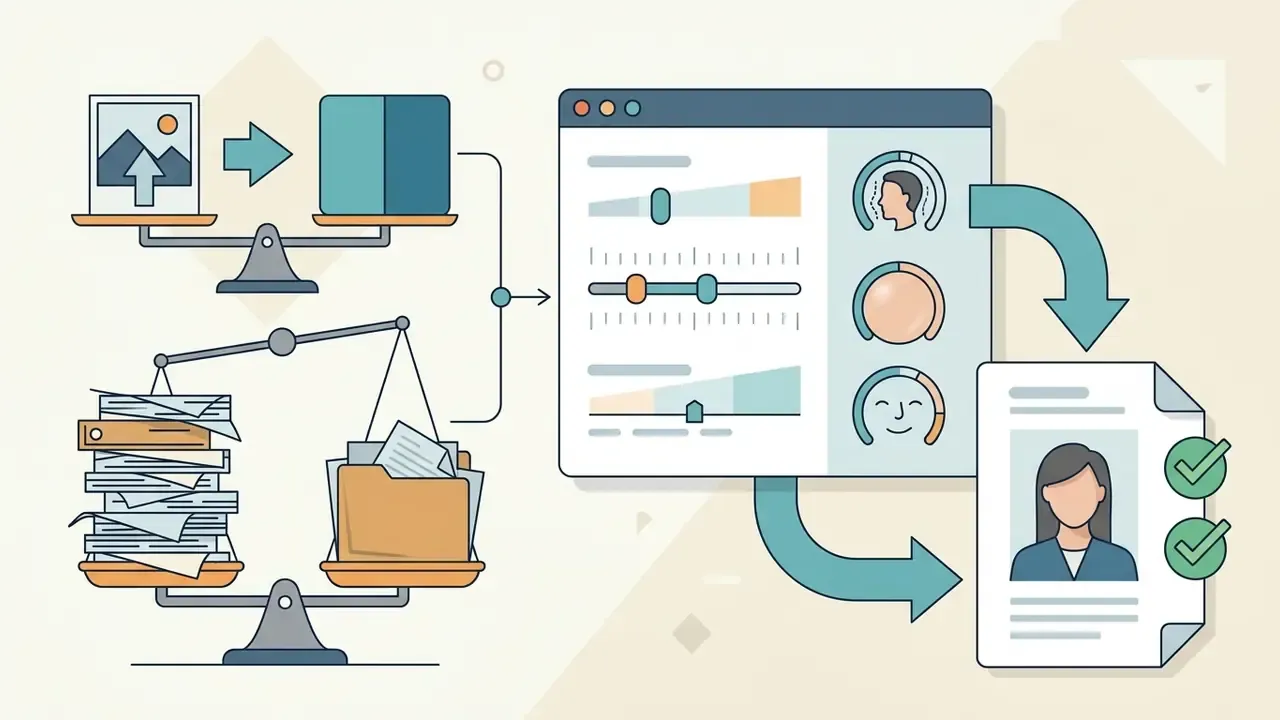
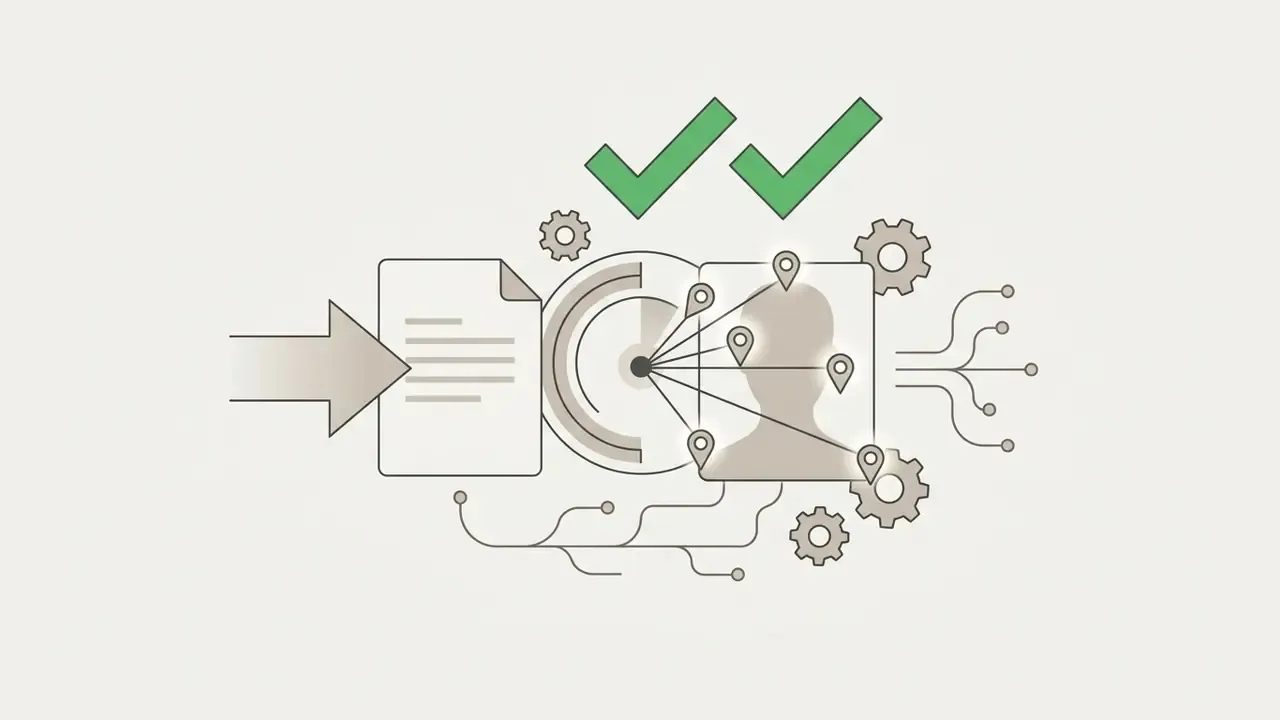
Step 1: Upload the Photo and Open the Face Editor Online
Start by choosing a clear, high-resolution portrait and uploading it to the online photo face editor. The same upload logic applies across online photo editors generally.
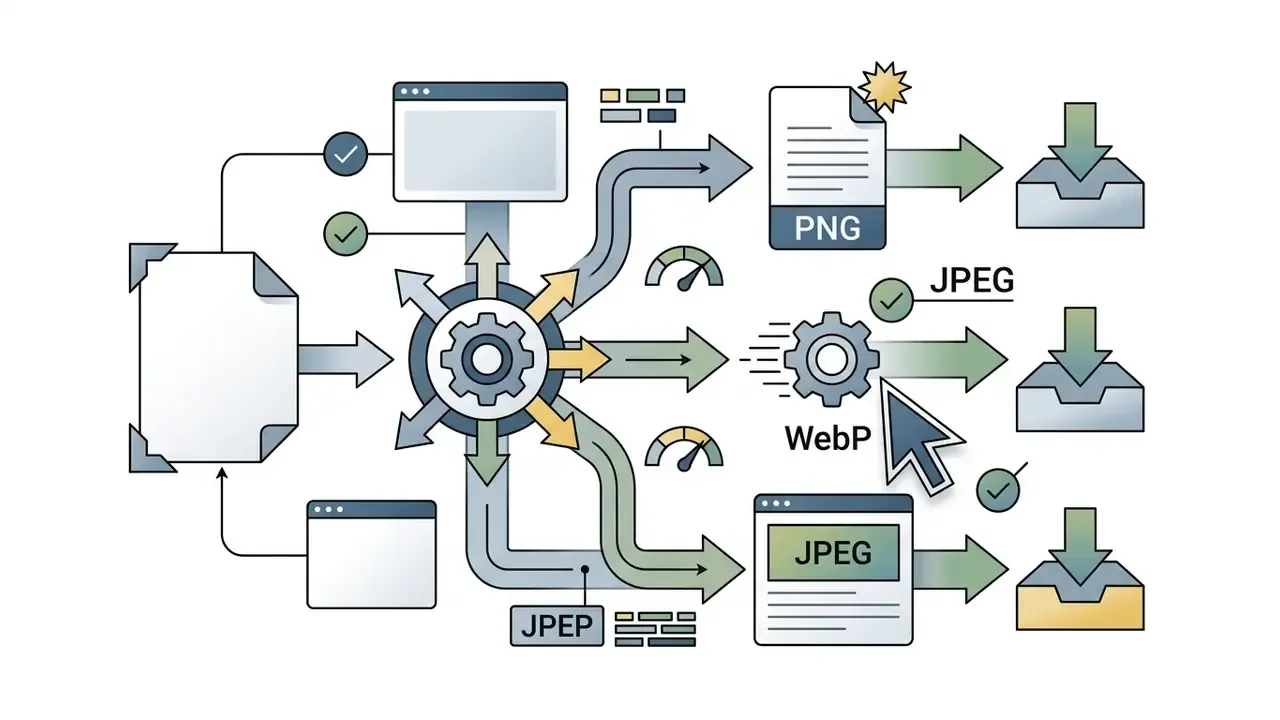
- Select a source file in JPEG, PNG, or WebP format, with clear lighting and minimal occlusion of the face.
- Drag and drop the image into the upload interface to trigger automatic face detection.
- Let the system map facial keypoints and generate semantic region masks across skin, eyes, mouth, and contours.
- Verify that keypoint alignment isolates the facial region and has not swallowed background elements.
If you are pulling a source frame from existing footage, grab the highest-quality still you can; a url video downloader (url video downloader) that preserves the original bitrate beats a screenshot every time.
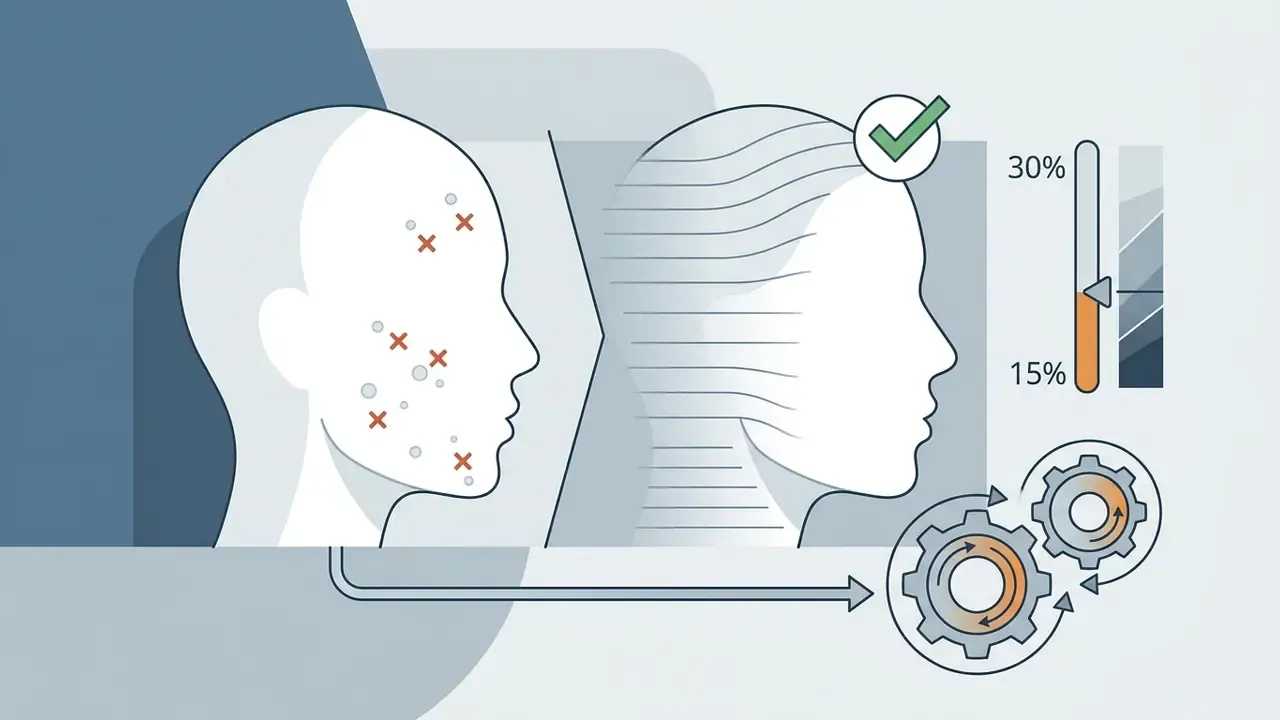
Step 2: Choose a Tool and Tune Effect Intensity
Move through the available photo editing tools and pick specific modules: skin smoothing, edit your face contouring, double chin reduction, eye enhancement.
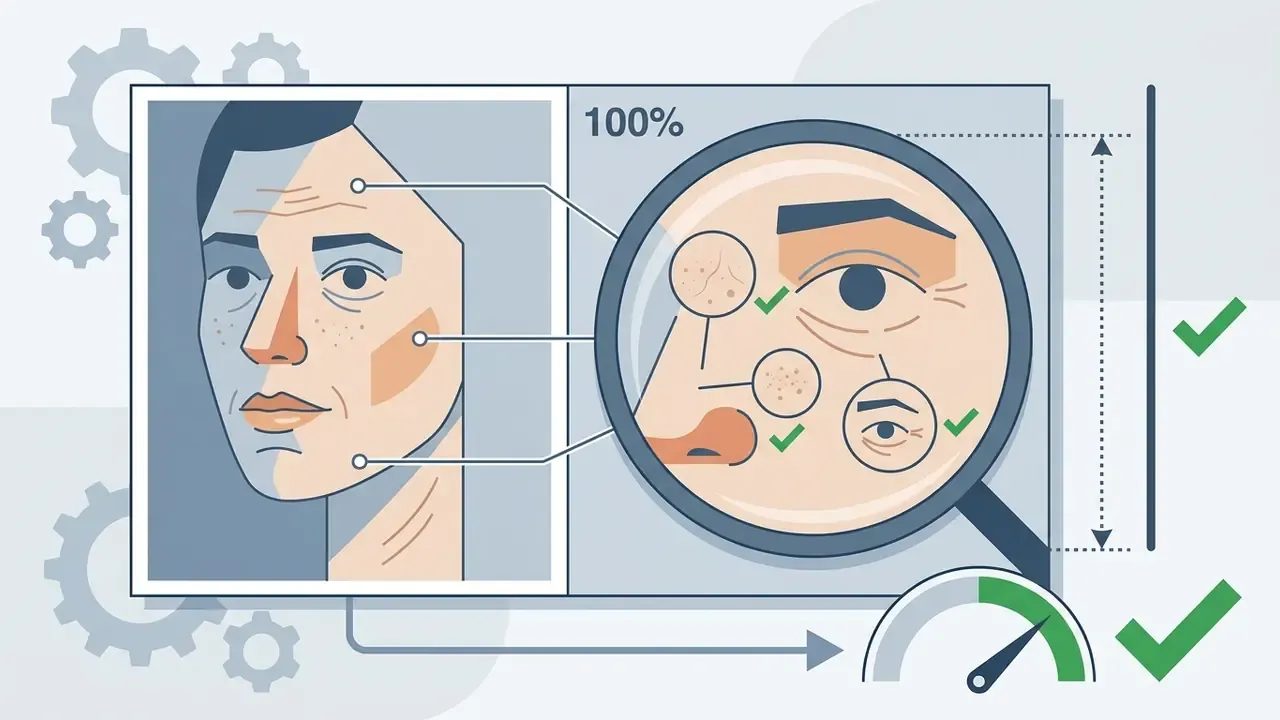
Adjust sliders conservatively, holding intensity between 15% and 40% so skin texture survives and the portrait avoids over-processing. Evaluate at 100% zoom to confirm that pores and characteristic details remain visible. Compare against the original side by side before committing, because small changes are easy to overshoot without a reference frame. I have watched a 25% smoothing pass look perfect at fit-to-screen and plastic at 1:1. Zoom in.
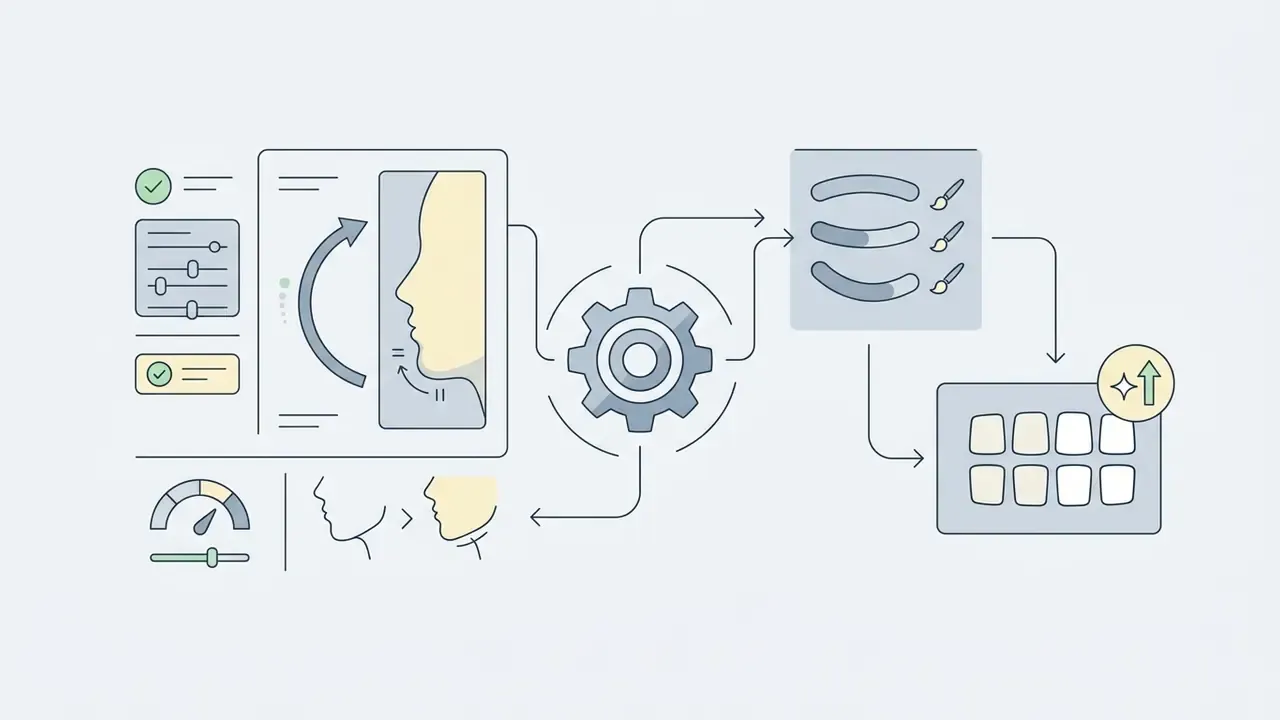
Step 3: Save and Download the Processed Image
When edits are done, review the whole composition before you export.
| Export Format | Compression Type | Best Use Case | Typical File Size Efficiency |
|---|---|---|---|
| JPEG | Lossy | General web display, social media, email sharing | High compression, compact file size |
| PNG | Lossless | Archival storage, high-resolution printing, transparent overlays | Uncompressed, larger file size |
| WebP | Lossy / Lossless | Modern web publishing, optimized performance | 25% to 34% smaller than JPEG at equivalent visual quality |
Pick export resolution by deployment context. High-resolution exports at 2K or 4K suit commercial print and professional profile media, while compressed JPEG or WebP keeps page load fast for web publishing. If storage and bandwidth cost matter at volume, the trade-offs are easier to model with calculators than with intuition.
How to Get Natural Results in Face Reshaping and Retouching
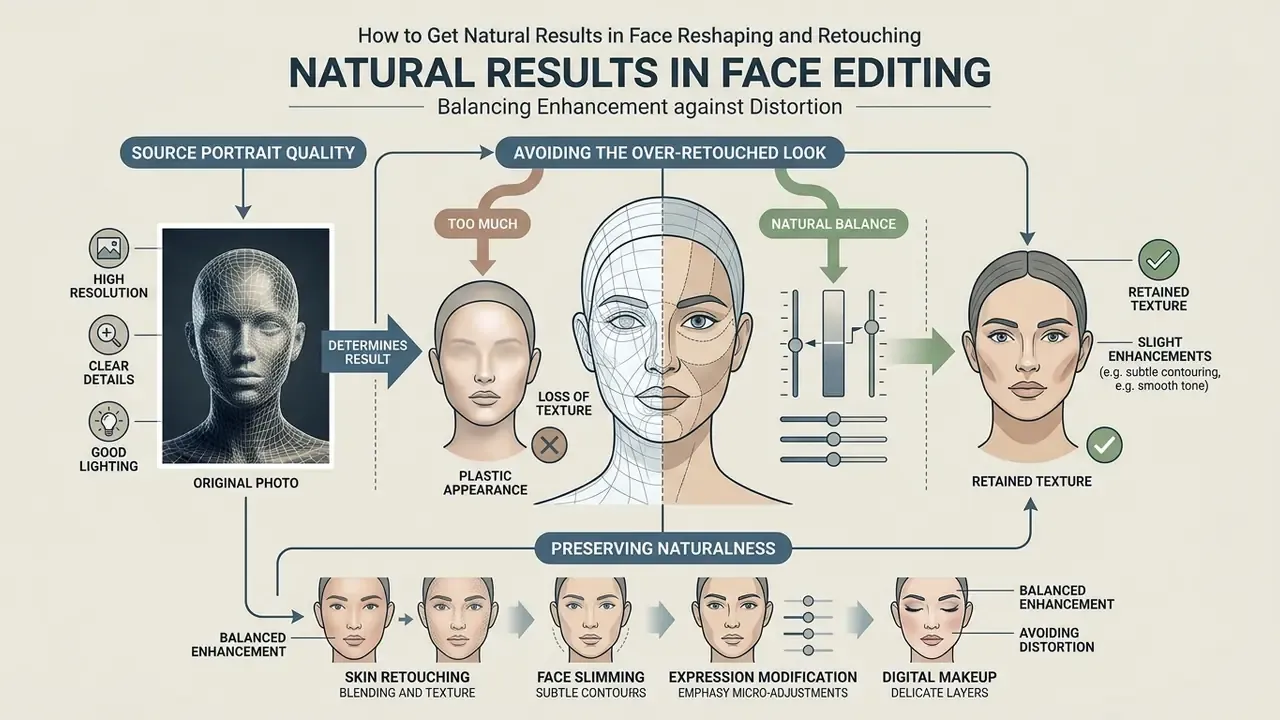
Realistic outcomes come from balancing enhancement against distortion. Over-processing lands you in the uncanny valley, where unnatural smoothness or shifted proportions create discomfort the viewer cannot always name.
Why Source Portrait Quality Determines the Result
«Models trained on PPR10K lose accuracy on images with heavy noise or occlusions; such shots were deliberately excluded during dataset assembly.»
High-resolution sources with balanced dynamic range let the network separate a temporary blemish from essential geometry. If the original is soft or small, run source resolution upscaling before any facial edit. Order matters: denoise first, sharpen second, retouch last.
How to Avoid the Over-Retouched Look
Skip global maximum settings. Keep skin grain, freckles, beauty marks, and character lines, because those are what make the portrait a person rather than a mannequin (Path Edits, 2026, "Beauty Retouching: Natural Skin Without the Plastic Look", see Appendix A). Where the input is the limiting factor, source image quality enhancement is safer than raising retouch strength.
Hold facial proportions inside realistic bounds. Aggressive face reshaping or heavy jaw reduction degrades identity similarity, which makes the subject harder to recognise for automated systems and, eventually, for colleagues:
«Aggressive attribute editing substantially reduces face-recognition accuracy, increasing the rate of false non-matches.»
«The IPDCN2 network detects even subtle local retouching that leaves statistical traces invisible to the human eye.» IPDCN2: Improvised Patch-based Deep CNN for facial retouching detection, ScienceDirect (2023). https://www.sciencedirect.com/
Important: preserving naturalness during retouching
When processing portraits, follow these core rules of natural retouching:
- Inspect the processed image at 100% scale (1:1 pixel view) before finalizing, to confirm pore texture is intact.
- Preserve permanent individual characteristics such as moles, freckles, and anatomical lines. Remove only temporary defects like redness or acne.
- Cap skin-smoothing and reshaping slider intensity at 15% to 35% of maximum value.
- Confirm that straight background lines, doorframes, window edges, and tiles remain straight after any slimming operation.
«Frequent use of AI beauty filters is associated with lower appearance self-esteem and increased self-objectification, particularly among users with high body surveillance.» AI Beauty Filters, and Appearance Self-Esteem: An Empirical Investigation, Journal of Consumer Behaviour (2026). https://onlinelibrary.wiley.com/
This psychological dimension is a practical argument for restraint, not only an ethical one. Moderate edits keep the published portrait consistent with the person who walks into the meeting. That consistency is, in the end, a reputational control.
Free Face Photo Editor Online: What to Check Before Using
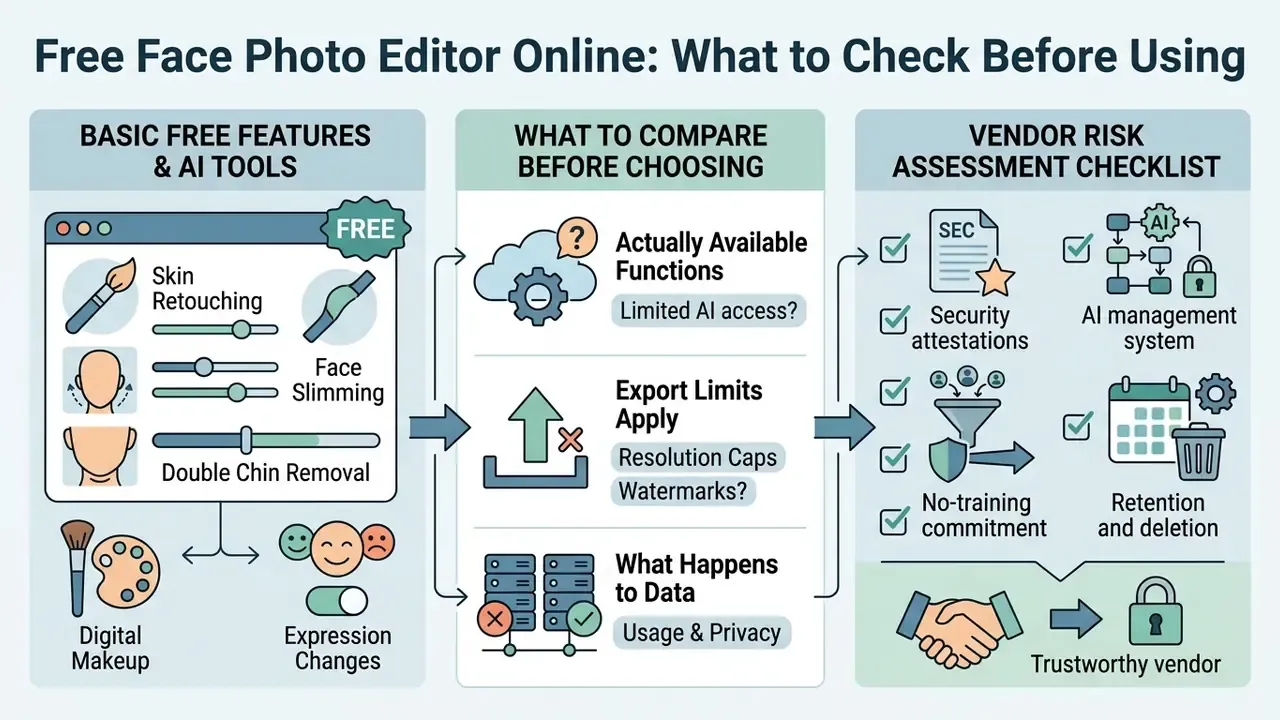
Choosing a free face photo editor means evaluating three things at once: which functions are actually available, which export limits apply, and what happens to your data. Web platforms run various freemium models that gate specific capabilities behind paid tiers, the same structural pattern documented across free photo editors in general. For tier-by-tier economics, the AI Media Pricing Guides are a calmer reference than a marketing page.
Basic Free Features and AI Tools
Most free online face photo editor applications hand you standard retouching without payment up front. Entry-level tiers usually include basic skin smoothing, manual spot removal, teeth whitening, expression presets, background removal, and preset filter overlays. Enough to make your photo presentable for a profile.
«Most free editors provide basic skin retouching and background removal; 4K export and batch processing require a paid subscription.»
Advanced generative capability tends to sit behind a paywall: high-resolution 4K export, automated 3D face reshaping, complex makeup style transfer, prompt-based edits, batch processing. Free tiers are also commonly quota-based, for example a fixed number of edits per day, so read "free" as "free within limits". For recurring volume, programmatic access documented in the AI Media API Guides is usually cheaper than manual re-uploads.
What to Compare Before Choosing a Face Editor
When you evaluate a free face photo editor, compare operational constraints before uploading anything sensitive. Side-by-side matrices in the AI Media Comparison hub help when the vendor marketing all sounds identical.
| Feature Criteria | Free Tier Expectations | Premium / Enterprise Tier | Impact on Commercial Use |
|---|---|---|---|
| Export Resolution | Standard definition, 720p to 1080p | High definition: 2K, 4K, RAW formats | Low resolution limits print quality and professional media deployment. |
| Watermarking | Branding watermark placed on export | Watermark-free output | Watermarked images cannot be used in corporate communications or marketing. |
| Processing Limits | Quota-based, for example 5 to 20 exports per day | Unlimited or credit-pack expansion | Daily caps restrict high-volume production workflows. |
| Biometric Privacy | Potential data retention for model training | Strict data deletion, encrypted processing | Third-party retention of face vectors presents regulatory compliance risks. |
| Anti-Warping Isolation | Often absent; global liquify distorts background | Semantic portrait isolation before geometry edits | Background distortion invalidates the asset for corporate or real-estate contexts. |
Understanding these criteria prevents workflow bottlenecks when draft edits become final production assets. If a tool misbehaves mid-project, the AI Media Support and Troubleshooting notes cover the recurring failure modes.
«PrivateEdit (2026) performs local biometric masking before data is sent to a third-party server, preserving edit quality without transmitting identity.»
This information is general in nature and does not replace consultation with a data protection specialist or legal advisor.
Vendor Risk Assessment Checklist for Face-Editing Platforms
Before approving any browser-based face editor for organizational use, ask for written confirmation of the following:
- Security attestationsSOC 2 Type II report and ISO/IEC 27001 certification, currently in force.
- AI management systemEvidence of an AI management framework aligned to ISO/IEC 42001 for lifecycle governance of the model.
- Privacy risk methodologyDocumented AI and ML privacy-risk identification and treatment across the system lifecycle, consistent with ISO/IEC 27091 guidance.
- No-training commitmentAn explicit contractual statement that uploaded portraits and derived embeddings are not used to train public or shared models.
- Retention and deletionA defined retention window, for example deletion within 14 days, covering source images and facial keypoint or embedding data alike.
- Processing localityWhether inference runs client-side, in a dedicated tenant, or in shared cloud infrastructure. Note sub-processors and regions.
- Output rightsA commercial-use license granted on the specific tier purchased, in writing, advertising use included.
- Provenance supportAvailability of content credentials or metadata that indicate AI alteration, which supports downstream disclosure duties.
Unresolved question, stated plainly: most consumer editors will answer only half of this list. Where the answer is silence, treat the tool as unapproved rather than approved-by-default.
Shadow AI Risk: Employees Uploading Portraits to Public Editors
The most common real-world exposure is not the vendor. It is unmanaged usage. When staff upload executive or client portraits into public SaaS editors, the organization loses control of biometric data without any procurement event ever happening. No contract, no review, no record.
Mitigations that hold up in practice:
- Publish an approved-tools list and block unapproved face-processing domains at the network layer.
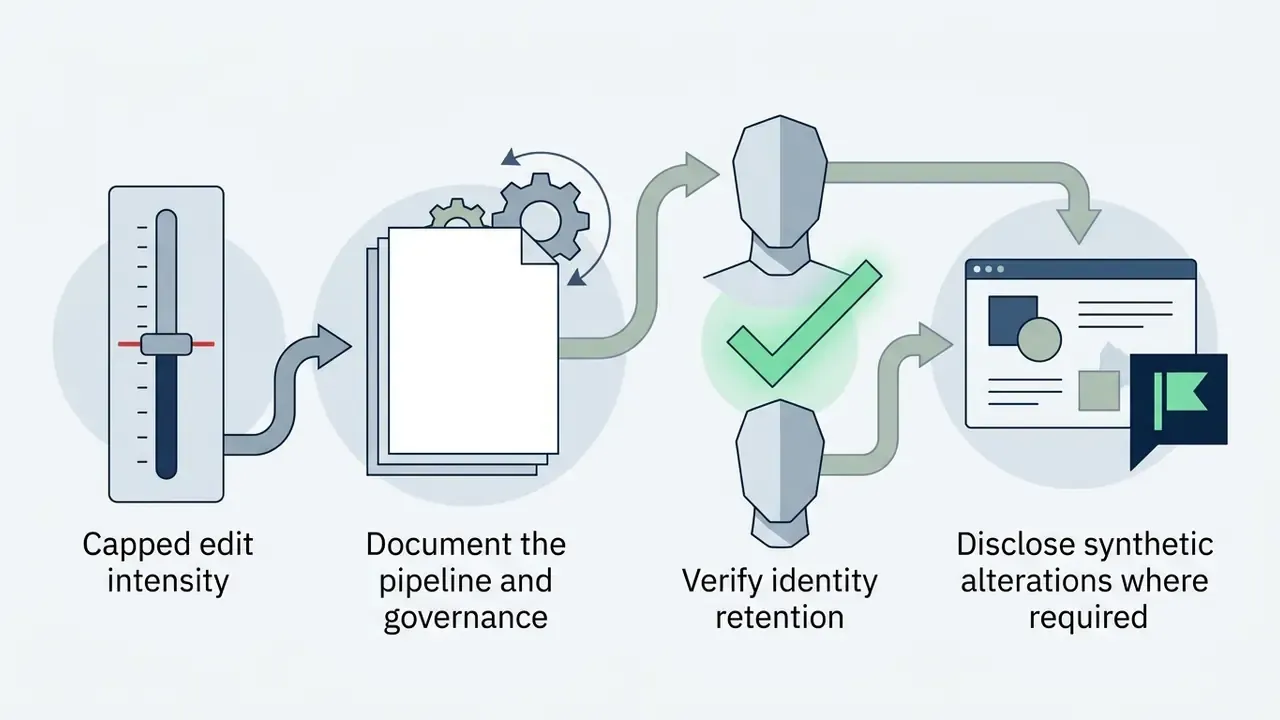
- Route all executive and client imagery through one sanctioned pipeline with fixed intensity caps.
- Require that any portrait containing an identifiable non-employee is processed only under a contract with a no-training clause.
- Log which images were processed, by which tool, with which settings, so an audit request can actually be answered.
- Train communications and HR teams specifically. They handle the most sensitive portraits and are least likely to be covered by engineering controls.
- Prefer de-identified or locally masked processing wherever the platform supports it, following the PrivateEdit approach cited above.
Where disputes over training data and likeness are heading is still an open matter; the AI Litigation and Case Timelines tracker is a reasonable way to watch it without speculating.
Face Editor for Professional Portraits and Commercial Use
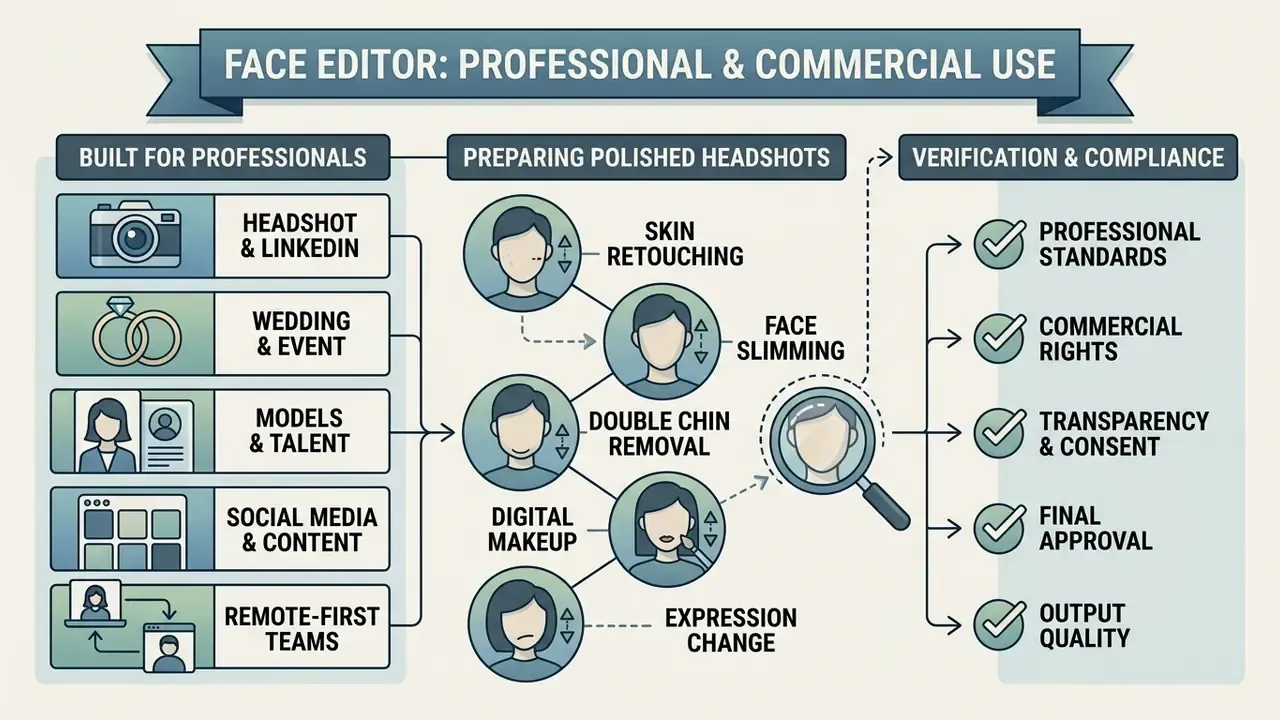
Publishing AI-edited portraits in corporate environments, press releases, or executive profiles pulls in professional standards and transparency requirements at the same time. Licensing questions are collected in the AI Media Commercial-Use Hub.
Illustrative scenario, not a client case: a corporate communications team refreshed executive profiles across digital channels. Raw portraits ran through a standardized facial editing workflow with a 20% cap on skin smoothing and fixed landmark constraints. The controlled pipeline removed distracting temporary blemishes and background artifacts while holding a high biometric match score against internal identity verification benchmarks. An internal figure of 98.2% was reported; it remains an unverified internal metric and should be re-measured against a documented benchmark before anyone cites it externally. The team published compliance-ready assets on schedule and skipped the studio reshoot budget.
Who the Online Face Editor Is Built For
How to Prepare Polished Professional Headshots
For corporate-grade headshots, keep a neutral backdrop, balanced studio lighting, and formal positioning: frontal viewpoint, open eyes, neutral or lightly positive expression, uniform background. Then apply targeted AI enhancements to remove temporary distractions such as stray hairs, minor redness, or uneven lighting, leaving structural features alone. Dedicated AI headshot generators automate parts of this pipeline.
Empirical work shows beautified portraits raise perceived attractiveness by roughly one point on a seven-point scale, while heavily altered images can trigger an exaggerated halo effect that distorts judgements about competence and integrity.
«In an experiment with 2,748 participants, an AI filter increased perceived attractiveness for 96.1% of subjects; the median gain was 1 point out of 7.»
Moderate, realistic editing preserves professional authenticity. It also keeps the portrait usable for identity-adjacent purposes such as badge photos and directory listings, which is a detail teams forget until security rejects the file.
What to Verify Before Using a Processed Image
Before an AI-enhanced image goes into a commercial campaign, verify the legal and platform conditions.
- Platform terms of serviceConfirm that the editor grants commercial usage rights for output produced on your tier, free or paid. Where provenance matters, run the output through AI image detectors to see how downstream systems may classify it.
- Regulatory AI disclosuresTransparency rules such as those in the EU AI Act require explicit labeling when AI-generated or synthetically altered media qualifies as deepfake content (EU AI Act Transparency Guidance, 2026, see Appendix A).
«PrivateEdit shows that editing on de-identified images is technically feasible and compatible with commercial APIs without transmitting biometric data.»
- Biometric privacy and copyright: Under US Copyright Office guidance, purely human-authored elements stay protected, while non-human generative additions cannot be copyrighted on their own (US Copyright Office Guidance, 2026, see Appendix A). Confirm that customer biometric data is deleted after cloud processing, consistent with privacy frameworks such as ISO/IEC 27091. Remember too that a person's likeness may need separate publicity or consent permissions, independent of copyright.
This information is general in nature and does not replace consultation with a copyright, data protection, or regulatory compliance specialist.
Sample Transparency Disclosure Wording
Where labeling duties may apply, a short unavoidable statement next to the image is the practical pattern.
For synthetic or heavily generative material:
Keep the disclosure visible without interaction, in the language of the surrounding content, and retain a record of which tool and settings produced the asset. Records are boring right up to the moment somebody asks.
Fact check: verifying usage terms and biometric handling
FAQ About Face Photo Editor Online
Can I edit only the face without changing the whole background?
Yes. Modern AI face editors confine edits to specific region masks and leave the original background untouched, no blur, no shift. Portrait matting algorithms generate trimap-free semantic masks that separate face, skin, hair, and clothing from background pixels (AAAI, 2022, "MODNet: Real-Time Trimap-Free Portrait Matting", see Appendix A). Updated evidence:
«Region-aware models explicitly segment skin, hair, eyes, and lips, constraining edits to the facial region without background artifacts.» Zeng et al., Region-Aware Portrait Retouching with Sparse Interactive Guidance, IEEE TMM (2024). https://ieeexplore.ieee.org/ So skin smoothing, jawline slimming, or makeup transfer happen exclusively inside the face bounds, and the background details stay as photographed.
How does an AI face editor differ from a regular beauty filter?
An AI face editor uses deep generative networks, GANs or diffusion architectures, for 3D-aware structural editing, semantic parsing, and identity-preserved latent manipulation. A standard beauty filter applies a uniform 2D blur or a fixed colour overlay across the whole frame. The difference shows up in control: an AI editor exposes parametric handles for isolated jawline adjustment, texture preservation, or custom eye recolouring, while keeping high-frequency skin detail.
«RigFace (2025) combines a spatial attribute encoder, a FaceFusion module, and an attribute rigger for disentangled control of pose, expression, and lighting.» RigFace: Towards Consistent and Controllable Image Synthesis for Face Editing, arXiv:2502.02465 (2025). https://arxiv.org/abs/2502.02465
Can AI change facial expression or gaze direction?
Yes. Contemporary models modify expressions and shift eye gaze. Parametric expression control analyses 3D facial geometry to turn a neutral look into a natural smile, or to alter head orientation, while personal identity holds (NeurIPS, "Self-Learning Transformations for Improving Gaze and Head Redirection", see Appendix A). Updated evidence:
«DisControlFace predicts explicit pose and expression parameters via EMOCA, allowing head angle and expression changes while subject identity remains fixed.» DisControlFace: Disentangled Control for Personalized Facial Image Editing (2023). https://arxiv.org/abs/ Text-conditioned diffusion models can redirect gaze or reposition the mouth from a prompt as well. Apply such structural edits conservatively; identity distortion arrives faster here than anywhere else in the pipeline.
Can I use the face photo editor on mobile devices?
Yes. Web editors are adapted for iOS and Android browsers and keep full AI-model functionality. No App Store or Google Play install is required, because inference runs in the cloud and the phone only handles upload, preview, and download. Three practical caveats: pick the highest-resolution file available, use pinch-zoom to inspect pore texture at 1:1 before saving, and avoid files that messaging apps have already compressed, since that stripping removes the fine detail the model needs.
How do I fix a double chin in a photo?
Upload the portrait, open the chin or face-width control, and move the slider slightly toward the tucked position. The model tightens the lower jaw contour and reduces shadow spill beneath the chin. Keep it modest, then check the neck-to-shoulder transition and any straight background line for distortion before exporting.
Will reshaping my face make it look fake?
Not if adjustments stay subtle and you preview them one at a time. The model maps facial structure instead of blurring pixels, so small movements read as a better photograph rather than an edit. Aggressive reshaping is a different story: it measurably degrades identity-similarity metrics, as the attribute-editing research cited above shows.
Can I add makeup or change hair after reshaping the face?
Yes. Reshaping and cosmetic layers are independent operations. Once geometry looks right, apply makeup transfer, hair colour or volume changes, beard grooming, or virtual glasses to the same image. Do geometry first and cosmetics second, since makeup transfer adapts to the final contours and shadow map.
Appendix A: Editorial Source Notes
The citations below appeared in earlier versions of this article and are retained for transparency. Each has been supplemented or superseded in the main text by a verified, URL-linked source. Entries marked verification pending should not be cited externally until confirmed against the primary document.
| Original citation | Status | Replacement / supplement in main text |
|---|---|---|
| NIST, 2021, "The Specification and Measurement of Face Image Quality" | Verification pending, no URL supplied | Zeng et al., IEEE TMM (2024) on input-quality limits |
| NIST, 2024, "Framework for Implementing Passive Live Facial Recognition" (64 to 128 px IPD) | Verification pending, no URL supplied | Zeng et al., IEEE TMM (2024) |
| WACV, 2021, "AutoRetouch: Automatic Professional Face Retouching" | Replaced | Zeng et al., IEEE TMM (2024), PPR10K results |
| European Journal of Orthodontics, 2026, "Automated assessment of 3D facial asymmetry" | Replaced | ISFB-GAN (2024) |
| arXiv, 2025, "Identity-Preserving Facial Editing with Single Image Inference" | Replaced with exact reference | InstaFace, arXiv:2502.20577 (2025) |
| Visidon, 2021, "Intelligent Photography" | Replaced | Zeng et al., IEEE TMM (2024) |
| Path Edits, 2026, "Beauty Retouching" | Replaced | arXiv:2403.08092 (2024); IPDCN2 (2023) |
| CapCut / Pixlr free tiers, 2026 | Replaced | ISFB-GAN (2024) and Zeng et al. (2024) synthesis |
| EU AI Act Transparency Guidance, 2026 | Verification pending | PrivateEdit, IEEE TAI (2026) plus disclosure template |
| US Copyright Office Guidance, 2026 | Verification pending | PrivateEdit, IEEE TAI (2026) plus legal disclaimer |
| AAAI, 2022, "MODNet: Real-Time Trimap-Free Portrait Matting" | Replaced | Zeng et al., IEEE TMM (2024) |
| NeurIPS, "Self-Learning Transformations for Improving Gaze and Head Redirection" | Replaced | DisControlFace (2023) |
| Internal benchmark: 98.2% biometric match score | Unverified internal metric | Flagged in-text; re-measurement required |
Disclaimer. This article is informational and does not constitute legal, regulatory, medical, or aesthetic-procedure advice. Face images and derived facial keypoints or embeddings may qualify as biometric personal data under frameworks such as the GDPR, CCPA, and the EU AI Act. Obligations vary by jurisdiction and use case. Consult qualified data protection, copyright, and compliance professionals before deploying AI-edited portraits in commercial, advertising, or identity-related contexts.
More definitions, tool comparisons, and workflow notes are collected in the AI Media Glossary.