Author note: Marcus Hale writes this analysis. Nothing here implies real employment, client work, regulatory authority, or audited results.
Executive summary
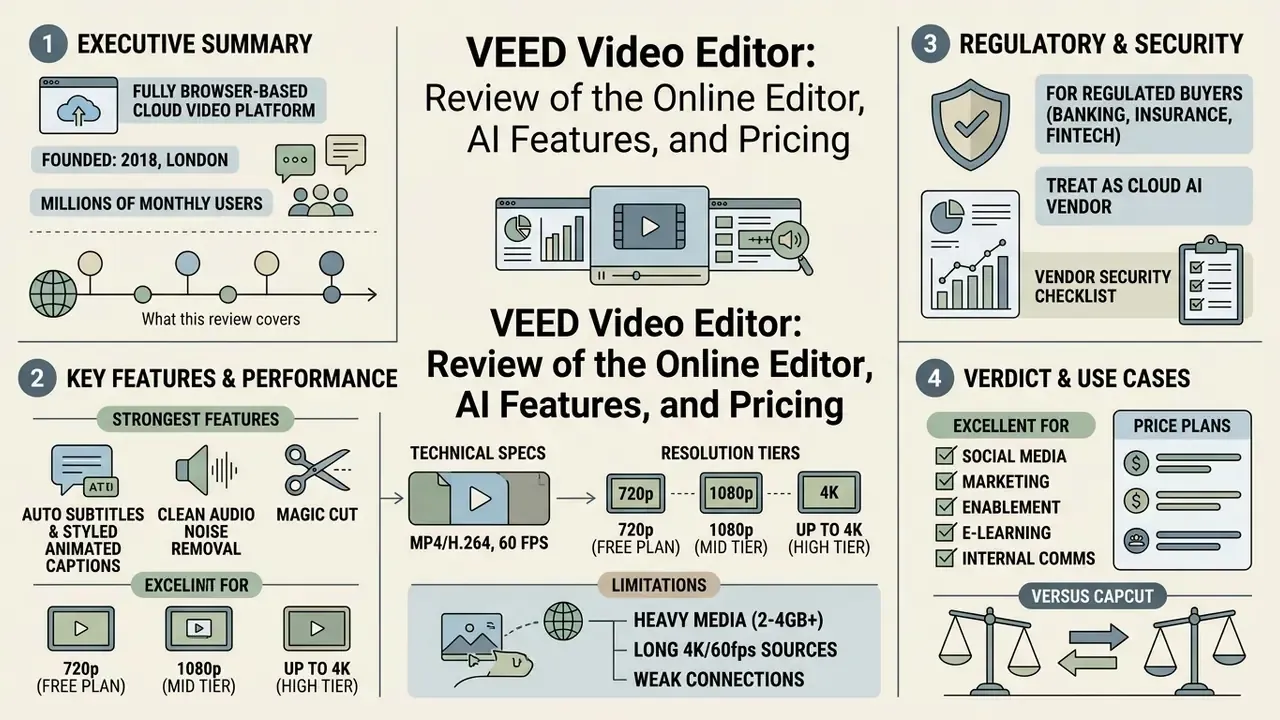
What this review covers. First, what VEED is and who actually uses it. Then the part most reviews skip: the security, data-governance, and model-risk questions a bank has to answer before the first upload. After that, the editing and AI toolset, a full technical specification table, subtitles and translation, the practical workflow from import to 4k exports, current plan structure, ten industry use cases, a three-way comparison against CapCut and Adobe Premiere Pro, a compliance-focused FAQ, and a seven-step controlled pilot you can run in a quarter.
What VEED Video Editor is and what it is for
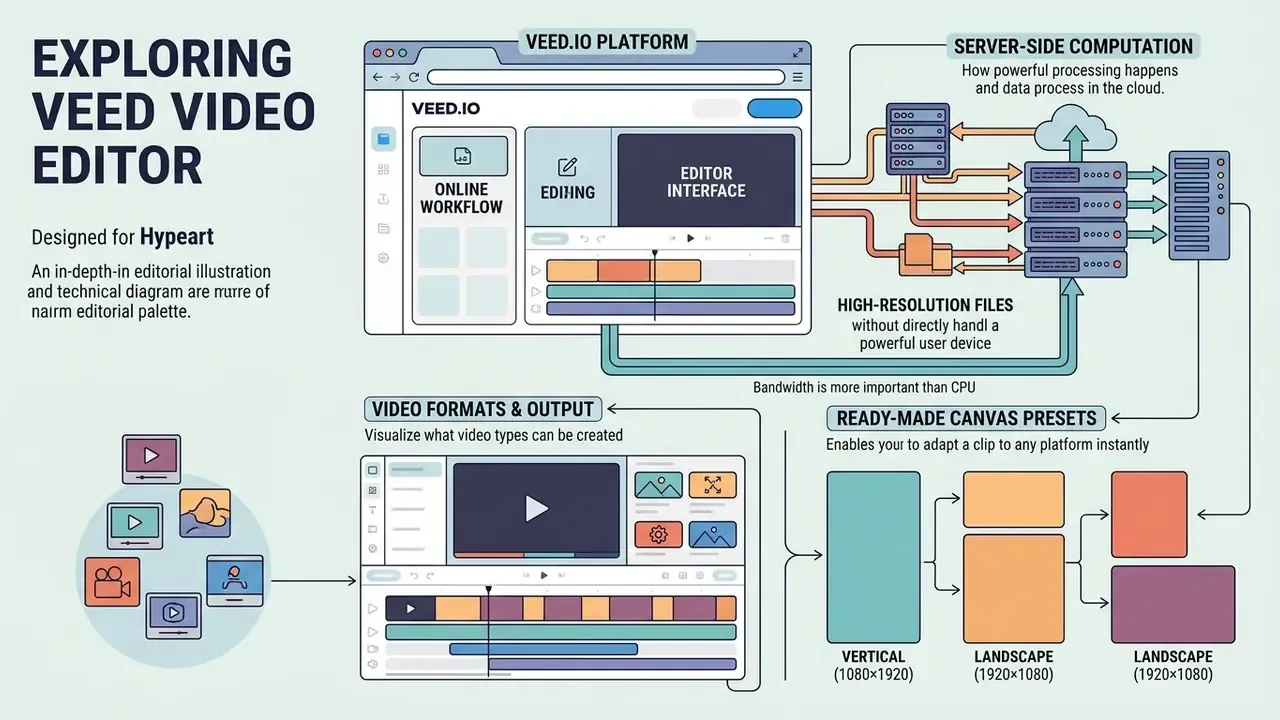
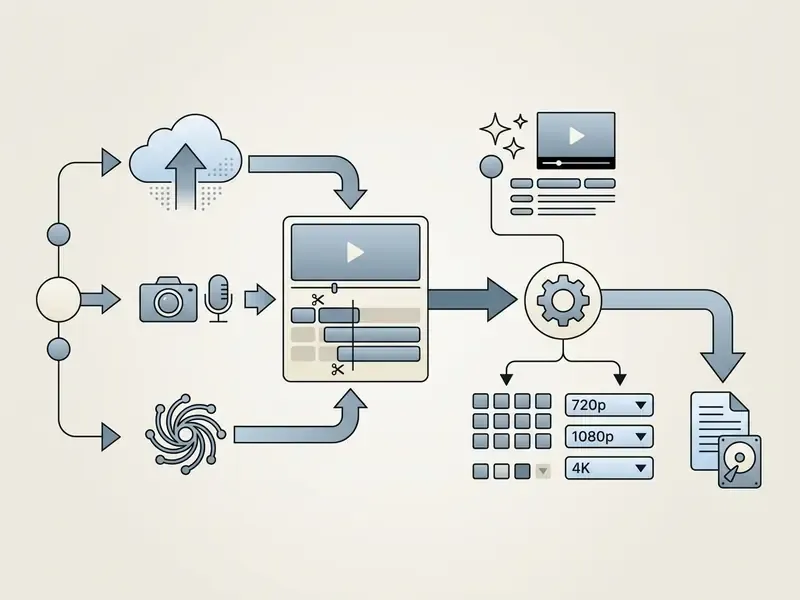
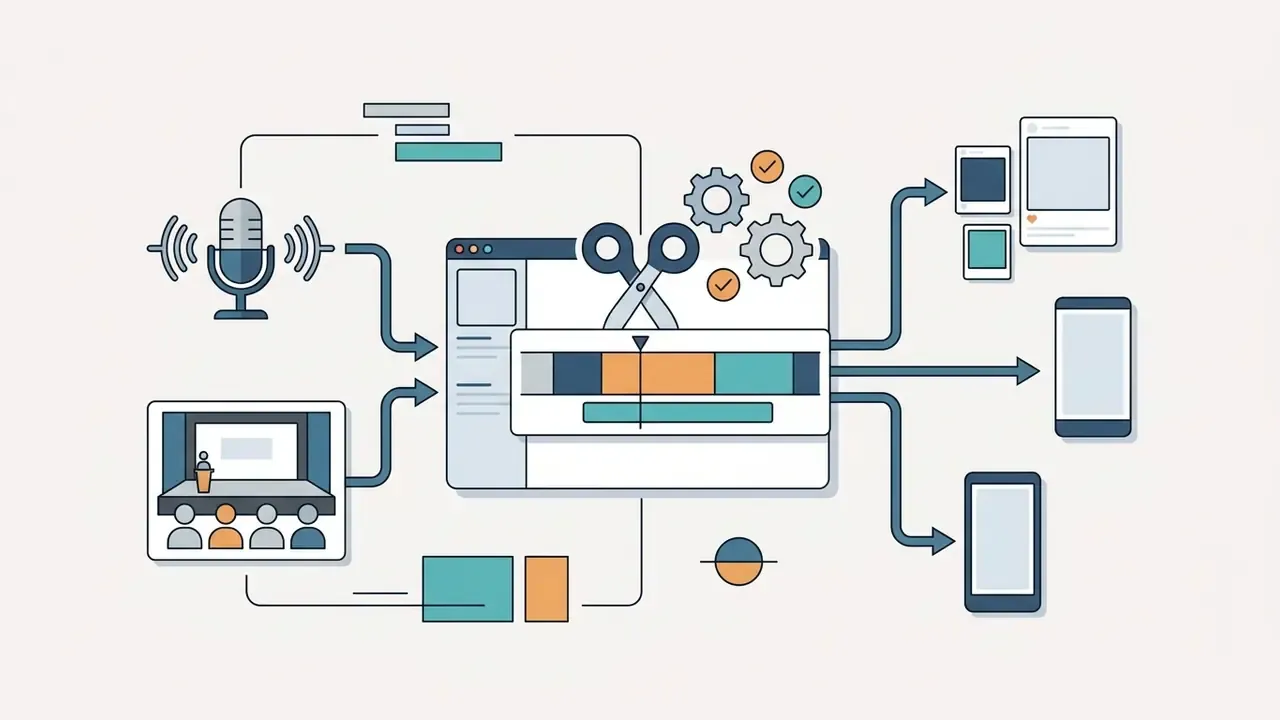
VEED, available on the veed.io platform, is a fully browser-based cloud ecosystem. It is an online video editor and a video platform built for the complete cycle of creating, processing, and exporting video content. The service solves one narrow, very common problem: producing video for social media, marketing, corporate training, and personal branding without installing complex software.
Thanks to server-side computation, users can process high-resolution files directly in a browser window. That removes the dependency on local hardware and makes the tool accessible to solo creators and distributed corporate teams alike. Sequoia describes VEED as an AI video creation platform used by millions of people every month, including more than 76% of the Fortune 500, and notes that the company ships its own image-to-video model, VEED Fabric. A useful signal: the roadmap is no longer just "editor plus third-party APIs."
Online workflow and editor interface
VEED's online video editor runs as a full-featured browser video editor in Chrome, Safari, Edge, and Firefox, storing all video projects in the cloud for cross-platform access. The interface is built around drag-and-drop: a multi-track timeline sits along the bottom, and the left-hand panel opens the editing tools and AI modules. This approach removes the need to download a desktop mp4 video editor and keeps working material synchronised between devices.
Because processing is server-side, bandwidth matters more than CPU. Independent 2026 reviews report a practical floor of about 5 Mbps, roughly 25+ Mbps for comfortable 1080p editing, and 50+ Mbps for 4K timelines. VEED does not publish a single official bandwidth specification, so treat these as third-party estimates, not a vendor guarantee. In an office with a saturated uplink, the editor will feel slow no matter how good the laptop is.
What video formats you can create in VEED
VEED provides ready-made canvas presets so you can adapt a clip to any platform in seconds. The service supports vertical clips (9:16) for TikTok, Instagram Reels, and YouTube Shorts, classic horizontal video (16:9) for YouTube and LinkedIn, and square formats (1:1) for social feeds. The platform handles short advertising creatives and long training webinars with equal ease.
VEED's own documentation maps these to concrete dimensions: 1080×1920 for vertical, 1920×1080 for horizontal, and 1080×1080 for square. Resize presets cover TikTok, YouTube, Instagram Story, LinkedIn, and generic square feed posts. In practice, most corporate teams create videos from one horizontal master and let auto reframe do the rest.
Security, compliance, and data governance: what to verify before rollout
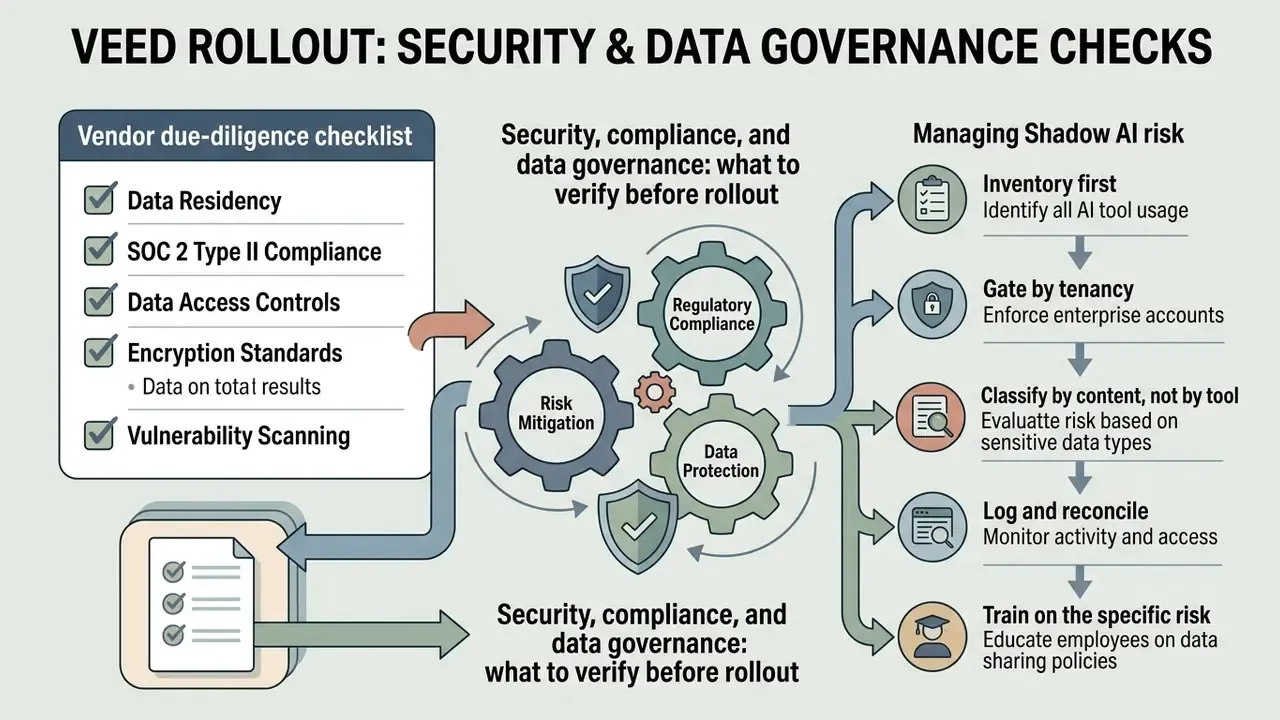
For a CRO, CCO, Head of Model Risk, or AI governance lead, the feature list is secondary. The first question is whether a browser-based AI video maker can be admitted into the technology estate at all. Because VEED processes media in the cloud, every upload is a data-transfer event, and every generative call is a model-risk event.
Vendor due-diligence checklist
| Control area | What to request from the vendor | Why it matters |
|---|---|---|
| Certifications | Current SOC 2 Type II report, ISO/IEC 27001 certificate scope, penetration-test summary | Baseline for third-party risk assessment in banking and insurance |
| Identity | SSO/SAML, SCIM provisioning, MFA enforcement, role-based permissions | Prevents orphaned accounts and unmanaged access after offboarding |
| Data residency | Storage region, sub-processor list, cross-border transfer mechanism | GDPR Chapter V transfers, state-level US privacy rules |
| Model training | Written confirmation that customer video, audio, voice prints, and transcripts are excluded from training of ai models | Voice and likeness are biometric-adjacent data in several jurisdictions |
| Retention and deletion | Default retention period, hard-delete SLA, backup purge timelines | Records-management and legal-hold obligations |
| Auditability | Workspace audit logs, export logs, API access logs, log retention window | Required to register the tool in an AI system inventory |
| Availability | Contractual SLA, uptime history, incident-notification window | Rendering is server-side, so downtime blocks publication deadlines |
| Sub-processors | Named generative model providers and their terms | Prompt and asset data may traverse third-party model APIs |
Managing Shadow AI risk
The same property that makes VEED attractive, namely zero installation, browser-only access, and an instant free plan, makes it a textbook Shadow AI vector. An employee can upload an unreleased earnings video, a customer call recording, or an internal training deck into a personal free account in under a minute. No endpoint footprint. Nothing for security tooling to detect.
Practical mitigations:
- Inventory first.Add cloud video editors as a category to the AI system register, not just individual tools.
- Gate by tenancy.Allow the domain only for the managed enterprise workspace, and block personal sign-up paths at the proxy or CASB layer where policy permits.
- Classify by content, not by tool.Define which data classes may ever reach a cloud renderer. Permit marketing and training footage, prohibit customer PII, unreleased financial data, and recorded client conversations.
- Log and reconcile.Require admin audit logs to be exportable to the SIEM, and reconcile published assets against an approval register quarterly.
- Train on the specific risk.Staff rarely perceive "uploading a video to get subtitles" as a data transfer. Say it explicitly in the acceptable-use policy.
Content safety and brand-risk guardrails
One adjacent risk deserves a line of its own. Generative tooling in the wider market is not uniformly moderated, and employees experimenting on their own often land on services marketed as no filter ai engines or as an nsfw ai art generator. Those categories belong on the deny list for any regulated firm, for reasons that go beyond taste: unclear training-data provenance, weak consent handling, and indemnity terms that collapse the moment a likeness dispute appears.
VEED's own generation layer routes through moderated commercial engines, which is one reason procurement teams find it easier to approve than a self-hosted open-weights stack. Still, ask for the moderation policy in writing and confirm which engine handles which request type. Brand safety is a control, not a vibe.
Model-risk considerations for AI voice, avatars, and ASR
VEED capabilities for video editing and clip processing
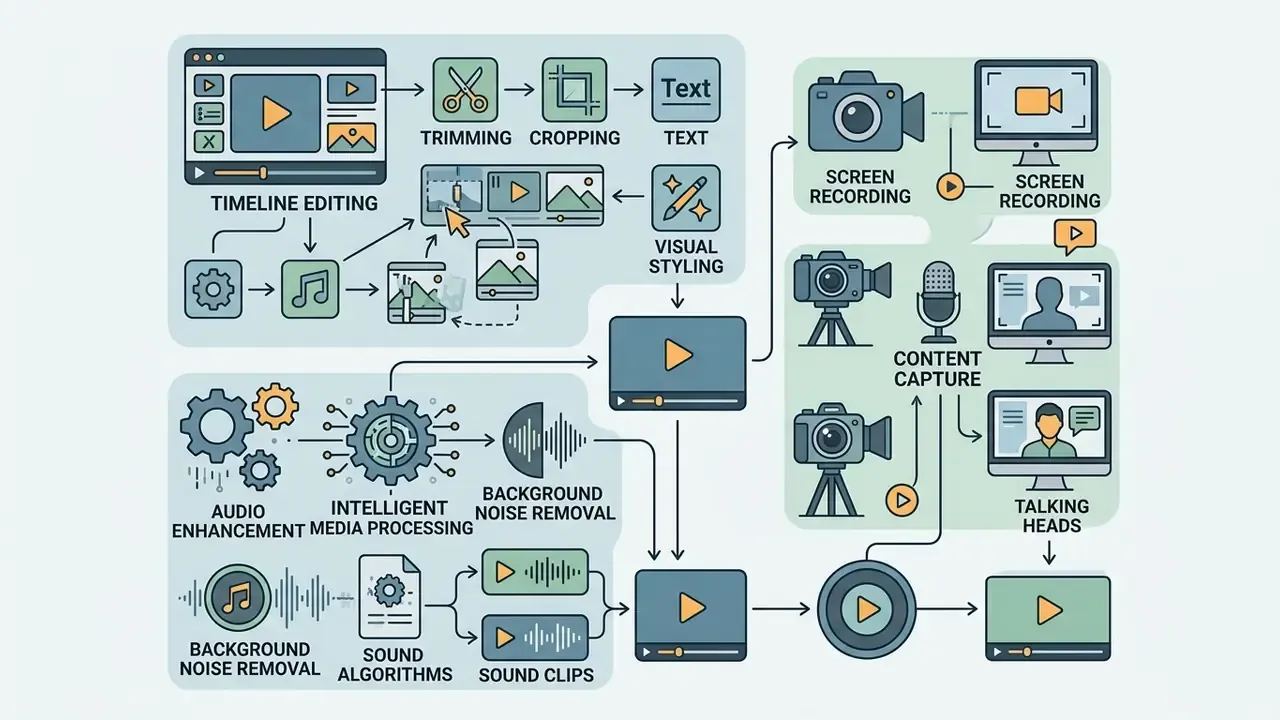
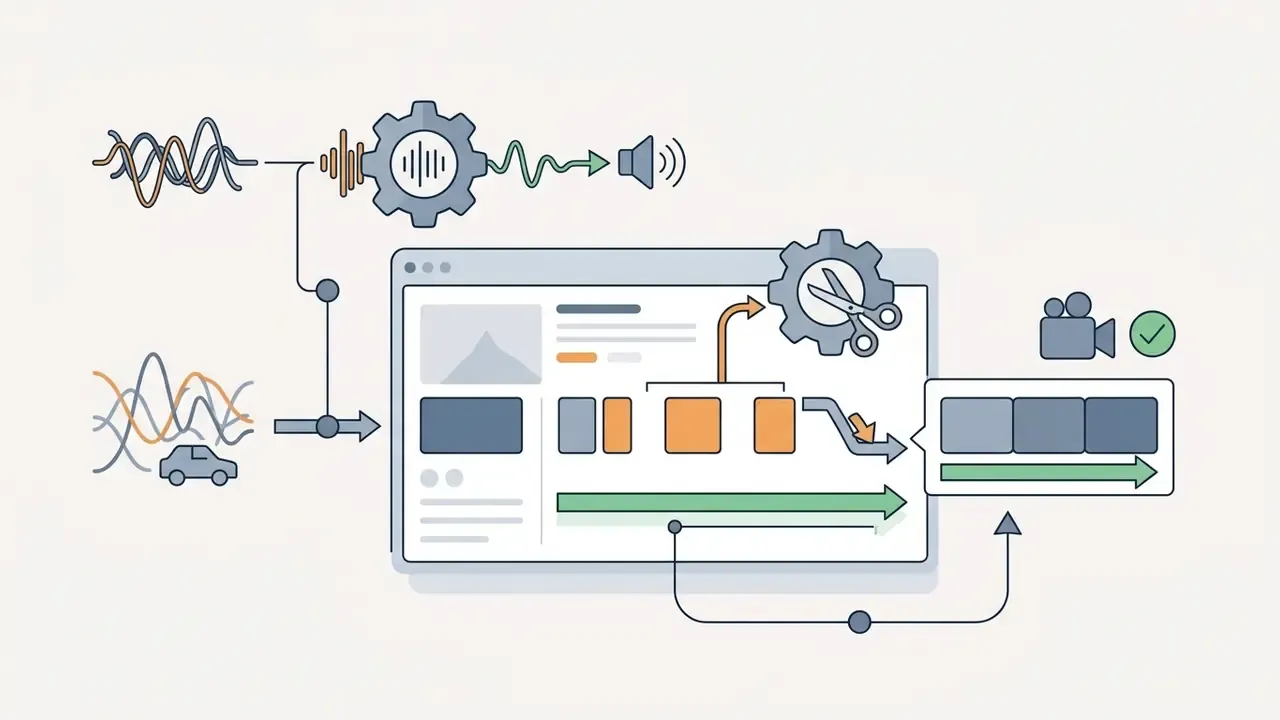
VEED offers a complete toolkit for basic and advanced video editing, combining classic timeline work with algorithms for intelligent media processing. You can edit videos with precise cuts, overlay text blocks, adjust colour, and lift the audio track close to studio-grade cleanliness.
To plan production properly, specialists often consult references such as the AI Media Glossary to combine compression and source-processing methods correctly. Before upload, a dedicated video compressor guide helps calculate the trade-off between bitrate and perceived quality. That single step prevents most of the crashes described later in this review.
Trimming, cropping, text, and visual styling
Trim crop tools let you cut clip boundaries precisely, split tracks into fragments with the playhead, and change framing to remove unwanted elements from the shot. The add text section provides a library of more than 200 configurable fonts, titles, and text animations such as Glide and Pulse, which help create professional videos that hold attention in a fast-scrolling feed.
VEED's documented steps are straightforward: move the playhead, click Split, delete the unwanted segment, then drag the remaining clips to close the gap. Start and end trimming uses clip handles directly on the timeline, while cropping happens by dragging the frame edges on the canvas. Nothing clever, which is exactly the point.
Working with audio and removing background noise
Screen recording and talking head video
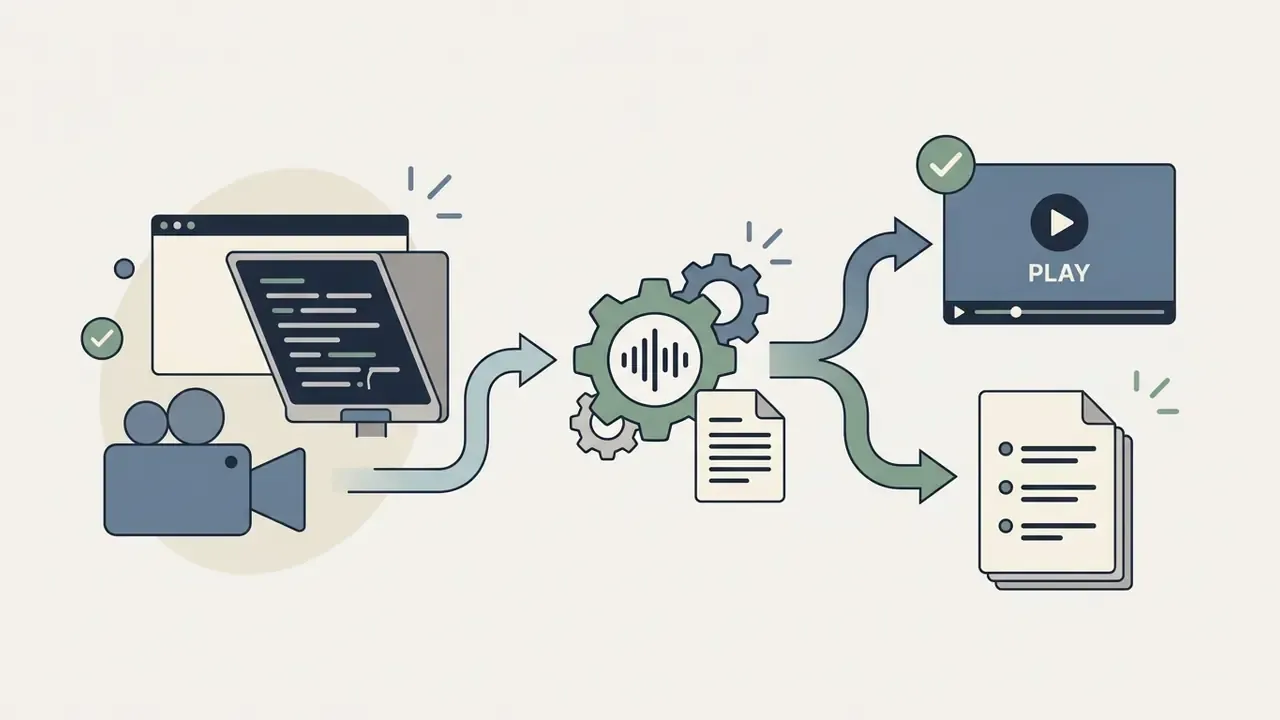
The built-in Screen Recorder and Webcam Recorder modules capture screen, webcam, and microphone at the same time, with no third-party utilities. This is the natural fit for talking head formats, training tutorials, and presentation walkthroughs, where the speaker can also use the built-in teleprompter to read a script comfortably. VEED's Help Center confirms that layouts and the teleprompter are available in the browser with no download.
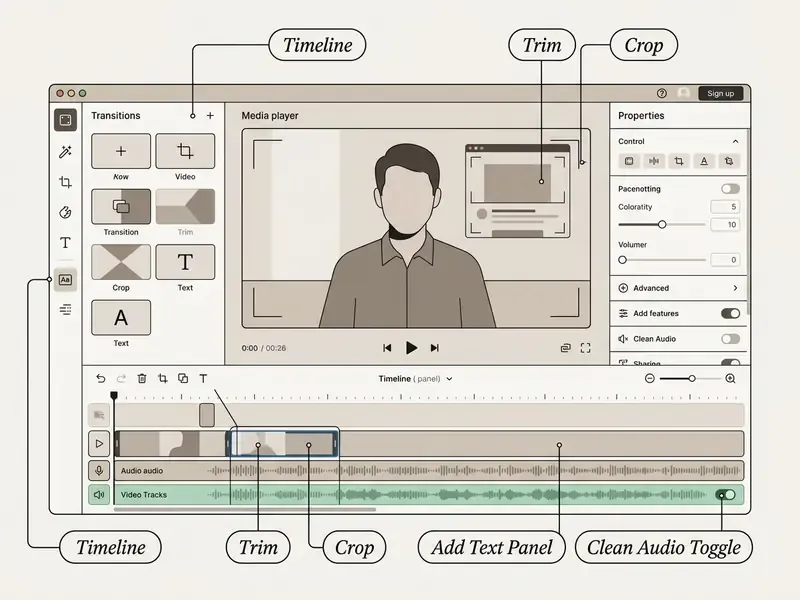
Technical specification of VEED Video Editor features
| Technical feature / parameter | Support in VEED | Details and limitations |
|---|---|---|
| Maximum frame rate (FPS) | Yes (up to 60 FPS) | Available on 1080p and 4K export on paid plans |
| Subtitle export as files | Yes | SRT, VTT, TXT formats (paid tiers only) |
| Subtitle file import | Partial | SRT and VTT upload supported, TXT upload restricted |
| Automatic dynamic zoom (Auto-Zoom) | Yes (limited) | Intelligent framing push-in on semantic emphasis points |
| B-Roll generation | Yes | Automatic background footage matched to the transcript |
| Eye Contact correction | Yes | Artificially redirects the speaker's gaze toward the lens |
| Chroma key / background removal | Yes | Can remove background without a professional green screen in one click |
| Automatic transition effects | Yes (limited) | Base library of AI transitions between cuts |
| AI lip sync | Yes | Matches mouth movement to generated or dubbed audio |
| Auto reframe | Yes (limited) | Converts 16:9 sources into 9:16 and 1:1 with subject tracking |
| Automated background music | Yes | Royalty-free library with automatic ducking under voice |
| Automated sound effects | No | Must be added manually from the stock library |
| Output container / codec | MP4 / H.264 | Variable bitrate, with 3840×2160, 1920×1080, and 1280×720 mapped resolutions |
| Input video formats | Broad | MP4, M4V, MOV, MKV, WEBM, AVI, OGV, FLV, TS, GIF |
| Input audio formats | Broad | MP3, M4A, OGG, OGA, WAV, AAC, FLAC |
| Input image and slide formats | Yes | JPG, JPEG, PNG, WEBP, AVIF, plus PDF, PPT, PPTX |
| Per-file upload limit | Plan-dependent | Free: up to 1 GB per file. Paid plans: no per-file cap, with a recommended project total under 5 GB |
| URL import sources | Limited | Documented support for vimeo.com, clips.twitch.tv, zoom.us |
VEED AI tools: generation, scripts, avatars, and video correction
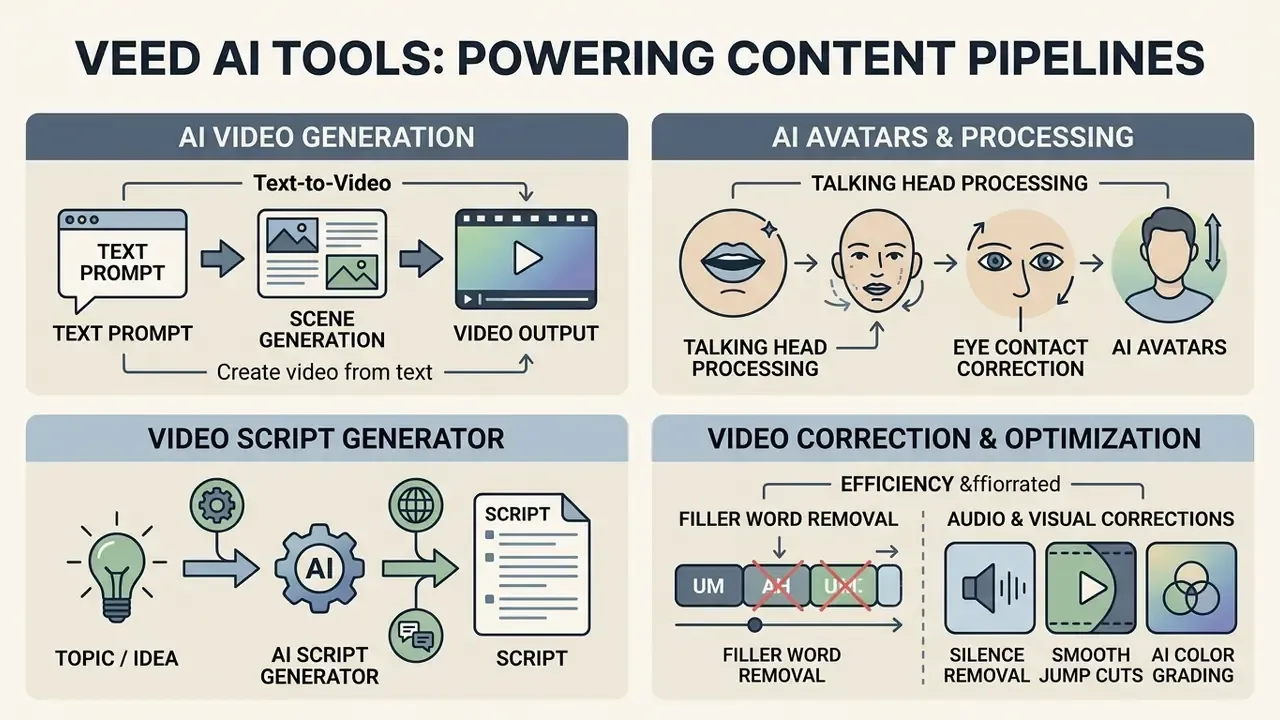
The platform integrates artificial intelligence deep into the editing process, turning a linear video editing tool into an ai powered content pipeline. That shift matters commercially: the bottleneck moves from the editor's hands to the review queue.
AI video generator and creating video from text
The AI Video Generator produces a visual sequence from a text prompt, selecting footage, a synthesised voice-over, and subtitles automatically. That is text-to-video generation in a single workflow. Rather than relying on one in-house engine, the tool integrates leading generative engines, including Google Veo 3.1, Kling AI, and PixVerse AI, alongside VEED's proprietary Fabric image-to-video model. So you can generate videos that read as realistic B-roll or as stylised animation without conducting a shoot. If you are judging the generation layer on its own merits, our comparison of the best AI video generators sets the quality baseline, and the Google Veo implementation guide details API access, cost, and rate limits for the same engine.
On the free tier, generation runs on AI Credits and clip length is capped at 12 seconds. Enough for dynamic intros, B-roll inserts, and background footage. VEED's Help Center notes that free-plan availability of the generator depends on region, and that generated clips are typically a few seconds long. Marketing pages describe output as "professional-quality", while the Help Center is more conservative. Plan around short generated inserts, not fully generated long-form.
«Generative models can automate vlog creation, including static and dynamic visual elements with synchronised text.»
AI avatars, Eye Contact, and talking head processing
The AI Avatars module creates digital presenters from a text script. VEED's Help Center documents a limit of up to 20,000 characters per avatar generation, with imitation of natural facial expression and articulation. Two documented constraints matter for production planning: only one avatar or character can appear on screen at a time, and the avatar's appearance cannot be changed after creation, even by regenerating or rewriting the prompt. Cast before you generate.
The Eye Contact feature uses computer-vision algorithms to correct the direction of the speaker's gaze. If the person on camera is reading prompts off to the side of the lens, the AI carefully redirects the gaze into the camera. VEED notes that the correction is deliberately subtle and works best when the subject is clearly visible. When the gaze sits too far off-axis, correction switches off automatically to avoid unnatural eye and head movement, which is a sensible default rather than a limitation.
«Heuristic evaluation of AI video-creation tools showed that integrating AI scripting and editing increases usability and engagement in educational contexts.»
Video script generator and filler-word removal
The video script generator builds structured scripts for a given topic, audience, and runtime, with tone and format presets for TikTok, Reels, YouTube, and marketing videos. Once speech is recorded, Magic Cut, also surfaced as Edit by Script, identifies and removes filler words ("uh", "um", "like") and trims over-long pauses using the transcript. Edit by Script also exposes a "Delete Silences" control with preset thresholds or a duration slider, and shows pauses as time markers inside the transcript. You tune the aggressiveness instead of accepting one default, which is what keeps a corporate speaker sounding human rather than clipped.
The maturity of the underlying video-language models is measurable:
«The VIIT method for fine-tuning video-language models exceeded NExT-QA benchmark results by 2.8% and improved zero-shot video retrieval on MSR-VTT by 6% over the strongest baselines.»
Subtitles, captions, and video translation in VEED
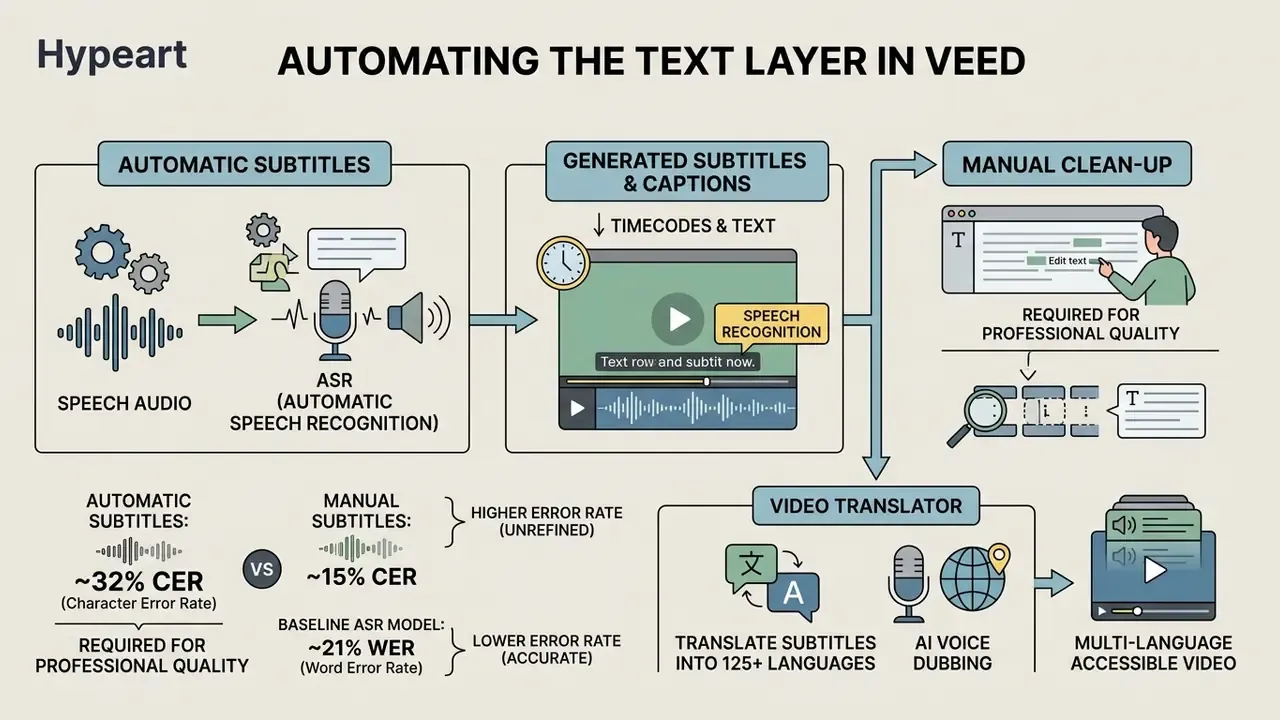
Automating the text layer is one of VEED's strongest sides. Automatic subtitles increase accessibility for hard-of-hearing audiences, and they matter just as much for viewers watching with the sound off, which is the default state on most social platforms.
Automatic subtitles and captions
The Auto Subtitles module recognises speech with ASR (Automatic Speech Recognition), assigns timecodes, and can add captions as dynamic caption cards. You can edit the recognised text manually, change fonts, select animation styles, and highlight key words with colour. With "Detect Speakers" enabled, VEED assigns separate subtitle styles per speaker. VEED's marketing pages claim up to 99.9% transcription accuracy across 125+ languages. Independent research suggests treating any such figure as a best-case ceiling rather than an expected value.
The accuracy picture from peer-reviewed and preprint literature:
«A 2025 study recorded a mean WER of 0.31 for Google Meet on non-standard American accents; other services showed different error profiles.»
«Automatic subtitles show a character error rate of 32.3 versus 14.9 for manually created subtitles, with an omission rate of 26.6 versus 7.0.» — YODAS: YouTube-Oriented Dataset for Audio and Speech (2024). https://arxiv.org/
«A baseline audio ASR model on a specialised dataset reached 21.05% WER on the dev set and 21.22% on the test set, confirming a non-zero error level even in carefully trained systems.» — Slide-enriched audio-visual corpus study (2023-2024). https://arxiv.org/
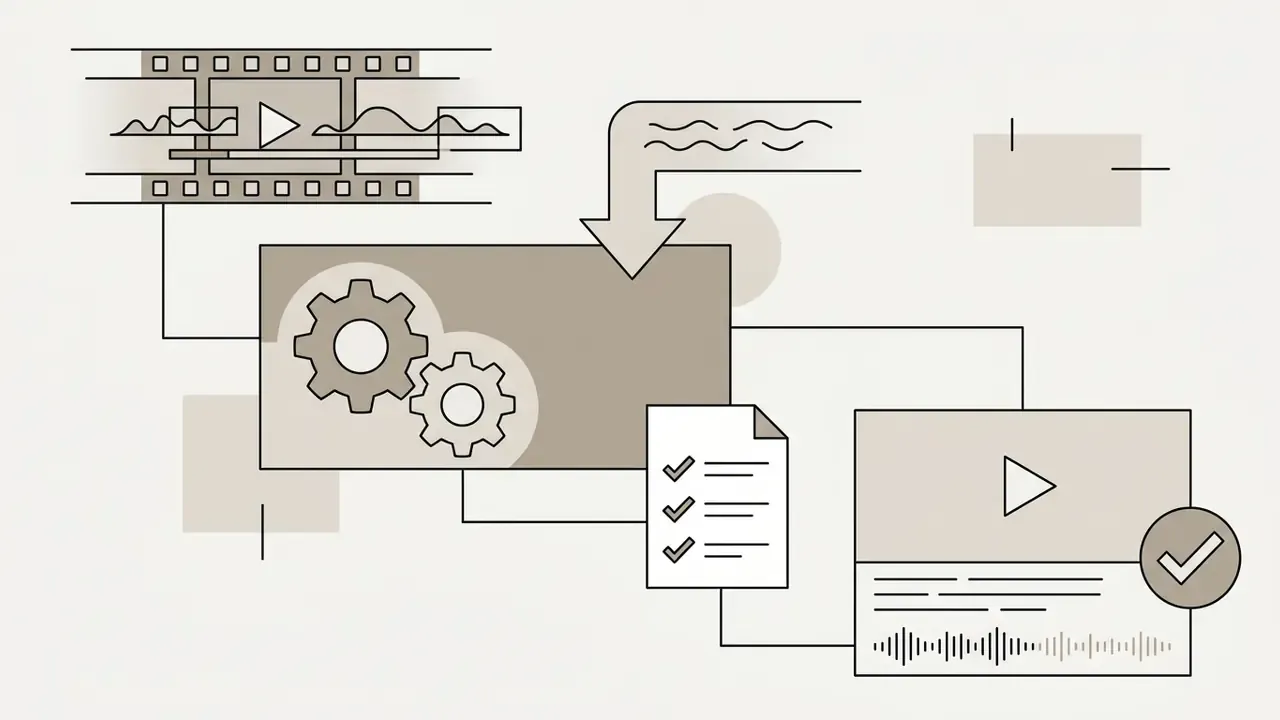
Which confirms the obvious: automatic captions need a final manual clean-up before they carry professional weight. For regulated content that means three things. First, caption tracks for compliance-relevant video go through named human review with a sign-off record. Second, numbers, product names, tickers, and disclaimers are verified character by character, because omission rates hit these hardest. Third, the reviewed SRT or VTT file is archived alongside the published asset, so the approved text can be reproduced on demand later.
Video translator for translating subtitles and audio
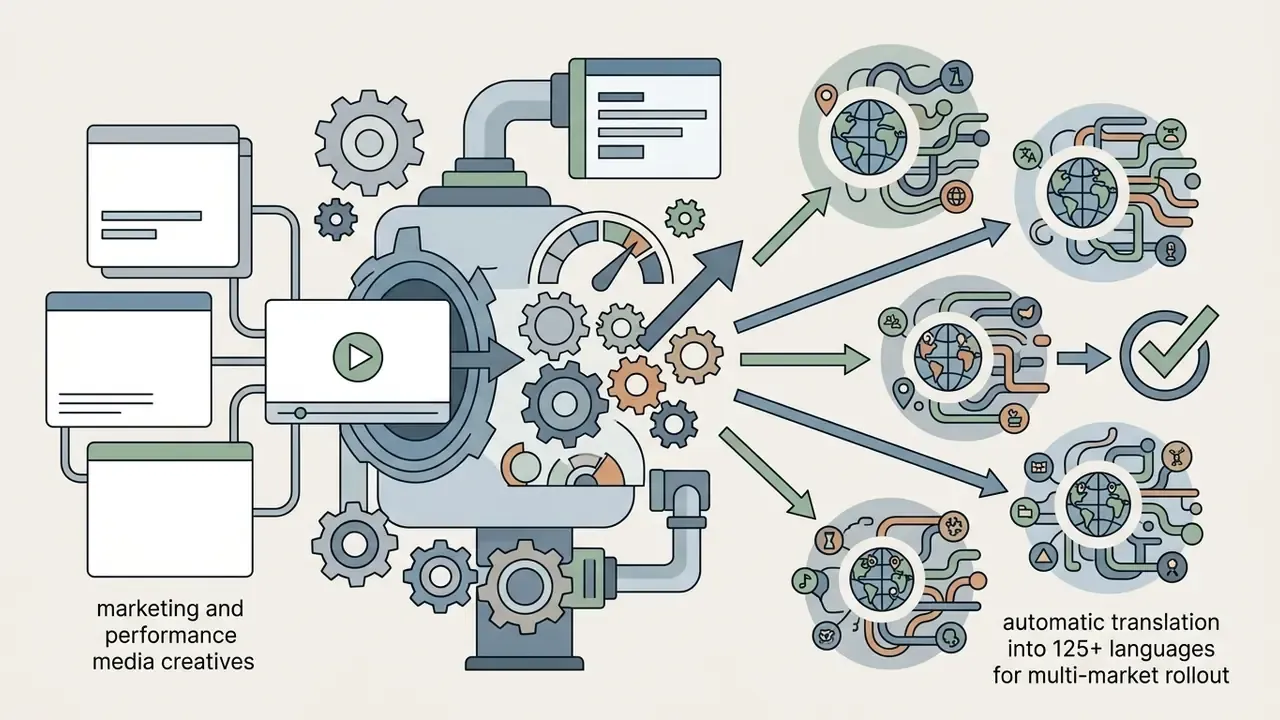
The Video Translator lets you translate generated subtitles into 125+ languages and run AI Voice Dubbing into 29 languages, preserving tonality and cloning the speaker's timbre. VEED also advertises automatic lip sync and retention of background audio for a more immersive result. Note the documented split: 125+ languages applies to subtitle translation, 29 languages applies to voice dubbing. Not the same capability, and translation consumes AI credits.
Voice cloning is where governance and creative work collide. Before dubbing an executive, secure written consent covering the specific languages and use cases, define how long the voice print is retained, and decide whether synthetic narration will be disclosed on screen. For a deeper look at how cloning quality and licensing differ across vendors, see our reference on AI voice generators and the comparison of free AI video generators for teams testing the generation layer at zero cost.
How to use VEED: from uploading video to export
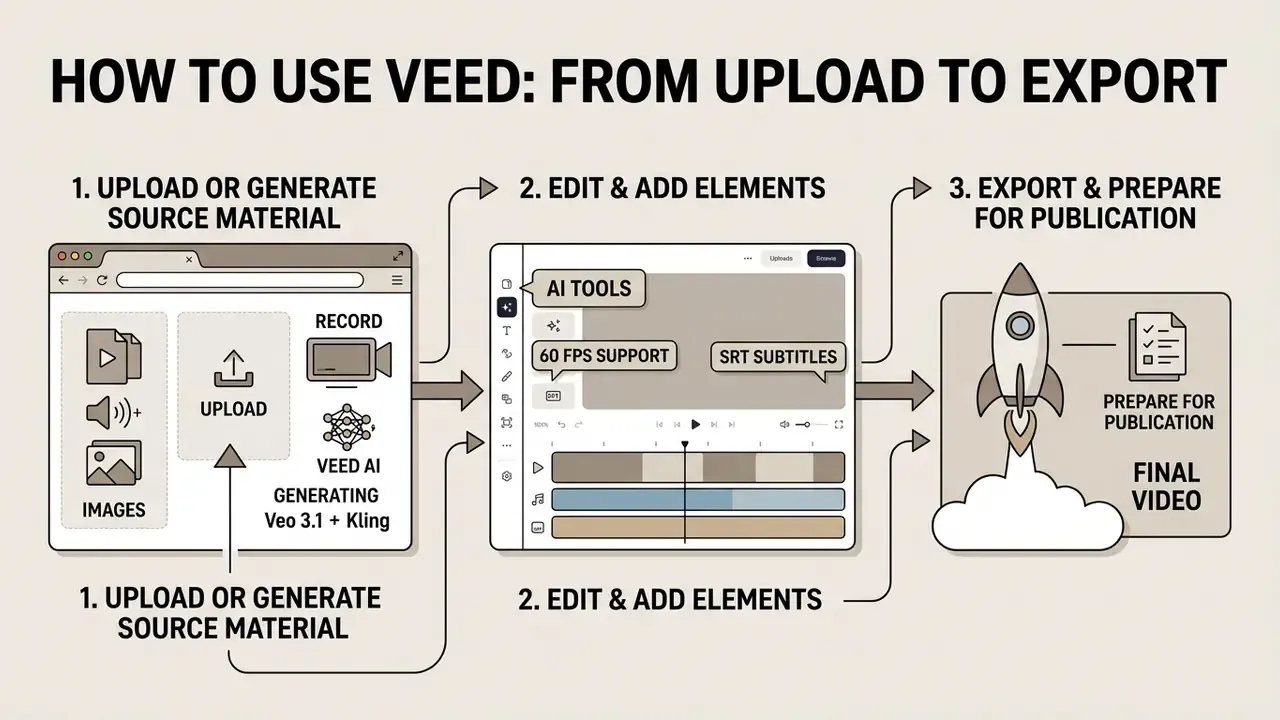
Work in VEED follows a step-by-step order that keeps the barrier to entry low. The documented sequence: upload or open a project, edit the picture, process audio and apply AI tools, add subtitles last, export.
Upload, record, or generate your source material
A new video project starts with the choice of media source. You can:
- Upload local files from disk (MP4, MOV, MKV, WEBM, AVI, MP3, WAV, JPG, PNG, plus PDF and PPTX slides).
- Import material by link (Vimeo, Twitch clips, Zoom).
- Record from screen and webcam, with the built-in teleprompter if needed.
- Generate footage with an AI prompt.
- Pull approved assets from the Brand Kit or the built-in stock library.
Edit the video and add the necessary elements
At this stage you trim excess frames, set framing for the target canvas, and apply visual effects. Then the speech-recognition module runs to create subtitles, Clean Audio is activated, and filler words are cut. Keep subtitles for the end: re-cut the picture afterwards and the caption track has to be regenerated or re-timed. Teams publishing to a single platform at scale will find platform-specific sequencing in our YouTube video editor workflow guide.
Export and prepare the video for publication
When editing is complete, press "Done" or "Export". The platform renders the final file on its servers. Depending on plan, the clip downloads as MP4 (H.264, variable bitrate) at 720p (1280×720), 1080p (1920×1080), or 4K (3840×2160), with frame rates up to 60 FPS on paid tiers. VEED's export documentation exposes a quality preset plus an "Advanced" resolution control, and states plainly that export will not improve quality beyond the original footage. Upscaling a 720p source into a 4K container buys file size, not detail.
VEED pricing: what is available on the free plan and paid plans
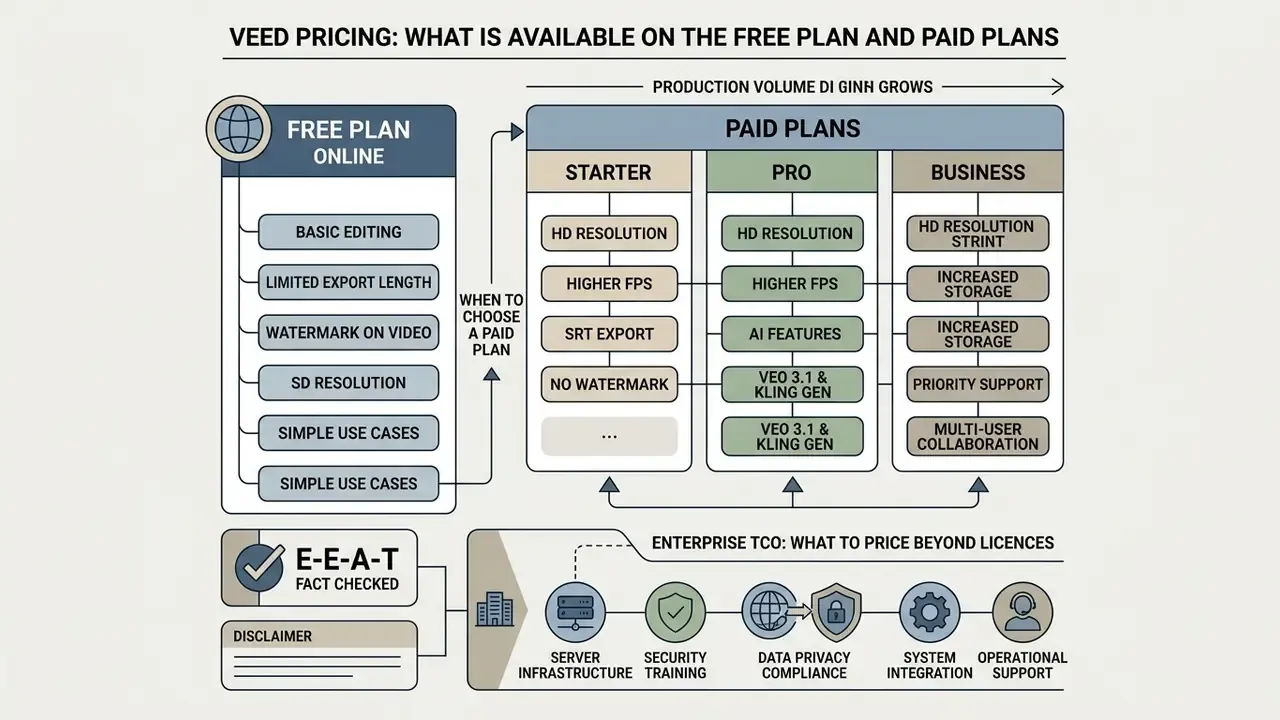
The service offers a flexible plan grid, so you can start free online and move to a paid subscription as production volume grows.
Capabilities and limitations of the free plan
The free plan lets you evaluate the key editing tools without attaching a bank card, which is a useful reference point when benchmarking against other free AI video generators:
- Video export at up to 720p resolution.
- A VEED watermark on all exported clips.
- An export length limit of up to 10 minutes.
- Limited access to AI credits and auto subtitle minutes (secondary sources report either 2 or 30 minutes per month, so verify the current cap on the official page).
- Clean Audio available as a one-time use per account.
- Free ai video generation capped at 12 seconds per clip, subject to regional availability.
- A 1 GB per-file upload ceiling.
When you should choose a paid plan
Moving to paid plans (Lite, Pro, Enterprise, historically also branded Creator, Basic, and Studio in different regions) is necessary for commercial use. A subscription removes the watermark, unlocks Full HD and 4k exports at up to 60 FPS, raises subtitle and translation limits, and opens Brand Kits and ai avatars. Because VEED has renamed tiers repeatedly between 2025 and 2026, match features to the plan name shown on your own regional pricing page rather than to any review article, this one included.
| Parameter / plan | Free plan | Lite / Basic | Pro / Creator | Enterprise |
|---|---|---|---|---|
| Indicative price | $0 / mo | ~$10-19 / mo | ~$24-49 / mo | Custom |
| Watermark | Yes | None | None | None |
| Max export resolution | 720p | 1080p | Up to 4K | Up to 4K |
| Max frame rate | 30 FPS typical | Up to 60 FPS | Up to 60 FPS | Up to 60 FPS |
| Export length cap | 10 minutes | Extended | Extended | Negotiated |
| Auto subtitle minutes | Limited | Extended limit | High monthly limits | Custom limit |
| AI tools and avatars | Trial access | Basic AI features | Full AI package | AI avatars, priority queue |
| SRT/VTT/TXT download | No (burn-in only) | Yes | Yes | Yes |
| Per-file upload limit | 1 GB | No per-file cap | No per-file cap | No per-file cap |
| Team collaboration | No | Limited | Multi-editor | Workspaces, brand controls |
| SSO / SAML | No | No | No | To be confirmed with vendor |
| Audit logs | No | No | Limited | To be confirmed with vendor |
| Contractual SLA | No | No | No | To be confirmed with vendor |
| Dedicated support | No | Standard | Standard | Dedicated contact |
Enterprise TCO: what to price beyond licences
For a CFO or procurement lead, the licence fee is rarely the dominant cost. Build total cost of ownership from five components. One: seat licences at the negotiated Enterprise rate, including the minimum seat commitment. Two: AI credit consumption, which is metered and scales with dubbing, translation, and generation volume, so model it against your actual monthly minutes. Three: the one-off security and legal review, usually the largest hidden line item in regulated firms. Four: ongoing governance overhead, including audit-log review, consent record-keeping, and caption sign-off labour. Five: integration effort via the API for asset pipelines.
Then compare against the fully loaded cost of the workflow being replaced: agency day rates, editor salaries, and, critically, cycle time to publication. In most banks I would expect items three and four to surprise the sponsor more than the licence line does.
Pros, limitations, and choosing VEED for work tasks
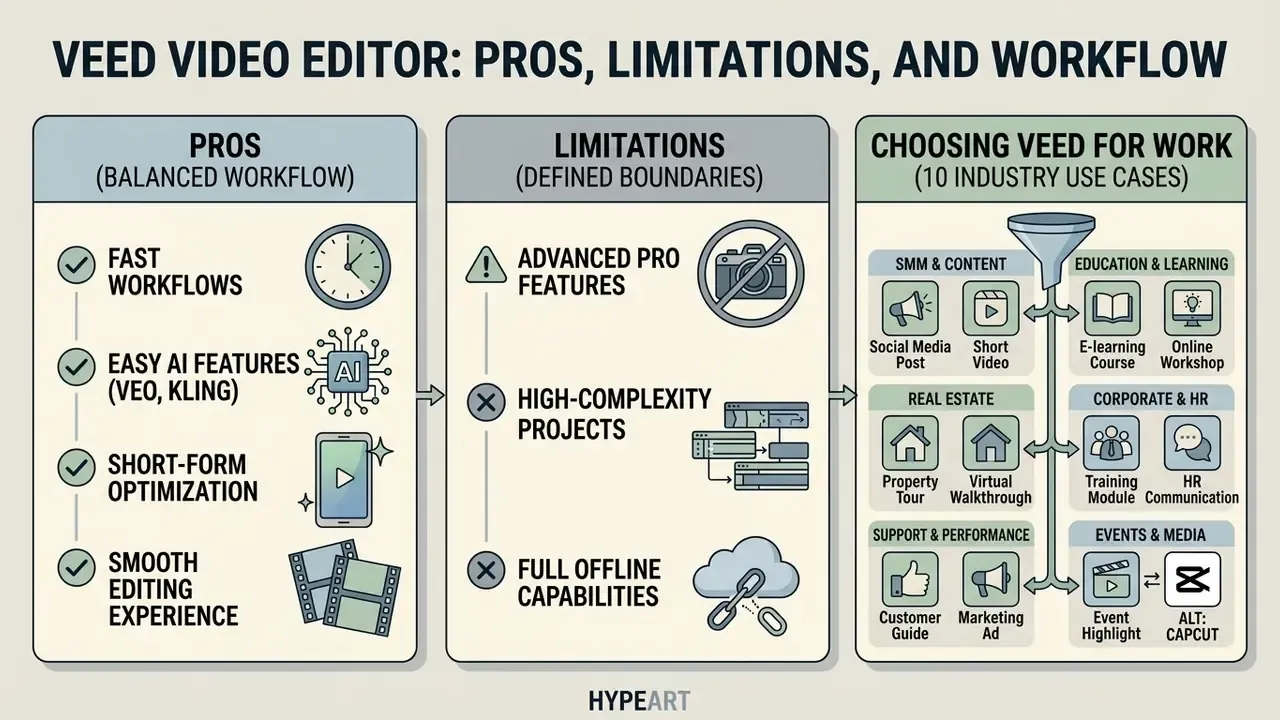
The veed io platform is well balanced for fast workflows, with clearly defined boundaries of application.
Strengths: a comprehensive editing suite with screen recording and AI tools, an intuitive drag-and-drop interface for beginners, genuine cloud-based team collaboration with timestamped feedback, text-based editing that treats video like a document, and one of the strongest caption and translation stacks on the market.
Weaknesses reported consistently by users: it struggles with large files, the free plan carries a watermark and quality limits, it lacks advanced customisation compared with desktop tools, and browser buffering can interfere with reliable autosave. One representative public review puts it bluntly: "The website buffers way too much and has problems with keeping your work saved. If I try to move the soundtrack, 9 times out of 10 it moves back with an error." Not a universal experience, but a recurring one on heavy timelines.
10 industry use cases for VEED


Who VEED suits, split by buyer type
For marketing, social, and creator teams. VEED is a strong choice for SMM specialists and creators producing Reels, Shorts, and TikToks at pace, for performance media buyers running rapid creative tests, and for instructors and business trainers recording courses with subtitles and transcription. To shortlist software before purchase, review the consolidated compare section. For scalable automation, see the AI Media API Guides. If you plan to create video for business, check the legal rules for material use in the commercial use section, and review intellectual-property disputes in the litigation block.
For enterprise, financial services, and regulated teams. The realistic entry point is internal, non-public content: employee onboarding, compliance training modules, product enablement for sales, internal release notes, support tutorials. These workloads gain the most from automatic captioning and text-based editing while carrying the least regulatory exposure. Client-facing or promotional financial material should pass the same review gate as any other published content, with one addition: AI-generated narration, avatars, and translated captions get explicitly reviewed and logged. Treat the free tier as unsuitable for any corporate material. It applies a watermark, offers no administrative controls, and sits outside an enterprise agreement.
Where VEED's capabilities may not be enough
VEED will not fully replace professional desktop NLE systems such as DaVinci Resolve and Adobe Premiere Pro in the following scenarios. For budget-constrained teams weighing alternatives, our comparison of free video editing software maps the desktop options:
Comparing VEED with alternatives: VEED vs CapCut vs Adobe Premiere Pro
| Criterion | VEED Video Editor | CapCut | Adobe Premiere Pro |
|---|---|---|---|
| Primary format | Browser / cloud | Mobile / desktop / browser | Professional desktop |
| Core strength | AI tools, subtitles, text-based editing | Trend templates and social effects | Deep editorial, VFX, colour |
| Pause and filler-word removal | Automatic from the transcript (Magic Cut) | Basic removal | Requires manual trimming |
| Captions and translation | 125+ subtitle languages, 29 dubbing languages | Strong auto captions, narrower dubbing | Speech-to-text, manual translation |
| Colour and finishing | Slider-based correction only | Filters and presets | Lumetri, scopes, LUT/ACES |
| Team collaboration | Full online access by link, workspaces | Limited | Requires Adobe Frame.io |
| Offline capability | None | Partial (desktop app) | Full |
| Learning curve | Hours | Hours | Weeks to months |
| Best suited to | Business, marketers, course creators | TikTok and Reels content makers | Professional video editors |
The practical read: VEED wins on speed to publish and language coverage, CapCut wins on trend-native social styling, and Premiere Pro remains mandatory for finishing work. Many teams end up running two of the three, a cloud editor for volume and a desktop NLE for flagship assets. That split is not a failure of tooling. It is portfolio management.
FAQ: legal, deepfake, and compliance questions
Is VEED genuinely free?
There is a free plan, but the features that make output publication-ready, meaning high-resolution export, watermark removal, subtitle file download, and full AI access, sit behind a paid tier. Treat the free plan as an evaluation environment, not a production tool.
Can I use VEED output commercially?
Commercial use is effectively tied to a paid subscription, since free exports carry the VEED watermark. Licensing terms for stock media, music, fonts, and AI-generated assets are separate from the editor subscription and must be checked individually. The commercial use section covers the general framework.
Who owns the copyright in an AI-generated clip or avatar?
That depends on the provider's terms and on jurisdiction. In several jurisdictions, purely machine-generated output may not attract copyright protection at all, which affects your ability to enforce exclusivity. Where a clip mixes generated and human-authored elements, document the human contribution. Review the current terms for each generative engine in the chain, third-party models included.
How do we manage deepfake and impersonation risk?
Three controls do most of the work. Documented consent for every cloned voice and likeness, with scope and duration. An internal register of which avatars and voices are approved for which content types. A disclosure convention for synthetic presenters in externally published material. Additionally, restrict who in the workspace can reach voice cloning at all. It should never be a default permission.
Does automatic captioning satisfy accessibility obligations?
Automatic captions are a starting point, not a compliant deliverable. Published research shows materially higher error and omission rates for automatic versus human-reviewed captions, so conformance generally requires human correction, speaker identification, and description of non-speech audio.
How do we handle records retention for video under FINRA or SEC-style rules?
Do not rely on the editing platform as the system of record. Export the final asset, the approved caption file, and the approval log into your governed archive, with immutability and retrieval controls that match your records policy. Confirm the vendor's own retention and deletion timelines in the Data Processing Addendum, so deleted project data does not outlive your retention window.
Is it safe to upload client work?
Only inside a managed enterprise workspace, only for data classes your policy permits, and only after the security package and sub-processor list have been reviewed. Check carefully what permissions you grant when connecting cloud drives or link-based imports. How to run a controlled pilot: a practical next step
- Define one narrow use case. Pick a single workflow, for example internal training modules, with a measurable baseline such as cycle time or cost per finished minute.
- Set a data boundary in writing. List explicitly which content classes may be uploaded during the pilot, and which are prohibited.
- Request the security package. SOC 2 and ISO scope, DPA, sub-processor list, retention terms, SSO and audit-log availability, SLA. Do not start before this is reviewed.
- Register the tool. Add it to the AI system inventory with named owners for model risk, data privacy, and business use.
- Instrument the metrics. Track cycle time, rework rate, caption error rate after human review, and AI credit consumption per finished minute.
- Run a four-eyes review gate. Every published asset passes transcript, caption, and audio review with a recorded sign-off.
- Review at 60 to 90 days. Compare measured results against the baseline and against the fully loaded TCO, then decide on enterprise rollout, restricted use, or exit. One caveat worth stating plainly: a pilot that skips step three is not a pilot. It is unmanaged adoption with a deadline.
Useful resources and terminology
A map of sections for a deeper dive into video processing and artificial intelligence technologies:
- AI Media Glossary is the master glossary of AI and video-processing terms.
- Browser video editor covers the tool class VEED belongs to.
- Video compressor guide explains reducing file weight before upload.
- AI voice generator guide compares voice quality, language support, and commercial licensing.
- Best AI video generators shows how VEED's generation layer compares.
- Best free video editing software lists desktop alternatives at zero cost.
- YouTube video editor workflows details platform-specific publishing pipelines.
Appendix A: superseded wording retained for transparency
For editorial transparency, earlier formulations replaced in the body text by more specific, sourced wording:
- Original: "Empirical research into automatic speech recognition (Lost in Transcription, 2025) indicates that the word error rate of commercial systems varies from 10% to 30% depending on accent and noise level." Replaced by the specific measured figure for a named system (mean WER 0.31 for Google Meet on non-standard American accents), plus independent CER and WER benchmarks.
- Original: "Editing time was reduced by 70%." Reformulated as a self-reported, unaudited single-team observation of roughly 60 to 70% cycle-time reduction, with a recommendation to measure a local baseline first.
- Original: passing references to unfiltered and NSFW image-generation services inside the translation section. Moved out of that context and reframed under content-safety guardrails, where they belong as deny-list categories rather than as tooling suggestions.
Disclaimer: this article is an informational technology review and does not constitute legal, financial, compliance, or security advice. Plan names, prices, feature entitlements, and limits change frequently and vary by region and billing cycle. Verify all commercial terms on veed.io/pricing and all security and data-processing terms directly with the vendor before purchase or deployment. Statements about certifications, SLAs, and administrative controls here are framed as diligence questions and require written confirmation from VEED. Organisations in regulated sectors should obtain independent legal and compliance review before adopting cloud AI media tools for client-facing or record-keeping purposes.