

Key Takeaways Before You Upload Anything
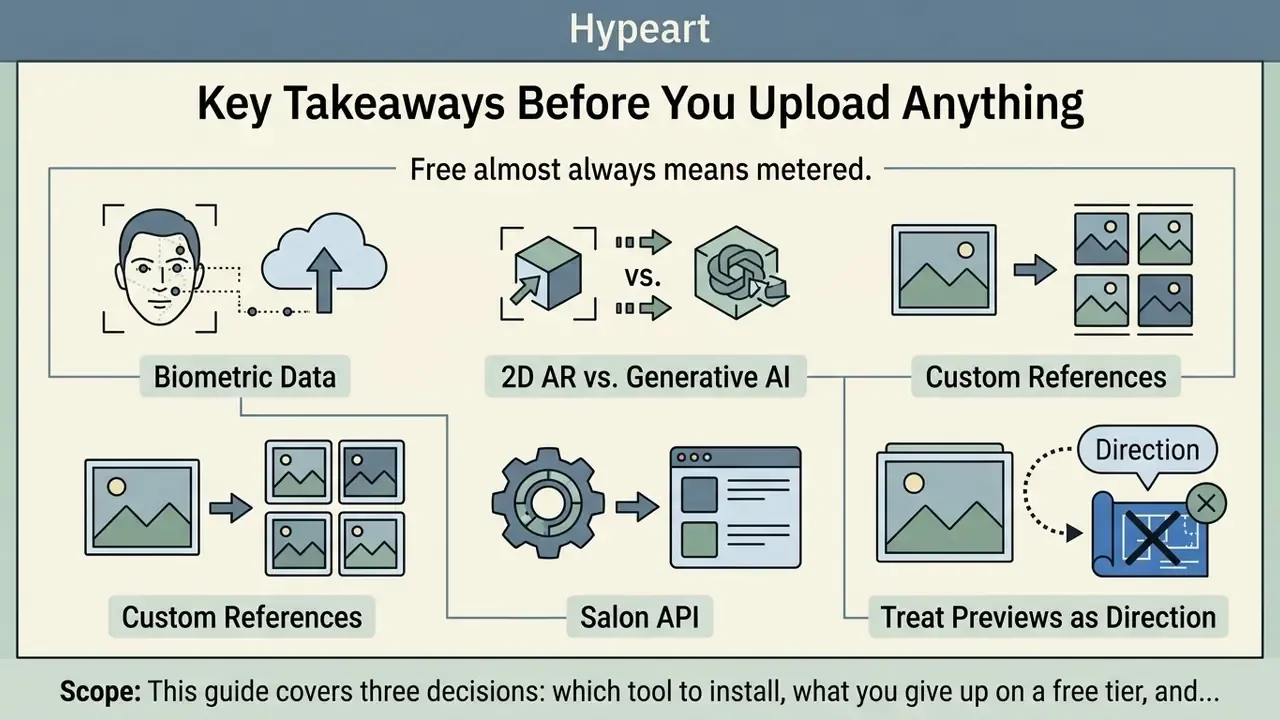
- "Free" almost always means metered. Expect 1 to 5 generation credits, 3 to 5 daily preset try-ons, watermarked exports, and standard 800×800 resolution on free tiers. 4K and watermark-free output sit behind $7.99–$19.99/month plans.
- Your selfie is biometric data. A Concordia University privacy analysis of 138 virtual try-on (VTO) websites and 28 Android apps found 65% transmit images to external servers, 57% share with third parties, 37% extract facial geometry, and 31% of websites retain photos persistently.
- Two different technologies, two different jobs. 2D/3D AR overlays render at 30+ FPS and suit color testing. Generative AI (GAN or diffusion) takes 3 to 10 seconds per image and suits structural changes such as pixies, bobs, and fades.
- Custom references beat preset galleries. "Import Salon" and "Upload Hairstyle" features (HairTry, YouCam, HairLook, TryOn) map a Pinterest or celebrity reference directly onto your facial geometry.
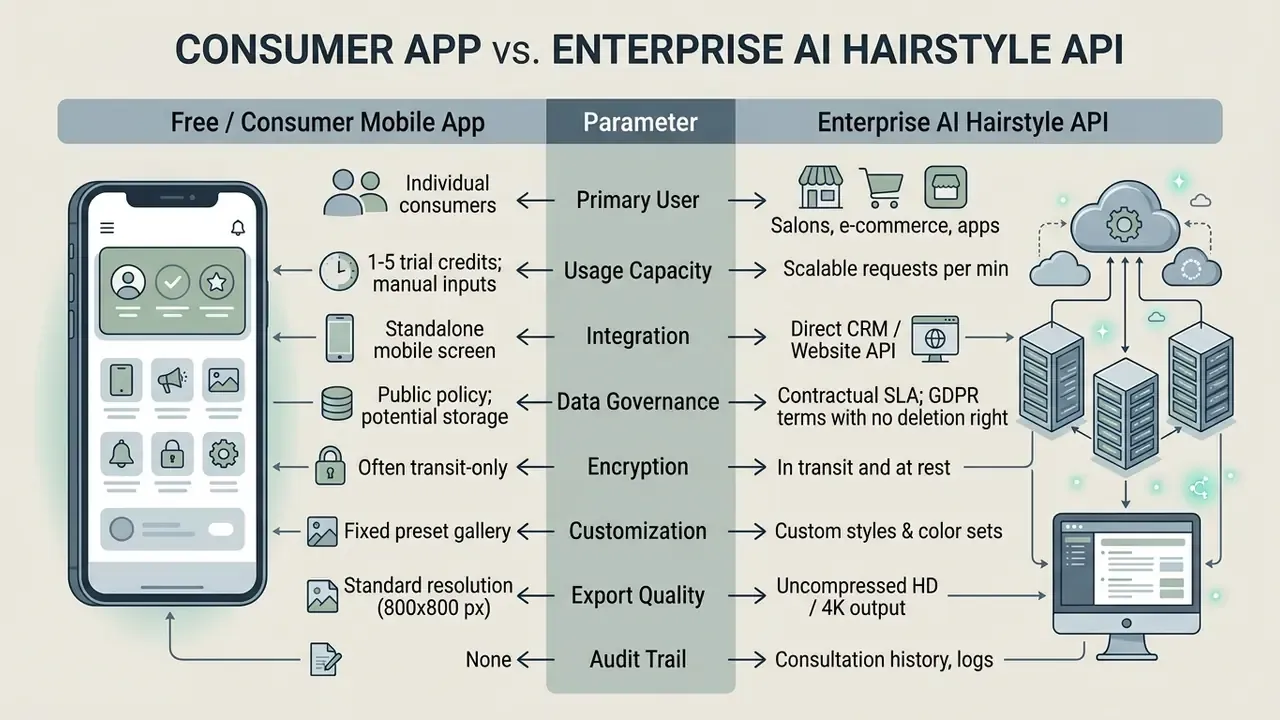
- Salons need an API, not a consumer app. Enterprise AI Hairstyle APIs run roughly $0.20 to $0.40 per try-on call, or $29 to $349 per month, with written photo consent, encryption, and SOC 2 or ISO 27001-grade contractual guarantees.
- Treat previews as direction, not blueprint. Growth patterns, strand density, curl elasticity, and existing pigment determine what a stylist can physically deliver.
Scope note. This guide covers three decisions: which tool to install, what you give up on a free tier, and when a business must stop using consumer hairstyle apps altogether. Pricing, credit allocations, and retention windows were checked in February 2026 and change often, so re-verify before you budget.
What Does "Free Hairstyle App" Actually Include?
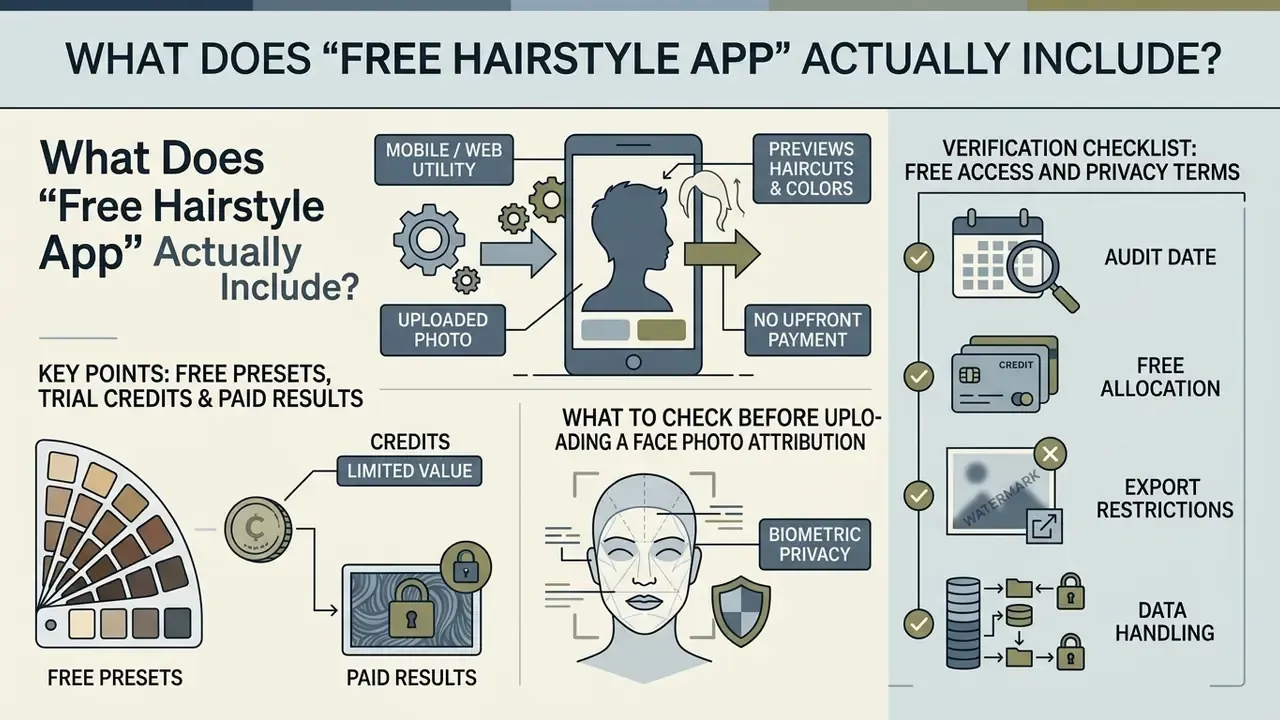
A free hairstyle app is a mobile or web utility that previews new haircuts, colors, and styling variations on an uploaded photo without an upfront payment. The word "free" in consumer software rarely means unlimited. Most platforms run a freemium model: basic features, trial credits, or low-resolution previews cost nothing, while generative tools, high-definition downloads, and custom reference uploads sit behind a paywall.
So a completely free hairstyle app does exist, just not in the shape most people imagine. The genuinely free ones are usually manual overlay tools, not neural generators.
When evaluating an ai hairstyle app free tier, you will meet three operational structures: preset-based free trials, credit-based allocation models, and ad-supported access. Basic preset tools overlay standard 2D haircut masks onto a photo at no charge. Generative ai hairstyle free app platforms need server-side computation to synthesize realistic hair texture, so developers cap free access at a set number of initial generations, usually 1 to 5 try-on credits after account creation.
Knowing these boundaries in advance saves a download you would regret. Anyone hunting for an app to see what hairstyle suits you free should separate casual virtual testing from commercial-grade generation. For broader context on automated image processing architectures, consult our AI Media Glossary.
Free presets, trial credits, and paid hairstyle results
Free hairstyle previews split into fixed templates and limited generative trials. Fixed templates let you test a restricted gallery of standard cuts, a simple bob or a classic pixie, at no charge. Those overlays do not adjust to light, head tilt, or your individual hair texture. They are closer to a paper cut-out than a simulation.
Generative platforms, marketed as an ai hairstyle generator app or a best free hairstyle changer app, use cloud-based deep learning to blend new hairstyles onto your facial geometry. Cloud inference costs money, so providers meter it. Perfect Corp's YouCam Hair offers 5 complimentary trial credits at registration, and each AI generation consumes 2 credits. That is two full previews before an upgrade prompt. HairstyleAI also hands out 5 trial credits at signup, after which you move to recurring plans (Pro at $7.99 per month for 100 credits, Max at $19.99 per month for 350 credits) to unlock expanded libraries and HD downloads. Other usage models include ad-supported tiers such as Lookify, which grants 1 extra preview per video ad view, and app-store subscription ladders such as Glowify AI's Plus Weekly ($9.99), Plus Monthly ($16.99), and Plus Yearly ($39.99).
Two more patterns deserve naming, because they change how much you can realistically test for free. WhatHair grants 3 free AI generations restricted to basic hairstyles, with the weekly plan unlocking the full library, watermark removal, and save-to-gallery. AI Hairstyle TryOn allocates 1 credit per month on its free plan, limits access to selected templates, and caps downloads at 800×800 pixels, though notably without a watermark. TheHairStyler takes the demo route instead: free registration allows up to 5 hairstyle try-ons per day inside a 14,000-style catalog, with watermarks applied to free previews.
One practical consequence. If you plan to test four trend cuts, a 5-credit trial where each render costs 2 credits will not get you there. Plan the shortlist first, then spend.
To see how pricing structures scale across generative tools, refer to our AI Media Pricing Guides and the free-tier limits analysis in our guide to free photo editors. If you need to model credit burn across a team, the AI Media Calculators do the arithmetic for you.
What to Check Before Uploading a Face Photo
Before you upload a front-facing selfie to any free hairstyle app, verify the platform's data retention policy, biometric processing terms, and server transmission protocols. Portrait photographs contain facial geometry that can qualify as sensitive biometric data under modern privacy frameworks, including Illinois' Biometric Information Privacy Act (BIPA), the California Consumer Privacy Act as amended (CCPA/CPRA), and Article 9 of the EU General Data Protection Regulation, which treats biometric data processed for identification as a special category requiring explicit consent. The same evaluation discipline applies to any cloud-based AI photo editors that touch portraits.
Attribution. The most complete empirical dataset available comes from the Concordia University VTO Privacy Analysis, published as the OPC Final Report (2024), which examined 138 virtual try-on websites and 28 Android applications across beauty, eyewear, and hair categories.
«65% of tested VTO websites transmit user images to external servers, 57% share them with third parties, and 37% extract facial geometry.»
Beyond transmission, 31% of the websites and 7% of the mobile apps confirmed persistent server storage of uploaded face photos. Test images stayed reachable on external servers weeks after the session ended.
Review privacy disclosures to confirm whether uploaded photos are deleted within 24 hours (as HairstyleAI and Cutout.pro state) or retained indefinitely for model training. Retention language varies sharply by vendor. Hairstyle Try On Hair Changer says uploaded photos remain in the cloud for 24 to 48 hours after the last edit before deletion. TheHairStyler states that uploaded photos are "not stored". HairApp's Google Play data-safety label reports encryption in transit but explicitly states that user data cannot be deleted on request. Several hairstyle apps also disclose sharing of "photos and videos" as a data category in the same Play Store section.
«25% of VTO providers violate their own privacy policy, and 22% of websites use misleading disclaimers about user data.»
For organizations, this is a Shadow AI problem in miniature. Employees testing consumer beauty tools on work devices can route facial geometry to unvetted third-party endpoints that never passed a procurement review. A workable control: restrict biometric-processing tools to an approved vendor list, and block browser-based try-ons that lack a documented deletion window. Not glamorous. Effective.
Disclaimer: This information is general and does not replace consultation with a qualified data-protection specialist. Before uploading biometric data, read the current privacy policy of the specific service you intend to use.
Verification Checklist: Free Access and Privacy Terms
Best Free Hairstyle Apps: Comparison of AI and Virtual Try-On Tools
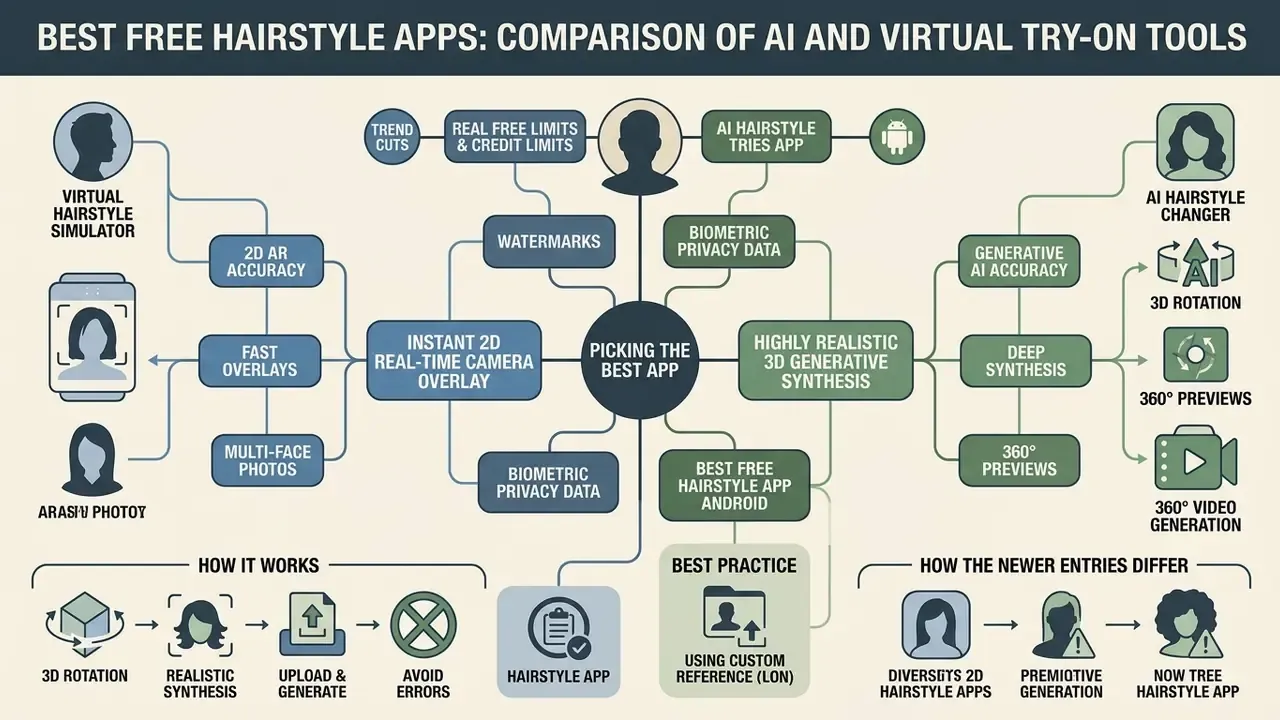
Picking the best free hairstyle app depends on one question: do you want an instant 2D real-time camera overlay, or highly realistic 3D generative synthesis? Virtual try-on tools split into two technological camps, traditional 2D/3D augmented reality (AR) overlay simulators and generative artificial intelligence hair changers.
AR overlay apps detect facial landmarks and superimpose pre-made haircut graphics over your head. They run fast on-device, which makes them handy for quick length tests. A generative ai hairstyle generator app, by contrast, pushes the photo through deep learning frameworks such as generative adversarial networks (GANs) or latent diffusion models, then synthesizes new hair strands that adapt to your lighting, skin tone, and head shape.
The matrix below compares features, free access limits, and platform support across ten leading solutions. For broader category evaluations, browse our AI Media Comparison Matrices.
Comparison of AI and virtual hairstyle try-on platforms (verified 2026 data)
| App / Platform | Technology type | Free tier limit | Hairstyle and color catalog | Standout feature | Men's styles | Android support | Watermark-free export |
|---|---|---|---|---|---|---|---|
| HairHunt | Generative AI | 1 free generation on registration | 100+ AI styles and color picker | 360° video preview of the finished cut | Yes | Yes (Web / iOS / Android) | Yes (on base free trial) |
| TheHairStyler | 2D/3D virtual overlay | Up to 5 demo try-ons daily | 14,000+ hairstyles, 18 colors | Largest catalog, face-shape reports | Yes (2,800+ styles) | Web browser | No (watermarked) |
| YouCam Hair (Perfect Corp) | Generative AI and AR | 5 credits (2 credits per AI try-on) | 200+ cuts and custom color preview | "Upload Hairstyle" reference mapping, batch compare | Yes | Yes (Google Play) | No (requires Premium) |
| HairTry | Neural AI (hair transfer) | Starter credits on signup | 300+ styles including bald filter | "Import Salon" celebrity reference transfer | Yes | Yes (Web / iOS / Android) | No (HD is paid only) |
| Hairstyle Try On - AI Haircut | AI and template overlay | Free basic preset access | 600+ preloaded hairstyles | Beard and wig previews | Yes | Yes (Google Play) | No (ad-supported) |
| Fotor AI Hairstyle Changer | Generative AI synthesis | Trial credits on free account | Custom text prompt plus preset cuts | Prompt-driven generation in under 5 seconds | Yes | Yes (Web / App) | No (watermarked) |
| Hair Zapp | 2D manual overlay | 100% free, offline mode | 30+ men's cuts (fades, crops, quiffs) | Manual size and angle positioning, no cloud upload | Yes (primary focus) | Yes (iOS / Android) | Yes |
| Bangs Hairstyle | 2D overlay | Free, ad-supported | 20+ fringe types (curtain, blunt, wispy, micro) | Fringe-only specialist with adjustable placement | Limited | Yes (iOS / Android) | No (ad-supported) |
| Hair Color Studio | Manual brush recoloring | Free core tool | 10+ shades, custom placement | Hand-painted balayage and highlight placement | Unisex color mapping | Yes (iOS / Android) | Yes |
| Garnier / L'Oréal Hair Color Try-On (Style My Hair, ModiFace) | Live AR camera overlay (3D) | 100% free, brand-sponsored | 80+ shade variations (color only) | 3D head rotation, shades calibrated to real dye formulas | Unisex color mapping | Yes (Web mobile / iOS / Android) | Yes (direct camera save) |
How the newer entries differ. HairHunt is currently the only widely available consumer tool that renders a 360° video preview, so you can judge how a cut reads from the side and the back rather than from a single frontal frame. That frontal-only blind spot is the weakest point of almost every other try-on tool. Hair Zapp solves the opposite problem: it abandons automation, giving men manual control over placement, scale, and rotation of fades, crops, undercuts, and pompadours, and it works offline, so no image leaves the device. Bangs Hairstyle narrows the field to fringes alone, which matters because bangs are the single most common haircut regret and behave differently on every forehead width. Hair Color Studio trades automation for a manual brush, enabling precise balayage, root shadow, and highlight placement that automated segmentation tends to smooth over. HairTry adds the reference-transfer workflow described below, plus a facial-analysis report that names which silhouettes to avoid.
If you are shortlisting a best free hairstyle simulator app for casual use, the overlay tools win on speed and privacy. For a best free hairstyle makeover app that produces something you would actually show a stylist, generative synthesis is the only realistic path.
Best free hairstyle app Android options
Android users have several specialized applications in the Google Play Store built for on-the-go testing. The best free hairstyle app android options combine small installation footprints with local hardware acceleration to render previews efficiently.
Key applications updated in 2026 include Hair App-AI Hairstyle Try on, Hairstyle Try On - AI Haircut, AI Hairstyle Try-On (Nextdio), Hair Zapp, and Lookify. Hair App pairs haircut simulation with real-time hair color changing, so you can evaluate subtle highlight adjustments from a single selfie, and it adds a hair-condition analysis module that proposes a care routine. Hairstyle Try On focuses on catalog depth, with over 600 preloaded styles for men and women plus facial hair and wig previews. AI Hairstyle Try-On extends the same logic with hundreds of cuts, colors, bangs, texture options, beard styles, and unisex filtering.
When installing a best free hairstyle try on app android, read the permission list before the first launch, not after. Native Android apps that process photos locally, with Hair Zapp as the clearest fully offline example, offer stronger privacy protection than apps that need continuous cloud uploads over poorly documented endpoints.
«Most study participants preferred using a preloaded model avatar rather than uploading their own photo, fearing misuse of their images.»
That behavioral finding has a commercial edge. If a tool demands a face upload before showing any value, a measurable share of users simply leaves. Offering a demo avatar first is both a privacy control and a conversion feature.
AI hairstyle changer vs virtual hairstyle simulator
The functional difference between an ai hairstyle changer and a virtual hairstyle simulator comes down to rendering realism against processing speed.
A virtual hairstyle simulator uses classic 2D graphic compositing. It places a static transparent PNG, or a 3D mesh of a haircut, over your detected forehead line and alpha-blends it onto landmarks. The process is near-instantaneous, roughly 30+ frames per second on mobile web browsers, but it often produces an artificial "sticker" look. The overlay does not react to ambient room lighting, and it ignores natural hair volume behind the neck. Its one real advantage is literal fidelity: because it composites over your unmodified photo, your facial features are preserved exactly. Poor alignment, though, can generate unnatural edges similar to those seen in bad ai art.
An ai hairstyle changer reconstructs the image through neural synthesis. If you want to see how the same underlying diffusion architecture behaves in other creative categories, compare outputs from free AI image generators. The model reads your facial outline, skin undertones, and lighting environment, then generates individual strands with plausible light reflection, shadow mapping, and depth. Research on generative hair modeling, such as the Neural Haircut framework (CVPR), shows that models can extract multi-view geometry to simulate hair fall around the shoulders, while NeuralHDHair (CVPR, 2022) demonstrates automatic high-fidelity hair geometry reconstruction from a single image. The trade-off is latency: generation usually takes 3 to 10 seconds per image and needs cloud compute. When the input resolution is too low, the failure mode mirrors artifacts found in bad ai images.
Quick Decision Matrix: Live AR Camera vs Photo Upload
- Live AR camera (YouCam, Style My Hair by L'Oréal, ModiFace): best for testing hair colors instantly and checking how a shade catches light as you rotate your head. Fast and interactive, but weaker hairline accuracy and blending.
- Static photo upload (Photo AI Studio, HairHunt, Fotor, HairTry): best for structural haircut changes and short styles such as pixies, bobs, and fades. Slower, 3 to 10 seconds, but photorealistic hairline integration and shareable output files.
- Practical rule: use AR to shortlist colors, then use a photo-based generative tool to validate the cut you will actually book.
Using custom reference uploads (the "Import Salon" feature)
Standard preset galleries frequently miss niche, regional, or highly custom hairstyles. Advanced platforms add reference-mapping algorithms, branded as "Import Salon" in HairTry, "Upload Hairstyle" in Perfect Corp's YouCam generator, "Custom Style Upload" in TryOn, and inspiration upload in HairLook.
How it works. You supply two images: a clear front-facing portrait and a target hairstyle reference such as a celebrity photograph, a magazine clipping, or a Pinterest save. The model segments the hair region in the reference, extracts boundary shape, strand texture, and color profile, then morphs that hair onto your facial geometry while preserving identity landmarks. Perfect Corp exposes this as a dedicated hair-transfer task in its API, so developers get the same capability consumers do.
Best practice. Choose a reference with high contrast between hair and background, a head angle close to your own photo, and no heavy studio retouching. Low-contrast references make the segmentation model bleed hair pixels into the background, which produces feathered or torn edges. Not every service supports this workflow. TheHairStyler, for instance, is selfie-plus-preset only, so a Pinterest reference cannot be imported there.
360° previews, multi-face photos, and 3D rotation
Three interaction patterns solve problems a single static frontal render cannot.
- 360° video generation. HairHunt produces a rotating video preview of the generated hairstyle. It is the most direct way to evaluate nape length, side weight, and how a blunt bob reads in profile, which is precisely where flat overlays fail.
- Live 3D rotation. Style My Hair by L'Oréal Professionnel asks for your current color and style goal, then lets you turn your head inside a 3D try-on, so you can judge whether an icy blonde flatters your complexion in daylight and in softer indoor light.
- Multi-face editing. Group photos break most single-subject pipelines. Facelab detects every face in an image and lets you choose which person to edit, applying separate hairstyle and color edits inside the same project. Useful for couples, wedding parties, or family planning shots. Some makeover apps, by contrast, silently pick a "preferred" face with no manual override.
How Realistic Are AI Hairstyle Results?
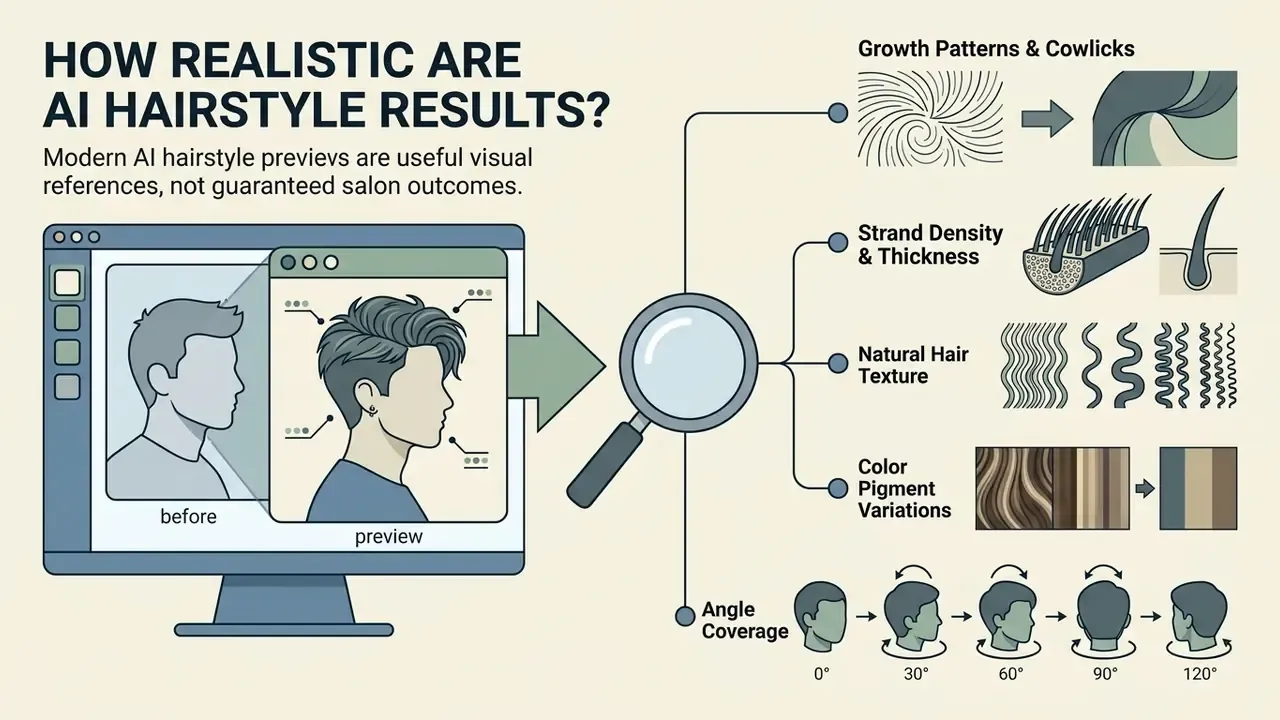
Modern AI hairstyle previews are useful visual references, not guaranteed salon outcomes. Digital try-on applications render 2D image pixels or 3D surface meshes. They cannot simulate the physical behaviour, elasticity, or growth patterns of real human hair.
Generative models do well on overall silhouette, surface color reflection, and general length adjustment. They struggle with individual strand dynamics, root density, and how hair responds to professional styling products. Vendor documentation admits the boundary: Perfect Corp frames its output as a styling reference and notes that the final result still depends on hair thickness and the stylist's technique. Recognizing that limit keeps expectations honest before you book.
«Unrealistic virtual try-on results and poor design can reduce user engagement and weaken the positive effect of AR features on purchase intention.»
That reframes realism as a commercial variable rather than a cosmetic one. A preview that overpromises does not merely disappoint the user, it measurably erodes the intent the tool was deployed to create.
Why the preview can differ from a real haircut
Digital hairstyle previews diverge from salon results because pixel synthesis and physical hair structure obey different rules. The same identity-preservation trade-offs show up in other portrait pipelines, which is why comparing AI headshot generators is a useful sanity check on how far synthesis can be trusted.
- Growth patterns and cowlicks scalp hair grows in specific directions, and hair-modeling research represents hairstyles as strand sets with per-strand growth direction. An AI generator maps strands smoothly over the scalp graphic, ignoring cowlicks or double crowns that make real hair stick up or part unexpectedly.
- Strand density and thickness digital models simulate uniform density, handled as a separate parameter in research pipelines, which drives both volume and scalp visibility. In practice, fine or low-density hair cannot hold a high-volume style without heavy teasing or extensions.
- Natural hair texture curly and wavy hair reacts to humidity, cutting technique, and weight distribution. An AI preview renders static curls and misses the way physical hair springs upward as weight is removed.
- Color pigment variations digital shaders apply uniform color blends across pixels. Real dye reacts to existing pigment in the cortex, structural porosity, and previous chemical treatments. Pigment granule distribution is not uniform across hair types, so the same formula lands differently on different heads.
- Angle coverage most tools infer a full three-dimensional style from one frontal frame, so side and back accuracy is the weakest dimension unless the tool renders a 360° preview.
The practical consequence is a division of labor between the tool and the professional. Use the preview to build shared vocabulary and to eliminate silhouettes that clearly fight your proportions. Use the consultation to translate the concept into something your growth pattern, density, and maintenance tolerance can sustain. Current tool guidance points the same way: Krea AI tells users to specify length and color precisely, for example "shoulder-length bob", "copper balayage", "ombre blonde highlights", while ManeMatch is built so the generated preview can be sent straight to a stylist before booking. TheHairStyler treats length and color as separate preview dimensions across 14,000 styles and 18 shades.
«Integrating artificial intelligence increases the transparency of a stylist's recommendations, strengthens client trust, and reduces the likelihood of errors in selecting hair care.»
Notes for model-risk and validation teams
Can Salons and Businesses Use an AI Hairstyle App?
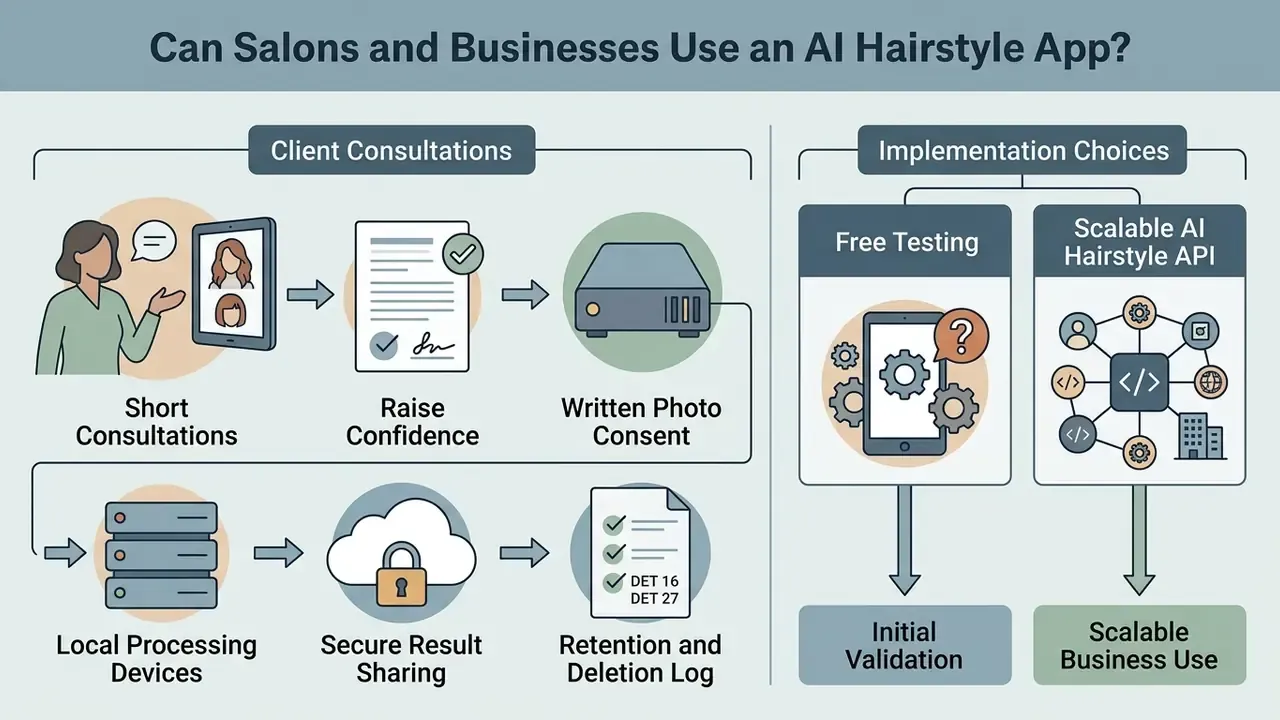
Bringing an ai hairstyle changer into a professional salon workflow can shorten consultations and raise client confidence before a major transformation. Salons that show digital previews during the first appointment often report higher satisfaction and stronger uptake of premium color services. A 2025 case study on augmented-reality hairstyle preview inside a beauty salon documents that this is already operational practice, not a consumer-only novelty, and a 2025 review of AI personalization in beauty lists virtual haircut and color try-on as a standard customer-facing function.
Commercial adoption, however, drags in operational and legal considerations. Using consumer-facing mobile apps for client consultations can create data privacy liability if customer photos travel through unvetted third-party servers. Salons need structured consent protocols or a dedicated enterprise platform. There is not much middle ground.
Client consultations, photo consent, and result sharing
When a digital try-on tool enters the consultation, the salon becomes a data controller in practice, whatever the paperwork says. Photographing a client on a personal phone and uploading the image to an unverified consumer app can breach data protection rules.
«One VTO provider was found to have a broken-authentication vulnerability, potentially exposing stored images and session data to attackers.»
That single finding is the strongest argument against ad-hoc consumer tooling in a commercial setting. A salon that routes client portraits through such a service inherits the breach exposure with no contractual remedy.
To stay compliant, implement a formal consultation process:
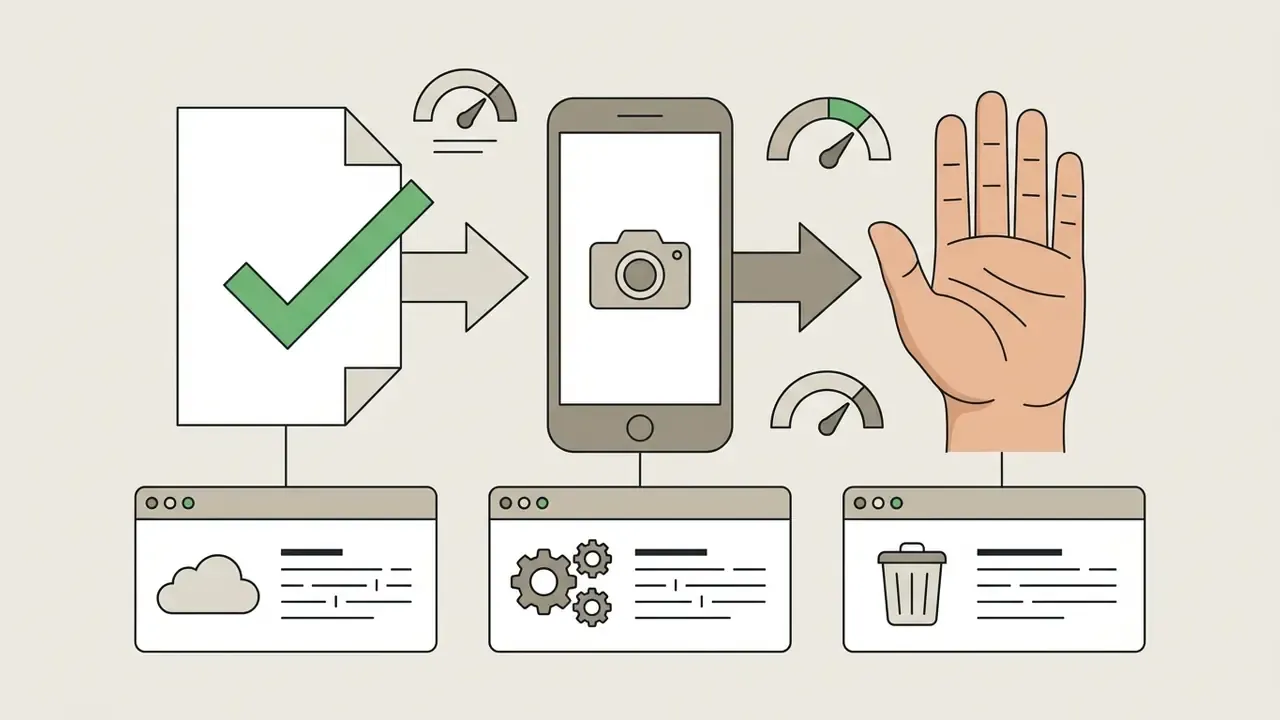



«Ease of use, perceived usefulness, and enjoyment are positively associated with attitudes toward virtual try-on and the intention to use it.»
In other words, consultation value collapses if the interface adds friction at the chair. A two-tap flow a stylist can run while talking to the client beats a feature-rich tool that needs setup.
Free testing versus scalable AI Hairstyle API
Free consumer utilities work fine for occasional personal use. Commercial operators, salon chains, beauty brands, e-commerce platforms, need dedicated software integration and scalable application programming interfaces rather than manual app screens. The same procurement logic applies across commercial AI image generation categories.
How to Find a Hairstyle That Suits Your Face Shape
A flattering haircut balances facial geometry, hairline width, and jawline structure. Using an app to see what hairstyle suits you free lets you test proportion rules before scissors touch anything.
Facial balance is governed by geometric contrast. Hairdressing principles, including those in the De Lorenzo Professional Styling Standards (2026) and the Kentucky Cooperative Extension publication Face Shape and Hair Care, hold that haircuts should add volume, width, or length to counteract extreme facial angles. Adding width at the temple or forehead, for example, rebalances a narrow upper face. An AI-powered best free hairstyle try on app face shape analyzer measures four metrics: forehead width, cheekbone distance, jawline squareness, and total face length. From those ratios it categorizes your face shape and filters out cuts that would emphasize features you would rather not emphasize.
«A CNN-based face-shape classification system recommends hairstyles through an interface with interactive length, color, and style selection, evaluated by accuracy, precision, and recall.»
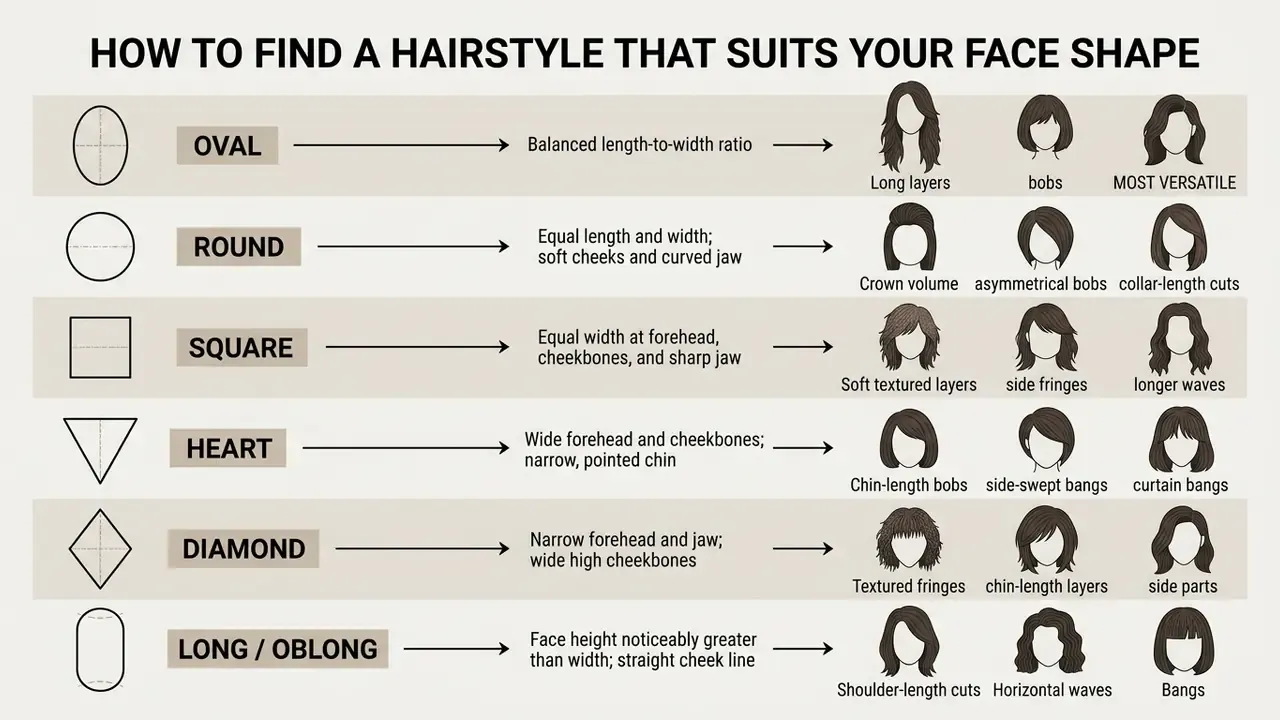
Face shape: oval, round, square, heart, diamond, and long face
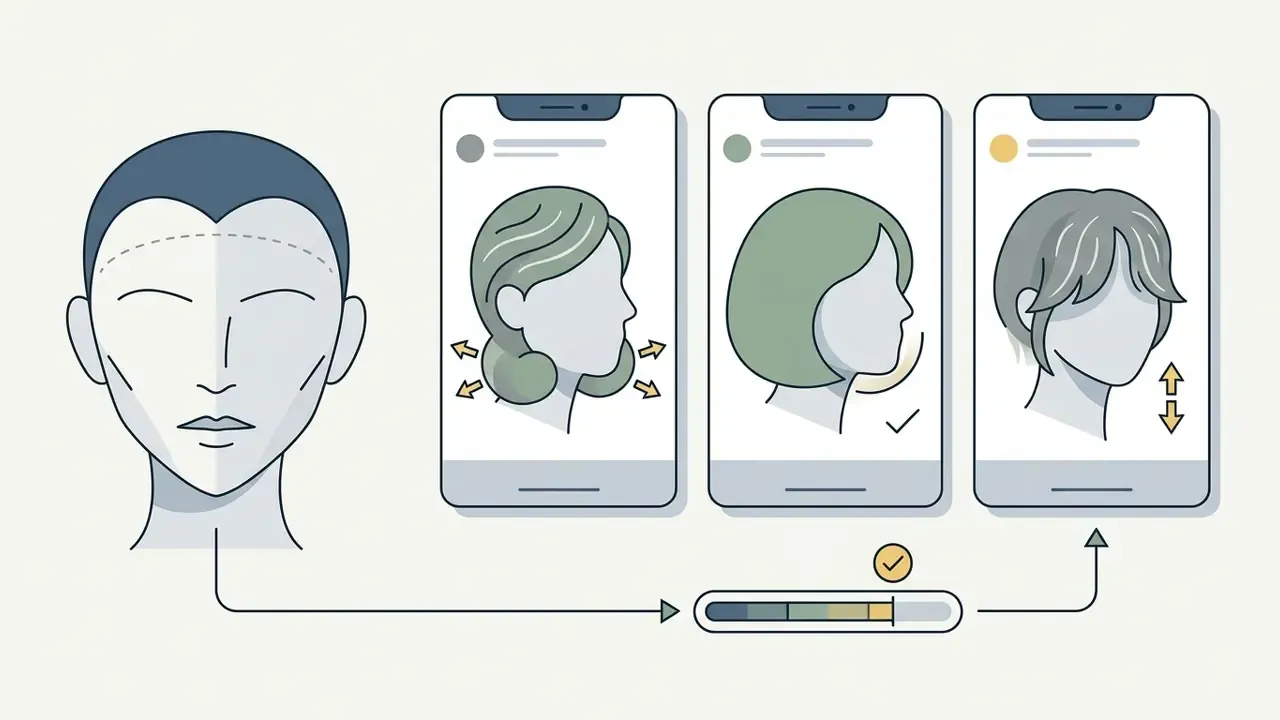
Automated face shape recognition uses computer vision pipelines, for instance SVM-RBF classification reported at up to roughly 72% accuracy across five shape classes, to map 68 facial landmarks. The system measures distances between temples, cheekbones, jaw corners, and chin tip, then classifies the structure.
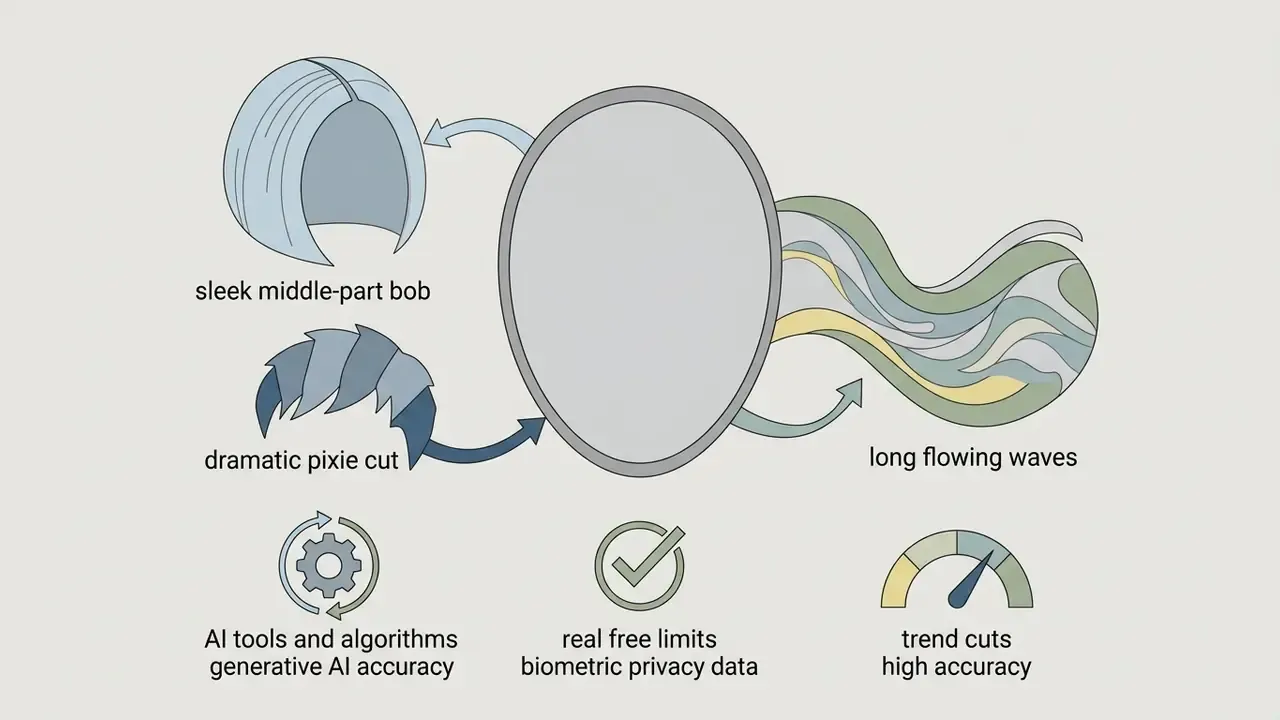
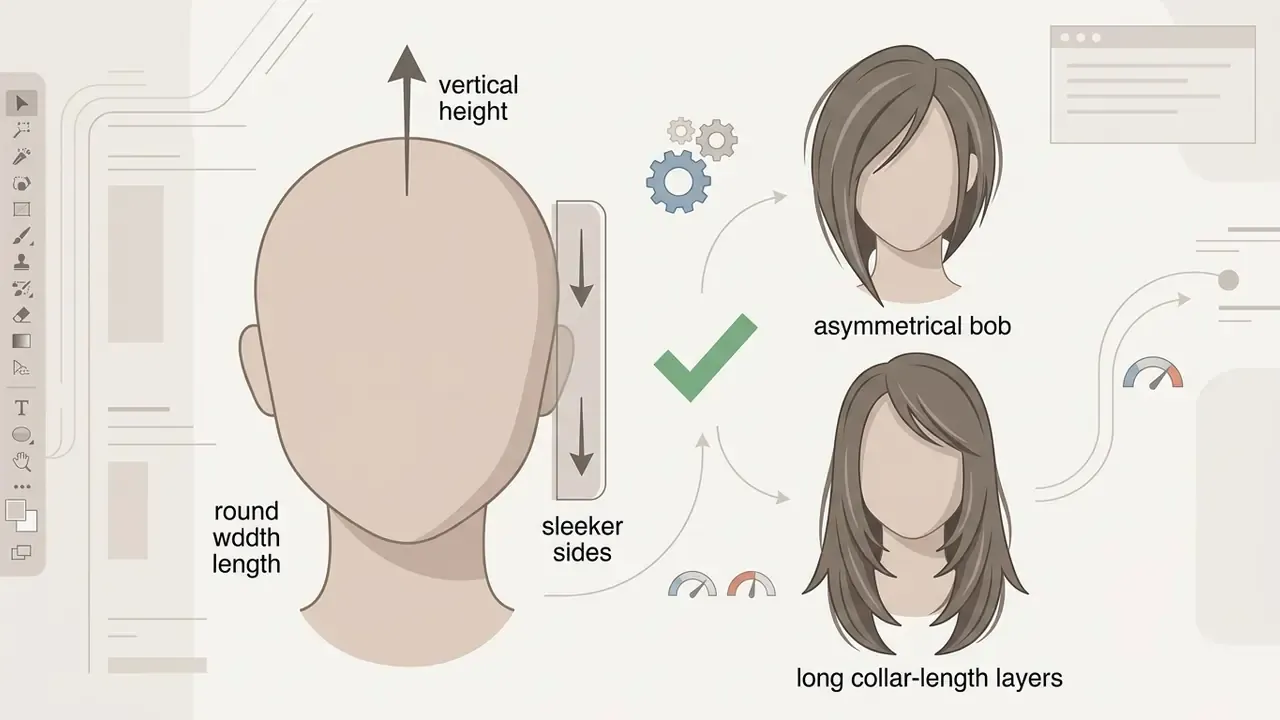
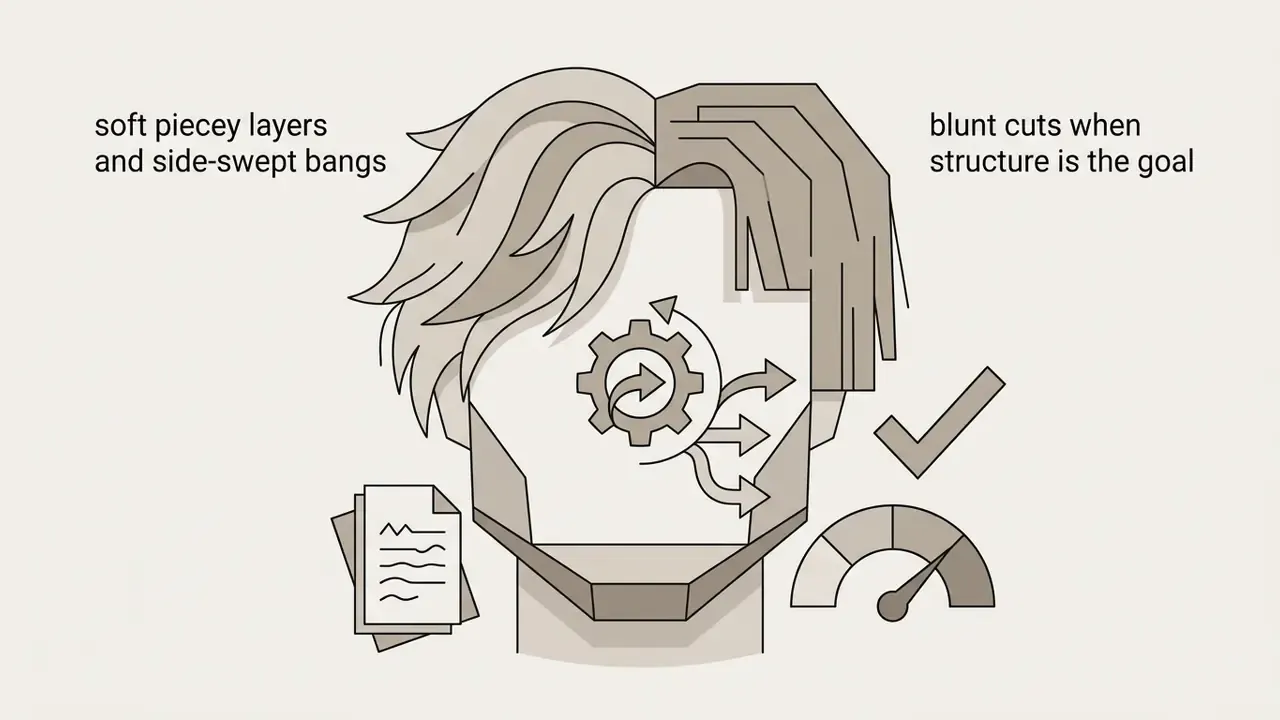
Trending 2026 cuts to test in AI generators
Preset libraries refresh seasonally, and the cuts below are the highest-demand requests of the year. Testing them virtually pays off, because each one leans heavily on proportion and texture.
- Bixie cut a hybrid of cropped bob and pixie, widely described as 2026's most directional cut. Renders best on oval, heart, and round faces with fine-to-medium hair presets, where the shorter length blends naturally.
- Old Money bob a blunt, single-length chin-level cut with no heavy layering, the calmer alternative to shaggy texture. Needs high-definition generative rendering to show weight distribution around the jawline. Flat overlays misread the perimeter line.
- Bottleneck bangs narrow at the forehead, curving outward around the cheekbones, an easier-to-grow-out alternative to a full fringe. Lower risk to test in a 2D AR simulator, because the fringe edge is soft.
- Soft mullet or shag heavy texture and volume at the crown, tapered length through the nape. Best judged with generative AI, since complex layering and movement are exactly what compositing cannot fake.
- Wolf cut heavily layered shaggy texture with pronounced volume. Suits round and oval faces with fine-to-medium hair and pairs naturally with curtain bangs. Budget for a trim every 6 to 8 weeks.
- Curtain wavy center-parted, face-framing waves that soften a wide forehead. The most-requested fringe style of 2026, and workable on nearly every face shape and texture.
- Short bob a clean chin-length cut with lightly layered ends. Round, oval, and diamond faces hold the shape best, and straight-to-wavy hair keeps the perimeter most reliably.
- Textured fades (men) low, mid, and high fades with textured crops and quiffs. These benefit most from manual-positioning tools where you decide where the fade line lands.
Hair texture, length, and styles for men and women
Facial geometry is only half the decision. Natural hair texture and strand density dictate how a cut behaves in daily life. Texture is broadly grouped into fine, medium, and coarse or coiled patterns, and professional training material recommends determining texture and density first, then deciding how much length to remove.
Fine hair lacks structural density, goes limp in long heavy styles, and rewards volume-building layered bobs or textured pixie cuts. Coarse or curly hair expands outward as it shortens and needs long layers to stay manageable. When testing men s hairstyles or women's cuts, virtual tools have to account for natural wave patterns. Curly hair needs an extra 8 to 10 inches of actual strand length to reach the same visual hanging length as straight hair, which is why a curly client and a straight-haired client asking for "collarbone length" need two very different cuts. Many styles suit both men and women, but some demand genuinely short hair, while longer looks need enough length at the front and nape to shape bangs or a gradual transition.
Modern apps carry dedicated catalogs for both. Women's options span short pixies, medium shags, curtain bangs, and long layered cuts. Men's selections cover low fades, pompadours, textured crops, quiffs, undercuts, and longer shoulder-length styles.
How to Try On a New Hairstyle From Your Photo
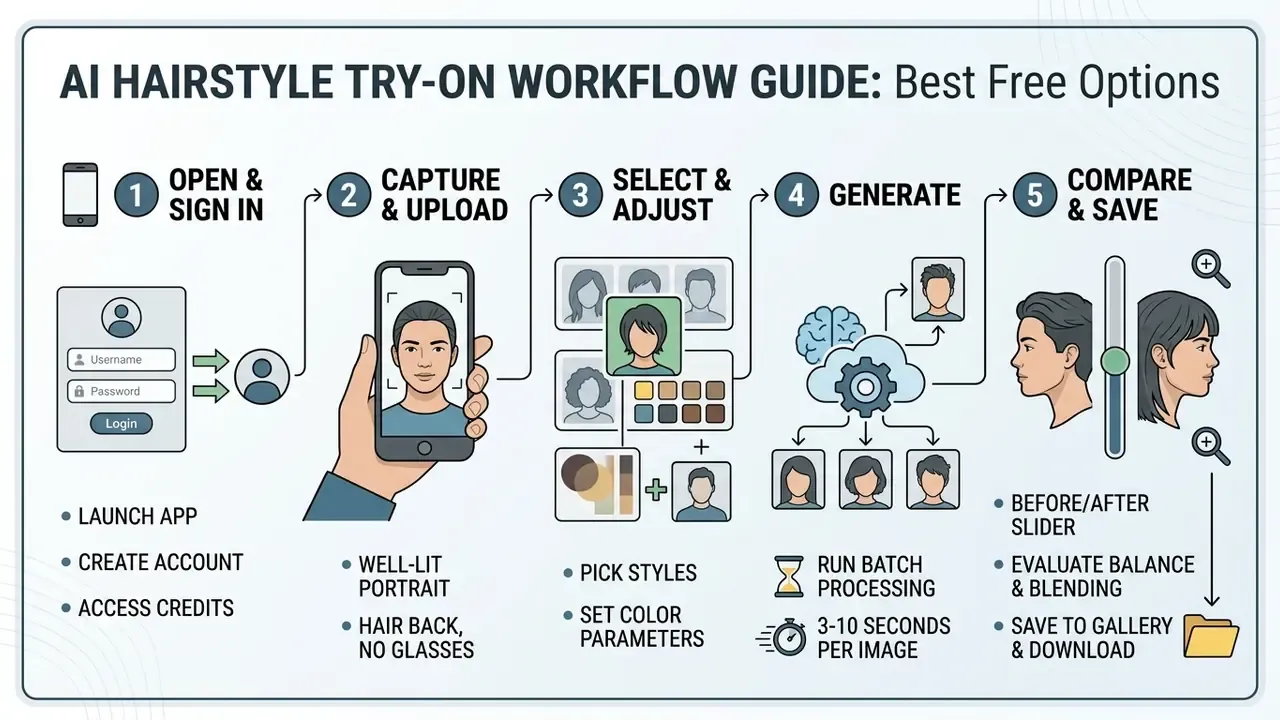
To get realistic output from an ai hairstyle try on app free tool, start with a high-quality input image. Generative networks depend on clear visual markers to work out where facial skin ends and the natural hairline begins.
Poor lighting, harsh shadows, side angles, or hair covering the forehead cause spatial alignment errors. Feed an AI a low-quality photo and it may distort the generated hairline, blend awkwardly around the ears, or bleed hair color onto background objects. Following basic photo preparation rules is what separates a usable preview from a curiosity.
Upload a clear front-facing photo
Rendering quality tracks the original face photo almost linearly. When preparing to upload a photo to a try-on platform, follow these specifications, which mirror official ICAO-style portrait standards:
- Pose and angle.Face the camera directly with your head straight and level. Do not tilt the chin up or down, and avoid a three-quarter profile.
- Lighting.Use bright, even, front-facing light with no shadows or flash reflections. Strong overhead lights or single-side illumination throw dark shadows across the cheeks and hairline.
- Hair preparation.Pull existing hair back behind your ears or tie a low ponytail so ears and facial outline stay visible. Keep loose strands off the forehead, temples, and eyebrows.
- Accessories.Remove eyeglasses, hats, headbands, and large earrings. Frames disrupt eye-socket and temple mapping, and tinted lenses hide the eye region entirely.
- Background and file size.Stand against a plain neutral background, light white or grey, so the segmentation model can separate you from the surroundings. Several web tools also cap uploads. TheHairStyler, for one, asks for a waist-up shot under 5 MB.
If your only usable portrait is dim, cropped too tightly, or cluttered, fix exposure and background before uploading instead of letting the model guess. Basic free photo editors or an automatic photo editor handle cropping, straightening, and exposure in about a minute.
Select different hairstyles, compare results, and save your look
Once the photo is in, explore different hairstyles inside the library. Most tools filter by length, cut type, gender, texture, and color shade, and better interfaces group presets into tabs such as New, Hot, Bangs, Wavy, Volume, and Extensions instead of forcing you to scroll one endless grid.
Start with a baseline style, a shoulder-length bob or a textured crew cut, then apply shade options from natural espresso tones to warm balayage highlights. Where batch selection exists, queue three or four styles before generating. On a 5-credit trial, batching stretches your allocation much further than generating one look at a time, and it gives you a directly comparable set. Then use the built-in "Before and After" comparison. It splits the screen vertically or offers a slider, so you can see how the new silhouette changes your perceived face shape, and a zoom control lets you inspect hairline blending closely.
Use the same source photo for every style you test. Switching photos between attempts changes lighting and angle, which makes side-by-side judgment unreliable, and that is the mistake most first-time users make. After finding a flattering option, save it to the in-app gallery so you can revisit it without burning another credit, then download the high-resolution file to bring to your salon consultation.
FAQ: Free Hairstyle Apps, Credits, and Privacy
How do credits work, and how many do I get for free?
Credits are the metering unit for generative processing. Typical free allocations: 5 credits at signup (YouCam, where one hairstyle costs 2 credits, so two previews), 3 free generations limited to basic styles (WhatHair), 1 credit per month with 800×800 downloads (AI Hairstyle TryOn), 1 free generation (HairHunt), or 5 daily overlay try-ons in demo mode (TheHairStyler). Ad-supported models such as Lookify grant an extra look per video view. Overlay-only apps generally skip credits entirely, because rendering happens on your device.
Can I upload a photo of a specific hairstyle to try?
Yes. Several modern AI hairstyle services let you upload a custom reference image of a specific haircut or celebrity style alongside your selfie. Perfect Corp's AI Hairstyle Generator ("Upload Hairstyle"), HairTry ("Import Salon"), TryOn - Hair Virtual Try-On ("Custom Style Upload"), and HairLook all support reference-based hair transfer. The model extracts shape, length, and texture from your reference, sourced from Pinterest, Instagram, or a magazine clipping, and maps that style onto your facial structure. Many basic free apps, and some large catalog tools such as TheHairStyler, only allow styles chosen from a pre-loaded template gallery.
Can I preview hair color, highlights, and bangs?
Yes. Most AI try-on applications model specific elements in detail, including broad color changes, multi-tone highlights, balayage gradients, and fringe styles. Dedicated color tools from Garnier, L'Oréal, ModiFace, and Evoto AI let you isolate hair sections and test subtle adjustments, with several shade sets calibrated against real salon dye formulas. You can preview full-head transformations (platinum blonde, copper red), gradient techniques (ombre, balayage, root shadow), and structural additions such as side-swept or full blunt bangs. For hand-placed highlights, a manual brush tool like Hair Color Studio beats automated segmentation. One caveat: AI color previews read most accurately on hair close to its natural undertone. On heavily processed hair, the preview near the roots can drift from the mid-lengths, because the model maps color onto the tone it detects in the photo.
Are there apps specifically for men's haircuts and for bangs?
Yes. Most catalogs skew toward women's styles, so specialists matter. Hair Zapp focuses on fades, crops, undercuts, pompadours, and longer men's styles, with manual placement, scale, and rotation controls plus offline functionality. No AR, no cloud upload, and often better alignment than automatic tools. TheHairStyler carries roughly 2,800 men's styles in its overlay catalog. For fringes, Bangs Hairstyle offers 20+ variants including curtain, blunt, side-swept, wispy, and micro bangs with adjustable positioning, which is worth the detour given how differently a fringe reads on each forehead width.
Can I see the haircut from the side or the back?
Only partially, and this is the biggest weakness of single-image try-on. Most tools infer a full style from one frontal frame, so side and rear accuracy degrades. HairHunt addresses it with a 360° video preview of the generated result, and live 3D AR tools such as Style My Hair let you rotate your head to check how a color catches light. For a structural change like a blunt bob or a fade, prioritize a tool that shows more than one angle.
Do I need to download an app to use hairstyle try-on?
No. You do not need a native mobile application to access virtual hairstyle try-on. Plenty of web-based platforms, including brand portals from L'Oréal, Garnier, Matrix, and Madison Reed, plus browser-based AI generators like Fotor and Perfect Corp's web tool, let you upload a photo and preview new hairstyles in a mobile or desktop browser. Browser tools remove the installation barrier while delivering performance comparable to native apps. Native apps usually add offline saving and gallery sync rather than better generation quality. Accessibility guidance from the W3C applies the same WCAG 2.2 criteria to native apps, mobile web apps, and hybrid apps, so neither form factor is inherently more usable, and usability studies attribute differences to latency, context, and model quality rather than to web-versus-native architecture.
Are these apps safe to use?
It depends almost entirely on where processing happens. On-device AR overlays and offline tools keep your image on your phone. Cloud-based generative tools upload your portrait to a server, and the Concordia University analysis found that a majority of web tools transmit images externally, a substantial minority retain them, and roughly a quarter deviate from their own stated policy. Practical mitigations: prefer tools with an explicit 24-hour deletion promise, avoid uploading photos containing other people or identifying background detail, use a demo avatar where one is offered, and never reuse a generated portrait as identity proof or for authentication.
Can I try on hairstyles for curly or textured hair?
Yes, though accuracy lags behind straight hair. Most libraries skew toward straight and wavy textures, and catalogs with dedicated afro, coil, braid, and twist-out options render textured hair more faithfully. Because curly hair needs 8 to 10 extra inches of strand length for the same visual length, treat any curly preview as a shape reference and confirm length targets with your stylist rather than with the render.
Can salons use these tools for client consultations?
Yes, and many already do. Consumer apps, however, are the wrong instrument for commercial use. Use a dedicated enterprise API or licensed platform with a contractual deletion window, encryption in transit and at rest, a security attestation, and a documented written-consent flow before any client photograph is captured.