An automatic photo editor online free is a web-based software tool that uses artificial intelligence to process, restore, and transform digital images without requiring manual retouching skills. These browser-based platforms automate complex tasks such as background removal, object cleanup, resolution upscaling, and color correction in seconds.
One caveat before we go further: "free" in this market is a marketing word, not a legal one. The details sit in the export caps and the license text.
Quick Answer
- What you get for free: browser-based background removal, object erasing, 2x upscaling, auto color correction, and prompt-based edits. Most single edits finish in roughly 2–10 seconds; heavy generative jobs can run 60–120 seconds.
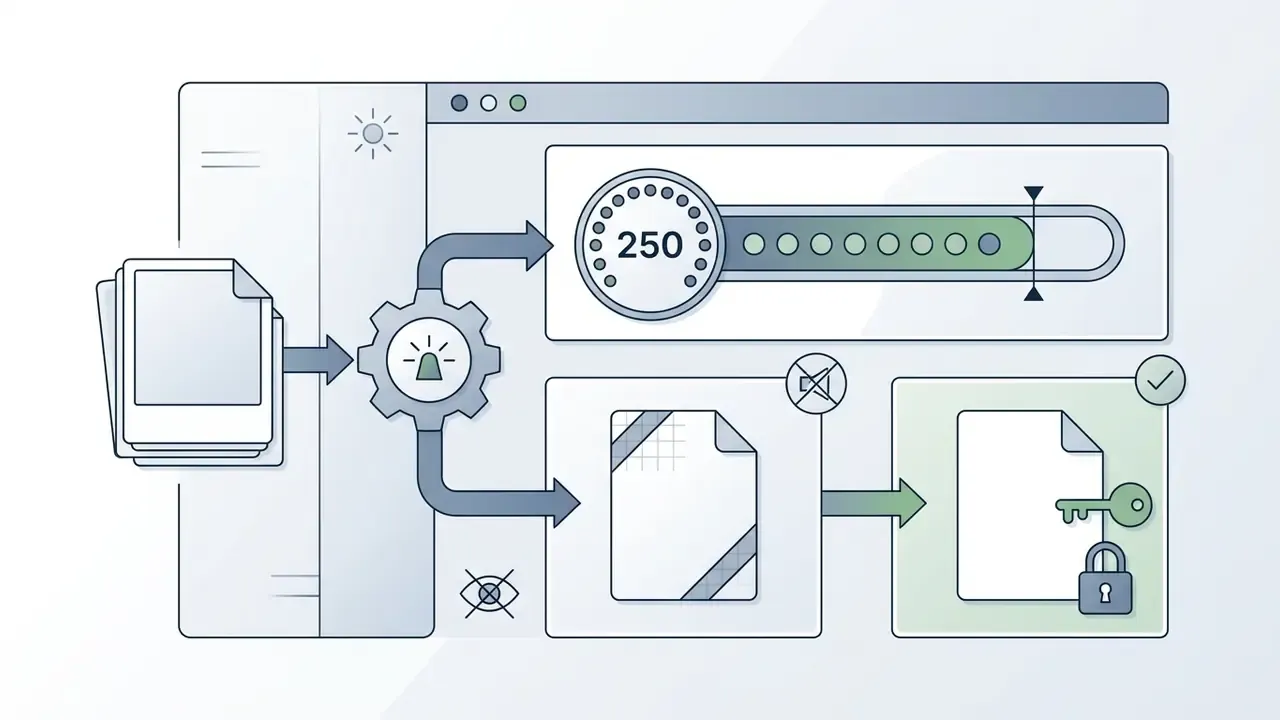
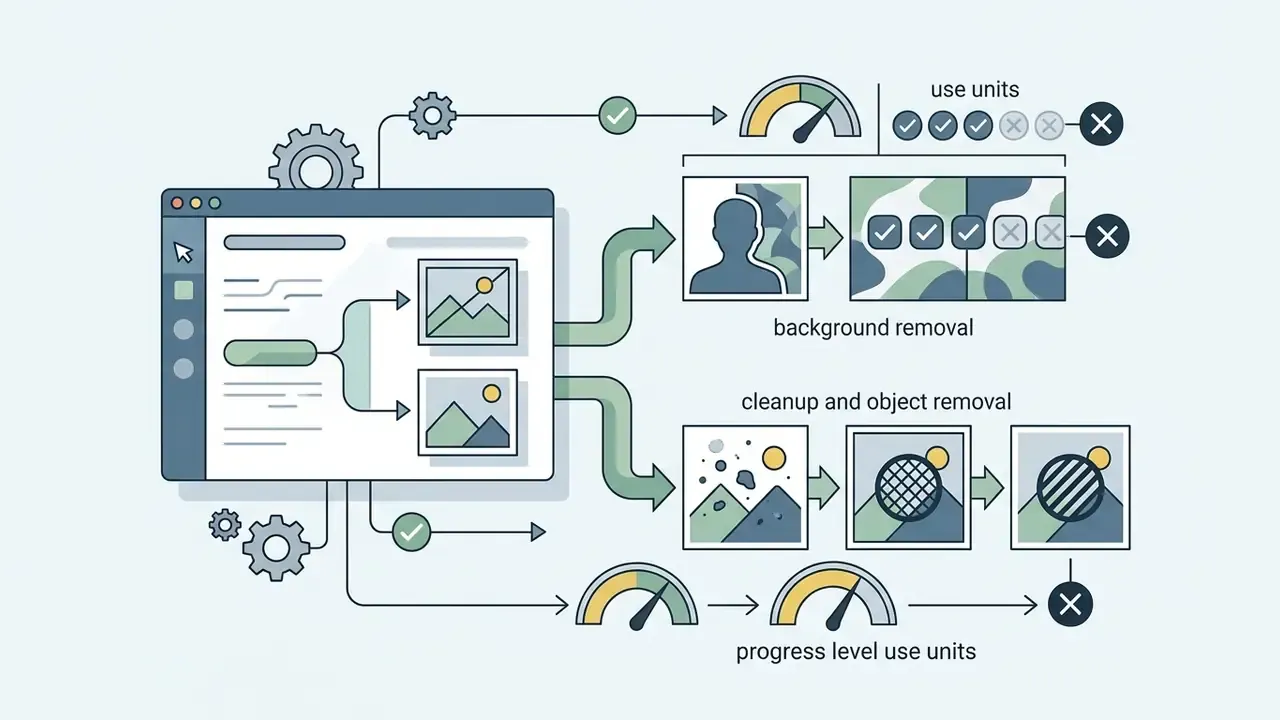
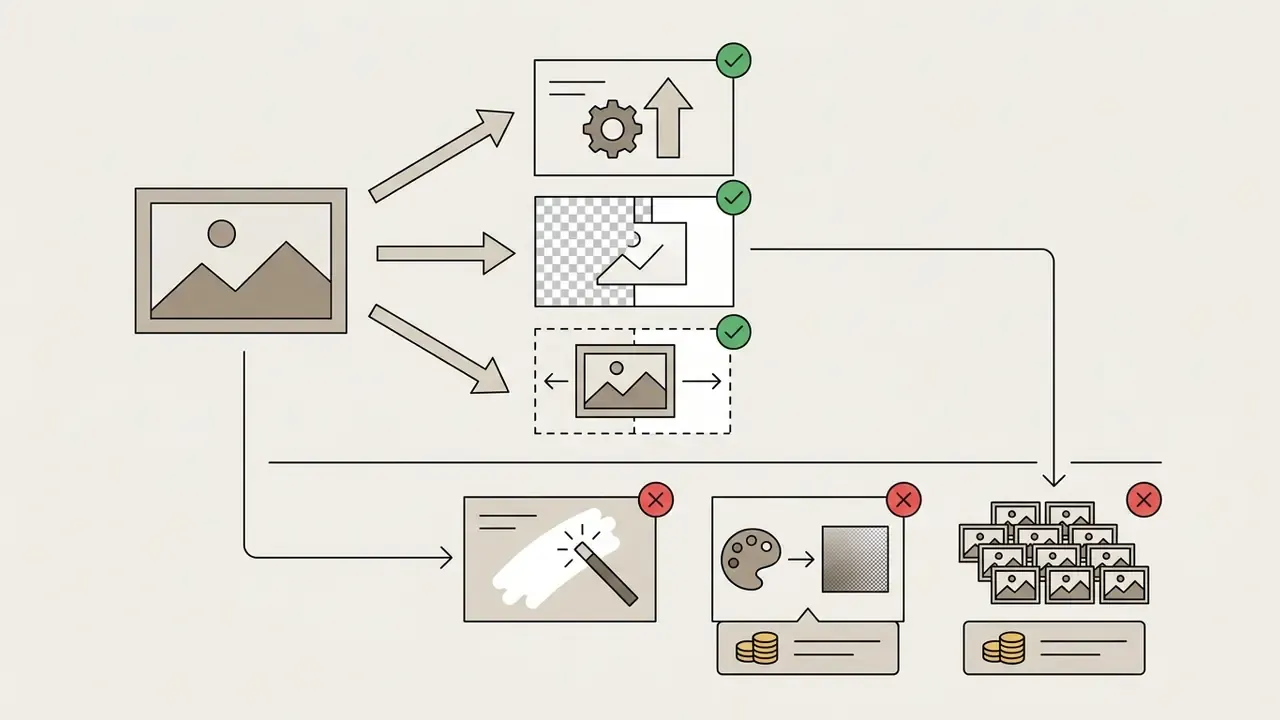
- Where free access ends: free tiers usually cap exports at 720p–1024×1024 px, add watermarks, and restrict commercial reuse. Typical hard limits in 2026: Photoroom (250 exports/month, watermarked, non-commercial), Clipdrop (20 background removals per 24 hours), Magic Hour (3 free uses per day, no sign-up), Canva (Magic Edit and Magic Eraser gated behind Pro), Adobe Firefly (free daily generation credits).
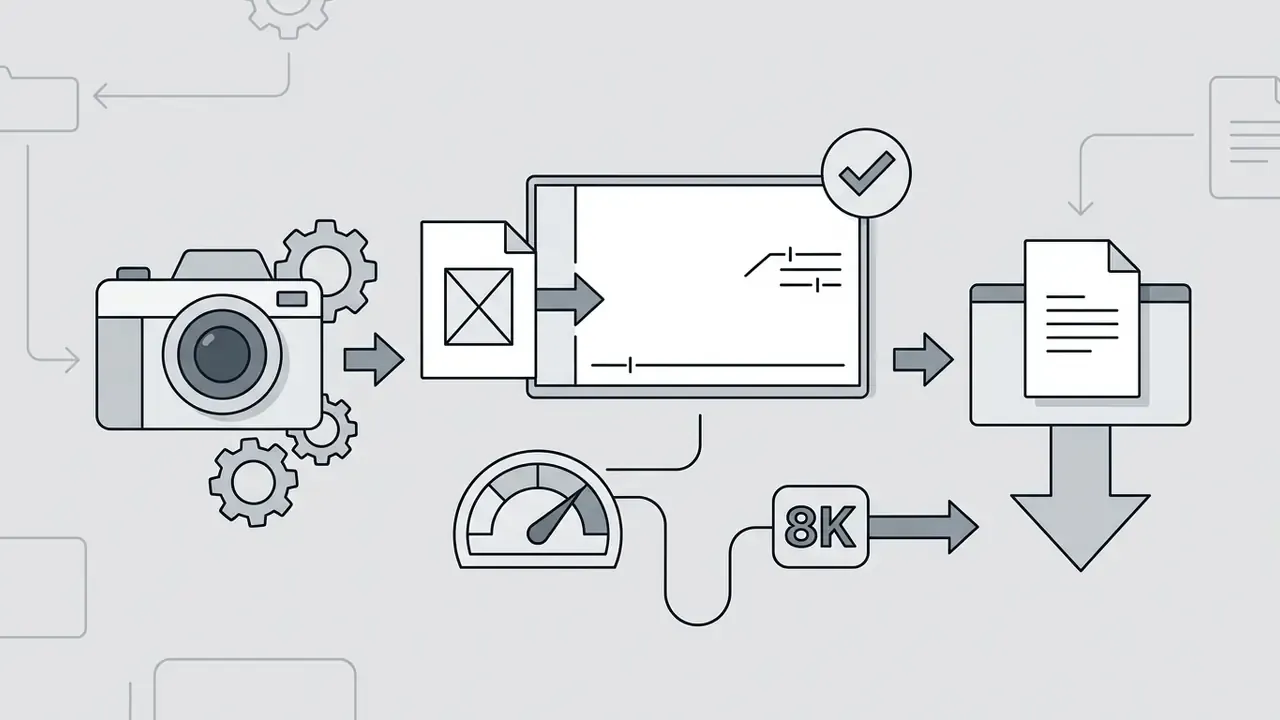
- What to check before uploading: input limits (commonly up to 40 MB and 8192 × 8192 px), retention policy (24 hours to 30 days), whether uploads train public models, and whether the license permits commercial output.
What Is an Automatic Photo Editor Online Free?
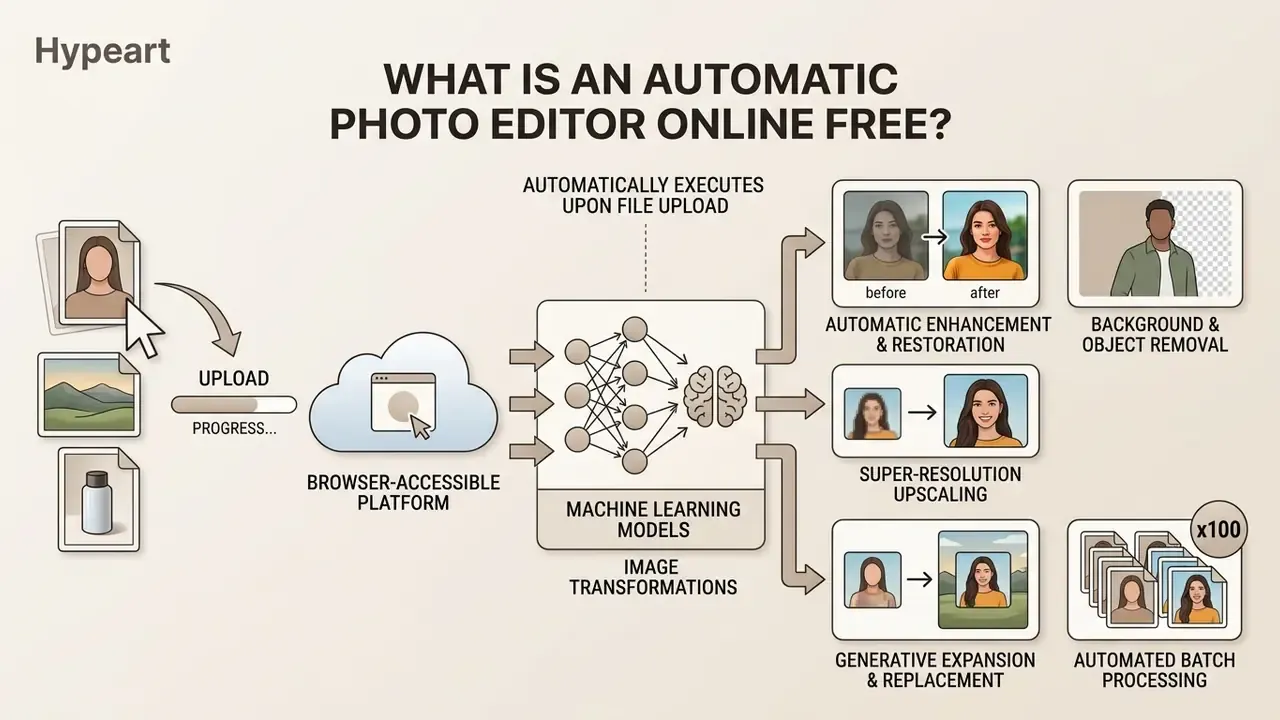
An automatic photo editor online free is a browser-accessible platform that leverages machine learning models to execute image transformations automatically upon file upload. Users can apply complex visual modifications without installing desktop software or executing manual brush strokes.
These web tools process uploaded images using neural networks, generative adversarial networks (GANs), or diffusion models. By analyzing visual geometry, contrast, and semantic elements, an online automatic photo editor completes retouching workflows in a single browser session. In practice, three delivery models dominate the 2026 market: no-sign-up browser widgets with a daily credit allowance, freemium accounts with watermarked exports, and full creative suites where the AI tools sit inside a paid tier.
AI Photo Editing vs. Traditional Image Editing
AI photo editing replaces manual pixel manipulation with model-driven intent, so users transform images through high-level commands rather than hand-built selections. For a broader map of tool categories, capabilities, and naming conventions, see our reference entry on AI photo editors. Traditional editing software still relies on manual layers, vector paths, and complex layer masks to isolate objects or adjust lighting. GIMP's own documentation frames layer masks as a fundamental mechanism for selective opacity control, and Adobe notes that Photoshop performance itself depends on RAM, cache, and GPU configuration.
In conventional workflows, removing an unwanted object requires manual cloning and texture blending across multiple software layers. An ai photo editing framework, by contrast, identifies subject boundaries automatically and infills missing pixels using contextual inpainting algorithms.
"Diffusion editing constructs a transport map from the input image distribution to a target distribution, balancing fidelity to the original against adherence to the requested edit."
Which Photo Edits Can Be Automated?
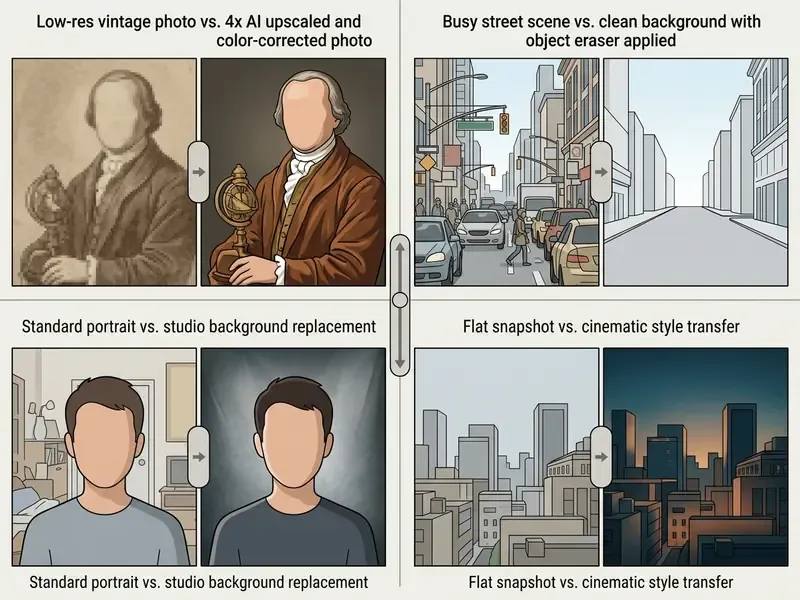
Modern computer vision models can fully or partially automate the essential image editing tasks across diverse visual assets. The primary operations automated in 2026:
- Automatic enhancement and restoration denoising, relighting, and restoring damaged or low-resolution scans with automatic texture reconstruction.
- Background and object removal segmenting foreground subjects to extract cutouts or clear unwanted background clutter through one-click masking. CVPR 2025 work on masked-region guidance (SmartEraser) demonstrates removal of arbitrary objects via inpainting-based restoration.
- Super-resolution upscaling increasing pixel density by 2x or 4x while synthesizing missing detail through deep neural networks.
- Generative expansion and replacement extending image boundaries or swapping elements using natural language prompts.
- Automated batch processing running asynchronous queues of 50 to 100 images simultaneously to apply uniform background removal, subject centering, skin retouching, and color standardization across entire inventory catalogs. Fotor advertises batch uploads of up to 50 photos; Picsart's Pro and Ultra tiers advertise bulk editing of 50 and 100 images per run respectively.
- Image-to-video conversion passing a finished still into a temporal model to produce a short animated clip for social distribution (covered further below).
Organizations evaluating software capabilities often benchmark features against standardized tools listed in the AI Media Comparison Matrices.
Is a Free Auto Photo Editor Really Free?
A free auto photo editor generally operates on a freemium pricing structure that grants access to basic tools while restricting advanced AI models or high-resolution exports. Our detailed breakdown of tiers, watermark rules, and upgrade triggers across free photo editors covers the same mechanics in depth. Free access lets you test core features; commercial usage and unwatermarked downloads usually require a paid upgrade.
Platform access models fall into three operational categories: fully open browser tools with export watermarks, credit-based daily allowances, and sign-up tiers with resolution caps. Users seeking detailed cost evaluations can review the AI Media Pricing Guides for structured fee breakdowns across major platforms.
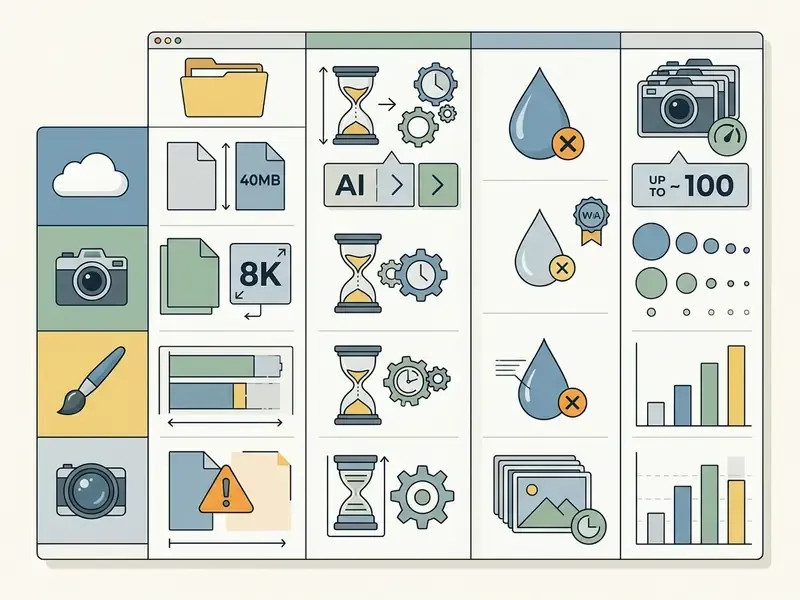
| Platform Feature | Free Tier Capabilities | Premium / Pro Limitations | Average Processing Latency | Watermark Policy | Commercial Usage Rights |
|---|---|---|---|---|---|
| Background Removal | Standard resolution (up to 720p/1080p); limited daily credits (often 20 runs / 24 h) | Batch processing of 50–100 files; full 4K PNG cutouts | ~2 seconds | Present on select free exports | Restricted to personal/non-commercial use |
| Object Eraser / Inpainting | Manual selection; standard output | High-precision edge recovery; priority rendering queue | ~5 seconds | Varies by provider | Varies by account tier |
| Image Upscaling | Up to 2x magnification; capped dimensions | 4x to 8K magnification; raw detail preservation | ~10 seconds | Removed on paid tier | Requires commercial license tier |
| Generative Style Transfer | Basic artistic filters; standard processing speed | Custom prompt steering; fine-grained controls | ~10–20 seconds | Watermark added on basic tier | Pro plan subscription required |
| Batch Queue (Bulk Edit) | Usually unavailable or capped at 2–5 files | 50 images (mid tier) to 100 images (top tier) per run | ~2–5 seconds per image in queue | Follows single-image policy | Paid plan required |
| Image-to-Video Clip | Short watermarked preview, low resolution | 5–10 s HD clips, parallel generations | ~30–90 seconds | Watermark on free preview | Paid plan required |
Free Features, Premium Tools, and Export Limits
Advanced generative models, such as multi-layer diffusion or agentic visual planners, are frequently paywalled because remote GPU compute is expensive. Non-paying users also meet daily generation quotas or mandatory watermarks on exported media. Teams facing technical export issues can consult AI Media Support and Troubleshooting for resolution guidelines.


Essential AI Tools in an Online Automatic Photo Editor
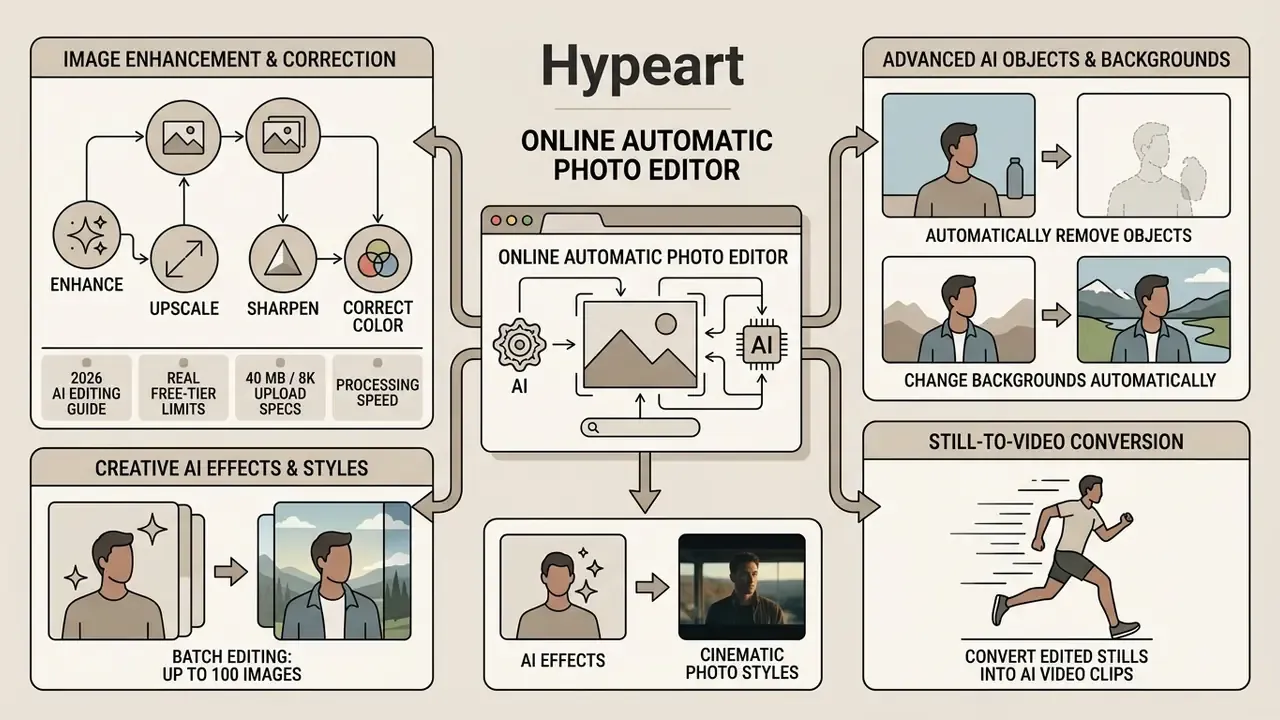
An online automatic photo editor integrates dedicated visual algorithms into one unified browser environment. Our expanded reference on online photo editors maps how these modules combine into production workflows. These specialized photo editing tools let users correct visual flaws, remove background elements, and apply artistic styles instantly.
Enhance, Upscale, Sharpen, and Correct Color
Automatic image enhancement tools evaluate exposure, white balance, and noise levels across uploaded visual assets in real time. Algorithms adjust contrast curves and sharpen soft edges without any manual curve manipulation.
In super-resolution tasks, AI models magnify low-resolution inputs by synthesizing missing edge detail rather than stretching pixels.
"The ninth NTIRE efficient super-resolution challenge set a target PSNR of approximately 26.90 dB on the DIV2K_LSDIR validation set at ×4 enlargement."
Remove Objects and Change Backgrounds Automatically
Segmentation models identify primary subjects and background elements to execute clean object removal and background replacement. When an unwanted element is masked, inpainting algorithms analyze surrounding pixels to reconstruct a natural scene context. Production-grade pipelines typically combine a pre-trained segmentation model that predicts a foreground alpha matte with compositing over transparent or solid backgrounds; academic object-removal methods add an inpainting stage on top of that.
For e-commerce workflows, background removal models generate clean PNG cutouts with accurate alpha transparency. And when the frame is too tight for a marketplace template, AI outpainting tools extend the canvas instead of cropping the product.
"On the DOR-Bench benchmark, the DORS framework outperformed PowerPaint and CLIPAway on removal accuracy and background fidelity while reducing duplication artifacts."
Create AI Effects and Cinematic Photo Styles
Generative style features turn standard photography into cinematic visuals through neural style transfer or prompt-based instructions. Users working in an online cinematic photo editor free can apply specialized lighting, film grain, and color palettes automatically.
Prompt-driven editing lets users type explicit visual requirements, for example "add volumetric fog and teal-and-orange grading," straight into the interface. Specialized models parse the input prompt and adjust image attributes while holding core subject geometry in place. Google's Vertex AI documentation demonstrates this with the pattern "transform the subject in image [1] to have a style of [STYLE_DESCRIPTION]", while commercial APIs expose parameters such as style_reference_image, style_strength, and denoising_strength for finer control. Reference-based effect transfer research from 2025 reports stronger visual fidelity and temporal coherence than prompt-only baselines when a style exemplar is supplied.
Convert Edited Stills into AI Video Clips
Automated photo platforms increasingly bridge static editing and video generation. Once an image is enhanced or restyled, integrated temporal models such as Veo 3 or Seedance 2.0 can animate camera motion, environmental elements, or lighting shifts, converting a single edited PNG into a 5-second MP4 clip built for social reels and ad variants.
The practical sequence: remove the background, replace it with a generated scene, then pass the composited still to an image-to-video model with a motion prompt (for example, "slow push-in, subtle fabric movement, static product"). Free tiers typically return a short watermarked preview at reduced resolution, while paid plans unlock parallel generations and HD export. Net effect? One product photograph can serve a marketplace listing, a static ad, and a vertical video ad without a reshoot.
Top Free AI Photo Editors to Try in 2026
Before learning a workflow, most users just want a shortlist. The table below summarizes publicly documented free-tier behavior of widely used browser editors as of early 2026. Vendors change limits often, so verify on the pricing page before committing a catalog to any platform.
| Service | Sign-up required | Free AI functionality | Documented free-tier limit | Watermark | Best for |
|---|---|---|---|---|---|
| Photoroom | Yes (for standard export) | Background removal, product scenes, shadows, batch | 250 exports/month, non-commercial | Yes on free exports | E-commerce cutouts |
| Clipdrop | Optional | Background removal, cleanup, relight, upscale | 20 uses per 24 h at standard resolution | On some generations | Fast one-off cleanup |
| Fotor | Optional | 30+ tools: enhance, remove background, extend image | Uploads up to 40 MB / 8192 × 8192 px; batch up to 50 photos on paid | On selected tools | All-in-one editing |
| Canva | Yes | Base editor free; Magic Edit/Eraser in Pro | AI editing gated to Pro | No | Design and social layouts |
| Adobe Firefly | Yes | Generative fill, expand, 2x/4x upscale | Free daily generation credits | No (credits limit instead) | Aspect-ratio expansion |
| Pixlr | Optional | AI editing, generation, face swap, 20+ functions | Credit-based free allowance | Tier-dependent | Layer-style browser editing |
| Magic Hour | No | Prompt-based automatic edits, multi-model output | 3 free uses per day | Free = preview/test only | Prompt-driven quick edits |
| Picsart | Yes | 25+ AI tools, prompt editing, image-to-video | Bulk editing 50–100 images on Pro/Ultra only | Tier-dependent | Social content pipelines |
Adjacent tool categories worth checking during selection: AI image enhancers for restoration-heavy work, AI headshot generators for portrait pipelines, and the Canva AI generator overview for design-suite integration.
How to Choose the Best Automatic Photo Editor Online Free
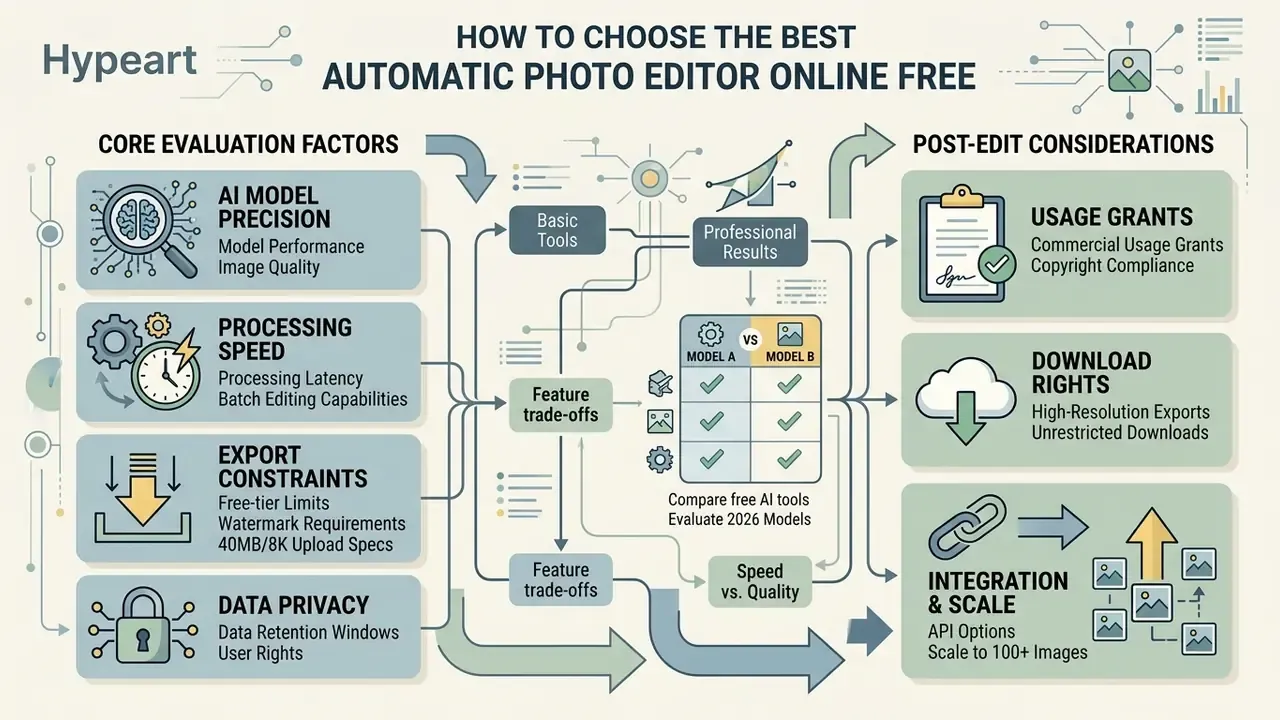
Selecting the best automatic photo editor online free means weighing model precision, processing latency, export constraints, and data privacy policies. Buyers comparing generative engines side by side can start from our ranking of the best AI image generators and narrow the list by license type.
Quality, Speed, AI Models, and Editing Controls
Processing speed and output fidelity depend directly on the underlying AI architecture and the remote computing infrastructure behind it. Lightweight single-task models handle background removal in roughly two seconds; most browser edits complete in about ten; only heavy diffusion pipelines with complex multi-object prompts stretch toward 60–120 seconds.
"Layered Diffusion Brushes reaches roughly 140 ms latency on a consumer GPU by caching intermediate latents during interactive editing."
Commercial Use, Professional Results, and Download Rights
This section provides general information and does not substitute for legal advice on copyright, licensing, or AI-content compliance.
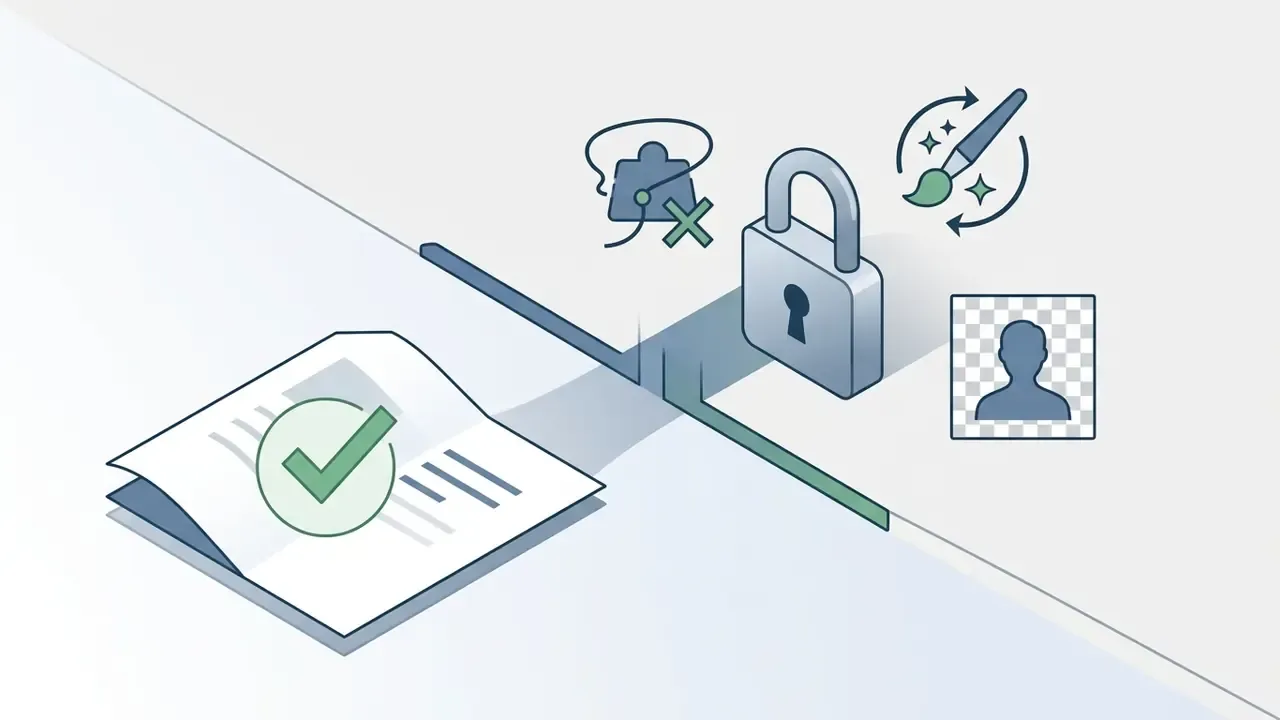
Commercial usage rights vary sharply between free tiers and paid subscriptions. Images created or transformed on free plans may carry non-commercial licenses or community-sharing requirements. Kittl, for example, publishes free-plan AI images to its community, while Pro and Expert users receive exclusive ownership.
According to guidance from the U.S. Copyright Office, human authorship remains a prerequisite for full copyright protection (U.S. Copyright Office AI Guidance, 2025). When an editor applies routine adjustments, cropping or color correction, to an original photograph, human ownership stays intact. Purely synthetic elements generated entirely by AI models, however, may not qualify for standalone copyright registration.
"Copyright remains with the human author even when AI tools are used; purely synthetic material with no human contribution is not protected."
"The Copyright Office's AI initiative (2023–2025) drew more than 10,000 comments and produced a multi-part report on registering works containing AI-generated elements." U.S. Copyright Office, Copyright and Artificial Intelligence, Part 2 (January 2025). https://www.copyright.gov/ai/
Two further compliance notes. Under EU AI Act transparency guidance, providers are not obliged to maintain a complete provenance chain for all content, yet provenance methods sit at the center of transparency obligations for certain systems. And Japan's Agency for Cultural Affairs guidance stresses that licensed source assets generally require permission for AI use unless an exception applies, which makes the license status of your input photo a selection criterion, not an afterthought.
Businesses managing asset licensing strategies can review detailed compliance policies in the AI Media Commercial-Use Hub, and the specifics of output ownership across vendors in our guide to commercial use of AI image generators.
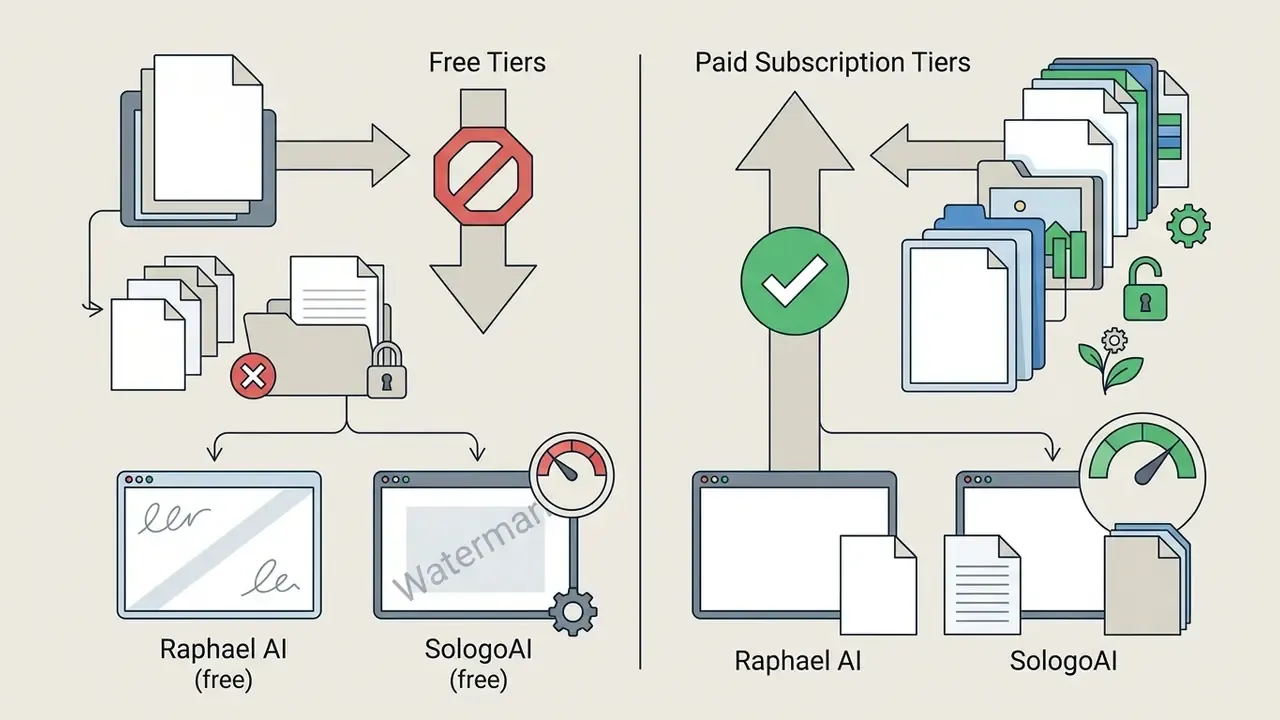
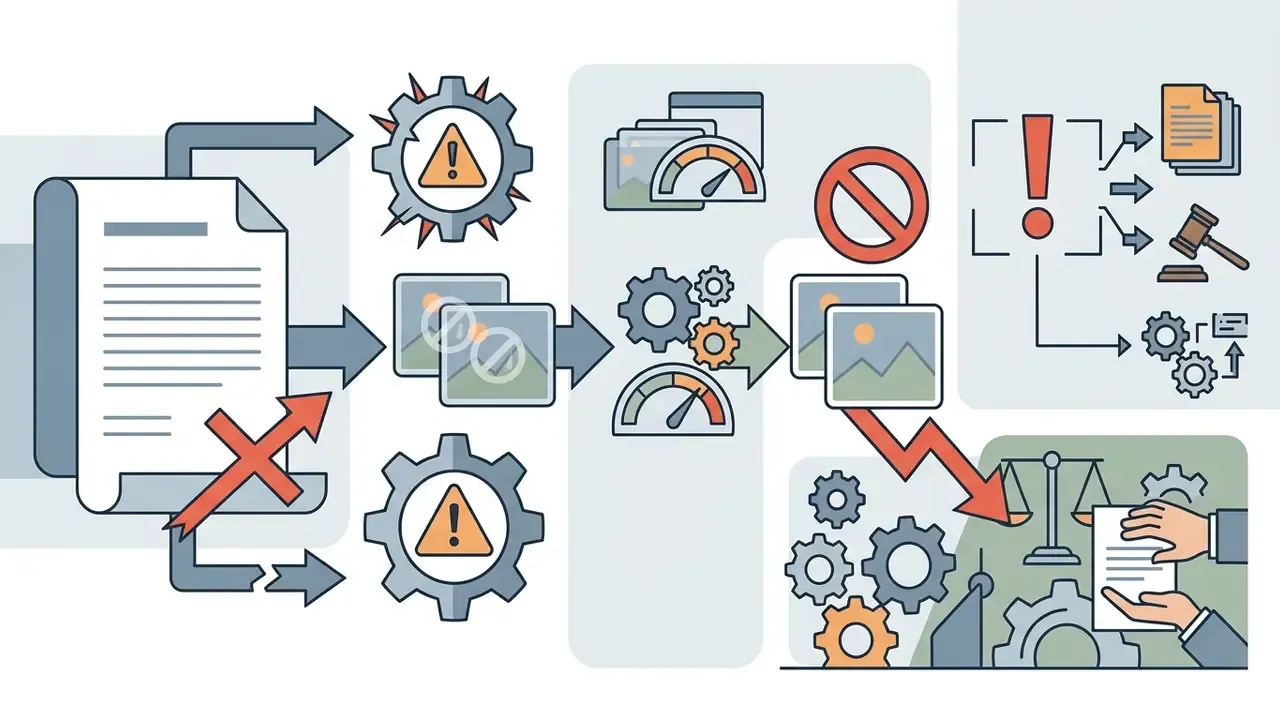
To verify licensing terms across free AI photo tools, editorial analysts read five active platform service agreements:

How to Edit Photos Automatically Online
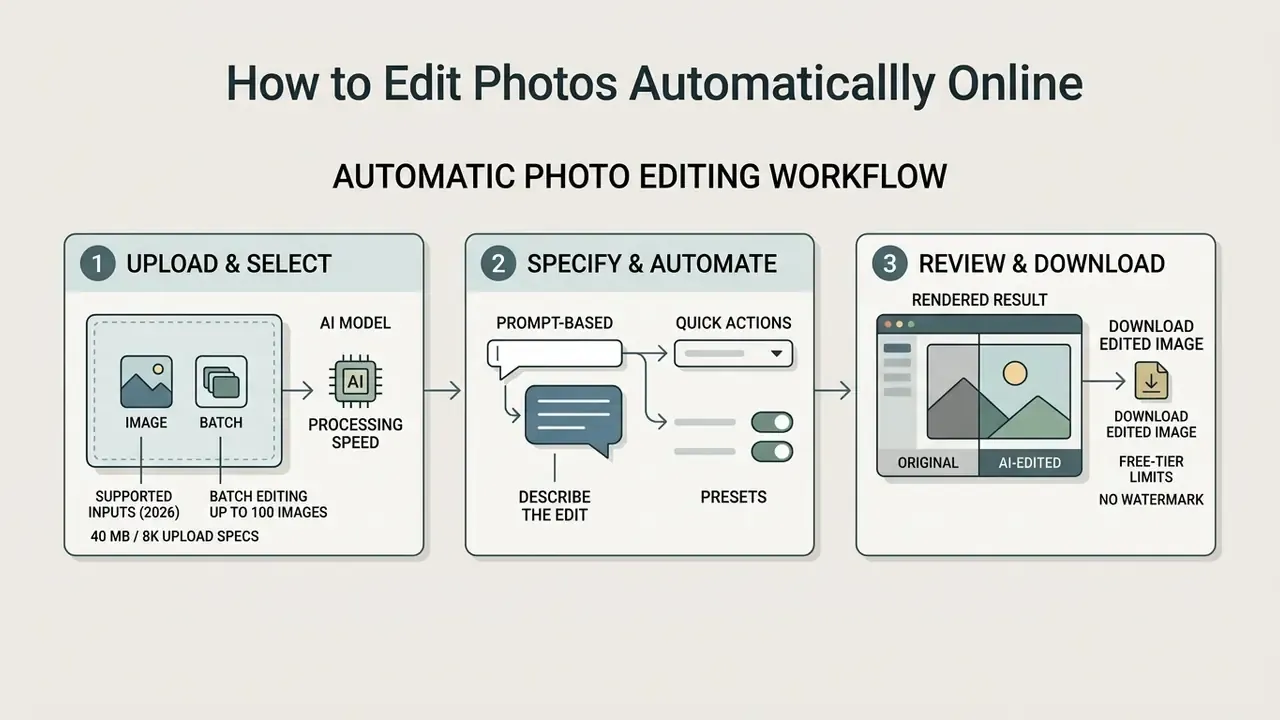
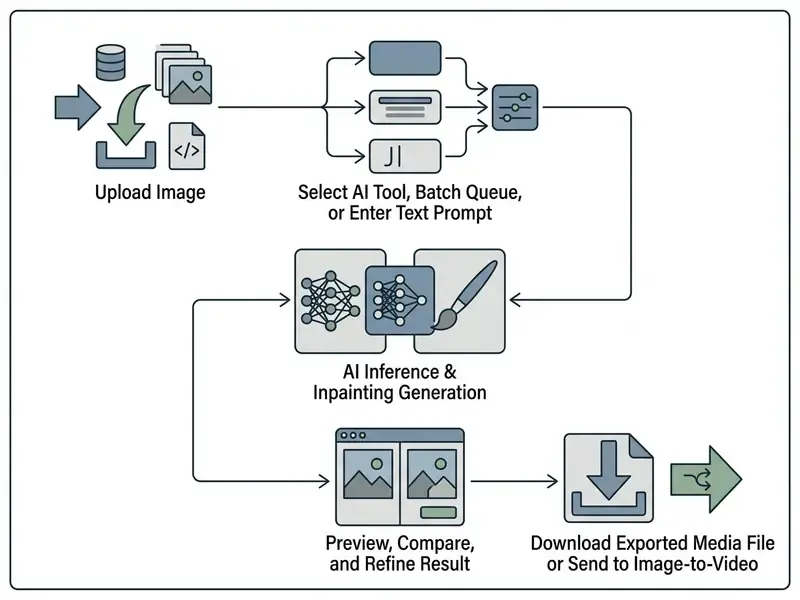
Operating an auto photo editor online comes down to a three-step workflow: upload the target file, specify the edit or pick an automated action, then review the rendered result.
Upload an Image and Choose an AI Editing Tool
Users start by uploading standard digital image formats directly into the browser interface. Most cloud platforms support drag-and-drop file selection, local file browsing, or direct clipboard pasting.
Supported input parameters (2026 baseline): JPEG, PNG, WEBP, HEIC, and RAW formats with individual file size limits up to 40 MB and native canvas resolutions up to 8192 × 8192 pixels without forced downscaling on import. Some assistant-style upload endpoints enforce stricter ceilings (10 MB per image, for instance), so check the specific tool before batching large RAW files. Before submitting, confirm the image is correctly rotated and not motion-blurred; Google's image-understanding documentation lists both as preconditions for reliable model output.
Once the file lands, the user picks the primary processing tool based on project goals. Options typically include subject isolation, object erasing, resolution upscaling, global color correction, or a batch queue for multi-file jobs. Task routing follows a simple rule: choose a single-purpose tool when the outcome is deterministic (background removal, upscale) and a prompt-based generative tool when the outcome needs interpretation (scene replacement, stylization).
Advanced creative workflows reach past classic REST APIs. Current environments support command-line execution (CLI) and Model Context Protocol (MCP) integrations, letting developers run automated image-editing routines directly inside AI workspaces such as Claude Code, Cursor, or ChatGPT through agentic multi-step pipelines; Picsart, for instance, advertises a CLI plus MCP access and AI agents for batch generation. Browser-native automation is viable too: createImageBitmap and ImageDecoder handle decoding, OffscreenCanvas handles transformation, and WebCodecs handles encoding without a server round-trip. Developers building custom browser integrations can reference the AI Media API Guides for endpoint specifications.
Describe the Edit With a Prompt or Quick Action
After choosing a tool, users trigger editing through one-click preset buttons or descriptive natural language prompts. Quick actions cover routine tasks like background removal with no text input at all.
For generative prompts, effective instruction structures follow a clear format: Task + Subject + Context + Constraints. That formula is a synthesis of vendor prompting guidance rather than a single published standard. Adobe Acrobat's guidance recommends Task + Context + Expectations + Format; Google's Prompting Guide 101 recommends Persona, Task, Context, Format; OpenAI's image guidance advises putting structure first and stating constraints explicitly. To limit unintended modifications, prompt-engineering guidelines recommend explicit preservation clauses, such as "change only the sky to sunset; keep all foreground architecture identical" (OpenAI Image Generation Guidance, 2025).
Practical implication: budget two or three iterations for any non-trivial edit, and change one variable per attempt so you can actually attribute the improvement.
Review Results and Download the Edited Image
Once the model finishes rendering, the interface shows the edited image next to the original input for visual comparison. Users inspect edge fidelity, color accuracy, and background consistency before exporting. Adobe's own Firefly workflow documentation places "review variations" explicitly before download, which is the correct order of operations for any generative edit.
If minor artifacts remain, fine-tuning controls let users adjust brush masks or regenerate specific regions. Common artifact checkpoints: halo edges around hair, duplicated texture patches where an object was erased, drifting skin tone after relighting, and text distortion inside signage. Once approved, the file exports as JPEG, PNG, or WEBP: PNG for transparent cutouts, JPEG or WEBP for web delivery, and the highest available resolution when the asset will later go to print. Creators building specialized art workflows can explore creative variations in our guide to pokemon ai art and compare engines in our roundup of the best AI art generators.
Automatic Photo Editing Use Cases
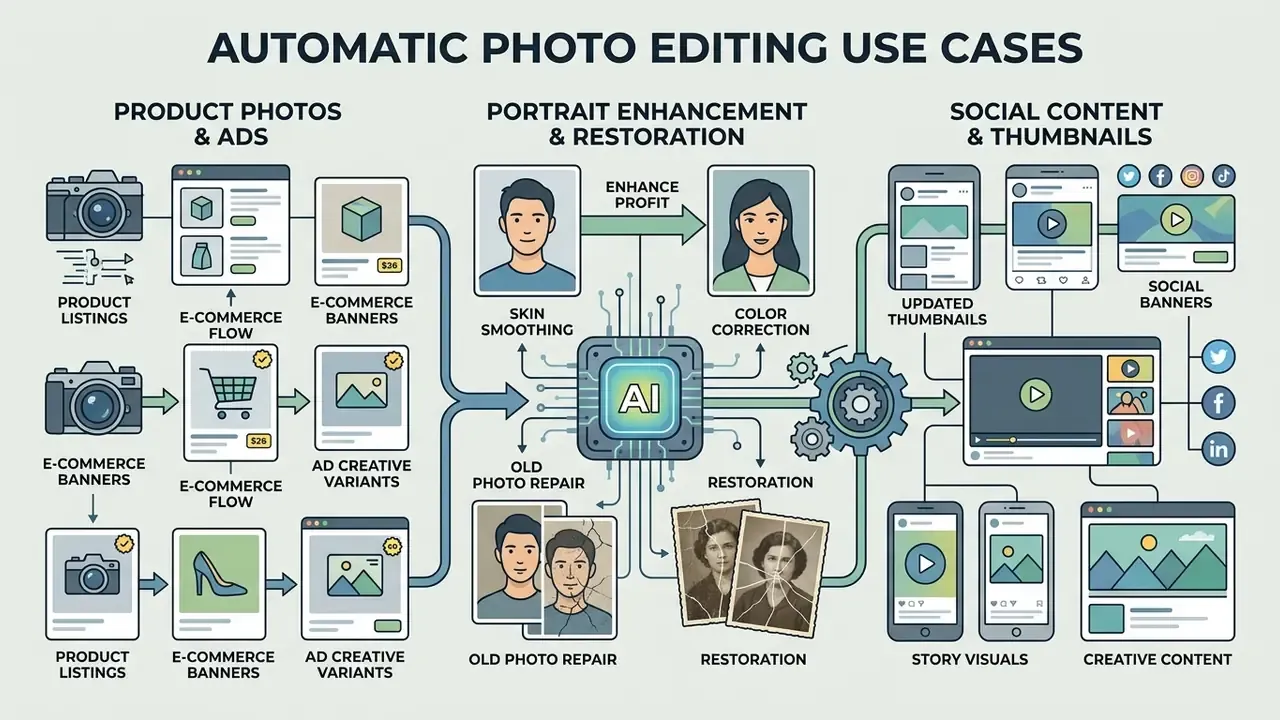
Automated image editing software supports commercial, creative, and personal visual workflows across many industries. Published research and vendor reporting cluster these into ideation, asset creation, enhancement of existing assets, rapid change requests, and final retouching.
Product Photos, Listings, and Ad Creative Variants
E-commerce merchants use automated background removal to produce clean white-background product cutouts for marketplace listings. Bulk processing lets sellers standardize entire catalogs: a batch queue of 50–100 images applies identical removal, centering, shadow, and color rules in one pass, which is precisely what keeps a listing pipeline consistent across hundreds of SKUs. Research on background removal in fashion and product imagery frames the underlying step as salient object detection separating foreground from background.
In advertising operations, AI inpainting enables rapid background replacement to spin seasonal ad creative variants out of a single original product photo (Photoroom E-Commerce Guide, 2025). The same cutout then feeds creative templates, size-adapted ad formats, and, via image-to-video, a vertical motion ad. Marketers hunting for specialized generator tools can review our evaluation of pollo ai video capabilities and the YouTube video editor workflow guide.
Portrait Enhancement and Old Photo Restoration
Digital restoration pipelines revive vintage or damaged physical photographs by removing scratches, reducing grain, and rebalancing degraded color channels. Modern approaches are reference-guided: CVPR 2024's PFStorer uses three to five high-quality reference selfies to steer restoration and super-resolution, while ICCV 2023 work on iterative diffusion frames the goal as authentic restoration that preserves identity rather than inventing plausible faces.
For modern headshots, face-enhancement models adjust facial lighting, soften blemishes, and sharpen pupil detail automatically while keeping natural skin texture. See our comparison of professional-grade AI image enhancers for licensing and output-quality differences.
"The NTIRE 2024 RAIM challenge evaluated restoration of real-world images with unknown degradations; the winning MiAlgo entry scored 91.65 on the combined quality metrics."
Privacy, Device Access, and Image Workflow
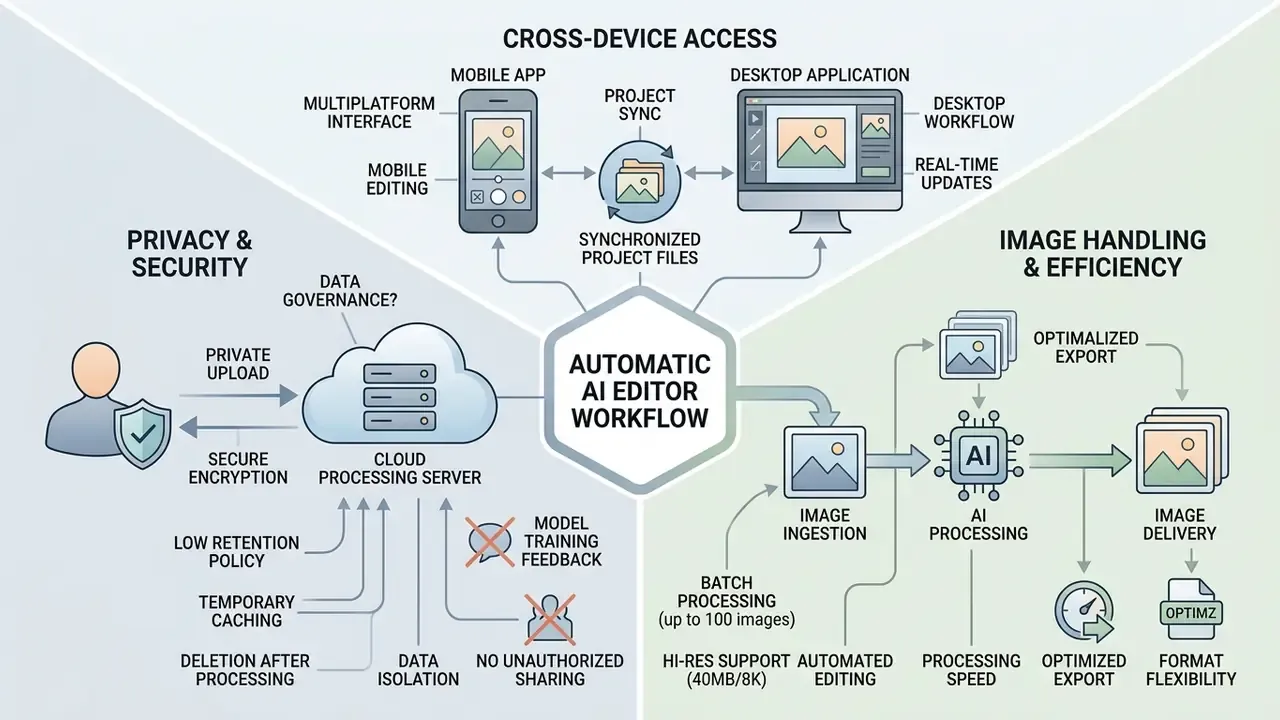
Data security, cross-device interface design, and image handling policies are the criteria that decide whether a tool is safe for personal or enterprise deployment.
Privacy and Uploaded Image Handling
This section provides general information; specific storage terms are governed by each platform's own privacy policy.
Uploading private photographs to cloud servers raises data governance questions about storage duration and model training permission. Leading platforms encrypt user uploads in transit via TLS and store data on secured cloud infrastructure (NIST AI Risk Management Framework, 2025). The NIST framework additionally calls for collection and retention policies that minimize data and explicitly address PII exposure, a category that includes facial likenesses.
Privacy-conscious online editors enforce strict low-retention policies: uploaded originals and temporary processing caches are purged from edge server storage within 24 hours (or immediately on user request), and the platform explicitly forbids using personal uploads or output exports to train public foundation models. Verified variation exists in the market. One vendor deletes input content within 24 hours and outputs within 30 days, another auto-deletes uploads after 14 days, and several keep signed-in project data for 30 days. Retention windows should be read, not assumed.
Users should review platform privacy disclosures to check whether uploaded imagery feeds model training; those who prefer to minimize account exposure entirely can compare AI image generators without sign-up. Enterprise risk teams routinely configure opt-out settings or deploy private API instances so sensitive corporate assets never enter public model datasets.
The governance consequence is easy to overlook: shared prompt libraries can leak internal product names, campaign details, or client identities. Treat prompt text as data, not just instruction.
Using an Online Photo Editor on Mobile and Desktop
Modern web editors use responsive HTML5 layouts that adapt across desktop monitors and mobile touchscreens. Under Web Content Accessibility Guidelines (WCAG 2.1), touch-based editing targets must stay at least 44×44 CSS pixels to keep mobile interaction reliable (W3C Mobile Accessibility Standards). W3C mobile guidance further requires that content handle small screens and orientation changes, and that every function remain operable through touch gestures rather than device motion alone.
Desktop environments give precise cursor control for detailed masking; mobile web apps optimize touch gestures for quick background removals and instant filters. Browser coverage across major tools is broad, spanning Chrome, Safari, Edge, and Firefox on iOS, Android, Windows, and macOS, although a few legacy editors still warn that their interface is desktop-only. Teams interested in specialized fan art generation can explore the pokemon ai generator interface.
FAQ About Free Automatic Photo Editors Online
What is the main difference between an AI photo editor and an AI image generator?
An AI photo editor takes an existing uploaded photograph and modifies its pixels, background, or style. An AI image generator synthesizes a brand-new image from scratch based entirely on a text prompt. Many 2026 platforms bundle both modes into one interface, switching between them depending on whether a source file is supplied.
Do I need graphic design experience to use an automatic photo editor?
No. Automatic photo editors are built for users of all skill levels. Most routine adjustments, such as background removal, upscaling, or color correction, finish with single-click preset actions. The one skill worth building is prompt precision for generative edits.
How many photos can I edit at once?
Batch capacity is tier-dependent. Free tiers usually process one image per run, mid-tier plans commonly allow 50 images per batch, and top tiers advertise up to 100 images per batch, enough to standardize an entire product catalog in a single queue.
What file size and resolution can I upload?
A common 2026 ceiling is 40 MB per file at up to 8192 × 8192 pixels, with JPEG, PNG, and WEBP universally supported and HEIC or RAW accepted by some platforms. Lightweight assistant-style uploaders may cap files at 10 MB, so check the specific tool.
How long does an automatic edit take?
Background removal typically finishes in about two seconds, object erasing in around five, and generative upscaling in roughly ten. Most browser edits complete within about ten seconds overall; complex multi-object prompts can extend to one or two minutes.
Are my uploaded photos safe on free online editing platforms?
Security depends on the individual vendor's privacy policy. Reputable platforms encrypt uploads via TLS and delete processed images from temporary server storage within 24 to 48 hours; others retain data for 14 to 30 days. Always read the privacy terms before uploading sensitive content, and prefer tools that state they do not train models on user uploads.
Is it legal to remove watermarks using free online photo editors?
Removing watermarks from copyrighted images without the owner's explicit permission violates platform Terms of Service and applicable copyright laws. Watermark removal tools should only touch images you own or hold a valid license to edit.
Why do some free auto photo editors restrict export resolution?
High-resolution processing and generative model inference consume substantial server GPU capacity. Platforms offer standard-definition exports for free and reserve uncompressed HD or 4K downloads for paid subscribers to cover that computing overhead.
Can I use photos edited with a free AI editor for commercial products?
Commercial rights depend on the platform's license tier. Many free plans restrict usage to personal non-commercial projects, while a pro subscription generally grants commercial rights. Note the distinction: commercial permission from a vendor is not the same as copyright ownership, and U.S. guidance still requires human authorship for protection.
Can I turn an edited photo into a video?
Yes. Several editors now pass finished stills into temporal models such as Veo 3 or Seedance 2.0 to generate 5-second clips with camera motion or environmental animation. Free tiers usually return a short watermarked preview at reduced resolution.
Can developers automate these edits outside the browser UI?
Yes. Beyond REST APIs, current platforms expose CLI tooling and Model Context Protocol integrations that let editing routines run inside AI workspaces such as Claude Code, Cursor, or ChatGPT. Fully browser-side automation is also possible using ImageDecoder, OffscreenCanvas, and WebCodecs.
Appendix A: Citation Revision Log
For transparency, the following inline references from an earlier revision of this guide were superseded because they lacked a verifiable URL, dataset, or methodology. They are recorded here rather than quietly deleted:
| Superseded reference | Section | Replaced with |
|---|---|---|
| Generative Manifold Editing Study, 2024 | AI vs. traditional editing | Editing on the Generative Manifold (2024), arXiv, with transport-map definition |
| NTIRE 2024 Challenge Report (no URL) | Enhance / upscale | NTIRE 2024 Efficient Super-Resolution Challenge Report, PSNR ≈ 26.90 dB on DIV2K_LSDIR ×4 |
| "background fidelity scores above 87%" | Object removal | DORS (2025): comparative win over PowerPaint and CLIPAway on DOR-Bench |
| OpenAI gpt-image-2 Benchmarks, 2026 | Speed and models | Layered Diffusion Brushes (2024), ~140 ms interactive latency; OpenAI docs on prompt-dependent latency |
| AutoRetouch Benchmark Study, 2024 (as restoration metric) | Portrait restoration | NTIRE 2024 RAIM in the Wild, MiAlgo score 91.65 |
| Adobe Firefly Features, 2026 (as expansion metric) | Thumbnails and banners | 4KLSDB dataset (2024), 129,484 4K images |
| Agency time-saving claim (8 min → 4 s) | Speed and models | Retained, now labeled as a self-reported operational estimate pending independent verification |
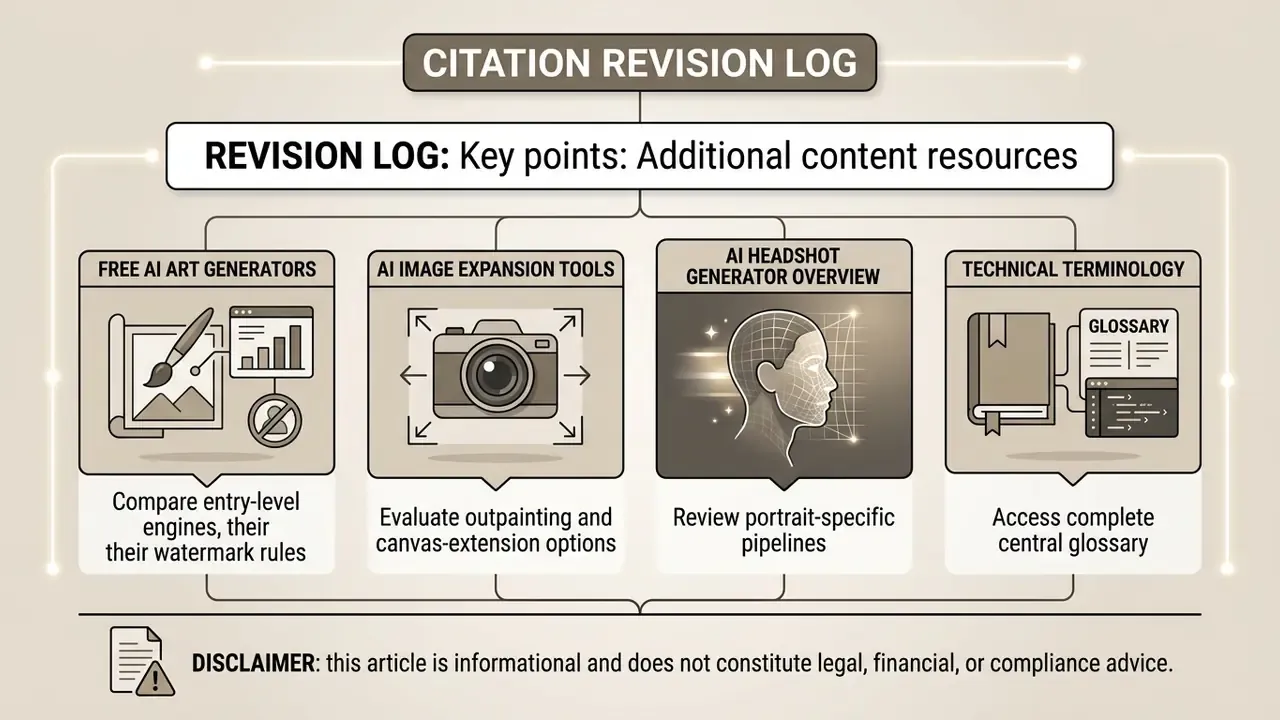
Additional content resources:
- Compare entry-level engines in our review of free AI art generators and their watermark rules.
- Evaluate outpainting and canvas-extension options in our guide to AI image expansion tools.
- Review portrait-specific pipelines in our AI headshot generator overview.
- Access complete technical terminology in our centralized glossary.
Disclaimer: this article is informational and does not constitute legal, financial, or compliance advice. Platform limits, pricing, and retention policies change frequently, so verify current terms with each vendor before deploying commercial workflows.