Reviewed by: Marcus Hale, AI Governance & Visual Systems Analyst, enterprise model-risk and generative media evaluation.
Author note: Marcus Hale writes about AI governance and model risk for this publication.
Executive Summary
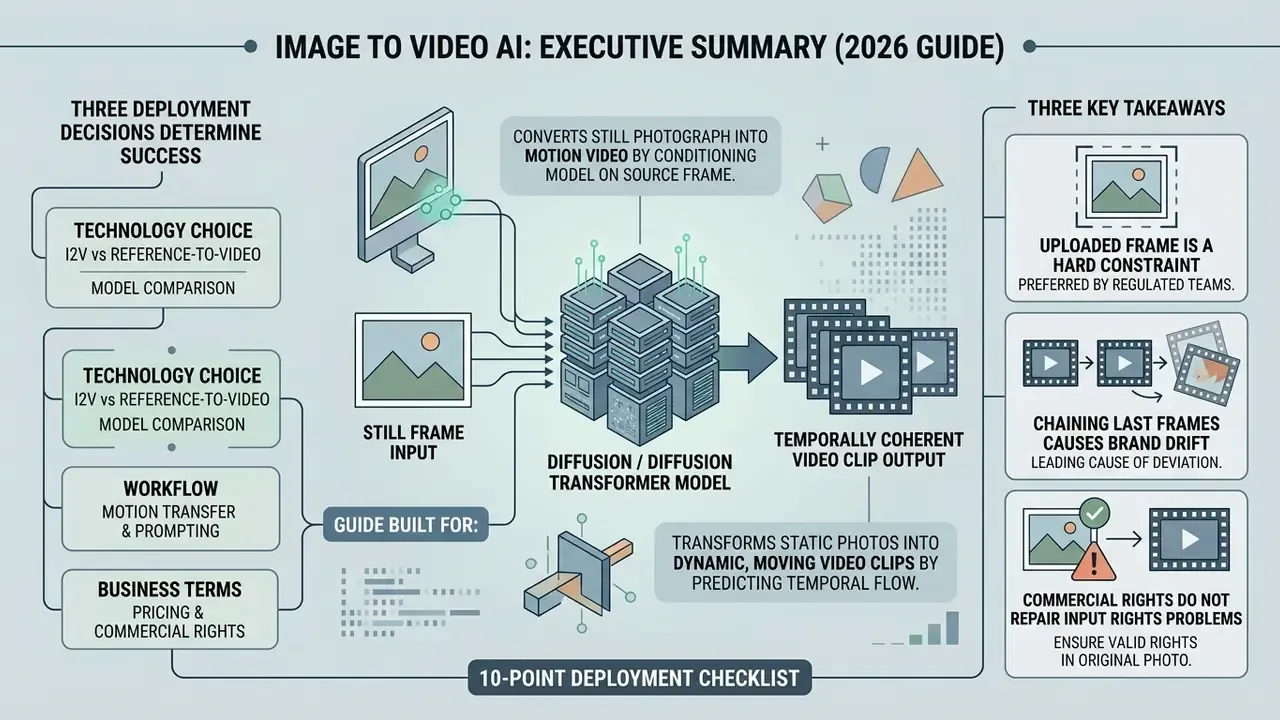
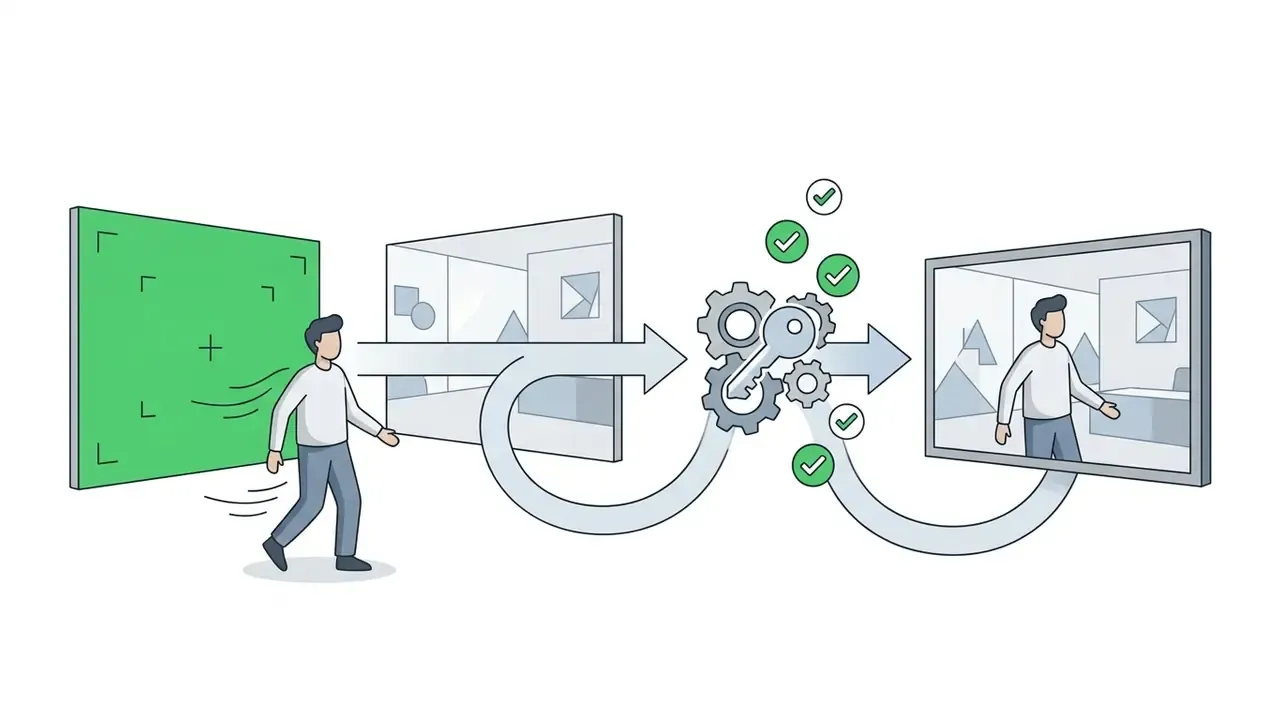
An image to video ai tool converts a still photograph into a temporally coherent video clip by conditioning a diffusion or Diffusion Transformer model on the source frame. For enterprise teams, this is the most controllable branch of generative video: the reference image locks geometry, product identity, and lighting, which removes most of the drift risk associated with pure text-to-video generation.
Three decisions determine whether a deployment succeeds. Conditioning mode (single-frame Image-to-Video versus multi-shot Reference-to-Video). Motion control mechanism (text prompts, camera-pose modules, trajectory boxes, or uploaded video motion references). And commercial governance (source-image rights clearance, no-train guarantees, IP indemnification, audit logging). Free tiers are adequate for pilot evaluation. Production advertising, HR, and e-commerce pipelines require paid or API tiers with documented commercial exploitation rights.
What this guide is built for. It is written for the person who has to sign off, not only for the person who presses Generate. Marketing wants variants by Friday; risk wants an evidence chain. The guide covers how the technology conditions on your image, how to shortlist an ai for image to video stack against measurable criteria, how governance and data residency apply when you upload unreleased product photography, the four-step production pipeline, quality troubleshooting, realistic use cases, and the pricing and licensing terms that decide whether a clip can legally ship.
Three takeaways before the detail:
- The uploaded frame is a hard constraint in modern architectures, which is exactly why regulated teams prefer it over prompt-only generation.
- Chaining last frames across clips is the leading cause of brand drift. Reference sets fix it.
- Commercial rights to output never repair a rights problem in the input image. Never.
An image to video ai tool transforms static digital photos into dynamic, moving video clips by predicting temporal motion between frames. Enterprise visual pipelines and digital media teams use an ai create video from image tool to turn still graphics, product photography, and conceptual art into controllable video assets. The same workflow serves a marketplace listing, an onboarding module, and an investor update, which is part of why budget owners keep asking about it.
«An AI video model is only as effective as its initial frame conditioning and temporal constraints. In high-stakes enterprise visual pipelines, uncontrolled motion without an evidence chain leads to unacceptable brand and operational risk.»
What Is an Image to Video AI Tool and What Can It Create?
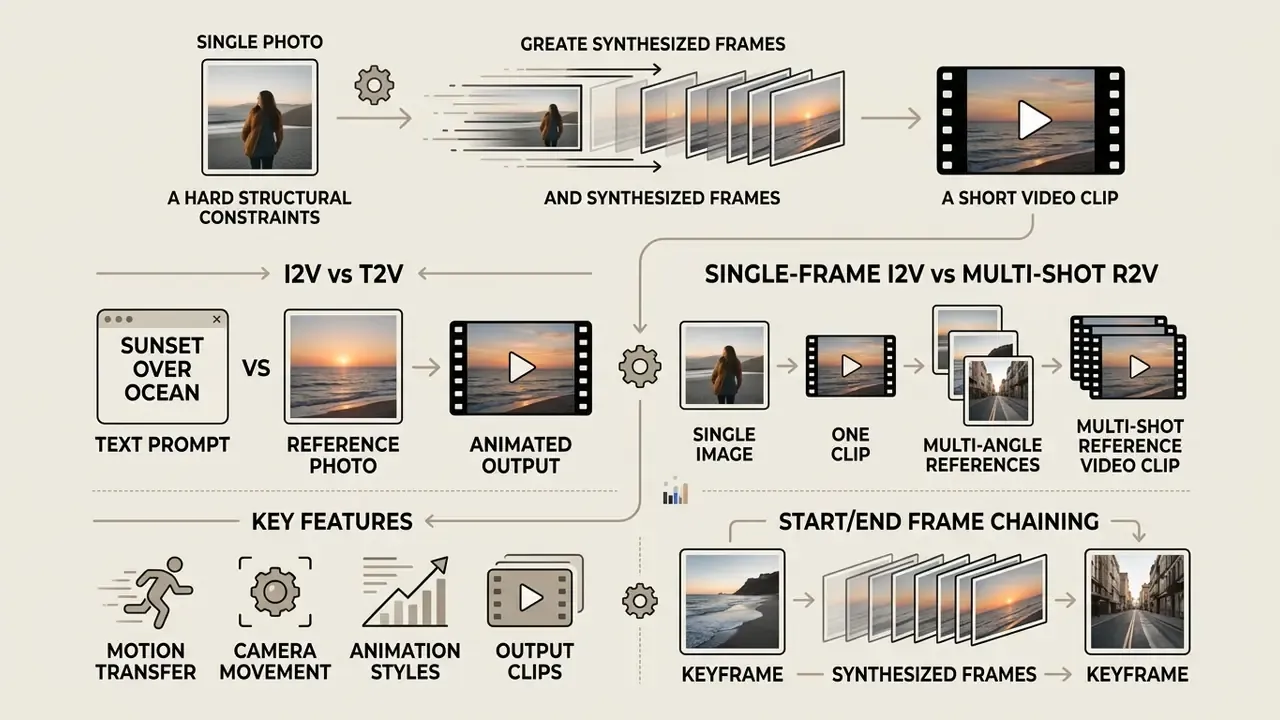
In two sentences: An image-to-video system treats your photograph as a hard structural constraint and synthesizes motion around it. Because the first frame is fixed, output fidelity, brand geometry, and character identity remain far more stable than in prompt-only generation.
An image to video ai tool is a generative neural network that accepts a still image as a primary input condition and synthesizes a temporally coherent video sequence. When teams evaluate an ai create video from photos workflow, the system uses the source pixel layout to maintain visual identity while adding camera movement, object motion, and environmental dynamics.
Modern ai image to video animation tools support short-form video generation ranging from 2 to 10 seconds per clip. Using a dedicated ai for image to video workflow allows creators to maintain character consistency and product framing far more effectively than text-prompting alone. Think of the still as a contract: the model may add motion, but it may not renegotiate the geometry.
Updated evidence. Research from AIGCBench demonstrates that image-conditioned video generation significantly reduces spatial layout drift compared to unconstrained text-to-video diffusion. Critically, the benchmark does not rely on a single score. It evaluates 11 metrics across four dimensions: control-video alignment, motion effects, temporal consistency, and video quality. The authors report that these results correlate with human preference rankings, which matters when your internal reviewers, not a metric, sign the approval.
«Image-conditioned video generation significantly reduces spatial layout drift compared with unconstrained text-to-video diffusion; evaluation spans 11 metrics across four dimensions.»
For media teams building broader generative pipelines, exploring foundational asset management via the AI Media Glossary provides essential governance context.
Image-to-video versus text-to-video generation
Single-frame Image-to-Video versus multi-shot Reference-to-Video
While standard Image-to-Video (I2V) anchors animation to a single starting frame, multi-shot commercial pipelines require Reference-to-Video (R2V) conditioning. Standard I2V animates one photo as the literal first frame, so the output remains visually faithful to that exact image, and nothing beyond it.
The failure mode appears the moment teams chain clips together. Frame-by-frame chaining only sees the last still frame of the previous generation, so the model re-derives lighting, depth, camera geometry, and character anatomy from scratch at every hand-off. Errors accumulate. Skin tone shifts, packaging colour drifts, a logo changes proportion, a set loses its window light. By clip five, nobody can explain why the bottle looks warmer than it did in clip one.
R2V conditioning solves this by injecting persistent character and environment embeddings (front, side, rear, and close-up visual anchors) into the latent context across sequential generations. The model reads the whole prior clip plus the locked references, so identity and atmosphere carry forward instead of resetting. Practical rules that hold across current commercial stacks:
- Use I2V for a single self-contained clip generated from one approved photograph or key visual.
- Use start/end frame chaining when you already know both the opening and closing shot of one clip.
- Use R2V whenever a product, face, mascot, or interior must survive across an entire ad sequence, explainer, or episodic series.
- Load multi-angle references (front, side, back, macro) rather than a single hero shot. For packaged goods, include one image of the product held in a hand so the model reads true scale instead of guessing it.
That last tip sounds trivial. It is the single fix that stops a 300 ml bottle from rendering like a five-litre drum.
Motion, camera movement, animation styles, and output clips
Motion in an ai create video from image tool is driven by optical flow estimation, latent trajectory conditioning, and camera parameter modules. Platforms can execute targeted pan, tilt, zoom, and orbit moves while preserving subject anatomy.
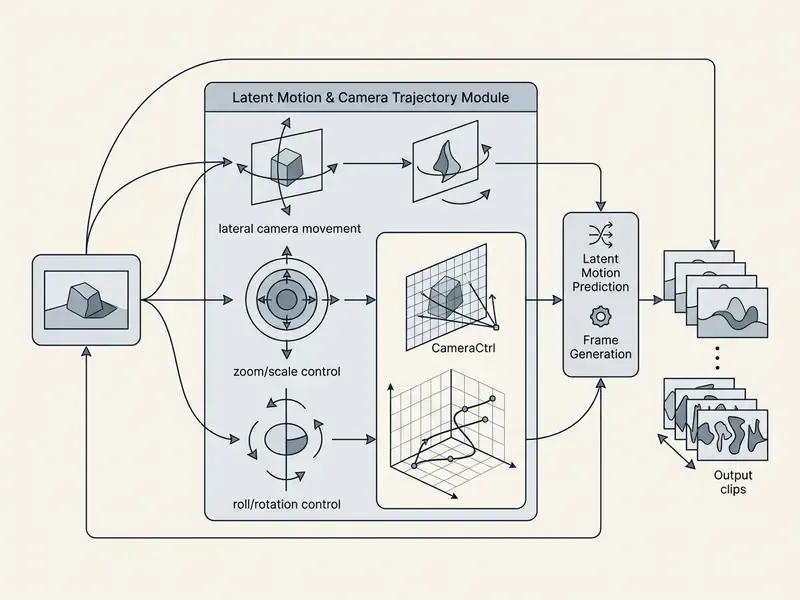
According to technical research on CameraCtrl (2024), embedding explicit camera-pose modules onto base video diffusion architectures enables precise camera paths such as push-ins, tracking shots, and aerial sweeps without altering the underlying visual model. The resulting output clips deliver cinematic pan and zoom dynamics across standard resolutions.
A second research line separates where motion happens from how much motion happens:
«Motion-I2V splits generation into motion-field prediction and trajectory-guided feature propagation, enabling control over specific image regions.»
Region-level control is what makes motion brushes, bounding-box trajectories, and localized speed sliders technically possible. The operator paints or boxes a region, and the optimizer forces that region's latent features to follow the requested path while the rest of the frame stays locked. Documented camera vocabularies across current commercial engines converge on push in, pull back, pan left/right, tilt up/down, track forward, orbit, crane, handheld drift, aerial sweep, and locked-off tripod shots. Learn those twelve terms and you can brief almost any video generator without guesswork.
How to Choose an AI Tool for Turning Images into Videos
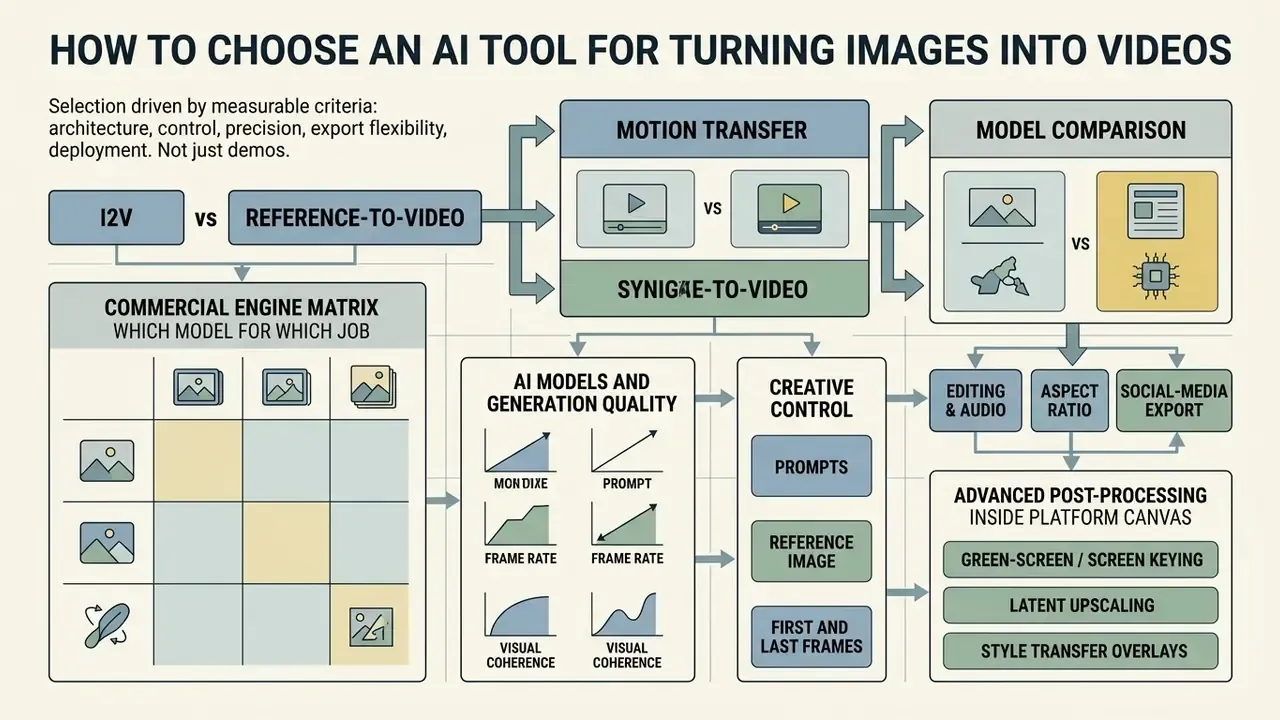
In two sentences: Selection should be driven by measurable criteria (architecture, frame control, trajectory precision, export flexibility, deployment model) rather than by demo reels. The table below maps each criterion to the research baseline that validates it and to the commercial consequence of getting it wrong.
Choosing the right ai for photo to video generator requires evaluating resolution capabilities, camera movement controls, model stability, and temporal consistency. Organizations must assess whether a platform relies on latent diffusion concatenation, frame-replacement transformers, or multi-granularity feature injection. Procurement teams that need a market-wide view before shortlisting can start from a comparison of the best AI video generators and then apply the framework below.
To compare different generative frameworks across enterprise requirements, teams should review standardized evaluation metrics and feature sets rather than vendor highlight reels. Demo reels are cast for the model's strengths. Your catalogue is not.
Comparative Selection Framework for Image to Video AI Tools
| Evaluation Criterion | Key Technical Capabilities | Research Benchmark Baseline | Commercial Workflow Impact |
|---|---|---|---|
| Model Architecture & Quality | Latent diffusion, Diffusion Transformer (DiT), cascaded refinement upscaling | FVD scores, VBench++ temporal flickering metrics (CVPR 2024) | Determines output fidelity, HD/4K export clarity, and visual artifact rates |
| First & Last Frame Control | Dual-image conditioning, frame replacement, low-frequency noise initialization | ConsistI2V (Ren et al., 2024) FrameInit layout preservation | Enables exact start and end frame keyframing for smooth video transitions |
| Motion Trajectory Precision | Motion brush, bounding-box trajectories, pose skeleton maps, uploaded video motion references | Motion-I2V (2024) sparse trajectory ControlNet alignment | Allows granular directional control over specific image regions |
| Multi-Shot Identity Lock | Reference-to-Video embeddings, multi-angle reference sets, project-level context memory | VBench++ subject-consistency dimension (CVPR 2024) | Prevents brand, packaging, and character drift across sequential ad clips |
| Export & Aspect Ratio Flexibility | Native 16:9, 9:16, 1:1 canvas framing, social-ready aspect controls, 4K upscale path | EvalCrafter (Liu et al., 2024) frame-rate and resolution parameters | Streamlines multi-channel delivery for owned brand channels, paid social, and ad campaigns |
| Deployment Model & Data Residency | Public SaaS, enterprise API, dedicated VPC, or on-premise node graph (ComfyUI-class) | Vendor attestations (SOC 2 / ISO 27001 alignment), documented no-train policies | Determines admissibility in regulated environments and cross-border data handling |
Commercial engine matrix: which model for which job
Research architectures explain how image conditioning works. Commercial engines determine what you can ship this quarter. The stacks below are the ones most frequently exposed inside multi-model platforms.
| AI Model Engine | Primary Strengths | Max Native Duration | Best Use Case |
|---|---|---|---|
| Google Veo 3.1 / Ultra | Photorealistic lighting, cinematic camera fidelity, native audio, start-and-end-frame transitions | ~8s (720p/1080p/4K settings) | Hero ad creatives, broadcast-grade production |
| Kling V2 / V3 Pro | Complex motion, smooth human facial dynamics, start/end frame transitions, 2K to 4K export tiers | Up to ~10s | Character animation, dynamic human scenes |
| ByteDance Seedance / Seedance Lite | High-speed rendering, low credit cost, 4 to 15s step generation | 4 to 15s | Rapid prototyping, social iterations, A/B variant volume |
| OpenAI Sora / Sora 2 Pro | Physics simulation, multi-angle spatial coherence, input_reference image conditioning | ~5 to 20s depending on tier | Complex narrative storytelling, high-budget media |
| Runway Gen-3 Alpha / Turbo | Motion Brush, advanced camera controls, Director Mode, last-frame extraction for chaining | 5s and 10s exports, extendable in 5s increments | Art-directed motion, localized region control |
| Adobe Firefly (Image to Video) | Licensed training corpus, up to 4K output, commercially-oriented default terms | ~5s MP4 | Brand-safe corporate and client-facing assets |
Practical reading of the matrix: fast, cheap engines are for iteration volume; cinematic engines are for final hero cuts; models with explicit start/end frame support are for transitions and continuity. When a script exceeds a single engine's ceiling, mature platforms auto-split the sequence into clips that fit each model's limit and stitch them, so a 30-second spot plays as one continuous take even though several generations sit underneath. Implementation teams planning direct integration can review capability and cost parameters in the Google Veo implementation guide.
One caution on the table. Durations and tier names change every few months, sometimes mid-quarter, so treat it as a shape rather than a spec sheet.
AI models and generation quality
Generation quality depends on the underlying neural architecture and training data scale. Cascaded models separate semantic content retention from high-resolution detail refinement, enabling stable outputs up to 720p and 1080p.
«I2VGen-XL is trained on 35 million text-video pairs and 6 billion text-image pairs, decoupling semantics from detail refinement to reach 1280×720.»
When evaluating an ai video generator for enterprise use, teams test temporal consistency to prevent flickering across frames. Models using multi-granularity feature injection maintain higher structural fidelity during aggressive camera movements, which is where cheaper engines usually give themselves away.
«AtomoVideo applies multi-granularity image feature injection at coarse and fine scales, outperforming popular methods on motion intensity and temporal stability.»
Diffusion Transformer architectures add a third mechanism that enterprise buyers should understand, because it defines whether your uploaded frame is reproduced exactly or merely approximately:
«STIV integrates image conditioning into a Diffusion Transformer through frame replacement: the first noisy latent is replaced by the clean latent of the input image.»
Frame replacement is the technical guarantee behind "the first frame is my photo, pixel for pixel". For regulated product imagery and approved packaging shots, that is not a nice-to-have. It is the acceptance criterion.
Creative control: prompts, reference image, first and last frames
Advanced creative control requires conditioning the generation process on both a starting reference frame and an ending frame. This dual-frame approach lets the model calculate smooth transitions between two distinct visual states.
Google Cloud Veo 3.1 documentation (2025) highlights that supplying both start and end keyframes constrains the motion trajectory, forcing the latent diffusion path to bridge the keyframes smoothly. Dual-frame conditioning also has direct research backing:
«ConsistI2V adds spatiotemporal attention over the first frame and initializes noise from its low-frequency band (FrameInit), substantially improving subject and background preservation.»
Users can combine text prompts with motion strength sliders to define precisely how fast objects transition across the frame. Reference-image conditioning is the third lever: instead of fixing the final frame, the pipeline injects semantic and visual features from a reference, so style, character, or composition persist without over-constraining motion. Teams new to these controls can build vocabulary through the broader AI video generator glossary tier before committing to a stack.
A small habit that pays off: log which of the three levers you used per render. When a stakeholder asks why take 7 looked right and take 12 did not, the answer should be retrievable, not remembered.
Editing, audio, aspect ratio, and social-media export
Post-generation editing controls allow creators to crop aspect ratios, append native audio tracks, and adjust clip speeds. Modern platforms integrate aspect ratio selection directly into the canvas interface to match channel specs. Support varies materially by vendor. Some expose explicit 16:9, 9:16, and 1:1 canvases plus a native-audio toggle, while others inherit the aspect ratio from the source image, which forces pre-generation cropping.
While some tools support native audio generation aligned to visual motion, enterprise content creators often integrate external tools. When building comprehensive video workflows, teams frequently compare standalone audio tools against built-in generation modules to ensure broadcast-quality sound design, and often benchmark them against dedicated free video editing software for final assembly. Narration is typically layered separately using a dedicated AI voice generator to keep licensing of the voice track auditable.
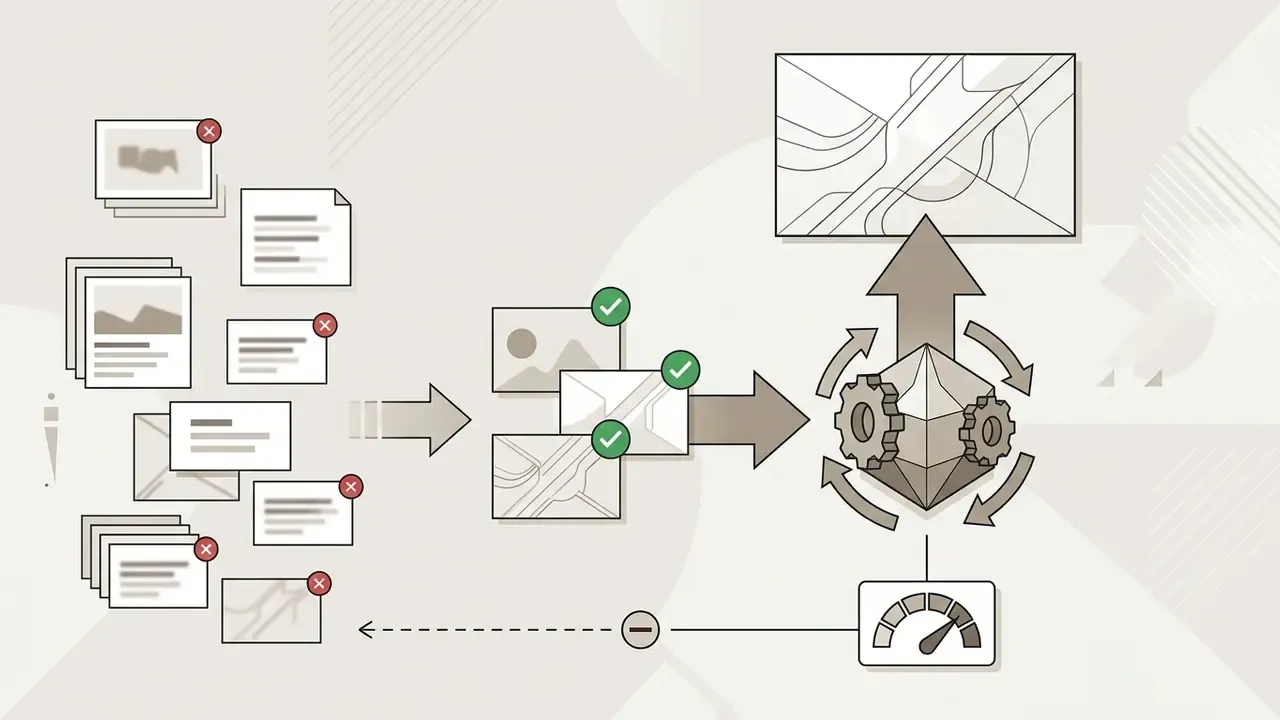
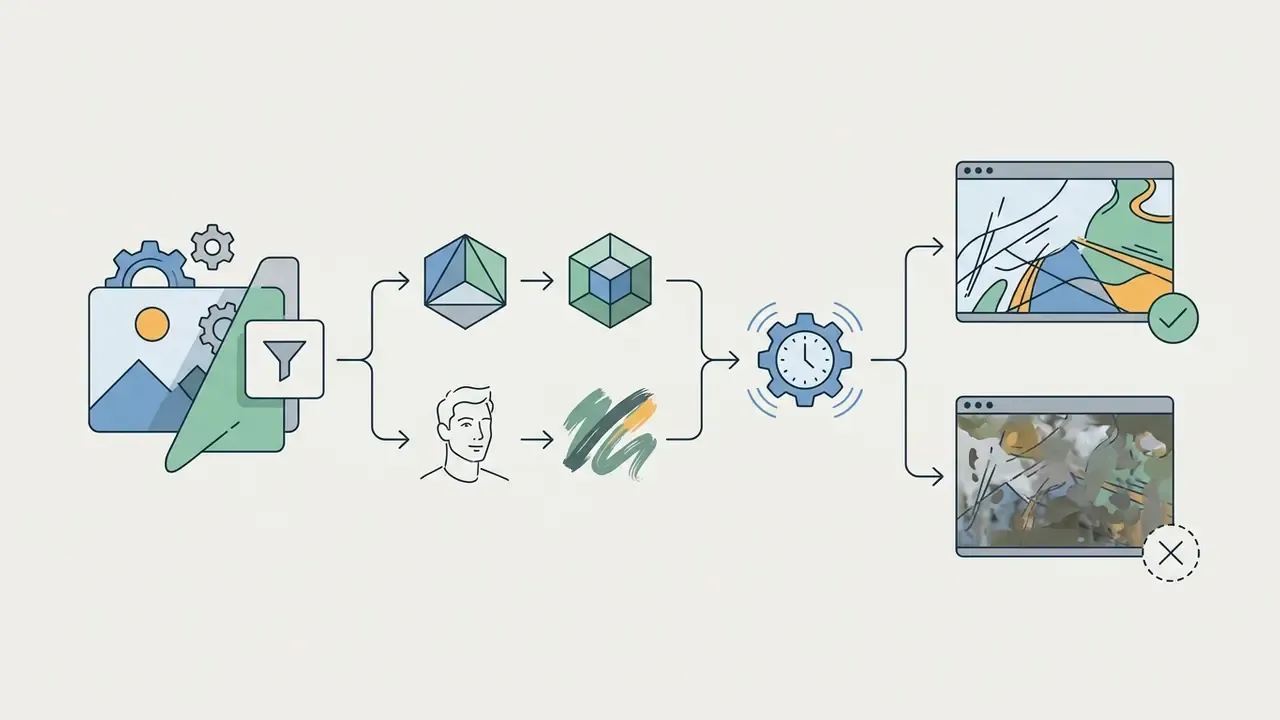
Advanced post-processing inside the platform canvas. Production-grade workflows integrate four further operations that pure generation tools omit:
Large asset libraries also require delivery hygiene. A video compressor step keeps 4K masters shippable across ad platforms with strict file-size ceilings, and it prevents the awkward moment when a finished spot fails upload thirty minutes before a flight date.

Enterprise Data Privacy, Security, and Model Risk Governance
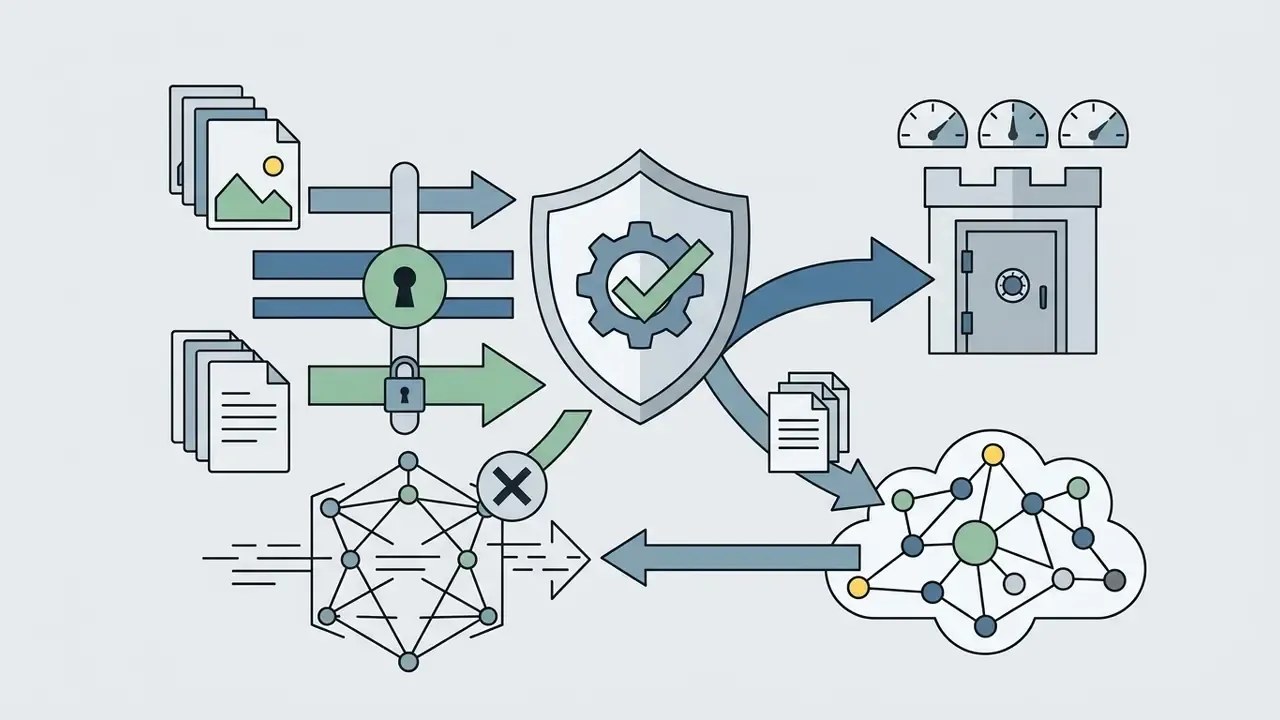
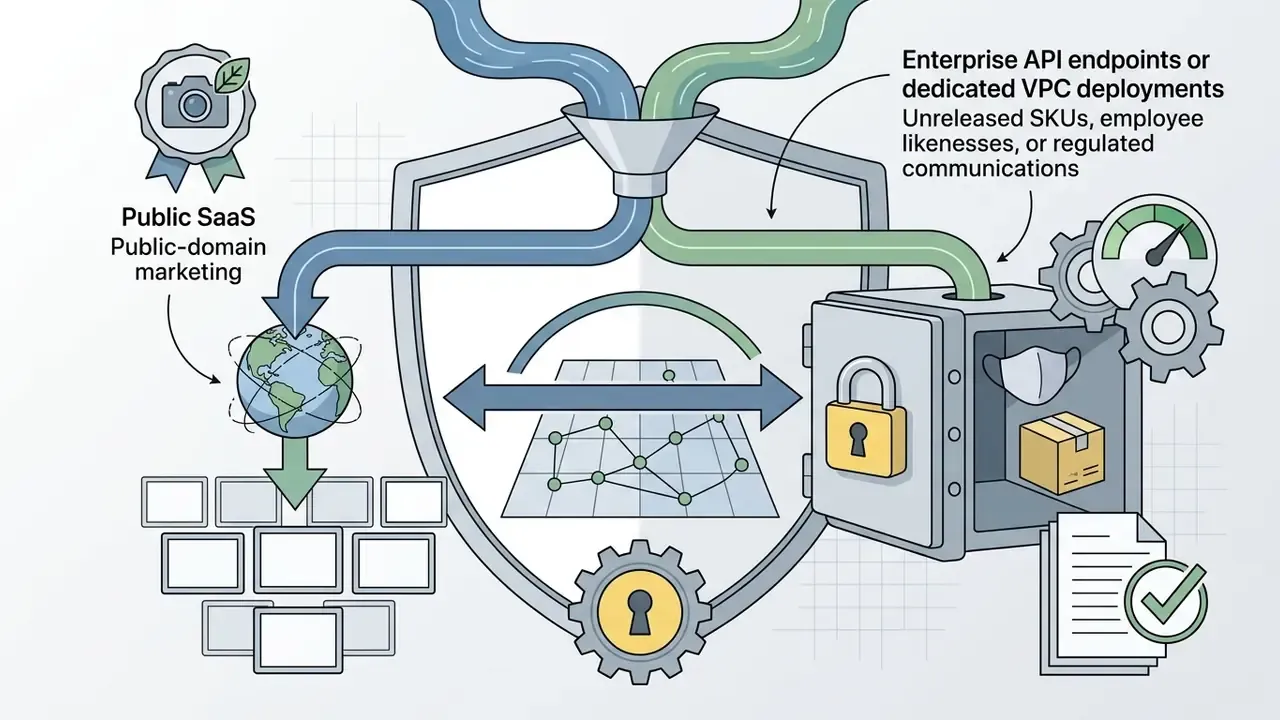
In two sentences: The dominant enterprise risk in image-to-video is not visual quality. It is uploading unreleased product photography, customer likenesses, or confidential design assets into a public SaaS endpoint. Controls must be documented before pilot, not after.
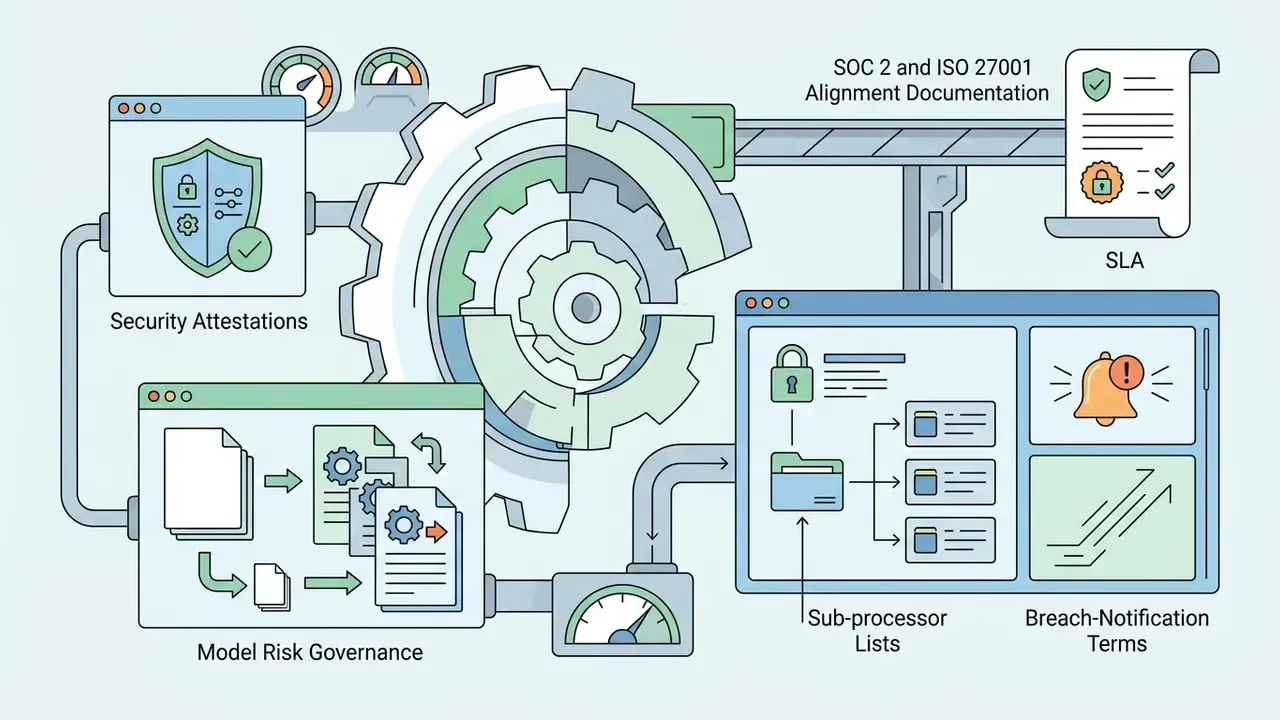
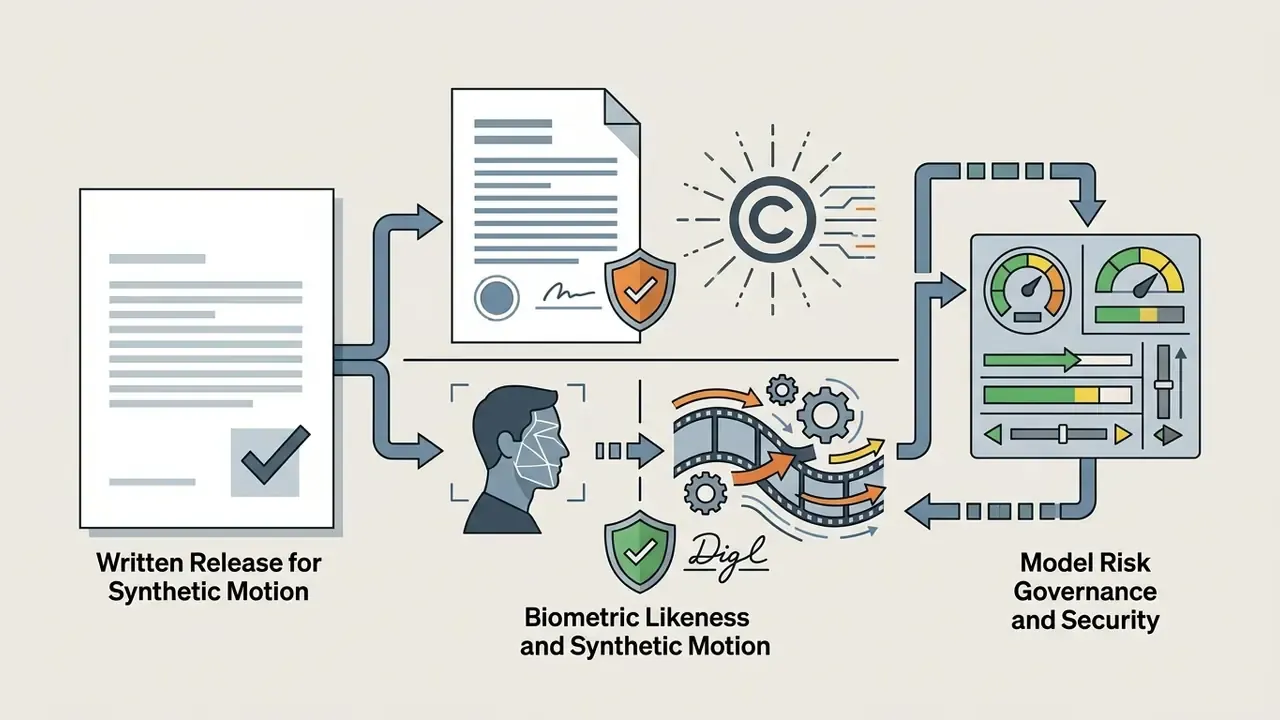
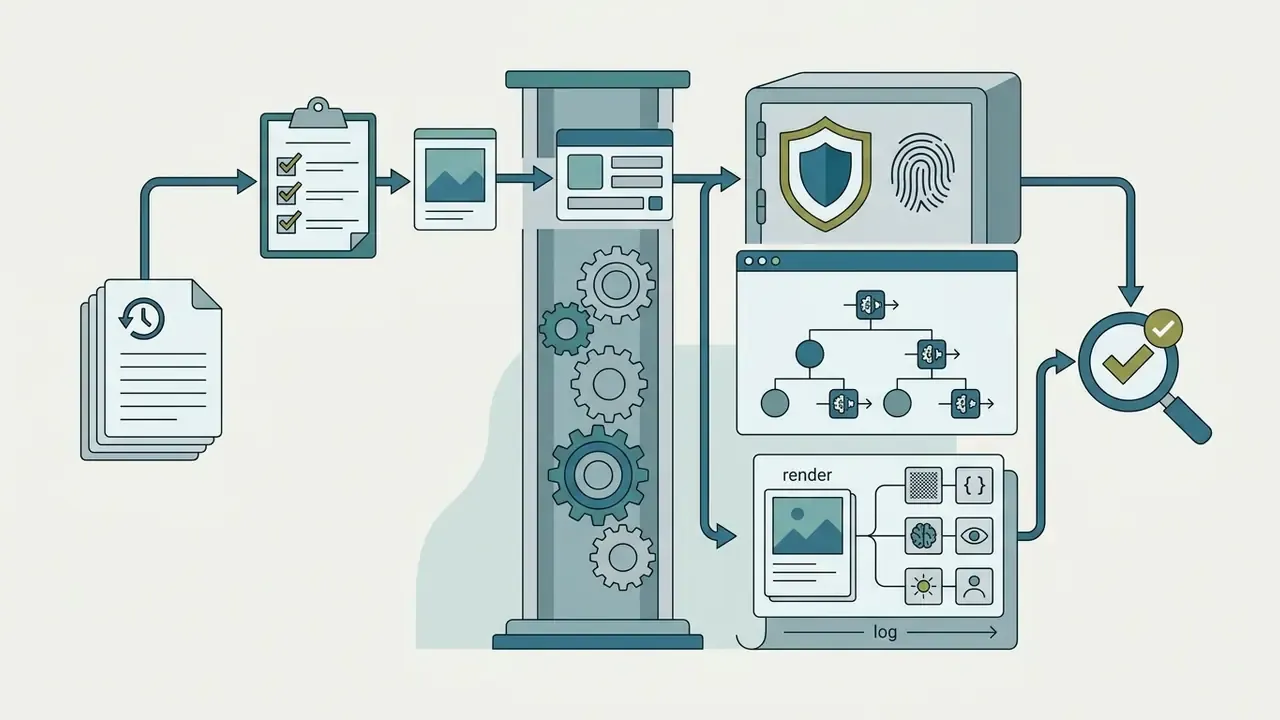
Governance for an ai for image to video deployment should cover six areas:
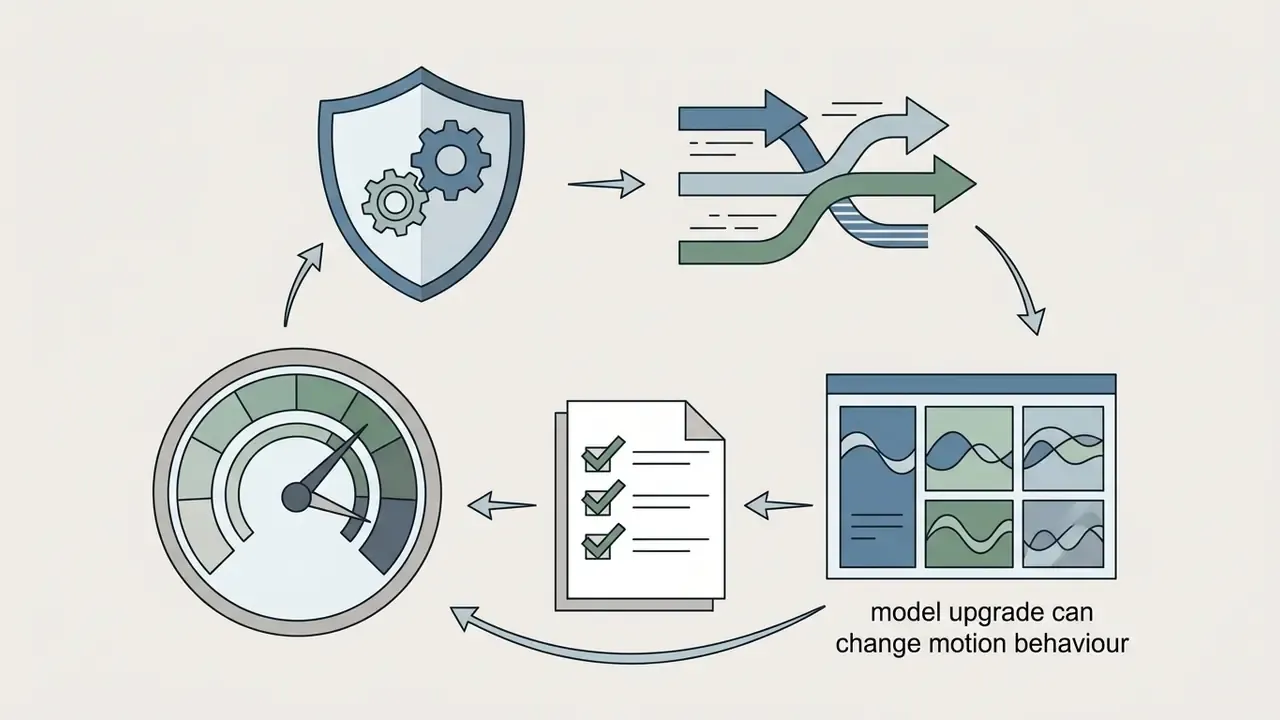
Brand-integrity risk deserves its own line item. Because motion is inferred rather than filmed, a model can invent physically implausible product behaviour: a bottle deforming, a device folding, a garment stretching. Once published, that becomes an implied performance claim. Route generated product motion through the same substantiation review as filmed advertising footage.
Who owns the decision? Name one accountable owner per engine, with an escalation path and a documented off switch. No evidence, no autonomy. That principle applies to a marketing render pipeline as much as to a credit model, even though the stakes differ in scale.
How to Create a Video from Photos with AI
In two sentences: The production pipeline is four steps, and three of the four happen before you press Generate. Source preparation and prompt structure determine nearly all of the output quality.
Transforming static imagery into dynamic video follows a four-step pipeline: source image preparation, motion prompt configuration, generation execution, and post-processing export.
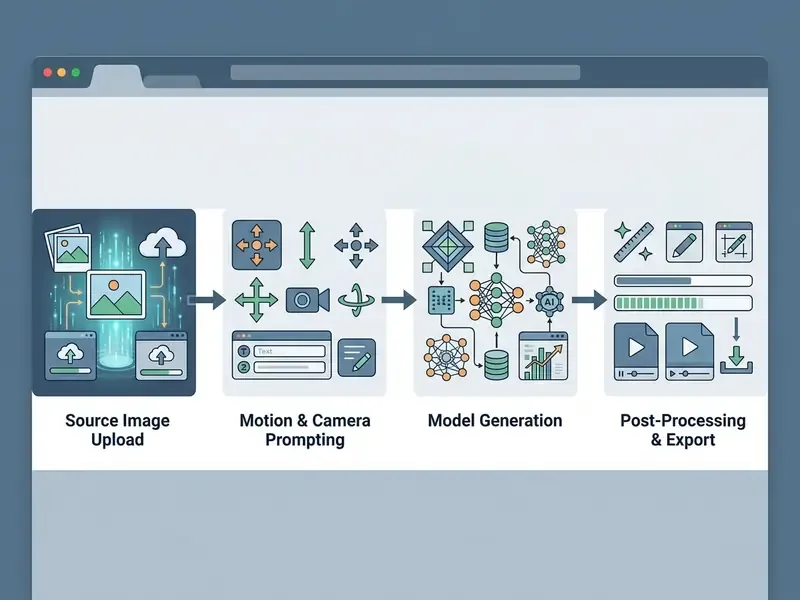
- Upload Source Image
- Load a high-resolution, low-noise photo into the ai image to video creation interface.
- Configure Motion & Camera Prompts
- Write descriptive prompts isolating subject movement, camera trajectories, and speed parameters.
- Select AI Model & Parameters
- Choose the rendering engine, set aspect ratios, and adjust motion strength sliders.
- Generate & Post-Process Clip
- Execute the render, review temporal consistency, apply upscaling, and export the finalized MP4 file.
Upload a photo or create a reference image
The source image forms the structural anchor for all downstream frames. Well-lit, high-contrast images with sharp subject boundaries prevent the network from hallucinating detail during animation. Garbage in, gelatinous limbs out.
Updated guidance on source specifications. Stock-industry contributor standards and current vendor documentation converge on the same rules: submit at native capture resolution, avoid aggressive AI upscaling artifacts, keep exposure balanced, and reject frames with excess sensor noise. Published numeric minimums vary by engine, commonly 512×512 as an absolute floor, 1024 px on the shorter side as a practical minimum, and 1080p for broadcast-oriented work. All sources agree on the qualitative requirements: sharp subject definition, low noise, adequate contrast, uncluttered framing. Crop to the target aspect ratio before generation on platforms that inherit ratio from the input image.
When custom photographic assets are unavailable, creators use specialized tools to generate synthetic base imagery, or create word art graphics for stylized title animations. Cleaning up scans, exposure, and contrast beforehand in a photo editor measurably reduces facial warping in the render. Corporate portrait pipelines often standardize inputs through an AI headshot generator before animation, which also makes the ai from photo to video step reproducible across departments.
Describe motion and write an image-to-video prompt
An effective ai image to ai video prompt clearly separates camera motion from subject action. Prompts should specify directional vectors, camera angles, and movement speeds using precise descriptive verbs.
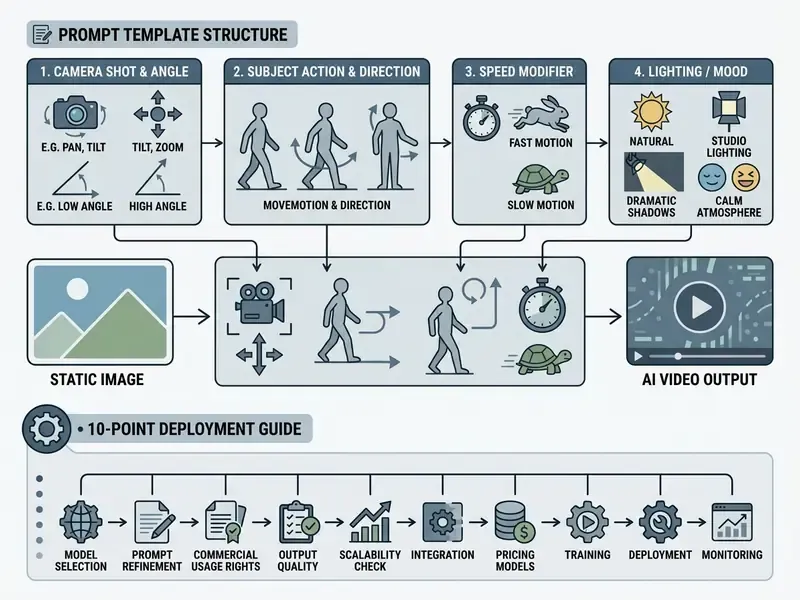
Updated evidence for prompt-driven motion control. Current vendor prompting guides recommend placing camera directions first, followed by subject actions and environmental effects. The research basis for why one image can obey several different motion instructions is dual guidance:
«DreamVideo shows that dual classifier-free guidance lets one image generate videos with different actions when the text prompt changes, while preserving visual identity.»
Avoiding conflicting movement commands keeps the motion diffusion process stable. Two additional prompt disciplines carry over from cinematic prompting playbooks. Prefer positive constraints ("back fixed to camera", "maintaining eye contact", "feet grounded") over long negative lists. And explicitly lock scale and proportions so subtle facial motion does not trigger morphing or body inflation. Actually, one refinement: negative lists are not useless, they are just weaker than a well-phrased positive constraint, so use them as a backstop rather than a primary control.
Alternative input: video-guided motion transfer
Beyond text-based camera commands, modern control frameworks allow creators to upload a reference video clip that dictates subject movement. The model extracts spatial skeleton poses or optical-flow arrays from the reference footage and maps them onto the static target image. Vendors usually market this as motion transfer or motion mapping.
Why it matters operationally: text prompts communicate intent, not choreography. Complex physical actions such as athletic manoeuvres, gymnastics, dance routines, boxing combinations, intricate hand gestures, or sign-language demonstrations are effectively impossible to specify in words with frame-level accuracy. Uploading a reference clip converts an ambiguous prompt into a deterministic instruction: film the movement once, then apply it to any character image.
Best practices for motion transfer:
- Use front-facing or three-quarter source images with clear limb separation. Occluded limbs produce the most frequent mapping errors.
- Match the reference actor's framing to the target image's crop, so the pose skeleton scales cleanly.
- For repeated character use, generate a multi-angle reference set of the character first, then map motion. Identity holds far better than mapping onto a single photo.
- Pose-driven and geometry-aware conditioning is the documented reason this works. Research on human image animation reports that dense body-render maps combined with sparse skeleton maps improve identity retention and temporal stability, while physics-conditioned generation improves rigid-body plausibility.
Generate, edit, and publish the final video
After setting motion parameters, the platform processes the image through latent denoising steps to produce the final clip. Depending on resolution and queue load, initial rendering takes between 30 seconds and a few minutes.
Once generated, editors assemble raw clips into full marketing sequences using non-linear editing software or web-based video suites. Creators looking to integrate custom voiceovers into their video tool stack can reference implementation standards on the AI Media API documentation page, and teams comparing timeline tools often start from a review of video editors built for short-form publishing.
Recommended final-stage order: iterate at native resolution, select takes, fix artifacts or regenerate, assemble sequence and transitions, upscale only selected clips, add audio and captions, crop per channel, export. Reversing upscaling and selection is the single most common cost error in enterprise pilots, and it rarely shows up in the business case until the credit invoice does.
Troubleshooting: what to do when geometry, faces, or physics break
| Symptom | Probable cause | Corrective action |
|---|---|---|
| Face warping, identity loss | Low-resolution or blurred source; excessive motion strength | Re-upload native-resolution frame; reduce motion strength; add proportion locks to prompt |
| Limbs merging or duplicating | Occluded limbs, cluttered background, low subject/background contrast | Re-crop for clean subject separation; add grounding and scale cues |
| Unwanted camera cut mid-clip | Physically implausible requested motion | Simplify to one plausible action; describe only the subject's intended movement |
| Style drift on illustrated inputs | Model defaults to photorealism | Describe palette, texture, and lighting explicitly; consider style-transfer overlay before generation |
| Colour or packaging drift across clips | Frame-by-frame chaining | Switch to Reference-to-Video with locked multi-angle references |
| Flicker or temporal jitter after upscaling | Upscaling applied per-frame before assembly | Re-run upscaling on the assembled final selection only |
How to Get Better Image-to-Video AI Results
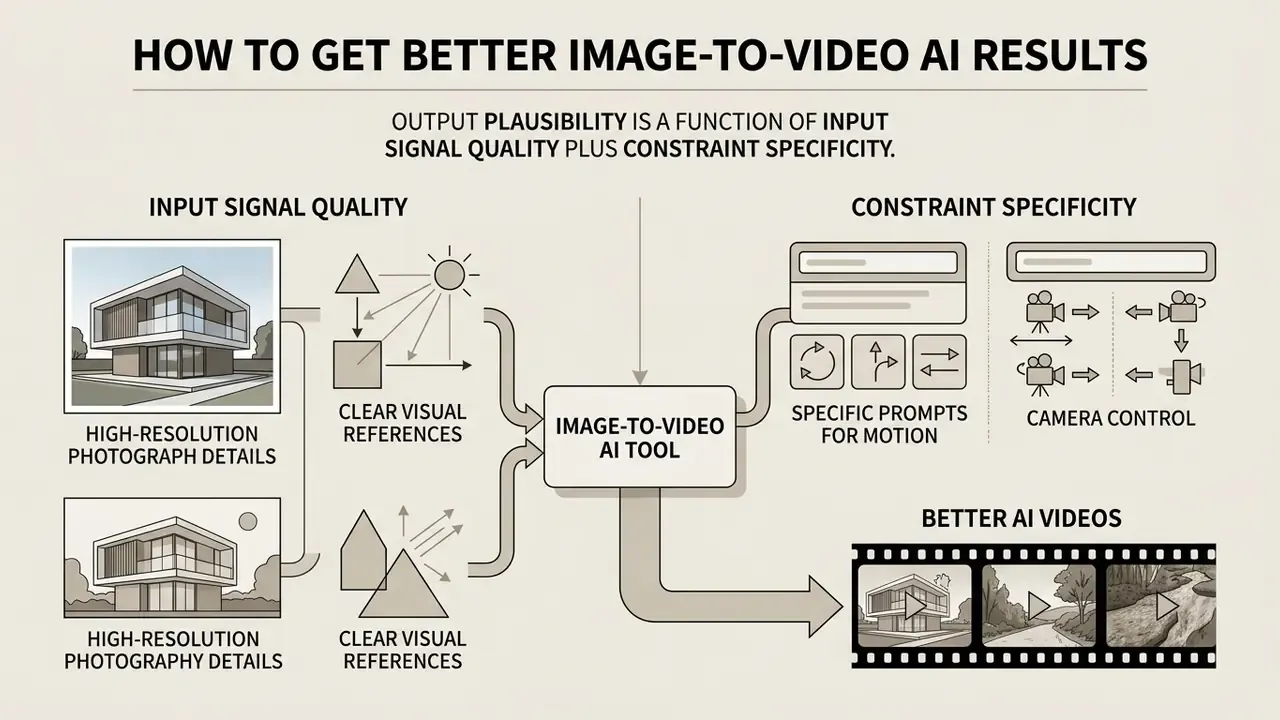
In two sentences: Output plausibility is a function of input signal quality plus constraint specificity. Clean pixels in, structured constraints in, stable motion out.
Optimizing ai generated photo to video outputs requires balancing input image clarity, motion prompt specificity, and frame-rate parameters. Preventing physical distortion and flickering relies on applying proper structural constraints before triggering generation, not on regenerating until something looks acceptable.
Choose high-quality source images and clear visual references
«Initializing noise from the low-frequency band of the first frame (FrameInit) significantly improves layout and subject preservation throughout the video.»
High-contrast source images with clear subject separation ensure that background motion remains independent of foreground action. Pre-processing in an AI photo editor, with denoise, level correction, and subject isolation, is the cheapest quality gain available in the entire pipeline. Ten minutes of retouching beats twenty regenerations.
Use specific prompts for motion and camera control
Unclear or contradictory motion prompts cause erratic camera jumps and anatomy stretching. Specifying exact camera paths, such as "dolly in", "orbit left", or "static tripod shot", overrides random latent motion assumptions.
To maintain physical realism during human facial animation, creators use anti-deformation constraints. Locking scale and proportion parameters within the prompt prevents unwanted morphing during subtle expressions or head turns. A reliable four-part structure is camera framing and angle, then subject and orientation, then action and motion rules, then constraints and locks, with speed modifiers attached to the camera clause rather than the subject clause. Mixing them is how a gentle push-in turns into a sprint.
What Can You Create with an AI Photo-to-Video Generator?
In two sentences: The highest-ROI applications are the ones where the still asset already exists and is already approved. Product photography, technical documentation, HR policy decks, and archival portraits all qualify.
Deploying an ai app make video from photos workflow enables rapid content production across marketing, e-commerce, corporate communications, enablement, and archival animation projects. Teams also use an ai app to make video from photos on mobile for field capture, then finish in the browser.
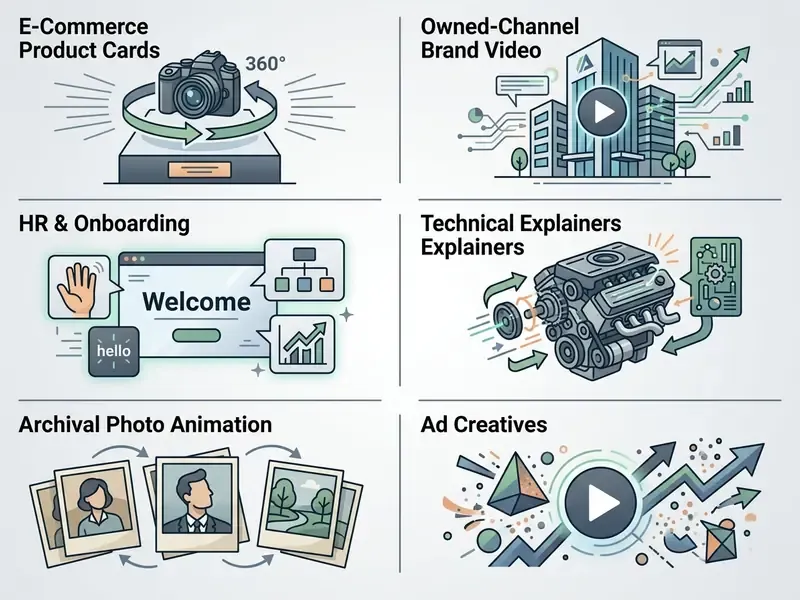
Product videos, e-commerce, and ad creative
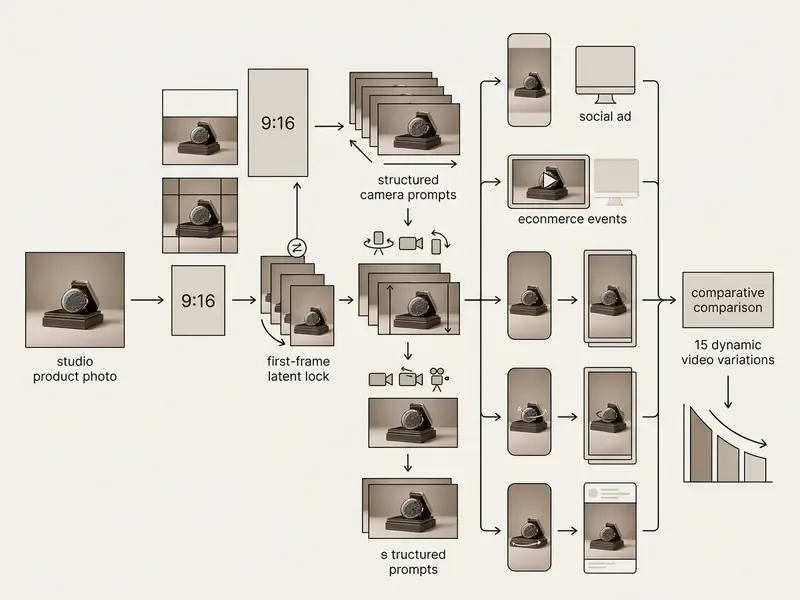
E-commerce brands turn studio product photography into dynamic 360-degree showcase videos and social ad creatives. Transforming single static hero shots into animated product cards increases consumer engagement without requiring expensive secondary video shoots. From one clean, well-lit product photo, teams routinely generate marketplace primary and secondary assets, hero-shot motion, rotation clips, lifestyle variants, and A/B ad permutations across multiple aspect ratios.
Marketing teams often convert static banner assets into dynamic video variants across several canvas dimensions. Reviewing workflow guides on the AI Media Support and Troubleshooting portal helps teams resolve rendering bottlenecks during high-volume ad generation campaigns, while creative leads comparing motion styles can reference dedicated animation maker tools for template-driven output.
Owned-channel brand video: TikTok, Reels, and YouTube Shorts
Short-form surfaces prioritize dynamic vertical content that captures attention within the first three seconds. An ai app picture to video tool lets communications teams convert static campaign graphics, infographics, event photography, and executive portraits into 9:16 clips for brand channels, recruitment feeds, investor updates, and paid placements on TikTok, Instagram Reels, and YouTube Shorts. It is the same pipeline consumer creators use, applied to corporate distribution and reviewed by compliance.
Documented brand deployments follow a recognizable pattern. Destination and product imagery converted into short motion clips for travel and retail marketing. Localized ad variants generated per market from a single approved key visual. Media organizations report using generative video primarily for pre-visualization, automated editing, and post-production augmentation rather than as the primary content source, which is a useful expectation-setting benchmark when an executive asks whether this replaces the agency. It does not. It shortens the loop.
HR, onboarding, and internal enablement
Static PDF policy documents, safety instructions, and process diagrams convert cleanly into animated training teasers with recorded or synthetic narration. Because the source diagram supplies the layout, the generated motion stays faithful to approved content while adding attention retention. Typical outputs: onboarding welcome sequences, policy-change explainers, compliance refreshers, and step-by-step instructional guides where each step is shown rather than described. Copyright and institutional guidelines still apply to every embedded visual, including that decade-old stock photo nobody can find the licence for.
Technical explainer videos
Animating CAD drawings, exploded assembly diagrams, and 3D product renders visualizes component relationships without a studio shoot. Engineering and product marketing teams use this to turn specification sheets into scene-by-scene explainers, with one generated clip per feature or subassembly. Because the reference frame is the engineering asset itself, dimensional accuracy is preserved in the first frame. Generated motion, however, must still be reviewed for physical plausibility before publication. A gear that rotates the wrong way is a support ticket waiting to happen.
Animated memories, portraits, and creative storytelling
Historians and documentarians use ai generated video from photos tools to animate archival family portraits and historical photographs. Applying subtle eye-blink and smiling presets brings historical figures to life while preserving original photo textures. Practical order of operations for archival material: restore and denoise the scan first, then request minimal motion, a subtle smile, natural blinking, a slight head turn. Aggressive motion on degraded scans produces the most visible artifacts, and it also tends to look uncanny rather than moving.
Updated evidence.
«Animate Anyone extends training data across diverse character styles and shows superior motion-realism results on fashion-video and dance-synthesis benchmarks.»
Portrait-animation research at scale reinforces the same conclusion. Efficient portrait animation with stitching and retargeting control reports training on roughly 69 million high-quality frames, using mixed image and video training plus explicit motion transformation objectives to keep expressions physically coherent. Authors and visual storytellers also build custom recurring presenters, pairing animated portraits with an AI voice generator to host episodic educational series. Some of these ai generated videos from image projects run for dozens of episodes on a single reference sheet.
Free Plans, Pricing, and Commercial Use of AI-Generated Videos
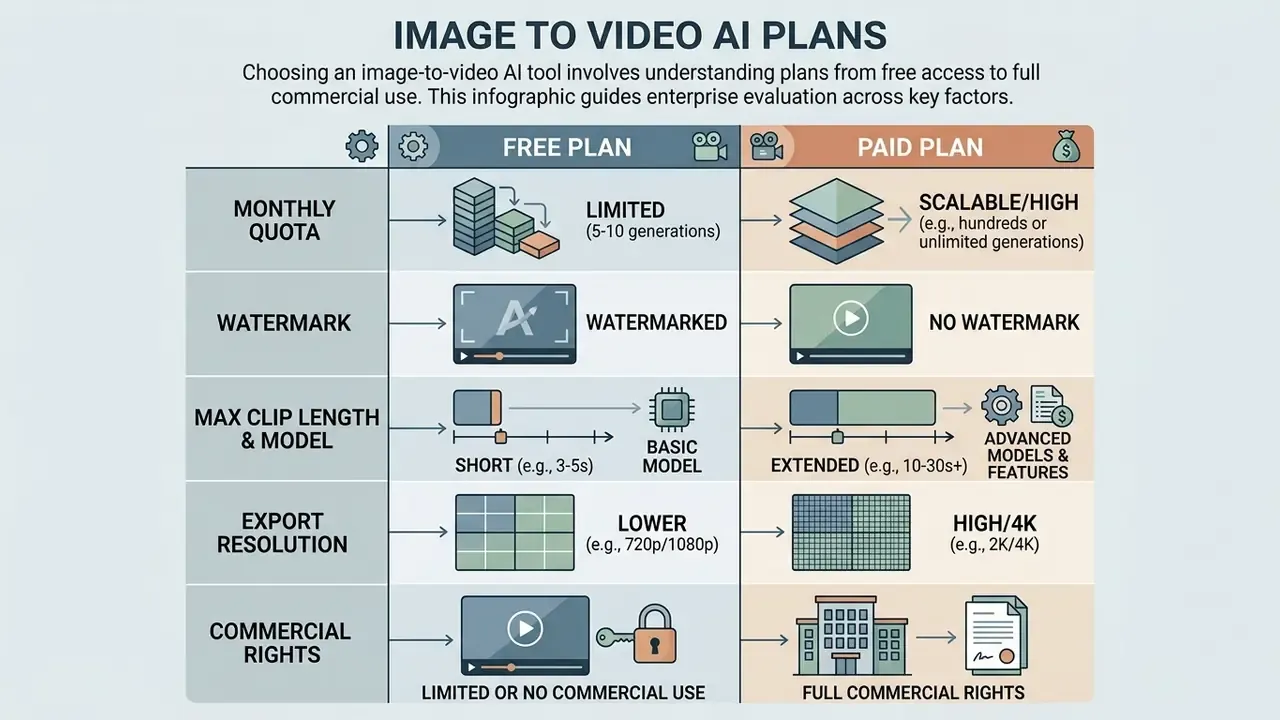
In two sentences: Free tiers exist to validate quality, not to ship campaigns. The commercial variables that matter are watermarking, export ceiling, rights assignment, and whether the vendor offers IP indemnification.
Evaluating fee structures for an ai create video from images tool involves reviewing monthly credit caps, watermarks, rendering speeds, and commercial licensing terms. Free tiers provide initial testing opportunities but usually restrict high-resolution exports and commercial usage rights. Teams surveying entry-level options should compare free AI video generators on credits, clip length, and watermark policy before committing budget.
Pricing Tier and Operational Capability Matrix
| Operational Tier | Typical Credit & Resolution Limits | Watermark & Export Restrictions | Commercial Use Verification | IP Indemnification |
|---|---|---|---|---|
| Free Tier Testing | 50 to 125 one-time or monthly credits; 480p to 720p cap | Watermark commonly applied; limited queue priority; capped at 4 to 5 sec clips | Often restricted to personal or non-commercial evaluation | None |
| Creator Pro Subscription | 500 to 2,000 monthly credits; 1080p export access | No watermark; full access to camera controls and Motion Brush | Standard commercial rights for monetized channels and paid social | Rarely offered; check terms |
| Enterprise & API Integration | Custom credit pools or pay-per-second API billing (e.g., Sora / Veo API) | No watermark; priority generation queues; 4K upscale pipelines | Full enterprise IP protection, dedicated SLA, and custom legal terms | Negotiable; request written third-party IP claim indemnification |
Procurement note on IP indemnification: for regulated advertisers, the decisive commercial term is not credit price but whether the vendor contractually defends and covers third-party copyright claims arising from model output. Ask for the indemnity scope, the caps, the exclusions (notably: uploads you did not have rights to), and whether it survives on lower tiers. Combine that with SLA response times and data-retention commitments when building the TCO case. A cheap tier with no indemnity is not cheaper. It just moves the cost to legal.
What to check in a free image-to-video plan
Commercial-use rights for generated video
Commercial rights to AI-generated clips depend on platform terms of service and the copyright status of the uploaded source photo. Uploading third-party copyright-protected images without permission invalidates commercial usage grants on most major platforms. Rights teams building policy can cross-reference how similar constraints apply to the commercial use of AI image generators and to AI reverse-image-search workflows used for provenance checks.
A structural gap worth naming: technical benchmarks do not measure legality.
«VBench++ evaluates 16 video-quality dimensions including subject identity consistency and temporal flicker, but does not cover licensing rights or commercial use.»
Vendor terms diverge sharply. Some providers state that users retain ownership and all rights to uploaded and generated content with no non-commercial restriction. Others limit commercial use strictly to output generated under an active paid plan and bar off-platform monetization without written consent. Some reserve broad rights to reproduce and display content that users share publicly on the service. Regionally, EU guidance frames commercial exploitation as permissible where national law and the tool's terms make the user the right holder, while U.S. guidance focuses on copyrightability and third-party clearance.
Legal teams managing enterprise media assets should review curated frameworks on the AI Media Commercial-Use Hub to establish compliant corporate workflows.
Image to Video AI Tool FAQ
How long does image-to-video AI generation take?
Generating a 5-second ai generated video with photo clip typically takes between 30 seconds and 3 minutes on standard cloud infrastructure. Updated benchmark framing:
«Generating a 4-second clip at 256×256 and 8 fps takes about 0.5 minutes; higher-resolution models at 1088×640 require proportionally more time.» Source: EvalCrafter, Liu et al., CVPR 2024. https://arxiv.org/abs/2310.11440 Local generation is far more variable than cloud inference. Published vendor figures for open-weight models place a 5-second 480p render at roughly 4 minutes and a 5-second 720p render at roughly 9 minutes on a single consumer GPU (RTX 4090 class). Those numbers move by a factor of several depending on sampling steps and quantization (FP8 versus FP16), so treat 2 to 9 minutes as the realistic local band. Optimized cloud endpoints execute turbo-class renders in well under 60 seconds. Vendor documentation for commercial engines reports turbo modes at 30 to 120 seconds, standard modes at 2 to 5 minutes, and 4K master modes at 5 to 7 minutes, with peak-hour queues extending times two- to threefold. Generation times vary based on queue load, chosen resolution (720p versus 4K), and target frame rates. Enterprise teams calculating operational costs across large rendering batches use dedicated calculators to estimate credit burn rates and server processing times, and can review capability tiers for image-to-video AI tools when modelling throughput.
Do I need to install an app or software to make videos from photos?
No. Most modern ai apps that turn photos into videos operate directly in the browser via cloud SaaS platforms. Users can access an ai app turn picture into video tool without installing heavy desktop software or owning a specialized local GPU. Mobile workflows are common for capture-and-generate scenarios, and Discord-based delivery still exists as an extension pattern rather than a primary interface. However, advanced developers and visual effects studios often deploy open-source models locally using node-based interfaces such as ComfyUI, which documents image, video, audio, and 3D workflow support for open-weight video architectures. Organizations navigating open-source intellectual property questions should monitor ongoing litigation developments on the tracking resource page.
Can I upload my own video clip as a motion reference?
Yes, on platforms that expose motion-transfer or pose-mapping pipelines. You film or select the movement, upload it as the motion source, and the model applies that skeleton or optical-flow sequence to your character image. This is the practical alternative to describing choreography in text, and it is the only reliable route for high-speed or acrobatic motion. Some platforms also maintain large libraries of pre-built motion templates, which function as reusable reference clips.
How do I keep a product or character consistent across several clips?
Use Reference-to-Video conditioning with a locked reference set rather than chaining last frames. Load front, side, back, and close-up references into the project so every subsequent generation reads from the same source. For packaged goods, include one shot of the product held in a hand so the model infers true scale. For recurring characters, generate a multi-angle character reference sheet before producing any motion. Then keep that sheet under version control, because a silently updated reference set is its own drift problem.
What clip length, resolution, and file formats are supported?
Duration is engine-dependent: roughly 4 to 15 second steps on fast-iteration engines, about 8 seconds on Veo-class models, and about 10 seconds on Kling- and Runway-class models, with some tiers reaching 20 seconds. Longer sequences are produced by splitting the script into engine-compatible clips and stitching them. Uploads are typically JPG, PNG, or WEBP. Delivery is MP4 at 720p or 1080p natively, with 2K or 4K available via upscale or premium tiers. Export ratios of 16:9, 9:16, and 1:1 cover the major channels.
Can I add audio, voiceover, and captions to the videos I create?
Partly inside the platform, partly outside. Several engines now generate native ambient audio aligned to visual motion, which is convenient for atmosphere but rarely sufficient for a brand spot. Most teams layer narration with a dedicated voice tool, add music under a documented licence, and burn captions in the editor so accessibility and channel requirements are met. Keep the audio licence records with the render log. If an auditor asks who owns the voice track, "the platform generated it" is not an answer.
Is image-to-video generation free, and can I publish the results commercially?
Free tiers exist on most major platforms with weekly or monthly caps. Whether you may publish commercially depends entirely on the specific vendor: some grant commercial rights on free generations, others restrict commercial exploitation to paid plans. In every case, commercial rights to output never cure a rights problem in the input image.
Final Enterprise Checklist for Image to Video Deployment
Before integrating an image-to-video tool into production workflows, teams should complete the following verification steps:
- Verify Source IP RightsEnsure all uploaded photographs, logos, and character designs are fully owned or licensed for commercial derivative works, and that any depicted individuals have signed releases covering synthetic motion and likeness use.
- Audit Model SecurityConfirm that the SaaS platform does not train public foundation models on private customer image uploads, and obtain retention windows plus security attestations (SOC 2 / ISO 27001 alignment) in writing.
- Assess Commercial TermsCheck subscription tier rules to verify that rendered exports include full commercial exploitation rights, and compare entry-level options against free AI video generator limitations before scaling spend.
- Negotiate IP IndemnificationSecure written vendor indemnification for third-party IP claims arising from model output, with documented scope, caps, and exclusions.
- Confirm Deployment Topology and Data ResidencySelect public SaaS, enterprise API, dedicated VPC, or on-premise deployment according to the sensitivity classification of the source imagery.
- Register in the Model InventoryAdd each generative engine and version to the AI asset register, with an accountable owner and documented intended use.
- Enable Audit Trail LoggingCapture prompt, source-image hash, model version, seed, operator, and approval record for every published render.
- Establish Keyframe StandardsStandardize input image dimensions, minimum resolution, and lighting quality to maintain visual consistency across all video outputs.
- Define Brand-Accuracy ReviewRoute generated product motion through the same substantiation review as filmed advertising footage to catch physically implausible behaviour.
- Schedule Residual Risk ReassessmentRe-evaluate engine behaviour, terms, and output rights quarterly, since model versions and licensing change rapidly.
A safe next step, if you are still deciding: run one two-week pilot on public-domain stills only, log every render, and score the outputs against the troubleshooting table above. Cheap, reversible, and it produces the evidence your committee will ask for anyway.
Appendix A: Source Notes and Corrections
For transparency, the following claims from earlier versions of this guide were revised after verification. Superseded formulations are retained here so that readers who cited them can trace the change.
| Superseded claim | Status | Updated basis |
|---|---|---|
| "Research on generative deblurring (DeblurDiff, 2025) confirms that clean source signal input drastically improves detail reconstruction across latent diffusion steps." | Replaced, source outside verified research set | ConsistI2V FrameInit low-frequency noise initialization (Ren et al., 2024): https://arxiv.org/abs/2402.04324 |
| "According to research on Expressive Portrait Animation (X-Portrait, 2024), motion-hierarchy attention modules allow still portraits to mirror subtle facial expressions with high physical fidelity." | Replaced, source outside verified research set | Animate Anyone (2024) diverse-character training and motion-realism benchmarks: https://arxiv.org/abs/2311.17117 |
| "According to benchmark data from Wan 2.2 performance testing (2025), rendering a 5-second 720p clip on an NVIDIA RTX 4090 GPU requires approximately 9 minutes locally." | Qualified, vendor/blog figure, not peer-reviewed; step count and quantization omitted | EvalCrafter (CVPR 2024) generation-time measurements plus a stated 2 to 9 minute local band contingent on sampling steps and FP8/FP16 quantization: https://arxiv.org/abs/2310.11440 |
| "Terms from platforms like Pika (2026) explicitly restrict commercial exploitation to outputs generated under active paid subscription plans." | Reformulated, dating anachronism generalized to a verifiable pattern | Multiple vendor terms restrict commercial exploitation to paid plans; verify the current dated version per provider |
| "Guidance from Adobe Stock contributor quality standards (2026) highlights that source images should be rendered at native resolution without aggressive AI upscaling artifacts." | Reformulated, generalized to industry standards | Stock-industry contributor standards on native resolution, balanced exposure, and noise limits, plus vendor minimums of 512×512 / 1024 px short side / 1080p |
| "OpenAI Sora help documentation (2025) specifies free evaluation allocations capped at 480p resolution." | Reformulated, figures are volatile and vendor-specific | Free allocations are documented as resolution-tiered monthly video caps with clip-length ceilings; re-verify in the provider's help centre |
General disclaimer: This article is informational and does not constitute legal, financial, or compliance advice. Generative video output, source-image licensing, and likeness rights raise jurisdiction-specific legal questions. Consult qualified counsel before commercial deployment, and confirm all vendor terms, prices, and technical limits against current primary documentation.
Further reference material sits in the AI Media Glossary.
Social teaser and launch campaigns
Catalog imagery feeds automated 9:16 B-roll generation for launch teasers, event promotion, and campaign countdowns across TikTok, Instagram, YouTube Shorts, and paid placements. The economics work because variant cost approaches zero: one approved still can yield dozens of platform-optimized teasers, each with different camera motion, pacing, and copy overlay for testing. This is where an ai create image to video workflow beats a shoot on pure throughput, and where teams doing ai creating video from image at scale should watch credit burn most closely.