Executive Summary
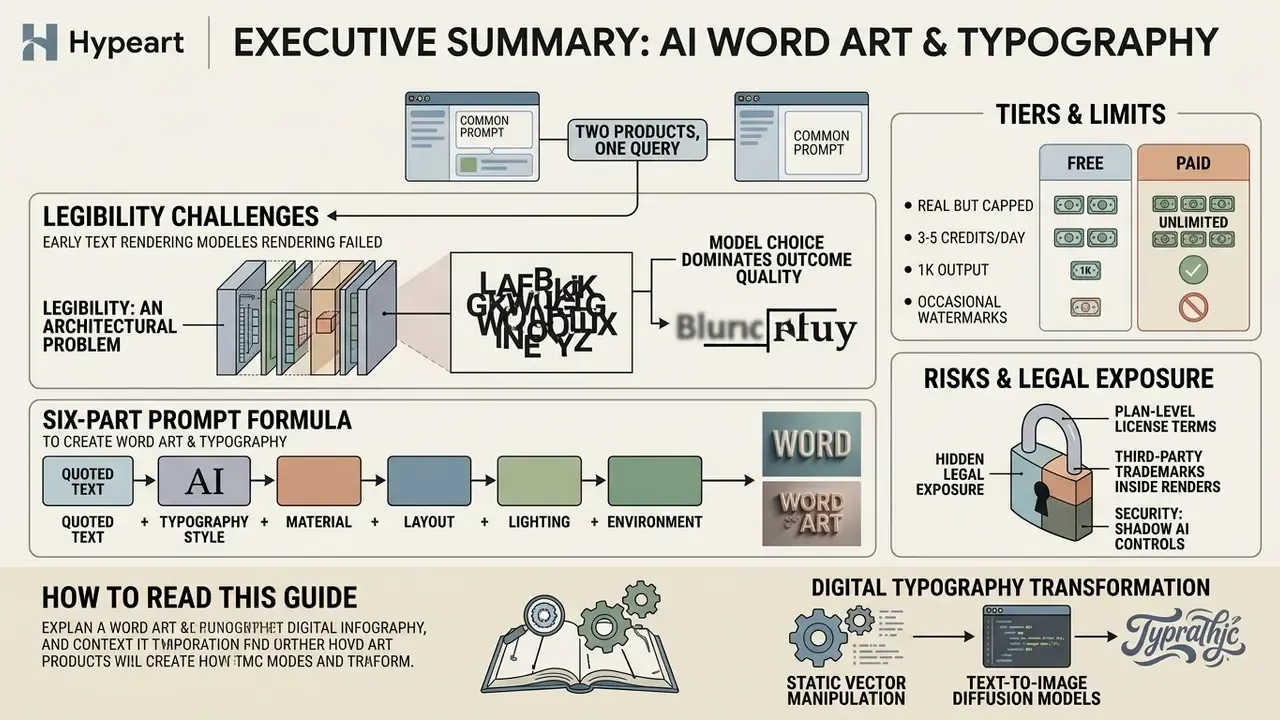
- Two different products share one query. "Create word art" returns both classic word clouds (tag clouds that resize words by frequency inside a shape) and AI generative typography (diffusion models that synthesise letterforms directly into pixels). Choose the right category before you choose a tool. This single decision saves more rework than any prompt trick.
- Legibility is an architectural problem, not a prompting failure. Locality bias, subtoken splitting, and VAE reconstruction loss explain most distorted glyphs. Text-aware frameworks measurably close the gap: FontFusion raised OCR accuracy from 72.31% to 74.97% on FLUX.1 [dev].
- Model choice dominates outcome quality. Text-optimised engines, notably FLUX.2, Ideogram, and fine-tuned Diffusion Transformers, outperform generic image models on character rendering.
- Prompt structure is a six-part formula: quoted text plus typography style plus material plus layout plus lighting plus background.
- Free tiers are real but capped (commonly 3-5 credits per day, 1K output, occasional watermarks). Paid tiers unlock 2K/4K, vector export, inpainting, and explicit commercial rights.
- Legal exposure sits in three places: plan-level licence terms, third-party trademarks inside the rendered word itself, and platform disclosure rules (C2PA and EU machine-readable marking).
- Security exposure sits in Shadow AI. Unreviewed guest interfaces receive unreleased slogans, campaign names, and product launches. Require SOC 2 Type II, zero data retention, and named vendors before enabling free tools at scale.
How to read this guide. The first four sections explain mechanics: what an AI word art generator is, how an AI art generator from words converts text into pixels, and why glyphs break. The middle sections are operational: workflow, prompt formula, applied templates, free versus paid economics. The last sections are governance: data security, trademark clearance, disclosure, and the questions that remain genuinely unsettled. Skim to the section that matches your decision; the sections stand alone.
Modern text-to-image diffusion models have transformed digital typography from static vector manipulation into probabilistic visual synthesis. When creative directors and digital marketers seek to create word art using artificial intelligence, they shift from manual font selection to conditioning neural networks on semantic text inputs. The shift looks cosmetic. It is not. A font choice is deterministic and reviewable; a diffusion render is a sample from a distribution, and that difference is why governance functions now sit in the review chain.
What Is Create Word Art and How AI Turns Words into Images
An AI word art generator is a text-to-image synthesis system that renders letters and words directly into the visual pixel matrix during the noise reduction process. Unlike traditional graphic software that overlays typed vector fonts onto an existing background image, an AI that turns words into art generates letterforms, textures, lighting, and background elements simultaneously within a unified generative process. If you are new to the broader category, our overview of AI art generators and their evaluation criteria maps the engine landscape before you commit to a workflow.
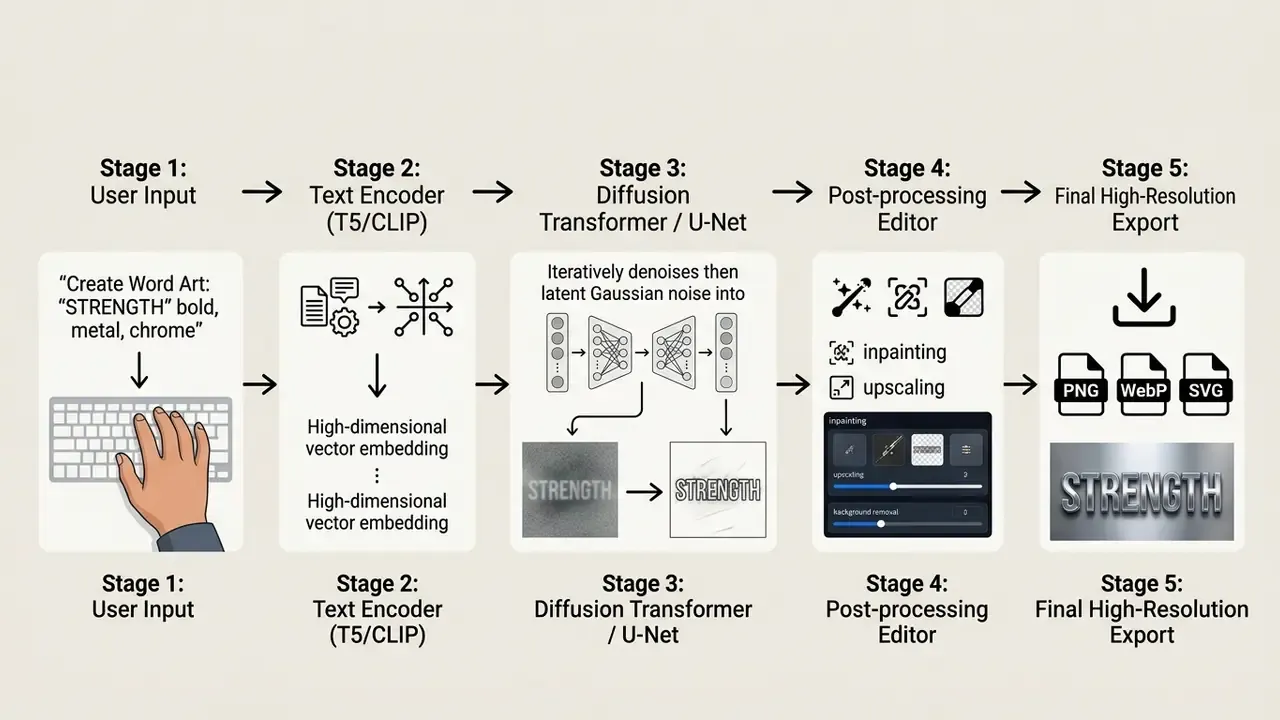
When generating AI art words, the underlying neural network treats textual characters as spatial shapes conditioned by semantic text embeddings. This approach enables the model to blend letterforms with complex textures, neon tubes, glowing chrome, liquid watercolour, or carved wood, producing unique generated art that conventional typography engines cannot replicate. The same pipeline that turns AI words into art also decides, silently, how sharp the letter edges will be. For licence-level analysis of specific engines, see our hub on AI image generators and commercial use alongside the wider AI Media Commercial-Use Hub.
Word Art from Single Words vs AI Art from a Text Description
Generating AI word art from single words focuses on glyph geometry and letter-level style fidelity, whereas creating AI generated art with words from long text descriptions synthesises complete artistic scenes guided by semantic context.
Single-word generation emphasises character legibility, kerning, and surface texture. Descriptive prompts ask more: the network must balance spatial layout, object placement, and text rendering at the same time. Research on dense text rendering in the TextAtlas5M benchmark demonstrates that diffusion models achieve significantly higher character accuracy on short strings (under 64 characters) than on multi-sentence descriptions, where spatial locality bias often leads to text distortion or missing characters. Stress-testing work quantifies the same ceiling from the opposite direction:
"Diffusion models still struggle to render consistent and legible text in images", with accuracy declining sharply once input text length exceeds roughly 200 characters. STRICT benchmark, OpenReview (2026). https://openreview.net/revisions?id=PrGqwtnPDd
Practical consequence. Split any headline longer than a short phrase into separate generations and composite them, rather than asking one render to hold an entire paragraph. Ideogram's own typography guidance recommends exactly this chunking strategy, and additionally notes that visual complexity should be reduced whenever clean text rendering is the priority. Slightly counterintuitive, yes: a busier prompt buys you a worse headline.
What Images an AI Word Art Generator Can Create
An AI word art generator can produce a broad spectrum of visual outputs, ranging from 3D isometric typography and neon signboards to street graffiti, metallic logos, and watercolour brushwork.
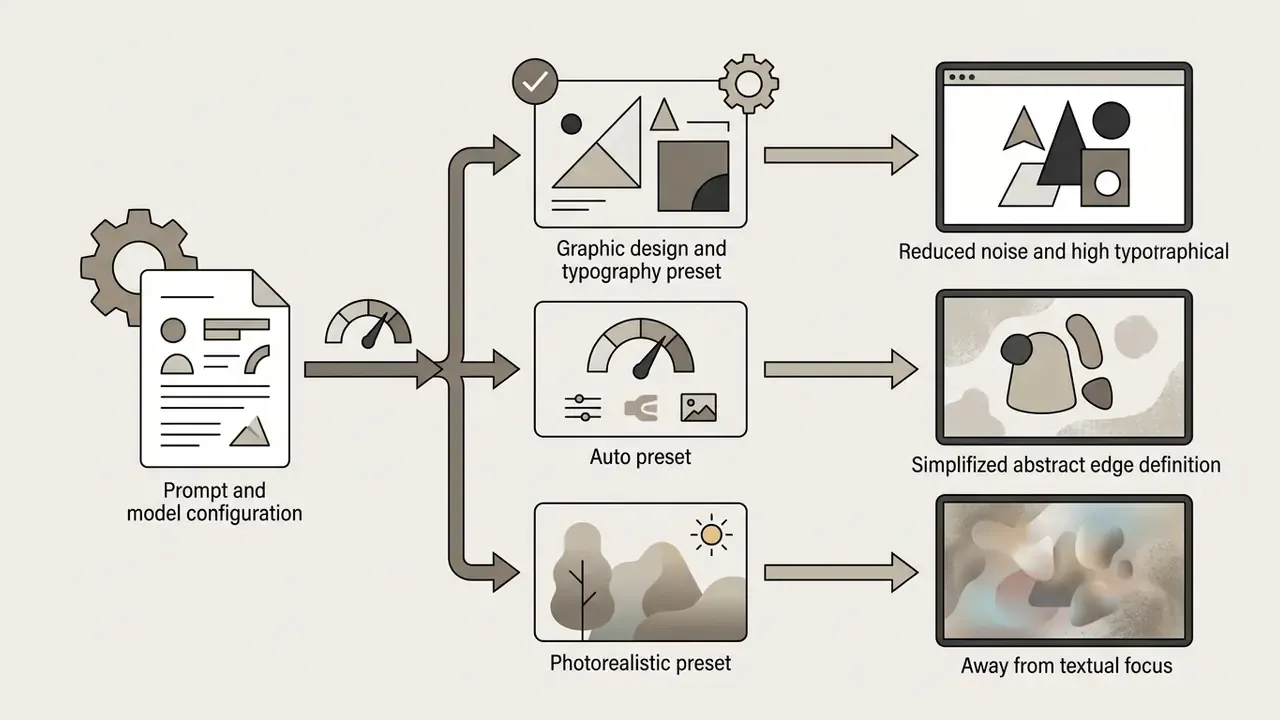
The selected style preset directly impacts how the neural network distributes attention between text glyphs and background visual effects. According to empirical findings in TIIF-Bench, modern diffusion transformers achieve style control accuracy scores between 87% and 90% across standardised design prompts. Current vendor catalogues confirm the practical breadth: FontVibe lists 119+ styles including neon glow, 3D bold, brush ink, handwritten, gothic, and cyberpunk city; LogoAI markets editable 3D, chrome, retro, neon, and gradient lettering; SeaArt adds blackletter, Japanese calligraphy, watercolour brush, and 3D chrome, naming logo, poster, tattoo preview, and social graphic as target use cases.
Creative teams deploy these output styles across media formats:
- Branding & Logos Metallic, 3D chrome, or minimalist vector-style lettering.
- Marketing Posters High-contrast neon, retro synthwave, or gothic typography.
- Merchandise & Apparel Distressed vintage lettering, watercolour typography, or street graffiti.
- Digital Content Cyberpunk header images, social graphics, and 3D floating text.
- Signage & Menus Carved wood, embossed metal, and chalk-texture lettering for physical environments.
To evaluate which generative engine best aligns with your team's visual requirements, refer to our AI art generator comparison, the head-to-head review of Midjourney versus competing image generators, and the broader AI Media Comparison Matrices.
How an AI Art Generator from Words Works
An AI art generator from words operates by converting input text into high-dimensional vector embeddings using language encoders, which guide a denoising diffusion model to synthesise image pixels from Gaussian noise.
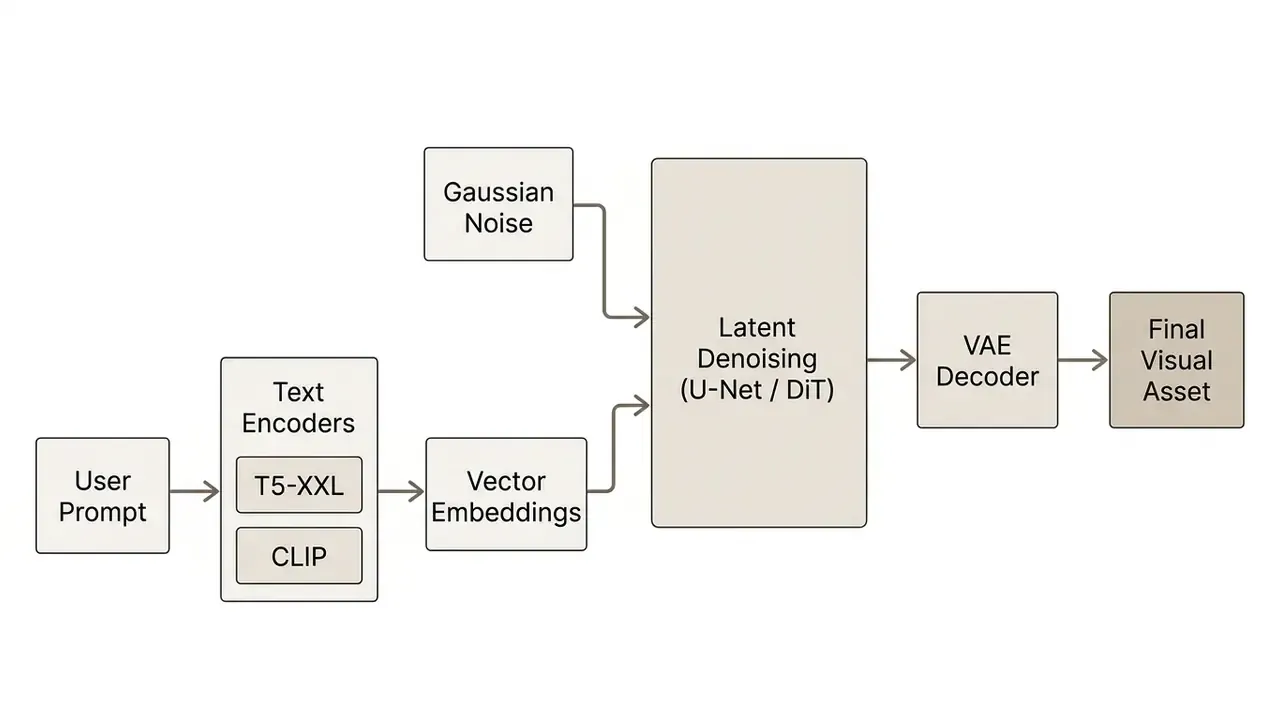
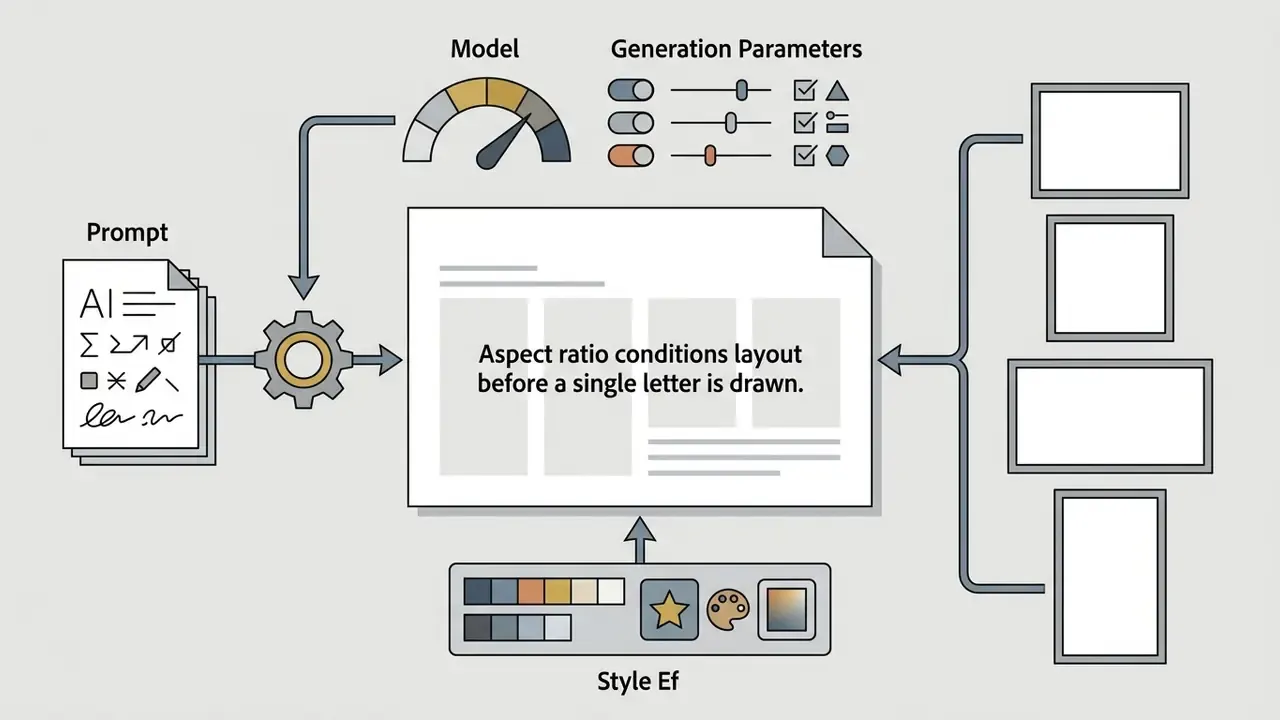
The Role of Prompt, Model, and Style in Generation
Prompt structure dictates spatial arrangement and material properties, the neural model architecture determines character rendering limits, and the style preset establishes lighting and surface texturing.
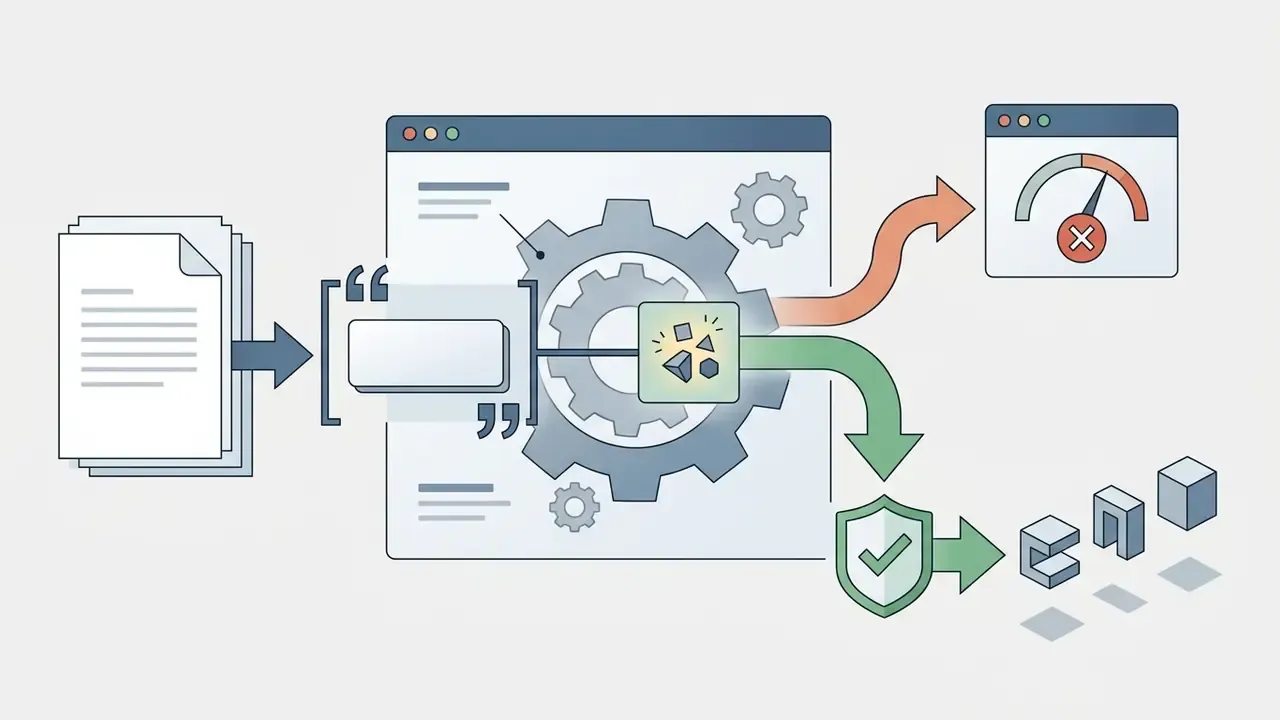
"ELEVATE") signals to the model that the enclosed text must be rendered as literal glyphs rather than interpreted as background context. Ideogram's documentation is explicit: put the exact text in quotation marks, mention it near the beginning of the prompt, and describe appearance, placement, and style, while noting that a typeface cannot be requested by name.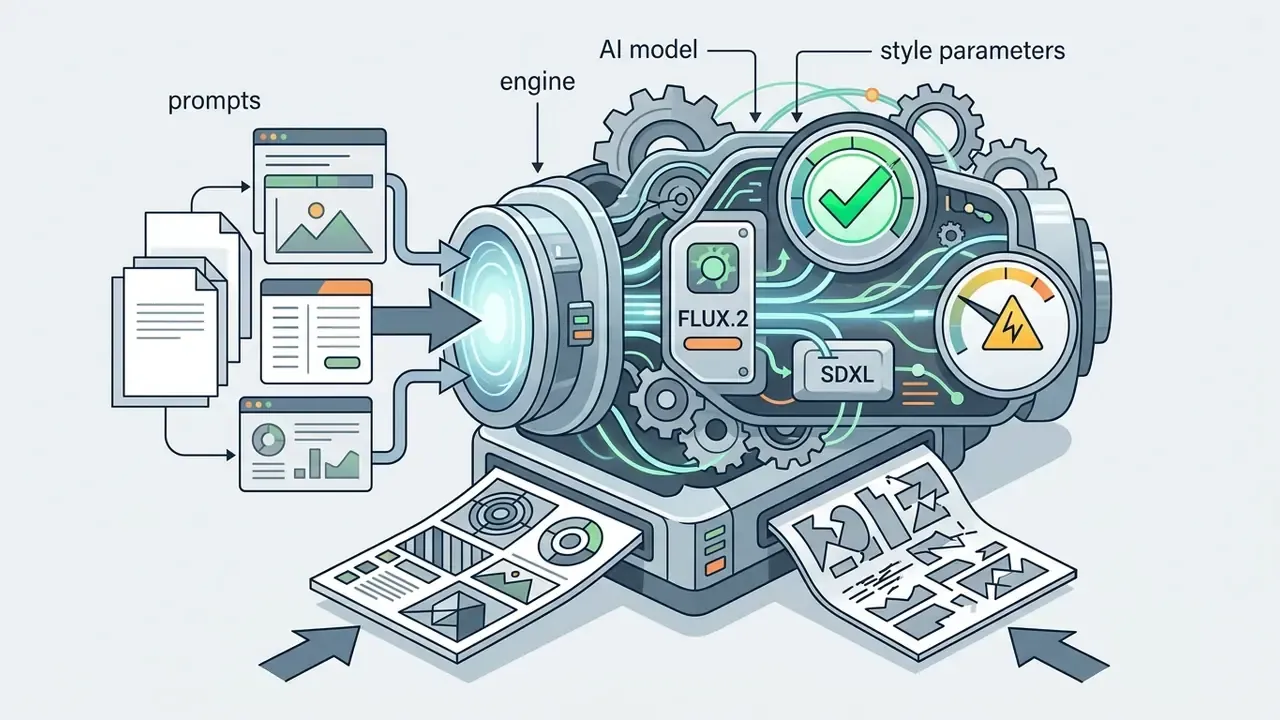
Why AI-Generated Text Can Be Illegible
AI-generated text often appears distorted or unreadable because standard diffusion models exhibit locality bias, experience subtoken splitting during text tokenisation, and face lossy compression within Variational Autoencoders (VAEs).
The primary architectural bottleneck in visual text generation lies in long-range spatial dependencies. Standard U-Net and transformer layers excel at local texture synthesis but struggle to enforce global character sequencing across a line of text. Tokenisation compounds the problem: TextDiffuser's authors observed that when a word splits into multiple subtokens, only the first subtoken may be marked as the keyword, which structurally weakens letter-level control.
The decoder stage adds a third failure mode:
Updated (mitigation stack). Three published approaches now demonstrably improve legibility, and they attack different layers of the pipeline:
"TeReDiff forwards U-Net features to a text-spotting model during training and uses spotted text as a prompt at inference", maintaining readability under strong degradations. TeReDiff / TAIR, arXiv (2026). https://arxiv.org/pdf/2506.09993
FontFusion applies hierarchical token representation, position-aware embeddings, and multi-level token dropping, "raising OCR accuracy from 72.31% to 74.97% on FLUX.1 [dev]". FontFusion, arXiv (2026). https://arxiv.org/html/2606.06066
Dynamic Typography "defines a legibility loss and regularizes canonical letter shape"
What this means operationally. You cannot prompt your way out of a VAE bottleneck. You can, however, (a) select a text-optimised base model, (b) shorten the rendered string, (c) reduce classifier-free guidance slightly when edges over-saturate, and (d) repair residual defects with mask-based inpainting rather than re-rolling the whole composition. Note the ordering: model choice first, prompt craft second. Most teams do it backwards and burn credits proving it.
How to Create Word Art with AI: Step-by-Step Process
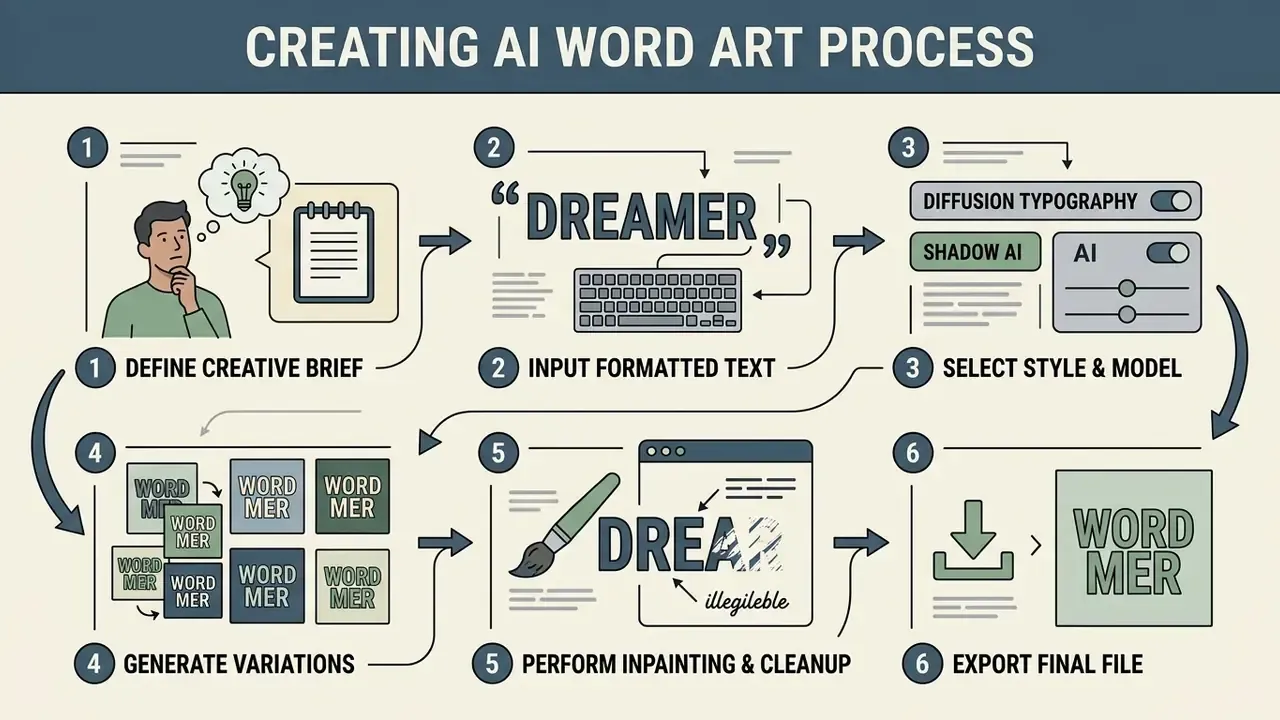
To create art from a word with AI, creators select a dedicated AI word-to-art generator, enter exact target text wrapped in quotation marks, configure style and aspect ratio settings, generate multiple seed candidates, and export the finalised asset.
Workflow for Creating AI Word Art
Checklist0 / 6
Follow this structured workflow to turn words into art with AI efficiently while maintaining high legibility and aesthetic quality:
- Define the Creative Brief.Determine required output dimensions, target colour palette, and visual context (a website hero banner and a merchandise print are not the same job). Prompt-engineering guidance from Stanford, Purdue, and the VA Library Network converges on the same skeleton: task, context, content, format, audience, constraints.
- Input Formatted Text.Type the precise words inside quotes within the generator interface.
- Select Style & Model.Choose presets such as 3D Chrome, Neon Glow, or Minimalist Sans-Serif, and pair them with a text-capable engine.
- Generate Variations.Execute batch generation to produce multiple candidate seeds.
- Perform Inpainting & Cleanup.Correct isolated letter distortions using mask-based editing tools.
- Export Final File.Save the image in high resolution or convert to vector format for print production.
Enter Your Words or Text Prompt
Entering text into an AI art generator with words requires separating literal target text from background descriptions and artistic style instructions.
Updated (instruction placement). OpenAI's published prompt-engineering guidance recommends placing instructions at the beginning of the prompt and separating instruction from context using ### or triple quotes, while stating desired outcomes positively rather than as prohibitions. Persistent instructions should stay early in the request. Applied to typography, this means writing:
"TRANSFORM" in bold 3D isometric gold letters, studio lighting, smooth dark background
rather than embedding the target word deep inside a long descriptive paragraph. Negative phrasing ("no distorted letters") is documented as less reliably supported than positive targets ("crisp, sharp letter edges"). If your workflow extends into slide graphics, explore our guide to the free AI presentation maker; campaign teams working across formats often pair typography assets with a free AI selfie portrait pass for the same launch.
Select a Style and Generate Multiple Variations
Selecting style presets and generating seed variations allows creators to evaluate letter legibility and visual composition across multiple candidate drafts before committing to final rendering.
Because diffusion generation is probabilistic, identical prompts will produce varying character alignments depending on the initial random noise seed. Generating four to eight variations per prompt allows creative teams to select the seed with optimal kerning and visual impact. The same principle governs handwriting-synthesis research, where models are fed different sampled noise vectors under identical word conditions to produce latent-guided variants for structured comparison, evaluated visually and, in newer work, quantitatively via character and word error rates.
Participants in that study also reported that generated images were more aesthetically pleasing and closer to their expectations when using an iterative, mixed-initiative variation workflow. That is the empirical case for never shipping a first-generation render.
Edit, Save, and Download the Image
Finalising AI generated word art involves localised mask editing (inpainting), background transparency processing, resolution upscaling, and downloading the output in appropriate file formats.
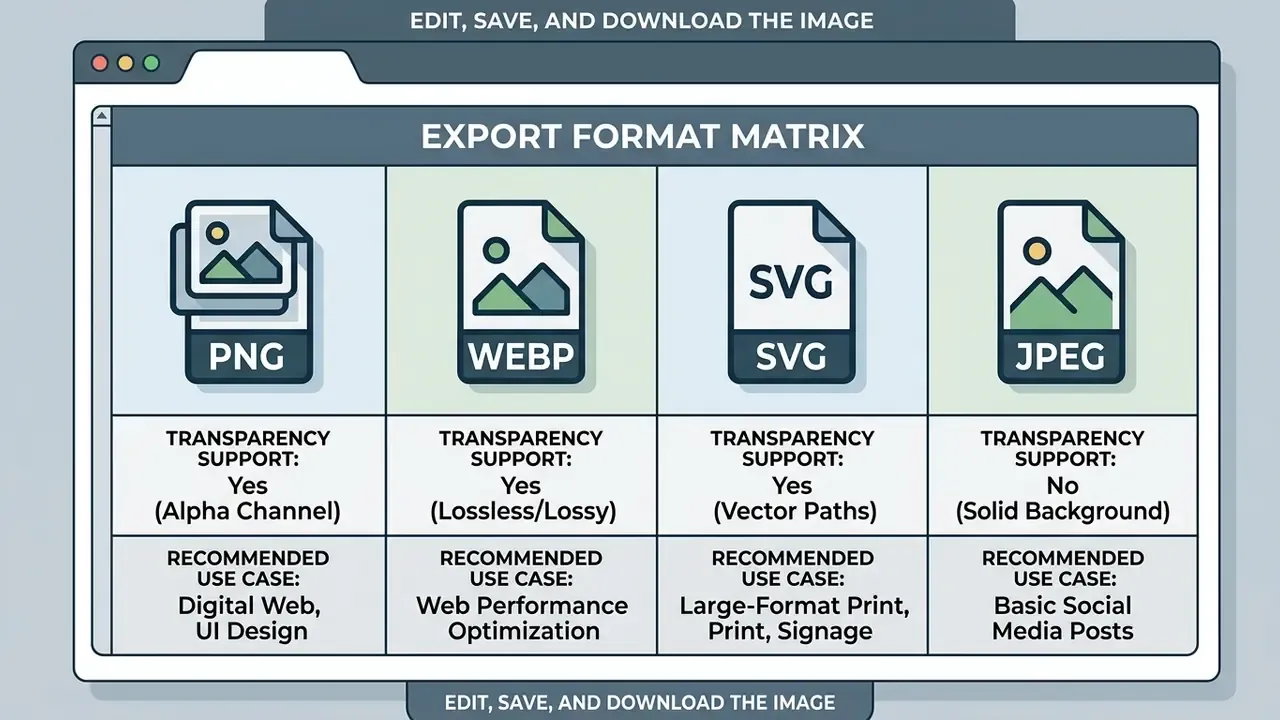
Modern tools feature integrated inpainting brushes, allowing designers to erase and regenerate distorted letter strokes without altering the surrounding background. Recraft's product documentation lists inpainting, background removal, image upscaling, and vectorisation as first-class design tools; Google's Vertex AI Imagen documentation covers both mask-based and automatic-mask editing for content removal; Amazon Nova defines inpainting as add, remove, or replace within a masked region.
When preparing assets for print or web deployment, ensure the background is set to transparent during export. PNG and WebP formats preserve alpha-channel transparency, whereas JPEG files flatten background pixels into solid colours. OpenAI's image API makes this explicit, requiring background="transparent" together with output_format="png" or "webp". For upscaling to print-safe dimensions, see our guide to AI image upscalers; to extend a tight composition into a wider banner crop, review AI outpainting and image expansion tools. For general raster cleanup alongside typography work, our online photo editor guide covers the adjacent toolchain, and teams producing portrait assets in the same campaign can consult the AI headshot generator overview.
How to Write a Good Prompt for AI Word Art
Writing an effective prompt for an AI word art generator from text requires a structured framework that combines quoted text, typography style, material composition, placement, lighting, and background context.
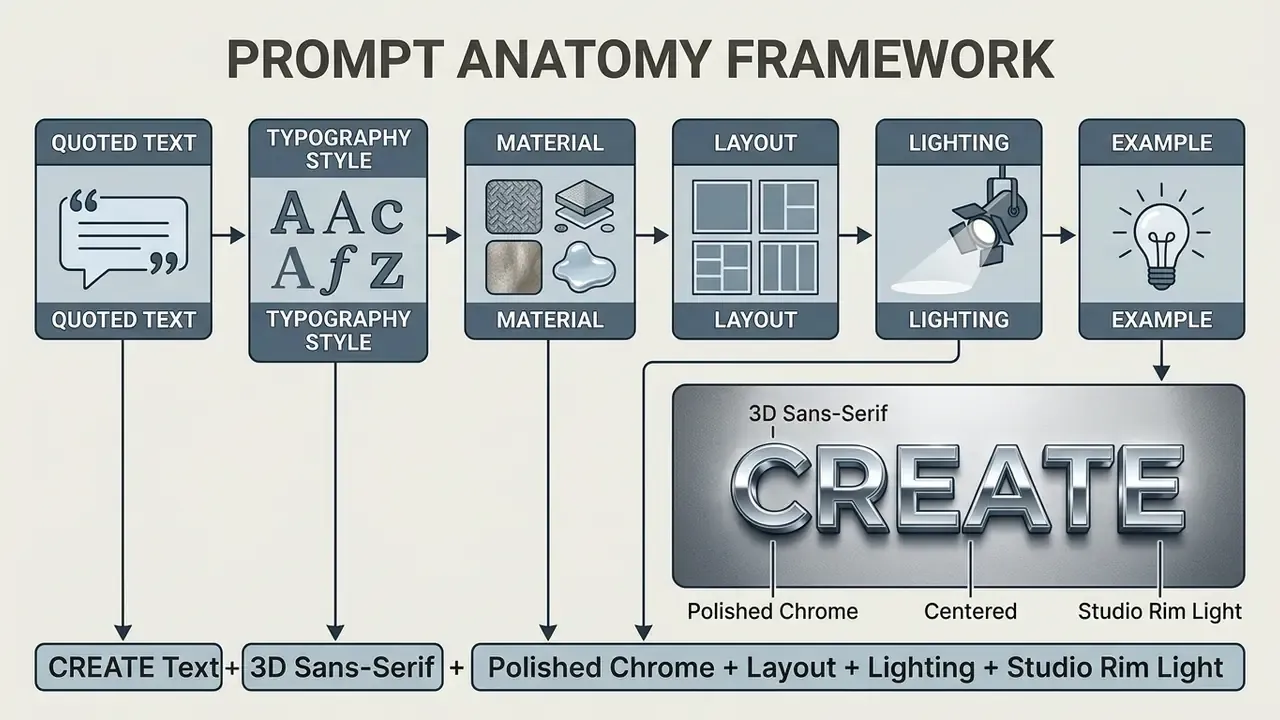
Updated (correct attribution). Automated prompt-optimisation research shows that structured prompts aligned with a model's training distribution outperform unstructured free text. The most frequently cited figures belong to the SSP framework, not to TIPO or UF-FGTG:
TIPO contributes a separate mechanism, text presampling, reported to deliver stronger text alignment, reduced visual artefacts, and higher human-preference rates, though without a single headline percentage. Design-guideline research reaches the same conclusion from the human side: prompts that explicitly name subject and style keywords produce more coherent outputs than vague prompts, and visuals with integrated text require the prompt to specify text positioning, visibility, and coherence between image and lettering.
The Components of a Clear Prompt
A clear art generator words prompt isolates target text using quotation marks and explicitly defines font family, layout, surface texture, and environmental lighting.
To maximise legibility and visual appeal, structure your prompt using six core components:
- Target Text.Exact words inside double quotes (for example
"INNOVATE"). - Typography Style.Font classification (serif, bold sans-serif, gothic, handwritten, 3D isometric, blackletter).
- Material & Texture.Physical material properties (brushed steel, glowing neon tube, liquid glass, molten lava, ice, gold leaf).
- Layout & Composition.Spatial arrangement (centred, stacked lettering, curved arch, full-frame).
- Lighting & Atmosphere.Light sources and reflections (dramatic studio rim lighting, volumetric fog, soft ambient glow).
- Background Setting.Environment behind the text (flat dark matte background, weathered brick wall, abstract gradient).
Prompt Examples for Different Word Art Styles
Prompts for Applied Use Cases (Quotes, Lyrics, Logos, Calligraphy)
Style presets answer how the letters look. Applied templates answer what job the asset does. These seven categories cover the majority of commercial and personal briefs:
Inspirational Quotes & Typography:
"PERSEVERE" in elegant gold leaf typography, flowing script font, soft volumetric lighting, neutral studio background, centered composition.Song Lyrics & Album Art:
"MIDNIGHT DREAMS" written in retro glowing neon script, dark rain-slicked street reflection, synthwave aesthetic, 1:1 square album format.Business Slogans & Branding:
"INNOVATE" in clean corporate 3D glass typography, frosted texture, minimalistic blue tint, white backdrop, generous negative space for logo placement.Calligraphy & Name Art:
"Alexander" in expressive ink-brush calligraphy, dynamic black strokes with dry-brush texture, traditional rice paper background.Poetry Visuals:
"still water" in delicate hand-lettered serif, ink bleeding softly into wet paper, muted indigo palette, portrait 3:4 layout.Holiday Messages & Event Banners:
"HAPPY NEW YEAR" in sparkling gold foil lettering, confetti bokeh background, warm rim lighting, widescreen 16:9 banner composition.Merchandise & Apparel Prints:
"STAY WILD" in distressed vintage varsity lettering, cracked screen-print texture, two-colour palette, flat transparent background for DTG printing.
Lyric covers rarely travel alone. If the campaign also needs audio, the adjacent workflows are documented in our guides to the free AI song tooling, the free AI song maker options, and the free AI singing voice generator online category.
Copy-paste prompt template
"[TARGET_WORD]" in [TYPOGRAPHY_STYLE] style, [MATERIAL] texture,

[LAYOUT] composition, [LIGHTING] lighting, [BACKGROUND] background --ar 16:9
Fill each bracket with a single concrete noun phrase. Leave nothing implicit: unspecified variables are resolved by the model's training prior, which is the most common source of off-brief output.
Free AI Word Art Generator: Capabilities, Limits, and Pricing
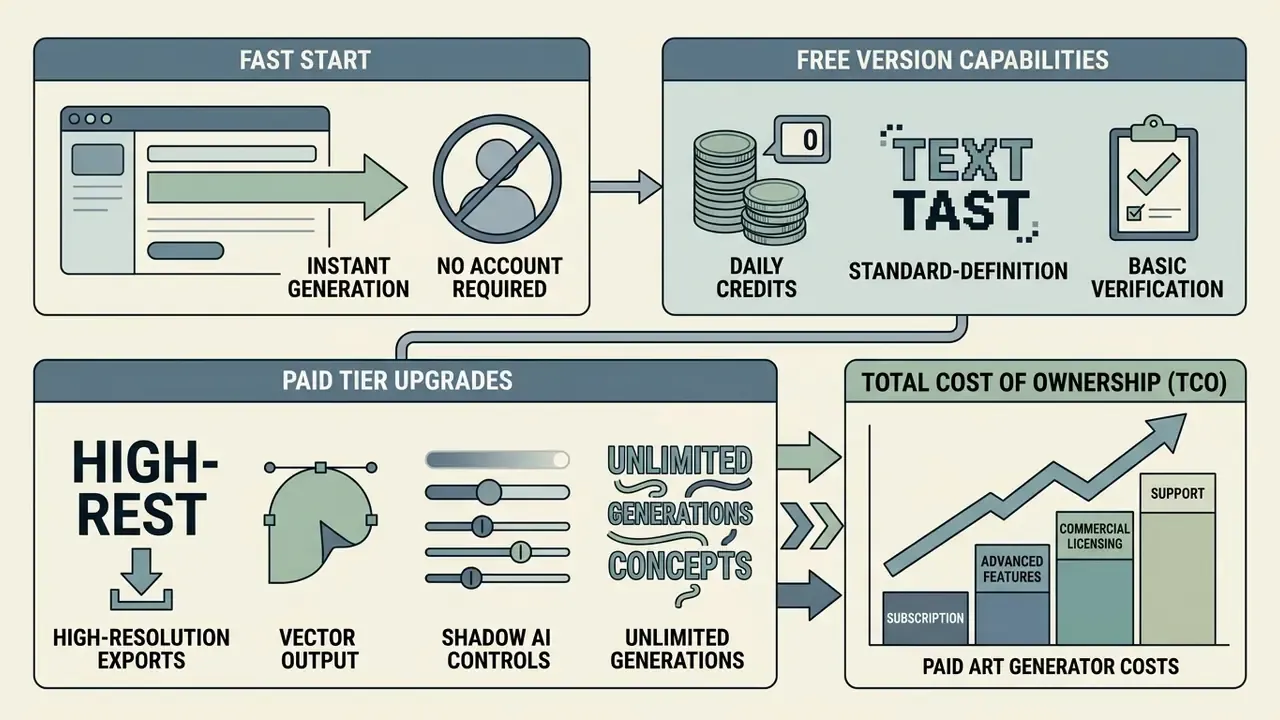
A free AI word art generator typically provides daily credit allocations and standard-definition downloads, whereas paid subscription tiers unlock high-resolution exports, vector SVG conversions, advanced inpainting tools, and verified commercial usage rights.
Fast-start: instant generation without an account
- Access the guest interface: open a no-login platform (Writecream markets "100% Free, No Login"; WordArt.com states "No sign up required!") directly in the browser.
- Input quoted text: type "YOUR TEXT" into the prompt box, target word first.
- Select a base style: choose a standard preset (Neon, Metal, 3D, Graffiti, Curved).
- Render and download: generate the asset and download the standard-resolution PNG immediately.
- Check the cap: guest tiers are metered. Word.Studio allows any Starter-level tool 3 times per day, resetting every 24 hours; Media.io issues 3 free credits per day. Caution: never paste unreleased slogans, product names, or client identifiers into a guest interface. See "Enterprise Data Security and Shadow AI" below.
| Feature / Capability | Free Access Tier | Premium Subscription Tier |
|---|---|---|
| Daily Credit Allocation | ~3-5 credits per 24 hours (Media.io: 3/day; Bylo.ai: 5/day) | Unlimited or 1,000+ priority credits |
| Maximum Output Resolution | Standard Definition (1K / 1024×1024) | High Definition (2K / 4K upscaled) |
| Watermark Policy | Varies by vendor. Media.io notes some free exports may include watermarks; Pixelcut and Fotor advertise watermark-free free export | 100% watermark-free exports |
| Supported Export Formats | JPEG, standard PNG (Bylo.ai lists high-quality PNG on the $0 tier) | Transparent PNG, WebP, vector SVG, PDF |
| Editing Capabilities | Basic re-generation | Inpainting, outpainting, background removal, upscaling, vectorisation |
| Queue Processing Speed | Standard generation queue | Priority processing. OpenAI's documentation confirms Fast mode is billed at a premium over Standard |
| Commercial License Rights | Personal use, restricted, or often unstated | Full commercial usage rights (Vectr Premium: commercial plus personal; Vecteezy Pro: full commercial rights) |
| Support | Community / self-serve | Priority support (Vectr Premium, Vecteezy Pro) |
Free tiers allow users to explore tool capabilities and test prompt syntax without upfront financial commitment. Production workflows for business marketing or merchandise print, however, demand the elevated resolution and licensing guarantees offered by paid tiers. For comprehensive pricing breakdowns across leading platforms, visit our AI Media Pricing Guides, compare zero-cost engines in the free AI art generator comparison, and model your own spend with the interactive AI Media Calculators.
What's Available in the Free Version
Free-tier access in an art generator free tool provides entry-level model access, standard-definition downloads, and basic style presets, often subject to daily credit caps or watermarks.
Platforms such as WordArt.com and Writecream offer guest access without registration, allowing users to AI generate word art immediately. Media.io provides 3 free daily credits with output resolutions of 1K, 2K, and 4K and aspect ratios including 1:1, 9:16, 16:9, 4:3, 3:4, 3:2, and 2:3; its free style catalogue includes retro text effects, quote typography, and AI artistic text visuals. Writecream's free catalogue lists 3D, curved, graffiti, neon, and retro. Bylo.ai's $0 per month tier lists 5 credits per day, high-quality PNG downloads, and private image generation. Pixelcut's free plan is $0 per month with watermark-free export but limited background removal and limited upscaling.
Verification note. Credit allocations, watermark policies, and resolution caps change frequently and without notice. Treat every figure above as a snapshot requiring re-verification against the vendor's live pricing page before procurement. We re-check these tables quarterly, and they still drift between checks.
While free access is sufficient for personal projects and prompt prototyping, output images may carry watermarks or be restricted to lower resolutions unsuitable for professional printing.
When You Need Paid AI Art Generator Features
Premium subscriptions become necessary when commercial projects require high-resolution downloads (2K or 4K), vector SVG conversions, mask-based inpainting, background removal, or verified commercial usage rights.
Enterprise design teams requiring batch generation or API integration rely on paid tiers to bypass queue delays and access advanced model parameters. Paid tiers are also where explicit commercial-rights language and priority support live: Vectr Premium bundles commercial plus personal usage, SVG/PNG/JPG export, concurrent sessions, and priority support; Vecteezy Pro adds unlimited vector downloads and faster download speeds.
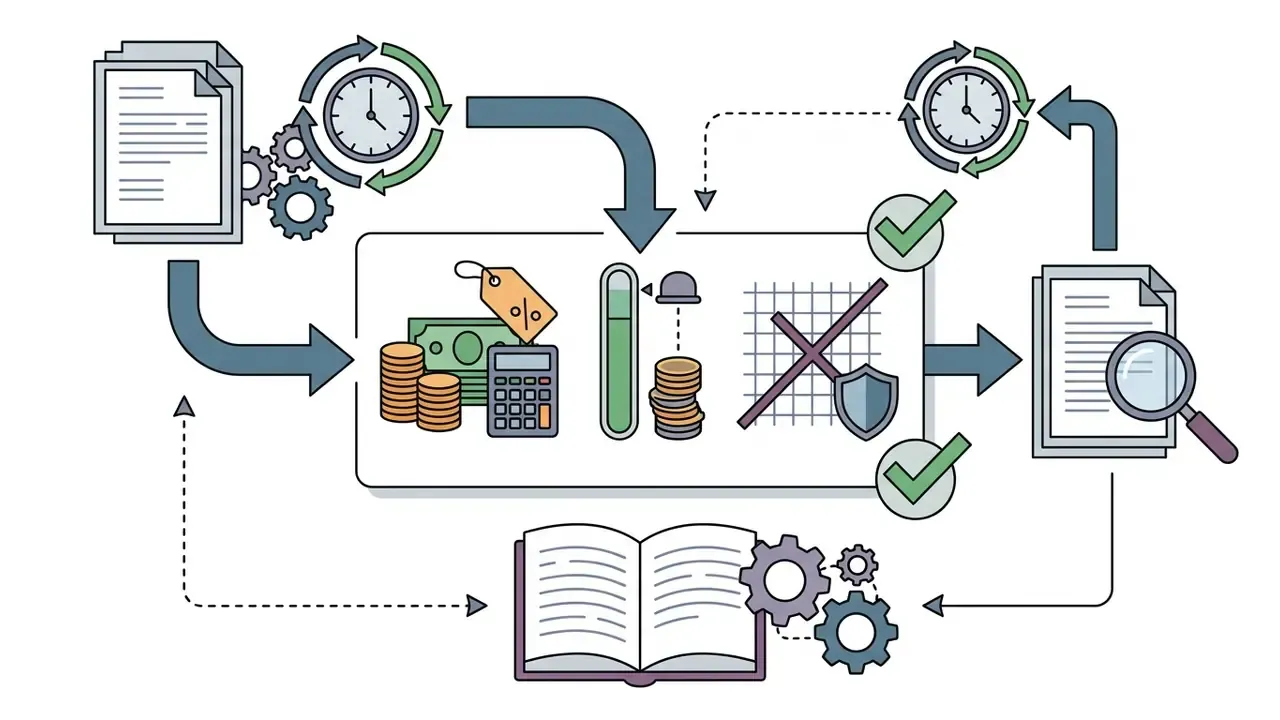
Total cost of ownership (TCO) framing. The subscription fee is rarely the dominant cost line. Model it as:
TCO per approved asset =
  (Subscription ÷ approved assets per month)
+ (Designer minutes per asset × loaded hourly rate ÷ 60)
+ (Rejected renders × credit cost)
+ (QA / legibility review minutes × loaded hourly rate ÷ 60)
+ (Legal / trademark clearance minutes for commercial assets)
Free tiers frequently increase TCO: lower-resolution output and generic base models raise the rejected-render count and the manual inpainting minutes per approved asset. Paid text-optimised models compress the two largest terms in the formula. One caveat worth stating plainly: none of this is a risk-adjusted ROI figure until you also price the control work in the governance sections below. If your workflow includes standard raster editing alongside typography, our guide to free photo editors and the technical AI Media API Guides cover the adjacent tooling and integration cost.
Enterprise Data Security and Shadow AI Considerations
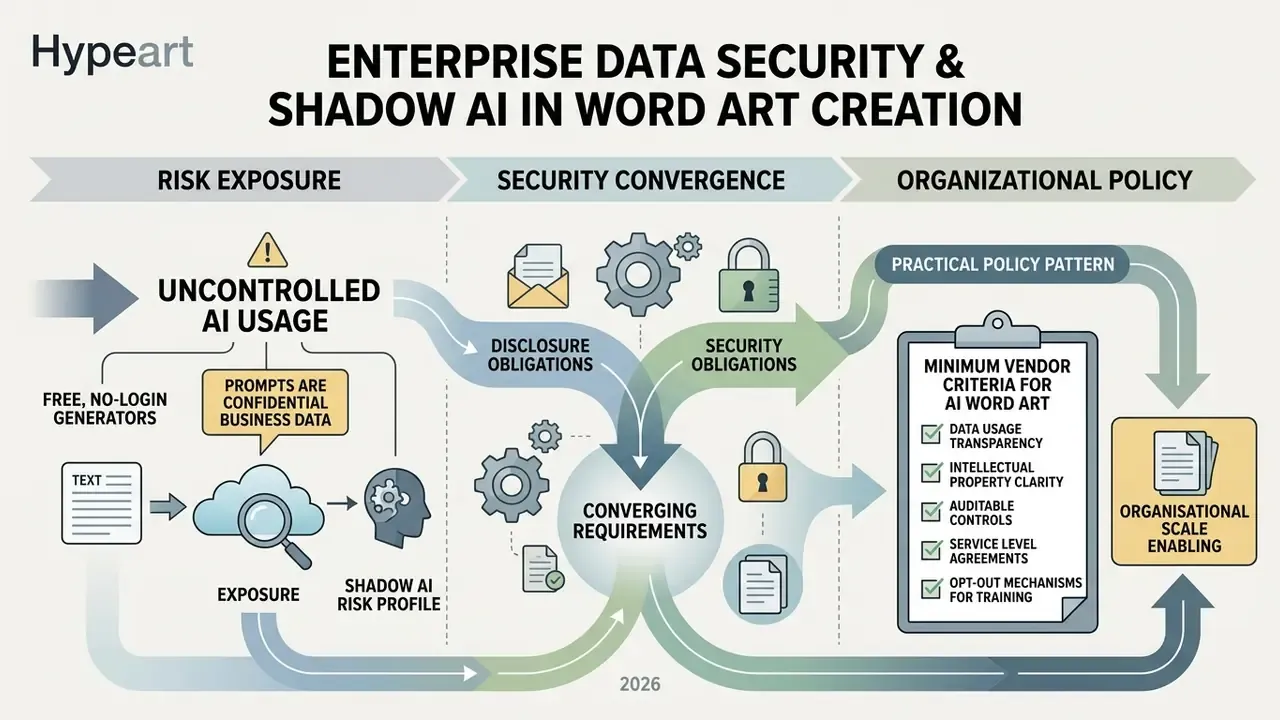
Free, no-login word art generators create a specific and frequently overlooked enterprise exposure: prompts are confidential business data. A campaign slogan, an unreleased product name, an acquisition codename, or a client identifier typed into a guest interface is transmitted to an unvetted third party, potentially retained, and potentially used for model training.
Shadow AI risk profile. Because guest interfaces require no account, no SSO, and no procurement approval, usage is invisible to IT and unrecoverable after the fact. There is no audit log, no data-subject deletion path, and no contractual recourse. Marketing and design functions are the most common origin point precisely because word art tools feel like low-stakes utilities rather than data processors. That perception is the vulnerability.
Minimum vendor criteria before enabling AI word art at organisational scale:
| Control | Requirement | Why it matters for word art |
|---|---|---|
| SOC 2 Type II | Current, independently audited report available under NDA | Evidences operating effectiveness of security controls, not just design |
| ISO/IEC 27001 | Certified ISMS scope covering the generation service | Baseline information-security management for the processing entity |
| Zero Data Retention (ZDR) | Contractual commitment that prompts and outputs are not retained or logged beyond the request | Prevents unreleased slogans persisting in vendor systems |
| Training opt-out | Explicit, default-on exclusion of your inputs and outputs from model training | Prevents brand language leaking into a shared model |
| Data residency | Named processing regions with contractual restriction | GDPR and CCPA transfer compliance for EU, UK, and CA entities |
| Named sub-processors | Published list with change notification | Diffusion inference is frequently sub-contracted to GPU providers |
| SSO / SCIM | Enterprise identity integration and deprovisioning | Converts Shadow AI into governed, revocable access |
| Audit logging | Per-user prompt and export logs, exportable | Required for incident reconstruction and IP provenance |
Practical policy pattern. Permit free and guest tools for non-confidential exploration only: placeholder words, generic phrases, style testing. Route any prompt containing a real brand asset, unreleased name, client identifier, or regulated product claim through a contracted enterprise tier with ZDR and SSO. Publish the allowed-tool list; an unpublished policy produces Shadow AI by default. Who owns that list in your organisation? If the answer takes more than a sentence, the control does not exist yet.
Disclosure obligations are converging with security ones. The European Commission's 2026 Code of Practice requires AI-generated or AI-manipulated images and text to be marked in machine-readable form. C2PA technical specifications define content provenance as origin, history, and lifecycle metadata for digital content, implemented as tamperproof metadata according to the ITU's assessment, while the European Parliament describes AI watermarking as an embedded recognisable signal identifying content as AI-generated. Vendors that cannot emit C2PA Content Credentials will create downstream compliance work for regulated publishers.
Can You Use AI Generated Word Art in Commercial Projects
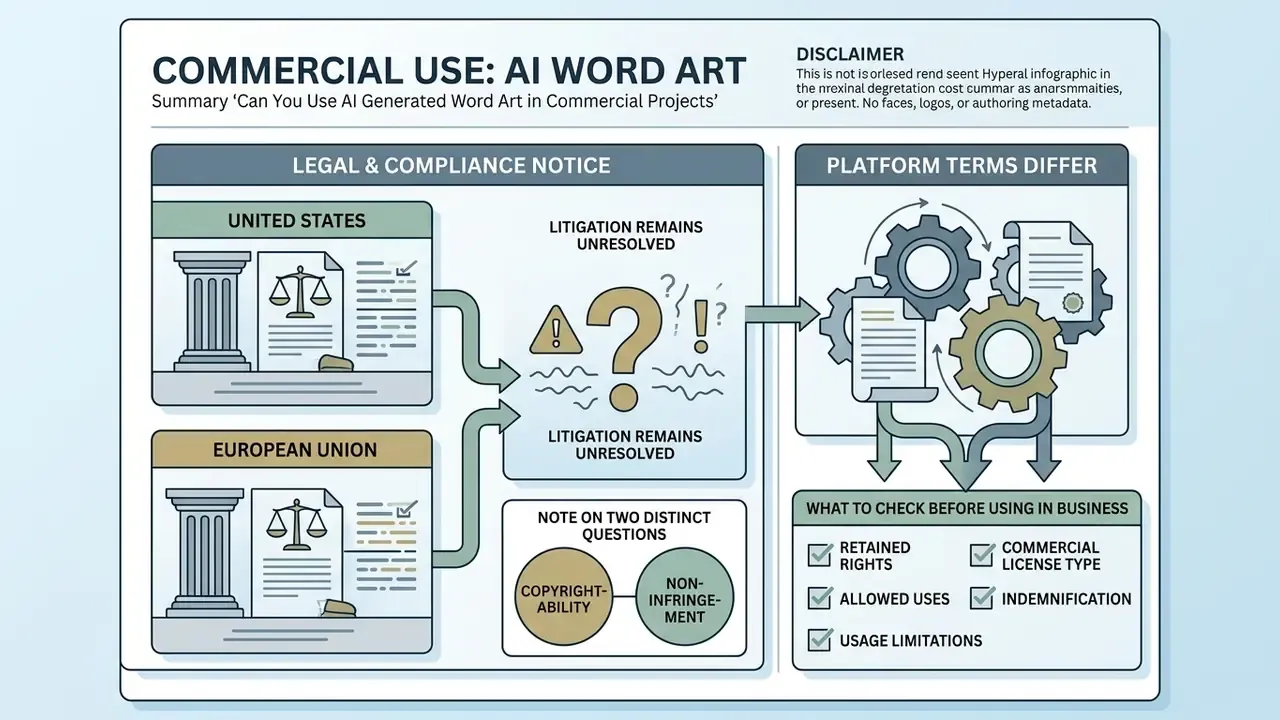
Using AI generated word art for commercial purposes is legally permissible under most platform Terms of Service, but copyright protection for the generated output requires sufficient human creative contribution under current U.S. and international regulatory frameworks.
Legal & Compliance Notice
What to Check Before Using an Image in Business
Before deploying commercially-safe AI generated artwork in client campaigns, enterprise teams must verify three regulatory points:
- Subscription Licence Terms.Confirm that your active plan tier explicitly grants commercial output rights rather than personal-use-only permissions, and check for restrictions on resale, marketplace upload, or use in training competing models.
- Trademark Clearance.Ensure that generated word art does not inadvertently render trademarked brand names, protected logos, or proprietary slogans. Platform terms typically prohibit prompts designed to generate infringing content, and third-party trademark rights can be implicated by the output even where the tool licence is clean.
- Platform Disclosure Rules.Check target distribution channels (social ad platforms, app stores, print marketplaces) for mandatory AI-content labelling, rights attestations, or C2PA metadata requirements. Some channels restrict AI-generated content outright, so launch compliance is channel-specific even when the tool licence permits commercial use.
Trademark Clearance Workflow for AI Word Art
Word art carries a risk profile that generic AI imagery does not: the infringing element is the text itself. A rendered word is a potential word mark. Use this workflow as an internal policy template.
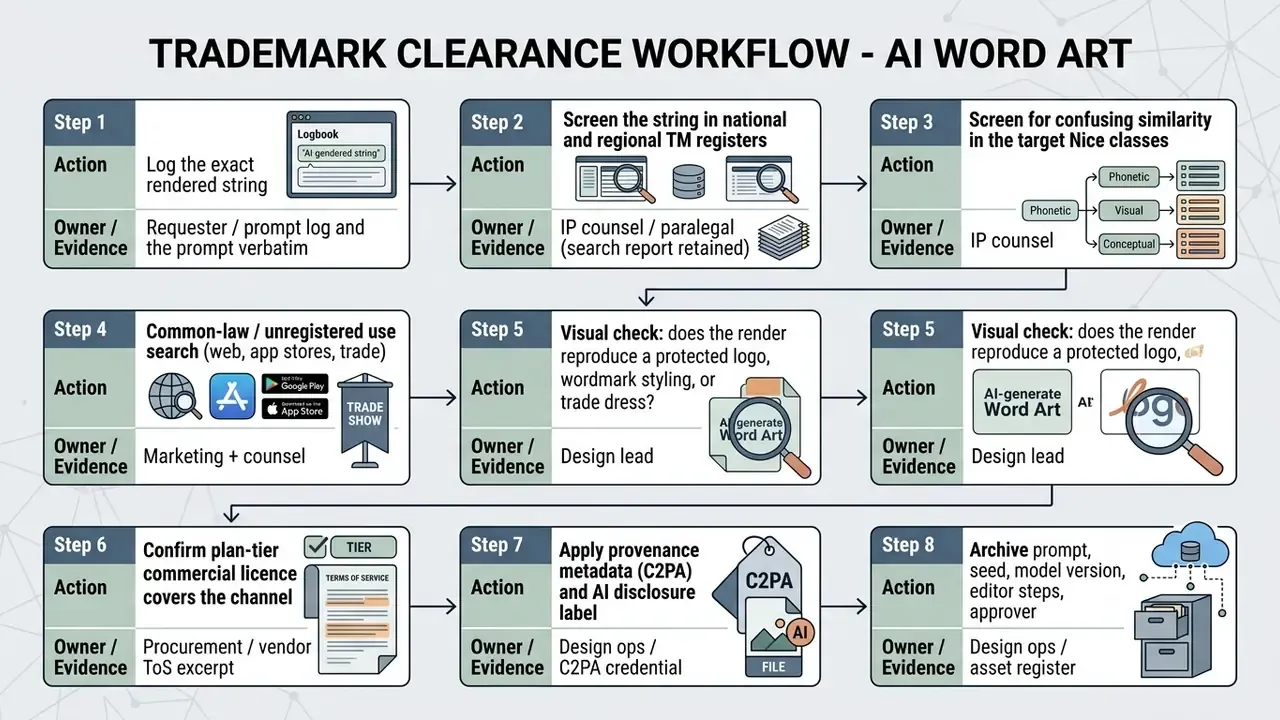
Step 8 is the one teams skip and later regret. Because U.S. registration depends on demonstrable human authorship, a retained record of prompt iterations, seed selection rationale, and manual editing steps is the evidentiary basis for claiming that contribution. Treat the asset register as an IP artefact, not a design convenience. One owner, one log, one retention period.
Which Projects Suit Art with Words
Generative art with words is widely deployed across enterprise branding, merchandise printing, promotional posters, digital marketing campaigns, website header design, and social media graphics.
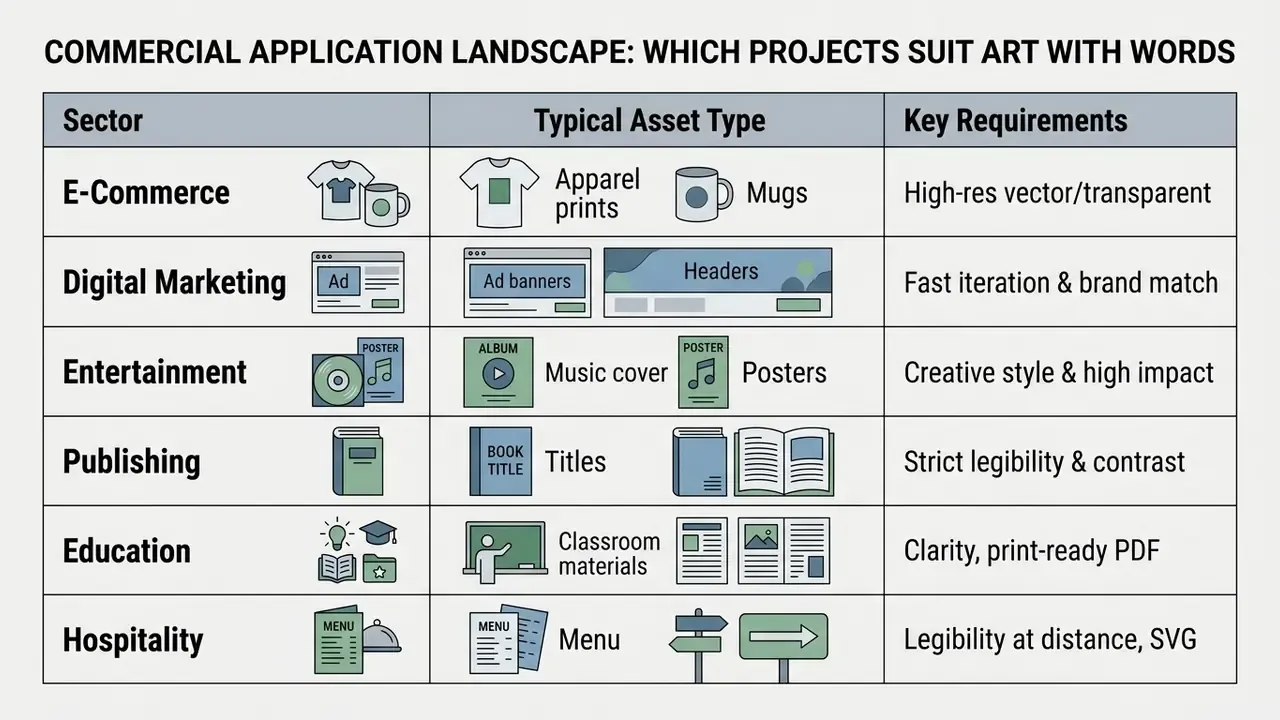
Organisations leverage AI typography to accelerate creative workflows across multiple channels:
- Merchandise & Apparel. Printing custom 3D and distressed typography onto t-shirts, hoodies, and totes.
- Digital Advertising. Rapidly generating seasonal promotional banners and social media campaign graphics.
- Media Production. Designing album covers, podcast artwork, and video thumbnails.
- Corporate & Institutional Templates. Institutional brand libraries increasingly ship word-art-ready layouts. UCL's Brand and Experience resources include report covers, posters, and sized social templates for Facebook, Instagram, LinkedIn, and Stories, while Adobe Express provides free typography poster templates exportable as JPEG, PNG, PDF, or MP4. Vendor pages such as Mew Design's word art generator explicitly target posters, logos, gift items, classroom materials, brands, and social media with PNG, JPG, and PDF export for print and web.
For integrated design and generation workflows, review our coverage of the Canva AI Generator, the Google AI Image Generator, the Microsoft AI Image Generator, and Bing AI image creation. Teams evaluating conversational generation interfaces can compare ChatGPT image generation against alternative tools, while style-specific requirements are covered in our review of Ghibli-style AI image generators. Once assets are published, AI reverse-image-search tools support monitoring for unauthorised reuse of your typography, and motion adaptations of static word art are covered in our animation maker guide.
Limitations and Open Questions
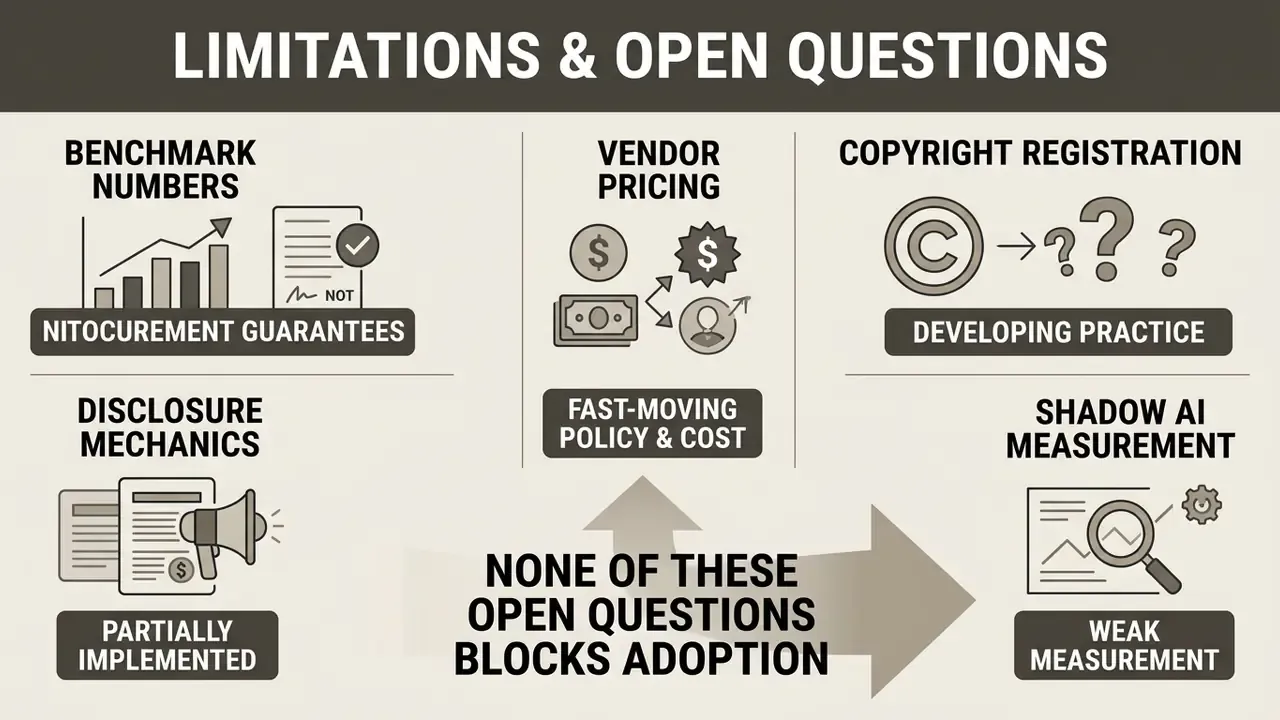
Some parts of this playbook are settled. Others are not, and saying so is more useful than a confident guess.
- Benchmark numbers are not procurement guarantees. OCR accuracy gains reported by FontFusion and similar frameworks are measured on research datasets, not on your brand typography with your kerning tolerances. Run a small internal evaluation set before standardising an engine.
- Vendor pricing and watermark policy move faster than editorial cycles. Every table here is a snapshot dated February 2026.
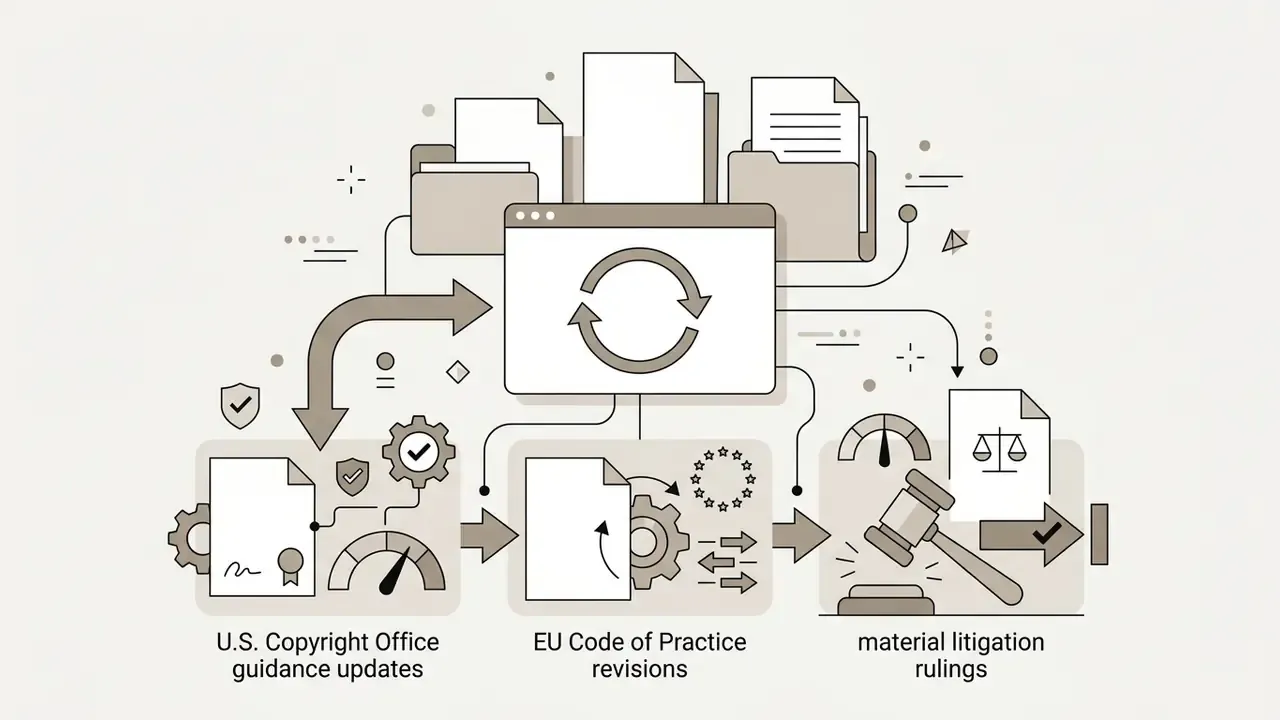
- Copyright registration practice is still developing. The disclaimer requirement is clear; the threshold for "sufficient" human contribution in AI-assisted typography is not.
- Disclosure mechanics are partially implemented. C2PA is specified, but end-to-end credential survival through resizing, ad-platform re-encoding, and print workflows is inconsistent.
- Shadow AI measurement is weak. Most organisations estimate guest-tool usage rather than measure it. Treat any internal figure as a hypothesis until network or DLP telemetry supports it.
None of these open questions blocks adoption. They do argue for a controlled rollout with named owners rather than a blanket approval.
FAQ About AI Word Art Generators
This section addresses common technical, operational, and governance questions regarding guest access, mobile device performance, and error mitigation strategies when operating an AI word art generator.
Is Registration Required to Create Word Art?
Many entry-level tools allow users to create word art without creating an account or logging in, offering instant guest access with basic generation capabilities and daily usage caps.
WordArt.com states "No sign up required!" on its homepage, and Writecream's word art generator advertises "100% Free, No Login." Guest access is nonetheless metered: Word.Studio permits any Starter-level tool three times per day free with a 24-hour reset (image generators are Pro-only), and Media.io issues three free credits per day. Unauthenticated access usually restricts users to standard-definition downloads and basic style presets. Registering a free account typically unlocks daily credit refills, cloud asset storage, and advanced editing features. For a curated list of zero-signup options, see our comparison of no-sign-up AI image generators.
Governance caveat: guest access removes the audit trail. Read the Enterprise Data Security and Shadow AI section above before permitting no-login tools for brand work.
Do AI Word Art Generators Work on Mobile Devices?
Modern AI image generator web interfaces and native mobile apps fully support smartphone generation, with lightweight architectures rendering small canvases on-device in seconds.
"SnapFusion generates a 512×512 image from text in 1.84 seconds on mobile devices, with image quality comparable to Stable Diffusion v1.5." SnapFusion, Snap Research (NeurIPS 2023). https://snap-research.github.io/SnapFusion
Three mobile paths exist in practice. Responsive web editors adapt to touch input; Canva's AI art generator runs in-browser with JPG, PNG, PDF, and PPTX export. Cross-platform apps extend the same account, as with Fotor's browser, desktop, and iOS/Android availability. Native apps add device-level saving, such as the 3D Text word art app's HD PNG, GIF, and MP4 export directly to the photo library. Expect variable latency: Wordificator notes that generation can take several seconds, "especially on slower devices like smartphones," before high-resolution PNG export. If you encounter performance issues on mobile browsers, consult our guide on AI Media Support and Troubleshooting.
What Should I Do If the Generator Produced the Wrong Result?
If an AI letter art generator produces misspellings, distorted glyphs, or ignores the prompt, creators should enclose exact words in quotation marks, reposition target text to the front of the prompt, simplify background complexity, and re-generate using alternative seed variations.
Follow this troubleshooting checklist to resolve rendering errors:
- Fix Syntax. Enclose target text in double quotation marks (for example
"TARGET"), and separate instruction from context using###or triple quotes as OpenAI's guidance recommends. - Reposition Text. Move the quoted text to the very beginning of the prompt string; persistent instructions belong early.
- Rewrite Negatives as Positives. Replace "no distorted letters" with "crisp, sharp, evenly kerned letter edges." Negative prompting is documented as less reliably supported.
- Reduce Visual Noise. Remove conflicting background descriptors that pull model attention away from letterforms.
- Shorten the String. Split anything approaching 200 characters into separate generations and composite them.
- Adjust Guidance Scale. Lower Classifier-Free Guidance (CFG) slightly if letter edges appear over-saturated or fused.
- Switch Base Model. Move from a generic engine to a text-optimised model (FLUX.2, Ideogram) before further prompt iteration.
- Use Inpainting. Select the mask edit tool to isolate misspelled letters and regenerate only the affected region, preserving the approved composition.
Can I Register Copyright in AI-Generated Word Art?
Only to the extent of demonstrable human authorship. The U.S. Copyright Office's position is that AI assistance does not bar protection, but purely AI-generated material is unprotected and must be disclaimed at registration. Creative selection, arrangement, and substantial post-generation modification can support a registration limited to those human contributions. Retain your prompt history, seed choices, model version, and editing steps as evidence.
Do I Need to Label AI Word Art as AI-Generated?
Increasingly, yes, depending on jurisdiction and channel. The European Commission's 2026 Code of Practice requires machine-readable marking of AI-generated or AI-manipulated images and text, and C2PA Content Credentials are the emerging technical mechanism for embedding tamperproof provenance metadata. Individual ad platforms and app stores impose their own disclosure requirements. Confirm per channel before publication.
Word Cloud or AI Word Art: Which Should I Choose?
Choose a word cloud when your input is a list or corpus of words, frequency weighting carries meaning, you need a specific silhouette (heart, circle, logo mask), and vector output is required. Choose AI generative typography when you need a specific phrase rendered in a physical material with unified lighting, and photographic or illustrative realism matters more than frequency data. The two are complementary, not competing: a word cloud communicates data; AI word art communicates a single message with visual force.
Who Should Own AI Word Art Approval Internally?
Name one accountable owner per asset class, not a committee. A workable split: design owns prompt craft and legibility QA, brand owns message approval, IP counsel owns trademark clearance, and security owns the allowed-tool list and vendor criteria. The escalation path matters as much as the roles. If a render reproduces a third-party wordmark, the reviewer needs a documented route to counsel and a documented authority to stop the launch.
Appendix A: Editorial Field Notes
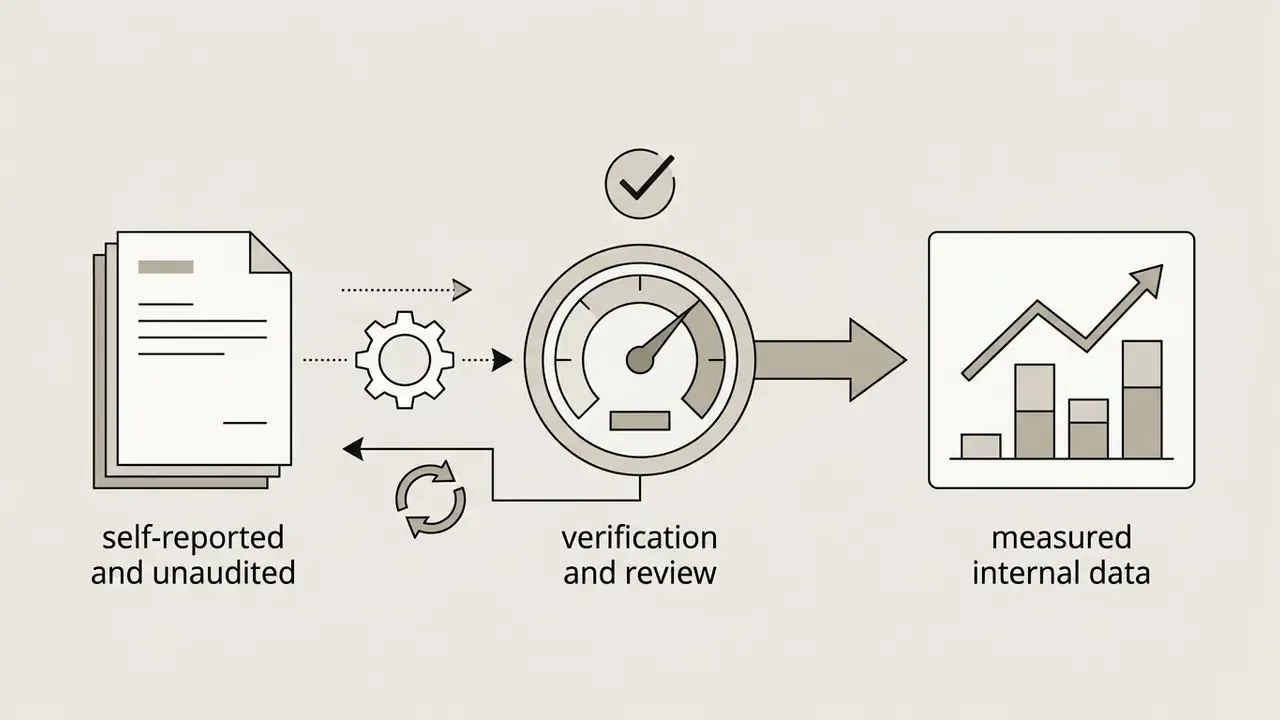
The following anonymised operational accounts are self-reported by practitioner contacts and have not been independently audited. Metrics reflect internal measurement by the teams described and should be treated as directional illustrations of the workflows above, not as benchmark data.
Field note 1: legibility recovery in a regulated marketing pipeline. A fintech design team encountered illegible letter rendering when generating campaign banners featuring multi-word slogans. The team implemented quotation-wrapped prompt syntax and lowered the classifier-free guidance scale in their diffusion pipeline. The team reports that this structural adjustment restored character-level legibility across approximately 94% of generated variations and reduced manual post-editing time by around six hours per campaign. The mechanism aligns with the published findings above: shorter quoted strings reduce long-range dependency load, and moderated guidance reduces edge fusion.
Field note 2: seed variation as an approval accelerant. A digital agency faced inconsistent font styling when producing social graphics across multiple brand accounts. By integrating seed variation comparison and latent noise sampling prior to final rendering, the agency evaluated four candidates per prompt. The agency reports that this multi-variation workflow increased client asset approval on first review from roughly 45% to 88%. This is directionally consistent with the PromptCharm study's finding that iterative, mixed-initiative variation workflows produce higher target similarity and higher reported expectation alignment.
Navigation, Reference, and Next Steps
Verification and Review Schedule