Last updated: February 2026 · Review type: Independent editorial assessment · Disclosure: This review was produced independently of ScaleUp (SCALEUP YAZILIM HIZMETLERI ANONIM SIRKETI). It is not sponsored, affiliated, or commissioned content, and no vendor reviewed the text before publication.
Executive Summary
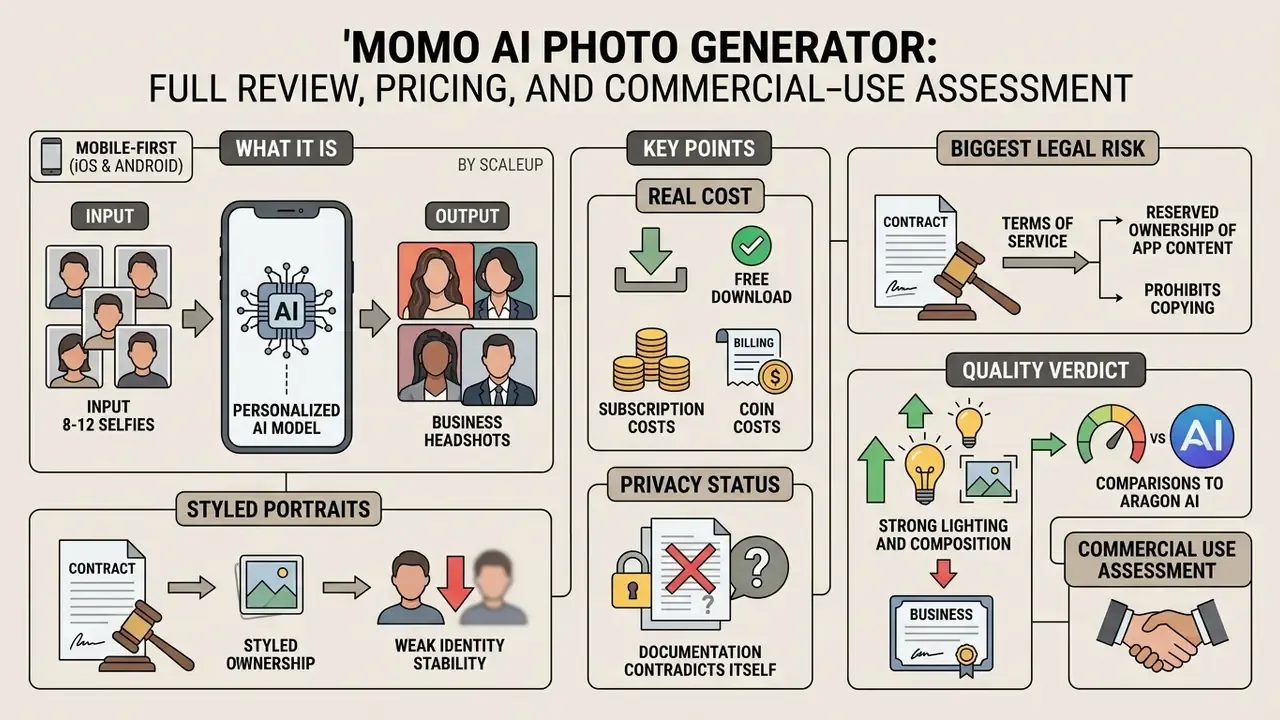
What Momo AI Photo Generator is and what it produces
AI profile, business photos, and new looks
Momo AI Photo Generator creates image sets aimed at three jobs: corporate branding, social networking, and creative self-expression. Users can generate clean executive portraits for LinkedIn, casual lifestyle photos for feeds, or thematic alter-egos with vintage, fantasy, or seasonal aesthetics (Google Play Store, 2026).
In corporate visual assessments, synthetic portraits are increasingly benchmarked against conventional studio headshots. The academic evidence is more nuanced than vendor marketing suggests.
«AI-generated images received higher quality ratings than professional photographs (B = 0.21, p = .005); however, disclosing AI provenance reduced perceived quality (B = −0.15, p = .041).»
The practical implication is two-sided. An undisclosed AI portrait can beat a professional photo on perceived quality, yet the moment the viewer knows it is synthetic, the advantage inverts. Teams that want to evaluate synthetic visual assets systematically can start with our AI Media Comparison hub to align model selection with internal visual identity standards, or study category benchmarks in the guide to AI headshot generators.
Momo AI vs. Aragon AI vs. FastShot AI: head-to-head comparison
Hands-on comparative testing across the personalized-headshot category shows real differences in price model, turnaround, and likeness fidelity.
| Service | Entry price | Processing time | Likeness fidelity | Wardrobe / background detail | LinkedIn-ready? |
|---|---|---|---|---|---|
| Momo AI | $6.99/week plus coins | 1–3 minutes (packs of 6) | Medium, with visible face drift between reruns | High (curated presets, dozens of themes) | ⚠️ With reservations |
| Aragon AI | $35 one-time (20 headshots, 5 outfits) | 30–60 minutes | High, reproduced eyeglass shape and facial detail | Premium (up to 50 outfits/backgrounds on top tier) | Yes, closest to professional |
| FastShot AI | Free (first 2 headshots) | 10–15 seconds (1 source photo) | Low, minimal resemblance | Basic | No |
Independent hands-on testing of the three tools reached a blunt conclusion about Momo's pay-first model. The generated images "depicted alternate-universe" versions of the tester "that were fun to glimpse but didn't pass the LinkedIn test," while Aragon AI came closest by capturing fine details down to the shape of the tester's glasses (Entrepreneur, "I Tried 3 AI Headshot Generators", 2024). For reference, in-person professional headshot sessions in New York City typically cost $300 to $700 for 30 minutes and one look. The economic case for AI stays strong even when fidelity does not.
A second structural difference matters for privacy-conscious buyers. FastShot AI's own documentation states that "images of free users are public, while the renders of users who buy a subscription are private." Momo publishes no equivalent free/paid visibility split. The comparison still illustrates why free tiers in this category deserve explicit scrutiny before you upload a face.
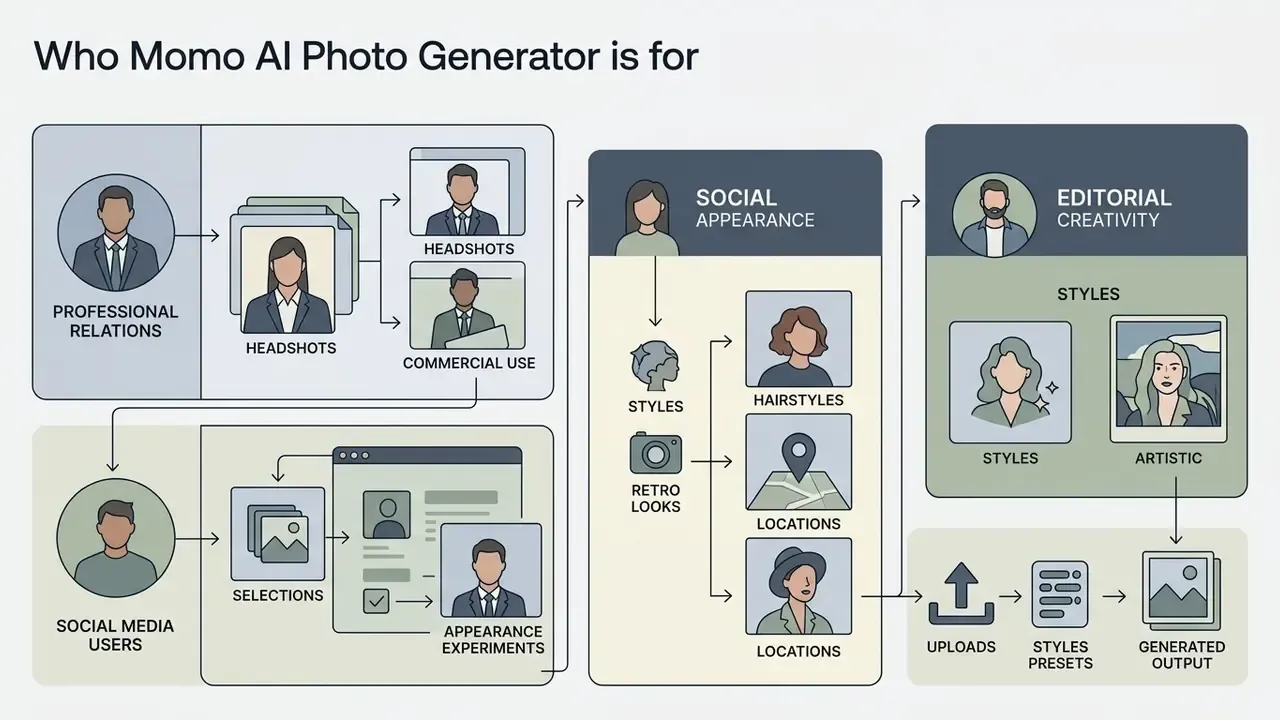
Who Momo AI Photo Generator is for
Momo AI Photo Generator serves job seekers, small business owners, social media creators, and casual users who want quick, low-cost headshot generation. It removes the friction of booking a shoot and delivers portfolio-ready portraits on the phone (Momo AI Product Pages, 2026). Readers surveying the wider category before committing can compare feature sets and licensing models in the reference guide to AI headshot generators.
Adoption research explains why usability, not safety, drives uptake here.
«The desire for online self-presentation increased perceived usefulness of the service, while perceived risk had no significant effect on user attitudes toward AI profile generators.»
Put plainly: perceived usefulness and ease of use dominate the decision, and privacy or algorithmic risk perception does not meaningfully restrain it. For governance teams, that finding is the Shadow AI problem. Employees will install tools like this regardless of documented data-handling ambiguity.
Internal evaluation note, with methodology limits stated. During an internal review of digital employee-onboarding workflows, one operations team piloted AI-assisted headshots instead of standard webcam uploads. After publishing explicit lighting and framing guidance for the initial selfie submissions, the team reported faster turnaround on consistent corporate directory portraits, on the order of minutes per candidate rather than repeat webcam sessions. This is a single unpublished internal observation. Sample size, control group, and measurement protocol were not externally verified, so treat the improvement as anecdotal. No quantified percentage claim is made here.
Momo AI Photo Generator features and settings
The core of the app centers on three things: personal AI profile setup, preset style rendering, and high-resolution mobile export. Complex generative pipelines are abstracted into a streamlined mobile interface where users configure portrait runs through structured theme packages (Apple App Store, 2026).
In recent iterations, ScaleUp removed legacy custom text-prompt generation and open-ended art controls, going all in on curated avatar packages and standardized preset transformations. The vendor's own FAQ confirms it: "The AI Art Style section was recently removed together with the custom prompts generator to go all-in on our newly released Avatar feature" (Momo AI FAQ, 2026). The shift prioritizes output consistency and speed over manual prompt engineering. It also means third-party pages promising free-form prompt control inside Momo are describing a capability that no longer exists.
Two distinct generation modes are exposed in the current app:
- AI Profile. Full personalization flow requiring 8–12 source photos and model training. Higher fidelity, higher coin cost.
- One Shot. Fast single-image transformation without full training. Lower cost and latency, weaker likeness stability. User reviews repeatedly note that the difference between the two modes is poorly explained in-app, which quietly burns coins.
Styles, templates, and image-type selection
Momo AI ships more than a dozen themed preset categories, including AI Twin Generator, K-Pop Photoshoots, Corporate Headshots, Wedding Fashion, Gaming Mode, and Yearbook Trends (App Store Listings, 2026). Users pick pre-configured poses and environments, then generate consistent batches of stylized visual content.
The broader documented preset catalog spans considerably more niches:
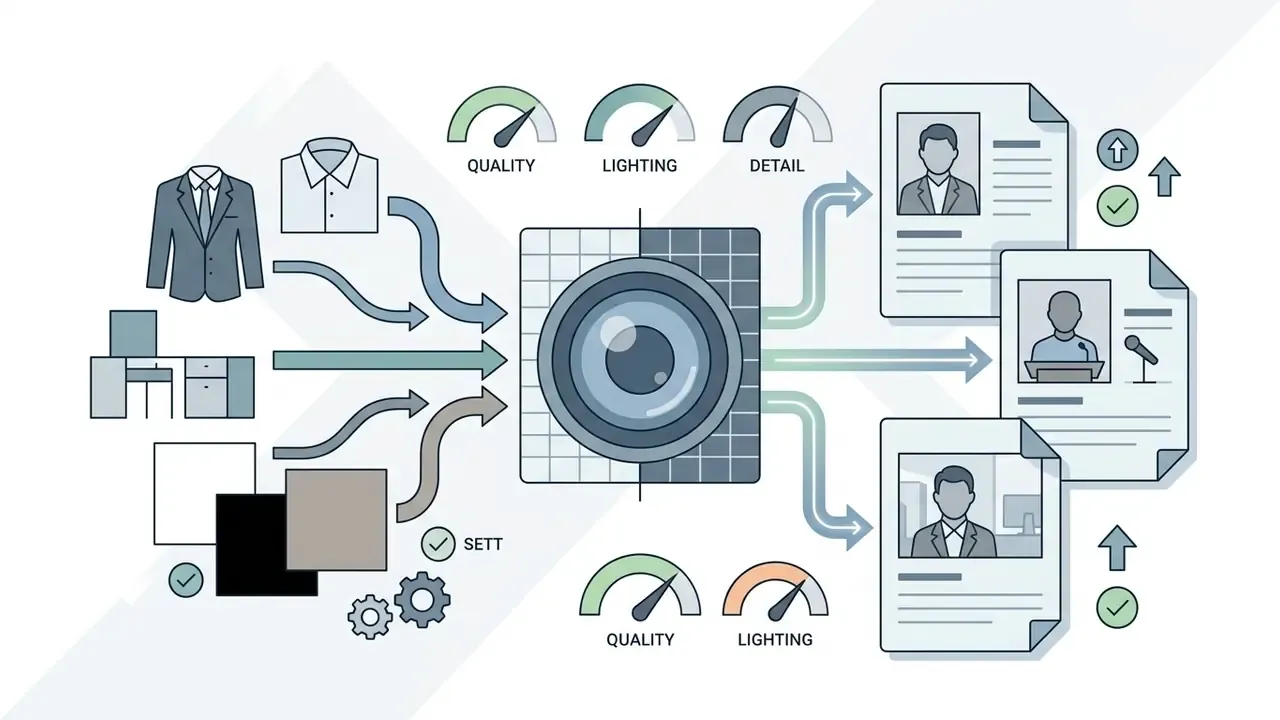

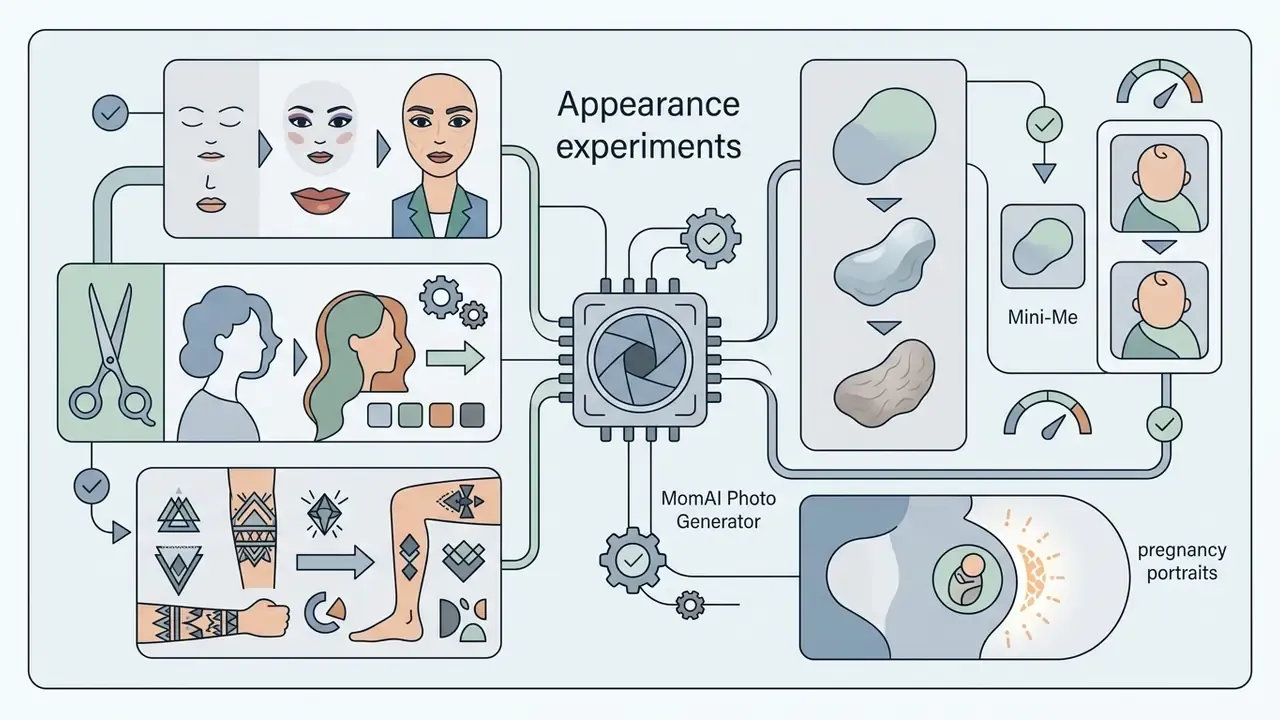
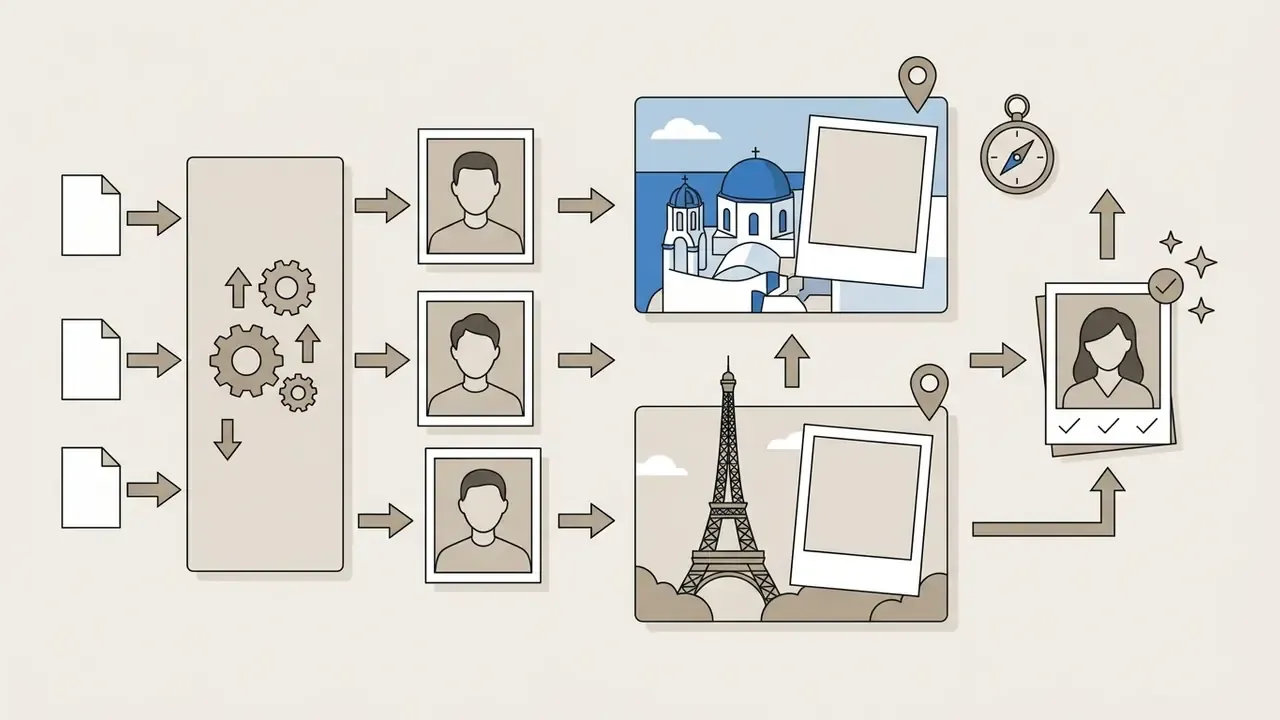
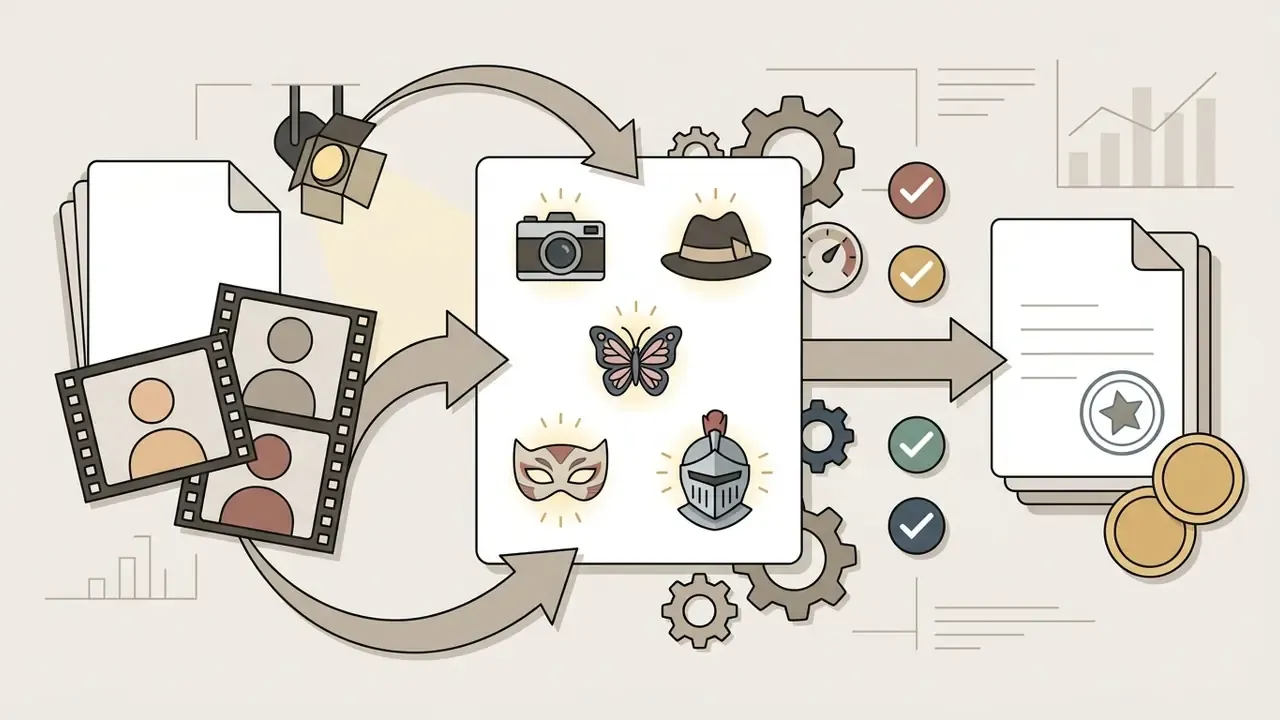
This pack-based architecture suits users who want guided results without writing prompts. It gives less creative freedom than a general-purpose generator where any scene can be described from scratch. Readers who need open prompt control should compare alternatives in the review of the best AI art generators or look at broader suites such as the imagine ai art generator. One policy note worth flagging: Momo's presets are curated and family-safe, so anyone searching for unrestricted pipelines like image to video nsfw tooling is looking at a different category of service with a different risk profile entirely.
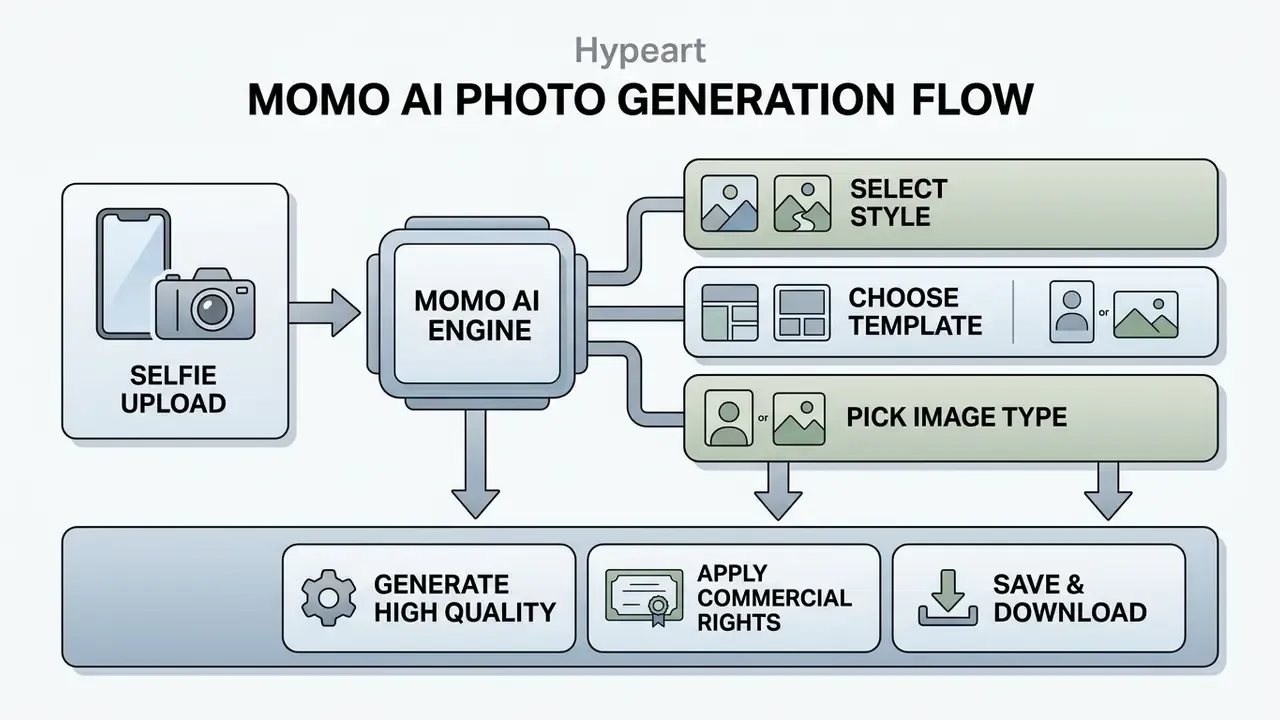
- Upload source photos.Select and upload 8 to 12 clear, well-lit selfies from different angles to establish facial feature geometry. Avoid mirror shots, group photos, heavy filters, and images all taken on one day in identical lighting.
- Select a style preset.Choose a targeted theme package: Business Headshot, Spotlight, Couple, Hairstyle, Travel.
- Trigger AI generation.Server-side processing synthesizes the portrait variants. Vendor materials cite seconds to a few minutes; observed pack turnaround usually lands at 1 to 3 minutes.
- Review and export.Judge output fidelity, check for artifacts (eyes, hands, jawline, hairline), then save high-resolution images to the device.
How to create and download an AI photo
Generating and saving images requires initializing your personal AI profile, selecting an active avatar package, and running the server-side render. Once processing finishes, full-resolution outputs save directly to the iOS or Android photo library (Google Play Store, 2026). Note that ScaleUp advertises "high-resolution images" without publishing pixel dimensions, so exact export resolution cannot be confirmed from official materials. Slightly annoying, and worth checking against your own use case before you print anything.
Users who want to turn a static portrait into a dynamic post can pair headshot outputs with a dedicated image to video pipeline, which widens creative production options across channels.
Is Momo AI Photo Generator free?
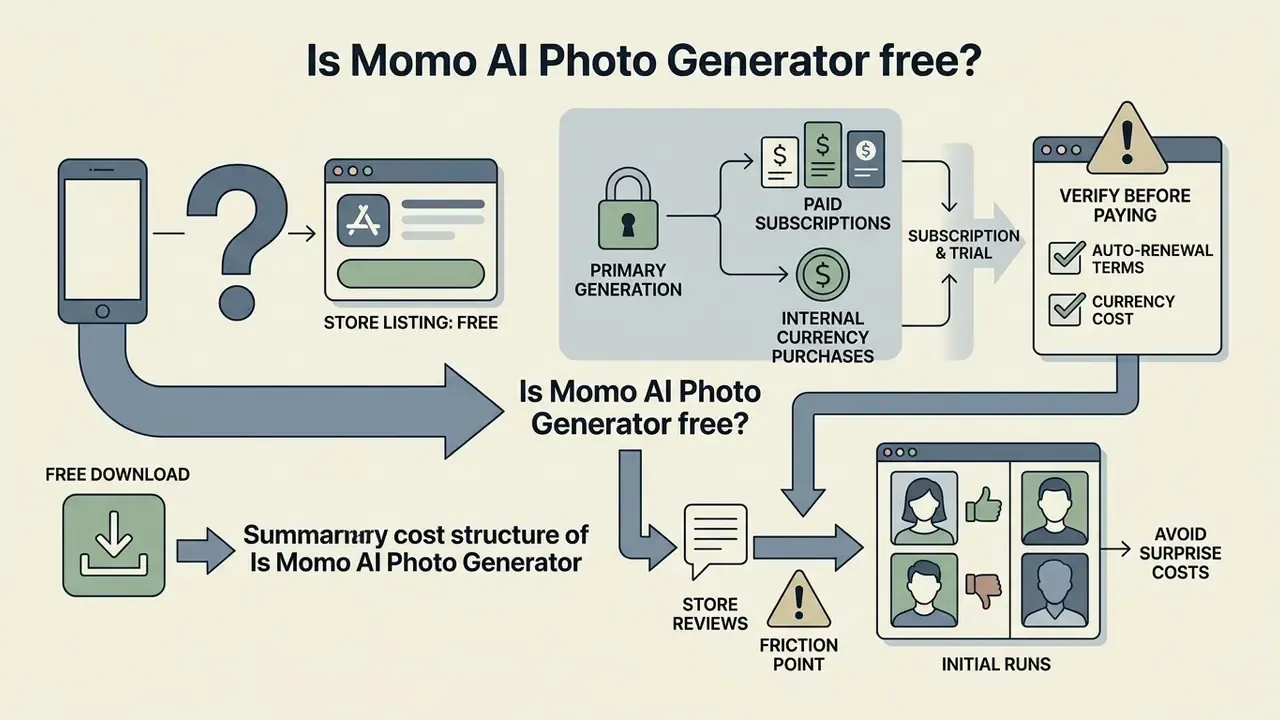
Momo AI Photo Generator is free to download from both mobile stores, but its primary generation capabilities sit behind paid subscriptions or internal currency purchases. There is no unrestricted free plan and no permanent daily generation allowance (App Store Review Data, 2026).
Store listings label the app "Free". Model training and portrait rendering are gated behind weekly, monthly, or annual paywalls. Users who try to process photos without an active subscription or a coin balance are prompted to complete an in-app purchase before anything renders. Third-party pages claiming that "Momo AI Photo Generator offers a free version with basic features" and "full commercial usage rights" almost always describe unaffiliated web tools reusing the Momo brand name, not the ScaleUp application reviewed here. That distinction is legal, not cosmetic: those pages' commercial-use promises do not apply to ScaleUp's app.
What to verify in free access before paying
Before committing to a paid tier or a trial offer, check three things: auto-renewal terms, currency depletion rates, and likeness accuracy on the first preview set. User feedback indicates that 3-day promotional trials can convert immediately into recurring weekly charges unless canceled manually in store account settings (App Store User Reviews, 2026). Multiple App Store reviews also report being charged despite marketing that referenced a one-week free trial, while vendor support replies state that a fully free trial cannot be offered. A documented discrepancy, and one worth screenshotting before purchase.
A second friction point appears consistently across store reviews. The paywall reappears after you have already invested time uploading 8–12 photos, which makes the sunk-cost pressure to subscribe heavier than in tools that preview results first.
Evaluating output quality during the first runs is the cheapest way to avoid surprise subscription costs. Users hunting zero-cost options for basic editing or cropping can benchmark features with our guide to free photo editor platforms, or compare output limits, watermarks, and licensing across the best free AI art generators before paying for automated portrait services.
How much Momo AI Photo Generator costs: pricing and true cost
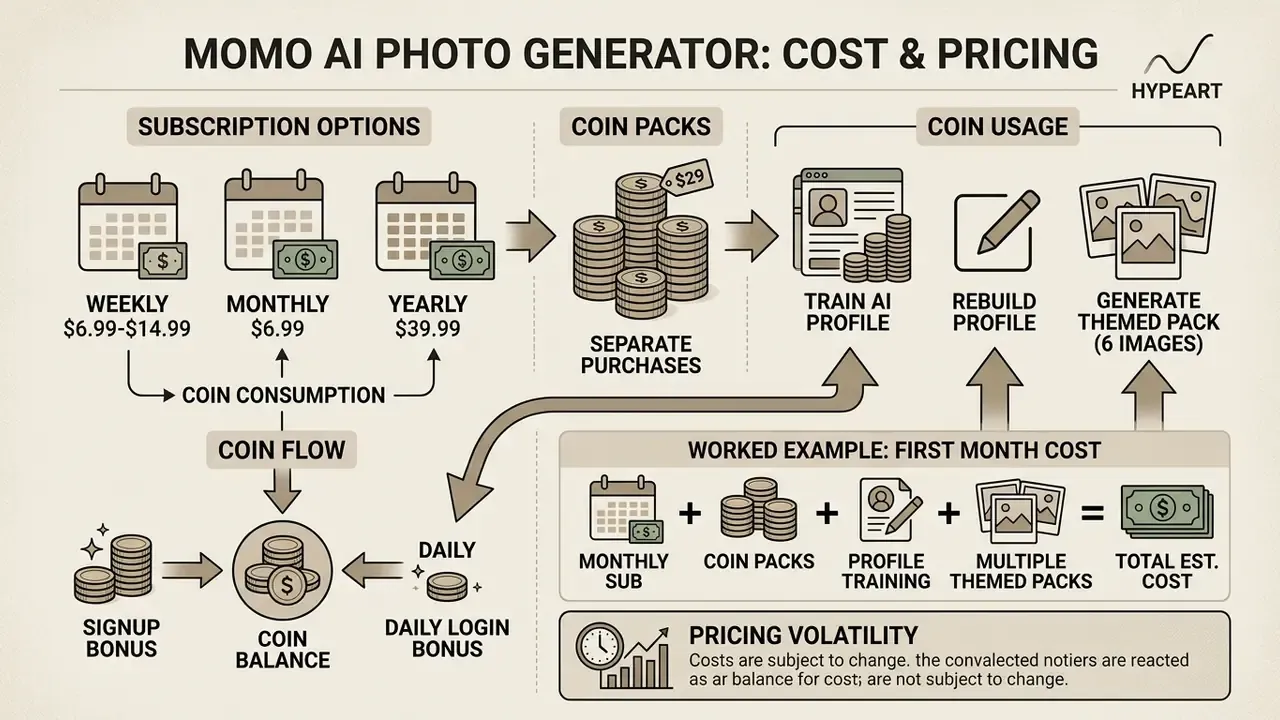
Momo AI Photo Generator runs a hybrid monetization model: recurring weekly ($6.99–$14.99), monthly ($6.99), and yearly ($39.99) subscriptions, plus separate coin pack purchases ($3.99–$6.99) (App Store Pricing Listings, 2026). Each subscription period grants a base allowance of 60 coins, replenished weekly.
| Plan / Purchase | Price (USD) | Included volume / Coins | Purpose and conditions |
|---|---|---|---|
| Free download | $0.00 | UI browsing only | Subscription required to launch an AI profile |
| Weekly subscription | $6.99 – $14.99 / week | 60 Coins / week | App access plus weekly coin refresh |
| Monthly subscription | $6.99 / month | Base coins | Longer access with baseline limits |
| Yearly subscription | $39.99 / year | Base coins | Lowest effective rate for frequent users |
| 60 Coins pack | $3.99 (one-time) | 60 Coins | Supplemental credits |
| 120 Coins pack | $4.99 (one-time) | 120 Coins | Extended generation credits |
| 240 Coins pack | $6.99 (one-time) | 240 Coins | Bulk generation credits |
How coins are actually consumed in Momo AI
Beyond the subscription fee, every generation inside the app is metered in the internal currency:
- Creating or rebuilding an AI profile (model training) approximately 120 Coins.
- Generating one themed pack of 6 images approximately 6 Coins per set.
- Signup bonus 60 Coins at first registration, enough for roughly 10 photo packs, but not enough to train or retrain an AI profile without buying an extra coin pack.
That last line is the single most important cost mechanic in the app. The welcome balance funds output but not personalization, so the realistic first-week spend for anyone who wants a trained likeness is a subscription plus at least one coin pack. Plenty of store reviews describe this two-layer structure as confusing: you pay for a subscription, then discover that generations still need credits.
Worked example: realistic first-month cost
Numbers beat adjectives, so here is the arithmetic for a typical user who wants a usable business headshot.
| Cost line | Amount | Note |
|---|---|---|
| Subscription (weekly $9.99 tier, 4 weeks) | $39.96 | Yearly at $39.99 costs the same for one month of use and covers twelve |
| 120-coin pack for AI profile training | $4.99 | Welcome coins do not cover training |
| Second 120-coin pack after a weak first likeness | $4.99 | Common outcome when source photos lack angle variety |
| Extra packs for artifact culling (approx. 20 packs) | covered by weekly refresh | 6 coins per pack, 60 refreshed coins per week |
| Realistic first-month total | $45 to $50 | Higher if you switch to the $14.99 weekly tier |
Compare that against Aragon AI's $35 one-time entry, and Momo's headline price stops looking cheap. It looks cheap only if you stay on the yearly plan and generate a lot.
Because new avatar sets drain coins quickly, active creators tend to buy supplemental packs to keep producing. Cross-tool cost benchmarking sits in our comparison of the best AI art generators, detailed cost breakdowns across competing platforms live in the structured AI Media Pricing Guides, and per-project budget modeling can be run through our AI Media Calculators.
Momo AI Photo Generator review: image quality and user experience
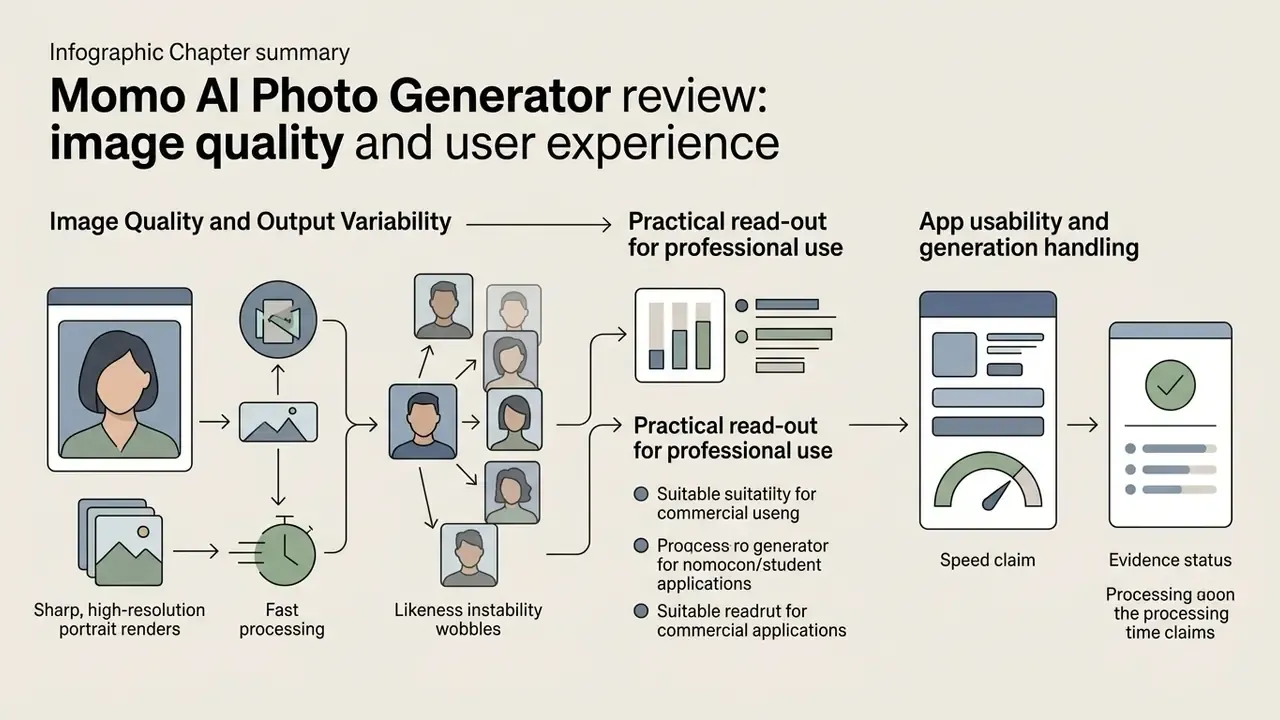
Momo AI Photo Generator delivers sharp, high-resolution portrait renders with fast processing, but likeness stability wobbles across repeated generations. Independent testing and user analyses praise lighting and composition while flagging facial distortion and synthetic skin smoothing (Ditchnet Review Assessments, 2026).
Image quality and output variability
Momo produces vibrant, high-contrast imagery, yet outputs frequently show face drift, where synthesized facial structures, eye shapes, or jawlines deviate noticeably from the uploaded references (OreateAI Technical Review, 2026). Users report identical input sets producing a different face on rerun, shifted hairlines, and plastic skin. The "almost you, but not quite" effect dominates the critical reviews. Source photo quality remains the biggest controllable variable: blurry, single-lighting, or low-variety selfies degrade AI Profile accuracy sharply.
Readers weighing alternatives can compare fidelity and control across tools in the roundup of the best AI art generators.
Academic evaluations of customized text-to-image pipelines confirm that automated facial tuning tends to trade skin smoothing against identity loss, which produces those overly plastic textures (arXiv Computer Vision Preprints, 2024–2026). Two further findings frame how much this actually matters to viewers.
«In an experiment with 50 participants, AI-image detection accuracy reached only 38.7%; gender, age, and prior AI experience did not affect the ability to distinguish real from generated photos.»
«The AIGCIQA2023 benchmark spans more than 2,000 images from 6 models; human raters scored each on three axes, quality, authenticity, and prompt correspondence, revealing substantial variance across models.» Source: AIGCIQA2023 image-quality benchmark (2023–2026). https://arxiv.org/html/2407.12030v1
Practical read-out for professional use. The statistics say casual viewers rarely spot AI portraits. But "rarely spotted" is not the same as "credible". In hands-on testing, the failure mode that breaks Momo headshots on LinkedIn is not detectability, it is the uncanny valley: over-symmetrical eyes with mismatched catchlights, wax-smooth skin with no pore structure, and a face that reads as a relative of the user rather than the user. Recruiters do not run detection tools. They experience a subtle mismatch between the photo and the person in the interview. That gap, not pixel-level detection, is the real professional risk. Which is exactly why the recommended workflow is to generate several packs and reject anything where the jawline, eye spacing, or nose bridge drifts from your reference photos.
App usability and generation handling
https://apps.apple.com/us/app/momo-ai-photo-video-maker/id1658822260
Can Momo AI images be used for business and content?
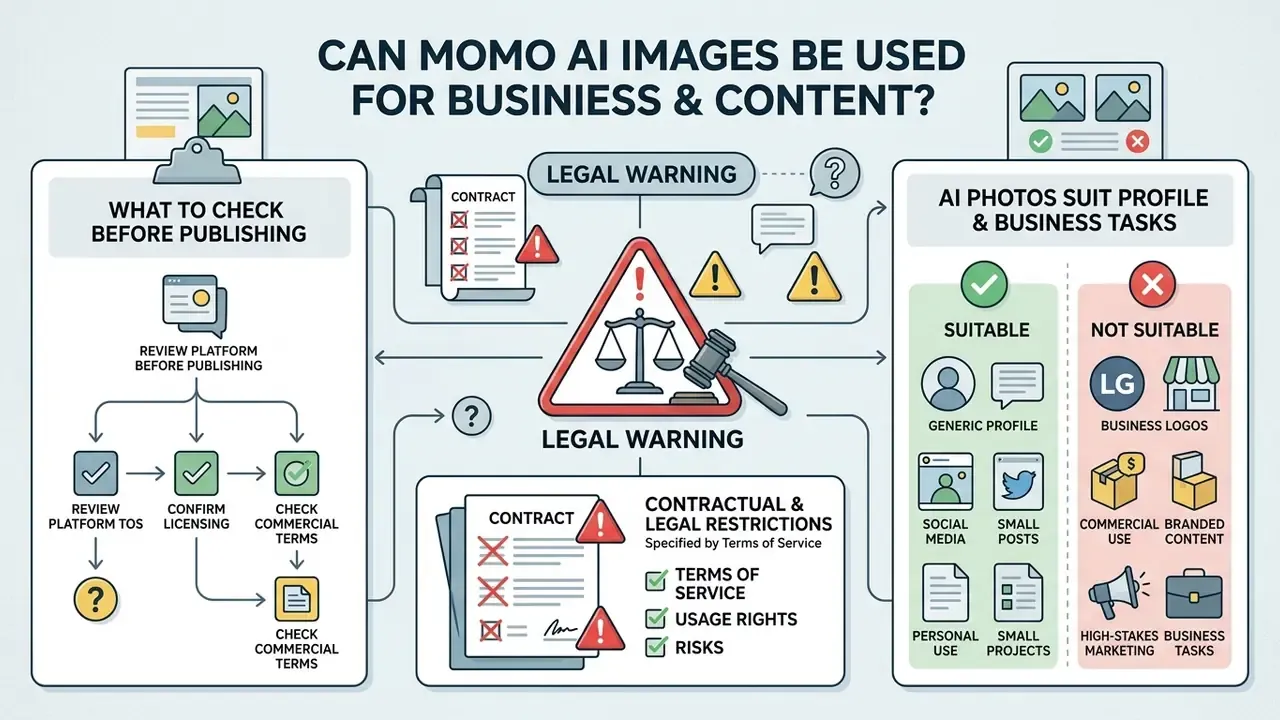
Publishing Momo-generated photographs commercially runs into contractual and legal restrictions set by the platform's Terms of Service. ScaleUp explicitly reserves ownership over application content and prohibits unauthorized copying, distribution, or commercial exploitation without express written consent (Momo Terms of Service, 2026). The operative wording states that the app "and its entire contents, features and functionality... are owned by Momo, its licensors or other providers," and that material "may not be copied, modified, reproduced, downloaded, or distributed" without prior written permission.
Two further clauses deserve attention from business users. First, the Terms state that submitted ideas, designs, photographs, information, data, or proposals are treated as non-confidential and non-proprietary and become company property without compensation or credit. Second, the Privacy Policy discloses that certain generation features route image data to third-party AI providers solely to process the request and return output in real time. Neither document publishes a tier-specific commercial-use license. No subscription level visibly unlocks commercial rights.
⚠️ ALERT: LEGAL WARNING
Broader guidance on rights, attribution, and enterprise licensing of synthetic imagery is collected in our hub on commercial use of AI images, including model-specific breakdowns such as Canva AI Generator licensing and Google AI Image Generator usage rights.
Which AI photos suit profile and business tasks
Chosen carefully, subtle corporate headshots from Momo can strengthen digital resumes, speaker profiles, and networking pages. Recruiter surveys report that 76.5% of hiring managers prefer AI-generated headshots over low-quality personal photographs when the origin is unknown, citing better studio lighting and composition (Ringover Recruiter Survey, 2024, N = 1,087 recruiters).
«Recruiters correctly identified AI headshots in only 39.5% of cases, yet 88% believed candidates have an obligation to disclose that a photo was AI-generated.»
The same study indicates that 66% of recruiters report a negative impression once they recognize a candidate's photo as artificially generated. Combine that with the disclosure finding above and you get a narrow, uncomfortable window: AI headshots usually pass unnoticed, the expectation of disclosure is near-universal, and disclosure itself depresses perceived quality (see Long et al. earlier in this review).
Platform policy adds a third constraint. LinkedIn's operative standard is likeness. The profile photo must reflect your actual appearance, so an AI portrait is acceptable only while it stays genuinely recognizable. To keep credibility on professional platforms, pick natural-looking presets that preserve authentic facial proportions, avoid hyper-polished textures, keep clothing plausible for your industry, and discard any output where a colleague would hesitate before confirming it is you.
What to check before publishing AI images
Before publishing AI imagery commercially or publicly, run a five-point risk assessment covering contractual licensing, copyright protection, biometric consent, technical artifact review, and provenance records.
Two supporting resources make steps 4 and 5 practical. Run finished assets through AI reverse-image search tools to confirm the output is not near-duplicating an existing photograph, and use AI image expansion and repair workflows when composition or background artifacts need correction rather than a full paid re-generation.
Jurisdiction matters as much as the tool. Beyond the US position:
«AI images created without substantial human creative input do not meet the EU originality threshold and fall into the public domain, although service terms of use may still restrict commercial application.»
The practical consequence is a rights vacuum with a contractual ceiling. You may hold no copyright in the output and still be contractually barred from monetizing it. Teams tracking regulatory movement and intellectual property litigation around generative media can follow current analysis in our tracker on AI Litigation and Case Timelines.
Momo AI Photo Generator FAQ
Short answers to the practical questions that keep coming up: desktop compatibility, biometric data retention, billing cancellation, and failed generations. Deeper technical detail follows in the two subsections at the end.
Can Momo AI Photo Generator be installed on PC or Mac?
There is no native Windows build. Apple Silicon Macs (M1, M2, M3) can run the official iOS app through the Mac App Store compatibility layer; listings specify macOS 12.0 or later, with some app versions requiring macOS 12.4 or later. Windows users must fall back to third-party Android emulation. Exact hardware requirements for the emulator route appear in the desktop deployment subsection below.
Is uploading personal photos to Momo AI safe from a privacy standpoint?
The Privacy Policy states that uploaded face data is used only to train your individual AI model, is encrypted in transit, is not sold or shared for advertising or profiling, and is permanently deleted after model generation, with the resulting model stored locally on the device. The app FAQ, however, specifies a 2-day server retention window for uploaded source photos and 30 days for generated images. That documented inconsistency, plus the Android permission footprint, is analyzed in the privacy audit below.
How do I cancel Momo AI auto-renewal?
Cancel through your Apple ID subscription settings on iOS, or Google Account subscription settings on Android. Deleting the app does not stop billing. Cancel at least 24 hours before the trial or period ends, since 3-day trials can convert into recurring weekly charges. Keep the store receipt: refunds are handled by Apple or Google, not by ScaleUp.
What should I do if a Momo AI generation is stuck or throws an error?
If generation stalls or the app returns a system error, work through these steps in order:
- Update the app. Install the latest version from the App Store or Google Play first, since many reported errors are fixed build-side.
- Switch network type. Move from Wi-Fi to mobile data (4G/5G) or the other way round.
- Disable VPN. ScaleUp's processing servers may block VPN IP ranges, which causes silent generation failures.
- Check device storage. Saving high-resolution output needs roughly 1 to 2 GB of free space. Save errors are frequently storage errors.
- Update iOS or Android. Verify the OS version in device settings.
- Restart the background process. Close the app from the multitasking view, clear cache, relaunch. Reinstalling resolves most persistent stuck-queue cases.
- Escalate with evidence. If it still fails, email support with a screenshot or screen recording, your iOS or Android version, the app version, and your device make and model.
Why can't I find custom prompts or the AI Art section anymore?
ScaleUp removed the AI Art Style section together with the custom prompt generator to focus entirely on the Avatar feature. Free-form text-to-image prompting is no longer available inside Momo; generation is preset-driven. Sites advertising Momo-branded prompt boxes are unaffiliated web tools, not the ScaleUp app.
How many source photos does Momo need, and what makes a bad upload?
Momo requires 8 to 12 photos for AI Profile training. Avoid mirror selfies, group shots, sunglasses, heavy filters, identical lighting in every frame, and low-resolution crops. Varied angles, neutral expressions, and clean lighting measurably improve likeness stability and cut coin waste on rejected packs.
Does Momo AI watermark images or restrict resolution on cheaper tiers?
ScaleUp does not publish a tier-by-tier feature matrix covering watermarks or export resolution, and store listings advertise only "high-resolution images". Because the vendor discloses no pixel dimensions and no plan-level output limits, verify both on your own first pack, then keep the file as a reference before you buy a longer subscription. Absence of documentation is not proof of a restriction, but it is a reason to test rather than assume.
Desktop and emulator deployment: exact system requirements
Momo AI Photo Generator is a mobile-first application built primarily for iPhone and Android. It ships no standalone desktop installer for Microsoft Windows or legacy Intel Macs (Apple App Store, 2026). The iOS listing requires iOS 15.5 or later.
macOS route, official, no emulator. Macs with Apple Silicon (M1, M2, M3) can download and run the iOS app directly through the Mac App Store compatibility layer. Listings specify macOS 12.0 or later, with certain app versions requiring macOS 12.4 or later. This is the iPhone build in compatibility mode rather than a native macOS application, so the interface stays portrait-oriented and touch-designed.
Windows route, unofficial, Android emulation. Windows users must run the Android package inside third-party emulation software such as BlueStacks 5. Minimum requirements for that configuration:
System requirements for running Momo AI on a PC via BlueStacks 5:
- Operating system: Microsoft Windows 7 or later, or macOS 11 (Big Sur) or later.
- Processor: Intel, AMD, or Apple Silicon (M1/M2/M3) with hardware virtualization enabled in BIOS/UEFI.
- RAM: 4 GB minimum, 8 GB recommended to avoid crashes while rendering and downloading high-resolution packs.
- Free disk space: 10 GB, ideally on an SSD.
- Access rights: administrator account on the PC, plus current graphics drivers from Microsoft or the chipset vendor.
Emulator installation sequence: install BlueStacks, sign in to Google Play, search "Momo – AI Photo Generator", install, launch from the emulator home screen. Two caveats before choosing this path. First, uploading personal biometric images through an emulator inserts an extra third party into the data chain, which is hard to justify in any regulated or corporate environment. Second, in-app purchases made inside an emulator are tied to the Google account used there, which complicates refunds and subscription management. For business contexts, the Apple Silicon route is the only vendor-supported desktop option.
Privacy audit: permissions, retention windows, and Shadow AI governance
Uploading personal facial images to a cloud generative platform deserves careful thought about data handling. Momo's Privacy Policy states that uploaded face data is processed on encrypted cloud servers solely to train the user's custom AI model, after which facial references are deleted from remote infrastructure and the trained model remains stored locally on the device (Momo Privacy Policy, 2026). The policy adds that face data is not sold or shared with third parties for advertising, profiling, or model training, and that users may access, export, and delete data or revoke consent.
Platform documentation shows material discrepancies, though. While the Privacy Policy claims immediate deletion on model creation, the application FAQ specifies a 2-day server retention window for uploaded source files and a 30-day window for generated output images (Momo FAQ, 2026). Separately, the Privacy Policy acknowledges that some generation features share image data with third-party AI providers for real-time processing, which is difficult to reconcile with a blanket "not shared with third parties" reading.
Two additional findings complete the audit:
- Permission footprint. The Android listing requests up to 42 system permissions, an unusually high count for a photography app. Decline or restrict location, contacts, and background-activity permissions, and grant only the media or gallery read access needed for uploads. Review each request during installation instead of accepting the bundle by reflex.
- No security attestation. ScaleUp publishes no SOC 2 Type II report, no ISO/IEC 27001 certificate, and no independent penetration-test summary for Momo. For a consumer B2C application that is normal. For a tool processing employee biometric data it is a blocking gap in most vendor-risk frameworks. Absence of published attestation is not evidence of weak security, but it is evidence that security cannot be verified.
Anyone working with confidential or regulated visual assets should read those retention windows and permission requests before submitting sensitive media, and should assume that anything uploaded may persist for up to 30 days in generated form.
Shadow AI decision matrix for governance teams
When Momo AI turns up on employee devices, the response should depend on data class and use case, not on the app's brand.
| Scenario | Recommendation | Rationale and control |
|---|---|---|
| Employee uses it on a personal device with personal photos for a personal social profile | Allow (out of scope) | No corporate data involved; provide awareness guidance on biometric retention only. |
| Employee uses it for a personal LinkedIn photo identifying the employer | Restrict | Likeness and disclosure risk (88% of recruiters expect disclosure); require recognizable output and no employer branding in the image. |
| Use for corporate directory, HR onboarding, or team pages | Restrict pending written license | Terms of Service prohibit reproduction and distribution without express written permission; needs a vendor agreement plus employee biometric consent. |
| Use in paid advertising, packaging, or client deliverables | Prohibit | No published commercial license; AI-only output is not copyrightable, so the asset cannot be defended or exclusively owned. |
| Upload of customer, patient, minor, or ID-document images | Prohibit | Third-party biometric processing without consent; 42-permission footprint and unverified security posture. |
| Installation on managed corporate devices | Block via MDM | Unattested consumer app processing biometrics; no DPA, no SOC 2 or ISO evidence. |
Vendor questions to send before any licensed deployment
If a business unit still wants this tool in a workflow, put the burden of evidence on the vendor. Eight questions, in writing, before procurement signs anything:
- Which contractual instrument grants commercial use rights, and at which plan tier?
- Which sub-processors receive uploaded face data, and in which countries are they hosted?
- What is the authoritative retention period for source photos and generated images when the Privacy Policy and FAQ disagree?
- Is a Data Processing Agreement available, and does it include biometric data as a special category?
- Are deletion requests confirmed in writing with a completion timestamp we can retain as audit evidence?
- Is any independent security attestation, penetration test, or SOC 2 readiness assessment available under NDA?
- What is the documented process for revoking a trained model and its derived artifacts?
- Which permissions are functionally required, and which can be denied without breaking generation?
If answers one through five do not arrive in writing, the decision is straightforward. No evidence, no deployment.
For broader reference on media licensing, prompt architecture, and controlled image synthesis standards, explore the centralized AI Media Glossary hub.
Verdict
Momo AI Photo Generator is a competent, fast, unusually well-onboarded consumer app with a very broad preset catalog, from corporate headshots to Santorini location sets, hairstyle try-ons, and Y2K editorials. It is also a paid-first product whose real cost exceeds the headline subscription (subscription, plus roughly 120 coins per profile, plus about 6 coins per pack). Likeness stability trails dedicated headshot services such as Aragon AI, and the Terms of Service do not visibly grant commercial rights at any tier.
Buy it if you want inexpensive, varied, personal-use imagery for social profiles and you are willing to cull aggressively for artifacts. Skip it if you need a defensible LinkedIn headshot on the first attempt, a licensed commercial asset, or a vendor with verifiable security attestation for biometric processing.
Appendix A: Superseded text, retained for transparency
Hub and footer navigation
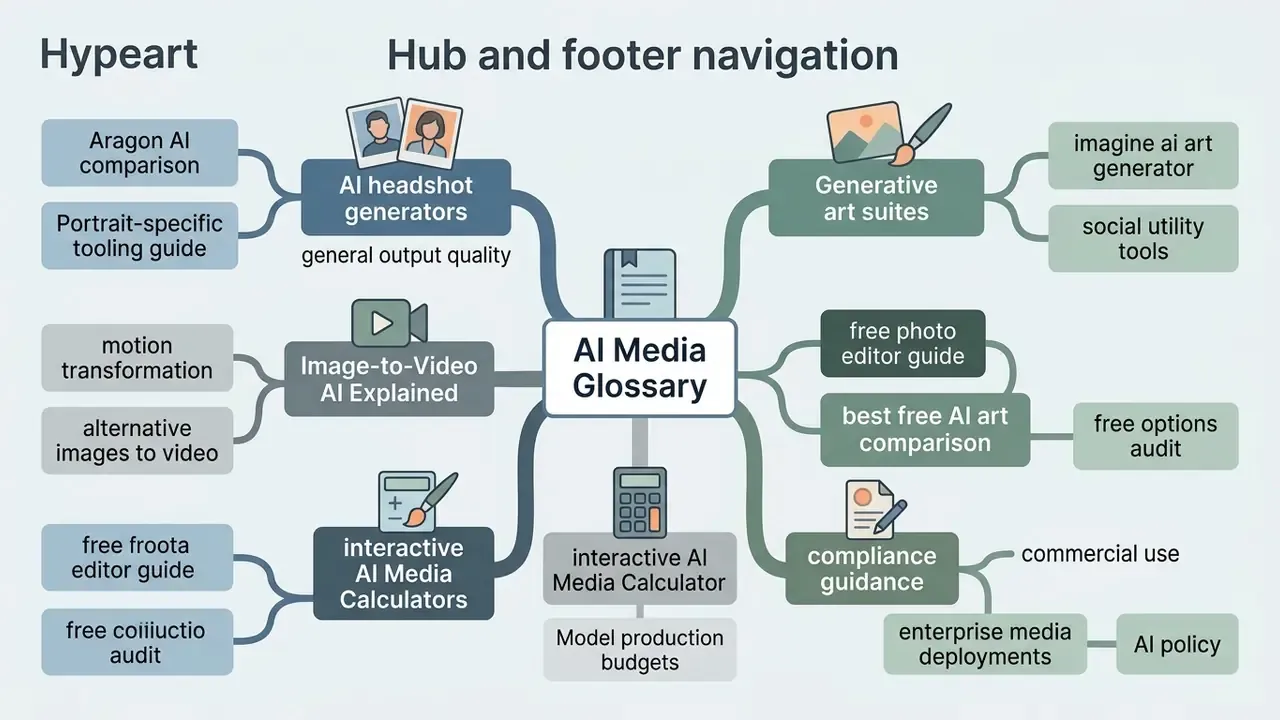
- Primary hub: AI Media Glossary
- Specialized tools and guides:
- Compare portrait-specific tooling in the guide to AI headshot generators and general output quality in the best AI art generator comparison.
- Explore motion transformation via Image-to-Video AI Explained or review alternative images to video frameworks.
- Evaluate generative art suites including the imagine ai art generator and social utility tools such as the instagram username generator ai.
- Audit free options with the free photo editor guide and the best free AI art generator comparison.
- Model production budgets with the interactive AI Media Calculators, or troubleshoot rendering issues via AI Media Support and Troubleshooting.
- Examine compliance guidance for commercial use across enterprise media deployments, including AI reverse-image search for provenance verification.