Last updated: 2026 publication cycle. Technical review: AI governance and model risk perspective (see the reviewer note at the end of this guide).
Who this guide is for, and how to read it
Three readers usually land here. A marketer who wants a product clip by Friday. A creator animating an archival photograph. And, increasingly, a risk or compliance lead asked a blunt question by the business: can we actually use this?
The answer splits into three decisions, and they are worth separating before you upload anything.
- Feasibility.Will a single still image produce usable motion at all, given your source asset?
- Cost and limits.What does the free tier really give you, and where does the paywall sit?
- Rights and evidence.Who owns the output, who owns the input, and can you reproduce the render six months later during a review?
Most published tutorials answer only the first. This guide answers all three, and flags the places where the evidence is thin.
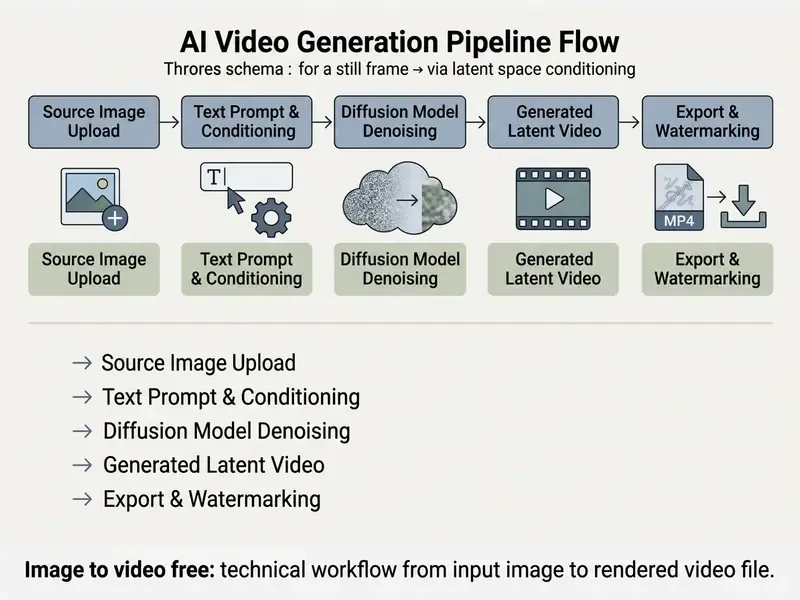
Image-to-video AI technology converts static photographs, digital illustrations, or synthetic images into short, dynamic video clips using temporal diffusion architectures and text-prompt conditioning. Modern generative systems analyze the latent spatial structures of a single input image and synthesize motion vectors across frames, which lets users animate portraits, produce product showcases, or generate cinematic visual effects without manual keyframing.
What Is Image to Video AI and How Static Images Turn into Video
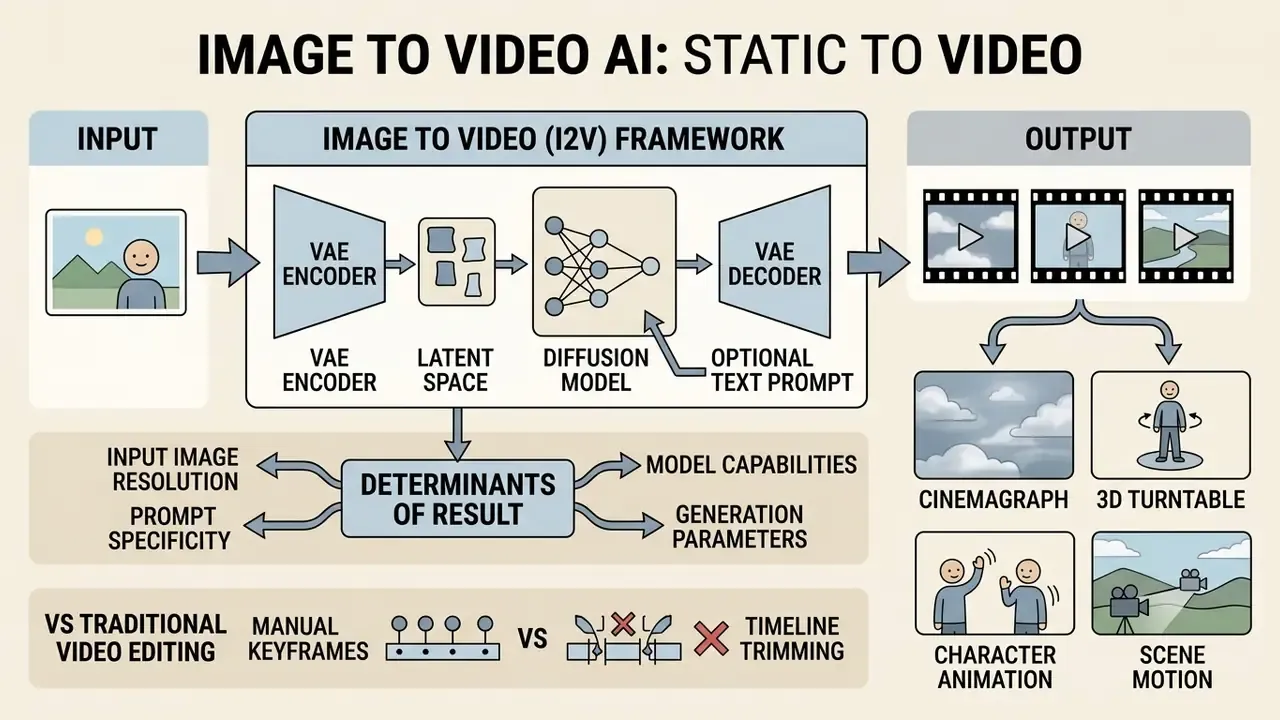
Image-to-video (I2V) AI is a generative framework that synthesizes a temporally coherent sequence of frames conditioned on a single reference image and an optional text prompt. The system uses latent video diffusion backbones, such as U-Net or Diffusion Transformer (DiT) models, to preserve the visual identity, texture, and spatial composition of the source image while predicting motion across subsequent frames.
In diffusion-based I2V pipelines, a Variational Autoencoder (VAE) compresses the source frame into a latent representation (). This vector anchors the spatial layout and identity of the sequence. Concurrently, a text encoder (CLIP or T5, typically) converts user prompts into semantic conditioning vectors. During reverse denoising, the model iteratively removes Gaussian noise from a sequence of video latents, applying cross-attention mechanisms to enforce consistency with both the reference image and the text instructions.
«Diffusion-based I2V models synthesize temporally consistent frames from an encoded reference image, diffusion steps, and optional conditioning signals, using U-Net or DiT architectures.»
Two architectural families dominate practical implementations. Frame-replacement approaches inject the encoded source image directly into the first latent slot of the video tensor. Cross-attention conditioning instead treats the reference frame as a persistent key-value context available to every denoising step. Zero-shot systems such as TI2V-Zero push this further by conditioning a pretrained text-to-video backbone through a repeat-and-slide strategy during reverse denoising, avoiding retraining altogether.
Unlike traditional video editors that rely on manual keyframing or timeline trimming, an online image to video maker generates entirely new pixel data for each frame. If you are still mapping the tool landscape, our reference material on AI video generators explains how prompt-based synthesis engines differ from timeline editors and template-based slideshow builders. The algorithm infers unseen trajectories, camera rotations, and lighting shifts. Nothing is retrieved; everything is predicted. To explore fundamental definitions and technical terminology across media synthesis, consult our AI Media Glossary.
What Videos Can You Create from Photos and AI Images?
You can generate four main categories of motion content from a single image: cinemagraphs, 3D turntable rotations, animated portraits, and commercial promotional clips.
- Cinemagraphs and isolated motion: movement applied to specific regions of a still photo, such as flowing water, drifting smoke, or flickering flames, while the surrounding background stays perfectly static.
- 3D camera rotations and object turntables: virtual camera moves including orbital rotations, pans, and zooms around a single product or architectural asset, simulating a multi-camera studio setup. Camera-trajectory conditioning research demonstrates that orbital paths and directional moves can be steered with explicit control signals rather than text alone (Image Conductor, arXiv 2024). Updated: the previous reference to Adobe Illustrator turntable documentation has been removed, since vector-editor documentation does not evidence AI video synthesis behavior (retained for transparency in Appendix A).
- Portrait animation and avatars: facial expression synthesis, subtle eye blinks, and lip-sync movement generated from static headshots, using personalization and pose-conditioning frameworks that convert an existing image model into an animator (PIA / AnimateBench, arXiv 2024). Updated: the earlier "Hallo3 / arXiv:2501.00000" citation pointed to a non-existent identifier and has been replaced.
- Commercial and ad creatives: high-impact social media assets, animated hero banners, and short-form video ads created by introducing dynamic camera motion to static product photos. For a deeper functional breakdown of these engines, review our reference page on image-to-video AI tools.
If you are expanding static assets before animation, evaluating an outpainting tool via our guide on AI outpainting and image expansion helps establish proper aspect ratios prior to video synthesis. Fixing the frame first is cheaper than re-rendering a cropped subject three times.
What Determines the Result of AI-Generated Video?
The output quality of an AI-generated video is determined by input image resolution, prompt specificity, motion conditioning controls, the base diffusion architecture, and the export container you choose.
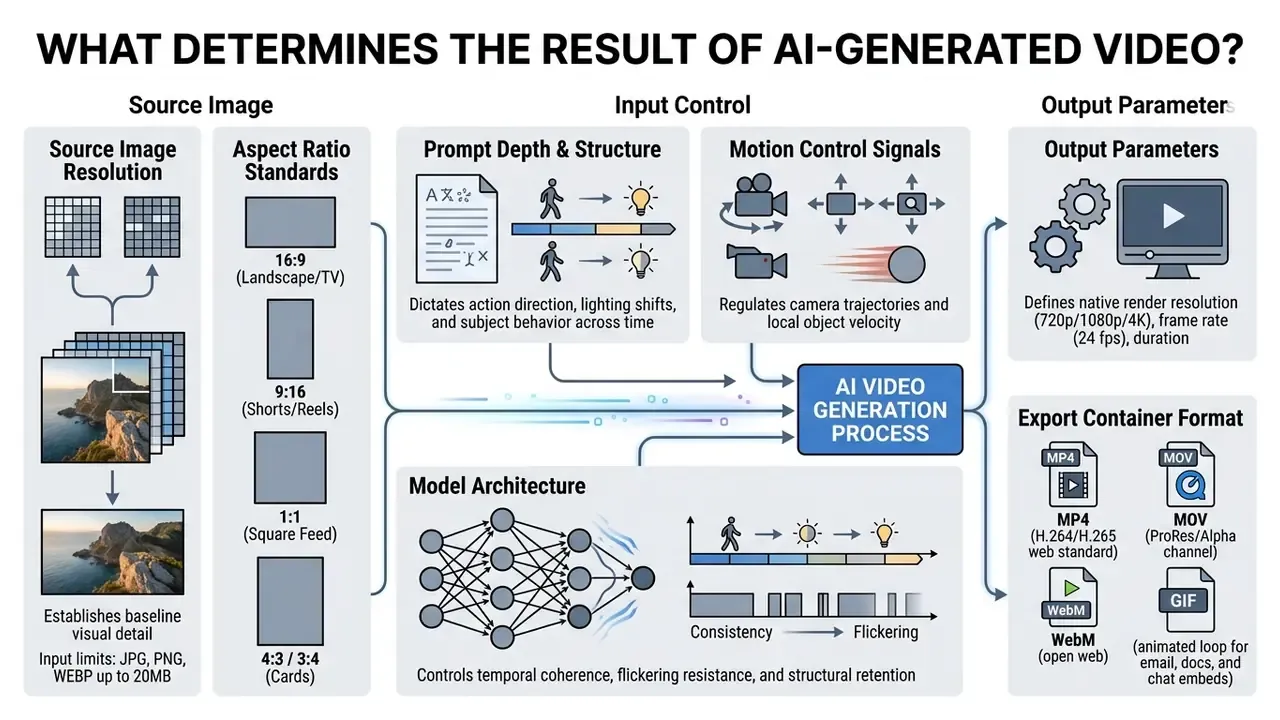
Practical input constraints are fairly consistent across mainstream platforms: source files in JPG, JPEG, PNG, or WEBP up to roughly 20 MB, with some vendors accepting up to 50 MB for a single reference frame. Export options vary more widely. Cloud editors typically deliver MP4, MOV, WebM, or GIF, while pure generation endpoints usually return MP4 only, which is exactly why the post-processing stage described later in this guide is where GIF and MOV deliverables actually get produced.
Research evaluating video diffusion models highlights that noisy or low-resolution input images introduce ambiguous latent features. Those ambiguities compound during reverse denoising, producing visible spatial distortions, texture blur, and temporal flickering.
«VBench++ evaluates models across 16 dimensions, including motion smoothness and temporal flicker, exposing trade-offs between fine detail and stability.»
What "Free" Means in Free Image to Video Generators
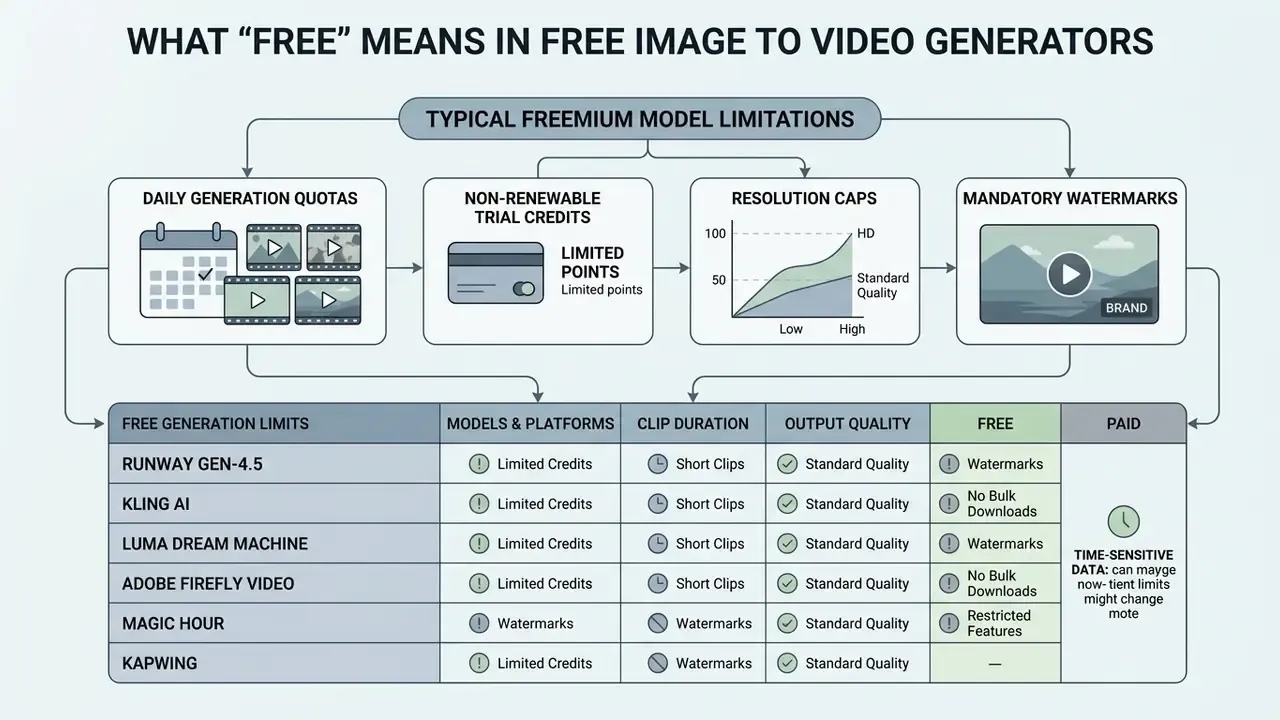
In commercial AI video platforms, "free" typically refers to a freemium model governed by non-renewable trial credits, daily generation quotas, resolution caps, or mandatory watermarks.
Free access lets you test an image to video free online platform without upfront payment, but operational constraints exist to contain compute cost. Most platforms issue between 10 and 125 single-use credits on account registration, or supply 3 to 5 daily generation slots. Our comparison of free AI video generators tracks how those credit pools, daily caps, and renewal cycles differ between vendors. Free outputs are also frequently capped at 720p, restricted to 5-second clip lengths, and tagged with digital or visible watermarks.
For an enterprise or media team evaluating platform investments, tier structure is the whole story. You can review detailed fee models and credit breakdowns across providers in our AI Media Pricing Guides, and model the per-clip cost of a campaign with our AI Media Calculators before committing a budget line.
Free Generation Limits: Models, Clip Duration, and Output Quality
Free generation tiers limit server load by capping clip lengths to 5 to 10 seconds, queuing jobs in lower-priority rendering pipelines, and restricting access to flagship video models.
Free account allocations on major platforms show fairly clear operational boundaries:
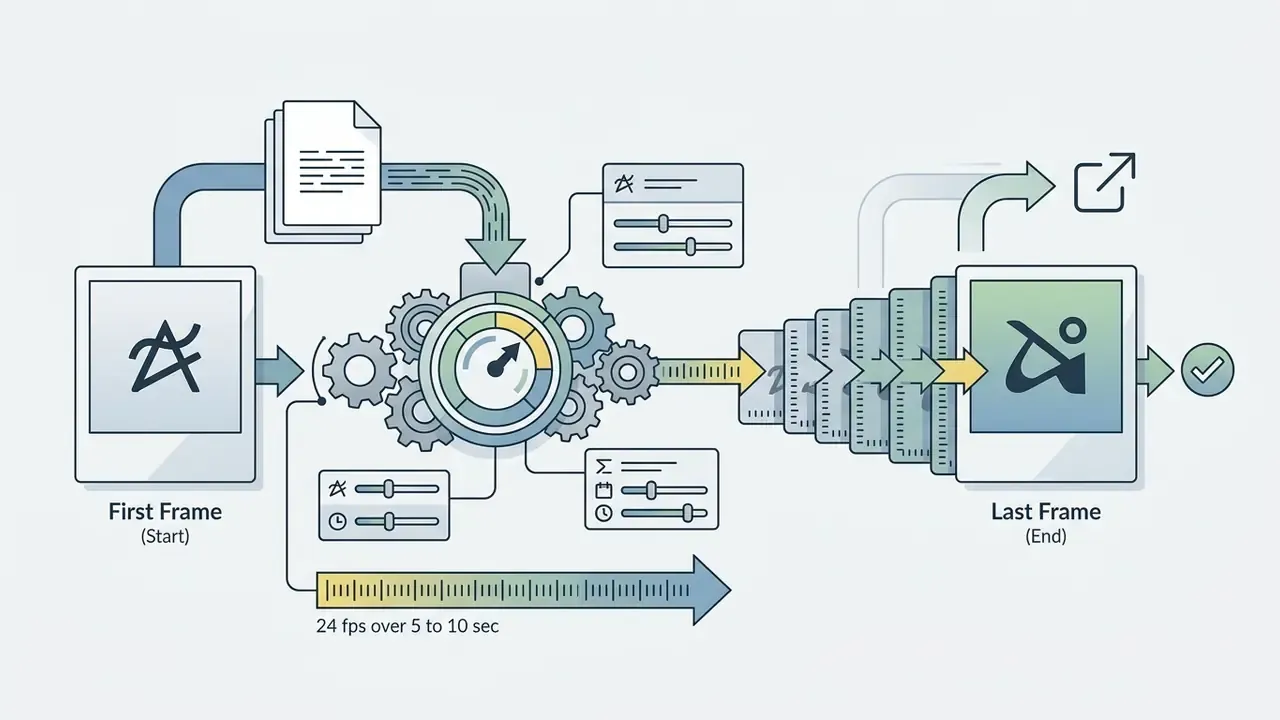
- Runway Gen-4.5 125 one-time credits on signup, limiting free outputs to 5-second or 10-second clips at 720p and 24 fps (Runway Pricing & Help Center).
- Kling AI daily login credits yielding 5-second clips at 720p, processed through standard queued rendering (Kling AI Documentation).
- Luma Dream Machine free tiers restricted to roughly 25 seconds of total generated video per month under draft-quality queues (Luma Labs Documentation).
- Adobe Firefly Video monthly generative credits for short video clips from stills, with commercially safer outputs trained on licensed stock assets (Adobe Firefly Overview).
- Magic Hour one of the most explicit daily structures on the market, with three free generations per day, three seconds each, exported at 480p and watermarked.
- Kapwing free to try for prompt-based motion on uploaded JPG, PNG, or WEBP files, with MP4 export and preset social aspect ratios; full tool access and stock media sit behind the paid tier.
Watermarks, HD Export, and Upgrading to Pro
Upgrading from a free account to a Pro plan removes visible platform watermarks, unlocks 1080p and 4K export options, and normally provides commercial usage rights.
| Feature / Dimension | Free Tier Access | Pro Paid Tier ($12 to $30/mo) |
|---|---|---|
| Model Access | Standard or legacy base models | Full access to flagship models (Gen-3/4, Kling Pro) |
| Clip Duration | Capped at 3 to 5 seconds per generation | Extended clips (10 to 30+ seconds with extension loops) |
| Export Resolution | Standard definition (480p to 720p) | High definition (1080p Full HD to 4K render) |
| Export Formats | MP4 only in most free generation endpoints | MP4, MOV, WebM, and GIF via integrated editors |
| Aspect Ratios | Often limited to 16:9 and 9:16 | 16:9, 9:16, 1:1, 4:3, 3:4 presets |
| Render Priority | Shared public queue (slower processing) | Dedicated GPU compute (fast-track rendering) |
| Watermark Overlay | Mandatory visible logo or corner brand | Completely removed on exported MP4 files |
| Commercial Rights | Personal or educational use only (typical) | Full commercial license for ad campaigns and client work |
Read the table as text too, since the pattern matters more than the numbers: free tiers trade resolution, duration, queue position, and licensing for zero cost, while paid tiers buy back all four at once.
The market is not fully uniform on watermarking. Several vendors invert the standard model and advertise watermark-free HD output on free plans while gating tool depth, stock libraries, or generation volume instead. Because the watermark is often the licensing signal rather than a cosmetic detail, its presence or absence should be read together with the tier's usage rights, never in isolation.
«Video Seal outperforms MBRS and TrustMark baselines in robustness to geometric transformations while maintaining high PSNR during signal embedding.»
While most platforms enforce watermarks on free accounts, select editors handle watermark removal differently. To evaluate feature trade-offs across current editing applications, reference our analysis of free photo editors, our roundup of free video editing software, and specialized video utilities.
How to Create AI Video from Image Prompt Free Online
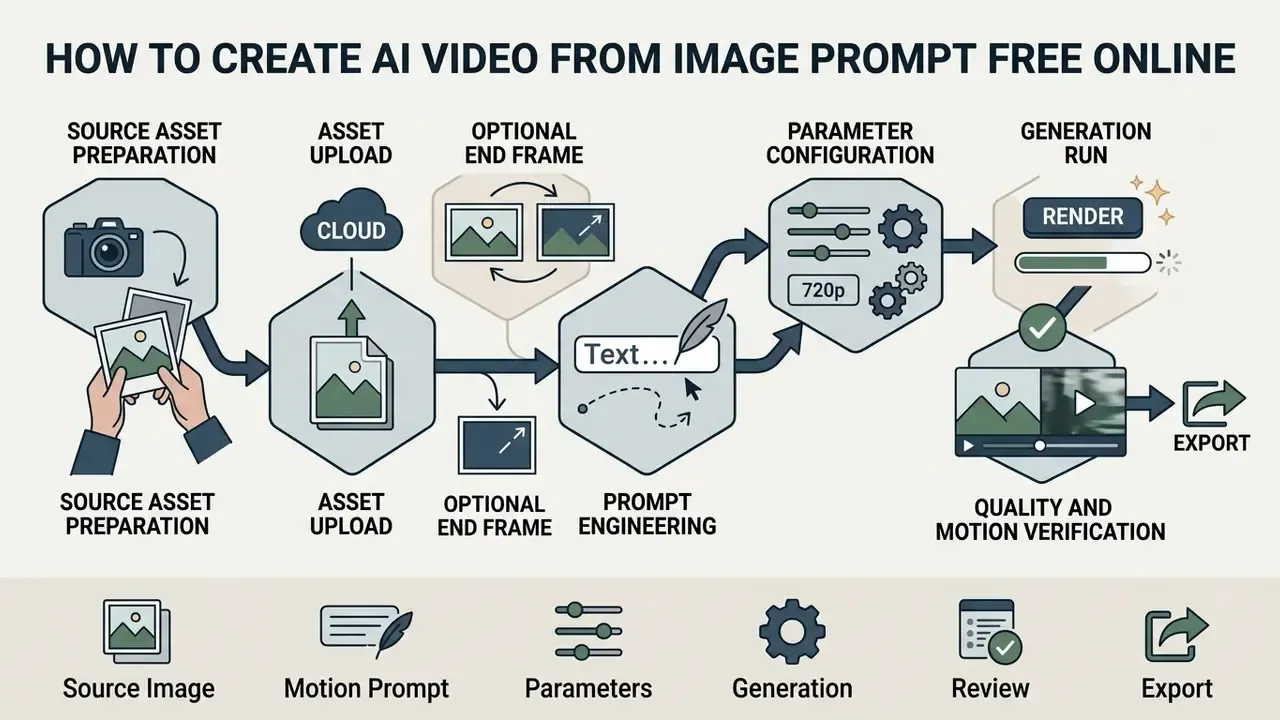
To generate a free ai video from image prompt, you upload a structured reference photo, write a targeted motion prompt, adjust rendering parameters, then export the rendered MP4 clip.
Step-by-Step AI Video Generation
Checklist0 / 9
Upload Your Image and Prepare a Reference for Generation
A successful generation requires a high-resolution source image with clear subject-background separation, sharp focus, and balanced lighting.
When preparing an input photo for an online image to video maker:
When converting static portraits into professional marketing assets, review our operational guide on AI headshot generators for image preparation standards.
- Resolution constraints
- use source images with long edges between 1920 px and 3840 px. Keep edge dimensions in multiples of 16 pixels and the long-to-short edge ratio no wider than 3:1, which prevents VAE encoding alignment errors (OpenAI Image API Guidelines). If your original file falls below that range, AI image upscalers can raise the pixel count before you upload.
- Subject focus
- the primary subject must be in crisp focus. Out-of-focus subjects or heavy motion blur in the source photo lead to severe object deformation across generated frames (NIST Image Quality Standards). Running the file through AI image enhancers first reduces the risk of warped edges during denoising.
- Aspect ratio alignment
- match the source image ratio (16:9 for landscape, 9:16 for mobile Shorts and Reels, 1:1 for square feeds, 4:3 or 3:4 for marketplace cards and presentation slides) to your intended output format before uploading.
- File format and size
- confirm the platform's accepted input types, typically JPG, JPEG, PNG, and WEBP up to 20 MB, with some vendors accepting files up to 50 MB.
Write a Prompt for Motion, Style, and Camera
An effective image-to-video prompt describes subject movement, camera trajectory, and environmental lighting using structured, single-purpose clauses.
When writing prompts for an image to video free generator, structure your text with this four-part formula:
- Effective example "A coffee cup on a wooden table, steam rising slowly in vertical wisps, camera pans left at slow speed, warm morning sunlight, cinematic 35mm film style."
- Ineffective example "Make the coffee cup hyperrealistic and cool, then the camera zooms in and out while rain starts falling outside and a cat jumps onto the table."
Empirical benchmarks show that complex, multi-stage prompts fail to execute temporal state transitions over 80% of the time. That number surprises most first-time users.
«Most video generators execute fewer than 20% of requested compositional changes in prompts specifying an initial and a final scene state.»
Keeping prompts focused on a single primary movement drastically reduces visual artifacts. Vendor prompt guidance converges on the same clause order: shot size, angle, camera movement with direction and speed, subject and action, lens or look, then lighting and mood. Lighting itself should specify quality (hard or diffuse), direction, and color temperature in warm and cool terms or Kelvin values.
Style-Specific Prompt Templates
To prevent style degradation during spatial diffusion, place target visual markers directly in your conditioning text:
- Photorealistic cinematic
"[Subject], subtle natural movement, captured on 35mm lens, atmospheric depth of field, 4k render, hyperrealistic lighting --no cartoon, blur" - Anime and cell-shaded
"[Subject], hand-drawn anime aesthetic, dynamic line-art motion, vibrant cell shading, smooth 24fps transition" - 3D render and product showcase
"[Product], 360 studio turntable rotation, softbox studio lighting, octane render, pristine metallic surface reflections, slow-motion" - Surreal and fantasy
"[Subject], ethereal flowing particles, dreamlike light shifts, surreal metamorphosis, vibrant color gradient, fluid motion" - Cyberpunk and neon editorial
"[Subject], rain-slick neon street reflections, cyan and magenta rim lighting, slow dolly forward, volumetric haze, anamorphic flare" - Watercolor and illustration
"[Subject], hand-painted watercolor texture, soft paper grain, gentle parallax drift, muted pastel palette, delicate ink outlines" - Archival and documentary
"[Subject], restrained motion, faint blink and subtle smile, gentle 5% push-in, period-accurate film grain, desaturated tones"
Explicit style markers matter because prompt-only style control degrades quickly across frames. The model tends to drift toward the dominant statistical style of its training distribution unless the aesthetic is repeatedly anchored in the conditioning text.
Select Settings, Generate Clips, and Export Video
Before you click generate, set your target clip duration, frame rate, aspect ratio, and camera velocity sliders inside the generator settings.
In advanced API pipelines, such as Google Veo 3.1, video parameters are strictly defined:
{
  "generation_mode": "image_to_video",
  "duration_seconds": 8,
  "aspect_ratio": "16:9",
  "resolution": "1080p",
  "camera_control": {
    "type": "pan_left",
    "speed": "slow"
  },
  "seed": 184920347
}
Note the model-specific constraints behind these fields. Veo 3.1 accepts durationSeconds of 4, 6, or 8, supports 16:9 or 9:16 aspect ratios, and requires the full 8 seconds when rendering 1080p or 4K, or when reference images and extensions are in play. Generated files must also be downloaded locally within the vendor's retention window (two days for Veo), which makes automated asset archiving a practical necessity rather than an optional nicety.
After rendering completes, inspect the output frame by frame. Look for subject warping, floating artifacts, background flickering. If the clip holds together, export the MP4. When repurposing the render into another container, preserve the pixel aspect ratio of the source, because exporting with a mismatched PAR distorts geometry even when resolution is unchanged. For API integration details and cost structures, refer to our Google Veo implementation guide.
How to Choose Video Models and Control Motion in AI Video
Selecting the right AI model depends on whether your project demands photorealism, artistic stylization, complex 3D camera control, or an isolated deployment environment.
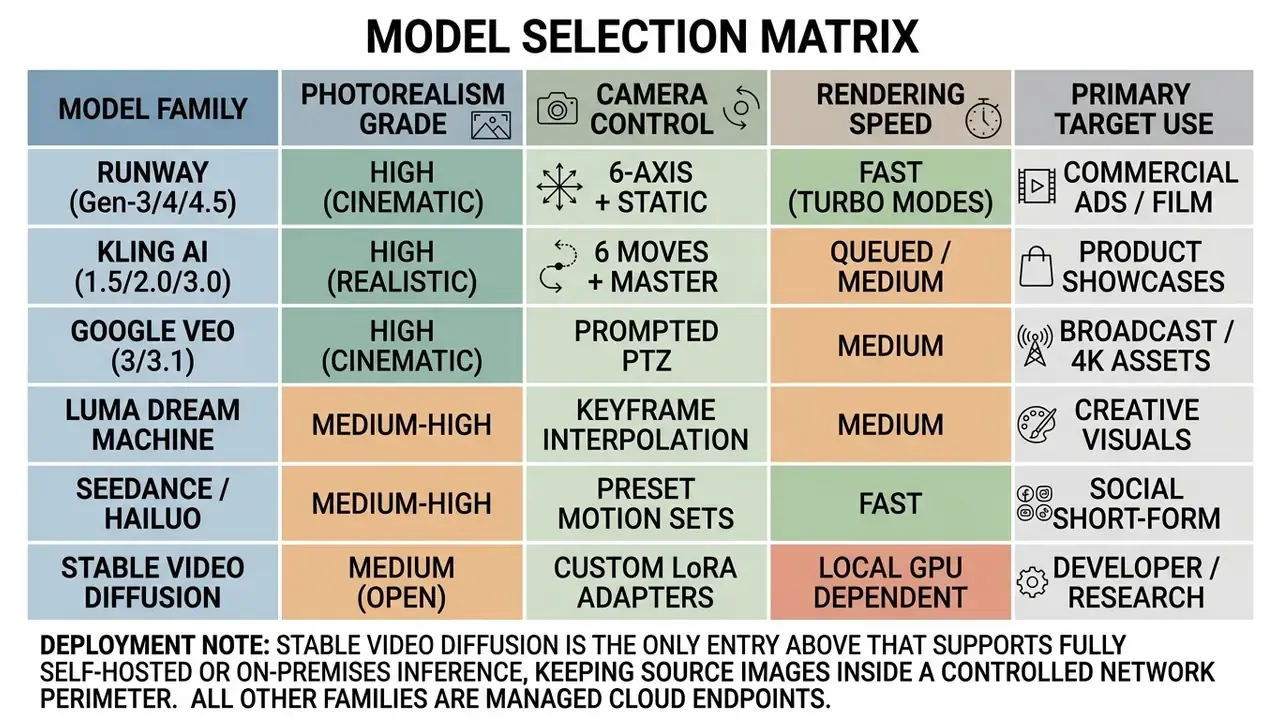
Multi-model hubs have become the default distribution pattern. Adobe Firefly, EaseMate, and similar aggregators expose Veo, Runway, Luma, Kling, Seedance, and OpenAI models through a single interface, which shifts the selection problem from "which vendor" to "which model per shot." To benchmark those engines head to head across quality, controllability, and licensing, see our comparison of the best AI video generators.
Selecting AI Models for Realistic, Cinematic, and Creative Videos
Different AI models are optimized for distinct visual styles and operational constraints.
When evaluating a video generator for commercial workflows:
- Cinematic and film production: models like Runway Gen-3 Alpha and Google Veo excel at natural camera physics, depth-of-field blur, and complex lighting transitions (Veo Capabilities, Google Cloud).
- Photorealistic product ads: Kling AI provides specialized controls for product turntables, holding physical geometry and surface textures across 5 to 10 second outputs (Kling AI Camera Guides).
- Creative and stylized animation: open-source diffusion backbones, such as Stable Video Diffusion, allow fine-tuning via Low-Rank Adaptation (LoRA) modules to generate anime, 3D render, or surreal motion styles (Stable Video Diffusion Paper, 2023).
«PIA turns any personalized text-to-image model into an image animator; AnimateBench, with 105 evaluation pairs, confirmed superior image alignment and motion controllability.»
Camera Motion, First and Last Frames, and Dynamic Control
Controlling virtual camera moves (pan, tilt, zoom) and defining start and end frames prevents visual drift and produces smoother clip transitions.
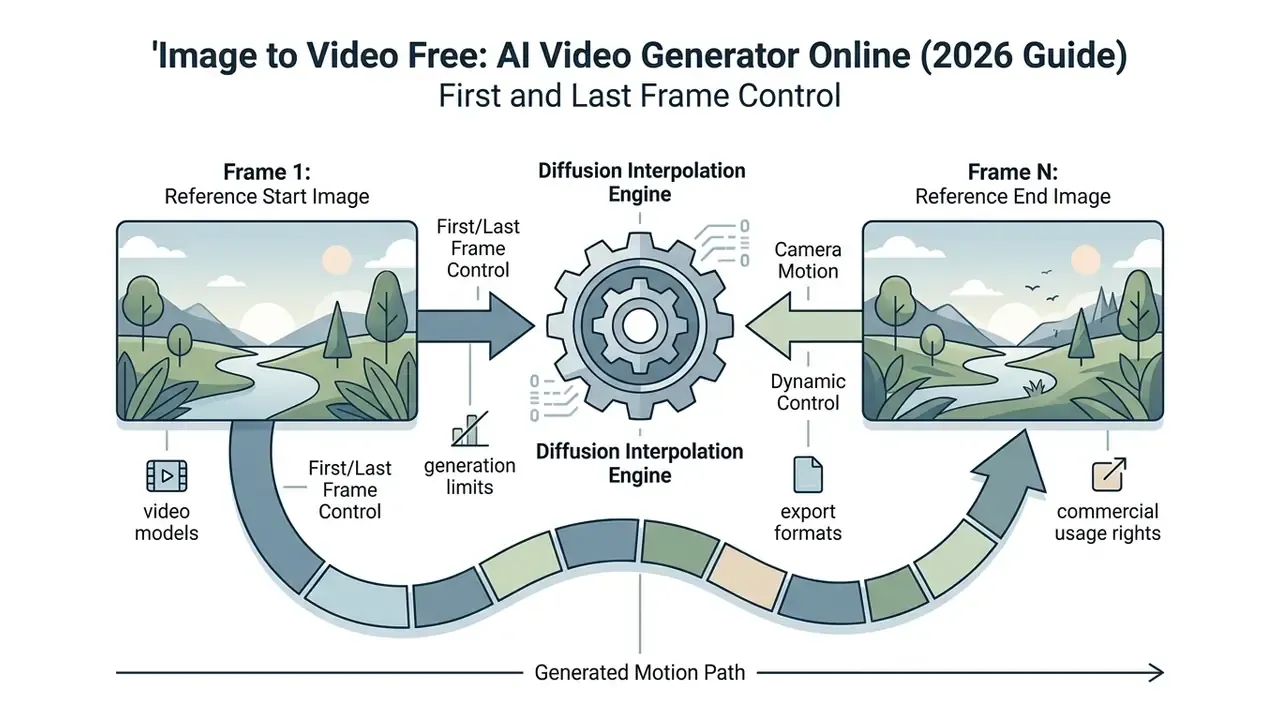
«MotionPro achieves MD-Img 10.48 and MD-Vid 8.59, reducing mean deviation from prescribed trajectories by 1.82 and 2.78 respectively compared with DragAnything.»
Benchmarked camera-control systems report the same trade-off pattern. Pose-alignment errors (TransErr, RotErr) fall sharply when explicit trajectory conditioning replaces prompt-only instruction, while real-time variants achieve more than 20 times the throughput and still preserve those control tasks.
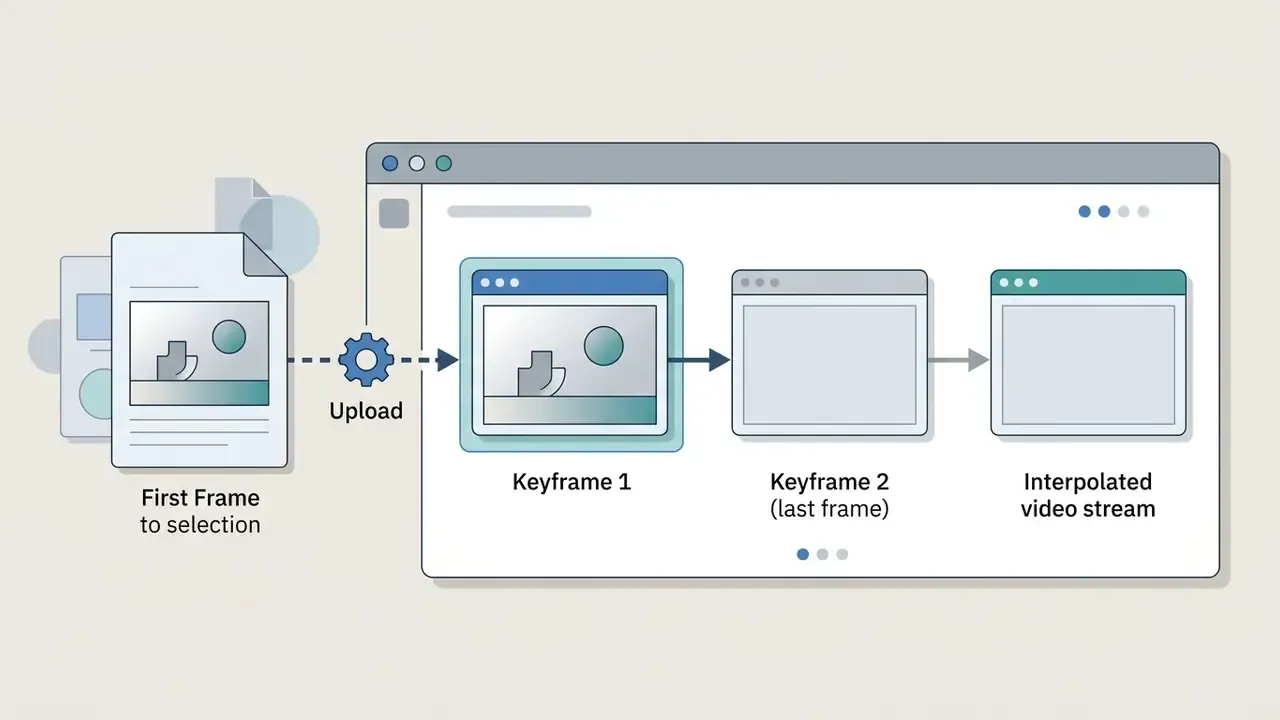
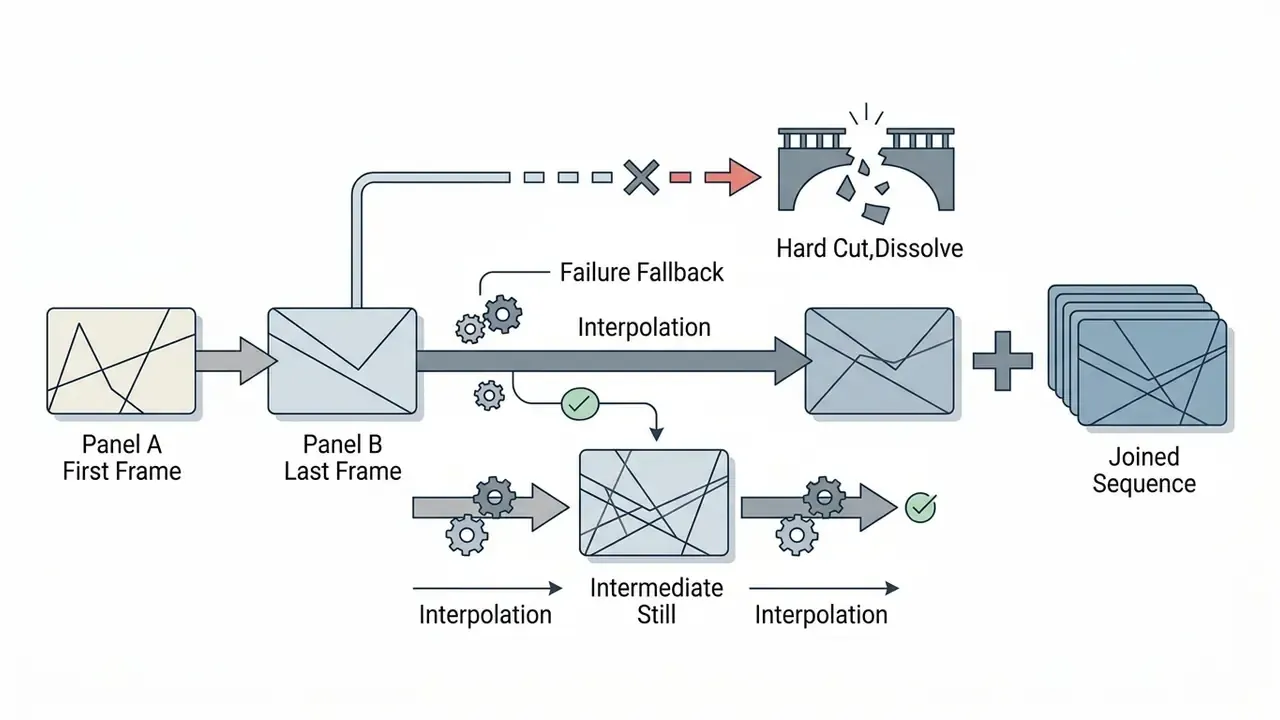
Step-by-Step Execution: Dual-Keyframe Interpolation (First and Last Frame)
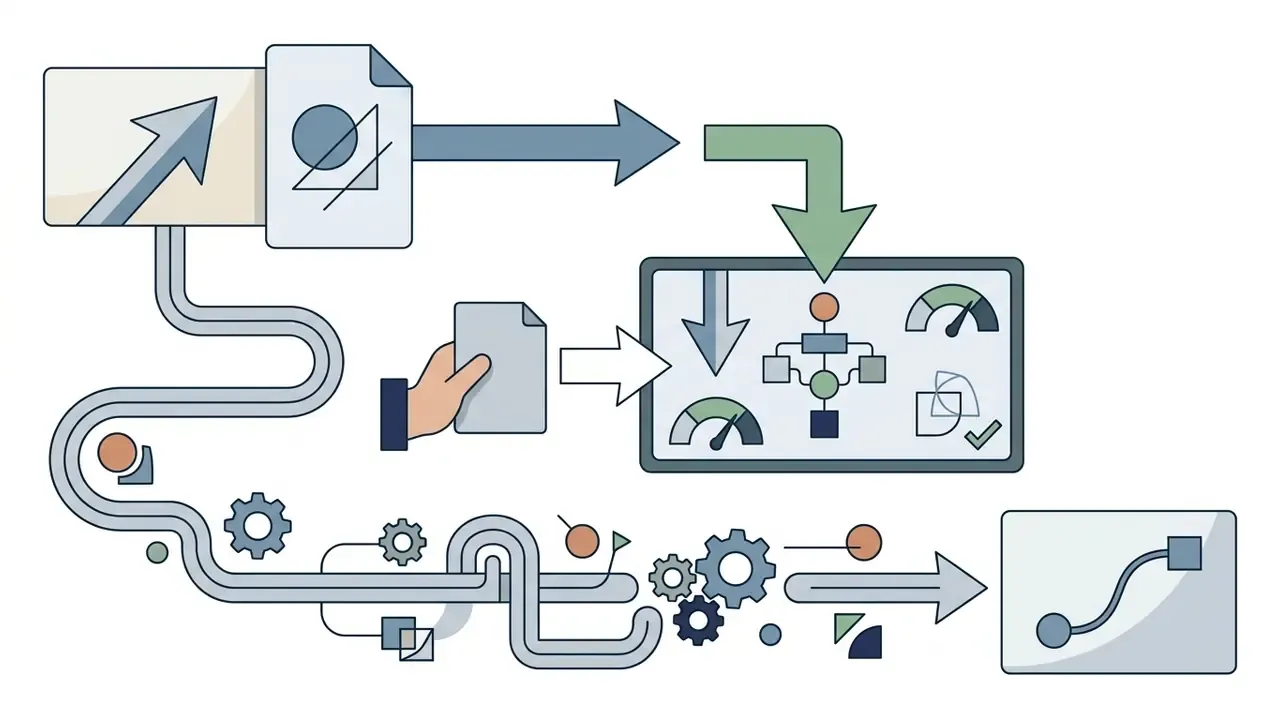
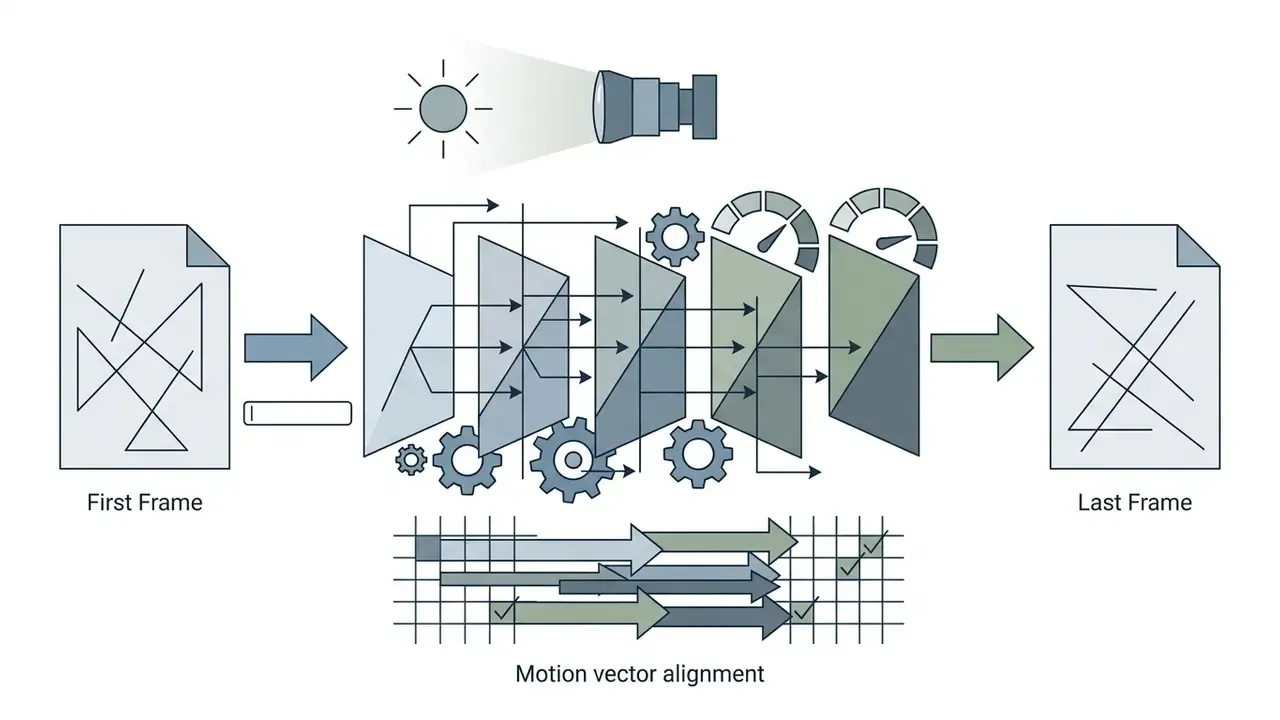
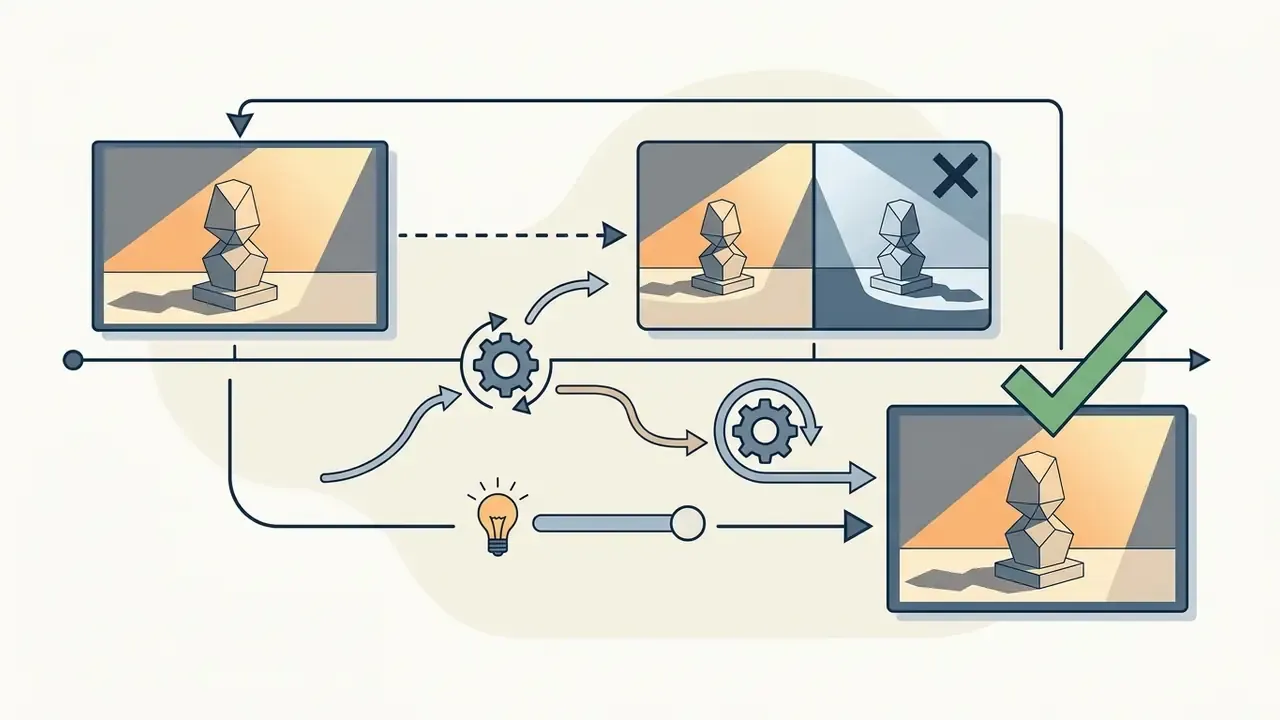
When you need precise structural evolution, for example turning a product prototype into its finished version or transitioning a character scene, use two-frame conditioning:
One model-dependent constraint deserves a flag: some engines expect little to no camera motion when interpolating between two frames, while others explicitly support wide-baseline view interpolation. Verify the behavior on a low-cost draft render before committing a production shot to dual-keyframe conditioning.
How to Get High-Quality AI Video from Images
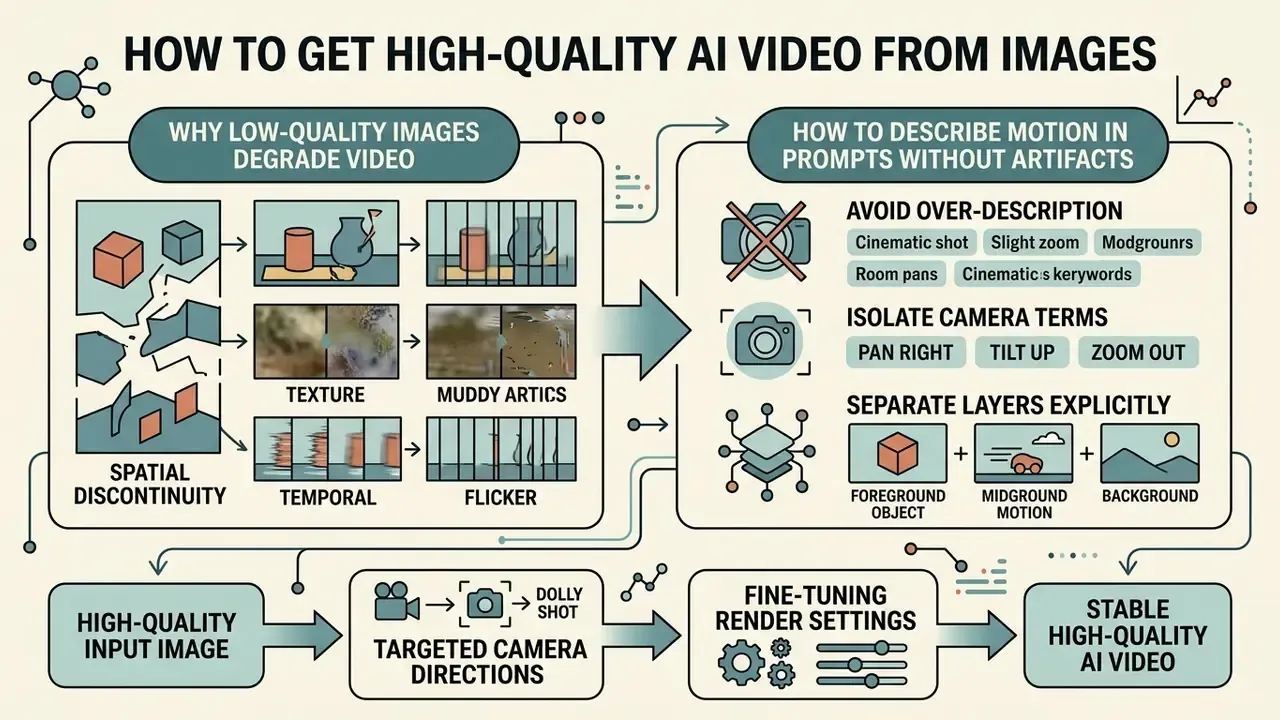
Generating high-quality AI video requires eliminating noise in the input image, using targeted camera directions, and fine-tuning render settings.
Why Low-Quality Images Degrade Generated Video
«AnimationBench uses RAFT optical flow to measure dynamic degree; with noisy input data, both motion and temporal-consistency metrics deteriorate.»
Adversarial research reinforces how tightly output quality is bound to the reference frame. I2VGuard applies imperceptible perturbations to a source image specifically to degrade downstream video generation, which demonstrates that even invisible input corruption propagates into visible motion artifacts (CVPR 2025).
For teams optimizing creative assets across web and mobile channels, inspecting compression metrics via our video compressor tool guide provides practical benchmarks for file integrity.
How to Describe Motion in Prompts Without Artifacts
To prevent unnatural stretching, double heads, or melting backgrounds, keep prompts concise and separate foreground subject actions from background camera motion.
Follow these prompt editing rules to minimize generation artifacts:
- Avoid over-description do not detail every background object. Focus on the primary moving subject.
- Isolate camera terms place camera instructions in a distinct clause at the end of the prompt (for example, ", camera pans right smoothly").
- Separate layers explicitly structure each prompt as event, foreground entity, background entity, camera movement, keeping the four elements in discrete clauses rather than one run-on sentence.
- Avoid large appearance shifts requesting a significant change in a subject's appearance mid-clip disrupts temporal consistency and directly drives flicker and identity drift.
- Limit multi-subject interactions prompting multiple subjects to move in different directions simultaneously raises spatial distortion rates noticeably.
«UI2V-Bench found that I2V models are systematically weakest at attribute binding and cause-and-effect reasoning within prompts.»
Fact check and verification box:
Post-Processing Pipelines: Turning Raw AI Video Clips into Final Media Assets
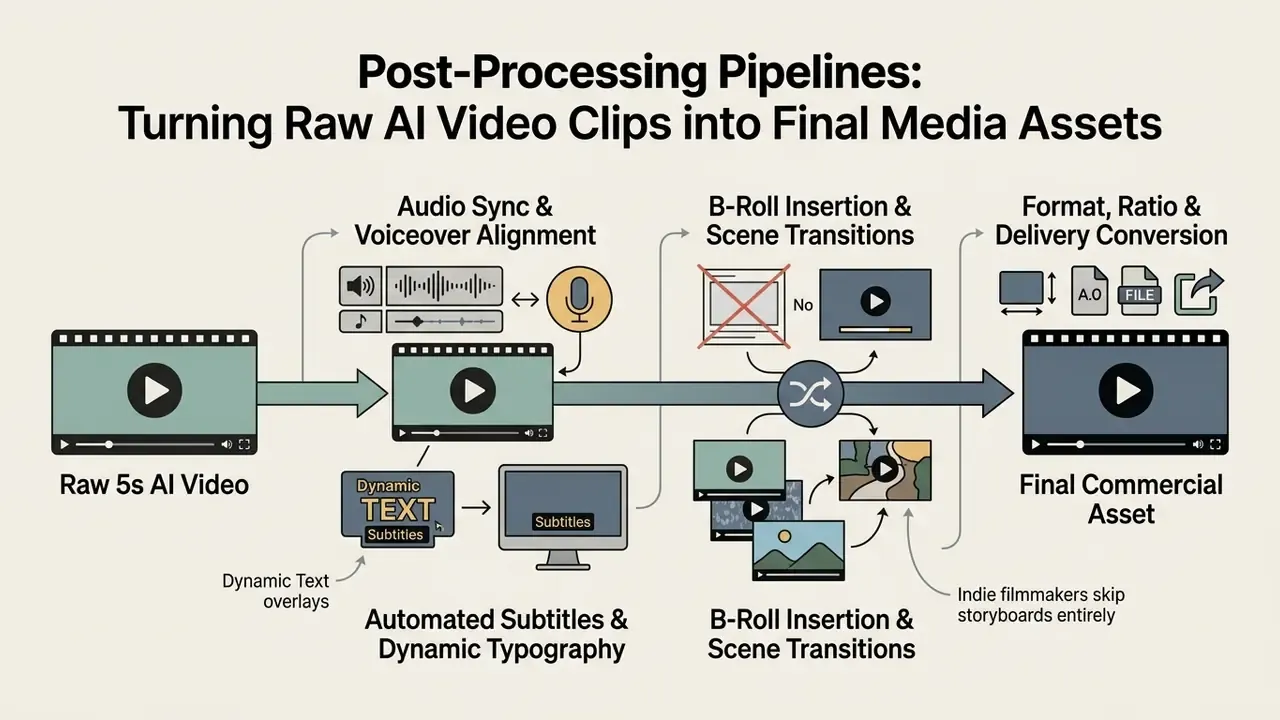
A raw 5-second AI video render rarely constitutes a finished commercial asset. To prepare generated outputs for public distribution or editorial workflows, integrate these post-processing phases.
1. Audio Synchronization and Voiceover Alignment
- Background audio: pair dynamic camera clips with royalty-free audio or adaptive AI sound effects matched to motion velocity, for instance swoosh accents during rapid PTZ pans.
- AI voiceovers: layer synthetic speech tracks over product animations using standardized timeline sync tools. Multilingual synthesis lets a single render serve dozens of regional variants. To evaluate voice synthesis integration, read our guide to AI voice generators.
- Audio-triggered conversion: in most cloud editors, adding a music file to a still or slideshow automatically converts the project into a video timeline, which is the simplest route from single image to shareable clip.
2. Automated Subtitles and Dynamic Typography
- A large majority of mobile short-form media is consumed with sound off, which makes burned-in captions a functional requirement rather than an accessibility extra. Import exported MP4 renders into a video editing timeline to auto-generate captions and animated call-to-action text.
- Apply preset text styles first, then refine font, color, outline, and timing. Keep caption safe areas clear of platform UI overlays in 9:16 exports.
3. B-Roll Insertion and Scene Transitions
- Use single-image generations as B-roll inserts to fill narrative gaps in primary footage, exactly as editorial teams use cutaways and inserts in traditional post-production.
- Apply roughly 0.5-second cross-dissolves between sequential AI clips to smooth out latent generation shifts and mask small identity drift between renders.
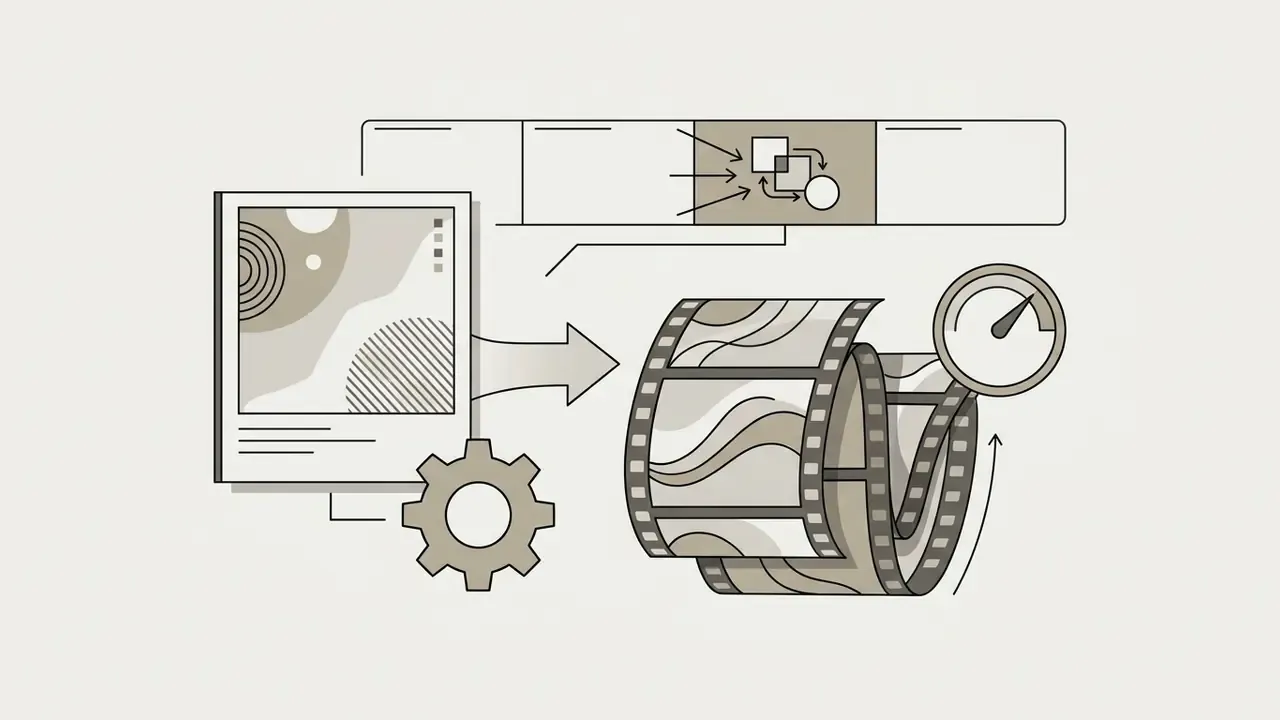
4. Format, Ratio, and Delivery Conversion
- Export the master as MP4 (H.264/H.265) for web and social delivery, MOV when you need ProRes quality or an alpha channel for compositing, WebM for open-web embeds, and GIF for email, documentation, and chat-native loops.
- Re-frame the master into 16:9, 9:16, 1:1, 4:3, and 3:4 variants rather than re-generating. That conserves credits and preserves visual consistency across channels.
- For short-form placement, front-load the hook into the first one to three seconds and skip long logo intros. Fifteen to sixty seconds is the practical performance window for social slideshows and clip compilations.
Can You Use Videos Generated from Images in Commercial Projects?
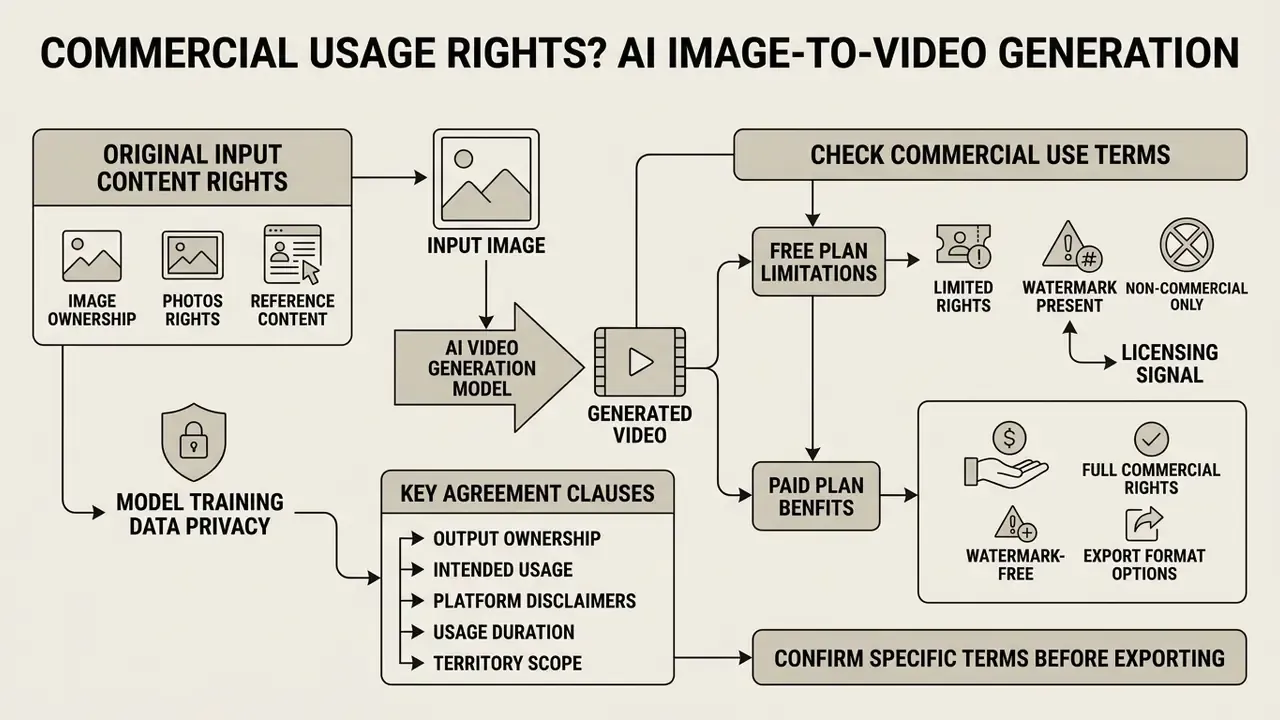
Commercial deployment of AI-generated videos depends on the license terms of the AI platform, your account tier status, and the copyright ownership of the input source image.
In commercial marketing, using an image to video free platform often carries legal limitations. Paid subscriptions generally grant full commercial exploitation rights, while free accounts frequently restrict video usage to personal, educational, or non-commercial testing. Parallel restrictions apply upstream too. Our overview of AI image generators for commercial use documents how the same tier logic governs still-image licensing.
To navigate copyright considerations, platform terms, and commercial safety guidelines across visual tools, visit our central AI Media Commercial-Use Hub.
What to Check in Commercial Use Terms Before Export
Before publishing or monetizing an AI-generated video, review the vendor's End User License Agreement (EULA) on commercial grants and watermark policies.
Key compliance items to audit:
- Free versus paid rightsverify whether free-tier outputs permit commercial monetization, or whether commercial rights are reserved strictly for paid subscribers. AnimateImg and LTX Studio restrict free tiers to personal use, while Adobe Firefly permits commercial use on free accounts provided input assets are cleared (Adobe Generative AI Terms).
- Output ownership clausessome vendors assign output rights to the user explicitly. OpenAI's terms state that, as between the user and OpenAI, the user owns all Output. Ownership assignment is not the same as a warranty of non-infringement, and it does not cure a rights defect in the uploaded input image.
- Watermark as licensing signalremoving a platform watermark from a free-tier output using third-party editors typically violates service terms and can void usage rights.
«Under white-box conditions, existing video watermarking methods are vulnerable to removal and forgery attacks, undermining the reliability of provenance claims.»
- Data privacy and training: confirm the platform does not retain rights to train public models on your proprietary or confidential input images. Check retention windows too, since some APIs delete generated files within 48 hours, which shifts archival responsibility to you.
«RobustSora recorded AI-video detector accuracy fluctuations of 2 to 8 percentage points under watermark manipulation, including removal and forgery.»
For deeper analysis on copyright ownership, AI litigation trends, and emerging case law in federal courts, consult our tracking page on AI Litigation and Case Timelines.
Rights Needed for Images, Photos, and Reference Content
To legally commercialize an AI-generated video, you must hold full commercial rights or licenses for every input image uploaded to the generator.
«Participants were more likely to find copyright infringement and to recommend litigation when identical works were described as AI-generated rather than human-made.»
«I2VWM introduces the concept of "robust diffusion distance", the maximum frame index at which a source image watermark remains reliably verifiable in the generated video.» - I2VWM, arXiv:2509.17773 (2025). https://arxiv.org/abs/2509.17773
Practically, an input image's provenance signal may survive only part of the generated sequence, so provenance verification belongs on the input asset rather than being inferred from the render. AI image detectors and reverse-image tooling help establish whether a candidate reference frame is itself synthetic or scraped before it enters your pipeline.
If you use synthetic visual elements or specialized styles in marketing campaigns, reviewing brand guidelines and rights in our analysis of Ghibli-style AI image generators or Bing AI image capabilities provides useful context.
Enterprise Governance and Model Risk Considerations
Reproducibility and Audit-Trail Checklist for Model Risk Teams
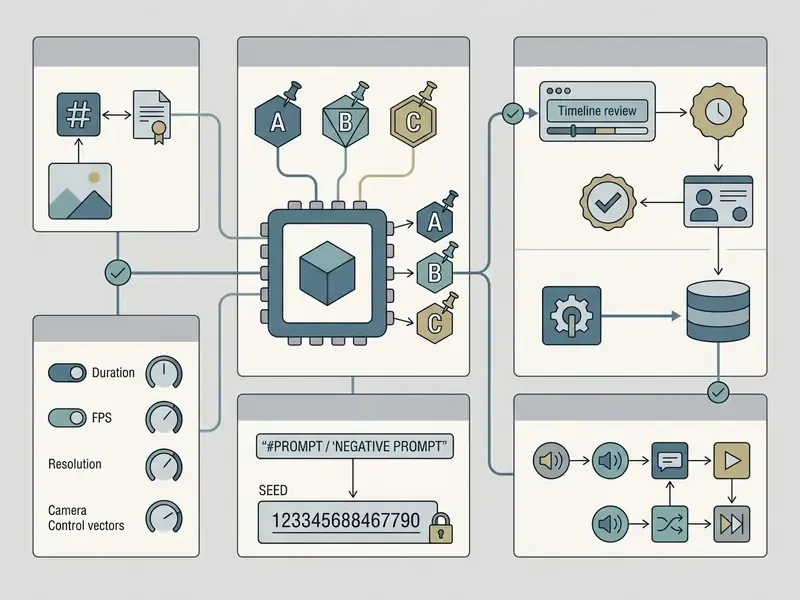
Pre-Upload Vendor Due-Diligence Checklist
Checklist0 / 7
«WALT embeds watermarks in the UV space of textures, achieving 92.4% recovery accuracy under zoom attacks and 95.6% under background removal.»
Key Use Cases for Online Image to Video Makers
Product Videos, Ads, and Professional Shorts
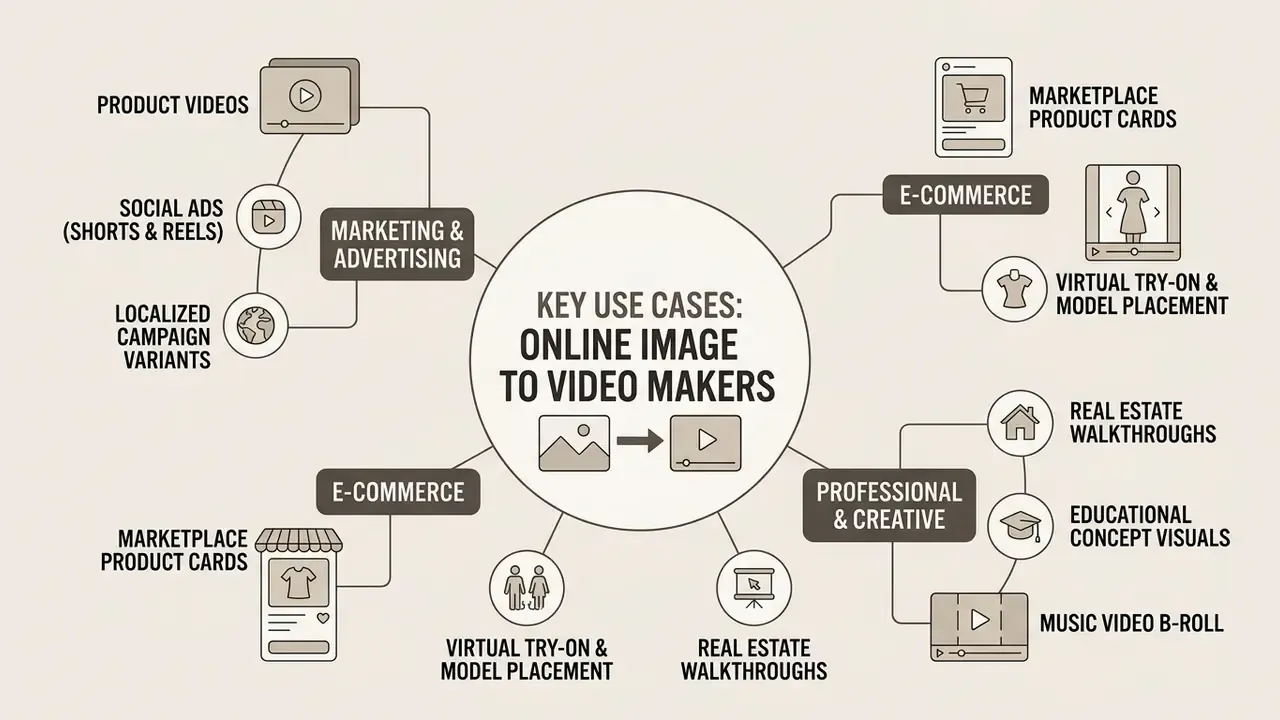
E-commerce brands use image-to-video generation to turn flat product photography into dynamic video ads for social marketplaces.
- Marketplace product cards transforming static Amazon or Shopify product photos into 360-degree rotating video cards tends to lift click-through and conversion rates.
- Social media ad creatives (Shorts and Reels) converting hero marketing shots into vertical 9:16 video ads with dynamic camera moves. Short-form editing guidance consistently recommends landing the hook within the first one to three seconds and avoiding long logo intros. Note: the earlier generic IAB reference has been removed pending a specific, dated report with disclosed methodology, so treat attention-window figures as directional rather than measured.
- Localized campaign variants generating regional ad variations by changing background prompts while the core product image stays fixed.
- Virtual try-on and model placement placing a still product image onto a synthetic model to produce try-on clips, runway walks, or environment swaps (sunlit forest, city street, interior scene) without a photoshoot.
- Real estate virtual walkthroughs animating static architectural photography with horizontal pan prompts to simulate interior drone walkthroughs, then layering listing text and logos in post.
- Educational concept visuals animating static textbook diagrams, such as cellular division, planetary rotation, or engineering mechanics, to improve retention and explain processes that cannot be photographed.
- Music video B-roll generating rhythmic visual backgrounds and mood clips from album art for indie musicians and content producers.
«Wan-Move generates 5-second 480p videos with motion controllability comparable to the commercial Motion Brush in Kling 1.5 Pro, according to user studies on MoveBench.»
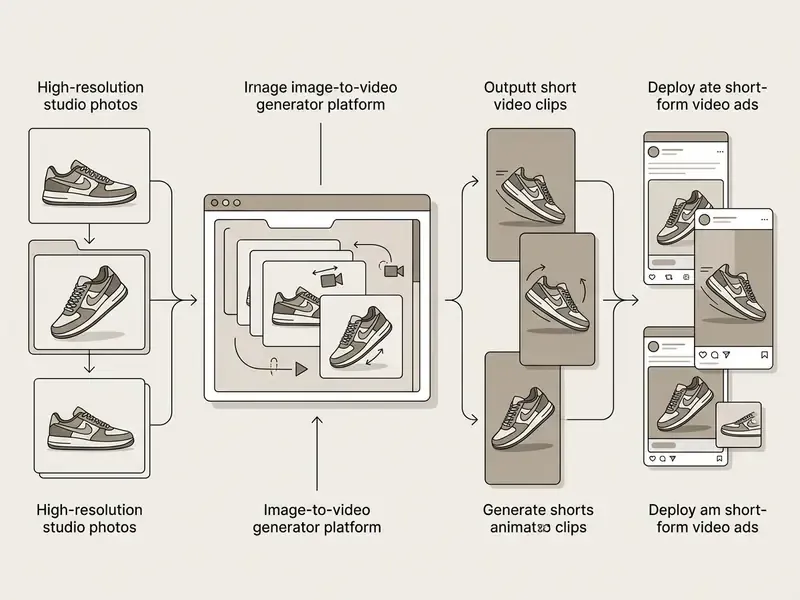
To optimize production pipelines for social channels, review our guide on YouTube video editor workflows.
FAQ: Formats, Reproducibility, and Deployment
What video formats can I export from an image-to-video workflow?
Generation endpoints typically return MP4 (H.264/H.265). Integrated cloud editors extend that to MOV (ProRes or alpha channel), WebM for open-web embeds, and animated GIF for email and documentation. If your target is GIF or MOV, plan a post-processing conversion step rather than expecting it from the generator directly.
Which aspect ratios should I generate in?
Use 16:9 for landscape and presentation, 9:16 for Shorts, Reels and TikTok, 1:1 for square feed placements, and 4:3 or 3:4 for marketplace cards and slide-based content. Match the source image ratio before upload to avoid crop-induced subject loss.
What input files are accepted, and what are the size limits?
JPG, JPEG, PNG, and WEBP are near-universally supported, commonly up to 20 MB per file, with some platforms accepting up to 50 MB. Keep long edges between 1920 px and 3840 px, with dimensions in multiples of 16 px.
Can I run image-to-video generation on on-premises infrastructure?
Yes, with open-weight diffusion backbones such as Stable Video Diffusion, which supports self-hosted inference and LoRA fine-tuning. This is the standard route where source images cannot leave a controlled perimeter. Managed cloud models (Veo, Runway, Kling, Luma) do not offer equivalent isolation on standard tiers.
How do I fix a seed for audit reproducibility?
Pass an explicit integer seed in the API request and pin the model version string. Store both alongside the verbatim prompt and all generation parameters. Identical seeds reproduce output only on the same model version, and a silent vendor model update breaks reproducibility, which is precisely why version pinning belongs in the audit record.
Do free-tier videos carry commercial rights?
Usually not. Most free tiers grant personal, educational, or evaluation use only, with the watermark acting as the licensing signal. Adobe Firefly is a notable exception, permitting commercial use on free accounts provided you hold rights to the input image. Confirm on the current terms page each time.
Is removing a watermark a viable shortcut?
No. Stripping a platform watermark from free-tier output generally breaches the service agreement and can void your usage rights entirely, regardless of how technically easy removal has become.
How many images do I need?
One is enough for single-frame animation. Two enable first-and-last-frame interpolation. Multi-image slideshows in cloud editors have no practical upper limit and are a separate workflow from diffusion-based generation.
What clip length performs best?
Generation is typically constrained to 4, 6, 8, or 10 seconds per render. For distribution, 15 to 60 seconds assembled from multiple clips performs best on short-form platforms. For internal or portfolio use, pace to the content rather than to a fixed target.
Limitations and Open Questions
Three areas remain genuinely unsettled, and pretending otherwise would be unhelpful. Provenance durability. Watermark research shows removal and forgery attacks are practical under white-box conditions, and source-image watermarks fade across the generated sequence. So provenance claims on generated video should be treated as supporting evidence, never as proof. Reproducibility under vendor drift. Fixed seeds only reproduce output on a fixed model version. Managed endpoints update without customer consent, which means long-horizon reproducibility depends on archiving the artifact itself, not just the parameters. Benchmark-to-business translation. Metrics like motion smoothness or MD-Img say little about whether a clip converts, or whether a compliance reviewer will approve it. Until vendors publish dated, methodologically transparent performance data, treat conversion and engagement figures, including the ones in this guide, as directional hypotheses awaiting your own measurement.
Appendix A: Superseded References (Retained for Transparency)
For auditability, the following citations were replaced during editorial review rather than silently deleted:
- Adobe Illustrator Turntable Documentation, previously cited for 3D camera rotation behavior; vector-editor documentation does not evidence AI video synthesis. Replaced with Image Conductor (arXiv:2406.15339).
- Hallo3 Framework, arXiv:2501.00000, non-existent identifier. Replaced with PIA / AnimateBench (arXiv:2312.13964).
- Artifact-Aware Video Assessment, arXiv:2601.00000, non-existent identifier. Replaced with AnimationBench (arXiv:2604.15299).
- Archival Animation Standards, archives.gov, non-probative for AI animation claims; removed.
- Short-Form Video Ad Benchmarks, iab.com, generic domain reference without a dated report or methodology; claim softened to directional guidance pending verification.
- MotionPro "over 20% error reduction", imprecise metric interpretation; replaced with reported MD-Img and MD-Vid deltas.
Reviewer Note and Editorial Standards
This guide is maintained by an editorial team specializing in generative media tooling, licensing analysis, and enterprise deployment risk, with technical commentary contributed from an AI governance and model risk perspective (Marcus Hale, author). Vendor limits, pricing, and licensing statements are re-verified each publication cycle against primary vendor documentation, and research claims are cited to their originating papers or benchmarks. Where a source could not be independently verified, the claim is flagged in-line rather than presented as settled fact.
General disclaimer: nothing in this guide constitutes legal, financial, or compliance advice. Regulatory frameworks referenced here, including the NIST AI Risk Management Framework and supervisory model risk guidance, are described at a general level. Consult qualified counsel and your own risk function before deploying generative media in a regulated environment.
Social Media, Creative Content, and Animating Photos
https://arxiv.org/abs/2604.15299