Executive summary for decision-makers
- Architecture decides risk, not resolution. For regulated organisations the decisive criteria are ingest redundancy (Primary/Backup), internal traffic distribution through an eCDN, SSO/SAML identity binding, DRM, immutable audit trails, and synchronous captions required by WCAG 2.2 Level AA. Not 4K support.
- Latency and rebuffering are measurable money. Adaptive low-latency delivery keeps playback delay near one second, and optimisation of adaptive bitrate logic measurably extends viewing sessions. Every additional stall shortens watch time and reduces conversion.
- Cost must be normalised before comparison. Fixed-seat subscriptions (Vimeo Advanced at $75/month billed annually) and consumption pricing (Cloudflare Stream at $1 per 1,000 delivered minutes, $5 per 1,000 stored minutes) are only comparable per viewer minute, per stored minute, and at identical resolution, plus the cost of security, compliance, and downtime risk.
The governance question behind the buying decision
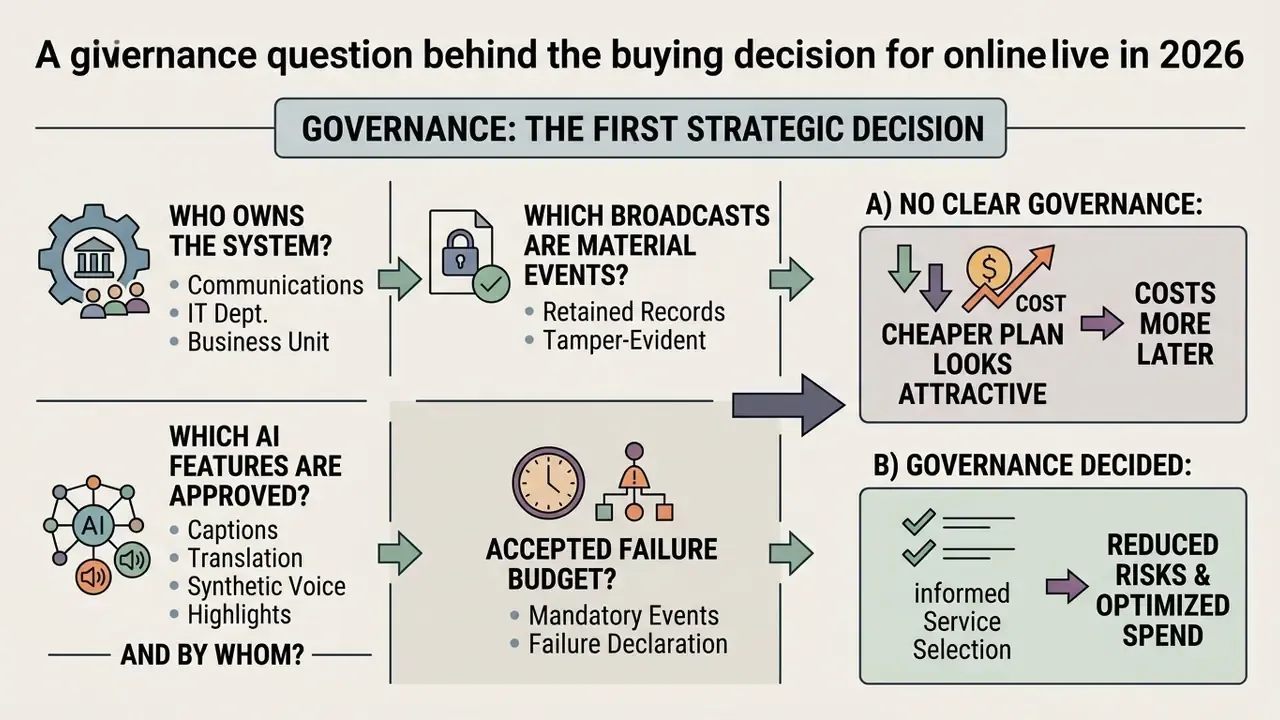
Before comparing services, name the decision you are actually making. In most banks and mature fintechs it is one of four:
- Who owns the broadcast as a system: communications, IT, or the business line that speaks on air?
- Which broadcasts are material events, and therefore need retained, tamper-evident records?
- Which AI features (captions, translation, synthetic voice, highlight generation) are approved, and by whom?
- What is the accepted failure budget for a mandatory event, and who declares failure during the stream?
If those four answers are missing, a cheaper plan will look attractive and cost more later. That, at least, is the pattern we keep seeing in procurement reviews. Treat it as a working hypothesis until your own incident log confirms it.
What online live video is and how a broadcast differs from ordinary video
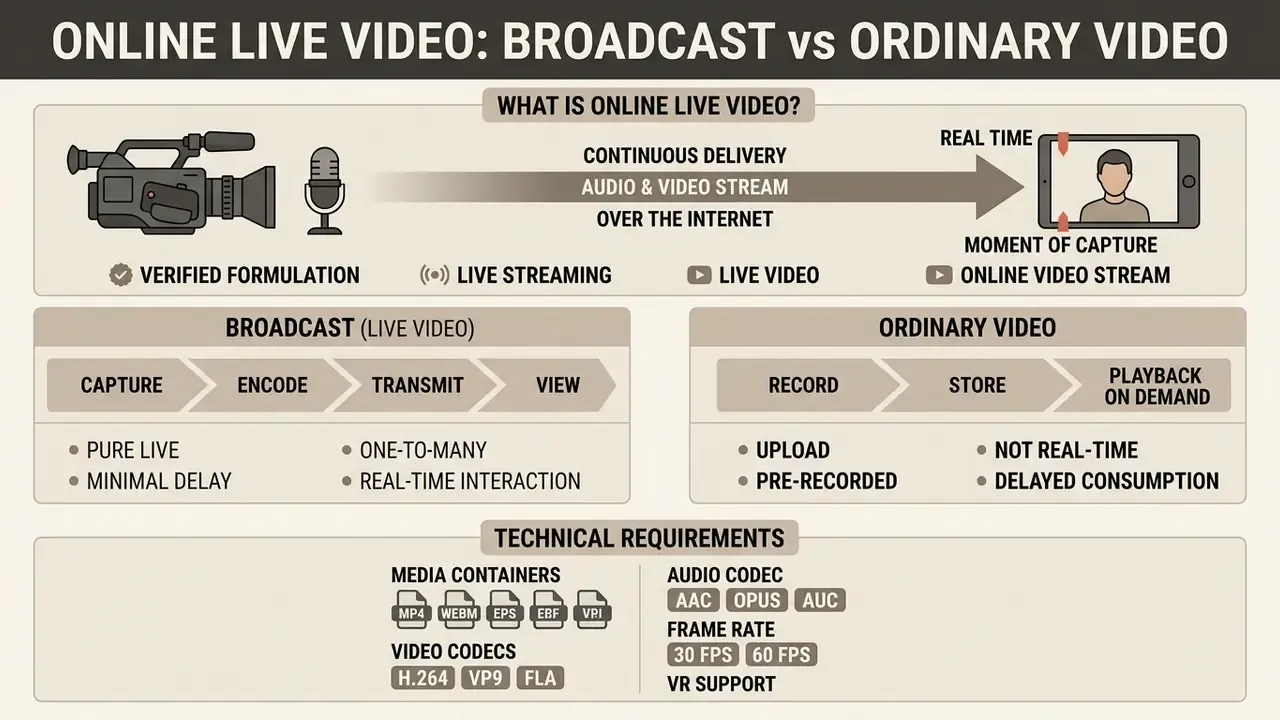
Online live video is the continuous delivery of a video and audio stream over the internet to viewers in real time, at the very moment of capture. The key difference between a broadcast and classic video on demand (VoD) lies in the temporal synchronisation of source and viewer, and in the possibility of two-way interactive engagement.
Unlike pre-uploaded content, which requires the file to be fully or partially created on a storage server, live streaming depends critically on first-mile bandwidth and continuous transcoding. To structure media production processes, engineers frequently consult the specialised entries in our glossary of media and AI terms, where basic definitions of network protocols and architectures are collected.
Updated (verified formulation). Practical migrations from legacy protocols to low-latency HLS with distributed edge transcoding and dynamic bitrate adaptation are consistently reported to cut end-to-end delay from double-digit seconds to the low single digits. The most reliable published measurement of that class of optimisation comes from stateful delivery research:
The earlier, unsourced internal case description (18 s to 2.4 s latency, minus 42% stalling ratio) is retained for transparency in Appendix A below and should be treated as an unverified vendor-side observation until primary data is published.
Live streaming, live video, and online video stream
The term live streaming denotes the technological process of transporting media data from the capture point to the playback device. The term live video refers to the content side, the media itself, produced in real time. According to the IETF's operational considerations for streaming media, streaming means continuous media transmitted from server to client and consumed simultaneously; if playback can only start after a full download, it is not streaming.
Online video stream describes a concrete network session of data transfer, running on HTTP-based adaptive delivery protocols (HLS or MPEG-DASH) in line with IETF RFC 8216. A video online stream, or in engineering shorthand a video stream online, includes signal capture, transport to an ingest server, transcoding into a multi-bitrate ladder, packaging into segments and manifests, and CDN delivery to the end user. Viewers receive the stream with minimal lag, which allows them to take part in text chat and polls.
One clarification worth making early: an online video streamer is a person or a service. Both meanings circulate. In vendor documentation "video streamer online" often means the encoding client, while in marketing copy it means the presenter. Ask which one your contract covers.
Pure live, upload, and pre-recorded live streaming
Pure live is broadcasting in real time without prior recording, where the host's actions reach the audience immediately. The upload mode describes the standard publication of a finished media file on a server for subsequent asynchronous viewing.
Pre-recorded live streaming occupies the middle ground: a previously recorded and edited video file is pushed to air on a schedule as a live feed, usually with live chat and placement on the platform's Live tab. This format is widely used for round-the-clock broadcast channels (24/7 live streams), where looped video material generates continuous traffic. Teams that automate such scenarios rely on AI video generation tools to produce dynamic graphic backdrops, lower thirds, and announcements for those broadcasts, and on create ai utilities from the glossary for repeatable asset pipelines.
Technical requirements for media containers and VR support
For seamless broadcasting of pre-recorded files without server-side re-transcoding, the source assets should comply with the following parameters:
- Containers
.MP4,.MOV,.M4V,.WEBM. - Video codecs H.264 (AVC) or H.265 (HEVC) with a fixed GOP (Group of Pictures) of 2 seconds; ONVIF Streaming Specification v26.06 additionally covers H.264, HEVC, G.711, G.726, and AAC for live and replay streaming.
- Audio codec AAC-LC, 48 kHz sample rate, 192 kbps and above.
- Frame rate constant 30 or 60 fps; variable frame rate sources should be normalised before upload.
Advanced broadcasting platforms also support panoramic, immersive delivery in 180° and 360° VR formats, passing equirectangular projection metadata inside the container so that the viewing angle can be controlled directly in the HTML5 player. When the archive files exceed platform upload limits, teams normalise them first with video compression tooling to keep bitrate ladders predictable.
Which platforms suit online video broadcasting
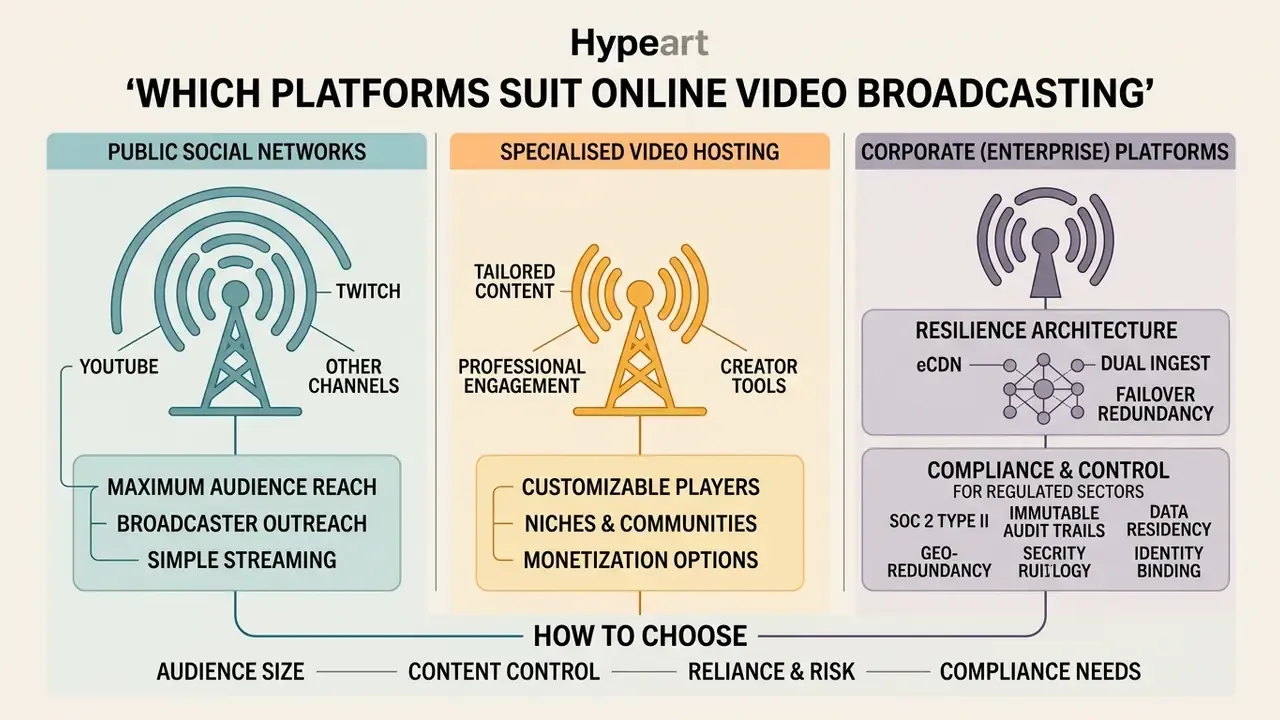
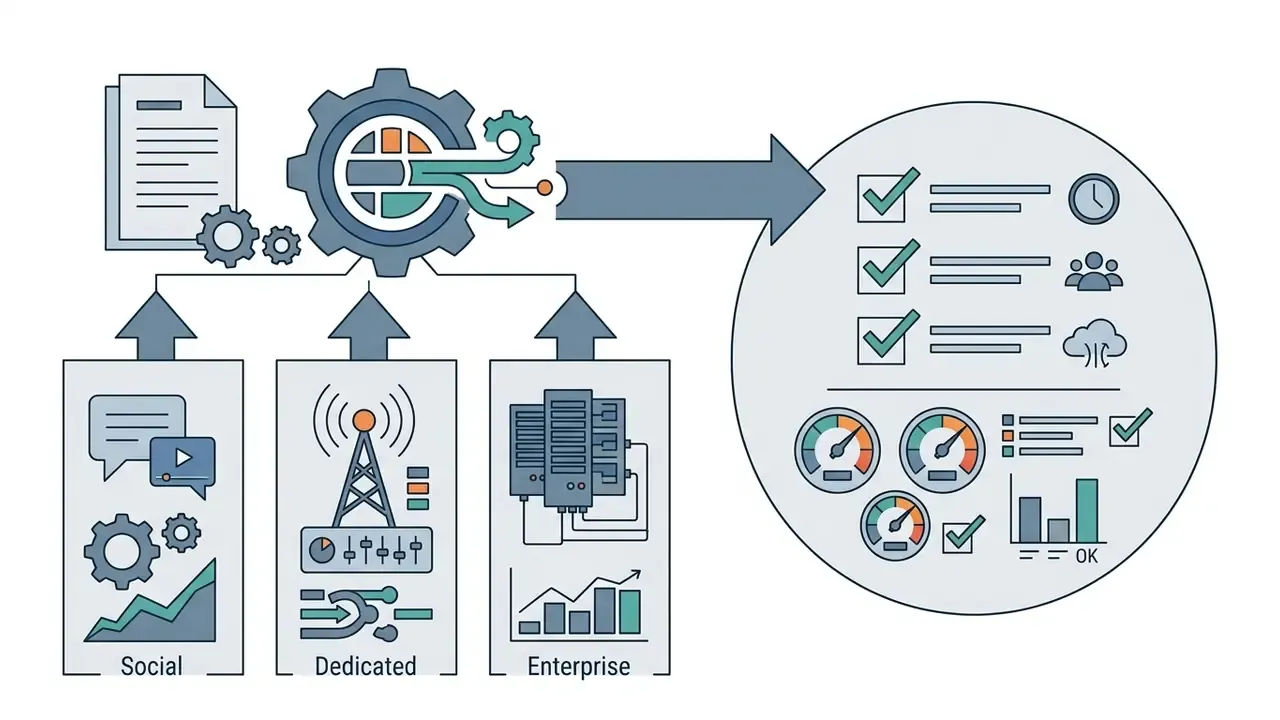
Three main categories of venue are used for online video broadcasting: public social networks, specialised video hosting services, and corporate (enterprise) platforms. The choice depends on organisational priorities, either maximum free reach or full control over security and branding.
Each infrastructure category solves specific distribution tasks. Public networks bring a ready-made audience, whereas isolated systems guarantee the safety of personal data and protection of commercial information from leakage.
Dedicated and enterprise video platforms for business
Specialised (dedicated) and corporate (enterprise) platforms are built for closed broadcasting, corporate training, and paid events. Systems such as Kaltura, Vbrick, or MovingImage are deployed in protected data centres and comply with strict information security standards (ISO 27001). MovingImage, for example, states that its enterprise video hub is built and hosted in Germany using ISO 27001-certified EU data centres for GDPR-compliant corporate video activity.
They provide granular access rights management (privacy), end-to-end encryption, SSO integration, and advanced media asset management. Typical privacy controls in this segment include password protection, domain/IP/geo restrictions, viewer login permissions, signed embed codes, two-factor authentication, dynamic watermarks, and audit logs. To analyse the commercial parameters of such systems, experts use our AI Media Pricing Guides, which help calculate the total cost of owning the infrastructure.
Resilience architecture: eCDN and dual ingest
For corporate broadcasts to thousands of employees inside one local network, a standard public CDN creates critical load on the company's uplinks. Enterprise platforms therefore apply an eCDN (Enterprise Content Delivery Network), peering the video stream locally inside offices and branch networks and reducing external internet consumption by up to an order of magnitude. Vimeo, for instance, lists high-latency fail-safe streaming and eCDN among the features exclusive to its Enterprise tier.
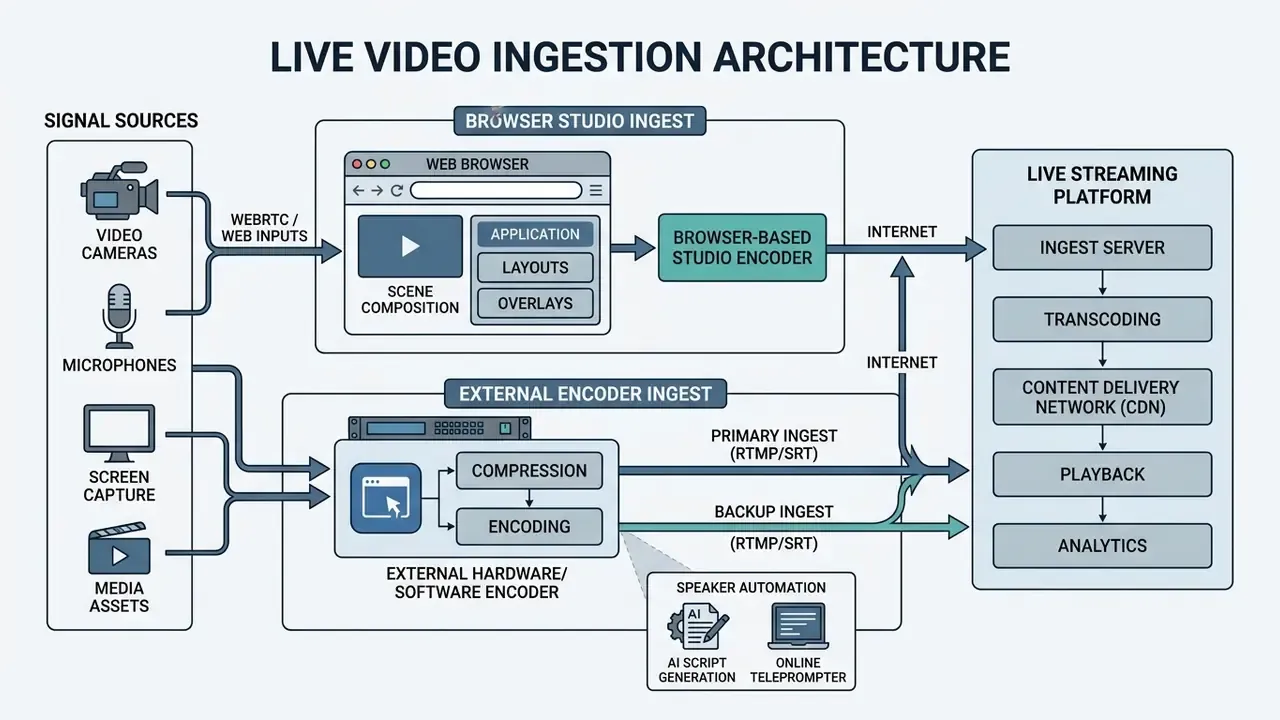
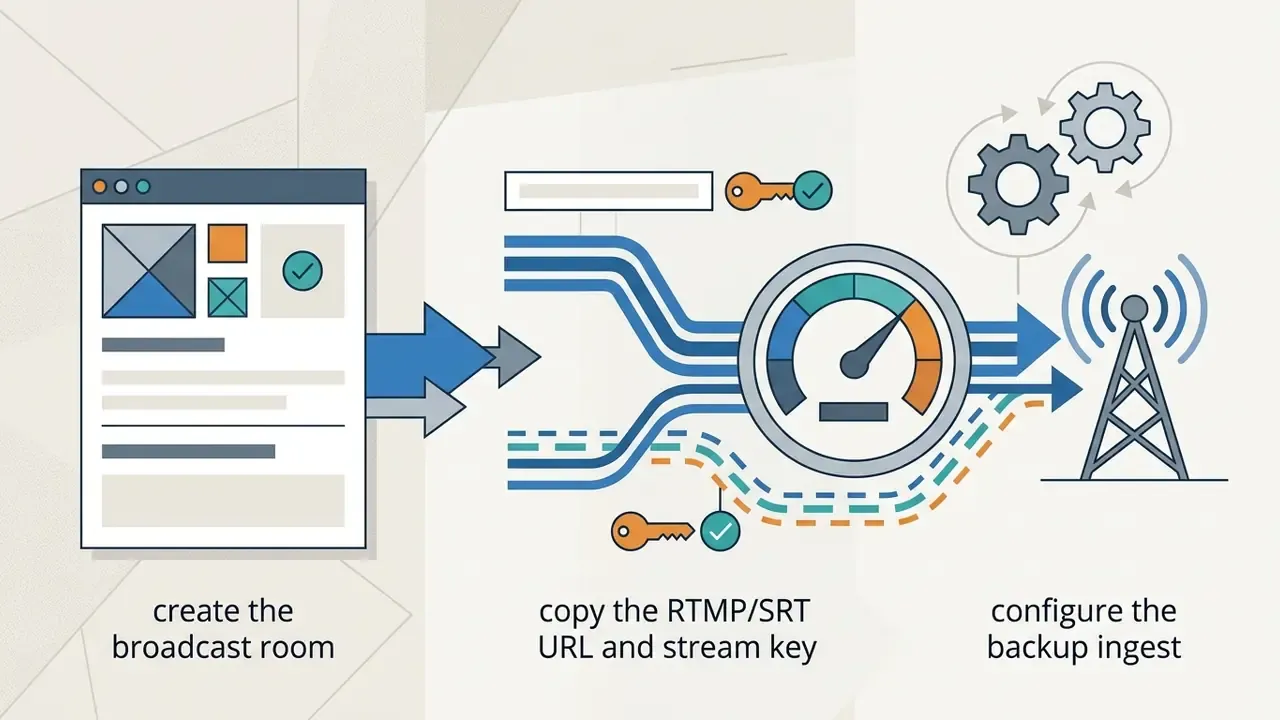
To protect against connectivity loss on the broadcaster's side, a Primary / Backup Ingest scheme is configured: the encoder simultaneously sends two identical streams (over RTMP/RTMPS or SRT) to different reception points. When the primary path degrades, the packager switches to the backup (automatic failover) without buffering or visible frame loss for the viewer. Multi-camera productions add a third layer: bonded connectivity (wired Ethernet plus LTE/5G modem), so that a first-mile failure never becomes a broadcast failure.
Compliance, audit trail, and geo-redundancy for regulated sectors
For banks, insurers, and public bodies the platform decision is a control decision. Beyond ISO 27001, procurement teams should require:

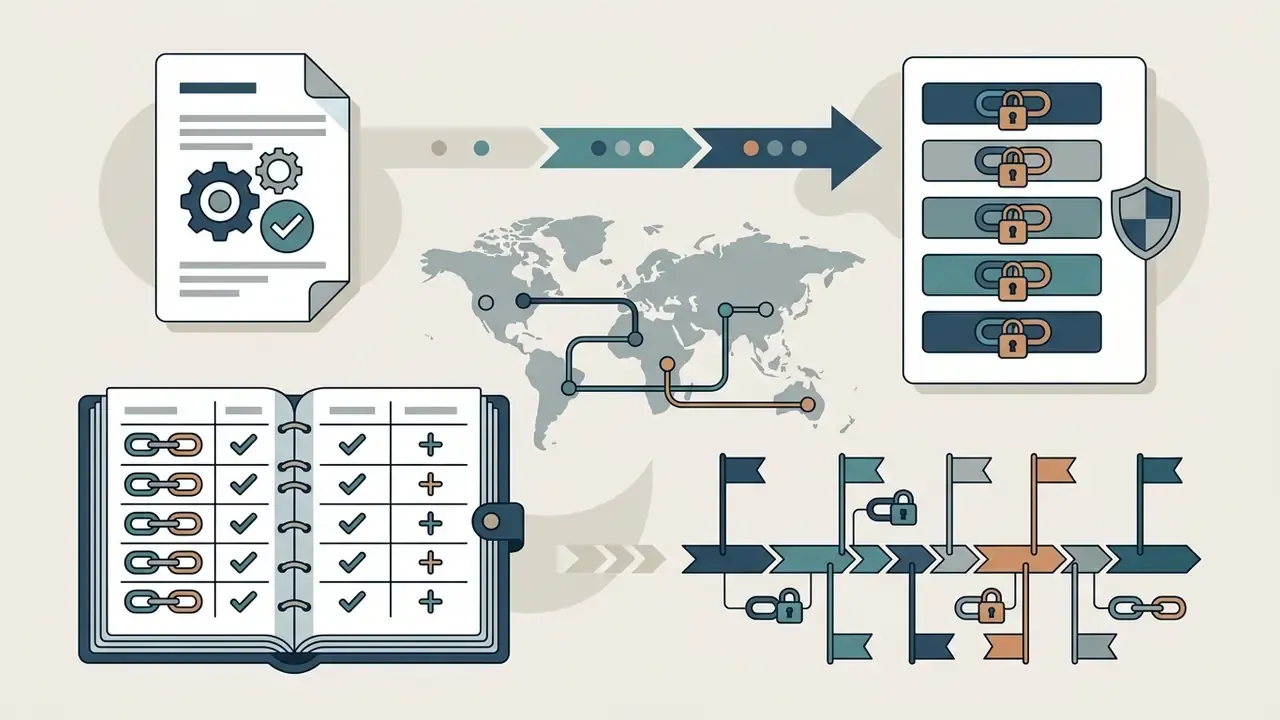
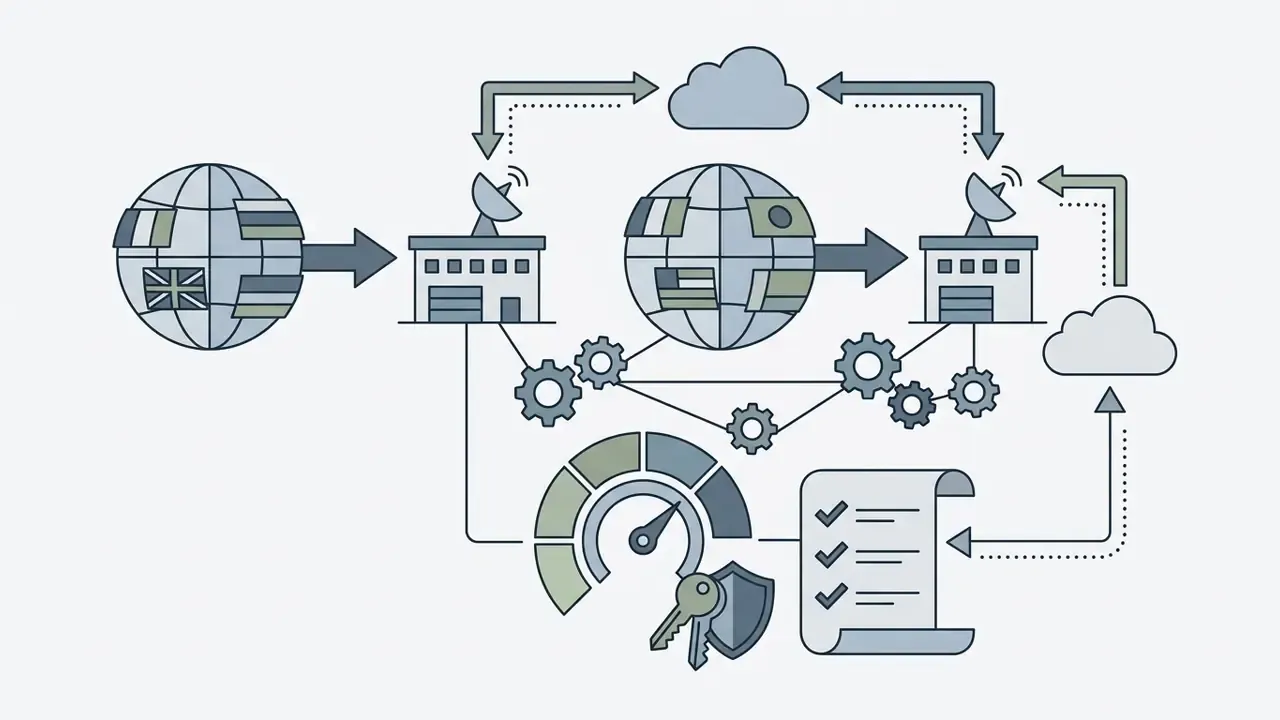
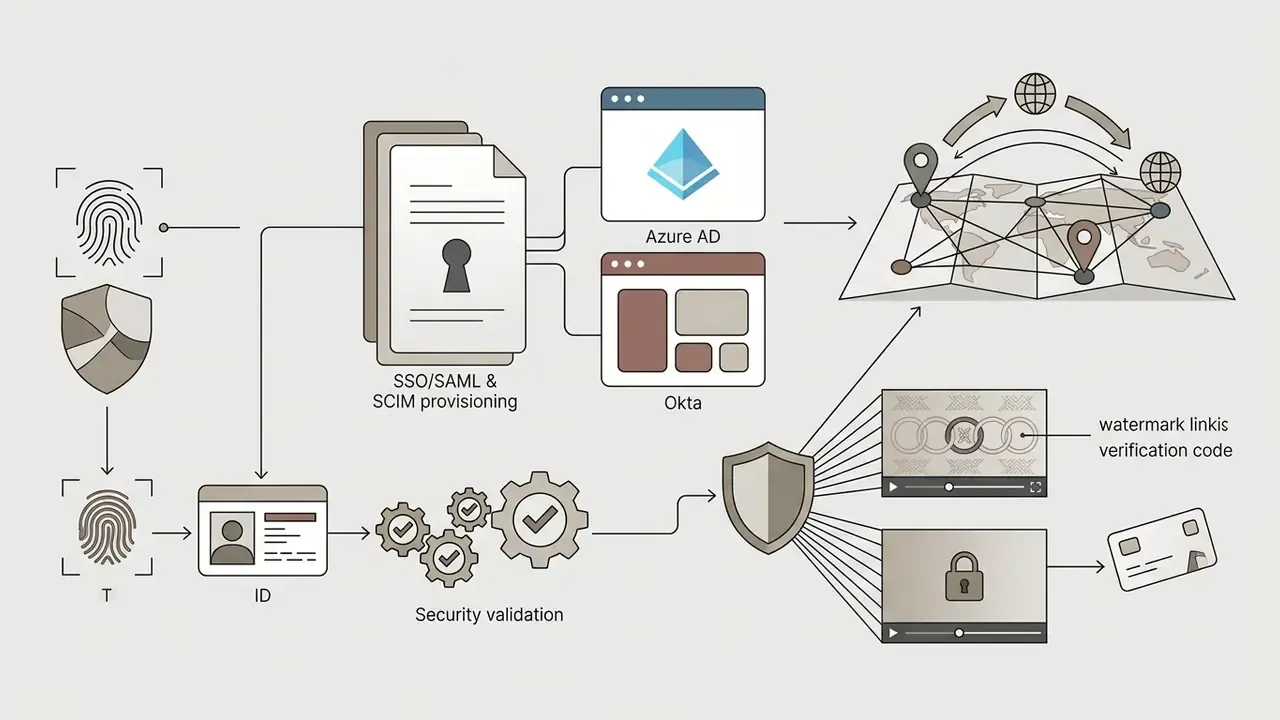
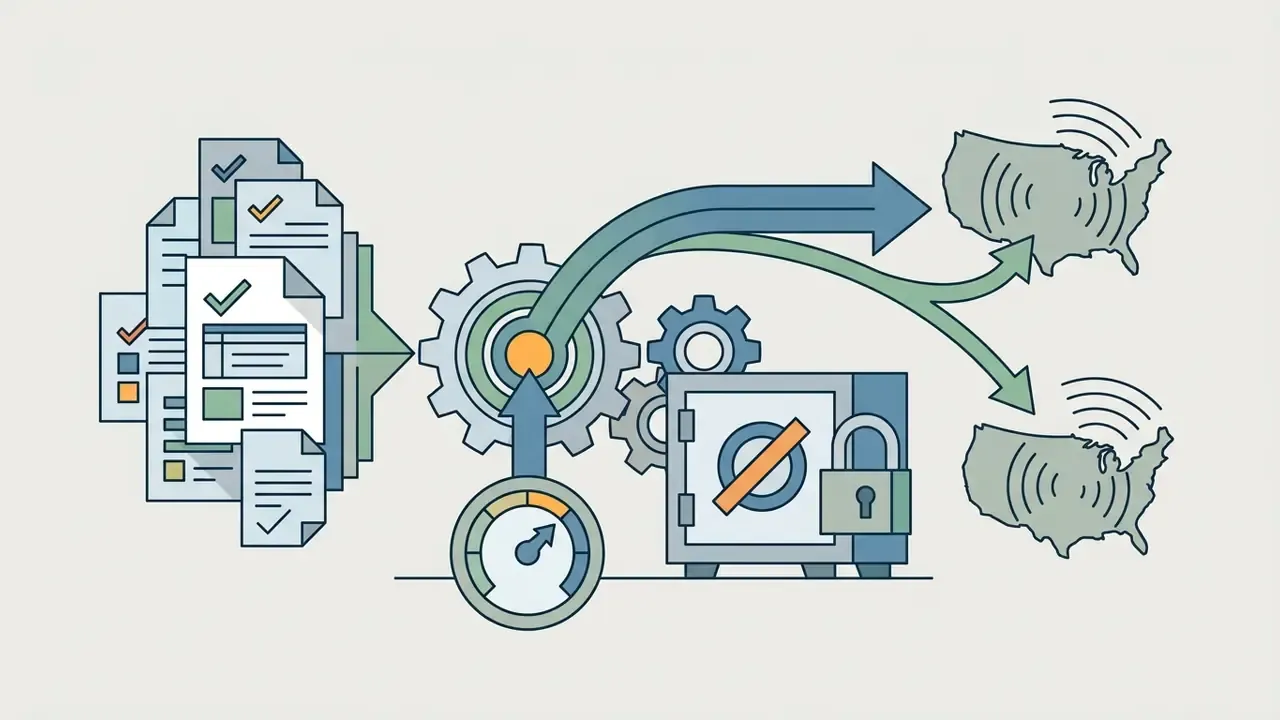
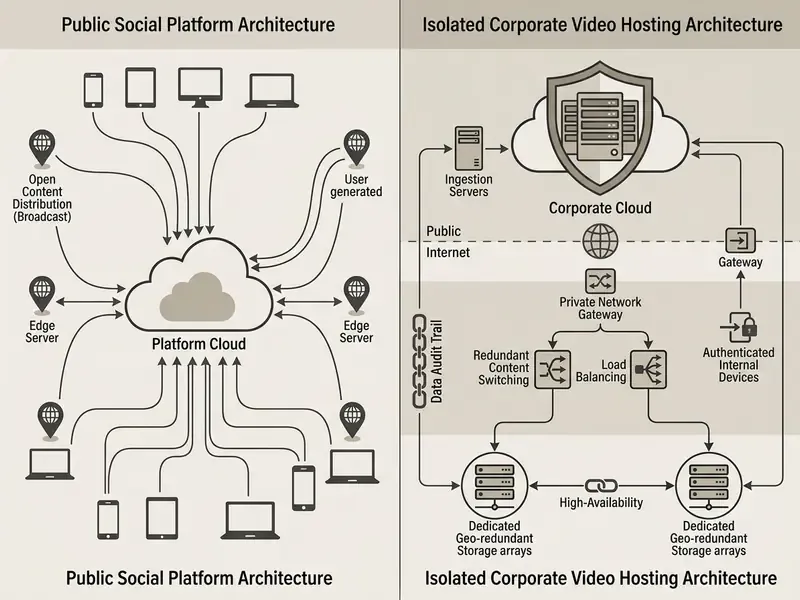
Table 1. Comparison of social, dedicated, and enterprise video platforms
| Comparison parameter | Social platforms (YouTube, Twitch) | Dedicated / OTT platforms | Enterprise platforms (Kaltura, Vbrick) |
|---|---|---|---|
| Audience size and reach | Maximum, thanks to an existing user base and recommendations. | Targeted; attracted to owned resources or apps. | Limited; employees or registered clients only. |
| Branding and customisation | Minimal; the interface is bounded by a third-party service. | High; white-label players and branded sites supported. | Full integration into the corporate portal and brand book. |
| Privacy and control | Basic; public or link-accessible broadcasts. | Flexible; passwords, domain limits, geo-blocking, paywall. | Strict; SSO, Active Directory, DRM, dynamic watermarks. |
| Resilience | Single ingest, platform-managed. | Backup streams and multi-region ingest on higher tiers. | eCDN, dual ingest, automatic failover, uptime SLA. |
| Monetisation models | Built-in advertising, donations, platform subscriptions. | Subscription (SVOD), one-off access (TVOD), own advertising (AVOD). | Indirect (staff training, B2B sales, cost reduction). |
| Audit and compliance | Limited reporting, no immutable trail. | Viewer analytics, export logs, download restrictions. | Audit trail, retention policy, data residency, SOC 2/ISO evidence. |
How to choose an online video platform for live streaming
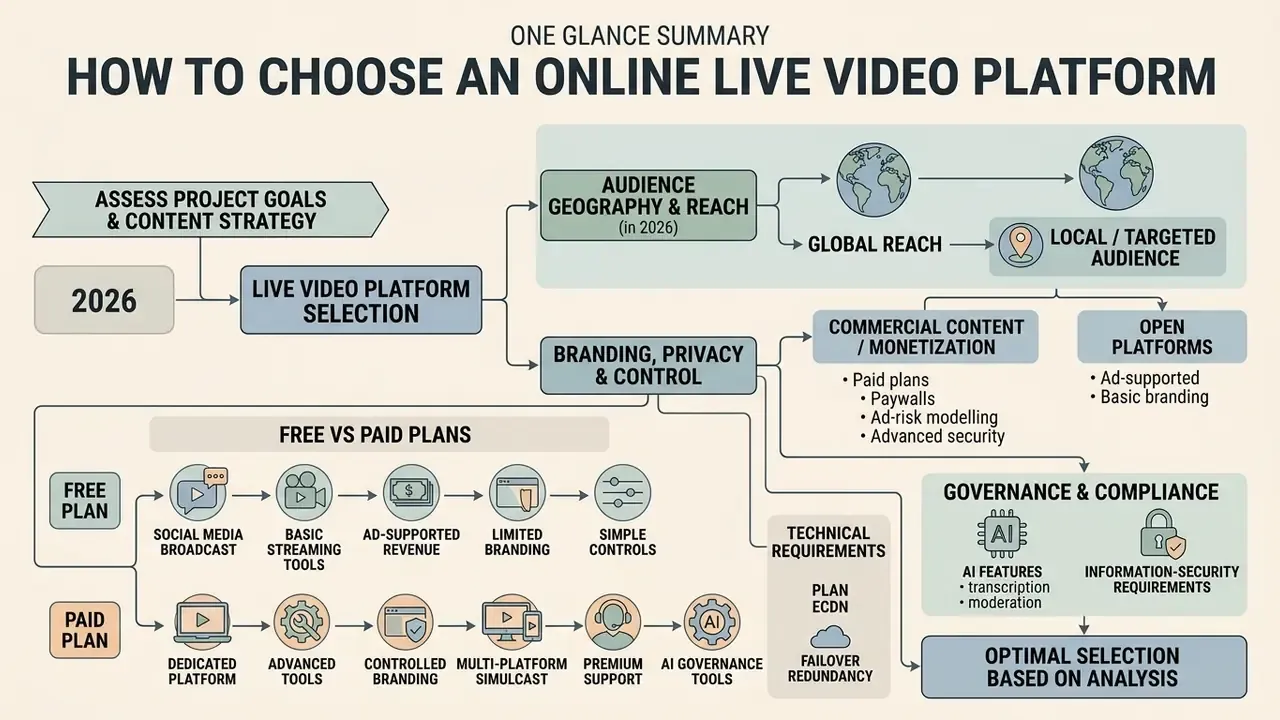
The choice of a broadcasting service should rest on a detailed analysis of project goals, viewer geography, financial capacity, and information-security requirements. Mistakes at the selection stage lead to failed business-critical events and budget overruns.
Practitioners recommend building a requirements matrix split into technical, functional, and commercial blocks. Buyer guides commonly structure the decision around seven criteria: business goal, audience size, event type, playback quality, analytics, support and SLA, and budget tier. For a preliminary comparison of service specifications, use our AI Media Comparison Matrices.
Where your audience will watch the broadcast
Viewer location and habits determine the delivery destinations of the video stream. If the task is maximum marketing reach, the broadcast should run on popular public channels or be simulcast.
When the goal is to gather users on an owned resource (custom website), choose an online video platform with live streaming that provides an embeddable HTML5 player and full responsiveness for mobile browsers. Updated (sourced formulation): a study of live-stream usage in Taiwan found that about 65% of respondents watched live streams via social network sites, confirming social networks as the primary viewing channel in that sample. Brand-audience surveys, by contrast, report only around 37% preferring to watch live video on a company website or other owned platform. In other words: public awareness formats belong on social networks, while gated webinars, investor calls, and paid events belong on branded pages with registration.
Branding, privacy, and control for commercial content
Commercial broadcasting requires the absence of foreign logos, third-party advertising, and competitor recommendations in the player. White-label solutions completely hide the video host's identity and style the player in the company's corporate identity.
Content protection is guaranteed by a combination of measures: domain whitelisting, tokenised links, password access, viewer-ID watermarking, and digital rights management (DRM FairPlay/Widevine). Updated: instead of generic graphic gimmicks, production teams should invest in a documented player customisation layer, with brand-book-compliant colour tokens, typography, localised control labels, custom pre-roll slates, and accessible focus states, so the viewing surface remains recognisably yours on every screen.
When a free platform is enough and when you need a paid plan
Free plans suit beginning authors, hypothesis testing, and non-commercial streams without hard quality requirements. Online live video streaming free of charge always carries limits: concurrent viewers, broadcast duration, number of destinations, and branding options. Creators comparing entry-level production stacks often start with free AI video generators for supporting assets before committing budget.
Moving to a paid plan (Advanced or Enterprise) becomes necessary when you need closed corporate events, lead capture, CRM integration, or 4K broadcasting with a guaranteed service level (SLA). Practical thresholds are concrete: VideoSDK's free tier allows 50 concurrent participants, 100 live-stream viewers, and one concurrent recording/HLS/RTMP request; Restream's free tier supports two destinations with watermarking, while its business tier adds eight destinations, an embed player, stream backup, and priority support. The upgrade trigger is simply the first hard cap you hit, whether in concurrency, destinations, or control features.
Platform features for professional live streaming
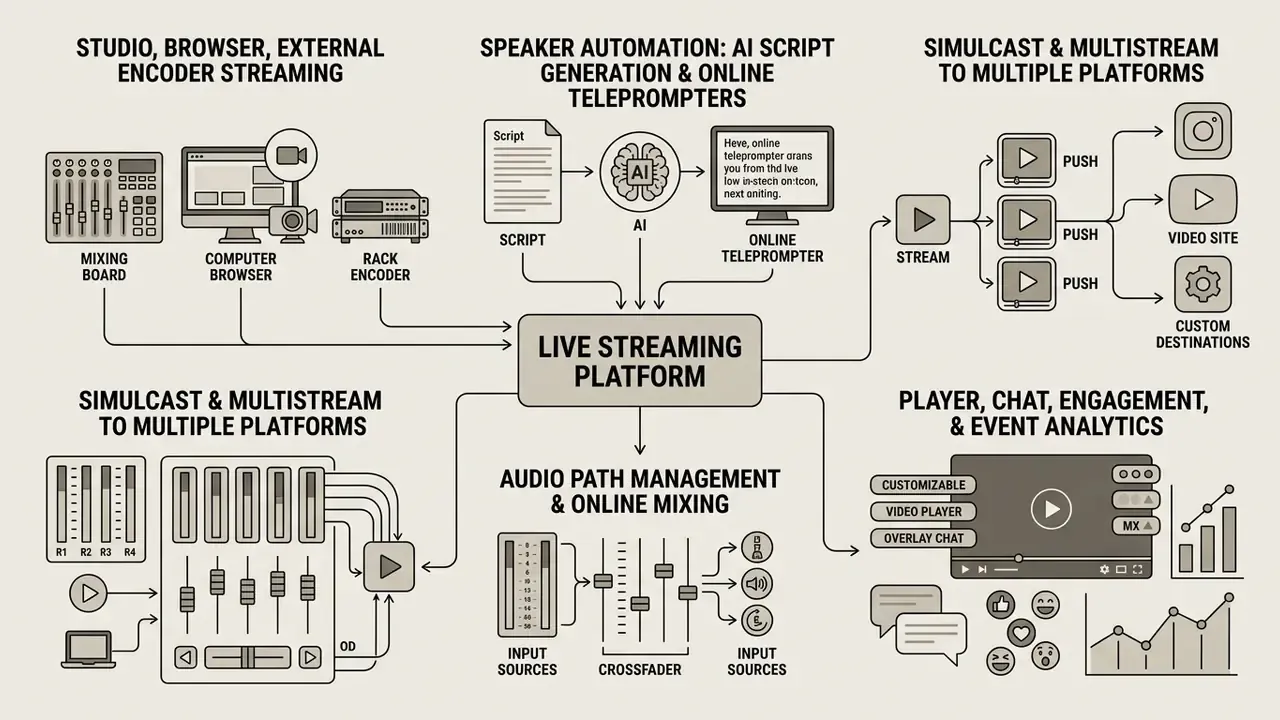
Professional live streaming requires high fault tolerance, minimal signal latency, and tools for holding the audience's attention. Together, these functions form a coherent environment for producing a quality media product.
Separate attention goes to accessibility: WCAG 2.2 states that captions must be provided for all live audio content in synchronised media as a mandatory Level AA condition, covering both spoken dialogue and meaningful non-speech audio.
Studio, browser, and external encoder streaming
A broadcast can be launched directly from a web browser through a built-in virtual studio (Live Streaming Studio). This method is convenient for quick interviews and webinars and requires no third-party software installation. Teams building repeatable video assets around those broadcasts often pair the studio with AI video generators.
For complex multi-camera production, software encoders (OBS Studio, vMix) or hardware external encoders are used. They connect to the platform over RTMP/RTMPS, SRT, or WHIP, providing high encoding quality and control over multiple signal sources. When developing custom capture and automation modules, developers use the public streaming and media api reference to create and schedule broadcasts programmatically.
Speaker automation: AI script generation and online teleprompters
Modern browser studios integrate AI modules that support the presenter. Algorithms help build a webinar script structure from an entered topic and target runtime, suggest section timings, and rewrite passages for spoken delivery. A built-in AI teleprompter adjusts on-screen scroll speed to the host's pace by analysing the microphone feed in real time, and can flag when the delivery drifts off the planned timeline. This lets solo speakers run complex presentations and live broadcasts without a dedicated production crew, and lets teams pre-record segments that are then simulated as a flawless live event.
One caution, since we are talking about regulated communications: a script written by a model still needs a named human approver. The creator of ai tooling is not the author of record for a disclosure statement.
Simulcast and multistream to multiple platforms
Simulcast technology sends one source stream to a dedicated relay server, which duplicates it to several third-party venues simultaneously. In RTP/SDP terms, simulcast is standardised by IETF RFC 8853 as multiple encoded streams of the same source sent at the same time. This frees the broadcaster's equipment from encoding and uploading separate streams for every channel.
Multistreaming expands audience reach, letting you be present on YouTube, Twitch, LinkedIn, and a corporate website in parallel. The load on the streamer's outbound internet channel remains minimal.
Audio path management and online mixing
Sound quality matters more than picture quality. Viewers abandon a broadcast because of audio artefacts far faster than because of a drop to 480p video. Professional platforms therefore support remote browser-based audio mixing. A sound engineer can join the broadcast from anywhere in the world, adjust levels for individual speaker microphones, apply compression, gating, and noise suppression, and monitor the programme bus with millisecond-level accuracy instead of the tens of seconds of delay typical of monitoring through a social platform's player.
Such systems integrate directly with digital mixing consoles, more than 60 popular models from nine manufacturers in the case of browser mixing products, over IP audio protocols such as Dante and AES67, which keeps clock synchronisation and channel routing intact between the venue and the remote operator. A practical minimum for hybrid events: a redundant audio path (console output plus camera-embedded backup), a minus 16 LUFS loudness target for speech, and a pre-flight check of every wireless channel for RF collisions.
Player, chat, engagement, and event analytics
The interactive player is the main node of viewer interaction. It includes quality selection (ABR), audio-track and caption switching, embedded chat, poll modules, and Q&A blocks for sending questions to speakers, with moderation, anonymous submission, and CSV export of questions in enterprise-grade products.
Real-time telemetry makes it possible to monitor stream health, register bitrate drops, and track engagement. Post-event analytics show viewing geography, average watch time, and the points of maximum audience drop-off.
Table 2. Matrix of professional live streaming platform features
| Platform feature | Creators | Marketers | Business and Enterprise |
|---|---|---|---|
| Browser studio | High value for a fast start. | Convenient for simple speaker webinars. | Low criticality; hardware consoles preferred. |
| External encoders (OBS/vMix/SRT/WHIP) | Critical for gaming and e-sports streaming. | Required for hybrid offline conferences. | Mandatory standard for official events. |
| Simulcast / multistream | Critical for audience diversification. | High value for maximum reach. | Minimal applicability in closed environments. |
| Chat, Q&A, and interactivity | Core of monetisation via donations and subscriptions. | Warm-up and lead-generation instrument. | Moderated module with logged questions. |
| Remote audio mixing (Dante/AES67) | Useful for music and podcast formats. | Important for multi-speaker panels. | Critical for auditoriums and hybrid town halls. |
| AI script generator and teleprompter | Speeds up solo production. | Standardises messaging and timing. | Requires review workflow and disclosure policy. |
| Branding and protection (DRM, SSO) | Personal style desirable. | Brand-book compliance critical. | Mandatory (DRM, SSO, watermarking, no ads). |
AI risks and governance in live video
Generative and agentic AI now sits inside the live pipeline itself: in captions, translation, voice cloning, background replacement, and highlight generation. For risk, compliance, and model-risk functions this converts a broadcast into an AI system under management. Four control domains deserve explicit policy.
- Identity and deepfake resistance.Executive addresses, investor calls, and payment-related communications are prime targets for synthetic impersonation. Mitigations include out-of-band speaker authentication before going live, cryptographically signed broadcast slates, viewer-ID watermarking, provenance metadata for recordings, and a documented escalation path for suspected synthetic content.
- Real-time model validation.Automatic captioning and translation models must be measured, not assumed. Track word error rate per language, caption latency against the WCAG 2.2 Level AA requirement for synchronised live captions, and the fallback behaviour when accuracy degrades. Live models belong in the existing MRM inventory with an owner, a validation date, and a performance threshold that triggers manual captioning.
- Data-leakage control.Any third-party AI service that receives the audio or video feed effectively receives the content of the meeting. Contracts should specify no-training clauses, retention limits, processing region, and sub-processor disclosure; sensitive internal broadcasts should use on-premises or VPC-hosted inference.
- Transparency and audit.Log which AI features were active in each broadcast, keep human-in-the-loop review for moderated Q&A, and disclose synthetic voice or avatar usage to viewers. These records are the evidence base for GRC reviews and for reconstructing an incident after the fact.
If an AI feature in the stream cannot produce evidence of its own behaviour, it should not run autonomously on a material event. No evidence, no autonomy.
How to stream video online: from preparation to launch
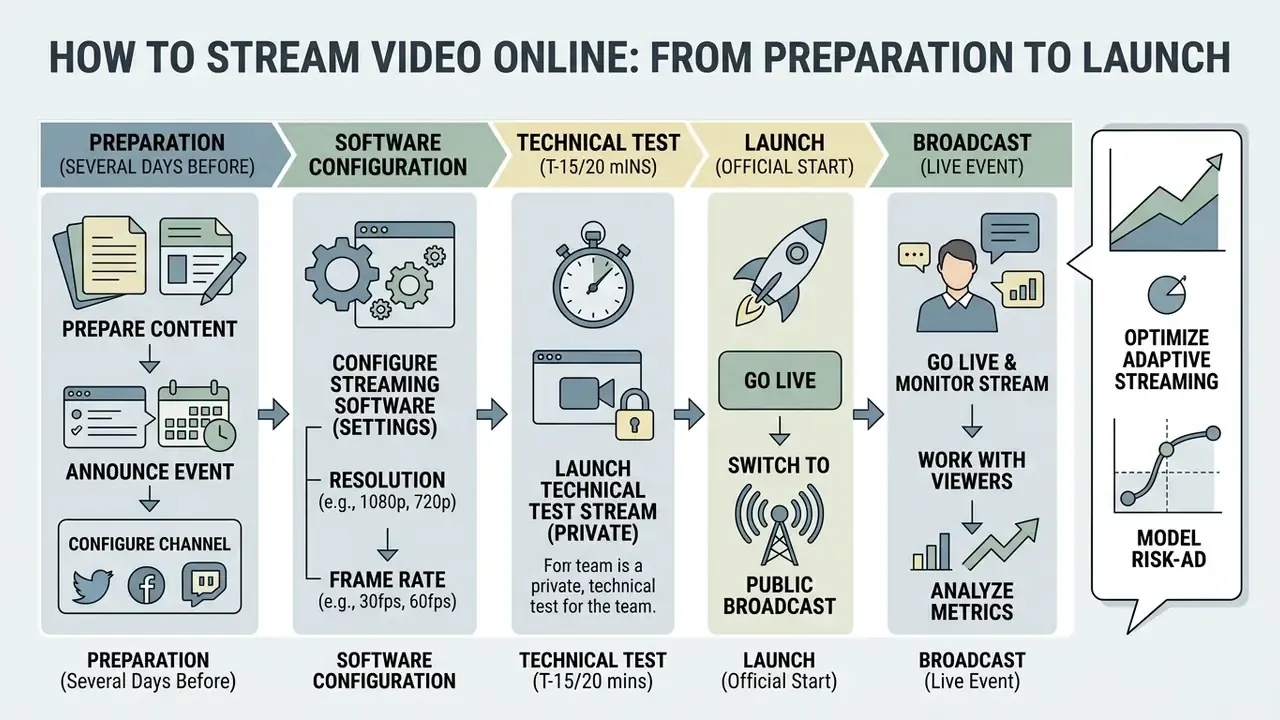
Launching a successful broadcast requires a clear sequence of steps, from equipment configuration to monitoring metrics during the event. A systematic approach minimises the risk of technical failures on air.
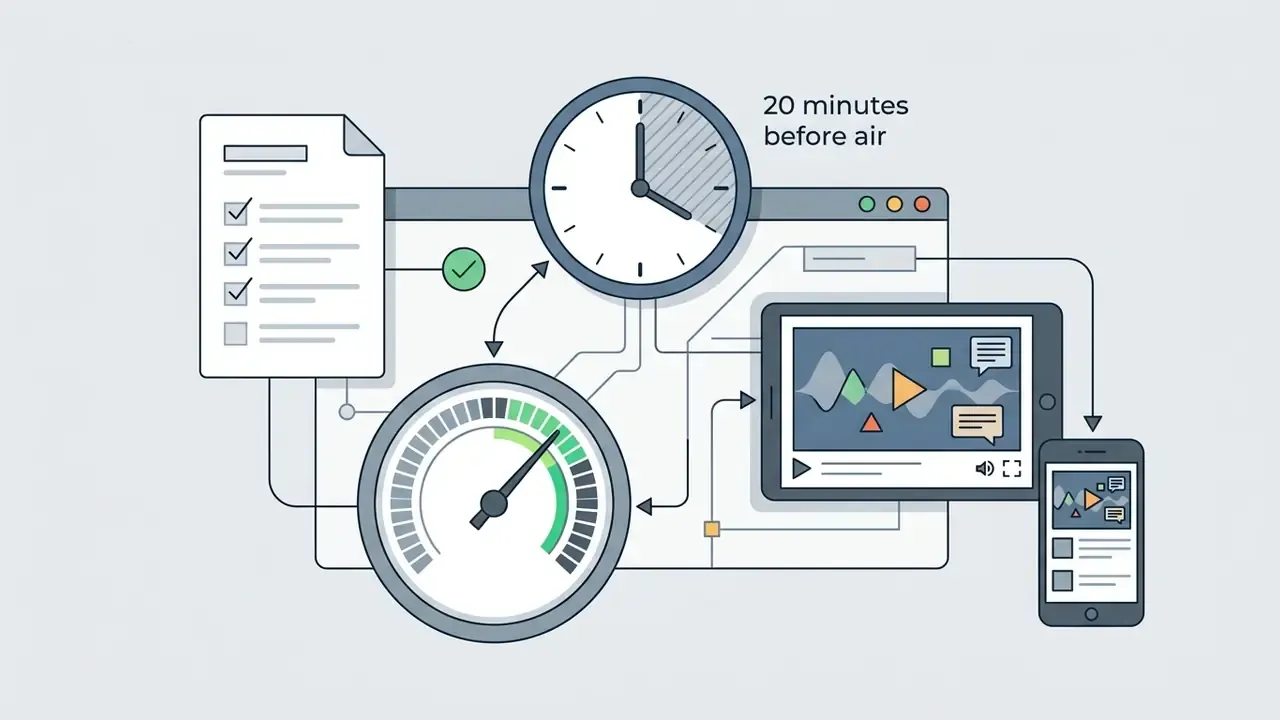
Preparation begins several days before the scheduled event. Below are the main stages of pre-broadcast checks and of running the stream itself.
Preparing content, channel, and streaming software
At the preparation stage you create the event announcement, configure the broadcast channel, and build the run-of-show script: title, date and time, duration, description, registration page, and the link to CRM or marketing automation if used. Creative specialists prepare graphic slates, lower thirds, and presentation materials. Updated: for interactive presentation characters and animated explainers, use governed AI tools for video presentations with documented licensing rather than consumer-entertainment generators. In commercial use, licence terms and data-processing conditions are what matter.
Next, the streaming software is configured: resolution (1080p or 720p), frame rate (30 or 60 fps), and bitrate. According to YouTube Live recommendations, 1080p at 60 fps calls for roughly 12 Mbps with H.264, while 720p at 60 fps calls for about 6 Mbps; manual configuration requires a custom key and enabling manual stream settings. The unique stream key and ingest server URL are entered into the profile. Teams that repurpose broadcast recordings into evergreen content usually pair this step with dedicated YouTube video editors.
Going live, checking the stream, and working with viewers
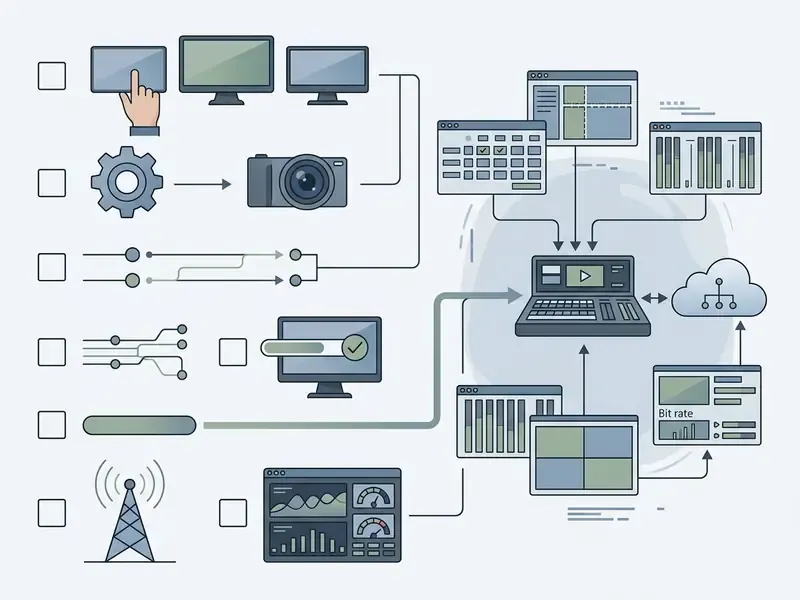
One small correction to how this list is usually read: step 6 is not the end. The archive check belongs to the compliance owner, not to the operator who is already packing cables.


Commercial use cases for live video
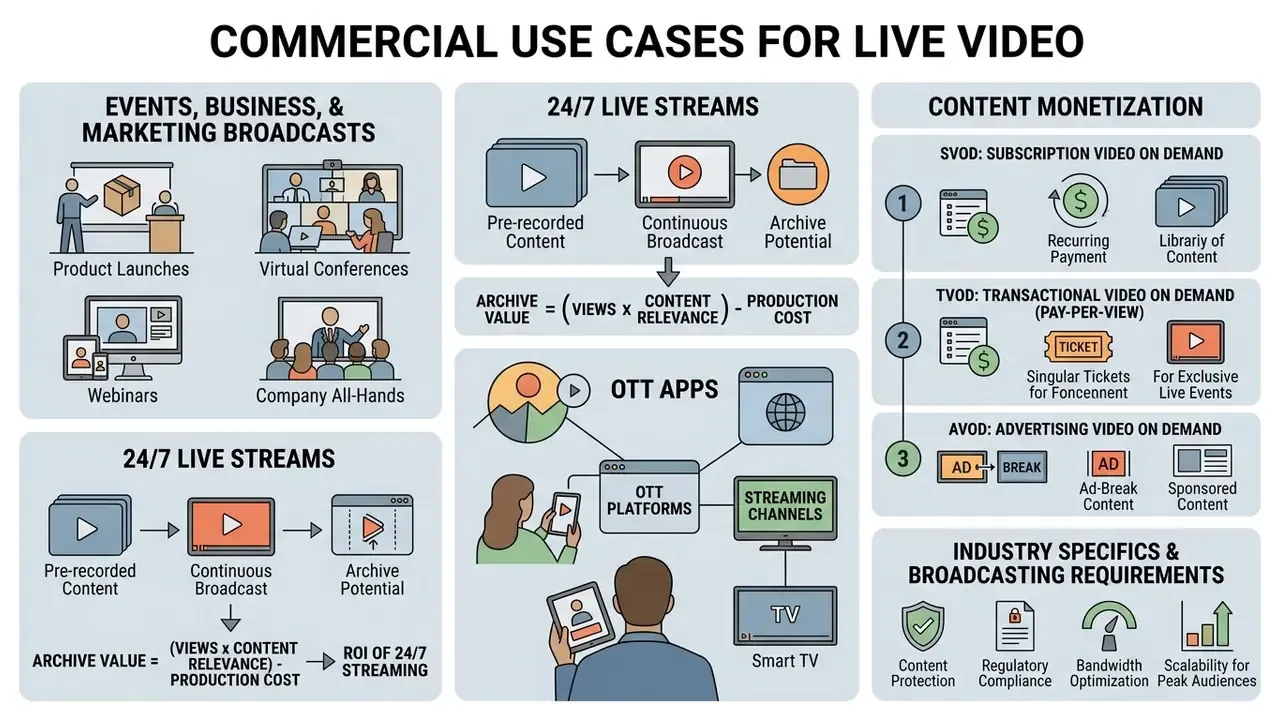
Commercial application of online broadcasting spans a wide range of tasks, from increasing sales to organising internal corporate training. Our experts regularly study cases of media technology in business processes, collected in the AI Media Commercial-Use Hub.
Direct contact with the audience raises brand trust and accelerates the client's movement through the sales funnel. Let us look at the key industry scenarios.
Events, business, and marketing broadcasts
In marketing, online video live formats are used to present new products, run training webinars, and broadcast industry conferences. Integrating registration forms with CRM systems (for example HubSpot or Salesforce) makes it possible to qualify leads automatically and track how long each attendee stayed on air. Teams producing supporting creative for these campaigns compare options among AI video generators for marketing.
For B2B marketing the broadcast works as a qualified-lead generator. Modern players allow registration forms, polls, and CTAs to be embedded directly into the video experience. Through APIs and native integrations, behavioural data (watch time, poll answers, CTA clicks, resource downloads) flows into CRM and MAP platforms such as HubSpot, Salesforce, Marketo, Bizzabo. HubSpot, for example, models marketing events as a CRM object for webinars, conferences, and product launches, with registration, attendance, and duration tracked against the contact record. If a viewer left at minute 10, the CRM automatically switches the email nurture sequence; if they watched through the pricing segment, a sales manager receives a call task the same day.
Interactive virtual assistants built with solutions from the create your own ai assistant section help automate answers to routine chat questions during large presentations, while human moderators focus on high-value dialogue. Keep the assistant's answer set reviewed, though. A confident wrong answer about pricing during a live stream video online is a commercial problem, not a technical one.
24/7 live streams from pre-recorded videos
Round-the-clock streams assembled from previously prepared clips are common practice for music channels, news outlets, kids' content, and retail brands. Specialised cloud services accept an uploaded playlist and broadcast it to YouTube or other RTMP destinations in an endless loop, up to 4K 60fps, without keeping a local computer online. When choosing such a service, use cloud providers that comply with the destination platform's API requirements for continuous RTMP broadcasting, and verify that the vendor supports scheduled grids, playlist rotation, and failure monitoring.
This makes it possible to generate views continuously, hold channel positions in recommendation algorithms, and redirect traffic to the main website.
Formula for estimating archive potential (ROI of 24/7 streaming)
To estimate the potential of round-the-clock broadcasting from an accumulated clip archive, use:
Forecast watch hours per month = Total archive duration (h) × Number of parallel streams × Retention coefficient (average 0.35) × 720 hours
Practice shows that channels launching looped broadcasts of archive material accumulate the 4,000 watch hours required for monetisation roughly 20-50% faster than channels publishing only conventional static uploads, because each parallel stream becomes an additional entry point for discovery. Treat that range as an observed pattern rather than a guarantee; it depends heavily on catalogue quality. Additional calculators for storage, delivery, and encoding costs are available in the AI Media Calculators block.
OTT apps, channels, and content monetisation
Building proprietary OTT applications for Smart TV and mobile devices lets media businesses monetise video content directly. Market research on the European VOD sector separates direct funding (SVOD, TVOD/PPV) from indirect funding (AVOD). Three principal models are used:
- SVOD (Subscription Video on Demand) access to the library and live events for a recurring fee.
- TVOD / Pay-Per-View one-off payment for a specific premium event, such as a sports match or a concert.
- AVOD (Advertising Video on Demand) free viewing financed by advertising integrations.
To diversify content and create distinctive sound design, broadcasters apply technologies from the create your own ai voice section, generating voice-over in multiple languages. A comparison of engines and licences is available in the guide to AI voice generators. Synthetic narration in a customer-facing broadcast should be disclosed, and the consent basis for any cloned voice documented before the first airing.
Industry specifics and broadcasting requirements
Table 3. Industry specifics and live broadcasting requirements
| Industry / niche | Key intent | Critical functionality | Recommended stack |
|---|---|---|---|
| Houses of worship | Reach older audiences, collect donations, broadcast to TV apps. | Scheduled one-click start, OTT apps (Roku/Apple TV), built-in giving module, seven-day support. | Hardware encoder plus dedicated OTT app. |
| Local government | Transparency of council meetings, archiving, accessibility for people with disabilities. | Real-time captions (WCAG 2.2), multi-domain access, tamper-evident archive, clip protection. | Cloud studio plus SRT ingest plus auto-captioning. |
| Sports and school events | Fan engagement, instant highlights, sponsor inventory. | Instant clipping, scoreboard overlays, multi-camera switching, ad insertion. | Software encoder plus simulcast plus AVOD. |
| Corporate / finance | Town halls, investor calls, mandatory training. | SSO/SAML, eCDN, backup ingest, audit trail, moderated anonymous Q&A. | Enterprise platform plus dual ingest plus DRM. |
| 24/7 channels (Lo-Fi music / kids / ambience) | Continuous traffic retention, watch-time generation around the clock. | Cloud looped file streaming with no local PC, playlist rotation, failure monitoring. | Cloud pre-recorded server to YouTube Live or other RTMP destinations. |
Pricing for online live video streaming and how to compare plans
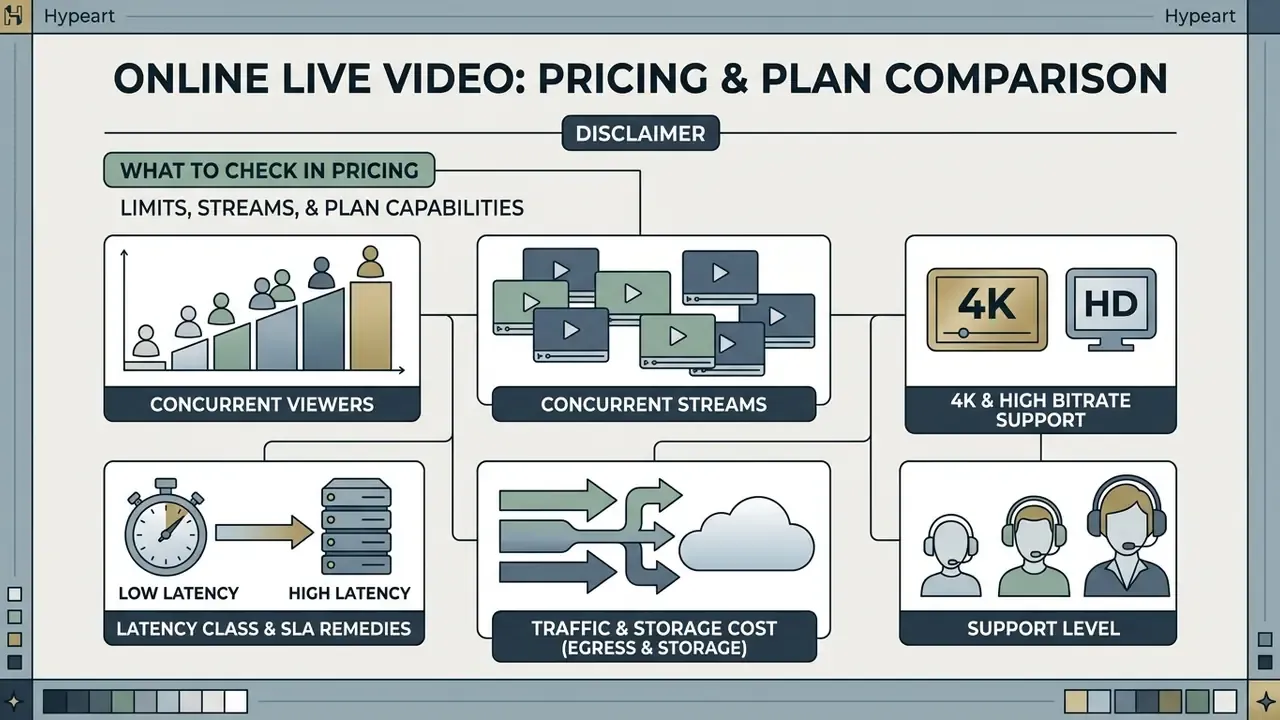
Service pricing depends on consumed traffic volume, streamed minutes, archive retention duration, and the required support level. Transparent rate cards help avoid unexpected costs during peak loads.
When analysing commercial proposals it is essential to normalise plans to a single denominator: cost per gigabyte delivered, or per 1,000 viewer minutes. In 2026 vendors bill along different usage dimensions: active channel hours (Google Cloud Live Stream API, split by SD/HD/UHD with a 10-minute minimum), stored and delivered minutes (Cloudflare Stream), or anchor duration plus audience duration plus transcoding duration (Tencent Cloud). Comparison is only valid at identical resolution and identical audience minutes.
What to check in pricing: limits, streams, and plan capabilities
When studying rate plans, pay attention to the following potential restrictions:
- Concurrent viewersexceeding the threshold may block the player or trigger an expensive overage tariff.
- Concurrent streamsa cap on parallel broadcasts within one account. In platforms such as Kaltura, concurrency and higher-quality ingest are sold as add-ons rather than base inclusions.
- 4K and high bitrate supportsome platforms charge extra for Ultra HD broadcasting.
- Latency class and SLA remediesfor interactive video the IEEE 802 low-latency white paper (December 2023) notes that at 60 fps the end-to-end budget is about 16.7 ms per frame, with roughly 10 ms as the radio-link target. That is a useful benchmark when a vendor advertises "low latency" without numbers. Check as well whether SLA remedies actually apply during an event, and what evidence you must file to claim them.
- Traffic and storage cost (egress and storage)separate billing for data pulled by viewers and for gigabytes in the cloud archive. Cloudflare bills storage prepaid at $5 per 1,000 stored minutes.
- Support leveldedicated account management and guaranteed response time during a broadcast, including weekend coverage for events that run on Sundays.
E-E-A-T fact check: verification of pricing conditions (as of 2026)
According to the official documentation of Vimeo, the Advanced plan is priced at $75/month billed annually (about $125/month on monthly billing) and provides extended webinar tooling, CRM integrations, and lead generation. Custom Enterprise plans are quoted individually based on broadcast volume and specific security requirements, adding backup streams, custom permissions, SSO (SAML), SCIM provisioning, and dedicated support. The Cloudflare Stream service uses pay-as-you-go pricing: $1 per 1,000 minutes of delivered video and $5 per 1,000 minutes of stored video, with no separate egress charge.
Risk-adjusted TCO formula for a corporate broadcast
For an internal or investor-facing event, the visible platform fee is rarely the largest line. Use:
TCO = Platform licence + (Delivered viewer minutes × delivery rate) + (Stored minutes × storage rate) + eCDN or network capacity + Production labour (crew hours × rate) + Compliance overhead (security review, audit log retention, accessibility captioning) + Downtime risk (probability of failure × cost per failed event)
Worked example for 10,000 viewer hours (600,000 viewer minutes) at consumption pricing: delivery is roughly $600, archive storage of 60 hours (3,600 minutes) about $18 per month, plus licence, crew, captioning, and eCDN capacity. If a failed mandatory disclosure broadcast costs the organisation a five-figure remediation effort, a 1% annual failure probability already justifies the price difference between a single-ingest plan and a redundant Enterprise configuration.
Limitations, open questions, and a safe next step
Two honest caveats. First, most published QoE and engagement figures come from consumer streaming research, not from regulated corporate events, so applying them to an investor call is an extrapolation. Second, vendor security attestations describe the platform, not your configuration; a SOC 2 report does not prove that your access lists are correct.
A low-risk next step, if you are early in the cycle: run one non-material internal broadcast on a shortlisted platform, and require the vendor to hand over the full audit export afterwards. If the export cannot answer "who watched, who spoke, what was recorded, what AI features ran", the platform is not ready for material events. That single test tends to shorten procurement debate faster than any feature matrix.
FAQ about online live video
How do I see video live online in a mobile browser or app?
Live video on mobile devices plays through a responsive HTML5 player in any modern browser, with no additional plugins. Platforms use the HLS protocol, which automatically adapts stream quality to current mobile bandwidth. For branded applications, developers integrate the player through an SDK or as a web component; players such as Mux Player can be embedded as a web component, a React component, or an iframe, and support low-latency live playback. A dedicated mobile app for live streaming adds push notifications and offline archive access, which matters for shift-based staff who cannot watch at the scheduled hour.
How do I embed a broadcast player on my own custom website?
Embedding uses the iframe code generated by the platform, inserted into the required block of the page. The code contains autoplay, responsiveness, and broadcast identifier parameters. Vendor documentation typically instructs you to open the player's Share menu, choose Embed, copy the code, and paste it into your HTML; for platforms that support M3U8 you can also use the raw playback URL. Configure domain restrictions in the platform dashboard to prevent unauthorised embedding on third-party resources.
What are the ways to share live video online?
You can share a broadcast by sending the direct link to the viewing page, distributing a QR code, or using the built-in social sharing buttons. For commercial events, individual tokenised links are generated and bound to the registered user's email. For internal events, access is granted through SSO group membership rather than links, so that entitlements can be revoked centrally when someone changes role or leaves.
Do I need rights to use music and graphics on air?
Yes. Public use of copyright-protected material without a licence leads to automatic stream blocking by Content ID algorithms or to legal exposure. Permission is generally required unless the work is in the public domain, licensed, or covered by fair use. For a detailed review of contested copyright questions in media, study the materials in the section on AI Litigation and media disputes.
«Despite recognising doxxing and harassment risks, many streamers continue disclosing personal information because of authenticity and monetisation pressures.» - «I Am Concerned, But…»: Streamers' Privacy Concerns and Strategies, ACM CSCW 2022 (no public URL published in the cited dataset) Treat on-air privacy as a production control: brief speakers on what must not appear on screen, blur windows and badges, and review the archive before publication.
Which standards and specifications govern live streaming technology?
Streaming technology development is the result of work by many engineering groups and standards bodies. The core references are IETF RFC 8216 for HTTP Live Streaming, IETF RFC 8853 for RTP simulcast signalling, the ONVIF Streaming Specification v26.06 for live and replay streaming, MPEG standards for DASH and codecs, and W3C WCAG 2.2 for accessibility of live media. National service-management rules such as GB/T 47294-2026 apply on top of these technical layers.
Can 24/7 looped broadcasting harm my channel?
Continuous broadcasting is permitted by major platforms as long as it goes out as a standard RTMP live broadcast and complies with community and monetisation policies. Platforms treat live streams and regular uploads as separate content formats, so re-streaming your own previously uploaded videos is not automatically duplicate content, provided the stream delivers genuine ongoing engagement and watch time. Risk appears when playlists contain third-party material without a licence, or when the stream is configured purely to inflate metrics.
Appendix A: verification notes
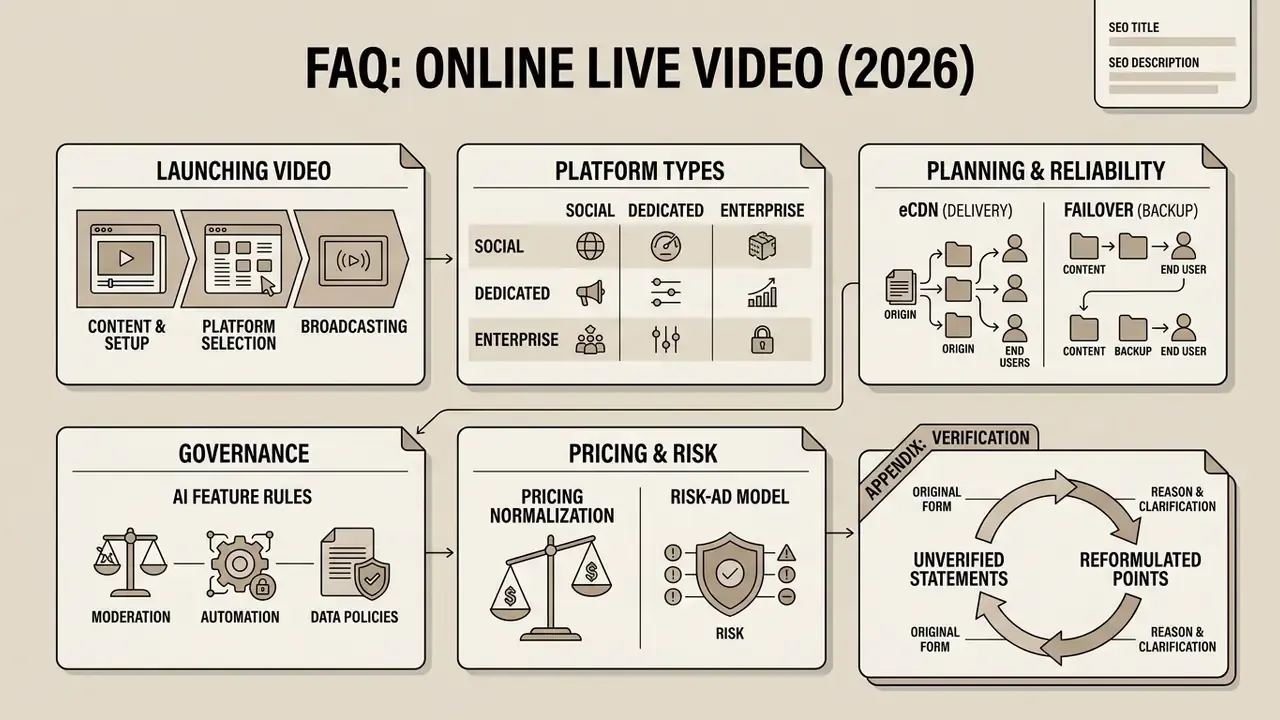
Page metadata
SEO TITLE: Online Live Video: Platforms, Pricing and How to Choose (2026)
SEO DESCRIPTION: Learn how to launch online live video, compare social, dedicated and enterprise platforms, eCDN and failover, AI governance, pricing, TCO and monetisation models.
Reference information and terminology are available in the main glossary. Additional calculation tools are provided in the AI Media Calculators block, and help resources can be found on the AI Media Support and Troubleshooting page.
Social platforms: YouTube, Twitch, and other channels
Social video platforms provide free access to a multimillion audience and to ready-made content recommendation algorithms. YouTube and Twitch offer developed interaction tools through chat, subscription systems, and mobile apps. YouTube additionally makes vertical live streams discoverable inside the Shorts feed, which is an explicit distribution mechanism for live reach.
Creators preparing assets, intros, and highlight reels for such channels usually start with free video editing software before moving to a paid production stack.
However, these venues impose strict limitations on moderation, terms of use, and monetisation formats. Social platforms also reserve the right to disable embedded functions or restrict the reach of a particular channel when internal distribution algorithms change. Twitch's developer documentation exposes ingest via stream keys and RTMP, while account-level and content-level restrictions govern who may stream and how far a stream can spread.
For a regulated institution the honest summary is short: public channels are excellent for awareness and unusable as the system of record.