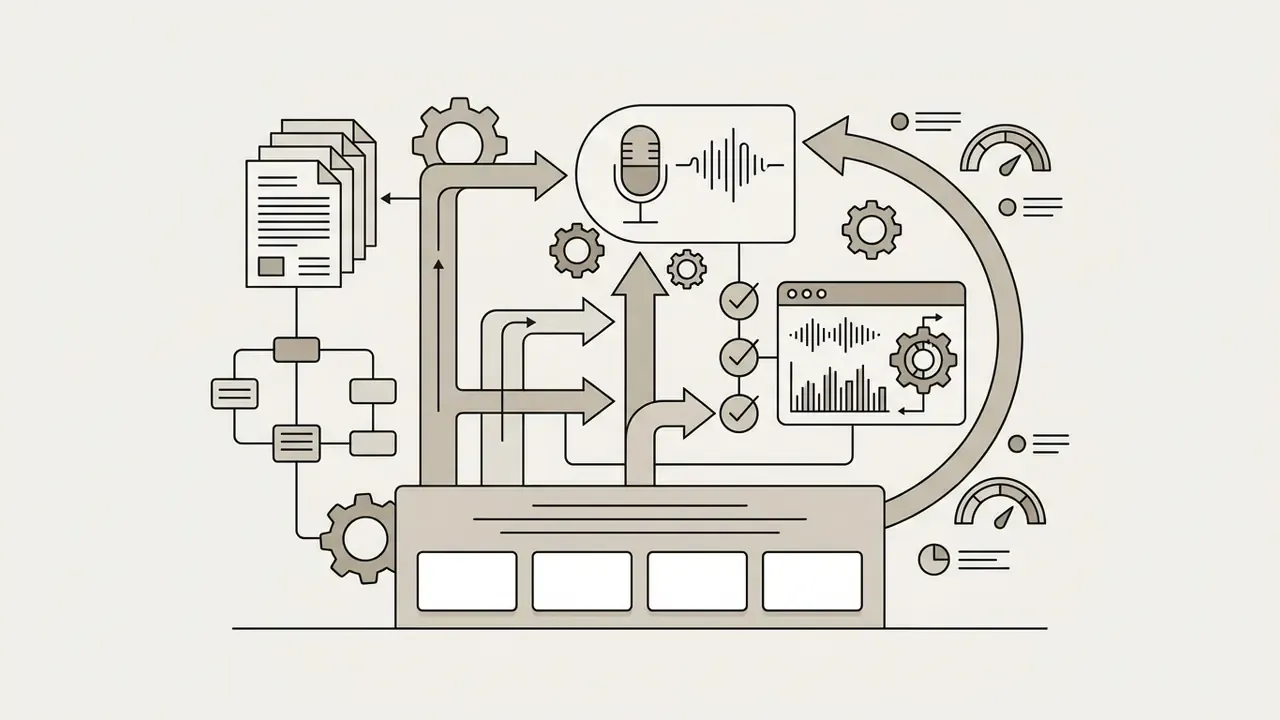
A video QR code looks like a marketing artifact. In a bank, an insurer, or a regulated fintech, it is something else: a third-party redirect printed onto a customer-facing surface. Somebody owns it. Somebody can repoint it. And most institutions cannot name that person.
That is the governance angle worth holding in mind while reading the practical mechanics below.
Video QR codes bridge offline physical surfaces with online media streams by converting a web URL into a scannable two-dimensional matrix barcode. Teams that deploy a video QR code generator do so for one measurable reason: a scanned code delivers instant video playback on a mobile device without asking anyone to type a URL by hand. Retail packaging, hotel rooms, museum labels, branch lobby signage, equipment panels, and printed workbooks all use the same mechanism, a printed matrix that resolves to a hosted media endpoint.
Executive Summary
- A QR code never stores the video. ISO/IEC 18004:2024 caps a Version 40-L symbol at 2,953 bytes in byte mode, so the matrix encodes a compact URL pointer, and the phone streams the file from a CDN or platform.
- Static vs dynamic decides editability. Static codes hardcode the URL and cannot be changed after printing; dynamic codes pass through a redirect layer, which enables link swaps, scan analytics, and A/B testing.
- Mobile browsers mute autoplay. Burnt-in captions are mandatory, and video files should stay under 50 MB to survive 4G buffering.
- Regulated industries must review the redirect layer. Third-party short domains expose organizations to quishing (QR phishing) and vendor lock-in; branded custom domains, SOC 2 Type II attestation, and scan-data retention policies belong in the procurement checklist.
Who This Guide Is For and What It Decides
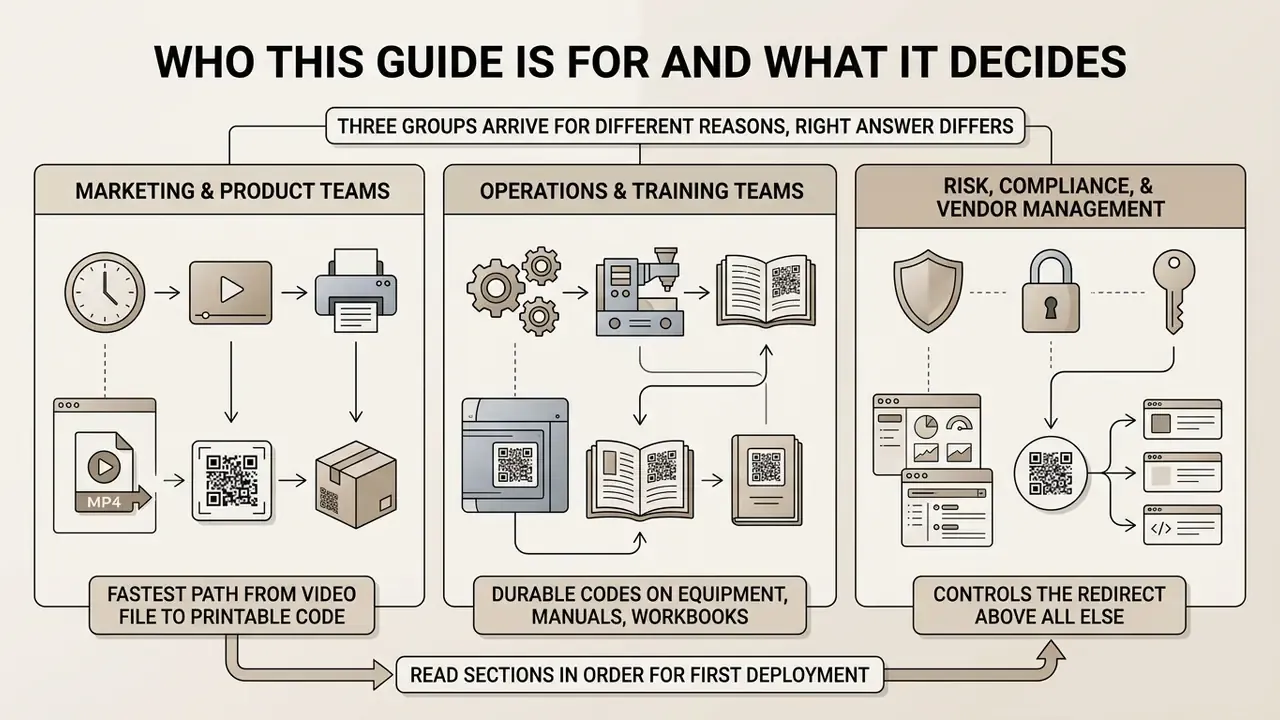
Three groups usually arrive at this page for different reasons, and the right answer differs for each.
Marketing and product teams want the fastest path from a video file to a printable code. For them the practical questions are source type, file size ceiling, print size, and whether the destination can change later.
Operations and training teams want durable codes on equipment, manuals, and workbooks that will sit in the field for years. Their risk is not conversion rate; it is a dead link on a machine panel three years after the print run.
Risk, compliance, and vendor-management leaders care about one thing above all: who controls the redirect. A dynamic code is, functionally, a publishing channel pointed at customers. If edit rights sit outside SSO and outside change logging, the control gap is real even when the campaign is trivial.
Read the sections in order if you are building your first deployment. If you already have codes in the field, start with the governance and print QA material and work backwards. Those two sections catch most production failures.
What Is a Video QR Code and How Does It Work?
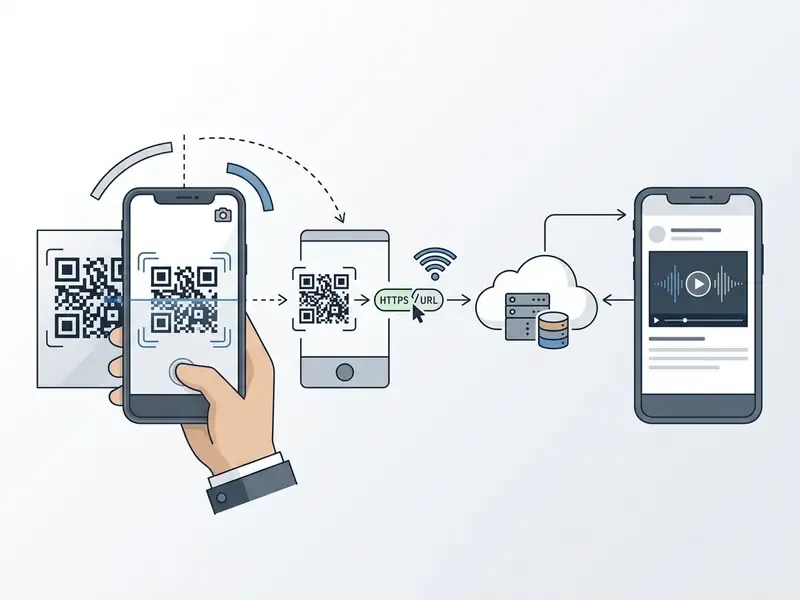
A video QR code is a matrix barcode that encodes a web link pointing directly to online video content rather than storing the binary video file inside the code image itself. When a smartphone camera scans the optical pattern, the operating system decodes the web address and opens the video in a browser or native application.
Consumer familiarity with this interaction is no longer a barrier to adoption:
QR Code Links to a Video Instead of Storing the Video File
A QR code carries a text pointer to a video host because standard two-dimensional barcodes lack the data storage capacity required for binary media files. The international standard ISO/IEC 18004:2024 sets the maximum storage capacity of a Version 40-L QR code at 2,953 bytes in byte mode, equivalent to 7,089 numeric or 4,296 alphanumeric characters.
«A QR code is a flexible container for digital data rather than a media object; its payload is a compact data string, not a binary file.»
Even a compressed 10-second MP4 file requires several megabytes, so storing raw video inside the code matrix is impossible. The code stores a compact web link, directing the device to stream media from remote servers. That single fact shapes everything else in this guide: you are never printing a video, you are printing an address.
What Users See After Scanning a Video QR Code
Scanning a video QR code presents the user with a mobile-optimized web landing page, an embedded HTML5 video player, or an automated app trigger. On iOS and Android devices, the native camera app detects the module pattern and displays an interactive URL banner.
Upon tapping the notification, the mobile browser resolves the web address. Depending on server settings and platform policies, the video can launch automatically or present a play interface to the user. Three destination paths are possible in practice:
- In-browser playback.An HTML5
<video>element loads on a hosted landing page. - Web player page.A platform-controlled interface (YouTube, Vimeo) wraps the video with its own UI, recommendations, and advertising.
- App deep link.If the platform app is installed, the OS moves the session out of the browser into the native player; if the app is absent, the link falls back to the mobile web view or an app-store page.
Worth noting: the third path is the one teams forget to test. A code that works beautifully on a phone with the YouTube app installed can behave differently on a locked-down corporate handset.
Network Fallback: What Happens When the CDN or Firewall Blocks Playback
Because playback depends on an outbound HTTPS request, the scan experience inherits every network condition of the environment. Corporate firewalls, guest Wi-Fi captive portals, and enterprise proxy filters routinely block streaming domains such as videodelivery.net or *.googlevideo.com, which produces a blank player rather than an error message.
Resilience practices for high-stakes deployments:
- Publish a lightweight HTML fallback page rather than pointing the code straight at a raw
.mp4file, so a failed stream still shows a text summary, a transcript, and a secondary contact link. - Host on two endpoints and use the dynamic redirect layer to switch destinations within minutes if the primary CDN degrades.
- Cap resolution at 1080p and tune bitrate for mobile delivery. A 1080p clip longer than two minutes can exceed 200 MB, which buffers poorly on weak cellular links and burns user data.
- Measure time-to-first-frame on 4G, not office Wi-Fi. Target playback start within three seconds; anything slower produces abandonment before the first frame renders.
Which Video Sources Can You Convert into a QR Code?
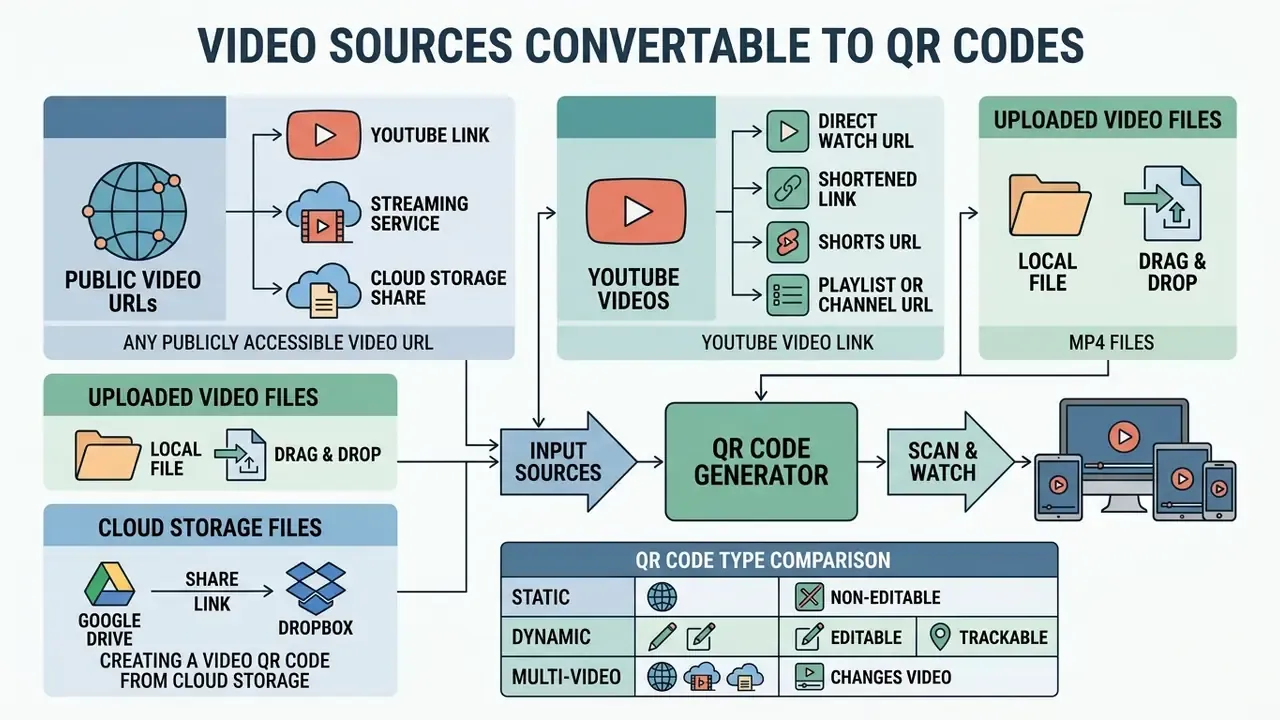
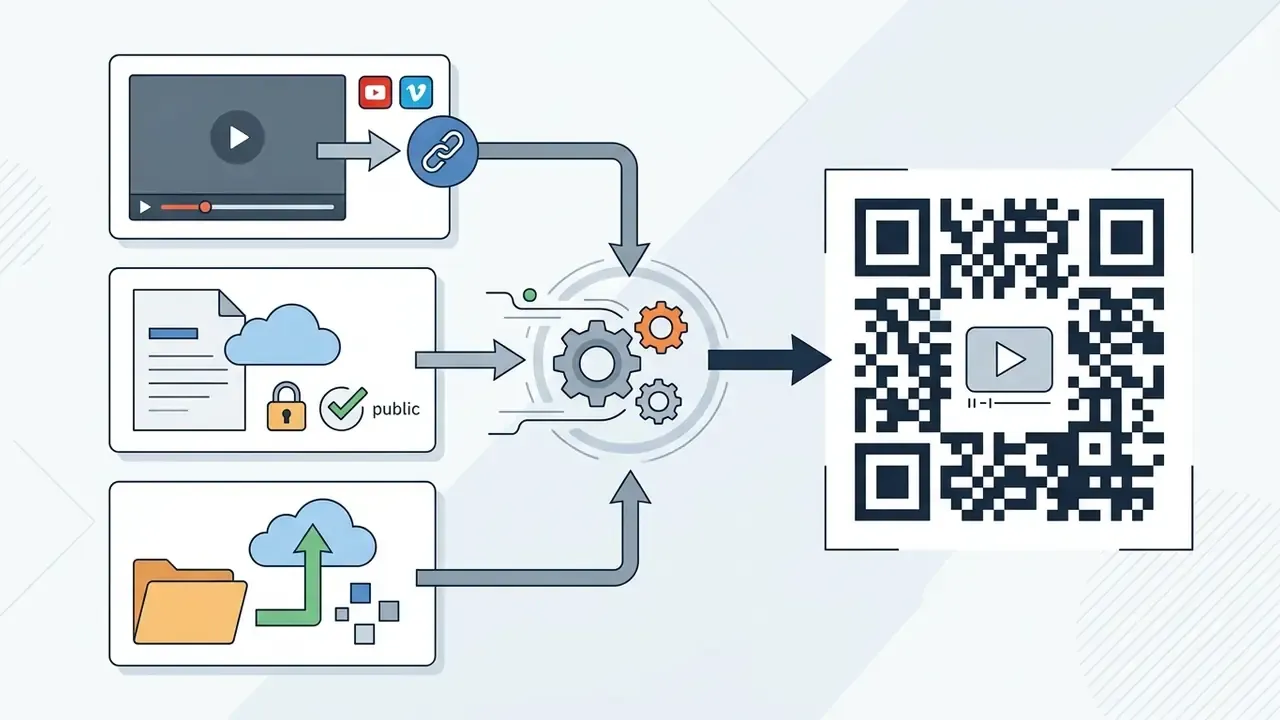
You can convert any publicly accessible video URL, YouTube link, streaming service endpoint, cloud storage share link, or uploaded video file into a scannable QR code. Selecting the right source depends on whether your organization requires third-party platform distribution or direct infrastructure control.
Comparison: Which Video QR Code Type Should You Choose?
| Feature | Direct MP4 Upload QR | YouTube Link QR | Multi-Video Hub QR |
|---|---|---|---|
| Destination | Direct CDN-hosted file | YouTube platform watch URL | Custom mobile summary page |
| Player Interface | Native, clean HTML5 player | YouTube native app or web player | Embedded multi-player grid |
| Ads / Recommendations | 100% ad-free | Displays platform ads and suggested videos | Controlled, ad-free |
| View Counting | Counted only in your own analytics | Views credited to your YouTube channel | Counted per video in dashboard |
| Offline / Weak Signal Viewers | Optimized via CDN edge delivery | Requires active data plus app handoff | Requires active mobile web link |
| Editable After Print | Yes, if dynamic | Yes, if dynamic | Yes, if dynamic |
| Best Used For | Retail packaging, medical guides, equipment labels | Channel growth, paid marketing campaigns | Real estate tours, menus, event agendas, training modules |
QR Code Generator for YouTube Video and YouTube Video Link
A YouTube video link is the most compatible source URL for a standard video QR code generator. A QR code generator for a YouTube video link can encode four distinct destination formats, and the difference matters more than most teams expect:
- Direct watch URL (
youtube.com/watch?v=...) resolves to one exact video. The safest default for print. - Shortened link (
youtu.be/...) is functionally identical but shorter, which lowers module density and improves scan reliability at small print sizes. - Shorts URL (
youtube.com/shorts/...) opens a vertical, full-screen 9:16 experience that fills the phone display naturally. Ideal for packaging and shelf talkers. - Playlist or channel URL must contain
playlist?list=..., not a video-inside-playlist address, or the scan will land on a single clip instead of the sequence.
When scanned on mobile devices with the YouTube application installed, OS deep-linking sends the user from the mobile browser straight into the native app. Teams preparing footage for this channel usually trim, caption, and re-encode their assets first; our YouTube video editing workflows guide covers the publishing sequence in detail.
QR Code Generator for a Video Link
A generic video link QR code accepts web addresses from platforms like Vimeo, Cloudflare Stream, or private cloud storage providers. Enterprise deployments often use custom domain links to maintain security and brand domain alignment.
For Cloudflare Stream or gated hosting, Content Security Policy (CSP) rules must explicitly permit framing domains such as videodelivery.net and *.cloudflarestream.com in frame-src and default-src to guarantee seamless playback across mobile browsers. Media loading may additionally require media-src, img-src, and connect-src permissions. Skip this step and the page renders, the player appears, and nothing plays. Silent failure is the worst kind.
Creating a Video QR Code from Google Drive or Dropbox
Cloud drives are the most common source for internal, non-public video assets, and the most common point of failure, because a restricted file produces an authentication wall instead of playback. To generate a QR code for a cloud-stored video file:
- Upload your MP4 or MOV file to Google Drive or Dropbox.
- Change access settings from Restricted to "Anyone with the link can view." Skipping this step parks every external scanner behind a sign-in screen.
- Copy the generated share link (
drive.google.com/file/d/.../view?usp=sharing) or, in Dropbox, the shared-link URL. - Paste the URL into the destination field of the generator and produce the code.
- Test on a signed-out device. Open the link in a private browser session on a phone that is not logged into your Google Workspace account. This is the only reliable way to confirm public accessibility.
Two cautions apply. First, Google Drive wraps files in its own preview interface rather than a clean player, so long clips may stream at reduced quality. Second, moving or re-uploading the file changes the file ID and permanently breaks the encoded URL for static codes. Another argument for routing cloud links through a dynamic redirect.
Free QR Code Generator for Video Files
A free QR code generator for video files converts a media asset directly into a code by uploading it (MP4, MOV, or WEBM) to a host platform that returns a hosted media URL. Upload ceilings on free tiers are platform-specific rather than standardized: published vendor documentation in 2025 and 2026 shows caps of 2 MB on one free plan rising to 60 MB on paid tiers, 5 MB on a free trial with 10 MB and 20 MB paid steps elsewhere, and practical guidance thresholds of "under 50 MB" or "under 100 MB and under 5 minutes" from other providers. Treat any single figure as vendor-specific and verify the limit inside your own account before production. Consolidated tier data is not available as a single audited dataset.
Once uploaded, the service hosts the video file on a Content Delivery Network (CDN) and encodes the resulting URL endpoint into the barcode matrix.
How to Create a QR Code for a Video Online
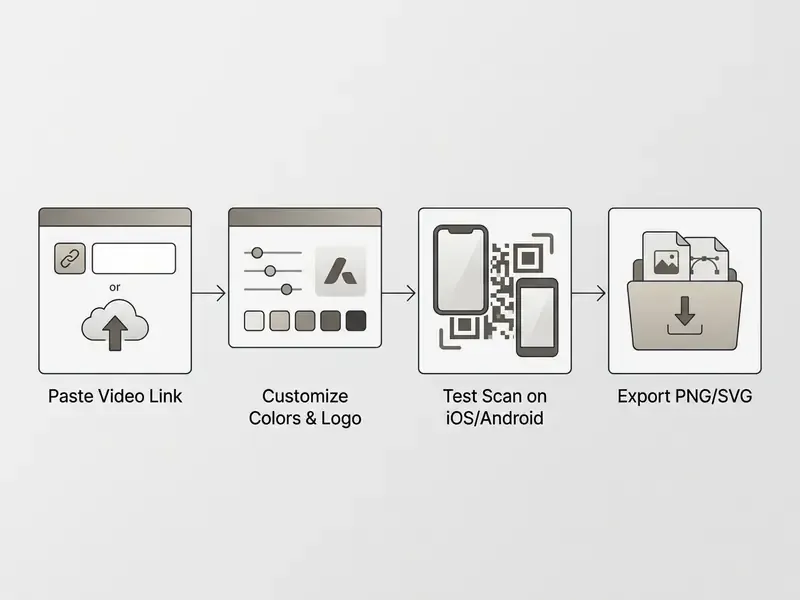
To convert video to a QR code online you paste a destination video URL, customize the optical design, test scan accuracy across devices, and export the file. Standard online generators execute this workflow in four distinct steps.
Workflow: Creating and Publishing a Video QR Code
- Select destination.Input a public video URL or upload an MP4/MOV media file to the platform.
- Configure design.Adjust module colors, select background contrast, and embed an enterprise logo.
- Execute test scan.Verify optical readability using iOS and Android devices under varied lighting conditions.
- Export file.Download the final barcode asset in vector (SVG/EPS) or raster (PNG) format.
Add a Video Link or Upload a Video File
Begin by determining whether your deployment relies on hosted video links or raw file uploads. Pasting an existing URL points the QR code directly to established cloud storage or video hosting platforms.
Uploading an MP4 or MOV video file directly to a generator interface creates a newly hosted landing page, which is subject to provider bandwidth restrictions and file size ceilings. Trimming, captioning, or downscaling the master before upload usually resolves ceiling problems without paying for a higher tier; our comparison of free video editors outlines which tools export web-ready H.264 files.
The practical trade-off between the two flows:
| Paste an existing video URL | Upload the source file | |
|---|---|---|
| Setup speed | Immediate, one field | Depends on upload bandwidth |
| Hosting responsibility | Platform or your own CDN | Generator vendor |
| Format risk | None (platform transcodes) | Codec and container must be compatible |
| Size ceiling | None | 2 to 60 MB depending on plan |
| Branding control | Limited on public platforms | Full control of landing page |
Customize QR Code Design Before You Generate It
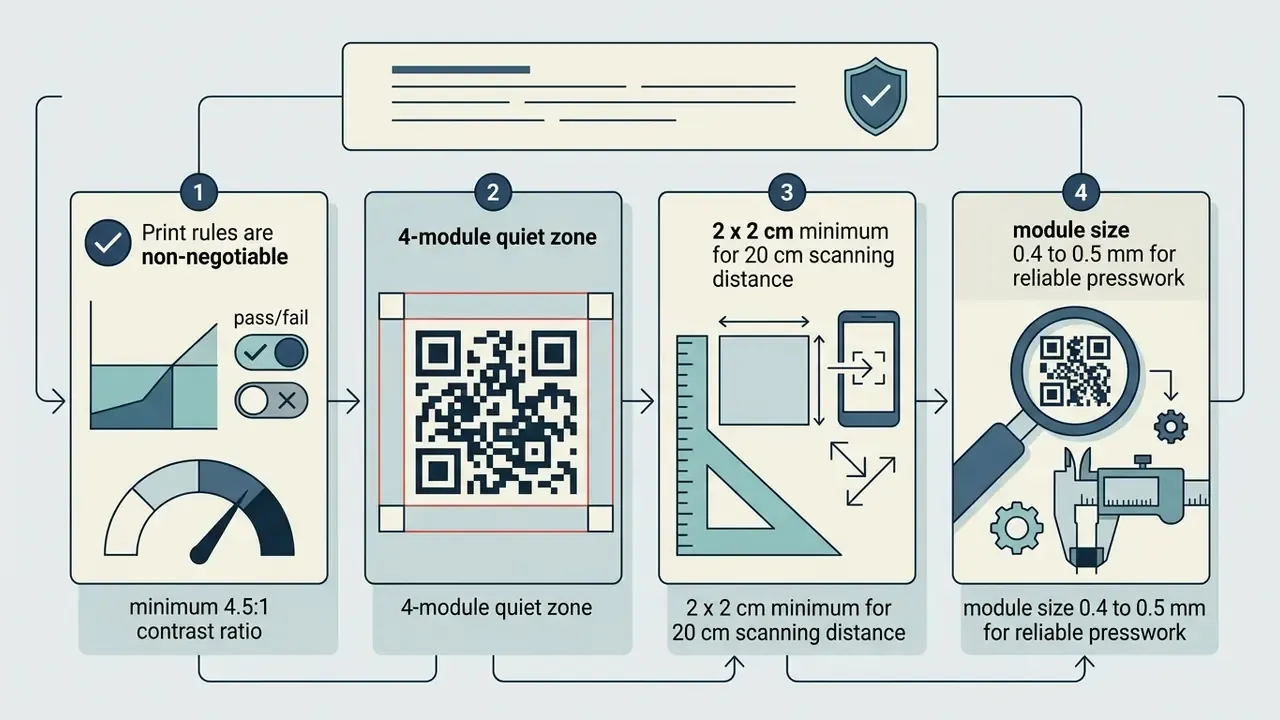
Customizing a QR code design involves modifying module patterns, adjusting background contrast, and embedding central brand logos. Designers must keep a quiet zone margin of at least four module widths around the outer perimeter.
According to empirical research by Altamirano et al. (2023), maintaining high signal-to-noise ratios (SNR) and strong luminance contrast between dark foreground modules and light backgrounds is critical to preventing bit error rate (BER) spikes during mobile scanning.
«Colour QR codes achieve low bit error rates and high SNR under well-chosen colour mappings, yet certain colour combinations and lighting conditions still cause decoding failures.»
In one illustrative deployment (composite, not a named client), a corporate team needed customized media workflows for internal training assets across regional offices. They centralized assets using an ai video clip generator workflow, published the outputs to an enterprise CDN, and encoded the secure endpoints into branded QR codes with embedded corporate watermarks. Reported outcome: a 100% scan success rate across 1,200 printed training workbooks. Treat the figure as illustrative rather than audited. Teams producing similar training footage from scratch frequently start with free AI video generators before routing outputs into a CDN, and design teams that need square-format brand marks or scalable frame graphics often work through an ai vector generator so the artwork survives print scaling.
Static vs Dynamic QR Code for Video
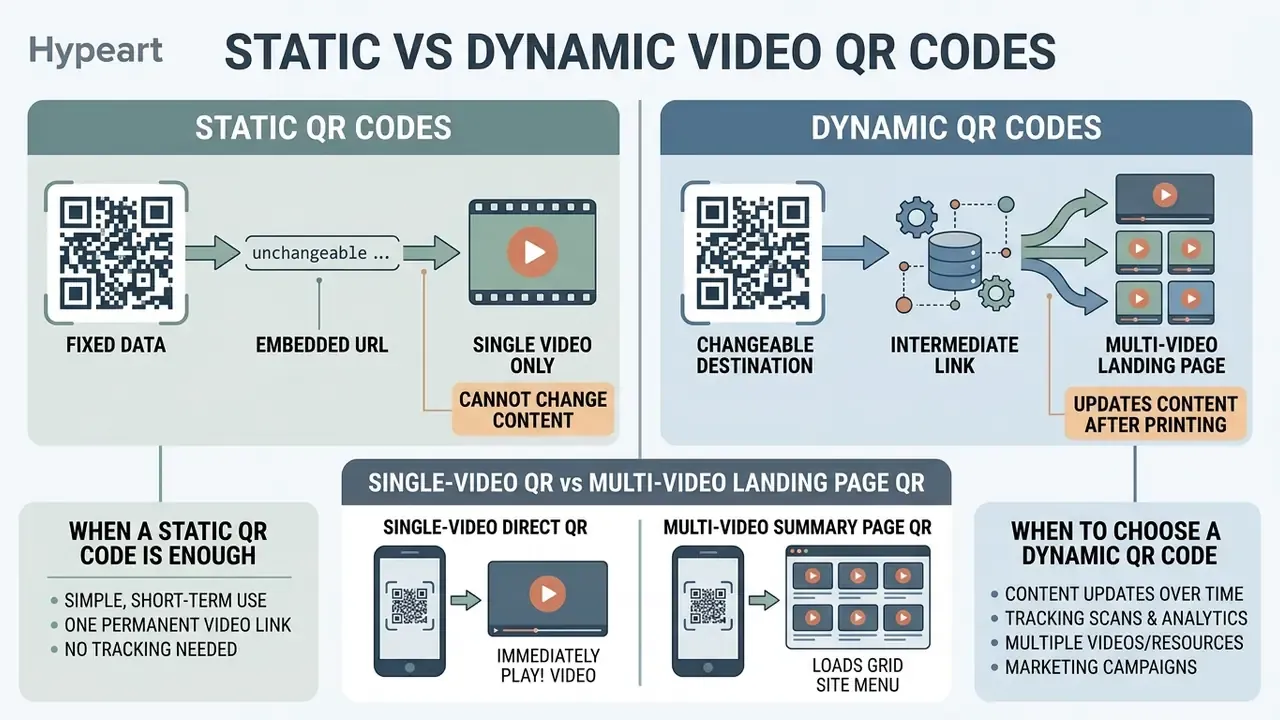
Static and dynamic video QR codes differ fundamentally in how destination URLs are stored and managed after optical generation. Choosing between static and dynamic formats determines whether a printed barcode can be edited or tracked over time, and whether you can measure the engagement that justified the campaign in the first place.
| Parameter | Static Video QR Code | Dynamic Video QR Code |
|---|---|---|
| URL Encoding | Direct, hardcoded destination URL | Short redirect URL pointing to a backend database |
| Post-Print Editing | Immutable; destination cannot be changed | Editable destination URL without reprinting physical code |
| Scan Analytics | No scan tracking or location data available | Full real-time metrics (scans, device types, geography) |
| Processing Speed | Direct client-to-host lookup | Indirect routing via lookup and redirect server |
| Subscription Cost | Typically free with no expiration | Often requires recurring plan for host domain maintenance |
| Longevity | Permanent as long as target URL exists | Dependent on host platform server maintenance |
| Vendor Dependency | None after generation | Vendor controls the redirect layer and uptime |
| Module Density | Higher (long URLs create denser matrices) | Lower (short redirect keeps the pattern sparse) |
When a Static QR Code Is Enough
A static QR code is sufficient when the destination video URL is permanent, unchanging, and does not require scan analytics. Static codes hardcode the target address directly into the barcode matrix.
They work reliably for evergreen instructional manuals, static museum displays, and permanent product labels where the underlying media link will remain active indefinitely. Static codes also eliminate third-party redirect dependency entirely, which is why some regulated organizations prefer them for long-lifecycle printed documentation. No vendor, no renewal, no outage window.
When to Choose a Dynamic QR Code
A dynamic QR code is necessary when video campaigns require link editing after physical printing, scan metric tracking, or A/B split testing. Dynamic generators pass scans through an intermediate redirect server.
That infrastructure lets managers update the underlying destination video from a setup dashboard without reprinting existing packaging, banners, or direct mail assets. Scan history stays attached to the code itself, so total scans, geography, and device mix remain comparable across destination changes.
A further operational benefit: because the encoded string is a short redirect, the matrix contains fewer modules than a long raw URL, which raises scan reliability at small print sizes.
Single-Video QR vs Multi-Video Landing Page QR
When converting video assets into QR codes, enterprise deployments must also choose between direct single-video redirection and multi-video summary pages:
- Single-video direct QR. Best for focused calls-to-action, such as a specific product assembly tutorial or one machine-specific safety walkthrough. The scanner bypasses intermediate pages and opens the primary media stream instantly, which produces the shortest time-to-first-frame.
- Multi-video summary page QR. Ideal for product catalogs, property tours, or training modules. Scanning opens a custom, mobile-optimized hub that can display multiple video streams with individual descriptions, a highlighted primary clip, branded CTA buttons, a short company description, social profile links, and a share button, all under a single scan instance.
Practical limits on multi-video hubs: although many platforms allow effectively unlimited entries, page weight compounds quickly. Keep three to five short clips per hub, mark one as the primary video so the hierarchy is obvious, and push anyone who wants more to a channel or playlist link. A hub loaded with a dozen long videos delays first paint and overwhelms a standing viewer.
Use a separate code per placement surface, so packaging, shelf talker, window sign, and lanyard each get their own, even when all of them point to the same hub. Scan analytics then reveal which physical surface actually drives views, which is impossible with one shared code. Teams that design those hub pages from scratch sometimes prototype layouts with an ai ui generator before handing the design to production.
Enterprise Security, Quishing Risk, and Vendor Governance
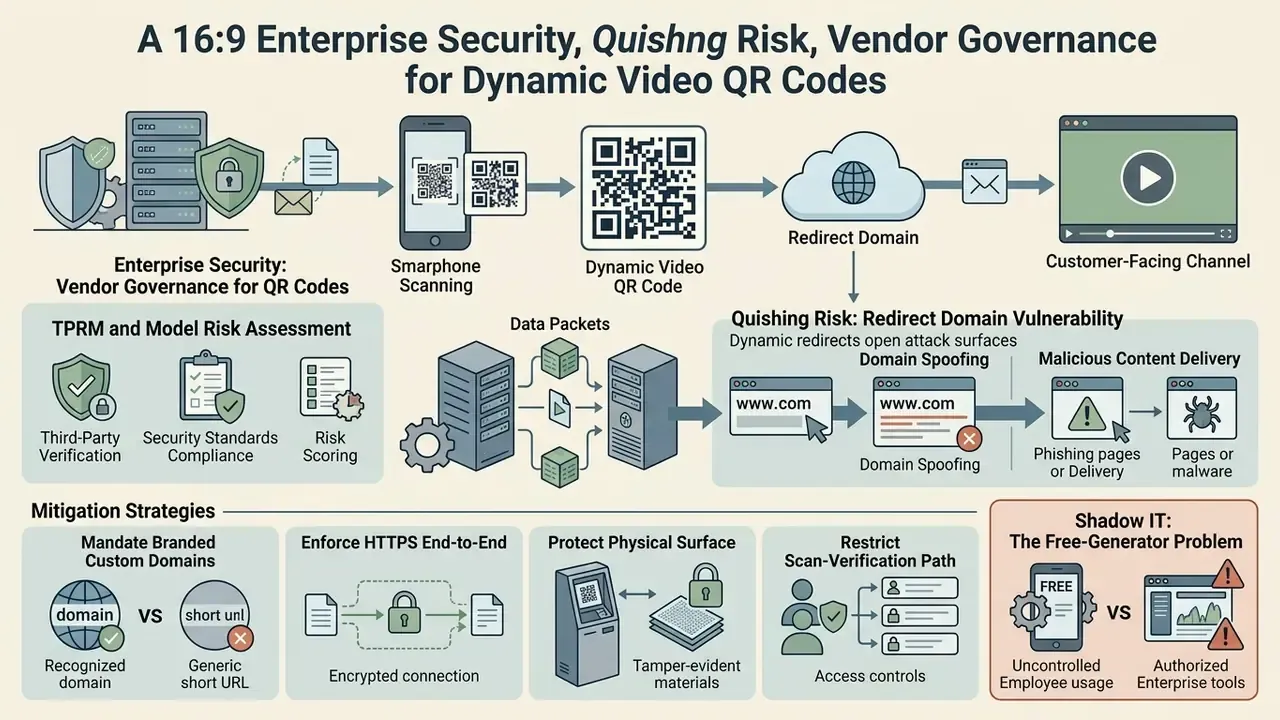
Dynamic video QR codes introduce a third-party redirect into a customer-facing channel. For banks, insurers, healthcare providers, and any organization operating under model-risk or third-party risk management (TPRM) frameworks, that redirect is the control point that matters most.
No evidence, no autonomy. The same principle that governs an AI agent applies to a redirect service: a named owner, an approved role, access limits, an audit trail, and a way to shut it down.
Quishing: Why the Redirect Domain Is a Risk Surface
"Quishing", meaning QR-code phishing, works because the human eye cannot inspect a matrix before scanning. When a printed code resolves through a generic third-party shortener, customers have no way to distinguish a legitimate corporate asset from a sticker placed over it by an attacker.
«QR codes can be used in fraudulent schemes to redirect users to phishing pages; machine-learning algorithms are being applied to detect suspicious QR links inside payment transactions.»
Shadow IT: The Free-Generator Problem
The most common governance failure is not a sophisticated attack. It is an employee generating an internal training code on a random free public generator. That single action places corporate media on an unvetted CDN, routes internal traffic through an unknown redirect, and creates a code that expires when a trial lapses, with no owner, no inventory record, and no ability to revoke.
Two controls resolve most of it: an approved enterprise generator available to every team through normal SSO, and a maintained inventory of every printed code with owner, destination, print run, and review date. Unglamorous, and effective.
Vendor Assessment Checklist (TPRM and Model Risk)
| Control area | What to require | Why it matters |
|---|---|---|
| Attestations | SOC 2 Type II report; ISO/IEC 27001 certification | Evidence the redirect layer is operated under audited controls |
| Custom domain | CNAME support on a domain you own, plus DNS CAA records | Removes vendor branding and constrains certificate issuance |
| Data minimization | Configurable retention; option to disable IP storage and precise geolocation | Scan analytics can constitute personal data under GDPR and CCPA |
| Data residency | Region-pinned processing and storage | Cross-border transfer requirements |
| Access control | SSO/SAML, role-based permissions, audit logs of destination edits | Prevents unauthorized repointing of live codes |
| Availability | Contractual uptime SLA for the redirect service; status page history | A redirect outage disables every printed code simultaneously |
| Exit strategy | Bulk export of codes, destinations, and scan history; portability of the custom domain | Avoids vendor lock-in on assets already in the field |
| Content controls | Password gates or SSO on sensitive landing pages; link expiry | Required for internal, pre-release, or regulated content |
The controls above are general guidance, not a compliance opinion.
How to Design and Print a Video QR Code That Scans Reliably
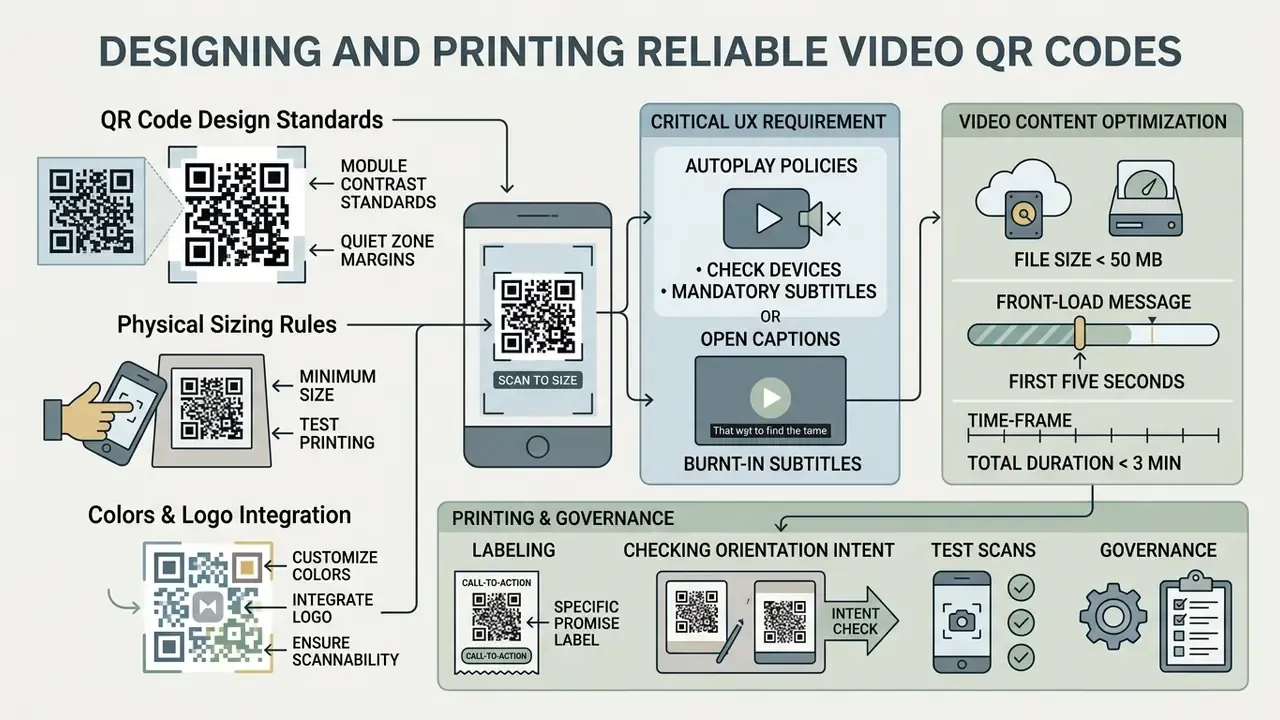
Designing and printing a video QR code that scans reliably requires strict adherence to module contrast standards, quiet zone margins, and physical sizing rules. Optical readers need distinct contrast between foreground modules and background spaces to decode binary patterns instantly.
Critical UX Requirement: Autoplay Policies and Mandatory Subtitles
Mobile operating systems, iOS Safari and Android Chrome alike, strictly enforce muted autoplay policies. When a user scans a QR code, the video will not stream audio automatically; browsers suppress unsolicited sound, and viewers must tap to unmute. A campaign built on the assumption that a voiceover will play is a campaign that communicates nothing.
- Always hardcode open captions or burnt-in subtitles into the video file rather than relying on player caption tracks, which may not load on a hosted landing page. A large share of QR scans happen in retail aisles, transit, libraries, offices, branch queues, and waiting rooms where devices stay muted by policy or courtesy.
- Keep files under 50 MB to prevent connection timeouts and abandonment over standard 4G and 5G cellular networks.
- Front-load the message in the first five seconds of visual information, because the first frames play silently.
- Keep public-facing clips under three minutes where viewers are standing and deciding. Seated contexts such as training and property tours tolerate longer runtimes.
- Label the code with a specific promise. "Watch the 90-second assembly guide" outperforms a generic "Scan to watch" because it sets an expectation of duration and value.
- Check orientation intent. Portrait 9:16 video fills the phone screen naturally; 16:9 landscape plays letterboxed in a browser window unless the viewer rotates the device.
Colors, Logo, and Custom QR Code Design
Color selection for QR codes must enforce dark modules over a light background, never inverted. Standard accessibility guidelines (WCAG 2.1) recommend a minimum contrast ratio of 4.5:1 between modules and background surfaces.
«Consumers who noticed a QR code in an advertisement showed significantly higher engagement (t = –3.142) than those who did not notice it.»
Logo overlays must be centered and limited to less than 25% of the total barcode surface area; simple square or circular marks decode more reliably than complex outlines. High error-correction settings (Level H, allowing up to 30% data recovery) must be enabled whenever placing logos inside the matrix. Frames and call-to-action text may sit around the code but must never intrude into the quiet zone. Teams that still need a mark to embed can review AI logo generators for square-format outputs suited to matrix centers.
One small correction to a habit I see often: gradient modules are not automatically unsafe, but gradients that lighten dark modules mid-pattern are. Measure the lightest module against the background, not the average.
Minimum Size and Print Formats for QR Codes
«For close-range mobile scanning a module size of 0.4 to 0.5 mm is recommended; the minimum achievable 0.36 mm carries a risk of dot gain and reduced readability.»
Bandwidth and storage planning for large print programs, especially where thousands of scans hit one hosted clip, can be modelled with our AI Media Calculators before you commit to a hosting tier.
Free Video QR Code Generator: What Is Included and When to Upgrade
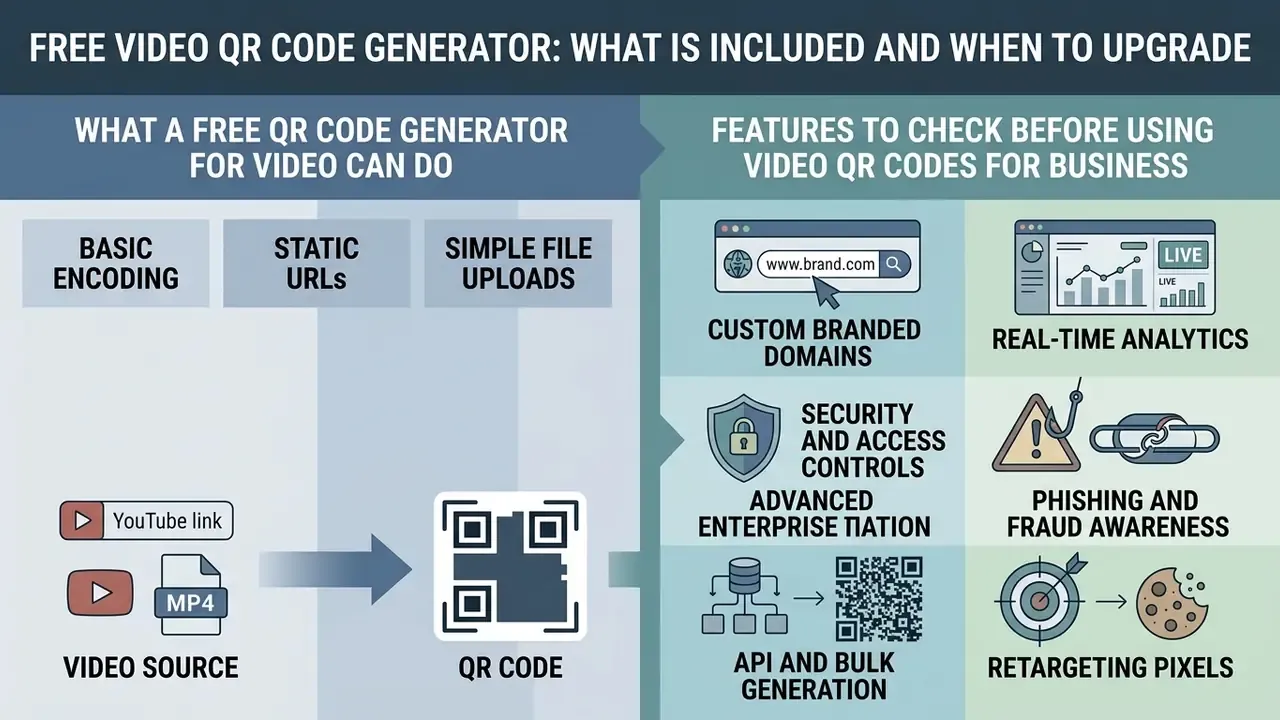
Free video QR code generators provide basic encoding for static URLs and simple file uploads, while commercial enterprise tiers unlock current analytics, custom domains, and governance controls. Evaluating free versus paid tiers depends on operational risk and tracking requirements.
What a Free QR Code Generator for Video Can Do
A free video QR code generator lets users encode static video links, generate standard black-and-white or basic colored matrix images, and export raster PNG downloads. That is enough for a one-off event poster or a permanent instructional link.
Free static codes carry no recurring subscription fees and remain functional as long as the target video URL stays active online. Published free tiers in 2025 and 2026 vary widely: some allow unlimited static codes with unlimited scans and no expiry, while others cap free dynamic codes, for example one dynamic code with unlimited scans, ten dynamic codes with 1,000 scans per month, or three dynamic codes limited to 500 scans each. Logo upload ceilings around 500 KB to 5 MB are common. Verify the specific tier in your own account rather than assuming a market standard.
Features to Check Before Using Video QR Codes for Business
That framing is exactly why business evaluation focuses on the workflow around the code rather than the image itself. Enterprise organizations evaluating QR code platforms must inspect operational, compliance, and custom domain capabilities:
- Custom branded domains. Removes third-party vendor URLs from redirection paths and gives users a recognizable pre-tap trust signal.
- Real-time analytics. Tracks total scan counts, unique versus repeat scans, geographic distribution by country and city, operating systems, and time stamps.
- Security and access controls. Supports password-protected landing pages and single sign-on (SSO) authentication, plus audit logging of destination edits.
- Phishing and fraud awareness. QR codes are actively abused to redirect users to phishing pages, and machine-learning detection of suspicious QR links is now applied in payment environments. Treat any customer-facing redirect as a monitored asset, not a design element.
- API and bulk generation. Integrates QR creation directly into enterprise CMS or DAM pipelines using automated software interfaces.
- Retargeting pixels. Advertising pixels (Meta, Google Ads, LinkedIn) firing on scan enable campaign attribution, but require a lawful basis and consent handling where personal data is processed.
One caution against treating a QR code as an automatic uplift: placement context and creative execution decide the outcome.
«The presence of a QR code in print advertising showed a significant negative effect on attitude change (b = –0.140, p < 0.01) and purchase intention (b = –0.138, p < 0.05) in isolated analysis.»
How to Choose Between Free and Dynamic Video QR Codes
Choose a free static code for single-event promotions or permanent instructional links where analytics and post-print edits are unnecessary.
Select a paid dynamic platform when running multi-channel marketing campaigns, printing packaging at high volume, deploying across multiple locations, or when legal compliance requires updating media content without recalling physical print assets.
Decision shortcuts:
- Destination fixed for its entire lifecycle plus no reporting requirement points to static.
- Any chance of content change, seasonal rotation, or product revision points to dynamic.
- Attribution, ROI reporting, or A/B testing required points to dynamic.
- Long print runs already in the field means dynamic, always.
- Regulated customer-facing surface means dynamic on a branded custom domain with audit logging.
Where to Use Video QR Codes for Marketing, Education, and Packaging
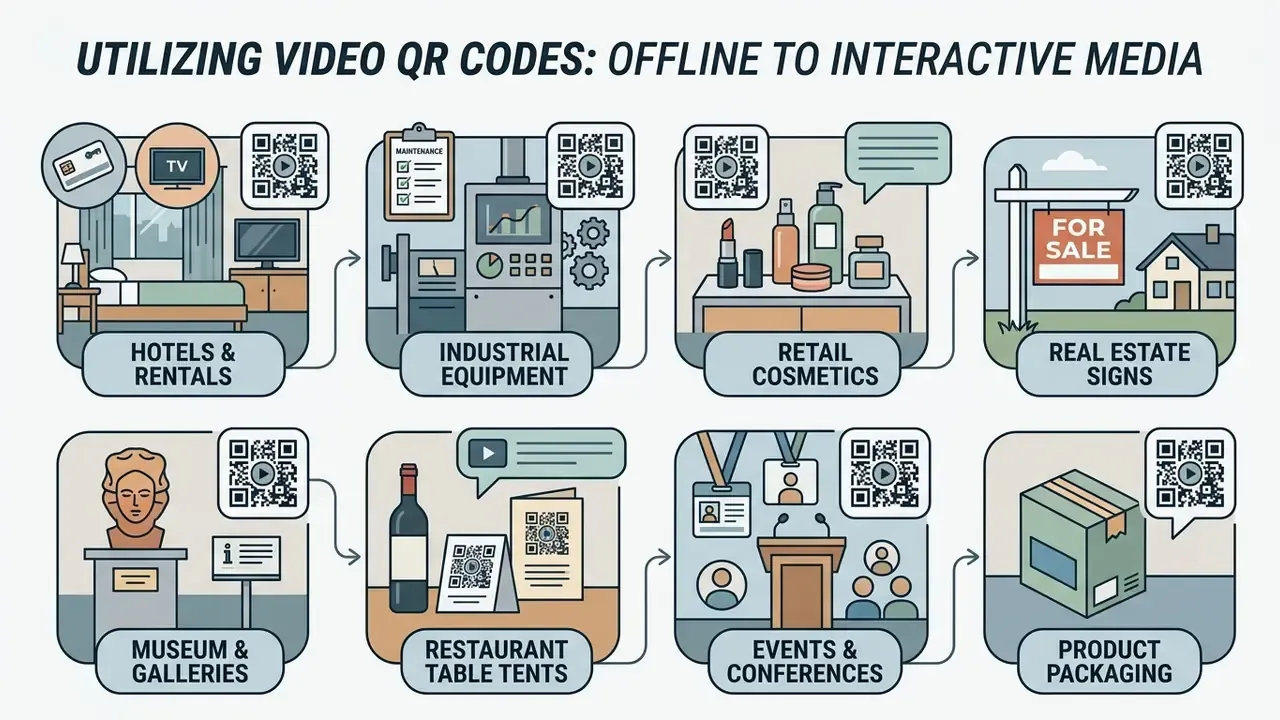
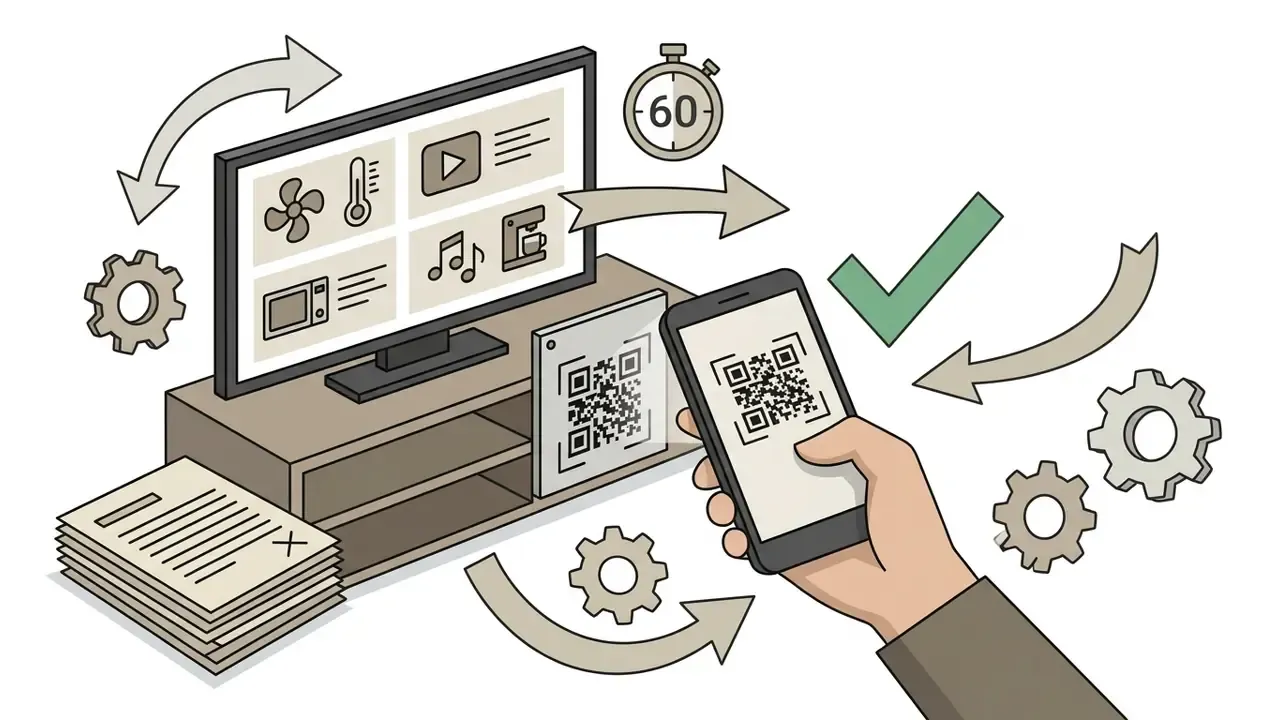
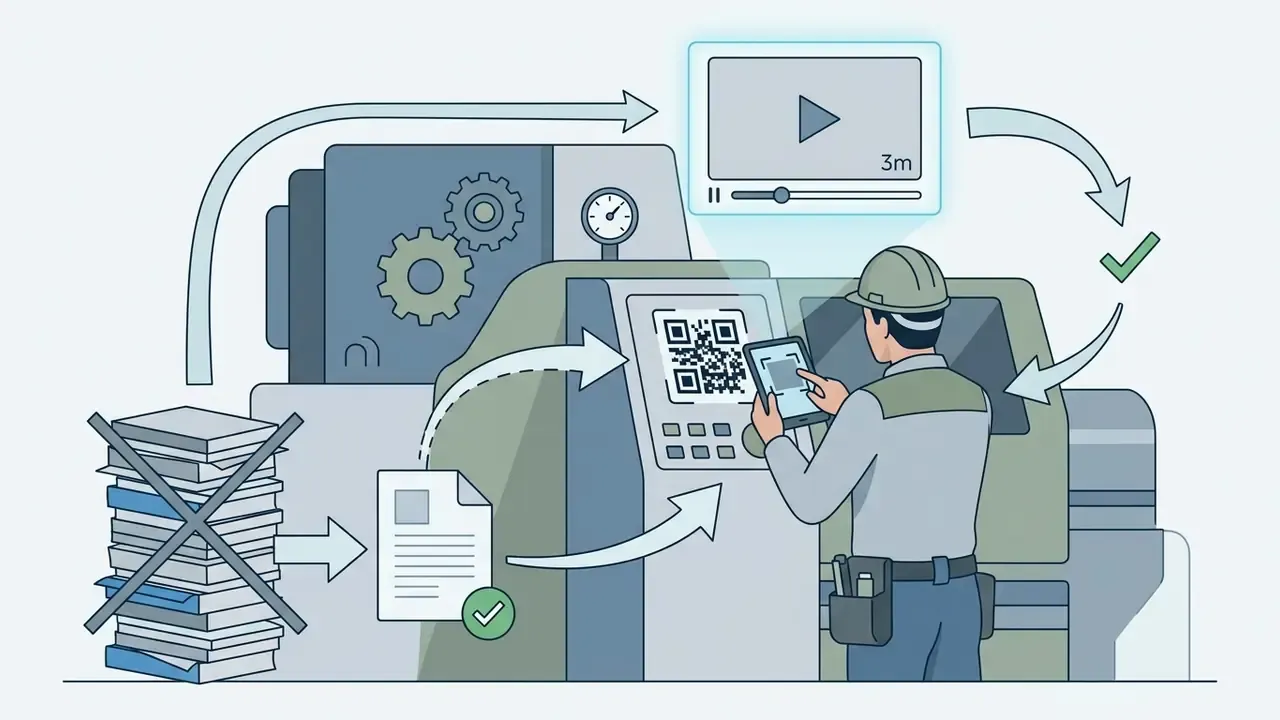
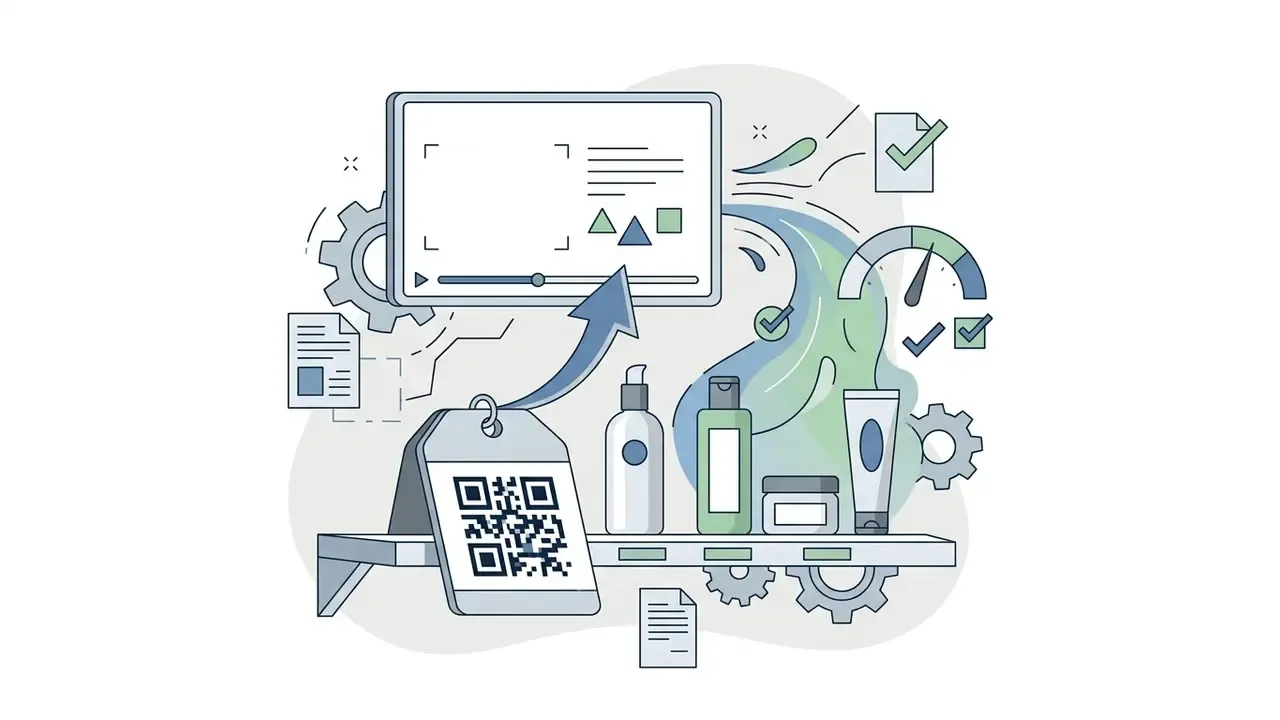
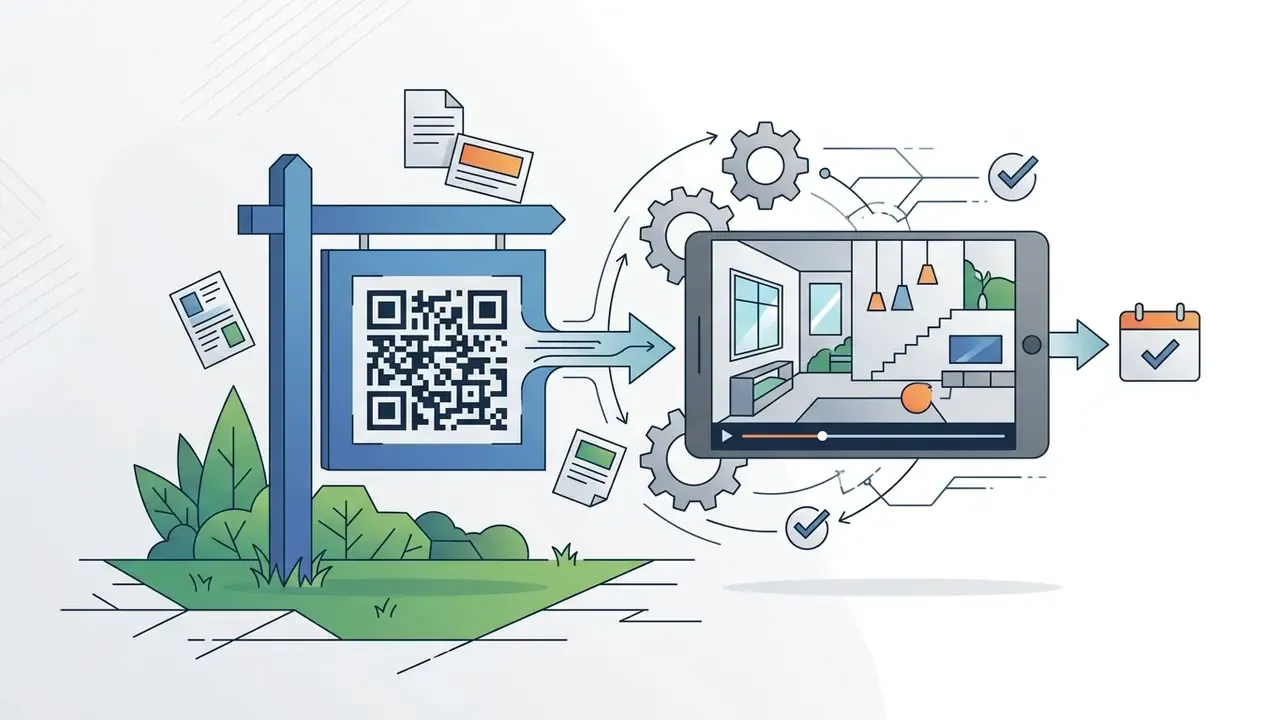
Deploying video QR codes across physical and digital touchpoints drives engagement by connecting offline items to interactive media. The pattern repeats across every documented deployment: the printed surface cannot tell the full story on its own, and a short clip closes the gap.
Eight Industry Scenarios That Work in Production
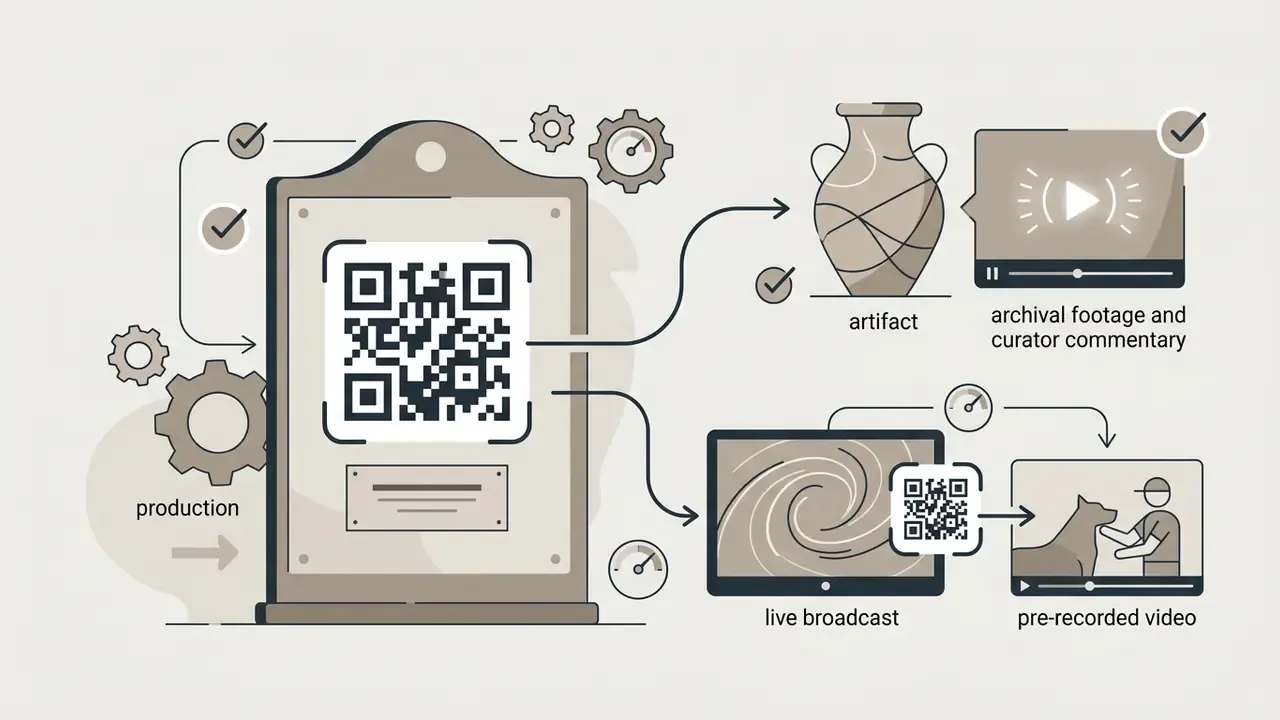
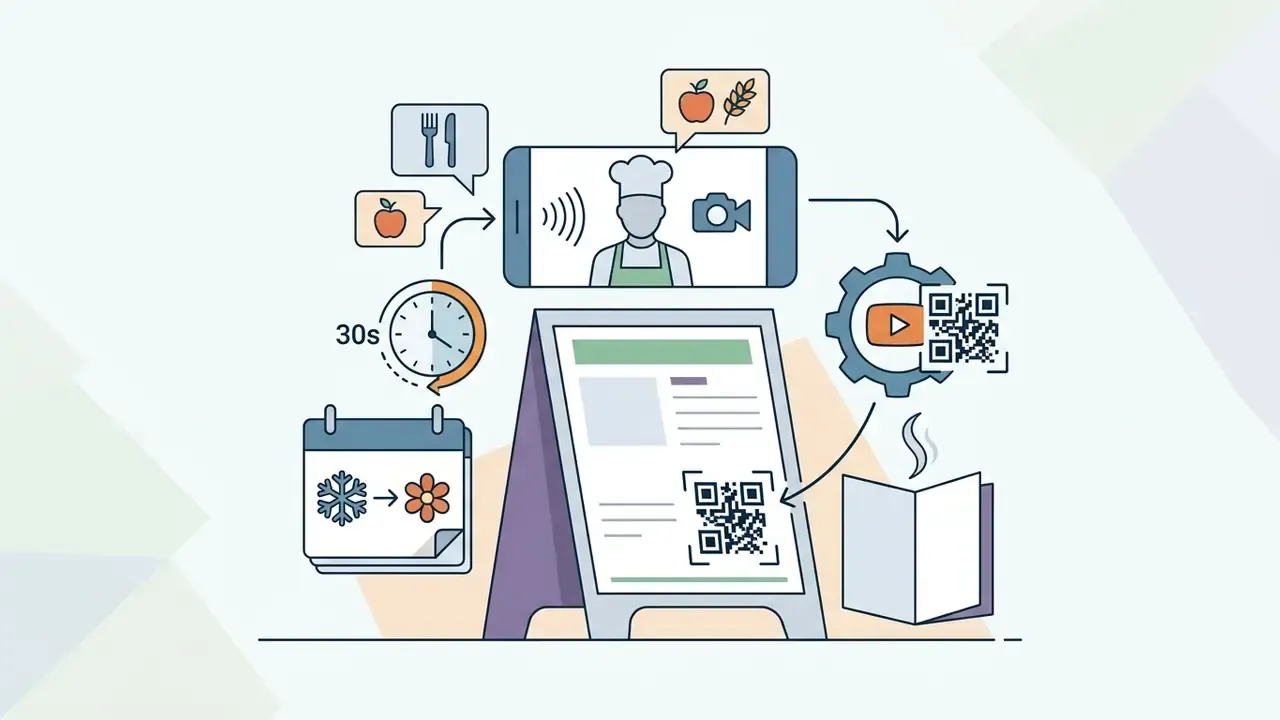
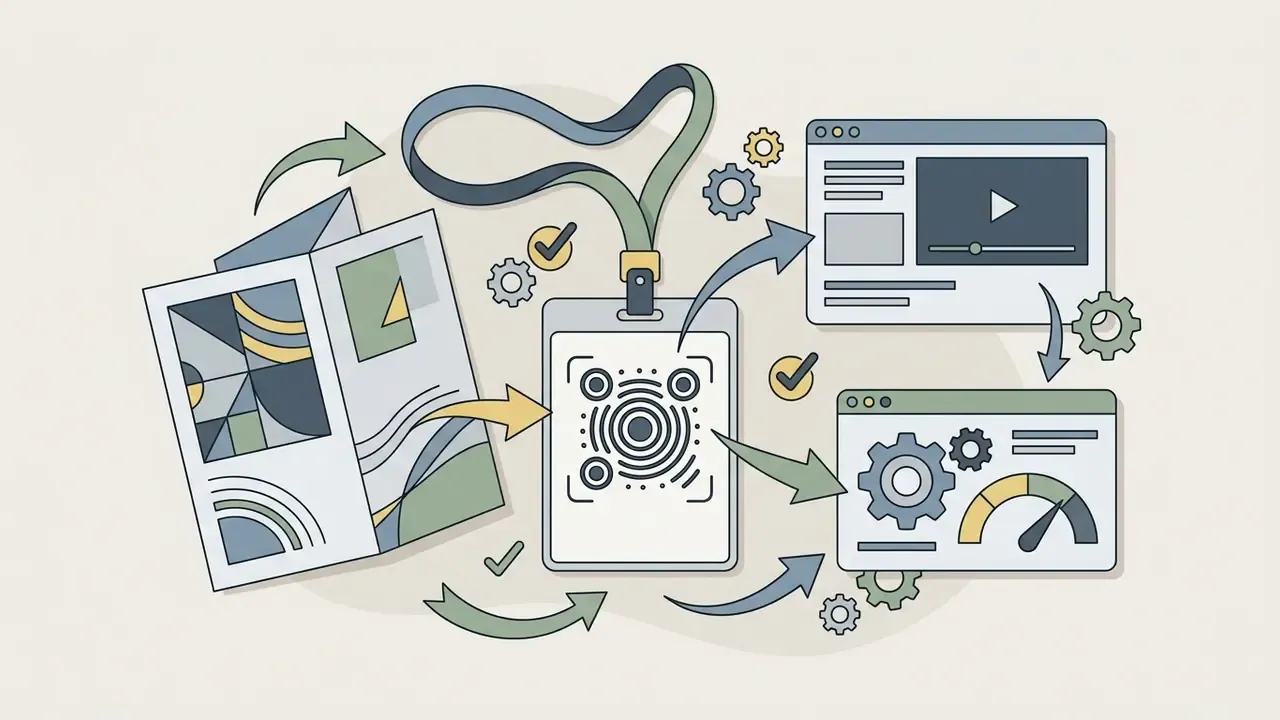
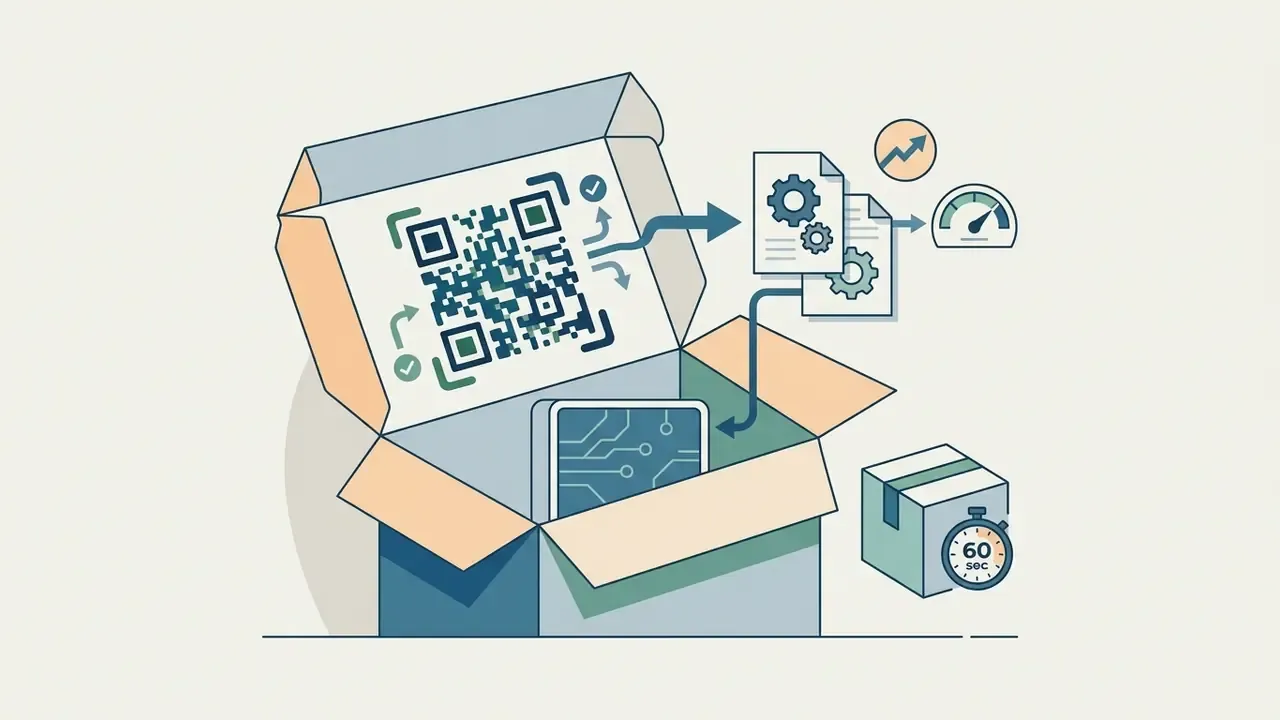
Additional documented deployments reinforce the pattern. VivoCity's mall campaign recorded 8,618 QR scans with 302 vouchers collected and 848 grand-draw entries (Campaign Asia, 2013); American Express linked direct mail to a personalized interactive video and reported increased lead response (Idomoo case study, 2025); and JBL's Gamescom activation distributed codes across leaflets, stickers, banners, and venue video screens (2023 activation, Basebuilder documentation, 2024).
Video QR Codes for Product Packaging and Print Marketing
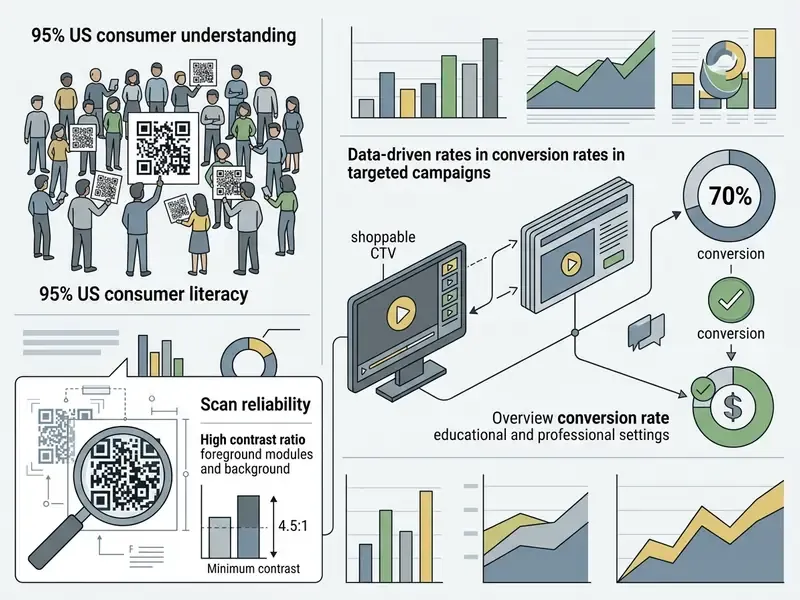
Placing a video QR code on product packaging lets consumers scan and view onboarding tutorials, ingredient sourcing stories, or assembly guides directly on their phones. Campaign research (Origin & LoopMe, 2023) shows that nearly 95% of US consumers understand how to scan QR codes, with nearly half actively scanning engaging commercial placements.
Practical packaging rules distilled from vendor and government guidance: use dynamic links so the destination can change without a reprint, export SVG or EPS for presswork, keep label codes at 15 × 20 mm minimum, and scan-test the smallest intended size under real store lighting before mass production.
Marketing teams frequently evaluate tool pricing across our AI Media Pricing Guides, compare production tooling in our video editor guide, and check licensing terms in our AI Media Commercial-Use resources before publishing generated footage behind a public code.
Video QR Codes for Educational and Professional Use
«A QR code based interactive multimedia learning system gives students immediate access to interactive materials on algorithms and programming through code scanning.»
Supporting literature points the same direction. A 2025 peer-reviewed paper on QR-code-linked animated video reports improved delivery of early-childhood numeracy and literacy content, and a 2024 systematic literature review examines QR codes as a channel for video-based independent study. A separate 2023 official training-provider guide documents dynamic QR codes scanned by trainees for e-attendance capture during course sessions, a reminder that the same infrastructure serves administration as well as instruction.
Where attendance or completion data is captured through a scan, treat it as a record, not a metric. Retention, access, and evidencing rules apply the same way they do to any other training artifact under audit.
Enterprise technical teams seeking broader guidance on producing the underlying media can compare tooling through our review of AI video generators and our guide to animation makers. Additional technical workflows and troubleshooting material sit in the AI Media Support portal.
Video QR Code FAQ
Can I turn a video file directly into a QR code for free?
Yes. You can upload a video file such as MP4 or MOV to a free online QR generator or a cloud storage service like Google Drive or Dropbox. The service creates a web link for the file and encodes that link into a scannable QR code. Free generator upload caps vary by vendor and plan, with published limits ranging from 2 MB to 60 MB, so confirm the ceiling inside your account before production.
How do I make a QR code for a Google Drive video?
Upload the MP4 or MOV to Drive, open the sharing settings, and change access from Restricted to "Anyone with the link can view." Copy the share URL, paste it into the generator, then test the finished code in a private browser session on a phone that is not signed into your account. Skip the access change and every external scan hits a sign-in wall instead of the video.
Do video QR codes expire?
Static video QR codes never expire, because the destination URL is hardcoded into the optical pattern; they work as long as the destination URL remains active. Dynamic QR codes depend on the host platform's redirect server and may stop working if a paid subscription lapses or the hosting account is closed.
Why does my video not play sound after someone scans the code?
Mobile browsers enforce muted autoplay policies, so audio does not start without a user gesture. The viewer must tap to unmute. Burn captions or subtitles into the video file itself so the message survives silent playback, and place the key information in the first few seconds of visual content.
Can I link several videos to one QR code?
Yes. A multi-video landing page, sometimes called a summary page, lets one code open a mobile-optimized hub containing multiple clips, individual descriptions, a highlighted primary video, CTA buttons, and social links. Keep the hub to a handful of short videos: too many long clips slow first load and overwhelm a standing viewer. To expose a full library, link to a playlist or channel instead.
What is the best file format to download a QR code for print?
SVG (Scalable Vector Graphics) or EPS (Encapsulated PostScript) are the best formats for print packaging and marketing materials. Vector files scale to any physical size without losing sharp module edges or contrast clarity. PNG suits digital screen display at a known fixed size; supply EPS only when a print shop requests it by name.
Can I change the video linked to a QR code after printing it?
Only if you generated a dynamic QR code. Dynamic codes use a short lookup URL, so you can update the target video link in your administration dashboard without altering or reprinting the physical image. Every code already in the field serves the new video immediately.
What video codec should I use for uploaded files?
MP4 container, H.264 video, AAC audio. That combination decodes reliably across legacy iOS Safari builds and Android WebView instances, where HEVC, VP9, or AV1 files can fail silently on a hosted landing page.
How small can a printed video QR code be?
Follow the 1:10 rule between scanning distance and code width: 20 cm distance requires a 2 cm code, 1 m requires 10 cm. For packaging and labels, treat 15 to 20 mm as the absolute floor and 2.5 × 2.5 cm as the safe retail default, keep module size at 0.4 to 0.5 mm, and always proof-scan on the production substrate.
Are video QR codes safe to use on customer-facing materials in regulated industries?
They can be, provided the redirect is controlled. Use a branded custom domain rather than a generic shortener, enforce HTTPS, restrict destination-edit rights behind SSO with audit logging, maintain an inventory of every printed code, and require SOC 2 Type II or ISO/IEC 27001 evidence from the platform vendor. Consult your information-security and legal teams before deployment.
Who should own a video QR code inside a bank or fintech?
In practice, a named business owner for the content plus a technical owner for the redirect and domain. The business owner approves what the code points to; the technical owner controls DNS, certificates, edit permissions, and the audit log. Codes with no owner are the ones that turn into incidents years later.
Appendix A: Revision Notes
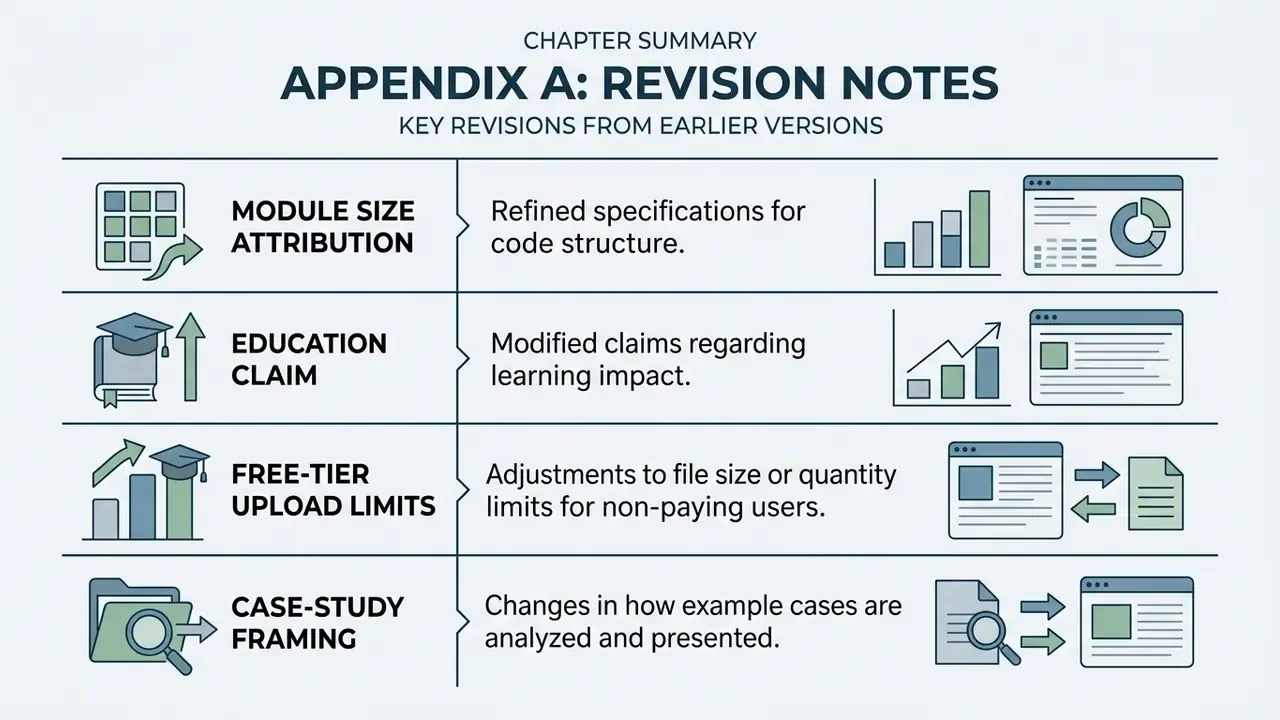
For transparency, the following statements appeared in earlier versions of this guide and have been superseded in the main text:
- Module size attribution. Earlier text read: "Print production quality research (ISO/IEC 18004:2024) indicates that individual module sizes should not fall below 0.36 mm to prevent ink bleeding on paper substrates." ISO/IEC 18004:2024 is a symbology and production-quality standard rather than an empirical press study, so the recommendation is now attributed to a 2023 peer-reviewed print-quality study that specifies a 0.4 to 0.5 mm working range.
- Education claim. Earlier text read: "A 2025 study on QR-assisted educational frameworks demonstrated that scanning embedded codes for multimedia modules significantly improved student comprehension and self-paced learning outcomes." No identifiable authors, sample size, or publication were available for that statement; it has been replaced with an attributable 2023 dissertation on QR-based interactive multimedia learning plus supporting 2024 and 2025 literature.
- Free-tier upload limits. Earlier text stated a universal "2 MB to 10 MB" cap on free generators. Vendor documentation shows limits varying from 2 MB to 60 MB by plan, so the figure is now presented as platform-specific and unverified as a market standard.
- Case-study framing. The 1,200-workbook training deployment is now labelled as a composite, illustrative example rather than a named client result.
Company Verification Notice (Administrative Disclaimer)
Footer and Site Navigation
- Explore media terminology and technical definitions in our comprehensive AI Media Glossary.
- Calculate project metrics and media transformation bandwidth with our interactive AI Media Calculators.
- Related specialized tools and guides: