Last updated: February 2026. Reviewed for model-risk, licensing, and security accuracy.
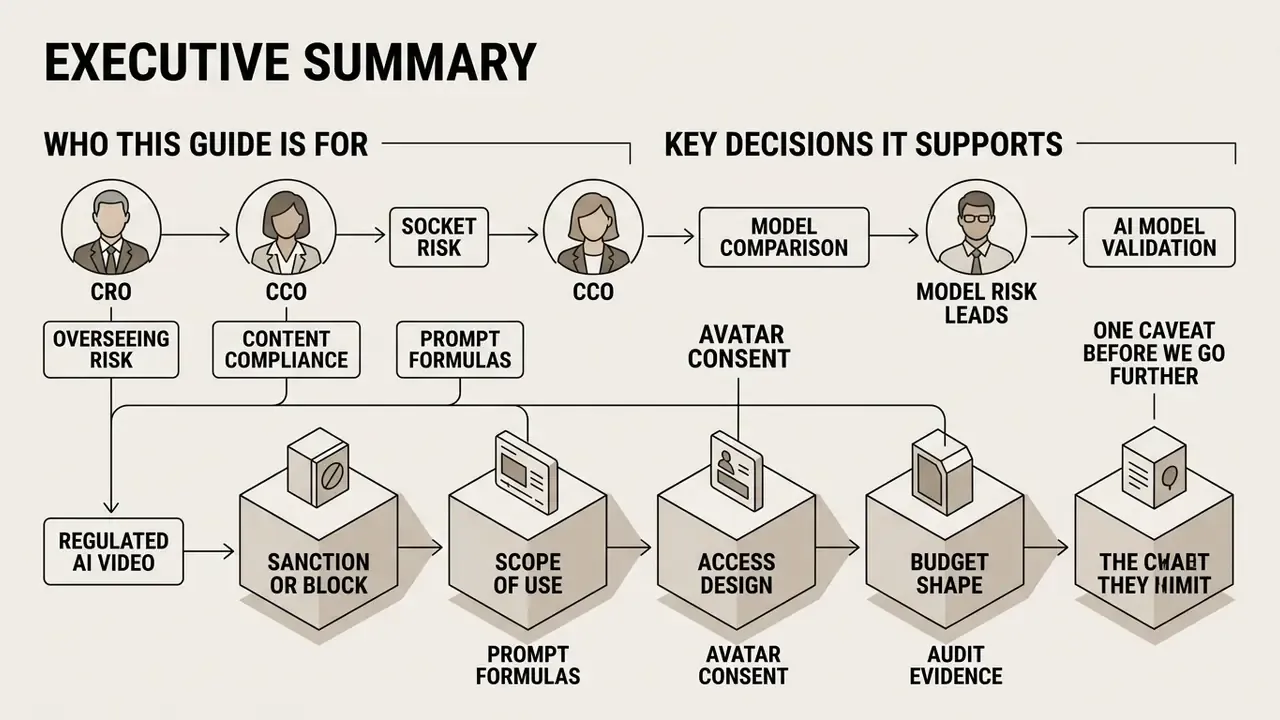
Executive Summary for CRO, CCO, and Model Risk Leads
- Capability is production-ready, not experimental.Four input modalities, text, image, audio, and video-to-video, now cover marketing, compliance training, onboarding, and executive communications. Frontier models (Google Veo 3.1, Runway Gen-4.5 / Aleph 2.0, Seedance 2.5, Kling 3.0, OpenAI Sora 2) deliver native audio, camera-path control, and multi-shot character persistence.
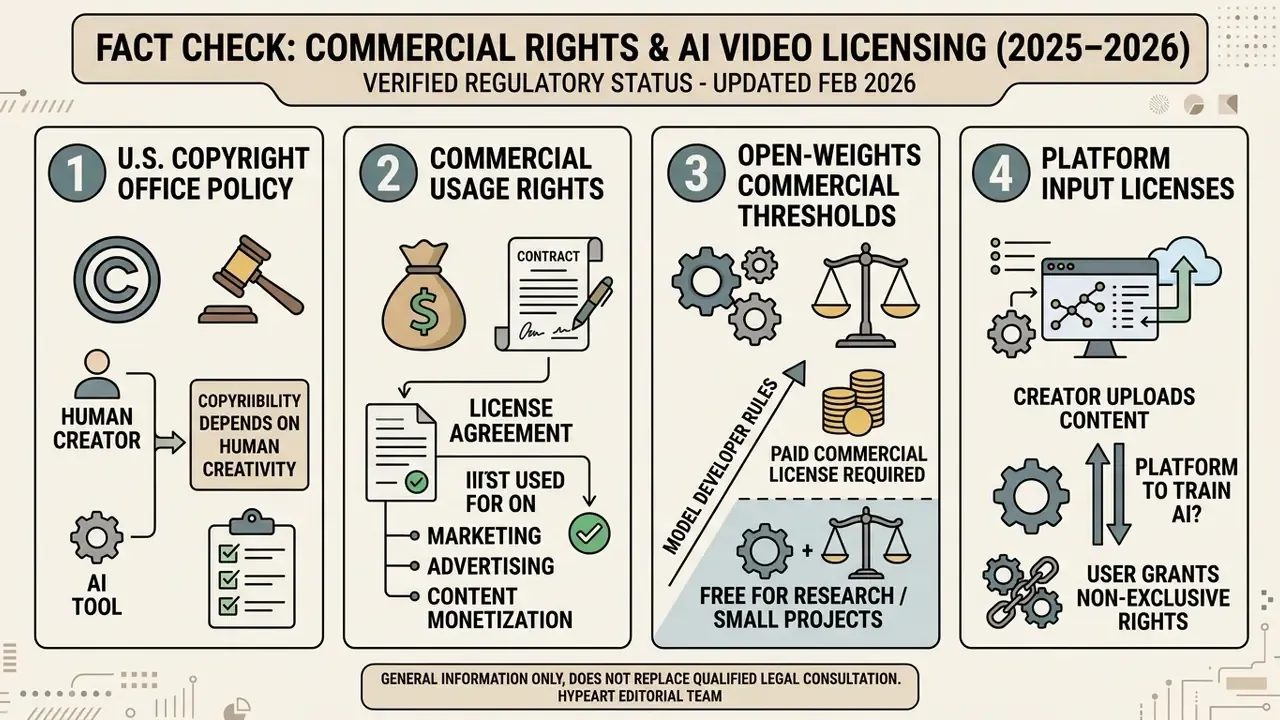
- Intellectual-property exposure is the primary legal risk.Purely machine-generated output without demonstrable human creative control is not registrable with the U.S. Copyright Office. Free tiers generally prohibit commercial use, and some open-weights licences trigger paid commercial terms above $10,000,000 in annual revenue.
- Control cost drives total cost of ownership.Licence fees are the smaller line item. Identity verification, role-based access control (RBAC), prompt and seed retention, content moderation, and reproducible audit trails determine whether synthetic media can be sanctioned at all.
Who This Guide Is For and Which Decisions It Supports
What Is an AI Video Clip Generator and What Videos It Creates
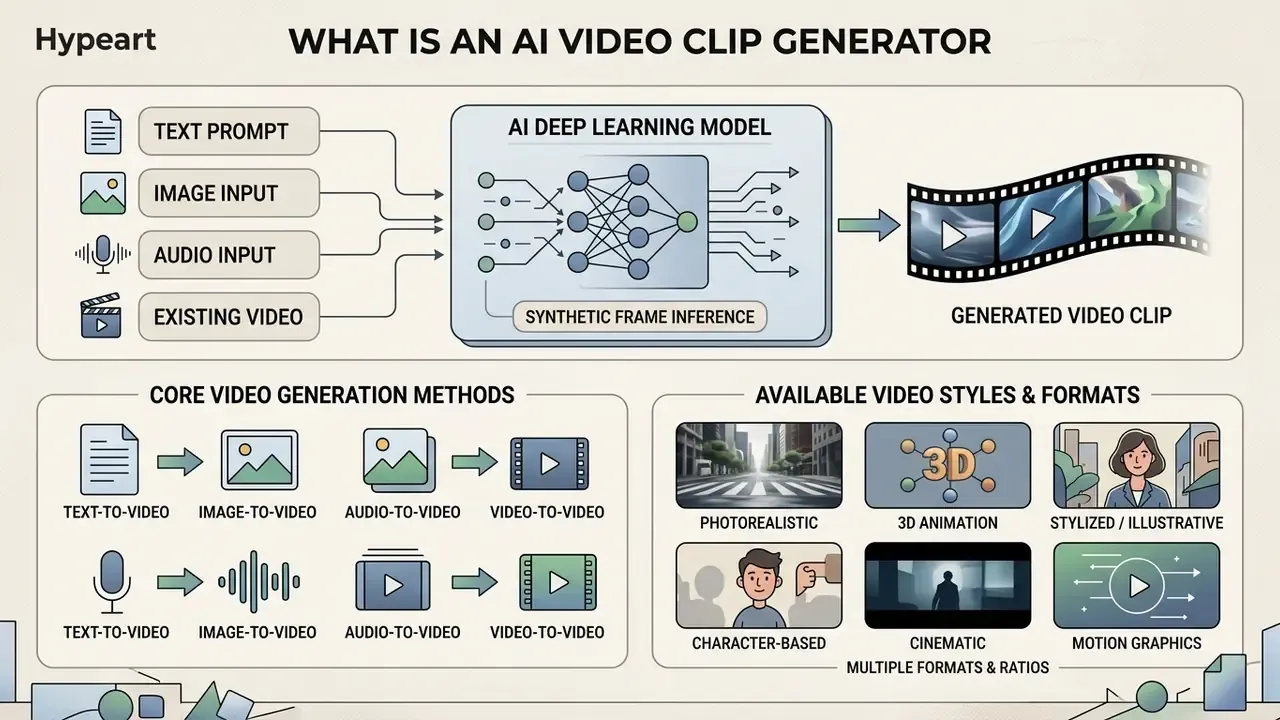
In two sentences: an AI video clip generator turns prompts, images, audio, or existing footage into synthetic video frames through deep learning inference. Enterprises use it to industrialize repeatable video formats, training, product, onboarding, and campaign assets, without studios or reshoots.
An ai video clip generator synthesizes sequential video frames by processing natural language instructions, visual references, or structured multimodal inputs through deep learning models. Enterprise organizations use an AI video generator to create videos for marketing, compliance training, customer onboarding, and executive presentations at scale. According to the U.S. Government Accountability Office (GAO, 2024), generative AI systems create synthetic audio, images, text, and video by modeling underlying data structures.
«Modern text-to-video systems synthesize temporally coherent video sequences from textual prompts, evolving from early MNIST-scale experiments to complex world simulators.»
NIST similarly defines generative AI as models that emulate the structure of input data to produce derived synthetic content, including video. Modern platforms let operators generate video clips ranging from photorealistic human avatars to cinematic animations using an ai realistic video generation tool.
Video from Text, Image, Audio, and an Existing Clip
Modern video generation platforms operate across four core input modalities: Text-to-Video, Image-to-Video, Audio-to-Video, and Video-to-Video.
«A review of more than 250 studies confirms that T2V systems support multimodal conditioning, text, images, video, and audio, while preserving temporal consistency.»
Published API limits show how tightly these modalities are constrained in practice. MiniMax accepts 0 to 2 first and last-frame images, up to 9 reference images, or up to 3 reference video clips (2 to 15 seconds each, 15 seconds total). OpenAI's Sora endpoint requires the input image to match the target video resolution exactly (JPEG, PNG, or WEBP).
In financial services and corporate communications, teams often consult an AI Media Commercial-Use Hub to check that output modalities align with institutional IP policies.
Available Video Styles and Formats
AI video platforms support diverse visual styles, from hyper-realistic photographic rendering to stylized 3D animation. Enterprise video workflows frequently lean on realistic scenes for corporate training, product walkthroughs, and executive announcements. Stylized outputs, including anime, cel-shaded graphics, and motion graphics, are widely used for social media campaigns and creative explainers. Teams comparing rendering styles often start from an animation maker overview.
Models such as Google Veo enable high-resolution cinematic output with shallow depth of field, natural lighting, and precise colour grading. Developers integrating it directly can review the Google Veo API implementation guide. Style tagging in 2026 documentation is highly standardized: photorealistic, hyper-realistic, documentary style, cinematic realism, anime, 3D rendered, cel-shaded, motion graphics, and stop motion. Many suites also ship an ai template video library, preset scene skeletons that lock aspect ratio, pacing, and caption placement for recurring formats. For complex creative assets, teams evaluate tools using AI Media Comparison Matrices to balance stylistic versatility against model-risk constraints.
How AI Video Generation Works: From Prompt to Export
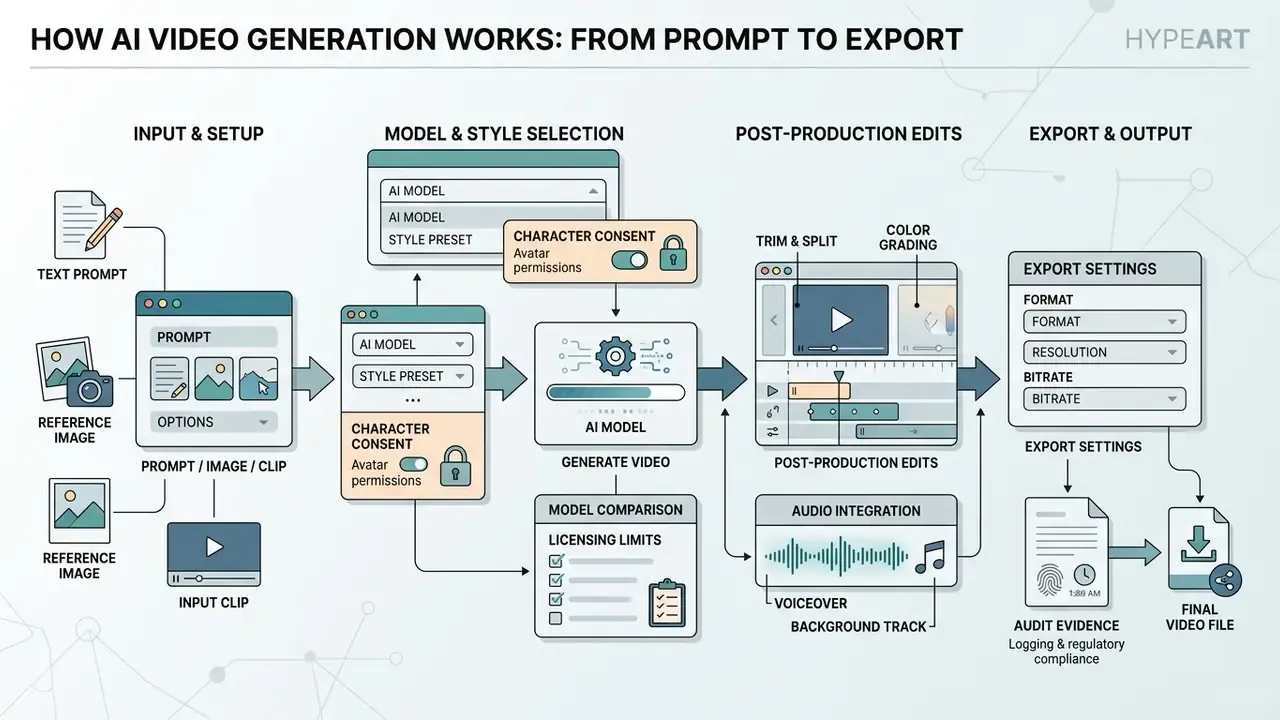
In two sentences: every platform, regardless of branding, executes the same six-stage pipeline from input specification to render. Understanding each stage is what lets risk and IT teams place controls at the right checkpoints.
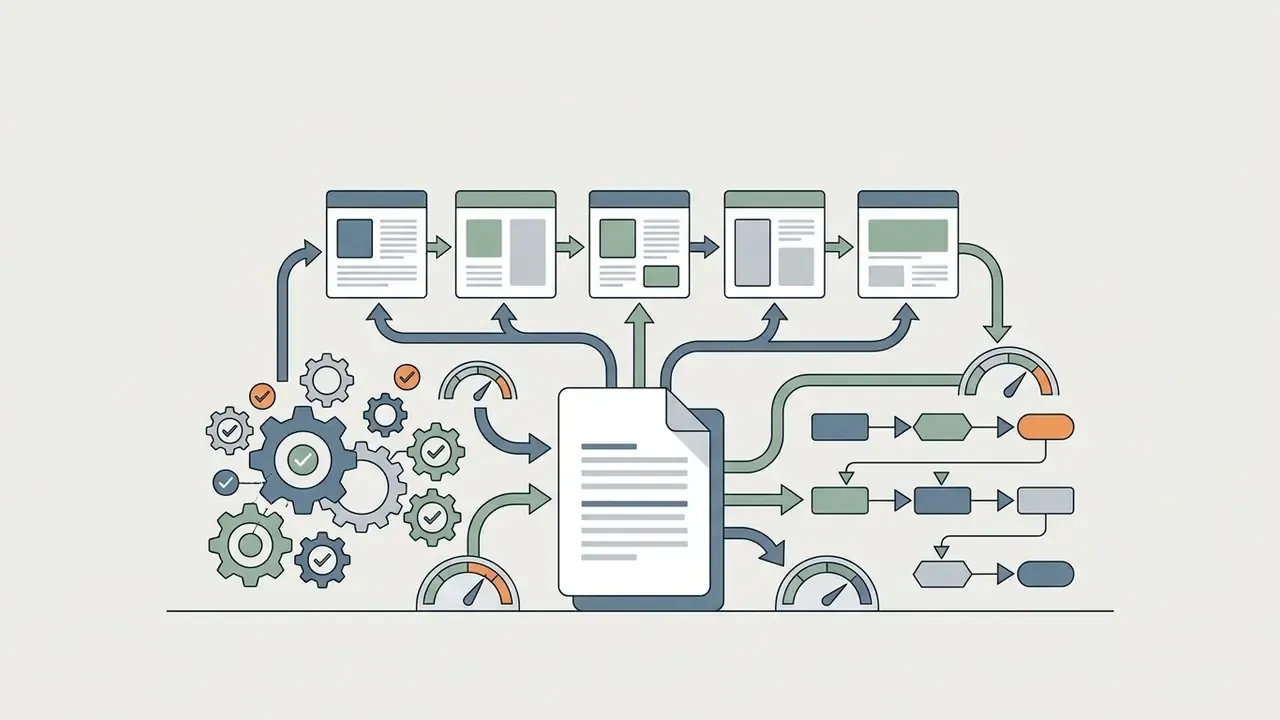
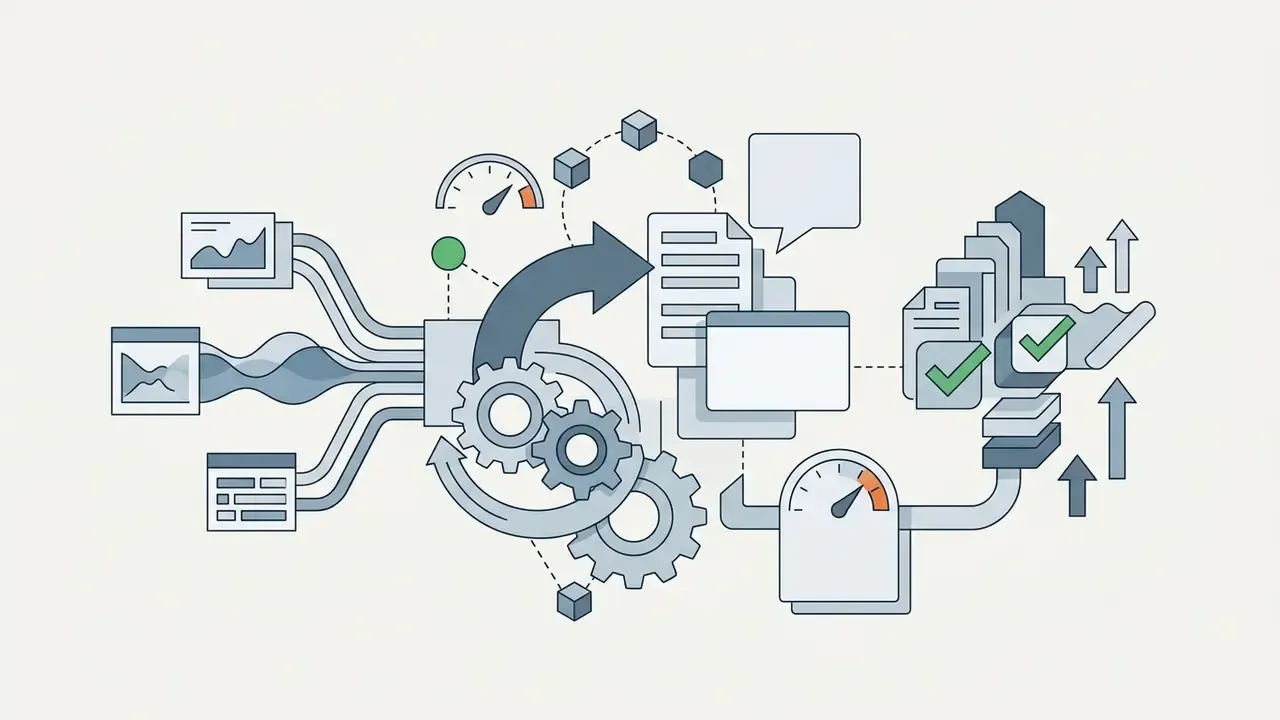
The execution pipeline of an ai video generator free prompt input workflow follows a structured sequence: prompt input, model selection, job execution, post-generation editing, audio alignment, and final export.
How to Write a Prompt for Scene, Action, and Camera
An effective prompt defines five parameters: subject, action, scene environment, camera movement, and visual style. A standardized formula keeps generation results reproducible, which matters as much for audit as for aesthetics:
[Subject] + [Action] + [Scene Environment] + [Camera Control] + [Style/Lighting]
| Component | What to Specify | Example |
|---|---|---|
| Subject | Who or what appears, plus wardrobe, colour, age, material detail. | "A bank risk officer in a charcoal suit" |
| Action | One primary motion vector per clip. | "reviewing digital compliance dashboards" |
| Camera | Framing and a single trajectory. | "slow dolly zoom-in, medium shot" |
| Scene | Location, time of day, ambient conditions. | "modern glass office at dusk" |
| Style | Aesthetic, lighting, resolution intent. | "cinematic natural lighting, 4K photorealistic detail" |
For example: "A bank risk officer reviewing digital compliance dashboards in a modern glass office, slow dolly zoom-in, cinematic natural lighting, 4K photorealistic detail." Stating explicit camera terms such as panning, tracking shot, dolly zoom, or handheld movement directly influences the model's temporal attention mechanisms (Runway Research, 2025). Runway's Gen-4 prompting guidance recommends naming camera motion outright: locked, handheld, dolly, pan, tracking, plus focus shifts.
«Models systematically fail at complex attribute binding and object counting, making explicit action and spatial-relation phrasing critical.»
Troubleshooting Common AI Video Prompt Failures
Even with a structured formula, generation errors occur when instructions conflict. Resolve common artifacts with the following adjustments:
- Issue 1: Character deformation and blurring (subject drift)
- Cause: Overloading the prompt with multiple subject descriptions or competing actions in a single frame.
- Fix: Restrict the prompt to one primary subject and one motion vector per execution. Isolate style tags at the end.
- Issue 2: Jerky or unnatural camera movement
- Cause: Combining conflicting camera directives, for example mixing "dolly zoom" with "static shot" or "handheld tracking".
- Fix: Specify a single camera trajectory. Use standardized terms:
pan left,tilt up,slow tracking shot,360-degree orbit. - Issue 3: Lighting and texture flickering
- Cause: Omission of explicit environment lighting constraints.
- Issue 4: Ignored audio or silent output
- Cause: Assuming native audio is generated by default.
- Fix: State audio explicitly in the prompt (dialogue lines, ambient bed, SFX), as Google's Veo prompting guidance requires.
- Issue 5: Prompt contradiction between style and realism
- Cause: Mixing "anime" or "cel-shaded" tags with "photorealistic 4K skin texture".
- Fix: Commit to one style family per generation, then restyle in post-processing if a hybrid look is genuinely needed.
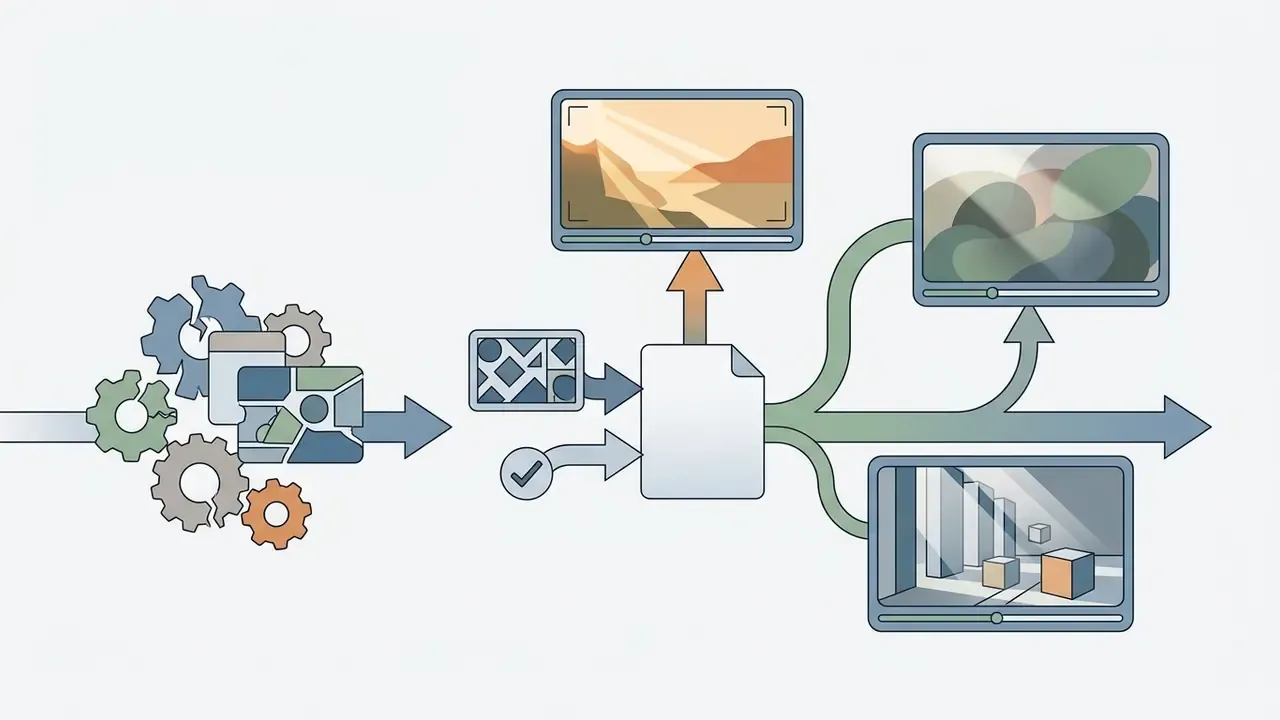
golden hour directional lighting, soft cinematic diffusion, volumetric office lighting.How to Start from an Image, Reference, or Your Own Video
When executing an Image-to-Video pipeline, operators supply high-resolution source imagery to establish visual character identity and layout. Modern APIs such as MiniMax accept up to 9 reference images or up to 3 video clips (15 seconds total) to guide scene synthesis.
To build an ai video generator of yourself or an ai video generator of myself, platforms process a front-facing reference photo in clear lighting (PNG or JPEG, single subject, even illumination). The system creates a temporal latent map while preserving core facial geometry across generated clips.
«A few reference images suffice to learn a personalized subject token that preserves appearance across diverse motions and camera trajectories.»
Video-based digital humans are stricter. Synthesia's studio flow requires three performance-script videos plus one consent-script recording, delivered as MP4 / H.264 under 2 GB per file, 1080p minimum (4K preferred) at 29.97 or 30 fps. Organizations reviewing platform capabilities often check the AI Media Glossary to standardize terminology across engineering and risk teams, and the AI headshot generator guide for portrait-quality reference capture.
How to Refine a Clip After Generation
Post-generation editing tools let operators modify generated clips without re-running full inference cycles.
- Extend Appends additional seamless frames to the beginning or end of a clip. Google Veo 3.1, for instance, supports up to 7-second extensions, repeatable up to 20 times.
- Upscale Enhances resolution from 480p or 720p up to 1080p, 2K, or 4K while sharpening texture detail.
- Character replacement Swaps the primary subject in a scene while keeping environmental lighting and background motion vectors intact.
- Audio overlay Ingests text scripts to generate synthesized voiceovers or synchronized sound effects (footsteps, rain, crowd noise, office ambience).
- AI relighting (in-context illumination) Alters time-of-day dynamics, shadows, and colour temperature on existing footage without re-rendering subject geometry or background structure.
- Backdrop swap and inpainting Replaces source backgrounds or removes visual elements via text mask directives, which eliminates manual rotoscoping and green-screen keying. Dedicated editing models such as Aleph 2.0 are associated with this capability.
- Motion brush and style restyling Applies localized style transfers or motion-trajectory vectors to isolated regions inside a target frame.
- Stitching and sequencing Chains multiple generations into longer sequences while reusing character references, so identity does not drift between shot two, shot three, and shot ten.
«Learners using AI-synthetic instructional videos showed comparable knowledge gains (p = 0.80 between groups) and did not rate quality lower than traditional videos.»
AI Video Realism: Models, Motion, Scenes, and Camera
In two sentences: realism is a measurable property, not an aesthetic opinion. It decomposes into temporal consistency, physical plausibility, texture fidelity, and camera-path accuracy, so model selection should follow the task rather than the leaderboard.
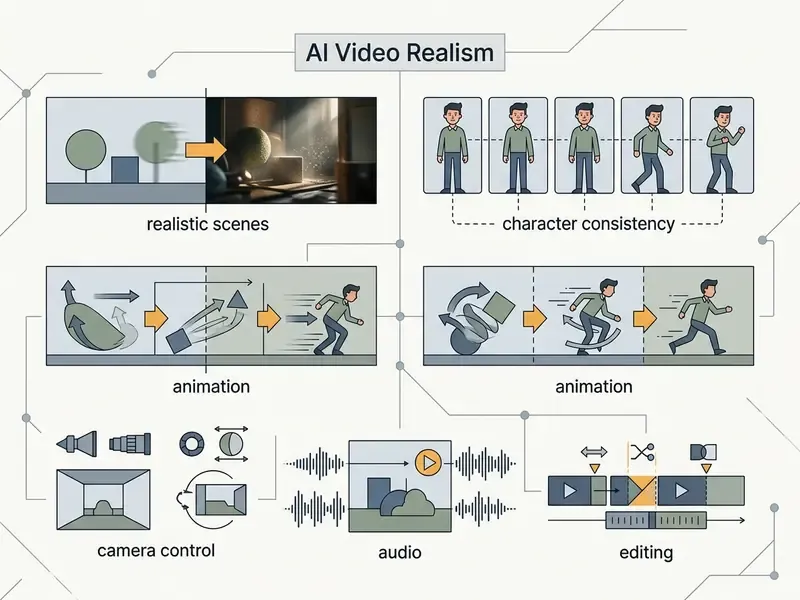
Evaluating visual realism in synthetic video means measuring temporal motion fluidity, physics compliance, texture resolution, and camera control accuracy.
What Drives Realistic Motion and Visual Style
Motion fluidity depends on temporal coherence across frames, which prevents flickering, blockiness, ghosting, false edges, and Moiré artifacts.
«Automatic dynamics metrics correlate with human ratings above 0.9 Pearson, confirming that motion realism can be measured quantitatively.»
Higher frame rates (24 or 30 fps) combined with detailed high-frequency texture data, skin pores, hair strands, fabric weaves, ambient reflections, measurably improve perceived realism. Streaming video-generation research in 2026 reports clearer hair strands, skin pores, and fabric weaves at higher output resolution, with correspondingly higher imaging-quality scores. Physics-aware training that adds an explicit physical motion loss improves plausibility further without degrading semantic alignment. Operators seeking integration details can consult AI Media API Guides to configure frame rate and bit-rate parameters, and the video compressor guide when balancing export quality against delivery file size.
How to Control Scene, Angle, and Camera Movement
Virtual camera movement in an ai realistic video generation tool is governed through interface controls or explicit textual parameters. Common camera parameters include:
- Horizontal and vertical movement Shifts camera placement along the X and Y axes.
- Pan and tilt Rotates the lens horizontally or vertically around a fixed axis.
- Zoom and dolly Changes focal length, or moves the camera physically closer to or further from the subject.
- Roll Rotates the camera view clockwise or counter-clockwise.
Interfaces differ in granularity. ComfyUI's Kling node exposes signed numeric parameters (horizontal_movement, vertical_movement, pan, tilt, roll, zoom), Runway surfaces named controls per axis, and Stable Virtual Camera publishes trajectory presets: 360 degrees, spiral, dolly zoom in and out, move forward and backward, pan up, down, left, right, plus roll. Preset trajectories such as orbits or dolly zooms give precise control over cinematic pacing in ai video generator realistic scenes.
When to Use Different AI Video Models
Model choice follows the enterprise task, not the marketing page:
- Cinematic marketing and ads Runway Gen-4 / Gen-4.5 or Google Veo 3.1 for visual fidelity, camera precision, and lighting control.
- Avatar and spokesperson content Audio-driven platforms such as HeyGen or Synthesia, which prioritize phoneme-level lip-sync accuracy and controlled brand delivery.
- Editing existing footage Dedicated editing models (Aleph 2.0) for relighting, object removal, and backdrop replacement, rather than regenerating from scratch.
- Rapid prototyping and drafts Lightweight base models, or an ai bot video generator, for low-cost storyboard creation.
- Task-based validation NIST's evaluation programmes (GenAI, TRECVID) support selecting and testing models on the target task itself instead of on generic "best model" claims. Model-risk teams already apply that principle to quantitative models.
Fact Check: Commercial Rights and AI Video Licensing (2025–2026)
AI Character Video Generator: Avatars, Digital Twins, and Videos of Yourself
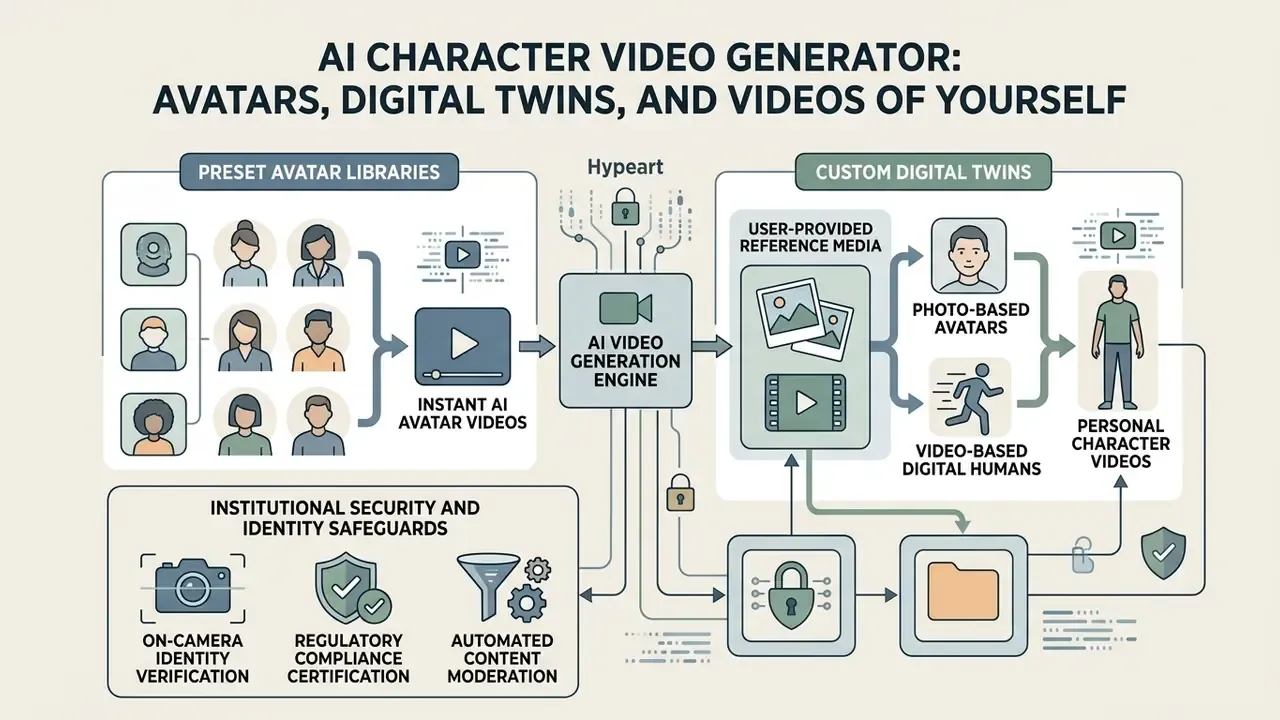
In two sentences: character video generation splits into preset avatar libraries and custom digital twins built from consented reference media. The technical challenge is identity persistence; the governance challenge is impersonation control.
An ai character video generator lets organizations create persistent digital humans, custom brand avatars, or synthetic presenters for communications that need to scale.
Identity persistence architecture, layer by layer:
| Layer | Held Constant | Varied Per Shot |
|---|---|---|
| Identity core | Facial geometry embeddings, hair, body proportions, wardrobe signature | none |
| Scene conditioning | none | Location, background, time of day, lighting |
| Pose & motion | Skeletal proportions | Pose, gesture, gait, action |
| Camera | Lens style | Framing, angle, trajectory |
| Attention sharing | Cross-shot self-attention query features | Prompt-level scene directives |
Preset AI Avatars and AI Characters
Enterprise platforms ship libraries of preset digital presenters spanning demographics, wardrobe styles, and vocal accents. Synthesia and HeyGen maintain libraries with hundreds of stock avatars paired with multilingual voice models. HeyGen documents 500+ stock avatars organized into character groups and looks, Google Vids expanded its default avatar presets from 23 to 53 photorealistic, 3D-cartoon, and graphic-novel styles, and Creatify publishes 1,500+ personas addressable by avatar_id and voice_id. These presenters let organizations assemble standardized training modules without booking studios or hiring external voice actors.
Creating Personal Videos and Avatars from a Reference
Creating a custom digital twin, or using an ai self video generator, requires baseline reference media.
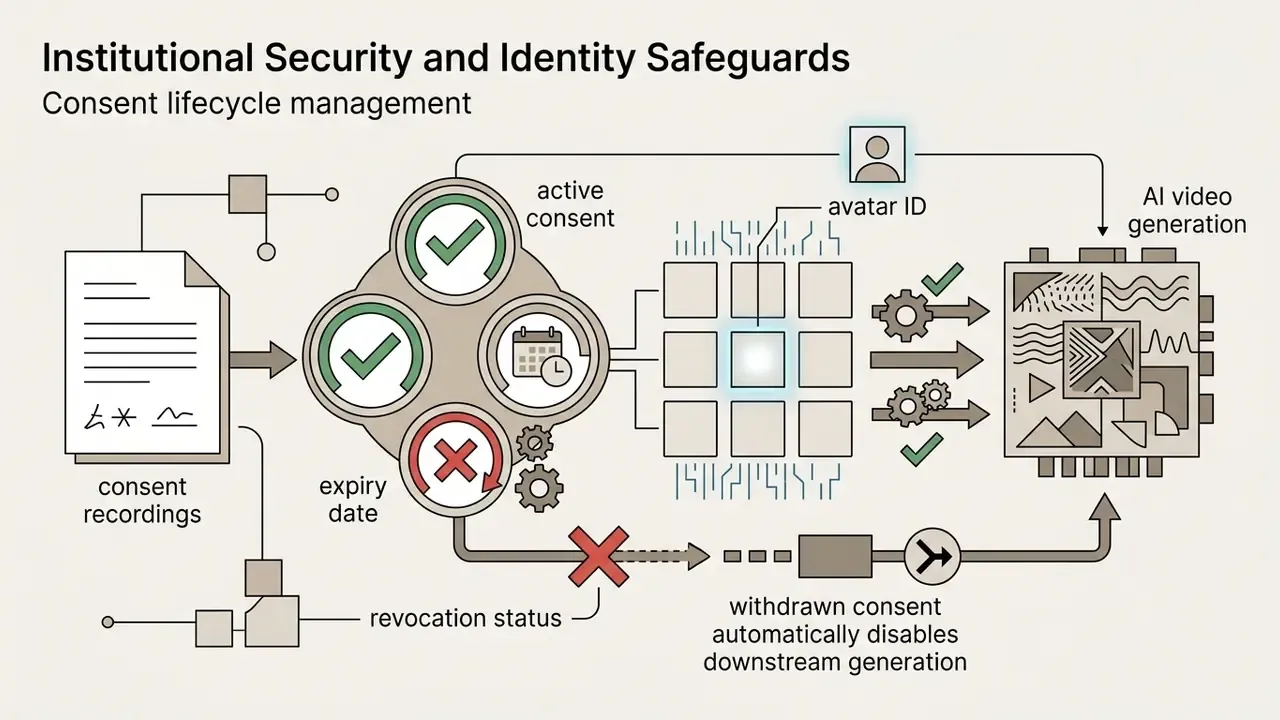
An ai personalized video generator raises the stakes: when a real face and voice enter the pipeline, likeness becomes regulated data. When deploying an ai realistic human video generator, financial institutions must enforce verified identity frameworks to prevent unauthorized synthetic impersonation.
- Photo-based avatars
- A single high-resolution portrait (PNG or JPEG), well lit and front facing.
- Video-based digital humans
- Three to five minutes of high-definition (1080p or 4K) continuous performance video plus a formal identity consent recording. Some idle-video pipelines additionally require near-identical first and last frames for seamless looping.
Institutional Security and Identity Safeguards
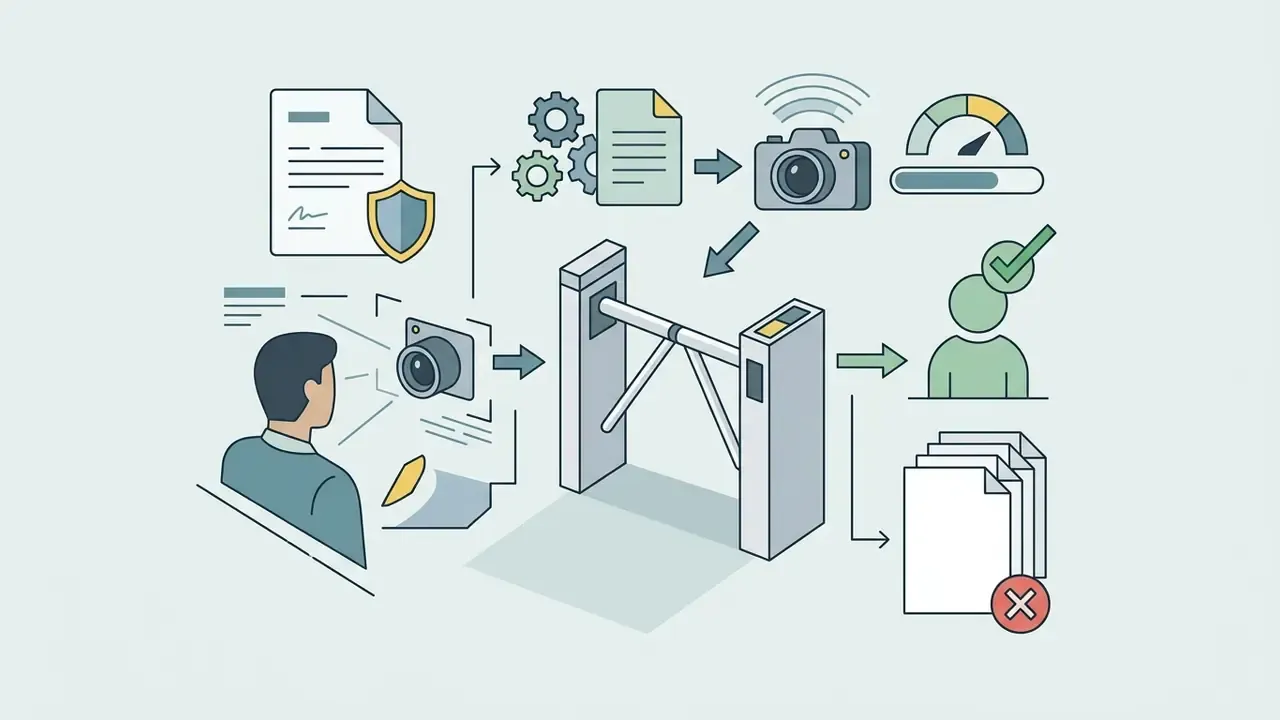
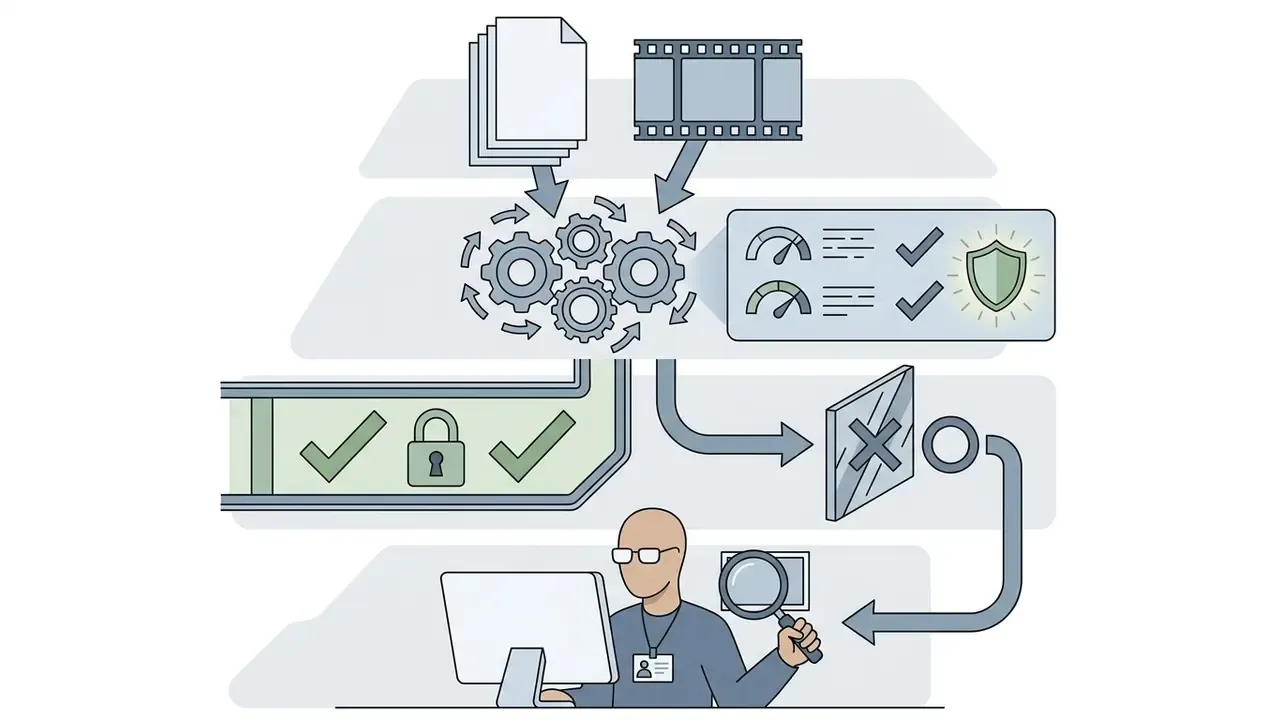
Deploying custom digital twins inside enterprise environments requires strict technical and regulatory controls:

How to Preserve Character Appearance Across Multiple Scenes
Keeping a character consistent across changing environments, lighting, and camera angles is essential for commercial narrative production. Advanced diffusion pipelines achieve identity persistence by isolating fixed facial feature embeddings from dynamic scene and pose directives, either by converging a model on a target character or by holding an identity core constant while swapping shot directives.
«Sharing self-attention query features across shots markedly improves character-consistency metrics without degrading video quality or text alignment.»
One practical tip from published workflows: for pose changes, use image-to-image with lower denoise strength. It preserves more of the original structure while still letting a new pose form. A consistent ai character generator video workflow ensures that an ai video character generator preserves facial geometry across distinct shots. Operators evaluating character creation platforms often reference an ai art generator or an ai art maker for asset preparation guidelines, and a photo editor for reference-image cleanup.
Voice, Speech, and Editing of AI-Generated Videos
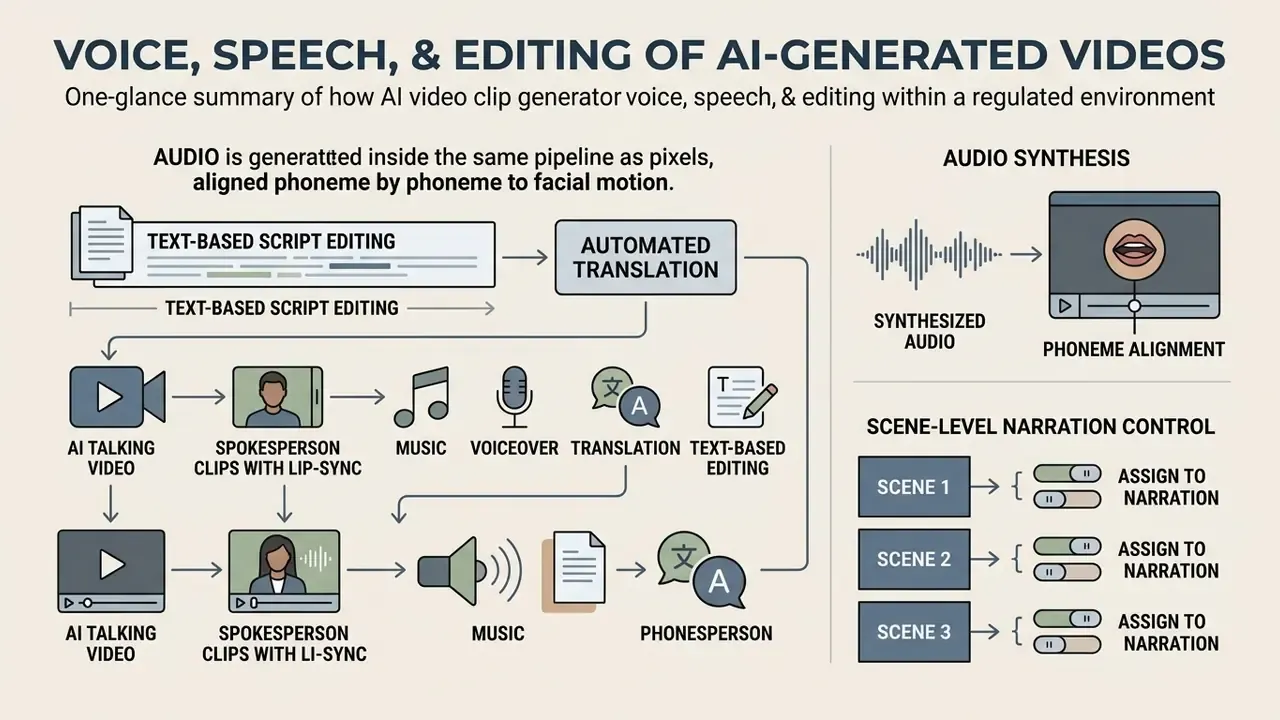
In two sentences: audio is now generated inside the same pipeline as pixels, aligned phoneme by phoneme to facial motion. Script-level editing means the transcript becomes the timeline.
Natural dialogue, background score, and precise lip synchronization are what turn a synthetic clip into an enterprise-ready video asset.
AI Talking Video and Spokesperson Clips with Lip-Sync
An ai talking video generator free system processes script text to output lip-synced presentation clips. Dedicated avatar frameworks use phoneme-level speech alignment to synchronize facial muscle dynamics with synthesized audio. Platforms offering an ai spokesperson video creator free tier let creators test dialogue delivery, emotional micro-expressions, and head pose stability before committing to full production renders.
«Extensive evaluations show that three synchronization modules with a tri-plane hash representation surpass comparable methods in lip-sync accuracy and realism.»
«Separating lip coefficients from remaining facial motion in 3DMM space achieves state-of-the-art results on emotional audio-visual datasets.» Source: EmoTalker: Emotionally Editable Talking Face Synthesis via Diffusion Model, arXiv (2024). https://arxiv.org
Editing research from 2026 also documents addition, removal, and re-timing of spoken segments while preserving lip synchronization and visual identity across long-form video. That is the capability that makes script revisions viable after an asset has already been approved.
Music, Voiceover, Translation, and Text-Based Editing
Modern suites combine script-based editing with automated multilingual dubbing.
- Text-based script editing Changing the transcript automatically trims or updates the corresponding frames. Some tools expose text-based voice editing, cloning, and TTS in a single panel.
- Automated translation Translates source audio into 80+ languages and dialects, and in some platforms 175+, while re-synthesizing lip movement to match target-language phonemes. Background music is retained separately from dialogue.
- Audio synthesis Generates custom background music and contextual sound effects (footsteps, rain, crowd noise, office ambience) directly from text prompts. This guide to AI voice generators covers the trade-offs in depth.
- Scene-level narration control Platforms such as Google Vids allow voiceover regeneration for a single scene or the whole deck, so one wording correction does not force a full re-render.
Use Cases: Marketing, Training, Social, and Gameplay Content
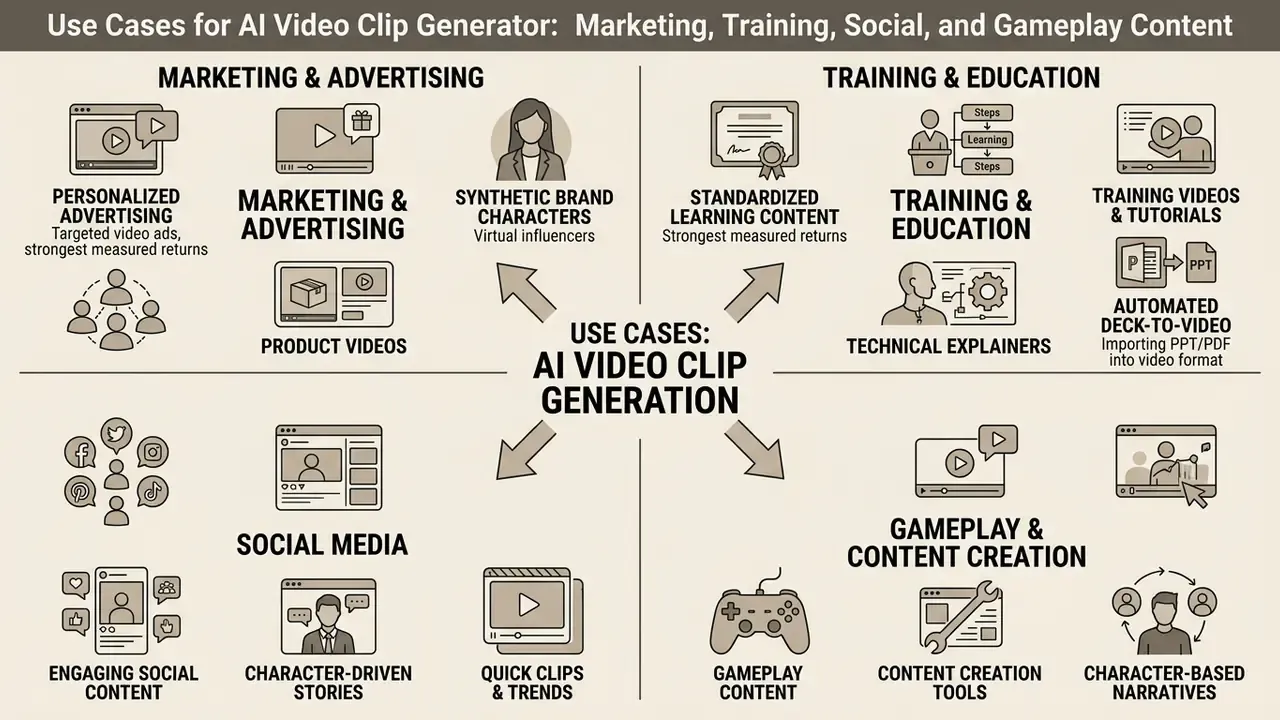
In two sentences: the strongest measured returns appear in personalized advertising and standardized learning content. Sector risk profile matters, because entertainment-led categories outperform high-trust categories such as finance and medical.
AI video generation tools support a wide span of commercial applications, compressing creative production cycles while enabling data-driven personalization.
Virtual Influencers and Synthetic Brand Characters
Persistent AI characters are increasingly deployed as brand-owned influencers. No talent scheduling, no contract renegotiation, but new disclosure obligations arrive with them.
«Across 643 effect sizes from 210 studies, virtual influencers generate greater novelty but lower source credibility than human influencers, at comparable engagement levels.»
For financial institutions this trade-off is decisive. Novelty gains rarely offset credibility loss in suitability-sensitive communications, which is why synthetic characters usually stay inside brand-awareness and educational formats rather than product recommendations.
Training Videos, Tutorials, Explainers, and Gameplay Content
Learning and development teams use an ai learning video generator to convert static policy documents, PDFs, and slide decks into interactive video modules.
Organizations building internal production calculators can review AI Media Calculators to estimate compute and licence overheads.
Governance, Audit Trail, and Model-Risk Controls
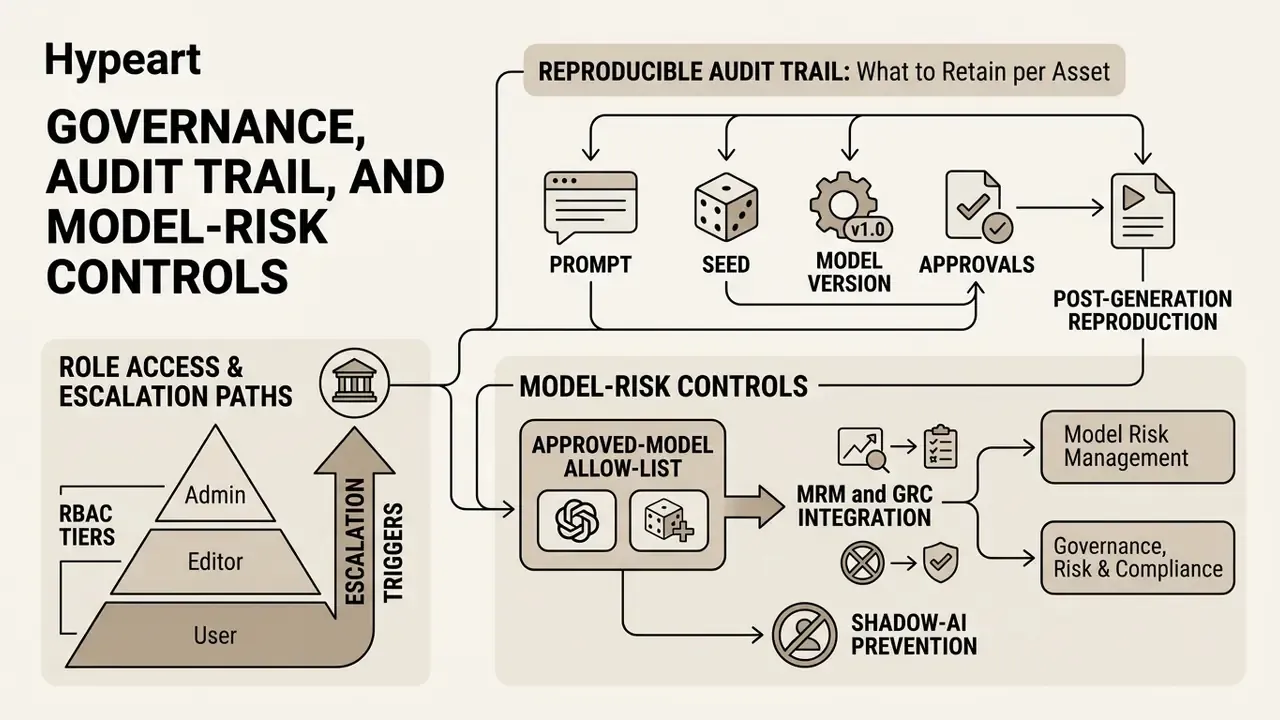
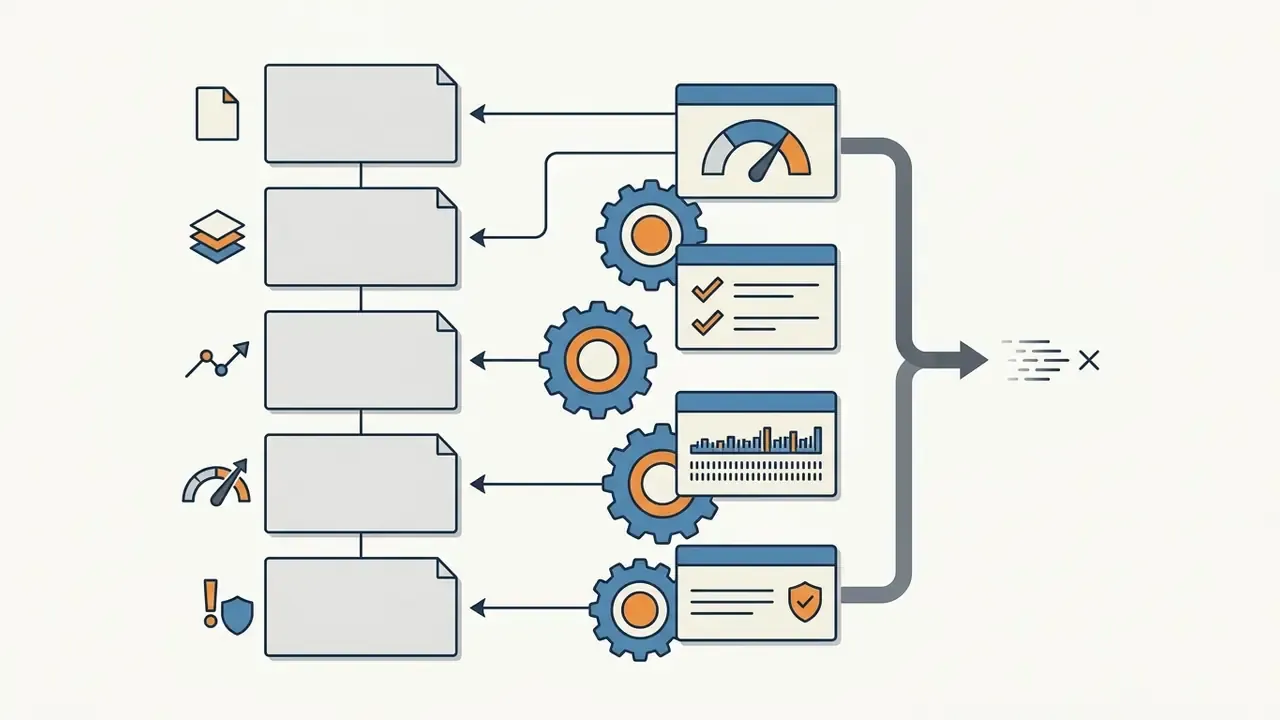
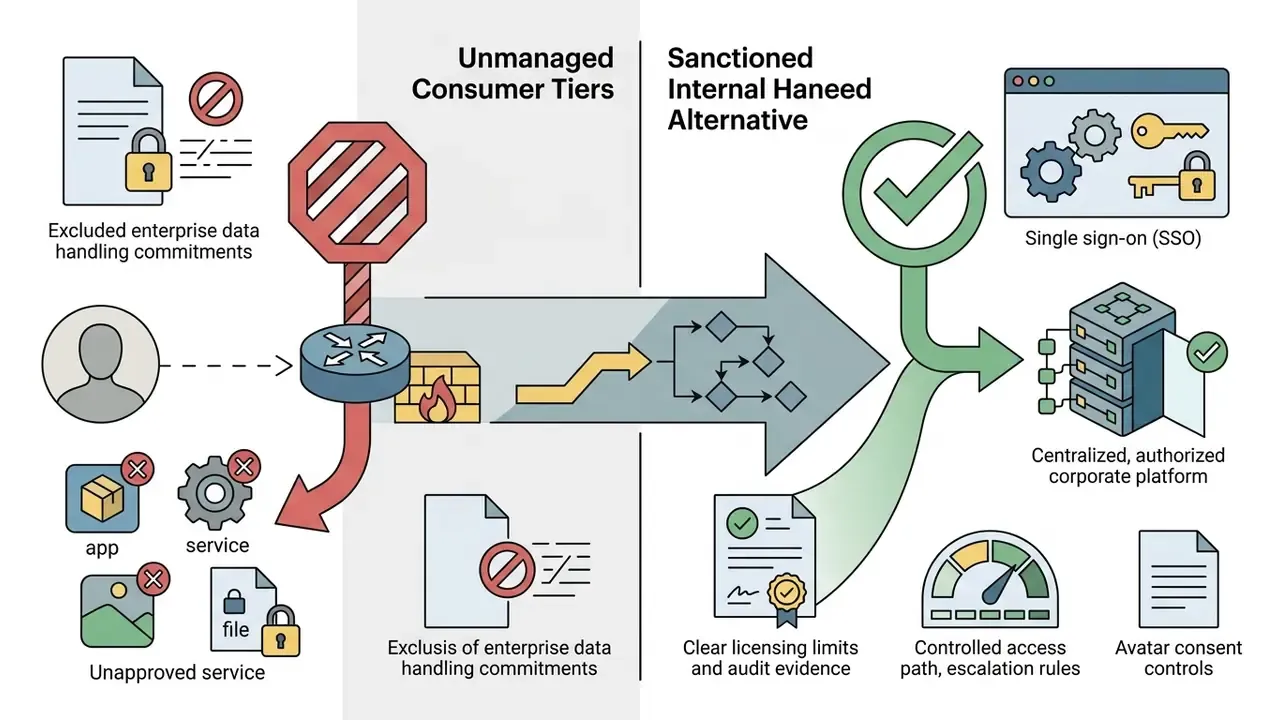
In two sentences: synthetic media becomes auditable only when prompts, seeds, model versions, and approvals are reproducible after the fact. This section operationalizes the epigraph: role access, escalation paths, evidence.
Reproducible Audit Trail: What to Retain per Asset
| Artifact | Why Regulators and Auditors Ask for It | Retention Owner |
|---|---|---|
| Full prompt text and negative prompts | Demonstrates human expressive control (copyright) and intent | Content owner |
| Seed, model name, model version, job ID | Enables re-generation and defect reproduction | Platform admin |
| Input assets (reference images, video, audio) and their consent records | Proves rights to likeness and source material | Legal / HR |
| Edit history (extend, relight, backdrop swap, restyle) | Establishes authorship chain and change control | Content owner |
| Human review and sign-off record | Evidences four-eyes control before publication | Compliance |
| Distribution log (channel, market, dates, versions) | Supports retraction and complaint handling | Marketing ops |
| Provenance metadata and watermark decision | Supports disclosure and deepfake defence | Risk |
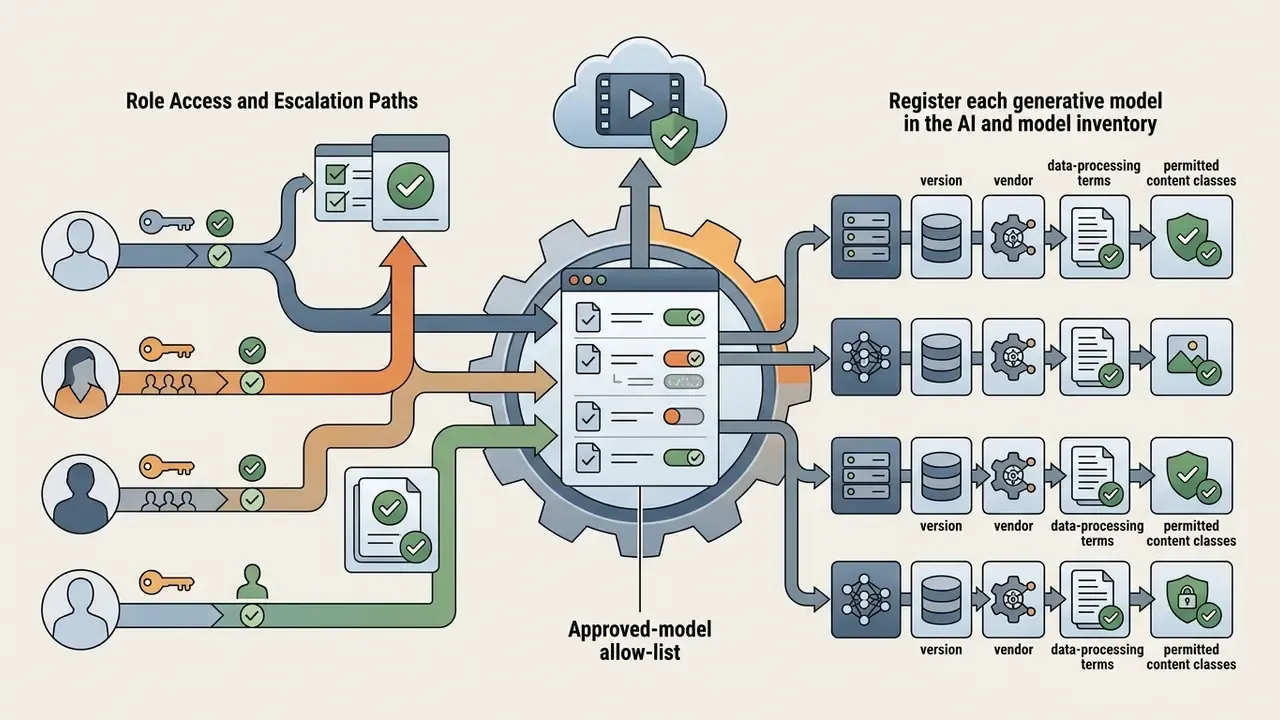
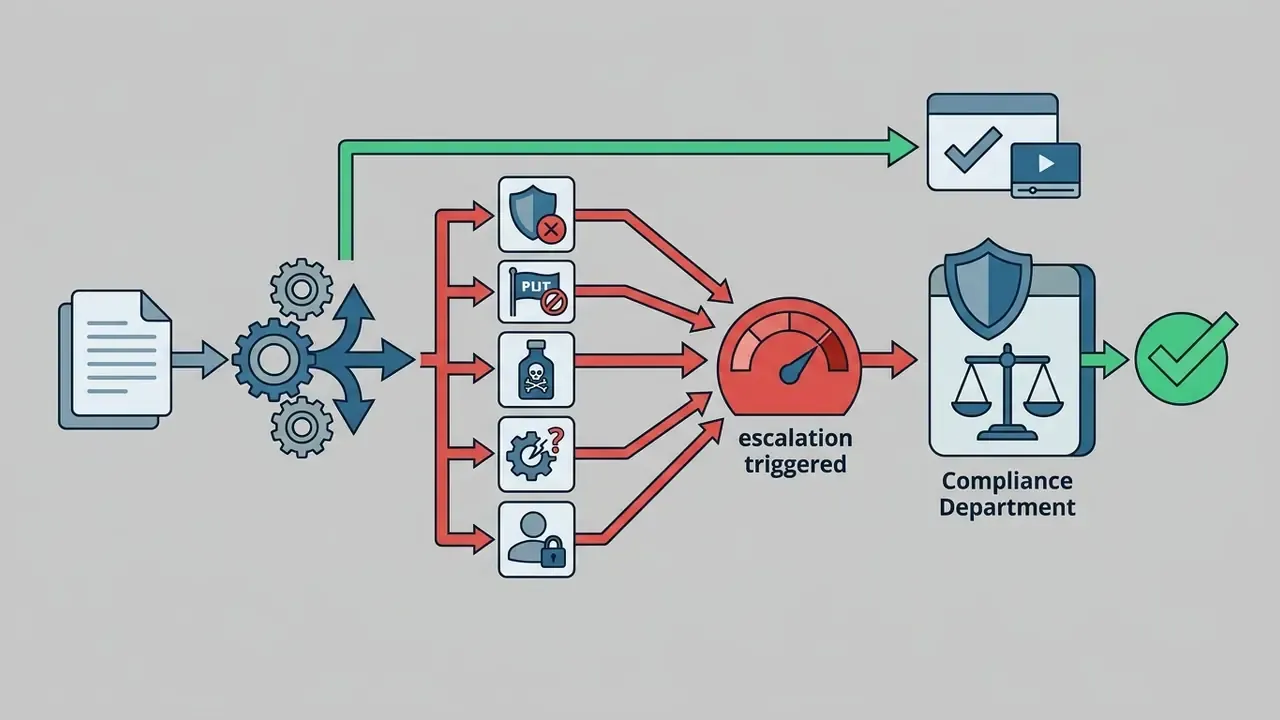
Role Access and Escalation Paths

Procurement Alignment with Recognized Frameworks
Free AI Video Generator, Free Trial, and Choosing a Paid Plan for Commercial Work
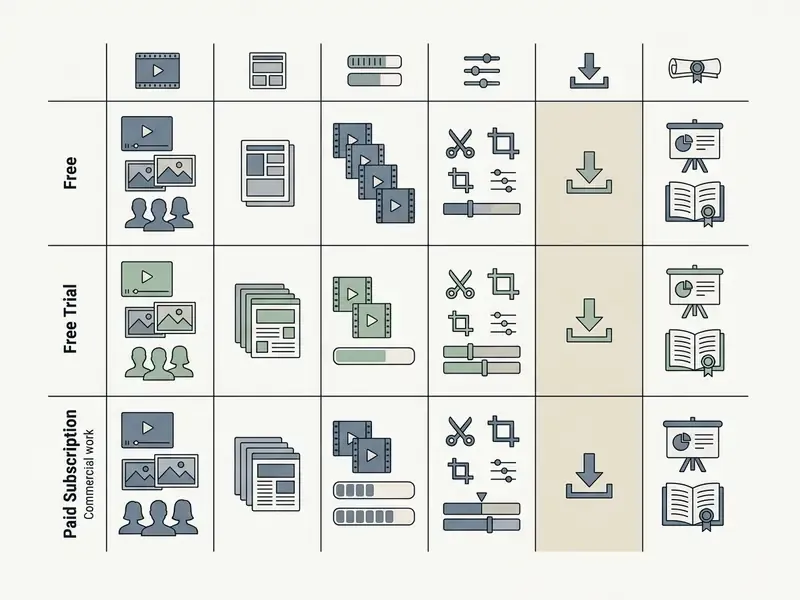
In two sentences: the three access models differ less in features than in rights and evidence. Free tiers are for testing prompts; paid tiers are for shipping assets you can defend.
Evaluating commercial licensing terms, generation caps, and pricing models is essential before embedding AI video tools into institutional workflows.
What You Can Do in a Free AI Video Generator
Freemium tiers let teams explore platform mechanics without upfront commitment. Platforms offering ai video creation tools no cost or ai video generation free platforms typically provide limited generation credits, and this guide to free AI video generators breaks down credit resets, duration caps, and upgrade triggers in detail. Creators can use an ai video generator free templates system to test basic prompt inputs, evaluate pre-built avatars, and produce initial concept storyboards. Aggregator products marketed as ai video generator clips ai bundles route the same prompt to several engines, which is useful for side-by-side quality checks before you commit budget.
Practical free-tier realities reported across 2025 and 2026 vendor pages: 4 to 8 second outputs on base models (Kling, Hailuo, Haiper, PixVerse, Genmo), 480p ceilings, three videos per month on some avatar platforms, and watermark removal reserved for paid plans. Users hunting for specialized tools often experiment with an ai art app or an ai art critic to evaluate visual asset quality before full video rendering, and a free photo editor for reference preparation.
Which Features to Compare Before Buying Paid Access
Before procuring enterprise video generation software, model risk and IT procurement leaders should test these criteria:
Enterprise AI video procurement readiness check, five questions:
- Data security and privacy.Confirm that customer data inputs and prompt logs are excluded from public model re-training datasets, and pin down retention windows and deletion SLAs in writing.
- Export resolution and quality.Verify support for unwatermarked 1080p and 4K exports at the frame rates your channels require.
- API and workflow integration.Confirm REST APIs for automated rendering pipelines, plus webhook and job-status endpoints for asynchronous renders.
- Model variety.Check whether one subscription covers multiple underlying models (Google Veo, Runway Gen-4.5 / Aleph 2.0, Seedance 2.5, Kling 3.0, custom finetunes) without stacking separate contracts.
- Team collaboration and auditability.Evaluate RBAC, shared asset libraries, consent records, and immutable audit logging.
- Commercial IP protection.Review vendor indemnity clauses on copyright infringement claims, and any licence the vendor takes over your inputs and outputs.
- Total cost of ownership including control costs.Licence fees are usually the minority of spend. Budget explicitly for identity verification, human review time, legal review of scripts, prompt and seed archival storage, moderation tooling, and model-inventory maintenance. In regulated environments these control costs frequently exceed the subscription itself.
- Is every model we intend to use registered in the model inventory with version and vendor terms?
- Can we reproduce any published clip from stored prompt, seed, model version, and inputs?
- Do we hold valid, revocable consent records for every likeness and voice in production assets?
- Does the contract state that our inputs and outputs are excluded from vendor model training?
- Who is the named escalation owner when a generated asset must be retracted within 24 hours?
Organizations evaluating commercial plans can consult AI Media Pricing Guides for cost breakdowns across leading platforms. For platform technical assistance, teams can visit AI Media Support and Troubleshooting to resolve common pipeline integration issues, while legal precedents can be reviewed via AI Litigation and Case Timelines.
Limitations, Open Questions, and a Safe Next Step
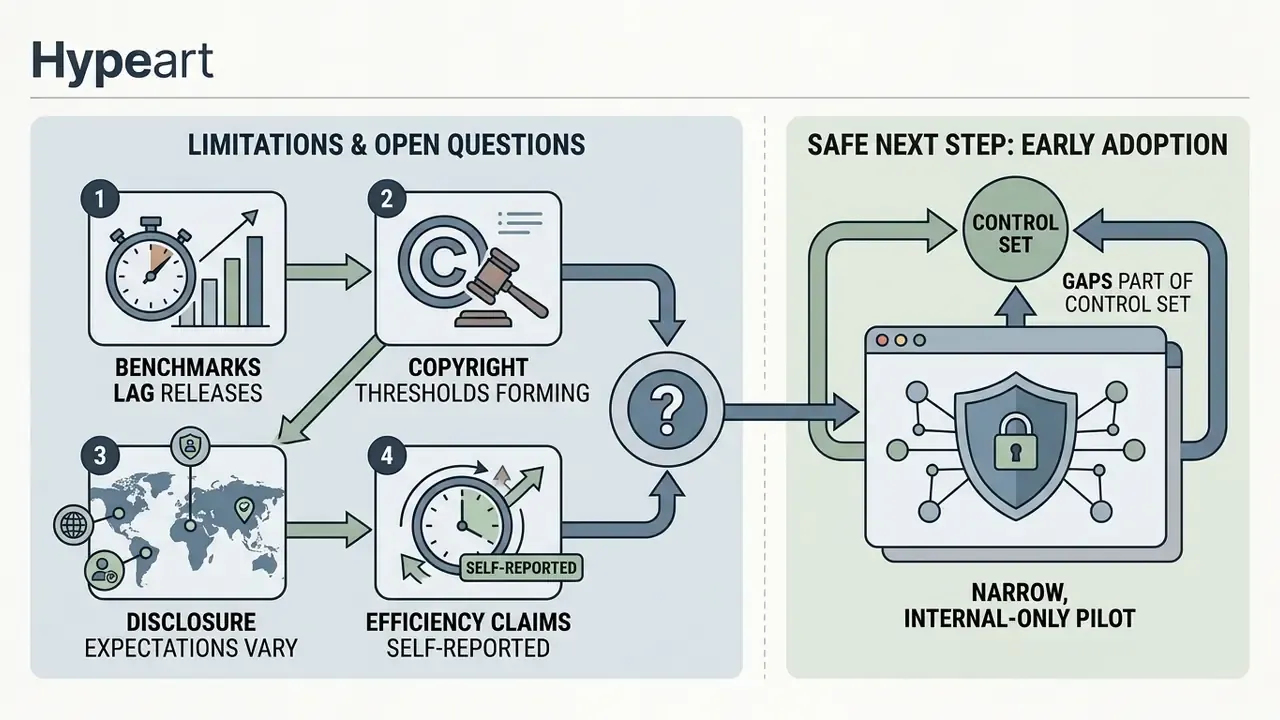
Honesty about gaps is part of the control set. Several questions in this space remain genuinely unsettled:
- Benchmarks lag releases. Published realism and consistency scores describe model versions that may already be superseded. Re-test on your own scripts before renewing.
- Copyright thresholds are still forming. How much human editing constitutes sufficient authorship has not been resolved case by case, so retain evidence generously.
- Disclosure expectations vary by market. Rules on labelling synthetic presenters differ across US states and other jurisdictions, and they are moving.
- Efficiency claims are mostly self-reported. The 62% turnaround figure cited earlier is programme data, not an audited benchmark. Independent parity evidence exists for learning outcomes, less so for production speed.
A safe next step, if you are early: run one narrow, internal-only pilot. Pick a single format, internal compliance training works well, register the models, log prompts and seeds from day one, and require named human sign-off before distribution. Then measure control cost alongside production cost. If the pilot cannot produce reproducible evidence, the answer to broader rollout is not yet.
FAQ
What is an AI video clip generator?
A system that produces video from a text prompt, a reference image, an audio track, or an existing clip. Most frontier platforms accept several of these inputs at once and can generate synchronized audio in the same pass.
What is the difference between text-to-video and image-to-video?
Text-to-video suits ideation when you hold only a concept. Image-to-video suits controlled output when you already own the visual and need consistent framing, branding, or likeness.
How long can an AI-generated clip be?
Single generations are short, commonly 4, 6, or 8 seconds. Longer sequences are built by extending clips (Veo 3.1 supports repeatable 7-second extensions) and stitching multiple generations with shared character references.
Why does my character's face change between shots?
Identity drift comes from re-describing the subject in each prompt instead of reusing a fixed identity reference. Supply the same reference images, keep the identity core wording constant, and vary only scene, pose, and camera.
Can I edit real footage, not just generate new video?
Yes. Editing models handle relighting, backdrop swap, object addition and removal, inpainting, and localized restyling on existing footage while leaving the rest of the frame intact.
Can I use free-tier output in a paid ad campaign?
Usually not. Free and trial tiers commonly limit use to evaluation, apply watermarks, or cap resolution. Confirm plan-level commercial rights before launch, and record that confirmation.
Is AI-generated video copyrightable?
Only where a human contributed sufficient expressive authorship. Retain prompts, edit history, and human creative decisions as evidence of that contribution.
Appendix A: Source Revision Log
For transparency in model-risk and editorial review, earlier citations in this article were superseded during fact-checking. They are recorded here rather than silently removed:
| Superseded reference | Status | Replacement |
|---|---|---|
| "VAMP Metric, 2026" (motion and appearance realism) | Unverified in primary literature at time of review | DEVIL: Dynamics Evaluation of Video Generation with Implicit Latents, arXiv (2024–2025), Pearson correlation above 0.9 with human ratings |
| "Consistent Characters Survey, 2026" (identity persistence) | Unverified in primary literature at time of review | Video Storyboarding: Multi-Shot Character Consistency, arXiv (2024), cross-shot self-attention query sharing |
| Vendor claim: "you own your work on every plan, including the Free plan" | Contradicted by plan-level restrictions | See Fact Check point 2: verify written plan terms before commercial use |
| Internal case metric: "62% faster turnaround" | Self-reported, not independently audited | Retained with an explicit limitation note plus peer-reviewed parity evidence (synthetic learning video RCT, 2024) |
Footer / Hub Navigation