Last reviewed for AI governance and data-handling compliance: February 2026 · Author: Marcus Hale, Model Risk & AI Governance Specialist (editorial analysis, HypeArt AI research desk)
Editorial independence notice: this guide is analytical and does not promote any single free service. Product capabilities described below reflect documented functionality across the current market and may change without notice. Marcus Hale, author.
Executive Summary: What You Get and What You Risk
- What it does A free AI video summary generator ingests a YouTube URL or an uploaded file (MP4, MOV, MKV, WebM), transcribes the audio, and returns concise summaries, key points, timestamped transcripts, study notes, flashcards, quizzes, or mind maps.
- How fast and how big Free tiers typically cap uploads between 100 MB and 1 GB per file, process 1-hour media into a transcript plus summary in 3–10 seconds on high-throughput cloud infrastructure, and handle uncaptioned video up to ~150 minutes through native speech recognition.
- Where accuracy breaks Performance degrades sharply on long-form and noisy media. On hour-long egocentric video, leading multimodal models reach only ~37% accuracy against ~85% for humans, so human verification against the source transcript is mandatory for research, legal, or regulatory use.
- Where the real risk is Free public summarizers may retain uploads and reserve training rights. Never submit non-public corporate recordings, customer data, or regulated information. Enterprise use requires SOC 2 attestation, zero data retention, audit trails, and an explicit shadow AI policy.
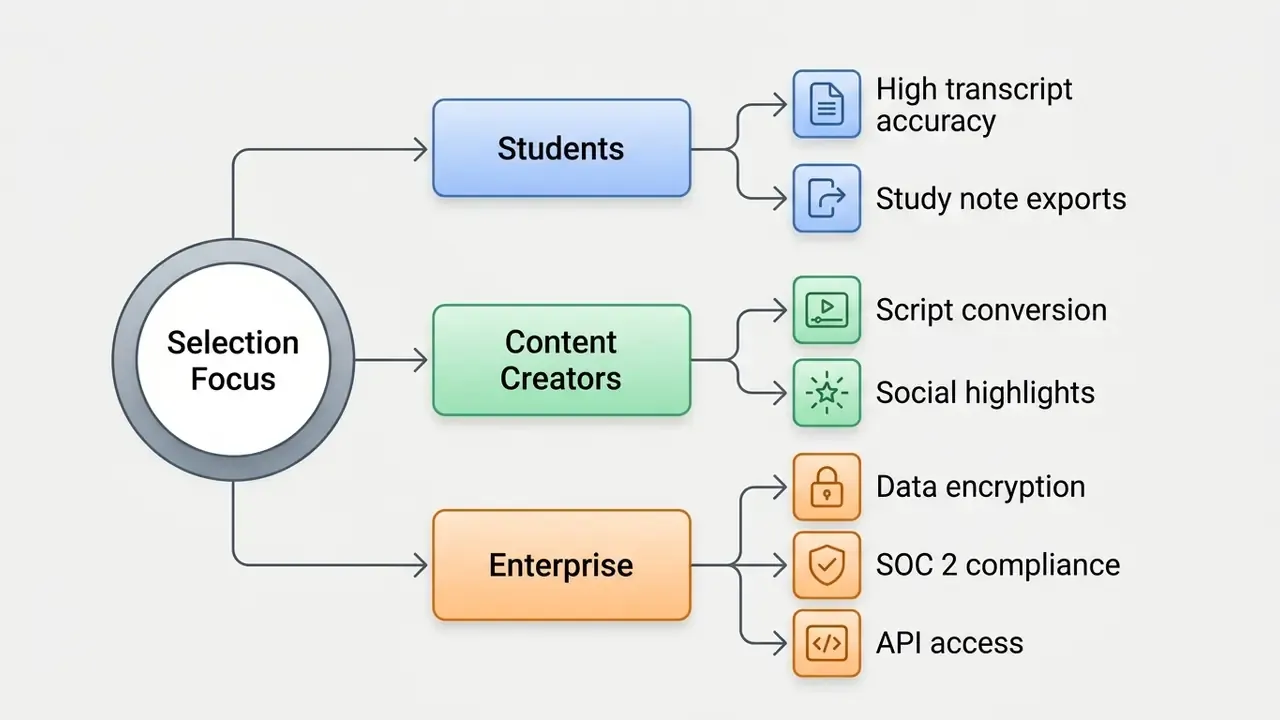
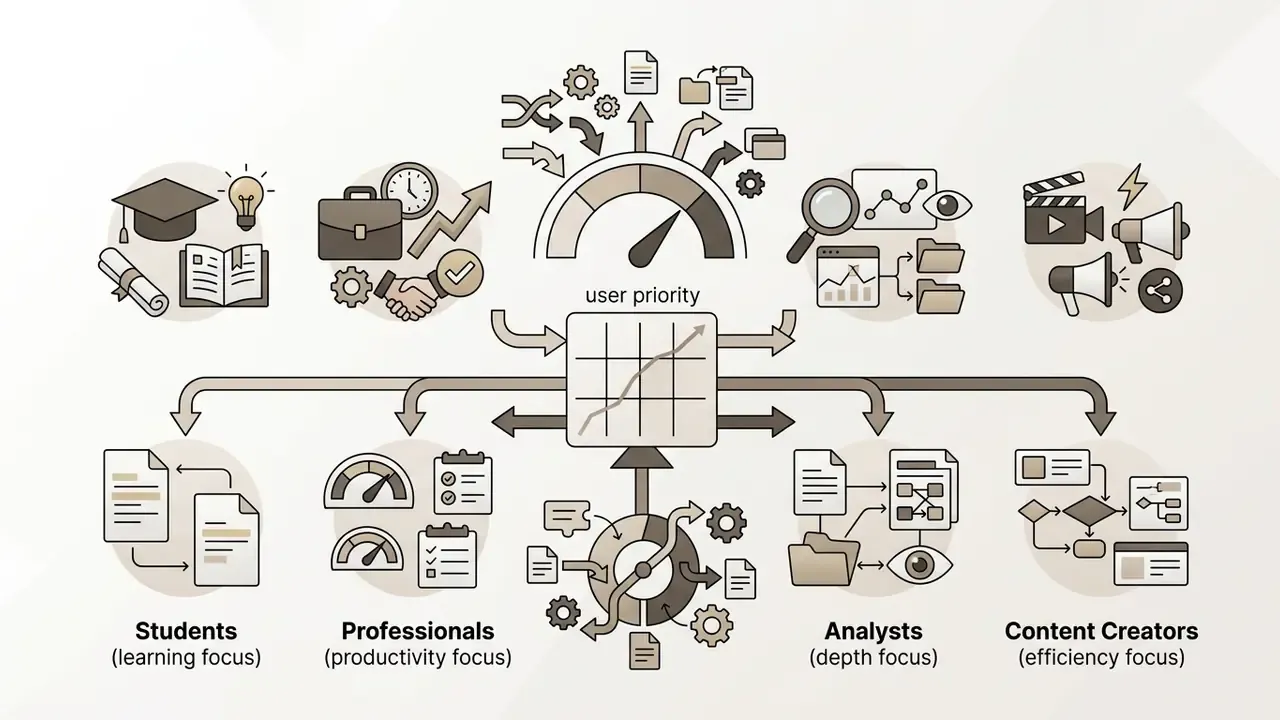
- Choose by workload Students need transcript fidelity plus flashcards and LMS export; researchers need timestamped citations; content creators need repurposing formats; enterprises need encryption, API access, and GRC integration.
What Is an AI Video Summarizer?
An AI video summarizer is a software system that processes video content to generate concise summaries, key points, and transcripts automatically. It analyzes speech, visual frames, and text overlays to extract core ideas so users obtain key information without watching the full video.
By condensing multi-hour recordings into structured text, an ai video summarizer solves information overload and reduces review time. Modern implementations combine speech-to-text engines with multimodal language models to isolate critical takeaways, identify individual speakers, and preserve contextual accuracy.
One framing that tends to land well with model risk teams: treat the summarizer as a junior analyst. Fast, tireless, occasionally confident about things that never happened. That analogy sets the right expectation before anyone signs off on output.
From Video Content to Key Points
Extracting key points from raw video content requires automated scene segmentation, temporal analysis, and semantic scoring. Algorithms break down long videos into logical shots, evaluate visual and auditory signals, and rank each segment by relevance.
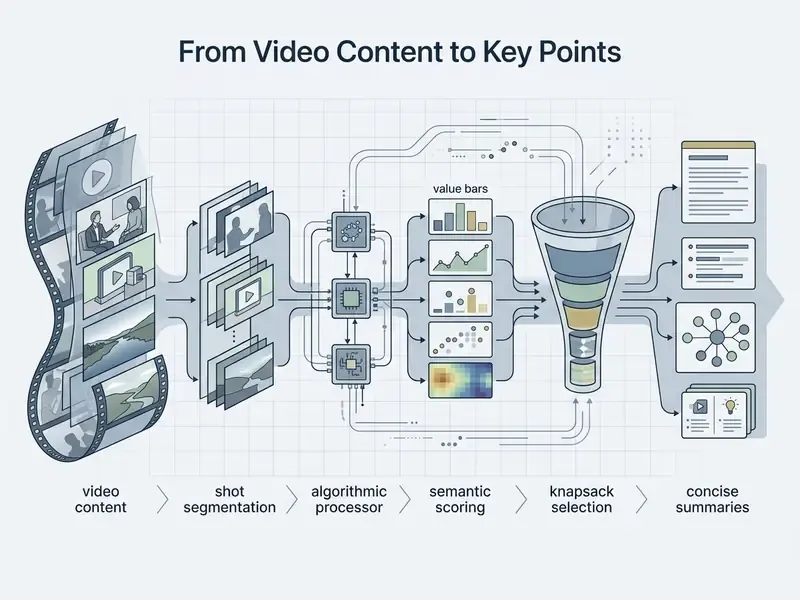
Extractive methods select representative video frames or clips directly from the source. Abstractive methods synthesize original text to explain main ideas, providing concise summaries that highlight essential facts, decisions, and data.
«The zero-shot Prompts to Summaries framework reaches F1 = 56.84 on SumMe and F1 = 62.22 on TVSum, outperforming prior unsupervised methods without any labelled training data.»
«LLMVS captions frames with a multimodal LLM, then applies knapsack optimisation to select segments within 15% of the source video length.» Source: LLM-based Video Summarization (LLMVS): global attention over frame captions (2024).
These two research directions explain what free tools actually do under the hood. One path scores segments against a text query without retraining. The other converts frames into language, then solves a budgeted selection problem. Both approaches determine whether your output reads as a faithful digest or a loose paraphrase, which matters a great deal when the digest later appears in a committee pack.
AI Summaries, Transcripts, and Study Notes
An ai summary for videos provides a condensed overview, a transcript offers a verbatim record of spoken text, and study notes organize concepts for learning. Each format serves a distinct operational and analytical purpose across enterprise and educational workflows. Full parameters for every output type, including task, audience, and recommended video length, are consolidated in the comparison table further down this page, so this section stays limited to the three core distinctions.
- Verbatim Transcripts: Capture exact spoken words, serving audit, legal, and compliance verification needs.
- Concise AI Summaries: Synthesize high-level takeaways to accelerate decision-making for executives and researchers.
- Structured Study Notes: Reorganize content into key terms, bullet points, and definitions for concept retention.
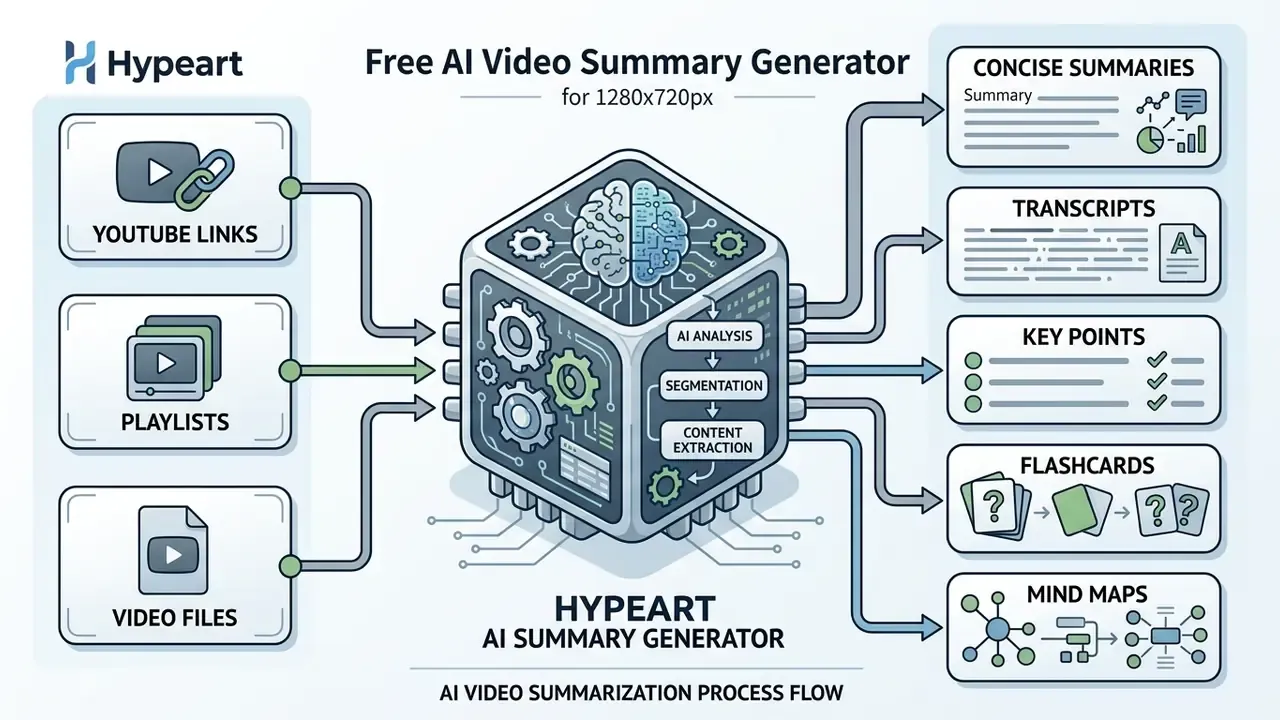
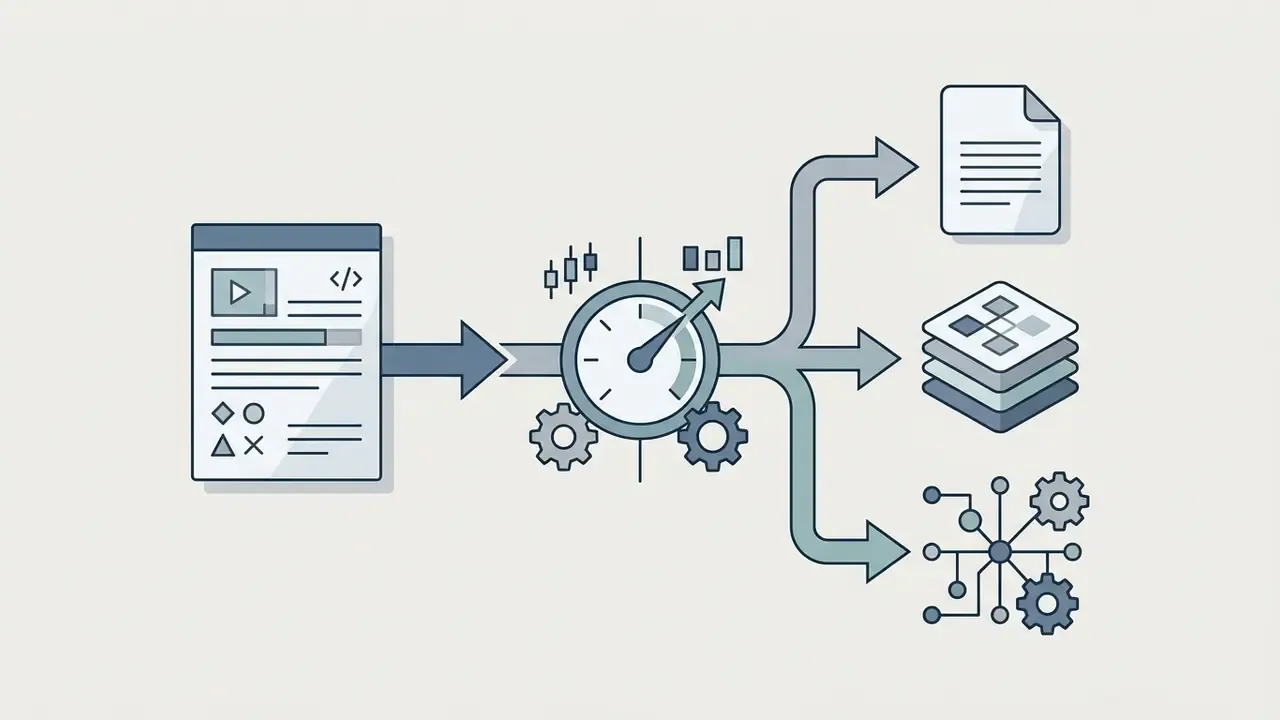
Accessible description for the schema block (to be rendered as an inline SVG with DOM text labels and alt text containing the phrase "ai video summarizer"): a left-to-right pipeline in five nodes. Node 1, "Video URL / File". Node 2, "AI Analysis: Speech and Vision". Node 3a, "Transcript". Node 3b, "Key Points". Node 4, "Video Summary". Arrows run from input to analysis, from analysis to both transcript and key points, and from both of those into the final video summary.
Figure 1: Visual processing pipeline converting input URLs or media files into structured transcripts and summaries.
How Does an AI Video Summary Generator Work?
An AI video summary generator ingests media links or local files, converts audio to text, and processes visual tokens using multimodal neural networks. It cleans raw transcript data, evaluates semantic density, and generates structured output using large language models.
When a user submits media, an ai tool summarize videos workflow executes several automated steps:
- Ingestion The system parses a video url or processes an uploaded video file.
- Transcription Speech recognition models generate a synchronized transcript from the audio track.
- Context Analysis Attention mechanisms analyze spoken sentences alongside visual frame embeddings.
- Synthesis Natural language models summarize core themes into bullet points or structured paragraphs.
Each of those four stages is a separate failure point. Ingestion can silently drop a caption track. Transcription can mangle a ticker symbol. Context analysis can misread a slide. Synthesis can smooth over a hedge that mattered. Governance teams should log the stage, not just the final artefact.
AI Processes Speech and Video Context
Modern summarization tools use multimodal models to evaluate audio tracks, visual frame sequences, and on-screen text simultaneously. Integrating visual context with speech recognition measurably lowers transcript word error rates in complex media environments.
«Integrating visual context with speech recognition reduces word error rate by up to 20.75% in complex media environments.»
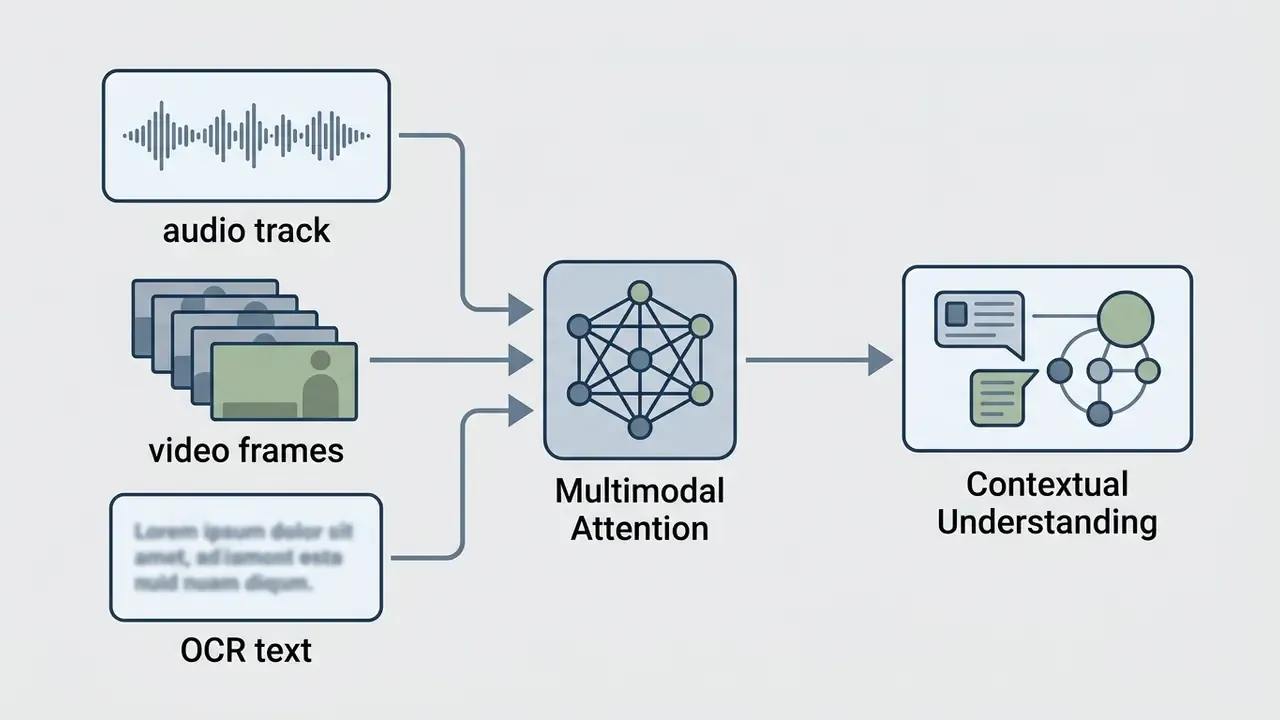
Systems parse semantic signals across modalities to differentiate between primary narrative points and casual background dialogue. This joint processing enables models to maintain temporal coherence and generate accurate overviews across lengthy media files. In practice, slide OCR is what saves a numbers-heavy deck review: the spoken "roughly twelve percent" gets anchored to the 11.8% on screen.
Why Summary Accuracy Depends on the Source Video
Summary accuracy relies on clear audio, distinct speaker separation, source video length, and spoken language consistency. High background noise, overlapping speech, or technical jargon increases transcription errors and degrades downstream summary quality.
- Audio Quality and Dialect (Updated): Recognition error rates vary systematically with accent and speaker profile, which directly constrains what an ai that summarizes videos can extract.
«WER for Spanish-language speakers ranges from 16% for Puerto Rican dialect to 24% for Argentine dialect, directly affecting transcript accuracy.»
- Speaker Diarization: Unclear transitions between multiple speakers can cause misattributed quotes and distorted action items. Federal accessibility guidance further requires identifying speakers consistently and marking language switches, which is exactly the metadata weak diarization destroys.
- Video Length Constraints (Updated): Long-form media exceeds practical context windows, and benchmark evidence shows model quality collapsing rather than degrading gracefully.
«On hour-long egocentric video, Gemini Pro 1.5 reaches only 37.3% accuracy versus 85.0% for humans, close to random guessing on multi-hop temporal questions.» Source: HourVideo Benchmark: 500 Ego4D videos, 12,976 questions (2024). https://arxiv.org/abs/2411.04998
- Jargon Density: Regulated-domain vocabulary (CECL, SR 11-7, beneficial ownership, adverse action) trips generic acoustic models more often than everyday speech does. A short custom vocabulary list fixes a surprising share of these errors.
Readers building broader media pipelines often pair summarization with generation; our reference material on AI video generators covers the opposite direction of the same workflow. For rough cost and throughput modelling before a pilot, the AI Media Calculators are a faster starting point than a spreadsheet from scratch.
Video Summary Formats: Short Overview, Notes, Key Takeaways, and Depth Controls
Instead of accepting one fixed output shape, tailor the processing pipeline by selecting an extraction template and a depth level. Leading tools expose up to nine content-specific templates, and depth selectors let you decide how much of the runtime gets covered.
- Executive / Concise Depth (50–100 words): High-level decision highlights for leadership teams and board-level readers.
- Balanced Chapter Summary: Sequential breakdown with 3–5 minute timestamp markers, mirroring the video's own structure.
- Detailed Study Framework: In-depth concept extraction with definitions, primary formulas, and worked examples.
- Financial and Data Analysis Template: Filters verbal content for metrics, revenue figures, guidance ranges, and analyst Q&A.
- Action-Item and GRC Matrix: Isolates task assignments, owners, legal disclosures, and operational commitments.
- Course Summary Template: Compresses theoretical modules into topic hierarchies suitable for revision cycles.
- Interview and Testimonial Template: Preserves attributed quotes with speaker labels for editorial reuse.
- Tutorial and Process Template: Converts demonstrations into numbered, reproducible step lists.
- News and Briefing Template: Extracts the lede, entities, dates, and stated sources.
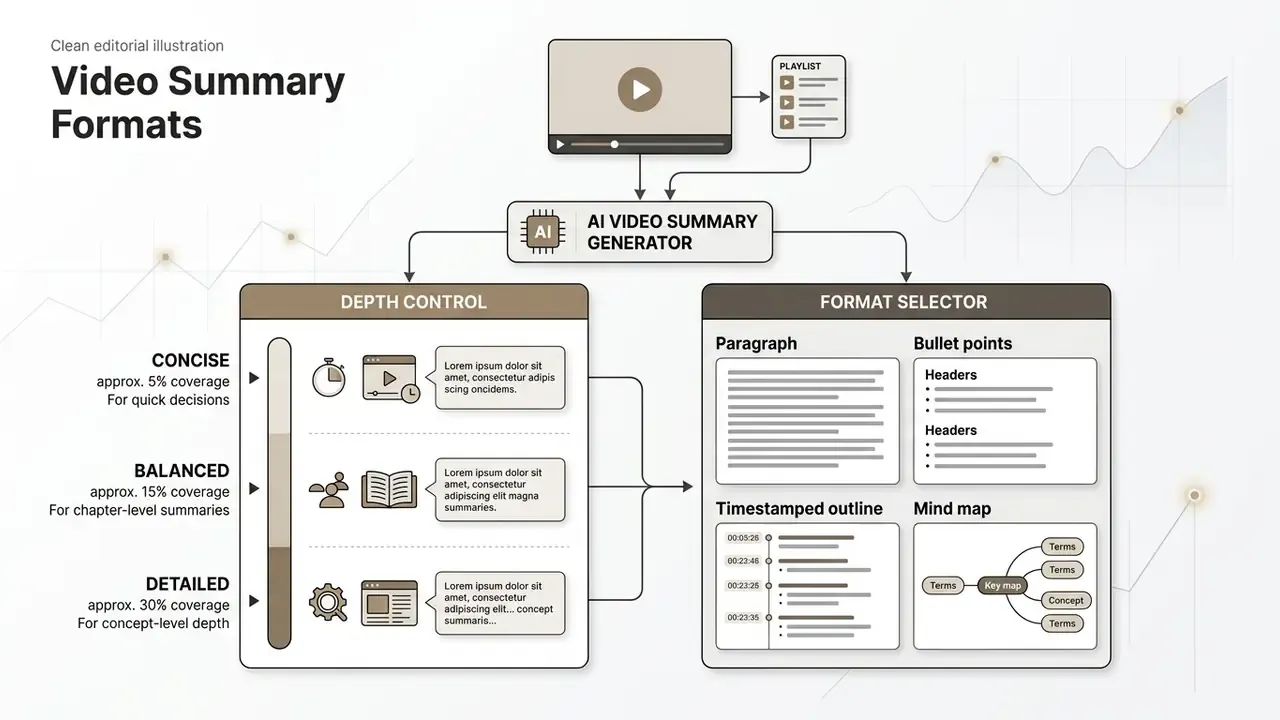
Output style can usually be switched independently from output language, so a Japanese lecture can be returned as English bullet points at balanced depth. Every generated block should remain editable: trim irrelevant sections, rewrite phrasing, and expand a single point before exporting. One caution on depth, and it is counterintuitive: the concise setting hides omissions best. If the summary will support a decision, run balanced depth and read the discarded middle.
E-E-A-T Verification and Fact-Checking Standard:
How to Summarize a Video Online for Free
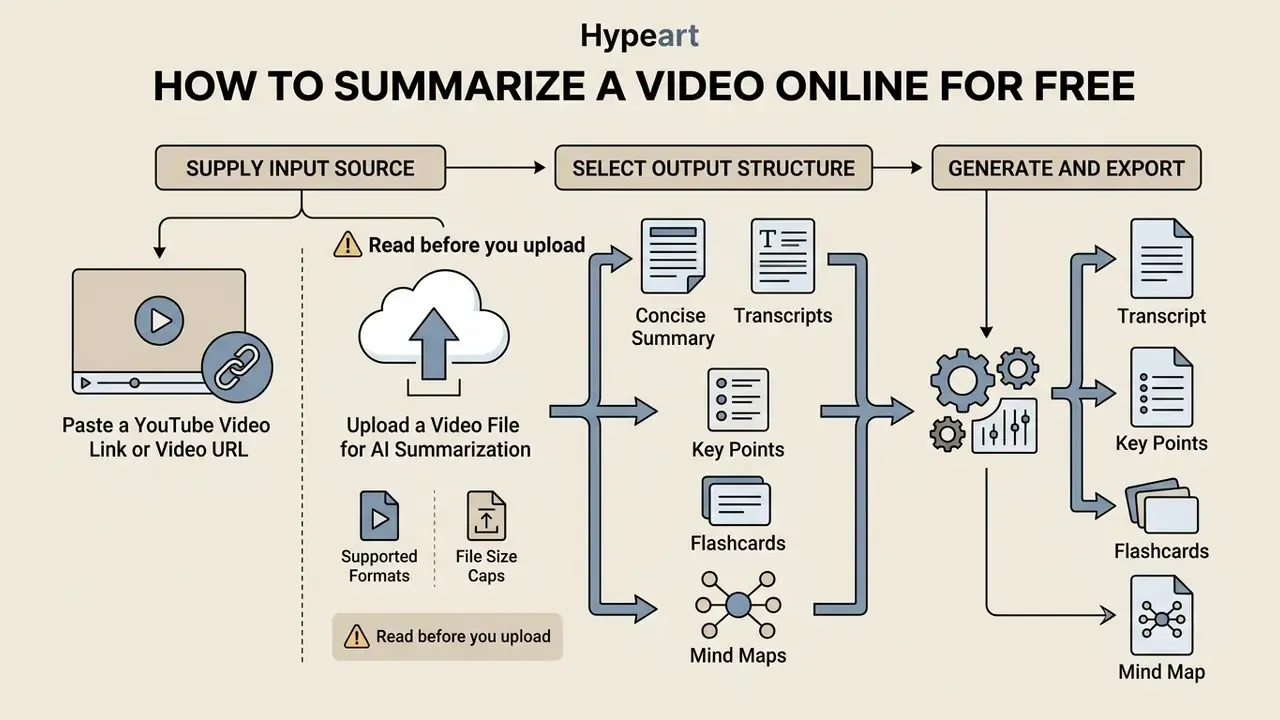
Summarizing a video online for free involves providing a public link or uploading a media file to an automated web tool. The generator processes the input and produces editable notes, key takeaways, and transcripts in seconds, which is where the real time saving shows up.
To generate a concise summary without subscription costs, follow these standard operational steps:
- Supply Input Source
- Paste a public YouTube video link or drag and drop a local file.
- Select Output Structure
- Choose between key points, executive overviews, or timestamped notes, plus a depth level.
- Generate and Export
- Run the ai video summary generator free tool, then copy or export the structured text.
Paste a YouTube Video Link or Video URL
To process public streaming content, copy the video url from your browser and paste it into the summarizer input field. The system retrieves existing captions or extracts the audio stream directly via API integration.
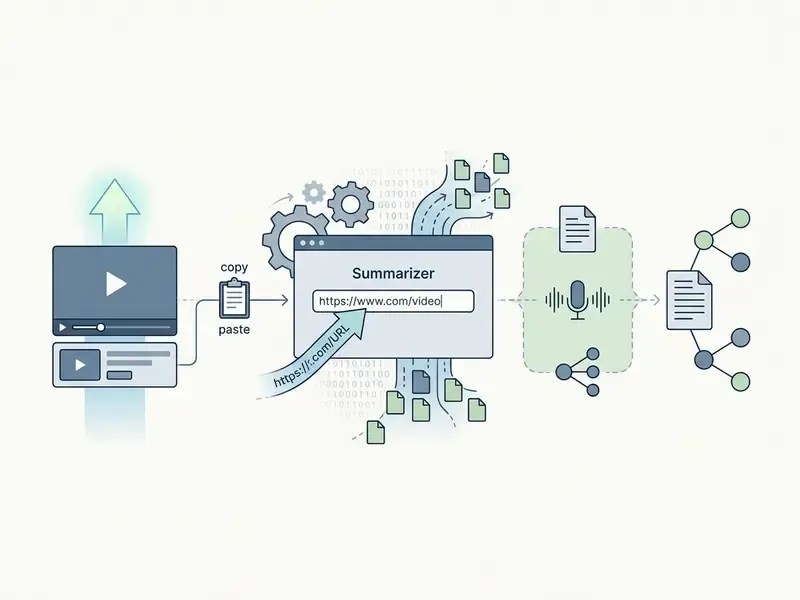
Using a public link avoids manual file downloads and conserves local bandwidth. The youtube video summarizer extracts text from auto-generated or uploaded closed captions, processing a 30-minute video in seconds. Creators who summarize their own catalogue usually run the same assets through YouTube video editors for chaptering and republishing, and crop or reframe clips with a crop video online utility before publishing shorts.
Technical constraints to expect on URL ingestion:
Upload a Video File for AI Summarization
Local recordings of meetings, lectures, and interviews can be uploaded directly to web summarizers in formats like MP4, MOV, or WebM. The system processes the file through a cloud or browser-based transcription engine, which shares its acoustic front end with the models behind modern AI voice generators and tools that let you create your own ai voice.
If your source file exceeds the free ceiling, re-encoding before upload is usually faster than upgrading; guidance on bitrate and container choices sits in our video compressor guide.
- Supported Formats
- MP4, MOV, AVI, MKV, WebM, MPEG, and MP3 audio files.
- File Size Caps
- Free online tiers typically range from 100 MB up to 1 GB per file upload; a minority of lightweight tools cap free uploads at 5 MB, while enterprise tiers accept 2 GB.
- Processing Speed
- High-throughput cloud infrastructure returns full transcripts and summaries within 3 to 10 seconds for 1-hour media files; denser transcripts, not longer runtimes, are the main slowdown factor.
- No-Subtitle Video Support
- Native Automatic Speech Recognition processes uncaptioned footage up to roughly 150 minutes directly from the raw audio track.
- Processing Workflow
- Upload media ➔ Automatic Speech Recognition (ASR) ➔ Text Chunking ➔ Summary Generation.
Generate, Copy, and Reuse the Video Summary
After generation completes, review the output for accuracy, then copy the text or export it into workflow applications. Reusing AI summaries accelerates research compilation and content creation across organizational teams, and it lets analysts produce briefing content faster without re-watching three hours of footage.
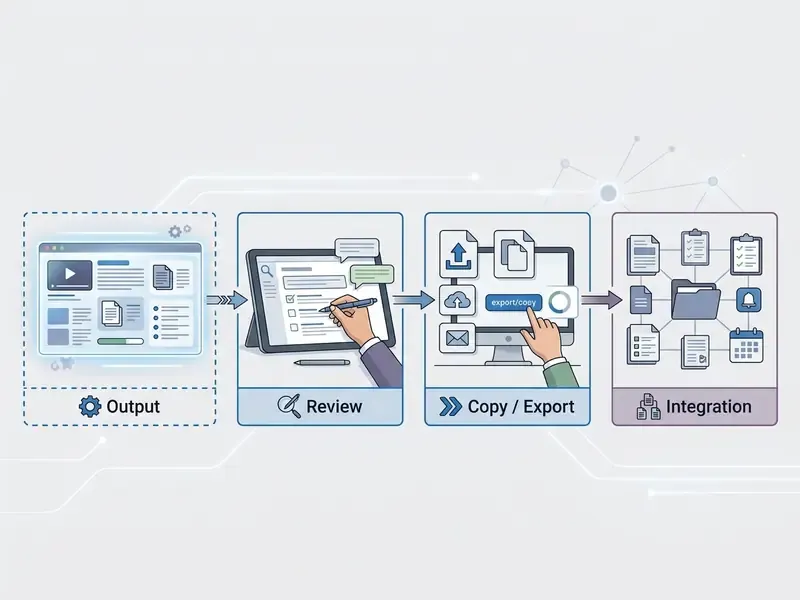
When integrating summarized text into published works or official reports, maintain compliance by citing the original source video. Self-reuse of your own previously published summaries must also be disclosed: PNAS defines text recycling as reuse of identical or substantively equivalent text without quotation marks, and transparency is the accepted remedy. Before monetizing derived assets, check the commercial use guidelines for the specific tool and source material. To build custom internal automation for video processing, teams can consult AI Media API Guides for API implementation strategies.
Three-step checklist (render as a native ordered list in the DOM, text only, no image)
- Step 1: Input Video URL or File.
- Paste a valid YouTube video url or upload a media file (MP4, MOV, WebM) into the generator.
- Step 2: Select Summary Format.
- Choose your desired output structure, such as bullet points, study notes, or timestamped chapters, and set summary depth.
- Step 3: Generate, Review, and Export.
- Process the video, verify key details against the source transcript, and copy or export the text for downstream use.
Which Videos Can AI Summarize?
An ai video summarizer online handles diverse video types, including academic lectures, corporate meeting recordings, public webinars, and multi-speaker interviews. Processing capabilities depend on audio clarity, temporal length, and language complexity.
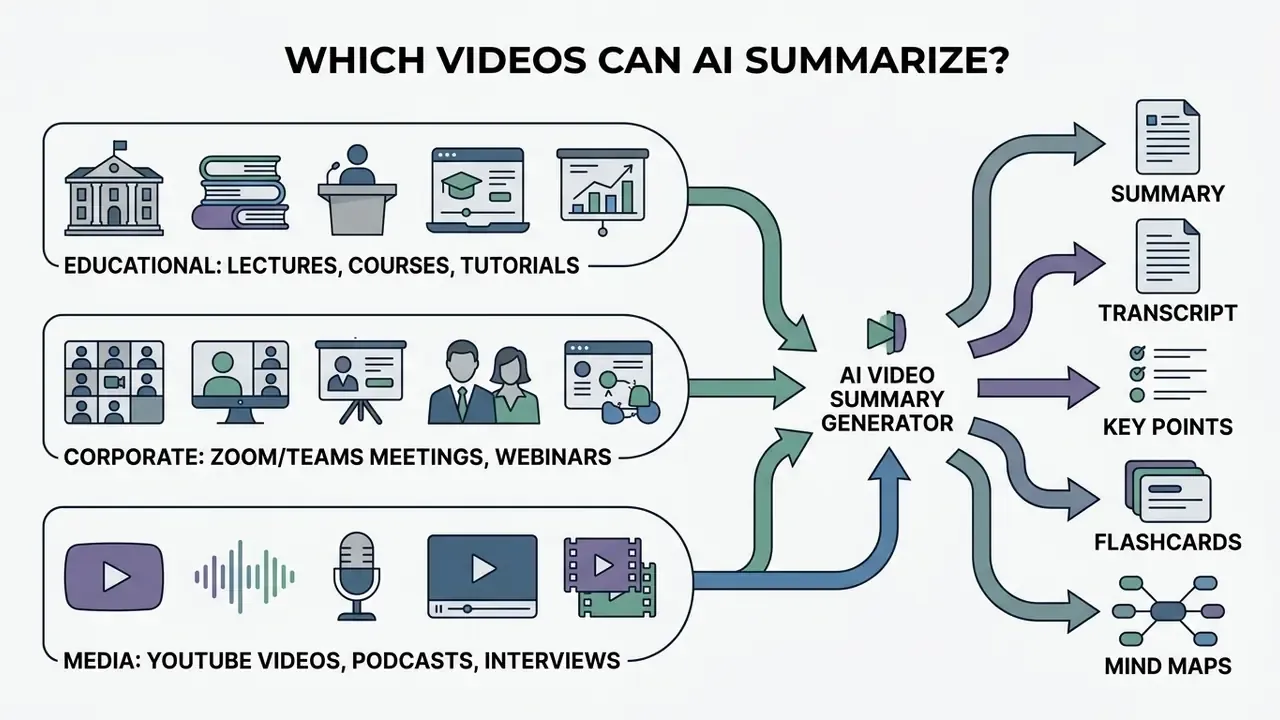
YouTube Videos, Long Videos, and Multiple Video Sources
AI tools process YouTube content efficiently by extracting caption tracks directly. Processing long videos or multiple video sources requires retrieval-augmented generation (RAG) to maintain context over extended runtimes.
- Short to Mid-Length YouTube Videos: Summarizers achieve high factual recall on structured 5 to 20-minute videos.
- Long-Form Media (Updated): Hour-long recordings require chunking and temporal retrieval, and benchmarks show when something happened is far harder than what happened.
«LVSum, 72 videos averaging 16 minutes across 13 domains, shows models identify what happened accurately but systematically fail at when.»
- Multi-Video Collections: Advanced frameworks analyze cross-video semantic relations across playlists to synthesize multi-source reports. Teams that also produce media at scale can compare production-side options among free AI video generators.
That temporal weakness has a direct compliance consequence. If your evidence depends on the sequence of statements, for example who disclosed what before an approval, an AI summary is a pointer, never the record.
Batch Processing and Playlist Summarization
When analyzing multi-part lectures or course playlists, single-video extraction becomes inefficient. Modern AI workflows support batch processing:
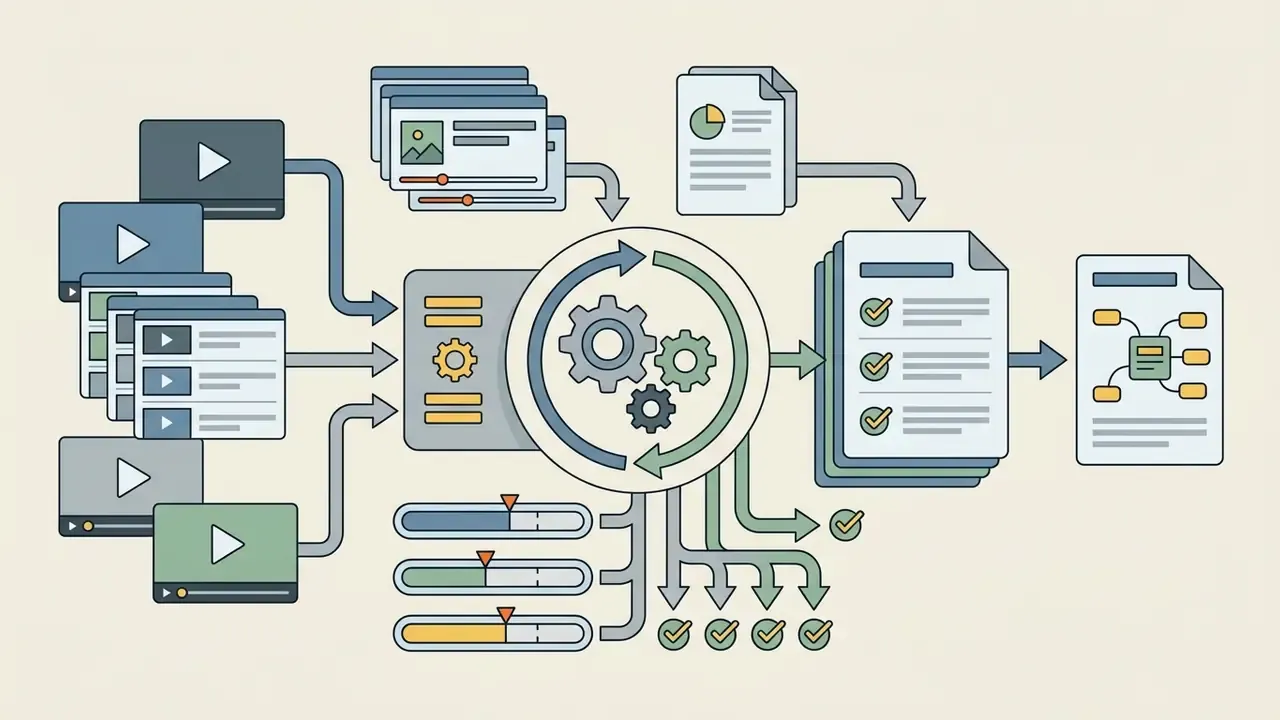
- Playlist Parsing Input a YouTube playlist URL to extract sequential chapter summaries for every entry simultaneously.
- Multi-Video Synthesis Aggregate up to 20 distinct media links into a single master summary report with deduplicated themes.
- Parallel ASR Execution Cloud engines process multiple audio streams concurrently, reducing total synthesis time by up to 75% versus sequential runs.
- Cross-Video Deduplication Repeated definitions across lecture parts are merged once, so a 10-part course produces one glossary instead of ten.
- Batch Export Results land as a single Markdown, PDF, or CSV bundle, with one row or section per source video and its timestamped anchors.
Practical caution: batch mode multiplies both compute cost and hallucination surface. Verify at least one sampled claim per source video before circulating a consolidated report.
Lectures, Courses, Training, and Study Material
Students and educators use an ai that summarizes lecture videos to convert long class recordings into structured study guides. The system identifies key definitions, core formulas, and topic transitions across academic modules.
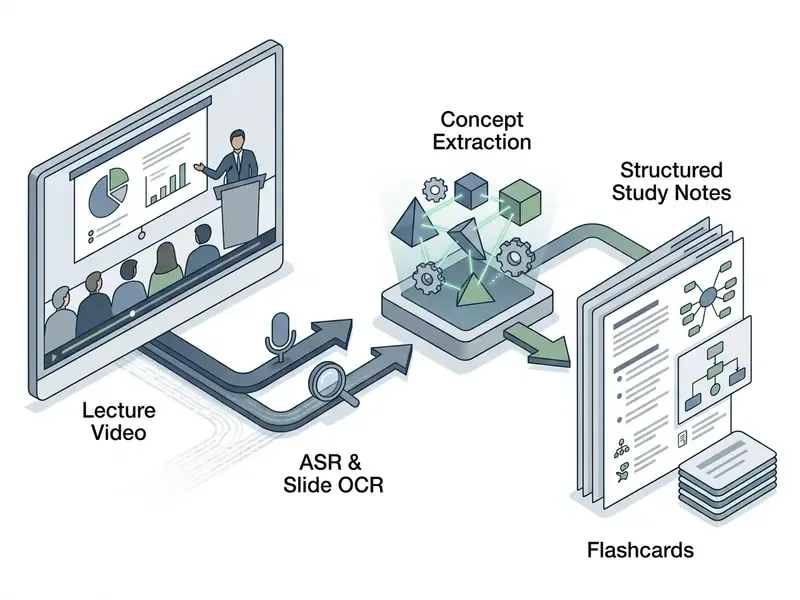
For students looking to build interactive learning workflows, combining video summaries with tools that help you create your own AI assistant can automate flashcard generation and exam preparation.
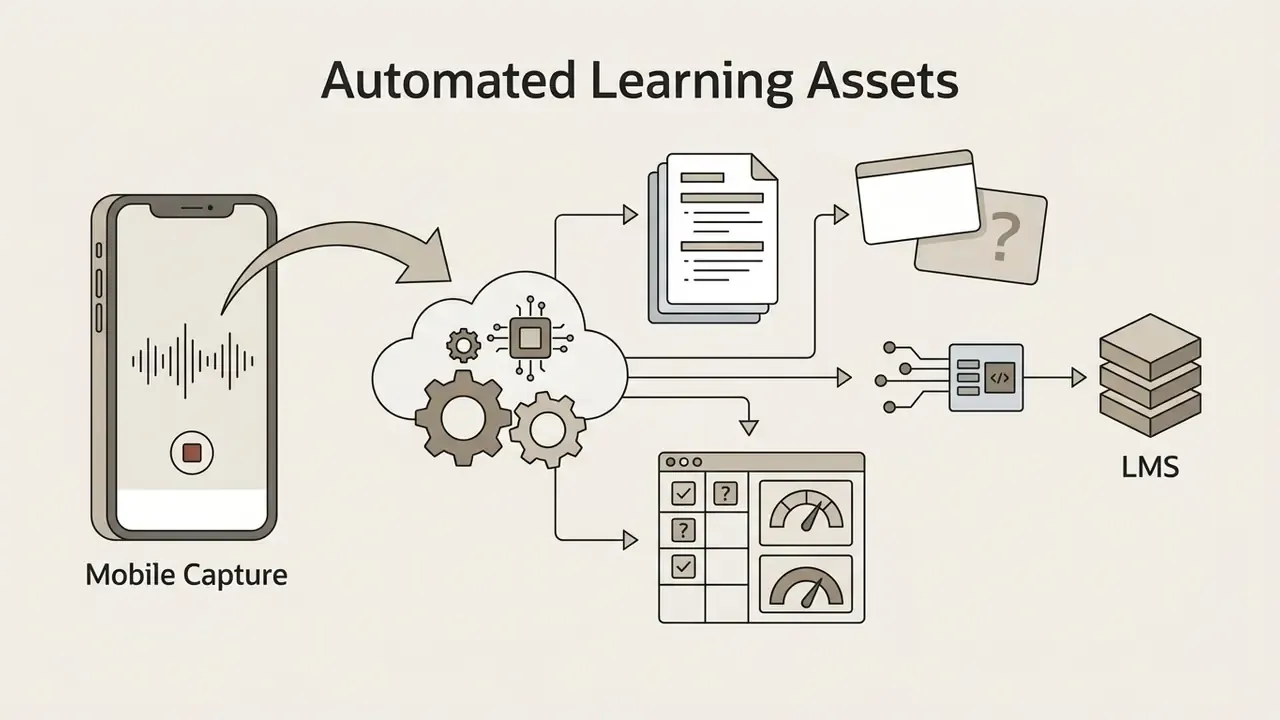
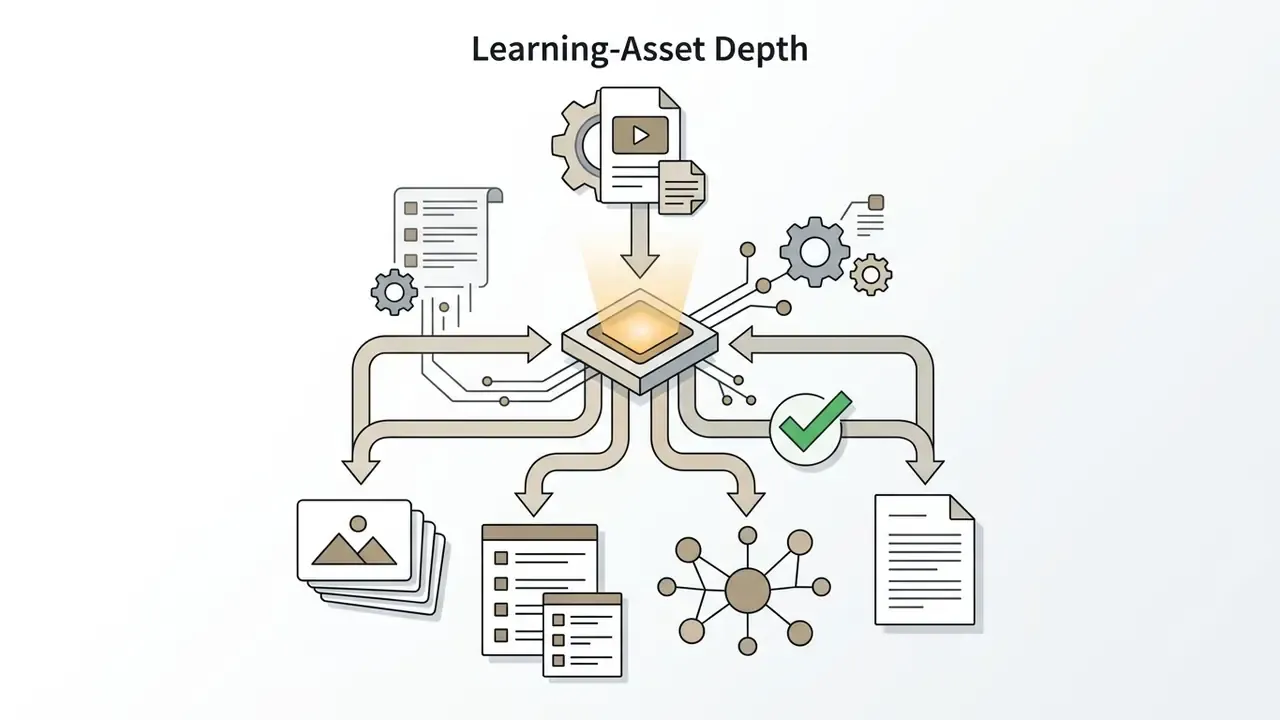
Automated Learning Assets: Flashcards, Quizzes, and LMS Integration
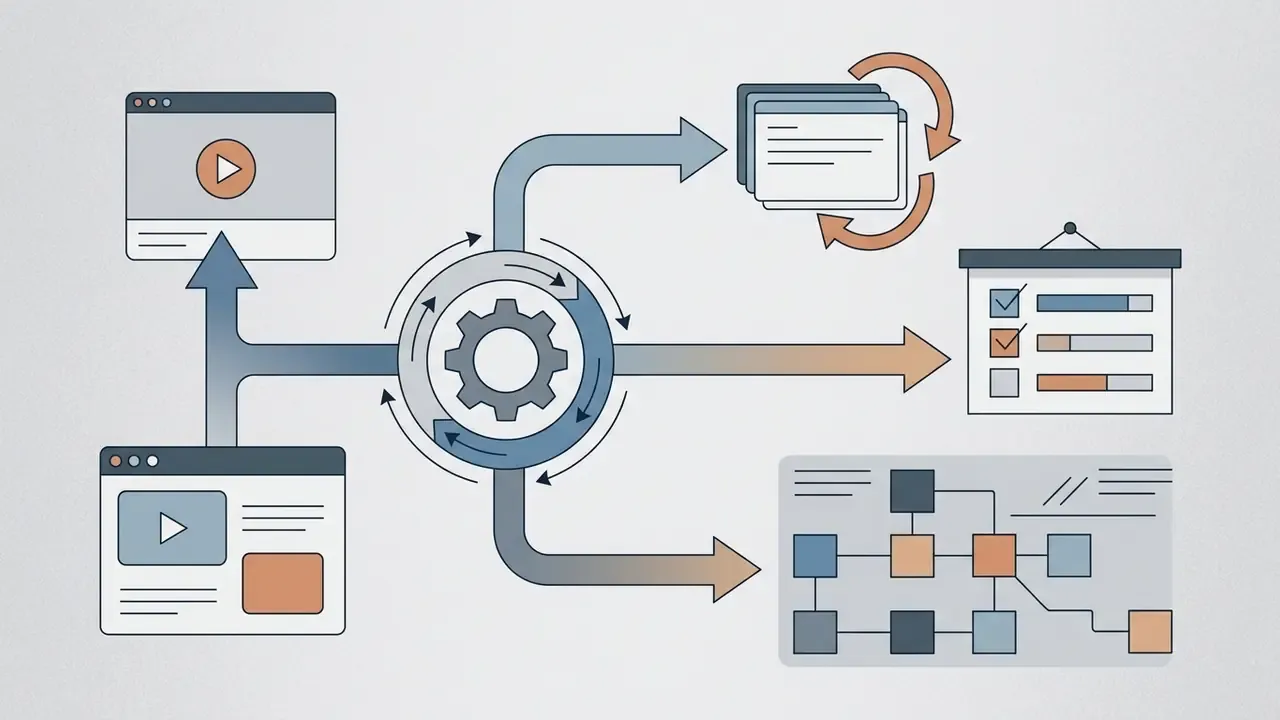
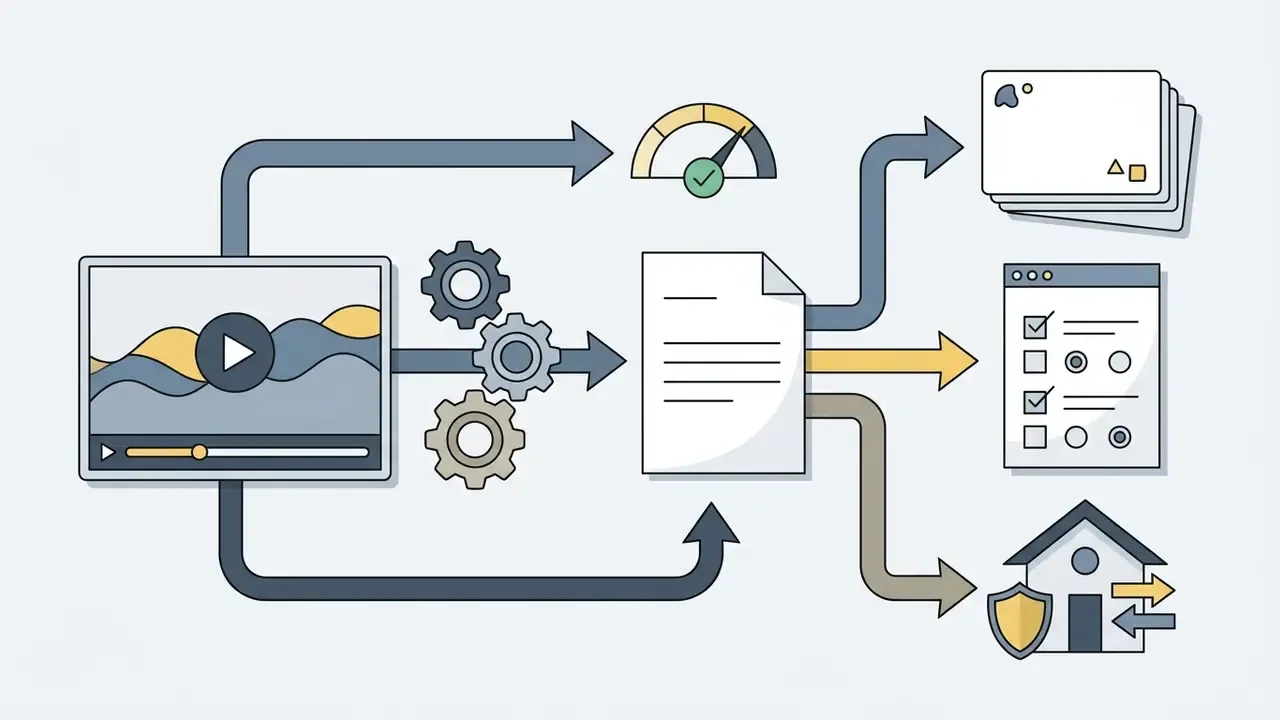
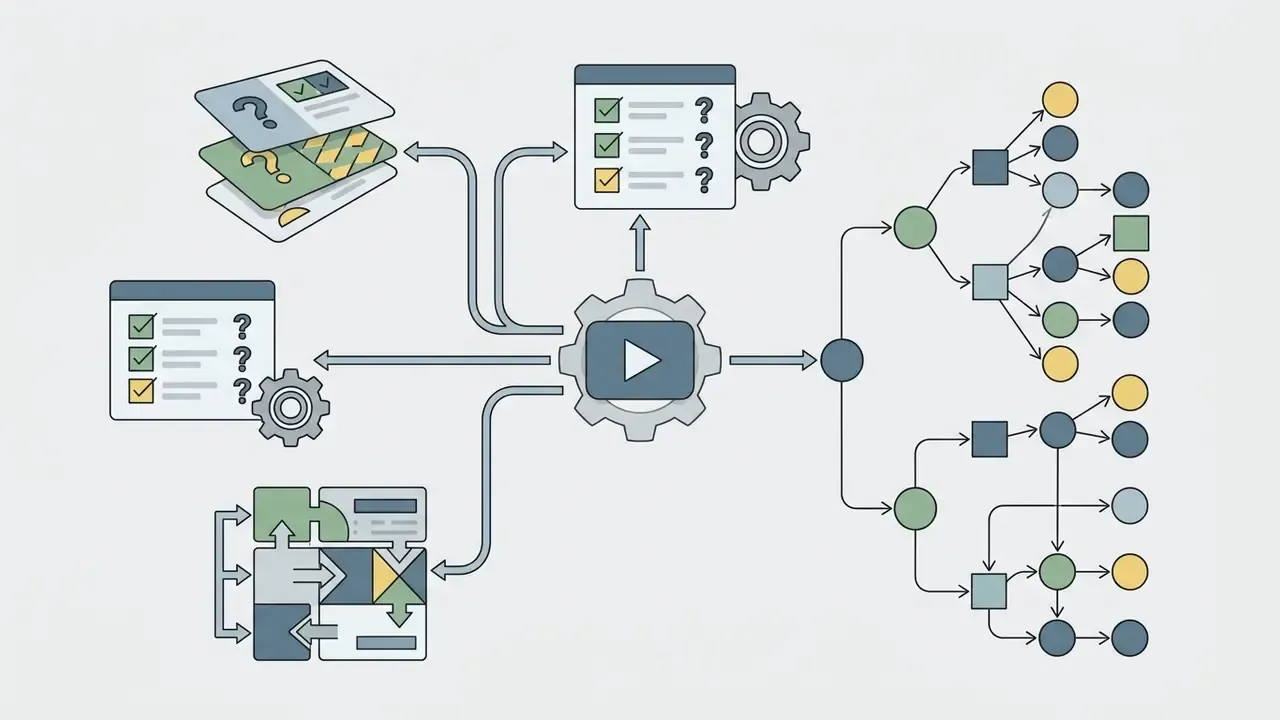
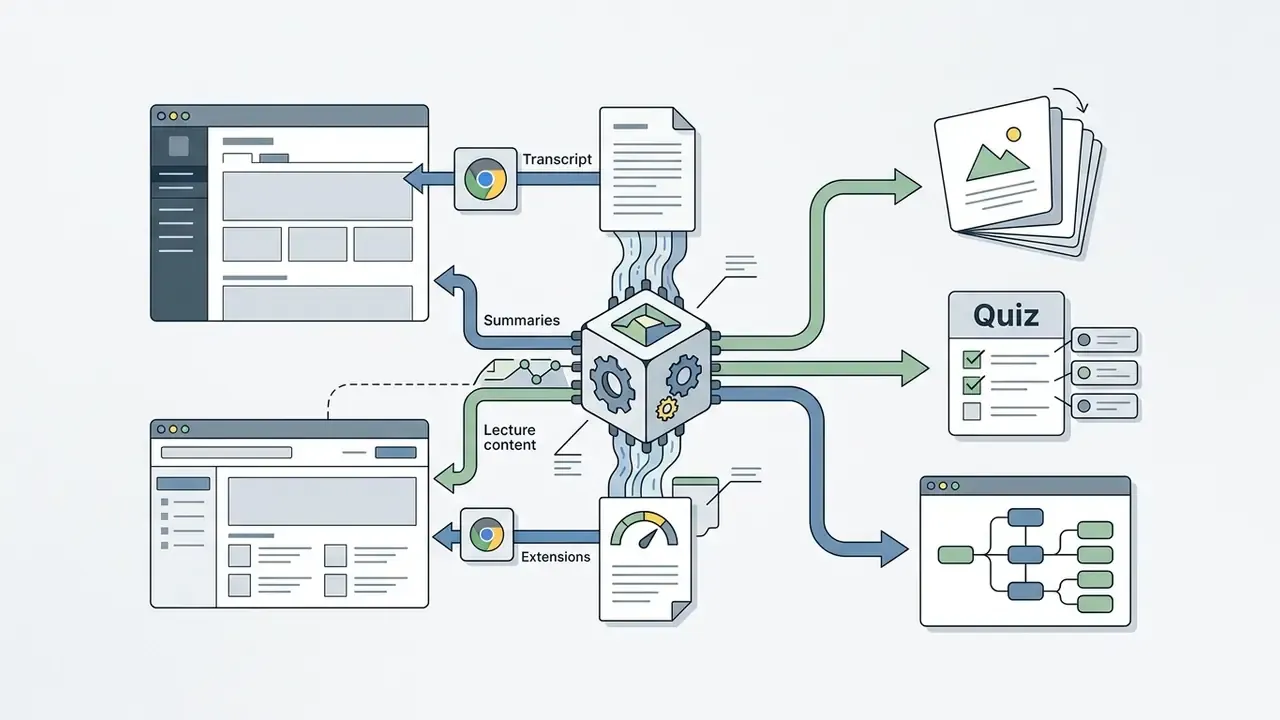
Advanced video summary platforms extend raw text outputs into interactive study workflows compatible with Learning Management Systems (LMS):
A documented university study on automatic summarization of recorded video lectures confirms the pattern that consumer tools now productize: transcribe, structure, then convert into revision assets rather than stopping at prose. Corporate learning teams reuse the same chain for annual AML and fair-lending refreshers, where quiz generation doubles as completion evidence.
Meetings, Interviews, Webinars, and Research Videos
Corporate meeting recordings from platforms like Zoom or Teams contain multiple speakers, conversational interruptions, and action items. AI tools use speaker diarization to attribute statements to specific participants accurately. Content teams frequently combine these transcripts with text-to-video AI tools to turn approved takeaways into short recap clips.
- Decision Tracking: Identifies agreed-upon business decisions and owner assignments.
- Question Extraction: Captures unanswered questions raised during customer interviews or research webinars.
- Timestamped References: Links generated notes directly to video timecodes for auditability.
- Role Detection: Voice activity detection plus diarization and role labelling establishes "who spoke what" before any thematic coding begins.
- Records Status: U.S. federal rules treat meeting transcripts, recordings, and minutes as record material, so AI-generated protocols inherit retention obligations.
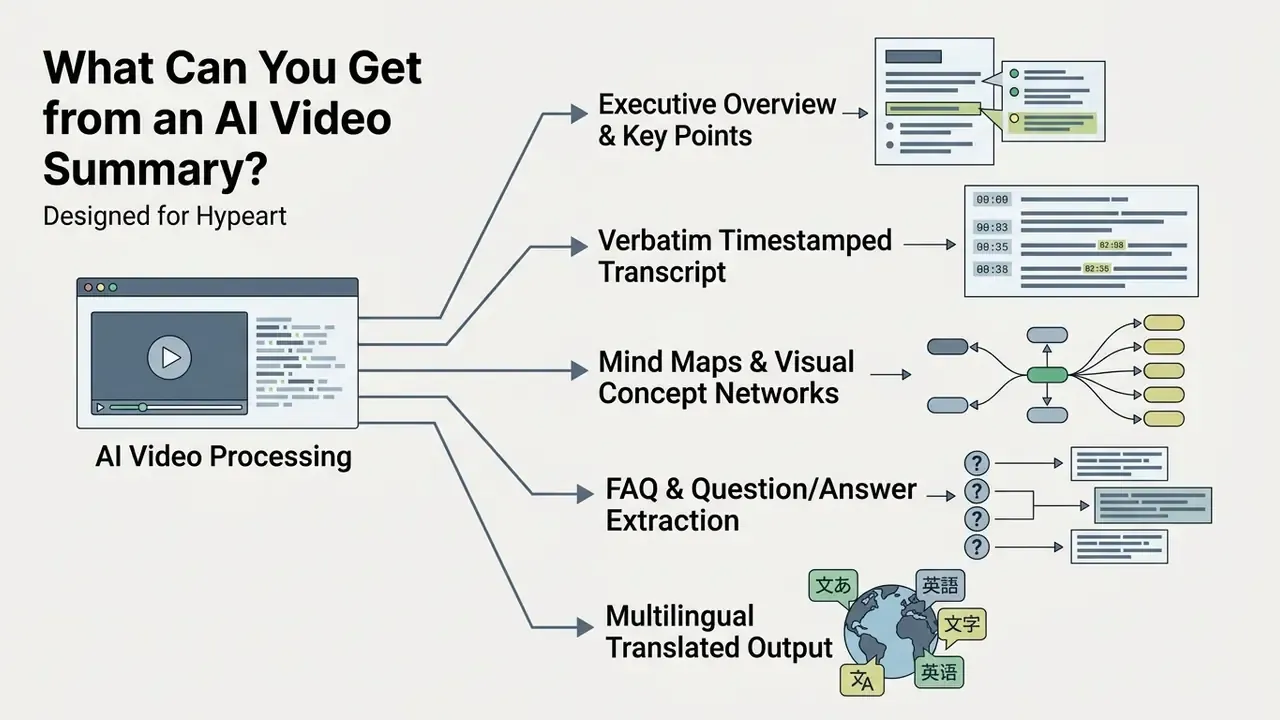
What Can You Get from an AI Video Summary?
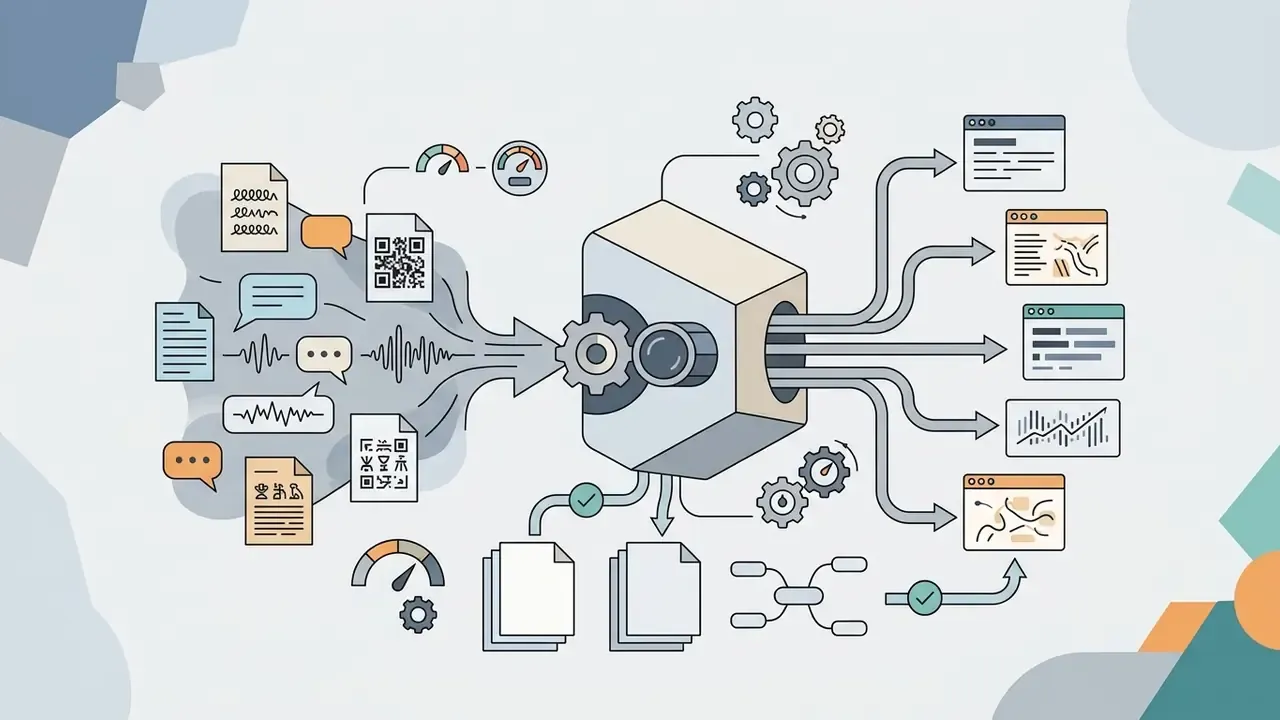
An AI video summary generator provides flexible output assets, including short executive overviews, detailed transcripts, timestamped chapter markers, interactive mind maps, and translated notes.
Key Points, Notes, and Concise Summaries
A concise summaries output isolates core conclusions and supporting facts into structured text blocks. Readers absorb essential information without sifting through non-essential conversation. Visual teams often route the same assets through image-to-video AI when a written recap needs a social-ready companion.
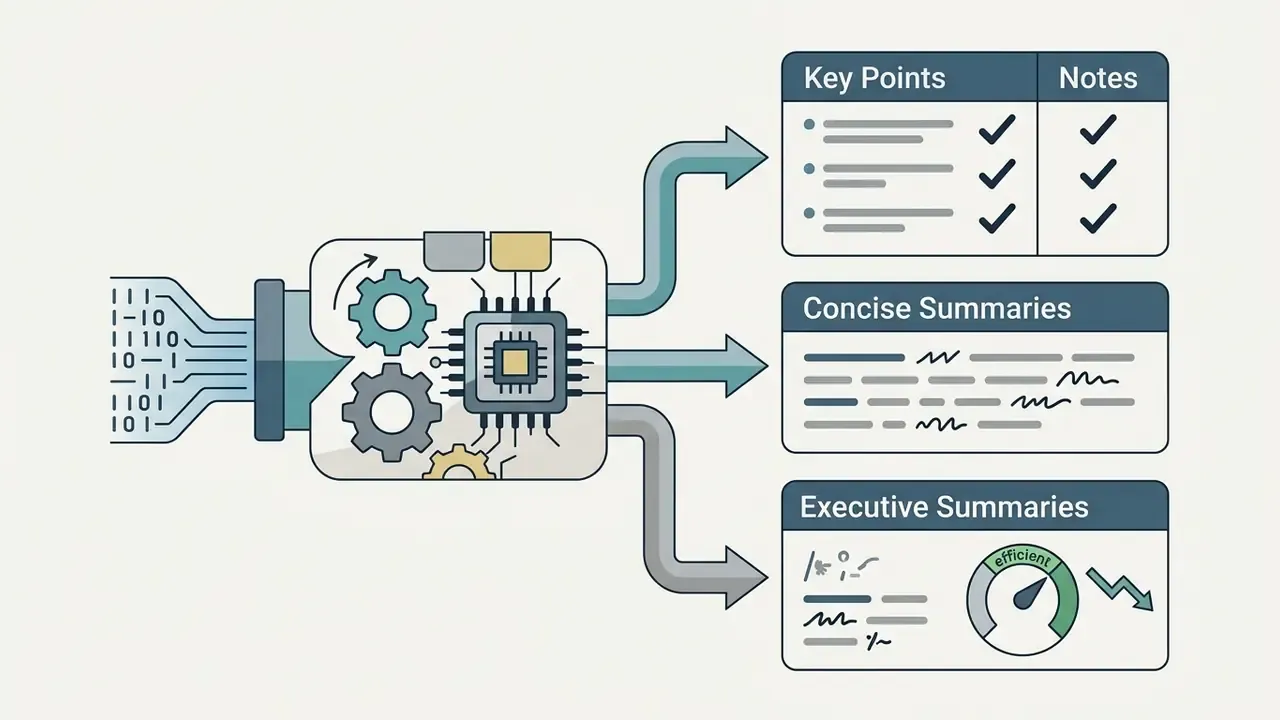
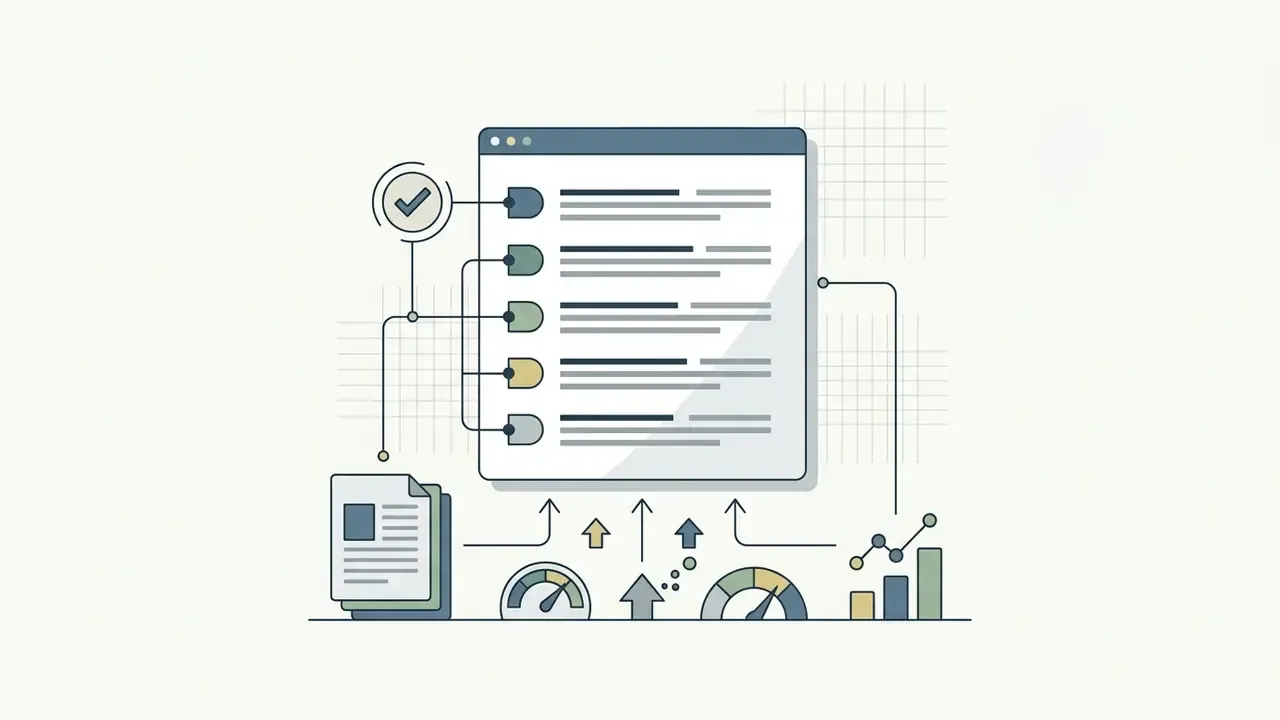
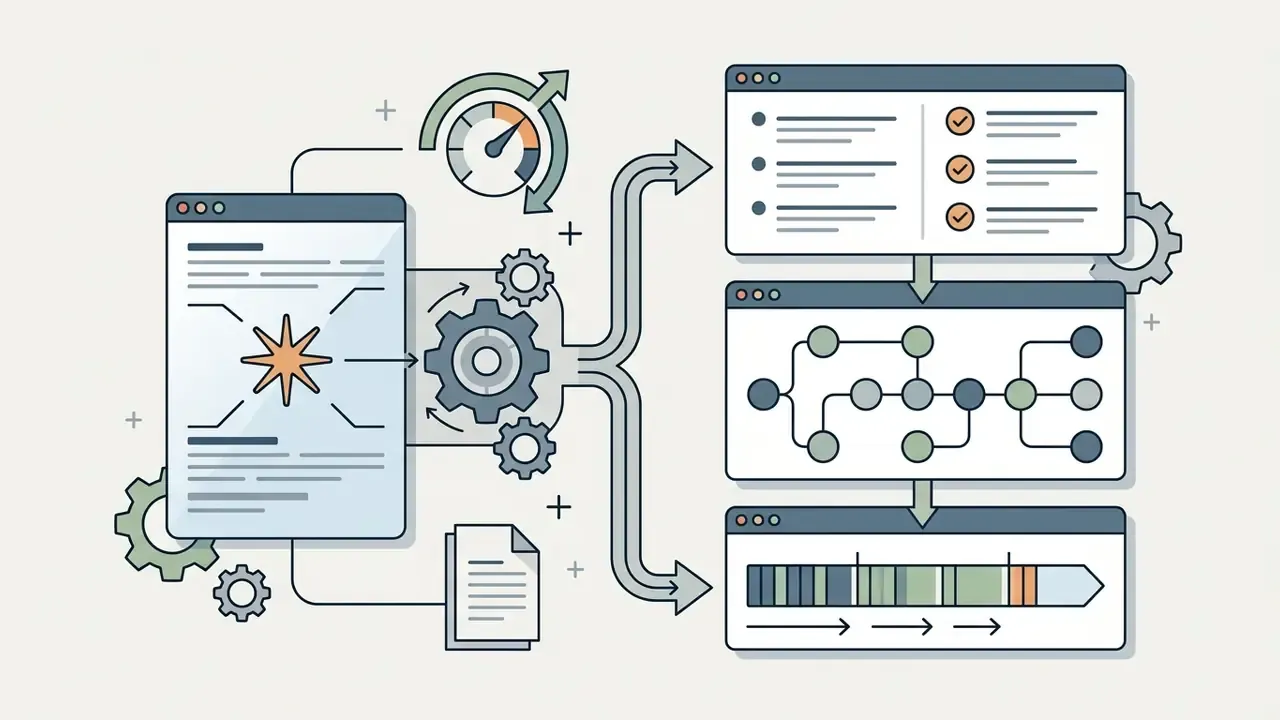
Terminology matters in formal reporting: a concise summary is a brief, non-complex overview, key points are the essential extracted facts, and key takeaways are the conclusions or recommended next steps. Executive-summary guidance from the University of Baltimore stresses that takeaways must follow the source logic and introduce no new information. Sounds pedantic. It stops an audit argument later.
Full Transcripts and Timestamped Video Insights
Full transcripts convert spoken audio into complete, searchable text documents. Including timecodes allows users to jump directly to specific moments within the source video file.
[00:02:15] Executive Overview of Q3 Financial Results
[00:08:45] Detailed Breakdown of Operational Expenses
[00:15:30] Strategic Roadmap for AI Risk Governance
Timestamped navigation improves research efficiency by verifying quotes directly at the source. W3C accessibility guidance notes that transcript timestamps should be added where useful and need not match caption granularity, so paragraph-level timing is usually sufficient for review, while SRT and VTT preserve per-cue timing for playback. Readers can also compare different transcription and editing tools to select optimal workflows for media production.
Mind Maps, Questions, and Multilingual Summaries
Advanced summarizers transform text outputs into visual mind maps, extracted FAQ lists, and multi-language translations. These formats help teams analyze complex concepts and share findings globally.
- Mind Maps
- Node-based visual diagrams illustrating relationships between primary topics and subtopics, exportable as editable maps.
- Extracted FAQs
- Auto-generated question-and-answer pairs derived from video discussion points, useful for support enablement.
- Multilingual Output (Updated)
- Modern AI video summarizers support multilingual transcription and translation across 100+ global languages, including English, Spanish, French, German, Portuguese, Italian, Dutch, Polish, Turkish, Russian, Arabic, Hindi, Chinese, Japanese, Korean, Vietnamese, Thai, and Swedish. The summarizer supports selecting the output language independently of the source audio, which enables cross-lingual summary generation and bilingual side-by-side notes.
«A Video-guided Dual Fusion network trained with triple knowledge distillation enables cross-lingual video summarization even with limited target-language training data.» Source: Video-guided Dual Fusion (VDF) for multimodal cross-lingual summarization (2023–2024).
| Output Format | Typical Content | Primary Use Case | Target Audience | Recommended Video Type |
|---|---|---|---|---|
| Concise Summary | 50–100 word paragraph overview | Rapid orientation and executive briefing | Executives, Managers | Webinars, Industry News |
| Key Points | 4–6 structured bullet points | Highlighting core facts and decisions | Researchers, Analysts | Business Meetings, Interviews |
| Full Transcript | Complete verbatim spoken text | Quote verification, search, compliance | Auditors, Legal Teams | Earnings Calls, Legal Proceedings |
| Study Notes | Categorized concepts, definitions | Exam prep and structured learning | Students, Trainees | Academic Lectures, Course Modules |
| Flashcards / Quiz | Front-back cards, MCQ sets | Active recall and self-assessment | Students, Corporate Trainees | Lectures, Compliance Training |
| Mind Map | Hierarchical visual node diagram | Concept mapping and brainstorming | Product Teams, Strategists | Technical Workshops, Keynotes |
| Q&A / FAQ | Extracted questions with answers | Interactive review and enablement | Learners, Support Teams | Q&A Sessions, Customer Demos |
| Batch Report | Multi-video consolidated digest | Course or playlist-level synthesis | Researchers, L&D Teams | Playlists, Multi-part Lectures |
Table caption for semantic markup: comparison of AI video summary output formats, their typical content, primary use case, target audience, and recommended source video type.
Is a Free AI Video Summarizer Really Free?
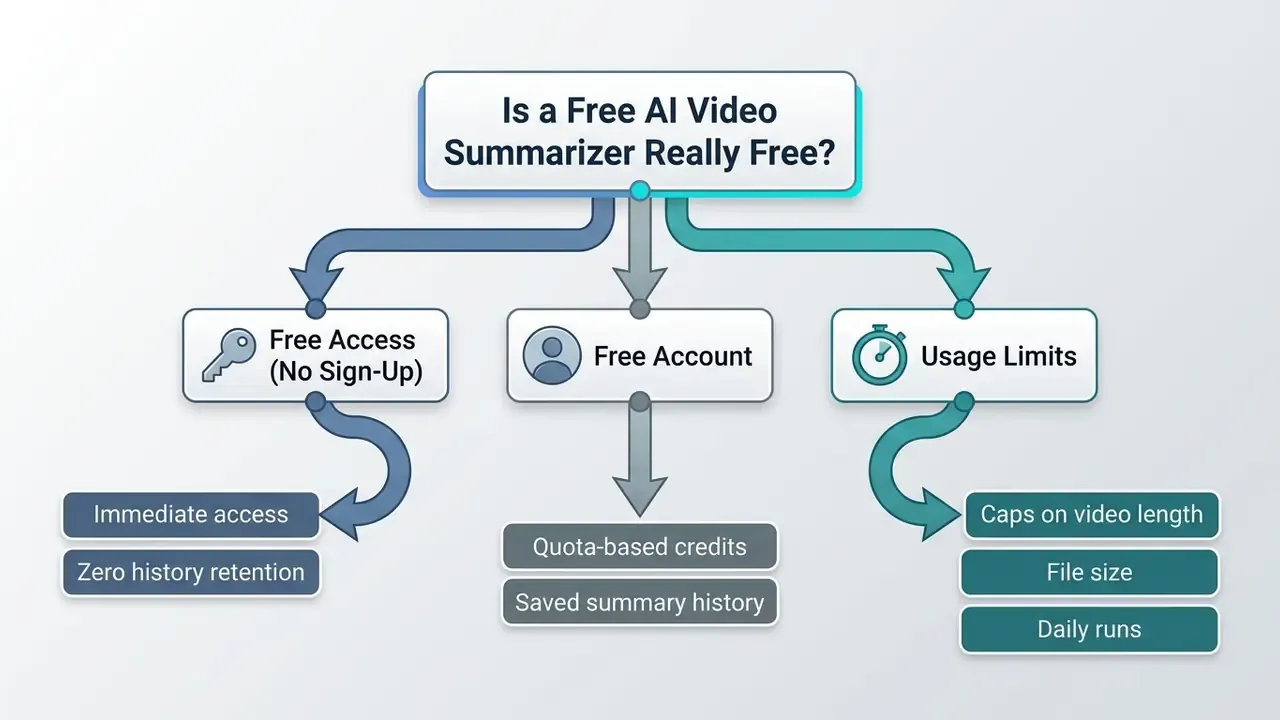
Free AI video summarizers offer basic processing features without upfront payment, but service providers enforce operational usage limits. Free tiers restrict media duration, file sizes, daily processing quotas, or advanced export formats.
Free Access, No Sign-Up, and Free Account Limits
Web services offering an ai video summarizer online free without registration allow immediate summary generation. However, unauthenticated sessions do not save history and restrict continuous conversation features. "Completely free" is rarely the whole story.
- No Sign-Up Services Provide fast, anonymous processing for public URLs but limit daily usage runs and usually withhold the full transcript view.
- Free Account Tiers Grant monthly credit allowances, saved history, and access to flashcards, quizzes, and concept maps in exchange for registration.
- Quota Limits (Updated) Free quotas differ by vendor business model rather than by any industry standard. Documented patterns range from a handful of summaries per day, to monthly caps in the low tens, to welcome-credit models (for example a few hundred one-off credits plus a small daily transcript allowance), to genuinely uncapped tools funded by upsells. Verify the current quota on the provider's pricing page before planning a workflow around it.
- Privacy trade-off Signed-out use reduces account-level identifiers but does not make processing anonymous. Prompt text, IP address, and session metadata can still be collected. A free account adds persistent privacy controls and data settings, at the cost of linking activity to an identity.
Video Length, File Size, and Multiple Video Limits
Processing high-resolution, long-duration video requires substantial cloud compute resources. Consequently, free tier accounts enforce strict technical boundaries on input media.
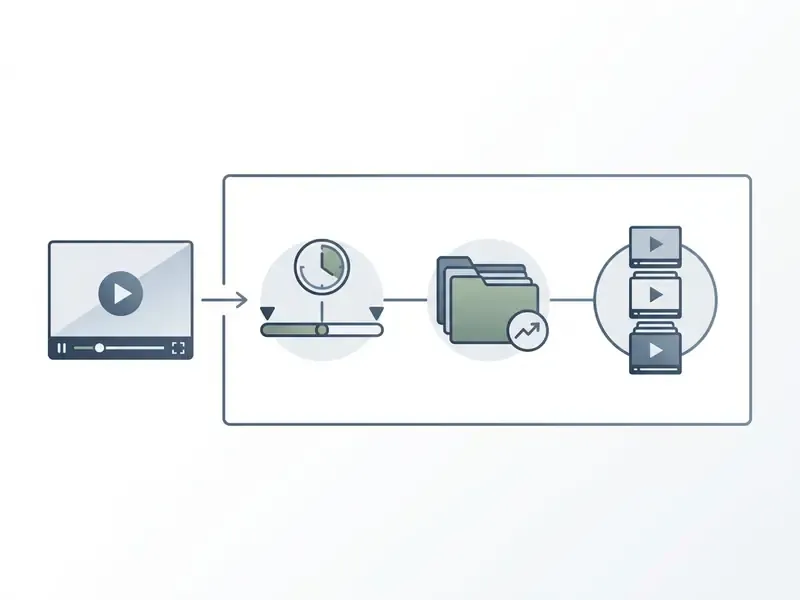
«HourVideo shows that summarizing 20–120-minute videos demands substantial compute, with model performance falling sharply as duration grows.»
That compute curve, not vendor stinginess, explains why duration caps exist: hour-scale inference costs orders of magnitude more than a 10-minute clip while delivering lower accuracy. Users reviewing cost structures can explore AI Media Pricing Guides for detailed software comparisons.
Privacy of Uploaded Video Content
This information is general in nature and does not replace advice from an information security specialist or legal counsel on regulatory compliance.
Uploading confidential meeting recordings or proprietary research videos to free online tools introduces data security and privacy risks. Service terms may allow providers to store, process, or train public AI models on user content.
- Data Retention Risks: Unencrypted uploads may be stored on third-party servers indefinitely; some tools process entirely client-side, others explicitly process on their servers with timed auto-deletion.
- Model Training Usage (Updated): Consent standards differ sharply between research and commercial contexts.
«Annotation protocols for academic datasets such as LVSum and HourVideo require explicit consent for content use; commercial tools rarely provide equivalent guarantees.»
- Compliance Violations: Uploading non-public customer or financial data can violate corporate privacy policies and regulatory standards. Regulatory guidance is consistent on this point: organisations are advised not to enter personal, and especially sensitive, information into publicly available generative AI tools, and video-data processing requires a lawful basis, limited storage periods, and protection against unsupervised third-party access. Disputes over training data are still being litigated, and the AI Litigation and Case Timelines tracker is a reasonable way to follow where liability is heading.
- Practical mitigation: Encrypt files before they leave the device where possible, review the provider's privacy notice and retention terms, enforce strong authentication, and never rely on default settings.
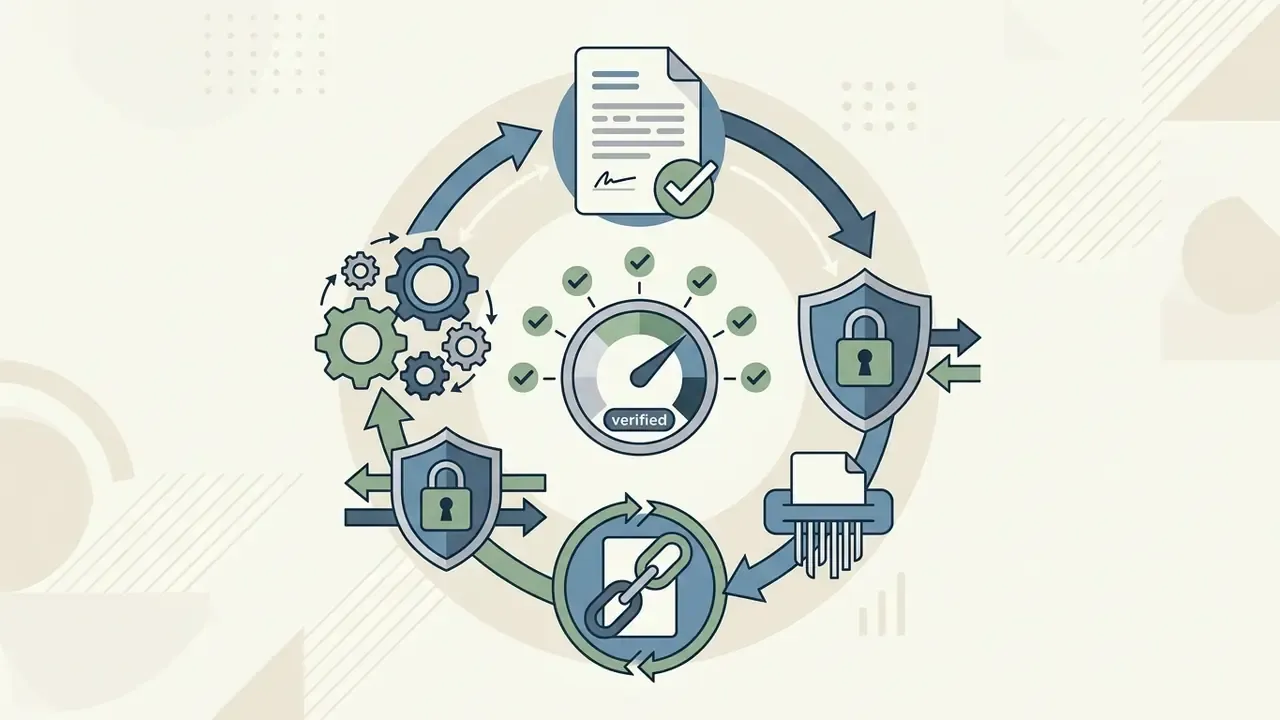
Security Alert and Privacy Warning:
Five-Point Pre-Upload Safety Checklist
- Classify the asset.Is the recording public, internal, confidential, or regulated? Anything above "internal" does not belong in a free public tool.
- Read the training clause.Confirm in writing whether uploads are used to train or fine-tune models, and whether opt-out is available.
- Confirm retention and deletion.Look for a stated retention window, a delete-on-demand control, and ideally zero data retention.
- Check processing location and encryption.Verify region controls, encryption in transit and at rest, and whether processing happens in-browser.
- Log the run.Record tool name, date, source asset, operator, and the verification step performed. This is your audit evidence if the summary later informs a decision.
How to Choose an AI Video Summarizer for Work, Study, or Content Creation
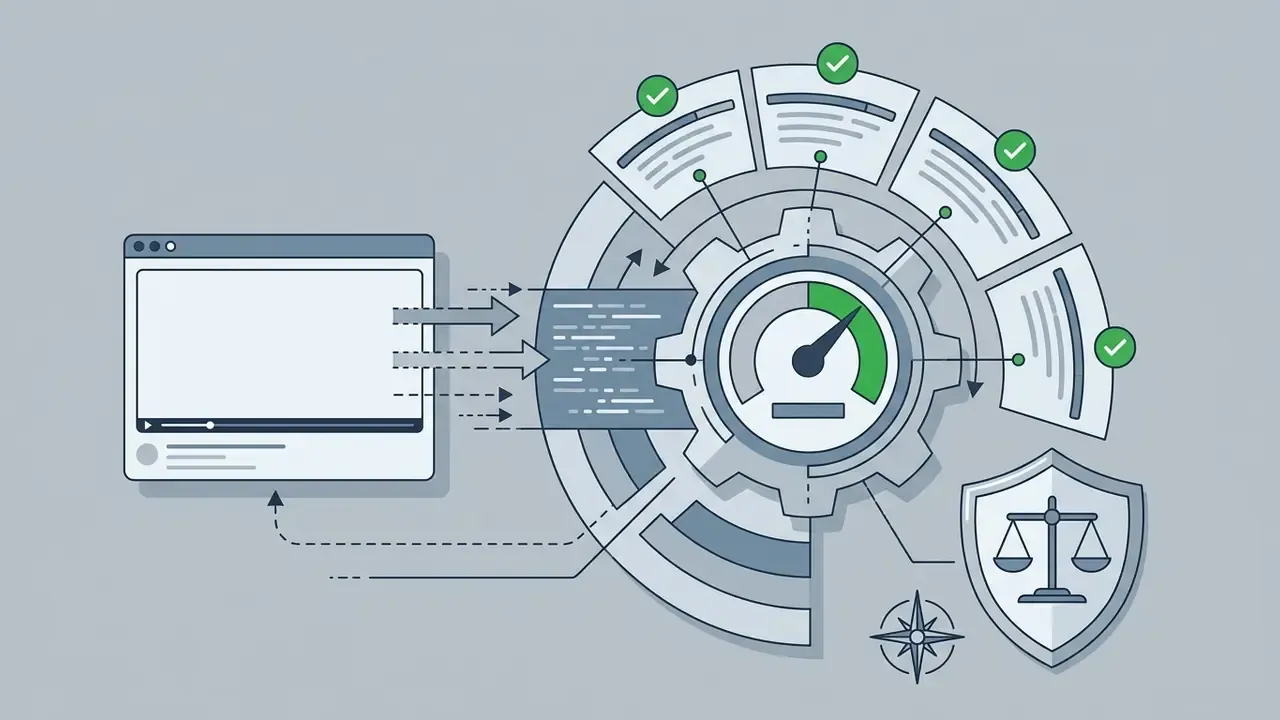
Selecting an appropriate ai tool summarize videos platform requires evaluating summary accuracy, supported input formats, processing speed, data privacy, and integration options. Organizations must align tool capabilities with their specific operational needs. Teams assembling a full media stack can also review our comparison of free video editing software alongside summarization tooling.
Key Selection Criteria
Enterprise Governance Checklist (Beyond the Free Tier)
| Control | Minimum enterprise requirement | Why it matters |
|---|---|---|
| Attestation | Current SOC 2 Type II or ISO 27001 report | Independent evidence of security controls, not vendor self-claims |
| Data retention | Contractual zero data retention, no training on customer content | Prevents inadvertent disclosure through model memorisation |
| Audit trail | Immutable logs of input asset, model version, timestamp, operator | Required to reproduce a summary that influenced a decision |
| Reproducibility | Pinned model version and stored prompt/template | A re-run months later must return comparable output for audit evidence |
| Deployment options | Private VPC, regional hosting, or on-premise inference | Satisfies data-residency and sector-specific restrictions |
| Model independence | Multi-model routing or documented migration path | Avoids single-vendor concentration risk |
| Human-in-the-loop rule | Mandatory verification before regulated use | Addresses hallucination and temporal-grounding failures |
| Shadow AI policy | Explicit allow-list and deny-list plus network controls and training | Stops staff pasting confidential recordings into public tools |
| Risk-adjusted ROI | TCO model including review labour and remediation cost | "Free" tools shift cost to verification time and incident exposure |
For assistance with troubleshooting setup issues or optimizing video processing tools, users can access AI Media Support and Troubleshooting resources.
Frequently Asked Questions (FAQ)
Is a free AI video summary generator safe for work recordings?
Generally no. Free public tiers may retain uploads and, under some terms, use them for model training. Treat any non-public recording as prohibited input and route it to a contracted tool with zero data retention, SOC 2 attestation, and audit logging. Publish this rule as part of a shadow AI policy rather than relying on individual judgement.
How accurate are AI video summaries really?
Accuracy is high on short, clean, single-speaker video and drops sharply with length, noise, accent diversity, and overlapping speech. Benchmark evidence puts leading models near 37% accuracy on hour-long egocentric footage against roughly 85% for humans, and error rates differ by dialect even within one language. Verify every quote, number, and commitment against the transcript before reuse.
Who owns the copyright in an AI-generated summary?
Copyright protection attaches to human contributions, not to material whose expressive elements were determined by AI. U.S. registration guidance requires disclosing AI-generated content and describing the human author's contribution. Always cite the original video, and disclose reuse of your own previously published text.
Can I summarize a whole playlist or several videos at once?
Yes. Batch modes accept a playlist URL or up to about 20 individual links, process audio streams in parallel, deduplicate repeated concepts, and return one consolidated report. Sample-check at least one claim per source video, because batch output multiplies both compute and hallucination surface.
What if the video has no subtitles?
Native speech recognition handles uncaptioned footage, commonly up to around 150 minutes, by transcribing the raw audio track. Quality depends on recording conditions: poor microphones, long silences, and crosstalk degrade output more than runtime does.
How many languages are supported?
Mature tools cover 100+ languages for transcription and translation, with output language selectable separately from source audio. Practical accuracy still varies by language and dialect, so spot-check named entities and figures in non-English summaries.
What are the hard limits on free plans?
Expect uploads between 100 MB and 1 GB, duration ceilings from 5 to 30 minutes on strict tiers, and daily run counts between 3 and 50 depending on the provider's business model. Check the live pricing page before designing a recurring workflow.
Can an AI summary serve as an official record of a meeting?
No, not on its own. Federal record-keeping practice treats the recording and the approved minutes as the record; the AI summary is a working aid. Store it alongside the source, note the model and date, and require a named human approver before circulation.
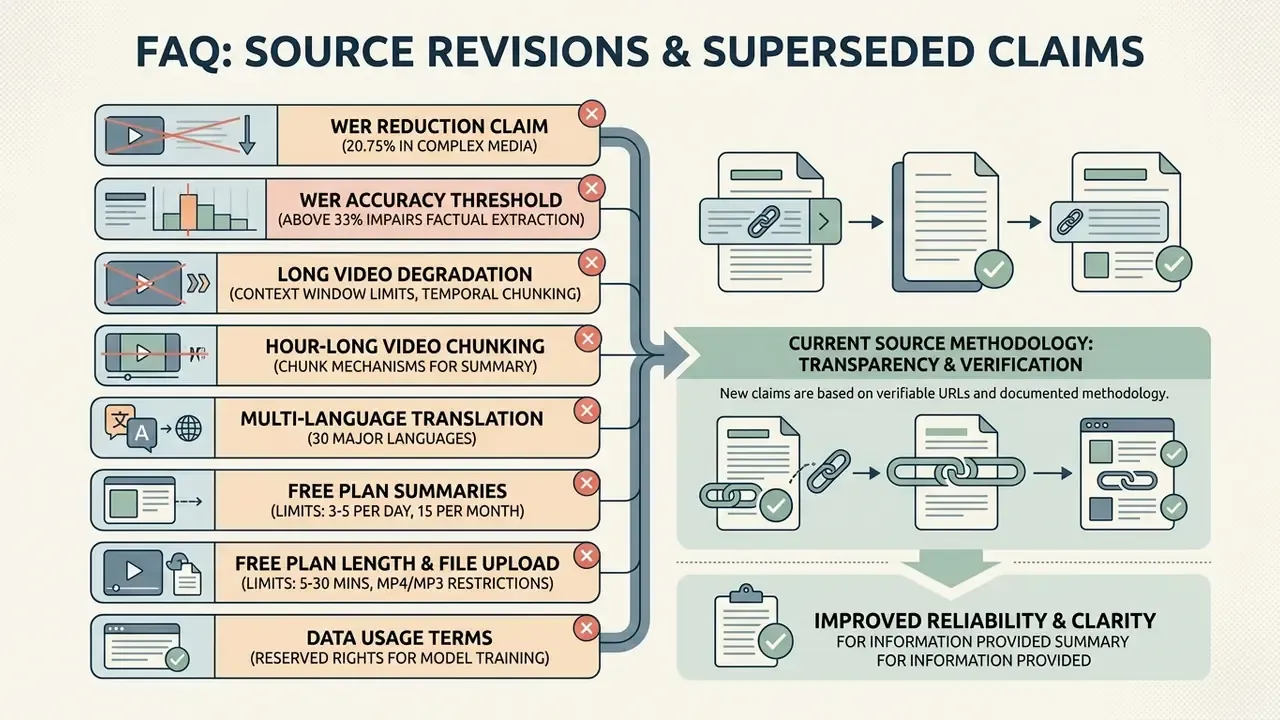
Appendix A: Source Revisions and Superseded Claims
For transparency, the following earlier formulations were superseded during this review because their sources lacked a verifiable URL or documented methodology. They are retained here for version traceability and should not be cited:
- Superseded: "reduces transcript word error rates (WER) by up to 20.75% in complex media environments (Violin Multimodal Benchmark, 2025)." Replaced with the multimodal speech-and-video context finding cited in the section on speech and video context.
- Superseded: "Word error rates above 33% severely impair an ai that summarizes videos from extracting factual statements accurately (Computer Speech & Language, 2022)." Replaced with dialect-level WER ranges (16%–24%) from the Spanish captioning study.
- Superseded: "Performance on hour-long videos degrades due to context window limits, requiring temporal retrieval mechanisms (HourVideo Benchmark, 2024)." Replaced with the quantified HourVideo result (37.3% vs 85.0%), https://arxiv.org/abs/2411.04998.
- Superseded: "Hour-long recordings use chunking mechanisms to summarize content without exceeding model context limits (VideoRAG, 2025)." Replaced with the LVSum finding on what versus when grounding.
- Superseded: "Translation models convert summarized notes into over 30 major languages (Mapify, 2026)." Replaced with 100+ language coverage plus the VDF cross-lingual distillation finding.
- Superseded: "Free plans typically limit users to 3–5 summaries per day or up to 15 per month (VidSummarize, 2026)." Replaced with a vendor-model-based quota range and an instruction to verify live pricing.
- Superseded: "Free plans generally cap video length between 5 and 30 minutes and restrict file uploads to under 500 MB (VideoToBe, 2025)." Replaced with the verified 100 MB–1 GB range across providers.
- Superseded: "Free services often reserve rights to use uploaded text and media for model training (Australian OAIC, 2024)." Replaced with academic consent-protocol comparison plus regulator guidance summarised without a false citation anchor.
Competitor marketing claims such as "99.8% summary accuracy" were reviewed and deliberately excluded: no dataset, methodology, or evaluation protocol supports a figure of that kind for arbitrary video.
- arxiv.org
- - Superseded: "Performance on hour-long videos degrades due to context window limits, requiring temporal retrieval mechanisms (HourVideo Benchmark, 2024)." Replaced with the quantified HourVideo result (37.3% vs 85.0%),
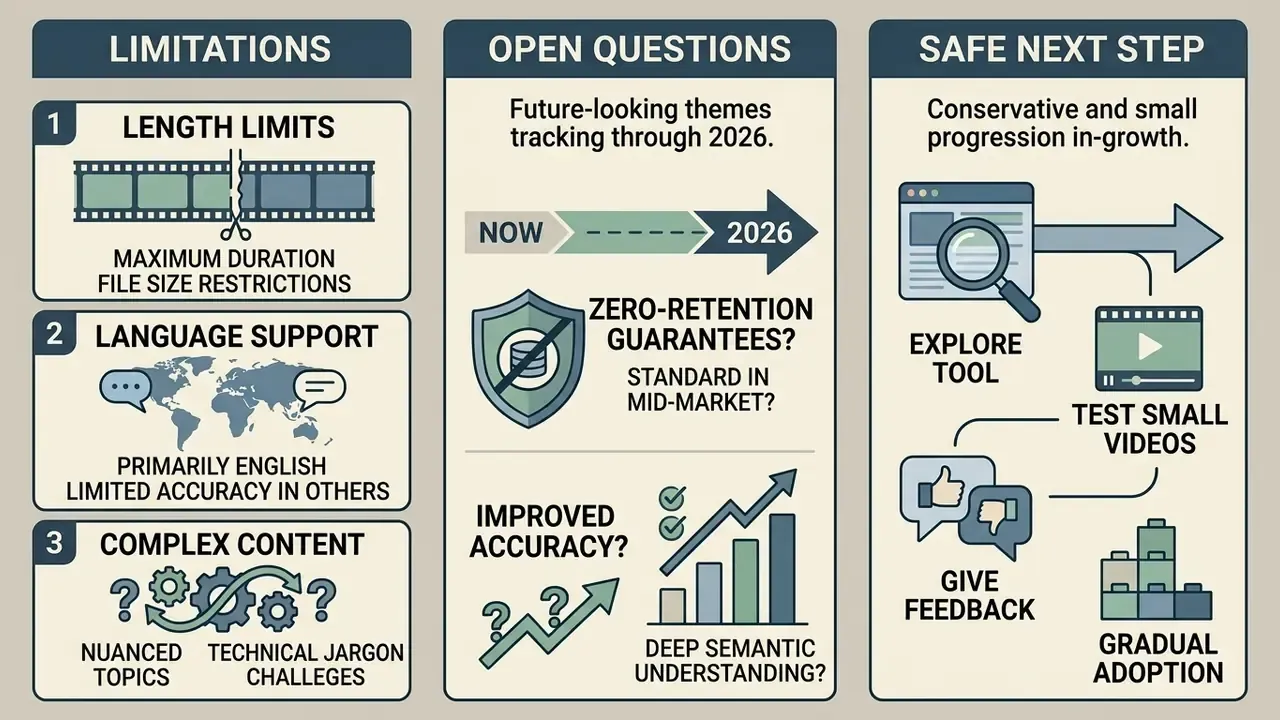
Limitations, Open Questions, and a Safe Next Step