Executive Summary
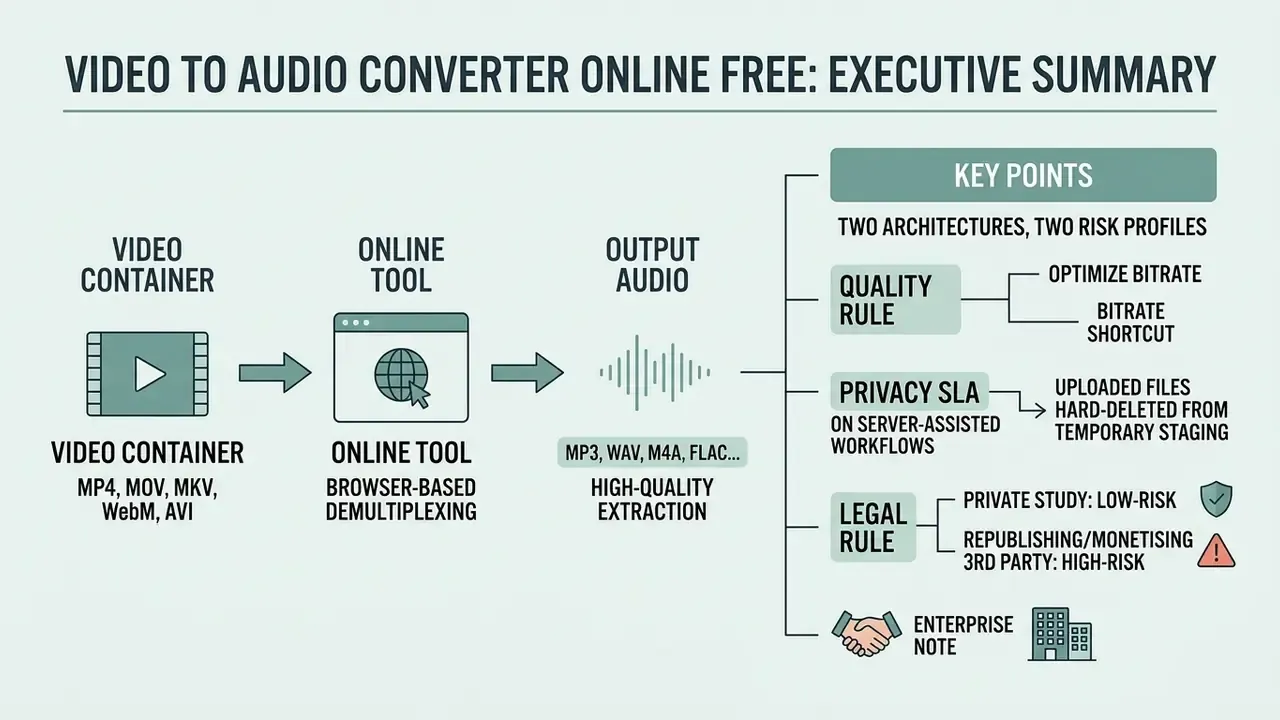
- What it is. A video to audio converter online free is a browser-based tool that demultiplexes (demuxes) a video container and writes the audio stream out as MP3, WAV, M4A, FLAC or OGG. No install, no account, no watermark.
- Two architectures, two risk profiles. Client-side converters run FFmpeg compiled to WebAssembly (
ffmpeg.wasm) entirely in browser memory. Server-assisted converters upload your media to a backend running native FFmpeg: broader format coverage, faster on large files, but your file leaves the device. - Quality rule. Conversion can never exceed the source. A stream copy (
-vn -c:a copy) is bit-exact and lossless; any lossy-to-lossy re-encode adds generation loss. - Bitrate shortcut. 128 kbps for speech (~1 MB/min), 192 kbps as a general default (~1.5 MB/min), 320 kbps for archival listening (~2.5 MB/min).
- Privacy SLA. On server-assisted workflows, uploaded files should be hard-deleted from temporary staging within 60 minutes of processing.
- Legal rule. Extracting audio for private study is low-risk; republishing or monetising third-party audio requires a licence or a defensible fair-use position under 17 U.S.C. §107.
- Enterprise note. Free browser tools are not a substitute for an audited media API with SOC 2 scope, SLAs and audit logs. The comparison table further down sets the two models side by side.
How to Read This Guide
Short version first, then the mechanics. If you only need a file converted, the three-step walkthrough further down is enough: upload, pick a format, download. If you are the person who has to sign off on where corporate media gets processed, start with the privacy section instead, because the architecture question comes before the button-clicking question.
One practical framing that helps buyers: treat a free converter as an unmanaged tool, not a vendor. There is no contract, no retention proof, no support queue. That is fine for a lecture recording. It is not fine for a call recording with a customer name in it. Keep that split in mind while reading.
What Is a Video to Audio Converter Online Free?
A video to audio converter online free is a web-based application that isolates the audio track from a video container and saves it as a standalone sound file, directly inside your browser. It lets you convert video to audio online free without installing local software or creating an account. Some tools market the same function as an audio extractor; the underlying operation is identical.
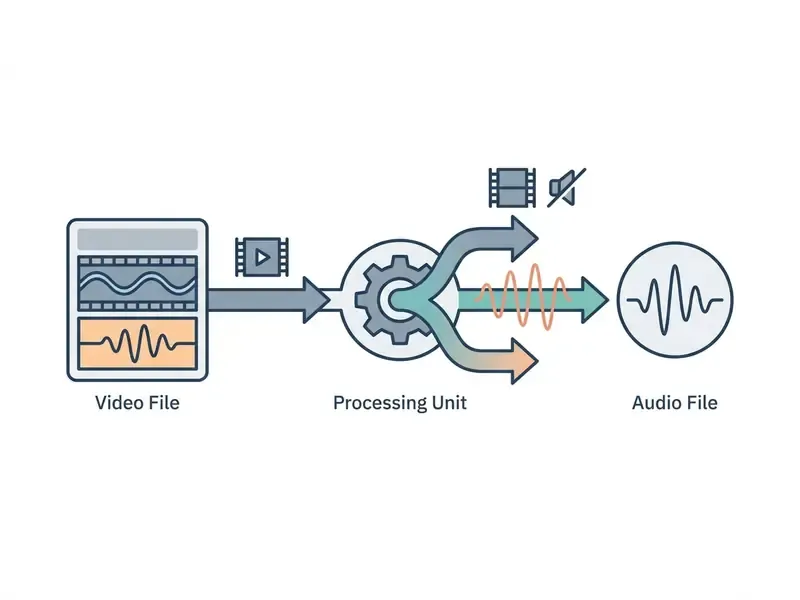
Modern browser-based converters lean on WebAssembly and FFmpeg compiled to client-side code (ffmpeg.wasm) to parse media containers locally. ffmpeg.wasm is a pure WebAssembly/JavaScript port of FFmpeg: it loads a browser-side core (ffmpeg-core.js, ffmpeg-core.wasm, worker JS) and processes media in client memory rather than on a remote server. That architecture is what lets an audio file maker from video or audio maker from video tool handle MP4, MOV, MKV or WebM files without an upload.
Server-side converters take the opposite route. They send the media file to native cloud backends, which buys broader format coverage, native execution speed, and no initial WebAssembly core download. Neither is universally better. You can explore technical integration patterns in our AI Media API Guides or benchmark tools in our AI Media Comparison hub.
Extract an Audio Track from a Video File
Extracting an audio track means demultiplexing a video file to separate encoded audio packets from video frames. FFmpeg documentation defines demuxers as readers that extract elementary streams and forward encoded packets, while remuxing copies data "without transcoding", the lossless path where only container handling changes (FFmpeg Documentation, 2026. https://ffmpeg.org/ffmpeg.html).
When you use a direct free online video to audio converter, the tool applies stream copy logic (-vn -c:a copy, or explicit stream selection with -map 0:a) to drop the video stream while preserving the exact audio bitstream. The process creates a new audio file almost instantly and never touches the original video file on your drive. One caveat: a stream copy only works when the destination container supports the source codec. Otherwise the audio has to be re-encoded into a compatible format.
Quality benchmarking of that pipeline is itself standardised:
"IEEE 1857-2023 defines subjective methodologies and objective quality metrics for traditional and AI-based audio and video compression standards and implementations."
Re-encoding vs demuxing in one line: demuxing copies the existing audio stream (bit-exact, instant, zero loss); re-encoding decodes and re-compresses it into a new codec, which always costs something when the target is lossy.
File Privacy, Security and Free-Tier Reality
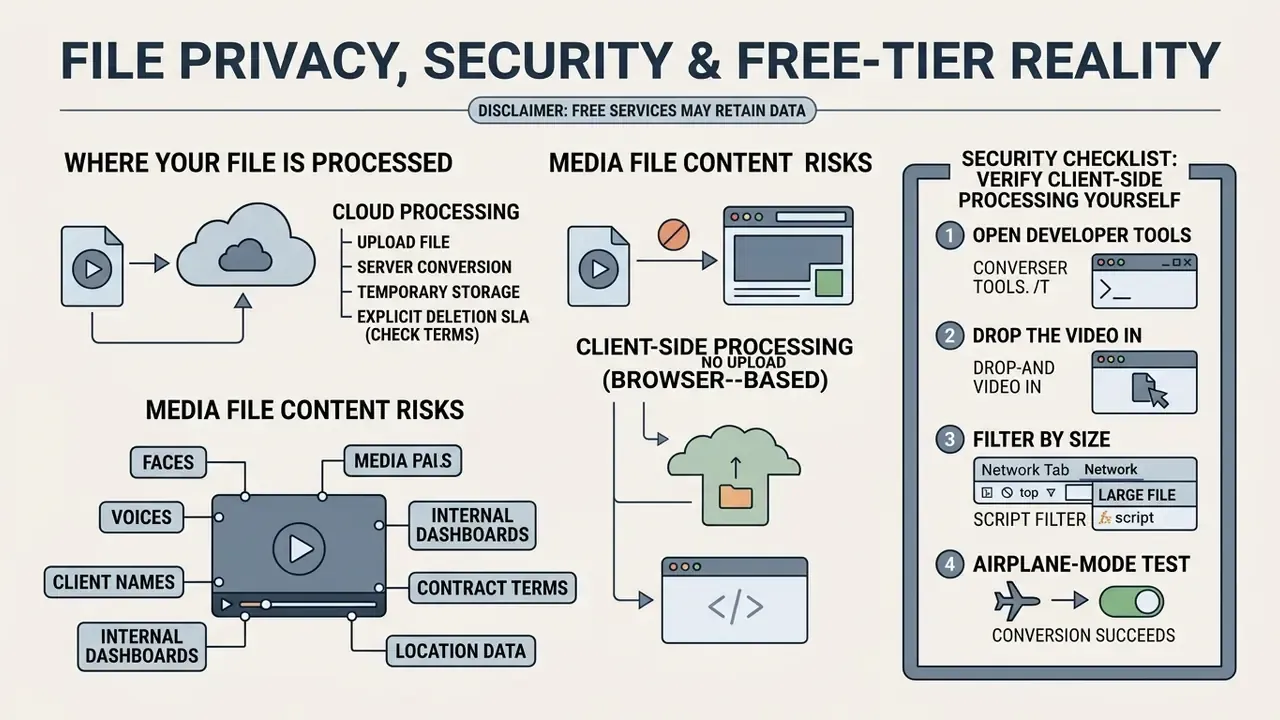
A media file can contain faces, voices, client names, internal dashboards or contract terms. So the security question belongs before the how-to steps, not after them.
Where Your File Is Actually Processed
File privacy during online conversion depends on one thing: whether processing happens locally in your browser or on remote servers. Browser-based tools process media in local memory, so the data stays on your device. Server-based services should enforce encrypted TLS transmission and automatic deletion schedules.
Explicit deletion SLA. For server-assisted workflows, files uploaded to temporary staging clusters should be hard-deleted from temporary memory exactly 60 minutes (one hour) after processing, so unencrypted media is never retained, re-served or indexed by search engines. Public converters that publish this commitment state it plainly. Ezgif, for example, documents that all uploaded files are deleted from its servers one hour after upload. Services that publish only vague wording such as "a few hours" leave a longer, unverifiable exposure window.
Research on trusted browser runtimes suggests this is measurable architecture rather than marketing language:
"A trusted WebAssembly runtime with Intel SGX provides memory isolation and attestation, enabling secure processing of uploaded media files in protected environments."
Security Checklist: Verify Client-Side Processing Yourself
You do not have to trust the claim. You can check it in about 90 seconds.
- Open developer tools(F12) and select the Network tab before loading any file.
- Drop the video inand start the conversion. Watch for outbound POST/PUT requests carrying multi-megabyte payloads. A genuine client-side tool shows only the WebAssembly core download (
ffmpeg-core.wasm), not your media. - Filter by size.Sort requests by payload size. If a request approximates your file size, the media left the device.
- Airplane-mode test.Load the page, disconnect the network, then convert. A true
ffmpeg.wasmtool finishes offline; a server tool fails. - Check retention language.Look for a numeric deletion window (60 minutes) rather than "as long as necessary".
- Classify the file first.If the media holds PII, customer identity data or confidential workplace material, route it to an approved internal pipeline instead of any public tool.
Federal guidance backs that ordering. NIST SP 800-63A-4 requires services that record video to notify the user before recording, obtain consent, and publish retention and deletion processes for all video records. NIST SP 800-53 Rev. 5 requires organisation-defined retention periods for video recordings and dual authorisation for deletion of defined backup information. NIST SP 800-111 specifies that storage media must be sanitised or destroyed. NIST SP 800-122 remains the baseline guide for PII confidentiality, and faces, voices, names and on-screen personal data in an uploaded video sit squarely inside it. NIST CSF 2.0 (2024) additionally defines data-at-rest confidentiality as a protected outcome.
Is a Free Online Video to Audio Converter Really Free?
Most free online video to audio converter tools run on freemium models. Core extraction is free; limits sit on daily conversions, processing speed, or maximum upload size. The same pattern governs free AI video generators and comparable browser-based format converters.
Published tiers make the shape of those limits concrete. CloudConvert's free tier allows 10 conversions per day, files up to 1 GB, low queue priority and a five-minute conversion ceiling. Token-based services cap uploads around 200 MB and price extraction per second of media. Some text-to-speech and media services restrict the free tier to personal, non-commercial use, selling commercial rights separately. Worth reading the fine print before a client project, not after.
Free Conversion and No Watermark
A completely free online audio conversion produces clean files with no watermark baked into the sound stream. Open-source browser converters running client-side WebAssembly deliver watermark-free MP3 output without paid upgrades or subscriptions. Vendor pages routinely advertise "100% free, no hidden fees, no watermarks". Treat that as marketing copy rather than a standard, and confirm it against the published terms, quota page and retention policy. For service questions, visit our AI Media Support and Troubleshooting portal, or check licensing boundaries in the AI Media Commercial-Use Hub.
Why Convert Video to Audio?
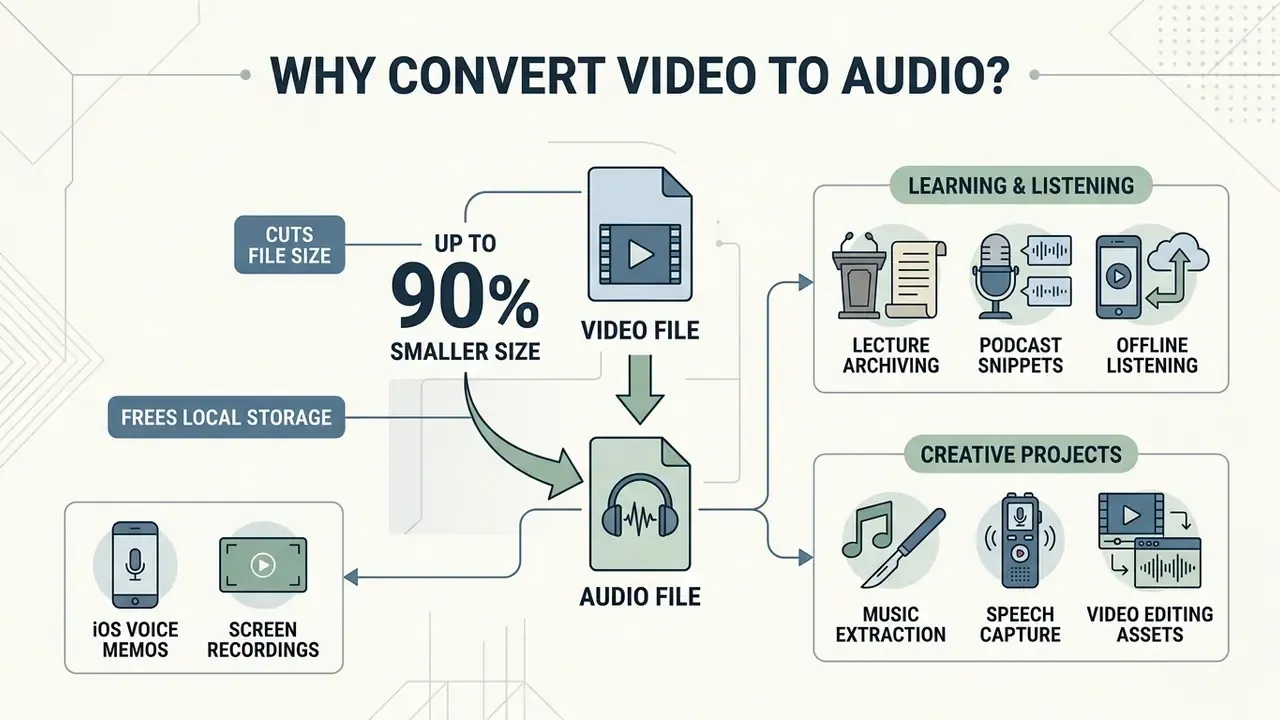
Converting video to audio cuts file size by up to 90%, frees local storage, and makes offline listening on mobile straightforward. Isolating the sound track also simplifies transcription, podcast production, and secondary audio editing for creative projects. Mobile-learning research supports the ergonomic argument too: on small screens, listening proved more workable than watching, because audio fits commutes, transitions and multitasking.
If you need to shrink the footage itself rather than only its soundtrack, our guide to the video compressor category compares reduction ratios, format support and quality trade-offs. To model workflow costs and bandwidth savings across formats, review our AI Media Calculators and subscription details in AI Media Pricing.
"Seven of 21 studies reported improved patient knowledge retention, comprehension, or engagement following exposure to well-structured podcasts, while five emphasised accessibility and learner autonomy."
Audio formats buy asynchronous flexibility. You can listen while commuting, exercising, or half-watching a build finish.
Audio Files for Learning, Listening and Creative Projects
Extracting audio from recorded lectures, webinars and music video clips lets users build personal educational archives and mobile playlists. Extracted voice tracks can be transcribed into study notes or reused as narration assets. If you then need synthetic narration in the same register, our guide to the AI voice generator category covers voice quality, language coverage and commercial licensing.
"Increasing visual support enhanced learning for audio-and-picture information but had no benefit for audio-only content; students recalled the same amount from audio-only segments regardless of visual load."
When working with generation tools such as a google ai podcast generator, or building visuals with a google ai video generator, isolated high-quality audio tracks make every downstream step cheaper.
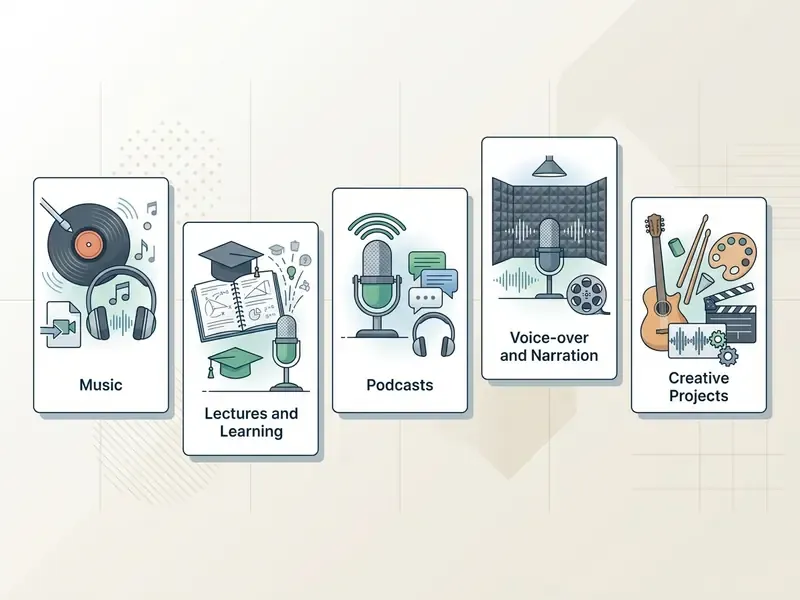
- Music track extraction turn music video clips into high-bitrate MP3 or WAV files for personal offline listening.
- Lecture and webinar archiving pull speech tracks from 90-minute recordings and review them at 1.25x to 1.5x playback.
- Podcast snippet production isolate interview and panel audio from full video recordings, then publish standalone MP3 or M4A episodes.
- Voice-over and speech capture save voice tracks from footage for transcription or translation workflows.
- Video editing asset management separate background music or sound effects from clips before editing or remixing. Editors who work mainly inside platform suites, whether that is a google video editor workflow, a gopro video editor action-cam pipeline, or a google photo editor sequence for stills, still need a clean standalone audio file to drop into the timeline.
- iOS voice memos and mobile screen recordings convert iPhone
.m4avoice memos or screen recordings into standardized 192 kbps MP3 for desktop DAW editing or publishing to Spotify and Apple Podcasts. Voice memos default to M4A, which several podcast hosts and legacy editors refuse to ingest directly. An M4A to MP3 converter removes that blocker in one step. - Presentation and training decks narration extracted from a recorded session can be re-attached to slides built with a google slides ai generator, which keeps voice and visuals versioned separately.
Creative reuse carries a documented caveat worth knowing before you lift a soundtrack out of a clip:
"Sound effects added to videos are designed to convey particular artistic effects and may differ greatly from a scene's true sound."
Downstream AI Workflows for Extracted Audio
Once the track exists as MP3 or WAV, you can feed it into specialised tooling:
How to Convert Video to MP3 Online
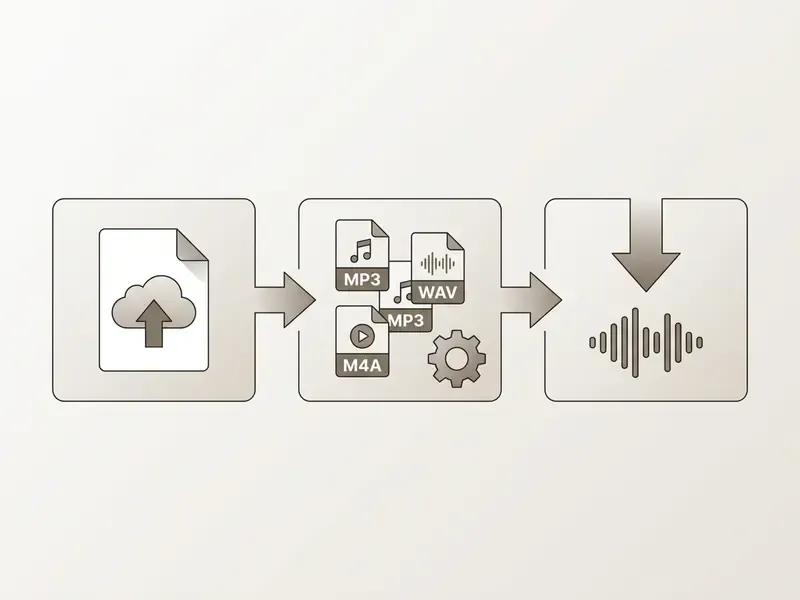
To convert video to mp3 online free, upload your video file to a browser-based converter, choose MP3 as the output format, and run the conversion. No desktop installation, and it works across Windows, macOS, Linux, iOS and Android. That is the whole answer to how to convert video to mp3 online, stripped of ceremony.
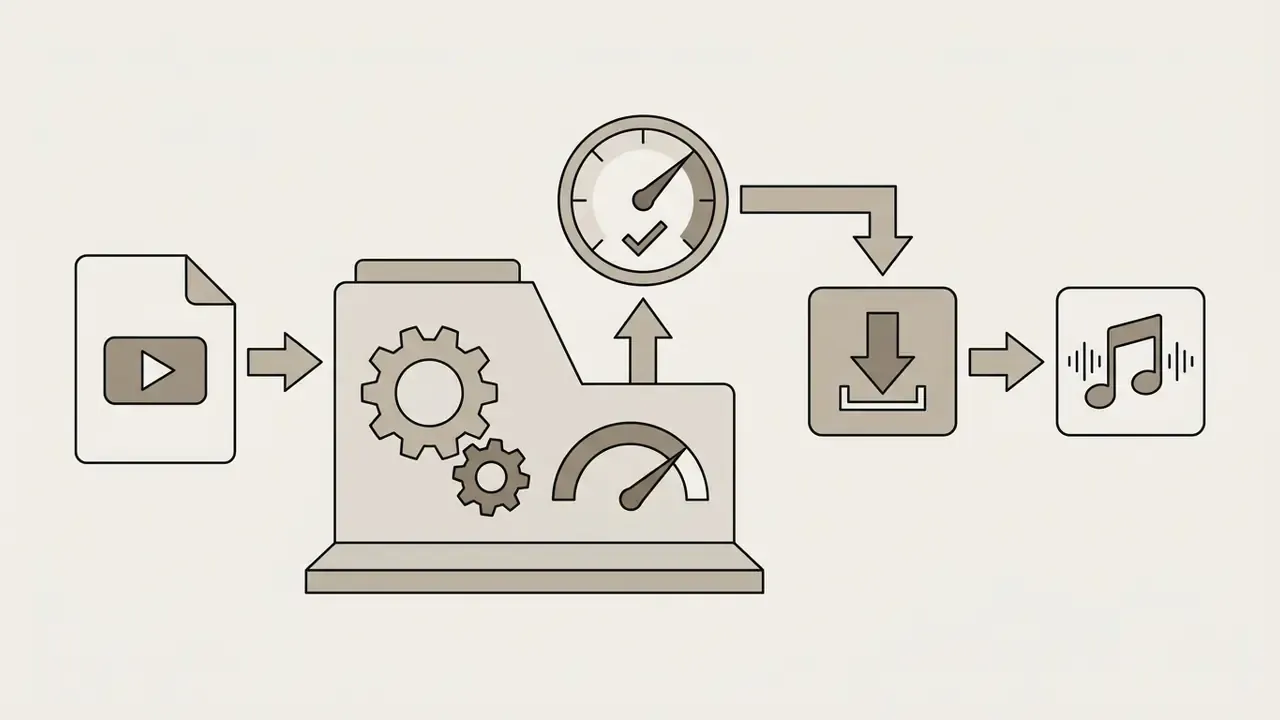
Upload Your Video File
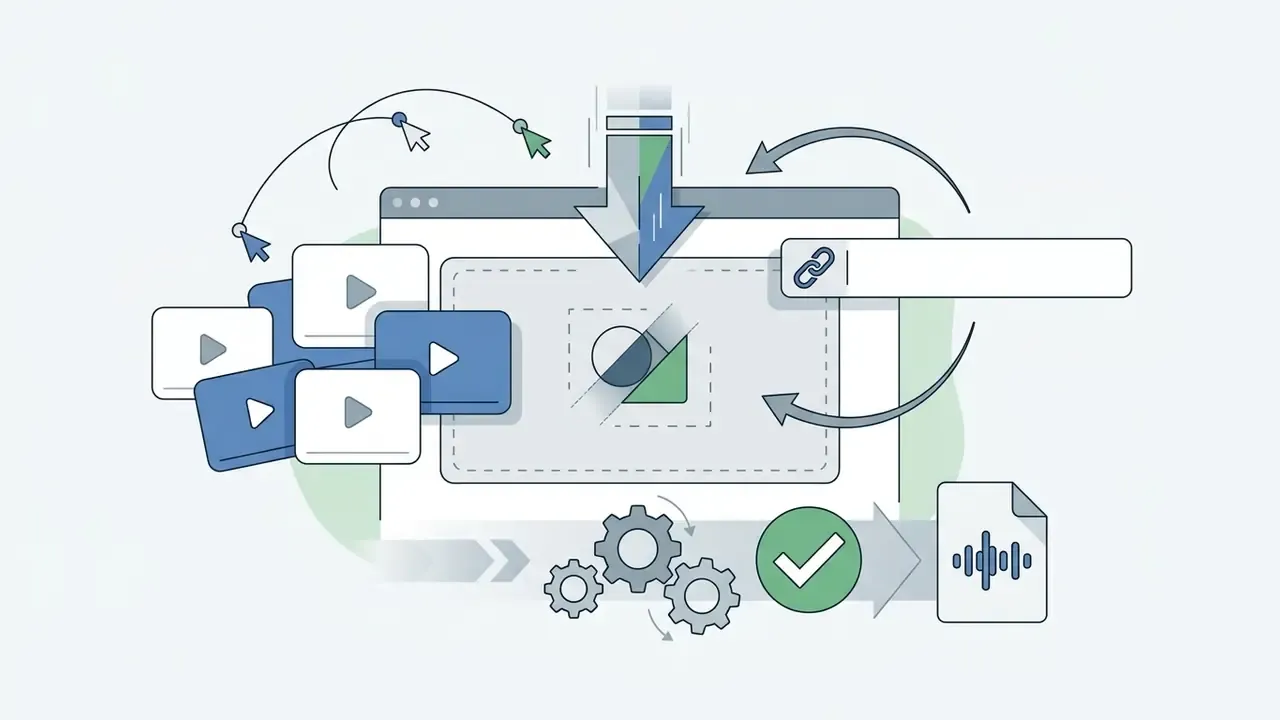
Uploading means picking a media file from local storage or a connected cloud account. Modern web converters use HTML5 file APIs and drag-and-drop zones to receive it. Large files often rely on chunked or resumable uploads so the transfer survives a flaky connection. Cloud media platforms typically switch to chunked transfer above roughly 100 MB, and enterprise pipelines commonly issue a signed upload URL so the browser writes straight to object storage before notifying the backend.
Extract Audio via Video URL or Web Link
Local upload is not the only path. Many tools accept HTTP/HTTPS links pointing to raw video containers (.mp4, .webm, .mov). The service fetches the remote file server-side, demuxes the audio, and returns the MP3. Handy when the media already sits in a cloud bucket or on a CDN, since nothing has to land on your device first. Cloud video platforms implement the same pattern: accept a link to a stored file, fetch it on the user's behalf.
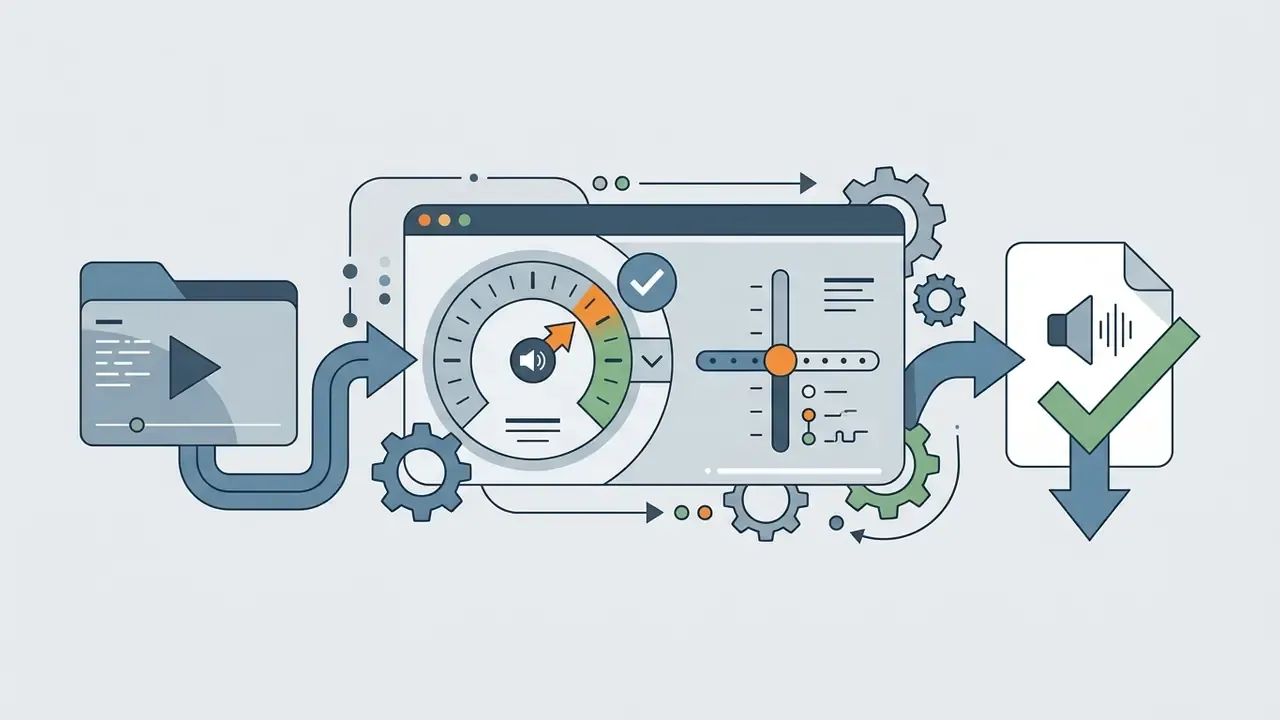
Choose an Audio Output Format
The output format decides how the audio is compressed and stored. MP3 gives broad compatibility and compact files. WAV preserves uncompressed PCM. FLAC, standardised in IETF RFC 9639 (2024), is the pick when you need bit-perfect lossless archiving rather than light distribution weight.
Match the format to the playback target. The Android 12 Compatibility Definition requires microphone-capable devices to support PCM/WAVE, FLAC and Opus. Windows documents codec availability per device family. Sony's consumer support pages list both MP3 and WAV among supported formats for Walkman and car audio units. For general web distribution, NASA STD 2821 v2.0 specifies MP3 at 64 to 320 kbps, 44 kHz stereo for streaming, podcasts and downloads, plus AAC-LC at 128 to 160 kbps, 48 kHz stereo for file-based audio.
Convert and Download the Audio File
With parameters set, the converter video to mp3 online tool processes the audio stream and returns a download link. Click it and the file lands in your downloads folder. HTML5 download attributes make the browser save the media file, with the original or a specified filename, instead of launching inline playback (W3Schools, HTML a download Attribute, 2026. https://www.w3schools.com/tags/att_a_download.asp).
That is the full loop for anyone searching convert video into mp3 online or free online convert video to mp3: three clicks, one file, no account.
Troubleshooting: When Browser Conversion Fails
Client-side conversion is memory-bound, so big containers are the usual failure point. Fixes, in order of effort:
| Symptom | Likely cause | Fix |
|---|---|---|
| Tab crashes or "Out of memory" on a 1 to 2 GB MKV/MOV | ffmpeg.wasm keeps input and output in browser memory; 32-bit WASM heaps are capped | Close other tabs, retry on desktop Chrome, or move that file to a server-assisted converter |
| Conversion stalls at 99% | Very long duration, single-threaded WASM build | Split the source in half, convert separately, then join the audio |
| "Unsupported codec" error | Legacy codec (VC-1, DivX), or the destination container cannot hold the copied stream | Re-encode instead of stream-copying, or target WAV/MP3 |
| Output is silent | Multi-track MKV where track 1 is commentary or empty | Select the audio track explicitly (-map 0:a:1) or use a tool that exposes track choice |
| Upload rejected before processing | Free-tier size cap, commonly 100 MB to 1 GB | Trim the clip, or compress the source video first |
| Mobile Safari fails where Chrome succeeds | Divergent HTML5 media and container support between iOS WebKit and Chromium/Firefox mobile | Convert on desktop, or use a server-side tool for iOS |
Supported Video Formats and Audio Output Formats
A reliable video to audio converter online free handles standard input containers (MP4, MOV, MKV, WebM, AVI, WMV, FLV, 3GP, M4A) and writes standard output audio formats such as MP3, WAV, M4A, FLAC and OGG.
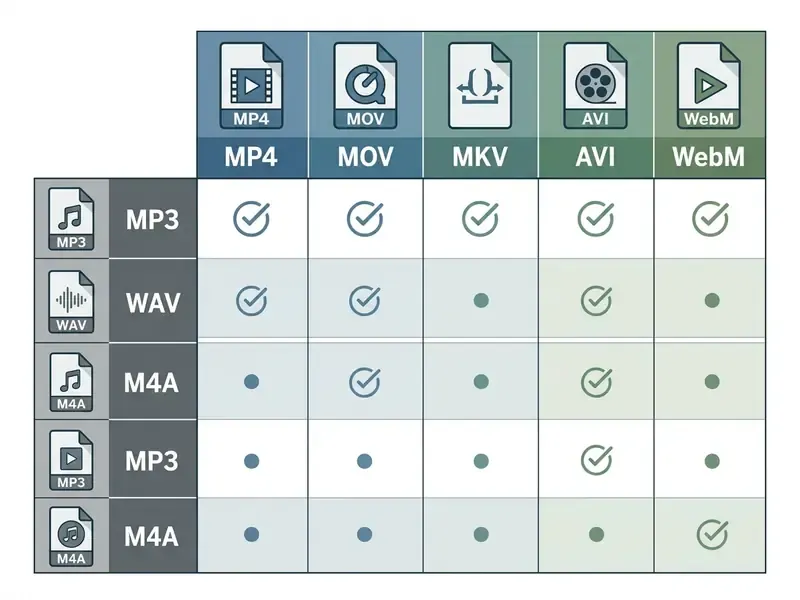
| Input container | Extension | Native video codecs | Primary extracted formats | Key conversion profile |
|---|---|---|---|---|
| MP4 | .mp4 | H.264, H.265, AV1 | MP3, WAV, AAC | Universal web standard; allows zero-re-encoding stream copy of AAC audio. |
| MOV | .mov | ProRes, H.264 | MP3, WAV | QuickTime native; highest source quality for WAV extraction. |
| MKV | .mkv | VP9, H.264, AV1 | MP3, WAV, FLAC | Open container (IETF RFC 9559) holding multi-track and lossless audio streams. |
| WebM | .webm | VP8, VP9, AV1 | MP3, OGG, WAV | HTML5 web video format; extracts compressed Opus or Vorbis audio. |
| AVI / WMV | .avi, .wmv | DivX, XviD, VC-1 | MP3, WAV | Legacy Windows formats; usually requires transcoding to an MP3 stream. |
| FLV / 3GP | .flv, .3gp | Sorenson, H.263, H.264 | MP3, WAV | Legacy web and mobile capture containers; low source bitrate caps output quality. |
| M4A / voice memo | .m4a | AAC, ALAC | MP3, WAV | Default iOS recording container; converts cleanly for podcasting and DAW editing. |
MP4 is a media container (RFC 4337 specifies video/mp4 for visual content and permits audio/mp4 when there is no visual presentation). MOV is the QuickTime container, identified by W3C as video/quicktime. MKV is Matroska, standardised in RFC 9559 (2024). On the output side, W3C lists .mp3 under audio/mpeg and names audio/wave as the standard and preferred MIME type for WAV.
Convert MP4, MOV, MKV, WebM and AVI Video Files
Online tools read mp4 mov and mov mkv media by parsing the container index and pulling out the embedded audio streams. MP4 and MOV usually carry a single AAC track, so the audio data can be copied out untouched while only the wrapper changes. MKV behaves differently by design. Matroska supports many tracks and codec types, so the same .mkv extension can hide one stereo AAC track or five FLAC, Opus and commentary tracks. Extraction behaviour follows the file, not the extension. Legacy AVI and WMV files frequently need a genuine transcode instead of a stream copy.
Whether you are assembling a rough cut, cleaning interview footage, or comparing tools in our roundup of free video editing software, standardising on MP3 or WAV keeps playback predictable and ingest boring. Boring is good here.
Choose Between MP3 and WAV Audio Files
Choosing between mp3 wav output is a trade between fidelity and storage. MP3 uses lossy compression for compact files, roughly 1 MB per minute at 128 kbps and about 2.4 MB per minute at 320 kbps, which suits streaming and mobile storage. WAV stores uncompressed linear PCM at roughly 10 MB per minute at CD quality, which suits professional editing, mastering and archival. Consumer hardware supports both widely, so the real question is simpler: is this file a deliverable, or a master?
How to Keep High Audio Quality When You Extract Audio
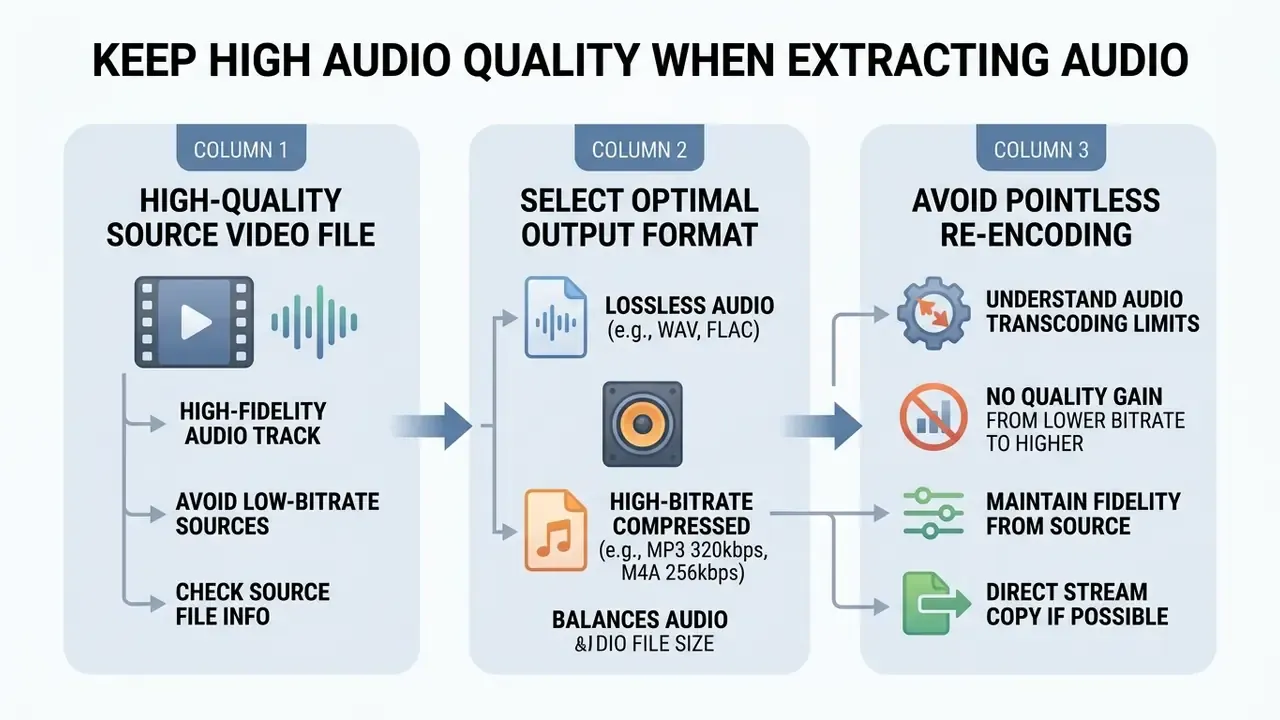
Holding high quality sound when you extract audio comes down to a high-fidelity source and avoiding pointless re-encoding. Sensible bitrate settings and uncompressed output formats prevent generation loss.
Three factors decide the outcome: whether the stream is copied or re-encoded, the parameters of the source track, and whether the destination container can hold the source codec. A stream copy with -c:a copy is bit-exact. A lossy-to-lossy re-encode always adds generation loss, however small.
Start with a High-Quality Source Video File
Extracted fidelity is strictly capped by the original audio track in the source video. Pulling audio from a low-bitrate or noisy source cannot restore missing frequency detail, and asking for an output bitrate above the source bitrate only adds weight without information.
Source parameters set the ceiling. ISO/IEC 14496-3 maps higher bitrates to higher-quality coding modes. MPEG-1 audio defines 32, 44.1 and 48 kHz sampling, with Layer II high-quality coding at 192 to 256 kbit/s and 384 kbit/s for professional use. A higher sample rate simply captures finer time detail before reconstruction. Where you control capture, record at 44.1 kHz and at least 256 kbit/s. That gives the cleanest baseline for everything downstream.
Select the Right Format for Audio Quality and File Size
To balance audio quality against file size, use the bitrate matrix below before converting:
| Bitrate | Audio quality | Recommended use case | Estimated size per minute |
|---|---|---|---|
| 128 kbps | Acceptable, compressed | Voice recordings, lectures, podcasts, voice memos | ~1.0 MB/min |
| 192 kbps | Good, standard default | General music playback, mixed dialogue and background sound | ~1.5 MB/min |
| 256 kbps | High quality | Complex acoustic music, multi-track audio projects | ~2.0 MB/min |
| 320 kbps | Maximum lossy quality | Audiophile listening, master audio archiving | ~2.5 MB/min |
Codec specifications reinforce those brackets. IETF RFC 6716, which defines Opus, documents bitrate sweet spots of 16 to 20 kbit/s for wideband speech, 48 to 64 kbit/s for full-band mono music and 64 to 128 kbit/s for full-band stereo music, across a 6 to 510 kbit/s operating range (IETF RFC 6716, 2012, updated. https://datatracker.ietf.org/doc/html/rfc6716). IETF RFC 7587 adds that variable bitrate reaches higher audio quality than constant bitrate at the same average bitrate, and that "for the majority of voice transmission applications, VBR is the best choice" (IETF RFC 7587. https://datatracker.ietf.org/doc/html/rfc7587). For lossy encoders generally, 128 to 320 kbps keeps voice and music perceptually clear at reasonable storage cost.
Listening tests suggest the perceptual headroom above roughly 192 kbps is thin:
Fact check: audio transcoding and fidelity limits
Free Web Converter vs Enterprise Media API
A free browser converter and an audited media API answer different questions. For a one-off lecture recording, the browser wins on speed. For regulated pipelines, procurement asks about retention, logs and liability instead.
| Criterion | Free web converter (client-side WASM) | Free web converter (server-assisted) | Enterprise media API or microservice |
|---|---|---|---|
| Where media is processed | Browser memory on your device | Vendor cloud, temporary staging | Your VPC or contracted region |
| Data leaves the device | No | Yes | Yes, under contract |
| Retention policy | None, nothing uploaded | Typically 60 minutes | Contractual, configurable, often zero-retention |
| PII or confidential media | Acceptable with file classification | Not recommended | Designed for it, with a DPA in place |
| Audit trail | None | None or minimal | Full request logs, versioning, retention proof |
| Certifications and assurance | Not applicable | Rarely published | SOC 2 or ISO 27001 scope, penetration test reports |
| Uptime commitment | None | None | Contractual SLA with credits |
| Throughput | One file, memory-bound | Queued, often 10 conversions/day on free tiers | Parallel, horizontally scaled |
| File size ceiling | ~100 MB to 1 GB practical | 200 MB to 2 GB typical | Multi-GB, chunked and resumable |
| Batch and automation | Manual | Sequential queue | Programmatic, event-driven |
| Cost model | Free | Free tier plus paid upgrade | Per-minute or per-GB, forecastable |
| Best fit | Personal media, single files, zero-trust scenarios | Occasional legacy formats | Recurring pipelines, compliance scope, archives |
Two operational notes for buyers. First, parallelism is where throughput actually comes from: research on distributed transcoding showed that splitting a source into 16 segments and processing them in parallel cut a 6.48-hour transcode to roughly 28.5 minutes (Scalable Distributed Architecture for Media Transcoding, LNCS 7439). Second, batch is not the same as parallel. FFmpeg accepts multiple inputs and outputs in one command, but options apply per file, so most consumer convert video to audio online tools simply queue jobs sequentially. Costing and integration patterns for programmatic media work sit in our AI Media API Guides and AI Media Pricing references.
Copyright, Fair Use and Compliance Limits
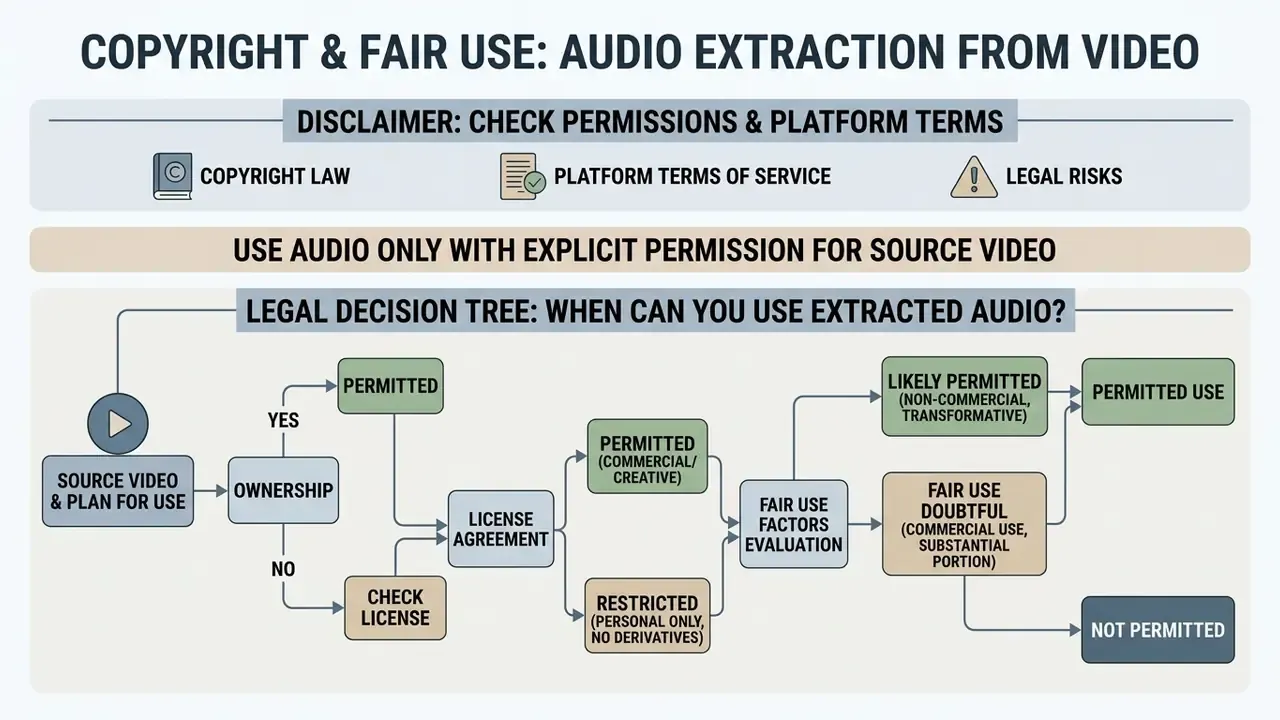
Extracting audio from online video and social media platforms for public reuse or commercial work falls under copyright law and platform terms. Verify licensing rights before you publish derivative work containing someone else's sound recording.
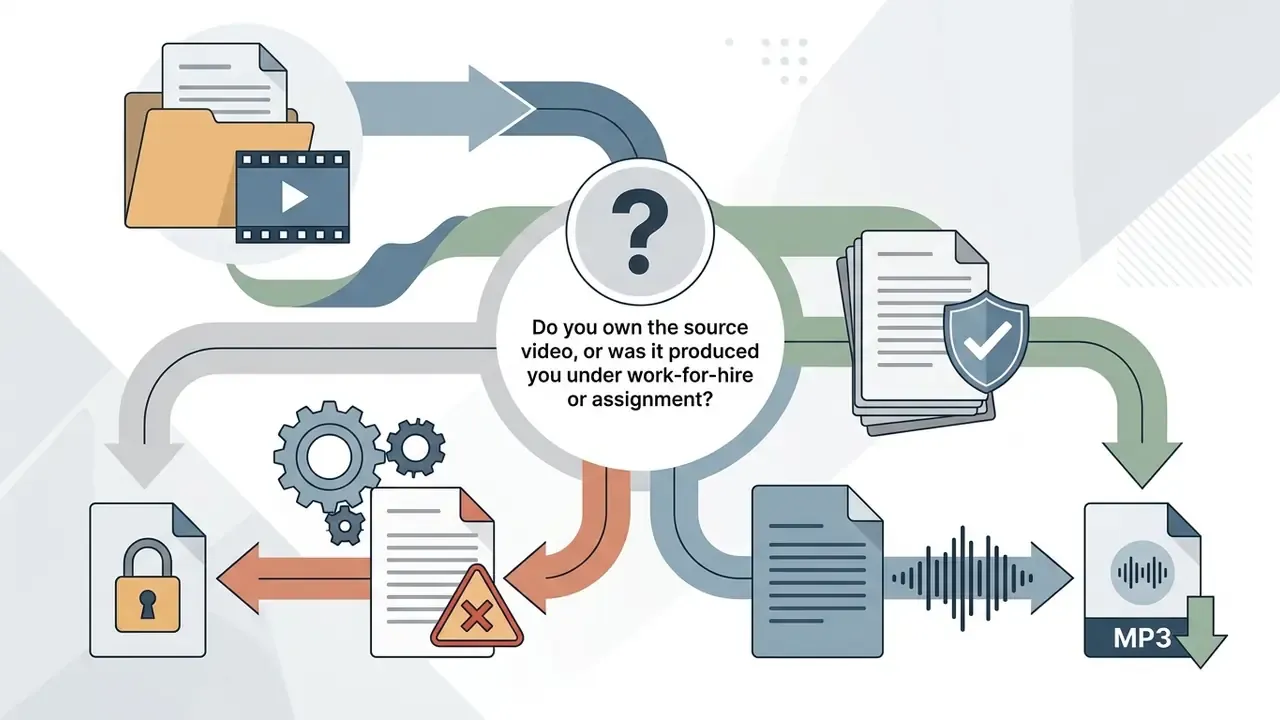
Use Audio Only When You Have Permission for the Source Video
Under 17 U.S.C. §107, using copyrighted audio without permission is restricted unless your use satisfies statutory fair-use criteria or relies on royalty-free licences. The four factors weigh purpose, nature of the work, amount used and market effect. Commercial purpose weighs against fair use; nonprofit educational purpose weighs in favour. The U.S. Copyright Office is explicit that there are no fixed safe quantities: no number of words, musical notes or seconds is automatically fair. So a short clip is not automatically permitted, whatever the internet says.
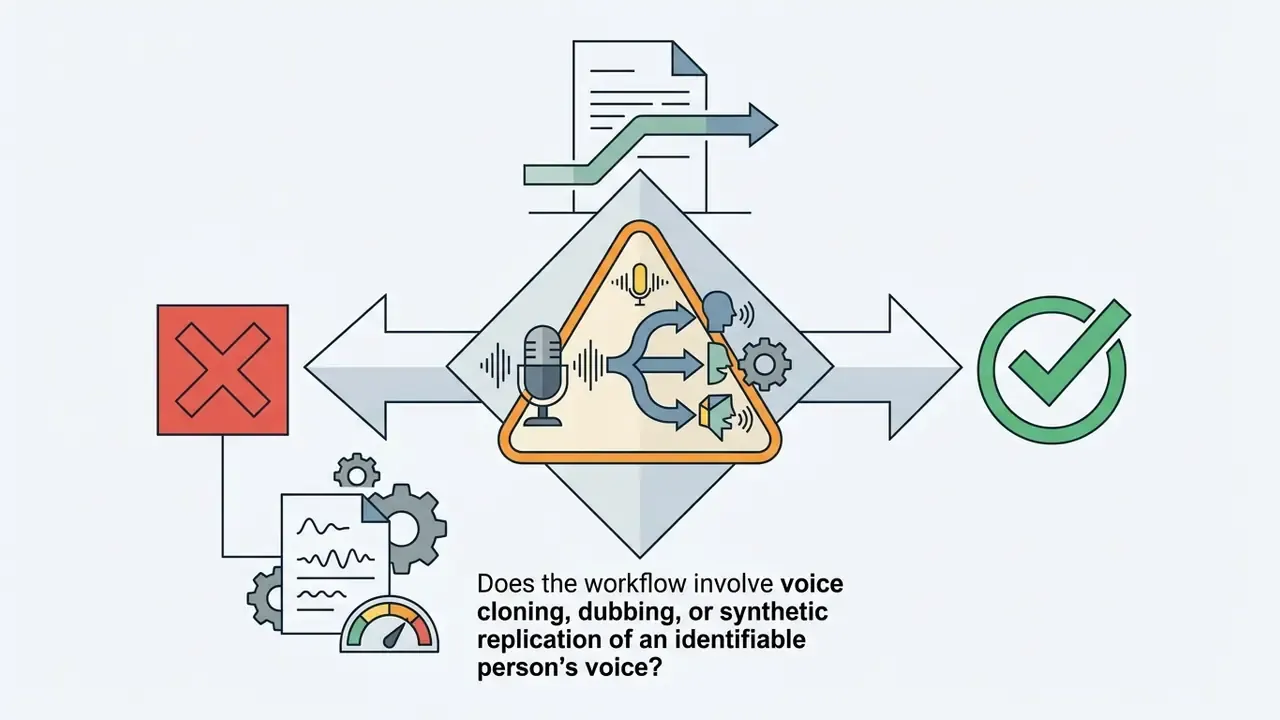
The U.S. Copyright Office 2024 Report on Copyright and Artificial Intelligence flags rising legal scrutiny around unauthorized voice extraction and digital replicas.
"The Office recommends that Congress enact a new federal law to protect all individuals from knowing distribution of unauthorized digital replicas."
Case law tightened the analysis for derivative reuse:
"In Andy Warhol Foundation v. Goldsmith (2023), the Court found that licensing a derivative image was not fair use, emphasizing the original work's commercial licensing market and the absence of sufficient transformation."
Reusing third-party audio for commercial promotion needs direct authorisation from rights holders. Note too that reproduction and derivative-work rights cover sound recordings themselves, so copying an audio track out of a video implicates the recording copyright even when the video is publicly viewable. Institutional guidance adds one more distinction: audio-only use may be covered by a licensed third-party service, while audiovisual performance typically requires a synchronisation licence.
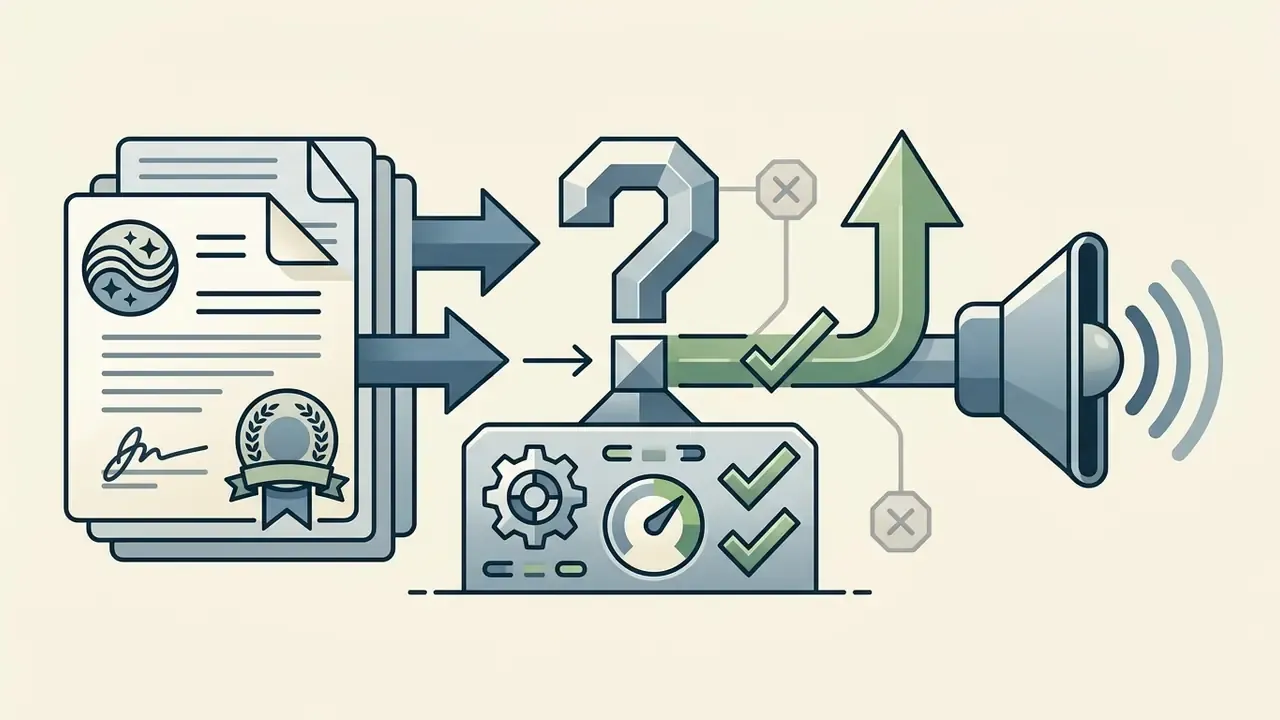
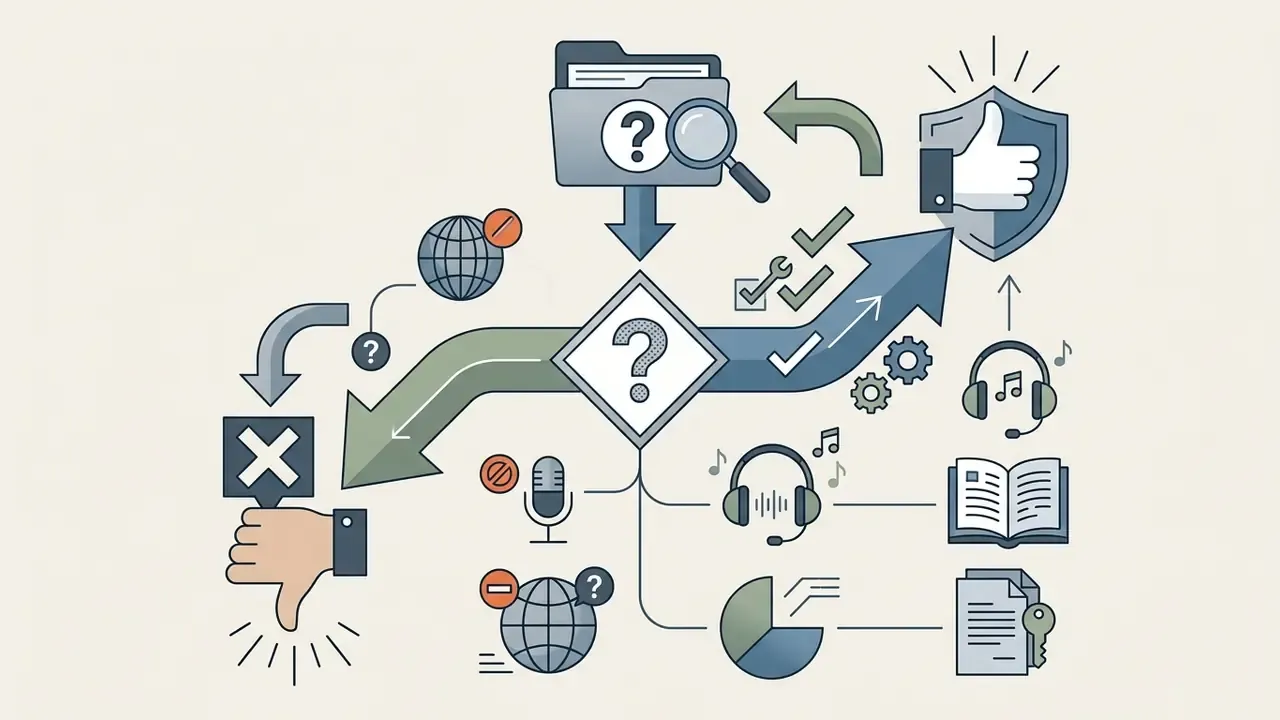
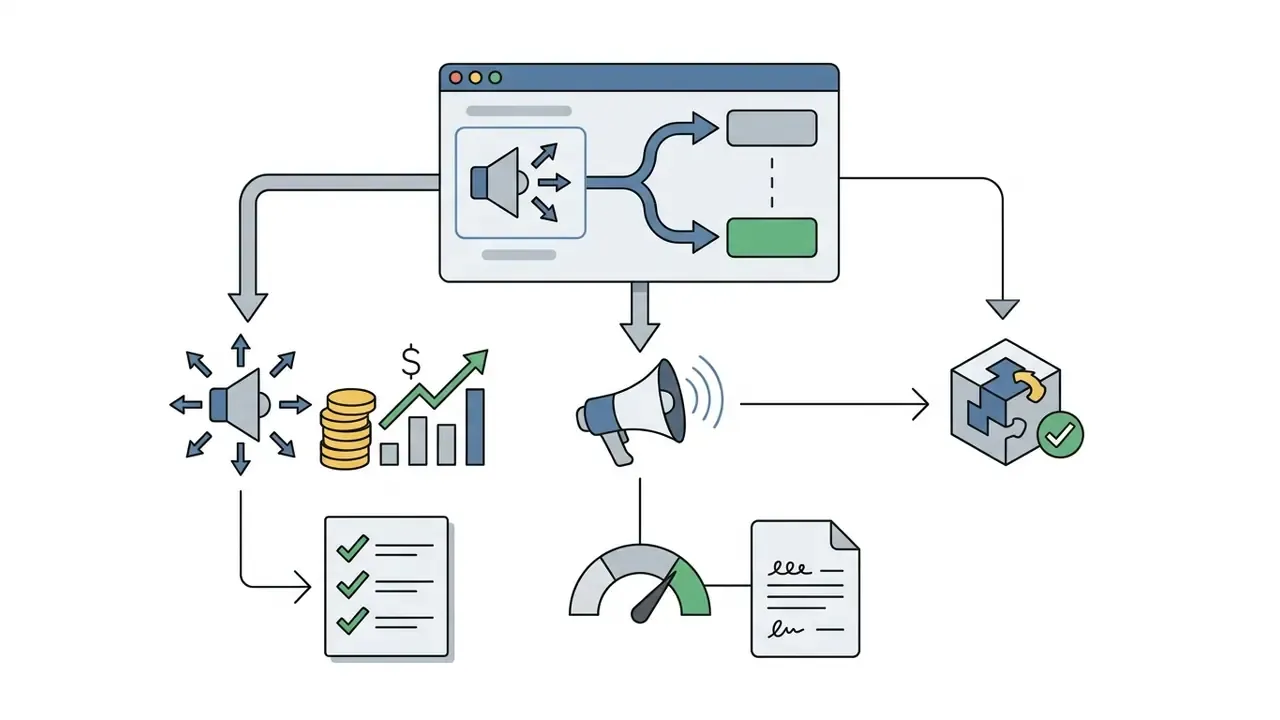
Legal Decision Tree: When Can You Use Extracted Audio?
Work top to bottom, stop at the first "no".
Yes: proceed. No: continue.
Yes: comply with attribution and scope terms. No: continue.
Yes: generally low risk; keep it internal. No: continue.
Yes: escalate to legal for a fair-use assessment or licence clearance before publication. Do not rely on clip length.
Yes: mandatory legal review. Digital-replica and personality-rights exposure sits outside standard music licensing.
For questions on copyright compliance or active IP disputes, see our legal analysis section on litigation.
FAQ: Troubleshooting and Frequently Asked Questions About Video to Audio Conversion
Can I Convert Video to Audio on a Phone?
Yes. Mobile browsers such as Safari on iOS or Chrome on Android run web-based converters fine. They use HTML5 file interfaces to read video stored on the phone and drop the resulting MP3 into local storage. Container support differs by engine, though. Chrome and Firefox on Android handle MP4 and WebM broadly, while iOS WebKit is documented separately and behaves differently on some containers. A file that fails in mobile Safari may still convert in desktop Chrome or through a server-assisted tool.
How Do I Convert an iPhone Voice Memo (M4A) to MP3?
iPhone Voice Memos and most iOS screen recordings save as .m4a (AAC). Upload the file, select MP3 at 192 kbps, download. The speech track becomes a standard MP3 accepted by desktop DAWs, podcast hosts, Apple Podcasts and Spotify. Since AAC is already lossy, keep output at or near the source bitrate rather than inflating it to 320 kbps. Inflation adds megabytes, not clarity.
Can I Extract Audio from a YouTube or TikTok Link?
You can paste a direct URL pointing to a raw video file, a link ending in .mp4, .webm or .mov, and the tool will fetch and convert it. Streaming-platform URLs such as YouTube and TikTok are not supported: those streams are protected and their Terms of Service restrict extraction. Use platform download features where offered, or get authorisation from the rights holder.
Can I Convert Multiple Video Files at Once?
Batch capability depends on the tool's architecture. Basic client-side converters process files sequentially. More advanced platforms support multi-file queues or parallel web-worker processing. Real speedup requires segmenting the media and distributing the workload; otherwise one large source stays a single-job bottleneck no matter how many files sit in the queue.
What Is the Maximum File Size for Conversion?
Caps vary by provider, usually 100 MB for browser-only WebAssembly tools and 1 to 2 GB for cloud-assisted platforms. Documented limits across the wider ecosystem span three orders of magnitude: some Google media-serving workflows cap uploads at 100 MB, university video services document 2 GB, and the YouTube Data API permits up to 256 GB or 12 hours, whichever is less. Providers set caps to manage bandwidth, processing memory and infrastructure cost.
Will Converting to MP3 Reduce Audio Quality?
MP3 is lossy, so some information is discarded relative to the stream inside the video. At 192 kbps most listeners hear no difference, and pitch and frequency measurements stay reliable across 56 to 320 kbps with errors under 2%. The bigger constraint is the source: if the original audio was already AAC at 128 kbps, output is bounded by that. Conversion cannot improve audio that was already compressed.
How Long Are My Files Kept?
With client-side conversion, nothing is uploaded, so nothing is stored. With server-assisted conversion, expect a published deletion window. The strongest commitment in the market is a hard delete from temporary staging 60 minutes after processing, and vaguer wording such as "a few hours" should be read as a longer exposure window. Verify any claim with the Network-tab and airplane-mode checks in the security checklist above.
Which Output Format Should I Pick for Transcription?
For speech-to-text, 128 to 192 kbps mono MP3 or 16-bit/44.1 kHz WAV is enough. Accuracy is driven by microphone quality, room acoustics and speaker separation far more than by bitrate. Keep WAV when the audio will be denoised or re-mastered first, and MP3 when you only need the transcript.
What Are the Limits of This Guidance?
A fair question, and worth stating plainly. Free-tier quotas, retention windows and codec support change without notice, so every figure here should be re-checked against the vendor's current terms. Browser memory ceilings shift with each engine release. And the legal section summarises U.S. practice only; cross-border use brings additional requirements. Where evidence is incomplete, treat the recommendation as a working default rather than a rule. Explore our media processing glossary for detailed technical specifications and workflow guides.