Using free music for video editing means holding two things in tension: creative pacing and explicit copyright compliance. Finding high quality audio tracks without collecting legal liabilities or automated platform strikes depends on one skill, and it is not taste. It is reading licenses, and knowing how fingerprinting systems treat the rights metadata attached to a file rather than the words printed in its title.
Key Takeaways
- "Free" describes price, not rights.Copyright still applies to melodies, lyrics and master recordings unless the work sits in the public domain or the rightsholder explicitly waived rights. Royalty free means "no recurring per-use royalty," not "no cost."
- License type dictates workflow.CC0 and public domain tracks require no credit; CC BY demands TASL attribution; CC BY-NC blocks monetized channels; CC BY-ND cannot legally be synchronized to video at all, because syncing audio to moving images creates an audiovisual adaptation.
- Mix specifications are measurable, not subjective.Dialogue peaks at -6 dB to -12 dB, sound effects at -12 dB to -18 dB, background music at -18 dB to -25 dB, with background audio kept at least 20 dB below speech for accessibility and carved out of the 200 Hz to 4 kHz speech band.
- Documentation is the defense.Archive license PDFs, timestamped screenshots and $0 invoices for five to seven years. Content ID disputes and Copyright Claims Board proceedings are won with dated evidence, not with the phrase "no copyright" in a track title.
What "Free Music for Video Editing" Really Means
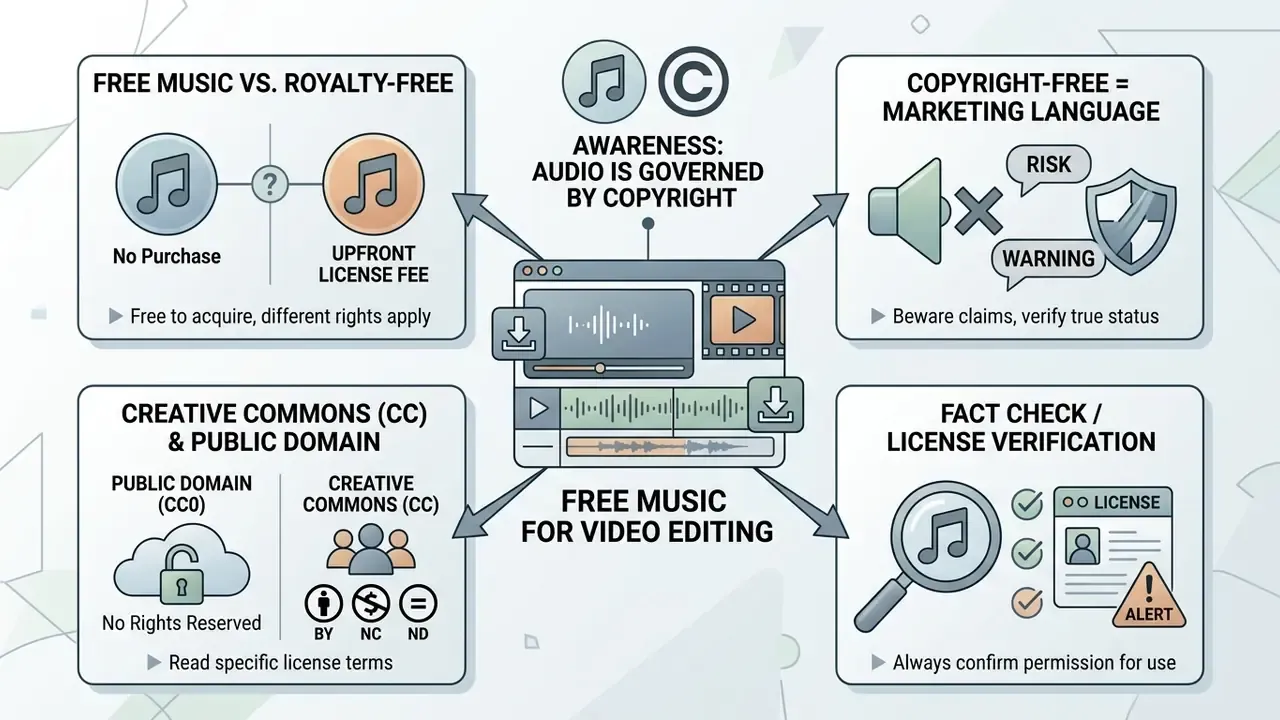
Free music for video editing refers to audio tracks you can obtain without an upfront purchase, yet those tracks stay governed by copyright law, synchronization rights and specific licensing terms. Zero cost does not grant unrestricted usage. Track owners retain the underlying copyrights unless the material sits in the public domain or arrives under a waived-rights instrument.
Simple idea. Constantly ignored.
Free Music vs. Royalty-Free Music
Free music describes the acquisition price of a track ($0 upfront). Royalty free music describes a contractual structure in which the licensee pays no recurring per-use royalties after securing initial access.
Royalty free music is therefore not inherently free of charge. Rightsholders often charge a one-time licensing fee or a subscription while keeping the copyright. Conversely, a track advertised as "free music" may cost nothing to download and still enforce hard operational boundaries: non-commercial restrictions, mandatory creator attribution, or territorial limits that quietly exclude paid advertising.
For video editors, choosing a music track means pricing two things at once: the financial cost of acquisition, and the ongoing permissions granted by the rights owner. The U.S. Copyright Office separates rights in the musical composition from rights in the sound recording. One video can therefore implicate two distinct rightsholders, especially when a recording circulates non-exclusively.
Copyright-Free, Creative Commons and Public Domain Licenses
Copyright-free music, Creative Commons frameworks and public domain designations are not synonyms. They are distinct legal statuses that decide how you may edit, monetize and distribute audio files.
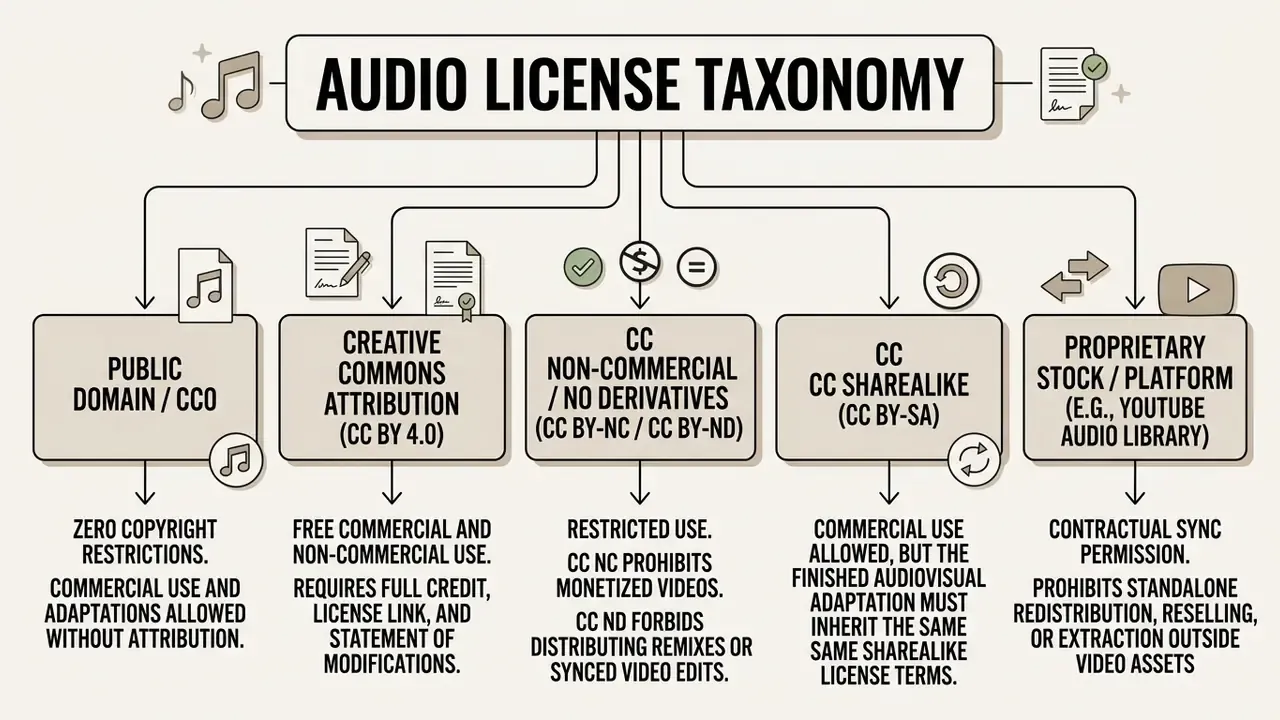
- CC BY 4.0 permits commercial adaptation and distribution, provided you give appropriate credit, link the license, and indicate whether changes were made (Creative Commons, 2026. https://creativecommons.org/licenses/by/4.0/deed.en).
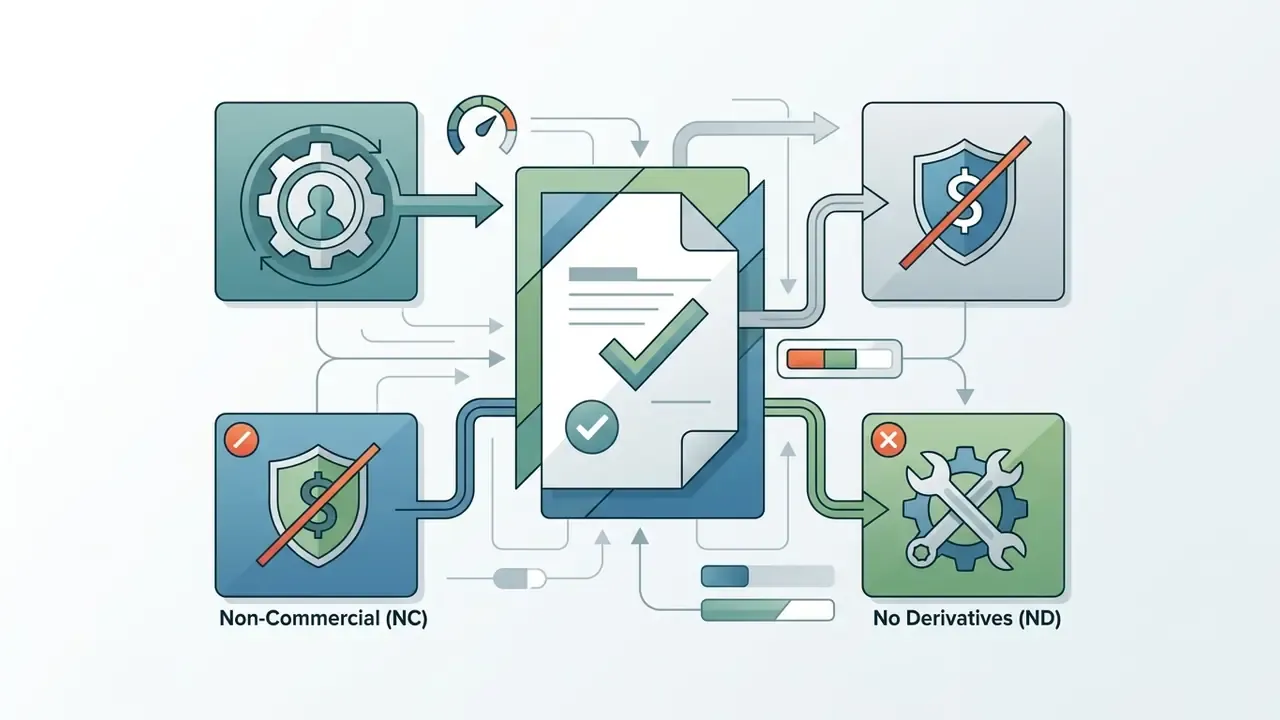
- CC BY-NC 4.0 limits usage to non-commercial projects, which rules out monetized YouTube channels and promotional marketing (Creative Commons, 2026. https://creativecommons.org/licenses/by-nc/4.0/deed.en).
- CC BY-ND 4.0 allows redistribution but forbids sharing adapted or remixed versions. Synchronizing audio to moving images counts as an audiovisual adaptation under the CC legal code, so ND tracks cannot be deployed in a new edit at all (Creative Commons, 2026. https://creativecommons.org/licenses/by-nd/4.0/deed.en).
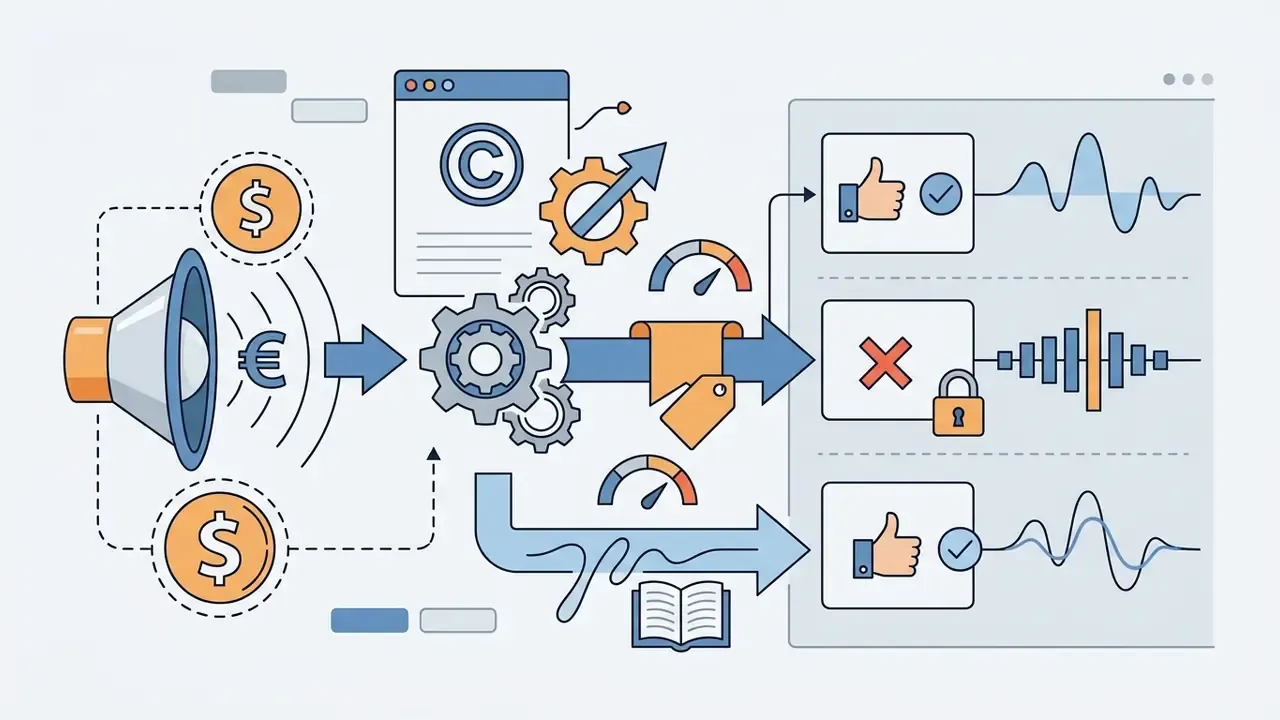
«Creative Commons licences do not place works in the public domain; they grant specific permissions on condition of attribution, non-commercial use or ShareAlike compliance.»
Fact Check / License Verification
Platform-level enforcement now outweighs marketing labels in practical terms:
«EU copyright reform shifted filtering responsibility from users to platforms, which must now license or block infringing content through automated systems.»
Best Free Music Sites for Video Editing
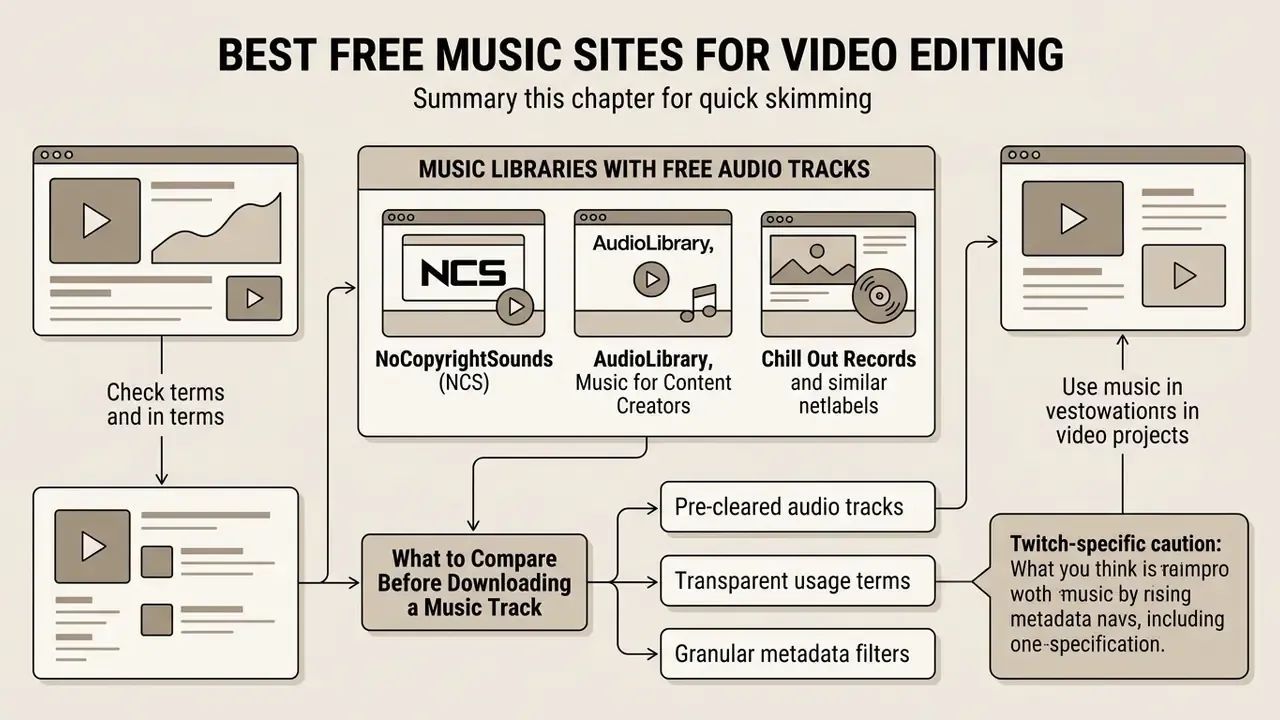
The best free music sites for video editing share three traits: pre-cleared audio tracks, transparent usage terms, and metadata filters granular enough to prevent infringement before download. Compare commercial rights, attribution duties, delivery formats and sound effects coverage side by side.
| Platform | Primary License Type | Commercial Use Allowed | Attribution Requirement | Sound Effects Availability | Download Format |
|---|---|---|---|---|---|
| YouTube Audio Library | Standard YouTube License and CC BY | Yes (for hosted YouTube videos and social media) | Varies (CC tracks require credit; Standard do not) | Yes (dedicated SFX tab) | MP3 |
| Mixkit | Mixkit Music License (proprietary) | Yes (under stock video and audio terms) | No attribution required | Yes (limited SFX catalog) | MP3, WAV |
| Free Music Archive (FMA) | Various Creative Commons licenses | Track-dependent (check CC BY vs CC NC) | Yes (mandatory under CC rules) | Yes (experimental and environmental audio) | MP3, WAV |
| Bensound | Free Creative Commons and paid royalty free | Limited on the free tier; full under paid | Mandatory for free downloads | No (production tracks only) | MP3 |
| Pixabay Music | Pixabay Content License | Yes (commercial use permitted) | No attribution required (appreciated) | Yes (extensive SFX library) | MP3, WAV |
| NoCopyrightSounds (NCS) | Proprietary creator license | Yes for independent creators; no for brands | Mandatory credit block in description | No (EDM and electronic singles) | MP3 |
| Incompetech | Proprietary CC BY terms | Yes (with credit) | Mandatory, or paid credit-free waiver | No | MP3 |
| Jamendo Music | Creative Commons / free listening tier | No on the free tier (requires Jamendo Licensing) | Mandatory | No | MP3 |
| Freesound | CC0, CC BY, CC BY-NC (per file) | Track-dependent | Track-dependent | Yes (primary focus) | WAV, MP3, FLAC |
| Musopen | Public domain / CC0 | Yes | None for public domain recordings | No (classical focus) | MP3, lossless WAV |
| ccMixter | Creative Commons (mixed tiers) | Track-dependent (free and licensing tiers) | Mandatory for CC BY stems | Yes (sample packs, a cappellas) | MP3, WAV |
| SoundCloud (CC filter) | Creative Commons filter within catalog | Track-dependent | Track-dependent | No | MP3 (when download enabled) |
Once the soundtrack shortlist exists, the next decision is the editing environment. Our comparison of free video editing software maps which timelines support multi-track audio, keyframed gain and auto-ducking without a paid upgrade.
Music Libraries with Free Audio Tracks
Established libraries maintain searchable catalogs sorted by genre, mood, tempo and licensing tier, which is exactly what a production schedule needs.
- YouTube Studio Audio Library: reachable inside YouTube Studio, this repository holds thousands of royalty free production tracks plus sound effects. Tracks under the standard Audio Library license allow monetized and non-monetized use without credit, while Creative Commons entries require attribution in the description. Filters cover genre, mood, artist, attribution requirement and duration.
«The Audio Library guarantees that its own catalog will not be claimed by rightsholders through Content ID, but the platform accepts no responsibility for "royalty-free" music sourced elsewhere.» YouTube Support, Audio Library (2026)
- Mixkit: an open-access stock library distributing audio files under the Mixkit Music License. Downloads arrive as MP3 or WAV for commercial and personal projects, with no license fee and no attribution tag. Mood and instrument filters help, and track pages expose duration, genre, mood and tags.
- Free Music Archive (FMA): an open audio archive with curated tracks across multiple Creative Commons tiers. Filter by Cinematic, Instrumental, Corporate, Blues, Jazz or Electronic, then verify each track individually for attribution and commercial rights. The catalog is uneven; the license data is the useful part.
«Mixkit permits commercial use under a proprietary licence; Bensound requires attribution on its free tier; Free PD distributes CC0 tracks with no credit obligation at all.» Monash University Library Guide, Music and Sound Effects, Copyright free and Creative Commons (2023)
- Pixabay Music: a large database of user-submitted royalty free music and sound effects, pre-cleared for commercial use on social platforms and corporate sites without credit.
- Incompetech: composer Kevin MacLeod's catalog, sorted by feel, tempo and genre. Tracks under CC BY can sit in monetized edits provided you paste the exact credit line published on the site. A paid waiver removes the attribution duty for broadcast and client work, which matters for agencies.
- Freesound: a collaborative database of hundreds of thousands of user-submitted sound effects, ambient textures and instrumental loops. Essential for Foley and sound design. Licenses vary per file: CC0 uploads allow unrestricted use, CC BY files require crediting the recordist, and CC BY-NC assets cannot appear in monetized output (Freesound FAQ, 2026. https://freesound.org/help/faq/).
- Musopen: a non-profit archiving historical and classical repertoire, with royalty free downloads of public domain recordings and sheet music. Ideal for documentary and educational projects needing classical scores without exposure. Lossless WAV downloads make it viable for broadcast-grade masters, not only web drafts.
- Jamendo Music: discovery and clearance are deliberately separated. Jamendo Music hosts Creative Commons tracks for personal listening and non-commercial creator use, while Jamendo Licensing sells the sync license for the same recording. Monetized project? Buy from the Licensing catalog; do not assume the free stream carries over.
- ccMixter: a remix-centric archive of stems, a cappellas and finished tracks under layered CC terms. Many uploads are already derivative works, so trace the license chain of the underlying samples before syncing the result to picture.
- SoundCloud (Creative Commons filter): millions of independent uploads, most of them not cleared for reuse. Setting the filter to Creative Commons "free to use" surfaces the subset that is legally downloadable, and each file still needs its own license check.
Platforms for Copyright-Free Music and Content Creators
Independent netlabels and creator-focused hubs distribute high-energy tracks built for YouTube videos, live streaming and short-form social output.
«In NoCopyrightSounds Ltd v AEI Music Ltd the court granted an interim injunction over the NCS catalog, confirming that a "no copyright" label does not extinguish underlying copyright and contractual rights.» NoCopyrightSounds Ltd v AEI Music Ltd & Anor, England and Wales High Court (Chancery Division)
- NoCopyrightSounds (NCS) a digital label offering free music clips for video editing, aimed at independent content creators, gamers and vloggers. Anyone building a repeatable publishing pipeline can pair these libraries with dedicated YouTube video editors that keep credit blocks and end cards templated across uploads. Independent creators may use NCS releases on YouTube and Twitch without royalties, provided the mandatory credit section (artist handles plus track links) is copied into the description verbatim (NCS Usage Policy, 2026). Brand channels, companies and sponsored corporate videos need a direct commercial license instead of the free creator tier.
- AudioLibrary, Music for Content Creators a structured channel and catalog hub aggregating Creative Commons and royalty free electronic, chill and acoustic tracks. Usage requires the standardized credit block with artist links and source platforms.
- Chill Out Records and similar netlabels small catalogs, generous terms, inconsistent documentation. Treat them as viable sources only when a permanent license page exists that you can archive at download time.
- Twitch-specific caution Twitch's terms define "Music Licensed to You" as music cleared by all relevant rightsholders, covering live streams, VODs, clips and highlights. A free download license that names only YouTube does not stretch to archived streams.
What to Compare Before Downloading a Music Track
To avoid post-production claims, evaluate the contractual and technical criteria before you run any download free music for video editing workflow:
- Explicit commercial rightsdoes the asset permit monetization, paid ad deployment, or client delivery?
- Attribution parametersis credit required in the description or burned into end cards (TASL format: Title, Author, Source, License)?
- Delivery format and bitrateuncompressed WAV at 24-bit/48 kHz for production mixes; 320 kbps CBR MP3 is acceptable for web drafts and review cuts.
- Stems and multitrack accesssplit stems (drums, bass, melody) and bundled sound effects make ducking and track replacement far easier later.
- Territory and termconfirm the grant is worldwide and perpetual. Several free tiers restrict regions or expire with a lapsed subscription, which retroactively strands published videos.
- Download quotas and hidden upgradesfree tiers often cap downloads per month or per session, and Bensound and Jamendo both gate volume behind paid plans. Log the quota rules so an edit does not stall mid-session or quietly convert into a paid subscription.
How to Choose Background Music for Your Video
Choosing background music is an alignment problem: tempo, frequency spectrum and emotional tone against the video's pacing, narrative intent and audience. Get it right and the soundtrack reinforces the story. Get it wrong and it competes with the voiceover, which viewers experience as fatigue rather than as a mixing error.
Match Music to the Video's Mood, Audience and Pace
Audio should track the cut frequency and emotional temperature of the project, and those differ sharply by format.
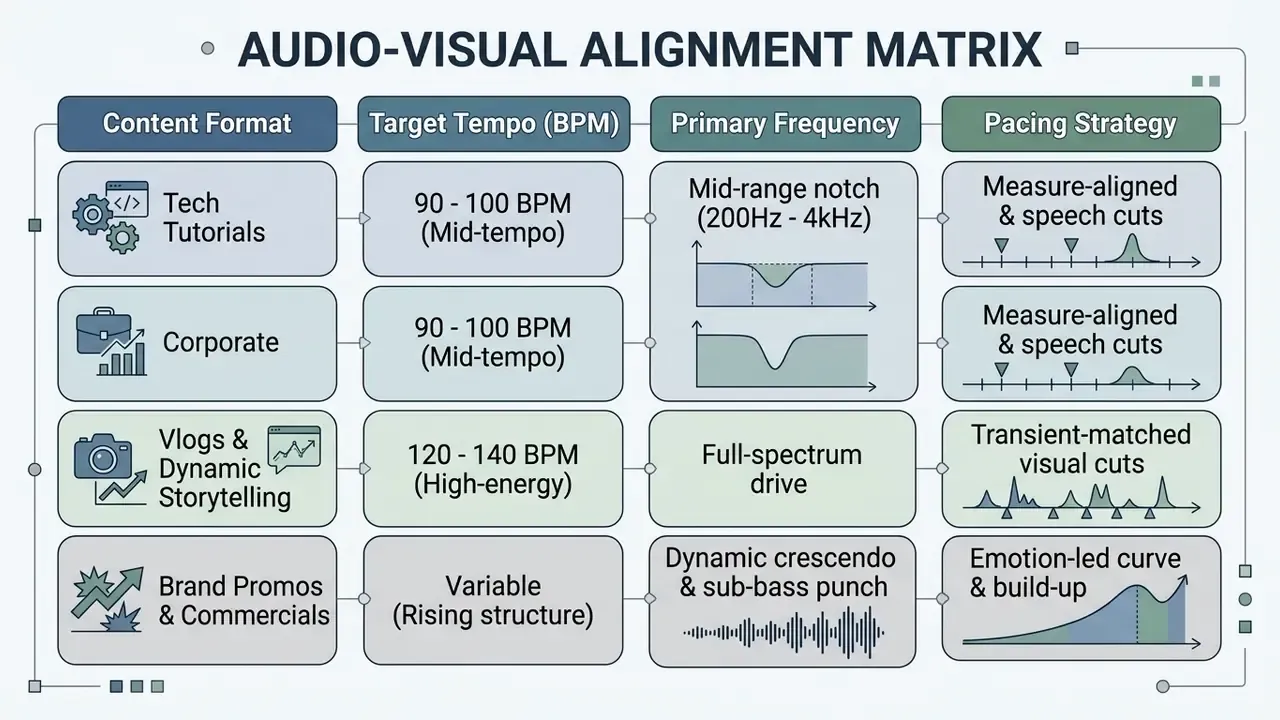
Research supports the intuition, though less dramatically than marketing claims suggest.
«A meta-analysis of 47 studies (71 effect sizes) found a positive mean effect of background music on learning (d = 0.314), with classical music outperforming other genres.»
EEG evidence adds a nuance worth keeping: tempo modulated film viewers' attentional processes but did not determine attention by itself, because scene context mediated the effect (The impact of background music on film audience's attentional processes, 2022. https://pmc.ncbi.nlm.nih.gov/articles/PMC9713244/).
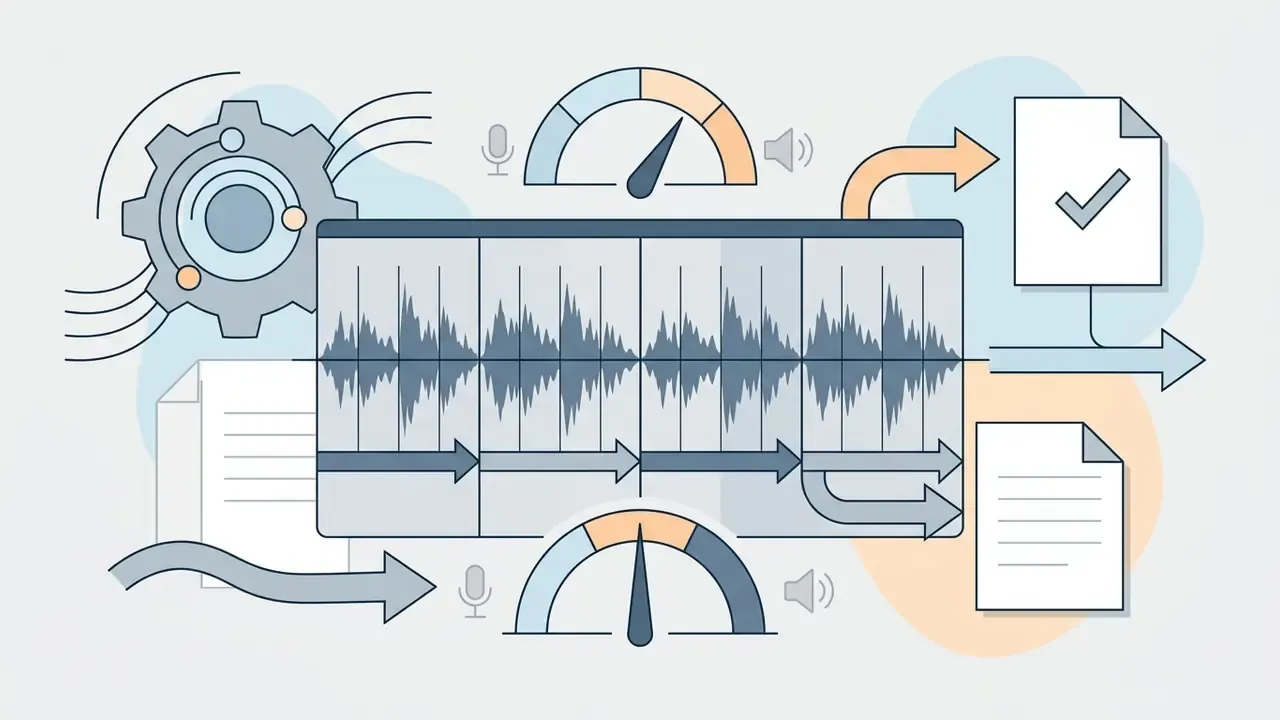
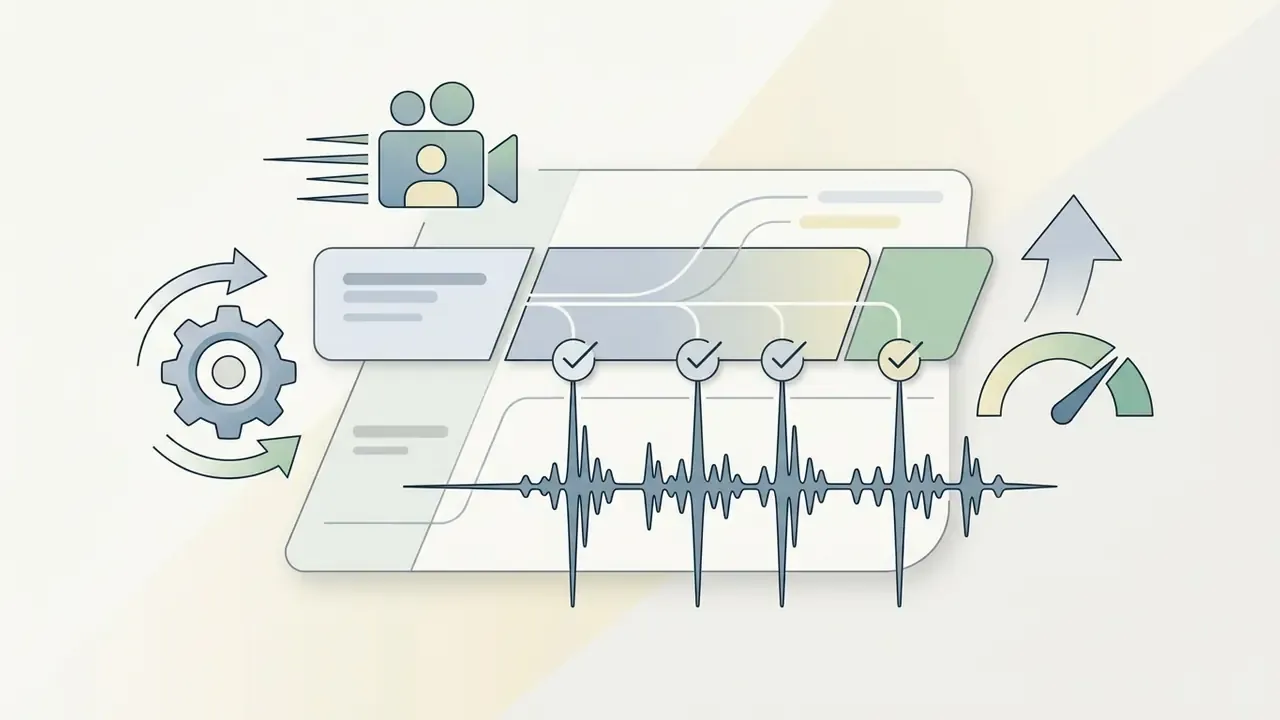
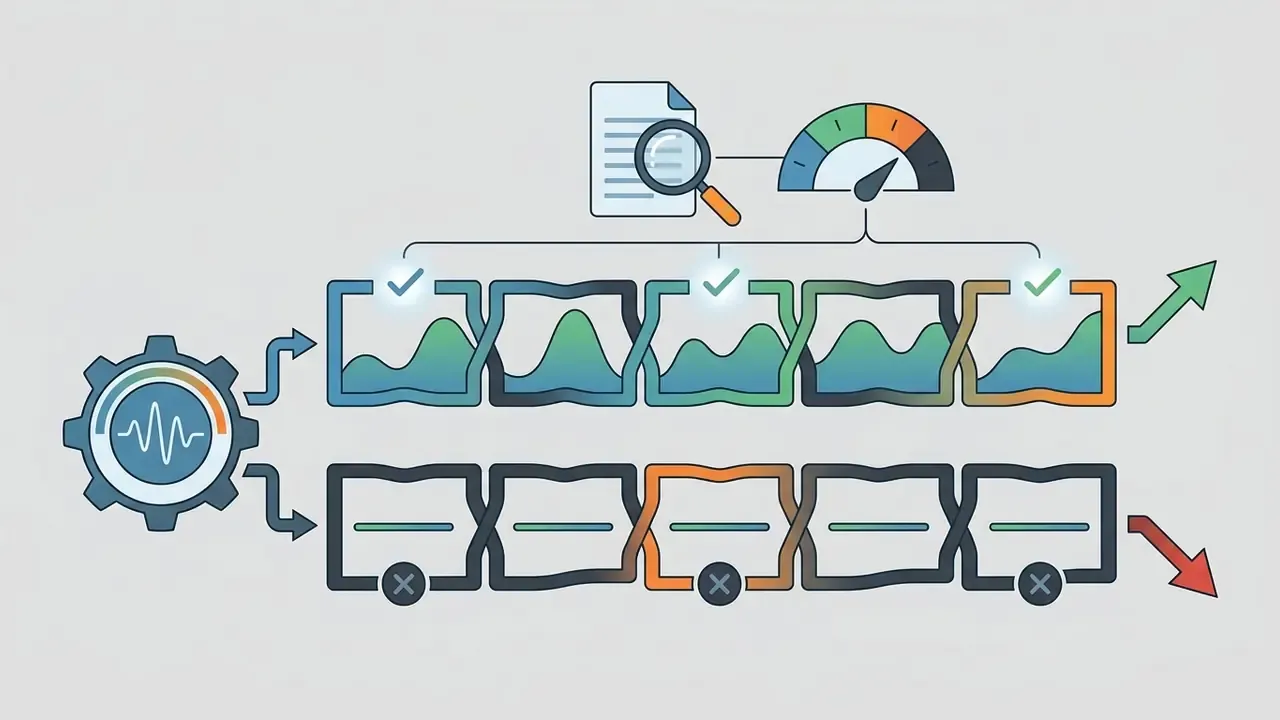
«Fast tempo strengthens promotion-focused advertising messages, while prevention-focused campaigns benefit from restrained arrangements and detailed product information.»
Keep Background Music from Overpowering the Video
Background music has to be mixed so dialogue stays intelligible and the viewer is not paying attention tax on two competing signals.
«A systematic review of 13 studies (26 effect sizes) found instrumental music overlapping spoken narration reduced verbal recall (g = -0.46), while non-overlapping music was effectively neutral (g = -0.13).»
The same evidence base shows background music lifting attentional engagement substantially (g = 1.06) when it does not mask narration. So the goal is spectral separation, not silence.
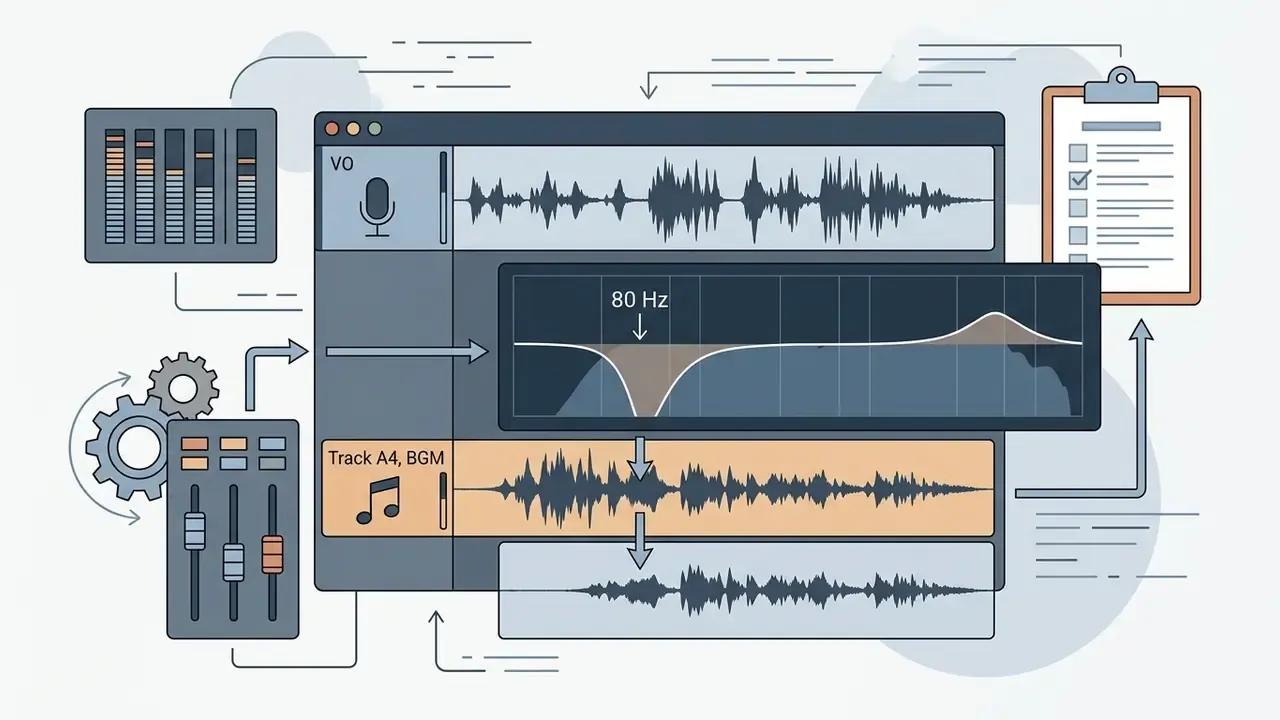
Practically: carve the primary speech band, 200 Hz to 4 kHz, with an EQ bell on the music lane rather than pulling the whole bed down.
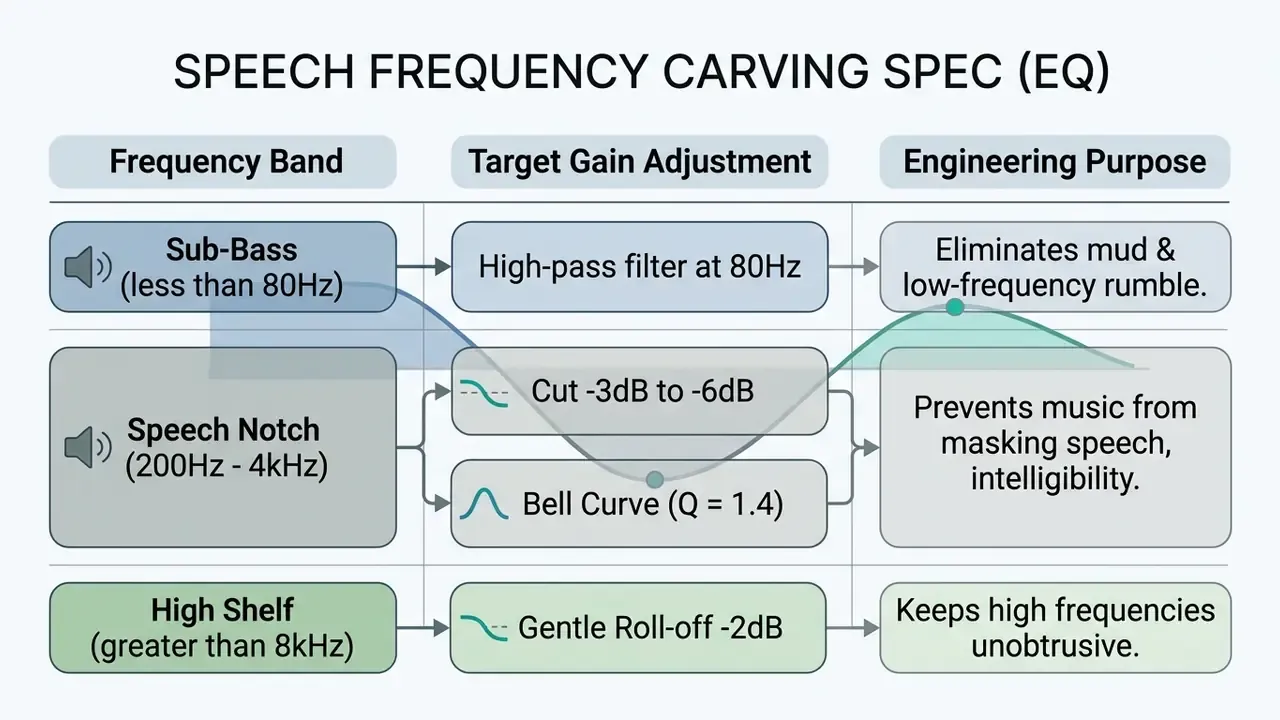
For multi-asset projects, tools documented in our AI Media Workflows hub help streamline track separation, formatting and audio sync across the pipeline. The fundamentals matter more than the tooling though: gain staging, keyframing and lane routing inside a video editor decide how precisely these EQ moves can be automated scene by scene.
AI-Driven Track Discovery and MCP Workflows
Modern audio workflows let editors skip manual library browsing using AI agents and Model Context Protocol (MCP) integrations inside coding or writing environments such as Claude or Cursor. Connect an NLE or a scripting environment to music metadata APIs through MCP, and you can query catalogs in natural language based on scene description, target BPM or emotional dynamics (for example, "find an upbeat 120 BPM synthwave track under CC BY 4.0 for a fast-paced tech review"), with pre-cleared assets landing straight in the project folder. Developer-side patterns for these connections are covered in our AI Media API Guides.
Three governance rules apply once an agent, not a human, picks the music:
- License metadata must travel with the file.A recommendation is only usable if the response carries the license identifier (CC0, CC BY 4.0, proprietary) plus the canonical source URL for the audit trail.
- Prompt logs count as documentation.Store the prompt, the returned track ID and the timestamp next to the license PDF. Automated selection does not shift liability to the model provider.
- Never accept "AI-generated, therefore free."Generative music tools carry their own commercial-use terms, and several restrict resale, broadcast or client delivery on free tiers.
Worth saying plainly: an agent that cannot produce evidence should not be allowed to choose assets that create legal exposure.
How to Download Free Music and Check Its License
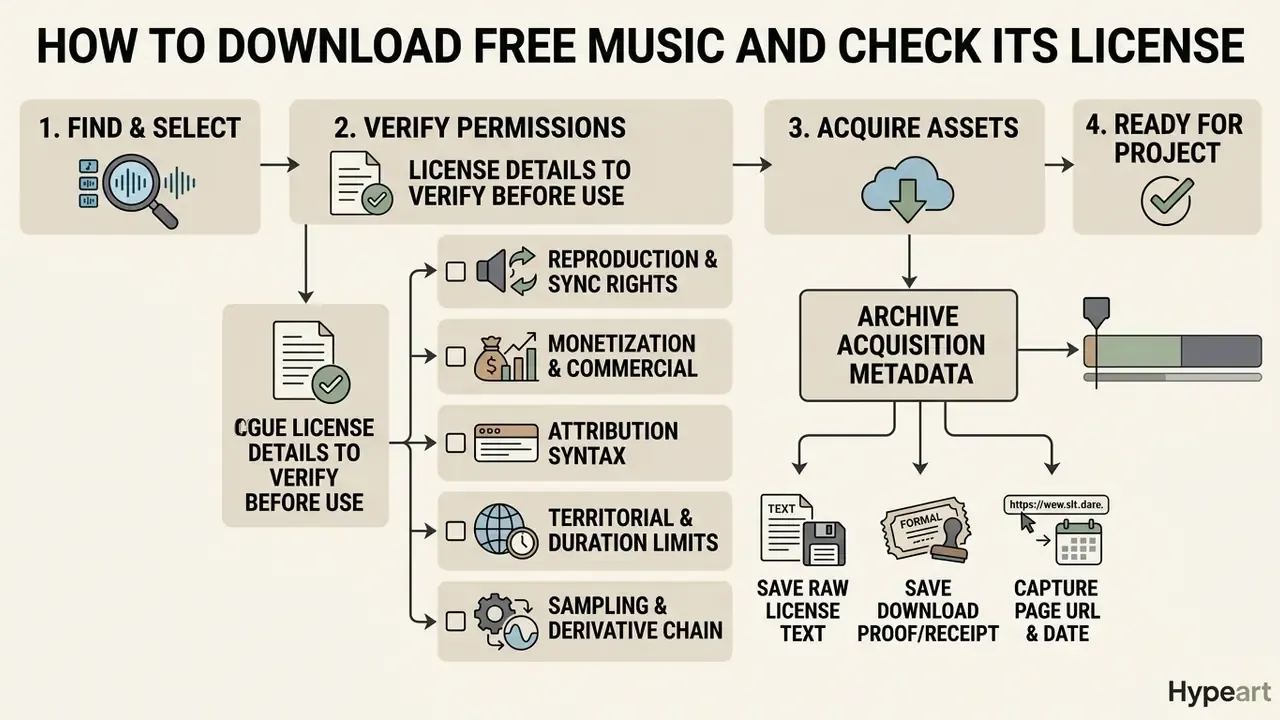
Downloading free music safely means verifying permissions, saving the raw license text, and archiving acquisition metadata before the file touches the timeline. The order matters, because after publication the evidence is much harder to reconstruct.
Checklist: free music download & license verification
- Select Track & Verify Primary Source [ ] Confirm track originates from an authorized library (e.g., YouTube Audio Library, Mixkit). [ ] Inspect explicit license deed (CC BY 4.0, CC0, or proprietary stock license).
- Evaluate Usage Boundaries [ ] Verify commercial use rights (is monetization allowed?). [ ] Check non-commercial (NC) or no-derivatives (ND) restrictions. [ ] Confirm whether creator attribution is mandatory. [ ] Confirm territory (worldwide?) and term (perpetual?).
- Execute Secure Asset Download [ ] Download the highest quality format available (WAV 24-bit/48kHz or 320 kbps MP3). [ ] Download the official PDF license certificate or raw license text file. [ ] Download stems where offered, for later re-mixing or track replacement.
- Archive Audit Trail & Metadata [ ] Take a full-page timestamped screenshot of the download page and license terms. [ ] Copy the exact attribution text into project documentation. [ ] Save the license file, the $0 invoice record, and the URL into the project audio folder.
License Details to Verify Before You Use a Track
Before publishing a video containing third-party audio, inspect five dimensions of the agreement:
- Reproduction and synchronization rightsthe license must expressly permit syncing the composition and the sound recording with moving images.
- Monetization and commercial exploitationcheck whether platform ad revenue, sponsored content and product placement are covered (U.S. Copyright Office, 2026).
- Attribution syntaxcapture the exact credit string required by the creator or netlabel, ready for the description or end credits.
- Territorial and duration limitsconfirm worldwide, perpetual rights rather than a regional or time-boxed grant.
- Sampling and derivative chainfor remix catalogs such as ccMixter or community stem packs, confirm the uploader cleared the underlying samples. The U.S. Copyright Office notes that sampling can require permission from both the sound recording owner and the musical work owner.
Keep Proof of Your Free Music Download
«EU enforcement analysis shows platforms shifting the burden of proof onto users in dispute-resolution procedures, requiring evidence that rights to the music were actually held.»
A complete, dated license PDF naming the asset ID, the licensee and the scope outweighs a folder of JPG screenshots. Screenshots are supporting material; the license is the instrument.
How to Add Free Audio to Video Editing Software
Adding free music files to non-linear editing (NLE) software comes down to four moves: import compatible formats, organize dedicated lanes, set peak levels, and automate ducking against speech.
Import Music Files into Your Editing Project
Whether you work in Adobe Premiere Pro, DaVinci Resolve, Final Cut Pro or CapCut, the structural principle is identical: separate bins, separate lanes.
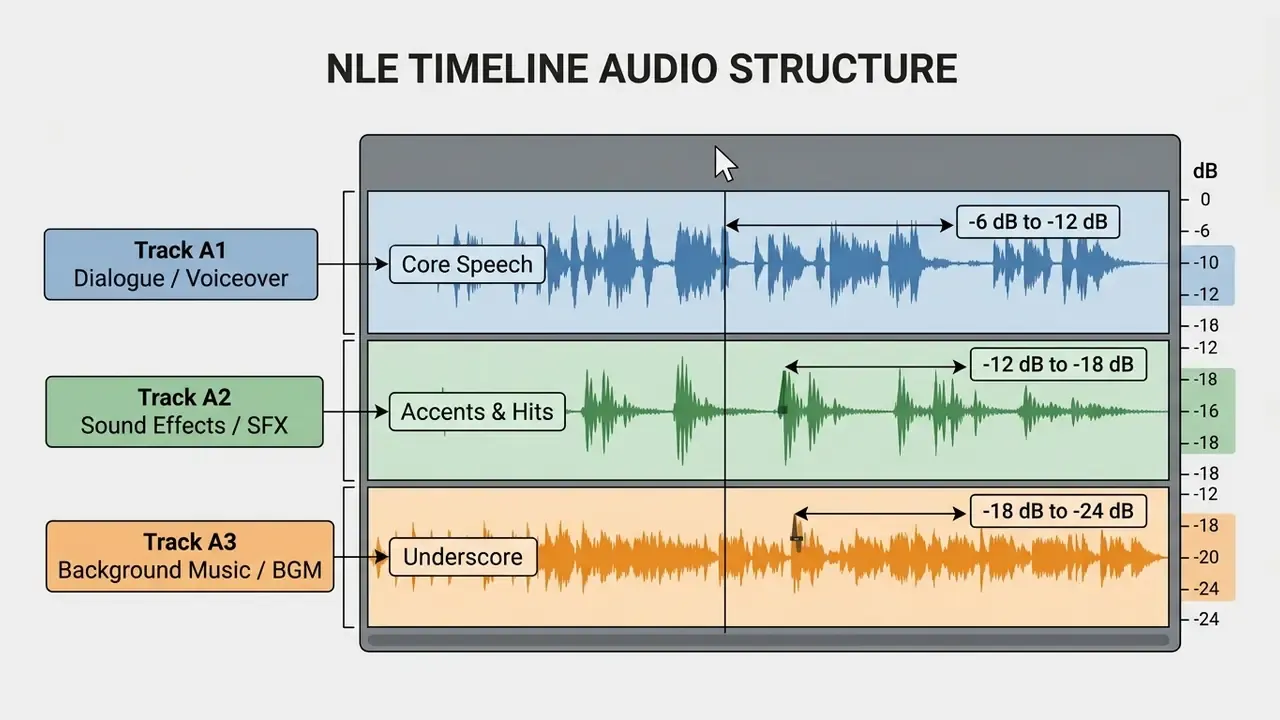
Advanced workflow: multi-track stem separation in NLE timelines
When a platform offers stems (master audio split into Vocals, Drums, Bass and Melody), spread them across sub-tracks for real dynamic control:
- Importing assetsin Premiere Pro, use
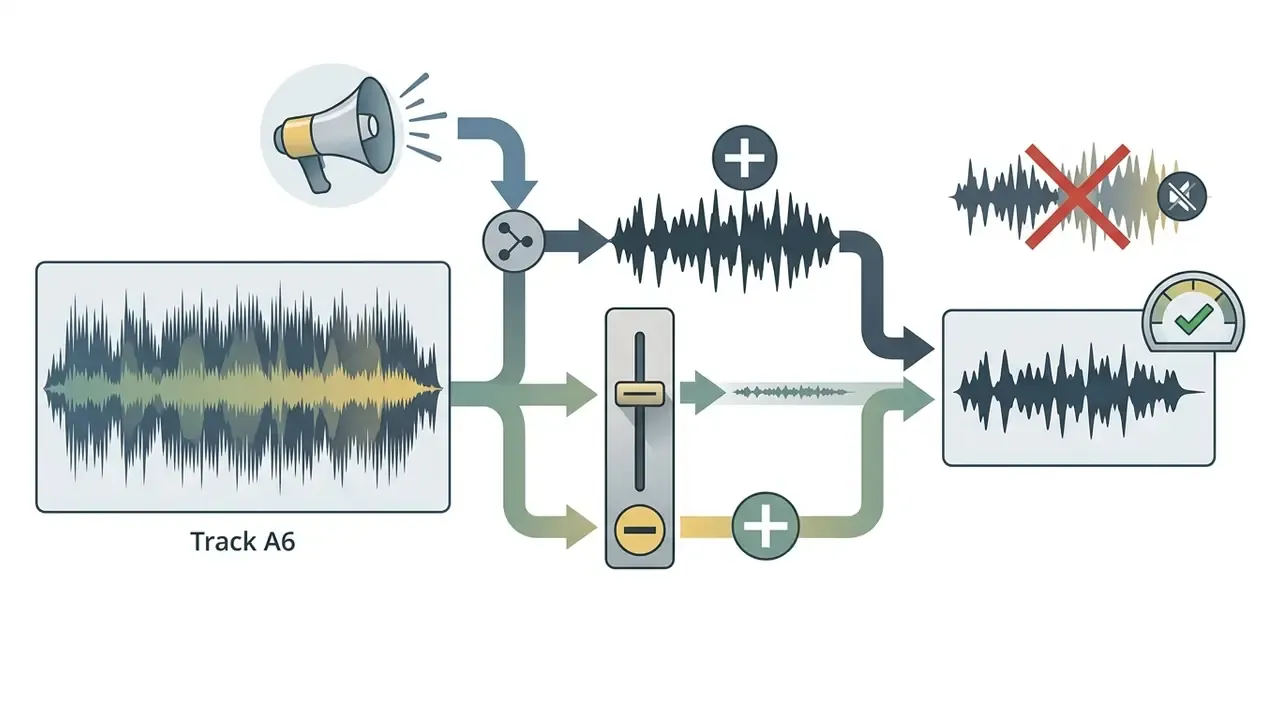
File > Importor the Media Browser to bring files into the Project Panel. Choose uncompressed WAV or AIFF for production edits; compressed sources such as CDA must be converted before timeline placement (Adobe Premiere Pro Documentation, 2026). In DaVinci Resolve, add assets to the Media Pool first, then create lanes withAdd Track. In Final Cut Pro, drag audio from Finder into an event and expand audio lanes. In OpenShot, the documented flow isImport Files, then drag onto a lower timeline track reserved for music and effects. - Timeline organizationvoiceover on A1, sound effects on A2, background music on A3. That separation is what makes channel-wide gain staging, EQ and bus processing predictable instead of fiddly. Before archiving or delivering multi-track projects, check how your video compressor handles bitrate and audio passthrough, because a balanced mix can be re-encoded into artifacts at the last step. The same discipline applies to stills: our guides on how to make an image file size smaller and how to make an image higher resolution cover the visual half of the same delivery problem.
Group A3 to A6 into a submix bus so one fader rides the whole music bed during ducking while each stem keeps its own EQ curve. Keep the unmixed stems in the archive too. If a Content ID dispute forces a replacement, rebuilding the bed takes minutes rather than a full remix session.
Adjust Audio Levels and Background Music Timing
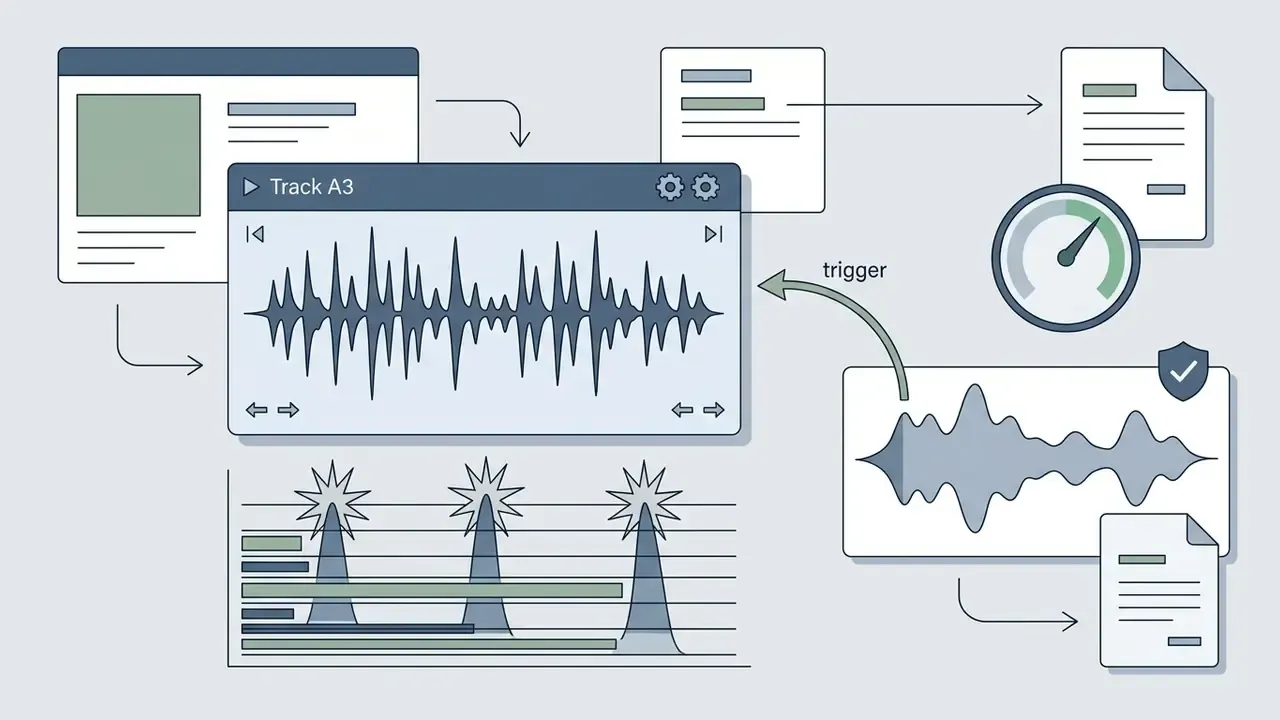
Balancing background audio against dialogue is gain staging, fade automation and ducking, in that sequence.
- Standard loudness targets: WCAG 2.1, Success Criterion 1.4.7 "Low or No Background Audio," requires background audio to sit at least 20 dB below speech in prerecorded content. Professional delivery specs go further: Netflix sound mix rules call for dialogue-gated average loudness of -27 LKFS (±2 LUFS) measured per ITU-R BS.1770, and BBC audio guidance advises pulling music down another 4 dB once the mix is assembled. Object-based audio research proposes dialogue at -24 LUFS, music underscore at -30 LUFS and SFX between -33 and -39 LUFS, keeping music roughly 15 to 18 dB under dialogue. In typical NLE master mixes, dialogue peaks between -6 dB and -12 dB, sound effects between -12 dB and -18 dB, background music between -18 dB and -25 dB. Note on sources: WCAG defines an accessibility floor, while Netflix, BBC and research figures are workflow-level loudness references in LKFS/LUFS. They are complementary, not contradictory. If you need to convert between these references, the loudness and bitrate utilities in our calculators section do the arithmetic.
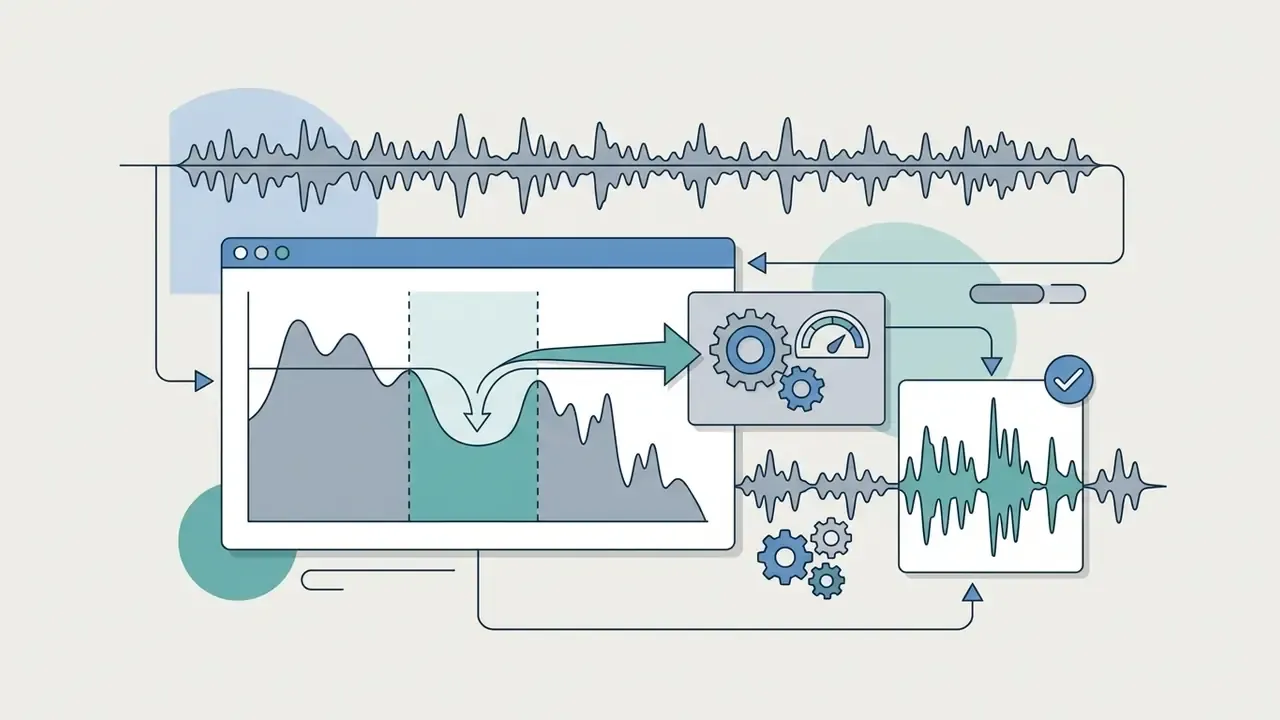
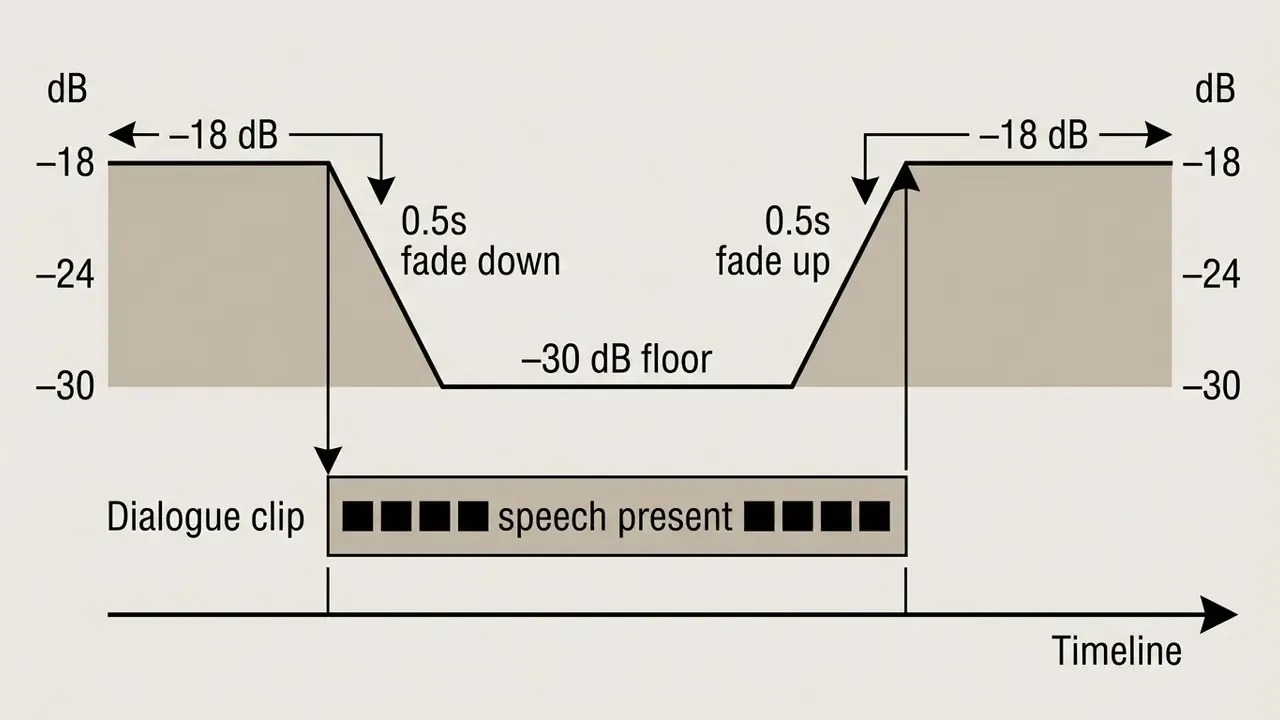
- Audio ducking controls: auto-ducking attenuates the music bed when speech is detected. In Adobe Audition or Premiere Pro's Essential Sound panel, the parameters are Sensitivity, Reduce By (typical attenuation: -12 dB to -15 dB) and Fades (standard: 0.5 seconds down and up) (Adobe Audition Documentation, 2026). Audacity's Auto Duck effect ships with the same defaults, a -12 dB duck amount with 0.5-second fades.
Figure 1. Audio ducking envelope and gain attenuation
Quick-Edit and Web-Based Video Workflows
For fast-turnaround social edits in browser-based platforms such as CapCut Web, Adobe Express or Canva:
- Mute source video audioright-click the raw footage clip on the timeline and choose Mute, or drop native clip volume to 0%, to strip room noise.
- Import clean audioupload the pre-cleared MP3 or WAV, or pick a stock track from the platform's audio tab, filtering by mood or genre to build a shortlist.
- Position and trimalign the audio start marker with a visual transition. Use the split tool (
Ctrl+Kor theSpliticon) to trim the tail to exact export length, then add a 0.5 to 1 second fade-out so the track does not chop off. - Layer and exportadd a second lane only where the mood changes, export as MP4, and archive the license record with the project link.
Browser editors hide the loudness meters desktop NLEs expose, which is annoying. A workable substitute: preview on phone speakers. If the voiceover becomes hard to parse, the music bed is still sitting above the 20 dB separation threshold.
Using Free Music for YouTube Videos and Commercial Projects
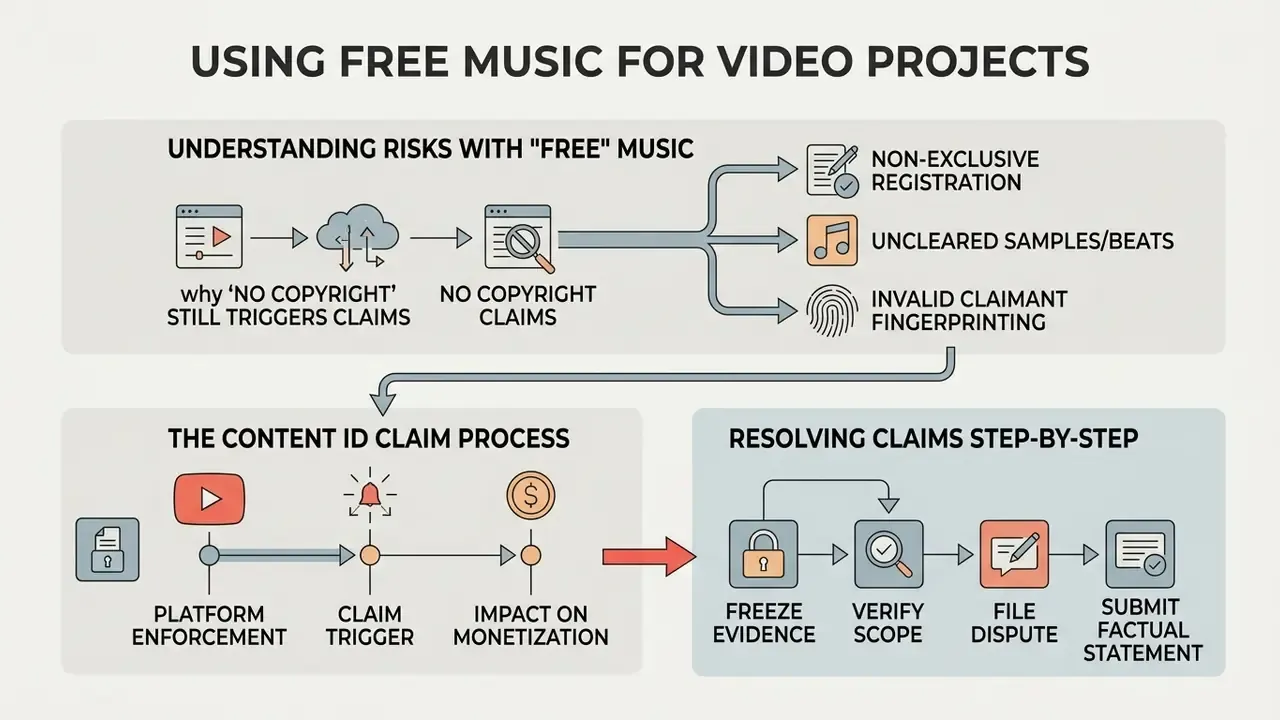
Deploying free audio tracks in YouTube videos, sponsored content and client marketing introduces platform-level enforcement risk. That risk is manageable, but only with clearance done in advance and attribution formatted exactly as the license demands.
Why "No Copyright Music" Can Still Trigger Claims
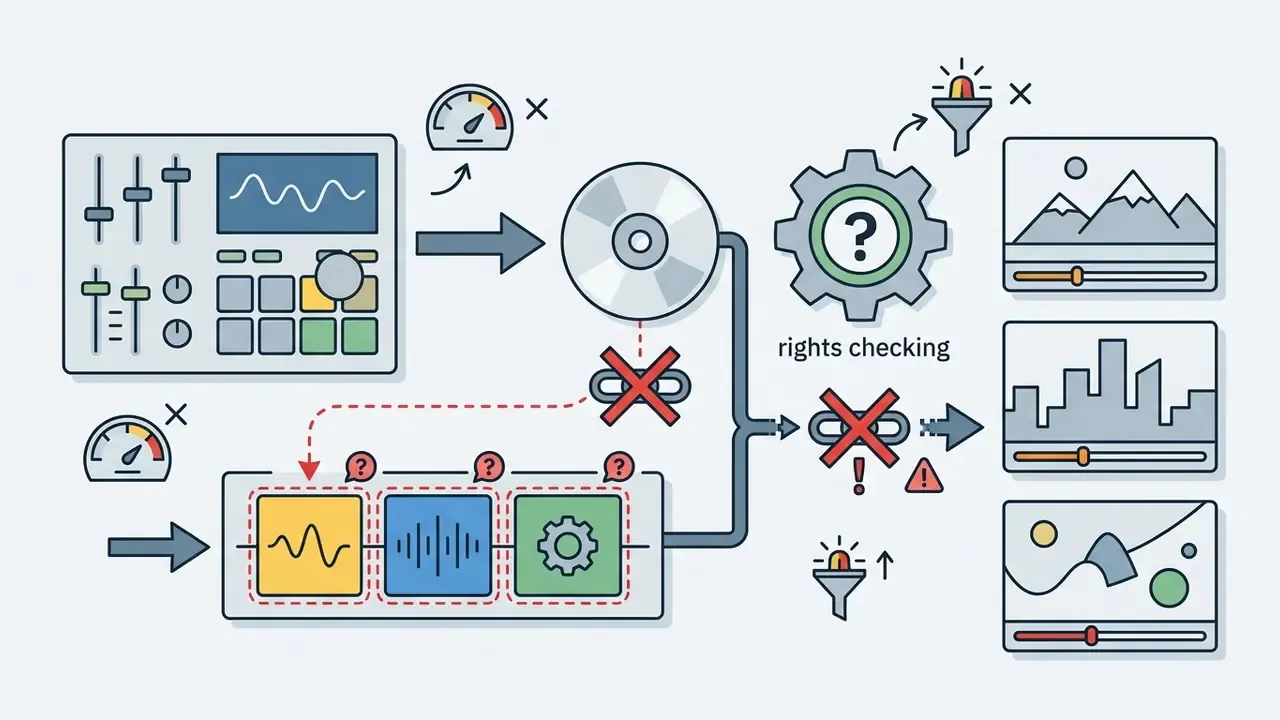
Tracks marketed as no copyright music can still trigger automated Content ID claims, because fingerprint matching operates independently of promotional titles and third-party labels.
YouTube's Content ID scans uploads against a database of reference audio supplied by copyright owners (Google Transparency Report, 2026).
«Systems such as Content ID rely on audio fingerprinting to detect matches, and platforms are now obliged to prevent infringing content from appearing, regardless of what the uploader believes about a track's status.»
Claims typically arise in three ways:
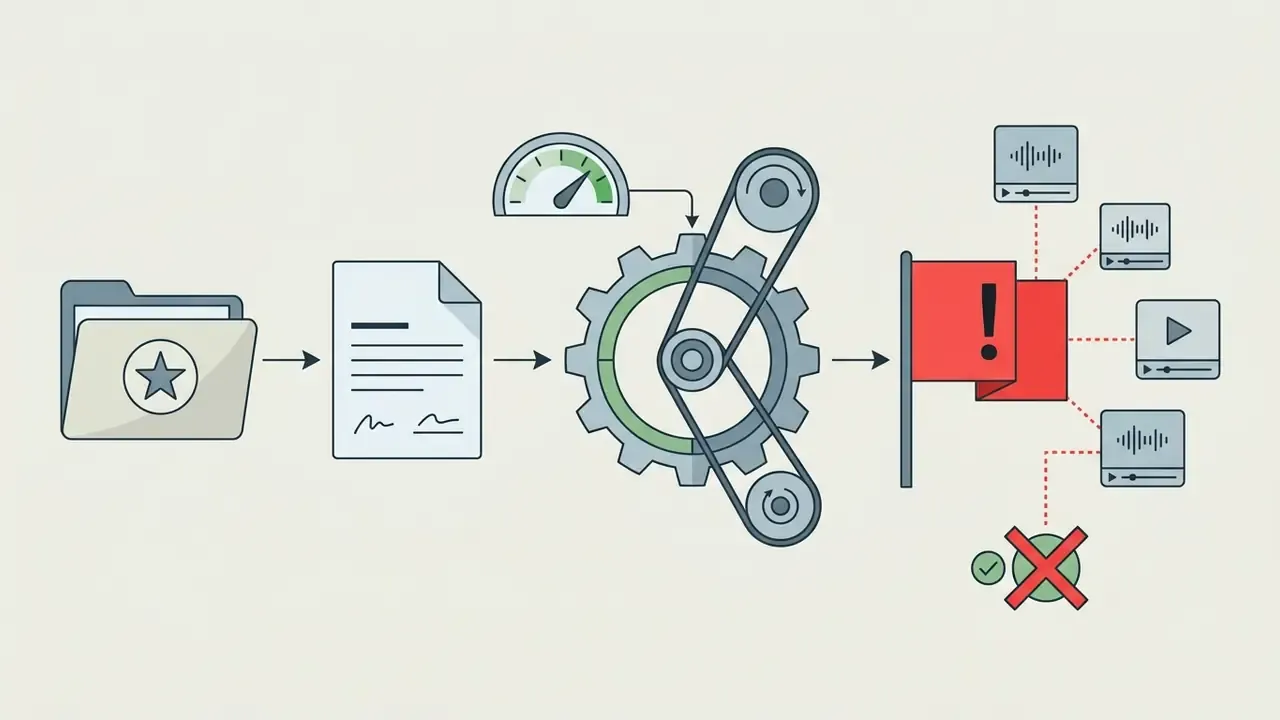
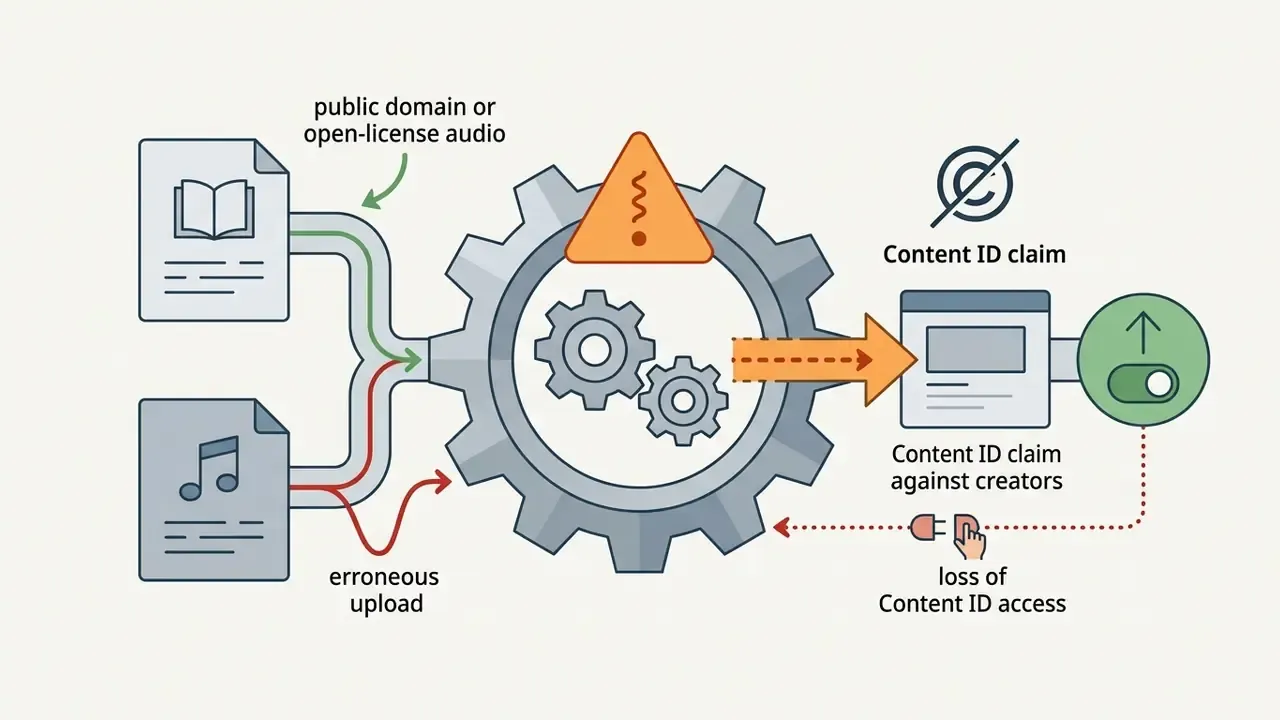
Dispute Workflow: Responding to an Erroneous Content ID Claim
Anonymized Case Pattern: How a "Free" Track Cost a Quarter of Ad Revenue
Illustrative, composite, and unfortunately common. A mid-size B2B channel licensed a corporate underscore from an aggregator advertising copyright free music, then published 18 monetized videos in a quarter. The composer had separately signed a non-exclusive distribution deal, and the distributor registered the master in Content ID. All 18 uploads were claimed within days, ad revenue was redirected to the claimant, and because the team had saved only MP3 files rather than the license page, not one dispute could be substantiated. Remediation meant replacing the bed in every video (stems had not been archived), re-uploading three sponsored edits under new URLs, and rebuilding watch-time history from scratch. The two controls that would have prevented all of it cost nothing: archiving the dated license page at download time, and keeping stems so a swap stays a mix operation instead of a re-edit.
Commercial Use, Attribution and Content Creator Requirements
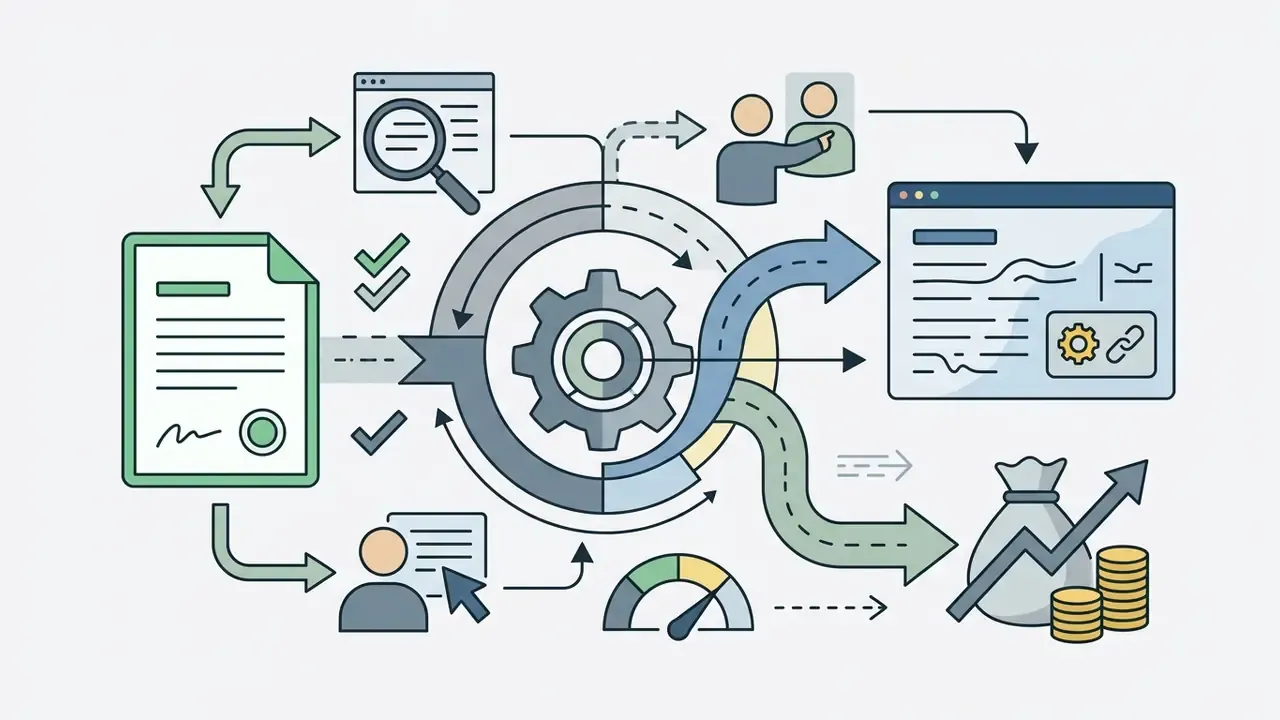
Commercial usage, meaning monetized uploads, social ad campaigns and client corporate videos, requires explicit authorization and exact credit formatting.
FAQ About Free Audio for Video Editing
How Much of a Copyrighted Song Can You Use Without Paying?
There is no legal safe harbor granting a specific number of seconds, whether three, seven or thirty, of copyrighted music without a license. Under U.S. copyright law (17 U.S.C.), synchronizing any portion of a protected composition or sound recording into a video without authorization is potential infringement unless a statutory exception or fair use applies (U.S. Copyright Office, 2026). Content ID can match audio segments as short as one second, so track duration offers no shelter.
Disclaimer: this information is general in nature and does not replace advice from a qualified copyright attorney. «Legal analysts stress that neither courts nor statute have established a universal quantitative threshold for "safe" use; fair-use analysis is always contextual.» Columbia Journal of Law & the Arts, commentary on Kelley v. Morning Bee Inc. and the Drake sampling decision (2024) The much-quoted "7-second free zone" was a policy proposal submitted as commentary to the Copyright Office, and the "30-second rule" is a classroom heuristic used when teaching fair use. Neither appears in Title 17 as a binding exemption.
Can You Use Free Music and Sound Effects in the Same Video?
Yes. You can combine free music tracks and sound effects from different libraries in one project, as long as you honour each asset's individual license terms. Every audio file keeps its own legal status. If the project also layers synthetic narration, apply the same scrutiny to AI voice generators, since their commercial-use and voice-ownership clauses differ from music licenses. Example: a CC BY music bed next to a CC0 sound effect means you credit the music and owe nothing for the effect. Once the license stack is settled, picking the timeline is the practical next step, and our roundup of free video editing software compares multi-lane audio handling and metadata export. One trap. Creative Commons ShareAlike (CC BY-SA) audio: syncing a CC BY-SA track to visuals creates an audiovisual adaptation, which obliges you to release the finished video under the same ShareAlike terms (Creative Commons Legal Code, 2026).
«Academic guidance records that ShareAlike licences require derivative works to be distributed on identical terms, which directly governs how editors may combine tracks carrying different licences.» Monash University Library Guide, Music and Sound Effects, Copyright free and Creative Commons (2023)
Do Free Music Licenses Cover Twitch, TikTok and Client Deliverables?
Not automatically. Many free-tier licenses name specific destinations, usually YouTube and the creator's own social channels, while excluding broadcast, paid advertising, client work and streaming VOD archives. Twitch requires rights cleared from all relevant rightsholders for streams, VODs, clips and highlights, so a YouTube-only permission leaves archived streams exposed. For agency or client delivery, request an extended or commercial license in writing and file it in the project audit folder.
What Happens if a Free Track Is Removed or Its License Changes?
Licenses granted at download time generally survive later catalog changes, but only if you archived the terms in force on that date. Creative Commons grants are irrevocable for copies already distributed under them, whereas proprietary platform licenses often terminate when a subscription lapses. That asymmetry is the whole argument for saving the license page and not just the audio file: it is the only artifact proving which terms applied on publication day.
Free Libraries or a Paid Subscription: Which Is Cheaper in Practice?
Depends on volume and exposure, not on preference. For occasional uploads with no sponsorship, free libraries with clean CC0 or platform licenses are usually sufficient. For channels running paid media, client deliverables or broadcast placements, a paid subscription buys indemnification language and a single audit-friendly license source, which is often cheaper than one remediation cycle across 18 published videos. Run the comparison against your own claim history rather than against a vendor's marketing page.
Related Resources and Navigation Hub
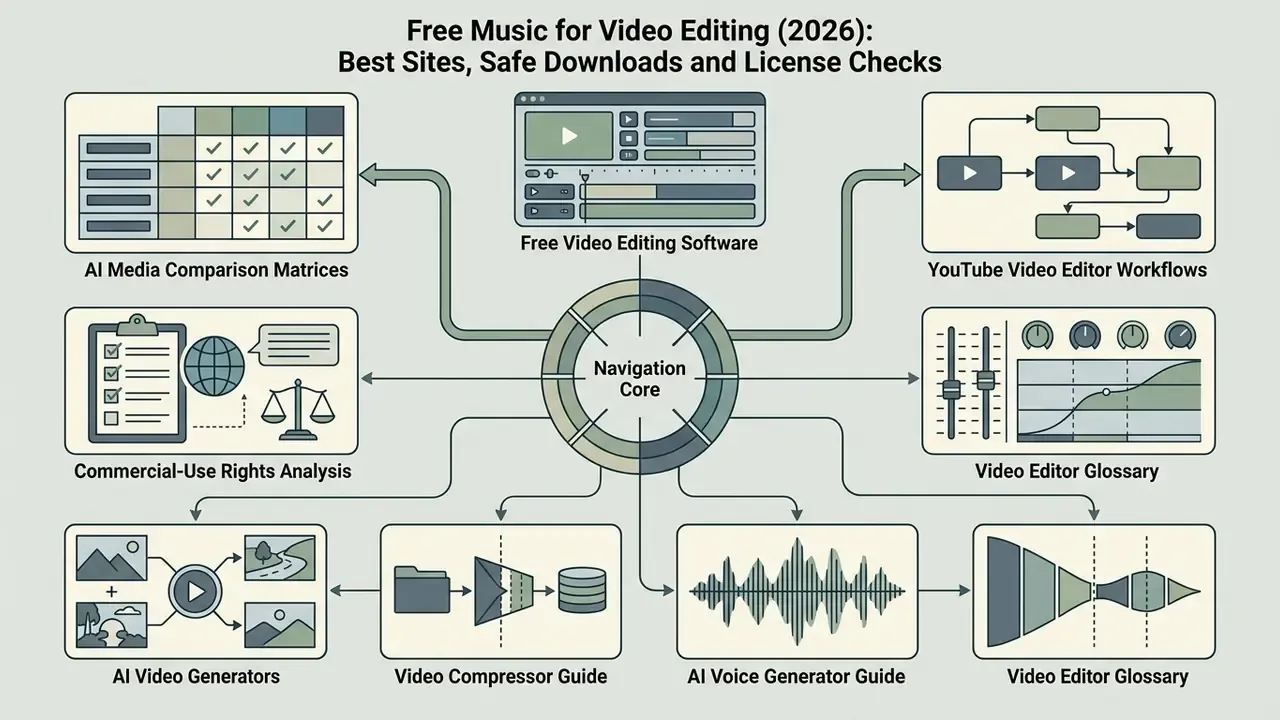
- AI Media Workflows, production pipelines for multi-asset edits
- AI Media Comparison Matrices, tool selection by feature, price and licensing
- Free video editing software comparison, timelines that support multi-track audio and ducking
- YouTube video editor workflows, publishing, credit blocks and end-card templating
- Video editor glossary, gain staging, keyframes and lane routing fundamentals
- Video compressor guide, bitrate, audio passthrough and quality loss
- AI voice generator guide, narration quality, languages and commercial licensing
- AI video generators for commercial projects, output rights alignment
- Commercial-use rights analysis, platform-by-platform licensing breakdowns
- AI Media API Guides, developer integrations and metadata endpoints
- AI Media Benchmarks and Review Proof, tested performance data
- Calculators, bitrate, storage and loudness utilities
- How to make an image a PDF and how to make an AI video from a photo, adjacent asset-prep guides
- How to make an image a circle in Google Slides, presentation-layer formatting
Legal disclaimer: this article provides educational and informational content about music licensing, platform enforcement and audio post-production practice. It is not formal legal advice, and licensing outcomes depend on jurisdiction, license version and the facts of each project. Consult a qualified copyright attorney before relying on any free or royalty free track in commercial, broadcast or client-facing work.