Last reviewed: February 2026 · Scope: production workflows, tool selection, and compliance controls for synthetic infant video
Executive Summary
- Technology choice comes first.The working 2026 pipeline is: baby image (real or fully synthetic) → script or audio → audio-driven lip-sync model → render → QA → export. Talking-photo clips need the highest viseme precision. Podcast formats need temporal stability across longer audio. Vertical social clips need upper-body motion plus captions.
- Biometric protection is the main risk boundary.Photos, video, and voice recordings of children are regulated personal data. Generating a 100% synthetic infant character removes consent and biometric-template exposure entirely, which is why data-protection authorities recommend synthetic assets for depicting minors.
- QA and labeling are not optional.Before publishing, validate lip-sync alignment, identity stability, and audio integrity, then apply visible AI labels plus machine-readable provenance metadata (C2PA). A copy-ready audit checklist sits at the end of this guide.
Who This Guide Is For and How to Read It
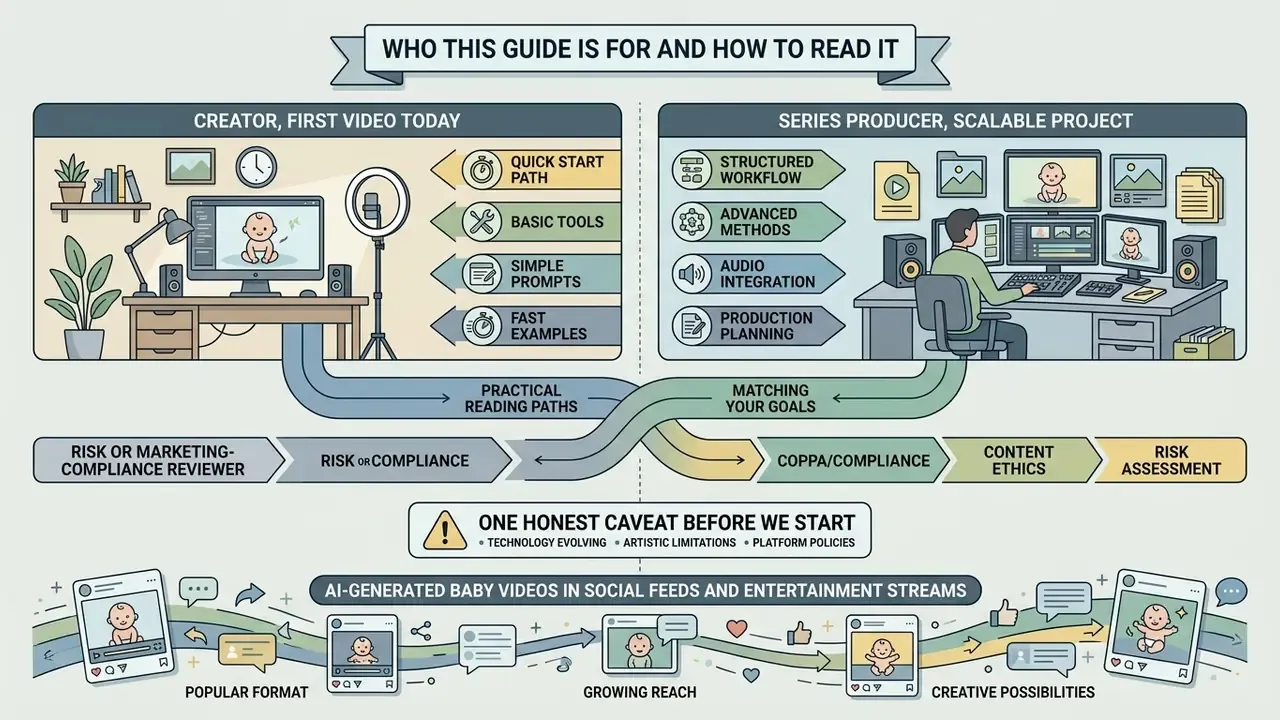
Two very different readers land on the same query. The first is a creator who wants a viral clip by tonight. The second is a compliance, risk, or brand-governance lead who has to sign off on it. This guide serves both, in that order: tools and steps first, controls and evidence second.
A practical reading path:
- Creator, first video today. Start with the format table, then follow the six-step workflow, then run the pre-publication checklist before you post.
- Series producer. Read the character-consistency controls and the script templates. Identity drift, not render quality, is what kills a recurring channel.
- Risk or marketing-compliance reviewer. Jump to vendor screening, the privacy section, and the audit checklist. Those three blocks are the evidence trail.
One honest caveat before we start. Vendor limits, free-tier credits, and platform labeling rules in this space change monthly, sometimes weekly. Treat every number here as a snapshot with a date on it, not a constant.
AI-generated baby videos have become a recognizable format across social feeds, entertainment streams, and private family archives. These clips combine static infant imagery, AI-synthesized speech, and deep-learning re-animation models that turn photos into speaking characters. Understanding how people make these videos means looking at four things at once: the technical workflow, the software selection criteria, the generation steps, and the governance frameworks that protect personal data.
What Are AI Baby Videos and Which Format Should You Create?
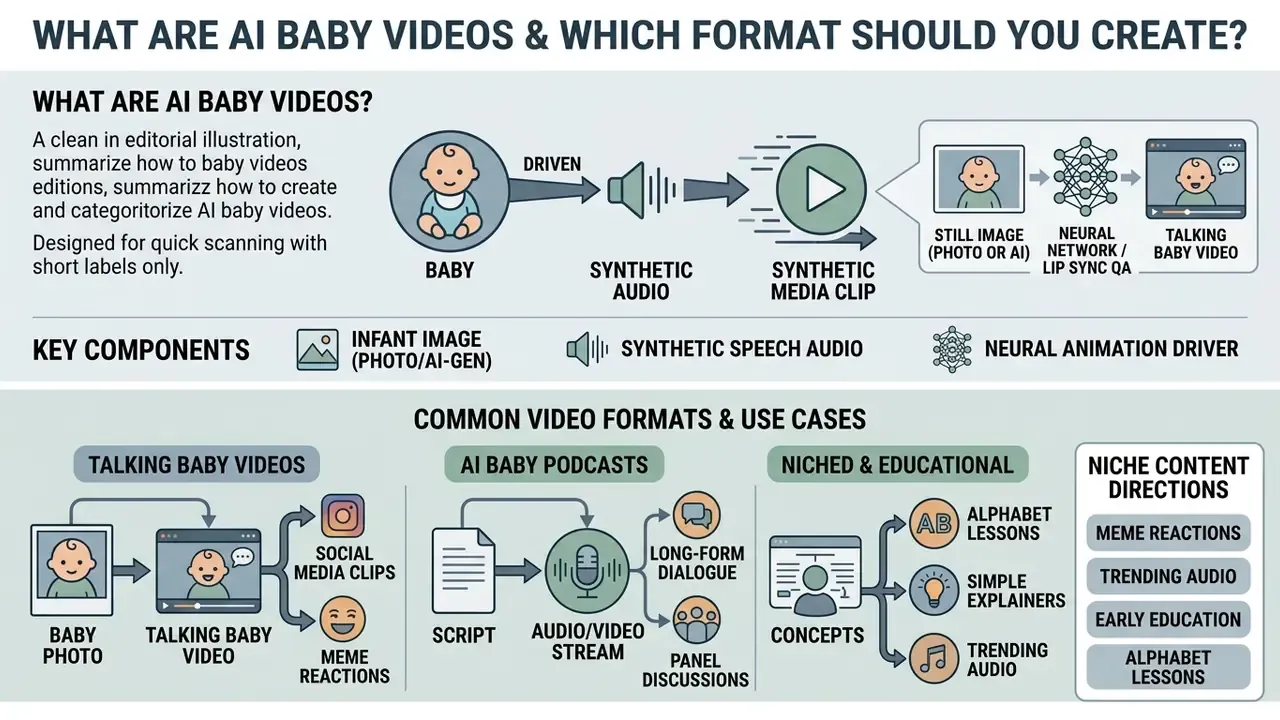
An AI baby video is a synthetic media clip produced by driving a still infant photograph, or an AI-generated infant image, with synthetic speech audio and neural lip-synchronization models. Creators pick a format based on distribution platform, runtime, visual complexity, and audio source.
If you have been wondering how people are making AI baby videos at scale, the short answer is that nobody is animating faces by hand any more. Modern AI video generators do the keypoint work, and the creator's job shifts to asset quality, script pacing, and disclosure.
«Talking-head generation aims to synthesize realistic videos of a person speaking from a still image, audio signal, text, or a combination of these inputs.»
Situation: A media team needed to launch a series of short educational reels featuring synthetic infant avatars while adhering to strict privacy and bandwidth constraints.
Action: They selected a static synthetic photo-to-video workflow paired with 15-second pre-recorded scripts, deploying automated lip-sync models rather than full 3D mesh rendering.
Result: Per-clip render time fell substantially compared with their previous 3D mesh workflow, and platform retention targets were met without processing biometric data from real children. (Internal production observation; exact percentage reductions depend on model, resolution, and queue load and require independent measurement.)
When planning content, creators usually evaluate three production formats:
For longer projects and multi-clip narratives, a professional youtube video editor helps align audio tracks with synthetic facial movement before final delivery. Teams producing a recurring series often pair that editor with a general-purpose animation maker for intros, lower-thirds, and transition assets.
Talking baby videos from a baby photo
A talking baby video turns a static infant image into an animated clip where mouth shapes and facial movement follow a spoken audio track. The process relies on audio-driven facial re-animation algorithms that map phonemes in the audio file to matching visemes on the source image.
For convincing re-animation, the source photo needs a clear, front-facing view of the child's face under balanced light. High-resolution input lets deep-learning models such as RealTalk (Wang et al., 2024) or Livatar (Tan et al., 2025) extract facial keypoints accurately while holding identity stable across every rendered frame.
«Livatar reaches a LipSync Confidence score of 8.50 on the HDTF dataset at 141 frames per second with 0.17 seconds of latency on a single A10 GPU.»
Those numbers matter operationally. Real-time-class throughput means a 15-second clip can be produced and re-rendered several times inside one QA cycle, which makes iterative lip-sync correction cheap instead of painful. Creators comparing engines for this stage can review the available image-to-video AI tools before committing to a paid tier, and the wider AI Media Comparison hub covers adjacent categories.
How to Choose an AI Baby Video Generator
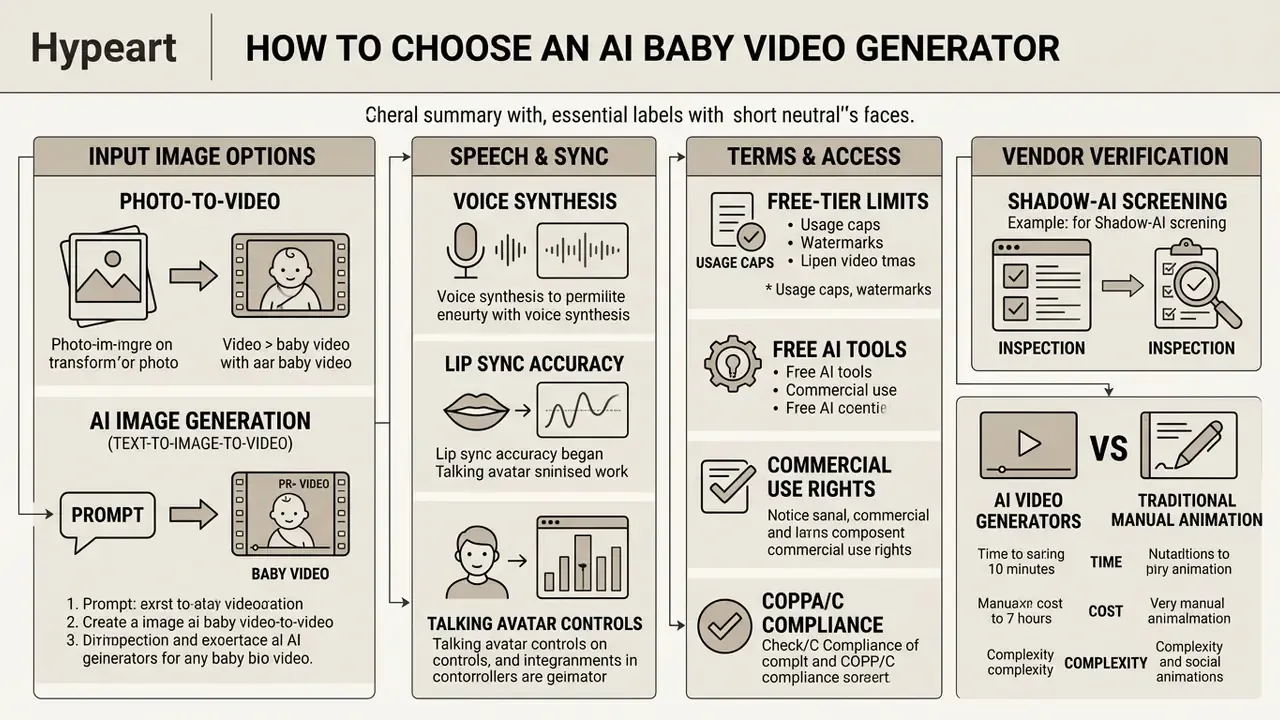
Choosing an AI baby video generator means evaluating input image options, voice synthesis quality, lip-sync accuracy, free-tier limits, and commercial usage rights. The tool has to match both your technical requirements and your privacy constraints. Those two rarely point in the same direction.
«Audio-driven talking-head models show greater variability: they outperform competitors on motion dynamics but score lower on overall naturalness.»
That trade-off is the single most useful selection criterion. If the deliverable is a speaking-face clip where mouth accuracy dominates perception, audio-driven engines win. If the deliverable is a stylized vertical clip where fluid whole-frame motion dominates, diffusion engines fit better.
When comparing software, testing workflows across a structured comparison of the best AI video generators keeps execution speed and visual fidelity in the same view. Reviewing published latency figures under heavy load, ideally through independent AI Media Benchmarks, clarifies which engines stay usable during peak-hour production windows. (Updated: generic hub references were kept but paired with verified destination pages; the original wording is preserved in Appendix A.)
Photo-to-video and AI image generation features
Photo-to-video tools accept an uploaded image and re-animate facial features to match a target audio file. Platforms that support image-to-video generation let you retain the exact identity of a real or generated infant portrait. That is the appeal, and also the exposure.
Alternatively, text-to-image engines like Midjourney or DALL-E generate a completely synthetic infant image from a text prompt. Creators evaluating that route can compare available AI image generators on prompt control, aspect-ratio parameters, and licensing terms. A synthetic child image removes the need to process real personal photographs at all, which cuts the privacy risk tied to biometric data of real minors.
That same realism, though, is exactly why synthetic child imagery carries elevated legal exposure:
«Synthetic child faces are now so realistic that 82% of generated images assessed would be classified as pseudo-photographs of children under criminal law.»
The operational takeaway: synthetic generation removes consent and biometric-template risk, but it does not remove content-legality risk. Prompt hygiene, wholesome framing, and platform-policy review stay mandatory.
Photo-to-video versus text-to-image-to-video. Photo-to-video preserves the identity and fine detail of the uploaded frame, which suits keepsake content but anchors the output to a real person. Text-to-image-to-video gives total control over appearance and removes any real-person likeness, at the cost of a two-stage pipeline and weaker identity anchoring between episodes. That last problem is solvable, and the character-consistency section below covers how.
Voice, lip sync, and talking avatar controls
Advanced generator platforms integrate zero-shot text-to-speech, custom voice cloning, and precise viseme-mapping controls. Software that exposes parametric control over pitch, speaking rate, and emotional tone lets you produce a believable child voice instead of a squeaky filter effect.
«FastPitch-based child speech synthesis models reach a MOS of 3.95 for intelligibility and 3.89 for naturalness when trained on 19 to 55 hours of child speech.»
Neural re-animation engines map audio features directly onto 3D facial mesh structures. Systems such as NVIDIA Audio2Face or the ElevenLabs conversational avatar APIs analyze phoneme sequences to drive mouth, jaw, and cheek movement, which prevents the unnatural jaw distortion you see in cheap renders. Creators who need to audition tone, pitch, and accent before committing can start from a shortlist of AI voice generators.
Free AI tools, limits, and commercial-use checks
Free tiers let you test features, but they come with hard functional ceilings. Standard limitations include:
- Enforced output watermarks on exported files.
- Lower render resolutions capped at 480p or 720p.
- Restricted monthly or daily processing credits, typically yielding 15 to 30 seconds of total video.
- Strict non-commercial licensing terms.
- Input caps on trial modes; some baby-video tools restrict free runs to roughly 133 characters of script text or 20 seconds of uploaded audio.
Documented examples of credit ceilings include one-time allowances of around 125 credits (roughly 25 seconds of generated video) on some platforms, and about 80 monthly credits with 480p-only output on others. Draft-resolution, watermarked, non-commercial exports are common on web free plans. Before picking a plan, compare published limits across free AI video generators and confirm the terms on the vendor's own pricing page. Free-tier conditions change constantly, and third-party summaries disagree with each other more often than you would expect.
Before you put synthetic media assets into a public campaign or a monetization program, review the platform licence. Knowing the boundaries of commercial use rights for AI-generated content, and reading the wider AI Media Commercial-Use material, keeps generated videos inside copyright rules and platform distribution policy.
«EU Digital Services Act guidance recommends embedding watermarks, metadata, and cryptographic provenance methods across all synthetic media content.»
Vendor verification: a shadow-AI screening example
Screen any unfamiliar generator before uploading assets. Here is a worked example of a failed check:
Company query: hypeart.ai
Verification status: As of the review date, no verified information was available regarding official operations, legal registration, or documented product capabilities.
Decision: Treat as unverified Shadow AI. Do not upload identifiable imagery, voice samples, or client assets until legal entity, data-retention policy, and deletion mechanism are confirmed in writing.
Apply the same three questions to every candidate tool. Who is the legal entity? Where are uploads stored, and for how long? What is the documented deletion path? If any answer is missing, the tool fails the screen for content that involves minors. No exceptions, and no "we will check later".
AI Video Generator Selection Matrix
| Generator Category | Photo Upload | Synthetic Image Generation | Voice Customization | Lip-Sync Control | Free Tier Access | Export Formats |
|---|---|---|---|---|---|---|
| Audio-Driven Talking Head | Supported | External input required | Integrated TTS and audio upload | High viseme alignment | Credit-capped with watermark | MP4 (720p/1080p) |
| Text-to-Video Diffusion | Optional | Native prompt-based generation | Script-to-speech module | Moderate temporal alignment | Limited trial credits | MP4 / WebM |
| Upper-Body Motion Engine | Supported | External input required | Audio file import | Multi-gesture expression sync | Non-commercial evaluation | MP4 (9:16 vertical) |
Summary: audio-driven talking-head tools offer the highest lip-sync precision for uploaded photos; text-to-video diffusion engines generate character and animation in a single prompt step; upper-body motion engines add expressive gestures for viral social formats.
Named platform landscape (verify terms before purchase)
| Platform / Stack | Category | Documented capability relevant to baby video | Governance notes to verify |
|---|---|---|---|
| HeyGen | Talking avatar / lip sync | Image, video, or avatar input; script or uploaded voice track; voice cloning; MP4 export; free lip-sync tier documented without credit card | Confirm retention window for uploaded faces and enterprise security attestations |
| Synthesia (Express-2) | Avatar video | Splits Express-Voice (instant cloning) from Express-Video (speech-driven gesture and rendering) | Consent workflow for avatar training is documented by the vendor; verify enterprise data residency |
| ElevenLabs | Voice + avatar | Persistent avatar identities paired with any voice for synchronized talking-head video; multilingual TTS | Verify voice-cloning consent policy and commercial licence scope |
| NVIDIA Audio2Face | Audio-to-face animation | Extracts phoneme and intonation cues, converts them to animation data mapped onto facial poses | Self-hosted deployments keep assets on-premise; confirm licence class |
| Runway (Gen-4 / Lip Sync) | Image-to-video + lip sync | Image or video face input, audio upload, TTS or custom voice selection; free credits with watermark | Watermark on free tier; confirm commercial rights at paid tier |
| Kling AI | Text/image-to-video | Generation from text or images; free tier documented with watermarking | Verify jurisdiction of processing and export rights |
| Wav2Lip / SadTalker (open source) | Self-hosted lip sync | Accepts a face image or clip plus a separate audio track and re-renders the mouth region | No third-party upload required, so the strongest privacy posture; you own QA and model-safety controls |
How to read this table: self-hosted open-source options give maximum data control and minimum convenience. Managed SaaS gives the opposite. For content that depicts a real child, bias toward self-hosted or contractually audited enterprise tiers. For fully synthetic characters, convenience-first SaaS is defensible.
AI Video Generators vs Traditional Manual Animation
| Pipeline Parameter | Manual Animation (After Effects / Live2D) | AI Audio-Driven Pipeline (RealTalk / Lip-Sync AI) |
|---|---|---|
| Facial Rigging | Manual mesh setup and bone tracking (2 to 4 hours) | Automated keypoint extraction (under 5 seconds) |
| Lip Synchronization | Syllable-by-syllable keyframing | Automatic viseme-to-phoneme alignment |
| Voice Track | Source, cast, edit, or record separately | Integrated TTS, cloning, or direct audio upload |
| Production Time | 4 to 8 hours per 15-second video | 30 to 90 seconds total render time |
| Iteration Cost | Every script change re-triggers keyframing | Re-render from edited script or audio |
| Skill Barrier | High, requires motion-design proficiency | Low, prompt and audio upload only |
| Governance Burden | Local files, no third-party upload | Requires vendor screening, labeling, and retention controls |
Summary: the AI pipeline collapses hours of rigging and keyframing into a single render pass, but it moves the effort from craft to governance. Vendor verification, labeling, and QA replace manual animation labor.
How to Create AI Baby Videos Step by Step
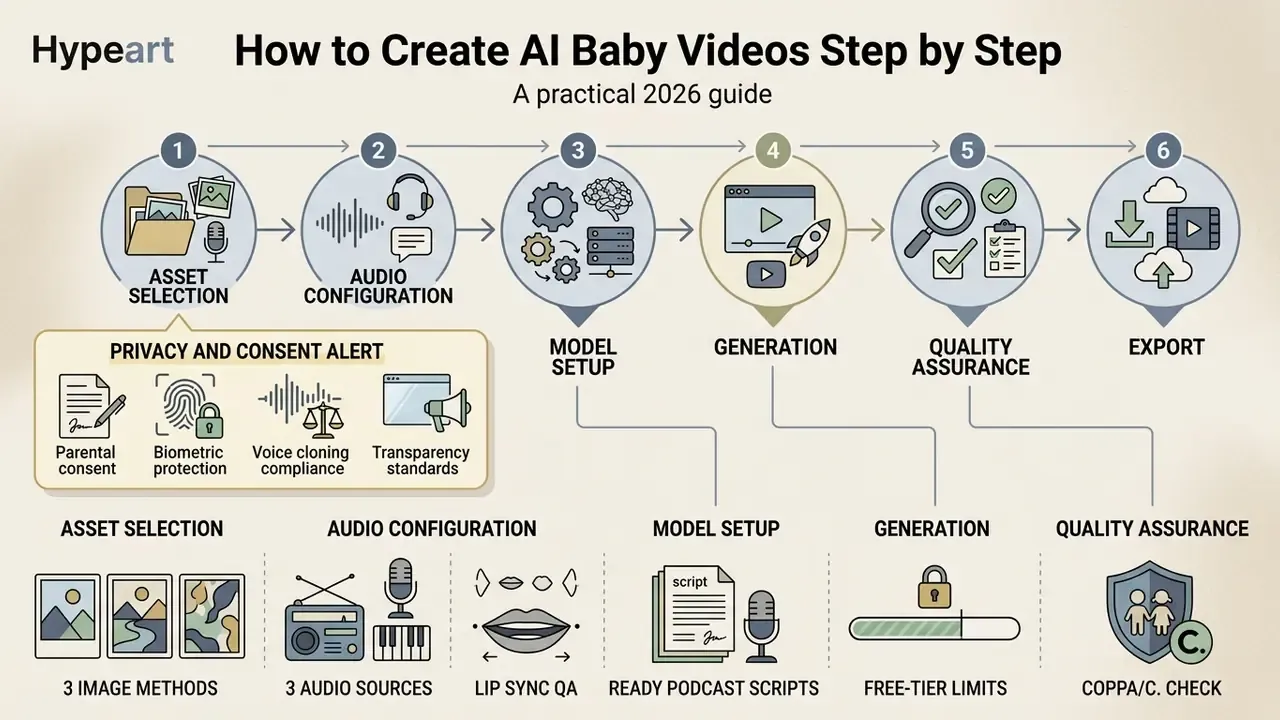
Creating an AI baby video follows a six-step workflow: asset selection, audio configuration, model setup, generation, quality assurance, and export.
PRIVACY AND CONSENT ALERT, read before processing any asset
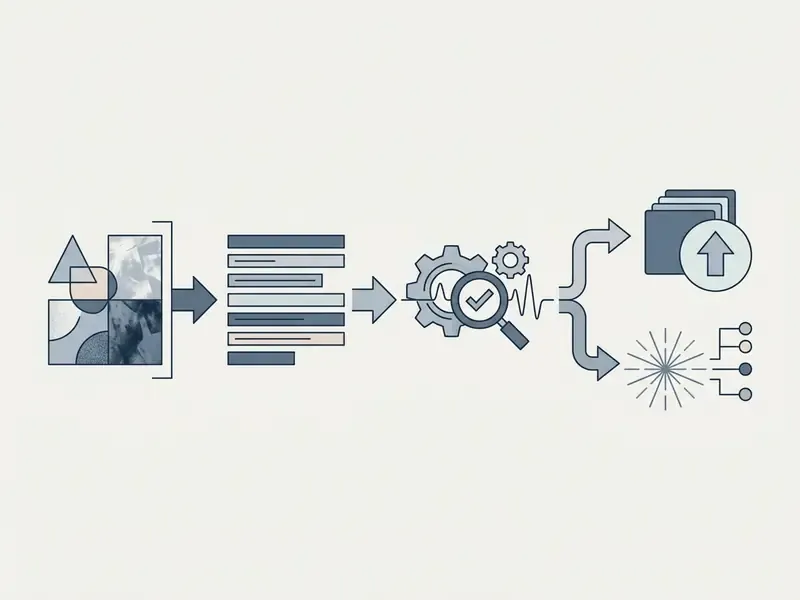
- Asset selection: prepare a high-resolution, front-facing infant image.
- Audio configuration: write a short script and synthesize an age-appropriate AI voice.
- Model setup: import assets into the video generator and set lip-sync alignment parameters.
- Video generation: click generate and run the render pipeline to produce the synthetic media file.
- Quality assurance: inspect the output for facial distortion or mouth clipping artifacts.
- Download and publish: export the verified file in the aspect ratio your platform needs.
Note the mandatory validation gate. Several production APIs refuse a lip-sync job until a face check returns a positive result, for example a check_face_task_status = done and video_has_face = true state. Vendor documentation lists multiple speakers, small or profile-angle faces, facial obstruction, and mixed-language audio as known quality blockers. Screen for those conditions before you spend render credits on a job that cannot succeed.
Developers building automated pipelines can wire these steps together with structured AI Media API Guides for high-volume programmatic rendering. Processing efficiency and cost per clip can be estimated in advance with media production calculators.
Upload a clear baby photo or create an AI baby image
The source image is the template for everything that follows. Input photographs should have:
- A direct, front-facing camera angle with the subject looking straight ahead.
- Even, soft illumination with no harsh directional shadows across the face.
- A neutral expression with a closed mouth.
- Sufficient resolution, minimum 512×512 pixels, centered on the facial bounding box.
- No filters, heavy grain, or motion blur, and no occlusion of the mouth by hands, pacifiers, or toys.
Image quality matters disproportionately for infant subjects:
«Face recognition systems show lower accuracy for children, and the performance degradation is proportional to age: accuracy is lowest for infants.»
Because keypoint extraction is already weaker on infant faces, marginal input quality compounds into visible artifacts: jaw smearing, drifting mouth corners, unstable face boundaries. Upgrading the source frame is almost always cheaper than fixing the render. I have yet to see a case where it was not.
For creators building channel branding, an optimized youtube pfp sets a consistent visual anchor before the avatar is animated into clips, and a dedicated AI image generator can produce that synthetic portrait without touching a real family photograph. Light cleanup, meaning cropping, exposure balancing, and shadow reduction, can happen in any competent photo editor before upload.
Add a script and select an AI voice
The script drives both timing and emotional expression. Keep scripts short, ideally 15 to 60 seconds, roughly 30 to 140 words, to maintain natural cadence and prevent temporal drift during rendering. Vendor and creator guidance converges on the same shape: a hook in the first three seconds, two or three punchy beats, one call to action, total length under about 150 words.
Three ways to produce the audio track. Most quality problems in AI baby videos start in the audio, not the image. Choose the source deliberately:
- Option A, multi-lingual text-to-speech. Generate the track from text with libraries such as ElevenLabs, MiniMax, or comparable engines, using child-tone presets across 40+ languages and accents (English, French, Japanese, Spanish, and others). Advantages: instant re-generation after script edits, consistent pronunciation, clean audio with no room noise. This is the default for education and podcast formats.
- Option B, live in-app voice recording. Record through the microphone, since many tools cap free recordings at roughly 30 seconds, then apply pitch shifting and formant adjustment to reach a child register. Advantages: authentic prosody, natural pauses, real comedic timing. Requirements: a quiet room, a pop filter or foam shield, and one speaker per track, because mixed speakers break lip-sync alignment.
- Option C, custom meme or trending audio import. Upload an existing track: a TikTok or Reels sound, a trimmed show line, a podcast excerpt, or a song clip for singing formats. Advantages: the audio is already validated by the algorithm, so creative work reduces to the avatar and the sync pass. Requirements: isolate a single voice, trim to the exact beat, and confirm you hold the rights to redistribute the audio.
Whichever source you pick, keep one speaker per audio file, normalize levels to avoid clipping, and strip background music from the sync track, then re-add it in post. Overlapping music is a documented cause of degraded viseme alignment.
When configuring the voice, use pitch-adjusted child TTS presets or generic synthetic child voices. Do not clone the voice of an identifiable real minor without verifiable consent.
«Child voice cloning is technically feasible from samples as short as five seconds, creating serious risks of unauthorized reproduction of a child's vocal identity.»
Organizations such as UNICEF (UNICEF Guidance on AI, 2025) and the European Data Protection Board stress that synthetic voice processing involving children requires heightened data minimization and explicit authorization. EDPB guidance on virtual voice assistants states that consent-based processing for children under 16 requires parental authorization, that voice templates should be generated and matched locally where possible, and that voiceprints deserve protection under biometric-template standards. Voice-industry practice adds one more rule: audio recorded by a child should not be used to train an AI clone of that child's voice.
Generate, review, and download the video
Once the source image is paired with the audio track, start the render job in the software console. Processing time varies with model complexity, server queue load, and output resolution.
After rendering completes, review the clip before downloading it. Verify that:
Then export in MP4. For archival and multi-platform delivery, keep one master export at full resolution and produce platform-specific renditions separately. A video compressor shrinks files for family archives and messaging apps without a second render pass, and where a local copy of reference material is genuinely needed, a verified youtube video downloader keeps post-production media handling inside your own storage. (Updated: the downloader references were reinstated in a narrower, rights-respecting context; the original wording is preserved in Appendix A.)
- Lip movements match spoken phonemes with no lag or premature closure.
- Facial boundaries stay stable and do not warp into background elements.
- Audio stays clean and free of digital clipping.
- Teeth and tongue regions do not flicker between adjacent frames, a documented mouth-region spatial-temporal inconsistency artifact.
- Eye blinks occur at plausible intervals instead of freezing or firing rapidly.
How to Create an AI Baby Character Without Uploading a Photo
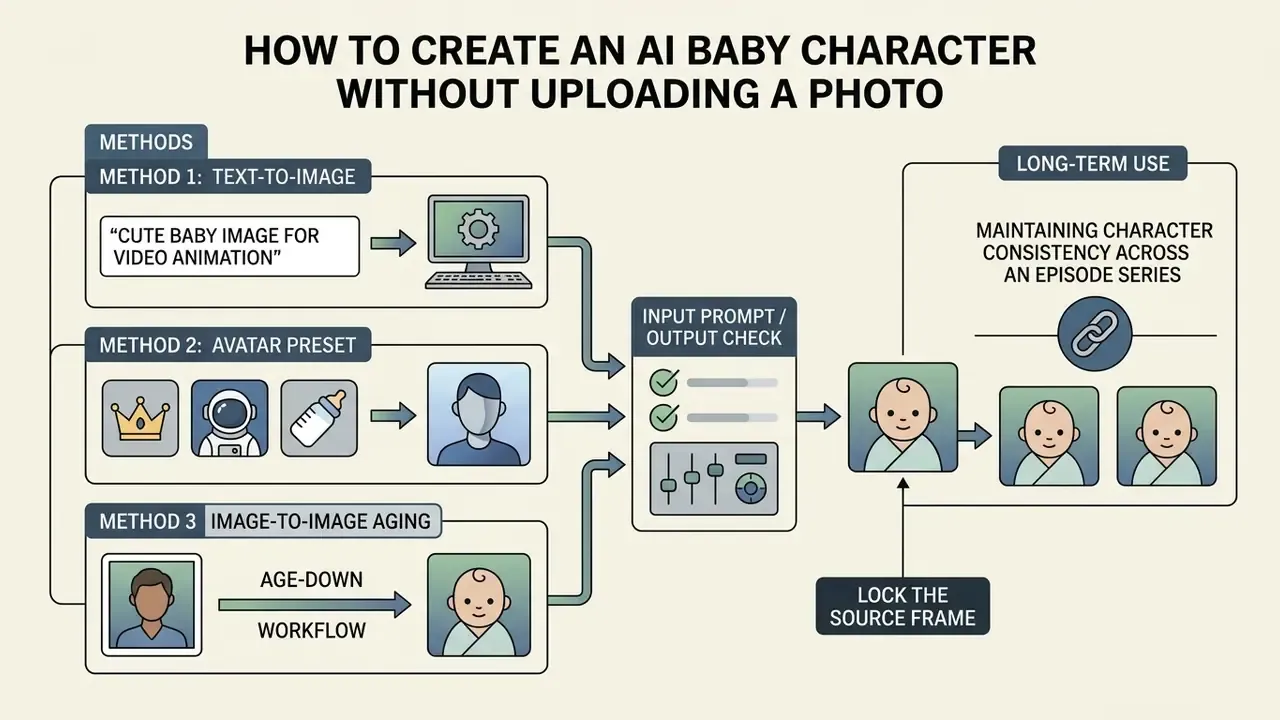
Creating a synthetic AI baby character removes the privacy risk tied to uploading real family photographs. With generative text-to-image models, you can design a unique virtual character and reuse it across an entire series.
International data protection authorities, including the European Data Protection Supervisor (EDPS Joint Statement, 2026) and NIST (NIST Special Publication AI 100-4, 2024), favor synthetic assets when media workflows depict minors. A synthetic character workflow prevents unauthorized processing of real biometric identifiers while giving you total creative control over the design. Broader guidance from privacy regulators, including Australia's OAIC on generative-model training, reinforces the same principle: avoid unnecessary use of personal data anywhere in the pipeline.
Method 1: Generate a cute baby image for video animation (text-to-image)
To create a synthetic infant character, enter structured prompts into an image generator such as Midjourney, DALL-E, or Stable Diffusion. Specify character features, lighting, and framing, and use negative prompts to strip unwanted artifacts. Midjourney's documentation notes that parameters belong at the end of the prompt, that --ar controls aspect ratio, that --no excludes unwanted elements, and that --iw (image weight, range 0 to 3, default 1) controls how strongly a reference image steers the result.
Prompt Example (talking-head source frame):

"A high-resolution, front-facing studio portrait of a cute 1-year-old infant, centered framing, neutral soft expression, closed mouth, eyes open and clearly visible, soft diffused daylight, no harsh shadows, photorealistic details, 8k resolution --ar 1:1 --iw 2 --no text, watermark, harsh shadows, motion blur, filters, open mouth"
Prompt Example (vertical social clip):

"Front-facing portrait of a cheerful 1-year-old infant podcaster seated at a small desk with a studio microphone, digital art style, soft key light, neutral closed-mouth expression, clean background, centered composition --ar 9:16 --no text, logos, distorted hands, extra fingers, dark shadows"
Commercial image generators embed safety systems that block prompts attempting to depict minors in harmful or inappropriate contexts. Published vendor documentation describes photorealistic-person classifiers used to detect depictions of minors, moderation classifiers that block sexual content involving minors, scanning of all uploads against known CSAM databases, and, in at least one major system, a launch-time prohibition on editing uploaded photorealistic images of children. Keep prompts wholesome, professional, and non-suggestive. A blocked generation is a signal to rewrite the concept, never to look for a workaround. (Updated: the earlier single-source attribution for this claim is preserved in Appendix A.)
Creators who want to benchmark prompt fidelity across engines can compare outputs through a review of the best AI art generators or an evaluation of Midjourney versus competing image tools.
Method 2: Style transformation through an avatar preset
The fastest route for non-technical users is a preset pipeline: upload a reference image, select a stylistic preset such as "AI Baby" or "AI Baby Podcast", then click generate. The preset supplies framing, lighting, and style parameters automatically, which takes prompt engineering out of the workflow. The trade-off is control. Presets rarely expose aspect-ratio or negative-prompt parameters, so outputs often need cropping before animation.
Method 3: Image-to-image baby transformation (age-down workflow)
If you want to turn an existing adult avatar, brand mascot, or portrait into a baby character without writing a prompt from scratch, use an image-to-image control pipe. This is the workflow behind the "turn my photo into a baby" trend. It preserves recognizable facial structure while re-rendering age markers.
- Input reference image plus a transformation strength of roughly 0.55 to 0.70. Lower values retain too many adult features; higher values discard identity entirely.
- Prompt
"Transform the subject into a cute 1-year-old infant, maintaining facial feature identity, soft diffused lighting, photorealistic rendering, centered front-facing framing --ar 1:1 --no wrinkles, facial hair, age markers, glasses, heavy makeup, text" - Output check verify the mouth is closed and the gaze is forward before passing the frame to the lip-sync stage.
Consent caveat. An age-down transformation of a real, identifiable adult creates a synthetic child likeness derived from that person's biometric data. Get the adult subject's explicit written permission, and never apply this workflow to a third party's photograph without it. Never apply it to an image of a real child.
Maintaining character consistency across an episode series
Serial content fails when the character's face changes between uploads. Four controls stabilize identity across a synthetic series:
- Lock the source frame.Generate the character once, then reuse that single master image as the animation input for every episode. Re-prompting per episode is the primary cause of drift.
- Preserve generation parameters.Record the exact prompt, model version, seed, aspect ratio, and image-weight value in a project sheet so the frame can be reproduced if the file is lost.
- Use reference-image conditioning.When a new pose or angle is needed, supply the master frame as an image prompt with a high image-weight value rather than writing a fresh description.
- Version the asset.Treat the master portrait as a controlled brand asset: one canonical file, dated, with a changelog for any regeneration. A consistent portrait pipeline, the same discipline used for an AI headshot generator, keeps the character recognizable across dozens of clips.
Turn the generated baby into a talking avatar
Once the synthetic infant portrait exists, convert the static file into an animated avatar with an audio-driven re-animation engine. The software isolates the synthetic facial features and builds a virtual keypoint mesh mapped to speech parameters.
Systems such as Synthesia Express-2 or NVIDIA Audio2Face extract phoneme data from the audio track and apply matching movement to the synthetic mouth, jaw, and eyes. Because the source portrait is fully synthetic, the resulting talking avatar can be reused indefinitely across episodes without raising personal privacy or consent questions. That reusability, not raw realism, is what makes synthetic characters practical for a weekly series.
How to Improve Lip Sync and Make AI Baby Videos Look Natural
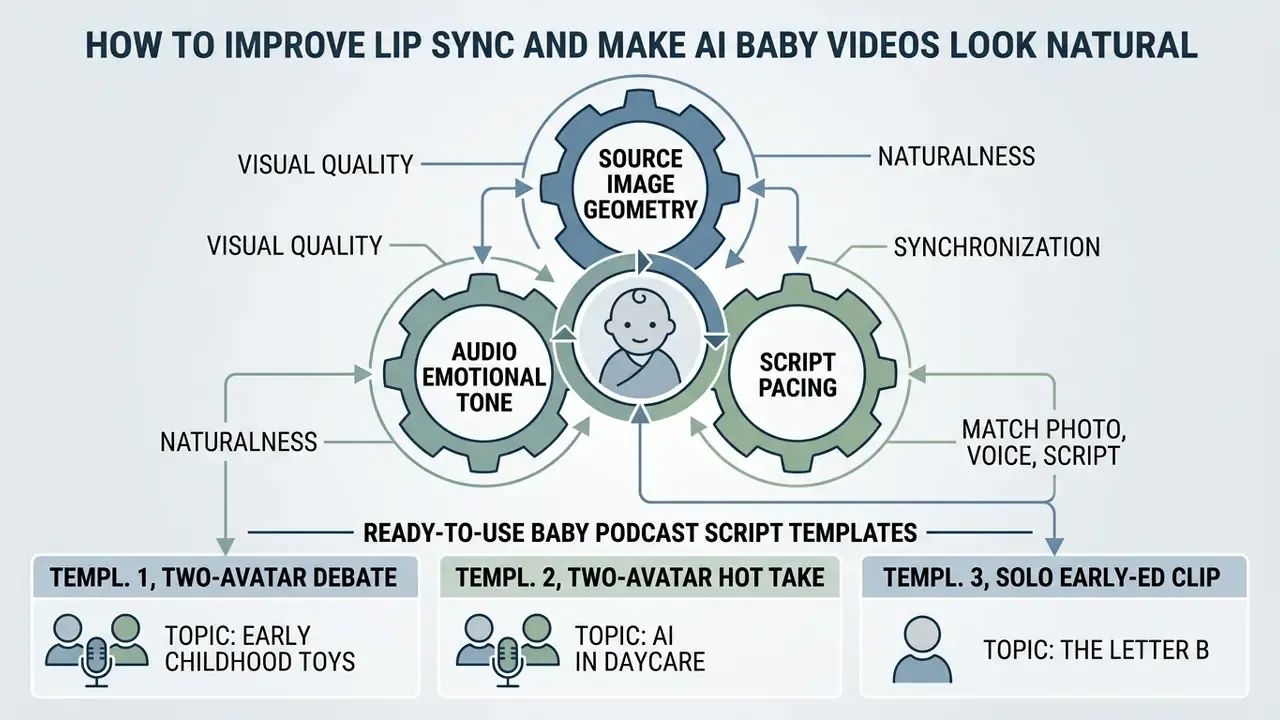
Realistic animation in synthetic baby videos comes from harmonizing three things: source image geometry, audio emotional tone, and script pacing. Unnatural output usually traces back to mismatched facial expressions or aggressive audio parameters.
Research from the THEval benchmark (Li et al., 2025) shows that human perception judges synthetic video across three distinct dimensions:
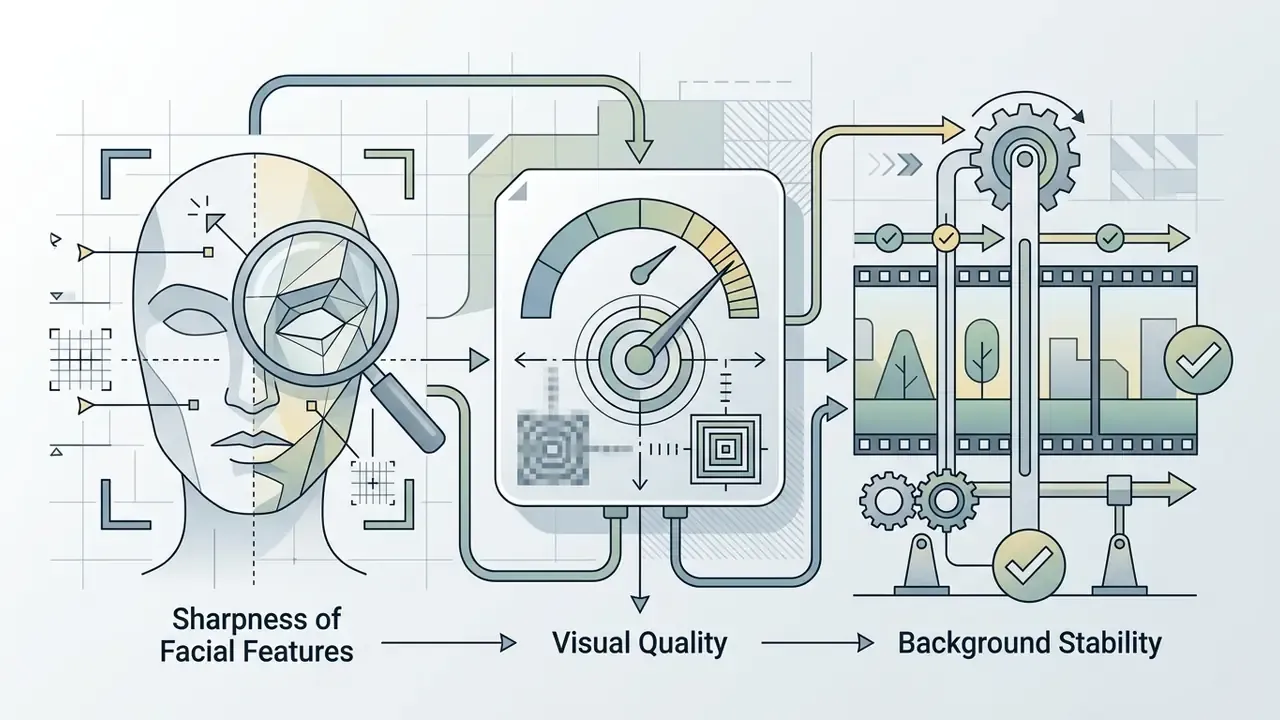
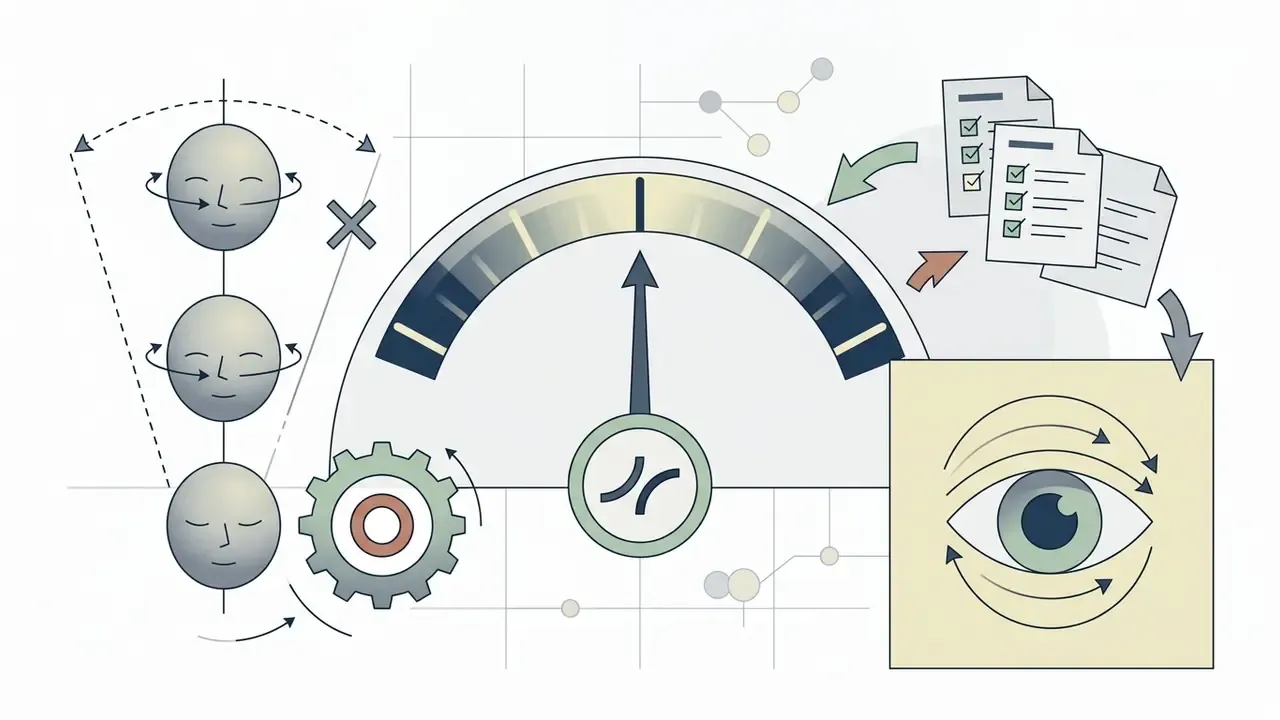
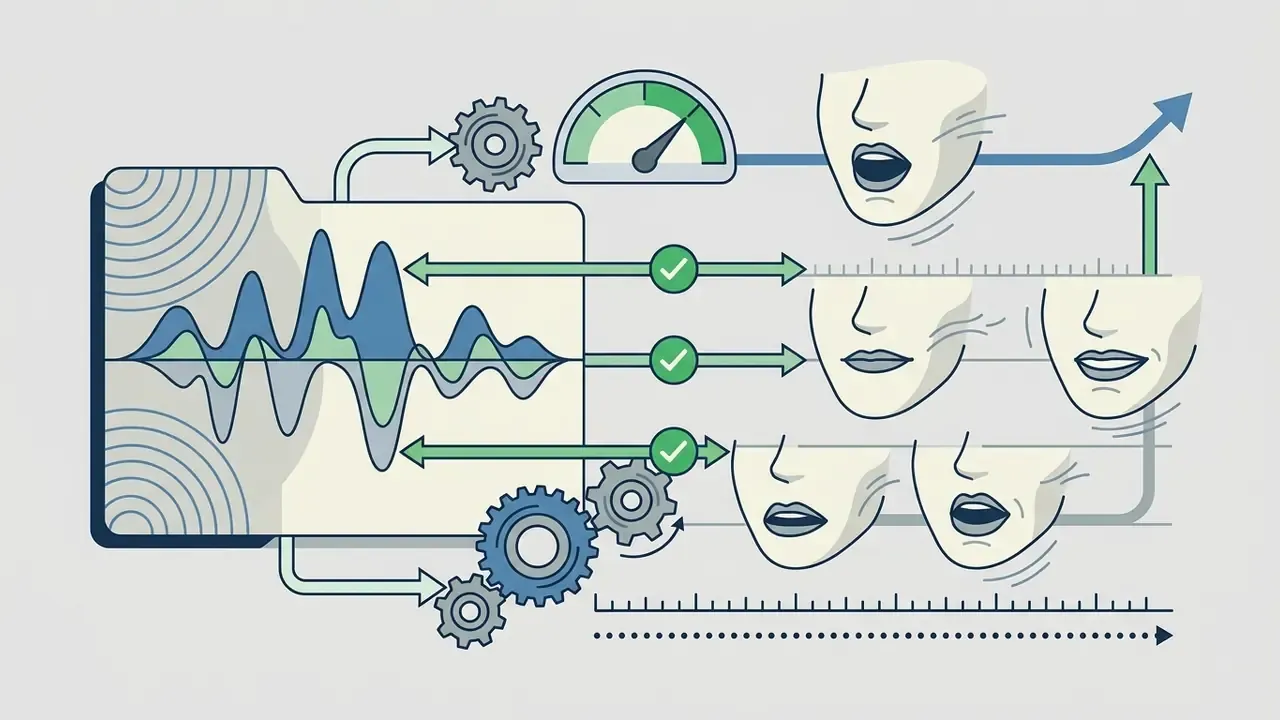
«THEval analyzes 85,000 generated videos from 17 models and reaches a Spearman correlation of 0.87 between its composite score and human ratings.»
Method-level improvements in recent literature reinforce those three axes. Mask-free training with flow-matching noise initialization and dynamic spatiotemporal guidance preserves facial detail while improving synchronization. Audio-lip memory modules sharpen phoneme-to-viseme timing. Post-processing with face parsing, blending, teeth enhancement, and identity-aware refinement raises perceived naturalness. Vendor guidance adds the input-side constraints: near-frontal portraits, clear lighting, a face that occupies a significant share of the frame, no mouth occlusion, clean isolated audio.
Match the photo, voice, and script
To avoid the uncanny valley effect, where a synthetic character reads as unsettling, align the visual maturity of the image with the tone of the audio. Pairing a tiny newborn image with an articulate, complex voice track creates cognitive dissonance and drags down perceived quality. Perceptual research on animated facial motion supports this directly: exaggerated facial movement lowers perceived naturalness, and the penalty is largest when the auditory emotion is already intense. So facial intensity has to be damped to match voice intensity, not amplified alongside it.
Keep script lines short, under 10 to 12 words, and place natural pauses with commas and ellipses. Speech-quality standards back the length threshold. Russian GOST R 70646.1-2023 defines naturalness of synthesized speech as subjective correspondence to natural pronunciation, and explicitly separates short samples (one sentence, up to 10 words) from long connected speech (three or more sentences, 20+ words). Related work on synthesized-speech defects classifies "incorrect pauses", meaning missing, extra, too short, or too long, as a distinct error category. That ties punctuation directly to perceived naturalness, and it gives the re-animation model time to reset neutral lip positions between sentences. (Updated: the earlier unattributed claim about pause handling is preserved in Appendix A.)
Ready-to-use baby podcast script templates
Copy these templates, swap the topic, keep each line under twelve words. Two-avatar formats outperform monologues, because the cut between speakers resets viewer attention every three to four seconds.
Template 1, two-avatar debate (topic: early childhood toys)
[Avatar 1 - Baby Leo]: "So Maya, are wooden blocks actually better than screen time?"
[Avatar 2 - Baby Maya]: "Totally. Stacking real objects builds spatial awareness, Leo."
[Avatar 1 - Baby Leo]: "Plus, they taste much better."
[Avatar 2 - Baby Maya]: "Please do not quote that part."
Template 2, two-avatar hot take (topic: AI in daycare)
[Avatar 1 - Baby Jack]: "Mary, what do you think about AI in daycare centers?"
[Avatar 2 - Baby Mary]: "Fascinating, but a little concerning."
[Avatar 1 - Baby Jack]: "Right. Can it replace emotional bonding?"
[Avatar 2 - Baby Mary]: "No. But for safety monitoring? Genuinely useful."
[Avatar 1 - Baby Jack]: "Fewer accidents. Better naps. I approve."
Template 3, solo early-education clip (topic: the letter B)
[Avatar - Baby Nova]: "Today's letter is B. B is for ball."
[Avatar - Baby Nova]: "B is for banana. B is for bottle."
[Avatar - Baby Nova]: "Say it with me. Buh. Buh. Ball."
[Avatar - Baby Nova]: "You did it. Tomorrow, letter C."
Template 4, family greeting keepsake (topic: birthday)
[Avatar - Baby Charlotte]: "Happy birthday, Grandma. I picked this message myself."
[Avatar - Baby Charlotte]: "Mom says you taught her everything. Except patience."
[Avatar - Baby Charlotte]: "I love you. Save me some cake."
Template 5, bedtime micro-story (topic: the sleepy fox)
[Avatar - Baby Milo]: "Once, a small fox could not find the moon."
[Avatar - Baby Milo]: "He looked in the river. Only ripples."
[Avatar - Baby Milo]: "He looked up. There it was, waiting."
[Avatar - Baby Milo]: "Then he slept. And so should you."
Privacy, Content Guidelines, and Responsible Use of AI Baby Videos
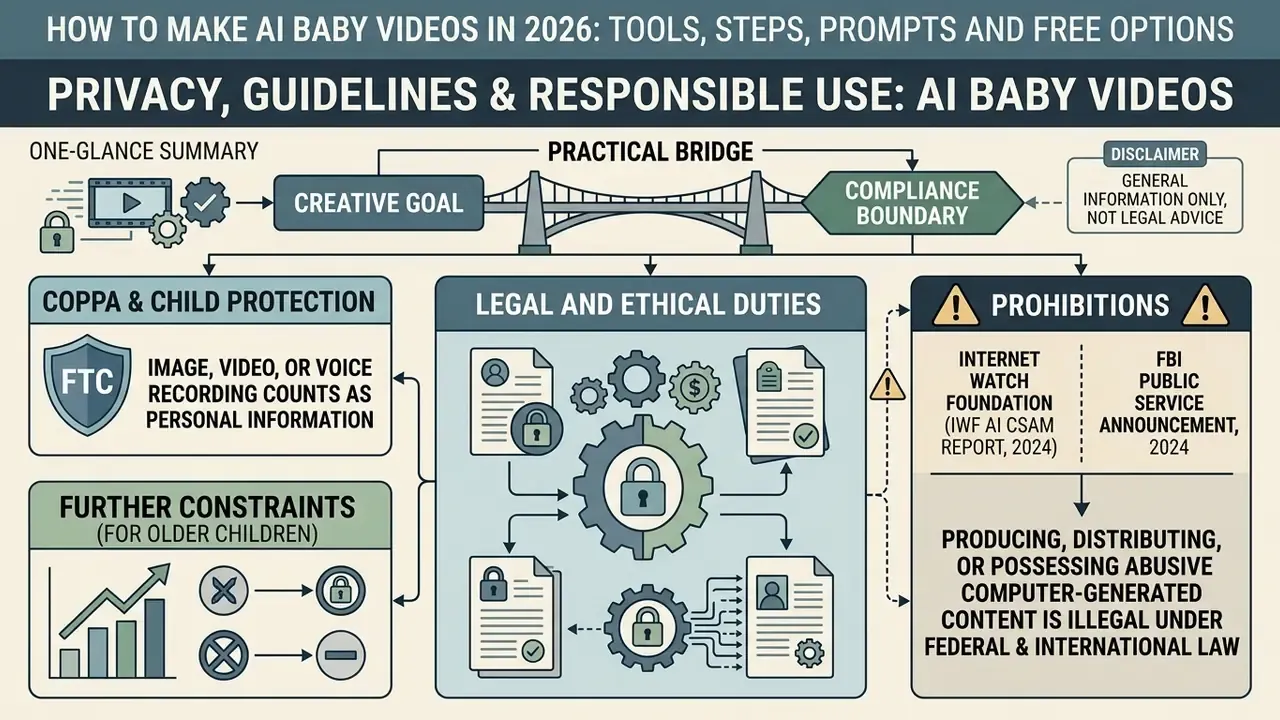
Creating and distributing AI baby videos carries legal and ethical duties around child protection, personal privacy, and digital transparency. Regulators worldwide have set strict standards for synthetic depictions of minors.
Under US Federal Trade Commission COPPA rules, an image, video, or voice recording of a child counts as covered personal information. Operators who collect or process such assets must maintain transparent retention policies and provide a deletion mechanism on request. FTC enforcement policy also notes a narrow exception: audio collected solely to respond to a child's specific request may be deleted immediately after use. Singapore's PDPC advisory guidelines on children's personal data (March 2024) apply a comparable under-13 threshold, but frame the requirement as parent or guardian consent, a useful reminder that the consent model itself differs by jurisdiction.
For children older than infancy, further constraints apply. Privacy regulators state that using images of children and young people requires informed consent, with the child or parent told why the images are captured, how they will be used, and who will see them. UNICEF biometrics guidance notes that for young children, consent can only be obtained through a legal guardian. Where a face-animation service extracts facial templates or performs recognition-style matching, UK ICO biometric guidance and EDPB video-device guidance bring the processing inside biometric-data rules, which raises the lawful-basis and explicit-consent bar again.
The Internet Watch Foundation (IWF AI CSAM Report, 2024) and the FBI (FBI Public Service Announcement, 2024) stress that generative models must never be used to create harmful, sexualized, or abusive depictions of real or synthetic minors.
«Federal law prohibits the production, distribution, and possession of any child sexual abuse material, including realistic computer-generated images.»
Federal and international law prohibits producing, distributing, or possessing abusive computer-generated child imagery, whether the subject is real or fully synthetic. There is no creative exemption here.
International transparency standards, such as the European Union's Code of Practice on Transparency of AI-generated Content (2026), require creators and platform operators to apply visible labels and machine-readable metadata such as C2PA to synthetic video. Independent AI image detectors and reverse-search tools help verify whether an asset already carries provenance markers before republication, and a check with an AI reverse-image-search tool can reveal whether a "stock" infant photo actually came from a real family album.
«EU guidance recommends that platforms provide users with standard interfaces for labeling AI-generated content: effective, understandable, and not misleading.»
Explicit disclosure prevents public deception and keeps media consumption honest. Complementary frameworks converge on the same controls: NIST AI 100-4 (2024) describes overt watermarks, in-content labels, and platform UI disclosures for synthetic video; the Partnership on AI's Responsible Practices for Synthetic Media (2023) calls for viewer-facing disclosure plus traceable file metadata; and national deepfake guidelines require explicit consent for any identifiable likeness or voice alongside machine-readable provenance markers. Newer legislative proposals go further, obliging social platforms to label synthetically generated content and to remove child sexual victimization or non-consensual intimate material, including deepfakes, quickly.
Practical bridge from creative goal to compliance boundary. Viral reach and child safety are not opposing objectives. They share one control surface. A fully synthetic character removes consent risk. A short, wholesome script removes moderation risk. A visible AI label plus embedded provenance removes deception risk. Content that satisfies all three ships faster, survives platform review, and stays monetizable, which is exactly why governance belongs at the start of the workflow rather than bolted on at the end.
Pre-Publication QA and Compliance Checklist (Audit Evidence)
Copy this checklist into your production tracker and store the completed version next to the exported master file. It doubles as audit evidence for model-risk and marketing-compliance reviews.
Checklist0 / 20
FAQ About Making AI Baby Videos
How long does it take to generate an AI baby video?
Rendering a 5 to 15 second AI baby video usually takes between 30 seconds and 5 minutes on standard cloud platforms. Time depends on model architecture, output resolution (720p versus 1080p), and current server queue traffic.
«Standard 5-second diffusion clips render in roughly 33 to 90 seconds under normal load; complex 3D renders during peak hours can take up to 20 minutes.» Vivideo AI Render Study (2026). https://vivideo.ai/ Benchmark data (Vivideo AI Render Study, 2026) indicates that standard 5-second diffusion clips render in roughly 33 to 90 seconds under normal load, with a documented cross-model spread reaching several hundred seconds at the high end. Higher-resolution renders or complex 3D re-animations during peak utilization can stretch to 20 minutes. One documented 15-second 1080p render took roughly that long during platform instability, while the 720p version of the same job finished much faster. Published latency measurements for video diffusion models also scale quadratically with spatial and temporal dimensions, which is why doubling resolution or duration rarely doubles the wait. It usually more than doubles it.
What is the maximum length for an AI baby video?
Managed platforms commonly advertise ceilings of up to about 10 minutes, but almost no audio-driven engine produces that in a single pass. In practice, long-form output is assembled from short chunks:
- Segment the script into 15 to 60 second blocks aligned to natural sentence breaks.
- Render each chunk from the same locked master portrait, same model version, and same voice settings. Changing any of the three introduces visible identity drift at the seam.
- Control temporal drift with transcript-driven editing tools built for long runtimes (the EditYourself approach), or by resetting each chunk from the master frame rather than from the last frame of the previous chunk.
- Stitch and hide seams on a cut, a caption change, or a beat in the background music. Documented talking-head editing methods remove discontinuities across edit boundaries with selective inpainting re-rendering, so jump cuts stay invisible.
- Re-verify sync after stitching. Alignment errors accumulate across concatenated segments and are easiest to catch in the final assembly, not per chunk.
Can a baby photo of a toddler or child be used?
Yes. Facial re-animation software can process photos of toddlers and older children, provided the source image meets standard clarity requirements: a clear, unobstructed, front-facing view of the face under balanced light. However, using photos of real toddlers or children triggers data protection duties. Secure verifiable parental consent before processing images of real minors, and handle biometric facial assets in line with local privacy law and platform community guidelines. Where the service builds a facial template, treat the processing as biometric and confirm an explicit lawful basis before upload.
Can I make the baby speak another language?
Yes. Mainstream TTS libraries cover 40+ languages and accent variants, including English, French, Japanese, and Spanish, with correct pronunciation and matched lip sync. Two practical rules: generate one audio file per language rather than mixing languages in a single track, because mixed-language audio is a documented lip-sync blocker; and re-run the viseme check per language, since alignment quality varies with phoneme inventory.
Can I use my own voice instead of a synthetic one?
Yes. Either upload a pre-recorded file or record live in-app, where free tiers often cap live recordings at around 30 seconds. Adults commonly record the line, then apply pitch shifting to reach a child register, which keeps natural prosody while avoiding any use of a real child's voice. Keep one speaker per file and record in a quiet space.
Are AI baby videos free to make?
Free tiers exist on most platforms, bounded by watermarks, resolution caps (often 480p or 720p), credit allowances (documented examples include roughly 80 to 125 credits, equating to tens of seconds of video), and input limits such as 133 characters of script or 20 seconds of audio. Free plans also frequently exclude commercial use. Verify the current licence on the vendor's own terms page before any monetized use, because third-party summaries of these terms often contradict each other.
Can I use AI baby videos commercially?
Only if the platform licence explicitly grants commercial rights at your plan level, and many free tiers do not. Beyond licensing, commercial distribution adds transparency duties: visible AI labels, machine-readable provenance, and disclosure in the description. For content depicting a real child, commercial use also requires consent scoped to advertising or monetization, not merely to "sharing".
Why does the mouth look distorted or flicker?
Five causes, in rough order of frequency: an open-mouth or non-neutral source photo; a loose crop that leaves the face too small in frame; occlusion of the mouth region; music or a second speaker mixed into the sync track; and an over-pitched voice that pushes jaw motion past the model's trained range. Fix the input first. Re-rendering rarely repairs a weak source frame.
About This Guide
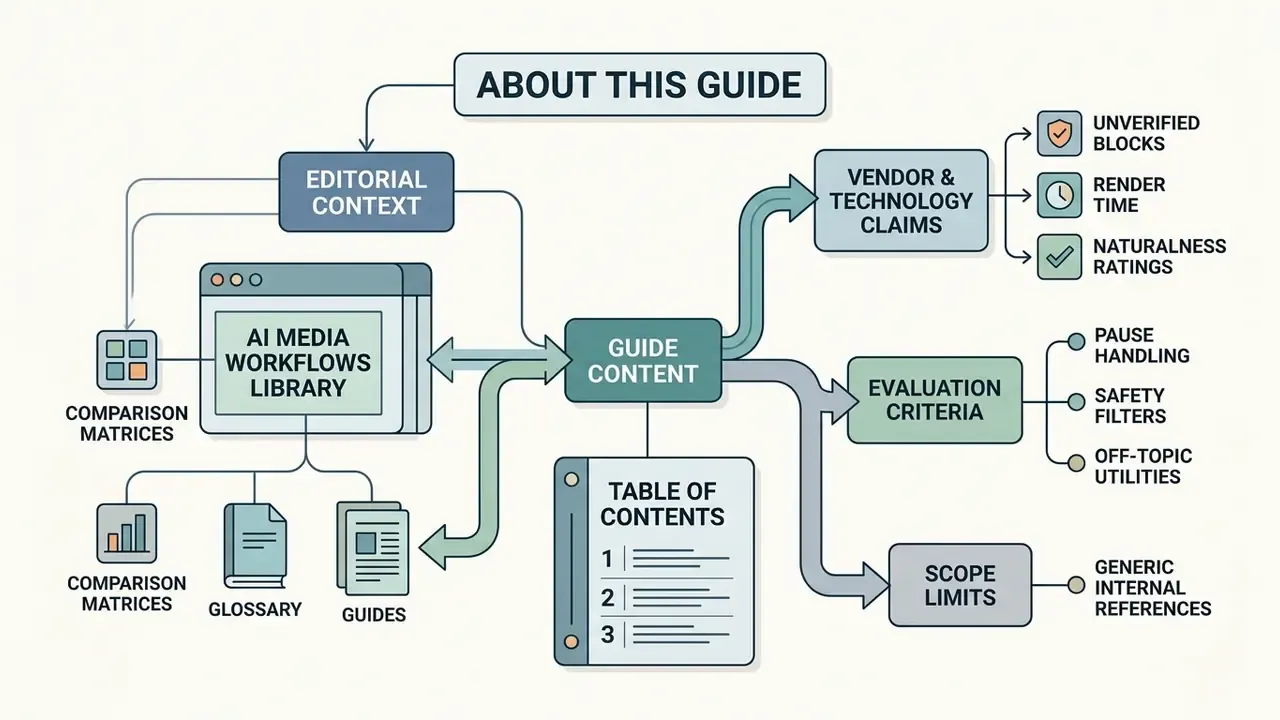
This guide was produced by the editorial team behind the AI Media Workflows library, which maintains comparison matrices, glossary entries, and implementation guides across image, video, and voice generation tools. Governance commentary reflects the perspective of Marcus Hale, author.
Technical claims are sourced from peer-reviewed and preprint literature (talking-head surveys, RealTalk, Livatar, EditYourself, THEval, OmniSync, SyncTalkFace, FastPitch child TTS, HDA-SynChildFaces), vendor documentation, and primary regulatory material (FTC COPPA, Singapore PDPC, EDPB, EDPS, NIST AI 100-4, UNICEF, IWF, FBI, European Commission DSA and transparency guidance). Where a figure could not be independently verified, it is flagged as requiring verification rather than presented as settled. Benchmark figures should be read with their test conditions in mind, because GPU class, resolution, and queue load change render-time results materially.
Review note: this article is informational and does not constitute legal, regulatory, or compliance advice.
Appendix A: Superseded and Corrected Passages
Internal Workflows and System Resources
To explore operational AI automation frameworks, start at the main hub for AI Media Workflows. Related references: AI voice generators, free AI video generators, animation makers, a free youtube video downloader for local media handling, and commercial-use rights for AI images.