Executive Summary: Four Rules That Carry Most of the Result
- Use one repeatable order. Main subject and action, then environment and context, then medium and style, then framing and lens, then lighting and colour, then execution parameters. Front-loading the subject protects semantic focus during cross-attention conditioning.
- Match syntax to the engine, not to your taste. Midjourney, Stable Diffusion and Flux reward comma-separated phrases plus parameter flags; DALL·E 3 and Firefly reward natural-language prose. Never open a prompt with filler such as "Generate an image of".
- Move instructions out of the text when a parameter exists. Aspect ratio (
--ar), guidance strength (CFG 6.0 to 9.0), seed, sampler, negative prompt fields and--stylizecontrol structure far more reliably than adjectives. - Refine, do not rewrite. Change one token or one parameter per iteration, hold the seed constant, and log every version. For enterprise use, treat prompts as versioned assets with IP, PII and brand-safety controls attached.
How AI Image Prompts Work in Image Generation
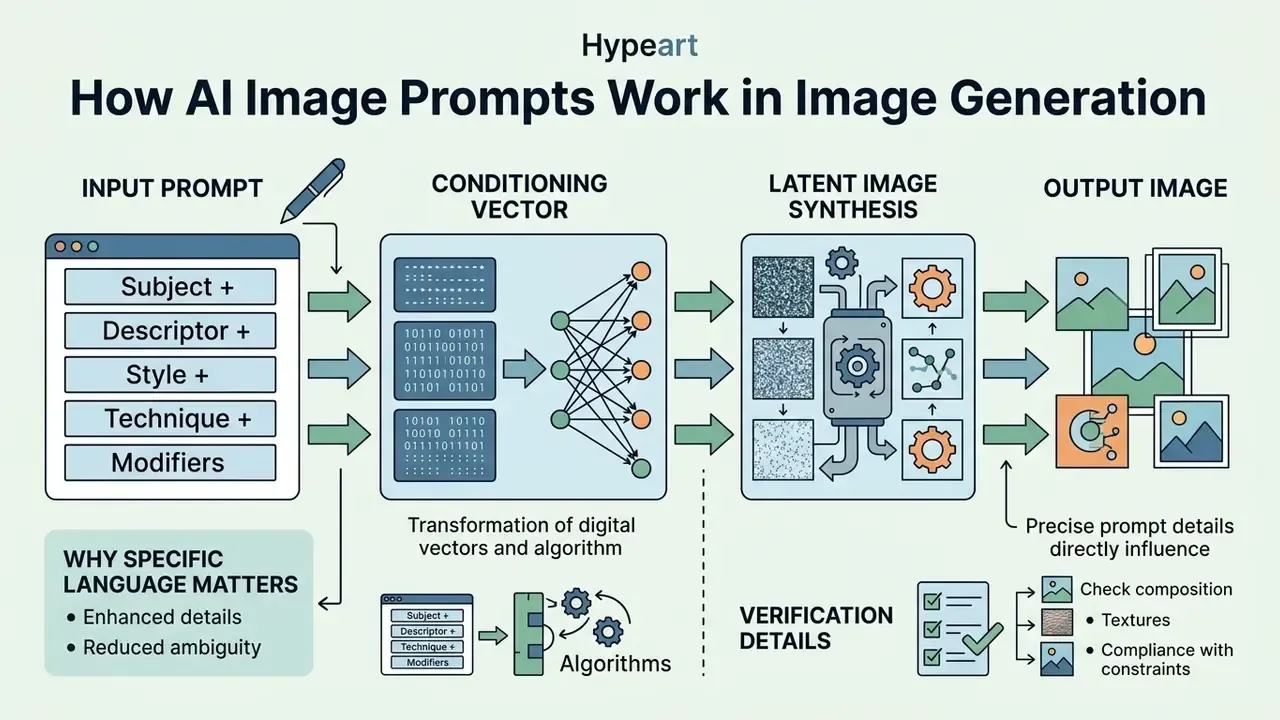
An AI image prompt is a structured text input that text-to-image models translate into conditioning vectors to guide latent image synthesis. Modern generative architectures do not interpret text as human concepts. They convert written tokens into mathematical embeddings that direct the iterative denoising process. Understanding how to prompt AI for images means understanding how text encoders process natural language, map tokens to visual features, and finally synthesise pixels.
When evaluating any AI image prompt guide, enterprise teams should treat prompt design as a repeatable engineering workflow rather than trial-and-error phrase assembly. Research on latent diffusion architectures shows that the whole generative process runs inside a compressed latent space, where a variational autoencoder encodes and decodes images while text conditioning steers each denoising step. That is precisely why structural clarity in the prompt dictates how models generate images across consecutive inference runs.
«We apply diffusion models in the latent space of powerful pretrained autoencoders, enabling training on limited compute while retaining quality and flexibility.»
Proper token ordering and precise visual specifiers reduce ambiguity during cross-attention conditioning. The practical payoff is reproducible output across commercial production pipelines, not prettier pictures.
What an AI Image Prompt Tells the Model
An AI image prompt supplies specific mathematical coordinates inside a model's joint vision-language embedding space, defining subject, style, context and visual details. Dual text encoders, such as CLIP and T5, parse the input string to extract semantic relationships and visual attributes.
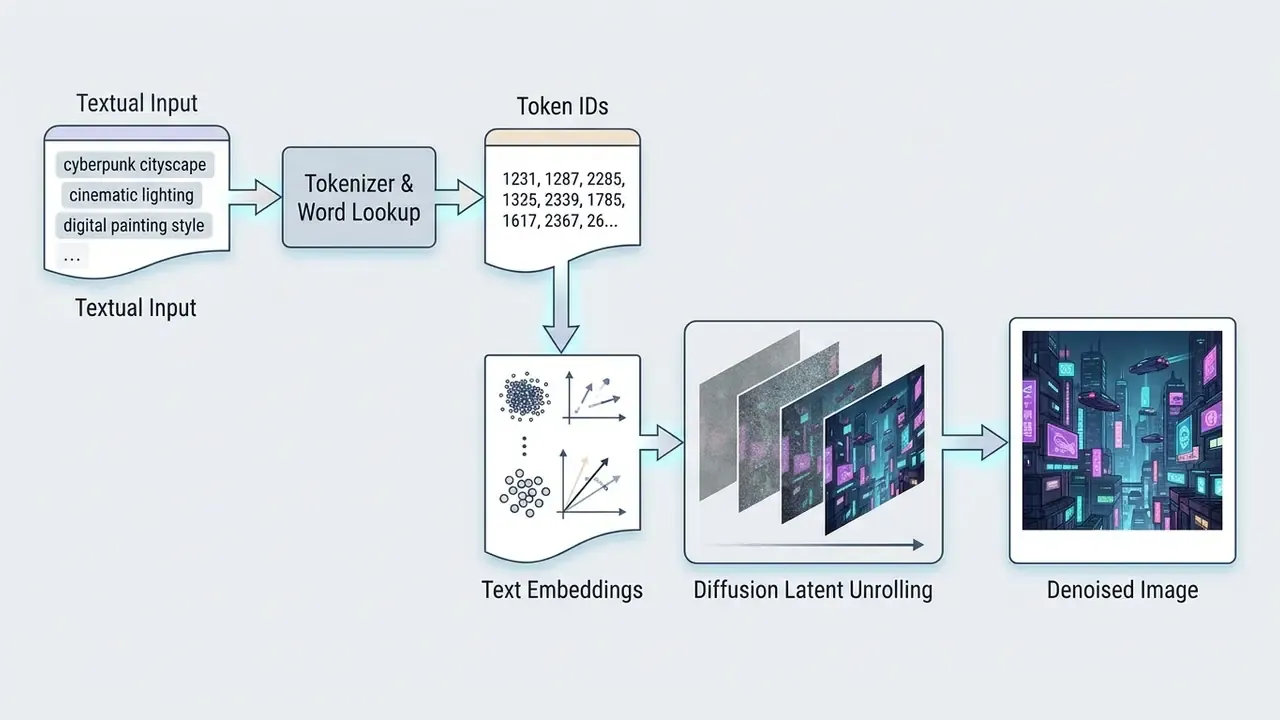
CLIP text encoders map concrete visual tokens (say "leather texture" or "studio spotlight") directly to visual feature clusters learned during pre-training, as documented in the large-scale prompt gallery research behind DiffusionDB (Wang et al., 2023). Each word of the prompt is tokenised and embedded into a fixed-dimensional vector that, together with the sampled noise tensor, steers the diffusion trajectory toward the requested image. Inside cross-attention, the text embeddings act as keys and values while the image latents act as queries.
«Every prompt word becomes an embedding of dimension d that, jointly with the noise latent, directs the diffusion process toward the intended image.»
Large language encoders like T5 handle long-range contextual relationships and complex syntax, which helps the underlying diffusion transformer interpret multi-object spatial positioning. Every adjective, noun and technical parameter modifies the cross-attention matrix, dictating where denoising steps allocate pixel density and visual weight in latent space. In plain terms: CLIP handles the visible, nameable things (materials, objects, colours); T5 handles relationships between them ("behind", "reflected in", "while holding").
Why Specific Language Produces Better Results
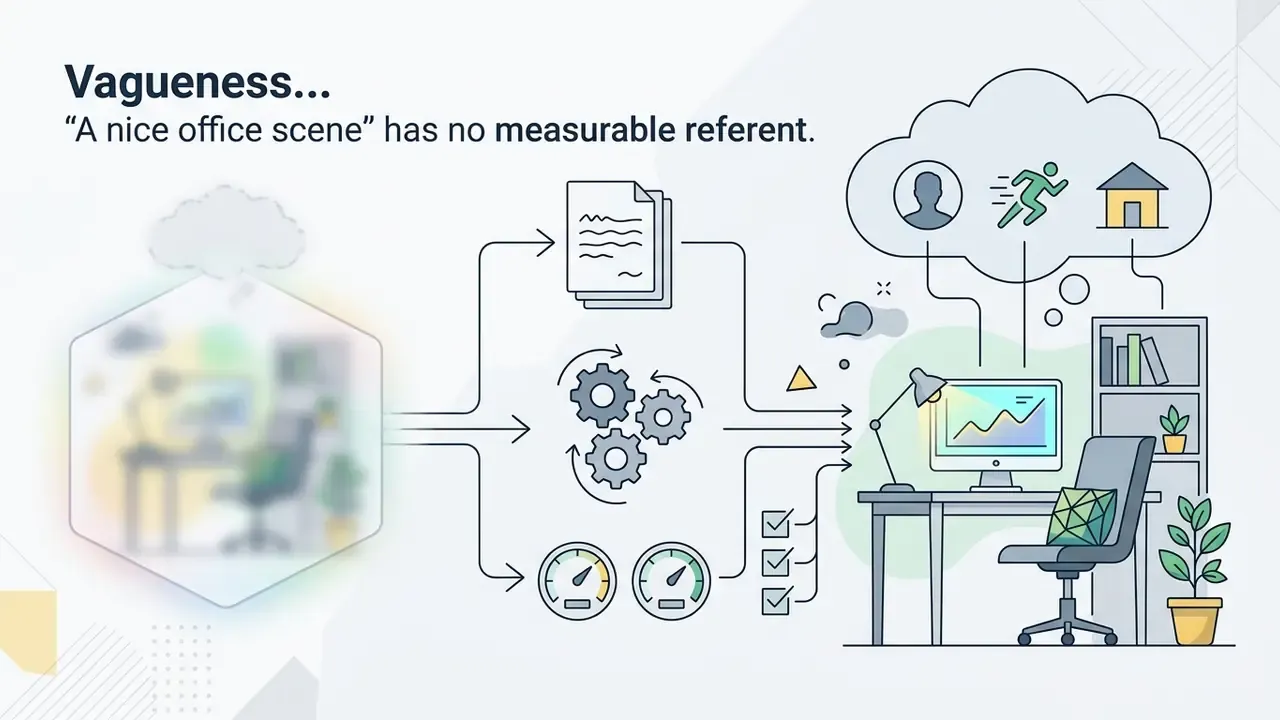
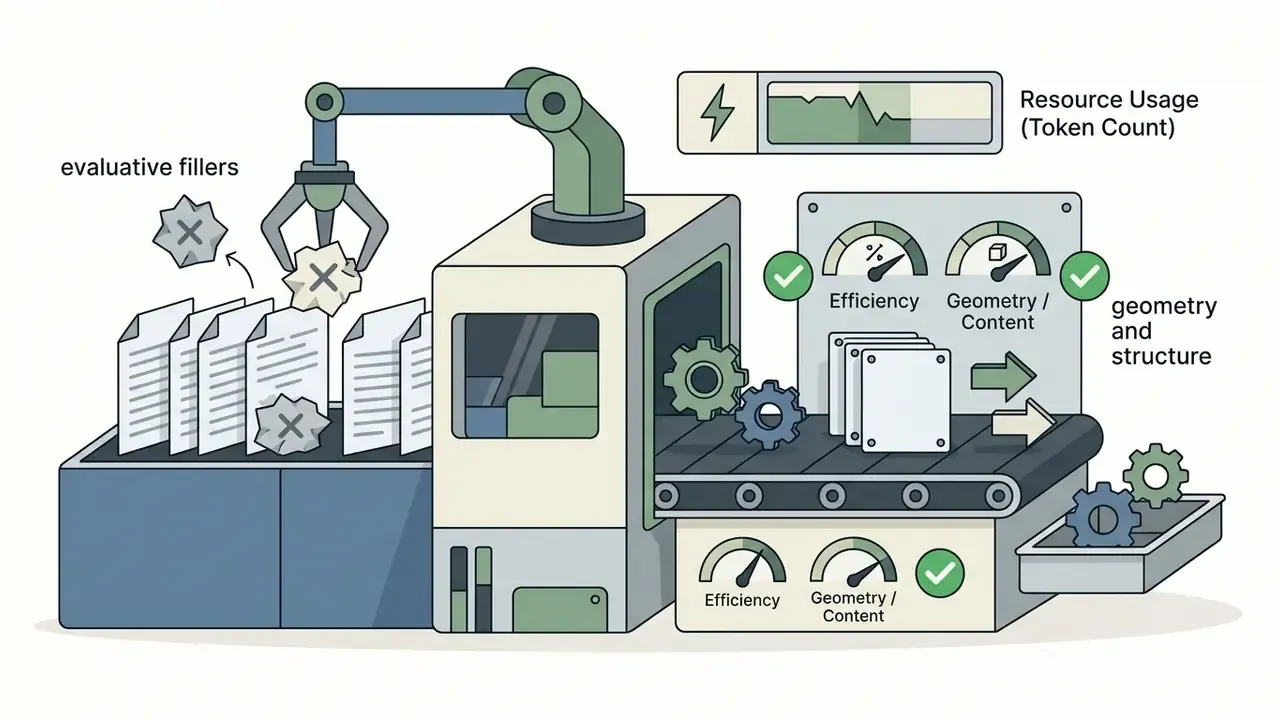
Descriptive, concrete language raises generation fidelity because explicit visual terms cut semantic noise and narrow the model's output distribution. Evaluative words such as "beautiful", "stunning", "hyperrealistic", "4K" or "5K" lack standardised mathematical representations in latent space and often degrade prompt adherence. They are judgments, not descriptions, so the encoder can only map them to an averaged blur of training data.
Empirical benchmarks confirm that replacing subjective hype with technical specification yields measurable gains in image-text alignment. Automatic prompt-engineering research on realistic image synthesis reports that appending optimal camera descriptions to a base prompt raises semantic consistency and text-image alignment relative to generic phrasing.
«Adding optimal camera descriptions to prompts improves semantic consistency by 16% and text-image alignment by 5% over baseline descriptions.»
Prompt-engineering surveys reach the same conclusion from the taxonomy side: explicit task framing consistently outperforms underspecified phrasing across modalities (The Prompt Report: A Systematic Survey of Prompt Engineering Techniques, 2024). Practical translation of that finding: swap "a stunning portrait of a banker" for "a three-quarter studio portrait of a banker, 85mm lens, softbox key light, neutral grey backdrop". One of those strings is a wish. The other is a brief.
A Simple Formula for Writing AI Image Prompts
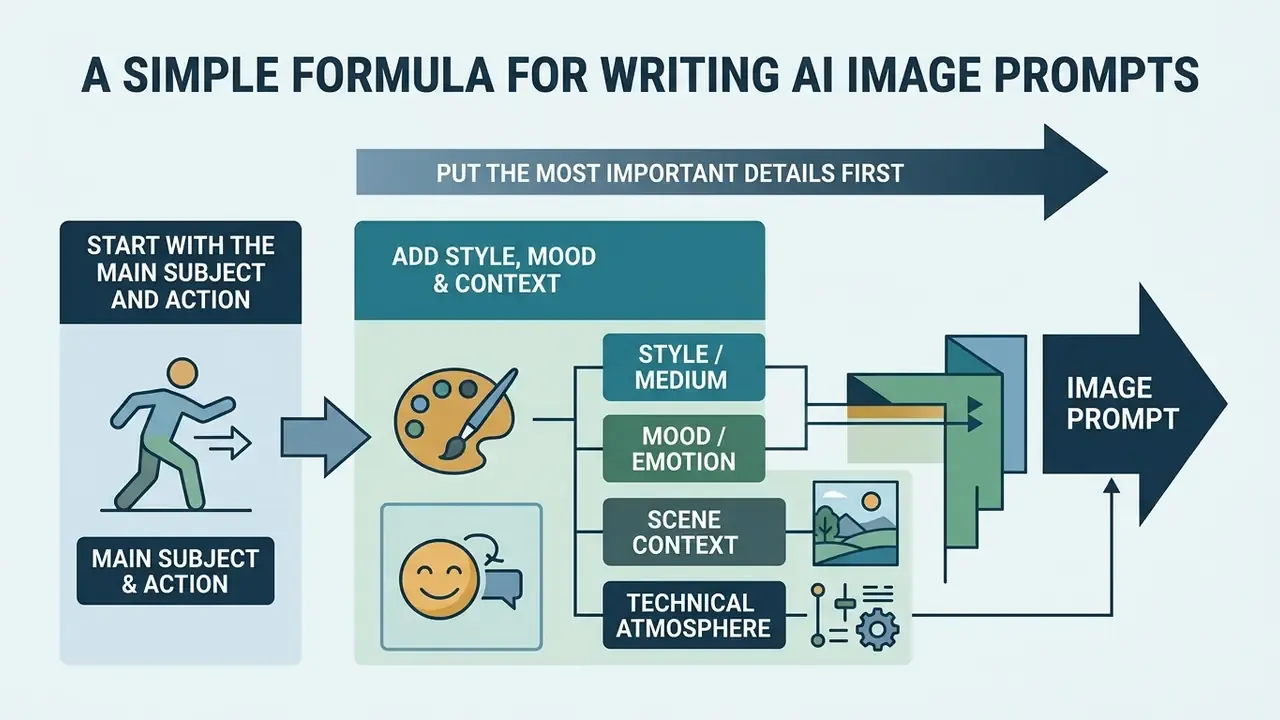
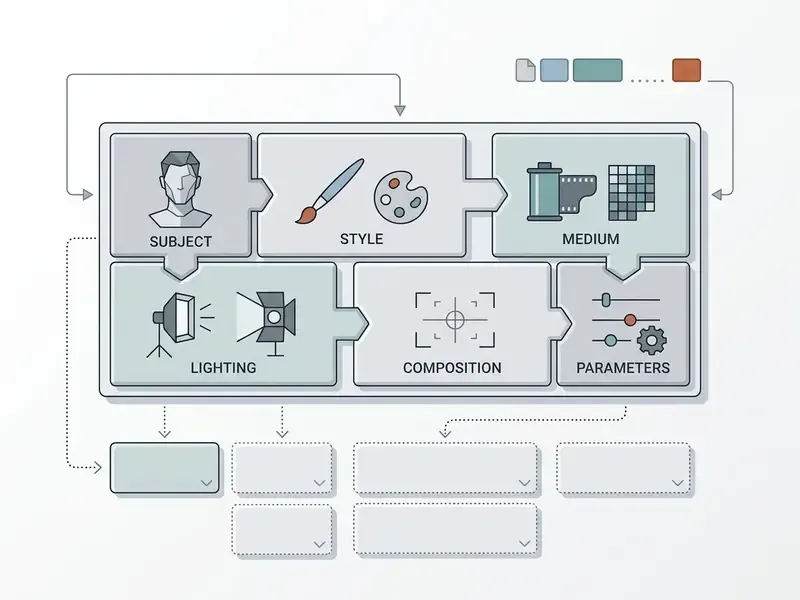
A reliable formula for writing an AI image prompt moves from core subject to environmental detail, artistic medium, composition, lighting and technical execution parameters. Sequencing the text this way lets text encoders prioritise primary objects before stylistic and environmental constraints are applied.
Large-scale analyses of how people actually prompt show this ordering emerging on its own among successful users: prompts split into a "head" naming the subject and a "tail" carrying style, lighting and contextual modifiers.
«Successful prompts separate into a head carrying the main subject and a tail carrying style, lighting and contextual detail.»
Start With the Main Subject and Action
The opening phrase of a writing prompt should state the central subject and its immediate physical action. Defining the core subject first secures primary attention tokens in the conditioning array before downstream modifiers are processed.
A prompt that starts with "A senior risk analyst reviewing financial ledgers" establishes clear subject semantics straight away. Dropping vague introductory filler like "Generate an image of" stops you wasting token slots on non-descriptive syntax. An explicit verb also suppresses the default "posing for a stock photo" stance that models fall back on when no action is supplied.
User-journey research on text-to-image tools documents the failure mode directly: participants who buried the subject at the end of long prompts hit unexpected outputs far more often, because the attention structure had already committed to earlier modifiers.
«Users who place the subject at the end of the prompt more frequently encounter unexpected generation results.»
Governance documentation supports the same discipline from a risk angle: model use, assumptions and limitations should be documented so that ambiguity about what the model must represent is reduced before generation, not after publication (NIST AI 600-1, Artificial Intelligence Risk Management Framework: Generative AI Profile, 2024).
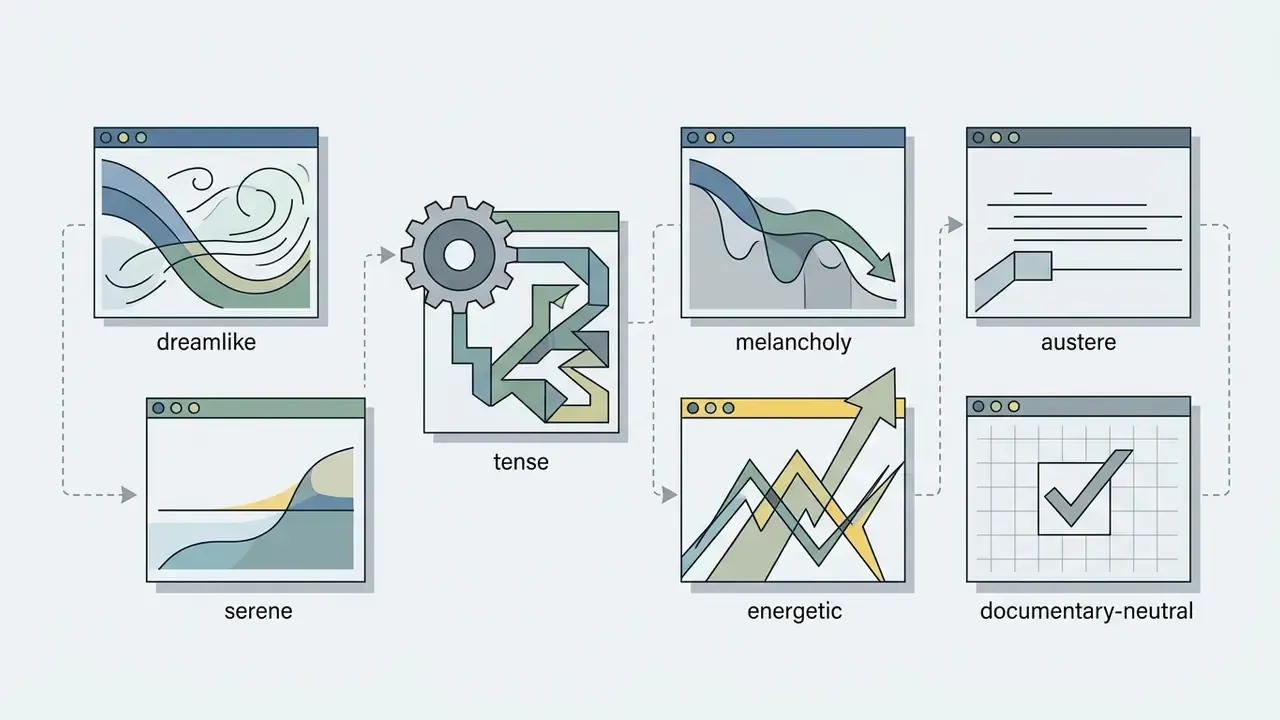
Add Style, Mood and Context
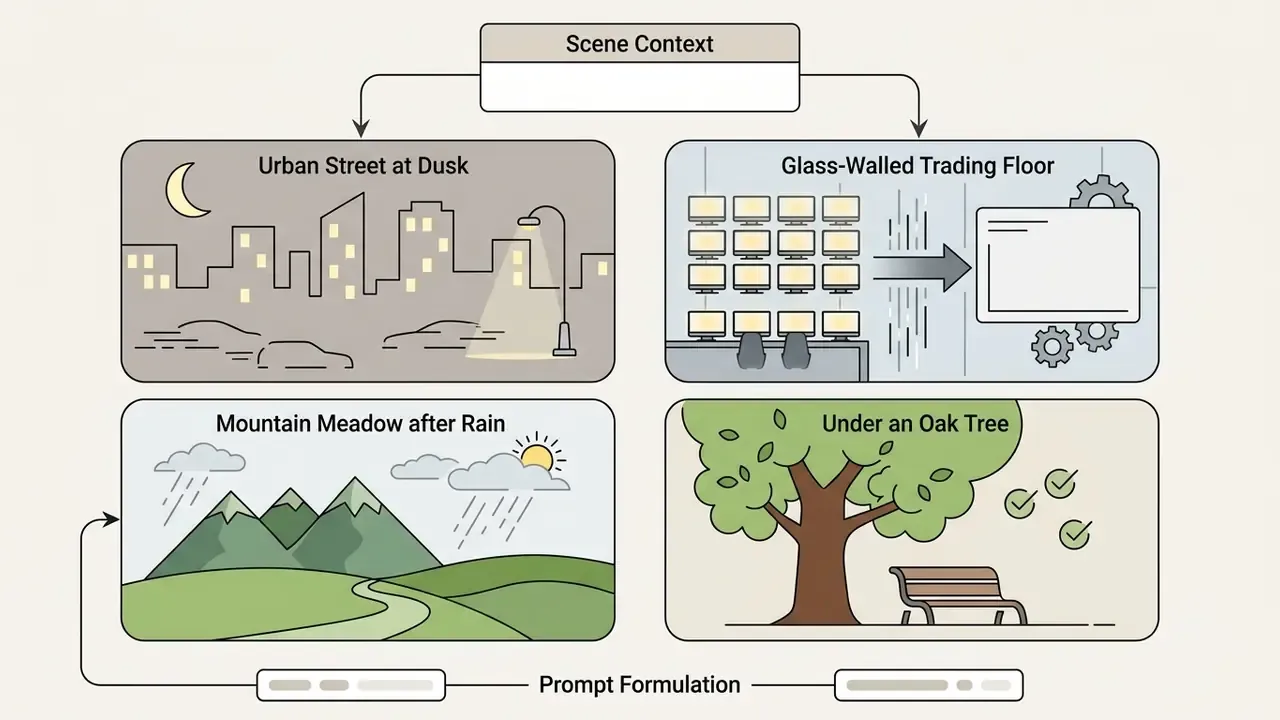
Once the subject is set, specify the surrounding environment, atmospheric mood and overall artistic direction. Contextual modifiers tell the model how to integrate the subject into its background instead of pasting it on top.
Environmental detail such as "inside a glass-walled conference room at twilight with soft ambient rain" anchors the subject in physical space. Medium tags like "architectural photography" or "minimalist vector art" enforce a consistent visual language across the whole generated image.
Thematic analysis of more than three million real-world prompts confirms that explicit style and mood tags improve output coherence compared with isolated subject nouns.
«Thematic analysis of over 3 million prompts shows explicit style and mood tags materially improve output coherence versus bare subject nouns.»
A short modifier taxonomy keeps this step fast:

Put the Most Important Details First
Position critical requirements near the start of the string, because transformer positional encodings grant higher initial weight to early tokens. Token influence decays across extended sequences, so early positioning matters for non-negotiable scene attributes. Transformers have no innate notion of order; meaning depends on positional embeddings added to each token, which is why identical words placed differently produce different layouts (Attention Is All You Need, Vaswani et al., 2017).
Attention-map visualisation in interactive prompting research shows that early modifiers exert stronger influence over the central regions of the canvas than identical instructions appended at the tail.
«Attention-map visualisation shows early modifiers influence central image regions more strongly than identical instructions placed at the prompt tail.»
Placing critical composition constraints, such as "Wide-angle aerial shot", at the front of the sequence makes the model establish structural framing before it renders localised surface textures. When a style must dominate everything else (single-line vector artwork, for instance), front-load two style phrases and repeat a short reinforcement tag at the tail: single line vector graphic, continuous black line, [subject], black and white.
Describe the Visual Details That Shape an AI Generated Image
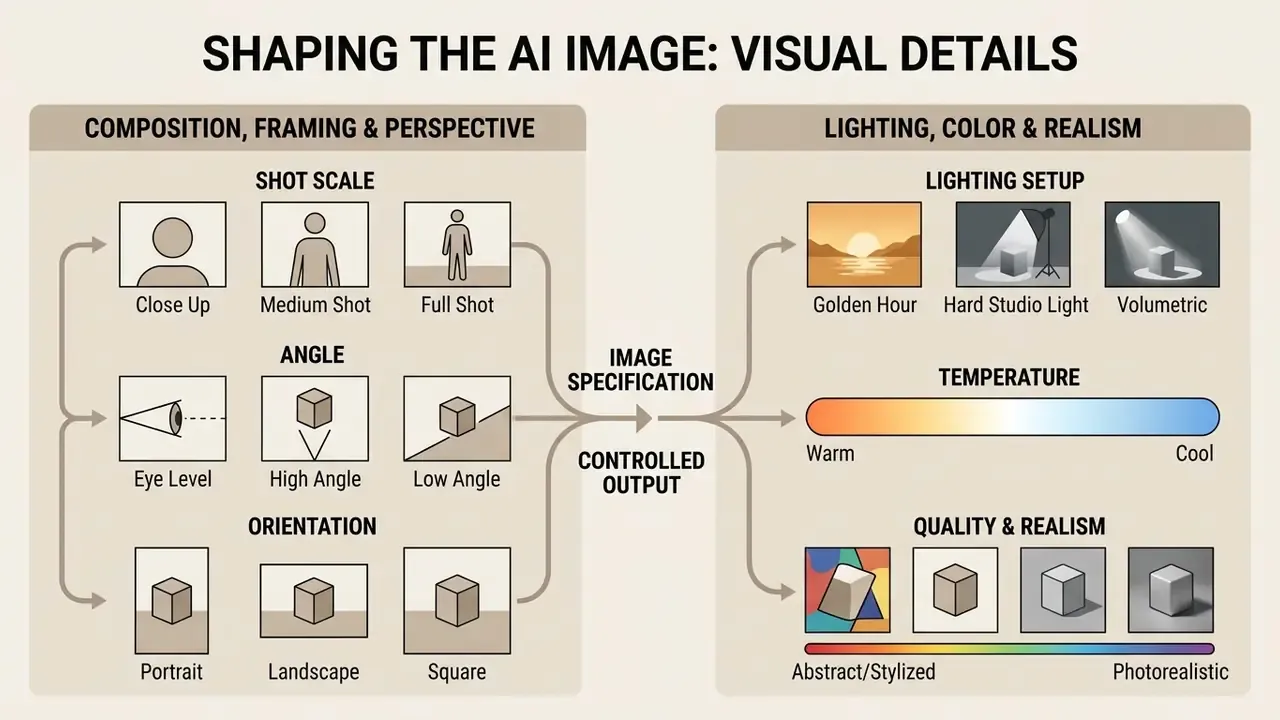
Controlling an AI generated image requires precise visual details: composition, camera framing, lighting, colour palettes and rendering medium. Where the formula above governs order, this section governs vocabulary. Replacing generic adjectives with established photographic and artistic terminology lets operators direct image synthesis with high predictability.
Good AI image prompt writing techniques come down to building a disciplined visual vocabulary across several structural dimensions. Systematic specification of optical and lighting parameters keeps the model from falling back on training-set averages, which is where most bland output comes from.
Specify Composition, Framing and Perspective
Define camera viewpoint, shot distance and structural balance explicitly to control how subjects sit within the frame. Precise camera terminology replaces random visual arrangement with intentional composition.
Recognised optical terms such as "low-angle shot", "eye-level three-quarter profile" or "macro close-up with 85mm lens" establish exact spatial relationships. In an enterprise asset workflow, specifying "centered composition on neutral background" ensures generated graphics drop cleanly into pre-defined design templates.
A usable framing lexicon covers three axes:
Automatic prompt-engineering research quantifies why these tags matter: appending camera descriptions (angle, focal length, shot type) measurably improves both semantic consistency and text-image alignment versus generic wording.

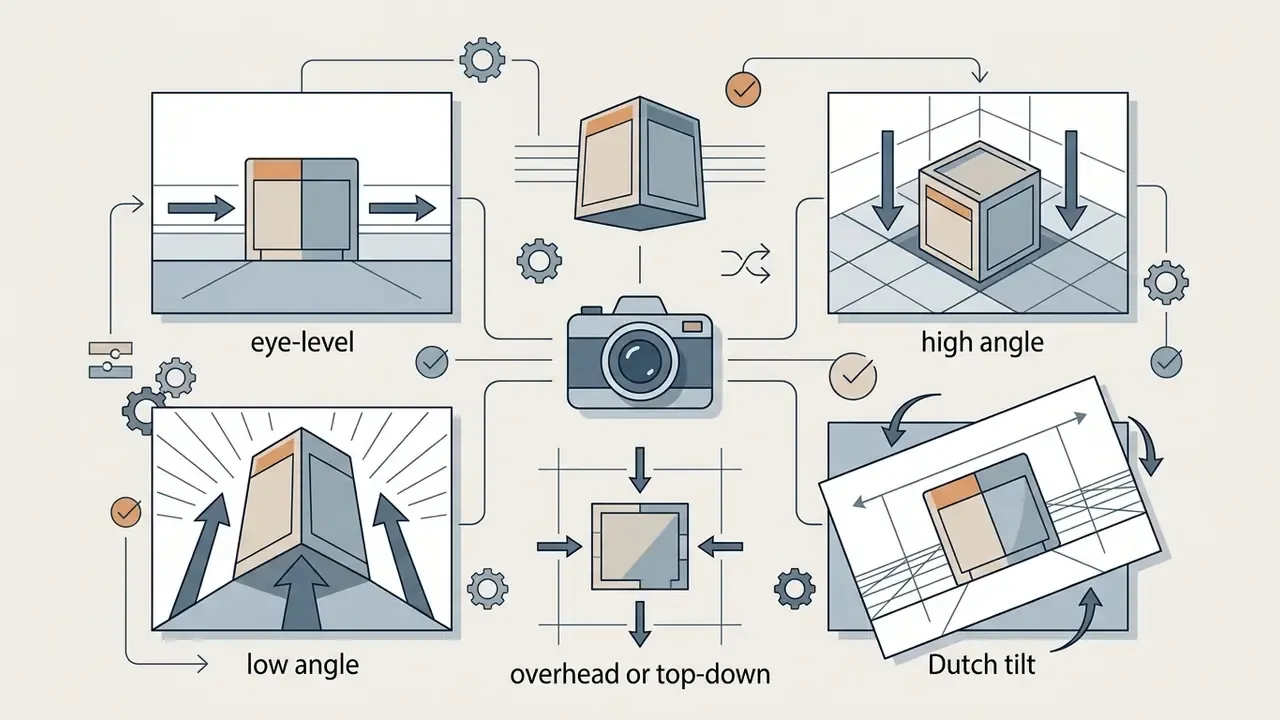
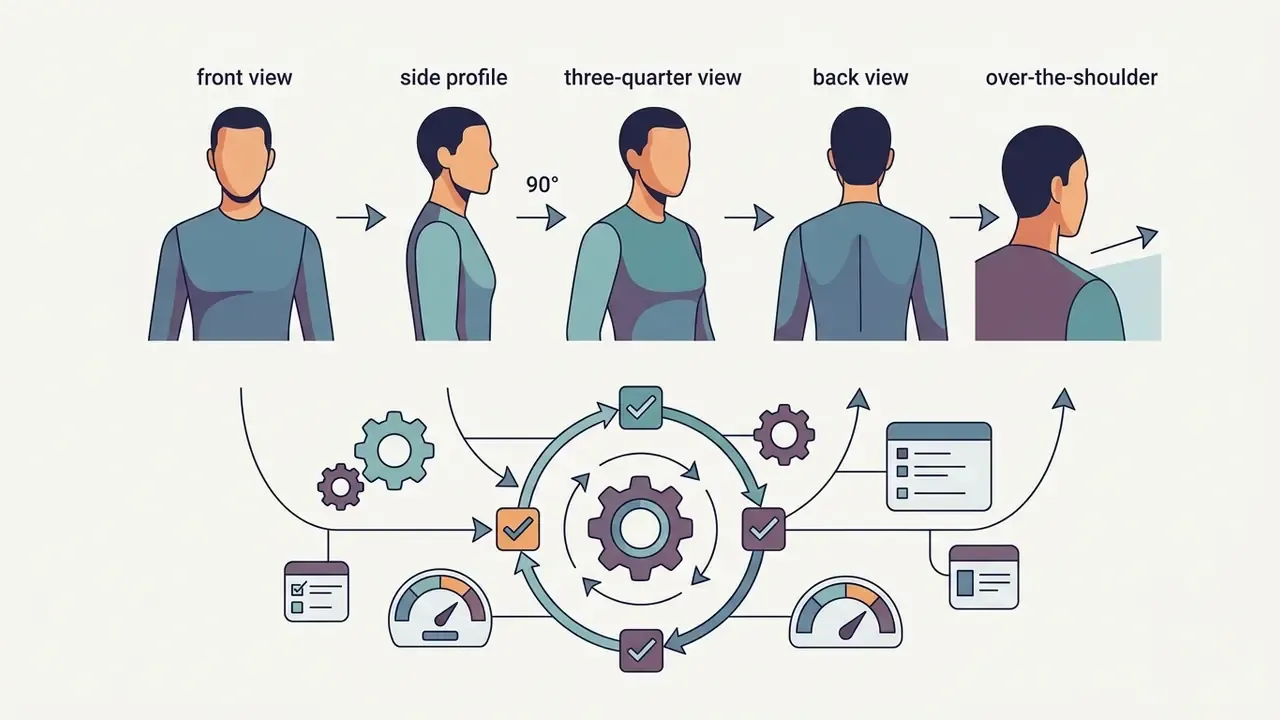
«Adding camera descriptions, shooting angle, focal length and shot type, improves semantic consistency by 16% and text-image alignment by 5%.»
Control Lighting, Color and Level of Realism
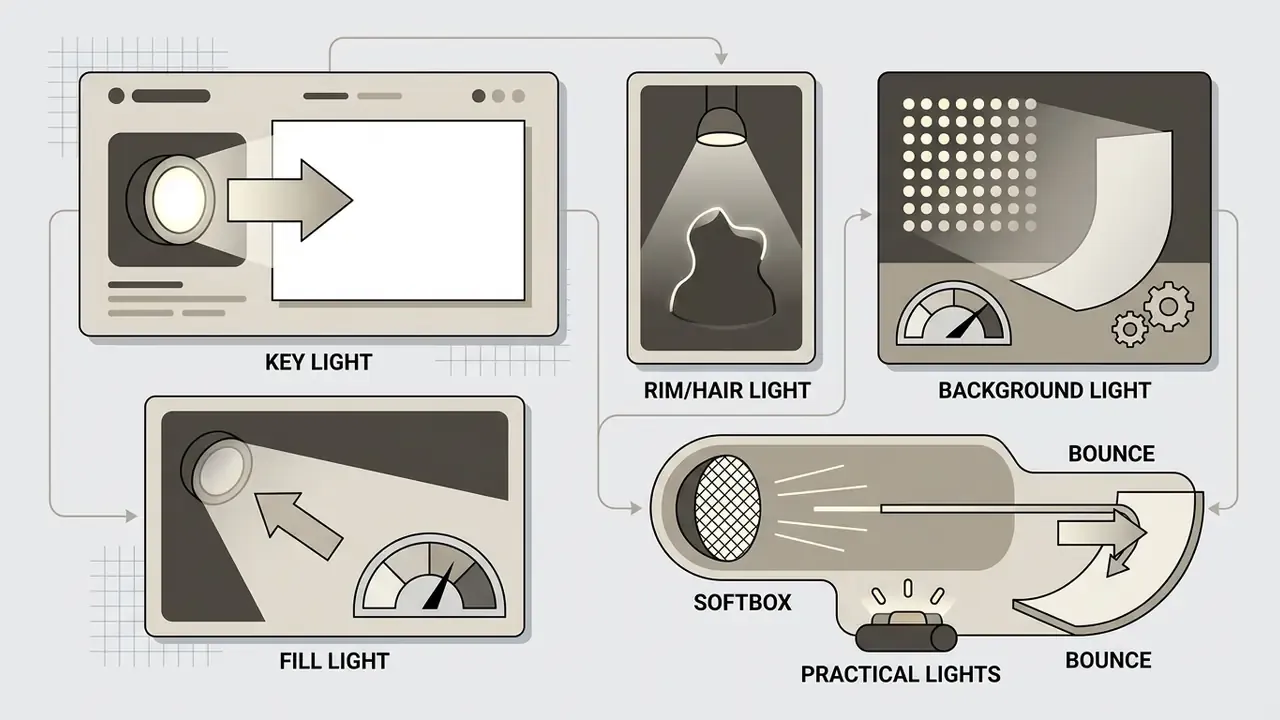
Direct lighting types, colour palettes and rendering fidelity to set the emotional tone and physical surface qualities of the image. Lighting parameters determine shadow hardness, highlight placement and material texture depth.
Specifying a studio setup such as "Rembrandt lighting with a high angled key light and warm fill" produces clear facial highlights and soft directional shadows: the key light sits high and off-axis, producing an illuminated triangle on the cheek opposite the light. Corpus analysis suggests these lighting tags are not decorative. They form stable thematic clusters across millions of prompts and correlate with higher-quality outputs.
«Lighting tags such as "dramatic lighting", "golden hour" and "backlit silhouette" form stable thematic clusters across millions of prompts.»
Useful lighting and colour controls:
Colour parameters should define explicit palettes, such as "monochrome slate grey with warm amber accent lighting", rather than vague colour talk. For realistic outputs, "raw photo texture, subtle skin pores, natural daylight" yields better physical accuracy than subjective phrases like "hyperdetailed". Yes, that is less exciting to type. It works better.



Choose Art Styles That Match the Intended Result
Select explicit artistic mediums and historical visual styles to guide rendering technique and aesthetic. Aligning style keywords with target outputs keeps execution consistent across campaign assets, which is the whole point when twelve images must look like one set.
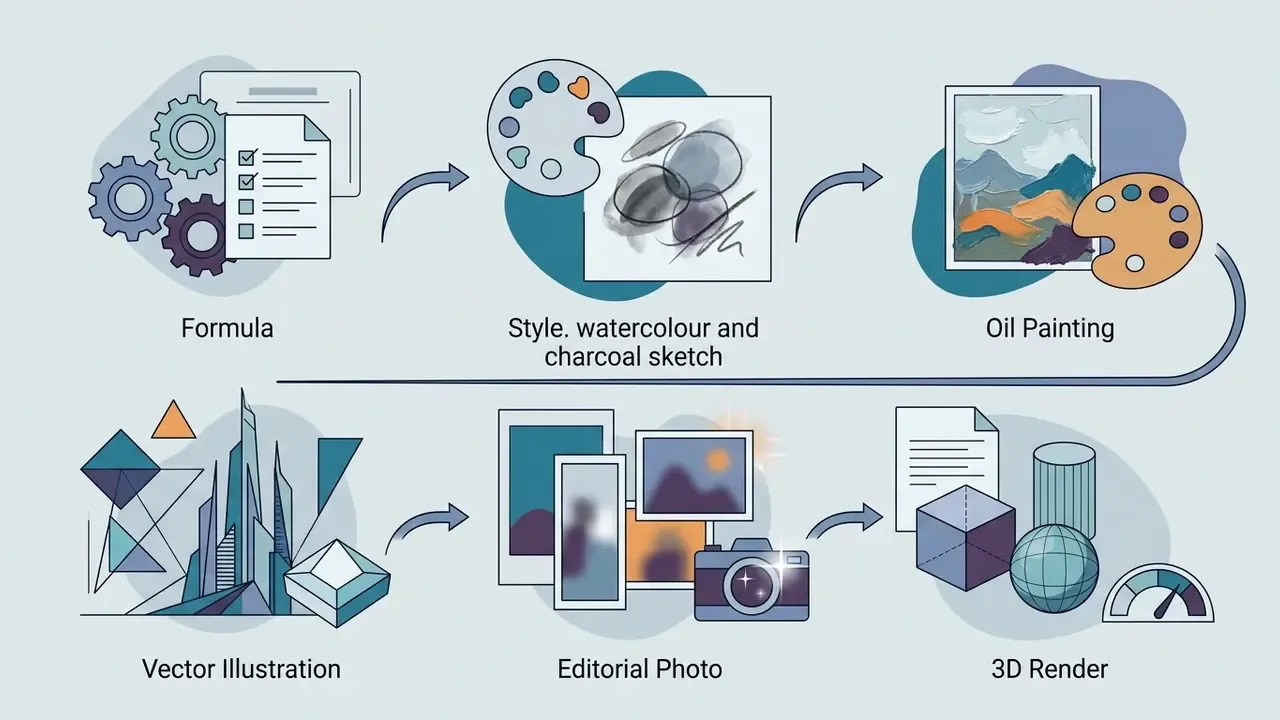
Different visual mediums need distinct modifier triggers to activate the matching model capability:
- Photorealism: "35mm photograph, shot on Canon EOS R5, f/2.8 aperture, natural daylight, subtle film grain."
- Digital graphics and vector: "Flat vector illustration, clean lines, solid color blocking, minimalist graphic design."
- Classic painting: "Impressionist oil painting, textured impasto brushstrokes, layered canvas finish, warm palette."
- 3D rendering: "3D architectural render, Octane Render, ray-traced reflections, subsurface scattering."
- Anime and comics: "Cel-shaded anime key visual, dynamic action lines, crisp ink contours, vibrant color fill."
- Pixel and retro: "Pixel art, 16-bit graphics, blocky low-resolution sprite, limited palette."
Before committing a style to a paid campaign, verify the licensing position for that engine in our guidance on commercial usage rights for generated artwork and the style-accuracy comparison in our best AI art generator review.
Quick-Start Modular Templates (Fill-in-the-Blank)
Copy a template, replace each bracketed slot, delete what you do not need:
- Photorealism template:
Editorial / blog photo template:
Editorial photo, [Subject with age and appearance detail], [Action verb, e.g., reviewing a contract], [Expression, e.g., focused expression], [Setting, e.g., sunlit home office], [Prop or accent detail]Vector / branding template:
Flat vector logo of [Subject], [Style, e.g., minimalist geometric], [Color Palette, e.g., dual-tone navy and gold], isolated on solid white background, vector graphic, no gradients, clean lines, no text3D render template:
3D architectural render of [Subject/Building], [Material Specs, e.g., frosted glass and polished steel], illuminated by [Lighting, e.g., volumetric sunset light], Octane Render, ray-traced reflections, detailed material texturesCinematic template:
Cinematic [Shot Scale] of [Subject/Action], [Environment at Time of Day], [Atmospheric Effect, e.g., volumetric fog], [Lighting Direction, e.g., hard side light], 35mm film still, [Color Grade] --ar 2.39:1- Illustration / anime template:

To compare performance across creative workflows, consult our AI Media Comparison overview.
To compare performance across creative workflows, consult our AI Media Comparison overview.
Write Prompts for Different AI Image Generation Tools
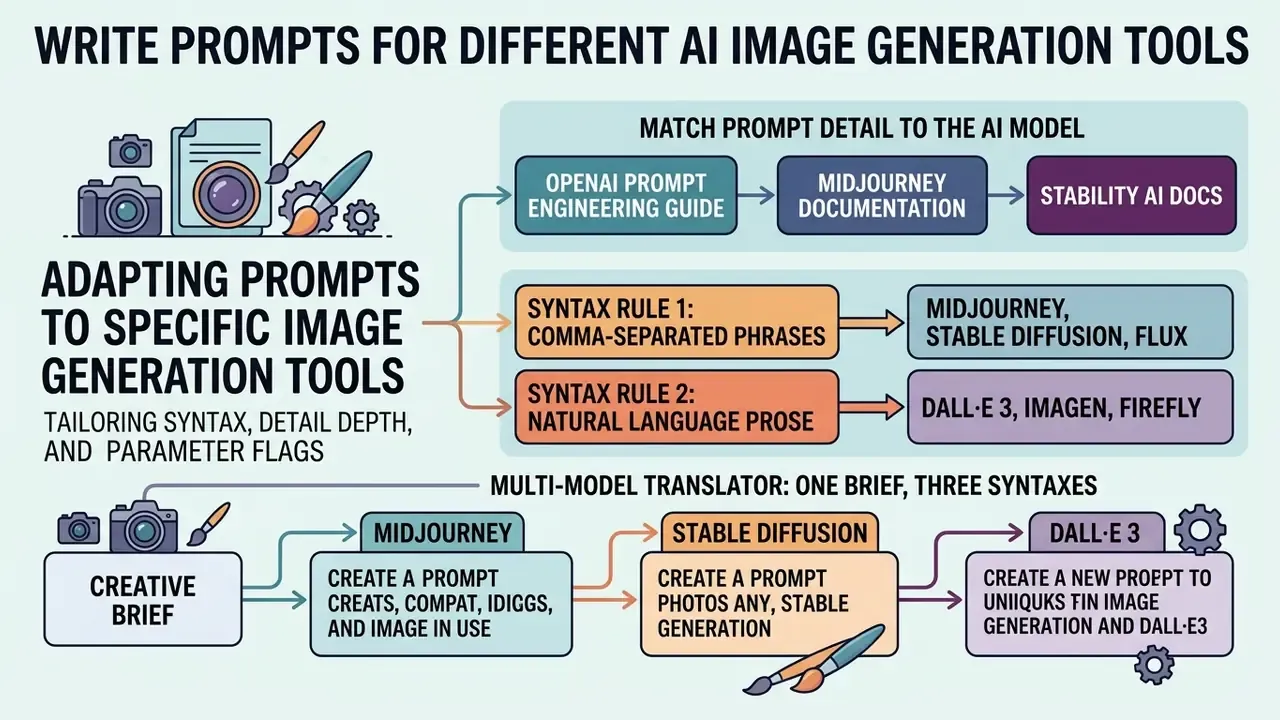
Adapting prompts to specific image generation tools means tailoring syntax, detail depth and parameter flags to each platform's architecture. DALL·E 3 favours extended conversational language; Midjourney, Stable Diffusion and Flux respond best to concise, parameter-weighted keywords.
Large public prompt corpora make this divergence measurable rather than anecdotal. DiffusionDB collects 14 million images paired with 1.8 million unique prompts and shows that different prompt styles, combined with different model parameters, produce fundamentally different failure modes (Wang et al., ACL 2023).
Understanding tool-specific behaviour prevents translation errors when creative workflows move between generative platforms. Teams should configure syntax according to whether the target engine performs automated text expansion or direct keyword parsing.
Match Prompt Detail to the AI Model
Format text prompts to match the natural language understanding and token parsing style of the chosen engine. Architecture decides whether long prose or compact keyword strings win.
- DALL·E 3: Optimised for natural language prose. It internally rewrites brief prompts into detailed descriptions, so descriptive conversational sentences beat isolated tag lists (OpenAI Prompt Engineering Guide, 2026).
- Midjourney: Responds best to compact, phrase-based syntax separated by commas. It leans heavily on appended parameter flags such as
--ar 16:9or--stylize 250for execution control (Midjourney Documentation, 2026). Weighing this engine against alternatives? See our analysis of Midjourney image generation versus competing tools. - Stable Diffusion and Flux: Require precise keyword weighting, explicit positive and negative prompt fields, plus technical parameters like CFG scale and sampler selection to control latent denoising (Stability AI Docs, 2026). Flux.1 additionally rewards concise scene descriptions and reference-image conditioning over very long token lists.
- Adobe Firefly 3 to 5: Prefers clear, context-first everyday language, then incremental refinement by adding style and material terms. Commercial-safety filters actively reshape style requests, so expect substitutions.
Syntax Rule 1: Comma-Separated Phrases (Midjourney, Stable Diffusion, Flux)
Image generation prompts for tag-driven engines work best as short phrases separated by commas rather than complete sentences. Full sentences force the model to discard filler words and raise the risk that it misidentifies which element matters. Strip every instruction wrapper ("Generate an image of", "Draw for me", "I want to see"), because they consume token slots without describing anything.
Correct: Editorial photorealistic portrait, 40-year-old engineer, yellow safety helmet, blue rim light, dark industrial studio, 85mm lens, high contrast --ar 4:5 --stylize 200
Syntax Rule 2: Natural Language Prose (DALL·E 3, Imagen, Firefly)
Prose-driven engines parse full intent and expand it internally, so one well-formed descriptive sentence outperforms a tag dump. Exclusions must sit inside the sentence, because these engines expose no dedicated negative field.
Correct: A formal studio portrait of a 40-year-old engineer wearing a yellow safety helmet, lit by dramatic blue side-lighting in a dark industrial studio, shot on a short telephoto lens with a shallow depth of field and no text anywhere in the frame.
Multi-Model Translator: One Brief, Three Syntaxes
Creative brief: a financial analyst at work, corporate editorial look, wide desktop banner.
| Engine | Prompt written in native syntax | Notes |
|---|---|---|
| DALL·E 3 / Firefly | "An editorial photograph of a financial analyst studying market charts on dual monitors in a glass-walled office at dusk, lit by cool monitor glow and a warm desk lamp, captured with a shallow depth of field, with no text or logos visible." | Prose; exclusions inline; no flags. |
| Midjourney v6/v7 | editorial photo, financial analyst studying market charts, dual monitors, glass-walled office at dusk, cool monitor glow, warm desk lamp accent, 35mm lens, shallow depth of field --ar 16:9 --stylize 200 --no text, logos, watermark | Comma phrases plus flags at the end. |
| Stable Diffusion / Flux | Positive: editorial photo, financial analyst studying market charts, dual monitors, (glass-walled office at dusk:1.2), cool monitor glow, warm desk lamp, 35mm lens, shallow depth of field · Negative: text, watermark, extra fingers, distorted hands, low detail · Settings: CFG 7.0, DPM++ 2M Karras, 30 steps, seed 4821, 1344×768 | Weighted tokens, separate negative field, explicit sampler, CFG and seed. |
Developers wiring these engines into custom pipelines can reference our technical AI Media API Guides for full integration specifications.
Meta-Prompting: How to Use LLMs to Write Image Prompts
Large language models make excellent prompt compilers. They expand a rough concept into a syntactically correct, engine-specific string much faster than manual drafting. The trick is constraining the output format so the LLM returns a prompt, not an essay about your prompt.
System Prompt for ChatGPT/Claude to generate Midjourney Prompts:
"You are an expert AI Image Prompt Engineer. I will give you a rough image concept.
Your task is to expand it into a precise, comma-separated Midjourney V6 prompt.
Structure your output as follows:
[Main Subject & Action], [Environment & Background], [Camera Lens & Framing], [Lighting Setup], [Artistic Medium/Style], [Color Palette] --ar 16:9 --v 6.0 --stylize 250.
Do not use filler words like 'hyperrealistic' or 'generate an image of'.
My concept is: [INSERT YOUR CONCEPT HERE]"
Three variations of the same meta-prompt cover most production needs:
- Prose variant (DALL·E 3 / Firefly)replace the structure line with "Return one descriptive sentence of 40 to 60 words covering subject, setting, lighting, lens and one explicit exclusion. Use no parameter flags."
- Dual-field variant (Stable Diffusion / Flux)add "Return three labelled blocks: POSITIVE, NEGATIVE, SETTINGS (CFG, sampler, steps, seed, resolution)."
- Batch variant (A/B testing)add "Return five numbered prompt variants that differ in exactly one element, the lighting descriptor, keeping all other tokens identical."
Always review LLM-written prompts before execution. Language models cheerfully insert banned evaluative words, living artists' names or brand references that break both prompt adherence and compliance policy.
Use Tool Settings Alongside the Text Prompt
Combine textual description with native generator settings (aspect ratio, prompt weight or CFG scale, random seed) to control generation structure. Adjusting platform parameters stops you overloading the text prompt with instructions the system flags handle better.
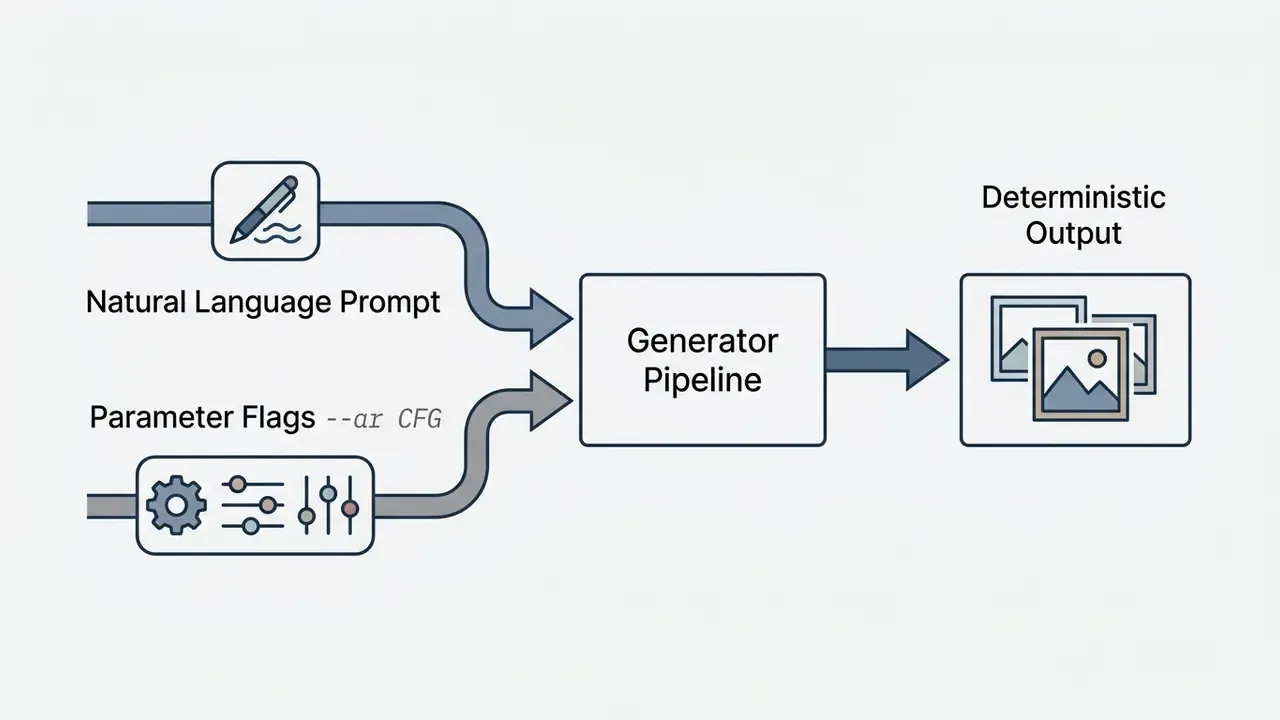
Setting aspect ratio via --ar 16:9 in Midjourney, or explicit width and height in Stable Diffusion, secures framing without spending composition tags. The Classifier-Free Guidance (CFG) scale decides how strictly the model adheres to prompt tokens versus exploring the latent space, and values between 6.0 and 9.0 give solid prompt adherence without visual burn (Stability AI Docs, 2026). Midjourney's --stylize runs on a 0 to 1000 scale with a default of 100: low values track the text closely, high values let the model impose its own aesthetic. Sampler choice (DPM++ 2M Karras, Euler a, DDIM) changes both convergence speed and micro-texture, so fix it before any prompt A/B test. Otherwise you are measuring two variables and reporting one.
How to Write Prompts for Image-to-Image (Img2Img) and Inpainting
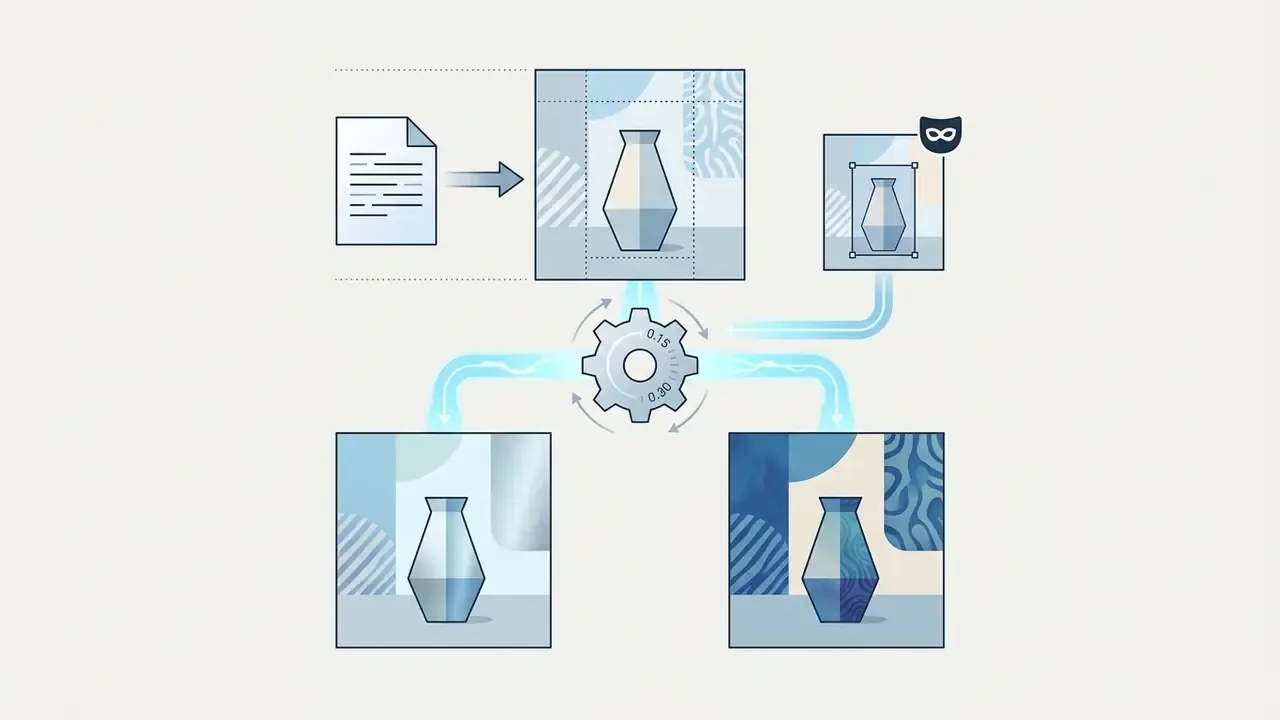
Text-to-image is only half of production work. Image-to-image, inpainting and outpainting start from an existing asset (a photo, a sketch, a rendered layout) and use the prompt to describe the delta, not the whole scene again.
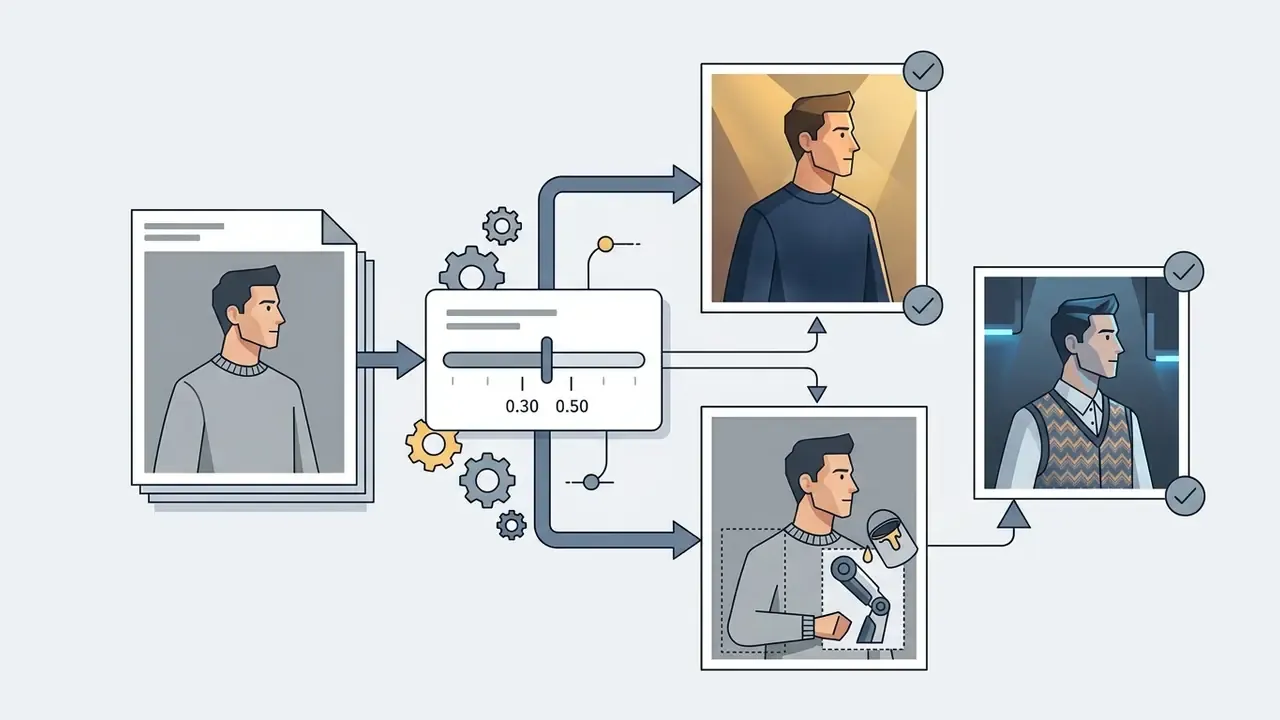
The controlling variable is image strength, sometimes labelled denoising strength: a 0.0 to 1.0 value deciding how much of the source latent survives.


Img2Img prompting formula:
[Source image] + [Masked region / inpaint segment] + [Prompt describing only the change] + [Denoising strength: 0.3 to 0.75]
Worked example, change a garment colour and fabric on a finished portrait:
- Wrong (re-describes the whole scene, so the model regenerates the person): "A portrait of a woman in a red sweater standing in a park."
- Right (mask applied to the sweater only):
Red cashmere knit sweater, detailed fabric weave, soft natural folds --denoise 0.45
Worked example, sketch to product render:
- Source: pencil sketch of a bottle. Prompt:
matte ceramic bottle, soft studio softbox lighting, neutral seamless backdrop, product photography, subtle contact shadow· Denoise:0.65· Negative:text, label, watermark, harsh reflections.
Worked example, extending a frame (outpainting): keep the original prompt tokens for style continuity and add only the new spatial content: same editorial lighting, continued marble floor, blurred office windows on the left. Our comparison of AI outpainting tools shows how far each engine can extend a canvas before texture drift appears.
Three structural conditioning options deserve a place in any pipeline:
- ControlNet: pass an edge map, depth map or OpenPose skeleton alongside the text prompt to lock geometry while the prompt controls surface appearance. Multiple conditionings can be combined in a single generation (Adding Conditional Control to Text-to-Image Diffusion Models, Zhang & Agrawala, 2023).
- Reference or style conditioning: Midjourney
--srefand--cref, Flux reference inputs and Firefly style references transfer palette and rendering treatment without copying composition. - Prompt-to-prompt editing: swap a single word in the prompt while preserving cross-attention from the unchanged tokens, which localises the edit without re-rolling the layout (Prompt-to-Prompt Image Editing with Cross Attention Control, Hertz et al., 2022).
For tool performance across standardised prompt sets, review our latest benchmarks.
AI Image Prompt Examples for Common Creative Tasks
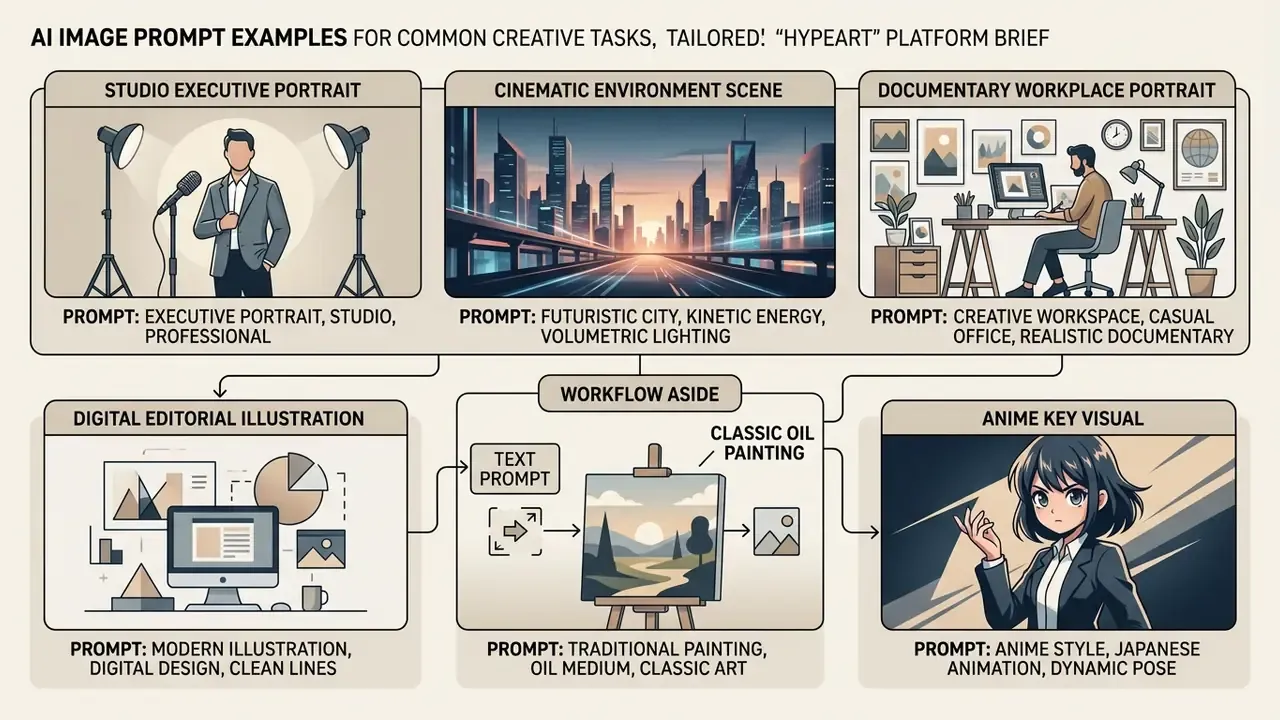
Production-ready prompt examples across commercial and creative use cases show how the formulas behave in the wild. Structured prompts for photorealism, illustration, branding and 3D modelling double as reusable templates for enterprise image generation.
Following an established AI image generator prompt writing guide helps creative teams hold visual quality standards across very different production tasks. Still choosing where to run them? Our roundup of free AI image generators lists credit limits and watermark rules for each option. The examples below combine subject, environment, composition, lighting and parameters across mediums.
Photorealistic, Cinematic and Portrait Prompts
Photorealistic portraits and cinematic scenes need explicit camera lenses, studio lighting setups and realistic texture modifiers. These prompts emulate real-world photographic equipment and environmental conditions. Corpus analysis explains why the same three ingredients recur in every strong example: camera description, lighting type and realism tags form their own thematic clusters in successful portrait prompts.
«Portrait prompts consistently combine camera description, lighting type and realism tags, which cluster together as distinct themes.»
Studio executive portrait:
"A formal studio portrait of a corporate executive, three-quarter angle view, neutral expression, subtle skin texture. Key light softbox setup with gentle fill light, shallow depth of field, neutral gray background. Shot on 85mm f/1.8 lens, sharp focus on eyes, muted color palette."
Cinematic environment scene:
"A cinematic wide-angle shot of a modern financial trading floor at night, empty glass desks, glowing monitor screens reflecting blue and amber light. Atmospheric volumetric fog, dramatic side lighting, high contrast shadows, 35mm film still aesthetics, widescreen aspect ratio."
Documentary workplace portrait:
"Editorial photo, compliance officer in her mid-fifties, greying hair in a low knot, navy blazer, reviewing printed reports, focused expression, glass-walled meeting room, overcast window light, 50mm lens."
Teams standardising headshots across an organisation should also review capability limits in our guide to AI headshot generators, then finish frames with the retouching workflows in our overview of AI photo editors.
Illustration, Painting and Anime Prompts
Prompts for Design, Branding and 3D Images
Refine AI Prompts When the First Image Is Not Right
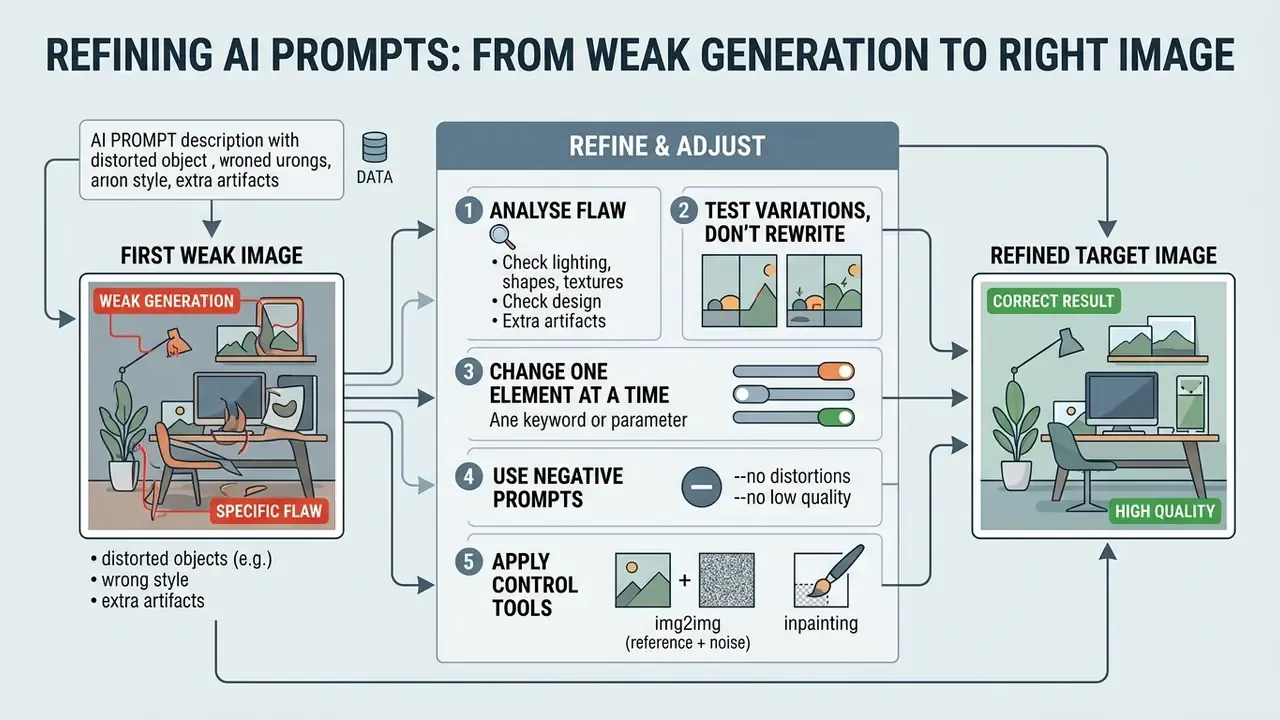
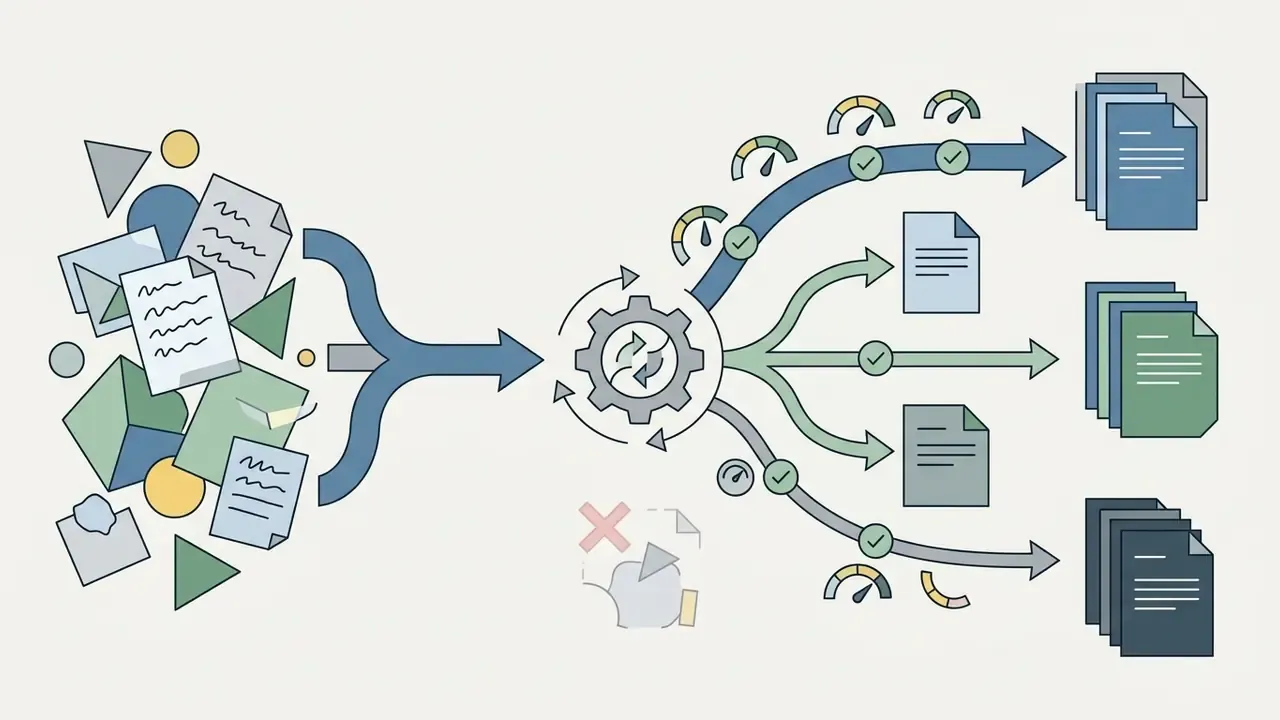
Refining a weak generation means analysing the specific flaw, making one targeted adjustment, and using control tools such as negative prompts. Rather than discarding the concept, systematic refinement corrects alignment errors while preserving creative direction.
Applied consistently, these AI image prompt writing tips turn trial-and-error generation into a controlled correction loop. Systematic troubleshooting also stops teams from fixing one artefact and introducing two more. If refinement keeps failing on the same defect class, the constraint may be the engine rather than the prompt. Compare capability ceilings across AI image generation tools before spending further credits.
Test Variations Instead of Rewriting Everything
Isolate individual variables when testing prompt performance instead of rewriting the whole string between runs. Iterative parameter testing shows the visual impact of a single adjective or setting change with some precision.
A workable testing framework changes one element only, say the lighting descriptor, while subject, composition and seed stay fixed. Locking the random seed ensures differences between iterations come from prompt edits, not from random latent initialisation.
Reuse expectations should be calibrated per engine, because prompt-driven variability differs sharply between architectures.
«Prompts for SDXL and DALL·E 3 retain visual diversity across 50 to 200 seeds, whereas Imagen sustains diversity over only 10 to 50 seeds.»
Change One Prompt Element at a Time
Isolate visual defects by modifying a single phrase or parameter per iteration while generation settings stay constant. Systematic adjustment identifies the precise word causing distortion or misalignment.
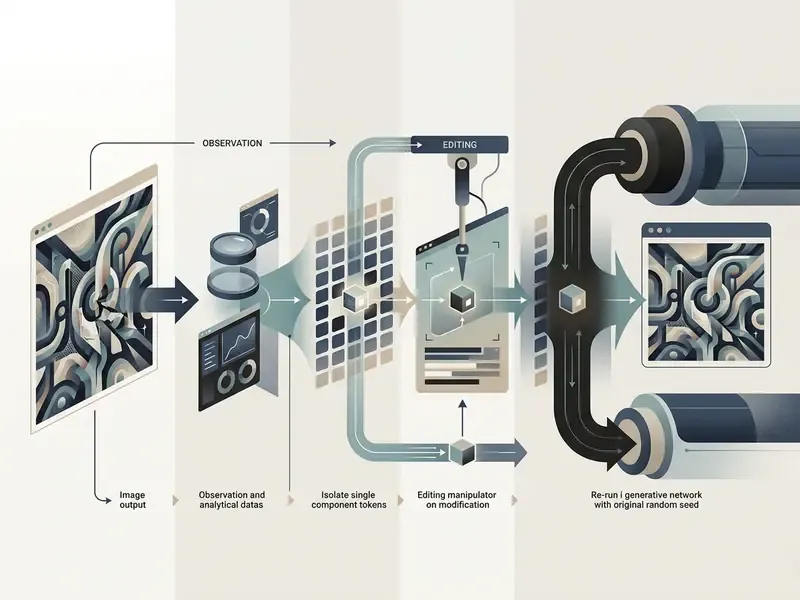
When output shows wrong lighting, change only the lighting descriptor and re-run with the same seed. Editing several adjectives at once obscures which change fixed the problem and lengthens total iteration time.
Automated prompt-optimisation systems formalise the same discipline: they enrich only the missing concepts and leave satisfied tokens untouched.
«Enriching only the missing prompt concepts while keeping the rest unchanged achieves the strongest text-image alignment on standard benchmarks.»
Diagnostic shortcuts by defect type:
| Observed defect | First single change to try |
|---|---|
| Subject too small or wrong crop | Shot scale tag or --ar, not more adjectives |
| Washed-out or burnt colours | Lower CFG toward 6.0; remove competing colour tags |
| Mangled hands, duplicated limbs | Add targeted negatives; inpaint the region at 0.4 denoise |
| Style not activating | Front-load two style phrases; lower --stylize |
| Text or logos appearing | Add --no text, watermark, logo or phrase the exclusion inline |
| Composition drifts between runs | Fix the seed, then fix geometry with ControlNet |
Use Negative Prompts and Advanced Prompting Techniques
Use negative prompt fields, fixed seeds and ControlNet conditioning to exclude unwanted artefacts and enforce structural control. Advanced prompting separates positive scene description from excluded visual attributes, which keeps both lists readable.
- Negative prompts: Define explicit terms to exclude from latent space during denoising, such as
extra limbs, blurry, distorted text, low resolution, duplicate characters. Note that negative prompts are ignored whenguidance_scale < 1(Hugging Face Diffusers Docs, 2026).«Negative prompts remove unwanted content through mutual neutralisation in latent space; applied too early, they can instead induce the very object being excluded.» Understanding the Impact of Negative Prompts: When and How Do They Take Effect? (2024)
- Fixed seeds: Locking seed values enables predictable editing, letting operators test prompt variations against identical initial noise. Reference implementations set this explicitly with
torch.Generator(...).manual_seed(n)(Hugging Face Diffusers Docs, 2026).«The best "golden" seed reaches FID 21.60 while the worst yields 31.97, a gap comparable to a substantial prompt rewrite.» Good Seed Makes a Good Crop: Discovering Secret Seeds in Text-to-Image Diffusion Models, Xu et al. (2024)
- ControlNet and image conditioning: Pass structural edge maps or pose depth maps alongside text prompts to force precise spatial alignment (ControlNet Paper, 2023).
«Under classifier-free guidance, optimising the negative prompt improves image fidelity more effectively than optimising the positive prompt.» On Discrete Prompt Optimization for Diffusion Models (DPO-Diff, 2024)
- Prompt chaining: Split complex briefs into staged generations, layout first, then a material pass, then inpainted detail, instead of overloading one string. Chaining is a workflow convention rather than a documented standard, so log each stage for reproducibility.
Common AI Image Prompt Mistakes to Avoid
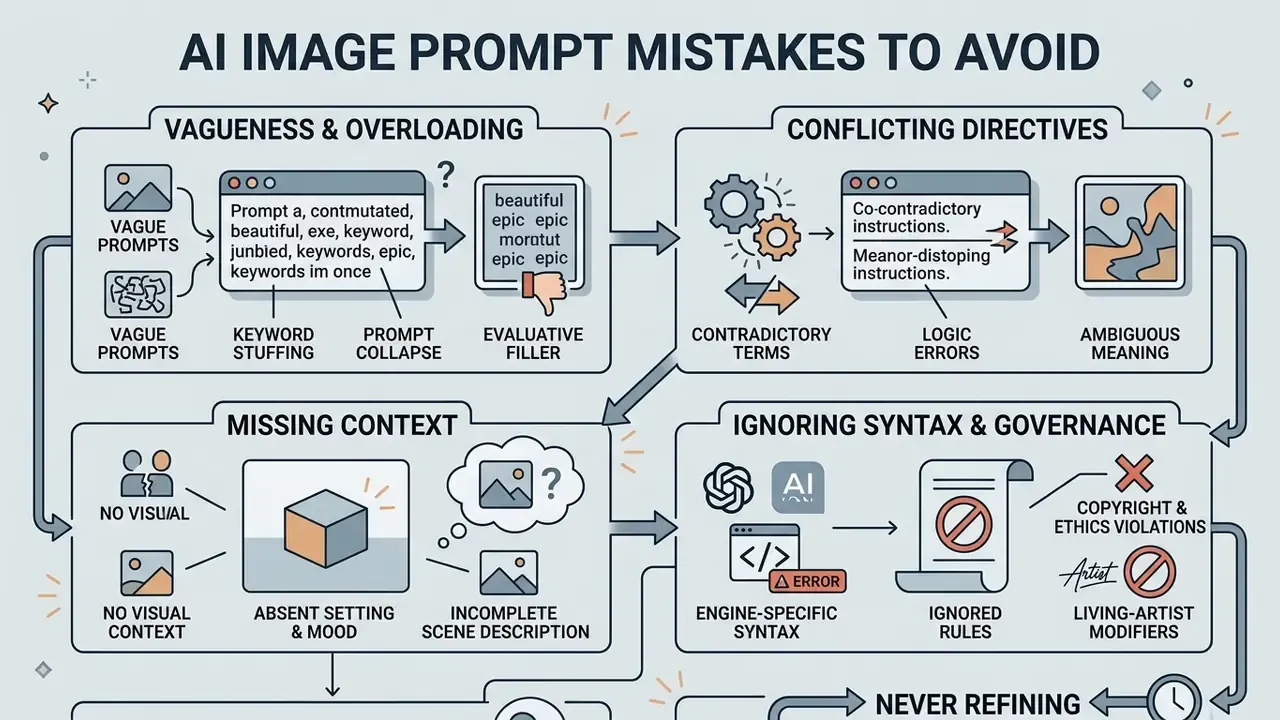
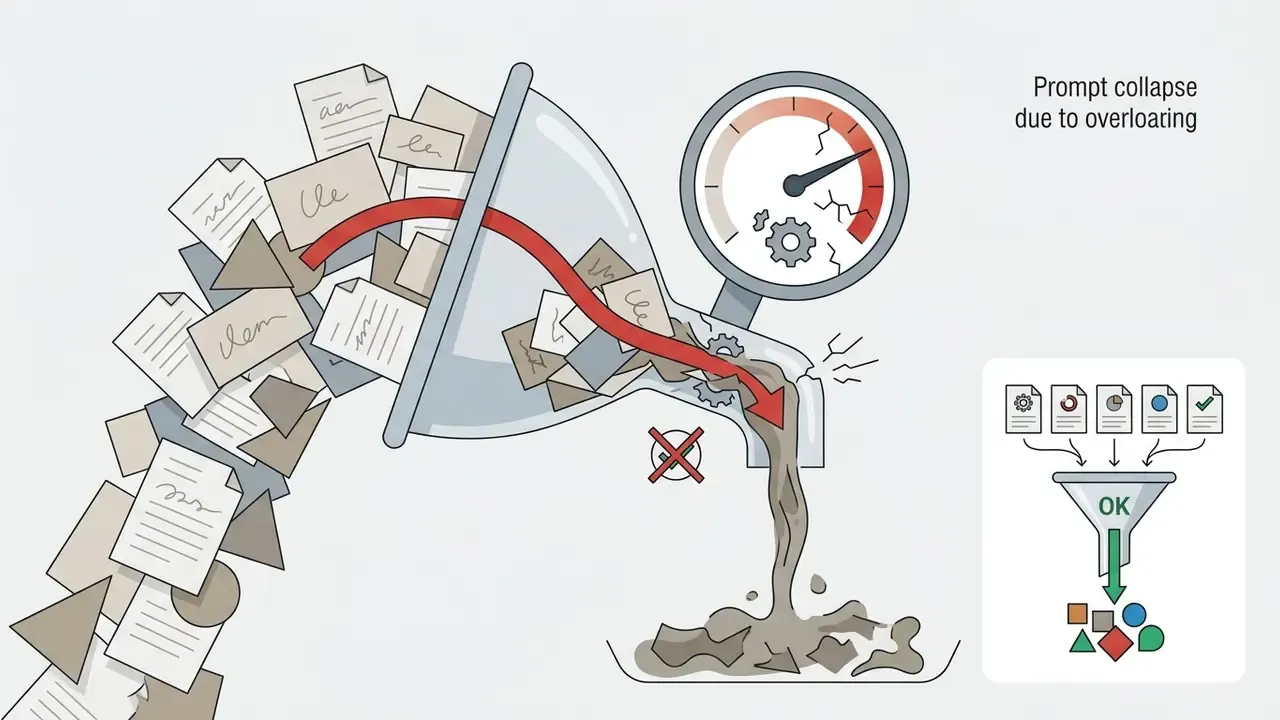
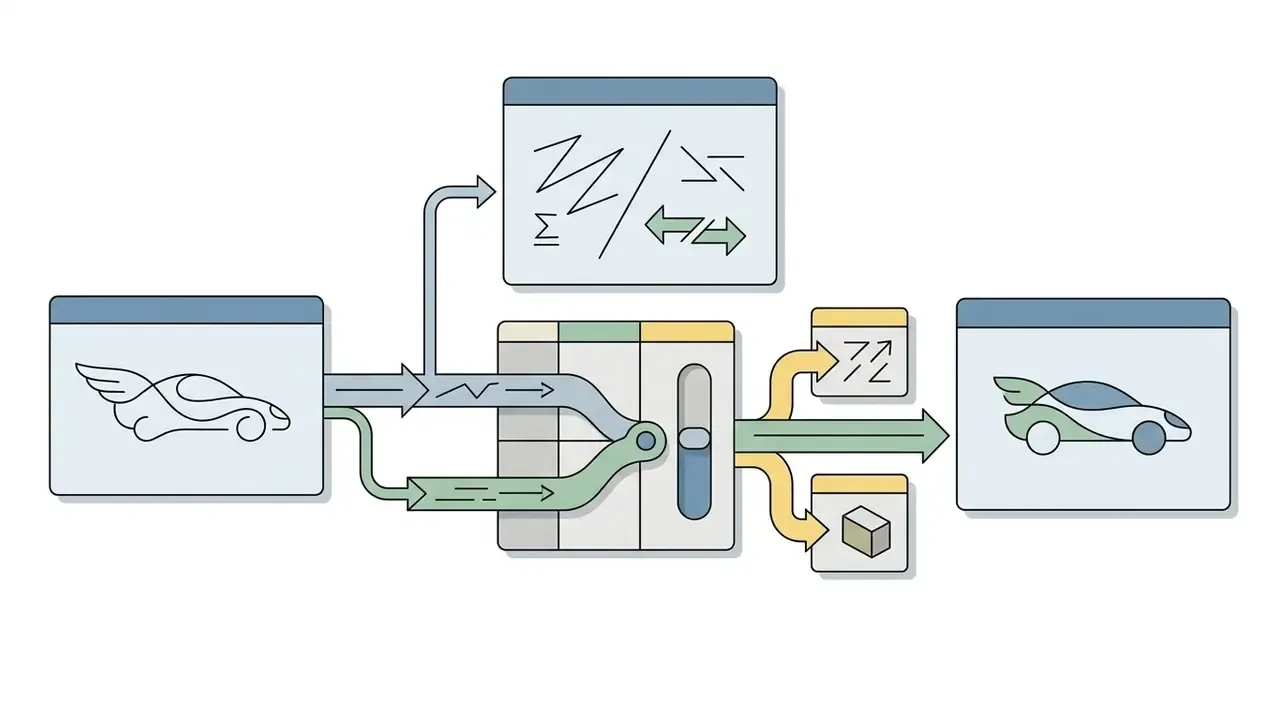
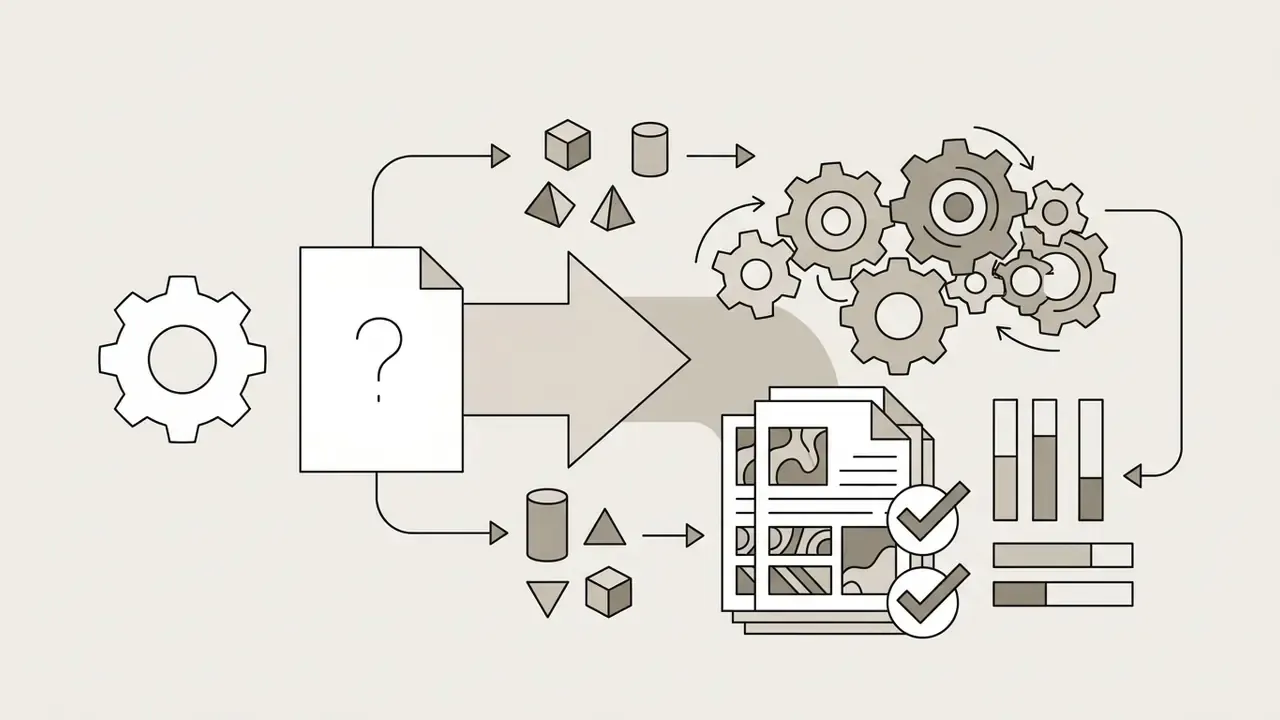
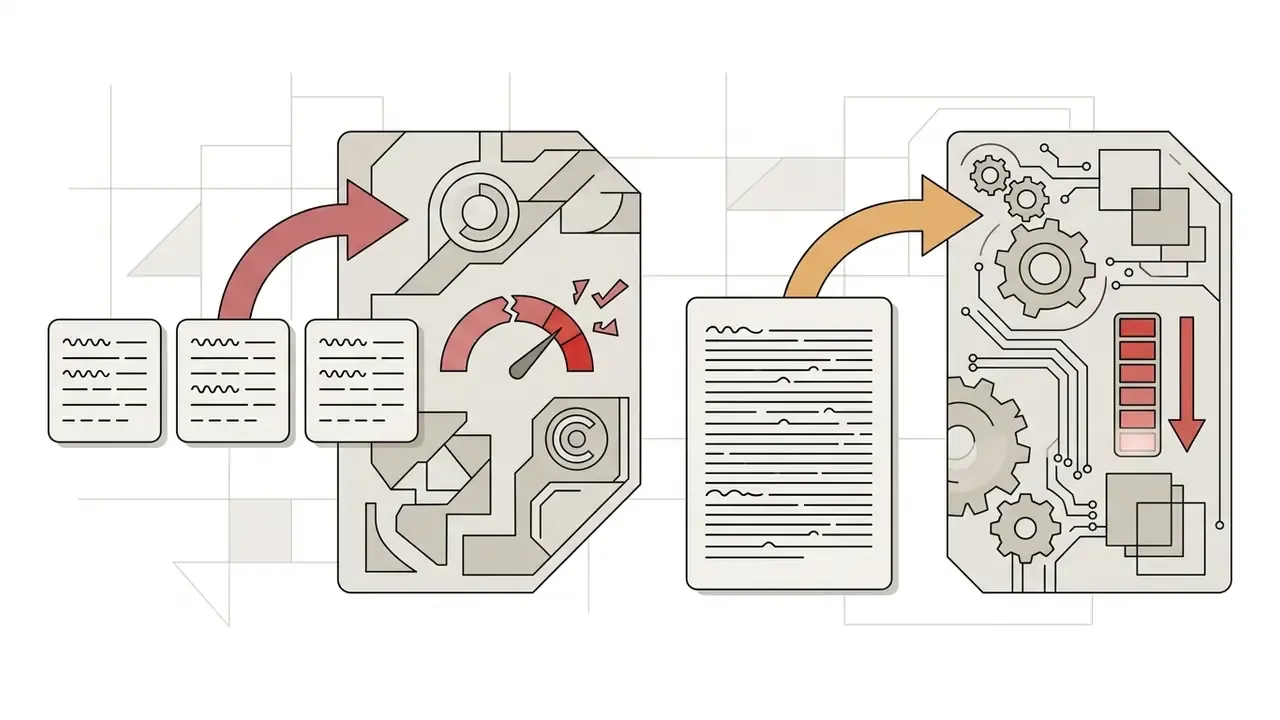
Common prompt errors cluster into four families: keyword stuffing, conflicting directives, missing visual context, and ignoring generator-specific syntax. Avoiding them prevents artefacts, semantic drift and wasted compute across enterprise production runs. Publishing teams that need to verify what entered their asset library can cross-check outputs with the tooling reviewed in our guide to AI reverse-image search and provenance checks.
«Prompts carrying contradictory specifiers, for example "minimalist flat design, hyperrealistic textures", correspond to model failures far more often than coherent prompts.»
The recurring defect classes, and their fixes:
Ethics, Copyright and Living-Artist Modifier Rules
Prompt text is a legal artefact as much as a technical one. Two constraints apply to any commercially published asset.
- Names of living artists.Avoid direct triggers of the form
in the style of [living artist]. Firefly and Midjourney v6 increasingly filter or substitute such tokens, and the ethical objection from working artists is substantive. Replace the name with the technique it stands for:impasto brushstrokes,cubist geometry,flat vector with limited palette,high-contrast chiaroscuro. - Trademarks and logos.Naming brands (
Nike shoes,Apple iPhone) in commercial prompts creates trademark exposure and can reproduce protected trade dress. Use material descriptors instead:minimalist aluminium smartphone, unbranded,white low-top leather sneaker, no logos.
Three further practices are worth institutionalising: avoid generating recognisable likenesses of real individuals without consent; avoid prompts that could produce misleading depictions of real events; and document the engine, model version and licence terms attached to every published asset.
Enterprise Risk, Brand Safety and Prompt Governance
In regulated industries, prompt text should be governed like any other input that leaves the perimeter. That framing usually settles the argument with marketing faster than a policy memo.
- No confidential data in prompts. Never paste client PII, account numbers, internal project code names, unreleased product specifications or sensitive strategy into public generation services. Prompts submitted to consumer tiers may be retained or used for service improvement, depending on the provider's terms.
- Prompt logging and audit trail. Store prompt text, negative prompt, seed, model version, parameter set, operator identity and timestamp for every published asset. That record is what makes an output reproducible, and defensible, months later.
- Shadow AI control. Unapproved tools produce assets with unknown licence provenance. Maintain an approved-engine list with documented commercial terms and a named owner for each entry.
- Brand-safety review. Route generated assets through the same approval workflow as photography: palette compliance, inclusivity review, and a check for inadvertent text, logos or protected marks.
- Documented assumptions and limits. Record intended use, assumptions and known limitations for each generative workflow, consistent with the documentation practices in the NIST Generative AI Profile (NIST AI 600-1, 2024).
- Verification of inbound assets. When receiving images from agencies or contributors, screening with AI image detectors helps confirm whether a declared photograph is in fact synthetic.
Following these best practices for AI image generation prompts measurably reduces rework. Run the pre-generation checklist below before anything reaches a production queue.
FAQ About Writing AI Prompts for Images
What is the optimal prompt length for AI image generation?
The practical range sits between 25 and 75 words (roughly 30 to 100 tokens): enough concrete detail to define subject, composition, medium and lighting without causing token collision.
«Prompt length and semantic concreteness rank among the most significant linguistic predictors of visual variability across 56 analysed features.» Words Worth a Thousand Pictures: Measuring and Understanding Prompt-Driven Variability in Text-to-Image Generation, Xu et al. (2024)
Prompts under 10 words leave too much to default training data, while prompts beyond 150 words risk losing instruction priority to token weight decay. For prose engines, three to five sentences usually suffices. For tag engines, eight to fifteen comma-separated phrases is a sensible ceiling.
What is the difference between comma-separated phrases and full sentences?
Tag-driven engines (Midjourney, Stable Diffusion, Flux) parse short comma-separated phrases most reliably, because each phrase becomes a discrete conditioning signal. Prose-driven engines (DALL·E 3, Imagen, Firefly) expand full sentences internally and reward descriptive natural language. Mixing the two, a prose paragraph stuffed with tag fragments, is the most common syntax error in production prompt libraries.
How do you write prompts for image-to-image and inpainting?
Describe only the change, not the whole scene, and control how much of the source survives with denoising strength: 0.15 to 0.30 for polish, 0.30 to 0.50 for material and wardrobe edits inside a mask, 0.50 to 0.75 for sketch-to-render and style conversion. Combine a mask with a short, material-specific prompt, and add ControlNet or reference images when geometry must stay untouched.
Should teams build and maintain a central prompt library?
Yes. Version-controlled prompt repositories, held alongside code or in a shared asset management system, let each entry store the prompt, negative prompt, golden seed, target model version and parameter flags. Practice in the field diverges on implementation: some vendors now recommend versioned code helpers with typed inputs, tests and PR review instead of free-floating reusable prompt objects, while enterprise training material still favours a shared library of standardised templates and approved guardrails. Either route delivers the same requirement: reproducible visual branding across marketing, product and design, with an audit trail attached.
«Automatically enriching prompts with detailed descriptors yields an average 5% gain across six quality and aesthetic metrics versus baseline methods.» A User-Friendly Framework for Generating Model-Preferred Prompts in Text-to-Image Synthesis (2024)
Can you reuse prompts across different AI image tools?
Prompts can be adapted, but direct copy-pasting tends to produce inconsistent results because architectures differ. A natural-language prompt tuned for DALL·E 3 must be condensed into structured keyword phrases and given parameter flags (--ar, CFG weights) when ported to Midjourney or Stable Diffusion. Output resolution also varies per engine, so plan a finishing step with the options in our comparison of AI image upscalers when assets must meet print specifications.
Are negative prompts necessary for every image generation?
They are strongly recommended for open-diffusion models such as Stable Diffusion and Flux, and for Midjourney through the --no parameter, to filter artefacts, blurry textures and unwanted objects.
«Negative prompts act with a delay and remove concepts through mutual neutralisation; premature application can provoke the very object you intended to exclude.» Understanding the Impact of Negative Prompts: When and How Do They Take Effect? (2024)
DALL·E 3, by contrast, exposes no dedicated negative field, so exclusions must be phrased naturally inside the main prompt text (Hugging Face Docs, 2026).
Can an LLM write my image prompts for me?
Yes, and it is usually faster than manual drafting. Give ChatGPT, Claude or Gemini a system instruction that fixes the output structure, the target engine and the banned vocabulary (see the meta-prompt above), then review the result for evaluative filler, living-artist names and brand references before generating.
Is it safe to mention an artist's style or a brand in a prompt?
Treat both as high-risk. Style references to living artists are increasingly filtered by commercial engines and remain ethically contested; brand and logo references create trademark exposure in published material. Describe the technique or the material instead. Verify licence terms for your specific engine, and involve counsel for commercial campaigns.
How should governance teams evidence that a published image was controlled?
Keep three artefacts per asset: the full prompt record (positive, negative, seed, model version, parameters), the named human approver, and the licence terms of the engine used. That trio answers most audit questions without a reconstruction exercise. Anything missing, and the asset is effectively undocumented output, however good it looks.
Footer and Hub Navigation
For enterprise media production frameworks and asset generation pipelines, explore our primary hub for AI Media Workflows.