Three seconds. That is the whole budget.
Last methodology review: February 2026. Tool data verified against publicly available vendor documentation at the time of review.
Executive Summary: What Actually Matters in the Opening Seconds
- Target duration: 3–5 seconds. Vendor marketing pages still recommend "around 10 seconds", but retention research and modern pacing data show that decorative padding beyond five seconds measurably increases early abandonment.
- Audio is not decoration. Sonic brand assets outperform purely visual assets in recall studies, and a 1–2 second audio signature is the cheapest recognition asset a channel can own.
- Free is achievable, but must be verified. Canva, Microsoft Clipchamp, Adobe Express, CapCut, and VEED document watermark-free free-tier exports; Renderforest and Filmora place watermarks or licensing restrictions on free plans.
- Governance matters more than effects. Document audio licenses, run a test render, and log approvals before the intro enters a master template used across dozens of uploads.
How to Use This Guide (Pick Your Entry Point)
Not every reader needs the whole workflow. Use the shortest path that matches the decision in front of you.
| If your task is... | Read this first | Time to a usable result |
|---|---|---|
| Publish today with zero budget | The free tools and no-watermark verification sections | 10–20 minutes |
| Choose a tool for a team of editors | The comparative technical matrix and the procurement questions after it | 1–2 hours of review |
| Fix a broken or blurry render | The source-file requirements table and the troubleshooting matrix | 15 minutes |
| Standardize a brand template across a catalog | Template selection by niche plus licensing governance | 1–2 weeks including sign-off |
| Defend an asset under a copyright claim | The audit trail fields and the seven-step claim response | Same day, if records exist |
One honest caveat before we start: tool pricing, watermark rules, and license wording shift faster than any published guide can track. Treat every vendor detail here as a starting point for your own verification, not as a warranty.
What Is a YouTube Intro and Why Your Channel Needs One
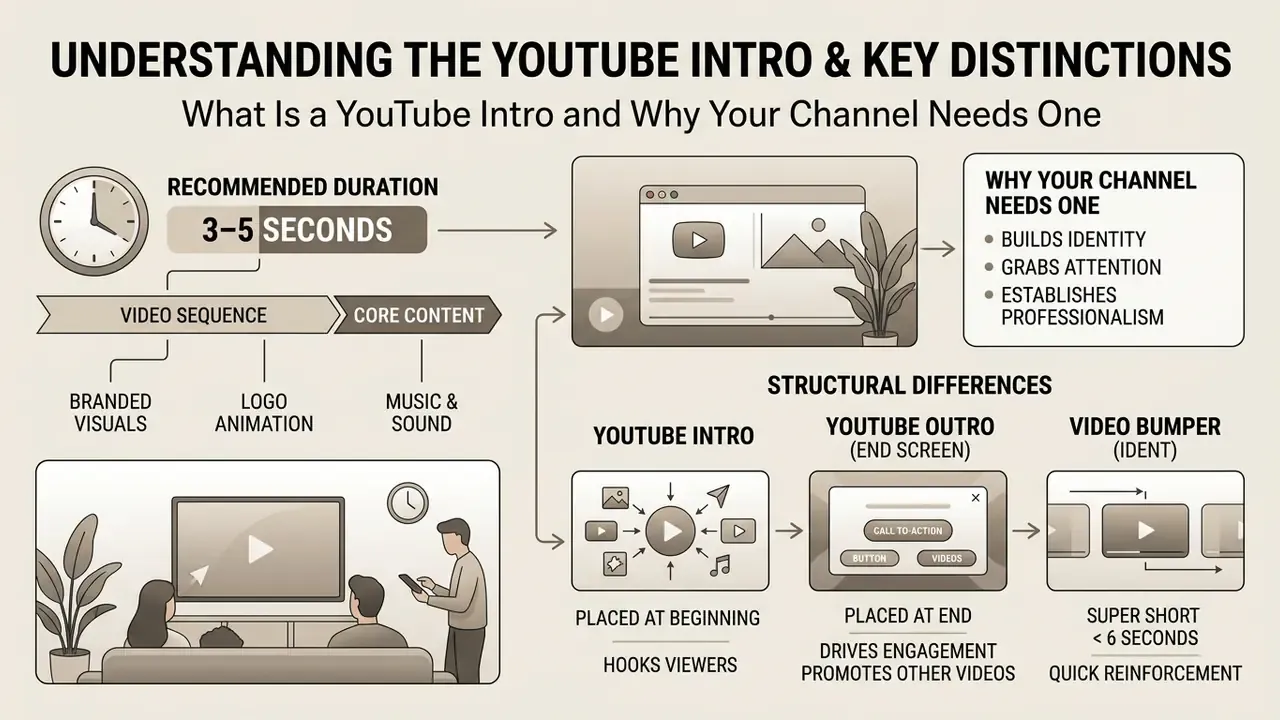
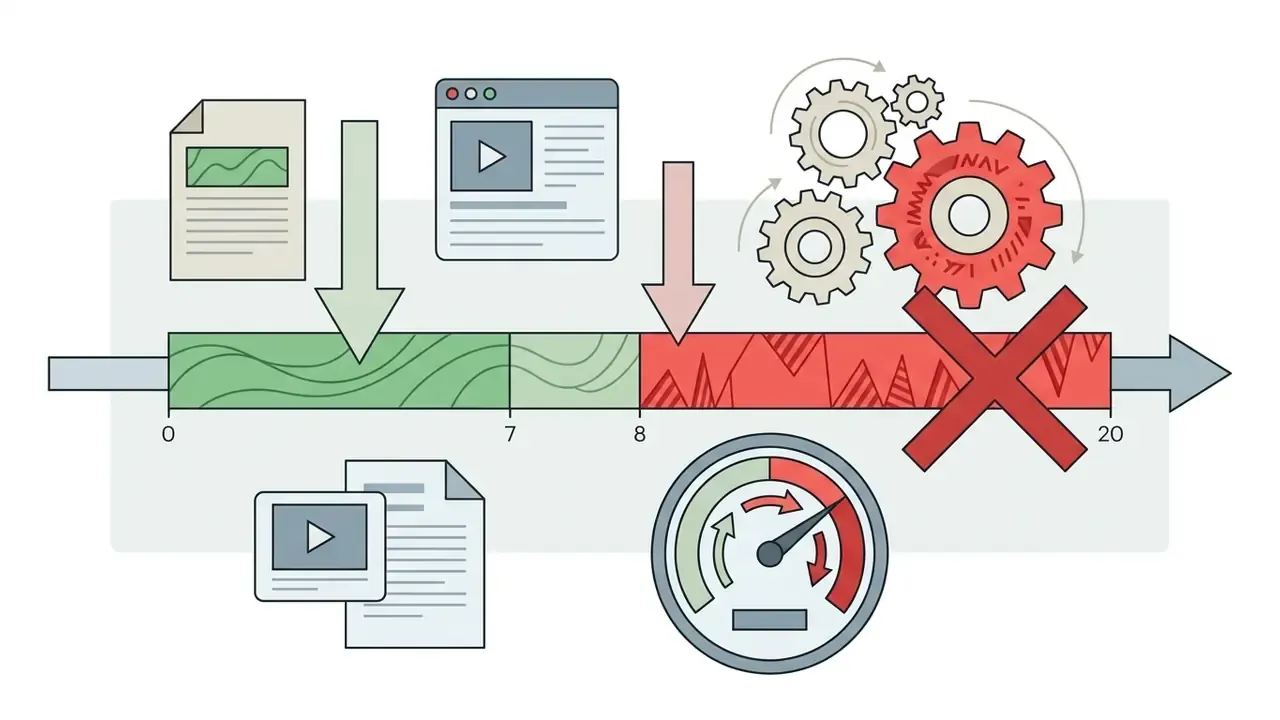
A youtube intro is a short branded video sequence, in current practice between 3 and 10 seconds, with 3–5 seconds as the recommended working standard, placed at the very beginning of a video. Its primary function is to introduce the channel identity, display the brand logo, and set viewer expectations before the main content begins.
Research into user behaviour demonstrates that initial video frames heavily influence viewer retention and brand outcomes. Google's own creative research on opening-frame branding reports that clear brand presence in the first five seconds raises ad recall and awareness lift, while warning that unattached "floating" logos reduce both watching and remembering compared with brand cues integrated into the visual narrative.
«Probability that watch time exceeds five seconds (ECR) varies systematically with video duration and the quality of the opening.»
Situation: A financial media channel suffered a 28% viewer drop-off within the first six seconds across its video catalog.
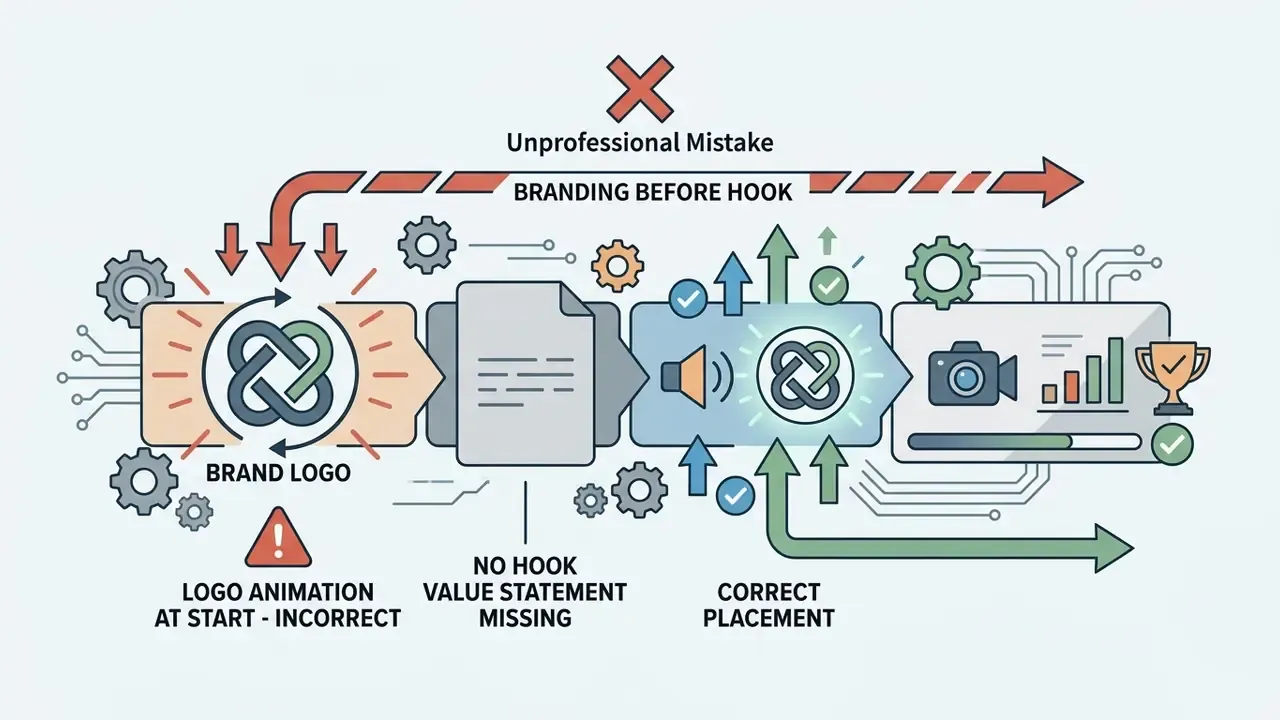
Action: The production team replaced a 14-second generic animated intro with a concise 3.5-second logo reveal integrated directly after the initial verbal hook.
Result: Early viewer retention at the 10-second mark increased by 19%, leading to higher overall watch time across 40 published assets.
In enterprise video workflows, an intro acts as a standardized governance control. It ensures that every published asset adheres to corporate brand guidelines, legal copyright rules, and visual style standards across distributed editorial teams. Institutional branding frameworks reinforce this: United Nations video branding guidance requires a branded intro splash at the start of videos, and university brand manuals commonly mandate a title screen inside the first ten seconds of any official video.
How an Intro Differentiates Your Brand and Holds Attention
Intro, Outro, and Video Bumper: Structural Differences
Understanding the structural differences between video openers, closers, and bumpers is critical for effective timeline editing. Each element serves a distinct operational purpose within the audience engagement cycle:
- YouTube Intro A 3–10 second opening clip that establishes channel identity, brand colors, and visual ownership at the start of a video.
- YouTube Outro (End Screen) A 5–20 second closing sequence displayed at the end of a video containing interactive elements, such as subscribe buttons and recommended playlist links.
- Video Bumper (Ident) A 1–6 second neutral transitional sting used between internal video chapters or segment transitions.
Treating intro outro pairs as one system pays off: the same wordmark, the same chime, one shared color ramp. A mismatched youtube outro undoes the recognition the opener just built.
| Parameter | YouTube Intro | YouTube Outro | Video Bumper |
|---|---|---|---|
| Timeline Position | 0:00 to 0:10 | Final 0:05 to 0:20 | Between internal chapters |
| Primary Goal | Brand identification & retention | Driving next clicks & subscriptions | Chapter transition & pacing |
| Interactive Elements | None | Clickable YouTube cards & end screens | None |
| Typical Duration | 3–5 seconds | 5–20 seconds | 1–3 seconds |
| Reusability | Identical across catalog | Varies by campaign target | Reused per segment type |
| Accessibility Requirement | On-screen text legible without sound | Readable CTA text, no audio dependency | Optional captions |
Format also dictates intro strategy. Shorts and long-form videos behave differently in distribution, which changes how much brand time an opener can justify.
«Shorts received on average four times more views than regular videos, yet videos 10–30 minutes long exceeded Shorts in median view count.»
Practically: a 9:16 Short rarely tolerates more than a 1–2 second brand cue, while a 15-minute analysis video can absorb a 3–5 second opener without penalty, provided the verbal hook lands first. Our guide to AI video for YouTube Shorts covers the vertical variant in more depth.
How to Choose the Best YouTube Intro Maker
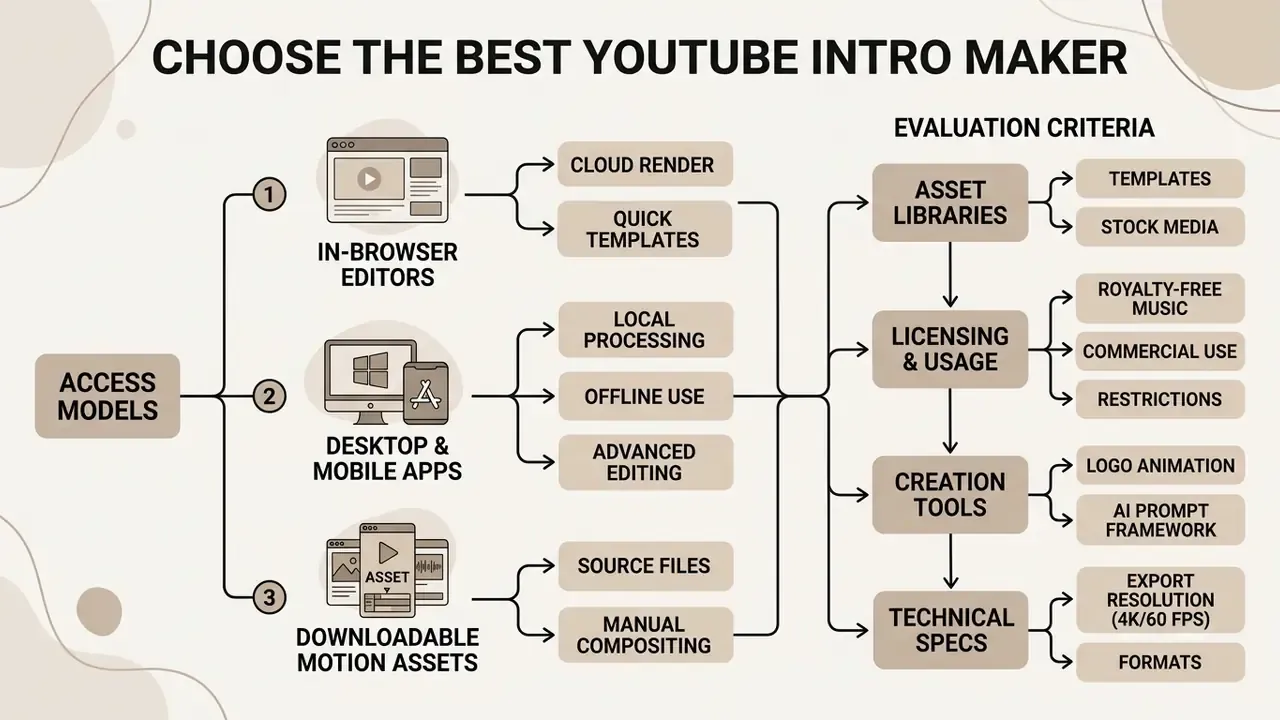
Selecting the best youtube intro maker requires evaluating export resolution limits, software access models, asset libraries, licensing restrictions, and, for institutional teams, data handling and enterprise administration. Modern editorial teams choose between web-based online editors, desktop motion graphics suites, and AI-assisted creation tools based on production velocity and control requirements.
Evaluating the best tools for creating youtube intro videos involves inspecting how platforms manage watermark constraints, frame-rate ceilings, and stock asset clearing. Creators comparing end-to-end tooling can review specialized platforms in our AI Media Comparison directory, and readers unfamiliar with prompt-driven production can start with our primer on AI video generators.
Comparative Technical Matrix of Selected Intro Creation Tools
| Tool Platform | Access Model | Max Free Resolution / FPS | Watermark Policy | AI Animation Support | Music License Type | Commercial Use on Free Tier | Enterprise / Data Controls |
|---|---|---|---|---|---|---|---|
| Canva | Web browser / iOS / Android | 1080p MP4, 30 FPS | No watermark on free assets; Pro elements watermarked | Magic Design / Magic Studio AI | Free library personal; Pro library commercial with limits; "Popular Music" excluded from commercial use | Limited, verify per asset | Canva for Business: brand kits, team roles, SSO on enterprise plans |
| Microsoft Clipchamp | Web browser / Windows app | 1080p MP4, 30 FPS | No watermark on free tier; premium stock blocks export until upgrade | Basic auto-cut, auto-captions | Royalty-free library included | Yes, for included free assets | Microsoft 365 tenancy, admin-managed identity |
| Renderforest | Web browser | 720p MP4 | Watermark included on free plan | Script-to-video AI | Non-commercial on free plan | No, subscription required | Team seats on paid tiers |
| Adobe Express | Web browser / mobile | 1080p MP4, 30 FPS | No watermark on free tier | Firefly generative effects | Adobe Stock free-tier selection | Yes, within Adobe Stock free terms | Adobe enterprise admin console, asset libraries |
| Filmora | Desktop software (Win/macOS) | 1080p MP4 | Watermark included on free plan | AI smart cutout, AI copilot | Built-in audio library | No, export watermarked | Local rendering, offline asset storage |
| CapCut | Web / desktop / mobile | Up to 4K, 60 FPS | No watermark on export | AI captions, color correction, upscaler | Built-in music library | Verify track-level terms | Cloud project storage; review data residency |
| InVideo AI | Web browser | 1080p (plan-dependent) | Watermark on free plan exports | Prompt-to-video, 50+ language voiceovers | Included stock library | Plan-dependent | Team plans with shared workspaces |
For teams operating under procurement or information-security review, add two further screening questions before standardizing on a tool: where uploaded brand assets are stored and for how long, and whether the vendor offers documented administrative controls (role-based access, SSO, audit logs, asset deletion on request). A browser tool that produces a perfect intro but cannot answer these questions will not survive an institutional security review. Note also that several vendors publish enterprise data terms only behind a contact us form, so plan for a short procurement exchange rather than a self-service answer.
Cost per finished asset deserves a number, not a feeling. Our calculators can help compare a subscription against the hourly cost of in-house motion work, and our notes on AI Media Commercial-Use terms summarize where monetization rights typically break.
Online Editor, Desktop App, or Downloadable Intro Creator
Choosing between an online video editor and local software depends on control needs and hardware limits:
- In-Browser Online EditorsTools like Canva, Clipchamp, and Adobe Express run entirely in the web browser. They provide drag-and-drop editing, cloud storage, and pre-built templates without requiring software installation. Fastest path from zero to a finished intro; weakest on frame-accurate motion control.
- Desktop and Mobile ApplicationsSoftware like Filmora, CapCut desktop, or local motion templates offer frame-accurate timeline editing, keyframe animation control, offline rendering, and higher export ceilings including 4K at 60 FPS.
- Downloadable Motion AssetsUsing an intro creator free download framework allows editors to customize raw After Effects or Premiere Pro project files directly, yielding maximum design flexibility, at the cost of the longest production time and a requirement for motion-graphics skill.
Speed hierarchy in practice: browser templates (2–10 minutes), then app templates (10–30 minutes), then fully customized After Effects work (1–6 hours). "Fastest" and "most customizable" never overlap, so choose by publishing cadence rather than by feature count.
One more practical filter: offline rendering. If your brand assets cannot legally leave a controlled environment, a desktop video editor is the only viable class of tool, regardless of how good the browser templates look.
Templates, AI Video, and Ready-Made Animation Elements
Using pre-designed youtube intro templates speeds up production while preserving design standards. Modern platforms incorporate ai video tools that automatically analyze an uploaded channel logo, suggest color palettes, rank motion directions, and generate matching text animations in seconds. Some logo-animation engines analyze an uploaded mark, score several motion directions, and render a six-second cinematic reveal without manual keyframing.
Audio deserves equal weight in that automated pipeline:
«Audio assets are on average 3.44 times more effective than visual assets at producing high-performing advertising; sonic logos appear 8.53 times more often in top-performing ads.»
The AI Prompt Framework for Intro Generation
Prompt-driven generators (InVideo AI, CapCut AI, Runway, Renderforest AI) respond best to structured input rather than descriptive prose. Use a five-slot formula:
[Channel style] + [Logo action] + [Lighting / color palette] + [Camera or motion dynamic] + [Duration and frame rate]
Worked examples:
- Gaming / esports: "Cyberpunk 3D logo reveal, metallic neon-blue mark shattering into glass particles, dark background, fast camera push-in, 4 seconds, 60 fps, dramatic rim lighting."
- Corporate / financial: "Minimal corporate logo reveal, white wordmark assembling from thin horizontal lines, soft light-grey gradient background, slow 5% zoom, 3.5 seconds, 30 fps, even studio lighting."
- Educational: "Flat 2D logo reveal, hand-drawn chalk texture, warm paper background, gentle slide from left with soft ease-out, 4 seconds, 30 fps."
- Comedy channels using a funny intro maker: "Bouncy 2D logo stamp with squash-and-stretch overshoot, bright primary palette, cartoon whip-pan, 2.5 seconds, 30 fps, single comedic sound effect on impact."
- Shorts / vertical: "Vertical 9:16 logo stamp, bold yellow mark punching into frame center, high-contrast black background, single snap motion, 1.5 seconds, 60 fps."
Then refine iteratively with editing commands rather than regeneration: modern AI editors accept instructions such as delete scene 2, change voiceover accent to British English, shorten to 3 seconds, or replace background music with a low-tempo pad. Prompt-based platforms also generate voiceovers in 50+ languages, which allows a single intro concept to be localized across regional channels without rerecording talent, useful when brand governance requires identical visual timing across markets.
Creators can combine automated logo reveals with specialized workflow tools, such as an ai youtube channel name generator and AI logo generators, to establish cohesive channel branding from day one. Integrating pre-built motion graphics ensures that non-technical editors produce consistent results without manual keyframing.
Watermarks, Music, and Free Export Conditions
Export restrictions represent the main operational barrier when using free video editors. While some tools advertise a free youtube intro, they may embed visual watermarks or restrict audio licensing unless upgraded to a paid plan.
- Watermark Auditing Ensure the exported file contains no watermarks that obscure the brand logo or channel title.
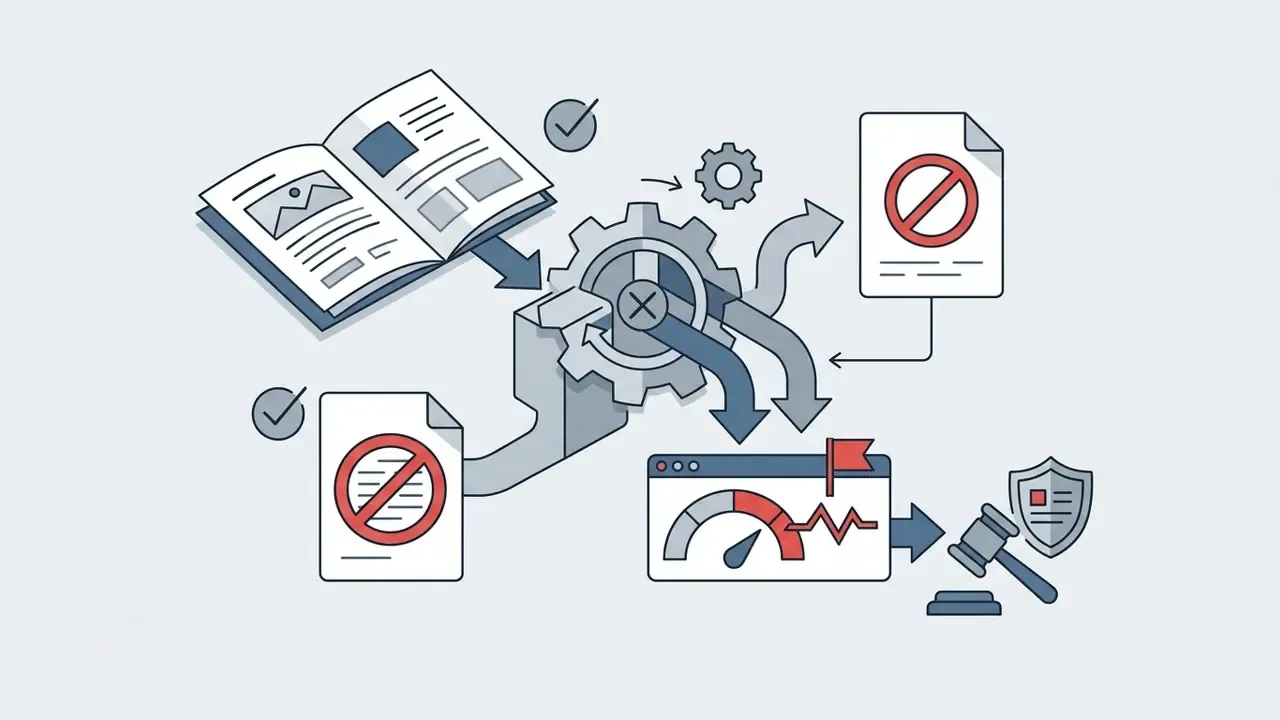
- Audio Rights Verify that background tracks and sound effects are cleared for monetization to prevent Content ID claims. "Copyright-free" wording alone does not guarantee immunity, since a fingerprinted track can still be matched.
- Resolution Limits Confirm that the free tier supports at least 1080p (1920×1080) output resolution, and check whether 60 FPS is gated behind a paid plan.
«Viewer engagement in educational videos is length-sensitive: videos shorter than six minutes show significantly higher audience retention.»
The same length sensitivity applies at micro scale inside the opening seconds: every second of non-essential branding is a second in which the retention curve can break.
Source File and Asset Technical Requirements
Most failed intro renders trace back to source assets, not to the editor. Before importing anything, validate files against these limits. They reflect the strictest common denominator across mainstream browser editors (Canva, Clipchamp, Adobe Express, CapCut) and desktop suites.
| Asset Type | Accepted Formats | Practical Max Size | Recommended Parameters |
|---|---|---|---|
| Vector logo | SVG (SVG 1.1 profile), EPS, AI | Under 3–5 MB | Transparent background; 150–300 px nominal width; outlined text; no embedded rasters |
| Raster graphics | PNG, WebP (static), JPEG/JPG, HEIC/HEIF | Under 50 MB; under 250 million total pixels | 24-bit PNG with alpha channel; 2× final display size to survive scaling |
| Video footage | MP4 (H.264), MOV (ProRes), MKV, WEBM, MPEG | Up to 1–2 GB per clip | 1080p or 4K; constant frame rate 30 or 60 FPS; progressive scan |
| Transparent motion asset | GIF (for browser editors), MOV with alpha (ProRes 4444) | Under 500 MB | Use GIF where the editor does not support alpha video |
| Audio stems / stings | WAV (24-bit / 48 kHz), MP3 (320 kbps) | Under 50 MB | True peak no higher than −2 dBFS; no clipping; trimmed silence |
| Fonts | OTF, TTF, variable fonts | Not applicable | Confirm embedding and broadcast rights in the font license |
Three failure patterns worth pre-empting: SVG files saved with a non-1.1 profile silently reject on upload; WebP animations are frequently unsupported, since only static WebP imports reliably; and logos supplied at exactly final display size look soft the moment a template applies a scale-up animation.
Keep the cleared source bundle in one folder with a version number. Editors who chase a logo file across three chat threads make licensing mistakes, and that is the expensive kind.
Which YouTube Intro Templates to Choose for Your Niche
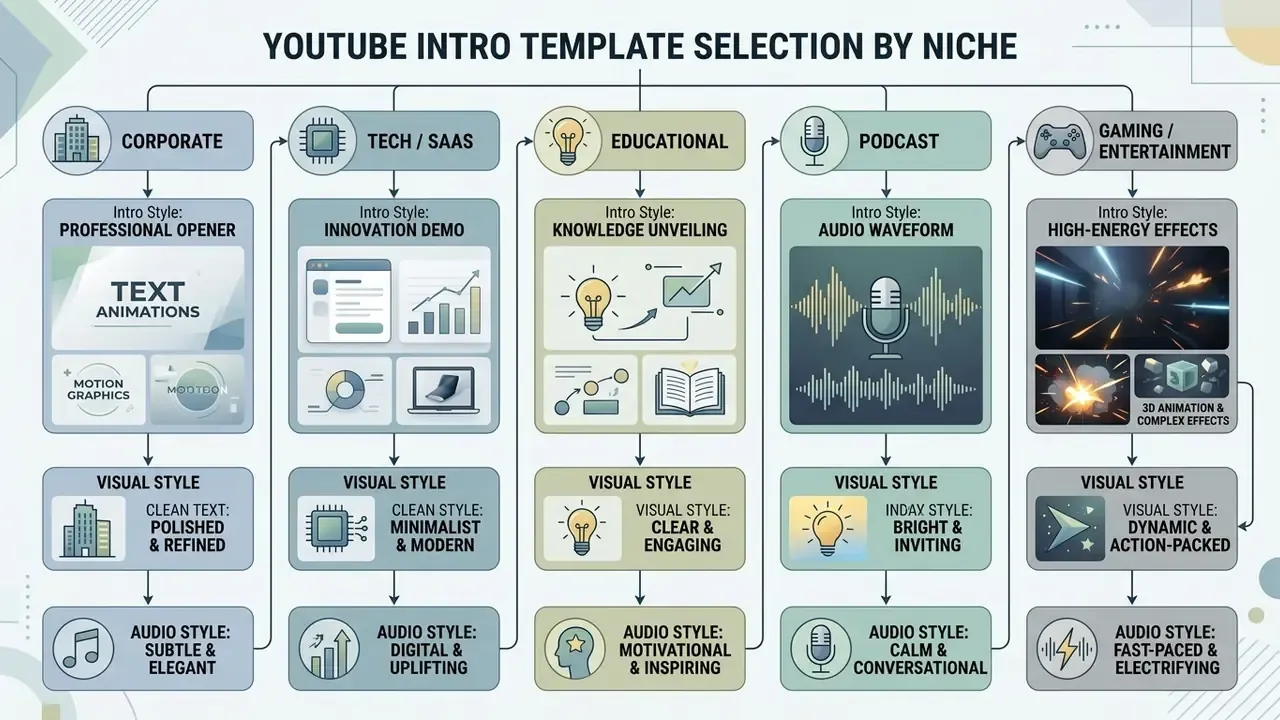
Aligning an intro video template with channel content genre is essential for visual coherence. A gaming channel requires dynamic motion and high contrast, whereas an executive, corporate, or news channel demands minimalist structure and clear typography. Teams building a reusable template family may also want to review our overview of animation tools before committing to a motion style.
Selecting appropriate intro templates ensures that the visual tone matches audience expectations. Channels building vertical video workflows can explore tailored tools through our ai youtube shorts generator guide.
Corporate, Tech/SaaS, and Educational Openers
For institutional and B2B channels, the opener is a compliance artifact as much as a creative one. Brand manuals typically lock the logo against distortion, extra effects, and altered proportions, and require legibility at small sizes.
- Corporate / financial Single-color background or restrained gradient, wordmark assembly, no more than two typefaces, audio limited to one low-tempo pad or a single chime. Duration 3–4 seconds.
- Tech / SaaS Geometric motion tied to the product UI (cards, grids, cursors), one accent color from the product palette, subtle UI-derived sound cues. Duration 3–5 seconds.
- Educational / training Title-screen approach with course or series name, module number, and instructor credit, plus captions legible without audio. Institutional guidance commonly requires the title screen inside the first ten seconds and a minimum on-screen duration of two seconds for readable text.
- Podcast Host and show name reveal over abstract geometric motion, with the show's recurring musical motif as the primary recognition asset.
Gaming Intro, 3D Animation, and High-Energy Effects (optional segment for entertainment channels)
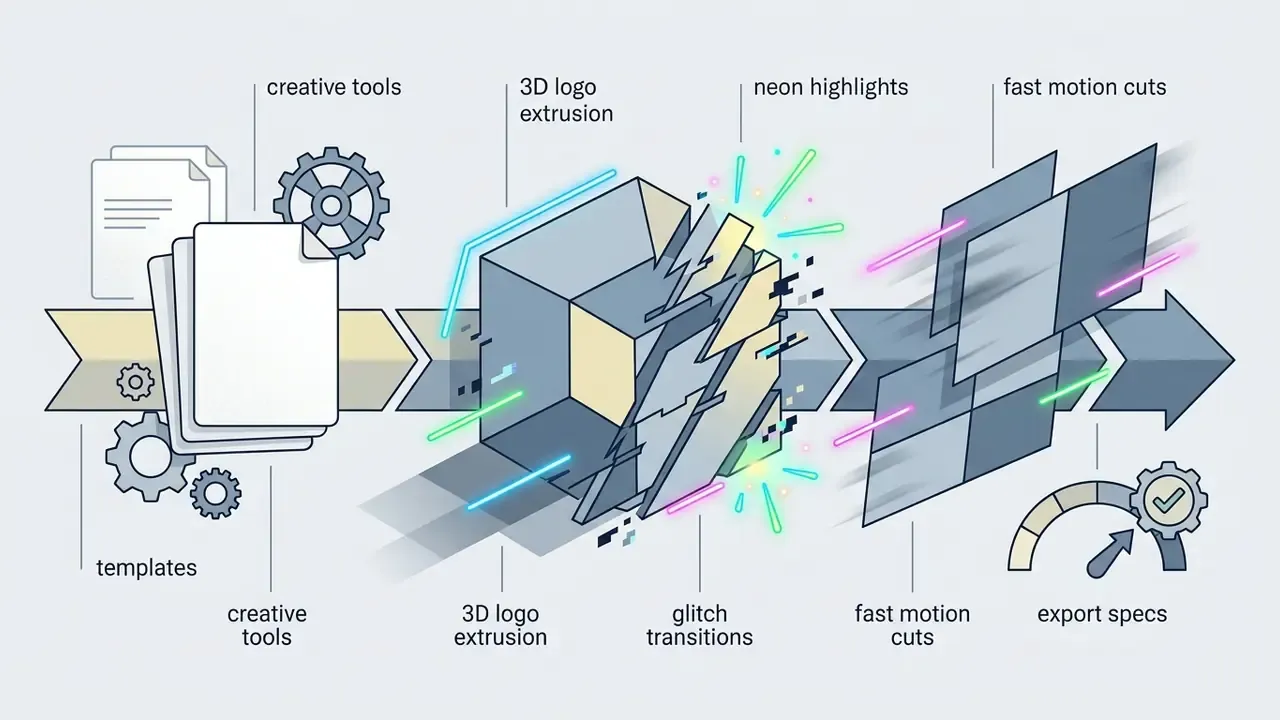
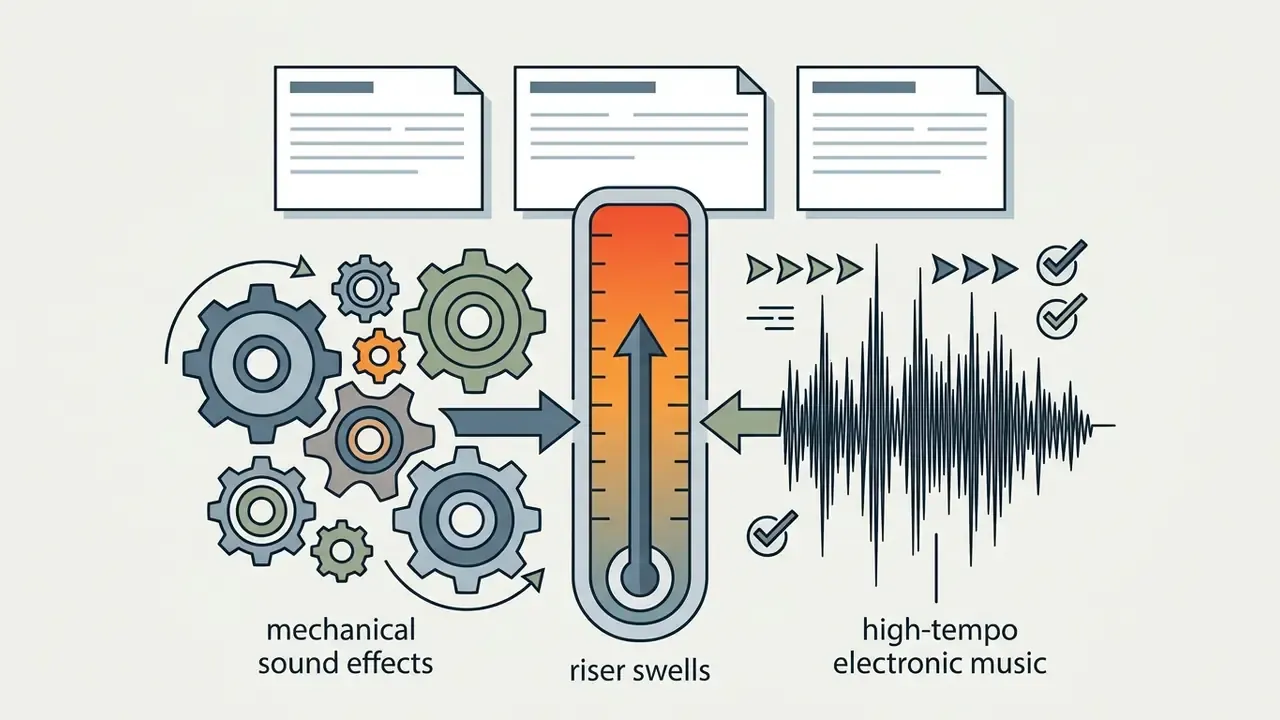
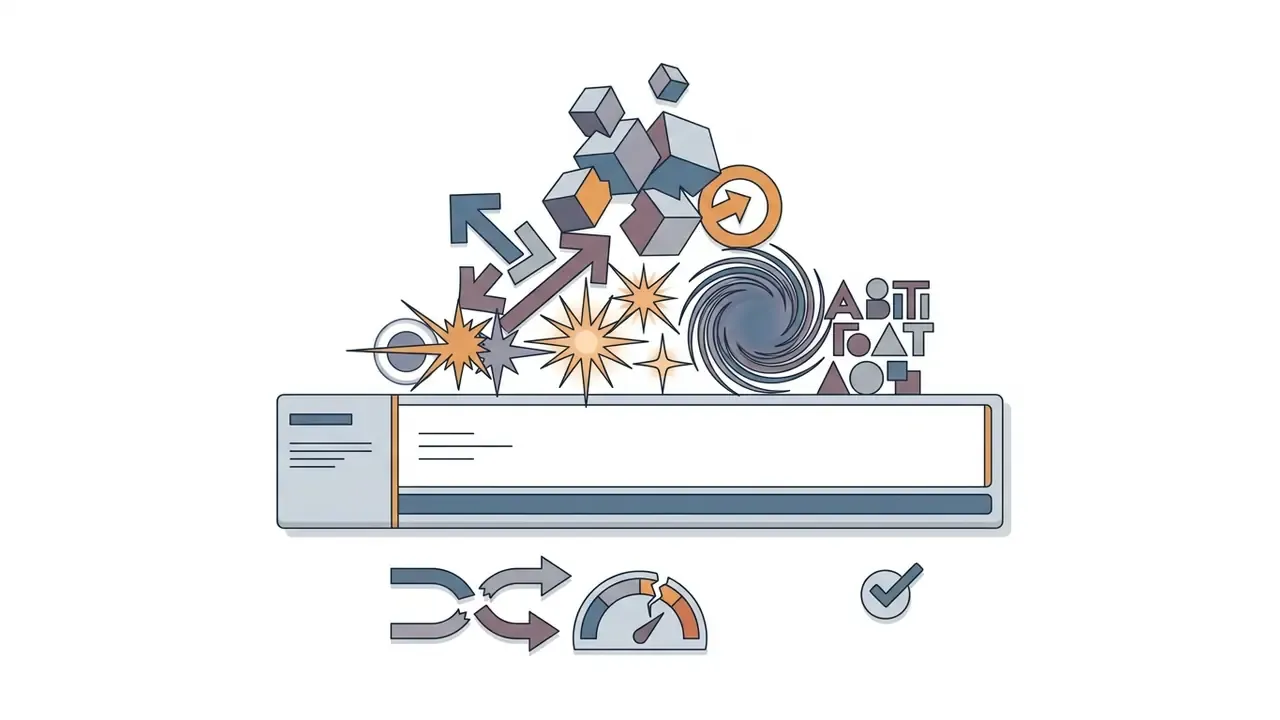
A gaming intro relies on high-energy motion graphics, neon color palettes, glitch distortion, and aggressive audio stings. Incorporating a 3d intro or dynamic particle effect creates an immersive atmosphere suitable for esports and gaming commentary. This style is deliberately isolated here: corporate and institutional channels should not import these conventions, and brand guidelines for regulated sectors explicitly advise against wipes, gradients, and heavy 3-D effects.
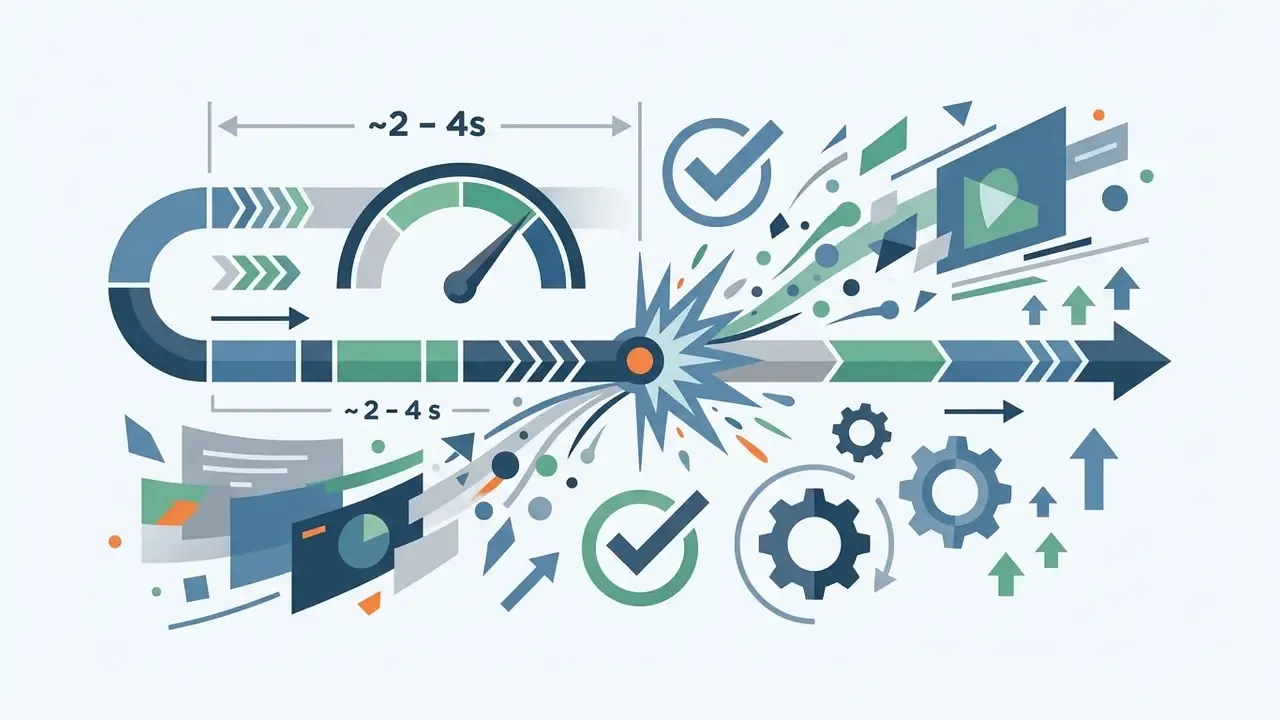
An animated intro for youtube designed for gaming must remain concise to prevent returning viewers from skipping past the opening frames.
News Intro and Concise Openers for Expert Content
A news intro or corporate opener requires restraint, high contrast, and structured typography. Executive channels often use a free online big title video maker for youtube to display prominent channel titles alongside a sharp youtube logo.
- Visual Style Clean lower-thirds, neutral backgrounds, solid color blocks, precise font alignment, sans-serif typefaces at large point size.
- Audio Style Low-tempo orchestral pads, subtle metallic chimes, clean acoustic accents.
- Pacing 3-to-5-second duration emphasizing readability and brand stability; broadcast identity packages often specify overall ident durations between 10 and 20 seconds, which should be trimmed for online delivery.
- Text density Follow newsroom discipline with short standfirsts, 24-hour clock format, and no overlapping overlays during motion.
Logo, Color, and Text as the Basis of a Recognizable Template
Building a recognizable brand system requires strict control over graphic fundamentals:
- Logo PlacementPosition the main logo centrally, keeping safe margins clear from screen edges. A common broadcast convention sets logo height at roughly 1/8 of the frame's short side.
- Color PaletteLimit intro colors to two or three primary brand shades. Aim for a text contrast ratio of 7:1 or better (the W3C Brand Standards, October 2025, target an ideal 7:1 to 15:1 range); the absolute WCAG 2.2 floor is 4.5:1 for normal text and 3:1 for large text.
- TypographyUse high-legibility sans-serif fonts and apply simple add text animations like soft fades or directional slides. Text entrances of 0.2–0.3 seconds and transitions of 0.3–0.5 seconds read as crisp without feeling abrupt.
- Audio signatureAttach one consistent sound to the moment the logo locks into place, and never change it. Trust is built on repetition.
«The transaction-confirmation sound became a key emotional signal, reinforcing trust and brand recognition among users of digital payment services.»
Template Selection Gallery
- Gaming & Esports Template: High-energy 3D logo reveal with glitch transitions and neon accents. Optimized for fast-paced gaming content; export at 60 FPS.
- Corporate & News Template: Clean lower-third text overlays, neutral background gradients, and subtle audio stings. Optimized for executive analysis.
- Minimalist Vlog Template: Simple logo fade-in, organic textures, and acoustic background pads. Optimized for personal branding.
- 3D Tech Opener: Metallic logo reveal with circuit particle effects and digital sound cues. Optimized for hardware reviews.
- Vertical Shorts Stamp: 9:16 single-motion logo punch, 1.5 seconds, safe-zone constrained. Optimized for Shorts and Reels.
Note: Pre-formatted design cards accessible via standard channel management workflows. Image alt text should carry the phrase "youtube intro templates" or a relevant variation, with indexable captions under each card.
How to Create a YouTube Intro: Step-by-Step Process
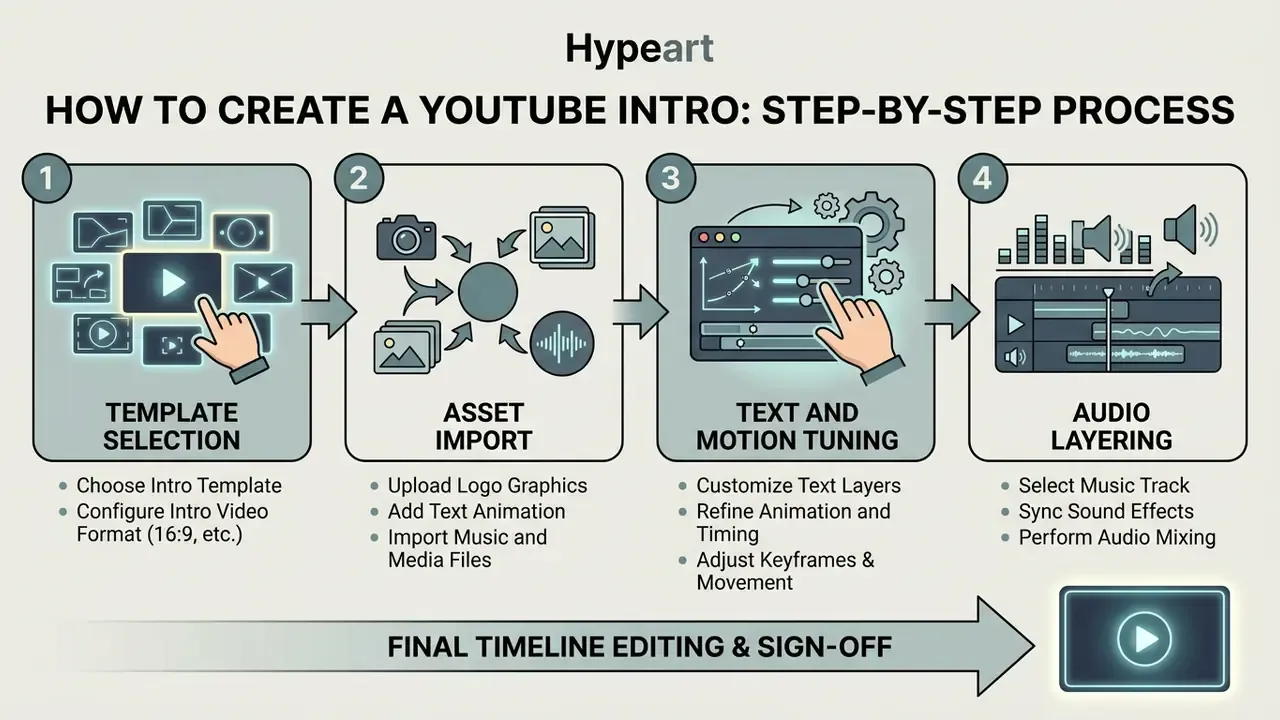
Creating a professional video opener involves a structured workflow, moving from asset preparation to final timeline editing and sign-off. Following a standardized process minimizes rendering errors and ensures clean audio integration.
- Step 5: Brand and Legal Sign-Off. Confirm logo usage, contrast, and documented audio license with the brand or legal owner.
- Step 6: Export and Verification. Render in 1080p/4K MP4, verify no watermarks, and insert into master timeline.
Select a Template and Configure the Intro Video Format
To create youtube intro sequences efficiently, start by selecting a template built for your target display format. Horizontal long-form videos require a 16:9 aspect ratio, whereas vertical videos require 9:16 alignment. When setting up automated production pipelines, developers can use the AI Media API to process video assets programmatically, and editors comparing publishing-side tools can review our guide to YouTube video editors.
When configuring the project, lock the target playback duration to 3–5 seconds and set project frame rate before importing footage. Changing frame rate mid-project is the most common source of audio drift. Keeping the opener short prevents audience fatigue and keeps the asset aligned with modern pacing standards.
Add Logo, Text Animation, and Music
Personalize the template by integrating custom brand elements:
- Upload Logo Import a high-resolution transparent PNG or SVG vector asset.
- Configure Text Apply add text controls to display the channel title and primary tagline clearly, with entrance timing of 0.2–0.3 seconds.
- Synchronize Audio Execute add music adjustments, aligning audio sting swells with the precise frame where the logo reaches full visibility. Work with the waveform visible and place keyframes on the transient peak, not by ear alone.
«Automatic editing systems identify engaging openings by analyzing characters, dialogue and scene segmentation, applying a strategy inspired by the work of professional editors.»
For creators generating automated voiceovers alongside motion graphics, integrating dedicated ai voiceover tools keeps audio balance consistent across the entire timeline.
Export the Intro and Add It to the YouTube Video
Once animation and sound design are complete, export the final youtube intro video file:
- Format SelectionExport as H.264 MP4 (Profile High, Level 4.2 for HD or 5.2 for 4K) or Apple ProRes MOV at 1080p or 4K resolution, matching your master sequence frame rate (for example 29.97, 30, or 60 fps), progressive scan, square pixels.
- Watermark CheckInspect the exported clip to confirm there are no watermarks or third-party branding overlays.
- Timeline IntegrationOpen your primary video editor, insert the intro file at timestamp 00:00:00, shift the main sequence and captions forward, and append the main content immediately after.
Export settings checklist by content type:
Creators managing larger video libraries can streamline full-length production using an ai youtube video maker to assemble intros, main content, and lower-thirds automatically.
- Gaming and high-motion content
- 1080p or 4K at 60 FPS for smooth particle and text animation. Bitrate: 12–15 Mbps VBR for 1080p60; 45–60 Mbps for 4K60.
- Standard 16:9 content
- 1920×1080 or 3840×2160, H.264/AAC, Profile High. Bitrate: 20–30 Mbps for HD; 60–80 Mbps for 4K.
- YouTube Shorts and Reels (9:16)
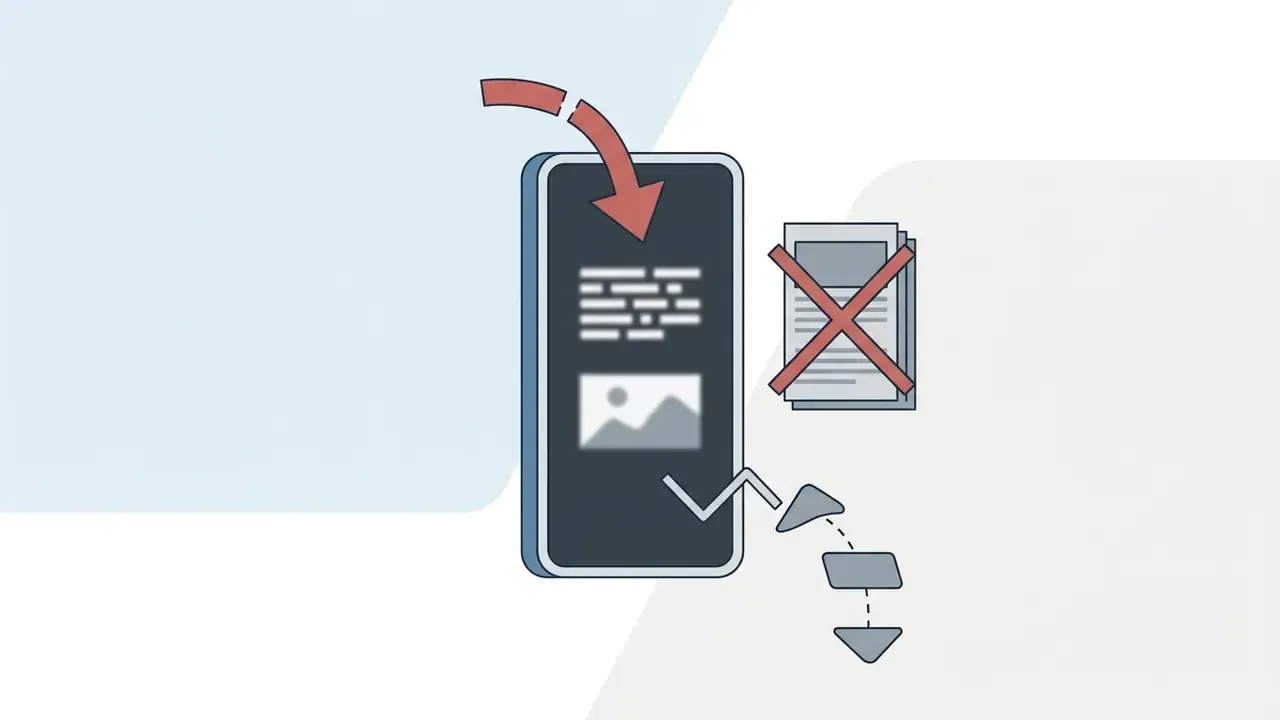
- 1080×1920. Keep the logo inside the central 1080×1080 square so platform UI elements, captions, and action buttons never overlap the brand mark.
- Audio track
- AAC-LC, 48 kHz, stereo, 320 kbps; true peak no higher than −2 dBFS.
- Frame-rate conversion
- If the source is 30 fps and the delivery target is 60 fps, choose frame sampling, frame blending, or optical flow deliberately. Do not let the editor default silently.
What Makes a Professional YouTube Intro
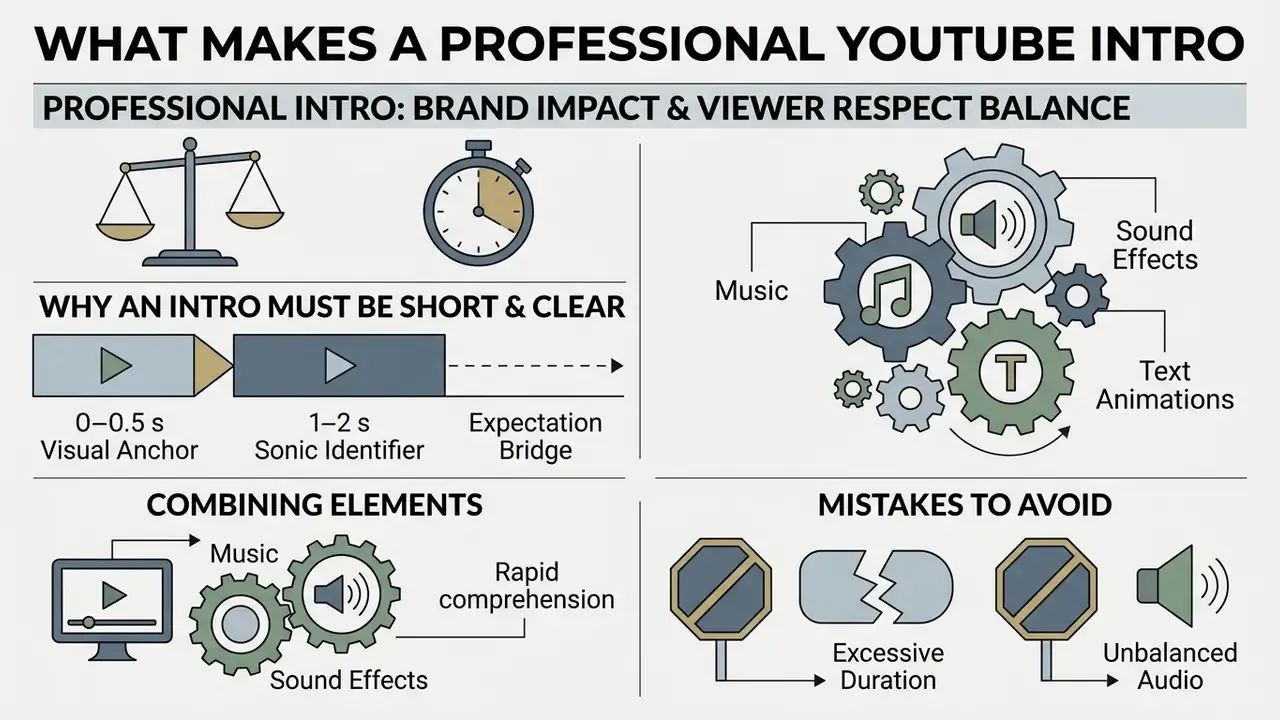
A professional intro strikes a precise balance between brand impact and viewer respect. Overly long or noisy intros alienate incoming audiences, leading to early drop-offs and lower recommendation ranks within platform algorithms. Accessibility guidance reinforces the same discipline: W3C media guidance (2024) states that accessibility must be planned from the very start of a project, which makes legible on-screen text and clean audio part of the intro specification rather than a later fix.
Why an Intro Must Be Short and Clear
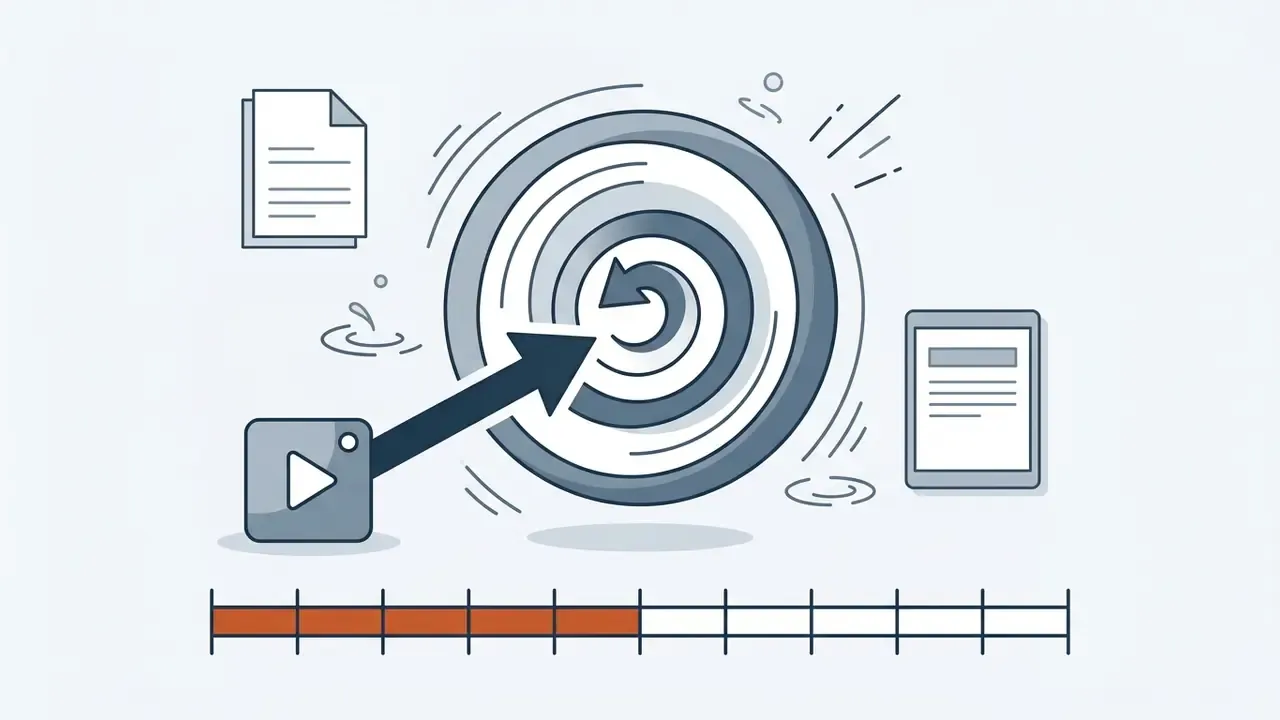
Academic and industry research confirms that viewer attention is highly fragile during opening frames.
«Viewer engagement in educational videos is length-sensitive: videos shorter than six minutes show significantly higher audience retention.»
The competitive environment tightened further with short-form formats:
«Channels that added Shorts recorded a significant decline in views and engagement on long-form videos, as audiences adapt to a faster content pace.»
Situation: An educational channel analyzed 100 video retention curves and identified a 15% drop-off during a 10-second opening intro.
Action: The editorial team trimmed the intro to 3 seconds, placing a 2-second verbal preview hook before the logo reveal.
Result: Engagement Completion Rate (ECR) past the 5-second mark improved by 21%, sustaining higher overall watch percentage.
Keeping an intro under five seconds gives returning viewers immediate brand recognition without making them feel delayed from the content they came for.
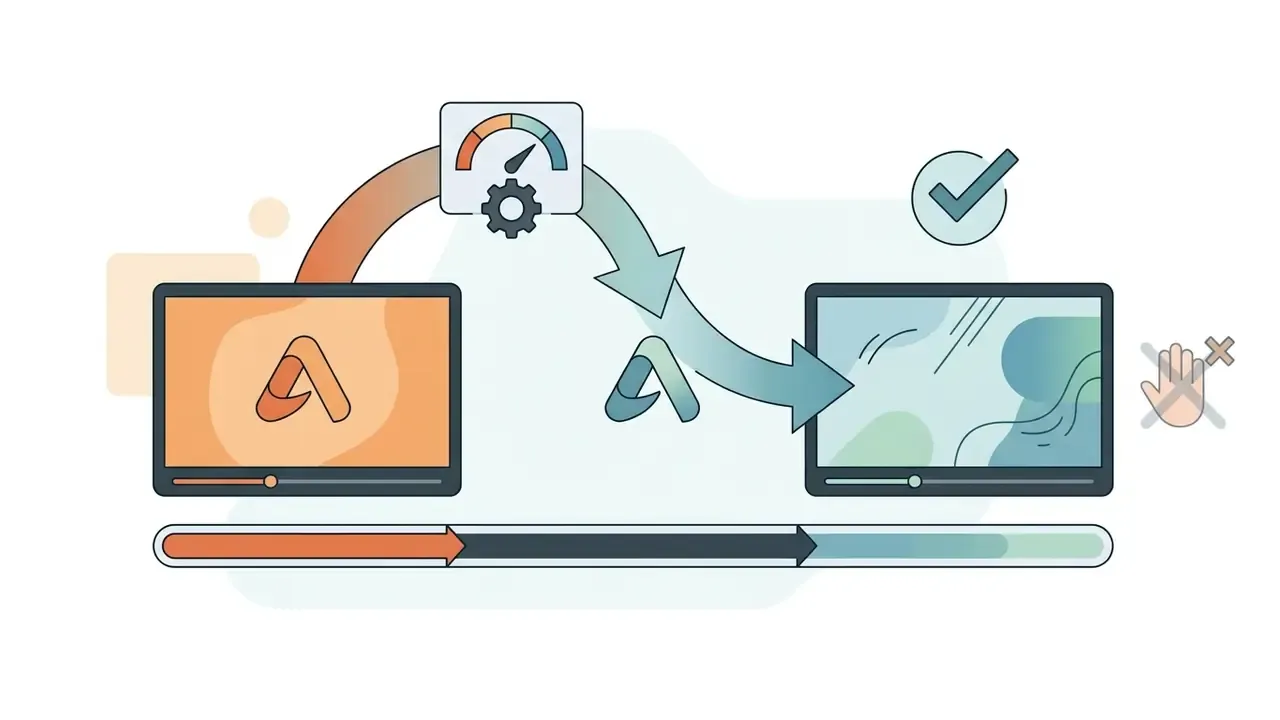
Combining Music, Sound Effects, and Text Animations
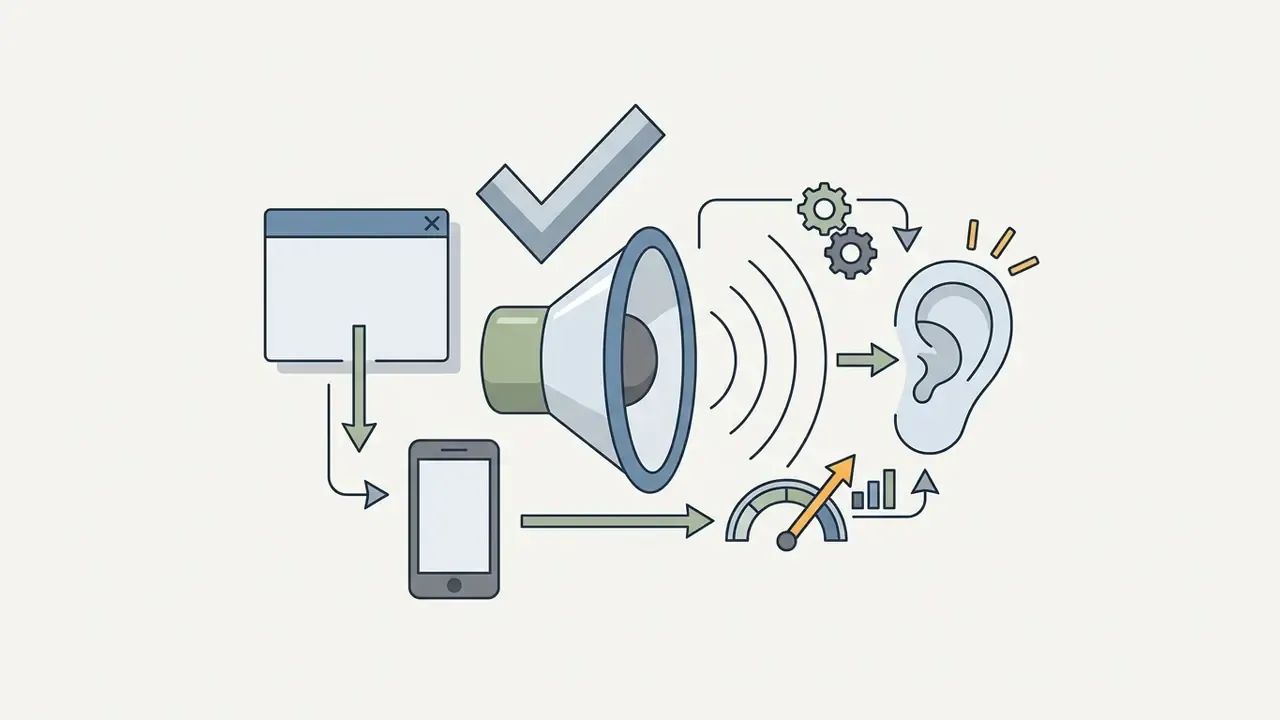
Sound design directly influences how motion graphics are perceived. A comprehensive review of sonic branding reports that distinctive audio brand cues substantially outperform visual assets alone in driving recall and engagement, 3.44 times more effective on average, based on Ipsos and SoundOut datasets cited in the review, with brands holding recognizable sonic identities showing roughly a five percent lift in perceived value and purchase intent.
«Audio assets are on average 3.44 times more effective than visual assets at producing high-performing advertising; sonic logos appear 8.53 times more often in top-performing ads.»
Acoustic parameters matter as much as the presence of a sound:
«Sonic logos with low tempo, low pitch and moderate loudness increase post-exposure search behavior by 18.7% compared with high-tempo, high-pitch variants.»
When coordinating audio and visual layers:
- Set background music levels at least 20 dB below primary spoken commentary, the accessibility threshold at which speech remains intelligible.
- Align discrete sound effects (subtle risers or chimes, for instance) with motion keyframes, placed on the waveform transient rather than by ear.
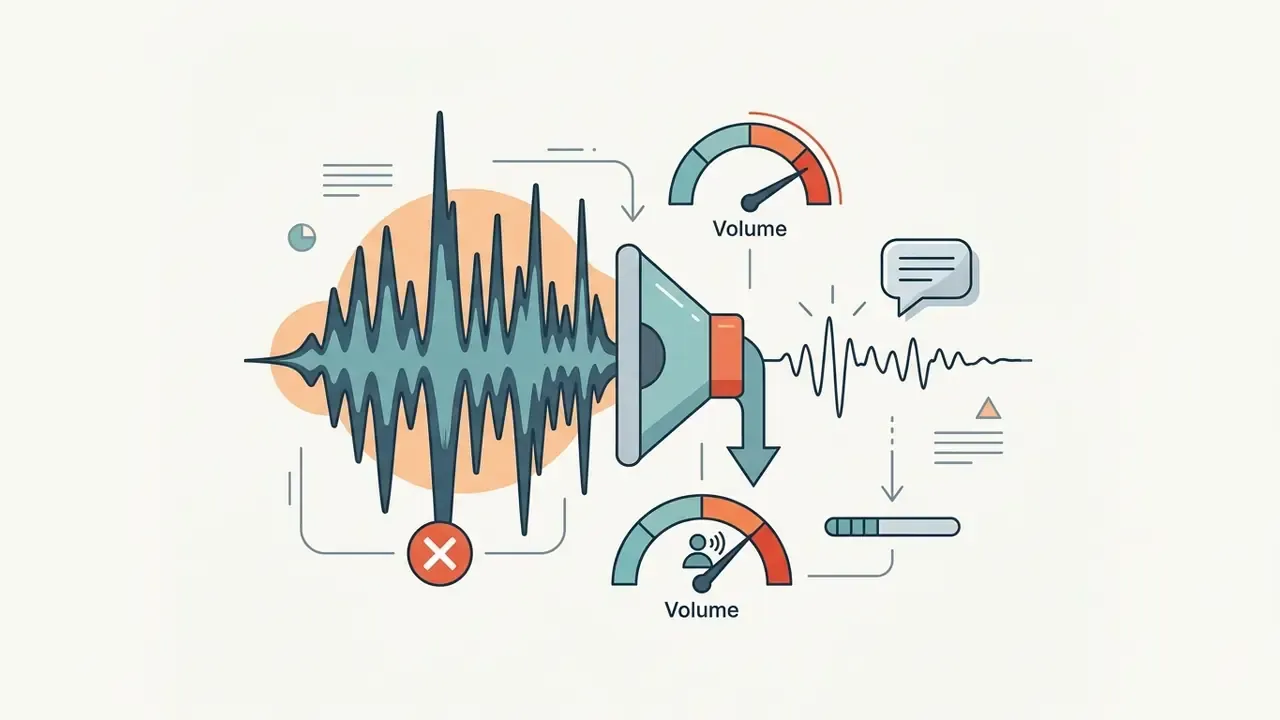
- Avoid sharp, high-pitched audio bursts that cause listener fatigue on mobile devices or headphones.
- If audio plays automatically for more than three seconds inside a page-embedded player, ensure pause, stop, or volume controls are perceptible; the same rule applies to motion lasting longer than five seconds.
- Keep true peaks at or below −2 dBFS so platform loudness normalization does not introduce distortion.
Mistakes That Make an Intro Look Unprofessional
Avoiding common production pitfalls preserves editorial authority and viewer retention:
Pre-Export Verification Checklist
Troubleshooting Matrix for Intro Export Problems
| Problem | Root Cause | Fix |
|---|---|---|
| Text looks blurry after upload | Aggressive platform re-encoding of 1080p uploads with the AVC1 codec | Export the finished video at 1440p or 4K even when the source is 1080p; higher-resolution uploads are more likely to receive VP9/AV01 encoding, which preserves fine typography |
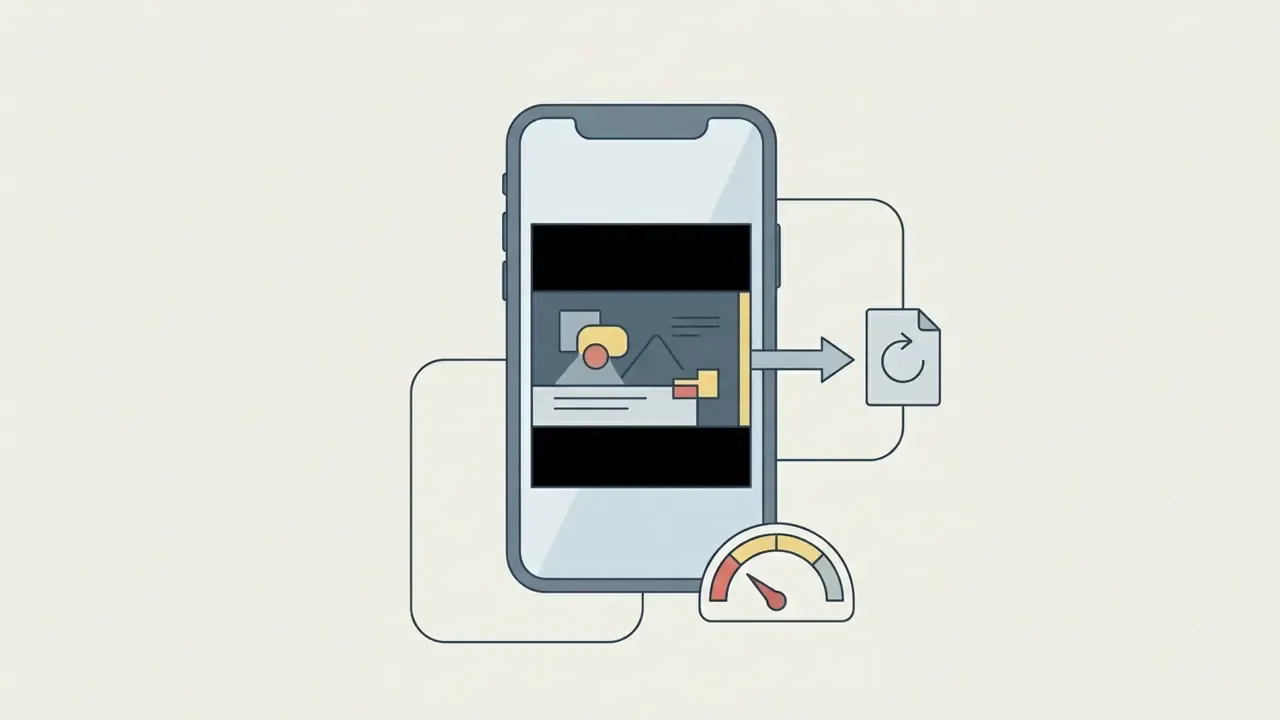
| Black bars on the sides or top | Aspect-ratio mismatch, for example a 16:10 sequence in a 16:9 project | Set the project to an exact resolution, 1920×1080 for 16:9 or 1080×1920 for 9:16, and scale assets to fill, not fit |
| Audio drifts out of sync | Variable frame rate (VFR) source footage from a phone or screen recorder | Transcode source clips to constant frame rate (CFR 30 or 60 FPS) before importing, and lock the project frame rate first |
| Logo edges show white or dark fringing | Logo exported as JPEG or as PNG with pre-multiplied alpha against a mismatched background | Re-export as 24-bit PNG with straight alpha, or supply an SVG (SVG 1.1 profile) |
| Watermark appears only in the final render | A premium template element, font, or stock track was used on a free plan | Replace flagged assets (look for "Pro" or "Premium" badges) and re-run a short test render before the full export |
| Motion stutters on particle-heavy intros | 30 FPS export of animation authored at 60 FPS | Re-export at 60 FPS with a matching bitrate (12–15 Mbps at 1080p60) |
| Intro audio sounds distorted after upload | Peaks above 0 dBFS colliding with loudness normalization | Re-normalize with a −2 dBFS true-peak ceiling and re-export |
How to Make a Free YouTube Intro Without Watermarks
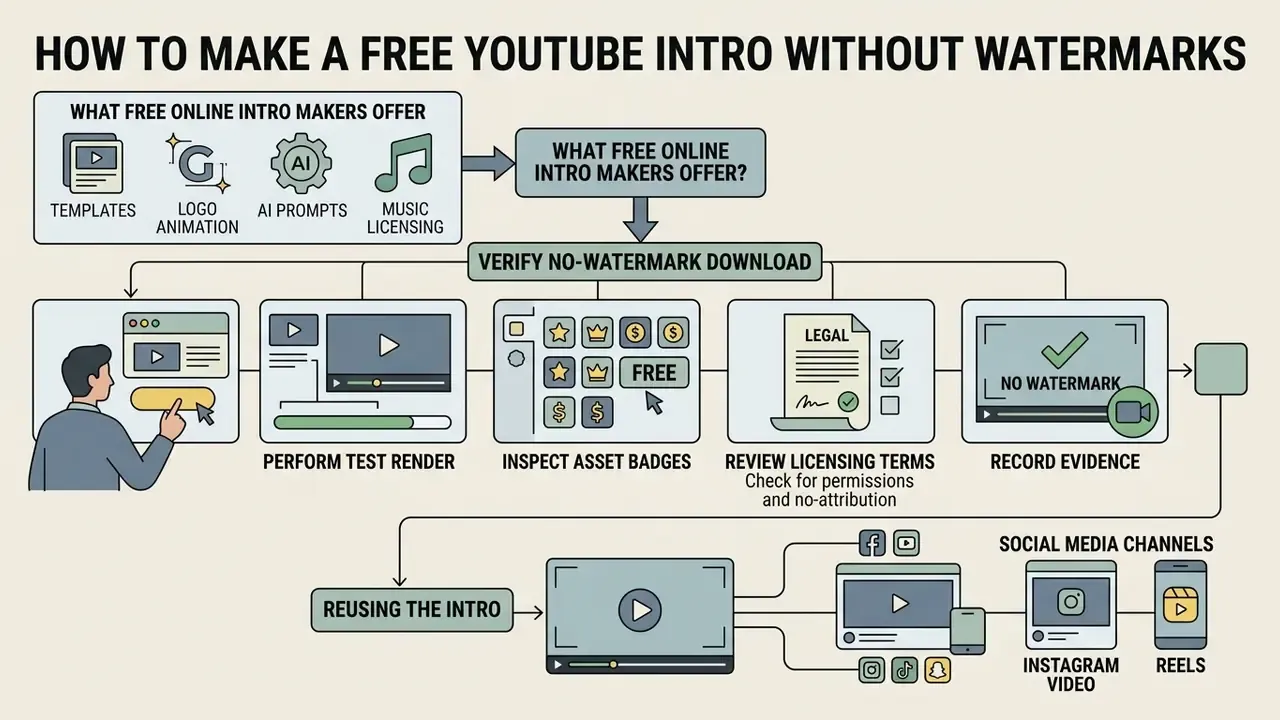
Creating a high-quality video opener without financial outlay is entirely achievable using modern freemium editing software. Creators do, however, need to verify export terms and asset licenses carefully before publishing.
What Free Online Intro Makers Actually Offer
Selecting the best free intro maker online lets creators render professional assets without buying an expensive editing suite. Tools like Canva, Adobe Express, and Microsoft Clipchamp provide robust free plans, and our overview of free video editing software maps their limits side by side. Typical free-tier inclusions:
- Access to customizable 1080p intro templates.
- Basic text animation engines and stock font libraries.
- Royalty-free background audio tracks cleared for personal channel use.
- Direct create free youtube intro video export options in MP4 format. See also our list of free AI video generators for prompt-driven alternatives.
- CapCut additionally documents watermark-free export up to 4K and 60 FPS on its free tier, which is unusual among freemium editors that cap free output at 720p or 30 FPS.
Known exceptions to watch: Renderforest watermarks free-plan exports and restricts free content to non-commercial use; Filmora watermarks free exports; some freemium platforms add a small badge to HD exports and remove it only on paid plans.
Language matters less than terms. Queries such as intro youtube gratis or créer intro youtube route to the same freemium platforms, only with a localized interface; the underlying license, watermark rule, and resolution ceiling do not change with the UI language. Verify the English terms of service even when you edit in another language.
For creators developing comprehensive title strategies across video catalogs, an ai youtube title generator used alongside a custom free intro for youtube helps keep search visibility and click-through rates aligned.
How to Verify You Can Download Without a Watermark
To confirm that an editor really delivers a best free intro video maker online experience without hidden watermark penalties, follow this verification procedure:
- Perform a Test RenderBefore spending time customizing complex graphics, export a basic blank or near-empty template at full target resolution to verify output status, resolution ceiling, and frame rate. Check the file in a desktop player, not only in the browser preview, since some watermarks appear only in the downloaded file.
- Inspect Asset BadgesEnsure that selected stock elements, fonts, or music tracks do not carry "Pro" or "Premium" badges that trigger forced watermarks upon export.
- Review Licensing TermsConfirm that the platform allows free-tier video downloads without requiring attribution or subscription lock-ins, and note whether commercial use is permitted at all on the free plan.
- Record the EvidenceSave a screenshot of the license terms and the test render alongside the project file. If a vendor changes its terms later, dated evidence of the terms at time of publication is the only defensible record.
Licensing Governance, Content ID, and Audit Trails
An intro is the single most-reused asset in a channel's library. A licensing error inside a three-second opener replicates across every upload, which makes documentation a higher-order risk control than any creative decision.
Audit trail for audio and graphic assets
| Field to Record | Why It Matters | Example Entry |
|---|---|---|
| Asset name and file hash | Proves which exact file was used in which render version | sting_brand_v3.wav / SHA-256 recorded |
| Source platform and URL | Locates the original license page if terms change | Vendor stock library, item page URL |
| License type and ID | Distinguishes personal, commercial, and editorial-only rights | Commercial, license ID 48211-A |
| Territory and term | Some licenses are regional or expire | Worldwide, perpetual |
| Permitted / prohibited uses | Flags monetization, broadcast, or resale limits | Monetized online video permitted; broadcast excluded |
| Attribution requirement | Missing credit can void an otherwise valid license | None required |
| Sublicensing status | Determines whether agencies or partners may reuse the intro | Not transferable |
| Date of download and screenshot | Evidence of terms at the moment of use | 2026-02-11, PDF archived |
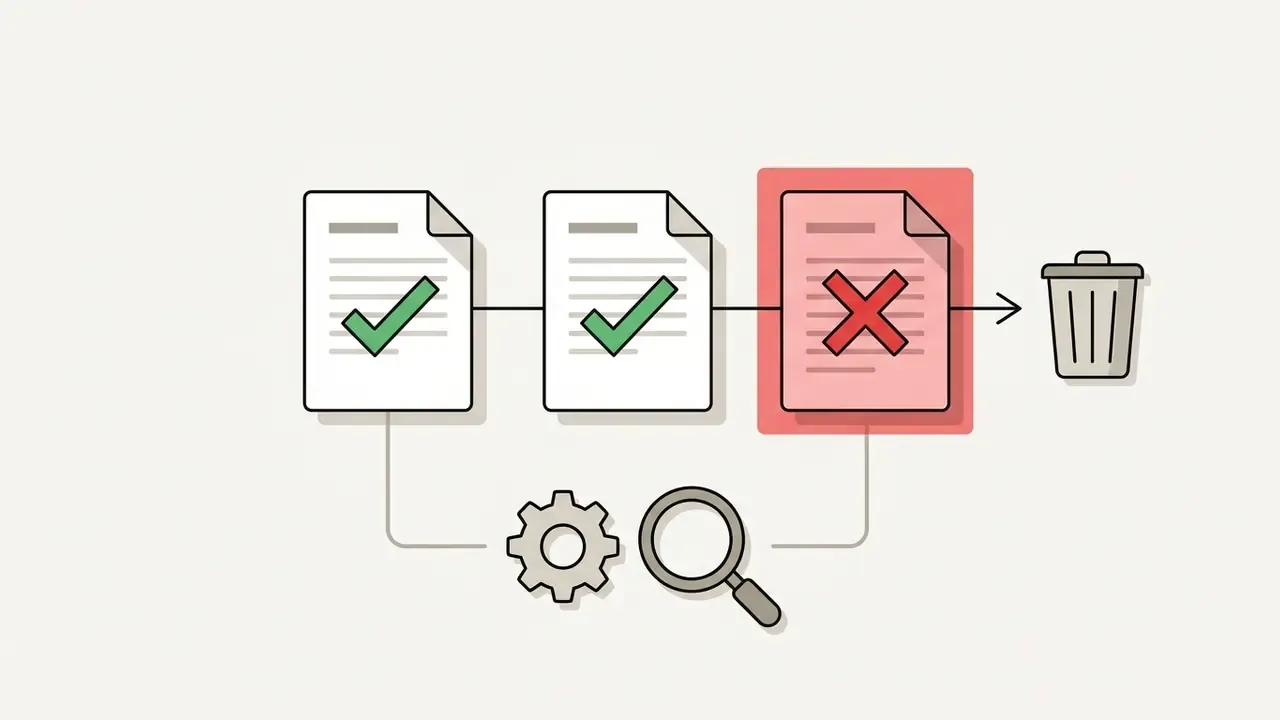
If any field cannot be filled, treat the asset as not cleared and keep it out of the master template. No evidence, no autonomy: the same principle that governs automated systems applies to reusable brand assets.
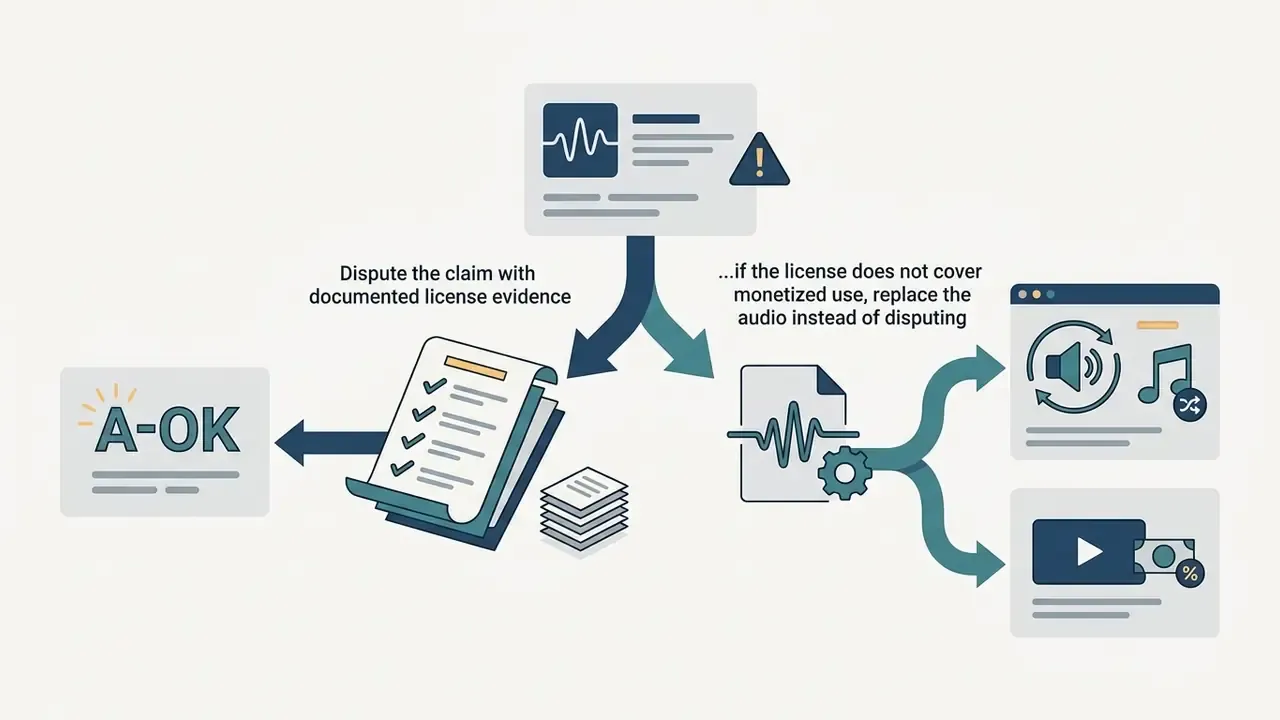
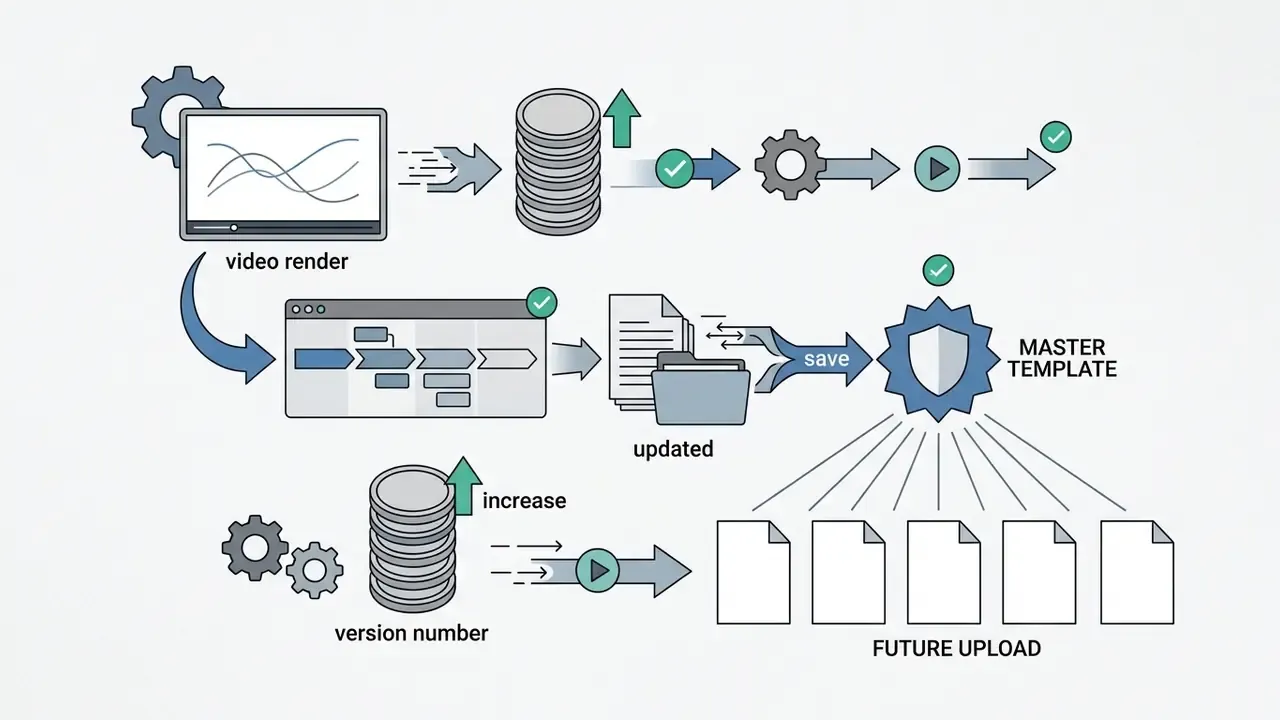
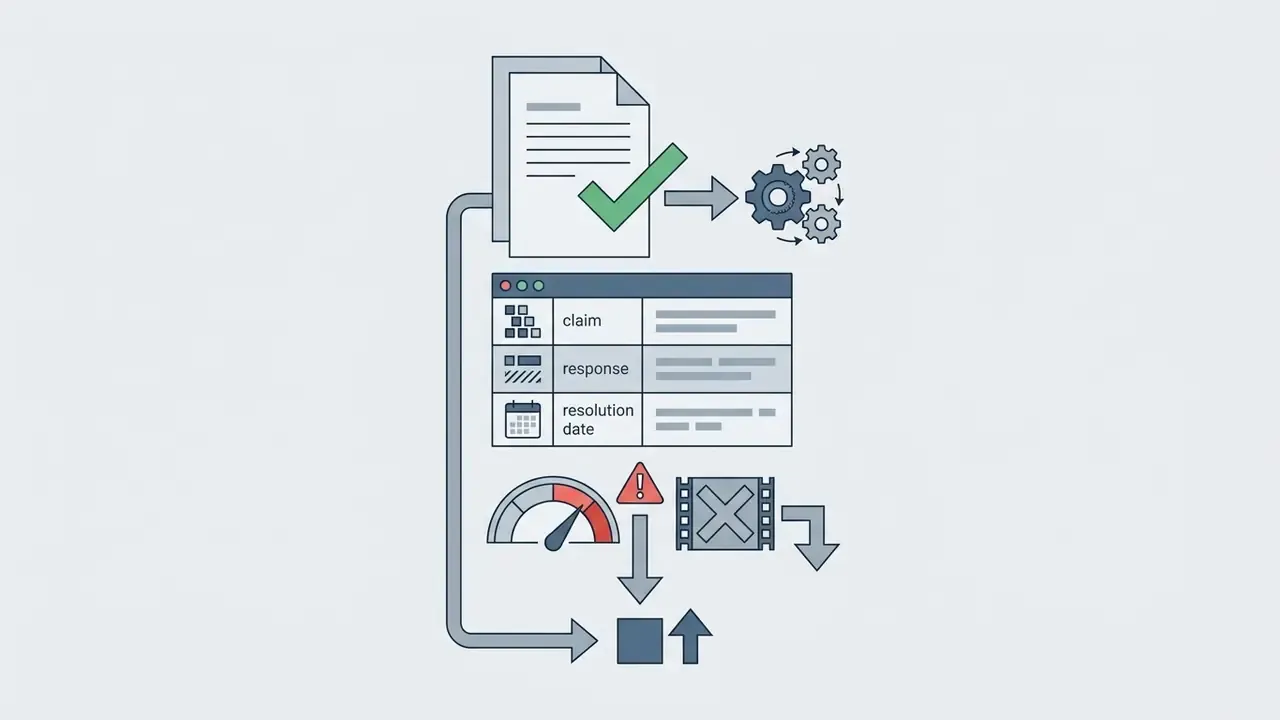
What to do when the intro receives a Content ID claim
FAQ: Fast Answers on Legal and Technical Risks
How long should a YouTube intro be in 2026?
Three to five seconds for standard 16:9 videos and one to two seconds for vertical Shorts. Several tool vendors still publish "around 10 seconds" as guidance; retention research and length-sensitivity studies do not support that figure for online video, where the opening seconds carry the highest drop-off risk.
Does YouTube officially recommend an intro length?
No. YouTube Studio defines "Intro" as the share of viewers still watching at the 30-second mark, but the platform publishes no seconds-based recommendation. The 3–5 second standard comes from retention-curve analysis and engagement research, not from a platform rule.
What happens if the music in my intro gets claimed six months after publication?
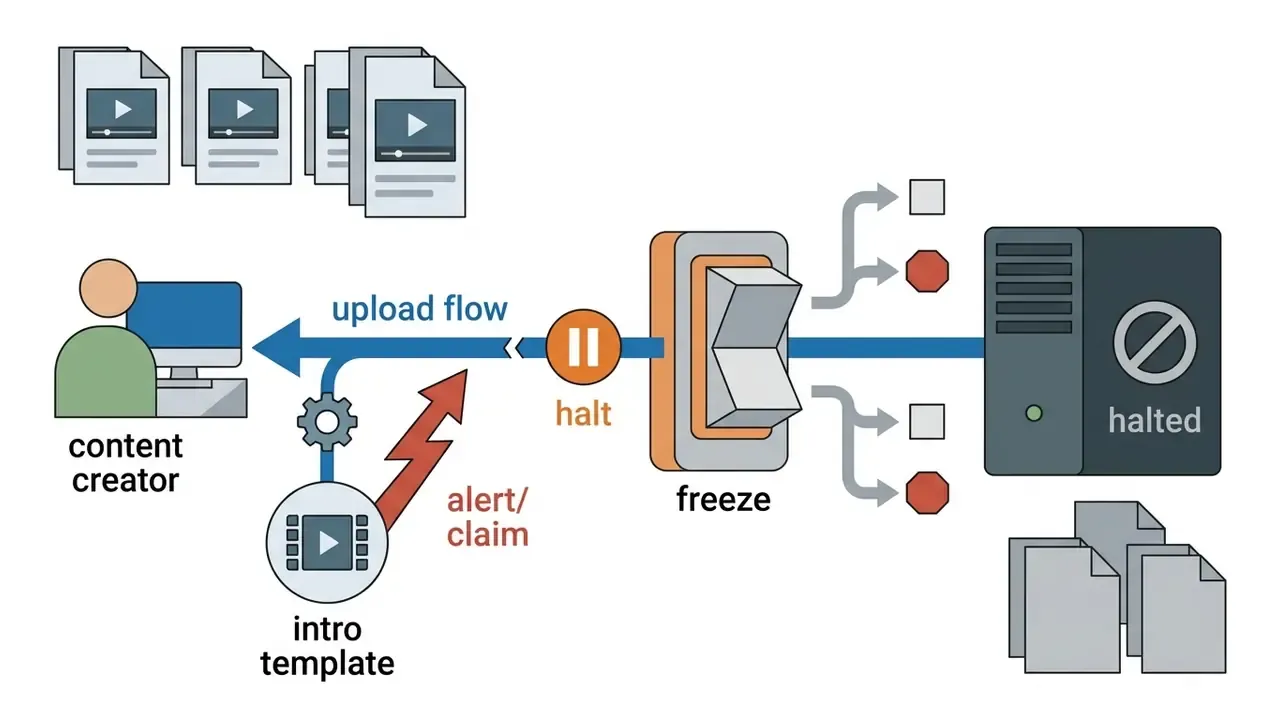
Content ID matching is continuous, so a track can be claimed long after upload if rights holders register it later. Follow the seven-step claim response above: freeze the template, retrieve the license record, dispute with evidence or replace the audio, then re-version the master intro. This is exactly why the audit trail matters more than the original license price.
Is "royalty-free" the same as "safe from claims"?
No. Royalty-free describes a payment model, not claim immunity. A royalty-free track can still be fingerprinted in a matching system, and free-tier library terms frequently exclude commercial or monetized use. Verify the rights status, not the marketing label.
Should I export at 60 FPS?
Only if the animation was authored at 60 FPS. Exporting 30 FPS material into a 60 FPS container adds file size without adding smoothness and forces the encoder to interpolate. High-motion gaming and particle-heavy intros benefit genuinely; a minimal corporate wordmark reveal does not.
Why does my intro look sharp locally but soft on YouTube?
Platform re-encoding. Uploading at 1440p or 4K increases the likelihood of receiving a more efficient codec, which preserves fine text edges and gradient detail far better than a 1080p AVC1 re-encode.
Can I reuse the same intro for Shorts and long-form videos?
Not without adaptation. Build a second 9:16 version with brand elements confined to the central 1080×1080 safe square, and cut the duration to 1–2 seconds. Cropping a 16:9 intro places the logo under platform interface elements.
Do I need captions in a three-second intro?
If the intro contains spoken words, yes. If it holds only on-screen text and music, make sure the text is legible for at least two seconds and meets contrast minimums. Accessibility guidance treats this as a design requirement from project start, not a post-production add-on.
Appendix A: Editorial Revision Log
For transparency, the following earlier formulations were superseded during this revision. They are preserved here so readers can see what changed and why.
- Superseded: "According to Google's Unskippable Labs Creative Study, integrating clear brand assets within the opening five seconds significantly improves brand recall and viewer consideration without harming overall watch time when executed cleanly." Replaced with a version that states the trade-off (higher recall but higher skip likelihood, and weaker performance for unattached floating logos) and supplemented with the 2024 ECR engagement-prediction data, because the original lacked figures, methodology, and a precise source URL.
- Superseded: "Platform analytics track viewer behavior closely at the 30-second mark, designated in YouTube Studio as the primary retention checkpoint." Reformulated, because YouTube does not publish a definition of a "primary checkpoint"; the report labels the first 30 seconds as the "Intro" segment.
- Superseded: "A study published by Monash University on Video Engagement demonstrated that audience retention curves decline rapidly when non-essential, decorative segments pad opening video sequences." Replaced with the quantified Wordley et al. (2023) finding based on 440 videos and approximately one million views.
- Superseded: "According to a comprehensive review in Marketing by Prof. Charles Spence on Sonic Branding, distinctive audio brand cues are up to 3.44 times more effective than visual assets alone." Retained but re-attributed with year (2024), the underlying Ipsos and SoundOut datasets, and supplemented with the Aguni & Asahi (2026) acoustic-parameter experiment.
- Superseded: Vendor guidance of "around 10 seconds" for intro duration, reproduced across several tool marketing pages. Retained only as a documented industry claim and explicitly contradicted by the retention evidence summarized in this guide.
A Safe Next Step
If you own a channel catalog rather than a single video, start small and reversible. Pick one recent upload, produce a 3.5-second variant of the current opener, publish both for two weeks, and compare retention at the 10-second and 30-second marks. One asset, one metric, one decision.
Only after that comparison should the new opener enter the master template. Document the license fields, record the sign-off date, keep the previous version archived, and note what remains unproven. Retention gains vary by niche, and a single A/B pair is evidence, not proof.