On this page
- What Is AI Creation and How an AI Image Generator Creates Images
- How to Create an AI Image Online: Step-by-Step Process
- Capabilities of an AI Image Generator for Creating and Editing Visuals
- How to Choose the Best Free AI Image Generator
- AI-Generated Images for Commercial Use: Rights, Safety, and Deployment
- Application Ideas for AI Creation in Content and Creative Projects
- FAQ About AI Creation and Free AI Image Generators
AI creation in 2026 relies on advanced text-to-image and image-to-image diffusion architectures, turning plain text descriptions, uploaded photographs, and visual references into high-resolution graphics. Modern web-based platforms let users generate synthetic media instantly, adjust parameters such as aspect ratio and lighting, then perform precise post-generation edits without leaving the browser. Teams that want a head-to-head shortlist can compare best AI image generators before committing to a single vendor stack.
Why should a bank's risk function care about an image tool at all? Because marketing already uses one. The question is whether it sits inside the control perimeter or outside it.
What Is AI Creation and How an AI Image Generator Creates Images
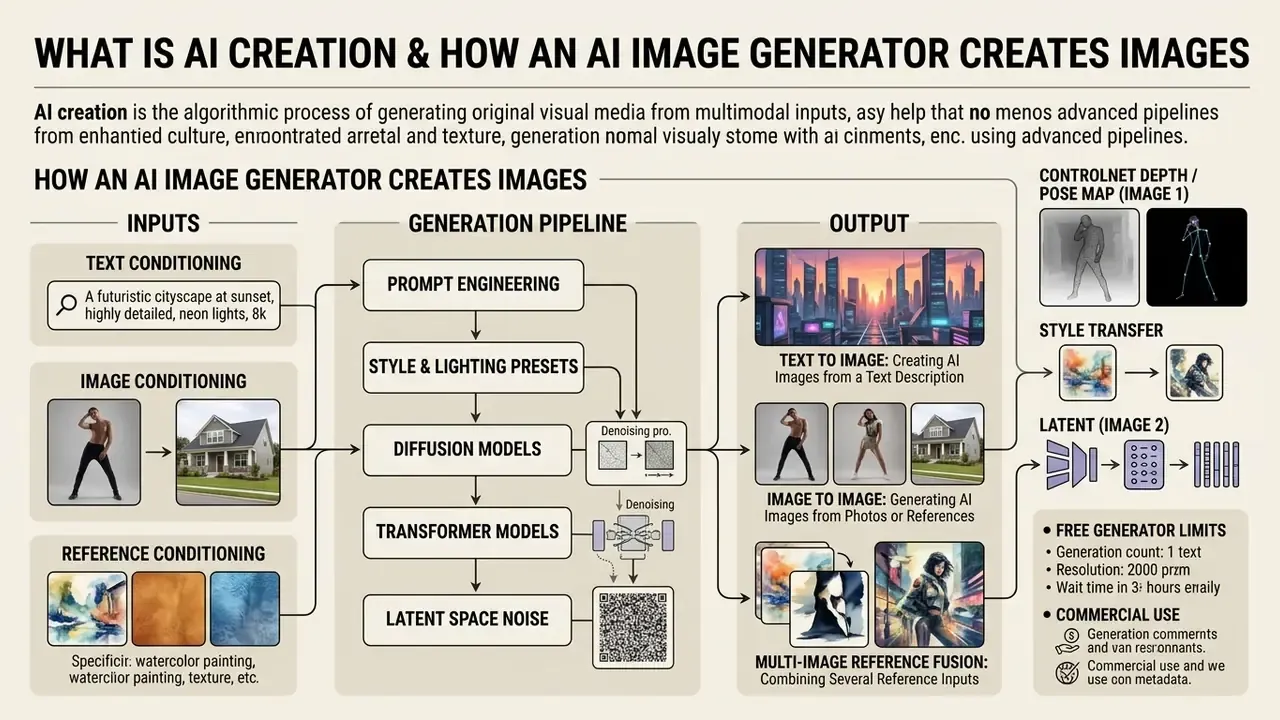
AI creation is the algorithmic process of generating original visual media from multimodal inputs, such as text descriptions, reference images, or existing photographs, using machine learning models. A modern image generation tool uses latent diffusion models and generative transformers that reverse a mathematical noise process, iteratively conditioning noisy visual latents on structured embeddings to produce unique, high-fidelity generated images.
According to NIST AI 100-2e2025, diffusion models are latent-variable generative systems that operate through forward noise addition and reverse denoising steps, sampling new outputs from a learned data distribution. NIST AI 600-1 (2024) frames the same mechanism in risk terms: generative systems learn statistical patterns from training data and sample new content from that distribution. Which is precisely why output provenance cannot be assumed from the output alone. To evaluate the mathematical fidelity of generated images, research across text-to-image diffusion models systematically references Fréchet Inception Distance (FID).
«Diffusion models reach an FID score of 6.95, visual output nearly indistinguishable from real photographic distributions.»
Three conditioning channels explain almost every feature you will see in a commercial user interface:
- Text conditioning
- a language encoder (CLIP, T5, or a transformer LLM) converts prompts into dense embeddings that steer cross-attention layers.
- Image conditioning
- an uploaded photo is encoded into a latent, partially noised, and denoised along a new trajectory, preserving layout.
- Reference conditioning
- auxiliary networks (ControlNet, IP-Adapter) inject geometry, pose, palette, or subject identity that text tokens alone cannot express.
“In model risk management and AI governance, autonomy without verifiable controls creates residual operational liability. When evaluating free online AI image generators for enterprise content workflows, financial institutions must treat every synthetic asset as a digital output requiring strict data lineage, clear human oversight, and verifiable licensing boundaries.”
— Marcus Hale, author
Text to Image: Creating AI Images from a Text Description
Text to image generation converts simple text prompts and detailed text descriptions into complete visual compositions through a two-stage process: text encoding, then cross-attention diffusion guided by machine learning models. A pre-trained language encoder such as CLIP or T5 converts text descriptions into dense vector embeddings. Those embeddings then direct the cross-attention layers of the diffusion network to align pixels with the specified semantic concepts.
The WISE (World Knowledge-Informed Semantic Evaluation) benchmark measures text-to-image fidelity across 1,000 prompts and 25 sub-domains using WiScore, a composite metric covering prompt consistency, realism, and visual aesthetics.
«WISE evaluates 1,000 prompts across 25 sub-domains via WiScore, a weighted average of consistency, realism, and aesthetic quality.»
Modern implementations, such as DI*-SDXL-1step, leverage score-based divergence regularization and reinforcement learning to generate 1024×1024 images in a single step while holding high human preference ratings.
«DI*-SDXL-1step consumes only 1.88% of the inference time of the 50-step FLUX-dev baseline while outperforming it on PickScore and ImageReward.»
Architecturally, the denoiser itself has migrated toward transformers. SANA reports a linear diffusion transformer generating up to 4096×4096 px, and GenTron applies diffusion transformers to both image and video synthesis. That shift is the main reason prompt adherence in 2026 models is markedly stricter than in 2022-era U-Net systems. Creators exploring specialized artistic genres or alternative text-conditioned models can compare options across popular online engines.
Image to Image: Generating AI Images from Photos or Reference Images
Image to image creation transforms an uploaded source picture or reference images into a new visual asset while preserving spatial layout, underlying composition, or character pose. The model encodes the input reference into a latent representation, injects controlled noise, then runs a reverse diffusion trajectory guided by new styling tokens or text prompts.
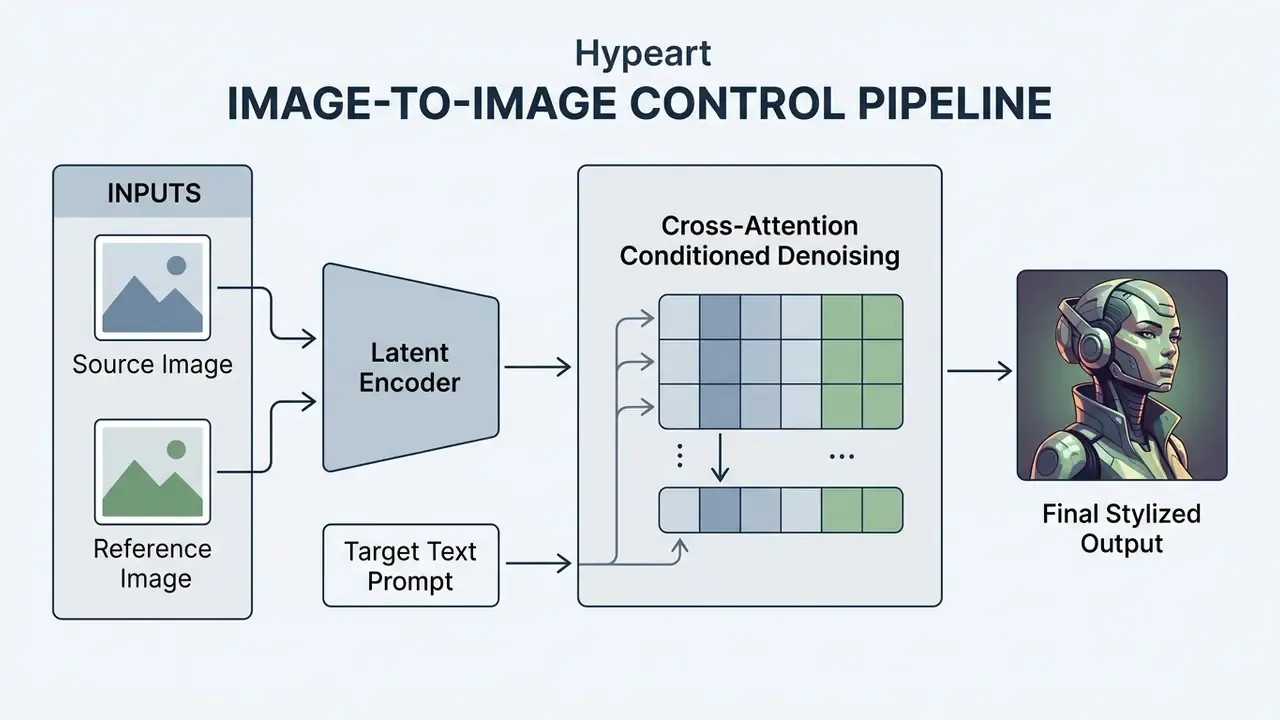
Research on reference-guided generation shows that auxiliary control networks separate spatial structure from semantic style, which lets an ai graphic generator from image hold exact object geometry while applying new artistic textures (InstantStyle-Plus, 2024). Practitioners who need a deeper walkthrough of reference workflows can review dedicated image-to-image generators and their licensing terms.
«MMIG-Bench comprises 4,850 text prompts and 1,750 multi-view reference images across 380 subjects, verified by 32,000 human annotations.»
In multi-modal benchmarks such as MMIG-Bench, reference conditioning scored significantly higher on spatial consistency than text-only prompts. Organizations evaluating automated media compliance and safety parameters around uploaded visual content can review policies regarding nsfw ai images to set appropriate governance guardrails.
Multi-Image Reference Fusion: Combining Several Reference Inputs
Advanced generative pipelines merge from 2 to 8 reference images into a single output. Unlike basic image-to-image, multi-reference synthesis separates inputs by modality and assigns each file an explicit role:
- ControlNet Depth / Pose Map (Image 1) locks human pose geometry or architectural framing.
- Style Transfer Latent (Image 2) carries the color palette, brushwork, and grain structure.
- Subject IP-Adapter (Images 3–8) injects specific products, garments, or character faces while preserving identity consistency.
This lets a designer take a model's pose from one file, an interior from a second, and the lighting scheme from a third, then fuse them without resolution loss. Vendor APIs formalize the same logic. Luma Agents exposes keyframes[] with 1 to 64 guide images and explicit output indexes, while Adobe Firefly and OpenAI image endpoints accept imageReference / input_references arrays. Prompt discipline matters here. OpenAI's 2026 prompting guidance recommends indexing every input by role (“Image 1: product photo… Image 2: style reference… apply Image 2's style to Image 1”), because unlabeled multi-reference prompts cause attribute bleeding between subjects.
AI Photo Generator vs. AI Image Editor
How to Create an AI Image Online: Step-by-Step Process
Generating professional visual content online follows a structured four-step workflow: input text prompts or reference photographs, select neural model configurations and canvas ratios, execute the generation cycle, then refine the result. Modern browser-based tools automate complex GPU scheduling behind plain user interfaces, so iteration takes a few clicks rather than a support ticket.
- Input prompt or reference asset.Enter a structured simple text prompt detailing background, subject, lighting, and style constraints, or upload a reference photograph to establish composition.
- Configure generation settings.Select the target AI models (for example FLUX or Stable Diffusion XL), set the preferred artistic styles, and define the required aspect ratio such as 16:9, 1:1, or 9:16.
- Execute diffusion generation.Click generate to start the reverse diffusion process; the system synthesizes four candidate image variants almost instantly.
- Edit, refine, and export.Apply localized editing tools such as background remover or object remover, preview the high-resolution output, and download the final visual asset.
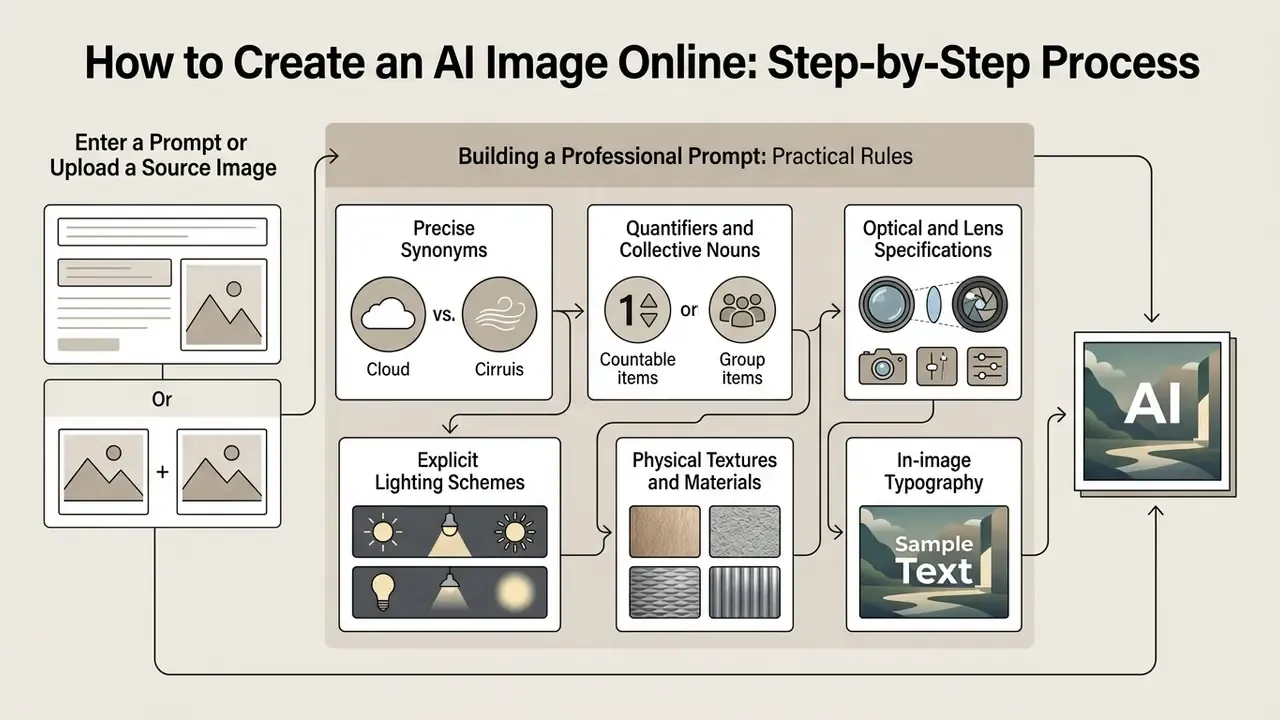
Enter a Prompt or Upload a Source Image
The creation process begins when you enter descriptive text prompts into the generator or upload an initial image through reference guidance features. Effective prompt design follows a hierarchy: set the overall scene and background, define the primary subject, specify micro-details (textures, materials, framing), then state explicit negative constraints.
OpenAI's official image prompting documentation recommends structuring text descriptions from global context down to isolated subject details, and stating exclusions outright, for example "no watermarks, no logos, preserve spatial alignment" (OpenAI Image Prompting Guide, 2026). For iterative editing, the same guidance recommends the pattern “change only X, keep everything else the same,” repeating the preserve list on every cycle to suppress drift. When working with an ai image generator from photo online free tool, high-resolution and well-lit reference images help the latent encoder extract structural boundaries without introducing visual artifacts. Users seeking unrestricted creative sandboxes can evaluate platforms like perchance ai image generator for rapid prompt experimentation.
Practical Rules for Building a Professional Prompt
For predictable, repeatable generations, apply these eight formulation rules:
- Precise synonyms instead of generic words. Replace “small” with “miniature,” “compact,” or “microscopic.”
- Quantifiers and collective nouns. Write “three dogs” instead of “dogs,” and “a herd of zebras” instead of “zebras.”
- Optical and lens specifications. Never ask for a “photo.” Specify focal length:
85mm f/1.4 lensfor portraits with bokeh separation, or14mm ultra-wide anglefor architecture and landscapes. - Explicit lighting schemes. Models default to flat light. State the source:
Golden Hour sunlight,volumetric cinematic lighting,neon rim light,studio softbox light. - Physical textures and materials. Describe surfaces, not just objects:
brushed anodized aluminum,distressed vintage leather,translucent silk,polished marble. - In-image typography. For legible lettering, wrap the string in double quotes and name the typeface class:
text "AI CREATION" in bold neon sans-serif font. - Positive phrasing only. Avoid “no buildings” constructions, since diffusion models frequently render the negated object anyway. Push exclusions into the dedicated negative-prompt field instead. Note that FLUX.2 does not support negative prompts and relies on front-loaded structured prompts.
- Sequence priority. Put the key subject at the start of the sentence, environment attributes in the middle, and camera plus lighting parameters at the end.
A small observation from routine use: rule 7 is the one people break most often, and it is also the cheapest to fix.
Choose AI Models, Artistic Styles, and Aspect Ratio
Your choice of neural architecture, visual styling preset, and spatial aspect ratio decides how faithfully the system executes prompt instructions and renders complex lighting. Advanced architectures expose parametric controls for color temperature in Kelvin, contrast ratios, and geometric dimensions.
| Parameter category | Available presets and technical values | Function in generation |
|---|---|---|
| Camera angle & composition (7) | Macro, Close-Up, Wide Angle, Shot From Below (frog-eye), Shot From Above (bird-eye), Blurry Background (bokeh), Narrow Depth of Field | Controls framing and effective focal length |
| Lighting presets (10) | Studio Softbox, Golden Hour, Dramatic Chiaroscuro, Backlight, Direct Sunlight, Volumetric Rays, Cyberpunk Neon, Moody Dim, Biomorphic Glow, Rim Light | Controls contrast, shadow falloff, and color temperature |
| Artistic styles (16) | Photorealistic, Anime/Manga, Cinematic, Digital Art, Pixel Art, Low Poly, Origami, Line Art, Craft Clay, 3D Model Render, Analog Film, Neon Punk, Isometric, Comic Book, Fantasy Art, Surrealism | Switches the stylistic embedding hyperparameters |
| Color grading (6) | Warm Tone (3200K), Cool Tone (6500K), Vibrant High-Saturation, Muted Pastel, Monochromatic B&W, Cinematic Teal & Orange | Sets palette and white balance |
| Aspect Ratio | Standard Resolution | Primary Enterprise Application |
|---|---|---|
| 1:1 | 1024 × 1024 px | Social media posts, profile visuals, avatar thumbnails |
| 16:9 | 1280 × 720 / 1920 × 1080 px | Web banners, video thumbnails, presentation slides |
| 9:16 | 1080 × 1920 px | Mobile stories, vertical video covers, marketing displays |
| 4:3 | 1152 × 864 px | Editorial articles, print documentation, corporate reports |
«Replacing subjective descriptors with numeric parameters, HEX codes and Kelvin values, significantly increases visual consistency across image series.»
Technical evaluations of Google Gemini 3 Pro Image generation confirm that measurable constraints (explicit color temperatures, contrast ratios, fixed aspect ratios) outperform vague aesthetic terms and make outputs verifiable. That property matters as much for brand compliance as for aesthetics. Note also that available ratios depend on the selected model: Ideogram's documentation lists presets such as 1:1, 9:16, 16:9, and 3:1, with availability varying by model and workflow.
Generate, Edit, and Download the Result
Once parameter configurations are locked, clicking the primary generation control triggers the GPU inference pipeline to produce four distinct image variations within seconds. Users can compare candidate outputs, trigger secondary upscaling, and download final high quality images straight to local storage.
Enterprise platforms integrate one-click post-processing, including automated image upscaling and contrast balancing. Google Vertex AI, for instance, documents an integrated upscale and export workflow that scales images by 2x or 4x, restoring lost edge sharpness before final file export (Google Vertex AI Documentation, 2026). Adobe Firefly similarly documents 2x/4x upscaling with JPEG or PNG export and hand-off into Photoshop or Illustrator for final refinement.
Capabilities of an AI Image Generator for Creating and Editing Visuals
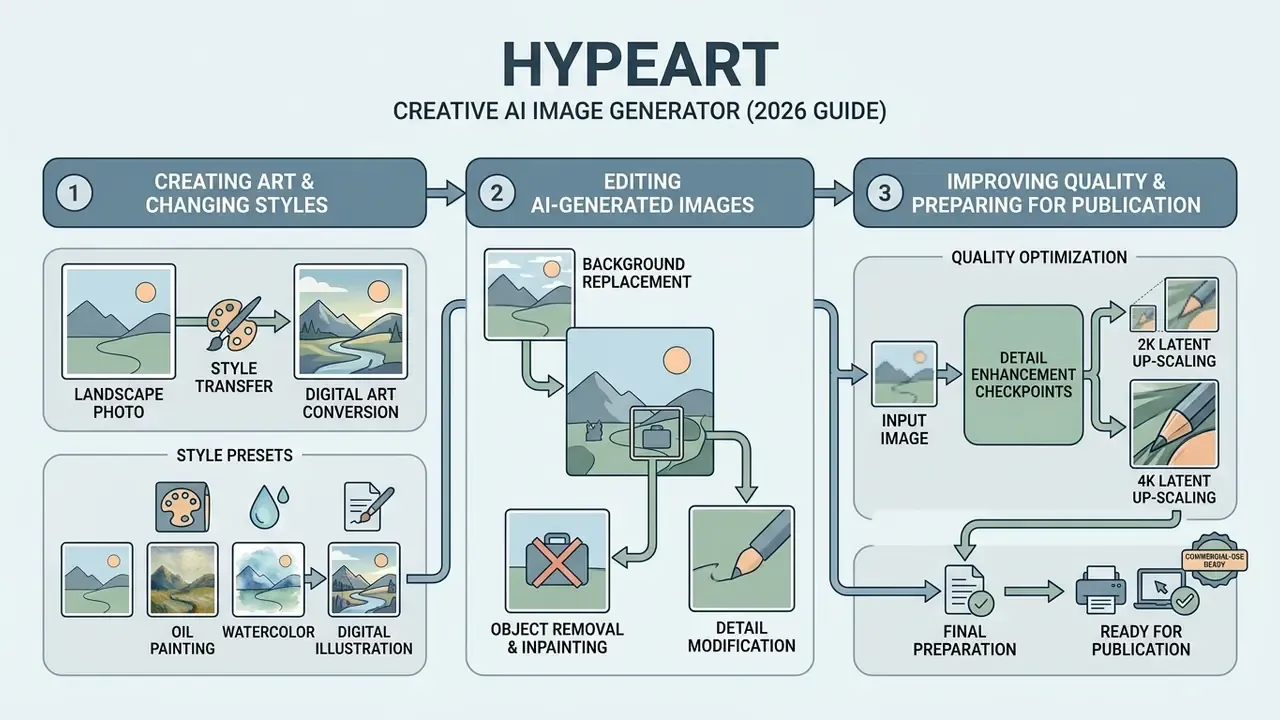
Beyond basic text-to-image synthesis, a modern ai graphic generator from image provides full visual manipulation: digital art conversion, object removal, background replacement, and super-resolution upscaling. Those integrated features turn single static outputs into a versatile design pipeline suitable for multi-channel publishing.
Integrated visual asset pipeline, from prompt to publishable file:
| Stage | Operation | Typical control surface | Output artifact |
|---|---|---|---|
| 1. Ideation | Text-to-image, 4 candidate variants | Prompt, model, seed | 1024 px draft set |
| 2. Structural control | Image-to-image, ControlNet, multi-reference fusion | Reference roles, denoise strength | Layout-locked variant |
| 3. Local correction | Inpainting, object remover, background replace | Mask or prompt-derived attention mask | Clean composite |
| 4. Typography | Glyph-aware rendering of labels and disclaimers | Quoted strings, font class | OCR-legible asset |
| 5. Finishing | Super-resolution 2x–4x, contrast and color balance | Scale factor, mode (precise/refined/creative) | 2K–4K master |
| 6. Distribution | Aspect-ratio derivatives, generative expand | Ratio presets, C2PA metadata write | Channel-ready exports |
Creating AI Art and Changing Artistic Styles from a Photo
Neural style transfer and cross-modal inversion algorithms let users turn standard photographs into concept art, digital painting, or stylized illustrations. The system extracts spatial content features from a source photo, applies style embeddings from a target reference, then recalculates surface textures without altering structural proportions.
«Step-aware and layer-aware attention prompting in Stable Diffusion enables accurate style transfer while suppressing geometric distortion.»
Complementary research confirms the same decomposition from different angles. InstantStyle-Plus (2024) splits transfer into style, spatial structure, and semantic content while prioritizing content integrity, and WACV 2024 work on cross-modal GAN inversion demonstrates multimodality-guided stylization. Classic photorealistic style transfer reached the same goal earlier with locally affine color constraints. Practically, this lets marketing teams convert standard product shots into custom visual narratives or digital art assets tied to a seasonal campaign. Readers benchmarking style libraries and license terms can review dedicated AI art generators before standardizing on a single engine.
Editing AI-Generated Images: Background, Objects, and Details
Advanced editing tools such as background remover and object remover use automated semantic segmentation masks to isolate subjects from their surroundings. Inpainting models then re-synthesize missing pixels inside the isolated region, using positive and negative prompts to blend background textures seamlessly.
«InstDiffEdit builds cross-modal attention masks automatically, accelerating local editing by 5–6× versus diffusion editing baselines.»
The InstDiffEdit framework introduces instant cross-modal attention masks, which identify the target edit region from prompt text without manual brush masking. Peer-reviewed removal pipelines follow a consistent two-step logic. CVPR 2025's Paint by Inpaint removes objects with an SD inpainting model and steers the hole toward background-like completion using positive and negative prompts, while NeurIPS 2024's MVInpainter extends removal, insertion, and replacement into multi-view scenes. The result: rapid removal of unwanted foreground objects or distracting background elements, with no need to regenerate the full canvas.
Improving Quality and Preparing Images for Publication
| Check | 2K output | 4K output | Failure signal to watch |
|---|---|---|---|
| Edge acuity | Sufficient for web banners | Required for large-format print | Halo ringing around high-contrast edges |
| Texture fidelity | Fabric weave partially reconstructed | Weave, grain, and pores resolved | Plastic-looking skin, repeating micro-patterns |
| Text / OCR legibility | Short labels readable | Disclaimers and fine print readable | Malformed glyphs, invented characters |
| Color banding | Visible in gradients | Smooth with dithering | Posterization in skies and studio backdrops |
«Glyph-enhanced generation frameworks improve OCR word F1 on LenCom-Eval by more than 23%, keeping logos and disclaimers legible.»
To evaluate visual text accuracy in synthetic media, the LenCom-Eval benchmark measures OCR precision, recall, and word F1 across complex typographic prompts. For a regulated advertiser, that metric is not cosmetic: embedded product labels, corporate logos, and advertising disclaimers must stay crisp and fully legible.
How to Choose the Best Free AI Image Generator
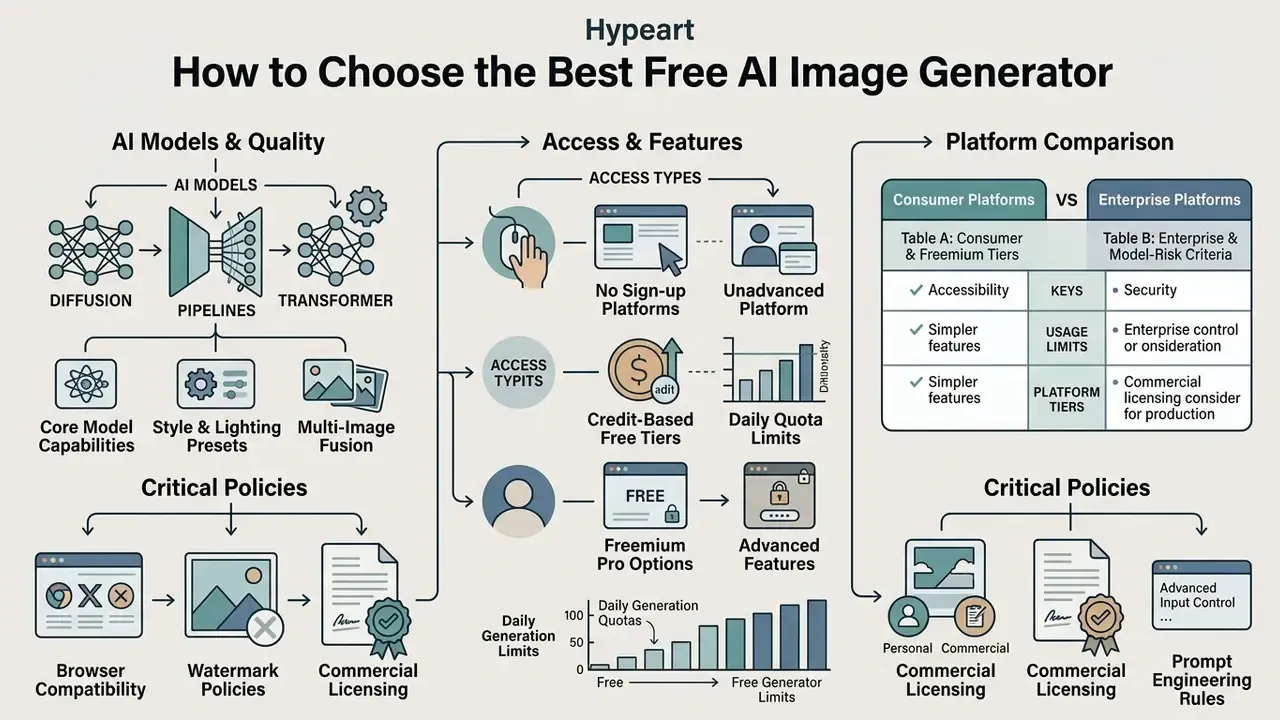
Picking an optimal free AI image generator means weighing core model capabilities, daily generation quotas, browser compatibility, watermark policies, and commercial licensing terms. Many tools advertise a free online ai experience, yet platforms differ sharply on generation speed, registration requirements, and output ownership. NIST's 2025 GenAI pilot evaluation plan for image generators is a useful reminder that formal selection criteria include image quality, fidelity, robustness, and safety behavior, not price alone.
Consumer Platforms vs. Enterprise Platforms
Consumer free tiers optimize for speed of access. Enterprise deployments optimize for data control and auditability. Read both tables before assigning a tool to a business unit.
Table A, consumer and freemium tiers
| Platform / Tool | Supported Inputs | Primary Models | Free Daily Quota | Sign-Up Required | Commercial Usage Rights |
|---|---|---|---|---|---|
| Bing Image Creator / Copilot | Text to Image | DALL-E 3 | 15 Fast Boosts / day | Yes (Microsoft Account) | Permitted (per Consumer Terms) |
| Canva AI Generator | Text, Reference | Proprietary / Partner | Daily usage limits | Yes | Permitted (per Product Terms) |
| Adobe Firefly | Text, Reference | Firefly Image Models | Generative Credits | Yes (Adobe ID) | Permitted (Paid/Free rules apply) |
| Perchance AI | Text to Image | Open Diffusion | Unlimited (Slow) | No | Open / Unrestricted |
| Raphael AI | Text to Image | Custom Diffusion | Unlimited (Watermarked) | No | Non-Commercial Default |
Table B, enterprise and model-risk criteria (apply before production use)
| Control criterion | What to verify | Why it matters |
|---|---|---|
| Data retention | Zero Data Retention option; prompt and output deletion windows (30-day auto-delete vs indefinite) | Prompts frequently contain unreleased product and campaign data |
| Training opt-out | Contractual guarantee that inputs are excluded from model training | Prevents leakage of confidential inputs into future outputs |
| Deployment model | Public SaaS, private cloud, VPC, or on-prem inference | Determines jurisdiction and network exposure |
| Certifications | SOC 2 Type II, ISO 27001, regional data residency | Required for third-party risk assessment sign-off |
| Identity & access | SSO/SAML, RBAC, per-team seat management | Prevents Shadow AI account sprawl |
| Audit logging | Immutable logs of prompt, model version, seed, operator, timestamp | Reproducibility evidence for model risk review |
| Provenance metadata | Automatic C2PA / SynthID writing on export | Supports disclosure obligations |
| Output default visibility | Public gallery by default vs private by default | Free tiers often publish generations openly |
| Commercial license scope | Reproduction, sublicensing, resale, indemnification | Determines whether assets can ship in paid campaigns |
No matching rows Clear one or more filters to restore the matrix.
When selecting enterprise platforms, teams often browse the hub to review technical breakdowns of asset management tools and privacy frameworks.
AI Models: Why the Model Affects Generated Image Quality
The underlying architecture of an AI model governs strict prompt adherence, visual realism, spatial composition, and lighting fidelity. Differences between models such as FLUX, Midjourney, and Stable Diffusion XL come from parameter scale, text encoder design, and training data curation.
Official technical specifications from Black Forest Labs indicate that FLUX.2 prioritizes strict prompt adherence through front-loaded conditioning transformers, balancing photorealism against guidance scale parameters. The vendor documentation is explicit about the trade-off: higher guidance scales improve prompt adherence at the cost of reduced realism, while additional sampling steps increase detail. Stability AI positions its 3.5-billion-parameter text-to-image system as a high-resolution photorealistic baseline, without quantifying adherence. Push guidance scale up and prompt alignment improves, but color saturation can turn unnatural, so operators need to calibrate settings to get balanced, realistic images rather than stunning images that fail brand review.
«FLUX.2 uses front-loaded conditioning transformers for strict prompt adherence, balancing photorealism against guidance scale.»
Free AI Image Generator: Limits, Registration, and Available Features
Free tiers offered by online generators balance accessibility against compute costs through fixed credit allocations, slower queue priority, mandatory account registration, or visible watermarks.
To examine how creative freedom intersects with safety filters across unrestricted engines, users can review analyses covering nude ai generator platforms and their associated risk profiles.
Working in the Browser, on Desktop, and on Mobile
Modern image generation tools run across web browsers, dedicated desktop applications, and mobile environments, so creators can generate and edit assets on almost any hardware setup.
Enterprise software documentation for Adobe Acrobat and Foxit PDF tools confirms that generative image utilities ship across Windows/macOS desktop clients, web browser interfaces, browser extensions, and iOS/Android mobile applications (Adobe Acrobat Release Notes, 2026). Centralized admin consoles let IT administrators enforce security policies and data loss prevention rules consistently across every access endpoint. Worth noting: 2026 browser-governance guidance treats the browser as the most centrally controllable surface, since data-category rules can block generative uploads before they leave the device.
AI-Generated Images for Commercial Use: Rights, Safety, and Deployment
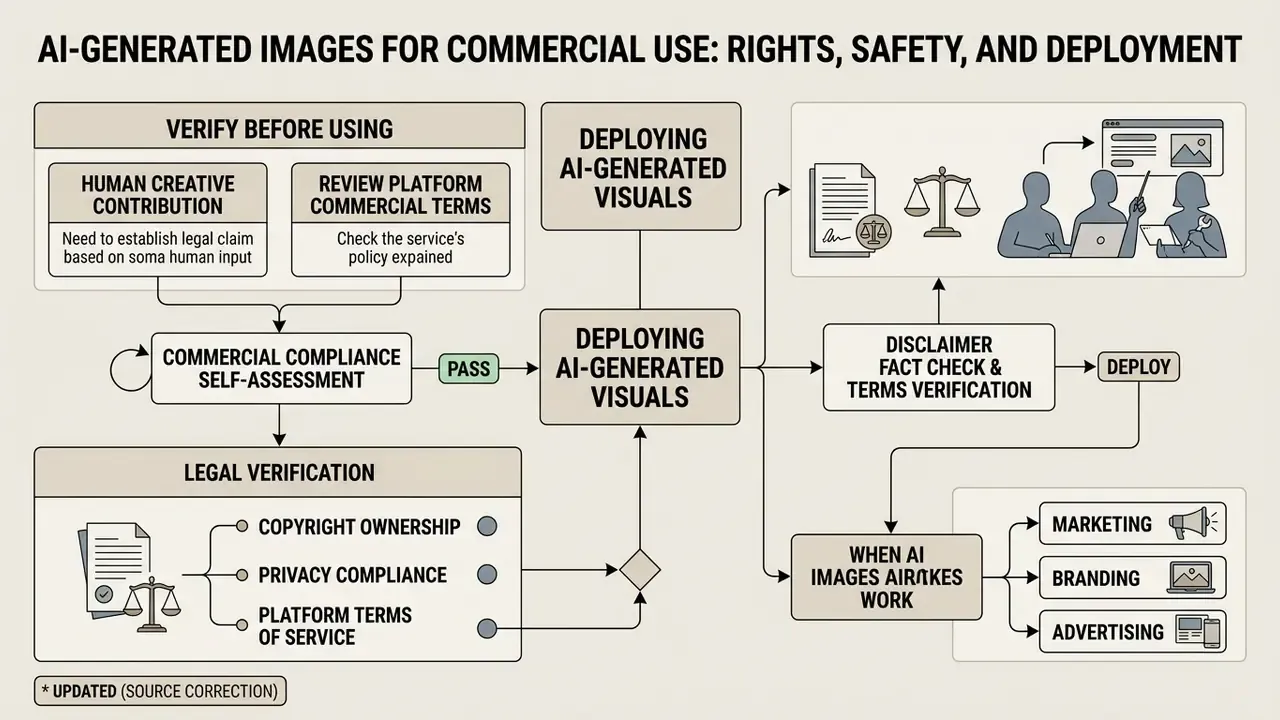
Deploying AI-generated visuals for commercial purposes requires rigorous legal verification on copyright ownership, privacy compliance, and platform terms of service. In the United States and European Union, regulators enforce specific standards on human authorship, algorithmic transparency, and data protection.
Fact Check & Terms Verification:
«A four-factor analysis shows mass copying of works for AI training is not shielded by the fair use doctrine.»
European Parliament research on the AI Act adds two operational points: synthetic image, audio, and video outputs must be machine-readably marked, and certain public-facing AI content must be clearly disclosed unless an exception applies. Vendor terms reinforce the same boundary. Adobe's generative AI user guidelines prohibit prompts or inputs that target third-party copyright, trademark, privacy, publicity, or data-protection rights.
Commercial Compliance Self-Assessment
Run this four-step decision tree before any synthetic asset leaves the studio. A "No" at any step routes the asset to review rather than to publication.
| Step | Control question | If yes | If no |
|---|---|---|---|
| 1. Human authorship | Did a named human select, arrange, mask, retouch, or composite the output, with the work documented? | Proceed to Step 2; record the contribution statement for registration | Treat as unprotectable machine output; add human creative contribution or do not claim rights |
| 2. Model licensing | Does the platform tier in use grant commercial reproduction and sublicensing rights in writing? | Proceed to Step 3; archive the terms version and date | Upgrade tier or switch to a licensed model; do not publish |
| 3. Input privacy & IP | Are all uploaded references free of third-party trademarks, proprietary designs, biometric data, and confidential material? | Proceed to Step 4; log the provenance of each reference | Replace inputs; run reverse-image verification before retrying |
| 4. Disclosure & marking | Is C2PA / SynthID metadata intact and is any required "AI-generated" label applied for the target market? | Approved for the intended channel and tier | Re-export with provenance metadata and apply the disclosure label |
Resulting commercial safety tiers: Tier 1, four "Yes" answers, cleared for paid advertising; Tier 2, conditional, cleared for internal or conceptual use only; Tier 3, blocked pending legal review.
When AI Images Work for Marketing, Branding, and Advertising
Synthetic visuals are efficient for digital ad campaigns, social media banners, website visuals, and conceptual brand moodboards. Empirical marketing research shows that AI-generated display ads achieve click-through rates comparable to or higher than conventional stock photography, provided they hold photographic realism.
«A field study across 173,000+ impressions found AI-generated banner ads achieved up to 50% higher CTR than professional stock imagery.»
«Across 16+ billion impressions, AI-generated ads outperformed human-made creative on CTR only when they did not look like AI.»
The same body of work reports average CTR of roughly 0.76% for AI ads versus 0.65% for human-generated images at scale. A 2025 experimental study in Administrative Sciences found category dependence: coffee advertising favored AI imagery, whereas medical-aesthetics and public-service messaging favored human-made visuals, with perceived cost-cutting reducing trust and purchase intention. To explore platform-specific commercial capabilities, readers can review the Canva AI Generator overview detailing licensing terms and design integrations.
What to Verify Before Using AI Images in Commercial Materials
Before incorporating synthetic graphics into commercial advertising or corporate publications, risk management leads should complete a standardized legal and compliance verification checklist.
- Verify human creative contribution confirm that human designers provided creative selection, arrangement, or substantial editing to establish intellectual property defensibility.
- Review platform commercial terms confirm that the specific generator tier, free or paid, grants commercial reproduction and sublicensing rights.
- Audit input reference material verify that uploaded images, reference photos, or text prompts contain no trademarked logos, proprietary designs, or protected personal data.
- Inspect metadata and watermarks ensure compliance with mandatory synthetic content disclosure standards, for example C2PA metadata tags, where regional advertising rules require them.
- Screen for representational bias review casting, skin tone, gender, age, and setting choices in generated imagery before release.
«Thematic analysis of AI advertising found systematic reproduction of racial and gender stereotypes caused by training-data bias.»
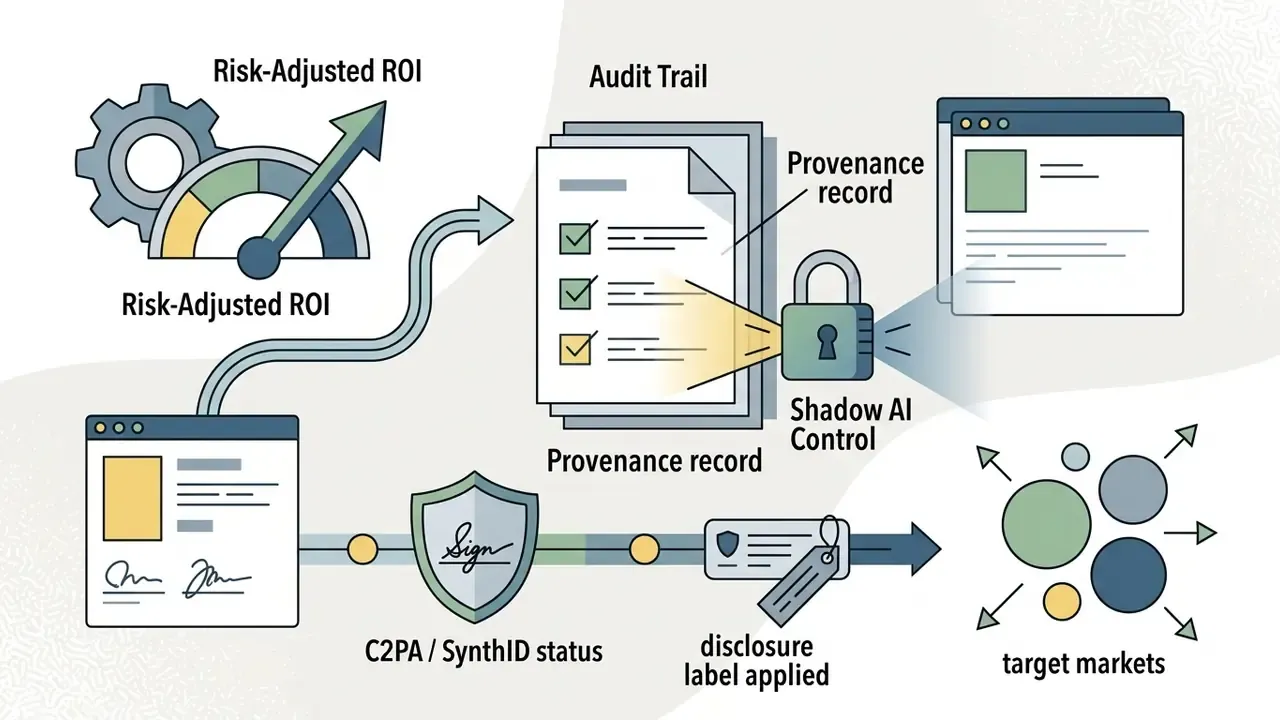
Risk-Adjusted ROI, Audit Trails, and Shadow AI Control
Executive committees rarely approve creative tooling on production speed alone. They approve it on net value after control costs. A defensible calculation separates gross savings from the governance overhead needed to keep those savings compliant:
Risk-adjusted ROI = (Gross production savings + incremental campaign value − control costs − expected loss) ÷ (Licensing + infrastructure + control costs)
Where:
- Gross production savings = displaced photoshoot, stock licensing, and retouching hours.
- Incremental campaign value = measured CTR or conversion lift, net of the "looks like AI" penalty documented above.
- Control costs = model validation hours, legal and brand review, metadata tagging, audit log storage, detector screening, and annual policy refresh.
- Expected loss = probability-weighted cost of IP claims, regulatory disclosure failures, and rework after failed brand review.
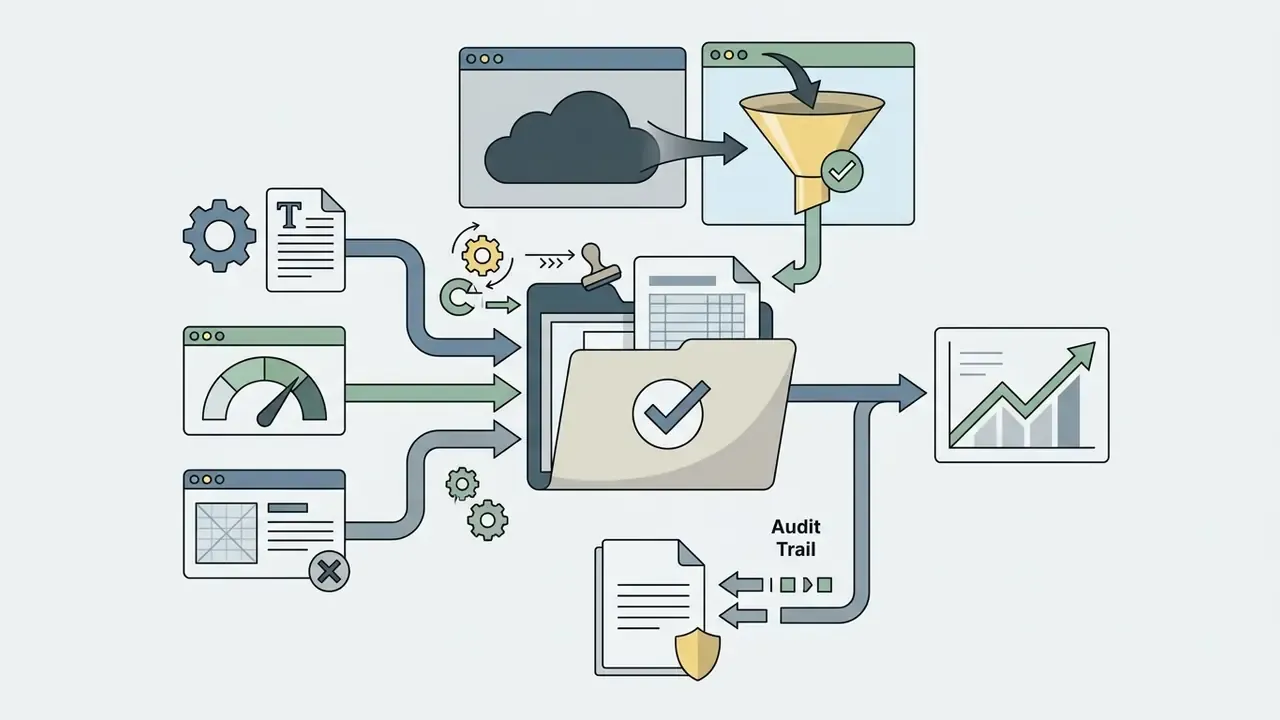
For model-risk-managed environments, align the workflow with existing supervisory expectations for model documentation, independent validation, and ongoing monitoring (Federal Reserve / OCC SR 11-7 model risk management guidance). In practice that means three artifacts per published asset:
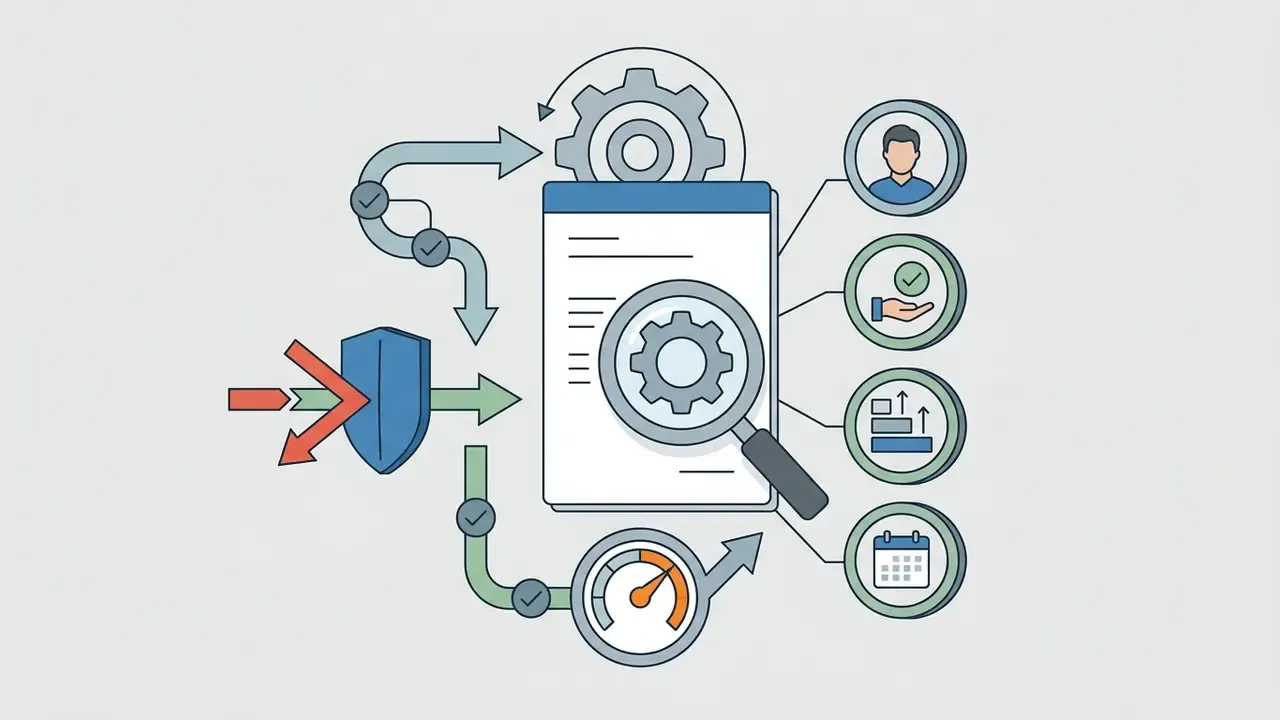
Shadow AI containment. Unapproved consumer generators are the dominant leakage vector, because free tiers often default to public galleries and training reuse. Effective controls include browser-level data-category blocking, SSO-gated approved tools, DLP rules on image upload endpoints, a published allow-list with tier-by-use-case mapping, and periodic reconciliation of expense reports against that allow-list. Litigation context helps calibrate the appetite here; risk teams tracking precedent can browse the hub for documented intellectual property disputes.
Specific Business Application Scenarios
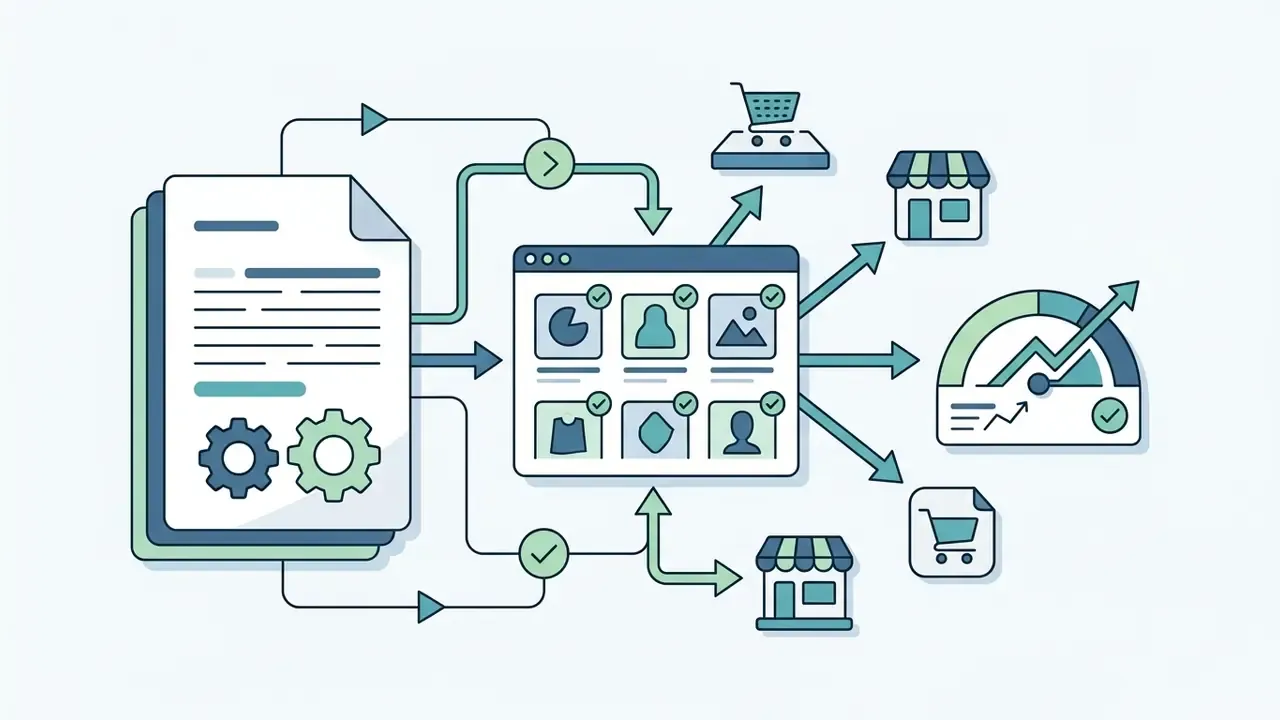
- Scenario: building full product card sets, including white-background hero shots, lifestyle scenes, and multi-angle views, without an on-site photoshoot.
- Technique: isolate the real product with a segmentation mask, composite it onto a generated environment, then re-derive contact shadows and reflections from the diffusion light model so scale and material read correctly. Verify shape, labels, packaging text, and brand marks against the physical item before publishing.
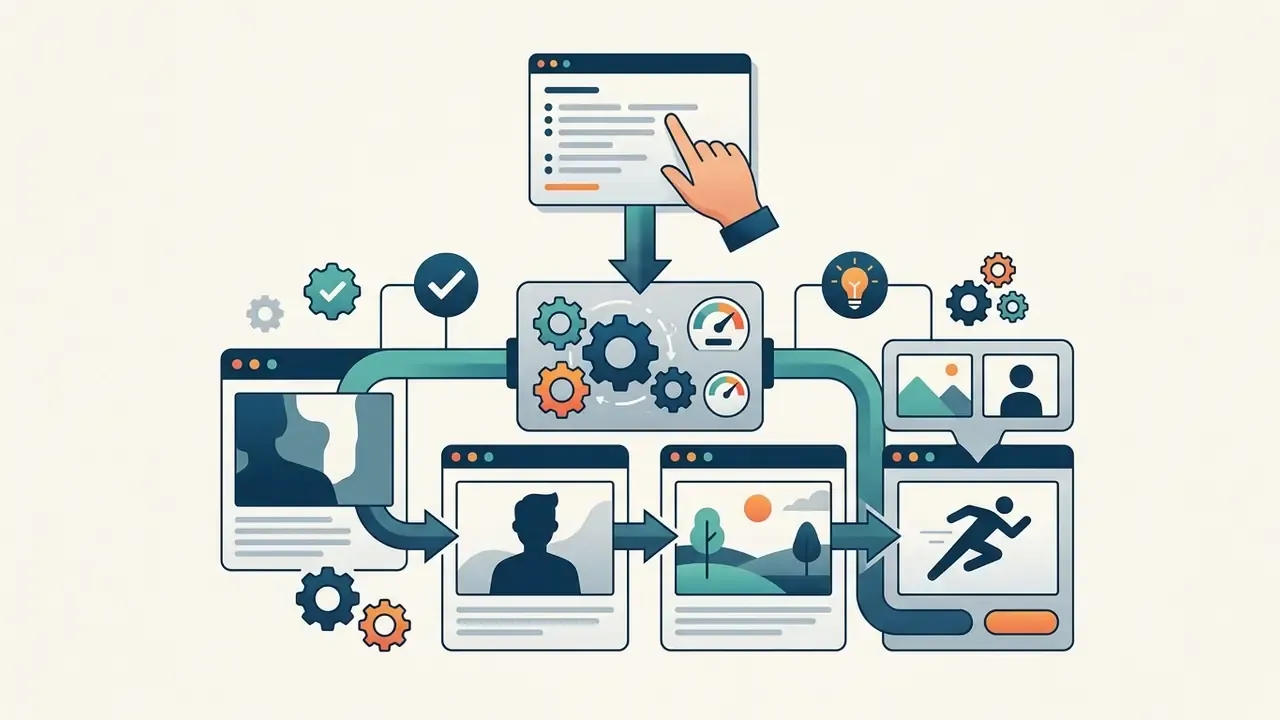
- Scenario: generating sequential panels featuring the same character across scenes and poses.
- Technique: lock face, hair, and wardrobe with a fixed seed plus IP-Adapter subject vectors, then vary only the action clause of the prompt per panel. For long sequences, keep one canonical reference sheet and re-inject it as Image 1 in every generation.
- Scenario: a grid of consistent character expressions for messaging apps or community channels.
- Technique: one reference portrait plus a batch prompt list of emotions, exported as transparent PNGs.
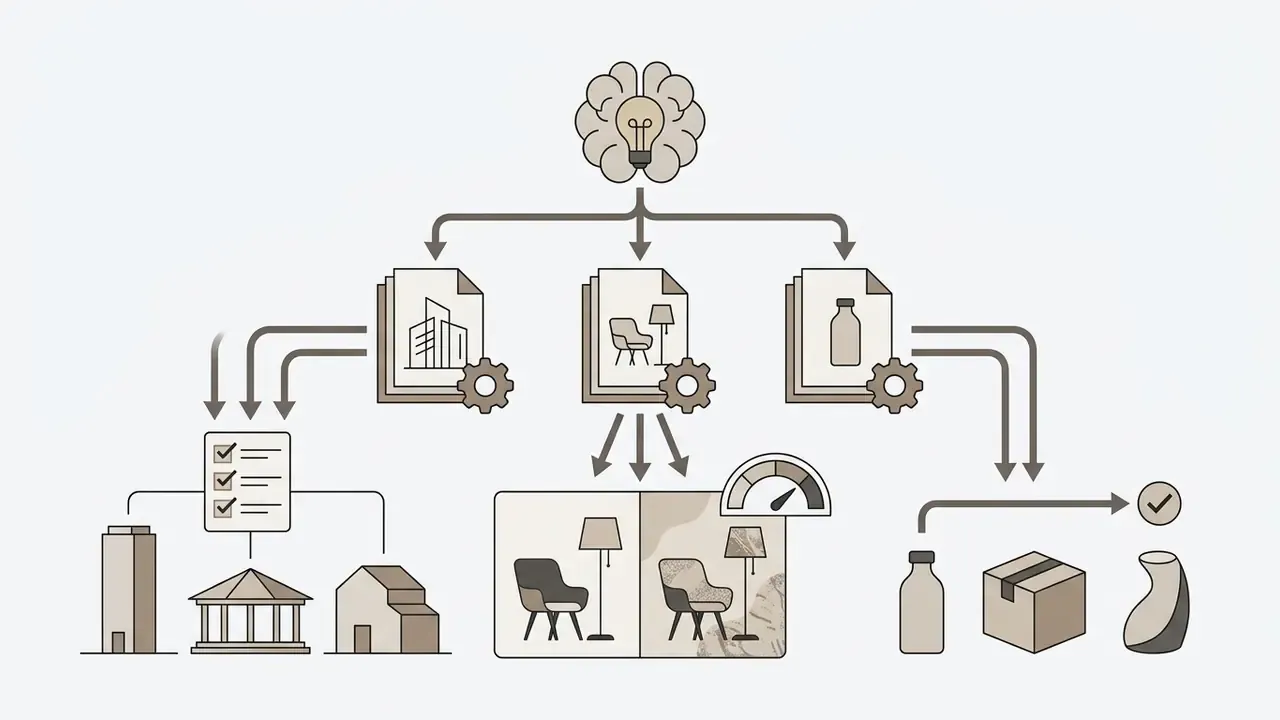
- Scenario: turning sketches into presentation-grade renders for pitching.
- Technique: ControlNet depth or line conditioning from the sketch, with materials specified explicitly (brushed aluminum, polished marble) and lighting set in Kelvin values.

Application Ideas for AI Creation in Content and Creative Projects
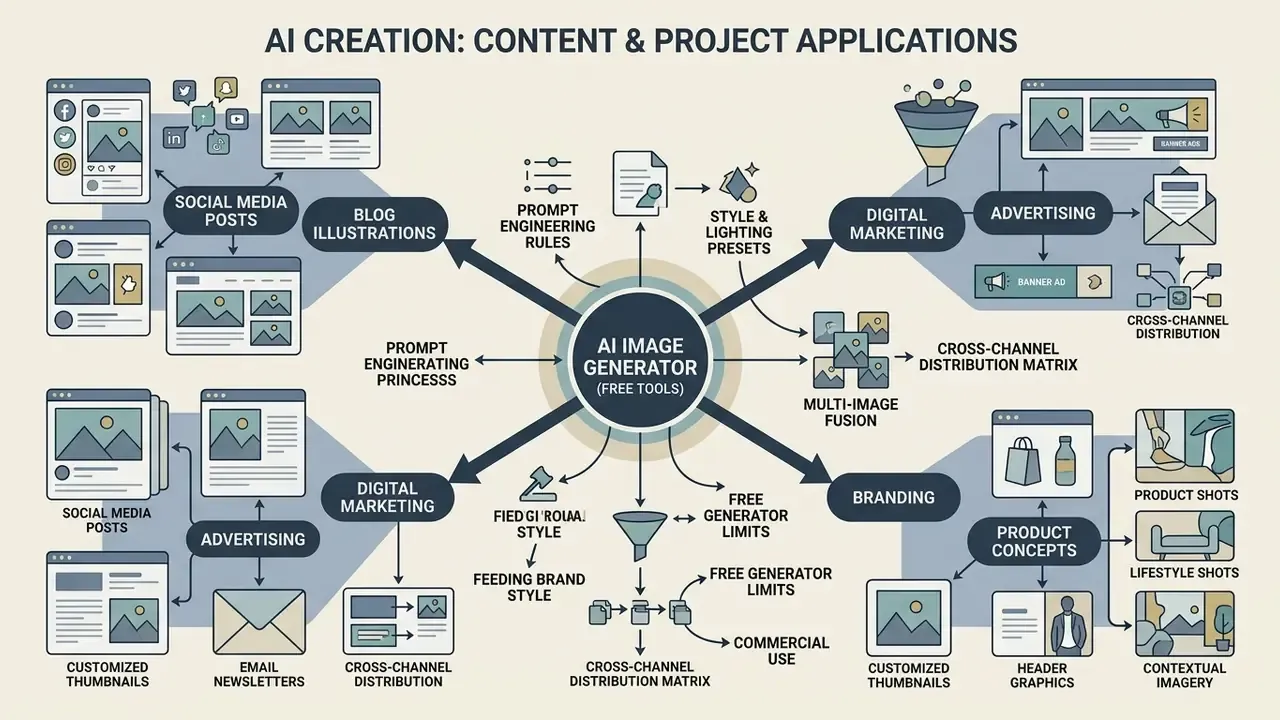
AI creation tools support design work across social media content creation, blog illustration, digital marketing, and product concept development. By translating text descriptions into visual variations in seconds, creative teams can test several artistic directions before committing to full-scale production. Save time first, then spend the saved hours on review.
Cross-channel distribution matrix, repurposing one core asset:
| Channel | Derivative asset | Ratio | Required adaptation |
|---|---|---|---|
| Website hero | Wide banner with headline space | 16:9 | Generative expand on both sides; keep text-safe margins |
| Instagram / Facebook feed | Square crop with subject centered | 1:1 | Re-center subject; re-render typography at larger size |
| Stories / Reels / TikTok cover | Vertical composition | 9:16 | Outpaint vertically; move focal point to upper third |
| Blog / editorial illustration | Conceptual illustration with label | 4:3 | Apply "Created using AI" credit line |
| Email header | Compressed banner, fast load | 3:1 | Export optimized JPEG; verify legibility at 600 px width |
| Print collateral | 300 DPI master | 4:3 / custom | 4x upscale with detail-preserving mode; check color banding |
Teams that want the production sequence documented step by step, from brief to approved master file, can browse the hub for video and digital media workflows.
AI Photo Generator for Branding, Advertising, and Product Visuals
In product marketing and brand design, an ai photo generator enables rapid generation of lifestyle background environments around existing product photography. By locking central product geometry while varying background lighting and placement, brands produce high-converting ad variations without re-shooting.
The IAB Generative AI Playbook for Advertising outlines standardized workflows for feeding brand style guides, approved color palettes, and packaging reference shots directly into AI generation pipelines (IAB Playbook, 2026), and lists brand-compliance review as a mandatory gate in ad production. Vendor brand-system workflows follow the same pattern: supply logo, product shot, packaging photo, or moodboard as reference inputs, then output palette, typography, and usage examples. Structured input keeps brand compliance intact while asset volume scales across global markets. Design teams standardizing on a single suite frequently evaluate the Canva AI Generator for template-linked licensing, and teams tied to a specific ecosystem can review the Microsoft AI Image Generator overview for enterprise integration options.
FAQ About AI Creation and Free AI Image Generators
How does an AI image generator turn simple text into high-resolution visuals?
Text-to-image generators use language encoders to translate text prompts into numerical vector embeddings. A diffusion model then uses those vectors to guide a reverse noise process, converting random visual noise into a structured, high-resolution image over multiple mathematical steps.
Are AI-generated images free to use for commercial purposes?
Commercial usage rights depend on the platform's terms of service and the subscription tier used. Platforms such as DALL-E and Bing allow commercial use under specific conditions. OpenAI's help documentation states that users own the images they create and may reprint, sell, and merchandise them regardless of whether free or paid credits were used. Even so, you must verify that outputs do not infringe existing trademarks, copyrights, or personal privacy rights.
How long are generated images stored, and are they private?
Retention policy varies by platform. Cloud generators such as Pixlr automatically delete certain generated content, including mature-flagged material, after 30 days, while many free tiers publish all generations to a public gallery by default. Protecting commercially sensitive prompts requires a paid or enterprise plan with private generation, disabled training reuse, and a documented Zero Data Retention policy on the provider side.
What is the difference between text-to-image and image-to-image generation?
Text-to-image synthesis creates entirely new images from written text prompts alone. Image-to-image generation takes an existing photograph or reference image as input, using its spatial composition or subject layout to guide a new, restyled visual asset.
How many reference images can be combined in a single generation?
Advanced pipelines accept between 2 and 8 reference inputs, each with a distinct role: geometry via depth or pose maps, palette via style latents, subject identity via IP-Adapter vectors. Some video-oriented APIs extend the concept much further; Luma Agents documents up to 64 guide keyframes with explicit output indexes.
Why do AI models sometimes fail to render readable text inside generated images?
Standard diffusion models treat text as visual pattern rather than semantic symbol, so letters distort during noise reduction. Specialized glyph-enhanced models such as TextDiffuser use dedicated text layout generators to render visual text and product labels accurately. Wrapping the string in double quotes and naming the font class materially improves results.
What parameters most effectively improve consistency across generated images?
Explicit numeric parameters, including Kelvin color temperatures, HEX codes, specific aspect ratios, and camera focal lengths, produce far more consistent styling across generation cycles than subjective adjectives like "photorealistic." Fixing the seed and reusing a canonical reference sheet adds character-level consistency.
Can I convert AI-generated images into text or extract underlying prompt data?
Yes. Multimodal tools and reverse-engineering utilities analyze image features to generate descriptive prompts or extract embedded text. Creators analyzing document workflows often use ocr image to or pdf image to text tools to convert static graphics into editable textual data.
Can you use an AI image generator to create AI video?
Static AI-generated images serve as keyframes or initial anchor frames for image-to-video diffusion frameworks. Advanced video generation models accept a still image alongside motion prompts to synthesize multi-second continuous sequences with camera movement and temporal coherence. Teams mapping this transition typically benchmark several image-to-video AI tools against their existing image stack. Systems such as Google Veo 3 and Luma Agents use single reference images or multi-frame keyframes (start_frame, end_frame) to maintain subject identity while animating motion vectors (Google Veo Model Card, 2026; Luma Agents API Docs, 2026). NVIDIA Dynamo documents an input_reference field that accepts an image URL, base64 data URI, or local file path as the conditioning frame, and ComfyUI's WanCameraImageToVideo node bases the first frames on the supplied image, with masking used to blend the anchor into generated motion. For provenance, IPTC guidance recommends writing the XMP Digital Source Type value trainedAlgorithmicMedia into generated image and video files. Developers building programmatic media automation pipelines can explore technical guides such as the Google Veo implementation guide to study API architecture, rendering costs, and batch generation workflows.
Limitations, Open Questions, and a Safe Next Step
Two caveats deserve to stay visible. First, the CTR figures cited above come from field data with uneven controls; category effects are real, and a coffee brand's result does not transfer to a lender's disclosure creative. Second, provenance marking is still maturing. C2PA metadata can be stripped in routine resizing and CMS re-encoding, so disclosure cannot rest on metadata alone. A conservative next step for a regulated institution: pick one low-risk asset class, for example internal event banners, register the tool in the AI inventory, capture the three audit artifacts described earlier, and review the evidence after 60 days. Small scope, real evidence, then expand. No evidence, no autonomy.
Additional Hub Resources & Reference Materials
To explore broader media workflows, enterprise adoption frameworks, and comparative platform analyses, teams can review additional documentation across our editorial hub:
- Access comprehensive commercial usage terms and platform comparisons: see the overview