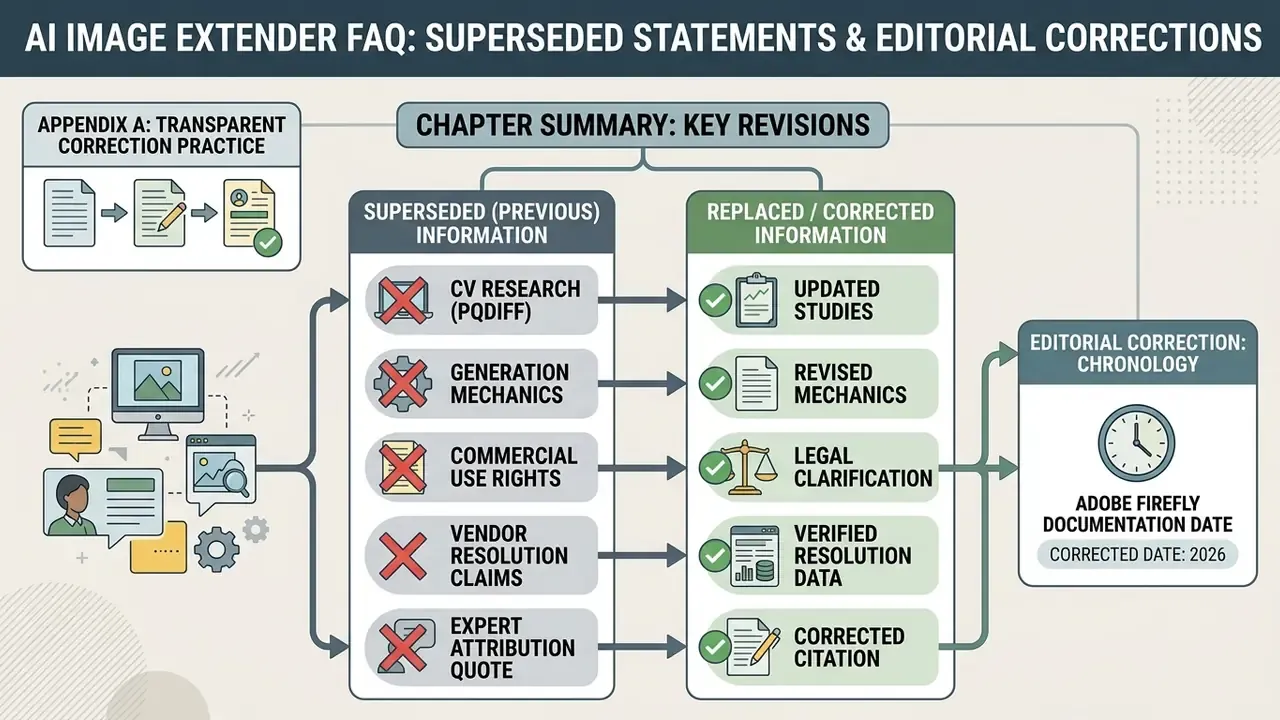
Last updated: August 19, 2026.
Executive Summary for Decision-Makers
For readers who need the operational verdict before the technical detail:
- What it is: AI outpainting synthesizes new, context-aware pixels outside the original frame. It is additive canvas expansion. Not cropping (which deletes pixels), not stretching (which resamples existing pixels), and not upscaling (which increases density inside the same framing).
- What it now does well: modern diffusion pipelines continue textures, project shadows from off-frame objects, follow text prompts for the generated region, restore cropped limbs, clothing and product edges, and run in batch across hundreds of assets.
- Where free no-sign-up tools fit: low-risk internal mockups, social resizing, personal work. They typically cap resolution, throttle daily generations, and frequently restrict monetized use.
- The three governance risks: (1) free-tier Terms of Service often prohibit commercial use; (2) uploads may be retained, with windows observed across vendors ranging from purge-on-tab-close to 24 hours, 30 days, or 90 days; (3) uploaded corporate media may enter model re-training sets, creating Shadow AI and IP exposure.
- Minimum control set before uploading business assets: verify domain resolution and security attestations, confirm retention and deletion language, check watermark and provenance metadata (C2PA / Content Credentials, SynthID), confirm the license tier that grants commercial rights, and prefer private-cloud or containerized deployment for regulated content.
How to Use This Guide
Three reader paths run through the material below. If you only need the mechanics, read the workflow section and the quality section, then stop. If you are buying, read the selection criteria and the rights section, because that is where free-tier economics quietly turn into legal exposure. If you own governance for AI tooling, the five-point security checklist and the methodology note are the parts worth forwarding to your risk function. Everything else is context.
What Is an AI Image Extender and How Does It Work?
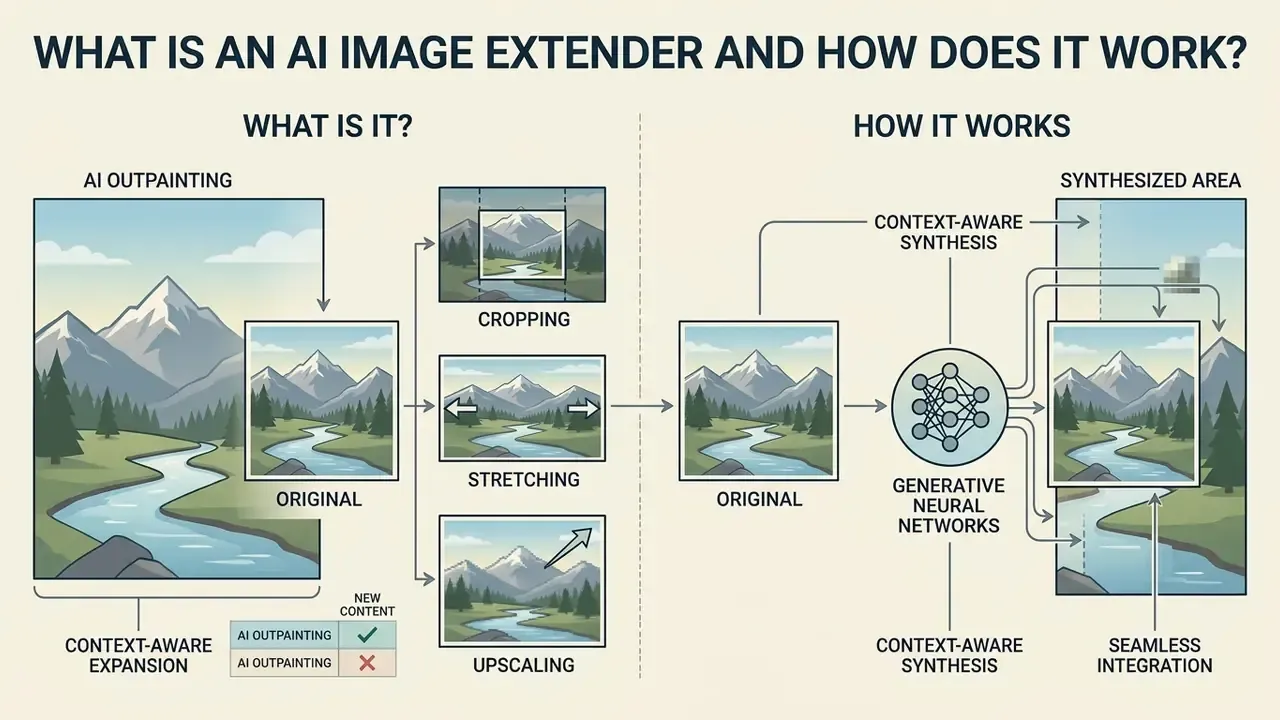
An ai image extender is a digital utility that uses generative neural networks to synthesize new, context-aware pixels outside the original borders of a photograph. Unlike basic scaling functions, an ai image expander analyzes visible textures, depth, and lighting angles to render realistic extended background scenery.
When using ai to extend images, the underlying diffusion model treats the original framing as an anchor, applying generative fill to extrapolate the scene seamlessly. Updated (supersedes the earlier general claim about positional-query diffusion): current benchmarks quantify both fidelity and speed of single-step outpainting.
Because the model expands across continuous scales rather than discrete presets, the core structural integrity of the input image is preserved even when the canvas grows by an order of magnitude. That is the part that surprises people who last tried this in 2021.
AI Outpainting vs. Cropping, Stretching, and Upscaling
AI outpainting adds newly generated visual context beyond initial canvas boundaries, letting you uncrop image files without sacrificing existing content. Standard cropping does the opposite: it discards border data to change aspect ratios. Pixel stretching scales existing pixels across new dimensions and introduces visual warping. Operators comparing adjacent tooling categories can review how AI photo editors handle destructive versus non-destructive transformations.
While an image upscaler increases pixel density within existing framing, ai outpainting generates previously non-existent visual elements, taking the image beyond its original borders to expand total spatial coverage.
The four operations separate cleanly:
| Operation | Effect on canvas | Effect on pixels | Typical failure mode |
|---|---|---|---|
| AI outpainting (uncrop) | Canvas grows | New pixels synthesized outside the frame | Hallucinated objects, seam mismatch |
| Cropping | Canvas shrinks | Border pixels deleted permanently | Subject truncation, lost composition |
| Pixel stretching | Canvas geometry forced | Existing pixels resampled, aspect ratio ignored | Warped faces, elongated products |
| AI upscaling | Canvas dimension scales, framing identical | Detail reconstructed inside existing area | Over-sharpening, texture invention |
The distinction matters commercially, not just semantically. Resize images by stretching and a compliance reviewer sees a distorted product. Uncrop them and the reviewer sees invented background, which is a different question entirely.
How AI Generates the Expanded Area
Generative algorithms inspect the perimeter of an original photo to construct structural continuation vectors for background elements. The model evaluates illumination gradients, shadow angles, and surface material textures to maintain visual cohesion across the new canvas.
Updated (supersedes the earlier unsourced CVPR reference):
This predictive spatial modeling ensures the model generates new background regions that align naturally with visible foreground elements, rather than copying illumination only from directly adjacent pixels. Complementary research lines address the remaining subproblems. GAN-inversion outpainting (CVPR 2022) optimizes multiple latent codes and renders position-conditioned micro-patches for richer texture continuation. Distortion-rectification work (ICCV 2021) applies geometry supervision so regular shapes and perspective lines stay straight across the extended border. Neither is fully solved, and both show up as artifacts in production.
How to Choose a Free AI Image Extender Without Sign-Up
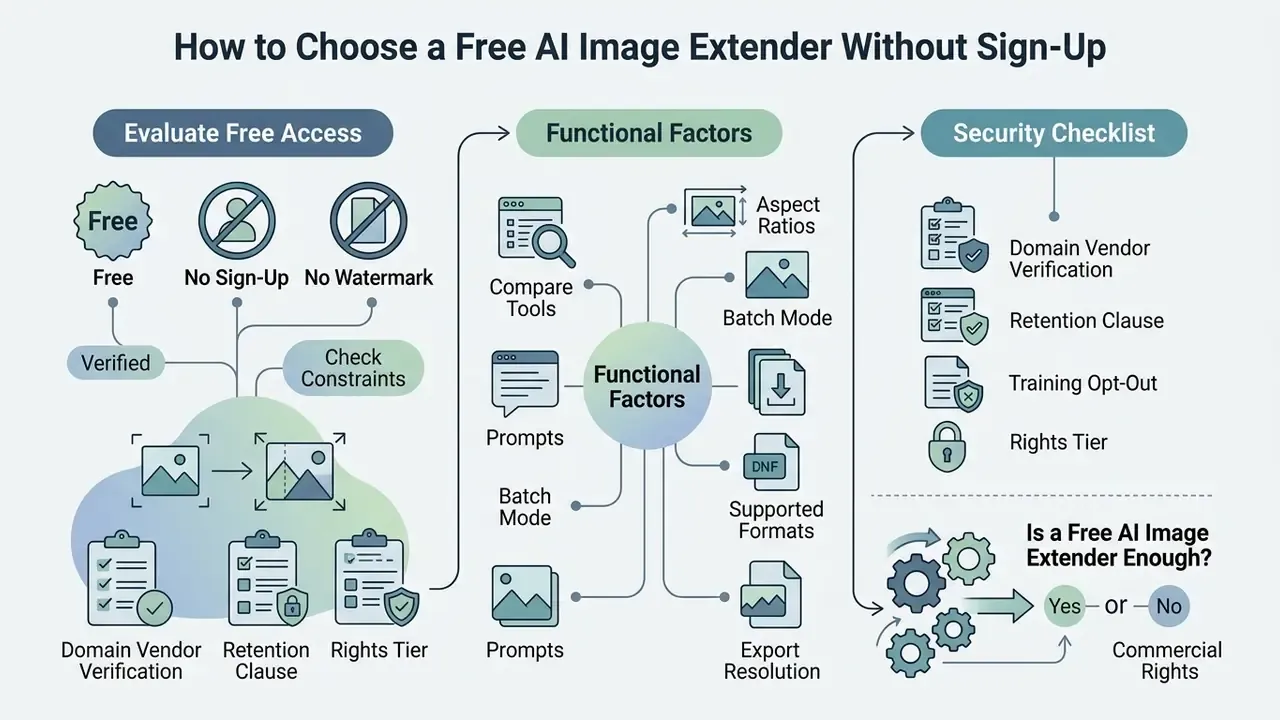
Selecting an ai image extender free no sign up utility requires evaluating functional constraints, processing speed, export resolution limits, and licensing terms. Vendor documentation across the 2025 to 2026 market, including Fotor, Pixelcut, fal, Pokecut, Clipfly and PxBee, shows that browser-based canvas expansion is commonly offered without registration. Several services advertise "no signup, no credit card, no watermark" on the same product page. Registration-free access is a documented market pattern rather than a marketing exception, although the depth of the free allowance varies sharply by vendor.
| Extender Feature | Free No Sign-Up Tier | Standard Paid Tier | Enterprise / Private Deployment | Verification Focus |
|---|---|---|---|---|
| Account Requirement | None (no sign up) | Mandatory registration | SSO / SCIM provisioning | Inspect landing page flow for forced forms |
| Watermark Enforcement | Varies by platform (one vendor charges ~$0.80 per watermark-free export) | Guaranteed without watermark | Configurable, brand-controlled | Test a sample download for hidden logos |
| Export Formats | Standard jpg jpeg / PNG | Lossless PNG, WEBP, high-res JPG | Original-resolution TIFF/PNG pipelines | Verify file compression and pixel dimensions |
| Export Resolution | Frequently capped (e.g. ~1024 px or 2000 × 2000 px on some free tiers) | Original resolution retained | Print-grade, 300 DPI capable | Measure exported pixel dimensions, not the preview |
| Usage Limits | 1 to 10 generations per day, queue on peak load | Unlimited / credit-based | Contracted throughput, dedicated nodes | Check queue policies during peak usage |
| Batch Processing | Usually single file per upload | Multi-file upload | Scripted / API pipelines | Upload two files and confirm parallel handling |
| Data Retention | Purge on tab close (PxBee-style), 60 minutes (Fotor-style), or up to 24 h / 30 d / 90 d elsewhere | Account-tier dependent cloud storage (Airbrush-style) | Contractual retention, zero-retention options | Read the Privacy Policy clause, not the FAQ badge |
| Provenance Metadata (C2PA / Content Credentials) | Rarely documented | Sometimes embedded | Required for regulated publishing | Inspect exported file metadata for Content Credentials |
| Private Cloud / On-Prem Option | Not available | Rarely available | Containerized diffusion pipeline in VPC | Confirm data never leaves the tenant boundary |
| Commercial Rights | Non-commercial / restricted | Full commercial use license | Indemnified enterprise license | Review Terms of Service for monetized asset use |
That evidence gap is material. Every claim about free-tier behaviour in this market originates from vendor pages rather than independent benchmarking, and it has to be re-verified at the moment of use. Yes, including the numbers in the table above.
Free, No Sign-Up, and No Watermark: What to Verify
Promotional claims around ai expand image free no sign up tools often mask unstated operational limits. Platforms advertising ai image extender no sign up access may restrict download resolutions or stamp a forced watermark on export. Claims such as "4K output in under five seconds" belong in the marketing-copy category rather than the measured-throughput category. Realistically, processing time scales with output resolution and lands around 5 to 15 seconds for standard web dimensions, longer when the queue is busy.
Operators who need an ai image extension without watermark should inspect export settings before processing, not after. Running one sample image through the pipeline confirms whether the service actually delivers a clean high-definition file under its free trial or basic operational mode. Readers evaluating adjacent registration-free utilities can review no-sign-up AI image generators for comparable licensing patterns, and teams mapping the wider category can explore the hub of verified tooling coverage.
Supported Image Formats and Output Options
Most browser-based outpainting utilities accept standard raster inputs, letting you upload jpg jpeg and jpeg png files, with WebP and HEIC supported by a growing share of services and typical per-file ceilings near 20 MB. The output format generally matches the source extension unless conversion options are exposed. Some platforms hide a quality slider (commonly 0 to 100%, defaulting near 80%) that silently governs compression.
Certain web platforms also apply lossy compression at export, which quietly reduces clarity. Checking export parameters keeps converted assets at the colour depth and crispness professional workflows require. Because JPEG is lossy, PNG lossless, and WebP capable of both modes, format choice directly determines whether seam artifacts get amplified after export. Small setting. Large consequence.
When a Free AI Image Extender Is Enough
The best free ai image extender is usually enough for low-risk internal mockups, social media post resizing, and basic personal or creative projects. These utilities turn work around fast when advanced compliance and logging controls are not mandated.
When enterprise asset pipelines touch confidential data, regulated marketing content, or strict governance frameworks, the calculus flips. The NIST AI Risk Management Framework requires organizations to understand, manage and document legal and regulatory requirements for AI use. High-risk deployments under the EU AI Act require risk management, data governance, traceability logging, documentation and human oversight. Free browser extensions produce none of those artifacts. In that situation, organizations should compare options for enterprise asset management before any sensitive media leaves the tenant.
Five-Point Security Checklist Before Uploading Corporate Photos
- Domain and vendor verification: confirm the service resolves through DNS, publishes a legal entity, and states a security posture (SOC 2, ISO/IEC 27001, ISO/IEC 42001).
- Retention clause: locate the explicit deletion window in the Privacy Policy (immediate purge, 60 minutes, 24 hours, 30 days, 90 days) instead of trusting a homepage badge.
- Training opt-out: verify in writing that uploads are excluded from model re-training and from public dataset contribution.
- Rights tier: match the plan that actually grants commercial use to the intended channel, whether that is a marketplace listing, a paid ad, or a print run.
- Provenance and detection: confirm whether exports carry C2PA Content Credentials or an embedded watermark, and whether that metadata survives your publishing pipeline.
How to Extend an Image with AI Online
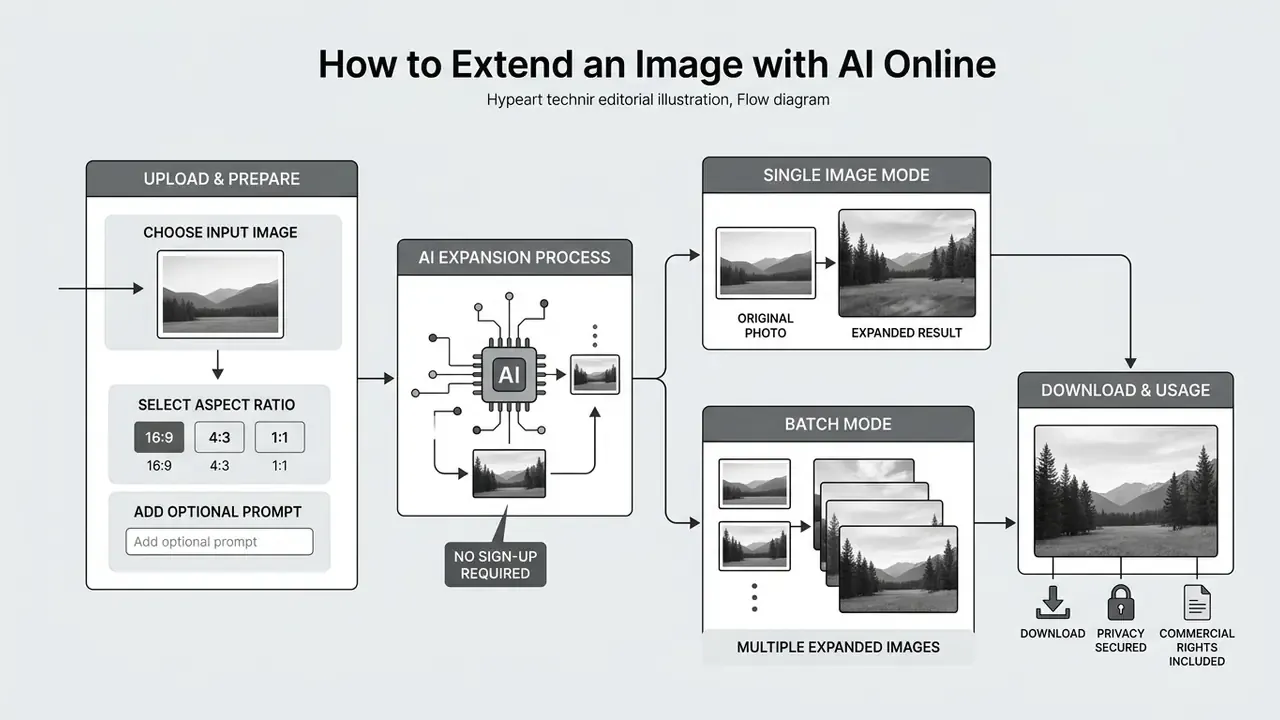
To ai extend a photo in a web application, you follow a short, repeatable sequence that turns a fixed-frame input into an expanded composition. Modern browser platforms run latent diffusion rendering and expand images online within seconds.



Upload an Image and Select the Area to Extend
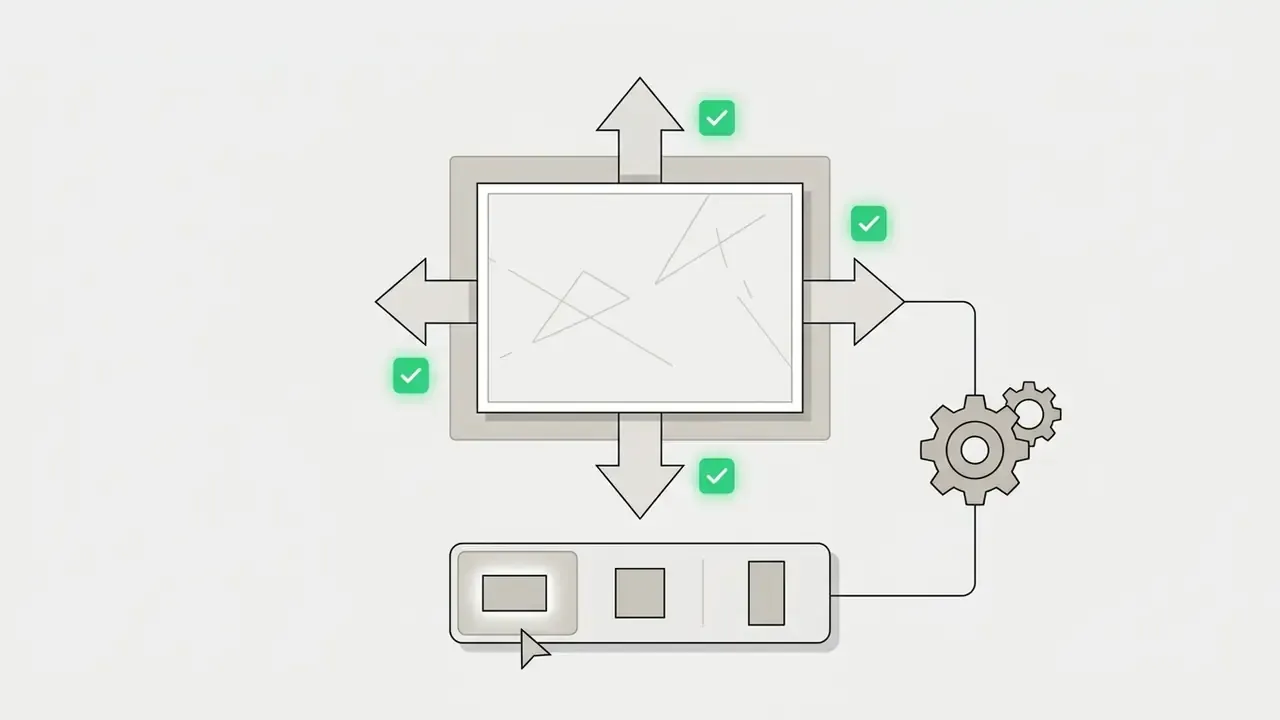
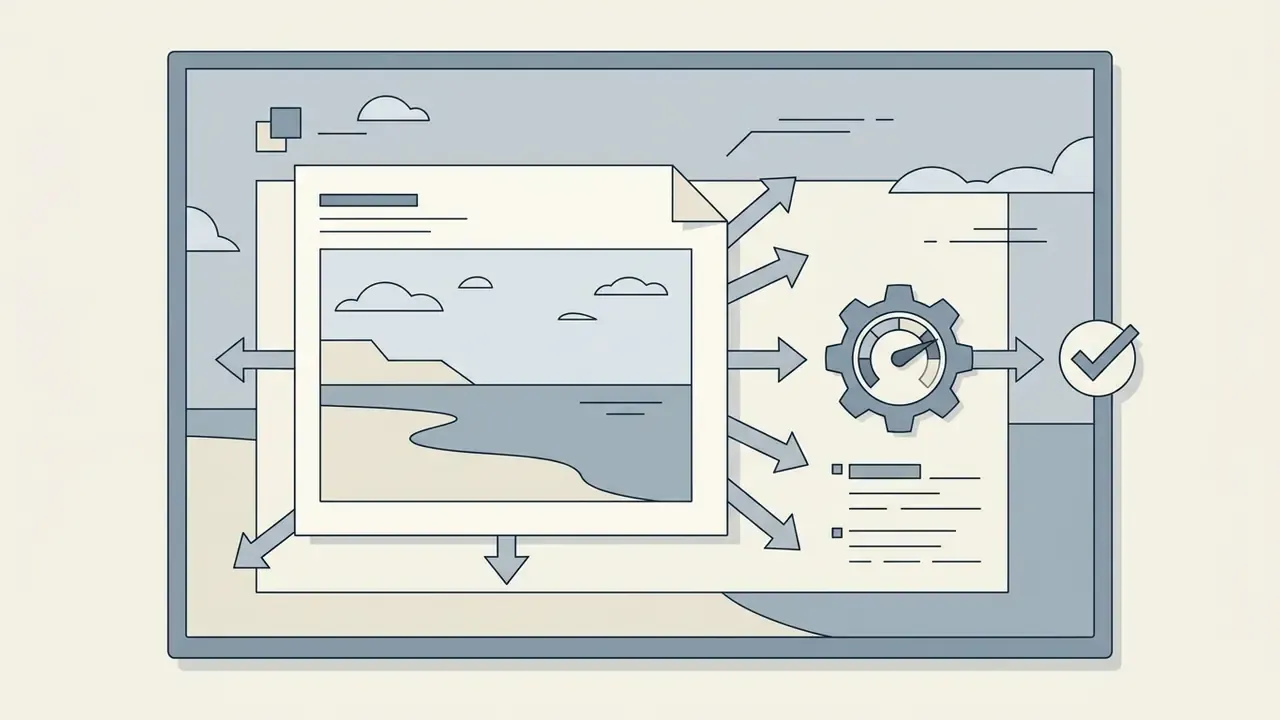
The expansion process begins when you upload image assets to the processing canvas. You then define whether the extension happens vertically, horizontally, or uniformly across all perimeter boundaries.
Selective boundary framing keeps main subjects positioned according to established composition principles, such as the rule of thirds, while surrounding negative space grows. Directional guidance from outpainting documentation is consistent: request more sky above, more floor or ground below, and more room or environment to the sides, because those regions continue predictably. Avoid expanding straight into fixed architecture, and never across the subject itself.
Choose a New Frame, Size, or Aspect Ratio
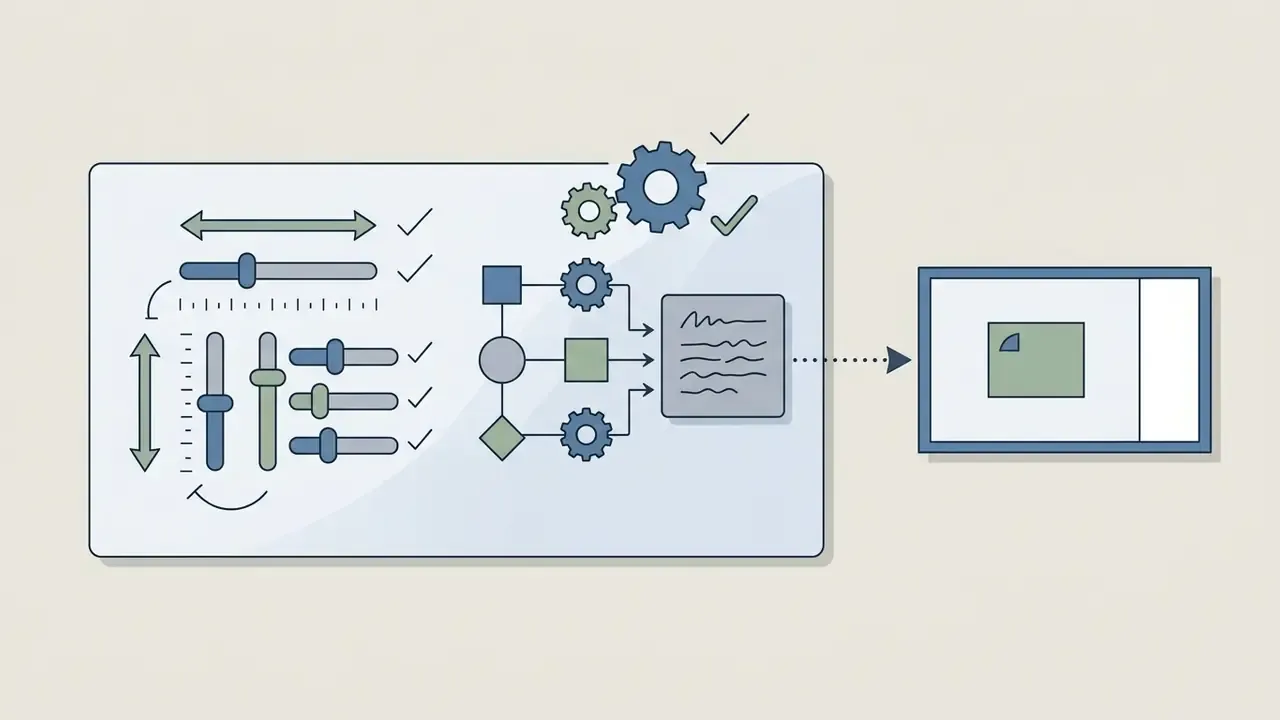
Online utilities offer preset frame dimensions built for digital publishing channels, plus custom pixel inputs. Updated with an expanded preset grid:
- Standard display 16:9 (widescreen video and YouTube thumbnails), 4:3 (traditional monitor and slide decks), 3:4 (portrait document).
- Social and mobile 9:16 (Stories, Reels, TikTok), 4:5 (Instagram and Facebook feed image ads at 1440 × 1800 px), 1:1 (square post and LinkedIn profile visuals).
- Ultra-wide and specialized 21:9 (cinematic banner), 9:21 (tall mobile UI), 2:1 (landscape header), 1:2 (vertical skyscraper ad), 5:4 (large-format print).
- Custom or freeform manual pixel dimensions or border-drag expansion when no preset matches the placement specification.
Choosing target canvas dimensions before generation prevents post-processing distortion when the same visual ships across multi-channel campaigns for product images, editorial layouts, and campaign creative. Where a platform enforces a 3% aspect-ratio tolerance, confirm exact output pixels rather than the preset label. That one habit prevents most rejected ad creatives.
Using Custom Text Prompts to Direct Expansion Content
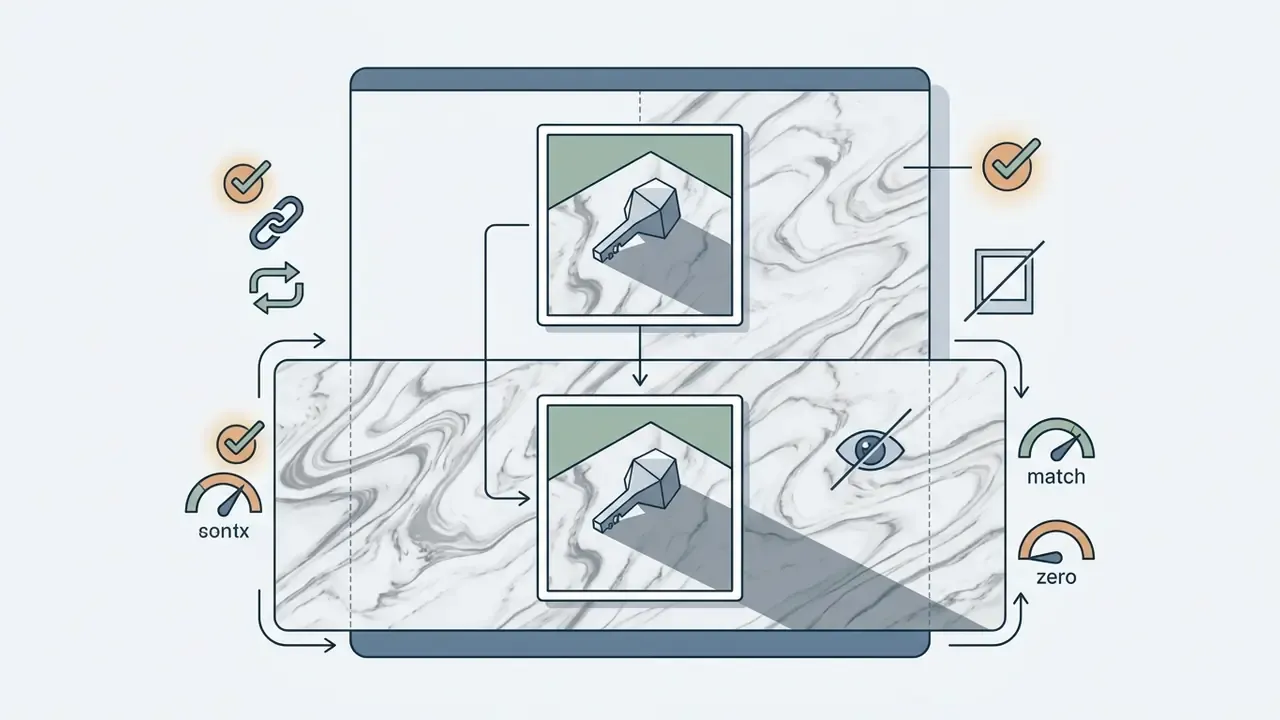
Default outpainting leans on visual context algorithms. Explicit text prompts let you steer the generative fill instead. Descriptive modifiers such as "expand background with cinematic dramatic clouds" or "add continuous oak wood table texture" push the diffusion engine to synthesize specific elements inside the unmasked vector space rather than averaging border statistics.
Prompt structuring rule: combine spatial direction with surface attributes and light state, for instance [Direction: right boundary] + [Element: Nordic pine forest] + [Lighting: golden hour sunlight]. Regional control research supports that granularity. Region-controlled generation defines each region by position tokens for its top-left and bottom-right corners plus an open-ended regional description, and colour-map regional prompting assigns distinct prompts to distinct areas of a single canvas. Teams that want to reverse-engineer a reference frame into usable wording can run it through an image to prompt tool first.
Practical prompt patterns that reduce artifacts:

Executing Batch AI Expansion for Multi-Asset Workflows
When content operations need uniform canvas formatting across hundreds of catalog or stock photos, batch outpainting automates the aspect-ratio conversion:
- Bulk asset upload: import a ZIP archive or multiple files (PNG, JPG, JPEG, WEBP, typically up to 20 MB per asset).
- Global parameter masking: set fixed expansion rules once, for example uniform 16:9 padding on every square asset in the queue.
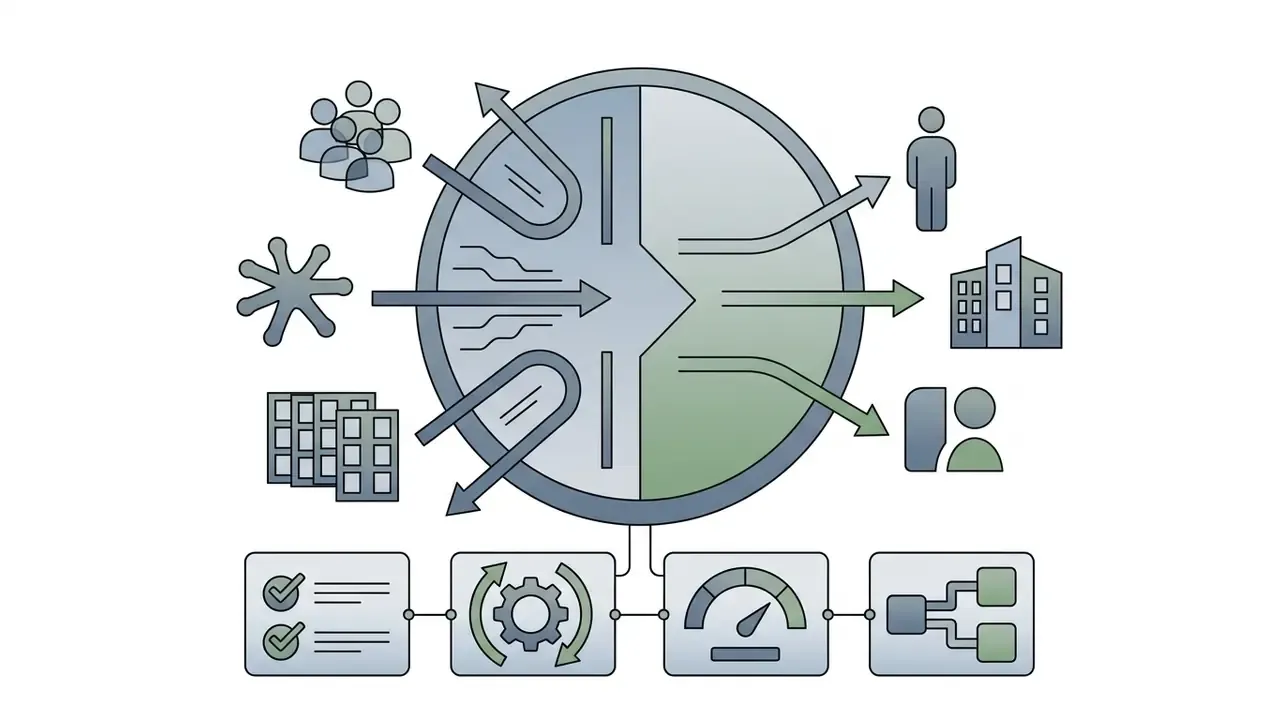
- Automated pipeline execution: latent diffusion jobs are queued and processed across cloud nodes in parallel rather than sequentially.
- Quality sampling: spot-check a statistically meaningful subset, commonly 5 to 10% of the batch, for seam integrity before accepting the run.
- Batch ZIP export: download the full high-resolution asset library without repeating individual canvas setup.
Note the licensing asymmetry. Batch endpoints are usually credit-metered or API-gated, so the free no-sign-up tier that handles one file per upload rarely covers multi-asset production. Teams comparing throughput and pricing across vendors can review our analysis of AI outpainting tools.
Generate, Review, and Download the Extended Image
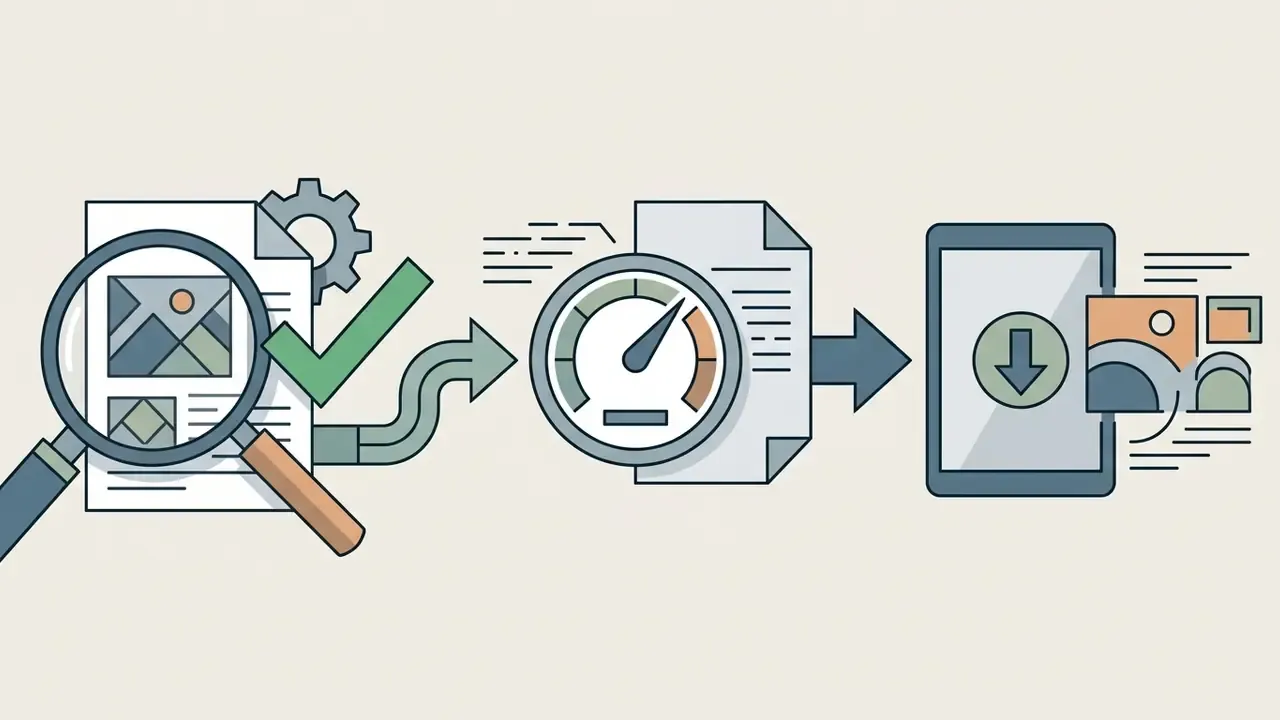
Selecting click generate tells the neural engine to render several candidate variations of the extended boundary. Reviewing those variants is how you verify structural continuity along the seam before anything gets saved.
Once validated, export the file directly. A repeatable review protocol mirrors formal quality-assessment workflows: score each candidate on seam continuity, lighting agreement, geometry straightness, and absence of duplicated objects; compare scores across variants; then export the winner in the format your downstream channel requires. Final output verification keeps image quality at the resolution target before the asset enters production. To compare specialized tools for specific artistic workflows, you can open the hub and evaluate model performance metrics side by side.
How to Expand Images Without Losing Quality or Looking Artificial
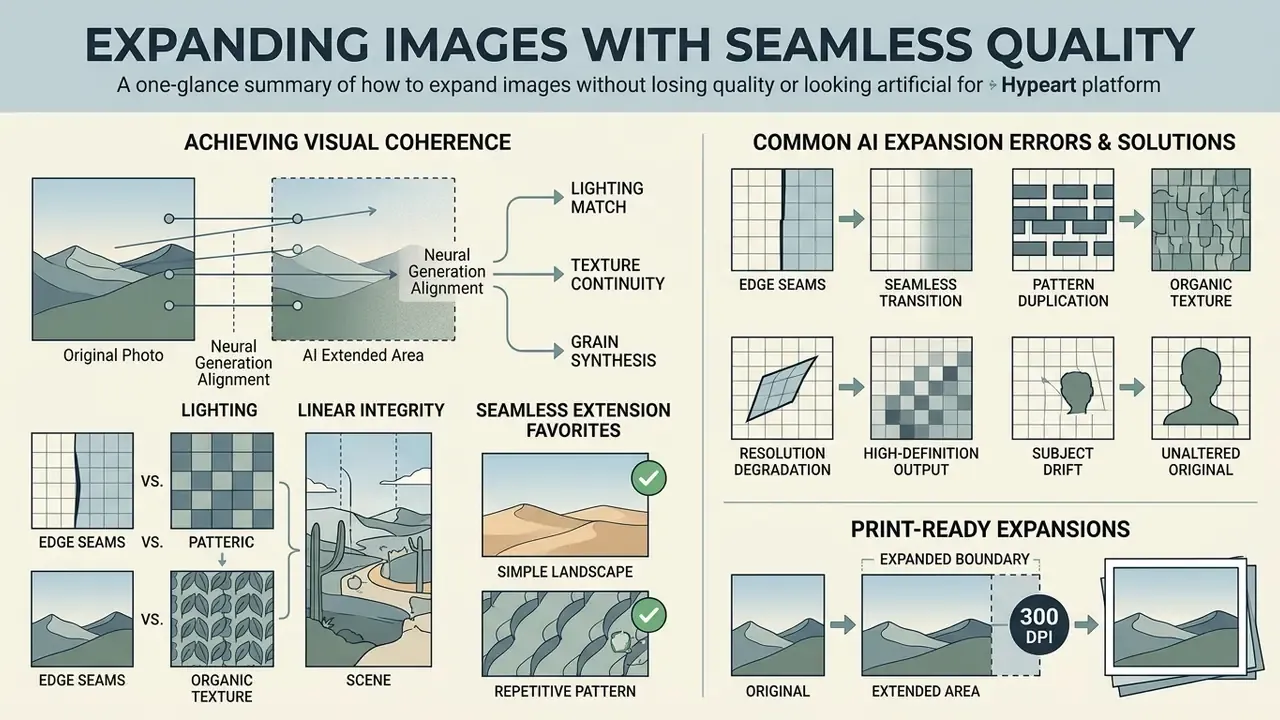
Visual coherence in the extended area depends on aligning neural generation settings with the original photo's lighting, texture, and grain. Expanding photos without losing quality comes down to seamless border blending, and almost nothing else.
«ByteEdit improves outpainting quality by 388% and consistency by 135% over the baseline model in human preference evaluations.» ByteEdit: Boost, Comply and Accelerate Generative Image Editing, arXiv preprint, 2024. https://arxiv.org/
Images That Produce the Most Seamless Extension
Source images with simple, continuous backgrounds deliver the highest fidelity during outpainting. Natural landscapes, uniform studio backdrops, ocean horizons, and soft gradient environments let the algorithm render a natural looking frame continuation.
Scenes with consistent lighting texture reduce seam mismatch along the boundary of the original image, which produces high quality output without heavy manual retouching. Conversely, busy natural scenes, dense crowds, repeating architectural grids and text-bearing signage remain the least reliable inputs. Text in particular tends to come back as convincing gibberish.
Common AI Expansion Errors and How to Fix Them
Frequent outpainting defects include repeating structural patterns, mismatched horizon angles, blurred border regions, and distorted edge lines. Peer-reviewed work characterizes these failures plainly: outpainting can produce "inconsistent, blurry, and repeated pixels" (WACV 2021), while extrapolated isophotes may kink, blur, or terminate abruptly (Springer, 2020). The errors appear when the model misreads spatial context beyond the visible margin.
One habit worth adopting: judge the result at 100% zoom on the seam, not at fit-to-screen. A fit-to-screen review passes almost everything, which is precisely the problem.
- Edge boundary seams
- run targeted localized inpainting along the boundary line to smooth transition gradients.
- Pattern duplication
- constrain the expansion to smaller increments, roughly 10 to 15% size increases, instead of one large canvas jump.
- Bent or broken lines
- re-run with an explicit prompt constraint naming the architectural element, or expand one axis at a time so perspective vectors stay single-directional.
- Resolution degradation
- apply a dedicated image upscaler to the source file before outpainting to supply higher latent pixel density. Pre-upscaling a low-resolution original is the single highest-yield fix, because the diffusion model then has denser boundary information to extrapolate from. An AI image enhancer can precede the upscaling pass when the source also carries noise or compression damage.
- Subject drift
- re-check the subject bounding box after generation. If the apparent subject size changed, reduce the expansion ratio and regenerate.
Preparing Print-Ready Expansions at 300 DPI
Offline and large-format production tolerates far less than web publishing. A banner enlarged from a web-resolution source will expose every seam a 1080-pixel preview hides.
- Compute target pixels before generating a 1 × 2 m banner at 150 DPI needs roughly 5,900 × 11,800 px; an A2 poster at 300 DPI needs about 4,960 × 7,015 px.
- Order the pipeline correctly upscale first, outpaint second, then inspect the seam at full zoom.
- Reject free tiers with export ceilings a 1024 px or 2000 × 2000 px cap makes print output impossible no matter how good the screen preview looks.
- Check edge safety keep generated content out of the trim and bleed zone, because hallucinated detail at the crop line is the most visible print defect.
- Export losslessly PNG or TIFF for final artwork. JPEG compression re-introduces blocking exactly along the high-contrast expansion seam.
Commercial Use, Privacy, and Rights for AI-Extended Images
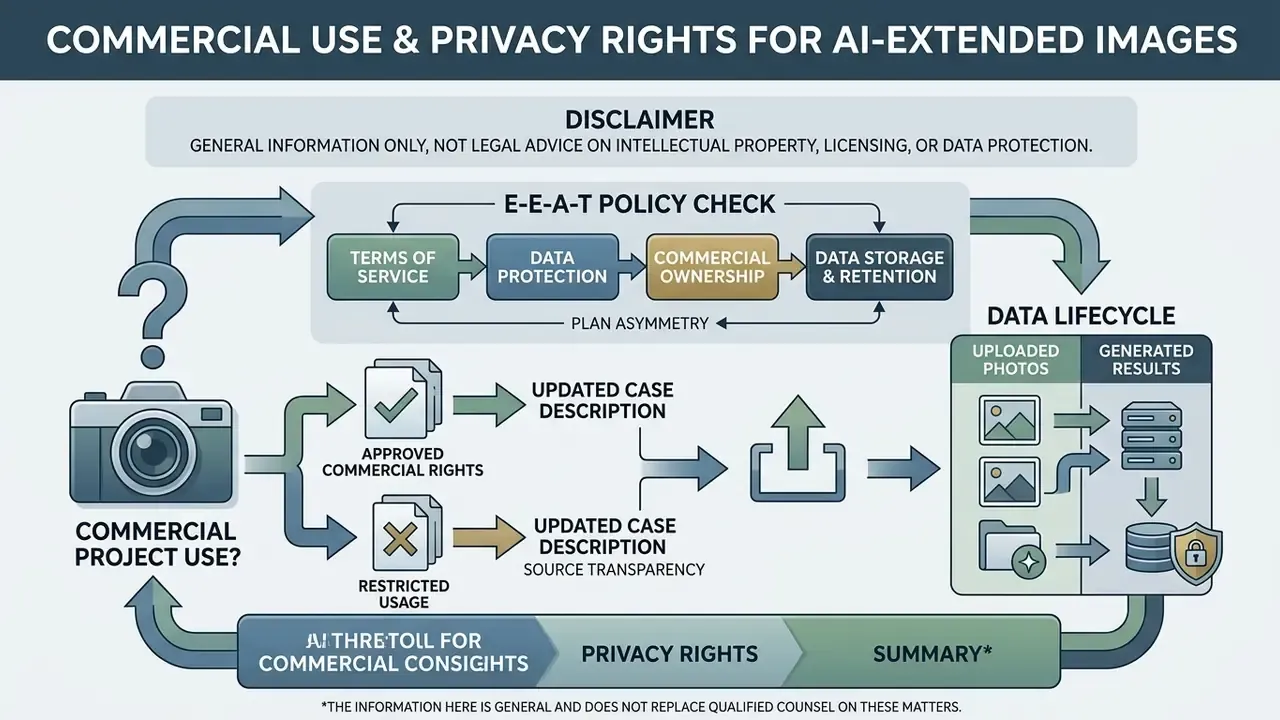
E-E-A-T Policy Check: Terms of Service and Data Protection
Provenance tooling is now part of the compliance surface rather than an optional extra:
«SynthID from Google DeepMind embeds a digital watermark directly into image pixels, and it survives filters, compression, and colour changes.»
For regulated publishing in financial services, insurance, or healthcare marketing, the practical requirement is C2PA Content Credentials: standardized metadata stating that part of the frame was generated. Before standardizing on a tool, confirm whether Content Credentials are written on export, and whether your CMS strips them during re-encoding. Many do, silently.
Can You Use AI Image Extension for Commercial Projects?
Commercial authorization for AI-extended media depends strictly on the provider's contractual terms.
«In 2023, OpenAI, Google, Meta and other firms made voluntary White House commitments to watermark all types of AI-generated content.»
That quantification approach matters for procurement. It lets a risk function attribute exposure to a specific model inside a multi-vendor pipeline rather than treating "AI output" as one undifferentiated blob of risk.
What Happens to Uploaded Photos and Generated Results?
When you upload media to a browser-based ai powered tool, the source file is processed on remote cloud infrastructure. Privacy standards vary widely across public utilities on server retention and encryption. Documented windows span the full range: purge on tab close or page refresh (PxBee-style), automated server purge within roughly 60 minutes (Fotor-style), account-tier-dependent cloud storage (Airbrush-style), 7-day deletion for ID-photo services, 30-day deletion with named third-party processors, and up to 90 days elsewhere.
Governance leaders need confirmation that platforms maintain safe & private data pipelines, so uploaded corporate photos are purged automatically and excluded from neural network re-training sets. Teams that also need to confirm whether an inbound asset was machine-generated can evaluate AI image detectors as a complementary control, and those building structured text records from visual files may find an image to text converter online useful for the same documentation trail.
Best Use Cases for AI Image Expansion
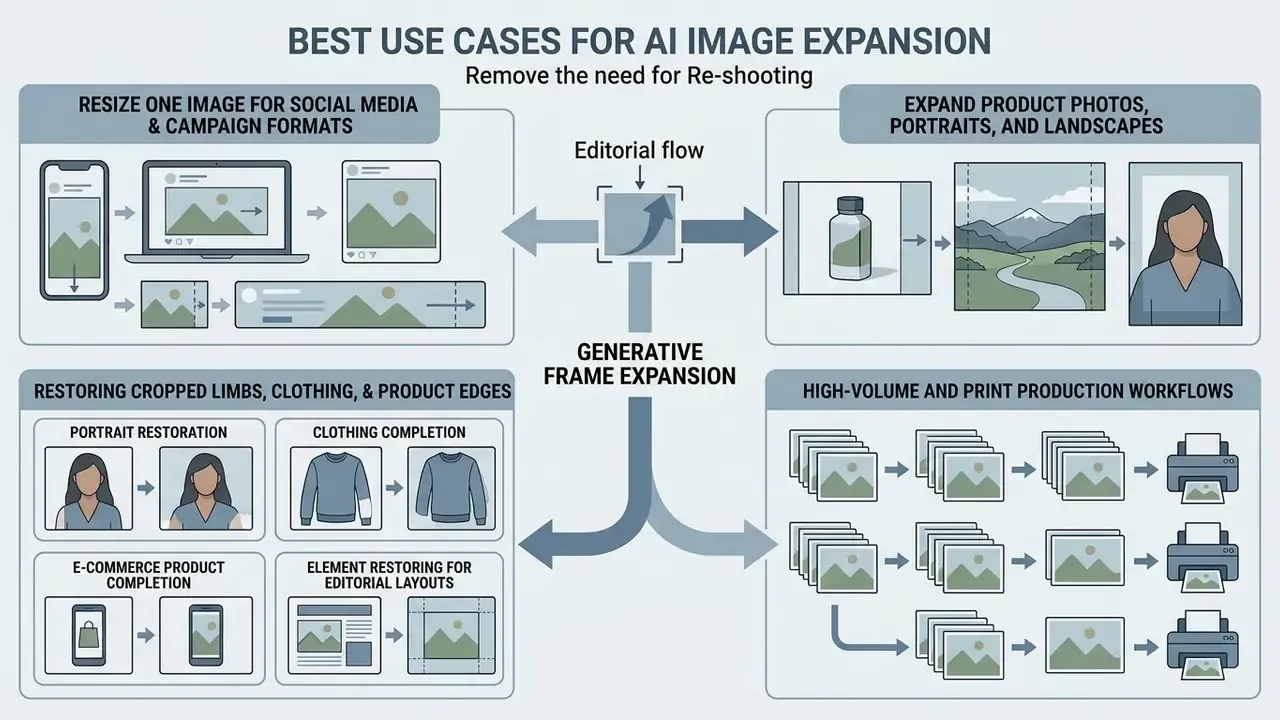
Generative frame expansion pays off across visual design and content publishing mostly by removing the need to re-shoot. That is the whole economic argument, stated plainly.
Expand Product Photos, Portraits, and Landscapes
E-commerce managers use frame expansion to standardize background space around catalog items and keep margins consistent across storefronts. Marketplace guidance points the same way: display the entire product in frame and pad it with white space instead of cropping. Pairing expansion with an AI image upscaler keeps those padded listings sharp at desktop hero dimensions, and cramped product photos become spacious banners without a studio booking.
Photographers, similarly, use outpainting to extend photo framing on portraits and landscapes, restoring environmental context without distorting central subjects. Genre discipline still applies. Institutional AI guidelines permit extending nondescript textural or blurred backgrounds, a shrub behind a portrait subject for example, while prohibiting extension of fixed architecture or of the subject itself. Teams that need to convert a reference asset into machine-readable input for other pipelines can start from image to ai workflows.
Restoring Cropped Limbs, Clothing, and Product Edges
AI outpainting goes past scene backgrounds. It also restores incomplete subjects truncated by tight camera framing. When extending headshots or catalog assets, the model reads anatomical proportions or geometric object symmetry to reconstruct what is missing:
- Portrait restoration recreates cut-off shoulders, arm segments, and hair volume while matching skin tones and fabric weave, which helps when a tight ID photo has to become a resume, LinkedIn, or corporate profile image with visible shoulders and collar.
- Clothing completion continues a jacket hem, sleeve, or hood that falls outside the frame, inferring drape direction from visible folds.
- E-commerce product completion rebuilds partially visible packaging edges, product bases, and shadow drops so the full item passes marketplace approval.
- Element restoring for editorial layouts rebuilds a cropped limb, garment detail, or product edge with lighting and texture blended into the primary subject.
The governance caveat has not changed. Restored anatomy and product geometry are inferred, not recovered. For regulated categories such as medical devices, cosmetics claims, or dimensional product specifications, reconstructed edges must be validated against the physical item before publication. No exceptions worth taking.
High-Volume and Print Production Workflows
Batch expansion plus print-grade export covers the operational cases single-file free tools simply cannot: seasonal catalog refreshes across hundreds of SKUs, website header standardization across CMS templates, Pinterest and Reels reformatting of an existing library, and distortion-free enlargement of banners and posters that would otherwise demand a re-shoot.
AI Image Extender FAQ
Can AI Uncrop an Image Without Distorting the Subject?
Yes. Generative outpainting tools uncrop images without distortion by locking the original pixels inside a binary mask. The network synthesizes new content only in the outer unmasked region, so the central subject's scale, aspect ratio, and structural proportions stay untouched. Mature pipelines also re-verify the subject bounding box with an object segmenter after generation and discard candidates where a newly generated object exceeds roughly a quarter of the subject's area.
«A diffusion model for recovering field-of-view-truncated chest CT images outperforms previous methods while being trained on 87% less data.» Diffusion-based Generative Image Outpainting for Recovery of FOV-Truncated CT Images, arXiv preprint, 2024. https://arxiv.org/
Should You Remove the Background Before or After AI Expansion?
A background remover should generally run before AI expansion if the goal is to place the subject into an entirely new scene. Removing the background first lets the outpainting engine generate consistent environment textures around a clean subject mask without inheriting artifacts from the old backdrop. Current diffusion documentation follows the same order: remove the background, replace the transparent region with a neutral fill, then outpaint.
Can You Control What AI Adds Beyond the Original Frame?
Yes. Modern outpainting applications accept regional text prompts and spatial coordinates that specify what appears in the expanded area. With descriptive prompt parameters, you can direct the model to generate particular textures, architectural features, or environmental elements beyond the original frame.
«VIP uses a multimodal large language model to extract textual descriptions and steer the content of the expanded region through a dedicated CTS cross-attention module.» VIP: Versatile Image Outpainting Empowered by Multimodal Large Language Model, arXiv preprint, 2024. https://arxiv.org/ Readers comparing models by the depth of their generative controls can review leading AI image generators.
Can AI Image Extenders Process Multiple Files at Once?
Some can. Batch-capable services accept multiple uploads or an archive, apply one global aspect-ratio rule, and return a ZIP export. Registration-free tiers commonly limit processing to one image per upload, so multi-asset production usually needs a credited account or API access.
Which Aspect Ratios Are Most Commonly Supported?
Nearly every tool exposes 1:1, 16:9 and 9:16. Broader implementations add 4:3, 3:4, 4:5, 5:4, 2:1, 1:2, 21:9 and 9:21, plus a custom or freeform mode for exact pixel dimensions.
Does Expansion Reduce the Resolution of the Original Pixels?
No. The original pixels are preserved inside the mask. What changes is the effective density of the whole composition: a small source dropped onto a much larger canvas produces a bigger file whose generated regions may read softer than the original. Pre-upscaling the source mitigates that, and a quick terminology refresher is available if you explore the hub of foundational definitions.
Appendix A: Superseded Statements and Editorial Corrections