Converting a visual asset into a descriptive text prompt lets organizations and creators reverse-engineer visual styles, set repeatable visual standards, and close the gap between a reference photo and a generative model. Known technical frameworks (CLIP-based projection, Vision-Language Models, and latent prompt inversion) allow an image to prompt ai system to read an input image and extract tokens for subject matter, lighting, composition, and artistic style. In practice, that turns a mood board into something a model can actually execute.
TL;DR Executive Summary
- What it does: An image to prompt AI system inverts a reference image into an editable text specification (subject, environment, lighting, style, camera, aspect ratio) that can be replayed across diffusion and video models.
- How it works: Three mechanism families dominate in 2026. Captioning plus CLIP ranking (CLIP Interrogator class), latent or hard-prompt optimization (EDITOR, PH2P, ARPO), and noise inversion for structural fidelity (Negative-Prompt Inversion, Dual Inversion).
- Where accuracy breaks: Prompt length and detail density. Independent benchmarks report roughly 50% accuracy on attribute binding and spatial reasoning for current text-to-image models, with degradation as prompts lengthen (DetailMaster, arXiv 2026; TextInVision, CVPRW 2025).
- Fastest operational win: Use fill-in-the-blank prompt templates (see Universal Copy-Paste Prompt Templates) plus locked style tokens extracted from three to five brand references.
- Enterprise controls required: Vendor data-retention review, DLP rules against Shadow AI uploads of proprietary imagery, deterministic seed logging for reproducibility, and licensing checks on derivative model weights.
- Legal baseline (US): The U.S. Copyright Office position is that prompt-only input does not establish human authorship of an AI output. Protection requires a human controlling sufficient expressive elements. Informational, not legal advice.
- Decision rule: If a workflow touches confidential visual IP, prefer self-hosted inversion (local CLIP or LLaVA) or a zero-retention enterprise endpoint over a consumer SaaS converter.
What this guide covers, in order: the definition and mechanics of image to prompt AI; which visual details the model extracts; ControlNet, pose and depth extraction; the step-by-step conversion workflow; prompt anatomy and copy-paste templates; model compatibility across image, video, and AI art engines; tool selection criteria and deployment tiers; enterprise governance, Shadow AI control, and IP risk; commercial and creative use cases; an FAQ; and a short list of next steps. Whether you're a solo designer or a control owner in a regulated institution, the sections are written to be read out of order.
What Is Image to Prompt AI and Why Convert Images to Prompts
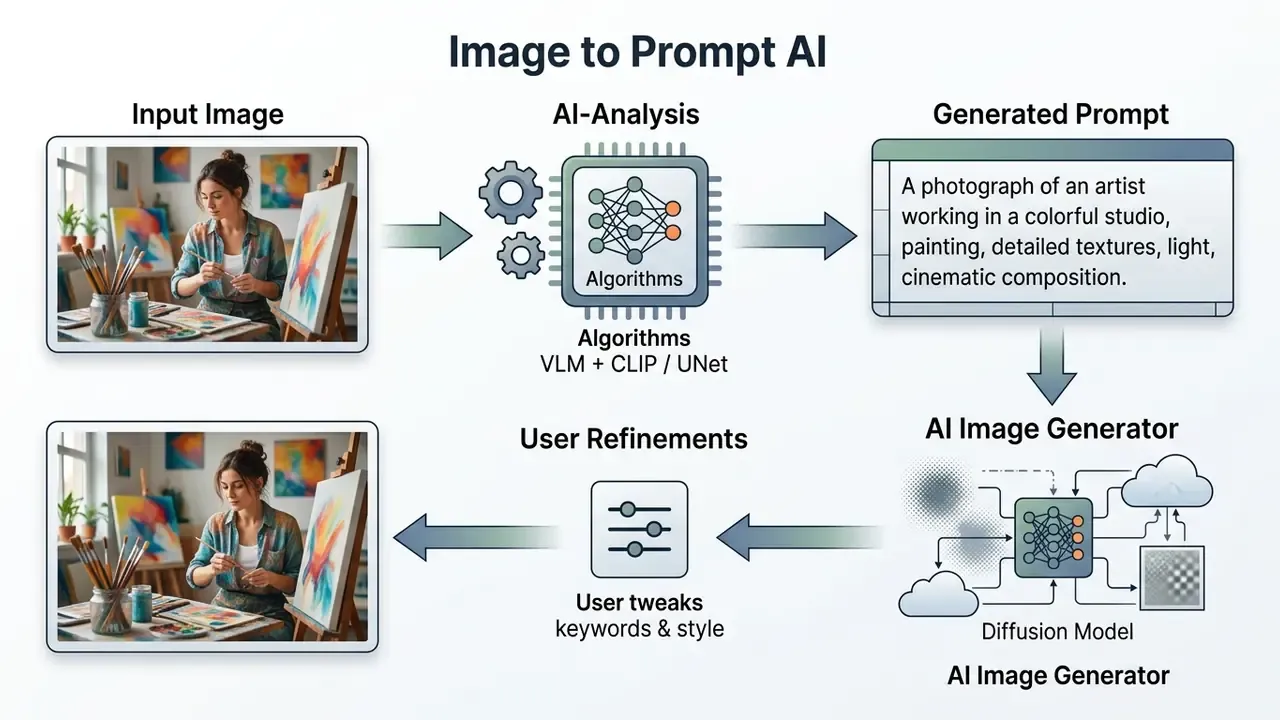
An image to prompt ai tool is a software system that analyzes a source image and generates a structured text prompt capable of driving text-to-image or text-to-video generative models. Instead of guessing the exact keywords, lighting terms, or artistic references needed to recreate a look, users rely on automated prompt inversion to reconstruct the visual "recipe" of the input image.
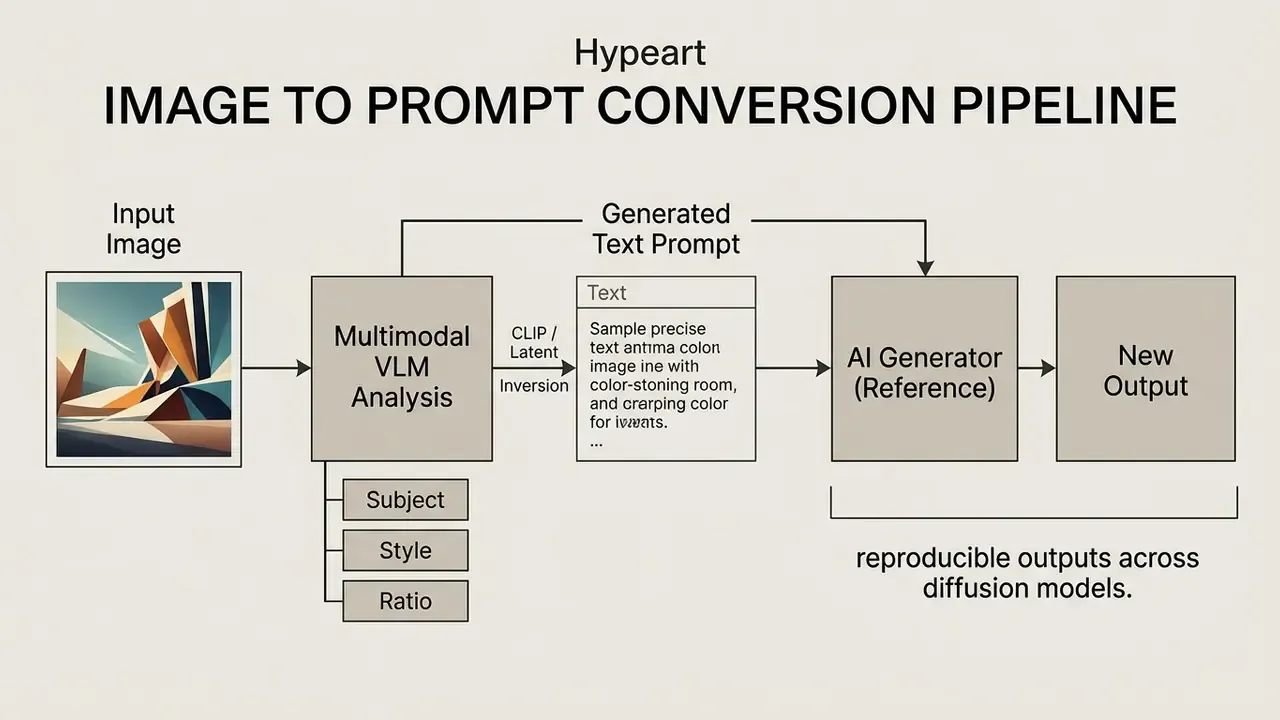
Technically, ai generate image to prompt systems work through multi-modal embedding alignment or iterative diffusion inversion. Modern methods such as EDITOR (Xu et al., 2025/2026) and Dual Inversion combine pretrained vision-language captioners with latent space optimization. They recover human-readable hard prompts alongside structural noise latents. The process turns raw pixel data into an editable surrogate description.
Two adjacent mechanisms complete the 2026 picture. Negative-Prompt Inversion (WACV 2025) drops iterative optimization entirely and performs real-image inversion through forward propagation only, which is why it powers ultrafast text-guided editing. Dual Inversion (2026) runs a two-stage pipeline: a VLM plus CLIP plus LLM stack produces a human-readable hard prompt, then unconditional DDIM inversion recovers the latent noise so structural geometry survives the round trip. Practically, a converter can return both what the image says (text) and how the image is built (latent structure).
Which Details AI Extracts from an Image
To reconstruct an accurate image to prompt text description, the analyzer decomposes an image into separate visual dimensions. Advanced multimodal encoders pull information across these primary categories:
- Primary subject and scene core objects, characters, background elements, and spatial relationships.
- Artistic style and medium oil painting, 3D render, photographic, vector art, or the specialized looks catalogued in our AI art generator comparison.
- Lighting and palette exposure, color temperature, key light placement, shadow softness, and dominant colors.
- Composition and camera parameters shot scale (close-up, wide shot), camera angle (low angle, eye level), focal length, and depth of field.
- Aspect ratio and technical framing dimensional proportions such as 1:1, 4:5, 16:9, or 9:16.
Updated: research on latent diffusion inversion shows that different diffusion timesteps correlate with different semantic abstraction levels, and that restricting the loss to a semantically meaningful timestep band stabilizes optimization.
In operational terms: early timesteps encode fine surface texture, while later timesteps dictate high-level spatial composition and subject identity. A converter that samples only one band will reliably lose either micro-texture or macro-composition. There is no free lunch here.
Structural and Spatial Geometry Extraction (ControlNet and Pose Inversion)
Advanced multimodal image-to-prompt converters do not stop at semantic keywords. They isolate structural control maps for exact geometric replication across diffusion models:
- OpenPose and skeleton inversion extracts 2D keypoints of human body poses and translates limb orientation into a structural framework for character generation. This is the mechanism behind pose-to-image workflows, where a 3D rig or a reference photo fixes the skeleton while the text prompt controls style.
- Canny edge and line art detection isolates high-contrast outlines and sharp boundaries, creating a rigid wireframe mask that constrains subject proportions. Line-art refinement and line-coloring pipelines reuse the same edge map for restyling without silhouette drift.
- Depth map vectorization measures relative Z-axis distance in the visual field and outputs a grayscale depth map that preserves subject-to-background separation regardless of style changes.
- Segmentation and region masks separates subject, background, and secondary objects into labeled regions, which enables "change only the background" edits while the product geometry stays byte-stable.
Practical rule: a text prompt transfers semantics, a control map transfers geometry. High-fidelity recreation of a competitor visual or a master product photograph usually needs both, the extracted prompt for style and lighting, plus an edge or depth map for proportions.
When an Image to Prompt Generator Is More Useful Than Manual Description
An automated image to prompt generator ai tool offers real operational advantages over hand-written description once you are managing complex visual taxonomy or scaling asset production.
How to Make a Prompt from an Image Using an AI Tool
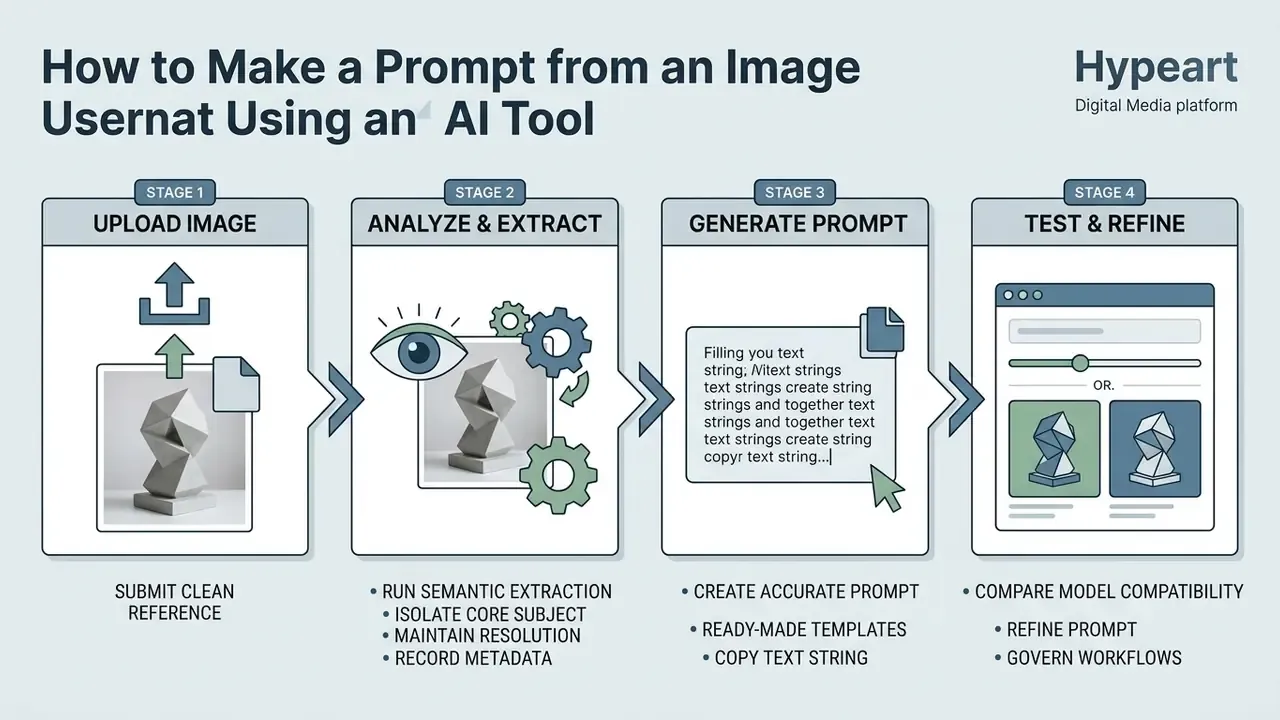
To make a prompt from an image, a user submits a clean visual reference into an image to ai prompt converter, runs semantic extraction, then refines the resulting text string for deployment in the target neural network.
Uploading Input Image and Preparing Reference Images
Prompt quality tracks input quality almost linearly. For dependable image to text prompt generation, source images should show high spatial resolution, clear subject separation, and minimal compression artifacts.
When preparing reference images for extraction:
- Isolate the core subject.
- Avoid cluttered backgrounds if the goal is to extract a specific product or character model.
- Maintain native resolution.
- Low-contrast or heavily compressed files degrade the vision encoder's ability to read texture and fine text. Vendor vision guidance recommends original-detail processing for tiny text, handwriting, dense tables, and low-contrast scans. Roughly 300 ppi remains a workable baseline for document-grade inputs.
- Define source roles.
- When uploading multiple references, label each image by index (Image 1: subject, Image 2: lighting style) to guide the multimodal model during prompt construction. Role assignment is explicitly recommended in current multi-image prompting guidance.
- Record capture metadata.
- Note composition, lighting conditions, background description, and post-processing for each reference, plus the preferred output ratio (1:1, 4:5, 16:9). Documented metadata makes later prompt audits reproducible.
Generating and Copying the Image to Text Prompt
Once the asset is uploaded to an image to prompt ai tool, the engine runs visual feature extraction. It maps feature vectors against its vocabulary matrix and produces a structured image to text prompt.
Users then copy the output string from the image to text prompt converter and paste it into their generation environment. Transfer nuances matter. For verbatim text or typography recovery, the instruction must explicitly request full recognition and preserved line structure, otherwise the model paraphrases instead of copying. If the task involves cross-platform generation, for example taking a prompt derived from a static frame into a gemini ai image pipeline, a GPT image endpoint, or an engine like gcore ai image, the plain-language prompt serves as an adaptable baseline string.
Testing and Refining the Generated Prompt
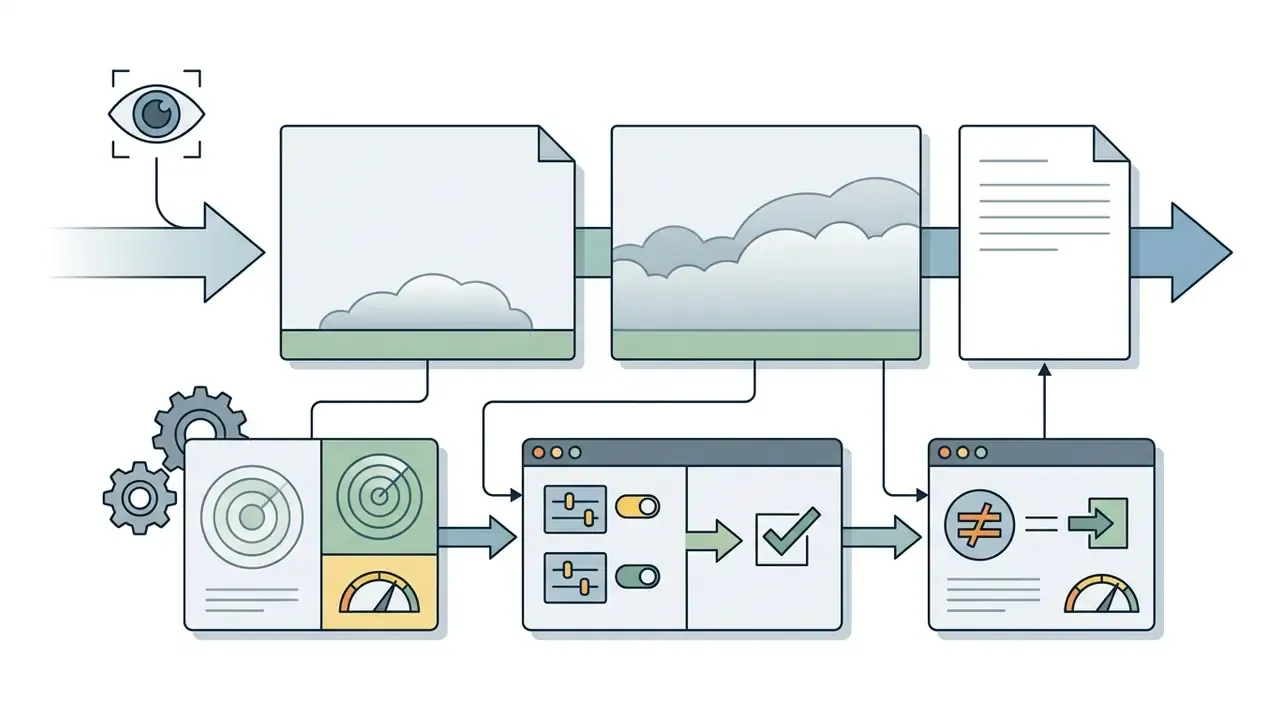
After pasting the generated text prompt into an ai image generator, compare the first output against the original source asset. Discrepancies in color saturation, object placement, or fine detail are inevitable and call for systematic refinement.
A structured refinement protocol involves:
- Diagnostic scoring: rate the output on subject accuracy, style fidelity, and compositional alignment. Use pass, caution, and fail bands so the result is auditable rather than a matter of taste.
- Single-variable edits: change one phrase or parameter token per iteration, for instance only the lighting modifier, while subject tokens stay static. Pair the edit with an explicit "keep everything else the same" constraint to reduce drift.
- Negative prompting: add exclusions (
--no blur, text, watermark) to remove artifacts carried over from the reference photo. - Seed sweeps: re-run the same prompt across three to five fixed seeds to separate a weak prompt from ordinary sampling variance.
1. [ ] Select high-resolution source image with clear subject focus.
2. [ ] Upload asset into the image to prompt converter interface.
3. [ ] Execute multimodal VLM or CLIP analysis to generate draft prompt.
4. [ ] Verify extracted elements: Subject, Background, Style, Aspect Ratio.
5. [ ] Copy generated text prompt to clipboard.
6. [ ] Paste prompt into target AI image generator model.
7. [ ] Compare output against source reference image using diagnostic criteria.
8. [ ] Apply single-variable refinements or negative constraints as needed.
9. [ ] Log seed, model version, and final prompt string for reproducibility.
What Makes a High-Quality Image to Text Prompt
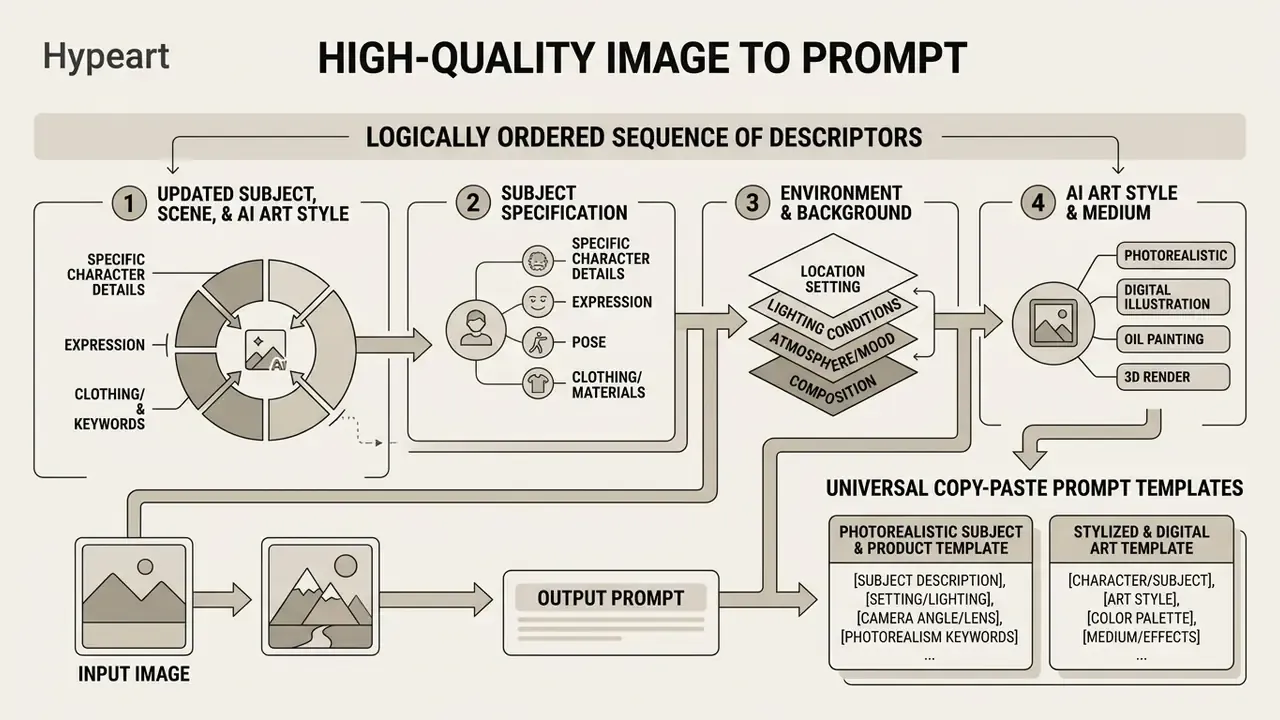
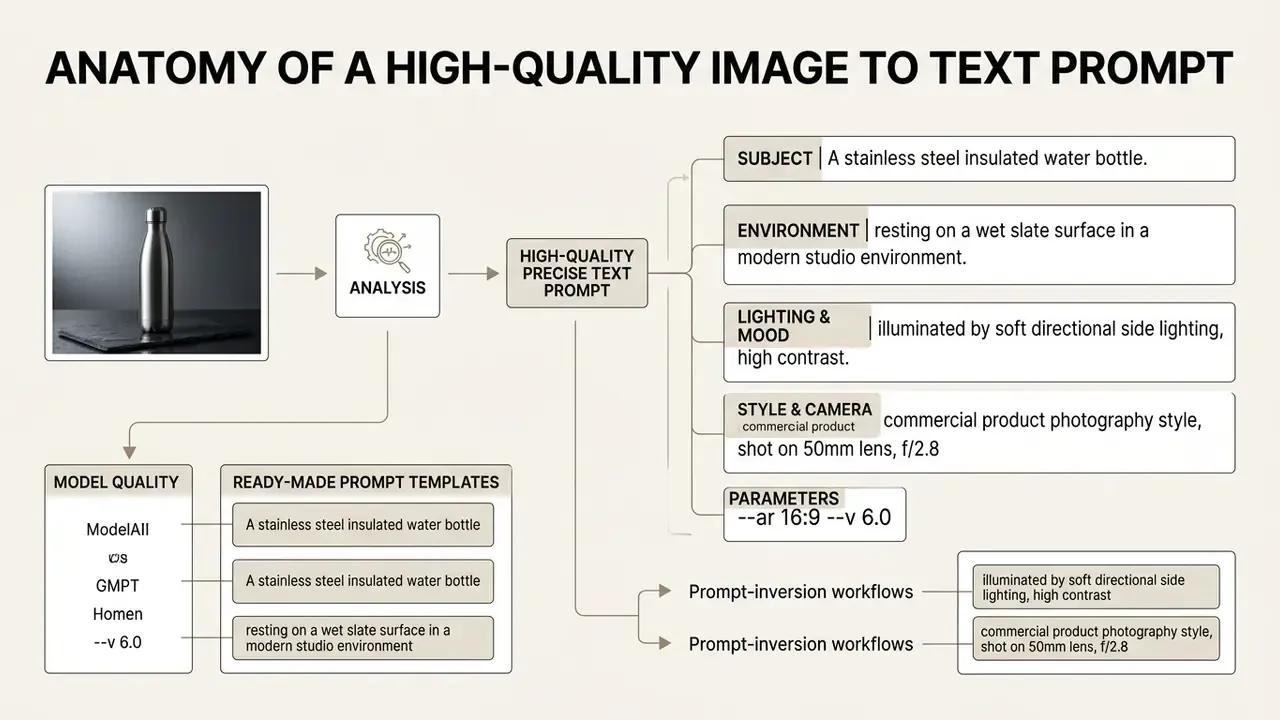
A high-quality image to text ai prompt is a logically ordered sequence of descriptors. It specifies subject matter, environment, artistic style, camera framing, and technical rendering flags, in that order.
Subject, Scene, and AI Art Style
The primary building block of an image to text prompt is the subject specification, followed immediately by environmental context and style indicators.
When structuring image to text prompts, follow a global-to-local descriptor hierarchy:
- Subject specification state the main subject explicitly, for example "a stainless steel insulated water bottle".
- Environment and background describe setting, spatial positioning, and secondary objects, for example "resting on a wet slate surface in a modern studio environment".
- AI art style and medium define the medium or rendering engine, for example "commercial product photograph, 35mm lens, sharp focus, minimal aesthetic".
Universal Copy-Paste Prompt Templates
To convert extracted visual keywords into structured generation strings immediately, use these fill-in-the-blank matrices:
A professional [shot type, e.g., macro close-up] photograph of a [subject], positioned [spatial location, e.g., center frame on a dark granite counter]. Lit by [lighting setup, e.g., soft diffused side softbox], creating [shadow description, e.g., subtle contact shadows]. Color temperature [warm/cool], shot on [camera specs, e.g., 85mm f/1.8 lens], high-texture details, no chromatic aberration --ar [aspect ratio]
- Photorealistic subject and product templatePhotorealistic subject and product template:
- Stylized and digital art templateStylized and digital art template:
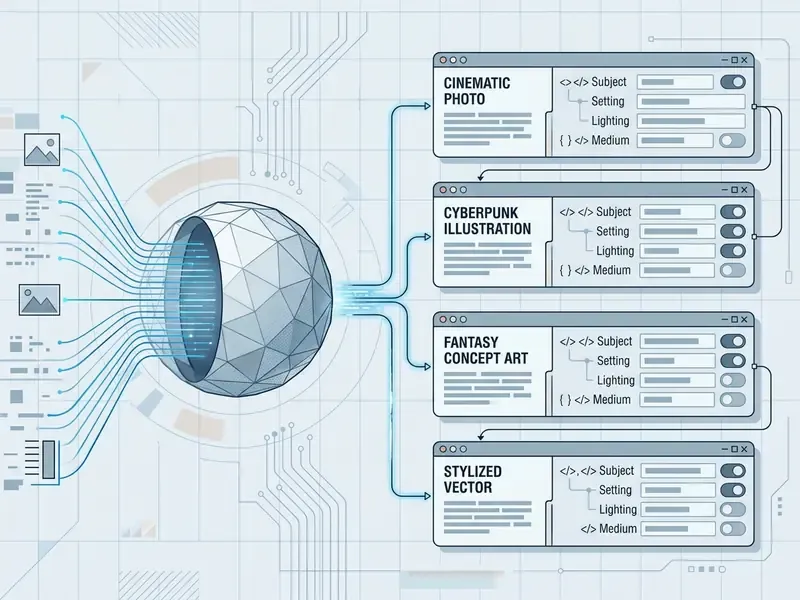
Cinematic still of [subject] in [environment setting]. Atmospheric conditions include [fog/haze/sunbeams], dramatic [lighting type, e.g., volumetric backlighting], color graded in [palette type, e.g., teal and orange tone]. Shot from a [camera angle, e.g., low-angle eye-level perspective], 35mm film grain texture --ar 16:9
[Platform ratio, e.g., 9:16] advertising image of [product] for [audience/offer]. Visual hook: [hook element]. Benefit cue: [benefit]. Clean negative space in the [top/bottom] third reserved for headline and CTA overlay. Lighting: [lighting type]. Brand palette: [hex or color names] --ar 9:16
+ [NEW SUBJECT: subject description and action] + [FRAMING: shot scale and angle] --ar [aspect ratio]
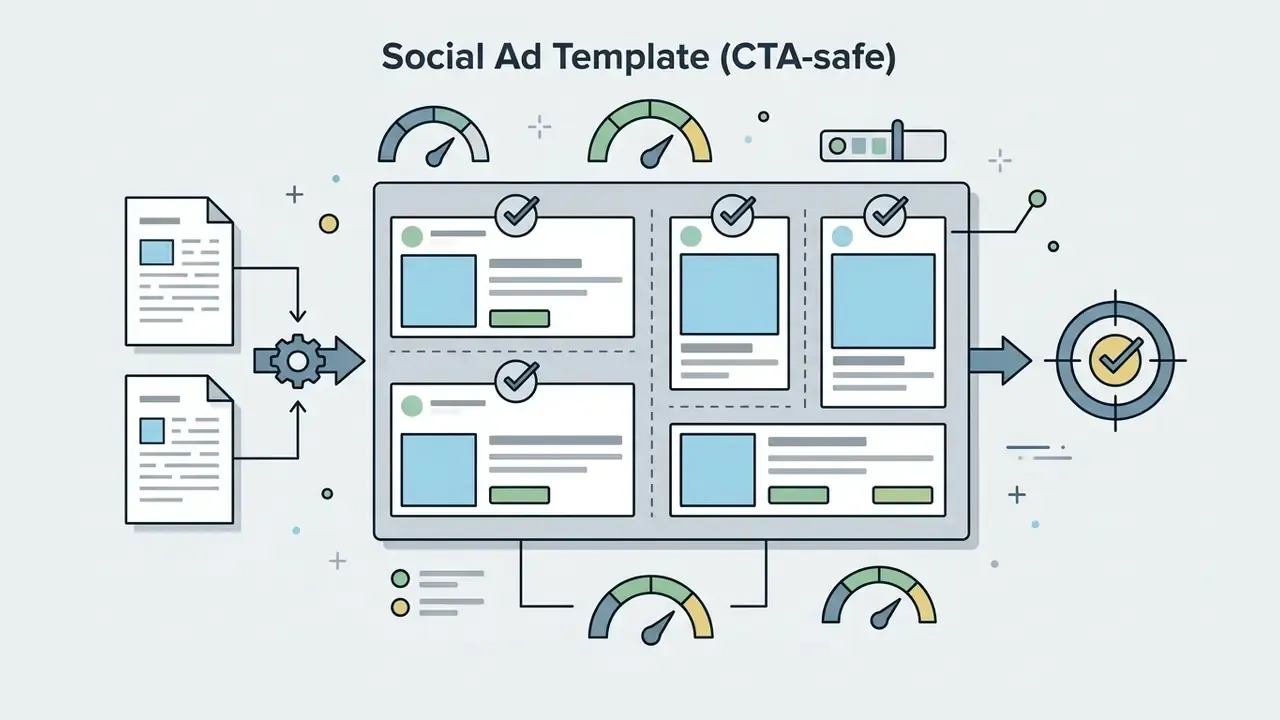

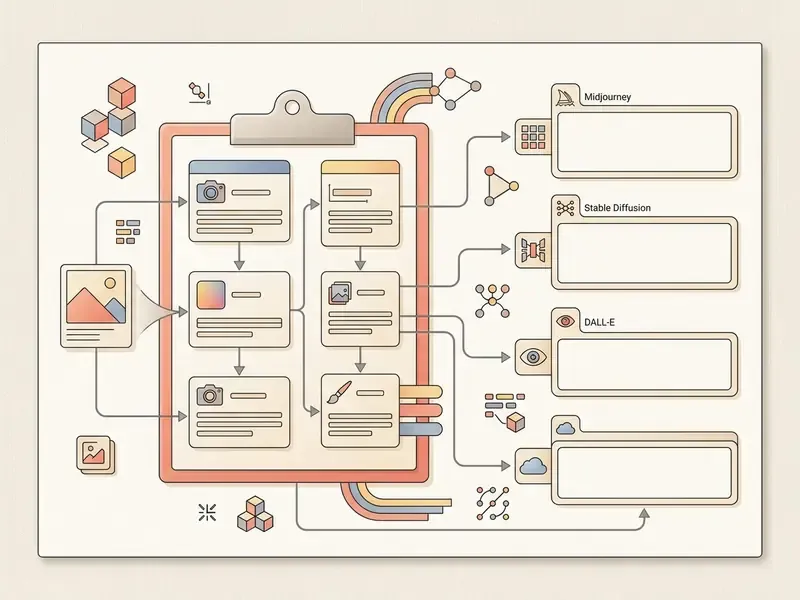
Keep the locked style block byte-identical across a campaign, and change only the subject and framing segments. That single discipline removes most cross-asset style drift.
Composition, Aspect Ratio, and Image Generation Details
Technical modifiers control how the diffusion model formats the frame and renders fine surface texture. Omit the technical metadata and the generator falls back on defaults, which rarely match the source image.
Key technical parameters for an image to ai text prompt:
- Aspect ratio specify exact frame dimensions, such as
1:1for square social posts,4:5for the portrait feed,16:9for widescreen,9:16for mobile stories. Current vendor documentation commonly supports 1:1, 4:3, 3:4, 16:9 and 21:9, with extreme ratios capped around 3:1 or 1:3. - Framing and viewpoint use precise photographic terms, such as "low-angle eye-level shot", "macro close-up", or "overhead bird's-eye perspective".
- Lens and focus name focal length and depth of field explicitly ("35mm, shallow depth of field") instead of vague quality words.
- Lighting quality detail the illumination type, such as "volumetric rim lighting", "soft diffused studio softbox", or "dramatic golden-hour backlighting".
- Material and texture state materials ("brushed steel, condensation droplets, matte paper"). Material nouns raise fidelity more reliably than adjectives like "detailed".
Which AI Models Can Use Prompts Extracted from Images
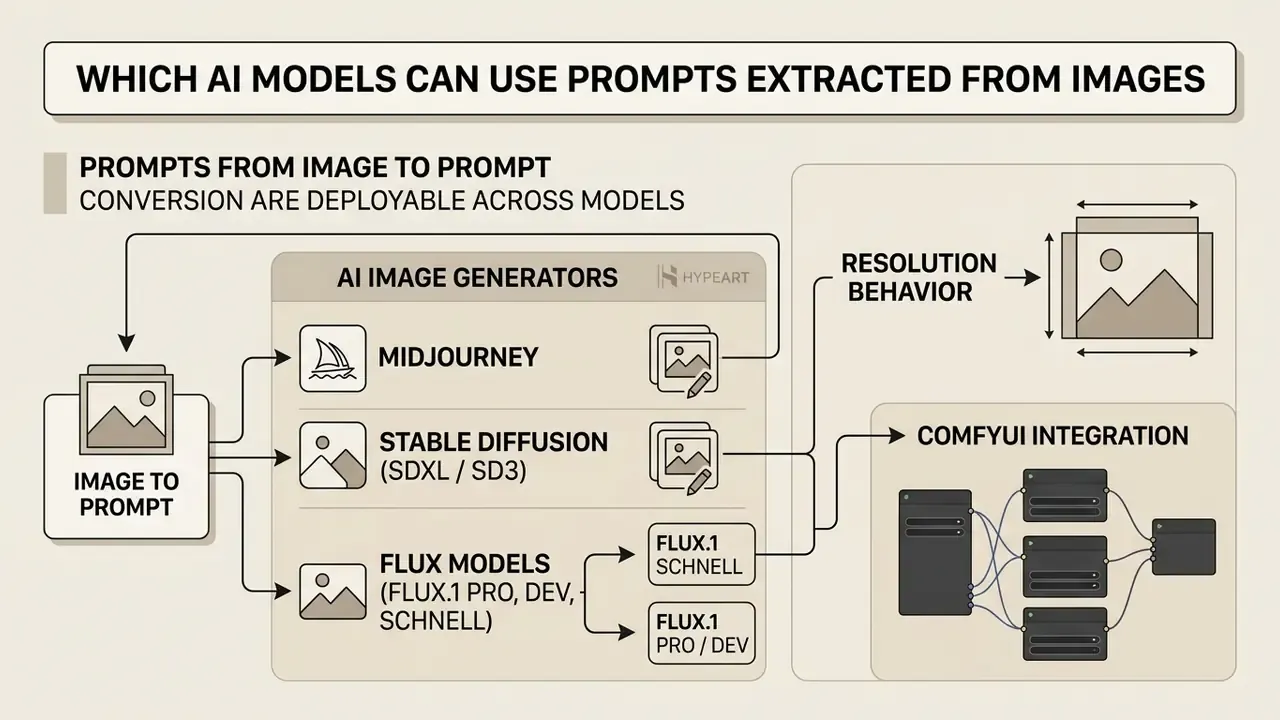
Prompts produced through ai image to prompt conversion can be deployed across many image and video models. Architectures parse text tokens and syntax differently, though, so the raw output usually needs adaptation to match the target system.
Prompts for AI Image Generators
Standard text-to-image models, including Midjourney, Stable Diffusion, FLUX, and the systems reviewed in our comparison of AI image generators, follow specific structural rules:
- Midjourney requires trailing parameter flags separated by spaces (
--ar 16:9,--stylize 250,--v 6.0,--no watermark). Prompt bodies favor comma-separated concept clusters, and a space must precede each flag. Side-by-side output behavior is covered in our Midjourney evaluation. - Stable Diffusion (SDXL / SD3) uses inline weight syntax to emphasize or de-emphasize tokens, such as
(studio lighting:1.2),((neon rim light)), or[background blur]. Control lives inside the token stream, not in trailing flags. - FLUX models (FLUX.1 [pro], [dev], [schnell]) a 12B-parameter transformer flow architecture optimized for natural-language comprehension rather than tag lists.
- FLUX.1 [schnell] prefers concise, direct descriptions under roughly 50 words, focused on primary subject attributes and core lighting for ultra-fast few-step latent diffusion. It is the variant usually exposed on free tiers.
- FLUX.1 [pro] / [dev] responds best to dense, multi-sentence narratives covering complex spatial relationships, exact typography constraints, and physical material properties.
[pro]targets commercial-grade output,[dev]ships as open weights for non-commercial research. - Resolution behavior the family supports outputs up to roughly 2.0 megapixels across several aspect ratios, so the extracted prompt should carry an explicit ratio token.
- ComfyUI integration extracted prompts can be routed into
CLIPTextEncodenodes alongside DualCLIP loader setups (t5xxlplusclip_l) to maximize adherence without visual noise, then combined with ControlNet nodes fed by the extracted depth or edge maps. - Specialized commercial models platforms such as a freepik ai image generator, a Canva AI generator, a Microsoft AI image generator, or a Google AI image generator handle plain natural-language prompts efficiently without custom parameter tags.
Portability rule of thumb: plain-language prompt bodies transfer well, while vendor-specific reference tags (<Image 1>, case-sensitive parsers) and flag syntax do not.
Prompts for AI Video and Visual Storytelling
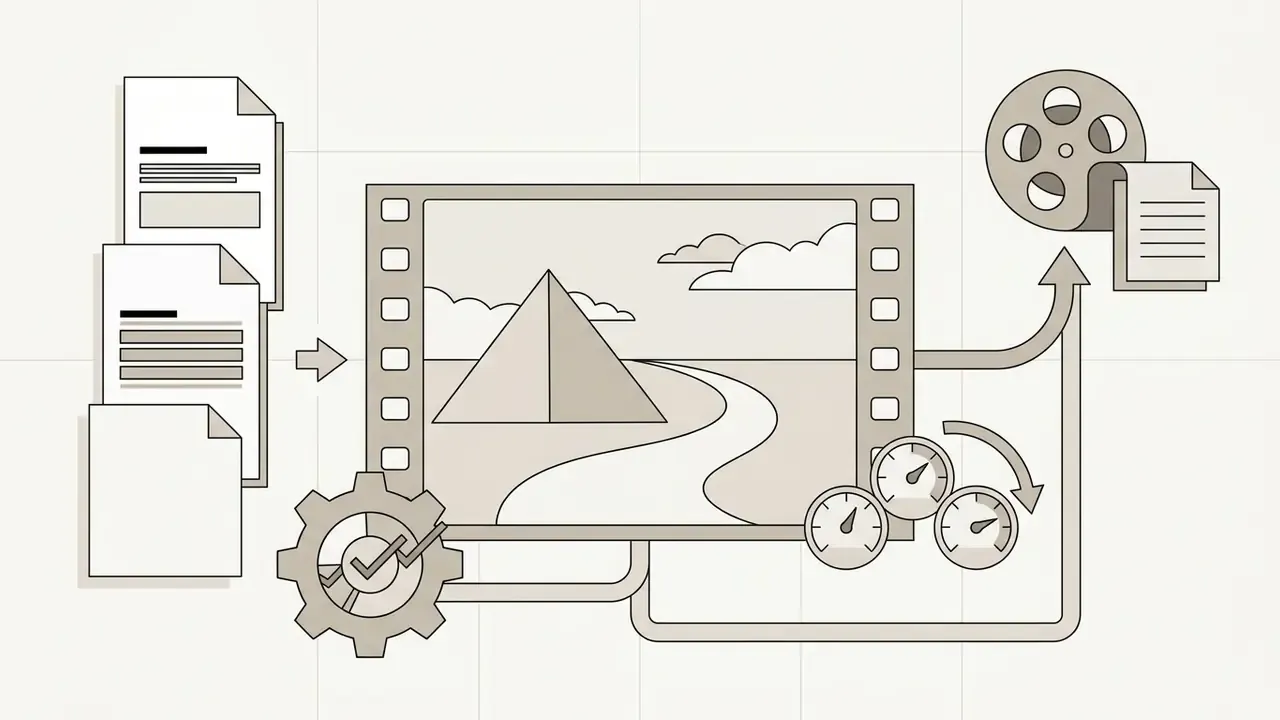
Adapting an image-derived prompt for image-to-video AI systems such as Runway, Luma Dream Machine, Google Veo, or OpenAI Sora means adding temporal indicators. An image prompt describes a frozen state. A video prompt has to define motion vectors and camera trajectory.
When adapting prompts for video:
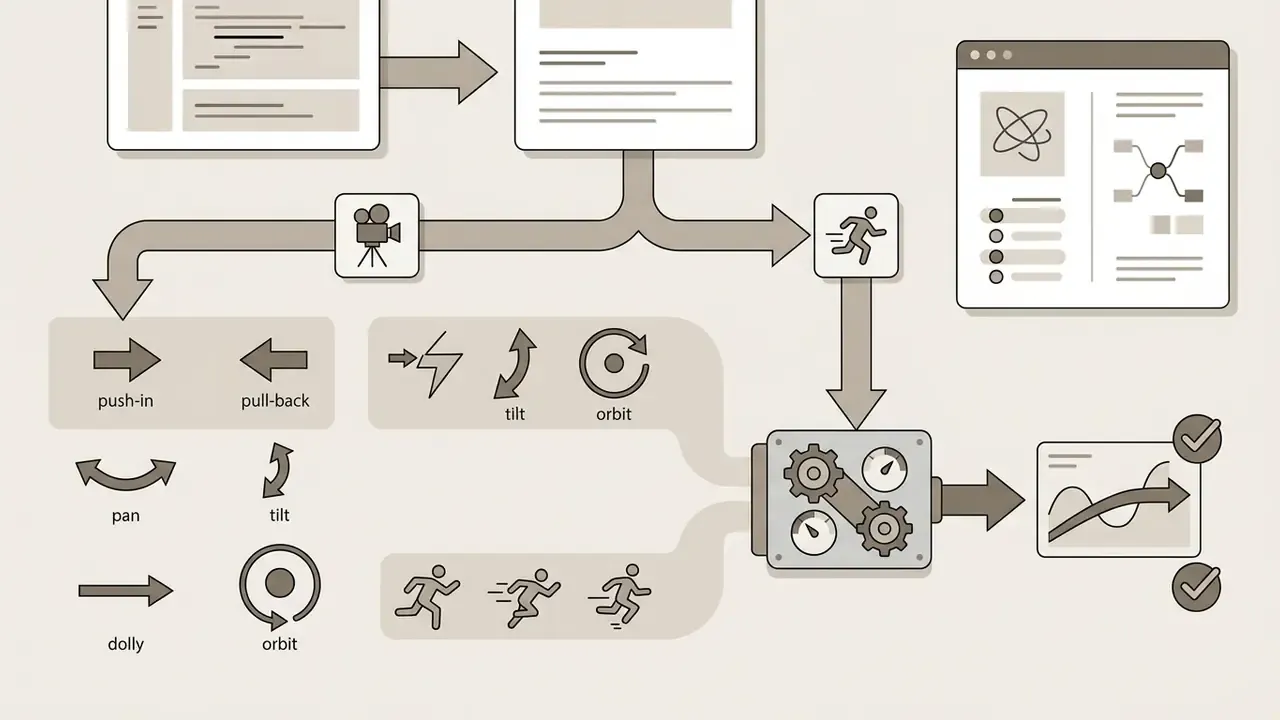
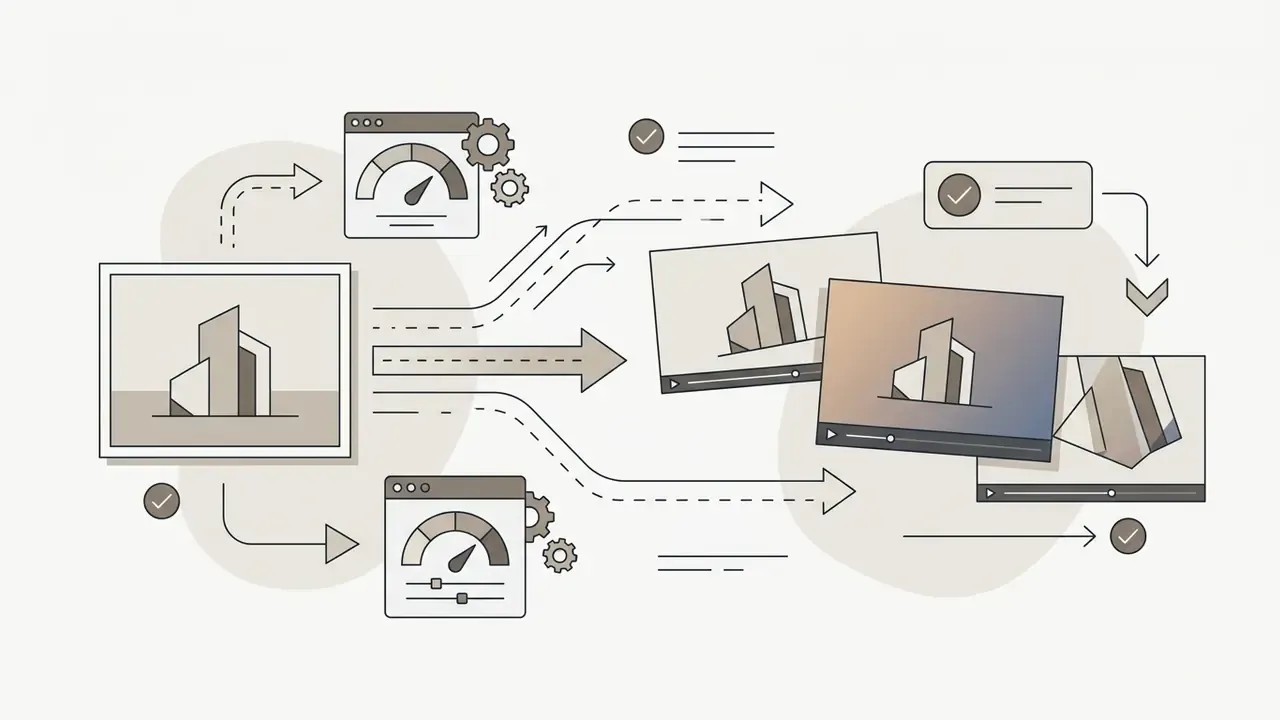
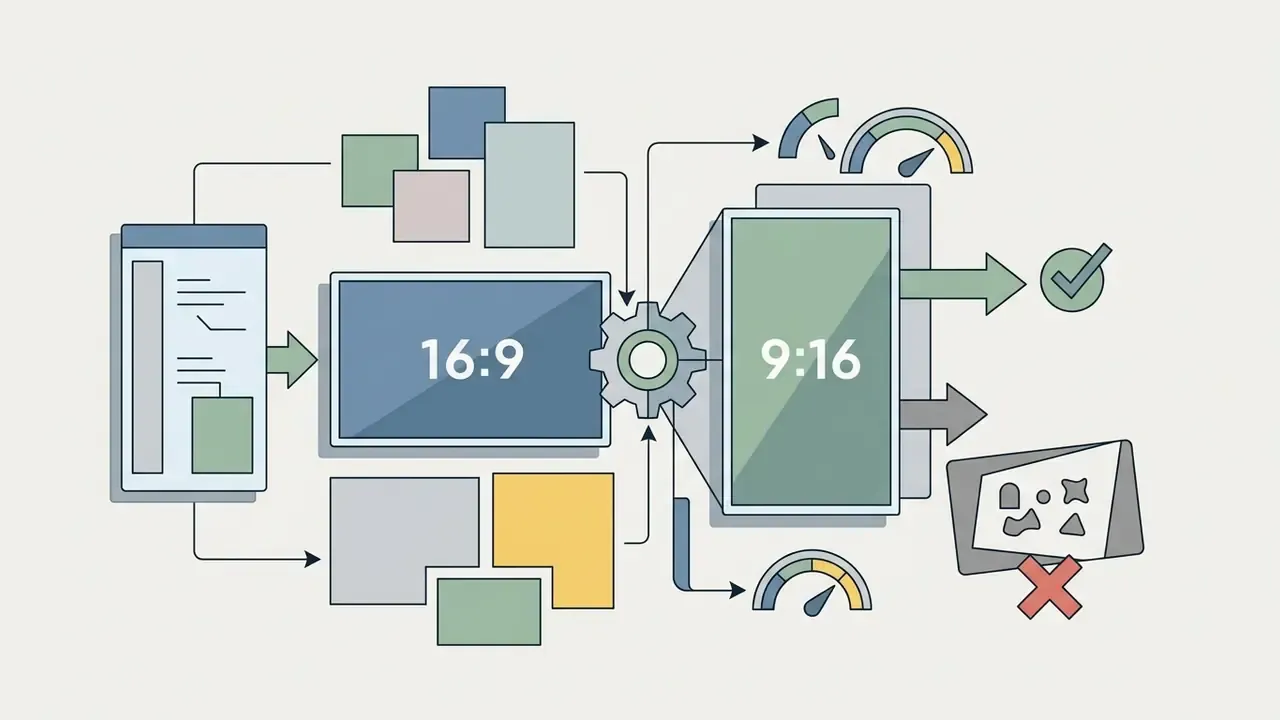
16:9 or 9:16 to prevent crop distortion.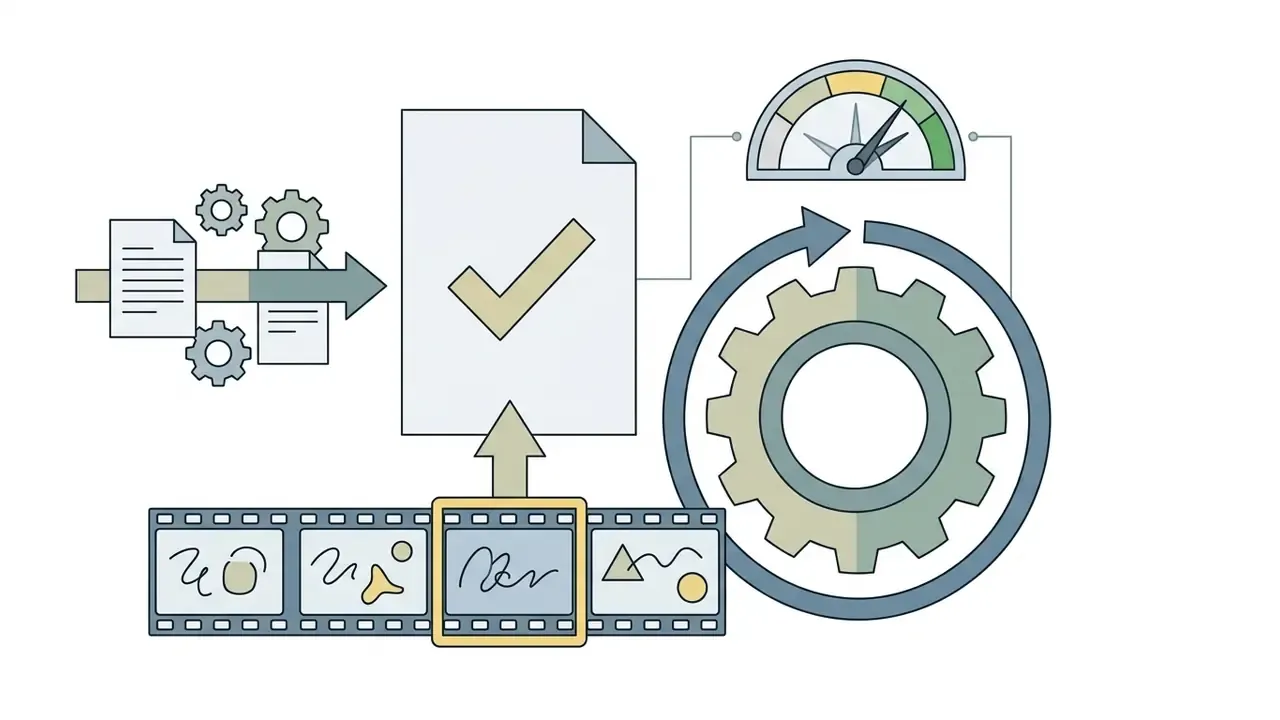
| Generation Category | Core Prompt Requirements | Aspect Ratio Presets | Reference Image Support | Primary Use Case |
|---|---|---|---|---|
| AI Image | Subject, environment, style modifiers, lighting, resolution flags | 1:1, 4:3, 3:4, 16:9, 21:9 | Multi-image conditioning, depth maps, style transfer | Marketing assets, product design, editorial graphics |
| AI Video | Camera motion, subject action, temporal evolution, lighting stability, ending frame | 16:9, 9:16 | Keyframe anchor, initial image input | Motion advertising, social video clips, background visual loops |
| AI Art | Artistic medium, artist references (where permitted), color palette, texture | 1:1, 4:5, 2:3 | Style reference input, mood board conditioning | Concept art, illustrative storytelling, wallpaper design |
| Social Media | Clean focal point, clear safe zones for text overlays, platform-optimized lighting | 1:1 (Feed), 4:5 (Portrait), 9:16 (Stories/Reels) | Brand kit consistency images, competitor visual benchmarks | Promotional carousels, campaign banners, brand posts |
Read across the table and one pattern stands out: image work rewards descriptive density, video work rewards motion discipline. Once prompt requirements are clear, platform choice becomes a separate decision. See our comparisons of free AI video generators and publishing workflows for video editors.
How to Select an Image to Prompt Generator AI Tool
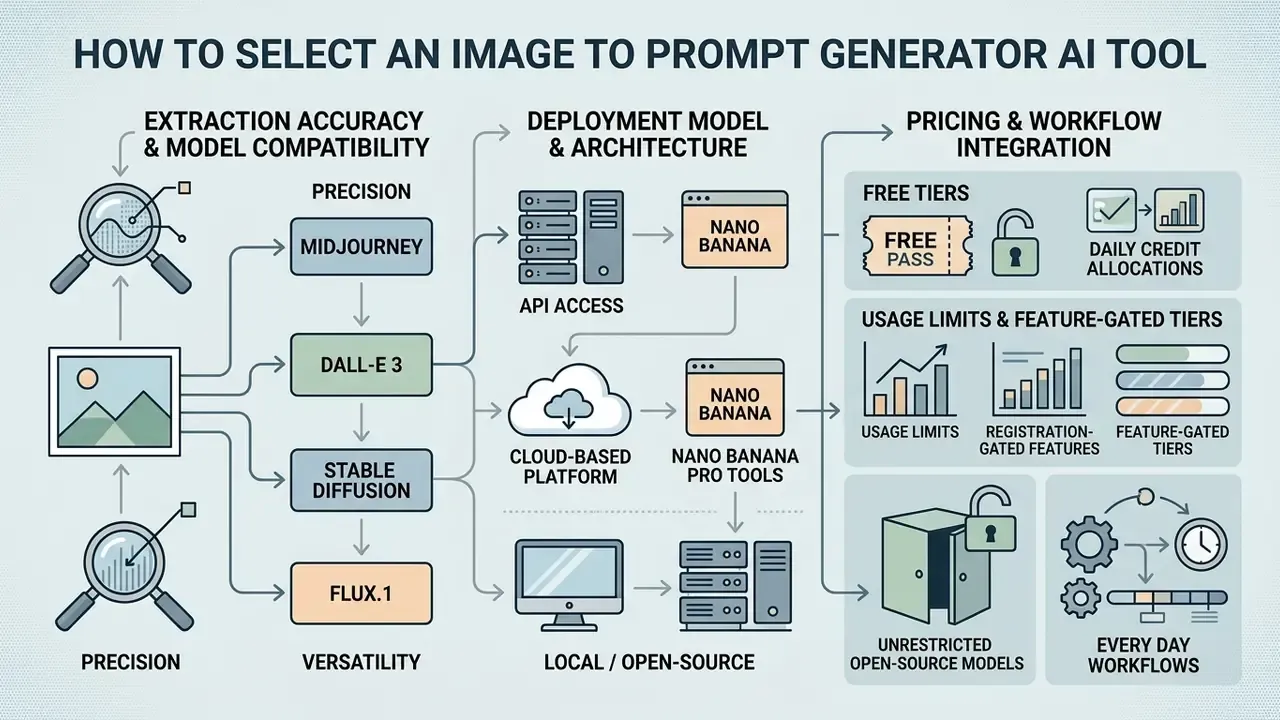
Selecting an image to prompt generator ai tool means evaluating extraction accuracy, model compatibility, deployment model, and pricing transparency. Enterprise teams comparing AI image generators for commercial use should also examine platform governance frameworks, and can browse the hub for adjacent evaluations.
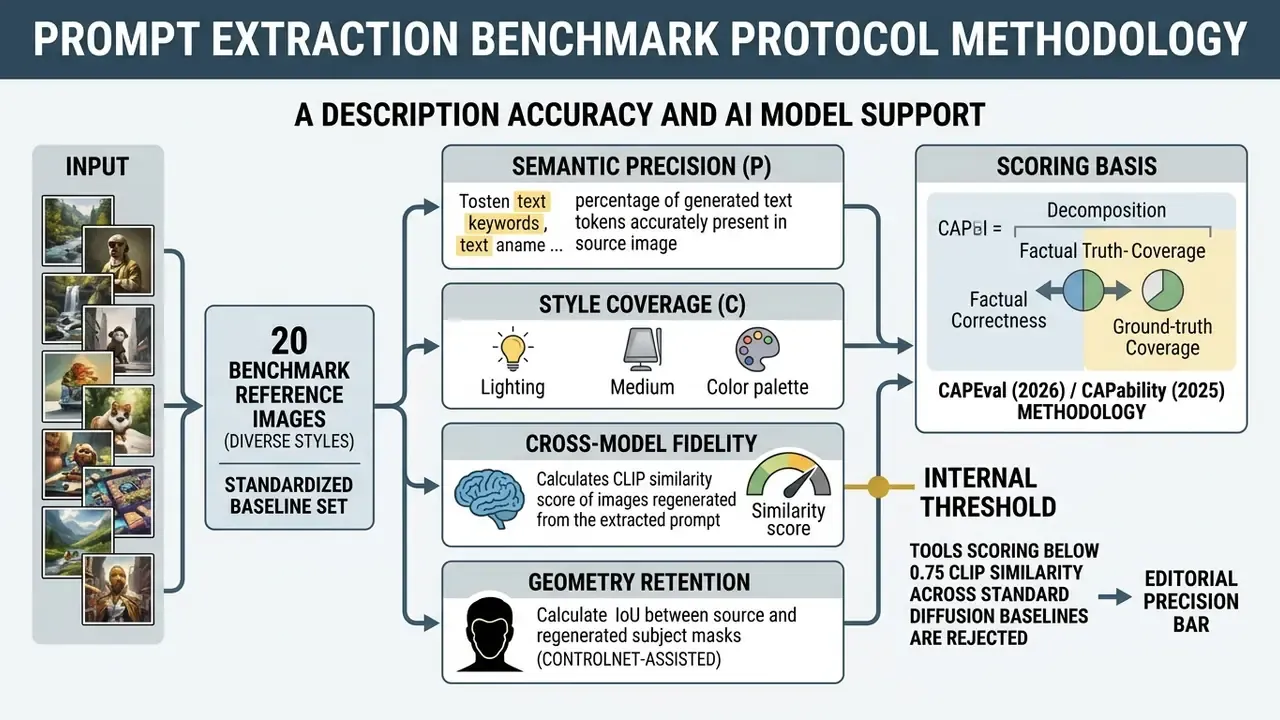
Description Accuracy and AI Model Support
The primary selection criterion for an image to prompt ai tool is semantic and stylistic extraction accuracy.
High-performing tools use vision-language backends that can identify subtle artistic mediums, technical photographic settings, and fine structural elements.
Temper expectations with independent benchmark evidence. DetailMaster (arXiv, 2026) evaluated seven general-purpose and five long-prompt-optimized text-to-image models and found roughly 50% accuracy on key dimensions such as attribute binding and spatial reasoning, with degradation as prompts lengthened. TextInVision (CVPRW 2025) similarly reported declining performance as prompt detail increased. So a converter that emits a 200-word prompt is not automatically better than one that emits 60 words. Often it is worse.
Also check whether the converter outputs formatted text tailored to several target architectures. A versatile tool should export prompts pre-formatted for Midjourney parameter syntax, Stable Diffusion weight brackets, or natural-language FLUX descriptions with one click, and should disclose which backend model (speed-optimized or quality-optimized) produced the result.
Free Tiers, Usage Limits, and Every Day Workflows
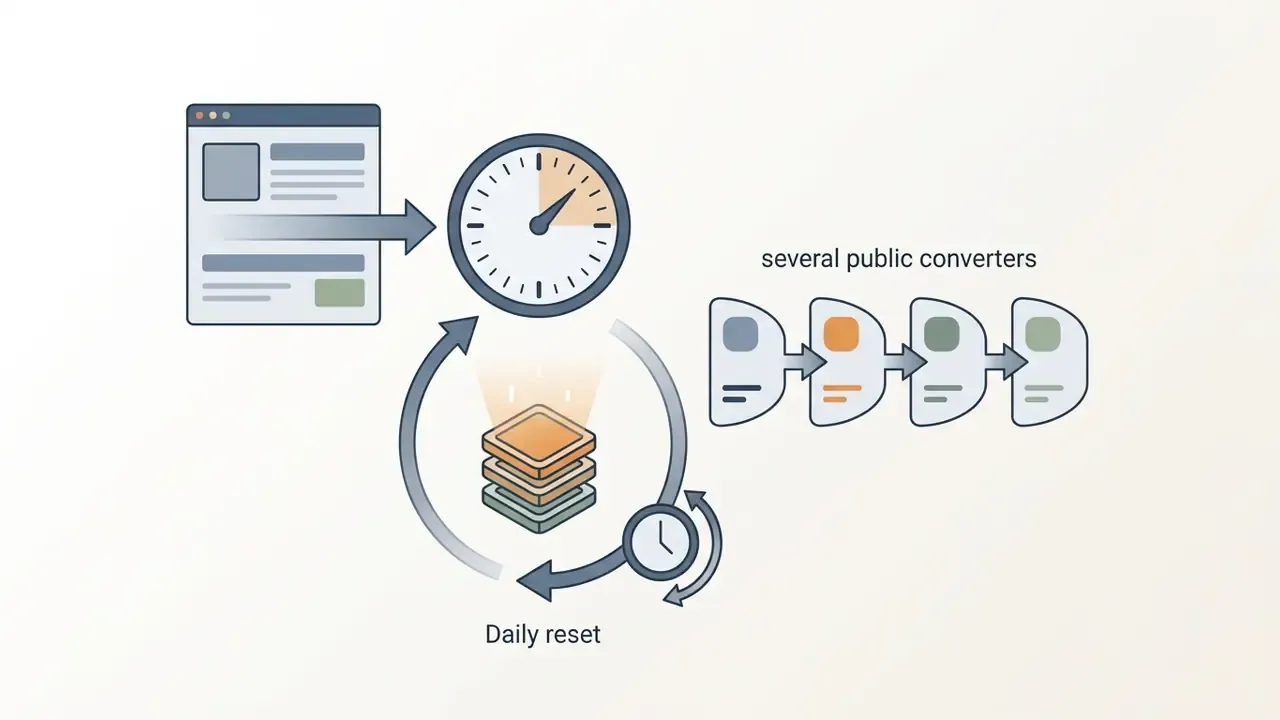
Commercial prompt converters use varied access structures. Many market a generator free tier, yet those tiers usually impose daily quotas or hold back advanced multimodal features. Teams comparing entry-level options can review free AI art generators and free photo editors for adjacent limits on exports and watermarks, or see the overview of scored platforms.
Common access models include:
If a designer runs 40 extractions every day, credit-based pricing stops being cheap quickly. Model the volume before signing, and watch for new features that shift from free to paid between releases.

Nano Banana and Nano Banana Pro Tools
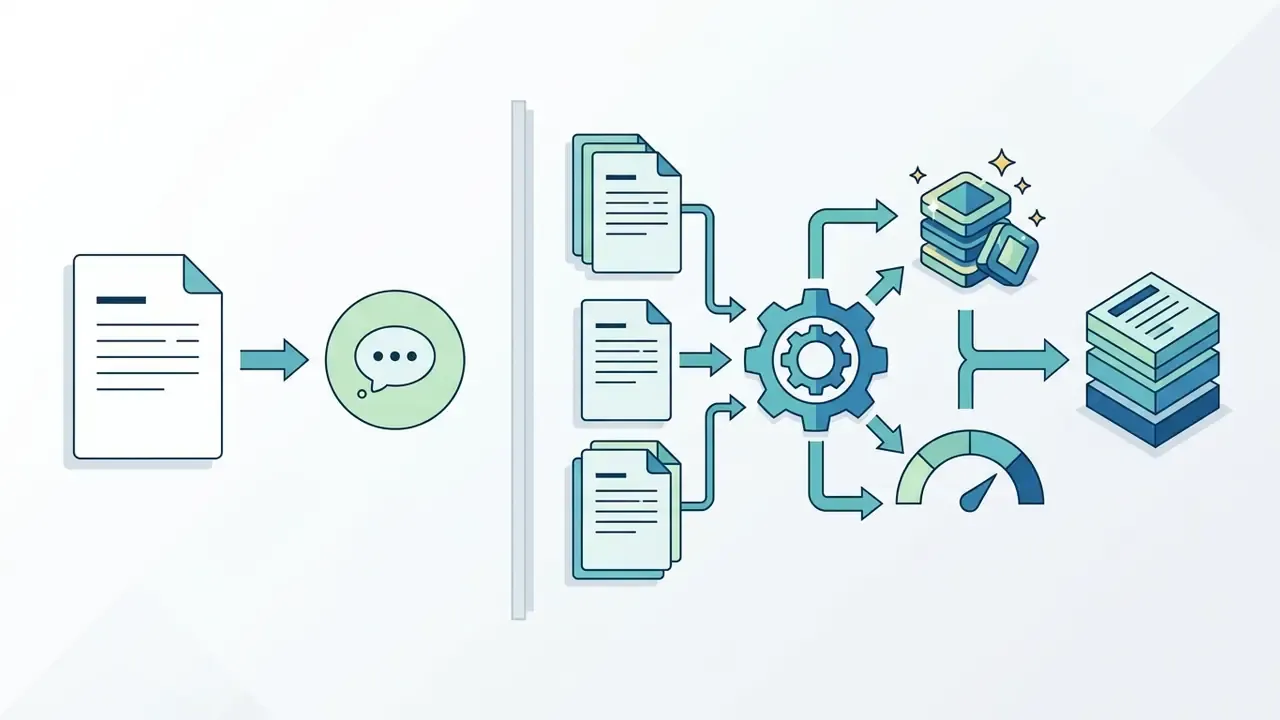
In commercial prompt extraction discussion, tools named Nano Banana and Nano Banana Pro appear often in developer listings. Updated: public listings associate nano banana pro with Google's Gemini image stack and a developer-facing image model identifier. That mapping appears in commercial mirror pages rather than in a peer-reviewed source, so verify the current model ID in the provider's own API documentation before procurement.
Key operational facts about these frameworks:
- Architecture
- API-level vision integration supporting simultaneous image analysis, explicit role assignment across multiple input images, structured JSON prompt outputs, and controls for aspect ratio, camera and lighting, and text integration.
- Pricing structure
- public listings describe pay-as-you-go per-request billing with separate tiers for 1K/2K and 4K outputs, plus batch or flex discounts, and state that no free API tier exists for the Pro model. Published figures differ across commercial mirror sites, so treat any specific per-request number as unverified until confirmed on the official pricing page.
- Functional focus
- suited to programmatic workflows where batch image sets must become structured text prompts automatically, and where each reference image needs a declared role (subject, style, layout).
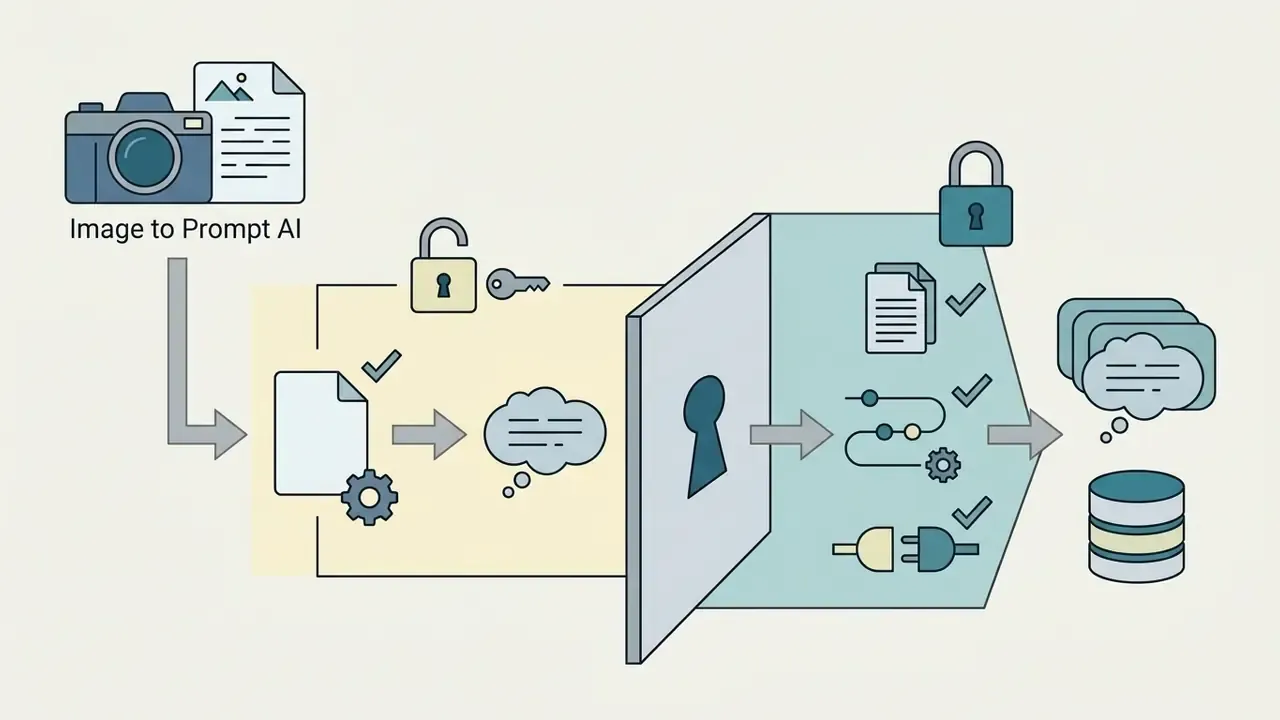
Deployment Comparison: Self-Hosted, Enterprise API, Consumer SaaS
| Criterion | Self-Hosted Open Source (CLIP Interrogator / LLaVA / BLIP) | Enterprise Cloud API (managed vision endpoints, Bedrock-style gateways) | Consumer SaaS Converter |
|---|---|---|---|
| Data residency | Full control; images never leave the VPC | Contractual; region pinning usually configurable | Vendor-defined; often opaque |
| Training-data exposure | None by construction | Typically contractual opt-out; verify in writing | Highest risk; policies vary widely |
| Auditability | Complete logs, pinned model weights | API version pinning plus provider audit reports | Minimal; model version rarely disclosed |
| Reproducibility | Deterministic with fixed weights and seeds | Good if version pinning is available | Weak; silent model upgrades common |
| Customization | Full (fine-tunes, LoRA, custom vocabularies) | Moderate (system prompts, structured outputs) | Low (fixed presets) |
| Latency / throughput | Bounded by owned GPU capacity | Elastic, SLA-backed | Variable, throttled on free tiers |
| TCO drivers | GPU capex/opex, MLOps headcount | Per-request pricing, egress, gateway costs | Seat or credit subscriptions |
| Best fit | Confidential IP, regulated industries, high volume | Scaled production with governance requirements | Individual creators, low-sensitivity assets |
No matching rows Clear one or more filters to restore the matrix.
Decision heuristic: sensitivity of the source imagery drives deployment choice more than prompt quality does. If the reference asset is confidential, extraction must happen inside your own trust boundary. Full stop.
Enterprise Data Governance, Shadow AI Control, and IP Risk
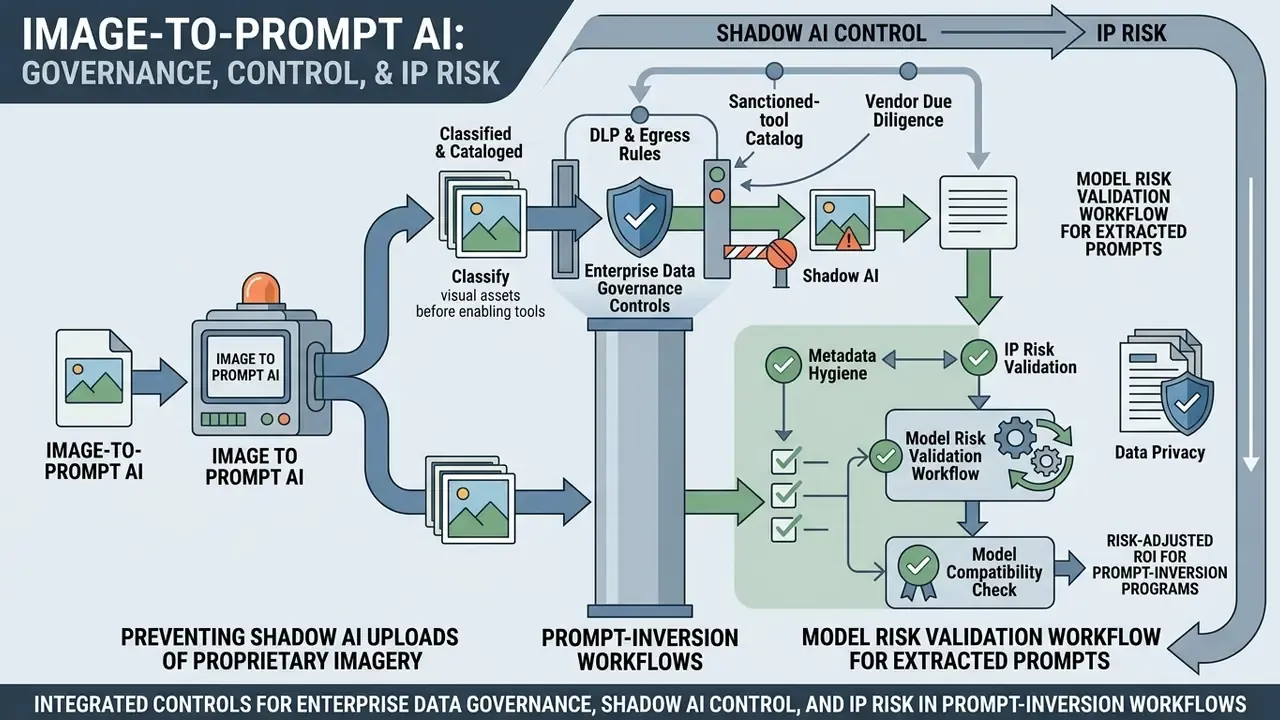
Prompt inversion touches two control surfaces at once. The image going in may carry confidential visual IP or PII. The prompt coming out is a reusable specification that could reproduce a third party's protected expression. A governance program should treat both artifacts as in scope.
Preventing Shadow AI Uploads of Proprietary Imagery
- Classify visual assets before enabling tools. Tag imagery as public, internal, or restricted. Restricted classes (unreleased product renders, customer screenshots, KYC documents, internal dashboards) should be blocked from any external converter.
- DLP and egress rules. Add image-MIME upload inspection on managed browsers and endpoint DLP, then route approved traffic through a single sanctioned gateway so usage is logged.
- Sanctioned-tool catalog. Publish one approved converter per sensitivity tier: self-hosted for restricted, contracted API for internal, SaaS for public. An explicit allowlist reduces Shadow AI more effectively than a blanket ban, which people simply route around.
- Vendor due diligence. Require documented retention windows, deletion guarantees, training-use opt-out, subprocessor lists, and independent security attestations (SOC 2 Type II or ISO 27001) before onboarding. Published vendor behavior varies sharply. Some services state that uploads are processed in real time and deleted immediately, others disclose temporary object-storage retention of up to 24 hours on S3-class storage, and some third-party analyses report that major providers may use uploaded images for model training unless the customer opts out.
- Metadata hygiene. Strip EXIF (GPS, device IDs, capture timestamps) before upload. Metadata leakage is a frequent and entirely avoidable finding in AI-tool audits.
Model Risk Validation Workflow for Extracted Prompts
Prompt-inversion output is a model output, and it should be validated as one. A defensible workflow aligned with U.S. model-risk expectations (Federal Reserve SR 11-7 and OCC 2011-12 principles of conceptual soundness, ongoing monitoring, and outcomes analysis) plus the NIST AI Risk Management Framework looks like this:
- Define intended use and limits. Document what the extracted prompt will and will not be used for. Internal concepting, yes. Regulated customer-facing claims, no.
- Conceptual soundness review. Record the extraction mechanism (captioning, latent optimization, or noise inversion), known failure modes, and benchmark evidence, including the roughly 50% attribute-binding ceiling reported by DetailMaster.
- Benchmark evaluation on a canonical set. Use a fixed reference set, a controlled protocol, a written scoring rubric, and canonical test items. NIST's evaluation guidance (NIST AI 800-2 initial public draft, 2026) specifies exactly that combination: the instructions given to the model, a controlled protocol, a scoring rubric, and canonical test queries. The AI RMF further recommends a purpose-built testing environment for empirical evaluation.
- Reproducibility check with deterministic seed control. Re-run the locked prompt on pinned model versions with fixed seeds and confirm output stability within tolerance.
- Outcomes analysis and monitoring. Sample production assets periodically, and re-validate after any model-version change, since silent upgrades invalidate prior evidence.
- Independent review and sign-off. Separate the team that builds prompts from the team that validates them, and retain artifacts for examination.
Checklist0 / 9
Risk-Adjusted ROI for Prompt-Inversion Programs
Executives should not score these tools on raw speed alone. A workable formula:
Risk-Adjusted ROI = ( Hours_saved x Loaded_hourly_rate x Assets_per_period )
                    - ( API_or_GPU_cost + Licensing_cost + Control_cost )
                    - ( P_incident x Expected_incident_cost )
                    ---------------------------------------------------------
                    divided by Total program cost
Control_cost covers DLP, validation cycles, and independent review. Expected_incident_cost covers IP disputes, regulatory findings, and rework of non-compliant creative. Directional inputs exist for the numerator, since published AI-imaging deployments report campaign turnaround compressing from weeks to days, while the denominator terms must be sourced internally. Programs that omit the control and incident terms systematically overstate their return, sometimes by a wide margin.
Applying Image to Prompt AI in Commercial and Creative Tasks
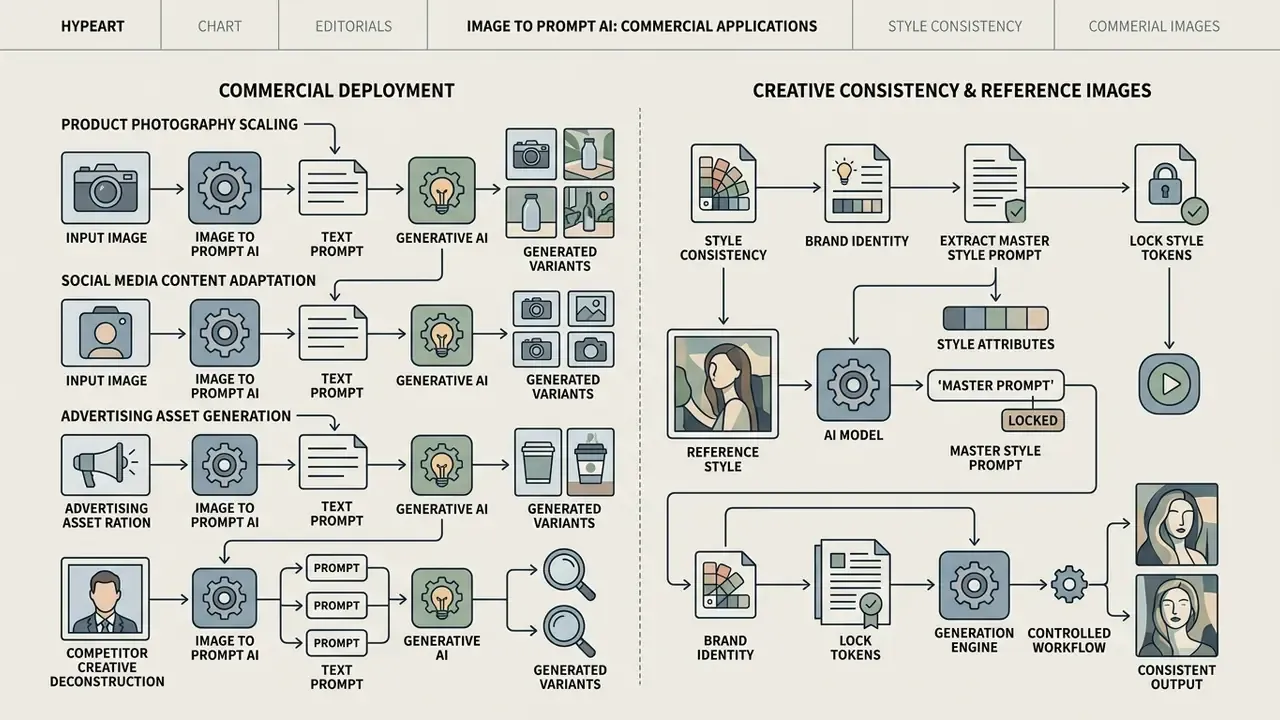
Commercial organizations deploy photo to prompt ai tools to hold visual brand identity, streamline creative asset production, and analyze competitive visual campaigns. Teams building end-to-end creative pipelines can open the hub of enterprise visual strategy.
Style Consistency and Working with Reference Images
Holding a consistent aesthetic across multi-frame stories, comic illustrations, or brand campaigns is one of the harder problems in generative workflows. Reverse-engineered prompts act as style anchors that preserve continuity.
When building a coherent campaign from reference images:
Commercial teams exploring specialized visual styles, such as anime-inspired branding, can review comparative performance data on a ghibli ai image generator, or standardize downstream handling with an animation maker and a photo editor for retouching passes.
Optional Consumer-Segment Examples
Segment note: the following examples are consumer-oriented and listed separately because they sit outside enterprise-governed workflows. Niche and adult-oriented consumer platforms, including styling options such as a gay ai image generator framework and free nsfw ai tools, rely on the same prompt inversion principles to keep style consistent across user sessions. Enterprise buyers in regulated sectors should exclude these categories from sanctioned-tool catalogs.
FAQ: Frequently Asked Questions About Image to Prompt AI
What Images Are Suitable for Image to Prompt Generation
High-resolution photographs, clean digital illustrations, and well-lit product shots with distinct subjects produce the most accurate extracted prompts.
«The "Prompt Journey" study shows users move through several stages, designing structure, evaluating output and iterative refinement, and often do not know how to adapt a prompt to a style or model.» Is It AI or Is It Me? Understanding Users' Prompt Journey with Text-to-Image Generative AI Tools, 2023-2026.
Low-resolution images, heavily blurred scenes, or photos with extreme digital noise hide the detail that matters, so vision encoders return vague or inaccurate descriptions. Low contrast is a specific failure driver. In imaging quality literature, contrast governs the visibility of fine structures, and reduced contrast directly reduces the detail a model can describe. For images with small text, handwriting, or dense tables, request original-detail processing rather than the downscaled default.
Does the AI Tool Store Uploaded Images
Retention policy depends on the vendor and the hosting architecture. Updated: rather than assuming class behavior, verify each provider individually. Published practice ranges from real-time processing with immediate deletion, to short retention windows on object storage (one vendor documents up to 24 hours on S3-class storage before deletion), to third-party analyses reporting that some major providers may use uploaded images for model training absent an opt-out, while others de-identify by stripping metadata and blurring faces. Enterprise endpoints frequently offer contractual zero-retention and no-training terms, but that is a contract feature, not a technical guarantee, and it must be confirmed in the agreement. Teams handling proprietary visual assets should read the vendor privacy documentation before uploading anything confidential.
Disclaimer: This information is general in nature and does not replace professional advice. Data-retention policies differ by provider and change over time. Review current documentation and contractual terms for the specific service before uploading confidential material.
Is Registration Required for Free Generators
Access requirements vary by provider. Basic web converters often allow a limited number of extractions without an account. Advanced features, such as high-resolution VLM processing, batch file analysis, promotional credits, or direct API integration, typically require registration and a paid tier. Documented patterns include three generations per day on free plans against roughly 30 per day on entry paid tiers, and five free daily credits against a few hundred monthly uses on standard plans. Exact caps change frequently, so confirm them on the vendor's pricing page.
What Are the Legal and Licensing Rules for Extracted Prompts
Extracting a text prompt from a copyrighted reference photo does not itself copy the image, because a description generated through latent inversion is descriptive metadata rather than the underlying pixels. Commercial deployment, though, still requires specific governance:
- Derivative model licenses: prompts targeting custom fine-tuned weights, for example Stable Diffusion derivatives or specific LoRA weights, remain subject to their base licensing frameworks such as CreativeML Open RAIL-M. Several popular style models are explicitly derivative models governed by that license, and their terms must be read before commercial use.
- Commercial usage rights: the generated text string is generally uncopyrightable descriptive data, yet producing commercially usable visual output requires fully licensed generation endpoints or an active paid enterprise subscription. Some platforms restrict commercial use to subscribers, and open-weight research variants such as FLUX.1
[dev]are typically non-commercial. - Authorship of outputs (US): the U.S. Copyright Office position is that prompt-only input does not give the user authorship of the output, and AI-assisted works are protectable only where a human author controls sufficient expressive elements. Congressional Research Service summaries state the same baseline.
- Substantial similarity risk: a prompt engineered to reproduce a specific protected artwork or a trademarked character can still yield an infringing output, even when the prompt text itself is lawful. Governance should review the generated asset, not only the prompt.
Disclaimer: This section is informational and is not legal advice. Copyright and licensing outcomes depend on jurisdiction, facts, and contract terms. Consult qualified counsel before commercial deployment. Broader litigation context is summarized in our litigation overview.
Can Extracted Prompts Be Reproduced Exactly Later
Only under version control. Reproducibility needs a pinned generation model version, a fixed seed, recorded sampler and guidance settings, and the verbatim prompt string, the same items listed in the reproducibility checklist above. Services that silently upgrade their backend will change outputs for an unchanged prompt, which is exactly why audit programs log model IDs alongside prompts.
What to Do Next
Appendix A: Superseded Formulations and Verification Notes
Retained for editorial transparency. Each item below was revised in the main text. The original wording and the reason for revision are preserved here.
| Original wording | Status | Revision reason |
|---|---|---|
| "Research on prompt engineering guidelines (CHI 2022; TIPO 2026) indicates that keyword order and explicit structural categorization drive model adherence far more effectively than unstructured prose." | Reformulated | The "CHI 2022" attribution could not be verified against the supplied research set. The claim now rests on TIPO (2026) plus peer-reviewed subject/style keyword guidance, and the original wording is preserved here. |
| "Research on latent diffusion inversion (Mahajan et al., 2025) demonstrates that different diffusion timesteps correlate with different semantic abstraction levels. Early timesteps encode fine surface textures, while later timesteps dictate high-level spatial composition and subject identity." | Replaced in main text | Lacked methodology. Replaced with the PH2P description of applying diffusion losses to a semantics-emphasizing timestep subrange. Original retained. |
| "enterprise API endpoints (such as commercial cloud vision services) generally process images in-memory without storing them for model training" | Reformulated | Presented as class-wide behavior without a verified source. Rewritten as a per-vendor contractual verification requirement. |
| "nano banana pro implementations map to advanced Gemini vision models (such as gemini-3-pro-image endpoints)" | Reformulated | Model identifier appears in commercial mirror listings rather than primary documentation. Now flagged for verification against official API docs. |
| "Enterprise API usage is billed on a pay-as-you-go per-request model (e.g., $0.134 per 1k/2k output resolutions)" | Reformulated | Specific price not confirmed by a primary source in the supplied research set. Described qualitatively with a verification instruction. |
| "Tools scoring below 0.75 CLIP similarity across standard diffusion baselines fail enterprise model risk precision requirements." | Reframed | Relabeled as an internal editorial threshold rather than an industry standard, since no cited benchmark establishes 0.75 as a compliance cut-off. |