An AI image optimizer is a suite of deep-learning models, including Convolutional Neural Networks (CNNs), Generative Adversarial Networks (GANs) and diffusion backbones, that rebuilds low-resolution, noisy or degraded visuals into clean, high-resolution imagery. Legacy interpolation filters only stretch existing pixels. Modern AI picture optimization does something different: it infers missing high-frequency structure, sharpens boundary vectors, suppresses ISO noise and corrects illuminant temperature.
Why does that matter to anyone outside a design team? Because the moment an employee uploads a customer photo or an unreleased product shot to a free web utility, the question stops being creative and becomes a data-governance question.
Executive Summary
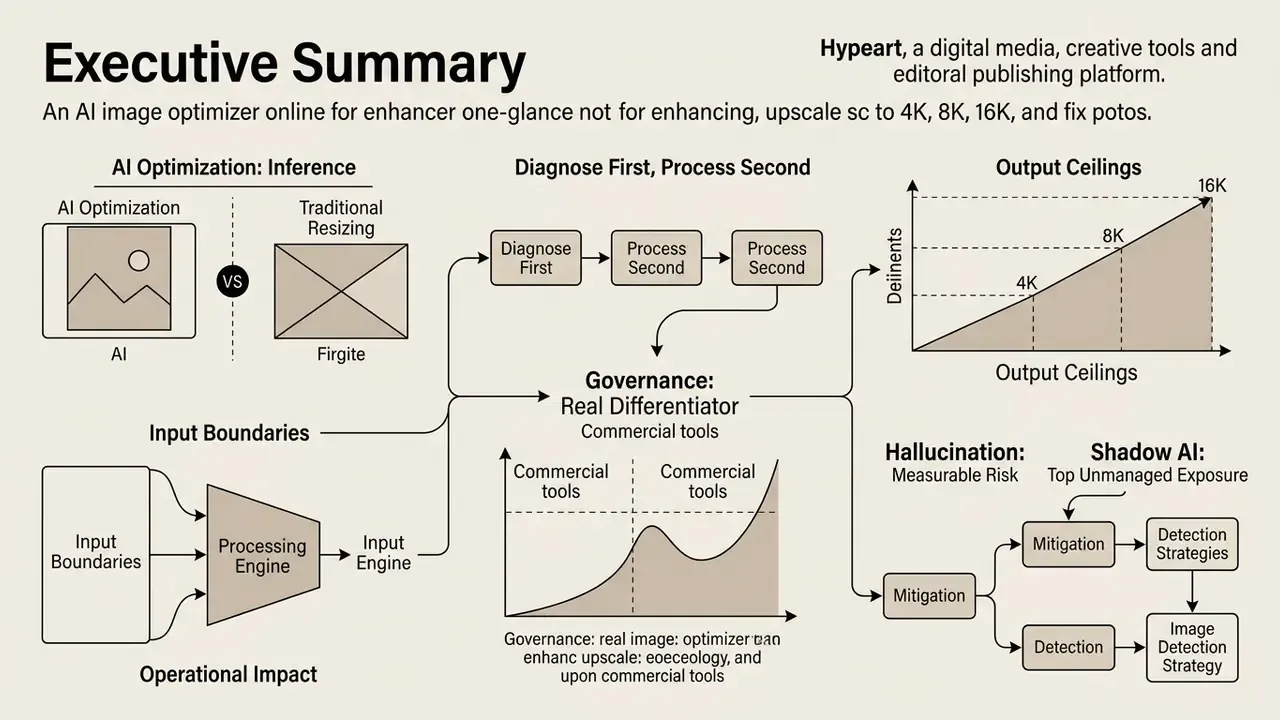
For readers who need the decision in 30 seconds:
- AI optimization is inference, not resizing. Bicubic and Lanczos resampling interpolate from a fixed pixel neighborhood. Neural super-resolution predicts the most statistically probable high-frequency structure from learned priors. Top models in the NTIRE 2024 Efficient Super-Resolution Challenge reach roughly 26.99 dB PSNR at 4× on the DIV2K_LSDIR test set, a level plain mathematical scaling never touches.
- Diagnose first, process second. Pixel deficiency, motion blur, ISO grain, compression blocking and illuminant error each need a different neural mode. A single "do everything" model consistently underperforms specialized routes on both PSNR and perceptual metrics.
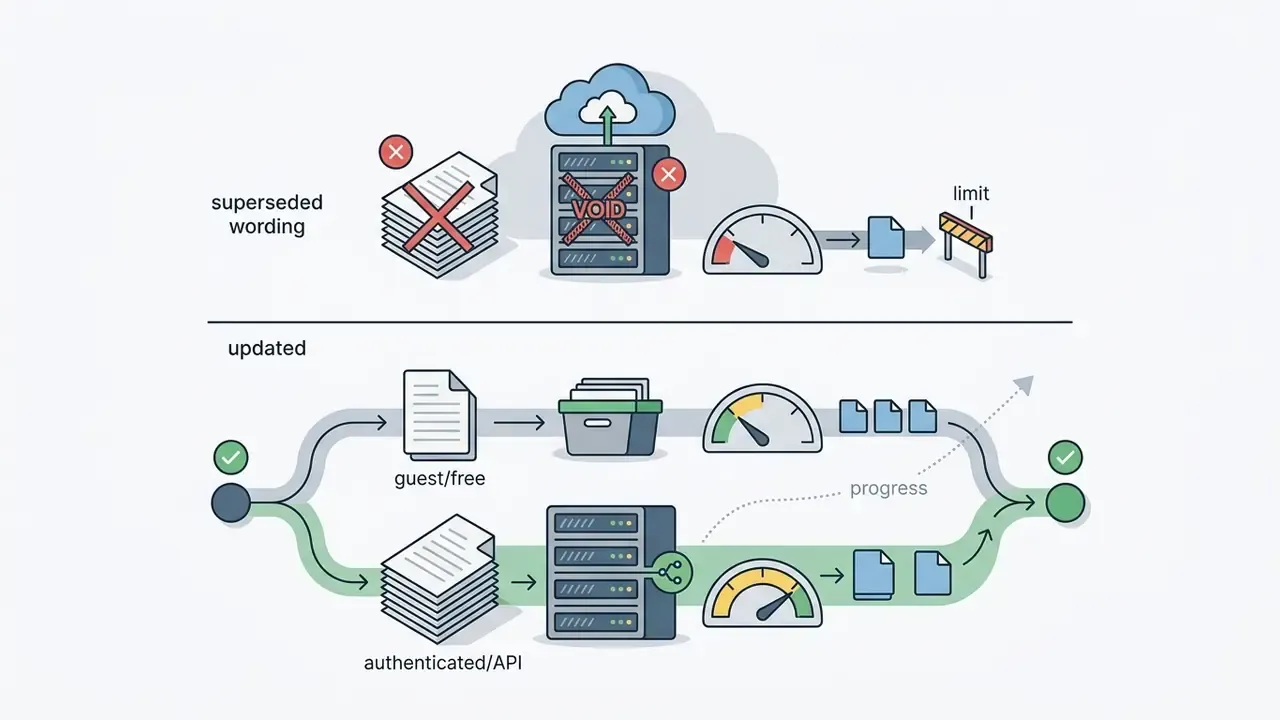
- Input boundaries matter operationally. Production-grade optimizers accept JPEG, PNG, WebP, HEIC and HEIF (plus TIFF via API), typically up to 20 MB guest / 50 MB authenticated, with input resolution ceilings scaling inversely to the upscale factor (up to roughly 20,000 × 20,000 px at 1× pass-through).
- Output ceilings now extend well past 4K. Standard factors remain 2×, 4× and 8×, but several commercial engines expose 16K and 22K output modes for mega-format print, architectural murals and archival masters.
- Governance is the real differentiator. Free consumer tiers frequently retain uploads for model training and insert watermarks. Enterprise tiers contractually guarantee non-retraining, TLS 1.3 in transit, AES-256 at rest, 1 to 24 hour purge windows, and SOC 2 Type II / ISO 27001 alignment.
- Hallucination is a measurable risk, not a rumour. Diffusion-based super-resolution can produce sharper but fabricated texture. Every pipeline needs a 100% zoom QC step on faces, typography and fine contours before publication.
- Shadow AI is the top unmanaged exposure. Employees pasting confidential product shots into "free, no sign up, no watermark" web utilities is a policy event, not a creative shortcut.
Who This Guide Is For and What It Helps You Decide
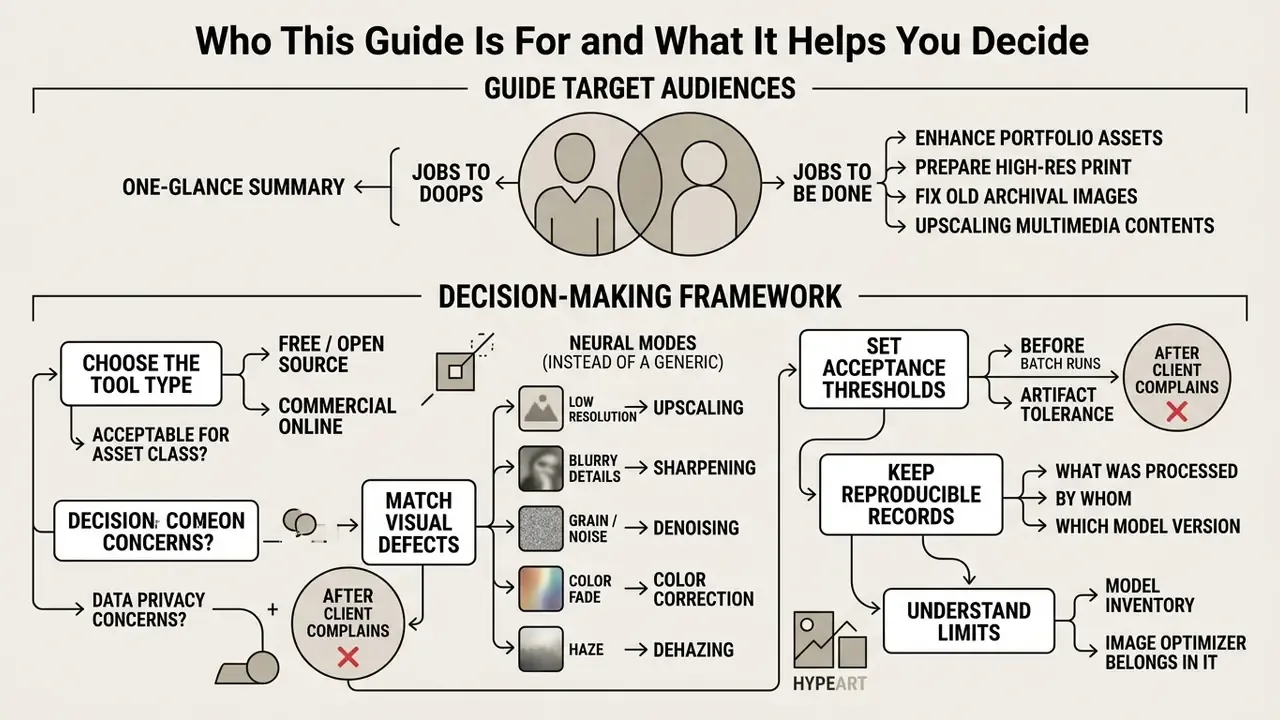
This guide is written for two overlapping groups. First, digital and content operations teams who have to ship thousands of usable images on a deadline. Second, the risk, compliance and model-governance people who eventually get asked where those images came from.
The jobs to be done are practical:
- Decide whether a free tool is acceptable for a given asset class, or whether the asset must stay inside a licensed pipeline.
- Match the visual defect to the right neural mode instead of running everything through one generic "make it better" button.
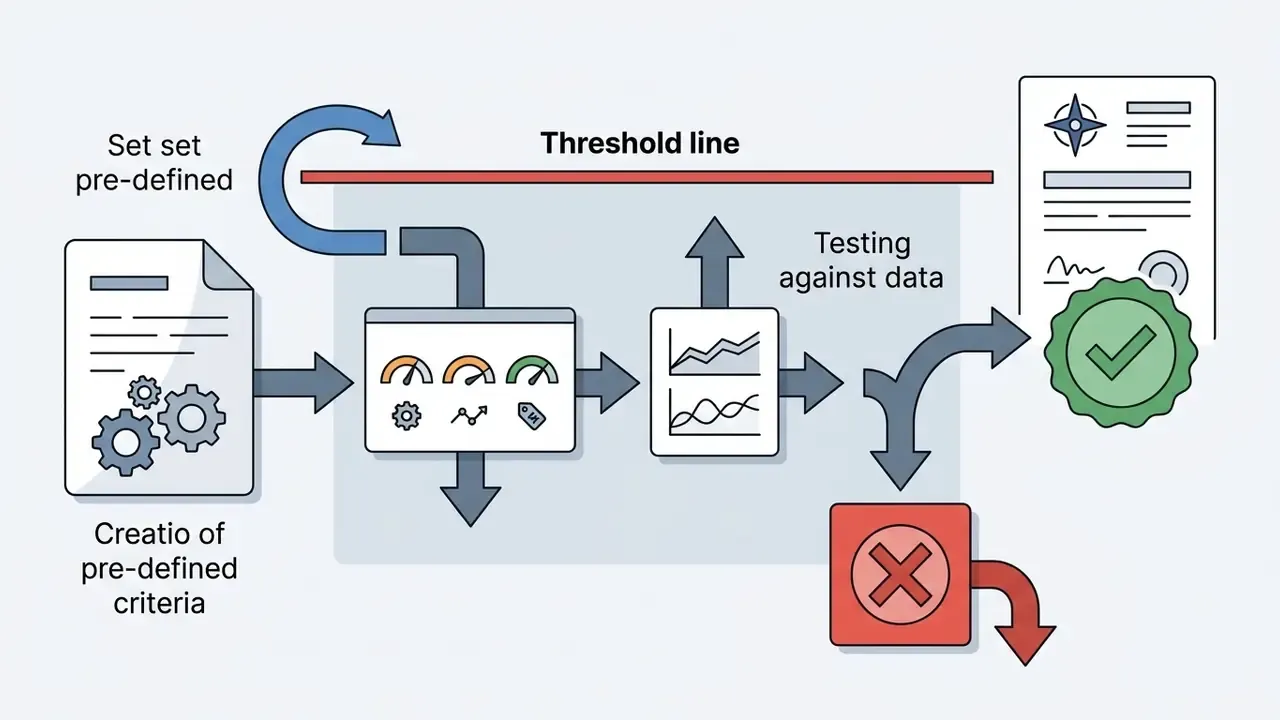
- Set an acceptance threshold for artifacts before the first batch runs, not after a client complains.
- Keep a reproducible record of what was processed, by whom, with which model version.
- Understand the limits. AI cannot invent detail that was never captured, and pretending otherwise creates rework.
If your institution already runs a model inventory, an image optimizer belongs in it. That claim is a working hypothesis about mature governance practice, not a regulatory citation. Readers who want the wider ecosystem map can see the overview of media processing terminology, or view the guide to commercial AI media tooling in general.
What an AI Image Optimizer Does for Photo Quality
An AI image optimizer analyzes localized pixel neighborhoods against millions of learned structural priors, then performs multi-task restoration in one pipeline. It replaces mathematical pixel duplication with statistical inference. That is what lets a modern image quality enhancer rebuild plausible surface texture, recover lost contrast and lift overall image quality in one pass.
«Modern SR systems rarely operate in isolation. They combine super-resolution, denoising and color correction in one pipeline to resolve compound degradations.»
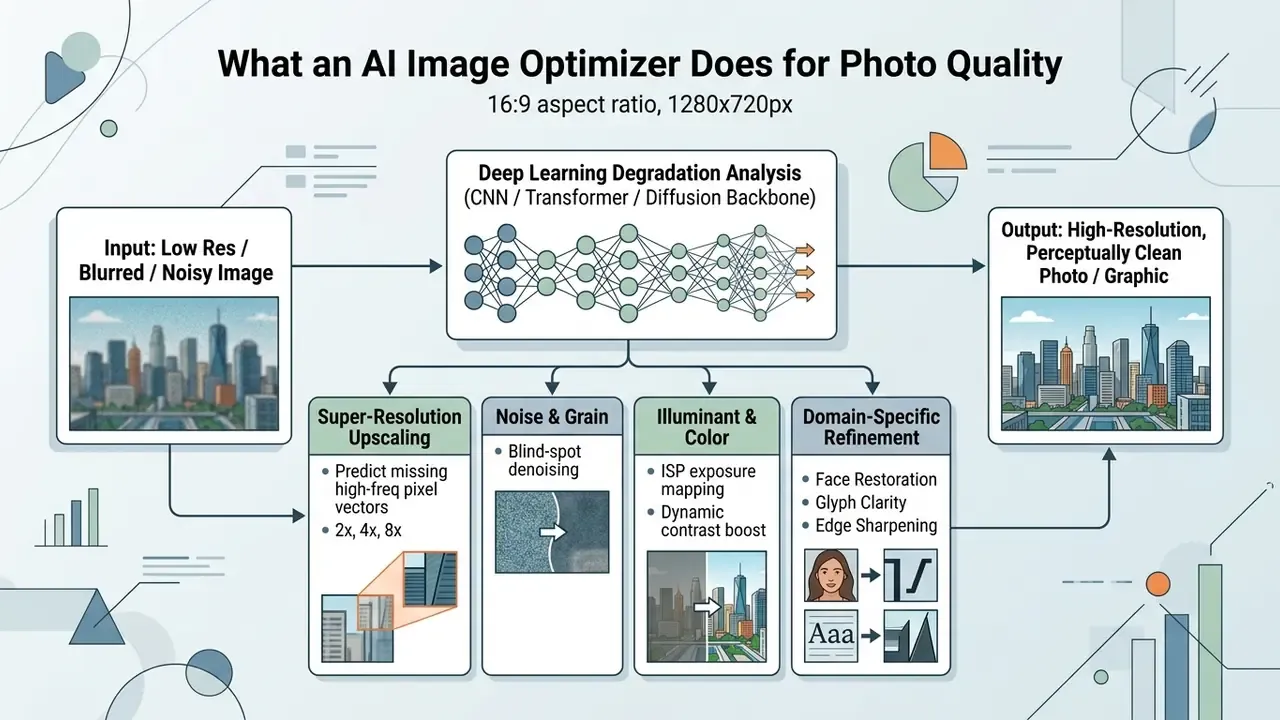
AI Upscaling: Increasing Resolution Beyond Basic Resizing
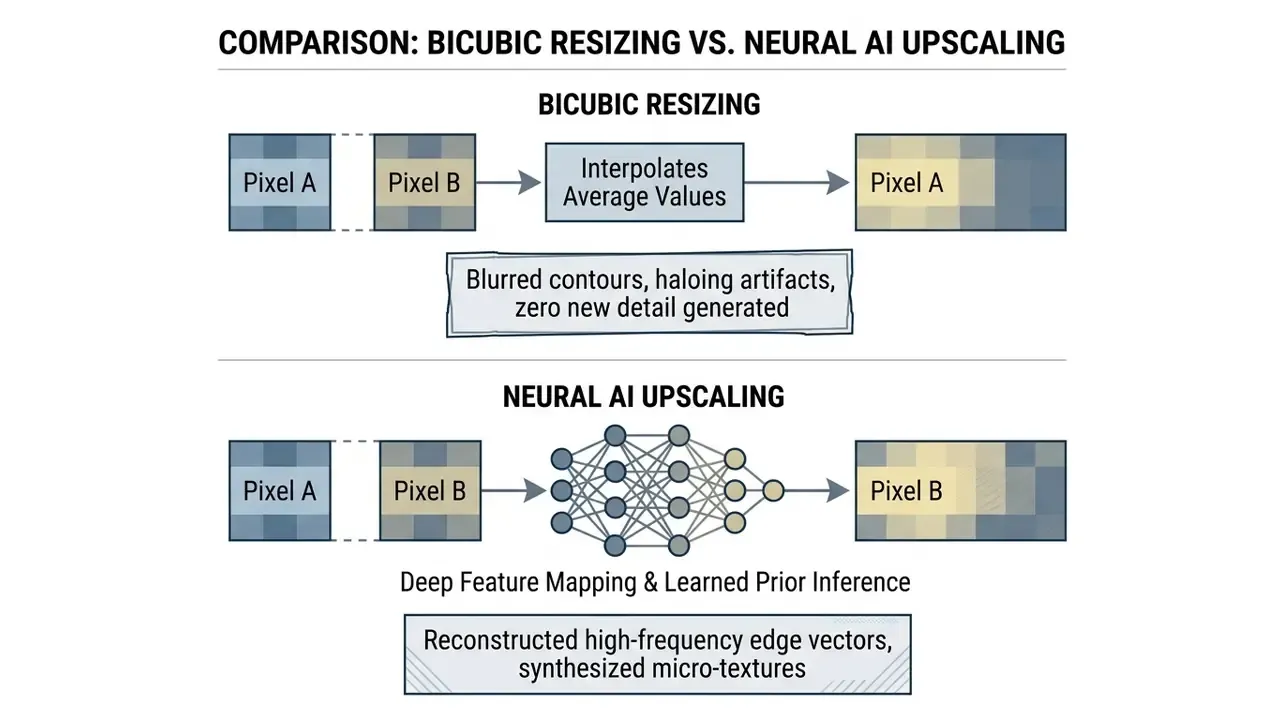
When teams use an ai image upscaler to upscale images from legacy web assets, the network evaluates localized edge geometry and synthesizes crisp contours plus sub-pixel detail, ideally without amplifying noise. Groups comparing production engines can review our breakdown of commercial AI image upscalers to match output ceilings and licensing terms to their asset pipeline, or look at how an ai image enlarger handles extreme magnification requests.
AI Enhancement: Sharpness, Noise, Colors and Lighting
AI enhancement corrects atmospheric, optical and sensor-level distortion: noise suppression, dynamic range adjustment, chromatic alignment. Single-image restoration networks now use blind-spot architectures such as MM-BSN to separate unwanted sensor grain from genuine surface texture, like fabric weave or skin pores.
«MM-BSN applies multiple differently shaped masks to break spatial noise correlation, achieving leading results among self-supervised, label-free denoising methods.»
Algorithms built to ai sharpen image detail work jointly with exposure-correction subroutines. They are rarely independent steps in practice.
Updated research reference (replaces the earlier general citation):
«A network built on the Laplacian operator and wavelet transform reports PSNR 23.265, SSIM 0.914 and NIQE 4.265 on product images with color distortion and blur.»
This hybrid operator design lets an ai picture optimization framework isolate color casts, lift underexposed shadow regions and sharpen edge transitions without ringing. Users looking for ai to improve images get a balanced output where local contrast, highlight retention and natural color balance survive together. Teams evaluating adjacent editing stacks can study how general-purpose AI photo editors layer manual controls on top of automated inference, and how one-click ai image enhancement presets trade control for speed.
AI Image Enhancement for Photos, Art and AI-Generated Images
Natural photography and digital art do not want the same treatment. Photographs need continuous tonal gradients, plausible sensor characteristics and realistic skin texture. Illustrations and anime images depend on flat color fills, clean vector-like line work and hard cartoon edges. The same logic drives compression choices: formats built for gradual color transitions suit photos, while flat-color artwork survives better in formats that preserve solid regions and crisp boundaries.
Generative outputs from Midjourney or Stable Diffusion bring their own defects: micro-texture smudging, distorted text glyphs, inconsistent facial geometry. Published artifact taxonomies for diffusion imagery group these failures into physical implausibilities, stylistic artifacts, functional implausibilities and semantic inconsistencies. Generative compression research separately names texture and boundary degradation, color shift and text corruption as recurring classes.
Run a general-purpose model over stylized art and you may flatten intentional brushwork or amplify those generative errors. Honest caveat: the effect is documented qualitatively in artifact-classification literature, but a controlled quantitative study isolating "general model applied to stylized art" degradation is still an open data gap.
Advanced platforms therefore route by domain. Face-restoration modules use facial landmark priors (FFHQ-trained networks, for instance) to rebuild credible eye and mouth geometry. Glyph-guided diffusion modules refine typography.
Media teams can explore the hub to see how specialized generators interact with post-processing upscalers, and compare a dedicated ai image enhancer across artistic and commercial workflows.
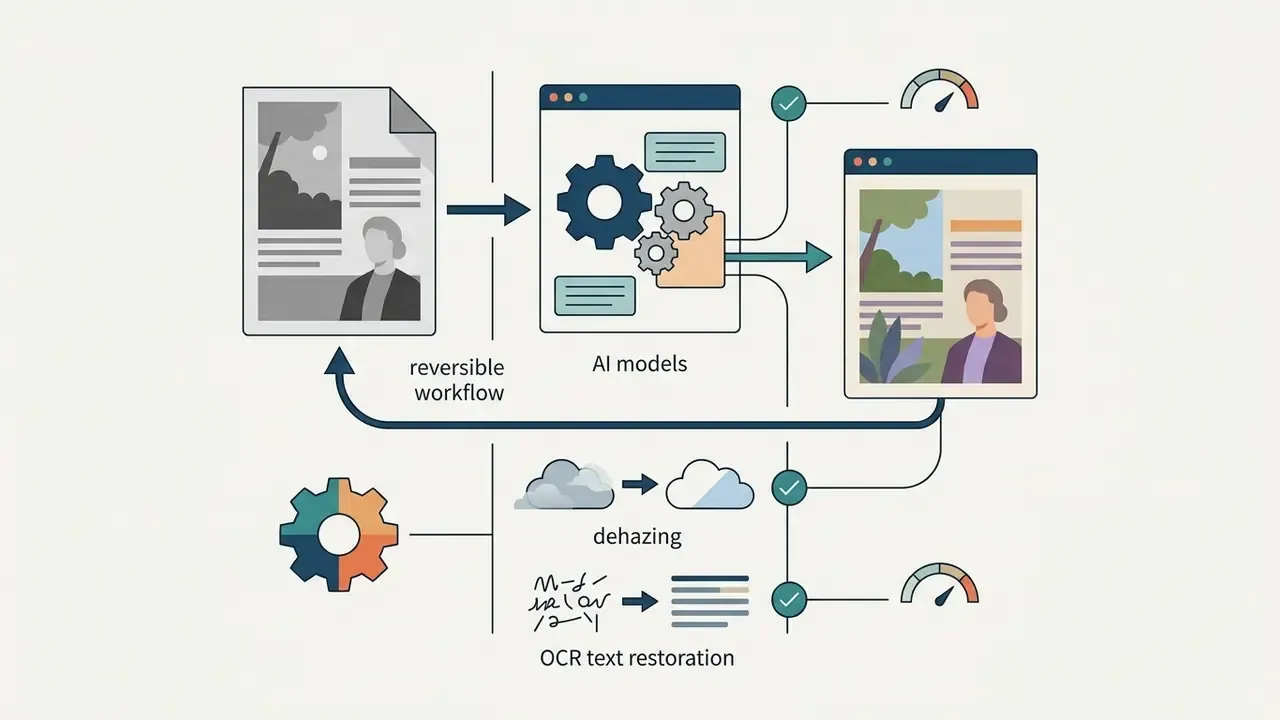
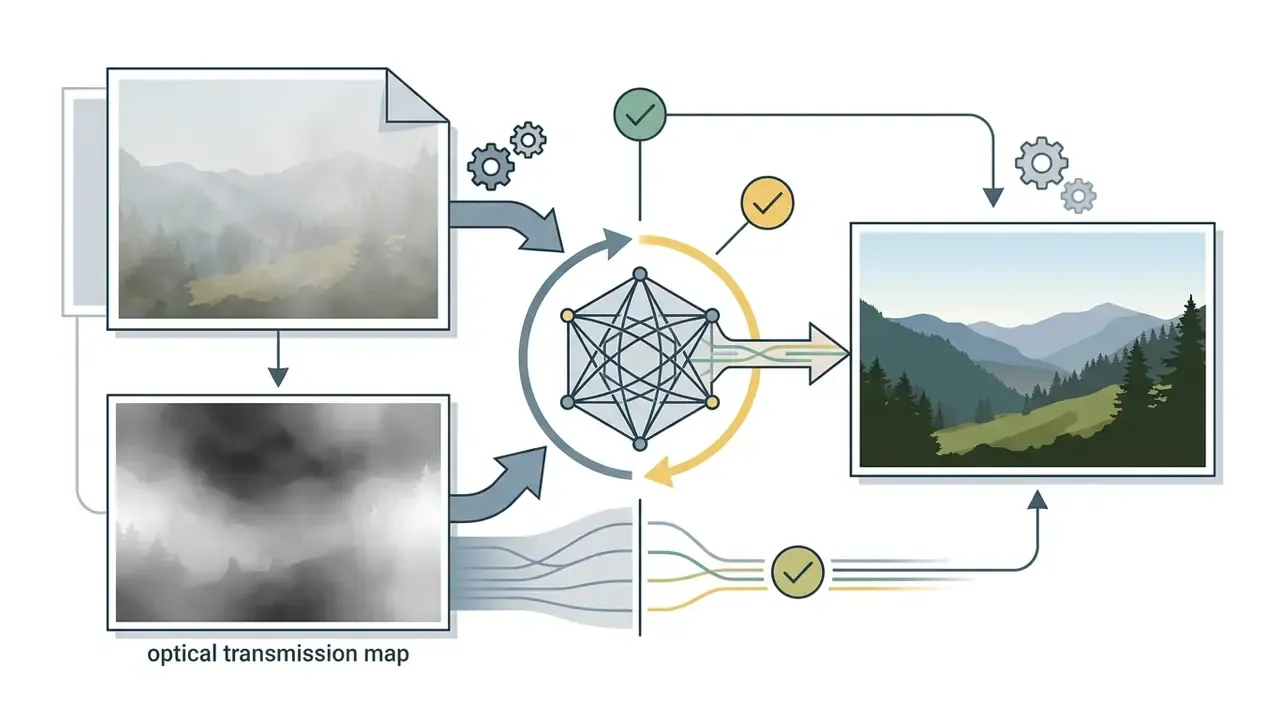
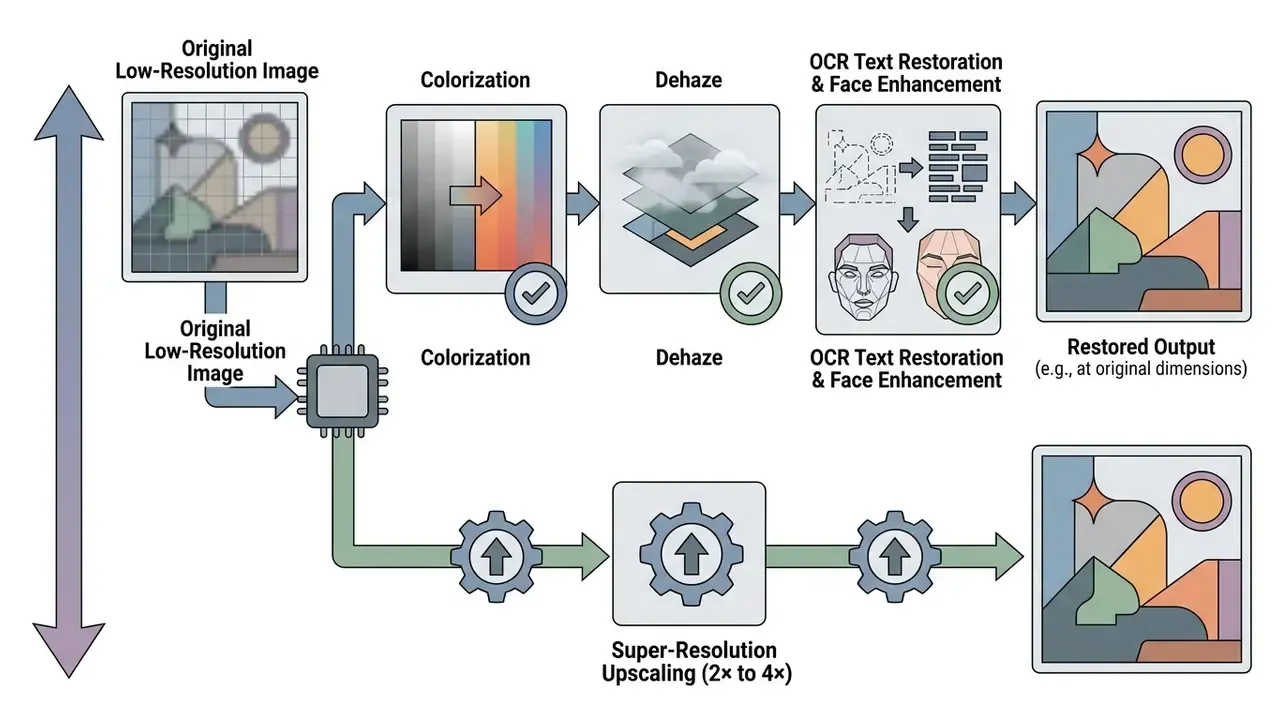
Specialized AI Models: Colorization, Dehaze and OCR Text Restoration
Beyond resolution, advanced frameworks deploy narrow sub-routines for high-value restoration tasks:

Identify the Image Problem Before You Enhance It
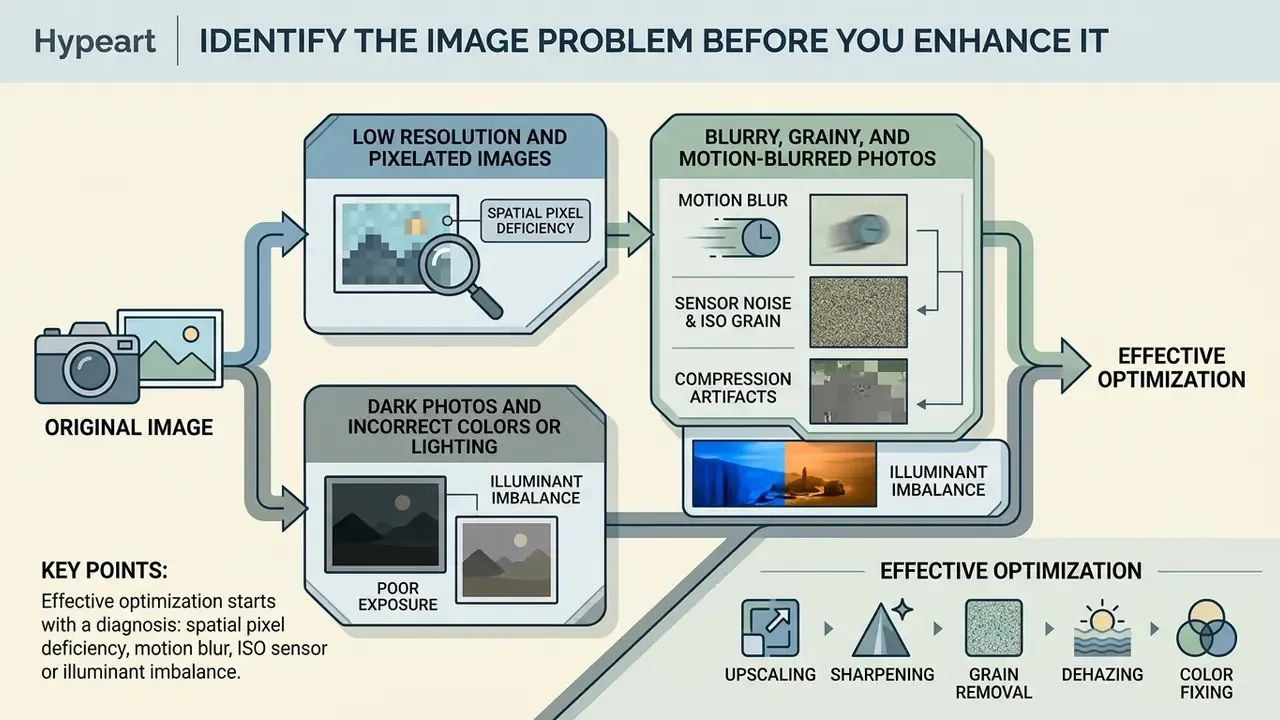
Effective optimization starts with a diagnosis: spatial pixel deficiency, motion blur, ISO sensor grain, or illuminant imbalance. Only then does the processing mode make sense. Heavy denoising applied to a merely low-density photo strips texture. Upscaling a motion-blurred frame yields a larger, fuzzier file. Nothing more.
«Research indicates SR, denoising and illumination correction work best as discrete modes: one universal model trails specialized routes on PSNR and perceptual metrics.»
Diagnosis is itself a neural discipline. Image-quality assessment splits into full-reference methods, which compare a distorted image against a pristine reference, and no-reference or blind methods that score quality with no reference at all. CNN classifiers are routinely used to detect and localize blur, noise, compression artifacts, and exposure or color distortion before any repair begins. Published evaluations do note a weakness: real-world dust and sensor-defect detection still lags performance on synthetic degradations.
Low Resolution and Pixelated Images
A low resolution image has insufficient spatial pixel density for its target display or print size. Viewed large, individual pixel blocks show up as jagged transitions, coarse gradients and missing micro-texture. Pixelation is literally a stepped-edge signature: with too few samples, adjacent details merge and contours turn blocky.
When teams need to convert low-density graphics into high quality images, simple scaling fails because it cannot create data. Interpolation smooths sharp transitions and adds blur or ringing at discontinuities. An ai enhance low resolution image model instead reads global context to estimate the most probable high-frequency structure, effectively filling the gaps. Edge-preserving reconstruction techniques do the heavy lifting here: edge and blur-model estimation, warping and fusing of edge models, piecewise-linear resampling, wavelet decomposition, iterative back-projection, guided filtering. That stack is what stops jaggies from surviving the enlargement.
For digital archives full of legacy thumbnails, an ai that increases image quality keeps contours crisp when assets scale up to modern desktop or high-DPI mobile screens. Can AI increase the resolution of an image beyond what the sensor recorded? It can increase pixel count and plausible detail. It cannot recover information that was never captured. Keep that distinction in your acceptance criteria.
Blurry, Grainy and Motion-Blurred Photos
Blurry photos and noisy images come from different physical causes. Blur comes from misfocus or camera movement during exposure. Grain comes from elevated ISO or heavy lossy JPEG compression.
- Motion blur corrected with blind deblurring networks that estimate the motion trajectory kernel across the image plane, then invert the blurring transform. Recent diffusion-based systems push past sharpness recovery into trajectory and object-shape reconstruction for fast-moving subjects. This is the family behind most "unblur image" features.
- Sensor noise and ISO grain managed by self-supervised blind-spot networks that remove uncorrelated high-frequency variance while holding structural edges intact. RAW-domain blind restoration pipelines model sensor noise and motion blur jointly across camera bodies.
- Compression artifacts deblocking filters erase the 8x8 pixel grid boundaries typical of legacy web JPEGs. Forensic vocabularies describe these failures as blocking, banding, local color distortion and high-frequency loss. The last one is what makes edges fuzzy and fine patterns mushy.
«RealNet shows superior visual quality on the RealWorld38 set under unknown degradation types, including mixed blur and noise.»
Illustrative scenario (hypothetical, not a client case study): consider a commercial asset manager recovering un-cropped product shots affected by camera shake. A joint deblurring and super-resolution model can recover crisp label text and suppress motion trails, turning unusable field photography into publication-ready imagery without a re-shoot. Actual recovery depends on kernel severity and residual signal in the source file. Validate every result against the unedited original.
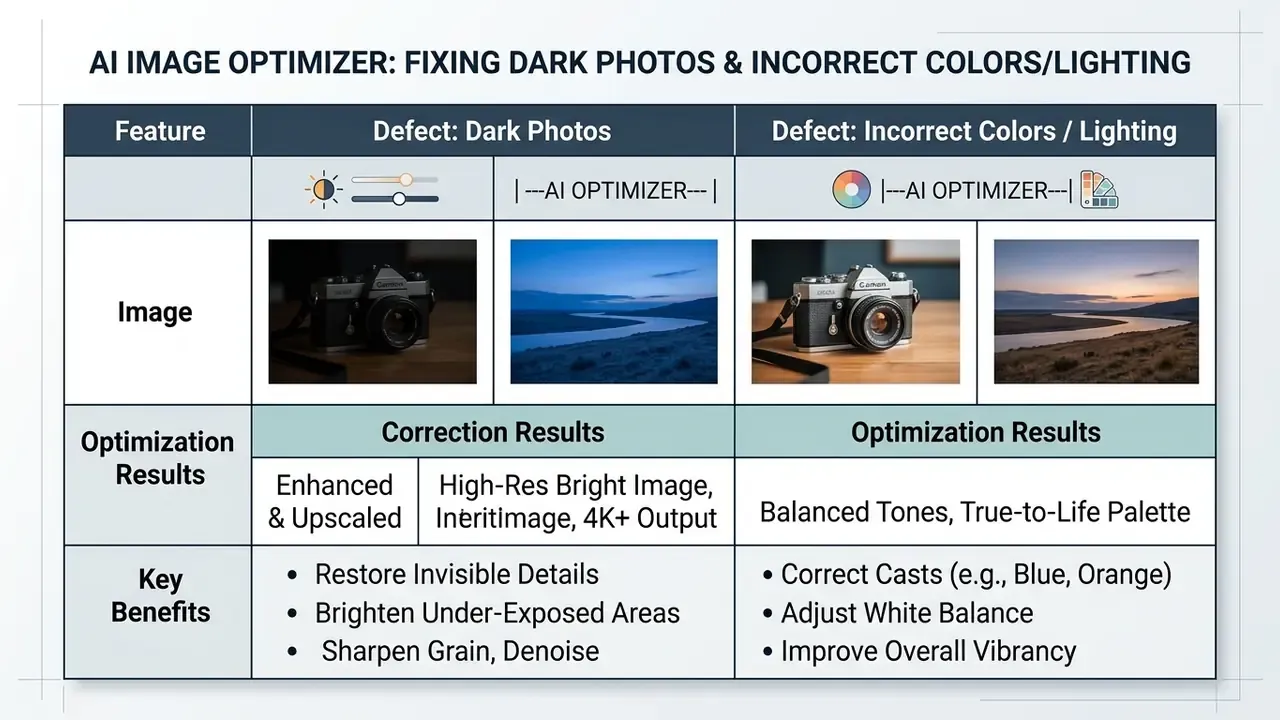
Dark Photos and Incorrect Colors or Lighting
Underexposed photographs have compressed dynamic range, with shadow detail clipped into dark, uniform noise blocks. Boost global gain and you amplify sensor noise, turning blacks into muddy grey.
AI illuminant correction decomposes the frame into separate illumination and reflectance maps based on Retinex theory. The network then computes localized exposure adjustments, lifting deep shadows while protecting highlights from clipping. In parallel, automated white-balance routines analyze skin tones or known neutral references to remove unnatural color casts and restore accurate reproduction.
Contemporary implementations go further and model the full ISP chain: white balance, tone mapping, gamma correction. That is the main mechanism preventing over-brightening and color drift. Portrait-specific research treats skin-tone fidelity as a first-class optimization target, and skin-reflectance-driven auto white balance estimates illuminant SPD and correlated color temperature from measured skin data. For hands-on tooling, see how lighting correction in an ai image enhancer is exposed as a user-facing control rather than a hidden default.
| Image Problem | Primary Visual Defect | Recommended AI Processing Mode | Expected Output Result |
|---|---|---|---|
| Low Resolution | Visible pixelation, jagged diagonal edges, blocky details | Single-Image Super-Resolution (2x, 4x, 8x upscaling) | Increased pixel density, reconstructed edge vectors, sharp micro-textures |
| Blurry & Motion-Blurred | Soft focus, directional motion trails, loss of edge contrast | Blind deblurring and structural sharpening filter | Restored object boundary clarity, reduced motion artifacts |
| Grainy / ISO Noise | Random color speckles, heavy ISO sensor grain, JPEG compression blocks | Self-supervised denoising (blind-spot networks) | Smooth surface textures, preserved structural edges, eliminated grid blocks |
| Dark / Underexposed | Clipped shadow detail, muddy contrast, severe color cast | Retinex / ISP-aware low-light enhancement | Balanced shadow illumination, protected highlights, accurate color balance |
| Atmospheric Haze / Fog | Washed-out contrast, milky sky, low object separation | Transmission-map dehazing and contrast recovery | Recovered depth contrast, clarified horizon and object boundaries |
| Grayscale / Faded Archive | No chroma data, sepia shift, uneven fading | Generative colorization with historical priors | Plausible, tonally consistent color reconstruction |
| Generative Distortion | Smudged background details, warped face symmetry, unreadable text | Domain-specific refinement (face / text restoration) | Structurally coherent faces, readable typography glyphs |
How to Enhance an Image Online with AI
Running an ai image optimizer online free workflow needs an ordered approach: set parameters, verify execution speed, review resolution output, then export. Skipping the review step is where most rework comes from.
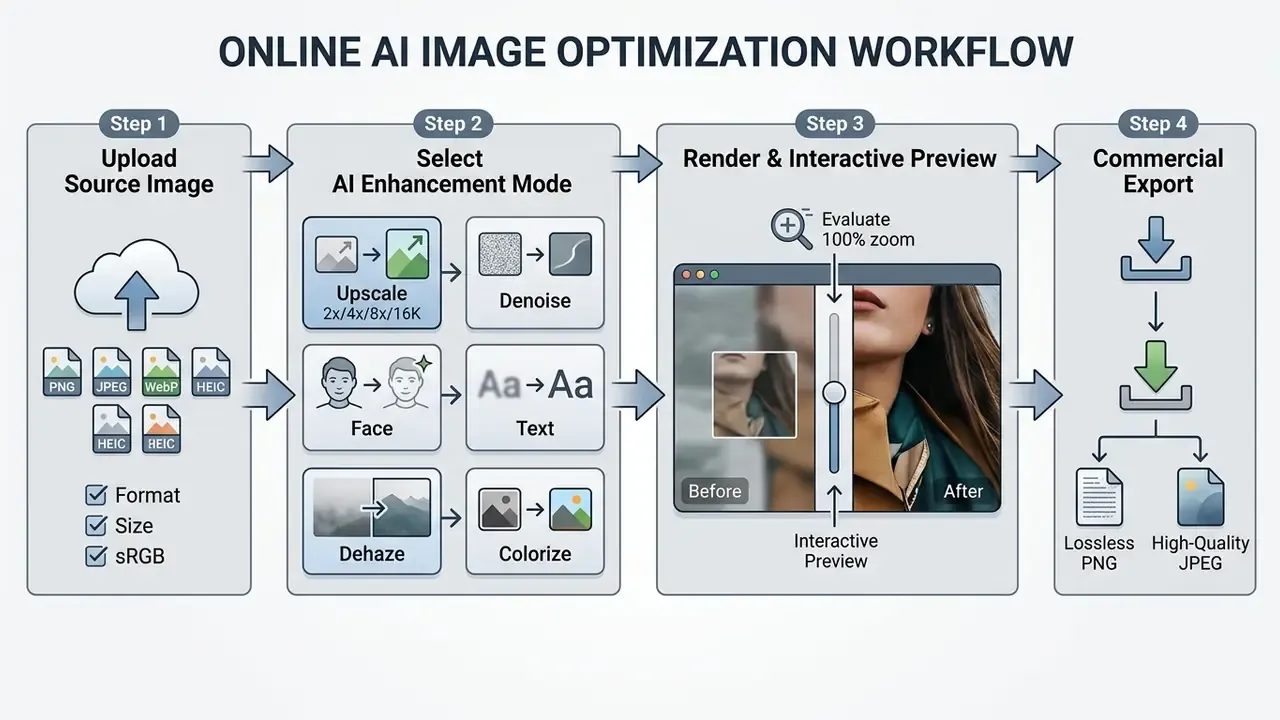
Upload an Image and Check Its Starting Quality
The sequence starts when you upload image files to the cloud processing queue. Before submitting, check that your source meets baseline input parameters:
Updated input formats and technical boundaries:
Enterprise optimizers handle standard web formats alongside the mobile container formats native to iOS devices. Input resolution ceilings scale inversely with the requested factor, because output pixel budgets, not input size, are the binding GPU constraint.
- File format
- native JPEG, PNG, WebP, HEIC and HEIF inputs are optimal. Standard sRGB profiles prevent unexpected chromatic shifts during cloud rendering. WebP support is usually limited to static frames, not animation.
- File size limits
- free and guest tiers commonly cap uploads around 5 to 20 MB, while 50 MB ceilings and above are typically reserved for logged-in accounts or API keys. Comparable web-platform baselines show the spread: Squarespace accepts .jpg/.png/.webp up to 20 MB in sRGB; Canva accepts JPEG/PNG/WebP under 50 MB with a 250-million-pixel ceiling; Adobe Express documents 80 MB on desktop web and 40 MB on mobile.
- Initial resolution assessment
- confirm the source contains at least baseline structural data. Files under 200x200 pixels usually need domain-specific reconstruction (generative face priors of the CodeFormer or GFPGAN class) rather than standard super-resolution, because generic SISR backbones hallucinate heavily at extreme magnification.
| Operational Parameter | Guest Access Limit | Logged-in / API Limit |
|---|---|---|
| Supported Formats | JPEG, PNG, WebP, HEIC, HEIF | JPEG, PNG, WebP, HEIC, HEIF, TIFF |
| Max Input Resolution (1x pass-through) | 10,000 x 10,000 px | Up to 20,000 x 20,000 px |
| Max Input Resolution (2x upscale) | 5,000 x 5,000 px | 10,000 x 10,000 px |
| Max Input Resolution (4x upscale) | 2,500 x 2,500 px | 5,000 x 5,000 px |
| Max Input Resolution (8x upscale) | 1,250 x 1,250 px | 2,500 x 2,500 px |
| Max File Size | 20 MB per image | 50 MB (web UI) / higher or unmetered (batch API) |
| Color Profile | sRGB recommended | sRGB required for print-color predictability |
A pre-upload check avoids submitting badly corrupted files that no statistical model can reliably repair. For document-heavy or format-conversion tasks, our reference material on online photo editors covers the supporting toolchain.
Choose an Enhancement Mode and Upscale Option
Once the file is uploaded, match the asset to the right engine:
- General photo mode: balanced settings for natural scenes, landscapes and architectural photography.
- Face restoration mode: activates facial landmark priors to clean portraits, correct eye symmetry and hold natural skin texture.
- Art and anime mode: line-preservation filters keep flat fills clean without generating texture noise where none belongs.
- Text / document mode: routes the file to glyph-aware and OCR-assisted models tuned for stroke-width consistency in screenshots, labels, posters and scans.
- Extended scale factors (2x, 4x, 8x, 16K/22K output): pick 2x for subtle web asset tuning, 4x for standard 4K display upgrades, 8x for high-density print, and 16K/22K modes for mega-billboards, architectural murals, exhibition graphics or ultra-high-definition master archiving. Vendor documentation varies by product line: some first-party upscalers expose only 2x/4x, while third-party engines publish 8x, 16K and 22K ceilings.
- Domain presets:
- Pets and wildlife: preserves micro-texture in fur and whiskers without clumping or smearing.
- Architecture and scenery: enforces straight-line geometric constraints on structural edges while avoiding artificial smoothing on foliage.
- Object and product: prioritizes label legibility, material specularity and clean background separation for catalog assets. Some platforms bundle a background remover in the same run, which is convenient but should be reviewed separately, since cutout errors read as sloppy faster than soft focus does.
An ai photo resolution enhancer free utility is a reasonable way to test how different backbones treat your media types before committing to a paid batch run. Teams that also need canvas expansion can compare an ai image extender alongside pure upscaling.
Browser-Based and Cross-Platform Accessibility
Modern online optimizers run inference on server-side GPU clusters, typically NVIDIA A100 or H100-class nodes. So users can process, upscale and enhance photos straight from a browser on Windows, macOS, iOS (Safari), Android (Chrome), iPadOS tablets and Chromebooks, with no local plugins, GPU drivers or app packages.
Two operational upsides. Field teams can enhance HEIC captures from an iPhone without a desktop round-trip. IT avoids endpoint software approval cycles. One governance downside, and it is the important one: browser access means uploads leave the device, so cross-platform convenience and data-residency review have to be handled together.
Preview the Result and Download the Enhanced Image
Before saving anything, inspect properly:
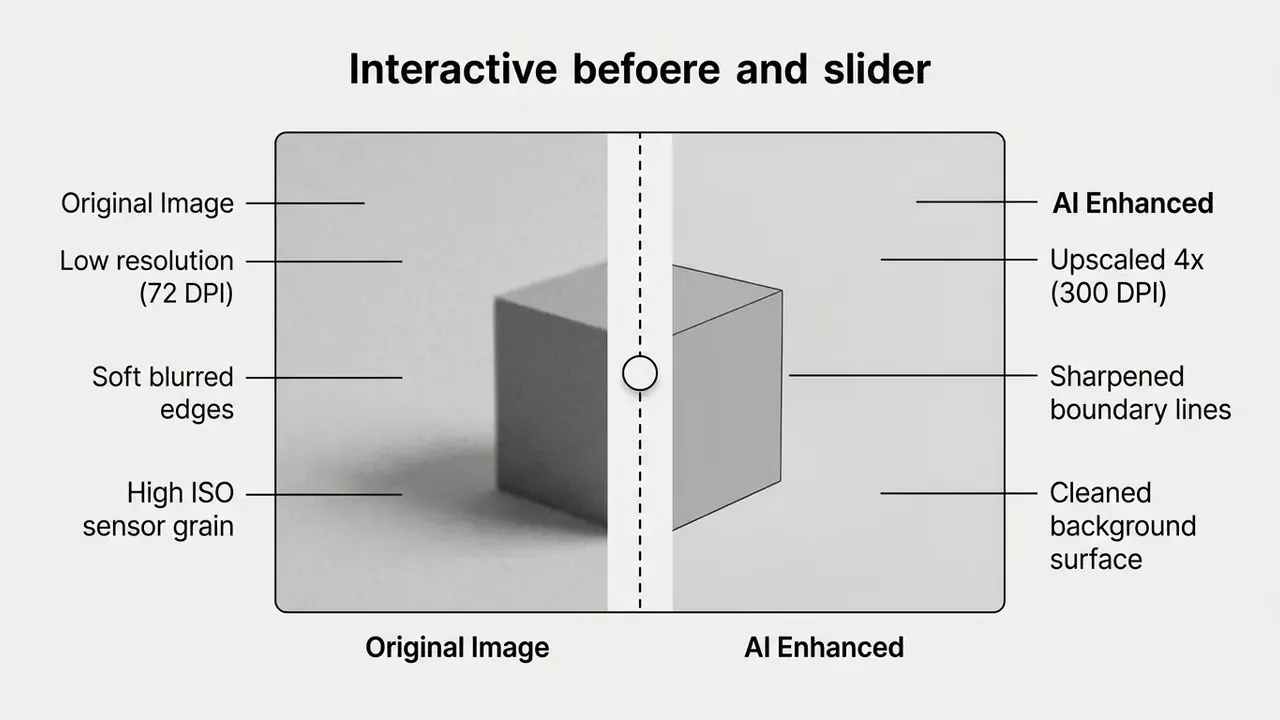
- Split-screen comparison: use the slider to compare raw input against the enhanced render in real time. Accessible implementations must expose the slider role to the accessibility API so keyboard and screen-reader users can operate it.
- 100% zoom inspection: magnify to 100% and check high-frequency regions such as hair strands, text labels and foliage boundaries. Judging noise at fit-to-screen scale hides both residual grain and over-sharpening.
- Export format selection: download lossless PNG for transparency, screenshots, diagrams, logos, flat color areas or crisp text, since PNG preserves every pixel exactly. Choose high-quality JPEG (quality 85 to 95%, roughly 0.8 to 0.9) for photography to cut storage without visible compression artifacts. Avoid repeated JPEG re-saves, because each lossy save compounds the loss.
- Non-destructive discipline: keep the unedited original as the archival master. Adobe's guidance on non-destructive editing is explicit that edits which do not overwrite original image data leave quality intact. Treat enhanced renders as derivatives, never replacements.
BEFORE/AFTER SLIDER DIAGRAM
Best Uses for AI Photo Enhancement
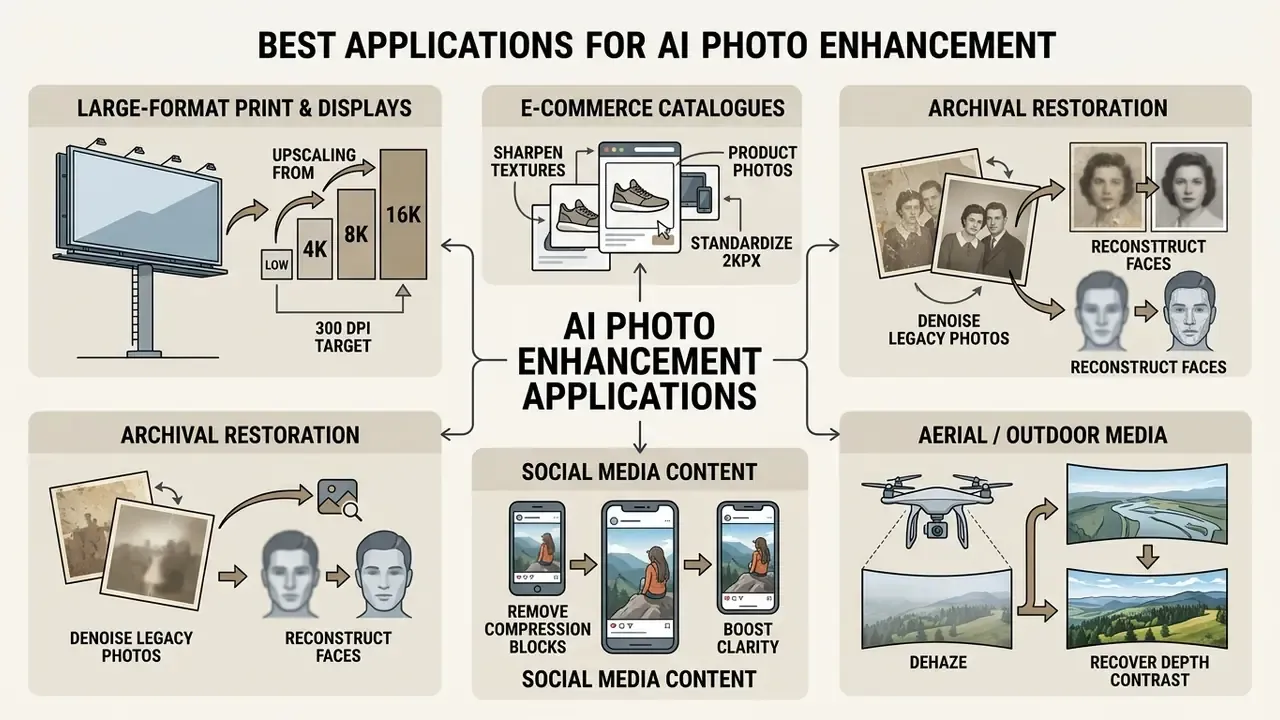
An ai that makes images high quality earns its keep in four places: print publishing, e-commerce merchandising, digital archiving and social media production.
Upscaling Images for Printing and Large Screens
Print demands far more spatial resolution than web display. Standard web imagery renders at 72 to 96 dots per inch, while commercial offset and inkjet printing need 300 DPI for sharp reproduction. ISO print-production guidance specifies continuous-tone data resolution of at least 120 cm⁻¹ and 600 dpi for certain graphics-exchange headers. ISO/TR 20791-1:2020 defines formal evaluation methods for the image quality of digital photographic reflection prints across inkjet, thermal dye transfer, electrophotographic and silver-halide processes.
Display targets work on different arithmetic. NIST IR 8456 treats display resolution as a pixel count and uses 96 dpi as the reference pixel density, which means 4K (3840×2160) and 8K (7680×4320) requirements are judged by final pixel dimensions, not print DPI.
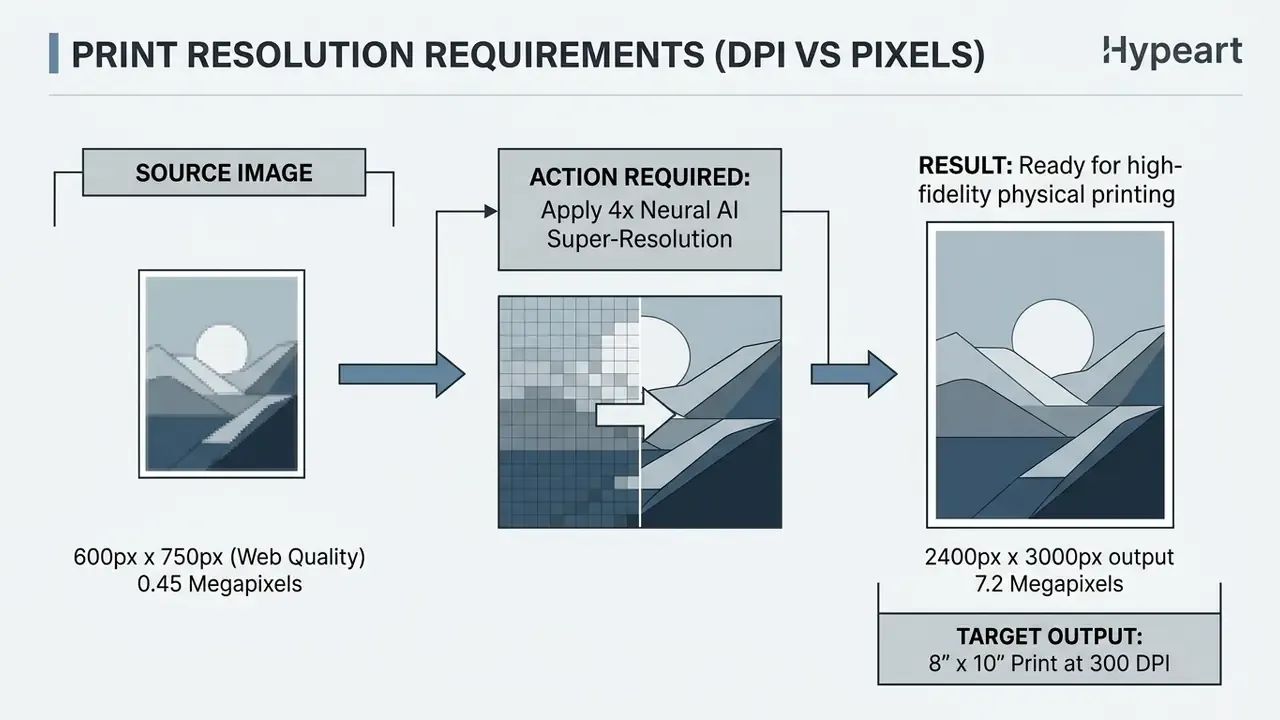
When an agency needs ai to create high resolution images for exhibition displays or billboard media, low-density sources have to expand without going soft. A 4x or 8x neural upscaler, or a 16K output mode for mural-scale substrates, lifts small assets to target print specification and removes visible pixelation on large-format material. Print teams can consult our comparison of AI image upscalers for print to confirm maximum output ceilings before committing a job to press.
Restoring Old Family Photos and Enhancing AI Art
Archives and personal collections mostly deal with damaged paper prints and low-resolution vintage scans. Restoration tooling typically exposes discrete modes, scratch repair, color restoration, face enhancement and denoising, and accepts JPEG, PNG, TIFF, PDF and scanned print inputs.
- Old family photos: specialized face enhancement backbones repair physical scratches, remove age-related chemical yellowing and reconstruct facial features from degraded family photos. Reversibility matters here more than anywhere else, because a colorized ancestor is an interpretation, not a record.
«ARASFSR restores faces at arbitrary magnification by predicting RGB values for each target pixel from local coordinates and the scale ratio.»
Restoration teams can explore the hub of legal and copyright analysis to understand compliance boundaries when enhancing historical or third-party artwork. One forensic caveat runs through all of it: NIST's reference material on generative AI for facial image processing notes that these tools can add artificial pixel information and introduce twisted facial detail, so the unedited original must remain the basis for any identification or evidentiary opinion.
- Digital and generative art
- artists use an ai art enhancer free model to scale low-resolution renders, sharpening brushstroke detail and cleaning synthetic noise without rewriting the composition. Practitioners comparing manual and automated control surfaces can review how AI photo editors handle restoration layers, masking and selective correction, or how a free-tier ai image enhancer limits export size.
How to Choose an AI Image Optimizer for Free and Commercial Use
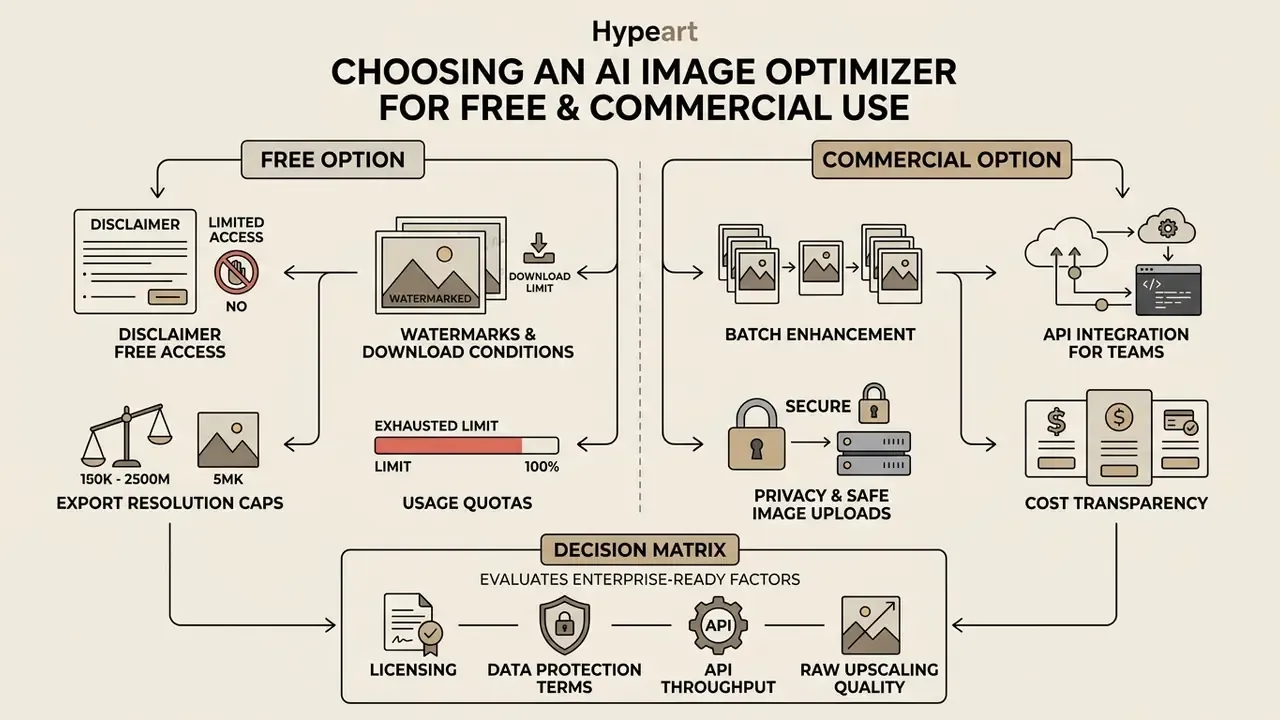
Selecting an enterprise-ready ai image optimizer means evaluating licensing, data protection terms, API throughput and cost transparency alongside raw upscaling quality. Output quality is the easy part. Contracts are where the risk lives.
Free Access, Watermarks and Download Conditions
Separate two usage contexts before comparing features. Consumer free tiers are optimized for anonymous, one-off, low-stakes images. Enterprise platforms are optimized for contractual guarantees, throughput and auditability. Governance risk appears when employees treat the first as a substitute for the second, pasting unreleased product photography, customer imagery or internal screenshots into public utilities found by searching for ai enhance image free no watermark. That is the working definition of shadow AI in a media workflow: unsanctioned tool use that quietly exports corporate assets past approved boundaries.
When you evaluate anything marketed as ai enhance image free no watermark or an ai photo enhancer online free no watermark, read the user agreement for operational constraints. Free tiers usually impose at least one of these:


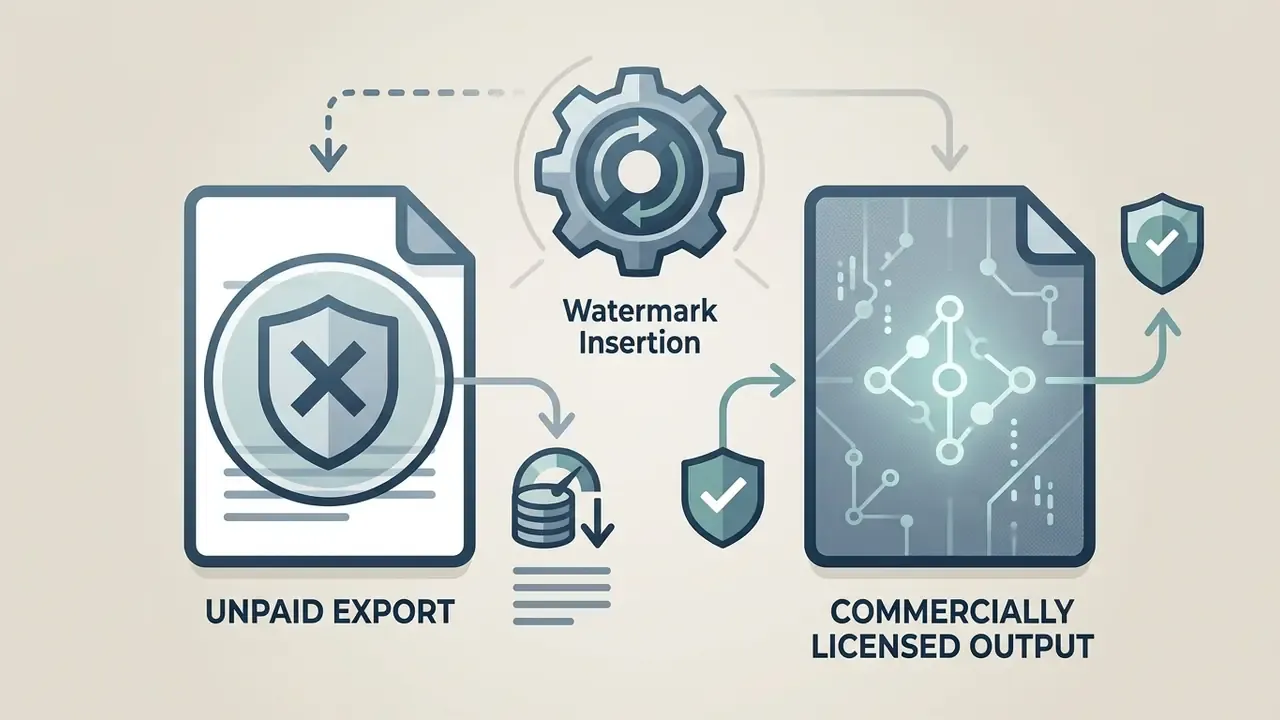
Anyone hunting an ai improve image quality free solution should verify whether the tool actually delivers watermark free downloads without a credit card or a mandatory subscription roll-over. Verification note: the "no watermark" claim is frequently absent from official Terms of Service and Privacy Policy text, so validate it against the vendor's own documents rather than landing-page copy. Our reference material on free photo editors documents comparable feature-limit and export-restriction patterns.
Batch Enhancement and API Integration for Teams
«AnySR reformulates arbitrary-scale SR into an any-scale, any-resource implementation, cutting computation for small factors without adding parameters.»
Operational planning benchmarks (verify against your vendor's SLA):
| Integration Parameter | Typical Consumer Web Tier | Typical Commercial API Tier |
|---|---|---|
| Concurrency | 1 job, browser-bound | Async queue with parallel workers |
| Published rate limits | Not documented | Commonly tiered, for example 20 req/min and 500 req/day per key on entry plans, scaling toward roughly 10,000 req/hour on enterprise plans |
| Batch endpoint size | Single file | 2 to 20+ files per call, or unbounded queue submission |
| Latency per image | Seconds for small web files; grows superlinearly with output pixel count | Same physics, parallelized across GPU workers |
| Pricing model | Daily credit allowance | Per-image, per-credit or per-megapixel metering |
Because output pixel count drives GPU cost, a 16K render can consume an order of magnitude more compute than a 2x pass on the same source. So model cost per final megapixel, not per file. Creative teams can review specialized expansion options in our comparison of AI outpainting tools to see how enhancement slots into wider production.
Privacy and Safe Image Uploads
Uploading confidential media, unreleased product photography or customer imagery to web tools creates regulatory exposure under GDPR, CCPA and US banking compliance frameworks. EDPB Opinion 28/2024 is clear that AI services processing personal data need a documented legal basis with purpose limitation and data minimisation. That applies equally to free and paid image tools ingesting faces, EXIF geotags or other identifiers. NIST SP 800-188 adds a point people skip: de-identification is a separate control. A tool that merely resizes or compresses an image still processes identity-linked content.
| Security & Governance Parameter | Standard Free Online Tool | Enterprise-Grade Commercial AI Optimizer |
|---|---|---|
| Data Retention Window | Indefinite server caching or unstated deletion timelines | Automated purging of input and output files within 1 to 24 hours |
| Model Retraining Policy | Uploaded media used for public model training | Explicit contractual opt-out or strict non-retraining guarantee |
| Transit Encryption | Basic HTTP or standard SSL | TLS 1.3 in transit with AES-256 storage encryption |
| Compliance Alignment | Unverified, no formal certifications | SOC 2 Type II, ISO 27001, audit-ready data lineage logging |
| Documented Scope | No public model documentation | Public documentation of inputs, outputs and limitations (per NIST guidance on AI documentation) |
Published retention practices vary materially. Some vendors delete uploaded and enhanced images after 1 day. Others keep them 24 hours for trial usage, or 30 days by default, or for the life of the subscription. Stateless endpoints may not store images beyond the response at all. Before uploading internal visual assets, procurement teams should verify that the privacy policy guarantees data isolation, states an explicit deletion window, and prohibits third-party training usage.
Commercial Decision Matrix: AI Image Optimizer Platforms
| Evaluation Criterion | Free Tier Considerations | Commercial / Enterprise Standard | Business Impact |
|---|---|---|---|
| Export licensing | Personal use only, possible watermark inclusion | Full commercial distribution rights granted | Protects against copyright and licensing disputes |
| Processing capacity | Manual single-file web uploads (1 to 5 photos per day) | High-throughput batch processing via REST API | Scales e-commerce and publishing operations |
| Input format coverage | JPEG/PNG/WebP only; HEIC often rejected | JPEG, PNG, WebP, HEIC, HEIF, TIFF | Removes mobile-capture friction for field and retail teams |
| Output ceiling | Capped at 2x or roughly 2048 px edge | Up to 8x, 16K or 22K master output | Enables large-format print and ultra-HD delivery |
| Data privacy and retention | Media retained for internal model training | Zero-retraining guarantees, automated 24-hour purge | Supports GDPR, CCPA and enterprise privacy policy alignment |
| Reconstruction control | Fixed one-click automated defaults | Custom model selection (face, text, fine texture) | Prevents hallucination on sensitive corporate assets |
| Auditability | No logs exposed to the customer | Audit logs, data-lineage records, per-key usage reporting | Supports model-risk review and regulated-industry evidence trails |
No matching rows Clear one or more filters to restore the matrix.
Verification and Fact Check
Notice on verified company information: domain verification for hypeart.ai confirmed that as of January 2026 the registry status returns unverified credentials. No verified information available regarding proprietary pricing, internal infrastructure certifications or vendor performance claims. Organizations evaluating prospective software vendors should independently audit Terms of Service, privacy documentation and API SLA guarantees before deploying cloud processing pipelines. We deliberately do not present a company USP here, because none has been verified.
How to Evaluate AI Enhancement Results and Avoid Artifacts
Deep learning is very good at detail reconstruction. It is also very good at inventing detail, which is the same capability wearing a different hat. Rigorous QC keeps enhanced imagery physically plausible.
Check Whether Details Look Natural After Upscaling
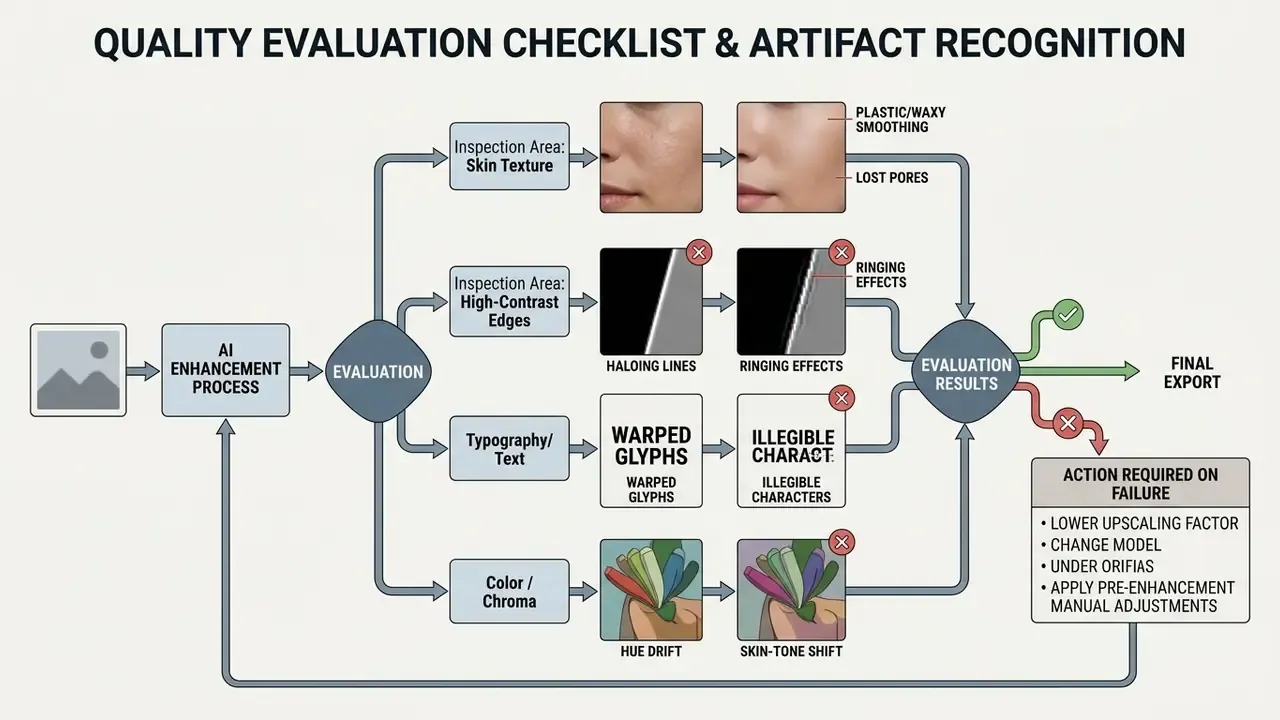
Models tuned to produce a better quality image ai output can synthesize hyper-realistic micro-patterns that were never in the original frame. Artificial detail hallucination shows up as:
- Unnatural repeating skin texture or plastic-looking surfaces.
- Distorted geometric patterns on architectural materials or clothing fabric.
- High-contrast halo outlines around foreground subjects.
- Chroma drift, where hue or skin tone shifts away from the measured original.
«Diffusion SR models can generate sharper but hallucinated textures; Moser et al. name explainability and color shift as unresolved challenges.»
Auditors should confirm that enhanced images keep organic variation instead of substituting smooth synthetic texture. Expert-annotated portrait benchmarks such as PIQ23 formalize this with attributes like face detail preservation and naturalness, separating real micro-texture from cosmetic smoothing. In practice three signatures mark overprocessing: crunchy halos around facial contours; uniformly flattened skin with no pore structure; waxy reflective surfaces replacing organic tonal variance. Skin-sensitive sharpening methods exist precisely because generic sharpening boosts non-skin edges while degrading facial realism.
Review Faces, Text and Fine Edges at Full Size
Looking at overall composition proves nothing. Technical validation means inspecting critical zones at 100% to 200% magnification:
- Facial detail preservationinspect eyes, teeth and hair boundaries. Face-restoration routines should maintain the subject's true geometry and identity, with no asymmetrical distortion. Identity preservation, not raw sharpness, is the operative metric. CVPR-published face-restoration work reports user studies where reviewers preferred restored faces on both quality and identity fidelity in roughly 86% of comparisons.
- Typography and small textexamine printed labels, signage or document text. Confirm stroke widths stay consistent and letters do not melt into unreadable shapes. Scene-text super-resolution research optimizes legibility first through glyph-aware restoration; contour-restoration studies measure success with SSIM plus line smoothness and stroke-width uniformity.
- Fine edges and contourscheck tree branches, animal fur, wire fences. Edges should read sharp without developing over-sharpened, brittle borders.
That generalizes to stills. A metric win can coexist with a perceptual failure, which is exactly why the 100% zoom pass is non-negotiable. Teams reviewing complex asset generation can study our Midjourney AI image generator review to understand baseline output structure before running secondary enhancement.
When to Try Another AI Model or Start with a Better Source Image
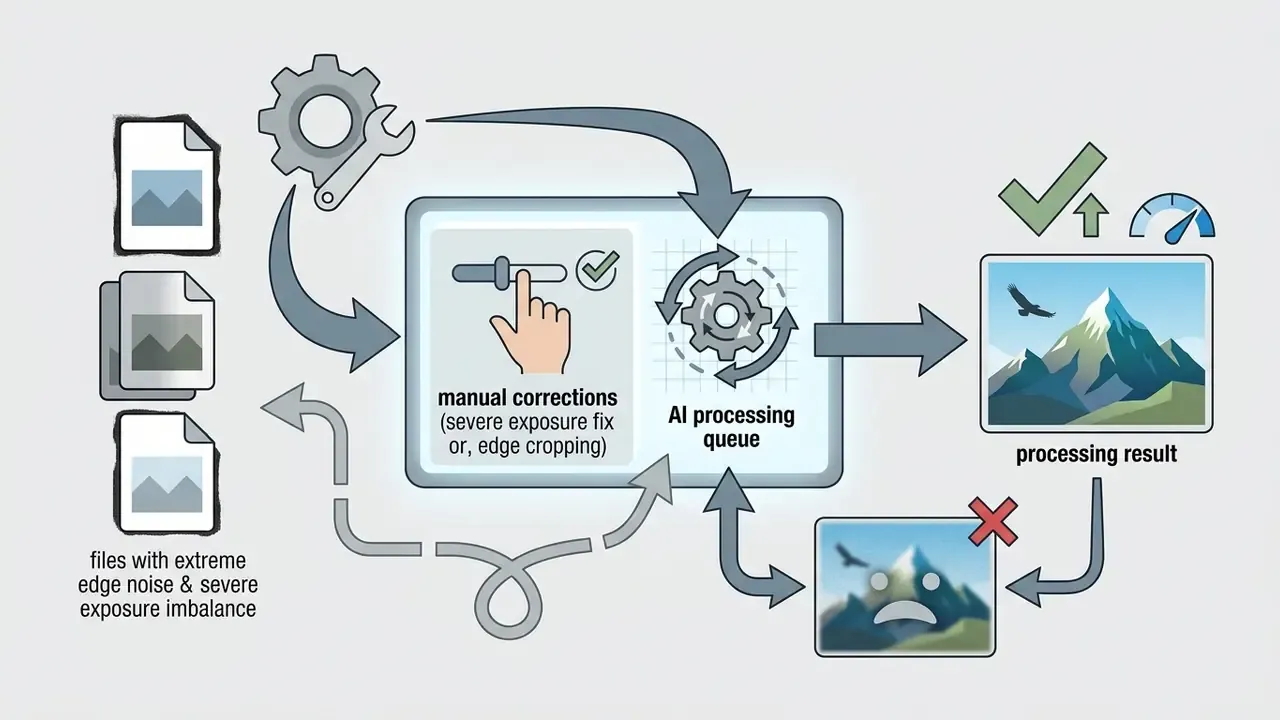
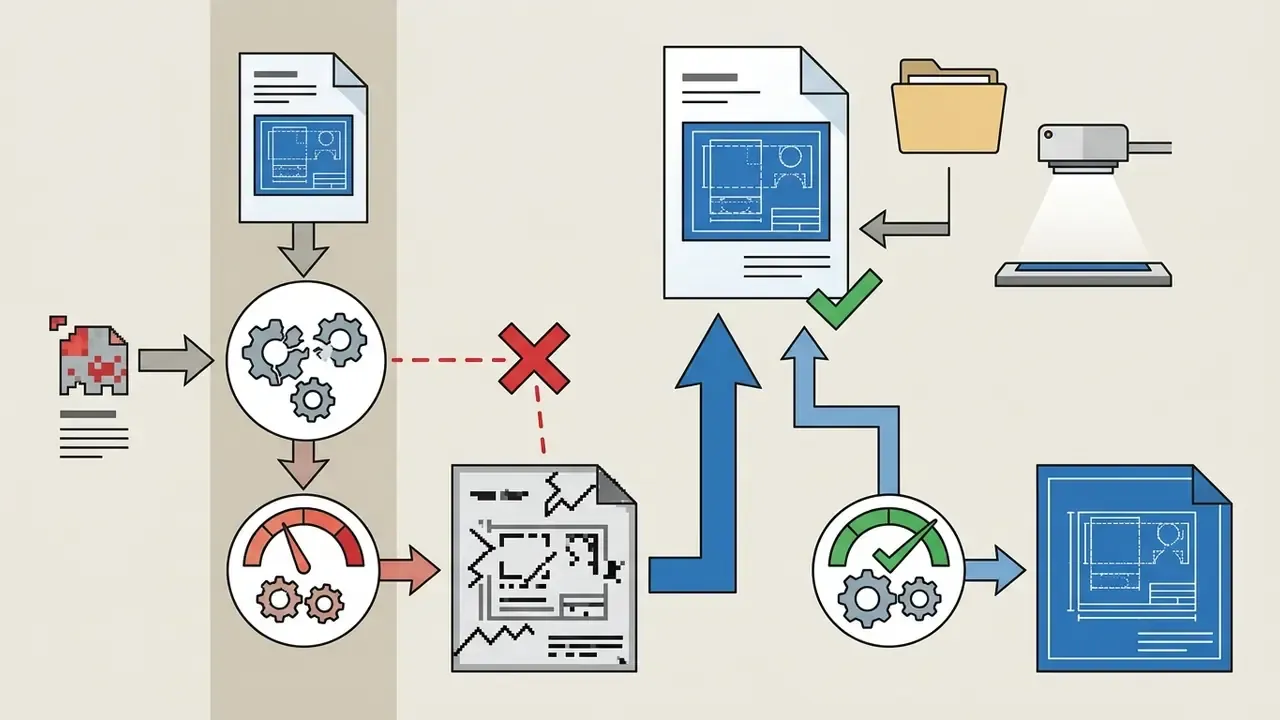
If the first attempt produces visible artifacts, follow a structured remediation flow instead of nudging sliders at random.
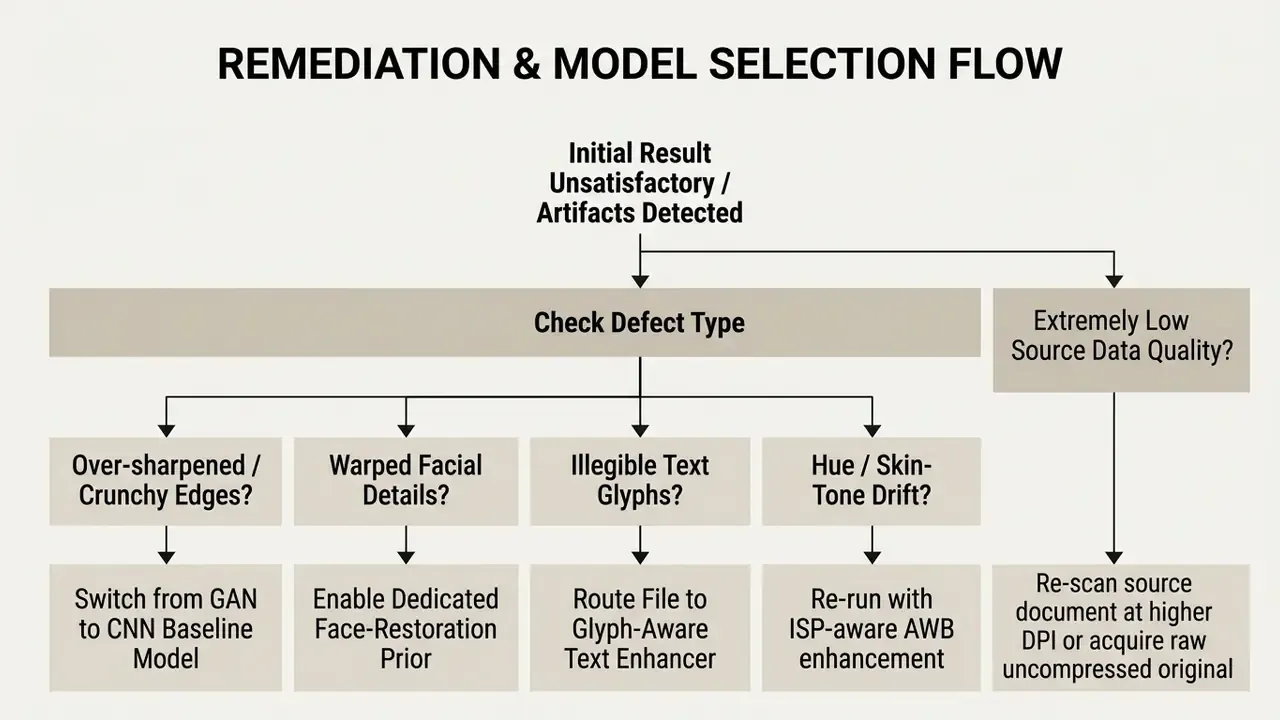
- Switch the neural backbone. If a GAN model produces harsh over-sharpening halos, move to a conservative CNN super-resolution model that favours mathematical fidelity over aggressive detail creation.
«SSC-SR, used as a plug-and-play module, yields average gains of 0.1 dB over EDSR and 0.06 dB over SwinIR, showing self-supervised constraints reliably improve SR quality.»
For broader integration strategy, creators can inspect our detailed media workflows to align image optimization with production pipelines.
FAQ: Model Risk, Compliance and Operations
These are the frequently asked questions we hear most often from governance and operations reviewers.
Can AI increase the resolution of an image, or only the pixel count?
Both, with a caveat. Neural super-resolution raises pixel count and adds statistically plausible high-frequency structure, so perceived resolution genuinely improves. It does not recover information the sensor never captured. Treat the result as a reconstruction, defensible for publishing, weaker for evidentiary use.
Does AI enhancement alter the evidentiary or audit value of an original image?
Yes, potentially. Enhanced output is a derivative artifact containing inferred pixel data. NIST's reference material on generative AI in facial image processing warns that such tools can add artificial pixel information and distort facial detail, so the unedited original must remain the authoritative record for identification or forensic purposes. Store originals immutably and treat enhanced renders as read-only derivatives with their own lineage record.
What does an audit trail for an AI image pipeline need to contain?
At minimum: source file hash, timestamp, tool and model version, selected mode and scale factor, operator identity, output hash. Enterprise platforms with audit logs and per-key usage reporting make this reconstructable. Consumer web utilities generally do not, which is why they fail regulated-industry review regardless of how good the pictures look.
Can we prevent a vendor from training on our uploads?
Only contractually. Look for an explicit non-retraining clause, a stated deletion window and documented data isolation, not a marketing claim. Published market practice ranges from stateless endpoints that retain nothing beyond the response, through subscription-length retention, to open-ended use of uploads for model improvement.
How do we control shadow AI without blocking productivity?
Pair a sanctioned, licensed tool (with batch and API access) against a policy naming prohibited data classes for public utilities: unreleased product imagery, customer photos, identity documents, internal screenshots containing system data. Convenience drives unsanctioned use, so the approved path has to be at least as fast as the free one. That is a hypothesis worth testing with your own usage telemetry.
Which metric should we contract against, PSNR or perceptual quality?
Both, with perceptual acceptance as the gate. High PSNR does not guarantee natural appearance, as the NTIRE 2023 quality-assessment challenge showed across 1,211 enhanced sequences. Define a distortion metric floor plus a human-review acceptance criterion for faces, typography and brand color.
Does HEIC input change anything about privacy exposure?
HEIC files from mobile devices often carry rich EXIF metadata, including GPS coordinates and device identifiers. Strip metadata before upload unless it is needed downstream. Otherwise the optimizer receives more personal data than the visual content alone suggests.
Is 16K or 22K output ever necessary?
Rarely, but genuinely: mega-billboards, architectural murals, museum-scale exhibition graphics, long-horizon archival masters. For most web and 4K display work, 2x to 4x is enough. Pushing further raises hallucination risk and compute cost with no perceptible gain at normal viewing distance.
Do free tools really produce watermark-free commercial output?
Sometimes, but verify in the Terms of Service rather than on the landing page. Some platforms remove visible watermarks while still embedding invisible provenance markers. Others grant personal-use rights only. Commercial distribution without a documented license is a legal exposure, not a cost saving.
Conclusion & Next Steps
A modern ai image optimizer turns low-resolution, noisy or underexposed visuals into publication-ready imagery. Move past naive interpolation, deploy networks trained for single-image super-resolution, noise suppression, illuminant balancing, dehazing, colorization and glyph-aware text restoration, and you can scale e-commerce catalogs, prepare graphics for large-format print and rescue legacy archives at reasonable cost.
Consistency comes from process, not from a magic model. Diagnose the defect before processing. Choose a specialized backbone. Verify at 100% zoom against pre-approved acceptance thresholds. Keep the original as the master. When selecting a commercial cloud optimizer, prioritize transparent privacy terms, published input and output boundaries, batch API automation, audit logging and documented commercial licensing.
Ready to move from pilot to controlled production? Compare super-resolution engines, evaluate upstream AI image generators that feed your optimization pipeline, and decide which asset classes stay inside licensed tooling. Readers can browse the hub for our full library of commercial media guides, software comparisons and production frameworks.
Appendix A: Superseded Wording and Fact-Check Notes
Retained for transparency and version traceability. The main text above carries the updated formulations.





Appendix B: Quick Glossary for Procurement and QC Reviews
Useful when a governance reviewer and a designer need the same vocabulary.
- SISR (single-image super-resolution) reconstruction of a high resolution image from one low resolution input, as opposed to multi-frame methods.
- PSNR / SSIM / NIQE distortion and perceptual metrics. PSNR and SSIM need a reference image; NIQE is no-reference. None of them replaces human review of faces and text.
- Blind-spot network self-supervised denoising architecture that removes grain without paired clean training data.
- Retinex decomposition splitting a frame into illumination and reflectance to fix colors and lighting without crushing highlights.
- Glyph-aware restoration text-first super-resolution that optimizes stroke geometry so labels and signage stay legible.
- Unblur / deblurring kernel-estimating restoration that removes motion blur or misfocus, distinct from sharpening.
- Background remover segmentation feature often bundled with an image enhancer; reviewed separately from quality metrics.
- DPI vs pixel dimensions print quality is judged in DPI at a physical size; display quality is judged in final pixel count.
- Provenance watermark invisible marker embedded in output to signal AI involvement, sometimes present even on licensed exports.
- Non-destructive derivative enhanced file stored alongside, never over, the archival master.