A magic ai generator is a web-based text-to-image diffusion interface that turns natural language prompts into digital visual assets without user registration or upfront payment credentials. Modern platforms lean on latent diffusion architectures to produce stylized visual content, photorealistic product concepts, and marketing assets inside a standard browser session. No installer, no seat provisioning, no procurement ticket. That last part is exactly why risk functions should care.
«Diffusion models are defined as parameterized Markov chains that iteratively transform random noise into a coherent image through a learned reverse process.»
"In institutional media deployment, unvalidated generation pipelines create unquantified compliance liability. True operational autonomy requires verified inputs, explicit data boundaries, and auditability at every step." Marcus Hale, author
Executive Summary
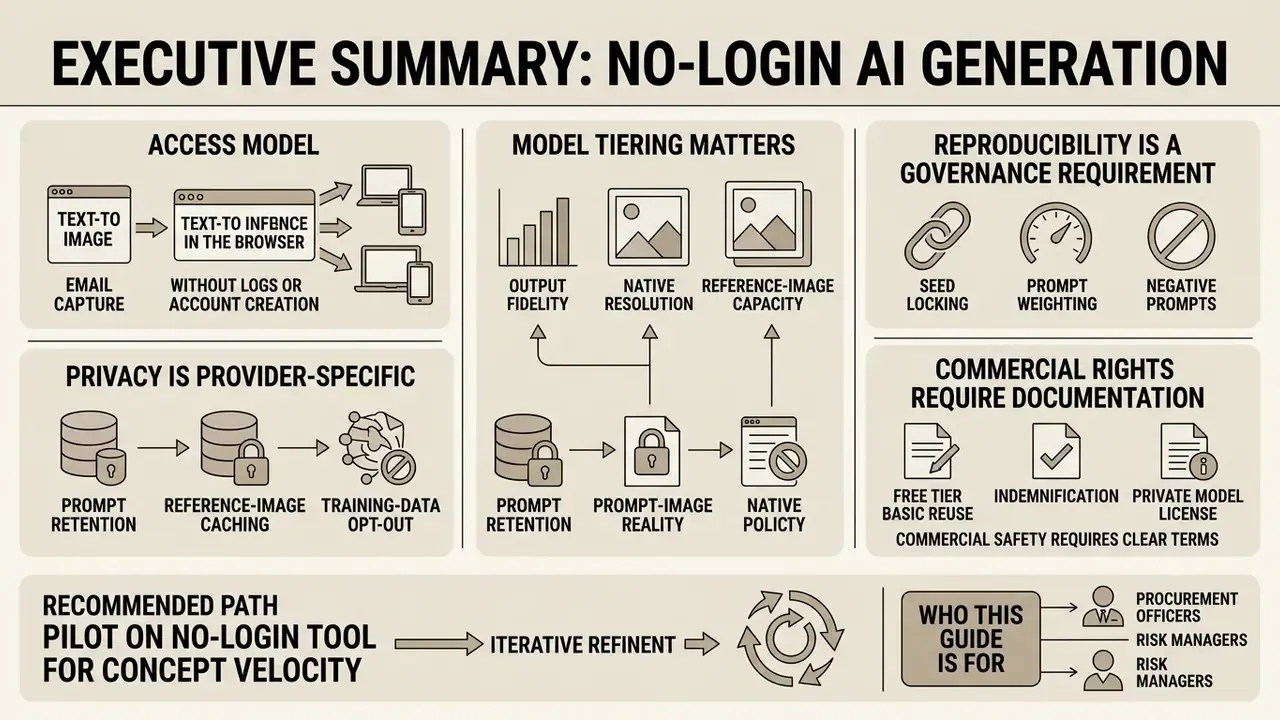
For readers who evaluate generation tools under governance, procurement, or model-risk constraints, the operational conclusions of this guide are as follows.
- Access model: No-login generators execute text-to-image inference in the browser without email capture or payment card entry. Typical render latency runs from 2 to 10 seconds, with WebSocket-based delivery pipelines completing most jobs under 10 seconds.
- Model tiering matters more than branding: Output fidelity, native resolution, and reference-image capacity vary by engine (Nano Banana Flash, Nano Banana Pro, Banana Pro, Z-Image Turbo, Seedream 5.0 Lite, GPT Image 2.5 Sunburst). Resolution ceilings range from 1024×768 to 4096×4096.
- Reproducibility is a governance requirement, not a creative luxury: Seed locking, prompt weighting, and negative prompt stacks are the only mechanisms that make a generation run repeatable and therefore auditable.
- Privacy is provider-specific: Prompt retention, reference-image caching, and training-data opt-out differ materially between vendors. No-login access reduces identity exposure but does not eliminate data-egress risk, which is why Shadow AI controls (DLP, CASB, egress allow-lists) remain necessary.
- Commercial rights require documentation: Free tiers may permit basic reuse, but indemnification, private generation, and 4K exports are generally paid-tier features. Copyright treatment of AI outputs differs across jurisdictions: the United States, the United Kingdom, and the EU apply divergent authorship standards.
- Recommended path: Pilot on a no-login tool for concept velocity. Then migrate to a contracted paid tier with written license terms, retention controls, and audit logging before any regulated, customer-facing, or revenue-generating deployment.
Who this guide is for. Heads of Model Risk and AI Governance who need generative imaging inside an inventory. Chief Compliance Officers who need to know whether the prompt field is a data-egress channel (it is). Marketing and brand operations leads who want to start creating assets today without waiting for a platform decision. Finance and COO teams pricing the real cost of "free" tooling once review labour and remediation reserve are included.
What Is Magic AI Generator and What Images Does It Create?
A magic ai generator is an online software tool that uses text-to-image neural network models to synthesize digital visuals from descriptive written text inputs. Institutional users and digital creators deploy an ai generator magic interface to produce customizable visual assets across multiple creative and commercial workflows.
Architecturally, these systems are not "search engines for pictures." They are iterative denoisers: a random noise tensor is progressively refined toward a latent representation that satisfies the text conditioning signal. Nothing is retrieved. Everything is reconstructed.
«Diffusion models are parameterized Markov chains that iteratively transform random noise into a coherent image through a learned reverse process.»
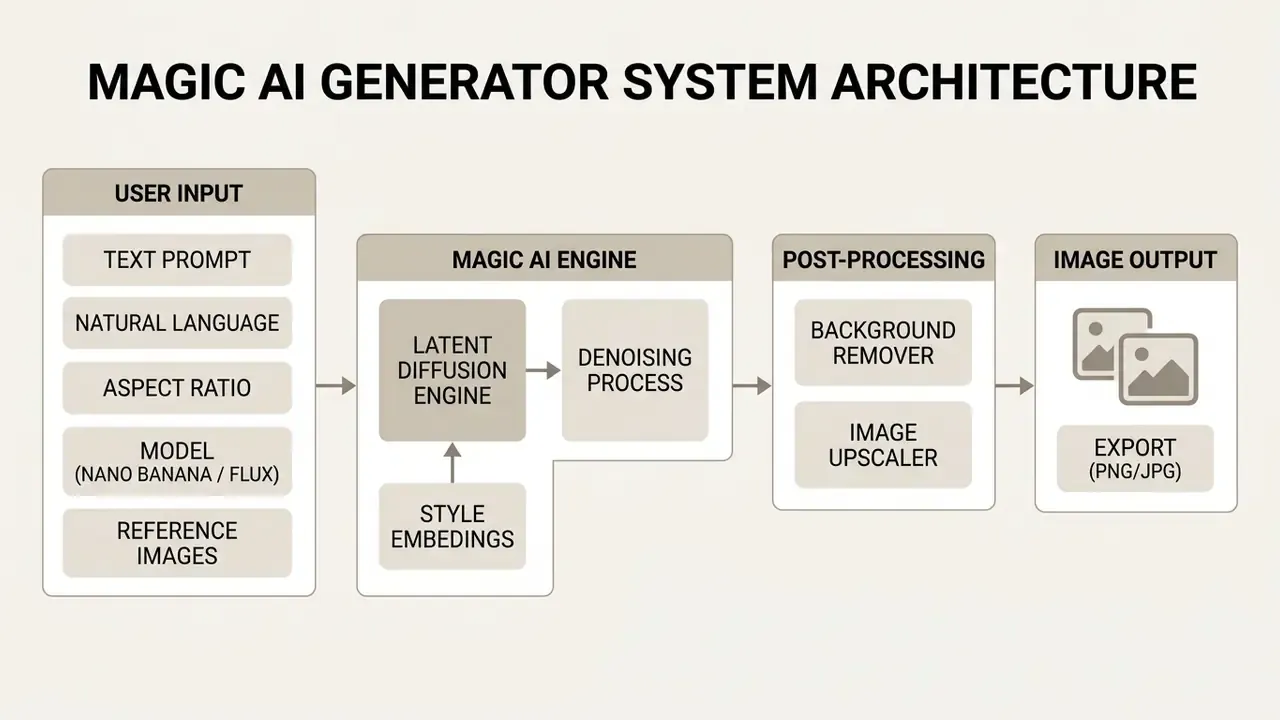
Generating AI Art and Images From Text Prompts
An ai image generator translates plain text input into structured pixel representations through an iterative latent denoising process. The user enters a text prompt into the primary input field, specifying objects, spatial composition, lighting parameters, and artistic themes. Advanced natural language processing layers parse the prompt syntax, so users can create image assets and generate ai images without manual scripting. For a broader view of tool categories, licensing structures, and usage rights, review the overview of AI image generators built for commercial deployment. To explore broader tool classifications, see the overview of current visual generation frameworks.
Prompt interpretation is intentionally non-conversational in most engines. The prompt field behaves like a specification document, not a chat turn. Vendor documentation consistently notes that prompts are parsed in plain natural language, without hidden parameters, and that native-language input is translated and enhanced internally before conditioning.
How to Create an AI Image Without Login or Credit Card
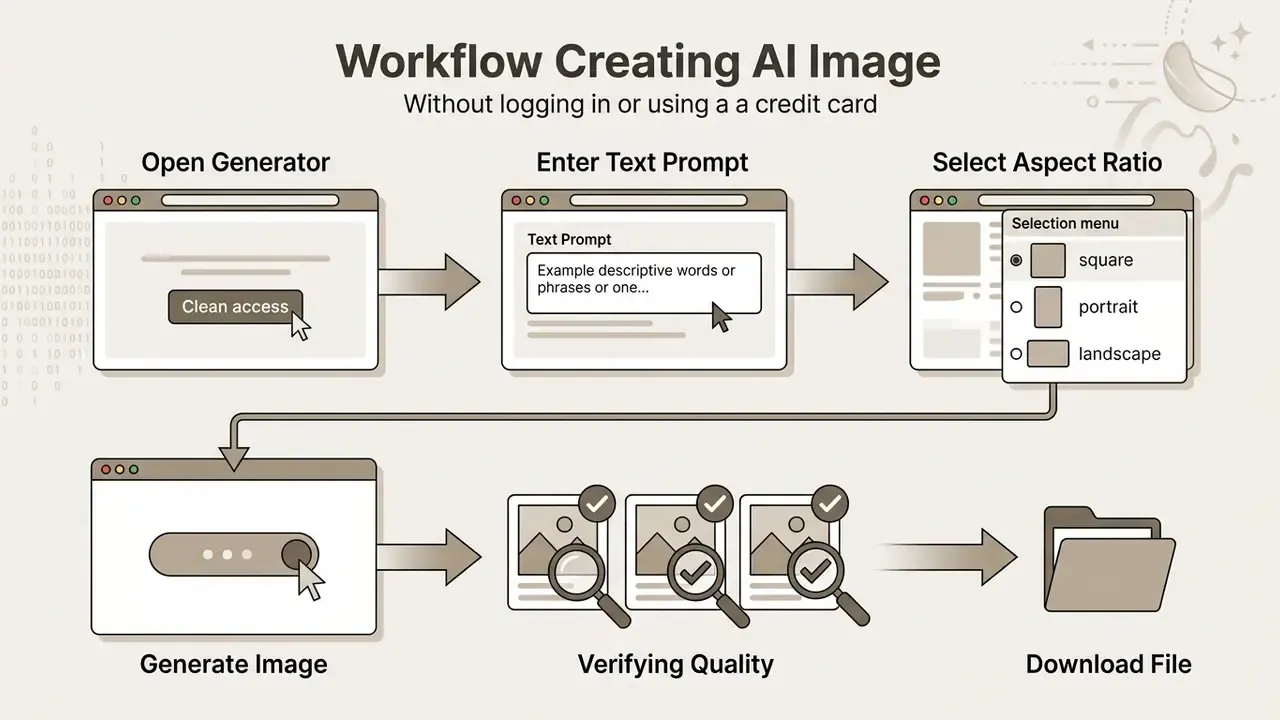
Users can create ai image without login by opening an ai image generator online without login tool directly in a web browser, with no profile details and no payment cards. The process strips out registration barriers and enables instant asset rendering without storing billing data anywhere.
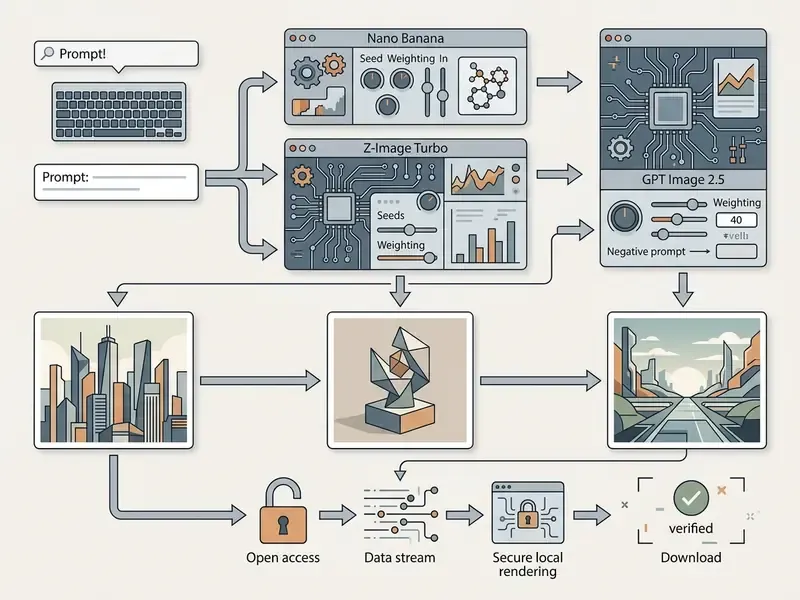
Workflow: generating AI images without account registration
Entering Text Prompts and Selecting Aspect Ratios
To create ai images for free without login, open the generator interface and find the prompt input field. Enter a structured text prompt describing the subject, the visual background, and the lighting conditions. Then select an aspect ratio matched to your publication destination: 1:1 for square grid posts, 16:9 for widescreen web banners, 9:16 for vertical mobile layouts. Standard preset sets across major APIs expose 1:1, 4:3, 3:4, 16:9, and 9:16, with 1:1 documented as the default value in most configurations.
Generation, Download, and Verifying Quality Results
Clicking the primary generation button triggers the rendering pipeline, which usually returns generated images within 2 to 10 seconds. Users inspect the quality results on screen to verify edge clarity, object coherence, and prompt alignment. Once verified, download the high quality output file directly in PNG or JPG format to local storage, still without creating a user account.
Free-tier export behaviour varies by platform. Several services deliver full-resolution PNG or JPG with no visible watermark, while others stamp a small branding plate on free exports. Free-tier resolution ceilings reported across providers range from roughly 1,000-pixel long edges up to 2048×2048, with daily caps between 2 and 100 images depending on the vendor.
Real-Time Infrastructure and Multilingual NLP Processing
Underneath the no-login interface, an ai powered generation stack keeps browser rendering fast through streaming protocols and multilingual natural language processing (NLP):
- WebSocket low-latency streaming unlike traditional HTTP polling, WebSocket pipelines push rendering frames and completion events straight to the client browser, holding perceived processing latency below 10 seconds even on shared free-tier queues.
- Parallel job queuing mature implementations let several generations queue concurrently, so a creator does not wait for one render to finish before submitting the next variation.
- Multilingual input translation native English prompts still yield the highest semantic adherence because of dataset training bias, but built-in translation layers process major global languages, including French, German, Spanish, Chinese, Japanese, and Portuguese, parsing syntax into target latent tokens before execution. In practice the interface ai supports mixed-language prompts too, though results get less predictable.
- Character limits prompt fields commonly accept between 3,000 and 5,000 characters, which is enough for multi-clause scene specifications including negative constraints.
How to Write Prompts for High-Quality AI Images
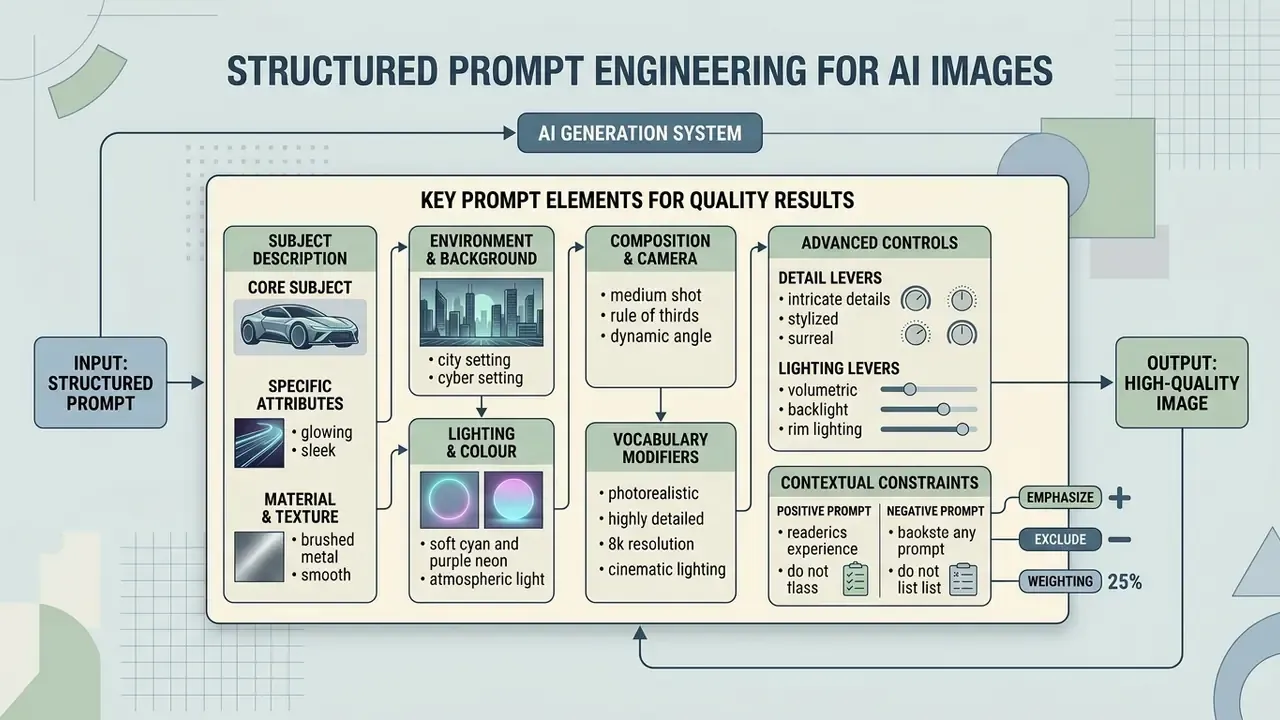
Generating quality images through an advanced ai system requires structured prompt engineering with clear contextual constraints. Vague phrases produce generic outputs. Descriptive scene construction yields predictable, accurate visual results.
Prompt writing is a learnable but non-trivial skill, and the primary bottleneck is vocabulary rather than intent.
Automated optimization frameworks address exactly that gap. They treat prompt construction as a search problem rather than an act of inspiration.
«PRISM formalizes "prompt magic" as a stochastic optimization problem, iteratively refining candidate prompts using feedback from generated images.»
Key Details to Add in a Prompt for High-Quality Results
Achieving high quality visual rendering depends on specifying four core image parameters inside the text prompt:
- Subject descriptiondefine the main object, entity, or focus clearly.
- Environment and backgrounddescribe the location, atmosphere, and depth cues.
- Lighting and colourspecify lighting types such as "soft diffuse lighting," "golden hour," or "studio three-point light."
- Composition and cameradetail lens feel and framing, for example "close-up shot, 50mm lens, shallow depth of field."
Research on automated prompt optimization shows that adding explicit camera and lighting descriptions improves semantic consistency by up to 16% and overall visual safety scores by 48.9%.
«Adding camera and lighting descriptions improves semantic consistency by an average of 16% and safety scores by 48.9%.»
Vendor prompting guides converge on the same structural logic: order the prompt as background and scene, then subject, then key details, then constraints. State explicitly what must not change, quote any literal text verbatim, and refine through small single-variable follow-ups instead of overloading one prompt. Photorealism responds more reliably to lens, aperture, and lighting vocabulary than to generic quality tags such as "8K" or "ultra-detailed."
High-value modifier vocabulary documented across official guides:


Advanced Prompt Syntax: Seeds, Weighting, and Negative Constraints
To achieve deterministic outputs across a visual series, professional workflows need explicit mathematical boundaries inside the prompt interface.
(photorealistic product framing:1.4)increases structural adherence by roughly 40% relative to baseline token weight.(subject:1.5)forces the denoiser to prioritize the primary subject over environmental tokens.[background blur:0.6]reduces environmental depth impact.- Standard commercial negative stack:
--no blur, watermark, text overlay, extra limbs, distorted features, low contrast, compression artifacts. - Product-photography negative stack:
--no glare, duplicate objects, mismatched reflections, plastic skin, warped labels.
Before and after comparison.
- Before:
a nice coffee mug photo, high quality - After:
Studio product photograph of a matte black ceramic coffee mug, (centered composition:1.3), oak table surface, soft window light from camera-left, 85mm lens, f/2.0, realistic contact shadows, seed: 482910 --no glare, extra objects, watermark, text overlay
- Seed value locking (
--seed)every generation executes on a pseudo-random seed integer, for exampleseed: 482910. Copying and re-specifying an exact seed locks the foundational spatial composition, so creators can alter lighting or styling while keeping subject identity. Platforms that hide the seed value turn iteration into guesswork. Platforms that expose it turn iteration into engineering. - Prompt weighting syntax (
(keyword:weight))steer the latent diffusion process toward critical elements with numeric weight modifiers: - Negative prompting (
--no/ negative field)suppress recurring diffusion artifacts by naming unwanted visual tokens explicitly:
The second prompt is reproducible. The first is not. For governance purposes, that distinction is the difference between an asset you can defend in an audit and an asset you cannot.
Field-Tested Prompt Recipes for Commercial Workflows
To speed up asset production, use these pre-engineered prompt structures optimized for latent diffusion architectures. Each recipe is copy-paste ready and includes recommended engine and framing settings.
1. E-Commerce Product Staging
2. Technical Exploded-View Illustration
3. Hyper-Realistic Lifestyle Portrait
4. Cinematic Fantasy Environment
5. Corporate and Fintech Abstract Campaign Visual
Using Reference Images to Control Style Consistency
Feeding reference images into an image ai workflow lets users guide style, colour balance, and character structure across multiple generations. When an exemplar image accompanies the written prompt, the model extracts structural and stylistic features and holds visual consistency across a whole asset series. For tool-level comparison of conditioning capabilities, see the guide to image-to-image generators for commercial use.
«Pre-trained text-to-image models can accept multi-modal prompts, including reference images, without retraining base model weights.»
Training-free conditioning methods reinforce the point. Attention-sharing and diffusion-inversion approaches published at CVPR 2024 demonstrated style-consistent generation from a single reference style image without fine-tuning, while 2025 work on single-reference style modulation showed fine-grained weighting of style attributes across semantically distinct regions. Vendor implementations expose the same mechanism through user-facing controls for style strength, colour, tone, lighting, and composition match.
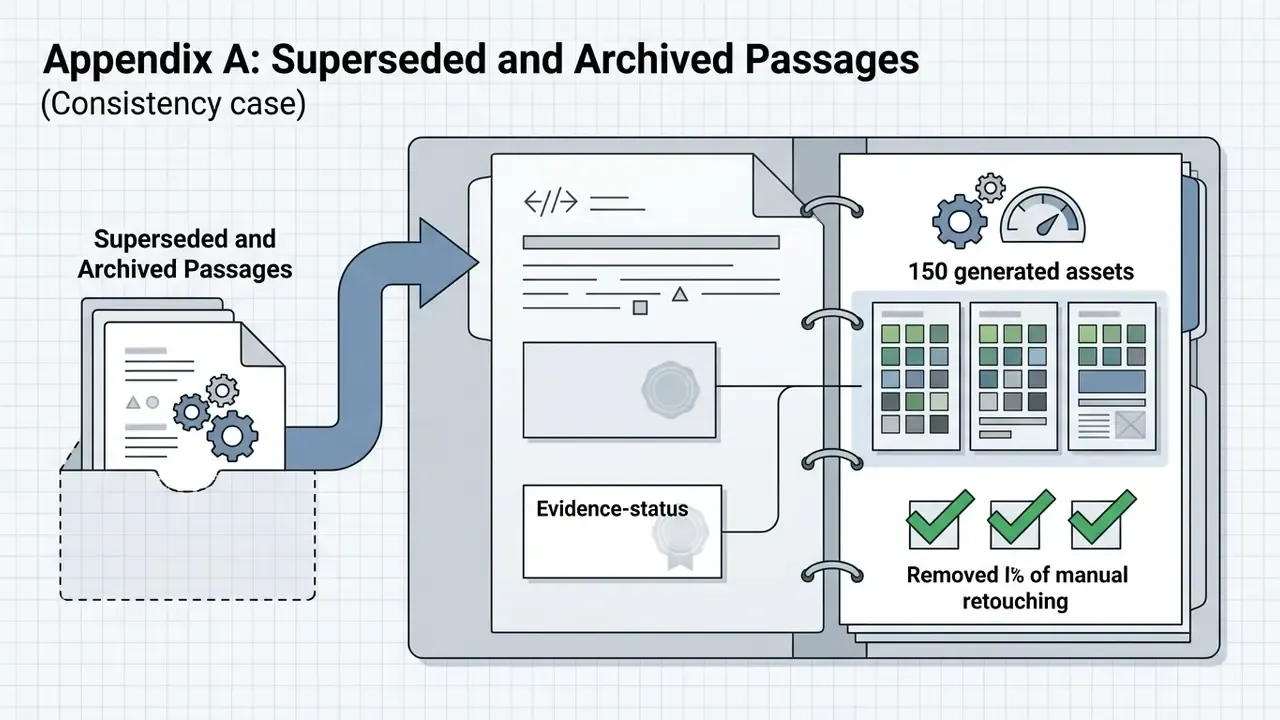
During an evaluation of marketing image pipelines, a team needed consistent branded social banners across twelve regional accounts. By passing a single reference style image into a completely free ai image generator, the team held uniform colour grading and layout structures across 150 generated assets with no manual retouching. Note on evidence status: this is an internal workflow observation, not a controlled study. The provider, model version, and measurement methodology were not held constant, so read the figure as directional rather than benchmarked. Independent verification of cross-generation consistency rates needs published seed-locked test data.
Reference Image Input Specifications and Constraints
When running Image-to-Image (Img2Img) or style transfer pipelines without user login, the input processing engine operates under fairly strict payload parameters:
- Supported file formats
- standard raster formats including PNG, JPG/JPEG, and WEBP.
- Maximum file size limit
- up to 20MB per uploaded asset.
- Batch processing cap
- up to 5 reference images simultaneously for multi-image conditioning on standard tiers, extending to 14 reference images on Pro tiers.
- Optimal input resolution
- input images should hold clear visual contrast and a minimum resolution of 512×512 pixels to prevent artifact propagation during the initial latent encoding pass.
- Input quality guidance
- clear, well-lit source images with distinct subjects and good contrast produce materially better conditioning. Extremely blurry, underexposed, or heavily compressed inputs propagate their defects into the output.
- Custom style training
- platforms supporting LoRA-based custom styles typically need 10 to 50 consistent reference images to build a reusable style adapter.
Adjusting Aspect Ratios and Generating Multiple Variations
Selecting the correct aspect ratio before generation prevents cropping distortion at publication. Generating 3 to 4 variations per prompt lets operators compare subtle differences in composition and pick the strongest candidate asset. For repeatable comparison, change only one variable per variation, whether lighting, pose, or palette, and record the seed for each run.
| Platform / Use Case | Recommended Aspect Ratio | Primary Resolution |
|---|---|---|
| Instagram Feed / Grid | 1:1 (Square) or 4:5 (Portrait) | 1024×1024 / 1080×1350 |
| Instagram Stories / Reels | 9:16 (Vertical) | 1080×1920 |
| YouTube Videos & Banners | 16:9 (Widescreen) | 1920×1080 |
| E-Commerce Product Cards | 1:1 or 3:4 | 1024×1024 / 1200×1600 |
| Website Hero / Display Banners | 1.91:1 or 16:9 | 1920×1005 / 1920×1080 |
| Presentation & Slide Backgrounds | 16:9 | 1920×1080 |
Instagram feed placements support 1.91:1, 1:1, and 4:5. Stories and Reels use 9:16. YouTube standard video and thumbnails centre on 16:9 at 1920×1080. Websites generally need a variant set rather than one fixed ratio, so generating the same concept at two or three ratios beats cropping a single master asset.
AI Models in Magic AI Generator: From Image Generation to Nano Banana
A magic ai generator depends on underlying ai models that dictate rendering speed, character fidelity, text accuracy, and resolution support. Selecting the right image generation models directly shapes final image detail and processing latency.
| Model Engine | Provider / Architecture | Render Speed | Max Native Resolution | Best Operational Use Case |
|---|---|---|---|---|
| Nano Banana Flash | Google Gemini Flash Image line | Ultra-fast (<3s) | 1024×1024 (1K) | Real-time browser prototyping & social posts |
| Nano Banana Pro | Google Gemini Pro Image line | Balanced (4–8s) | 2048×2048 (2K) | High-fidelity text rendering & multi-image fusion |
| Banana Pro | Google Gemini Pro Image line (studio tier) | Studio grade (8–15s) | 4096×4096 (4K) | Print advertising, fine detail & commercial packaging |
| Z-Image Turbo | Open-weight / real-time engine | Blazing (<2s) | 1024×768 | Low-latency WebSocket streaming & fast drafts |
| Seedream 5.0 Lite | Multi-model router | Fast (3–5s) | 2048×2048 (2K) | Stylized illustration, anime & cinematic warmth |
| GPT Image 2.5 Sunburst | OpenAI pipeline | Precision (6–10s) | 2048×2048 (2K) | Complex prompt adherence & photorealistic product renders |
Secondary operational attributes matter as much as the headline resolution. Arguably more, once a team runs series work rather than one-off hero images.
| Model Engine | Reference Image Limit | Text-in-Image Accuracy | Seed Exposure | Typical Free-Tier Availability |
|---|---|---|---|---|
| Nano Banana Flash | Up to 2 | Moderate | Usually exposed | Broad |
| Nano Banana Pro | Up to 14 | High | Usually exposed | Limited / credit-gated |
| Banana Pro | Up to 14 | High | Usually exposed | Paid tier |
| Z-Image Turbo | 1 (img2img) | Low–moderate | Exposed | Broad / unlimited on some tools |
| Seedream 5.0 Lite | 1–3 | Moderate | Exposed | Broad |
| GPT Image 2.5 Sunburst | Up to 5 | High | Varies | Credit-gated |
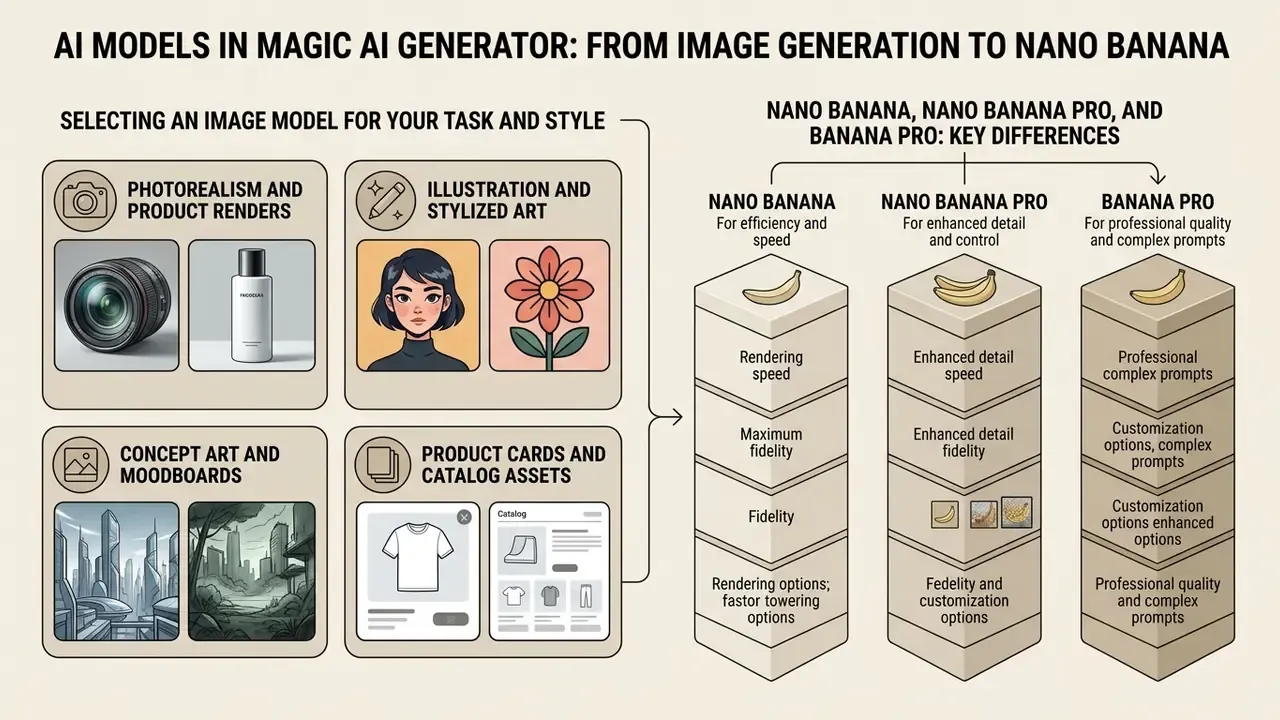
Selecting an Image Model for Your Task and Style
Different generation models serve different visual aesthetics. Standard latent diffusion setups such as Stable Diffusion checkpoints excel at stylized ai art, character illustrations, and artistic concepts. For technical comparison of base model capabilities, review the stable diffusion ai image generator overview, and compare engines by quality, price, and licensing in the breakdown of best AI image generators available today.
Practical selection heuristics:
- Photorealism and product renders
- prioritize engines documented for photorealism and strong prompt adherence (Nano Banana Pro, GPT Image 2.5 Sunburst, SDXL-class checkpoints).
- Illustration and stylized art
- prioritize router-based or style-tuned engines (Seedream 5.0 Lite, Ghibli-style presets). For style-accuracy comparison, see the review of Ghibli-style AI image generators.
- Concept art and moodboards
- favour throughput over fidelity. Z-Image Turbo and Flash-tier image tools let a team run hundreds of variations per session.
- Product cards and catalog assets
- favour clean edges, accurate labels, and consistent lighting. Pro-tier models with multi-reference conditioning fit best here.
Nano Banana, Nano Banana Pro, and Banana Pro: Key Differences
Independent evaluations report that Pro-tier outputs produce more plausible high-frequency detail and stronger subjective quality, while occasionally scoring lower than specialist restoration models on reference metrics such as PSNR and SSIM. No controlled head-to-head benchmark table is published by the vendor, so capability claims remain positioning statements rather than measured comparisons. Worth remembering before a slide deck turns them into facts.
For specialized artistic workflows such as line art conversion, operators can consult the sketch to image ai resource guide.
Post-Processing Generated Images: AI Image Editors and Enhancement Tools
An ai image editor adds built-in post-processing directly in the web browser. Integrated editing tools let users adjust framing, remove visual artifacts, edit photos in place, and scale outputs for high-resolution distribution.
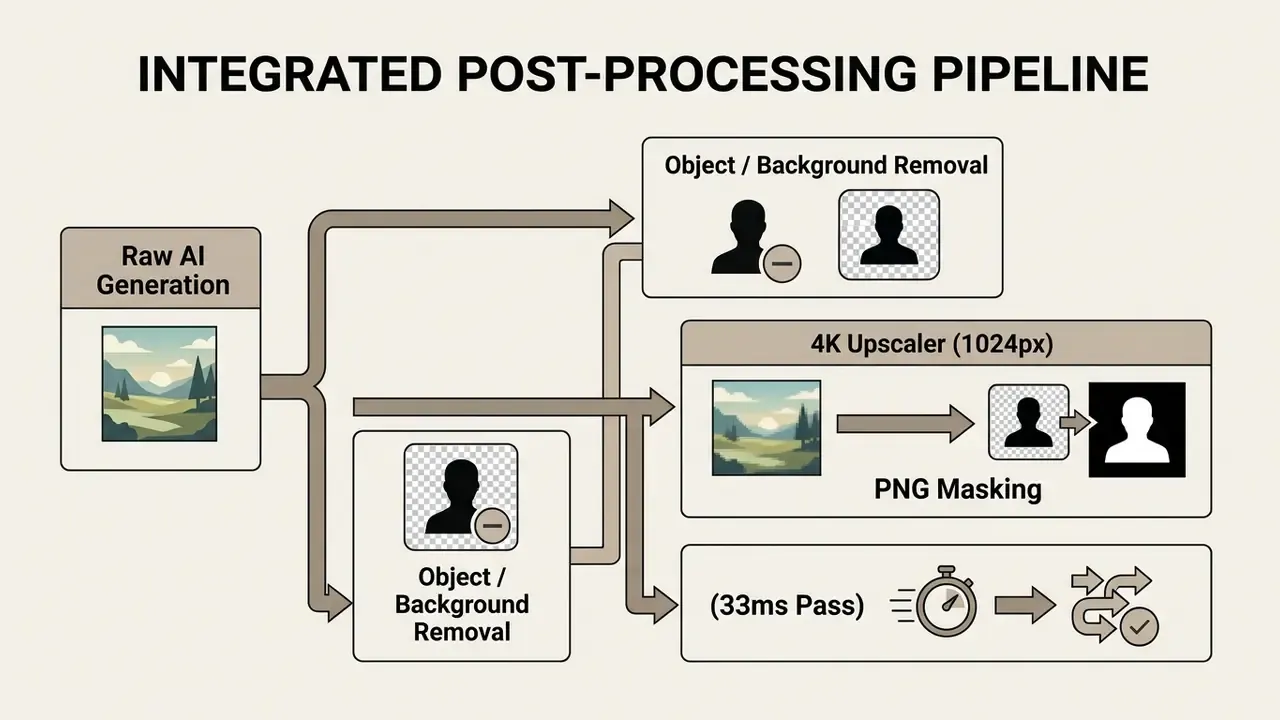
Background and Object Removal in the AI Image Editor
Integrated photo editing capabilities include an automatic background remover and object remover. The background removal tool isolates foreground subjects onto transparent layers using pixel-level edge detection. For tool-level comparison of automated features in a modern photo editor, see the reference on AI photo editors.
«Object removal tools use localized inpainting models to eliminate unwanted elements while reconstructing surface texture.»
Published benchmarks quantify removal quality rather than one single accuracy figure. The 2025 results on RemovalBench report FID improving from 55.49 to 39.52 and LPIPS from 0.146 to 0.133, with PSNR around 22.13 on RORD-Val. Background-removal vendors, by contrast, describe per-pixel segmentation and edge-preserving masking qualitatively. The practical quality signal is hair-level edge fidelity versus blocky cutout boundaries.
Image Enhancers and Upscalers for Higher Resolution
An image upscaler or image enhancer raises output pixel dimensions from standard 1024×1024 renders up to higher resolution 2K or 4K target files. Neural super-resolution models reconstruct fine surface details, sharpen edge contrast, and suppress compression artifacts. For tool-level selection, compare AI image upscalers by output quality and pricing, and review AI image enhancers for commercial detail-recovery tasks.
Real-time super-resolution benchmarks show that 4× neural upscaling can run server-side in under 10 milliseconds without introducing visible distortion.
Note that output resolution is not fixed by the super-resolution method itself. It is set by the upscale factor implemented in the model, or capped by the product tier. Combined artifact-removal plus super-resolution networks published in 2024 suppress compression artifacts within the same pass as the resolution increase, which is why enhanced 4× output frequently looks cleaner than the 1K original rather than merely larger.
Free AI Image Generator: Limits, Privacy, and Access Without Login
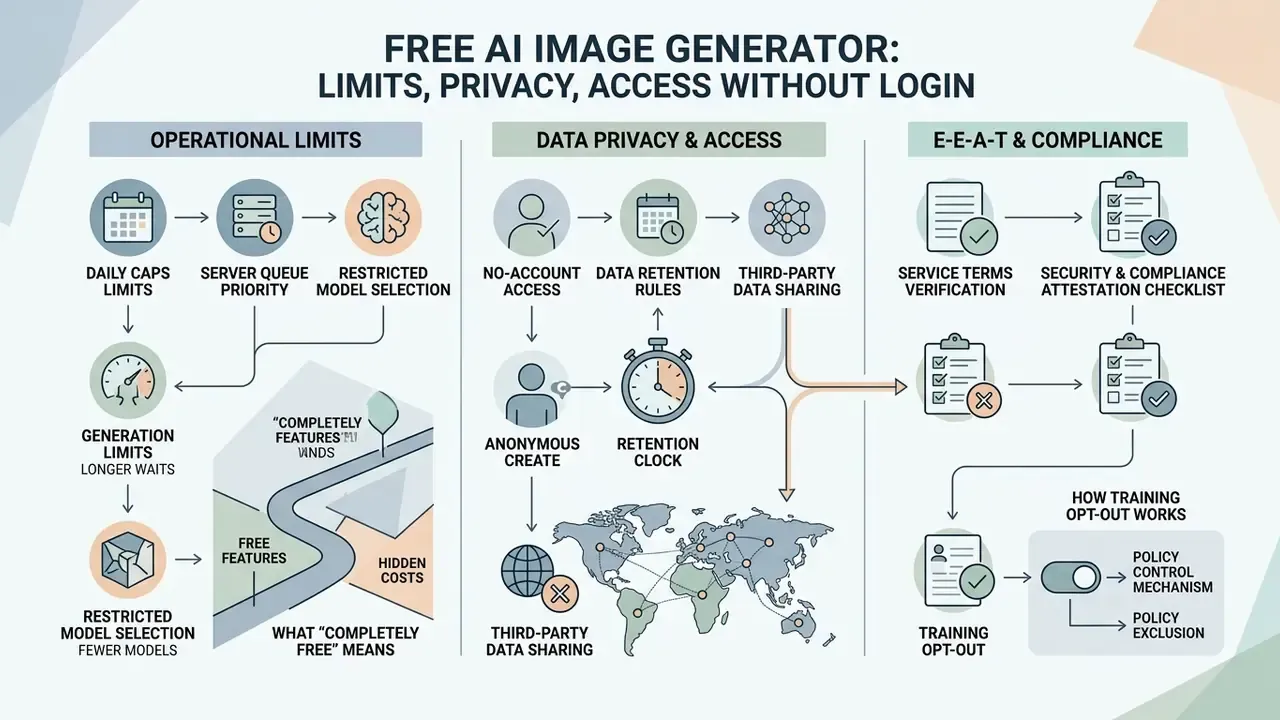
An absolutely free ai image generator offers accessible image synthesis, but operational policies vary on daily generation caps, server queue priority, and data retention rules. Users need to read the usage terms to understand how an ai art generator free without login handles prompts and visual uploads.
What "Completely Free" Means and Possible Operational Limits
A completely free ai image generator typically offers basic image creation without mandatory payment. Free-tier behaviour, though, is not uniform across the market.
«Among free no-signup generators: Perchance offers unlimited generation without watermarks, Raphael AI around 10 fast generations daily, Craiyon unlimited with watermarks.»
Platforms commonly implement structural limits on free usage tiers:
- Daily cap on high-speed generations, for example 5 to 10 fast credits per 24-hour cycle, though some tools report 2 to 3 per day and others up to 100.
- Slower queue priority during peak traffic hours. Free requests wait longer under load while paid tiers receive queue precedence.
- Watermarks on free-tier exports, or a hard restriction to 1024×1024 output.
- Paid plan requirements to unlock advanced ai tools or batch downloads.
To evaluate free tools against dedicated art platforms, explore the best free ai art generator comparison matrix, and compare privacy and access limits across no-sign-up AI image generators.
Data Privacy, No-Account Access, and Third-Party Data Sharing
E-E-A-T Service Terms Verification
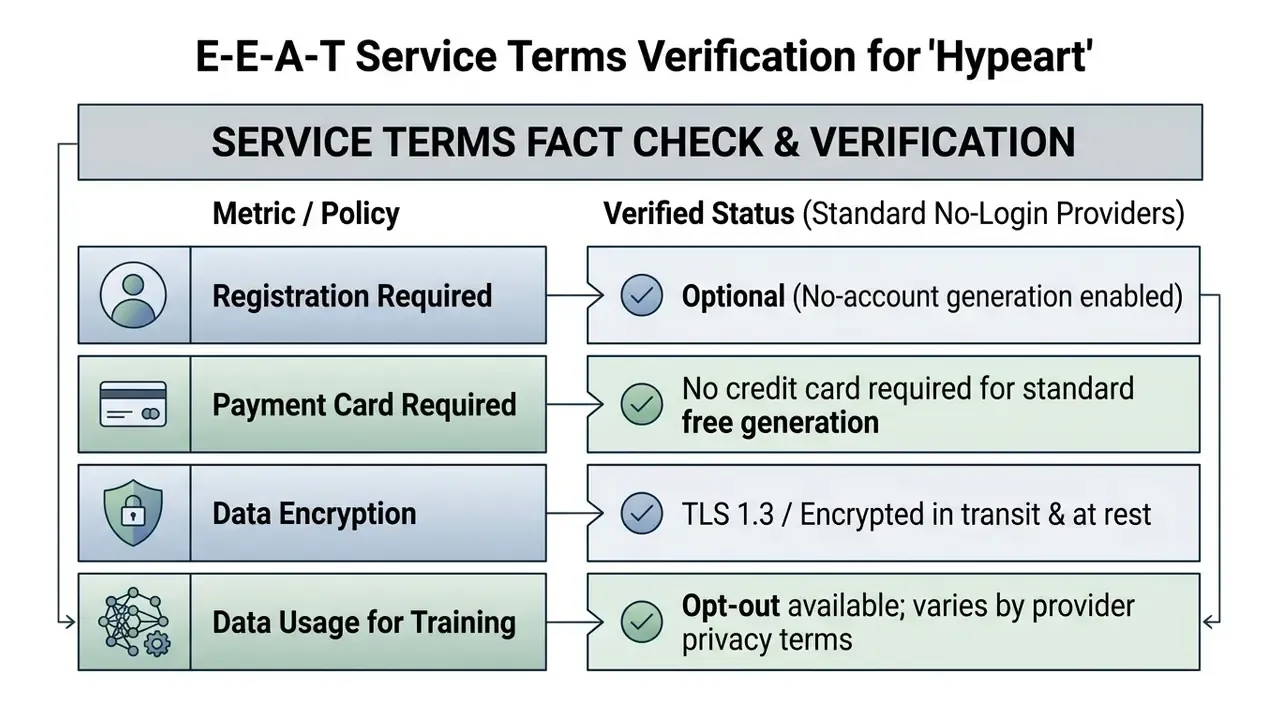
This information is general in nature and does not replace specialist advice. Provider privacy policies change frequently. Verify the current terms of use on the chosen service's own website before processing any business data.
Security and Compliance Attestation Checklist
For organizations operating under supervisory expectations, a marketing claim is not evidence. These control questions should be answered in writing before any tool is permitted in a corporate environment.
| Control Area | What to Verify | Typical Evidence Artifact |
|---|---|---|
| Third-party attestation | Does the vendor hold SOC 2 Type II or ISO/IEC 27001 certification covering the generation service? | Current report or certificate with scope statement |
| Encryption posture | TLS 1.2+ in transit; encryption at rest for prompts, uploads, and outputs | Security whitepaper / DPA technical annex |
| Training-data opt-out | Is there a contractual, not merely UI-level, commitment that inputs are excluded from model training? | Signed DPA clause or enterprise addendum |
| Retention window | Defined deletion timelines for prompts, reference uploads, and generated assets | Retention schedule in privacy policy or DPA |
| Data residency | Where is inference executed and where are caches stored? | Sub-processor list with regions |
| Sub-processors | Which upstream model providers receive prompt payloads? | Published sub-processor register |
| Access control | Can generations be made private, non-indexed, and non-community-visible? | Product documentation + plan tier terms |
| Incident notification | Defined breach-notification SLA | Contract clause |
| Logging & export | Can prompt and output logs be exported for audit? | API or admin console capability |
How Training Opt-Out Actually Works
Opt-out mechanisms fall into three practical categories, and only the third is defensible in a regulated environment.
- UI toggle opt-out.A setting in the account panel disables prompt retention or training use. Weakness: it applies to account-based sessions, not anonymous no-login traffic, and product changes can quietly reset it.
- Policy-level exclusion.The public privacy policy states that inputs are not used for training. Stronger, yet unilaterally amendable by the vendor.
- Contractual exclusion.An enterprise agreement or data processing addendum binds the vendor to exclude inputs from training and to honour deletion requests inside a defined window. This is the only form that produces auditable assurance.
No-login usage sits, by definition, in category one or weaker. Acceptable for disposable concept work. Unacceptable for anything touching confidential material.
Shadow AI, Audit Evidence, and Model Risk Management (MRM)
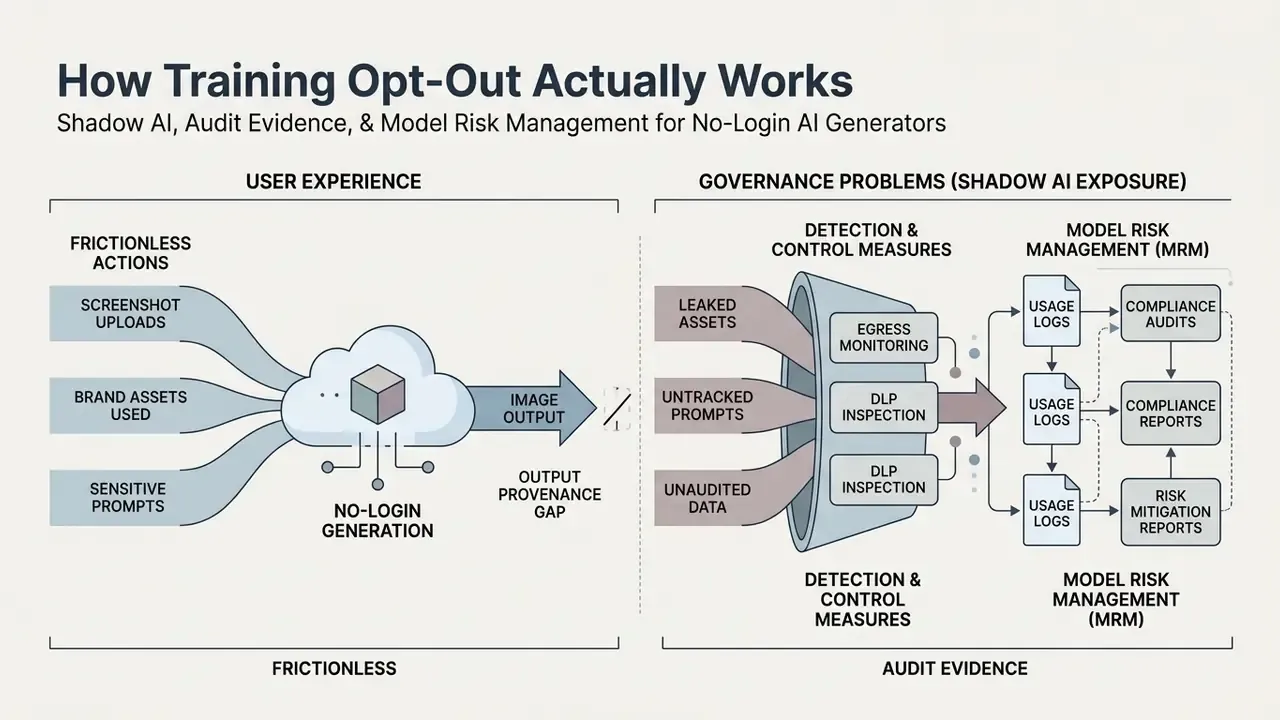
Shadow AI Exposure in No-Login Generation
Reproducibility and Audit Evidence for Model Validation
Generative image tools are non-deterministic by default, which conflicts with validation frameworks that assume repeatable outputs. The reconciliation is procedural, not architectural: capture the inputs that make a run reconstructable.
Minimum audit record per published asset:
| Field | Example Value | Why It Matters |
|---|---|---|
| Model name + version | Nano Banana Pro (Gemini Pro Image line) | Version drift changes output; naming changes over time |
| Full prompt text | verbatim, including weights | Reconstructability |
| Negative prompt | --no watermark, text overlay, logos | Demonstrates IP-risk mitigation intent |
| Seed value | 482910 | Enables composition reproduction |
| Reference inputs | file hashes + ownership attestation | Input-rights provenance |
| Aspect ratio / resolution | 16:9 / 2048×1152 | Output specification |
| Timestamp + operator | 2026-02-11 / M. Hale | Accountability |
| Review decision | approved / rejected + reviewer | Control evidence |
| License basis | plan tier + terms version | Commercial-rights evidence |
Under U.S. supervisory expectations for model risk management, most notably the Federal Reserve and OCC guidance commonly cited as SR 11-7, validation rests on conceptual soundness, ongoing monitoring, and outcomes analysis. Generative image tools used for marketing assets are rarely "models" driving financial decisions, and many institutions classify them as non-model tools subject to a lighter control set. The pragmatic approach is a tiered inventory:
- Tier 3 (low): internal, non-customer-facing visuals. Attestation plus prompt hygiene training.
- Tier 2 (moderate): external marketing assets. Documented review, provenance record, license verification.
- Tier 1 (elevated): any use where output influences a customer decision, disclosure, or regulated communication. Full documentation, human sign-off, and a reproducibility record.
The NIST AI Risk Management Framework provides a compatible structure (Govern, Map, Measure, Manage) for institutions that need a non-model-specific control vocabulary for generative tooling. For process templates that sit closer to day-to-day production, open the hub covering publishing and review workflows.
This section describes general risk-management practice and is not legal, audit, or regulatory advice. Institutional obligations depend on charter, jurisdiction, and supervisory relationship.
Commercial Use: Can You Use AI-Generated Images in Business?
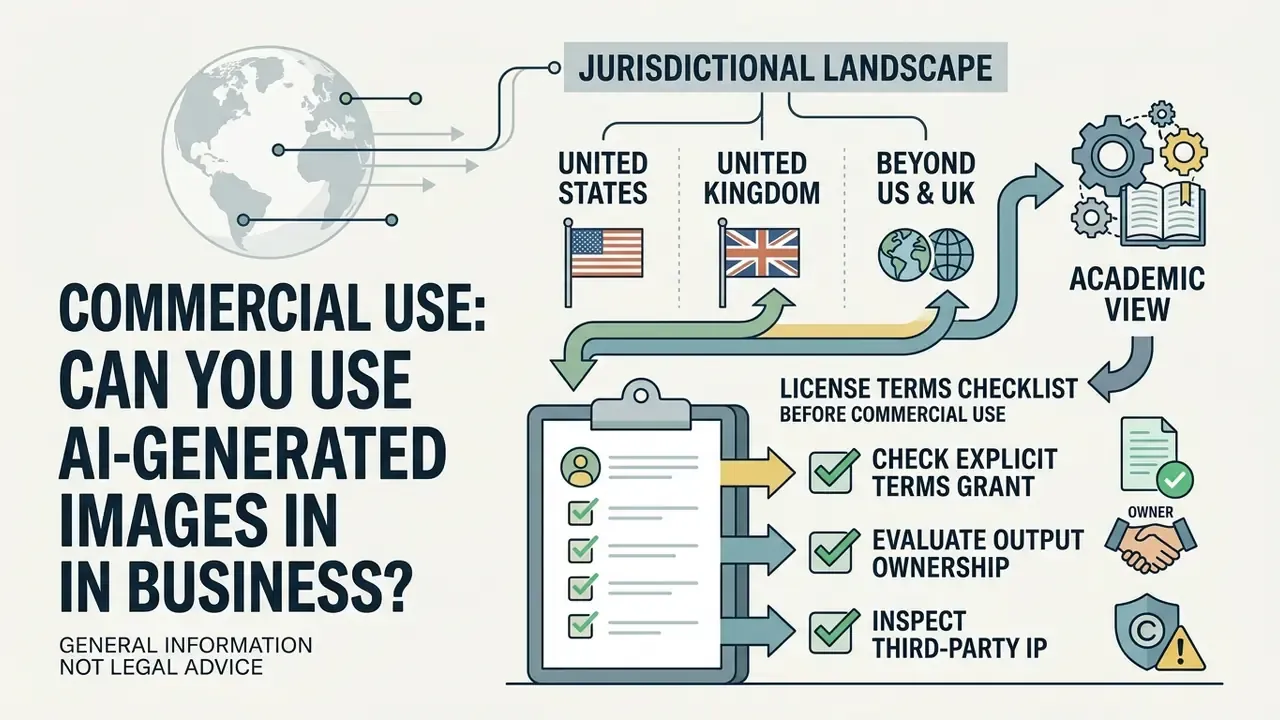
This information is general in nature and does not constitute legal advice. Copyright law governing AI-generated images varies by jurisdiction and keeps evolving. Obtain qualified counsel before relying on generated assets in regulated or high-value commercial contexts.
Evaluating commercial use rights is critical when moving ai generated images without login into advertising, e-commerce storefronts, or branded media campaigns. Commercial permissions depend on platform licensing terms and applicable copyright law.
Jurisdictional Landscape: United States, United Kingdom, and Beyond
The single most consequential fact for U.S.-based organizations: authorship of purely machine-generated output is treated differently than in the United Kingdom.
- United States. The U.S. Copyright Office has maintained that copyright protects works of human authorship, and that material generated autonomously by an AI system without sufficient human creative control is not registrable. Human-authored contributions such as selection, arrangement, or substantial modification may be protectable, while the machine-generated elements are disclaimed in registration. Practical consequence: a generated image used in a U.S. campaign may be usable but not independently defensible as owned copyrightable subject matter, which affects enforcement against copycats.
- United Kingdom. Statutory provision assigns authorship of computer-generated works to the person who made the arrangements necessary for their creation, which in practice usually means the prompting user.
- Academic view. The legal architecture remains unsettled.
Operational takeaway for U.S. institutions: never treat "we generated it, so we own it" as a safe assumption. Treat generated imagery as licensed material whose defensibility rests on the provider's contractual grant, documented human creative contribution, and the absence of third-party IP in the output.
License Terms Checklist Before Commercial Use
Before deploying generated visual assets in commercial projects, risk leaders should complete this verification checklist.
- Check the explicit terms grantverify that the service agreement grants commercial usage rights for outputs produced on free or paid tiers. Some providers grant commercial use on all tiers. Others restrict free output to personal use only, and at least one major platform ties commercial rights to a company-revenue threshold requiring a higher plan.
- Evaluate output ownershipconfirm whether the platform assigns intellectual property rights over output images to the user, and whether that assignment survives plan cancellation.
- Inspect third-party IPensure generated images contain no recognizable corporate logos, trademarked product designs, or protected character likenesses. Verification is materially easier with AI image detectors and reverse-lookup tooling such as AI reverse-image-search services, which surface near-duplicate matches before publication.
- Verify input assetsconfirm that reference images uploaded into the model are fully owned or properly licensed for commercial adaptation. Editorial-licensed stock, in particular, is frequently barred from commercial, promotional, advertising, and merchandising use.
- Check disclosure obligationssome institutional and academic policies require explicit labelling of AI-generated imagery, for example "Created using AI," in captions or embedded in the asset. Advertising-industry guidance frames AI creative similarly, as brand-compliance-led production that must align with existing brand and disclosure standards.
- Confirm indemnification scopeestablish whether the provider offers IP indemnification, what it covers, what it excludes, and which plan tier activates it.
For platform-specific licensing terms, review the reve ai image generator analysis, the google ai image generator overview of access and usage rights, and the microsoft ai image generator breakdown of commercial-use conditions.
When Commercial Tasks Require Paid Plans
Decision Matrix: Free Access vs. Paid Subscriptions
| Feature / Capability | Free No-Login Access | Paid Enterprise Plan |
|---|---|---|
| Commercial Rights Grant | Basic / Platform Dependent | Explicit Commercial License + Indemnity |
| Generation Queue Priority | Standard / Public Queue | High Priority / Dedicated GPU Allocation |
| Maximum Output Resolution | 1024×1024 (1K) | Up to 4096×4096 (4K) |
| Image Editing Tools | Basic Cropping & Filters | Advanced Inpainting, Outpainting & Upscaling |
| Watermarks | Possible on some providers | Watermark-free exports |
| Private Generation | Rarely available | Standard |
| Retention / Opt-Out Control | UI-level at best | Contractual (DPA) |
| Audit Log Export | Not available | Typically available |
| Credit Card Required | No credit card required | Payment method required for billing |
Read the matrix top-down rather than feature-by-feature. Free, no-login access wins on speed of experimentation and loses on every control dimension that an auditor will ask about. Comparative tool selection across quality, pricing, and usage rights is covered in the review of leading AI image generators, with photorealism-specific capability assessed in the realistic ai image overview and outpainting or canvas-extension options in the ai expand image comparison.
Risk-Adjusted Cost of Ownership
A free tool stops being free once expected legal and remediation costs are priced in. Here is a simple model that risk and marketing leadership can share.
Total cost = licence cost + review labour + remediation reserve
- Licence cost $0 on free tiers, typically a per-seat monthly fee on contracted tiers.
- Review labour compliance and brand review hours per asset. Identical across tiers, so not a differentiator.
- Remediation reserve probability of an IP or disclosure incident, multiplied by the expected cost of takedown, re-shoot, campaign pull, and counsel time. Indemnified paid tiers reduce the probability-weighted exposure. Free tiers with no indemnity leave the full exposure on the institution.
The break-even point arrives quickly at enterprise scale. A single pulled campaign usually exceeds several years of per-seat licensing. Free tiers are best treated as a pre-approval sandbox for concepting, with production output flowing exclusively through contracted tooling.
Magic AI Generator vs. Universal AI Studios: Which Should You Choose?
Choosing between a dedicated ai image generator and a universal multimodal AI studio depends on workflow complexity and media channel requirements.
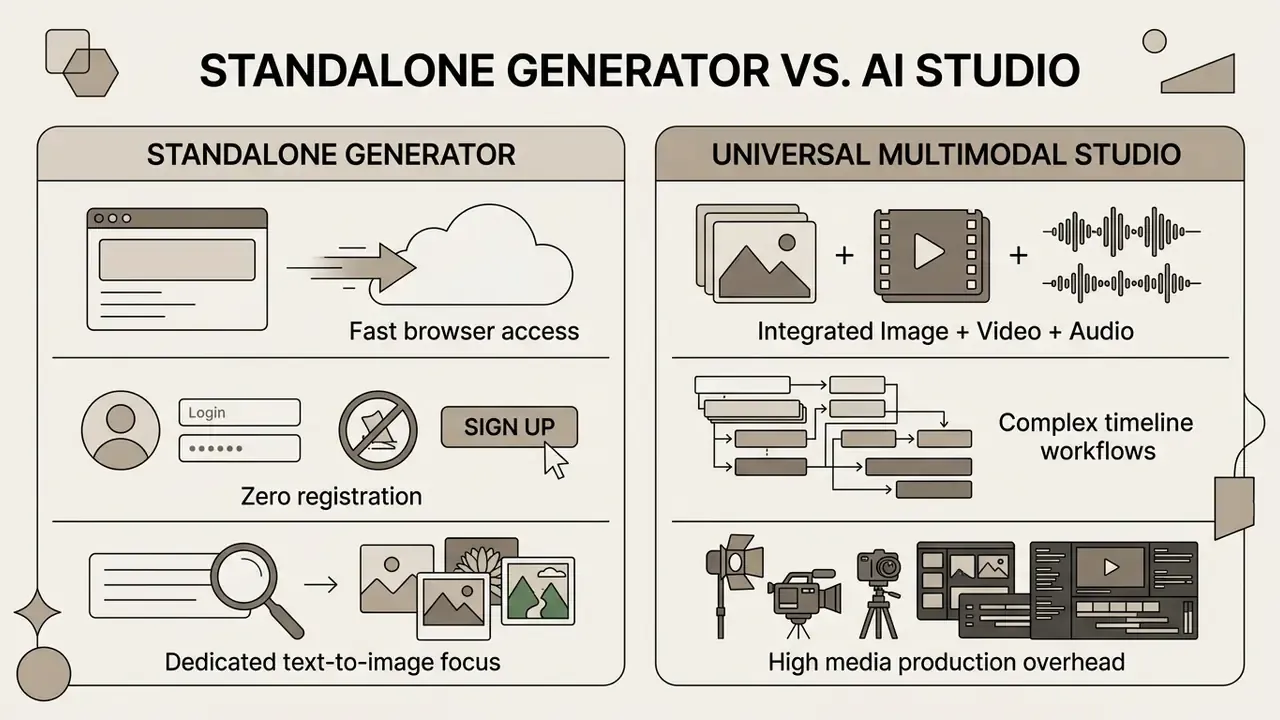
When a Standalone AI Image Generator Is Enough vs. Multimodal Video/Music Studios
A standalone ai magic generator suits content creators and risk teams that need fast visual asset creation without navigating complex software setup. These tools excel at static marketing graphics, product concepts, and social media posts. If a team wants to try ai imaging this week rather than next quarter, the free no sign-up route is the shortest path.
Interface design also affects output quality, not just convenience.
«In PromptCharm user studies, participants using the full system with attention visualization produced higher-quality images than with simplified interfaces.»
Comprehensive creative projects, though, demand broader multimodal capability. When a campaign needs animated motion assets or custom audio, creators move from single-purpose quality ai image tools to integrated suites featuring an AI video generator, a dedicated video generator, or an ai music synthesis engine. Aggregator platforms now expose 40+ frontier engines across video, image, and audio behind one ai studio prompt field, which is the practical argument for consolidation. For selection across animated formats, compare the best AI video generators by quality, duration limits, and export options, and for cost-side planning review the Google Veo implementation guide covering API access, limits, and developer economics.
From an AI-governance perspective, the trade is inventory surface versus control surface. One multimodal vendor means one DPA, one sub-processor register, one audit trail. Four standalone tools mean four of each.
Production Goal to Engine Path Selection
| Production Goal | Standalone Image Generator | Universal Multimodal Studio | Recommended Engine Path |
|---|---|---|---|
| Static Ads & Banners | Ideal (zero setup) | Overkill | Nano Banana Pro / Z-Image Turbo |
| Social Reels & TikTok Clips | Requires image-to-video pass | Built-in timeline | Multimodal suite (Sora-class / VEO-class) |
| Brand Storyboarding | High efficiency | High overhead | Standalone generator for stills |
| Dubbed Video Marketing | Not supported | Native support | Multimodal suite with TTS / voice cloning |
| Product Catalog at Scale | Ideal with multi-reference | Unnecessary complexity | Nano Banana Pro (14 references) |
| Regulated Customer Communications | Requires external review | Requires external review | Contracted tier + documented human sign-off |
For workflow-level implementation of downstream publishing, see the guide to YouTube video editors covering editing pipelines and creator use cases, plus the reference on animation makers for template-driven motion output.
Frequently Asked Questions (FAQ)
Is Magic AI Generator totally free to use?
Yes. Standard image generation is available as a completely free ai image generator mode with no upfront subscription and no card registration. Advanced models, 4K exports, and private generation are generally gated behind paid tiers. In other words, an ai image generator totally free at the entry level, priced at the edges.
Can I create AI images without creating an account?
Yes. Users can create ai images free without login by entering a text prompt in the browser interface and downloading the file immediately. Some services allow a fixed number of no account generations per day before requesting sign-in.
Are generated images watermarked on free plans?
Watermark policies vary by underlying model and provider. Several free tools export clean, full-resolution PNG or JPG with no visible mark, while others stamp a small branding plate on free-tier output. Paid tiers are consistently watermark-free.
What is the maximum export resolution for free generations?
Standard free exports render between 1024×768 and 2048×2048 pixels depending on the engine. Running the output through an integrated image upscaler lifts export dimensions to 2K or 4K.
Can I use images created without login for commercial projects?
Commercial permissions depend on the provider's terms of service. Verify the license grant, then confirm the generated content does not infringe third-party trademarks before any commercial deployment.
What file formats and sizes can I upload as references?
Supported formats are typically PNG, JPG/JPEG, and WEBP, with a maximum of 20MB per file and up to 5 simultaneous uploads on standard tiers (up to 14 on Pro tiers). Input images below 512×512 pixels tend to propagate artifacts into the result.
Can I reproduce the same image twice?
Only if the platform exposes the seed value. Copying the seed and re-submitting the identical prompt locks the underlying composition, which allows controlled single-variable iteration. Platforms that hide seeds cannot deliver reproducible series.
Which languages are supported in prompts?
Major implementations parse English, French, German, Spanish, Chinese, Japanese, and Portuguese through an internal translation layer. English prompts still yield the highest semantic adherence, largely because of training-data distribution.
How fast is generation, and why does speed vary?
Render times range from under 2 seconds on turbo-class engines to 15 seconds on 4K studio tiers. Variance comes from model size, output resolution, and queue priority. Free requests wait longer under peak load.
Compliance FAQ: can we allow a no-login generator inside a regulated organization?
It depends on classification. Low-risk internal concepting can often proceed under an acceptable-use policy with prompt-hygiene training. Any external, customer-facing, or regulated communication should route through a contracted tier with a signed data processing addendum, documented training-data exclusion, retention limits, and an exportable audit trail.
Compliance FAQ: are prompts considered a data-egress channel?
Yes. Prompt text and uploaded reference files leave the corporate boundary and may be retained or, depending on the provider's policy, used to improve models. Treat the prompt field with the same controls applied to any outbound file transfer.
Compliance FAQ: who owns the output in the United States?
The U.S. Copyright Office position is that purely machine-generated material without sufficient human authorship is not registrable, while human-authored selection, arrangement, or modification may be. Ownership of the file under a provider licence and copyrightability of the image are separate questions. Document both.
Compliance FAQ: what evidence should we retain per published asset?
Model and version, full prompt, negative prompt, seed, reference-input hashes with ownership attestation, aspect ratio and resolution, timestamp and operator, reviewer decision, and the licence basis (plan tier plus terms version).
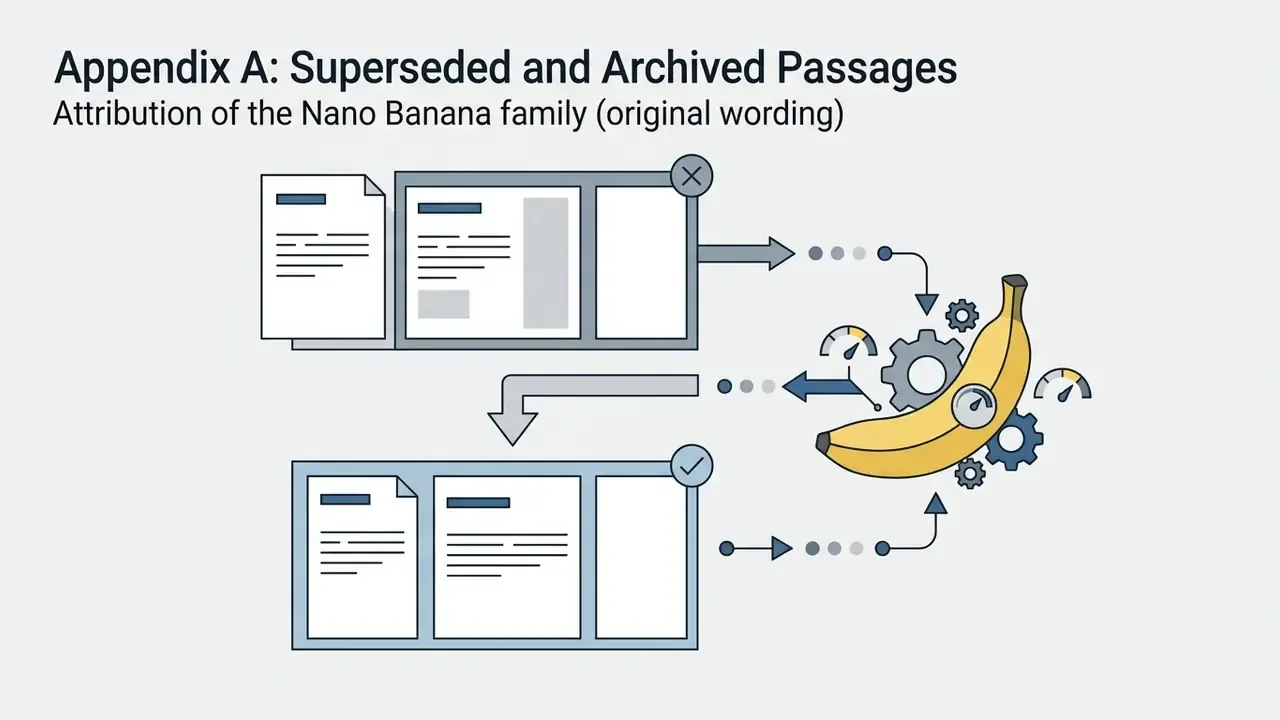
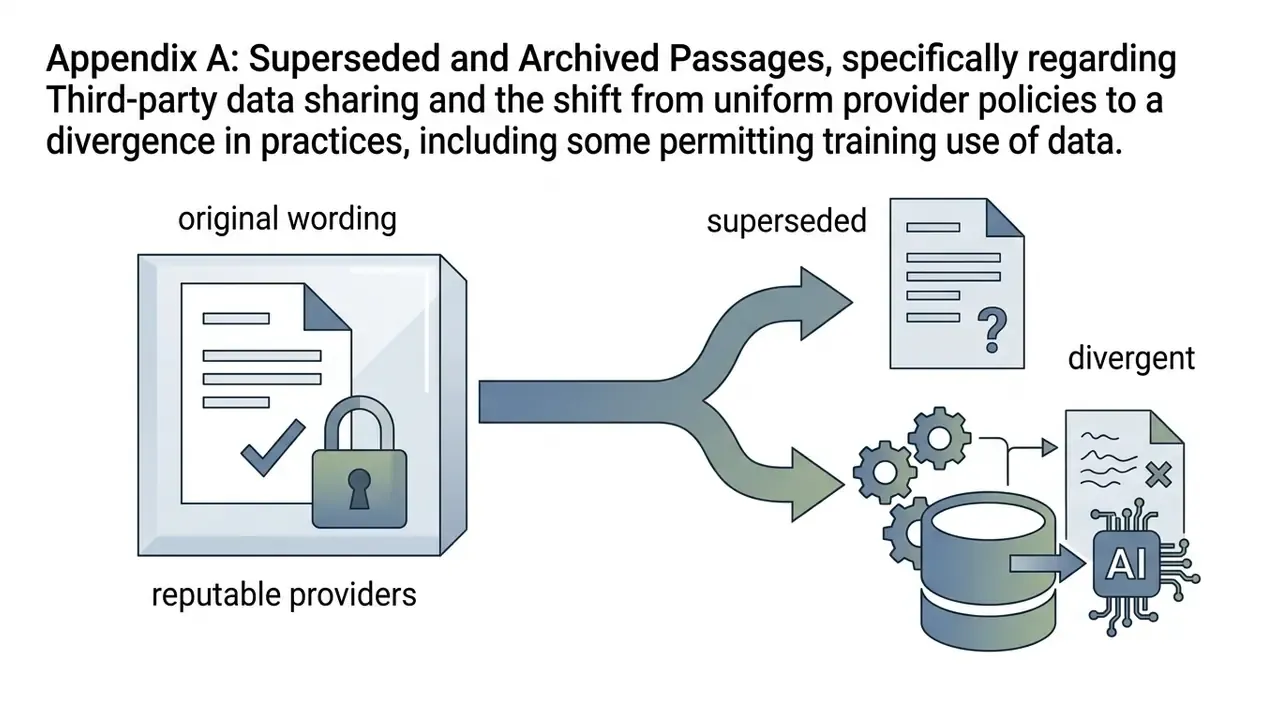
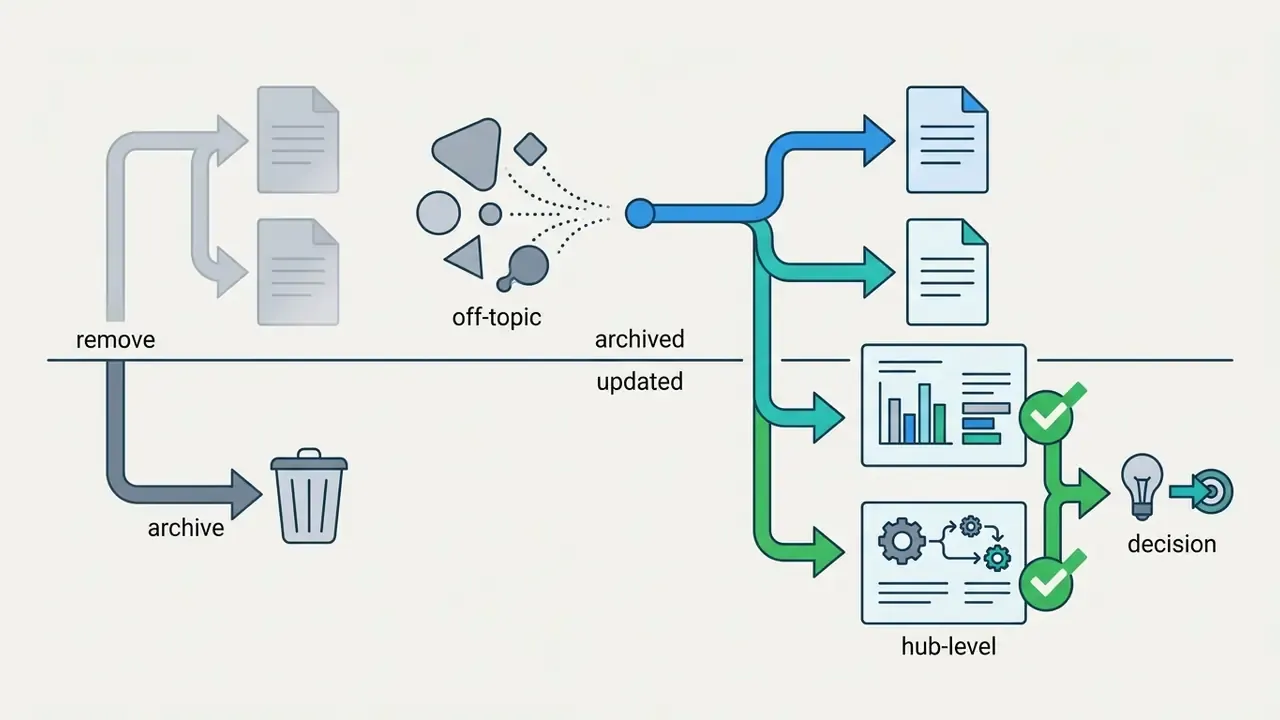
Appendix A: Superseded and Archived Passages
Retained for editorial transparency. These formulations were revised in the current version for accuracy or audience fit; the replacement text appears in the main body above.
Appendix B: Pre-Deployment Checklist for IT, Marketing, and Model Risk
Copy this into your intake ticket before approving any no-login generation tool.
Checklist0 / 17
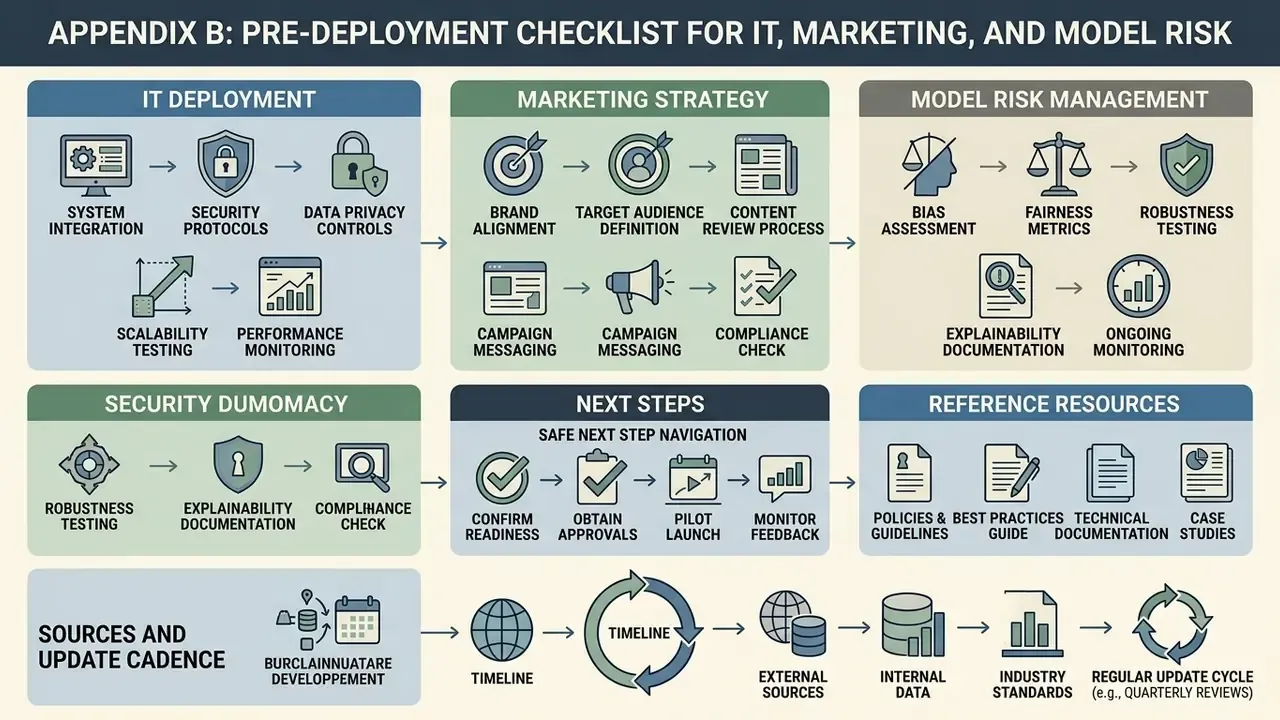
A Safe Next Step
If you need a decision this month rather than a policy debate this year, sequence it like this. Week one: pick two engines and run 20 seed-locked prompts each, recording the full audit fields above. Week two: send the two vendors' terms and DPAs to counsel with the six licence questions attached. Week three: publish one sanctioned tool, one acceptable-use rule, and one provenance log location. Nothing about that sequence requires a platform migration, and it removes most of the Shadow AI surface in a single quarter.
Sources and Update Cadence
This guide is reviewed quarterly against vendor documentation, peer-reviewed research, and primary legal sources. Model names, free-tier caps, and privacy terms shift faster than any editorial cycle, so each capability claim above is labelled either as vendor-stated positioning or as a measured result with its source. Where evidence is internal and unbenchmarked, the text says so.
General disclaimer: this article is informational and reflects publicly available vendor documentation, peer-reviewed research, and primary legal sources as of February 2026. It is not legal, audit, regulatory, or investment advice. Product specifications, free-tier limits, and privacy policies change frequently. Verify current terms directly with the provider before deployment.