Executive Summary for Decision-Makers
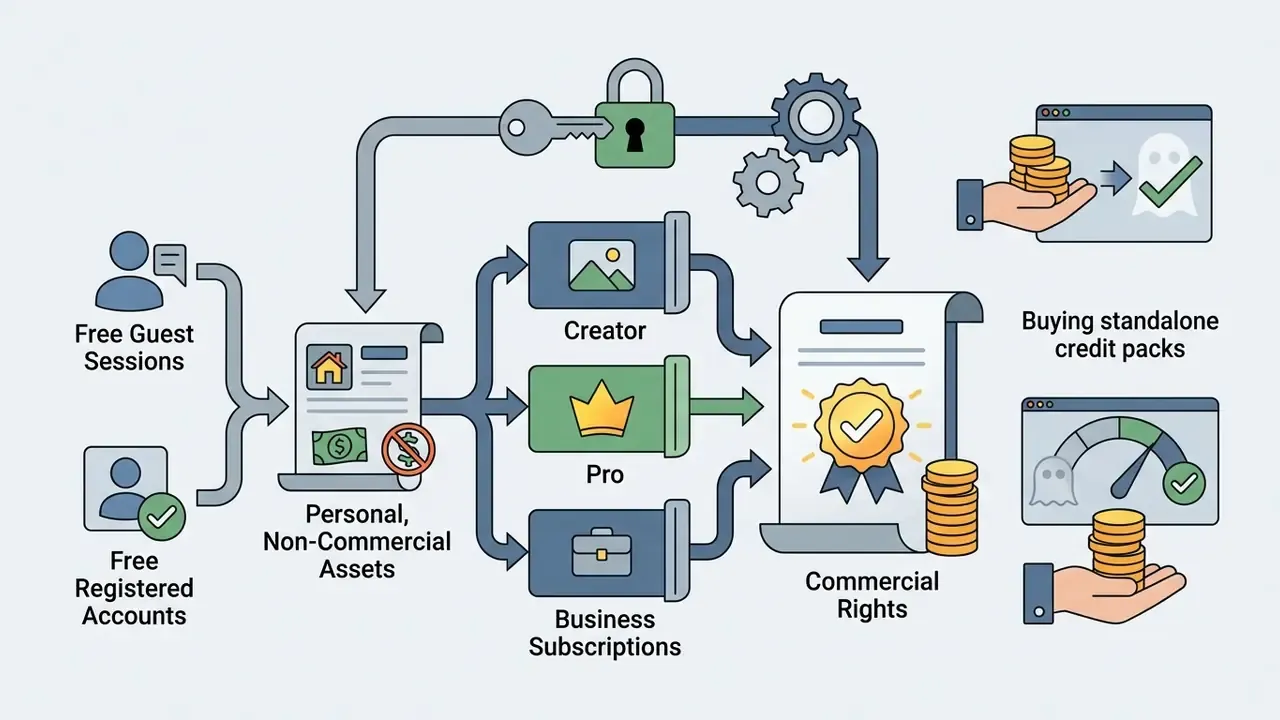

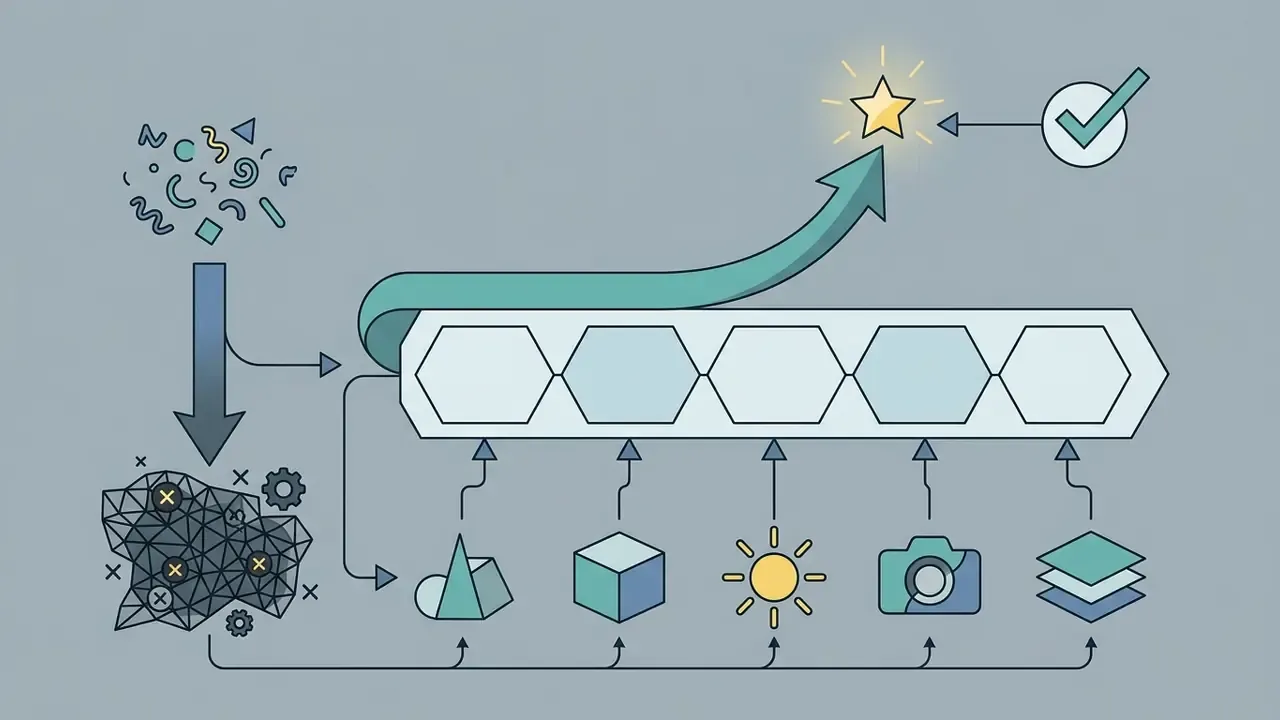
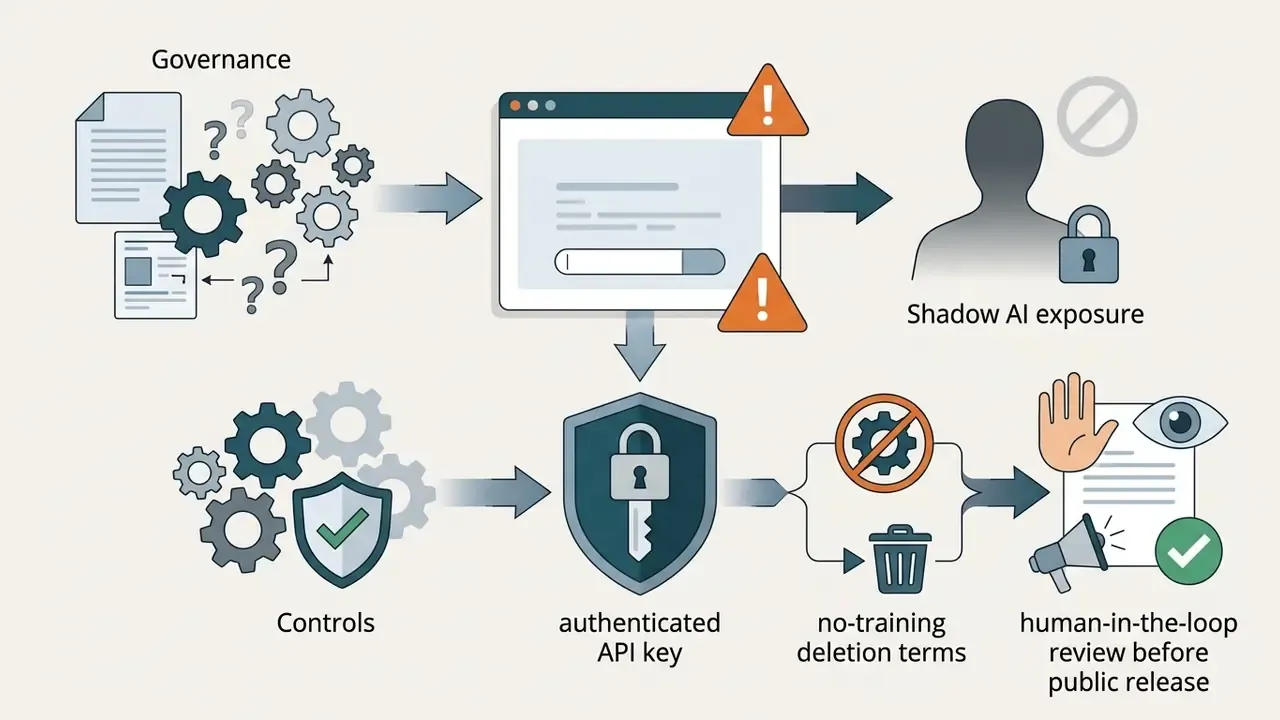
"When evaluating generative media platforms for enterprise adoption, organizations must audit licensing boundaries, credit mechanics, and model lineages before moving from testing into production."
How to Read This Review: Scope, Method, and Verification Status
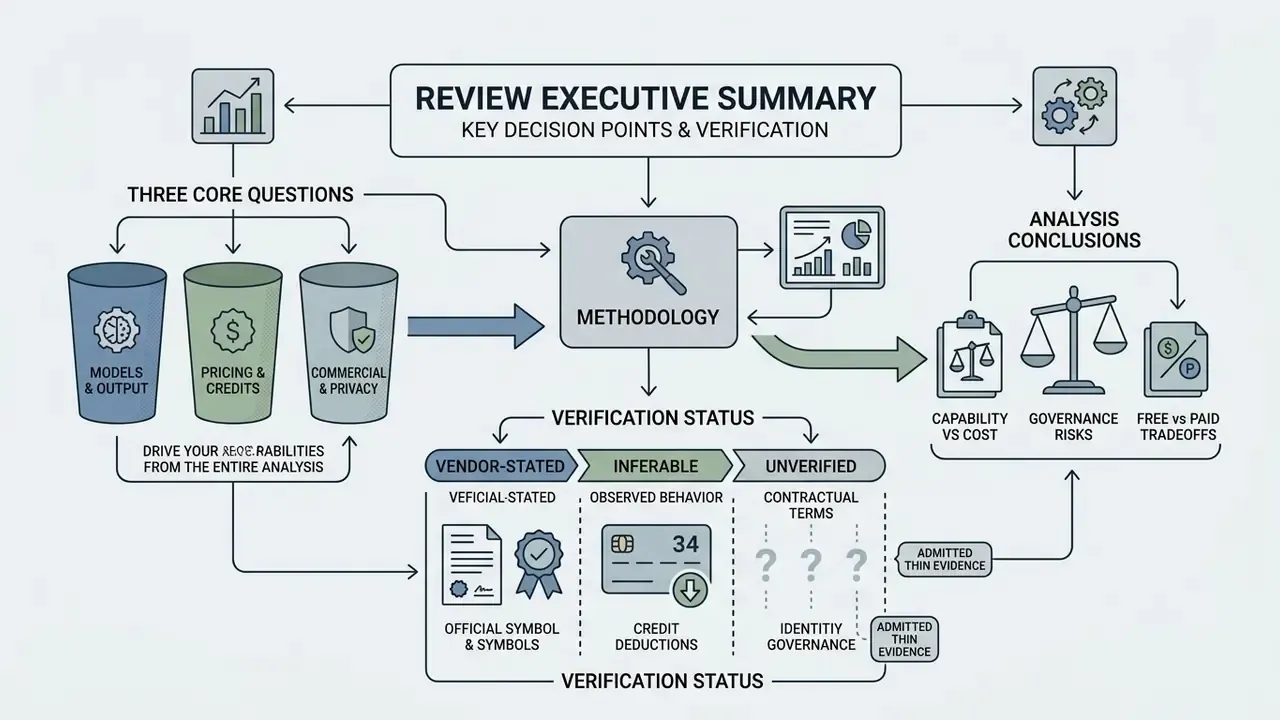
What is Magic Hour AI Image Generator and Which Tasks It Fits
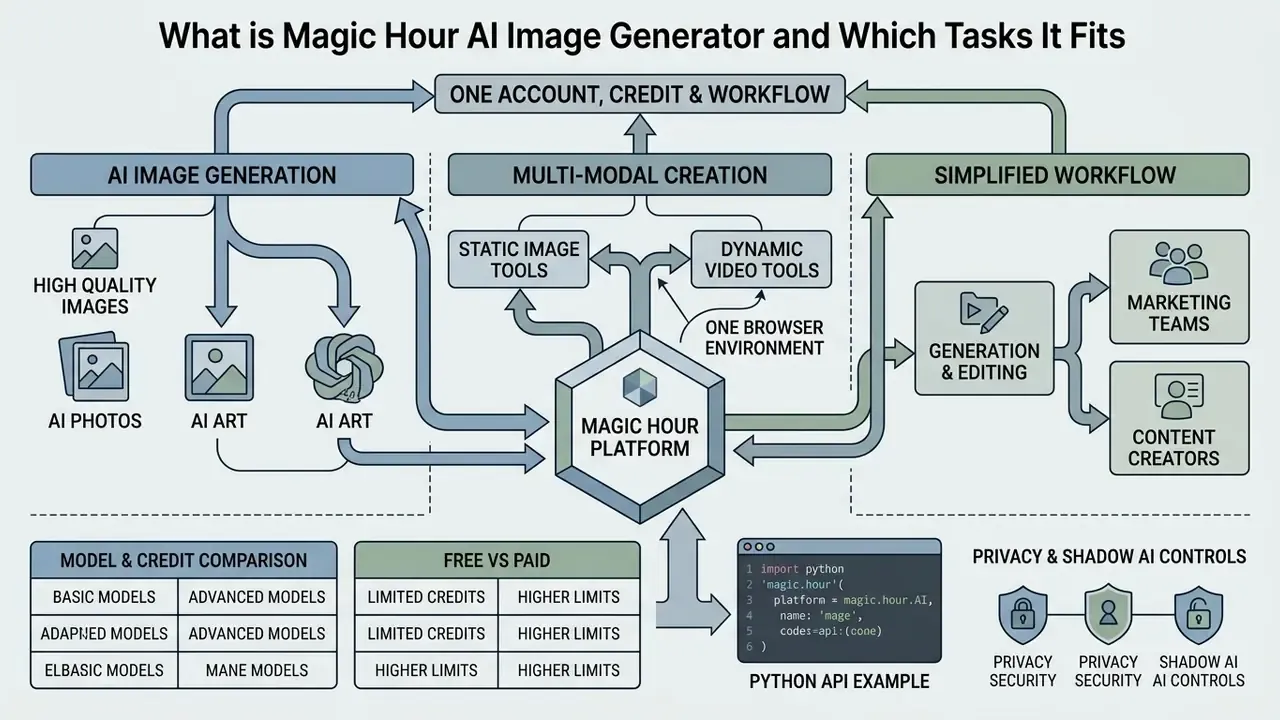
The Magic Hour AI image generator is a web-based media generation and editing tool inside a broader browser platform. That platform unifies image, video, and audio synthesis in a single interface. It lets creators, marketing specialists, and product teams build visual assets from text prompts or input media, without maintaining separate editing software or local rendering hardware.
«Platforms that combine image generation, video generation, and editing in one interface reduce tool-switching time and accelerate content production.»
In practice that means one account, one credit balance, and one workflow, instead of three subscriptions and manual asset handoffs between specialist applications. For teams weighing consolidated suites against point solutions, the trade-off is pipeline continuity versus the deepest feature set in any single category. Neither answer is universally right.
Generating AI Images, AI Photos, and AI Art in One Service
Magic Hour supports multi-modal image creation, so users can generate high quality AI image assets across photorealistic, illustrative, and conceptual styles. The core engines accept structured descriptions covering subject matter, background environment, lighting parameters, and camera angles (Magic Hour Product Guide, 2026).
Users looking for an AI photo generator, an AI picture generator, or a magic hour ai art generator can pick from more than 30 style presets or write custom text prompts. That makes side-by-side evaluation against other best AI image generators fairly straightforward. Each request in the browser form returns two image variations, which speeds up composition comparison before final exports.
| Visual Category | Primary Input Parameters | Primary Output Characteristics |
|---|---|---|
| Photorealistic AI Photo | Subject, lighting, camera lens, perspective | Realistic textures, natural lighting, photographic depth |
| Digital AI Art | Medium, color palette, mood, artistic movement | Stylized artwork, concept art, vector illustrations |
| Product Visuals | Product framing, background surface, studio lighting | Clean commercial framing, isolated subject detail |
Each category carries a different acceptance standard. Photorealistic output is judged on texture fidelity and lighting physics, while stylized output from AI art generators is judged on stylistic coherence and palette control. Teams publishing across both should keep two prompt libraries rather than one universal template. A single template always drifts toward the weaker of the two styles.
How Magic Hour Unifies Images, Video, and Editing Tools
Magic Hour combines static image tools and dynamic video tools in one browser environment, which removes tool switching across multi-step pipelines. A static graphic produced in the AI image generator can be passed straight into image-to-video tools, animated into short videos, or turned into an AI GIF. That is the same handoff pattern used by dedicated image-to-video AI tools.
The unified pipeline simplifies generation editing for marketing teams and content creators. Users generate base graphics, apply an AI image editor or background remover, then convert the approved frame into motion clips inside the same project workspace. It also removes the need to license separate AI video generators for short-form output. The catalog additionally markets frontier video engines such as Seedance 2.0 and Kling 3.0, plus an AI logo and AI voice toolset, though this review focuses on still imagery.
How Magic Hour AI Image Generator Works: From Text Prompt to Finished File
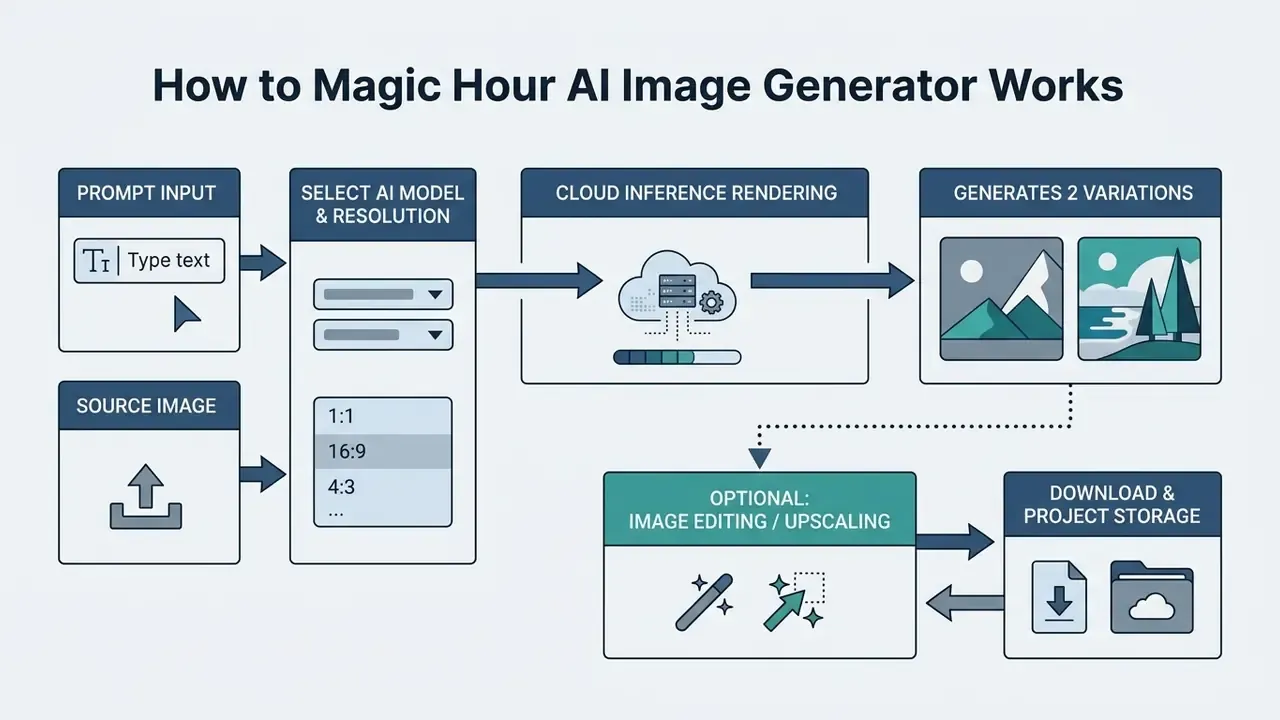
Generating visual assets follows a deterministic four-stage sequence: input ingestion, model and parameter configuration, synthesis, and export. Requests run through cloud-hosted inference pipelines. Generated visuals typically return within roughly 5 to 30 seconds, depending on output resolution and selected model.
«Image generation typically takes about 5-30 seconds per request.»
Figure 1. Magic Hour AI image generation pipeline. A step-by-step workflow showing input ingestion (text prompt or reference image), model configuration, cloud rendering, iterative generation editing, and file export. The diagram illustrates the operational path from initial user prompt to downloaded asset. Alt text for the graphic should read "magic hour ai image generator workflow".
- Input Submission
- Enter a detailed text prompt or upload a source photo via the web form or API endpoint.
- Model & Parameter Selection
- Choose the AI model family, output aspect ratio, art style, and target resolution (640px to 4K).
- Synthesis & Generation
- The platform runs cloud inference and returns two variants per request in the browser form, or a larger batch via paid models.
- Refinement & Editing
- Apply post-generation tools such as the AI photo editor, image upscaler, or face modification features.
- Export & Storage
- Download finished files locally in PNG or WebP, or keep them in saved projects.
Master Prompt Engineering Formula for Photorealistic and Art Generation
Text-to-image synthesis relies on descriptive prompt structures that define subjects, spatial layout, lighting, and atmosphere. Users running magic hour ai text to image requests get higher accuracy when they specify concrete photographic or artistic parameters (Magic Hour Help Center, 2026).
For cinematic scenes or product visuals, include subject orientation, lens specifications (for example an 85mm lens at f/1.8), environmental context, and lighting conditions. This structured approach suppresses visual artifacts and produces repeatable branding materials for social content.
«The more specific your description, subject, style, lighting, and key details, the closer the generator matches your intended image.»
To achieve precise visual compliance, prompts submitted to Magic Hour engines should follow a five-element parameter sequence:
[Subject & Primary Action] + [Environmental Setting & Background]
+ [Lighting & Atmosphere] + [Camera Lens, Angle & Depth]
+ [Artistic Style & Rendering Engine]
Production-Ready Prompt Examples
Example 1. E-Commerce Product Hero Shot
- Prompt
"A luxury stainless steel wristwatch resting on a dark slate rock, gentle water ripples in background, soft diffused studio key light from top-left, macro 100mm lens, f/4 aperture, sharp focus on watch dial, photorealistic commercial product photography." - Output Specs Aspect Ratio 1:1 | Recommended Model: Seedream v5 Pro | Resolution: 2K or 4K.
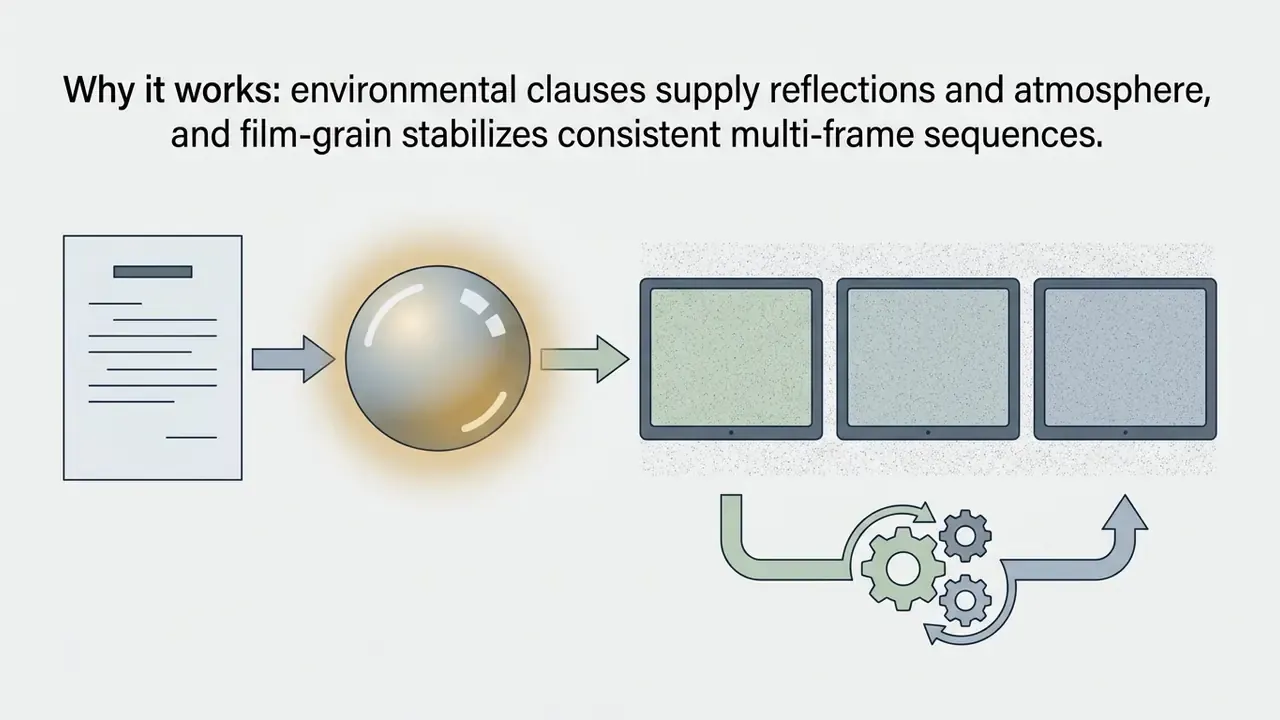
- Why it works the lens and aperture values force a physically plausible depth of field, and the lighting clause prevents flat, evenly lit "stock" output.
Example 2. Cinematic Character & Narrative Scene

"An architect reviewing holographic blueprints in a dimly lit futuristic office, rainy cityscape outside floor-to-ceiling glass windows, volumetric neon blue ambient lighting, cinematic medium shot, 35mm film grain, shallow depth of field."
Prompt parameter checklist
| Parameter | Purpose | Example Values |
|---|---|---|
| Subject & action | Defines the focal element | "matte black bottle", "architect reviewing blueprints" |
| Setting | Controls background and context | "slate rock", "dim futuristic office" |
| Lighting | Controls realism and mood | "soft diffused key light", "volumetric neon" |
| Camera | Controls framing and depth | "85mm, f/1.8", "cinematic medium shot" |
| Style | Controls rendering aesthetics | "commercial product photography", "35mm film grain" |
| Negative constraints | Removes recurring artifacts | "no text overlay", "no extra hands" |
One practical note from repeated testing: negative constraints earn their place only after you have seen the artifact twice. Writing them pre-emptively tends to flatten the composition.
Using Source Images for Generation Editing
Magic Hour supports image-to-image workflows, so users can upload existing photos as structural or stylistic references. Combining a base upload with instructional text lets the AI photo editor change background elements, lighting, or subject attire while retaining core geometry (Magic Hour Product Guide, 2026).
The platform handles multi-reference editing on supported paid models, allowing up to nine reference images. That is the same capability benchmark we use when comparing image-to-image generators. Brand managers can merge product cutouts with complex lifestyle backgrounds or moodboards without manual masking, which is the key structural difference from traditional AI photo editors. Adjacent enhancement tasks, such as a free ai enhance pass on legacy catalog photography, follow the same upload-and-instruct pattern.
Export, Download, and Saving Finished Projects
Exported assets download directly through the browser interface or via API download URLs. Supported output formats include PNG, JPG, HEIC, WebP, AVIF, and TIFF, which covers both digital publishing and print workflows.
«Supported image formats include PNG, JPG, JPEG, HEIC, WebP, AVIF, JP2, TIFF and BMP; video output downloads as MP4.»
Registered users keep asset history in saved projects, tied to their account profile. Free anonymous users work in a session-only mode and must download each synthesized image before closing the tab. Lose the tab, lose the free image. That single detail derails more casual pilots than any credit limit.
Developer API Integration Example (Python SDK)
To integrate the pipeline into automated application workflows, developers can use the official Python SDK. The API supports model routing, resolution scaling, batch counts, and direct download links, with SDKs also published for Node, Go, and Rust.
from magic_hour import Client
from os import getenv
# Initialize client with workspace API token
client = Client(token=getenv("MAGIC_HOUR_API_KEY"))
# Execute synchronous text-to-image generation call
response = client.v1.ai_image_generator.generate(
    image_count=2,
    style={
        "prompt": "Commercial product shot of a sleek matte black water bottle, "
                  "studio lighting, 85mm lens, f/2.8, neutral background",
        "tool": "ai-photo-generator",
    },
    aspect_ratio="16:9",
    model="gpt-image-2-5-flare",
    resolution="2K",
    wait_for_completion=True,
    download_outputs=True,
    download_directory="./exports"
)
print(f"Generated Images Saved to: {response.download_directory}")
A successful request returns a project_id, a credit-charge value, and either output URLs or locally saved files when download_outputs is enabled. Credits are deducted per rendering attempt rather than per accepted result, so production pipelines should log project_id and charge values for cost attribution and audit purposes. Teams building repeatable production chains can map this against our documented workflows, or see the overview before writing custom orchestration.
Which AI Models Are Available for Image Generation
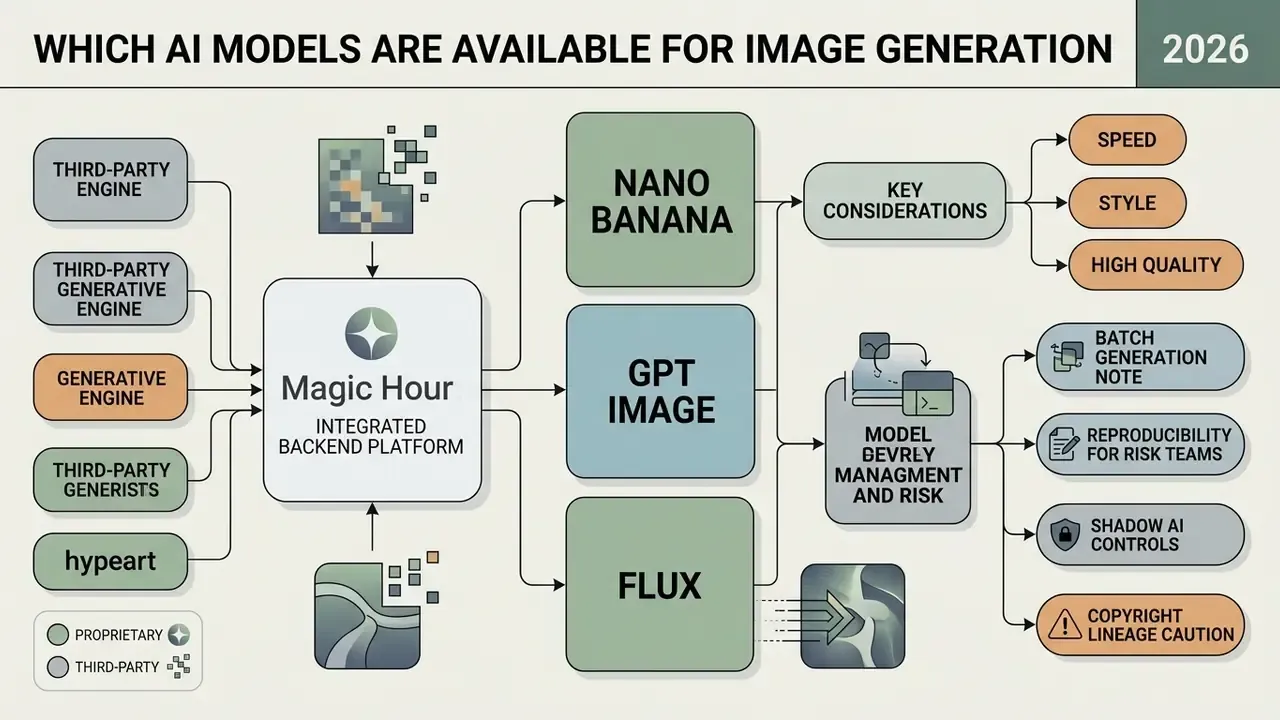
Magic Hour integrates multiple third-party and proprietary generative engines in its backend. Users select models by latency, prompt adherence, and output fidelity. Availability spans fast draft generators through high-parameter frontier models capable of 4K rendering (Magic Hour Models Directory, 2026).
«flux-schnell and flux-2-klein are available to free users from 5 credits per image; gpt-image-2 and nano-banana-2 support up to 4K resolution from 50-100 credits.»
Table 1. Magic Hour AI image models compared. Image generation and editing models across tasks, strengths, resolution support, tier availability, base credit cost, batch limits, and maximum reference inputs, so technical users and administrators can balance credit consumption against fidelity requirements.
| Model Name | Primary Tasks | Core Strengths | Resolution Options | Tier Availability | Base Credit Cost | Batch Limit (Per Run) | Max Input Images |
|---|---|---|---|---|---|---|---|
| Flux Schnell | Rapid drafting, concepting | Sub-second generation, low cost | 640px, 1K, 2K | Free, Creator, Pro, Business | 5 credits | 1 (Free) / 16 (Paid) | 0 (Text only) |
| Flux 2 Klein | Fast image editing, composites | Prompt-guided edits, multi-reference | 640px, 1K, 2K | Free, Creator, Pro, Business | 5 credits | 1 (Free) / 16 (Paid) | 5 |
| Nano Banana | Fast stylized edits, social graphics | Low latency, expressive style | 640px, 1K | Creator, Pro, Business | 50 credits | 16 (Paid tier only) | 9 |
| Nano Banana 2 | Detailed edits, marketing assets | High detail, 4K rendering | 640px, 1K, 2K, 4K | Creator, Pro, Business | 100 credits | 16 (Paid tier only) | 9 |
| GPT Image 2 | Strict prompt adherence | Exceptional text rendering & composition | 640px, 1K, 2K, 4K | Creator, Pro, Business | 50 credits | 16 (Paid tier only) | 9 |
| GPT Image 2.5 Flare | Frontier visual generation | Maximum detail, complex scenes | 640px, 1K, 2K, 4K | Creator, Pro, Business | 100 credits | 16 (Paid tier only) | 9 |
| Seedream v5 Pro | Photorealistic visuals | Ultra-sharp textures, studio lighting | 640px, 1K, 2K | Creator, Pro, Business | 75 credits | 16 (Paid tier only) | 9 |
| Qwen Edit | Precise targeted edits | Lightweight object/background tweaks | 640px, 1K, 2K | Creator, Pro, Business | 10 credits | 4 (Paid tier only) | 2 |
Batch generation note. The free browser form generates one image per click, while supported paid models produce up to 16 images per run. For A/B creative testing, batch runs are the cheapest way to explore composition variance per unit of reviewer attention. They also multiply credit consumption linearly, so cap batch size in shared team accounts.
Reproducibility note for model risk teams. Public documentation does not expose a user-facing deterministic seed parameter for all image models. Identical prompts can therefore return non-identical outputs across runs. Organizations with audit requirements should archive the exact prompt, model identifier, resolution, and returned project_id alongside each approved asset, instead of relying on regeneration as evidence.
Nano Banana, GPT Image, and Flux for AI Image Generation
The model ecosystem balances speed against structural detail. Nano Banana, which the vendor's own model directory describes as based on Google's Gemini 2.5 Flash Image model (Magic Hour Models Directory, 2026), gives low-latency generation for fast conceptual iteration and conversational editing. Treat lineage labels as vendor-stated, not independently audited.
For strict prompt compliance, GPT Image models handle complex multi-subject descriptions and render readable embedded text. The Flux family, including Flux Schnell and Flux 2 Klein, delivers high-speed drafts from 5 credits per render, which keeps large-volume exploration affordable. Seedream v5 Pro sits at the other end: slower, pricier, and noticeably better on skin, fabric, and metal.
Copyright-lineage caution. Several engines in the catalog derive from open-weight or third-party foundation models trained on large public datasets. Vendor terms transfer ownership of outputs to you, but ownership alone is not an indemnification guarantee against third-party copyright claims. Ask legal to obtain written confirmation of indemnification scope before using generated visuals in paid media or on packaging. Our litigation tracking pages are one way to compare options on how these disputes are unfolding.
How to Choose a Model for Speed, Style, and High Quality
Model choice depends on credit budget, target resolution, and required fidelity. Low-cost engines like Flux Schnell suit concept testing. Enterprise campaign assets justify high-parameter engines such as Seedream or GPT Image 2.5 Flare.
Resolution is a cost multiplier as much as a quality lever. The 2026 documentation prices image output by resolution tier, from 640px through 4K, so one 4K hero asset can cost several times an exploratory draft. The economically rational pattern is simple: explore low, finalize high, and re-render only approved compositions at full resolution.
Magic Hour Tools for Image Editing and Working with People
Beyond text-to-image synthesis, the platform offers editing utilities for portrait retouching, identity transformation, and resolution expansion. These tools run in the browser and also expose API endpoints for automated media pipelines (Magic Hour Developer Documentation, 2026).
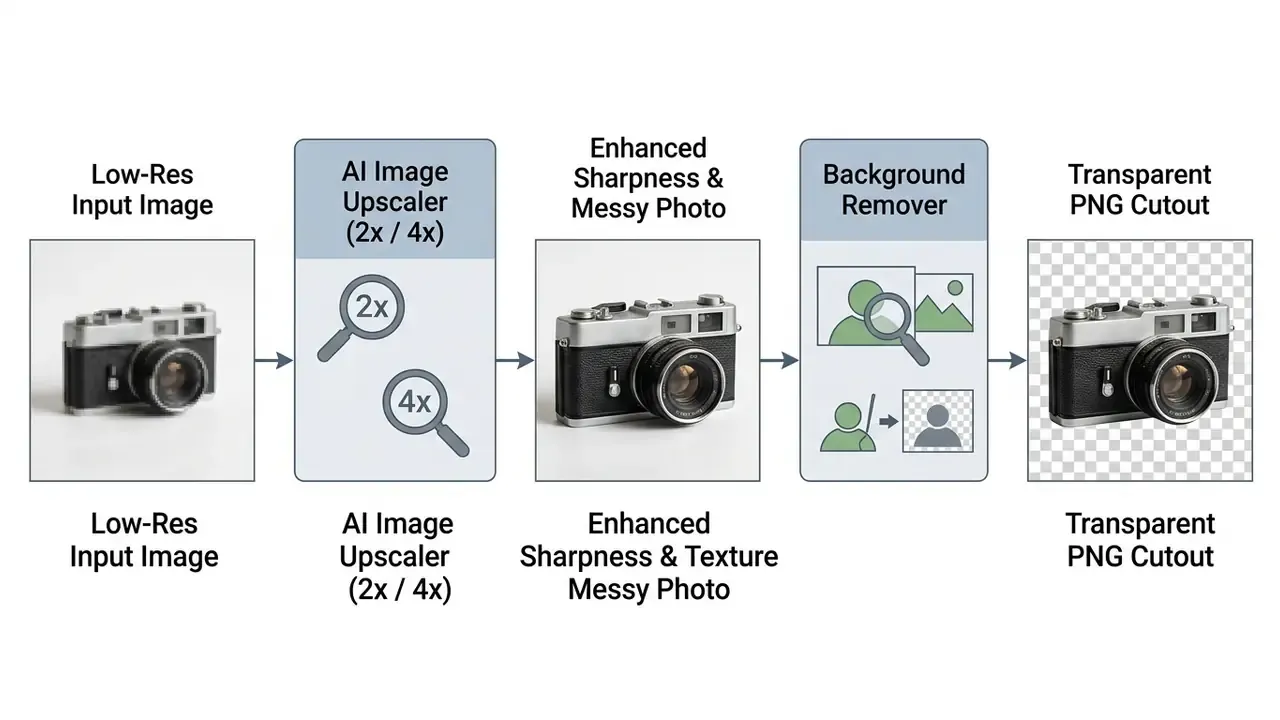
AI Photo Editor, Image Upscaler, and Background Remover
The AI photo editor supports prompt-driven modification, so users remove unwanted objects, adjust ambient lighting, or swap backgrounds without manual path tracing.
Face Swap, AI Headshot, and Profile Photos
For identity and personal branding workflows, Magic Hour includes portrait tools that process uploaded facial features into customized graphics.
- Face Swap: Swaps faces in photos, GIFs, or video clips while preserving background lighting and expressions. It handles single portraits and multi-person group photos, including face swap video output (Magic Hour Tools Directory, 2026).
- AI Headshot Generator: Turns one casual photo into a professional studio portrait for LinkedIn or corporate directories, judged by the same criteria we apply to AI professional portrait generators. Clothing style, studio lighting, and background are adjustable, and the tool expects exactly one clearly detectable face in the source profile photo.
Identity Workflow Example:

Casual Upload Photo ➔ AI Headshot Generator ➔ Professional LinkedIn Profile Photo (No Watermark)
Biometric and synthetic-identity caution. Face swap and headshot features process biometric facial data and can produce convincing synthetic likenesses. In regulated sectors, deploy them only with documented subject consent, restrict them to approved brand personnel, and never use them in customer-facing identity verification, onboarding, or authentication. Synthetic likenesses in a KYC or AML workflow are not a productivity gain. They are an impersonation channel.
Preparing Images for Talking Photos and AI Lip Sync
Portrait tools are often just the first stage of a longer animation chain. A headshot or face-swapped still becomes the input for portrait animation, so static portraits can feed dynamic video endpoints. For reliable talking photo synthesis, source images must meet specific geometric and lighting conditions (Magic Hour Help Center, 2026).
Image Preparation Standards for Portrait Animation:
1. Pose: Forward-facing orientation with unobscured facial features.
2. Lighting: Even studio lighting without harsh directional shadows or overexposure.
3. Resolution: Minimum 512x512 pixels recommended; 1K preferred.
4. Obstructions: Eyes, mouth, and jawline must remain completely visible (no sunglasses or hand obstructions).
Once a still is converted into a base motion clip through image-to-video tools, AI lip sync can synchronize lip movements frame by frame with an uploaded voice track. Lip sync operates on video with a continuously visible mouth, not on a single still, so the still-to-motion step is mandatory. Extreme angles, obscured faces, and low-quality footage degrade the result quickly, and an AI voice track with heavy background noise makes it worse.
Practical Use Cases for AI Image Generator
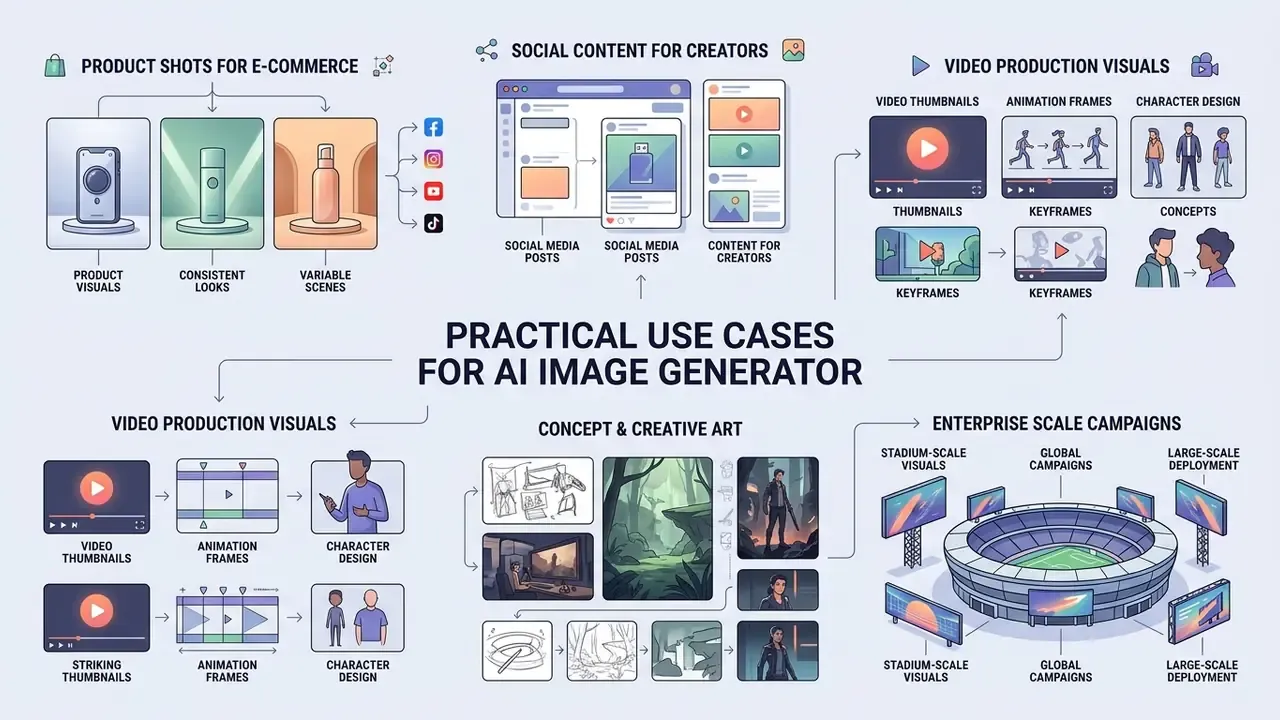
Organizations and independent content creators use the magic hour ai generator across marketing, e-commerce, and digital content production to increase visual output without adding agency overhead.
Product Photo, Product Shot, and Visuals for E-Commerce
E-commerce managers use the editing utilities to turn basic smartphone captures into polished studio visuals. Upload a raw product photo, apply prompt-guided background replacement, and you get consistent catalog assets for Shopify, Amazon, or Etsy (Magic Hour E-Commerce Playbook, 2026).
E-Commerce Visual Pipeline:

Raw Product Capture ➔ Background Remover ➔ AI Scene Placement ➔ 4K Image Upscale ➔ PDP Listing Asset
The workflow supports lifestyle imagery, seasonal graphics, and promotional banners without a physical studio re-shoot for every campaign iteration. Documented target surfaces include product detail pages, hero sections, feature pages, marketplace listings, and paid social creative. One caveat: a generated scene placement that misrepresents product scale or materials is an advertising-claims problem, not a creative one.
Concept Art, Cinematic Scenes, and Consistent Characters
For narrative projects, game design, and brand storytelling, the platform generates detailed concept art and helps maintain continuity across multi-frame sequences.
Combining detailed style descriptors with reference images in Seedream or GPT Image 2 lets creators hold consistent characters across scenes, lighting conditions, and camera angles. That capability simplifies storyboarding, character design, and pre-visualization for video production teams.
«Additional reference images can guide style, character design, and visual consistency across generations.»
In practice, consistency comes from locking three variables across a sequence: the same reference image set, the same model and resolution, and the same style clause in every prompt. Change any one of them mid-sequence and faces, wardrobe, or palette start drifting. That is the most common cause of a storyboard that falls apart at frame nine.
Enterprise Proof: Stadium-Scale Visual Campaigns
Independent user reviews echo the production-speed theme rather than pure novelty. Practitioners describe collapsing multi-hour editing sessions into minutes, and they cite the balance of speed, quality, and scalability across image and video tasks. Vendor marketing also claims roughly 500k creators on the platform and runs a "why creators love it" narrative. Treat those adoption figures as unverified marketing claims, not audited metrics.
Free Access, Paid Plans, and Commercial Use in Magic Hour
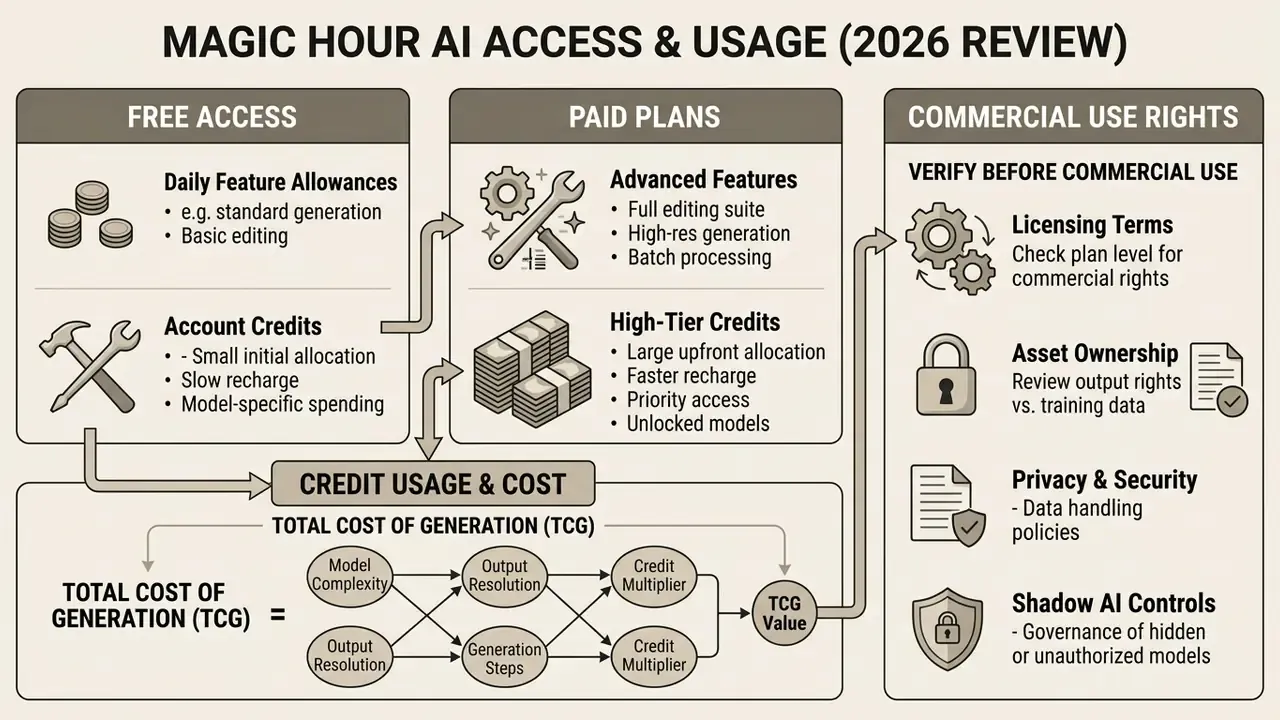
Magic Hour runs a freemium structure governed by daily feature allowances, account specific credits, and plan-specific usage rights. Tier boundaries are the critical variable for anyone evaluating commercial use of AI image generators and planning deployment budgets (Magic Hour Pricing & Licensing Guide, 2026).
Table 2. Free versus paid access compared. Features, credit allocations, resolution caps, watermarks, saved project retention, and commercial licensing across free guest users, free registered accounts, and paid subscribers, to clarify licensing eligibility and technical limits for decision-makers.
| Feature / Capability | Free Guest (No Sign-Up) | Free Registered Account | Paid Subscriber (Creator / Pro / Business) |
|---|---|---|---|
| Credit Allocation | 10 images/day (Browser tool) | 400 signup credits + daily claim cap | Monthly allowance (12,000 / 25,000 / 70,000 credits) |
| Model Access | Entry-level (Flux Schnell, Flux 2 Klein) | Standard entry models | Full catalog (Nano Banana 2, GPT Image 2, Seedream) |
| Max Output Resolution | Standard (640px / 720p / 2x Upscale) | Basic resolution choices | High resolution (up to 4K / 4x Upscale) |
| Batch Generation | 1 image per click | 1 image per click | Up to 16 images per run on supported models |
| Watermark Status | Watermarked on video/lip sync | Reduced watermarking | No watermarks across all tools |
| Saved Projects | Not retained (session only) | Retained in account history | Advanced project organization & team sharing |
| Commercial Use Rights | PROHIBITED (personal use only) | PROHIBITED (personal use only) | GRANTED (full commercial usage rights) |
Terms verification (fact check). Official pricing and FAQ documentation states that free plan outputs are granted strictly for personal, non-commercial use (Magic Hour Terms of Service, 2026). Commercial rights belong exclusively to active Creator, Pro, and Business subscribers. Purchasing standalone credit packs without an active subscription removes watermarks but does not grant commercial rights (Magic Hour Help Center, 2026). Credits are deducted per rendering attempt. Subscription refunds are restricted to 7-day windows, provided fewer than 400 account credits have been consumed. Credit-pack refunds apply within 7 days only if none of that pack's credits were used.
What is Available to Free Users and How Credits Are Spent
Unregistered web guests can test the free ai image generator with up to 10 renders per day in the browser, which makes it directly comparable with other free AI generators without sign-up. Registering a free account unlocks a 400-credit welcome balance, daily claim opportunities (100 credits daily, up to 7 times), and saved project tracking (Magic Hour Help Center, 2026). Mobile-first teams often compare this against any free ai image generator app they already have installed.
«Free accounts receive 400 signup credits plus a daily claim allowance; commercial rights are granted exclusively to active paid subscribers.»
Credit consumption varies by task complexity, resolution, and model. Basic Flux Schnell drafts cost as little as 5 credits per image. Frontier 4K generations consume between 50 and 400 credits per request once resolution tiers apply.
Total Cost of Generation (TCG) formula. Budget owners underestimate cost when they price only accepted assets. A defensible planning formula looks like this:
TCG per approved asset =
   (credits per render × average attempts per approved asset × credit unit cost)
 + (upscale / edit credits)
 + (reviewer minutes × internal hourly rate ÷ 60)
 + (legal/brand review minutes × rate ÷ 60, for regulated or public campaigns)
With a typical 3 to 5 attempts per approved hero asset, human review time, not inference credits, usually becomes the dominant line item. So measure attempts-per-approval as a KPI, and invest in a reusable prompt library to bring it down. That single metric predicts budget variance better than any price list.
What to Verify Before Commercial Use of AI Images
Before using generated assets in campaigns, on packaging, or in monetized content, complete a compliance verification pass (Magic Hour Governance Checklist, 2026).
Commercial Use Compliance Checklist:
1. Plan Verification: Confirm the asset was synthesized under an active paid subscription (Creator, Pro, or Business).
2. Credit Pack Audit: Note that standalone credit top-ups without an active subscription DO NOT convey commercial rights.
3. Media Inputs: Ensure uploaded source images, product photos, or facial references do not violate third-party copyrights or privacy rights.
4. Resolution & Watermarks: Verify that exports were rendered at high resolution without embedded watermarks.
5. Ownership Evidence: Archive the prompt, model ID, resolution, project_id, and subscription status at time of generation.
6. Indemnification Scope: Confirm in writing whether the vendor provides any defense or indemnity against third-party IP claims.
7. Likeness & Consent: For face swap or headshot outputs, retain documented consent from every identifiable individual.
8. Disclosure: Apply channel-appropriate AI disclosure labels where platform policy or internal standards require them.
«Creator, Pro, and Business plans remove watermarks and include commercial rights; credit packs purchased without an active subscription do not grant those rights.»
This information is general in nature and does not replace advice from a qualified attorney on licensing and copyright questions relating to AI-generated content.
Enterprise Data Privacy, Security, and Model Training Commitments
When teams generate proprietary marketing assets, brand visuals, or confidential product mockups, data governance stops being optional. Magic Hour's published privacy commitments cover four core guarantees:
- Zero Model Training (no-training guarantee)User-uploaded reference imagery, source photos, and generated outputs are not used to train, fine-tune, or calibrate public or proprietary base AI models.
- Encrypted Pipeline InfrastructureMedia assets and prompt inputs are encrypted in transit and at rest, with internal access restricted to operations and support functions.
- Immediate Content Deletion ControlAccount holders retain data ownership and can delete content or the entire account at any time, which removes files from active storage immediately.
- Ephemeral Guest StorageUnregistered guest sessions run without retained project history, so temporary renders are not preserved in an account workspace.
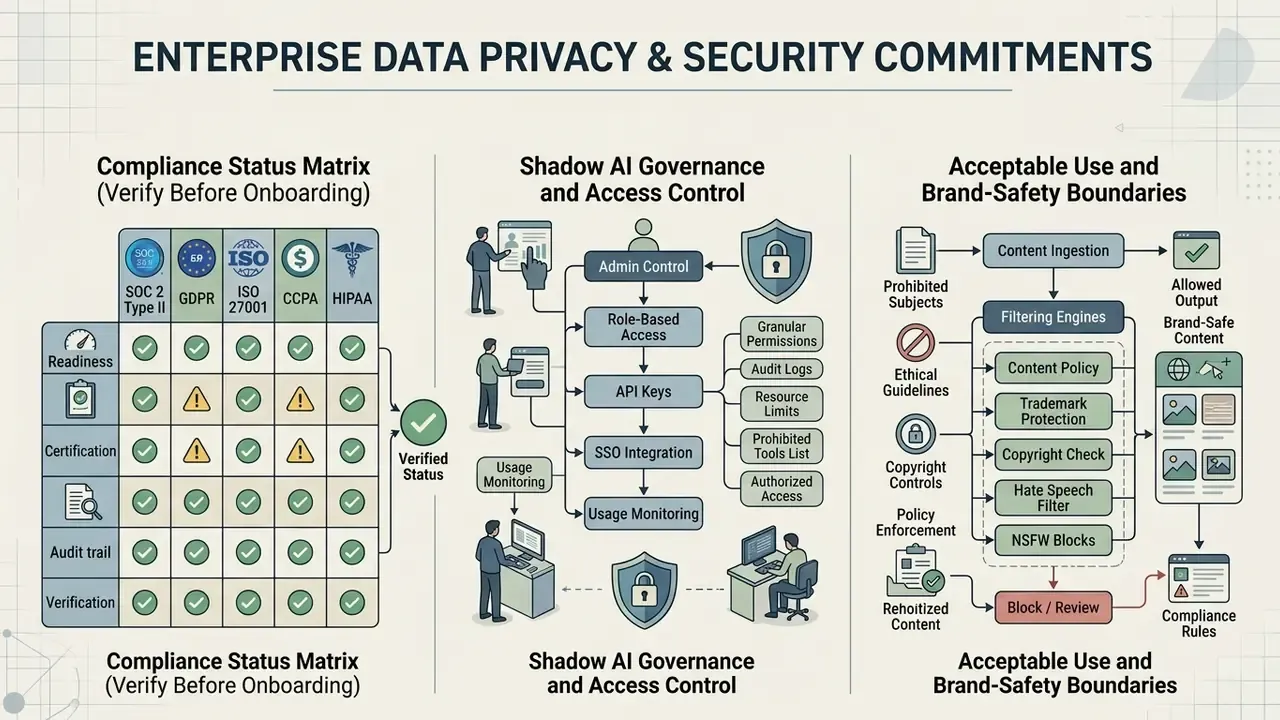
Compliance Status Matrix (Verify Before Onboarding)
| Control / Framework | Publicly documented status | Recommended buyer action |
|---|---|---|
| No-training on customer uploads/outputs | Stated in vendor privacy commitments | Request contractual restatement in MSA/DPA |
| Encryption in transit and at rest | Stated in vendor privacy commitments | Confirm cipher suites and key management |
| Deletion on request / retention window | Stated (immediate removal from active storage) | Confirm backup retention and hard-delete SLA |
| SOC 2 Type II | Not publicly documented in reviewed sources | Request attestation report under NDA |
| ISO/IEC 27001 | Not publicly documented in reviewed sources | Request certificate and scope statement |
| GDPR / CCPA processing terms | Not detailed in reviewed sources | Execute DPA; confirm sub-processors and data location |
| Sub-processor list (model providers) | Partially inferable from model lineage | Request formal sub-processor register |
Interpretation: the absence of a public certificate is not evidence of weak controls. It is a gap in documented assurance. For model-risk and third-party-risk programs, unverified controls should stay open findings until vendor documentation arrives.
Shadow AI Governance and Access Control
The frictionless access that accelerates experimentation, browser-based generation with no account and no credit card, is also the main Shadow AI exposure for regulated organizations. An employee can upload confidential product images or a colleague's photograph into an anonymous session that leaves no audit trail on the corporate side. No log, no owner, no way to prove deletion.
Shadow AI Mitigation Playbook:
1. Inventory: Add the domain to your CASB/DLP catalog and monitor uploads from managed devices.
2. Channel Control: Block anonymous guest usage at the proxy; permit only the authenticated
   workspace or server-side API key path.
3. Key Custody: Issue API keys from a central vault; rotate on personnel change; never embed
   keys in client-side code or notebooks.
4. Logging: Persist prompt, model, resolution, project_id, credit charge, and requesting user
   for every generation call.
5. Data Classification: Prohibit upload of PII, biometric data, and confidential IP unless a DPA
   and internal approval are in place.
6. Human-in-the-Loop: Require named reviewer sign-off before any external publication.
7. Periodic Review: Re-test licensing status and privacy terms each renewal cycle.
Where centralized SSO or SAML, role-based access control, or immutable audit exports are mandatory controls, confirm availability directly with the vendor for Business-tier or enterprise agreements. Reviewed public documentation does not fully specify those capabilities. Today the API key path plus your own logging layer remains the most reliable compensating control.
Acceptable Use and Brand-Safety Boundaries
One more control that procurement teams often skip: an explicit written statement of what employees may not generate, on any platform, using corporate identity or corporate data.
Consumer search demand pulls in a long tail of permissive tools, from novelty engines marketed as a freaky ai generator to a free ai girl generator or an outright free ai porn image generator. These categories are not appropriate on managed devices in a regulated institution, and their terms rarely satisfy enterprise data-handling requirements. Naming the boundary in policy is cheaper than explaining it after an incident.
Three rules cover most of the risk. Prohibit generation of sexual, violent, or political content under any corporate account. Prohibit synthetic likenesses of customers, employees, regulators, and public figures without documented consent. Require that every externally published asset carries an owner name and a review date. Readers who want vocabulary definitions before writing that policy can compare options in our glossary, or use our Hypeart AI Media Decision Support hub as an entry point.
Governance & Enterprise Readiness Summary
| Evaluation axis | Current readiness | What to do next |
|---|---|---|
| Creative capability | Strong, broad model catalog, image-to-video continuity, 4K output | Standardize a prompt library and an approved model list per asset type |
| Licensing clarity | Strong, plan-gated commercial rights are explicitly documented | Verify subscription status at generation time; log evidence per asset |
| Cost predictability | Moderate, credits vary by model and resolution | Track attempts-per-approval; explore at 640px, finalize at 2K or 4K |
| Data protection | Moderate, no-training, encryption, and deletion are stated | Obtain DPA, sub-processor register, and any SOC 2 or ISO attestations |
| Access governance | Weak by default, anonymous browser access is available | Block guest access; route usage through vault-managed API keys |
| Auditability | Weak by default, no user-facing deterministic seed documented | Archive prompt, model, resolution, project_id, and reviewer sign-off |
| Synthetic-media risk | Elevated, face swap and headshot features exist | Restrict biometric tools; require consent; ban use in identity verification |
Next steps for a controlled rollout. First, run a two-week pilot on a single paid workspace with one named owner. Second, define an allowed-model list and prohibited data classes in writing. Third, instrument API logging before scaling beyond the pilot team. Fourth, re-assess licensing, privacy, and attestation status at each renewal, because model catalogs and tier limits change often. Nothing here requires a big-bang deployment, and honestly, a quiet pilot tells you more than a vendor demo.
FAQ About Magic Hour AI Image Generator
Can You Start Creating AI Images Without Registration?
Yes. Users can generate images without creating an account or entering credit card details. The web interface grants guest access for up to 10 free image creations per day (Magic Hour FAQ, 2026). Guest users receive standard resolution outputs and must download assets immediately, since session history is not retained without an account. That limitation is shared by most free AI image generators.
Which Inputs Can Be Used for AI Image, AI GIF, and AI Video?
Magic Hour accepts text, static image, video, and audio inputs across its tool suite (Magic Hour API Specifications, 2026).
Input Capability Mapping:
- AI Image Generator: Text prompt or source image input (PNG, JPG, WebP, HEIC).
- AI GIF Generator: Text prompt input (returns looping animated GIF).
- Image-to-Video: Static photo input + motion description prompt (returns MP4 video).
- AI Lip Sync: Video clip input (visible mouth) + audio file input (MP4, MOV, MP3, WAV).
Teams evaluating adjacent motion workflows can benchmark these inputs against free AI video generators before committing to a single vendor stack.
How Many Images Can Be Generated in One Run?
The free browser form returns one image per click. Supported paid models generate up to 16 images in a single batch run, while Qwen Edit supports smaller batches for targeted edits. Batch size multiplies credit consumption proportionally, so shared team workspaces should set an internal cap.
Is There a Watermark on Generated Images?
Image generator results arrive without watermarks, including in free browser usage. Watermarking applies to certain video and lip-sync outputs on free tiers, and paid subscriptions remove watermarks across all tools. Absence of a watermark does not imply commercial rights. Those stay tied to an active paid subscription.
Are Uploads Used to Train the Models?
No. Vendor privacy commitments state that uploads and outputs are not used to train Magic Hour's models. Assets are encrypted in transit and at rest, and users can delete content or their account at any time, which removes files from active storage immediately. Enterprises should still capture these commitments contractually through a DPA.
Does Magic Hour Support Enterprise SSO, RBAC, and API Authentication?
API access is authenticated with workspace API keys passed as bearer tokens, and SDKs exist for Python, Node, Go, and Rust. Centralized SSO or SAML and granular role-based access control are not fully specified in public documentation. Organizations with mandatory identity-governance requirements should confirm availability under a Business or enterprise agreement, and meanwhile enforce control through vault-managed keys and server-side logging.
Can Generated Images Be Reproduced Exactly for Audit Purposes?
Not reliably. No user-facing deterministic seed parameter is documented for all image models, so identical prompts may return different outputs across runs. Archive the approved output file itself, together with prompt text, model identifier, resolution, timestamp, project_id, and subscription status, rather than depending on regeneration as audit evidence.
How Are Credits Deducted and Are Refunds Possible?
Credits are deducted per rendering attempt, including attempts you discard. Subscription refunds are available within 7 days only if fewer than 400 credits have been used since payment. Credit-pack refunds are available within 7 days only if none of that pack's credits were used.
How Should Prompts Be Written for Brand-Consistent Output?
Put brand-specific parameters, meaning palette, typography feel, tone, lighting, and camera treatment, inside the five-element prompt formula, then save the working prompt as a reusable template. Locking the reference image set, model, and style clause across a series is what preserves character and palette continuity between assets.
Social Posts, Thumbnails, and Content for Creators
Digital marketers and content creators use the platform for social channels, YouTube thumbnails, and campaign assets.
Manual prompting vs. automated campaign pipelines. Competing suites increasingly bundle agent-style automation that plans a campaign end to end. Magic Hour's model sits closer to controlled, prompt-level production plus API scripting. That difference matters for teams choosing between creative control and raw throughput.
project_id, model, and cost loggedBefore publishing AI-generated visuals on public brand channels, risk leaders should set editorial review protocols, human-in-the-loop sign-off, and clear disclosure labelling such as "Created using AI".