Why should a risk or finance leader care about a free consumer image tool? Because it is already inside your organisation. Marketing uses it, analysts use it for deck graphics, and nobody logged the prompts.
Last updated: 2026. Reviewed against Microsoft's current Image Creator, Copilot and privacy documentation.
Executive summary for decision-makers
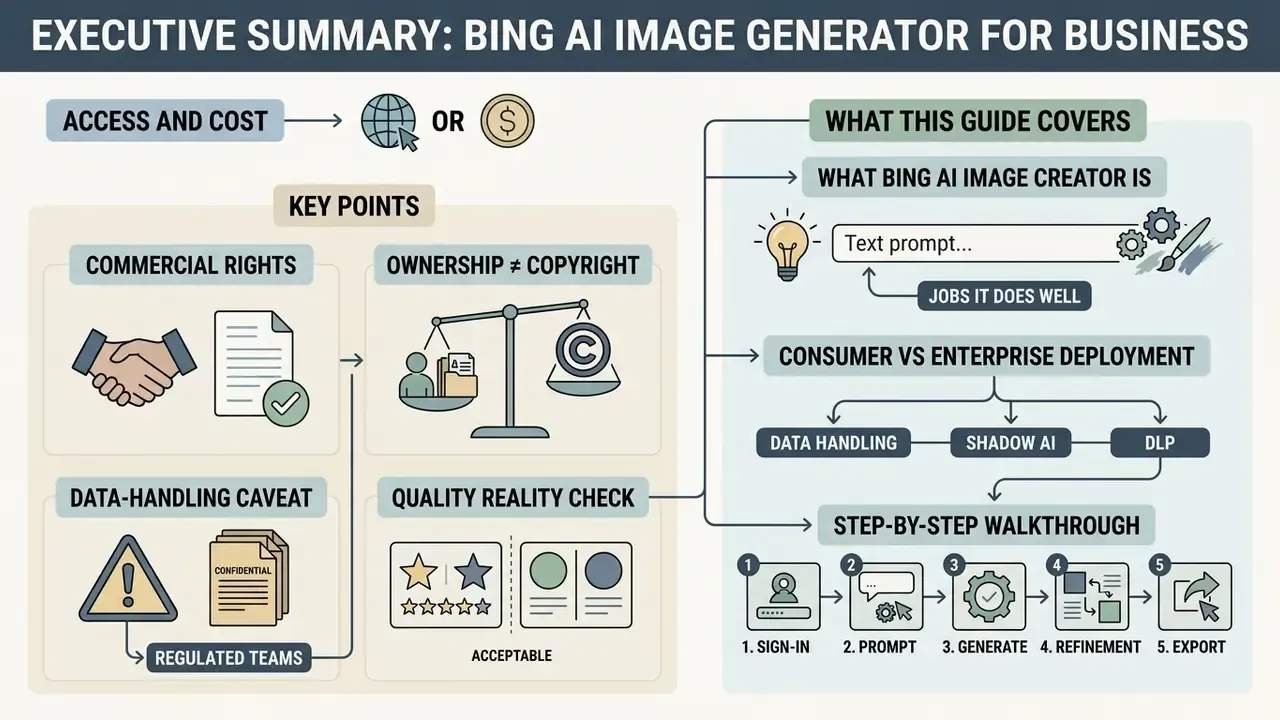
- Access and cost. The tool is free with a personal Microsoft Account. New users get 15 "boosts" (priority generations) that replenish daily; after that, generation continues at standard speed, roughly 30 to 60 seconds per grid of four. Work or School accounts may be blocked from generating until boosts refresh.
- Commercial rights. The current Bing Image Creator and Bing Video Creator Terms of Use state that creations may be used outside the service for any legal purpose, provided you comply with the terms. The older "personal, non-commercial use only" wording was removed in 2024, which is why a lot of third-party guides are still wrong on this point.
- Ownership is not the same as copyright. Microsoft does not claim ownership of prompts or creations, but the U.S. Copyright Office holds that purely AI-generated material is not protected without more-than-de-minimis human authorship. Your defensible asset is the human-edited derivative, not the raw generation.
- Data-handling caveat for regulated teams. The consumer version is a personal service: prompts and creations are licensed to Microsoft for operating and improving its services. Confidential material, MNPI or PII belongs in an enterprise deployment (Azure OpenAI or Microsoft 365 Copilot), not in
bing.com/create. - Quality reality check. In our own production audit, 14 of 20 promo illustrations needed manual correction. Budget a human review step. Always.
What this guide covers
- What Bing AI Image Creator is, and which jobs it genuinely does well.
- Consumer versus enterprise deployment: data handling, Shadow AI and DLP.
- A step-by-step walkthrough from sign-in to export.
- Prompt engineering that survives contact with a brand book.
- Styles, variations, editing and the new video path.
- Moderation limits, refusal triggers and risk reduction.
- Commercial use: rights checks, scenario matrix and provenance evidence.
What Bing AI Image Creator is and what it's for
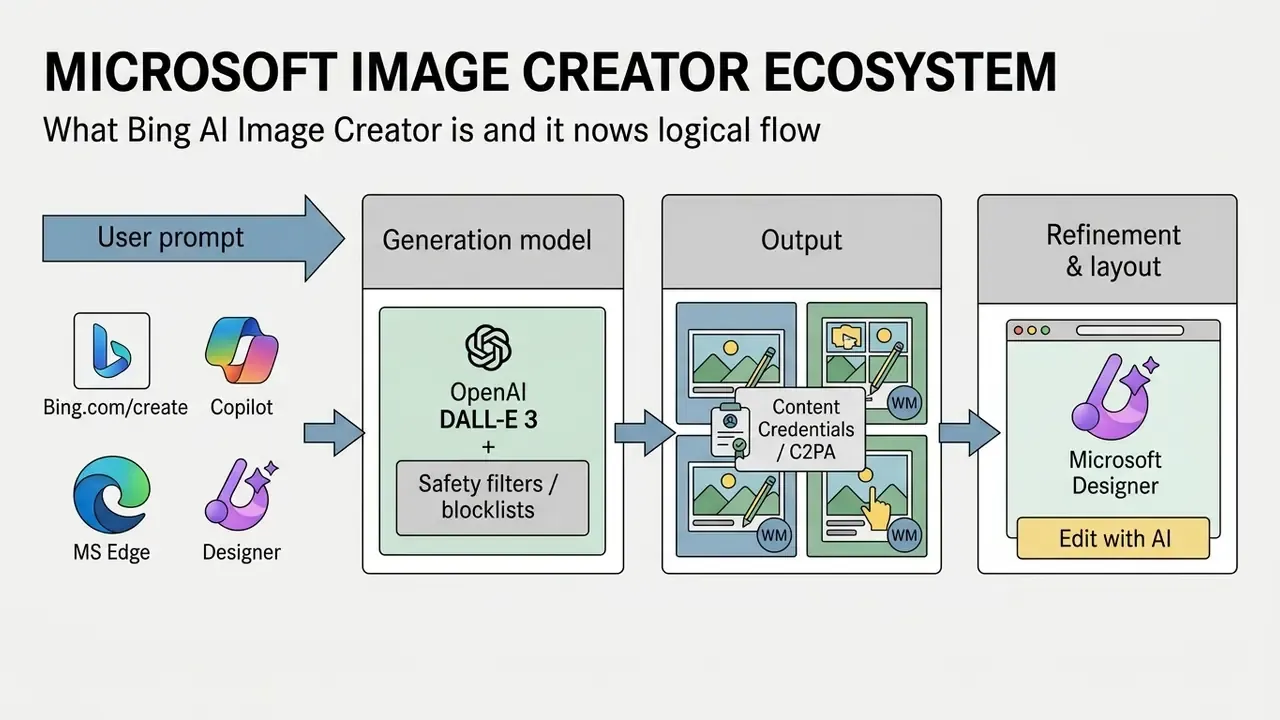
Bing AI Image Creator is a cloud text-to-image generator built on OpenAI's DALL·E 3 and wired into the Microsoft product ecosystem. It is designed for automated production of digital art, illustrations, marketing visuals, presentation graphics and concept design, without professional drawing skills. If you are still shortlisting tools, our comparison of the best AI art generators puts Bing side by side with paid alternatives.
The service works as an intelligent bridge between natural language and graphic synthesis. Inside Microsoft's architecture it is tightly coupled with the Microsoft Designer web app, so you get not only the initial generation but also post-processing, layout and brand adaptation in one workflow. For a broader view of Microsoft's generative stack, see our overview of the Microsoft AI image generator family.
How Bing AI generates images from a text prompt
Bing AI generates images with the multimodal DALL·E 3 network, which parses the text prompt through self-attention mechanisms and synthesises a raster image out of random noise. Microsoft's own Bing engineering blog describes self-attention as the mechanism that learns relationships between text and images, and states that each query returns up to four images to choose from.
Generation starts from a random-noise vector in latent space, which is progressively "denoised" under the guidance of the text embedding. The model attends not only to individual words but to the semantic relationships between object, background, lighting and artistic style. That is why prompt structure, not prompt length, drives fidelity.
Research on diffusion-model internals shows how directly those text-to-visual projections can be steered:
Where Bing Image Creator is available: web, Copilot, Edge, Designer
Bing Image Creator is reachable through the dedicated web interface (bing.com/create), the Microsoft Copilot chatbot (formerly Bing Chat), the Microsoft Designer graphics app, the Bing mobile app's Image Creator mini-app, and the sidebar and address bar of Microsoft Edge. All entry points share the same back end, so prompt history and saved collections stay in sync.
In Edge you can trigger generation by typing "create an image of…" straight into the address bar, or through the Copilot side panel while working with documents and web pages. Visit Bing directly and the web version at bing.com/create gives the best overview of previously created work, plus the fastest hand-off to Microsoft Designer for layout and background removal.
Free access, Microsoft Account, boosts and Microsoft Rewards
Using Bing AI Image Creator requires authentication with a personal Microsoft Account; the core functionality is free. Every user receives a starting allowance of 15 boosts, meaning priority generations. Once they are exhausted, the service still generates images, but with lower priority and longer waiting times.
How the boost and Rewards economy actually works:
- Each generation consumes one boost, that is, one accelerated attempt at a four-image grid.
- Boosts replenish automatically within a day.
- Additional boosts can be obtained free of charge with Microsoft Rewards points. Points accrue automatically for running searches in Bing, browsing with Microsoft Edge, and completing the daily quizzes and streaks in your Microsoft Rewards profile. It is a gamified alternative to the credit-based pricing used by most competitors.
- Account type matters. Personal accounts keep generating at reduced speed, while Work or School accounts can be blocked from creating new images entirely until boosts refresh. That single detail trips up more corporate pilots than any model limitation.
Consumer vs enterprise: data security, Shadow AI and DLP
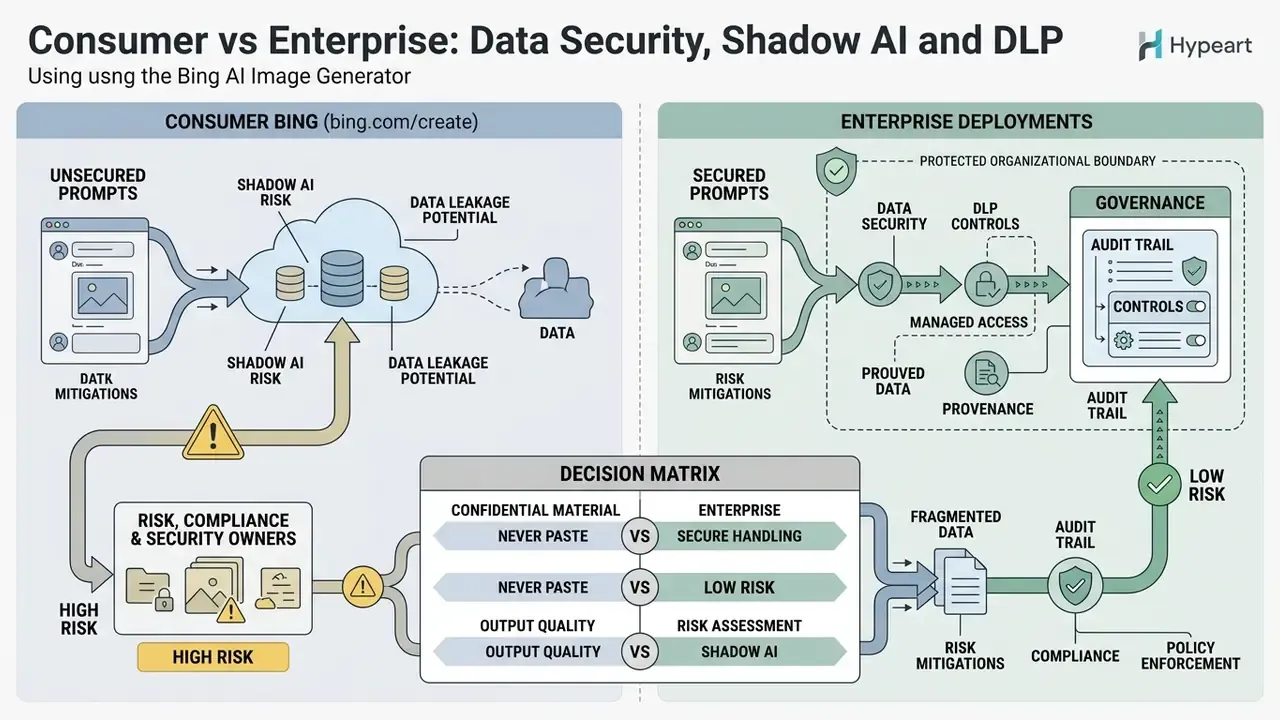
This section matters most to risk, compliance and security owners, and it is the part most tutorials skip entirely.
bing.com/create is a consumer service. Under the Image Creator and Copilot terms, you grant Microsoft and its affiliates a broad licence to use prompts and creations in connection with operating and improving its services, including copying, reformatting and sublicensing to service suppliers. Microsoft does not claim ownership. The data still leaves your control boundary.
Practical consequences:
- Never paste confidential material into a prompt. Product roadmaps, client names, internal metrics, material non-public information, personal data (PII) or card data do not belong in a consumer prompt window. For organisations operating under SOC 2, PCI-DSS or equivalent controls, this is an uncontrolled third-party disclosure, and it is hard to unwind after the fact.
- Shadow AI is the dominant risk, not output quality. Employees adopt free generators because procurement is slow. Unmonitored use creates three exposures: uncontrolled data egress, unlogged content provenance, and unlicensed assets entering production creative.
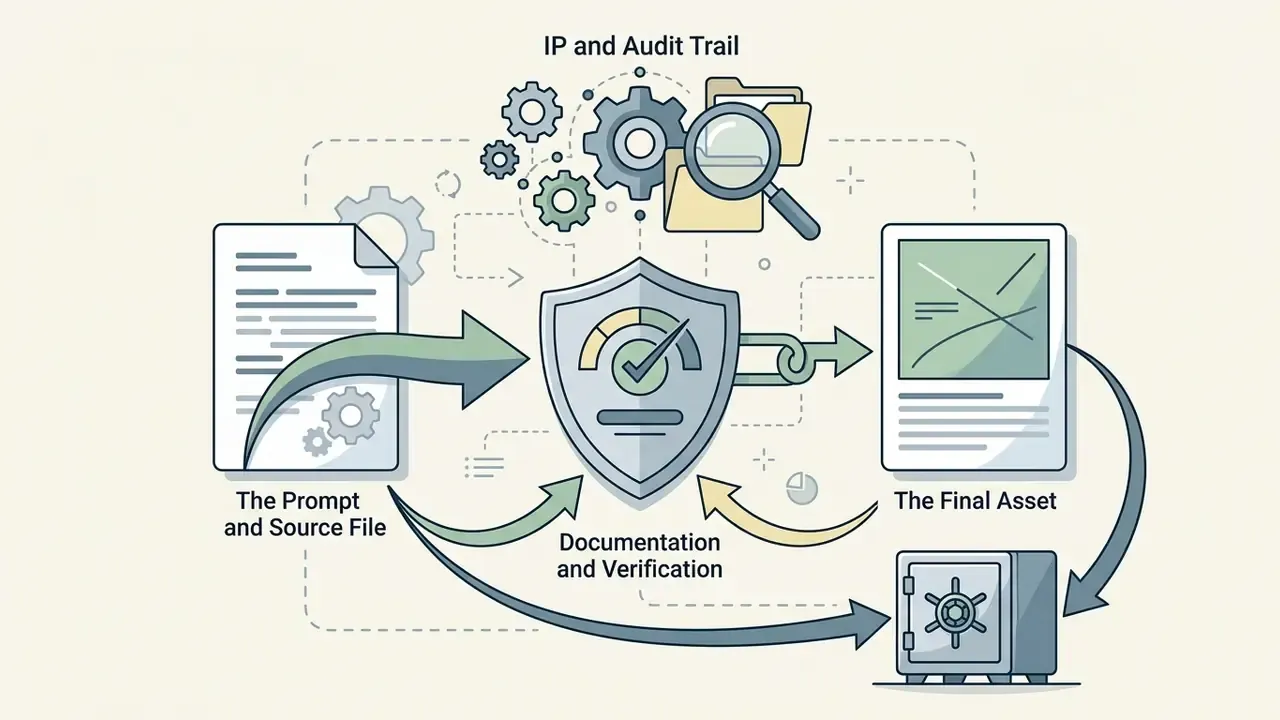
- Mitigations that work. Publish an allow-list of approved image tools; block or monitor consumer endpoints through your secure web gateway and DLP policies; require that all published AI visuals be re-exported from an approved enterprise tool so provenance metadata stays consistent; log prompt and asset pairs in your DAM or GRC system for the audit trail.
- Provenance is your audit trail. Microsoft attaches Content Credentials (C2PA manifests) and invisible watermarks to generated images. Azure OpenAI documentation states that all AI-generated images include Content Credentials and that the manifest traces back to Azure OpenAI via a certificate. Reading those manifests is the cheapest way to prove, months later, whether an asset sitting in your library was machine-generated.
One more governance note, and it is easy to underestimate. Consumer generators also create content-category exposure: adult or borderline imagery produced on a corporate device becomes an HR and conduct issue, not just a licensing one. Teams that need to assess that specific tail risk usually start from category-level reviews of an nsfw ai image tool set, because understanding what those platforms permit is part of writing a defensible acceptable-use policy.
Decision matrix: consumer Bing vs enterprise deployments
| Criterion | Bing Image Creator (consumer) | Azure OpenAI DALL·E 3 (enterprise) | Midjourney (subscription) |
|---|---|---|---|
| Identity & access | Personal Microsoft Account; no central admin control | Microsoft Entra ID, RBAC, tenant isolation | Platform account; limited org controls |
| Data handling | Prompts and creations licensed to Microsoft for service operation and improvement | Governed by Azure enterprise terms and tenant configuration | Governed by vendor terms; public-gallery defaults on lower tiers |
| Provenance | C2PA Content Credentials plus invisible watermark | Content Credentials on all generated images, certificate-traceable | Vendor-specific; verify per current terms |
| Moderation control | Fixed Microsoft blocklists, non-configurable | Configurable content-filter levels at deployment level | Fixed platform rules |
| Audit logging | None exposed to the user beyond 90-day history | API-level logs, integrable with SIEM and GRC | Limited |
| Cost model | Free plus Microsoft Rewards boosts | Per-image API pricing | Monthly subscription |
| Fit for regulated industries | Low, ideation only | High, with governance review | Medium: strong aesthetics, weaker governance |
No matching rows Clear one or more filters to restore the matrix.
Verify all data-handling rows against the current vendor terms before internal sign-off; wording changes several times a year. For a like-for-like output-quality comparison, see our review of Midjourney versus competing generators.
How to create an image in Bing AI Image Generator: step-by-step
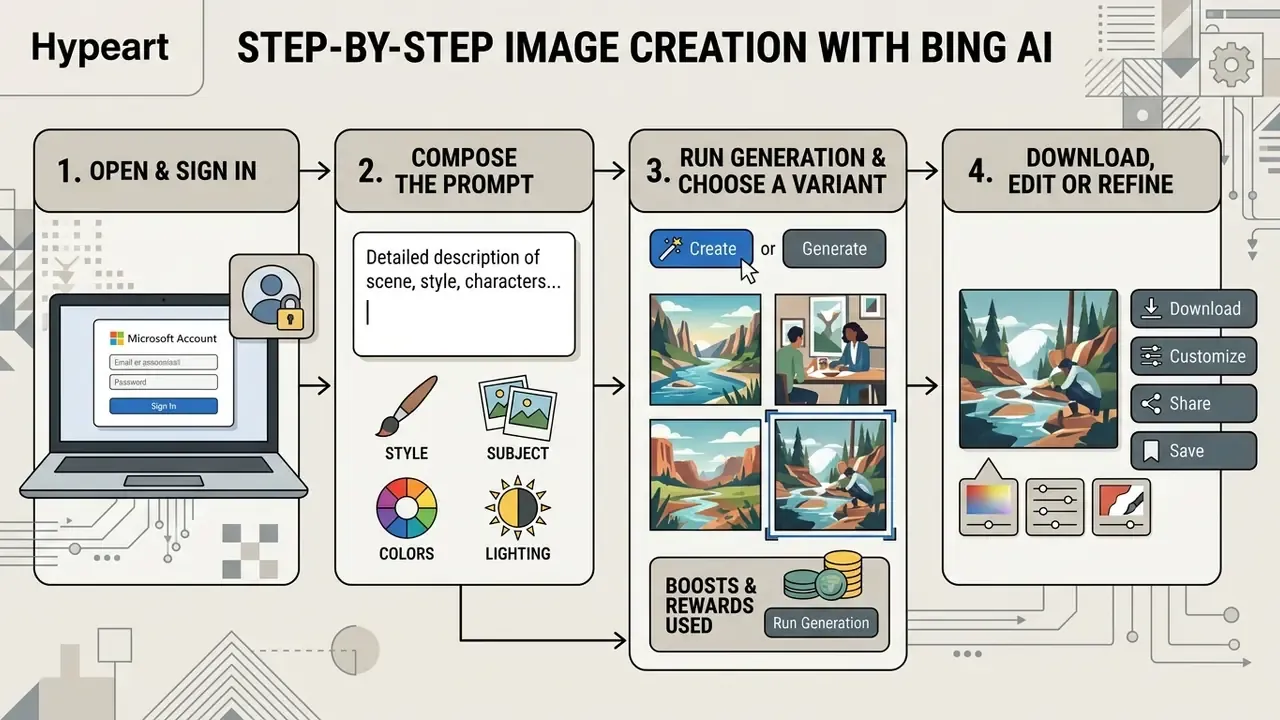
To generate an image in Bing AI Image Creator you open the service, sign in, enter a detailed text prompt, run generation and pick the best frame to download or edit. The whole cycle takes under a minute and requires no software setup.
Figure: Workflow sequence in Bing AI Image Creator, from prompt entry to file export.
1. Open Bing Image Creator and sign in with a Microsoft Account
Go to bing.com/create or click the Image Creator icon in the Microsoft Edge sidebar, then sign in with your Microsoft Account. On Windows 10 and 11, and in Edge, sign-in is often automatic when the OS default account is a Microsoft Account. Microsoft's browser policy documentation confirms that Edge can auto-sign-in with the OS default MSA on Windows 10 version 1709 and later. Note that browser sign-in and sync are separate opt-ins.
Authentication links your generation history to the account (files are stored in the cloud for up to 90 days) and activates daily boosts. Creating an account takes a few minutes and requires no payment details.
2. Compose the prompt
In the input field at the top of the screen, enter a descriptive prompt naming the key object, its action, the environment, the styling and the lighting. English is recommended: the base DALL·E 3 model was trained predominantly on English-language datasets.
Example of a strong prompt:
«A photorealistic macro shot of a sleek modern smartphone resting on a dark marble table, cinematic side lighting, 8k resolution, soft bokeh background».
Specifying composition prevents the network from choosing scene elements at random.
3. Run generation and choose a variant
Press Create (or Sign in to Create if you have not authenticated) and wait for the process to finish: usually 5 to 15 seconds with boosts active, 30 to 60 seconds in standard mode. The system returns a grid of four alternative visualisations of your prompt.
Assess each of the generated images for correct proportions, absence of visual distortion, plausible anatomy and accurate palette. Click the strongest frame to open it full-screen. Small habit worth building: judge the grid at full size, not as thumbnails, because thumbnail-level quality hides almost every defect that matters.
4. Download, edit or refine
In full-screen view use Download to save a high-resolution JPG, Save to add the frame to your Microsoft collections, or Edit to jump straight into Microsoft Designer. Microsoft's support documentation describes the Designer flow as generate, then Edit (text, crop, rotate, filters, background removal, restyle), then Download. The public documentation does not enumerate fixed export resolutions, so verify pixel dimensions before any print work.
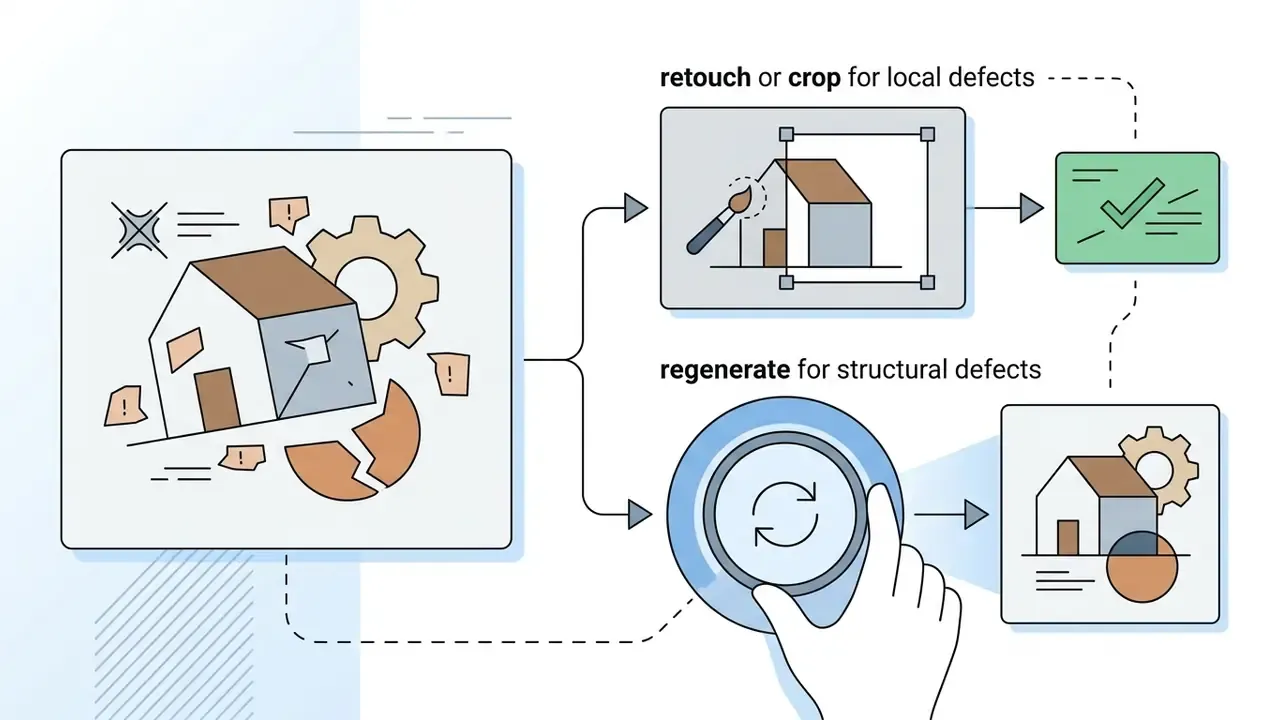
Our practical case. While auditing marketing production workflows, we used Bing AI Image Creator to generate a series of 20 promotional illustrations. At first output, 14 of 20 frames required targeted background correction. We pushed the generated objects into Microsoft Designer through the built-in integration and, in 15 minutes, removed the unwanted elements and produced publication-ready banners without touching a third-party editor. Where the defect is structural rather than cosmetic, refine the prompt and run another cycle instead. For deeper retouching passes, our guide to online photo editors covers the tooling options and their commercial terms.
How to write prompts for high-quality images in Bing AI
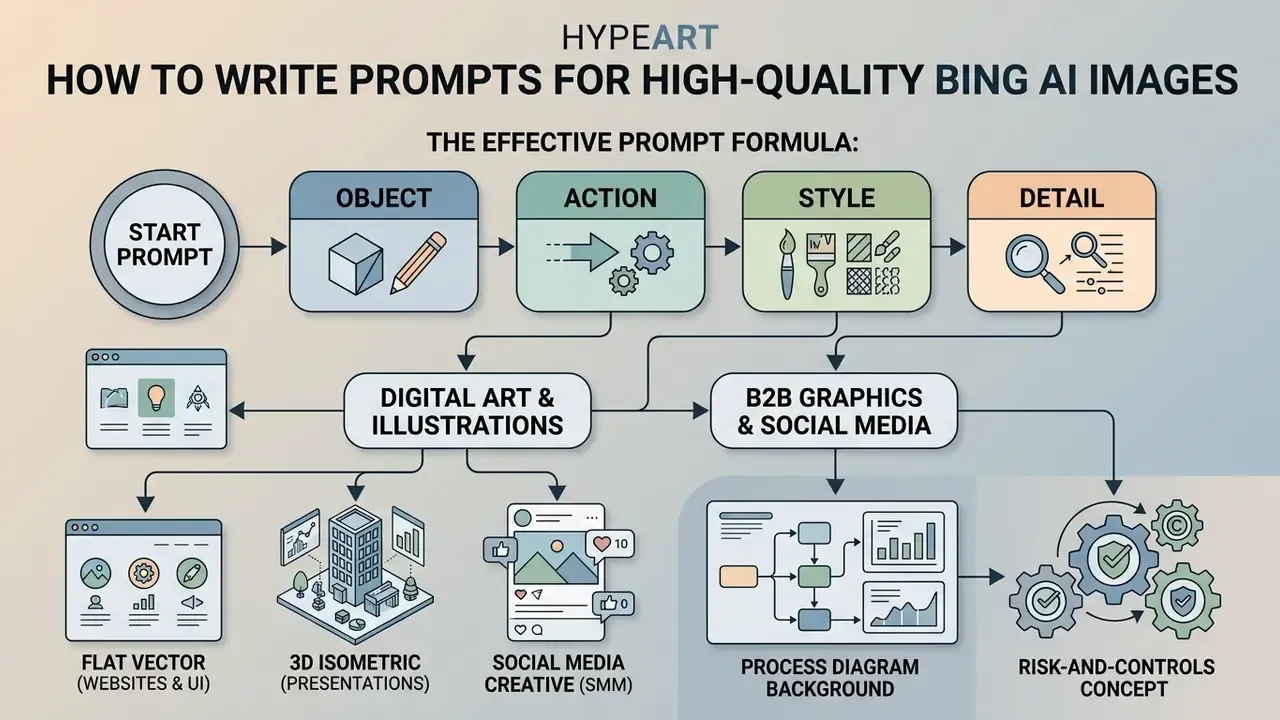
To obtain visually accurate, aesthetically consistent images you need structured prompts covering the object, its action, the surrounding environment, camera angle, palette and a concrete artistic style. The less abstract the prompt, the lower the probability of neural artefacts.
Microsoft's own guidance for Image Creator reduces to the same layered approach: be specific, add adjectives, include action, set the scene, and define style, mood and lighting. Academic work on prompt practice reaches a similar conclusion:
The effective prompt formula: object, action, style, detail
An effective Bing AI prompt follows the formula [Main object] + [Action or pose] + [Environment/background] + [Lighting and camera angle] + [Colour palette] + [Artistic style].
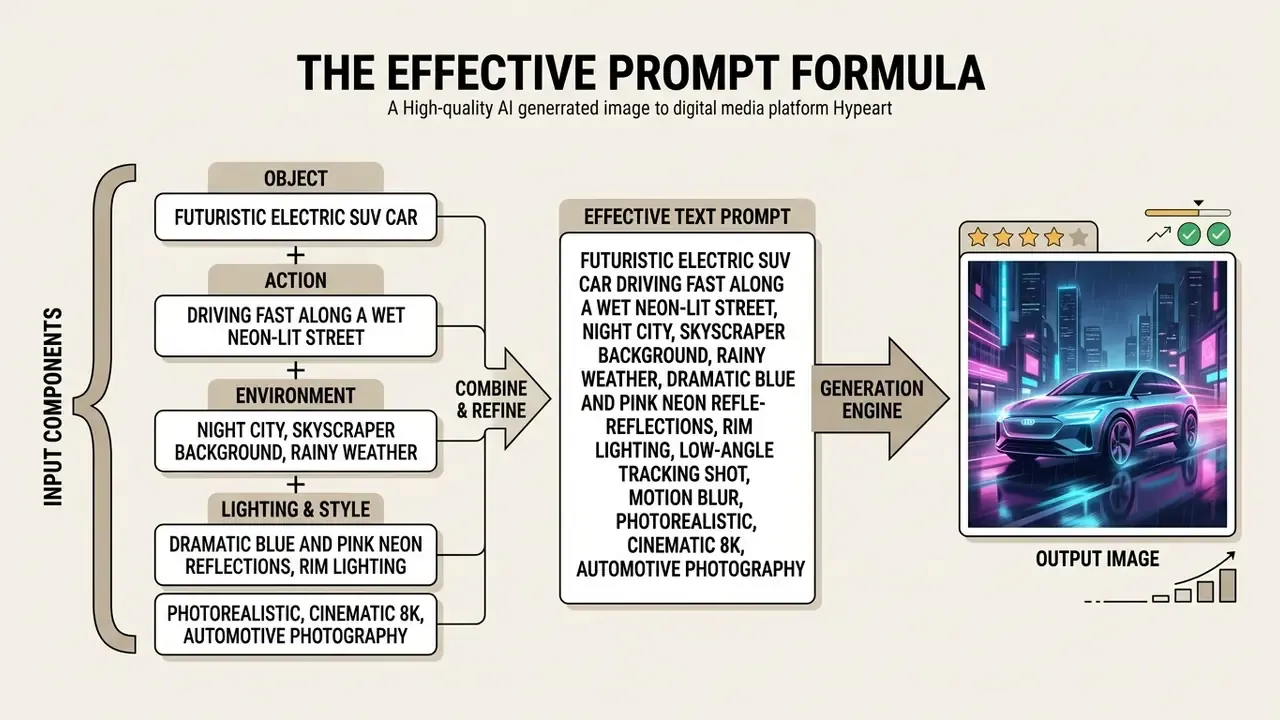
Following this structure removes the need for the model to guess context, which directly improves quality and detail. Adobe and Black Forest Labs publish near-identical templates (subject, action, context, lighting, palette, style), which suggests the formula is model-agnostic rather than Bing-specific. Want to benchmark the same prompt across engines? Compare options in the glossary before you standardise a template library.
Prompts for digital art, illustration, B2B graphics and social media
For stylised digital art, vector illustration and social creatives, state the stylistic constraints explicitly and avoid vague phrases such as "beautiful art".
- Flat vector (websites and UI)
«Flat vector illustration of a software developer working at a clean desk, isometric view, vibrant pastel colors, simple geometric shapes, white background». - 3D isometric (presentations)
«3D isometric render of a modern bank vault with gold bars and digital security glowing interface, smooth matte materials, clay render style, soft studio lighting». - Social media creative (SMM)
«An aesthetic top-down flatlay shot of a cup of specialty coffee, open notebook, and leather wallet on a light wooden background, bright natural morning sunlight, minimalist composition».
Business and fintech prompt set (for report covers, investor decks and internal comms, where generic stock imagery underperforms):
Note the deliberate no text and copy space instructions. Both are the foundation of the production workflow described below.
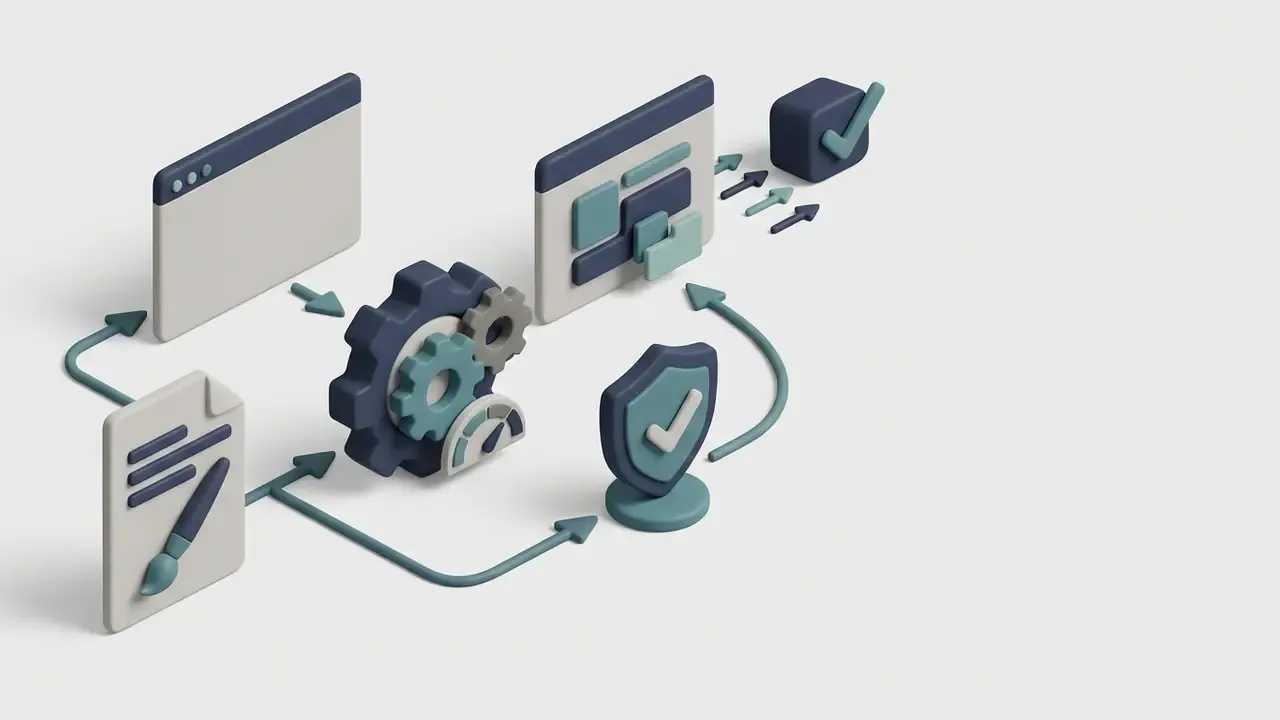
«Abstract 3D isometric illustration of a secure payment pipeline: encrypted data packets moving between two server nodes, muted navy and teal palette, matte clay materials, soft studio lighting, wide negative space on the right for text».
«Minimalist conceptual illustration of a layered risk control framework as three translucent glass shields stacked in depth, cool grey-blue palette, flat design with subtle gradients, no text».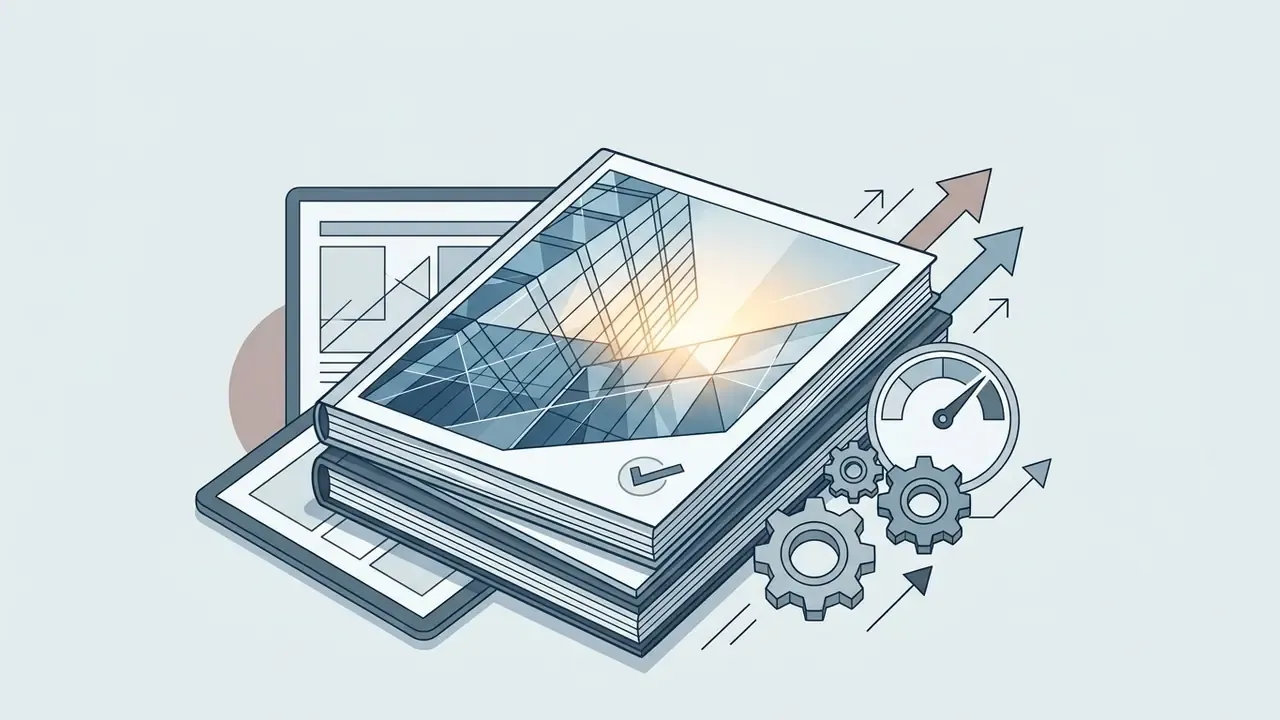
«Photorealistic close-up of a modern glass office facade reflecting dawn light, low-angle shot, 35mm lens, desaturated corporate palette, clean composition, copy space at the top».How to generate images with text correctly
To render a caption inside an image with DALL·E 3, wrap the exact wording in quotation marks and state its placement, typographic weight and colour. DALL·E 3 is markedly better at lettering than earlier generations, and OpenAI explicitly lists text-in-image generation as a capability, but longer phrases still produce typos.
Correct syntax:
«A wooden coffee shop sign hanging outdoors with the exact text "DAILY BREW" written on it in bold white vintage typography, close-up shot».
Typical DALL·E 3 text-rendering failures, with real examples:
- Dropped or substituted letters in short words.Instead of "Latte" the model outputs "Late" or "Latt"; in "Pull" it duplicates or loses a letter ("Pul", "Pulll"). Words as short as "How" get mangled on signage.
- Glyph smearing on layered or curved surfaces.When the text sits on cups, labels, awnings or angled signs, characters melt under perspective distortion and lose stroke integrity.
- Case inversion and mixed casing.Upper- and lower-case characters get blended inside a single word ("DaiLy BreW"), which is invisible at thumbnail size and glaring in print.
- Plausible-but-wrong secondary text.Background signage, price tags and packaging fill with pseudo-words that look like language but are not.
Validation rule. Always read the text character by character at 200% zoom. If three consecutive generations produce defective lettering, remove the text from the prompt entirely and composite it as a layer in post-production: in Microsoft Designer, in a standard graphics editor, or with tooling such as OCR image to text conversion when you need to verify or extract existing text layers.
Automation for e-commerce and content factories (API workflow)
If you need hundreds of near-identical product cards, article covers or ad variants with dynamic text (headline, price, SKU), do not ask the model to draw the text at all. Separate background synthesis from typography:
https://api.your-render-service.com/render?template=<id>&bg_image=<image_url>&title=<Headline>&price=<Price>
- Generate clean background artin Bing Image Creator with an explicit
no text, copy space on the leftinstruction. - Store the assetand pass its URL into a graphics-automation service (Bannerbear, Placid, Canva API or your own renderer).
- Inject the copy from your CMS through URL or API parameters, for example:
- Lock brand typography and safe zones in the template, so every render is pixel-consistent.
This stack guarantees zero spelling errors, keeps typography fully on-brand, and makes the whole pipeline reproducible and auditable, which also satisfies the provenance requirement discussed above. For workflow design patterns, view the guide in our workflows hub.
Bing AI Image Generator capabilities: styles, variations and editing
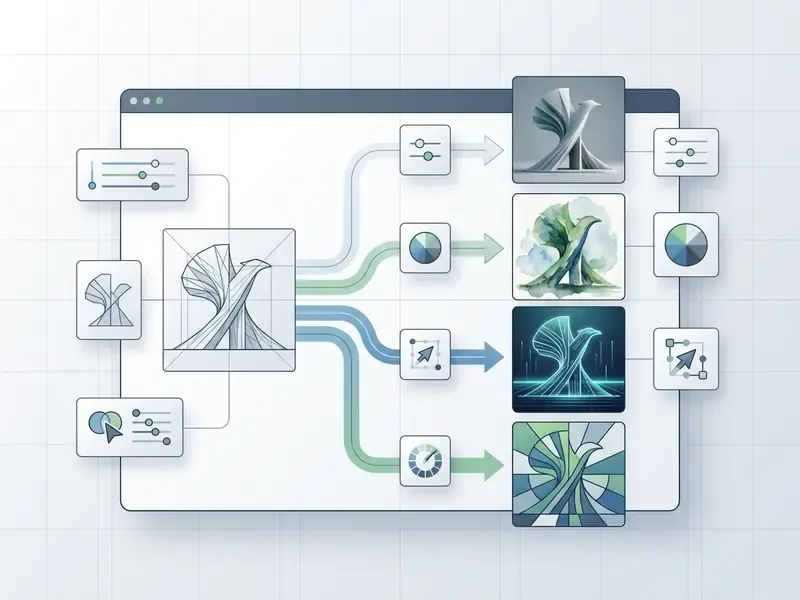
Generating AI art in different visual styles
The service adapts one concept across dozens of artistic directions: photorealism, oil painting, cyberpunk, minimalism, watercolour, 3D render, all driven by keywords in the prompt. Microsoft's own help page confirms that art styles such as "digital art" and "photorealistic" are set through the prompt rather than a UI selector. Our AI art generator comparison covers how licensing differs between these platforms.
Explicit medium-level wording measurably outperforms generic style words:
Updated: an earlier version quoted an "18 to 25% PickScore uplift" for naming a technique (for example wet-on-wet watercolor technique instead of watercolor). That figure is not in the source. The verified finding is directional: richer, technique-level prompts score higher on aesthetic preference models.
| Visual style | Prompt keywords | Application |
|---|---|---|
| Photorealism | photorealistic, natural light, 85mm lens, f/1.8, RAW photo, highly detailed | Advertising, e-commerce, banners |
| Watercolour | watercolor painting, soft color washes, paper texture, visible brushstrokes, wet on wet | Article illustrations, cards |
| Cyberpunk | cyberpunk aesthetic, neon lights, rainy atmosphere, holographic displays, chrome | Gaming, creative campaigns |
| Minimalism | minimalist, flat design, clean lines, negative space, limited color palette | Icons, UI/UX, corporate identity |
| 3D render | 3D render, Octane render, subsurface scattering, stylized isometric, clay style | Presentations, product design |
| Anime / illustrative | cel-shaded anime style, soft gradients, expressive linework, painted background | Editorial, entertainment, mascots |
No matching rows Clear one or more filters to restore the matrix.
If you need a specific look rather than a general one, compare dedicated engines, for instance our breakdown of Ghibli-style AI image generators or of free AI art generators and their watermark policies.
Variations, prompt refinement and improving the result
To converge on the ideal frame, use iterative prompt refining: change one parameter per iteration so the successful composition survives while backgrounds, lighting or details get fixed.
The documented technique is simple and it works. Keep the chosen image as the base, state explicitly what must not change (subject identity, layout, camera angle, palette, labels), change only one element, then feed the new output into the next iteration. A worked example: "Keep the current composition and subject, change the lighting to evening sunset." This prevents the wholesale scene reshuffle that broad rewrites trigger.
Academic work formalises the same loop: test-time prompt refinement verifies the prompt against the generated image and rewrites only the mismatching parts (Khan et al., "Test-time Prompt Refinement for Text-to-Image Models", ICCV Workshops, 2025). Combined with BeautifulPrompt's evidence on reinforcement-learned prompt rewriting, the practical rule is: refine narrowly, preserve explicitly, iterate often.
When Bing Image Creator fits marketing and content tasks
Bing Image Creator is optimal for rapid production of article illustrations, website backgrounds, social posts, visuals for commercial presentations and concept art during brainstorming. It lets marketers and designers cut the time spent hunting stock photography and building first-pass layouts.
The strategic context is broader than a single tool:
The operative condition in both findings is quality. The uplift holds only when output is clean and free of visible defects. That is why the review step below is non-negotiable.
Bing AI Image Creator limits and safe-use rules
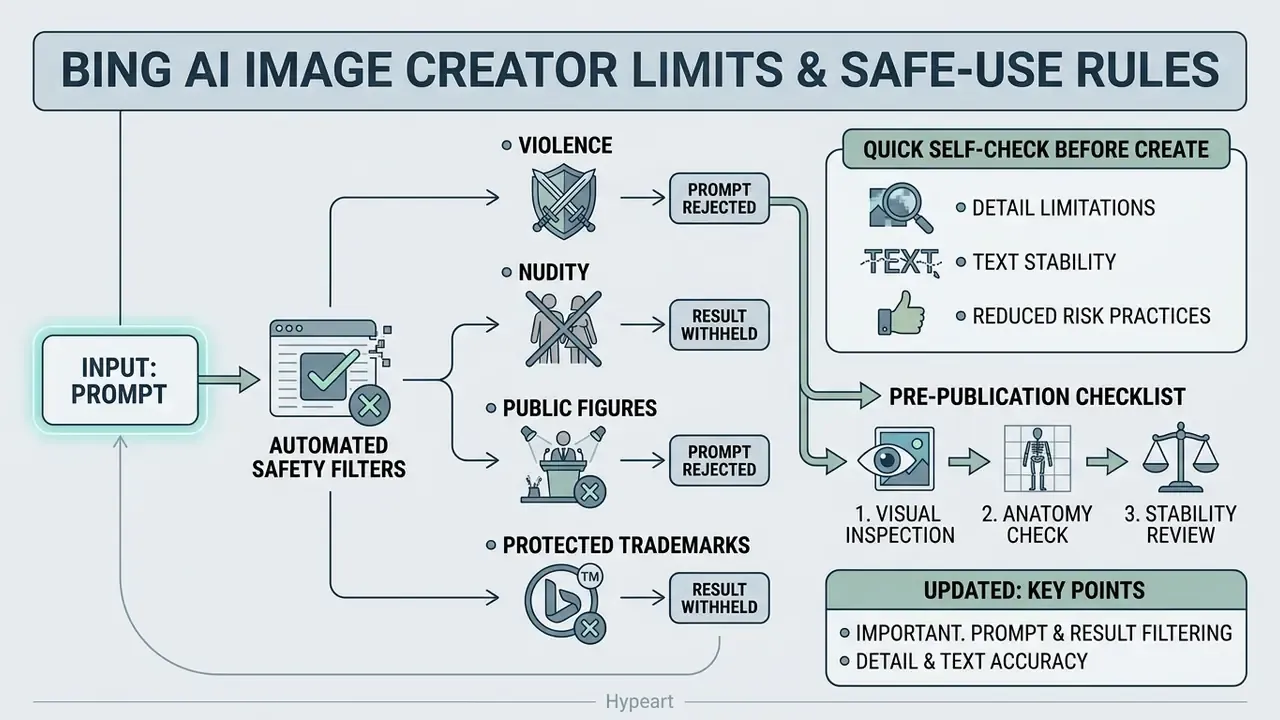
Bing AI Image Creator applies built-in content restrictions through automated safety filters that block prompts involving violence, nudity, public figures and protected trademarks. It also has hard technical limits on fine detail and lettering accuracy.
Why Bing AI may reject a prompt or withhold the result
Bing AI rejects a prompt and returns a moderation warning when the text contains terms from internal blocklists, references to known politicians and celebrities, protected brand names, or phrasing likely to produce unacceptable content. Microsoft states publicly that Copilot in Bing and Image Creator use blocklists including public-figure names, and that living artists, celebrities and organisations can request their names or brands be added, after which prompts using them will not generate an image. Microsoft does not publish the full stop-word list, so the exact trigger set is partly undisclosed.
Enforcement runs at meaningful scale:
Classifiers evaluate the prompt at input and the finished frame before it is shown to the user. That layered design is deliberate, and imperfect:
The governance implication: do not treat platform filters as a compliance control. They reduce, but do not eliminate, the probability of harmful or infringing output, which is why your own review gate matters.
Adult-content categories deserve a separate paragraph, because they generate most of the policy questions we receive. Bing refuses them outright, and that refusal is a feature for corporate users. Anyone drafting an acceptable-use standard should nevertheless understand the adjacent market, since employees will encounter it: how permissive nsfw ai images platforms handle consent and licensing, why an nsfw photo editor raises different liability questions than a generator, and what a nude ai generator means for likeness rights and biometric consent. Knowing the landscape is how you write a rule people can actually follow.
Quick self-check before you hit Create. Three questions that predict most moderation blocks:
Any "yes" means rewrite the prompt into a generic description before running it.
- Does the prompt name a real, identifiable person (politician, celebrity, executive, private individual)?
- Does it reference a registered brand, logo, product design or living artist's name as a style source?
- Could the described scene be read as violent, sexual, medical-diagnostic, or as fabricated documentation (IDs, insurance claims, official forms)?
Detail, text and stability limitations
The main technical constraints are distortion of fine detail (interlaced fingers, small patterns, eyes in the background), spatial and geometric errors in complex architectural scenes, and artefacts in long captions.
Updated: an earlier version of this article cited a "Google Cloud / Gemini Media Resolution Guidelines (2025)" document that could not be verified. The verifiable equivalent: Google's Firebase AI Logic documentation states that oversized images are scaled and padded to a maximum of 3072 × 3072, and that low-quality, rotated or extremely low-resolution images can lead to hallucinations and mistakes. Google Cloud's Gemini image-generation docs similarly note quality limitations on complex scenes and exact rendering. In other words, when the prompt leaves resolution and geometry underspecified, generative models fill the gap with probabilistic patterns, which is exactly how small-scale geometry breaks. When you compare tools, weigh output stability alongside peak quality; our glossary explains the criteria in plain terms.
How to reduce risk when using AI images
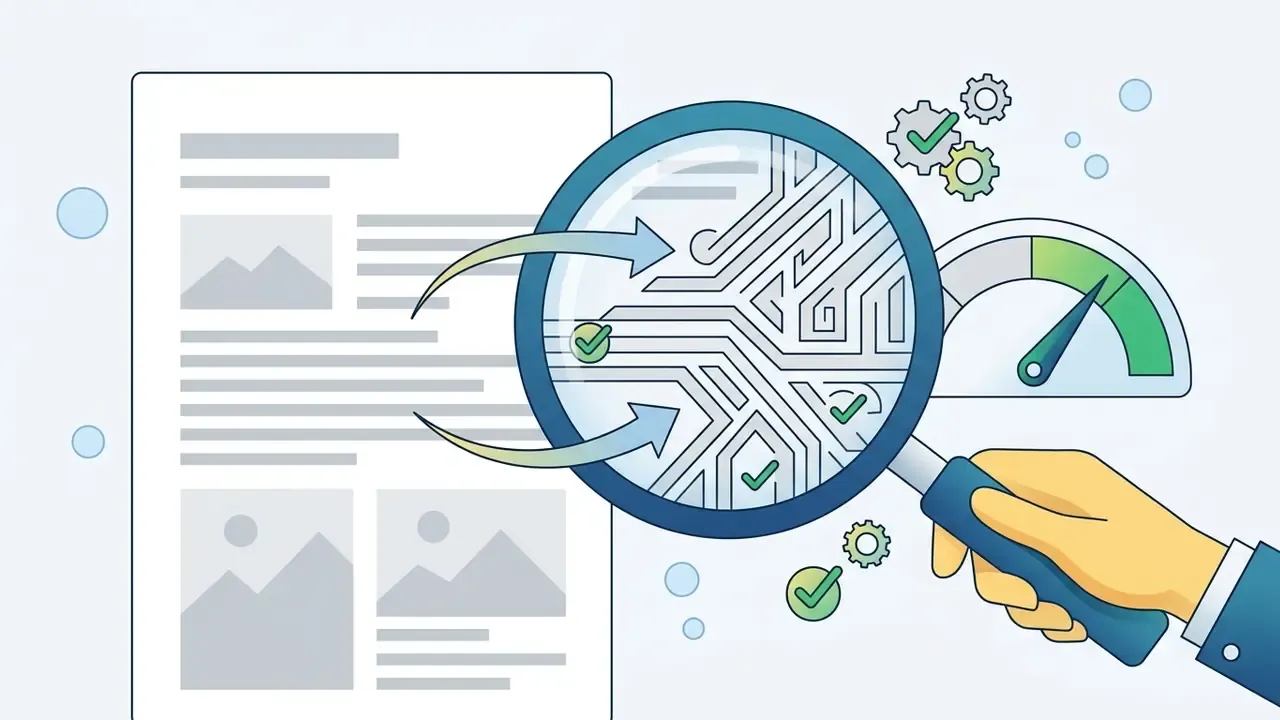
Reducing artefact and compliance risk requires a mandatory human review stage covering anatomy, geometry and text legibility before publication. The NIH Generative AI Usage Toolkit (2025) recommends exactly this for public-facing or high-risk output: a human check for clarity, correctness and usefulness, plus subject-matter review and cross-referencing against trusted sources.
Pre-publication checklist:
- Anatomy check. Inspect hands, fingers, limb proportions, teeth, gaze direction and eye symmetry; merged or duplicated body parts are the most common tell.
For a broader tool-selection view across generators and editors, open the hub of comparisons.
Can Bing AI images be used in commercial projects?
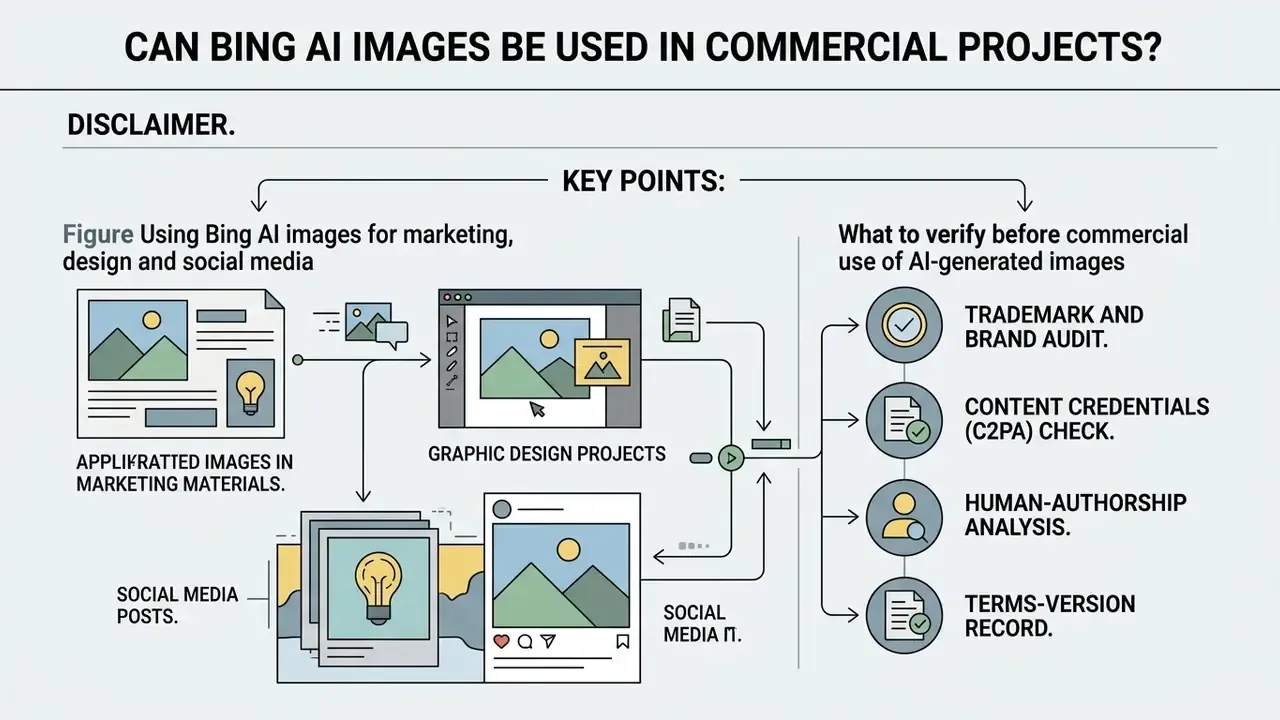
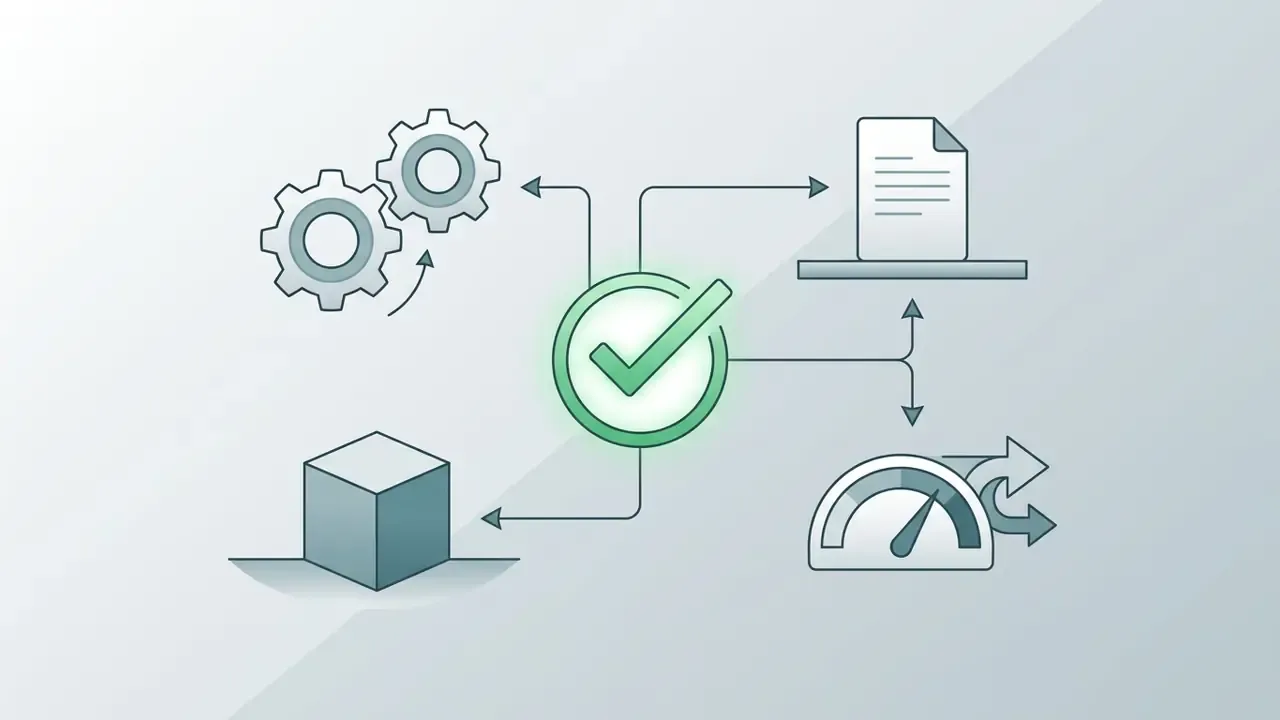
Images created in Bing AI Image Creator may be used commercially under the current Microsoft Image Creator terms, provided you comply with the acceptable-use policy and do not infringe third-party rights. Responsibility for patent, trademark and likeness conflicts in the resulting frame rests with the user.
The terms genuinely changed, which is why guidance across the web contradicts itself:
Two further points define the actual rights position:
- Under the Microsoft Services Agreement and Copilot terms, Microsoft does not claim ownership of prompts or creations, but retains a broad licence to use them for operating and improving its services, including copying, distributing, editing, reformatting and sublicensing to suppliers.
- The U.S. Copyright Office holds that purely AI-generated material is not protected by classic copyright absent meaningful human authorship, and that more-than-de-minimis AI-generated content must be explicitly excluded from a human-authorship claim (Copyright and Artificial Intelligence, U.S. Copyright Office, https://www.copyright.gov/ai/ai_policy_guidance.pdf). A prompt alone is not authorship; your human arrangement and modification is.
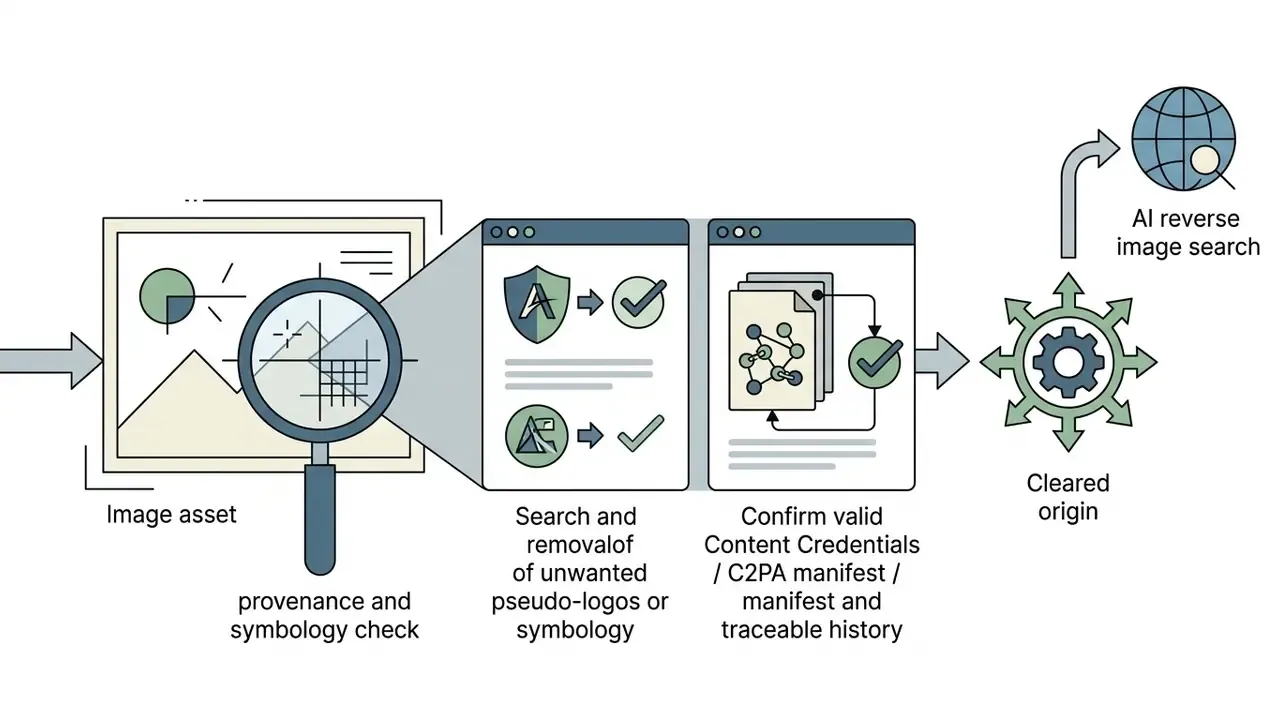
Figure: Legal validation route for an AI image before it enters commercial production.
What to verify before commercial use of AI-generated images
Before a frame goes into commercial print or a paid campaign, run a four-stage legal and technical check:
For a detailed review of contested legal questions, open the hub covering AI-industry case law. For canvas extension on banner formats, see AI expand image; for document-based graphics, use dedicated solutions such as PDF image to text extraction.
FAQ
Are my prompts logged, and can I use the free tool with internal company data?
Assume yes to logging. Under the consumer Image Creator and Copilot terms you license prompts and creations to Microsoft for operating and improving its services. Do not enter confidential, personal or market-sensitive data; route regulated workloads to an enterprise deployment with tenant isolation and audit logging.
Why does Copilot answer with text instead of generating an image?
Switch the Conversation Style to Creative and make sure you are signed in. Precise and Balanced modes frequently return search-style answers instead of invoking DALL·E 3.
How many images can I generate for free?
Unlimited in practice on a personal account, but only the first 15 daily generations are boosted. After that, generation continues at standard speed, about 30 to 60 seconds per grid. Extra boosts can be redeemed with Microsoft Rewards points earned through Bing searches, Edge usage and daily quizzes.
Can I register copyright on a Bing AI image?
Not on the raw generation. The U.S. Copyright Office requires that more-than-de-minimis AI-generated material be disclosed and excluded from the claim; only your human contributions, meaning arrangement, edits and compositing, are registrable.
May I remove the watermark or Content Credentials?
Don't. The visible watermark and the embedded C2PA manifest are disclosure mechanisms; removing them undermines your own provenance trail and may breach the platform's acceptable-use terms.
Is the output good enough for print?
For patterns, backgrounds and merch prints, usually yes after upscaling. For fine typography and product accuracy, no. Always verify DPI against the print specification and re-check fine geometry at full size.
Does Microsoft own what I generate?
No. Microsoft states it does not claim ownership of prompts or creations. It does hold a broad operational licence, and you remain responsible for third-party rights in the output.
What about video?
Bing Video Creator extends the same prompt-driven approach to short generated clips. Treat its rights and provenance questions exactly as you would still images, including the human review gate.
Which controls should a bank put in place before approving consumer image tools?
Four, at minimum: a named owner for the tool, an allow-list entry with documented scope, DLP monitoring on the endpoint, and an asset register that pairs each published visual with its prompt and provenance manifest. Without those, you have adoption but no evidence.
Bottom line
Assessed as a business tool, Bing AI Image Generator fully covers the need for fast, high-quality visual content: ideation, backgrounds, banners, article covers and post illustrations. It materially compresses the first-pass design cycle, and the International Journal of Consumer Studies (2025) plus Journal of Business Research evidence points to real gains in emotional response and perceived innovativeness. The hard constraints stay constant: no reliable in-image text, no logo work, no confidential prompts, and no publication without human review.
Follow the moderation, provenance and legal-validation rules described above and generative imagery integrates into commercial production safely and predictably. Start small, document as you go, and keep the decision owner visible. That is the whole discipline.
To benchmark Bing against other services before you commit, explore the hub or read more on the AI Media Commercial-Use section of our portal.