At a Glance: Five Answers a Reviewer Usually Needs
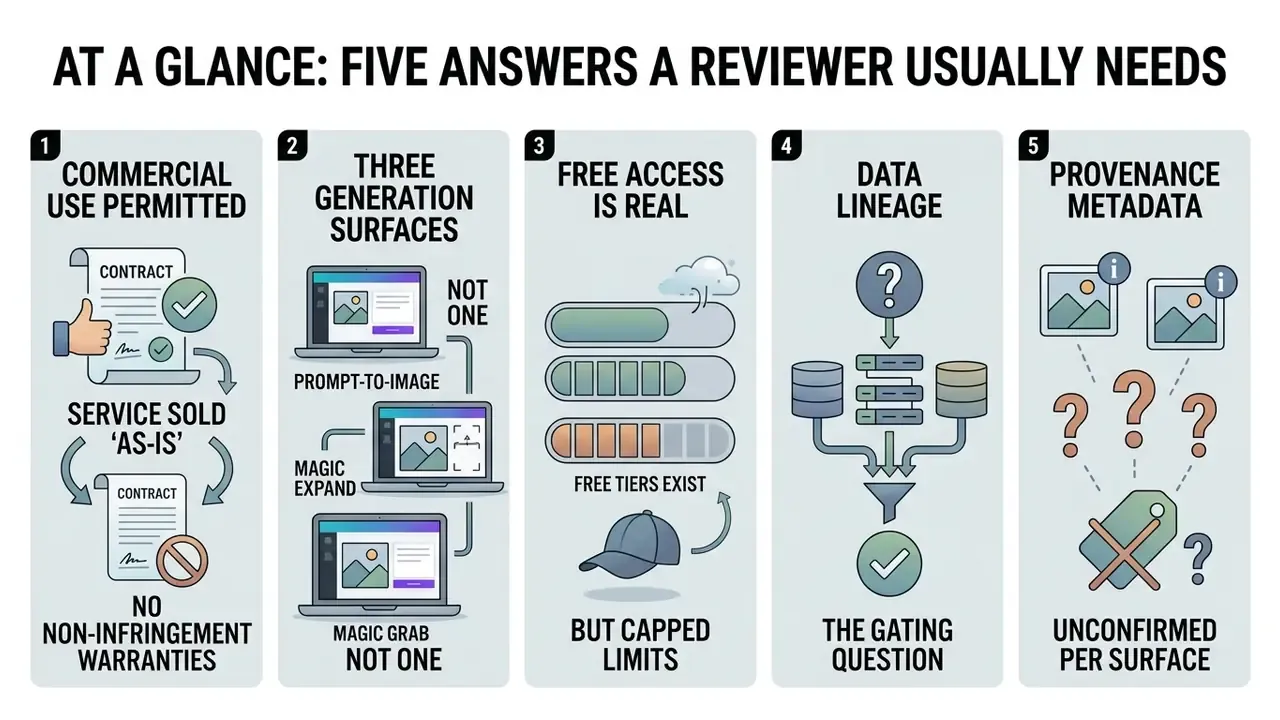
- Commercial use is permitted, but Canva sells the service "as-is" and disclaims non-infringement warranties. Trademark clearance stays with you.
- Three generation surfaces, not one. Magic Media (Dream Lab), DALL·E by OpenAI, and Imagen by Google Cloud belong in your model inventory as separate entries.
- Free access is real but capped. Canva's Help Center documents three uses for DALL·E and Imagen on Free accounts, resetting monthly.
- Data lineage is the gating question. Confirm in writing whether prompts and uploaded brand assets feed service improvement.
- Provenance metadata is unconfirmed per surface. If C2PA or SynthID markers are absent on export, compensate with your own signed export log.
What the Canva AI Art Generator Is and What It Produces
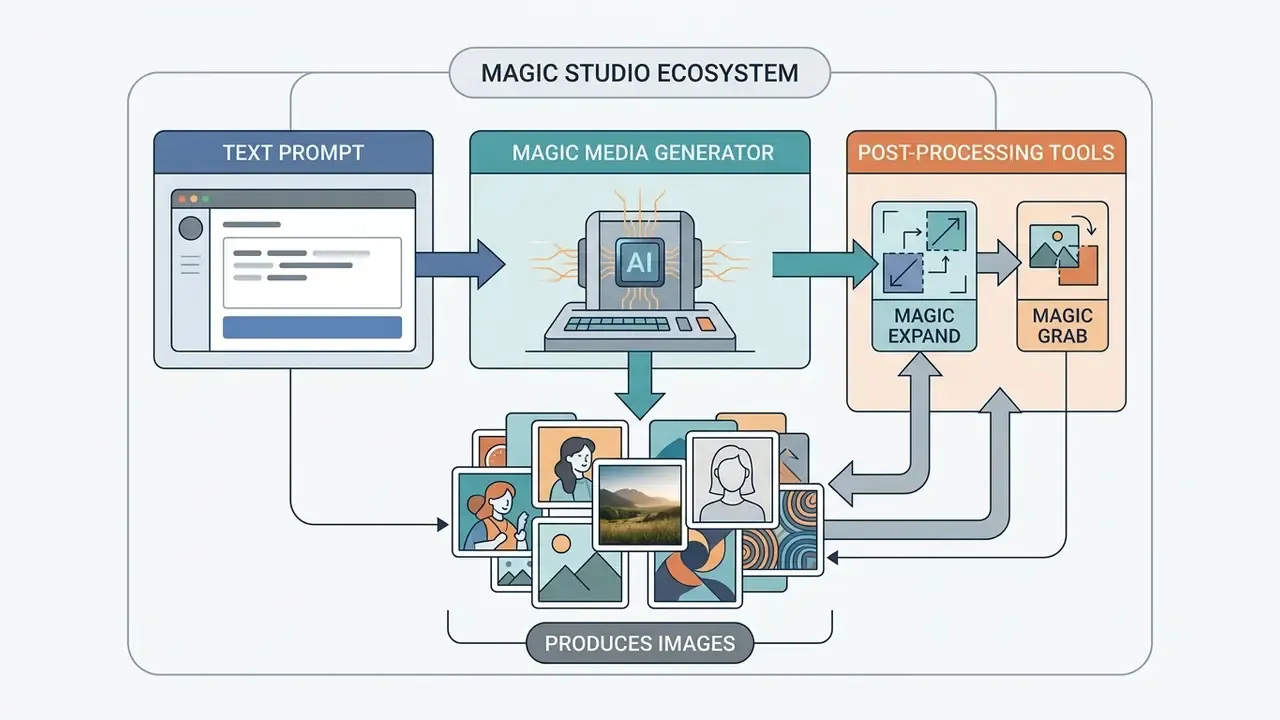
The canva ai art generator is an AI-powered text-to-image tool inside the Canva Magic Studio ecosystem. It converts short written prompts into high-resolution visual assets. Launched as part of Canva's AI layer in October 2023 (Magic Studio was announced on 4 October 2023), the tool lets creators and design teams generate custom imagery, graphics, and conceptual art directly on the design canvas.
Text-to-Image Generation from a Written Prompt
Text-to-image generation in ai art canva turns descriptive written text into synthetic visual output using machine learning models. Users type a short written prompt into the text to image ai canva input box, specifying subject matter, scene layout, mood, and visual detail.
Empirical research by Chong et al. (2024) shows that multi-criteria prompts emphasizing specific design goals measurably improve feasibility and aesthetic evaluation scores during early visual exploration. Separately, Evirgen et al. (2024) found that pairing precise text prompts with AI-generated visuals improves how users understand complex visual concepts across digital platforms.
«Text-and-visual explanations improve user comprehension of complex concepts in digital interfaces when the prompt and the image correspond precisely.»
One practical consequence for teams: the prompt is documentation. If you keep it, you keep the reason the asset looks the way it does.
AI Models and Output Variation
Canva exposes several ai models in its editor. The native engine is Magic Media, powered by Dream Lab, and it sits alongside integrated third-party applications such as DALL·E by OpenAI and Google Cloud's Imagen. Each model processes a text prompt through deep learning algorithms and returns four candidate images per generation cycle. Teams that want a broader market view can benchmark these engines against other AI art generators before standardizing on one vendor.
Model inventory notes for MRM registers. For model-risk inventories, record three distinct generation surfaces rather than one:
- Magic Media / Dream Lab, Canva's native engine. Canva's help documentation states Dream Lab is reached from the homepage and is not available directly inside the Editor.
- DALL·E by OpenAI, currently the DALL·E 3 generation, exporting standard PNG files.
- Imagen by Google Cloud, exposed through the Gemini/Imagen API surface with a fixed preset ratio list.
Canva explicitly states that it "updates them as improved models become available." In plain terms: the underlying version string is not contractually pinned. Inventories should log the vendor and the surface, flag the version as vendor-managed, and require periodic re-verification. Exact minor versions (Imagen 2 versus Imagen 3, for example) are not published per-surface in Canva's public documentation and need confirmation from Canva's enterprise account team.
Experimental research on diffusion-based image generators by Kim et al. (2024) indicates that output diversity depends heavily on prompt structure and sampling parameters. The same memorization behavior carries commercial risk:
«Commercial diffusion models reproduce copyright-protected logos and characters in 83-89% of cases when driven by simple prompts.»
Users can refine their ai output by clicking "Generate again", selecting "Generate more like this", changing the style preset or aspect ratio, or uploading a reference image to guide the aesthetic structure of subsequent generated images.
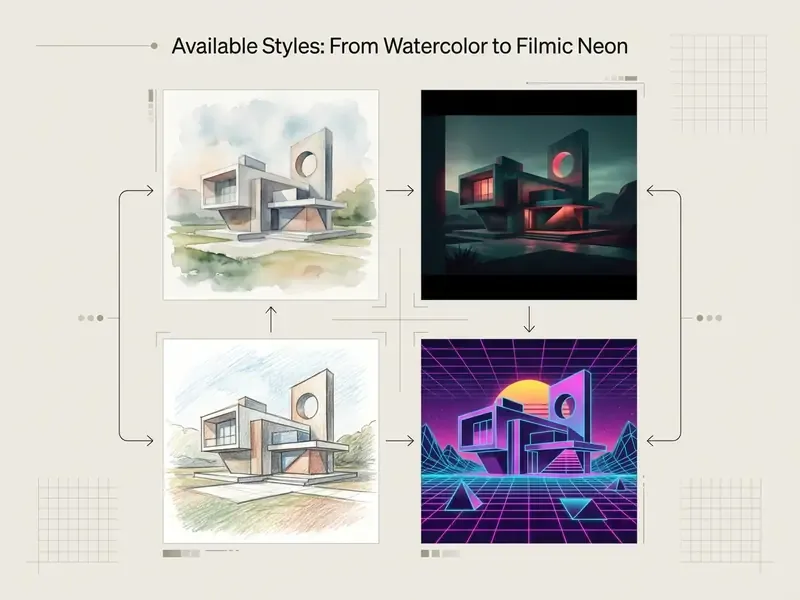
Available Styles: From Watercolor to Filmic Neon
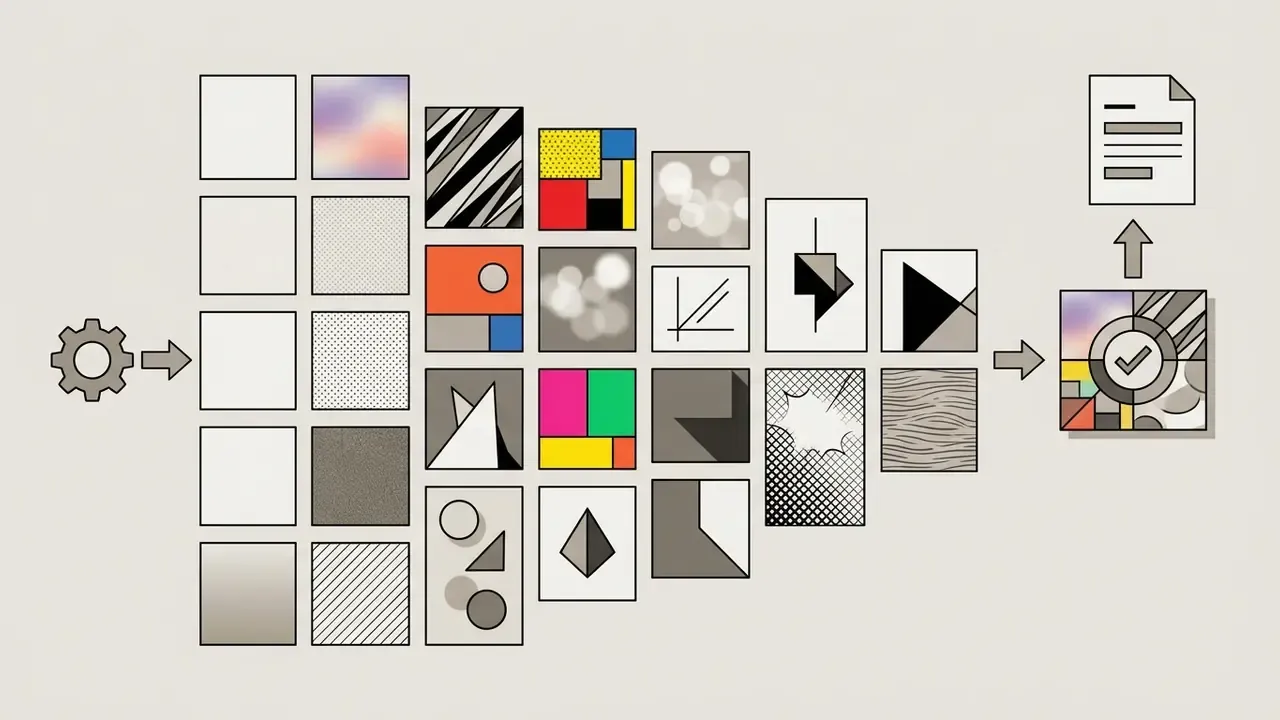
The canva art generator includes predefined visual style presets that alter the aesthetic medium, color temperature, and lighting behavior of the ai generated content. Readers new to the category can start with a primer on how free AI art generators differ in style control and licensing. The stunning art styles documented in Canva Magic Media include:
Style choice is not only taste. A photoreal preset raises the deception risk in advertising review, while an illustrative preset usually lowers it. Worth noting before a campaign goes to legal.
How to Create an AI Image in Canva: Step-by-Step
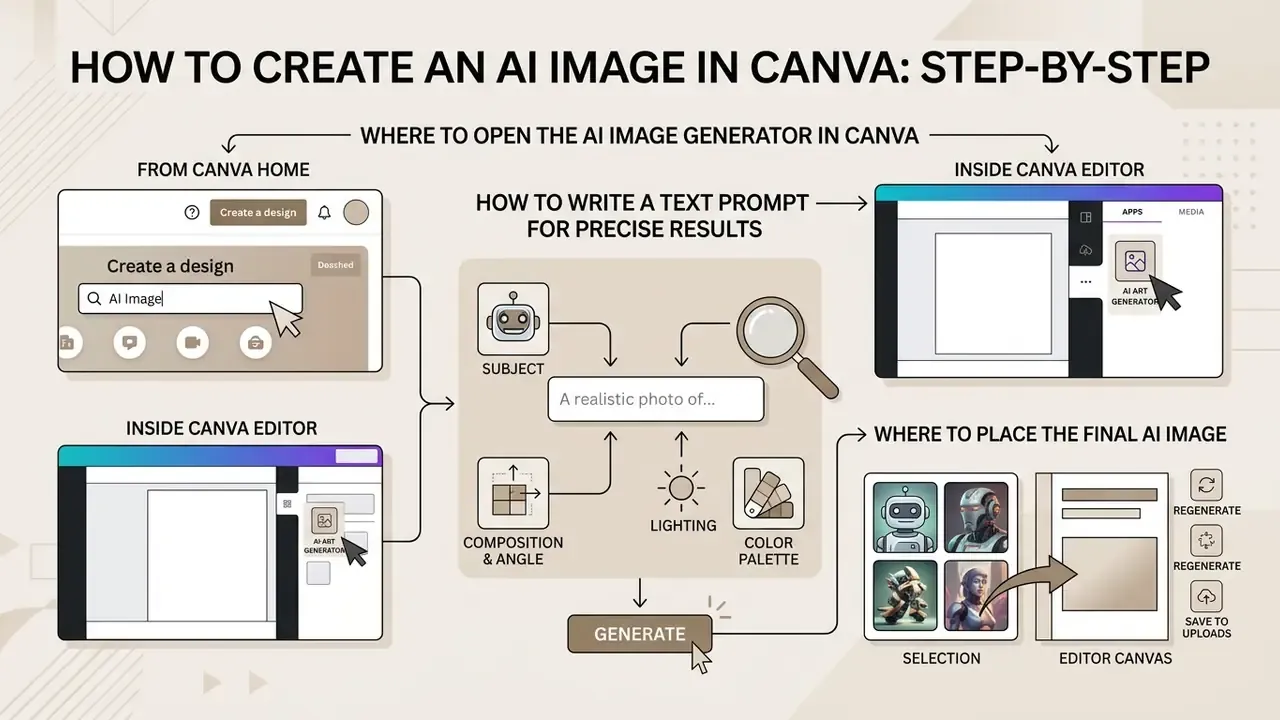
Generating custom visuals with the canva create ai image feature requires three things: an entry point, defined prompt parameters, and a place for the final ai image in the design workspace.
Where to Open the AI Image Generator in the Canva Editor
Users can launch the ai image generator through two workflow paths inside the platform:
- From Canva Home: go to the search bar on canva home, select "Canva AI" or "Create with AI", then choose "Create an image".
- Inside Canva Editor: open any active canvas, find the left side menu, click "Apps", and select "Magic Media" (or navigate via "Elements" → "AI image generator" → "Generate your own").
Both paths open the canva text to image ai panel, with the prompt text box, the style selector, and the aspect ratio controls. Everything sits inside the same free drag and drop design tools that teams already use for decks and banners, which is exactly why shadow usage spreads so quietly.
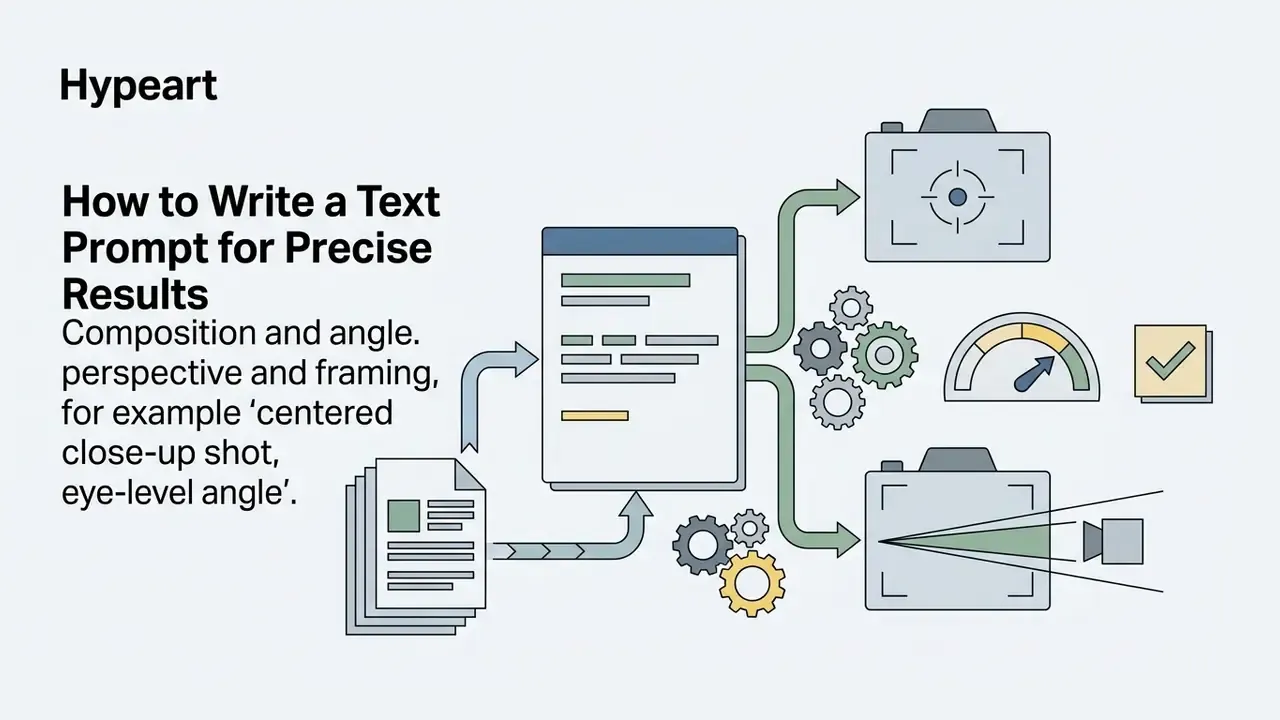
How to Write a Text Prompt for Precise Results
An effective prompt for canva ai usually combines four visual parameters in one coherent sentence:
According to prompt design research by Chong et al. (2024), prompts that combine explicit stylistic constraints with a single aesthetic criterion yield more consistent results during local detail iterations.
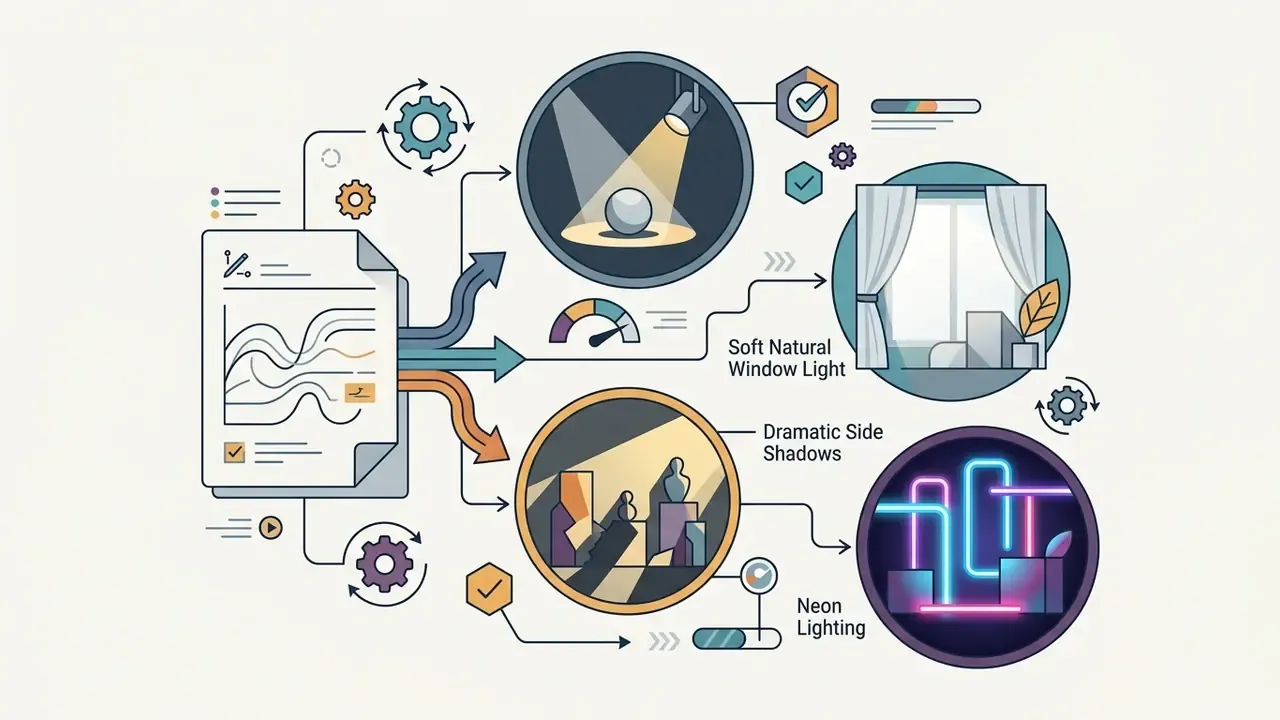
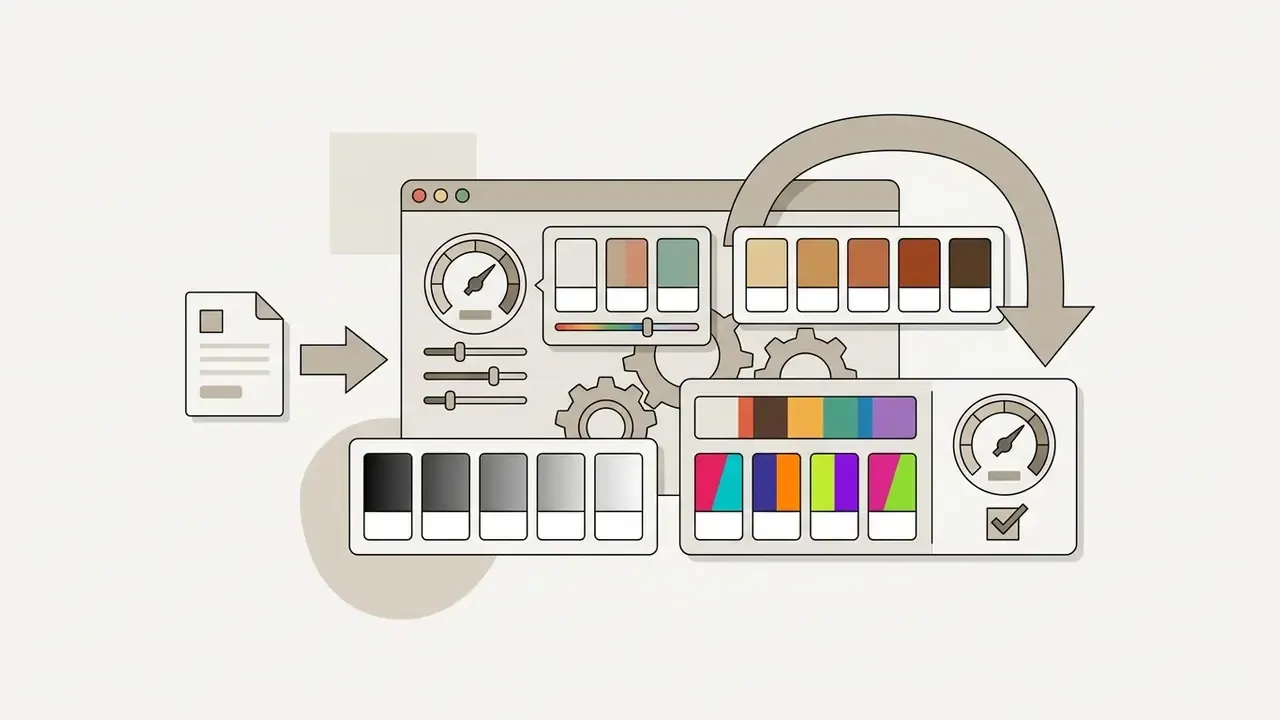
«The number of goals in a prompt correlates with design ratings more strongly than prompt length or editing time.»
A practical illustration. The prompt "a cat" returns generic output. The prompt "a watercolor illustration of a cat sitting on a windowsill at sunset, soft translucent washes, warm amber palette" constrains subject, medium, setting, light, and color at once. Same model, very different control surface.
Choosing Style, Format, and Aspect Ratio
Before generation, pick an aspect ratio that matches the publishing format. Canva offers three standard presets:
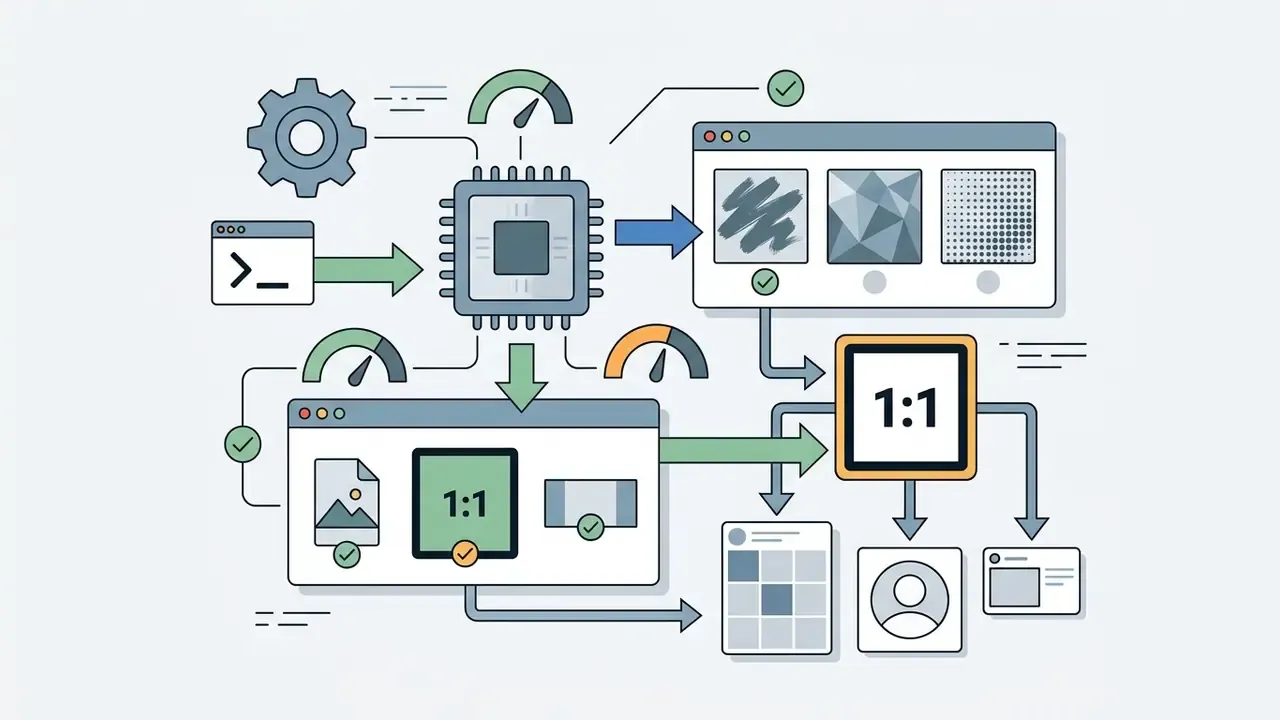
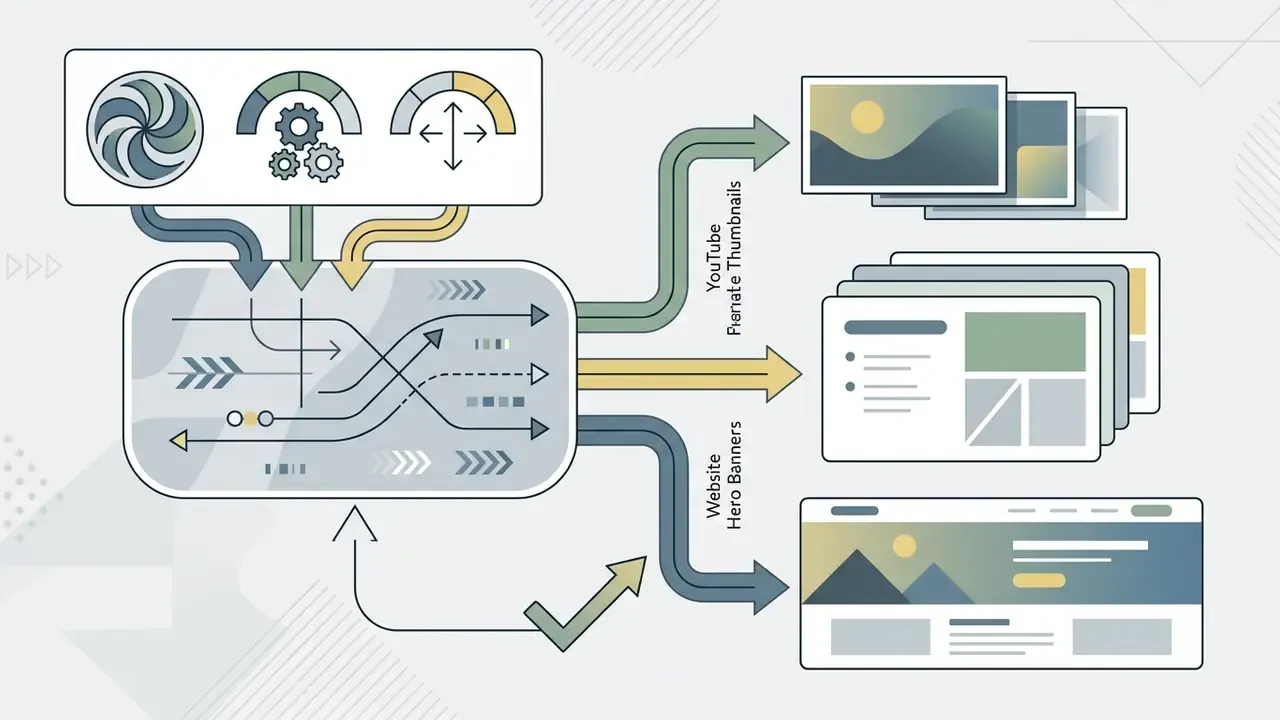
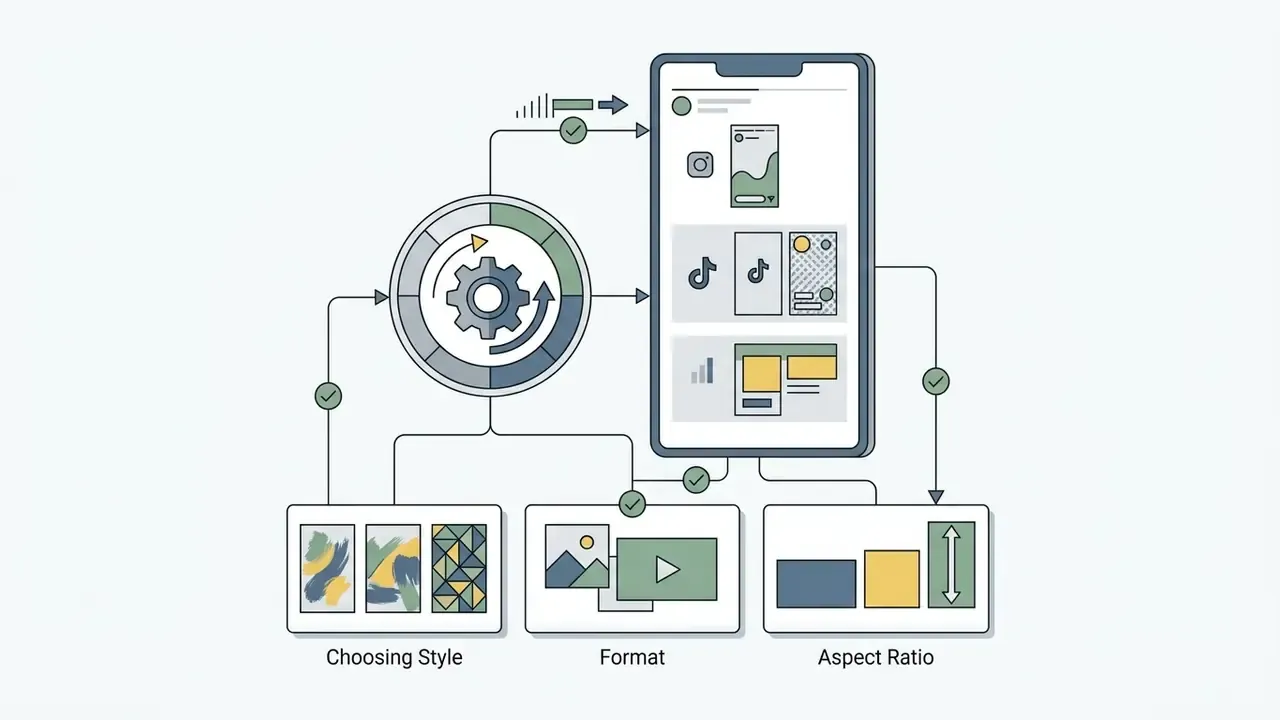
API configurations behind third-party engines differ. Google Gemini Imagen supports fixed ratios (1:1, 3:4, 4:3, 9:16, 16:9), whereas OpenAI DALL·E pipelines export standard PNG files within custom boundary limits from 1:3 to 3:1. Organizations working without a paid seat can also evaluate a free ai image generator app that runs without registration, although licensing terms there vary sharply.
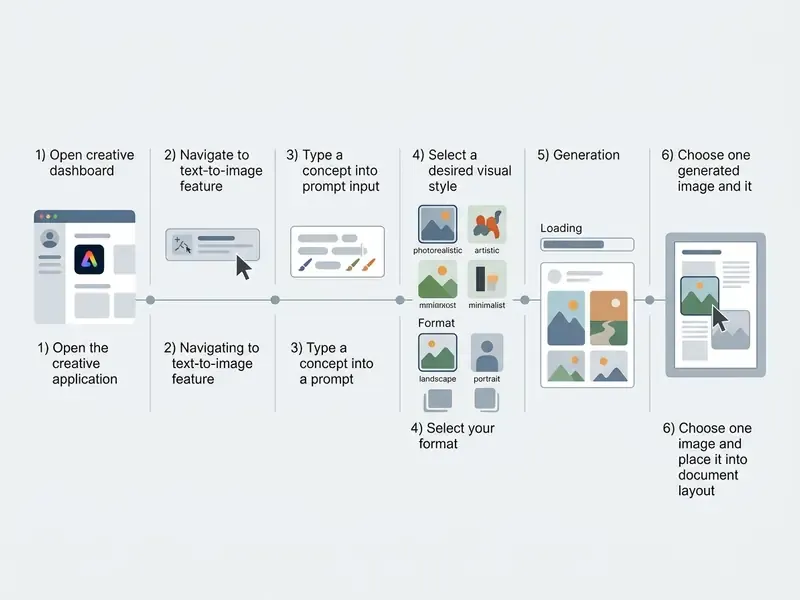
Six steps from prompt to layout
- Open the Canva Editor
- sign in at canva home and open an existing layout or create a new canvas.
- Launch Magic Media
- in the side panel select "Apps", then open "Magic Media" (or "AI image generator").
- Enter the written prompt
- type a detailed description covering subject, lighting, and color. To reuse an existing composition, tap the plus (+) icon in the Magic Media panel and upload a reference photo. Canva keeps the original layout, style, or subject intact while regenerating the scene. Use "Inspire me" for sample prompts if you are starting cold.
- Choose a style and aspect ratio
- select a preset, for example Filmic or Watercolor, and the image format (1:1, 16:9, or 9:16).
- Generate the variants
- click "Generate image" and wait for the grid of four candidates.
- Add it to the layout
- click the preferred image to place it on the working canvas, or use "Open in editor" to continue with text, layers, and effects. Canva autosaves as you work, so the intermediate versions stay recoverable.
How to Improve AI-Generated Images with Canva's Tools
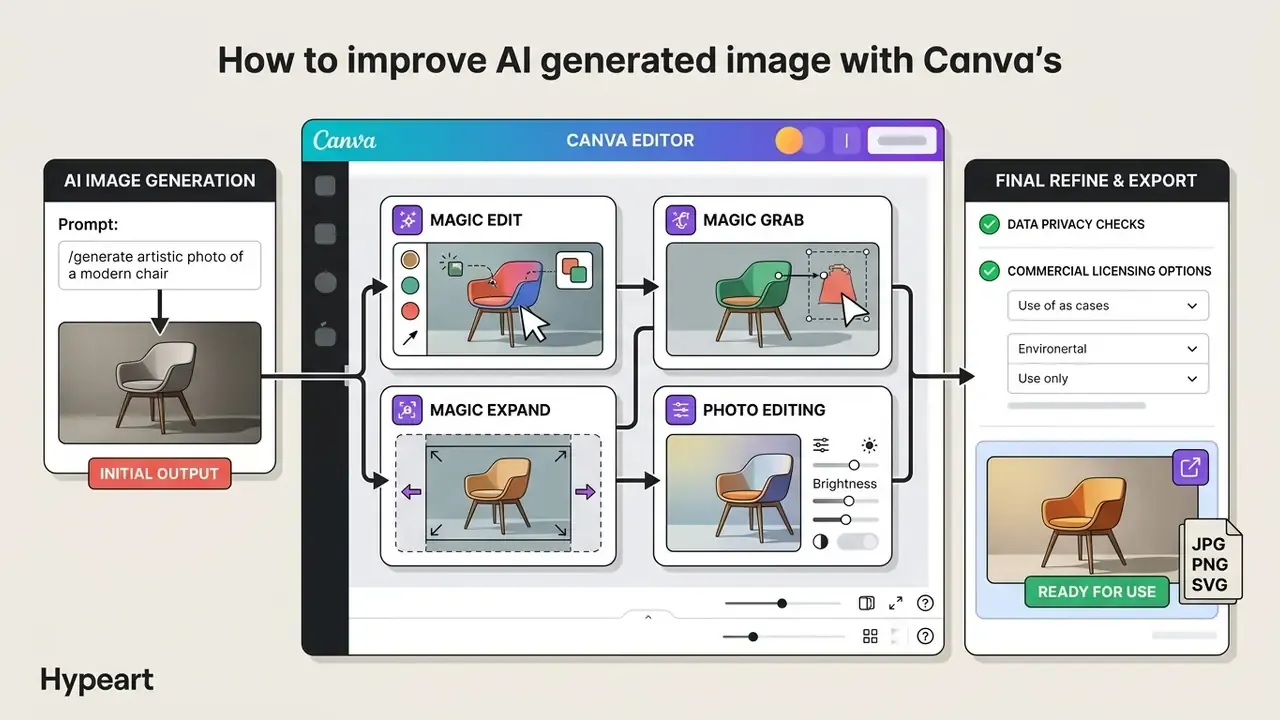
After the first generation, designers can apply post-processing controls inside canva's photo editor to refine composition details and prepare graphics for publishing. This is also where human authorship starts to accumulate, which matters for registration later.
Magic Edit and Magic Eraser for Detail Correction
The magic edit tool enables targeted generative replacement on a specific image region. Brush over an unwanted element, enter a descriptive prompt, and generate candidate replacements without re-generating the whole frame.
To clear unwanted distractions, the magic eraser lets creators brush over background clutter. The underlying model reads surrounding pixel textures and fills the erased gap, which instantly cleans the frame and avoids the manual editing needed in external software.
«Diffusion models can reproduce protected elements during editing when the prompt contains branded visual references.»
Practically, this means inpainting prompts deserve the same screening as generation prompts. "Replace the can with a cola can" is a trademark request, not a texture request.
Magic Expand: Extending the Frame
Magic Expand changes the aspect ratio of an image you already produced. If you generated a square 1:1 asset but need a 16:9 banner, the tool paints in the missing side zones while preserving the scene context. It extends an image in any direction, which makes it the standard fix for awkward framing, over-zoomed crops, or turning a vertical shot horizontal without re-prompting from scratch. Comparable AI outpainting tools exist outside Canva, though Magic Expand keeps the extension inside the same document and brand kit.
Magic Grab: Isolating and Moving Objects
Magic Grab turns any object inside a raster image into a selectable element. After grabbing, the subject can be moved, resized, rotated, or layered independently while Canva regenerates the vacated background area. Combined with the Background Generator, this converts a flat AI render into an editable composition: grab the product, reposition it, then prompt a new backdrop behind it.
Text to Graphic and Text to Video
Beyond raster images, Canva AI exposes two adjacent generators:
- Text to Graphic describe a vision in words and receive unique graphics, icons, stickers, and illustrations matched to a style or brand. Useful when a vector asset, not a photo, is the deliverable.
- Text to Video convert a simple text prompt into a short clip, then refine it with video filters, transitions, and audio in the same editor. Teams comparing dedicated ai video generators usually end up choosing on export control rather than on clip quality.
Removing and Replacing Image Backgrounds
Canva's background remover delivers one-click isolation for subjects in generated imagery. Clicking click background remover separates foreground subjects from background elements and produces transparent pngs with sharp edge contrast.
That lets marketers swap generic scenes for brand colors, or drop isolated products into complex promotional compositions (one click background removal). The result is often exactly what an e-commerce layout needs: image backgrounds perfect for a clean product grid, with no visible halo. To explore alternative isolation workflows across web applications, compare capabilities across AI photo editors and, for zero-budget teams, across free photo editors with their export restrictions documented. Quality control is simple: preview the cut-out against a checkerboard and inspect subject edges before export.
Text, Icons, Graphics, and Photo Effects Filters
Once the primary asset is refined, creators can overlay typography, vector elements, and filters from Canva's media library:
- Typography you can easily add text using curated font combinations colors that keep visual hierarchy intact.
- Icons and graphics complement images with scalable icons graphics, brand logos, and vector shapes from the entire library of elements and audio.
- Photo effects and filters apply photo effects filters, tint adjustments, and color filters to harmonize synthetic photos with corporate guidelines. Use sliders to fine tune the photo's focus lighting until the composite reads as one exposure. For resolution recovery on low-quality renders, dedicated AI image enhancers and upscalers are the next step in the chain.
- Translate for international teams, Canva's Translate feature switches the language of generated text layers across 100+ languages in a single action. Handy when one master layout must ship into several markets without rebuilding typography.
Under the Web Content Accessibility Guidelines (WCAG 2.2), text overlays placed on composite AI images must maintain a contrast ratio of at least 4.5:1 for normal text and 3:1 for large typography or non-text functional graphics. W3C techniques extend the 3:1 requirement to icons needed to understand content, including icons placed over gradients or patterned AI backgrounds. Incidental text, purely decorative content, and logos are exempt.
Commercial Use: Acceptable Use Policy, Copyright, and Pre-Publication Review
Using the canva free ai image generator or Canva Pro for commercial campaigns is permitted by Canva's terms, subject to specific operational and legal conditions. This block precedes the pricing comparison deliberately. For a CRO or a model-risk owner, the legal envelope is the gating question, and the plan choice follows from it.
Acceptable Use Policy Conditions for AI-Generated Content
Canva's acceptable use policy and AI Product Terms govern all ai generated content. The policy prohibits using generative tools to produce:
- Misleading, deceptive, or fraudulent commercial materials, including passing AI output off as human-made.
- Defamatory, harassing, discriminatory, or sexually explicit graphics, plus content that risks physical or mental harm.
- Unverified medical, legal, or financial advice representations.
- Malware, ransomware, keyloggers, spam, political campaign material, or other unsafe content.
- Fully automated decision-making based on generated output.
All prompts and outputs pass automated scanning filters before display. Canva states it moderates both inputs and outputs and provides in-product reporting for unsafe results. Content creators targeting specialized niches must respect platform moderation rules. Platforms strictly prohibit adult-oriented material such as free ai porn or explicit free nsfw ai art, and they moderate queries for niche themes such as gay ai image generator content to keep safety compliance intact.
Copyright Claims and the Limits of Canva's Warranties
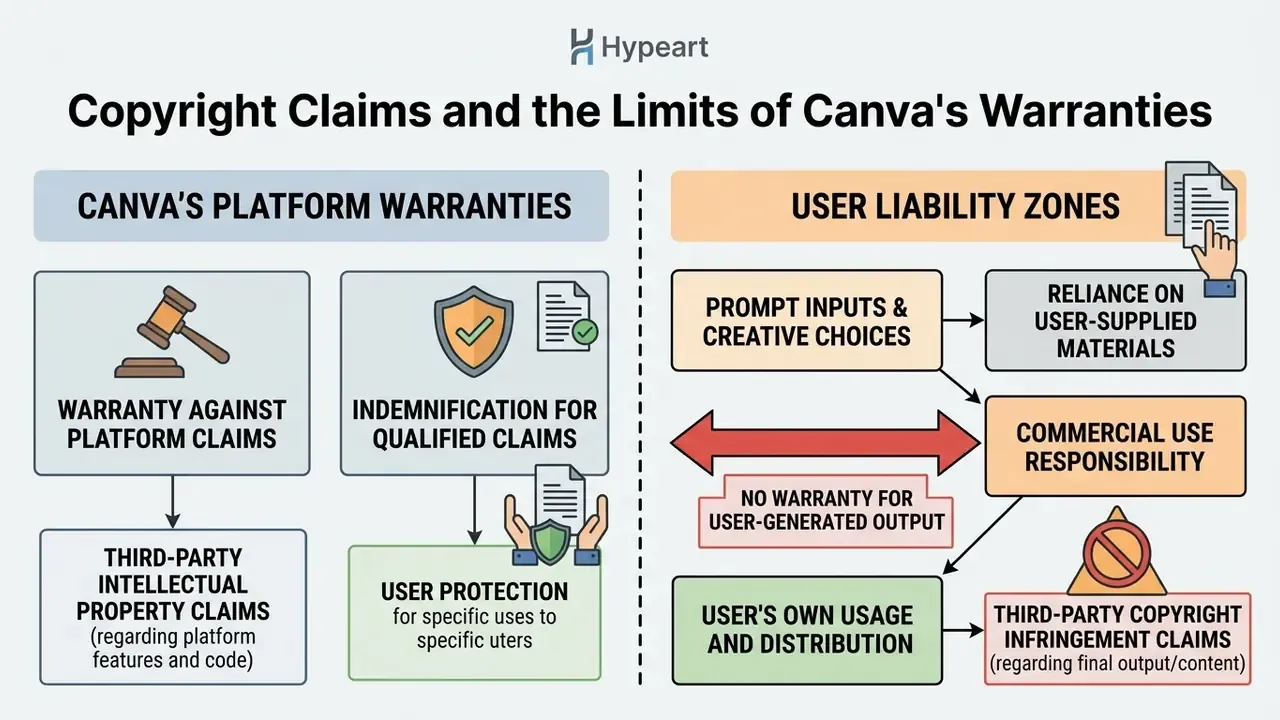
Canva's legal framework states that users own their input prompts and output images to the extent permitted by law, and it notes explicitly that canva makes no copyright ownership claim over user outputs. However, Canva provides its services on an "as-is" and "as-available" basis and disclaims all warranties of merchantability, fitness, and non-infringement. In other words, the no copyright claim language is not an indemnity.
Two further constraints matter commercially. Canva warns that recognizable characters or brands may be protected by copyright or trademarks, and that only the rights owner can grant permission. And Canva's Content License Agreement restricts Branded Content to personal use, barring commercial or promotional deployment, merchandise, or implied endorsement.
Research by Kim et al. (2024) demonstrates that commercial diffusion models memorize training data and can reproduce copyrighted logos, characters, or architectural designs under specific prompt conditions.
«Under jailbreaking prompts, the system generated copyright-protected content in 76% of attempts despite safety filters.»
Empirical findings by Lima et al. (2025), with N = 432 participants, show that the public largely attributes authorship to human prompt creators and to the artists whose work was used for training. Legal standards diverge from that intuition: the U.S. Copyright Office guidance of March 2023 clarifies that pure AI outputs lacking human authorship cannot be registered without meaningful human editing.
Reviewing AI Output Before Client or Brand Publication
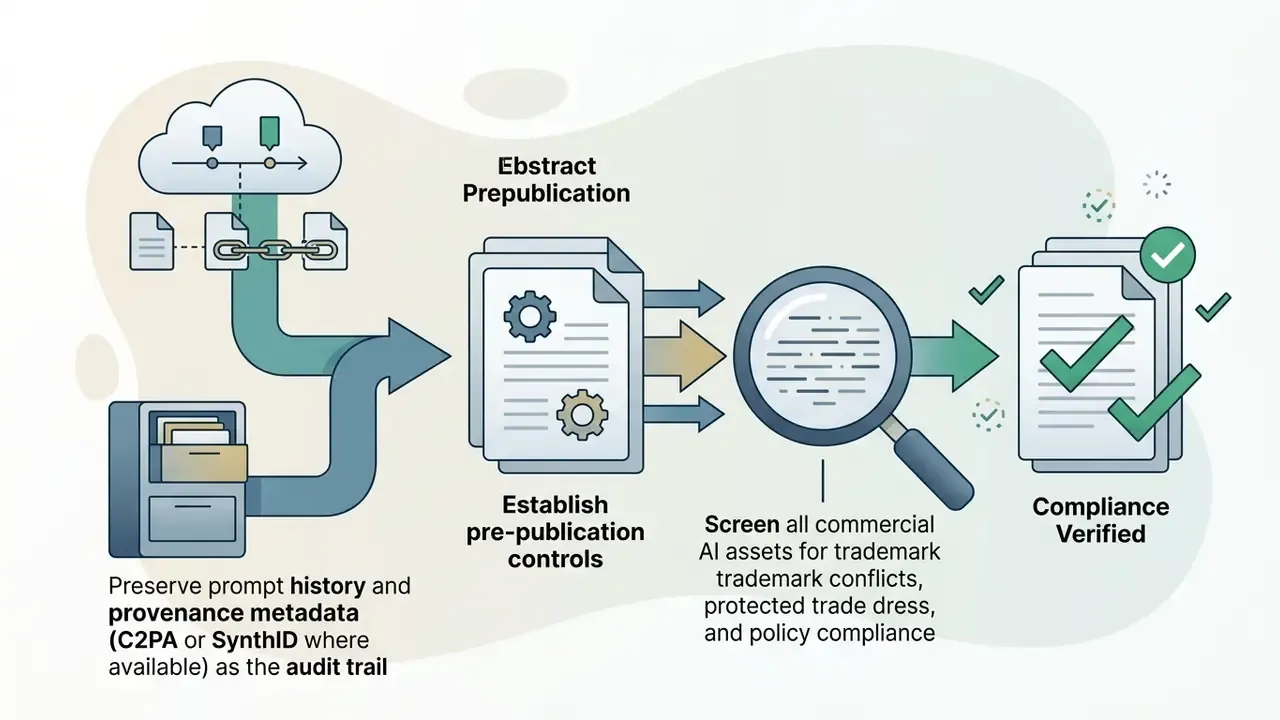
To reduce commercial infringement exposure, organizations should run a pre-publication review protocol before releasing AI-generated graphics to clients:
- Visual asset audit: inspect high-resolution outputs for accidental corporate logos, protected trademarks, or brand trade dress. Automated AI image detectors can support this step by flagging synthetic provenance before assets enter a client review cycle.
- Reverse image search: run a similarity check (Ducru et al., 2024) to confirm the asset does not copy existing artwork. Dedicated AI reverse image search services make this reproducible and loggable.
«A CLIP-based similarity metric makes it possible to assess whether an AI image infringes existing copyright by matching outputs against precedent works.» - Ducru et al., AI Royalties: an IP Framework to Compensate Artists & IP Holders (2024)
- Human-in-the-loop refinement: apply the manual editing needed inside Canva, combining AI elements with custom typography, brand graphics, and vector layouts to establish human authorship. Retain the prompt history, the intermediate versions, and the reviewer identity as the audit record.
- Disclosure and provenance compliance: ensure creatives comply with current transparency frameworks, including the Advertising Association's 2026 GenAI guide, which requires proportionate human review before publication with clear accountability for outputs, and Google's 2026 AI-labeling requirements, which permit labels placed inside AI-generated or AI-modified image and video ads. Where an auditor requires machine-readable provenance, confirm with Canva whether exported files carry C2PA Content Credentials or engine-side watermarks such as Google's SynthID. Canva's public documentation does not state per-surface provenance embedding, so treat metadata retention as a control you must verify and, if absent, compensate for with your own signed export log.
Fact check and legal verification (E-E-A-T).
Data Privacy, Model Training, and Enterprise Security
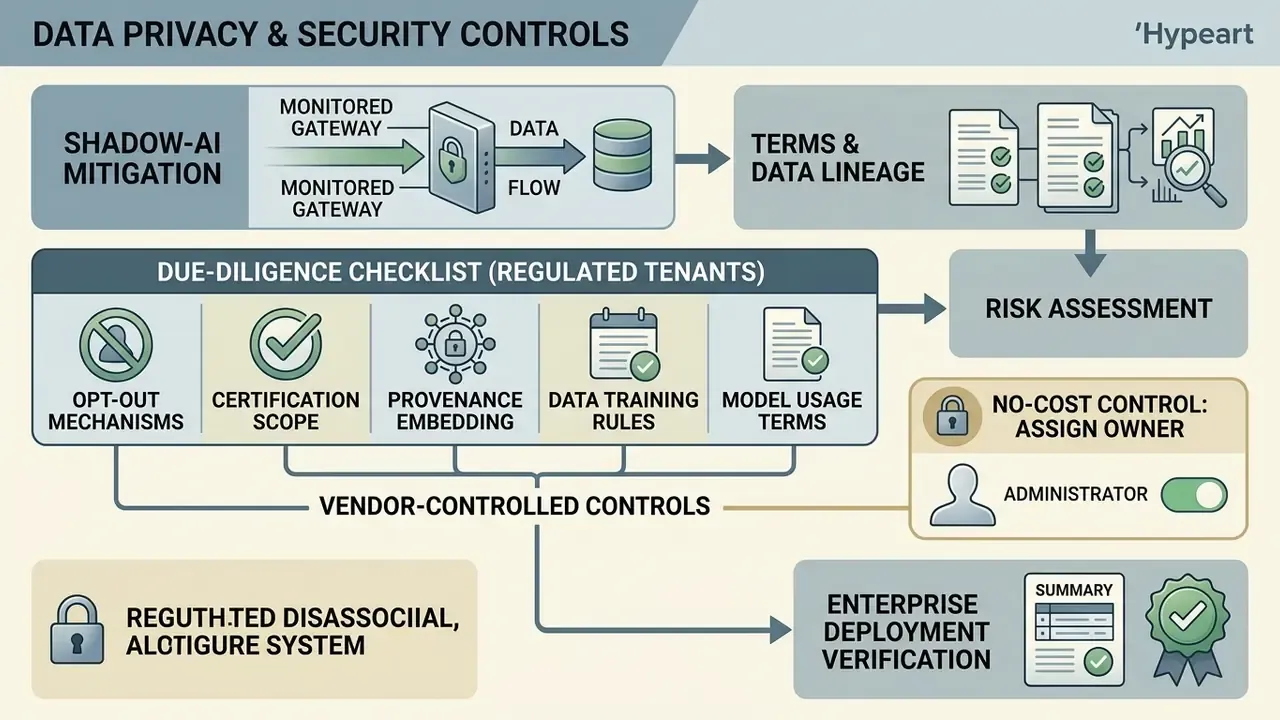
| Control question | Why it matters | Where to verify |
|---|---|---|
| Are prompts and uploaded assets used to train or improve generative models, and is there a tenant-level opt-out? | Prevents intellectual property leakage into shared model weights | AI Product Terms plus enterprise addendum; written confirmation from the account team |
| Which third-party engines receive the prompt (OpenAI, Google Cloud), and under what sub-processor terms? | Cross-border transfer and sub-processor disclosure obligations | Canva sub-processor list; Data Processing Addendum |
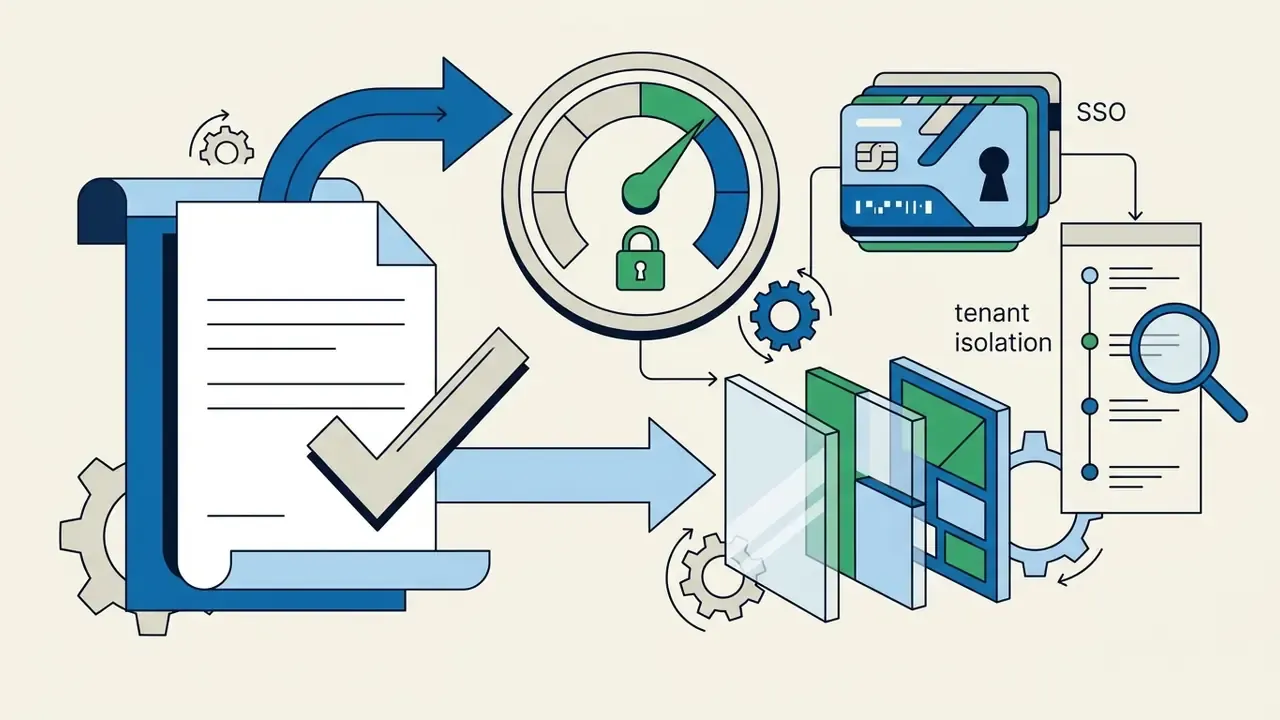
| Is data isolated per tenant on the Enterprise plan, and is there a central audit log of generations? | Required for reproducible evidence during supervisory review | Canva Enterprise documentation; admin console |
| Does Canva hold SOC 2 Type II and ISO/IEC 27001 attestations covering the AI modules specifically? | Attestation scope often excludes newer AI surfaces | Canva Trust Center; request the current report under NDA |
| How are GDPR and CCPA data-subject requests handled for prompt and output data? | Retention and deletion obligations | DPA; privacy policy |
| Does the export carry provenance metadata (C2PA or SynthID)? | Audit trail for advertising disclosure | Test export plus vendor confirmation |
Canva AI Image Generator Free vs Canva Pro, Teams, and Enterprise
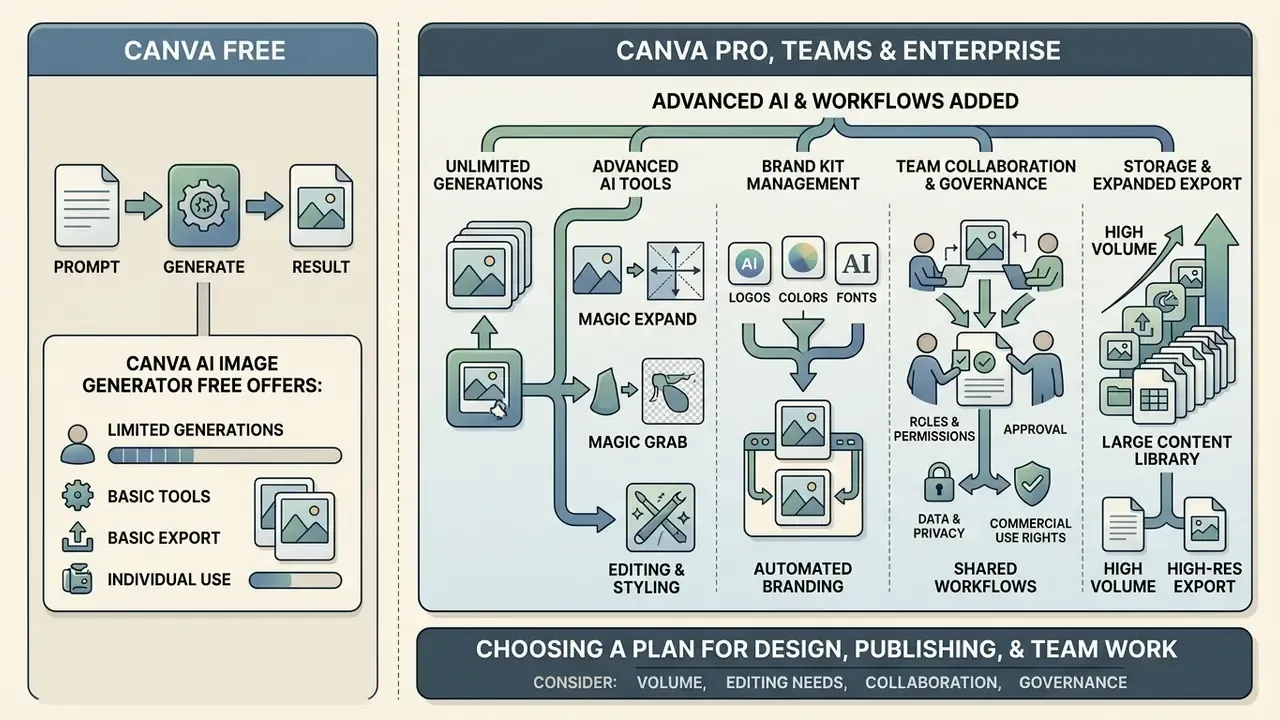
Choosing between canva ai image generator free access and a paid subscription depends on generation volume, advanced editing needs, collaboration requirements, and the governance controls your organization must evidence.
What the Free AI Image Generator in Canva Offers
The canva free ai image generator tier gives basic access to Magic Media text-to-image creation across standard templates. Free users receive a limited monthly allowance of generation credits. Canva's Help Center documents three uses for DALL·E and Imagen by Google Cloud, with the counter resetting at midnight UTC on the last day of the month, alongside separate limited Magic Media allowances.
Free accounts are fine for testing. Exports keep standard resolution caps, cloud storage is limited to 5 GB, and premium assets such as automatic background removal and premium stock overlays stay locked. Teams exploring zero-cost options can test another free ai image generator app, evaluate open-access platforms for free generative ai visual work, or compare free AI art generators by output quality, watermarking, and licensing. Be careful there: free images are not always free to publish.
What Canva Pro Adds for AI Content Work
Upgrading to canva pro expands generative limits substantially. Canva's pricing page lists 25+ AI tools for Pro and documents a Canva AI design-generation allowance of 150 credits per month for Pro against 50 total credits on the free plan. Independent 2026 reviews report a practical ceiling closer to ~500 monthly AI credits per Pro user across Magic Studio surfaces. Because Canva publishes credit values per surface and updates them regionally, treat the exact number as vendor-managed and re-verify on the current pricing page before budgeting. The direction of the difference, roughly an order of magnitude over Free, is consistent across sources.
Beyond higher generation caps, Pro subscribers unlock:
For specialists comparing enterprise graphic platforms, weighing Canva's ecosystem against the freepik ai image generator or the broader field of best AI art generators helps determine credit-to-cost efficiency.
- Advanced AI tools
- full access to Background Remover, Magic Eraser, Magic Grab, Magic Expand, Magic Morph, Magic Animate, Translate, and Background Generator, all inside one AI powered photo editor.
- Brand kit management
- centralized management for up to 1,000 Brand Kits holding official logos, palettes, and custom fonts. Canva's Brand Kit product page separately describes managing up to 100 separate brands in one place; the figures differ because one is a plan-level cap and the other a product description.
- Content library
- unlimited access to over 140 million premium stock photos, graphics media, audio tracks, and templates.
- Storage and export
- up to 1 TB of cloud storage with unlimited folders, plus sharing or export as JPG, PNG (including transparent PNG), PDF, and PPTX. An image converter step is rarely needed, since the same document serves social, print, and slide formats.
Choosing a Plan for Design, Publishing, and Team Work
SMM specialists, freelance creators, and corporate design teams need different feature sets when they deploy AI visual workflows. Whether you're a solo content creator or a governance lead provisioning 400 seats, the plan decision usually turns on control, not on credits.
| Parameter | Canva Free | Canva Pro (1 user) | Canva Teams (from 3 users) | Canva Enterprise |
|---|---|---|---|---|
| Price | $0 / year | ~$110-120 / year | ~$90-100 / user / year (min. 3 users) | Custom pricing |
| AI credit limit | Limited (documented 3 uses for DALL·E/Imagen; ~50 credits total) | Expanded (150 credits/mo on pricing page; ~500 reported by third-party reviews) | Expanded per seat | Expanded per seat plus admin controls |
| Background Remover | Not available | Available (one click) | Available (one click) | Available (one click) |
| Magic Expand / Magic Grab | Not available | Available | Available | Available |
| Content Planner | Not available | Full access (social scheduling) | Full access plus approvals | Full access plus workflow approvals |
| Asset library | Basic access | 140M+ Pro elements | 140M+ Pro elements | 140M+ Pro elements |
| Brand Kits | 1 basic kit | Up to 1,000 brand kits | Shared company brand kits | Centrally governed brand kits plus brand controls |
| Cloud storage | 5 GB | 1 TB | 1 TB | 1 TB and above |
| Export formats | JPG, PNG, PDF | JPG, PNG (transparent), PDF, PPTX | JPG, PNG (transparent), PDF, PPTX | JPG, PNG (transparent), PDF, PPTX |
| SSO / SAML | No | No | Limited | Yes (SSO/SAML) |
| Role-based access control (RBAC) | No | No | Basic roles | Granular admin roles and permissions |
| Audit log and centralized control | No | No | Limited | Centralized administration and reporting |
| AI training on company data | Governed by standard AI Product Terms | Governed by standard AI Product Terms | Governed by standard AI Product Terms | Negotiable in the enterprise addendum; confirm in writing |
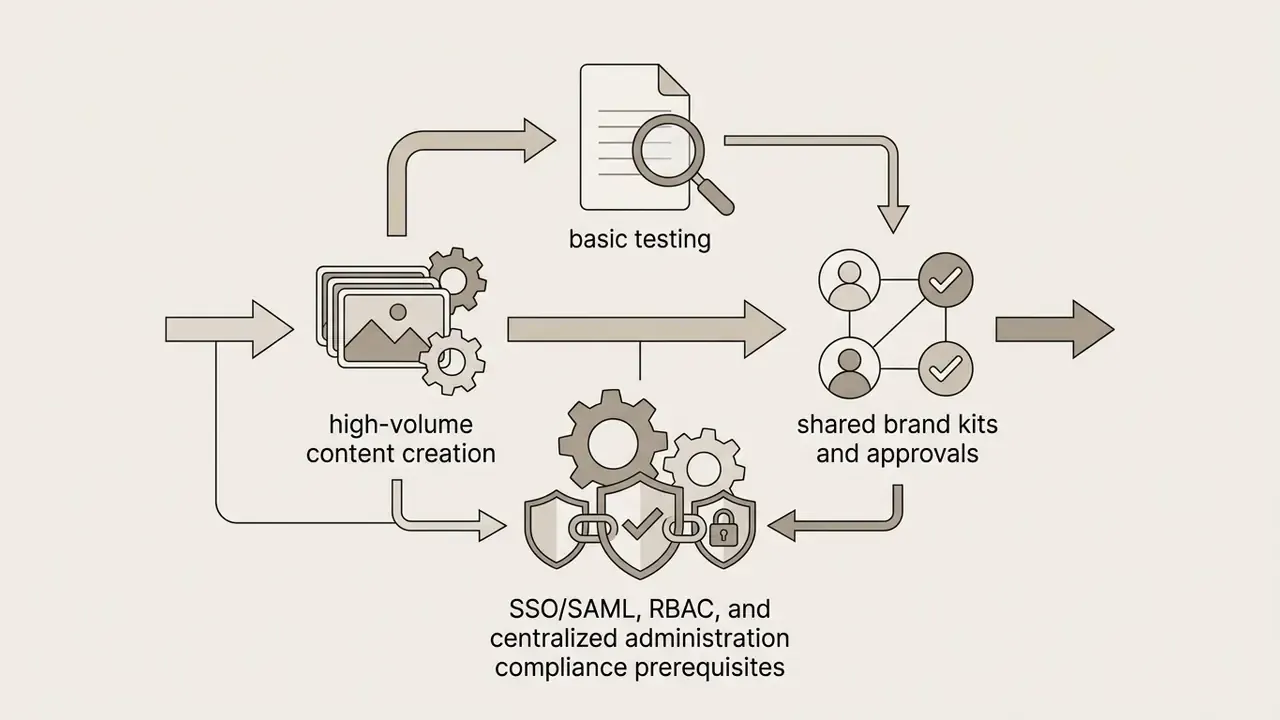
Solopreneurs and content creators running daily social channels get the most from Canva Pro, thanks to background removal and scheduled publishing via content planner pro. Distributed teams lean on real time collaboration, easy sharing, and browser access anywhere, with comments and version history attached to the same document. Large enterprises that need centralized governance, administrative role permissions, SSO, and shared asset libraries should deploy Canva Teams or Enterprise, where identity federation and administrative reporting become available.
Canva's Help Center notes that subscriptions may be billed monthly or annually, with annual billing charged upfront at upgrade and each year after. Regional pricing differs by locale and currency, so euro and dollar figures above will not match every storefront.
Which Tasks the Canva AI Image Creator Actually Fits
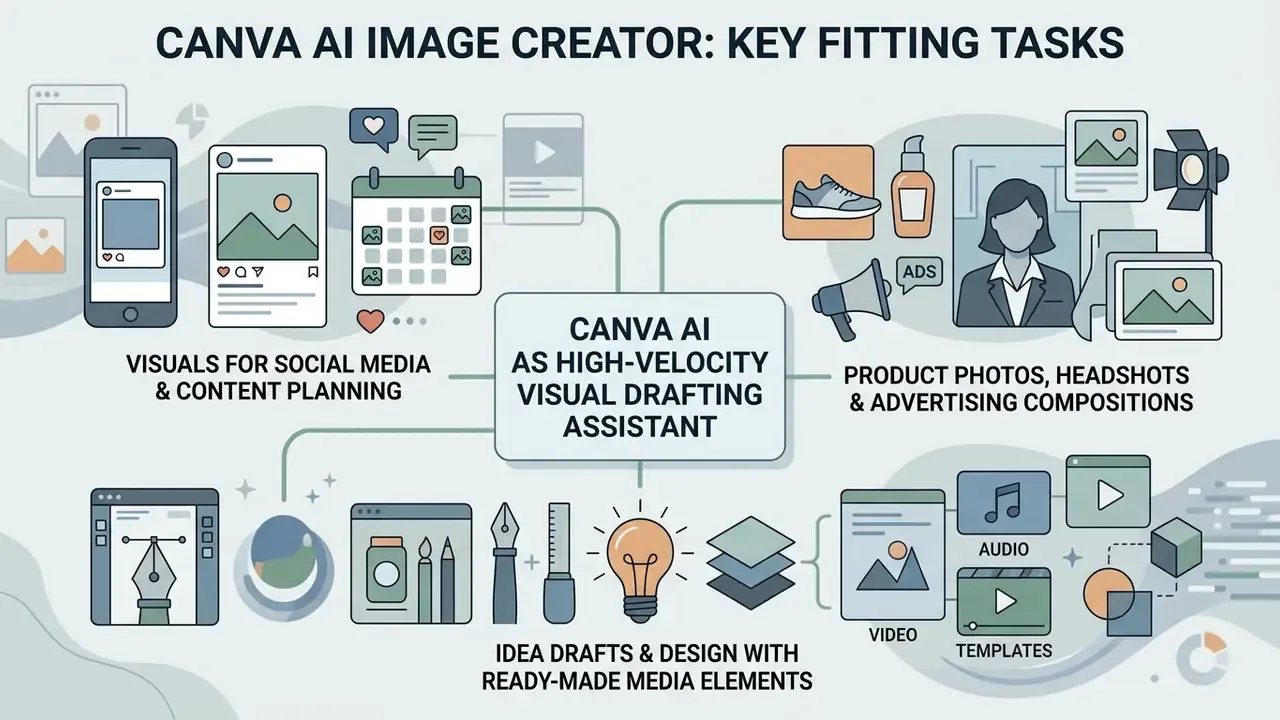
The ai image creator canva works best as a high-velocity visual drafting assistant across marketing, corporate communications, and digital publishing. It is not a substitute for a photographer, and it is not a system of record.
Product Photos, Headshots, and Advertising Compositions
Marketers use Canva AI to build stylized backgrounds for commercial banners, digital ad units, and promotional material:
- Product photography: replace plain studio backdrops with contextual synthetic scenes, for example a beverage bottle on a marble countertop in soft morning light. Then refine lighting, shadow direction, and depth-of-field blur so the composite reads as a single exposure. Note the boundary: promotional ad banners may use synthetic backdrops under WFA/ICAS 2026 guidelines, while primary e-commerce catalog listings under Amazon or GS1 standards still require pure white backgrounds (#FFFFFF, RGB 255,255,255), where AI-generated scenes and composites are not allowed for the lead image. For frame extension rather than replacement, AI outpainting tools cover the adjacent task.
«Multi-criteria prompts oriented toward feasibility and novelty produce better results in early visual product development.» - Chong et al., Design Space Exploration with Text-to-Image Models (2024)
- Corporate headshots: generate background textures for team profile photos headshots or speaker graphics, while keeping primary facial features genuine to avoid deceptive representation. Specialized AI headshot generators offer stricter portrait controls and explicit privacy terms where fully synthetic portraits are acceptable.
Idea Drafts and Design with Ready-Made Media Elements
During conceptualization, designers use Canva AI to build a rapid idea draft layout. Rather than spending hours sourcing stock imagery, creators generate preliminary concepts and pair them with Canva's media library to design fast:
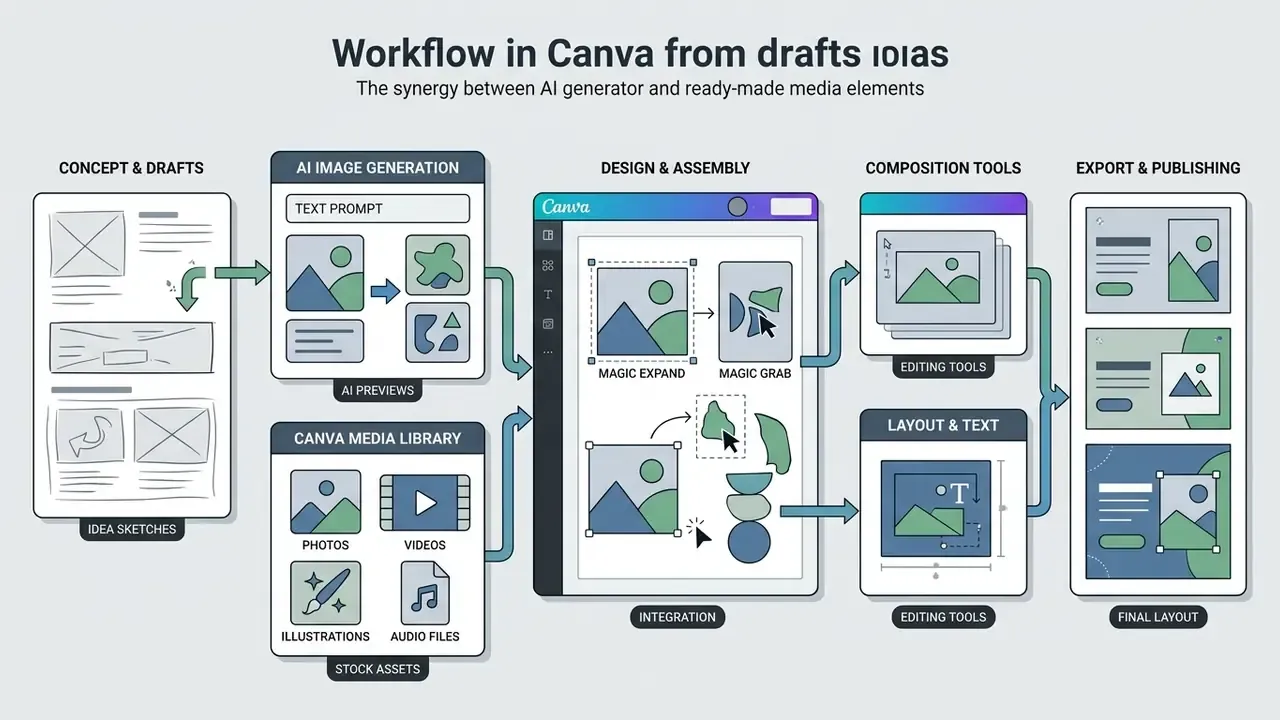
To evaluate corporate risk considerations around intellectual property and licensing disclosure in digital media, legal and compliance officers can review documentation on AI image generators for commercial use.
- Media elements
- combine generated backdrops with vector frames, shapes, and animated elements from the element library, including free images icons for quick mockups.
- Audio and video
- integrate stock background audio and video clips for multi-channel video ads.
- Templates
- insert synthetic art into pre-formatted presentation decks, flyers, and social banners, then adjust typography to brand standards.
Canva Magic Media vs Midjourney, Firefly, and DALL·E 3
Canva competes in a crowded generator market, and the real selection criterion is rarely raw image quality. It is where the asset must be finished, and who must sign off on it.
| Tool | Best suited for | Key differentiator | Photorealism |
|---|---|---|---|
| Canva Magic Media | Marketers, SMM teams, fast layout production | Built-in templates, full graphic editor, brand kits, scheduling | High (general-purpose) |
| Midjourney | Professional illustrators, concept art | Highest artistic fidelity and detail; community prompt culture; upscaling options | Excellent |
| Adobe Firefly | Designers inside the Adobe ecosystem | Generative Fill and in-context editing across Creative Cloud | High (commercially oriented) |
| DALL·E 3 (OpenAI) | Beginners, complex textual prompts | Precise interpretation of long, compound descriptions | High |
| NightCafe Creator | Creative experimentation, style transfer | Multiple generation methods including neural style transfer; print and merch output | Medium-High |
No matching rows Clear one or more filters to restore the matrix.
The decision logic in practice. Choose Canva when the image is one element of a branded layout that must be scheduled or exported to PPTX. Choose Midjourney when the image is the deliverable. Choose Firefly when the asset must be finished in Photoshop or Illustrator. Choose DALL·E 3 when prompt obedience on complicated scenes matters more than style.
Head-to-head breakdowns are available for Midjourney versus alternative image generators and for ChatGPT-based picture generation, while platform-specific terms are covered for the Google AI image generator and the Microsoft AI image generator. If you want a side-by-side matrix across categories, explore the hub of comparisons.
Risk Matrix for AI Visual Assets
| Risk domain | Concrete exposure | Likelihood driver | Primary control |
|---|---|---|---|
| Legal / IP | Output reproduces a protected logo, character, or trade dress; Branded Content used commercially | Simple, brand-referencing prompts (83-89% reproduction rate in Kim et al., 2024) | Prompt policy, visual audit, reverse image search, legal sign-off |
| Authorship / registration | Asset cannot be registered for copyright because human authorship is absent | Unedited pure AI output | Documented human-in-the-loop editing and version history |
| Data security / privacy | Confidential briefs, customer data, or unreleased brand assets entered as prompts or references | Shadow AI on personal accounts | SSO-only access, DLP rules, prompt policy, enterprise addendum |
| Disclosure / regulatory | Missing AI labeling in advertising creative | Multi-market campaigns under differing rules | WFA/ICAS and Google 2026 labeling checks; provenance metadata |
| Reputational | Deceptive synthetic imagery of people, places, or products | Synthetic headshots and product composites | Keep primary facial features and the physical product genuine |
| Operational / vendor | Underlying model swapped without notice; credit limits change | Vendor-managed model versioning | Periodic re-verification; inventory entry marked vendor-managed |
Read the matrix as a starting point, not as a completed assessment. Residual risk depends on your campaign volume, your markets, and how much human editing actually happens before export.
Key Takeaways for AI Decision-Makers
FAQ
How do I write a good AI image prompt?
Be specific. Name the subject, the setting, and the style, plus lighting, mood, color, or medium. Instead of "a dog", write "a golden retriever puppy in a sunlit park, painted in watercolor". If the result misses, add detail and regenerate.
Can I use a reference image when generating?
Yes. Tap the plus (+) icon in the Magic Media panel, upload a reference photo, describe the desired result, and generate. The original layout, style, or subject is preserved.
Is the Canva AI image generator free?
There is a limited number of free uses. The Help Center documents three uses for DALL·E and Imagen on Free accounts, resetting at midnight UTC on the last day of the month. Paid plans raise the allowance.
Does the generator work online, without installing anything?
Yes. Canva runs in the browser, so the canva ai image generator online works on desktop and mobile without local software. That convenience is also the shadow-AI vector, which is why SSO-only provisioning matters in regulated tenants.
Who owns the copyright in AI-generated art?
Copyright treatment of AI works remains an open legal question and varies by country. Canva makes no copyright ownership claim over your outputs, but that does not make you the exclusive owner, and other users may generate similar images.
Which AI models does Canva use?
Magic Media (Dream Lab), DALL·E by OpenAI, and Imagen by Google Cloud. Canva states it updates the underlying models as improved versions become available, so exact version pinning is not guaranteed.
What file formats can I export?
JPG, PNG (including transparent PNG on paid plans), PDF, and PPTX, with 5 GB of cloud storage on Free and up to 1 TB on Pro, Teams, and Enterprise.
Can a bank use Canva AI for regulated marketing material?
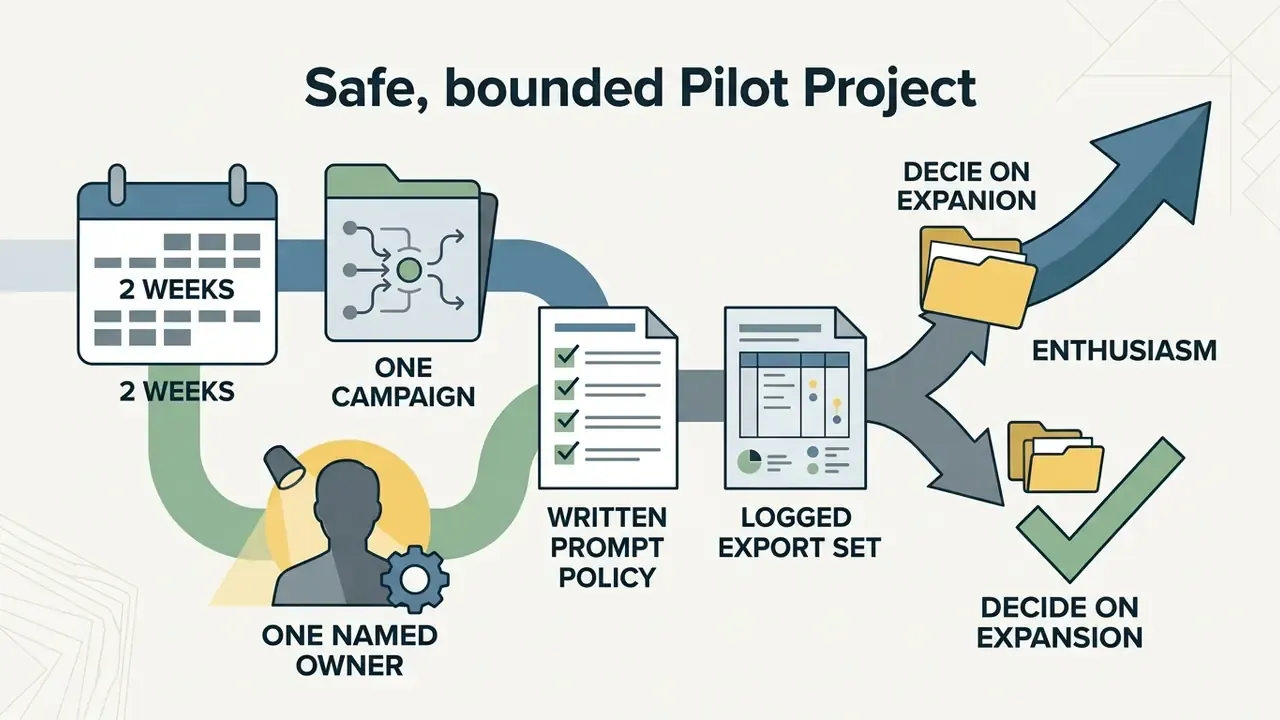
It can, with controls. Route assets through the four-step pre-publication protocol, keep prompt and reviewer records, and confirm the data-lineage and provenance questions in the vendor addendum before the first campaign ships.
Appendix A: Superseded Fragments
The following earlier formulations were replaced in this revision and are retained for version transparency:
- "To explore alternative background isolation workflows across web applications, compare options in our dedicated photo editing index." - replaced with a descriptive anchor pointing to the photo editor guide.
- "evaluate open-access platforms for free generative ai visual creation" - retained in a narrower context inside the Free plan section, next to the free AI art generator comparison.
- "users can explore the hub or review structured publishing workflows to view the guide on automated content production" - split: hub navigation now sits in the comparison section and the footer, while body links use descriptive anchors.
- "legal officers can open the hub for compliance documentation" - replaced with a link to commercial-use documentation and the litigation hub in the footer.
- "To review comprehensive commercial licensing standards across web platforms, view the guide in our primary knowledge directory." - moved to the footer as a single navigational link.
- Earlier unqualified claim: "Canva Pro expands generative limits up to 10x compared to free accounts, granting approximately 500 monthly AI credits per user." - retained in substance, now sourced and qualified against Canva's published 150-credit Pro figure and third-party 2026 estimates.
More on licensing, disclosure, and commercial deployment: view the guide, browse the hub of AI tool reviews, check publishing routines in our workflows library, and open the hub for AI litigation and compliance documentation. Terminology is defined in the glossary, where you can also compare options across editors.