What This Guide Covers in 60 Seconds
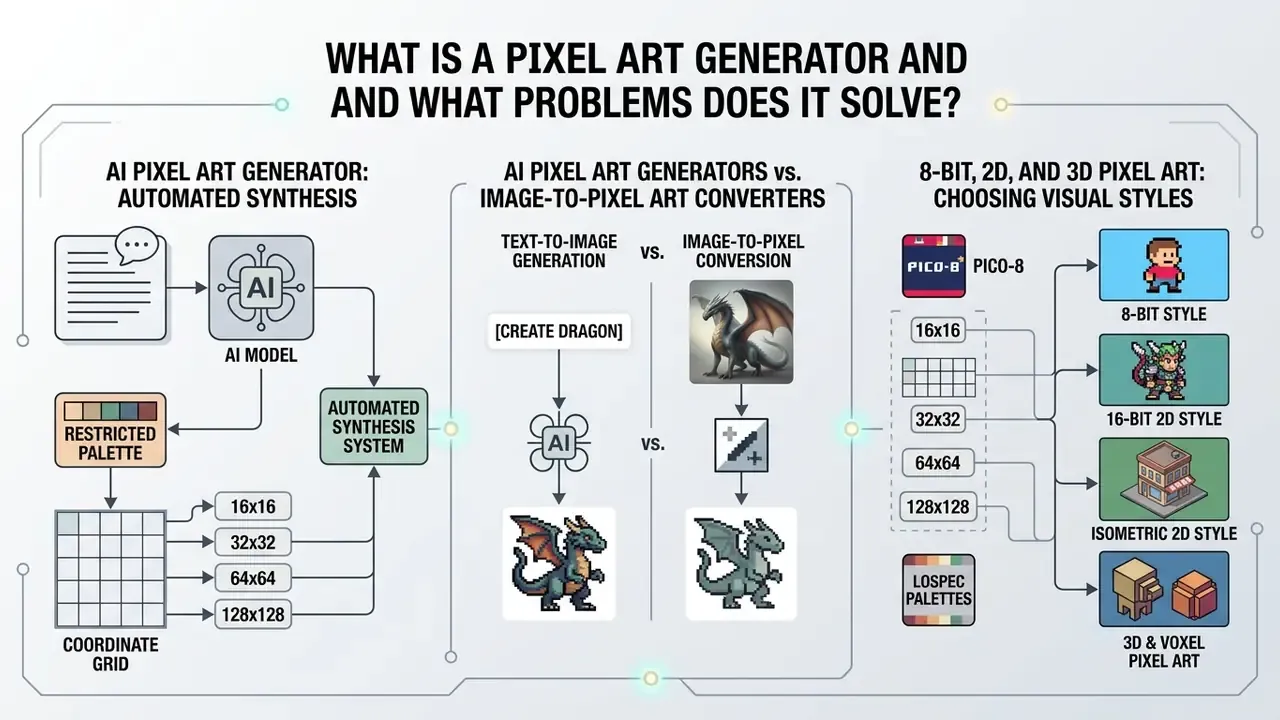
- What it is A pixel art generator maps visual tokens onto a fixed coordinate grid with a restricted palette, producing 16×16 to 128×128 sprites, tiles, icons, and animation frames from text or uploaded images.
- Two input modes Text-to-image builds original layouts with diffusion backbones; image-to-pixel conversion downsamples and quantizes existing media while preserving composition.
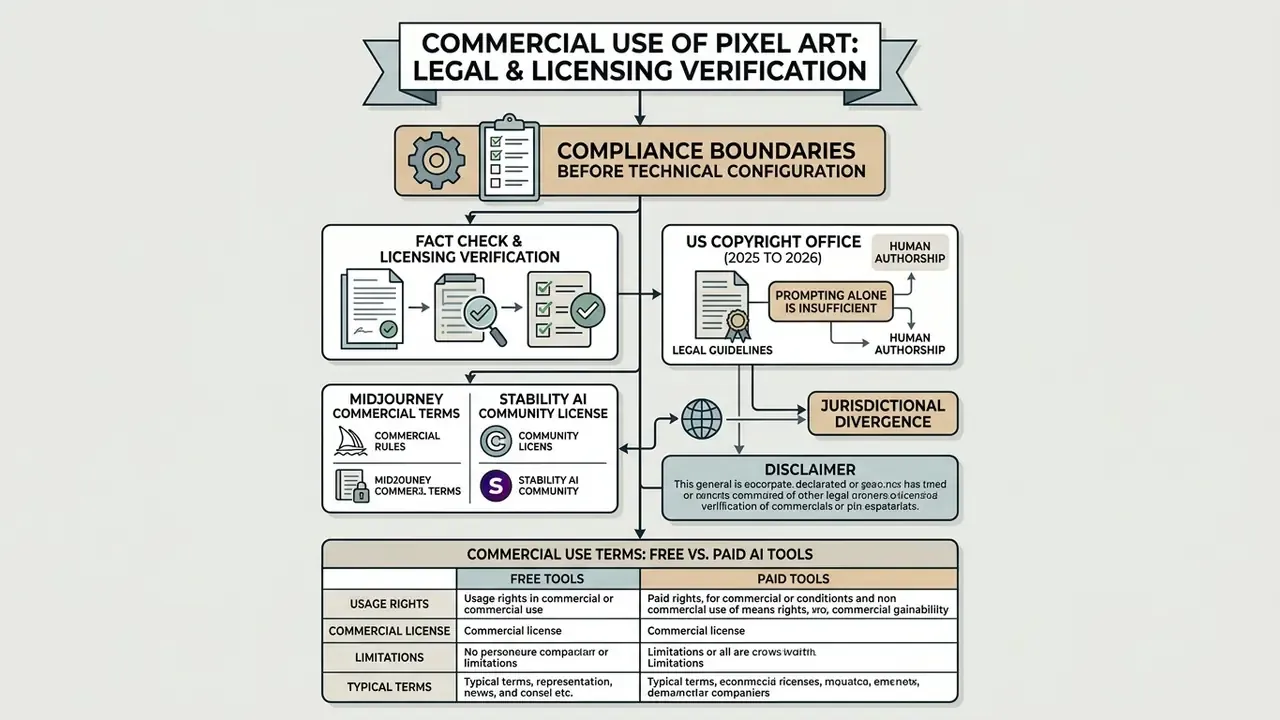
- The legal boundary comes first Fully machine-generated graphics are not registrable in the United States without documented human creative input, and commercial rights differ sharply between free and paid vendor tiers. The $1,000,000 USD annual revenue threshold appears in both Midjourney and Stability AI terms.
- Quality is a constraints problem Grid resolution, palette size (PICO-8, Sweetie-16, Endesga-32, Resurrect-64), lighting direction, and reference conditioning determine output usability far more than prompt length.
- Production integration matters Native Unity and Godot plugins, API keys for AI coding agents (Claude Code, Codex, Cursor), and 8-direction sprite batches turn a generator from a toy into a pipeline component.
- Governance is not optional Teams need prompt provenance logging, seed capture, palette version control, Shadow AI controls, and a risk-adjusted ROI model before standardizing on a vendor.
- Export discipline PNG with exact alpha, nearest-neighbor scaling at integer multiples (200%, 400%, 800%), anti-aliasing disabled.
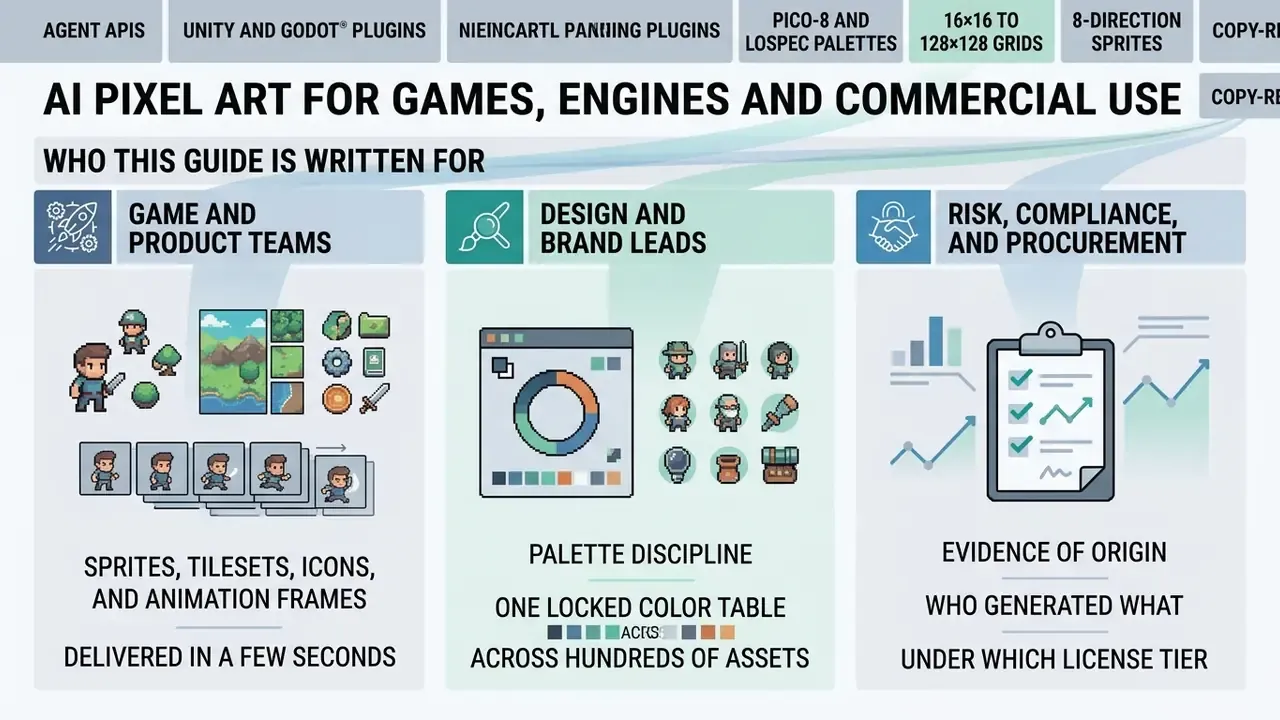
Who This Guide Is Written For
What Is a Pixel Art Generator and What Problems Does It Solve?
«SD-πXL lets users specify arbitrary output size H×W and an n-color palette, using differentiable Gumbel-softmax sampling to obtain crisp pixel boundaries.»
That research matters commercially because palette-constrained synthesis is what separates genuine pixel art from a blurred, filtered photograph. A generator that cannot bind output to a declared color table and a declared grid will always hand you assets that need manual repair. Every time.
In commercial software development and indie game production, digital art creation requires consistent pixel grids, transparent backgrounds, and precise color limits. A standard pixal art generator or pixelated art generator enforces hard pixel edges and removes anti-aliasing blur, which enables fast prototyping for game developers and marketing teams alike. Buyers comparing categories can start with the broader landscape of AI image generators before narrowing down to pixel-specific engines.
AI Pixel Art Generators vs. Image-to-Pixel Art Converters
An ai image generator pixel system creates brand-new retro artwork from a text prompt. An image to pixel art generator transforms existing raster photographs or illustrations into pixelated equivalents. Different jobs, different failure modes.
- Text-to-Image Generation Produces original scenes, sprites, or UI icons from descriptive text, using latent or pixel-space diffusion backbones to construct new spatial layouts.
- Image-to-Pixel Conversion Uses segmentation, edge detection, and color quantization to turn uploaded photographs or sketches into pixel art while preserving the underlying composition.
«Art-oriented pixelization analyzes cartoon images, preserving edges and key details without training data, avoiding the artifacts and color noise typical of pixelation tools.»
Teams choosing between these approaches should review broader asset modification methods through our AI Media Comparison guide, then shortlist candidates among the best AI image generators by control surface rather than by marketing copy. Control surface means one thing here: how many of grid, palette, outline, and seed you can actually pin down.
8-Bit, 2D, and 3D Pixel Art: Choosing Visual Styles
Picking an AI style means matching target grid sizes, palette constraints, and rendering perspective to project performance requirements.
- 8-Bit Style Uses an ai 8 bit image generator or 8 bit ai image generator preset. It enforces hard edges on 8×8 to 16×16 grids with 4 to 16 distinct colors and zero anti-aliasing. An 8 bit image generator ai preset is the shortest path to a readable icon set.
- 16-Bit 2D Style Operates on 16×16 to 32×32 grids with 16 to 32 colors, offering richer shading for sprite characters and environment tiles.
- Isometric 2D Style Requires a 3/4 view and a 2:1 pixel ratio, so tile geometry stays consistent once assets are assembled into a level.
- 3D & Voxel Pixel Art A 3d pixel art generator projects block geometry or orthographic renders onto pixelated 2D planes, holding volumetric consistency across character rotations.
«GameTileNet contains 2,142 annotated game objects from 67 tilesets at 32×32 pixels, with semantic labels, affordance types, and hierarchical metadata.»
«Voxify3D reaches CLIP-IQA 37.12 and 77.90% user preference under controllable abstraction with 2 to 8 color palettes and 20× to 50× resolutions.» Voxify3D, arXiv (2025). https://arxiv.org/abs/2504.07741
To see how generative visual assets slot into digital publishing pipelines, team leads can explore the hub for foundational concepts and review how AI art generators handle style presets across media types.
Commercial Use of Pixel Art: Legal and Licensing Verification
Fact Check & Licensing Verification
Commercial Use Terms: Free vs. Paid AI Tools
License rights vary a lot across software tiers, and the gap is widest exactly where inexperienced teams assume it is narrowest.
- Free Tier Risks Several vendors stipulate that free-tier generations remain platform property, are published publicly by default, and cannot be exploited commercially. Adobe's generative AI additional terms have historically granted the vendor a broad license over free-tier inputs and outputs, removed by purchasing a paid plan.
- Paid Tier Rights Platforms such as OpenAI and Scenario assign output ownership rights to subscribers within plan parameters. OpenAI's terms state that the user owns the output, and Scenario permits commercial use within the scope of the subscribed plan.
- Attribution traps Some low-cost tools grant "personal and limited commercial use with attribution", which is incompatible with shipped commercial games and client-facing brand work. Read that clause twice before your marketing team ships a banner.
Organizations auditing platform compliance can review legal frameworks via our open the hub portal, and teams benchmarking no-cost options should weigh the rights implications documented for free AI image generators.
Exporting Pixel Art for Games, Web, and Print
Exporting visual assets into production environments demands strict technical compliance:
- Format: Use PNG to preserve exact alpha-channel transparency. The PNG specification (3rd Edition, 2025) requires transparent-pixel detection to happen exactly before any precision reduction, which is why PNG remains the safe container for sprite transparency.
- Scaling Method: Apply nearest-neighbor interpolation at integer multiples (200%, 400%, 800%) to prevent bilinear blur. Teams enlarging assets for large-format print can compare behavior against general-purpose AI image upscalers, which smooth edges by design and are therefore usually the wrong tool for pixel art.
- Anti-Aliasing: Disable every anti-aliasing filter during export so pixel boundaries stay sharp.
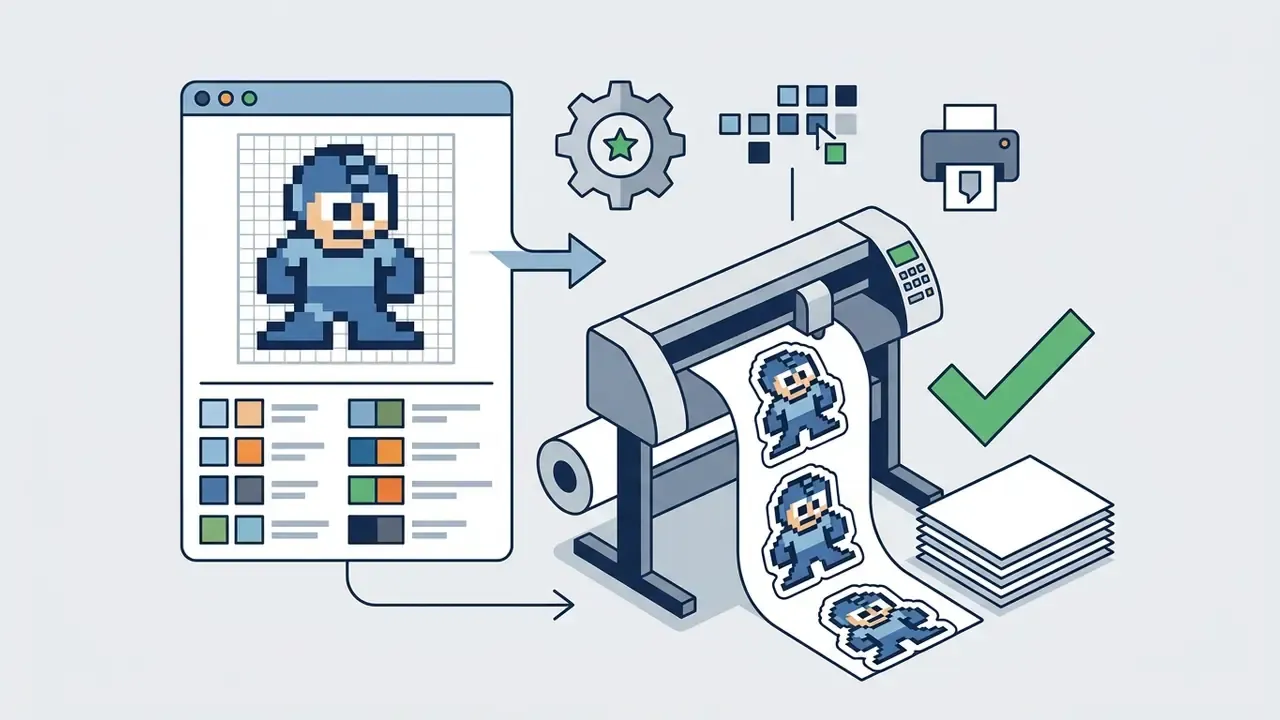
- Print preparation: For apparel, posters, and stickers, print vendors generally require PNG or JPG artwork. Use transparent PNG where a cut-out background is needed, and scale only at integer multiples so pixel edges stay square at 150 to 300 DPI.
How to Create Pixel Art with AI: Text Prompts vs. Image Uploads
Creating custom retro visuals with an ai art pixel system follows a structured pipeline: input descriptive text or upload a reference file, choose grid resolution and color limits, generate, then export game-ready files.
Figure: AI Pixel Art Generation Process Flow
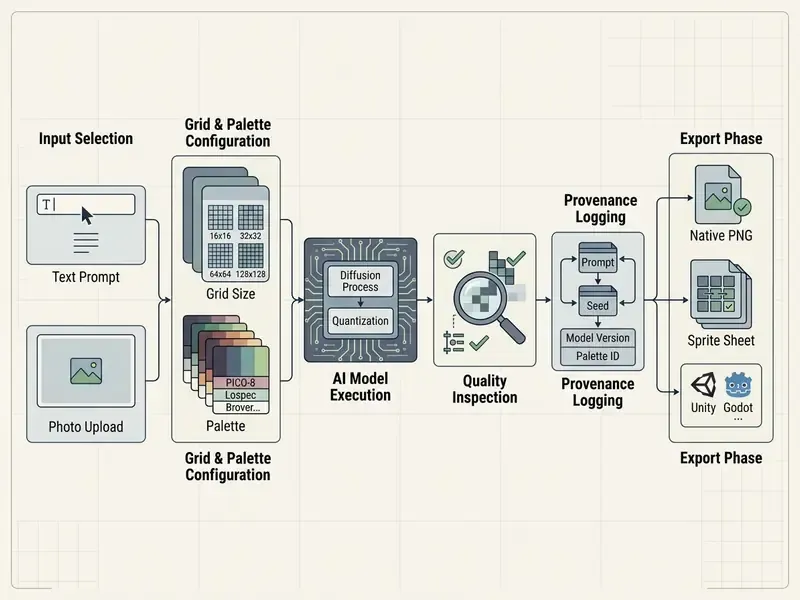
Step 5 is the one teams skip. It is also the only step that makes step 1 defensible six months later.
- Select Input Mode
- Enter a descriptive text prompt or upload an existing source image.
- Configure Parameters
- Set target pixel size (16×16, 32×32, 64×64) and restrict the color palette.
- Generate Image
- Run the pixel ai generator to synthesize or convert the asset.
- Inspect Quality
- Check edge crispness, absence of unwanted anti-aliasing, and color boundary clarity.
- Log the Run
- Capture prompt text, seed, model version, palette identifier, and license tier for reproducibility.
- Export Output
- Download lossless PNG files with transparent backgrounds.
How to Write Text Prompts for AI Pixel Art
Effective prompts for an ai pixel art tool state the subject, perspective, grid scale, and lighting style, while actively suppressing high-detail artifacts.
To generate pixel art with ai, structured prompts should specify:
- Subject & Role "16-bit knight sprite, idle pose."
- Style & Era "SNES retro game style, crisp hard pixel edges, no anti-aliasing."
- Color Rules "Limited 16-color palette, high contrast, dark outline."
- Perspective "Side-scroller view" or "Top-down 2D isometric."
A pixel art idea generator helps at the concept stage, when nobody has decided whether the mascot is a fox or a vault door. Treat it as brainstorming, not as production.
Copy-Ready Prompt Templates by Asset Pattern
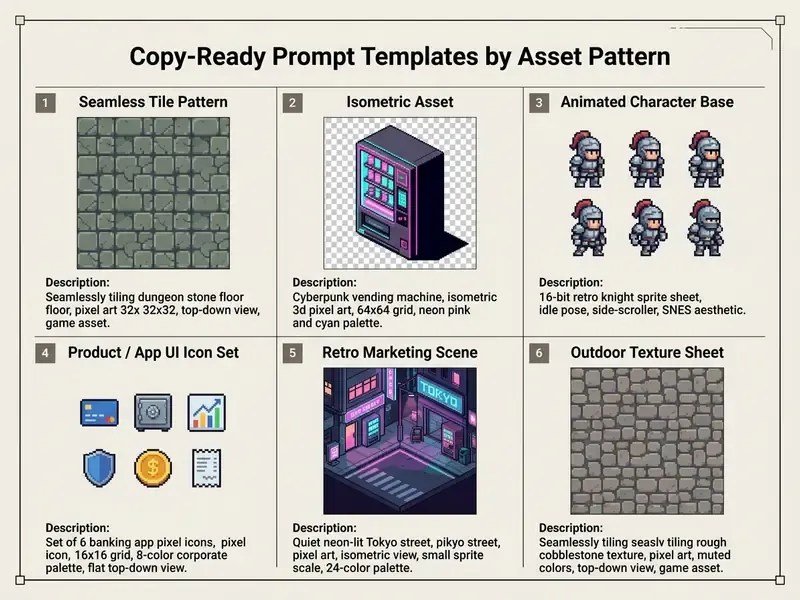
A useful negative-prompt baseline for diffusion backbones is blurry, noisy, highly detailed, ultra textured, photo, realistic. It suppresses the soft rendering that quietly destroys pixel grids, which is the single most common reason a promising draft looks like a downscaled JPEG.
When refining generative image prompts, operators can consult tools for ai image description to standardize text inputs across a team, so the same asset brief produces reproducible results between operators.
How to Turn Photos into Pixel Art (Image-to-Pixel Conversion)
Transforming a raster photograph with a custom pixel art generator relies on downsampling algorithms that group neighboring pixels while preserving structural outlines.
To convert image files reliably, nearest-neighbor downsampling holds hard lines better than bicubic interpolation, which tends to smear color boundaries.
«AOP preserves principal features and detail integrity at arbitrary pixel sizes, while standard pixelation tools yield artifacts and color noise.»
Content-adaptive methods go further by segmenting the source before resampling. SIGGRAPH Asia research on content-adaptive image downscaling used mean-shift segmentation with a fixed spatial bandwidth to control how many distinct output colors survive the reduction. For existing media preparation, technical teams run automated ai image cleanup before downsampling, then compare candidate image-to-image generators by how faithfully each respects the source composition.
One practical observation from reviewing conversion output: faces survive at 32×32 only when the hair silhouette and eye line read as separate luminance blocks. Below that, everyone becomes the same person.
Managing Pixel Art Quality: Pixel Size, Palettes, Detail, and 8-Direction Sets
High quality pixel art depends on strict constraints over grid resolution, palette size, and contrast ratios, so assets stay readable on low-resolution screens and at thumbnail scale.
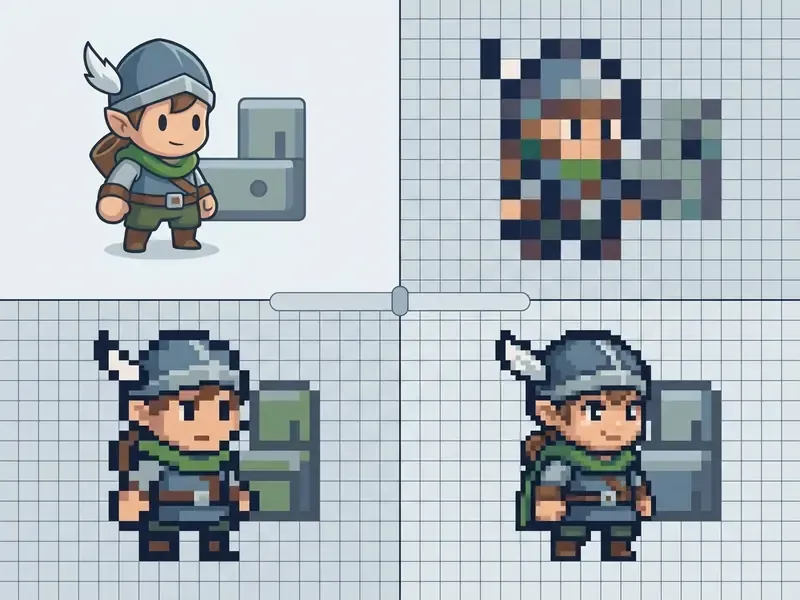
Selecting Pixel Size and Canvas Grid Resolution
Grid size sets the level of abstraction and the functional application for game environments and digital media.
- 16×16 Grid Ideal for UI icons, inventory props, and basic terrain tiles. Legibility at this scale depends mostly on element size and luminance contrast rather than the number of hues, so small icons need strong light and dark separation instead of extra colors.
- 32×32 Grid The working standard for character sprites, animated NPC figures, and detailed environment objects.
- 64×64 to 128×128 Grid Built for boss characters, promotional portraits, and complex background scenes.
«GameTileNet uses 32×32 pixels as the tile standard: annotators reliably judged whether adjacent tile edges belonged to the same object at this resolution.»
When adapting source artwork to different grid scales, production teams often use ai image colorizer features to balance palette saturation before quantization locks the color table. After quantization, your options narrow fast.
Maintaining a Consistent Pixel Style for Sprites and Characters
Style drift shows up when AI tools return sprites with varying outline weights, mismatched lighting angles, or divergent color palettes inside the same asset set. Players notice it before art directors do.
To hold visual cohesion:
- Lock a Primary PaletteEnforce a shared 16-color swatch across every character generation.
- Standardize LightingSpecify one fixed light source, for example "top-left lighting", in all text prompts.
- Use Reference ConditioningSupply a master character image to steer downstream generations.
- Freeze Line WeightDeclare a 1px outline rule in every prompt so silhouettes stay comparable at target scale.
«A CollaGAN-based sprite completion model generates a sprite in the target pose from available views, preserving character identity and pixel art style.»
For multi-layered sprite adjustments, creative teams streamline asset workflows to enforce uniform visual standards, and use AI photo editors for the pixel-level cleanup that generation alone will not deliver.
Standard Palette Compatibility (Lospec & Custom Palette PNGs)
To prevent color drift, tools must constrain output to indexed color tables rather than trusting prompt wording. Prompt wording is a suggestion. An indexed table is a rule. Capable generators support:
- Industry Standard Palettes Direct locking to community presets including PICO-8 (16 colors), Sweetie-16, Endesga-32, Resurrect-64, NA16, AAP-64, CC-29, DawnBringer-32, and Island Joy 16. That Lospec-compatible set is what most tilesets and asset packs are authored against.
- Custom Palette PNG Uploads Quantizing generated output against a user-uploaded 1px-tall palette PNG, which delivers 100% color matching with existing game art assets or with a brand's hex-defined corporate palette.
- Palette Versioning Store the palette file as a build artifact with a version ID, so assets regenerated months later still match shipped art.
Generating 8-Directional Sprite Sets from a Single Reference
Top-down RPGs and isometric games need structural consistency across cardinal and intermediate compass angles (N, NE, E, SE, S, SW, W, NW). Advanced diffusion models use depth maps and structural conditioning from a single base frame to project matching 8-direction views, preserving silhouette proportions and color indexes across all angles. Production tools now expose this as one grouped batch operation: select a source sprite, request the 8-direction set, receive all eight views with consistent palette indexing and frame dimensions, ready for a directional animation state machine.
How to Choose an AI Pixel Art Generator: Selection and Enterprise Criteria
Evaluating a pixel art image generator, a pixel ai image generator, or a pixel ai generator free tier means examining creative controls, output formats, batch options, security posture, and commercial licensing terms together. Never one in isolation.
| Feature / Criteria | AI Prompt Generator (e.g., Scenario) | Image-to-Pixel Converter (e.g., AOP / Fal.ai) | Manual Pixel Editor (e.g., Piskel) |
|---|---|---|---|
| Creation Method | Text prompt to image | Uploaded photo downsampling | Pixel-by-pixel manual drawing |
| Custom Grid Sizes | 16×16 up to 512×512 | Arbitrary target resolutions | Freeform canvas grid |
| Palette Control | Prompt-guided, reference, or Lospec preset lock | Automated color clustering plus palette PNG upload | Manual swatch selection |
| Sprite Sheet Export | Supported via API / plugin | Single frame export | Native animated GIF / PNG sheet |
| 8-Direction Batch | Supported on specialized models | Not applicable | Manual redraw per angle |
| Engine Plugins | Unity / Godot plugins on specialized vendors | Rare | Manual import |
| Processing Location | Cloud inference (SaaS) | Cloud or client-side (browser) | Fully local / client-side |
| Data Retention Control | Vendor-defined (check DPA) | Varies: none to 24 hours | No upload required |
| Enterprise Deployment | Some vendors offer VPC / on-prem options | Rare | N/A (local install) |
| Audit Logging | API logs where exposed | Usually absent | Manual version control |
| Certifications to Request | SOC 2 Type II, ISO/IEC 27001 | SOC 2 Type II | N/A |
| Commercial Rights | Dependent on platform tier | Retains source image rights | 100% user-owned |
No matching rows Clear one or more filters to restore the matrix.
Short version of that table: manual editors win on rights and data control, prompt generators win on speed, converters sit in between. Before committing to a paid tier, benchmark candidates against the broader market of free AI art generators to establish a realistic quality floor.
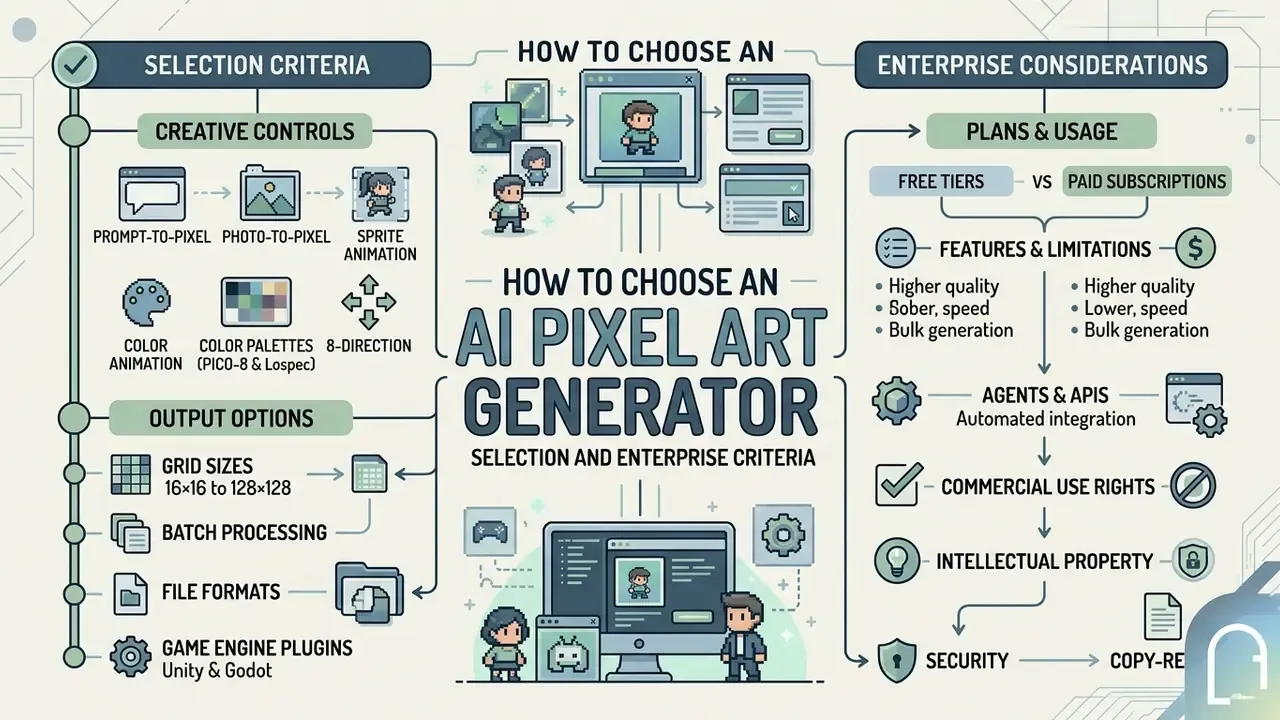
Generator Capabilities for Prompts, Photos, and Sprites
Advanced engines support hybrid workflows where a pixel art idea generator turns text descriptions into initial concepts, which are then conditioned with reference images.
«PixelGen reaches FID 5.11 on ImageNet-256 without classifier-free guidance in only 80 training epochs, beating latent-diffusion REPA (FID 5.90 at 800 epochs).»
Free Pixel Art Generators vs. Paid Features
Free tiers give you a fast testing environment. They also carry operational restrictions that paid commercial plans usually lift.
- Free Tiers Typically cap generation quotas, publish output assets publicly, restrict high-resolution downloads, and prohibit commercial exploitation.
- Paid Subscriptions Provide private asset processing, custom grid overrides, commercial licensing rights, API access, and direct PNG sprite sheet exports.
Where to Use AI-Generated Pixel Art
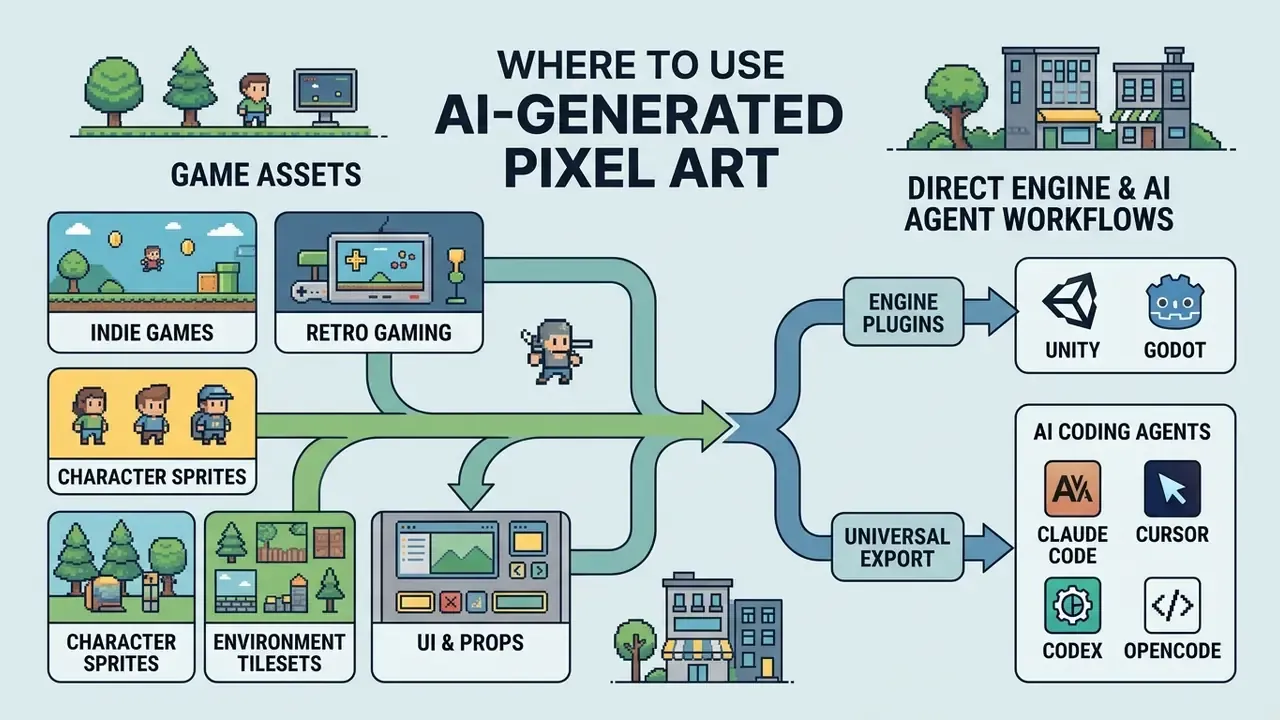
AI-synthesized pixel assets serve interactive entertainment systems and commercial media campaigns, as long as style constraints stay aligned with platform expectations.
Both cases are illustrative composites. Use them as a shape for your own measurement, not as a benchmark to quote upward.
Game Assets for Indie Games and Retro Gaming
Indie studios deploy generator pixel art pipelines to build game-ready material, including:
- Character Sprites Multi-directional idle, walk, and attack frames, including full 8-direction sets for top-down and isometric projects.
- Environment Tilesets Tileable textures for ground, walls, and background layers.
- UI & Props Inventory icons, health bars, and interactive world items.
«GameTileNet includes 2,142 objects from 67 tilesets annotated with affordances and narrative roles, supporting procedural content generation for 2D retro games.»
Independent evaluation urges restraint, though. A 2026 comparative study of AI-generated versus hand-made 2D pixel assets reported player criticism of blurriness, weak animation, and missing polish in the AI set, concluding that manual refinement remains necessary to meet indie-game expectations. So treat generation as a first-pass drafting layer, not as final art. Stunning pixel work still comes from a human pass at the end.
Direct Engine & AI Agent Workflows (Unity, Godot, Claude Code)
Modern game development pipelines skip manual file shuffling by wiring generators straight into IDEs and engines:
- Engine Plugins (Unity & Godot)
- Native plugins pull generated sprites into project
Assets/folders, apply point-filter texture settings (no bilinear blur), and create ready-to-use SpriteAtlas files. Generation happens inside the editor, so artists never leave the scene view to fetch a file. - Universal Export
- For GameMaker, Defold, or custom engines, one-click PNG and sprite-sheet export keeps assets portable without a plugin dependency.
- AI Coding Agents (Claude Code, Cursor, Codex, OpenCode)
- Developers connect generator APIs to CLI agents. With an API key in place, an instruction such as "Generate a 32×32 water spell icon with a 16-color palette and save it to assets" triggers asset generation and code binding in one command. Agents can also request 8-direction batches and walk-cycle animations, then wire the resulting sheets into an animation controller.
- API Surface to Verify
- Generation, prompt-based editing, style matching against a reference sprite, 8-direction batching, and animation endpoints, plus per-key usage logs for cost attribution.
That last bullet is where governance and engineering finally agree. An agent with an API key is a digital worker: it needs an owner, a scope, and a log.
For studios integrating text analysis into asset metadata, an ai image describer helps tag game assets for engine searchability, while studios still choosing a vendor can compare the best AI art generators by control depth and export fidelity.
Avatars, Social Media, and Digital Art
Digital marketing campaigns use a pixel art portrait generator or pixelated art generator to produce branded profile avatars, retro promotional banners, and custom merchandise.
- Social Avatars Crisp 32×32 portraits built for community platforms and social media, where small-format identity graphics must stay readable at thumbnail scale. Avatar design research treats pixel art as a distinct stylistic category for profile identity, which is part of why the style survives across forums, messaging apps, and collectible art projects.
- Merchandise Print Scaled PNG assets expanded with nearest-neighbor interpolation to preserve hard pixel edges. Print-on-demand platforms generally require PNG or JPG artwork at a minimum of 150 DPI, with transparent PNG for cut-out backgrounds and flat solid colors for accurate reproduction on apparel and posters.
- Digital Art & Collectibles Pixel art works as a standalone raster medium, not only as a game asset, which supports portfolio series, sticker packs, and limited-edition digital collections.
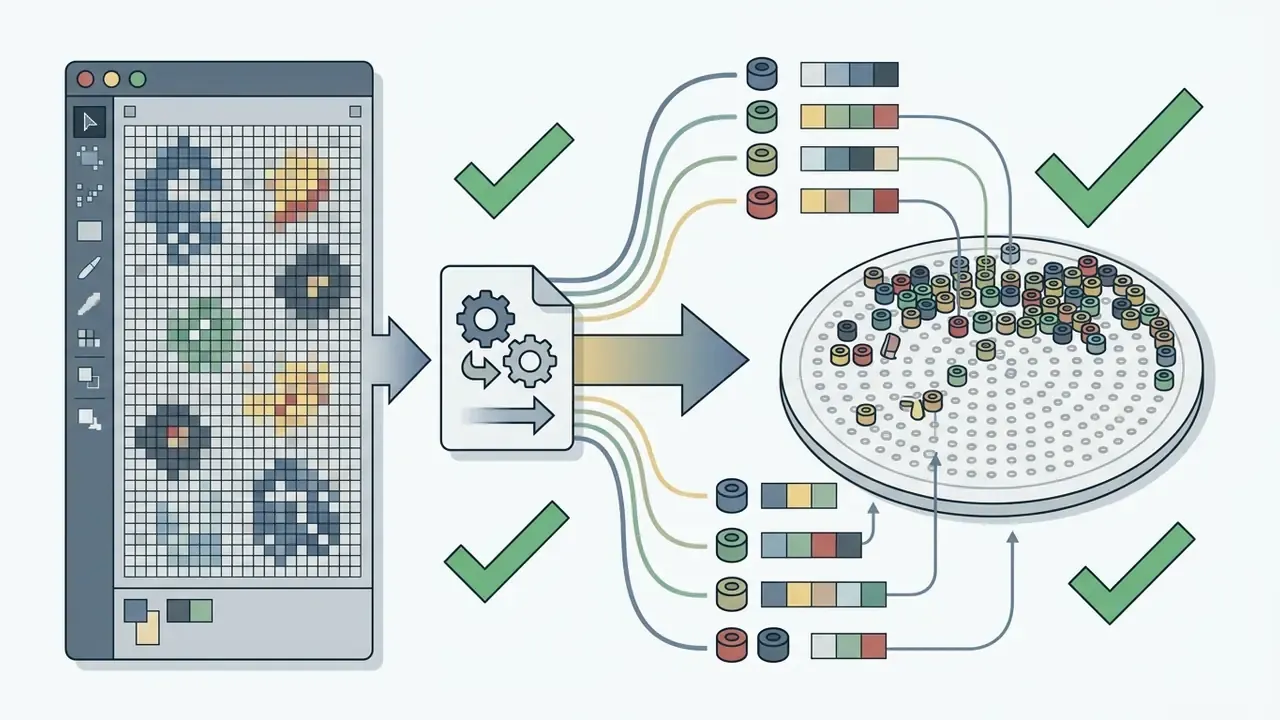
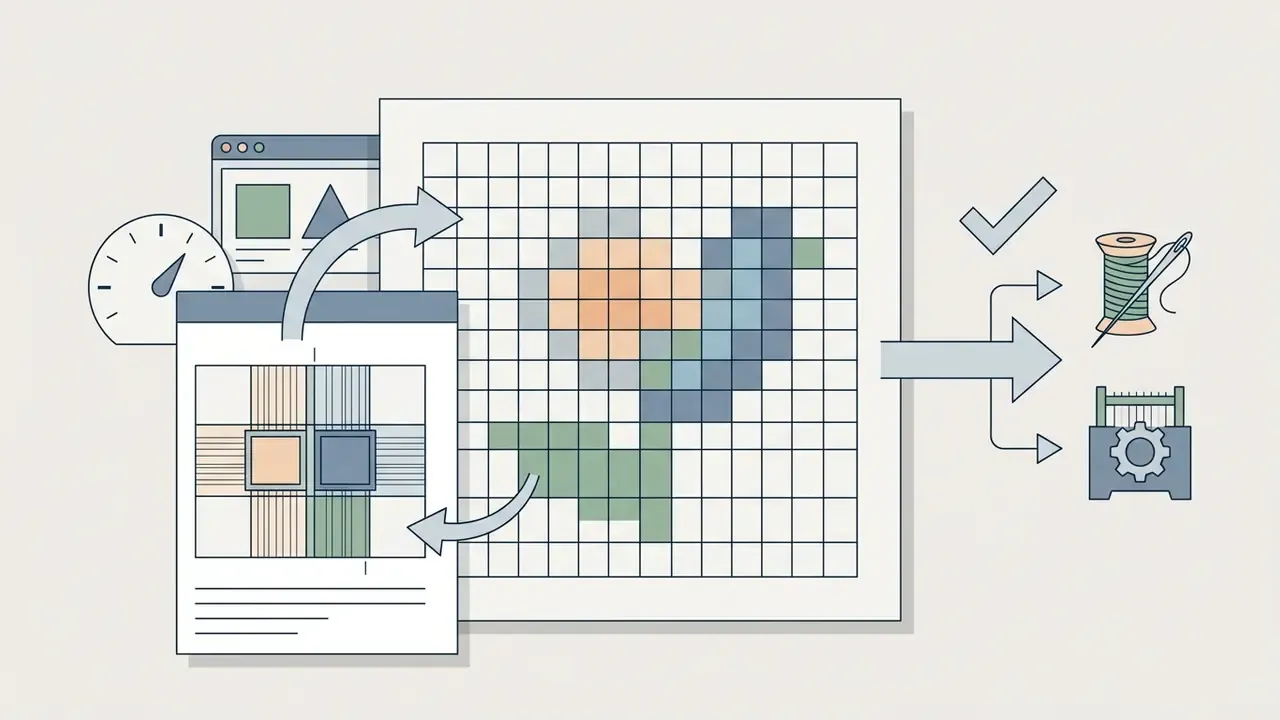
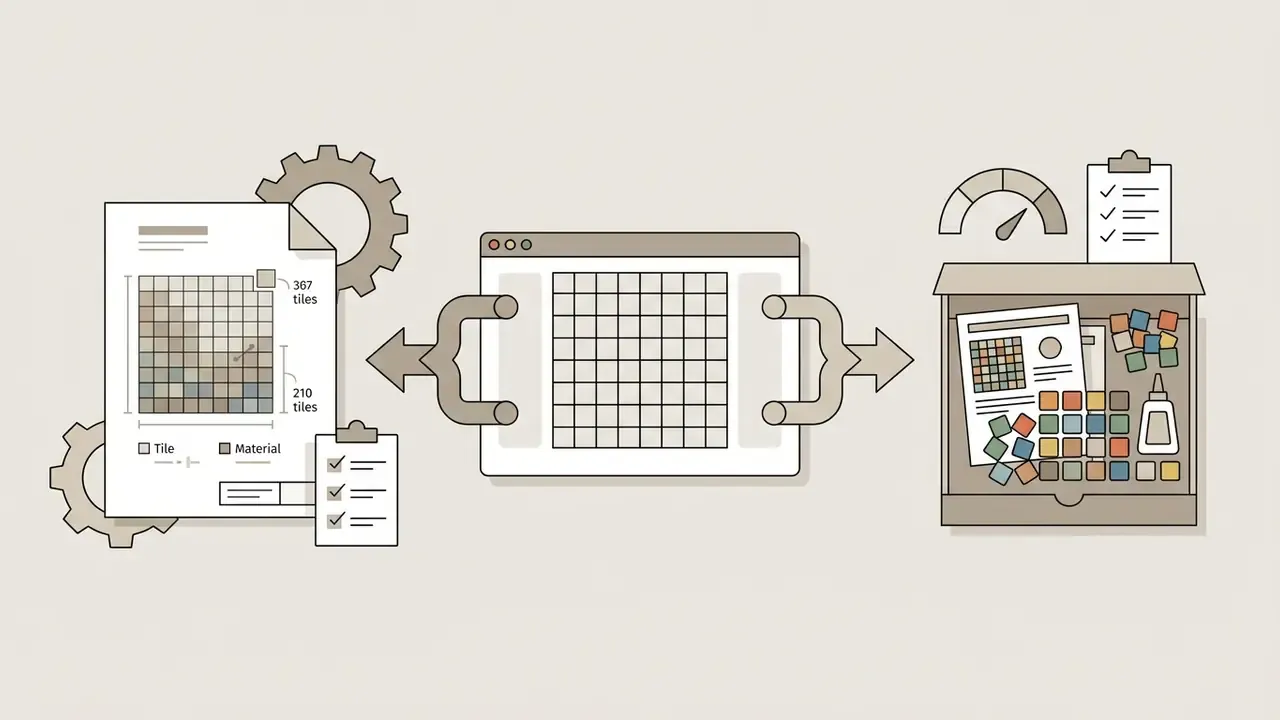
Physical Crafts, Cross-Stitch, and Perler Bead Blueprints
Because outputs are strictly grid-aligned with indexed palettes, AI-generated pixel art doubles as a native blueprint for physical media:
Governance: Shadow AI Controls, Audit Trail, and Risk-Adjusted ROI
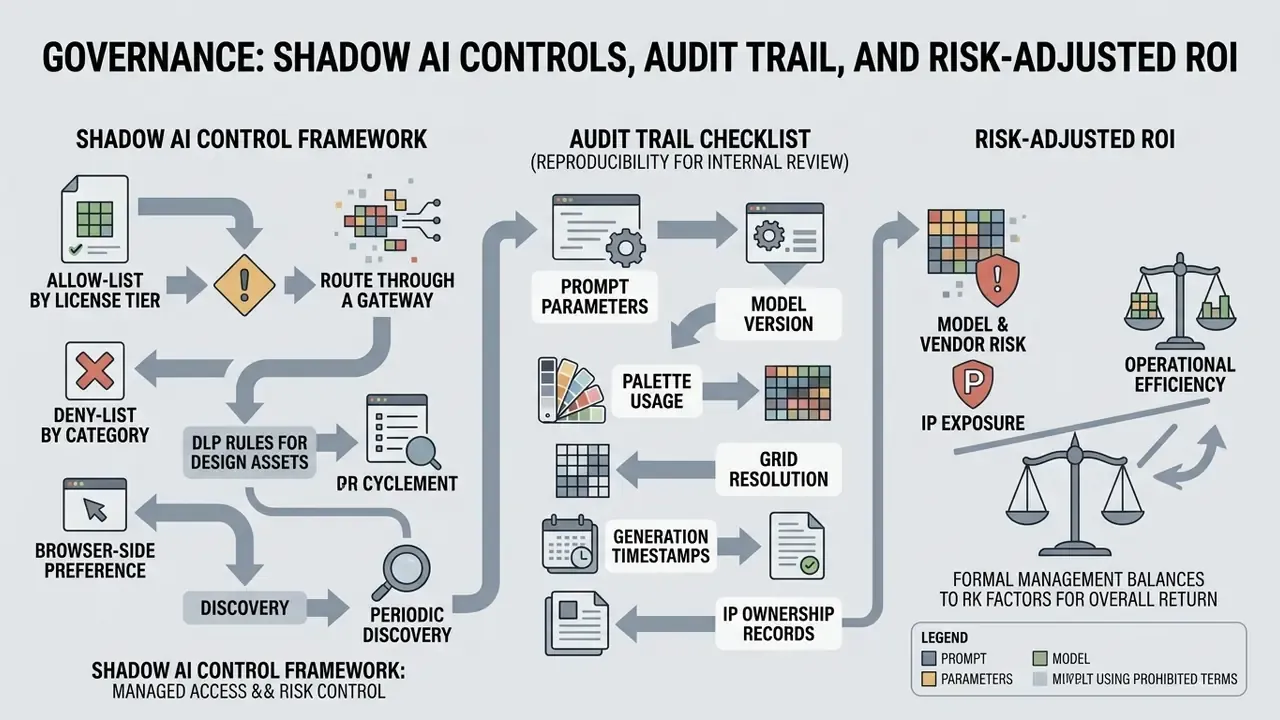
For organizations where model risk, vendor risk, and IP exposure are formally managed, a pixel art generator is a third-party AI service like any other. Three control layers matter.
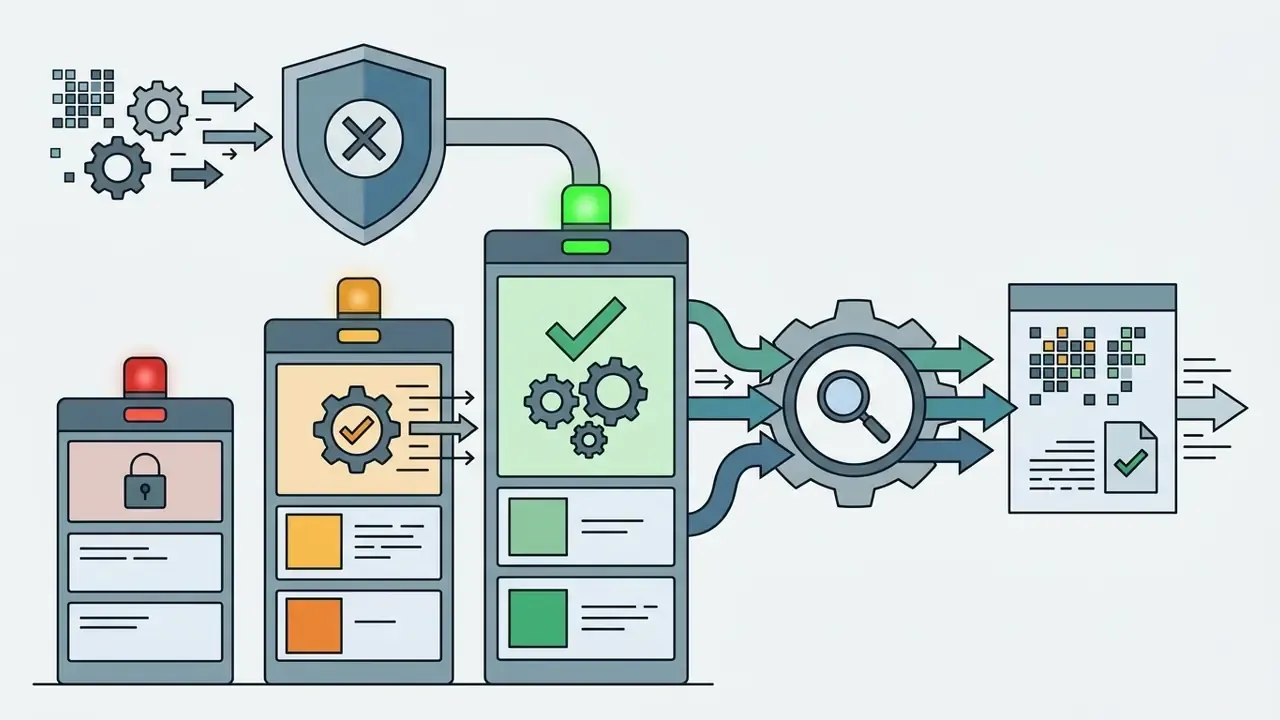
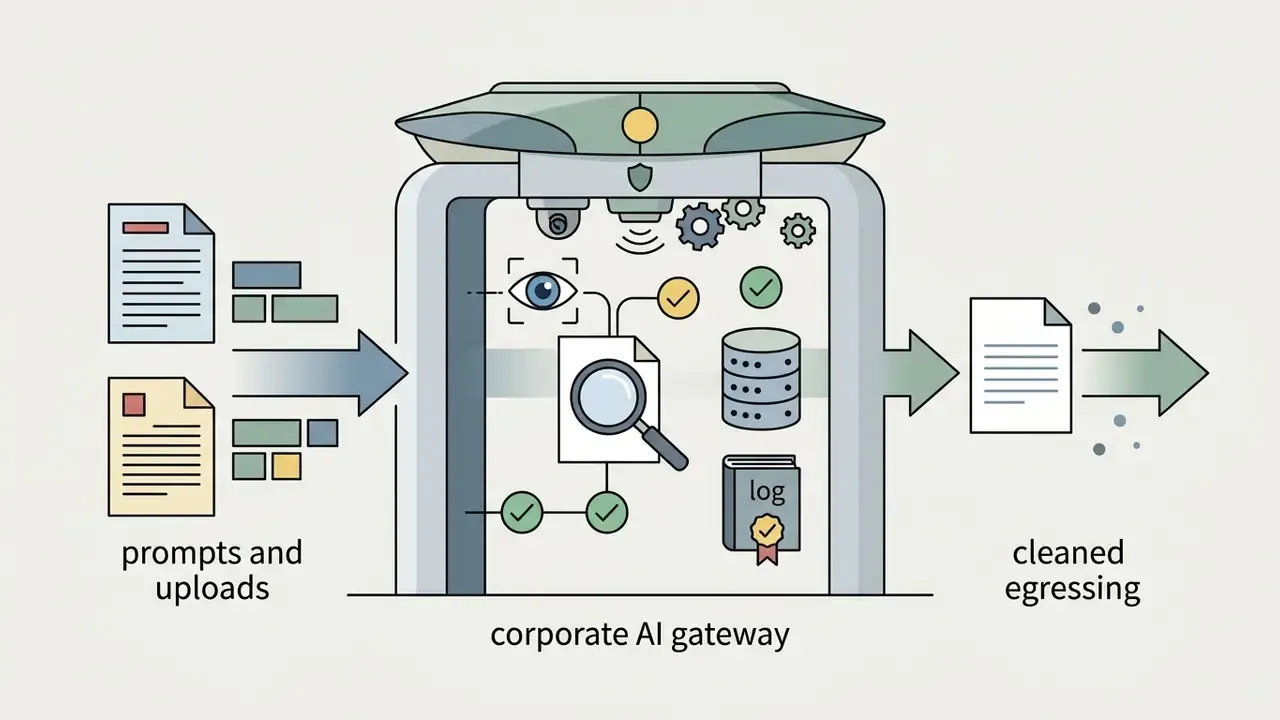
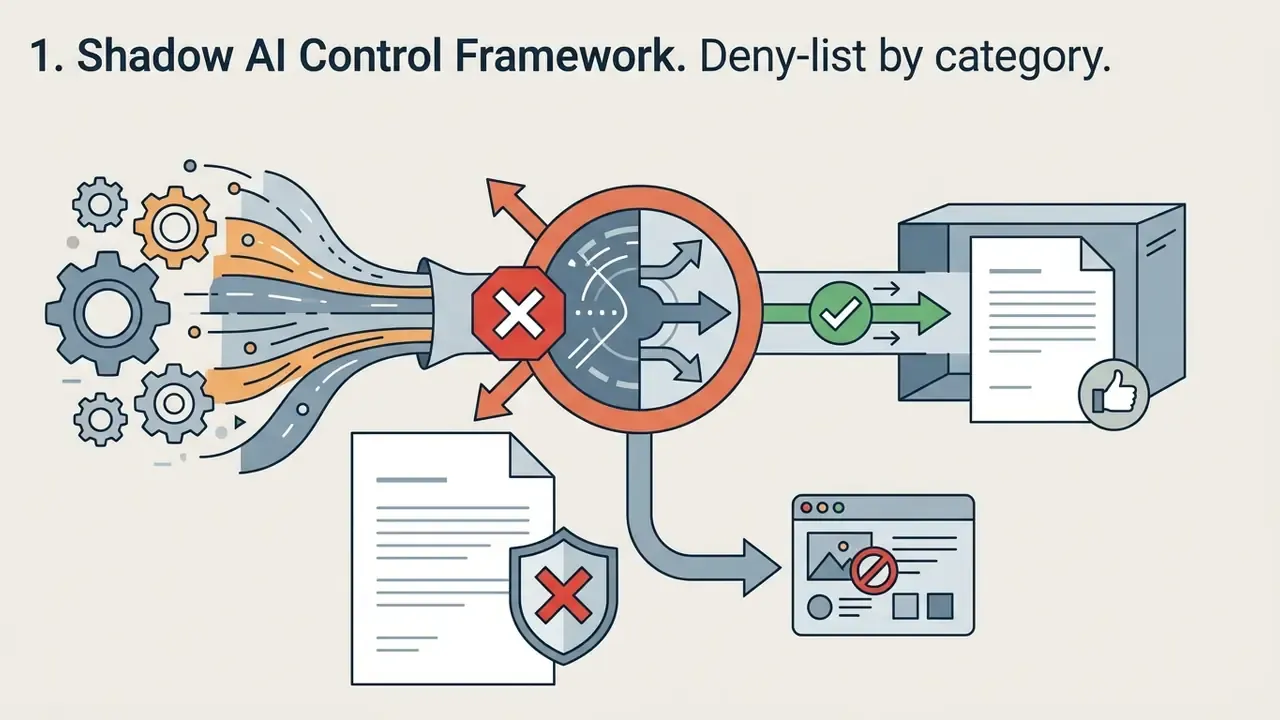
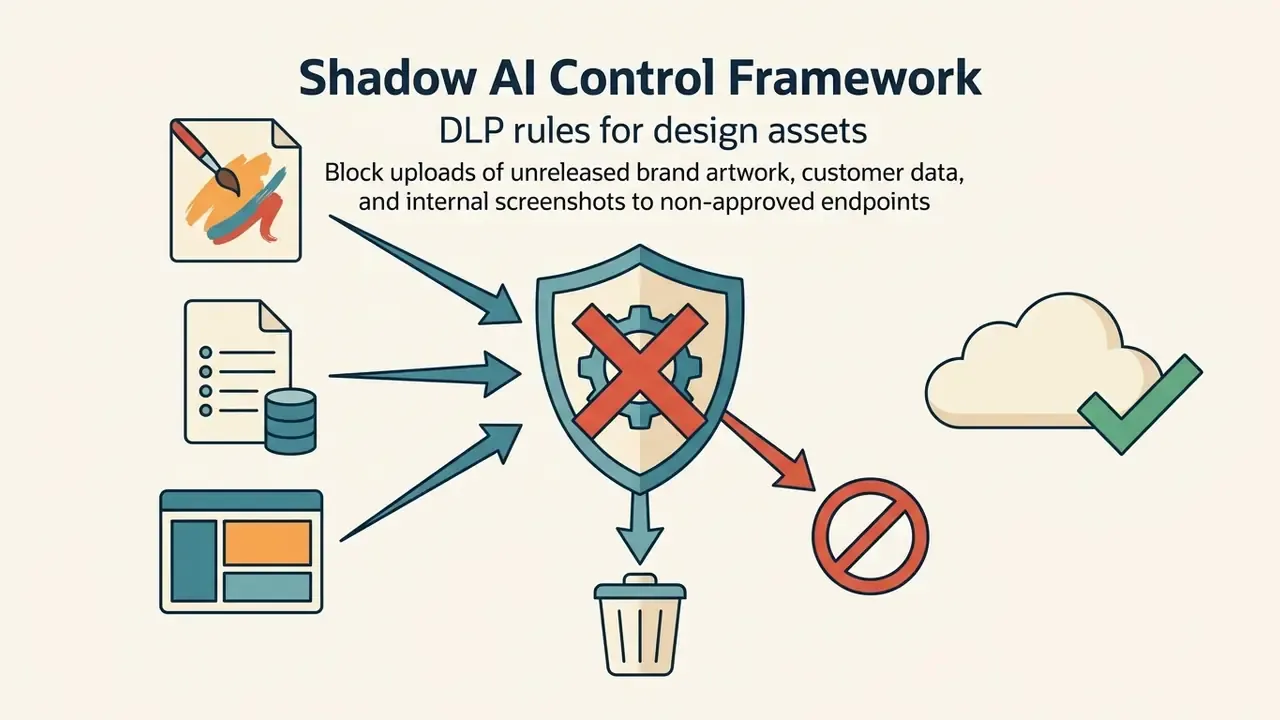
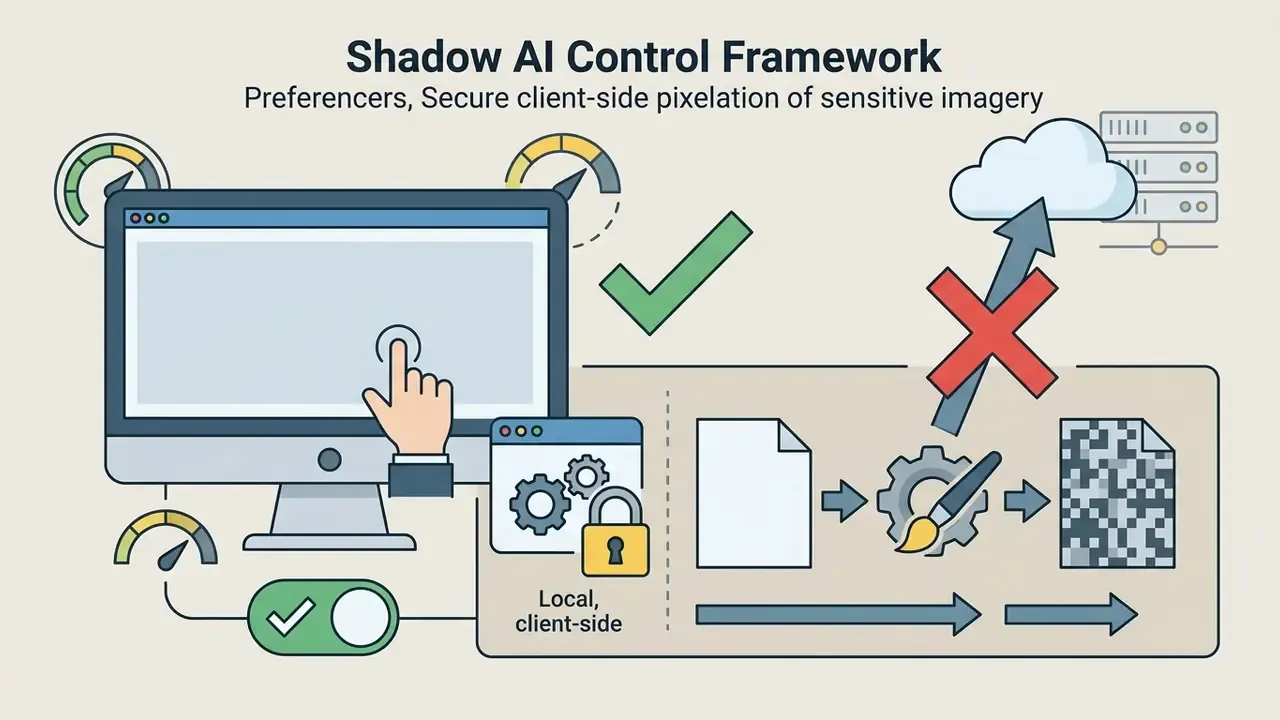
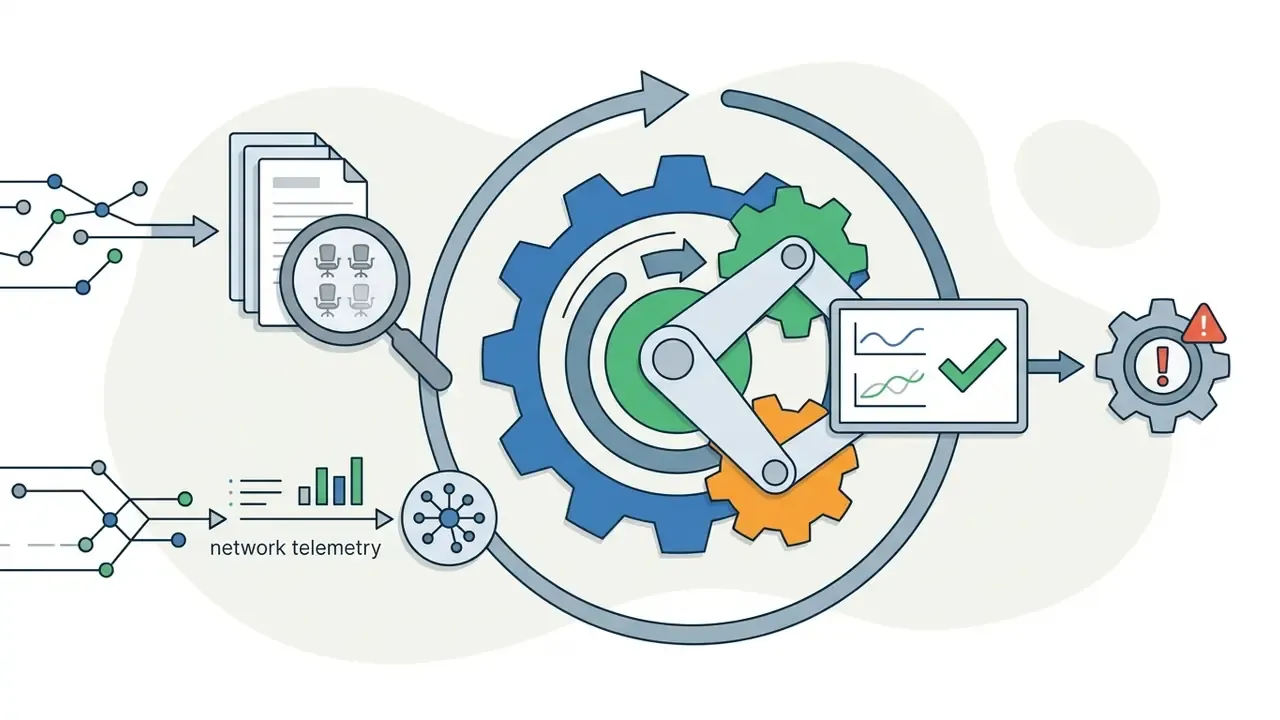
1. Shadow AI Control Framework
Uncontrolled use of consumer generators creates two exposures at once: unlicensed commercial output, and unmanaged data egress of design files, screenshots, or customer-facing artwork.
2. Audit Trail Checklist (Reproducibility for Internal Review)
Log the following for every generated asset that reaches production:
| Field | Why it is required |
|---|---|
| Prompt text (verbatim) | Demonstrates human creative direction and enables regeneration |
| Negative prompt / constraints | Explains why output looks as it does |
| Seed value | Makes the run reproducible |
| Model name plus version | Ties output to a specific vendor model state |
| Vendor plan / license tier at generation time | Evidences commercial-use rights |
| Palette ID or palette PNG hash | Guarantees future color consistency |
| Grid size and export scaling factor | Documents technical compliance (nearest-neighbor, integer scale) |
| Human edits performed (tool plus description) | Supports the human-authorship record for registration attempts |
| Reviewer and approval date | Closes the accountability loop |
Nine fields. A design repo commit can carry all of them, which is cheaper than reconstructing provenance during a dispute.
3. Risk-Adjusted ROI Structure
Time savings alone overstate the business case. Use a net model:
Risk-Adjusted ROI =
  (Baseline manual art cost − Generation cost − Human refinement cost
   − Control cost − Legal review cost)
  ÷ (Generation cost + Human refinement cost + Control cost + Legal review cost)
- Baseline manual art cost Internal or contractor hours at loaded rates for the same asset volume.
- Generation cost Subscription or credit spend, plus API usage.
- Human refinement cost Cleanup hours, which are non-trivial given documented polish gaps in unrefined AI pixel art.
- Control cost Gateway, logging, DLP tuning, and reviewer time.
- Legal review cost Terms review, registration strategy, and residual-risk provisioning where output cannot be copyrighted.
The 40-hours-to-15-minutes avatar case above still holds, but only after subtracting refinement and control overhead. Model residual risk explicitly instead of assuming it is zero. Unregistrable art in a flagship product is a real exposure, even when the dollar figure is hard to pin down.
Frequently Asked Questions About Pixel Art Generator
Do You Need to Install Software to Create Pixel Art?
No. Web-based tools run inside modern browsers using HTML5 and WebGL, so creators can create pixel art with ai without downloading desktop applications. Browser editors in this class support layers, animation timelines, and PNG, GIF, or sprite-sheet export entirely client-side, usually in a few clicks.
Are Images Uploaded to a Server During Conversion?
It depends on the architecture. Client-side browser converters process images locally without server storage, while cloud-based diffusion tools transmit uploads to remote servers. Publicly documented retention models fall into four groups: no server-side storage at all (fully in-browser processing), deletion immediately after conversion, deletion within a short queue window of roughly two hours, and deletion within 24 hours. Confirm the specific vendor's privacy policy and data processing agreement rather than assuming a default.
«Academic research does not analyze the privacy policies of browser-based pixel art converters; data-handling questions require reviewing each vendor's documentation.» Pixel Art Generators in Contemporary AI Research, synthesis (2023 to 2026). No matching peer-reviewed source identified.
Can You Use a Pixel Art Generator for Minecraft Builds?
Yes. An image to pixel art generator can downsample an image onto a target grid such as 64×64 and export block-by-block material lists or schematic files for building pixel art structures in Minecraft. Dedicated converters match pixel colors to block palettes using CIELAB color distance, support dithering, and export .schematic, .schem, .litematic, or .nbt files for WorldEdit and Litematica workflows.
Can You Convert PDFs into Pixel Art?
Yes. Vector graphics or raster images embedded in a PDF must first be rasterized and downsampled onto a discrete pixel grid, followed by color quantization to limit the output palette. Rasterization projects vector geometry onto the pixel lattice, decides which pixels fall inside each shape, and shades them. Scan-conversion techniques such as Bresenham-style line drawing produce clean discrete edges before quantization assigns one color per output cell.
Can You Generate Pixel Art Animations and Sprite Sheets?
Yes. Advanced diffusion pipelines accept pose references and frame sequences to generate multi-frame sprite sheets for character motion cycles. Adjacent animation makers handle timeline assembly and frame export, and a video generator can wrap the finished sheet into a preview clip for stakeholder review.
«A CollaGAN-based GAN generates a character sprite in the target pose from available views, performing comparably or better when several source images exist.» Missing Data Imputation GAN for Character Sprites, arXiv (2024). https://arxiv.org/abs/2407.03090
Two-stage diffusion pipelines documented in 2025 sprite-sheet research add reference conditioning and a motion module for temporal consistency, which is what keeps limb positions and palette indexes stable across frames.
Can AI Coding Agents Generate Pixel Art Directly?
Yes, where the vendor exposes an API. Supplying an agent such as Claude Code, Codex, or Cursor with an API key lets it generate, edit, style-match, produce 8-direction views, and animate assets as part of a build task. One caveat: agent-initiated generation must still be logged and license-checked like any other production asset. No evidence, no autonomy.
Can You Match Generated Art to an Existing Game's Palette?
Yes. Lock the generator to a community preset (PICO-8, Sweetie-16, Endesga-32, Resurrect-64), or upload a 1px-tall palette PNG holding your exact hex values. Quantizing against that file forces every output pixel into your existing color table.
Pre-Deployment Checklist
Run this before standardizing on any pixel art generator:
Checklist0 / 14
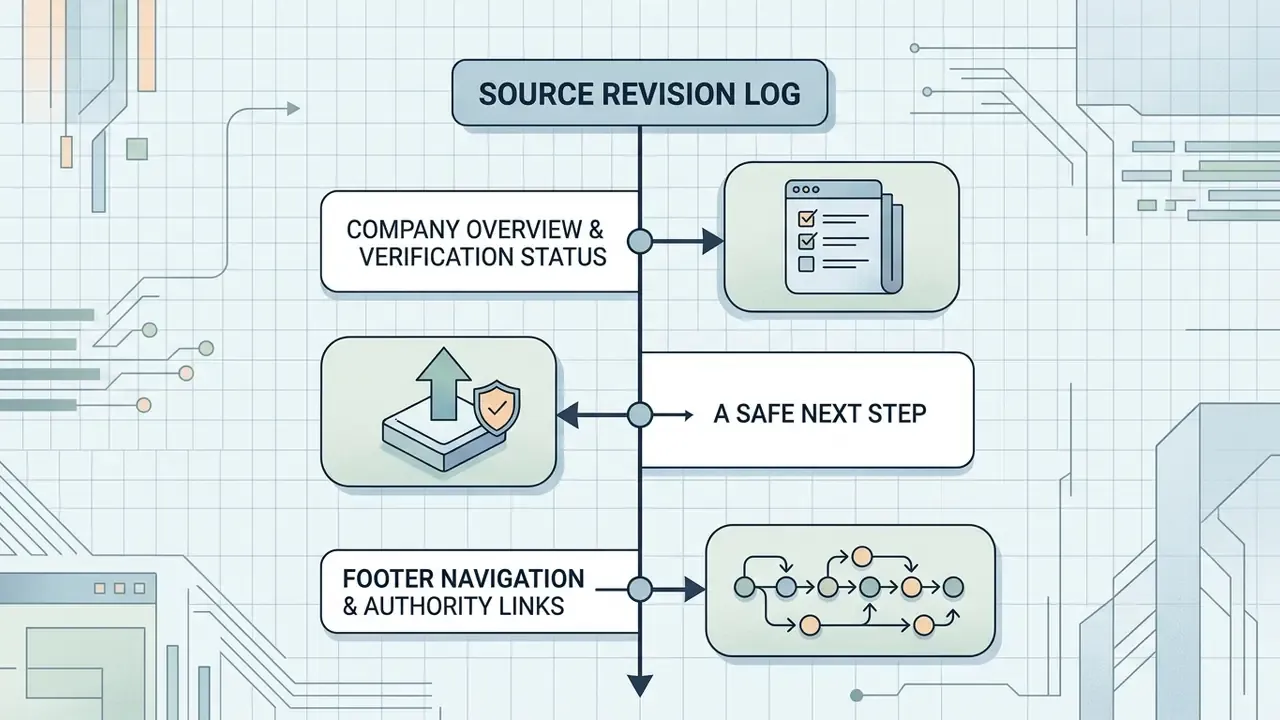
Appendix A: Source Revision Log
For transparency, the references below appeared in earlier revisions of this guide and were replaced or reframed because they lacked verifiable methodology, metrics, or a public URL. They stay here so readers can trace the editorial history instead of meeting silent changes.
| Earlier reference | Status | Replacement or treatment |
|---|---|---|
| PixelLab API Documentation, 2026 (capability claims) | Vendor doc, no methodology | Replaced in-text by SD-πXL (arXiv, 2024); vendor claims now flagged as trial-verifiable |
| Art-Oriented Pixelation Study, Lei et al., 2024 (no URL) | Incomplete citation | Replaced with full citation: The Visual Computer (2024), Springer URL |
| Voxify3D Research, 2025 (no metrics) | Incomplete citation | Replaced with quoted metrics and arXiv URL |
| Pixelated Image Abstraction, Texas A&M University, 2018 | Dated, no URL | Replaced by AOP (2024); rasterization principles retained in the PDF FAQ answer |
| GameTileNet, 2025 (bare mention) | Incomplete citation | Expanded with dataset scale and arXiv URL |
| CharaConsist Research, ICCV 2025 | Not independently verifiable | Replaced by CollaGAN-based sprite completion (arXiv, 2024) |
| Sprite Sheet Diffusion Research, 2025 (no URL) | Incomplete citation | Replaced by arXiv 2024 sprite GAN citation; 2025 two-stage pipeline described qualitatively |
| Stone Visualization Study, 2012 | Dated, no URL | Reframed as a legibility principle (size and luminance contrast) |
| Queensland Avatar Design Study (no year or URL) | Unverifiable | Removed as a citation; claim reframed as design-research context |
| Patreon & Fourthwall Merch Guidelines | Vendor guidance, no URL | Reframed as general print-on-demand requirements (PNG or JPG, 150 DPI minimum) |
| W3C PNG Specification, 2025 (no URL) | Normative doc, no URL | Reframed with the exact-transparency requirement described in plain language |
| Recraft / Pixazo / OpenAI / Scenario Terms, 2026 | Vendor terms, no URL | Retained as vendor-terms references with an explicit instruction to verify current documents |
| CloudConvert & FreeConvert Privacy Policies, 2026 | Vendor policies, no URL | Reframed into four documented retention models with a verify-the-DPA instruction |
Company Overview & Verification Status
A Safe Next Step
If you are early in evaluation, do not start with a vendor shortlist. Start with one contained pilot: a single asset family (icons or tiles), one locked palette, one named owner, and full run logging from day one. Measure refinement hours honestly. Then decide whether to expand, renegotiate, or stop.
Open questions worth documenting before that pilot closes: whether your intended assets need copyright registration at all, how residual risk is priced when they cannot be registered, and who signs off when an agent generates production art without a human in the loop. If you cannot answer the third one, that is your first control gap.