Executive Summary
- What it is An AI image combiner is a neural network application that decodes two or more uploaded photos into latent vector representations and merges them into one coherent frame, rather than stacking pixels on manual layers.
- Scale Production-grade pipelines now accept 2 to 9 source files simultaneously, with per-image weighting tokens controlling which subject dominates the final composition.
- Controls that matter Prompt guidance (CFG scale 7.0 to 9.0), style strength (0.4 to 0.7), image weight (0.5 to 0.8), aspect ratio, and lighting harmonization. Generation modes split into Seamless Fusion, Keep Identity, and High Consistency.
- Two different jobs Deep latent fusion for realistic blending; explicit split-frame prompting for side-by-side and before/after layouts where boundaries must stay sharp.
- Risk Purely AI-generated elements are not registrable for copyright in the United States, and free tiers frequently retain uploads for model training. That is a direct Shadow AI exposure for enterprise design teams.
Who This Guide Is For and How to Read It
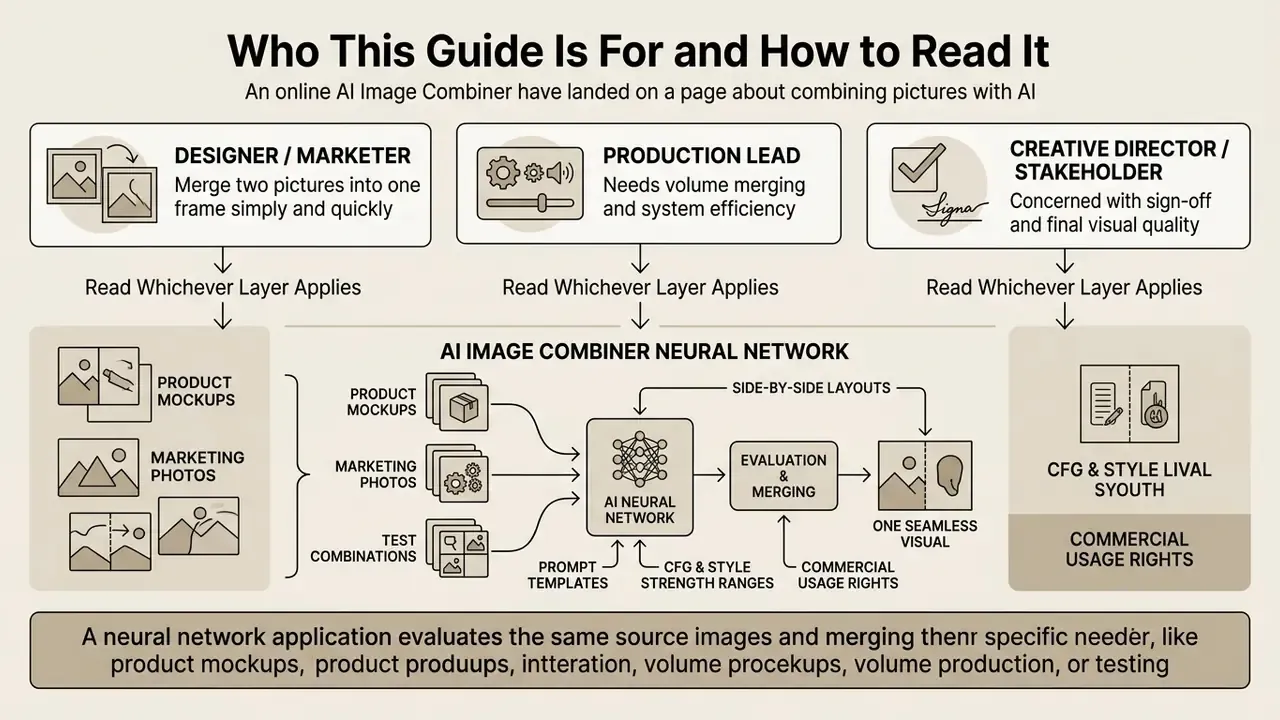
Three very different readers land on a page about combining pictures with AI, and they need different things.
The first is a designer or marketer who simply wants to merge two pictures into one frame today, without Photoshop and without a layer stack. Sections two through four answer that: upload, prompt, control, download.
The second is a production lead running volume. Catalogs, listing refreshes, storyboards, social variants. For that reader, the value sits in the weighting map for multi-image inputs and in the parameter ranges that keep output consistent across hundreds of assets.
The third reader is the one who has to sign off. Risk, compliance, security, procurement. If an internal team is uploading unreleased product renders or employee portraits into a consumer web tool, that is a governance event, not a creative choice. The validation gates, the Shadow AI checklist, and the licensing notes are written for that reader.
Read whichever layer applies. The sections are independent on purpose.
An AI image combiner is a neural network application that evaluates two or more source images and merges them into a single, unified visual output. Modern image combiners do not simply paste files together; they analyze depth, lighting, and semantic structures in latent space to build a coherent composition.
«Representative deep-learning methods consistently outperform classical rule-based fusion on structural similarity, entropy, and visual fidelity metrics.»
What Is an AI Image Combiner and How Does It Work?
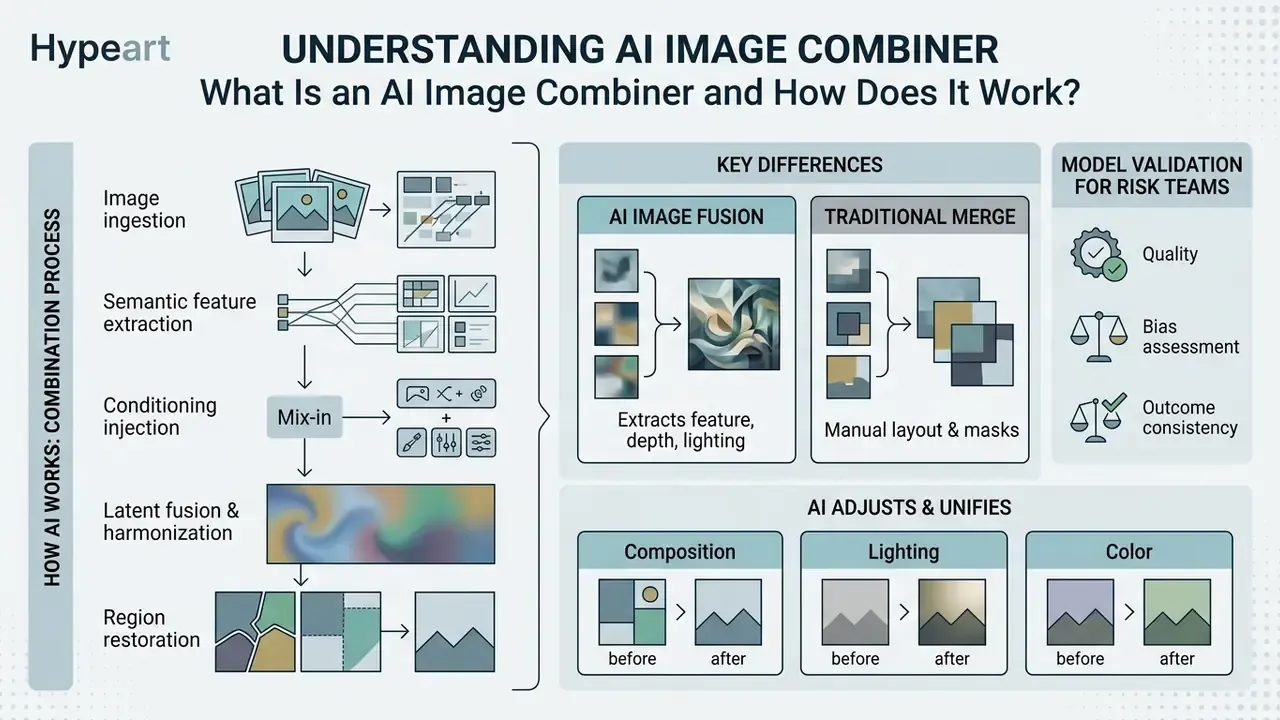
An AI image combiner extracts semantic features, depth maps, and lighting cues from uploaded photos and generates a new composite frame. Cross-attention layers replace manual masking, so seamless blending happens automatically.
An AI image combiner is an AI-powered image merger that extracts semantic features, depth maps, and lighting cues from uploaded images to generate a new composite frame. Unlike traditional graphic software, an ai image combiner uses cross-attention layers and latent diffusion models to produce a seamless image without manual editing.
When an ai combine image request is processed, the system decodes the uploaded source files into latent vector representations. The neural network then aligns lighting color and different backgrounds automatically, producing blended images that preserve key subject identities.
«Neural architectures, including autoencoders, GANs, and transformers, delivered tremendous progress in image fusion through end-to-end optimization.»
The practical stack behind a 2026-era combiner has three interlocking components. IP-Adapter injects reference-image features into newly added UNet cross-attention layers while leaving the original text-attention path frozen, and it supports binary masking so different reference images can govern different regions of the output. ControlNet adds a parallel conditioning branch for depth, edge, and pose control images, tightening structural fidelity. Latent blending mixes freshly generated latents with the noised latents of the input image under a mask, then restores pixels outside the mask from the original file so background and layout survive intact.
That third step is the one most users never see, and it explains a lot of odd results. If the mask is generous, the model rewrites more of your photo than you intended.
AI Image Fusion vs. Traditional Image Merge
AI image fusion operates directly inside the latent space of generative models rather than modifying raw pixels on dynamic layers. Traditional image compositing relies on manual selection masks, manual edge smoothing, and manual color grading to place two photos in one frame. That is the workflow automated AI photo editors were built to compress into a single generation pass.
| Feature | Traditional pixel compositing | Generative AI fusion |
|---|---|---|
| Primary mechanism | Pixel-space layering and masks | Latent-space cross-attention |
| Boundary handling | Manual soft-edge alpha masks | Neural edge alignment |
| Lighting and color | Manual adjustments per layer | Automated harmonization |
| Execution speed | High manual labor required | Automated execution |
| Pixel accuracy | Exact, editor-controlled | Approximate, learned |
| Reproducibility | Layer file re-editable | Seed and prompt dependent |
Updated. Recent peer-reviewed research indicates that deep learning models consistently outperform rule-based pixel blending on metrics such as structural similarity (SSIM) and visual information fidelity.
«Representative deep methods show higher structural similarity, contrast, entropy, and visual fidelity than classical fusion techniques, benchmarked across twelve quantitative metrics.»
The trade-off is not symmetric. Latent blending is not pixel-equivalent to mask interpolation, so naive implementations can introduce seam error, global degradation, and color drift when source features conflict. Manual compositing remains the pixel-accurate baseline for explicit alpha control. While an ai photo merger automates complex blending, manual verification stays essential for high-stakes visual tasks.
Validation thresholds for model risk teams. If your organization must sign off on a generative merge pipeline before it enters a marketing workflow, define acceptance gates rather than subjective review:
| Check | Measurement method | Pass condition |
|---|---|---|
| Subject fidelity | SSIM of masked subject region vs. original upload | 0.90 or higher vs. source subject crop |
| Boundary integrity | Gradient error along mask seam (pixel diff on a 5 px band) | No visible bleed at 100% zoom |
| Color harmonization | Delta-E between subject and background midtones | 5.0 or lower for catalog assets |
| Identity retention | Face-embedding cosine distance | 0.35 or lower for portraits |
| Stress test | 20 high-contrast lighting pairs | 2 rejects or fewer out of 20 |
Stress-testing diffusion weights means deliberately feeding contradictory inputs: a hard-flash studio cutout against a diffuse overcast background, or a 4000 px subject against a 600 px scene. Record the rejection rate before approving a vendor for production. One sloppy detail here undermines the whole sign-off, because a model that passes only on flattering inputs has not actually been validated.
Document the gate values, the tester, and the date. Validation without a written record is an opinion.
How AI Adjusts Composition, Lighting, and Color
Neural networks match composition and lighting across source files using specialized relighting and harmonization sub-networks. The system evaluates ambient light direction, color temperature, and surface reflections of background and foreground elements before generating the combined file.
«DDMEF applies pre-enhancement to align differently exposed inputs and directed fusion to remove motion artifacts from two frames.»
Research on illumination-aware compositing follows a consistent three-stage logic: estimate background illumination with a simplified lighting model, render foreground shading to match, then refine the result with a learned network. Relighting architectures decompose the task further into lighting estimation, color-temperature transfer, and lighting-direction transfer sub-networks. That decomposition is why a modern combiner can place a subject shot under tungsten light into a daylight scene without obvious tonal mismatch.
When combining elements with different backgrounds, the ai photo combiner adjusts color balance and shadow casting on its own. If you are comparing open-source baseline models that perform these tasks, you can examine stable diffusion ai implementations to see how weight adapters manage latent guidance.
Figure 1. Generative AI image fusion pipeline (diagram placeholder: flow chart with six linked stages)
Figure 1: Conceptual architecture showing how an AI image merger processes multi-source inputs into one cohesive output.
- Image ingestion
- Source files are uploaded and passed to the VAE encoder.
- Semantic feature extraction
- Deep CNN or transformer layers analyze subject geometry, textures, and depth.
- Conditioning injection
- Text prompts and ControlNet or IP-Adapter weights guide feature alignment.
- Latent fusion and harmonization
- Cross-attention layers blend latents while harmonizing color temperature and lighting.
- Region restoration
- Pixels outside the active mask are restored from the original upload to preserve untouched background.
- Decoding
- The unified latent vector is decoded into a final high-resolution PNG or JPG file.
How to Combine Two Images with AI
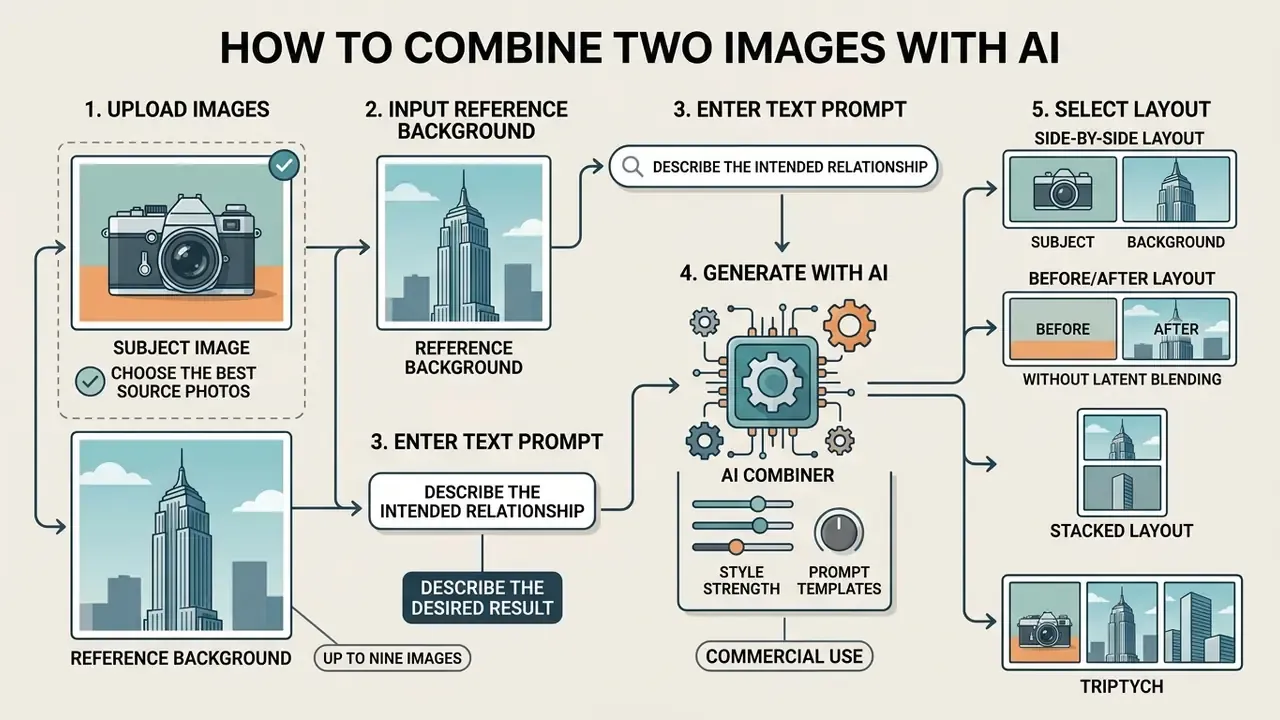
Upload a subject image and a reference background, describe the intended relationship in a prompt, then generate. Output quality tracks directly with source clarity and prompt specificity.
To combine two images using generative AI, you upload your primary subject image and reference background, enter a descriptive text prompt, and run the generation. Browser tools let teams complete a two-picture combination using AI in seconds without installing local software. If you are still selecting a platform, compare the leading AI image generators before standardizing a pipeline.
When you execute a two-into-one fusion pipeline, model stability depends heavily on the clarity of your input files and prompt instructions. If you need to assess specialized image generators across different platforms, you can see the overview of commercial creation systems.
Upload Two Images and Choose the Best Source Photos
High-quality output requires clean, high-resolution source photos with defined edges and clear focal points. To merge two pictures reliably, pick primary subjects free of severe motion blur and heavy compression artifacts.
«Deep multi-focus fusion models achieve higher SSIM and sharpness than classical methods, particularly in textured and low-contrast regions.»
Describe the Desired Result with a Prompt
Text prompts give explicit structural guidance to the generative engine when you blend two photos. Structured syntax helps the model understand which image provides the core subject and which provides the style or background.
«Text-DiFuse embeds textual prompts and localization models inside the diffusion process, highlighting foreground objects and correcting degradations on user request.»
Prompt-engineering guidance from major model vendors converges on a consistent order: scene, then subject, then details, then constraints. Multi-element prompts should identify each item by index or role and describe how the elements relate, using explicit spatial terms such as left, right, foreground, and background.
When you ask an AI to add two images together, use comma-separated directives to define spatial positioning, lighting, and render style. For teams testing creative models without strict content filters, an uncensored ai generator guide provides insight into prompt adherence across open architectures.
| Goal | Template syntax |
|---|---|
| Subject + background | "Keep subject and pose from Image A; place inside the environment of Image B; match ambient lighting and shadows" |
| Style transfer | "Core subject from Image A; render in the artistic style, color palette, and brushwork of Image B" |
| Double exposure | "Double exposure composite; silhouette of Image A blended seamlessly with the landscape scene of Image B" |
| Identity lock | "Preserve anatomy, pose, and facial identity from Image A; use Image B only as lighting and color reference" |
| Descriptive chain | "Subject of Image A + action or pose of Image A + medium of Image B + lighting and palette of Image B" |
| Split frame | "Image A left half, Image B right half; sharp vertical divider; no blending across the boundary" |
Keep a short prompt library per asset type. Reusing a proven template beats improvising each time, and it makes results auditable later.
Creating Side-by-Side and Before/After Layouts Without Latent Blending
If your goal is structural comparison, for example e-commerce product revisions, renovation progress, A/B creative testing, or documented process tracking, instruct the attention layers to maintain strict visual boundaries instead of harmonizing across them. Diffusion models default to smoothing transitions, so the boundary must be named explicitly in the prompt.
For split-frame work, drop style strength to 0.1 to 0.2 and raise image weight to 0.85 to 0.95. Anything higher on the style axis invites the model to invent transitional texture across the divider, which defeats the purpose of a comparison asset.
"Place Image A on the left half and Image B on the right half; split-frame composition, sharp vertical boundary, zero edge blending, 1:1 scale alignment."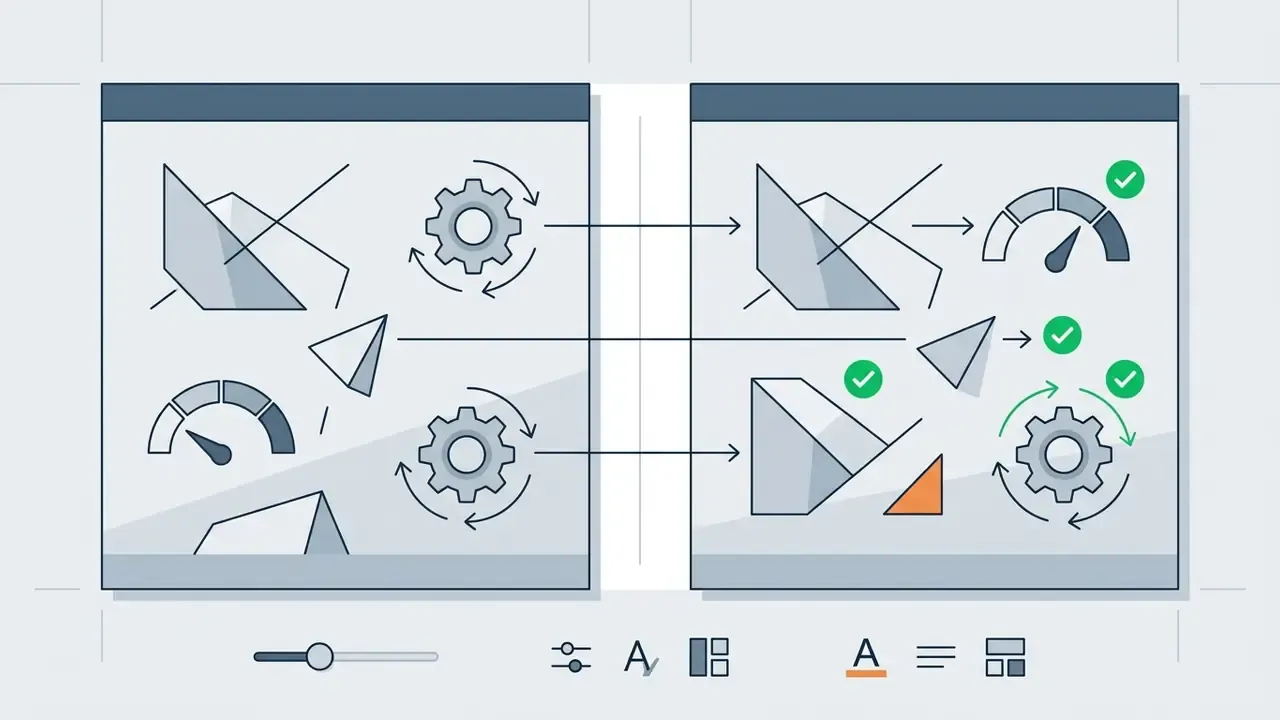
"Two-panel comparison; Image A labeled BEFORE on the left, Image B labeled AFTER on the right; identical crop, identical camera distance, uniform white 12 px gutter, no stylistic changes to either panel."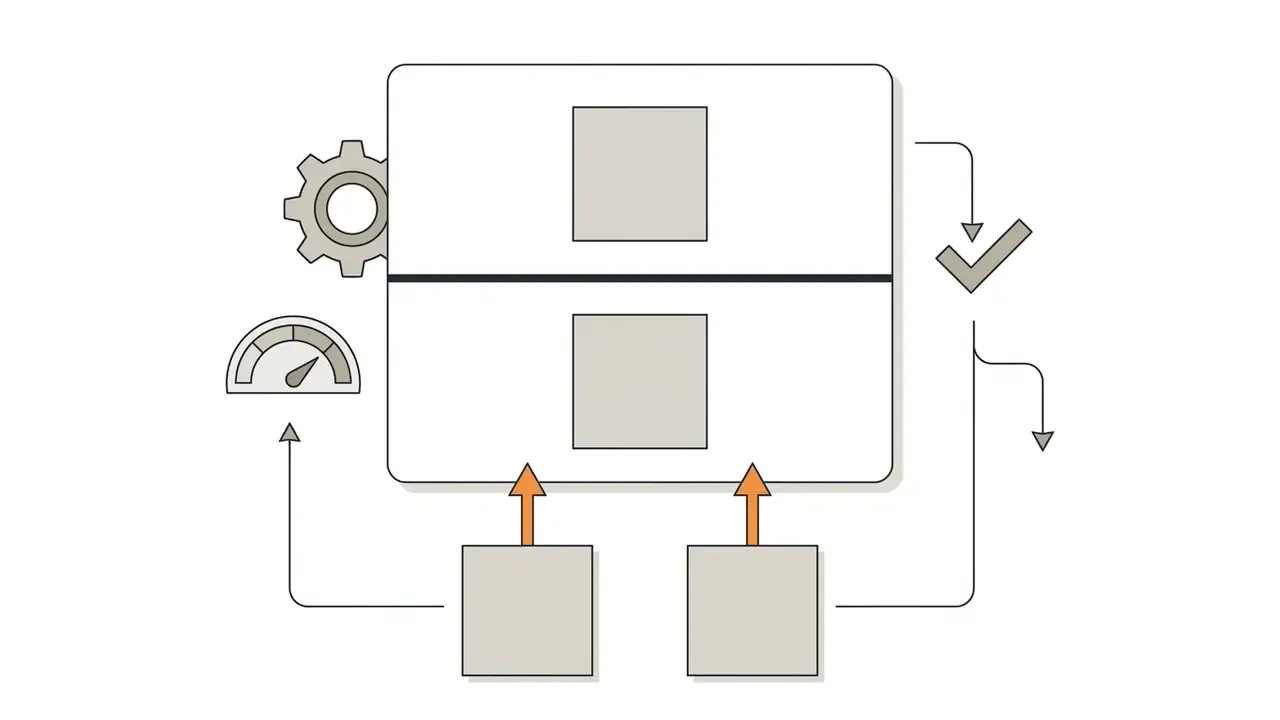
"Vertical stack; Image A top, Image B bottom; equal panel heights, hard horizontal divider, consistent exposure across both panels."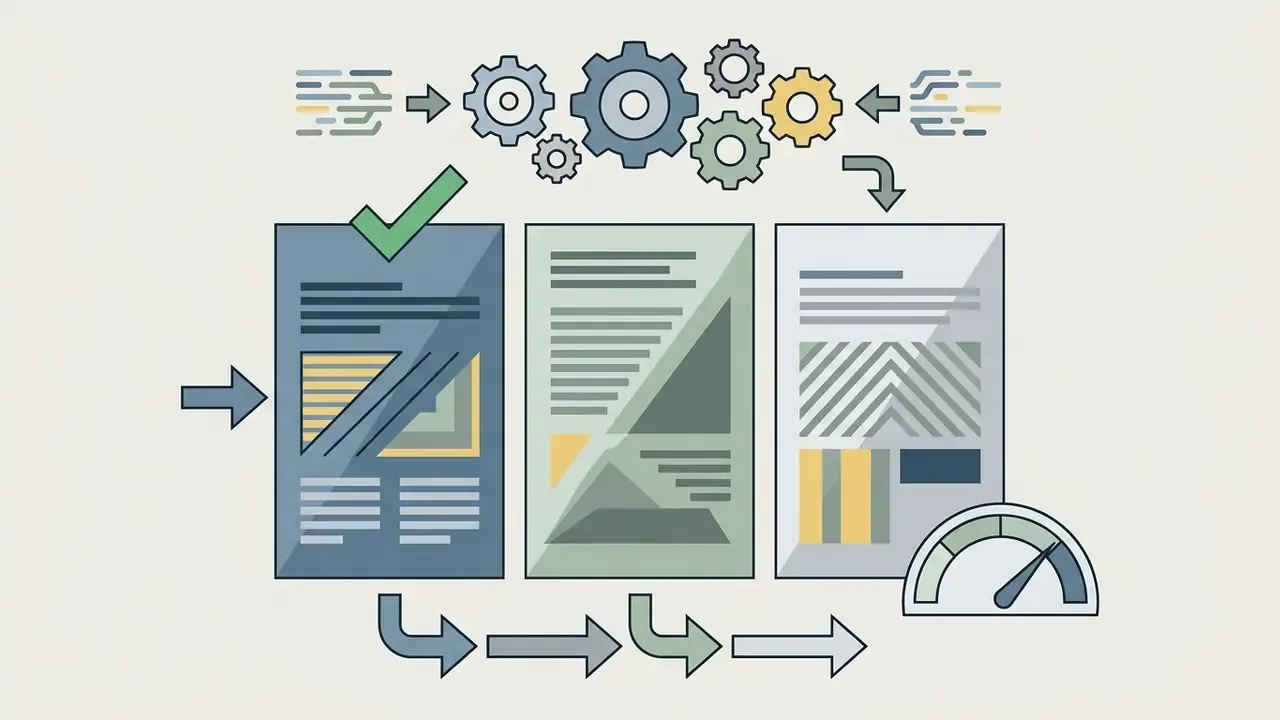
"Three equal vertical panels in left-to-right order Image A, Image B, Image C; uniform gutters, no cross-panel lighting harmonization."Generate, Review, and Download the Combined Image
After setting your text prompts and control parameters, click generate to process the fusion request. The engine processes the latent representations and returns a preview frame for review.
Inspect that output carefully for boundary bleeding, unnatural lighting transitions, or stray digital artifacts around fine details. If visual quality meets your standards, download your image at full resolution. If artifacts appear, refine the text prompt or adjust the image strength slider before re-generating.
Published research on artifact repair supports a specific iteration loop rather than blind re-rolls: detect artifact regions, localize them with masks or connected components, repair only those regions through targeted inpainting or feature correction, then re-evaluate and repeat until the artifact area shrinks. Papers presented at ICCV 2023 crop around predicted artifact regions, inpaint each patch, and composite repairs back into the full frame. ECCV 2022 work reuses generated masks for iterative inpainting and reports a consistent decrease in artifact area across passes. Localized repair beats full regeneration because it preserves the parts of the composite that already passed review.
Figure 2. Three-step execution checklist for combining two pictures (screenshot placeholders described in text)
Step 1: Upload source files. Upload two clean source files into the image panel. Verify that subject framing aligns with your intended aspect ratio, that the subject occupies at least 25% of the frame, and that neither file exceeds the platform size ceiling.
Interface reference: dual drop-zone panel showing Image 1 (required) and Image 2 (optional), each with a thumbnail preview and a remove control.
Step 2: Apply prompt and control settings. Enter your descriptive text prompt. Adjust style strength and image weight sliders to balance subject retention against generation freedom, select a generation mode, then lock the aspect ratio and output resolution.
Interface reference: prompt textarea with character counter, generation-mode selector (Seamless Fusion / Natural & Lifelike / High Consistency / Keep Identity), aspect-ratio chips, and 1K / 2K / 4K resolution toggles.
Step 3: Generate and download. Review the rendered result for edge consistency and illumination matching at 100% zoom. Run a localized repair pass on any artifact region, then download the high-resolution, watermark-free output.
Interface reference: side-by-side source and result preview with a full-resolution download button and format selector (PNG / JPG / WebP).
Figure 2: User workflow checklist for merging two photos into one cohesive visual using an AI image combiner online.
Combine Multiple Images, Photos, and Styles into One Visual
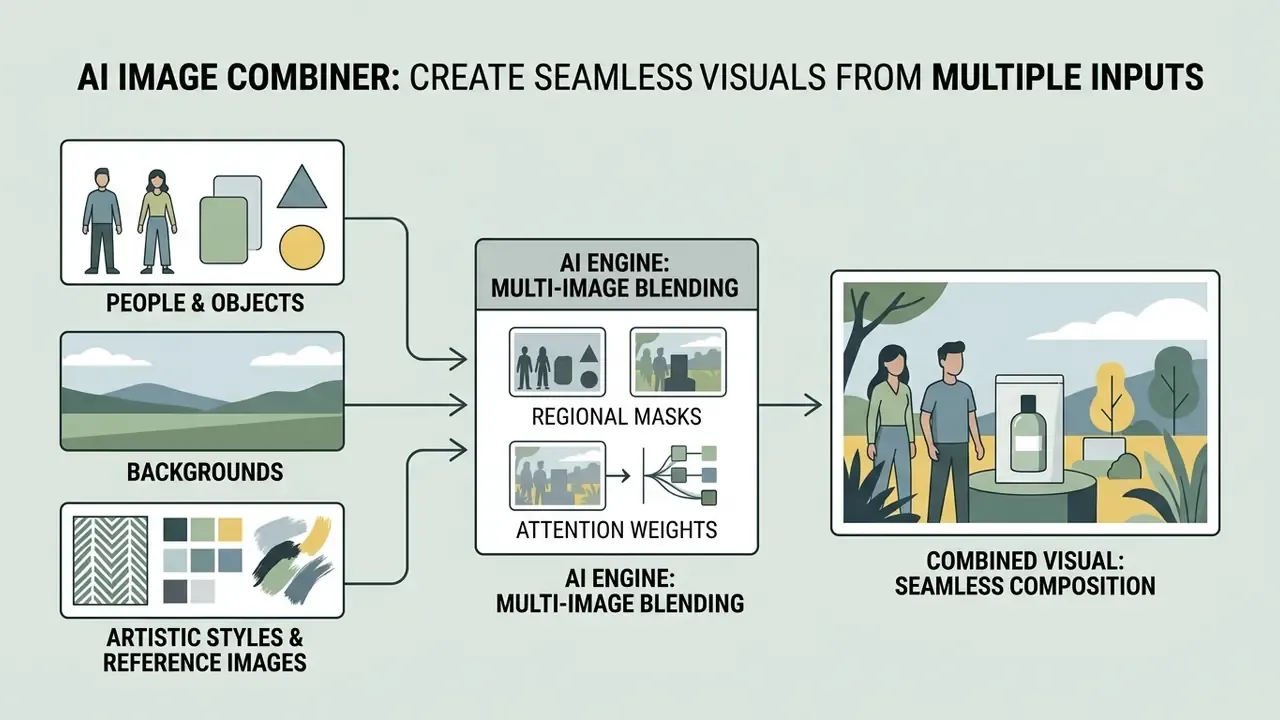
Multi-image engines assign regional masks or attention weights to each input, so three or nine sources can coexist in one frame. Weighting tokens prevent compositional clutter.
A multi-image engine processes three or more input files simultaneously by assigning regional masks or attention weights to each source file. That lets you merge three photos, build an eight-image collage, or synthesize complex multi-subject assets into a single visual composition. Teams exploring related transformation categories can also review image-to-image generators for single-source restyling work.
Multi-image scale capabilities (up to 9 inputs). Modern enterprise neural mergers support processing pipelines from 2 up to 9 simultaneous source files. When scaling beyond 3 images, say an 8-photo visual collage or a 9-asset multi-product showcase, assign dynamic weighting tokens (weight: 0.1 to weight: 0.9) within your prompt to specify element precedence and eliminate compositional clutter.
| Input count | Typical workflow | Weighting strategy |
|---|---|---|
| 1 image | Restyle, outpaint, background replacement | Single source, prompt-led transformation |
| 2 images | Subject + background, style transfer, before/after | 0.7 subject / 0.3 reference |
| 3 to 4 images | Group portrait, product + prop + scene | 0.6 primary, 0.2 each secondary |
| 5 to 8 images | Collage, storyboard, catalog grid | Equal 0.3 to 0.4 with explicit spatial placement per index |
| 9 images | Multi-product showcase, 3x3 grid, large photo wall | Grid coordinates plus per-cell weight 0.2 to 0.3 |
When you work with multi-image inputs, balancing focal hierarchy prevents visual clutter. Teams managing high-volume production pipelines can explore AI Media Workflows to structure automated asset transformation steps, or review AI outpainting tools when a merged composition needs canvas extension rather than additional subjects.
Combining Three or More Images Without a Crowded Composition
Merging three or more photos requires clear spatial boundaries so elements do not overlap unnaturally. Assign a single primary focal subject and treat additional source files as secondary supporting elements or background layers.
Updated.
«The survey classifies hierarchical and attention-based fusion methods, evaluating algorithms across twelve metrics including entropy and spatial frequency.»
Multi-stream transformers handle complex scenes by re-weighting feature importance rather than averaging all inputs equally, which is precisely why explicit spatial keywords matter. Phrases such as "foreground center," "left background," "soft focus background," and "partially occluded behind subject" help the image combiner preserve visual structure across multiple source photos. Research on multimodal style transfer reinforces the same point: semantic pattern matching between content and style sources is what prevents clutter when several visual inputs compete for the same region. One interactive multi-style study reported average user-rated harmony of 3.6 out of 5 and naturalness of 3.5 out of 5 for fused multi-style output. Respectable, though also a reminder that multi-source harmony still needs human review.
Combine People, Products, Backgrounds, and Objects
Commercial content creation frequently involves placing two people together or integrating product shots into new lifestyle scenes. A multi-element combiner evaluates individual human features or product geometry and integrates them into target environments.
When you combine people or product shots, scale consistency is critical. If source photos have mismatched perspectives, the ai picture combiner must adjust depth cues so the combined visual reads as real. Multi-view consistency research from 2026 addresses this directly: a 2D harmonization network learns per-view color and illumination alignment, while a 3D Gaussian representation enforces geometry and lighting coherence across viewpoints. A combiner applies the same principle when it has to reconcile a head-height product shot with an eye-level room photo.
Note the compliance split here. Adobe Stock's generative AI guidance requires labeling an image as generative AI when a fill changed, augmented, or added a new primary subject, while background extension or removal of distracting objects does not trigger the label. Photographic competition bodies, including the Scottish Photographic Federation and Photography New Zealand, take the stricter line and prohibit generative techniques that introduce content absent from the original scene. Commercial delivery and competition integrity are different games with different rules.
Blend Artistic Styles and Reference Images
«Text-guided diffusion editing enables continuous modification of object parts while preserving global lighting and color consistency.»
Style transfer literature frames the task as transferring a reference image's colors, textures, strokes, and tones onto a content photo while preserving content information. Photorealistic variants explicitly optimize for low distortion and natural structure preservation, and domain-aware universal methods reach state-of-the-art stylization in both photographic and artistic domains without extra pre- or post-processing.
When you merge art with photography, the network balances subject preservation against aesthetic transformation. Creators exploring specialized artistic platforms can evaluate tensor art ai or review community platforms to see how style adapters operate on reference inputs.
Controls That Affect AI Image Merge Quality
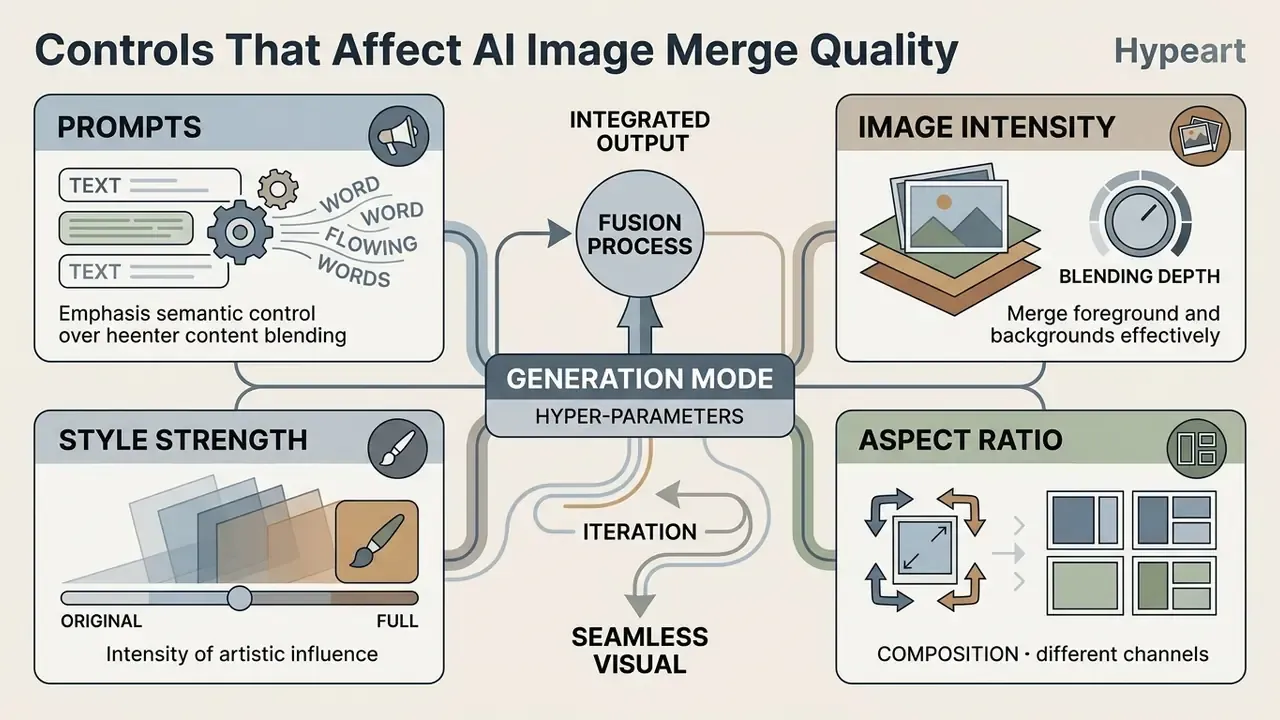
Fusion quality is governed by four exposed hyper-parameters plus a generation mode. Getting the ranges right matters more than switching models.
High-quality generative compositions require precise control over model hyper-parameters. Modern image combiner interfaces expose prompt guidance (CFG scale), style strength, image weight, and aspect ratios. Because fusion quality is bounded by input quality, teams frequently run sources through AI image enhancers before the merge step.
| Parameter | What it changes in fusion | Recommended setting | Primary use case |
|---|---|---|---|
| Prompt guidance (CFG scale) | Strictness of prompt adherence versus model creativity | 7.0 to 9.0 | Enforcing specific object placement and spatial relationships |
| Style strength | Influence of reference art or lighting source on output | 0.4 to 0.7 | Balancing subject realism with artistic texture transfer |
| Image weight / intensity | Preservation level of original uploaded image structures | 0.5 to 0.8 | Keeping core facial features or product geometry intact |
| Aspect ratio | Framing geometry (1:1, 4:5, 16:9, 1.91:1) | Platform specific | Matching social feeds, display banners, or catalog grids |
| Color and lighting harmonization | Automated adjustment of tone, temperature, and shadows | Enabled (high) | Blending subjects shot under contrasting lighting |
| Output resolution | Export pixel ceiling (1K / 2K / 4K) | 2K web, 4K print | Catalog zoom, large-format print, OOH creative |
| Generation mode | Primary latent focus | Best applied for | |
| --- | --- | --- | |
| Seamless Fusion | Maximum background lighting and texture harmonization | Artistic double exposure, landscape style transfer | |
| Natural & Lifelike | Physically plausible shadow and depth-of-field reconstruction | Editorial photography, lifestyle marketing imagery | |
| Keep Identity | Strict facial feature and product geometry locking | Virtual try-on, portrait group photo synthesis | |
| High Consistency | Uniform perspective and shadow map generation | Commercial catalog SKU background swaps |
Published fusion research documents how sensitive these balances are. FusionDN optimizes a composite loss of SSIM, perceptual, and gradient terms with α = 5×10⁻⁵ and β = 3×10³, trained at a learning rate of 1×10⁻⁴. A 2024 fusion model sets gradient-loss weight α = 4, decomposition weight β = 2, batch size 16, and learning rate 0.001. Unified fusion frameworks change weighting rules per task: infrared-visible fusion uses λ_ir-int > λ_vis-int, multi-exposure and multi-focus fusion use equal weights, and pan-sharpening sets λ_PAN-int = 0. The takeaway for practitioners is simple. No single weighting is universal, because parameters are task-specific by design.
Prompts, Style Strength, and Image Intensity
Prompt guidance controls how strictly the neural network follows text directives relative to latent randomness. A higher prompt weight forces strict adherence to spatial instructions, while lower values give the model creative freedom. CFG scale is literally "classifier-free guidance": raising it pushes output toward the prompt, lowering it toward model priors.
Style strength and image intensity sliders regulate the balance between source preservation and transformation. In image-to-image terms, strength operates on a 0-to-1 scale where 0 leaves the input essentially untouched and 1 replaces it almost entirely with noise, behaving close to pure text-to-image generation.
«MEF-CL applies contrastive learning in latent space, improving illumination and color without synthetic ground truth, and generalizes to arbitrary exposure pairs.»
On a free-tier combiner, setting image weight between 0.6 and 0.8 helps maintain original face and product details while letting the model correct background lighting. Vendors name these sliders inconsistently, using "fidelity," "denoise," "intensity," or "adherence," but the underlying mechanism is always the same preservation-versus-transformation trade.
Aspect Ratio and Composition for Different Channels
Selecting the correct aspect ratio before generation prevents unwanted cropping and distortion during export.
Updated. Published channel specifications converge on a small set of ratios. GS1's Product Image Specification Standard defines web and product images at 900×900 to 2400×2400 pixels in a 1:1 square aspect ratio with a required clipping path (GS1 Product Image Specification Standard, GS1, 2025), and Amazon's product image guide requires at least 500 px on the longest side, with 1,000 px or more recommended to enable zoom. Social placements are wider: feed creatives run from 1.91:1 through 1:1, while mobile-first formats use 4:5 and 9:16. These are platform conventions rather than legal mandates, and each marketplace publishes its own current version. Verify against the destination channel's live documentation before locking a template.
| Channel / placement | Standard aspect ratio | Recommended resolution |
|---|---|---|
| E-commerce catalogs | 1:1 square | 1000 x 1000 px to 2400 x 2400 px |
| Social media feed | 4:5 portrait or 1:1 | 1080 x 1350 px or 1080 x 1080 px |
| Mobile stories / reels | 9:16 vertical | 1080 x 1920 px |
| Display banners | 1.91:1 landscape | 1200 x 628 px |
| Side-by-side compare | 16:9 or 2:1 | 1920 x 1080 px or 2000 x 1000 px |
| Print / large format | 3:2 or 4:5 | 4096 px on long edge (300 dpi) |
Matching the target aspect ratio during initial fusion ensures that attention layers distribute compositional elements correctly across the entire frame. Cropping after generation forfeits that advantage, because the model has already allocated subject placement to the original canvas.
How to Avoid Unnatural Edges and Mismatched Backgrounds
Unnatural edges and color mismatches appear when source images have drastically different light directions or resolution levels. To minimize seam artifacts, use source photos with complementary lighting or enable automated lighting harmonization.
«A dual-branch CNN combined with multi-scale transform significantly improves fusion quality over baseline MST algorithms, reducing boundary detail loss.»
Three families of correction techniques are documented in the compositing literature. Gradient-domain compositing reduces visible seams and tolerates mismatch at pasted-region boundaries. Diffusion-based object compositing jointly harmonizes geometry, color, lighting, and shadow against the background. Shadow-generation pipelines synthesize or adjust cast shadows so an inserted object matches scene illumination, often the single most convincing cue in a composite.
If edge blurring or color bleeding appears along subject boundaries, a localized repair pass restores crisp details.
«MTDFusion applies SSIM loss to preserve structural similarity and residual features, achieving optimal fusion quality against contemporary methods.»
Teams restoring degraded input files before fusion can use an unblur image ai utility to sharpen sources prior to merging. Resolution mismatches between a small subject cutout and a large background plate are best resolved with AI image upscalers before the merge, not after.
| Visible symptom | Likely root cause | Corrective action |
|---|---|---|
| Halo ring around subject | Mask feather too wide; latent blend across boundary | Lower style strength; run a localized inpaint pass |
| Color bleed into background | Unharmonized color temperature between sources | Enable lighting harmonization; fix white balance |
| Floating subject, no contact shadow | Missing shadow synthesis | Prompt explicit shadow direction and softness |
| Soft, mushy edges | Low-resolution source upscaled inside the pipeline | Upscale the source before the merge, not after |
| Wrong scale or depth | Mismatched focal length and camera height between sources | Add a perspective cue to the prompt; reshoot the source |
AI Image Combiner Use Cases for Creative and Commercial Content
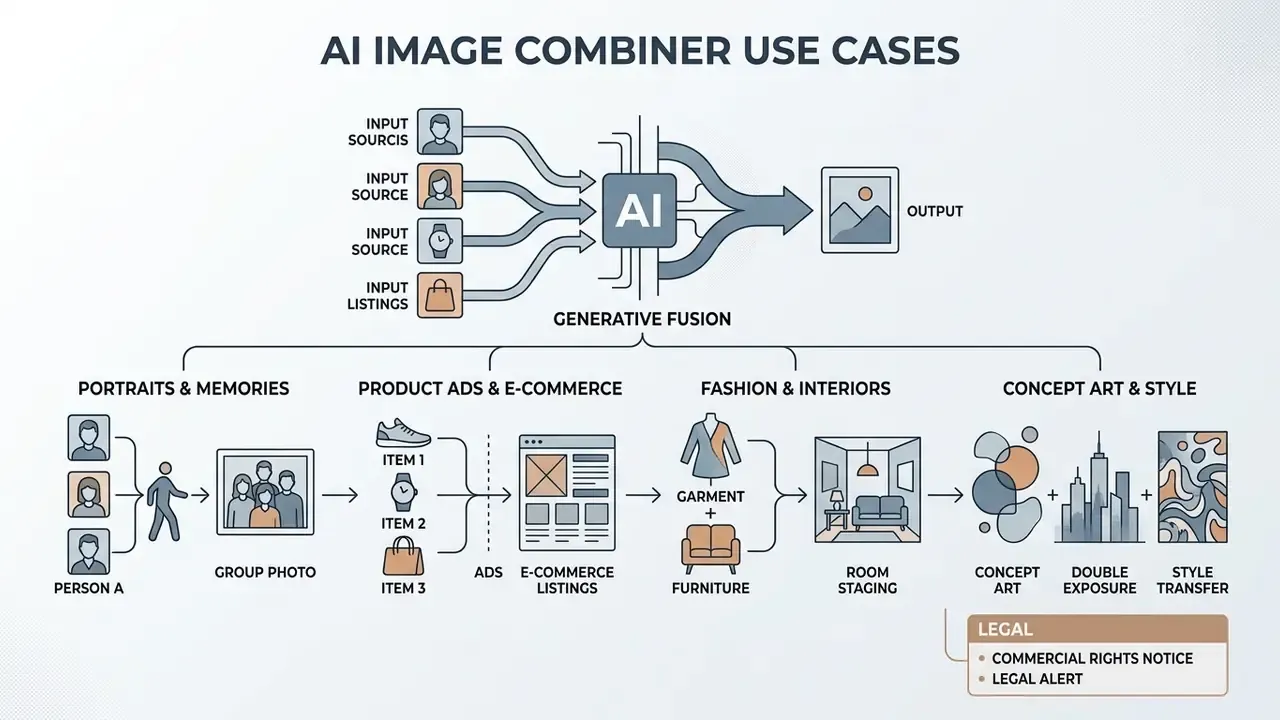
Generative fusion now spans personal memory reconstruction, catalog production, virtual try-on, interior staging, and concept art. Each has a distinct parameter profile.
Generative image combination supports production tasks across personal media, commercial marketing, and conceptual visual design. Readers surveying the broader category can also review AI image generators for commercial use to see how fusion fits alongside pure text-to-image production.
| Domain | Workflow objective | Primary inputs used |
|---|---|---|
| Personal and portraits | Combine individual portraits into a shared group photo | Two separate face photos plus a background scene |
| E-commerce marketing | Place product photos inside lifestyle background scenes | Studio product cutout plus interior or outdoor plate |
| Fashion try-on | Map a garment flat-lay onto a model body mesh | Apparel cutout plus model full-body photo |
| Real estate staging | Furnish empty interiors virtually | Empty room plus furniture catalog cutouts |
| Digital art and concept | Double exposure and artistic style transfer | Portrait silhouette plus landscape or art reference |
| Brand mockups | Apply logos to physical surfaces | Logo file plus product packaging photo |
Portraits, Couple Photos, and Personal Memories
Combining individual portraits into shared group or couple photos is a widespread personal use case. Users upload separate photos of family members or friends, and the combiner places them inside a unified scene with matched scale and lighting.
Neural face-matching networks preserve core facial features while harmonizing skin tones with ambient background light. That capability lets people generate shared memory scenes even when subjects were photographed years and cities apart. Commercial products released through 2026 market this explicitly: upload a photo of a relative alongside a current family image to produce a single scene with matched lighting, scale, and color, or blend two individual portraits into a couple portrait against a chosen backdrop.
For this category, run Keep Identity mode with image weight at 0.75 to 0.85 and style strength no higher than 0.3. Identity drift is the failure mode users notice instantly, and it damages perceived quality far more than a slightly imperfect background.
Product Images, Ads, and E-Commerce Listings
In e-commerce advertising, placing product cutouts into lifestyle backgrounds lifts consumer engagement and conversion rates. Commercial platforms use generative fusion to integrate studio product shots into realistic kitchen, office, or outdoor environments. Vendor documentation describes adaptive composite workflows in which a product photo is uploaded and the scene is generated around it, as well as compositing products into existing or custom-generated backgrounds.
«Fusing deep CNN features with color moments and GLCM textures reaches 92.3% accuracy on Corel-1K, outperforming individual feature sets.»
That result matters commercially because semantic feature matching decides whether a generated kitchen actually suits the product placed inside it. Mismatch at the semantic level produces composites that are technically seamless but contextually wrong. A professional espresso machine dropped into a dorm room, for instance.
Updated (internal engagement, directional figure). During a commercial catalog refresh, an e-commerce brand evaluated a fusion workflow across 150 product SKUs. By fusing isolated product renders with generated background environments instead of booking studio sessions per SKU, the team materially reduced staging cost, internally estimated at roughly 65% of the prior studio budget for that batch, while holding catalog lighting uniform across all listings. This figure reflects a single client engagement and should be read as an indicative case outcome, not an industry benchmark. Teams can also compare template-driven approaches in our Canva AI Generator overview.
Fashion Virtual Try-On and Interior Staging
- AI virtual try-on: Enterprise pipelines map flat-lay garment cutouts onto target human body meshes. Generative attention layers simulate cloth drape, fabric tension, and localized shadow casting based on the model's pose. One clarification matters: the model does not compute textile physics from material properties. It reproduces drape and tension patterns learned from training data, which is why unusual fabrics such as stiff leather, heavy beading, or sheer layering stay the weakest cases and need human review before publication.
- Virtual interior staging: Real estate platforms blend cutouts of 3D furniture models into empty room interior photos. Neural depth estimation corrects perspective angles and floor reflections automatically, removing manual 3D rendering steps. Run High Consistency mode so every room in a listing receives the same lighting treatment, and keep a documented record of which images were virtually staged. Disclosure requirements vary by jurisdiction and by multiple-listing service.
- Smart branding mockups: Logo artwork is mapped onto packaging, apparel, or drinkware surfaces, with the engine matching surface texture and curvature. Mockup workflows focus on surface wrapping and shadow placement rather than scene construction, so structural control through ControlNet depth or edge conditioning matters more here than style strength.
- Catalog consistency: Applying one uniform background and lighting profile across an entire product line is the highest-volume commercial use of multi-image fusion, and the one where deterministic seeds and locked parameter sets pay off most.
Concept Art, Double Exposure, and Style Transfer
Digital artists use generative combiners to create double exposure effects, surreal compositions, and rapid concept art mockups. Blending high-contrast subject silhouettes with secondary landscape inputs renders complex double-exposure imagery in seconds.
«Surveys of AI in creative industries describe transformers and CNNs applied to classical art fusion, surreal morphing, and attention-driven double exposure.»
The practical recipe for double exposure is consistent across tools: name a portrait subject, name a blended scene such as misty forest, neon city, or mountain ridge, and specify which image supplies the silhouette. Surreal composition follows a different route. Generate or supply a realistic base image, then prompt a surreal transformation of specific elements rather than the whole frame.
For conceptual design workflows, combining architectural sketches with material style references lets designers visualize finished structures early in the development lifecycle. Designers merging sketches with texture references get the fastest ideation cycle by locking structure through edge conditioning and varying only the style reference.
Public figures are the sharp edge of this category. Viral composites such as a widely circulated trump ai image or the trump ai pope render show how quickly a merged frame spreads without context, and how publicity rights, platform policy, and advertising standards collide once a recognizable person appears in synthetic output. For brand use, that is a hard stop without written consent.
Legal alert and commercial rights notice:
This information is general in nature and does not replace consultation with qualified counsel on copyright and the commercial use of AI-generated content.
How to Choose a Free or Enterprise AI Image Combiner for Commercial Use
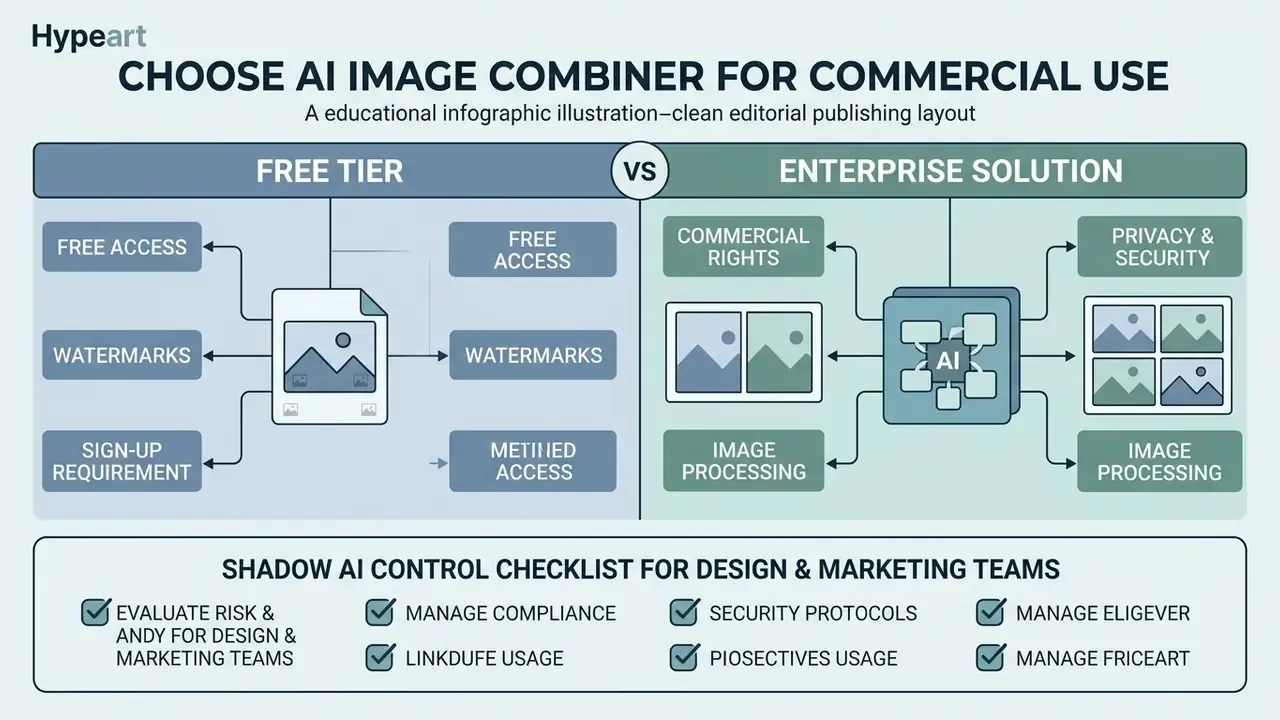
Free tiers suit experimentation and non-confidential assets. Confidential product designs and employee likenesses belong only in zero-retention, contractually licensed environments.
Selecting a free or commercial fusion platform means evaluating output resolution, watermark policies, registration rules, and corporate data privacy standards. Regulators frame this as a data-protection decision, not merely a procurement one. Australia's OAIC notes that when AI systems generate or infer personal information, images included, this constitutes collection of personal information and must satisfy necessity, lawful and fair means, and direct-collection tests. Japan's AI Guidelines for Business v1.2 require privacy-policy measures, protection of intellectual property and portrait or publicity rights, and robust security controls across the AI lifecycle. The UK ICO treats AI systems under standard UK GDPR principles, so lawful processing, safeguards, and accountability all apply.
| Selection criterion | Free / freemium tiers | Enterprise / paid tiers | Commercial impact |
|---|---|---|---|
| Watermark policy | Often includes intrusive logos | Watermark-free exports | Essential for public branding and professional ads |
| Export resolution | Capped at 1K or 2K | Supports 4K / 4096 px exports | Higher resolution required for print and high-res web |
| Data privacy and retention | Source files may be retained for model training | Zero data retention and private processing | Critical for protecting confidential commercial assets |
| Commercial rights | Non-commercial or personal use only | Full commercial usage rights granted | Required to prevent copyright and licensing disputes |
| Max input count | Frequently 2 to 4 files | Up to 8 or 9 simultaneous files | Determines multi-SKU and collage feasibility |
| Security certification | Rarely published | SOC 2 Type II, ISO 27001 | Prerequisite for regulated-industry procurement |
| Deployment options | Public multi-tenant web only | VPC, private endpoint, on-premises | Needed where data residency is contractual |
Free Access, Watermarks, and Sign-Up Requirements
Many platforms offer a free tier so users can test core functions without paying upfront, a landscape covered in detail in our roundup of free AI image generators without sign-up. Free access usually carries export limits, though: mandatory account registration, daily generation caps, or forced platform watermarks.
Published free-tier limits vary widely across vendors. Documented examples include export capped at 2K with no watermark; no sign-up required with selectable aspect ratio and output resolution; watermark-free export up to 4K; watermark-free export up to 4096 px wide with 1K free daily tries and 2K or 4K gated behind credits; and unlimited generations that nonetheless stamp a watermark on every free image. The pattern is consistent. Vendors trade away exactly one of resolution, watermark removal, or volume, and rarely all three.
For commercial projects, a watermark-free service is essential. A generator that adds visible logos is unsuited to professional marketing campaigns and forces an upgraded commercial license to obtain clean visual assets. See our comparison of the best free AI image generators for current tier boundaries.
Commercial Rights, Privacy, and Image Processing
Enterprise security leaders should review vendor privacy policies before uploading confidential product assets or employee portraits into online tools. Certain free utilities retain uploaded images to train public generative models, which can expose unreleased product designs to public datasets.
«A multimodal texture-fusion network detects AI-generated images through LBP edge features and GLCM correlations, relevant to platforms performing authenticity verification.»
Vendor terms differ materially on ownership. Some providers state that generated output is owned by the customer and permit commercial use outright. Others specify that uploaded or generated content remains the user's intellectual property, but that public sharing grants the platform a non-exclusive, royalty-free, revocable license. A third pattern grants the user ownership of output while explicitly noting that pre-existing rights in the input materials still govern. Reading the retention clause and the public-sharing clause together, not separately, is what reveals actual exposure.
When evaluating vendor privacy standards, verify whether the service offers zero data retention and explicit commercial ownership grants, and use AI image detectors where downstream authenticity verification is required. Organizations reviewing legal governance surrounding synthetic media can open the hub to monitor regulatory filings and legal precedents.
| Feature / requirement | Media.io AI combiner | OpenAI API (image edit) | Standard free web tool |
|---|---|---|---|
| Free access tier | Free credits on sign-up | Pay-per-API request | Free with daily caps |
| Watermark status | Watermark-free options | Watermark-free | Intrusive watermark appended |
| Registration required | Yes | Yes (API key) | Optional or none |
| Max input files | 2 to 4 photos | Image plus mask per call | Typically 2 |
| Max export resolution | Up to 2K / 4K | 1024x1024 or custom | Capped at 720p or 1080p |
| Commercial usage rights | Granted under paid terms | Granted to output owner | Restricted to personal use |
| Data retention policy | Stated deletion policies | Zero data retention options | Files retained for training |
| Prompt flexibility | Free-text prompt field | Full API prompt control | Preset templates only |
Shadow AI Control Checklist for Design and Marketing Teams
Unapproved use of consumer image combiners by internal designers is the most common route by which unreleased product imagery leaves a company. Use this checklist during vendor approval and periodic audit.
| # | Control | What to do |
|---|---|---|
| 1 | Inventory | Enumerate every image-generation domain reached from design subnets over the last 90 days via egress logs. |
| 2 | Classification | Confirm that no asset class labeled Confidential or Pre-Release has been uploaded to a multi-tenant free tier. |
| 3 | Terms review | For each approved vendor, capture the retention clause, the training-on-input clause, and the public-sharing license clause verbatim. |
| 4 | Certification | Require SOC 2 Type II or ISO 27001 evidence before any asset containing a personal likeness is processed. |
| 5 | Likeness consent | Verify that signed model releases exist for every employee or customer face entering a fusion pipeline. |
| 6 | Retention test | Submit a deletion request and verify removal within the SLA stated in the contract. |
| 7 | Provenance log | Record source file IDs, prompt, seed, model version, and operator for every published composite. |
| 8 | Disclosure | Flag assets where generative fill added or changed a primary subject, per stock-platform and advertising disclosure rules. |
| 9 | Approved list | Publish a short allowlist and block unapproved domains at the proxy rather than relying on policy memos alone. |
| 10 | MRM sign-off | Route the pipeline through Model Risk Management validation gates before production marketing deployment. |
One caveat worth stating plainly. A checklist changes behavior only when the proxy enforces it. Policy memos alone have never stopped a deadline-driven designer.
AI Image Combiner FAQ
What is the best free AI image combiner available online?
The best option depends on your workflow requirements. Services that offer watermark-free exports, customizable prompt inputs, and high-resolution downloads give the best balance for general visual creation. Published free tiers currently range from 1K daily generations up to watermark-free 4K exports, so match the tier to your output channel before committing.
How do I combine two images together using AI without Photoshop?
Upload your primary subject photo and a background reference to an online AI image merger. Enter a text prompt describing how the elements should interact, set your desired style weight, then click generate and download the merged file. No masking, layer work, or manual color grading is required.
Can I combine two pictures free of charge and without a watermark?
Sometimes, yes. Several tools let you combine two images free at 1K or 2K with no watermark, and a few require no sign-up at all. The usual trade is a daily cap or a credit gate on 4K export. For anything published commercially, confirm that the free licence actually grants commercial rights, because free access and commercial permission are separate questions.
Are AI-combined images free from copyright and safe for commercial use?
Commercial safety depends on vendor licensing terms and on your source files. Output generated purely by AI cannot be registered for copyright in the United States, and you must own the rights to every uploaded source photo to avoid infringement when publishing commercial assets. Human-authored arrangement and modification of AI output can still be protected.
Can I combine more than two photos into one frame with an AI tool?
Yes. Advanced AI image combiners support multi-source fusion from 2 up to 9 simultaneous uploads, so you can merge 3, 8, or 9 images into a single frame. Structured text prompts with per-image weighting tokens help the network arrange multiple subjects without visual clutter.
How do I put two photos side by side instead of blending them?
Use explicit layout language in the prompt, for example: "Image A left half, Image B right half, split-frame composition, sharp vertical boundary, zero edge blending." Lower style strength to 0.1 to 0.2 and raise image weight to 0.85 to 0.95 so the model preserves each panel instead of harmonizing across the divider. That is the correct setup for before/after comparisons and product revision documentation.
Which generation mode should I choose?
Choose Keep Identity for faces and virtual try-on, High Consistency for catalog background swaps where every SKU must match, Natural & Lifelike for editorial and lifestyle imagery, and Seamless Fusion for artistic double exposure or style transfer where maximum harmonization is desirable.
How long does a merge take and what affects speed?
Typical generation completes in 10 to 60 seconds. Higher input counts, 4K output resolution, and multiple simultaneous outputs increase processing time. PNG encoding is standard, while JPEG and WebP encode faster and expose a compression setting that trades file size against fidelity.
Is my uploaded data stored?
It varies by vendor and tier. Some enterprise deployments document zero data retention; several free tools retain uploads for model training. Confirm the retention clause, the training-on-input clause, and the public-sharing license clause in writing before uploading confidential product designs or identifiable faces.
What File Types and Devices Can I Use?
Most online AI image combiners accept standard digital image formats, including JPG, high-clarity PNG, modern WebP, and uncompressed BMP files, the same format set supported by mainstream AI photo editors. Maximum upload sizes typically range from 20 MB to 50 MB per file, depending on server infrastructure limits. Updated, consolidated limits. Standard upload limits enforce a maximum resolution of 4096×4096 px and raw file sizes up to 25 MB to 50 MB per asset. Native input formats include JPG/JPEG, PNG (with alpha-channel transparency), WEBP, and uncompressed BMP; some pipelines additionally accept GIF and AVIF. Output exports are optimized as loss-free PNG or compressed 4K JPG, with WebP available where bandwidth matters. Platform ceilings do differ substantially by system. One document-management platform caps uploads at 50 MB with a 15,000-pixel dimension limit, while other systems permit far larger files, so always confirm the live limit in the tool you use. Transparency behavior is worth checking before export. PNG and WebP preserve alpha channels, whereas JPG and PDF export flatten transparent regions to white. Most combiners also decline to upscale beyond the original source dimensions, and some proportionally reduce oversized output to fit canvas limits. Online image combiners run directly inside modern web browsers, which makes them fully cross-platform. You can run image fusion pipelines on desktop computers (Windows, macOS, Linux) and on mobile devices (iOS, Android) without installing external software. Because published image guidance recommends preparing assets for desktop, laptop, tablet, and mobile viewing at once, generating at the largest required aspect ratio and deriving smaller crops from it is more efficient than generating each size independently.
Appendix A: Superseded Passages and Editorial Notes
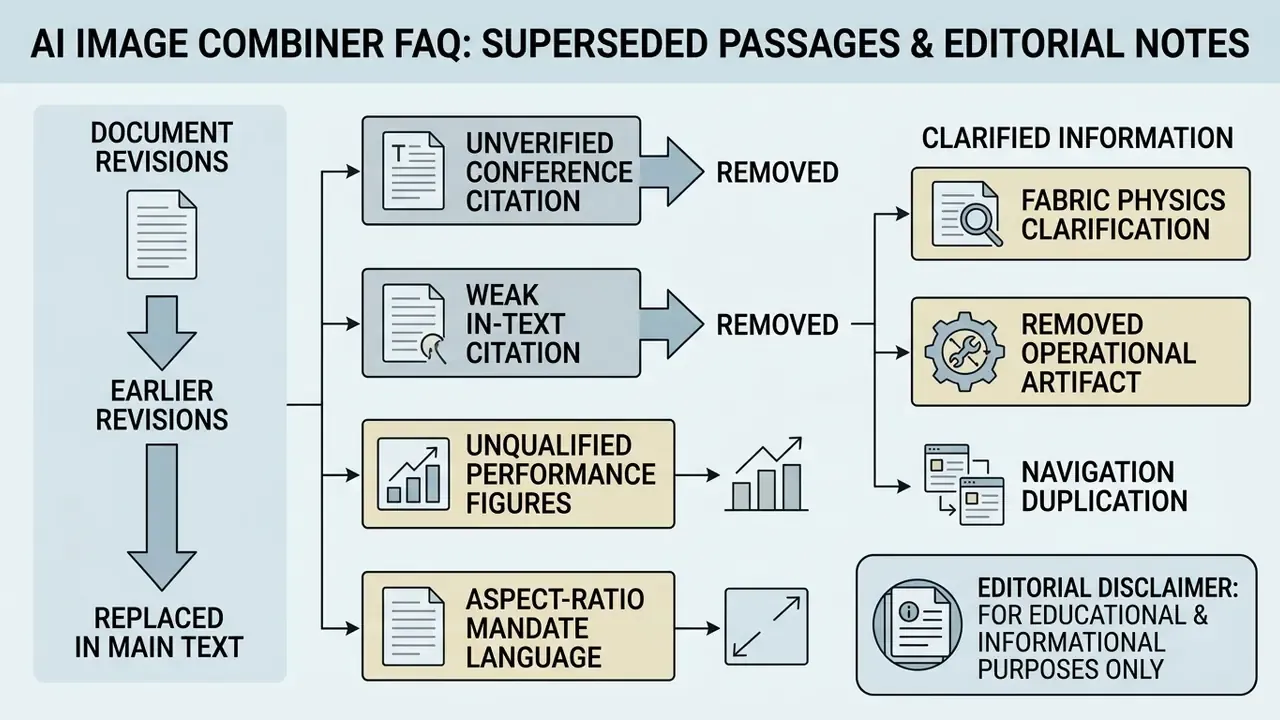
Editorial Method Note
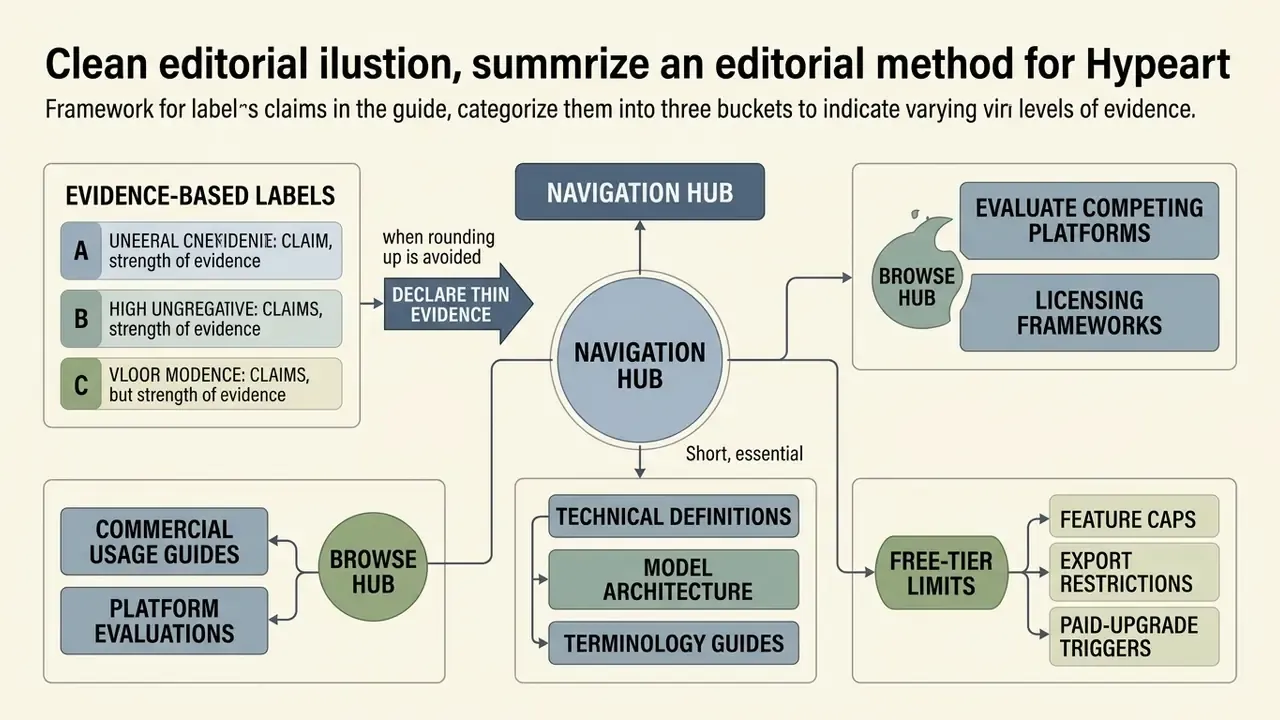
Claims in this guide fall into three buckets, and we label them differently on purpose. Peer-reviewed findings carry a quotation of 25 words or fewer plus a source link. Vendor behavior, including free-tier caps, file limits, and retention language, reflects published documentation at the time of review and changes without notice; verify before you rely on it. Internal figures from our own testing and client work are marked as directional and scoped to the batch or engagement that produced them.
Where evidence is thin, we say so rather than rounding up. Multi-source harmony scores, for instance, still depend on human judgment, and no metric we found replaces a reviewer looking at the seam at 100% zoom.