Why should a risk or compliance leader care about a consumer captioning widget? Because the same tool that writes alt text for a blog also reads customer documents when nobody is watching.
Last updated: 2026 review cycle. Reviewed for factual accuracy against W3C, NIST, Google, OpenAI, and peer-reviewed vision-language literature.
Executive Summary for Risk, Compliance and Content Leaders
- Capability is real, but bounded.Instruction-tuned multimodal models (GPT-4V, Gemini, LLaVA, InstructBLIP, Florence-2, Aya Vision) reliably identify dominant objects, scenes, and high-contrast Latin text. They degrade sharply on fine-grained details, spatial relations, rare scripts, and dense document layouts.
- Hallucination is the primary model risk.Error rates scale with requested output length. Commercial frontier models report low single-digit hallucination rates, while many open-weight models land in the 20 to 30% band on difference-captioning benchmarks. Long, unconstrained "write everything you see" prompts are the main risk amplifier.
- Free, no-login public tools are consumer infrastructure, not enterprise infrastructure.Uploading customer documents, KYC images, collateral photos, or unreleased product assets into an unauthenticated public endpoint is a Shadow AI event and a potential data-protection breach. Enterprise use requires contracted APIs with zero-retention terms or self-hosted VLMs.
- Human-in-the-loop validation is non-negotiable.Peer-reviewed accessibility research consistently finds automated captioning inferior to human authors. Automated output should be treated as a candidate description that passes a documented verification protocol and leaves an audit trail before publication.
Who This Guide Is For and How to Read It
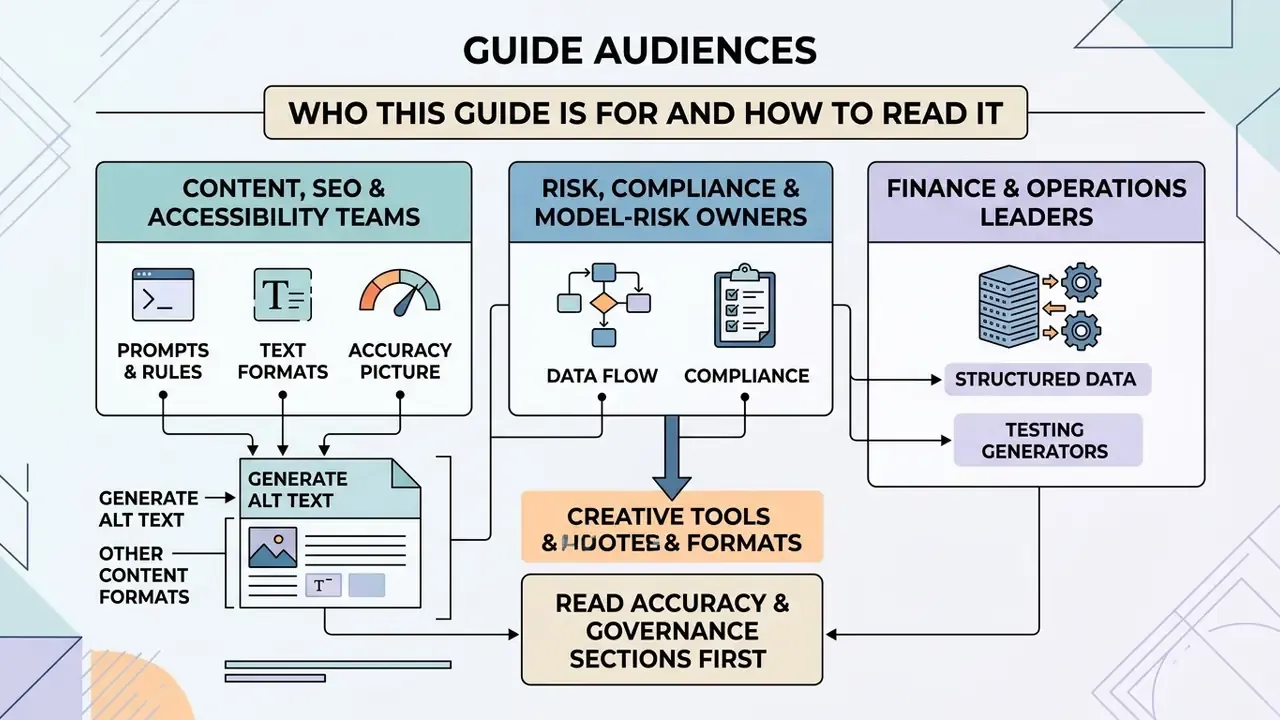
Three readers usually land on this page, and they want different things.
- Content, SEO and accessibility teams need working prompts, format rules, and a realistic accuracy picture before they push thousands of alt attributes into a CMS.
- Risk, compliance and model-risk owners need to know which data classes may touch a public image describer, what evidence an audit will ask for, and where the escalation line sits.
- Finance and operations leaders are quietly testing whether a description generator can pre-structure invoices, payment orders, and collateral photos before a human clears them.
Read the accuracy and governance sections first if you sit in the second group. The prompt matrix and use-case blocks matter more if you sit in the first. Either way, one rule carries across all three: the model drafts, a named person approves, and the log remembers both. For terminology, keep the AI Media Glossary open in a second tab.
What Is an AI Image Describer and What Can It Generate?
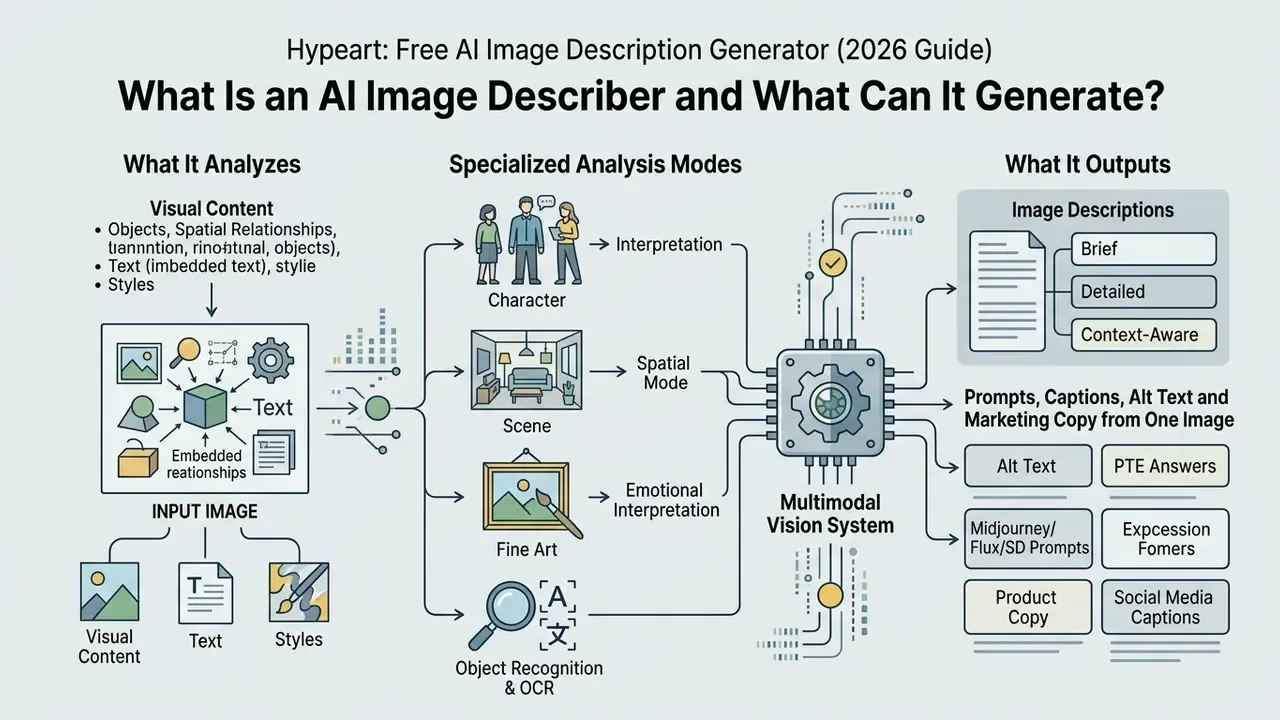
An ai image describer is a multimodal vision system that analyzes visual content such as objects, spatial relationships, text, and styles, then outputs structured text formats. Modern tools leverage vision-language models (VLMs) like GPT-4V, Gemini 1.5, or open-weights architectures to generate brief captions, detailed scene breakdowns, web accessibility alt text, social media captions, and product descriptions.
A 2025 systematic review of vision-language models for captioning catalogues BLIP-2, InstructBLIP, LLaVA, Kosmos-2, Fuyu-8B, and Moondream2 as the working stack of the market. It confirms that general-purpose multimodal LLMs, not single-task captioners, now dominate production deployments (IAJIT, 2025).
| Output Type | Typical Length | Primary Business / Operational Purpose | Core Target Audience |
|---|---|---|---|
| Brief Description | 1 sentence (15 to 25 words) | Quick semantic tagging, visual search indexing, internal DAM asset categorization | Database managers, archivism teams |
| Detailed Description | 3 to 6 sentences (50 to 150 words) | Full scene analysis, spatial reasoning, educational content, complex diagrams | Compliance officers, educators, QA teams |
| Alt Text | 1 to 2 sentences (under 150 characters) | Screen reader accessibility compliant with WCAG 2.2 guidelines | Web developers, accessibility auditors |
| Social Media Captions | 1 to 3 sentences plus hashtags | Editorial engagement, marketing copy generation | Content teams, SMM strategists |
| AI Prompt (Reverse Prompting) | Multi-clause descriptive string | Reconstructing reference images in diffusion models (Midjourney, Stable Diffusion, Flux) | Visual designers, prompt engineers |
| E-commerce Marketing Copy | Title plus bullet points plus paragraph | Automated product listings with key features, colors, and sales copy | Catalog managers, marketplace sellers |
| Structured JSON Payload | Machine-readable object | Schema-validated ingestion into DAM, PIM, or GRC systems via API | Platform engineers, MRM/automation teams |
| Exam Practice Response (PTE) | 70 to 90 words, 4-part template | Structured spoken or written answer for standardized English tests | Students, language tutors |
Brief, Detailed and Context-Aware Image Descriptions
A brief description summarizes the primary subject in one sentence. A detailed image description breaks down foreground elements, background environments, lighting, and composition. Context-aware models evaluate surrounding web page text or metadata alongside the image to produce an accurate generated description.
Guidance from museum and publisher description standards aligns with this split. Brief descriptions run roughly 15 to 25 words and name the main subject. Detailed descriptions move general-to-specific and add setting, action, foreground and background separation, color, and camera orientation (Cooper Hewitt Guidelines for Image Description, 2019; MTM Guidelines for Image Description, 2024).
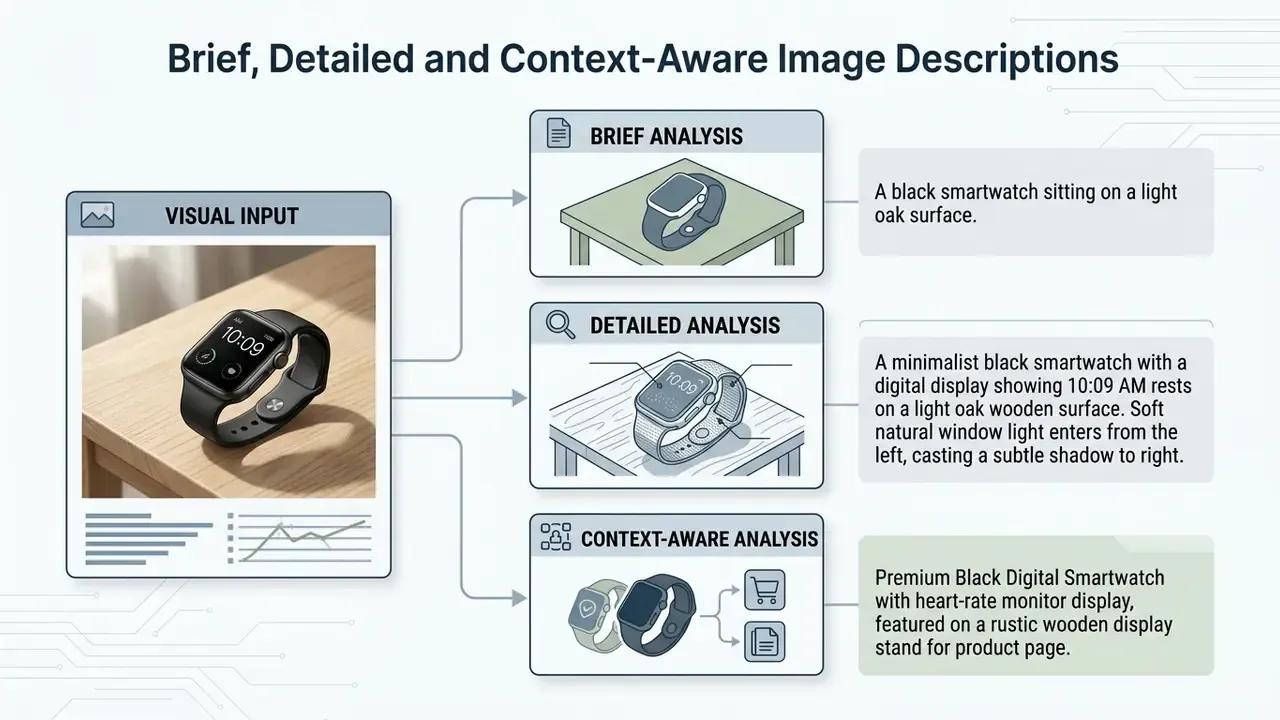
Understanding these distinctions helps operators configure an ai description generator for image workflow without generating unnecessary token overhead or missing crucial visual details. One practical tell: if your reviewers keep deleting the last two sentences of every output, your detail level is set too high.
Specialized Analysis Modes: Character, Scene, and Fine Art Interpretation
Modern vision-language models process stylistic and emotional nuance well beyond simple object detection. Mature interfaces therefore expose distinct analysis intents rather than a single generic "describe" button:
- Character Description Mode extracts facial features, expression, anatomical posture, hair texture, clothing materials, accessories, and character archetypes. Essential for game designers, illustrators, casting teams, and novelists building consistent visual references. This is the mode behind most queries for an ai character description generator from image.
- Scene & Spatial Mode maps background elements, horizon lines, depth of field, light sources, weather cues, architectural context, and environmental atmosphere to build spatial awareness for storyboards and location documentation.
- Artistic & Emotional Interpretation decodes aesthetic composition, color theory (contrast, palette harmony, temperature), artistic medium (oil on canvas, gouache, 3D render, vector illustration), historical style references, and the underlying emotional mood of the frame. In practice this functions like an automated first-pass art critique: it explains what an image means, not only what it contains. Users searching for an ai art description generator free of charge are usually after exactly this.
- Object Recognition & OCR Mode enumerates discrete items and transcribes visible typography. This is the mode most relevant to inventory audits and document intake.
An ACL 2026 paper reports Aya Vision 32B as an open-weight multilingual multimodal model covering image understanding, captioning, visual question answering, text generation, and translation across 23 languages. So these specialized modes are not locked behind proprietary APIs.
Prompts, Captions, Alt Text and Marketing Copy from One Image
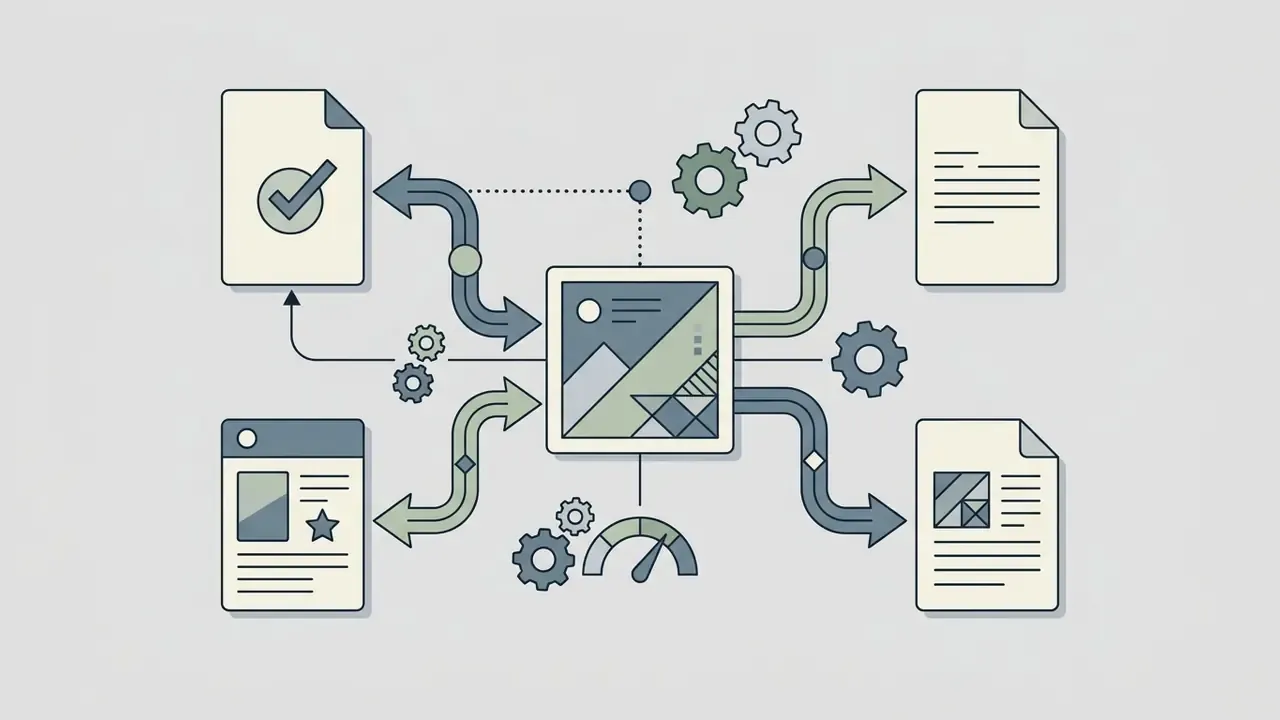
A single visual file can yield multiple text outputs depending on the prompt instructions supplied to the multimodal model. From one photo, an ai describe image generator can simultaneously extract accessibility alt text for web compliance, a marketing paragraph for product sales, and a descriptive prompt for an AI art generator tool.
One image, four deliverables. That economy is the real reason an ai description from image workflow spreads quickly inside content teams, often faster than governance catches up.
alt="", and functional images describe the action, not the appearance.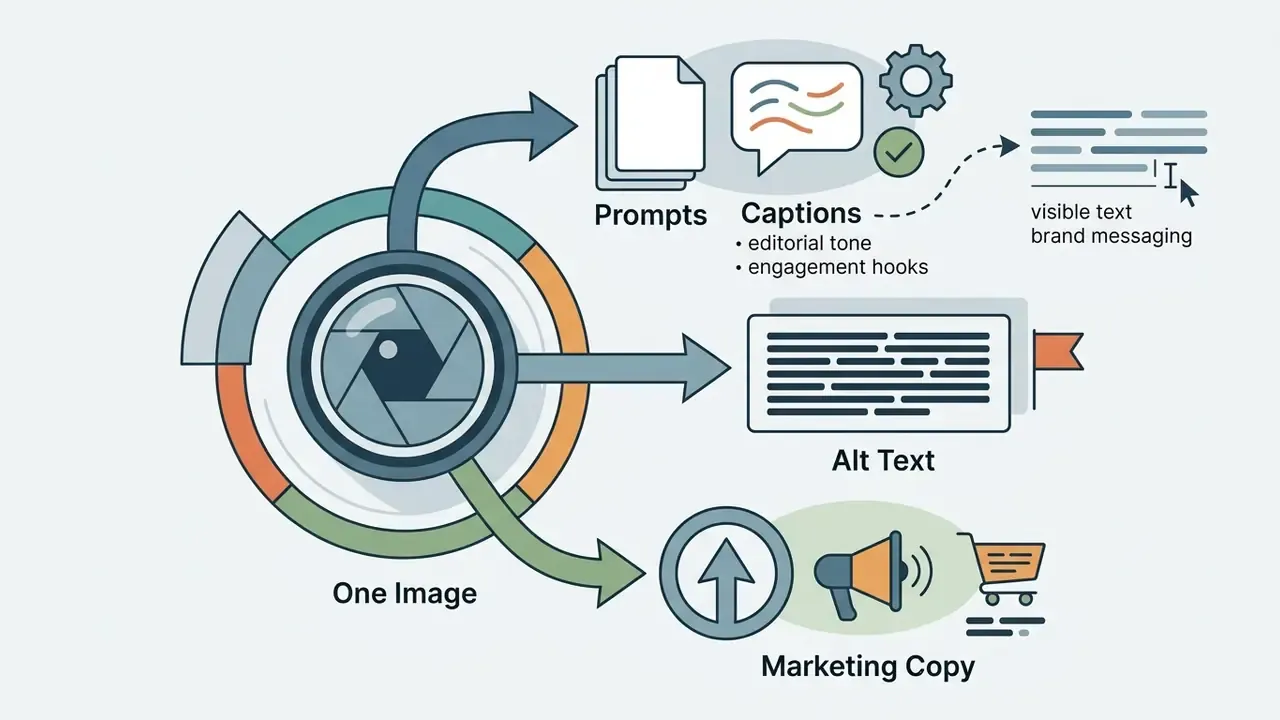

How Accurate Are AI Image Descriptions?
A 2026 systematic evaluation of multimodal LLMs makes the asymmetry explicit. Visual recognition performance landed between 50.7% and 80.1%, while the same models handled text tasks at 90.3 to 92.0%, with the weakest results in spatial reasoning and morphological feature extraction. Treat published benchmark maxima (99.10% on the sports-8 scene set, 99.14% overall on UC Merced aerial scenes) as ceilings for narrow, curated class sets, not as expected accuracy on your production imagery.
Put plainly: a model that nails a stock photo of a beach can still misread the third line of a scanned payment order.
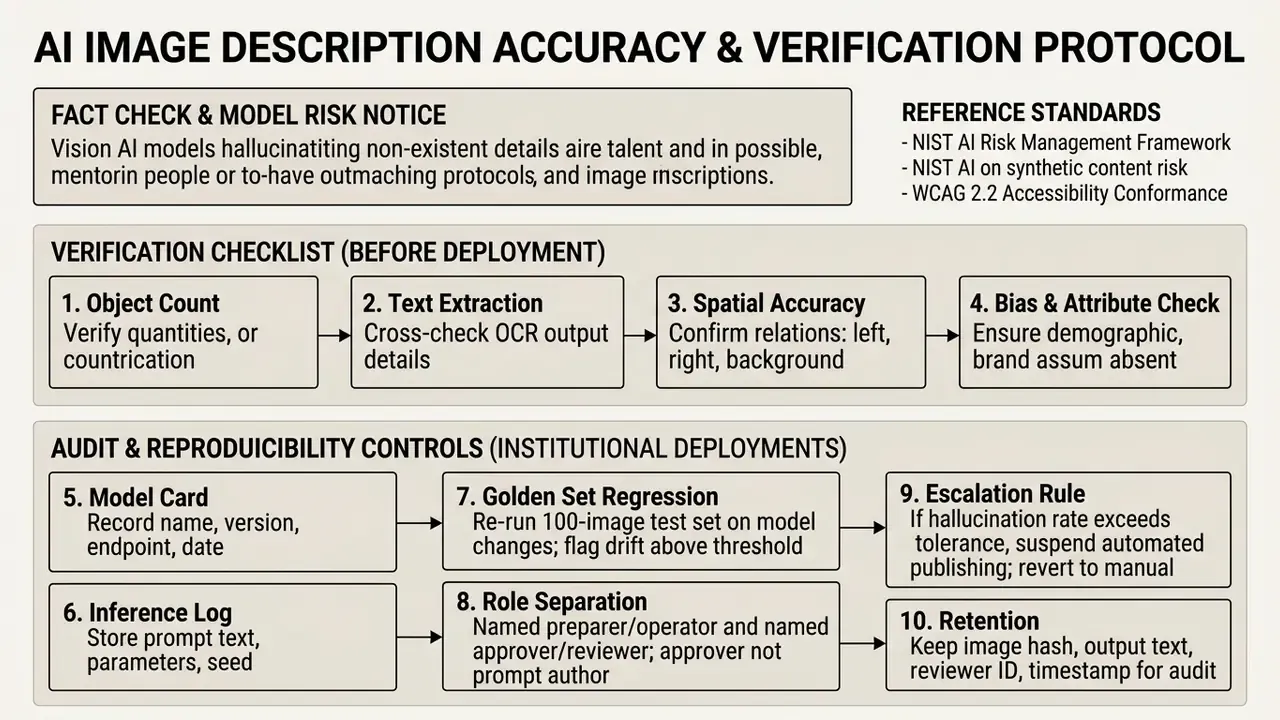
Disclaimer. This material is general information, not legal, medical, or financial advice. AI description accuracy varies by model, image type, and task. In regulated contexts (healthcare, law, financial services, safety-critical engineering) a qualified specialist must verify every generated description before it is relied upon or published. Free public tools must not be used to process personal data, banking secrecy, or confidential commercial information.
What AI Models Usually Recognize Well
Modern ai models reliably identify dominant objects scenes, high-contrast subjects, primary colors, and clear human actions. Benchmark evaluations on datasets like ImageNet and MS-COCO show top-1 accuracy exceeding 90% for standard consumer products and everyday environments (Stefanini et al., 2022).
- Primary subjects (cars, animals, clothing items, furniture).
- High-contrast environment types (beach, office, kitchen, forest).
- Clear, centered text rendered in standard Latin typography.
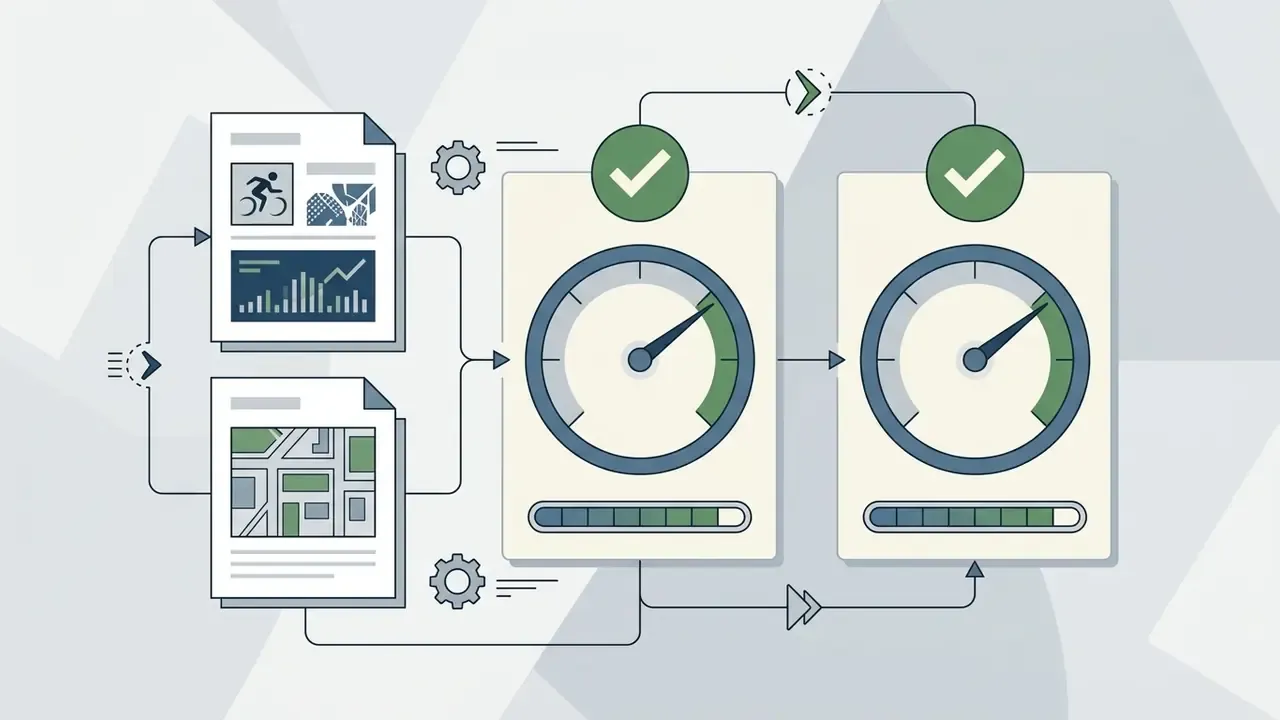
Where AI Can Miss Context or Details
Vision models frequently hallucinate non-existent items, mistake background shadows for objects, or misinterpret complex spatial positioning (DiffCap-Bench, 2026). In detailed image descriptions, hallucination rates can exceed 20% if the model is instructed to write excessively long paragraphs without adequate visual grounding.
How to Describe an Image with AI in Simple Steps
Using ai describe image online free services takes four main operational steps: uploading the visual asset, setting output parameters, specifying custom queries, and reviewing the generated text. Most modern web platforms execute this visual analysis pipeline in under three seconds per file.
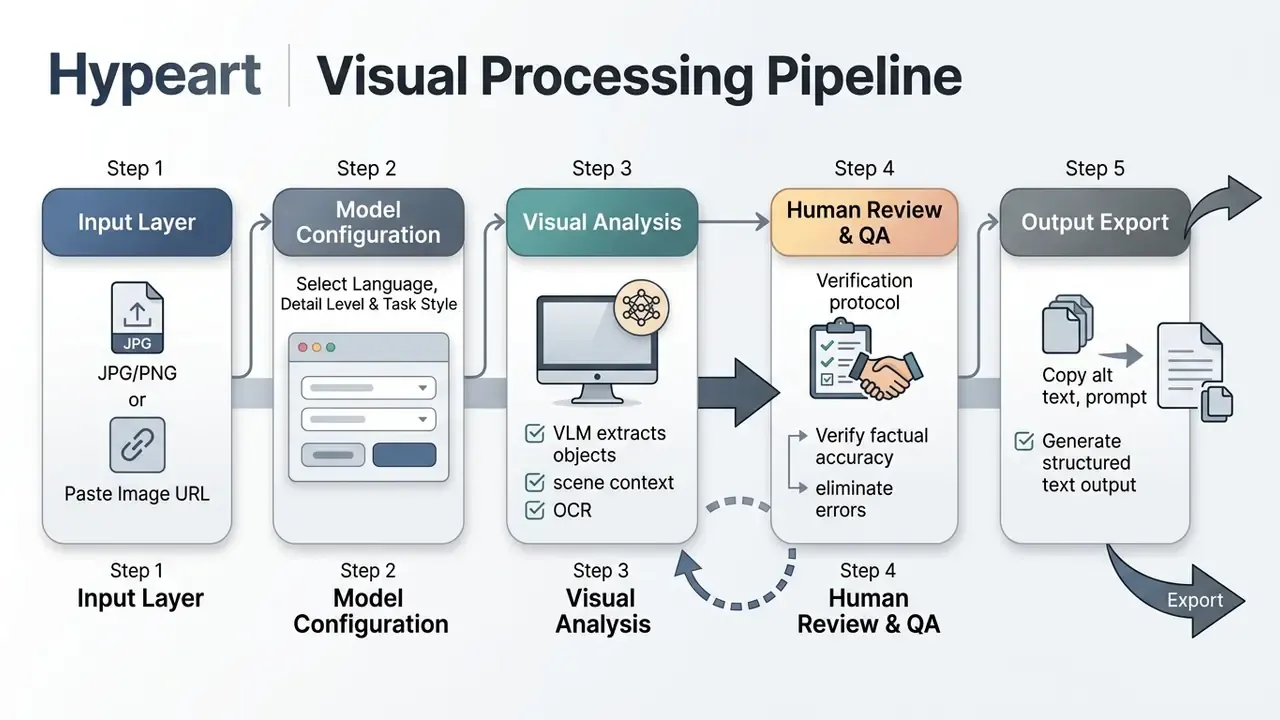
Upload an Image or Add an Image URL
Users can supply visual input by dragging and dropping local files or pasting a direct image url into the interface. Standard online tools support universal file extensions, specifically jpg png, WebP, HEIC, and animated GIF formats, up to 20 MB per upload (Google Cloud Vision API documentation). Vision APIs additionally cap inputs at roughly 75,000,000 pixels for OCR analysis, and archival guidance warns that aggressive lossy compression can obscure or alter information content (NARA digitization requirements; SWGDE image compression guidance).
High-resolution visual inputs, at least 640x480 pixels for standard objects and 1024x768 pixels for embedded text, yield significantly higher recognition accuracy during initial model inference. Where the source is a scan rather than a photo, Google Document AI guidance recommends a 200 dpi minimum, with 300 dpi or higher producing the best OCR results. If your originals are soft, dark, or skewed, pre-processing in an AI photo editor before inference is cheaper than correcting hallucinated output afterwards.
Choose Output Language, Description Style and Detail Level
Configuring the description style and detail level ensures the text aligns with its target destination, such as web accessibility, e-commerce listings, or social media. Most platforms support multiple languages, automatically translating visual observations into Spanish, German, French, or Japanese. When fine detail must survive translation, running the source asset through an AI image upscaler first raises the effective resolution available to the vision encoder.
Selecting "Accessibility Mode" produces concise, factual descriptions without editorial fluff. "E-commerce Mode" prioritizes product specifications, materials, and selling points. At API level the same control surface exists through inference parameters. Google's Gemini documentation notes that temperature near 0 is close to deterministic and suits low-creativity tasks, with 1.0 as the recommended starting point for generative writing. Descriptive, auditable captioning should sit at the low end of that range.
Ask Custom Questions About Objects, Scenes and Text
Users can enter custom questions to direct the vision model toward specific visual regions, obscure details, or printed text on an image. Combining Visual Question Answering (VQA) with Optical Character Recognition (OCR) enables precise extraction of model numbers, ingredients, reference numbers, or signboard text. That is the same capability class benchmarked by the OCR-VQA dataset, which pairs 207,572 images with more than one million text-grounded question and answer pairs (OCR-VQA Benchmark). For a side-by-side view of dedicated transcription engines, compare image-to-text tools before committing to a single provider.
Prompt Example for Custom QA (consumer / compliance labeling):
"Extract all nutritional information text from this packaging image, and list the total calories and sugar content in a bulleted Markdown format."
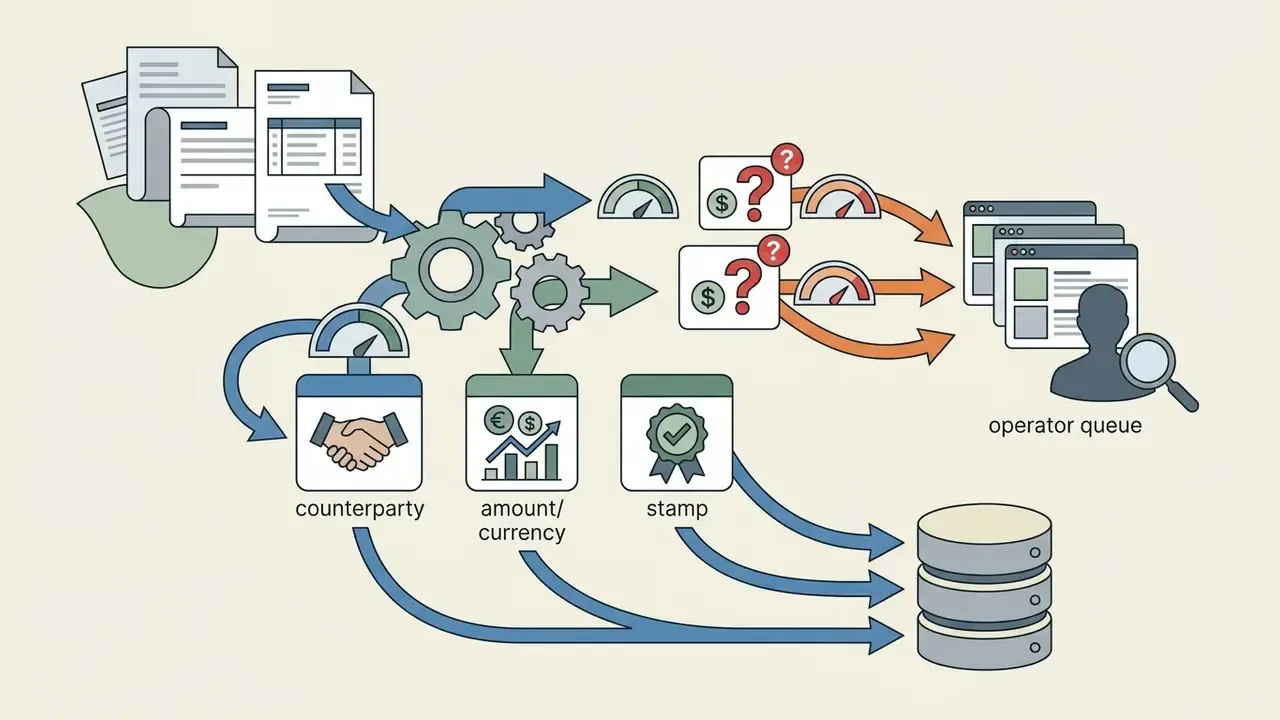
Prompt Example for Custom QA (financial back office):
"From this scanned payment order, extract: payer name, payer account number,
beneficiary name, beneficiary account number, amount, currency, value date,
and any visible stamp or signature. Return strict JSON matching this schema:
{ 'payer': str, 'payer_account': str, 'beneficiary': str,
  'beneficiary_account': str, 'amount': number, 'currency': str,
  'value_date': str, 'stamp_present': bool, 'signature_present': bool,
  'unreadable_fields': [str] }
If a field is illegible, place its name in 'unreadable_fields' and do not guess."
The unreadable_fields convention matters more than it looks. Forcing the model to declare uncertainty converts a silent hallucination into a routable exception that a human reviewer can clear, which is exactly what an auditable pipeline requires.
Use Cases for an AI Image Description Generator
An ai description generator from image free utility addresses operational bottlenecks across digital publishing, online retail, financial document intake, education, social media management, and creative AI workflows. Replacing manual description writing with AI-assisted drafting compresses content production timelines substantially. Internal workflow reports cite reductions approaching 80% for bulk alt-text and catalog drafting, although this figure reflects drafting time only and excludes mandatory human review cost, so validate it against your own baseline before it enters a business case. Where provenance matters, pair description generation with AI image verification so synthetic or repurposed assets are flagged before they are described and published.
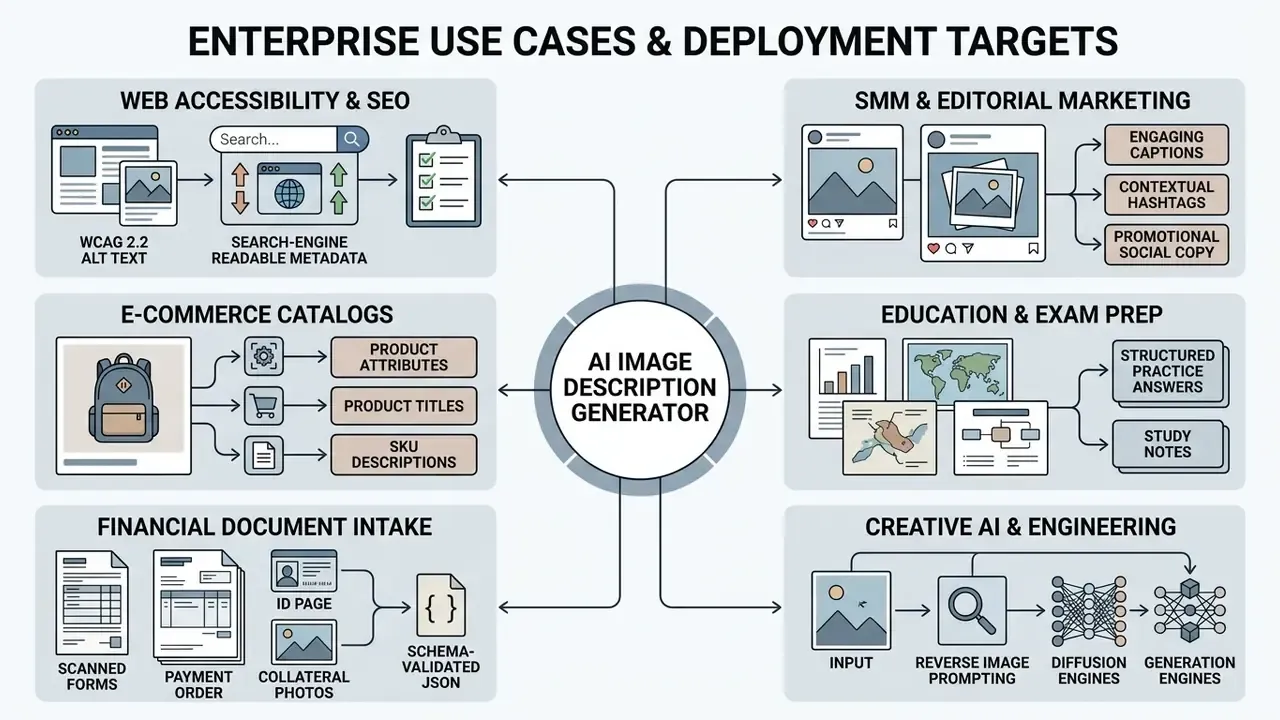
For the generation side of that last row, our notes on the bing ai image generator cover prompt syntax and commercial-use terms in one place.
Alt Text and SEO Image Descriptions
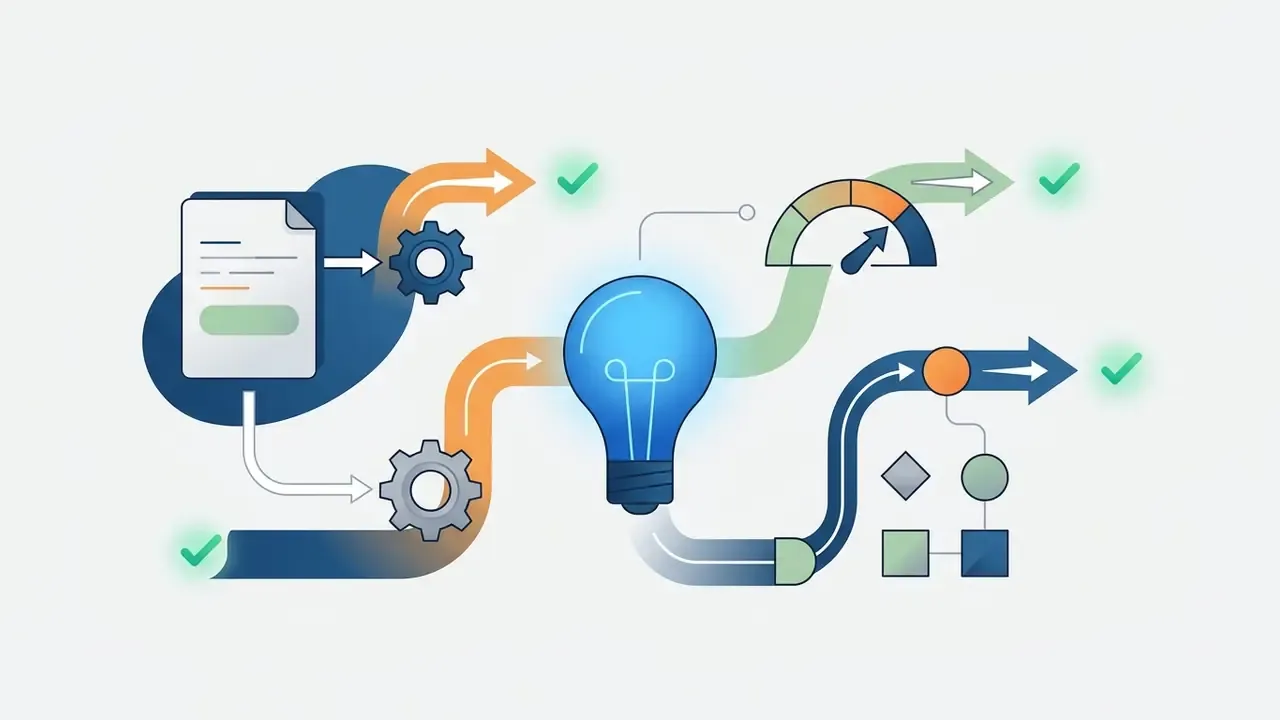
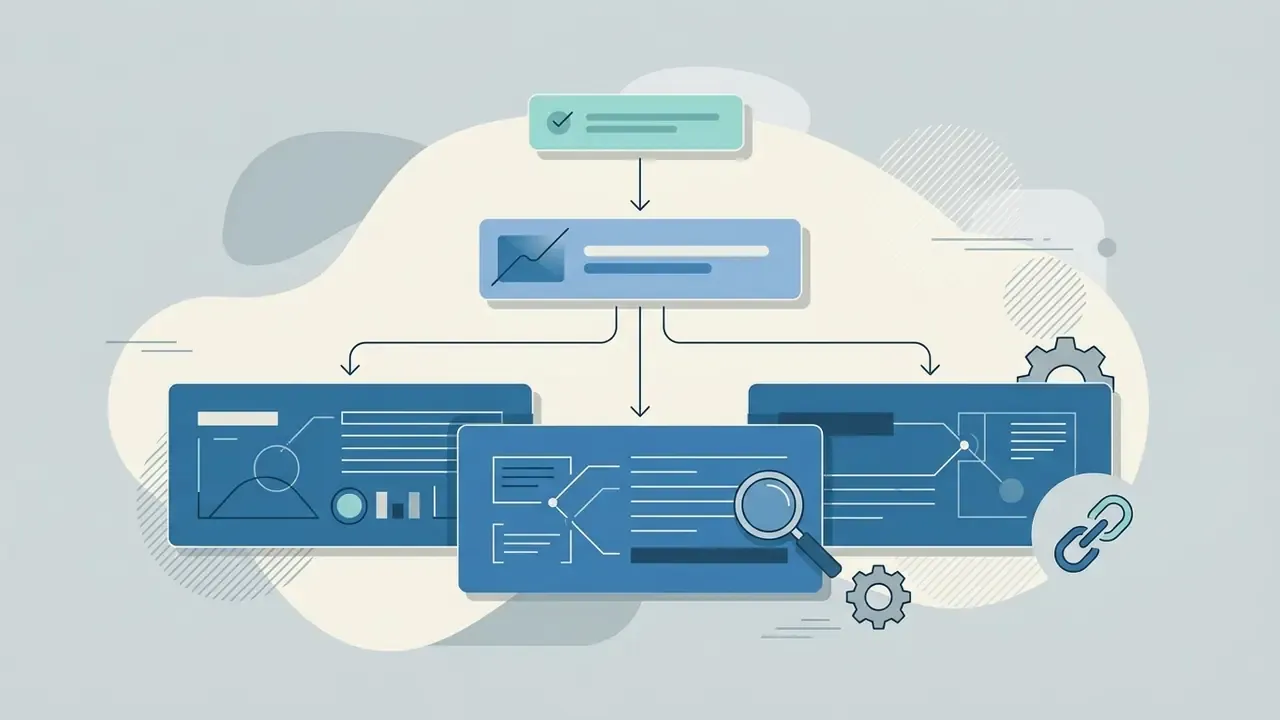
Generating alt text with an ai image describer free online helps websites maintain WCAG compliance while improving image indexing in search engines. Search engines use image alt attributes to understand visual context, making descriptive, non-spammy alt tags a core component of technical SEO (Google Search Central).
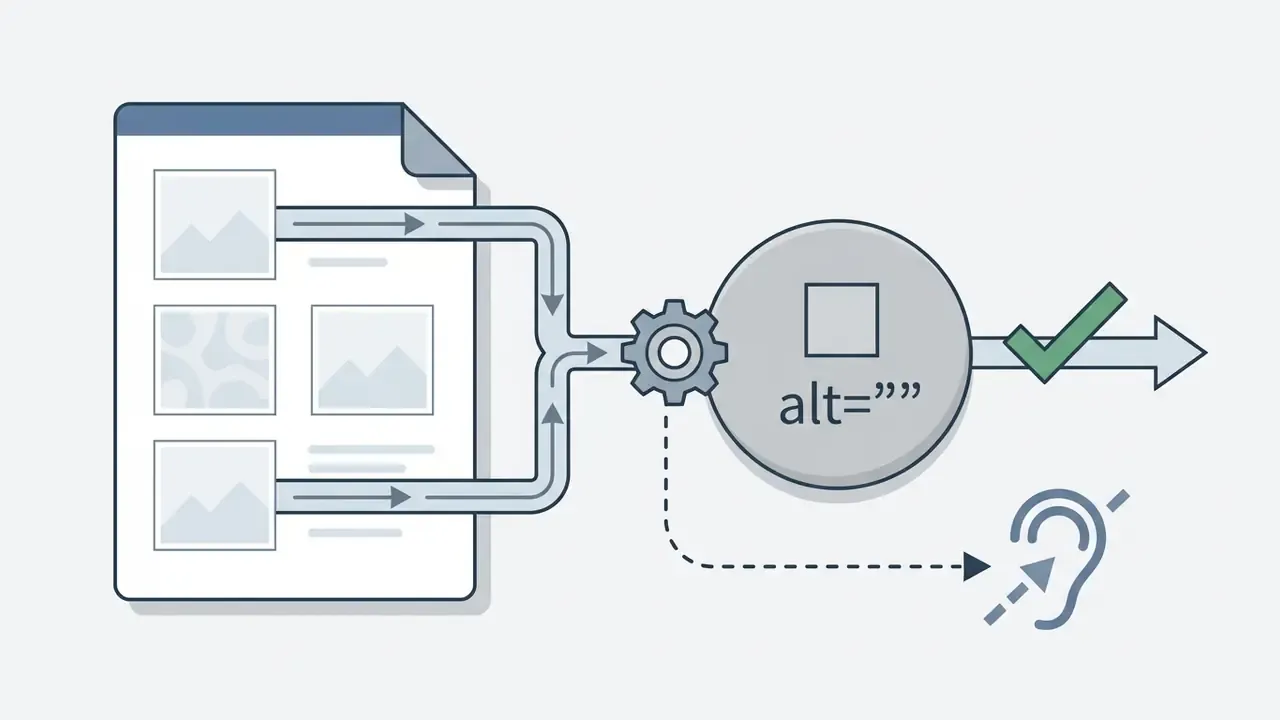
alt="" so assistive technology skips them rather than announcing noise.Product Listings and E-commerce Image Analysis
Online stores use automated visual analysis to generate titles, bulleted features, and marketplace attributes directly from product photography. Because output quality tracks input quality, teams often route catalog shots through AI-driven image enhancement before inference. For additional regulatory guidance on publishing AI content, consult our B2B AI Media Trust Checklist. For adjacent visual production workflows, see how an AI image generator from image turns an existing product photo into channel-specific variants.
Vision-language models automatically extract key commercial attributes:
Note the disclosure requirement. Google Search guidance states that AI-generated product data such as title and description must be specified separately and labeled as AI-generated.
Financial Services and Regulated Document Scenarios
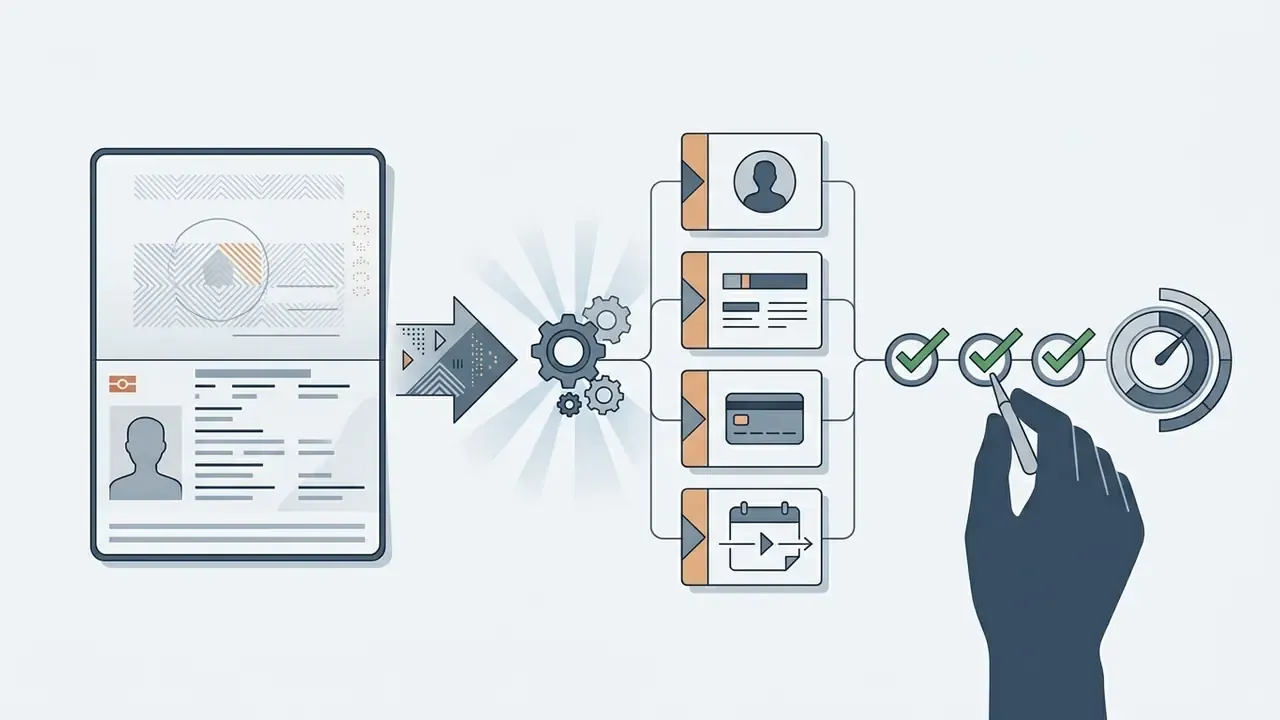
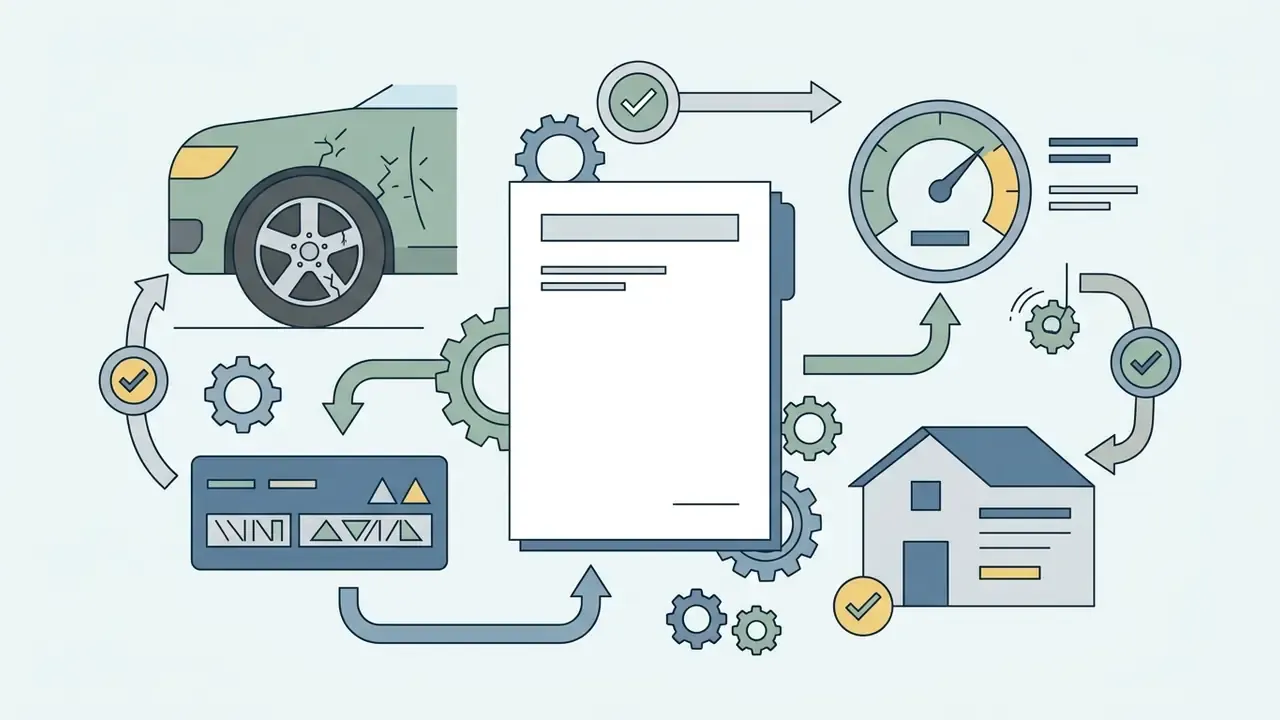
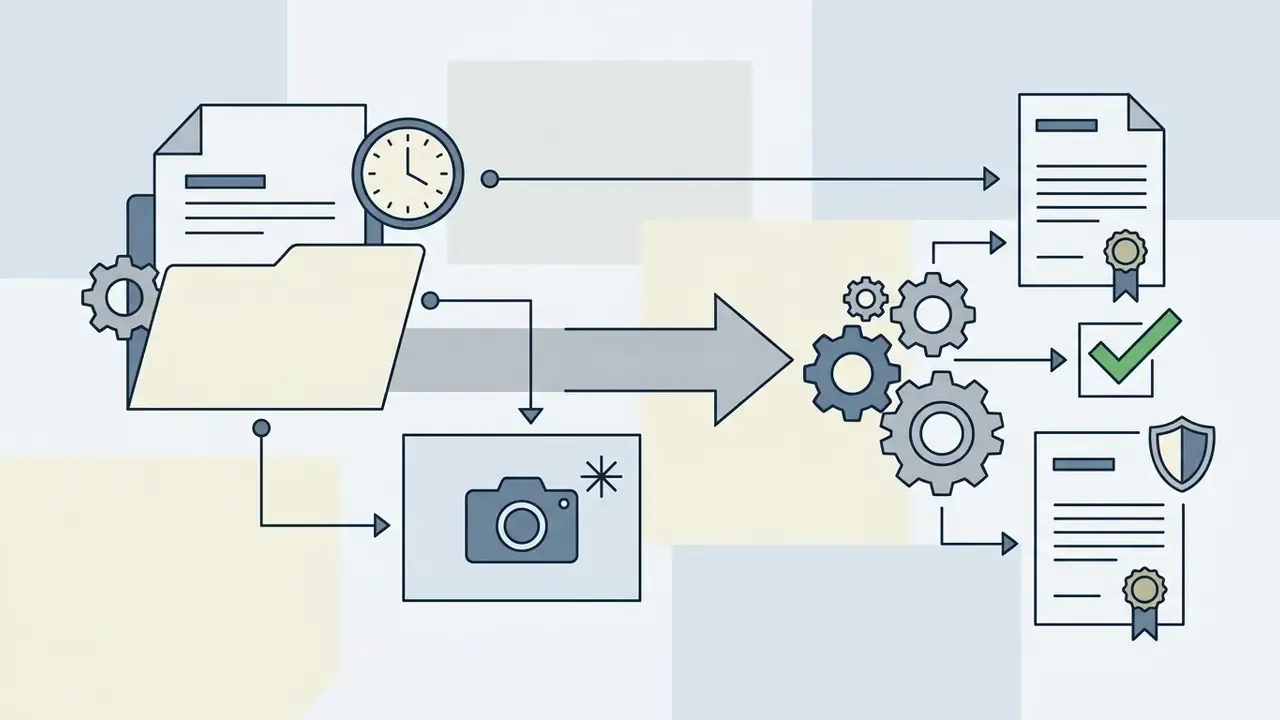
For banks, lenders, and fintechs, the highest-value use of an ai image describer is not marketing copy. It is first-pass structuring of visual evidence:
Educational and Exam Preparation (PTE Academic Describe Image)
Students and language-test candidates use an ai image describer to practice the speaking and writing modules of standardized exams such as PTE Academic. The system converts complex visual inputs, including bar charts, line graphs, process diagrams, pie charts, maps, and photographs, into a structured 70 to 90 word oral response within seconds. That gives the candidate a model answer to imitate under timed conditions.
- PTE Template Structure:
- Introduction: overall topic and visual type (1 sentence).
- Key Trends / Features: highest and lowest data points, stages of a process, or dominant visual elements (2 to 3 sentences).
- Comparison or Detail: one contrast, ratio, or notable outlier (1 sentence).
- Conclusion: summary insight or forward-looking implication (1 sentence).
- Practice prompt: "Describe this bar chart as a 70-90 word PTE Academic response. Open with the chart type and topic, name the highest and lowest categories with their values, add one comparison, and close with a one-sentence conclusion. Use present tense and avoid filler phrases."
Teachers use the same mechanism in reverse: generate a reference description, then score the student's spoken attempt against it for coverage, accuracy, and fluency. The technique extends to diagram-heavy subjects, where a brief alt summary plus a fuller explanation makes STEM figures usable in accessible study material.
How to Choose a Free AI Image Describer (and When Not To)
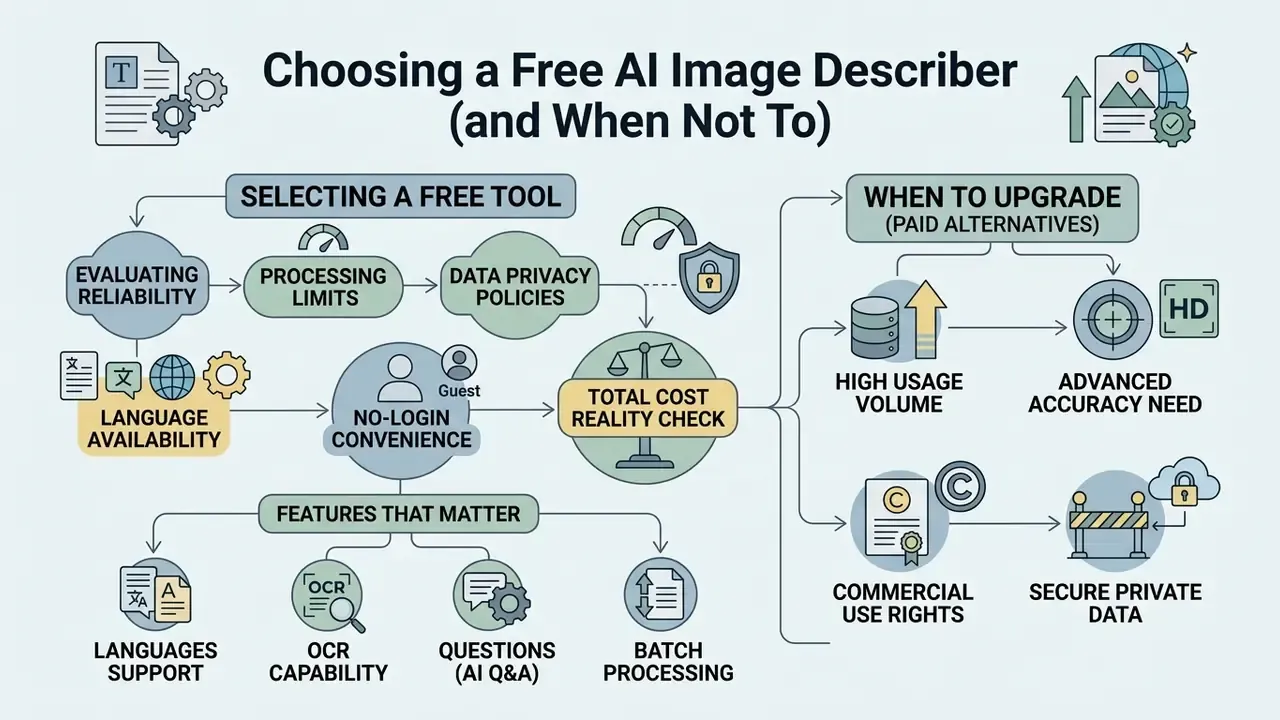
Selecting a reliable free ai tool requires evaluating processing limits, data privacy policies, language availability, and no-login convenience. Organizations handling sensitive media must verify whether uploaded assets are stored or used for model retraining. They must also decide, before tool selection, whether a public SaaS endpoint is admissible for that data class at all.
| Criteria | Basic Free Web Tools | Advanced / Enterprise Web Tools | Open-Source / Local Models |
|---|---|---|---|
| Login Requirement | no login required | Account creation required | Self-hosted (no login) |
| Supported File Formats | jpg png, WebP, GIF | JPG, PNG, WebP, HEIC, TIFF, PDF | Unlimited format support |
| OCR Capabilities | Basic text recognition | Multilingual OCR and layout analysis | Model-dependent (e.g., Florence-2) |
| Batch Processing | Single image only | Supported (limited credits) | Unlimited batch processing |
| Privacy & Security | Assets cached on server | Temporary buffer (auto-delete) | 100% local data privacy |
| Contractual Guarantees | Public ToS only, no DPA | DPA, zero-retention addendum, SOC 2 report | Fully internal control |
| Audit Logging / Traceability | None exposed | API request IDs, model version headers | Full local logs under your SIEM |
| GRC / MRM Integration | Not possible | API-level integration with case and GRC systems | Native integration, custom schemas |
| Admissible Data Classes | Public marketing assets only | Internal assets per policy | Confidential or regulated data (with controls) |
| Cost Model | Free, rate-limited | Per-request or seat licensing | Infrastructure plus MLOps staff (TCO) |
| Commercial Use Rights | Personal use only | Permitted under Terms | Fully unrestricted |
For adjacent tooling decisions, our comparison of AI image generators applies the same evaluation logic to the generation side of the pipeline.
Total cost reality check. Free tiers look costless because the expensive line item sits outside the tool: human verification. A defensible ROI model for an image-description workflow is therefore:
Net benefit = (manual drafting minutes saved x loaded hourly rate)
            - (review minutes per asset x loaded hourly rate)
            - (API or infrastructure cost)
            - (expected cost of published errors x error rate)
If the error-cost term is material, as it is in lending, insurance, or regulated labeling, the correct architecture is usually a contracted API or local model with schema validation, not a free public endpoint.
Features That Matter: Languages, OCR, Questions and Batch Processing
A feature-rich ai description image generator should support OCR text extraction, custom visual question answering, and multi-file processing. Enterprise catalog teams rely heavily on batch uploading to generate descriptions for hundreds of product photos in a single queue (Azure AI Document Intelligence), whose universal models extract mixed-language text without requiring a language code. Oracle's OCI Document Understanding documents OCR for eleven non-English languages alongside English, confirming multilingual document intake as a production-grade capability rather than a marketing claim.
Typical free-tier ceilings to plan around: about 3 uploads per day in consumer chat products, 60 requests per hour on unauthenticated API endpoints, single-file processing with no batch mode, and hard file caps between 200 MB and 512 MB depending on service and format. For technical evaluations of competing generative platforms, check our comprehensive AI Media Comparison analysis.
Privacy, No-Login Access and Commercial Use
How to Get Better AI Descriptions from Images
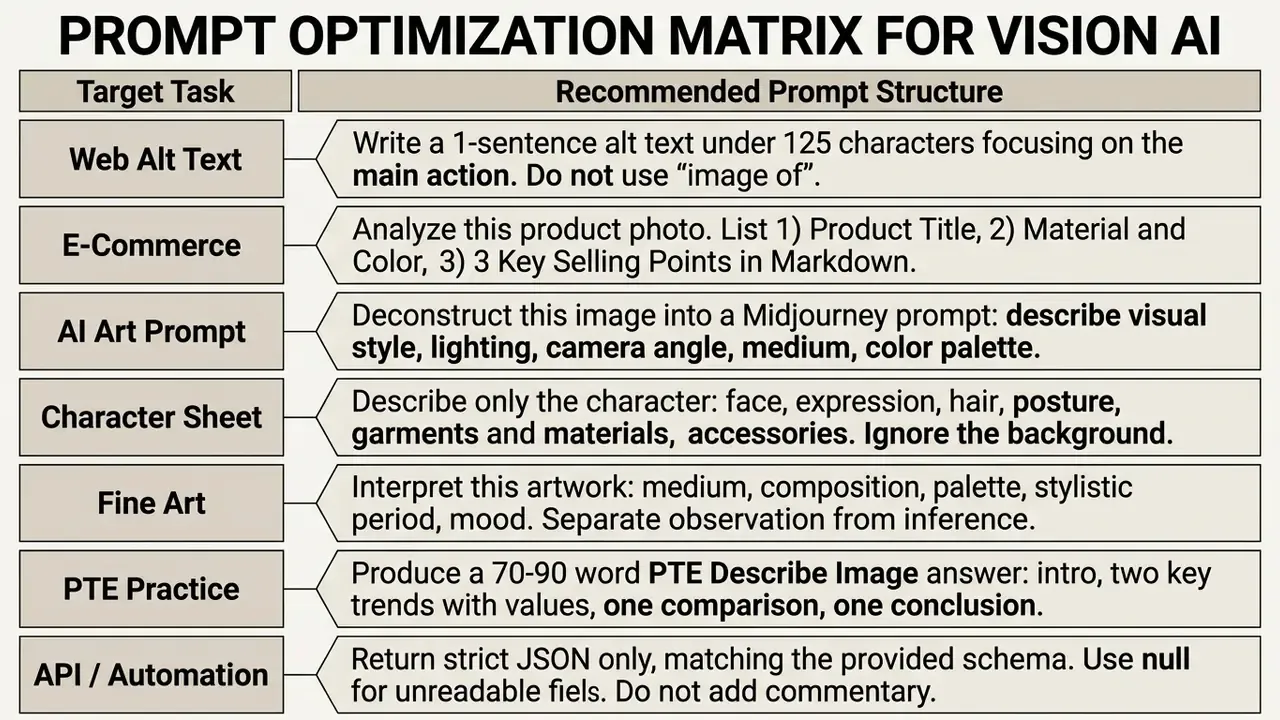
Improving AI description quality depends on structuring precise prompts, specifying the exact output format, and enforcing human review prior to publication. Clear instructions reduce visual hallucinations and align the text with its intended business goal. Microsoft's prompt-engineering guidance for vision tasks recommends contextual specificity, task-oriented phrasing, worked examples, decomposition into steps, and an explicitly defined output format.
Parameter settings that reduce drift: low temperature (0 to 0.3) and a constrained max_tokens value for factual description; a fixed seed where the API supports it, for reproducibility during validation; and explicit refusal instructions ("if a detail is not visible, say 'not visible' rather than inferring"). Documentation practice for institutional deployments requires recording full prompt text and inference parameters alongside the output, so that a description can be reproduced during audit.
Match the Prompt and Description Style to the Final Task
Tailor the system instructions to the end-use destination. An alt text output requires concise, objective language. An e-commerce prompt should prioritize persuasive attributes, features, and target user benefits. Accessibility standards add a hard constraint: alt text must be short, in the same language as the surrounding content, non-repetitive, and focused on function rather than appearance (U.S. Section 508 authoring guidance; W3C WCAG 2.2 technique H37).
When configuring tools for art recreation, study our specialized guide on bing ai art generator parameters to align prompt terminology. Then review the roundup of best AI image generators to match your reconstructed prompt to an engine that honours its syntax.
Review the Generated Description Before Publishing
Always conduct a human review to catch factual errors, incorrect object counts, or unverified claims. Verification is especially critical when publishing alt text on regulated websites, financial portals, or public healthcare platforms.
A publish-ready review checklist, consistent with institutional AI output-review practice (UNC System Copilot Output Review Checklist, 2026; NIH Generative AI Usage Toolkit, 2025), covers: factual accuracy of names, numbers, dates and counts; completeness against the visible content; absence of silently added detail; tone and audience fit; policy and legal compliance including AI-content labeling; and a named human sign-off recorded with a timestamp.
Real-World Workflow Integrations
| Professional Role | Workflow Application | Key Operational Benefit |
|---|---|---|
| UX/UI Designers | Automated web accessibility auditing | Generates WCAG 2.2-aligned alt text candidates across large design systems and component libraries. |
| E-Commerce Operators | Product catalog automation | Extracts title, color, material, and SKU properties from product photos, increasing listing velocity per merchandiser. |
| SMM Strategists | Social content scaling | Turns visual assets into platform-tailored captions with contextual, CamelCase hashtags. |
| Prompt Engineers | Visual style deconstruction | Reconstructs image parameters to train custom LoRA models or generate consistent synthetic assets. |
| Accessibility Auditors | Remediation backlog triage | Prioritizes images lacking alternatives and drafts first-pass text for human refinement. |
| Financial Operations Analysts | Document and collateral intake | Converts scanned forms and field photos into schema-validated JSON with flagged low-confidence fields. |
| Educators & Test Tutors | Accessible study materials and PTE drills | Produces brief-plus-detailed descriptions of diagrams and 70 to 90 word model exam answers. |
| Photographers & Curators | Portfolio and archive narration | Interprets medium, composition, palette, and mood for catalog entries and exhibition notes. |
Vendor testimonial claims of specific uplift, for example "conversion rates increased by 23% after AI-generated descriptions", circulate widely on competing tool pages but are published without methodology, control group, or measurement window. Treat such figures as unverified marketing until you reproduce them on your own catalog with an A/B test.
Enterprise Governance and Shadow AI Mitigation
Free, no-login image describers are genuinely useful for public marketing assets, hobby projects, and exam practice. They are also the single most common vector for Shadow AI in document-heavy organizations, because the friction to paste a confidential screenshot into a browser tab is effectively zero.
Minimum control set for institutional deployment:
- Data classification gate.Define which asset classes may leave the perimeter. Public product photography and stock imagery: permitted. Customer documents, ID pages, PII-bearing screenshots, unreleased designs, internal dashboards: prohibited on public endpoints.
- Approved-tool register.Maintain an allowlist of contracted endpoints (with DPA, zero-retention addendum, and an available security report) plus self-hosted models such as Florence-2 or LLaVA for restricted data. Everything outside the register is unapproved by default.
- Technical enforcement.Block unapproved describer domains at the proxy, apply DLP inspection to image uploads, and provide an approved internal alternative so users have a compliant path rather than a workaround.
- Model inventory and validation.Register each VLM in the model inventory with purpose, owner, data classes, validation evidence, and review date, consistent with the NIST AI Risk Management Framework's emphasis on measured validity, reliability, and safety.
- Audit trail.Persist model version, prompt, parameters, output, reviewer identity, and timestamp for every published description. Without this, an accessibility or consumer-protection challenge cannot be answered with evidence.
- Synthetic-content transparency.Label AI-generated product data and descriptions where platform rules require it, and track provenance in line with NIST AI 100-4 guidance on identifying and verifying synthetic content.
- Periodic revalidation.Re-run the golden regression set after every model or endpoint change. Vendors upgrade silently, and yesterday's validated behaviour is not evidence for today's model version.
What to do next, if you own AI governance: (a) inventory which teams already paste images into public describers; (b) classify their data; (c) stand up one approved endpoint per data class; (d) publish the verification protocol above as mandatory pre-publication procedure; (e) set a tolerance threshold for sampled hallucination rate and name an escalation owner.
None of this requires a moratorium on the tooling. It requires an owner, a boundary, and a log.
Limitations and Open Questions
Honest reporting means naming what this guide cannot settle.
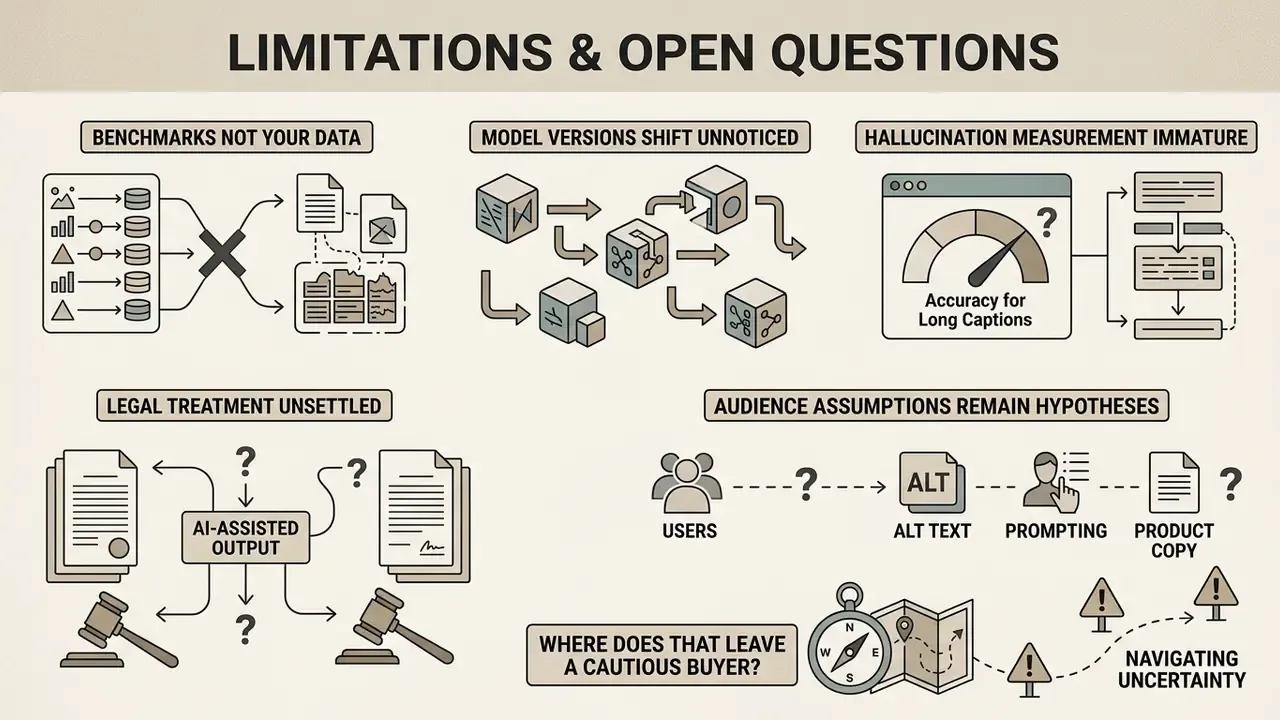
- Benchmarks are not your data. Every accuracy figure cited here comes from public datasets. Your invoices, field photos, and product shots have different lighting, layouts, and scripts. Only a golden set drawn from your own corpus tells you the real error rate.
- Vendor model versions move without notice. A tool validated in Q1 may behave differently in Q3 under the same API name. Version pinning is not always offered on free tiers.
- Hallucination measurement is immature for long captions. Research explicitly warns that short-answer VQA metrics do not transfer to hyper-detailed descriptions, so "low hallucination rate" claims should be read with the caption length attached.
- Legal treatment of AI-assisted output is unsettled. Copyrightability, disclosure duties, and cross-border data rules continue to shift through 2026, and jurisdictions disagree.
- Audience assumptions remain hypotheses. The buyer profiles and pain points behind this material should be treated as working hypotheses until confirmed by interviews, analytics, or CRM evidence.
Where does that leave a cautious buyer? Roughly here: pilot on low-stakes assets, measure on your own imagery, and keep the human sign-off in the loop until the evidence says otherwise. For platform-level context across the category, the Hypeart AI Media Decision Support hub tracks how these questions evolve.
FAQ About AI Image Describer Tools
What Image Formats Can an AI Image Describer Analyze?
Most web tools accept standard image formats, including JPG, PNG, WebP, HEIC, and animated GIF. For optimal OCR and visual recognition performance, ensure files are clear, uncorrupted, and under 20 MB. Avoid re-saving originals with aggressive lossy compression, which can erase the fine detail the model needs.
Are NSFW Images Supported by AI Image Description Tools?
Public AI description tools implement automated content moderation filters that block adult, violent, or non-consensual content (OpenAI Usage Policies, 2025). Uploading restricted media will trigger system blocks or account flags. Azure AI Content Moderator documents machine-assisted adult and racy image classification, and Leonardo's production API returns an explicit NSFW attribute on generated content, showing that filtering happens both before and after inference.
«Image and caption datasets apply OpenCLIP-based classifiers to remove unsafe content at an unsafe-score threshold of 0.1, reflecting standard industry filtering practice.» Source: WAON: Large-Scale and High-Quality Japanese Image-Caption Dataset, arXiv (2025)
Is There a Limit on Free Image Descriptions?
Free web services typically impose daily usage quotas, such as 3 to 10 free generations per day, or limit batch uploads unless users upgrade to a paid tier. Unauthenticated no login tools often enforce stricter rate limits per IP address, and 60 requests per hour is a common ceiling on public API endpoints. If your workflow needs an ai image describer generator at catalog scale, plan for a paid or self-hosted tier from the start.
Can I Use AI-Generated Descriptions Commercially?
Rights depend entirely on the provider's terms. Some free tools grant commercial use explicitly, others restrict output to personal use, and at least one major vendor's localized terms prohibit commercial use of generated output altogether. Check the licence before the text reaches a product page, and note the U.S. Copyright Office's January 2025 analysis of copyrightability for AI-assisted outputs when originality matters to you.
Can an AI Image Describer Be Used for Banking or Insurance Documents?
Only within a governed architecture. Public, no-login tools are unsuitable because uploaded assets may be cached or used for retraining. Use a contracted API with a data-processing agreement and zero-retention terms, or a self-hosted model, combined with schema validation, confidence thresholds, four-eyes review, and full audit logging. Consult your privacy and compliance functions before any pilot touches real customer data.
How Do I Evidence AI-Generated Alt Text During an Accessibility Audit?
Keep three artefacts per image: the model version and prompt used, the generated candidate text, and the reviewer's approved final text with identity and timestamp. Auditors ask how the alternative was produced and who confirmed it conveys the image's purpose under WCAG 2.2 Success Criterion 1.1.1. A log answers both questions in one step.
Can AI Explain What an Image Means, Not Just What It Contains?
Yes, within limits. Artistic and emotional interpretation modes read composition, palette, medium, and mood, and will describe narrative and tone rather than only enumerating objects. Because interpretation is inference rather than observation, instruct the model to separate the two, for example "first list what is visible, then state your interpretation". Review inferred emotions, identities, and demographics especially carefully.
Does Batch Processing Change the Accuracy Profile?
Batch mode does not make individual predictions better or worse, but it removes the natural per-image human glance that catches errors in single-file workflows. Batch pipelines therefore need sampling-based QA: review a fixed percentage of outputs, track the observed error rate, and stop the queue if the rate crosses your tolerance band.
Appendix A: Superseded Formulations (Change Log)
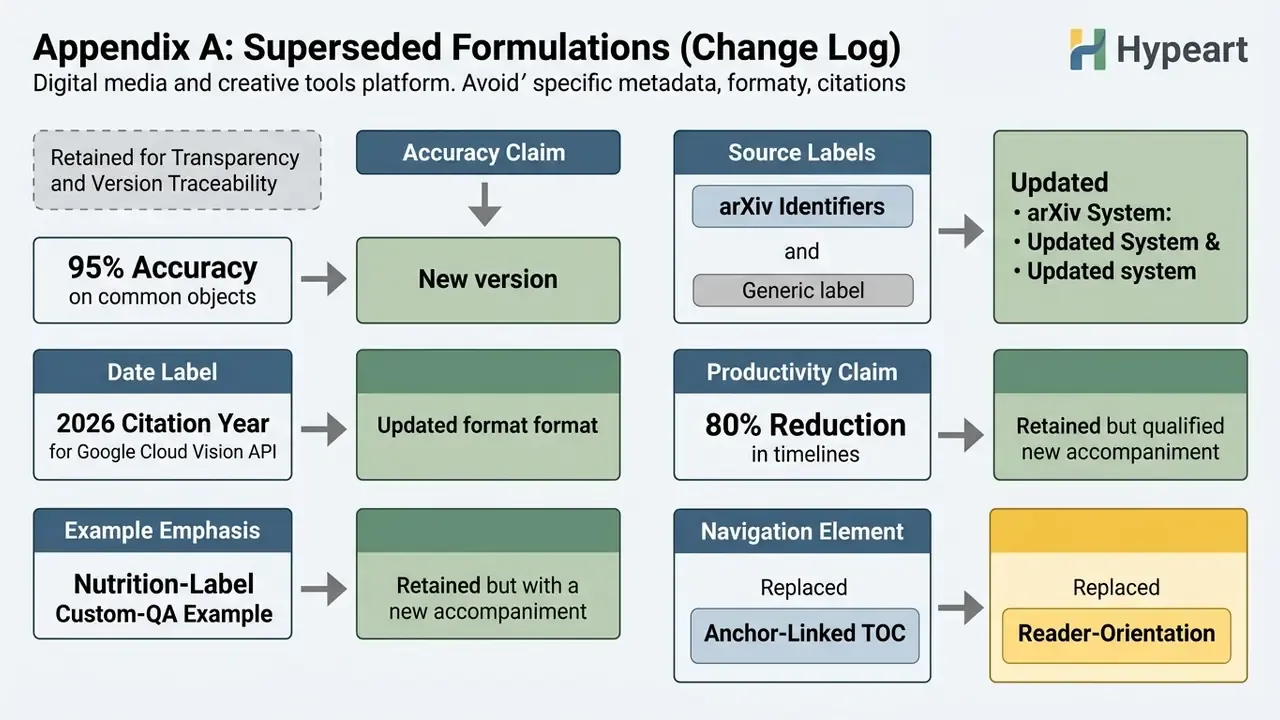
Retained for transparency and version traceability:
- Superseded accuracy claim: "AI image descriptions achieve over 95% accuracy on common object recognition benchmarks, but error rates rise when evaluating spatial relationships, small details, and rare languages." Replaced with a task-dependent formulation, because the 95% figure could not be tied to a specific benchmark, model, and class set. Current benchmark evidence ranges from about 50% visual recognition in broad multimodal evaluations to above 99% on narrow curated scene sets.
- Superseded source labels: placeholder arXiv identifiers (
2404.00000,2402.00000,2410.00000) and a generic institution homepage reference were replaced with named-publication citations (Bucciarelli et al., ECCV Workshop 2024; Srivatsan et al., arXiv 2024; Leng et al., arXiv 2024; NIST AI RMF / AI 100-1). - Superseded date label: the "Google Cloud Vision API, 2026" citation year has been dropped in favour of a direct link to the living documentation page on supported files and resolution guidance.
- Superseded productivity claim: "reduces content production timelines by up to 80%" is retained but now marked as a drafting-time-only figure requiring in-house validation, since it excludes mandatory human review cost.
- Superseded example emphasis: the nutrition-label custom-QA example is retained and now accompanied by a regulated-document (payment order) example for institutional readers.
- Superseded navigation element: an anchor-linked table of contents was replaced with a reader-orientation section, because duplicated in-page navigation added no decision value.
About the Review
This article is maintained by the Hypeart AI Media decision-support editorial team, which specializes in commercial-use terms, model risk, and governance frameworks for generative media tooling. It is reviewed against primary sources: W3C accessibility standards, the NIST AI Risk Management Framework, vendor API documentation (Google Cloud Vision, OpenAI, Microsoft Azure AI), and peer-reviewed vision-language literature from 2023 to 2026. Expert commentary is attributed inline and, where commentary has a named author, that author is credited. Where a claim could not be tied to a primary source, it is flagged in Appendix A rather than quietly removed.
General disclaimer. Nothing here constitutes legal, financial, medical, or accessibility-certification advice. Regulatory obligations differ by jurisdiction and sector. Validate tool selection and verification procedures with your own privacy, compliance, and legal functions before deployment.
Social Media Captions and AI Art Prompt Deconstruction
Digital marketers use an ai description photo generator to create engaging social posts, while designers perform reverse prompt engineering to deconstruct visual styles. Accessibility guidance for social channels is consistent: keep descriptions concise and contextual, avoid "image of" or "photo of" openings, target roughly 100 characters or less for platform alt fields, use CamelCase for multi-word hashtags, and place hashtags at the end of the caption.
Passing an existing image into an ai photo description generator extracts visual parameters that can be adapted into model-specific prompts for image synthesis pipelines. Adobe Firefly's image-to-prompt guidance frames the reverse workflow around six components: subject, context, visual style, composition, lighting and mood, plus model-specific tags. Syntax then diverges by engine:
--ar 16:9 --style raw --stylize 250. Keep the prompt as a single dense clause chain rather than prose.8k resolution, photorealistic, cinematic lighting, shallow depth of field) plus a negative prompt suppressing artifacts (extra fingers, watermark, text, lowres), optionally weighted with parentheses.