«No evidence, no autonomy. When financial institutions and regulated enterprises evaluate multimodal models to convert visual artifacts into structured data or automated descriptions, governance mandates deterministic verification, full data lineage, and explicit human-in-the-loop controls.»
Why should a CRO or a head of model risk care about caption quality? Because the same pipeline that writes a product blurb also reads an expiry date on a passport scan. Same model. Very different consequences.
Last updated: 2026. Reviewed by the model-risk and accessibility practice leads who maintain our commercial-use evaluation library.
Executive Summary: Four Decisions Before You Deploy
- Accuracy is conditional, not absolute.Frontier multimodal models (GPT-4o Vision, Gemini 1.5 Pro, Claude 3.5 Sonnet) produce highly usable descriptions on clean, single-subject images, but measured accuracy degrades sharply as scene complexity, small typography, and low resolution increase. Benchmarks show accuracy falling from near-perfect on four-object scenes to below 60% on 64-object scenes.
- Verification is the control, not the model.Object hallucinations, miscounts, wrong color attribution, and logo-triggered brand errors are documented failure modes. A mandatory human-in-the-loop step plus OCR cross-validation is the only defensible control for regulated artifacts (IDs, invoices, collateral photos).
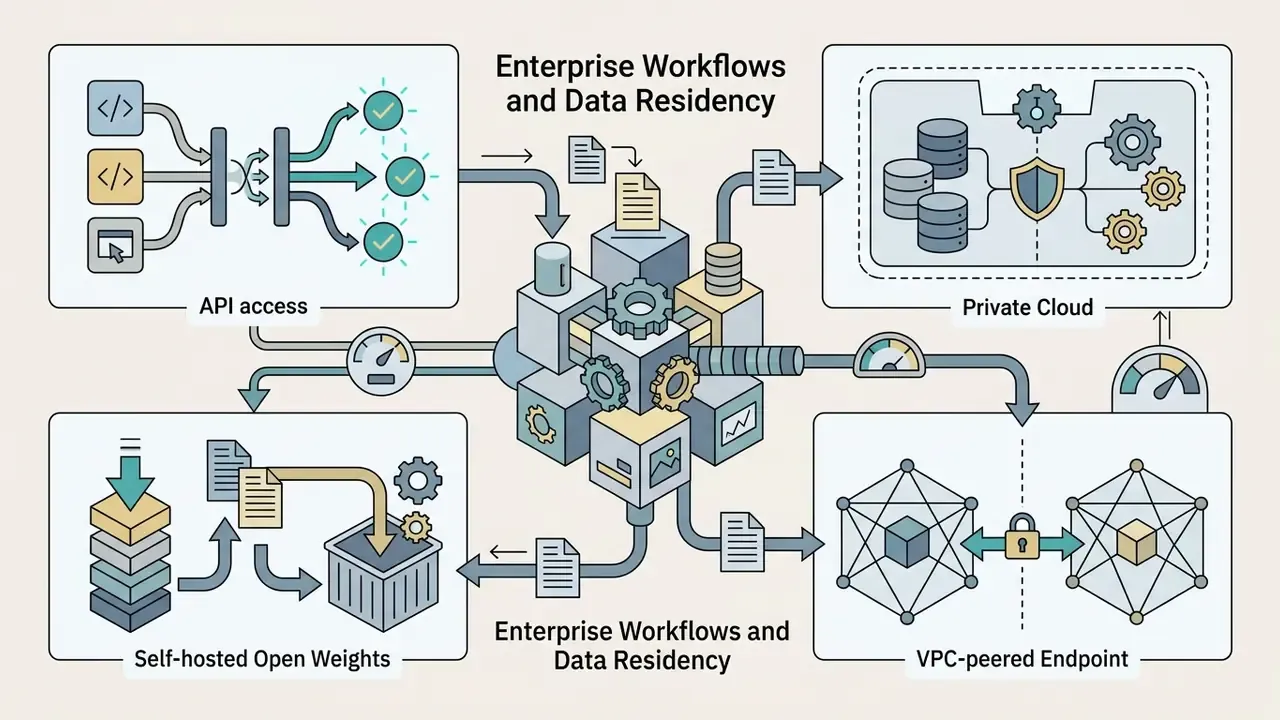
- Data governance decides vendor selection.Retention windows, no-retraining guarantees, PII masking before inference, and private network paths (VPC/PrivateLink) matter more in procurement than caption fluency. Privacy and security terms, not prose quality, are what your second line will question.
- ROI must be risk-adjusted.Model total cost as API spend plus human review labor plus the expected cost of residual error, not as headcount savings alone.
What AI Image Description Is and What Text AI Generates
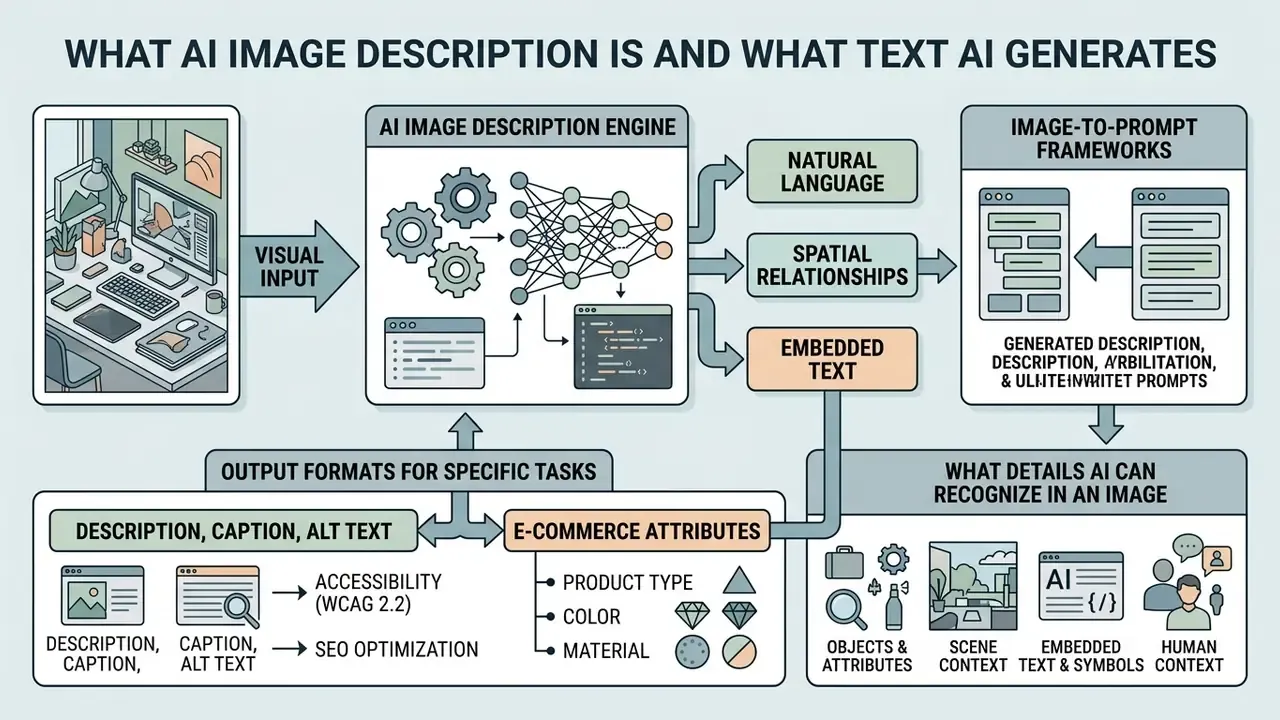
An AI image description tool processes visual inputs to generate natural language representations of scene content, spatial relationships, and embedded text. Modern multimodal architectures integrate vision encoders with large language models to extract image content, perform object identification, and deliver generated descriptions across varying levels of technical detail.
«Generating textual descriptions from images unites computer vision and natural language processing, and transformer models improve scene understanding and linguistic fluency.»
Depending on the operational requirement, an image description AI system outputs distinct textual artifacts ranging from single-sentence summaries to structured multi-paragraph analyses. Organizations use AI image description capabilities to automate document metadata extraction, generate web accessibility tags, and build visual search indexes. The pipeline itself is modular: visual feature extraction, object detection, optical character recognition, and caption generation each contribute a different granularity of output, whether a sentence-level caption, a region-level dense description, object bounding boxes, or raw text transcription.
A small terminology note, since vendors blur it. An image descriptor ai feature usually means the whole stack (encoder plus decoder plus prompt template), while "descriptor" in classical computer vision means a numeric feature vector. When a procurement deck promises ai images description at scale, ask which of the two it actually ships.
Description, Caption, and Alt Text: Which Format Fits the Task
Selecting the right text format depends on whether the target audience is a human reader, an assistive screen reader, or an indexing database.
- Alt text: A concise, functional summary designed primarily for visually impaired users and search engine crawlers. It communicates essential meaning without decorative fluff, strictly following accessibility guidelines such as WCAG 2.2.
«Alt text must "serve the equivalent purpose" of the image, conveying its content and function to screen reader users.»
Prompt Frameworks for Reverse-Engineering Images (Image-to-Prompt)
To turn an uploaded photo into a usable generation prompt, constrain the multimodal model with an explicit output template per engine. Reverse prompt engineering is iterative: generate, compare against the reference with an image-similarity score, then refine the wording. Rarely does the first attempt land.
- Midjourney v6 template:
[primary subject], [environment and lighting], [shooting style / lens], [render qualities] --ar 16:9 --v 6.0 - Example output:
Frosted glass serum dropper bottle on a textured limestone platform, warm afternoon architectural shadows, minimalist skincare aesthetic, shot on a 35mm lens, photorealistic --ar 16:9 --v 6.0 - Flux.1 template: Write flowing natural language with no parameter tags; emphasize materials, surface interaction, and the behavior of light. Example:
A cobalt-blue glass bottle beside a vintage rangefinder camera on a sunlit oak table, a red hibiscus bloom at frame left, soft directional daylight raking across grain and glass. - Stable Diffusion XL template: Comma-separated weighted descriptors plus a negative prompt. Example:
editorial menswear portrait, olive-green overshirt, gray crew-neck tee, charcoal studio backdrop, soft side lighting, fabric texture detail | negative: blurry, extra fingers, watermark, text artifacts - Style-analysis variant: Ask the model to name medium, palette, era, and composition separately (
medium:,palette:,era:,composition:) so the prompt can be recomposed field by field for brand-safe reuse.
What Details AI Can Recognize in an Image
Modern AI models use advanced feature extraction to detect fine-grained visual elements across difficult environmental conditions.
- Objects and attributes Identification of specific item categories, brand logos, physical materials, primary colors, and structural dimensions, plus shape, size, state, and spatial layout. Because recognition degrades on soft or low-resolution inputs, teams often front-load improving source image quality before inference.
- Scene context Evaluation of spatial relationships, background lighting, camera angles, weather, and atmospheric conditions within detailed image compositions.
- Embedded text and symbols Extraction of visible typography, signage, document headers, font style and color, and printed numbers via integrated optical character recognition (OCR).
- Human context When you ask an ai describe person in image style prompt, expect position, posture, gesture, clothing, and coarse mood cues, not identity. Keep identification, age estimation, and emotion inference out of regulated decisions; describe what is visible and stop there.
- Brand and style signals Brand-aware vision-language research (BrandFusion, WACV 2026) shows that brand-relevant style prediction is an explicitly modeled capability, not a by-product of generic object detection, which is also why brand hallucination needs a dedicated check.
For broader multi-modal conversion capabilities, organizations often compare image description with general visual translation workflows; learn more about direct asset translation in our guide to image to ai.
Table: Comparison of AI-generated image description formats.
| Format | Primary goal | Typical length | Primary audience | Typical use cases |
|---|---|---|---|---|
| Detailed description | Comprehensive breakdown of scene elements and context | 2–4 paragraphs | Domain experts, audit teams, complex asset cataloging | Document verification, complex diagrams, forensic review |
| Caption | Engaging summary or context adjacent to media | 1–2 sentences | General public, social media users, editorial readers | Marketing copy, news media, social media posts |
| Alt text | Functional visual equivalence for screen readers and SEO | 1 sentence (under 125 characters) | Screen readers, visually impaired users, search engines | Web accessibility compliance, search indexing |
| Image-to-prompt | Technical feature encoding for model conditioning | Dense keyword phrases | Downstream generative models, AI pipelines | Synthetic media workflows, reverse prompt engineering |
| Structured audit description | Field-level extraction for validation and storage | Key-value schema | Operations, model risk, compliance reviewers | AP/AR intake, KYC document inspection, claims triage |
In plain text: prose for experts, one sentence for readers, one short line for screen readers, keywords for machines, and a key-value record whenever someone will later have to prove the field was correct.
How to Describe an Image with an AI Image Description Tool
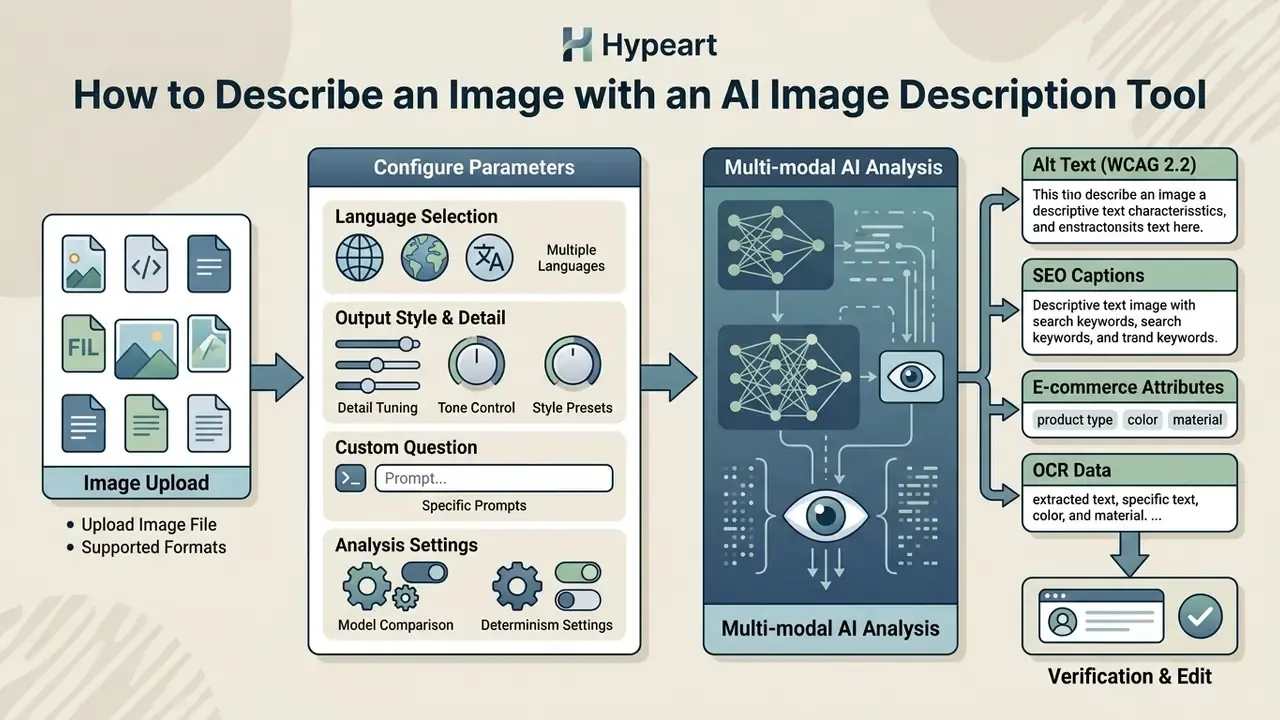
To describe an image using AI, an operator uploads a visual file, configures operational parameters, and triggers automated multi-modal analysis. The process follows a deterministic sequence to keep output quality and data governance consistent across enterprise applications.
Using an image description AI tool lets organizations turn unstructured visual repositories into structured, searchable text data with modest manual effort. Consumer tools advertise one click; production pipelines need a few more simple steps than that, and the extra steps are exactly where the audit evidence comes from.
Image Upload and Supported Formats
Input processing begins by ingesting uploaded images through interactive upload interfaces, batch storage buckets, or dedicated application programming interfaces (APIs).
Standard supported image formats include lossy compression files such as JPG/PNG, modern web formats like PNG/WebP, and high-resolution TIFF or document PDF files. Before computational visual processing starts, the system checks input files for resolution thresholds, focus clarity, and visual artifacts to prevent pipeline ingestion errors. Document-processing guidance is explicit: the image must be sharp, well-focused, and contrastive, with no haze, glare, shadows, or geometric distortion, and scan quality should not fall below 200 dpi (300 dpi preferred).
| File format | Practical max size | OCR reliability | Best suited for |
|---|---|---|---|
| JPG / JPEG | up to 50 MB | High | Studio and natural photography, product shots |
| PNG / WebP | up to 50 MB | Highest | UI/UX screenshots, charts, scanned forms, line art |
| HEIC / HEIF | up to 20 MB | Medium | iOS mobile captures without conversion |
| TIFF | up to 50 MB | Highest (lossless) | Archival scans, preservation-grade document capture |
| PDF (multi-page) | provider-dependent | High (page-based path) | Statements, contracts, invoices, batch document intake |
Free and no-login tiers usually impose stricter ceilings than the table above: daily caption caps, single-image-per-request processing, downsampling of high-resolution uploads, and no batch or API access. When evaluating broader document processing options, teams often test specialized visual readers; explore functional capabilities in our analysis of image reader ai.
Choosing Output Language, Style, and a Custom Question
Operators control output characteristics by defining parameters before model execution.
- Multiple language selection: Choose output translation targets across multiple languages to support global compliance and localized content delivery.
- Detail and tone tuning: Select succinct summary modes for alt text or detailed analytical modes for technical auditing. Prompt structure controls verbosity, polish, and whether literal on-image text is transcribed verbatim.
- Custom question prompts: Enter a targeted custom question to force the model onto specific image regions, numerical tags, or regulatory compliance indicators.
- Determinism settings: Where the provider exposes them, fix temperature and seed values so the same image returns a reproducible description. That is a prerequisite for auditable validation evidence, not a nice-to-have.
The five-step workflow:
Step 1 - Upload file. Ingest JPG, PNG, WebP, HEIC, or PDF assets via web interface, storage bucket, or API endpoint.
Step 2 - Select parameters. Set target output language, detail tier, audience profile, and determinism settings.
Step 3 - Apply a custom question. Enter specific prompts to isolate key visual regions, extract named fields, or check compliance parameters.
Step 4 - Generate output. Execute the multimodal model to receive candidate text descriptions.
Step 5 - Review and verify. Perform manual verification and fact-checking before publishing or operational deployment, then log the reviewer, timestamp, and model version.
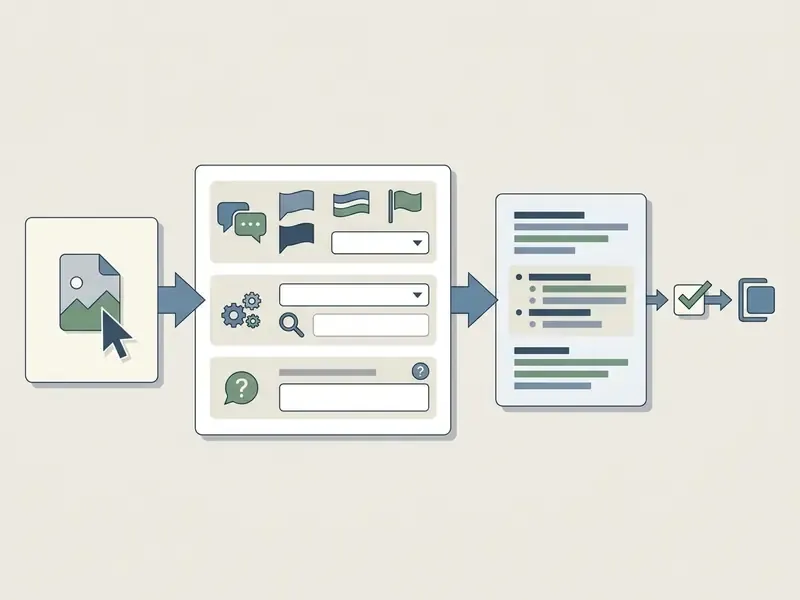
When building automated document processing pipelines, finance engineering teams need dedicated flows to ingest, parse, and validate visual inputs; see our comprehensive guide on custom automated workflows.
What Determines AI Image Description Accuracy
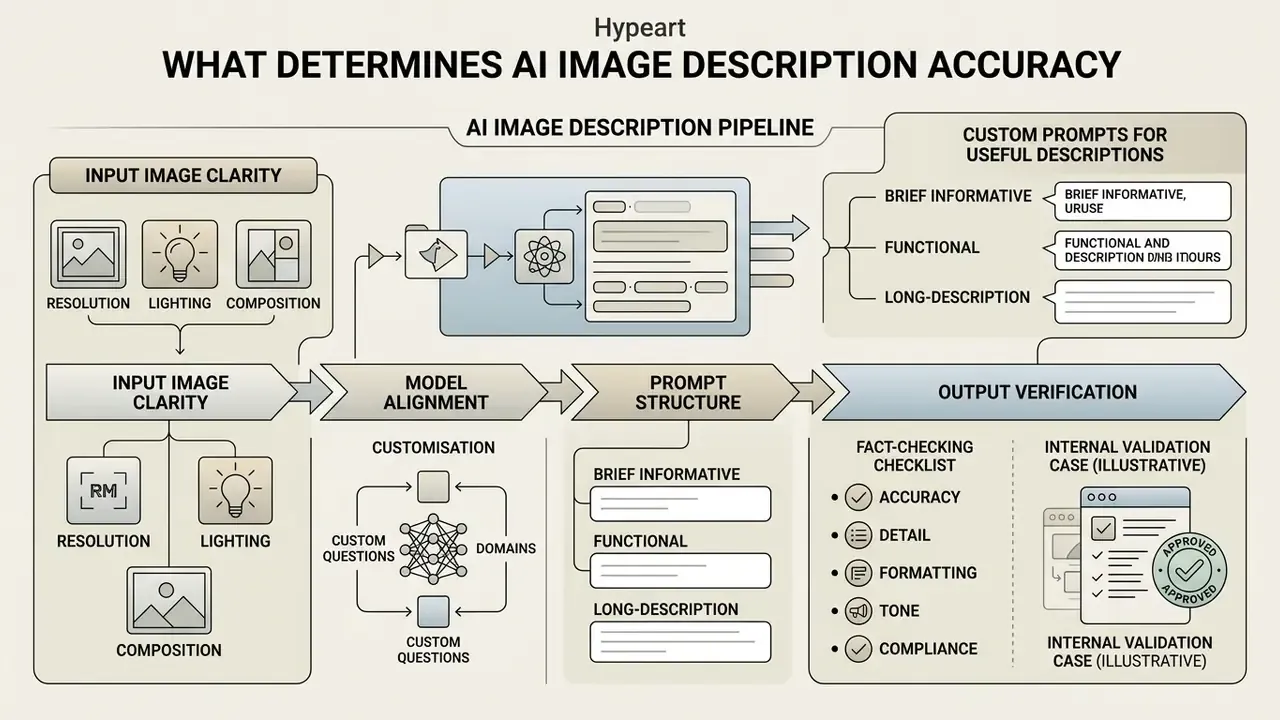
The accuracy of an AI image describe pipeline depends on input image clarity, model alignment, and prompt structure. Advanced multimodal architectures produce a highly accurate, accurate and detailed description in controlled settings, yet performance degrades under visual noise or complex spatial compositions.
«More than 70 image-captioning evaluation metrics exist, yet most studies rely on only five popular ones, BLEU, METEOR, ROUGE, CIDEr and SPICE, which correlate weakly with human judgment.»
Enterprise risk frameworks require that automated image analysis outputs pass structured validation before entering production environments or public-facing documentation.
How Image Quality and Content Affect the Description
Visual clarity dictates model extraction fidelity. Low resolution, uneven lighting, heavy compression artifacts, or occluded subjects raise error rates measurably.
In complex compositions with dozens of overlapping objects, multimodal accuracy declines compared with isolated single-subject captures. Recent benchmark evidence quantifies this: model accuracy on scene-complexity tasks fell from near-perfect with four objects in frame to below 60% with 64 objects, and viewpoint changes were only reliably recognized once the camera shifted roughly 160 pixels, about 27% of image height. Review literature on captioning likewise lists illumination conditions, missing context, and object hallucination as core failure modes, while complexity-metric research warns that pure noise can be misread as meaningful content.
«In a dense captioning dataset for person re-identification, the average description length reached 36 words, 1.56x longer than CUHK-PEDES, reflecting the detail required for complex scenes.»
Specialized domain symbols or small embedded typography also need higher resolution baselines to avoid severe visual hallucination, because vision-language models downscale images before tokenization and small fonts can simply disappear before the language decoder ever sees them. A 6-point footer on a 96 dpi phone snapshot is, for the model, mostly gray texture.
How Custom Questions and Prompts Make Descriptions More Useful
Targeted prompt engineering steers model attention toward critical visual features while suppressing irrelevant background information.
By asking a precise custom question, for example "Identify all visible account numbers and transaction dates in this document scan", operators prevent the model from drifting into generic scene summaries. Prompt constraints push the model to output structured, domain-specific text ready for ingestion into downstream database platforms.
«Multimodal conditioning that incorporates tweet context delivered more than a twofold BLEU@4 gain over ClipCap and BLIP-2 baselines.»
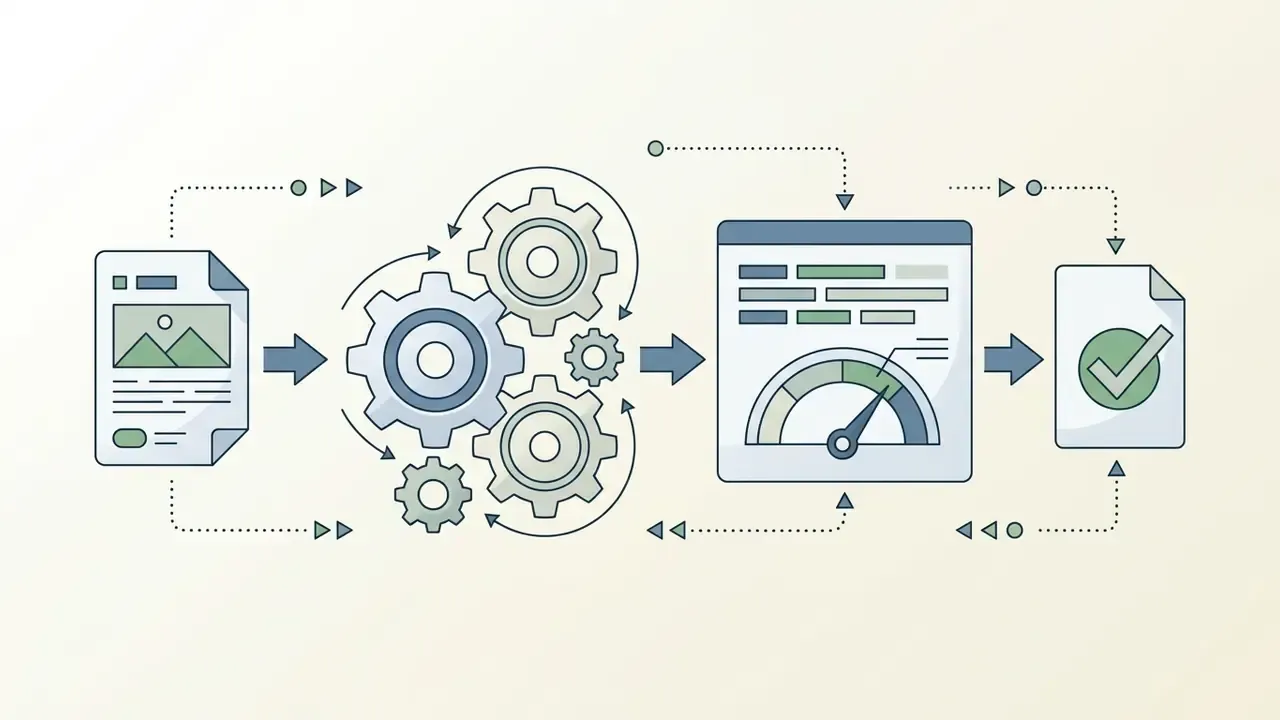
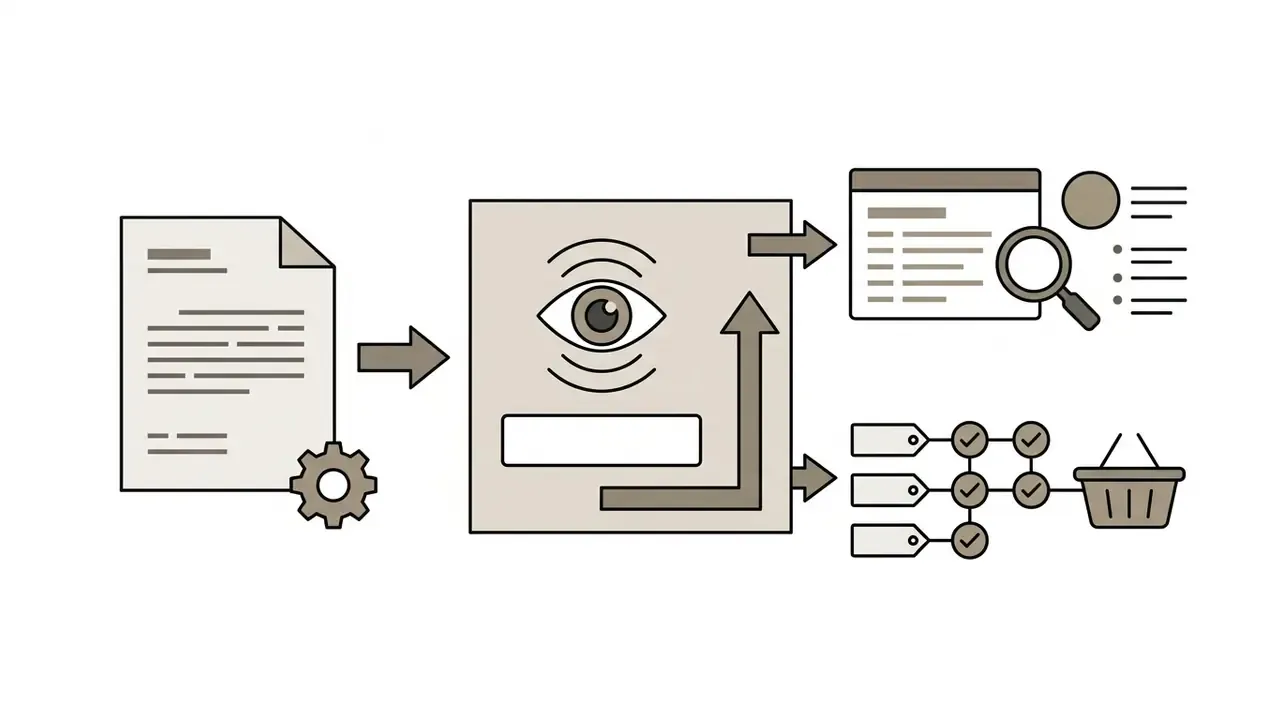
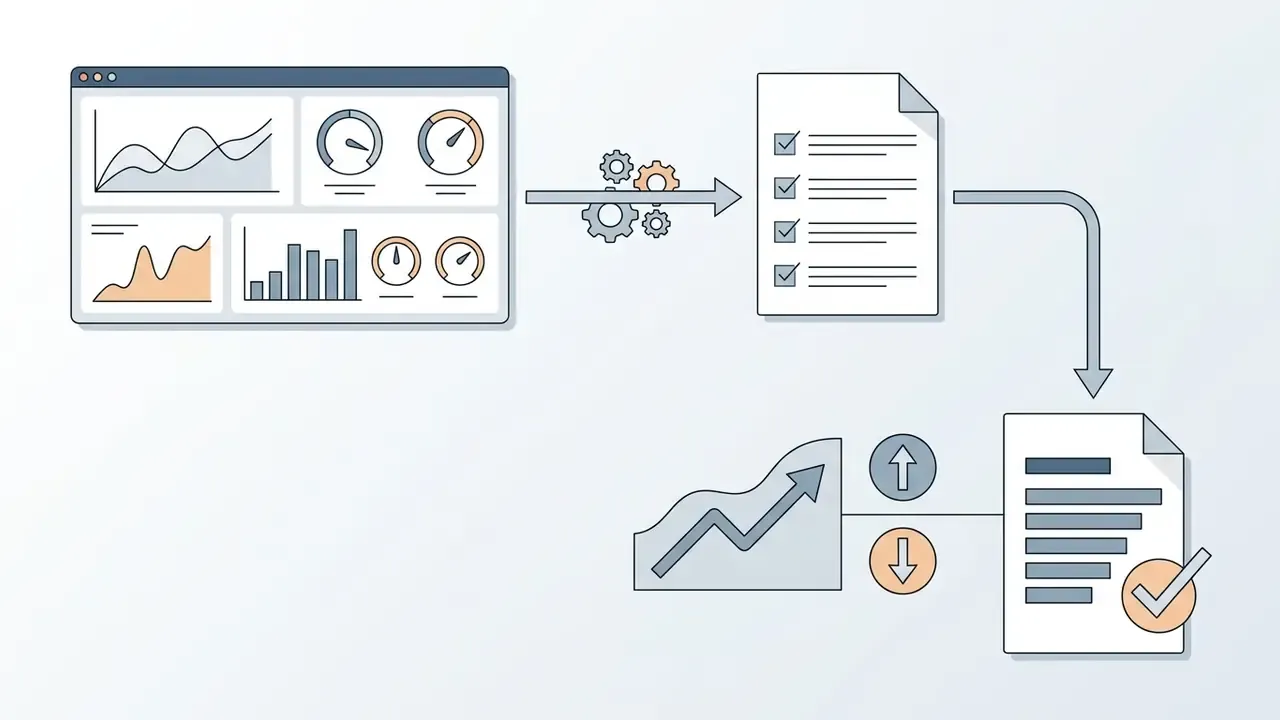
Three prompt patterns map cleanly to business tasks, and all three stay consistent with W3C guidance on text alternatives:
Why AI Output Must Be Verified Before Publishing
«A systematic review of 20 studies on STEM visualizations identified factual inaccuracies and hallucinations as critical problems, alongside a shortage of datasets co-created with blind users.»
Internal validation case (illustrative). In a model validation review conducted at a regional commercial bank, an automated image-description pipeline was deployed to process identity verification documents. The initial uncalibrated model showed an 8% hallucination rate on fine-print expiration dates across the sampled document set. By introducing a mandatory human-in-the-loop verification step and enforcing OCR cross-validation against extracted date fields, the team eliminated unverified document approvals and achieved full compliance during independent model risk audits. This is a practitioner case, composite and illustrative, rather than a peer-reviewed study; sample size and cross-validation methodology should be documented in your own validation file before the result travels anywhere near a board deck.
Published mitigation research points the same way. Grounding captions with explicit object labels reduced object hallucination by roughly 1-4% on CHAIR metrics; hallucination-aware instruction tuning and caption editing reported reductions of 34.6% and 18.9% on hallucination metrics; an ECCV 2024 semantic-reconstruction framework reduced hallucinations by 32.81%, 27.08%, and 7.46% on LLaVA, InstructBLIP, and mPLUG-Owl2 respectively; and CLIP-reward test-time adaptation cut hallucination rates by 15.4% on LLaVA and 17.3% on InstructBLIP. Because each study uses different benchmarks (CHAIR, CS/CI, HaloQuest), these percentages are not directly comparable. The directional conclusion, though, is stable: grounding plus review beats raw generation.
Fact-Checking Checklist for AI-Generated Descriptions
Checklist0 / 8
This information is general in nature and does not replace consultation with an information security or legal compliance specialist when deploying AI systems in production environments.
Risk Mitigation Matrix for Multimodal Image Description
| Risk | Manifestation | Primary control | Evidence for auditors |
|---|---|---|---|
| Object hallucination | Non-existent items named in prose | Object-label grounding plus reviewer sign-off | Reviewer log, CHAIR-style sampling report |
| Small-text misread | Wrong dates, IDs, amounts | Independent OCR cross-validation, higher-dpi capture | Field-level match rate report |
| Miscounting | Wrong quantity in catalog or claims data | Human recount on any numeric claim | Exception queue statistics |
| Brand or logo error | False brand attribution in marketing copy | Brand allowlist check before publishing | Pre-publication QA checklist |
| PII exposure | Faces, signatures, account numbers sent to third-party API | PII masking before inference, private network path | Data flow diagram, DPIA record |
| Non-reproducibility | Same image yields different descriptions | Fixed seed and temperature, version pinning | Reproducibility test results |
For US-regulated institutions, these controls map onto existing model risk management expectations under Federal Reserve SR 11-7 and OCC 2011-12 (model development, validation, and governance), and onto the NIST AI Risk Management Framework functions of Govern, Map, Measure, and Manage. Accessibility exposure for public-facing assets should additionally be assessed against WCAG 2.2 and ADA Title III practice.
PII Masking Workflow Before Inference
- Classify the asset at intake (public marketing media versus regulated document containing PII or PHI).
- Detect sensitive regions locally: faces, signatures, account and card numbers, national IDs, addresses.
- Mask or crop those regions, or substitute deterministic tokens, before the file leaves the controlled perimeter.
- Route regulated assets through a private endpoint with zero-data-retention terms; route public assets through the standard API.
- Re-associate the model's structured output with the original record inside the secure environment, never in the vendor context.
To evaluate broader legal and compliance implications of model outputs in enterprise settings, review our analysis on technology litigation.
Where to Use AI-Generated Image Descriptions
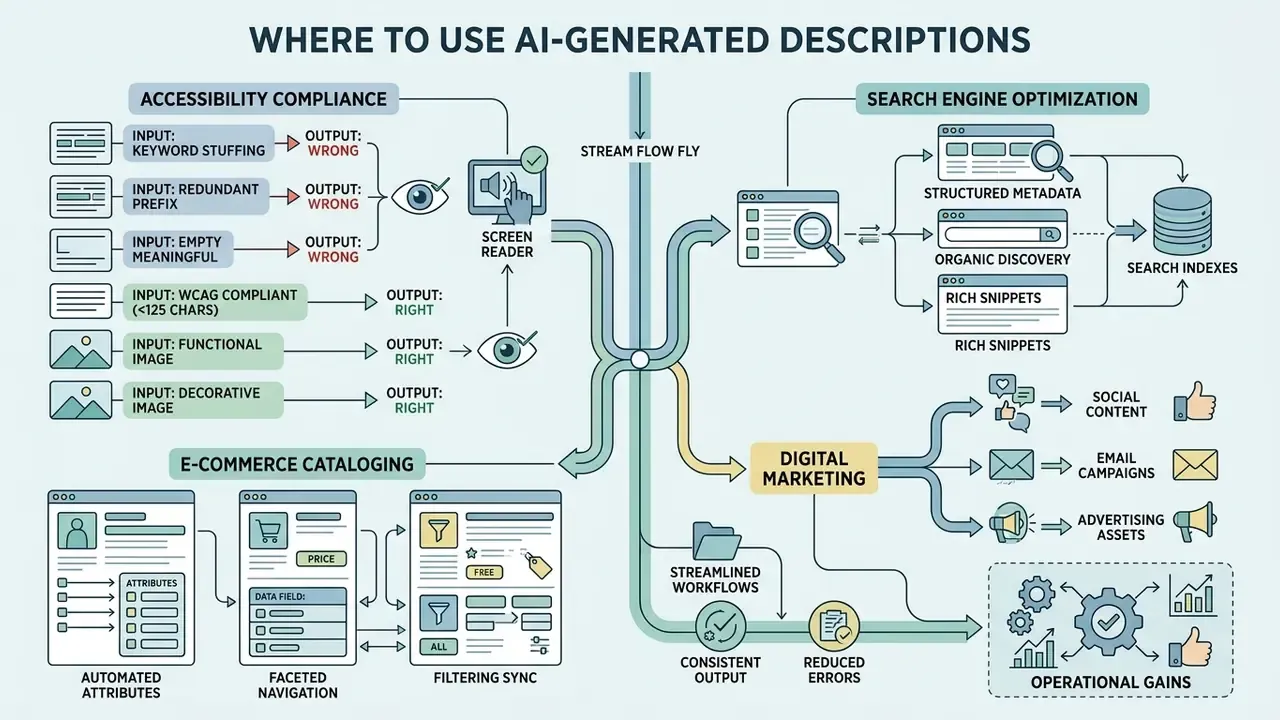
Deploying description AI image tools unlocks tangible operational gains across accessibility compliance, search engine optimization, e-commerce cataloging, digital marketing, content creation, and regulated document intake.
Organizations use AI tools for image description to replace manual labeling workflows with controlled, scalable automation. Not all of these use cases carry the same risk weight, which is the point of separating them.
Alt Text and Accessibility for Visually Impaired Users
Web accessibility standards, including WCAG 2.2 Section 1.1.1, require concise text alternatives for non-text content. Precise alt text ensures screen reader users who are visually impaired receive equivalent information about page function and visual context.
«According to the annual WebAIM survey, 30% of images across the top one million most-visited web pages lack informative alternative text.»
Automated pipelines can scan legacy media repositories quickly, generating baseline accessibility tags that human editors review and approve. University accessibility guidance is consistent on the boundary: AI is a valid starting point for alt text, but output must be human-checked for accuracy and context, and descriptions must stay objective, concise, and factual. Before publishing at scale, teams frequently pair review with an AI image detector for content verification to confirm asset provenance.
Practicum: Writing Valid Alt Text Under WCAG 2.2
The 125-character ceiling is not a literal clause in the WCAG text; it is the working limit derived from screen reader behavior (JAWS, NVDA) and is treated as the industry standard alongside WCAG 2.2's requirement for concise equivalence.
- Wrong (keyword stuffing)
alt="buy face serum moisturizing cheap cream photo best price skincare" - Wrong (redundant prefix)
alt="Image or picture showing a glass bottle with a dropper" - Wrong (empty but meaningful)
alt=""on a chart that carries data the surrounding text never states. - Right (WCAG compliant, under 125 characters)
alt="Frosted glass dropper bottle of serum on a limestone tray in warm afternoon light." - Right (functional image)
alt="Add to cart", describing the function rather than the icon's appearance. - Right (decorative image)
alt="", intentionally empty so screen readers skip the ornament. - Right (complex chart) short
alt="Quarterly revenue by region, 2024–2026"plus a linked long description transcribing axis labels and values.
SEO Image Descriptions for Search Engines
Search engines rely on textual metadata to index visual content correctly. Natural, descriptive text in alt attributes and surrounding page copy improves visual search visibility without keyword stuffing.
An AI generated description gives crawlers rich context about image topics, which lifts overall page relevance for target queries. Current guidance aligns on three rules: describe the image's function in page context, keep wording human-readable, and include a keyword only when it genuinely fits the image and the adjacent copy. Stuffed alt attributes degrade user experience and read as spam signals. Descriptive filenames and informative surrounding text carry comparable weight. Teams producing net-new visuals for these pages often evaluate AI image generators for visual content alongside description tooling.
Product Descriptions for E-Commerce and Product Cards
E-commerce platforms manage extensive catalogs that need accurate visual descriptions. Automated visual analysis extracts product attributes, color, pattern, material, structural design, directly from product photos.
«The MIMEX dataset spans 28 retail product categories; benchmarks show vision-language models can distinguish products in real retail conditions without additional training.»
Production-oriented research points the same way: Walmart-affiliated PAE (2024) used vision-based LLMs to extract color, sleeve style, product type, material, features, category, age, and neck attributes from product imagery and merge them into catalog entries, while Amazon Science published 2026 work on generative multimodal attribute extraction from both textual and visual product characteristics. Honest caveat for the business case: these sources document catalog automation, not an A/B-tested conversion lift.
This extracted metadata feeds product descriptions and commercial marketing copy, accelerating catalog onboarding and supporting conversion rates across digital storefronts. Because attribute precision tracks input resolution, many catalog teams first run scaling and enhancement of product photography before description passes.
Enterprise Document Workflows: AP/AR, KYC, and Claims
PTE Exam Practice, Fashion Breakdown, and Photo Archive Cataloging
To compare specialized AI generation tools for marketing media, review our benchmarking guides, explore the hub or open the hub, and see our creative-tool evaluation in the comparison of the best AI art generators.
Table: Scenario matrix for AI image description applications.
| Use case tier | Primary objective | Key visual detail | Output format |
|---|---|---|---|
| Accessibility (WCAG) | Functional equivalence for screen readers | Core action, subject, essential embedded text | Concise alt text (under 125 characters) |
| Search engine optimization | Search indexation and visual discovery | Page-relevant context, target subject, natural keywords | Structured alt attribute plus context copy |
| E-commerce cataloging | Automated SKU onboarding and search filter attributes | Material, color, pattern, brand label, dimensions | Attribute list plus product description |
| Social media marketing | Audience engagement and brand promotion | Atmosphere, style, product highlight, call to action | Marketing caption plus campaign copy |
| Regulated document intake | Field extraction with auditable verification | Document type, issuer, dates, identifiers, confidence | Structured key-value record plus reviewer log |
| Exam practice and archives | Structured speaking answers, searchable media libraries | Trend direction, extremes, subject, mood, palette | 70-90 word template or tag set |
How to Choose the Best AI Image Description Generator
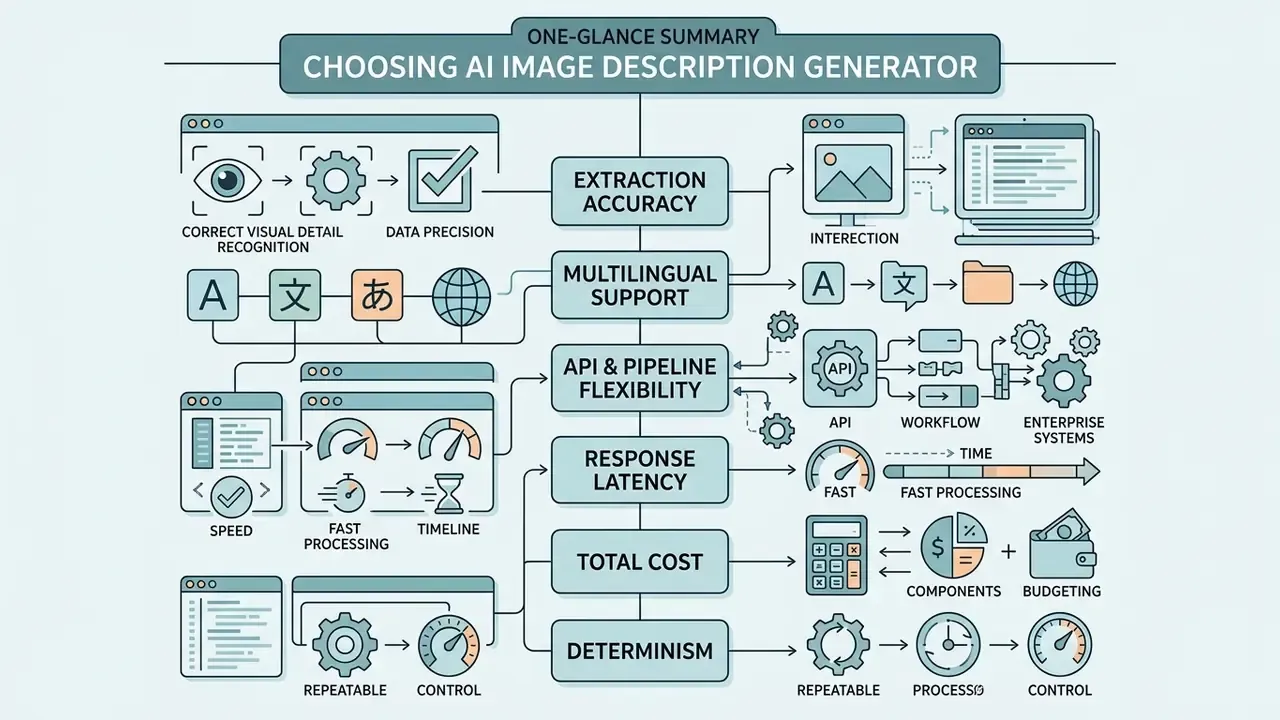
Selecting the best AI for describing images means evaluating model accuracy, architectural flexibility, API integration support, and data privacy policies. Vendor demos rarely fail; pilots on your own messy scans do.
Decision-makers must balance speed and cost against the risk of unverified outputs when choosing image description AI tools. If your shortlist spans both understanding and generation, cross-reference our roundup of the best AI image generators before locking a vendor stack.
Comparison Criteria for AI Tools for Image Description
When evaluating an AI image description tool, technology leaders should benchmark vendors across core enterprise dimensions:
- Extraction accuracy: Precision in identifying fine-grained visual features and embedded typography.
«CLIP-S and RefCLIP-S score caption quality directly through image-text similarity in CLIP's multimodal space, without requiring reference descriptions.»
One more criterion that rarely makes vendor matrices: whether the ai analyzer returns confidence signals per field. Without them, your reviewers cannot triage, and every asset defaults to 100% manual review.

Free AI, No Login, and the Limits of Free Tools
Evaluating a best AI image description generator free tier or no login demonstration tool lets teams test base model capabilities before procurement. It is a legitimate first pass, and it costs nothing but time.
However, unauthenticated free tools typically enforce strict daily request caps, restrict API access, downsample high-resolution images, process one image per request, and exclude enterprise-grade privacy controls. Vendors often publish only broad limits, or leave daily caps unspecified entirely. In practice, production deployments are governed by a dedicated API agreement; where uptime, throughput, or support response matter to the business, confirm whether the provider offers a formal service level agreement rather than assuming one exists, since terms vary widely by vendor and tier.
Commercial Use of Generated Descriptions: What to Check
Commercial deployment of AI-generated content requires rigorous data governance and legal verification.
- Intellectual property and licensing: Verify that terms of service grant full commercial rights to model-generated textual outputs. In the United States, copyright protection attaches only where a human selected the expressive elements, and AI-generated content must be disclosed in registration.
- Data retention and model training: Ensure vendor policies prohibit storing uploaded images or using client uploads to train public foundation models. Policies differ sharply by product: some services retain uploads in history until user deletion, others delete immediately after inference; some train on activity-linked uploads unless the setting is disabled.
- Regulatory compliance: Verify data processing compliance with applicable regional privacy frameworks (GDPR, CCPA). EU text-and-data-mining rules permit retaining reproductions only as long as necessary for the mining purpose, and a retention policy alone does not cure an infringement claim.
- Documentation retention: Keep AI development and deployment documentation, including records of ingested material and downstream use, for the period your governance policy requires.
Data Governance Alert for Commercial AI Deployment
This information is general in nature and does not replace legal advice on intellectual property, data protection (GDPR, CCPA), or the specific terms of use of any individual platform.
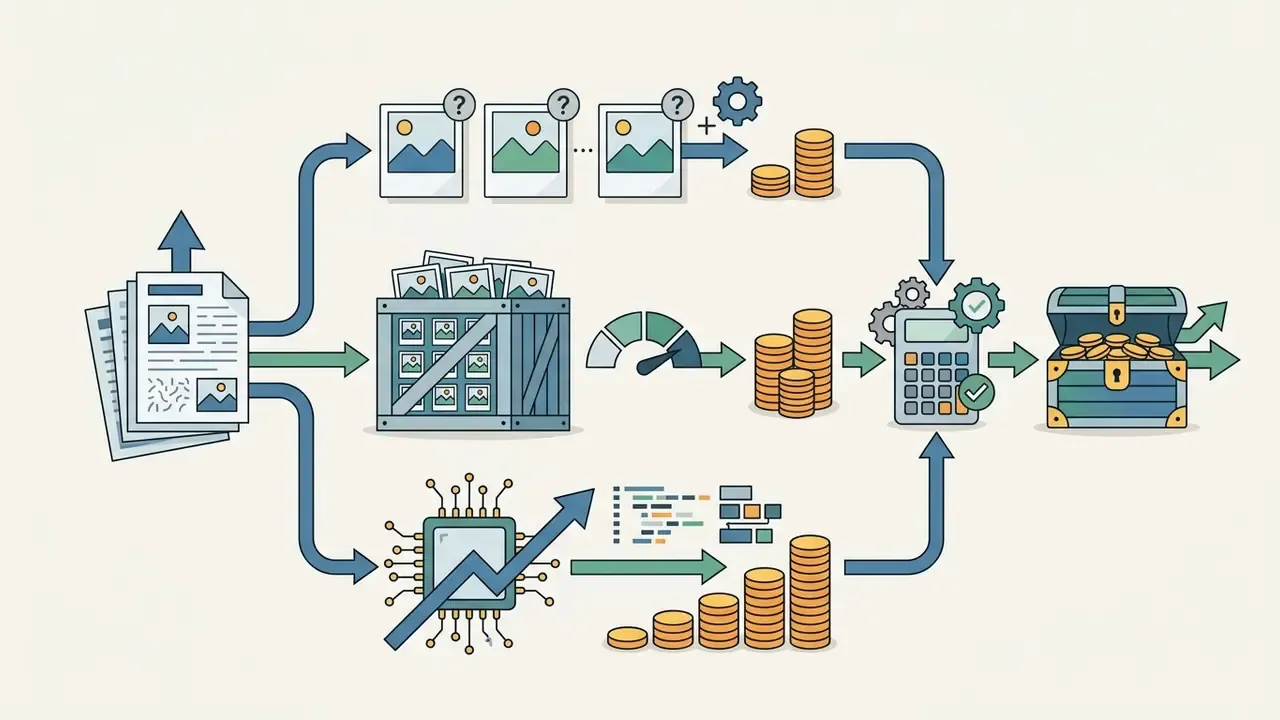
Risk-Adjusted ROI for Image Description Automation
Model the business case with four terms rather than two:
Net annual value = (Manual labor displaced) − (API/compute cost) − (Human-in-the-loop review cost) − (Expected cost of residual error)
- Manual labor displaced = assets per year x minutes per manual description x loaded hourly rate.
- API/compute cost = assets per year x per-image or per-token price x number of description modes requested (each mode is billed separately in most tools).
- HITL review cost = assets per year x review rate (start at 100% for regulated artifacts, tapering only with measured evidence) x minutes per review x loaded rate.
- Expected residual error cost = assets per year x post-review error rate x average cost per error (rework, chargeback, remediation, regulatory finding).
Sensitivity-test the review rate first. It usually dominates the model, and lowering it without measured accuracy evidence is the fastest way to turn a positive business case into a control failure.
To evaluate technical definitions and platform capabilities across generative tools, consult our comprehensive glossary and view the guide.
Which Images Can Be Described with AI
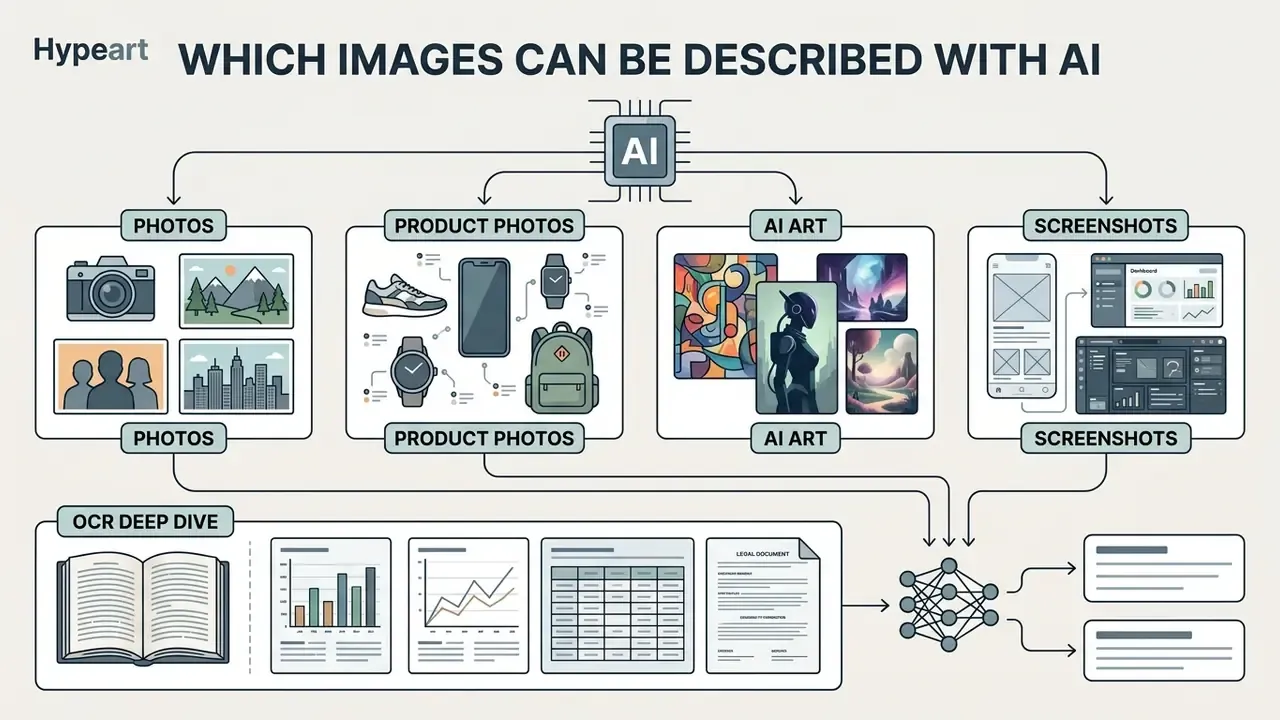
Modern multimodal systems process a wide spectrum of visual content across enterprise repositories. Vendor documentation itself separates the paths: OCR for non-document images (product labels, screenshots, user-generated content) is handled differently from document OCR for PDFs, Office files, and scanned pages.
An advanced AI that describes a photo handles diverse image genres by adapting feature extraction strategies to the media type. Teams working with noisy source material often route assets through AI photo editors for pre-processing, deskewing, denoising, contrast correction, before description, since pre-processing directly raises extraction accuracy.
Photos, Product Photos, AI Art, and Screenshots
«Current image generation systems do not produce alt text automatically, which leaves their outputs largely inaccessible to screen reader users.»
- UI/UX screenshots: Identifies digital interface layouts, navigation structures, button text, and functional components for automated software documentation.
OCR Deep Dive: Screenshots, Charts, Tables, and Documents
Interface and data-visual description is a distinct discipline from scene captioning, and it is where OCR quality decides the outcome.
To examine specialized text-extraction tools for artistic and synthetic visual assets, review our detailed guide on image to text art and general image to text ai.
- Interfaces
- Effective screenshot descriptions start with a global overview, then enumerate salient elements with their visual properties, function, and screen-relative position, for example "primary blue submit button, bottom right of the modal". Research systems explicitly require all three attributes in a single concise sentence per element.
- Charts and diagrams
- The model should transcribe axis labels, legends, and plotted values first, then state the trend, extremes, and takeaway. Chart captioning is benchmarked specifically for hallucination sensitivity, because invented data points are far more damaging than clumsy prose.
- Tables
- Request row and column structure explicitly (headers, then row-wise values) so the output is parseable rather than narrated; reconcile totals against the source before use.
- Documents and scans
- Route page-based formats (PDF, TIFF) through the document OCR path rather than the scene-caption path, keep capture at 250-300 dpi, and treat OCR extraction and scene description as two separate review artifacts whenever exact wording matters.
FAQ: Frequently Asked Questions About AI Image Description
Can AI describe images in different languages?
Yes. Contemporary multimodal models generate natural language descriptions directly in dozens of target languages. By aligning visual embeddings with multilingual text spaces, systems output fluent descriptions in Spanish, German, French, or Japanese without a secondary machine translation step.
«A 2025 review systematically evaluates transformer captioning models with BLEU, CIDEr, METEOR, ROUGE and SPICE across multiple datasets and languages.» - Attention-Based Transformer Models for Image Captioning Across Languages (2025) Quality is not uniform, though. English remains the strongest language in multilingual captioning benchmarks; one 2025 polyglot multimodal model reported Russian captioning scores around 55.2-57.8 against 67.9 for English on the same setup, and Russian-specific multimodal benchmarks only emerged recently. Plan localized human review for non-English output.
Are uploaded images stored, and how is privacy protected?
Data retention policies vary by provider and service tier. Enterprise API configurations typically process images in temporary memory and delete uploaded files immediately after inference. Consumer web interfaces or free tiers, by contrast, may retain uploaded assets for diagnostics or model retraining unless users opt out in privacy settings. Published examples span the range: one major assistant stores shared files securely for up to 18 months before automatic deletion and excludes identifying information in uploaded images from training, while another may use uploads for model improvement when activity history is enabled and keeps chats up to 72 hours for safety review when it is disabled.
«Dietary monitoring systems convert wearable-camera images into text descriptions, letting nutritionists work with the data without accessing the original photographs.» - Qiu et al., Egocentric Dietary Image Captioning (2023) That pattern, describe locally and share text instead of pixels, is a practical privacy-preserving design for sensitive imagery.
How accurate are AI-generated image descriptions?
Accuracy depends on image quality and subject matter. Models can miss small details or infer content that is not visible. Always check the description against the original, paying particular attention to names, on-image text, counts, and any interpretation of a person's emotion.
Does AI image description replace manual alt text authoring?
No. Accessibility guidance treats AI as a drafting starting point that must be human-checked for accuracy and context. No accessibility standard currently assigns AI a normative role in producing compliant alternatives.
Can the same tool also extract text and generate prompts?
Yes. Most mature platforms that market themselves as describe this image ai tools expose multiple modes per image: short description, detailed description, alt text, OCR extraction, style analysis, object recognition, SEO tags, marketing copy, and engine-specific prompts. Multi-mode output is usually billed per mode, so select only the modes your workflow consumes.
Technical Specifications and Model Evaluation Matrix
| Multimodal architecture | Vision encoder type | Primary output focus | Hallucination control mechanics | Typical deployment horizon |
|---|---|---|---|---|
| GPT-4o Vision | Native multimodal transformer | High-precision visual reasoning and dense OCR | Instruction tuning and visual grounding prompts | API / enterprise cloud |
| Gemini 1.5 Pro | Native multimodal transformer | Long-context visual document analysis | Cross-modal attention alignment | API / enterprise cloud |
| Claude 3.5 Sonnet | Native multimodal transformer | Diagram, chart, and complex UI parsing | Conservative factual grounding constraints | API / enterprise cloud |
| Open-source baselines (LLaVA / BLIP-2) | Vision transformer plus LLM adapter | General captioning and visual QA research | Post-processing edit filters and fine-tuning | Self-hosted / on-premise |
Summary and Strategic Next Steps
Automated image ai description turns visual media into structured, accessible, operational text assets. Success depends on balancing model capability with human oversight, strict data retention controls, and domain-specific validation pipelines.
Practical sequencing for a first deployment: start with a low-risk corpus (marketing and archive imagery), fix determinism settings, measure field-level accuracy against a labeled sample, then extend to regulated document intake only once your review rate, error rate, and audit trail are documented. Keep the fact-checking checklist and risk matrix above as live artifacts inside the model file rather than one-time launch documents.
For additional analysis on commercial AI tools, governance frameworks, and automated media workflows, see the overview at our commercial-use portal.
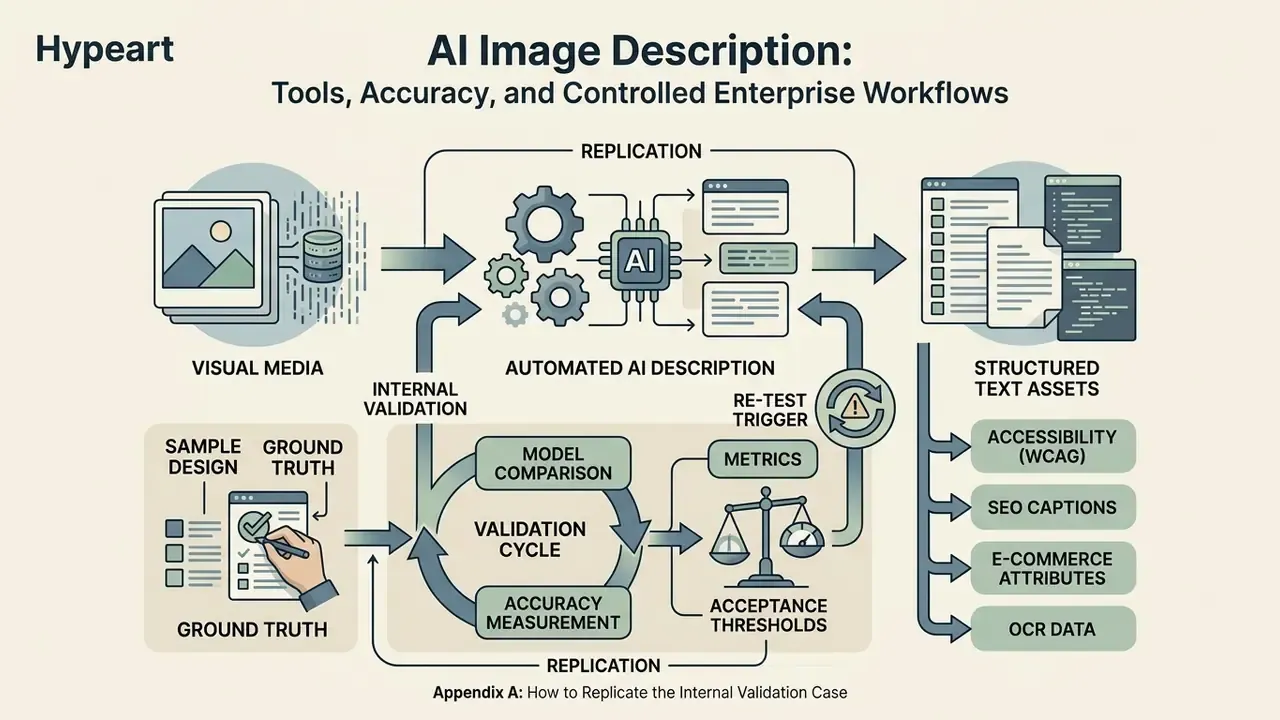
Appendix A: How to Replicate the Internal Validation Case
The illustrative bank case above reports an 8% hallucination rate on fine-print expiration-date fields, reduced to zero unverified approvals after human review plus OCR cross-validation. Three limitations travel with that number: the sample size and document mix are not disclosed publicly; the rate applies to expiration-date fields only, not to whole-document accuracy; and "full compliance" refers to the institution's own independent validation outcome under its internal model risk framework, not to any certification issued by a regulator.
A minimal replication protocol, if you want your own figure rather than a borrowed one:
- Sample design: draw 300-500 documents stratified by issuer, capture device, and dpi band, including deliberately poor scans.
- Ground truth: have two independent reviewers label each target field; resolve disagreements with a third, and record the inter-rater gap.
- Metrics: report field-level exact-match rate, hallucination rate (field asserted but absent), and abstention rate, separately per field.
- Acceptance thresholds: set them before the test, alongside the review rate you will apply in production, and document who owns the exception queue.
- Re-test trigger: pin the model version and re-run the sample on every provider update, since silent model refreshes shift results without notice.
Pair your internal figure with the peer-reviewed hallucination-mitigation results cited earlier. Borrowed benchmarks justify the pilot; only your own numbers justify autonomy.