Why does that matter to a risk officer rather than only to a creative director? Because generated media now enters regulated channels: customer onboarding videos, compliance training modules, investor communications. Each of those assets carries a licence, a data trail and a disclosure obligation.
Last reviewed: January 2026. Licensing, pricing and model-availability terms in generative media change frequently, so verify vendor documentation before procurement.
How this comparison was built. Every platform below was assessed on five axes: output class fit, control surface, published quality metrics, commercial licence scope and data-handling terms. Vendor documentation was preferred over aggregated review sites. Where a figure could not be traced to an official page, it is flagged as requiring confirmation rather than quietly repeated. Peer-reviewed benchmarks (VBench, TC-Bench, THEval, T2VTextBench) were used instead of marketing adjectives wherever such data exists. Where it does not exist, the text says so.
Best AI Animation Tools 2025: Quick Comparison by Use Case
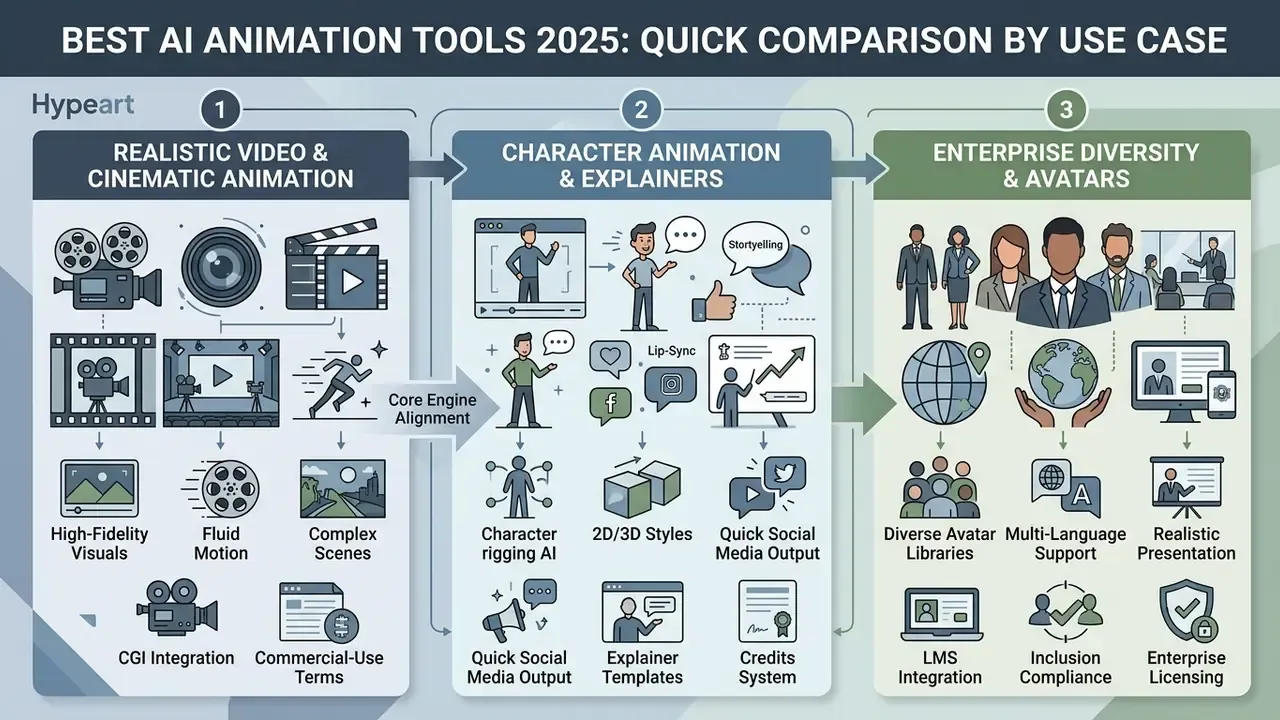
The primary criterion when evaluating AI animation platforms is aligning the tool's core generation engine with the target production workflow. High-fidelity cinematic projects require open-ended generative video models. Enterprise marketing and corporate training require something quite different: strict template governance, voice synthesis and compliance-cleared commercial rights.
| Tool / Platform | Primary Use Case | Generation Mechanism | Realistic Motion Capability | Character / Avatar Support | Template Support | Free Tier Terms | Commercial Licensing | Learning Curve |
|---|---|---|---|---|---|---|---|---|
| Runway (Gen-3) | Production video editing & cinematic clips | Diffusion text/image-to-video | High (advanced motion control) | Custom keyframe / Act-One motion | Limited | 125 non-recurring credits | Paid plans only | Moderate |
| HeyGen | Presenter-led business videos & explainers | AI avatar & voice synthesis | High (talking-head focus) | Custom & stock photorealistic avatars | Extensive business layouts | Credit-limited free tier | Standard on paid tiers | Low |
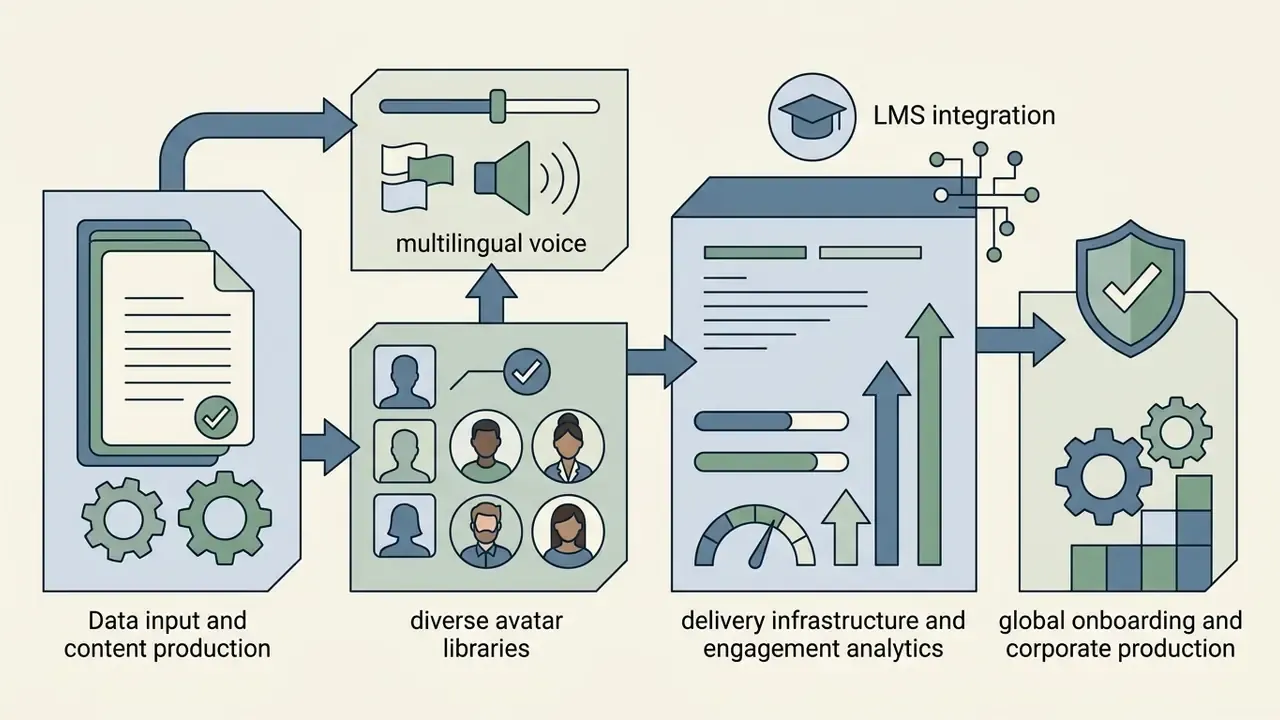
| Synthesia | Corporate training & localized explainers | AI avatar & script-to-video | Moderate to high (presenter focus) | 240+ stock avatars across age and ethnicity ranges | Extensive corporate library | Free plan (3 min/month, 1 editor) | Paid tiers | Low |
| Pika (Pika 2.5) | Short-form social media & creative loops | Generative image/video modifiers | Moderate (short clip focus) | Basic region animation | Module presets | 80 monthly credits (480p) | Allowed across all tiers | Low to moderate |
| DeepMotion | 3D motion capture & character rigging | Markerless video-to-3D mocap | High (physical plausibility) | Custom 3D character export | Armature presets | 60 seconds/month | Paid plans only | Moderate to high |
| Animaker | 2D marketing animation & explainers | Template-based 2D builder | Low (stylized 2D focus) | Stock character builder | Extensive 2D templates | Watermarked free plan | Basic plan ($15/mo) and above | Low |
| Powtoon | Corporate L&D, LMS-delivered training | Template-based 2D builder plus AI TTS | Low (stylized 2D focus) | Diverse stock character library | Industry-specific template sets | Free tier with watermark | Paid plans (from about $15/mo billed yearly) | Low |
| Leonardo.ai | Animation asset, background & texture generation | Diffusion image generation plus custom LoRA models | Not applicable (static asset layer) | Character concept sheets & turnarounds | Style presets & prompt history | Free daily generation quota | Paid plans (from about $12/mo) | Low to moderate |
| Gooey.ai | Developer pipelines & multi-model orchestration | Unified API over hot-swappable models | Model-dependent | Model-dependent | Workflow recipes | Limited free API credits | Depends on underlying model licence | Moderate to high (developer) |
| Adobe Firefly + Animate | Enterprise asset creation & brand media | Generative AI plus timeline editor | High (static asset / frame-by-frame) | Keyframe & vector rigging | Brand-ready CC templates | Free plan with daily generations | Commercially safe (Firefly) | High |
Tools for realistic AI-generated video and cinematic animation
Generative AI video tools engineered for photorealism rely on large diffusion models trained on vast multimodal datasets to hold spatial and temporal fidelity across frames. Modern evaluation frameworks such as VBench score these models on visual quality, background consistency, motion smoothness and instruction alignment. Architectural advances, including integrating large language models (LLMs) for prompt comprehension alongside diffusion decoders, have lifted the quality baseline for cinematic video generation considerably.
«LanDiff (5B) achieves a VBench total score of 85.43, outperforming Sora (84.28) and Hunyuan Video (13B) on both quality and semantic accuracy.»
However, academic studies on temporal compositionality show that pure text-to-video generators still struggle with multi-step action sequences.
«Most video generators fulfil fewer than 20% of the compositional changes specified in prompts that define both an initial and a final scene state.»
Research on motion-aware architectures confirms that explicit conditioning is the corrective lever. A WACV 2024 study on human-motion-aware text-to-video generation used a two-stage pipeline (text to 3D human motion, then motion to skeleton projection) to produce plausible viewing angles. A CVPR 2024 paper on scaling text-to-video with text-free videos reported motion-control error dropping from an EPE of 4.13 to 1.98 once motion vectors were added to text conditioning. More recent work such as RealisMotion (2025) decomposes control into foreground subject, background, trajectory and action within a 3D world space.
So the practical lesson is unglamorous. Organizations deploying these tools for realistic video production must combine generative prompts with camera motion controls, first-and-last frame conditioning and downstream compositing pipelines to reach production-grade stability. Google's Gemini Omni 1.1 Flash line documents scene chaining, first/last-frame control and 4K upscaling for exactly this class of enterprise workflow, while Google Veo 3.1 exposes camera controls for precise framing and shot movement.
How to Choose an AI Animation Tool for Your Project
Selecting an AI animation system requires evaluating operational requirements across four vectors: required deliverable format, control mechanics versus ease of use, rendering efficiency and enterprise risk management. Treat the flowchart below as a triage device that routes each deliverable to the narrowest sufficient technology, rather than defaulting every request to open-ended diffusion.
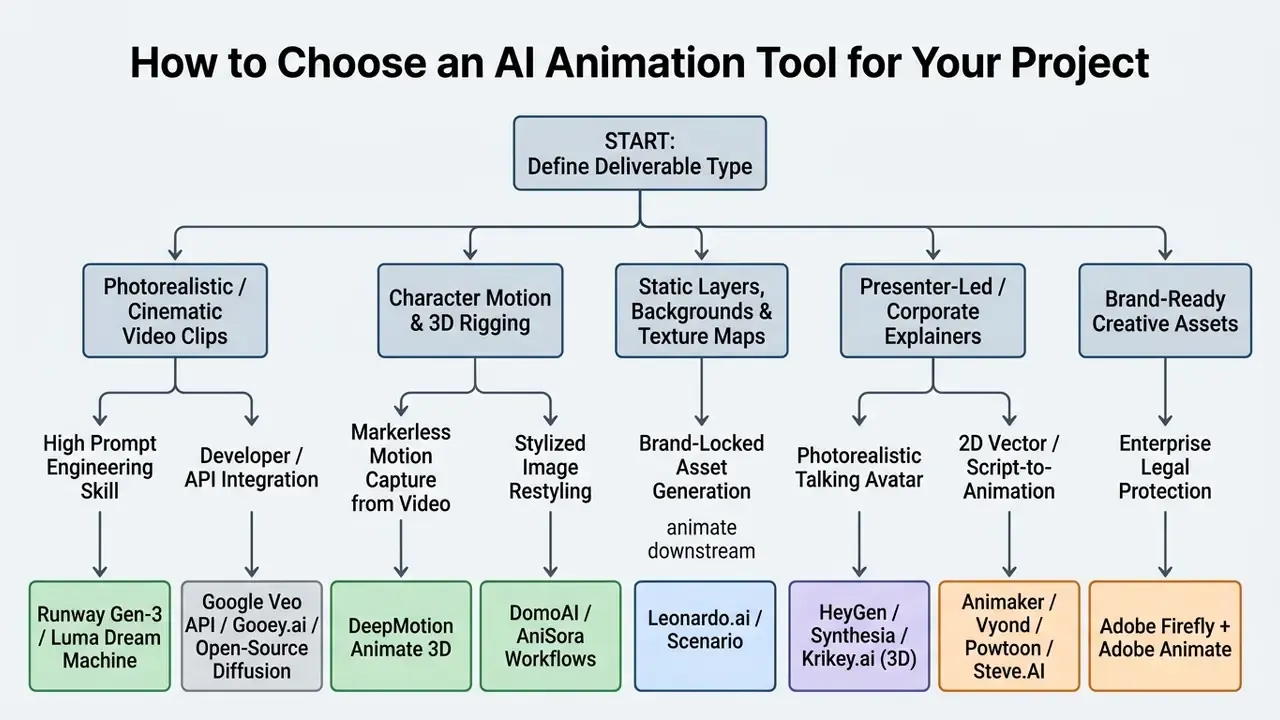
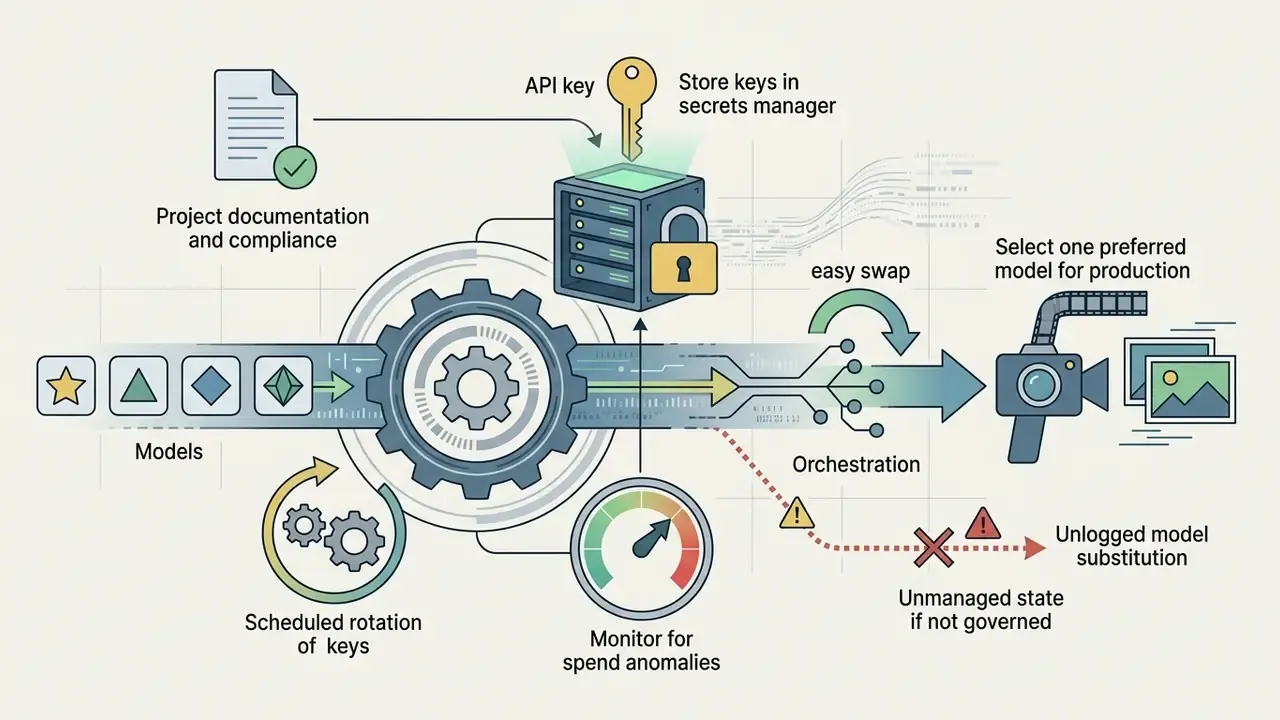
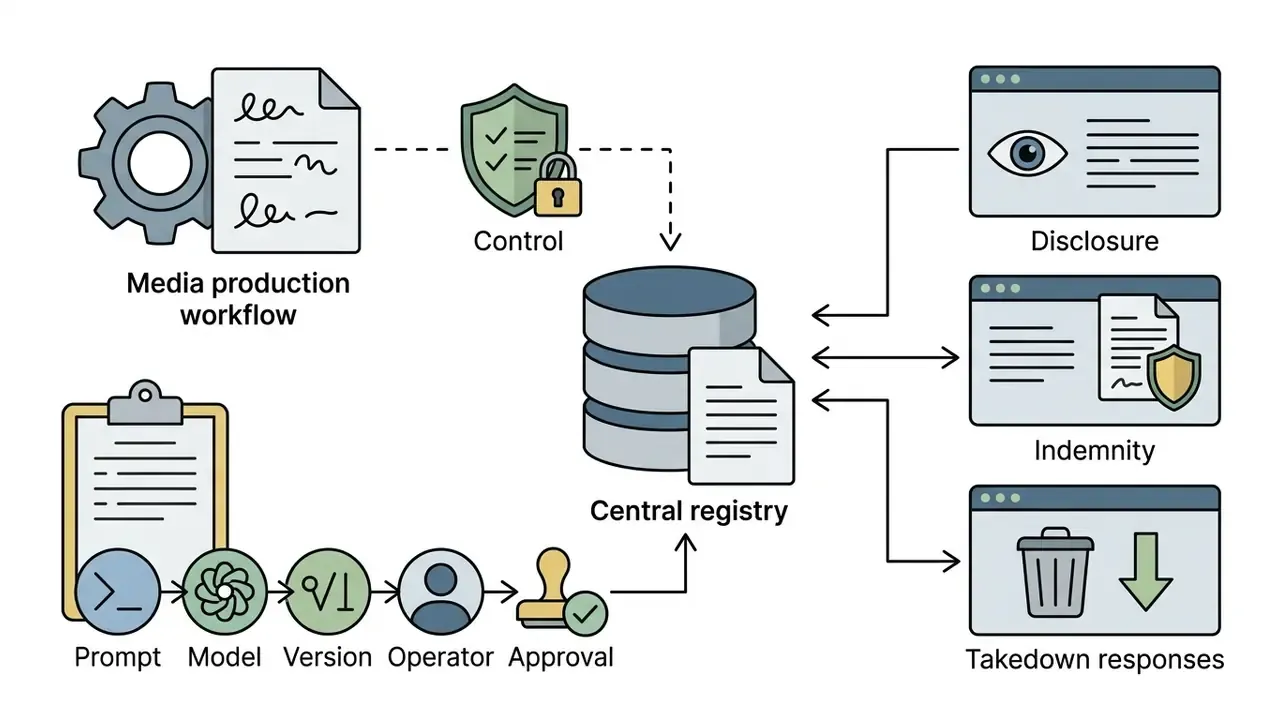
Developer pipelines and API orchestration (Gooey.ai). For engineering teams building custom media products, single-vendor lock-in is an operational risk rather than a procurement convenience. Middleware platforms such as Gooey.ai expose unified REST APIs that allow hot-swapping the underlying animation model, switching from Stable Video Diffusion to Runway, or to open-source AnimateDiff, inside a single production workflow without rewriting integration logic. Teams standardizing on Google's stack can instead call the Google Veo API directly for scene chaining and 4K upscaling. In either pattern, model risk teams should record which model version produced which asset, because indemnification and training-data guarantees travel with the model, not with the orchestration layer.
Output type: text-to-video, image-to-video, avatars and 2D animation
The structural output format dictates the computational pipeline required for production. Each output class carries a distinct control surface, failure mode and credit-consumption profile.
Text-to-video models process natural language prompts directly into pixel sequences, offering high visual novelty but weaker direct control over dynamic frame geometry; our reference material on text-to-video AI tools breaks down the mechanics and pricing models in detail. Image-to-video systems use an anchor image, such as a concept design, logo or keyframe, to constrain spatial layout, rendering motion outward while preserving primary subject proportions. Our overview of image-to-video AI systems covers animation controls and usage rights for that class.
Avatar generation systems constrain frame synthesis using rigged 2D/3D meshes, facial landmark tracking or reference video tokens.
«Avatar V generates unlimited-length 1080p video while preserving the character's appearance and speaking style, outperforming Veo 3.1, Kling O3 Pro and OmniHuman 1.5 across key metrics.»
This identity-preserving conditioning enables real-time or audio-driven lip synchronization for virtual presenters. Standards work reinforces the distinction: ITU-T F.748.27 (2024) defines 3D digital human systems whose animation can be driven directly by user text input, while research such as CVPR 2024's Make-Your-Anchor treats 2D avatar generation as diffusion synthesis guided by a 3D mesh, and ECCV 2024 HeadStudio plus CVPR 2025 GAS use 3D Gaussian splatting to hold pose and view consistency. Conversely, 2D vector animation engines output flat frame sequences based on keyframe coordinates, giving deterministic control over layout, brand colours and asset positioning that probabilistic generative models cannot match.
Ease of use, templates and creative control
The trade-off between operational simplicity and creative control defines software usability. Template-based platforms provide turnkey script-to-video conversion, pre-built character libraries and automated layout managers. These tools flatten the learning curve for non-technical teams, enabling rapid production of internal training modules and social marketing assets without expertise in prompt syntax or video editing software. Vendor documentation across enterprise AI platforms shows the same pattern: prompt templates combining system instructions with few-shot examples deliver fast onboarding, while variable-driven prompts and exposed hyperparameters unlock deeper control for advanced operators.
Production-level generative suites take the opposite route. They expose granular control parameters, including camera pan, tilt, zoom and dolly vectors, motion brushes for targeted regional animation, and hyperparameter tuning such as guidance scales and seed management. Highly customized pipeline configurations often integrate node-based or code-driven interfaces, handing creative directors near-absolute authority over frame composition at the cost of higher technical complexity and onboarding time. Because most generative output still needs trimming, colour matching and audio alignment, teams should budget for a downstream editor: see our analysis of free video editing software for post-production pairings. Updated: this recommendation replaces an earlier link to a website-builder comparison, which sat outside the video production context.
Quality, speed and workflow requirements
Production efficiency depends on balancing render latency, frame-rate throughput and visual fidelity. In interactive streaming applications or real-time avatar deployments, latency has to stay low.
«Livatar reaches 141 frames per second and 0.17 s latency on a single NVIDIA A10 GPU, achieving the best lip-sync score (8.50 on the HDTF dataset) among all tested baselines.»
Best Generative AI Video Animation Tools for Creative Control
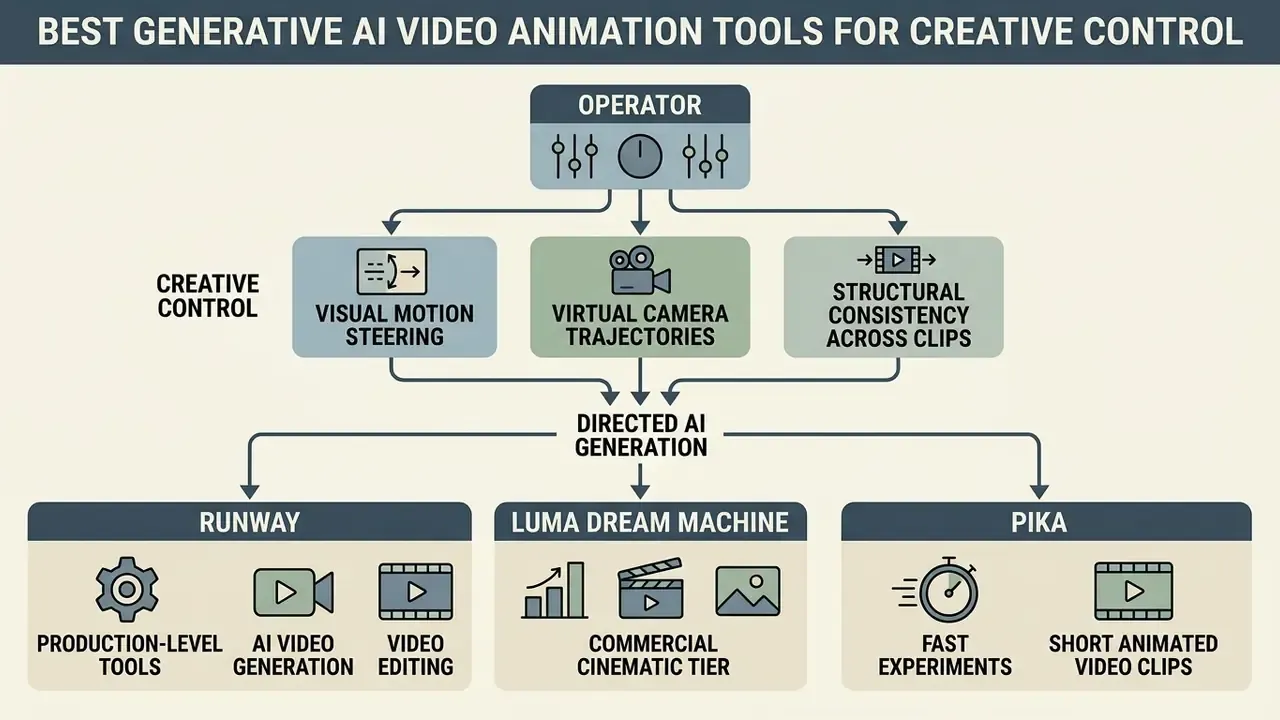
Generative video tools built for high creative control let operators steer visual motion, direct virtual camera trajectories and hold structural consistency across generated clips. The three platforms below represent the currently accessible commercial tier: Runway for directed production work, Luma Dream Machine for cinematic motion, and Pika for rapid low-cost iteration.
Runway: production-level tools for AI video generation and editing
Runway's Gen-3 Alpha platform offers advanced video generation and editing designed for professional media pipelines. The architecture supports text-to-video, image-to-video and motion-conditioned video transformation. Operators can direct shot composition using specific camera movement instructions (panning, tilting, tracking, zooming) alongside targeted motion brushes that isolate movement to defined image regions. Runway's Act-One and Act-Two features extend this to expressive character performance driven by reference video and voice input.
Runway operates on a tiered subscription framework. Paid tiers unlock commercial use rights, remove watermarks and expand credit allocations, whereas the entry-tier plan provides a non-recurring pool of 125 credits intended for initial testing. Runway's own help documentation states that content created in the service may be used commercially on paid usage, with the free tier excluded from those rights; published plan summaries place Standard at $15/month and Pro at $35/month (Runway Help Center and pricing pages, 2025 to 2026). Verification note: exact credit counts per tier differ between Runway's pricing page and third-party summaries, so procurement should confirm allocations at contract time rather than relying on aggregated review data.
Luma Dream Machine and the commercial cinematic tier
Luma AI's Dream Machine provides active, production-accessible generative video capability through a credit-based architecture. Built on high-capacity video diffusion models, Dream Machine supports image-to-video anchor conditioning, camera directional controls and extension tools that lengthen generated clips. The platform runs on weekly, monthly and annual subscription tiers, alongside one-time credit allocations, with private data processing and commercial licensing and no watermarks on paid tiers (Luma AI pricing documentation, 2025). Luma has already executed one model transition: its legacy Dream Machine model was sunset on 31 January 2025 while users continued on the newer interface. That is a useful precedent for how quickly generative video baselines shift beneath a production pipeline.
For teams needing deeper prompt-plus-keyframe control, LTX Studio accepts detailed scene prompts with optional anchor images or keyframes to constrain composition, layout and style, and Google Veo 3.1 exposes explicit framing and camera-movement controls. Because access policies for frontier models remain subject to enterprise API limits and interface changes, production pipelines should standardize on immediately available commercial models such as Luma Dream Machine, Runway Gen-3 or Veo, and treat any single model as replaceable.
Pika: fast experiments for short animated video clips
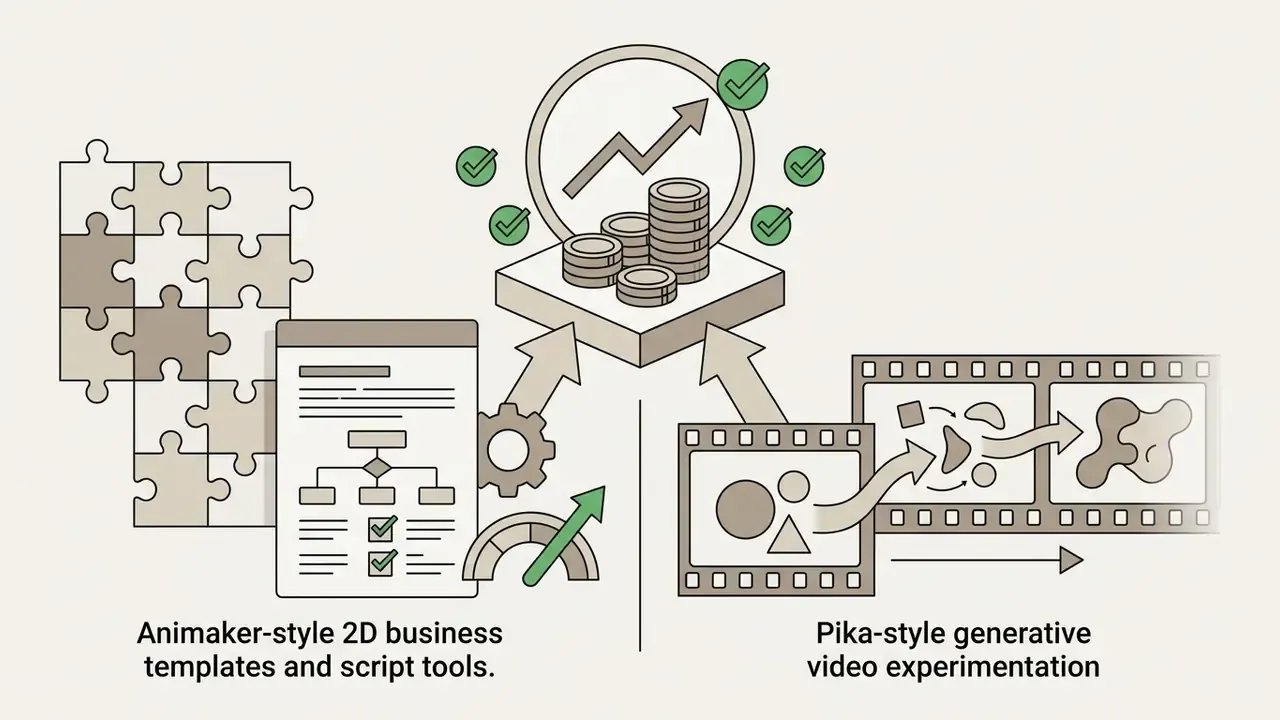
Pika (Pika 2.5) specializes in rapid, short-form generative video loops and creative visual modifications. The platform ships modular generation controls, including Pikascenes, Pikadditions, Pikaswaps, Pikaframes, Pikaformance and Pikaffects, letting creators manipulate specific regions within an image or apply stylized physics effects directly to video clips.
Pika's entry-level Basic plan provides 80 monthly video credits at 480p resolution, with watermark-free downloads and commercial usage rights permitted across all tiers (Pika subscription terms, 2025). Standard, Pro and Fancy paid tiers raise generation speed, increase monthly credit limits and unlock full high-definition export; published pricing places Standard at $8/month billed yearly, Pro at $28/month billed yearly and Fancy at $76/month billed yearly, with generation speed explicitly tier-linked. That structure makes Pika highly effective for rapid visual prototyping, short social media loops and exploratory testing. For teams working with stylized artwork and anime character concepts, see our benchmark of the best anime ai art generator.
Best AI Tools for Character Animation and Animated Storytelling
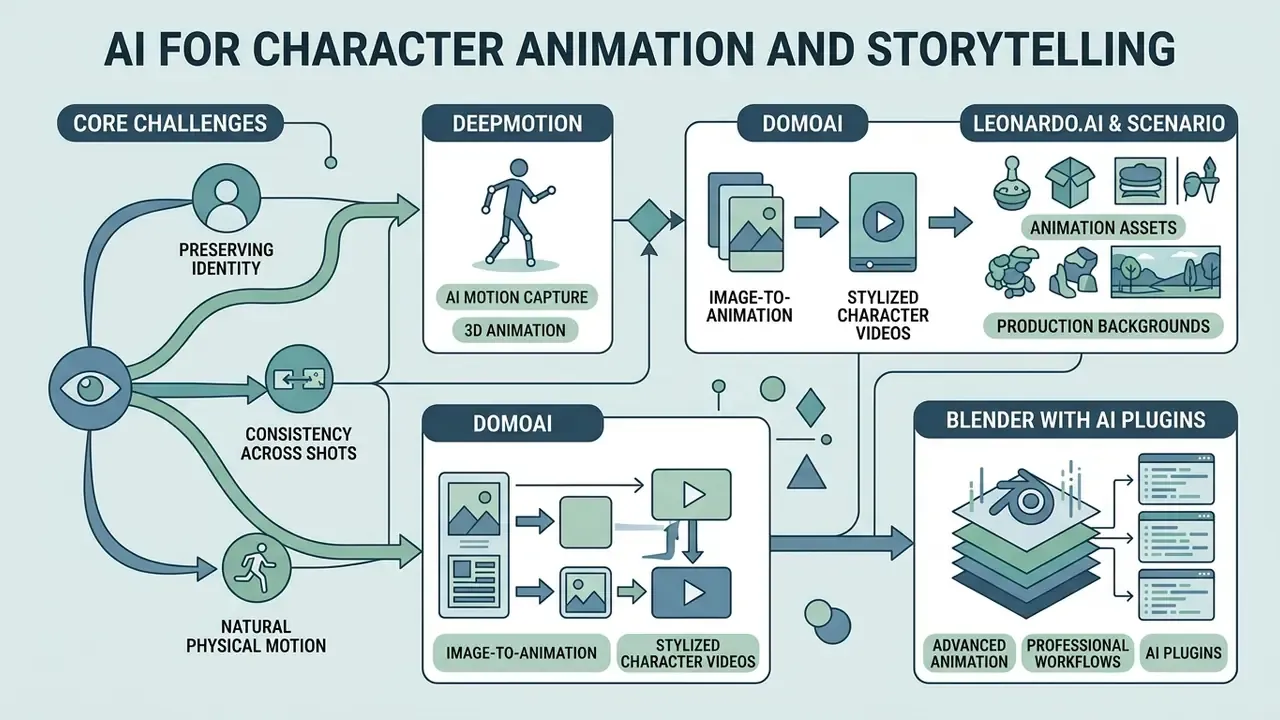
Preserving character geometry, facial identity and natural physical motion across multiple sequential shots is the central challenge in AI animation. Dedicated character tools address it using markerless motion capture, neural style transfer and skeletal armature constraints.
«A survey of generative AI for character animation identifies FID, SSIM, Mean Acceleration Difference and Foot Skating as key metrics for physical plausibility and semantic fidelity.»
That same survey maps the field across facial animation, expression rendering, avatar creation, gesture modeling and motion synthesis, and singles out identity-retention methods as the mechanism keeping characters visually consistent across shots. Reviewers evaluating vendors in this category should ask which of those measurable properties the platform optimizes, because "consistency" marketing language rarely maps to a published metric.
DeepMotion: AI-powered character motion and 3D animation
DeepMotion's Animate 3D turns standard markerless 2D video files into fully rigged 3D character animations through browser-based processing. The platform extracts full-body skeletal tracking, facial expressions and hand gestures from video sources, converting physical human performance into standard 3D formats (FBX, BVH) compatible with engines such as Unreal Engine, Unity and Maya. Its physics engine also simulates plausible interactions between characters, objects and environments, which is why the tool is widely used for scientific, medical and biomechanical explainer content.
DeepMotion uses a usage-based credit model where one credit corresponds to one second of single-subject full-body tracking, with face and hand tracking each adding roughly 0.5 credit per second (DeepMotion Animate 3D pricing, 2026). The system offers a free tier (60 monthly credits reserved for personal use) alongside Starter ($9/month annual or $15 monthly), Innovator, Professional and Studio subscriptions. The only firm system requirement published is a standard desktop or mobile web browser; the real operational constraint is input footage quality. Clear contrast, stable lighting and unobstructed views of the performer's limbs keep spatial tracking errors low.
Adjacent to markerless capture, Krikey.ai targets teams that need 3D talking avatars rather than full mocap fidelity. It animates 3D characters from text or video prompts, layers dialogue through integrated Voice AI, and exports directly to social and educational embeds. Useful when a lesson module needs a presenter in days rather than a rigged character in weeks.
Stylized animation has its own benchmark literature, worth citing when justifying model selection for anime-style or illustrated output.
«AniSora was evaluated on 948 animation videos using VBench and double-blind human testing, demonstrating state-of-the-art character stability and motion quality.»
DomoAI: image-to-animation and stylized character videos
DomoAI focuses on video-to-video restyling and image-to-character motion transfer. The tool lets animators apply consistent visual art styles, such as 2D anime, claymation or digital illustration, over existing live-action footage while retaining original motion paths, timing and audio.
Its Character-to-Video feature takes a static character image alongside a target performance video, mapping the motion of the source clip onto the illustrated character silhouette (DomoAI documentation, 2025). DomoAI's own guidance specifies the tolerances: body position, camera angle and limb placement in the reference clip should match the character image, with roughly 15 to 20% variation acceptable before output quality degrades. To prevent visual drift across generated frames, operators are told to hold face, hair, outfit, accessories, background layout, camera angle and lighting direction constant between generations. That is, in effect, a manual form of frame-to-frame structural consistency control.
Leonardo.ai and Scenario: generating production-ready animation assets and backgrounds
Consistent animated scenes are built from isolated visual layers: high-resolution environments, orthographic character turnarounds, prop sheets and seamless texture maps. Generating those layers deterministically before animation begins is the cheapest way to control style drift downstream.
Leonardo.ai lets animation teams train custom models on proprietary art styles, then generate parallax-ready background plates, character concept sheets and asset libraries at high resolution, with built-in upscaling and background removal producing animation-ready outputs. Its style library and prompt history make iterative design across a multi-episode project repeatable, and paid plans start around $12/month with commercial use on higher limits. Scenario serves the same function for game and product studios that need style-locked asset families rather than one-off images.
The practical workflow is layered: generate and approve static assets in Leonardo or Scenario, then animate them in a downstream engine, whether Animaker, Powtoon, Runway, Deforum or a Blender pipeline. Studios operating this way report materially shorter concept-art cycles, because approval happens on cheap static frames instead of expensive rendered motion. From a governance standpoint, asset-first generation also improves auditability: each approved layer can carry provenance metadata and a licensing record before it ever enters a motion pipeline.
Blender with AI plugins: advanced animation software for professionals
For professional studios requiring complete authority over scene geometry, lighting and physics, open-source 3D suites such as Blender combined with specialized add-ons remain the industry standard. Blender's built-in Rigify add-on provides modular automatic rigging from building-block components for 3D character meshes, while third-party neural plugins enable AI-assisted texture generation, pose estimation and automated motion keyframing.
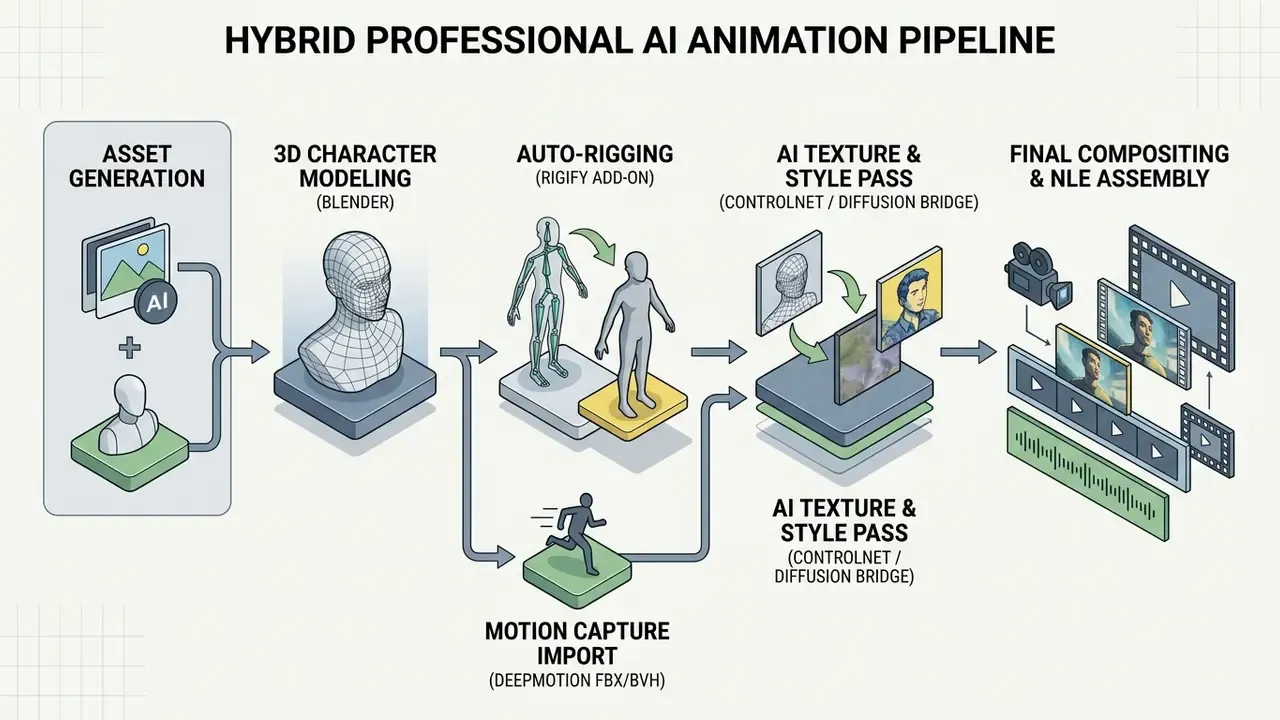
Unlike black-box SaaS platforms, Blender-based pipelines demand real technical depth: armature constraint systems, driver configuration, keying sets, keyframe interpolation, motion paths and node-based rendering setups, the exact skill set enumerated in Blender's own animation and rigging developer documentation. Note also that Blender's official documentation confirms Rigify for automatic rigging but does not ship or endorse a native AI texturing add-on, so texture-side AI remains third-party and should be validated independently. The payoff is deterministic control over scene elements, which eliminates the random motion artifacts common to end-to-end generative video tools. To explore dedicated video editing software for post-production, consult our guide to the best app to edit videos.
Best AI Animation Apps for Explainers, Marketing and Social Media
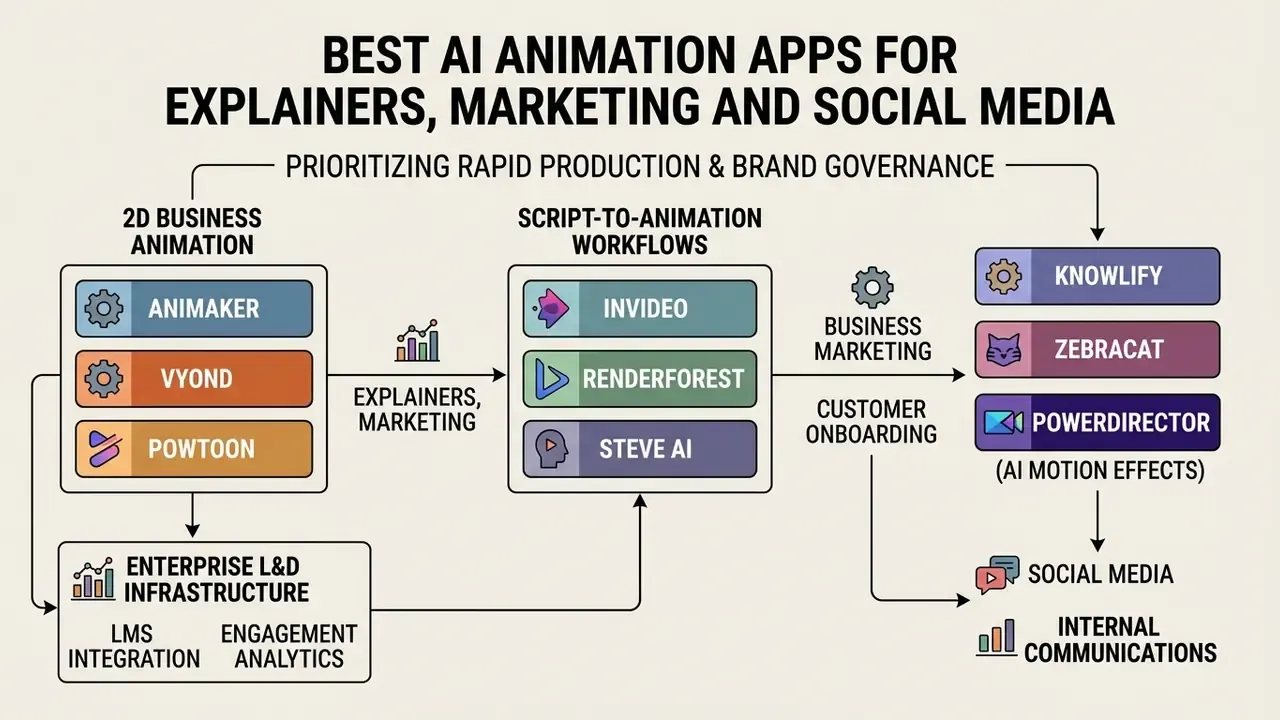
Business marketing, customer onboarding and internal communications prioritize rapid production, multi-language narration and brand governance over complex cinematic rendering. For a structural overview of creation methods, template systems and export options across this category, see our reference on animation makers.
Animaker, Vyond and Powtoon for 2D business animation
Animaker, Vyond and Powtoon dominate the 2D enterprise animation sector by pairing extensive vector asset libraries with AI-assisted scripting and voice generation. Animaker provides an intuitive web editor with built-in AI text-to-speech across 180+ languages and accents, automated subtitling, script analysis that suggests matching visual elements, voice-to-animation lip-syncing and a library exceeding 100,000 templates and assets (Animaker platform documentation, 2025). The Basic plan ($15/mo) removes export watermarks, while Enterprise tiers grant full commercial reselling rights and 4K rendering.
«The AIGVE survey classifies AI-video evaluation along two axes, alignment with human perception and instruction following, neither of which template platforms publish.»
InVideo, Renderforest and Steve AI for script-to-animation workflows
Script-to-video generation engines process written prompts or long-form documents into fully assembled video sequences complete with stock footage, animated transitions, AI voiceovers and dynamic captions.
- InVideo uses prompt-driven AI video generation to search stock libraries, assemble scene cuts, synthesize natural voice narration and render editable timeline tracks. Its help documentation describes a "Use my script" path where the operator supplies the script and selects media type, music, subtitle style and language before autopilot assembly (InVideo Help Center, 2026).
- Renderforest features an AI Video Generator that accepts topic descriptions or complete scripts up to 2,500 characters, automatically mapping text concepts to animated scenes and graphic templates (Renderforest Help Center, 2024). Verification note: these limits come from vendor help documentation without an independent audit; confirm current character limits and template availability before planning long-form scripts.
- Steve.AI translates text scripts, blog post URLs or audio files into animated video scenes using customizable character libraries and stock asset indexes, with style selection and scene-level editing after generation (Steve.AI tutorials, 2023 to 2026).
- Knowlify and Zebracat Knowlify accepts PDFs, slide decks, blog posts, outlines or raw prompts and returns narrated animated video. Zebracat converts prompts, scripts, URLs and audio into edited social clips with captions, branding and scheduling, useful when the deliverable is volume social output rather than a single explainer.
- PowerDirector (AI motion effects) for teams already editing in a conventional NLE timeline, PowerDirector injects generative style transfer and AI anime overlays directly into the editing sequence, enabling rapid post-production stylization without exporting footage to a separate generative platform.
Adobe Firefly and Adobe Animate for brand-ready creative teams
Adobe Firefly provides commercially safe generative AI models trained strictly on licensed Adobe Stock assets and public-domain media. Integrated directly into Adobe Creative Cloud applications, including Adobe Express, Photoshop, Premiere Pro, After Effects and Adobe Animate, Firefly enables corporate design teams to generate high-resolution visual assets, animated clips and vector elements with reduced intellectual property risk (Adobe Firefly legal FAQ, 2024 to 2025). Firefly's animation workflow accepts a sketch, a finished character design or a text prompt, supports both 2D and 3D styles, and outputs vertical or horizontal formats up to 1080p for social, presentation and campaign use.
To streamline creative direction, Adobe added Firefly Boards, a collaborative canvas where teams generate, compare outputs side by side and iterate on AI video prompts using both proprietary Adobe models and integrated partner models before pushing final clips into Premiere Pro or After Effects. Because Firefly exposes multiple leading models within one interface, creative leads can test motion style and generation speed across engines without renegotiating licences per vendor. Adobe's free tier provides daily generations; Firefly Standard is published at US$9.99/month for 2,000 generative credits.
Adobe Animate pairs Firefly-generated visual assets with traditional timeline animation, bone rigging and interactive vector tools for cartoons, ads, games and interactive content. For enterprise organizations concerned about copyright infringement or dataset contamination, Adobe offers IP indemnification for qualifying Firefly Enterprise deployments, alongside automated Content Credentials metadata that certifies asset provenance and generative AI transparency. Note the nuance flagged in Adobe's own enterprise legal FAQ: "designed to be commercially safe" is framed as risk reduction under contractual terms, not an absolute guarantee, and uploaded source images must themselves be clear of copyright, trademark, privacy and publicity claims for the resulting video to inherit that protection. To review non-commercial generation options for rapid mood-boarding and volume testing, see our evaluation of free AI video generators. Updated: this replaces an earlier link to a free AI art generator comparison, which sat outside the video production context.
Enterprise compliance verification audit: commercial licensing status by platform
Free Plans, Pricing and Commercial Use of AI Animation Software
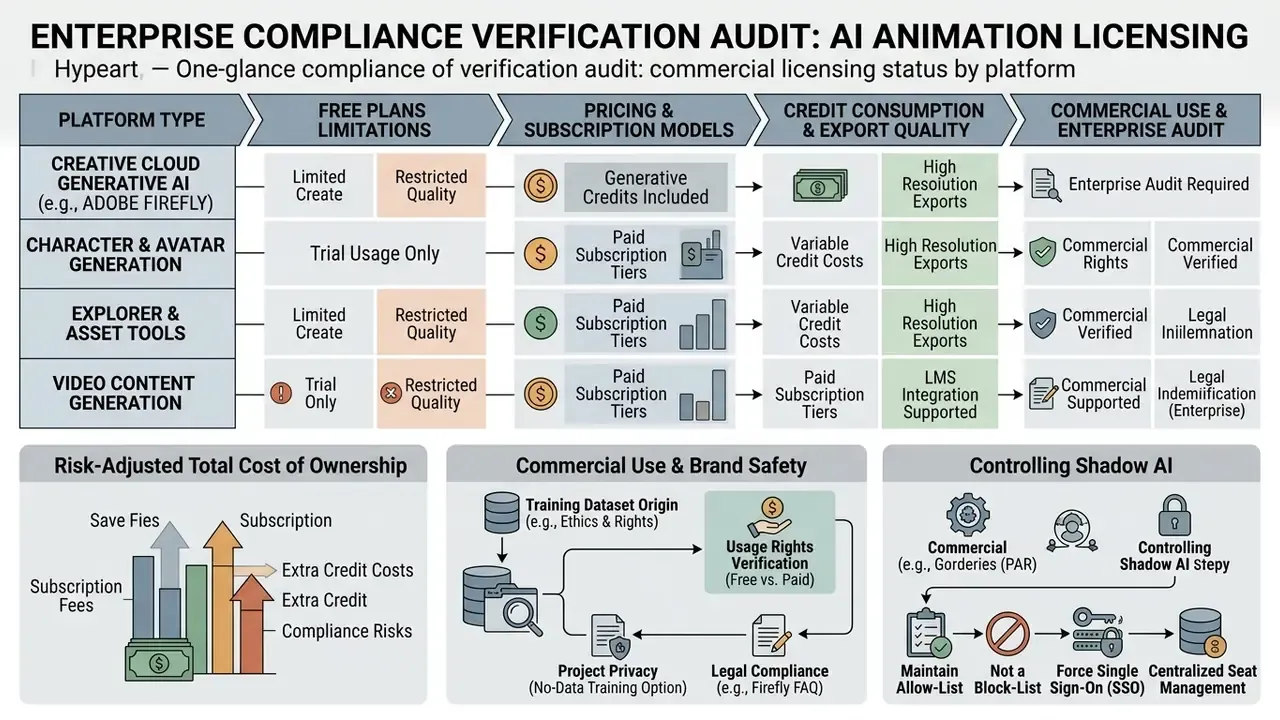
| Software / Tool | Free Tier Limits | Entry Paid Price | Monthly Generative Credits | Watermark Policy | Commercial Usage Rights |
|---|---|---|---|---|---|
| Runway | 125 one-time credits | $15 / month (Standard) | 625 credits/mo (Standard) | Watermarked on Free | Paid plans only |
| Pika | 80 monthly credits (480p) | $8 / month (Standard, yearly) | 700 credits/mo (Standard) | No watermark | Allowed on all tiers |
| Animaker | Watermarked exports | $15 / month (Basic) | 3,000 credits/mo (Starter) | Watermarked on Free | Paid plans (Basic and above) |
| Powtoon | Free tier, watermarked exports | about $15 / month (billed yearly) | AI TTS billed by credits | Watermarked on Free | Paid plans only |
| Vyond | 2,000 credit trial | $99 / mo or $699/yr | 10,000 credits/mo (Starter) | Watermarked on Trial | Paid plans only |
| DeepMotion | 60 secs/mo (personal) | $9 / month (Starter, annual) | Credit-based (1 sec = 1 cr) | Free tier restrictions | Paid plans only |
| Leonardo.ai | Daily free generation quota | about $12 / month | Tier-based token/credit pool | No watermark on paid | Paid plans |
| Adobe Firefly | Free daily generations | $9.99 / month (Standard) | 2,000 credits/mo (Standard) | Watermarked on Free | Commercially safe on paid |
| Luma AI | Single video packs ($2.99) | $9.99 / week | 5,000 credits/week | No watermark | Allowed on paid packs |
What free AI animation plans can realistically create
Free tiers from AI animation vendors serve interface evaluation, prompt testing and prototyping, not commercial production. They routinely enforce hard constraints: low export resolution (480p or 720p), prominent visual watermarks, non-recurring credit pools, daily or weekly quota resets, and explicit prohibitions on commercial use.
For example, Pika provides watermark-free downloads on its free plan, yet its monthly 80-credit quota at 480p limits output to a handful of short clips. Runway's 125 free credits do not refresh monthly. Animaker's free tier allows full scene editing but stamps a visible overlay across exported files, and Vidu's free output is capped at 720p with a visible watermark. Synthesia's free plan is limited to roughly three minutes per month with a single editor seat. So free plans are fine for testing interface usability and prompt responsiveness; commercial deployment requires a paid tier. In regulated environments, free consumer tiers should be blocked outright, because they typically lack data-isolation guarantees.
Generative credits, export quality and subscription models
Most AI video and animation platforms use a credit-based subscription framework to meter GPU utilization. Credits are deducted per generation based on model complexity, output resolution, duration and frame rate, and Adobe's documentation confirms that credits are assigned per user per month, with plan tier determining both feature access and quota size.
Typical Credit Consumption Multipliers:
 - Standard 1080p Video Generation (24 FPS): ~100 Credits / Second
 - High-Fidelity 4K Video Generation (30 FPS): ~175 Credits / Second
 - Audio-Driven Lip-Sync Pass: ~0.5 to 3 Credits / Second
 - 3D Motion Capture Processing: 1 Credit / Second (Body) + 0.5 Credit (Hands/Face)
Operators must account for resolution-based credit scaling when planning monthly budgets. Generating clips at 4K or running complex generative upscaling burns allocations far faster than standard 1080p rendering. Note that consumption is a function of the specific feature and frame rate, not resolution alone, so comparing tools purely by output resolution understates real cost. Subscriptions should be chosen on total expected render seconds rather than simple clip counts.
Risk-adjusted total cost of ownership. Credit prices alone understate true cost, because failed generations and human review dominate the expense profile:
TCO = Subscription Cost
    + (Accepted Render Seconds × Credit Multiplier × Credit Unit Price)
    + (Failed / Rejected Iterations × Credit Multiplier × Credit Unit Price)
    + (Human Review & Correction Hours × Blended Hourly Rate)
    + (NLE Post-Processing Hours × Blended Hourly Rate)
Prompt-Drift Overhead:
  Iteration Factor = 1 / (Probability of Acceptable First-Pass Output)
  For complex, multi-step temporal prompts without keyframe conditioning,
  TC-Bench data implies a first-pass compliance rate under 20%,
  i.e. an Iteration Factor above 5×. Keyframe anchoring, first/last-frame
  conditioning, and motion vectors are therefore cost-control measures,
  not merely quality controls.
A team budgeting 600 accepted 1080p seconds per month at 100 credits per second must therefore plan for roughly 3,000 or more generated seconds once drift is priced in, before adding review labour. For details on platform-wide subscription structures, see our AI Media Pricing page.
Commercial use, brand safety and project privacy
Disclaimer: the following is general information and does not replace advice from a qualified legal or compliance professional. Licensing, copyright and disclosure rules differ by jurisdiction and change frequently.
Commercial usage rights vary widely across AI media software contracts. Standard commercial terms let organizations monetize generated output, incorporate media into client deliverables and run public advertising campaigns. The meaningful differences sit in IP indemnification, data privacy and model training practices:
- Brand safety: tools built on licensed media databases (such as Adobe Firefly) reduce exposure to copyright infringement claims tied to training dataset contamination. Adobe Firefly treats generated material as "Customer Content", claims no rights in outputs and excludes enterprise customer data from general-purpose training datasets (Adobe Firefly Enterprise Legal FAQ, 2024 to 2025). https://www.adobe.com/legal/licenses-terms/adobe-gen-ai-user-guidelines.html
- Project privacy: enterprise plans frequently guarantee that user-uploaded assets, text scripts and generated video outputs will not be ingested into public training datasets. WIPO's 2024 guidance additionally recommends vetting providers for IP ownership terms, indemnities, licensed training data and private-cloud or on-premises deployment for sensitive projects.
- Data lineage and provenance: compliance frameworks increasingly mandate digital provenance metadata (such as C2PA Content Credentials) to disclose generative AI use in published media assets.
- Prompt hygiene: WIPO's 2024 guide advises against prompts that reference third-party business names, trademarks, copyright works, authors or artists, and recommends screening outputs for infringement before release. That gate is easy to automate.
- Authorship and registration: U.S. Copyright Office guidance requires applicants to disclose AI-generated material and permits copyright claims only over the human-authored portions of a work, which affects how studios document human contribution on hybrid pipelines.
Regulatory disclosure and synthetic-media labelling. Transparency obligations are tightening for generative media, particularly where human likeness is synthesized. The UK government's 2025 copyright and AI report states that services generating or manipulating image, audio or video deepfakes must clearly label generated content and disclose when material is wholly or partly generated. Comparable transparency duties apply under the EU AI Act's provisions for synthetic content, and U.S. federal guidance has pushed in the same direction through provenance and watermarking expectations. Practical controls include: enabling C2PA Content Credentials at export, embedding an on-screen or metadata AI-generation notice for avatar-presented material, retaining written likeness and voice consent for any real person represented by an avatar, and logging model name and version per asset so disclosure statements remain accurate after a vendor changes models. Jurisdictional divergence is real, since U.S. and UK regimes differ on labelling scope and copyright treatment, so multinational publishers should apply the strictest applicable standard across the whole asset library rather than per market.
Organizations handling sensitive client assets, proprietary product designs or regulated financial communications must ensure provider contracts include explicit data isolation guarantees and commercial licensing terms for AI-generated content. To review specialized commercial usage terms across different generative AI implementations, see the overview.
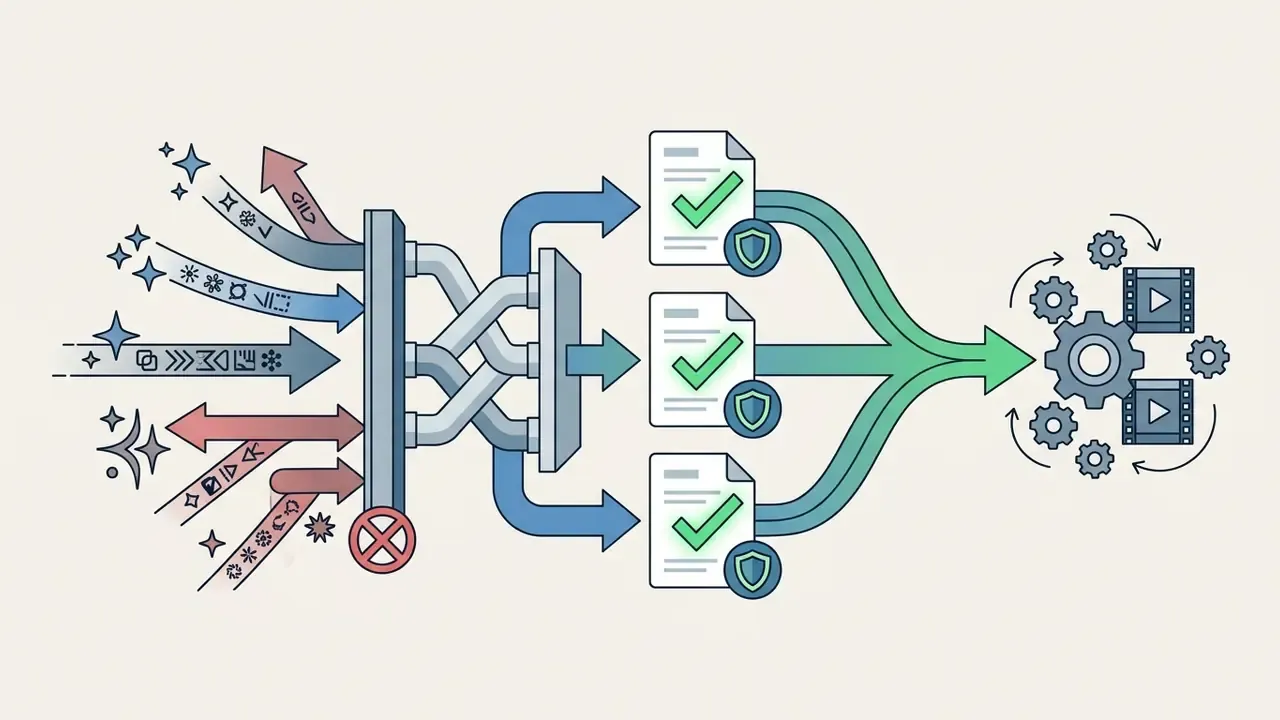
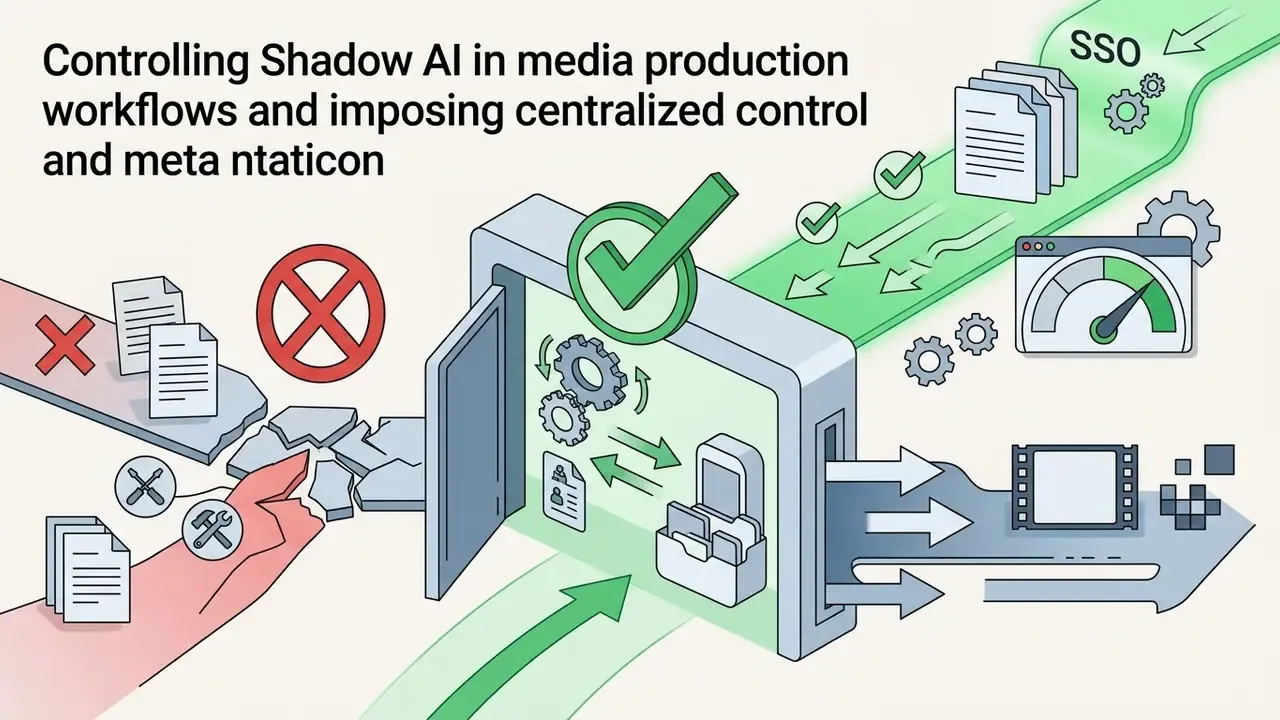
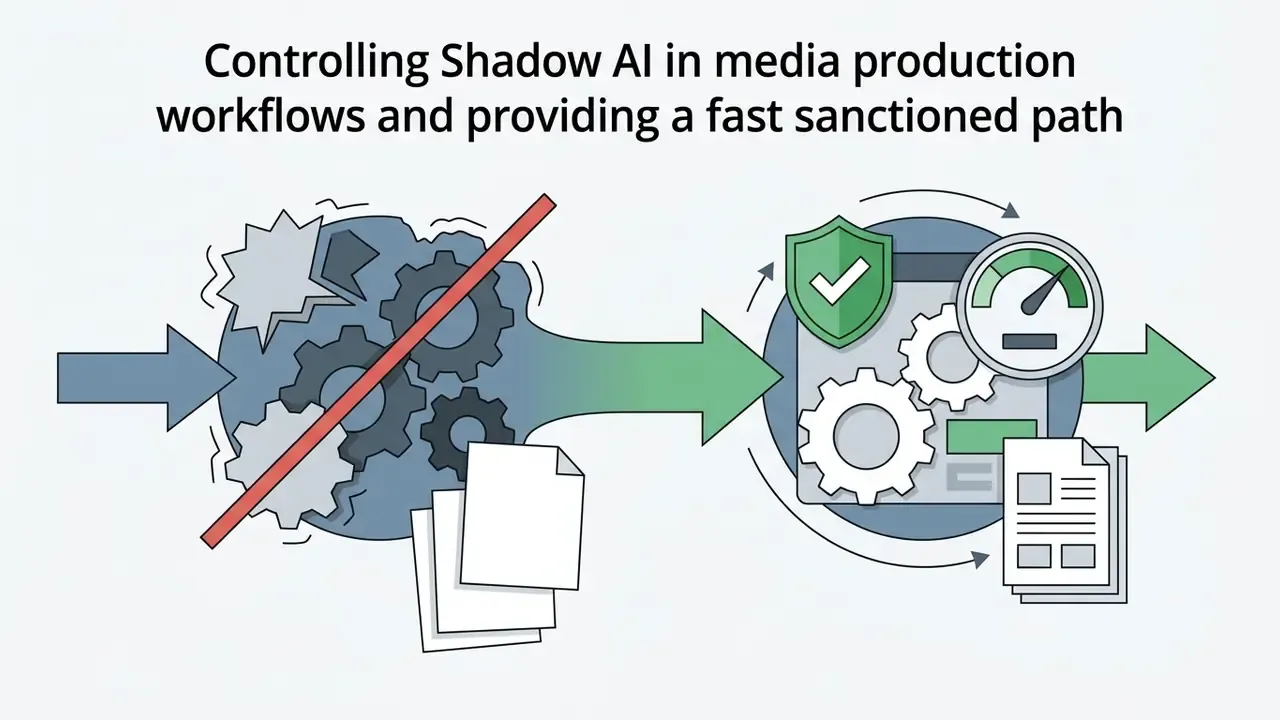
Controlling Shadow AI in media production workflows
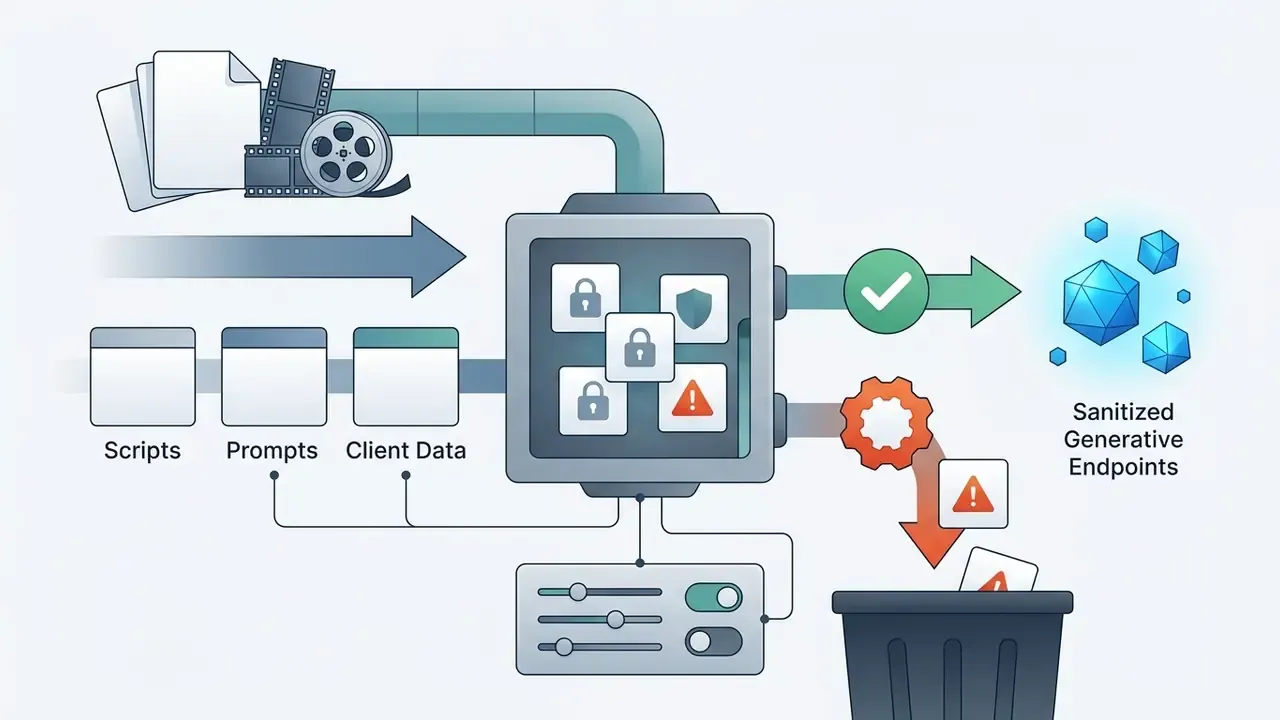
The dominant data-leakage vector in generative animation is not the approved enterprise platform. It is the unapproved consumer tier a designer opens under deadline pressure. Free and consumer plans typically reserve broad rights to process inputs, rarely guarantee zero data retention and almost never offer contractual data isolation. An unreleased product render or a confidential campaign script uploaded to a public generator has effectively left the perimeter.
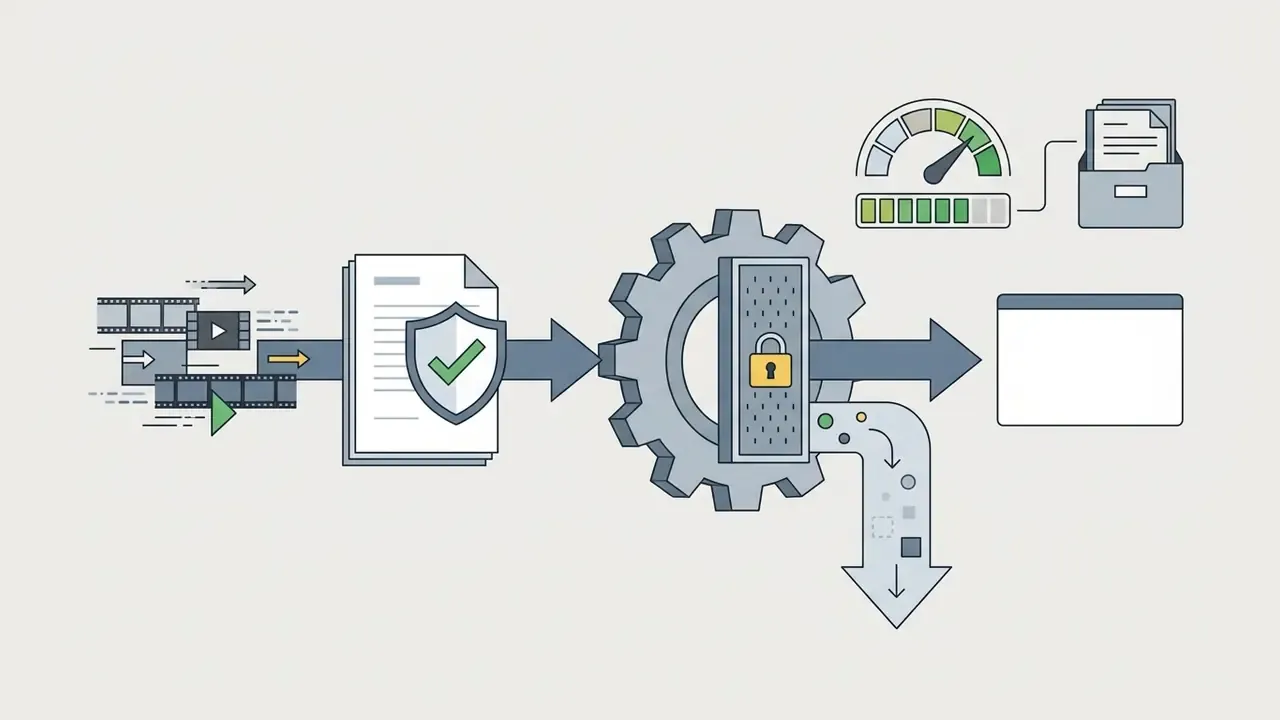
A workable control set for media production is narrow and enforceable:
Model risk management checklist for vendor selection
Before licensing an AI animation platform, validation and procurement teams should complete a documented assessment. In banking and insurance contexts this maps naturally onto existing model risk governance expectations (for example the Federal Reserve and OCC SR 11-7 and OCC 2011-12 frameworks for model validation), treating a generative media tool as a third-party model with defined inputs, outputs and failure modes.
- 1. Training data provenance. Is the model trained on licensed, public-domain or scraped data? Is a written statement available? Does the vendor offer IP indemnification, and under which plan tier?
- 2. Data isolation and retention. Are customer inputs and outputs excluded from training? What is the retention period, the deletion mechanism and the hosting region? Are private-cloud or on-premises options offered for sensitive workloads?
- 3. Output controllability and failure profile. Which published metrics does the vendor report (VBench, FID, SSIM, lip-sync score, text legibility)? What is the documented behaviour on long, multi-step prompts, and which conditioning controls (keyframes, motion vectors, first/last-frame) are exposed to reduce drift?
- 4. Provenance and disclosure tooling. Does the platform emit C2PA Content Credentials or equivalent metadata? Can AI-generation disclosure be applied automatically at export?
- 5. Continuity and version governance. What is the vendor's model deprecation notice period? Sora's consumer sunset and Luma's legacy-model retirement show that a production dependency can be withdrawn; require change-notice commitments and keep a tested fallback model.
- 6. Access control and auditability. Is SSO or SAML available? Are per-seat activity logs and API key scoping supported for post-incident review?
- 7. Ownership and escalation. Who owns the tool in the inventory, who approves published output, and what is the escalation path when a generated asset fails brand, legal or accessibility review?
Document the answers, attach the vendor evidence and re-review at each renewal. Model terms in this market change faster than annual procurement cycles.
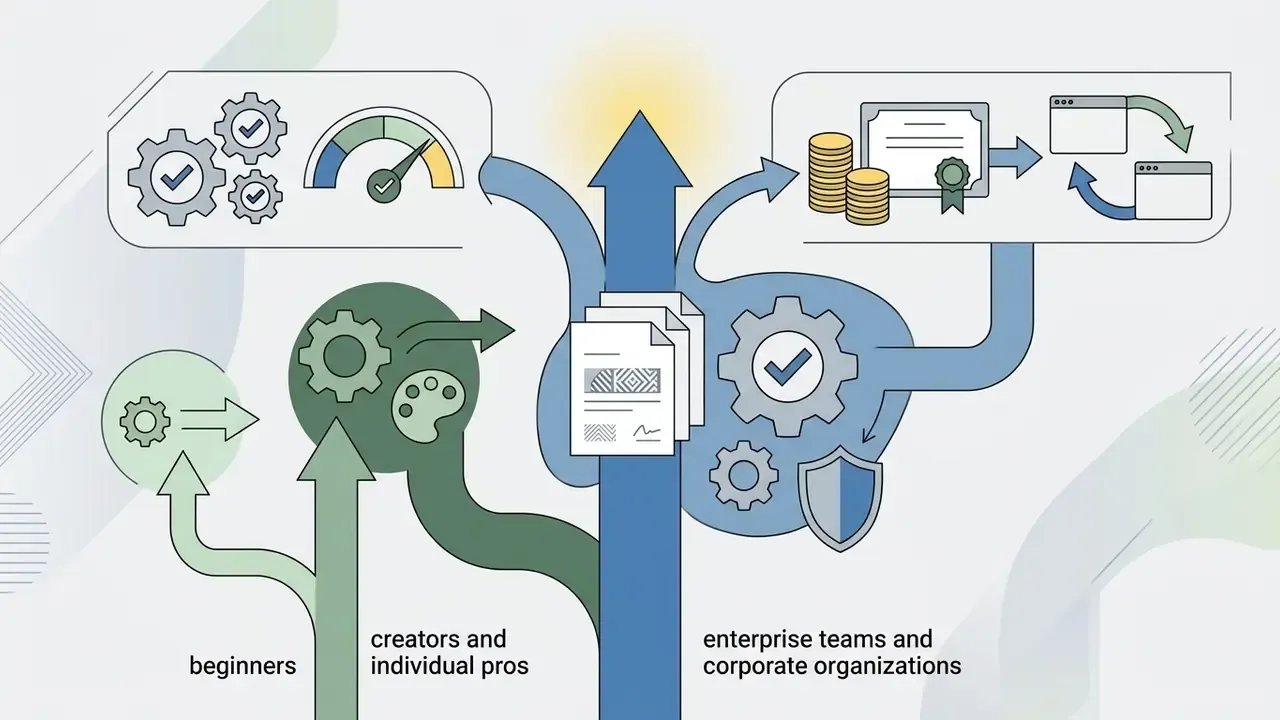
Best value recommendations for beginners, creators and teams

Summary and Strategic Deployment Framework
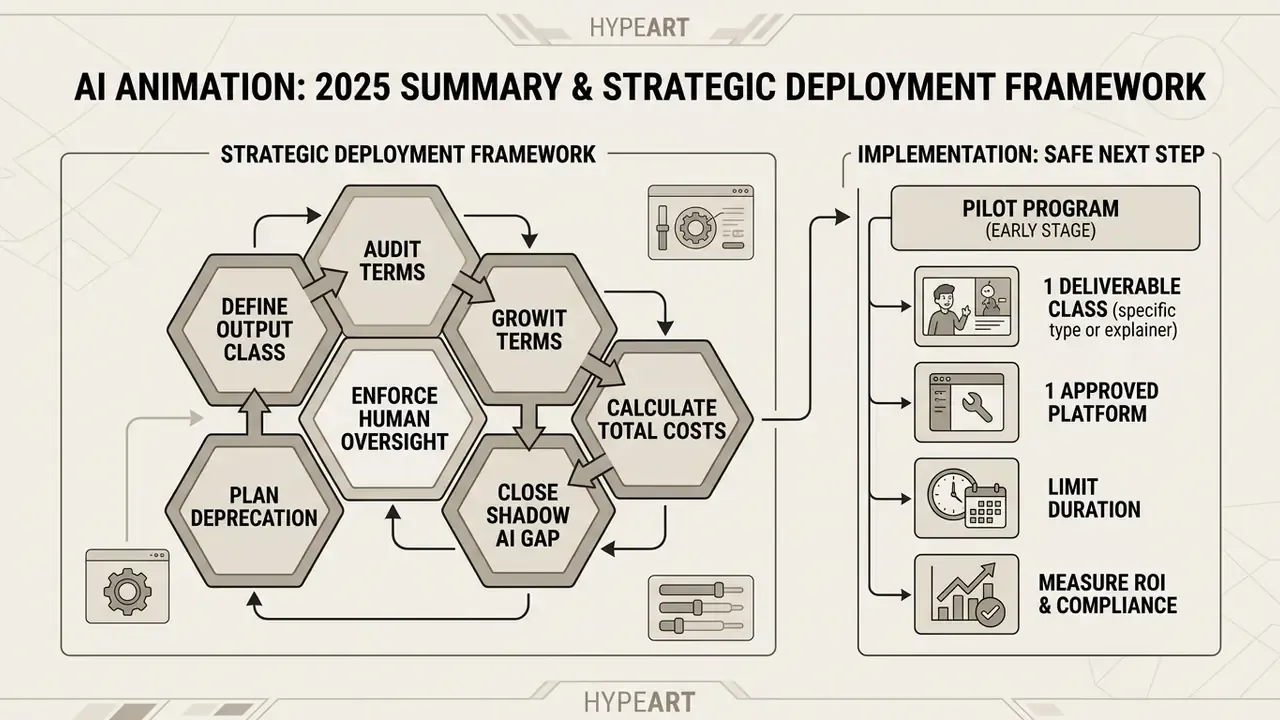
Navigating the 2025 to 2026 AI animation market requires matching software capabilities directly to organizational risk tolerance, budget constraints and deliverable formats. To compare alternative media synthesis platforms, browse the hub or review our head-to-head evaluations in the AI Media Versus directory. Developers planning API-driven workflows should see the overview for integration protocols, while model risk officers can see the overview for technical performance metrics.
- Define the output class first. Do not use open-ended video diffusion models for structured business explainers that require exact text rendering. Use template engines (Vyond, Animaker, Powtoon) for explainers, avatar systems (HeyGen, Synthesia, Krikey.ai) for presenters, asset generators (Leonardo.ai, Scenario) for backgrounds and textures, and diffusion models (Runway, Luma) for cinematic visual effects.
- Audit commercial licensing and data terms. Verify whether a platform uses uploaded assets or generated outputs to train public models. Ensure paid tiers explicitly grant commercial licensing rights, and confirm indemnification eligibility by plan tier rather than by brand.
- Calculate total control costs. Include prompt iteration time, manual keyframing, credit consumption at high resolutions, rejected-generation overhead and NLE post-processing in total cost of ownership.
- Close the Shadow AI gap. Pair an approved tool allow-list with SSO enforcement, DLP rules on generative endpoints and contractual zero-retention terms, and provide fast sanctioned provisioning so staff do not route around policy.
- Plan for model deprecation. Keep a tested fallback model and record model name and version per published asset; frontier interfaces have already been withdrawn mid-cycle, and provenance disclosures must stay accurate afterwards.
- Enforce human-in-the-loop oversight. Treat generative video output as raw candidate media requiring human review for spatial drift, brand alignment, text legibility, likeness consent and physical realism before publication.
A safe next step, if the programme is early: pick one deliverable class, run it on one approved platform for a quarter, and measure accepted seconds, iteration factor and review hours. That single dataset will tell you more about risk-adjusted ROI than any vendor deck.
Appendix A: Superseded References and Editorial Notes
Retained for audit transparency; superseded by the updated versions in the main text.
- Superseded link (ease of use section)
- "see our analysis of the best ai website creator (/compare/best-ai-website-creator/)", replaced with the free video editing software comparison, which matches the NLE context of the paragraph.
- Superseded link (quality and speed section)
- "examine our review of the best android photo (/compare/best-android-photo-editor/)", replaced with the AI video generator comparison, as mobile photo editing has no bearing on video pipeline throughput.
- Superseded link (Adobe section)
- "see our evaluation of the best free ai (/compare/best-free-ai-art-generator/)", replaced with the free AI video generator comparison for contextual relevance.
- Superseded heading (cinematic tier)
- "Sora and Luma Dream Machine: cinematic motion and realistic animation". The heading now foregrounds the commercially available tier, with Sora retained as a documented historical benchmark and sunsetting notice.
- Superseded formatting (Adobe section)
- the licensing audit previously appeared inside a raw markup block; it is now rendered as a labelled Enterprise Compliance Verification Audit callout.
- Removed navigation block
- a static contents list was dropped in favour of an explicit methodology note, which carries more decision value for procurement readers.
- Unverified figure excluded
- a commonly cited industry claim that AI tools cut animation production time "by up to 40%" appears in competing coverage without an attributable study, and has therefore been omitted rather than repeated.
- Claims requiring vendor confirmation
- Runway free-tier credit allocation and plan credit counts; OpenAI Sora interface and API end dates; Vyond FedRAMP certification and seat pricing; Renderforest 2,500-character script limit.
- Author attribution
- Marcus Hale, author. Quotes attributed to him are illustrative and imply no employment, client relationship or regulatory authority.