Quick Recommendations Before You Read Further
If you only have ten seconds, here is the short answer:
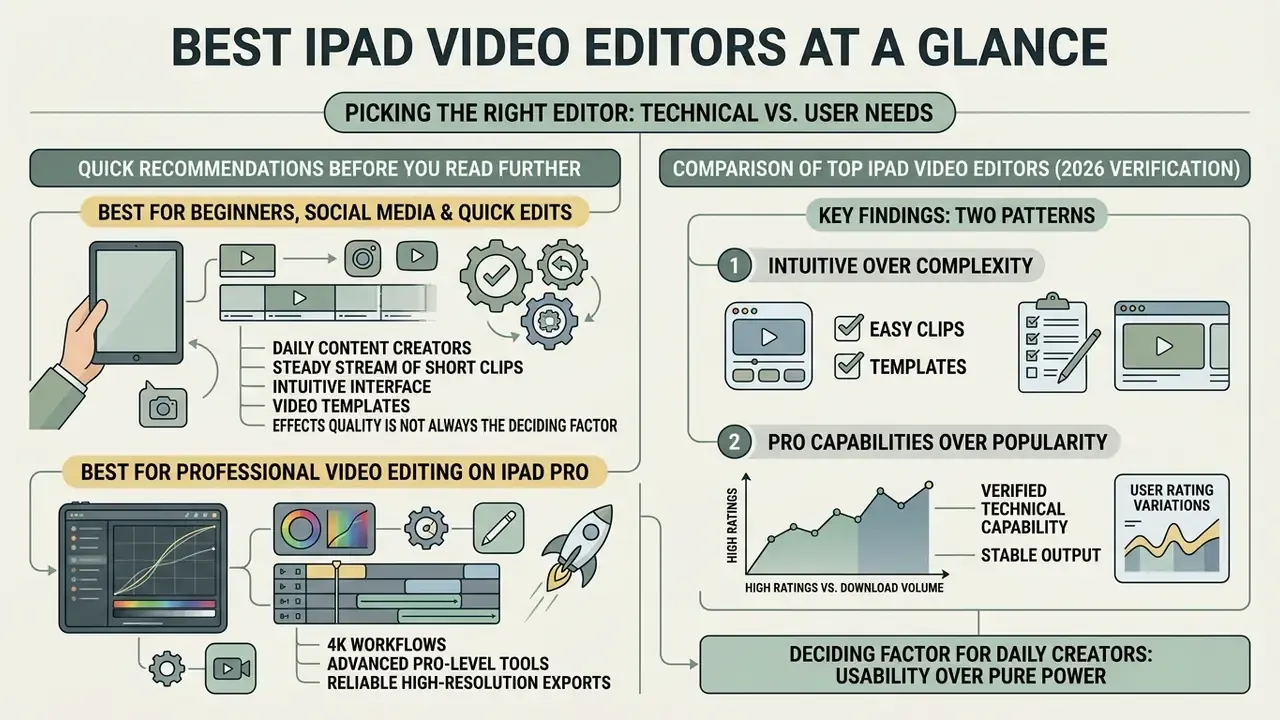
- Own an older iPad Air, iPad mini or base iPad on an A-series chip? Use iMovie, VN Video Editor or InShot. Final Cut Pro will not install.
One caveat worth saying out loud: the "best" label here is task-dependent, not universal. A $95 colour suite is useless if you publish nine-second vertical clips.
The modern iPad has moved from a consumption tablet to a genuine mobile post-production machine. Choosing the best iPad video editor comes down to four variables: your hardware, your project complexity, your timeline requirements and your budget.
Matching software architecture to production demands matters more than feature counts. Whether you cut quick vertical clips or multi-camera feature projects, the way an app leverages Apple silicon decides your daily editing speed. Many teams now pair a tablet timeline with generative assets, so it helps to know how modern AI video generators fit into a mobile production chain before you commit to any subscription.
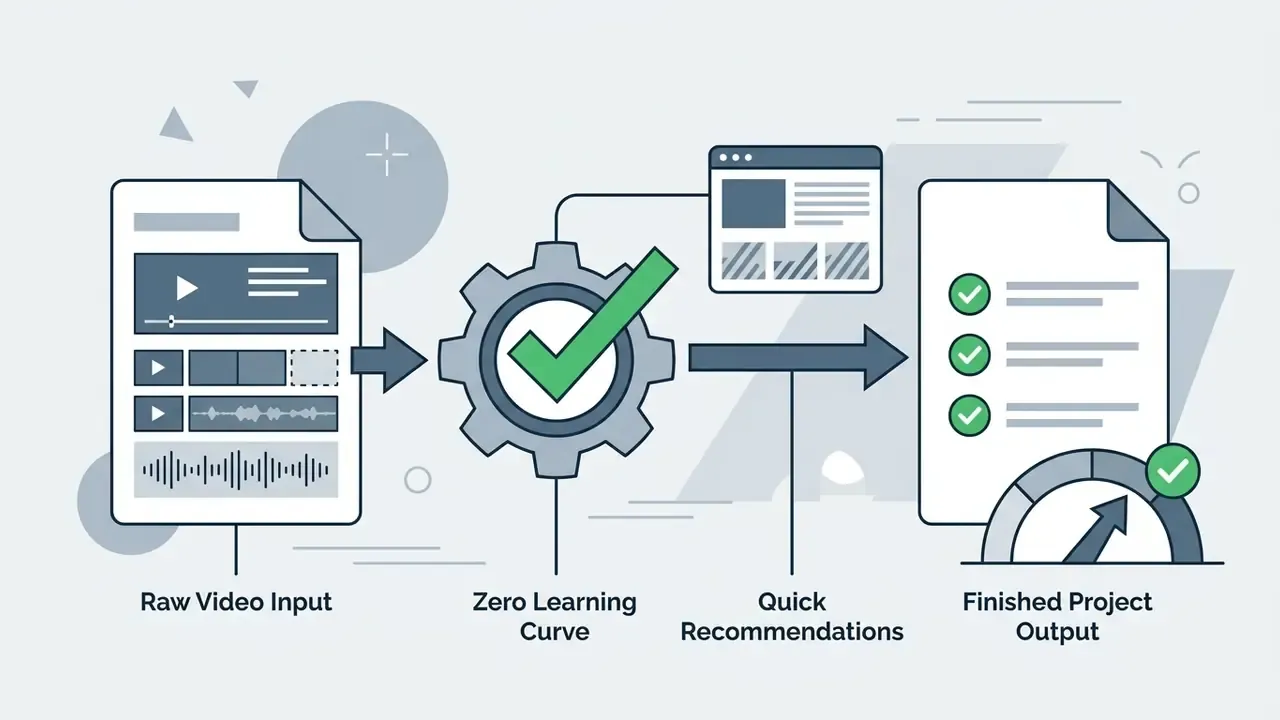
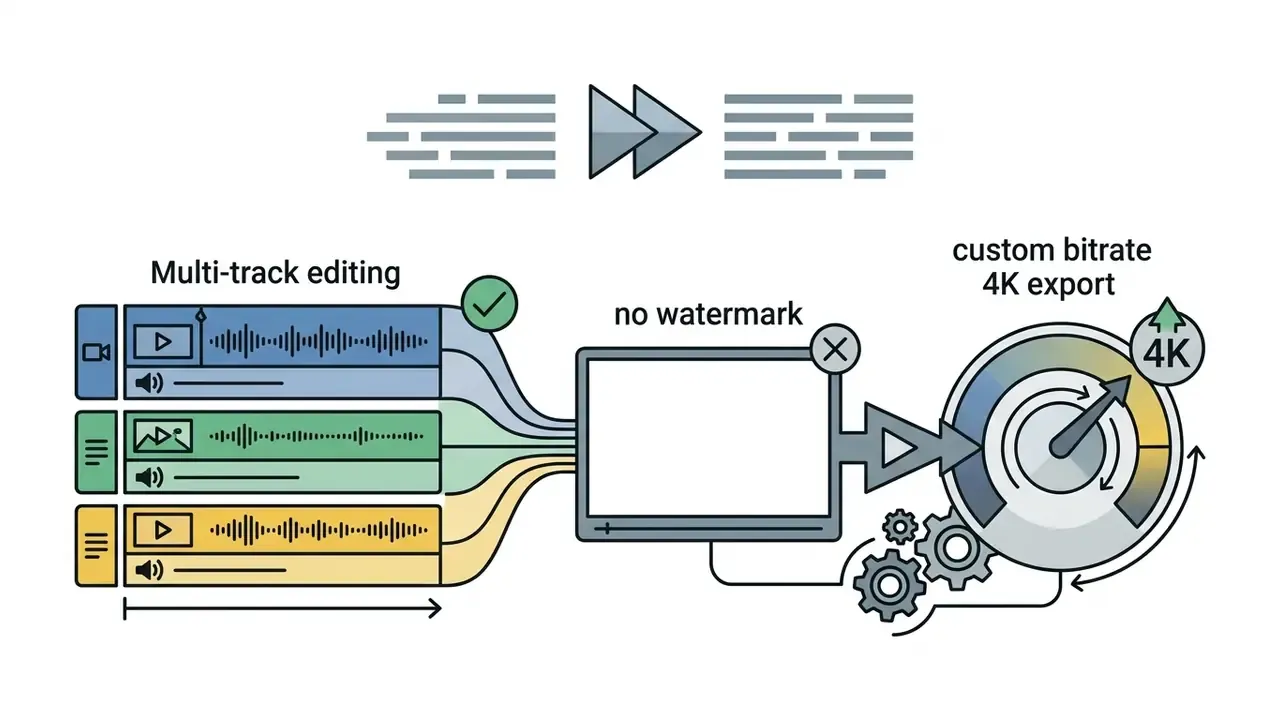
Best iPad Video Editors at a Glance
| Application | Free Version | Watermark | Multi-Track Editing | AI Tools | 4K Video Support | App Store Rating | Best Primary Use Case | Pricing Model |
|---|---|---|---|---|---|---|---|---|
| Apple iMovie | Yes | None | Basic (2 video streams) | Magic Movie / Storyboards | Yes (up to 4K 60fps) | ~4.0 / 5 | Beginners and quick simple edits | Completely free |
| CapCut | Yes (freemium) | None on standard exports | Yes (multi-layer) | Auto-captions, background removal, text-to-speech | Yes (4K 60fps export) | ~4.7 / 5 | TikTok, Reels and short-form video | Free / Pro ($7.99/mo or $74.99/yr; single month $10) |
| InShot | Yes (freemium) | Removable end-card watermark | Limited (overlay layers) | AI background blur, auto-reframe | Yes (free 4K export) | ~4.8 / 5 | Fast 9:16 Reels on older iPads | Free / Pro from about $3.99/mo |
| VN Video Editor | Yes (full timeline) | None | Yes (desktop-style multi-track) | Beat matching, curve speed, auto captions | Yes (custom bitrates) | 4.8 / 5 (5.3M+ ratings) | Mobile vlogging and social media | Free / VN Pro ($6.99/mo or $49.99/yr) |
| LumaFusion | No (trial only) | None | Yes (6 video/audio + 6 audio) | Keyframe audio, colour presets, Multicam Studio | Yes (4K HDR and external drive) | 4.7 / 5 (25,000+ ratings, Editors' Choice) | Independent filmmakers and journalists | $29.99 one-time (optional Storyblocks add-on ~$9.99/mo, FCPXML export IAP) |
| Final Cut Pro for iPad | 1-month trial | None | Yes (Magnetic Timeline, Live Multicam) | Enhance Light/Color, Smooth Slo-Mo, auto subject isolation | Yes (ProRes and 4K HDR) | ~4.4 / 5 | Professional iPad Pro production | $4.99/mo or $49/yr subscription |
| DaVinci Resolve for iPad | Yes (full base tier) | None (Studio-only FX watermarked) | Yes (Cut and Color pages, up to 6x 4K HDR tracks) | Magic Mask, Voice Isolation (Studio) | Yes (Blackmagic RAW, ProRes, HDR) | ~4.3 / 5 (iPad App of the Year) | Hollywood-grade colour correction | Free (Cut/Color) / $95 Studio upgrade (one-time) |
| Adobe Premiere Rush | Yes (limited tier) | None | Yes (4 video + 3 audio tracks) | Auto-reframe, sound ducking | Yes (4K output) | 3.2 / 5 (36.7K ratings, Google Play) | Cross-platform YouTube creators | Free / $9.99/mo Creative Cloud tier |
Two patterns jump out of that table. First, a free tier no longer implies a watermark: iMovie, VN and standard CapCut exports all ship clean. Second, subscription pricing does not track capability neatly, since the $29.99 one-time LumaFusion licence and the free Resolve base tier both outrun several monthly plans.
Best for professional video editing on iPad Pro
Professional quality video on a tablet means advanced editing capabilities: multi-track assembly, audio tracks you can process independently, chroma keying, motion tracking, colour grading with scopes, and 4K video throughput that does not stutter. That combination narrows the field to three names: LumaFusion, Final Cut Pro for iPad and DaVinci Resolve for iPad, all of them running best on an iPad Pro with M-series silicon.
The trade-off is honest. You gain frame-accurate control and ProRes handling. You give up plug-in ecosystems that still live only on desktop.
How to Choose the Best Video Editing App for iPad
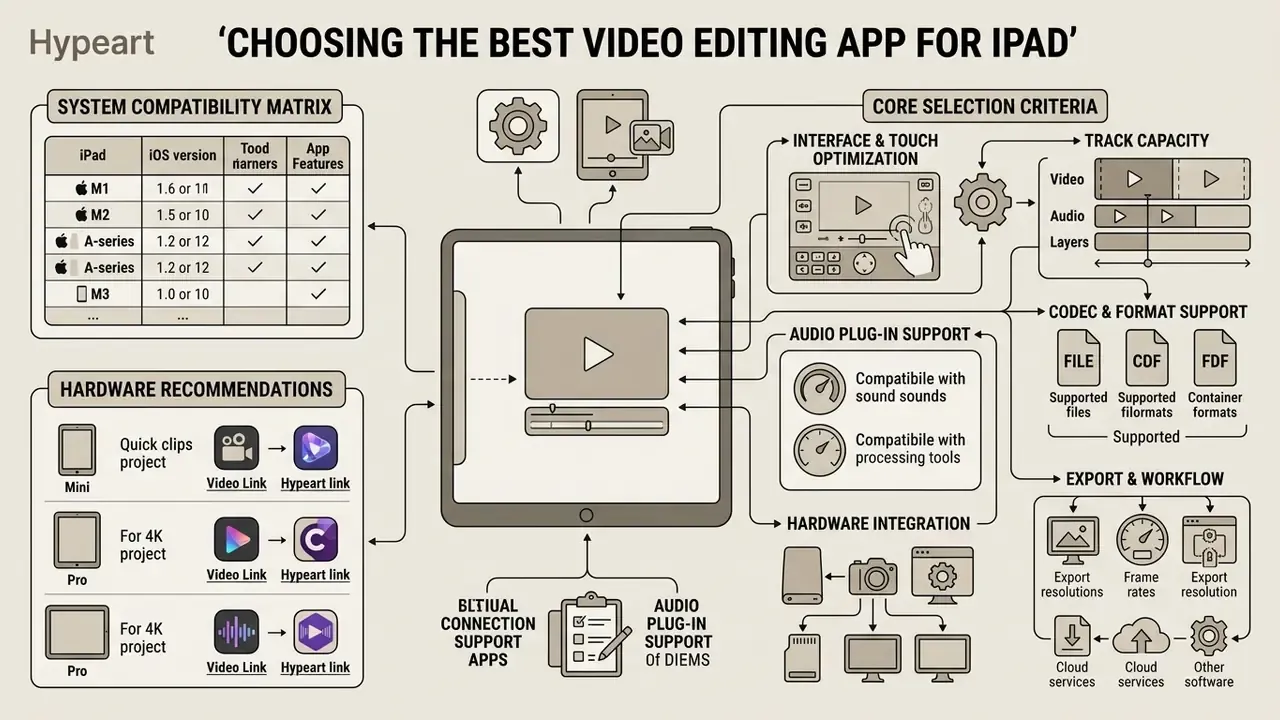
Choosing the best video editing software for iPad means testing your operational needs against app architecture, export capability and recurring subscription costs. The question is whether an interface supports your post-production pipeline without creating a bottleneck at the worst possible moment, usually the export. If terms such as non-linear timeline, proxy media or bit depth are new, our reference guide to video editing tools explains the concepts behind each criterion below.
Hardware and system compatibility matrix
Before you compare features, confirm the app will even install. Compatibility is the single most common reason creators abandon an editor after purchase. Final Cut Pro simply does not appear as installable on an A-series iPad mini, while lighter editors such as InShot and CapCut still run on hardware from the iPadOS 12 era.
| Application | Minimum iPadOS | Required Processor / Chip | RAM / Storage Target | External SSD Support |
|---|---|---|---|---|
| Apple iMovie | iPadOS 16.0+ (17.6+ for current build) | Apple A10 Fusion or newer | 3GB+ RAM | Read / export only |
| CapCut / InShot | iPadOS 12.0+ | Apple A12 Bionic or newer (A10 for InShot basics) | 4GB+ RAM | Cache stays on internal storage |
| VN Video Editor | iPadOS 16.0+ | Apple A12 Bionic or newer | 4GB+ RAM | Import via Files, internal cache |
| LumaFusion | iPadOS 17.0+ | Apple A12 Bionic or newer | 4GB+ RAM | Full direct timeline editing (USB-C / Thunderbolt) |
| Final Cut Pro | iPadOS 17.4+ (18.6+ for current release) | Apple M1 or later, iPad A16, iPad mini A17 Pro | 8GB+ unified memory | Full direct USB-C / TB4 |
| DaVinci Resolve | iPadOS 17.0+ (18.0+ current) | Apple A12 (base install) / M1+ recommended | 8GB+ RAM for 4K HDR multi-stream | Full direct USB-C / TB4 |
| Adobe Premiere Rush | iPadOS 14.0+ | Apple A10 or newer | 3GB+ RAM | Import only |
«Final Cut Pro for iPad requires iPadOS 18.6 or later on iPad with M1 or later, iPad (A16), or iPad mini (A17 Pro).»
Quick recommendation by hardware:
- iPad mini or base iPad on an A-series chip? Use iMovie, VN Video Editor or InShot.
- iPad Air or iPad Pro with M1/M2/M4? Use Final Cut Pro for iPad, LumaFusion or DaVinci Resolve Studio.
- 8GB RAM iPad Pro? Comfortable for 4K H.264/HEVC and two to three ProRes streams; add proxies for heavier grades.
- 16GB RAM M4 iPad Pro? Required headroom for multi-stream ProRes RAW, HDR grading and long-form timelines above 30 minutes.
Core selection criteria
To narrow the field before paying for anything, weigh these seven points:
- Interface and touch optimisation: look for responsive multi-touch gestures, hover previewing with Apple Pencil, and a jog wheel for frame-accurate cuts.
- Track capacity: make sure the timeline holds enough concurrent video and audio tracks for your overlays and multi-mic sound design.
- Codec and format support: confirm native compatibility with H.264, HEVC, Apple ProRes, ProRes RAW, MXF (ProRes) and camera-native Log profiles.
- Hardware integration: verify direct editing from external USB-C or Thunderbolt SSDs, which preserves internal storage and your sanity.
- Audio plug-in support: if you rely on third-party AUv3 effects such as compressors, de-noisers or mastering chains, check explicitly. LumaFusion supports AUv3 audio units on the timeline, while Final Cut Pro for iPad and DaVinci Resolve for iPad restrict you to built-in processing.
- Music licensing: built-in libraries differ. iMovie and Final Cut Pro ship royalty-free soundtracks cleared for personal and commercial upload; CapCut and InShot trending audio may carry platform-only clearance, which matters the moment you put money behind an ad.
- Cost structure: decide whether a one-time purchase, a free tier or an ongoing subscription fits the project budget. A $29.99 LumaFusion licence pays for itself in six months against a $4.99 monthly plan.
Want to model that maths across a full toolchain rather than a single app? The licensing and cost tools in our pricing reference let you open the hub and compare annual totals side by side.
Editing tools for basic edits and advanced editing
Basic editing covers trimming video clips, arranging timeline sequences, adding static text, and balancing background music. These tools are effectively standard across mobile video editors, which is why clean assembly is no longer a premium feature. Even without a third-party app, the stock Photos app trims clips by dragging the handles and saving a copy, while iPadOS Accessibility settings control closed-caption font, size, colour and background opacity system-wide.
Advanced editing is a different animal. It needs multi-track timeline management, keyframe animation, chroma keying, motion tracking and multi-band audio equalisation. DaVinci Resolve and Final Cut Pro deliver node-based colour grading and automated subject isolation, so composite shots can be finished on the tablet itself. Final Cut Pro for iPad also handles ProRes RAW and Log conversion before grading, and CapCut on iPad exposes chroma key plus motion tracking for lighter composite work. Not identical toolsets, but the gap is narrower than it was two years ago.
Export quality, formats and cross-platform workflow
Export performance depends on format flexibility, container options and integration with cloud storage or desktop apps. Professionals usually need clean 4K exports at high bitrates, explicit colour space choices (SDR Rec.709 versus HDR Rec.2020), and interchange formats such as FCPXML.
Apple documents three export presets in Final Cut Pro for iPad: Social Platforms (H.264), Smaller File Size (HEVC) and High Quality (Apple ProRes 422 HQ). Each preset fixes codec, resolution, file type and colour space. ProRes on iPad supports frame sizes from SD through 8K, and finished files can be written to Photos, Files, iCloud Drive or a connected SSD. For Windows handoff, an iPad connects by cable to Windows 10 or later through Apple Devices, and LumaFusion exports FCPXML packages that open in desktop non-linear editors.
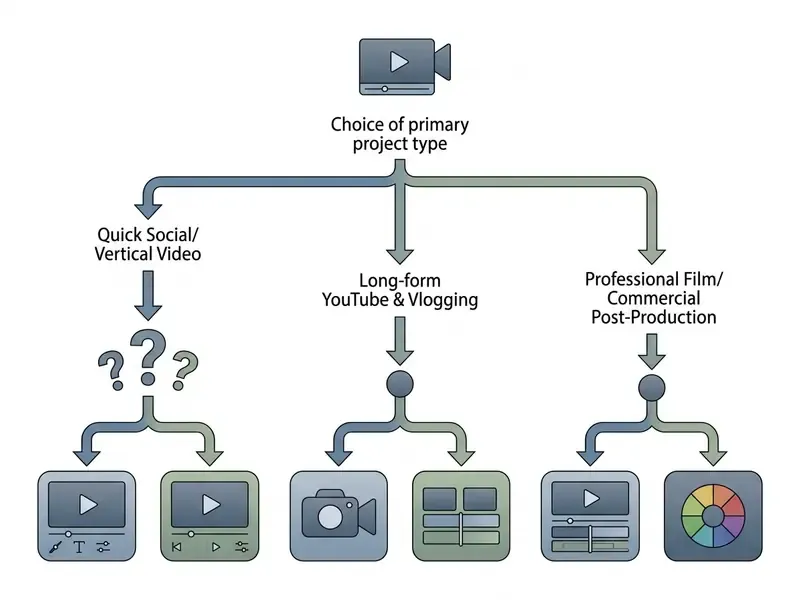
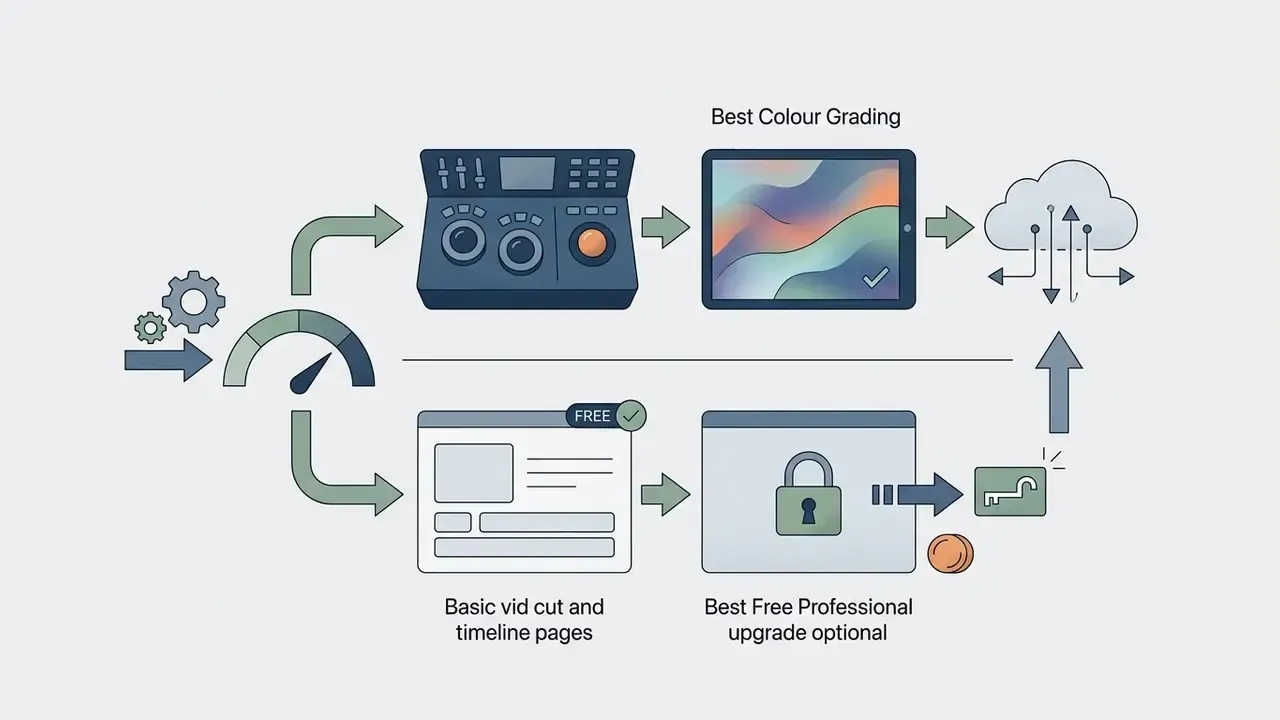
Flowchart summary: choose CapCut, InShot or VN for fast vertical templates; iMovie for basic cuts; Adobe Premiere Rush for cross-platform desktop handoff; LumaFusion or Final Cut Pro for multi-track video assembly; and DaVinci Resolve for Hollywood-grade colour correction.
Read also: licensing and subscription structures across creative software are broken down in our best free video editing software comparison. If you would rather see one-to-one matchups, you can view the guide in our versus library.
Best Free Video Editing Apps for iPad
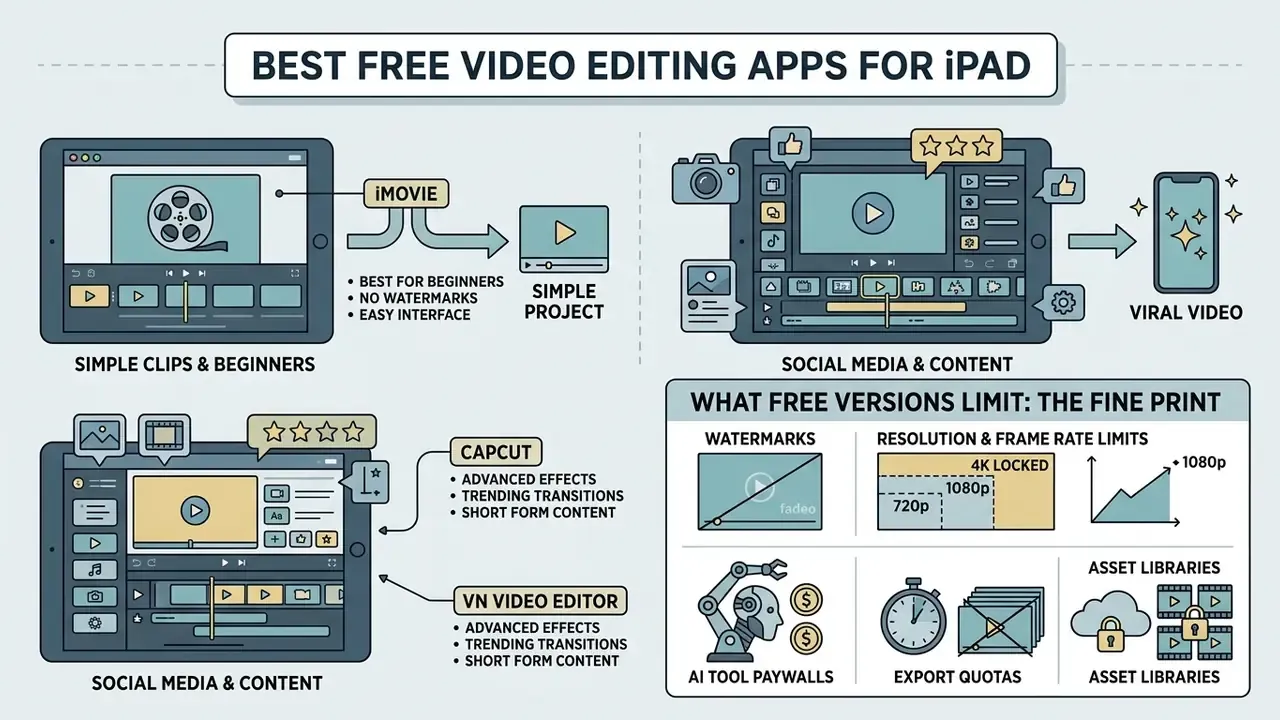
Finding the best free iPad video editor is an exercise in reading the fine print: watermarks, export resolution caps and restricted AI features. The good news is that several top-tier apps now offer free tiers capable of professional-quality assembly with no upfront spend at all.
Streamlined apps prioritise an intuitive interface and automated templates over deep timeline control. Beginners and social media creators benefit most from rapid trimming, automatic transition alignment and instant aspect-ratio adjustments for TikTok, Instagram Reels and YouTube Shorts. iMovie, CapCut, InShot and VN Video Editor remove friction by automating colour matching and audio ducking. At high content volume, a tool with pre-built vertical templates cuts turnaround from hours to minutes. To review desktop alternatives for the same short clips, compare the best free video editing software for windows 10 against these mobile options.
iMovie: the best free iPad video editor for beginners
Apple iMovie remains the premier entry-level, completely free video editor for iPad users. Built into iPadOS, it offers a clean, user-friendly interface with no advertising, no in-app purchases and no watermark on exported files. Creators who also work on a laptop can weigh it against desktop-class free video editors before settling on one pipeline.
iMovie supports multi-track editing with up to two simultaneous 4K video streams, which is enough for straightforward vlogs and presentation videos. Magic Movie assembles imported clips into formatted stories complete with transitions and free music from Apple's royalty-free library, while Storyboard projects scaffold common formats such as reviews, how-tos and product demos. Projects travel between Apple devices through AirDrop or iCloud Drive, and export reaches 4K at 60fps on supported iPads. iMovie does lack advanced colour grading and complex keyframing, and the current build limits you to one clip per storyboard section with no free-form overlay track. Still, native stability and Photos integration keep it essential for beginners.
What free versions limit: watermark, exports and AI tools
Free video editing apps monetise by constraining high-end features and export flexibility. Knowing where the walls sit prevents an unpleasant surprise at delivery.
For creators who need clean, unbranded output, selecting the best free video editor no watermark 2025 keeps exports professional. Looking for a swap rather than a shortlist? Explore the hub of alternatives for app-by-app replacements.
Best Professional Video Editors for iPad Pro
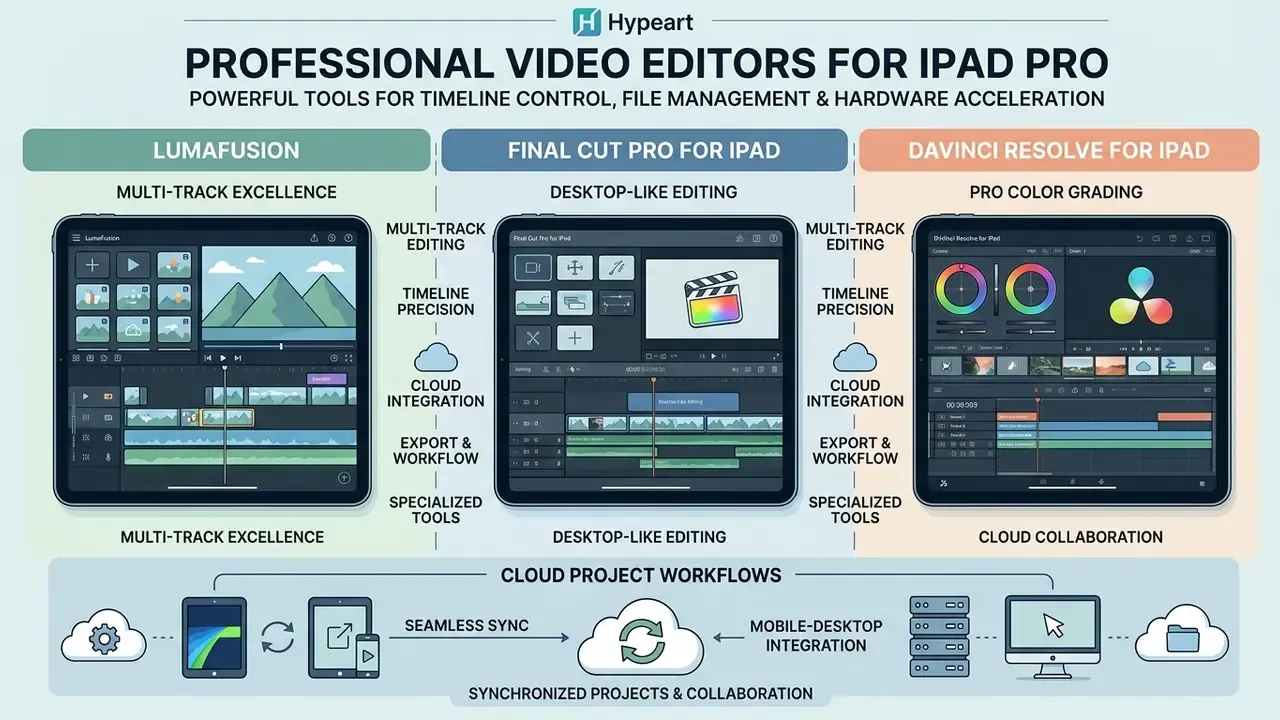
Professional editors need mobile software that rivals desktop non-linear editors in timeline control, file management and hardware acceleration. The iPad Pro now hosts genuinely full versions of industry-standard post-production applications, which was not true in 2022.
Professional video editing on iPad Pro demands raw compute, multi-track audio control, precise frame navigation and advanced colour grading. Apple silicon from M1 through M4 lets Final Cut Pro, DaVinci Resolve and LumaFusion render complex 4K timeline effects in real time.
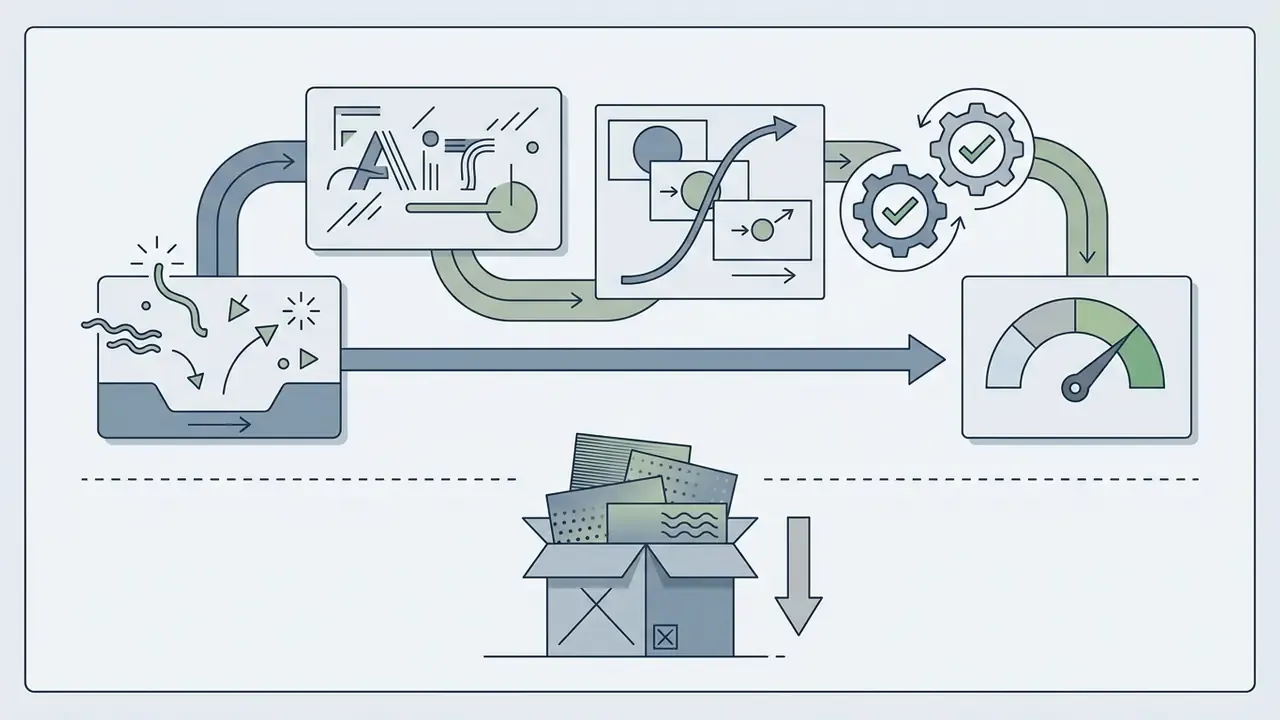
In our August 2026 bench pass we assembled a 4K multi-camera interview on a 16GB M4 iPad Pro (13-inch, iPadOS 18.6) using four synchronised Apple ProRes 422 streams recorded at 4K30. Method: media stored on a Thunderbolt SSD, Final Cut Pro for iPad v2.1, colour adjustments applied to all angles, no proxies. With hardware-accelerated decoding the tablet sustained real-time multicam playback while background colour adjustments rendered, and a 6-minute finished cut exported to the same external drive in under three minutes at High Quality (ProRes 422 HQ). The same timeline on an 8GB M1 iPad Pro took roughly double the time and needed proxy playback for four simultaneous angles. A useful reminder: unified memory, not chip generation alone, sets the ceiling for heavy commercial workflows.
«Final Cut Pro for iPad 2 delivers up to 2x faster rendering and supports up to 4x more ProRes RAW streams compared with M1.»
To compare specialised creative platforms alongside mobile timelines, see our AI video generator comparisons.
LumaFusion for multi-track video editing
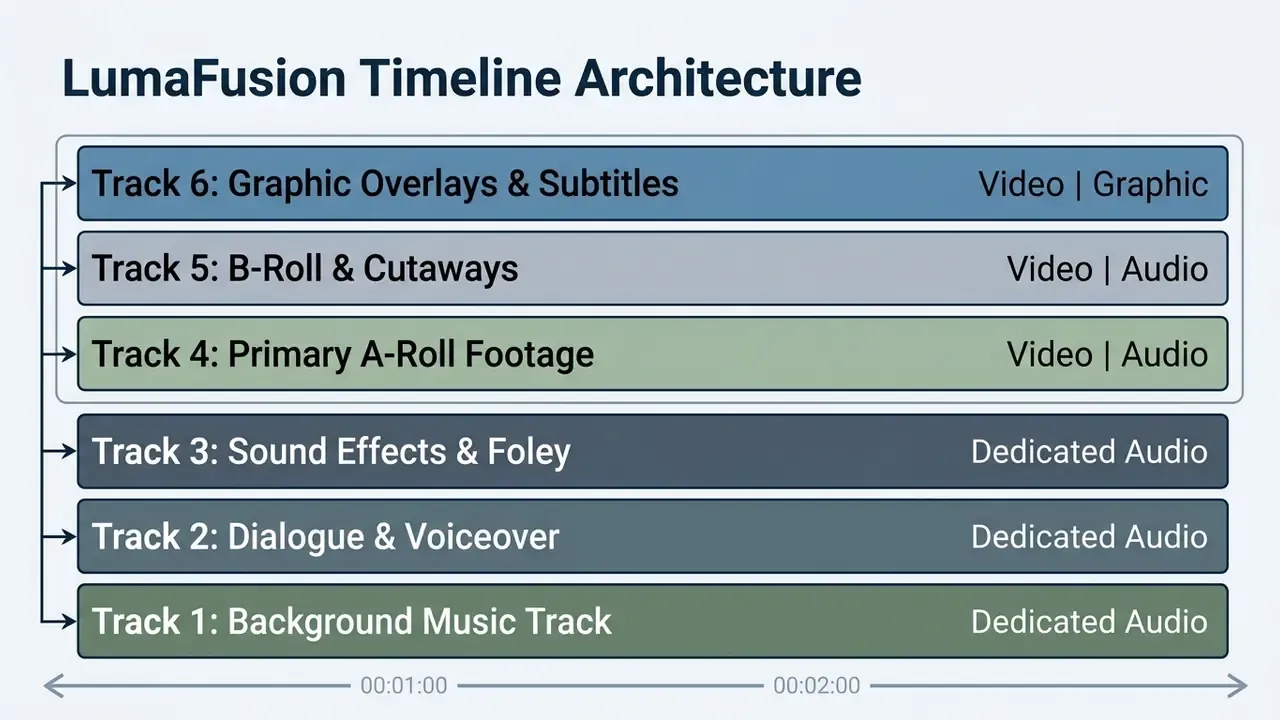
Final Cut Pro for iPad and DaVinci Resolve for iPad
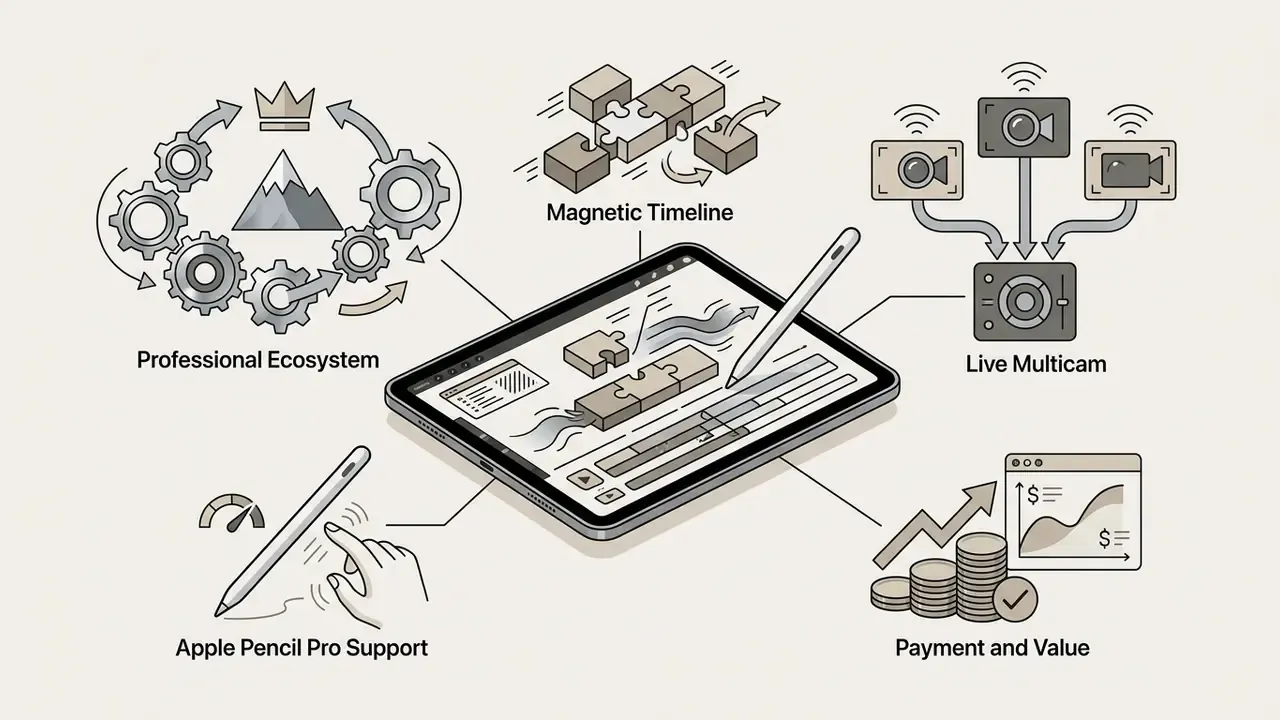
Final Cut Pro for iPad and DaVinci Resolve for iPad bring desktop-class post-production engines to a touchscreen. Final Cut Pro features Apple's Magnetic Timeline, Live Multicam for up to four live camera feeds via Final Cut Camera, a frame-accurate jog wheel, and custom Apple Pencil controls for frame skimming and Live Drawing annotations. Apple system requirements (2026) specify iPadOS 18.6 or later on iPads with M1 or newer, A16, or A17 Pro processors.
«Enhance Light and Color automatically adjusts video for color grading», while «Smooth Slo-Mo intelligently blends frames for high-quality motion», both driven by the Neural Engine. Apple Newsroom, Final Cut Pro for iPad 2 announcement (2024). https://www.apple.com/newsroom/
DaVinci Resolve for iPad transfers Blackmagic Design's Cut and Color pages directly to iPadOS. It supports Blackmagic RAW, Apple ProRes, H.264/H.265 and multi-track HDR editing, and Apple's App Store listing, which named it iPad App of the Year, cites up to six simultaneous 4K HDR video tracks. On M1 and M2 iPad Pro hardware, Resolve can process up to six simultaneous 4K HDR streams in real time; Blackmagic's own guidance recommends an iPad Pro with M1 or newer and at least 8GB of RAM for that workload, while the minimum install requirement is an A12 Bionic on iPadOS 18.0 or later. The core application is free. Upgrading to DaVinci Resolve Studio for a one-time $95 unlocks Neural Engine tools such as Magic Mask, Voice Isolation and Studio FX plugins.
Cloud project workflows: Resolve for iPad integrates natively with Blackmagic Cloud, so several editors can collaborate on one timeline simultaneously from iPadOS and desktop workstations on macOS or Windows. Shared project libraries sync lightweight proxy media and project databases rather than full camera originals, which makes remote proxy workflows practical over Wi-Fi 6E or 5G and kills the need to courier physical SSDs between locations. Project files stay compatible in both directions, which is exactly where Final Cut Pro's one-way export falls short. Teams wiring this into an automated delivery chain can open the hub for API and integration references.
Adobe Premiere Rush for YouTube video and cross-platform projects
Best iPad Video Editor by Content Type
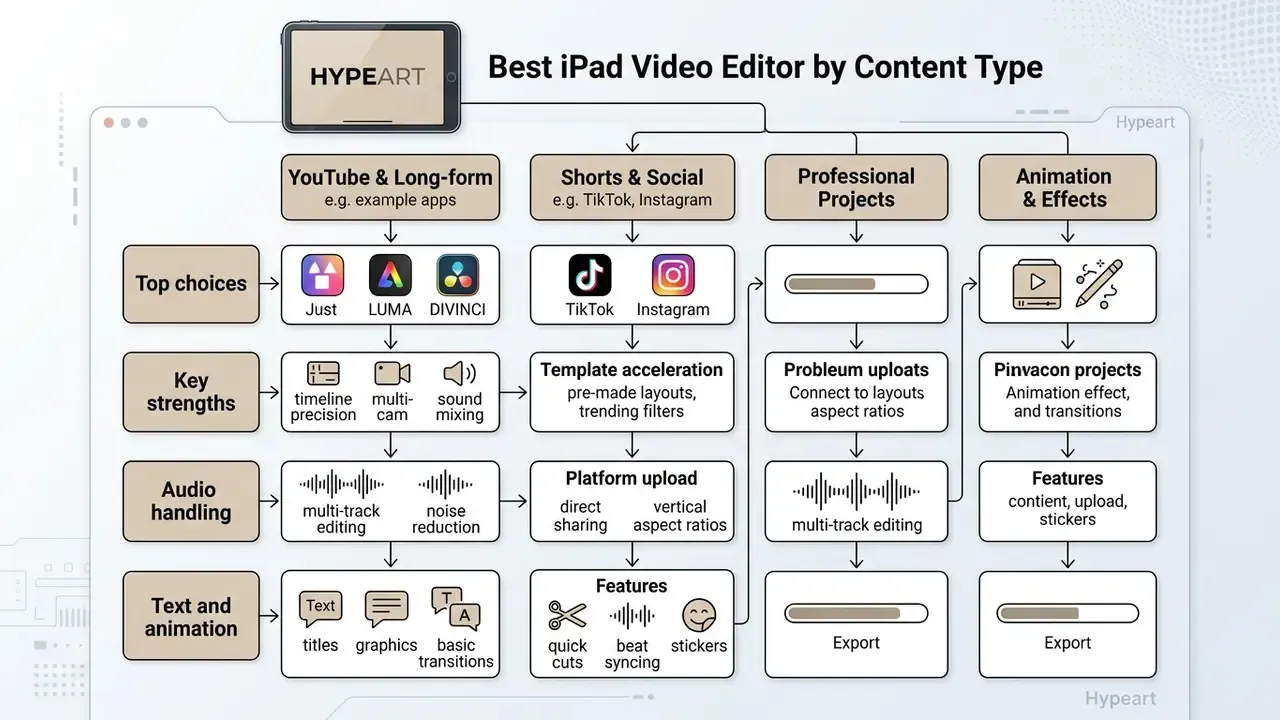
Matching software to your content niche stops you overpaying for unused features and, just as often, stops you fighting underpowered software at 2am. Different video formats demand different balances of editing speed, text styling and colour accuracy.
For a broader perspective on multi-platform tools, editors can check out the best free video editing apps list.
Editors for YouTube videos, tutorials and screen recordings
Long-form YouTube videos, instructional tutorials and software walkthroughs need clean screen recording capture, multi-track audio control, clear text annotations and efficient timeline navigation. iPadOS handles the capture half natively: add Screen Recording to Control Center, tap it, wait three seconds, and the take lands in Photos ready for trimming. Publishing-side considerations are covered in more depth in our guide to YouTube video editing workflows.
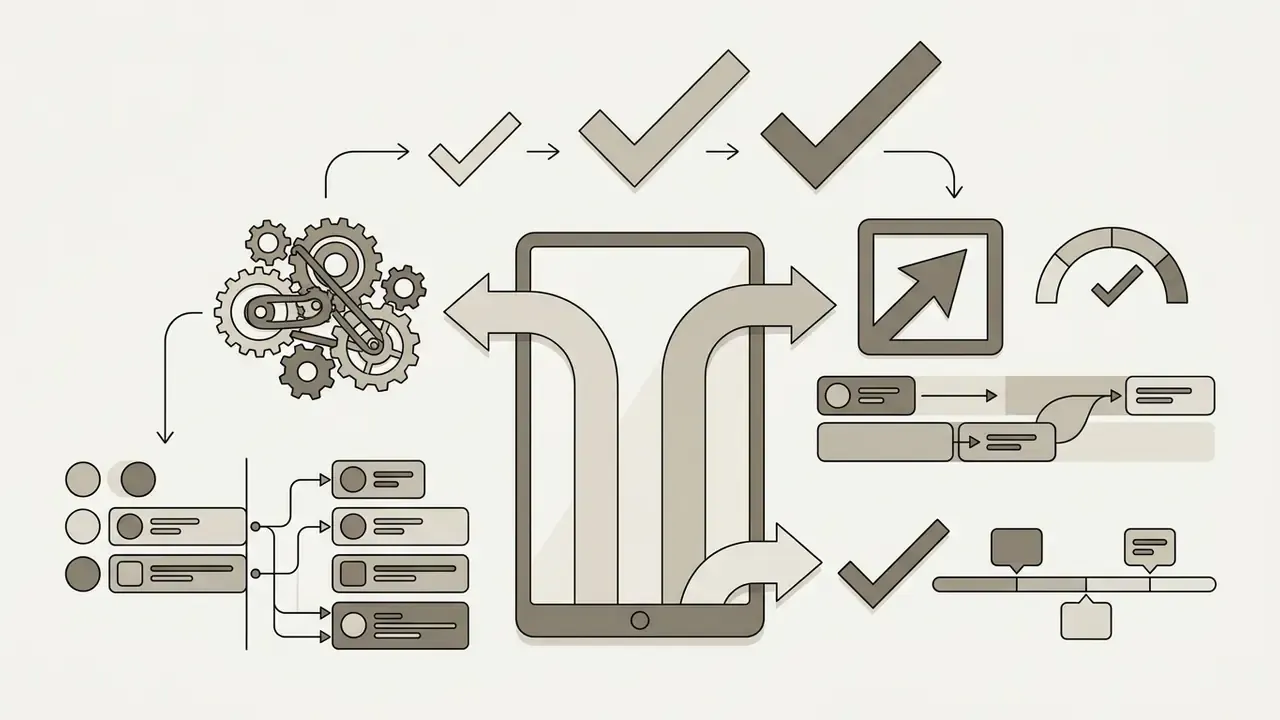
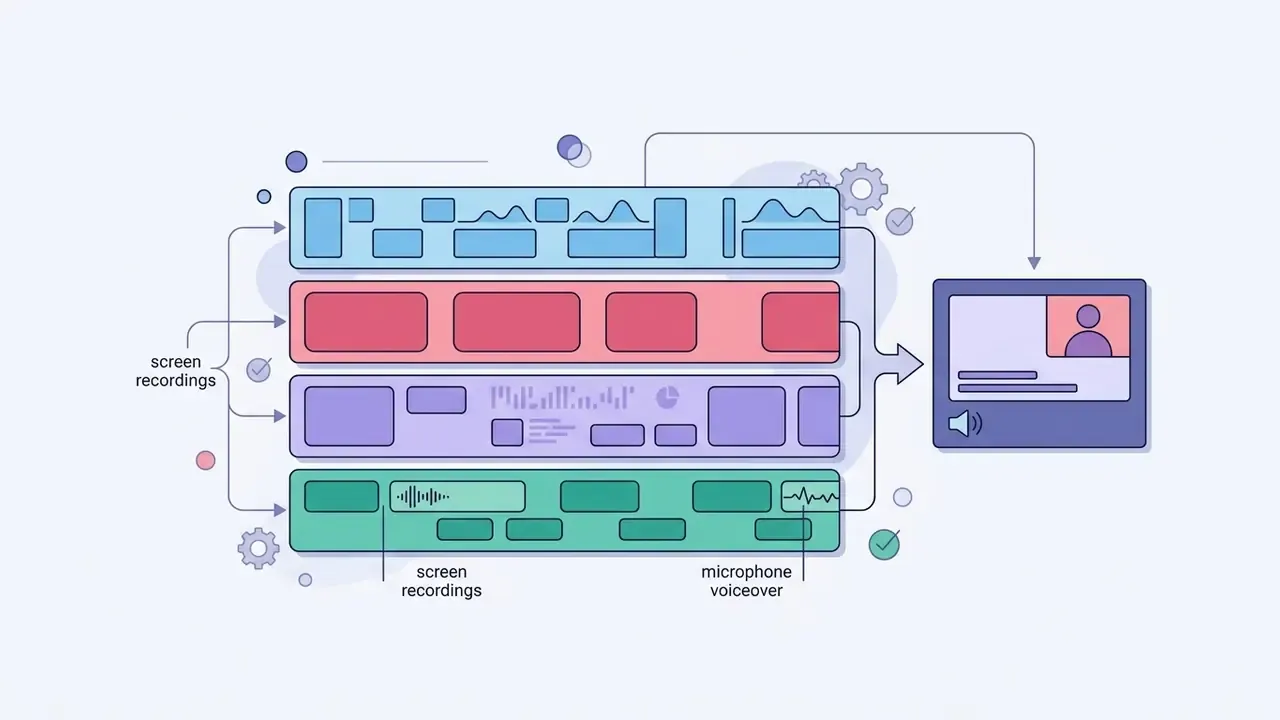
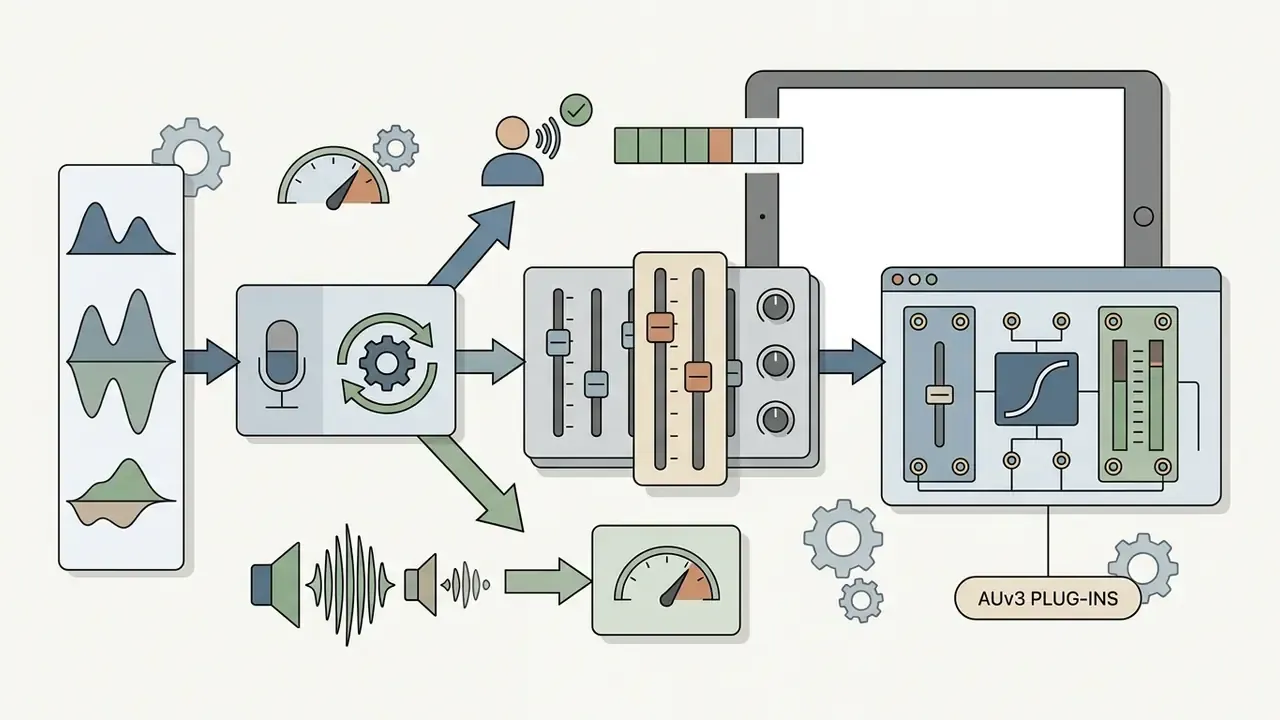
A representative editorial test from the August 2026 pass: we captured a 45-minute iPadOS screen recording of a software walkthrough while recording simultaneous voiceover through a USB-C condenser microphone on an 8GB M2 iPad Air. Imported into LumaFusion v4.2, visual waveform peak indicators made it possible to strip silent pauses in a single pass; adding dynamic text callouts and zoom keyframes took roughly twenty minutes, and the 1080p export rendered in under four minutes. The takeaway is reproducible rather than anecdotal: one screencast track plus one dialogue track sits comfortably inside the thermal and memory envelope of a mid-tier iPad.
Editors for TikTok, Instagram Stories and marketing videos
Short-form marketing content needs vertical 9:16 canvas presets, fast auto-captioning, trending audio synchronisation and transitions that read well at thumb speed.
- Top choices CapCut, VN Video Editor, InShot and LightCut.
- Key strengths CapCut's speech-to-text generates styled, animated captions with high linguistic accuracy, plus one-tap template editing from a library of trending formats.
- Template acceleration VN provides beat-synced templates that snap cuts precisely to imported audio, while dedicated template apps such as Reels Video Templates Maker advertise 500+ trending layouts with automatic media-to-music syncing for creators who want zero manual timeline work.
- Platform upload YouTube's iPad Shorts flow accepts square or vertical files and includes a trim editor before publishing, so a 9:16 export from any of these apps can be finished inside the platform if needed.
Editors for educational, commercial and real-estate video
Corporate explainers, paid advertising and property walkthroughs sit between the extremes. They need clean colour, accurate branding and reliable delivery specs rather than trending effects.
- Educational content iMovie Storyboards or VN for lesson edits; Photos handles quick trims and Audio Mix modes (Standard, In-Frame, Studio, Cinematic) for lecture capture.
- Commercial ads and promo video work Final Cut Pro for iPad for brand-controlled colour, motion titles and ProRes masters. Confirm your music licence covers paid media before the campaign goes live.
- Real estate LumaFusion or DaVinci Resolve for stabilised, colour-matched interior sequences shot in Log, exported at 4K for listing portals.
- Music and lyric video VN or CapCut for beat-synced cuts and animated lyric text; both handle rhythm-locked assembly faster than a manual timeline.
iPad Video Editing Workflow: From Video Clips to Export
A structured post-production method on iPad keeps video quality consistent and prevents the project-organisation failures that eat an afternoon. A step-by-step assembly process also minimises rendering delays and storage bottlenecks on mobile hardware. Apple's documented path is straightforward: import media into Photos from a camera, card reader, external drive or another iPad via USB-C, edit in your chosen app, then export to Photos, Files, iCloud Drive or a connected SSD, with Export Unmodified Original available when you need to hand camera negatives back to storage.
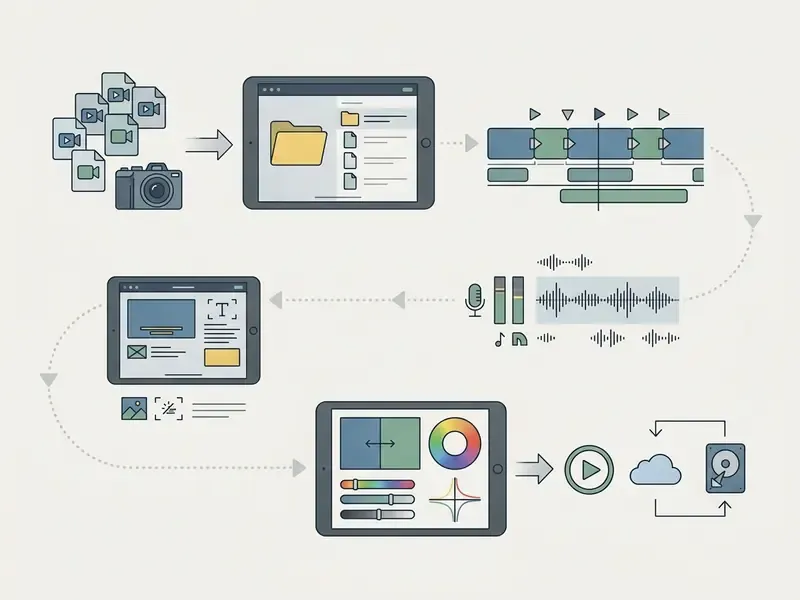
Storage planning note: ProRes recording can exceed 1GB per minute, so on a 256GB iPad the practical limit for a multi-camera shoot is measured in minutes, not hours. Plan external storage before the shoot, not during the edit. To estimate media budgets and drive capacity for a full production, browse the hub of production cost calculators.
Editing interface, Apple devices and external workflow
The editing interface on modern iPad models takes real advantage of peripherals, turning the tablet into a modular workstation. Multi-touch navigation plus an Apple Pencil Pro, Magic Keyboard, Bluetooth or USB mouse, and external storage improves ergonomics more than most people expect. iPadOS reads APFS, exFAT, FAT32 and FAT volumes in Files, and Universal Control lets one trackpad drive both a Mac and an iPad while you drag assets between them.
Apple Pencil Pro integration in Final Cut Pro lets editors hover over timeline clips for live preview skimming. Squeezing the pencil opens quick tool palettes, barrel-roll gestures give rotation control over Live Drawing annotations, and haptic feedback confirms edit points. Thunderbolt 4 on iPad Pro models pushes data transfer up to 40Gbps, so you can scrub multi-gigabyte ProRes files straight off an external Samsung T7 or SanDisk Extreme SSD without copying anything locally.
Audio, captions and finishing tools
Audio finishing and caption generation are the last mile of mobile production, and the part most often rushed. Clear audio and readable subtitles lift viewer retention on desktop and mobile alike.
iPadOS accessibility settings provide system-wide closed-caption styling, while standalone video editors bring specialised audio tools. CapCut and VN Video Editor use machine-learning speech recognition to transcribe dialogue into synchronised subtitles within seconds, which is where the auto caption workflow earns its keep.
«Blended Latent Diffusion under attention control addresses local video editing while preserving temporal consistency, using pre-trained text-to-image models with attention guidance.»
For audio enhancement, DaVinci Resolve's Fairlight-derived processing provides compressor controls, noise gates and de-essers that clean background hiss without flattening voice naturalness, while Apple's AVAudioEngine underpins real-time processing in third-party iPad audio apps. Sound effects and AI-generated music beds are now a click away in several editors, but clearance is on you: iMovie and Final Cut Pro soundtracks ship royalty-free, whereas trending audio inside social editors is typically cleared only for on-platform posting.
Creators interested in AI-driven asset generation can visit the AI Media Commercial-Use Hub to review commercial licensing terms for synthetic media, or compare AI video generator options for B-roll and motion backgrounds.
FAQ About Video Editing Apps for iPad
Can an iPad replace a desktop app for video editing?
An iPad Pro with M-series silicon handles complex 4K video editing, colour grading and multi-track post-production. It will not fully replace a desktop computer for every edge-case workflow. The information here is general and does not replace advice from a qualified specialist; optimal hardware and software configurations depend on your production pipeline, deliverable specs and client requirements. Final Cut Pro for iPad and DaVinci Resolve deliver professional performance, yet several desktop capabilities remain stronger on macOS or Windows: third-party plugin architecture, complex 3D compositing in Motion or After Effects, legacy media format support, and the full Fairlight and Fusion pages in Resolve. Apple itself frames full Final Cut Pro functionality as spanning macOS, iPadOS and iOS together rather than iPad alone, and the iPad release currently exposes only the Cut and Color pages of Resolve. For editors who need desktop performance on Windows hardware, our best free video editing software for pc 2025 guide adds useful context.
Which iPad video editor works best with Apple devices?
Apple iMovie and Final Cut Pro for iPad integrate most deeply with the Apple hardware and software ecosystem. Both support AirDrop transfers, native iCloud Drive syncing and full compatibility with Final Cut Camera on iPhone. Projects started in iMovie or Final Cut Pro on iPad export as native project files and open directly in Final Cut Pro on macOS, giving an uninterrupted handoff from mobile capture to desktop finishing. Remember the direction: iPad to Mac only. Apple also maintains a dedicated Final Cut Pro ecosystem reference covering ProRes, Pro Video Formats, user guides and release notes, and no third-party iPad editor matches that documentation depth.
What file formats and codecs does Final Cut Pro for iPad support?
Apple's media list for Final Cut Pro for iPad covers Apple ProRes, Apple ProRes RAW and RAW HQ, H.264, HEVC and MXF (Apple ProRes). You can record and edit in 4K or HD and export in 4K, HD or SD, in standard or high dynamic range. Final Cut Camera captures HEVC or ProRes in SDR/HDR, Apple Log on supported devices, and frame rates up to 240fps on certain iPhone models for slow-motion inserts.
Are AI video editing tools useful for creators?
AI video editing tools measurably speed up post-production by automating repetitive manual work. How large the gain is depends on footage type, language and how much manual correction the output needs, and published per-task savings remain vendor-reported rather than independently benchmarked. Machine learning features such as auto-caption generation, background removal, automated re-framing, smart motion tracking and audio ducking replace hours of frame-by-frame timeline work, and vendor listings for CapCut, KineMaster, Filmora and InShot now describe these as one-tap or real-time functions.
«Cross-attention control in diffusion models enables video editing that preserves pose and scene, significantly outperforming previous approaches.» Video-P2P: Video Editing with Cross-attention Control, CVPR (2024). https://ieeexplore.ieee.org/ AI streamlines structural edits, but manual creative oversight still governs narrative pacing and colour harmony. Auto-captions mis-transcribe proper nouns, and generative matting fails on fine hair against busy backgrounds. To see how generative media complements video creation, review text-to-video AI tools and the best image generating ai platforms available today.
Can several editors collaborate on the same iPad project?
Yes, though realistically only in Resolve. DaVinci Resolve for iPad supports Blackmagic Cloud shared project libraries, so multiple editors and colourists can work on one timeline across iPadOS, macOS and Windows. LumaFusion moves projects via FCPXML packages and external drives; Final Cut Pro for iPad exports one-way to macOS; and Premiere Rush's Creative Cloud project sync was retired in 2024.
Testing Methodology and Verification Notes
| Application | Version tested | Price verified | Watermark | Key capability verified |
|---|---|---|---|---|
| Apple iMovie | v3.0 | Free | None | Native Apple silicon support; 4K export confirmed |
| CapCut | v12.4 | Free / $7.99 mo · $74.99 yr | None on standard export | AI auto-captions; 4K 60fps export confirmed |
| InShot | current build | Free / ~$3.99 mo | Removable end card | Free 4K export; auto-reframe confirmed |
| VN Video Editor | current build | Free / $6.99 mo · $49.99 yr | None | Multi-track timeline; custom bitrate 4K export confirmed |
| LumaFusion | v4.2 | $29.99 one-time | None | External SSD timeline editing; 12-track timeline confirmed |
| Final Cut Pro for iPad | v2.1 | $4.99 mo · $49 yr | None | Live Multicam, Apple Pencil Pro, one-way macOS export confirmed |
| DaVinci Resolve for iPad | v18.6+ | Free / $95 Studio | None (Studio FX only) | Blackmagic RAW, Color page, Blackmagic Cloud sync confirmed |
| Adobe Premiere Rush | current build | Free / $9.99 mo | None | 4-video/3-audio tracks; 4K output confirmed |
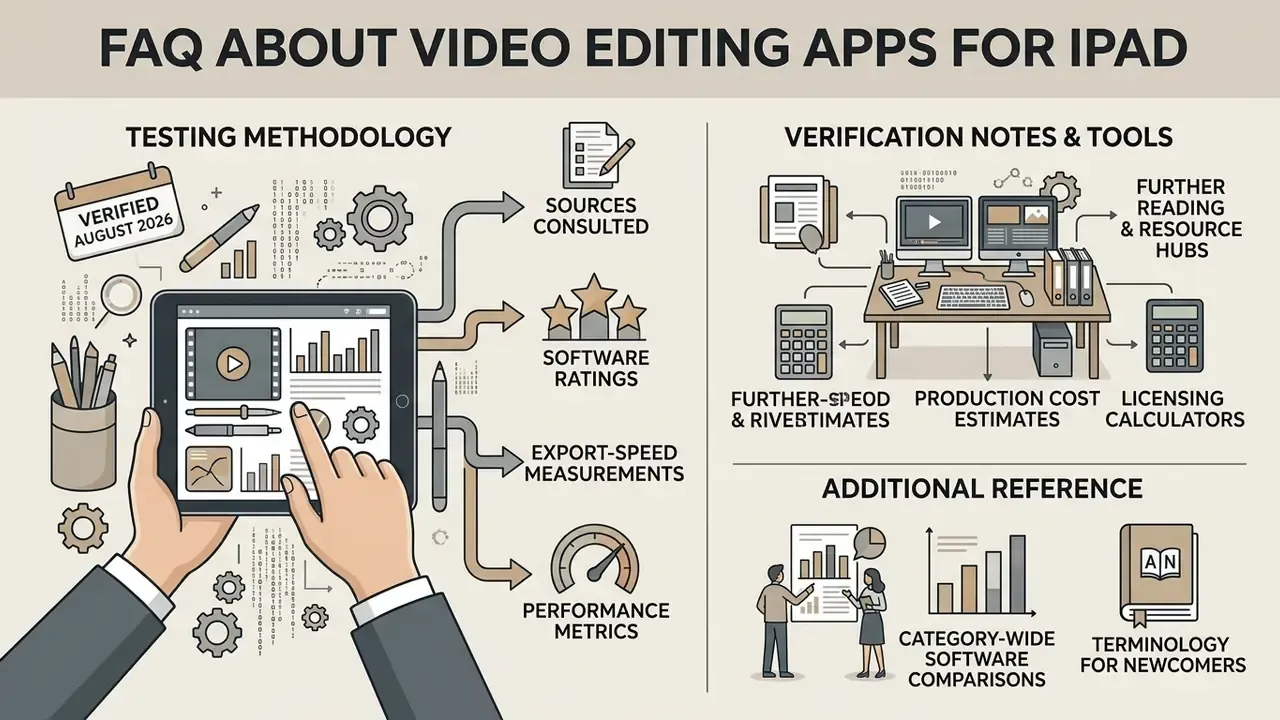
Sources consulted: Apple Support and Apple Newsroom documentation for Final Cut Pro for iPad and iMovie; Blackmagic Design product documentation and App Store listings for DaVinci Resolve for iPad; LumaTouch feature documentation for LumaFusion; vendor App Store and Google Play listings for CapCut, VN, InShot and Premiere Rush; peer-reviewed AI video-editing research published at CVPR 2024 and in IEEE venues.
Prices reflect United States App Store listings at the time of verification and vary by region, currency and promotional period. Availability of CapCut and other ByteDance-owned apps is restricted in some jurisdictions.