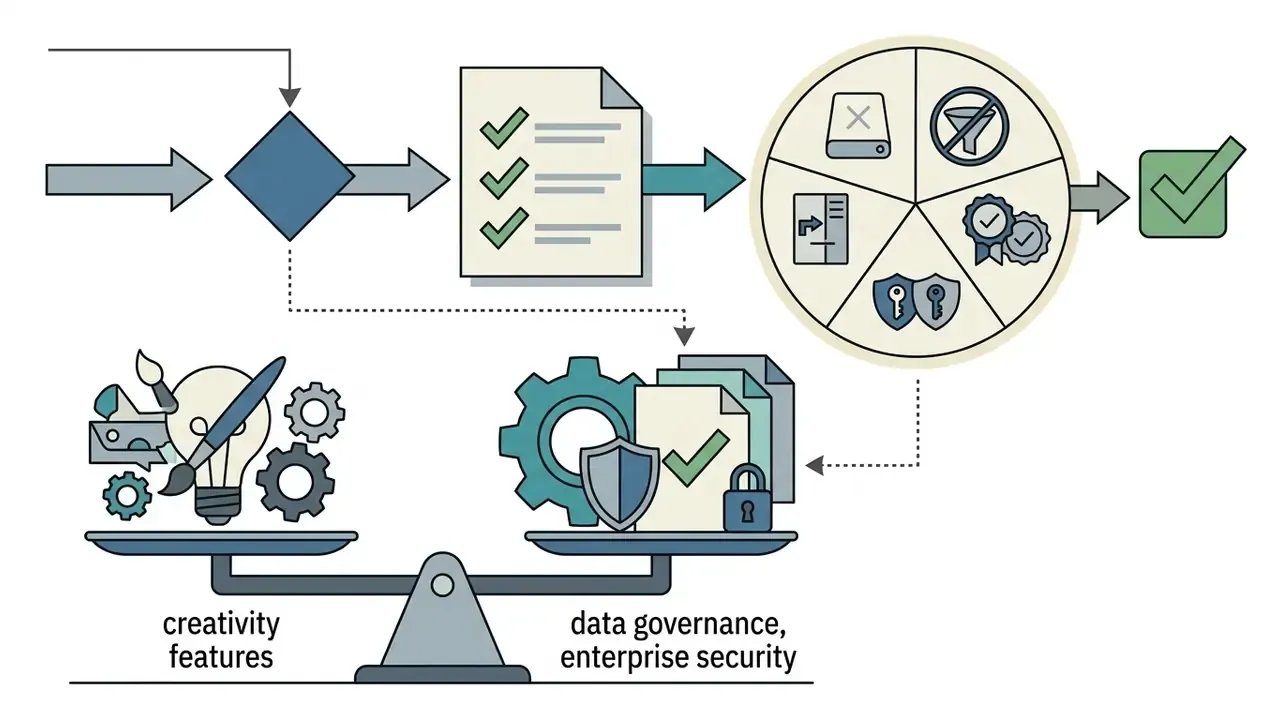
If you sit in a risk, compliance or brand function, the question is rarely "which pictures look nicest". It is narrower: which tool can produce a customer-facing asset that survives legal review, an audit trail and a version change three months later?
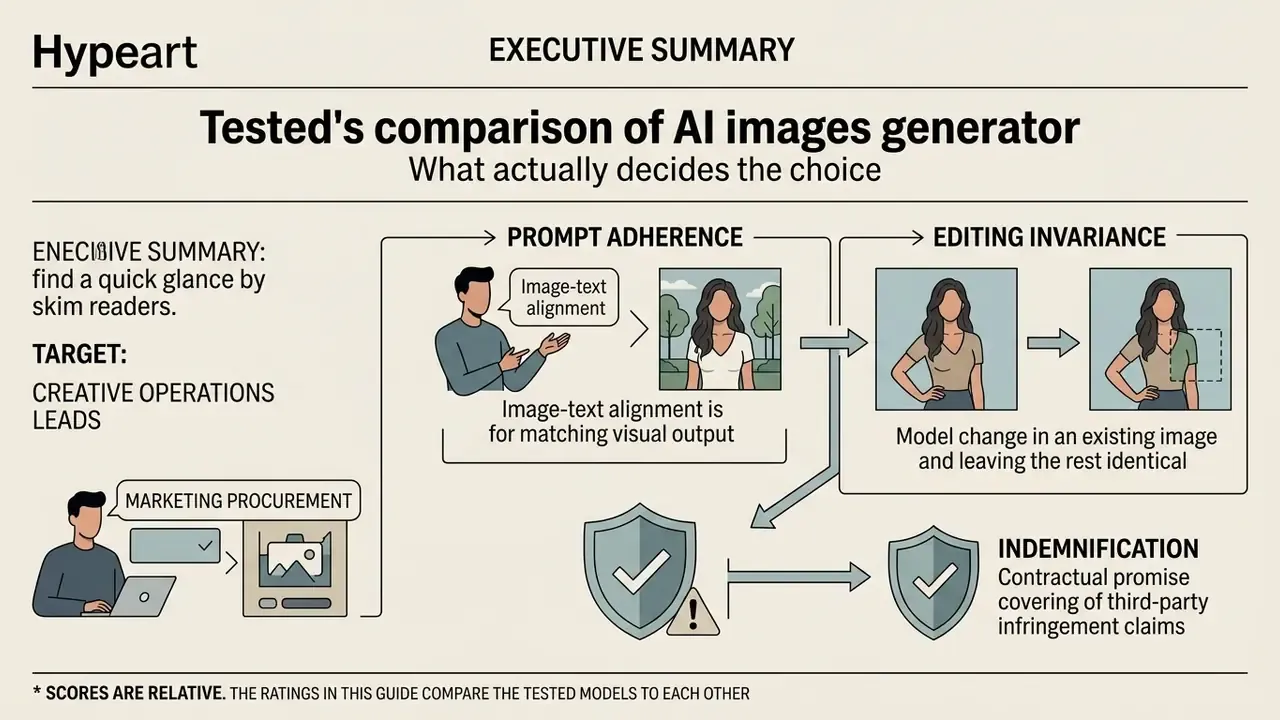
Executive summary: what actually decides the choice
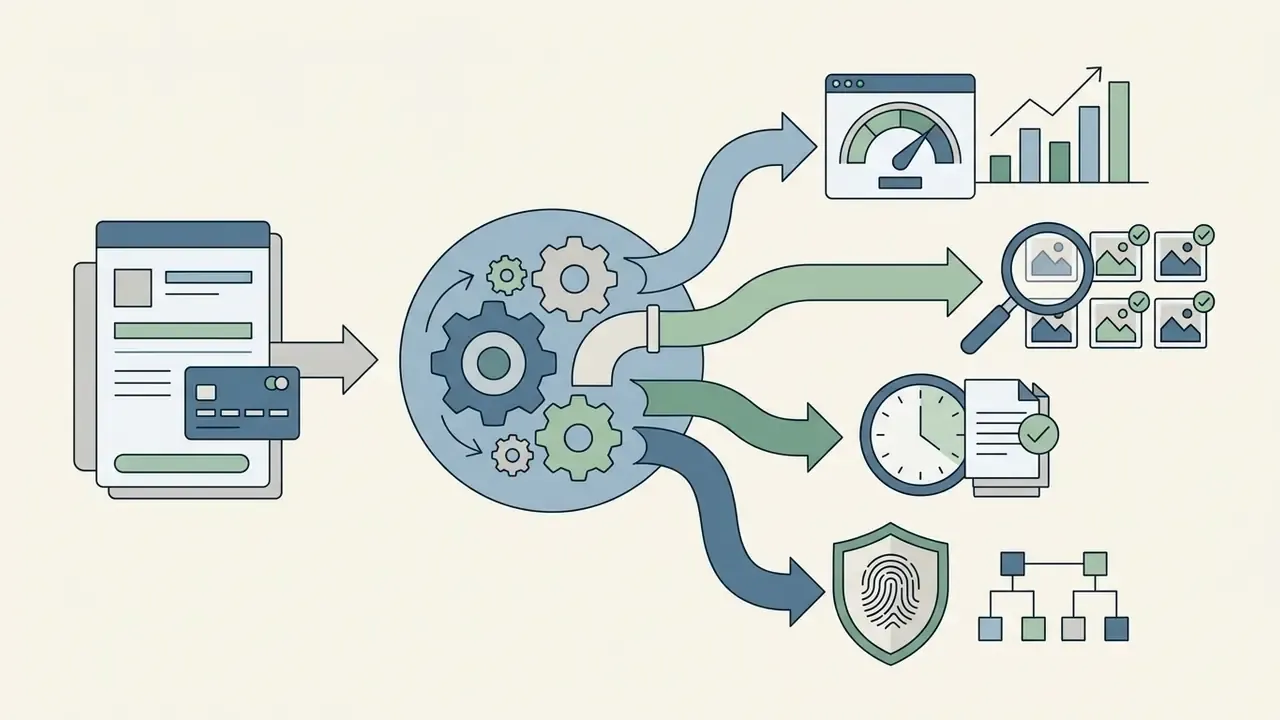
Who this guide is for, and how to read the scores
Editorial methodology: how we tested
«Traditional metrics such as FID measure realism but not prompt fidelity: faithfulness requires question-answering based metrics such as TIFA and VQAScore.»
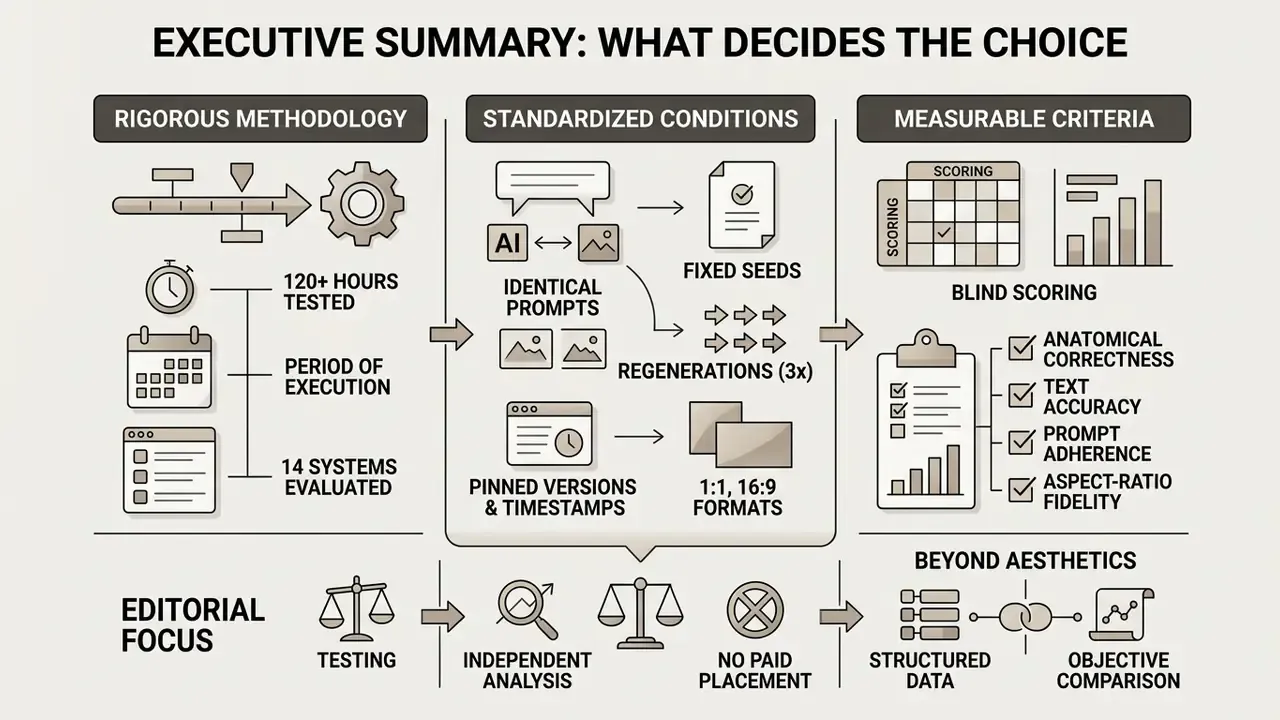
Evaluating generative media tools requires moving past surface aesthetics to measurable criteria: prompt fidelity, physical commonsense, repeatable text rendering, and verifiable intellectual property rights. Without strict controls and benchmarked testing, enterprise deployment creates operational and compliance friction. That position is not a marketing claim. It mirrors how national standards bodies and academic benchmark authors now frame image-generator evaluation, splitting image quality and image-text alignment into separate, independently scored dimensions. Our wider benchmarks hub documents the same split for video and audio models.
How to choose the best AI image generator for your task
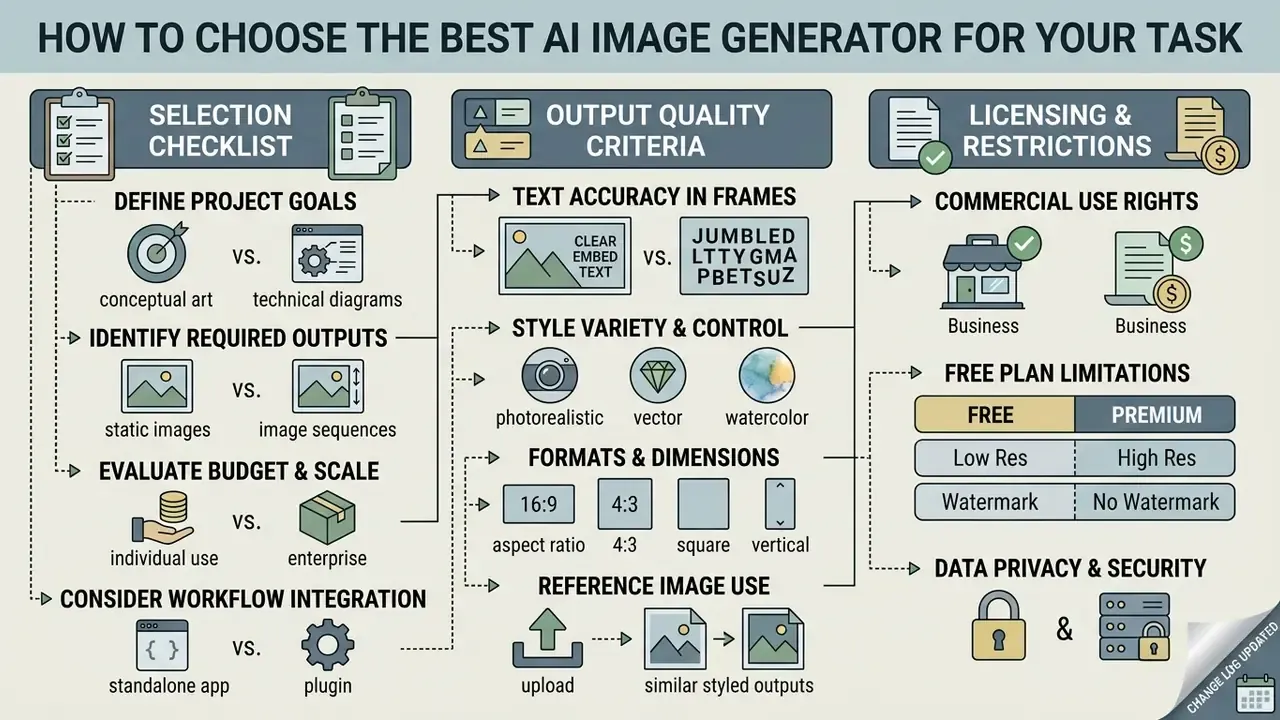
Choosing the best AI for generating images calls for specific operational criteria rather than general marketing claims. Decision-makers should assess six primary vectors: photorealistic image quality, prompt adherence, embedded text rendering precision, aspect ratio flexibility, image editing capabilities (inpainting and outpainting), and explicit commercial use licensing rights.
A seventh vector matters in regulated environments and gets skipped almost every time: whether the tool leaves an audit trail you can reconstruct.
Selection checklist for an AI image generator
Use this before you compare specific models. It converts vague preferences into testable requirements.
Checklist0 / 8
Image quality, photorealism and prompt adherence
«DALL-E 3 and Midjourney outperform Stable Diffusion on image correctness and communicative suitability according to human reviewers.»
Evaluating model alignment means assessing how accurately a system interprets detailed text descriptions without quietly dropping elements. Standardized evaluation protocols are becoming formalized at the national-standards level: NIST has run pilot evaluation programmes for generative image systems (2025) that treat image quality and image-text alignment as distinct testing tracks. Because the exact document identifiers and scoring tables for those pilots are still being updated, teams should verify the current NIST GenAI publication set directly before citing specific figures in internal validation reports.
«TIFA measures prompt faithfulness with 25,000 questions across 12 categories, including objects, color, counting and spatial relations.»
Systems that generate high quality output across multiple images must show low variance in composition when prompts repeat. In our own runs, variance rather than peak quality turned out to be the strongest predictor of production usability. A model that produces one excellent frame in eight is more expensive to operate than a model that produces six good frames in eight. Simple arithmetic, routinely ignored in demos. Teams that want the full scoring breakdown can consult our detailed comparison of the best AI image generators.
Text in frame, styles, formats and working with references
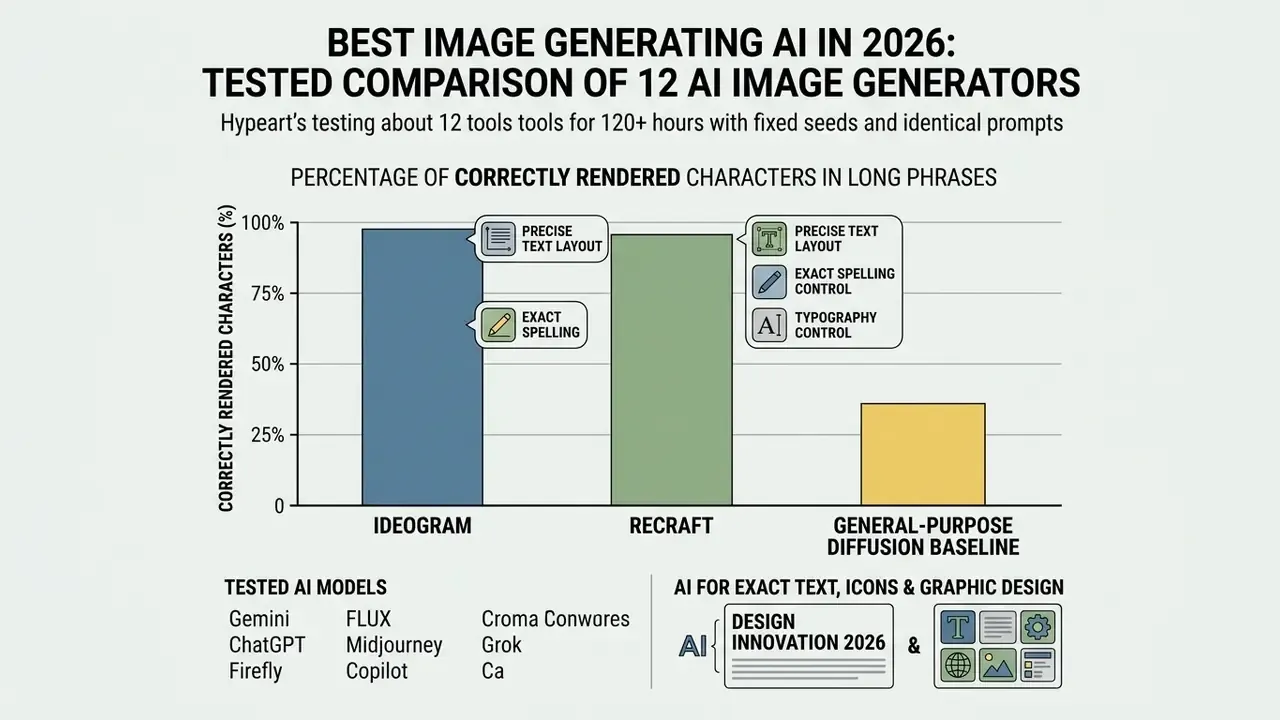
Rendering readable text inside images remains a hard engineering problem for diffusion models. Systems such as Ideogram and Recraft lead in text accuracy by conditioning vector latent spaces or using specialized language encoders that preserve individual letter geometry (Ideogram Documentation, 2026). Ideogram's own guidance is instructive: enclose the exact string in quotation marks, and describe typographic properties rather than naming a typeface, because font-name conditioning is not currently supported.
Beyond text rendering, modern image generation service workflows lean on structural conditioning. Frameworks using IP-Adapter fuse image prompts with text prompts through decoupled cross-attention layers, which lets models preserve character identity and style consistency.
«IP-Adapter combines text and image prompts through decoupled cross-attention layers, preserving character identity and style consistency.»
Flexible platforms also support custom aspect ratio parameters and let teams combine multiple reference images to guide generation geometry. Practical constraints matter here: OpenAI's image API accepts custom sizes where width and height are multiples of 16, with aspect ratios bounded between 1:3 and 3:1 and a maximum resolution of 3840x2160. Those limits decide whether a model can serve billboard, banner or vertical-story formats without post-processing. For social media teams producing one asset in nine crops, that single line in the docs saves a week of rework.
Licensing, commercial use and free-plan restrictions
Commercial use rights vary significantly depending on whether generations happen under a free account or paid plans. Recraft's platform terms, for example, state that free-plan images are public and owned by the platform and restricted to personal use, whereas paid subscriptions grant full private ownership and commercial rights that persist after the subscription ends (Recraft Terms of Service / Ownership FAQ, 2026). Recraft's own documentation has shifted on this point over time. Earlier free-plan outputs generated before 12 August 2024 retained commercial-use permission, so verify the current wording at the moment of generation, because rights are assigned at generation time, not at download time.
Organizations deploying generated media must inspect terms of service to check whether free version outputs can be used commercially. Our detailed breakdown of commercial use rights for AI image generators tracks platform-by-platform ownership language, and the broader commercial use hub covers adjacent media types. When evaluating enterprise tools, compare options across platforms before scaling production workflows, not after the first campaign ships.
Best AI image generation platforms: quick comparison
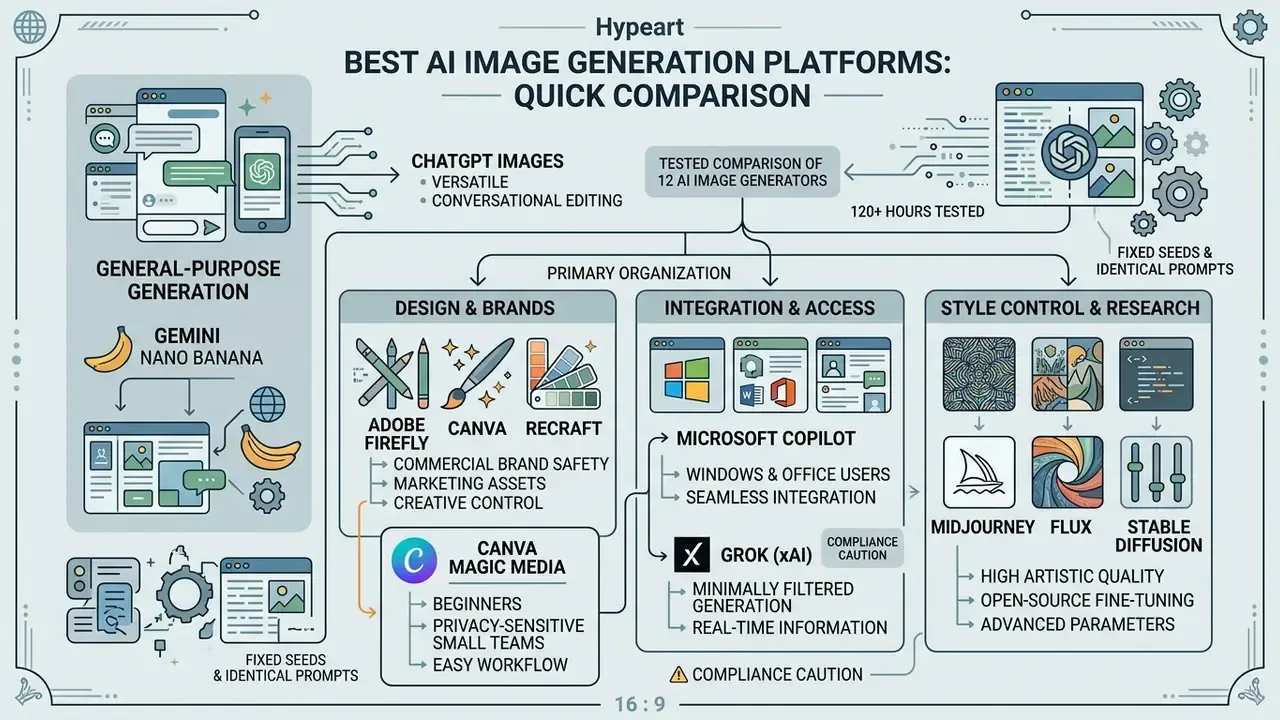
Picking the right AI image generation platform depends on whether your organization prioritizes conversational editing, commercial brand safety, open-source fine-tuning, typographic precision, Microsoft-ecosystem integration, or minimally filtered output. The comparative summary below covers the top models across key operational parameters, including IP indemnification, which is the single most requested column from risk and procurement teams.
| Platform | Quality & realism | Text rendering | Editing | Free tier (verified limits) | Commercial rights | IP indemnification | Best use case |
|---|---|---|---|---|---|---|---|
| ChatGPT Images (gpt-image-2 / 2.5) | High | Excellent | Conversational + masked edits | Free access with rolling hourly caps (~2-5 images/hour) | Yes, output ownership assigned to user | No | Multi-turn conversational visual iteration |
| Gemini / Nano Banana Pro | Highest (Pro tier, 2K-4K) | Very good (best for infographics) | Multimodal image/video, chat-to-edit | Modest daily quota on "Thinking" Pro model | Yes (paid API / Workspace) | Enterprise terms only | Fast multimodal generation, legible in-image text |
| Adobe Firefly | High (commercially safe) | Moderate | Generative Fill, Expand, Vector | Limited daily generations, watermark on free | Yes (trained on licensed Adobe Stock) | Yes, enterprise indemnification | Brand design, Creative Cloud integration |
| Midjourney (v7) | Exceptional (aesthetic) | Moderate | Remix, region vary, upscale | None (paid only, from $10/mo) | Yes (paid tiers) | No | Cinematic visuals and artistic styling |
| FLUX.2 / FLUX 1.1 Pro | Exceptional (photorealistic) | Good | Strong via control layers | Open-weight [dev]/[klein] for self-hosting | Yes (commercial licenses) | No (self-hosted responsibility) | High-fidelity product shots, local deployment |
| Stable Diffusion (SD 3.5) | High | Moderate | Advanced (ControlNet, LoRA) | Open-source local use; DreamStudio 25 starter credits | Conditional (community/commercial license) | No | Custom fine-tuning and self-hosting |
| Leonardo AI | High | Moderate | Canvas inpainting, realtime canvas | 150 renewable tokens/day (~30-75 images) | Yes (paid tiers) | No | Game assets, style fine-tuning |
| Ideogram | High | Exceptional | Region editing, magic fill | Daily free credits, generations public on free tier | Yes (paid tiers) | No | Graphic design, logos, exact text |
| Microsoft Copilot | High (GPT-image backbone) | Good | Background/object removal in Designer | Free with generous boosts; free background removal | Yes per Microsoft terms | Copilot Commercial Data Protection (not IP) | Windows, Word, PowerPoint users |
| Grok (xAI) | Good to high photorealism | Moderate | Basic edits, image-to-video | Limited free use; full access needs paid X tier | Yes per xAI terms | No | Minimally filtered generation |
| Canva Magic Media | Moderate to high | Good in templates | Full layout editor, Magic Edit/Eraser | Hard monthly AI allowance on Free plan | Yes (with content policy limits) | No | Beginners, template-driven marketing assets |
| Recraft V4 | High | Exceptional (vector) | Vector layer editing, native SVG | SVG export available; free outputs public | Paid plans only | No | Logos, icons, scalable brand systems |
Read across the table, not down it. The pattern that emerges: the systems with the best raw pixels are rarely the ones with the strongest contractual protection, and no single row wins both columns.
«The IndicTTI benchmark found that DALL-E 3 and Midjourney performance varies substantially across 31 Indic languages: English prompts receive markedly higher correctness scores.»
That finding has direct operational consequences for global marketing teams. Multilingual prompt pipelines should translate to English internally, or budget for additional human review in non-English markets.
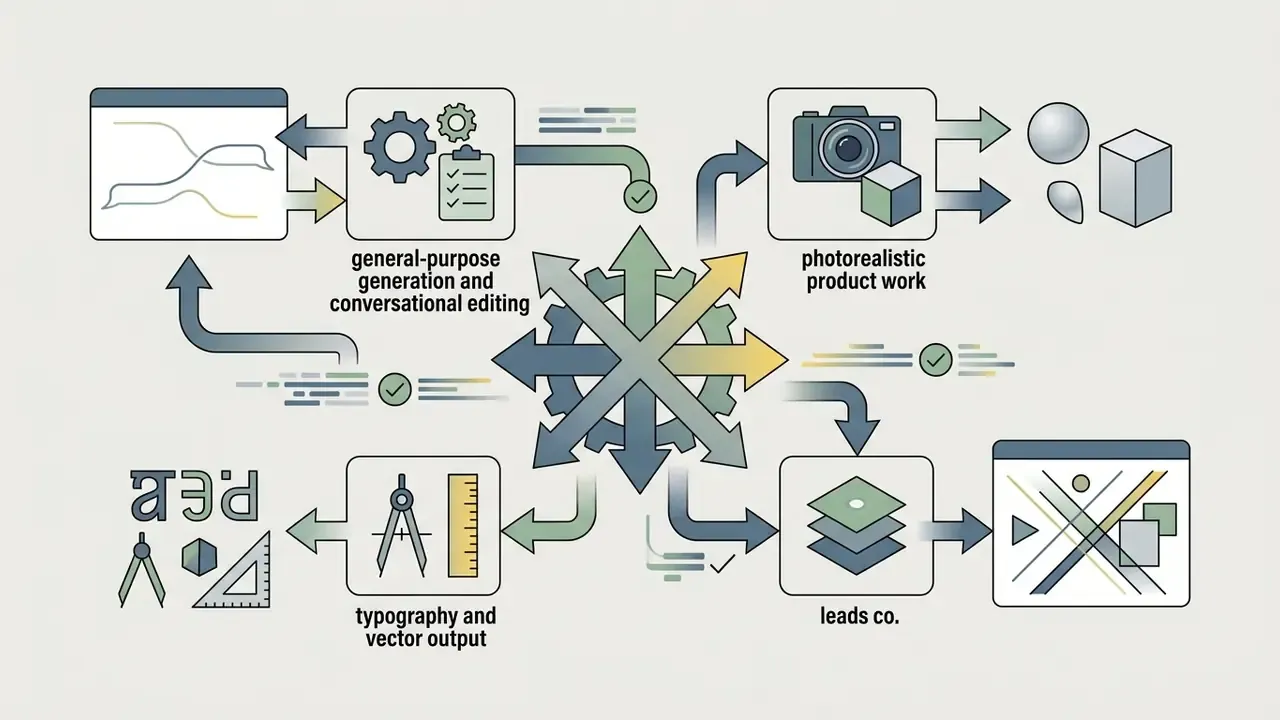
ChatGPT Images and Gemini Nano Banana for general-purpose generation
ChatGPT Images (powered by OpenAI's gpt-image-2 / gpt-image-2.5) and Google's Gemini Nano Banana are the leading conversational platforms for generating images from text descriptions. ChatGPT supports multi-turn visual editing where users highlight regions or describe changes naturally, and OpenAI states that newer releases better preserve reference-photo subjects across consecutive edits (OpenAI Help Center, 2026).
Google positions Nano Banana, built on its Gemini Flash Image line, for low-latency multimodal editing with native processing across text, image and video inputs, while Nano Banana Pro targets complex compositions, localization, brand consistency and 4K output (Google AI for Developers, 2026). In our testing, Nano Banana Pro was the only model that produced consistently legible multi-line infographic text, though the factual content inside those graphics still needed verification. To see how conversational pipelines compare against specialized software, read our evaluation of ChatGPT image generation versus alternatives and the broader Google AI image generator overview.
Adobe Firefly, Canva and Recraft for design and brands
Adobe Firefly, Canva and Recraft concentrate on enterprise brand safety, vector design and publishing integration. Firefly is trained on licensed Adobe Stock and public domain content, offers legal indemnification for enterprise subscribers, does not train its models on subscriber content, and integrates directly with Creative Cloud applications (Adobe Legal Terms, 2026). Firefly also aggregates third-party models, including OpenAI and Gemini image models, behind one interface, and exposes structured controls for composition, style reference and effects that most chat-first tools simply lack.
Recraft V4 specializes in clean, scalable SVG vector graphics with structured, editable layers for logos and icons (Recraft V4 Documentation, 2026). For teams that need brandable marks rather than illustrations, our guide to AI logo generators covers path cleanliness and print-readiness criteria.
Canva Magic Media (best for beginners and privacy-sensitive small teams). Canva is the most forgiving entry point: a single prompt field, immediate placement into layouts, plus Magic Edit and Magic Eraser for local changes. Two governance details make it attractive beyond beginners. Canva states it does not train its AI on your content, and generated images remain private rather than appearing in a public gallery. The constraint is a hard monthly AI allowance on free and lower tiers. For feature-level breakdowns, the full Canva AI generator guide inspects export options and licensing constraints, and mobile-first teams can compare it with the best AI art apps for iPhone.
Microsoft Copilot for Windows and Office users
Microsoft Copilot is the pragmatic default for organizations already standardized on Microsoft 365. It generates images from prompts inside Windows, Word and PowerPoint, and Copilot's Designer surface adds one-click background removal plus object erasure, capabilities many teams currently pay third-party services to perform. Image generation and basic editing are available at no cost, and enterprise tenants can apply Commercial Data Protection so prompts and outputs are not used to train foundation models. The trade-off: the underlying image models trail the flagship Gemini and OpenAI releases on complex compositions. Our dedicated Microsoft AI image generator overview details access paths and commercial-use terms, and a parallel breakdown covers Bing AI image creation.
Grok (xAI) for minimally filtered generation
Grok occupies a distinct position. It applies markedly fewer content filters than competing systems and permits output categories, including nudity, that ChatGPT, Gemini, Firefly and Canva refuse. Base photorealism is competitive and it integrates with X for image-to-post workflows, but access to the strongest models requires a paid subscription.
Compliance caution. Reduced filtering shifts liability to the operator. Generating explicit imagery of identifiable real people can violate right-of-publicity statutes, platform terms, and in several U.S. states and under EU rules, non-consensual synthetic intimate imagery laws. Regulated enterprises should treat minimally filtered generators as out-of-policy tools unless there is a documented business justification and legal sign-off. Verification workflows benefit from pairing generation with AI image detectors to confirm asset provenance.
Midjourney, FLUX and Stable Diffusion for style control
Midjourney for image generation v7 delivers high aesthetic polish through parameter flags such as --sref (style reference) and --sw (style weight), operating as a managed SaaS with no self-hosting, LoRA or ControlNet support (Midjourney Documentation, 2026). Its images default to a public gallery unless you pay for stealth mode, which is a material consideration for unreleased product work.
FLUX.2 and Stable Diffusion take the opposite route: open-weight checkpoints suitable for local deployment, custom LoRA adapter training, and structural conditioning through ControlNet (Black Forest Labs Technical Notes, 2026). Black Forest Labs documents self-hosting for FLUX.2 [klein] and [dev] plus official LoRA serving through managed finetuned endpoints, currently the strongest vendor-documented local and custom-training path among the three. Developers can review our AI Media API Guides, including the Google Veo implementation guide, to estimate integration costs and rate limits.
Head-to-head: one identical prompt across five models
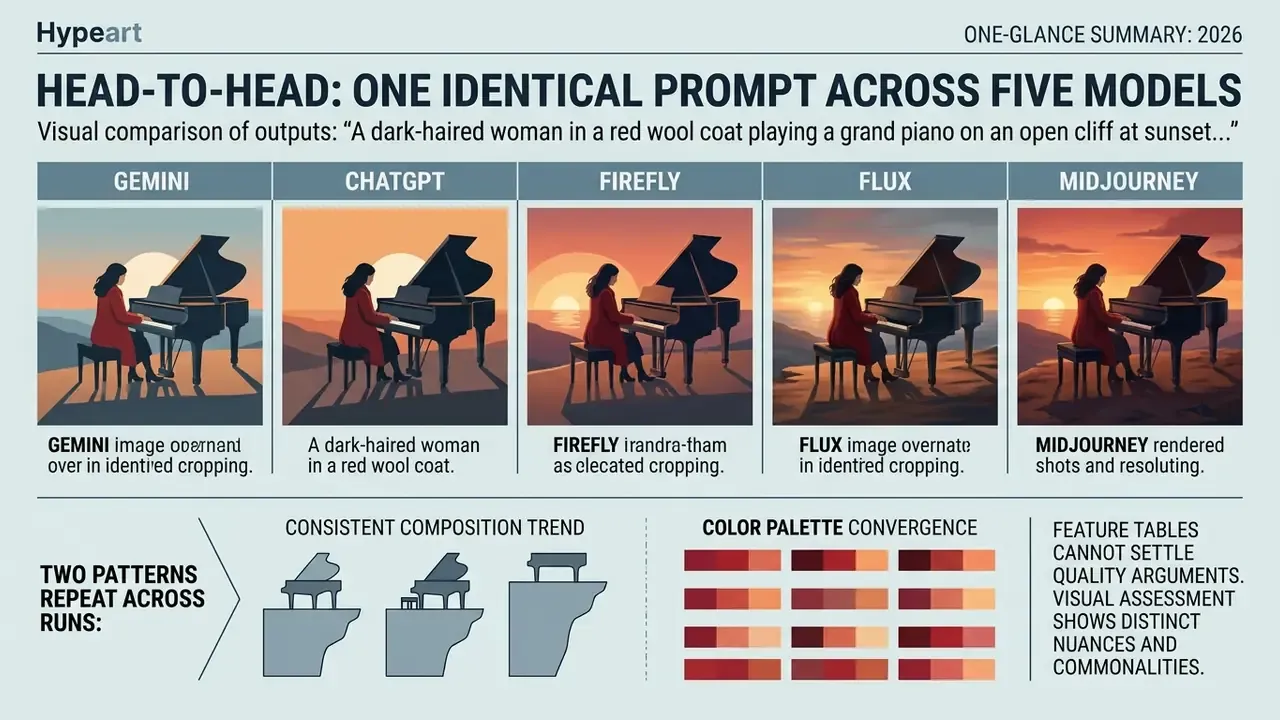
Feature tables cannot settle quality arguments. The comparison below uses a single fixed prompt, identical aspect ratio (16:9), and one generation per model with no cherry-picking, scored by our reviewers against the five criteria defined further down.
Prompt: "A dark-haired woman in a red wool coat playing a grand piano on an open cliff at sunset, photorealistic, natural skin texture, 8k"
| Model | What it produced | Weakness observed | Score (1-10) |
|---|---|---|---|
| ChatGPT Images (gpt-image-2) | Clean, well-balanced composition; correct object count and placement; coat colour exactly as prompted | Finger texture slightly smoothed; piano key spacing marginally compressed | 8.5 |
| Gemini Nano Banana Pro | Most accurate sunset light direction and colour temperature; anatomically correct hands; piano keys rendered without defects | Longer generation time; subtle over-sharpening on hair edges | 9.0 |
| Adobe Firefly (Image Model 5) | Cinematic and commercially safe; well-controlled dynamic range | Background cliff detail softer; less micro-texture in fabric | 7.5 |
| Midjourney v7 | Highest aesthetic impact, deepest shadow modelling, strongest atmosphere | Altered the coat silhouette without being asked; drifted from "red wool" toward a styled cape | 7.5 |
| FLUX 1.1 Pro Ultra | Best material realism on piano lacquer and reflections; convincing skin pores | Occasional spatial-logic error, with piano legs meeting the cliff edge inconsistently | 8.5 |
Two patterns repeat across dozens of such runs. First, aesthetic quality and prompt fidelity are different axes: Midjourney routinely wins the first and loses the second. Second, hands and instruments remain the hardest test, and models that succeed here generally succeed on other fine-articulation subjects.
Visual reference: side-by-side renders of the five outputs at identical crop and resolution, labelled left to right in the order above, with a magnified detail inset on the pianist's hands and keyboard.
Which AI is best for photos, illustrations, text and editing
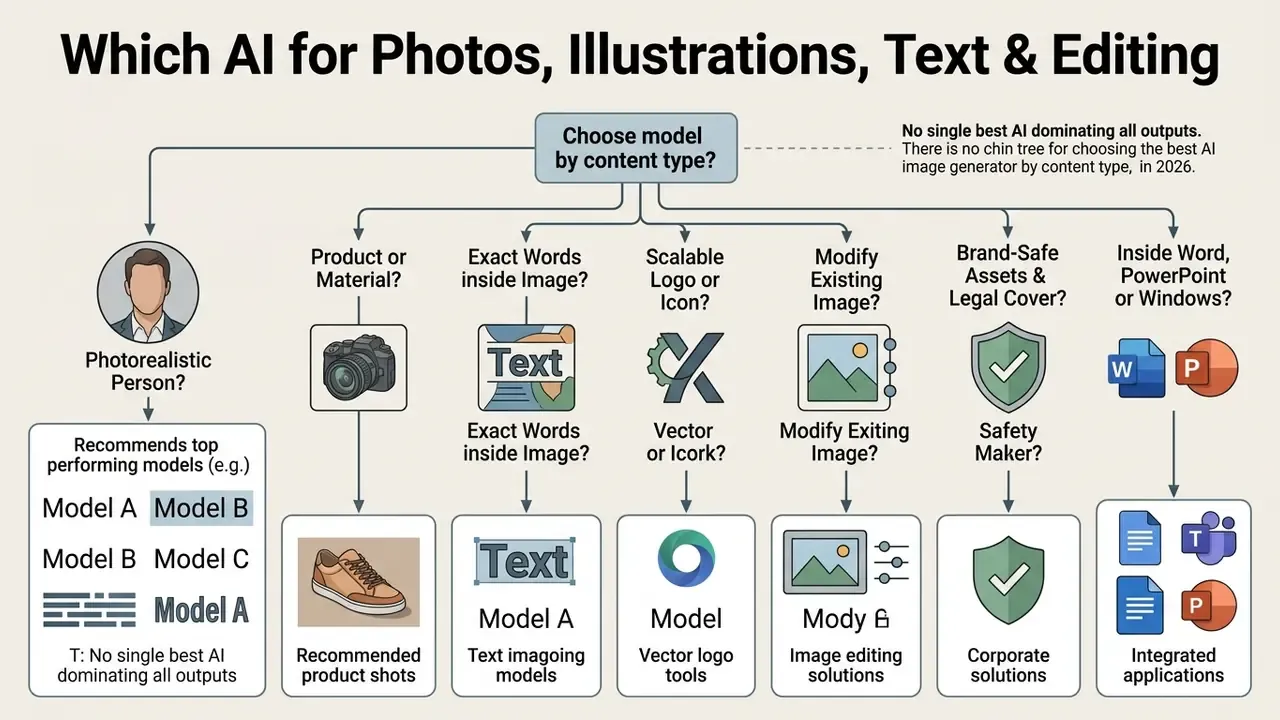
No single best AI for image generation dominates every output category. Model selection has to match the target asset type, whether that is photorealistic portraits, vector graphics, typography or image-to-image modification.
Decision tree: choosing a model by content type
- Need a photorealistic person? Gemini Nano Banana Pro or Google Imagen 4 Ultra. If you want cinematic mood over literal accuracy, Midjourney v7. If you need a repeatable likeness of one person, use an AI headshot and portrait generator with subject training, or compare the best AI avatar tools.
- Need a product or material shot? FLUX 1.1 Pro Ultra or FLUX.2. If reflections and geometry must be exact, self-host FLUX with ControlNet conditioning.
- Need exact words inside the image? Ideogram (quoted strings). For multi-line infographics, Nano Banana Pro. Then verify every character manually.
- Need a scalable logo or icon? Recraft V4 (native SVG), or Adobe Firefly Vector for an Illustrator round-trip.
- Need to modify an existing image? Gemini or ChatGPT for conversational edits, Firefly Generative Fill for brand-safe retouching, Stable Diffusion plus ControlNet for pixel-level control.
- Need brand-safe assets with legal cover? Adobe Firefly enterprise tier, for the indemnification.
- Need it inside Word, PowerPoint or Windows? Microsoft Copilot.
- Need a first asset in under two minutes with zero learning curve? Canva Magic Media.
- Need the still to move afterwards? Start from the best ai animation tools 2025 round-up before committing to a generator that cannot export layered assets.
AI for realistic photos of people, products and stock imagery
Generating photorealistic stock photos without visual artifacts demands precise rendering of skin micro-texture, lighting, eyes and hands. Physical plausibility is now benchmarked explicitly.
«PhyBench evaluates 6 models on 700 prompts across 31 physical scenarios; DALL-E 3 and Gemini outperform open models on physical correctness.»
Empirical 2026 rankings place FLUX 1.1 Pro Ultra, GPT Image 2 and Google Imagen 4 / Imagen 4 Ultra in the top tier for photorealism and product visualization. FLUX models excel at structural geometry and reflections on manufactured objects. Imagen 4 Ultra leads on skin texture, reflective surfaces and natural light fidelity, while Midjourney v7 leads in cinematic portrait aesthetics. For portrait workflows, our dedicated analysis of AI portrait and avatar generators explains likeness preservation. Teams comparing broader artistic output can also consult our ranking of the best AI art generator options, the wider best AI art overview, the best AI art app comparison, and the specialized breakdown of Ghibli-style AI image generators.
AI for exact text, icons and graphic design
Creating visual assets with exact text rendering and clean vector shapes needs models built specifically for typographic geometry. Ideogram leads in reproducing verbatim text enclosed in quotes, while Recraft V4 excels at native SVG output with clean paths, structured layers and print-ready geometry (Ideogram Guides, 2026; Recraft SVG Specifications, 2026).
«The WISE benchmark found that most models fail to render scientific and cultural concepts accurately even when visual quality is high.»
The practical implication is uncomfortable: a model can produce a beautiful, typographically perfect diagram that is factually wrong. Every generated infographic, chart or instructional graphic needs human factual review before publication, a control step most content pipelines skip entirely. A wrong number in a polished chart travels further than a blurry hand.
AI for editing existing images
Modifying existing images requires tools that support inpainting, outpainting, background removal and multi-reference blending. Amazon Bedrock Titan Image Generator G1 and OpenAI's visual editing API let teams isolate image regions through segmentation masks, swap backgrounds automatically, and apply style transfers or combine styles from multiple references without fine-tuning (Amazon Bedrock Documentation, 2026).
«Diffusion models support object addition and removal, attribute modification and style transfer, evaluated through the EditEval benchmark with the LMM Score metric.»
For expanding image canvases while holding background lighting steady, our technical comparison of AI image expansion tools outlines performance across commercial workflows. The online photo editor guide covers non-generative retouching steps that are still faster and cheaper than regeneration, which is worth remembering before you burn credits on a crop.
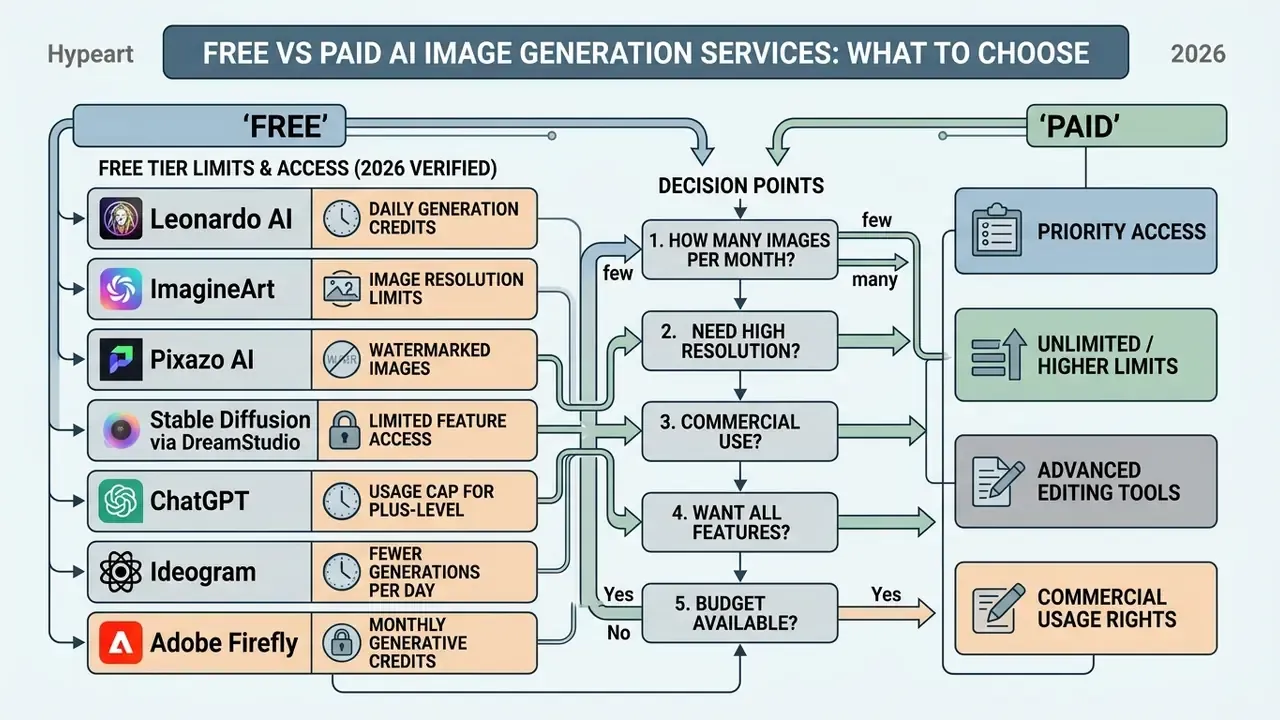
Free vs paid AI image generation services: what to choose
Choosing between a free plan and paid plans comes down to throughput volume, high-resolution export requirements, API access and legal rights.
| Pricing scenario | Free account / free tier | Paid subscriptions ($10-$50/mo) | Enterprise / API tiers |
|---|---|---|---|
| Generation volume | Strict daily or monthly caps (e.g. 150 tokens/day) | Priority GPU hours (3.3 to 60+ hrs/mo) | High rate limits (5 IPM at Tier 1 up to 250 IPM at Tier 5) |
| Model access | Standard or legacy models | Flagship models (gpt-image-2.5, Nano Banana Pro, Imagen 4, FLUX Pro) | Direct API endpoint access, pinned versions |
| Commercial rights | Frequently restricted or platform-owned | Full user ownership and commercial license | Enterprise SLA, optional legal indemnification |
| Editing & privacy | Public generations, basic tools | Private generations, advanced inpainting | Isolated data processing, zero retention options |
| Support & governance | Community only | Email support | SSO/SCIM, audit logs, DPA, named contacts |
Limits verified February 2026. Tariffs move often, so treat the numbers below as a starting point and re-check at purchase. For plan-level detail across the tools we track, see our pricing pages, and for cost modelling by volume, see the overview of our calculators.
Verified free-tier limits for 2026
Free tiers are not interchangeable. These are the numbers we confirmed during testing:
- Leonardo AI 150 renewable tokens per day, resetting every 24 hours (roughly 30-75 images depending on model and resolution); the paid Apprentice tier provides 8,500 tokens per month plus commercial rights.
- ImagineArt 40 free credits daily.
- Pixazo AI 7-day trial with 100 credits; Pro plan at approximately $84 per year.
- Stable Diffusion via DreamStudio 25 starter credits (about 3-4 generation batches); $10 buys roughly 1,000 credits. Local installation is free indefinitely.
- ChatGPT free image generation with rolling hourly caps (typically 2-5 images per hour); unlimited everyday text chat, but image, voice and file limits are metered separately.
- Ideogram daily free credits, with free-tier generations publicly visible; private generation requires an eligible paid plan.
- Adobe Firefly limited daily generations with watermarking; paid plans allocate monthly generative credits that expire one month after allocation.
- Midjourney no free tier; Basic at $10 per month provides 3.3 fast GPU hours, scaling to 15/30/60 hours on Standard, Pro and Mega.
- Canva monthly AI allowance varying by plan, with premium AI tools drawing from the same pool.
- Gemini API a "modest quota" free plan suited to prototyping rather than production.
- OpenAI API a free tier in eligible geographies capped around $100 per month in usage, with image throughput unsupported until Tier 1.
When a free plan is enough
A free account or free version covers low-volume testing, personal projects, internal mockups and casual prototyping. Platforms like Leonardo AI reset daily allowances generously enough for a solo marketer, while ChatGPT offers basic free image generations with hourly caps (OpenAI Rate Limits, 2026). One blog post header per day? A free plan handles it.
However, free tiers usually make outputs publicly visible, add watermarks and restrict usage rights. Teams weighing budget options can review our comparison of free AI image generators to check watermark restrictions and usage rules, alongside the parallel guides to free photo editors and free AI video generators.
What is worth paying for in professional AI tools
Paid subscriptions from $10 to $50 per month buy priority processing queues, private image generation, higher-resolution outputs and formal commercial rights. Higher tiers also unlock the API keys that automated production pipelines depend on. Ideogram's documentation is a useful reference point: priority generations jump the slow queue, private images require an eligible plan, and developer access runs through a separate API dashboard and key flow.
«After three fine-tuning iterations, SPIN-Diffusion outputs were preferred over the base model in 79.8% of PickScore comparisons and 88.4% on aesthetic evaluation.»
That result explains why flagship paid models pull away from free legacy checkpoints. Preference-tuned successors compound quality gains that free tiers rarely receive.
Hidden costs to budget for. Subscription price is the smallest line item in an enterprise deployment. Model the rest: API token overage on burst campaigns, human review hours for factual and brand compliance, validation and re-validation time when vendors ship new model versions, provenance and detection checks, legal review of licensing changes, plus storage and version control for approved assets. Organizations managing multi-department software budgets should inspect team pricing structures to estimate monthly operational spend before the pilot, not during it.
No time for prompt engineering? If you need a custom model (a LoRA adapter) fine-tuned on your product, mascot or brand character, outsourcing is often cheaper than internal experimentation. Freelance marketplaces list image-generation and model-training specialists from roughly $10 to $50 per engagement, which can replace dozens of hours of trial-and-error prompt tuning. Validate deliverables against the same scoring criteria you would apply to a vendor platform, and require the freelancer to transfer rights in writing. That last clause is the one people forget.
Automating image generation via API and no-code platforms
Most teams evaluate generators in isolation, then discover the real bottleneck is production throughput rather than model quality. Automation closes that gap.
No-code chains. For high-volume asset production such as product cards, social posts and localized banners, connect the generator to your existing stack through Zapier or Make. A working pattern: a Google Forms or HubSpot submission triggers the workflow, the prompt template is populated with the record's fields, the ChatGPT or FLUX API generates the image, the file is written to Google Drive or Cloudinary, and a Slack notification routes it to a human reviewer. The same chain can push approved assets straight into a CMS or ad platform.
Direct API patterns. Production pipelines should pin the model version, log seeds and parameters for every call, and store the prompt alongside the output so any asset can be reproduced or audited later. Rate limits scale with usage tier, so batch jobs need backoff logic. Teams building video adjacent to image workflows can start from our Google Veo API implementation guide and the YouTube video editor workflow guide.
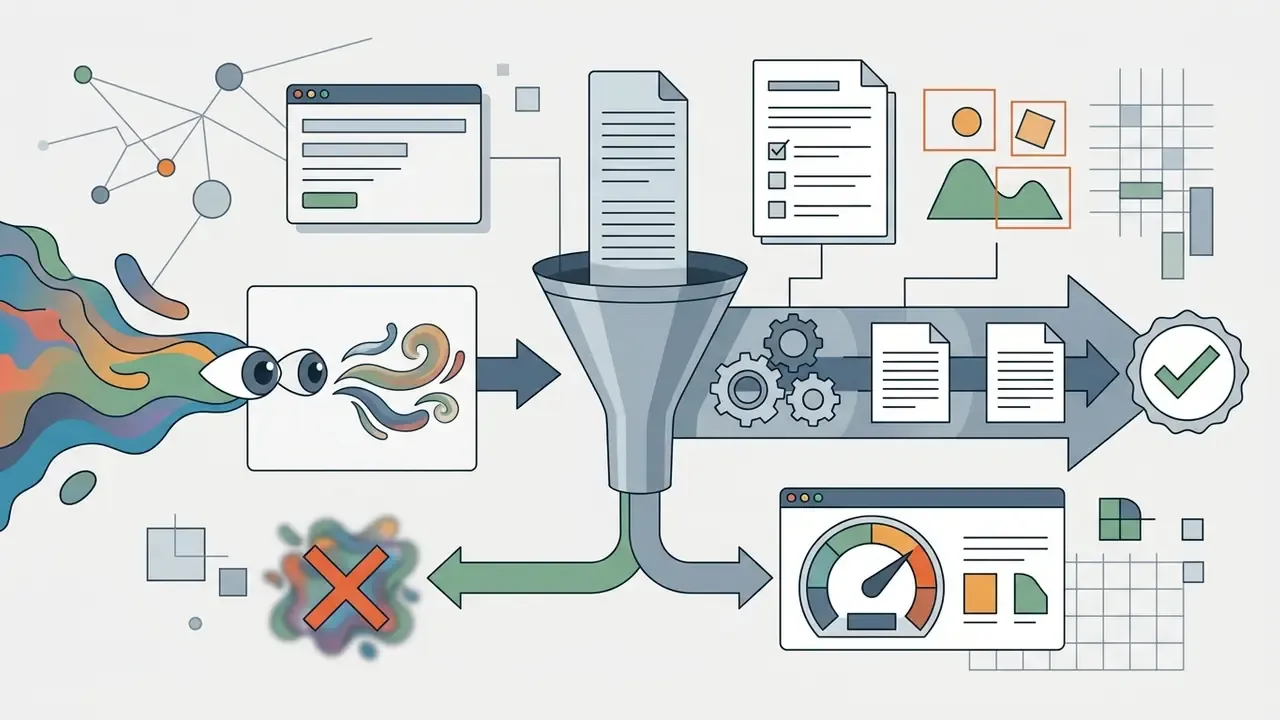
Quality gates in automation. Never let a generative step publish without a gate. Minimum viable controls: an automated text-OCR check when the asset contains copy, a resolution and aspect-ratio assertion, a brand-colour tolerance check, and a mandatory human approval step for anything customer-facing. Shadow AI usually starts here, with one well-meaning automation that skipped the gate.
Enterprise data security, privacy and compliance
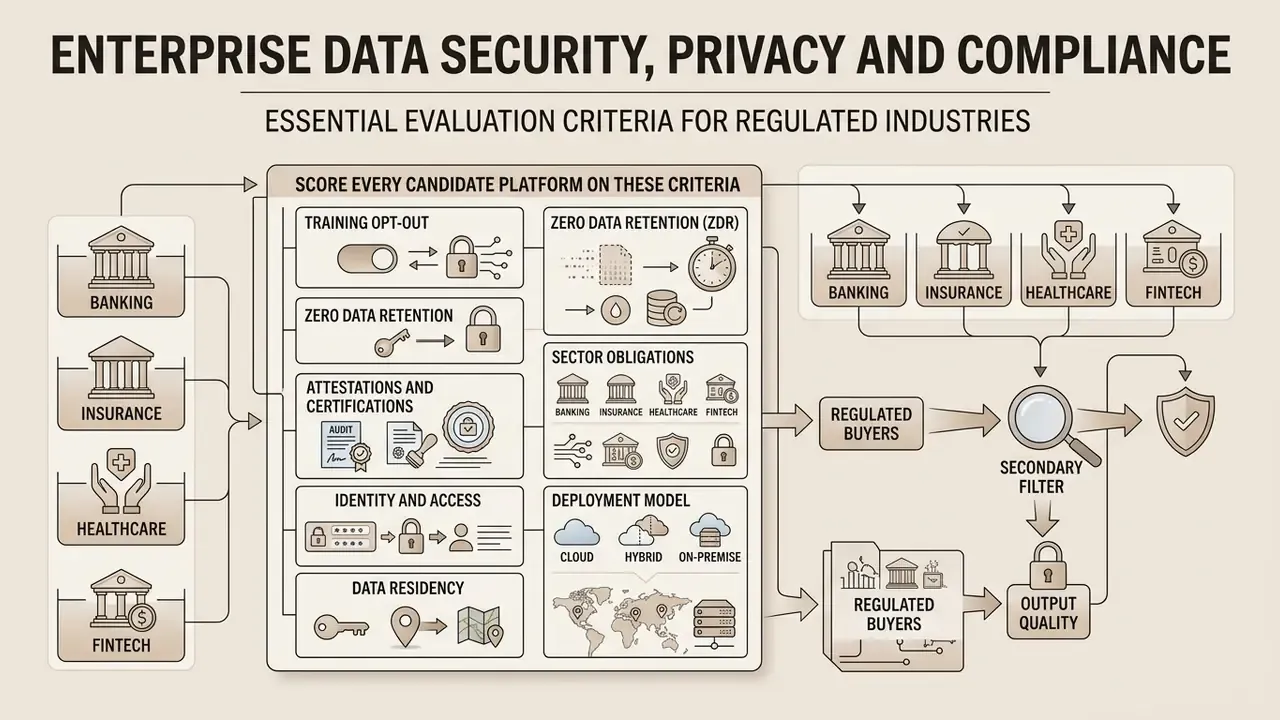
For regulated buyers in banking, insurance, healthcare and fintech, output quality is a secondary filter. The primary filter is whether prompts, reference images and outputs can legally and safely leave your perimeter.
Score every candidate platform on these criteria:
- Training opt-out. Does the vendor contractually commit not to train on your prompts and uploads? Adobe states it does not train Firefly or partner models on subscriber content; Canva states it does not train on user content; OpenAI and Google offer training controls on business tiers. Free consumer tiers generally offer the weakest guarantees.
- Zero data retention (ZDR). Confirm whether API calls can be configured for no-logging or no-retention, and what the default retention window is (commonly 30 days for abuse monitoring).
- Attestations and certifications. Request SOC 2 Type II reports and ISO/IEC 27001 certificates, and confirm the scope covers the specific generative service, not only the vendor's core platform.
- Sector obligations. In U.S. financial services, GLBA safeguards and vendor-oversight expectations apply to any third party touching customer information. If prompts could contain non-public personal information, the tool needs the same third-party risk treatment as any other processor.
- Identity and access. SSO (SAML/OIDC), SCIM provisioning, role-based access control, workspace-level content policies and exportable audit logs.
- Deployment model. Compare three ownership postures: public SaaS (fastest, least control), private cloud or VPC-hosted API (moderate control, contractual isolation), and on-premise open-weight deployment of FLUX.2 [dev]/[klein] or Stable Diffusion (maximum control, highest operating cost and staffing burden). Open-weight self-hosting is the only pattern that guarantees prompts never leave your network.
- Data residency. Confirm processing regions and sub-processor lists, especially for EU and UK operations.
- Content provenance. Check whether outputs carry C2PA-style metadata or visible watermarks, whether watermarks can be removed on your plan, and whether provenance metadata survives your export pipeline. Detection tooling is a useful complement, so see our overview of AI reverse-image-search tools.
A practical shortcut for risk teams: if a tool cannot produce a SOC 2 Type II report, a DPA and a written training opt-out, it belongs in a sandbox with synthetic prompts only, regardless of how good its images look.
How to test AI image models before you buy
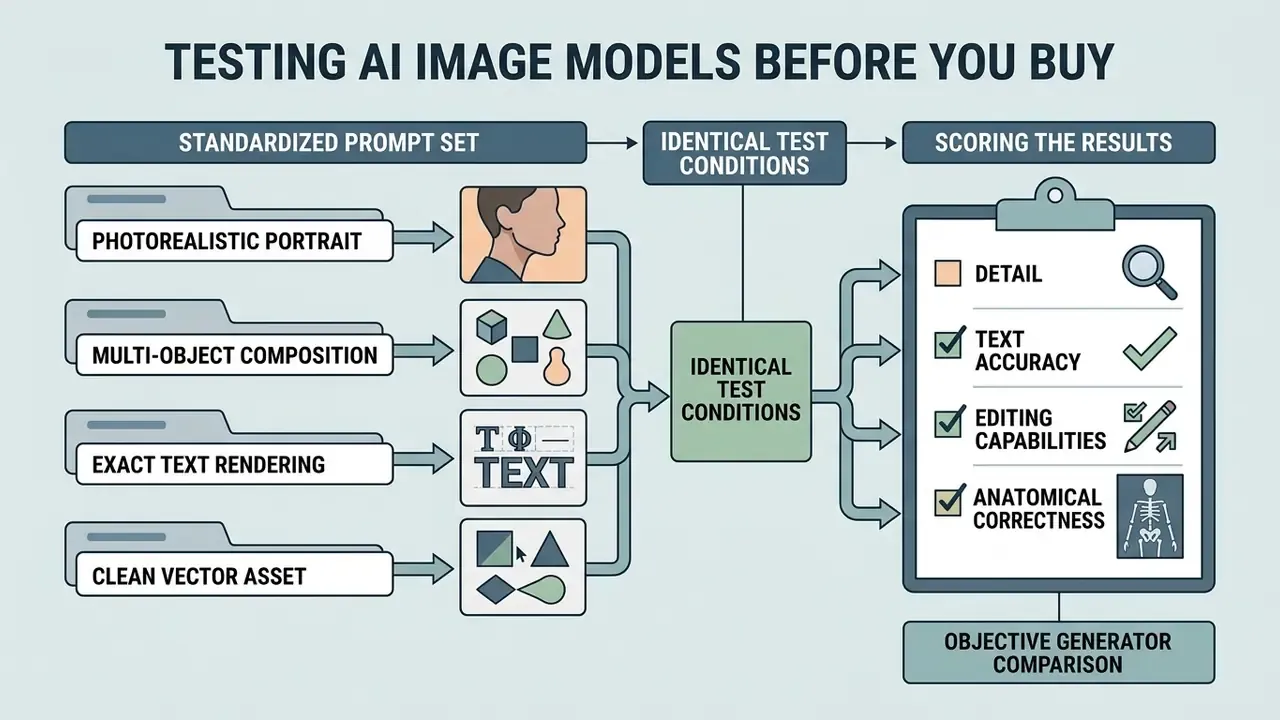
To select the best AI image generation platform objectively, model risk managers and creative leads should run controlled benchmarking using standardized prompts under identical generation parameters.
«VQAScore is 2-3x more effective than PickScore and HPSv2 at ranking images by alignment with human judgments for DALL-E 3 and Stable Diffusion.»
A prompt set for fair generator comparison
A rigorous test suite should cover four distinct stress scenarios. Run each three times per model, keep the seed fixed where available, and score without knowing which model produced which frame.
- Photorealistic portrait:
"A close-up studio portrait of a 45-year-old architect, natural skin texture with visible pores and fine lines, soft side lighting, 85mm lens, neutral background." - Multi-object composition:
"A wooden desk with a vintage brass lamp on the left, an open notebook with handwritten math equations in the center, and a steaming ceramic mug on the right." - Exact text rendering:
"A modern coffee shop storefront sign that reads verbatim 'LATTE & BEAN' in clean bold serif typography, daylight photo." - Clean vector asset:
"A flat vector icon of a green renewable energy leaf inside a gear shape, clean geometry, isolated on a white background, SVG style."
Add a fifth scenario for editing-heavy teams: upload a fixed source photograph and instruct the model to replace one object while leaving everything else untouched. This measures editing invariance, which feature lists never disclose.
How to score the result: detail, text and editing
When reviewing test outputs, evaluation teams should apply five quantitative scoring criteria derived from academic benchmarks such as TIFA and GenEval:
- Anatomical correctnessabsence of extra fingers, distorted limbs, melted body regions or facial warping.
- Text accuracycomplete, legible characters matching the quoted prompt text, verified by OCR where possible.
- Prompt adherenceaccurate spatial arrangement, attributes and count of requested objects.
- Aspect ratio preservationstrict maintenance of requested dimensions without scaling distortion or cropping.
- Editing invarianceability to modify specified regions without introducing artifacts in untouched areas.
«GenEval uses object detection to verify color, counting and spatial relations: models improved on basic tasks, but spatial relationships remain a weak point.»
Verification protocol. All AI model evaluations should fix random seeds (where supported), standardize aspect ratios (for example 16:9 and 1:1), use identical text descriptions, and record model version tags plus API execution timestamps so benchmarks stay reproducible. Reproducibility guidance published in 2026 goes further: document the full prompt text, model identity and version, every output-affecting inference parameter including seed, and the date of API access. Without those five fields, a benchmark cannot be re-run, and therefore cannot be used as validation evidence. Sounds bureaucratic? It is the difference between a test and an anecdote.
Commercial use of AI-generated images: what to verify
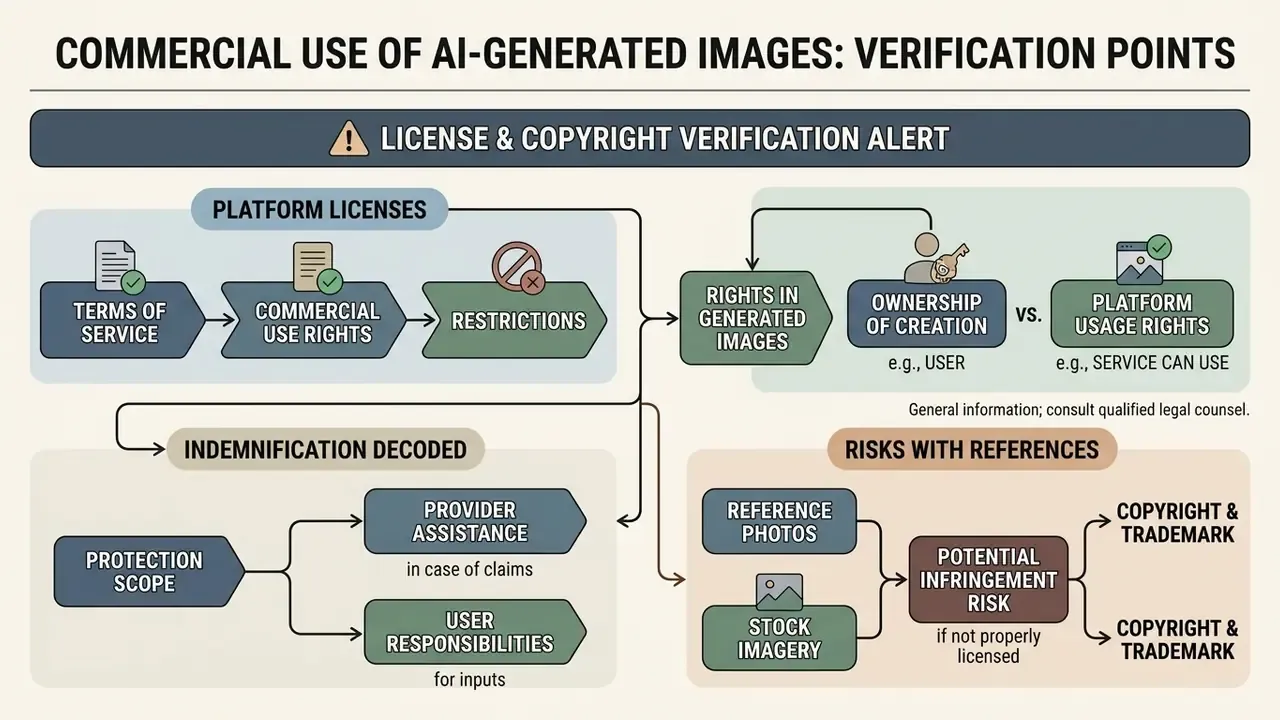
This section is general information and does not replace advice from qualified intellectual property or copyright counsel. Regulations and platform terms change frequently; verify current terms before deployment.
Deploying AI-generated imagery in commercial advertising, corporate branding or client deliverables raises intellectual property and regulatory questions well before it raises aesthetic ones.
⚠️ Licence and copyright verification alert
Under U.S. Copyright Office guidance, material generated purely by AI without meaningful human creative contribution is not protectable by copyright, and applicants must disclose and exclude more-than-de-minimis AI-generated content when registering a work. Before any commercial use, verify:
- Terms of service: whether rights in the output are assigned to you, and whether that depends on your plan tier.
- Trademarks: absence of protected marks, logos and recognizable brand elements in the frame.
- Right of publicity: permission to depict identifiable real people.
- Source licences: restrictions carried over from reference images and stock photos used as inputs.
- Disclosure: EU AI Act Article 50(2) requires providers of systems generating synthetic image or video content to mark outputs in machine-readable form, so unlabelled realistic AI images carry disclosure-compliance exposure in EU and UK markets.
«Content created solely by AI without substantial human creative input is not eligible for copyright protection under U.S. Copyright Office policy.» Congressional Research Service, Generative Artificial Intelligence and Copyright Law (2025). https://crsreports.congress.gov/product/pdf/LSB/LSB10922
Platform licences and rights in generated images
Platform terms decide whether users receive ownership or merely a non-exclusive licence to generated outputs. OpenAI's terms assign rights in the output to the user across both free and paid plans, while platforms such as Recraft and Leonardo split rights between free public tiers and paid private tiers. Leonardo, for instance, states that paid private generations confer full ownership and IP rights, whereas publicly generated images leave the platform with broad perpetual rights.
Businesses using AI assets in commercial workflows must confirm that their tier explicitly permits commercial monetization, and that the permission applied at the moment of generation. To analyze specific tool policies, review our guide to commercial use rights for AI image generators.
Indemnification, decoded. Ownership and indemnification are separate protections. Ownership determines who controls the asset; indemnification determines who pays if a third party sues. Among mainstream generators, Adobe Firefly is the notable provider of enterprise IP indemnification, backed by its licensed training corpus. Most other vendors, including consumer tiers of OpenAI, Google, Midjourney, Ideogram and Leonardo, place infringement risk on the user. For high-exposure campaigns such as national advertising, packaging or broadcast, the presence or absence of indemnification should outweigh a one-point difference in image quality. Every time.
Risks when using references, photos and stock imagery
Using existing images or stock photos as inputs for image-to-image, ControlNet or outpainting models introduces legal complexity if the source image is protected by third-party copyright.
«Outputting images that substantially replicate protected expression can create copyright infringement liability for both the software user and the enterprise.»
Fair-use analysis here turns on commercial purpose, the amount copied and market effect, none of which favour a company that feeds a competitor's protected artwork into an image-to-image pipeline. NIST's Generative AI Profile likewise classifies unauthorized replication of copyrighted, trademarked or licensed content as an explicit intellectual-property risk category for generative systems.
Generating recognizable likenesses of real individuals also triggers right-of-publicity claims, and in several jurisdictions requires documented written consent. Organizations evaluating image manipulation workflows can review our technical comparison of AI image generators that work from an image to understand source attribution and editing boundaries, plus the dedicated AI expand image analysis. When a tool fails these tests, our AI Media Alternatives by Reason hub lists substitutes grouped by the specific blocker.
Model risk management checklist: turning tests into validation evidence
Regulated organizations cannot deploy a generative image tool on the strength of a vendor demo. Supervisory expectations for model risk management require documented development, independent validation and ongoing monitoring, and generative media tools are increasingly captured by those frameworks. Use this checklist to convert the testing protocol above into audit-ready artefacts.
Checklist0 / 10
One unresolved question, stated plainly: nobody has a settled answer for how often a generative image tool should be re-validated when the vendor ships silent model updates. Annual review is the floor, not the answer.
FAQ about the best AI image generators
How do AI image generators work with text prompts?
AI image generators convert input text prompts into numerical vector representations (embeddings) using visual-language encoders such as CLIP or T5. Those embeddings condition a latent diffusion model, which starts from random Gaussian noise and iteratively removes noise across multiple steps to synthesize a coherent image.
«Diffusion models learn to reverse a gradual noising process, using language embeddings to steer the denoising trajectory.» Zhang et al., Survey on Diffusion Model-Based Image Editing (2024). https://arxiv.org/abs/2402.17525
Attention mechanisms inside the network map individual words to spatial regions, so descriptive adjectives influence colors, textures and geometry. Autoregressive transformer systems work differently: they represent the image as discrete tokens and predict each token conditioned on the prompt and the tokens already generated, assembling the picture sequentially. Hybrid pipelines use a transformer for semantic planning and a diffusion decoder for pixel synthesis. A methodological note for evaluators: because prompt encoding is conditioning rather than instruction execution, prompt fidelity must be measured, not assumed, which is why survey work on quality metrics recommends question-answering scores over realism scores alone (Hartwig et al., 2024, https://arxiv.org/abs/2403.11821).
Which AI image generator is best overall in 2026?
For general-purpose work with legible in-image text, Gemini's Nano Banana Pro is currently the strongest single choice. For conversational multi-turn editing inside an assistant, ChatGPT Images is the most convenient. For brand-safe commercial output with legal cover, Adobe Firefly. For photorealistic product photography and self-hosting, FLUX. For exact typography, Ideogram; for vectors, Recraft; for beginners, Canva. Anyone searching for "best ai generated images" is really searching for a fit, not a champion.
Can an AI image generator create both images and video in one service?
Yes. Modern generative media platforms increasingly unify still image generation and video generation in a single interface. Adobe Firefly supports text-to-video and image-to-video in one flow; Google Cloud documents text-to-video, first-frame-to-video and first-and-last-frame-to-video in the same workflow; OpenAI's Sora generates video from text and animates existing stills.
«GenAI-Bench evaluates image and video generation models jointly across 1,600 compositional prompts with 38,400 human alignment ratings.» Lin et al., GenAI-Bench: Compositional Text-to-Visual Generation Benchmark (2024). https://arxiv.org/abs/2406.13743
To track emerging video capabilities and benchmark performance, review our comparison of the best AI video generators, the animation maker guide for template-driven motion work, and the AI voice generator guide for matching audio. Head-to-head matchups live in the versus library, so explore the hub when two shortlisted tools look identical on paper.
Are AI-generated images free to use commercially?
Sometimes, and on free tiers the default answer is no. Several platforms retain ownership of free-plan outputs, make them public, or restrict them to personal use. Paid tiers typically assign ownership and commercial rights to the user. Separately, purely AI-generated material may not attract copyright protection at all, which means you may be free to use it and still unable to stop others from using the same asset.
How can I tell whether an image was generated by AI?
Look for inconsistent hands and teeth, garbled text, impossible reflections and repeated texture patterns, then check metadata for C2PA provenance signals and run a reverse-image search. Detection accuracy degrades as models improve, so provenance metadata and internal asset logs are more reliable than visual inspection. Our overviews of AI image detectors and AI reverse-image search compare available tooling.
Can I generate images of myself or other real people?
You can generate images of yourself, and dedicated subject-training tools exist for professional portraits. Generating identifiable images of other people without documented written consent exposes you to right-of-publicity and privacy claims, and explicit synthetic imagery of real people is unlawful in a growing number of jurisdictions. Treat likeness generation as a consent-gated workflow, not a creative choice.
What about NSFW or uncensored generation?
Most mainstream platforms refuse explicit content outright. Grok is the notable exception among major assistants. Organizations should be explicit in policy: reduced filtering does not reduce liability, and any uncensored tool should be blocked at the network level in regulated environments unless legal has approved a specific use case.
What to do next
- Define the requirement, not the tool.Fill in the selection checklist above with your own must-haves for realism, text, editing, rights and data governance.
- Run the four-prompt stress suiteacross your three shortlisted platforms, with fixed seeds and blind scoring. Budget half a day.
- Pull the paperwork, meaning the terms of service extract, DPA, SOC 2 Type II report, training opt-out confirmation and indemnification position, before a pilot rather than after.
- Pilot on a low-risk asset classsuch as internal decks or blog imagery, with a mandatory human review gate.
- Automate only after the gate works.Wire the winning model into Zapier, Make or a direct API pipeline with logging of prompts, seeds and versions.
- Schedule re-validationfor every vendor model release, and diarise an annual licence-terms review.
Start narrow. One asset class, one owner, one documented gate. Expansion is cheap once the evidence trail exists.
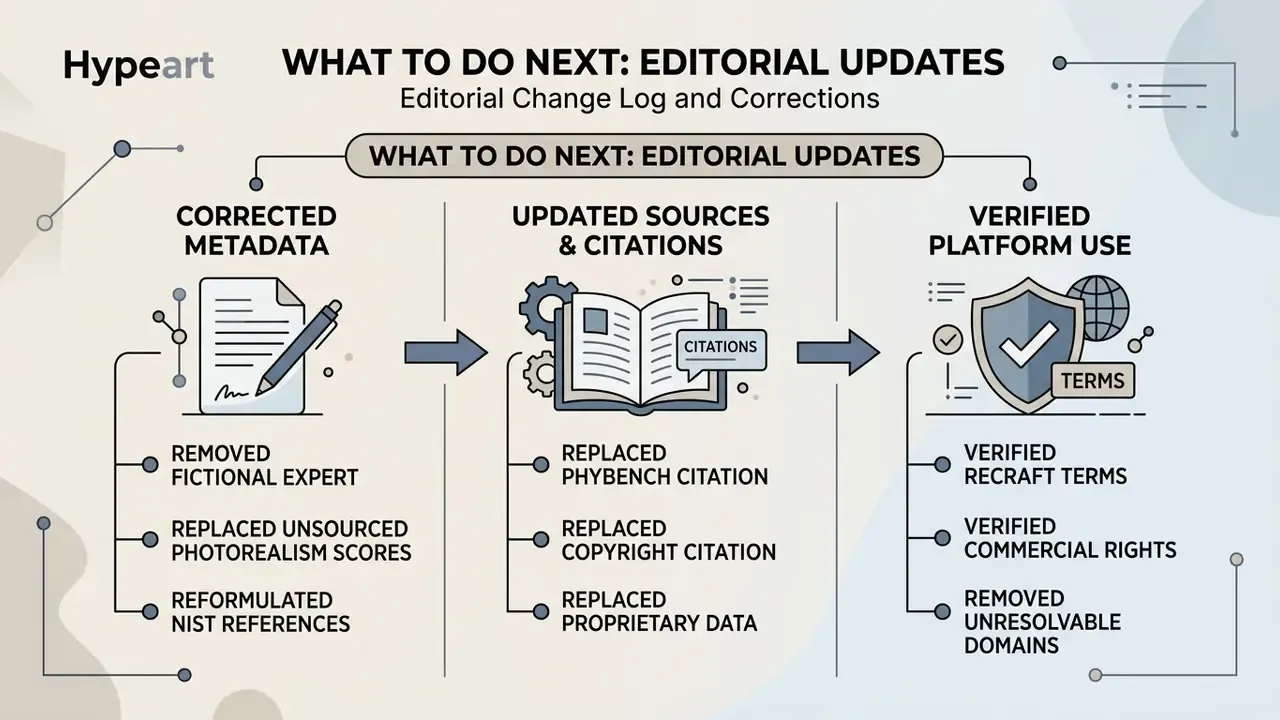
Editorial change log and corrections