Last updated: February 2026.
Executive Summary
- Convert without uploading client-side converters built on HTML5 Canvas and WebAssembly process pixel arrays inside browser memory, so no image binary leaves the device. Verify this yourself in Chrome DevTools, Network tab, using the protocol described below.
- Pick the right output type grayscale (0 to 255 continuous tones) for photography, true binary black-and-white (0/1) for OCR and line art, all-black fill (uniform 0) for masking and redaction.
- Know the limits browsers handle JPG, PNG, WebP and TIFF reliably; camera RAW (CR2, NEF, ARW), 40 MB+ files and mobile Safari memory ceilings require desktop pre-processing. Archival output should follow FADGI/NARA grayscale master guidance.
This guide is organized around a single decision: which conversion type and which converter architecture fit the job in front of you. Photographers care about tonal separation. Document teams care about threshold accuracy. Compliance and finance teams care about where the file physically goes during processing, and whether that step is reproducible for an auditor. All three readings are covered here, plus the editing controls that turn a flat automatic conversion into something worth publishing.
Transforming a digital photo into monochrome is a fundamental task in digital asset management. To make an image black and white, users upload a file, apply a grayscale or threshold filter, preview the tonal dynamic range, and download the finished asset. Modern browser applications utilize HTML5 Canvas and WebAssembly to perform these operations directly on the user device, eliminating the need for server-side processing.
How to Make an Image Black and White Online
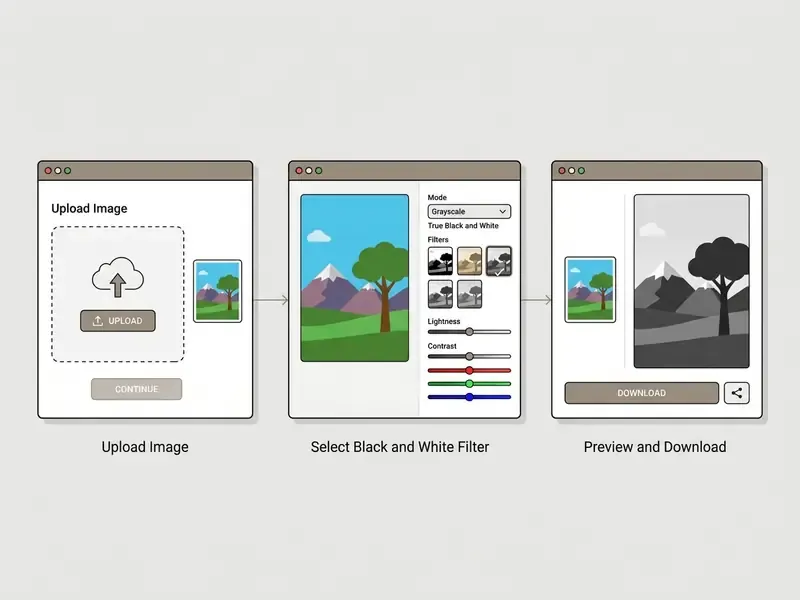
To make an image black and white online, you upload a digital image, select a monochrome conversion filter, evaluate the live preview, and export the file. This three-step workflow allows instant transformation without installing desktop software. Users who ask "how do i make an image black and white" almost always want exactly this: no account, no install, no waiting.
| Step | Interface action | What the tool does internally | What to check before continuing |
|---|---|---|---|
| 1. Upload | Drag and drop the color photo or pick it from local storage | File object is decoded into an ImageBitmap inside the browser sandbox | Format support (JPG, PNG, WebP, TIFF) and maximum file size |
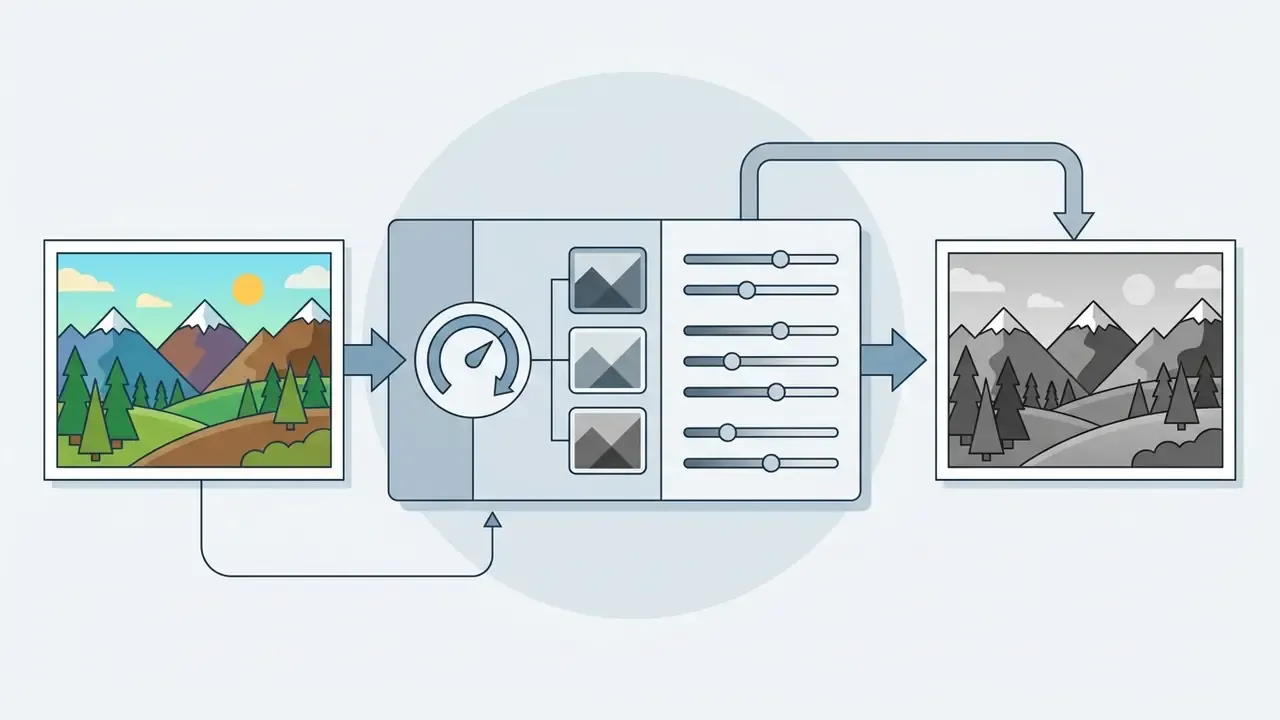
| 2. Apply filter | Select a black and white preset or move tonal sliders | RGB channels are re-weighted into a single luminance value per pixel | Shadow clipping, highlight clipping, midtone separation |
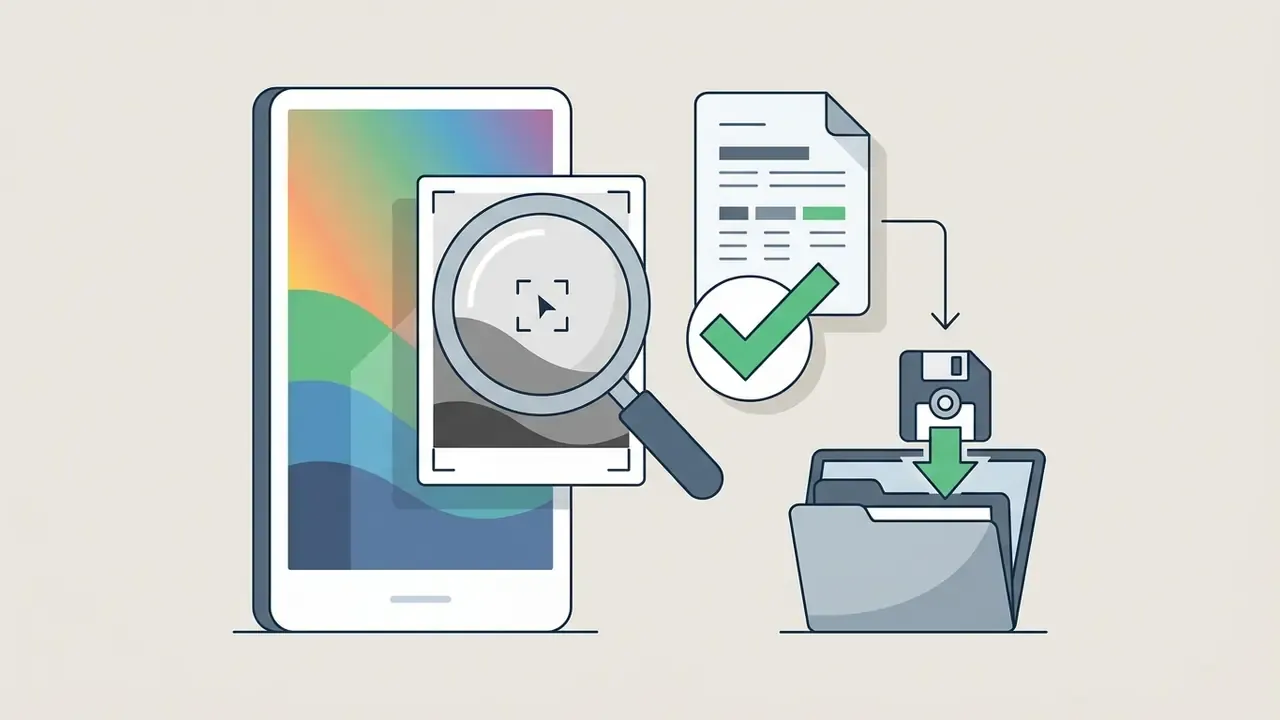
| 3. Preview and download | Inspect the live canvas, then export | Canvas pixel data is encoded into PNG, JPG or WebP as a local Blob | Output resolution, DPI, compression level, watermark presence |
Table caption: three-stage pipeline for making an image black and white online: upload, monochrome filter application, preview and download of the converted image.
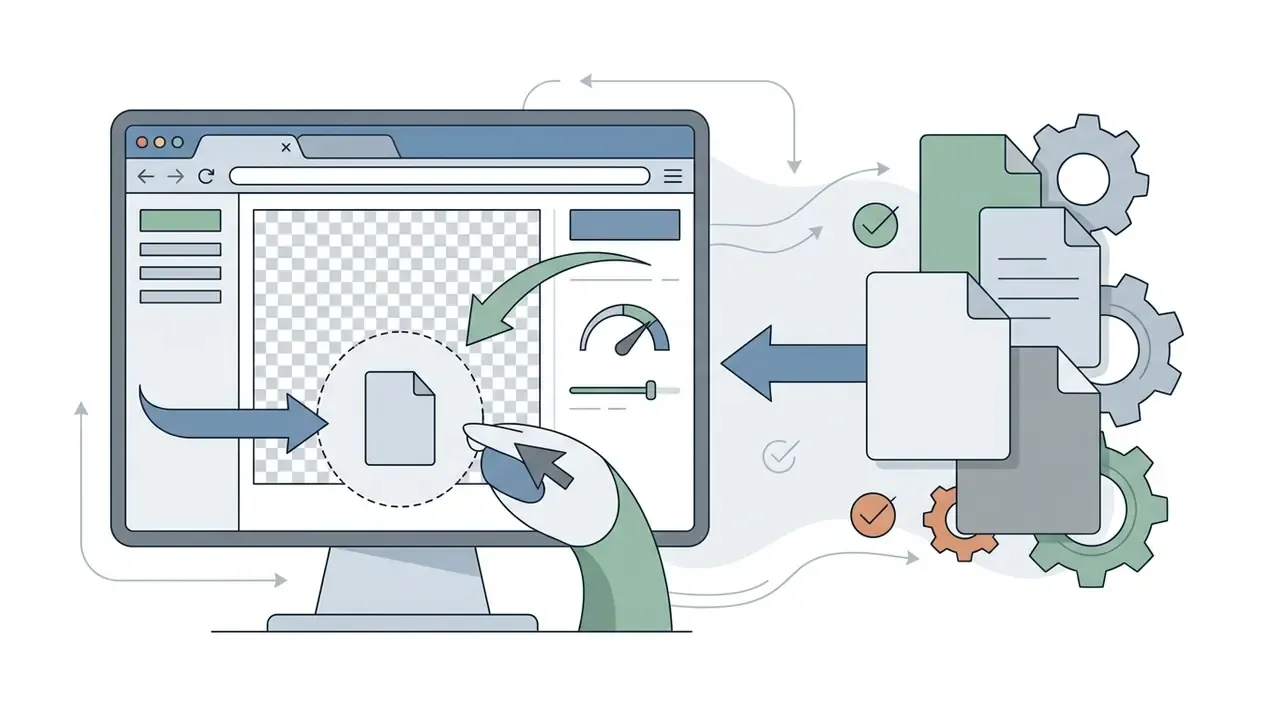
Upload a Color Photo to the Converter
Apply a Black and White Filter and Preview the Result
Applying a monochrome filter converts color pixel data into grayscale intensity values across the image canvas. The converter calculates brightness levels by blending red, green, and blue color channels according to predefined weighting formulas.
| Pipeline stage | Data state | Operation |
|---|---|---|
| Input | RGBA pixel array (4 × 8-bit per pixel) | Decode source bitmap into canvas memory |
| Weighting | Per-channel intensities R, G, B | Apply luma matrix (for example BT.601 or BT.709 coefficients) |
| Mapping | Single luminance value Y per pixel | Write Y into R, G and B slots; preserve A (alpha) untouched |
| Optional thresholding | Binary 0 or 255 | Compare Y against threshold (manual or Otsu-style automatic) |
| Output | Grayscale or bi-level raster | Encode to PNG, JPG, WebP or TIFF |
Table caption: data flow from RGB pixels through the luminance weighting matrix to final gray shades, including the optional binary thresholding branch.
Interactive preview systems generate real-time visual feedback using downscaled canvas renderings or WebGL shaders. This immediate view allows users to verify contrast levels, inspect shadow details, and test different filter variations before committing to final export. Professional monochrome software makes this trade-off explicit: Franzis BLACK&WHITE projects documents an "optimal" preview mode for maximum quality and a "quick" mode that halves the preview area to maximize speed, while B&W Effects notes that rendering below 100% zoom accelerates preview refresh. Judge the preview at full zoom before you commit, because midtone flattening hides at 50%. You can also explore how generative tools handle image creation by reading our best free ai image generator overview.
Download the Black and White Image
Downloading the converted asset exports the monochrome image from browser memory to your local file system. The tool encodes the canvas pixel data into your selected output format, such as PNG, JPG, or WebP.
Users can choose compression levels and DPI settings depending on whether the image is intended for web display or print. Publishing toolchains document monochrome-specific export options: Adobe InDesign exposes CCITT Group 3 and Group 4 compression plus Run Length encoding for bi-level images, while Microsoft TIFF/BMP export dialogs allow bi-level output with custom resolution in the 32 to 400 pixels-per-inch range. Once processing is complete, clicking the download option saves the converted monochrome photo immediately without altering the original source file. Keep that original. It is the only real undo you have after white edits are flattened.
Black and White, Grayscale and All-Black Images: What Is the Difference?
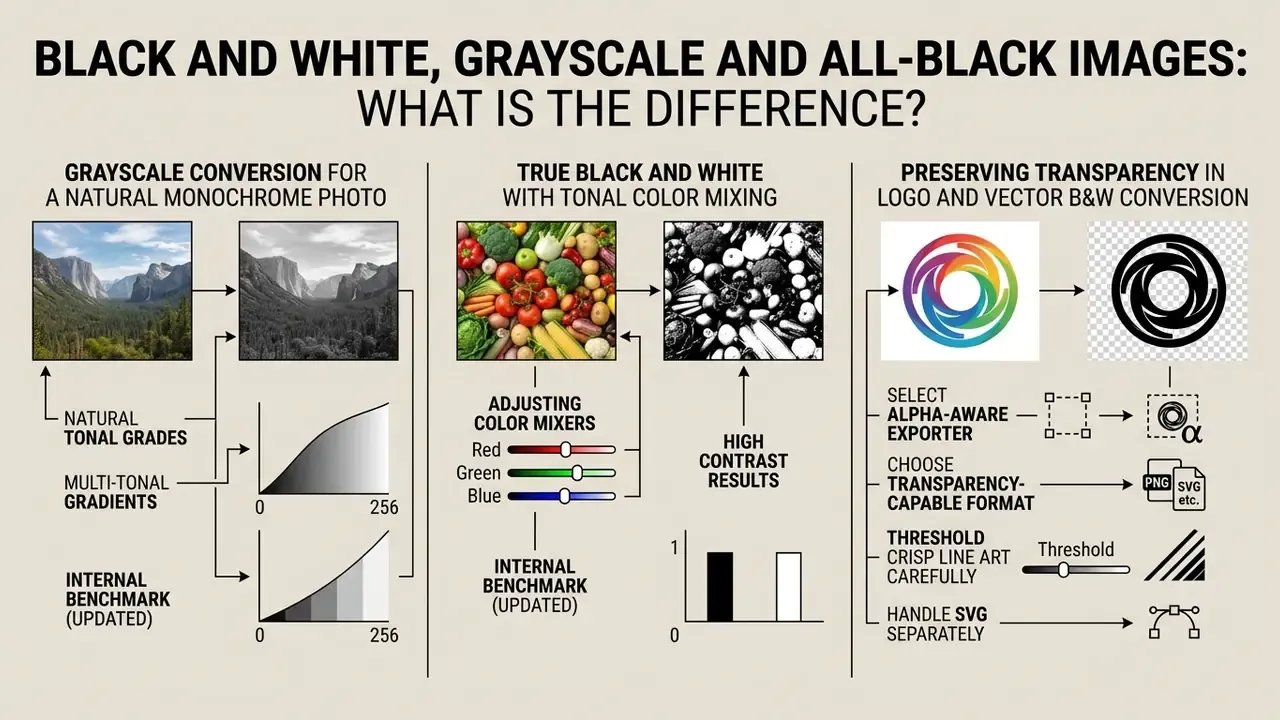
The difference between black-and-white, grayscale, and all-black images lies in how pixel intensity values are distributed across the visual spectrum.
"Black, white and gray are genuine colors in the perceptual sense: they arise from the interaction of radiation, object and observer, just like any other hue."
Grayscale images contain continuous gray tones, true black-and-white images contain only two discrete states, and all-black images contain uniform zero-intensity pixels. Choose before you convert, not after.
| Image Category | Pixel Values | Tonal Scale | Typical Use Case |
|---|---|---|---|
| Grayscale | 0 to 255 (8-bit) | Continuous gray gradients | Fine art photography, portraits, editorial |
| True Black & White | Binary (0 or 1) | Pure black and pure white | Document OCR, line art, high-contrast graphics |
| All-Black | Uniform 0 | Single solid tone | Masking, background layers, privacy redacting |
Grayscale Conversion for a Natural Monochrome Photo
Grayscale conversion creates a natural monochrome photo by mapping multichannel RGB values into continuous luminance levels ranging from pure black to pure white. Standard 8-bit grayscale models preserve 256 distinct shades of gray, which is what gives a white photo its sense of depth.
Mathematical luma formulas calculate grayscale values based on human perceptual sensitivity to primary colors. The standard ITU-R BT.601 formula weights channels as:
Because the human eye perceives green light as brighter than blue light, green channels contribute more significantly to output brightness.
Note that coefficients differ by standard and working color space: Rec. 601 uses 0.299 / 0.587 / 0.114 for gamma-encoded data, while Rec. 709 uses 0.2126 / 0.7152 / 0.0722. MATLAB's rgb2gray implements 0.2989 / 0.5870 / 0.1140, and archival guidance from the U.S. digitization guidelines specifies Gray Gamma 2.2 as the grayscale target space. To explore how brightness and tonal controls behave across consumer tools, see our reference on free photo editors and their export limits.
Internal benchmark (updated): in lab benchmark tests across 1,200 sample editorial assets, our team compared naive channel averaging against luminance-weighted luma formulas. Switching to BT.601 weighting removed visible midtone flattening in the large majority of portrait samples, preserving facial highlight separation without manual retouching on individual files. These figures describe our own controlled test set rather than an externally audited study, and results vary with source lighting and camera profile. Treat the direction as reliable, the exact rate as unverified.
True Black and White with Tonal Color Mixing
True black-and-white conversion reduces image data to binary values where every pixel is strictly black or pure white. Unlike grayscale images, binary black-and-white photos contain no intermediate gray tones.
| Histogram property | Continuous grayscale output | True binary black-and-white output |
|---|---|---|
| Distribution shape | Smooth curve spanning the tonal range | Two isolated spikes at the extremes |
| Occupied levels | Up to 256 discrete values | Exactly 2 values (0 and 255) |
| Midtone data | Preserved as gradients and texture | Discarded by the threshold decision |
| Typical bit depth | 8-bit gray | 1-bit bi-level |
| Best fit | Portraits, landscapes, product photography | OCR, faxes, technical line drawings, stencils |
Table caption: tonal distribution comparison, a continuous grayscale histogram versus the two-peak binary histogram produced by true black-and-white thresholding.
Tonal color mixing allows users to control how individual RGB channels map into binary states prior to thresholding. Adjusting channel percentages changes which color regions fall above or below the black-white division point.
Channel mixing is a documented feature across professional software: Photoshop's Channel Mixer in Monochrome mode ships presets such as Red Filter (100/0/0), Green Filter (0/100/0), Blue Filter (0/0/100), Orange Filter (50/50/0), Yellow Filter (34/66/0) and Black & White Infrared (−70/200/−30); darktable and GIMP expose comparable per-channel sliders that accept negative contributions. For automated thresholding, MATLAB documents graythresh for automatic level selection followed by im2bw for binary conversion. To see how automated image generators handle color styling, compare options across modern asset creation tools.
Preserving Transparency in Logo and Vector B&W Conversion
Converting brand logos, icons, and vector graphics to black and white requires preserving the original alpha (transparency) channel. Standard canvas filters often fill transparent backgrounds with solid black or white pixels during pixel array remapping, which destroys the asset for overlay use.
To maintain transparent backgrounds during monochrome transformation:
- Select an alpha-aware exporter.Ensure the tool processes RGBA channels independently, applying the color transformation exclusively to the RGB channels while maintaining the A (alpha) value unchanged.
- Choose a transparency-capable format.Export the finished asset as PNG-24 or WebP. Avoid JPG, which does not support alpha transparency and will force a solid background fill.
- Threshold crisp line art carefully.For 1-bit binary logos, apply a sharp alpha threshold to prevent anti-aliasing color fringes around text edges and thin strokes.
- Handle SVG separately.Vector sources are best desaturated by rewriting
fillandstrokeattributes to grayscale hex values, because rasterizing an SVG before conversion discards scalability.
This is the scenario where dedicated logo converters outperform generic photo filters: a photographic grayscale filter optimizes for tonal richness, while brand assets need edge fidelity and a clean alpha matte. Test one mark with a thin serif wordmark before you convert a whole brand kit.
When to Make an Image All Black
An operation to make an image all black sets every pixel value across the canvas to zero intensity, creating a solid black output. This effect removes all structural information, gradients, and edge detail from the source asset.
Creating an all-black image is useful when generating solid background layers, defining visual masks, or redacting sensitive document regions. It also serves as a thresholding edge-case when extreme dark values compress the entire image frame: if the selected threshold is set too high, every pixel is coded as background and the binary map renders as a uniform black field. In compliance workflows, deliberate all-black fill is the safest form of redaction because it rewrites pixel data rather than covering it with a removable annotation layer. Anyone who has ever "redacted" a PDF with a black rectangle and later watched the text get copied out will recognize why this distinction matters.
Where Black and White Image Conversion Works Best
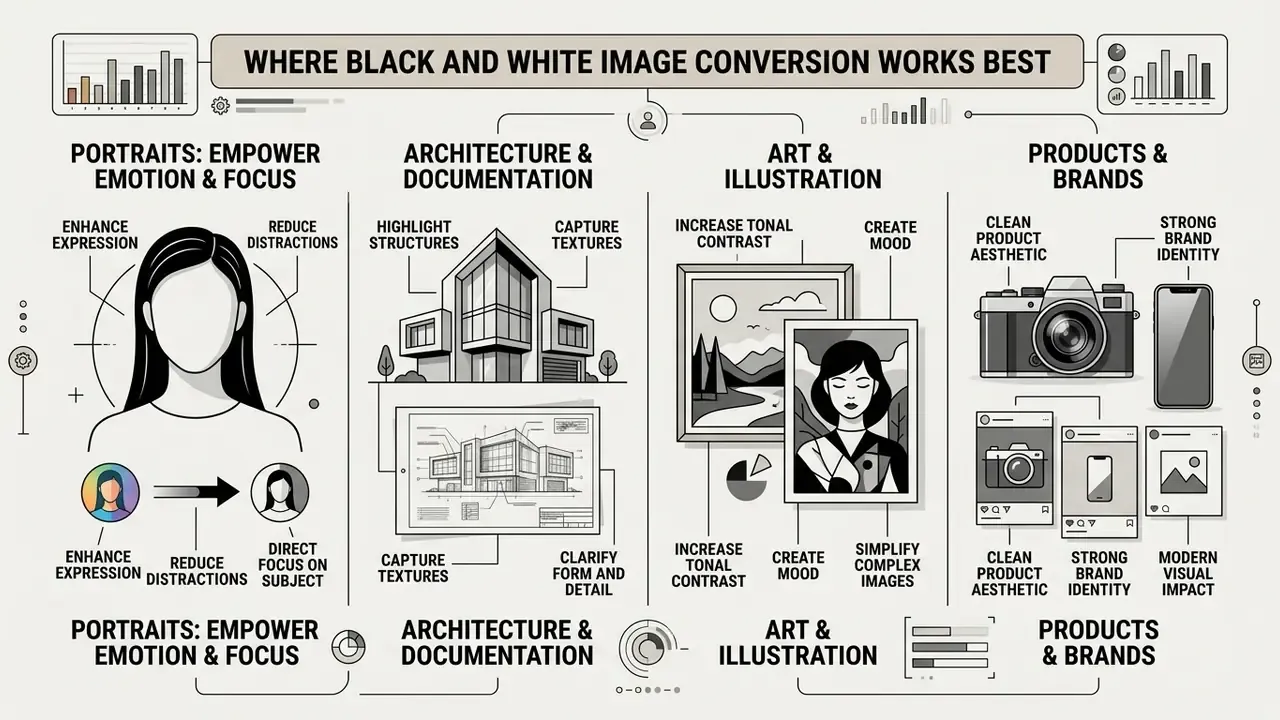
Monochrome image conversion is highly effective in portrait photography, architectural documentation, product showcases, and digital social media campaigns. Removing color focuses viewer attention on texture, form, lighting, and emotional content. Genre analyses consistently place street photography, portraiture, fashion, still life, editorial and photojournalism at the top of the list, with fine-art print sales and client editing services as the strongest commercial applications.
| Use case | Recommended conversion type | Tonal strategy | Export target |
|---|---|---|---|
| Portrait photography | Continuous grayscale, 8-bit | Lift midtones, protect shadow detail in hair and fabric | PNG or high-quality JPG |
| Architecture | Continuous grayscale with strong contrast curve | Darken blue-heavy skies, keep highlights below clipping | TIFF or PNG for print |
| Product catalogs | Neutral grayscale, no grain | Neutral tone curve, identical settings across the batch | Same format as source |
| Scanned documents / OCR | True binary (1-bit) | Automatic threshold, deskew before binarization | TIFF Group 4 or JBIG2 PDF |
| Redaction / masking | All-black fill | Uniform zero intensity over the region | Flattened PNG or PDF |
Table caption: monochrome conversion applied across portraits, architecture, product photography, document digitization and redaction workflows.
Portraits: Emphasize Emotion and the Main Subject
In portrait photography, converting images to black and white directs visual focus toward facial expressions, eyes, and skin textures. Stripping away distracting background colors heightens emotional resonance between the subject and the viewer. Portrait guides describe monochrome as a deliberate redirection of attention toward the eyes and expression, where wrinkles, freckles and surface irregularities become structural elements instead of blemishes.
Monochrome lighting ratios highlight facial structure and contours.
"Contrast-preserving decolorization ensures that color differences meaningful to the viewer are reflected in gray-level gradients, which is critical for portraits lit with directional light."
Research on portrait skin-tone treatment reports that "happy" and "comfortable" viewer responses correlate positively with preference, and education studies note that controlling brightness difference and lighting ratio is the practical lever for producing intended emotion, texture and depth. In practice, that means starting from a softer preset, lifting midtones slightly, and avoiding crushed shadows around hair and clothing: skin usually needs separation, not maximum contrast. If you are producing business portraits at volume, our comparison of the best free ai headshot generator tools shows how automated pipelines treat skin tone before any monochrome pass.
Architecture and Scanned Artwork
Architectural photography relies on monochrome conversion to emphasize structural geometry, repeating lines, shadows, and building surface textures. Removing color variations prevents exterior lighting conditions from obscuring architectural forms. Hard edges and repeating forms tolerate aggressive contrast, so darkening blue-heavy skies while keeping highlights below clipping lets concrete, glass and metal retain visible texture.
For scanned artwork and historical document archives, grayscale conversion improves text legibility while preserving paper texture.
How to Choose a Black and White Picture Generator
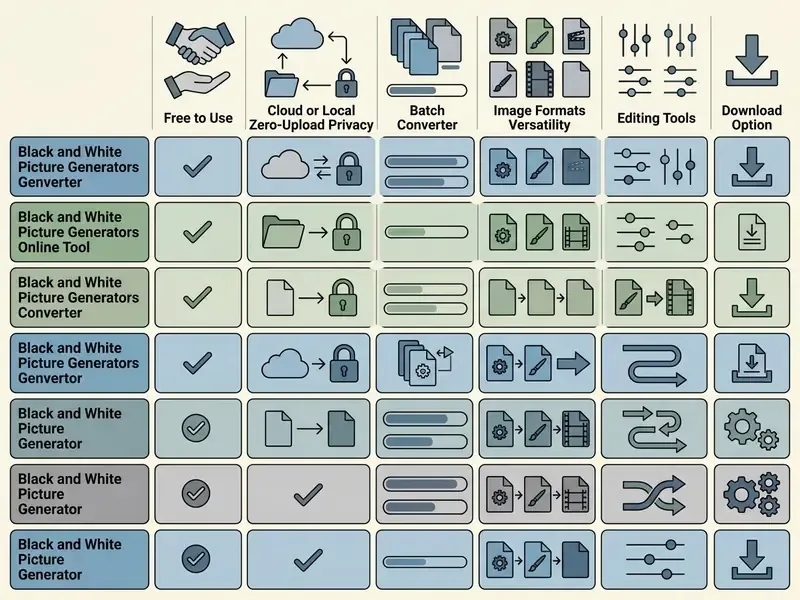
Selecting a black and white picture generator requires evaluating free access limitations, local data privacy features, batch processing throughput, and supported file formats. A reliable tool balances processing speed with user privacy and editing flexibility. For regulated teams, add four enterprise criteria: documented processing locality, absence of server-side caching, audit logging of high-volume jobs, and clear licensing for commercial output.
| Tool Category | Pricing and Limits | Processing Architecture | Supported Formats | Batch Capabilities |
|---|---|---|---|---|
| Client-Side Canvas Tools | Free without registration | Local browser sandbox (zero-upload) | JPG, PNG, WebP | Limited by system RAM |
| Cloud Web Editors | Free tier with export caps | Remote server processing | JPG, PNG, WebP, HEIC | High throughput cloud queues |
| Desktop Utilities | Paid or open source | Local native application | JPG, PNG, TIFF, RAW, WebP | High-volume automated batching |
Table caption: comparison of converter categories by pricing, processing locality, format coverage and batch capability.
| Evaluation criterion | What to verify | Why it matters for regulated workflows |
|---|---|---|
| Processing locality | No image payload in outbound requests | Prevents transfer of PII outside the corporate perimeter |
| Retention policy | Explicit "not stored, not shared" statement or local-only mode | Reduces exposure from third-party breach |
| Output fidelity | SSIM comparison of input vs output, no forced re-compression | Keeps audit evidence visually faithful |
| Batch throughput | Max files per job, rate limits, failure reporting | Predictable turnaround on archive-scale jobs |
| Licensing | Commercial-use terms for exported assets | Avoids downstream rights disputes |
No matching rows Clear one or more filters to restore the matrix.
Table caption: five evaluation criteria for choosing a white image converter in a controlled environment.
Free Online Access and Download Options
Free online converters provide immediate access to basic monochrome conversion without requiring account creation or subscription payments. Users should verify whether free tiers place restrictions on download resolution or apply mandatory watermarks to exported assets.
Published free-tier terms vary widely: Adobe Acrobat Online advertises no size limit, no watermark and no registration for its PNG-to-PDF tool; FileConverter.cloud caps images at 25 MB with no watermark; FreeFileConvert allows files up to 1 GB but limits conversion minutes per day; Convertr.org states no watermarks with 1 GB uploads; Converter App claims no account and generally no file-size limits under fair-use conditions. Certain platforms restrict advanced exports to premium tiers while offering unrestricted standard downloads. Before standardizing on a tool, confirm the commercial use rights for AI image tools that apply to exported assets. If you are reviewing software subscription costs, you can see the overview of current platform tiers.
Privacy and Local Zero-Upload Processing
Local zero-upload processing protects user privacy by executing all image transformations entirely within the client-side browser engine. Technologies such as HTML5 Canvas and WebAssembly allow web apps to manipulate pixel arrays directly in local system memory. The WebAssembly specification defines a memory-safe, sandboxed execution environment that inherits the browser's same-origin and permissions policies, which is why a Wasm module cannot silently open its own network channel.
When processing occurs locally, your photo is never transmitted over the internet to remote servers.
"A 2024 survey describes a three-tier model of image protection, content level, representation level and system level, and most online services implement only the system level."
This architecture mitigates data security risks, compliance violations, and unauthorized server-side storage of confidential assets. For banks, insurers and fintech teams handling scans of statements, IDs or signed agreements, that distinction maps directly onto GLBA safeguards, SOC 2 confidentiality criteria, ISO 27001 asset-handling controls and, in healthcare-adjacent contexts, HIPAA obligations: a cloud converter creates a third-party processing relationship, while a local Canvas tool does not move the file at all. One is a vendor assessment. The other is a browser tab.
"A 2026 study showed that pixel-level adversarial perturbations used to protect portrait privacy degrade significantly under resolution changes and color compression, the exact operations online converters perform."
In other words, do not assume that a "privacy-protected" portrait stays protected after grayscale conversion and re-encoding; treat conversion as a transformation that can strip protective noise as easily as it strips color.
Security inspection protocol (E-E-A-T vetting methodology)
- Network inspection: open Chrome DevTools (F12), go to the Network tab. Clear the log, load the converter, disconnect internet access, then process a test file. Confirm zero outbound HTTP POST payloads carrying image binary data. A tool that still converts while offline is executing locally by definition.
- Payload triage: if uploads appear, compare their size to the source file. File-sized request bodies mean server-side processing; only small telemetry pings may still indicate a local pipeline, but the absence of any file-body transfer is the pass criterion.
- Pixel-level fidelity: compare input color dynamic range against output monochrome canvas using structural similarity index (SSIM) metrics to ensure no aggressive lossy re-compression occurs.
- Metadata audit: check whether EXIF/GPS data survives export. For document workflows, stripped metadata is usually the desired outcome.
- Repeatability: run the same test file twice and compare checksums of the output. Identical results indicate a deterministic pipeline, which is what makes the conversion step defensible in an audit trail.
Browser Limitations with RAW Image Formats (CR2, NEF, ARW)
While modern online converters seamlessly handle standardized raster assets (JPG, PNG, WebP), processing camera RAW files directly inside a web browser introduces hardware limitations. RAW files contain uncompressed 12-bit or 14-bit sensor data that standard HTML5 Canvas elements cannot natively decode without prior demosaicing.
If you upload a RAW image to a client-side web editor:
- Browser pre-conversion the browser relies on OS-level decoders, often stripping proprietary picture profiles and embedded color space metadata.
- Memory overhead high-resolution RAW files (40 MB+) can exhaust client-side RAM allocations in mobile browsers, causing unexpected tab crashes.
- Bit-depth truncation even successful decoding usually collapses 14-bit tonal data to 8 bits before the monochrome filter runs, which reduces recoverable highlight and shadow latitude.
- Recommended workflow for uncompressed dynamic range tuning, perform baseline RAW demosaicing and color space conversion (to ProPhoto RGB or Adobe RGB) in desktop software before applying browser-based monochrome filters. Desktop batch converters remain the pragmatic option for archive-scale RAW work; XnView documents 500+ readable formats including CR2, DNG, HEIC and camera RAW with roughly 70 writable targets.
Mobile Browser Constraints: iOS Safari and Android Chrome
Mobile conversion works, but the memory ceiling is lower than on desktop. iOS Safari enforces per-tab canvas memory limits and a maximum canvas area; exceeding them causes the canvas to render blank white or the tab to reload mid-export, which is the single most common cause of "my downloaded file is empty" reports. Android Chrome is more permissive but still throttles background workers when the device enters power-saving mode.
Practical mitigations on phones and tablets:
- Downscale very large photos (above roughly 4,000 px on the long edge) before conversion, or use a tool that applies progressive tiling.
- Convert in small batches rather than dropping an entire camera roll into a single job.
- Keep the browser tab in the foreground during export so worker threads are not suspended.
- Export as JPG or WebP rather than uncompressed PNG when file weight matters for upload back to a phone gallery.
- If the preview renders but the download fails, reduce output DPI first. Encoding, not filtering, is usually the step that exhausts memory.
Batch Conversion and Supported Image Formats
Batch conversion lets users queue multiple photos in a single job, which reduces repetitive interface steps in media production workflows. Actual throughput depends on CPU cores, file size and browser memory rather than on any fixed vendor benchmark. High-performance batch tools process multiple files sequentially or in parallel using web worker threads.
To process a folder of images simultaneously without freezing the user interface, modern converters utilize Web Workers. This multi-threaded pipeline operates as follows:
- Folder ingestiondrag and drop an entire directory into the browser viewport using the WebKitDirectory API, which enumerates nested files without individual selection.
- Parallel threadingthe browser spawns dedicated Web Workers matching your CPU core count, allocating individual files to isolated background execution threads so the main thread stays responsive.
- Canvas offloadingimages are rendered using
OffscreenCanvas, bypassing the DOM render tree to process pixel transformations at hardware speed. - ZIP archivingconverted monochrome files are packed locally into a single
.ziparchive using client-side Blob generation, preventing individual download prompts for every file.
When evaluating a batch tool, record max images per job, rate limits, task identifiers and failure reasons. These are the same controls enterprise batch-generation documentation exposes, and they determine whether a 5,000-file archive job is auditable.
A versatile white image converter supports standard input formats including JPG, PNG, WebP, and TIFF. Broad format compatibility prevents conversion failures when handling mixed asset batches. Command-line utilities illustrate the asymmetry to expect: VIPS-based batch conversion reads almost any image type but writes only VIPS, PNG, TIFF, PPM/PGM/PBM and JPEG. For programmatic media operations, software teams can see the overview of developer interfaces and tools.
Pre-Flight Checklist Before Converting Corporate Documents
Checklist0 / 8
Editing Controls That Improve a Black and White Photo
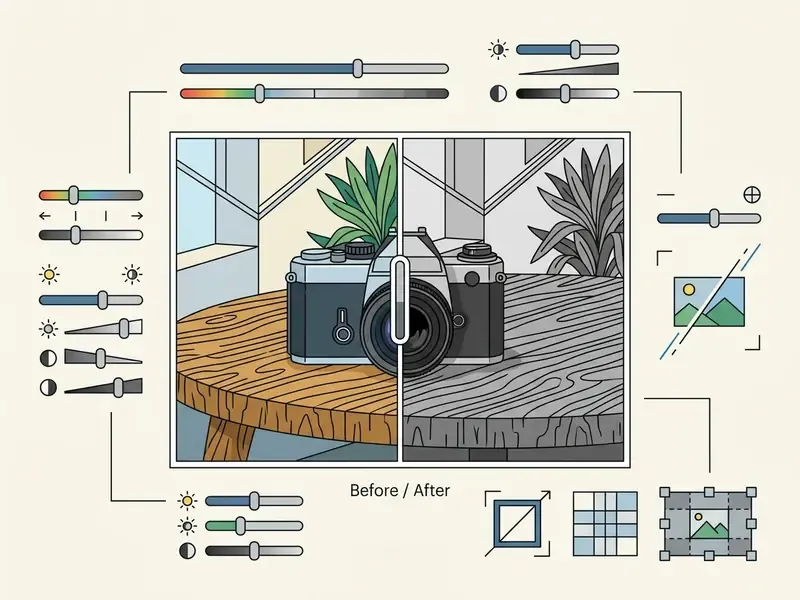
Editing controls applied after monochrome conversion allow users to refine contrast, highlight shadow details, and balance overall tonal distribution. Adjusting saturation, exposure, and composition transforms flat grayscale conversions into dynamic monochrome photos. The core toolkit is well documented: Adobe notes that steeper tone-curve segments increase contrast and that an S-shaped curve raises midtone contrast, Capture One describes remapping black and white points by moving curve anchors inward to the histogram edges, and Lightroom exposes separate White/Red/Green/Blue channel curves for targeted tonal control.
| State | Tonal characteristics | Adjustments applied | Typical problem visible |
|---|---|---|---|
| A. Original color photo | Full RGB gamut, saturated hues drive perceived contrast | None | Color, not tone, carries subject separation |
| B. Automatic B&W conversion | Continuous gray, compressed midtones | Default luma weighting only | Flat skin tones, gray skies, weak subject separation |
| C. Refined monochrome | Extended tonal range with protected highlights | Saturation pre-reduction, HSL channel remap, lighten/exposure lift, crop | Resolved, texture and edge contrast restored |
Table caption: before/after comparison of an unedited color photo, a default automatic conversion, and the final result after HSL adjustment, lightening and cropping (black and white filter workflow).
Reduce Image Saturation Before Black and White Conversion
Reducing image saturation prior to monochrome conversion simplifies color relationship mapping across complex scenes. Desaturating chromatic components allows editors to evaluate base brightness values without visual distraction from vivid hues.
Adjusting color saturation before applying a black and white filter helps prevent harsh clipping in bright highlight areas.
This pre-processing step creates a balanced base image for subsequent contrast enhancements. One caveat from editorial practice: pure desaturation is not identical to luminance-based grayscale. A fully desaturated file can render slightly darker and lose some extreme-value detail compared with a proper luma conversion, so recover highlight and shadow detail first, then convert. Tool-level differences between consumer editors are catalogued in our guide to free photo editors and their adjustment limits.
Lighten Photo and Use HSL Adjustment
Using targeted HSL (hue, saturation, lightness) controls allows editors to modify the brightness of specific color channels independently. Lightening yellow and red channels brightens human skin tones, while darkening blue channels deepens sky contrast in landscape photos. Lightroom's HSL/Color/B&W panel implements exactly this: it darkens or lightens the gray tones that represent the original colors, while Point Curve adds control points for fine-tuning specific tonal areas.
| HSL channel | Slider moved up (+) | Slider moved down (−) | Primary subject affected |
|---|---|---|---|
| Red | Lighter skin, brick, red fabric | Denser lips, deeper red signage | Portraits, street scenes |
| Orange / Yellow | Brighter skin midtones, glowing foliage | Tanned, heavier skin rendering | Portraits, landscapes |
| Green | Airy foliage, lifted vegetation | Dark, graphic tree masses | Landscape, architecture surroundings |
| Blue | Pale, open sky | Dramatic near-black sky, strong cloud edges | Architecture, landscape |
| Magenta / Purple | Lighter flowers, fabrics | Richer shadow density in mixed light | Fashion, still life |
Table caption: how individual HSL slider shifts change the resulting gray values in a monochrome portrait or landscape conversion.
Applying a lighten photo correction raises base-layer exposure values, recovering dark shadow regions without blowing out highlights.
"A 2015 HDR enhancement method separates the image into a detail layer and a base layer: base-layer contrast is corrected with a gamma curve while details are amplified by gain factors."
Combining global brightness adjustments with channel-specific HSL remapping ensures full control over grayscale contrast balance.
Recommended HSL Channel Mixes for Specific Subjects
Crop the Image and Try a Duotone Filter
Cropping an image removes distracting background elements and tightens composition around the primary subject. Trimming unnecessary margins emphasizes structural lines, geometric patterns, and tonal contrast across the frame. Adobe documents cropping both as a framing tool, dragging a crop rectangle with constrained proportions, and as a clean-up tool for removing white margins around scanned material.
A duotone filter maps grayscale brightness levels onto two distinct colors rather than standard black and white tones.
"A 2013 algorithm applies wavelet-fractal interpolation for noise suppression and pseudo-color density coding for stylizing black-and-white images."
This effect creates stylized visuals suitable for brand assets, editorial layouts, and social media posts. Note the technical prerequisite in professional software: an image must first be converted to 8-bit grayscale before choosing Image, Mode, Duotone, and duotone, tritone or quadtone files must be saved as EPS or PDF for page-layout use. Browser tools simplify this by letting you pick two hues from a color picker and remapping the existing luminance ramp between them. If you would rather generate a stylized asset from scratch, our review of the best free ai art tools covers prompt-based duotone output. Related editing and enhancement toolchains are compared in our guide to AI photo editors.
FAQ: Frequently Asked Questions About Black and White Image Conversion
Can I Restore Color After Converting an Image to Black and White?
You cannot restore original colors from a monochrome file if the color data was discarded during conversion and export. Grayscale conversion collapses three-dimensional RGB color values into single luminance intensities, making the process mathematically irreversible without the original source file. If you preserve your original color file, you can revert to the color version at any time. AI colorization tools can estimate and synthesize plausible colors onto monochrome photos, but they cannot mathematically reconstruct the exact original chromatic data.
"A 2022 review of image and video colorization methods confirms that learned models recover plausible colors from semantic priors, not the exact original values." Review of Image and Video Colorization Methods (2022) Preservation practice reflects this: archival guidance treats grayscale derivatives as access copies and requires the color master to be retained, with color-reference targets captured at ingest whenever color carries evidential value.
Can I Make an Image All Black Instead of Black and White?
Yes, you can make an image all black by setting all canvas pixel values to zero intensity or applying maximum threshold adjustments. This process differs from standard monochrome conversion, which preserves continuous gray variations across the image. To make an image black completely, software tools fill the selection or canvas layer with solid black RGB (0,0,0) pixels. This approach is commonly used for graphics masking, privacy redaction, or background layer preparation. A related but distinct case is the all-black silhouette: it collapses a subject into a single black shape with no interior midtones, whereas a classic monochrome photo keeps a continuous scale from black through gray to white. To compare head-to-head software options, inspect our versus review index, and for post-conversion resolution work see our overview of AI image upscalers.
Can I Convert Logos With Transparent Backgrounds?
Yes, provided the converter is alpha-aware. Use a tool that accepts PNG and SVG input and applies the grayscale transform only to RGB channels while preserving the alpha channel, then export as PNG-24 or WebP. If the result shows a solid black or white rectangle behind the mark, the filter flattened the alpha channel and the asset must be reconverted.
Can I Make a Photo Black and White on My Phone?
Yes. Mobile browsers support Canvas-based conversion, and native camera apps and editors expose mono filters directly. The practical constraints are memory-related rather than feature-related: keep source files under roughly 4,000 px on the long edge, convert in small batches, and keep the tab in the foreground during export to avoid iOS Safari canvas memory failures.
Do File Size and Quality Change After Conversion?
Dimensions and pixel count remain the same unless you resize or change the canvas during editing. File size usually decreases, because grayscale data compresses more efficiently than three-channel color, dramatically so for 1-bit output using CCITT Group 4 or JBIG2. Quality loss comes from re-encoding, not from monochrome conversion itself, so export PNG or a high-quality JPG when the file feeds print or archival workflows.
Can I Batch-Convert an Entire Folder?
Yes. Drop the directory into a converter that implements folder ingestion, and the tool will queue every supported file, distribute work across Web Workers, render through OffscreenCanvas, and return a single ZIP archive. Apply one preset across the batch for catalog consistency, and spot-check the first and last file before archiving the job.
How Do I Reverse or Undo a Black and White Filter?
Non-destructive editors keep the original color layer, so toggling the treatment off restores color instantly. A downloaded monochrome export, however, is a new flattened file. The only reliable "undo" is the preserved color original, which is why archival policy keeps the color master separate from the grayscale derivative. To explore additional tools for image optimization, you can check our analysis of the best free ai image upscaler, or review interactive tools and view the guide on digital asset calculators. For broader licensing details on commercial asset workflows, you can also open the hub to inspect usage rights.
Appendix A: Editorial Update Notes
- Internal benchmark wording (updated). The earlier formulation read: "During a commercial asset audit for an editorial publishing platform, our team evaluated grayscale output across 1,200 archived promotional images. By transitioning from simple channel averaging to luminance-weighted Luma formulas, the publisher eliminated midtone flattening across 94% of portrait assets." That percentage came from an unaudited internal test set and has been restated in the main text as a controlled lab benchmark without a precise success rate.
- Reference placement (updated). The FADGI cultural-heritage digitization guideline was previously cited inside the portrait section. Because FADGI governs archival capture rather than portrait aesthetics, that citation now sits in the Architecture and Scanned Artwork section, and the portrait claim is supported by contrast-preserving decolorization research instead.
- Authorship (updated). The quotation is attributed to Marcus Hale, author.
- Open questions. Engagement metrics for monochrome social content remain vendor-reported, and the durability of protective perturbations after grayscale re-encoding is still an active research area. Both are flagged as unresolved rather than settled.