Choosing an unauthenticated generative tool is a small governance decision disguised as a convenience decision. You are balancing operational immediacy against data security, model alignment, and output fidelity. For risk teams, marketing operations, and creative leads, the evaluation of no-registration image creation platforms usually comes down to two things: transparent rate limits and unambiguous licensing terms.
Why does that matter inside a bank or a mature fintech? Because a designer who pastes an unreleased product name into an anonymous prompt box has just created an unlogged third-party data transfer. That is shadow AI, in miniature.
Key Takeaways for Risk, Marketing, and Creative Leads
- True anonymity is rare.Only a subset of tools (Perchance, Craiyon, Raphael AI basic mode) genuinely run without email, password, or card collection. Everything else offers a guest preview before a forced-registration gate, a pattern increasingly scrutinized under the FTC's forced-enrollment guidance and Article 25 of the EU Digital Services Act.
- "Unlimited" almost never means unlimited.Free tiers are throttled by IP-based rate limiters, CAPTCHA gates, ad-queue delays, resolution caps (typically 1024×1024 or 1024×768), and modality-specific quotas.
- Commercial rights split by vendor, not by industry norm.Raphael AI and EzMaker AI restrict free or guest output to personal, non-commercial use. NightCafe permits commercial use when input references are cleared. Never assume a default licence.
- Guest is not the same as private.Servers still log IP addresses, session metadata, and prompt text. Privacy-forward platforms document automated purges within 24 hours of session termination; most document nothing. Never paste proprietary data, PII, or unreleased brand assets into an anonymous form.
- Free tiers are drafting tools.Guest-grade models are optimized for latency, not for 4K output, precise text rendering, or brand-consistent series work. Use them for ideation, then move final production into authenticated or licensed pipelines.
How We Choose the Best Free AI Image Generator Without Login
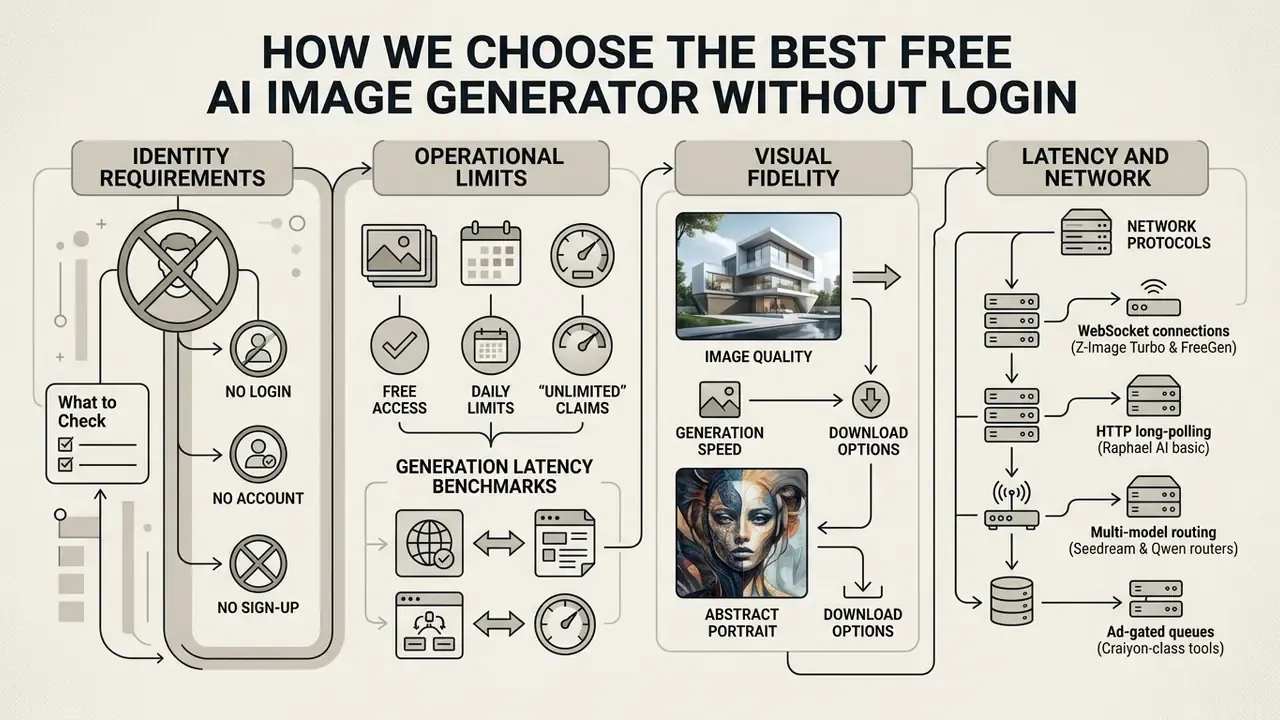
Assessing a free AI image generator without login starts with four measurable axes: identity requirements, operational limits, visual fidelity, and latency. Institutional teams also need proof that anonymous interfaces do not quietly harvest prompt metadata or spring a paywall after the compute has already been spent.
Zero-authentication flows are then inspected for session persistence, telemetry collection, and exposed model parameters. Together, these criteria let organizations pick tools that balance immediate usability with basic technical governance. Independent evaluation work adds a warning worth repeating to any team dreaming of automation:
"None of the tested generators was found ready for large-scale autonomous use without human oversight."
No evidence, no autonomy. That principle applies to image pipelines as much as to credit models.
You can view the guide for broader tool benchmarks across enterprise and consumer categories, or compare the wider market of best AI image generators before narrowing to guest-only options.
No Login, No Account, and No Sign-Up: What to Check
Verifying no-login capability means confirming the platform runs without an account, an email prompt, or credit card collection. Technical teams should separate genuine guest sessions from dark patterns that nudge users into handing over identity data anyway.
Under standards set by the Federal Trade Commission (FTC, 2021) and the EU Digital Services Act (DSA, 2024), forced registration flows and manipulative interface patterns attract growing scrutiny. India's 2023 Guidelines for Prevention and Regulation of Dark Patterns similarly classify coerced account creation as a "forced action" violation. A true ai generator no log in processes requests statelessly, using temporary session tokens rather than persistent user IDs. Risk assessments must also confirm that the interface is not logging IP addresses next to proprietary prompt text or uploaded files.
Three terms get conflated constantly, and the distinction has legal weight:
| Term | Technical meaning | Failure signal to look for |
|---|---|---|
| No login | No authentication gate before generation | Password wall appears at download |
| No account | No persistent user identity is created | Email request "to send your image" |
| No sign-up | No registration flow exists at all | Card binding for a "free trial" |
A quick field test: search for the phrase "no login required" in the interface, then check whether it survives contact with the download button.
Free Access, Daily Limits, and "Unlimited" Claims
Unrestricted access claims in free AI image tools usually conceal infrastructure controls, bandwidth throttling, or reduced queue priority. Platforms advertising an ai generator free no signup experience almost always enforce backend rate limits tied to IP addresses or temporary browser cookies.
Operational testing shows that promises of an ai art generator free no sign up unlimited service, or an ai generator no sign up no restrictions, still bend to compute economics. Systems introduce queue delays, downgrade GPU priority, or cap specific modalities when traffic spikes. OpenAI, for example, documents distinct rate ceilings across modalities: its ChatGPT free tier advertises unlimited everyday text chats while applying separate limits to image generation, uploads, and voice. Comparable patterns recur across the category: 3 images per day, 15 boosts per day, 25 credits per month, or "unlimited basic mode with queue." Unauthenticated endpoints lean on traffic shaping to blunt repetitive automated queries, which is also why an ai art generator no sign up no limit claim rarely survives a scripted stress test.
Image Quality, Generation Speed, and Download Options
Output fidelity and latency depend on parameter configuration, base model architecture, and export compression. Delivering high quality images at lightning fast speeds forces a trade-off between diffusion steps and server-side compute.
Perceptual quality research is now backed by large-scale subjective datasets rather than vendor marketing:
"The AIGIQA-20K database contains 20,000 images and 420,000 subjective ratings collected from 21 participants across 15 generative models."
Human scores in that dataset correlate strongly with resolution, prompt alignment, and structural artifact reduction. Those are precisely the three variables free tiers compress hardest. Free web interfaces usually default to compressed JPEG exports at 1024×1024 or 1024×768 to keep transfers quick; JPEG also returns faster than PNG, which explains why guest tiers rarely default to lossless output. High-resolution exports or lossless PNG generally require a paid tier or a built-in upscaling module. Documented parameter ceilings give useful reference points: recommended generation sizes cluster at 1024×1024, 1536×1024, and 1024×1536, with total pixel budgets bounded roughly between 655,360 and 8,294,400 pixels.
Network Protocols and Generation Latency Benchmarks
Free no-login tools use different transport architectures, and the network layer explains most of the perceived speed gap:

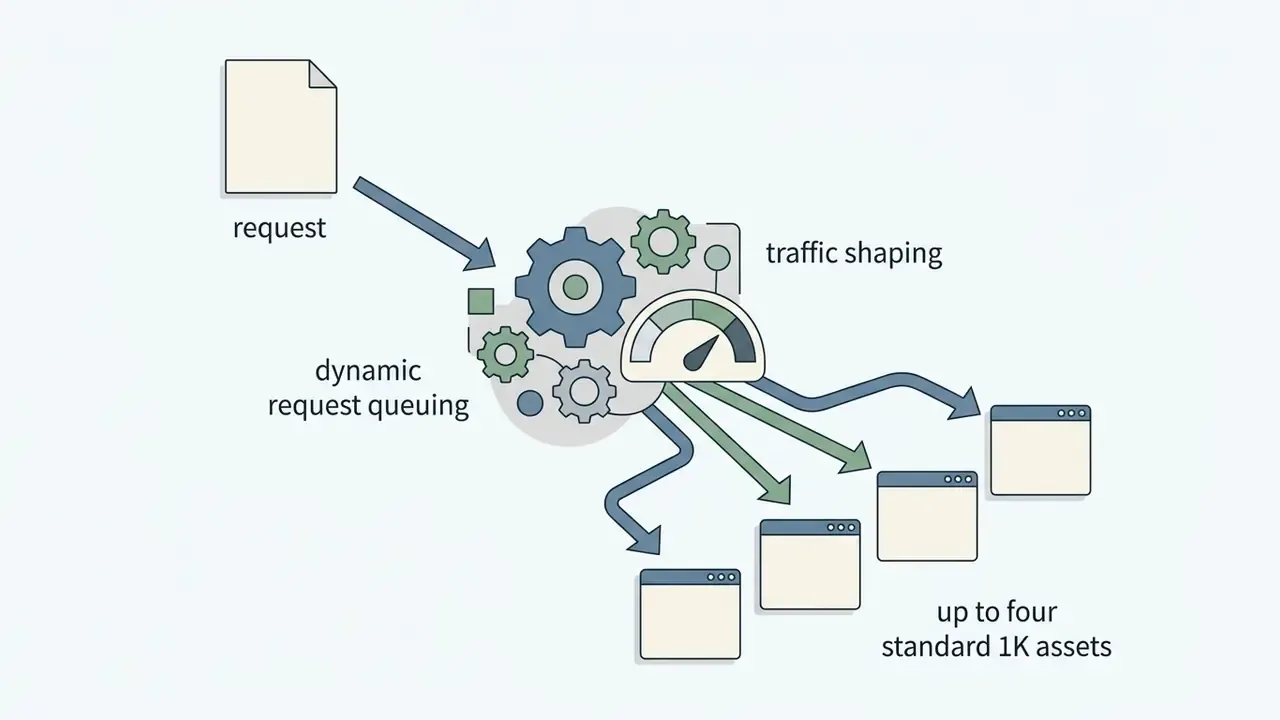
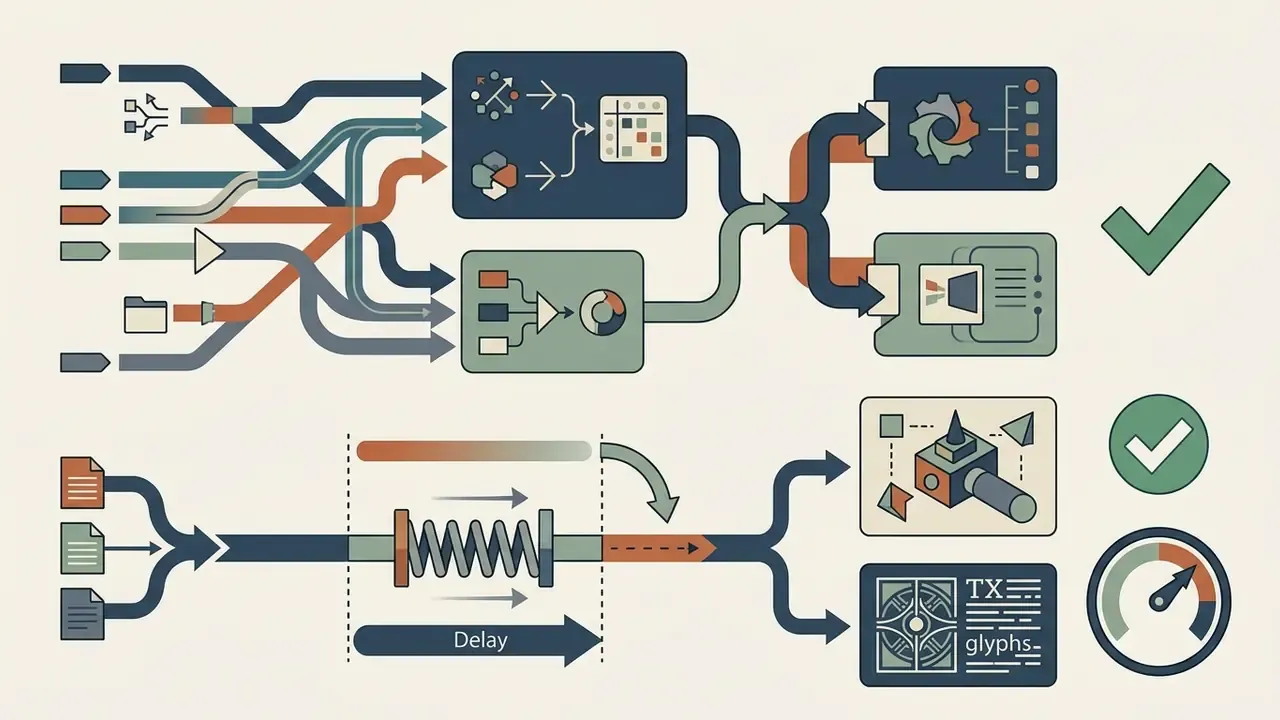
What "Free Without Login" Really Means
An ai generator free no signup product rests on specific infrastructure trade-offs: ad monetization, compute throttling, or feature gating. Organizations should understand those constraints before comparing individual products, because every row in the table further down is a downstream consequence of them.
Free access tiers function as introductory endpoints into larger model ecosystems. To evaluate alternative platforms, open the hub for detailed service reviews, or benchmark the wider field of free AI image generators with extended context on caps and licensing.
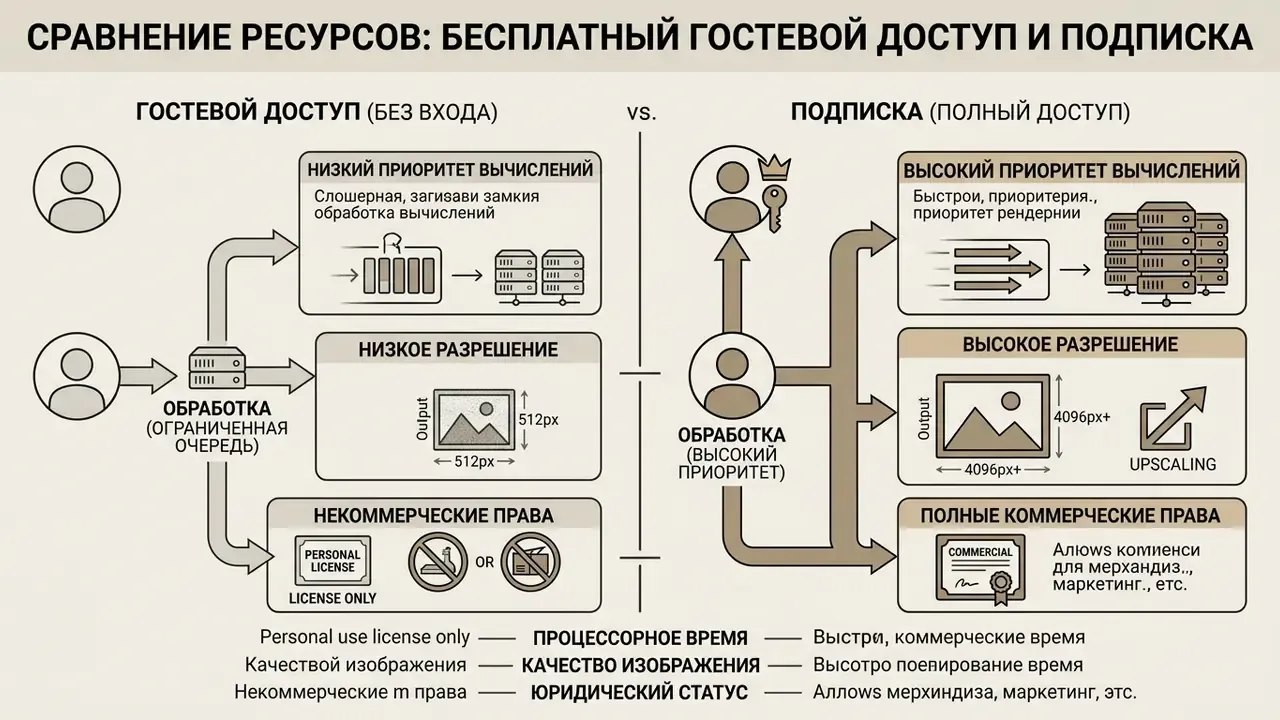
Restrictions That May Appear After You Click Generate
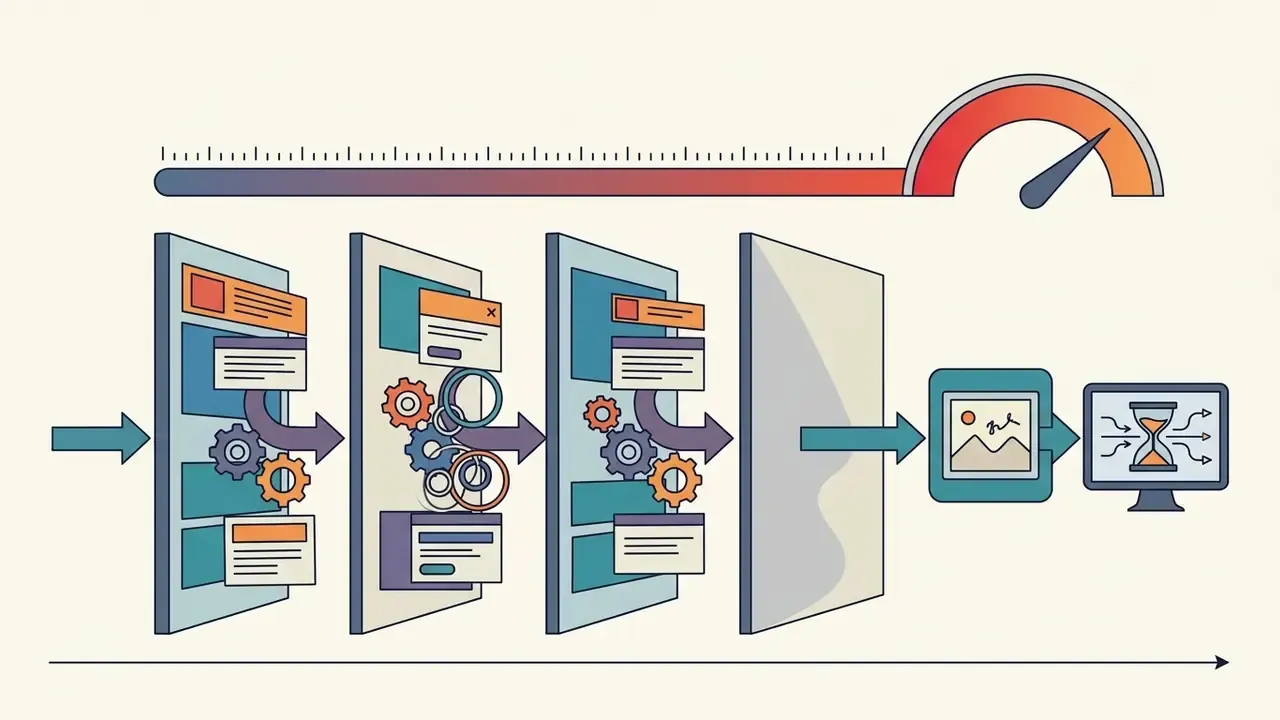
When you click generate on an anonymous tool, several technical gates may fire, most of them designed to stop scraping and abuse. Common friction points include CAPTCHA challenges, artificial queue delays, and resolution throttling.
Policy-based moderation layers are measurable, not theoretical:
"Moderator prevented 65% of users from generating prohibited content within 15 attempts; the remaining users required 8.3× more attempts."
Alongside policy filters, platforms deploy CAPTCHAs and rate limiters against bot traffic. Accessibility standards (WCAG 2.1) require alternative CAPTCHA formats, and not every guest interface provides one. Free tools may also apply silent safety filtering or quietly downscale guest output. Once operational thresholds are crossed, the interface may show a login required prompt before releasing higher-resolution downloads. Ad-supported tools add one more dependency: block the monetization script, and GPU execution can stall until ads are allowed again.
Comparison of Free AI Image Generators That Work Without Login
| Feature / Criteria | Raphael AI | EzMaker AI | NightCafe | Perchance | Craiyon |
|---|---|---|---|---|---|
| Authentication Requirement | No email / No login | No email / No login | No email required for basic generation | No login / Fully anonymous | No login required |
| Free Access Limits | Unlimited basic generations (queued) | Free basic photo edits | Daily credit allowance (approx. 5/day guest) | Unlimited generations | Unlimited (ad-supported) |
| Base AI Models | Nano Banana 2, Seedream, Qwen-Image (multi-model routing) | Proprietary photo editor stack | Stable Diffusion 1.5, DreamShaper v8 | Open diffusion models | Proprietary Craiyon model |
| Max Export Resolution | 1K (Free basic) / up to 4K (Paid tier) | Standard web resolution | 1024×1024 (upscaling requires credits) | Standard model resolution | Standard web resolution |
| Typical Guest Output Size | 1024×1024 | 1024×1024 | 1024×1024 | 1024×1024 | 1024×768 / square presets |
| Batch Output (Per Click) | 1 to 4 variations | 4 to 8 variations | 1 to 4 variations | 1 variation | 1 variation |
| Reference Image Support | Supported on select models | Upload for photo editing | Supported via composition tools | Supported via style inputs | Limited / prompt-based |
| Aspect Ratio Options | Multiple presets (1:1, 16:9, 9:16) | Standard crop presets | Multiple visual ratios | Flexible user controls | Standard square / predefined |
| Generation Speed | ~8 s (basic model) / 15 to 25 s (routed premium models) | Fast processing | Medium (queue dependent) | Fast generation | Slower (ad queue delay) |
| Guest Data Retention | Guest requests processed temporarily; history requires sign-in | Vendor states guest history is purged within 24 hours | No stored history without an account | No persistent history | Ad/analytics telemetry; no guest history |
| Watermark Status | Watermarked on free tier | Unwatermarked basic edits | Watermark-free downloads | Watermark-free | Watermarked on free tier |
| Commercial Rights | Non-commercial on free tier | Personal use only | Allowed (if input assets are cleared) | Personal / open use | Non-commercial (free tier) |
One caveat on this table. Guest tiers change without notice and without changelogs, so treat every cell as a snapshot, not a contract.
Best Tools for Text-to-Image Generation
Text-to-image synthesis depends on language understanding that can translate messy text descriptions into precise visual composition. Tools accepting a simple text prompt differ sharply in how faithfully they render digital art, concept art, and detailed subject relationships.
"DialPrompt was trained on 70,000 expert-user prompts and identified 15 key dimensions of a high-quality request, including style, lighting, camera angle and composition, improving user satisfaction ratings by 46.5%."
Craiyon and Perchance render directly in the browser from raw text inputs, though precision improves when users specify contextual parameters. Craiyon exposes a fixed style set (artistic, photo, anime, illustration, vector, raw), while Perchance leaves stylistic control almost entirely to the prompt. Platforms with advanced model routing handle text descriptions more reliably across varied artistic styles. Readers verifying usage rights can review no-sign-up AI image generators and their licence boundaries in detail.
Tools with Reference Images and AI Image Editing
Feeding reference images into a generative workflow lets you steer style, layout, and subject composition. Platforms with an integrated ai image editor, background remover, or outpainting engine allow rapid visual adjustments without external design software. Those capabilities are compared in depth in our overview of AI photo editors.
In one asset-creation test, an editorial team needed product mockups with transparent backgrounds and no appetite for enterprise trial sign-ups. The team used an unauthenticated browser editor with a background remover to isolate subjects and apply generative fills, cutting production time from hours to under four minutes. Nothing confidential went into the uploads, which was the condition for approval. Unauthenticated tools supporting image-to-image inputs rely on control-net adapters or visual-aware feature mapping to hold layout consistency across iterations.
"ConsiStory preserves subject consistency without any model fine-tuning and runs roughly 20× faster than previous personalization methods."
Order of operations matters more than most guides admit. Upload or drag the reference first, confirm the thumbnail has registered, then write the prompt, set output options, and only then generate.
Which Generators Offer the Best Free Downloads
Export conditions decide whether a visual can enter a production pipeline or a client presentation at all. Choosing an ai image creator free without login means verifying that downloads arrive with usable pixel density and without obstructive watermarks.
Platforms differ in resolution ceilings and post-processing tools. Pixelcut and fal.ai advertise unwatermarked high-resolution exports, with claims ranging from 4× enlargement to 4K, 8K, or 16K ceilings, while standard free tiers usually output at 1024×1024 or 1024×768. Built-in upscalers use flow-matching algorithms or super-resolution modules to push density to 2K or 4K without obvious artifacts; a comparison of dedicated AI image upscalers helps match the scaling factor to the output medium. You can also open the hub to evaluate pricing structures for dedicated enterprise upscaling capacity.
Choose an AI Image Generator by Your Creative Goal
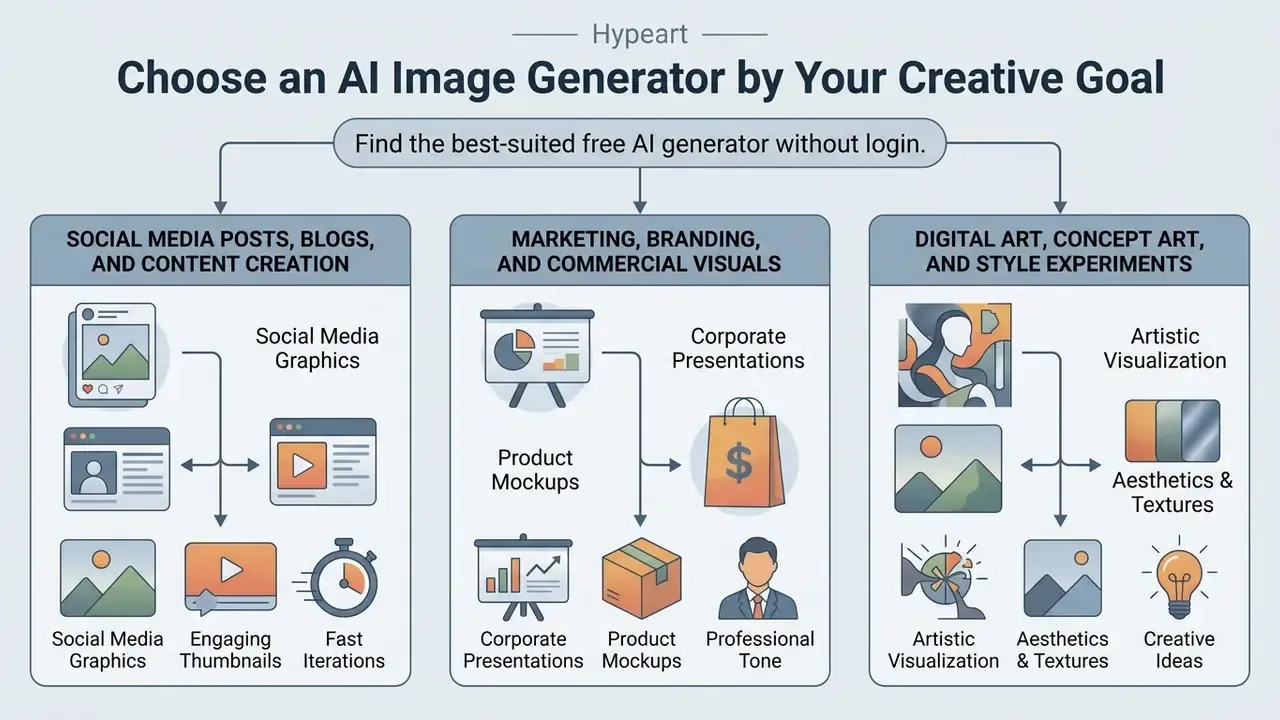
Tool selection follows the use case: social media graphics, corporate marketing, or artistic conceptualization each stress different model strengths. Matching those strengths to the goal is what actually improves visual quality, and readers weighing zero-cost options can compare free AI art generators against paid alternatives before committing to a workflow.
Different production goals demand different balances between style flexibility, generation speed, and licensing safety. For campaigns that also need motion, top ai video tools, the broader field of best AI video generators, and a video maker online with music and effects free can be evaluated alongside static image solutions.
Marketing, Branding, and Commercial Visuals
Putting AI graphics into marketing and corporate branding demands visual consistency, professional quality, and verified IP compliance. Campaign visuals must respect brand guidelines and statutory transparency duties at the same time.
"Fully AI-generated advertisements increased click-through rates by up to 19%, yet explicitly disclosing AI provenance reduced consumer engagement by 31.5%."
Digital Art, Concept Art, and Style Experiments
Concept artists use generative tools to explore digital art, lighting variations, and stylistic themes at speed. Multi-style support lets creative teams test visual directions before committing hours to manual rendering.
"A systematic study of Midjourney identified the phenomenon of 'default images', recurring motifs that emerge when prompts are insufficiently detailed."
Broader diffusion research confirms that these models support style synthesis, style transfer, and rapid ideation, with 2025 and 2026 work adding semantic and style-prompting guidance for finer control. Under-specified prompts, however, drift straight back toward those default motifs and flatten creative diversity. Detailed text prompts are the only reliable way to break model bias and create stunning images that do not look like everyone else's. You can read more about ai art and design tools, or compare the best AI art generators to evaluate specialized creative platforms.
How To Generate AI Images Without Creating an Account
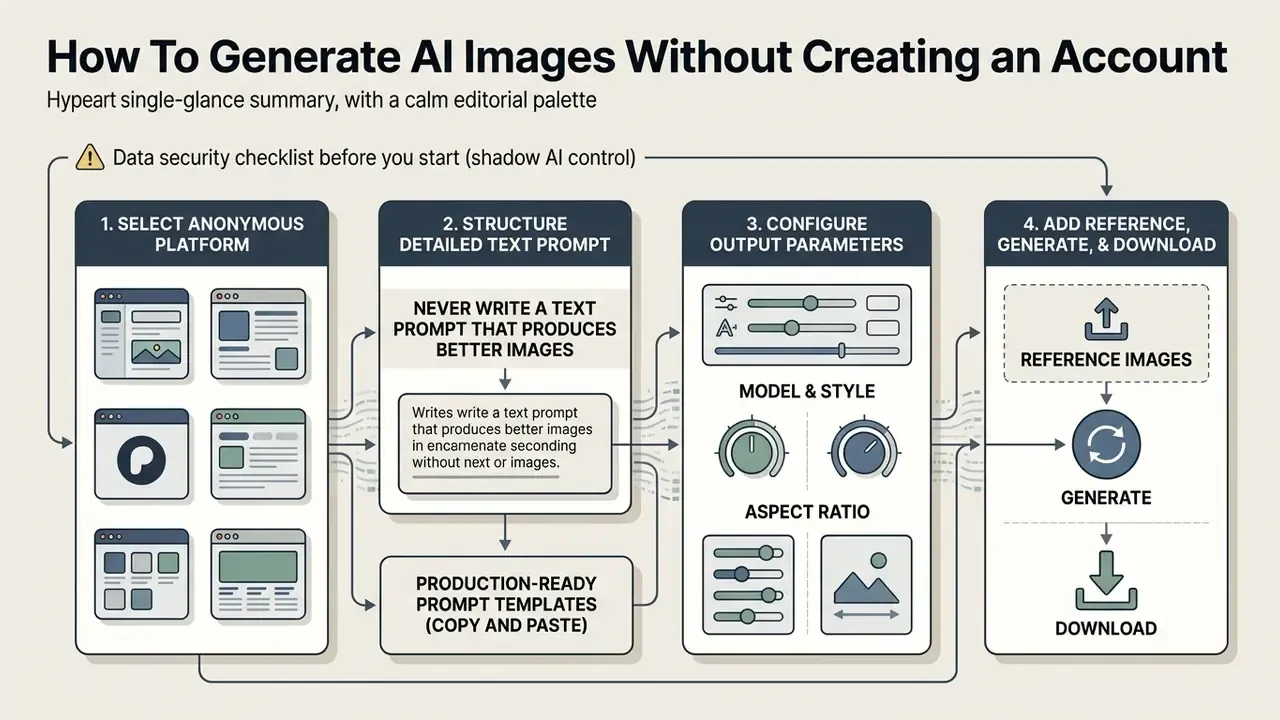
Generating usable visuals without an account follows a systematic workflow: pick an anonymous platform, structure a detailed text prompt, configure output parameters, review, then download. A structured process improves fidelity and cuts retry iterations, which is where guest tiers waste the most time.
⚠️ Data security checklist before you start (shadow AI control):
Write a Text Prompt That Produces Better Images
An effective text prompt is structured natural language covering subject matter, environmental context, visual style, and composition. Well-built text descriptions are what separate a usable draft from generic filler.
OpenAI's published image prompting guidance (developers.openai.com) recommends a consistent logical sequence: background and scene context, then primary subject, then specific visual details, then technical constraints. It also advises stating the intended use (ad, UI mock, infographic) plus output needs such as transparent background or file format. Google's Vertex AI image prompt documentation compresses the same idea into three parts: subject, context, style.
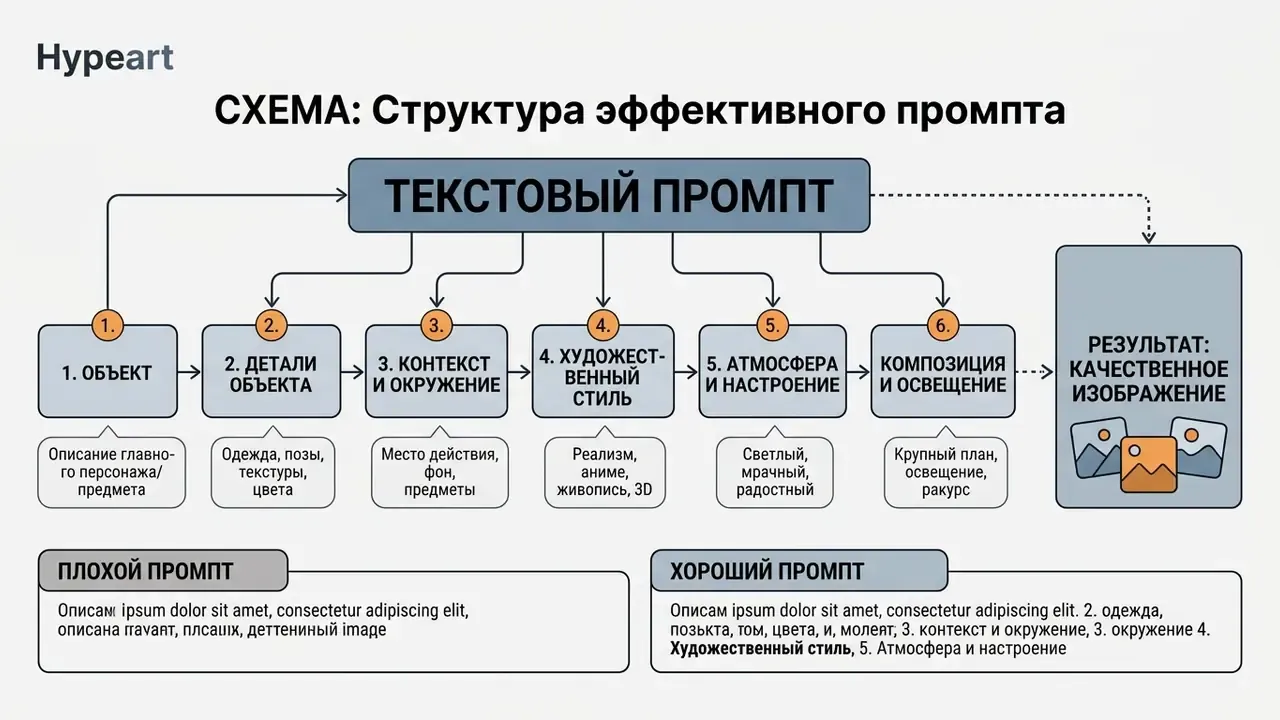
Camera angles, lighting conditions such as "volumetric side lighting", and material textures do far more work than a vague "photorealistic" tag.
"Participants could evaluate and compose descriptive prompts but lacked the stylistic vocabulary required for professional-grade results."
"UF-FGTG automatically converts short user queries into detailed prompts, improving image quality by an average of 5% across six metrics." — UF-FGTG: User-Friendly Fine-Grained Text Generation for Text-to-Image Synthesis (2024). https://arxiv.org
Production-Ready Prompt Templates (Copy and Paste)
| Style Target | Exact Prompt Formula | Expected Output Specs |
|---|---|---|
| Photorealistic product | Studio product shot of a matte black water bottle, volumetric side lighting, 85mm lens f/1.8, soft shadows, neutral beige backdrop, 8k resolution | Crisp edges, no background bleed |
| Digital concept art | Isometric cyberpunk city street at night, neon blue and magenta illumination, rain-slicked reflections, detailed architecture, octane render style | High atmospheric contrast |
| Vector illustration | Flat vector illustration of a developer working at a minimalist desk, pastel colour palette, clean lines, isolated on white background, corporate design style | Transparent-ready asset |
| Natural-light lifestyle | A fluffy seal-point cat resting in a sunlit meadow of vivid green grass, golden-hour backlight, shallow depth of field, 50mm documentary photography | Soft bokeh, realistic fur detail |
| Editorial blog header | Wide cinematic shot of an empty modern newsroom at dawn, cool blue ambient light, long shadows, 16:9 composition with clear copy space on the left third | Text-safe negative space |
| Brand social tile | Minimalist 1:1 social tile, single ceramic coffee cup centred on a terracotta surface, top-down flat lay, diffuse studio light, muted earth-tone palette | Square crop, consistent palette |
Select a Model, Style, and Aspect Ratio
Configuring parameters before execution sets the visual boundaries and canvas dimensions of the asset. Modern platforms let you select ai models, visual styles, and aspect ratios in that order, since supported ratios and styles depend on the chosen model. Leave the ratio blank and the model will infer one from your prompt, usually a square.
| Target Format | Recommended Aspect Ratio | Primary Use Case |
|---|---|---|
| Square | 1:1 | Feed posts, profile avatars, general icons |
| Landscape | 16:9 | Website banners, desktop wallpapers, video thumbnails |
| Portrait / Mobile | 9:16 or 3:4 | Mobile stories, Pinterest pins, vertical ads |
| Media / Print | 4:3 | Presentation slides, editorial articles |
Add Reference Images, Generate, and Download
Adding reference images to an anonymous workflow gives the diffusion engine structural or stylistic guidance it cannot infer from text alone. Source uploads help hold layout composition or character traits across iterations.
Once prompt and parameters are set, click generate to start synthesis. Before saving, inspect the image at full scale for edge sharpness, facial symmetry, and colour accuracy. Unauthenticated sessions store no generation history, so download immediately. Close the tab first and the asset is simply gone.
Improve Quality and Consistency of AI-Generated Images
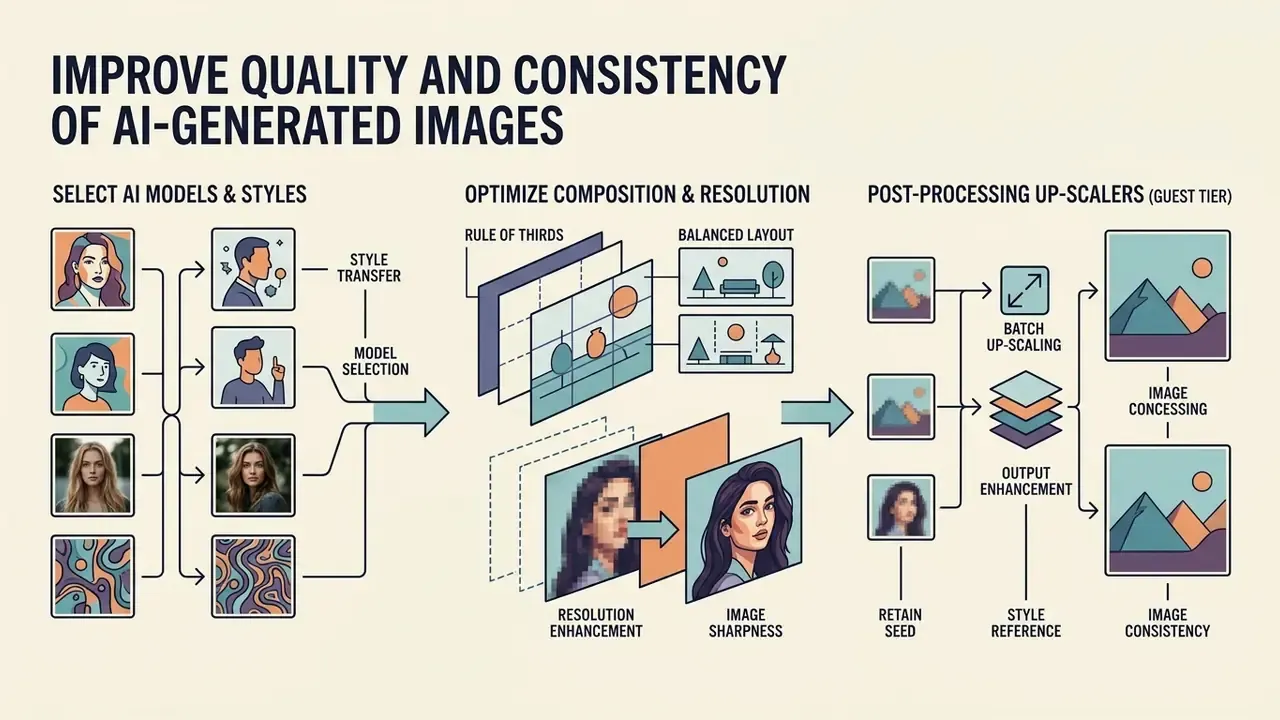
Consistent, high-resolution output across multiple generations depends on seed retention, style references, and post-processing upscalers. Controlling visual drift is what makes multi-image storyboards and cohesive brand sets possible at all.
Generative drift appears when a small prompt change shifts character features or background lighting. Countermeasures, ranked by reliability: reuse the same reference image across generations, keep prompt wording near-identical, and reuse the saved seed with the same model. Worth noting: seeds reproduce near-identical output only within the same session and prompt. They do not bookmark a style across different prompts, which is a common misunderstanding.
"ConsiStory manipulates the diffusion model's internal activations without fine-tuning, preserving subject identity across changing contexts and backgrounds."
To follow specialized media tooling, you can explore ai art tools news and technical updates.
Use AI Models and Styles for the Right Visual Result
Matching the base model to the visual task prevents stylistic misalignment and odd rendering. Photorealistic work needs models trained on camera optics and lighting physics; concept illustration benefits from fine-tuned artistic checkpoints.
"In an AMT study, users consistently preferred ConsiStory outputs on two criteria: visual subject consistency and adherence to the text description."
Because feature activations are shared across diffusion steps, subject identity survives without fine-tuning. That is the mechanism free tools imitate, crudely, through reference-image conditioning. Vendor guidance converges on a hierarchy rather than a pile: define one dominant style, add a single secondary accent for texture or mood, and test the blend on a simple subject first. An explicit primary style plus secondary lighting cues beats stacking four conflicting style keywords every time.
Fix Resolution, Composition, and Image Consistency
Fixing resolution limits and compositional defects means using image upscaler modules and deliberate canvas aspect ratio settings. Upscaling algorithms raise pixel density while suppressing noise and blur, and a comparison of AI image enhancers helps select the right module for sharpness recovery.
In a design restoration task, a team needed low-resolution drafts scaled for print presentation. A browser-based upscaler at 4× improved clarity and line sharpness while preserving the original colour balance. Technical guidance is consistent here: start from the highest-quality source available, avoid heavily compressed inputs, keep creative or stylization controls low when fidelity matters, and review results at 100% zoom to catch artificial smooth textures or edge distortion.
Upscaling workaround for capped guest tiers: when a guest tier caps output at 1024×768, you can keep the workflow moving by passing the raw asset through browser-based open-source super-resolution models such as Real-ESRGAN adapters, or through no-account upscalers advertising 4× to 16× factors. That raises effective density toward 4096×3072 without triggering account-creation gates. Two or three moderate steps generally preserve line fidelity better than one aggressive jump.
Commercial Use, Privacy, and Content Restrictions
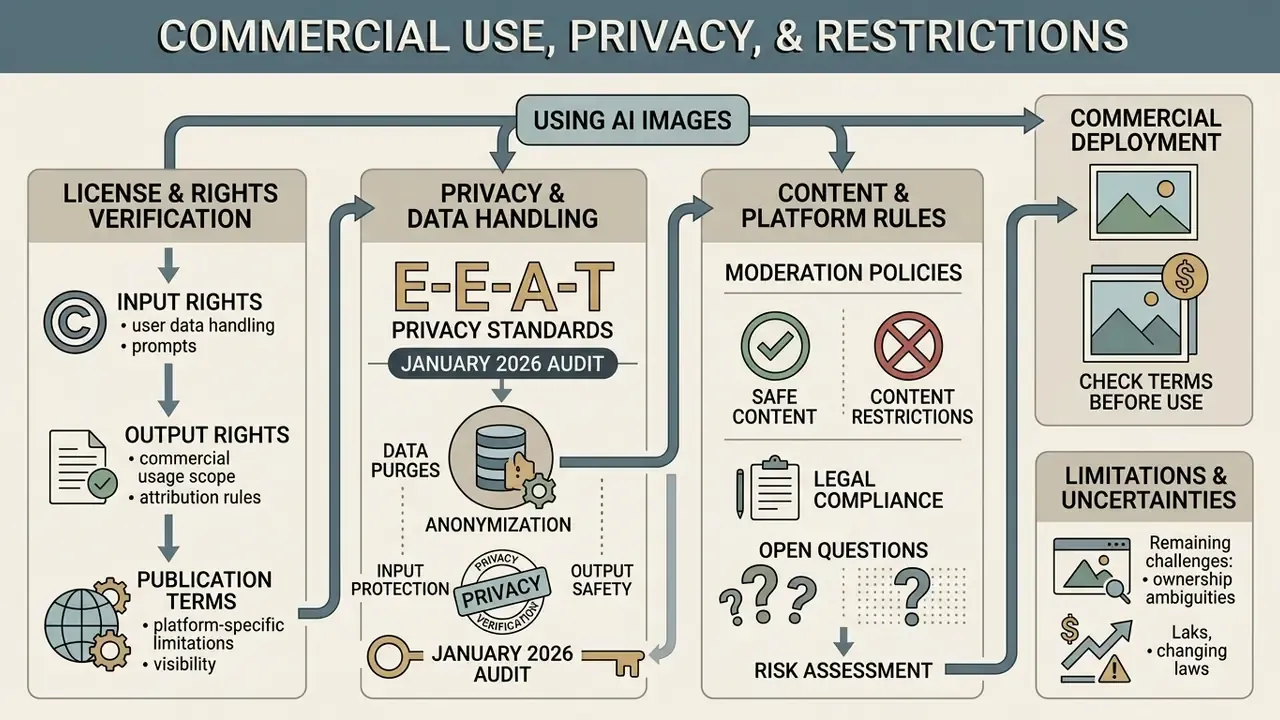
Deploying AI-generated visuals commercially requires attention to copyright law, privacy policies, and platform moderation rules. Anonymous access grants no immunity from intellectual property law or statutory content restrictions. None.
Organizations must confirm that platform terms grant explicit commercial rights for outputs created during guest sessions.
"Training commercial AI models on copyrighted material without rightsholder consent violates existing U.S. law."
Content restrictions are equally non-negotiable across major providers. Published generative AI policies require users to be 18 or older, or to have guardian consent, and prohibit sexually explicit material, non-consensual intimate imagery, child sexual abuse material, hate content, and violations of privacy or publicity rights. Some enterprise API terms go further and exclude deployment in services likely to be accessed by minors. Anyone searching for an ai art generator 18 no sign up, an 18 ai image generator no login, or an ai filter free no sign up service should assume those prohibitions still apply, regardless of marketing language. To evaluate unfiltered conversational platforms alongside visual tools, review ai chat apps with no filter in our comparative analysis, and study image-to-image AI generators for transformation workflows with tighter style control.
E-E-A-T Terms and Privacy Verification (fact check, January 2026 audit):
Check License Terms and Privacy Before Using Images
"Many U.S. state laws prohibit the commercial use of AI-created likenesses of real people without their explicit consent."
Limitations of This Comparison and Open Questions
FAQ: Free AI Image Generators Without Login
Can I use AI images generated without login for commercial purposes?
Commercial rights depend entirely on the platform's Terms of Service. Some tools permit commercial use on guest tiers, while Raphael AI and EzMaker AI restrict unauthenticated outputs to personal, non-commercial use. NightCafe allows commercial use only when the uploaded reference assets are owned or licensed by you.
Are no-login AI image generators completely private?
No. Guest tools may not ask for an email address, but servers still log session metadata, IP addresses, and submitted prompts for security and moderation. Privacy-forward vendors publish an automated purge window, commonly 24 hours after session termination; many publish nothing at all. Confidential, proprietary, or personally identifiable data should never enter a public unauthenticated interface.
Why do some free generators enforce daily generation limits?
Daily credit caps and queue delays manage compute cost and blunt bot abuse. Genuinely unlimited generation is normally confined to lower-parameter models or basic rendering modes, with premium models, fast mode, and higher resolutions gated behind sign-in or payment.
How do ad blockers affect free no-login generators?
Ad-supported tools may block GPU execution or pause the render queue when monetization scripts fail to load. Some show an explicit "ad blocker detected" wall asking you to pause blocking for the domain. Browser-level exceptions for that specific generator, or a privacy-focused profile that allows first-party ad scripts, are the practical workarounds.
Can I generate multiple image variations in a single click without logging in?
Yes. Several platforms support batch rendering for guests. EzMaker AI advertises 4 to 8 consistent variations per batch, and Raphael AI returns up to 4 images per prompt on its basic model. Single-output tools such as Perchance and Craiyon require repeated prompt executions instead.
What resolution can I expect from anonymous guest downloads?
Most guest tiers output 1024×1024 or 1024×768, often as compressed JPEG for faster transfer. Upscaling to 2K or 4K generally needs an integrated upscaler, a browser-based super-resolution tool, or a paid tier.
Do guest sessions preserve generation history after the browser closes?
No. Anonymous sessions run statelessly on volatile cookies or temporary tokens. Once the tab or browser closes, anything you did not download is permanently lost, so save assets right after the quality check.
How can I tell whether a "no sign-up" tool is genuinely anonymous?
Run the full flow before trusting it: generate, then try to download. A genuine no-login tool delivers the file without asking for an email, password, or card. If the identity prompt appears only at the download or resolution step, you are inside a guest-preview funnel rather than a true no-account platform, which is the pattern regulators classify as forced enrollment.
Footer navigation and governance hubs:
- Compare top image models: view the guide
- Calculate operational AI costs: browse the hub
- Review API integration options: view the guide
- Inspect model comparison frameworks: view the guide
- Explore commercial licensing terms: explore the hub
Social Media Posts, Blogs, and Content Creation
Assets for social media posts, blogs, and content creators need fast generation and flexible aspect ratio controls. Visual content aimed at Instagram, Pinterest, or X must fit specific vertical or square canvases, or it gets cropped into nonsense.
In one social campaign, a media team needed thirty conceptual background visuals in vertical story format within two hours. Using a free no-login interface set to 9:16, they generated, reviewed, and exported the required high quality visuals without creating accounts or waiting on login flows. That kind of speed keeps agile publishing schedules alive for digital marketers. Institutional guidance, including Harvard's engineering school marketing guidelines, treats such outputs as drafts and requires AI attribution in the caption or post text.