An AI headshot generator is a specialized generative application that converts standard user photos or mobile selfies into polished, professional executive portraits. In 2026, enterprise teams and individual professionals use these tools to replace traditional photoshoot workflows with rapid, model-driven image synthesis.
Why should a risk officer care about profile pictures? Because the upload is biometric. The moment an employee drops a selfie into an unvetted web tool, your institution has a small, undocumented data transfer with no owner and no retention evidence. That is shadow AI in its most banal form.
Executive Summary
- What "free" really means every major free tier in 2026 is a freemium cap, not unlimited access. Expect 1 to 10 free renders (Canva: 2 credits with a 24-hour cooldown; Adobe Firefly: daily generative credits; Monica: 40 daily basic credits; HeadshotPro: 1 free HD download at 1024×1024; BetterPic: up to 10 free 4K images with a commercial licence; Pixelbin: 3 HD headshots per month, no signup).
- Best free picks by job-to-be-done Adobe Firefly for prompt-level editing control and commercially safe base models; Canva for LinkedIn and resume layouts plus gender-inclusive identity options; Monica for the fastest six-preset studio look; BetterPic and HeadshotPro free tools when you need one high-resolution, watermark-free file immediately.
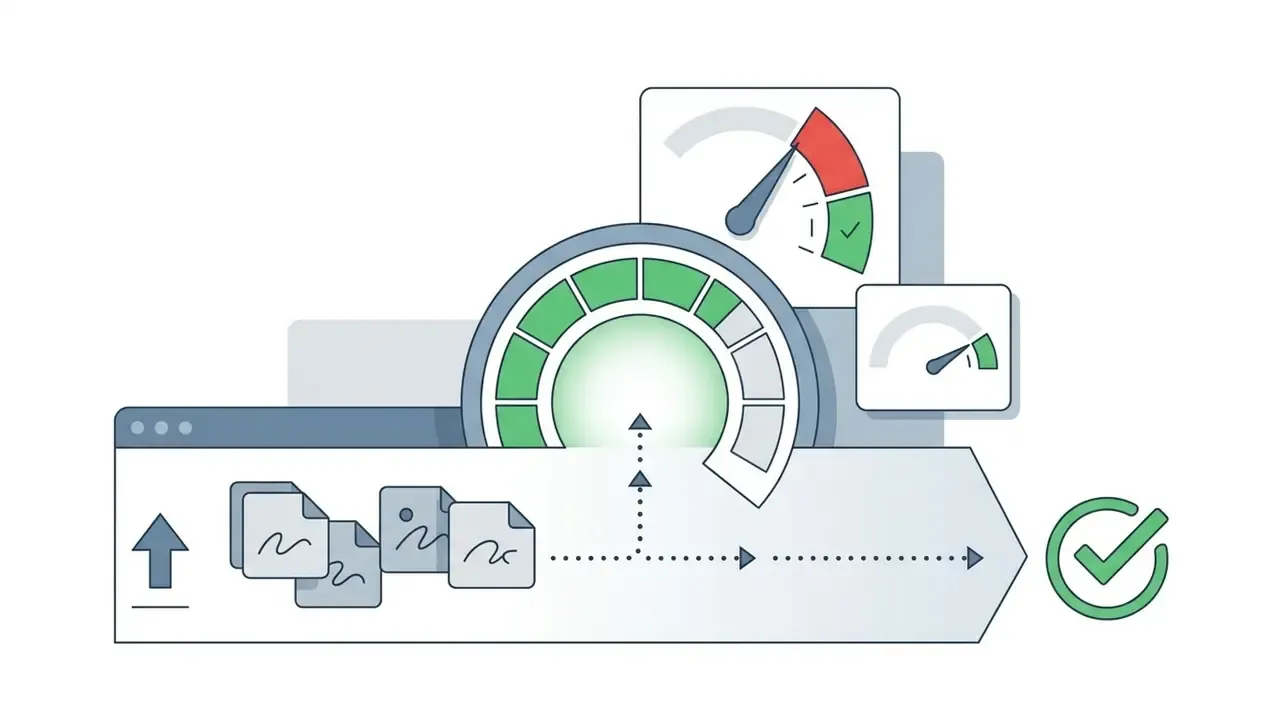
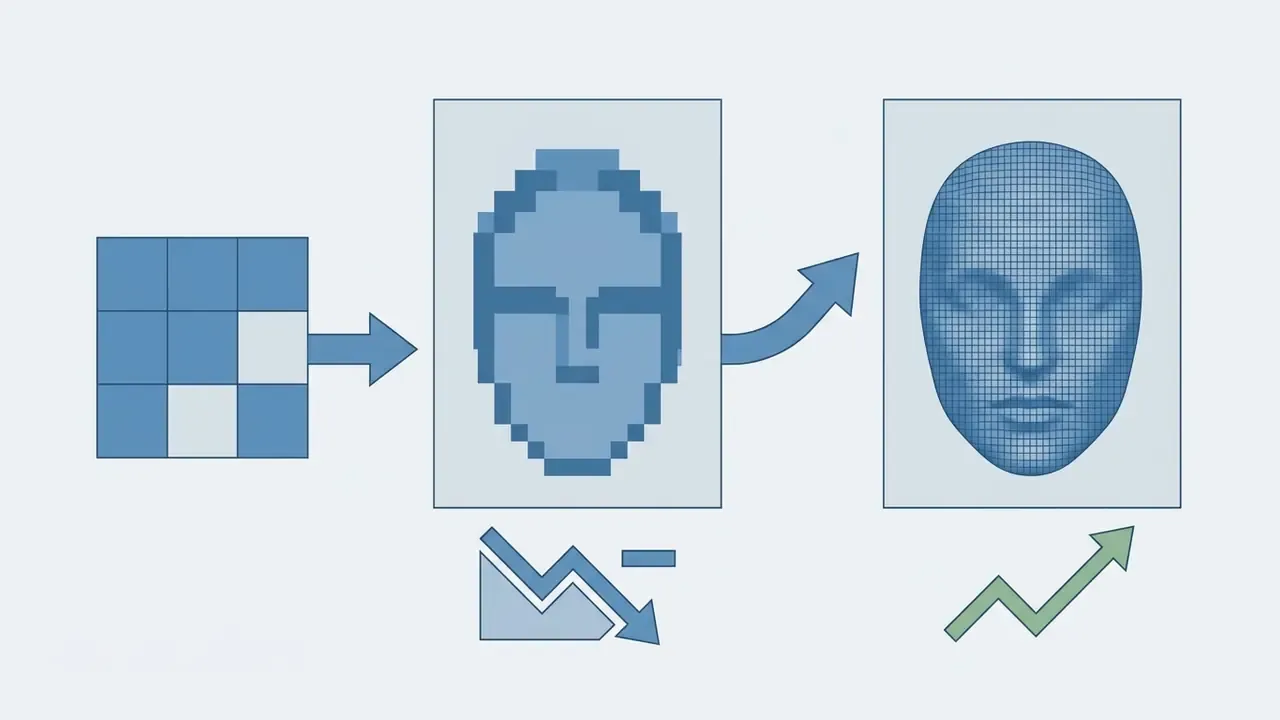
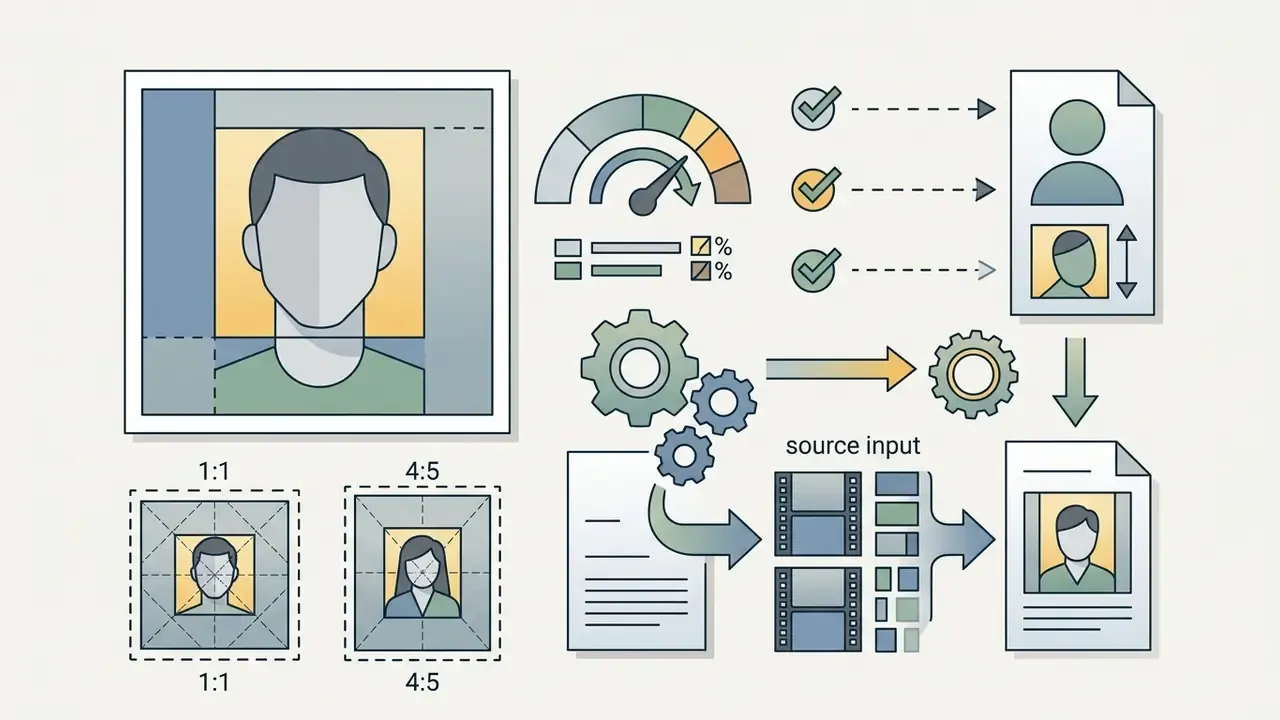
- Input quality is the single biggest lever JPEG/PNG/WEBP, up to 100 MB, minimum 512×512 px (1080p or better recommended), face filling roughly 60 to 70% of the frame, even 5000K-style soft lighting.
- Main risk is biometric, not aesthetic retention windows range from a 2-hour volatile cache purge (HeadshotMaster) to 7 or 30 day encrypted deletion schedules (HeadshotPhoto.io, Headshot Pro). Verify non-training clauses and commercial licensing before uploading executive photos.
- When free credits run out paid batches run $29 to $59 for 40 to 200 renders in about one hour, or a human-in-the-loop freelancer on Fiverr delivers a curated set for roughly $30 within 24 hours, still far below the $450-per-head traditional studio session.
How to Read This Comparison
What Is a Free AI Headshot Generator and What Does It Create?
A free AI headshot generator is a web-based artificial intelligence tool that transforms ordinary uploaded photos into studio-quality business portraits using generative diffusion models or deep learning neural networks. It creates high-resolution generated headshots featuring business attire, studio lighting, and neutral backgrounds suitable for professional identification, without requiring a physical camera session.
Unlike a traditional photo taken in a studio, an AI photo is synthesized through algorithmic latent space sampling. The generative system analyzes input pixels to extract identity embeddings while projecting new context, including formal suits, professional hairstyles, and balanced key lighting.
«Large-scale behavioural experiments show that human ability to separate synthetic faces from real ones "is not better than chance" under several conditions». A Study of the Human Perception of Synthetic Faces (2021), arXiv:2111.04230. https://arxiv.org/abs/2111.04230
That perceptual parity is exactly why governance questions matter as much as aesthetics. Organizations assessing creative software pipelines can review AI image generators for commercial use to examine broader commercial usage standards across synthetic media formats, or browse the hub for licence-scope summaries by category. The AI headshot generators glossary entry works as a category primer before you shortlist vendors.
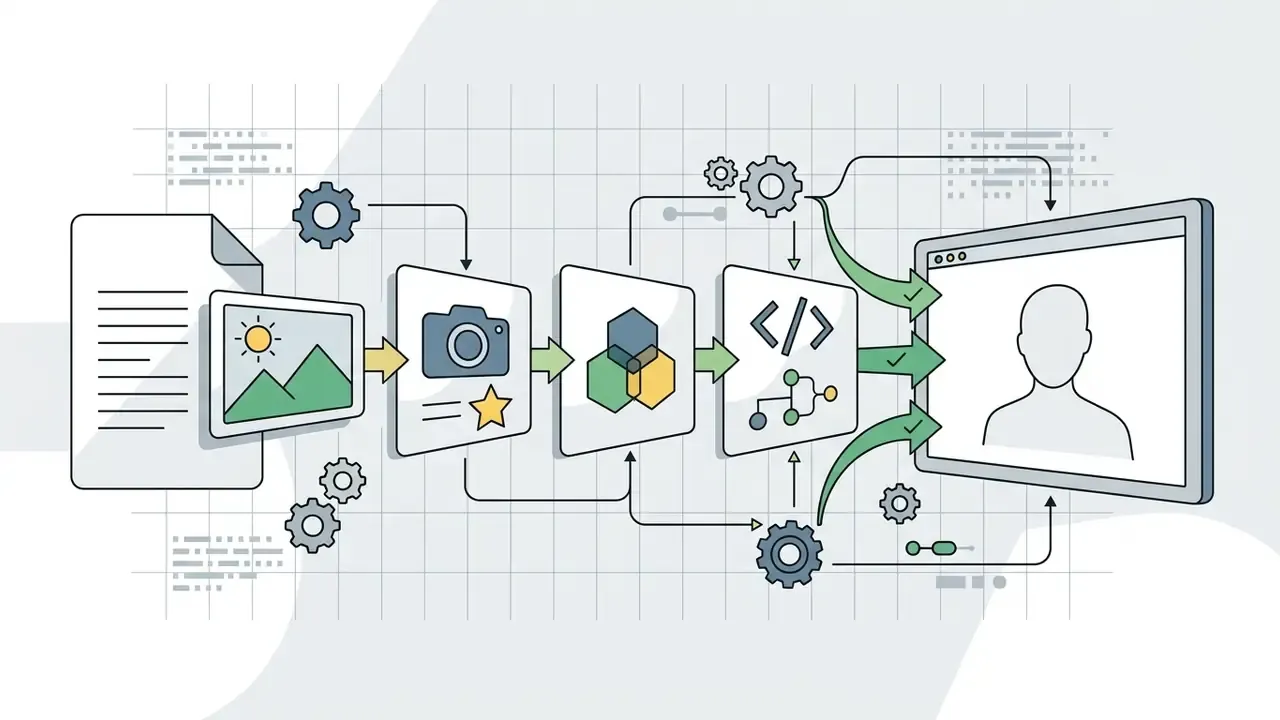
Figure 1. AI headshot synthesis pipeline (from selfie to deliverable)
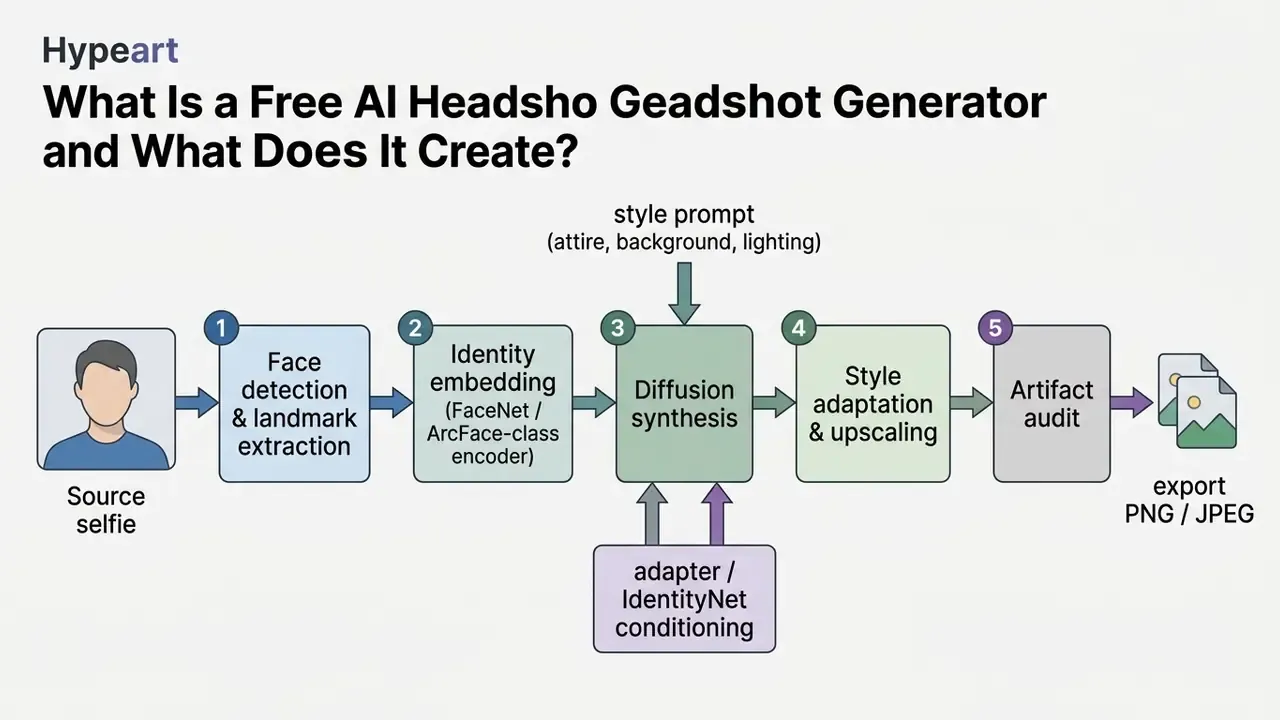
From One Selfie to Professional AI Headshots
Modern portrait generation systems synthesize multiple professional portraits from a single uploaded selfie by isolating facial landmarks and applying identity-preserving conditioning networks. Specialized architectures such as ConsistentID and PortraitBooth extract face embeddings using pre-trained recognition models, then feed those feature vectors into a diffusion pipeline alongside text prompts describing target attire and environment. ConsistentID (2024) combines facial features, textual facial descriptions, and overall facial context inside a multimodal prompt generator, while HiFi-Portrait (CVPR 2025) adds a face refiner and a 3D-aware landmark generator to improve identity fidelity.
During generation, the AI system preserves core facial features such as eye geometry, nasal structure, and jawline contours, while varying external factors like pose, clothing, and background.
«Synthetic datasets VariFace and VIGFace reach face-recognition accuracy of 95.67% and 94.91%, above the real CASIA-WebFace dataset at 94.70%». Yeung et al., Beyond Real Faces (2025), arXiv:2510.17372. https://arxiv.org/abs/2510.17372
Academic research on identity-preserving portrait diffusion shows that landmark-guided fusion lets models yield studio quality headshots across diverse business styles without losing the subject's distinct anatomical likeness.
«InstantID uses an IdentityNet that integrates facial-landmark maps into the diffusion process, preserving identity from a single input image». Wang et al., InstantID (2024), arXiv:2401.07519. https://arxiv.org/abs/2401.07519
Vendors differ on how many inputs they need. Canva, Firefly, Monica, and HeadshotMaster accept a single selfie, while batch-oriented services such as BetterPic (8 photos: 1 waist-up, 7 close-ups) or Aragon AI (10 to 20 images from varied angles) request a small personal dataset to learn identity more tightly. That single distinction, one selfie versus a mini photoset, is the fastest way to predict how much of your free credit allowance you will spend before seeing a usable result.
There is a governance consequence too. A multi-photo upload is a richer biometric package than one selfie, so the retention clause matters proportionally more.
What "Free" Means in AI Headshot Tools
"Free" in the context of commercial AI headshot generators refers to restricted entry tiers operating under freemium business models rather than unconstrained software access. Platform vendors structure free tiers around daily generative credit allocations, single watermarked trial renders, or resolution-capped exports (such as 1024×1024 pixel HD limits).
Free tools typically restrict advanced features: custom outfit modifications, batch high-resolution downloads, or full commercial usage rights. Vendor documentation confirms three recurring free-tier patterns. Watermarked, personal-use-only output (FreeHeadshot: 3 generations per day at standard 1080 resolution). A single HD download (HeadshotPro: 1 image at 1024×1024, no account or email required). And a small batch with full rights (BetterPic: up to 10 headshots at 4K, up to 5 outfits and backgrounds, commercial licence included at no cost).
Licensing therefore varies by vendor rather than by category. Some block commercial use through watermarks and personal-use terms; others grant commercial rights even on free output. Assuming the category behaves uniformly is where compliance teams get surprised.
Teams reviewing platform cost models can compare free AI image generators to evaluate tier structures, watermark rules, and credit mechanics across media generation tools, or review free photo editors when the goal is simply to clean up an existing portrait rather than synthesize a new one. For seat-level budgeting across a whole department, see the overview of cost calculators before committing to a paid plan.
How to Choose the Best Free AI Headshot Generator
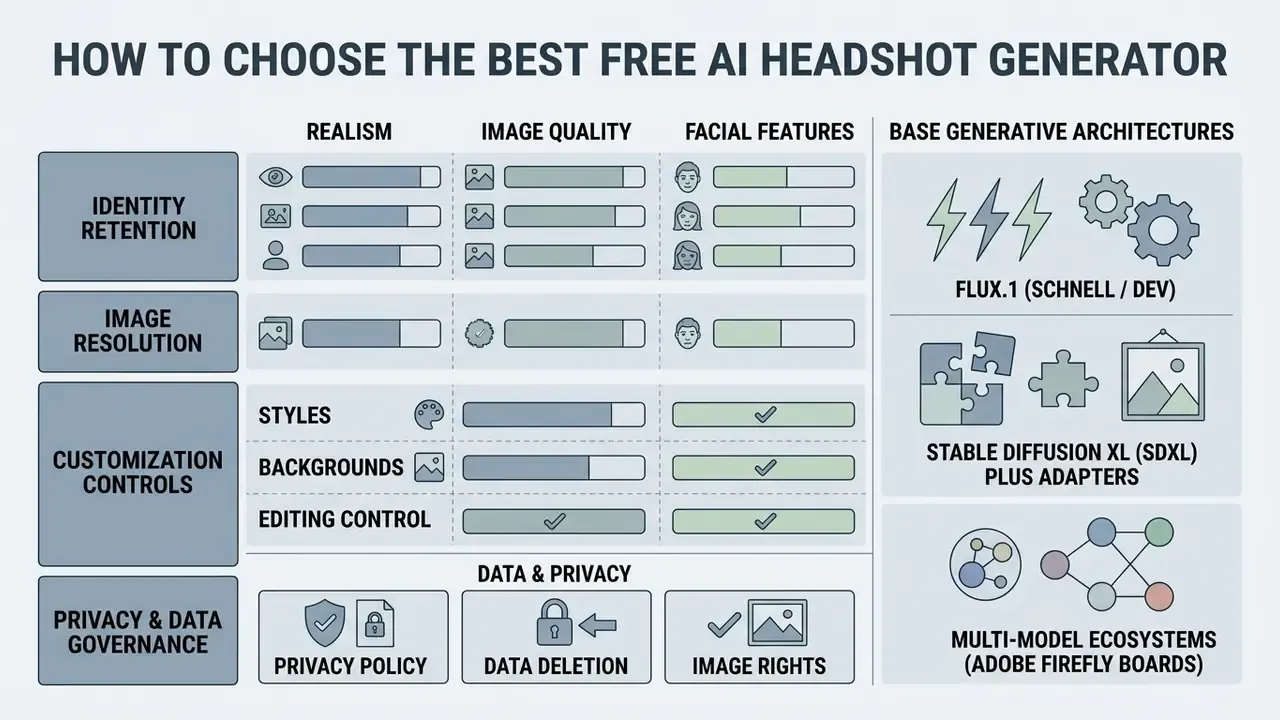
Selecting the best AI headshot tool requires evaluating identity retention, image resolution, customization controls, and strict data governance policies. Operational leaders have to balance generation realism against data privacy hazards, making sure source biometric images are protected from unauthorized model training or third-party leakage.
Matrix for Evaluating Free AI Headshot Generators
| Evaluation Criterion | Technical Requirement | Free Tier Standard | Enterprise Risk / Consideration |
|---|---|---|---|
| Realism & identity | Anatomical landmark preservation, natural skin micro-texture | Standard resolution (1080p), basic identity fidelity | Over-smoothing or plastic skin artifacts reducing credibility |
| Input requirements | JPEG/PNG/WEBP, ≤100 MB, ≥512×512 px, face at 60 to 70% of frame | 1 selfie (Canva, Firefly, Monica) to 8 or 20 photos (BetterPic, Aragon) | Bulk employee onboarding friction when multi-photo sets are mandatory |
| Customization | Outfit, background, lighting, pose, and gender-identity controls | 3 to 6 predefined business presets; 60+ outfits on some platforms | Limited prompt adherence in free-form text input |
| Privacy & retention speed | Automated biometric purge, zero public model training, explicit consent logs | From 2-hour volatile cache deletion to 30-day encrypted purge schedules | Retention exceeding processing windows without verifiable deletion certificates |
| Export & licensing | Watermark-free HD output, commercial usage rights | Watermarked or personal-use-only restrictions; 4K with licence on some free tiers | Licensing non-compliance if deployed on corporate sites |
No matching rows Clear one or more filters to restore the matrix.
Free conditions and credit caps should be re-checked in the vendor's own pricing page before any upload; the column values above reflect February 2026 documentation.
Realism, Image Quality, and Facial Features
High realism in an AI portrait depends on preserving authentic skin micro-texture, fine facial hair, natural eye catchlights, and anatomical bone structure. Empirical studies on human visual perception indicate that modern diffusion models can generate synthetic faces that observers judge as authentic at rates matching or exceeding genuine photographs.
«StyleGAN2 synthetic faces were rated "real" 68% of the time versus 52% for genuine photographs (Welch's t(121) = −6.8, p < .001)». Shen et al., More Real than Real (2021), arXiv:2106.07226. https://arxiv.org/abs/2106.07226
Achieving natural looking professional portraits requires balance. Over-smoothing skin creates an artificial "plastic" aesthetic, while improper lighting controls introduce unnatural shadows. Practitioner guidance converges on three controllable levers: geometry terms (jawline, cheekbones, nasal bridge), named studio-light setups (softbox, Rembrandt, loop, split, window light), and high-frequency skin cues (visible pores, peach fuzz, fine lines). Eye-tracking research shows that viewers scrutinize suspected synthetic portraits more intensely, which makes subtle anatomical inconsistencies around teeth, pupils, and hair boundaries the primary indicators of AI generation.
«Participants distinguished real from StyleGAN-3 generated faces with 76.80% mean accuracy, fixating longer on images they suspected were synthetic». Huang et al., Analysis of Human Perception in Distinguishing Real and AI-Generated Faces (2024), arXiv:2409.15498. https://arxiv.org/abs/2409.15498
To explore tools that optimize baseline visual assets before generation, review AI photo editors, the broader online photo editor guide, or a wider survey of photo editor programs if your team still retouches source files manually. Teams chasing maximum fidelity often cross-reference the most realistic ai image generator comparison, since the same base weights drive portrait realism.
Styles, Backgrounds, and Editing Control
Flexible AI headshot platforms offer multiple styles across corporate formal, business casual, creative studio, and academic environments. Advanced tools use prompt-based editing and masking to adjust specific elements, say a background color or a swapped jacket, without regenerating the core face geometry. Feature depth varies widely: HeadshotPhoto.io exposes 120+ backgrounds and 60+ outfits with free edit credits for swaps, while Monica limits free users to six fixed presets.
To maintain professional consistency, platforms rely on underlying base models (such as Flux or Stable Diffusion XL) equipped with adapter layers.
«PortraitBooth applies an identity loss based on cosine similarity of TFace embeddings: L_total = L_loc + L_noise + L_id, preserving facial traits across style changes». PortraitBooth (2023), arXiv:2312.06354. https://arxiv.org/abs/2312.06354
Base Generative Architectures: FLUX vs SDXL vs Multi-Model Hubs
Enterprise-grade headshot platforms rely on specialized base weights, and the choice of backbone predicts most of the visible quality difference between two tools that share the same interface:
- FLUX.1 (Schnell / Dev) superior photorealism in skin micro-texture and eye catchlight alignment, reducing the synthetic "plastic smoothing" effect. Budget-focused headshot vendors increasingly market FLUX-based output explicitly as a realism signal, which is why "flux ai headshot" now appears in vendor copy as a selling point.
- Stable Diffusion XL (SDXL) plus adapters best for granular prompt adherence and custom lighting or attire ControlNets. Monica's documented image stack includes SDXL 1.0, SD 3 Large, SD 3.5 Large, and Flux Schnell/Dev/Pro.
- Multi-model ecosystems (Adobe Firefly Boards) integrate third-party models such as Gemini Nano Banana, GPT Image, and FLUX for prompt expansion before rendering through native identity-preserving diffusion passes. Usage terms for partner models can differ from Adobe's commercially safe native models, so check before publishing.
When comparing creative generation systems, engineers often evaluate the best AI image generators to benchmark base render fidelity before applying specialized portrait adapters, and published benchmarks help separate marketing claims from measured output.
Privacy, Data Deletion, and Image Rights
Review vendor terms of service to confirm whether uploaded facial imagery is automatically deleted after processing or retained for model fine-tuning. Observed practice spans a wide band. HeadshotMaster states that "all images are permanently removed from our servers within 2 hours". HeadshotPhoto.io documents 7 and 30 day deletion plus a no-training commitment. Headshot Pro claims 30-day auto-deletion. Magnific deletes uploads immediately after generation. FaceBox AI keeps source photos for 30 days and transfers data to payment, hosting, analytics, and AI subprocessors.
Treat the 2-hour purge as the aggressive benchmark. Anything beyond 30 days without a deletion certificate is a red flag.
«An analysis of nearly 15 million Twitter profile pictures found 0.052% were AI-generated, and such accounts frequently participated in coordinated inauthentic behaviour». Ricker et al. (2024), arXiv:2404.14244. https://arxiv.org/abs/2404.14244
For enterprise deployments, non-training guarantees and clear commercial usage rights are essential before uploading executive photos to external cloud endpoints. Verification teams can pair uploads with AI image detectors to confirm provenance of inbound portraits used in directories and press kits. One more control worth writing down: name an owner for the workflow. An unowned image pipeline is the same governance gap as an unowned model, just with a smaller blast radius.
Best Free AI Headshot Generator Tools to Compare
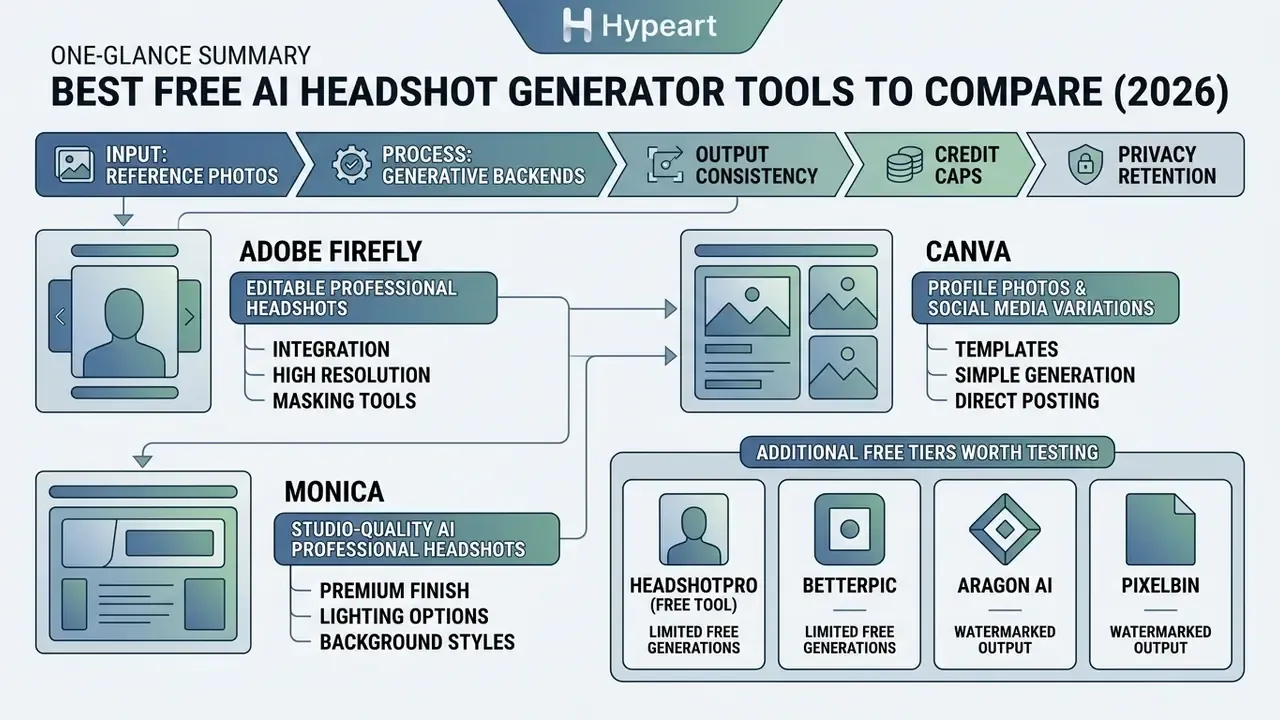
Evaluating market options requires testing generative backends under standardized reference conditions to assess output consistency, credit caps, and watermarking rules.
Adobe Firefly for Editable Professional Headshots
Adobe Firefly generates editable professional headshots using reference photo uploads paired with natural language text prompts. Built into Adobe's generative ecosystem, Firefly provides daily generative credits on free accounts, letting users modify backgrounds, adjust lighting direction, and refine corporate attire through prompt-based selection tools. Uploads must be JPEG, PNG, or WEBP up to 100 MB, and files smaller than 512×512 pixels are rejected outright.
The workflow is prompt-first: open the Generate tab, upload a reference photo, set reference intensity or strength, then tune Effects plus the Lighting, Camera Angle, and Color and Tone menus before generating. The platform enforces strict commercial safety standards, training its native base models on licensed imagery so that generated outputs carry clear commercial usage rights (partner models such as Gemini Nano Banana, GPT Image, or FLUX may carry different terms). Free plan allocations expire monthly, which makes Firefly an effective choice for controlled, incremental portrait edits rather than bulk automated generation.
Monica for Studio-Quality AI Professional Headshots
Monica AI offers a dedicated headshot generator designed to produce studio quality headshots across six targeted business presets: corporate/business, professional, academic, urban, studio, and tech. The platform processes uploaded selfies to deliver polished portraits tailored for LinkedIn company pages and professional bio cards.
Operating on a freemium model with 40 daily basic-model credits, Monica provides fast rendering speeds and clean background separation, with HD download and post-generation fine-tuning. Image and video generation on the free plan is a limited trial rather than an unlimited allowance, a distinction worth reading twice before you plan a team rollout around it. Users seeking specialized transformations beyond standard portraits can explore image-to-image generators for corporate editorial publishing, including high-contrast black-and-white treatments.
Additional Free Tiers Worth Testing
- HeadshotPro (free tool) one free HD headshot at 1024×1024, downloadable without account or email, the fastest path to a single usable LinkedIn file. Paid tiers add speaker-style renders and a "Remix Photo" edit that regenerates outfit and background variants of a favorite shot.
- BetterPic up to 10 free 4K headshots with up to 5 outfits and backgrounds plus a commercial licence; requires an 8-photo input set (1 waist-up, 7 close-ups) and delivers in under an hour.
- Aragon AI industry-specific presets and hyper-realistic output in under an hour; needs 10 to 20 varied reference photos, so it suits people who already have a small photo library.
- Pixelbin 3 free HD model headshots per month with no signup, no watermark, and browser-side processing.
- HeadshotMaster 2 free generations without login, roughly 30-second turnaround, cross-platform (iOS, Android, tablet, web), with a 2-hour server deletion policy and daily credits for continued free use.
- FreeHeadshot 3 generations per day at 1080 resolution, watermarked, personal-evaluation licence only, no card required.
Pivoting to Paid Tiers or Human-in-the-Loop Alternatives
When free daily credit caps (2 to 40 generation units, depending on vendor) are exhausted, users face two primary upgrade pathways:
- Automated paid batches.Specialized tools offer paid tiers ranging from $29 to $59. HeadshotPro's Basic plan is $29 for 40 headshots, Professional is $39 for 100, and Executive is $59 for 200 with 20 edit credits and a 1-hour turnaround. Bulk enterprise discounts reach up to 50% for organizations around 1,000 employees, which matters when standardizing a whole team directory. For per-seat modelling across tiers, view the guide to current plan structures.
- Freelance AI designers (human-in-the-loop).Marketplaces such as Fiverr host designers who manually run face-embedding models, refine prompts, and remove visual artifacts for roughly $30, typically returning results in under 24 hours. In practice this means uploading 10 to 15 selfies, answering wardrobe questions (suit color, glasses on or off), and receiving a curated set instead of raw generations. A useful fallback when free output keeps dropping your eyewear or misreading hair texture.
One caution on the second route: your source selfies pass through a third party you did not vet. For regulated staff, that alone can disqualify the option.
Free AI Headshot Generator Comparison: Features, Limits, and Best Use Cases
Comparing leading AI portrait platforms highlights key distinctions in daily free allocations, maximum download resolutions, editing flexibility, and privacy terms. Free conditions change often, so verify each cell on the vendor's site before you upload.
Comparison of Free AI Headshot Generation Tools
| Tool / Platform | Free Tier Allowance | Input Photos Needed | Download Resolution | Editing & Background Control | Privacy & Data Retention | Ideal Primary Use Case |
|---|---|---|---|---|---|---|
| Adobe Firefly | Daily free generative credits (monthly reset) | 1 to 2 reference photos | High resolution (up to 2048 px) | Text prompt editing, generative fill, background removal, multi-model hub | Adobe terms; native models not trained on user uploads for public models | Customizable, prompt-driven business portraits |
| Canva AI | 2 free generative credits (24h cooldown) | 1 selfie | Standard HD export (PNG/JPG) | Full design suite, gender-identity selection, B&W filters, single free background trial | Standard account terms; optional opt-out for model improvement | LinkedIn profiles, resume layouts, personal branding |
| Monica AI | 40 daily basic task credits (image generation limited) | 1 selfie | HD quality download | 6 preset professional styles, post-generation fine-tuning | Auto-deletion of temporary assets per platform policy | Rapid studio-style headshots for quick web deployment |
| HeadshotPro (free tool) | 1 free HD download, no signup | 1 selfie | 1024×1024 | Paid tiers add speaker styles and Remix Photo re-roll | States inputs not used for model training; roughly 30-day auto-delete | One immediate, watermark-free professional file |
| BetterPic | Up to 10 free headshots with commercial licence | 8 photos (1 waist-up plus 7 close-ups) | 4K | Up to 5 outfits and backgrounds; style plus environment combos | Photos not sold or shared; deletion on request | Small high-resolution batch with usage rights |
| Pixelbin | 3 HD headshots per month, no signup | 1 selfie | HD, no watermark | Limited presets; more styles on upgrade | Browser-based processing; no account data required | Zero-friction trial without registration |
| HeadshotMaster | 2 free generations without login plus daily credits | 1 selfie | Standard to HD (plan-dependent) | Business, studio, creative style library; about 30s turnaround | Permanent server deletion within 2 hours | Fastest privacy-forward single-selfie test |
| FreeHeadshot | 3 generations per day, watermarked | 1 selfie | Standard 1080 | Basic presets only | No card required; personal-evaluation licence | Concept testing before paying for anything |
When evaluating general media processing platforms alongside portrait tools, decision-makers can open the hub to compare performance metrics across synthetic media engines. Technical teams integrating automated image pipelines can view the guide to examine programmatic API implementation structures. If the same brand refresh also covers motion assets, the round-ups on good video editing apps and image to video tools cover the adjacent workflow.
Cost Reality Check: Studio vs Free AI vs Governed Enterprise Pipeline
Cost, speed, and risk comparison for professional headshot sourcing
| Sourcing Path | Cost per Person | Turnaround | Output Volume | Primary Risk |
|---|---|---|---|---|
| Traditional studio session | About $450 | Up to 14 days (scheduling plus retouch) | 3 to 10 retouched selects | Cost and calendar load; inconsistent results across distributed teams |
| Free AI tier (unvetted, personal use) | $0 | 30 seconds to 1 hour | 1 to 10 renders, often watermarked | Shadow AI: unclear retention, possible training on biometrics, licence limits |
| Paid AI batch (HeadshotPro or BetterPic class) | $29 to $59 | 1 hour | 40 to 200 renders plus edit credits | Style homogeneity; partner-model licensing nuances |
| Human-in-the-loop freelancer (Fiverr class) | About $30 | Under 24 hours | Curated set, artifact-cleaned | Third-party handling of your source selfies |
| Governed enterprise pipeline (internal sandbox) | Infrastructure cost only | About 20 minutes for 50 profiles | Unlimited within policy | Requires model-validation and deletion controls up front |
Read that table as a risk-adjusted comparison, not a price list. The cheapest row carries the least evidence. The most expensive row carries the most predictable outcome. The governed pipeline only looks attractive once headcount crosses a few hundred profiles, because the control setup cost is largely fixed.
How to Create a Professional AI Headshot for Free
Generating a polished AI headshot without commercial camera equipment requires following a structured input preparation and generation sequence.
Checklist: step-by-step AI headshot generation
Annotated interface screenshots for each step should carry alt text containing the phrase "free ai headshot generator".
- Select the target toolbased on resolution needs, input-photo count, and privacy terms.
- Prepare the source photosharp, front-facing selfie with neutral, even lighting.
- Upload and framefull face from crown to chest visible, nothing occluding eyes or jawline.
- Select a style presetcorporate formal, business casual, academic, studio, or speaker.
- Configure the backgroundneutral studio grey, blurred office, or plain white.
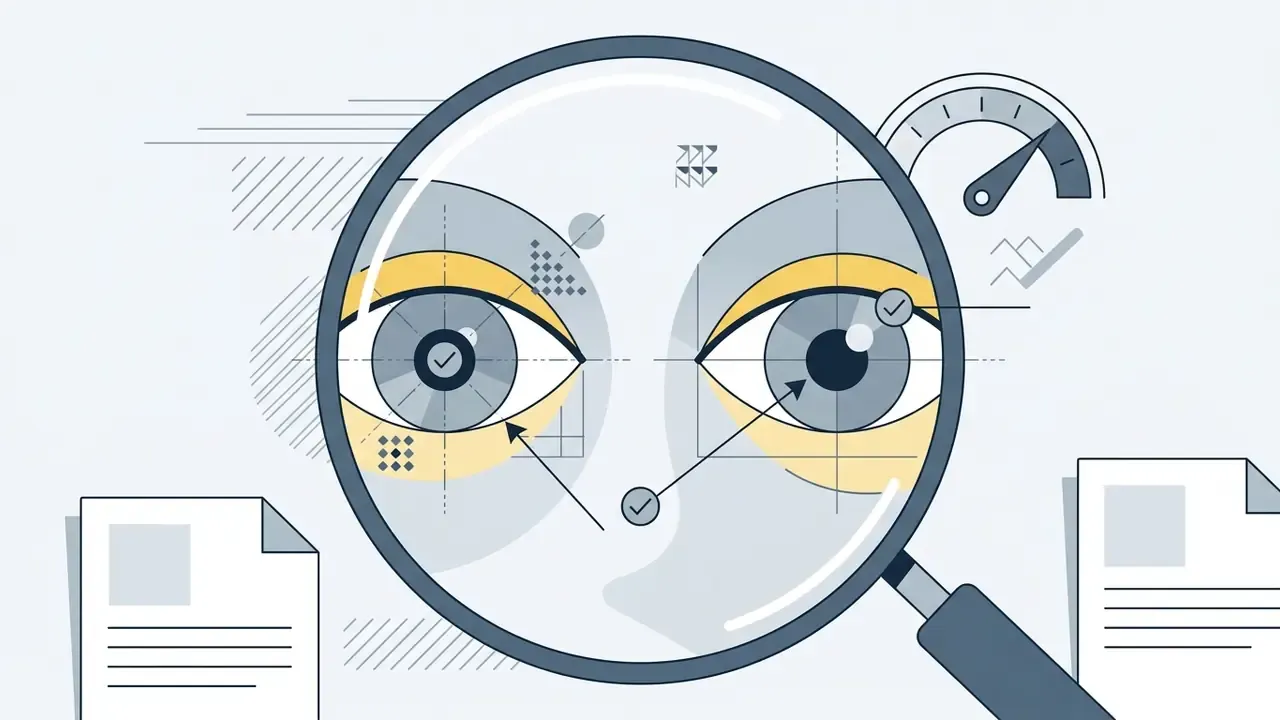
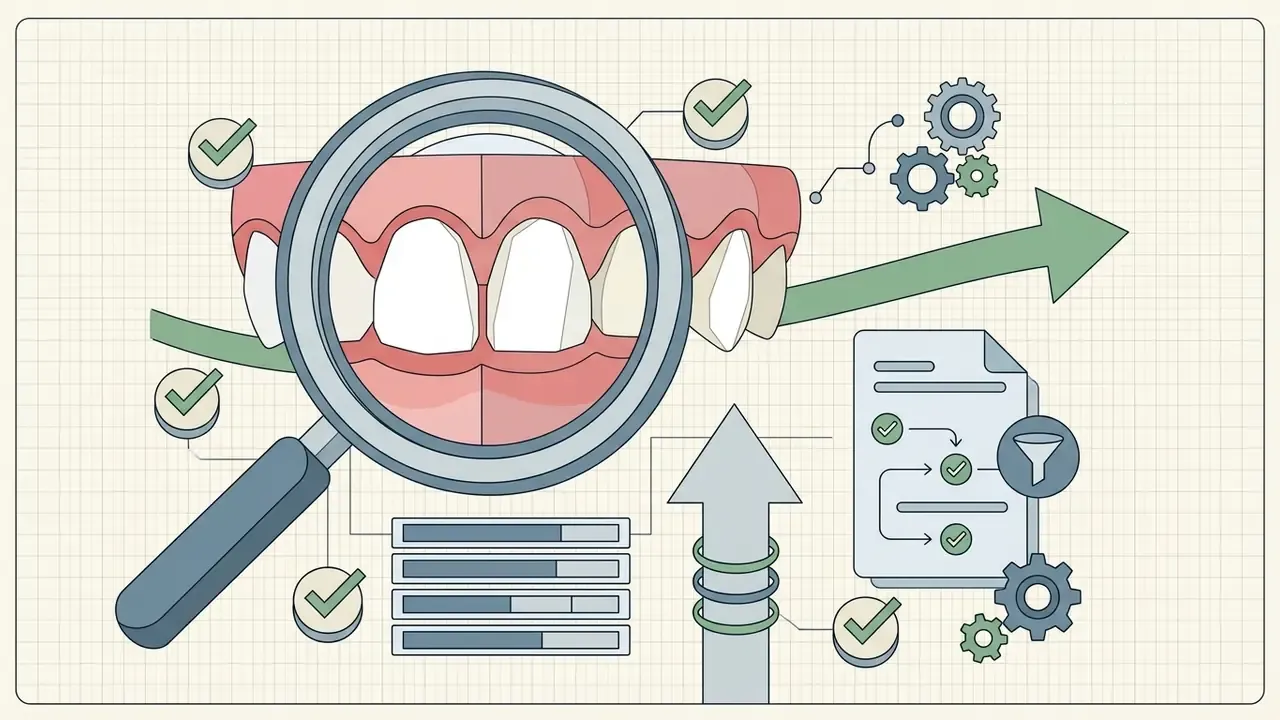
- Audit and refineinspect pupils, teeth, and hair borders at 100% zoom.
- Export the final imageas a high-resolution PNG or JPG.
- Use Remix or re-roll controlson your highest-fidelity render to vary clothing and background without re-spending core identity-extraction credits. HeadshotPro's Edit then Remix Photo flow is the clearest implementation of this pattern.
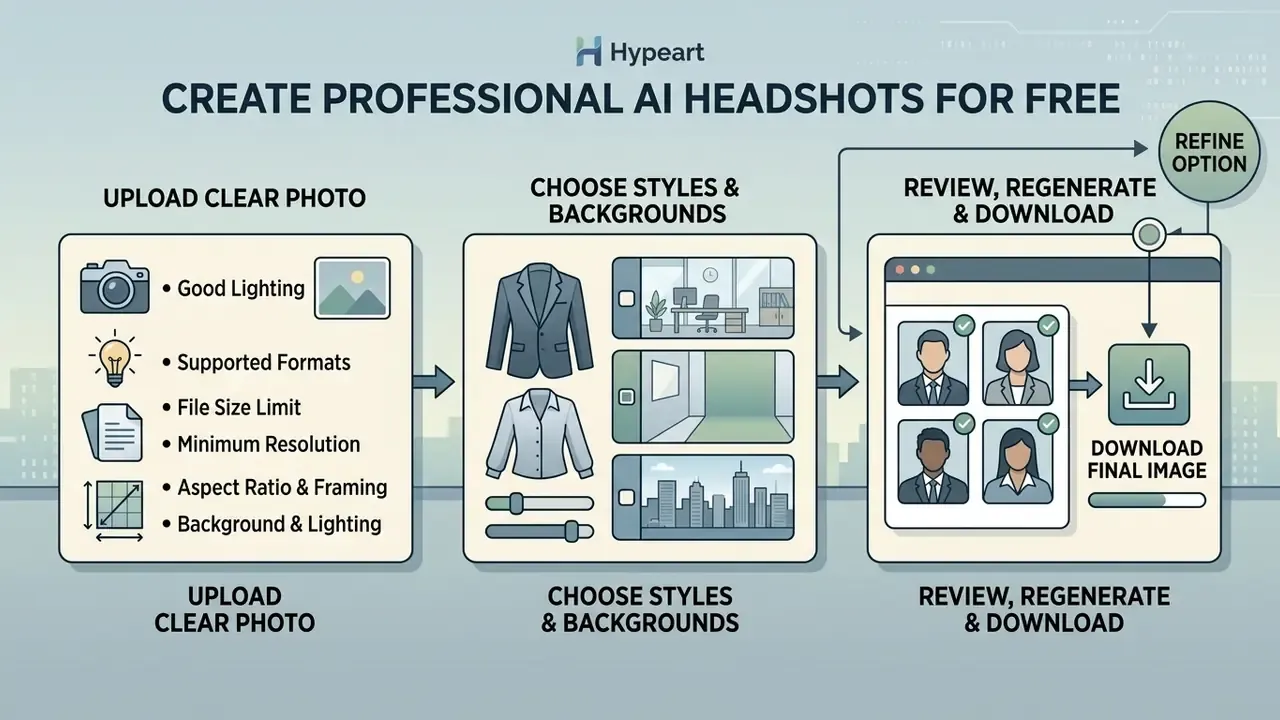
Upload a Clear Photo with Good Lighting
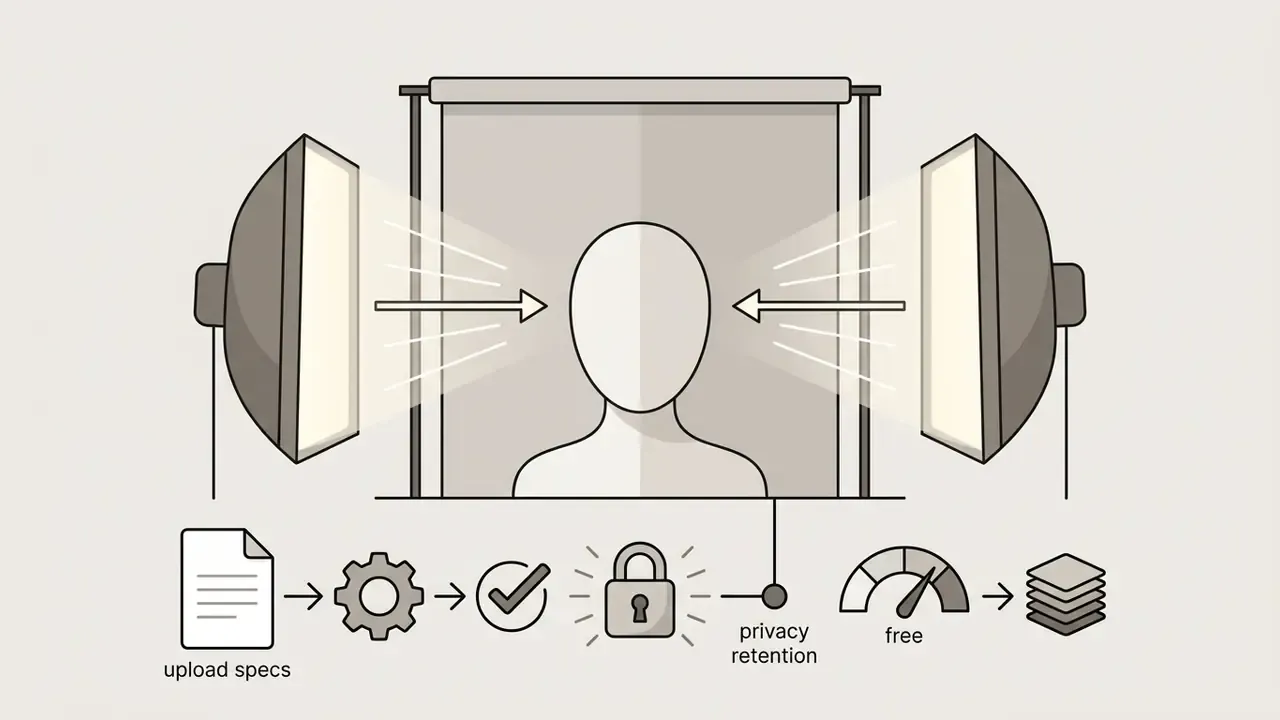
Vendor guidance consistently argues that source-photo quality drives the majority of the final result. DreamLense puts the figure at roughly 80%, although no peer-reviewed benchmark has yet quantified a head-to-head comparison between professional source photos and casual mobile selfies, so treat the number as directional rather than measured. Source images need balanced front lighting without harsh shadows, clear eye visibility without glare on glasses, and a neutral, un-cropped background.
«A user study with 97 participants showed InstantID augmentation improves identity preservation on the FaceNet FaceDistance metric, but photorealism degrades without high-quality input photos». Generating Synthetic Data via Augmentations for Improved Personalizing Stable Diffusion (2025), arXiv:2505.03557. https://arxiv.org/abs/2505.03557
Technical input specifications for optimal identity mapping
Avoid mobile screenshots, group photos, heavily filtered social media renders, and low-light indoor snapshots. Hair should not cover the eyes, and sunglasses, hats, or scarves should come off so that the eyes, face contour, nose, ears, and chin stay clearly visible.
Choose Professional Styles and Background Options
Selecting the appropriate style preset aligns the generated portrait with industry expectations. Corporate banking, legal, and risk management roles typically call for traditional business formal attire (dark suit jackets, light shirts) paired with neutral studio backgrounds. Corporate portrait guidelines such as Munich Re's 2025 standard explicitly require that backgrounds stay out of focus and never compete with the subject, and prohibit colorful or patterned clothing.
Tech startups and creative sectors often favor business casual attire (blazers, collared shirts) set against soft-focus modern office environments. Academic and conference profiles benefit from warmer lighting and a slightly wider crop that leaves space for captioning. When a platform exposes gender-identity conditioning, set it explicitly rather than relying on inference: it materially reduces mismatched grooming, wardrobe, and jawline artifacts.
Review, Regenerate, and Download Final Images
Tips for Natural-Looking, High-Quality AI Headshots
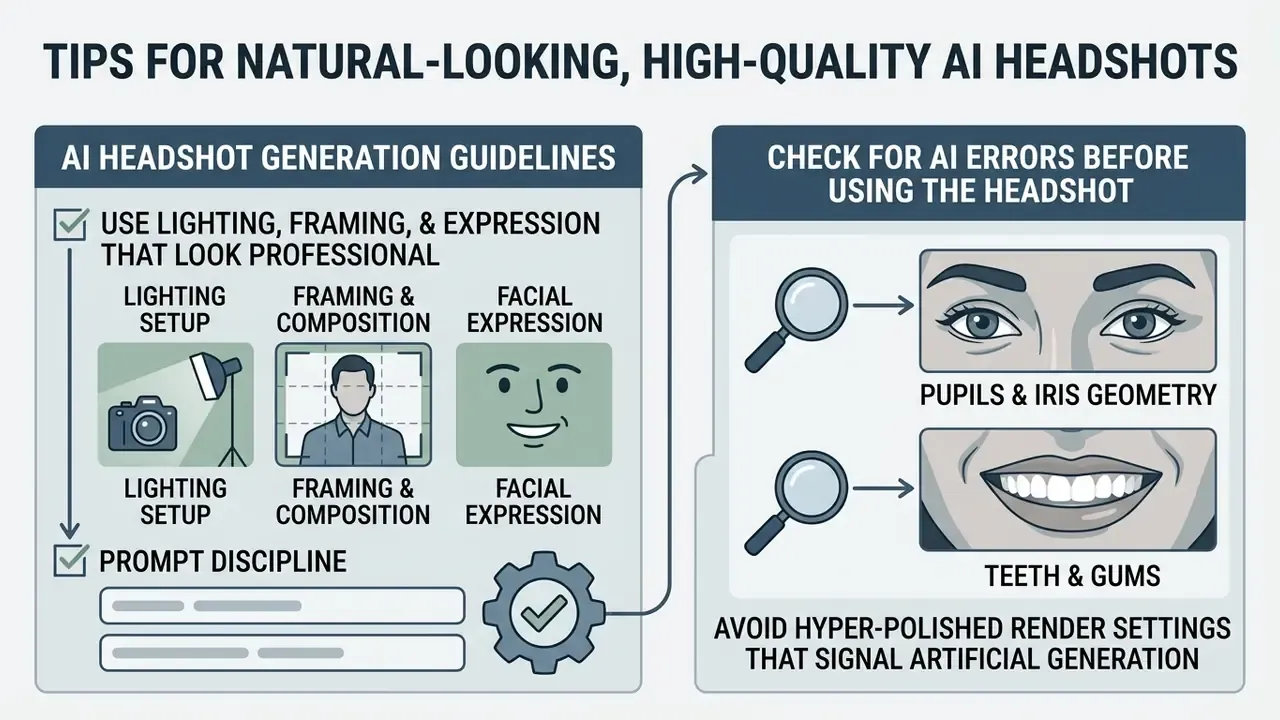
Achieving an authentic synthetic portrait means avoiding hyper-polished render settings that signal artificial generation to discerning viewers.
Use Lighting, Framing, and Expression That Look Professional
- Lighting setup select soft, diffused lighting options that mimic softbox studio setups, ideally placed slightly above and to one side. Avoid harsh directional sunlight, mixed color temperatures, or high-contrast neon accents.
- Framing and composition position the head and shoulders centrally, crop from roughly mid-chest to just above the head, and keep the eye line along the upper third of the image frame.
- Facial expression opt for a relaxed, natural smile or a neutral professional expression. Forced, wide-mouthed smiles often introduce synthetic teeth artifacts in generative diffusion models.
- Prompt discipline name the geometry (jawline, cheekbones, nasal bridge), the light modifier (softbox, Rembrandt, window light), and the skin detail (visible pores, fine lines) rather than asking for "a professional photo".
Check for AI Errors Before Using the Headshot
«Researchers group AI image artifacts into five categories: anatomical, stylistic, functional, physics violations, and sociocultural implausibilities». Kamali et al. (2024), arXiv:2406.08651. https://arxiv.org/abs/2406.08651
Two minutes of zooming saves a week of awkward explanations.
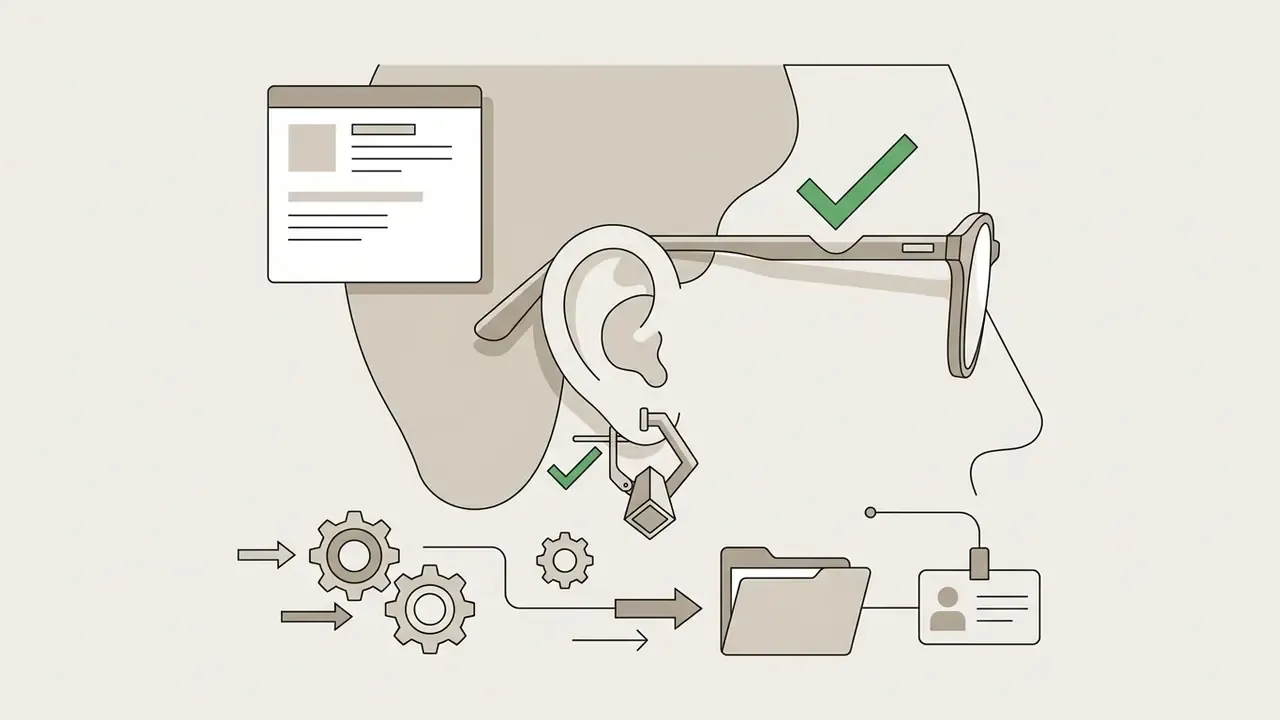
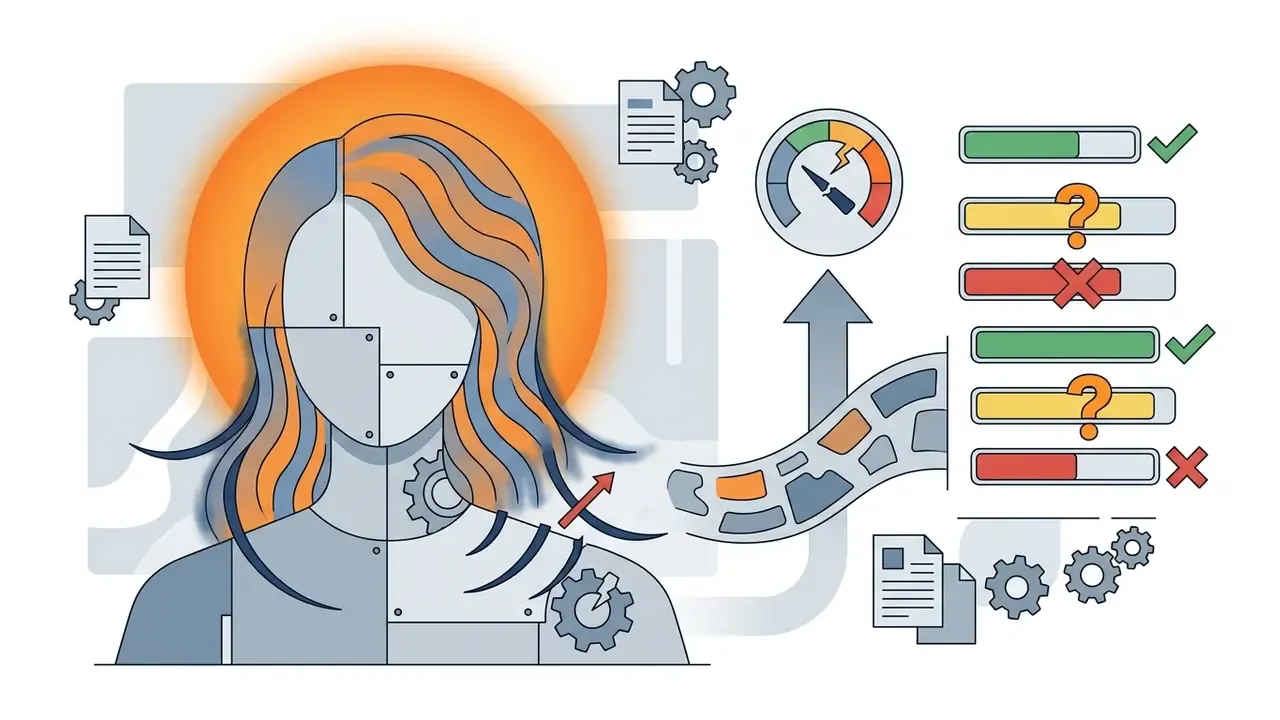
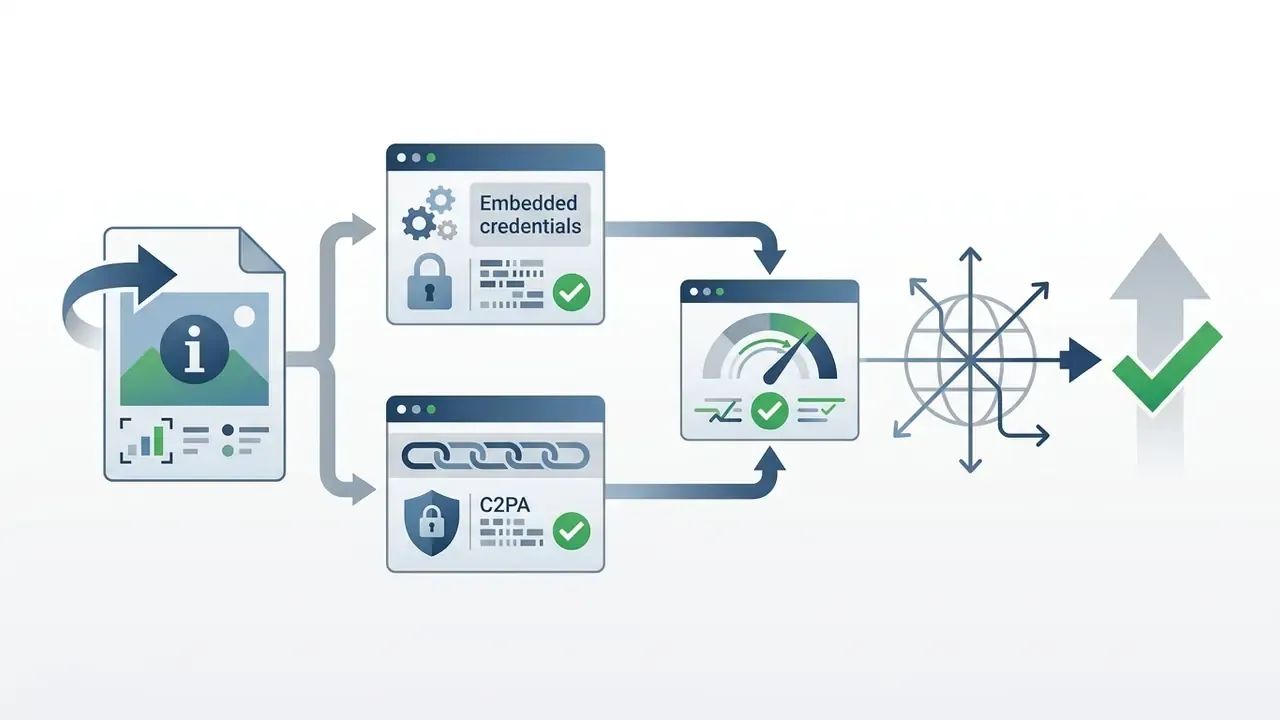
Where to Use Free AI Professional Headshots
AI-generated business headshots provide versatile profile assets across digital corporate channels when used in compliance with institutional disclosure rules.
Figure 2. Corporate headshot distribution channels
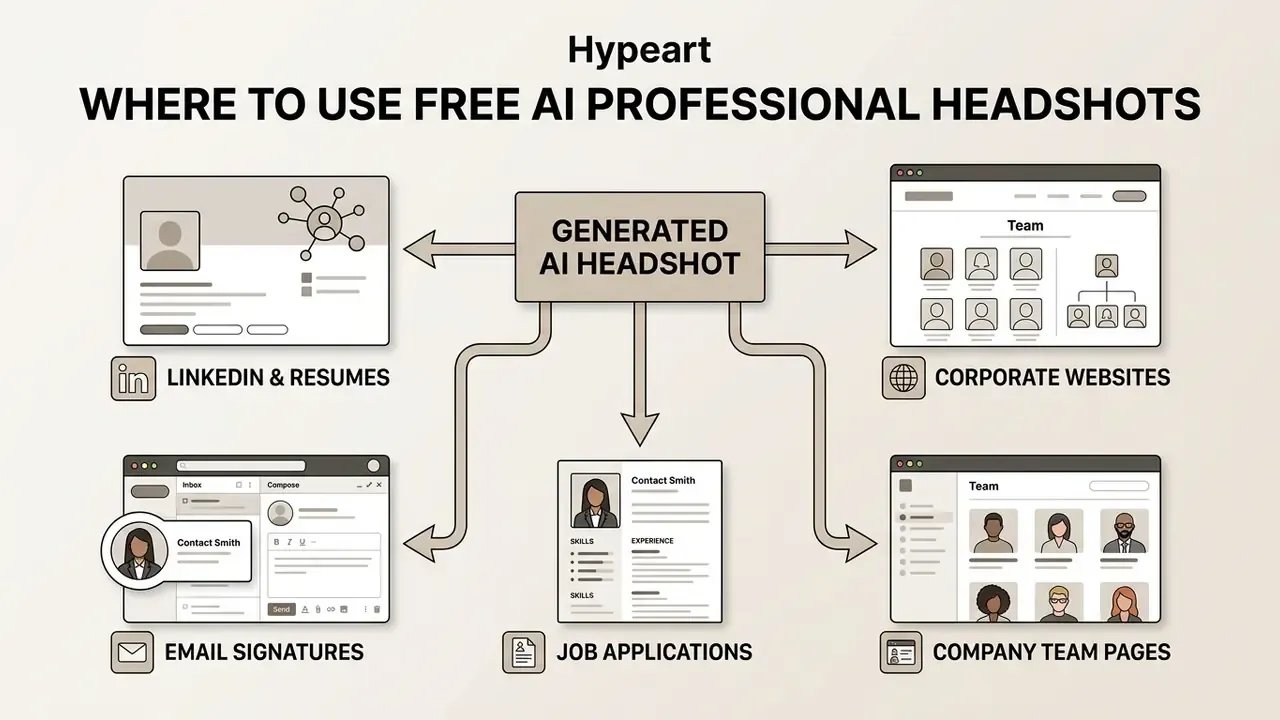
Synthetic portraits are widely deployed across LinkedIn personal profiles, digital resumes, executive bio pages, and corporate email signatures.
«A content analysis of 30,824 AI images from Instagram and Twitter found photorealistic AIGI frequently depict people with professional lighting and almost no overt AI cues». Cao et al. (2024), arXiv:2409.17484. https://arxiv.org/abs/2409.17484
LinkedIn, Resumes, and Company Websites
LinkedIn platform rules require profile pictures to accurately reflect the user's likeness, prohibiting abstract avatars, company logos, emoji, landscapes, animals, text, or stock photography. Technically, LinkedIn Pages require a logo image of at least 268×268 px (400×400 px recommended, PNG or JPEG, max 3 MB), while personal profile photos accept 400×400 px up to 7680×4320 px and a maximum of 8 MB.
«Across four experiments with more than 900 participants, racial match between evaluator and LinkedIn candidate affected hiring outcomes more strongly than gender». Unmasking LinkedIn Profiles, University of St. Thomas (2024)
When deploying generated headshots on corporate web properties, organizations should ensure images meet high-resolution display standards (minimum 400×400 pixels for profile avatars, 1080p for leadership directories). Institutional ethics guidance is consistent on one point: synthetic portraits may illustrate and represent the depicted person, but must never be presented as documentary photography of events that did not occur, and digital imitation of another living person requires explicit consent. For teams building matching multimedia assets around those portraits, free video editing software covers the adjacent production step.
Tailoring Headshots for Specialized Industry Niches
- Actors and creative portfolios use high-contrast black-and-white monochrome presets to emphasize facial expression and bone structure without color distractions, the standard look for casting submissions and model cards. A free actor ai headshot pass is often enough for a first-round self-tape package.
- Keynote speakers and conference panelists select dynamic on-stage or microphone-adjacent lighting presets that convey authority and public presence. Several paid tiers ship dedicated speaker-style templates specifically for promotional posts and event signage.
- Gender-inclusive profile controls advanced platforms support explicit identity conditioning (male, female, non-binary facial mapping) so prompt adapters reflect gender expression accurately instead of defaulting to biased stylistic averages.
- Academic and research profiles favor warmer, softer key light with bookshelf or neutral wall backdrops, and keep attire at business-casual level to match faculty directory conventions.
- Team directories at scale lock one lighting, posture, and framing configuration across all employees so the directory reads as a single brand system while each person still looks like themselves.
Limitations and Open Questions
A few things this comparison cannot settle, and it is better to say so plainly.
Identity-preservation scores drift between runs, because diffusion sampling is stochastic. A tool that wins on one seed can lose on the next. Second, none of the vendors publish independently audited deletion certificates, so retention claims rest on self-attestation. Third, published perception studies test faces in isolation, not faces inside a LinkedIn page with a name, job title, and shared connections, which almost certainly changes how much scrutiny a portrait attracts.
And disclosure norms remain unsettled. Some employers now ask staff to label synthetic portraits; most say nothing at all.
A safe next step for a regulated institution: approve one or two vendors with documented non-training clauses, publish a one-page internal standard covering framing and licence scope, and log every upload. Small control, real reduction in shadow AI.
FAQ: Free AI Headshot Generators
Do I Need a Professional Photo or Can I Use a Selfie?
You do not need a professional photo; a standard mobile selfie is sufficient provided it meets technical quality requirements. The selfie must be sharp, well-lit, front-facing, and captured without harsh shadows or heavy beauty filters. High input resolution lets the neural network map facial geometry and skin texture accurately.
Can I Use an AI Headshot Generator on Any Device?
Yes. Web-based AI headshot generators run inside modern desktop and mobile browsers across iOS, Android, macOS, and Windows. Processing happens on remote cloud GPU servers, which removes the need for high-end local hardware. Users upload input photos and download completed renders directly through the browser interface; current versions of Chrome, Safari, Firefox, Edge, and Samsung Internet cover the overwhelming majority of real-world traffic.
How Many Photos Do I Need to Upload?
It depends on the architecture. Single-image systems built on InstantID-style identity conditioning work from one clear selfie (Canva, Firefly, Monica, HeadshotMaster). Fine-tuning services request a small dataset: BetterPic asks for 8 photos, and Aragon AI recommends 10 to 20 across varied angles and lighting, because more identity data reduces drift in glasses, hairstyle, and skin tone.
Can I Use Free AI Headshots Commercially?
Sometimes. BetterPic grants a full commercial licence on its free output, HeadshotPro's free download is described as free to save and use immediately, and Adobe Firefly's native models are built for commercial use. By contrast, watermarked personal-evaluation tiers such as FreeHeadshot's 3-per-day allowance are not licensed for paid commercial campaigns. Always read the specific free-tier terms rather than assuming category-wide rights.
How Fast Are Free AI Headshot Generators?
Single-selfie tools return results in roughly 30 seconds to a few minutes. Multi-photo fine-tuning services take longer: BetterPic and Aragon AI typically deliver in under an hour, and HeadshotPro's Executive tier advertises a 1-hour turnaround. Human-in-the-loop freelance workflows generally return curated sets within 24 hours.
What Should I Do When My Free Credits Run Out?
Three options, in ascending cost. Rotate to another vendor's free tier, since each has independent caps. Use Remix or re-roll controls on an already-generated favorite to get new outfits and backgrounds without re-running identity extraction. Or move to a paid batch at $29 to $59, or a Fiverr designer at around $30, when you need volume, 4K exports, or manual artifact cleanup.
Will AI Headshots Look Fake to Recruiters?
Not necessarily, but scrutiny is real: viewers who suspect a synthetic portrait examine it more closely and reach roughly 77% accuracy in controlled tests. The defect list is predictable, covering pupils, teeth, hair boundaries, and eyewear, so a disciplined 200% zoom audit before publishing removes most of the tell-tale signals.
To review additional comparative evaluations across media software categories, explore the best AI image generators comparison for empirical performance data across generative engines.
Technical and Metadata Reference
Footer navigation and hub authority link: to explore complete software evaluation matrixes and tool comparisons across all categories, open the hub.
- Title
- Best Free AI Headshot Generator: Top Tools & Free Picks
- Target keywords
- best free ai headshot generator; ai photo headshot free; best ai headshot generator free; best ai photo headshot generator free; best ai professional headshot generator free; best free ai headshot generator online; best free ai image generator for headshots; best free ai professional headshot generator; best free ai professional photo generator; best free headshot ai generator; best free headshot generator ai; best headshot ai generator free; flux ai headshot; actor ai headshot free; non-binary ai headshot
- Author
- Marcus Hale, author
- Review cadence
- free-tier limits and retention terms re-verified monthly
- Last updated
- February 2026