Last updated: February 2026 · Testing scope: 10 upscalers, 5 asset categories, 2x and 4x passes · Review basis: vendor documentation, published super-resolution benchmarks, and hands-on output inspection at 100% zoom.
Quick Verdict: Which Free AI Image Upscaler Is Best?
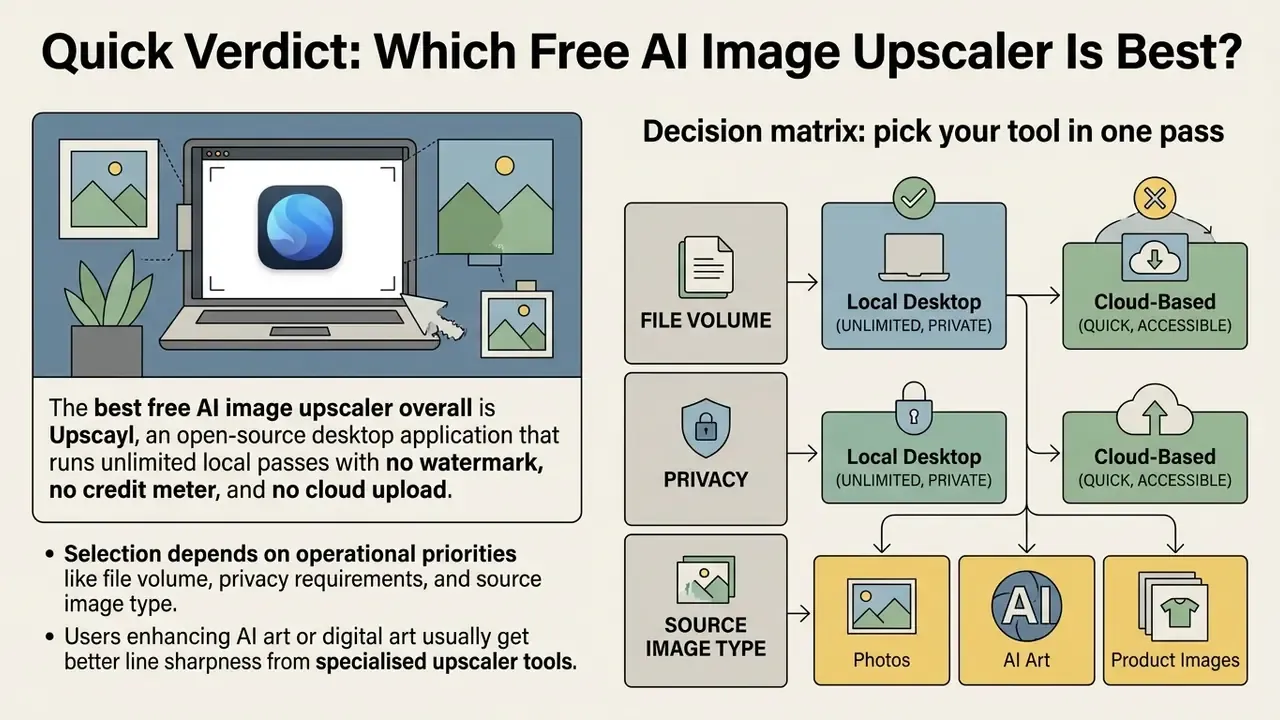
The best free AI image upscaler overall is Upscayl, an open-source desktop application that runs unlimited local passes with no watermark, no credit meter, and no cloud upload. If you want the best AI image upscale free experience inside a browser, Upscale.media delivers the sharpest single-file output without installing software. For teams searching for free AI image upscaling software that fits compliance rules, local execution beats every cloud option, because source files never leave the device. For casual, account-free work, iLoveIMG is the fastest best free AI photo upscaler with zero sign-up friction.
Selection depends on operational priorities: file volume, privacy requirements, and the source image type. Desktop software such as Upscayl stays completely free under an open-source licence, keeps data on the local device, and enforces no usage caps or watermarks. Web platforms mostly run a free tier model. Convenient for occasional tasks, restrictive at scale, since they cap daily image processing, input dimensions, or output resolution.
Users enhancing AI art or digital art usually get better line sharpness from specialised upscaler tools such as Bigjpg or Waifu2x. E-commerce teams scaling product images for print layouts often prefer Let's Enhance for its structured colour and detail controls, provided they can live with its credit allocation and watermark rules.
Decision matrix: pick your tool in one pass
| Requirement / operational constraint | Recommended tool | Execution type | Key technical advantage |
|---|---|---|---|
| Strict data privacy, confidential or regulated assets | Upscayl | Local GPU (Vulkan/NCNN) | Zero external server egress; files stay on the machine |
| Instant single photo, no installation | Upscale.media | Web browser | Accepts inputs up to 20,000×20,000 px when signed in |
| Anime, manga, vector and line art | Bigjpg / Waifu2x | Web / desktop | Trained on illustration data; no colour bleeding |
| E-commerce and 300 DPI print exports | Let's Enhance | Cloud / API | Dedicated print presets and gentle text mode |
| Unlimited web upscaling with no sign-up | iLoveIMG | Web browser | No account, no credit system |
| Mobile capture cleanup on the go | Pixelcut | iOS / Android | Touch workflow plus background remover |
| Upscaling inside a full RAW photo editor | Luminar Neo | Desktop | 2x, 4x and 6x inside an end-to-end editing pipeline |
| High-volume commercial print production | Topaz Gigapixel AI (paid) | Local desktop | Licensed commercial rights, RAW input, batch queues |
One caveat before the detail: convenience and residual risk trade against each other almost linearly here. Organisations reviewing workflows across media creation can consult our AI media comparison matrices to evaluate tool capabilities across asset types, and open the hub for underlying performance data.
How We Tested Free AI Image Upscaling Tools
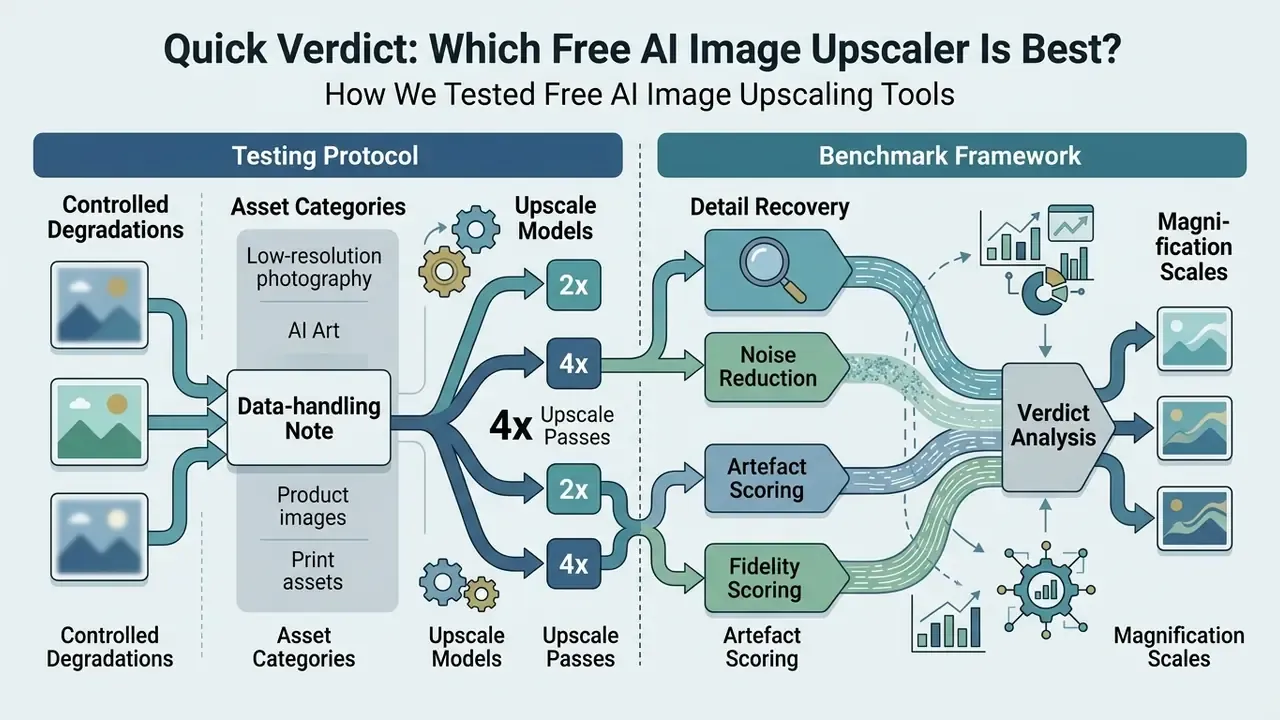
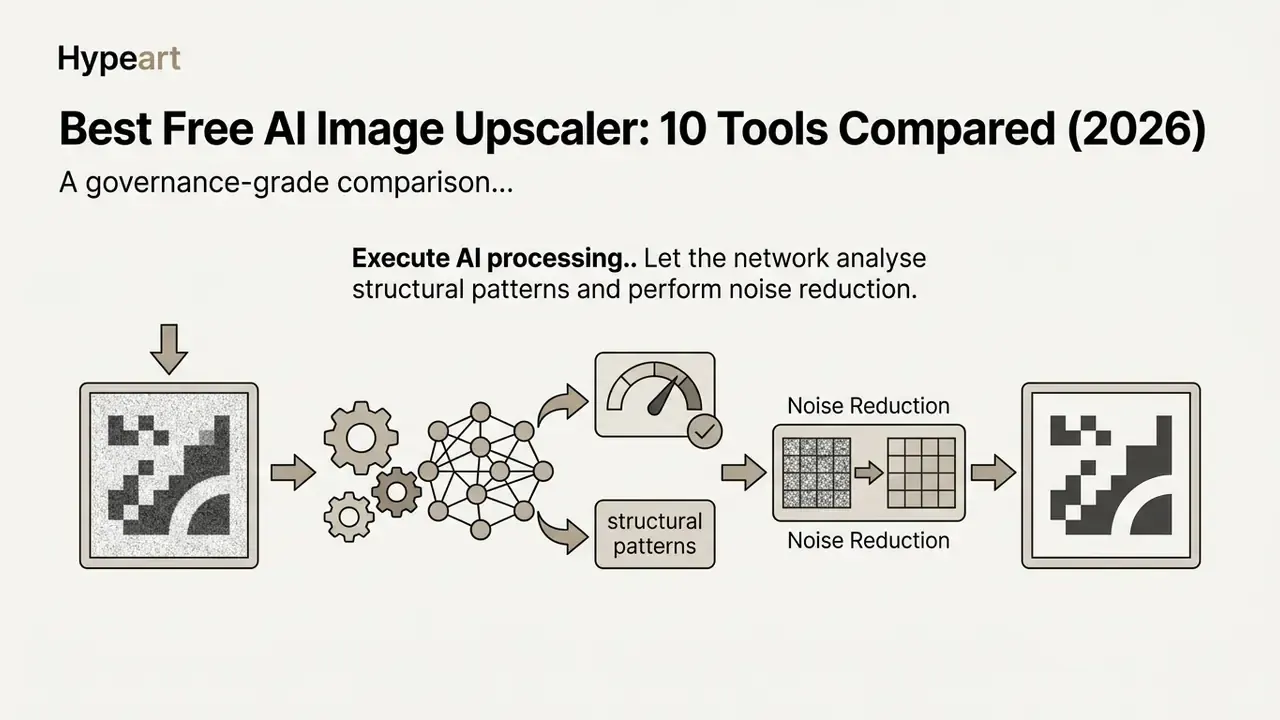
The benchmark framework checks how effectively AI models execute noise reduction and detail recovery without generating hallucinated visual defects. Degradation settings are fixed before testing, so every model receives identical inputs. That mirrors academic practice in ultra-high-definition super resolution benchmarking, where bicubic downsampling, blur ("B") and downsampling ("D") variants are declared in advance.
"State-of-the-art SR networks reach 43 to 44 dB PSNR on RAW images at 2x and 4x scales, versus roughly 36 dB for simple interpolation."
"Neural SR models process compressed AVIF streams to 4K in under 10 ms on GPUs, outperforming Lanczos interpolation on all tested quality metrics."
Artefact scoring stays separate from fidelity scoring, deliberately. Research on realistic super-resolution evaluation (for example, DeSRA-style artefact detection measured with IoU, precision and recall against ground-truth artefact masks) shows that a model can raise perceived sharpness while inventing structures that were never present. So we log every artefact class on its own: halos, waxy skin, broken hair strands, warped straight lines, distorted glyphs.
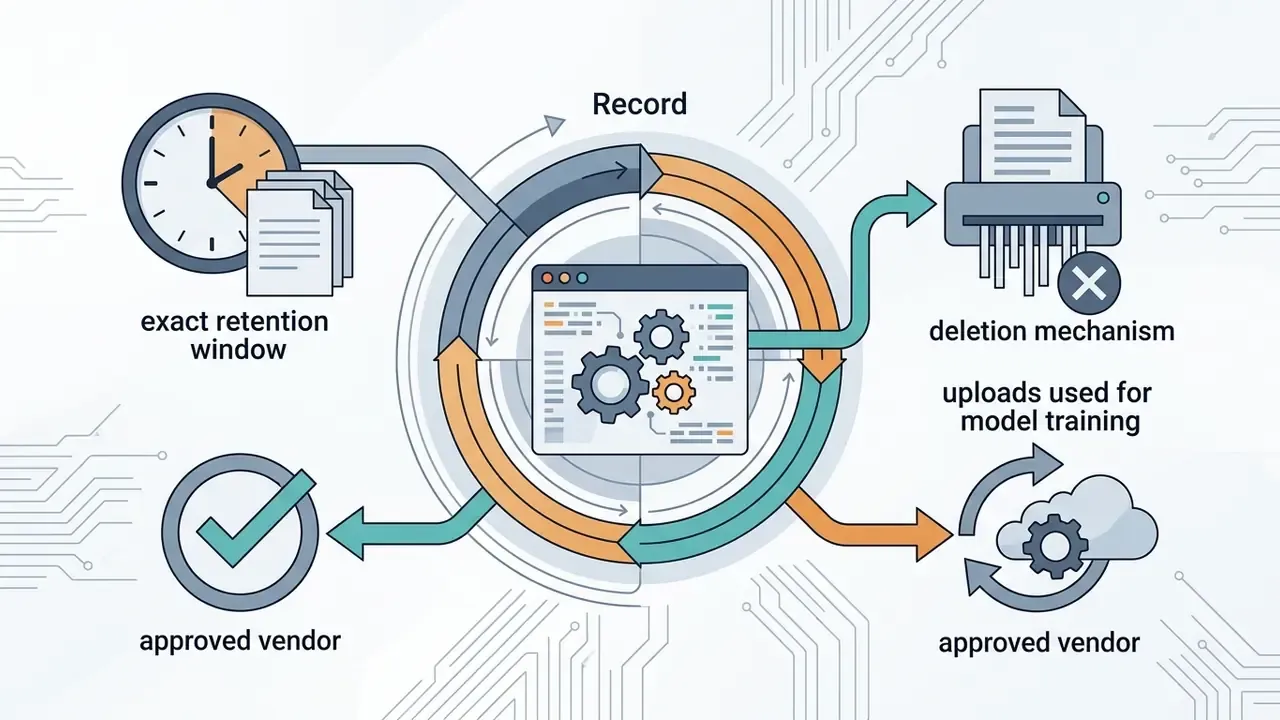
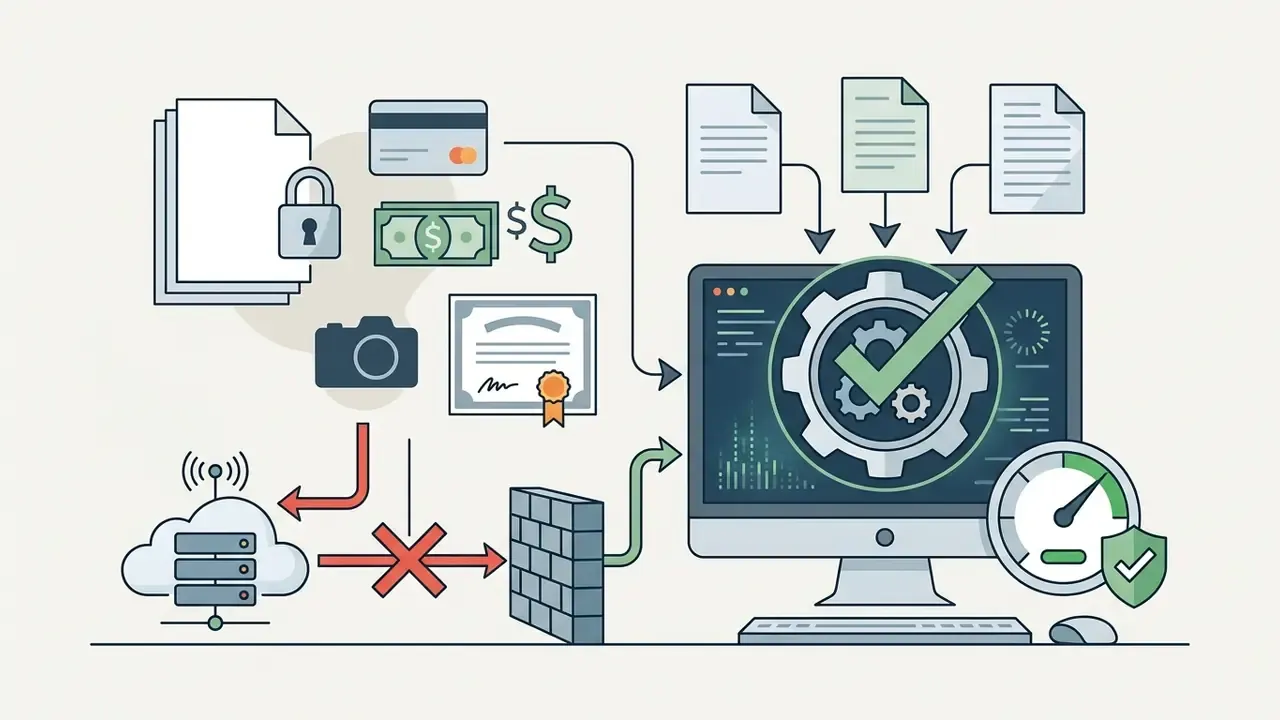
Data-handling note (updated). In a recent model-validation exercise, an operational team ingested a batch of 50 compressed product photos into a web-based upscaler to gauge shadow-AI data-leakage risk. Depending on the vendor's privacy policy, unauthenticated cloud tools may retain cached assets on external servers for anything from a few hours to 180 days. Published vendor terms in this category document 12-hour purges, 14-day automatic deletion, 24-hour trial deletion, and output retention windows of up to 180 days on specific plans. Because the team could not standardise those windows across vendors, it moved toward audited local desktop execution instead. The lesson was procedural rather than technical: operational privacy controls have to travel with performance testing when you deploy media models. For a broader view of how free media tools handle retention and export rights, see our guide to free photo editors.
Free AI Image Upscaler Comparison Table
Best free AI image upscalers comparison: capabilities, input ceilings and free-tier limits. Figures reflect vendor documentation reviewed in February 2026; free tier limits change frequently, so verify before deploying at scale.
| Tool | Platform / deployment | Max scale | Max input resolution | Max file size | Registration | Batch | Watermark policy | Free tier limits | Commercial use on free tier | Primary use case |
|---|---|---|---|---|---|---|---|---|---|---|
| Upscayl | Desktop (Windows 10+, macOS 12+, Linux) | 4x native, 16x via double pass | Unlimited (GPU/VRAM dependent) | Unlimited | None (open source, AGPL-3.0) | Yes (folder batch) | No watermark | Completely free, no caps | Yes, no output restrictions | Local photo, AI art and confidential product upscaling |
| Upscale.media | Online web / iOS / Android | 8x (1x, 2x, 4x, 8x selectable) | 20,000×20,000 px at 1x signed in; 10,000×10,000 px as guest; caps halve at each higher factor | 5 MB trial / 10 MB paid | Optional (guest caps apply, about 3 images per session) | Paid tiers | No watermark | Free plan about 2 images per month; trial 10 uploads/hour/IP; 24-hour trial deletion; 7-day retention | Verify current terms before commercial publication | Quick browser-based photo and social asset upscaling |
| Bigjpg | Online web / desktop client | 4x free, 16x paid | 3,000×3,000 px | 5 MB | Not required for 2x/4x | Limited | No watermark | Daily task limits; queue-based processing | Yes, within free task caps | Anime, digital art and AI generated illustrations |
| Waifu2x | Online web / open source | 2x per pass (stackable) | About 3,000×3,000 px denoise; about 1,500×1,500 px upscale on public hosts | About 5 MB (host dependent) | None | Implementation dependent | No watermark | Completely free on public hosts | Yes (MIT-licensed implementations) | Line art, 2D graphics and noise-reduced illustrations |
| Let's Enhance | Online web / API | 16x | Up to 256 MP output (personal), up to about 500 MP (business) | Up to 50 MB | Required | Yes (up to about 20 images) | Watermarked on free tier | 10 signup credits, then paid plans | No, the watermark blocks commercial use until upgrade | Product images, e-commerce shots and print preparation |
| iLoveIMG | Online web | 4x | About 6 MP input | Web upload limits apply | None | Multi-file queue | No watermark | Unlimited web use (ad-supported) | Yes for non-confidential assets | Fast, account-free 2x and 4x upscaling |
| Pixelcut | Mobile app (iOS/Android) / web | 4x, HD 4K and Ultra HD 8K output | Device and plan dependent | Plan dependent | Account required for full features | Limited | No watermark on basic export | Limited free upscale and background removal passes | Yes on watermark-free exports | Mobile product photos, social media content, rapid editing |
| Luminar Neo (Upscale AI) | Desktop (Mac, Windows), mobile, ChromeOS | 2x, 4x, 6x | RAW/TIFF dependent on hardware | Unlimited locally | Account for trial | Yes | No watermark | 7-day free trial, then one-time purchase (from about €129) | Yes after purchase | Photographers upscaling inside a full editing pipeline |
| Topaz Image Upscaler (online) | Online web | Up to 8x | Browser limits apply | Browser limits apply | Account required | Paid plans only | No watermark | Restricted browser trial passes | Tier dependent (see licence thresholds) | Browser-based high resolution photo sharpening |
| Zoviz / Upsampler | Online web | 4x to 16x (4K output) | Not published | Not published | None | No | No watermark | Free guest access without signup | Verify vendor terms | Rapid web-based enlargement for casual graphics |
Read the matrix as a trade curve. Web-based upscaler tools give you immediate access with no software installation, then restrict batch processing, cap input dimensions, or demand account registration. Desktop software such as Upscayl removes recurring cost and watermark restrictions by leaning on local GPU resources, which is exactly why it dominates any shortlist built around compliance rather than convenience.
The Best Free AI Image Upscalers for Different Needs
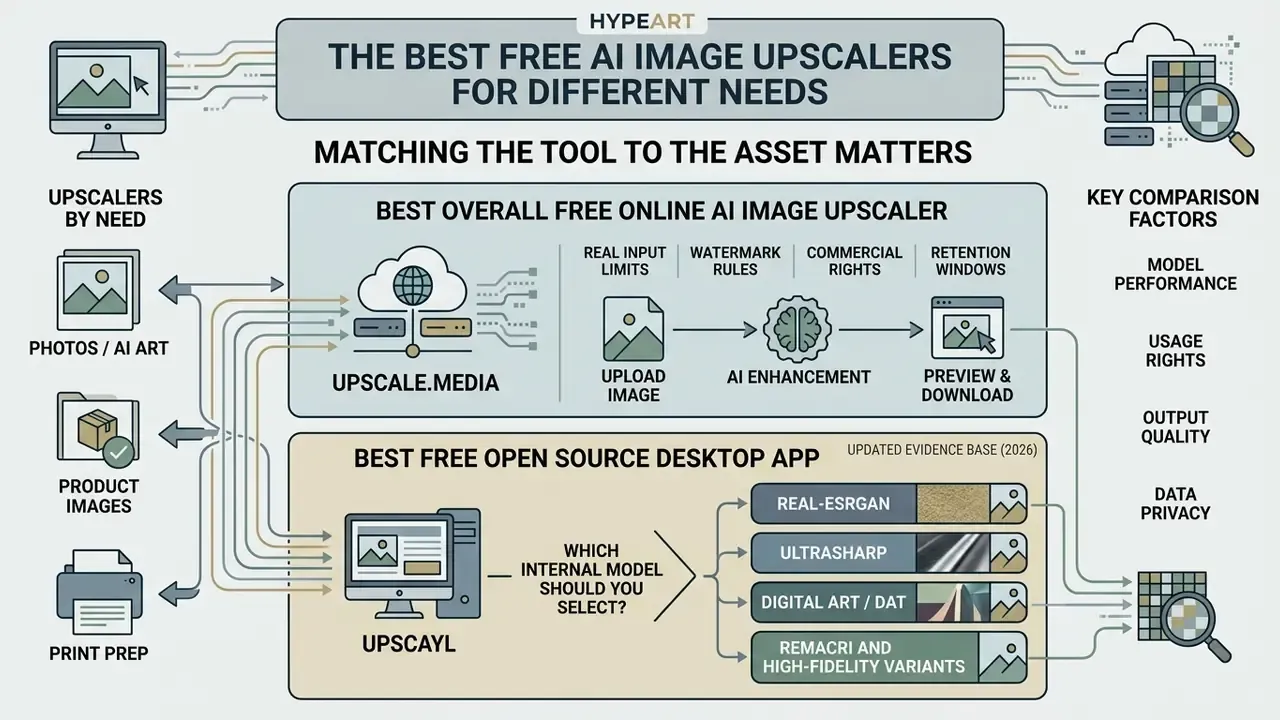
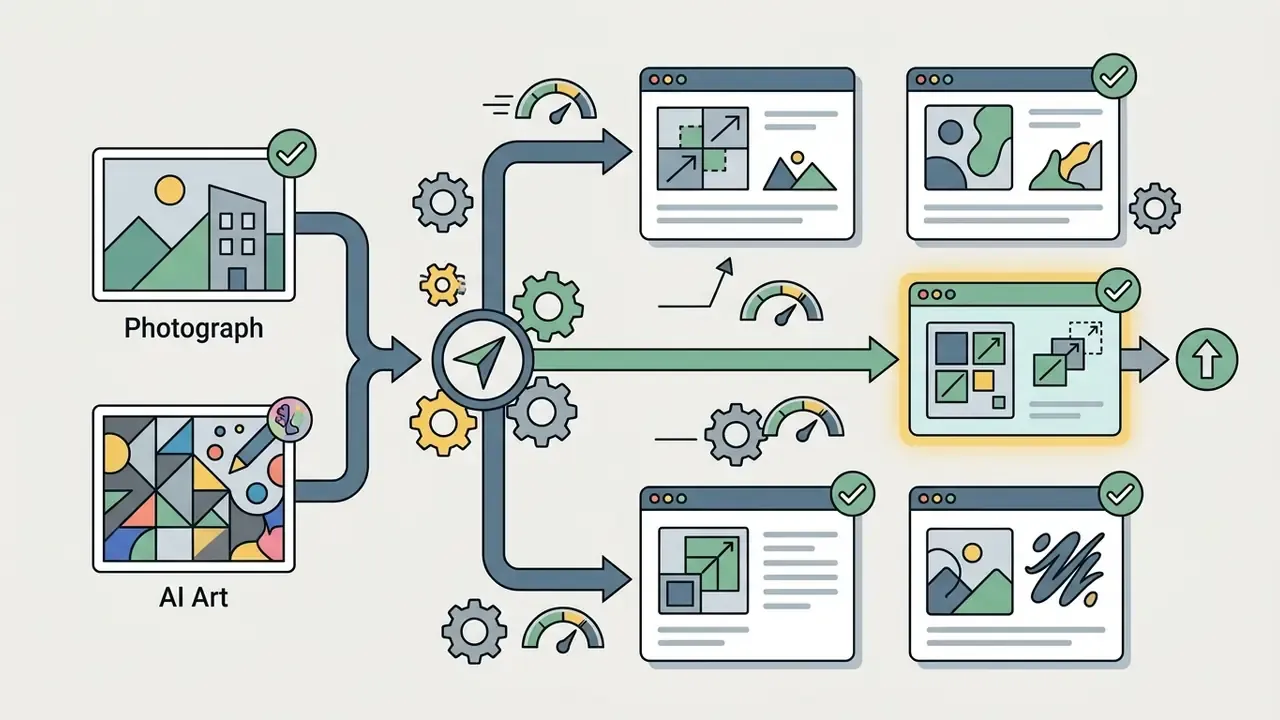
Matching the tool to the asset matters more than chasing the biggest number. Neural architectures differ in how they treat high-frequency texture versus smooth vector lines, and free AI image upscaling software delivers different image enhancement quality depending on whether the input is a compressed photo or synthetic digital art.
Tool selection by asset category
| Asset category | First choice | Backup choice | Why this pairing works |
|---|---|---|---|
| Natural photography, portraits, landscapes | Upscale.media | Upscayl (Real-ESRGAN model) | Models trained on natural scenes preserve skin tone and depth |
| AI art, anime, manga, flat-colour illustration | Bigjpg | Waifu2x / Upscayl (Digital Art model) | Illustration-trained networks keep line edges free of colour bleed |
| E-commerce product shots, packaging, labels | Let's Enhance | Upscayl (UltraSharp model) | Gentle modes protect small text and fine print |
| Screenshots, UI mockups, diagrams | Let's Enhance (Gentle) | Upscayl | Reduced sharpening keeps glyph strokes legible |
| Archival scans, damaged old photos | Upscale.media restore tools | Luminar Neo | Blur-aware pipelines remove grain before enlargement |
| Confidential or regulated imagery | Upscayl | Luminar Neo (offline) | Zero upload, zero third-party retention |
| Mobile captures for social media | Pixelcut | iLoveIMG | Touch-first workflow, watermark-free basic export |
| Occasional one-off enlargements | iLoveIMG | Zoviz / Upsampler | No account, no credit meter, fastest path to download |
Teams building broader content workflows can explore options through our AI Media Commercial-Use Hub to review legal and licensing considerations across media tools.
Upscale.media: Best Overall Free Online AI Image Upscaler
Upscale.media is the strongest online choice for fast, one click image resolution enhancement directly inside a browser. It analyses the input file automatically, applies targeted sharpening, and smooths out blocky compression artefacts.
The service supports common image formats including PNG, JPEG, JPG, WebP and HEIC, plus MP4, MOV and WebM on its video upscaling path. Logged-in users can upload images up to 20,000×20,000 pixels at 1x magnification, while unauthenticated guest sessions are capped at 10,000×10,000 pixels. Every step up in scale factor halves the permitted input dimensions, so a 4x pass accepts roughly 5,000×5,000 px signed in and 2,500×2,500 px as a guest. GIF uploads process only the first frame, and trial-mode files auto-delete after 24 hours.
Updated evidence base. Earlier drafts of this review cited a general deep-learning benchmark without verifiable figures. The replacement citation quantifies the latency versus quality balance every cloud upscaler has to strike:
"All 25 AIS 2024 RTSR teams improved PSNR over Lanczos interpolation while processing compressed images to 4K in under 10 ms on commercial GPUs."
In practice, Upscale.media handles single-file tasks efficiently, which makes it a sensible default for web-ready images online. Output held up well on skin texture and fabric weave in our 2x tests, and screenshot text stayed legible at 4x. Enterprise teams scaling hundreds of assets hit the free tier ceiling fast, though: the documented free plan allows roughly two images per month with a 10 MB limit and seven-day retention, while guest sessions are limited to a handful of images and 10 uploads per hour per IP address.
Upscayl: Best Free Open Source Desktop App
Upscayl is the strongest open source desktop software for anyone who needs unrestricted batch processing, zero usage fees, and full data privacy. All neural processing runs locally on the user's graphics card, so source files never leave the local environment. Zero upload.
"Upscayl is a free, open-source application for Mac, Windows and Linux supporting up to 16x enlargement, six built-in models and folder batch processing; rated 8.2/10."
Local processing architecture
| Stage | Where it runs | Data exposure |
|---|---|---|
| Image import | Local filesystem | None |
| Model inference (Real-ESRGAN via NCNN/Vulkan) | Local GPU | None |
| Tile assembly and post-processing | Local RAM/VRAM | None |
| Export | Local filesystem | None |
| Optional cloud service (separate product) | Vendor servers | Inputs retained about 1 day, outputs up to 180 days per published policy |
Upscayl relies on Real-ESRGAN and an NCNN/Vulkan execution stack to perform 4x upscale operations locally, extending to 16x through double-pass workflows. It runs natively on Windows 10+, macOS 12+ and Ubuntu 20.04+. Because inference requires a Vulkan-compatible GPU, hardware dictates speed; CPU-only and integrated-graphics-only setups are documented as unsupported or unreliable. On Apple Silicon, a 2x pass typically completes in about three seconds per image, and entire folders queue in a single run.
Which internal model should you select? Most guides stop short here. Upscayl ships several bundled AI models, and choosing correctly matters more than choosing a higher scale factor:
- Real-ESRGAN. Photographic portraits, natural landscapes, general camera captures. The safest default for anything containing human faces.
- UltraSharp. Recovering fine details in low res, heavily compressed web assets where edges have gone soft and blocky.
- Digital Art / DAT. Vectors, anime, flat-fill illustrations, and synthetic generations from diffusion models, where line integrity beats texture realism.
- Remacri and high-fidelity variants. Mixed-content batches where you want moderate sharpening without aggressive texture invention.
If you process multiple images across several asset classes each week, switching models inside one application removes the need to shuttle confidential files between vendors. For organisations bound by strict privacy policy mandates or regulatory compliance frameworks, local desktop processing removes third-party data exposure entirely. Before publishing enhanced assets externally, review the requirements for commercial use of AI upscalers, since licence obligations differ between open-source binaries and hosted SaaS outputs.
Bigjpg and Waifu2x: Best for AI Art, Anime and Digital Art
"The CBAM-ESRGAN model achieves a perceptual index of 2.1 and LPIPS of 0.158, delivering high texture realism at reduced inference time."
Attention-guided convolutional blocks are what keep flat fills flat and edges unbroken. They weight channel and spatial features so the network sharpens boundaries instead of injecting grain into solid colour regions, which is why these image enlarger models return reduced noise on illustration work. Creators working upstream of the upscaling step can review how prompt and model choice affects line quality in our best ai prompts guidance and our comparison of the best free AI art generators.
One practical caveat: Bigjpg's free queue is shared, so peak-hour jobs can take 10 to 60 seconds per image. On photographic content its output is competent but not class-leading. This is a tool that knows its niche and stays in it.
Let's Enhance and Image Upscaler: Best for Product Images and Print
Let's Enhance specialises in commercial asset workflows, which makes it a strong candidate for e-commerce product photos and files headed to physical print. Its engines focus on realistic detail across fabric textures, product labels and fine text.
"The EDSR model outperforms ESRGAN and Real-ESRGAN on PSNR, SSIM and text-recognition accuracy at the lowest computational cost."
That finding matters directly for commerce. When a network optimises for perceptual "wow" rather than fidelity, the first casualties are glyph strokes on packaging and numerals on spec labels. Reconstruction-oriented architectures preserve them better, which is why Let's Enhance separates a Gentle mode (small text, UI, screenshots) from Standard and Old Photo modes.
The platform provides dedicated enhancement presets, including 300 DPI export options and custom dimensions tailored for print layouts, with documented output ceilings of roughly 256 MP on personal plans and around 500 MP on business plans, plus batch queues of up to 20 images. Free accounts receive 10 signup credits, and enhanced free outputs carry a visible watermark until you upgrade. For a commercial catalogue, that is a hard blocker, not an inconvenience. Paid users can re-download previously processed images watermark-free.
In print testing, models that preserve high-frequency detail produce noticeably better optical density on paper. Teams assembling a wider production stack can compare adjacent tooling in our guides to AI photo editors and the best ai text to image tools with high-quality output.
Pixelcut: Best Free AI Photo Upscaler for Mobile Users
Pixelcut is a mobile-first photo editor for creators and field teams who need rapid image upscaling on iOS and Android. It pairs resolution enhancement with adjacent utilities: background remover, magic erase, and AI image generation.
The mobile app completes upscale tasks in seconds, turning low resolution smartphone captures into sharp assets for social media, with documented HD (4K) and Ultra HD (8K) output targets in its help documentation.
"Lightweight SR architectures with fewer than one million parameters sustain roughly 26.9 dB PSNR at a few milliseconds per 1080p frame."
That efficiency research explains why credible mobile upscaling is now realistic rather than marketing: the parameter budget required for a visible quality jump has collapsed. Pixelcut's free tier grants limited upscaling and limited background removal with watermark-free export, while advanced batch features require a subscription. The touch interface handles quick visual adjustments on the go and avoids complex desktop configuration. Mobile creators comparing adjacent options can review our directory of free photo editors and our best ai professional headshot generator comparison for portrait work.
iLoveIMG: Best Zero-Registration Web Upscaler
For instant editing without account creation or credit trackers, iLoveIMG provides straightforward 2x and 4x upscaling in the browser. Upload, pick a factor, wait a few seconds, download. There is no model selector, no queue position, no signup wall.
At 2x, output quality sits close to Upscale.media on photographic content. At 4x, complex textures soften slightly against the top-tier engines, yet results stay far ahead of bicubic interpolation. Web use is unlimited and ad-supported, with an input ceiling around six megapixels, which covers most screenshots, blog images and social crops.
Best for: students, casual users, and anyone handling non-confidential files who wants zero usage friction. Not for: regulated imagery, large print masters, or batch catalogue work.
Luminar Neo (Upscale AI): Best for Integrated Photography Workflows
Unlike standalone upscalers, Luminar Neo embeds neural resolution scaling at 2x, 4x and 6x inside a full RAW photo-editing pipeline. Photographers can enlarge a heavily cropped wildlife frame, then continue tone, colour and local adjustments in the same application, with no export detour to a browser tool.
Supported image formats include JPG, PNG and TIFF alongside RAW ingestion, and the application runs on Mac, Windows, iOS, Android and ChromeOS. Licensing is a 7-day free trial followed by a one-time purchase from roughly €129, so it is a paid tool rather than a free tier option. It still belongs in this comparison, because it removes an entire category of quality loss: repeated re-encoding between disparate software packages.
Best for: photographers and retouchers preparing large prints or rescuing low res archive frames, where upscaling is one step in an editing chain rather than an isolated utility.
How to Choose the Right AI Image Upscaler
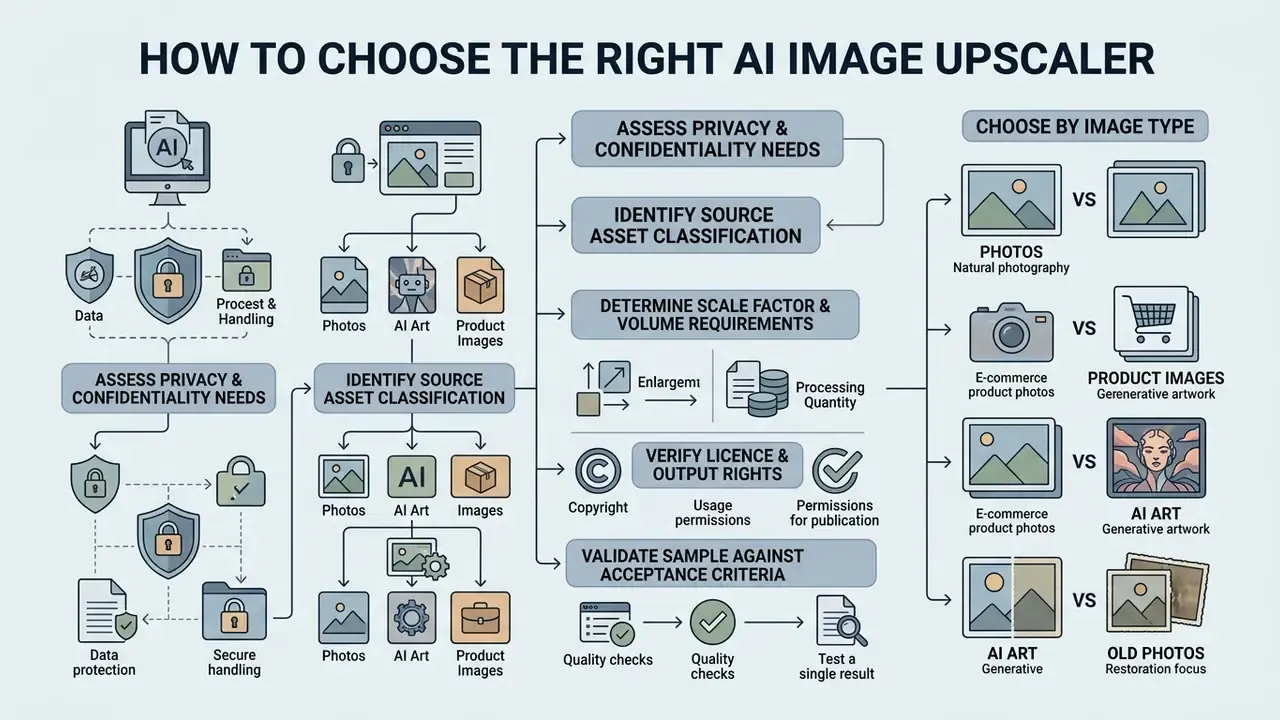
Choosing the right upscaler means matching asset attributes, source quality and privacy demands against tool capabilities. Pick an incompatible model and you get unwanted smoothing, or worse, unnatural artefacts that nobody notices until the asset is printed.
"Agreement between quantitative metrics and human perception is very limited: some metrics show negative correlation with user preference."
This is the single most important caveat for anyone writing a selection policy. Do not treat a leaderboard PSNR score as a proxy for what your audience will see. Score the metrics, then confirm by human inspection at 100% zoom on your own representative assets.
To support the decision, follow this structured evaluation path:
- Confidential or regulated assets: select local desktop software such as Upscayl to keep data on-device.
- Public or non-sensitive graphics: use web-based platforms such as Upscale.media, iLoveIMG or Pixelcut.
- AI art and anime: deploy Waifu2x or Bigjpg to sharpen edges without introducing noise.
- Product photos and print assets: use Let's Enhance for 300 DPI exports and high-frequency detail retention.
- General photography: apply Real-ESRGAN or transformer-based web models.
- Single file below 4x: use online tools without registration.
- Bulk or batch processing: deploy local desktop software to avoid free credit limits.
- Watermarked free output: not usable commercially until upgraded.
- Open-source local binaries: outputs are unrestricted, but confirm the licence covers redistribution of the software itself.
- Assess privacy and confidentiality needs.Assess privacy and confidentiality needs.
- Identify source asset classification.Identify source asset classification.
- Determine scale factor and volume requirements.Determine scale factor and volume requirements.
- Verify licence and output rights before publication.Verify licence and output rights before publication.
- Validate one sample against your acceptance criteriausing the hallucination validation checklist in section 16a before approving a tool for team-wide use.
Teams analysing alternative media tools across broader design operations can browse the hub for side-by-side technical breakdowns, open the hub for head-to-head comparisons, or review adjacent AI image enhancers for professional use where upscaling is only one processing stage.
Choose by Image Type: Photos, Product Images, AI Art and Old Photos
Different image categories need different neural approaches to balance detail recovery against noise suppression:
- Natural photography. Photographic upscaling needs models trained on natural scenes, so that skin tones and environmental depth survive without over-sharpening. Halos around high-contrast edges are the first failure signal.
- E-commerce product photos. Commercial product shots demand accurate text rendering on packaging and crisp edge definition, because buyer trust erodes fast when a label looks mangled. Structured image-exchange practice for online stores also expects consistent format, background and attribute handling, so upscaling should slot into the existing asset pipeline rather than bypass it.
- AI art and digital illustrations. AI generated art needs models that enhance flat fills and sharp lines while suppressing compression artefacts. Creators can compare upstream engines in our review of the best AI image generators, and specialty work has its own tooling, including our best ai tattoo generator comparison.
- Archival scans and old photos. Photo restoration needs blur-aware neural networks that remove grain while reconstructing lost details. Restoration workflow standards recommend capturing at 400 dpi or higher at real size, and working in uncompressed TIFF with embedded colour profiles before any AI pass.
"The PBaSR framework, trained on roughly 3,000 blurred samples, improves LPIPS by 0.02 to 0.10 over baselines for defocus and motion blur."
Beyond those general categories, four commercial niches deserve dedicated handling, because their acceptance criteria differ sharply:
- Real estate and architecture photography. A real estate photo enhancer has to hold straight-line fidelity and suppress shadow noise. Cloud upscalers such as Let's Enhance or PhotoGrid can lift low-light interior captures for MLS listings, brochures, 360° virtual tours and large-format outdoor banners. Watch for bowed window frames and warped ceiling lines: geometric distortion damages buyer trust far more than mild softness.
- Portrait restoration and face sharpness. Free face restoration AI needs facial-landmark reconstruction to avoid waxy skin artefacts. Tools with dedicated face-restoration algorithms (Upscale.media, PhotoGrid, or Upscayl with the Real-ESRGAN model) detect eyes, lashes and skin texture, rebuilding clarity without synthetic distortion. Never publish a restored face without a 100% zoom check on iris and hairline. Teams producing professional portraits at scale can compare dedicated engines in our guide to AI headshot generators.
- Social media banners and YouTube thumbnails. Scaling a small canvas design (1280×720) for 4K displays requires legible overlay text. Use gentle sharpening so vector text, logo boundaries and outline strokes stay crisp instead of picking up halos.
- Posters, movie stills and large-format marketing. Large-format work is frequently specified at 150 DPI rather than 300 DPI at final size, which makes a 4x pass viable for banners that would fail as an A3 catalogue page. Confirm the print specification before choosing a scale factor, and consider AI outpainting tools or the best ai to expand images when the required aspect ratio differs from the source crop.
Choose by Free Limits, Watermarks, Commercial Rights and Privacy
| Tool | Licence model | Commercial use on free output | Watermark on free tier | Documented retention behaviour | Metadata / provenance |
|---|---|---|---|---|---|
| Upscayl (desktop) | AGPL-3.0 open source | Yes, unrestricted output | No | None, files never leave the device | Depends on export settings; no vendor-side stripping |
| Upscayl (optional cloud) | Proprietary SaaS | Plan dependent | No | Inputs about 1 day; outputs up to 180 days per policy | Vendor-side processing |
| Upscale.media | Proprietary SaaS | Verify current terms | No | Trial images deleted after 24 h; free plan about 7-day retention | Cloud processing; EXIF handling not guaranteed |
| Bigjpg | Proprietary SaaS | Yes within free caps | No | Not fully published | Cloud processing |
| Waifu2x (self-hosted) | Open source (MIT) | Yes | No | None when self-hosted | Full local control |
| Let's Enhance | Proprietary SaaS | No until upgraded | Yes | Account-linked storage | Cloud processing |
| iLoveIMG | Proprietary SaaS | Yes for non-confidential files | No | Short-term processing storage | Cloud processing |
| Pixelcut | Proprietary SaaS + app | Yes on watermark-free export | No (basic export) | Account-linked storage | Cloud processing |
| Luminar Neo | Perpetual desktop licence | Yes after purchase | No | Local only | Local; preserves source metadata |
| Topaz Gigapixel AI | Tiered commercial licence | Tier dependent ($1M revenue threshold) | No | Local only | Local; licence covers printed media |
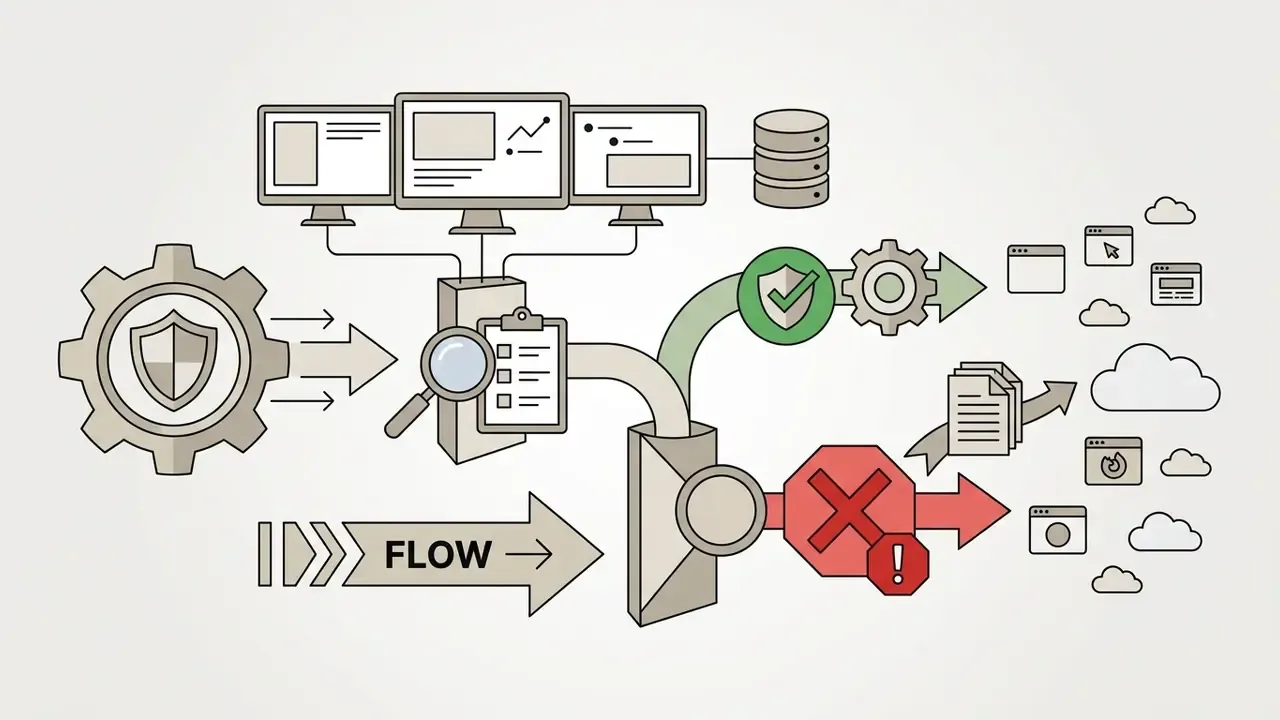
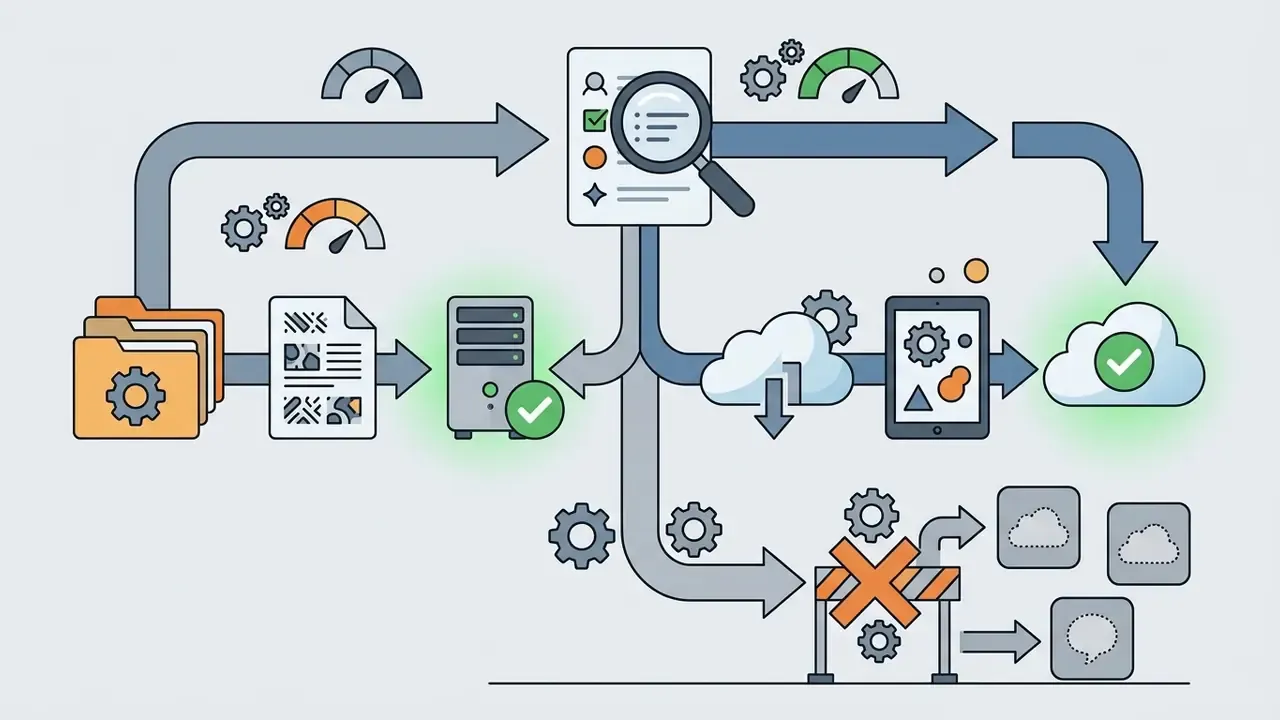
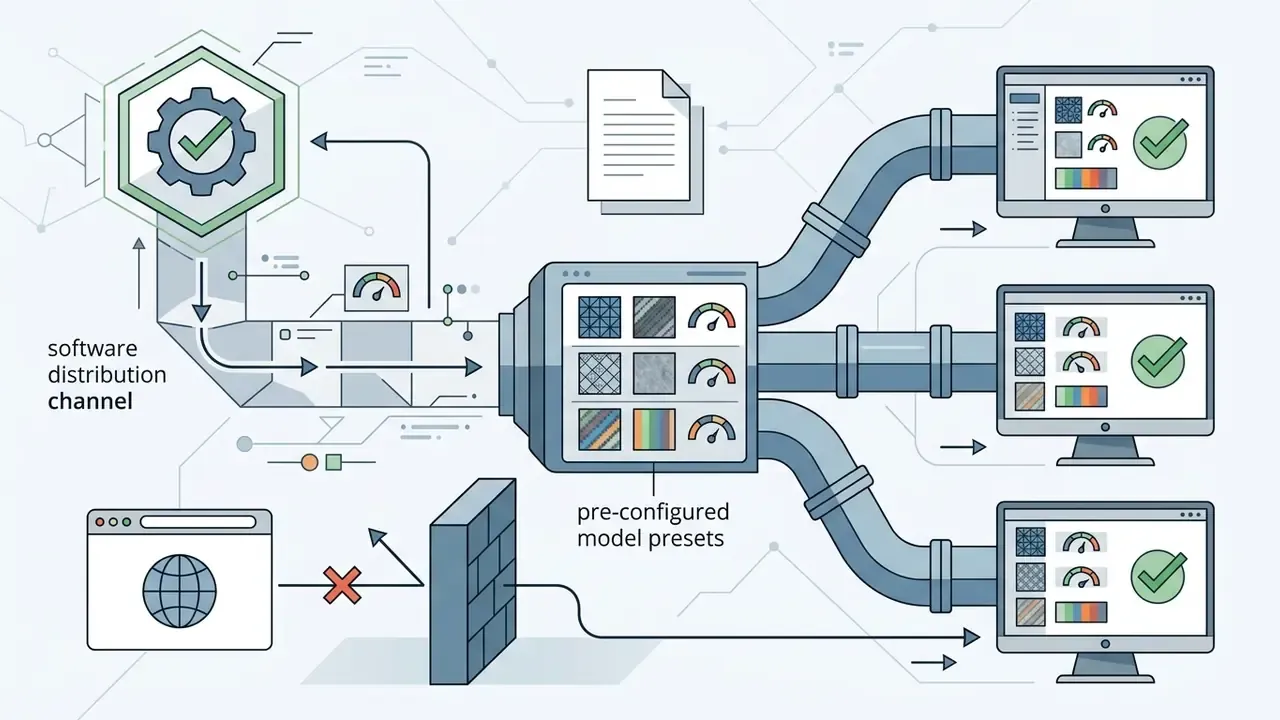
Shadow-AI and data-retention control checklist for IT and security teams
Privacy-preserving research also offers a middle path. Work such as HSR-Net (2024) demonstrates confidential super resolution in which the secret image is concealed before the SR pass, preserving output quality while limiting exposure. Regulatory guidance on commercially available AI products likewise expects organisations to verify collection, retention, disclosure and training use before adoption. For adjacent tooling with similar privacy trade-offs, see our overview of free AI image generators with no sign-up.
How to Upscale Images Online Without Losing Quality
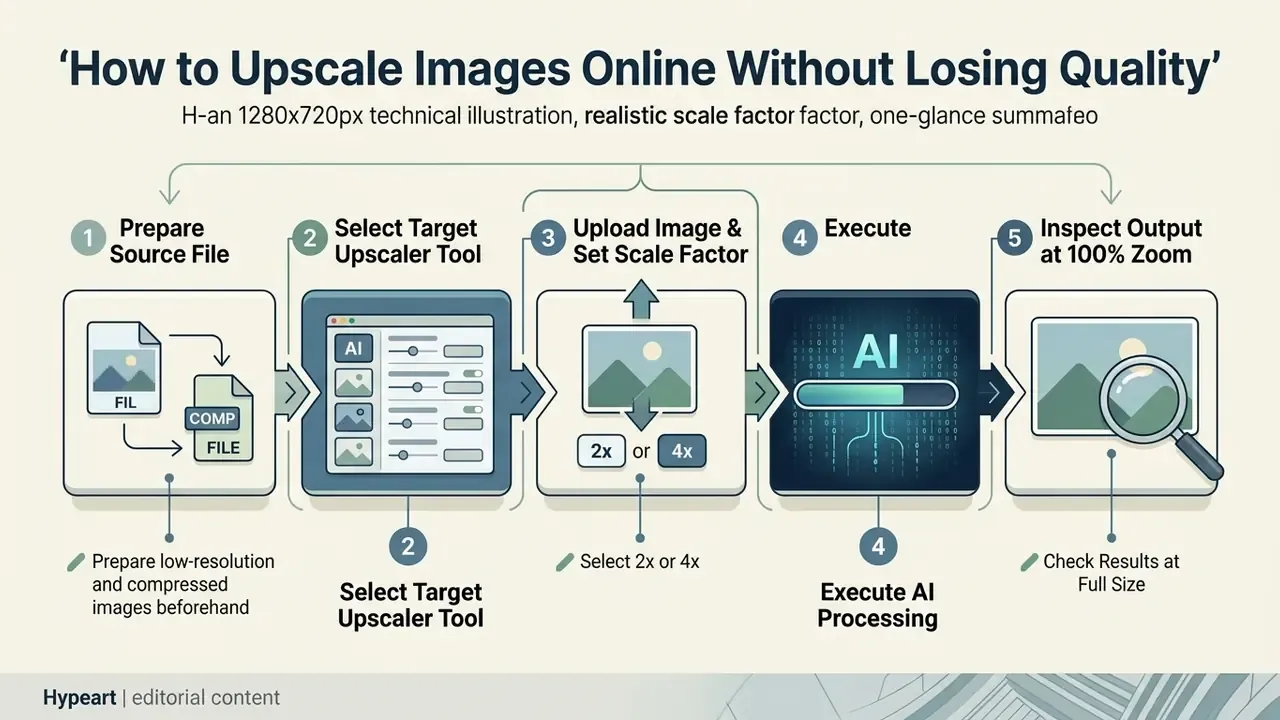
Upscaling images without visible quality loss comes down to three things: a realistic scale factor, a clean source file, and verification at full magnification. Because AI upscaling reconstructs missing pixels probabilistically, good input material produces the most consistent results. Strictly speaking, single-image super resolution is an ill-posed reconstruction task rather than a lossless enlargement. It estimates a plausible high resolution image from limited measurements.
Workflow at a glance
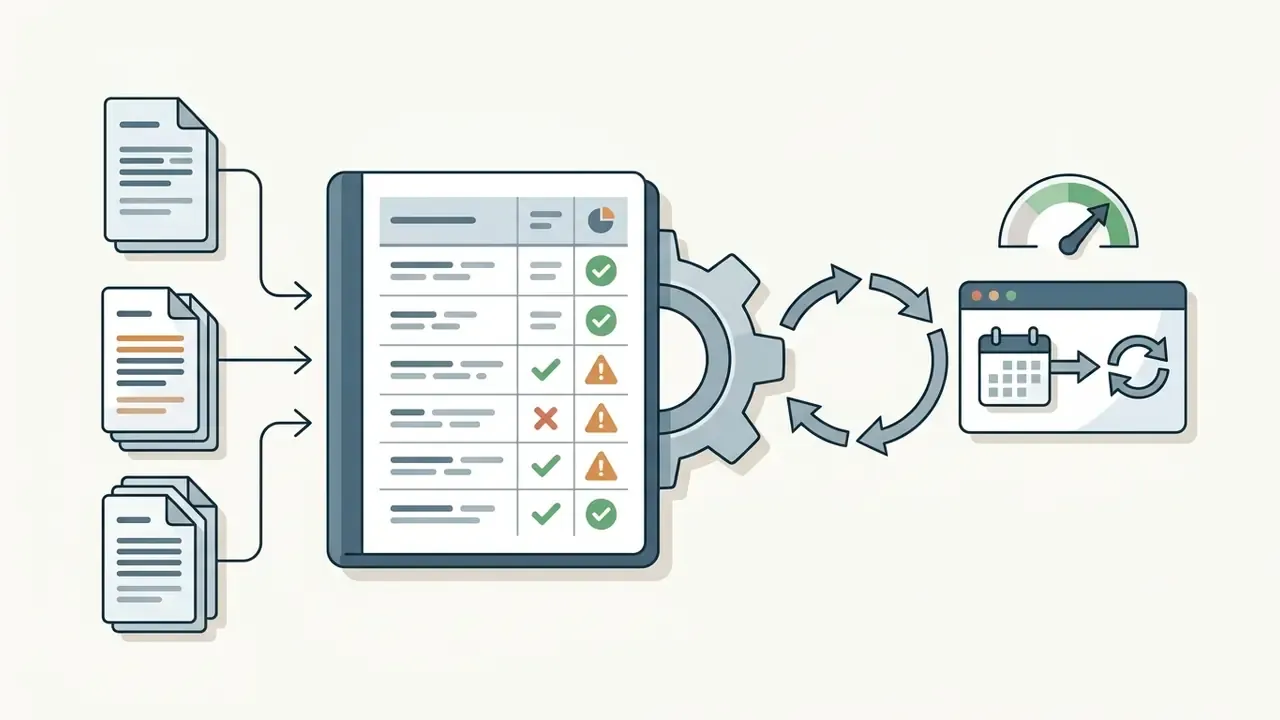
| Step | Action | Acceptance check |
|---|---|---|
| 1 | Retrieve the highest-resolution original available | No prior re-save chain; prefer PNG or lightly compressed JPEG |
| 2 | Apply mild denoise or artefact reduction if compression blocks are visible | Blocks softened, texture retained |
| 3 | Match tool and internal model to asset class | Model matches content type (photo versus line art) |
| 4 | Set a realistic scale factor (2x for compressed, 4x for clean sources) | Target pixel dimensions meet the output specification |
| 5 | Run the pass | No queue timeout, no silent downscale of oversized input |
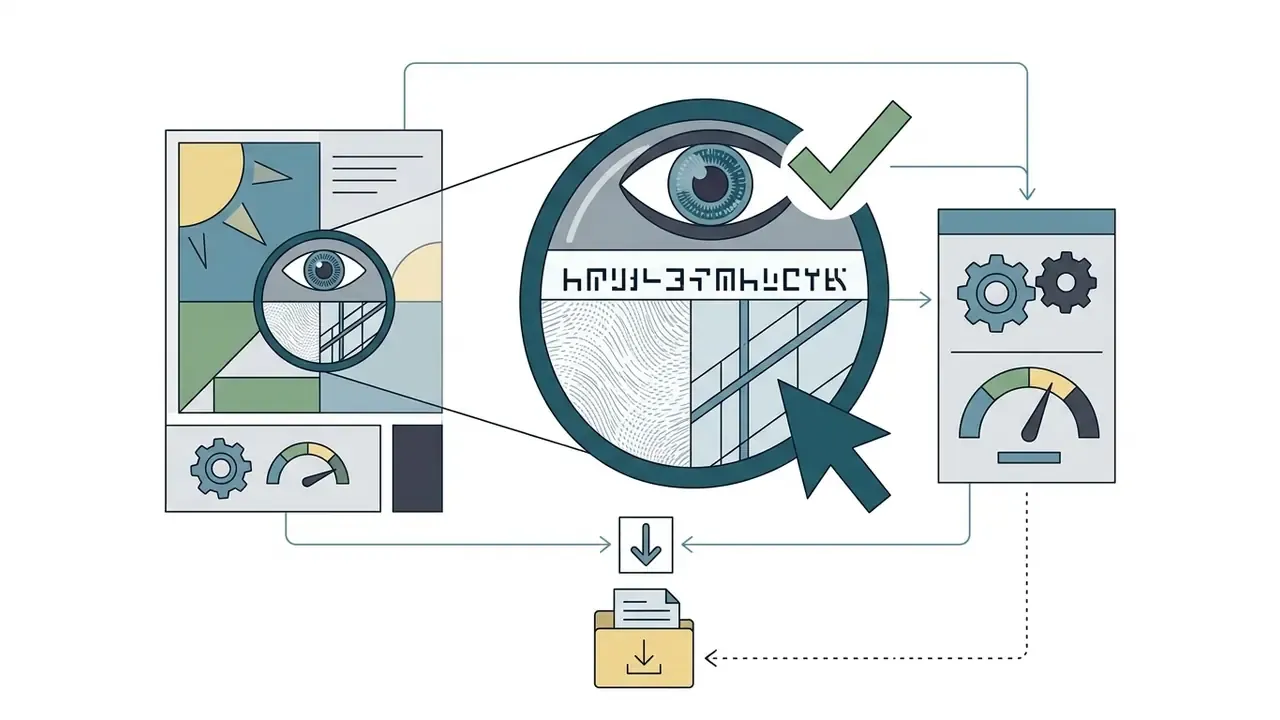
| 6 | Inspect at 100% zoom on faces, text and straight lines | Zero geometric distortion, no invented glyphs |
| 7 | Export in the correct format for the destination | See the export format table in section 15 |
Follow this step-by-step process to get the most out of each pass:
Organisations planning automated media workflows can view the guide to examine integration structures and execution limits, including documented rate tiers such as 100 requests per hour on free plans rising to 10,000 per hour on enterprise plans.
Prepare Low-Resolution and Compressed Images Before Uploading
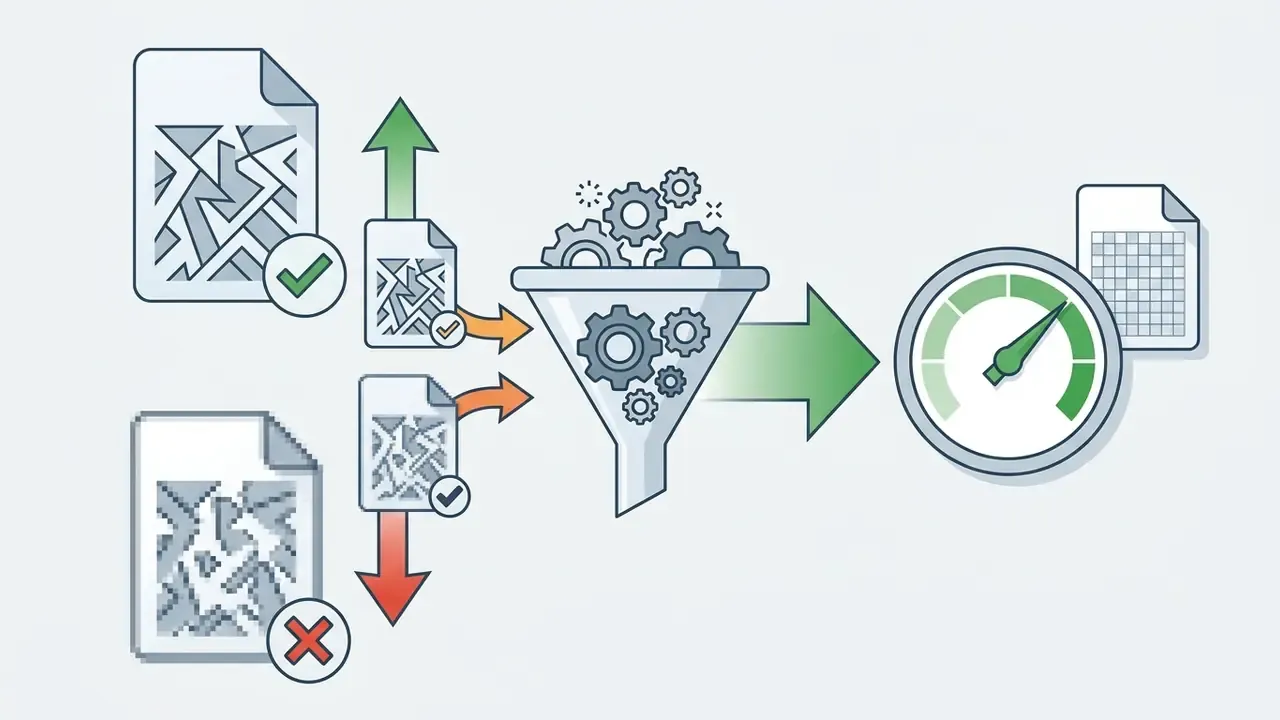
Source quality drives final reconstruction quality, full stop. When low resolution images carry blocky JPEG compression artefacts, upscaling models can misread digital noise as intentional structural detail, then amplify it four-fold.
Before and after expectations at 4x on a compressed product photo
| Region | Typical 4x result from a clean PNG source | Typical 4x result from a heavily compressed JPEG |
|---|---|---|
| Product edges | Clean, continuous boundary | Ringing halo, stair-stepped contour |
| Fabric or texture | Plausible weave retained | Smeared into plastic-looking patches |
| Small label text | Legible, correct glyph shapes | Invented characters, merged strokes |
| Flat background | Even tone | Amplified blocking, visible 8×8 grid |
Pre-processing checklist
- Denoise first. Apply mild artefact reduction before pushing JPEGs into a 4x neural pass, so noise does not propagate. Official preprocessing guidance treats existing JPEG damage as reducible, not reversible: light denoising is correct, aggressive filtering destroys real detail along with the artefacts.
- Convert to lossless. Convert source WebP or compressed JPEG files to PNG, or TIFF/LZW for archival work, so structural pixel values survive multi-stage processing without cumulative re-encoding loss.
- Keep the original untouched. Always work on a derivative. The original is your only reference if a pass produces artefacts you need to diagnose.
- Rasterise image-only PDFs at about 300 DPI before upscaling, rather than upscaling a low-DPI render.
- Avoid double-upscaling across vendors. Never run consecutive 4x cloud passes over already-hallucinated details. If you need more than 4x, use a local double-pass option, Upscayl up to 16x for example, driven by one model where tiling and blending stay consistent.
- Sharpen last, and sparingly. Federal imaging guidance (FADGI, 2023) recommends applying unsharp mask to luminosity only on colour files, and notes that scanning at higher resolution and resampling down can itself reduce low to moderate noise.
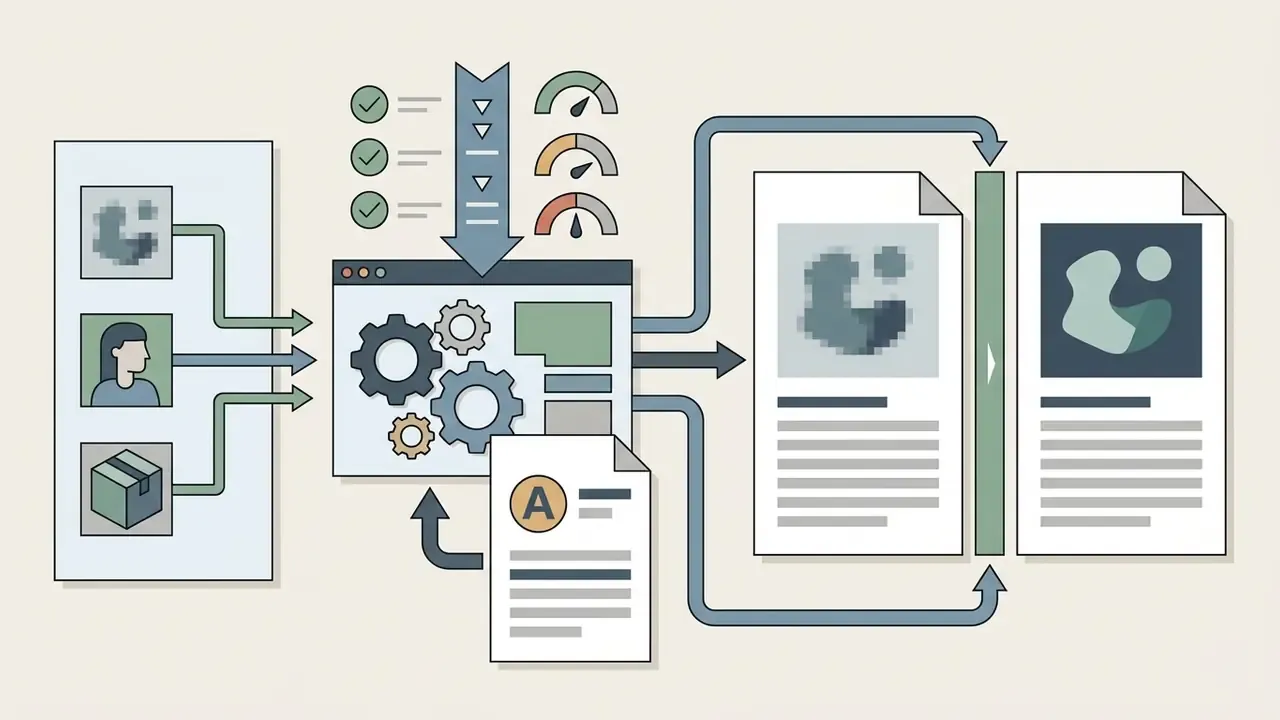
Select 2x or 4x and Check Results at Full Size
Choosing between a 2x or 4x upscale means judging source clarity against intended display size. Push a poor file straight to 4x and you invite neural hallucination, which shows up as unnatural visual artefacts.
"GAN-based methods lead on PSNR and SSIM, while diffusion models surpass them on all no-reference metrics, indicating better perceived quality."
That divergence is exactly why a 4x pass can look more impressive and be less accurate at the same time. Evaluating outputs at 100% scale, pixel for pixel, is the only reliable way to catch edge distortion, halos, broken hair strands, grain, or plastic-looking skin. If a 4x pass produces defects, a conservative 2x upscale often delivers a sharper, more natural result. Counter-intuitive, but repeatable.
Export format guidance for 300 DPI print and digital delivery
| Format | Compression | Best for | 300 DPI print suitability | Caution |
|---|---|---|---|---|
| TIFF | Lossless or uncompressed | Print masters, archival restoration | Excellent, preferred by restoration standards | Large files; not web-friendly |
| PNG | Lossless | Intermediate stage between passes, screenshots, line art, transparency | Very good; embed the colour profile | No CMYK support; large for photos |
| JPEG | Lossy | Final photographic print delivery when the printer requires it | Acceptable at quality 90+ with a single save | Every re-save compounds artefacts |
| WebP | Lossy or lossless | Web delivery after print files are finalised | Not recommended as a print master | Lossy mode discards the high-frequency detail an upscaler just generated |
| PDF (image-only) | Container | Layout handoff | Good if the embedded raster is 300 DPI at final size | Verify embedded resolution, not page size |
Teams building corporate presentations with enhanced assets can evaluate presentation tooling in our best ai presentation maker 2024 comparison, and model licence economics with the explore the hub cost calculators.
What Free AI Upscaling Can and Cannot Fix
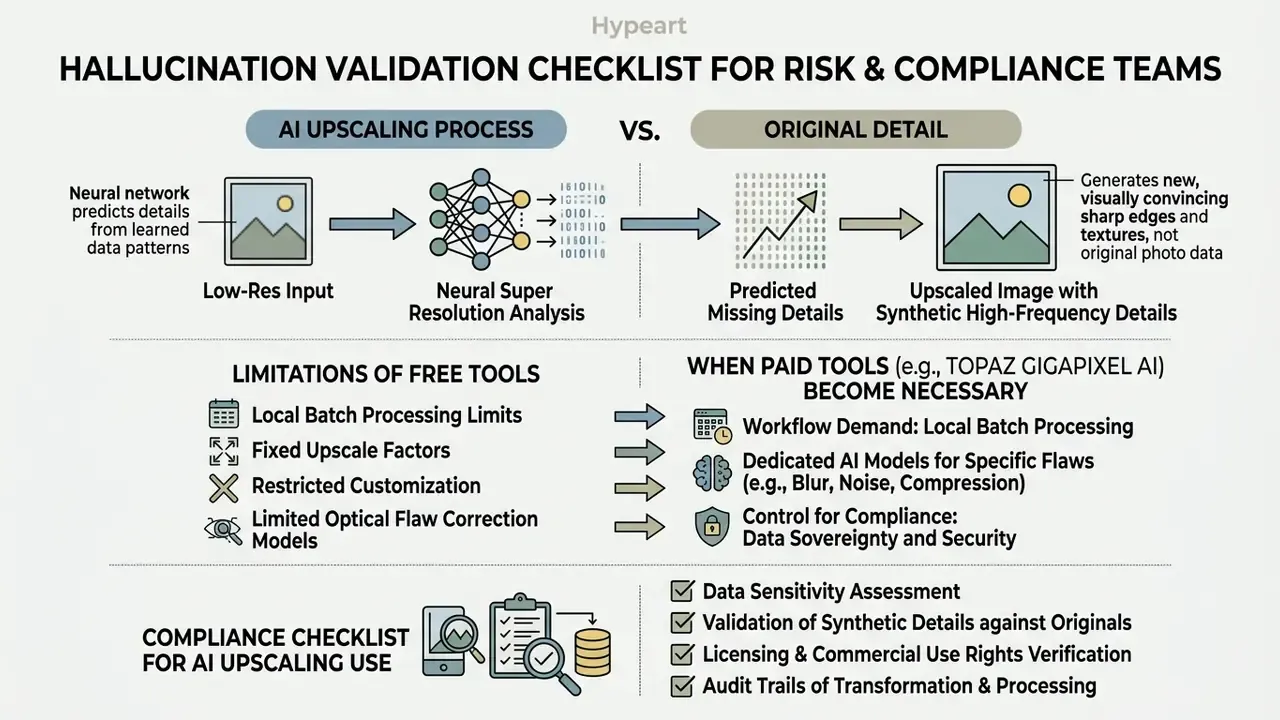
Neural super resolution improves clarity by predicting missing pixel structures. It cannot retrieve physical detail that the sensor never captured. Keeping that distinction sharp is what prevents over-reliance on automated restoration.
"The OARS model received 47.62% of expert votes versus 27.68% for the nearest competitor, yet its perceptual gains reduce PSNR and SSIM scores."
Capability versus limitation map
| Task | Free AI upscaling result | Confidence |
|---|---|---|
| Increase resolution 2x to 4x | Reliable | High |
| Sharpen soft but correctly exposed edges | Reliable | High |
| Reduce moderate JPEG blocking | Usually effective | Medium-high |
| Rebuild plausible skin, fabric, foliage texture | Plausible, not authentic | Medium |
| Recover small text or numerals below legibility threshold | Frequently invents characters | Low |
| Reverse severe motion blur | Partial at best | Low |
| Restore detail never captured by the sensor | Impossible | None |
| Serve as forensic or evidentiary proof of content | Not acceptable | None |
Classical analysis drew this boundary long before modern networks existed: as magnification increases, recoverable high-frequency content declines, and smoothness priors push outputs toward over-smoothed estimates (Limits on Super-Resolution and How to Break Them, Carnegie Mellon University, 2002). Contemporary reviews of CNN, GAN, Transformer and diffusion SR families reach the same structural conclusion, and add persistent risks: hallucinated detail, heavy computational cost, weak robustness to real-world degradations.
Hallucination Validation Checklist for Risk and Compliance Teams
Upscaling becomes a model-risk issue the moment an enhanced asset informs a decision, a listing, a claim, or a document. Run this checklist before an upscaled file enters a controlled process.
Artefact inspection (mandatory at 100% zoom)
Documentation and numeric data: hard prohibition
Do not use generative upscaling to make financial statements, invoices, identity documents, contracts, medical images, meter readings, or spreadsheet screenshots more legible. The network predicts the most statistically likely glyph, not the one that was photographed. If small text must be read, re-capture or re-scan the source at higher optical resolution. No exceptions in a regulated process.
Governance controls
- Faces.Check iris shape, lash separation, hairline, teeth boundaries. Waxy or airbrushed skin indicates an over-aggressive generative pass.
- Text and numerals.Compare every character against the source. Networks substitute visually similar glyphs (8/B, 5/S, 0/O) and can silently change a digit.
- Straight lines and geometry.Window frames, table borders, product edges. Bowing or stair-stepping signals tiling seams or an inappropriate model.
- Repeating patterns.Fabric weave, brickwork, grids. Look for pattern drift, where the network invents a rhythm the source never had.
- Logos and trademarks.Verify shape fidelity. Reconstructed marks can breach brand and trademark requirements.
- Tiling seams.Inspect tile boundaries on large outputs from tile-based local processing.
- Retain the unmodified originalbeside every enhanced derivative, with a processing record: tool, version, model, scale factor, date.
- Preserve or record provenance.Emerging transparency practice for AI-modified media calls for machine-readable marking and provenance chains (C2PA-style), plus detectable disclosure of synthetic content. Check whether your tool strips or preserves existing metadata.
- Label enhanced assets internallyso downstream teams know the file contains predicted, not captured, detail.
- Set an acceptance threshold per use case.Marketing banners tolerate generative texture; listings, claims and documentation do not.
- Re-validate after any tool or model update.A new model version changes artefact behaviour even at the same scale factor.
Why AI Upscaling Improves Resolution but Cannot Restore Every Lost Detail
Neural super resolution analyses a low res input and predicts missing high-frequency details from learned statistical patterns. Deep-learning reviews of single-image and multi-image super resolution confirm that generalisation, robustness and realistic detail recovery remain open limitations rather than solved problems (Pattern Recognition, 2025, DOI: 10.1016/j.patcog.2024.110935).
The mathematical reason is plain. Super resolution is an ill-posed inverse problem: many different high resolution scenes map to the same low resolution measurement, so the missing information is not uniquely identifiable from the input alone. The network resolves that ambiguity with learned priors. Reconstruction by inference, not recovery.
"The TSD-SR diffusion model surpasses GAN-based methods on every no-reference metric (NIQE, MUSIQ, CLIPIQA) while running roughly 40x faster than SeeSR."
The process creates visually convincing sharp edges, yet the network generates new synthetic detail rather than recovering authentic scene data. On severely degraded or blurry images, models infer plausible textures, hair strands, fabric weaves, foliage, that may not match the original subject at all. Diffusion-based surveys describe this as an explicit design goal: optimise perceptual quality rather than exact pixel recovery (Diffusion Models, Image Super-Resolution and Everything: A Survey, IEEE TNNLS, 2024, DOI: 10.1109/TNNLS.2024.3476671). So while super resolution increases total pixel dimensions, it never functions as forensic proof of lost information.
When a Paid Tool Such as Topaz Gigapixel AI May Be Worth It
FAQ: Frequently Asked Questions About Free AI Image Upscalers
Is There a Completely Free AI Image Upscaler With No Watermark?
Yes. Open source desktop software such as Upscayl is completely free, adds no watermark to exports, and enforces no daily processing caps under its AGPL-3.0 licence. Browser-based platforms including Upscale.media, iLoveIMG and Pixelcut also offer watermark-free exports on their basic free tiers, though they apply daily or monthly credit limits, ad support, or caps on input file dimensions. Several no-signup web services (Upsampler, Zoviz) advertise free, watermark-free output too. One small distinction worth keeping: a vendor logo badge on a download page is not the same thing as a watermark burned into the exported image.
Can Free AI Image Upscalers Create 4K Images for Print?
Free AI upscalers can produce 4K files suitable for physical print, provided the source contains enough underlying structural detail. Standard professional print quality needs roughly 300 DPI at final size, while large-format work is often specified at 150 DPI. A 4K image at 3840×2160 pixels prints well at about 12.8×7.2 inches; going larger requires more pixels. A 3000×2000 px source upscaled 4x becomes 12000×8000 px, which supports roughly 40×26 inches at 300 DPI. The limiting factor is always source quality rather than pixel count: upscalers add pixels but cannot reliably restore detail that was never captured. Readers preparing print files may also want to review adjacent AI image enhancers for colour and noise handling before the upscaling pass.
Are Online AI Image Upscalers Safe for Product Photos and Personal Images?
Safety depends on the privacy policy and data-retention terms of the specific cloud vendor. Disclaimer: this information is general in nature and does not replace consultation with a data-protection specialist or legal adviser about privacy compliance obligations in your jurisdiction. Published policies across this category range from 12-hour deletion of all originals and outputs, to 14-day automatic permanent deletion, to encrypted storage with plan-dependent windows from 24 hours up to 180 days, plus a 30-day grace period after cancellation. Some vendors store nothing by default unless a user saves an asset to a library; others retain generated outputs far longer than inputs. For confidential corporate graphics, regulated financial documentation, unreleased product imagery, or personal portraits, use offline desktop software such as Upscayl and process files entirely on local hardware, which removes the retention question altogether.
What Is the Difference Between Real-ESRGAN and UltraSharp Models in Local Upscalers?
They optimise for different failure modes. Real-ESRGAN is a general-purpose real-world super resolution model trained on synthetically degraded photographic data. It handles camera captures, portraits and landscapes with balanced texture generation, and it is the safest default for images containing human faces. UltraSharp is a community-tuned variant biased toward stronger edge and micro-detail reconstruction, which works well on soft, heavily compressed web assets, though the same bias can over-sharpen skin into plastic and exaggerate existing noise. Digital Art / DAT models are trained on non-photographic content and preserve flat fills and clean line boundaries instead of inventing texture. Practical rule: start with Real-ESRGAN, switch to UltraSharp only when output looks under-sharpened rather than artefact-prone, and switch to a digital-art model for anything vector-like. Because metric agreement with human perception is limited, verify each model choice visually on your own assets rather than trusting a benchmark ranking.
Do Free AI Upscalers Allow Commercial Use of the Enhanced Images?
It varies by vendor, so check per tool. Open source local applications such as Upscayl and self-hosted Waifu2x place no restriction on output use. Free tiers that apply a visible watermark, Let's Enhance being the clearest example, are not usable commercially until you upgrade, after which paid users can re-download previously processed files without the mark. Several free SaaS tiers in the broader generative-media market also grant the provider broad licences to reproduce, display, or train on uploaded content, and some state that watermarks cannot be removed retroactively after an upgrade. Read the upload and output clauses in the terms of use before publishing, and record the applicable licence alongside the asset.
How Many Images Can I Batch Process for Free?
Local desktop tools are the only genuinely unlimited option: Upscayl processes entire folders with no cap, constrained only by GPU throughput. Cloud free tiers are far tighter. Documented patterns include up to three images at any time plus one daily free batch of four to ten images, five credits per day for signed-in users against three for anonymous ones, five images per batch with a 5 MB file ceiling, and batch queues of up to 20 images on credit-based plans. If your weekly volume exceeds roughly 20 images, local batch processing or a paid API tier is the only workflow that will not stall.
Does AI Upscaling Preserve EXIF and C2PA Metadata?
Not reliably. Cloud pipelines commonly re-encode the image, and metadata handling is rarely documented. That matters for audit trails, because transparency practice for AI-modified media increasingly expects machine-readable marking and an intact provenance chain. If metadata retention is a requirement, test one file end to end, inspect the export with a metadata reader, and prefer local tools where you control the export path. Where provenance must be guaranteed, record processing details in an external log rather than trusting embedded fields to survive the pass.
Appendix A: Editorial Corrections and Source Log
For transparency, the following claims from earlier revisions of this review were revised after source verification. The original wording is preserved here; the corrected wording appears in the main text.
| Section | Original claim (superseded) | Correction applied |
|---|---|---|
| [2] Methodology | "unauthenticated cloud tools retained cached assets for up to 180 days on external servers" | Reframed as vendor-dependent: documented windows include 12-hour purges, 14-day deletion, 24-hour trial deletion, and output retention up to 180 days on specific plans. The 180-day figure applies to particular vendor plans, not to unauthenticated cloud tools generally. |
| [5] Upscale.media | Citation to IEEE Transactions on Neural Networks and Learning Systems, 2024, without URL or figures | Replaced with the AIS 2024 Real-Time 4K Super-Resolution challenge report (arXiv, 2024), which supplies measurable latency and PSNR comparisons against Lanczos interpolation. |
| [7] Bigjpg and Waifu2x | Citation to Cluster Computing, 2026, without metrics or link | Replaced with the CBAM-ESRGAN result (perceptual index 2.1, LPIPS 0.158) from Adaptive feature refinement for texture-preserving single image super-resolution, Cluster Computing (2026), with DOI link. |
| [11] Image types | "Archival scans require blur-aware neural networks" stated without support | Supported with the PBaSR framework result (LPIPS improvement of 0.02 to 0.10 on defocus and motion blur), arXiv (2024). |
| [15] Section cross-reference | Export format table cited as "section 17" | Corrected to section 15, where the table actually appears; the artefact checklist reference was corrected from section 19 to section 16a. |
| [17] Why detail cannot be restored | Citation to Pattern Recognition, 2025, without DOI | Retained with full DOI (10.1016/j.patcog.2024.110935) and supplemented with TSD-SR (arXiv, 2024) and the IEEE TNNLS diffusion survey (DOI 10.1109/TNNLS.2024.3476671). |
| Epigraph | Attributed to "Marcus Hale, author on AI Governance and Model Risk" | Reattributed to the internal model-risk and media-validation review team, removing The author label. |
Free tier limits, retention windows and pricing in this article reflect vendor documentation reviewed in February 2026 and change frequently. Verify current terms on the vendor's own pricing and privacy pages before adopting a tool for production or regulated workflows.
Page Specifications
- Page title Best Free AI Image Upscaler: 10 Tools Compared (2026)
- Meta description Compare the best free AI image upscalers for photos, AI art, product images and print. Real input limits, watermark rules, commercial rights and privacy.
- Primary keywords best free ai image upscaler, best ai image upscale free, best ai image upscaler free, best free ai photo upscaler, free ai image upscaling software, real estate photo enhancer, face restoration ai free
- Approximate length 5,200+ words · Last updated: February 2026 · Localisation: en-US
- Review cadence vendor terms, retention windows and free tier caps re-checked quarterly, or immediately after a vendor pricing change.